Upgrade to Pro — share decks privately, control downloads, hide ads and more …

Introduction to Hotwire Native - Philly.rb Dece...

Avatar for Mike Dalton Mike Dalton
March 28, 2026
0

Introduction to Hotwire Native - Philly.rb December 2025

Hotwire Native is a set of JavaScript, iOS and Android libraries that allow developers to build iOS and Android apps with native capabilities using mostly Ruby on Rails. Mike will introduce Hotwire Native and describe how a developer can quickly use it to transform their Rails app to a native app. He will then show how to write native code to support more advanced features like OAuth.

Avatar for Mike Dalton

Mike Dalton

March 28, 2026

Transcript

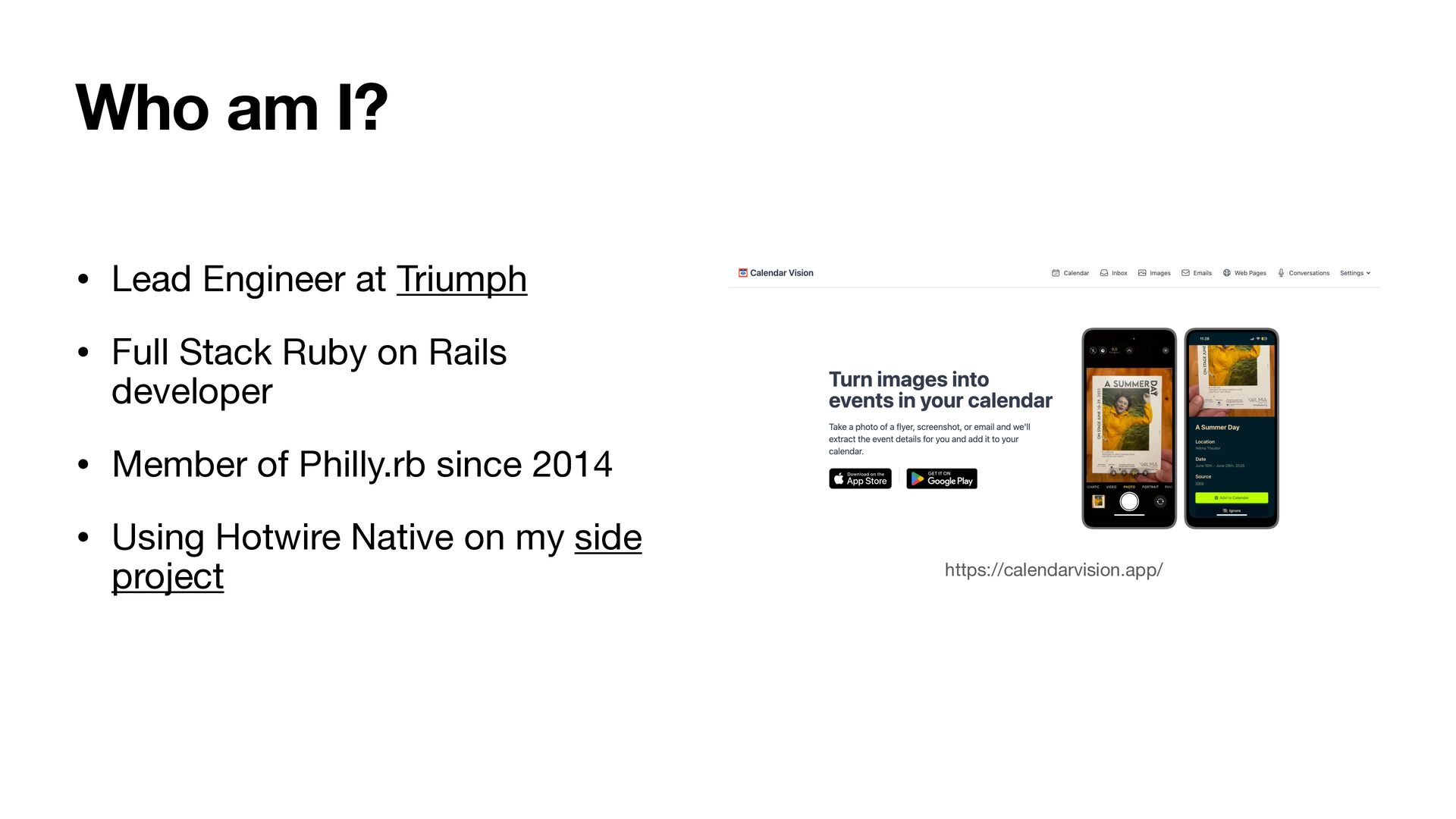
  1. • Lead Engineer at Triumph • Full Stack Ruby on

    Rails developer • Member of Philly.rb since 2014 • Using Hotwire Native on my side project https://calendarvision.app/ Who am I?
  2. https://hotwired.dev/ “Hotwire is an alternative approach to building modern web

    applications without using much JavaScript by sending HTML instead of JSON over the wire.”
  3. Hotwire Turbo • Requires JavaScript but… • No need to

    write your own JavaScript • Behavior triggered by server-side responses
  4. Hotwire Turbo Drive • Turbolinks successor • Works “out of

    the box” • Performs all requests in JS to prevent page reload
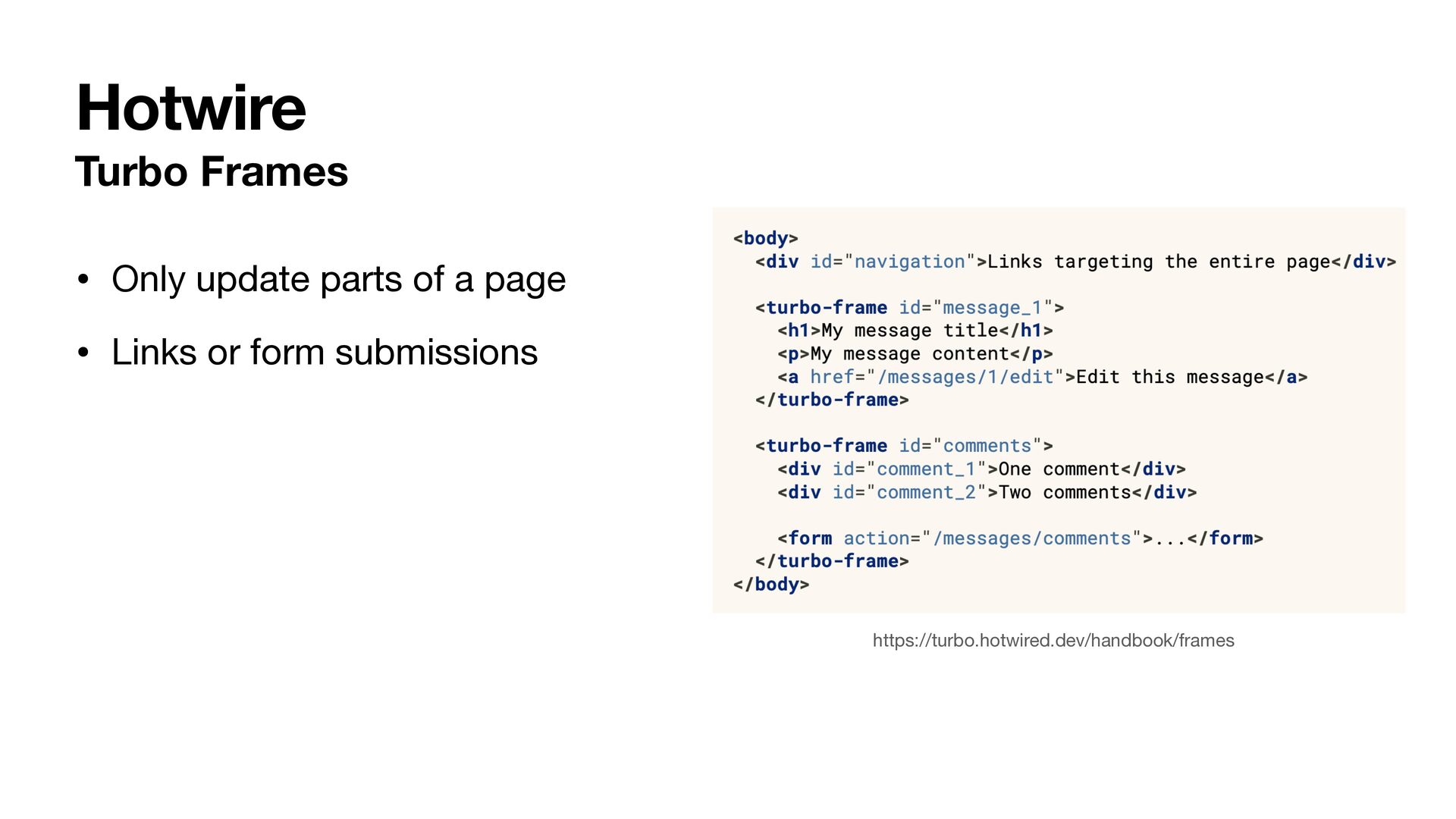
  5. Turbo Frames • Only update parts of a page •

    Links or form submissions https://turbo.hotwired.dev/handbook/frames Hotwire
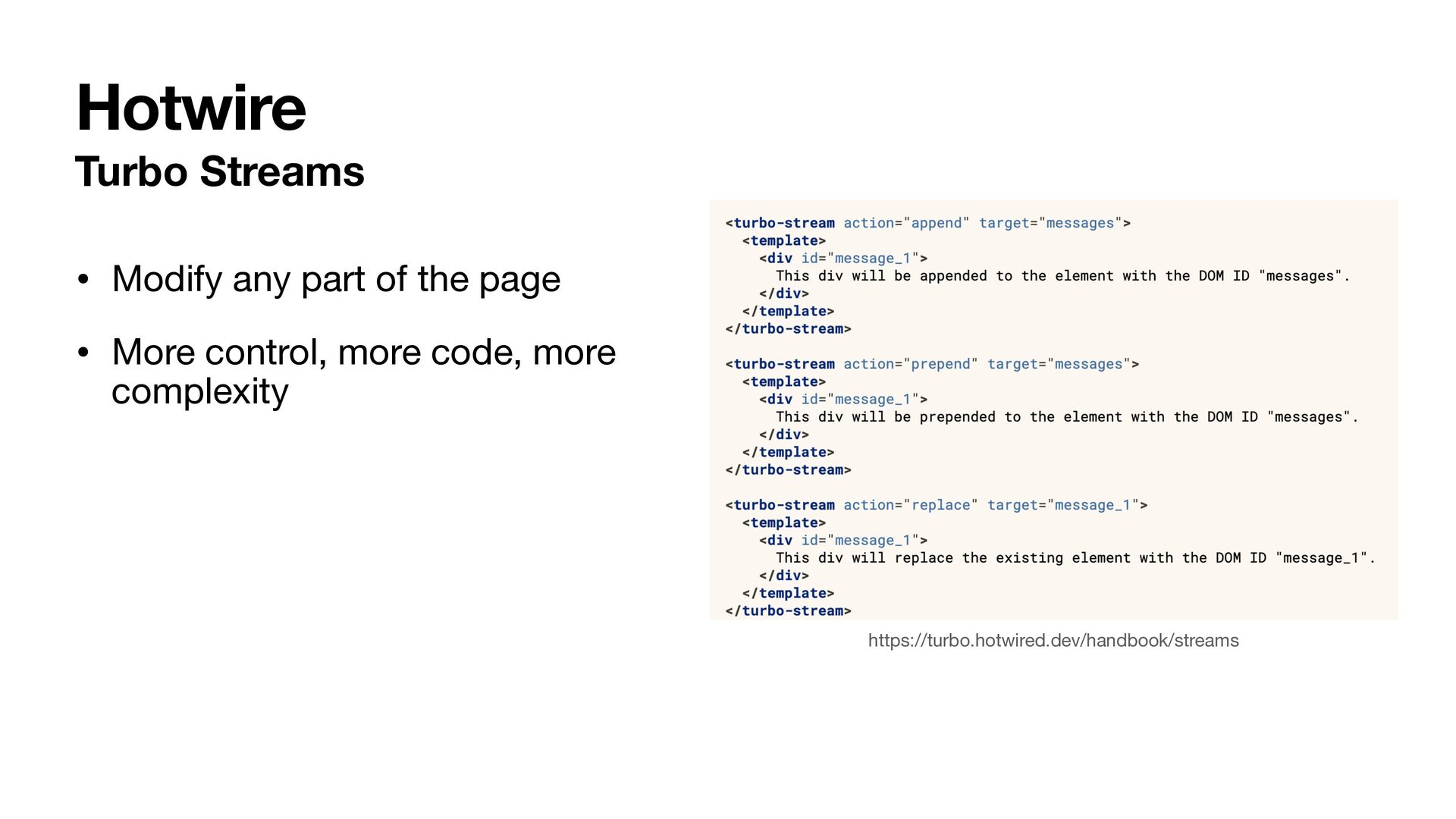
  6. Turbo Streams • Modify any part of the page •

    More control, more code, more complexity https://turbo.hotwired.dev/handbook/streams Hotwire
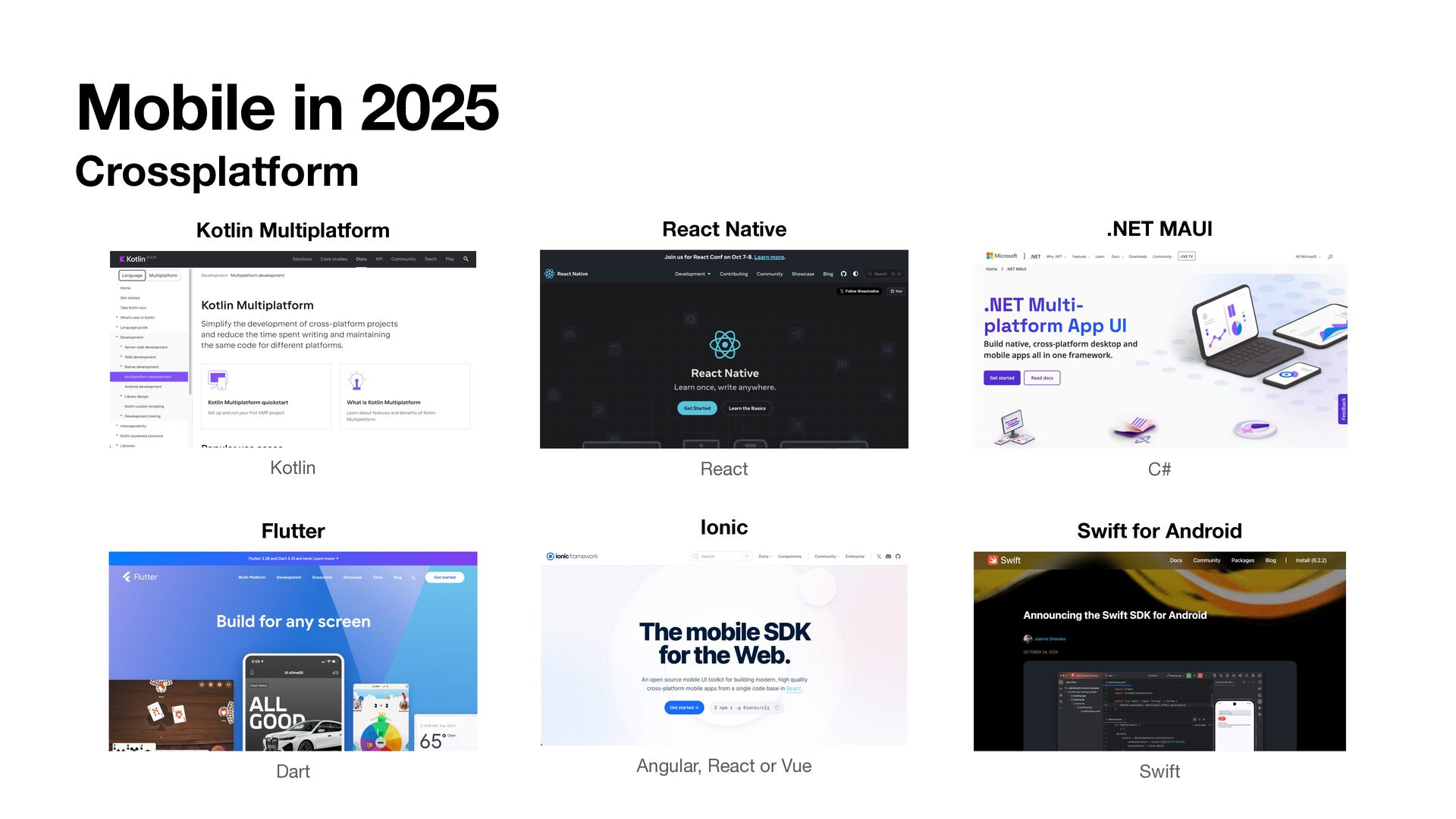
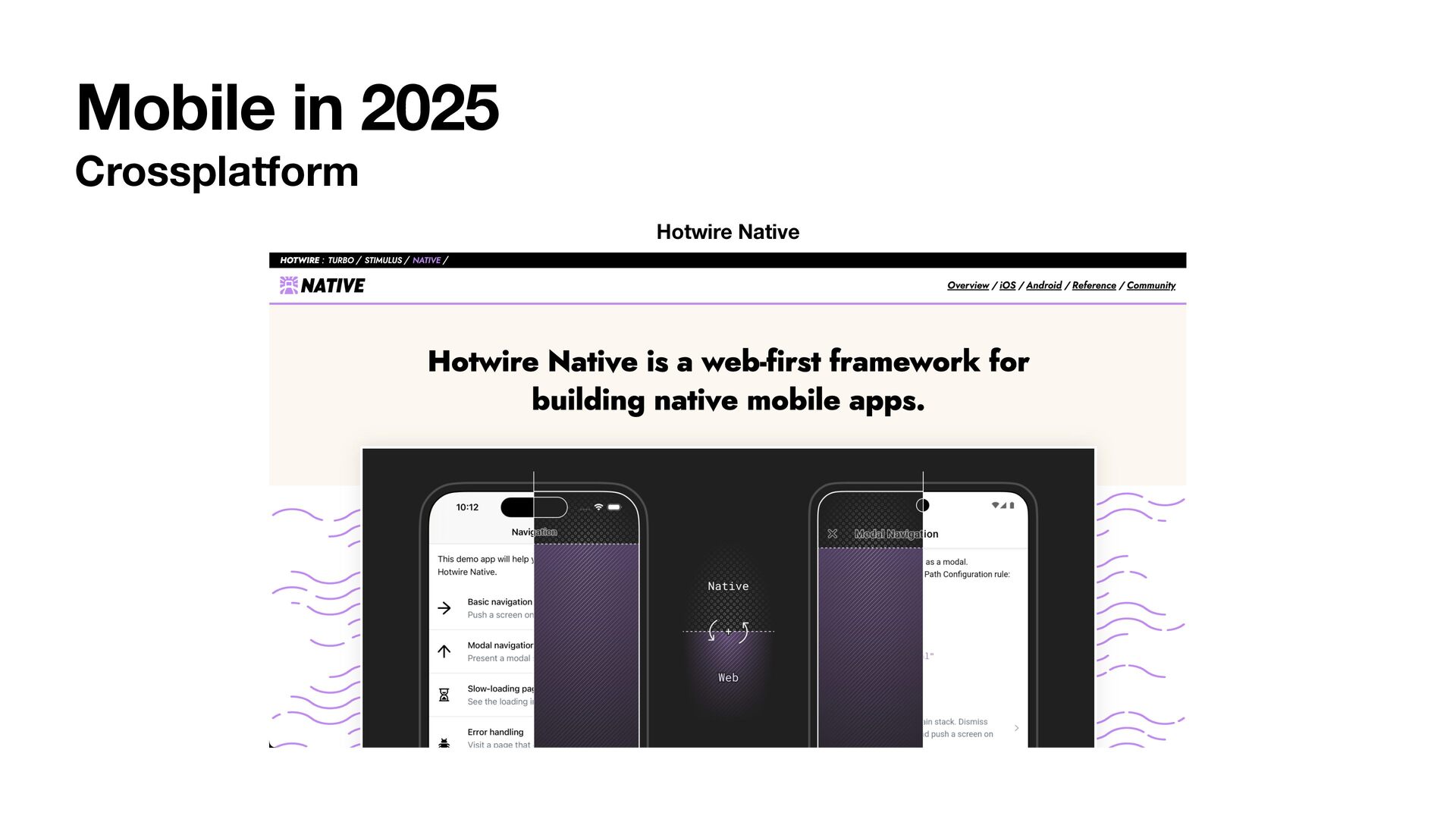
  7. Mobile in 2025 Crossplatform Kotlin Kotlin Multiplatform Dart Flutter React

    React Native Angular, React or Vue Ionic C# .NET MAUI Swift Swift for Android
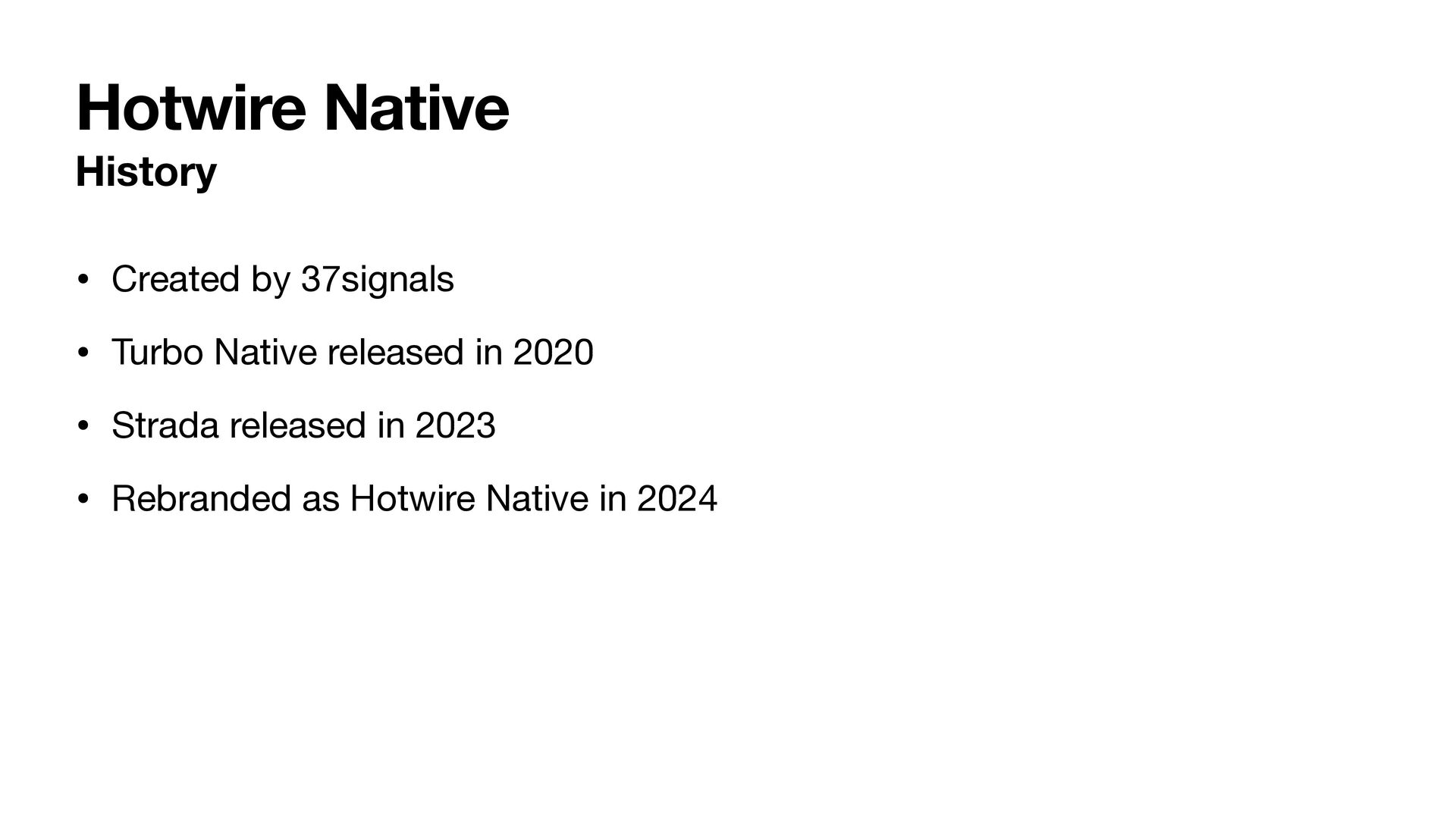
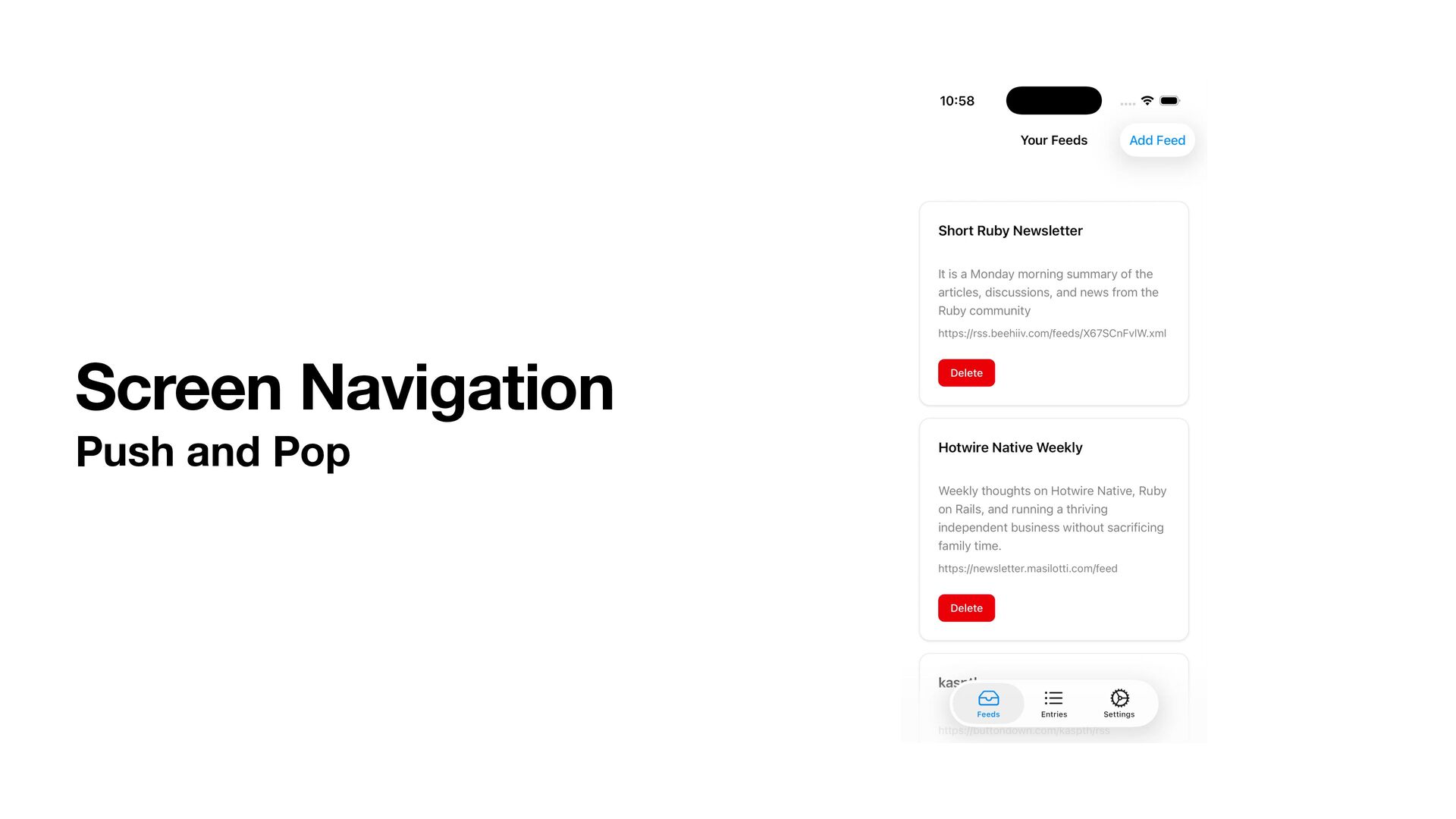
  8. Hotwire Native History • Created by 37signals • Turbo Native

    released in 2020 • Strada released in 2023 • Rebranded as Hotwire Native in 2024
  9. Hotwire Native Who should use it • You have the

    need for a web app, iOS and Android app • You want to build with Hotwire and Turbo • You’re comfortable being an early adopter
  10. Hotwire Native How does it work • Embedded web browser

    • Doesn’t look like a browser • iOS uses WKWebView • Android uses WebView
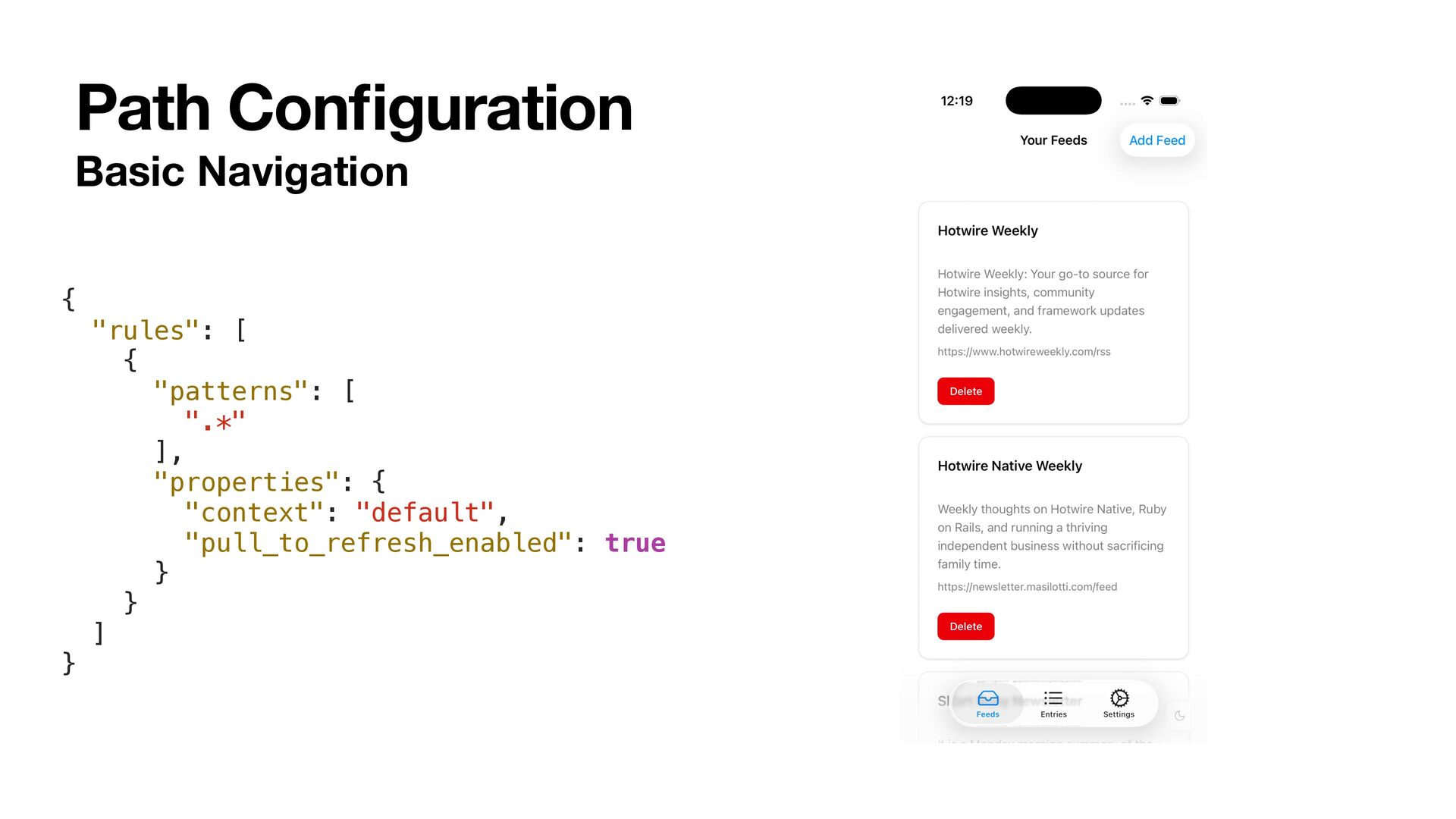
  11. Basic Navigation Path Con fi guration { "rules": [ {

    "patterns": [ ".*" ], "properties": { "context": "default", "pull_to_refresh_enabled": true } } ] }
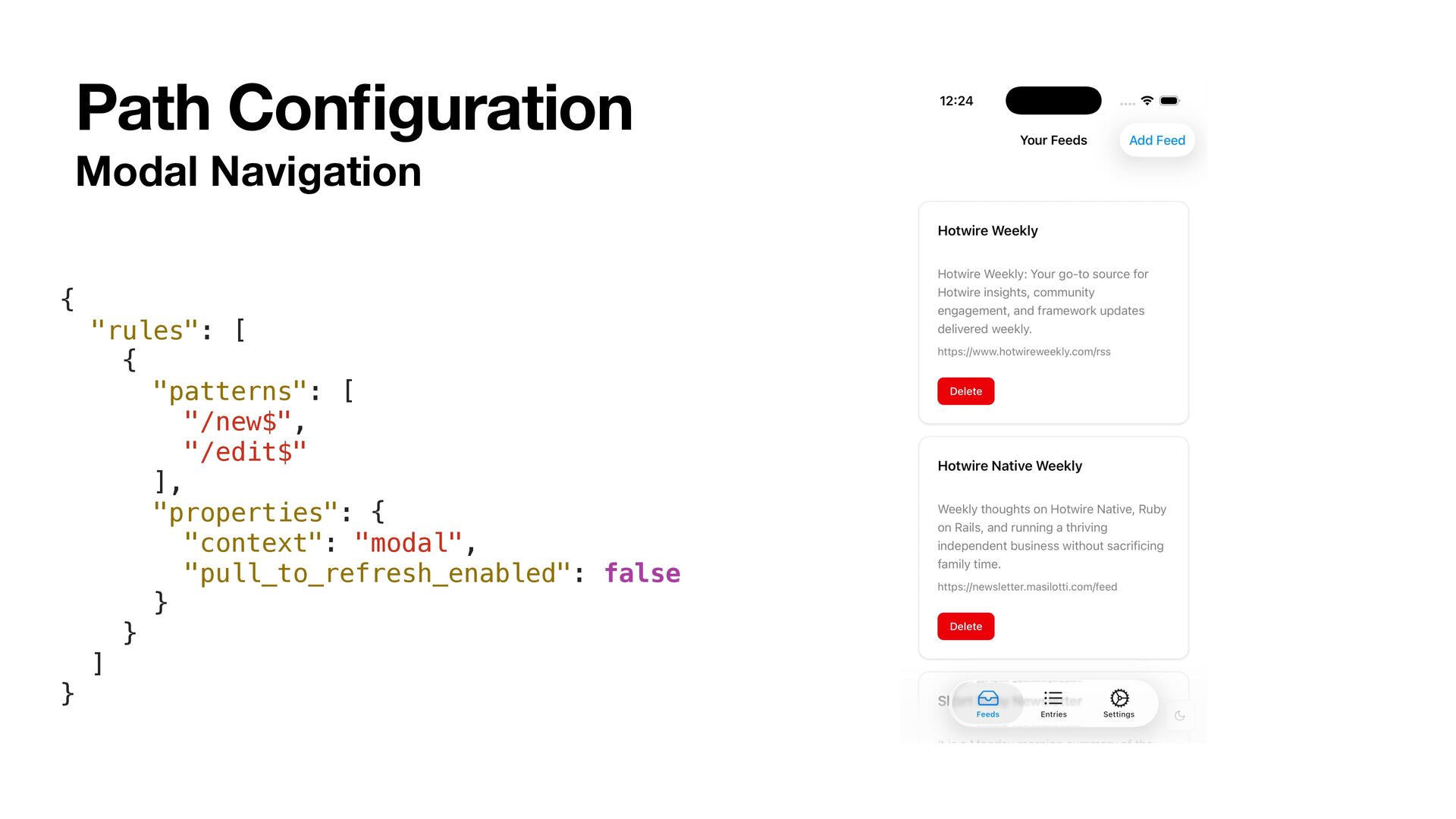
  12. Modal Navigation Path Con fi guration { "rules": [ {

    "patterns": [ "/new$", "/edit$" ], "properties": { "context": "modal", "pull_to_refresh_enabled": false } } ] }
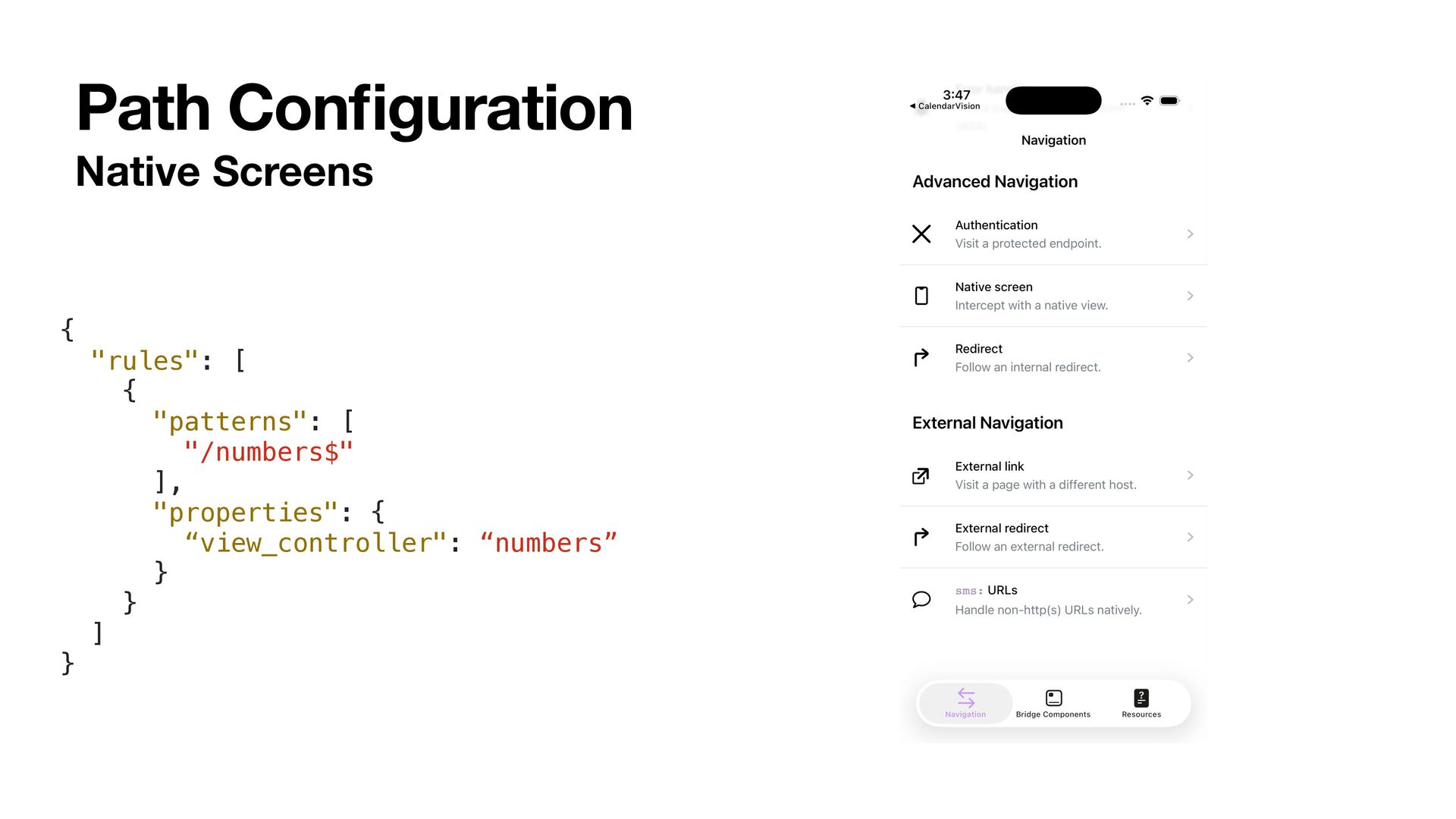
  13. Native Screens Path Con fi guration { "rules": [ {

    "patterns": [ "/numbers$" ], "properties": { “view_controller": “numbers” } } ] }
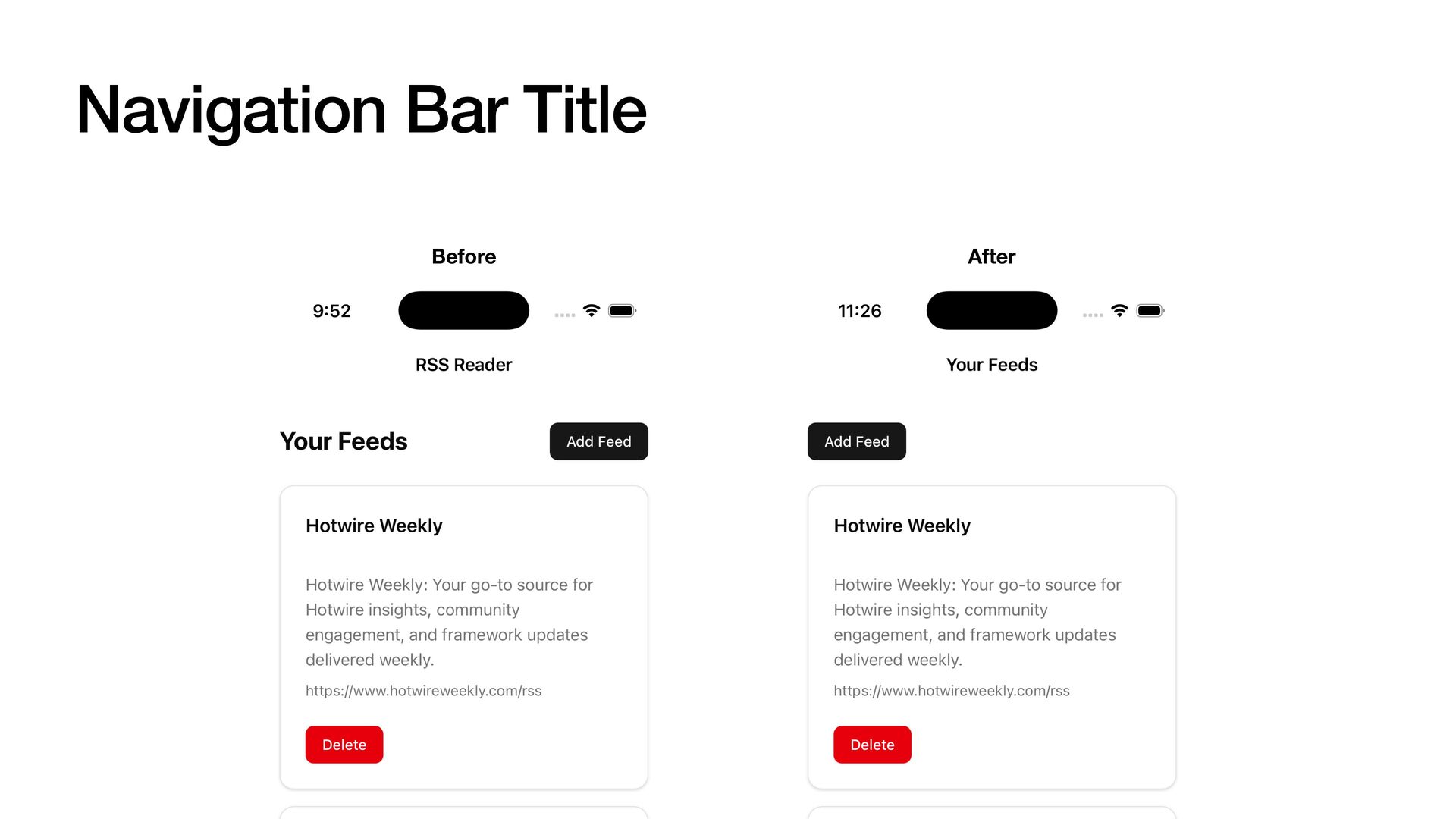
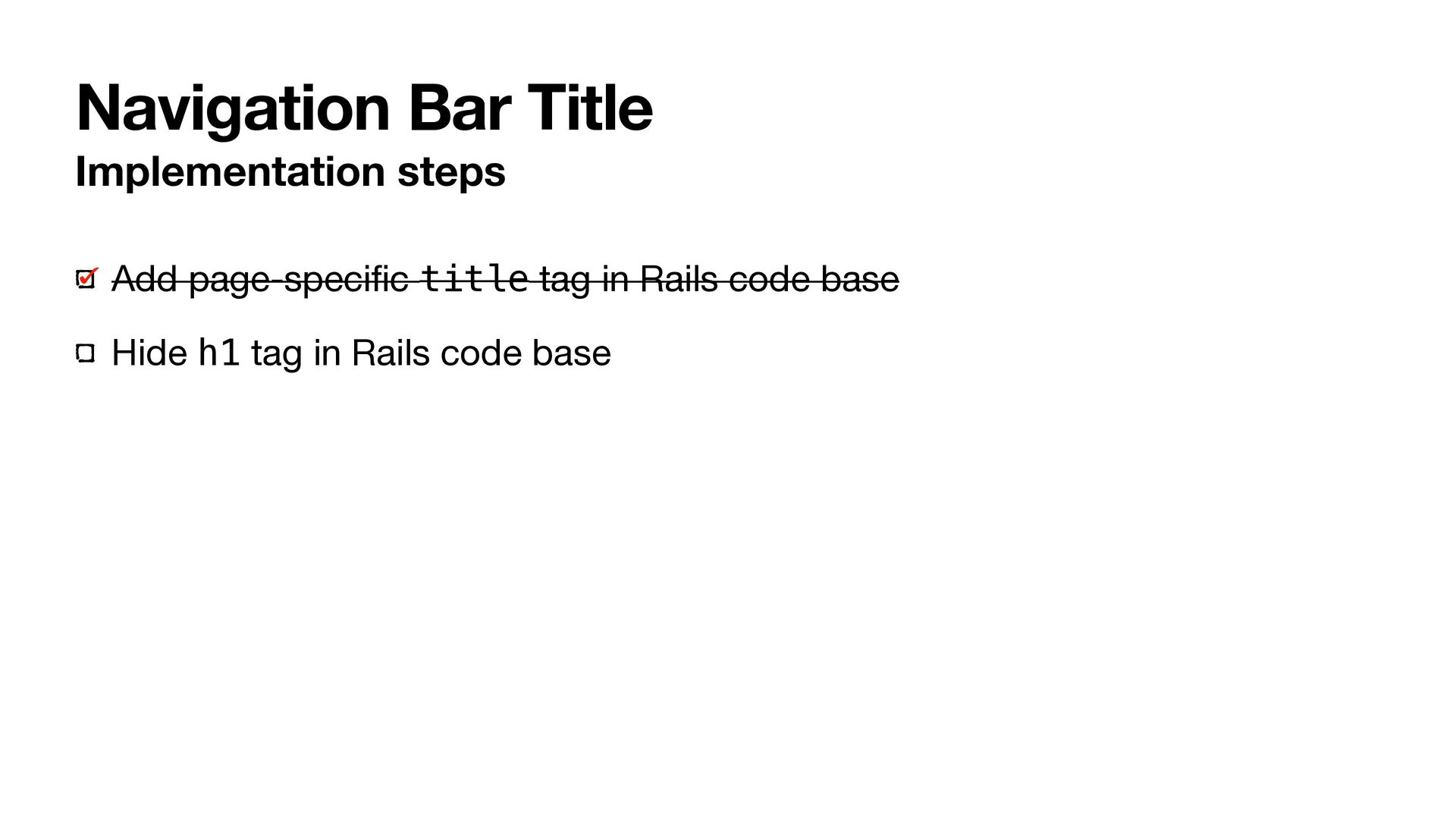
  14. Navigation Bar Title Implementation steps Add page-speci fi c title

    tag in Rails code base Hide h1 tag in Rails code base

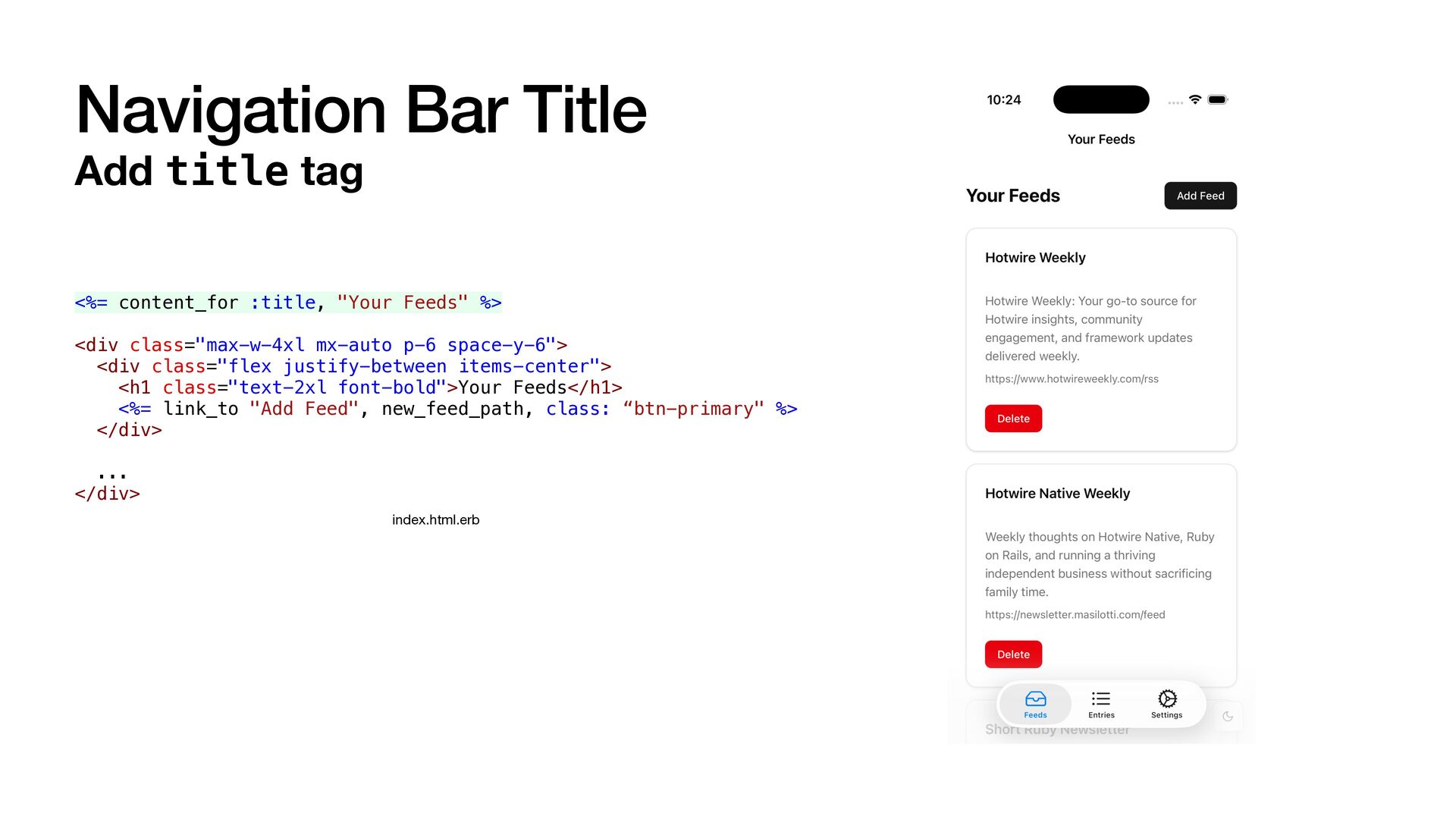
  15. Navigation Bar Title Add title tag <%= content_for :title, "Your

    Feeds" %> <div class="max-w-4xl mx-auto p-6 space-y-6"> <div class="flex justify-between items-center"> <h1 class="text-2xl font-bold">Your Feeds</h1> <%= link_to "Add Feed", new_feed_path, class: “btn-primary" %> </div> ... </div> index.html.erb
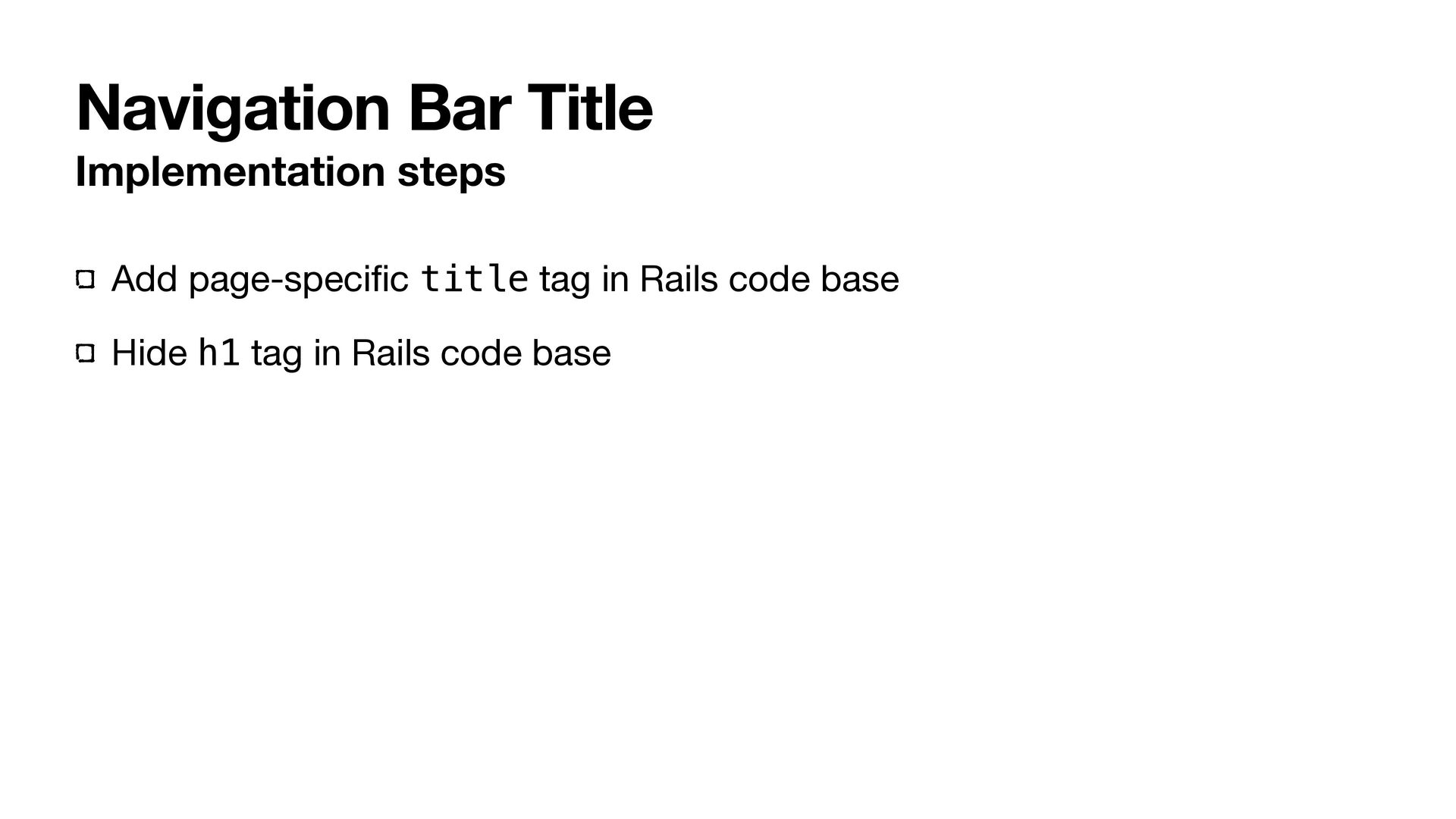
  16. Navigation Bar Title Implementation steps Add page-speci fi c title

    tag in Rails code base Hide h1 tag in Rails code base
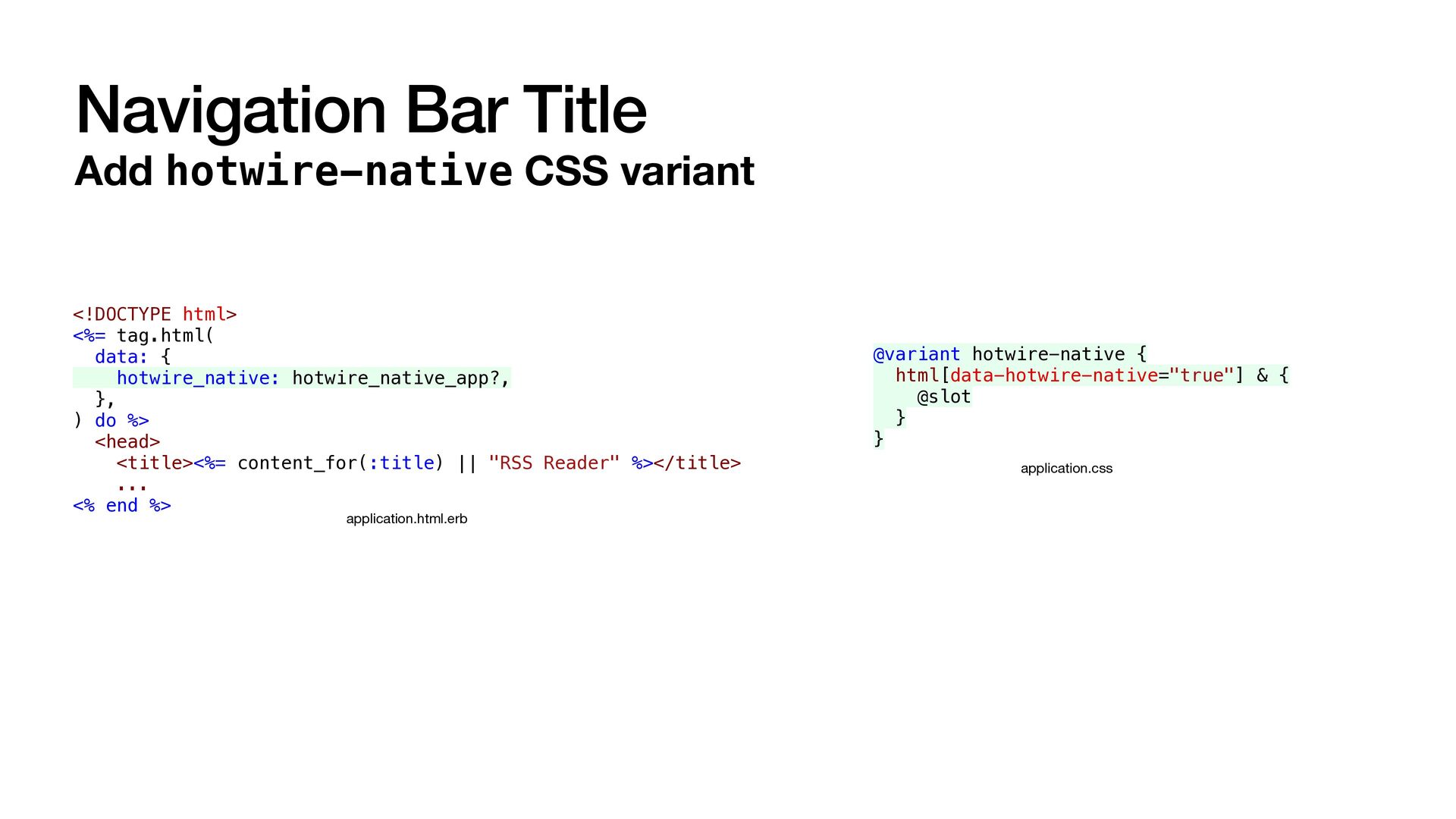
  17. Navigation Bar Title Add hotwire-native CSS variant <!DOCTYPE html> <%=

    tag.html( data: { hotwire_native: hotwire_native_app?, }, ) do %> <head> <title><%= content_for(:title) || "RSS Reader" %></title> ... <% end %> application.html.erb @variant hotwire-native { html[data-hotwire-native="true"] & { @slot } } application.css
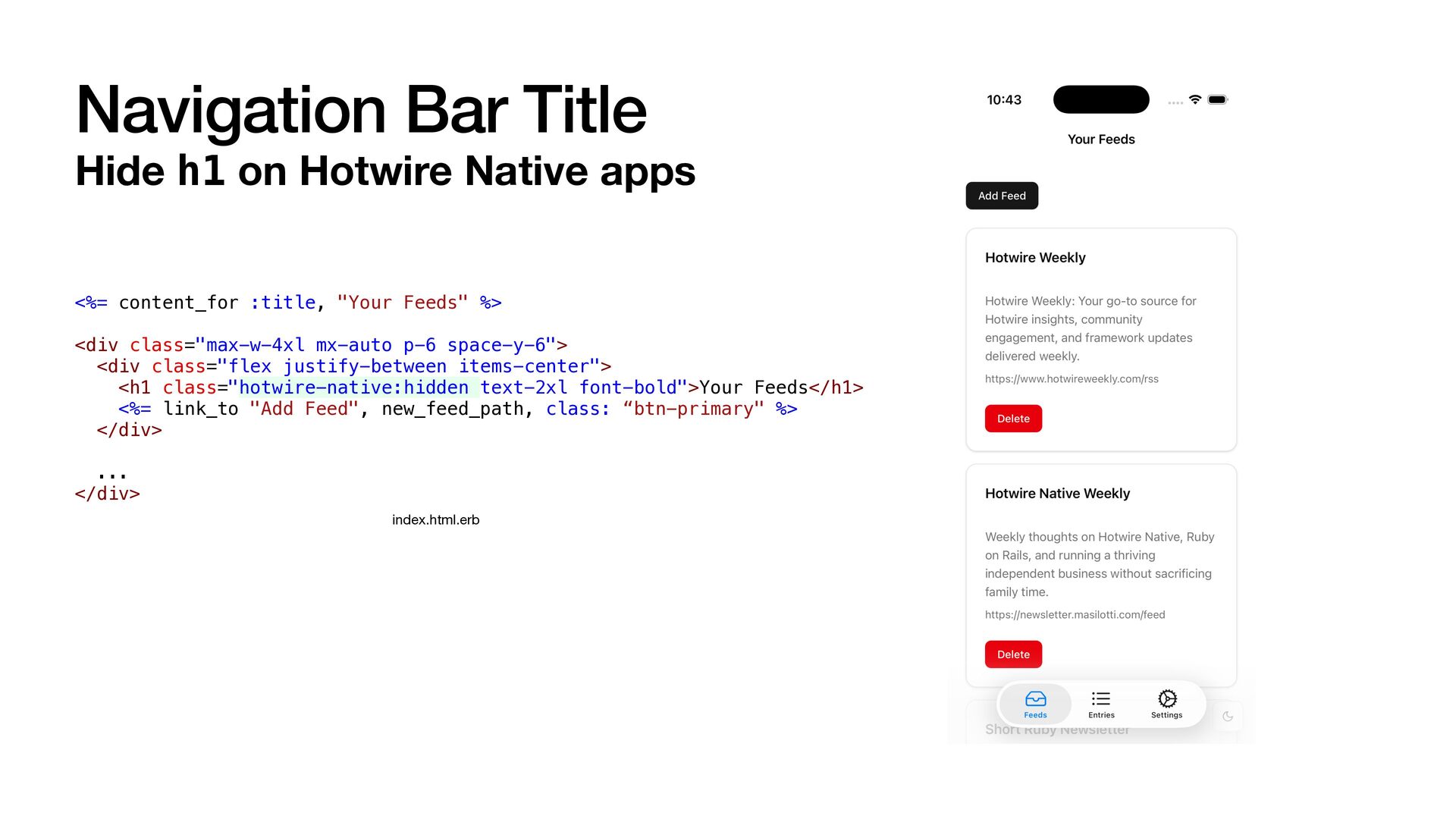
  18. Navigation Bar Title Hide h1 on Hotwire Native apps <%=

    content_for :title, "Your Feeds" %> <div class="max-w-4xl mx-auto p-6 space-y-6"> <div class="flex justify-between items-center"> <h1 class="hotwire-native:hidden text-2xl font-bold">Your Feeds</h1> <%= link_to "Add Feed", new_feed_path, class: “btn-primary" %> </div> ... </div> index.html.erb
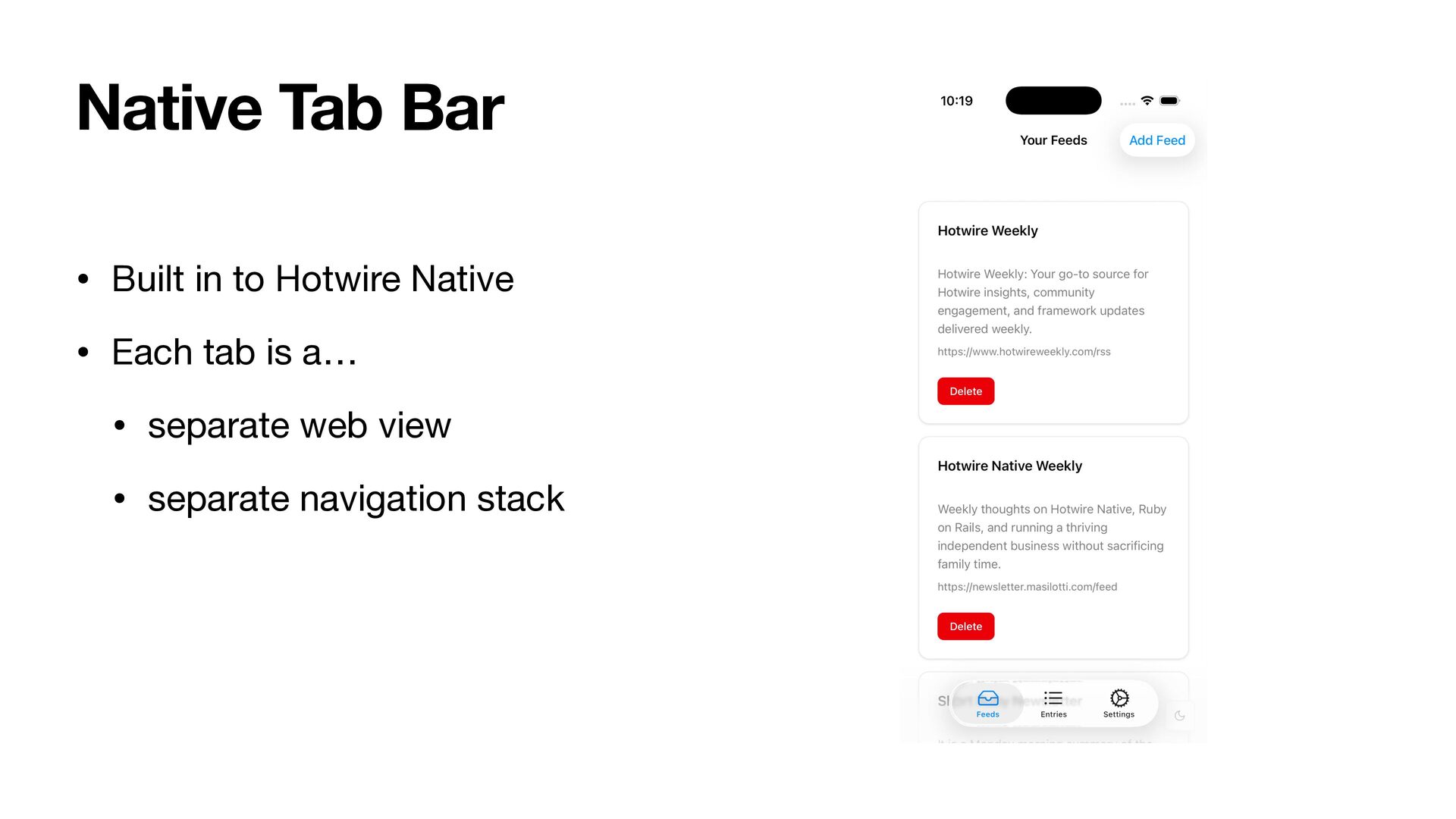
  19. • Built in to Hotwire Native • Each tab is

    a… • separate web view • separate navigation stack Native Tab Bar
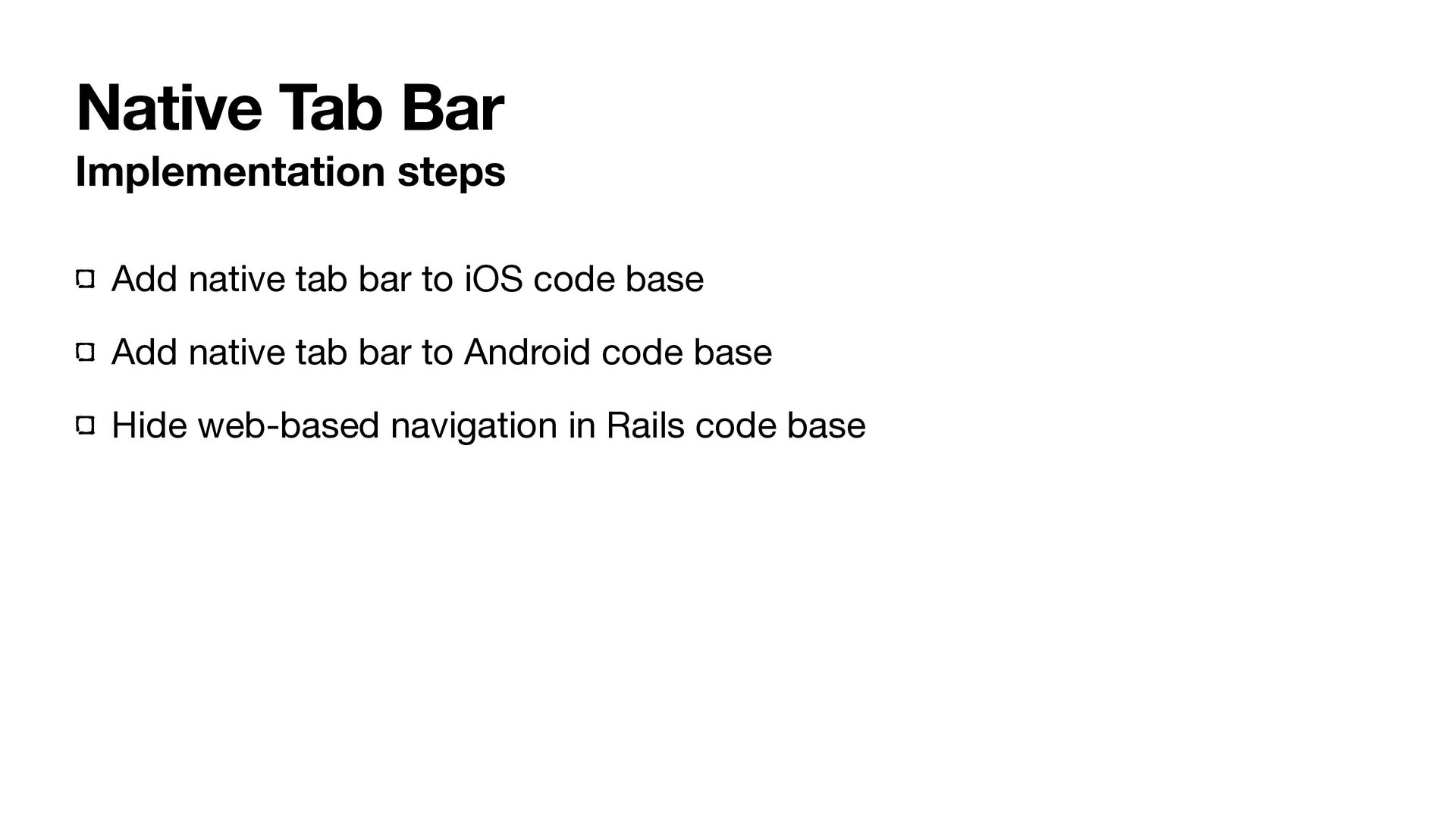
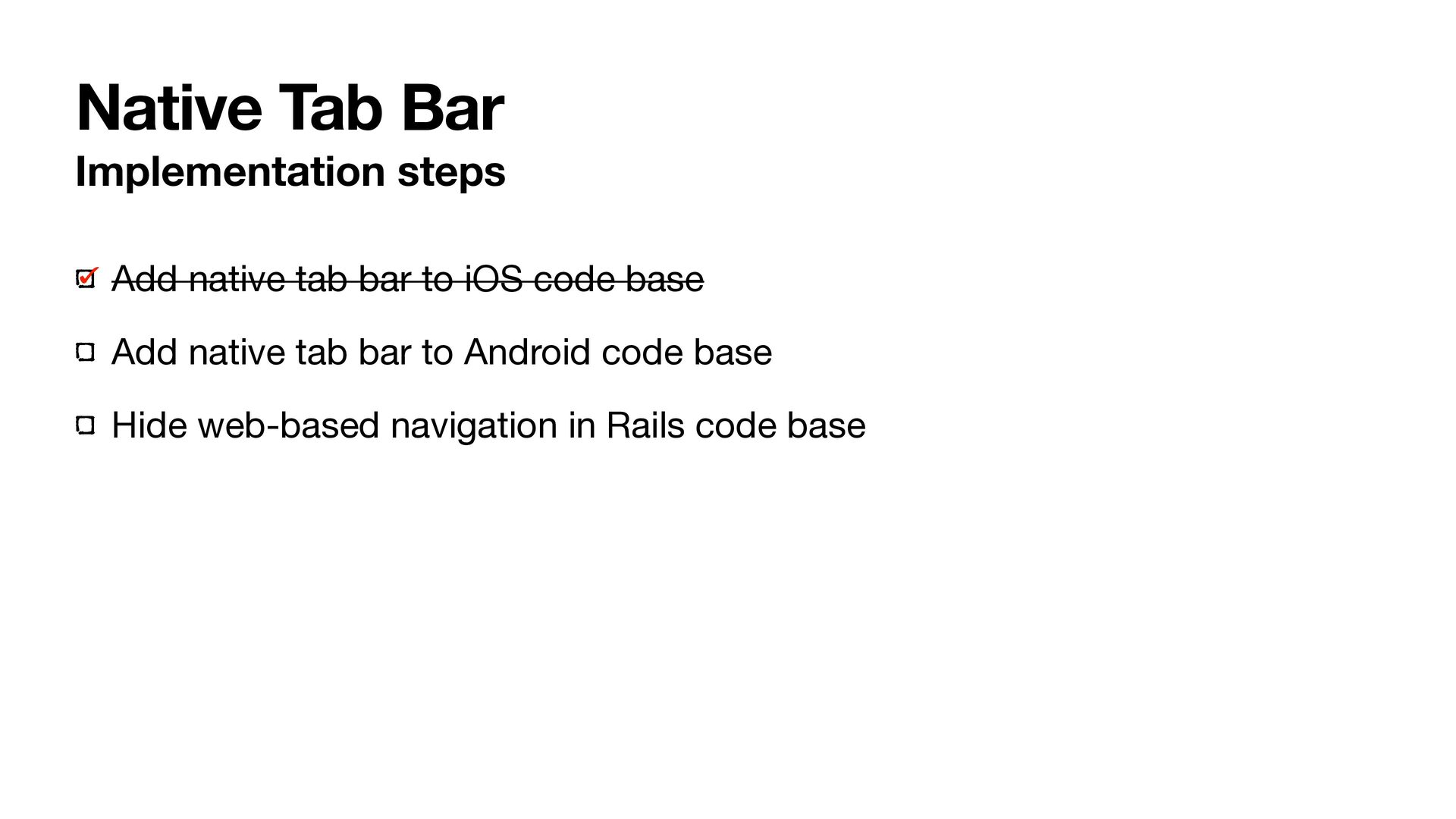
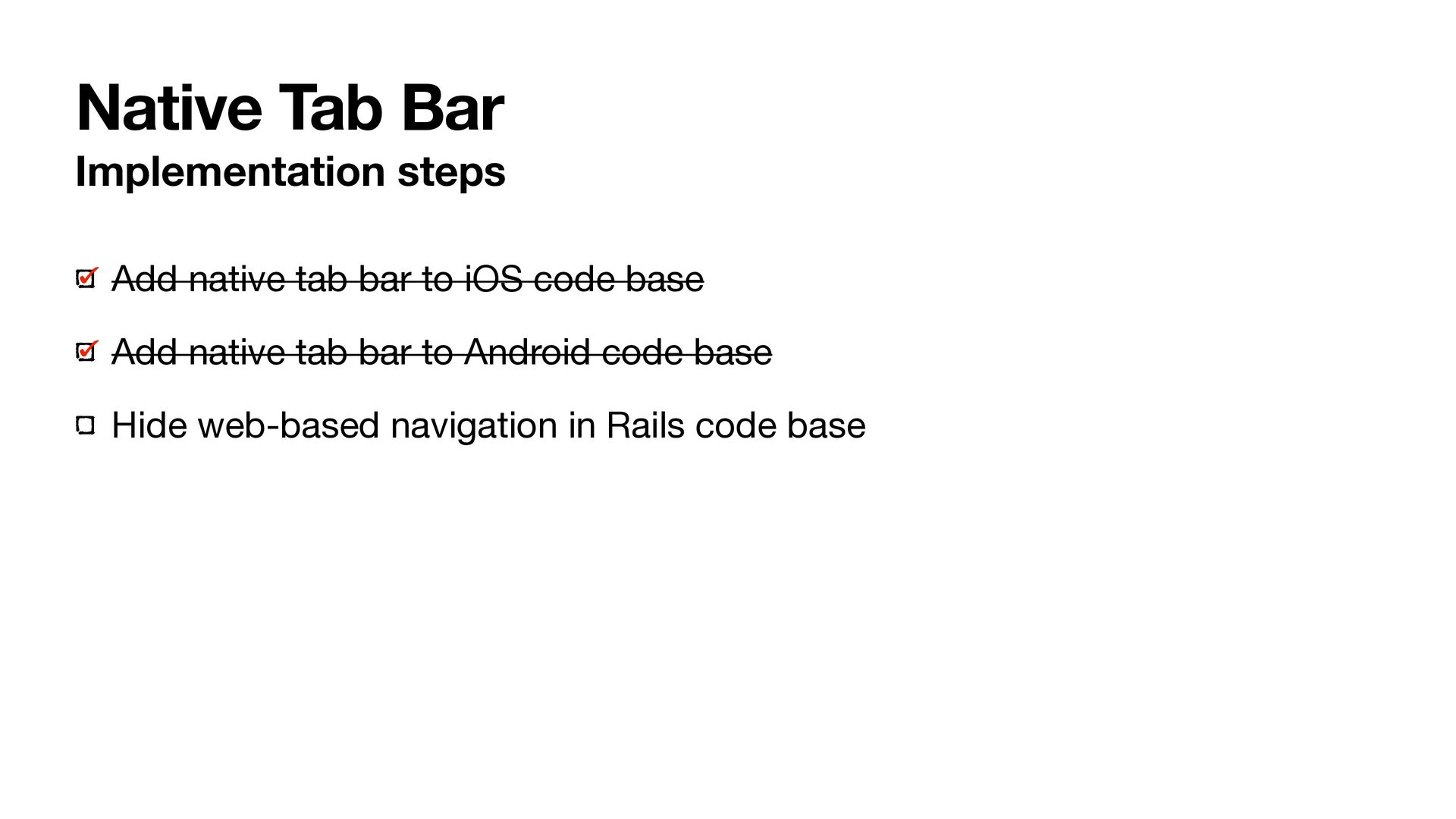
  20. Native Tab Bar Implementation steps Add native tab bar to

    iOS code base Add native tab bar to Android code base Hide web-based navigation in Rails code base
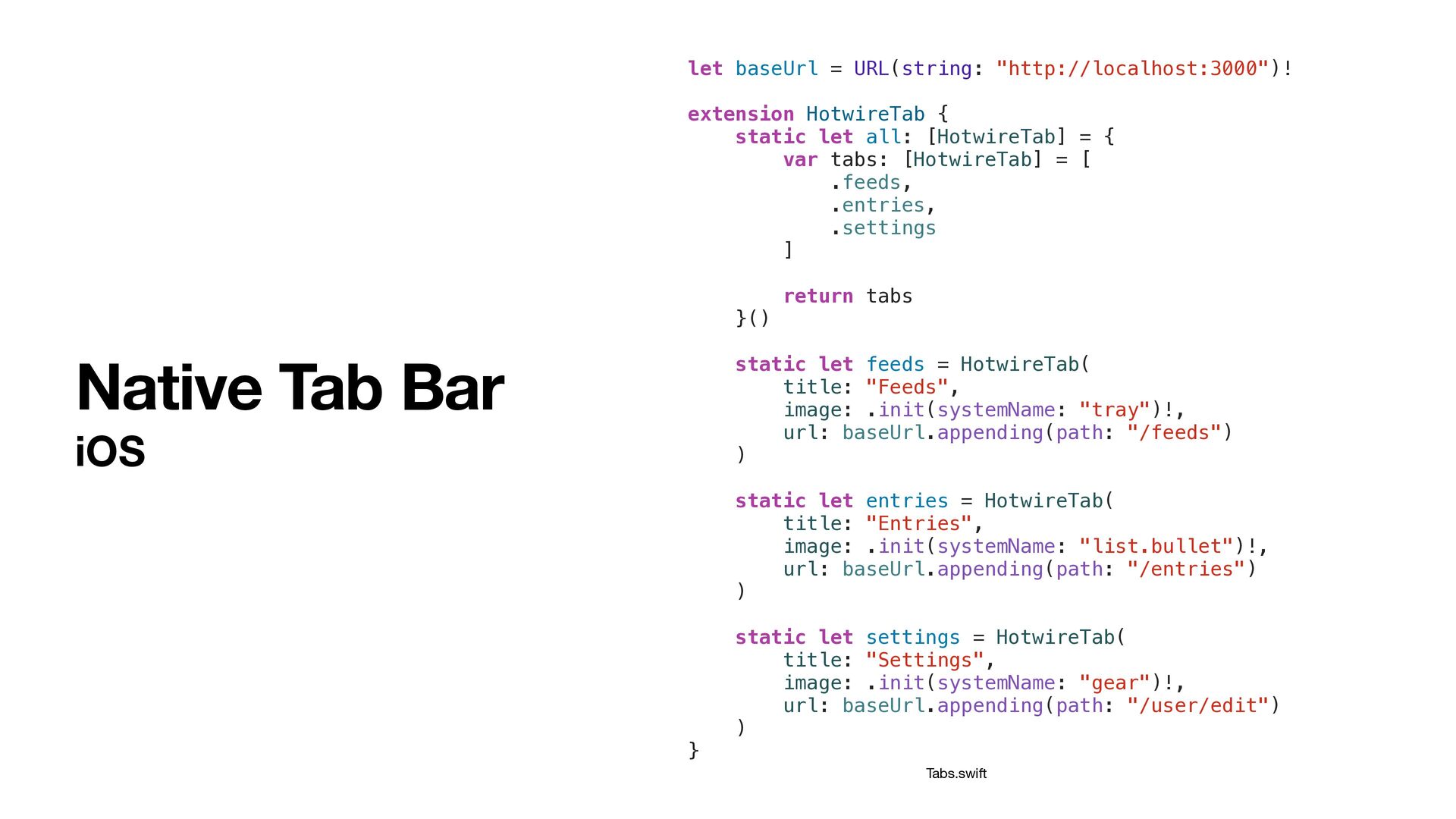
  21. Native Tab Bar iOS let baseUrl = URL(string: "http://localhost:3000")! extension

    HotwireTab { static let all: [HotwireTab] = { var tabs: [HotwireTab] = [ .feeds, .entries, .settings ] return tabs }() static let feeds = HotwireTab( title: "Feeds", image: .init(systemName: "tray")!, url: baseUrl.appending(path: "/feeds") ) static let entries = HotwireTab( title: "Entries", image: .init(systemName: "list.bullet")!, url: baseUrl.appending(path: "/entries") ) static let settings = HotwireTab( title: "Settings", image: .init(systemName: "gear")!, url: baseUrl.appending(path: "/user/edit") ) } Tabs.swift
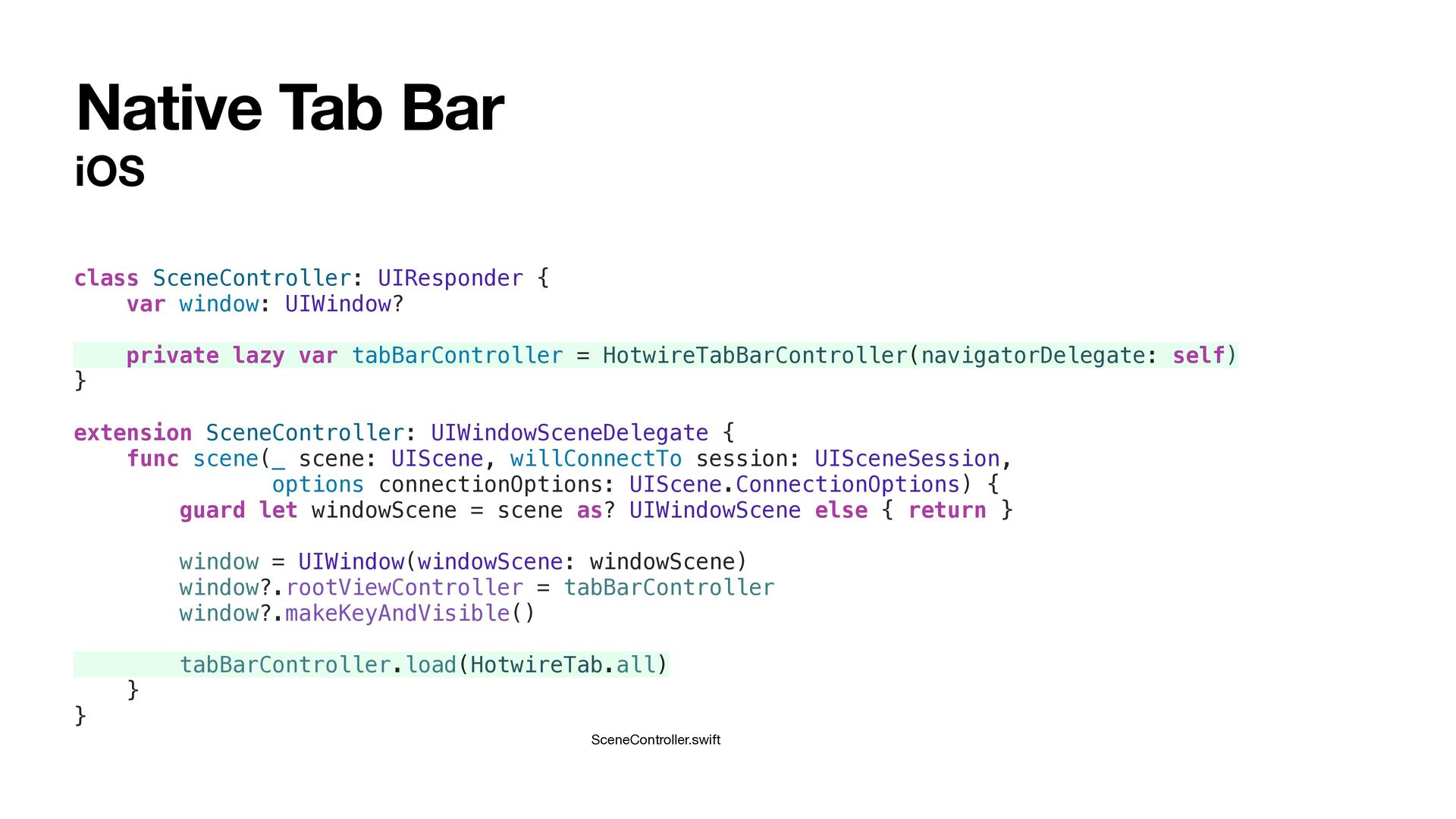
  22. iOS Native Tab Bar class SceneController: UIResponder { var window:

    UIWindow? private lazy var tabBarController = HotwireTabBarController(navigatorDelegate: self) } extension SceneController: UIWindowSceneDelegate { func scene(_ scene: UIScene, willConnectTo session: UISceneSession, options connectionOptions: UIScene.ConnectionOptions) { guard let windowScene = scene as? UIWindowScene else { return } window = UIWindow(windowScene: windowScene) window?.rootViewController = tabBarController window?.makeKeyAndVisible() tabBarController.load(HotwireTab.all) } } SceneController.swift
  23. Native Tab Bar Implementation steps Add native tab bar to

    iOS code base Add native tab bar to Android code base Hide web-based navigation in Rails code base
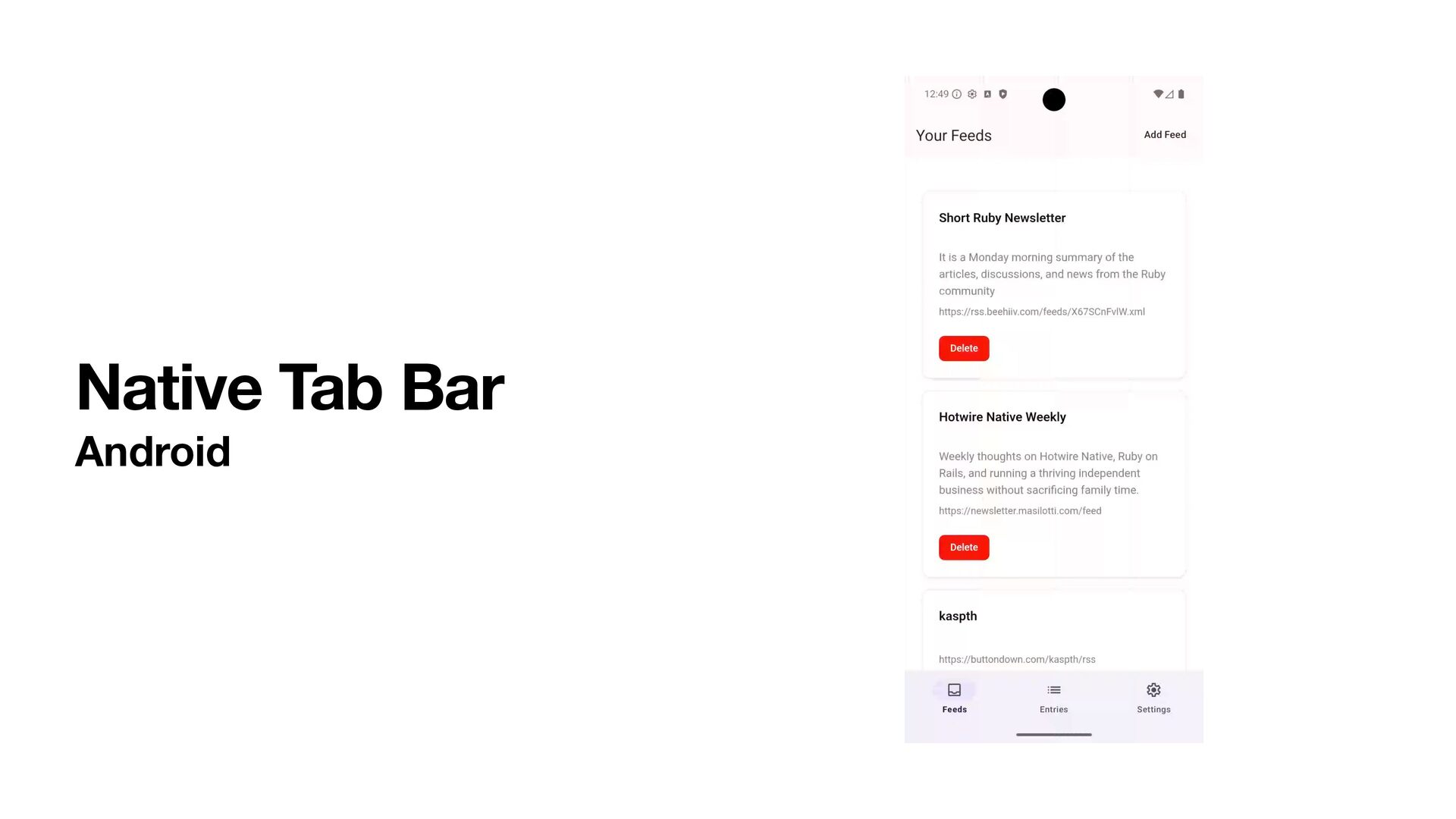
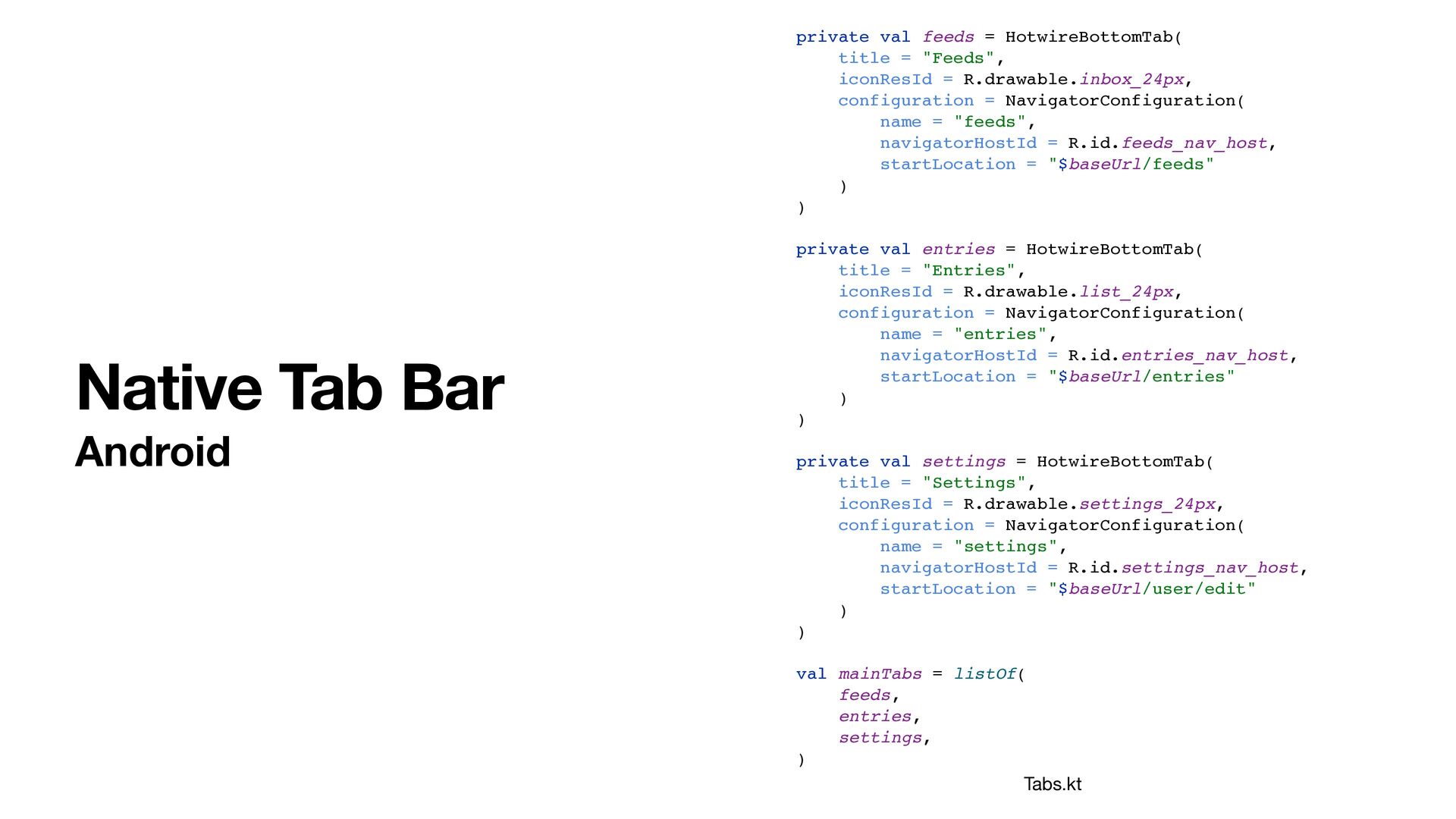
  24. Native Tab Bar Android private val feeds = HotwireBottomTab( title

    = "Feeds", iconResId = R.drawable.inbox_24px, configuration = NavigatorConfiguration( name = "feeds", navigatorHostId = R.id.feeds_nav_host, startLocation = "$baseUrl/feeds" ) ) private val entries = HotwireBottomTab( title = "Entries", iconResId = R.drawable.list_24px, configuration = NavigatorConfiguration( name = "entries", navigatorHostId = R.id.entries_nav_host, startLocation = "$baseUrl/entries" ) ) private val settings = HotwireBottomTab( title = "Settings", iconResId = R.drawable.settings_24px, configuration = NavigatorConfiguration( name = "settings", navigatorHostId = R.id.settings_nav_host, startLocation = "$baseUrl/user/edit" ) ) val mainTabs = listOf( feeds, entries, settings, ) Tabs.kt
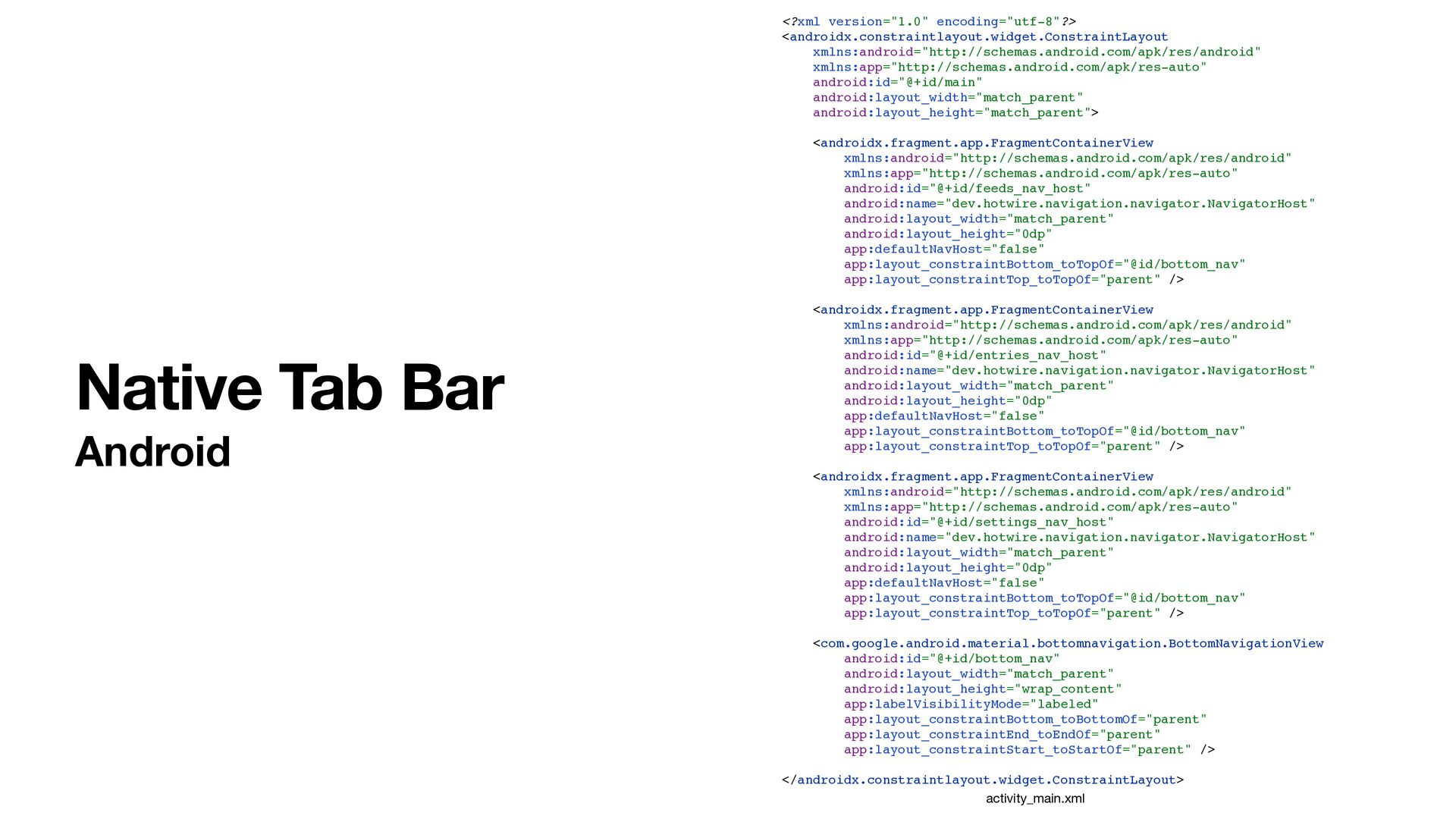
  25. <?xml version="1.0" encoding="utf-8"?> <androidx.constraintlayout.widget.ConstraintLayout xmlns:android="http://schemas.android.com/apk/res/android" xmlns:app="http://schemas.android.com/apk/res-auto" android:id="@+id/main" android:layout_width="match_parent" android:layout_height="match_parent"> <androidx.fragment.app.FragmentContainerView

    xmlns:android="http://schemas.android.com/apk/res/android" xmlns:app="http://schemas.android.com/apk/res-auto" android:id="@+id/feeds_nav_host" android:name="dev.hotwire.navigation.navigator.NavigatorHost" android:layout_width="match_parent" android:layout_height="0dp" app:defaultNavHost="false" app:layout_constraintBottom_toTopOf="@id/bottom_nav" app:layout_constraintTop_toTopOf="parent" /> <androidx.fragment.app.FragmentContainerView xmlns:android="http://schemas.android.com/apk/res/android" xmlns:app="http://schemas.android.com/apk/res-auto" android:id="@+id/entries_nav_host" android:name="dev.hotwire.navigation.navigator.NavigatorHost" android:layout_width="match_parent" android:layout_height="0dp" app:defaultNavHost="false" app:layout_constraintBottom_toTopOf="@id/bottom_nav" app:layout_constraintTop_toTopOf="parent" /> <androidx.fragment.app.FragmentContainerView xmlns:android="http://schemas.android.com/apk/res/android" xmlns:app="http://schemas.android.com/apk/res-auto" android:id="@+id/settings_nav_host" android:name="dev.hotwire.navigation.navigator.NavigatorHost" android:layout_width="match_parent" android:layout_height="0dp" app:defaultNavHost="false" app:layout_constraintBottom_toTopOf="@id/bottom_nav" app:layout_constraintTop_toTopOf="parent" /> <com.google.android.material.bottomnavigation.BottomNavigationView android:id="@+id/bottom_nav" android:layout_width="match_parent" android:layout_height="wrap_content" app:labelVisibilityMode="labeled" app:layout_constraintBottom_toBottomOf="parent" app:layout_constraintEnd_toEndOf="parent" app:layout_constraintStart_toStartOf="parent" /> </androidx.constraintlayout.widget.ConstraintLayout> Native Tab Bar Android activity_main.xml
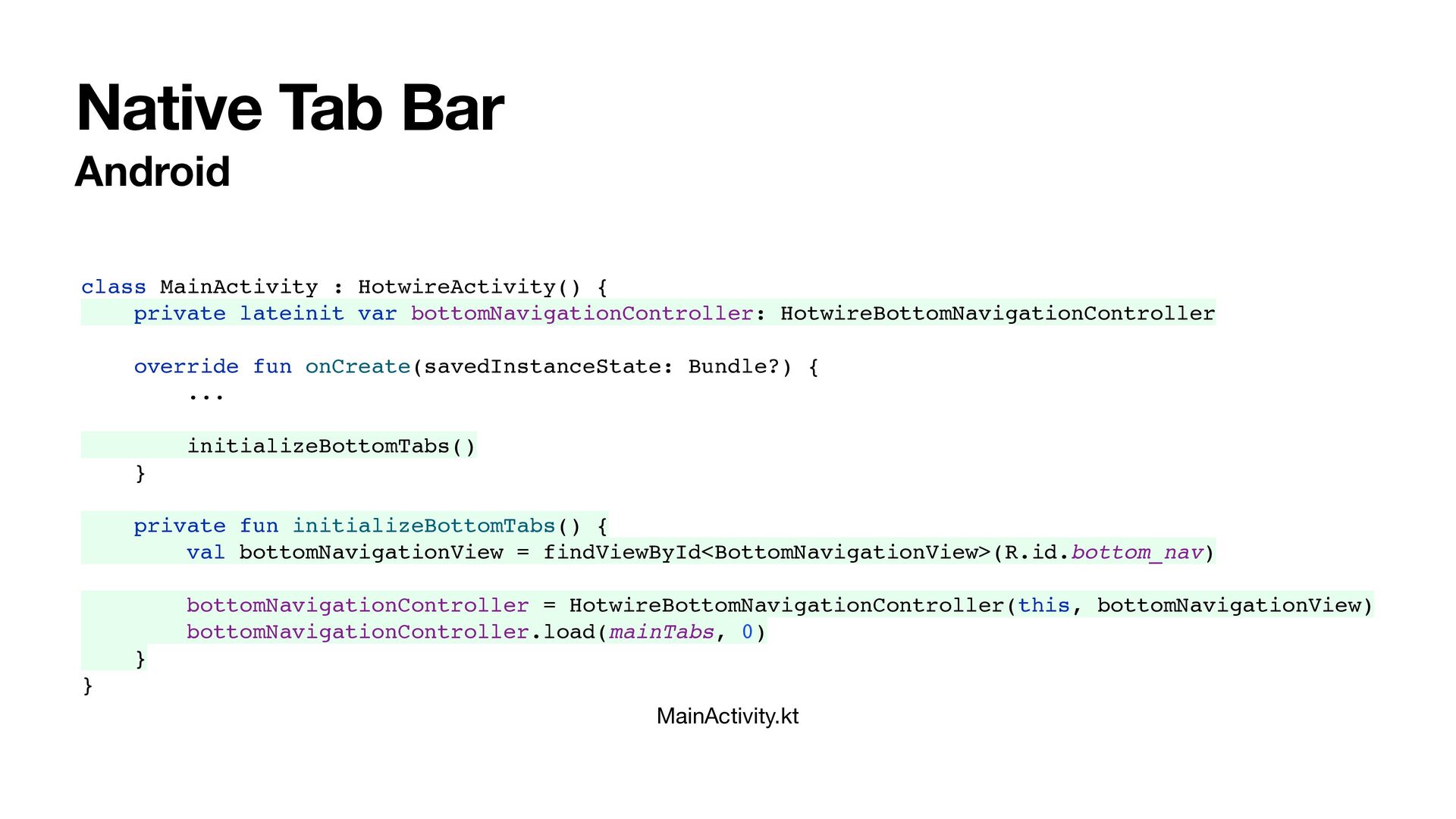
  26. Native Tab Bar Android MainActivity.kt class MainActivity : HotwireActivity() {

    private lateinit var bottomNavigationController: HotwireBottomNavigationController override fun onCreate(savedInstanceState: Bundle?) { ... initializeBottomTabs() } private fun initializeBottomTabs() { val bottomNavigationView = findViewById<BottomNavigationView>(R.id.bottom_nav) bottomNavigationController = HotwireBottomNavigationController(this, bottomNavigationView) bottomNavigationController.load(mainTabs, 0) } }
  27. Native Tab Bar Implementation steps Add native tab bar to

    iOS code base Add native tab bar to Android code base Hide web-based navigation in Rails code base
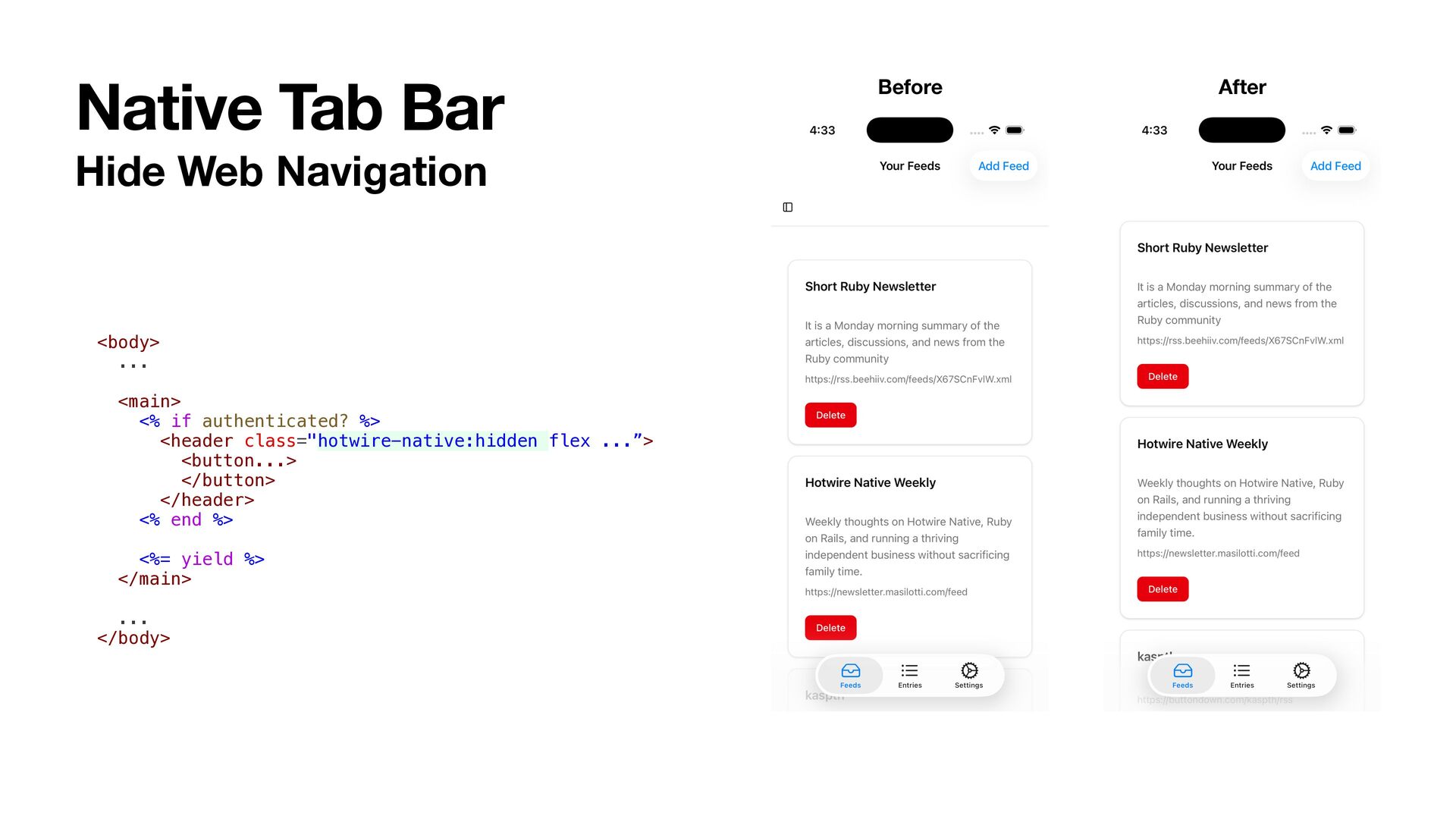
  28. Native Tab Bar Hide Web Navigation <body> ... <main> <%

    if authenticated? %> <header class="hotwire-native:hidden flex ...”> <button...> </button> </header> <% end %> <%= yield %> </main> ... </body> Before After
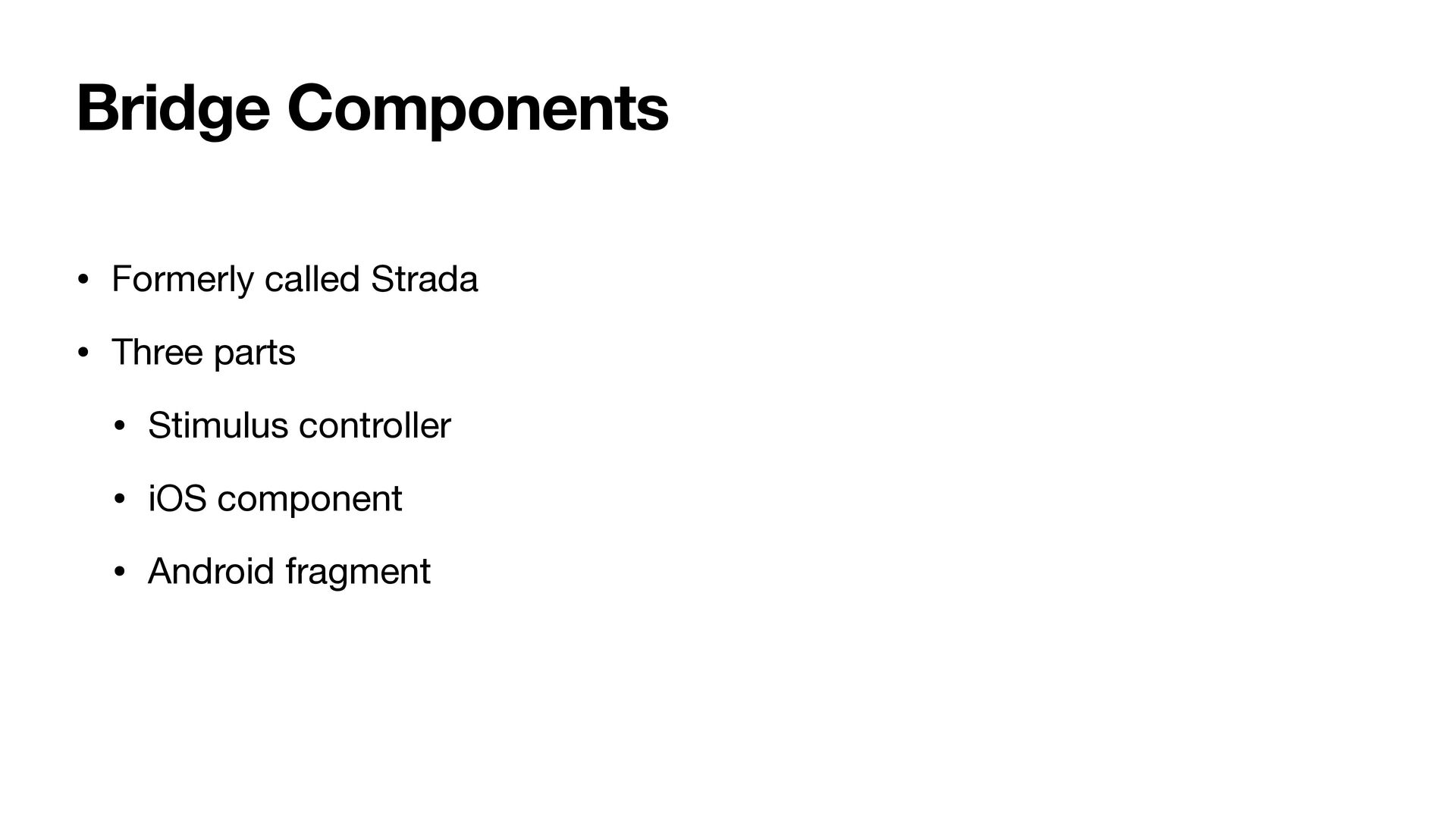
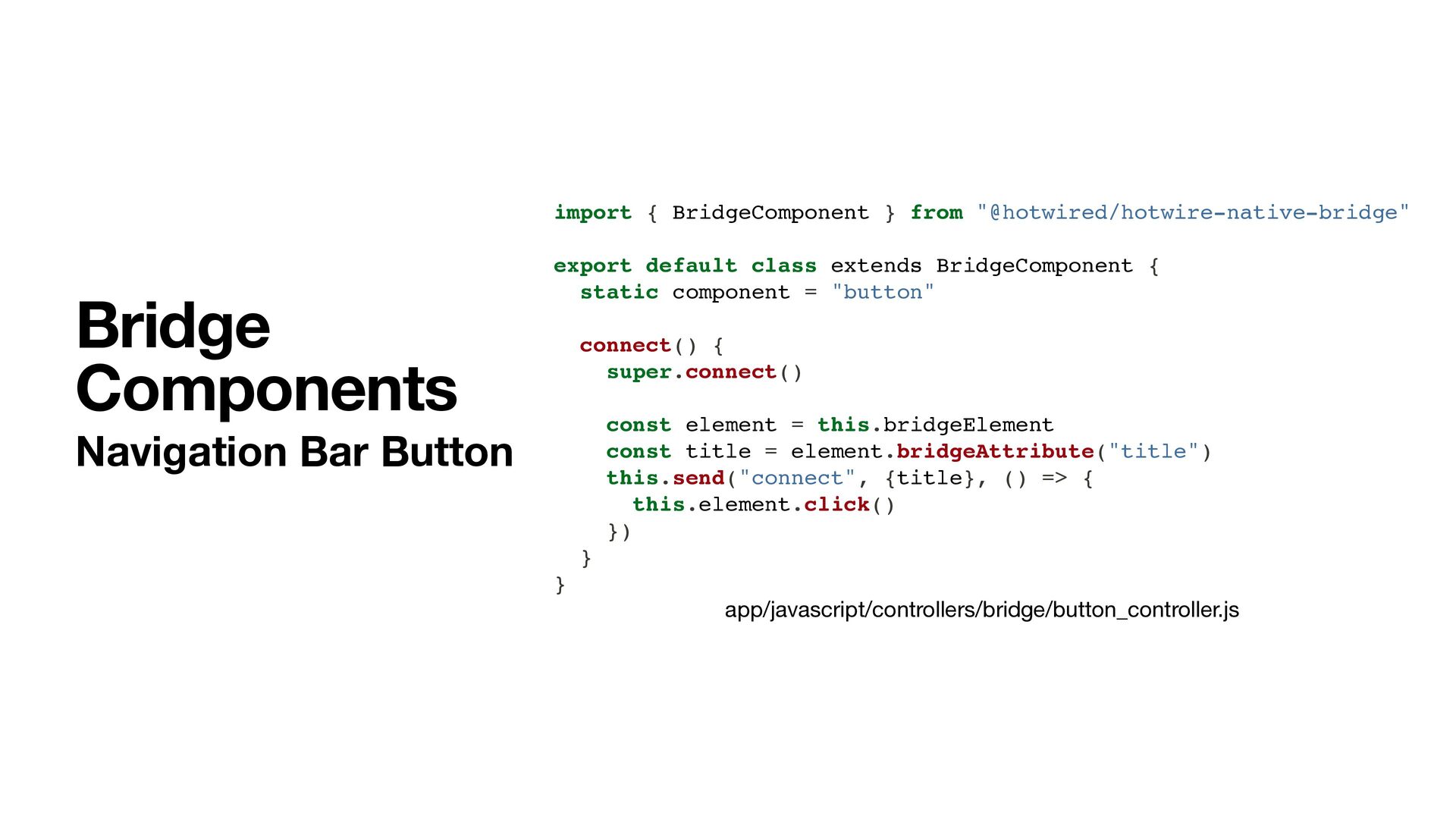
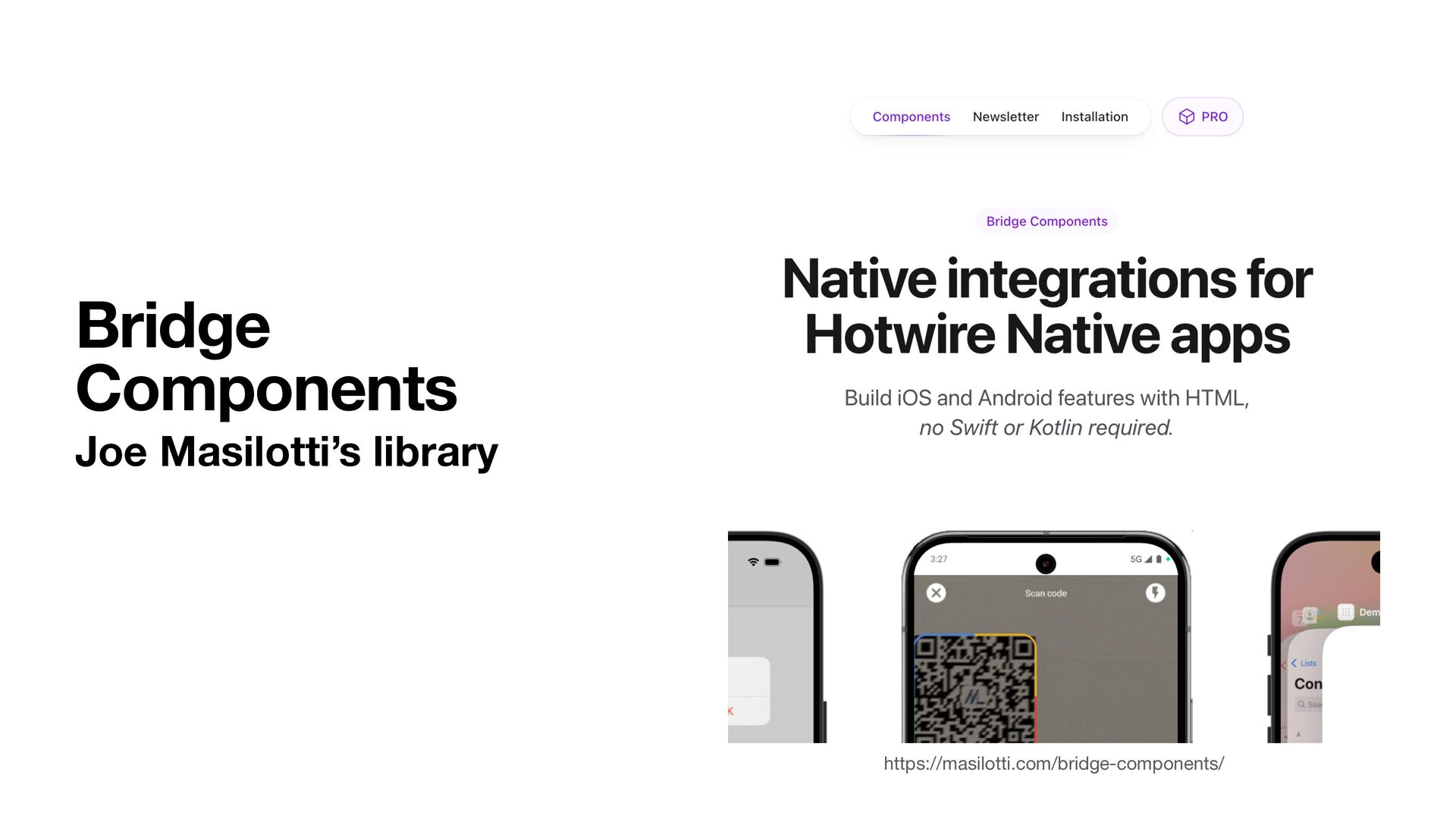
  29. Bridge Components • Formerly called Strada • Three parts •

    Stimulus controller • iOS component • Android fragment
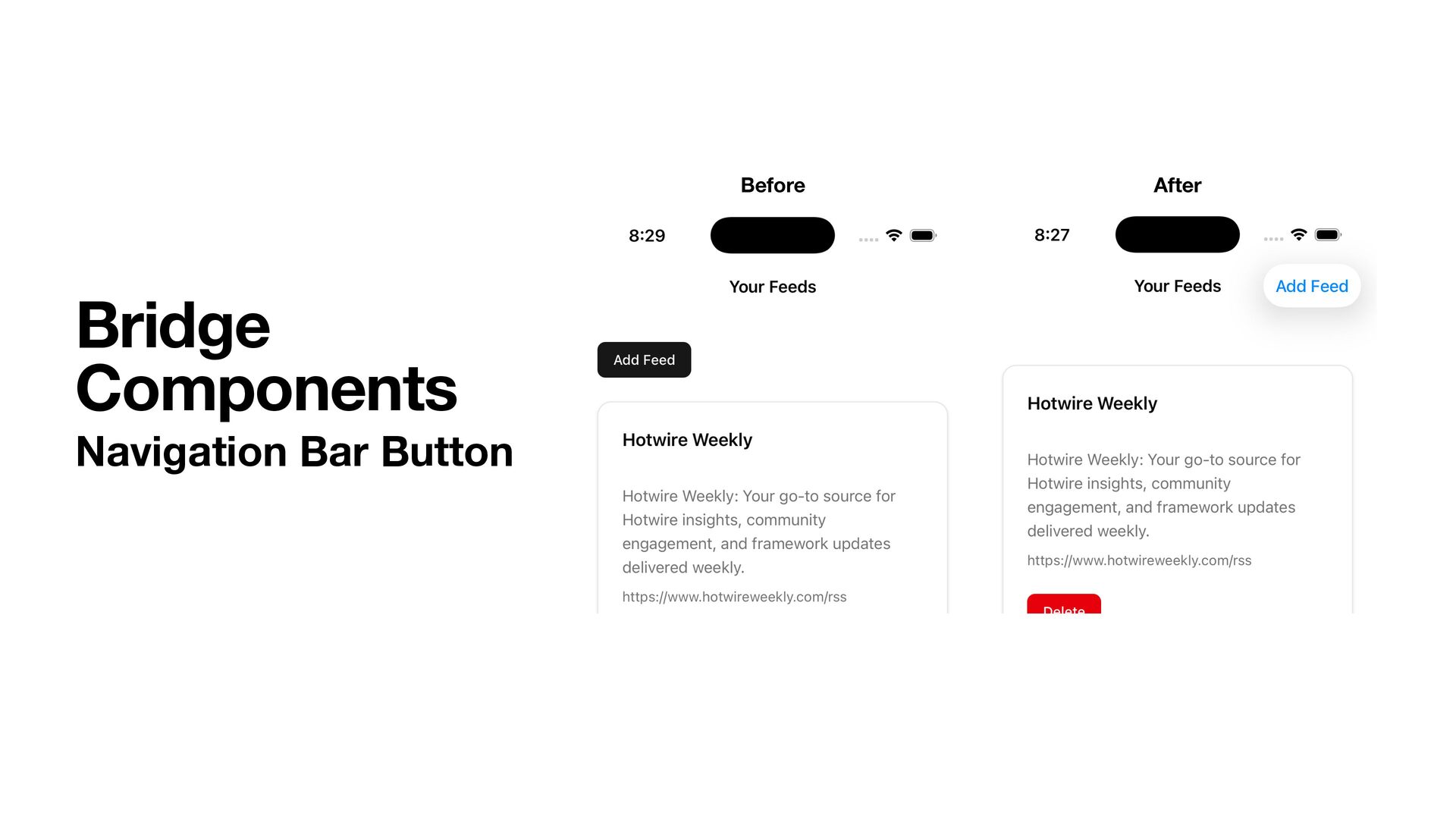
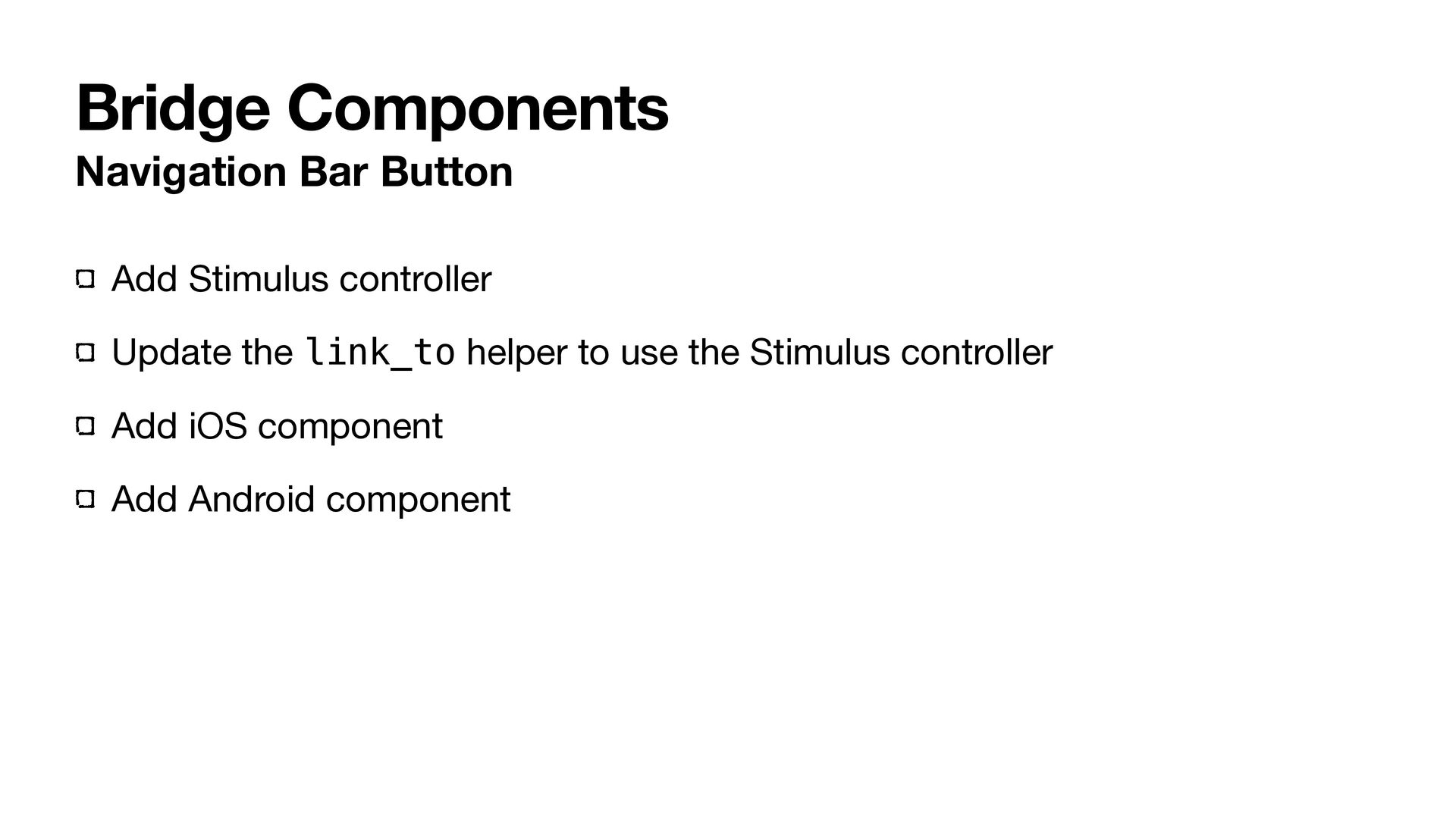
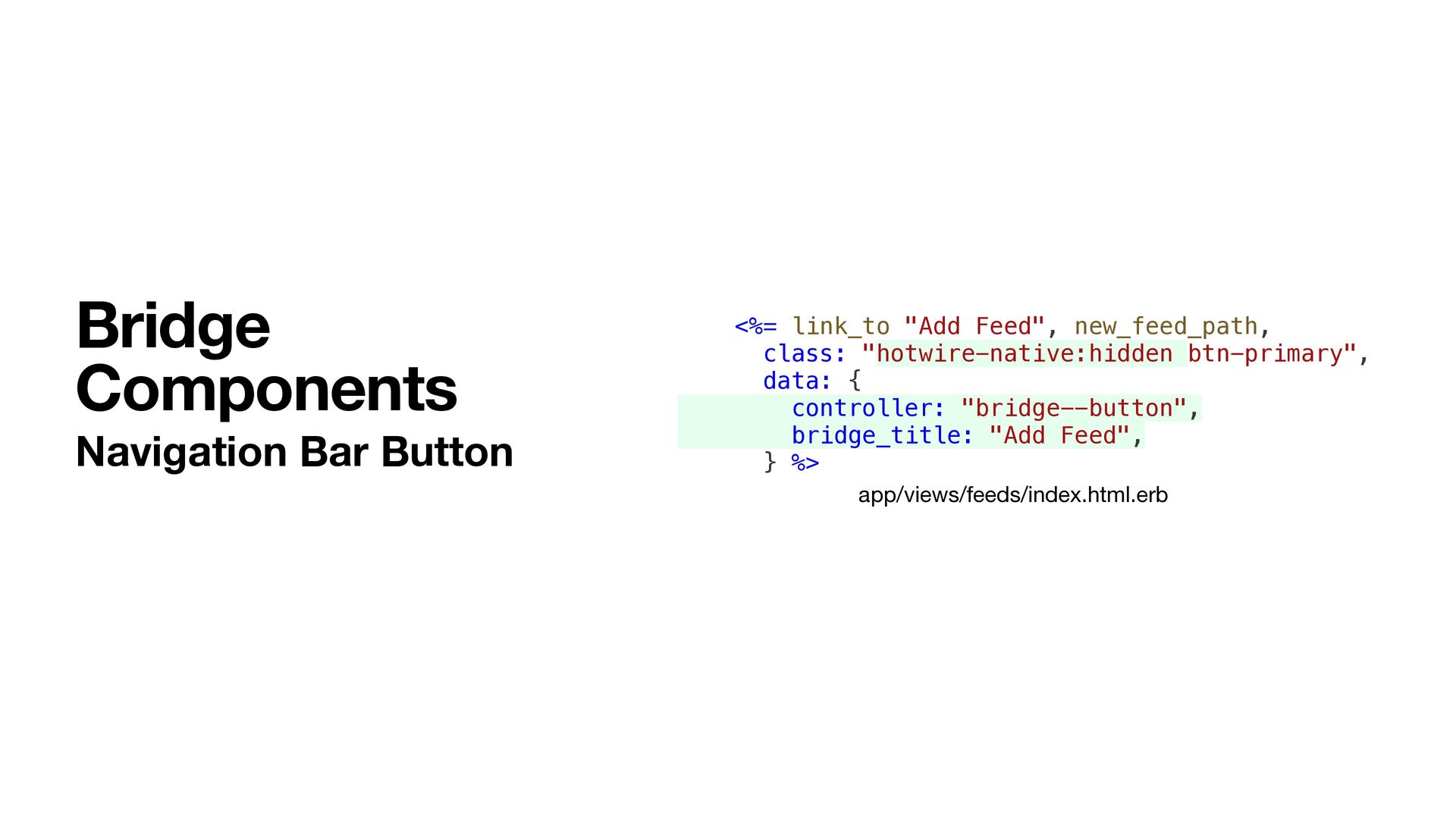
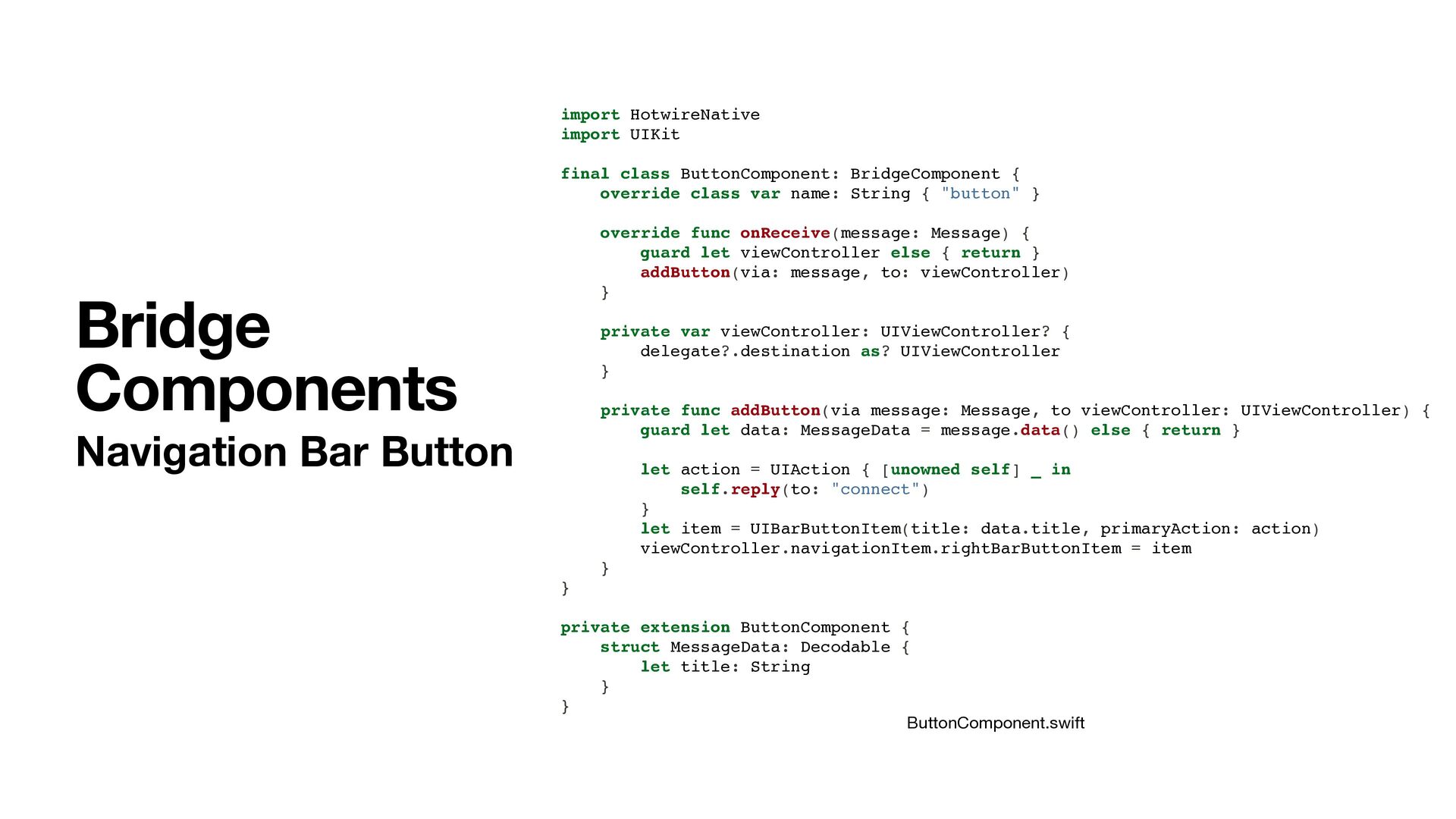
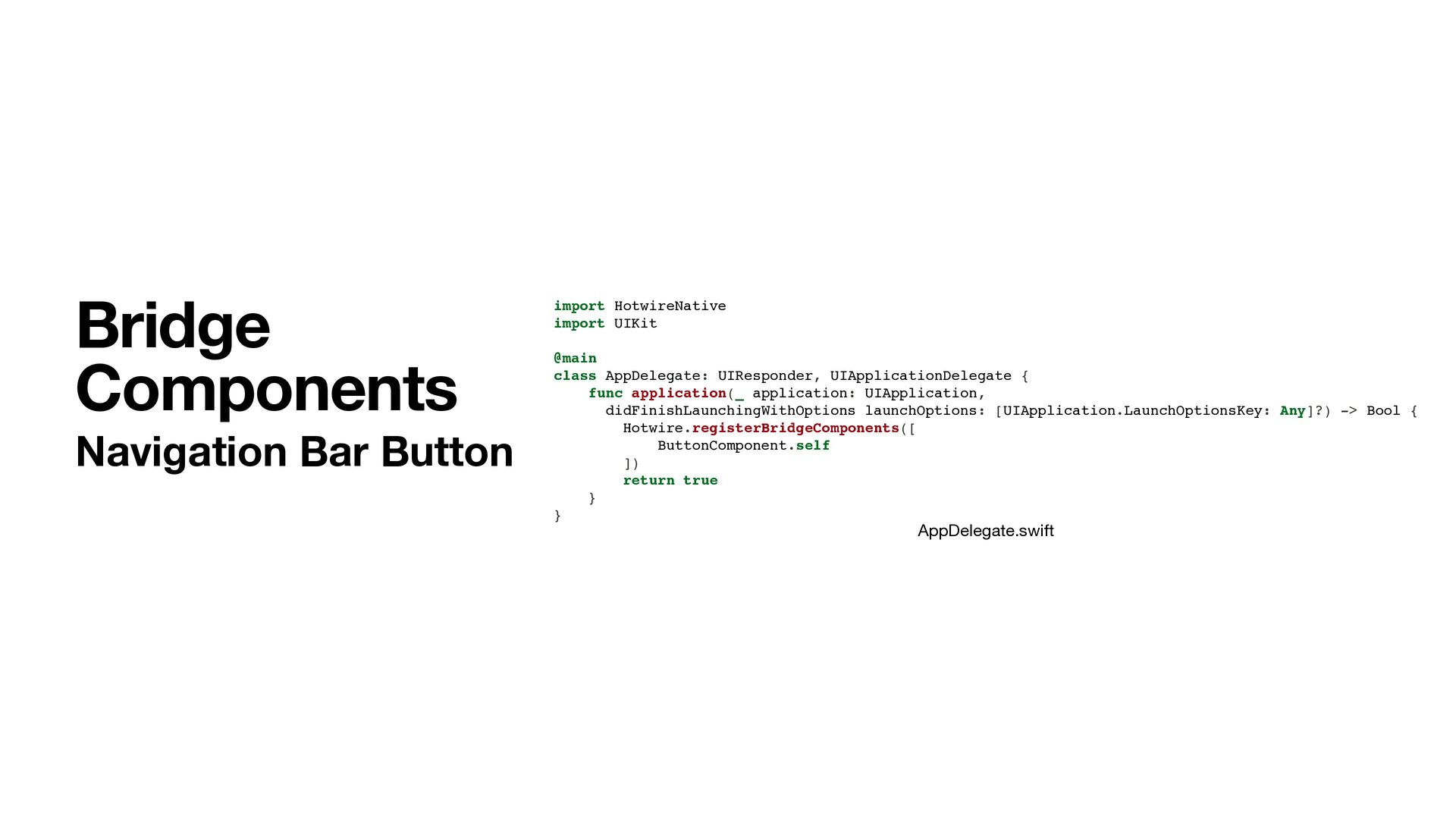
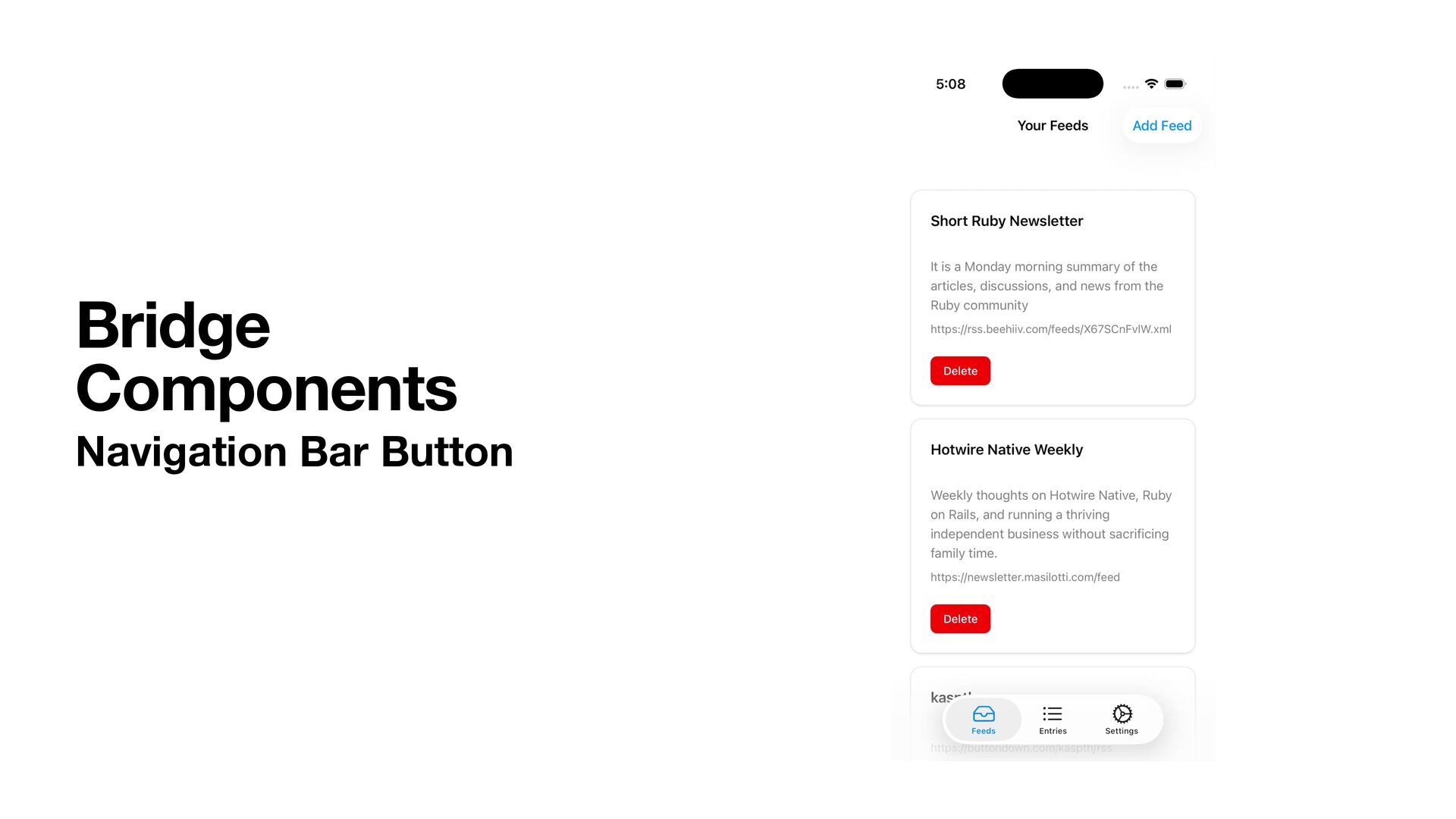
  30. Bridge Components Navigation Bar Button Add Stimulus controller Update the

    link_to helper to use the Stimulus controller Add iOS component Add Android component
  31. Bridge Components Navigation Bar Button import { BridgeComponent } from

    "@hotwired/hotwire-native-bridge" export default class extends BridgeComponent { static component = "button" connect() { super.connect() const element = this.bridgeElement const title = element.bridgeAttribute("title") this.send("connect", {title}, () => { this.element.click() }) } } app/javascript/controllers/bridge/button_controller.js
  32. Bridge Components Navigation Bar Button app/views/feeds/index.html.erb <%= link_to "Add Feed",

    new_feed_path, class: "hotwire-native:hidden btn-primary", data: { controller: "bridge--button", bridge_title: "Add Feed", } %>
  33. import HotwireNative import UIKit final class ButtonComponent: BridgeComponent { override

    class var name: String { "button" } override func onReceive(message: Message) { guard let viewController else { return } addButton(via: message, to: viewController) } private var viewController: UIViewController? { delegate?.destination as? UIViewController } private func addButton(via message: Message, to viewController: UIViewController) { guard let data: MessageData = message.data() else { return } let action = UIAction { [unowned self] _ in self.reply(to: "connect") } let item = UIBarButtonItem(title: data.title, primaryAction: action) viewController.navigationItem.rightBarButtonItem = item } } private extension ButtonComponent { struct MessageData: Decodable { let title: String } } Bridge Components Navigation Bar Button ButtonComponent.swift
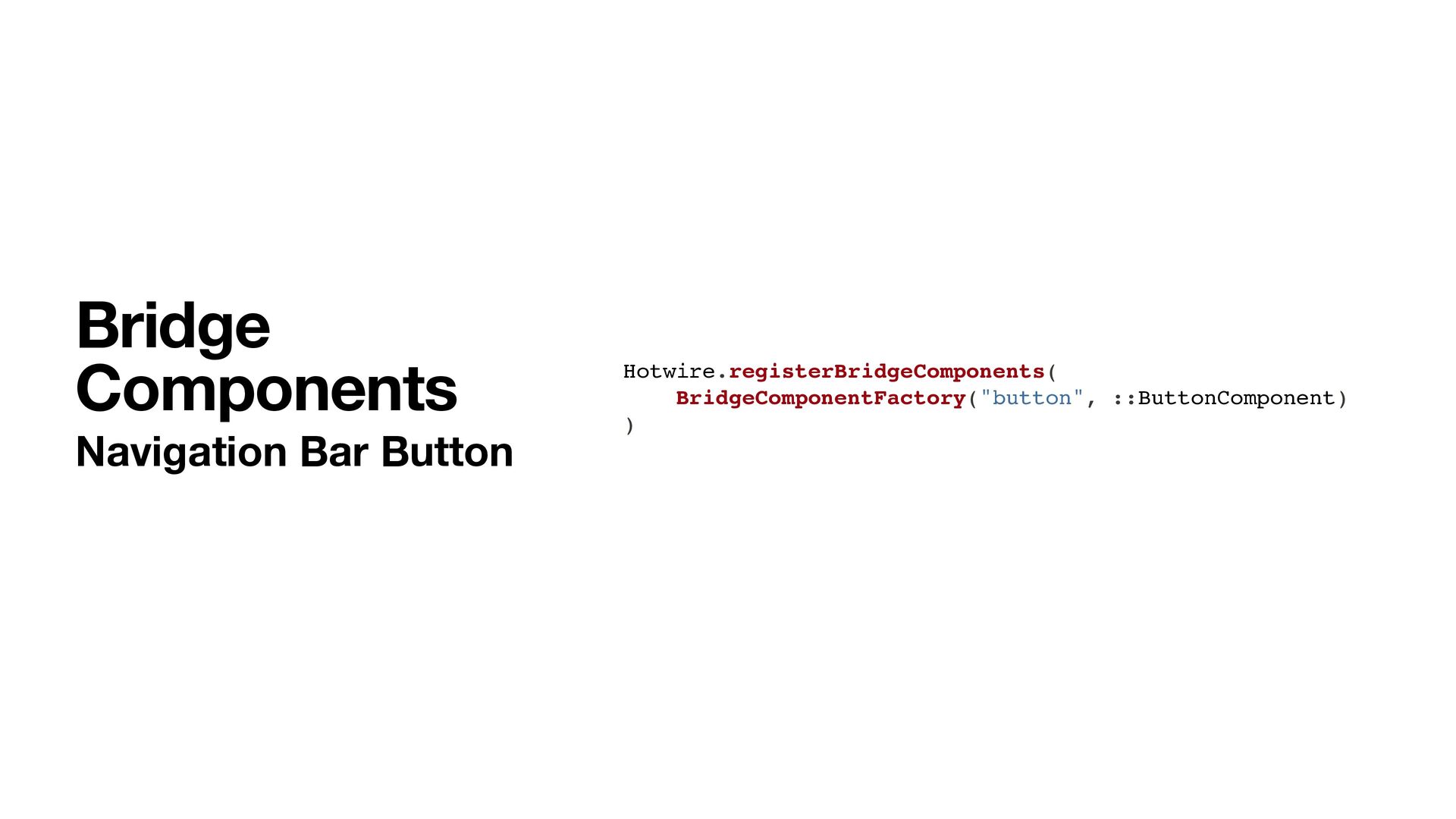
  34. Bridge Components Navigation Bar Button AppDelegate.swift import HotwireNative import UIKit

    @main class AppDelegate: UIResponder, UIApplicationDelegate { func application(_ application: UIApplication, didFinishLaunchingWithOptions launchOptions: [UIApplication.LaunchOptionsKey: Any]?) -> Bool { Hotwire.registerBridgeComponents([ ButtonComponent.self ]) return true } }
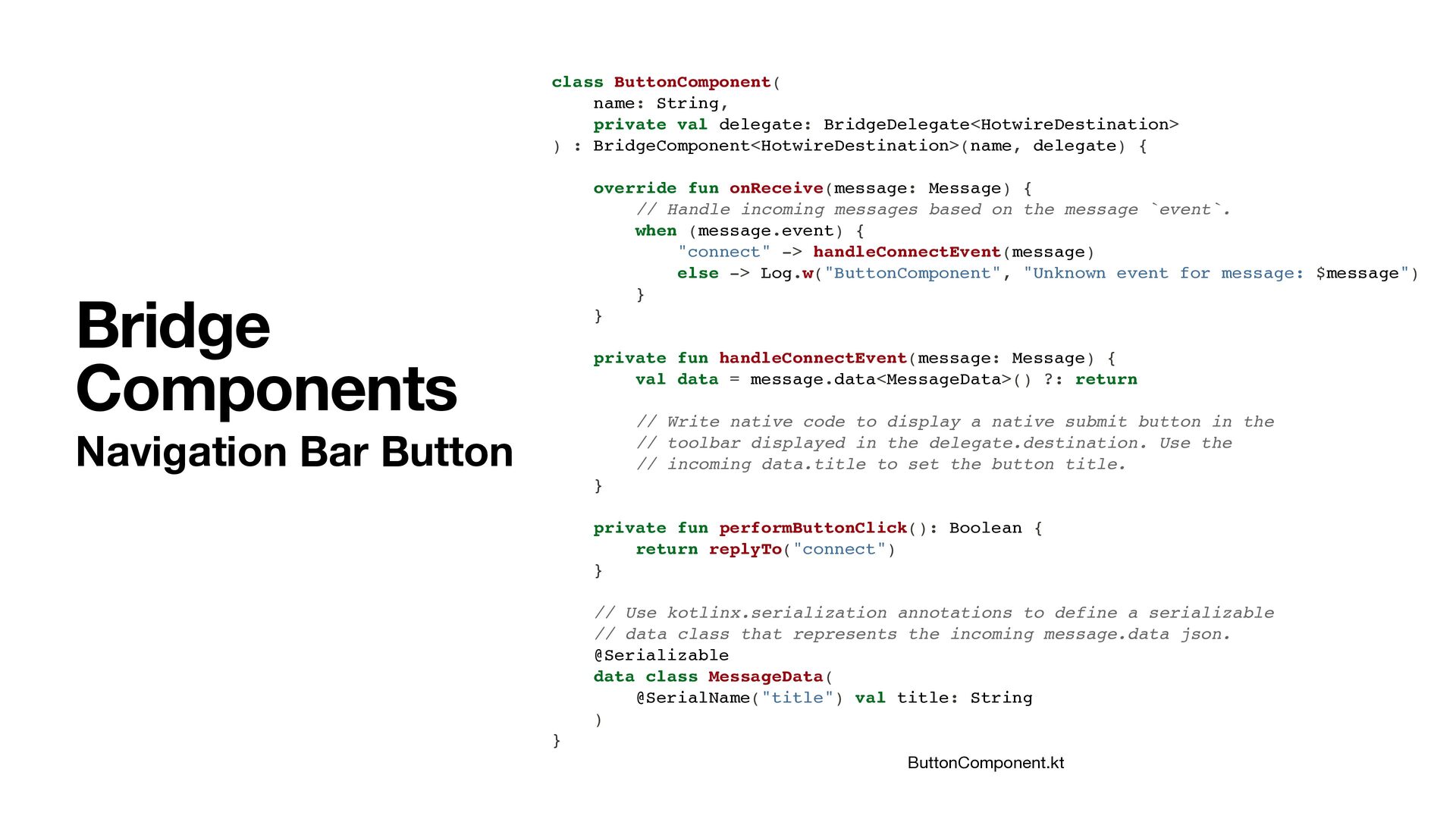
  35. class ButtonComponent( name: String, private val delegate: BridgeDelegate<HotwireDestination> ) :

    BridgeComponent<HotwireDestination>(name, delegate) { override fun onReceive(message: Message) { // Handle incoming messages based on the message `event`. when (message.event) { "connect" -> handleConnectEvent(message) else -> Log.w("ButtonComponent", "Unknown event for message: $message") } } private fun handleConnectEvent(message: Message) { val data = message.data<MessageData>() ?: return // Write native code to display a native submit button in the // toolbar displayed in the delegate.destination. Use the // incoming data.title to set the button title. } private fun performButtonClick(): Boolean { return replyTo("connect") } // Use kotlinx.serialization annotations to define a serializable // data class that represents the incoming message.data json. @Serializable data class MessageData( @SerialName("title") val title: String ) } Bridge Components Navigation Bar Button ButtonComponent.kt
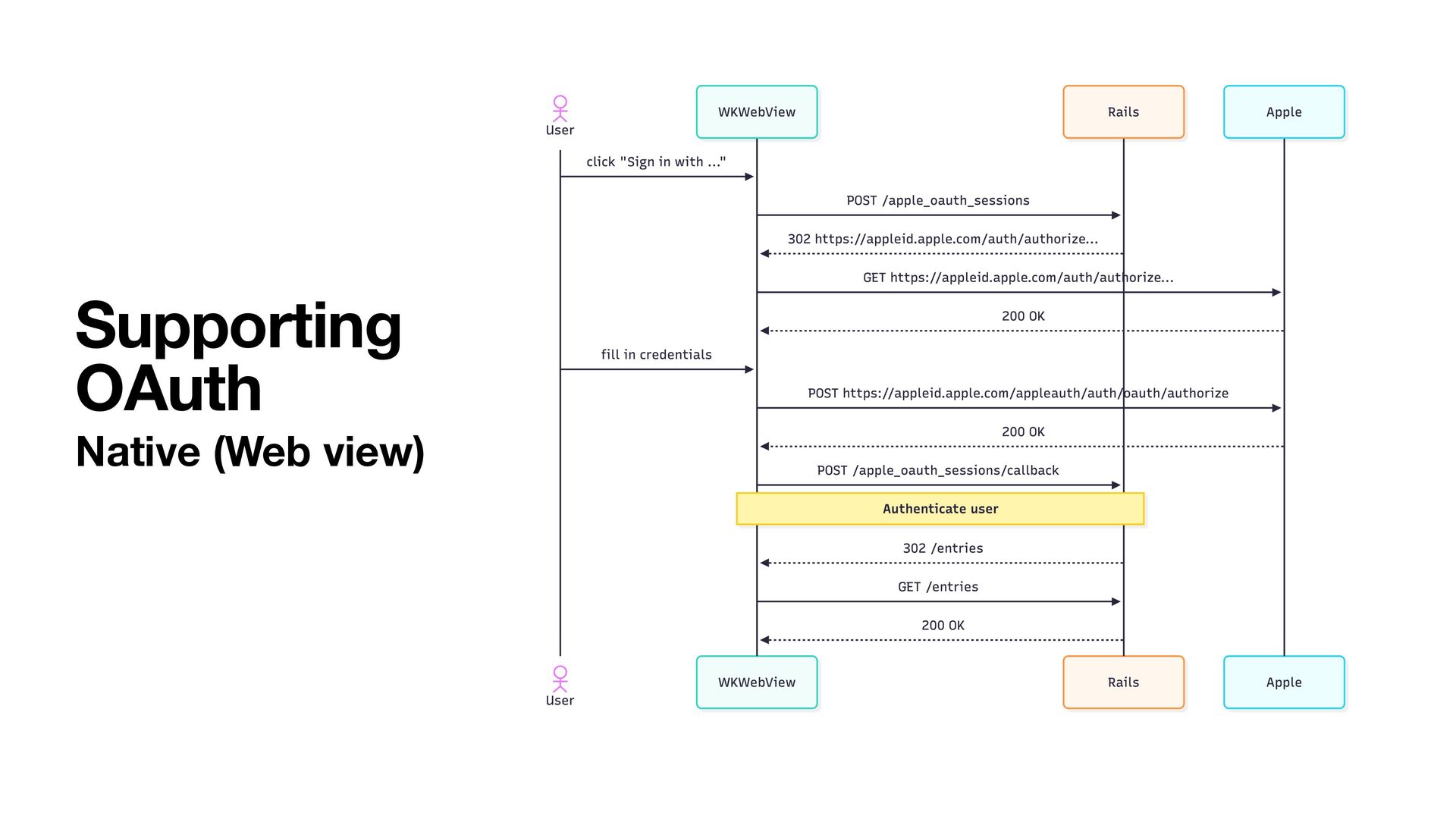
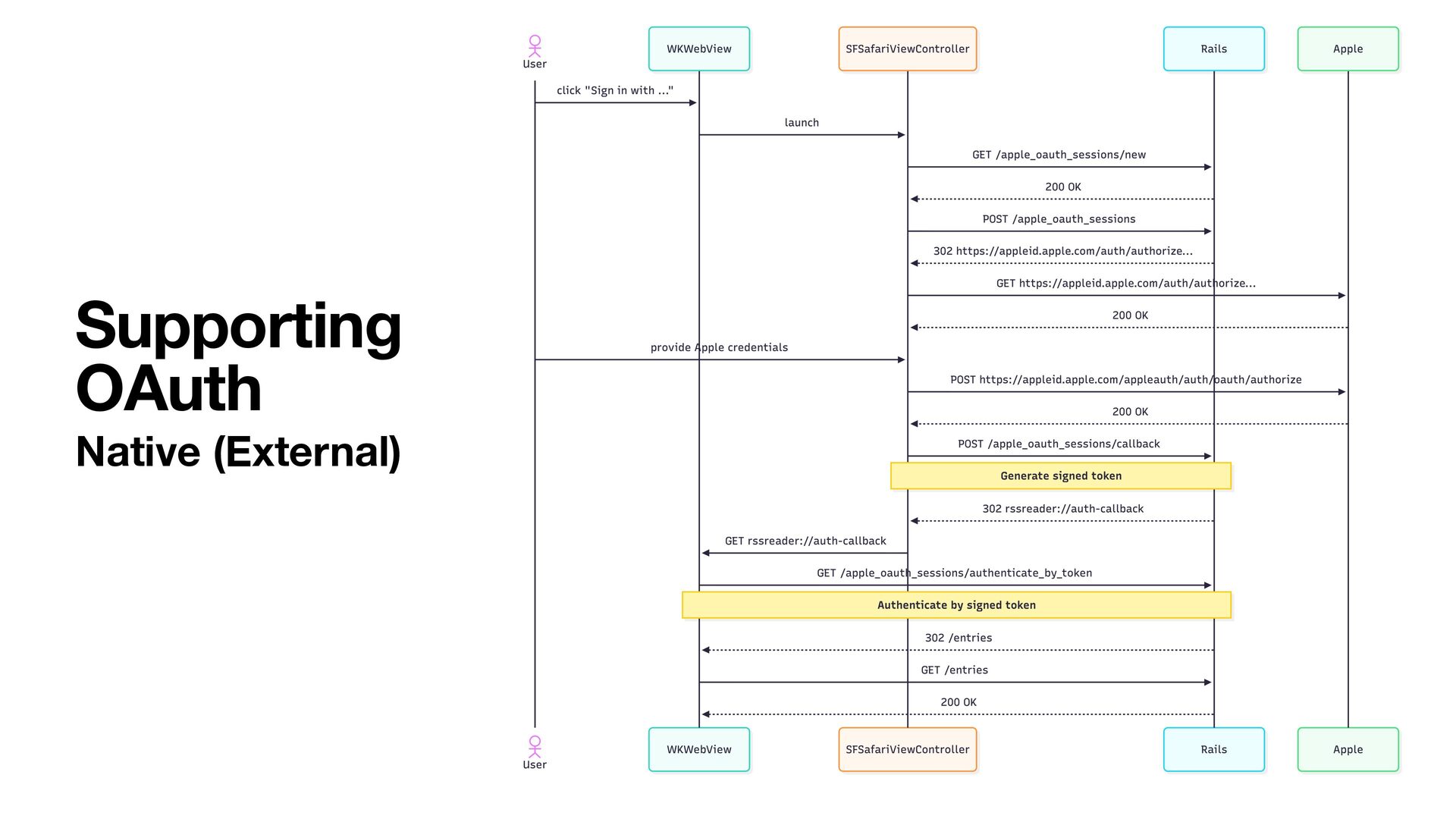
  36. • Sign in with Apple • Sign in with Google

    • Sign in with … Supporting OAuth
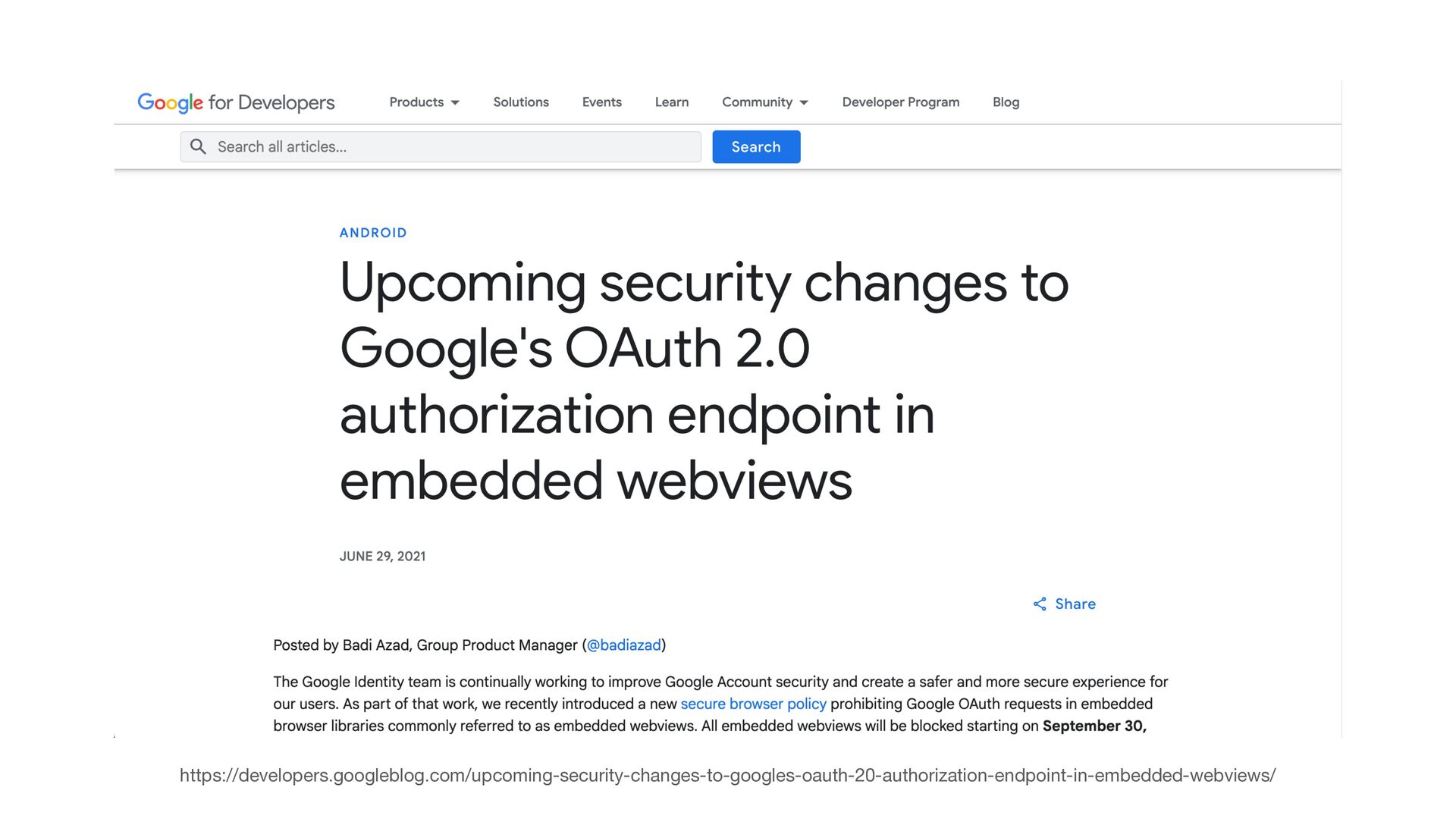
  37. https://developers.googleblog.com/upcoming-security-changes-to-googles-oauth-20-authorization-endpoint-in-embedded-webviews/ …[Google] introduced a new secure browser policy prohibiting Google

    OAuth requests in embedded browser libraries commonly referred to as embedded webviews. All embedded webviews will be blocked…
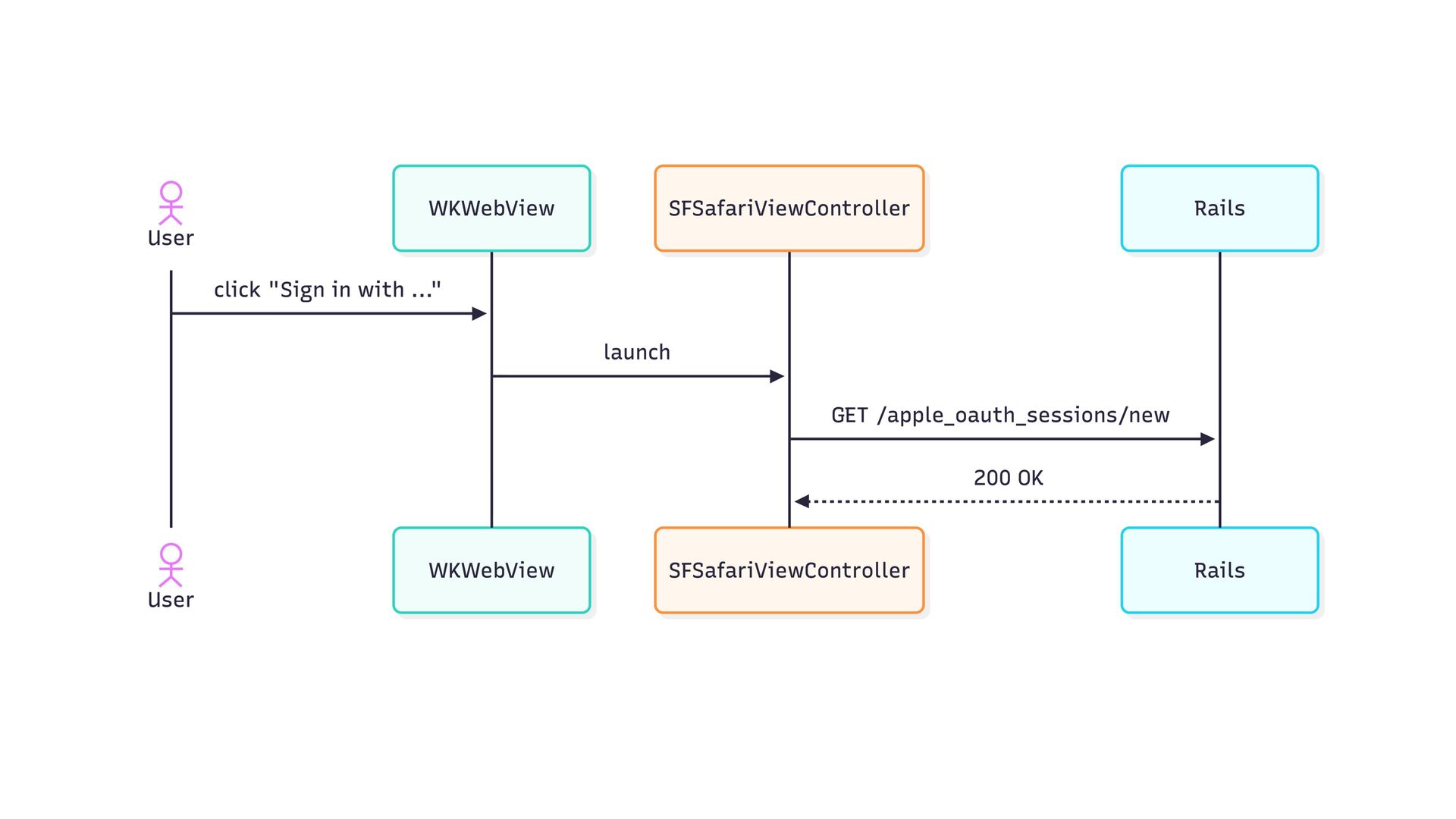
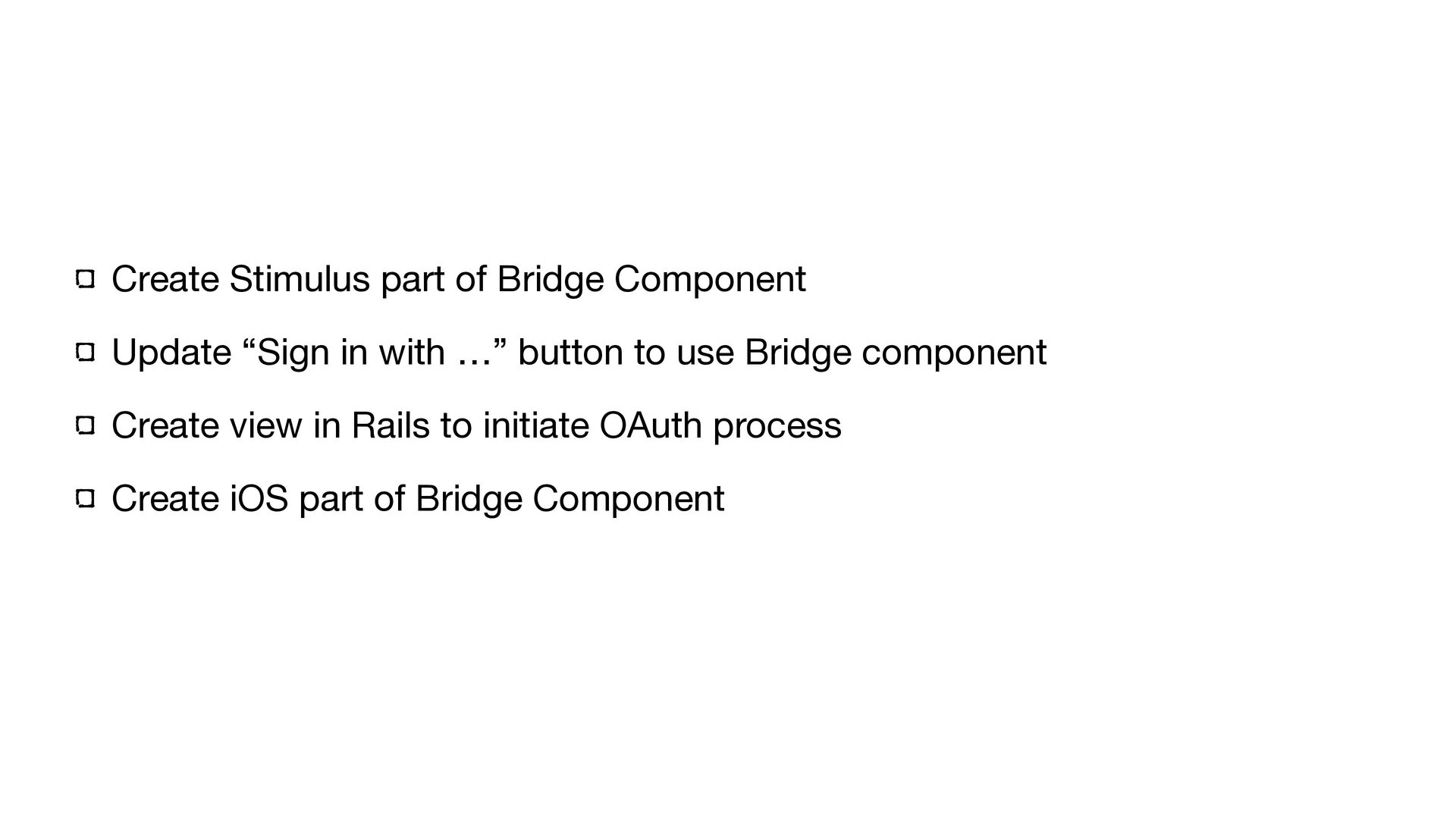
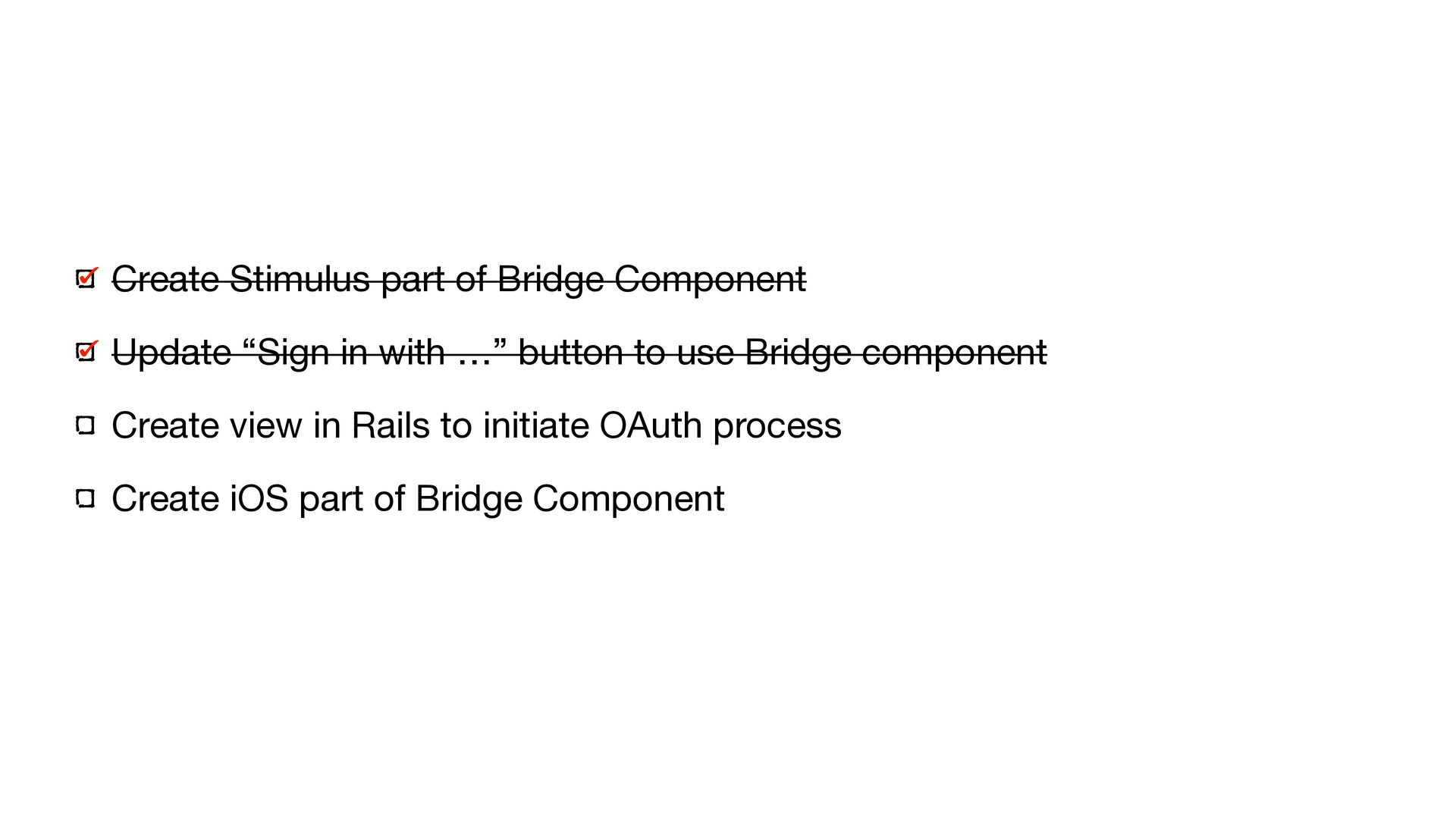
  38. Create Stimulus part of Bridge Component Update “Sign in with

    …” button to use Bridge component Create view in Rails to initiate OAuth process Create iOS part of Bridge Component
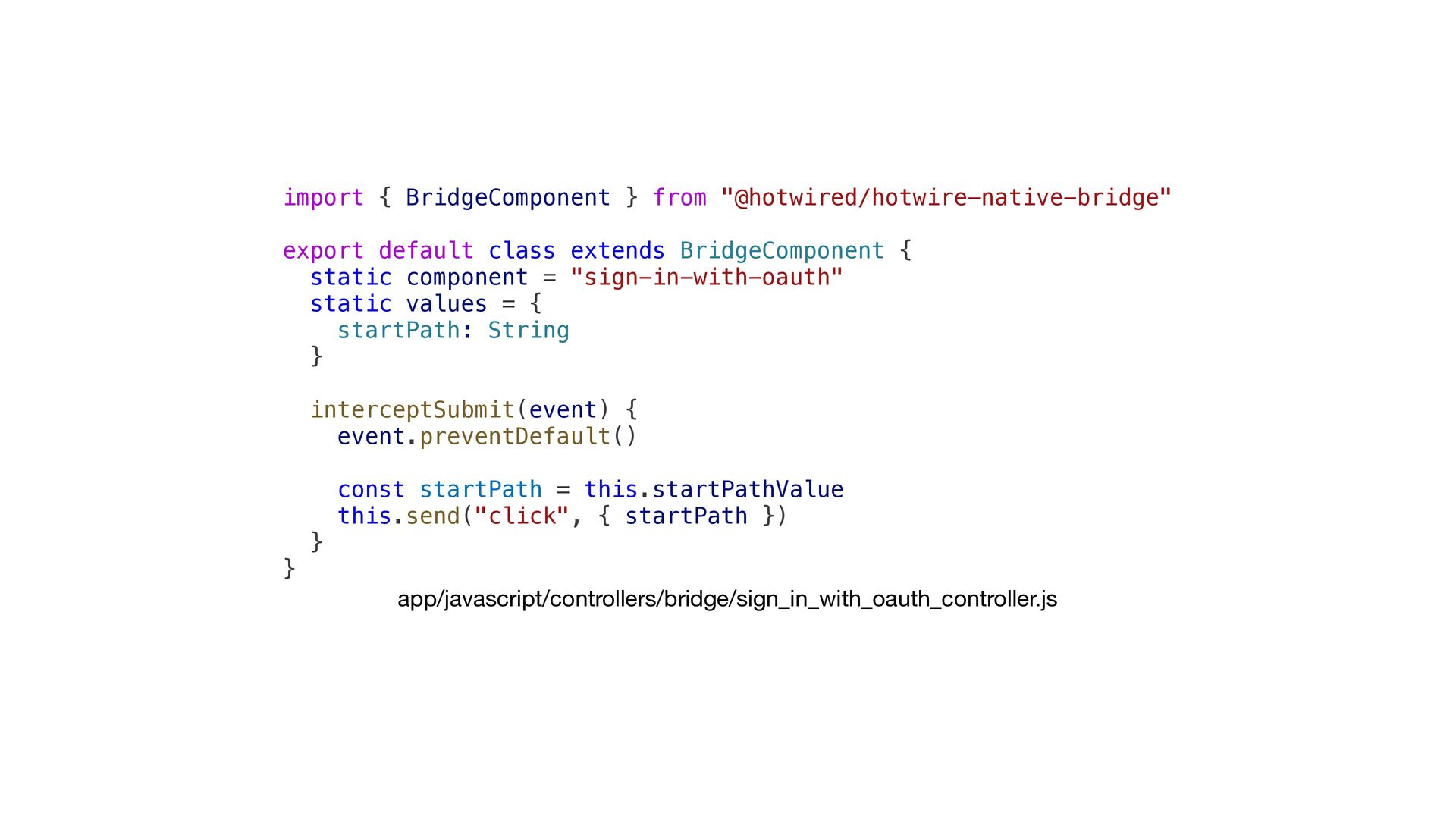
  39. import { BridgeComponent } from "@hotwired/hotwire-native-bridge" export default class extends

    BridgeComponent { static component = "sign-in-with-oauth" static values = { startPath: String } interceptSubmit(event) { event.preventDefault() const startPath = this.startPathValue this.send("click", { startPath }) } } app/javascript/controllers/bridge/sign_in_with_oauth_controller.js
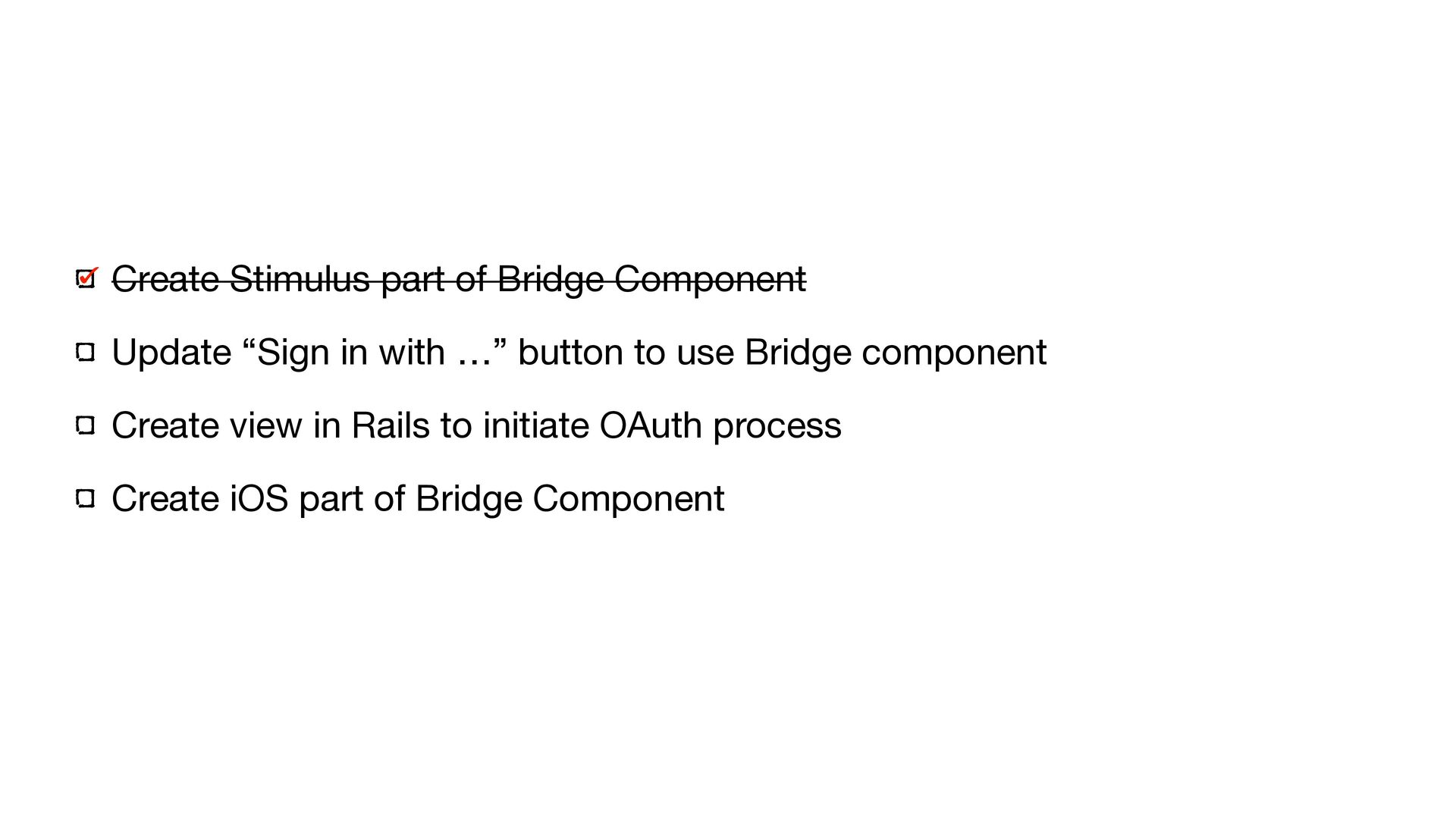
  40. Create Stimulus part of Bridge Component Update “Sign in with

    …” button to use Bridge component Create view in Rails to initiate OAuth process Create iOS part of Bridge Component
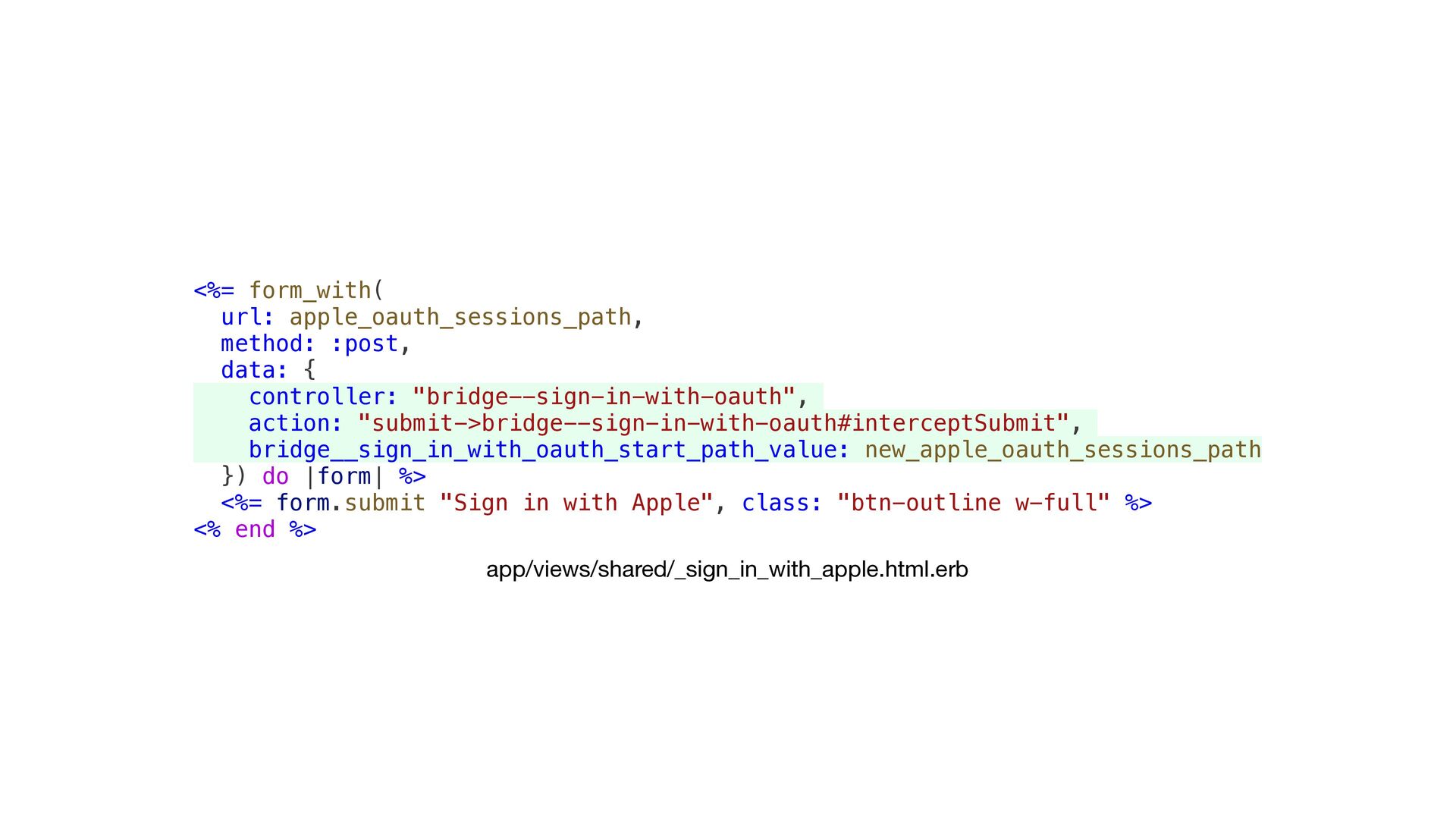
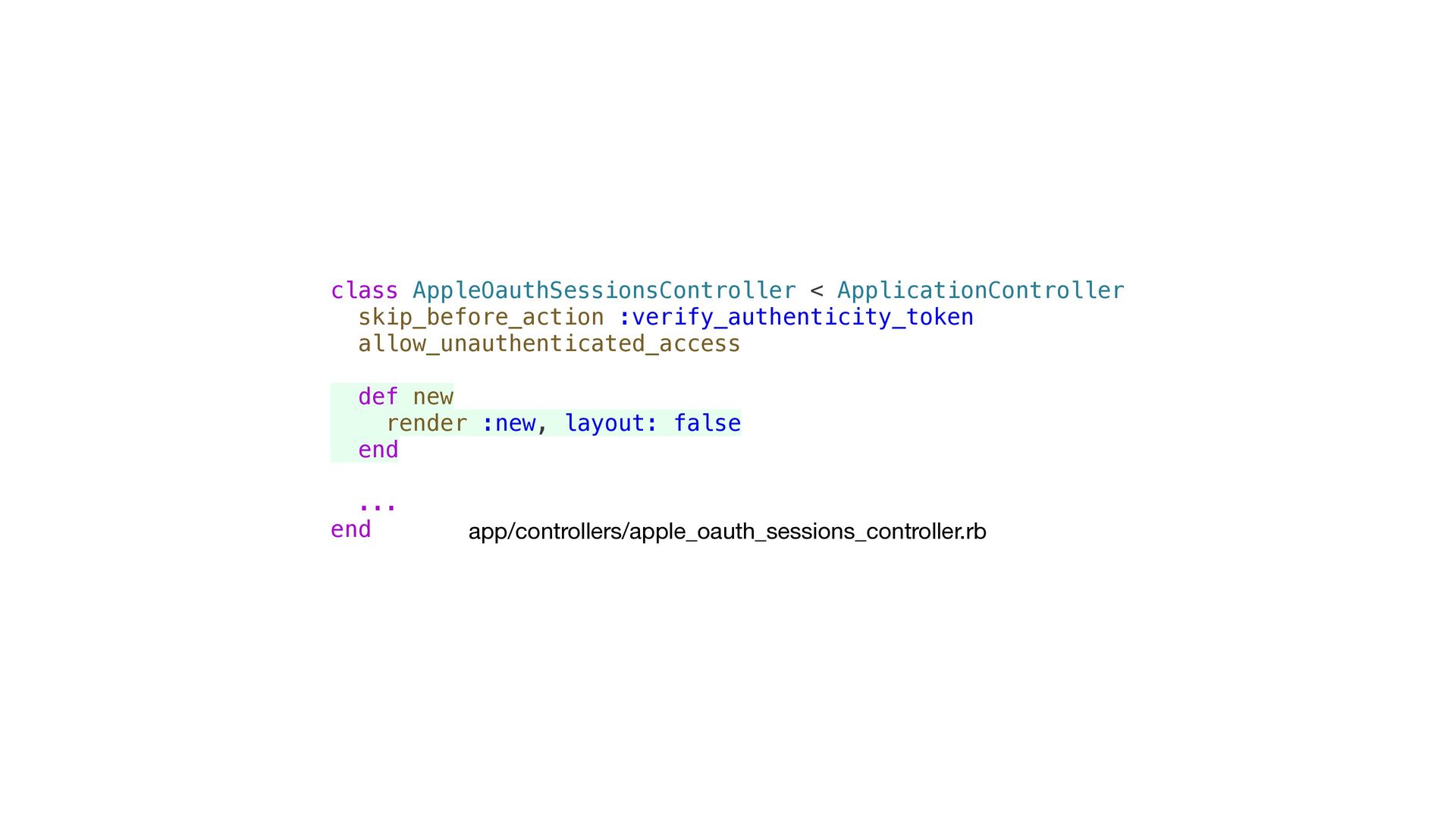
  41. <%= form_with( url: apple_oauth_sessions_path, method: :post, data: { controller: "bridge--sign-in-with-oauth",

    action: "submit->bridge--sign-in-with-oauth#interceptSubmit", bridge__sign_in_with_oauth_start_path_value: new_apple_oauth_sessions_path }) do |form| %> <%= form.submit "Sign in with Apple", class: "btn-outline w-full" %> <% end %> app/views/shared/_sign_in_with_apple.html.erb
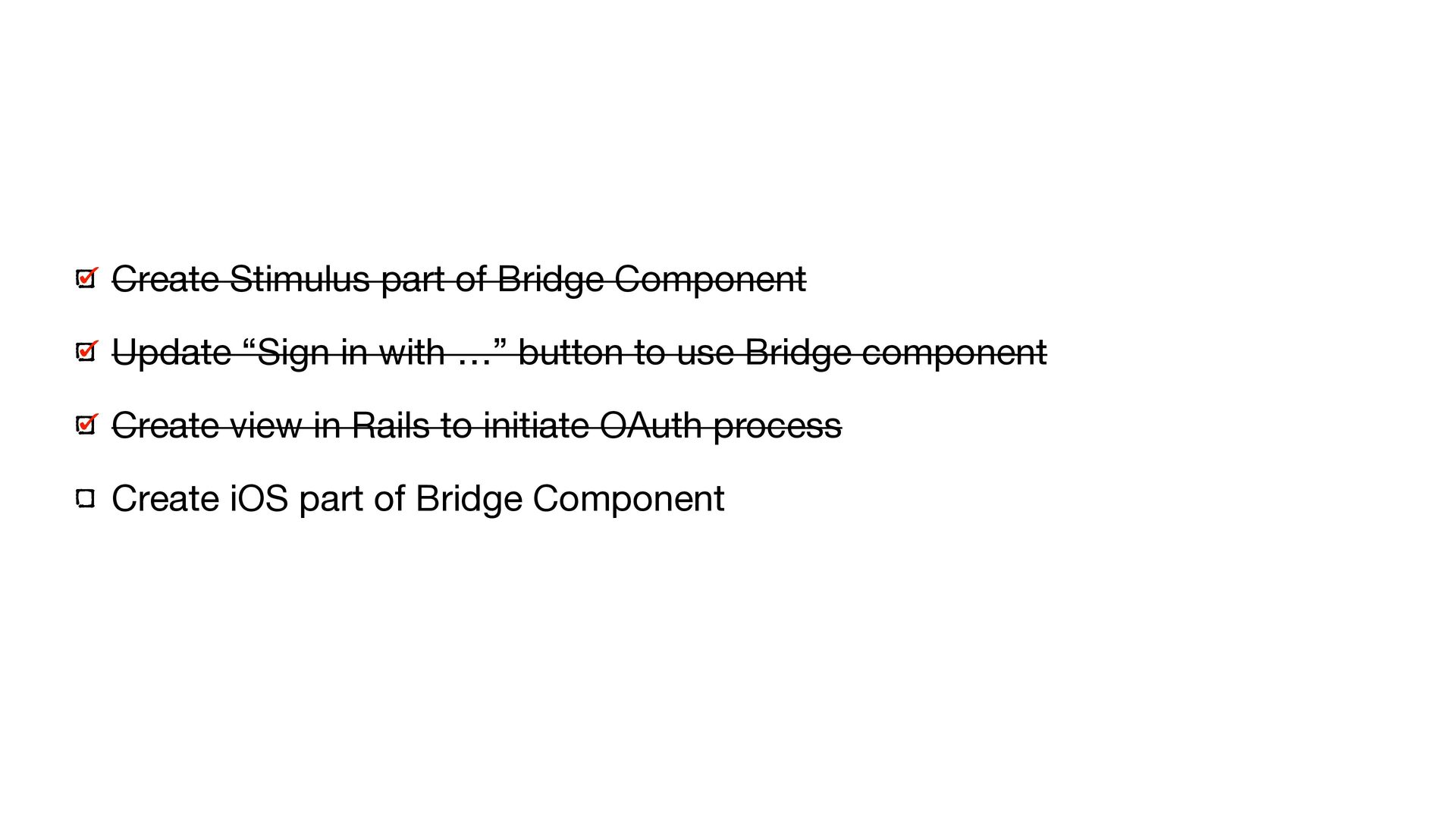
  42. Create Stimulus part of Bridge Component Update “Sign in with

    …” button to use Bridge component Create view in Rails to initiate OAuth process Create iOS part of Bridge Component
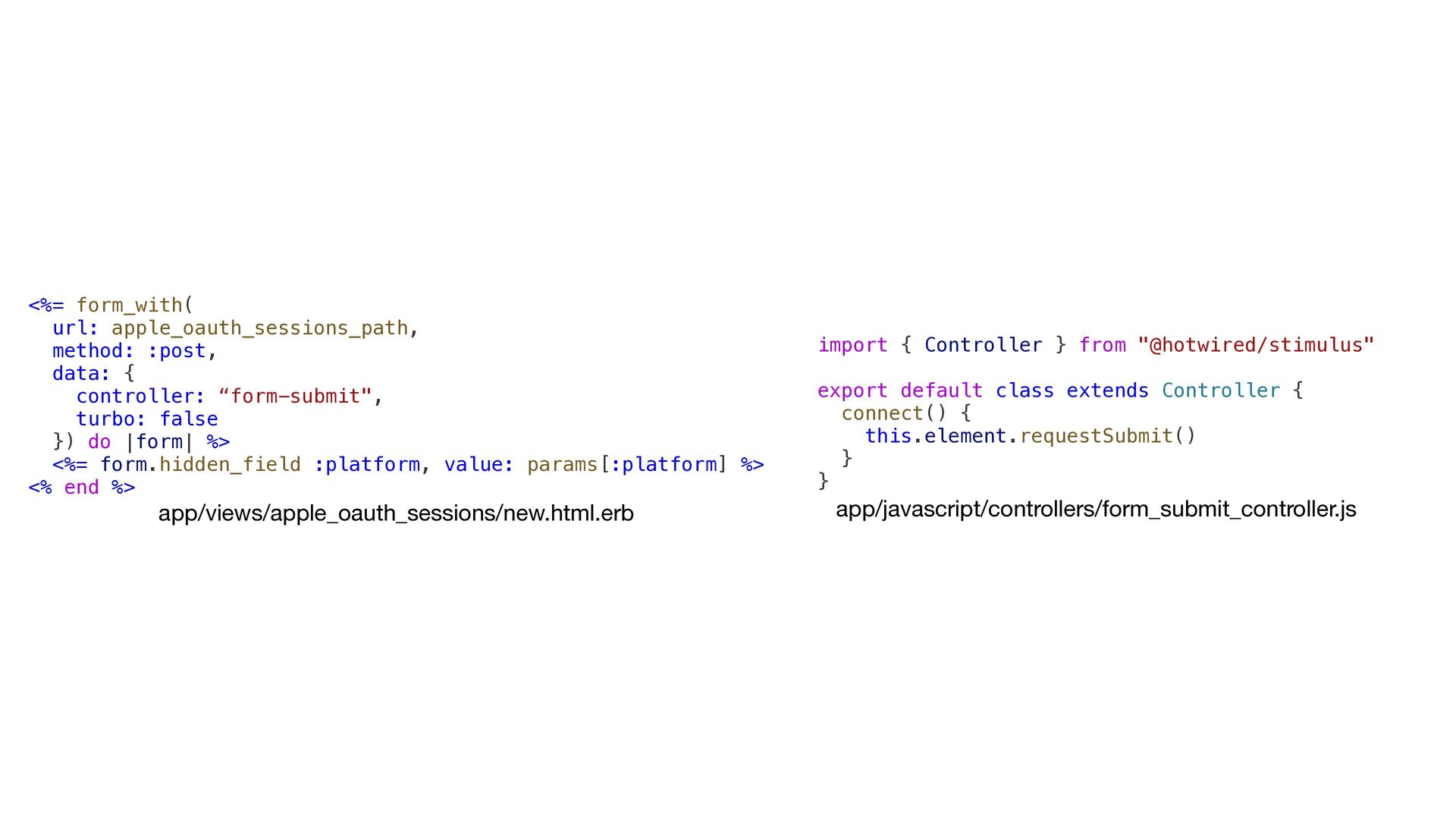
  43. <%= form_with( url: apple_oauth_sessions_path, method: :post, data: { controller: “form-submit",

    turbo: false }) do |form| %> <%= form.hidden_field :platform, value: params[:platform] %> <% end %> app/views/apple_oauth_sessions/new.html.erb import { Controller } from "@hotwired/stimulus" export default class extends Controller { connect() { this.element.requestSubmit() } } app/javascript/controllers/form_submit_controller.js
  44. Create Stimulus part of Bridge Component Update “Sign in with

    …” button to use Bridge component Create view in Rails to initiate OAuth process Create iOS part of Bridge Component
  45. class SignInWithOauthComponent: BridgeComponent { override nonisolated class var name: String

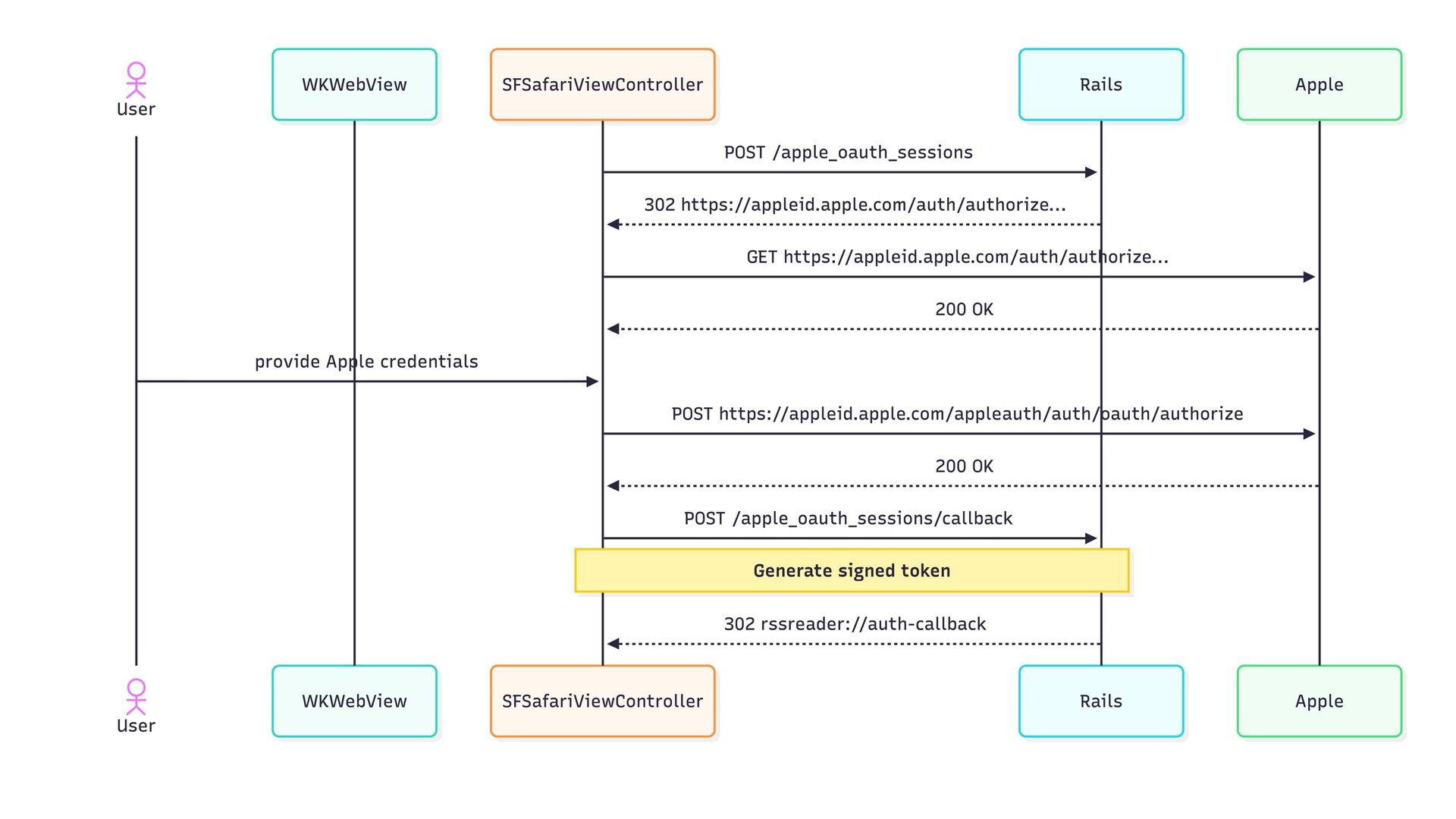
    { "sign-in-with-oauth" } private var viewController: UIViewController? { delegate?.destination as? UIViewController } private var safariViewController: SFSafariViewController? override func onReceive(message: Message) { guard let event = Event(rawValue: message.event) else { return } switch event { case .click: onClick(message: message) } } private func onClick(message: Message) { guard let data: MessageData = message.data() else { print("SignInWithOauth: Missing message data.") return } guard let startUrl = URL(string: "\(baseUrl)\(data.startPath)") else { print("SignInWithOauth: Invalid start URL") return } launchSafariViewController(with: startUrl) } private func launchSafariViewController(with url: URL) { guard let viewController = viewController else { print("SignInWithOauth: No view controller available") return } let safariVC = SFSafariViewController(url: url) safariVC.modalPresentationStyle = .pageSheet self.safariViewController = safariVC viewController.present(safariVC, animated: true) } } private extension SignInWithOauthComponent { enum Event: String { case click } struct MessageData: Decodable { let startPath: String } } SignInWithOauthComponent.swift @main class AppDelegate: UIResponder, UIApplicationDelegate { func application( _ application: UIApplication, didFinishLaunchingWithOptions launchOptions: [UIApplication.LaunchOptionsKey: Any]? ) -> Bool { ... Hotwire.registerBridgeComponents([ SignInWithOauthComponent.self, ]) ... } } AppDelegate.swift
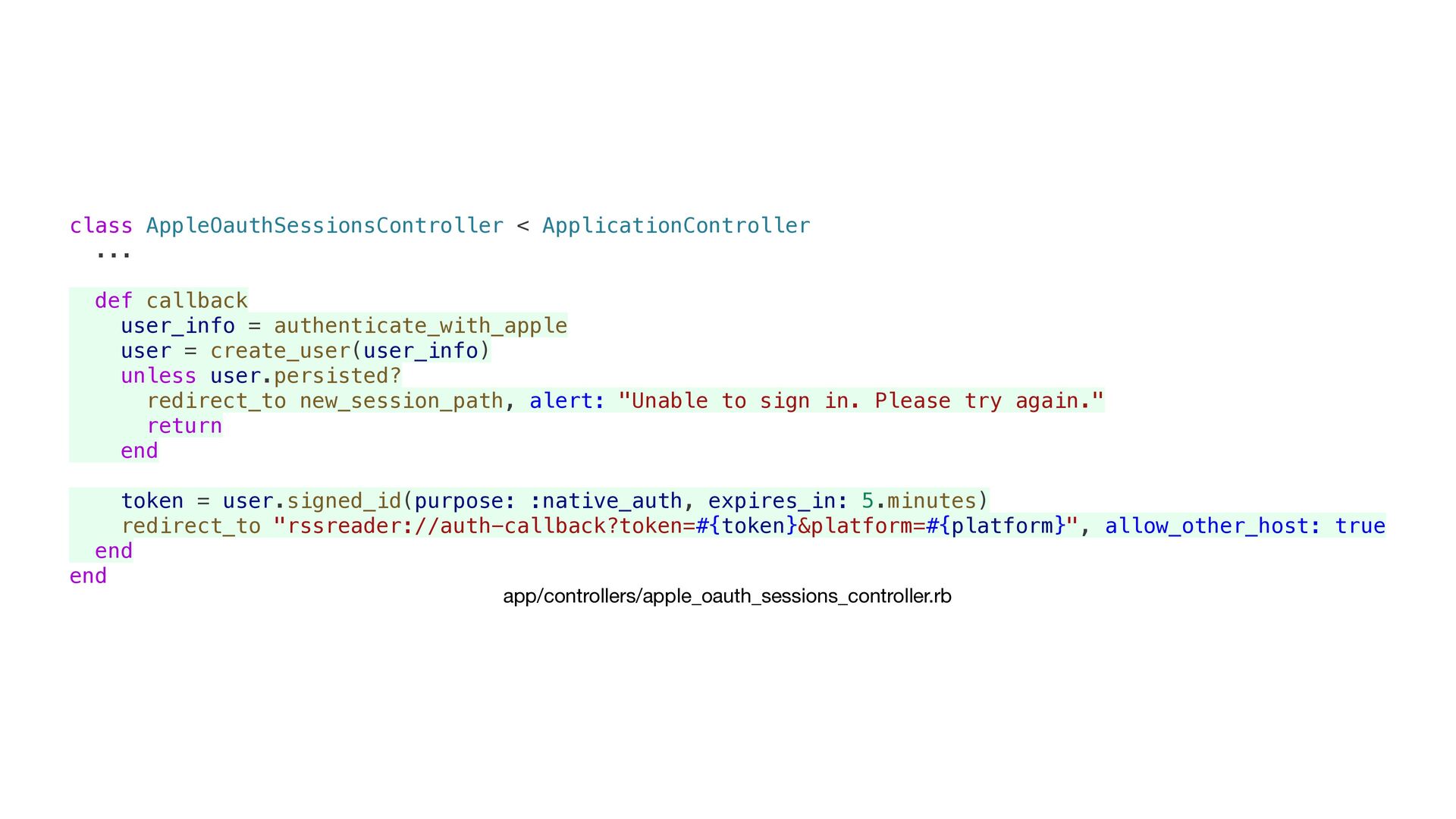
  46. class AppleOauthSessionsController < ApplicationController ... def callback user_info = authenticate_with_apple

    user = create_user(user_info) unless user.persisted? redirect_to new_session_path, alert: "Unable to sign in. Please try again." return end token = user.signed_id(purpose: :native_auth, expires_in: 5.minutes) redirect_to "rssreader://auth-callback?token=#{token}&platform=#{platform}", allow_other_host: true end end app/controllers/apple_oauth_sessions_controller.rb
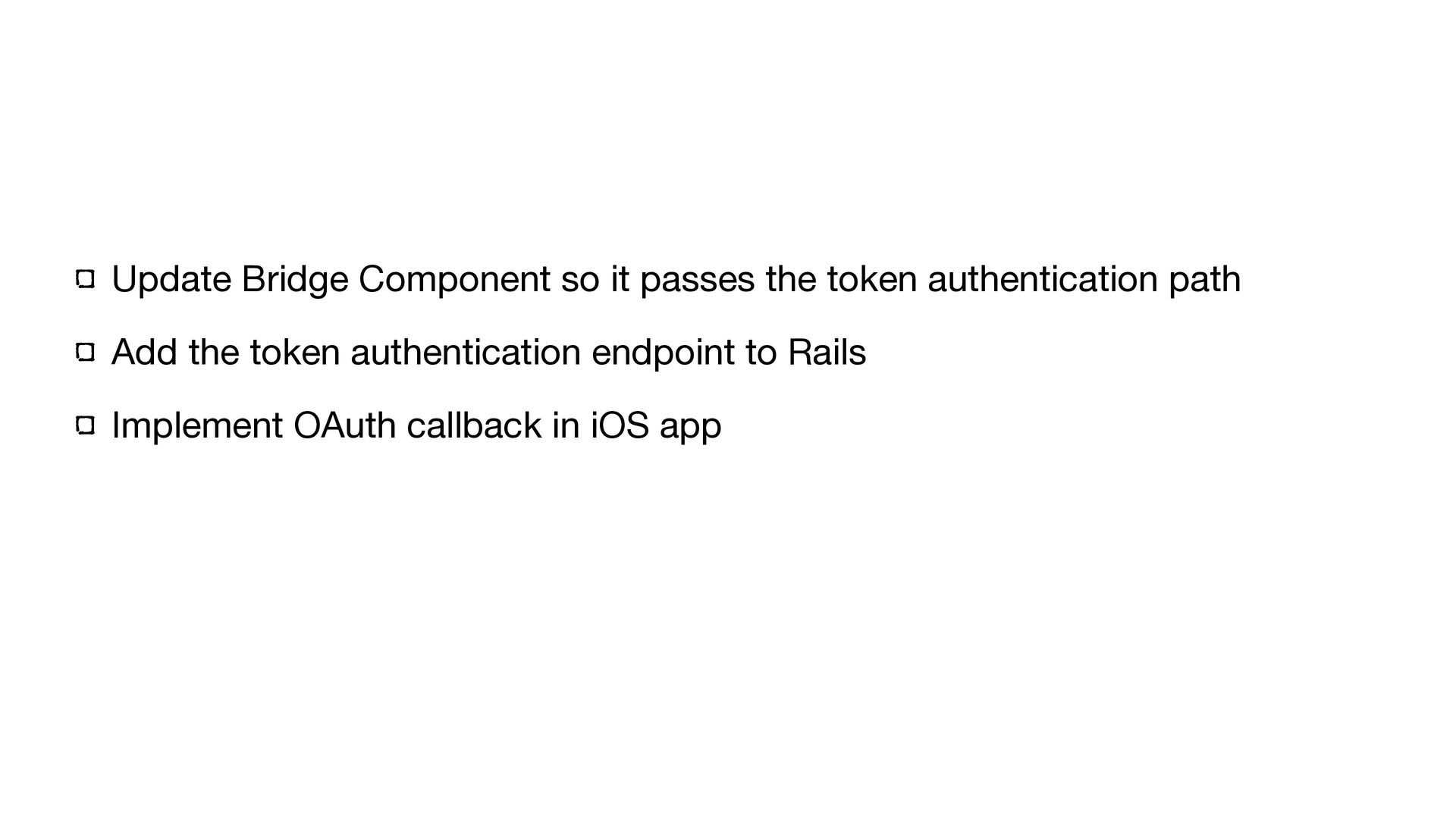
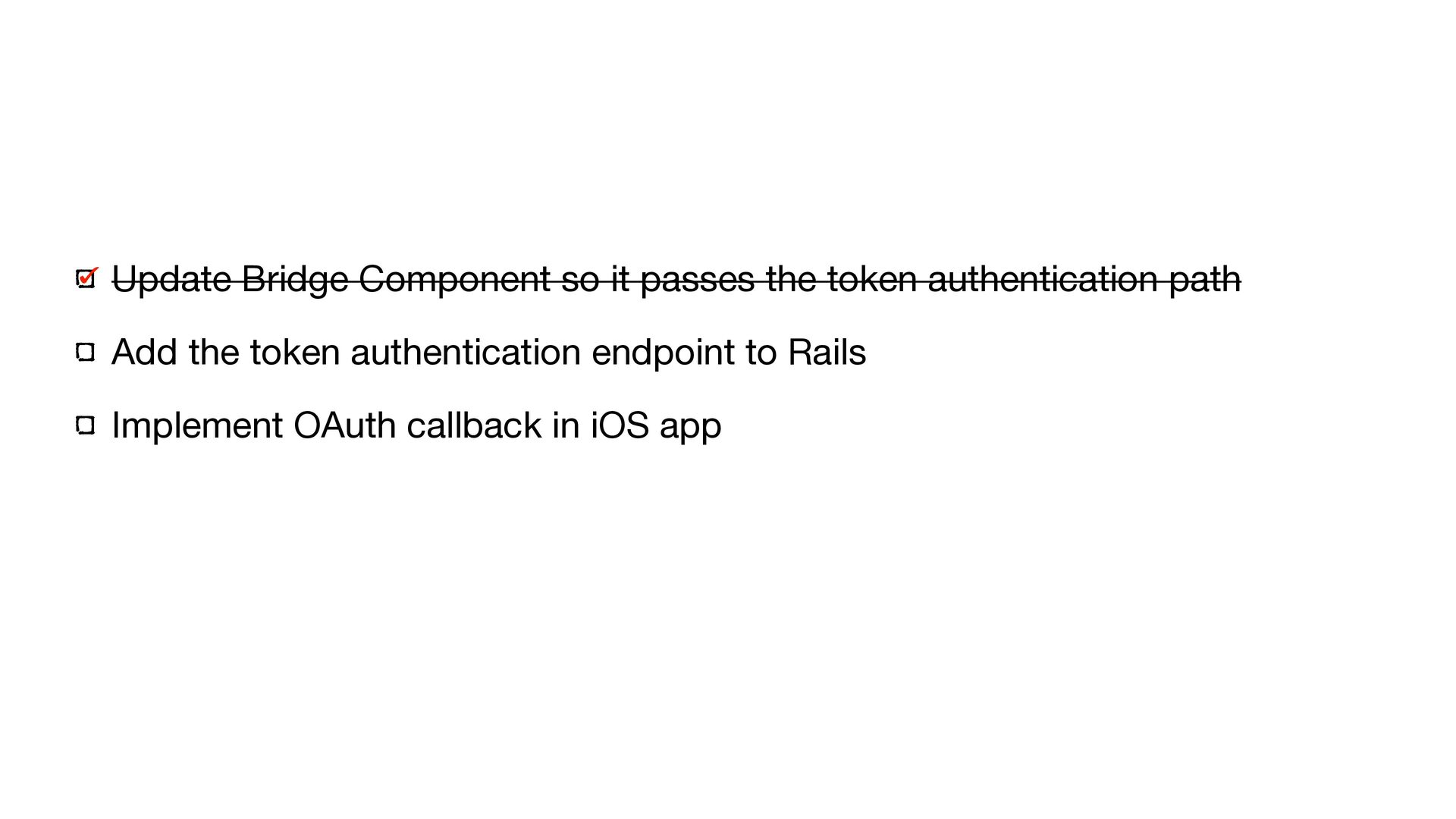
  47. Update Bridge Component so it passes the token authentication path

    Add the token authentication endpoint to Rails Implement OAuth callback in iOS app
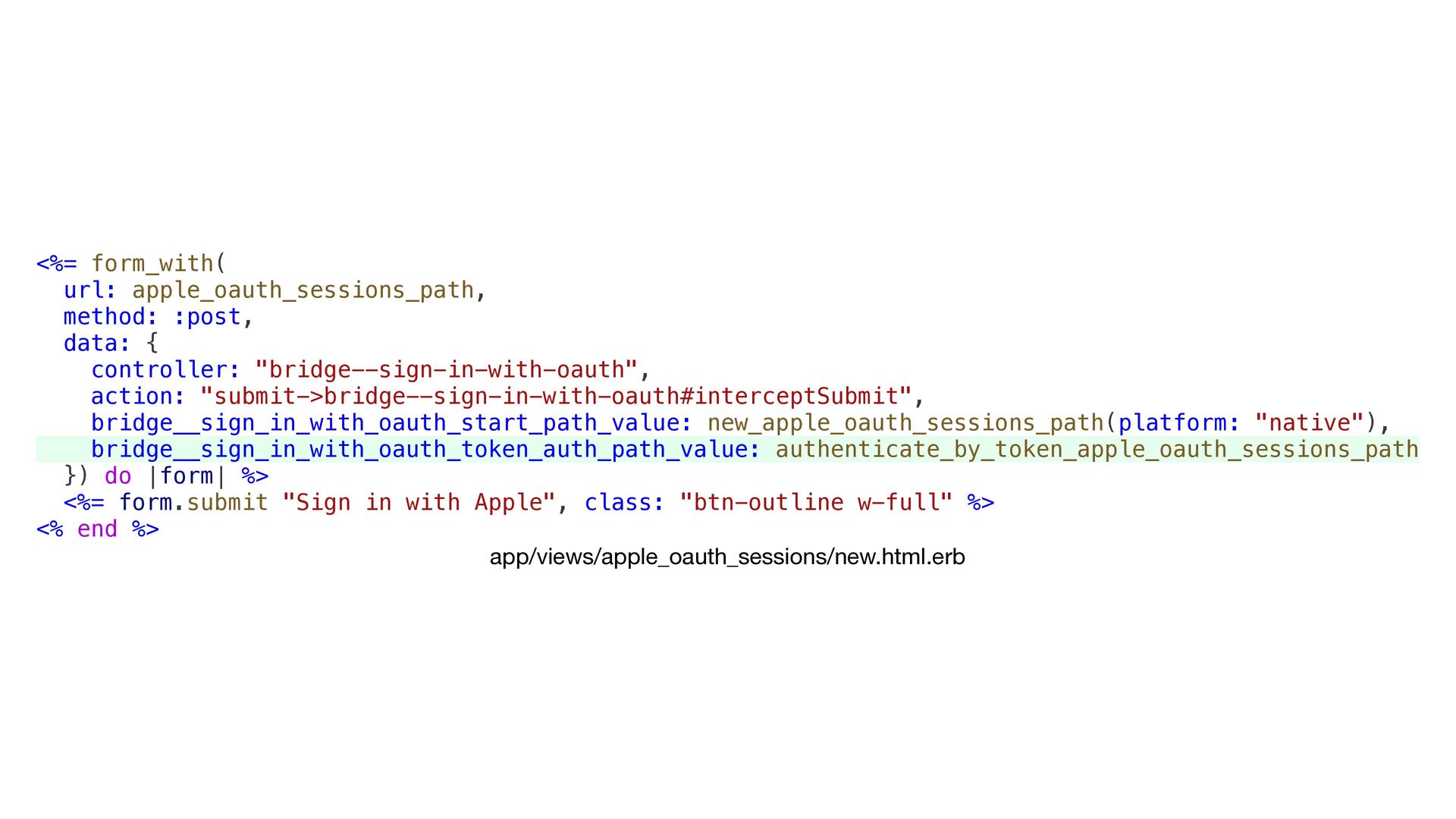
  48. <%= form_with( url: apple_oauth_sessions_path, method: :post, data: { controller: "bridge--sign-in-with-oauth",

    action: "submit->bridge--sign-in-with-oauth#interceptSubmit", bridge__sign_in_with_oauth_start_path_value: new_apple_oauth_sessions_path(platform: "native"), bridge__sign_in_with_oauth_token_auth_path_value: authenticate_by_token_apple_oauth_sessions_path }) do |form| %> <%= form.submit "Sign in with Apple", class: "btn-outline w-full" %> <% end %> app/views/apple_oauth_sessions/new.html.erb
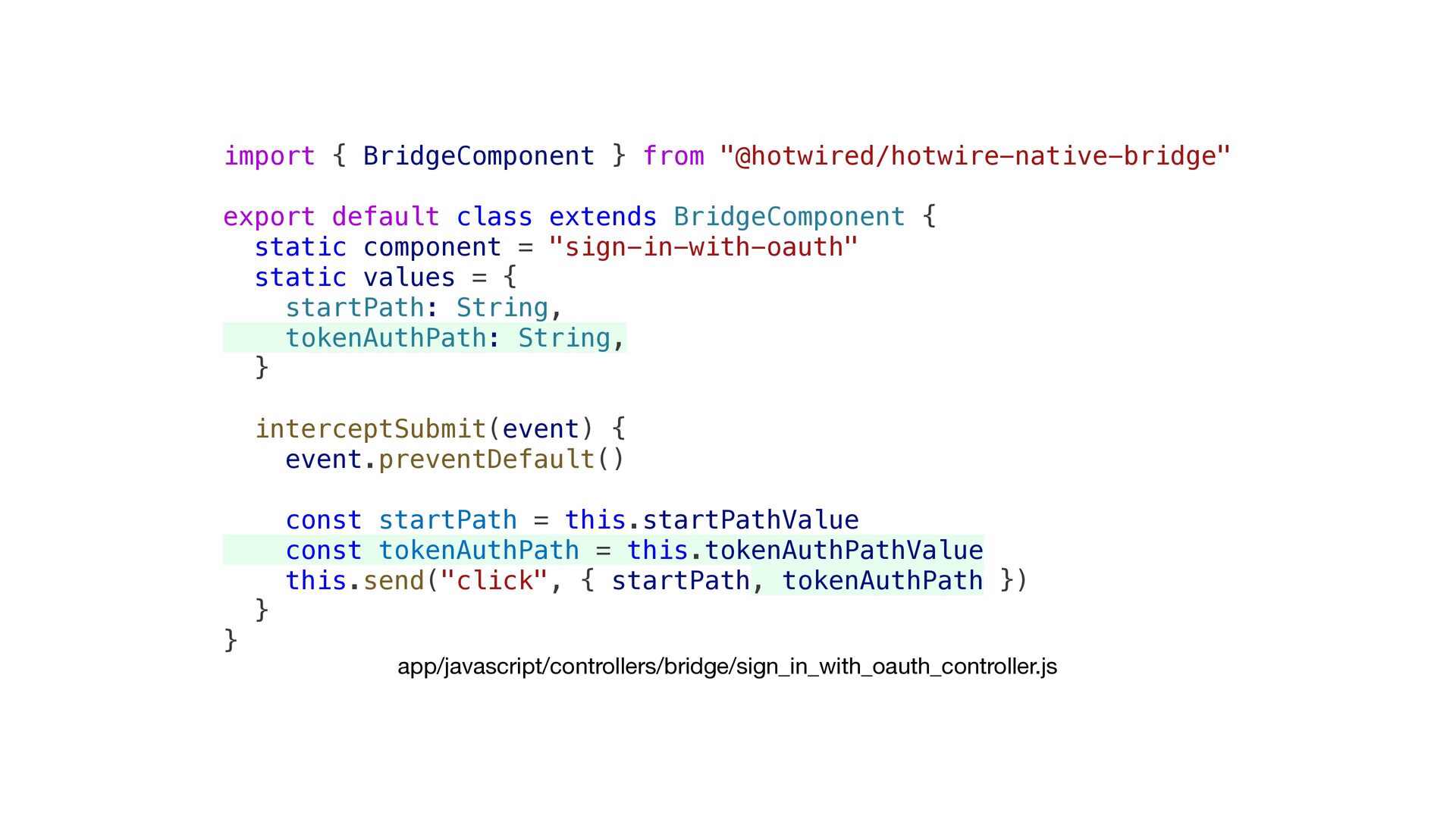
  49. import { BridgeComponent } from "@hotwired/hotwire-native-bridge" export default class extends

    BridgeComponent { static component = "sign-in-with-oauth" static values = { startPath: String, tokenAuthPath: String, } interceptSubmit(event) { event.preventDefault() const startPath = this.startPathValue const tokenAuthPath = this.tokenAuthPathValue this.send("click", { startPath, tokenAuthPath }) } } app/javascript/controllers/bridge/sign_in_with_oauth_controller.js
  50. class SignInWithOauthComponent: BridgeComponent { ... private var tokenAuthPath: String? override

    func onReceive(message: Message) { guard let event = Event(rawValue: message.event) else { return } switch event { case .click: onClick(message: message) } } private func onClick(message: Message) { ... self.tokenAuthPath = data.tokenAuthPath launchSafariViewController(with: startUrl) } ... } private extension SignInWithOauthComponent { enum Event: String { case click } struct MessageData: Decodable { let startPath: String let tokenAuthPath: String } } SignInWithOauthComponent.swift
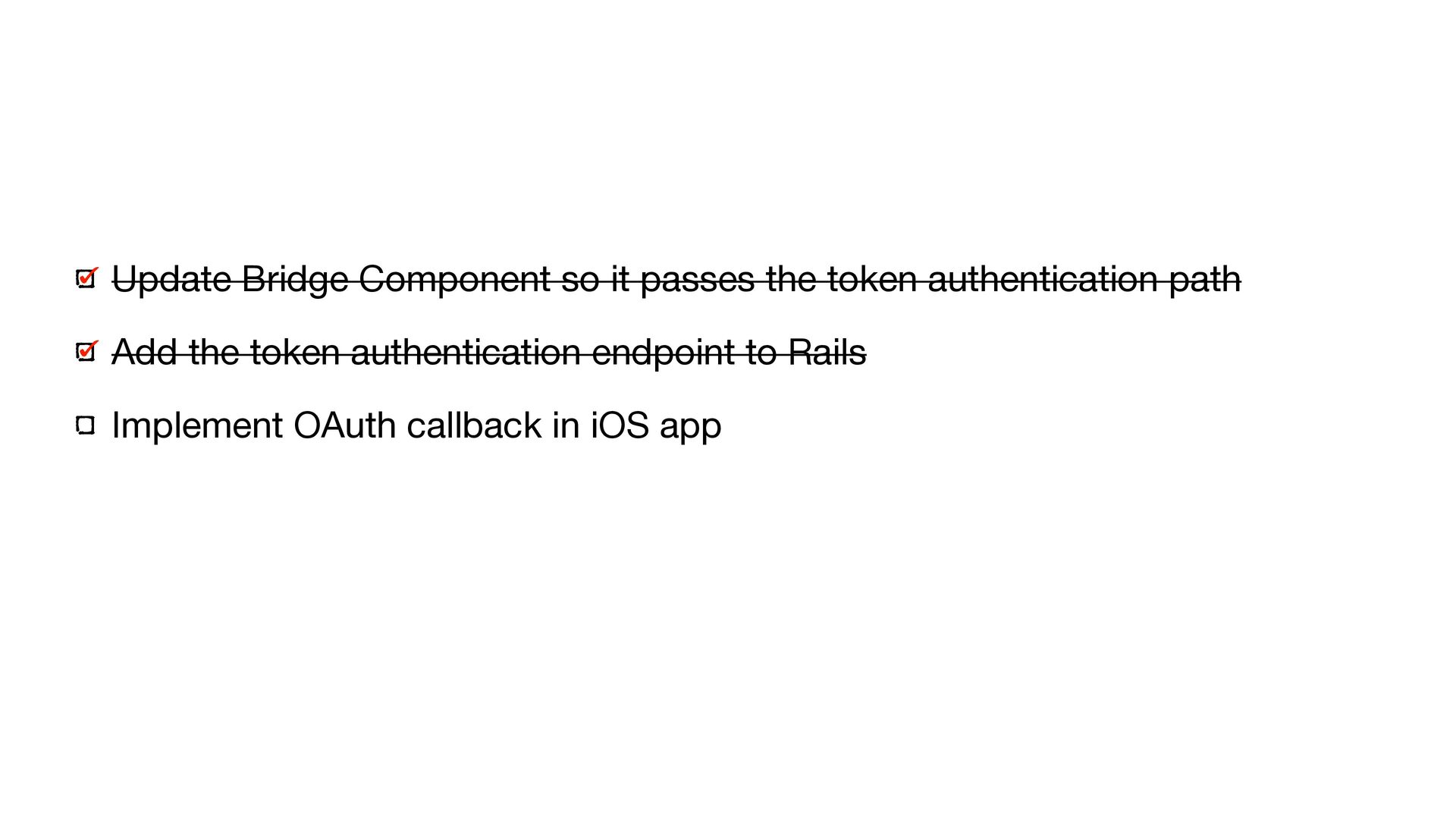
  51. Update Bridge Component so it passes the token authentication path

    Add the token authentication endpoint to Rails Implement OAuth callback in iOS app
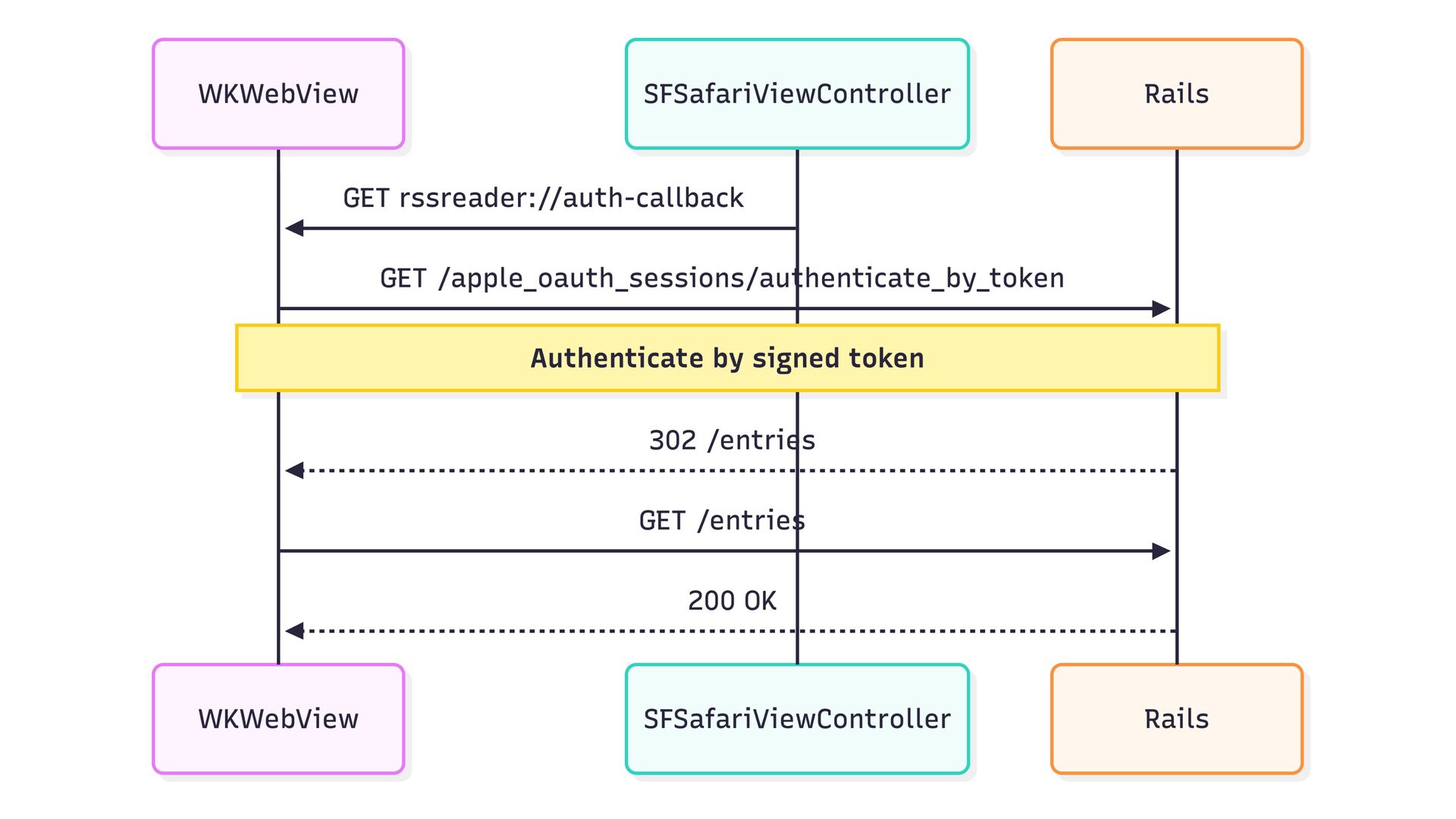
  52. class AppleOauthSessionsController < ApplicationController ... def authenticate_by_token user = User.find_signed(params[:token],

    purpose: :native_auth) if user sign_in_and_redirect_user(user) else redirect_to welcome_path, alert: "Unable to sign in. Please try again." end end end app/controllers/apple_oauth_sessions_controller.rb
  53. Update Bridge Component so it passes the token authentication path

    Add the token authentication endpoint to Rails Implement OAuth callback in iOS app
  54. class SignInWithOauthComponent: BridgeComponent { ... private func launchSafariViewController(with url: URL)

    { ... NotificationCenter.default.addObserver( self, selector: #selector(handleAuthCompletion), name: .signInWithOauthCompleted, object: nil ) viewController.present(safariVC, animated: true) } @objc private func handleAuthCompletion(_ notification: Notification) { NotificationCenter.default.removeObserver(self, name: .signInWithOauthCompleted, object: nil) let token = notification.userInfo?["token"] as? String safariViewController?.dismiss(animated: true) { [weak self] in self?.safariViewController = nil self?.authenticateWithToken(token) } } private func authenticateWithToken(_ token: String?) { guard let webViewController = delegate?.destination as? HotwireWebViewController, let webView = webViewController.visitableView.webView else { print("SignInWithOauth: No web view available") return } if let token = token, let tokenAuthPath = tokenAuthPath { // Navigate to token login endpoint to establish session in WKWebView guard let tokenLoginUrl = URL(string: "\(baseUrl)\(tokenAuthPath)") else { print("SignInWithOauth: Invalid token auth URL") return } var components = URLComponents(url: tokenLoginUrl, resolvingAgainstBaseURL: false) components?.queryItems = [URLQueryItem(name: "token", value: token)] if let url = components?.url { print("SignInWithOauth: Navigating to token login") webView.load(URLRequest(url: url)) } } else { print("SignInWithOauth: No token received, just reloading") webView.reload() } } } ... extension Notification.Name { static let signInWithOauthCompleted = Notification.Name("signInWithOauthCompleted") } SignInWithOauthComponent.swift
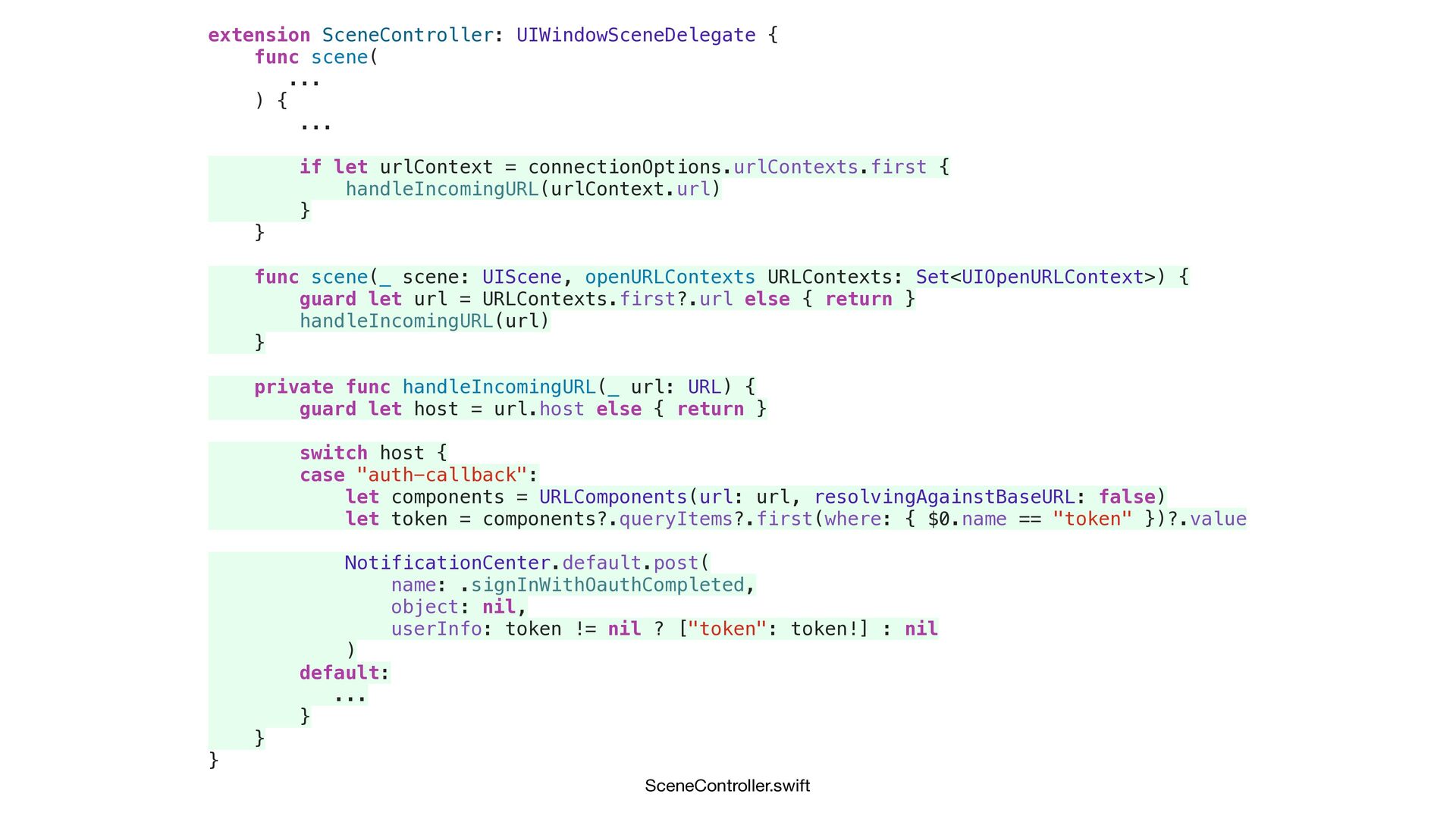
  55. extension SceneController: UIWindowSceneDelegate { func scene( ... ) { ...

    if let urlContext = connectionOptions.urlContexts.first { handleIncomingURL(urlContext.url) } } func scene(_ scene: UIScene, openURLContexts URLContexts: Set<UIOpenURLContext>) { guard let url = URLContexts.first?.url else { return } handleIncomingURL(url) } private func handleIncomingURL(_ url: URL) { guard let host = url.host else { return } switch host { case "auth-callback": let components = URLComponents(url: url, resolvingAgainstBaseURL: false) let token = components?.queryItems?.first(where: { $0.name == "token" })?.value NotificationCenter.default.post( name: .signInWithOauthCompleted, object: nil, userInfo: token != nil ? ["token": token!] : nil ) default: ... } } } SceneController.swift
  56. Summary • Screen Navigation • Path Con fi guration •

    Navigation Bar Title • Native Tab Bar • Bridge Components • OAuth
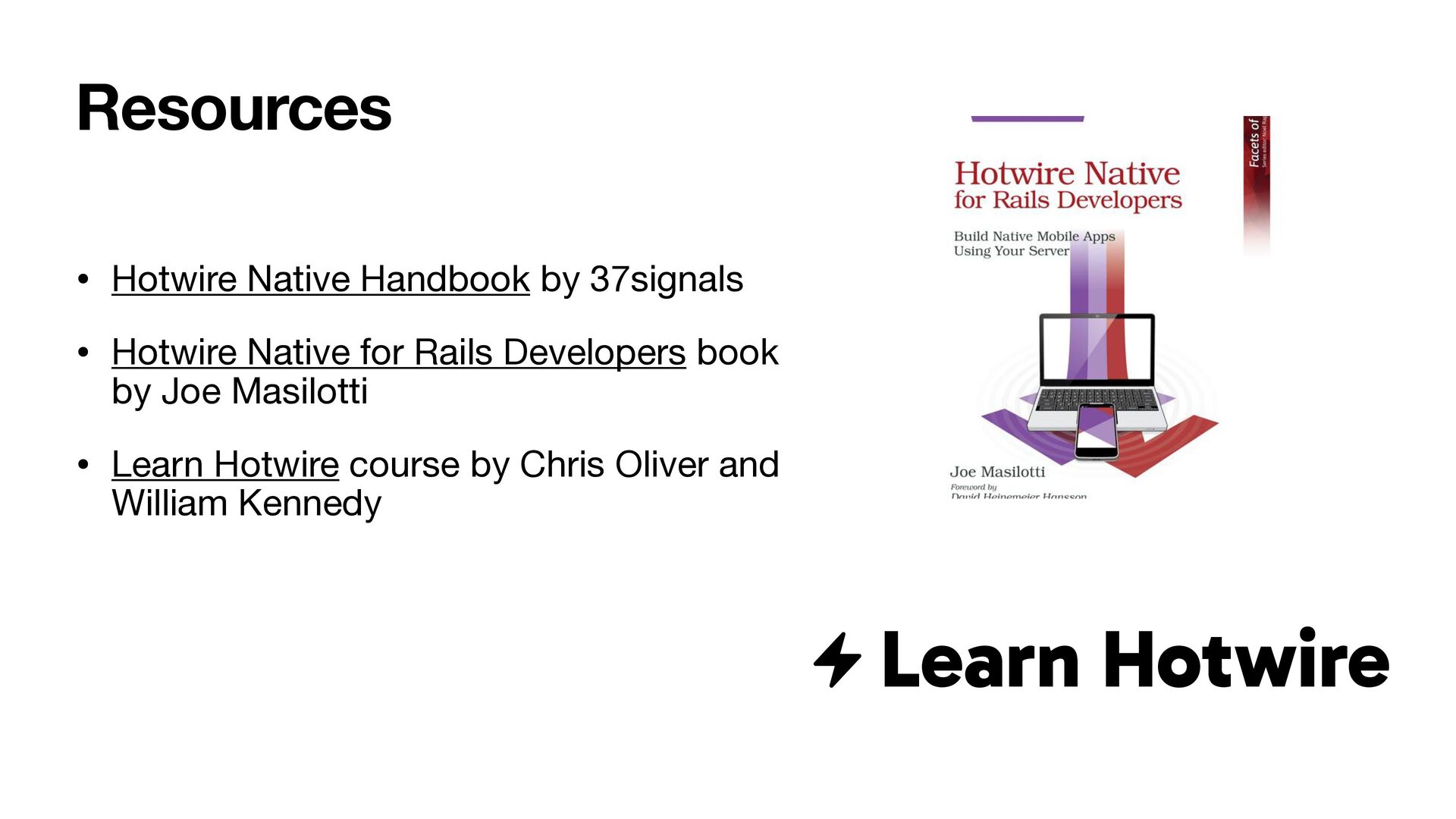
  57. • Hotwire Native Handbook by 37signals • Hotwire Native for

    Rails Developers book by Joe Masilotti • Learn Hotwire course by Chris Oliver and William Kennedy Resources