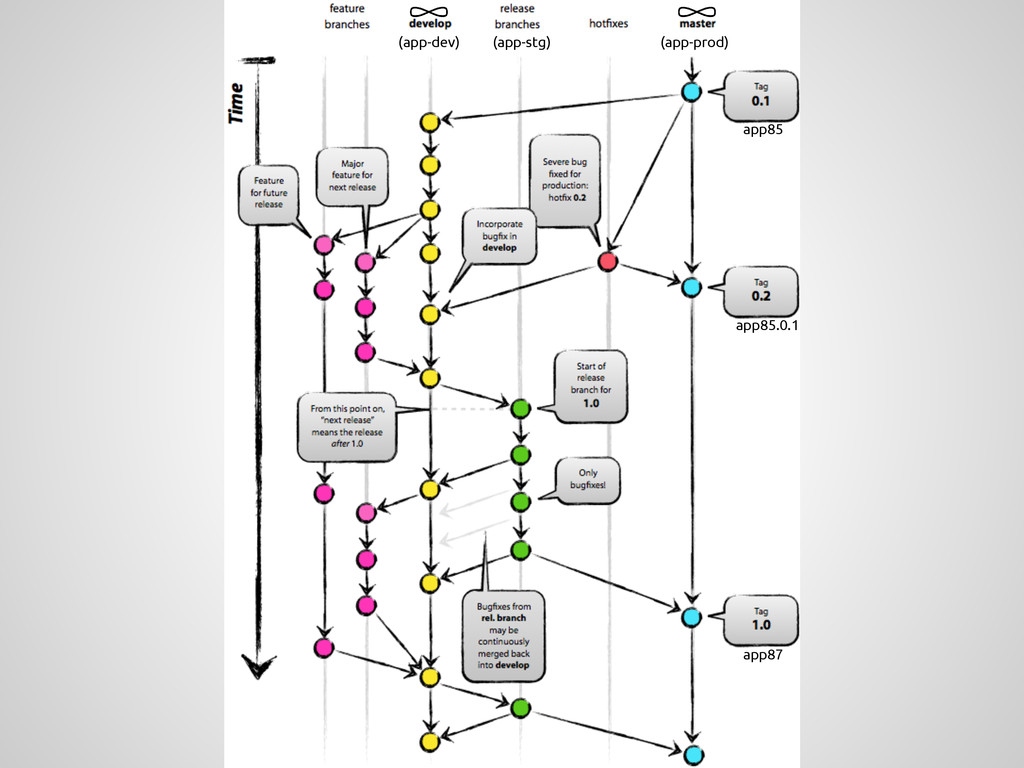
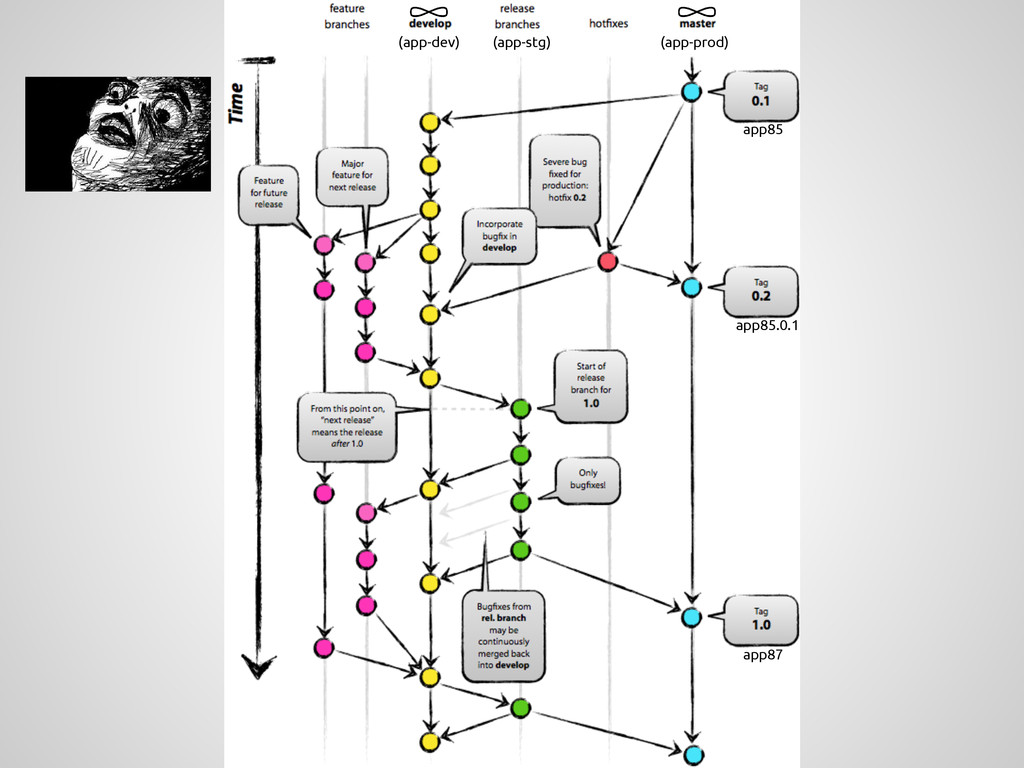
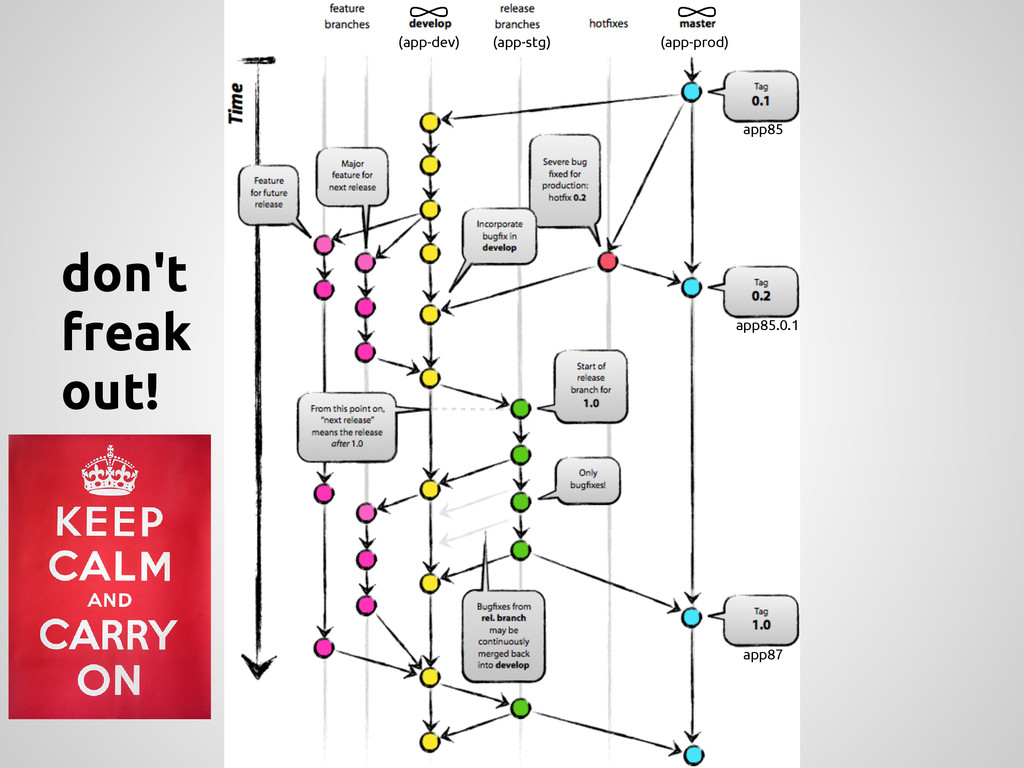
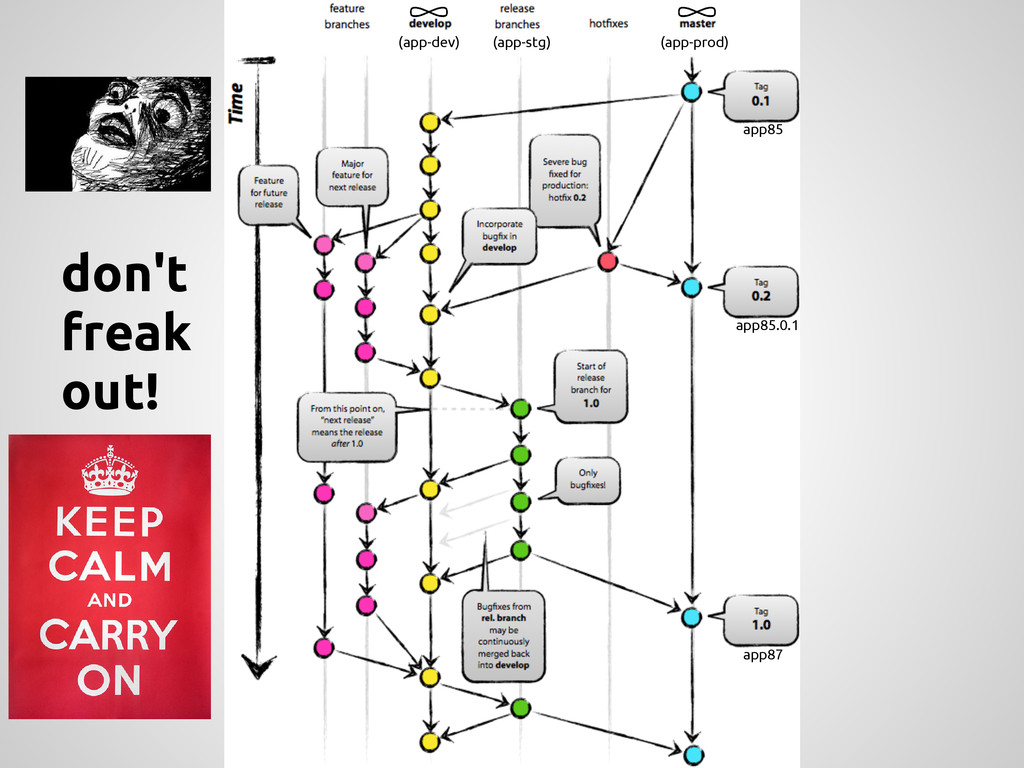
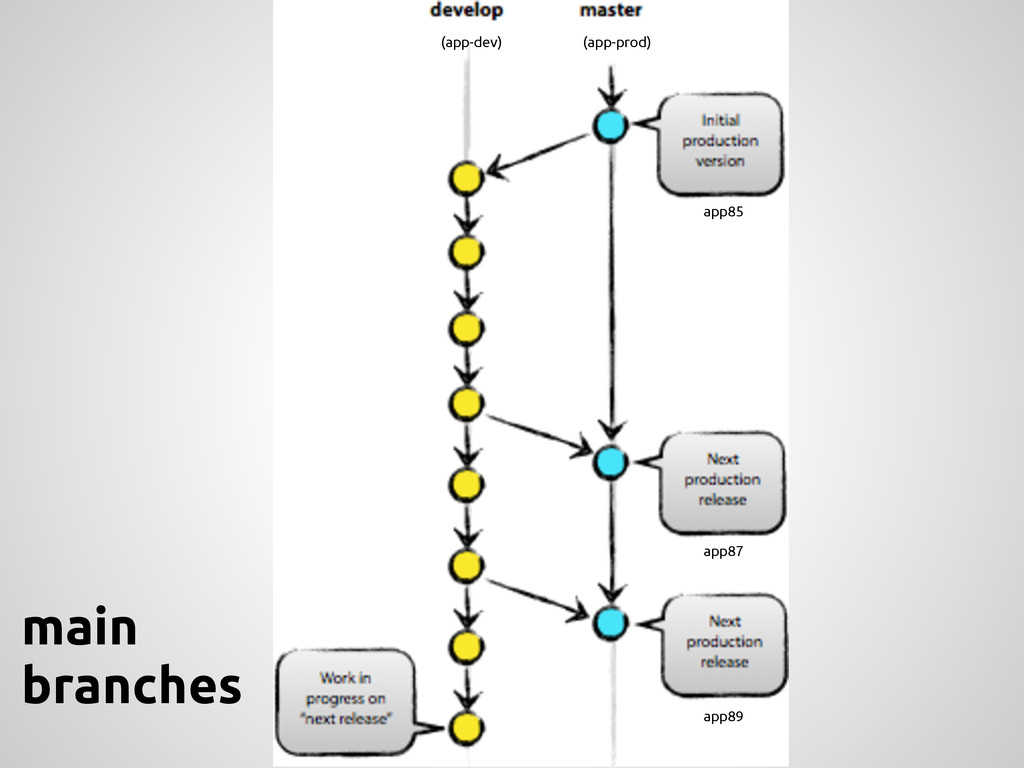
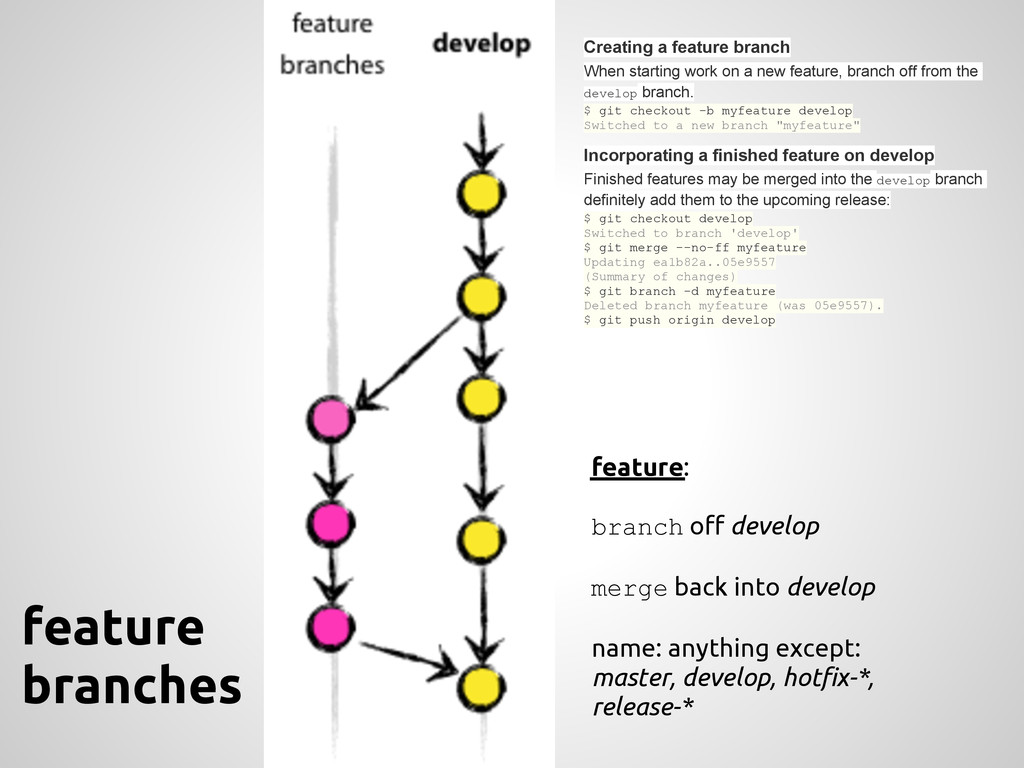
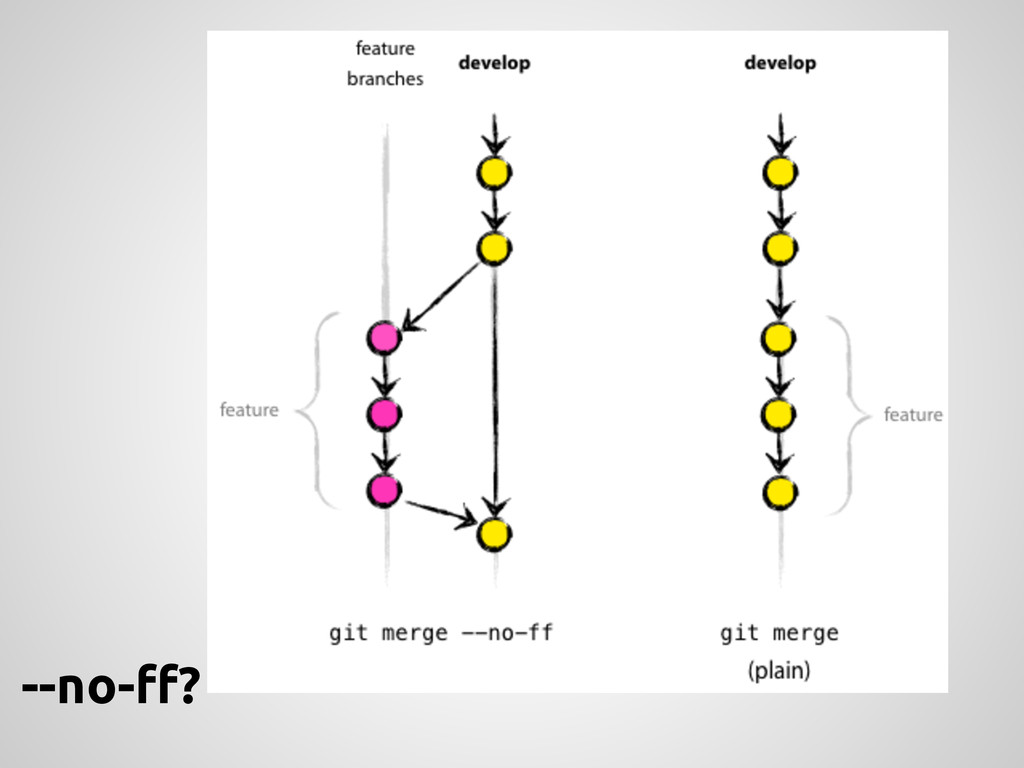
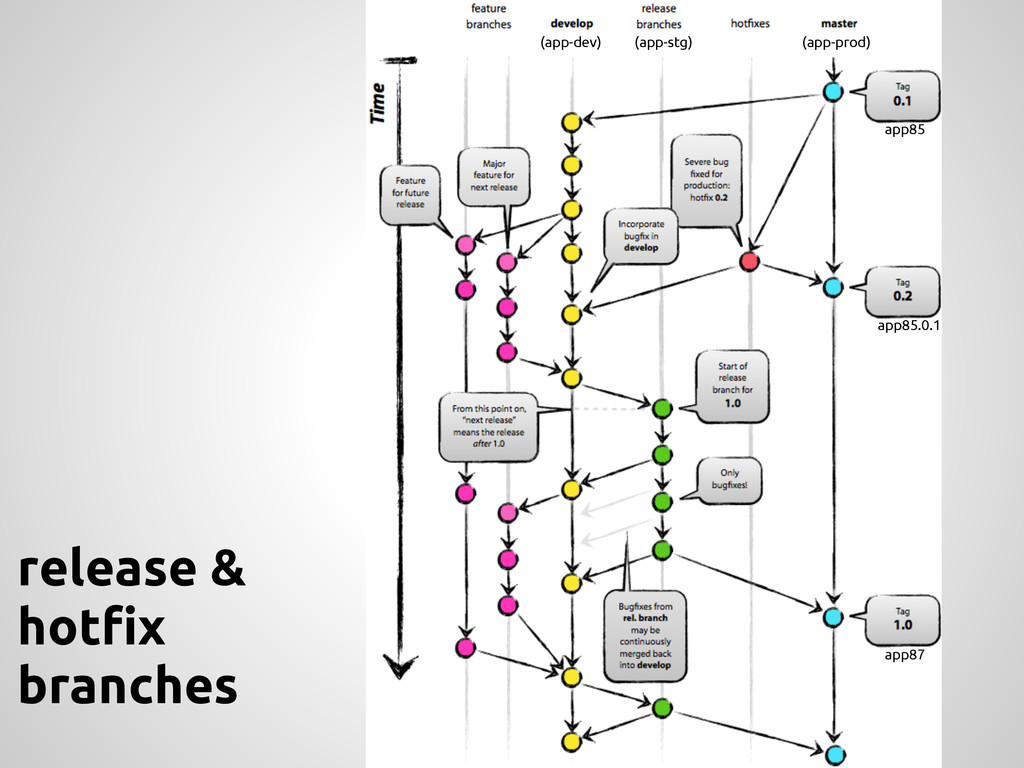
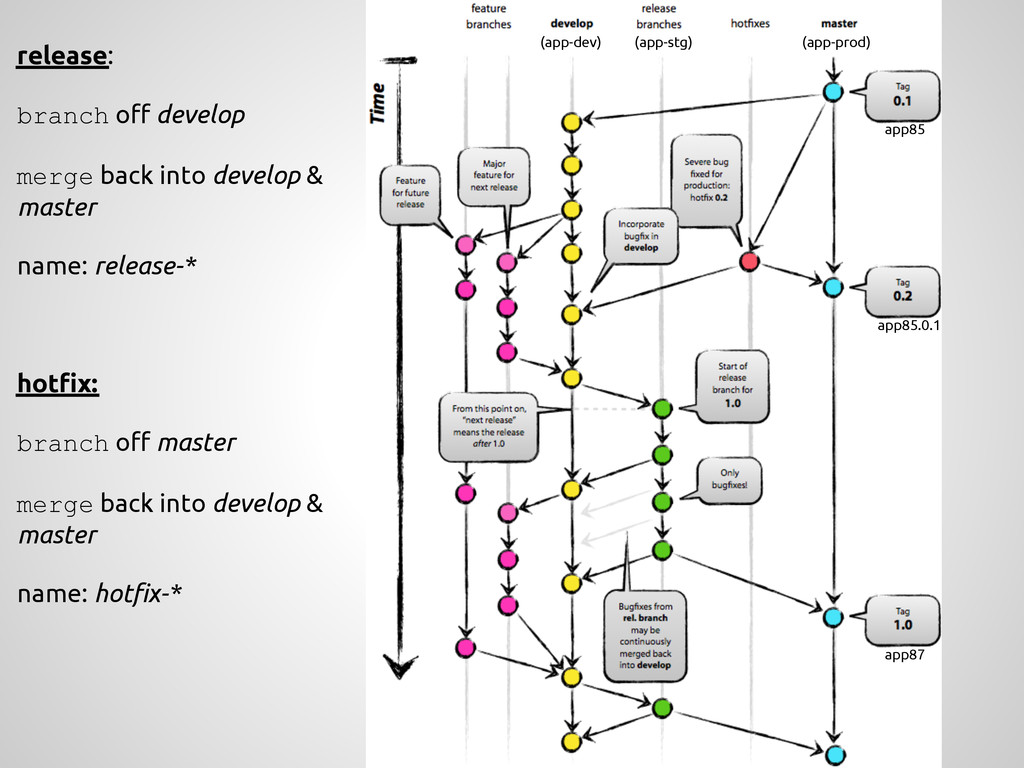
a new feature, branch off from the develop branch. $ git checkout -b myfeature develop Switched to a new branch "myfeature" Incorporating a finished feature on develop Finished features may be merged into the develop branch definitely add them to the upcoming release: $ git checkout develop Switched to branch 'develop' $ git merge --no-ff myfeature Updating ea1b82a..05e9557 (Summary of changes) $ git branch -d myfeature Deleted branch myfeature (was 05e9557). $ git push origin develop feature: branch off develop merge back into develop name: anything except: master, develop, hotfix-*, release-*
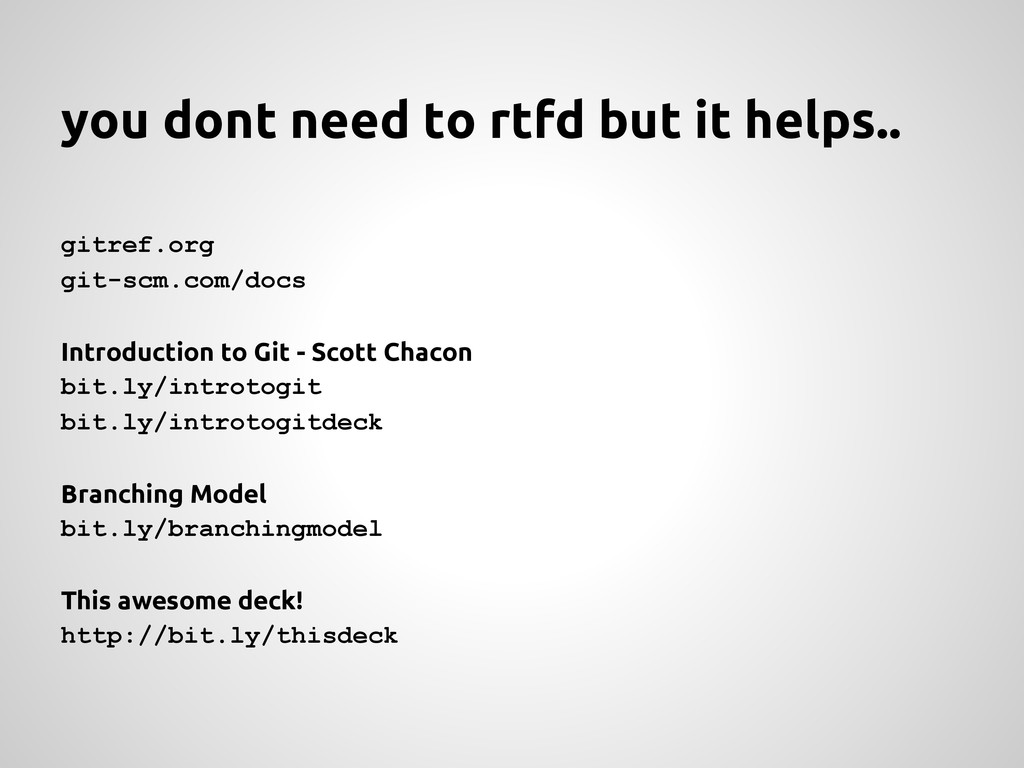
Introduction to Git - Scott Chacon bit.ly/introtogit bit.ly/introtogitdeck Branching Model bit.ly/branchingmodel This awesome deck! http://bit.ly/thisdeck


 ymotongpoo
 sh_fk2
 takuroabe
 makocchi
 kizawa2020
 akitoshiga
 maimyyym
 mohab1
 codmoninc
 kenichiodo
 teamlab
 syuchimu
 aleyda
 jonoalderson
 akademiya2063
 nmsamuel
 sergeychernyshev
 kristinabergwall1
 axbom
axbom
 seathinner
 thoeni
 skipperchong
 tammyeverts
 helmedeiros
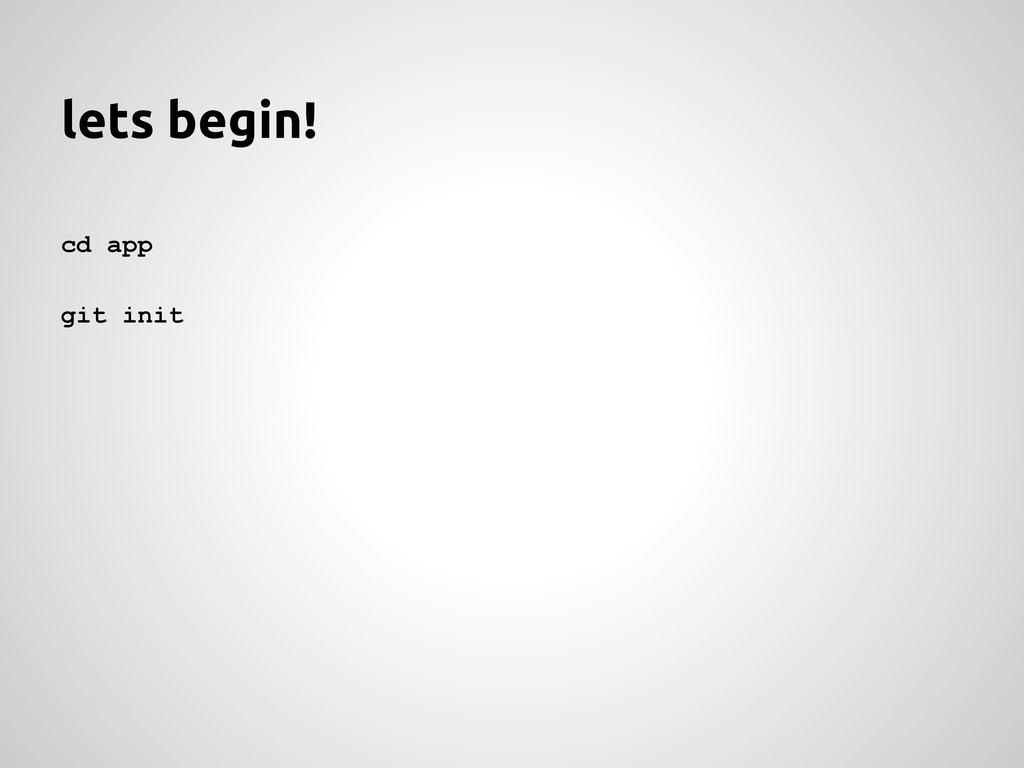
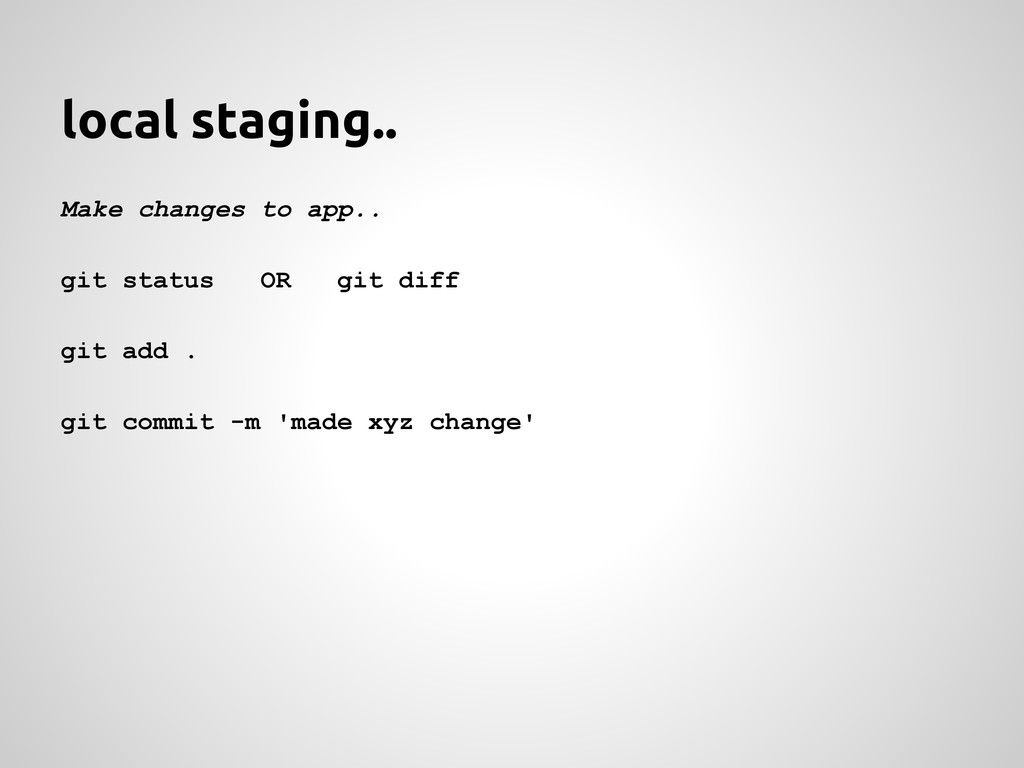
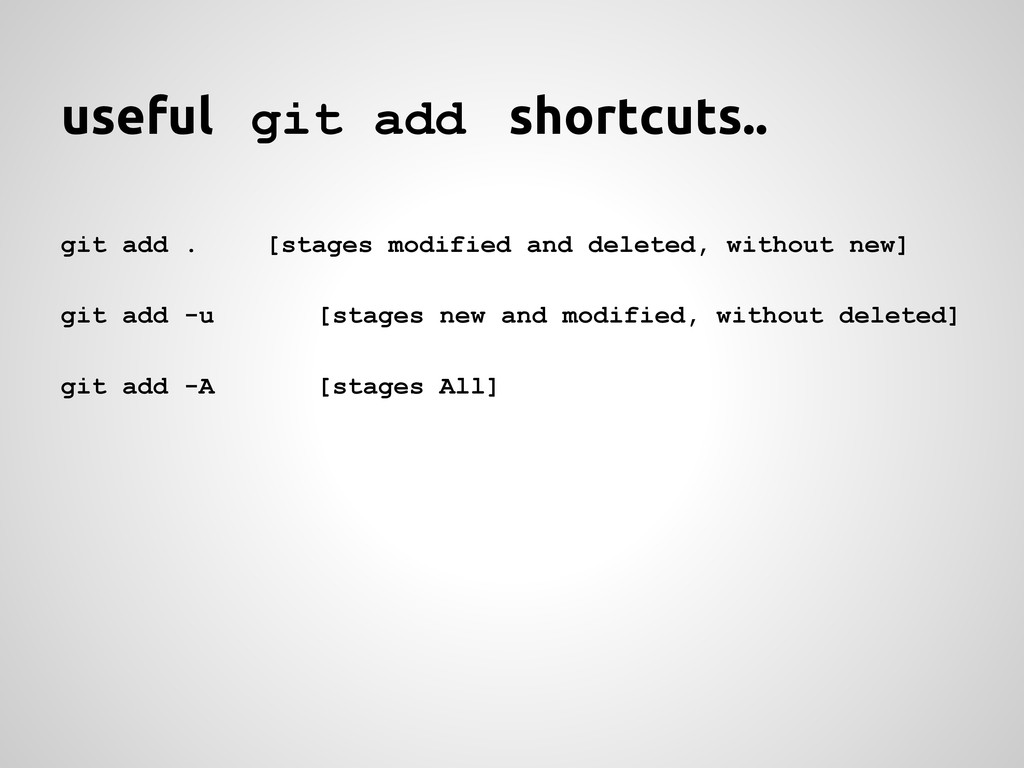
![branching! ^^ git branch <new_branch_name> [creates branch] git checkout <branch_name>](https://files.speakerdeck.com/presentations/85ef26a00e9b0131b90232c596a790ad/slide_6.jpg)
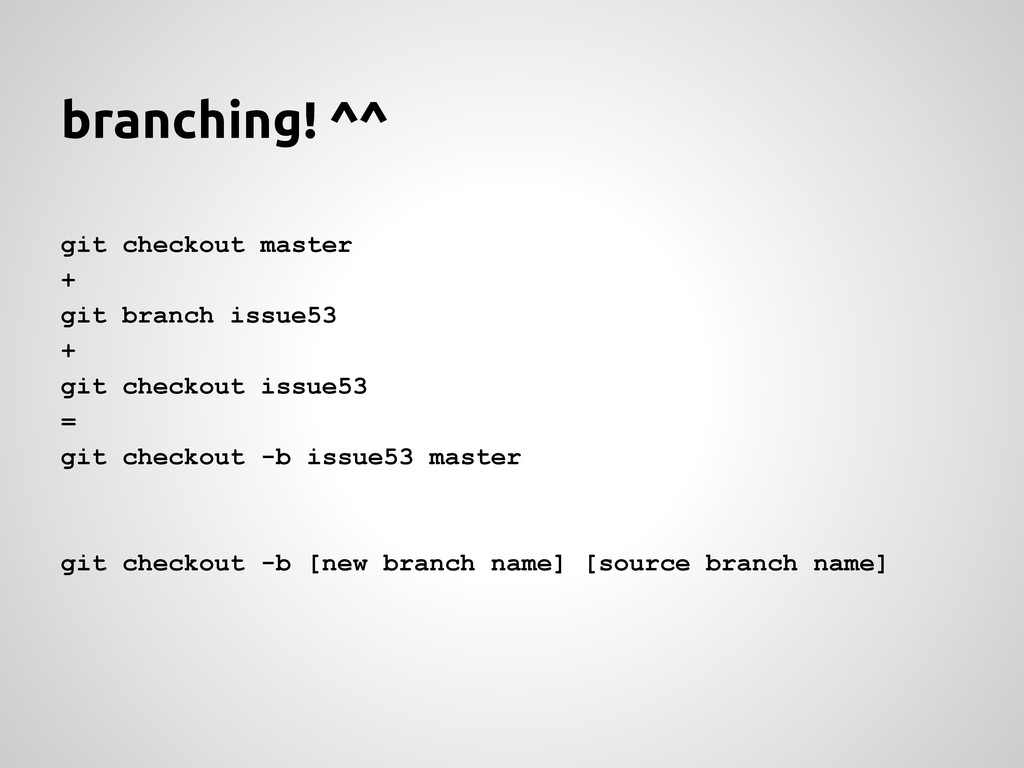
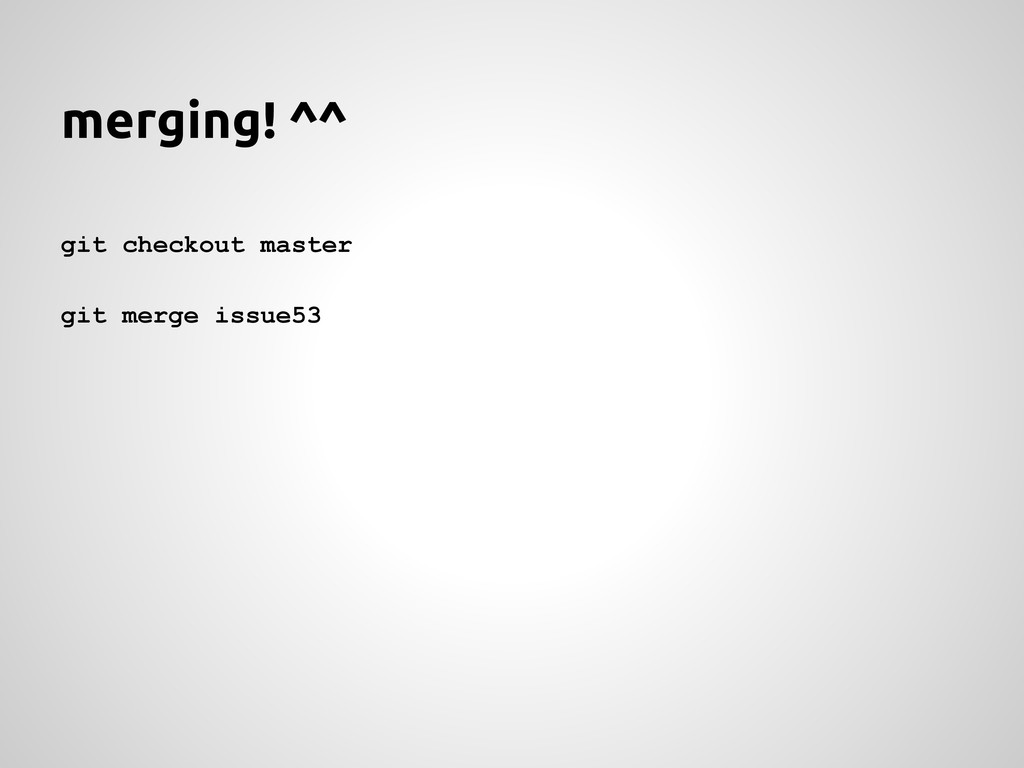
![deleting branches.. git branch -d <branch_name> [Recommended]](https://files.speakerdeck.com/presentations/85ef26a00e9b0131b90232c596a790ad/slide_9.jpg)

![now clone it! [svn checkout] git clone [email protected]:efl/app-dev.git](https://files.speakerdeck.com/presentations/85ef26a00e9b0131b90232c596a790ad/slide_11.jpg)
![[svn commit] Make changes in xyz.. git commit -am "changed](https://files.speakerdeck.com/presentations/85ef26a00e9b0131b90232c596a790ad/slide_12.jpg)
![[svn update] git fetch + git merge origin/master = git](https://files.speakerdeck.com/presentations/85ef26a00e9b0131b90232c596a790ad/slide_13.jpg)
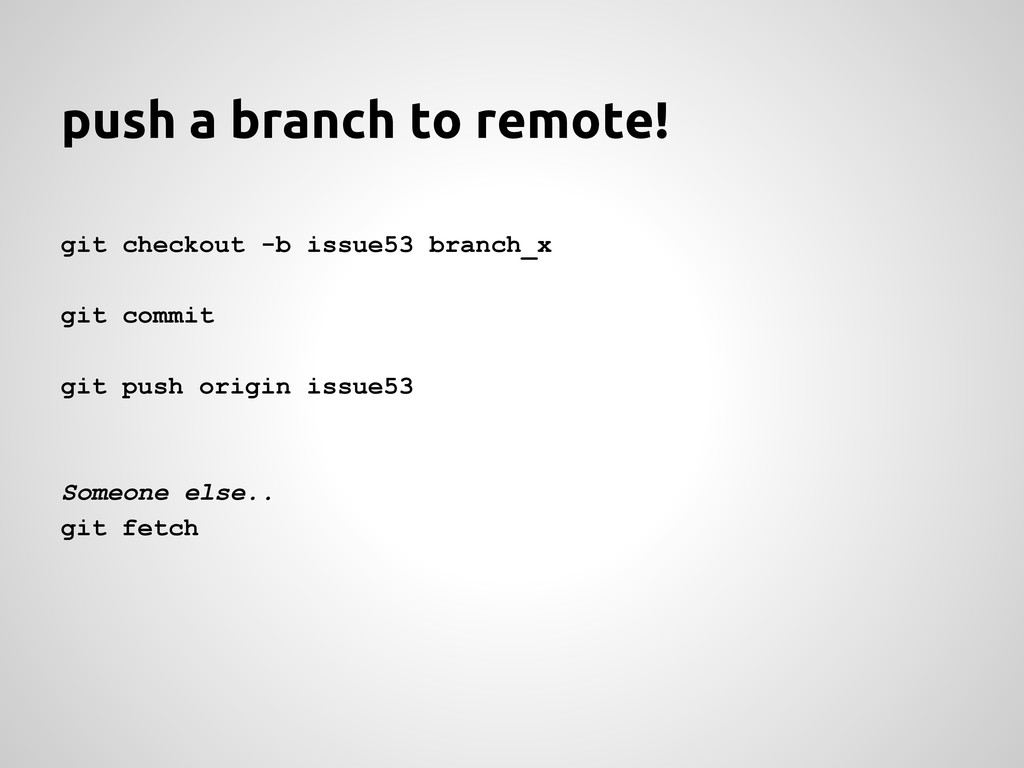
![tagging.. git tag -a v1.0 git tag [list them] git](https://files.speakerdeck.com/presentations/85ef26a00e9b0131b90232c596a790ad/slide_15.jpg)
![misc.. git log [--oneline] [--graph] [--all] [--stat] git config --global](https://files.speakerdeck.com/presentations/85ef26a00e9b0131b90232c596a790ad/slide_16.jpg)