Share
Embed
Annual Pro sale · Save $30
Have presentations of your own?
Share with private links, password protection, and more control over your work.
Transcript
28 slides
-
Self Introduction { "name": "Keiji KAMEBUCHI", "corporation": "pnop Inc.", "web":
"https://azure.moe/", "web (a.k.a.)": "ブ チ ザ ッ キ ", "X": "@kosmosebi", "awards": ["Microsoft MVP for Microsoft Azure", "Microsoft Regional Director"], "location": "Osaka, Japan", "YouTube": "https://www.youtube.com/kosmosebi" } Copyright© 2025, @kosmosebi All Rights Reserved. 2 Senior Fellow @kosmosebi -
Agenda 前書き Hyperlight とは まとめ Copyright© 2025, @kosmosebi All Rights
Reserved. 3 このスライドは2025年5月10日時点のうんたらかんたら -
前書き Azure にはエッジでプログラムを動かすようなのが無いなぁ なんか Azure Front Door Edge Actions とか出てきそうな雰囲気
ベースに Hyperlight というのを使ってるらしい ちょっと見てみましょう ※ エッジコンピューティングは昔からあるし割愛 ※ WebAssembly についても同様 Copyright© 2025, @kosmosebi All Rights Reserved. 4 現時点でAzure要素ゼロでは… -
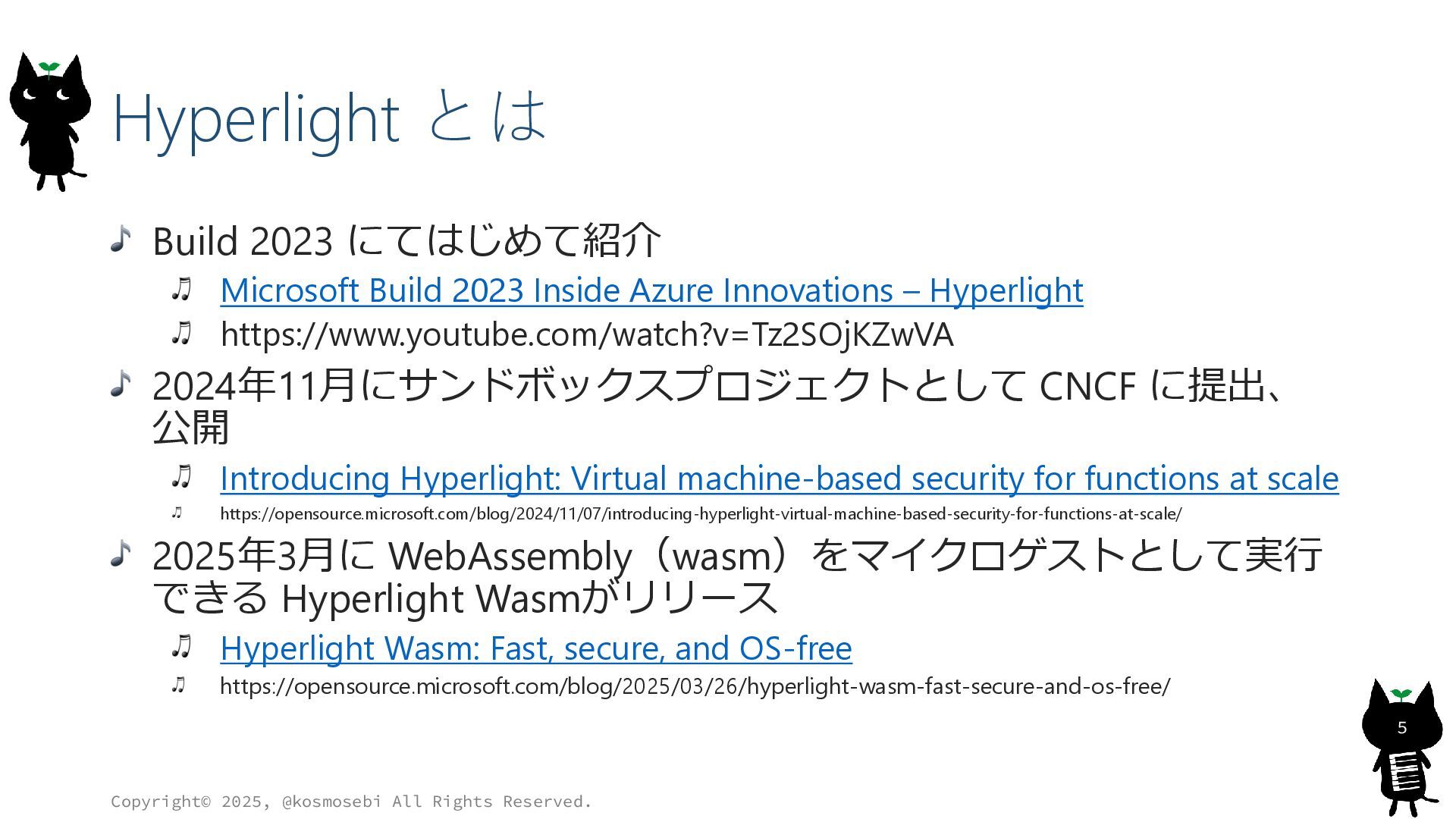
Hyperlight とは Build 2023 にてはじめて紹介 Microsoft Build 2023 Inside Azure
Innovations – Hyperlight https://www.youtube.com/watch?v=Tz2SOjKZwVA 2024年11月にサンドボックスプロジェクトとして CNCF に提出、 公開 Introducing Hyperlight: Virtual machine-based security for functions at scale https://opensource.microsoft.com/blog/2024/11/07/introducing-hyperlight-virtual-machine-based-security-for-functions-at-scale/ 2025年3月に WebAssembly(wasm)をマイクロゲストとして実行 できる Hyperlight Wasmがリリース Hyperlight Wasm: Fast, secure, and OS-free https://opensource.microsoft.com/blog/2025/03/26/hyperlight-wasm-fast-secure-and-os-free/ Copyright© 2025, @kosmosebi All Rights Reserved. 5 -
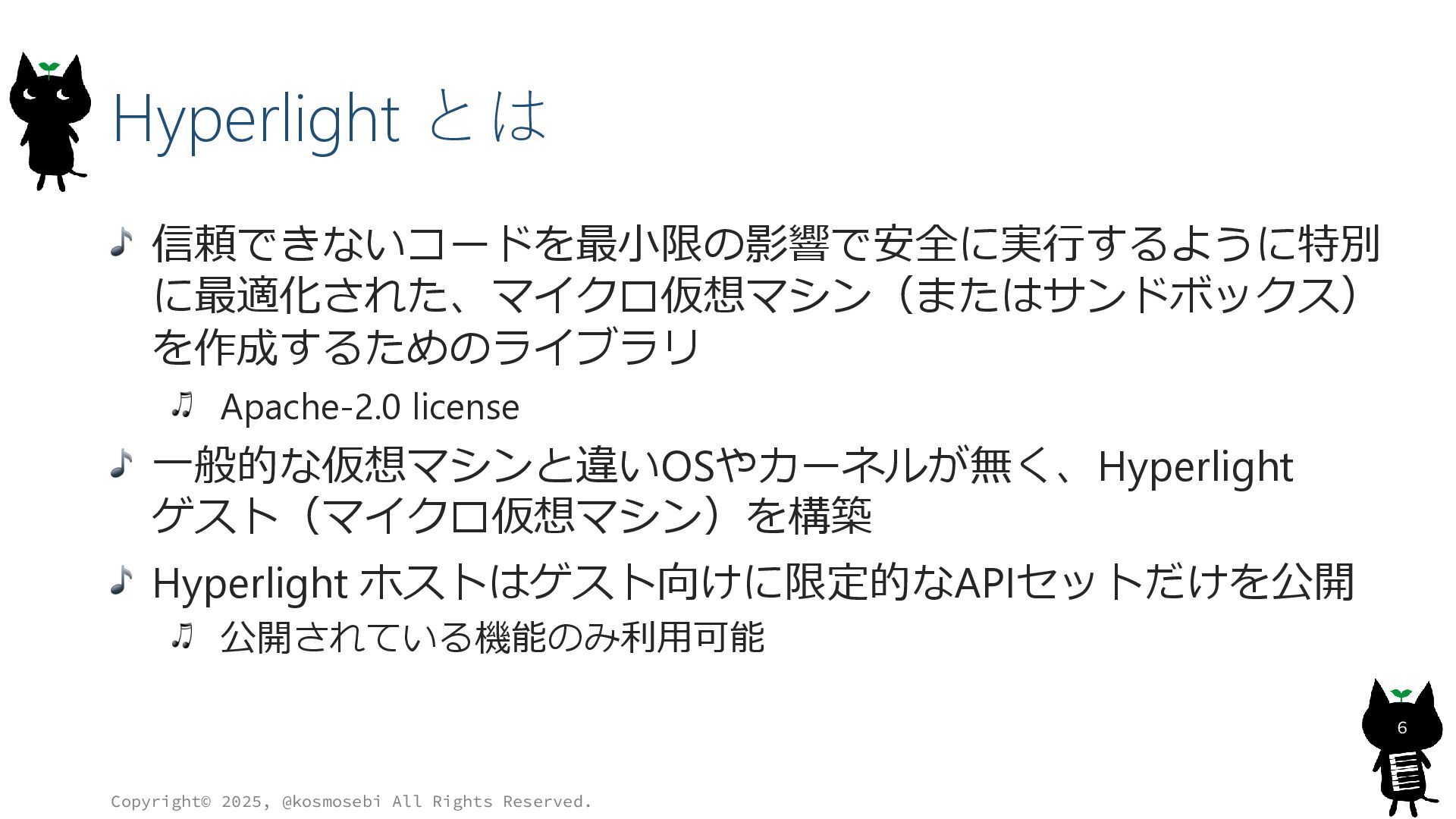
Hyperlight とは 信頼できないコードを最小限の影響で安全に実行するように特別 に最適化された、マイクロ仮想マシン(またはサンドボックス) を作成するためのライブラリ Apache-2.0 license 一般的な仮想マシンと違いOSやカーネルが無く、Hyperlight ゲスト(マイクロ仮想マシン)を構築 Hyperlight
ホストはゲスト向けに限定的なAPIセットだけを公開 公開されている機能のみ利用可能 Copyright© 2025, @kosmosebi All Rights Reserved. 6 -
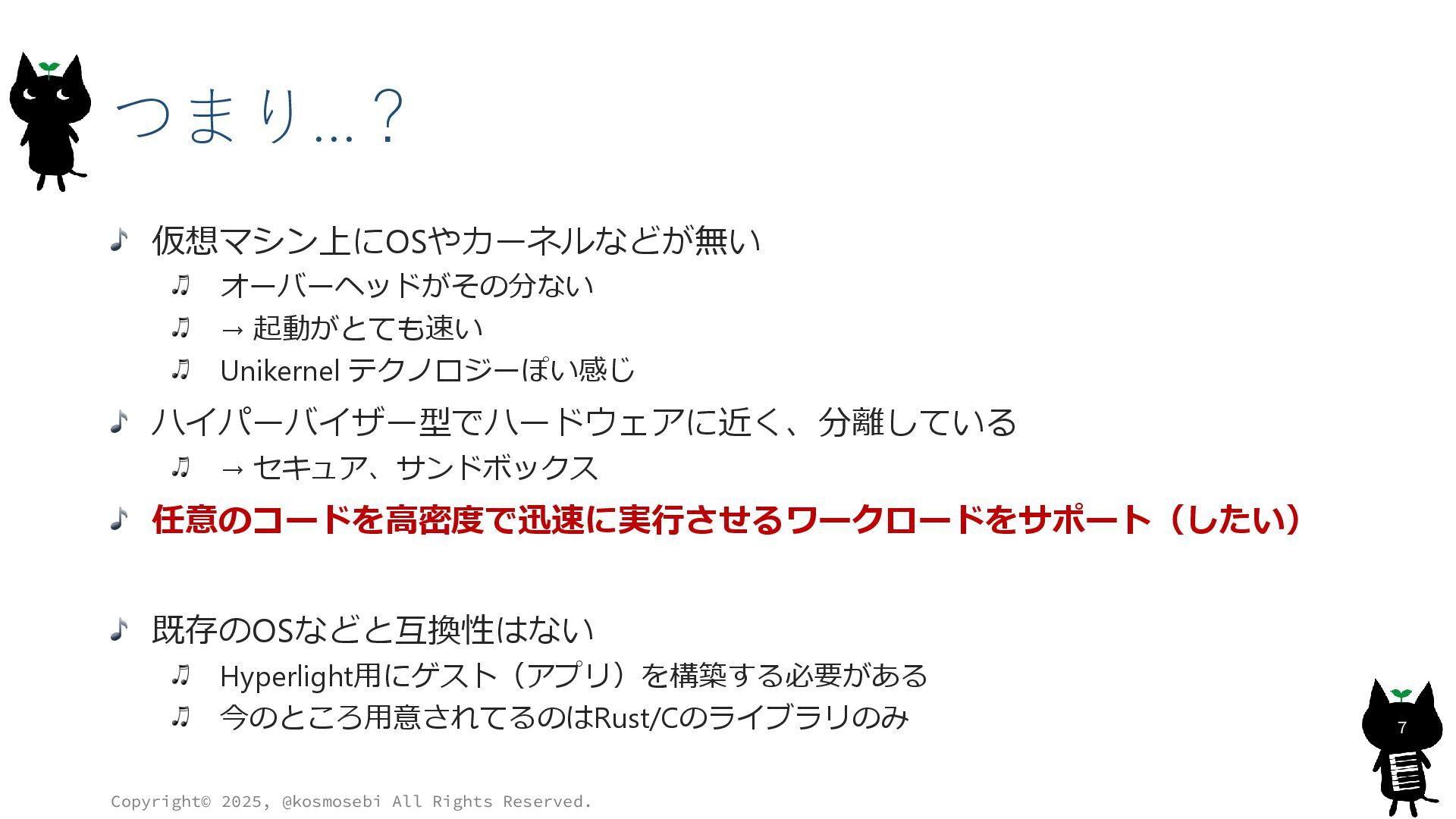
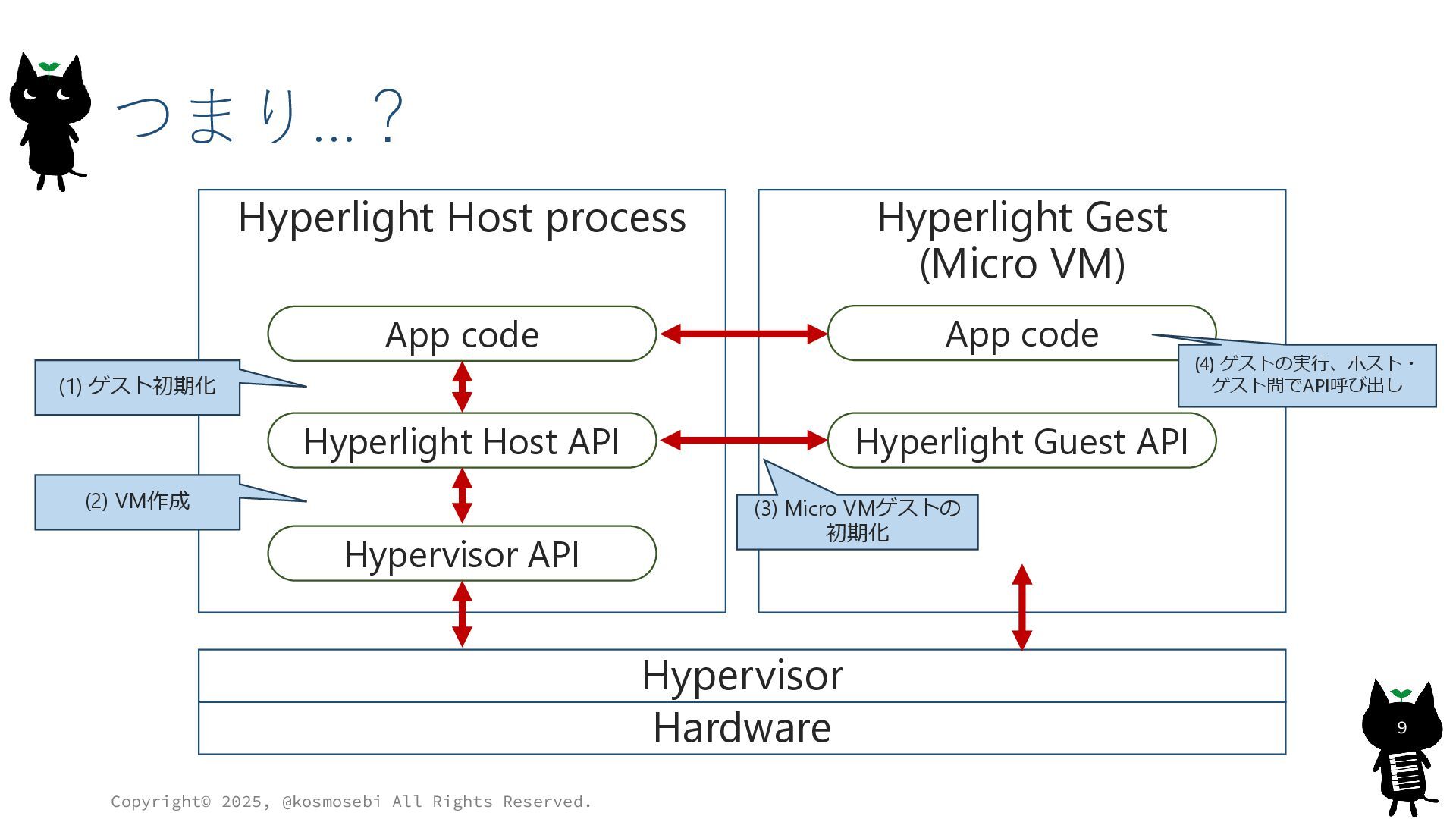
つまり…? 仮想マシン上にOSやカーネルなどが無い オーバーヘッドがその分ない → 起動がとても速い Unikernel テクノロジーぽい感じ ハイパーバイザー型でハードウェアに近く、分離している → セキュア、サンドボックス
任意のコードを高密度で迅速に実行させるワークロードをサポート(したい) 既存のOSなどと互換性はない Hyperlight用にゲスト(アプリ)を構築する必要がある 今のところ用意されてるのはRust/Cのライブラリのみ Copyright© 2025, @kosmosebi All Rights Reserved. 7 -
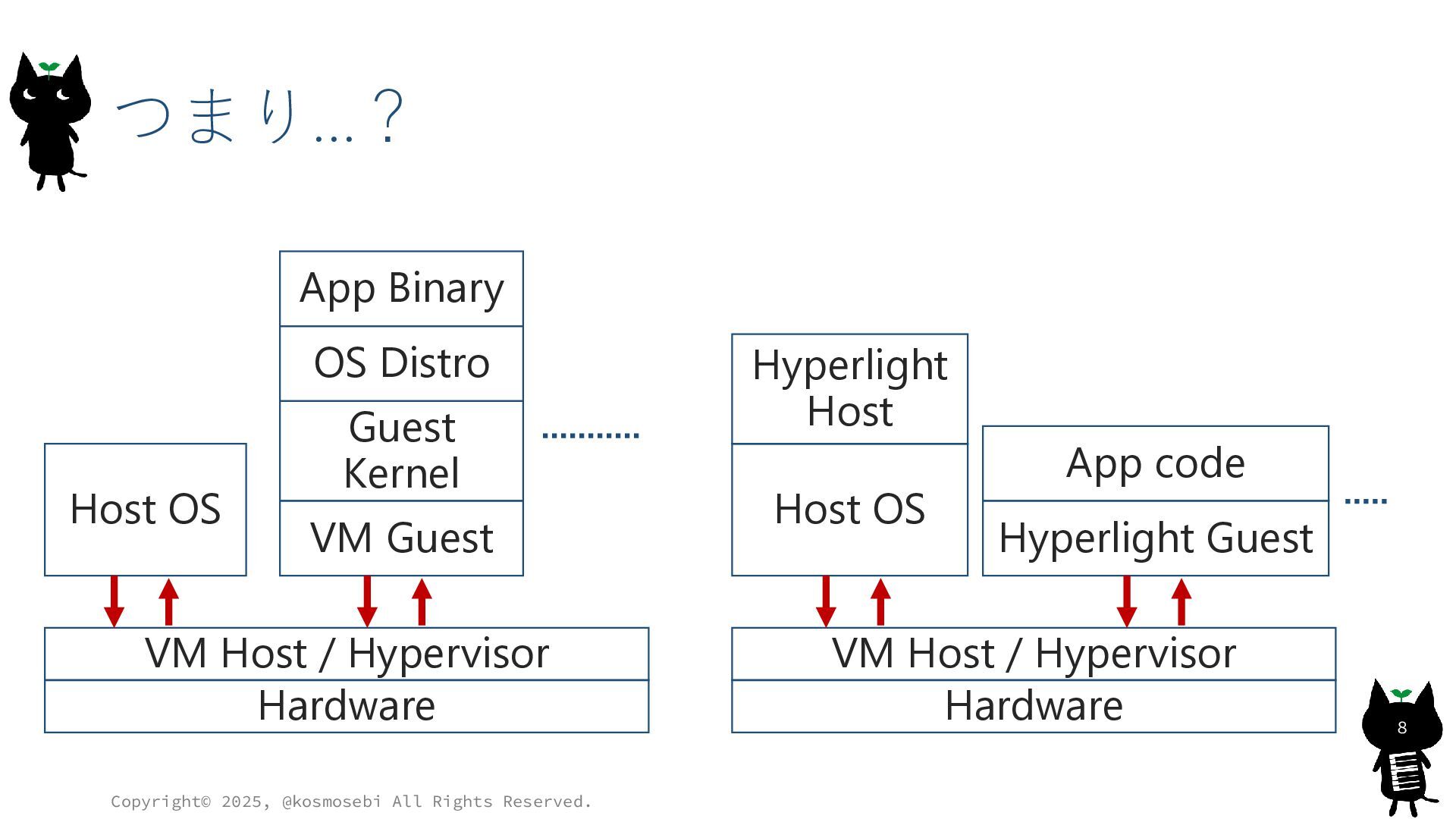
つまり…? Copyright© 2025, @kosmosebi All Rights Reserved. 8 Hardware VM
Host / Hypervisor Host OS VM Guest Guest Kernel OS Distro App Binary Hardware VM Host / Hypervisor Host OS Hyperlight Guest App code Hyperlight Host -
Hyperlight Host process Hyperlight Gest (Micro VM) つまり…? Copyright© 2025,
@kosmosebi All Rights Reserved. 9 Hardware Hypervisor Hypervisor API Hyperlight Host API App code App code Hyperlight Guest API (1) ゲスト初期化 (2) VM作成 (3) Micro VMゲストの 初期化 (4) ゲストの実行、ホスト・ ゲスト間でAPI呼び出し -
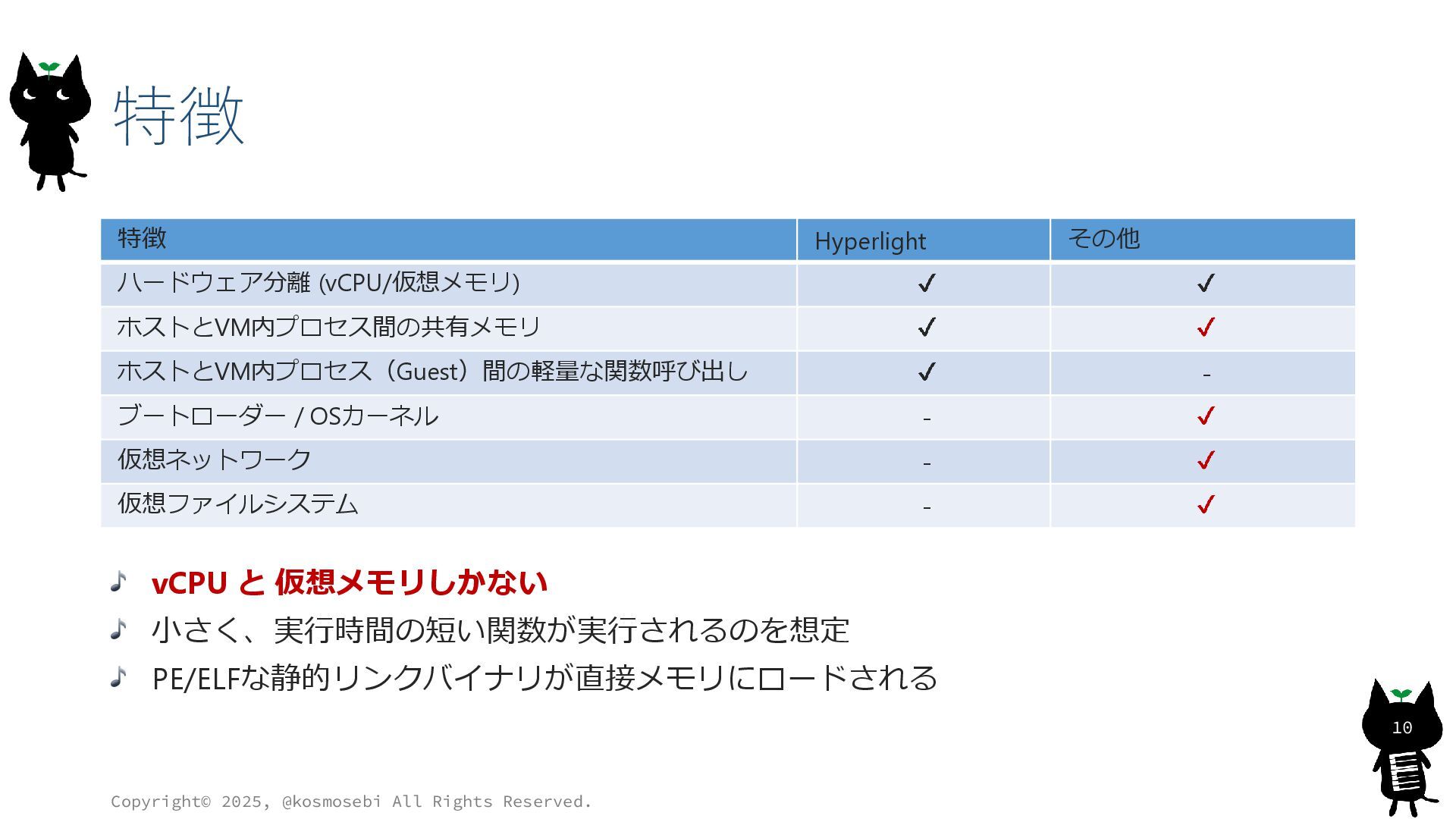
特徴 特徴 Hyperlight その他 ハードウェア分離 (vCPU/仮想メモリ) ホストとVM内プロセス間の共有メモリ ホストとVM内プロセス(Guest)間の軽量な関数呼び出し - ブートローダー
/ OSカーネル - 仮想ネットワーク - 仮想ファイルシステム - Copyright© 2025, @kosmosebi All Rights Reserved. 10 vCPU と 仮想メモリしかない 小さく、実行時間の短い関数が実行されるのを想定 PE/ELFな静的リンクバイナリが直接メモリにロードされる -
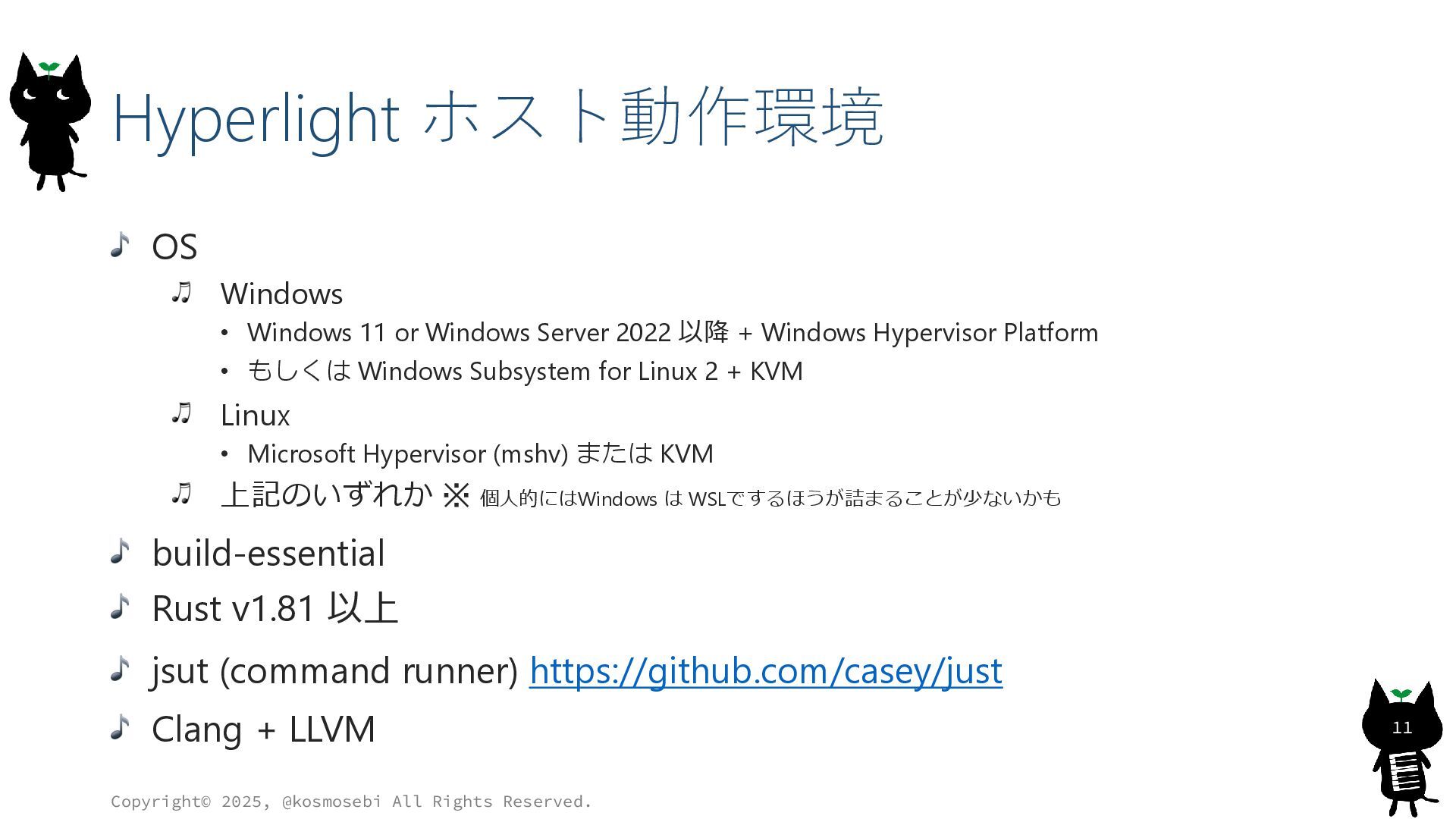
Hyperlight ホスト動作環境 OS Windows • Windows 11 or Windows Server
2022 以降 + Windows Hypervisor Platform • もしくは Windows Subsystem for Linux 2 + KVM Linux • Microsoft Hypervisor (mshv) または KVM 上記のいずれか ※ 個人的にはWindows は WSLでするほうが詰まることが少ないかも build-essential Rust v1.81 以上 jsut (command runner) https://github.com/casey/just Clang + LLVM Copyright© 2025, @kosmosebi All Rights Reserved. 11 -
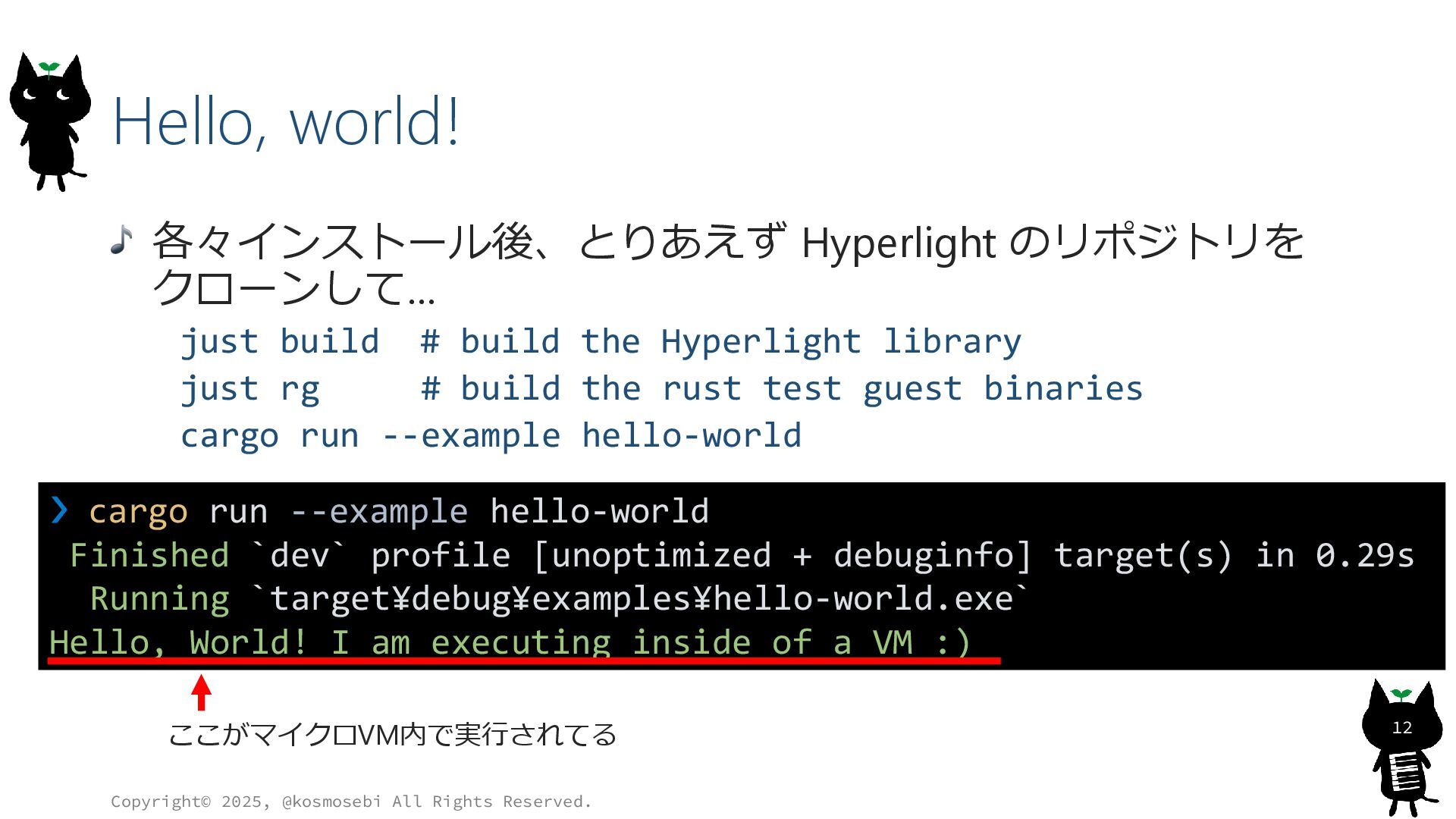
Hello, world! 各々インストール後、とりあえず Hyperlight のリポジトリを クローンして… just build # build
the Hyperlight library just rg # build the rust test guest binaries cargo run --example hello-world Copyright© 2025, @kosmosebi All Rights Reserved. 12 ❯ cargo run --example hello-world Finished `dev` profile [unoptimized + debuginfo] target(s) in 0.29s Running `target¥debug¥examples¥hello-world.exe` Hello, World! I am executing inside of a VM :) ここがマイクロVM内で実行されてる -
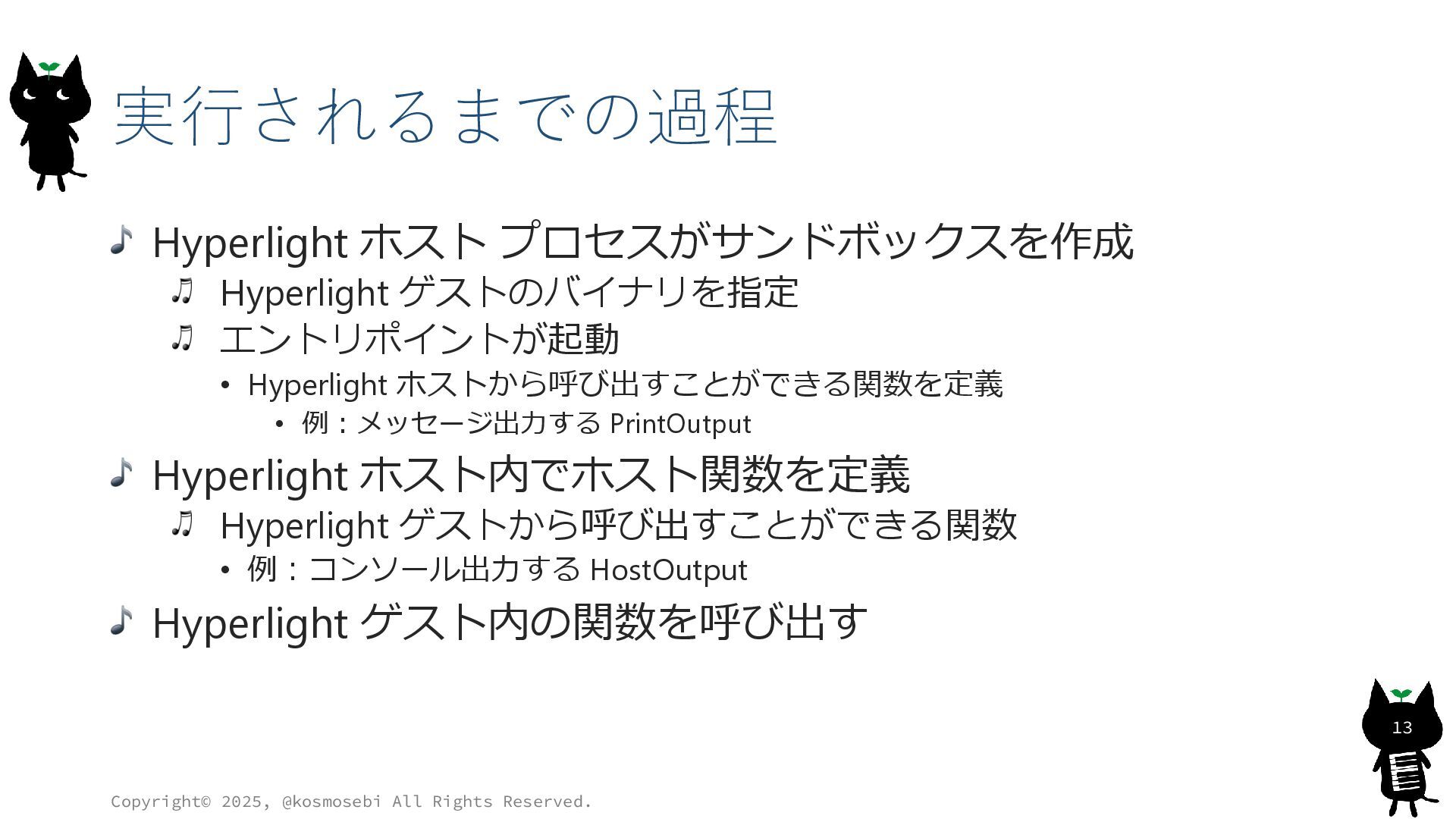
実行されるまでの過程 Hyperlight ホスト プロセスがサンドボックスを作成 Hyperlight ゲストのバイナリを指定 エントリポイントが起動 • Hyperlight ホストから呼び出すことができる関数を定義
• 例:メッセージ出力する PrintOutput Hyperlight ホスト内でホスト関数を定義 Hyperlight ゲストから呼び出すことができる関数 • 例:コンソール出力する HostOutput Hyperlight ゲスト内の関数を呼び出す Copyright© 2025, @kosmosebi All Rights Reserved. 13 -
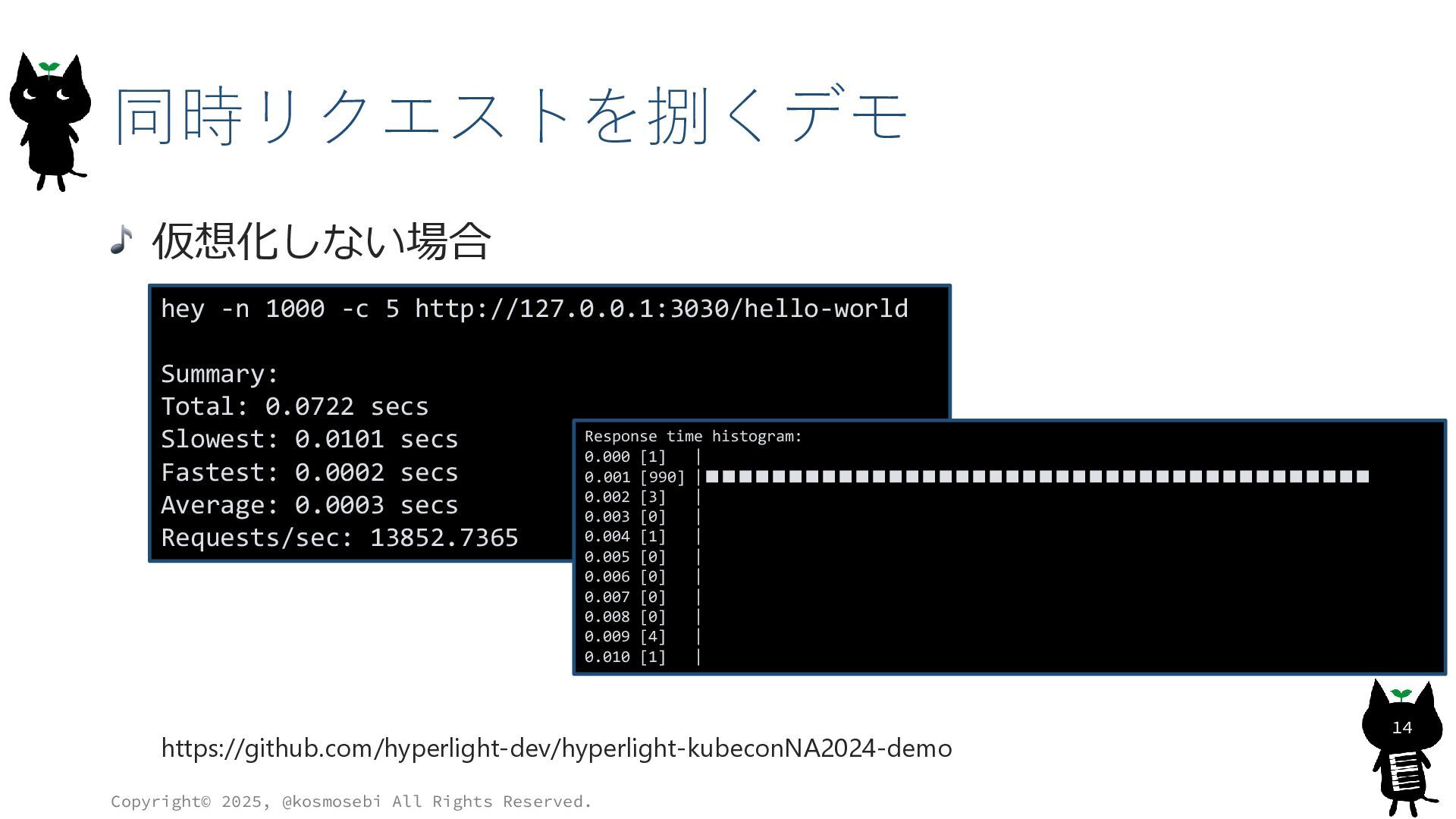
同時リクエストを捌くデモ 仮想化しない場合 Copyright© 2025, @kosmosebi All Rights Reserved. 14 hey
-n 1000 -c 5 http://127.0.0.1:3030/hello-world Summary: Total: 0.0722 secs Slowest: 0.0101 secs Fastest: 0.0002 secs Average: 0.0003 secs Requests/sec: 13852.7365 https://github.com/hyperlight-dev/hyperlight-kubeconNA2024-demo Response time histogram: 0.000 [1] | 0.001 [990] |▪▪▪▪▪▪▪▪▪▪▪▪▪▪▪▪▪▪▪▪▪▪▪▪▪▪▪▪▪▪▪▪▪▪▪▪▪▪▪▪ 0.002 [3] | 0.003 [0] | 0.004 [1] | 0.005 [0] | 0.006 [0] | 0.007 [0] | 0.008 [0] | 0.009 [4] | 0.010 [1] | -
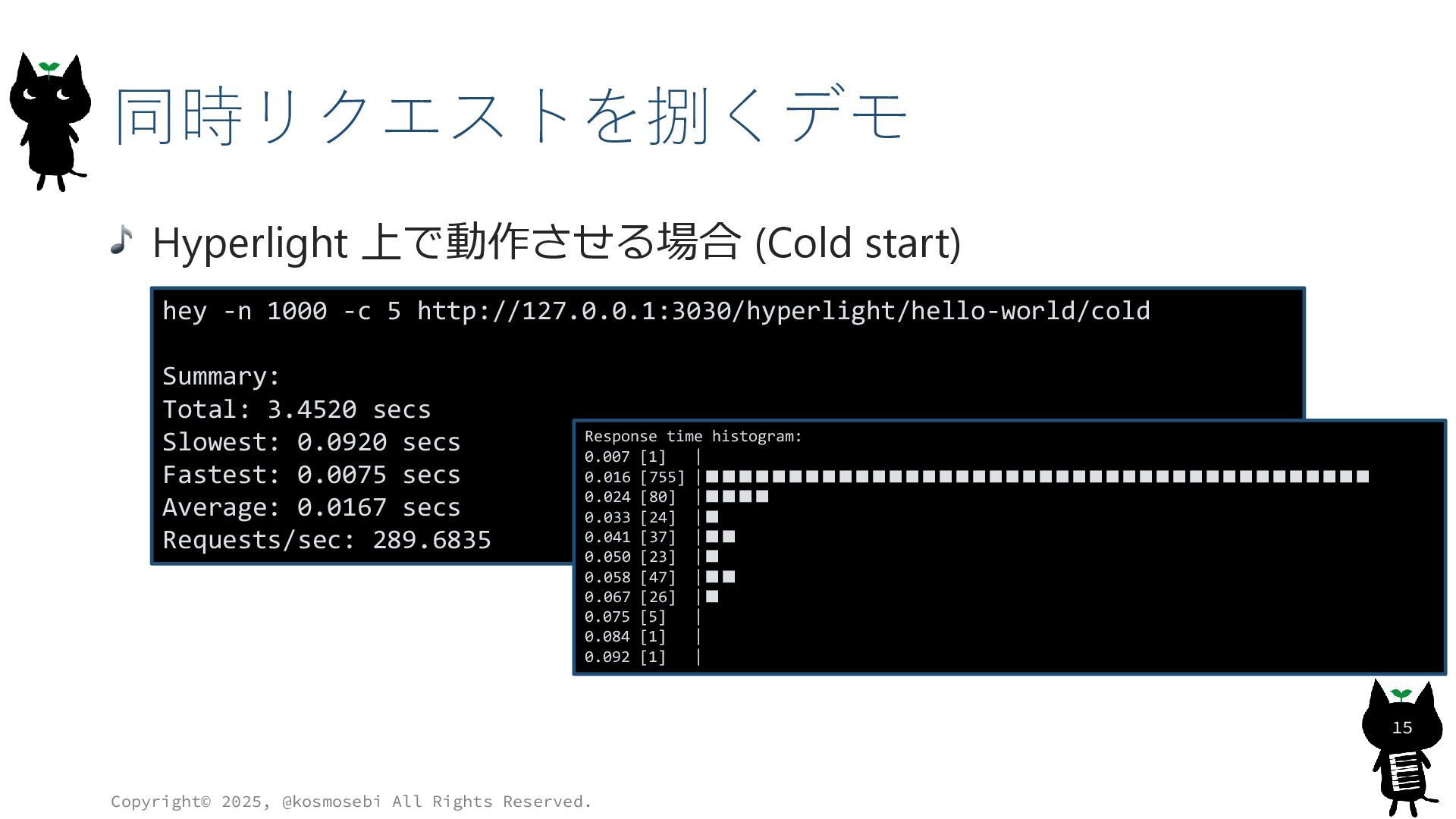
同時リクエストを捌くデモ Hyperlight 上で動作させる場合 (Cold start) Copyright© 2025, @kosmosebi All Rights
Reserved. 15 hey -n 1000 -c 5 http://127.0.0.1:3030/hyperlight/hello-world/cold Summary: Total: 3.4520 secs Slowest: 0.0920 secs Fastest: 0.0075 secs Average: 0.0167 secs Requests/sec: 289.6835 Response time histogram: 0.007 [1] | 0.016 [755] |▪▪▪▪▪▪▪▪▪▪▪▪▪▪▪▪▪▪▪▪▪▪▪▪▪▪▪▪▪▪▪▪▪▪▪▪▪▪▪▪ 0.024 [80] |▪▪▪▪ 0.033 [24] |▪ 0.041 [37] |▪▪ 0.050 [23] |▪ 0.058 [47] |▪▪ 0.067 [26] |▪ 0.075 [5] | 0.084 [1] | 0.092 [1] | -
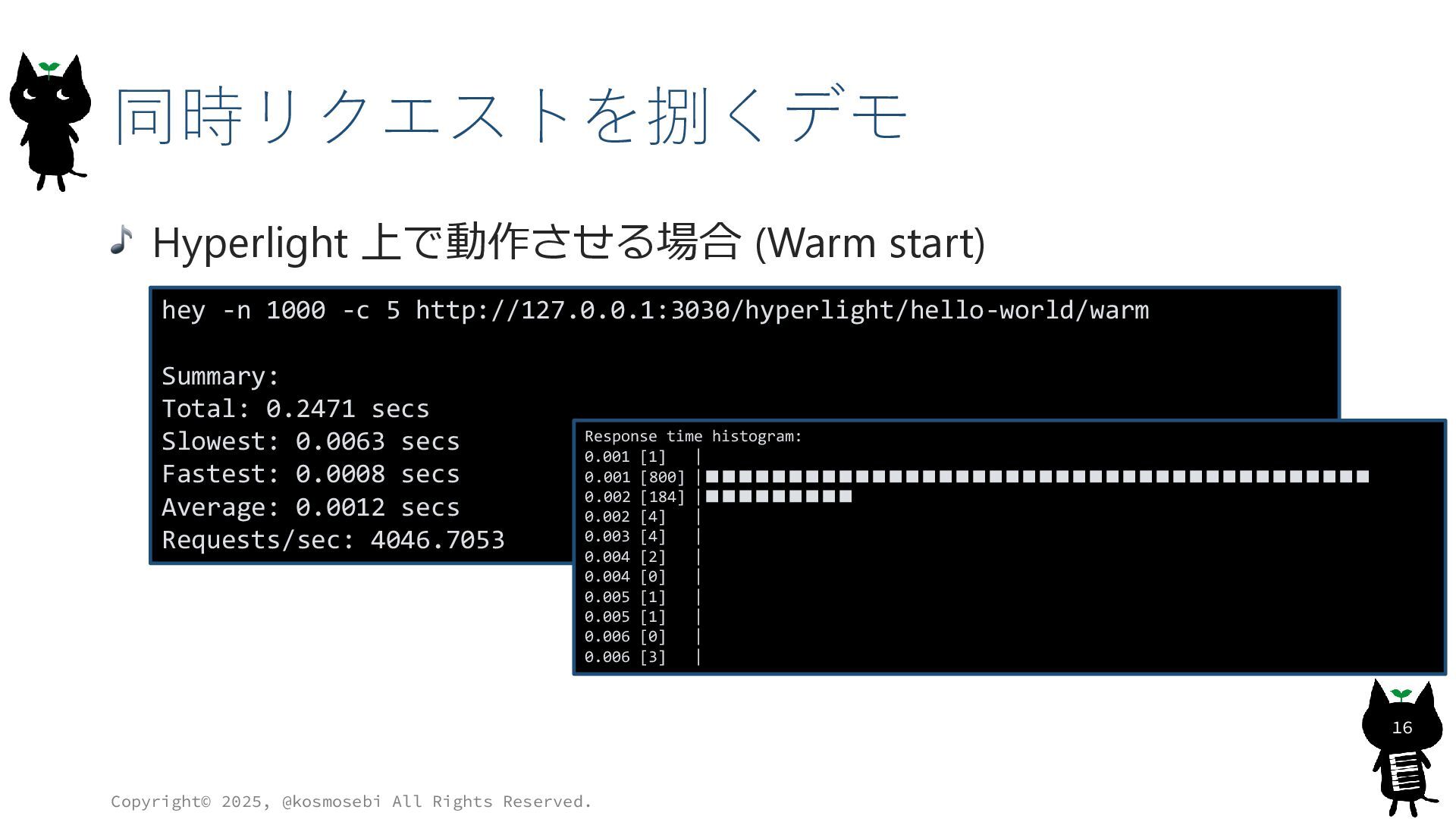
同時リクエストを捌くデモ Hyperlight 上で動作させる場合 (Warm start) Copyright© 2025, @kosmosebi All Rights
Reserved. 16 hey -n 1000 -c 5 http://127.0.0.1:3030/hyperlight/hello-world/warm Summary: Total: 0.2471 secs Slowest: 0.0063 secs Fastest: 0.0008 secs Average: 0.0012 secs Requests/sec: 4046.7053 Response time histogram: 0.001 [1] | 0.001 [800] |▪▪▪▪▪▪▪▪▪▪▪▪▪▪▪▪▪▪▪▪▪▪▪▪▪▪▪▪▪▪▪▪▪▪▪▪▪▪▪▪ 0.002 [184] |▪▪▪▪▪▪▪▪▪ 0.002 [4] | 0.003 [4] | 0.004 [2] | 0.004 [0] | 0.005 [1] | 0.005 [1] | 0.006 [0] | 0.006 [3] | -
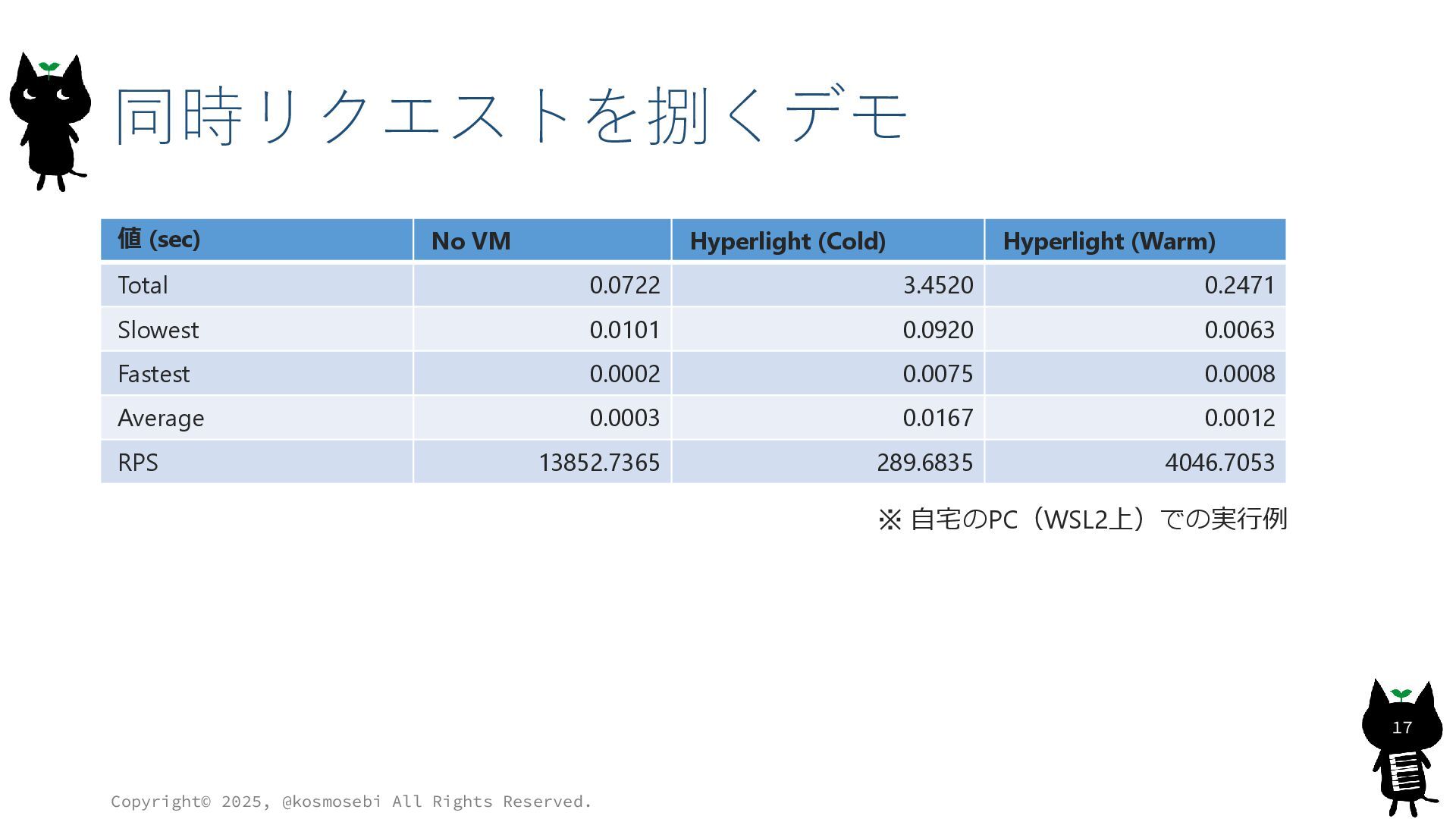
同時リクエストを捌くデモ Copyright© 2025, @kosmosebi All Rights Reserved. 17 値 (sec)
No VM Hyperlight (Cold) Hyperlight (Warm) Total 0.0722 3.4520 0.2471 Slowest 0.0101 0.0920 0.0063 Fastest 0.0002 0.0075 0.0008 Average 0.0003 0.0167 0.0012 RPS 13852.7365 289.6835 4046.7053 ※ 自宅のPC(WSL2上)での実行例 -
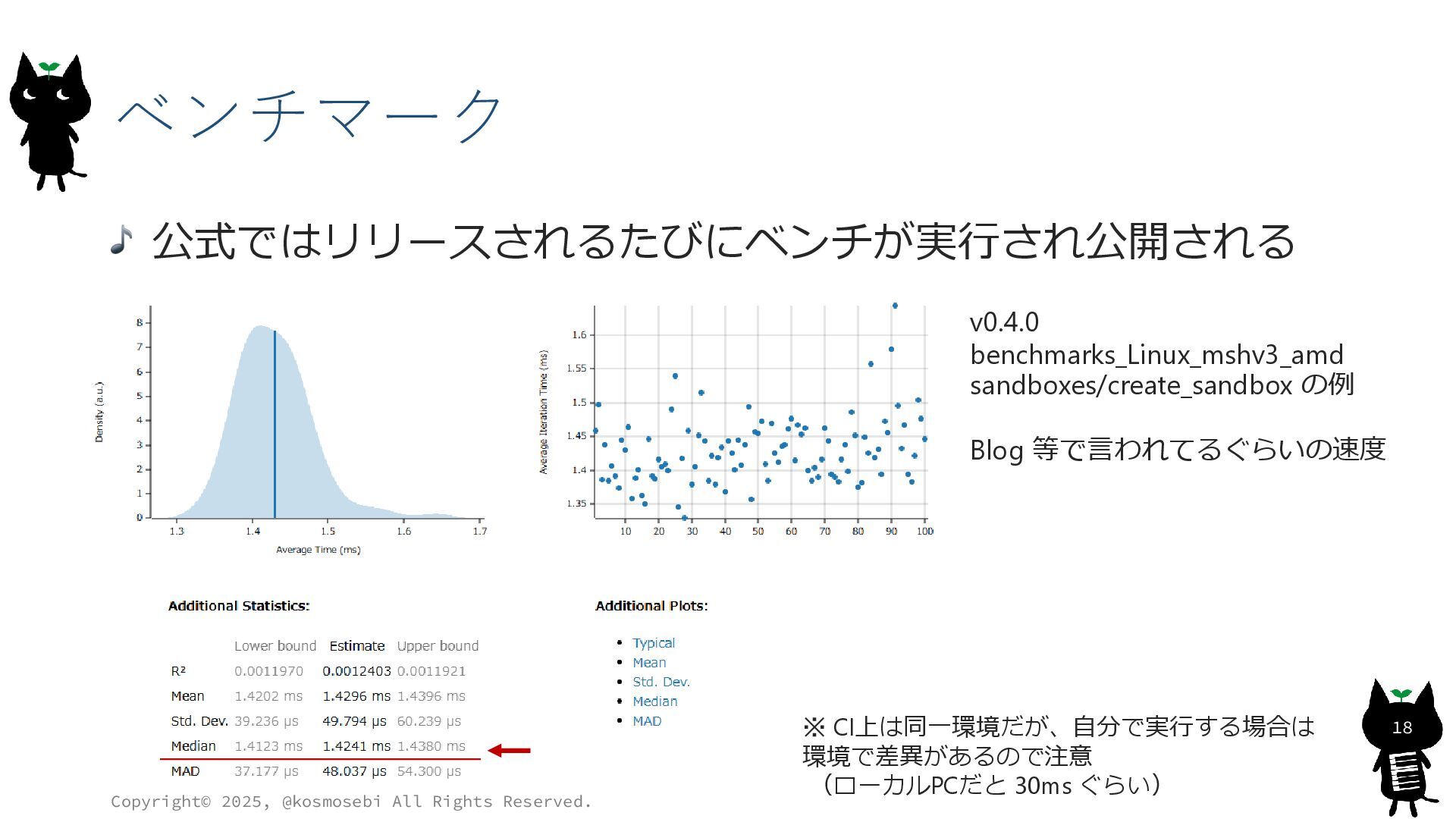
ベンチマーク 公式ではリリースされるたびにベンチが実行され公開される Copyright© 2025, @kosmosebi All Rights Reserved. 18 v0.4.0
benchmarks_Linux_mshv3_amd sandboxes/create_sandbox の例 Blog 等で言われてるぐらいの速度 ※ CI上は同一環境だが、自分で実行する場合は 環境で差異があるので注意 (ローカルPCだと 30ms ぐらい) -
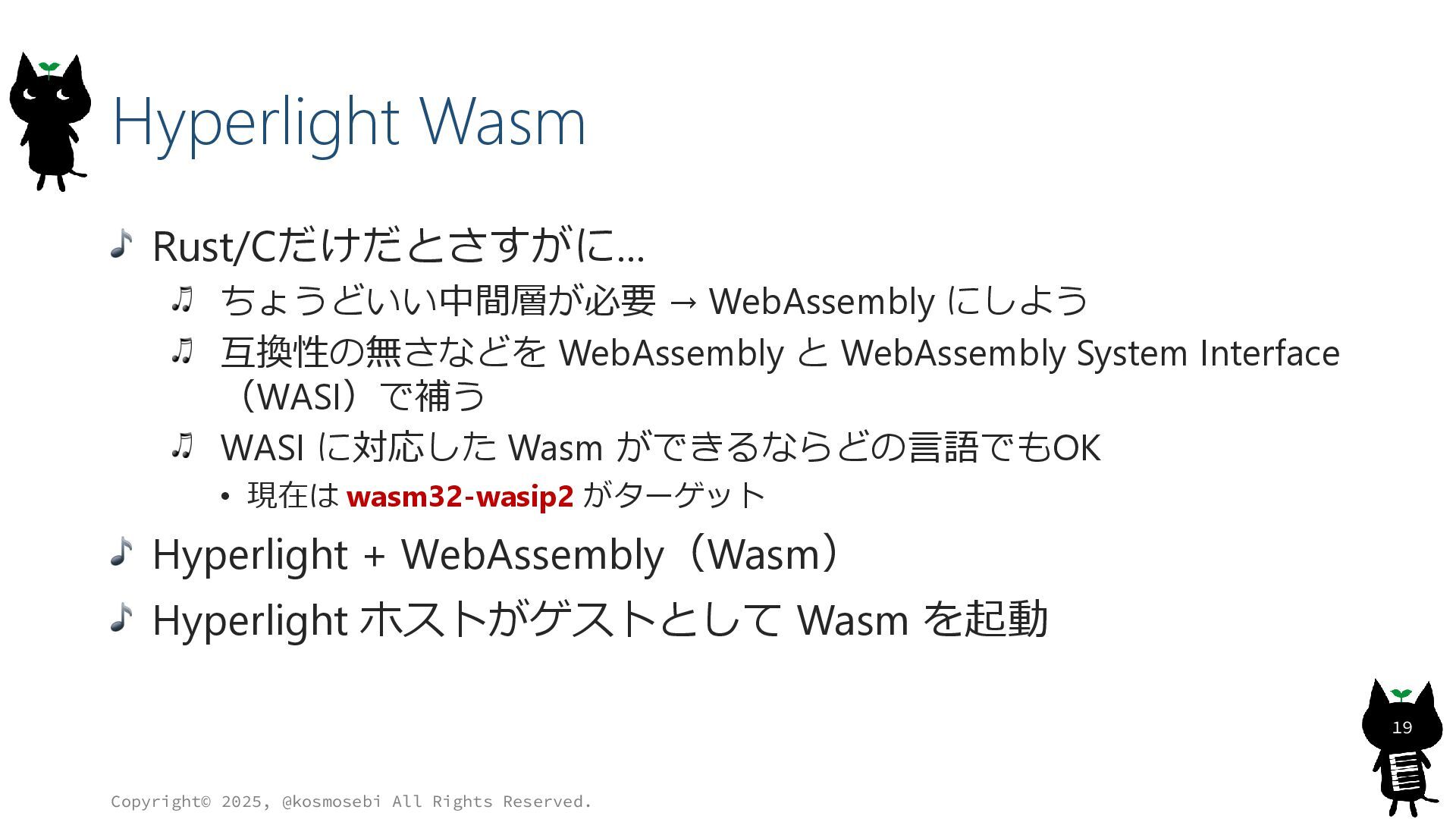
Hyperlight Wasm Rust/Cだけだとさすがに… ちょうどいい中間層が必要 → WebAssembly にしよう 互換性の無さなどを WebAssembly と
WebAssembly System Interface (WASI)で補う WASI に対応した Wasm ができるならどの言語でもOK • 現在は wasm32-wasip2 がターゲット Hyperlight + WebAssembly(Wasm) Hyperlight ホストがゲストとして Wasm を起動 Copyright© 2025, @kosmosebi All Rights Reserved. 19 -
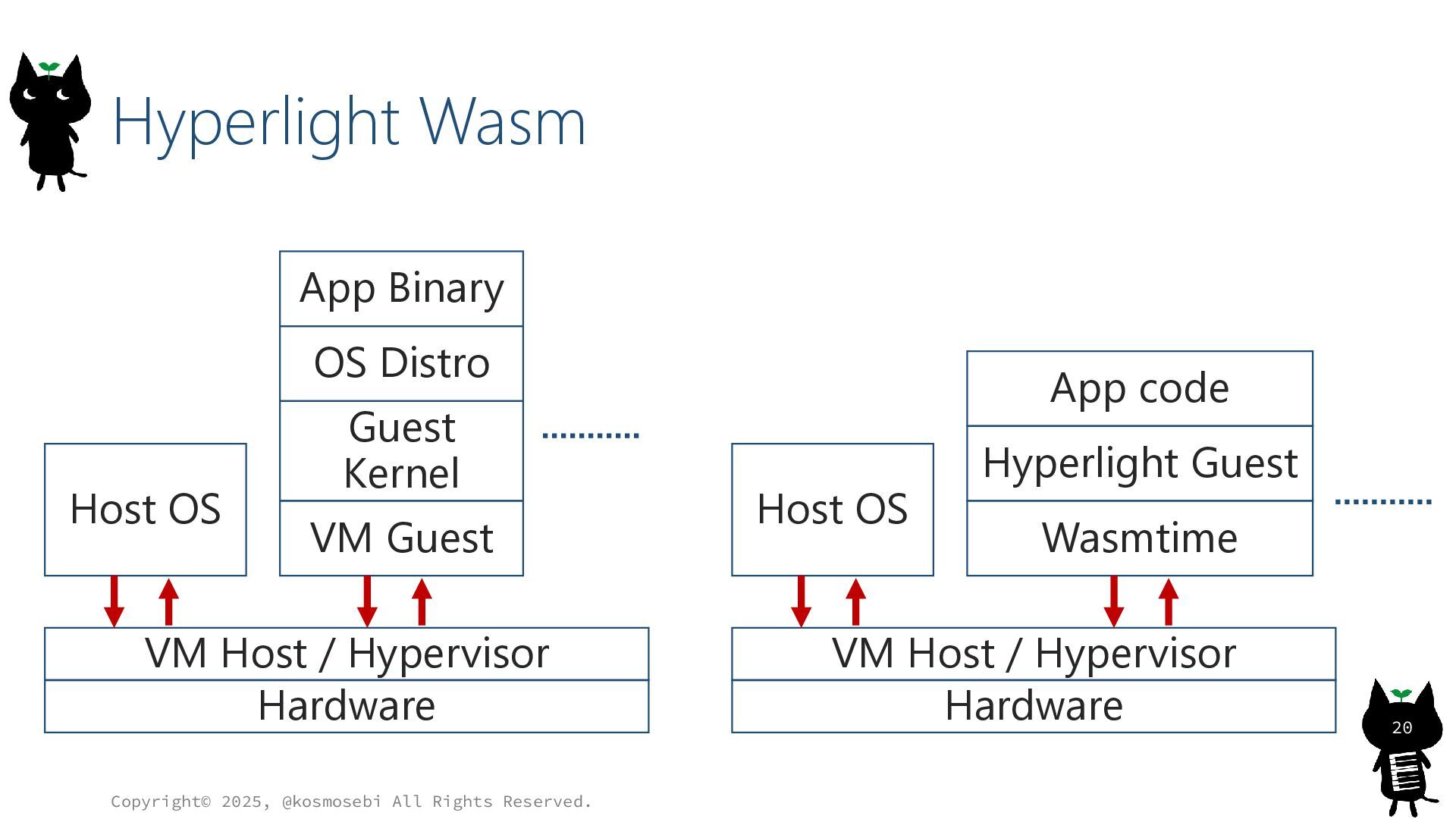
Hyperlight Wasm Copyright© 2025, @kosmosebi All Rights Reserved. 20 Hardware
VM Host / Hypervisor Host OS VM Guest Guest Kernel OS Distro App Binary Hardware VM Host / Hypervisor Host OS Wasmtime Hyperlight Guest App code -
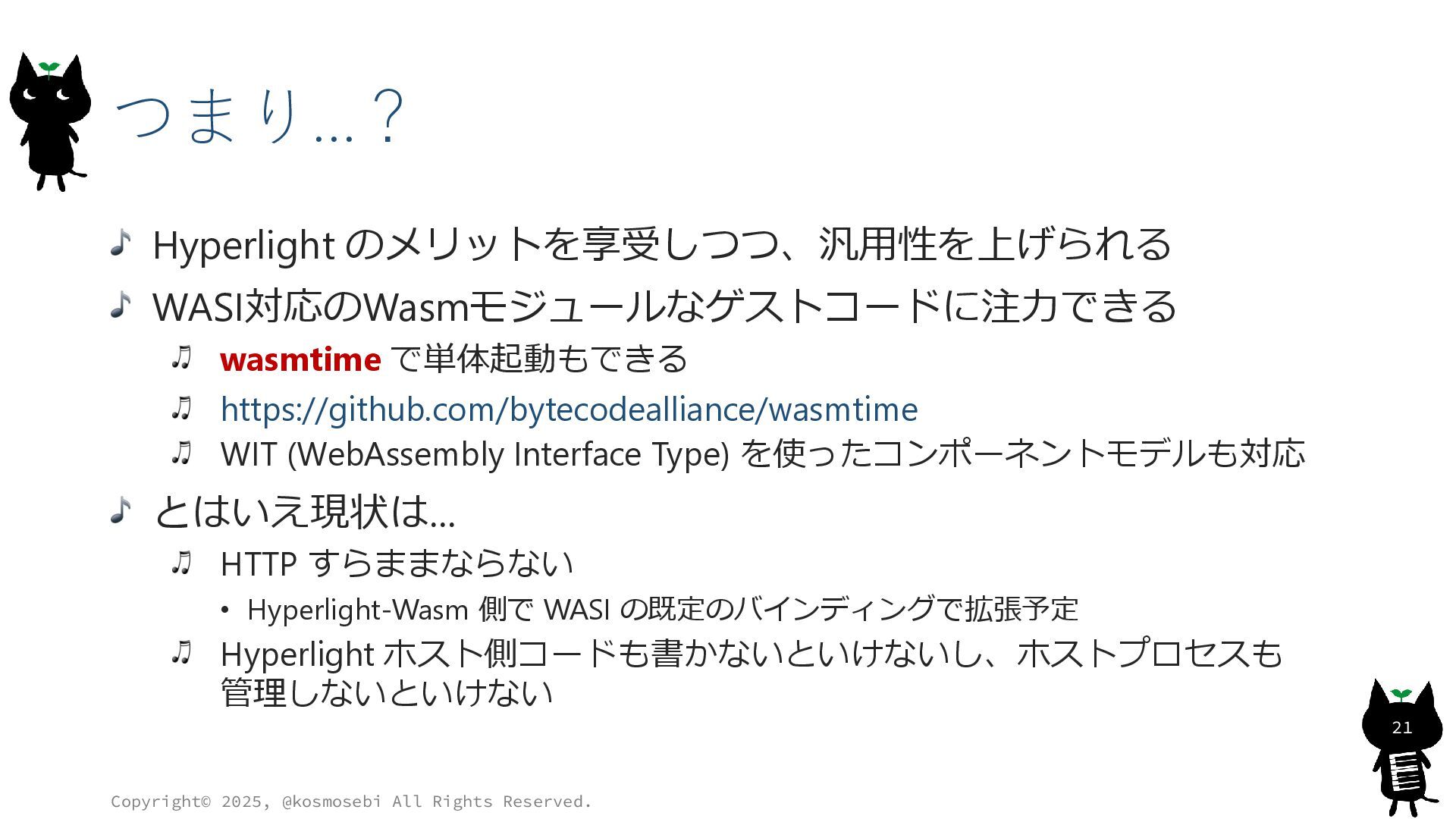
つまり…? Hyperlight のメリットを享受しつつ、汎用性を上げられる WASI対応のWasmモジュールなゲストコードに注力できる wasmtime で単体起動もできる https://github.com/bytecodealliance/wasmtime WIT (WebAssembly Interface
Type) を使ったコンポーネントモデルも対応 とはいえ現状は… HTTP すらままならない • Hyperlight-Wasm 側で WASI の既定のバインディングで拡張予定 Hyperlight ホスト側コードも書かないといけないし、ホストプロセスも 管理しないといけない Copyright© 2025, @kosmosebi All Rights Reserved. 21 -
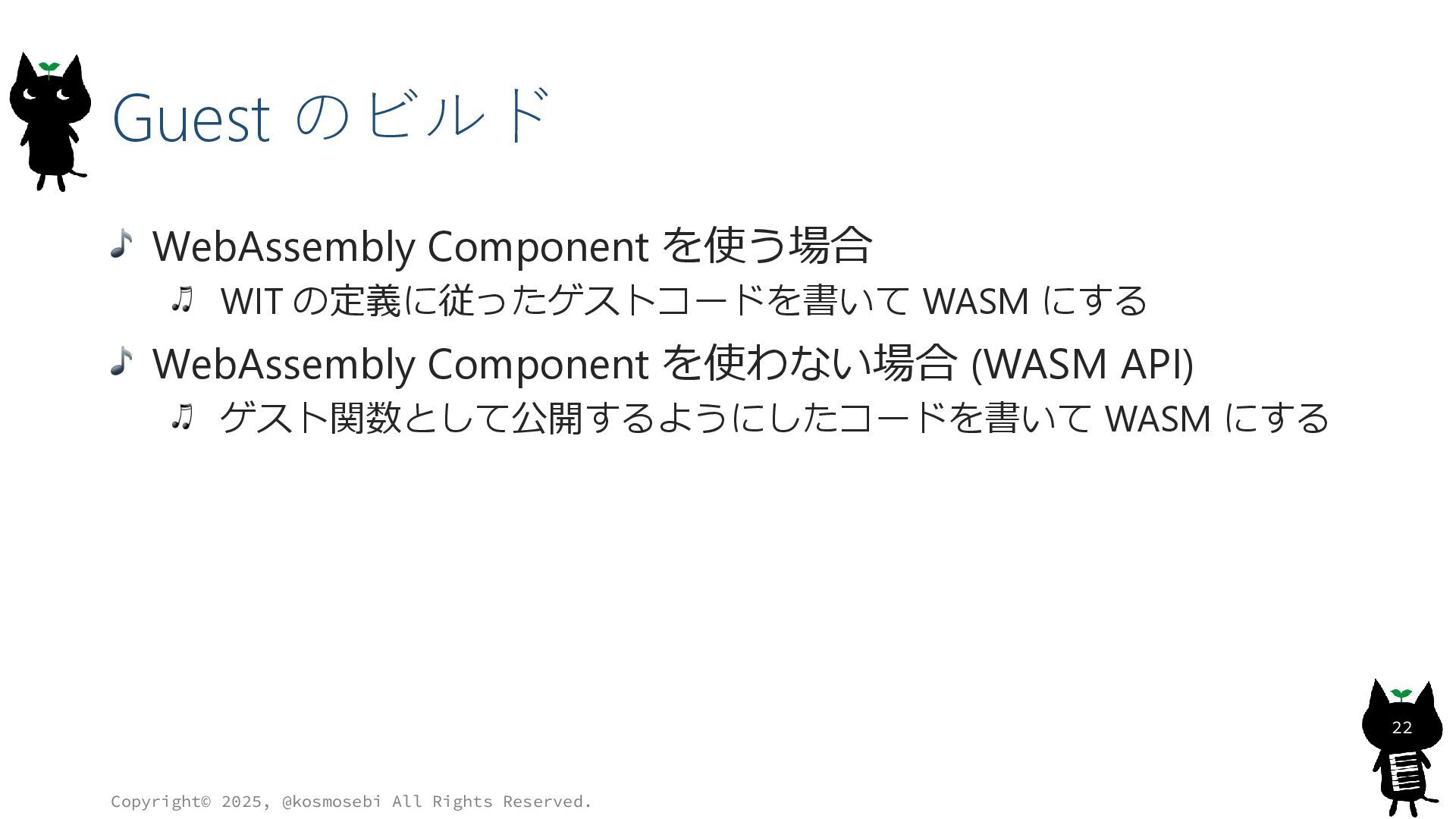
Guest のビルド WebAssembly Component を使う場合 WIT の定義に従ったゲストコードを書いて WASM にする WebAssembly
Component を使わない場合 (WASM API) ゲスト関数として公開するようにしたコードを書いて WASM にする Copyright© 2025, @kosmosebi All Rights Reserved. 22 -
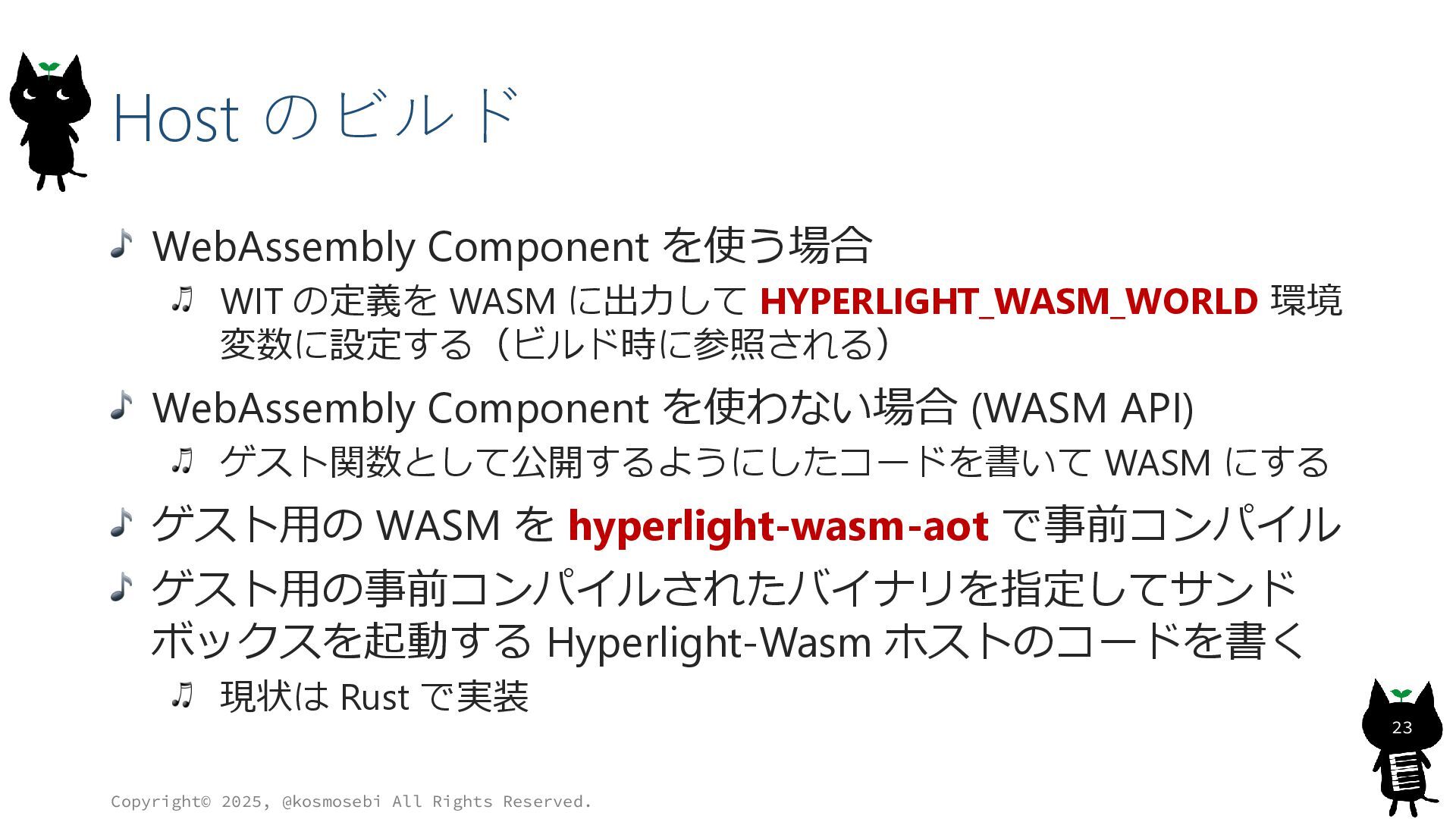
Host のビルド WebAssembly Component を使う場合 WIT の定義を WASM に出力して HYPERLIGHT_WASM_WORLD
環境 変数に設定する(ビルド時に参照される) WebAssembly Component を使わない場合 (WASM API) ゲスト関数として公開するようにしたコードを書いて WASM にする ゲスト用の WASM を hyperlight-wasm-aot で事前コンパイル ゲスト用の事前コンパイルされたバイナリを指定してサンド ボックスを起動する Hyperlight-Wasm ホストのコードを書く 現状は Rust で実装 Copyright© 2025, @kosmosebi All Rights Reserved. 23 -
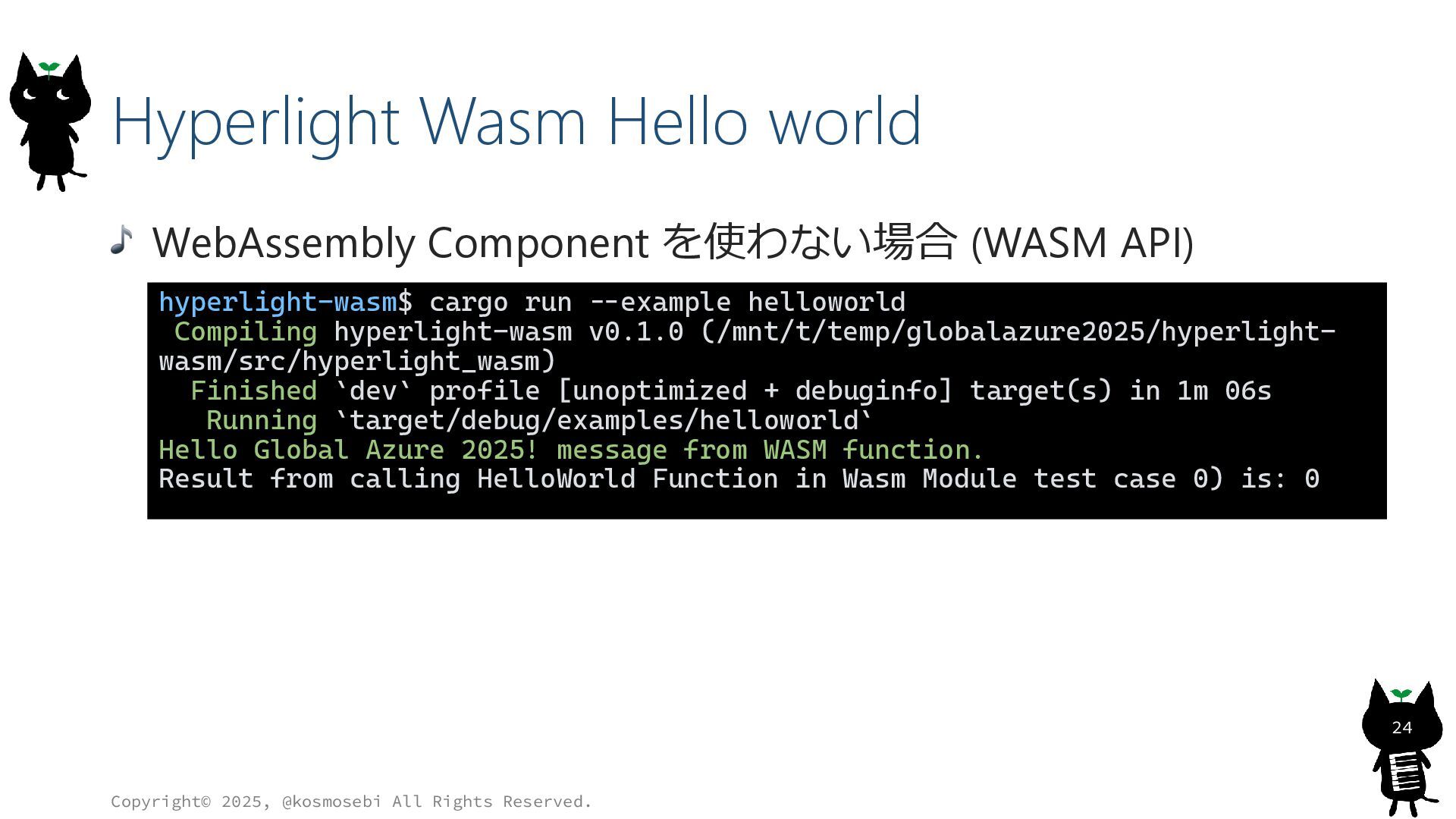
Hyperlight Wasm Hello world Copyright© 2025, @kosmosebi All Rights Reserved.
24 WebAssembly Component を使わない場合 (WASM API) hyperlight-wasm$ cargo run --example helloworld Compiling hyperlight-wasm v0.1.0 (/mnt/t/temp/globalazure2025/hyperlight- wasm/src/hyperlight_wasm) Finished `dev` profile [unoptimized + debuginfo] target(s) in 1m 06s Running `target/debug/examples/helloworld` Hello Global Azure 2025! message from WASM function. Result from calling HelloWorld Function in Wasm Module test case 0) is: 0 -
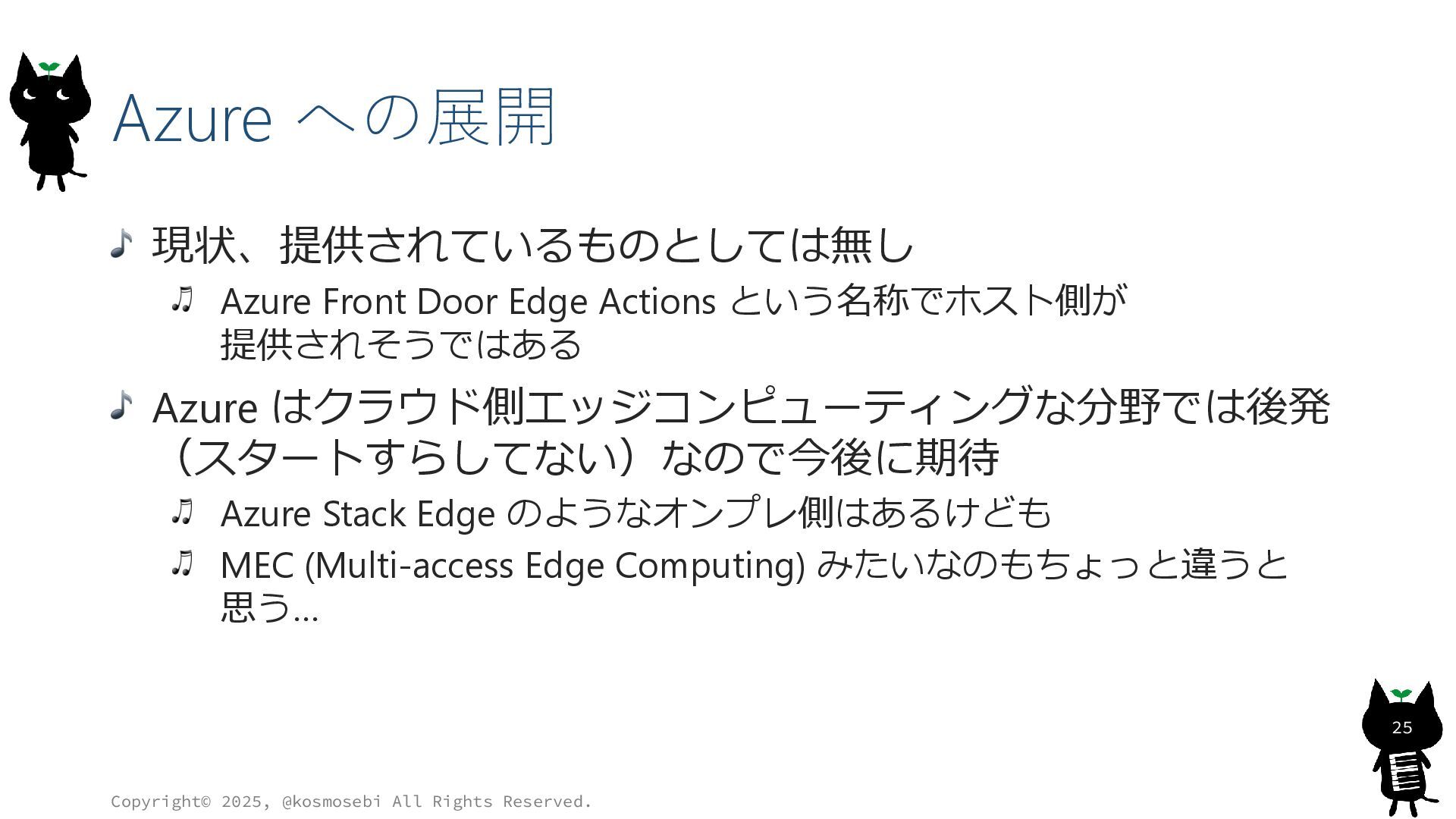
Azure への展開 現状、提供されているものとしては無し Azure Front Door Edge Actions という名称でホスト側が 提供されそうではある
Azure はクラウド側エッジコンピューティングな分野では後発 (スタートすらしてない)なので今後に期待 Azure Stack Edge のようなオンプレ側はあるけども MEC (Multi-access Edge Computing) みたいなのもちょっと違うと 思う… Copyright© 2025, @kosmosebi All Rights Reserved. 25 -
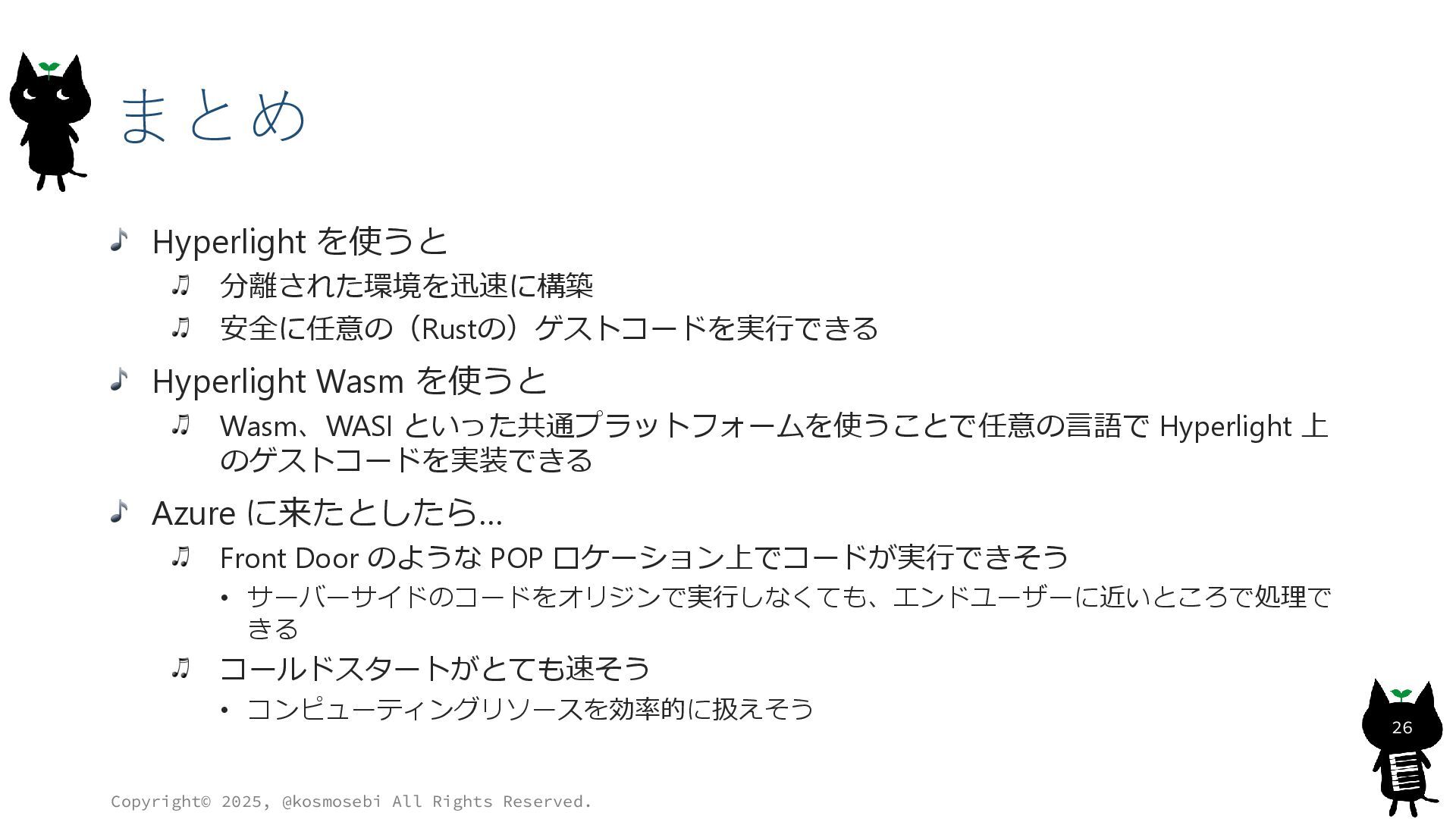
まとめ Hyperlight を使うと 分離された環境を迅速に構築 安全に任意の(Rustの)ゲストコードを実行できる Hyperlight Wasm を使うと Wasm、WASI といった共通プラットフォームを使うことで任意の言語で
Hyperlight 上 のゲストコードを実装できる Azure に来たとしたら… Front Door のような POP ロケーション上でコードが実行できそう • サーバーサイドのコードをオリジンで実行しなくても、エンドユーザーに近いところで処理で きる コールドスタートがとても速そう • コンピューティングリソースを効率的に扱えそう Copyright© 2025, @kosmosebi All Rights Reserved. 26 -
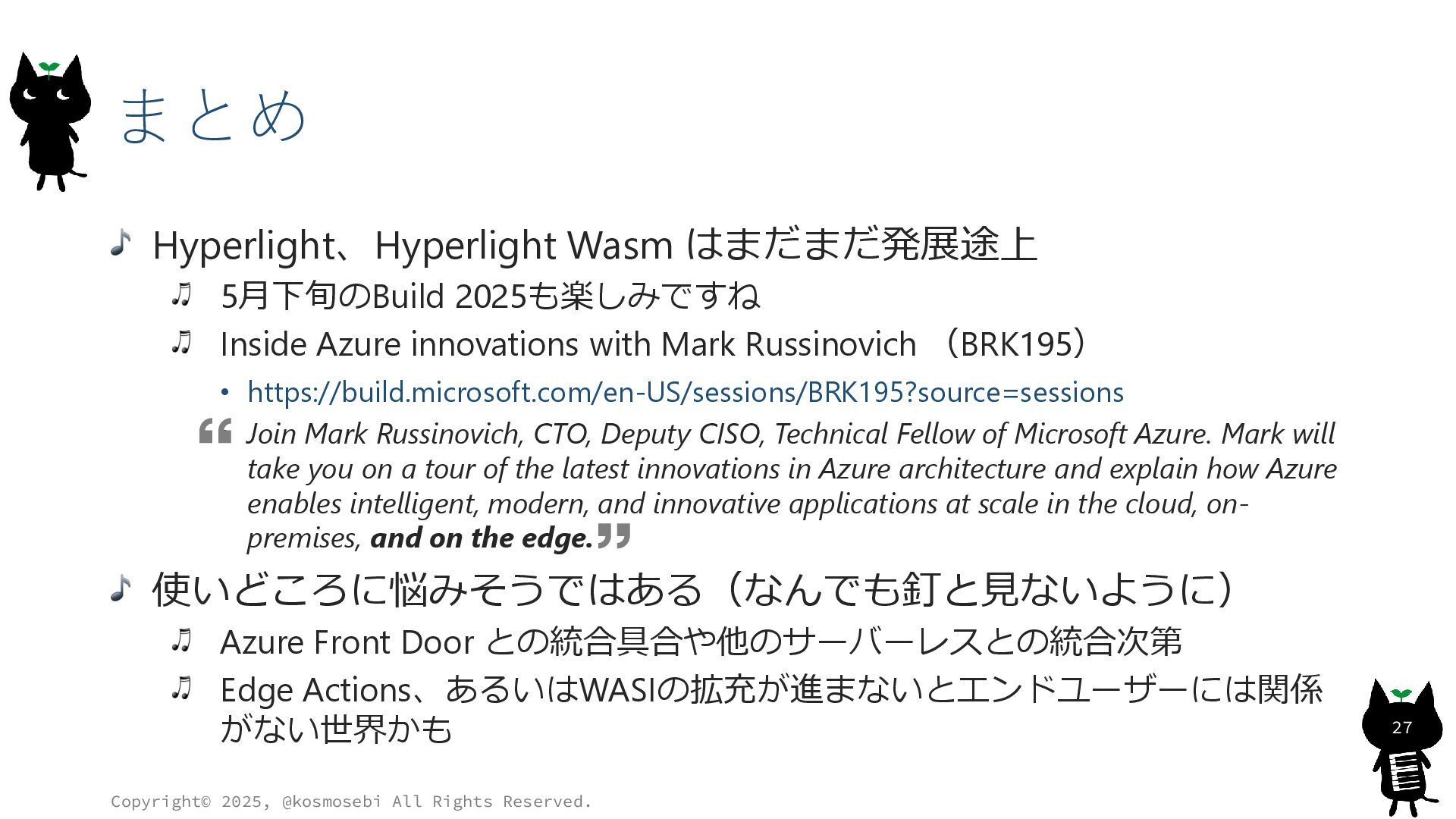
Hyperlight、Hyperlight Wasm はまだまだ発展途上 5月下旬のBuild 2025も楽しみですね Inside Azure innovations with Mark
Russinovich (BRK195) • https://build.microsoft.com/en-US/sessions/BRK195?source=sessions • Join Mark Russinovich, CTO, Deputy CISO, Technical Fellow of Microsoft Azure. Mark will take you on a tour of the latest innovations in Azure architecture and explain how Azure enables intelligent, modern, and innovative applications at scale in the cloud, on- premises, and on the edge. 使いどころに悩みそうではある(なんでも釘と見ないように) Azure Front Door との統合具合や他のサーバーレスとの統合次第 Edge Actions、あるいはWASIの拡充が進まないとエンドユーザーには関係 がない世界かも まとめ Copyright© 2025, @kosmosebi All Rights Reserved. 27 -
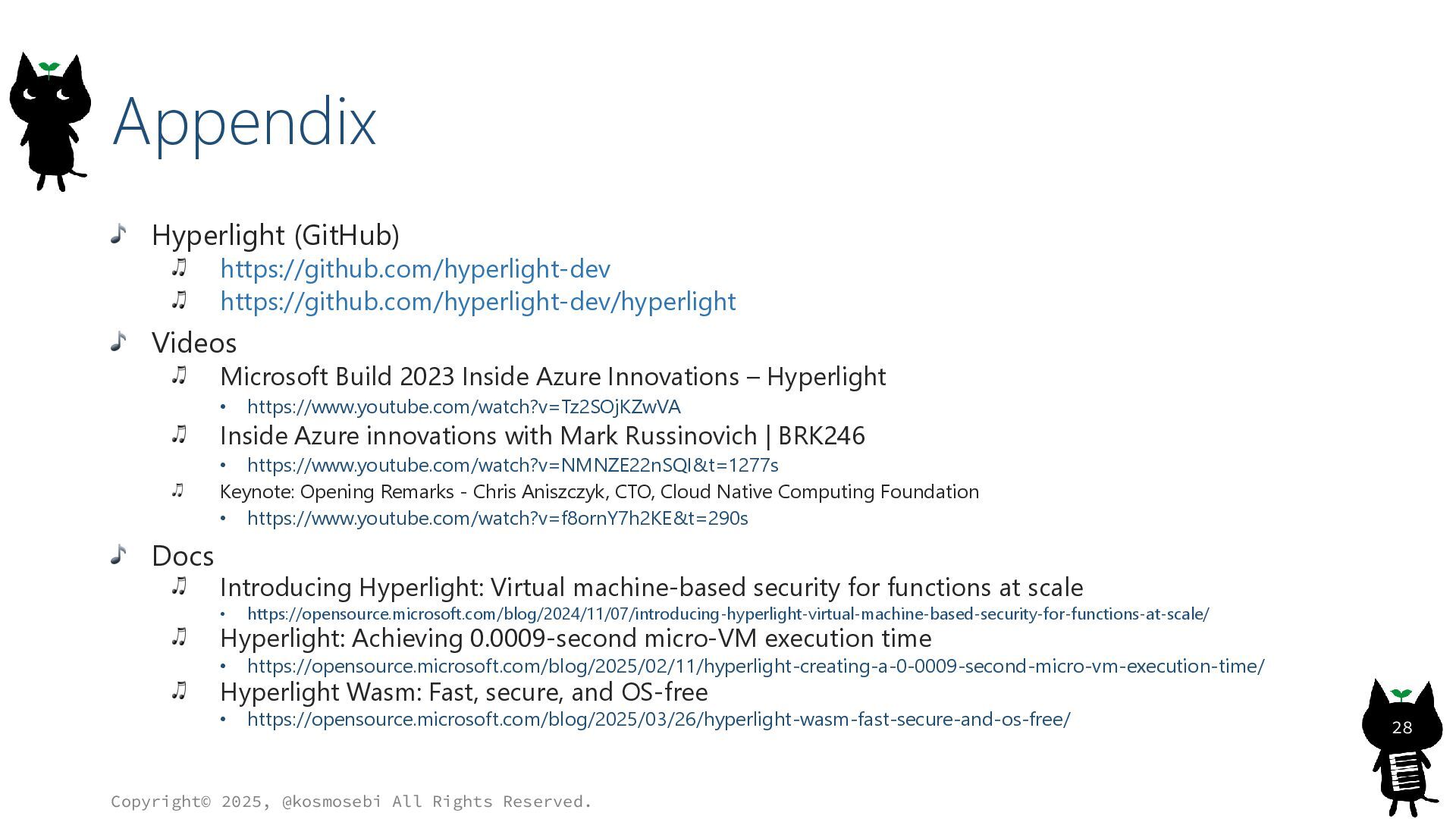
Appendix Hyperlight (GitHub) https://github.com/hyperlight-dev https://github.com/hyperlight-dev/hyperlight Videos Microsoft Build 2023 Inside
Azure Innovations – Hyperlight • https://www.youtube.com/watch?v=Tz2SOjKZwVA Inside Azure innovations with Mark Russinovich | BRK246 • https://www.youtube.com/watch?v=NMNZE22nSQI&t=1277s Keynote: Opening Remarks - Chris Aniszczyk, CTO, Cloud Native Computing Foundation • https://www.youtube.com/watch?v=f8ornY7h2KE&t=290s Docs Introducing Hyperlight: Virtual machine-based security for functions at scale • https://opensource.microsoft.com/blog/2024/11/07/introducing-hyperlight-virtual-machine-based-security-for-functions-at-scale/ Hyperlight: Achieving 0.0009-second micro-VM execution time • https://opensource.microsoft.com/blog/2025/02/11/hyperlight-creating-a-0-0009-second-micro-vm-execution-time/ Hyperlight Wasm: Fast, secure, and OS-free • https://opensource.microsoft.com/blog/2025/03/26/hyperlight-wasm-fast-secure-and-os-free/ Copyright© 2025, @kosmosebi All Rights Reserved. 28