Upgrade to Pro
— share decks privately, control downloads, hide ads and more …
Speaker Deck
Sign up for free
Menu
Search
Features
All features
Private URLs
Password Protection
Custom URLS
Scheduled publishing
Remove Branding
Restrict embedding
Deck Collections
Notes
Features
All features
Private URLs
Password Protection
Custom URLS
Scheduled publishing
Remove Branding
Restrict embedding
Deck Collections
Notes
Explore
Featured decks
Featured speakers
Programming
Technology
Storyboards
Explore
Featured decks
Featured speakers
Programming
Technology
Storyboards
Pricing
Search
Sign in
Sign up for free
Open_Street_Map_の使い方.pdf
Search
Sponsored
·
Your Podcast. Everywhere. Effortlessly.
Share. Educate. Inspire. Entertain. You do you. We'll handle the rest.
→
Kota-Okuyama
June 13, 2018
19
0
Share
Embed
Copy iframe code
Copy JS code
Copy link
Start on current slide
Open_Street_Map_の使い方.pdf
Kota-Okuyama
June 13, 2018
More Decks by Kota-Okuyama
See All by Kota-Okuyama
Tasking Manager の使い方
kotaokuyama
0
35
Featured
See All Featured
Chasing Engaging Ingredients in Design
codingconduct
0
360
[Rails World 2026] Durable orchestration on Rails: from continuation to workflow
palkan
1
750
Impact Scores and Hybrid Strategies: The future of link building
tamaranovitovic
0
460
Measuring Dark Social's Impact On Conversion and Attribution
stephenakadiri
2
310
Raft: Consensus for Rubyists
vanstee
142
7.8k
The B2B funnel & how to create a winning content strategy
katarinadahlin
PRO
1
570
Code Review Best Practice
trishagee
74
20k
Agile that works and the tools we love
rasmusluckow
331
22k
Large-scale JavaScript Application Architecture
addyosmani
516
110k
Bioeconomy Workshop: Dr. Julius Ecuru, Opportunities for a Bioeconomy in West Africa
akademiya2063
PRO
1
410
Breaking role norms: Why Content Design is so much more than writing copy - Taylor Woolridge
uxyall
1
450
Leveraging Curiosity to Care for An Aging Population
cassininazir
1
540
Transcript
OPEN STREET MAP 使い方 ☆自らマッピング☆ 奥山滉太
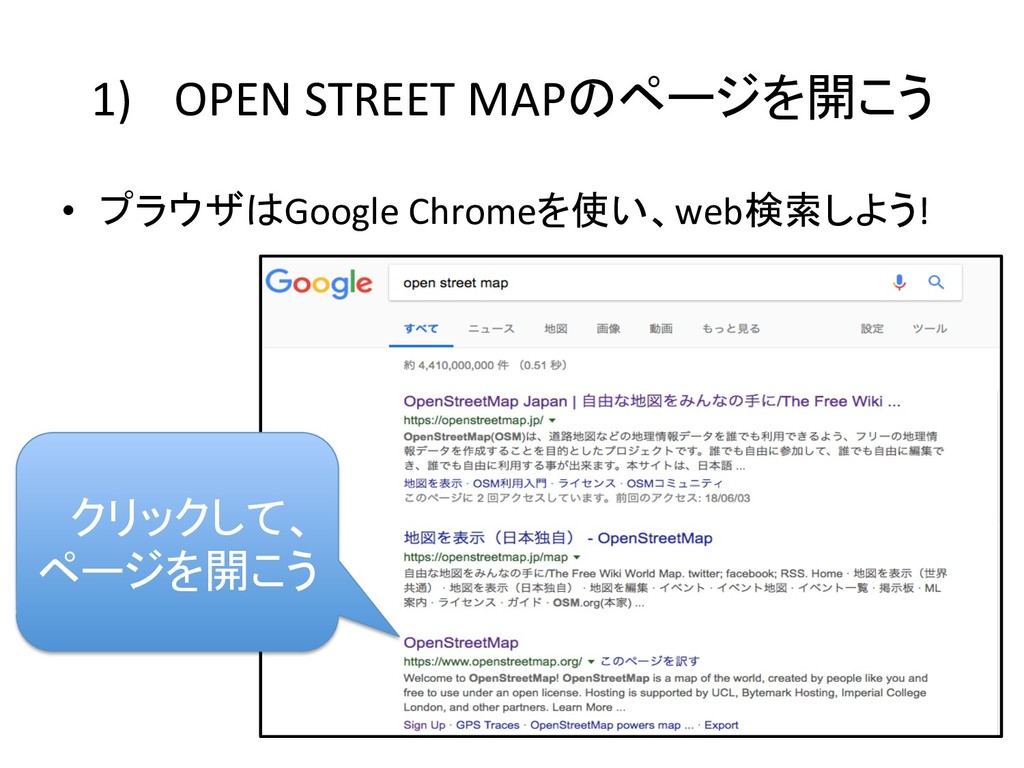
1) OPEN STREET MAPのページを開こう • プラウザはGoogle Chromeを使い、web検索しよう! クリックして、 ページを開こう
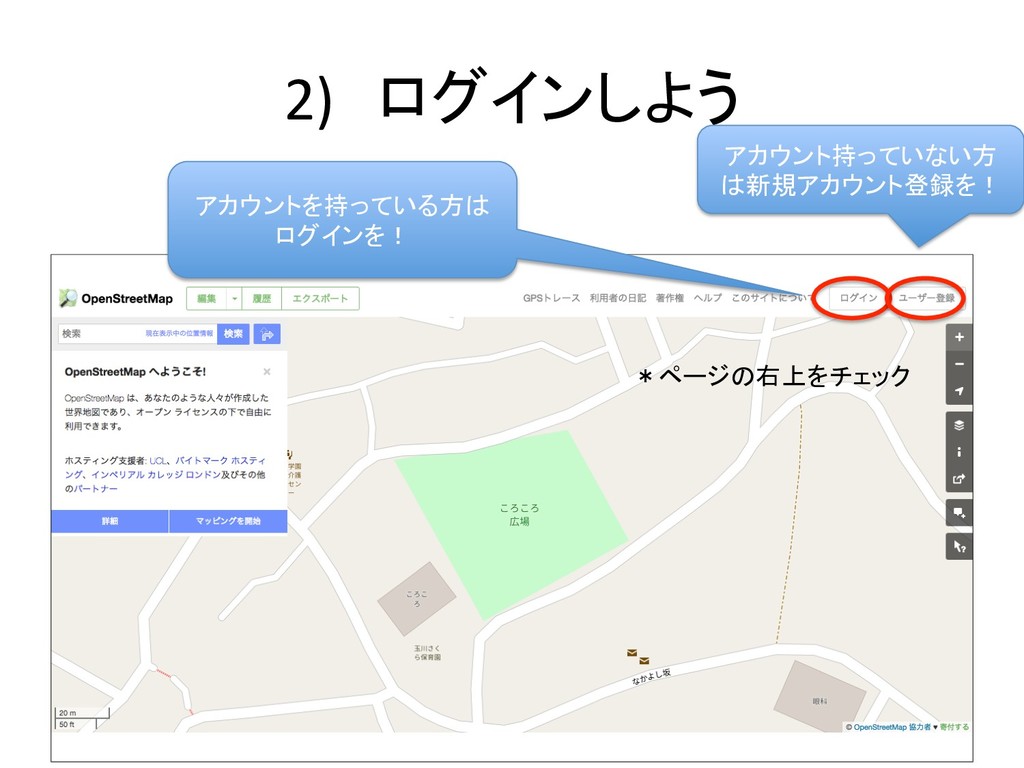
2) ログインしよう アカウント持っていない方 は新規アカウント登録を! アカウントを持っている方は ログインを! *ページの右上をチェック
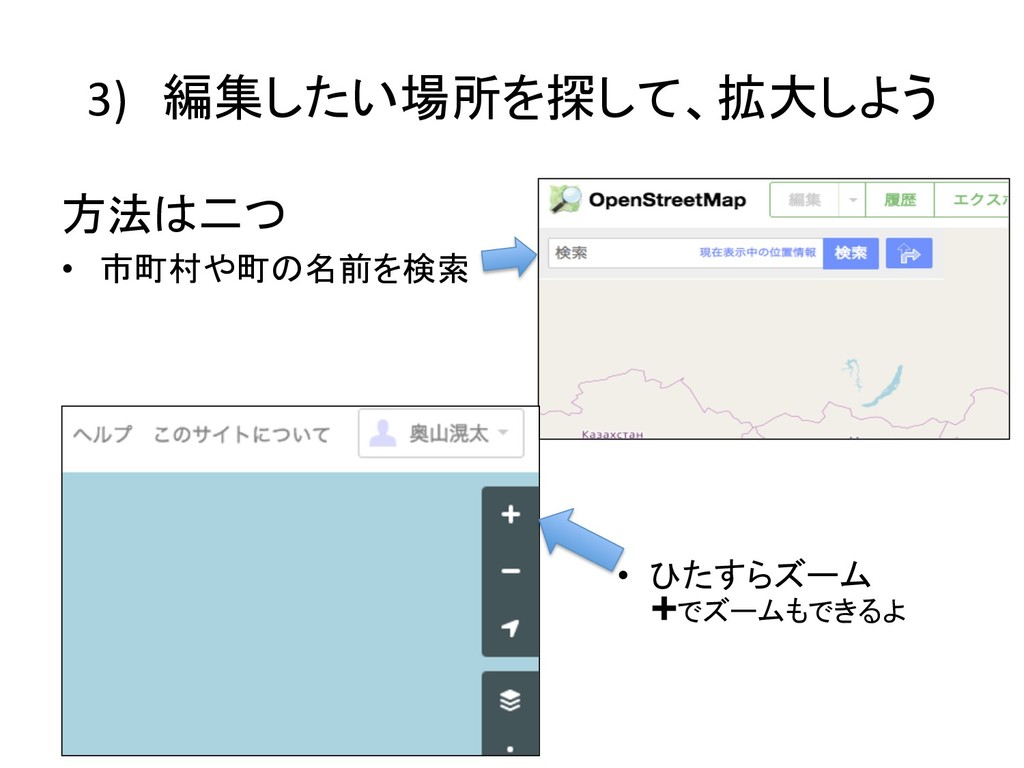
3) 編集したい場所を探して、拡大しよう 方法は二つ • 市町村や町の名前を検索 • ひたすらズーム ➕でズームもできるよ
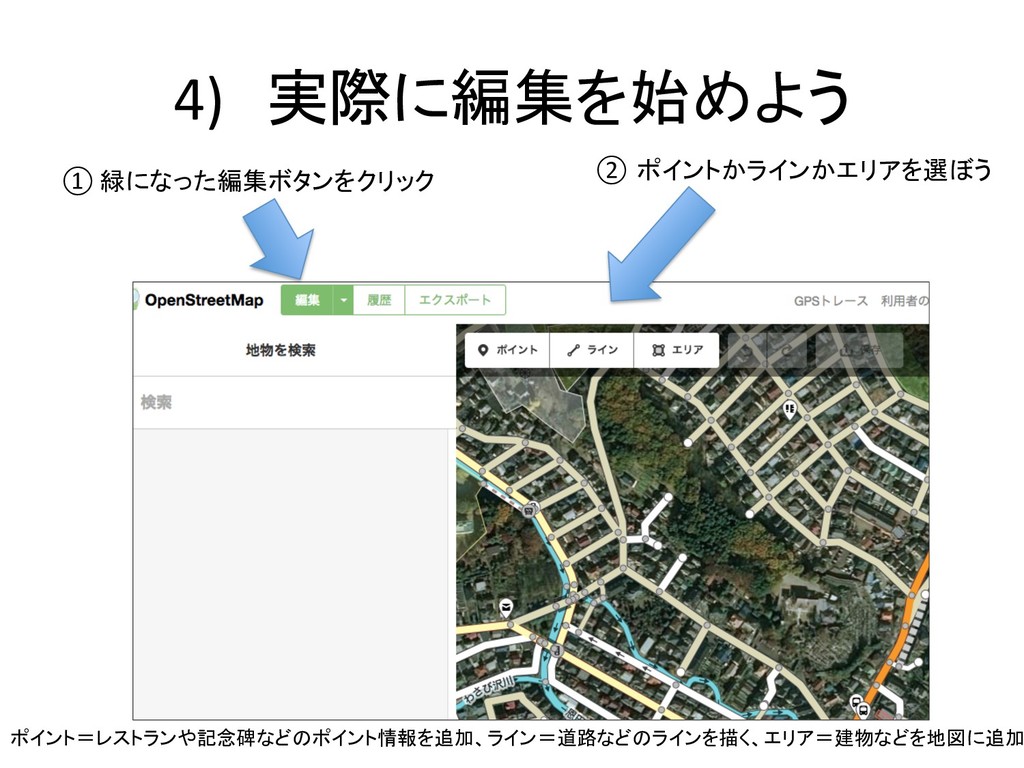
4) 実際に編集を始めよう ① 緑になった編集ボタンをクリック ② ポイントかラインかエリアを選ぼう ポイント=レストランや記念碑などのポイント情報を追加、ライン=道路などのラインを描く、エリア=建物などを地図に追加
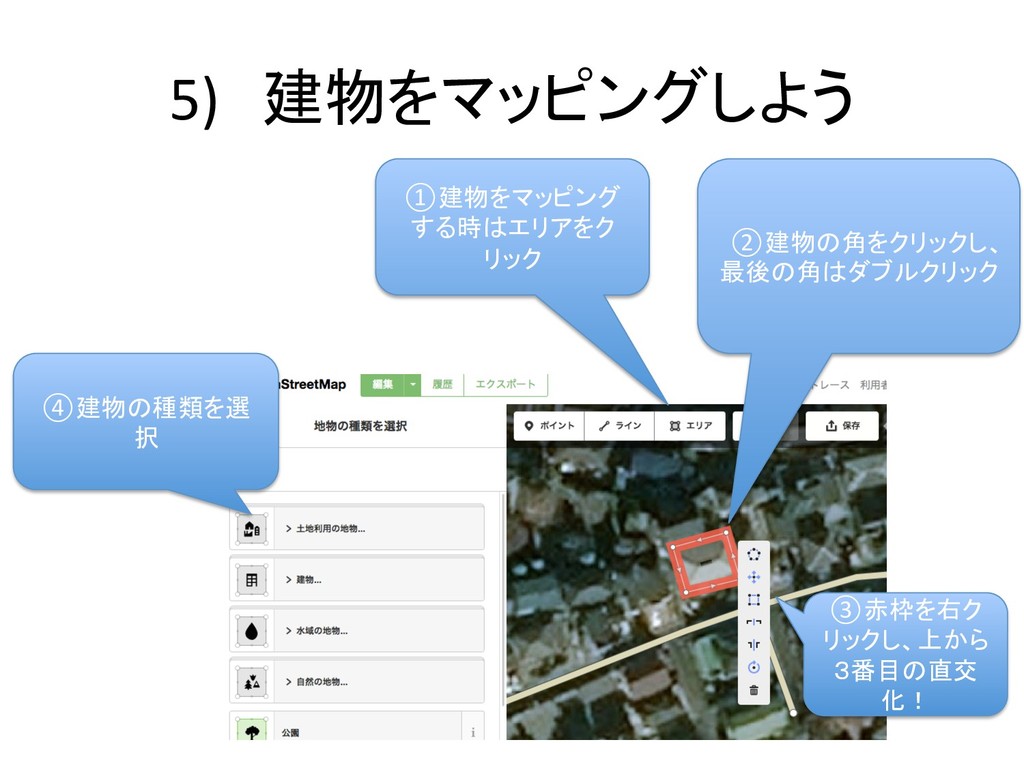
5) 建物をマッピングしよう ①建物をマッピング する時はエリアをク リック ②建物の角をクリックし、 最後の角はダブルクリック ③赤枠を右ク リックし、上から 3番目の直交 化!
④建物の種類を選 択
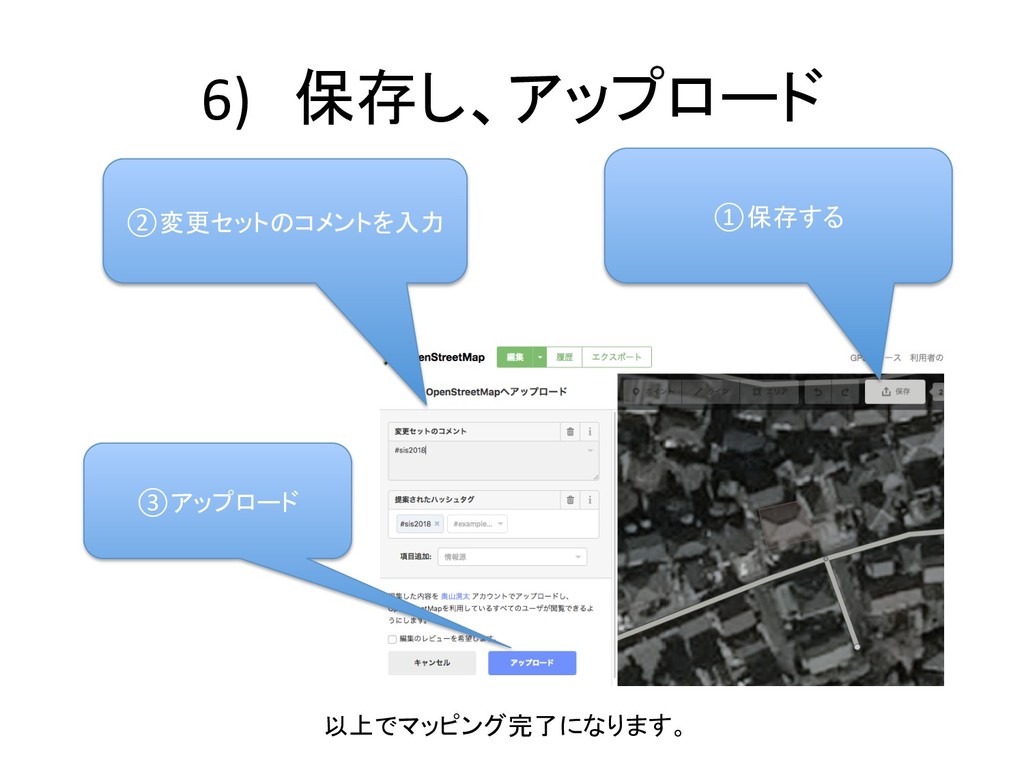
6) 保存し、アップロード ①保存する ②変更セットのコメントを入力 ③アップロード 以上でマッピング完了になります。


 kotaokuyama
 codingconduct
 palkan
 tamaranovitovic
 stephenakadiri
 vanstee
 katarinadahlin
 trishagee
 rasmusluckow
 addyosmani
 akademiya2063
 uxyall
 cassininazir