Upgrade to Pro — share decks privately, control downloads, hide ads and more …

The Beginner's Guide Keyword Research

Avatar for SaurabhTiwari SaurabhTiwari
September 22, 2019

The Beginner's Guide Keyword Research

You probably know that keyword research is one of the essential SEO tasks. First, you'll learn exactly what keyword research, type of keyword research.

And the most common way to find plenty of keyword opportunities for startups and business with the use of keyword research tool
.

Avatar for SaurabhTiwari

SaurabhTiwari

September 22, 2019

More Decks by SaurabhTiwari

Other Decks in Technology

Transcript

  1. What is Keywords?  Keyword is a word used by

    a search engine in its search for relevant web pages.  A word searched for in a search command. Keywords are searched in any order. Use spaces to separate keywords in simple keyword searching.
  2. Types of Keywords  Two major types of keywords are

    Short Tail and Long Tail Keywords.  Short Tail: Typically 1-2 words, target a broad audience. Example: Organic Cookies  Long Tail: Typically 3+ words, target a more specific audience. Example: Where Can I Buy Organic Cookies?
  3. More Types Of Keywords  Singular Keywords  Plural Keywords

     Strong Keywords  Weak Keywords  Global Keywords  Local Keywords  Misspelled Keywords  Seasonal Keywords
  4. Singular Keywords  Form of a word that is used

    to search a single piece of product or niche information. Singular keywords had to be used according to the need and generally keywords formation should be smart.  For example, a singular keyword can be something like – book and can’t be like cricket shoe.
  5. Plural Keywords  Form of a word that is used

    to search more than one specific object or range of information.  Compared to the above example plural keywords can be used like – cricket shoes and it is meaningful and the simple difference between the singular and the plural is an “s” or “es” at the end of the word.
  6. Strong Keywords  Strong keywords have high volume of search

    and it takes up from single word to even some Geo specific keywords. For Example  Toyota  Apple iPad
  7. Weak Keywords  Weak keywords are low volume keywords but

    it can be produce a decent reference for business enquiries. Normally more than two or more words search keywords comes under weak keywords criteria.  For creating weak keywords, you can try to add your location to strong keywords.
  8. Global Keywords  Global keywords are not location specific and

    most of the keywords are targeted for .com search engines and the importance of the site listing for global keywords are not restricted to regional specific search engines.
  9. Local Keywords  Local keywords are location specific and the

    keywords can be targeted for regional search engines. Normally local keywords are specific to your language and targeted country. Example:  Web Design London  SEO New Delhi
  10. Misspelled Keywords  Misspelled keywords are formed when huge volume

    of search engines users have problem with spelling and make typo mistakes while searching for information.  And also some spell different and it depends on Country, In US the spell is ‘color’ and in Australia it is written as ‘colour’  One good example is ‘accommodation’ word. Some type as ‘accomodation’ and ‘accomadation’.
  11. Seasonal Keywords  Seasonal keywords occur only on certain times

    of the year. A good example is a greeting card site and seasonal product selling site.  For example, In Christmas period, users will be searching for Christmas greeting cards and gifts. Other than November and December these keywords will have least importance.
  12. Keywords with Search Operators  Keywords search operators help a

    lot with search and to become a real keyword search expert you can use the following operators like,  Plus (+) Operator  Minus (-) Operator  Related (~) Operator  OR Operator
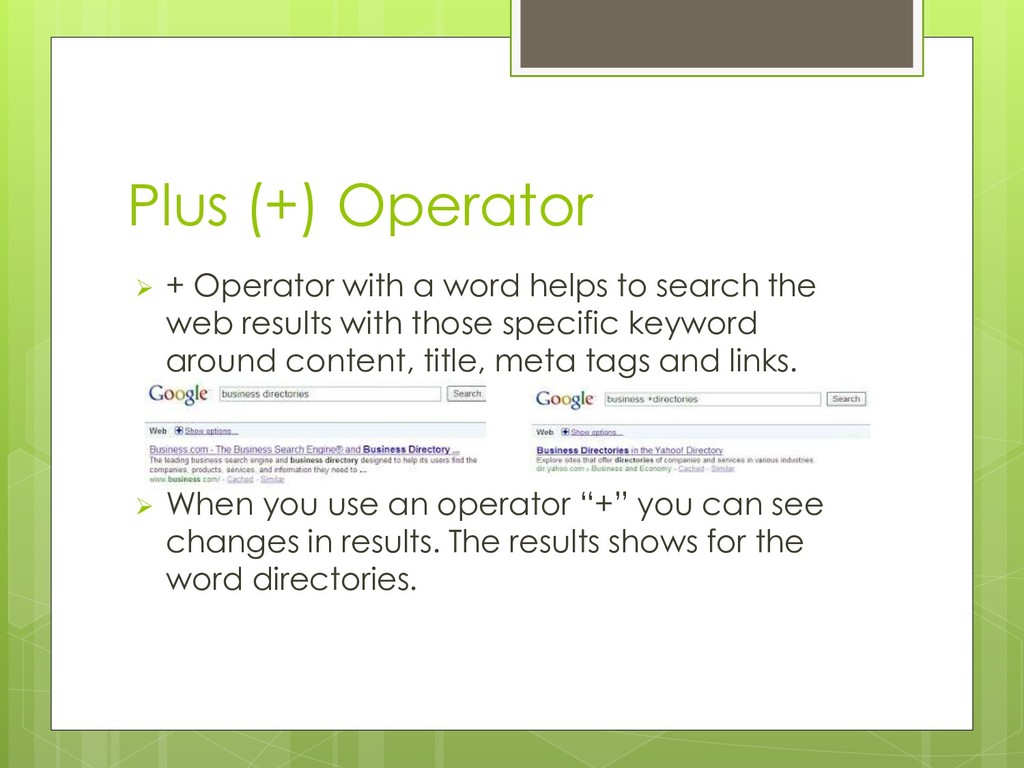
  13. Plus (+) Operator  + Operator with a word helps

    to search the web results with those specific keyword around content, title, meta tags and links.  When you use an operator “+” you can see changes in results. The results shows for the word directories.
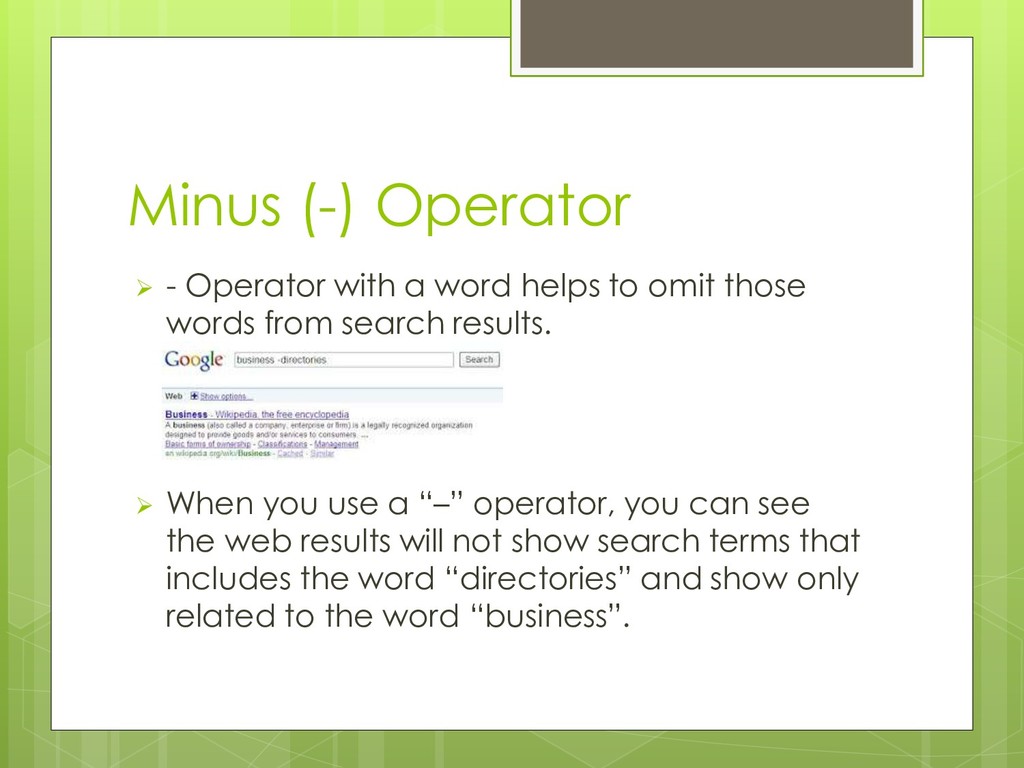
  14. Minus (-) Operator  - Operator with a word helps

    to omit those words from search results.  When you use a “–” operator, you can see the web results will not show search terms that includes the word “directories” and show only related to the word “business”.
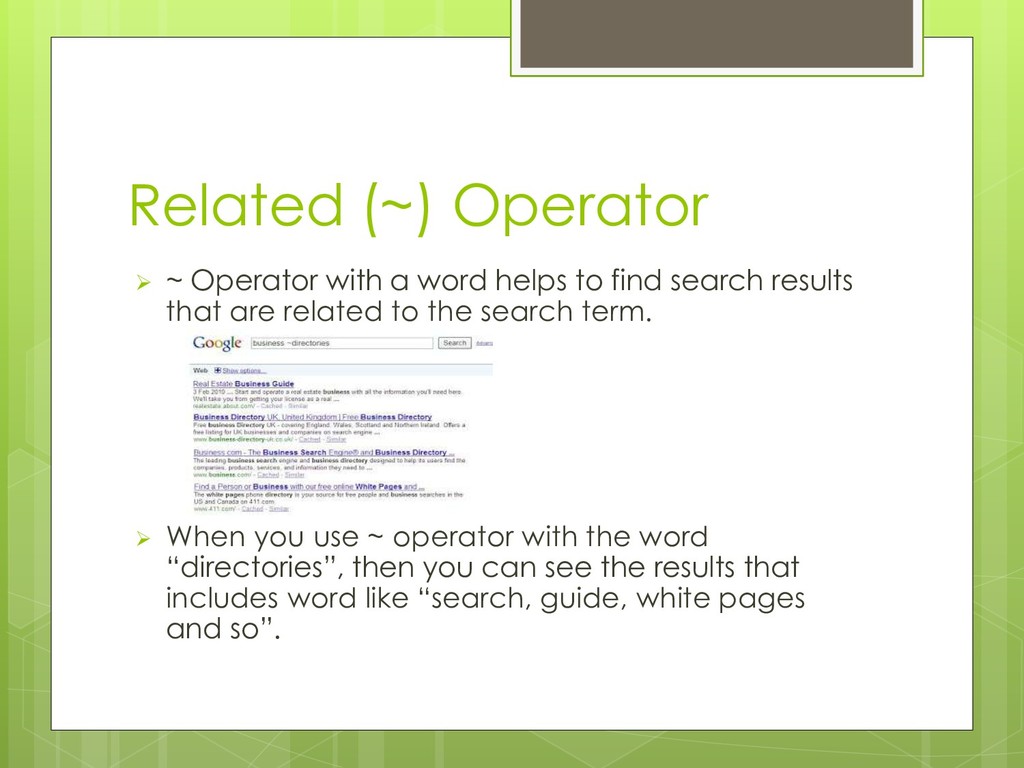
  15. Related (~) Operator  ~ Operator with a word helps

    to find search results that are related to the search term.  When you use ~ operator with the word “directories”, then you can see the results that includes word like “search, guide, white pages and so”.
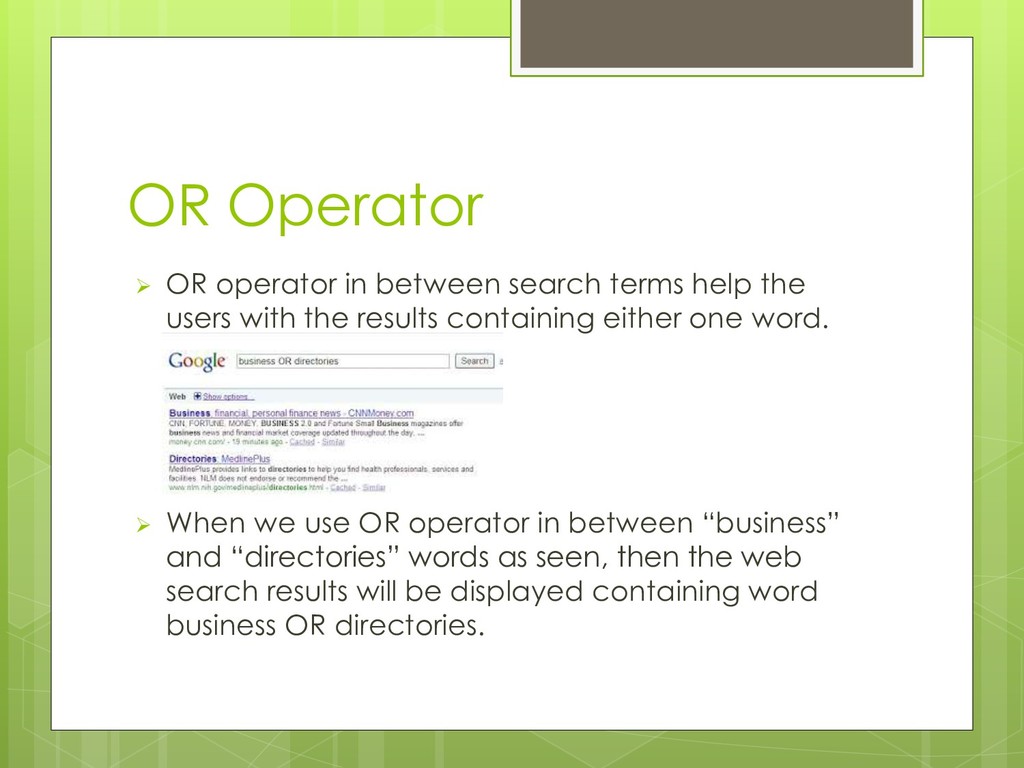
  16. OR Operator  OR operator in between search terms help

    the users with the results containing either one word.  When we use OR operator in between “business” and “directories” words as seen, then the web search results will be displayed containing word business OR directories.