Upgrade to Pro — share decks privately, control downloads, hide ads and more …

MariaDB Server - Where the Innovation Happens

Sponsored · Ship Features Fearlessly Turn features on and off without deploys. Used by thousands of Ruby developers.

MariaDB Server - Where the Innovation Happens

An overview of the MariaDB Server Innovation over the years + why is the Vector Search the fastest in MariaDB?

This session was presented during MariaDB Meetup in Dublin (May 19th, 2026) in the SUSQUEHANNA offices

Avatar for lefred

lefred

May 19, 2026

More Decks by lefred

Other Decks in Technology

Transcript

  1. • @lefred • @lefredbe.bsky.social • @[email protected] • MariaDB Community Advocate

    since 2026 • using MySQL since version 3.20 • devops believer • living in • https://lefred.be Frédéric Descamps Copyright @ 2026 MariaDB Foundation. 4
  2. Why Companies Support the MariaDB Foundation Companies support the Foundation

    to participate in how MariaDB-based systems are defined and adopted. Supporting the Foundation complements investment in MariaDB by: • strengthening the ecosystem in which MariaDB is used • improving how technologies are positioned within real architectures • increasing visibility at the point of infrastructure decision Support also ensures: • long-term openness and continuity of MariaDB Server • independent governance and freedom from lock-in Copyright @ 2026 MariaDB Foundation. 9
  3. Dynamic Columns (5.3 - 2011) "ahead of its time" feature

    that allows to store semi-structured data in a relational database, without the need to define a rigid schema, long before today's renewed interest in JSON and hybrid workloads. Copyright @ 2026 MariaDB Foundation. 13
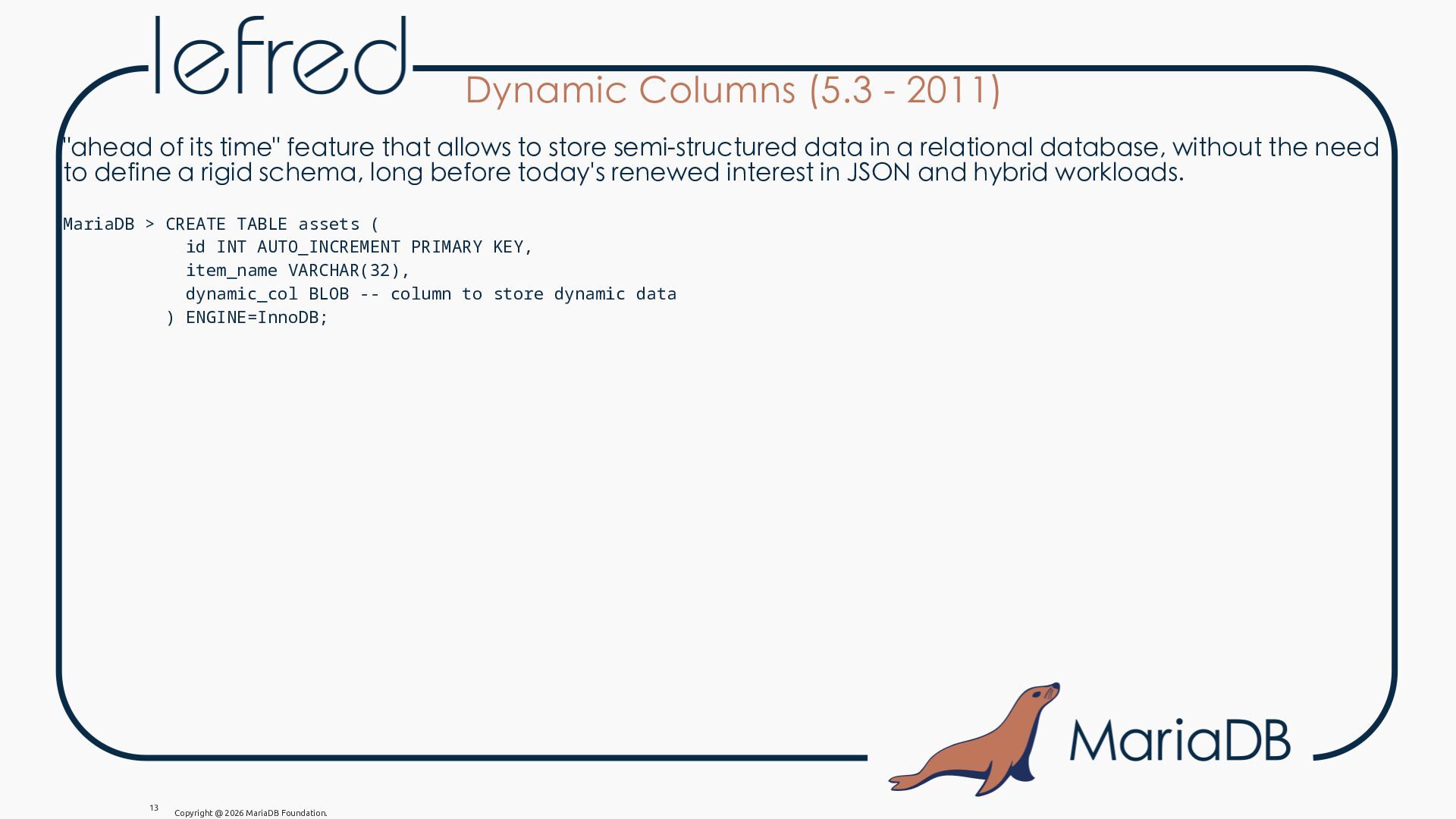
  4. Dynamic Columns (5.3 - 2011) "ahead of its time" feature

    that allows to store semi-structured data in a relational database, without the need to define a rigid schema, long before today's renewed interest in JSON and hybrid workloads. MariaDB > CREATE TABLE assets ( id INT AUTO_INCREMENT PRIMARY KEY, item_name VARCHAR(32), dynamic_col BLOB -- column to store dynamic data ) ENGINE=InnoDB; Copyright @ 2026 MariaDB Foundation. 13
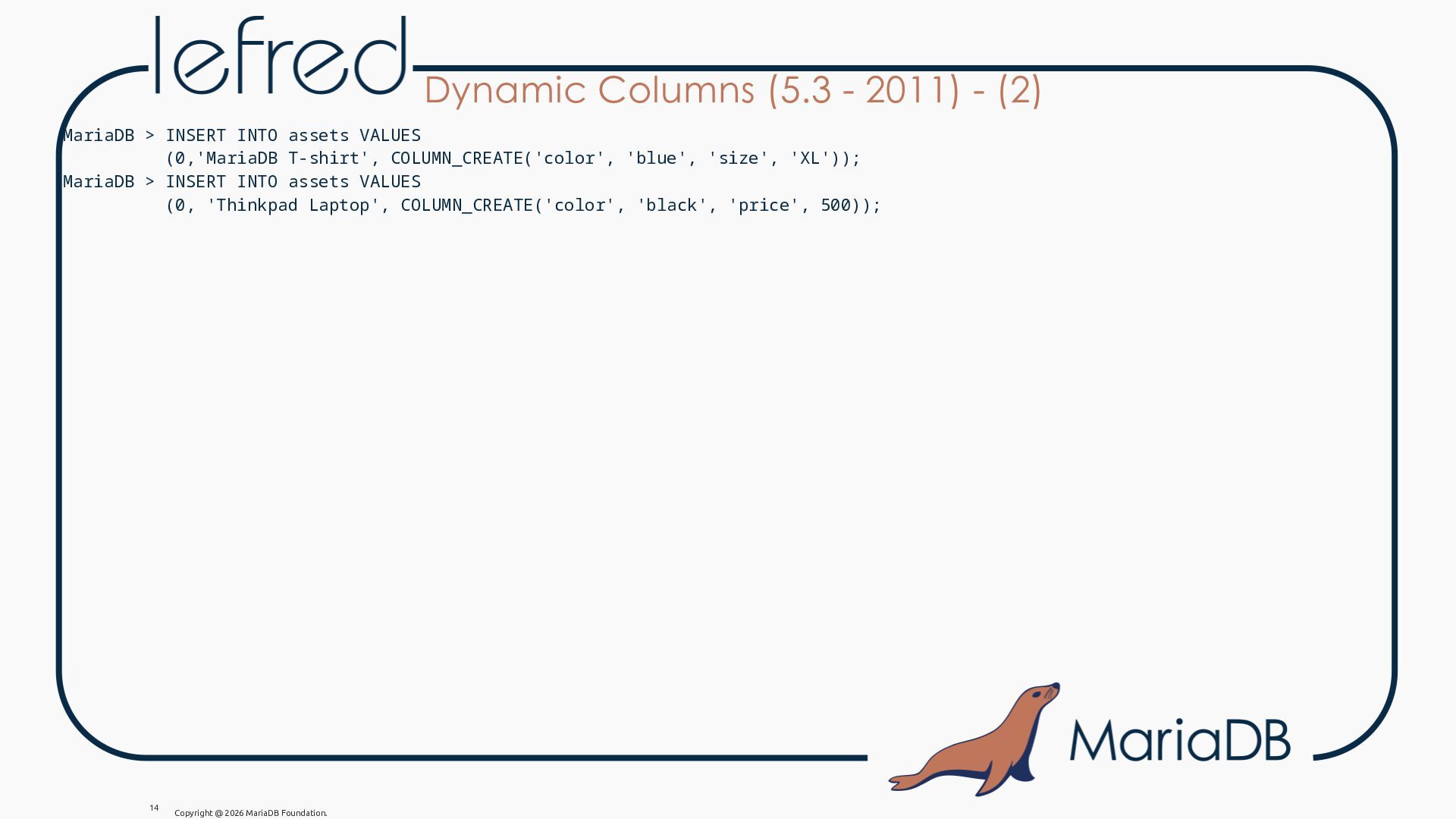
  5. Dynamic Columns (5.3 - 2011) - (2) MariaDB > INSERT

    INTO assets VALUES (0,'MariaDB T-shirt', COLUMN_CREATE('color', 'blue', 'size', 'XL')); MariaDB > INSERT INTO assets VALUES (0, 'Thinkpad Laptop', COLUMN_CREATE('color', 'black', 'price', 500)); Copyright @ 2026 MariaDB Foundation. 14
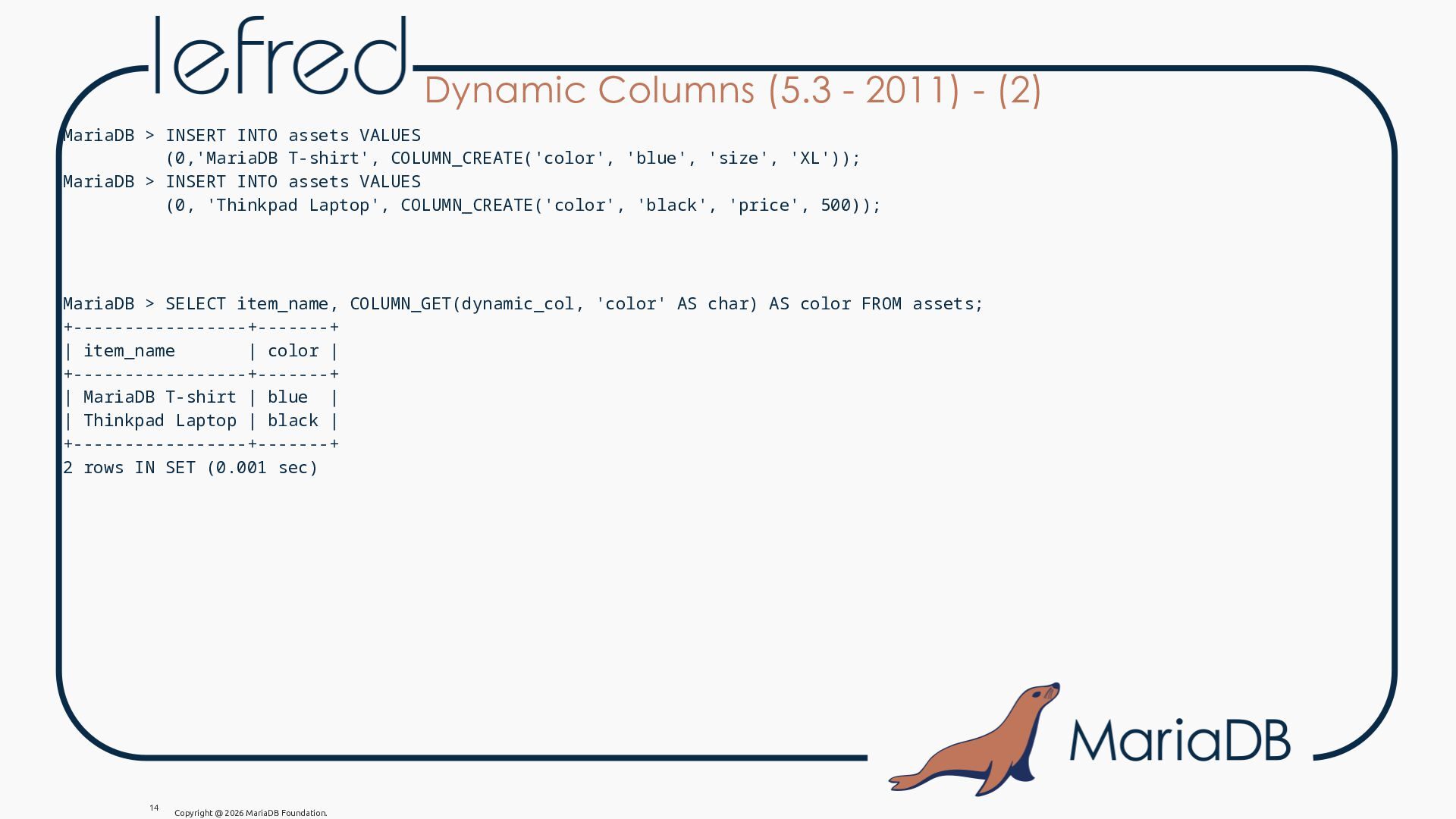
  6. Dynamic Columns (5.3 - 2011) - (2) MariaDB > INSERT

    INTO assets VALUES (0,'MariaDB T-shirt', COLUMN_CREATE('color', 'blue', 'size', 'XL')); MariaDB > INSERT INTO assets VALUES (0, 'Thinkpad Laptop', COLUMN_CREATE('color', 'black', 'price', 500)); MariaDB > SELECT item_name, COLUMN_GET(dynamic_col, 'color' AS char) AS color FROM assets; +-----------------+-------+ | item_name | color | +-----------------+-------+ | MariaDB T-shirt | blue | | Thinkpad Laptop | black | +-----------------+-------+ 2 rows IN SET (0.001 sec) Copyright @ 2026 MariaDB Foundation. 14
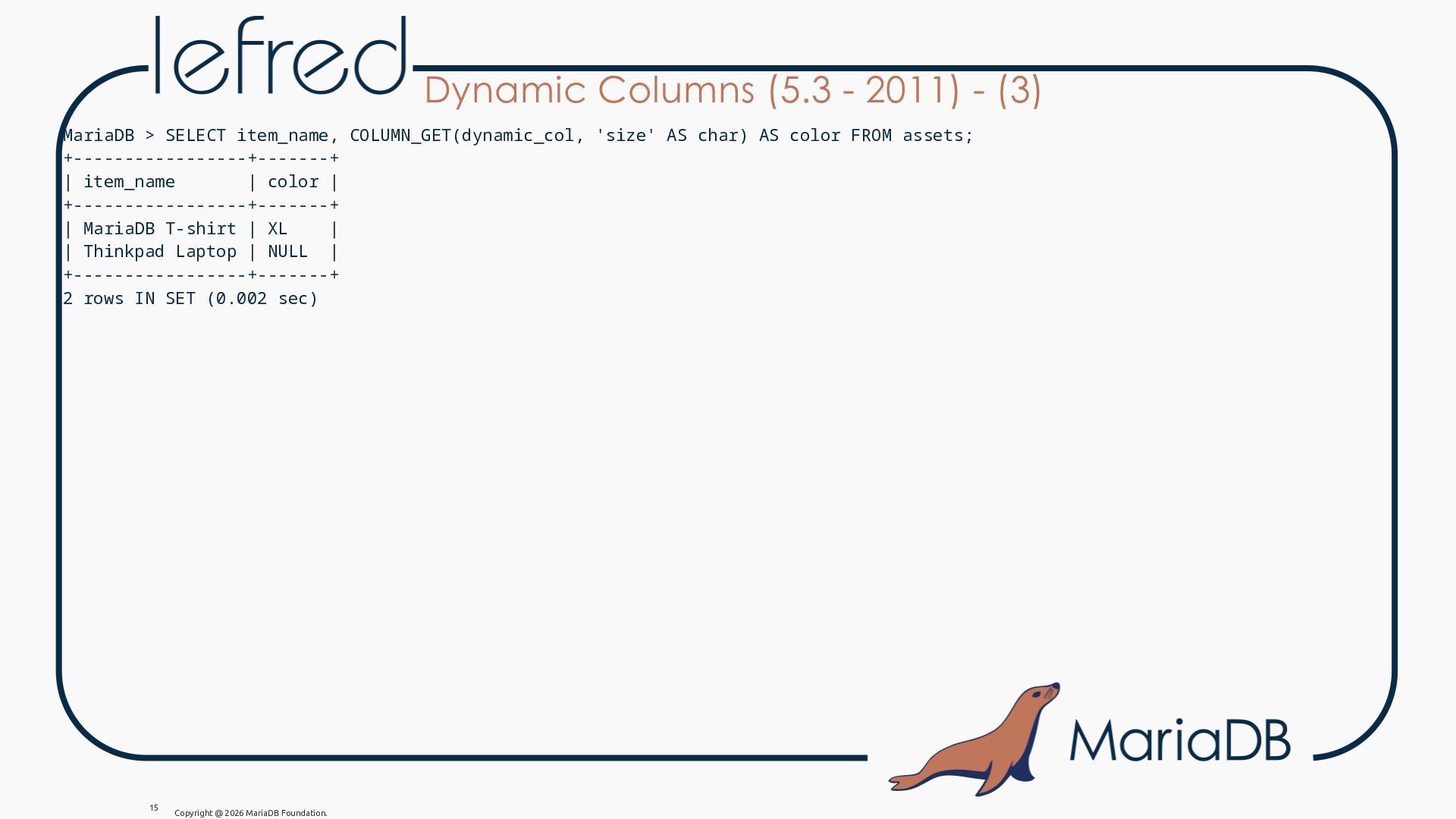
  7. Dynamic Columns (5.3 - 2011) - (3) MariaDB > SELECT

    item_name, COLUMN_GET(dynamic_col, 'size' AS char) AS color FROM assets; +-----------------+-------+ | item_name | color | +-----------------+-------+ | MariaDB T-shirt | XL | | Thinkpad Laptop | NULL | +-----------------+-------+ 2 rows IN SET (0.002 sec) Copyright @ 2026 MariaDB Foundation. 15
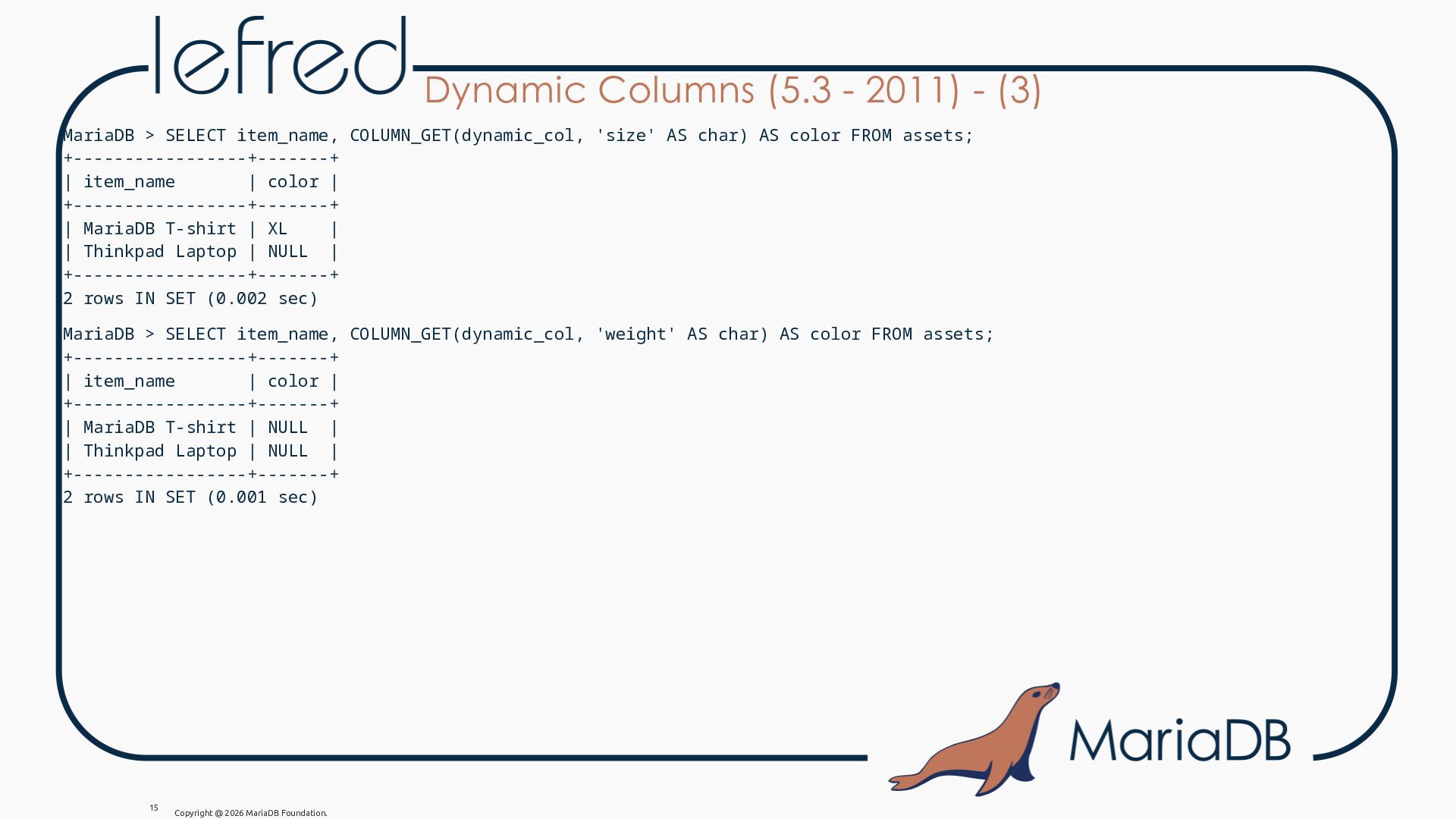
  8. Dynamic Columns (5.3 - 2011) - (3) MariaDB > SELECT

    item_name, COLUMN_GET(dynamic_col, 'size' AS char) AS color FROM assets; +-----------------+-------+ | item_name | color | +-----------------+-------+ | MariaDB T-shirt | XL | | Thinkpad Laptop | NULL | +-----------------+-------+ 2 rows IN SET (0.002 sec) MariaDB > SELECT item_name, COLUMN_GET(dynamic_col, 'weight' AS char) AS color FROM assets; +-----------------+-------+ | item_name | color | +-----------------+-------+ | MariaDB T-shirt | NULL | | Thinkpad Laptop | NULL | +-----------------+-------+ 2 rows IN SET (0.001 sec) Copyright @ 2026 MariaDB Foundation. 15
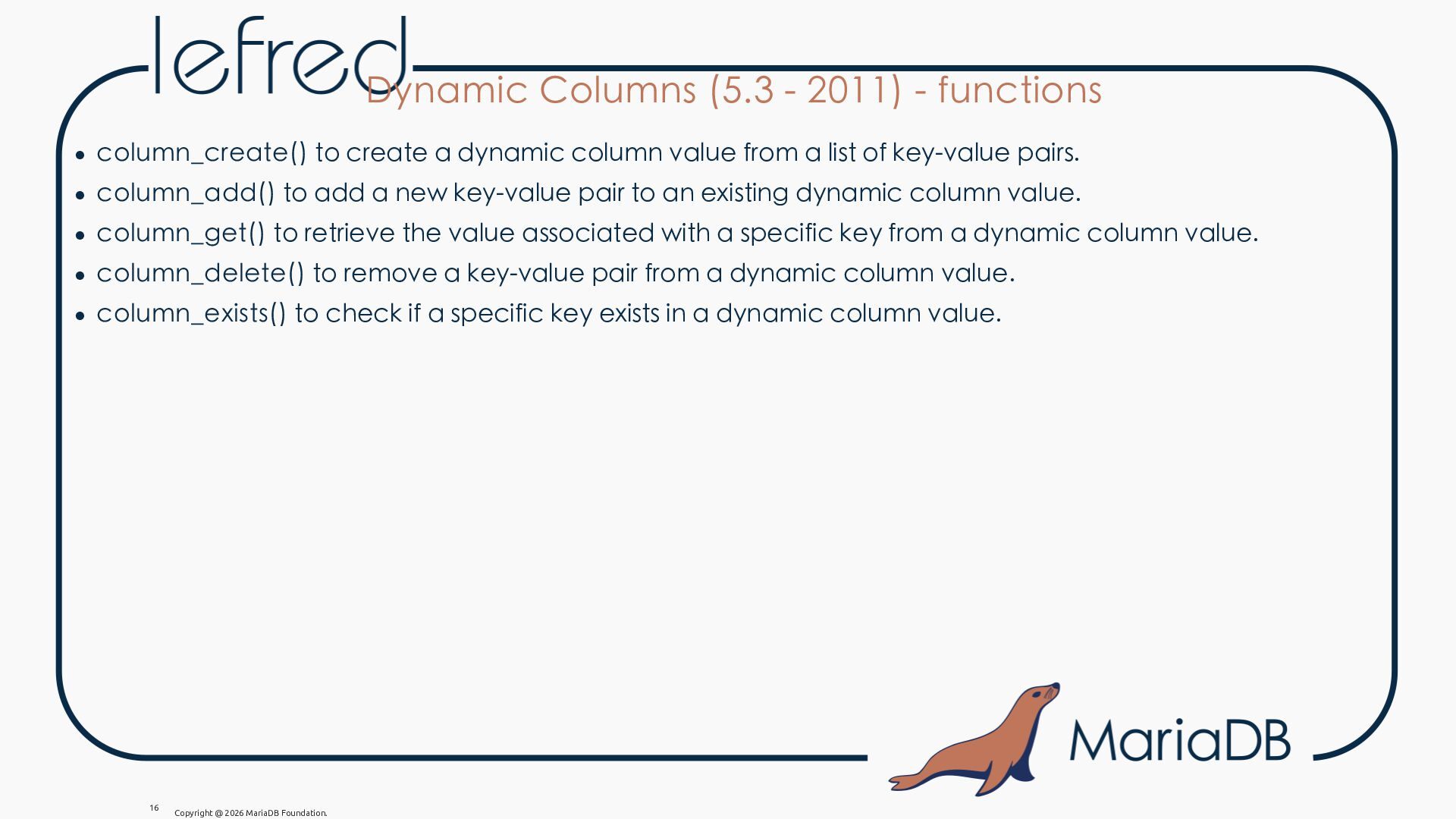
  9. Dynamic Columns (5.3 - 2011) - functions • column_create() to

    create a dynamic column value from a list of key-value pairs. • column_add() to add a new key-value pair to an existing dynamic column value. • column_get() to retrieve the value associated with a specific key from a dynamic column value. • column_delete() to remove a key-value pair from a dynamic column value. • column_exists() to check if a specific key exists in a dynamic column value. Copyright @ 2026 MariaDB Foundation. 16
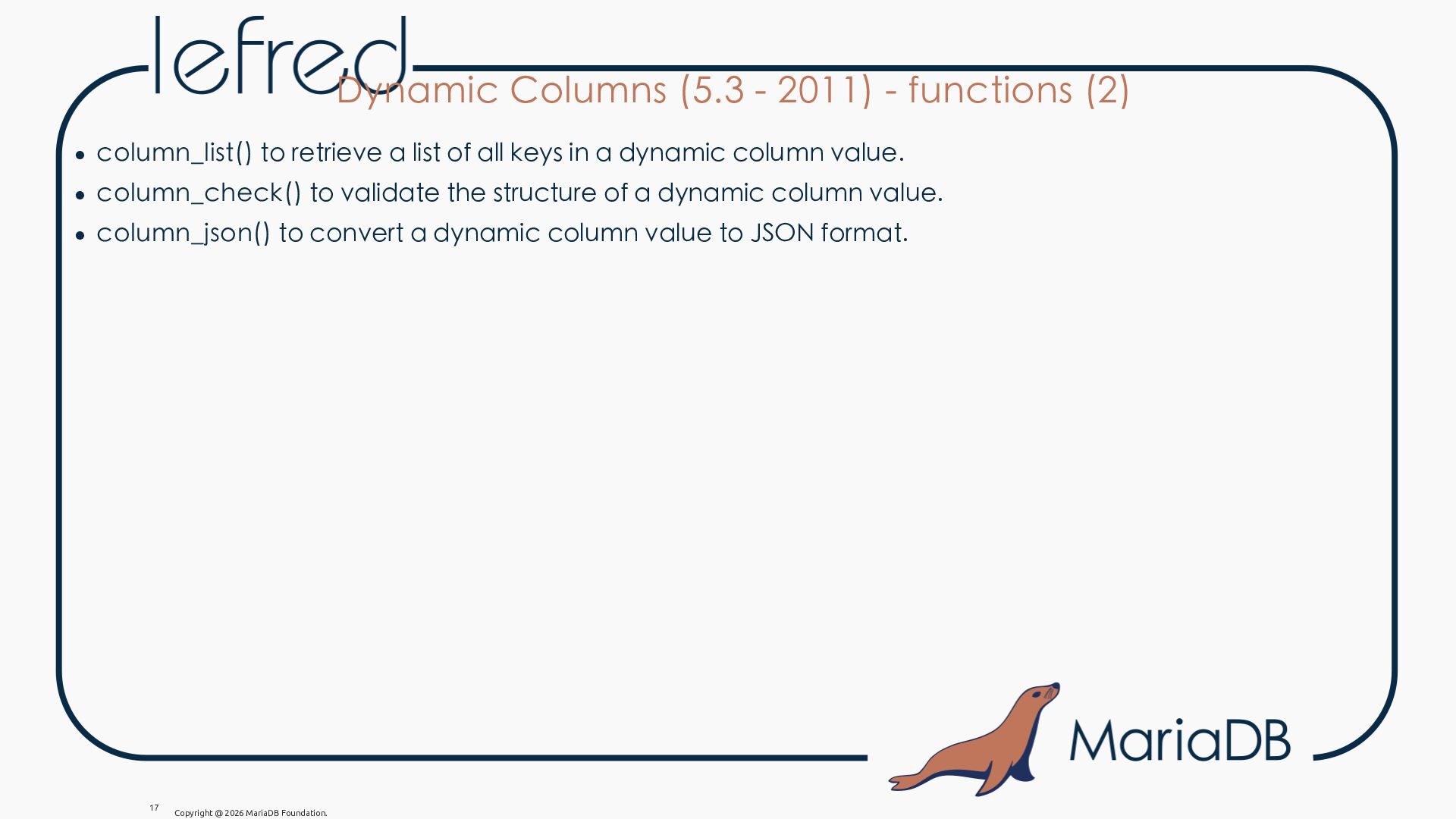
  10. Dynamic Columns (5.3 - 2011) - functions (2) • column_list()

    to retrieve a list of all keys in a dynamic column value. • column_check() to validate the structure of a dynamic column value. • column_json() to convert a dynamic column value to JSON format. Copyright @ 2026 MariaDB Foundation. 17
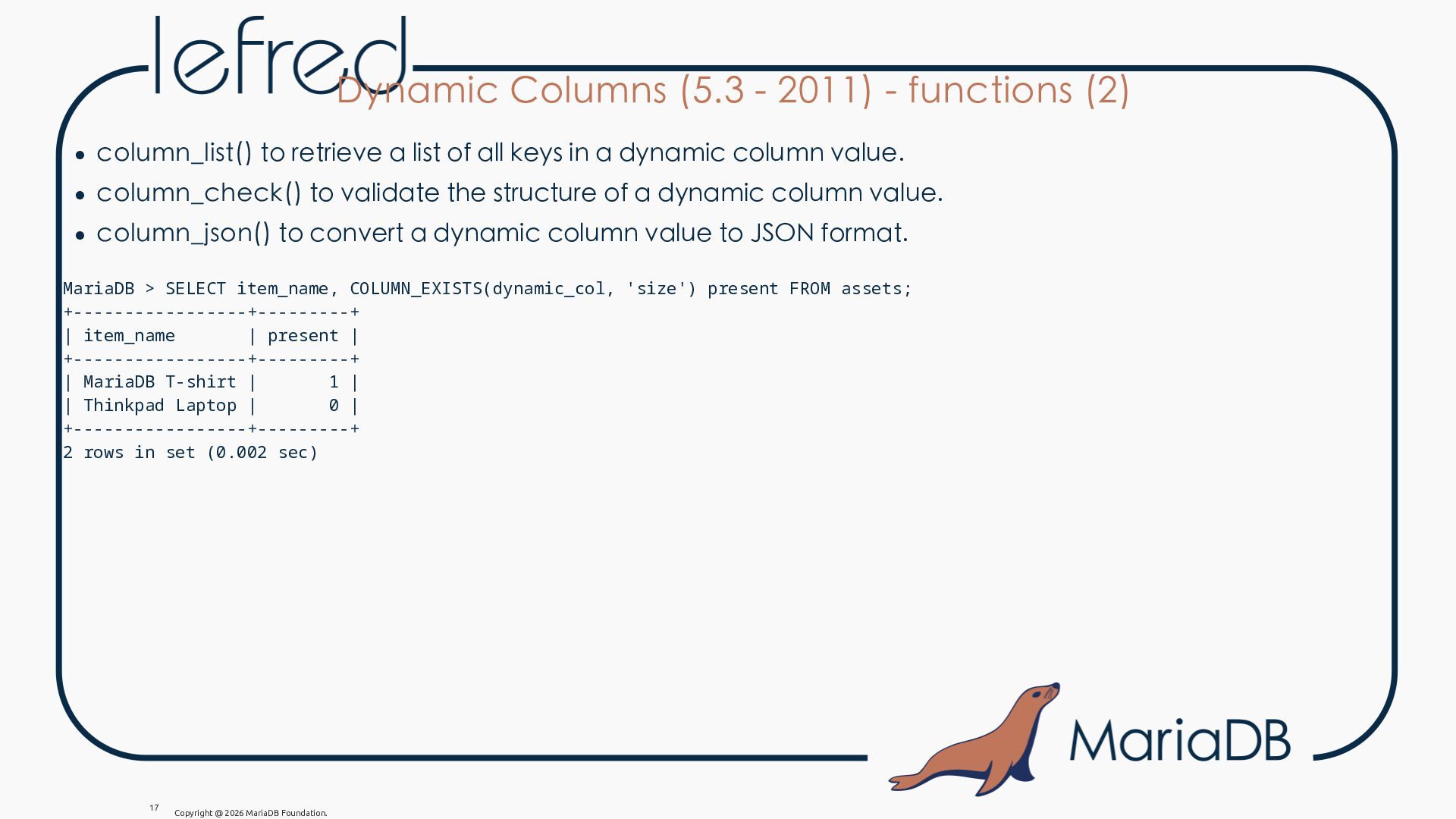
  11. Dynamic Columns (5.3 - 2011) - functions (2) • column_list()

    to retrieve a list of all keys in a dynamic column value. • column_check() to validate the structure of a dynamic column value. • column_json() to convert a dynamic column value to JSON format. MariaDB > SELECT item_name, COLUMN_EXISTS(dynamic_col, 'size') present FROM assets; +-----------------+---------+ | item_name | present | +-----------------+---------+ | MariaDB T-shirt | 1 | | Thinkpad Laptop | 0 | +-----------------+---------+ 2 rows in set (0.002 sec) Copyright @ 2026 MariaDB Foundation. 17
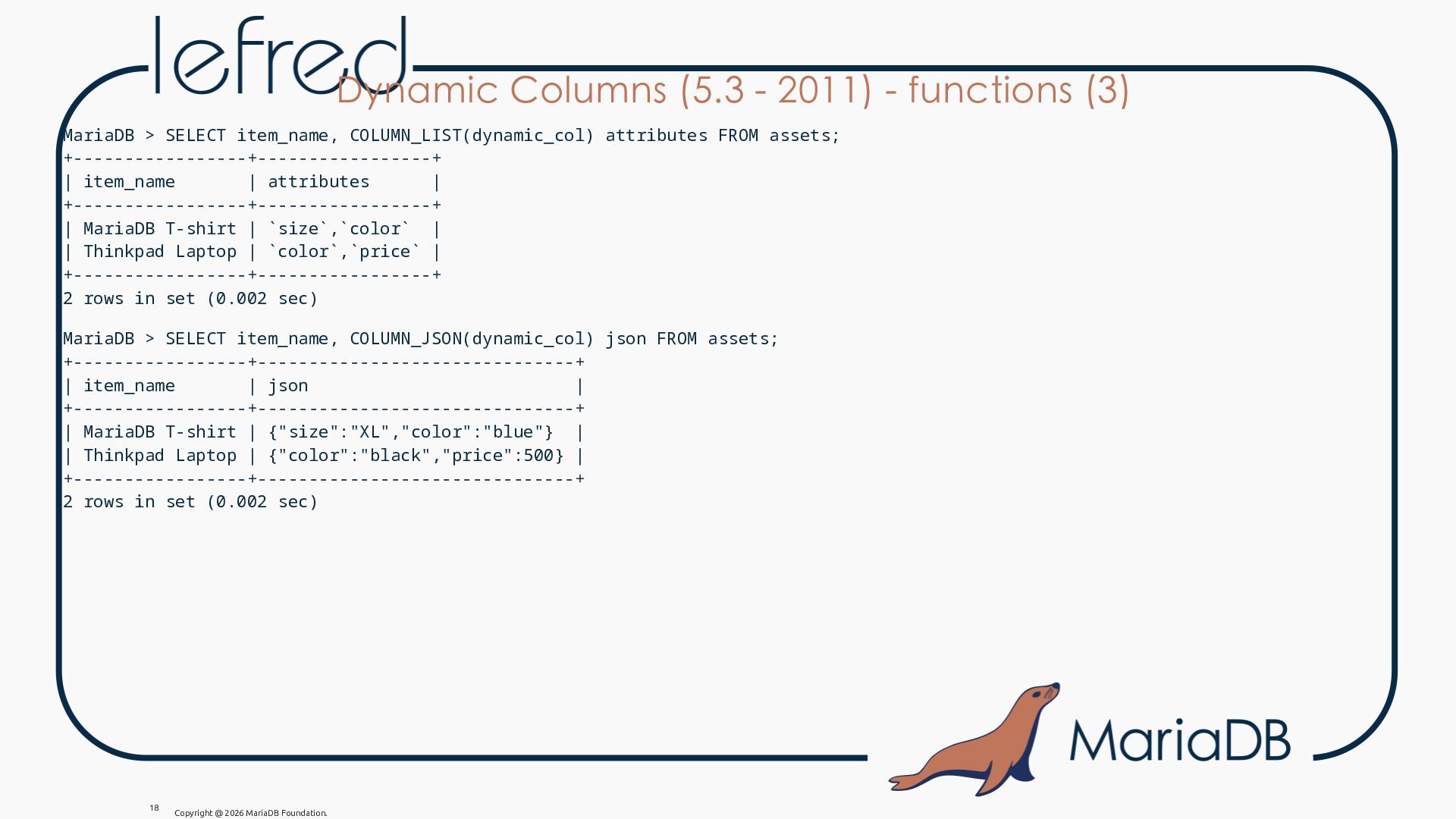
  12. Dynamic Columns (5.3 - 2011) - functions (3) MariaDB >

    SELECT item_name, COLUMN_LIST(dynamic_col) attributes FROM assets; +-----------------+-----------------+ | item_name | attributes | +-----------------+-----------------+ | MariaDB T-shirt | `size`,`color` | | Thinkpad Laptop | `color`,`price` | +-----------------+-----------------+ 2 rows in set (0.002 sec) MariaDB > SELECT item_name, COLUMN_JSON(dynamic_col) json FROM assets; +-----------------+-------------------------------+ | item_name | json | +-----------------+-------------------------------+ | MariaDB T-shirt | {"size":"XL","color":"blue"} | | Thinkpad Laptop | {"color":"black","price":500} | +-----------------+-------------------------------+ 2 rows in set (0.002 sec) Copyright @ 2026 MariaDB Foundation. 18
  13. Dynamic Columns (5.3 - 2011) - extra When combined with

    CHECK CONSTRAINT, it allows to enforce a certain structure on the dynamic data, providing a level of schema validation while still maintaining flexibility: Copyright @ 2026 MariaDB Foundation. 19
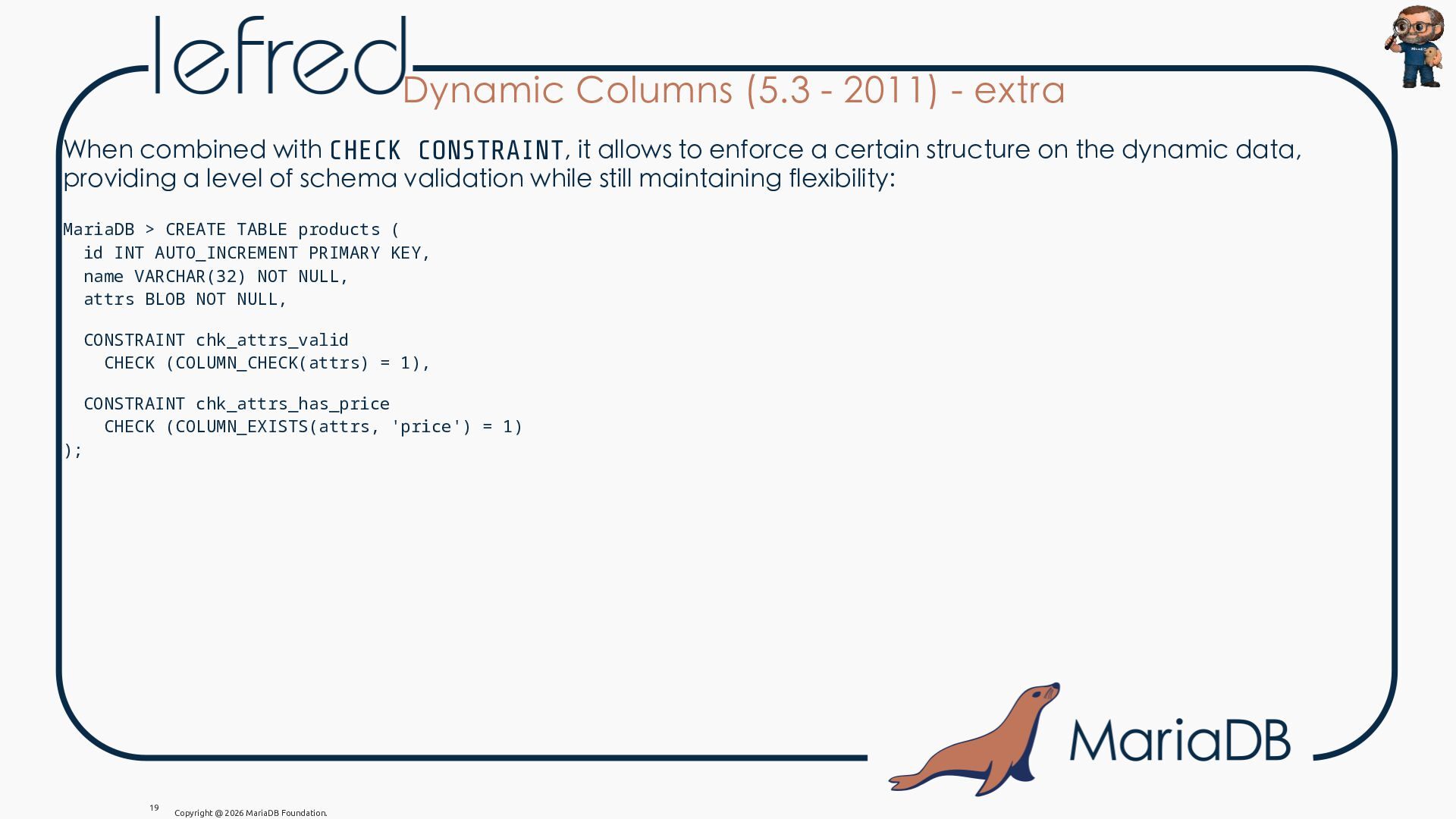
  14. Dynamic Columns (5.3 - 2011) - extra When combined with

    CHECK CONSTRAINT, it allows to enforce a certain structure on the dynamic data, providing a level of schema validation while still maintaining flexibility: MariaDB > CREATE TABLE products ( id INT AUTO_INCREMENT PRIMARY KEY, name VARCHAR(32) NOT NULL, attrs BLOB NOT NULL, CONSTRAINT chk_attrs_valid CHECK (COLUMN_CHECK(attrs) = 1), CONSTRAINT chk_attrs_has_price CHECK (COLUMN_EXISTS(attrs, 'price') = 1) ); Copyright @ 2026 MariaDB Foundation. 19
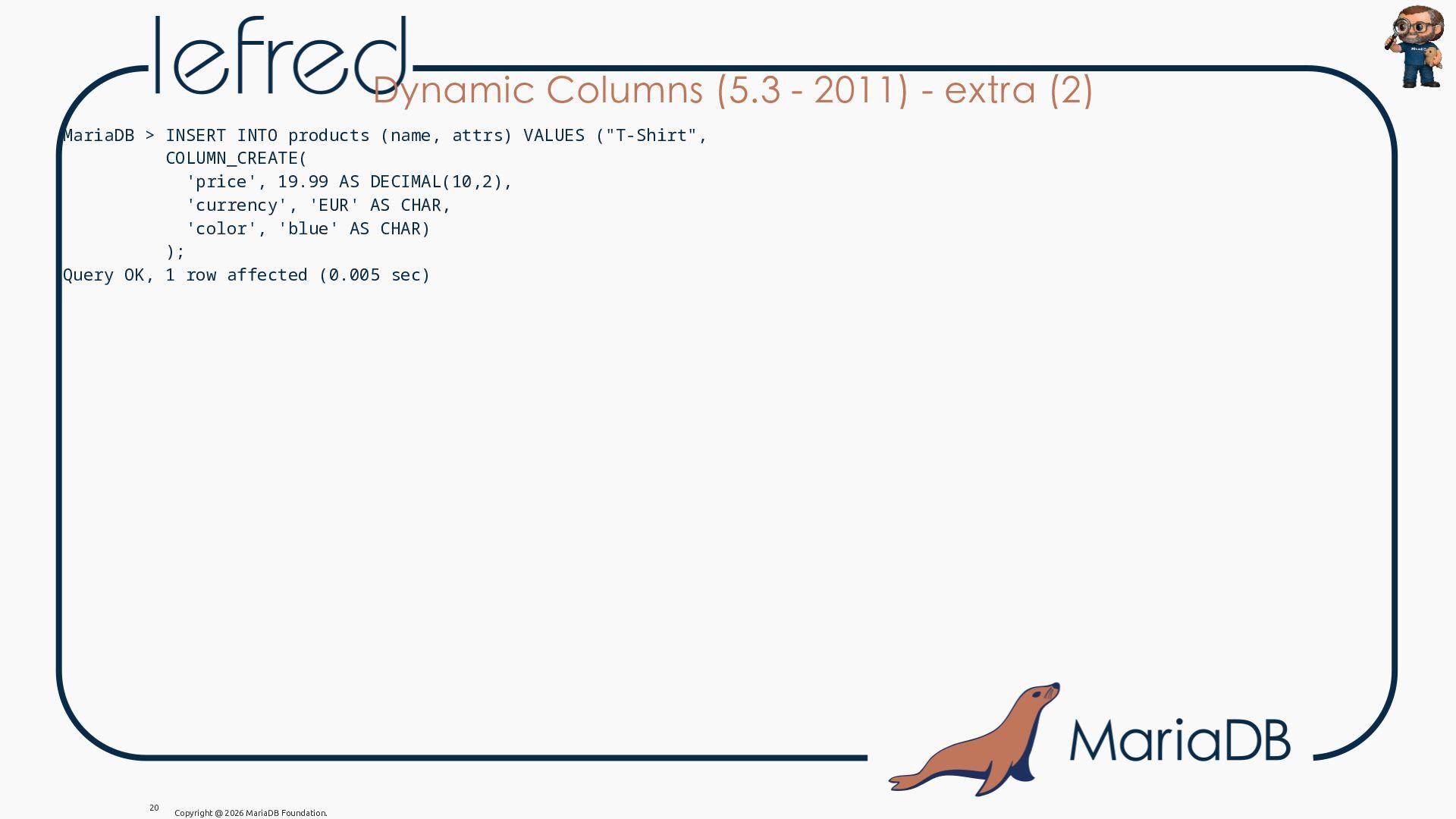
  15. Dynamic Columns (5.3 - 2011) - extra (2) MariaDB >

    INSERT INTO products (name, attrs) VALUES ("T-Shirt", COLUMN_CREATE( 'price', 19.99 AS DECIMAL(10,2), 'currency', 'EUR' AS CHAR, 'color', 'blue' AS CHAR) ); Query OK, 1 row affected (0.005 sec) Copyright @ 2026 MariaDB Foundation. 20
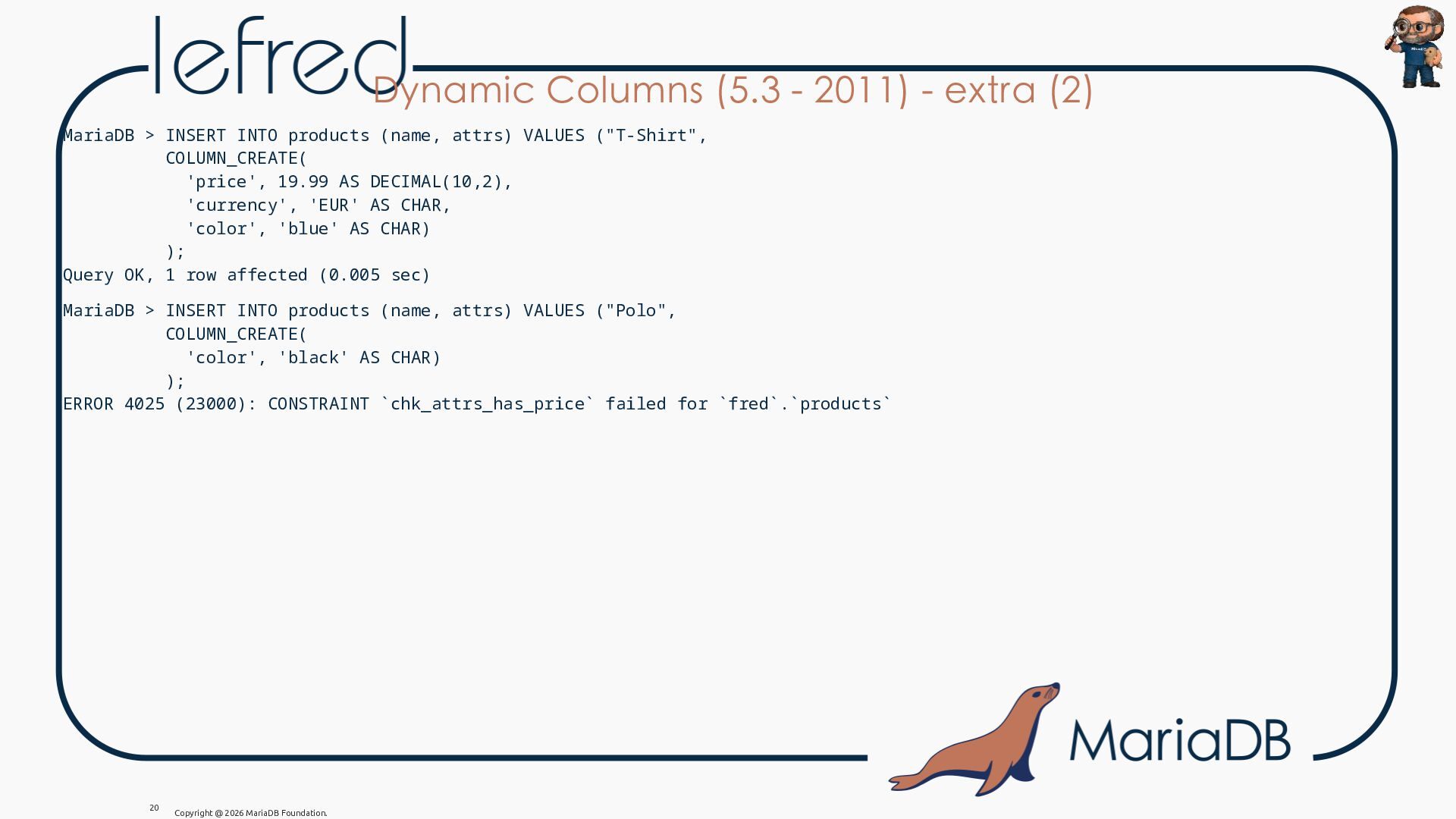
  16. Dynamic Columns (5.3 - 2011) - extra (2) MariaDB >

    INSERT INTO products (name, attrs) VALUES ("T-Shirt", COLUMN_CREATE( 'price', 19.99 AS DECIMAL(10,2), 'currency', 'EUR' AS CHAR, 'color', 'blue' AS CHAR) ); Query OK, 1 row affected (0.005 sec) MariaDB > INSERT INTO products (name, attrs) VALUES ("Polo", COLUMN_CREATE( 'color', 'black' AS CHAR) ); ERROR 4025 (23000): CONSTRAINT `chk_attrs_has_price` failed for `fred`.`products` Copyright @ 2026 MariaDB Foundation. 20
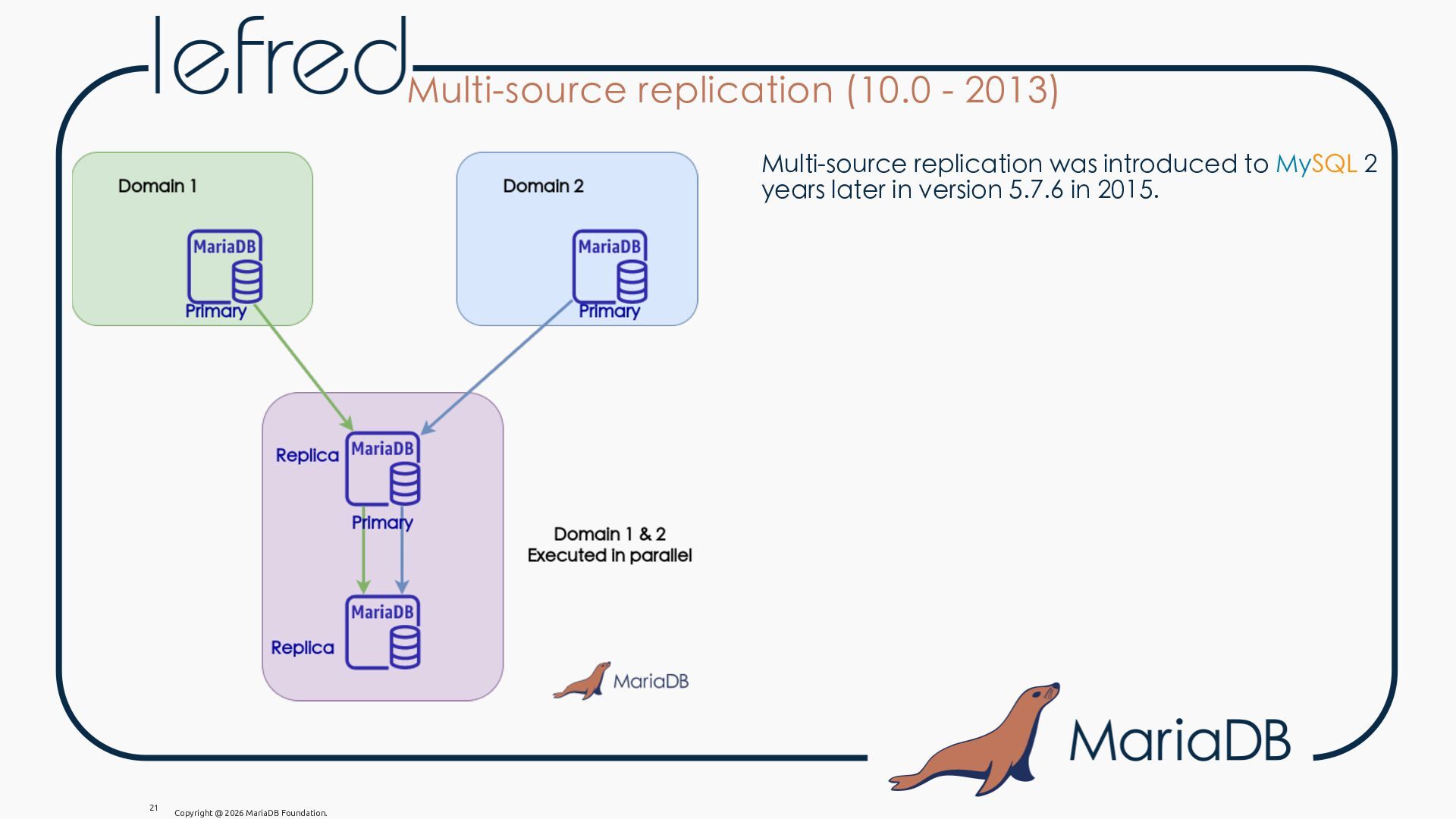
  17. Multi-source replication was introduced to MySQL 2 years later in

    version 5.7.6 in 2015. Multi-source replication (10.0 - 2013) Copyright @ 2026 MariaDB Foundation. 21
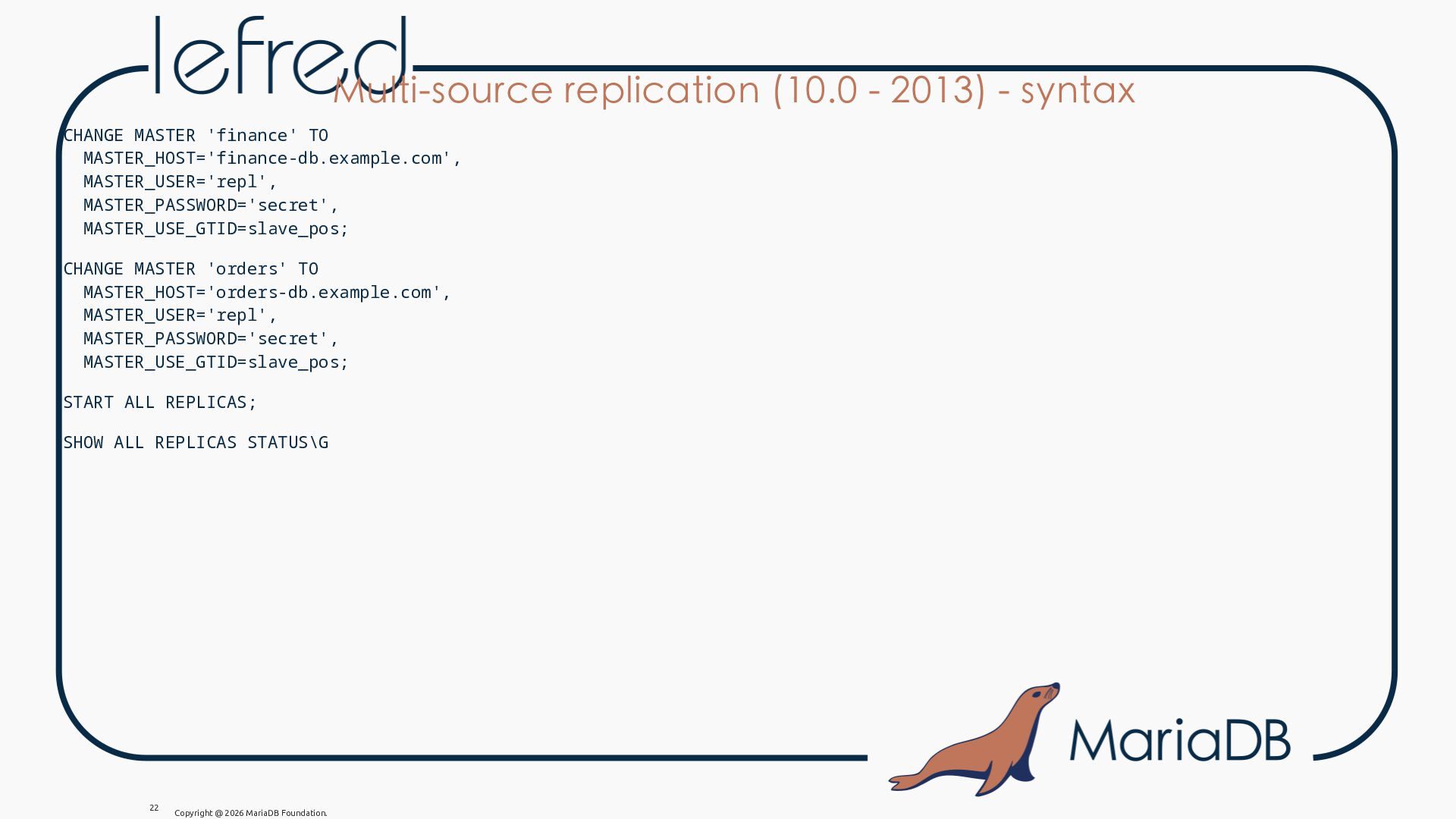
  18. Multi-source replication (10.0 - 2013) - syntax CHANGE MASTER 'finance'

    TO MASTER_HOST='finance-db.example.com', MASTER_USER='repl', MASTER_PASSWORD='secret', MASTER_USE_GTID=slave_pos; CHANGE MASTER 'orders' TO MASTER_HOST='orders-db.example.com', MASTER_USER='repl', MASTER_PASSWORD='secret', MASTER_USE_GTID=slave_pos; START ALL REPLICAS; SHOW ALL REPLICAS STATUS\G Copyright @ 2026 MariaDB Foundation. 22
  19. SEQUENCE storage engine (10.0 - 2013) The Sequence engine generates

    virtual tables of number sequences on the fly, useful for generating series of integers without storing data. These are the 3 main reasons for this feature: 1. Auto-increment was too limited and inflexible for some use cases, such as generating unique IDs across multiple tables or databases. 2. People were emulating sequences using workarounds that had poor performance characteristics, and could be unsafe after crashes or awkward under concurrency. Native sequences were meant to solve that cleanly and safely. 3. We wanted standards support and Oracle compatibility. Copyright @ 2026 MariaDB Foundation. 23
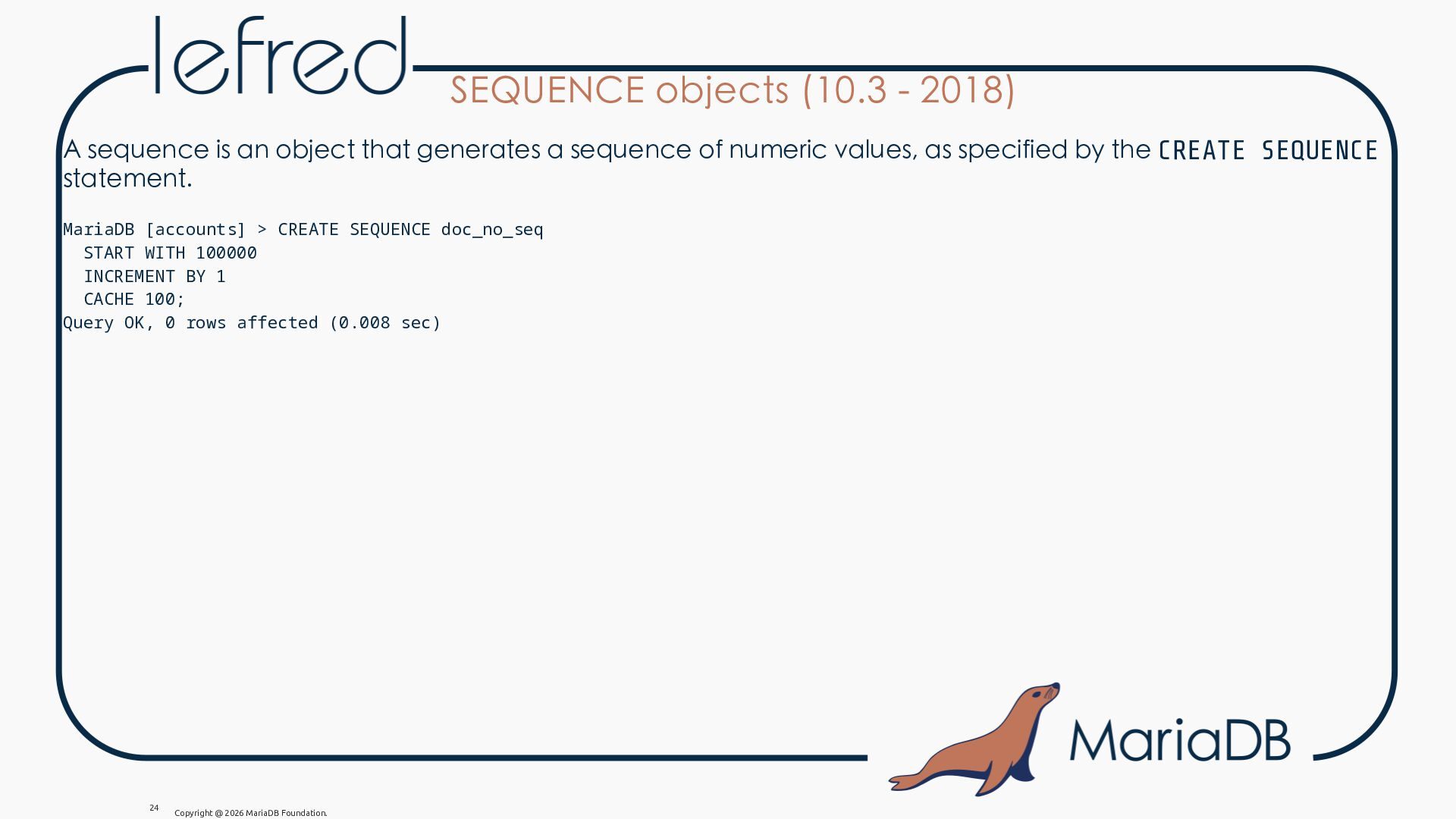
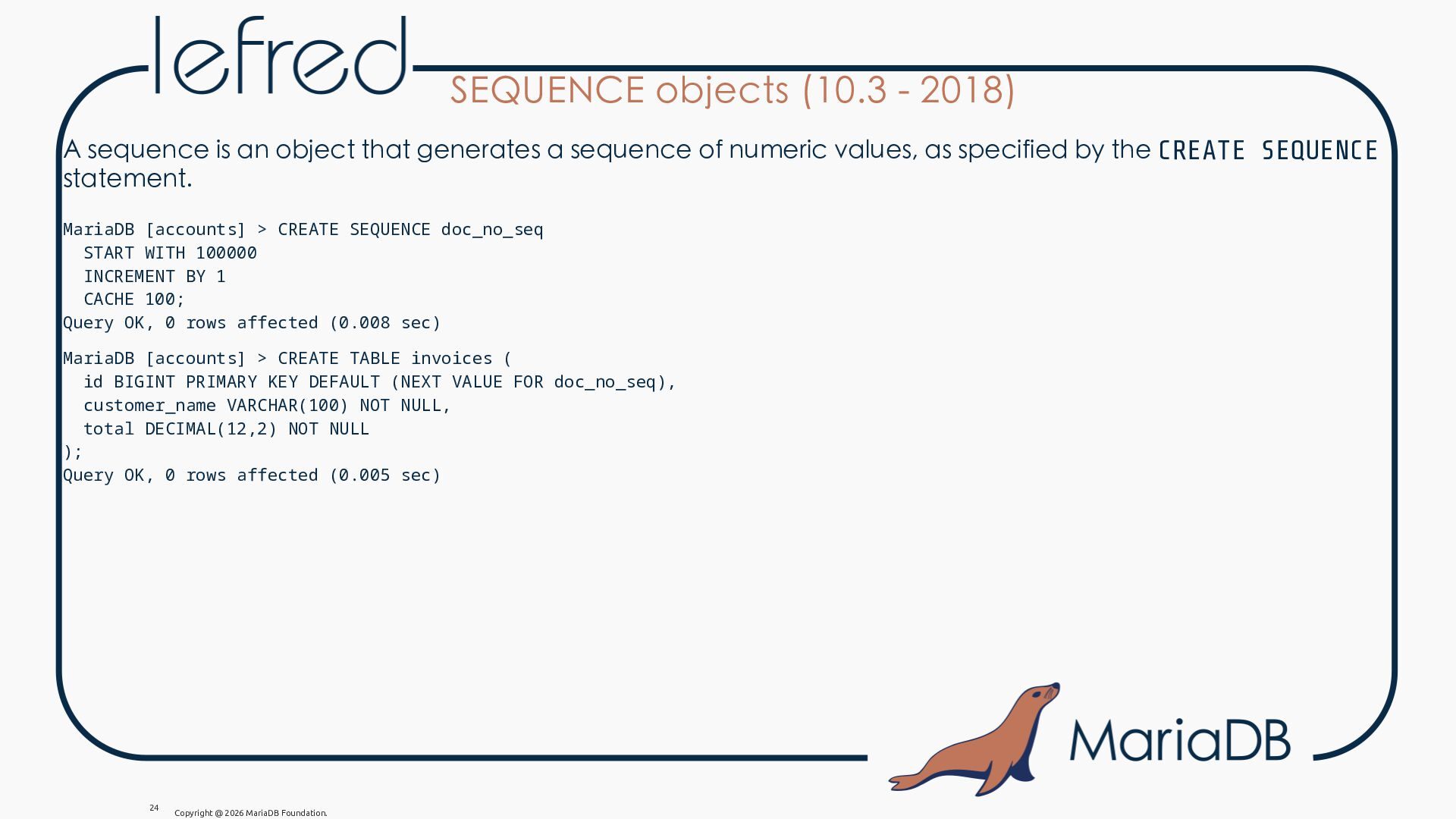
  20. SEQUENCE objects (10.3 - 2018) A sequence is an object

    that generates a sequence of numeric values, as specified by the CREATE SEQUENCE statement. MariaDB [accounts] > CREATE SEQUENCE doc_no_seq START WITH 100000 INCREMENT BY 1 CACHE 100; Query OK, 0 rows affected (0.008 sec) Copyright @ 2026 MariaDB Foundation. 24
  21. SEQUENCE objects (10.3 - 2018) A sequence is an object

    that generates a sequence of numeric values, as specified by the CREATE SEQUENCE statement. MariaDB [accounts] > CREATE SEQUENCE doc_no_seq START WITH 100000 INCREMENT BY 1 CACHE 100; Query OK, 0 rows affected (0.008 sec) MariaDB [accounts] > CREATE TABLE invoices ( id BIGINT PRIMARY KEY DEFAULT (NEXT VALUE FOR doc_no_seq), customer_name VARCHAR(100) NOT NULL, total DECIMAL(12,2) NOT NULL ); Query OK, 0 rows affected (0.005 sec) Copyright @ 2026 MariaDB Foundation. 24
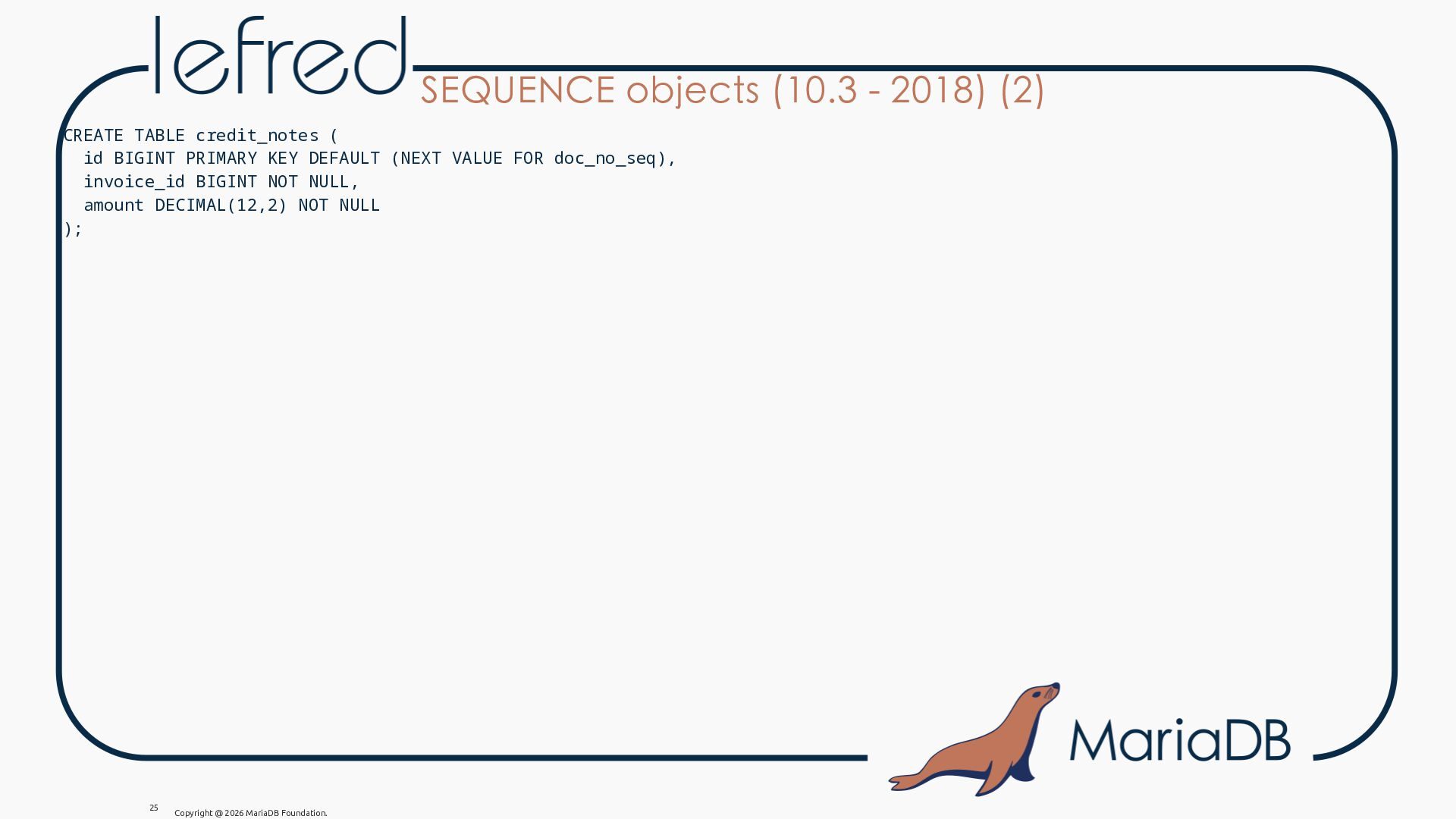
  22. SEQUENCE objects (10.3 - 2018) (2) CREATE TABLE credit_notes (

    id BIGINT PRIMARY KEY DEFAULT (NEXT VALUE FOR doc_no_seq), invoice_id BIGINT NOT NULL, amount DECIMAL(12,2) NOT NULL ); Copyright @ 2026 MariaDB Foundation. 25
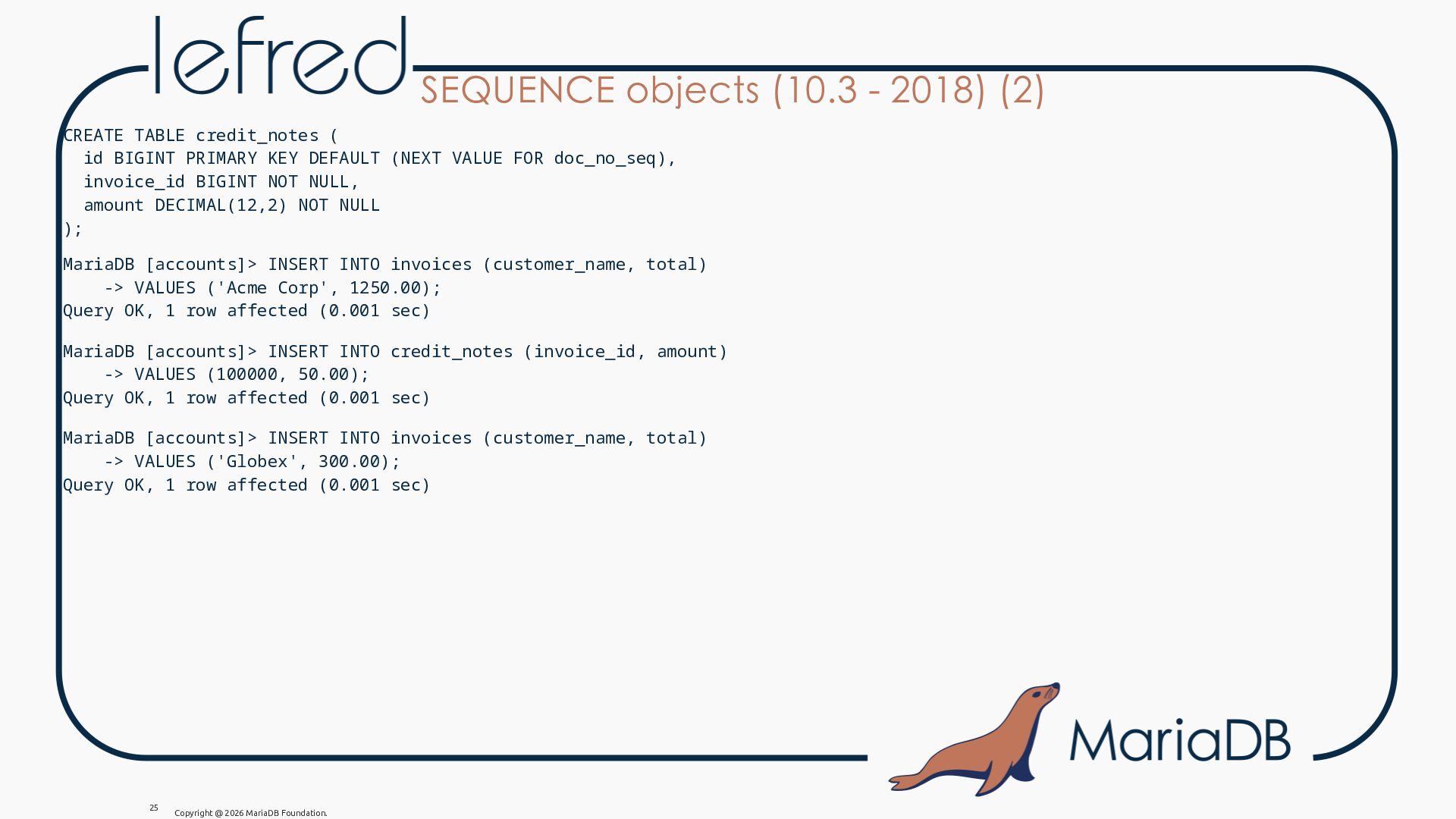
  23. SEQUENCE objects (10.3 - 2018) (2) CREATE TABLE credit_notes (

    id BIGINT PRIMARY KEY DEFAULT (NEXT VALUE FOR doc_no_seq), invoice_id BIGINT NOT NULL, amount DECIMAL(12,2) NOT NULL ); MariaDB [accounts]> INSERT INTO invoices (customer_name, total) -> VALUES ('Acme Corp', 1250.00); Query OK, 1 row affected (0.001 sec) MariaDB [accounts]> INSERT INTO credit_notes (invoice_id, amount) -> VALUES (100000, 50.00); Query OK, 1 row affected (0.001 sec) MariaDB [accounts]> INSERT INTO invoices (customer_name, total) -> VALUES ('Globex', 300.00); Query OK, 1 row affected (0.001 sec) Copyright @ 2026 MariaDB Foundation. 25
  24. SEQUENCE objects (10.3 - 2018) (3) MariaDB [accounts]> SELECT *

    FROM invoices; +--------+---------------+---------+ | id | customer_name | total | +--------+---------------+---------+ | 100000 | Acme Corp | 1250.00 | | 100002 | Globex | 300.00 | +--------+---------------+---------+ 2 rows IN SET (0.000 sec) MariaDB [accounts]> SELECT * FROM credit_notes; +--------+------------+--------+ | id | invoice_id | amount | +--------+------------+--------+ | 100001 | 100000 | 50.00 | +--------+------------+--------+ 1 row IN SET (0.001 sec) Copyright @ 2026 MariaDB Foundation. 26
  25. SEQUENCE objects (10.3 - 2018) (4) MariaDB [accounts]> SELECT *

    FROM doc_no_seq\G *************************** 1. row *************************** next_not_cached_value: 100100 minimum_value: 1 maximum_value: 9223372036854775806 start_value: 100000 increment: 1 cache_size: 100 cycle_option: 0 cycle_count: 0 1 row IN SET (0.001 sec) Copyright @ 2026 MariaDB Foundation. 27
  26. SEQUENCE objects (10.3 - 2018) (4) MariaDB [accounts]> SELECT *

    FROM doc_no_seq\G *************************** 1. row *************************** next_not_cached_value: 100100 minimum_value: 1 maximum_value: 9223372036854775806 start_value: 100000 increment: 1 cache_size: 100 cycle_option: 0 cycle_count: 0 1 row IN SET (0.001 sec) Copyright @ 2026 MariaDB Foundation. CACHE 100 = keep the next 100 sequence VALUES ready IN memory for speed; faster, but gaps can appear after a crash OR restart. 27
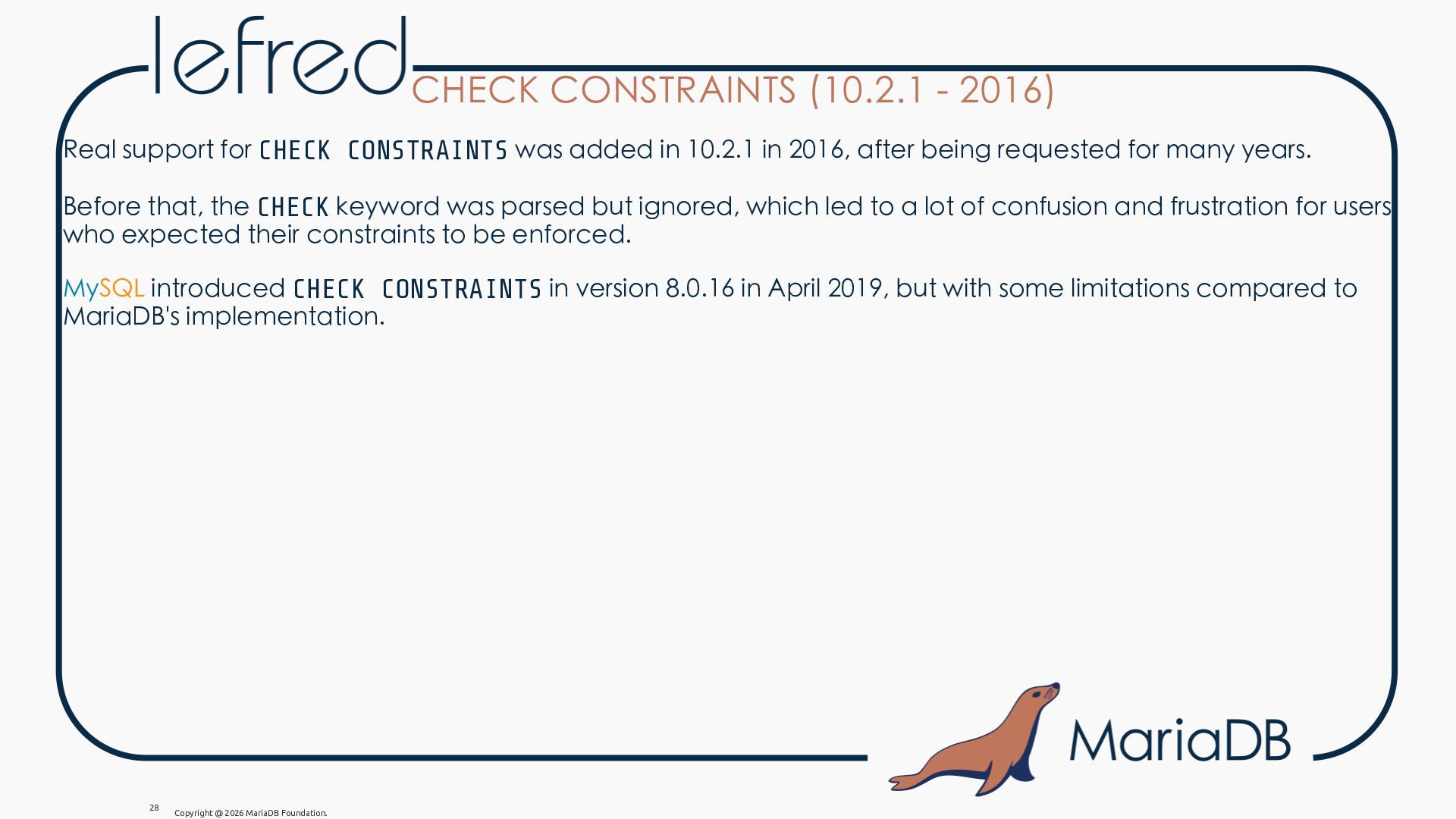
  27. CHECK CONSTRAINTS (10.2.1 - 2016) Real support for CHECK CONSTRAINTS

    was added in 10.2.1 in 2016, after being requested for many years. Before that, the CHECK keyword was parsed but ignored, which led to a lot of confusion and frustration for users who expected their constraints to be enforced. MySQL introduced CHECK CONSTRAINTS in version 8.0.16 in April 2019, but with some limitations compared to MariaDB's implementation. Copyright @ 2026 MariaDB Foundation. 28
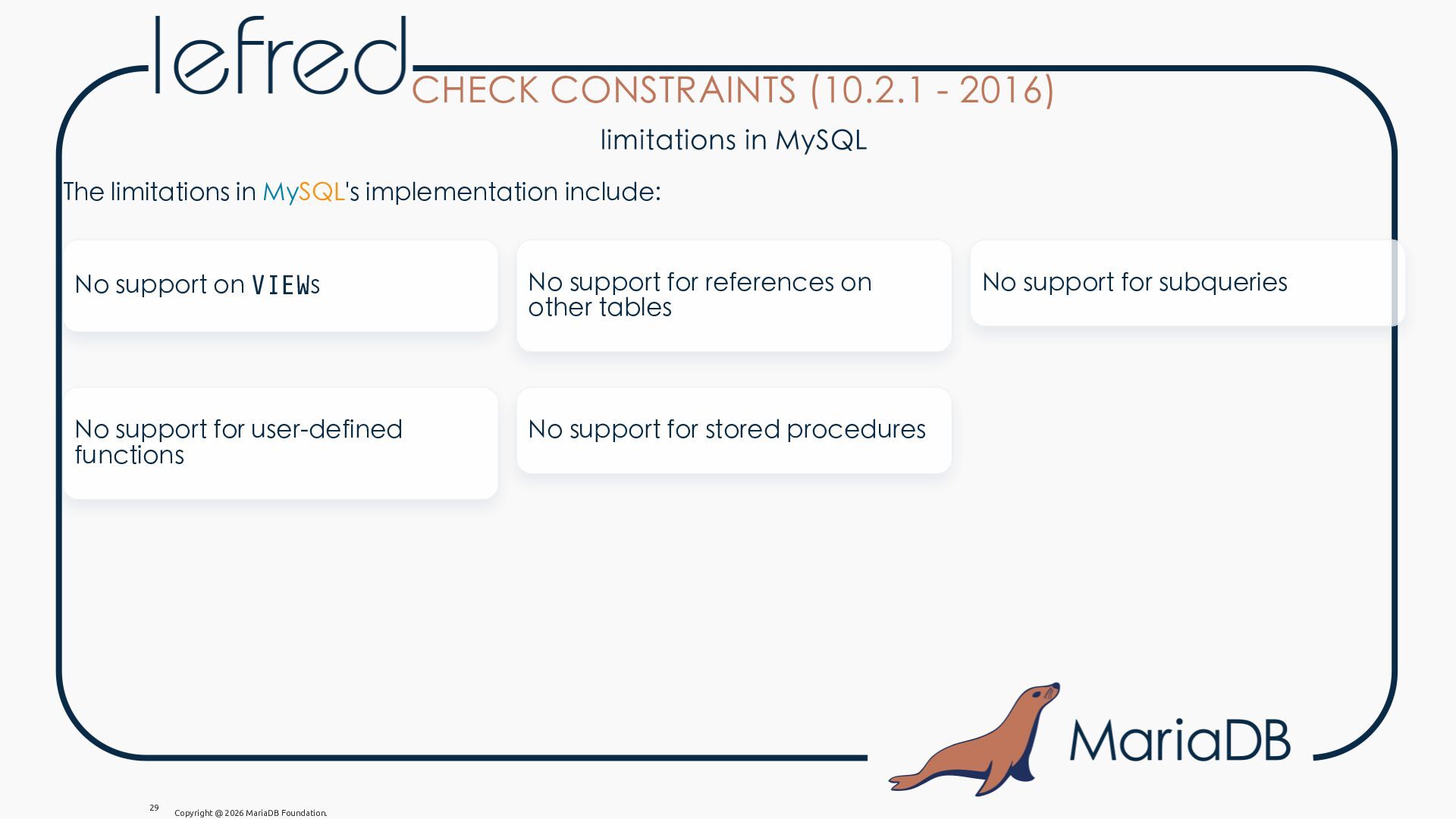
  28. CHECK CONSTRAINTS (10.2.1 - 2016) limitations in MySQL The limitations

    in MySQL's implementation include: No support on VIEWs No support for references on other tables No support for subqueries No support for user-defined functions No support for stored procedures Copyright @ 2026 MariaDB Foundation. 29
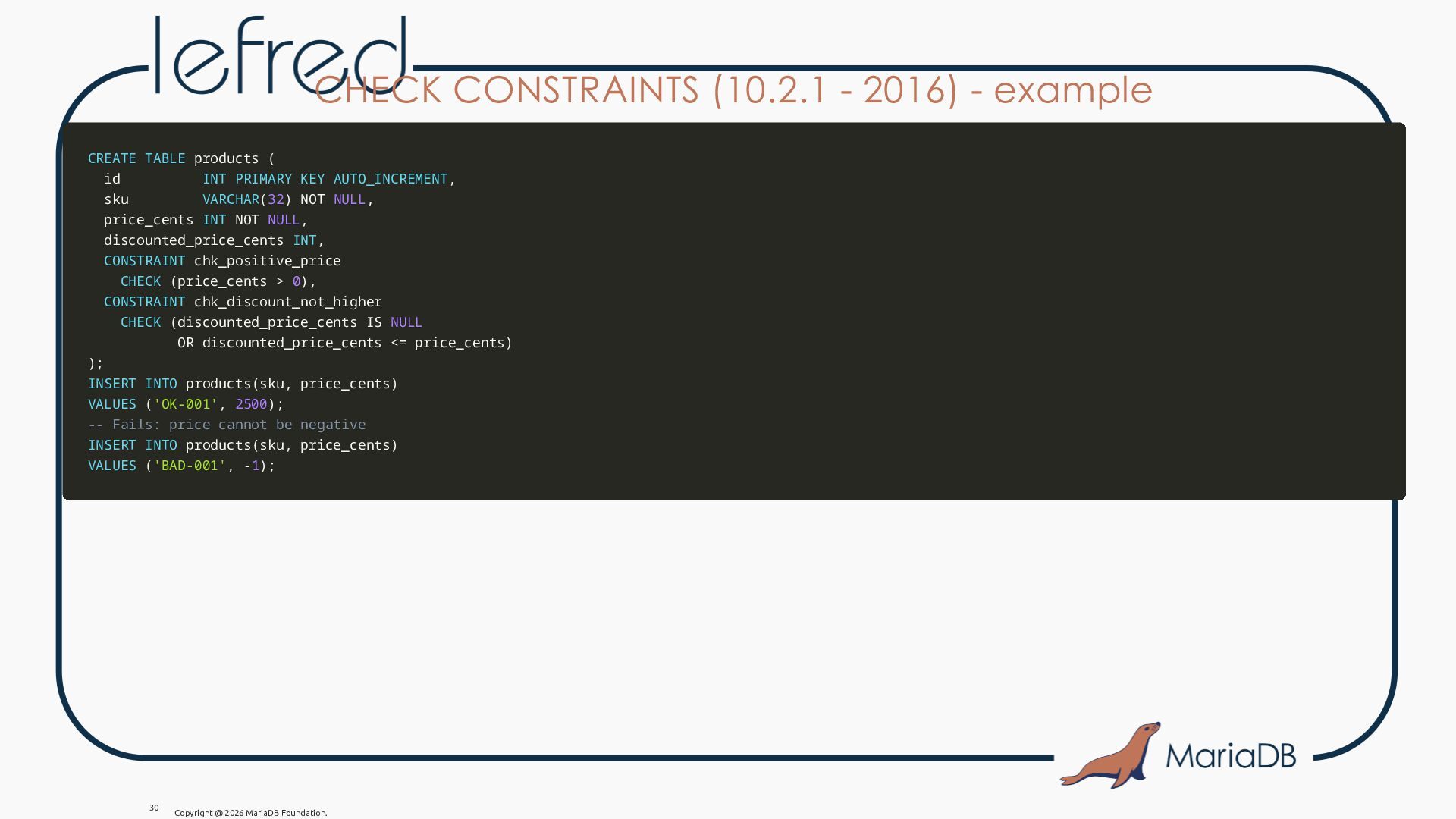
  29. CHECK CONSTRAINTS (10.2.1 - 2016) - example CREATE CREATE TABLE

    TABLE products products ( ( id id INT INT PRIMARY PRIMARY KEY KEY AUTO_INCREMENT AUTO_INCREMENT, , sku sku VARCHAR VARCHAR( (32 32) ) NOT NOT NULL NULL, , price_cents price_cents INT INT NOT NOT NULL NULL, , discounted_price_cents discounted_price_cents INT INT, , CONSTRAINT CONSTRAINT chk_positive_price chk_positive_price CHECK CHECK ( (price_cents price_cents > > 0 0) ), , CONSTRAINT CONSTRAINT chk_discount_not_higher chk_discount_not_higher CHECK CHECK ( (discounted_price_cents discounted_price_cents IS IS NULL NULL OR OR discounted_price_cents discounted_price_cents <= <= price_cents price_cents) ) ) ); ; INSERT INSERT INTO INTO products products( (sku sku, , price_cents price_cents) ) VALUES VALUES ( ('OK-001' 'OK-001', , 2500 2500) ); ; -- Fails: price cannot be negative -- Fails: price cannot be negative INSERT INSERT INTO INTO products products( (sku sku, , price_cents price_cents) ) VALUES VALUES ( ('BAD-001' 'BAD-001', , - -1 1) ); ; Copyright @ 2026 MariaDB Foundation. 30
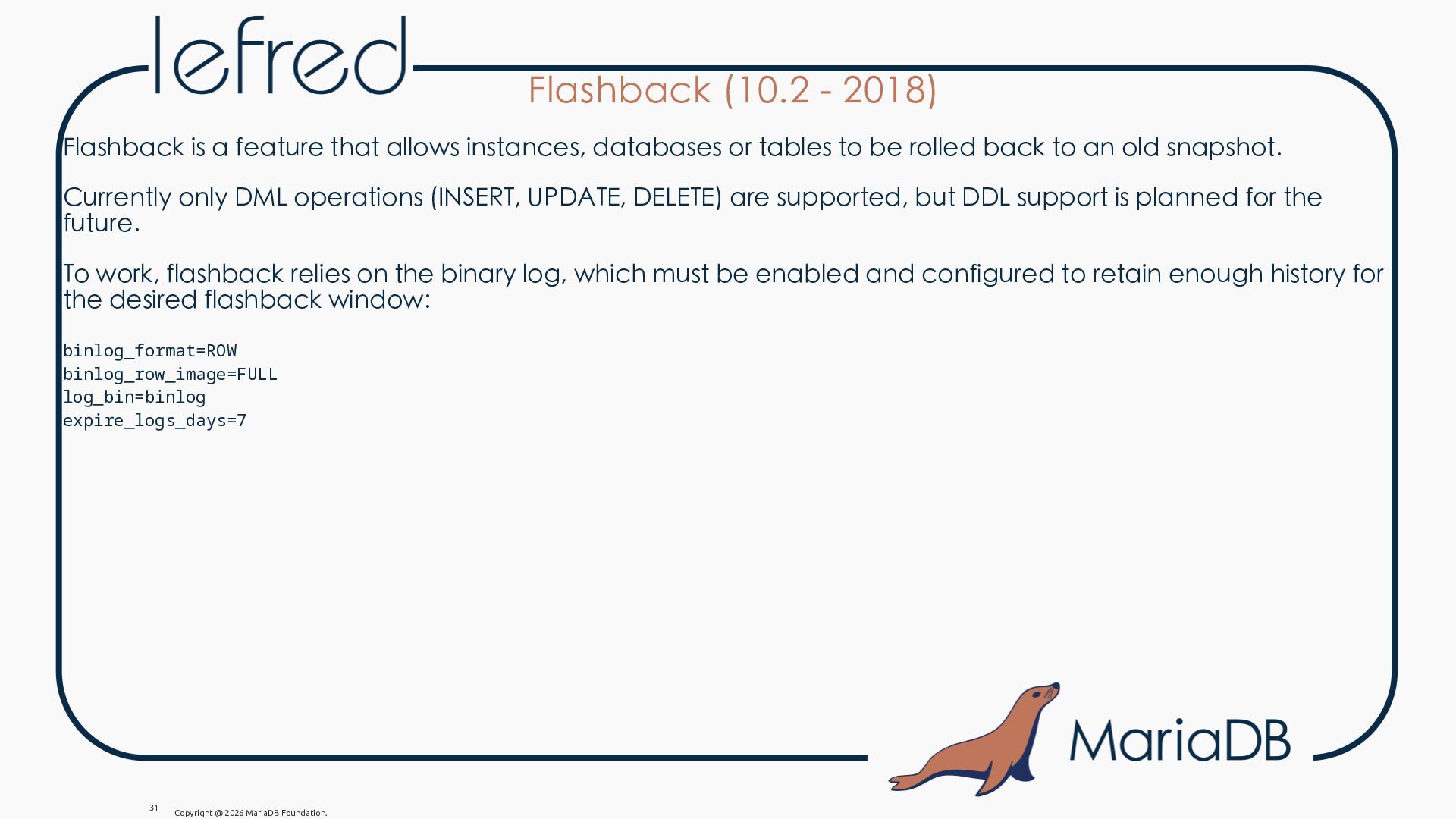
  30. Flashback (10.2 - 2018) Flashback is a feature that allows

    instances, databases or tables to be rolled back to an old snapshot. Currently only DML operations (INSERT, UPDATE, DELETE) are supported, but DDL support is planned for the future. To work, flashback relies on the binary log, which must be enabled and configured to retain enough history for the desired flashback window: binlog_format=ROW binlog_row_image=FULL log_bin=binlog expire_logs_days=7 Copyright @ 2026 MariaDB Foundation. 31
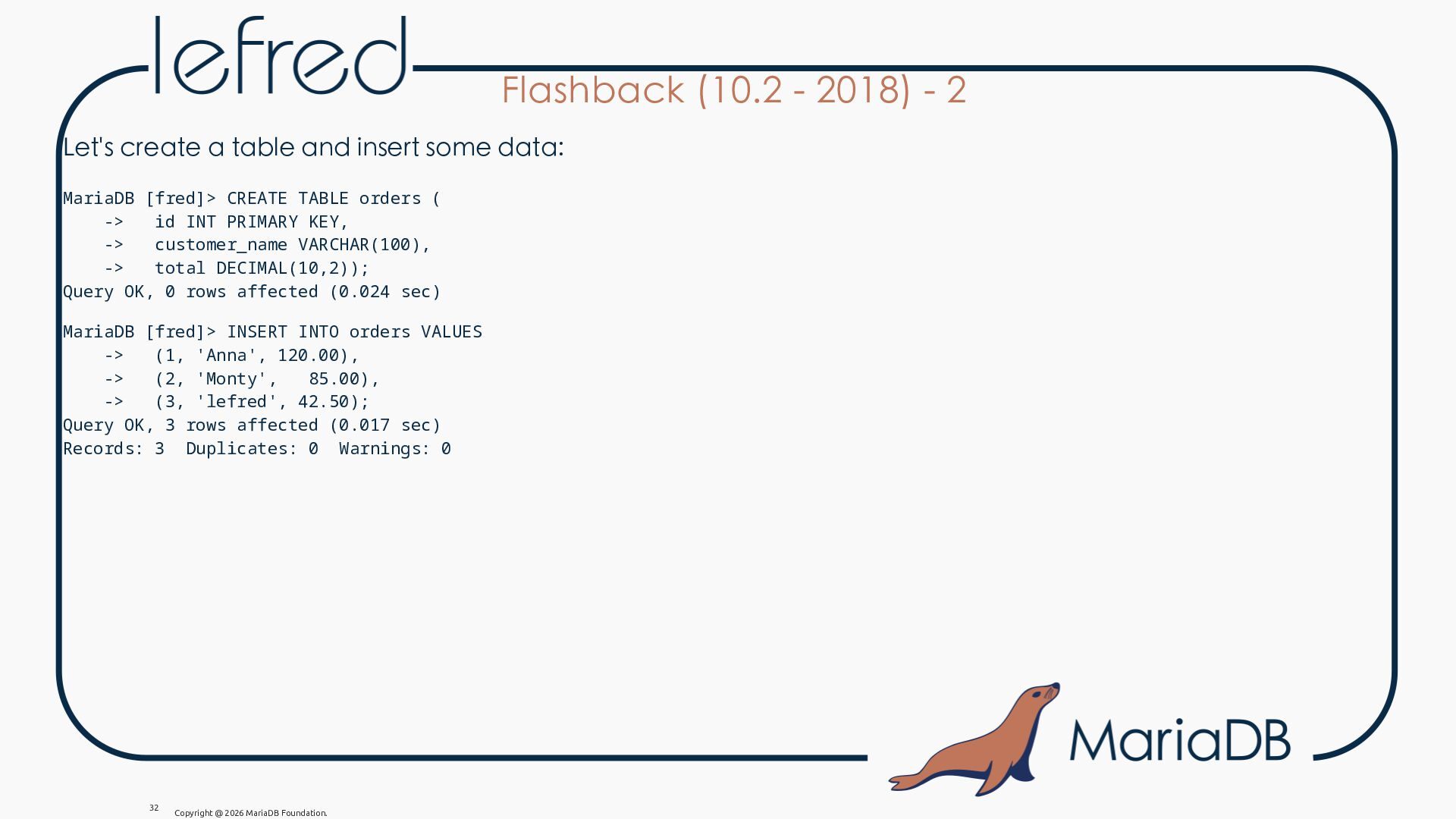
  31. Flashback (10.2 - 2018) - 2 Let's create a table

    and insert some data: MariaDB [fred]> CREATE TABLE orders ( -> id INT PRIMARY KEY, -> customer_name VARCHAR(100), -> total DECIMAL(10,2)); Query OK, 0 rows affected (0.024 sec) MariaDB [fred]> INSERT INTO orders VALUES -> (1, 'Anna', 120.00), -> (2, 'Monty', 85.00), -> (3, 'lefred', 42.50); Query OK, 3 rows affected (0.017 sec) Records: 3 Duplicates: 0 Warnings: 0 Copyright @ 2026 MariaDB Foundation. 32
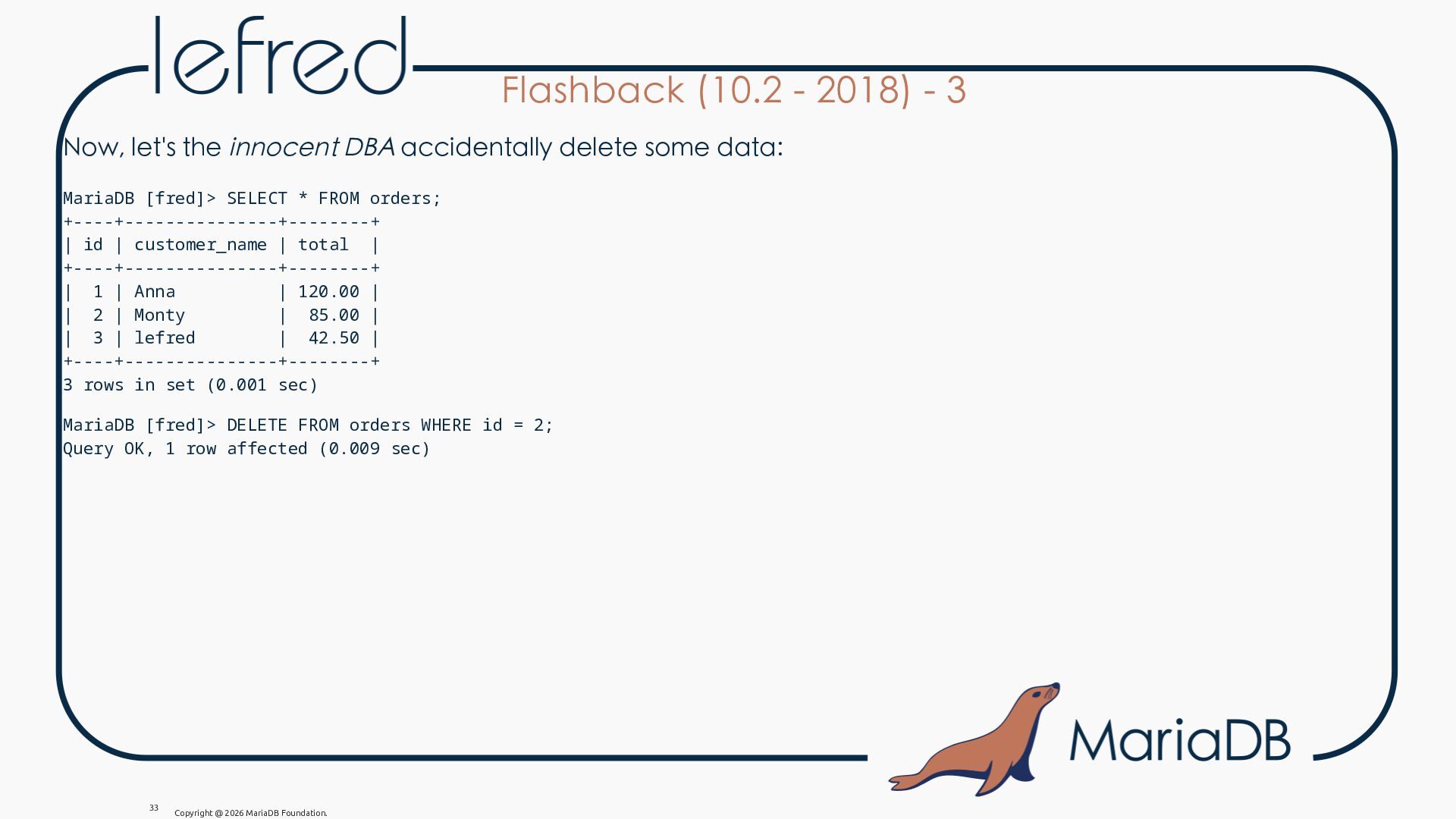
  32. Flashback (10.2 - 2018) - 3 Now, let's the innocent

    DBA accidentally delete some data: MariaDB [fred]> SELECT * FROM orders; +----+---------------+--------+ | id | customer_name | total | +----+---------------+--------+ | 1 | Anna | 120.00 | | 2 | Monty | 85.00 | | 3 | lefred | 42.50 | +----+---------------+--------+ 3 rows in set (0.001 sec) MariaDB [fred]> DELETE FROM orders WHERE id = 2; Query OK, 1 row affected (0.009 sec) Copyright @ 2026 MariaDB Foundation. 33
  33. Flashback (10.2 - 2018) - 4 MariaDB [fred]> SELECT *

    FROM orders; +----+---------------+--------+ | id | customer_name | total | +----+---------------+--------+ | 1 | Anna | 120.00 | | 3 | lefred | 42.50 | +----+---------------+--------+ 2 rows in set (0.000 sec) And we can see that we lost the order from Monty! Copyright @ 2026 MariaDB Foundation. 34
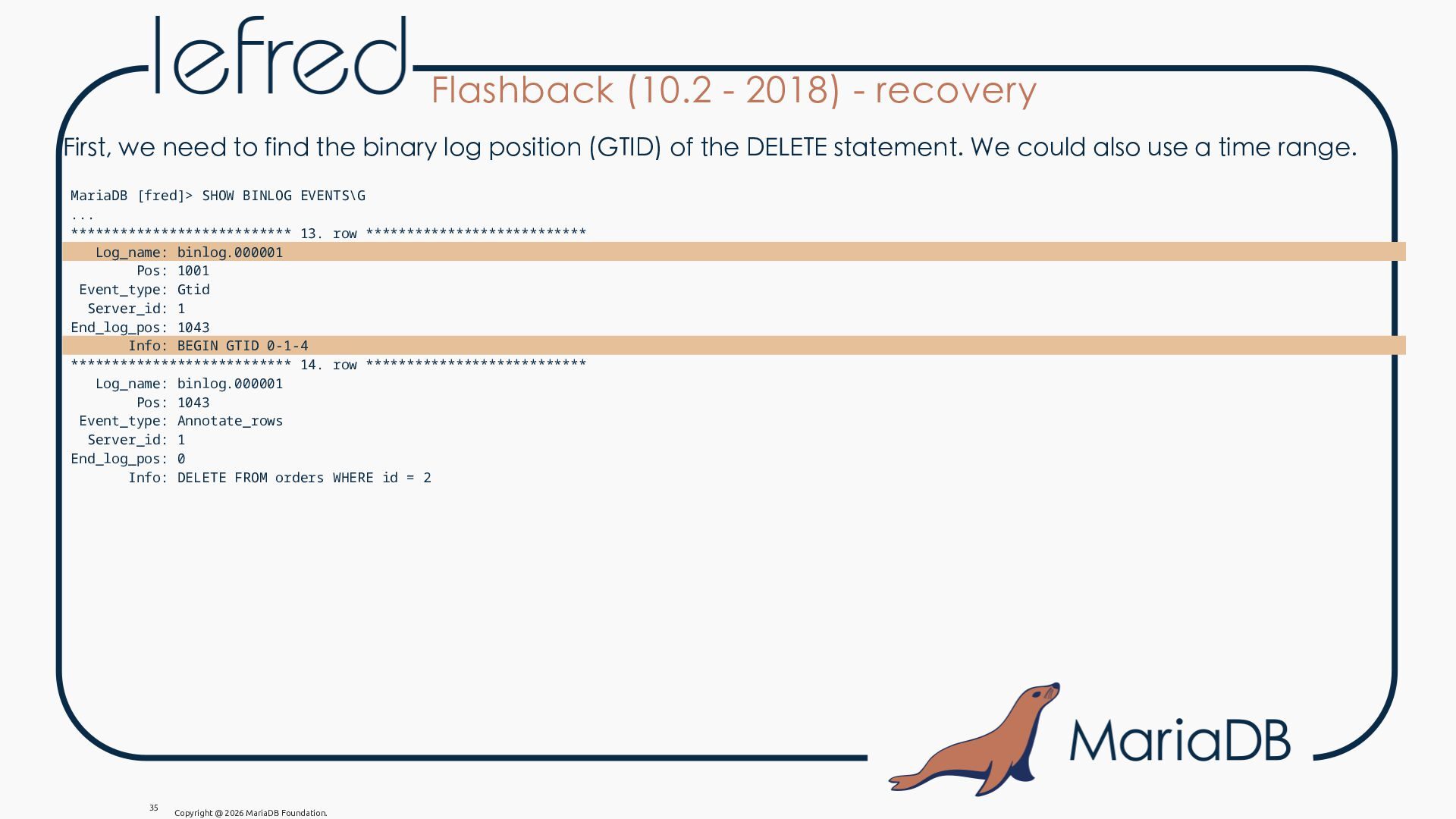
  34. Flashback (10.2 - 2018) - recovery First, we need to

    find the binary log position (GTID) of the DELETE statement. We could also use a time range. MariaDB [fred]> SHOW BINLOG EVENTS\G ... *************************** 13. row *************************** Log_name: binlog.000001 Pos: 1001 Event_type: Gtid Server_id: 1 End_log_pos: 1043 Info: BEGIN GTID 0-1-4 *************************** 14. row *************************** Log_name: binlog.000001 Pos: 1043 Event_type: Annotate_rows Server_id: 1 End_log_pos: 0 Info: DELETE FROM orders WHERE id = 2 Copyright @ 2026 MariaDB Foundation. 35
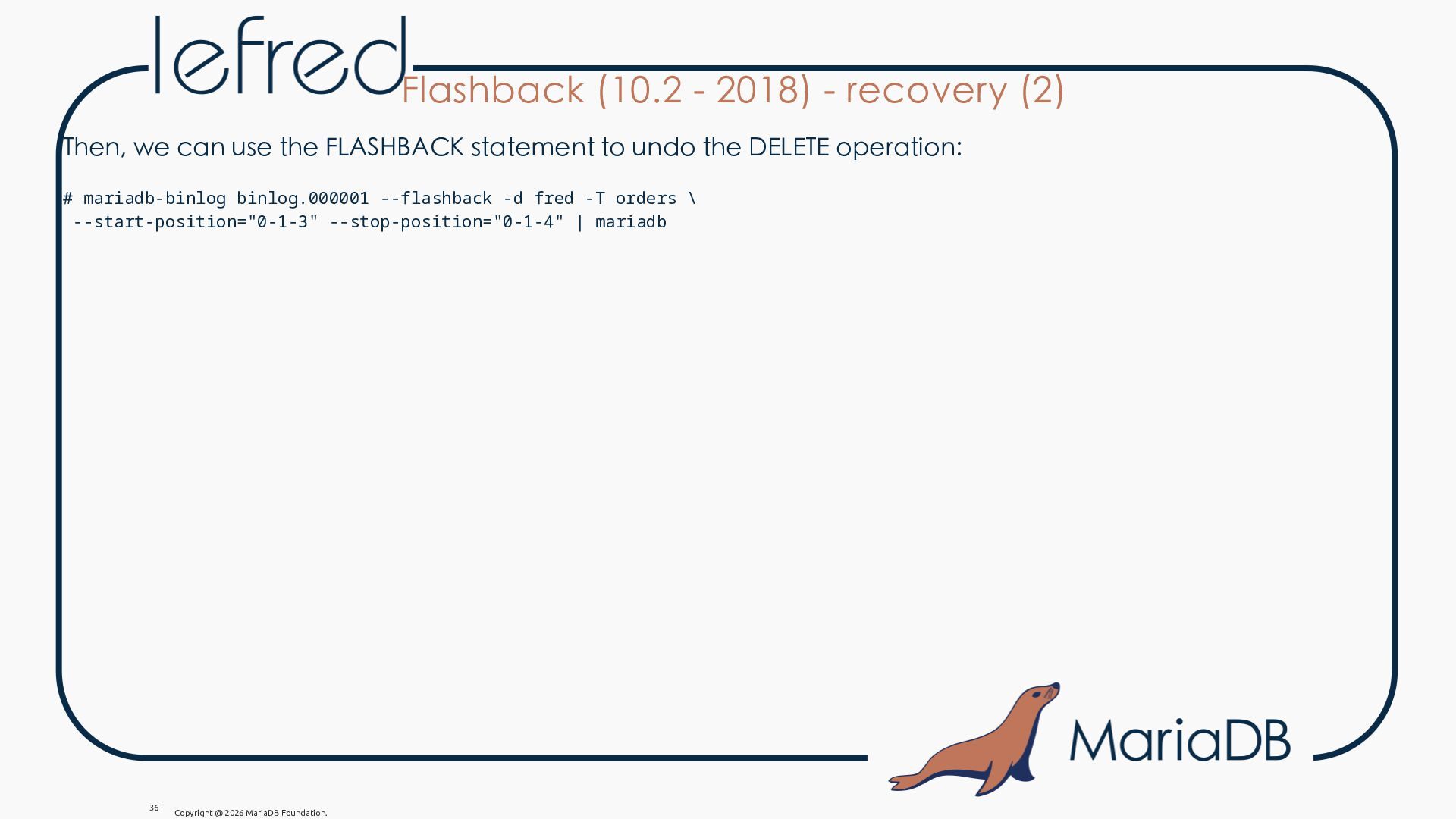
  35. Flashback (10.2 - 2018) - recovery (2) Then, we can

    use the FLASHBACK statement to undo the DELETE operation: # mariadb-binlog binlog.000001 --flashback -d fred -T orders \ --start-position="0-1-3" --stop-position="0-1-4" | mariadb Copyright @ 2026 MariaDB Foundation. 36
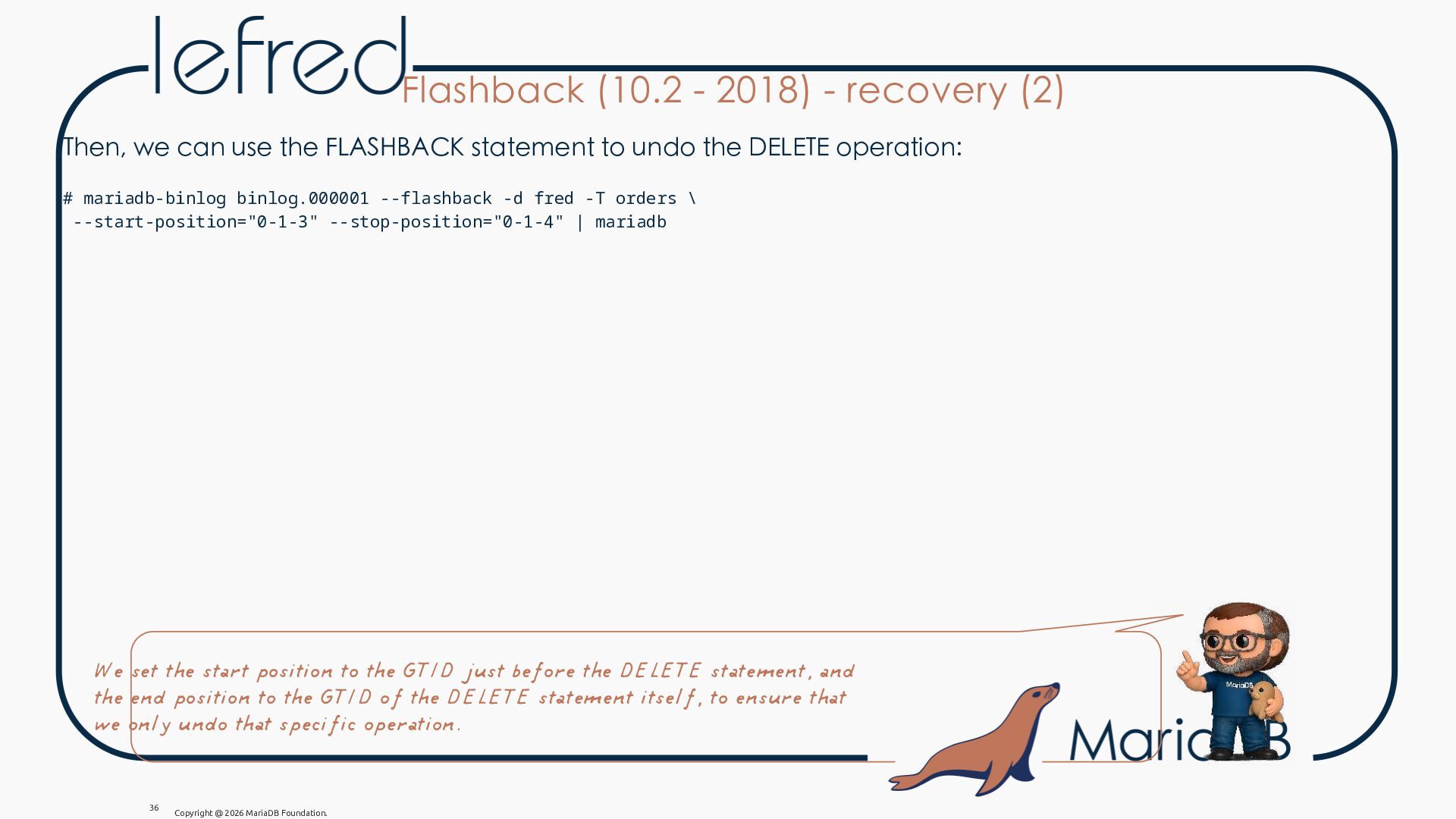
  36. Flashback (10.2 - 2018) - recovery (2) Then, we can

    use the FLASHBACK statement to undo the DELETE operation: # mariadb-binlog binlog.000001 --flashback -d fred -T orders \ --start-position="0-1-3" --stop-position="0-1-4" | mariadb Copyright @ 2026 MariaDB Foundation. We set the start position to the GTID just before the DELETE statement, and the end position to the GTID of the DELETE statement itself, to ensure that we only undo that specific operation. 36
  37. Flashback (10.2 - 2018) - recovery (3) MariaDB [fred]> SELECT

    * FROM orders; +----+---------------+--------+ | id | customer_name | total | +----+---------------+--------+ | 1 | Anna | 120.00 | | 2 | Monty | 85.00 | | 3 | lefred | 42.50 | +----+---------------+--------+ 3 rows in set (0.001 sec) Copyright @ 2026 MariaDB Foundation. 37
  38. Flashback (10.2 - 2018) - recovery (3) MariaDB [fred]> SELECT

    * FROM orders; +----+---------------+--------+ | id | customer_name | total | +----+---------------+--------+ | 1 | Anna | 120.00 | | 2 | Monty | 85.00 | | 3 | lefred | 42.50 | +----+---------------+--------+ 3 rows in set (0.001 sec) All good again! Copyright @ 2026 MariaDB Foundation. 37
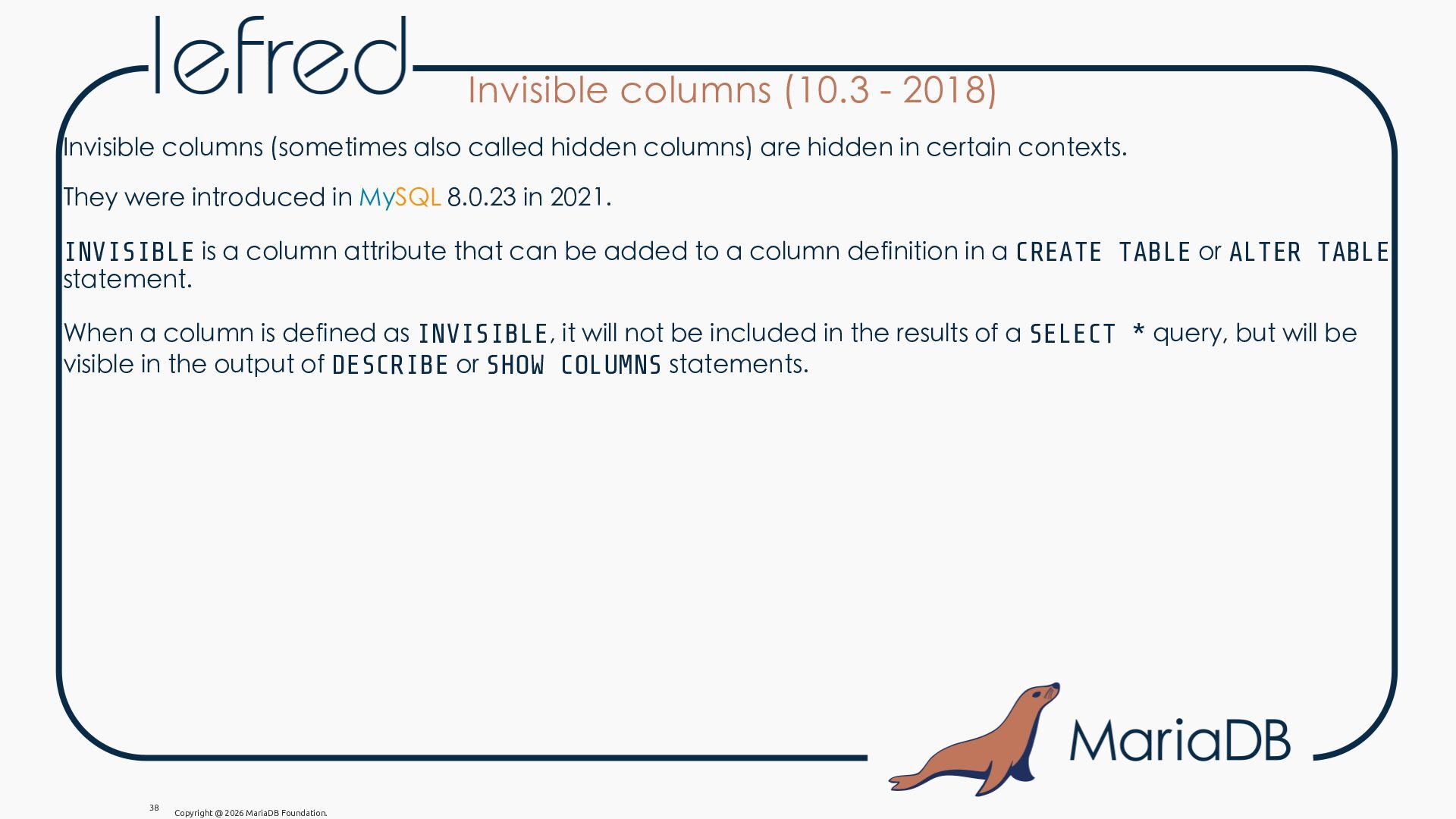
  39. Invisible columns (10.3 - 2018) Invisible columns (sometimes also called

    hidden columns) are hidden in certain contexts. They were introduced in MySQL 8.0.23 in 2021. INVISIBLE is a column attribute that can be added to a column definition in a CREATE TABLE or ALTER TABLE statement. When a column is defined as INVISIBLE, it will not be included in the results of a SELECT * query, but will be visible in the output of DESCRIBE or SHOW COLUMNS statements. Copyright @ 2026 MariaDB Foundation. 38
  40. Invisible columns (10.3 - 2018) - example MariaDB [fred]> CREATE

    TABLE products ( id INT AUTO_INCREMENT PRIMARY KEY, name VARCHAR(32), created TIMESTAMP DEFAULT CURRENT_TIMESTAMP INVISIBLE ); Copyright @ 2026 MariaDB Foundation. 39
  41. Invisible columns (10.3 - 2018) - example MariaDB [fred]> CREATE

    TABLE products ( id INT AUTO_INCREMENT PRIMARY KEY, name VARCHAR(32), created TIMESTAMP DEFAULT CURRENT_TIMESTAMP INVISIBLE ); MariaDB [fred]> INSERT INTO products VALUES (0,'t-shirt'); Query OK, 1 row affected (0.011 sec) ---wait--- MariaDB [fred]> INSERT INTO products VALUES (0,'polo'),(0,'sweat-shirt') Query OK, 2 rows affected (0.004 sec) Records: 2 Duplicates: 0 Warnings: 0 Copyright @ 2026 MariaDB Foundation. 39
  42. MariaDB [fred]> SELECT * FROM products; +----+-------------+ | id |

    name | +----+-------------+ | 1 | t-shirt | | 2 | polo | | 3 | sweat-shirt | +----+-------------+ 3 rows in set (0.001 sec) MariaDB [fred]> SELECT *, created FROM products; +----+-------------+---------------------+ | id | name | created | +----+-------------+---------------------+ | 1 | t-shirt | 2026-04-07 18:48:53 | | 2 | polo | 2026-04-07 18:50:06 | | 3 | sweat-shirt | 2026-04-07 18:50:06 | +----+-------------+---------------------+ 3 rows in set (0.001 sec) Invisible columns (10.3 - 2018) - example (2) MariaDB [fred]> DESC products; +---------+-------------+------+-----+---------------------+----------------+ | Field | Type | Null | Key | Default | Extra | +---------+-------------+------+-----+---------------------+----------------+ | id | int(11) | NO | PRI | NULL | auto_increment | | name | varchar(32) | YES | | NULL | | | created | timestamp | YES | | current_timestamp() | INVISIBLE | +---------+-------------+------+-----+---------------------+----------------+ 3 rows in set (0.001 sec) Copyright @ 2026 MariaDB Foundation. 40
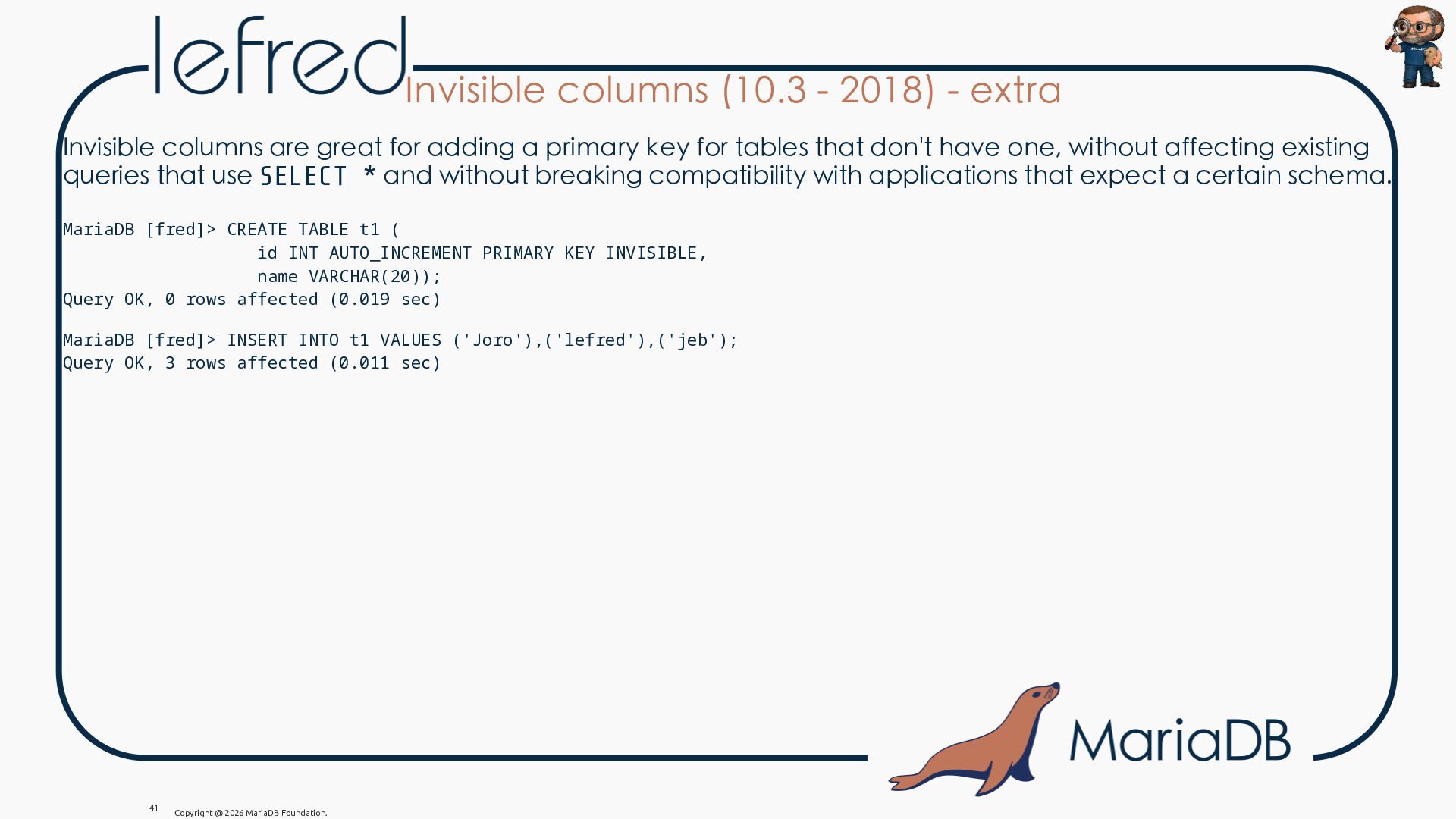
  43. Invisible columns (10.3 - 2018) - extra Invisible columns are

    great for adding a primary key for tables that don't have one, without affecting existing queries that use SELECT * and without breaking compatibility with applications that expect a certain schema. MariaDB [fred]> CREATE TABLE t1 ( id INT AUTO_INCREMENT PRIMARY KEY INVISIBLE, name VARCHAR(20)); Query OK, 0 rows affected (0.019 sec) MariaDB [fred]> INSERT INTO t1 VALUES ('Joro'),('lefred'),('jeb'); Query OK, 3 rows affected (0.011 sec) Copyright @ 2026 MariaDB Foundation. 41
  44. MariaDB [fred]> SELECT * FROM t1; +--------+ | name |

    +--------+ | Joro | | lefred | | jeb | +--------+ 3 rows in set (0.001 sec) MariaDB [fred]> SELECT id,t1.* FROM t1; +----+--------+ | id | name | +----+--------+ | 1 | Joro | | 2 | lefred | | 3 | jeb | +----+--------+ 3 rows in set (0.000 sec) Invisible columns (10.3 - 2018) - extra (2) Copyright @ 2026 MariaDB Foundation. 42
  45. MariaDB [fred]> SELECT * FROM t1; +--------+ | name |

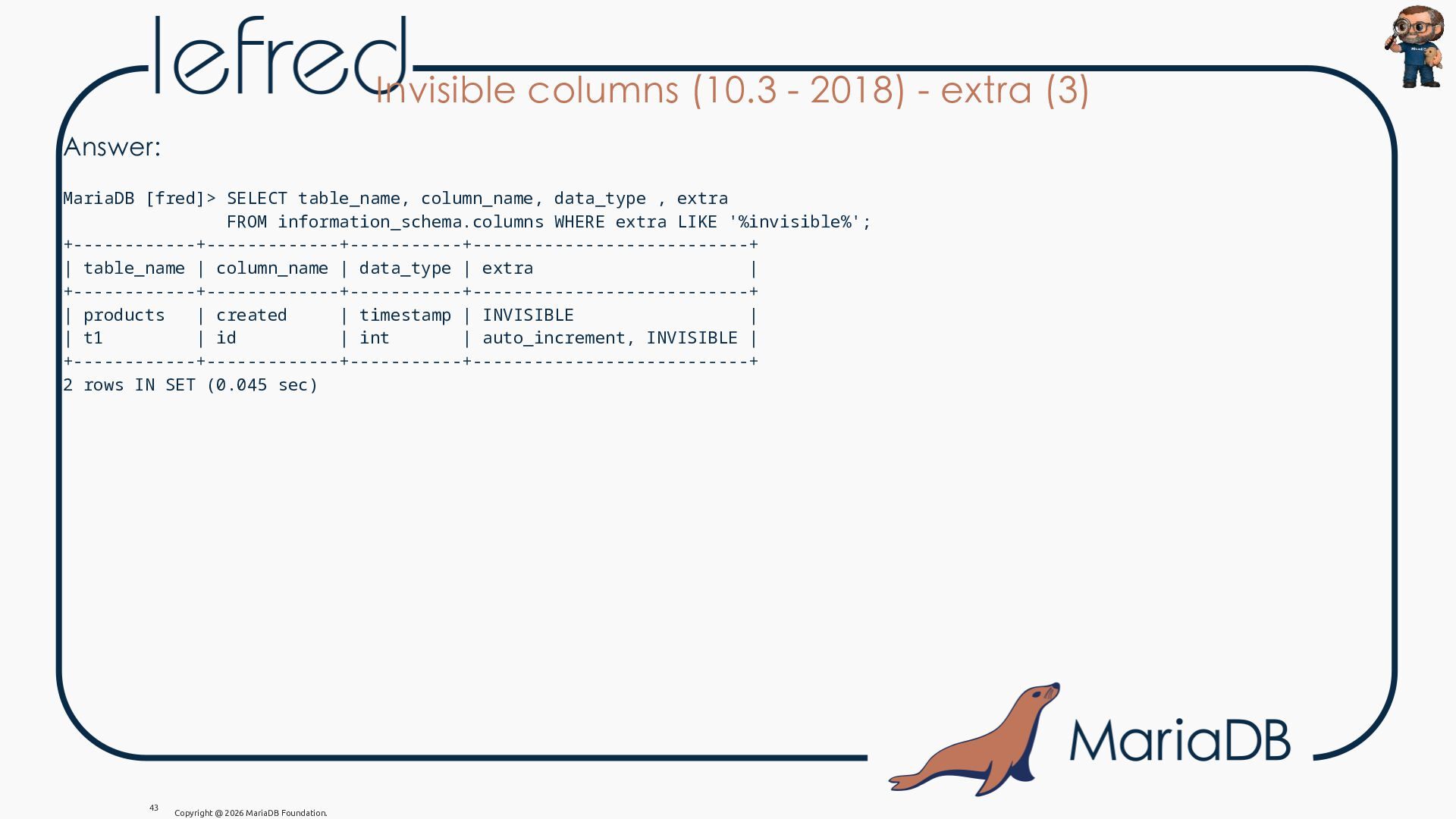
    +--------+ | Joro | | lefred | | jeb | +--------+ 3 rows in set (0.001 sec) MariaDB [fred]> SELECT id,t1.* FROM t1; +----+--------+ | id | name | +----+--------+ | 1 | Joro | | 2 | lefred | | 3 | jeb | +----+--------+ 3 rows in set (0.000 sec) Invisible columns (10.3 - 2018) - extra (2) Copyright @ 2026 MariaDB Foundation. Do you know how to list all your invisible columns? 42
  46. Invisible columns (10.3 - 2018) - extra (3) Answer: MariaDB

    [fred]> SELECT table_name, column_name, data_type , extra FROM information_schema.columns WHERE extra LIKE '%invisible%'; +------------+-------------+-----------+---------------------------+ | table_name | column_name | data_type | extra | +------------+-------------+-----------+---------------------------+ | products | created | timestamp | INVISIBLE | | t1 | id | int | auto_increment, INVISIBLE | +------------+-------------+-----------+---------------------------+ 2 rows IN SET (0.045 sec) Copyright @ 2026 MariaDB Foundation. 43
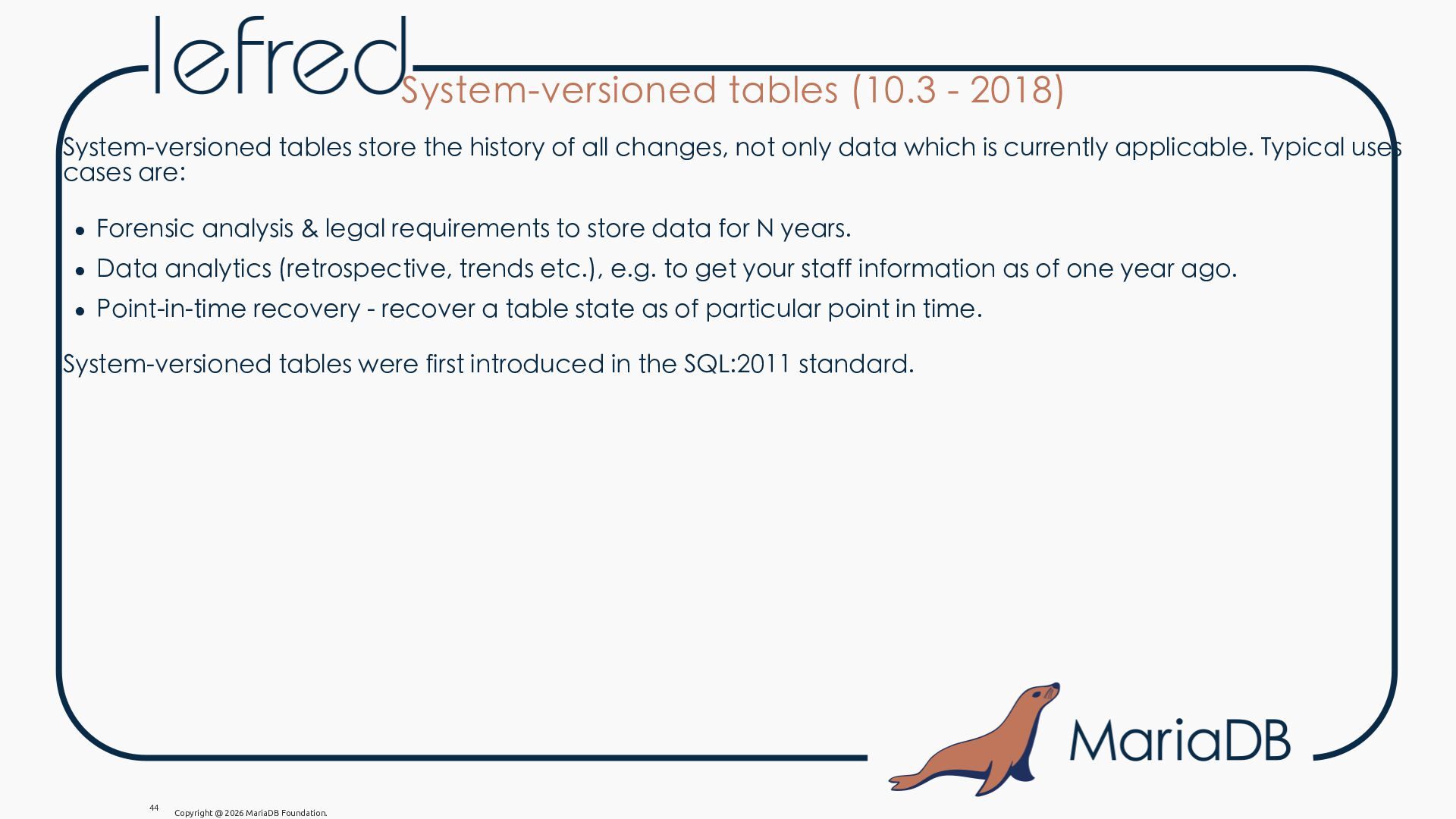
  47. System-versioned tables (10.3 - 2018) System-versioned tables store the history

    of all changes, not only data which is currently applicable. Typical uses cases are: • Forensic analysis & legal requirements to store data for N years. • Data analytics (retrospective, trends etc.), e.g. to get your staff information as of one year ago. • Point-in-time recovery - recover a table state as of particular point in time. System-versioned tables were first introduced in the SQL:2011 standard. Copyright @ 2026 MariaDB Foundation. 44
  48. System-versioned tables (10.3 - 2018) - example MariaDB [fred]> CREATE

    TABLE employees ( -> id INT PRIMARY KEY, -> name VARCHAR(100) NOT NULL, -> salary DECIMAL(10,2) NOT NULL -> ) WITH SYSTEM VERSIONING; Query OK, 0 rows affected (0.007 sec) MariaDB [fred]> INSERT INTO employees VALUES (1, 'Alice', 5000.00); Query OK, 1 row affected (0.001 sec) MariaDB [fred]> SELECT NOW(); +---------------------+ | now() | +---------------------+ | 2026-04-07 20:51:50 | +---------------------+ 1 row in set (0.000 sec) Copyright @ 2026 MariaDB Foundation. 45
  49. System-versioned tables (10.3 - 2018) - example (2) MariaDB [fred]>

    UPDATE employees SET salary = 5500.00 WHERE id = 1; Query OK, 1 row affected (0.001 sec) Rows matched: 1 Changed: 1 Inserted: 1 Warnings: 0 MariaDB [fred]> SELECT NOW(); +---------------------+ | now() | +---------------------+ | 2026-04-07 20:54:28 | +---------------------+ 1 row in set (0.000 sec) MariaDB [fred]> DELETE FROM employees WHERE id = 1; Query OK, 1 row affected (0.004 sec) Copyright @ 2026 MariaDB Foundation. 46
  50. System-versioned tables (10.3 - 2018) - example (3) MariaDB [fred]>

    SELECT * FROM employees; Empty set (0.001 sec) MariaDB [fred]> SELECT * FROM employees FOR SYSTEM_TIME AS OF TIMESTAMP '2026-04-07 20:54:28'; +----+-------+---------+ | id | name | salary | +----+-------+---------+ | 1 | Alice | 5500.00 | +----+-------+---------+ 1 row IN SET (0.000 sec) MariaDB [fred]> SELECT * FROM employees FOR SYSTEM_TIME ALL; +----+-------+---------+ | id | name | salary | +----+-------+---------+ | 1 | Alice | 5000.00 | | 1 | Alice | 5500.00 | +----+-------+---------+ 2 rows IN SET (0.000 sec) Copyright @ 2026 MariaDB Foundation. 47
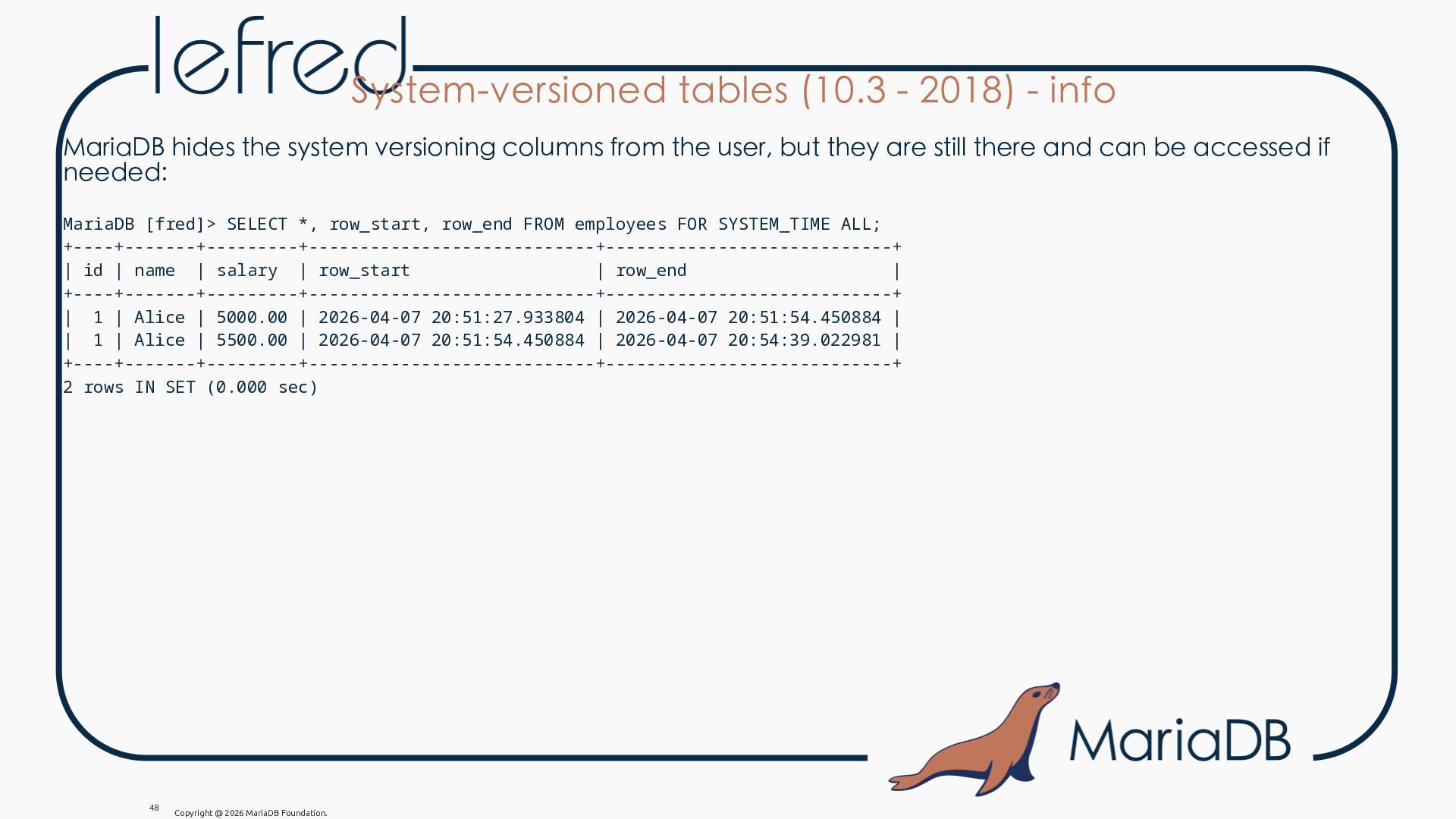
  51. System-versioned tables (10.3 - 2018) - info MariaDB hides the

    system versioning columns from the user, but they are still there and can be accessed if needed: MariaDB [fred]> SELECT *, row_start, row_end FROM employees FOR SYSTEM_TIME ALL; +----+-------+---------+----------------------------+----------------------------+ | id | name | salary | row_start | row_end | +----+-------+---------+----------------------------+----------------------------+ | 1 | Alice | 5000.00 | 2026-04-07 20:51:27.933804 | 2026-04-07 20:51:54.450884 | | 1 | Alice | 5500.00 | 2026-04-07 20:51:54.450884 | 2026-04-07 20:54:39.022981 | +----+-------+---------+----------------------------+----------------------------+ 2 rows IN SET (0.000 sec) Copyright @ 2026 MariaDB Foundation. 48
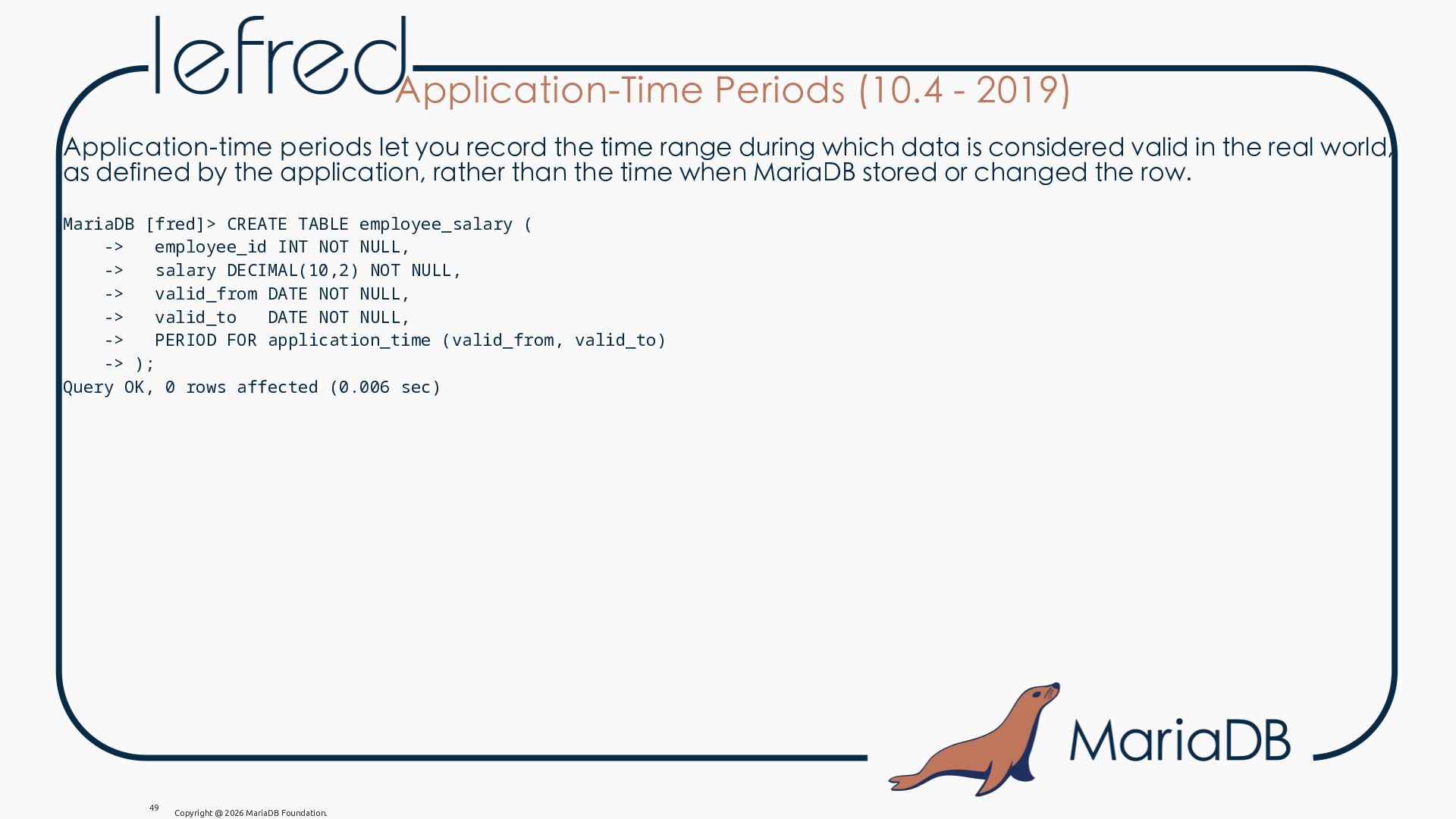
  52. Application-Time Periods (10.4 - 2019) Application-time periods let you record

    the time range during which data is considered valid in the real world, as defined by the application, rather than the time when MariaDB stored or changed the row. MariaDB [fred]> CREATE TABLE employee_salary ( -> employee_id INT NOT NULL, -> salary DECIMAL(10,2) NOT NULL, -> valid_from DATE NOT NULL, -> valid_to DATE NOT NULL, -> PERIOD FOR application_time (valid_from, valid_to) -> ); Query OK, 0 rows affected (0.006 sec) Copyright @ 2026 MariaDB Foundation. 49
  53. Application-Time Periods (10.4 - 2019) - example MariaDB [fred]> INSERT

    INTO employee_salary VALUES -> (1, 5000.00, '2026-01-01', '2026-06-30'), -> (1, 5500.00, '2026-07-01', '2026-12-31'); Query OK, 2 rows affected (0.001 sec) Records: 2 Duplicates: 0 Warnings: 0 What was Alice's salary on June 1st, 2026? Copyright @ 2026 MariaDB Foundation. 50
  54. Application-Time Periods (10.4 - 2019) - example MariaDB [fred]> INSERT

    INTO employee_salary VALUES -> (1, 5000.00, '2026-01-01', '2026-06-30'), -> (1, 5500.00, '2026-07-01', '2026-12-31'); Query OK, 2 rows affected (0.001 sec) Records: 2 Duplicates: 0 Warnings: 0 What was Alice's salary on June 1st, 2026? MariaDB [fred]> SELECT employee_id, salary FROM employee_salary -> WHERE '2026-06-01' BETWEEN valid_from AND valid_to; +-------------+---------+ | employee_id | salary | +-------------+---------+ | 1 | 5000.00 | +-------------+---------+ 1 row IN SET (0.000 sec) Copyright @ 2026 MariaDB Foundation. 50
  55. Application-Time Periods (10.4 - 2019) - example MariaDB [fred]> SELECT

    * FROM employee_salary; +-------------+---------+------------+------------+ | employee_id | salary | valid_from | valid_to | +-------------+---------+------------+------------+ | 1 | 5000.00 | 2026-01-01 | 2026-06-30 | | 1 | 5500.00 | 2026-07-01 | 2026-12-31 | +-------------+---------+------------+------------+ 2 rows IN SET (0.000 sec) We realized that we made a mistake and Alice's salary should have been 5200.00 instead of 5000.00 from April to June. Copyright @ 2026 MariaDB Foundation. 51
  56. Application-Time Periods (10.4 - 2019) - example MariaDB [fred]> SELECT

    * FROM employee_salary; +-------------+---------+------------+------------+ | employee_id | salary | valid_from | valid_to | +-------------+---------+------------+------------+ | 1 | 5000.00 | 2026-01-01 | 2026-06-30 | | 1 | 5500.00 | 2026-07-01 | 2026-12-31 | +-------------+---------+------------+------------+ 2 rows IN SET (0.000 sec) We realized that we made a mistake and Alice's salary should have been 5200.00 instead of 5000.00 from April to June. MariaDB [fred]> UPDATE employee_salary for portion of application_time -> FROM '2026-04-01' to '2026-06-30' SET salary=5200.00 WHERE employee_id=1; Query OK, 1 row affected (0.001 sec) Rows matched: 1 Changed: 1 Inserted: 1 Warnings: 0 Copyright @ 2026 MariaDB Foundation. 51
  57. MariaDB [fred]> SELECT * FROM employee_salary ORDER BY valid_from; +-------------+---------+------------+------------+

    | employee_id | salary | valid_from | valid_to | +-------------+---------+------------+------------+ | 1 | 5000.00 | 2026-01-01 | 2026-04-01 | | 1 | 5200.00 | 2026-04-01 | 2026-06-30 | | 1 | 5500.00 | 2026-07-01 | 2026-12-31 | +-------------+---------+------------+------------+ 3 rows IN SET (0.000 sec) What is Alice's salary on April 1st, 2026? Application-Time Periods (10.4 - 2019) - example Copyright @ 2026 MariaDB Foundation. 52
  58. MariaDB [fred]> SELECT * FROM employee_salary ORDER BY valid_from; +-------------+---------+------------+------------+

    | employee_id | salary | valid_from | valid_to | +-------------+---------+------------+------------+ | 1 | 5000.00 | 2026-01-01 | 2026-04-01 | | 1 | 5200.00 | 2026-04-01 | 2026-06-30 | | 1 | 5500.00 | 2026-07-01 | 2026-12-31 | +-------------+---------+------------+------------+ 3 rows IN SET (0.000 sec) What is Alice's salary on April 1st, 2026? Application-Time Periods (10.4 - 2019) - example MariaDB [fred]> SELECT employee_id, salary FROM employee_salary -> WHERE '2026-04-01' BETWEEN valid_from AND valid_to; +-------------+---------+ | employee_id | salary | +-------------+---------+ | 1 | 5000.00 | | 1 | 5200.00 | +-------------+---------+ 2 rows IN SET (0.000 sec) Copyright @ 2026 MariaDB Foundation. 52
  59. Application-Time Periods (10.4 - 2019) - info MariaDB [fred]> SELECT

    employee_id, salary FROM employee_salary -> WHERE '2026-04-01' BETWEEN valid_from AND valid_to-1; +-------------+---------+ | employee_id | salary | +-------------+---------+ | 1 | 5200.00 | +-------------+---------+ 1 row IN SET (0.001 sec) Copyright @ 2026 MariaDB Foundation. For the automatic periods, MariaDB considers the end date to be exclusive, so we need to subtract 1 day from the end date to get the correct result. 53
  60. Bitemporal Tables (10.4 - 2019) A bitemporal table combines both

    of MariaDB's temporal dimensions in one table: • application time = when the fact is valid in the business domain • system time = when the database knew or stored that fact Copyright @ 2026 MariaDB Foundation. 54
  61. Bitemporal Tables (10.4 - 2019) - example MariaDB [fred]> CREATE

    TABLE contract_price ( -> contract_id INT NOT NULL, -> price DECIMAL(10,2) NOT NULL, -> -> valid_from DATE NOT NULL, -> valid_to DATE NOT NULL, -> -> row_start TIMESTAMP(6) GENERATED ALWAYS AS ROW START INVISIBLE, -> row_end TIMESTAMP(6) GENERATED ALWAYS AS ROW END INVISIBLE, -> -> PERIOD FOR application_time (valid_from, valid_to), -> PERIOD FOR system_time (row_start, row_end) -> ) WITH SYSTEM VERSIONING; Query OK, 0 rows affected (0.006 sec) Copyright @ 2026 MariaDB Foundation. 55
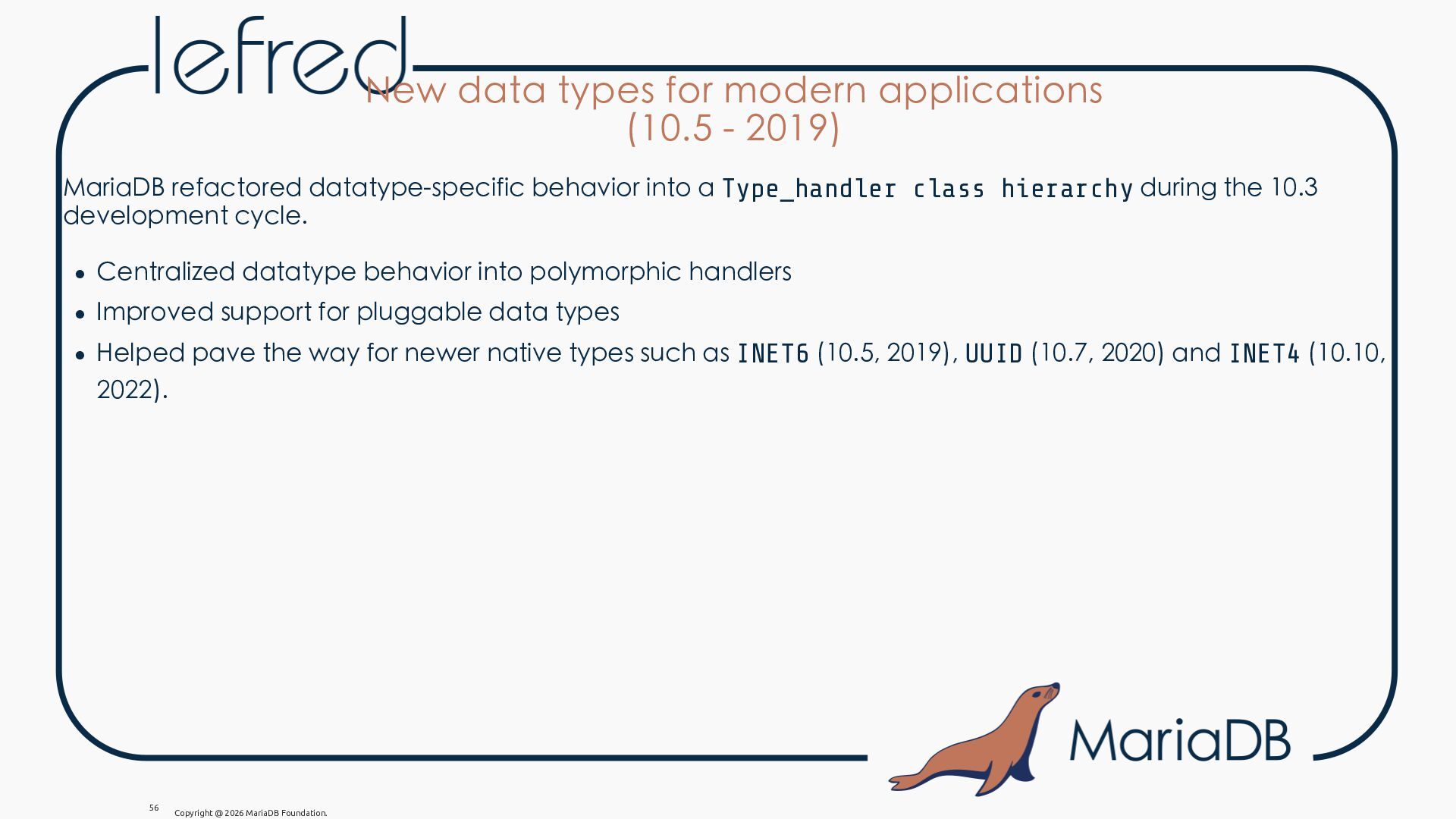
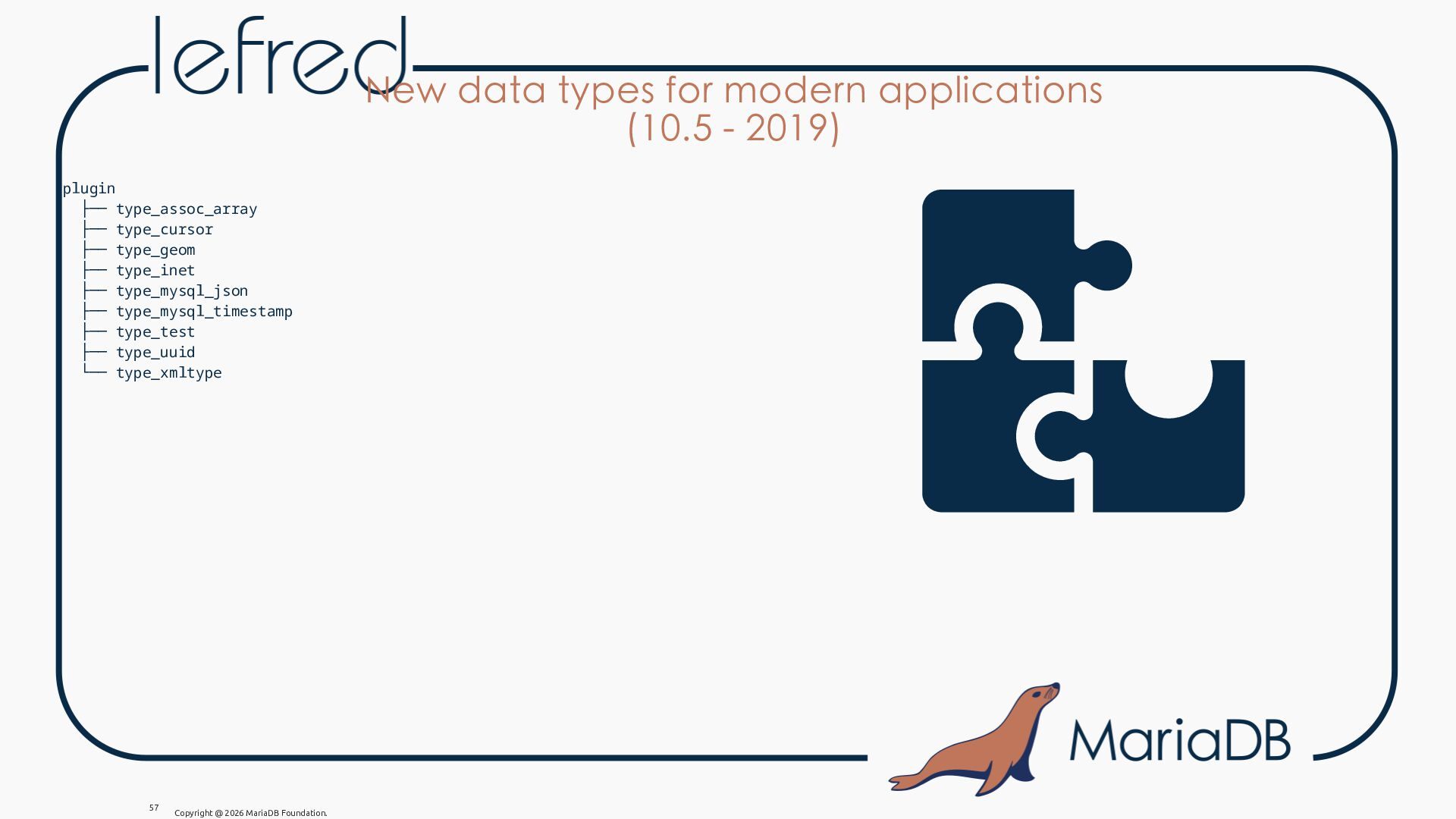
  62. New data types for modern applications (10.5 - 2019) MariaDB

    refactored datatype-specific behavior into a Type_handler class hierarchy during the 10.3 development cycle. • Centralized datatype behavior into polymorphic handlers • Improved support for pluggable data types • Helped pave the way for newer native types such as INET6 (10.5, 2019), UUID (10.7, 2020) and INET4 (10.10, 2022). Copyright @ 2026 MariaDB Foundation. 56
  63. plugin ├── type_assoc_array ├── type_cursor ├── type_geom ├── type_inet ├──

    type_mysql_json ├── type_mysql_timestamp ├── type_test ├── type_uuid └── type_xmltype New data types for modern applications (10.5 - 2019) Copyright @ 2026 MariaDB Foundation. 57
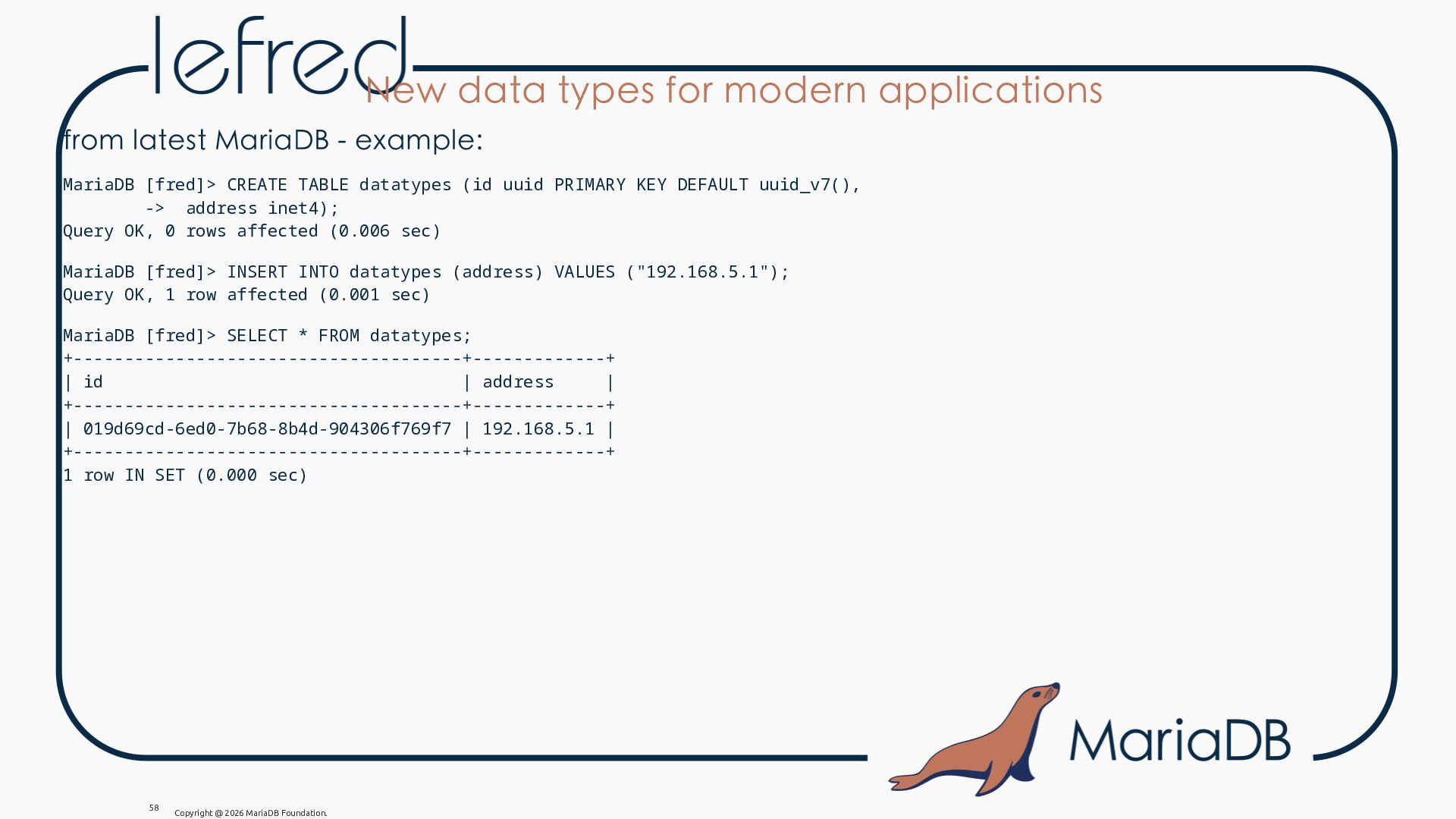
  64. New data types for modern applications from latest MariaDB -

    example: MariaDB [fred]> CREATE TABLE datatypes (id uuid PRIMARY KEY DEFAULT uuid_v7(), -> address inet4); Query OK, 0 rows affected (0.006 sec) MariaDB [fred]> INSERT INTO datatypes (address) VALUES ("192.168.5.1"); Query OK, 1 row affected (0.001 sec) MariaDB [fred]> SELECT * FROM datatypes; +--------------------------------------+-------------+ | id | address | +--------------------------------------+-------------+ | 019d69cd-6ed0-7b68-8b4d-904306f769f7 | 192.168.5.1 | +--------------------------------------+-------------+ 1 row IN SET (0.000 sec) Copyright @ 2026 MariaDB Foundation. 58
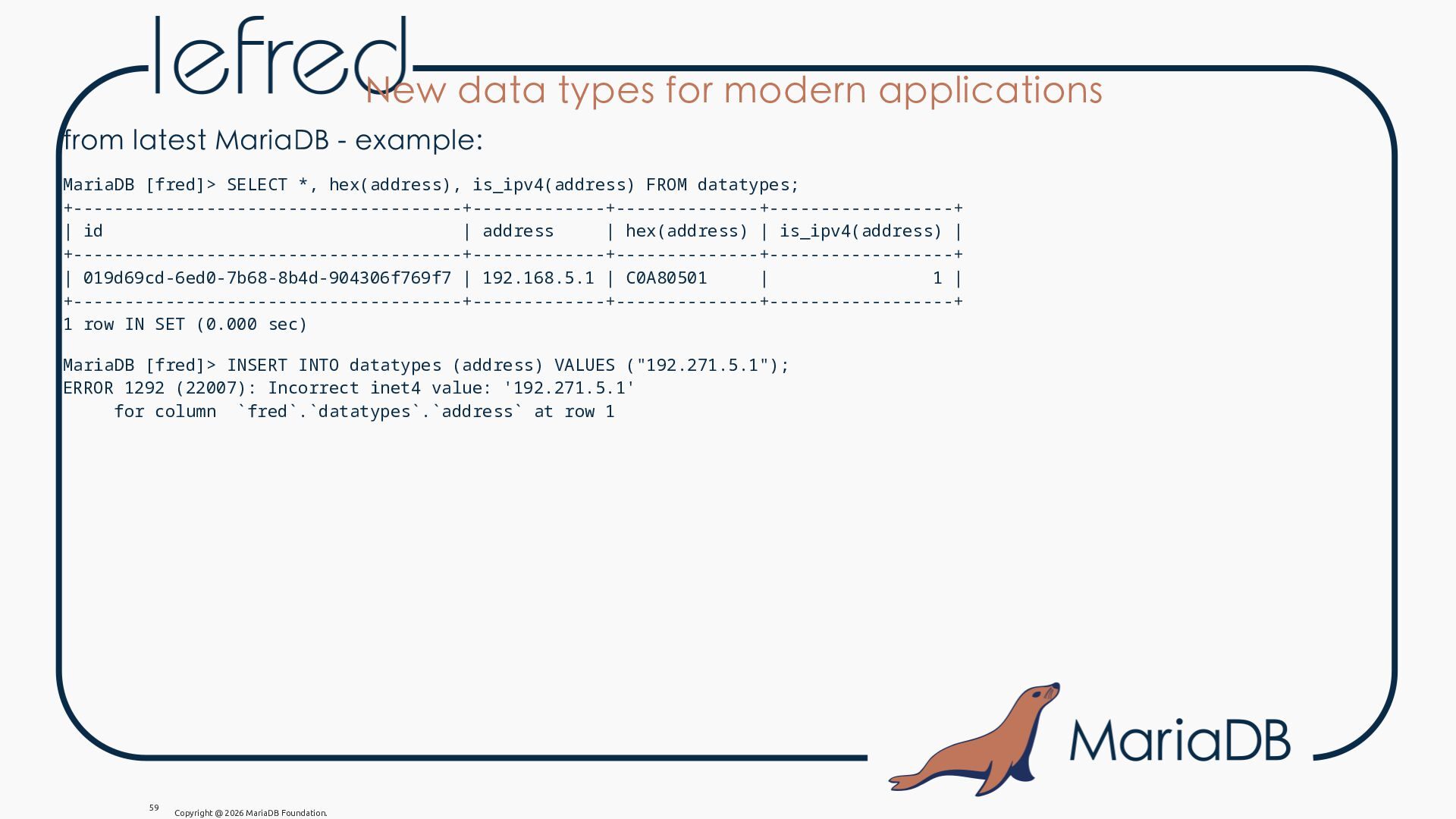
  65. New data types for modern applications from latest MariaDB -

    example: MariaDB [fred]> SELECT *, hex(address), is_ipv4(address) FROM datatypes; +--------------------------------------+-------------+--------------+------------------+ | id | address | hex(address) | is_ipv4(address) | +--------------------------------------+-------------+--------------+------------------+ | 019d69cd-6ed0-7b68-8b4d-904306f769f7 | 192.168.5.1 | C0A80501 | 1 | +--------------------------------------+-------------+--------------+------------------+ 1 row IN SET (0.000 sec) MariaDB [fred]> INSERT INTO datatypes (address) VALUES ("192.271.5.1"); ERROR 1292 (22007): Incorrect inet4 value: '192.271.5.1' for column `fred`.`datatypes`.`address` at row 1 Copyright @ 2026 MariaDB Foundation. 59
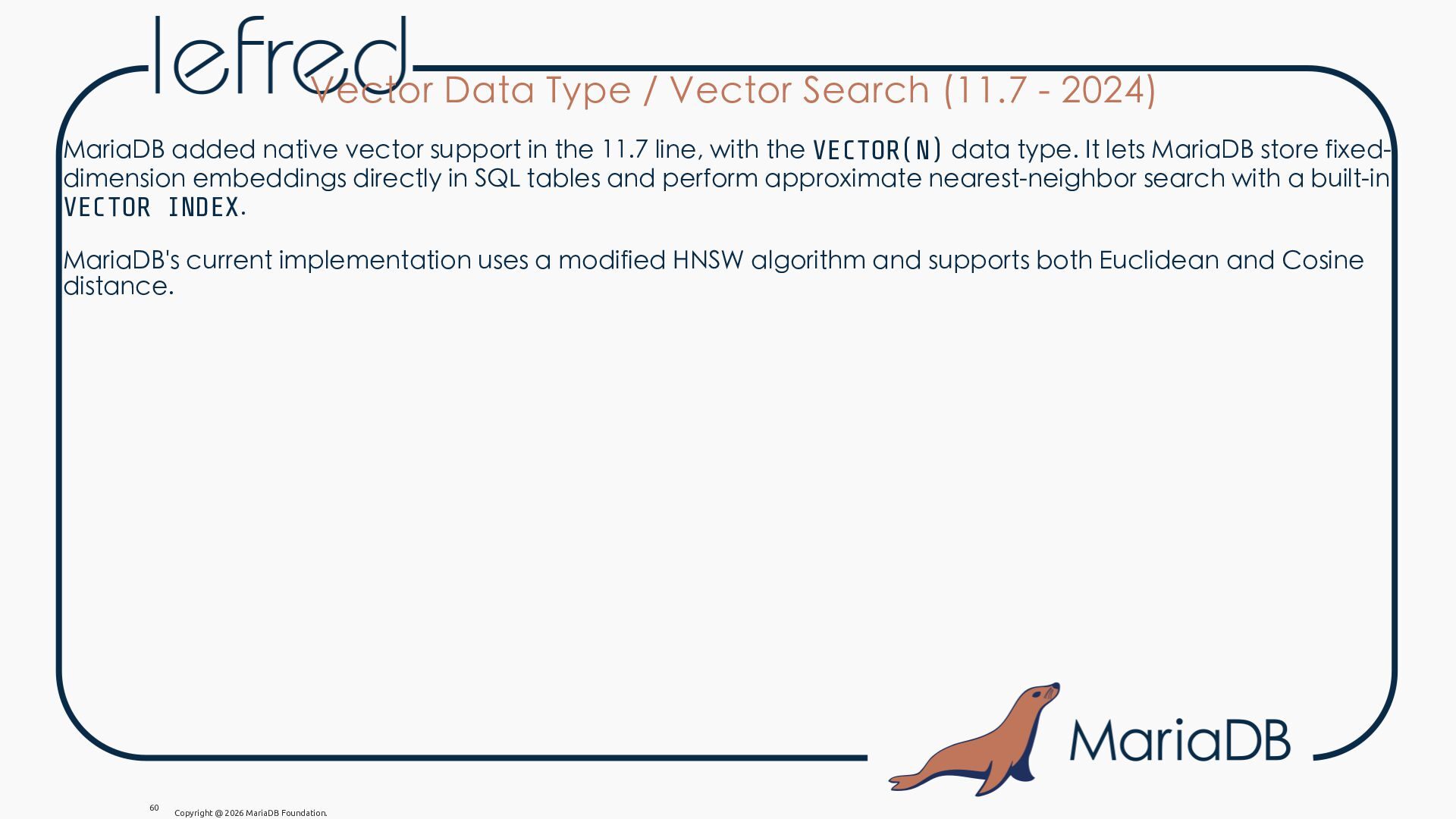
  66. Vector Data Type / Vector Search (11.7 - 2024) MariaDB

    added native vector support in the 11.7 line, with the VECTOR(N) data type. It lets MariaDB store fixed- dimension embeddings directly in SQL tables and perform approximate nearest-neighbor search with a built-in VECTOR INDEX. MariaDB's current implementation uses a modified HNSW algorithm and supports both Euclidean and Cosine distance. Copyright @ 2026 MariaDB Foundation. 60
  67. Vector Data Type / Vector Search -vs- MySQL MySQL introduced

    the VECTOR data type in MySQL 9.0.0, released on July 1, 2024. MySQL's implementation of vector search is only available in MySQL HeatWave and performs full table scans without an index in memory. Oracle, released the search functionality in MySQL AI, but was also performing full table scans. They worked on an index feature for the cloud that never reached the server. Copyright @ 2026 MariaDB Foundation. 61
  68. Vector Data Type / Vector Search - why ? Why

    it matters? Vector Data Type and Vector Search turn MariaDB into a relational + vector database: you can keep transactional data, SQL filters, and semantic similarity search in one engine instead of adding a separate vector store. It allows you to run AI/ML similarity search inside the database using familiar SQL. Copyright @ 2026 MariaDB Foundation. 62
  69. Vector Data Type / Vector Search - example MariaDB [fred]>

    CREATE TABLE embeddings ( -> doc_id BIGINT UNSIGNED PRIMARY KEY, -> title VARCHAR(200) NOT NULL, -> embedding VECTOR(5) NOT NULL, -> VECTOR INDEX (embedding) -> ); MariaDB [fred]> INSERT INTO embeddings (doc_id, title, embedding) VALUES -> (1, 'MariaDB temporal tables', VEC_FromText('[0.10, 0.20, 0.30, 0.40, 0.50]')), -> (2, 'MariaDB vector search', VEC_FromText('[0.11, 0.21, 0.31, 0.39, 0.49]')), -> (3, 'MariaDB replication', VEC_FromText('[0.80, 0.10, 0.05, 0.02, 0.01]')); MariaDB [fred]> SELECT doc_id, title, -> VEC_DISTANCE(embedding, VEC_FromText('[0.10, 0.20, 0.30, 0.40, 0.50]')) AS distance -> FROM embeddings ORDER BY distance LIMIT 2; +--------+-------------------------+---------------------+ | doc_id | title | distance | +--------+-------------------------+---------------------+ | 1 | MariaDB temporal tables | 0 | | 2 | MariaDB vector search | 0.02236067511021148 | +--------+-------------------------+---------------------+ Copyright @ 2026 MariaDB Foundation. 63
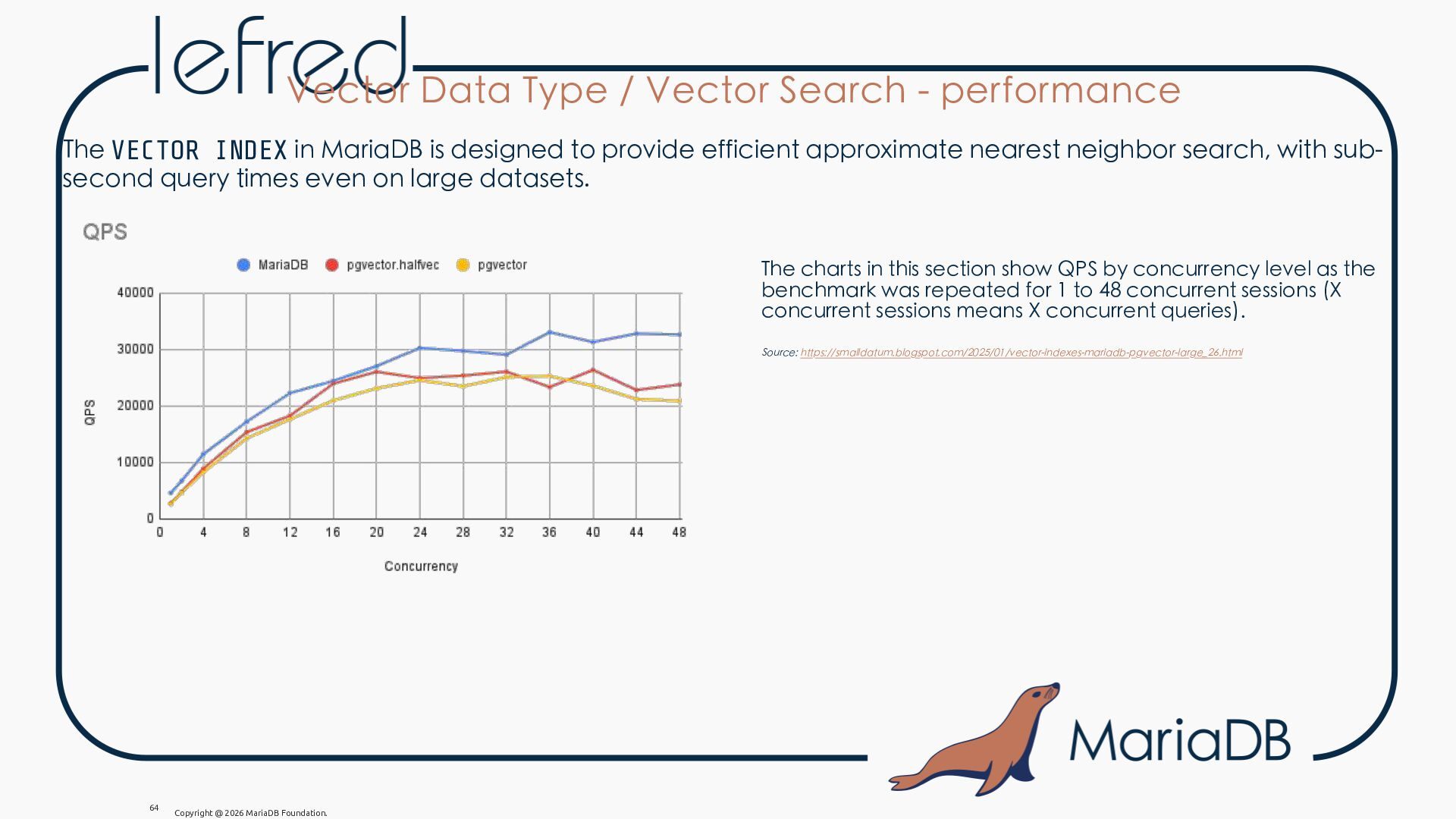
  70. The charts in this section show QPS by concurrency level

    as the benchmark was repeated for 1 to 48 concurrent sessions (X concurrent sessions means X concurrent queries). Source: https://smalldatum.blogspot.com/2025/01/vector-indexes-mariadb-pgvector-large_26.html Vector Data Type / Vector Search - performance The VECTOR INDEX in MariaDB is designed to provide efficient approximate nearest neighbor search, with sub- second query times even on large datasets. Copyright @ 2026 MariaDB Foundation. 64
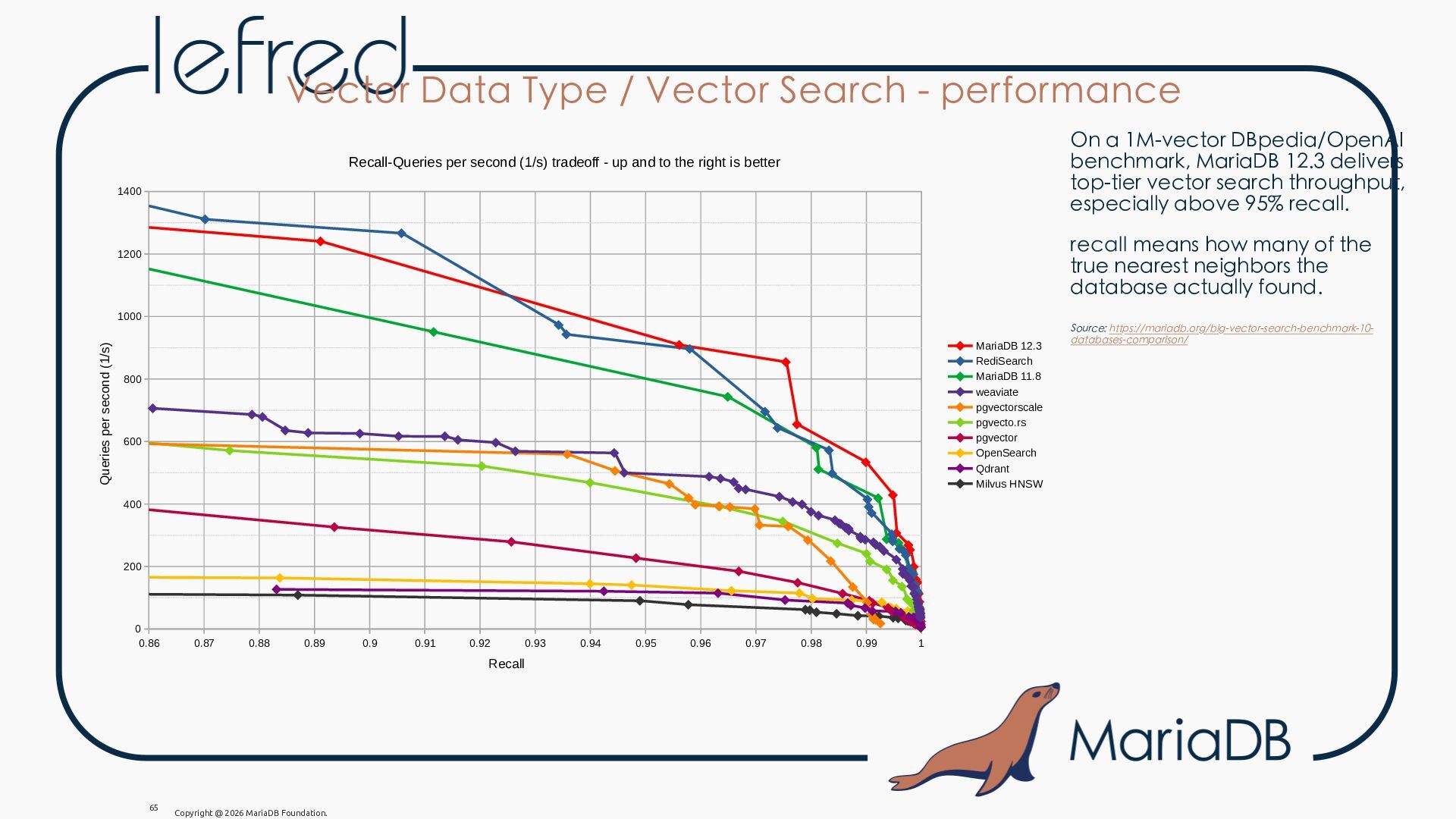
  71. 0.86 0.87 0.88 0.89 0.9 0.91 0.92 0.93 0.94 0.95

    0.96 0.97 0.98 0.99 1 0 200 400 600 800 1000 1200 1400 Recall-Queries per second (1/s) tradeoff - up and to the right is better MariaDB 12.3 RediSearch MariaDB 11.8 weaviate pgvectorscale pgvecto.rs pgvector OpenSearch Qdrant Milvus HNSW Recall Queries per second (1/s) On a 1M-vector DBpedia/OpenAI benchmark, MariaDB 12.3 delivers top-tier vector search throughput, especially above 95% recall. recall means how many of the true nearest neighbors the database actually found. Source: https://mariadb.org/big-vector-search-benchmark-10- databases-comparison/ Vector Data Type / Vector Search - performance Copyright @ 2026 MariaDB Foundation. 65
  72. MariaDB AI RAG MariaDB has a commercial offering called MariaDB

    AI RAG that combines the vector data type and search capabilities with a built-in workflow for Retrieval-Augmented Generation (RAG) applications. The entire workflow is handled by ingesting, embedding, search, and re-ranking—directly into the database. It adds the Enterprise MCP Server to empower AI Agents to autonomously reason and act on your data, creating a secure, intelligent system. Copyright @ 2026 MariaDB Foundation. 66
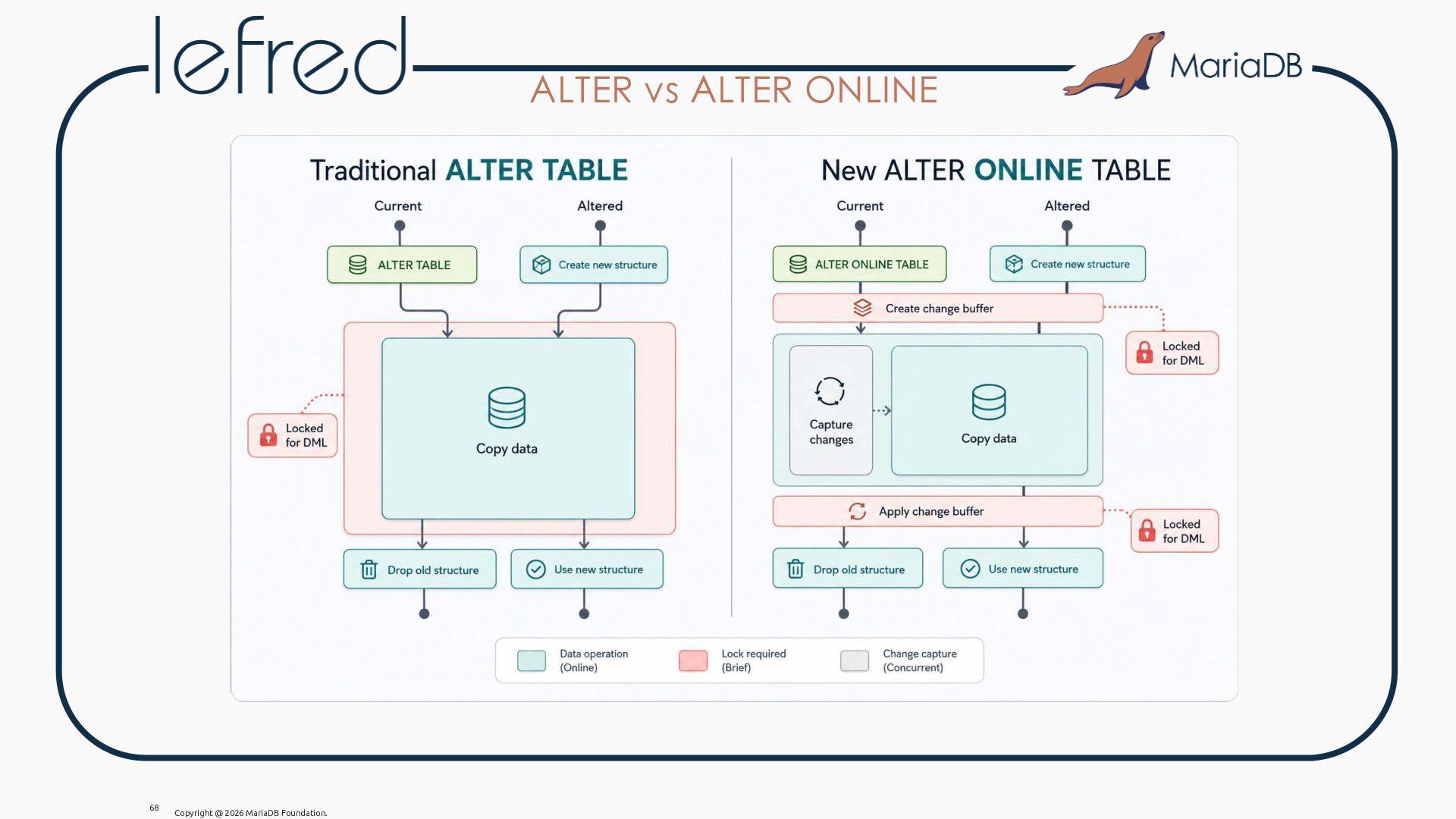
  73. MariaDB Online Schema Change (11.4 - 2025) MariaDB supports multiple

    online schema change methods, including ALGORITHM=INSTANT, ALGORITHM=COPY, and ALGORITHM=INPLACE, which allow you to modify your database schema without downtime. But for the COPY method, we introduced a LOCK=NONE option that allows the table to be fully available for reads and writes during the entire schema change process, eliminating downtime and improving application availability. Copyright @ 2026 MariaDB Foundation. 67
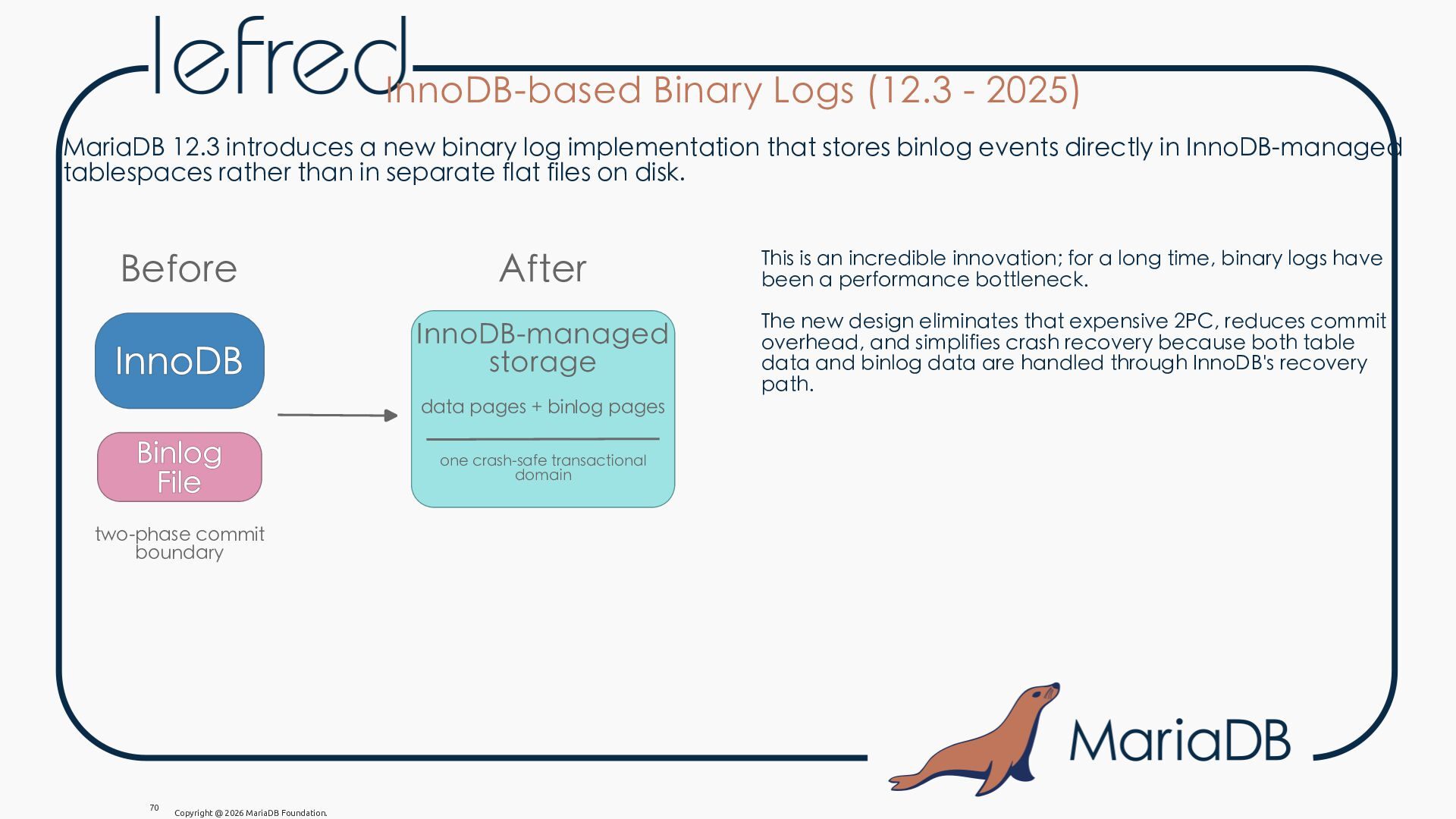
  74. Before After two-phase commit boundary InnoDB-managed storage data pages +

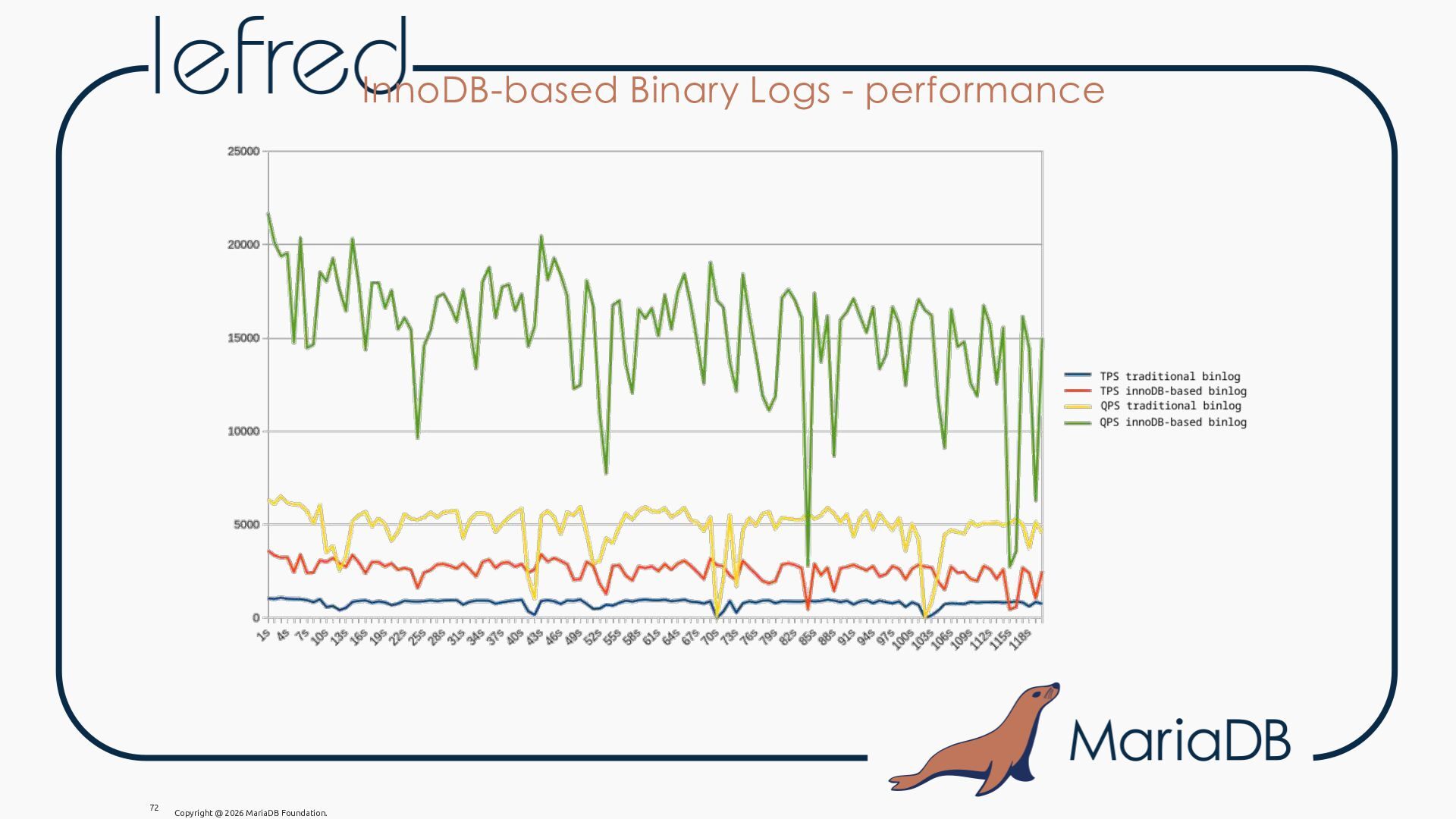
    binlog pages one crash-safe transactional domain This is an incredible innovation; for a long time, binary logs have been a performance bottleneck. The new design eliminates that expensive 2PC, reduces commit overhead, and simplifies crash recovery because both table data and binlog data are handled through InnoDB's recovery path. InnoDB-based Binary Logs (12.3 - 2025) MariaDB 12.3 introduces a new binary log implementation that stores binlog events directly in InnoDB-managed tablespaces rather than in separate flat files on disk. Copyright @ 2026 MariaDB Foundation. 70
  75. InnoDB-based Binary Logs (12.3 - 2025) - how to Very

    simple to enable: [mariadb] log_bin binlog_storage_engine=innodb Copyright @ 2026 MariaDB Foundation. 71
  76. InnoDB-based Binary Logs (12.3 - 2025) - how to Very

    simple to enable: [mariadb] log_bin binlog_storage_engine=innodb That's it! Copyright @ 2026 MariaDB Foundation. 71
  77. Vector search inside the operational database What users want Store

    embeddinfs next to the business data, query by semantic similarity, and combine nearest- neighbor retrieval with SQL filters, joins, transactions, and backups What HNSW gives An approximate-nearest- neighbor graph: start from an entry point, walk edges toward closer vectors, and trade recall for speed search parameters MariaDB's stance Do not bolt on a spearate vector system. Make vector search a database index with transaction semaantics, then optimize the hot path aggressively in memory Copyright @ 2026 MariaDB Foundation. 74
  78. How search works: graph traversal, not a full scan mHNSW

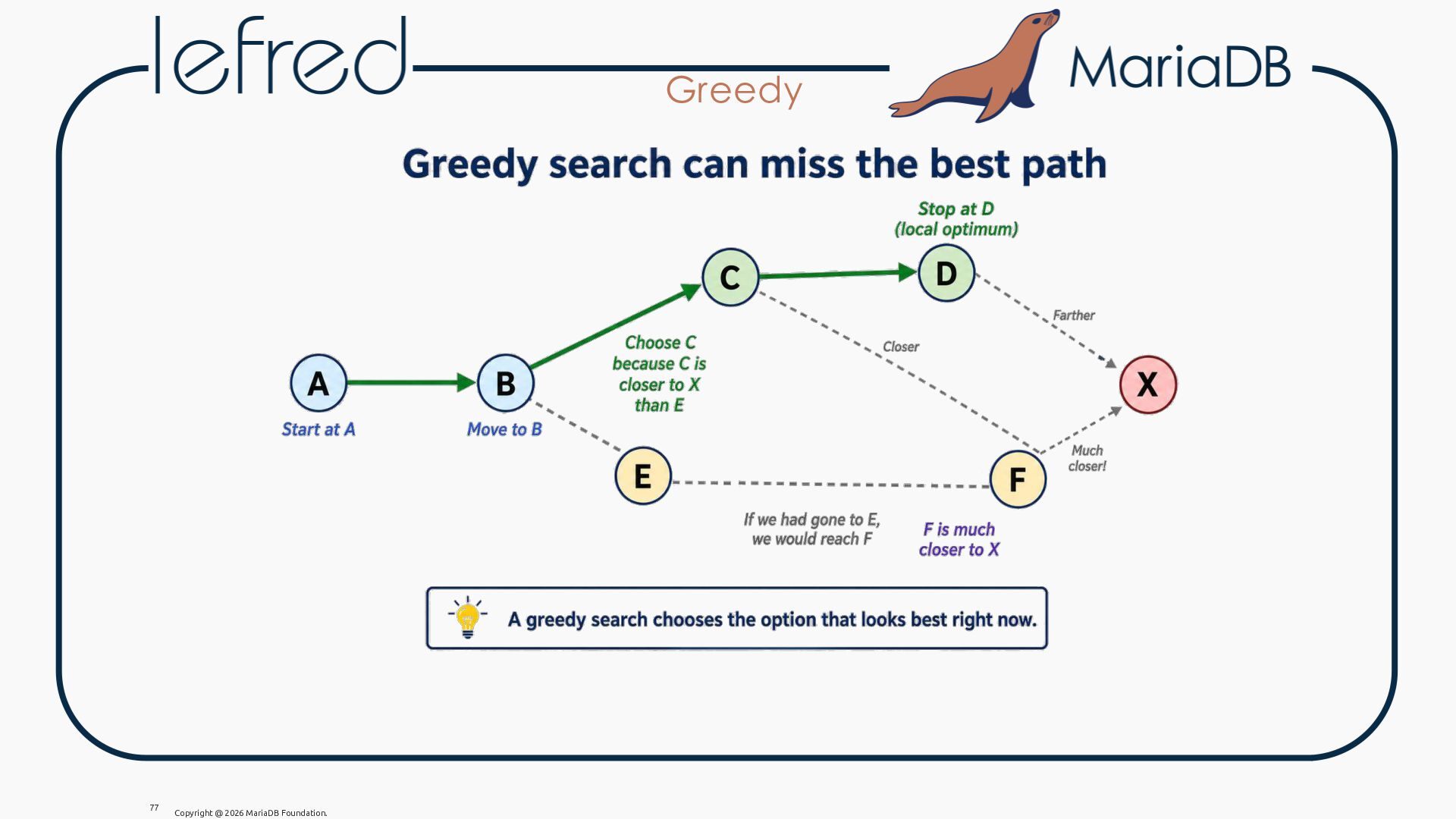
    MariaDB is not implementing HNSW, we call our vector search algorithm mHNSW, a modified version of HNSW that is optimized for the database environment and supports both Euclidean and Cosine distance. Not greedy mHNSW diverges from other graph search algorithms by introducing a leniency factor 𝜆 . Its search is no longer greedy. A leniency of 𝜆=1.1 , for example, means the search will consider not only the nearest node but all nodes that are within 10% of the nearest one. Copyright @ 2026 MariaDB Foundation. 75
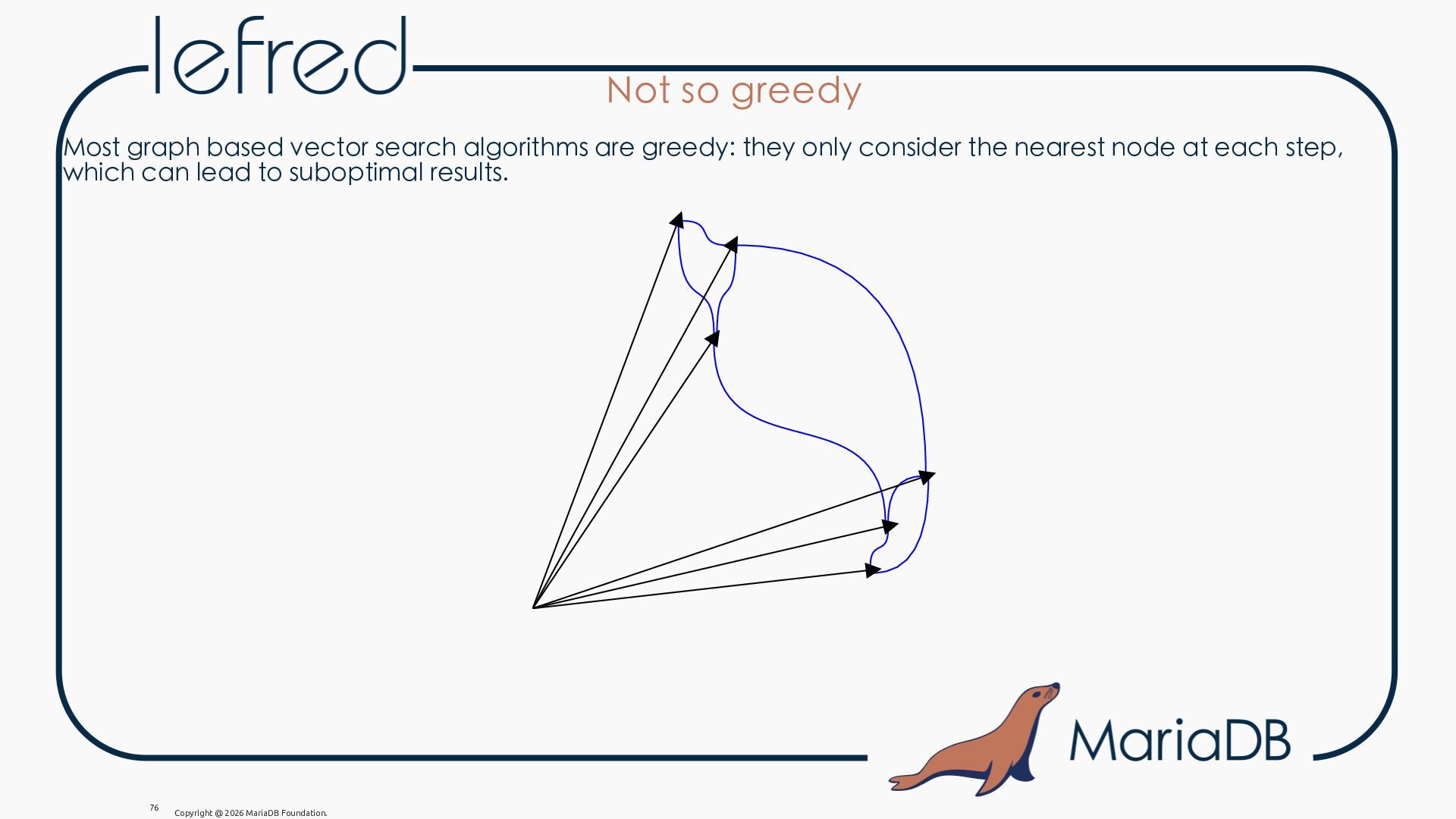
  79. Not so greedy Most graph based vector search algorithms are

    greedy: they only consider the nearest node at each step, which can lead to suboptimal results. Copyright @ 2026 MariaDB Foundation. 76
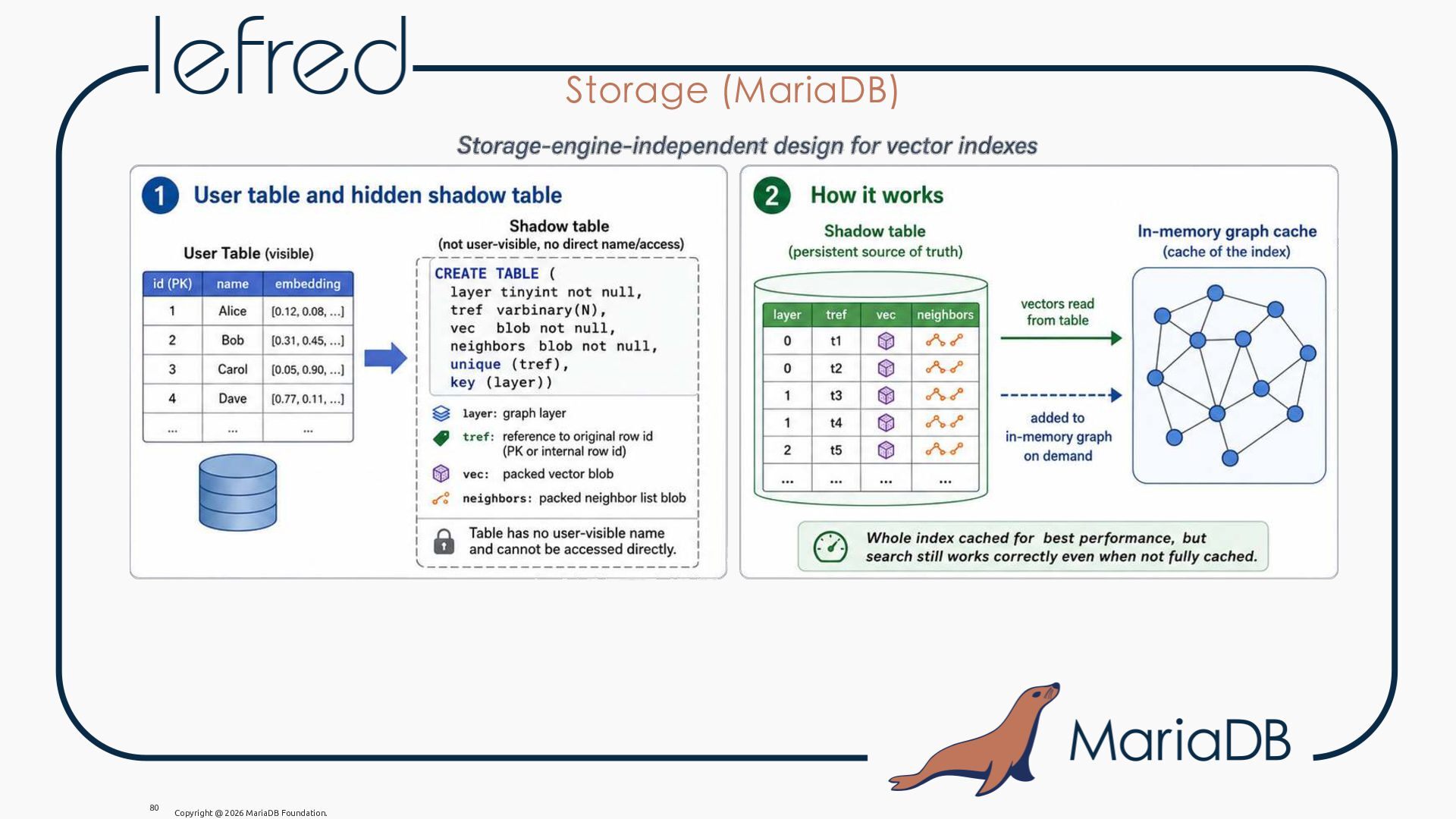
  80. Storage HNSW is an in-memory algorithm, if one wants to

    store the index persistently, this should be implemented separately. It's possible to use an existing hnsw library to build the graph and then dump it to file as one big blob. This means no ACID whatsoever, all transactions modify the same graphs and see each other even uncommitted changes, and any crash means the index needs to be rebuilt from scratch, which can take days. Copyright @ 2026 MariaDB Foundation. 78
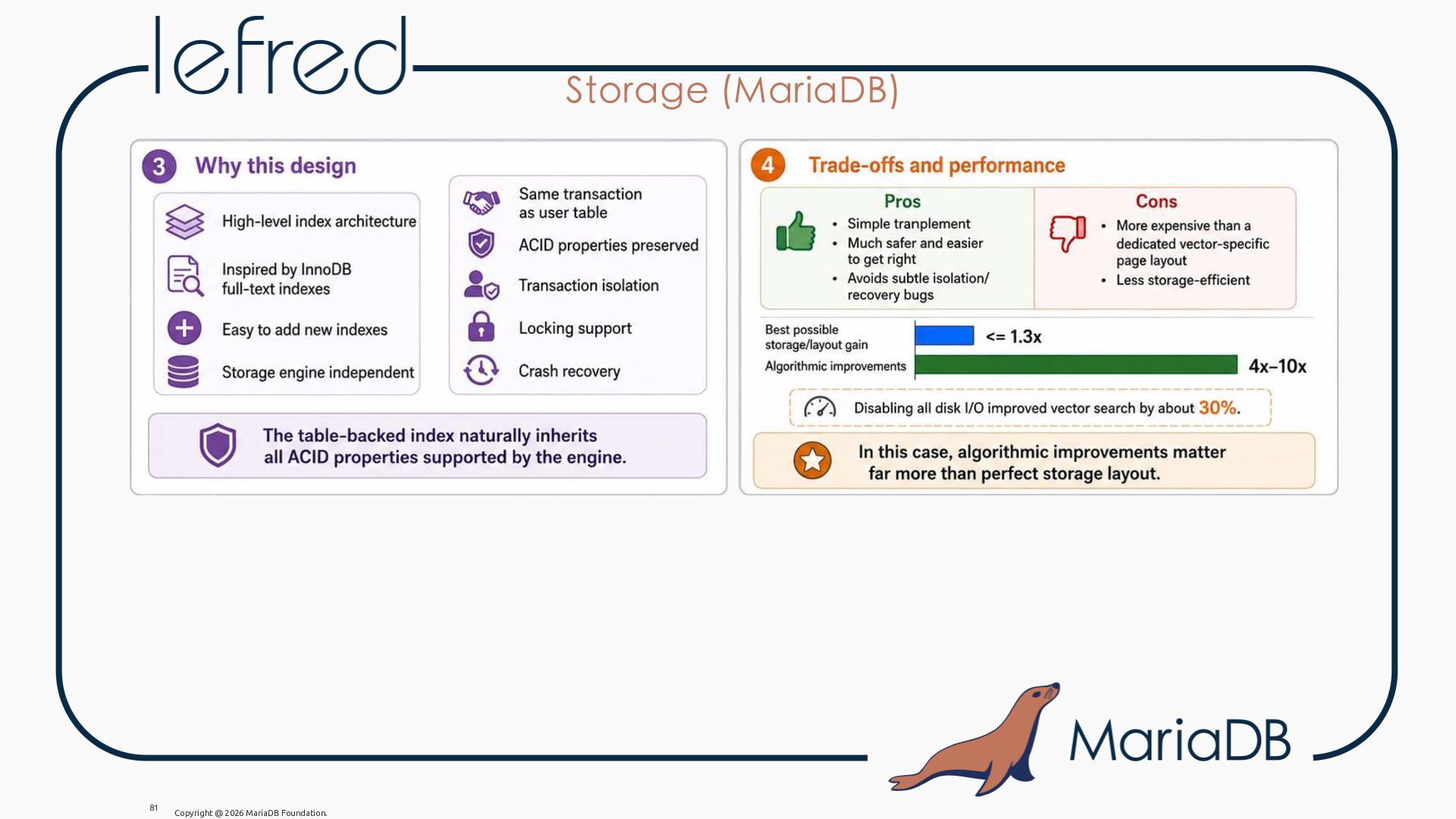
  81. Storage (pgvector) pgvector lays out individual tuples on pages, writes

    WAL records, handles vacuuming. This adds a lot of complexity compared to a simple blob, but it allows pgvector to have ACID semantics and crash safety. Copyright @ 2026 MariaDB Foundation. 79
  82. Storage (pgvector) pgvector lays out individual tuples on pages, writes

    WAL records, handles vacuuming. This adds a lot of complexity compared to a simple blob, but it allows pgvector to have ACID semantics and crash safety. MariaDB's pluggable storage engines make a pgvector-style index difficult, since each engine handles storage differently and InnoDB page changes are complex. Instead, MariaDB uses invisible shadow tables for each vector index as a practical middle-ground solution. Copyright @ 2026 MariaDB Foundation. 79
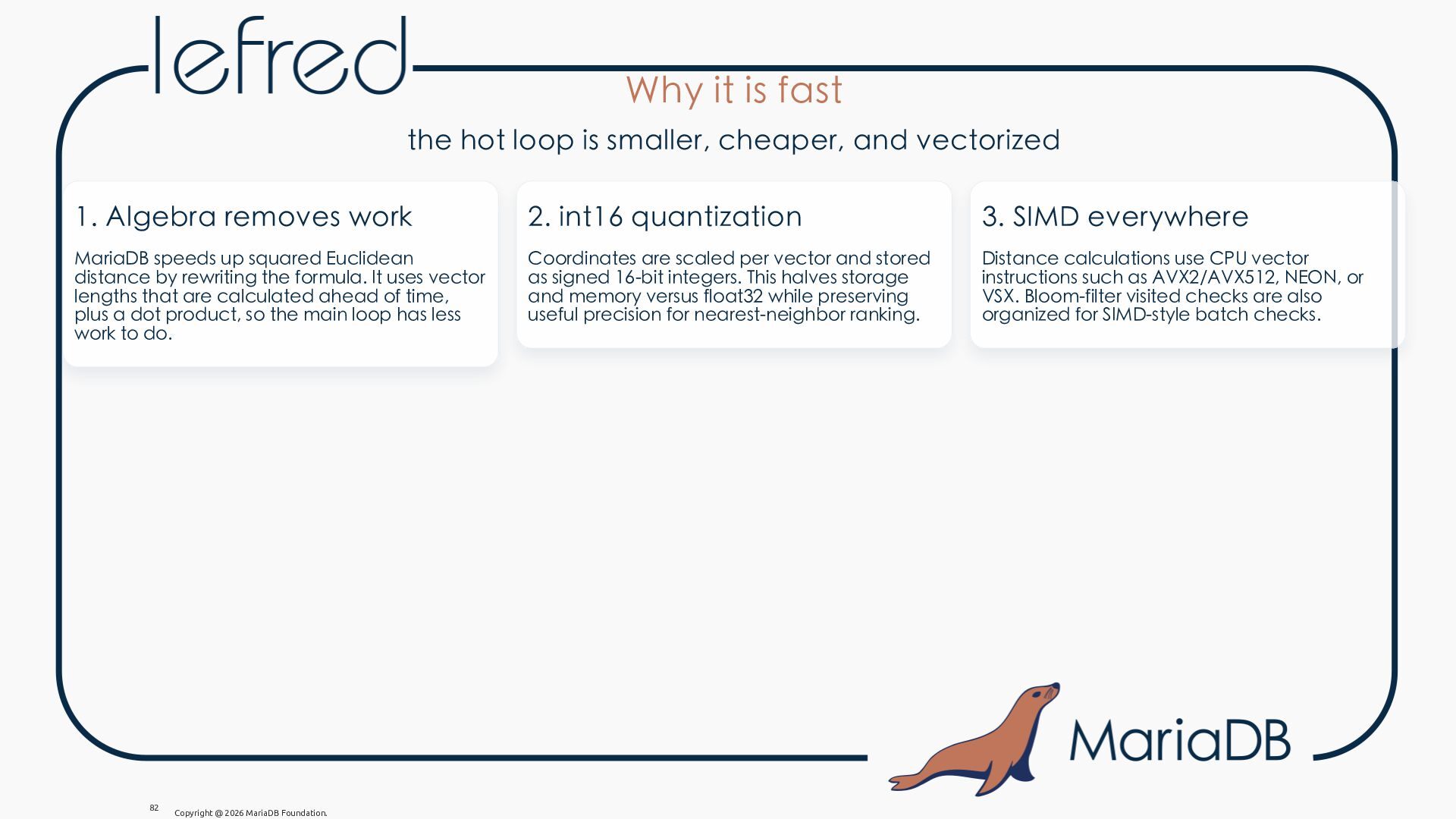
  83. Why it is fast the hot loop is smaller, cheaper,

    and vectorized 1. Algebra removes work MariaDB speeds up squared Euclidean distance by rewriting the formula. It uses vector lengths that are calculated ahead of time, plus a dot product, so the main loop has less work to do. 2. int16 quantization Coordinates are scaled per vector and stored as signed 16-bit integers. This halves storage and memory versus float32 while preserving useful precision for nearest-neighbor ranking. 3. SIMD everywhere Distance calculations use CPU vector instructions such as AVX2/AVX512, NEON, or VSX. Bloom-filter visited checks are also organized for SIMD-style batch checks. Copyright @ 2026 MariaDB Foundation. 82
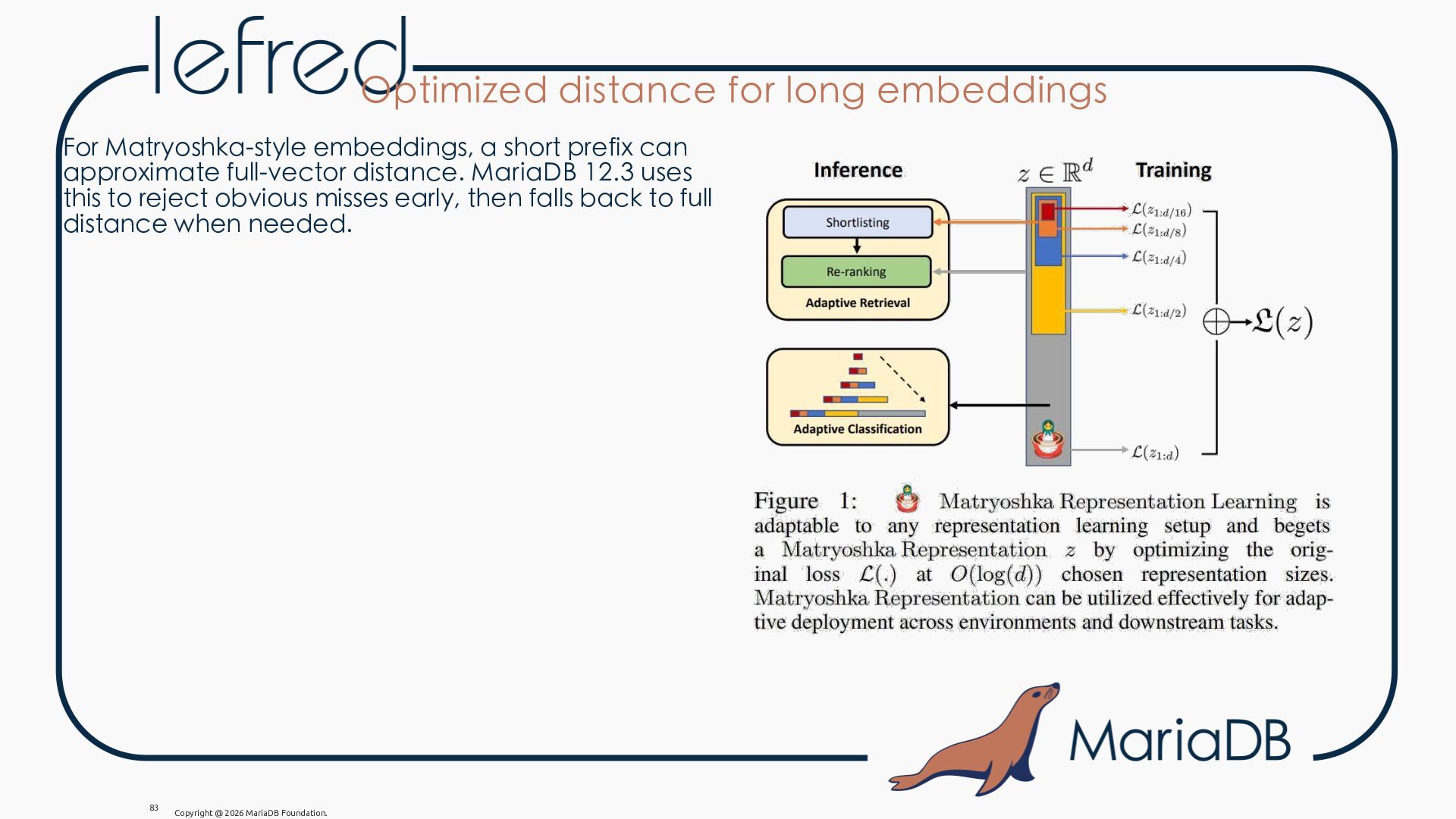
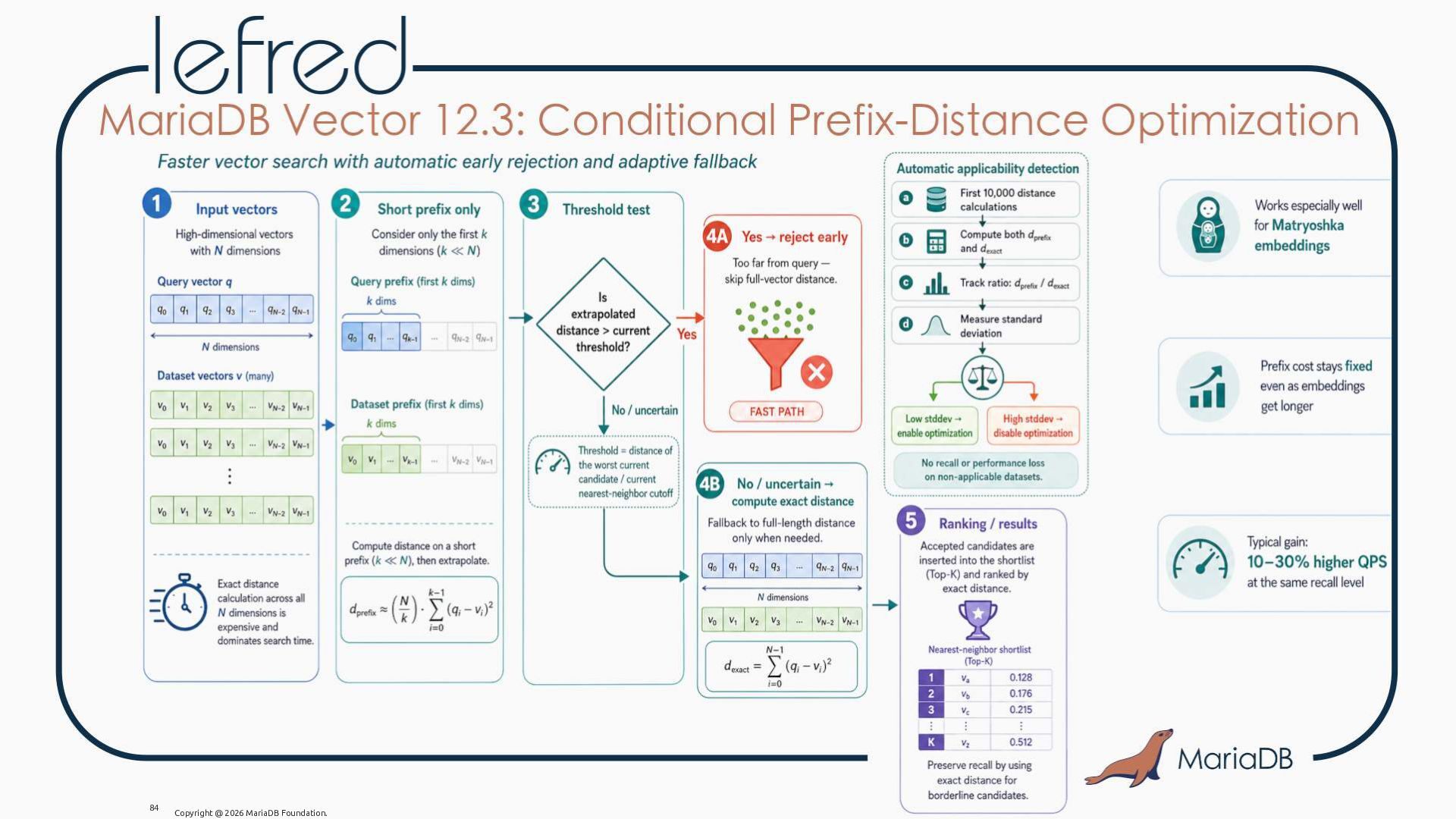
  84. Optimized distance for long embeddings For Matryoshka-style embeddings, a short

    prefix can approximate full-vector distance. MariaDB 12.3 uses this to reject obvious misses early, then falls back to full distance when needed. Copyright @ 2026 MariaDB Foundation. 83
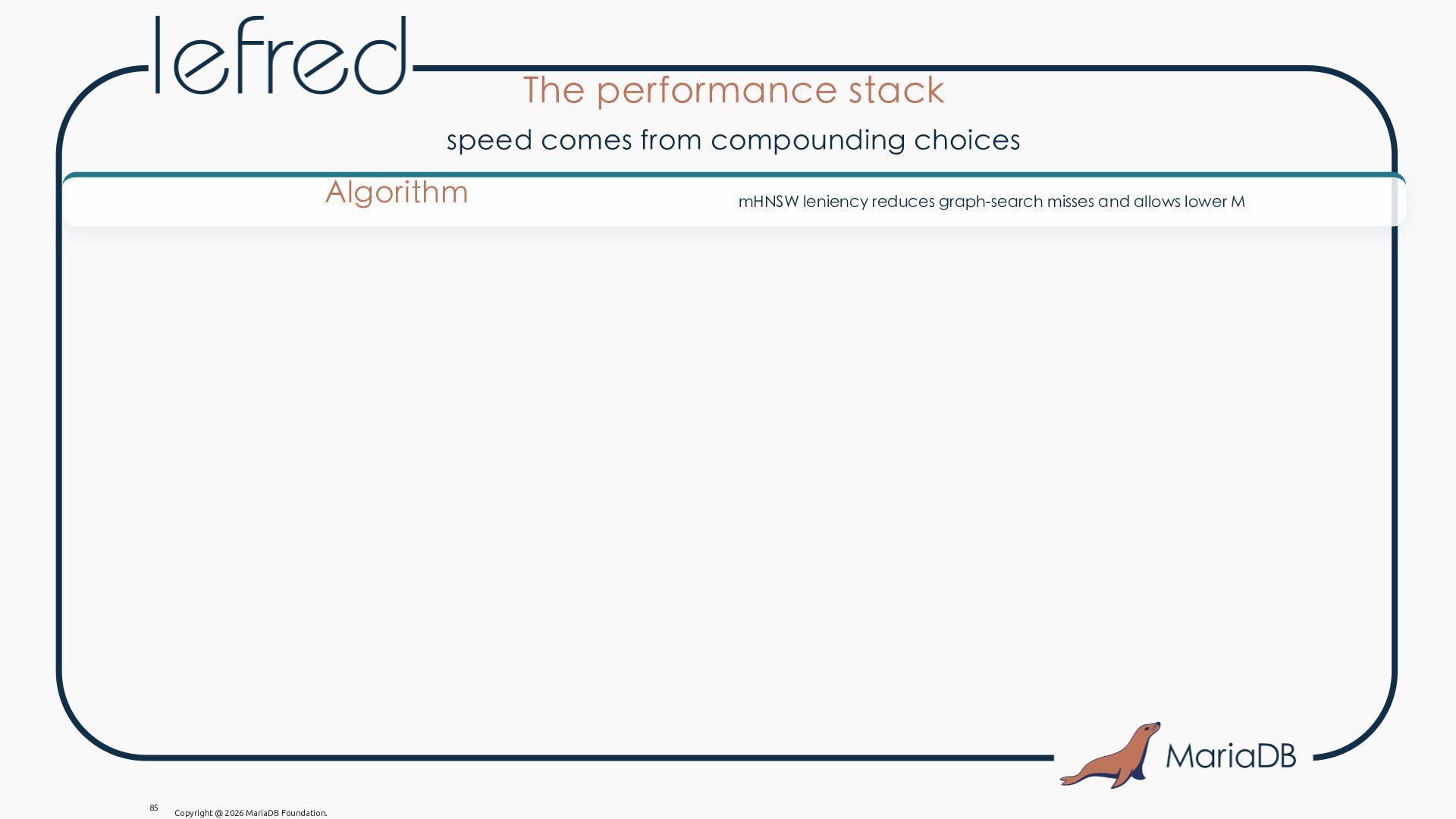
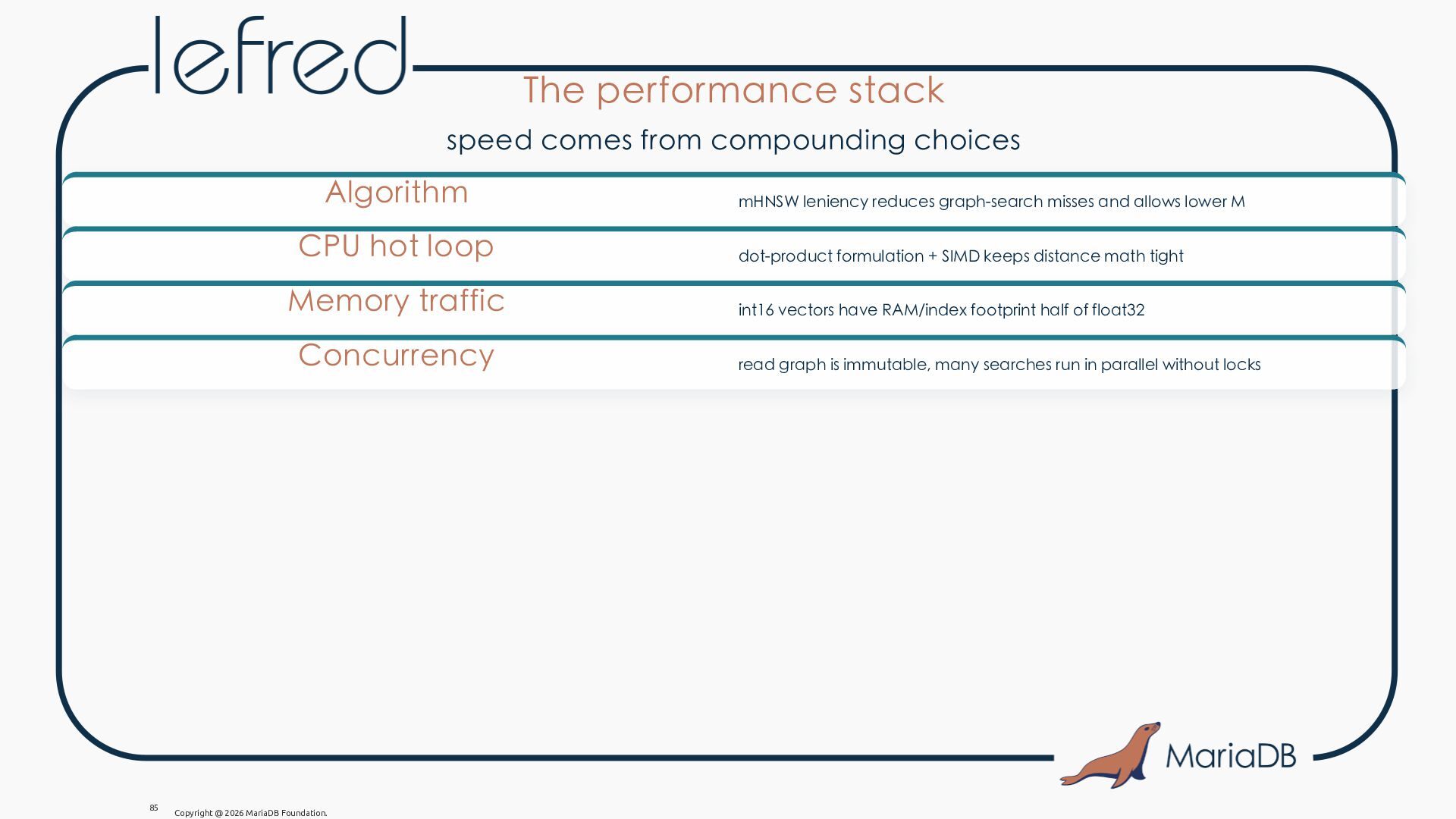
  85. The performance stack speed comes from compounding choices Algorithm mHNSW

    leniency reduces graph-search misses and allows lower M Copyright @ 2026 MariaDB Foundation. 85
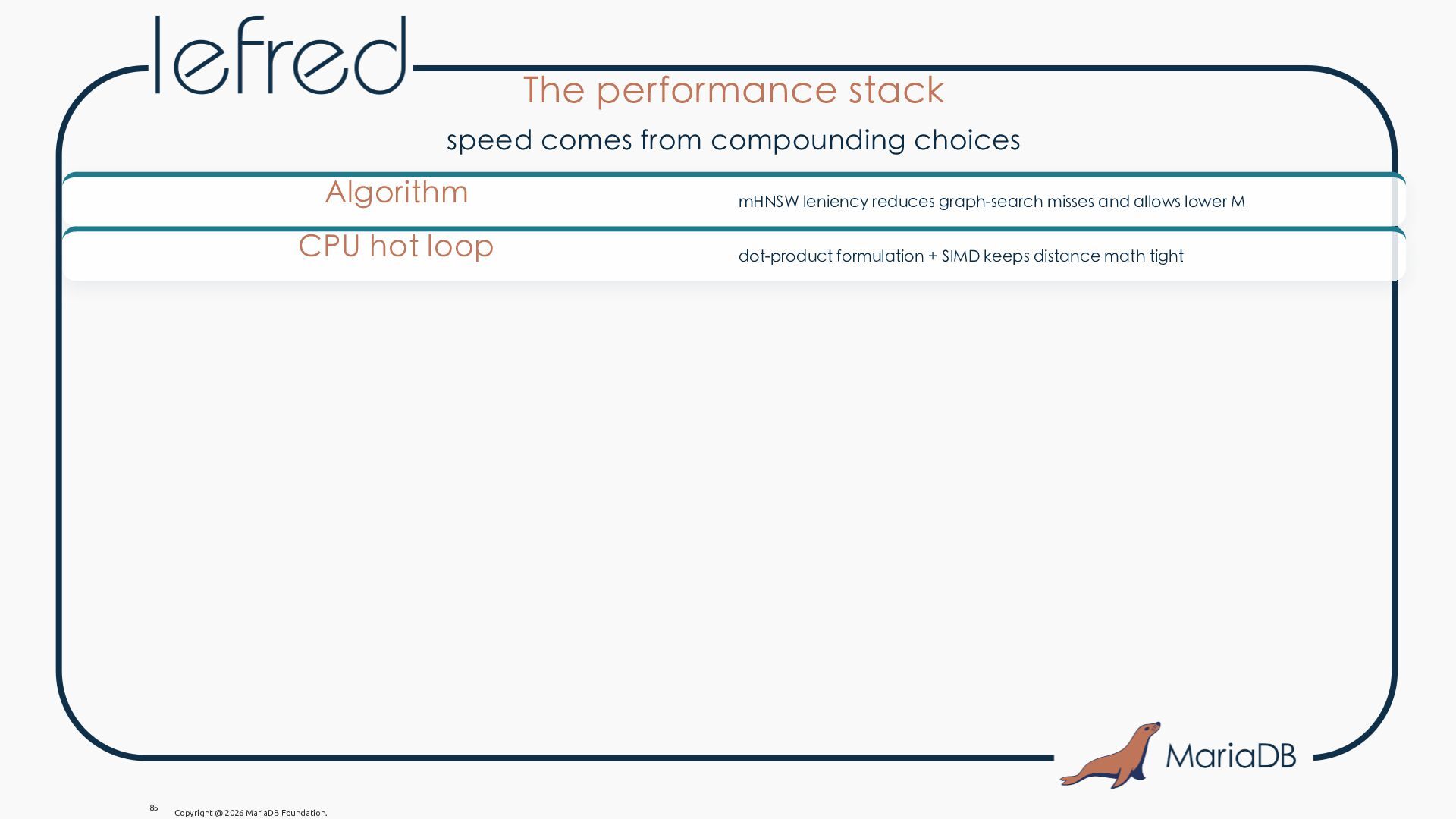
  86. The performance stack speed comes from compounding choices Algorithm mHNSW

    leniency reduces graph-search misses and allows lower M CPU hot loop dot-product formulation + SIMD keeps distance math tight Copyright @ 2026 MariaDB Foundation. 85
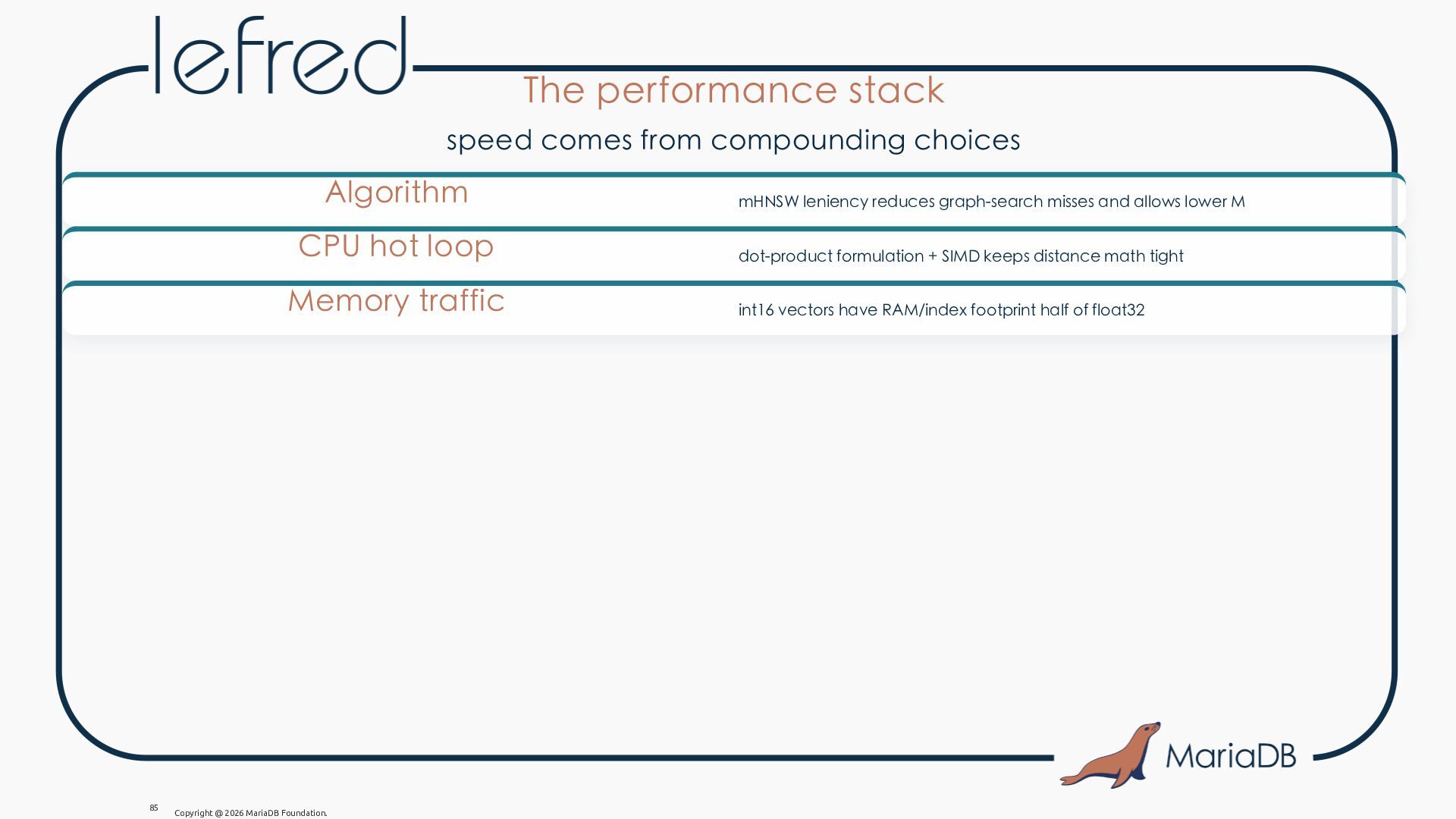
  87. The performance stack speed comes from compounding choices Algorithm mHNSW

    leniency reduces graph-search misses and allows lower M CPU hot loop dot-product formulation + SIMD keeps distance math tight Memory traffic int16 vectors have RAM/index footprint half of float32 Copyright @ 2026 MariaDB Foundation. 85
  88. The performance stack speed comes from compounding choices Algorithm mHNSW

    leniency reduces graph-search misses and allows lower M CPU hot loop dot-product formulation + SIMD keeps distance math tight Memory traffic int16 vectors have RAM/index footprint half of float32 Concurrency read graph is immutable, many searches run in parallel without locks Copyright @ 2026 MariaDB Foundation. 85
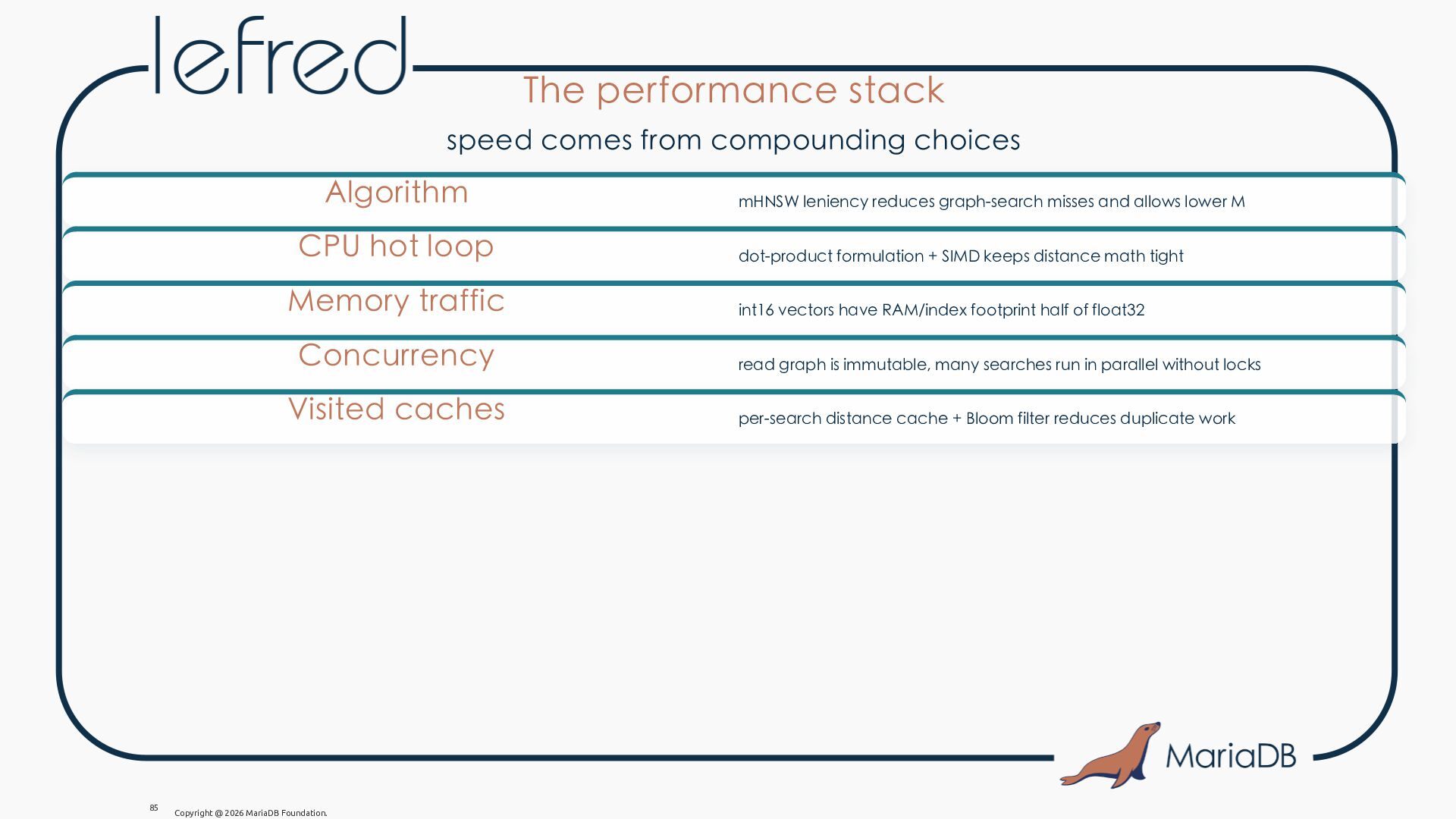
  89. The performance stack speed comes from compounding choices Algorithm mHNSW

    leniency reduces graph-search misses and allows lower M CPU hot loop dot-product formulation + SIMD keeps distance math tight Memory traffic int16 vectors have RAM/index footprint half of float32 Concurrency read graph is immutable, many searches run in parallel without locks Visited caches per-search distance cache + Bloom filter reduces duplicate work Copyright @ 2026 MariaDB Foundation. 85
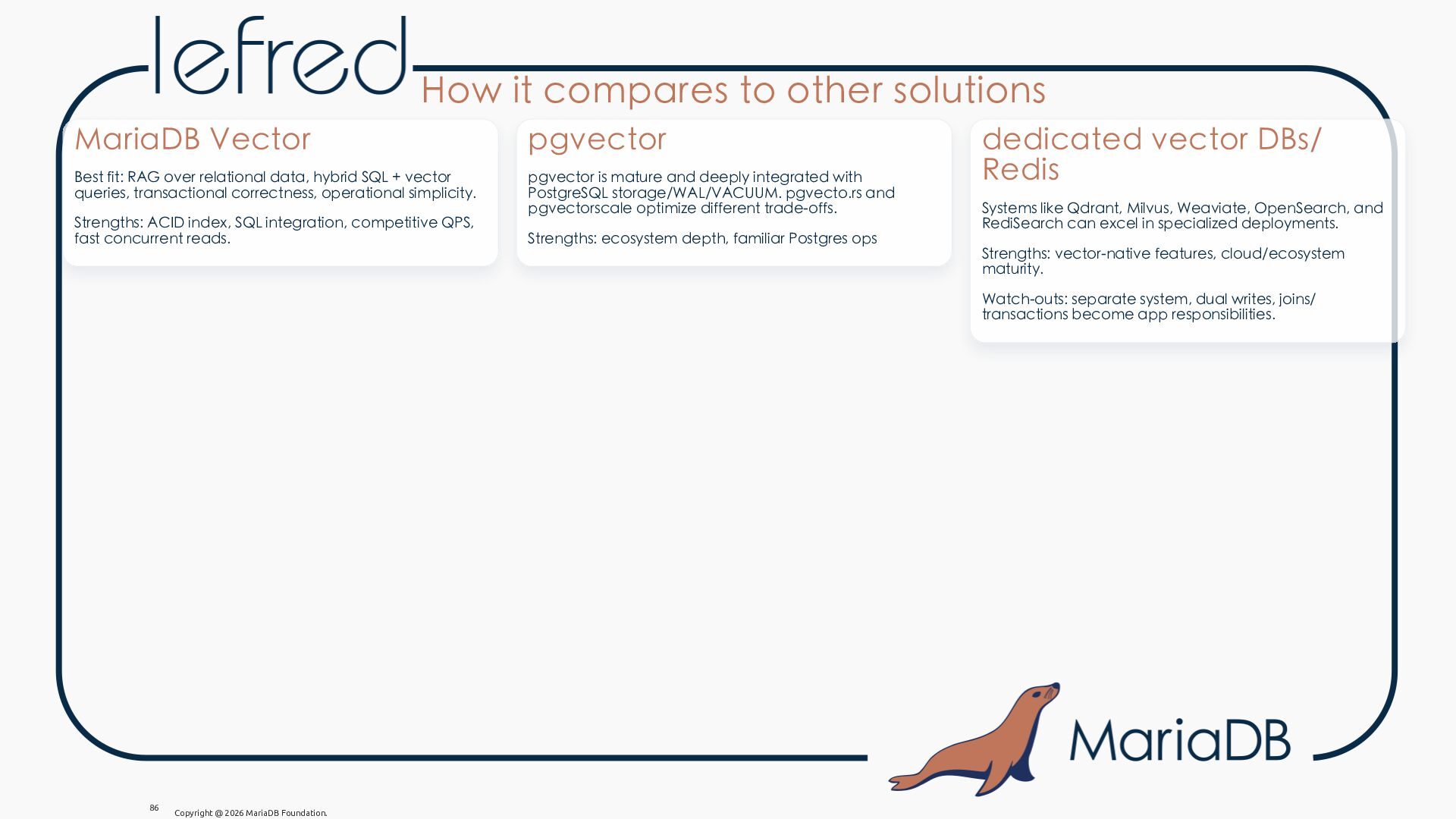
  90. How it compares to other solutions MariaDB Vector Best fit:

    RAG over relational data, hybrid SQL + vector queries, transactional correctness, operational simplicity. Strengths: ACID index, SQL integration, competitive QPS, fast concurrent reads. pgvector pgvector is mature and deeply integrated with PostgreSQL storage/WAL/VACUUM. pgvecto.rs and pgvectorscale optimize different trade-offs. Strengths: ecosystem depth, familiar Postgres ops dedicated vector DBs/ Redis Systems like Qdrant, Milvus, Weaviate, OpenSearch, and RediSearch can excel in specialized deployments. Strengths: vector-native features, cloud/ecosystem maturity. Watch-outs: separate system, dual writes, joins/ transactions become app responsibilities. Copyright @ 2026 MariaDB Foundation. 86
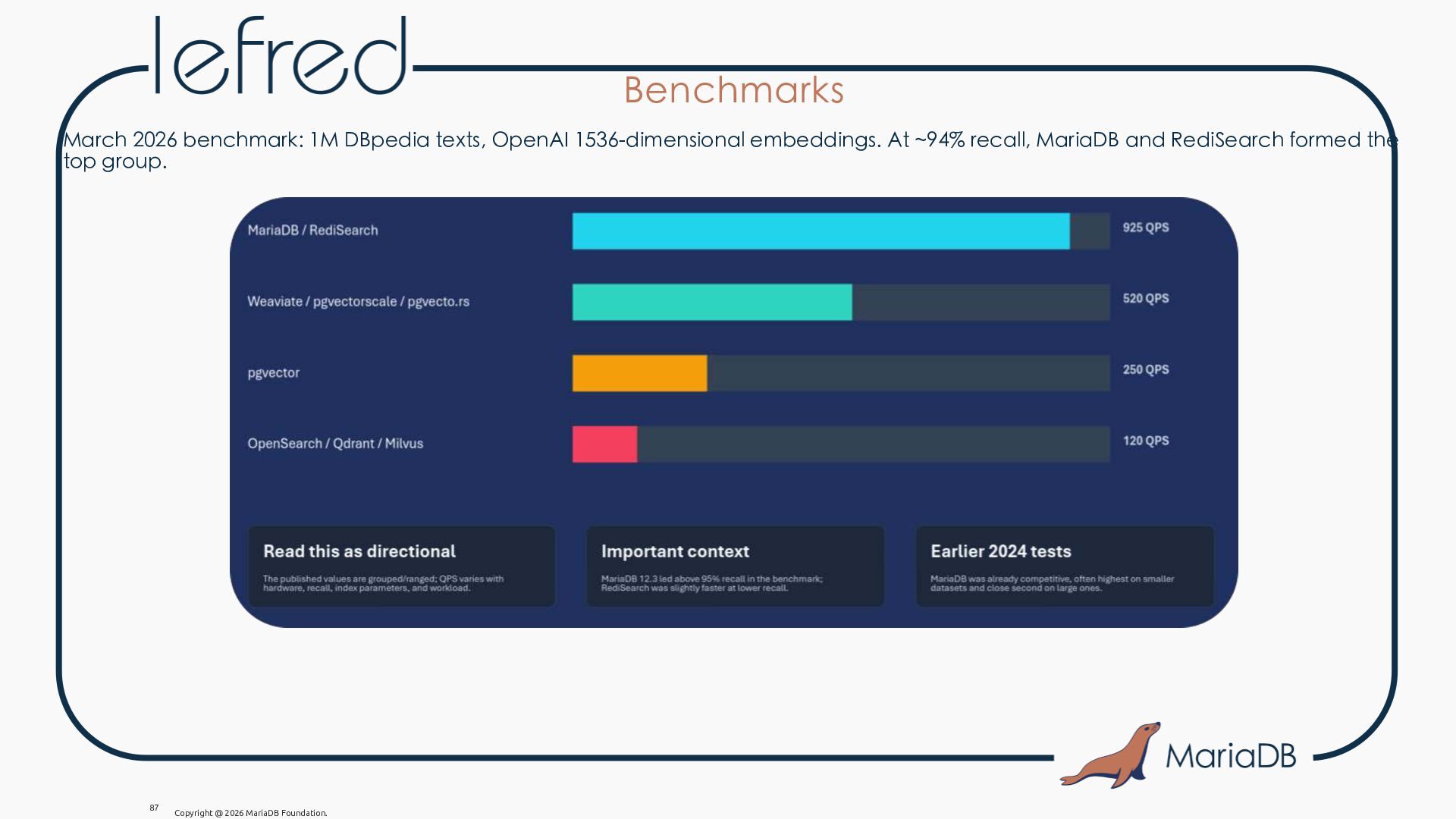
  91. Benchmarks March 2026 benchmark: 1M DBpedia texts, OpenAI 1536-dimensional embeddings.

    At ~94% recall, MariaDB and RediSearch formed the top group. Copyright @ 2026 MariaDB Foundation. 87
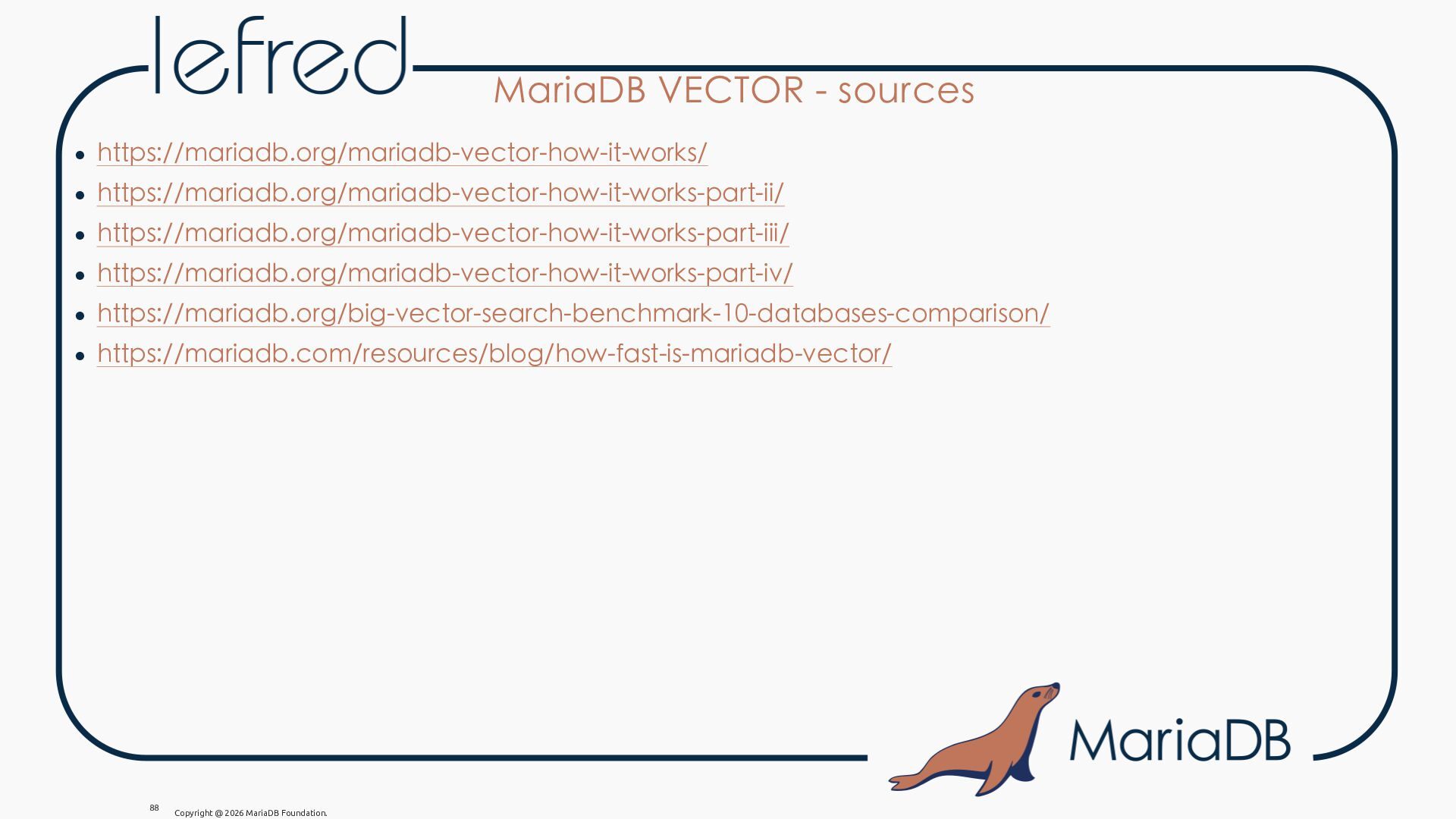
  92. MariaDB VECTOR - sources • https://mariadb.org/mariadb-vector-how-it-works/ • https://mariadb.org/mariadb-vector-how-it-works-part-ii/ • https://mariadb.org/mariadb-vector-how-it-works-part-iii/

    • https://mariadb.org/mariadb-vector-how-it-works-part-iv/ • https://mariadb.org/big-vector-search-benchmark-10-databases-comparison/ • https://mariadb.com/resources/blog/how-fast-is-mariadb-vector/ Copyright @ 2026 MariaDB Foundation. 88
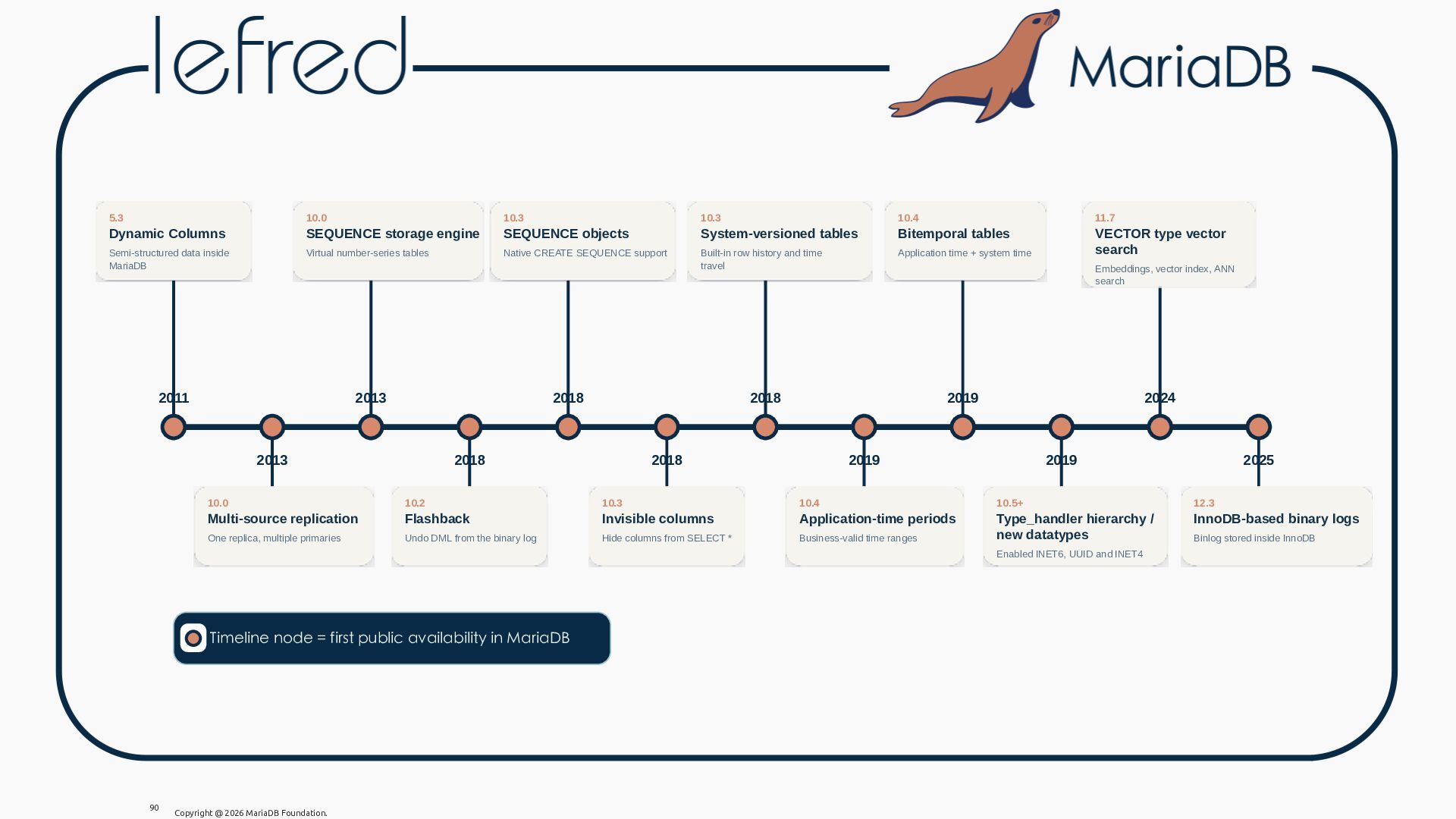
  93. 2011 5.3 Dynamic Columns Semi-structured data inside MariaDB 2013 10.0

    Multi-source replication One replica, multiple primaries 2013 10.0 SEQUENCE storage engine Virtual number-series tables 2018 10.2 Flashback Undo DML from the binary log 2018 10.3 SEQUENCE objects Native CREATE SEQUENCE support 2018 10.3 Invisible columns Hide columns from SELECT * 2018 10.3 System-versioned tables Built-in row history and time travel 2019 10.4 Application-time periods Business-valid time ranges 2019 10.4 Bitemporal tables Application time + system time 2019 10.5+ Type_handler hierarchy / new datatypes Enabled INET6, UUID and INET4 2024 11.7 VECTOR type vector search Embeddings, vector index, ANN search 2025 12.3 InnoDB-based binary logs Binlog stored inside InnoDB Timeline node = first public availability in MariaDB Copyright @ 2026 MariaDB Foundation. 90