Upgrade to Pro
— share decks privately, control downloads, hide ads and more …
Speaker Deck
Sign up for free
Menu
Search
Features
All features
Private URLs
Password Protection
Custom URLS
Scheduled publishing
Remove Branding
Restrict embedding
Deck Collections
Notes
Features
All features
Private URLs
Password Protection
Custom URLS
Scheduled publishing
Remove Branding
Restrict embedding
Deck Collections
Notes
Explore
Featured decks
Featured speakers
Programming
Technology
Storyboards
Explore
Featured decks
Featured speakers
Programming
Technology
Storyboards
Pricing
Search
Sign in
Sign up for free
空間情報システム入門Ⅰ
Search
Sponsored
·
Your Podcast. Everywhere. Effortlessly.
Share. Educate. Inspire. Entertain. You do you. We'll handle the rest.
→
Louis Saito
June 16, 2016
49
0
Share
Embed
Copy iframe code
Copy JS code
Copy link
Start on current slide
空間情報システム入門Ⅰ
Louis Saito
June 16, 2016
More Decks by Louis Saito
See All by Louis Saito
Pokestopに使われそうな場所MAP
louis4423
0
56
Featured
See All Featured
A Tale of Four Properties
chriscoyier
163
24k
[RailsConf 2023 Opening Keynote] The Magic of Rails
eileencodes
31
10k
Agile Actions for Facilitating Distributed Teams - ADO2019
mkilby
0
310
Rails Girls Zürich Keynote
gr2m
96
14k
Bootstrapping a Software Product
garrettdimon
PRO
306
120k
Building Experiences: Design Systems, User Experience, and Full Site Editing
marktimemedia
1
630
State of Search Keynote: SEO is Dead Long Live SEO
ryanjones
0
320
Lightning Talk: Beautiful Slides for Beginners
inesmontani
PRO
2
730
Exploring the relationship between traditional SERPs and Gen AI search
raygrieselhuber
PRO
4
4.4k
Making Projects Easy
brettharned
120
6.8k
Code Reviewing Like a Champion
maltzj
529
40k
Claude Code どこまでも/ Claude Code Everywhere
nwiizo
68
59k
Transcript
マイ OpenStreetMap マニュアル 1A116097 斎藤瑠依
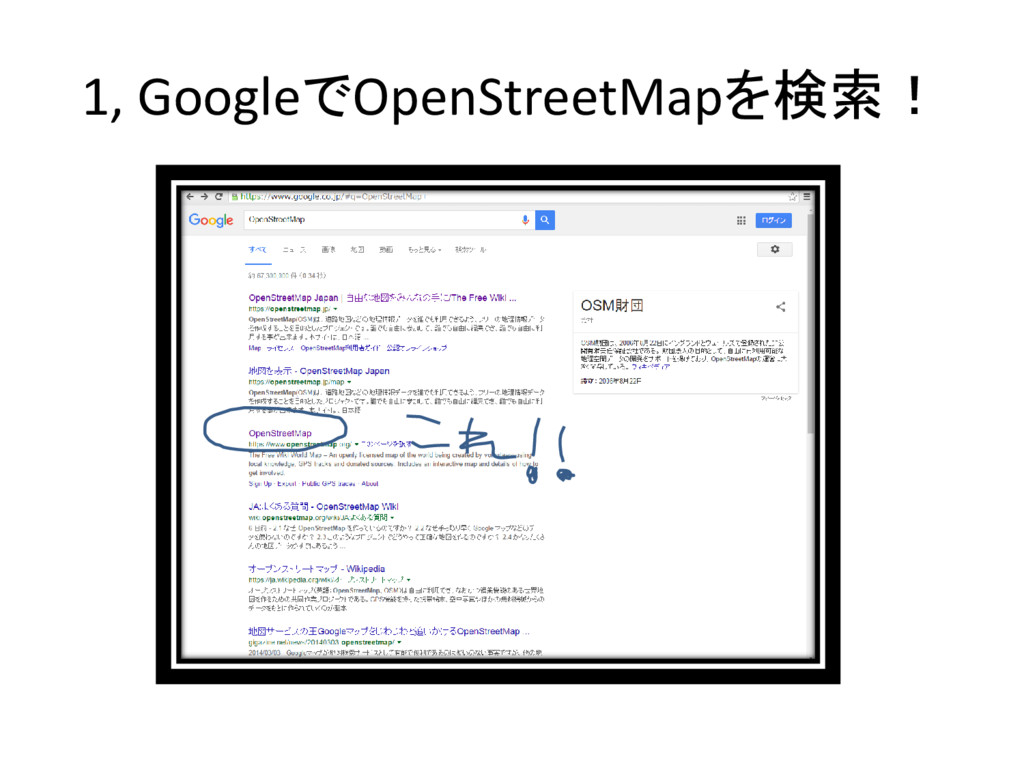
1, GoogleでOpenStreetMapを検索!
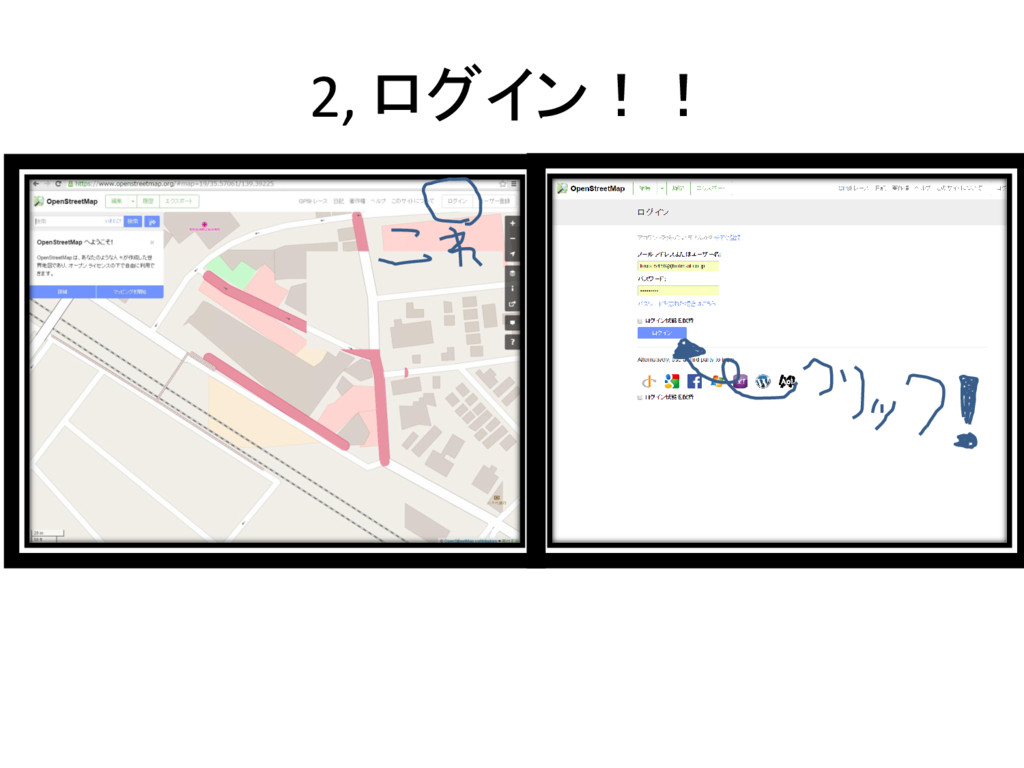
2, ログイン!!
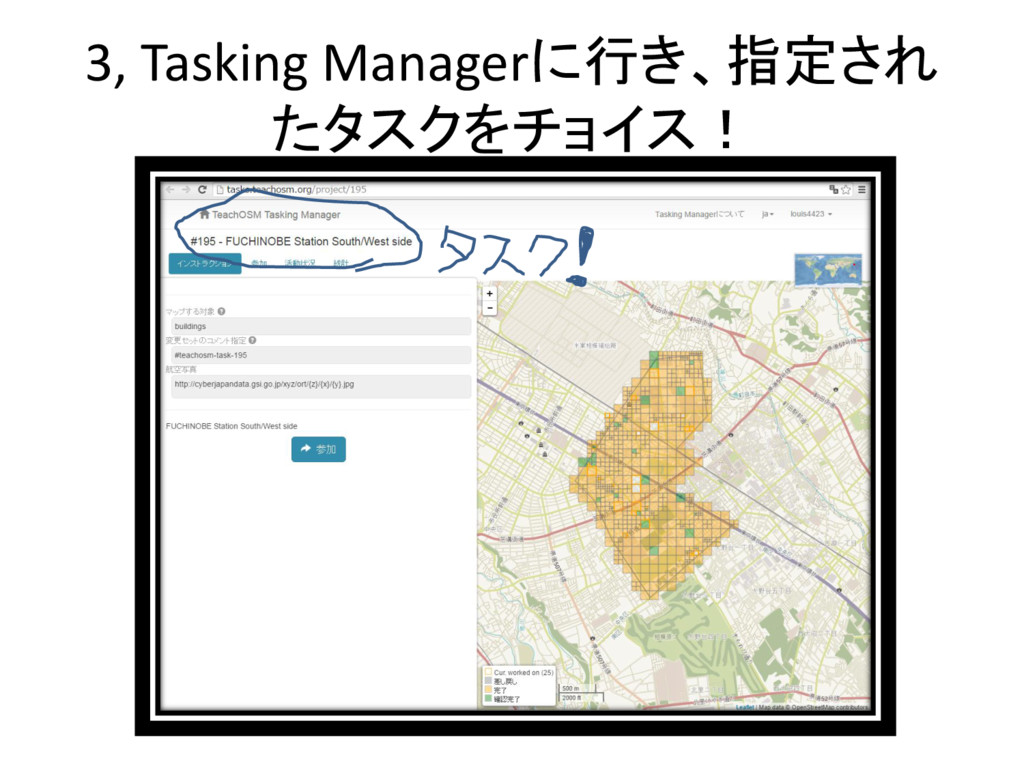
3, Tasking Managerに行き、指定され たタスクをチョイス!
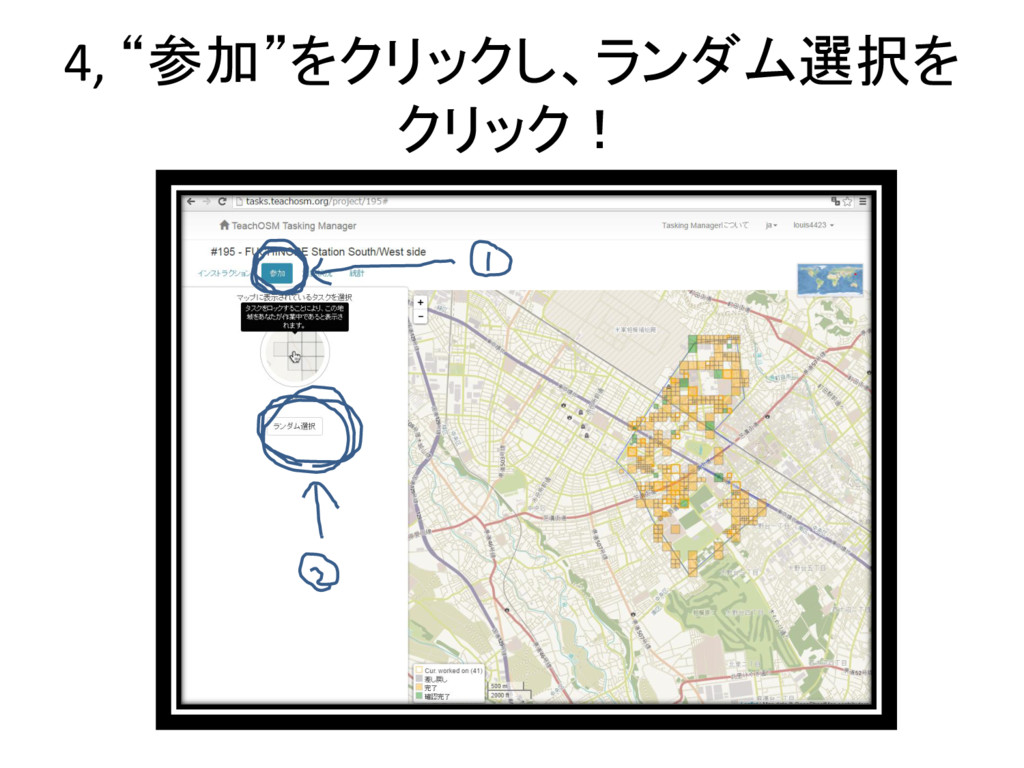
4, “参加”をクリックし、ランダム選択を クリック!
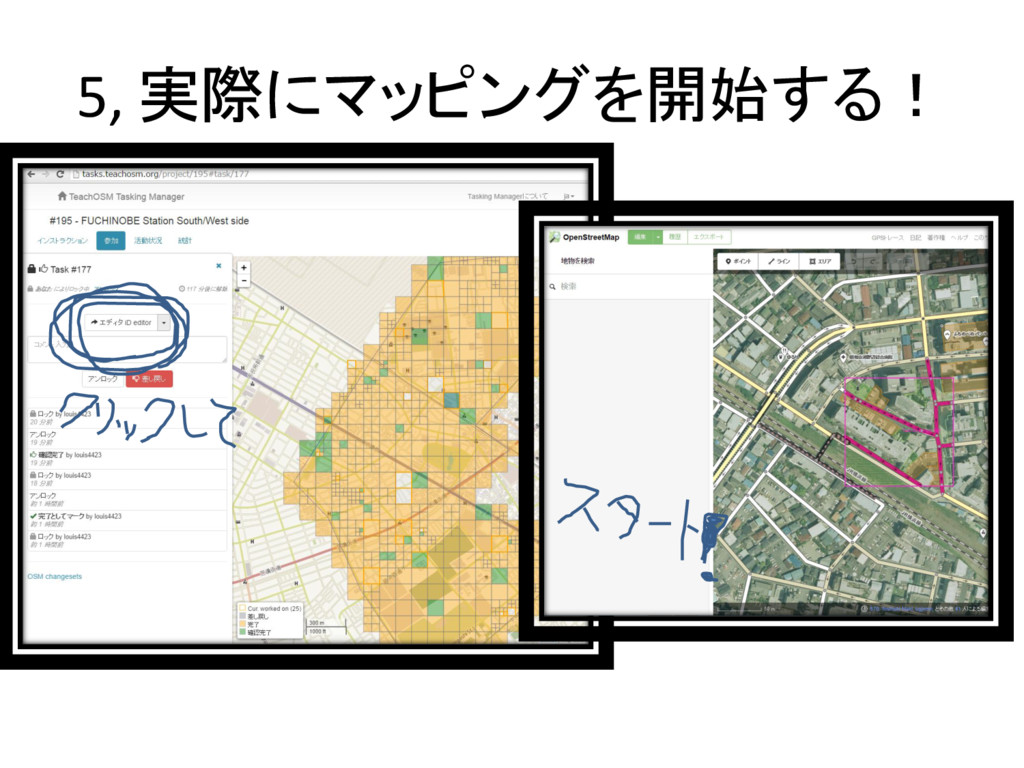
5, 実際にマッピングを開始する!
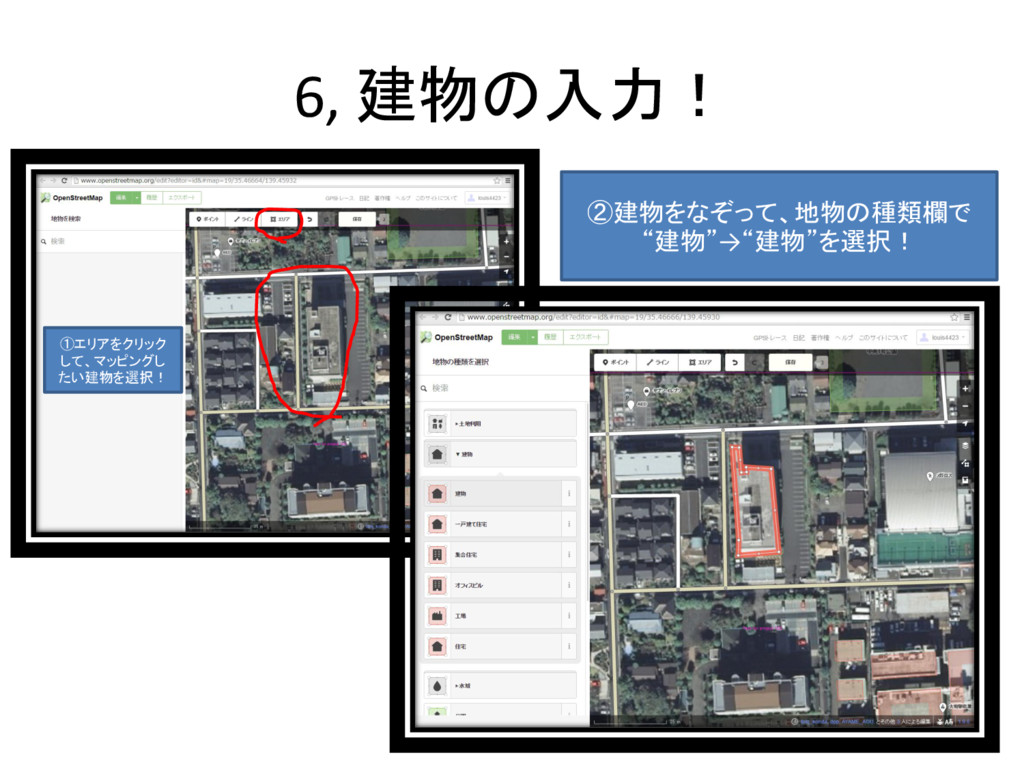
6, 建物の入力! ①エリアをクリック して、マッピングし たい建物を選択! ②建物をなぞって、地物の種類欄で “建物”→“建物”を選択!
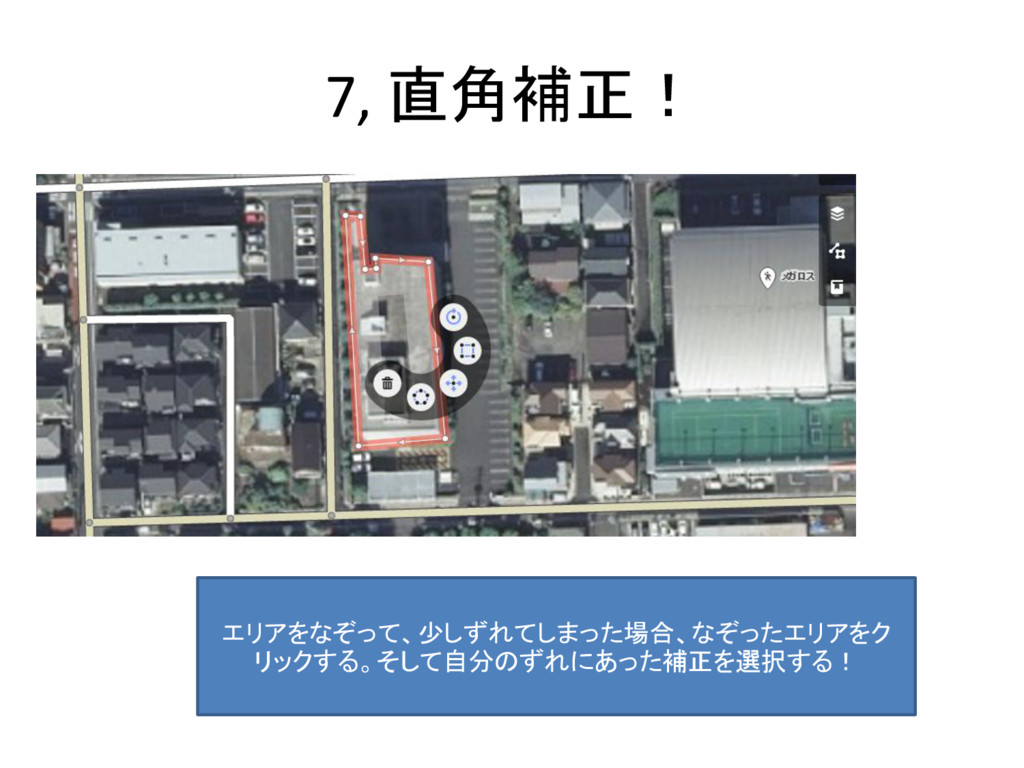
7, 直角補正! エリアをなぞって、少しずれてしまった場合、なぞったエリアをク リックする。そして自分のずれにあった補正を選択する!
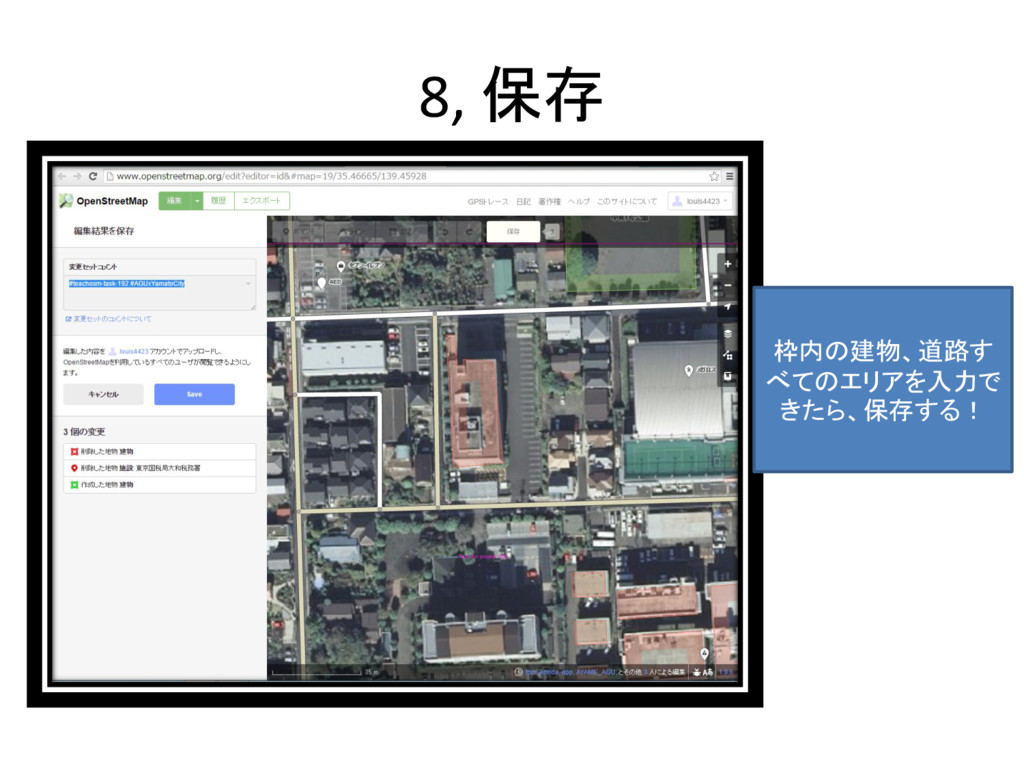
8, 保存 枠内の建物、道路す べてのエリアを入力で きたら、保存する!
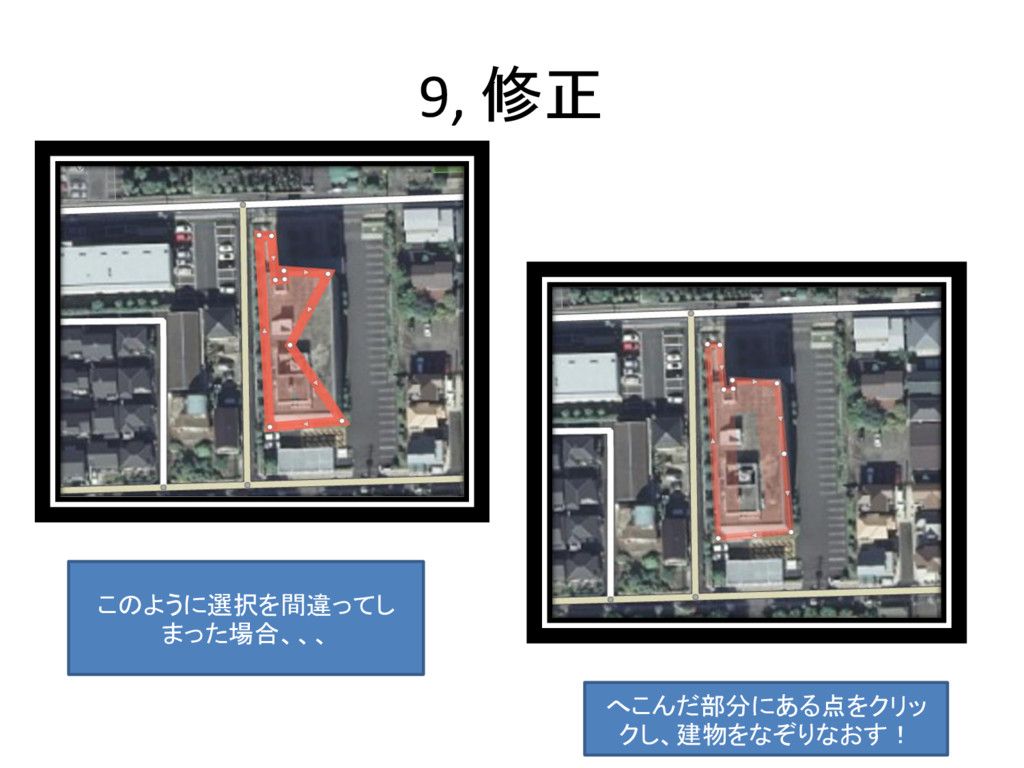
9, 修正 このように選択を間違ってし まった場合、、、 へこんだ部分にある点をクリッ クし、建物をなぞりなおす!
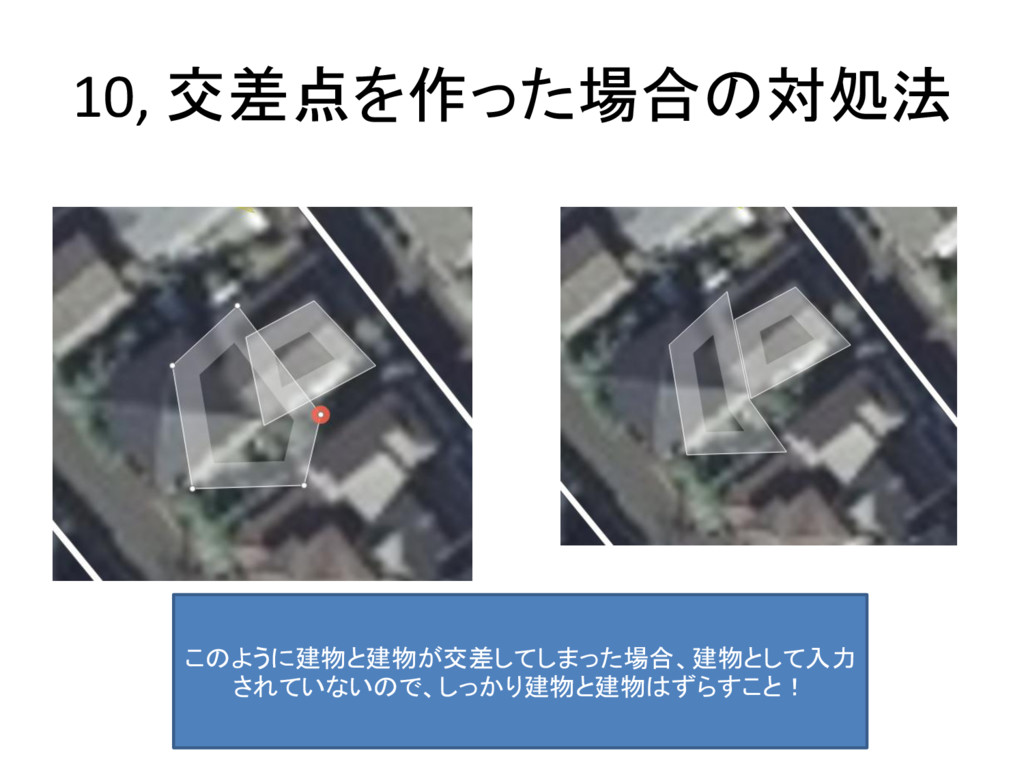
10, 交差点を作った場合の対処法 このように建物と建物が交差してしまった場合、建物として入力 されていないので、しっかり建物と建物はずらすこと!
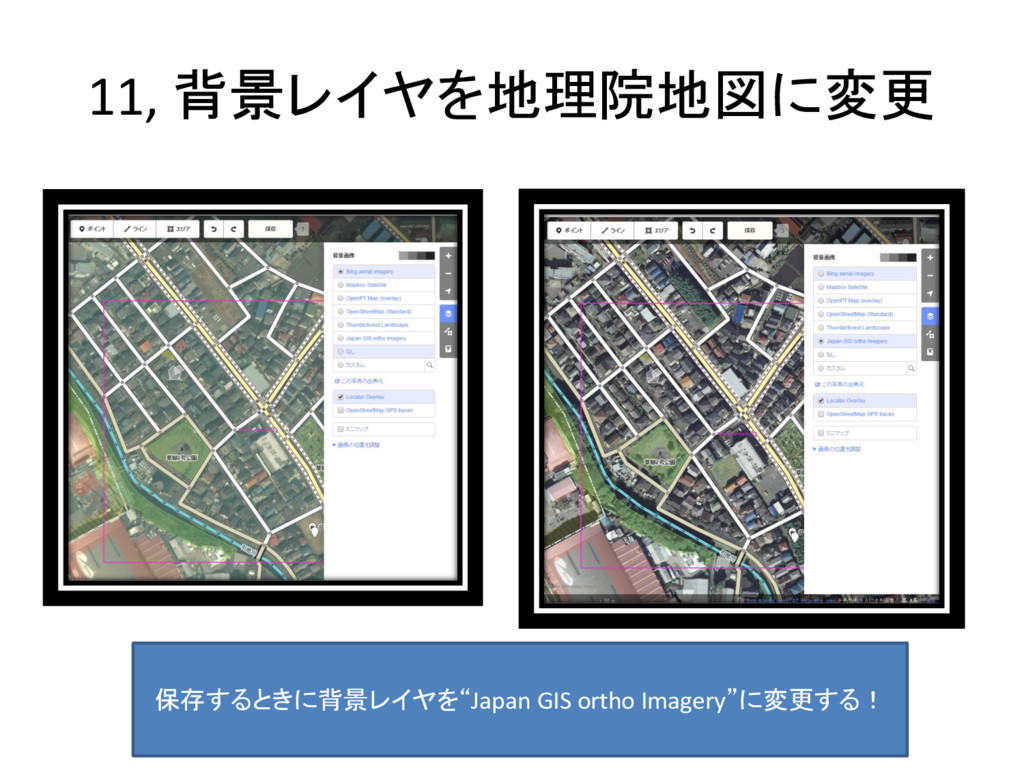
11, 背景レイヤを地理院地図に変更 保存するときに背景レイヤを“Japan GIS ortho Imagery”に変更する!
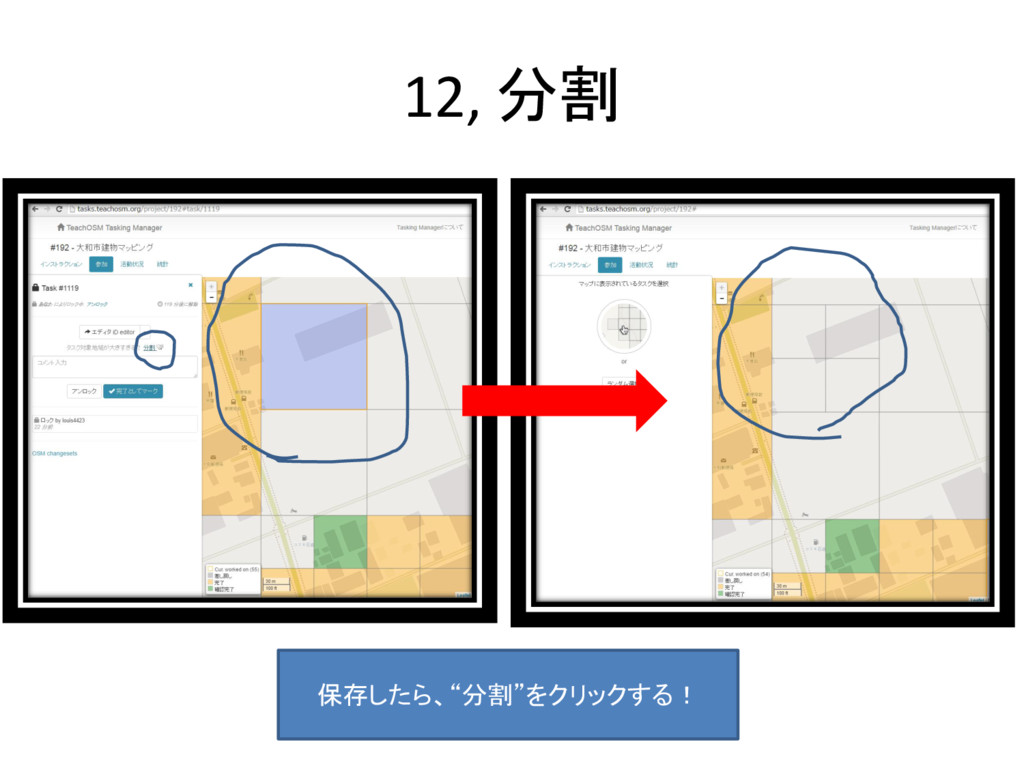
12, 分割 保存したら、“分割”をクリックする!
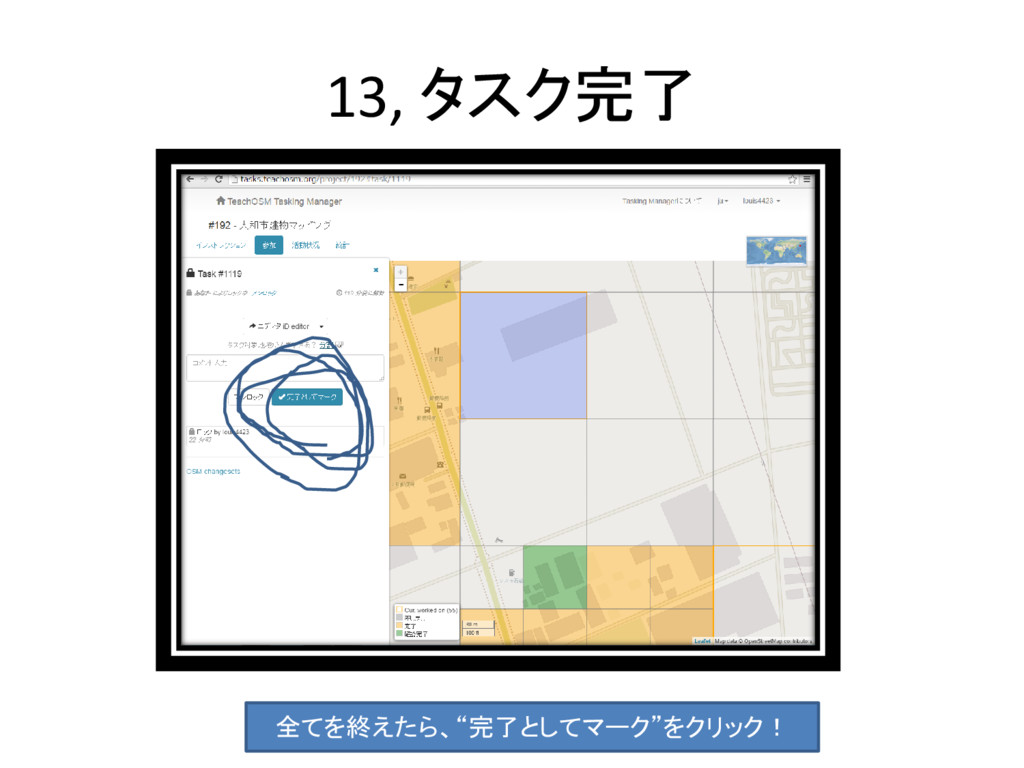
13, タスク完了 全てを終えたら、“完了としてマーク”をクリック!


 louis4423
 chriscoyier
 eileencodes
 mkilby
 gr2m
gr2m
 garrettdimon
 marktimemedia
 ryanjones
 inesmontani
 raygrieselhuber
 brettharned
 maltzj
 nwiizo