Share
Embed
Jasmine: BDD for Javascript
This is an extend tutorial I created for guys of my last office. I uploaded it in slideShare at Jan 21 2010, and now it's time for speaker Deck.
Disclaimer: It could be a little outdated but It surely works as a guide to begin testing javascript code with Jasmine.
Luis Porras
January 21, 2012
Transcript
31 slides
-
https://github.com/pivotal/jasmine/wiki A BDD Framework for testing JavaScript. - Does not
depend on any other JavaScript frameworks. - Does not require a DOM. - It has a clean, obvious syntax - Heavily influenced by, and borrows the best parts of, ScrewUnit, JSSpec, JSpec, and of course RSpec. -
https://github.com/pivotal/jasmine/wiki Before and After beforeEach( ) => Takes a function
that is run before each spec -
https://github.com/pivotal/jasmine/wiki Before and After III afterEach( ) => Takes a
function that is run after each spec -
https://github.com/pivotal/jasmine/wiki expect(x).toEqual(y); expect(x).toBe(y); expect(x).toMatch(pattern); expect(x).toBeDefined(); expect(x).toBeNull(); expect(x).toBeTruthy(); expect(x).toBeFalsy(); expect(x).toContain(y); expect(x).toBeLessThan(y);
expect(x).toBeGreaterThan(y); expect(fn).toThrow(e); expect(x).not.toEqual(y); Every matcher's criteria can be inverted by prepending .not Matchers "How you can evaluate your code behavior" -
https://github.com/pivotal/jasmine/wiki Your own matcher "We are not slave, we wanna
make our own matchers" describe('Hello world', function() { beforeEach(function() { this.addMatchers({ toBeDivisibleByTwo: function() { return (this.actual % 2) === 0; } }); }); it('is divisible by 2', function() { expect(gimmeANumber()).toBeDivisibleByTwo(); }); }); -
https://github.com/pivotal/jasmine/wiki SPIES "Jasmine Spies are test doubles that can act
as stubs, spies, fakes or when used in an expecation, mocks." Spies should be created in test setup, before expectations. Spies are torn down at the end of every spec. Spies can be checked if they were called or not and what the calling params were. A Spy has the following fields: wasCalled, callCount, mostRecentCall, and argsForCall -
https://github.com/pivotal/jasmine/wiki SPIES II spying on an existing function that you
don't touch, with spyOn() var Person = function() { }; Person.prototype.helloSomeone = function(toGreet) { return this.sayHello() + " " + toGreet; }; Person.prototype.sayHello = function() { return "Hello"; }; we want to make sure it calls the sayHello() function when we call the helloSomeone() function describe("Person", function() { it("calls the sayHello() function", function() { var fakePerson = new Person(); spyOn(fakePerson, "sayHello"); fakePerson.helloSomeone("world"); expect(fakePerson.sayHello).toHaveBeenCalled(); }); }); -
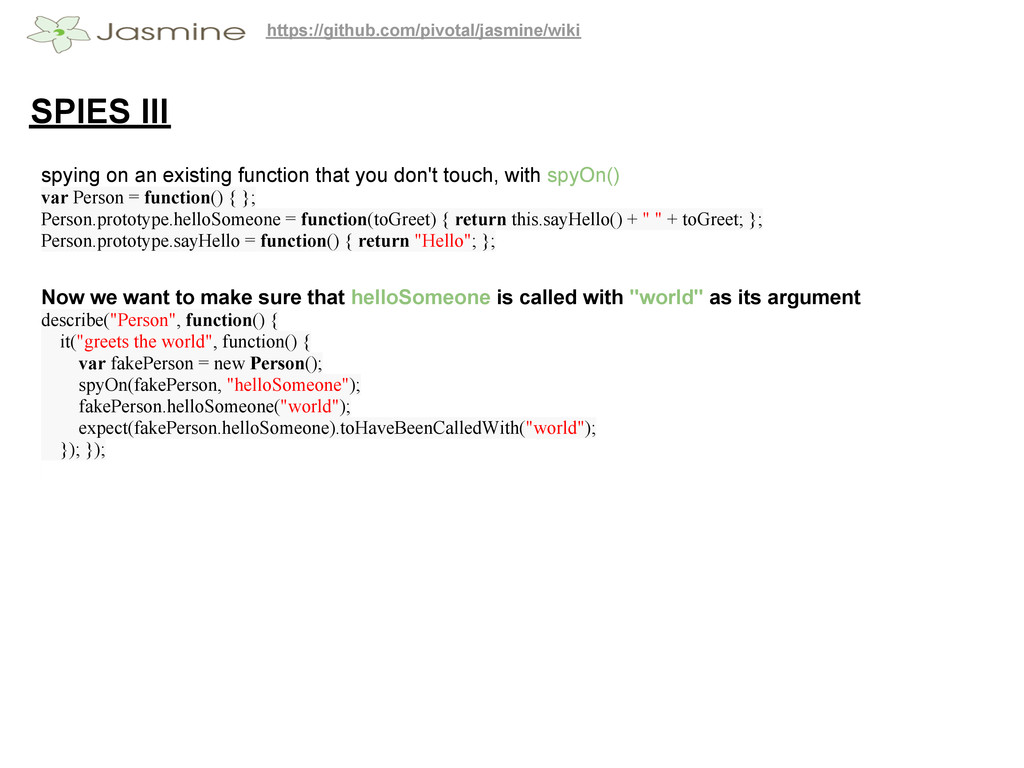
https://github.com/pivotal/jasmine/wiki SPIES III spying on an existing function that you
don't touch, with spyOn() var Person = function() { }; Person.prototype.helloSomeone = function(toGreet) { return this.sayHello() + " " + toGreet; }; Person.prototype.sayHello = function() { return "Hello"; }; Now we want to make sure that helloSomeone is called with "world" as its argument describe("Person", function() { it("greets the world", function() { var fakePerson = new Person(); spyOn(fakePerson, "helloSomeone"); fakePerson.helloSomeone("world"); expect(fakePerson.helloSomeone).toHaveBeenCalledWith("world"); }); }); -
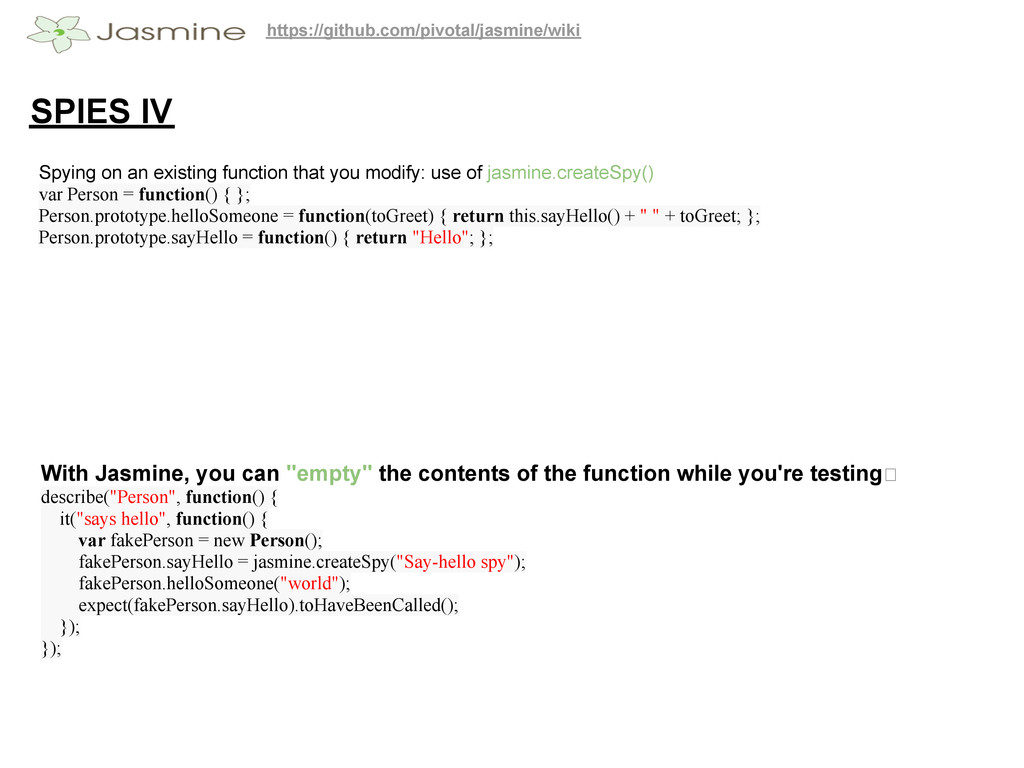
https://github.com/pivotal/jasmine/wiki SPIES IV Spying on an existing function that you
modify: use of jasmine.createSpy() var Person = function() { }; Person.prototype.helloSomeone = function(toGreet) { return this.sayHello() + " " + toGreet; }; Person.prototype.sayHello = function() { return "Hello"; }; With Jasmine, you can "empty" the contents of the function while you're testing describe("Person", function() { it("says hello", function() { var fakePerson = new Person(); fakePerson.sayHello = jasmine.createSpy("Say-hello spy"); fakePerson.helloSomeone("world"); expect(fakePerson.sayHello).toHaveBeenCalled(); }); }); -
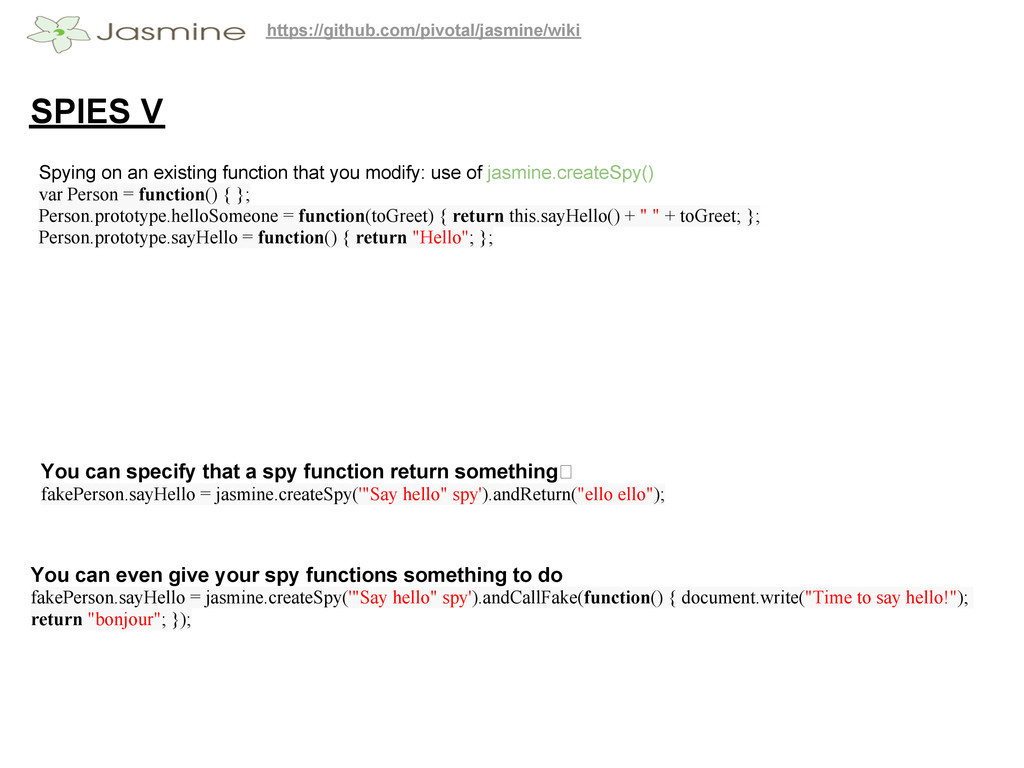
https://github.com/pivotal/jasmine/wiki SPIES V Spying on an existing function that you
modify: use of jasmine.createSpy() var Person = function() { }; Person.prototype.helloSomeone = function(toGreet) { return this.sayHello() + " " + toGreet; }; Person.prototype.sayHello = function() { return "Hello"; }; You can specify that a spy function return something fakePerson.sayHello = jasmine.createSpy('"Say hello" spy').andReturn("ello ello"); You can even give your spy functions something to do fakePerson.sayHello = jasmine.createSpy('"Say hello" spy').andCallFake(function() { document.write("Time to say hello!"); return "bonjour"; }); -
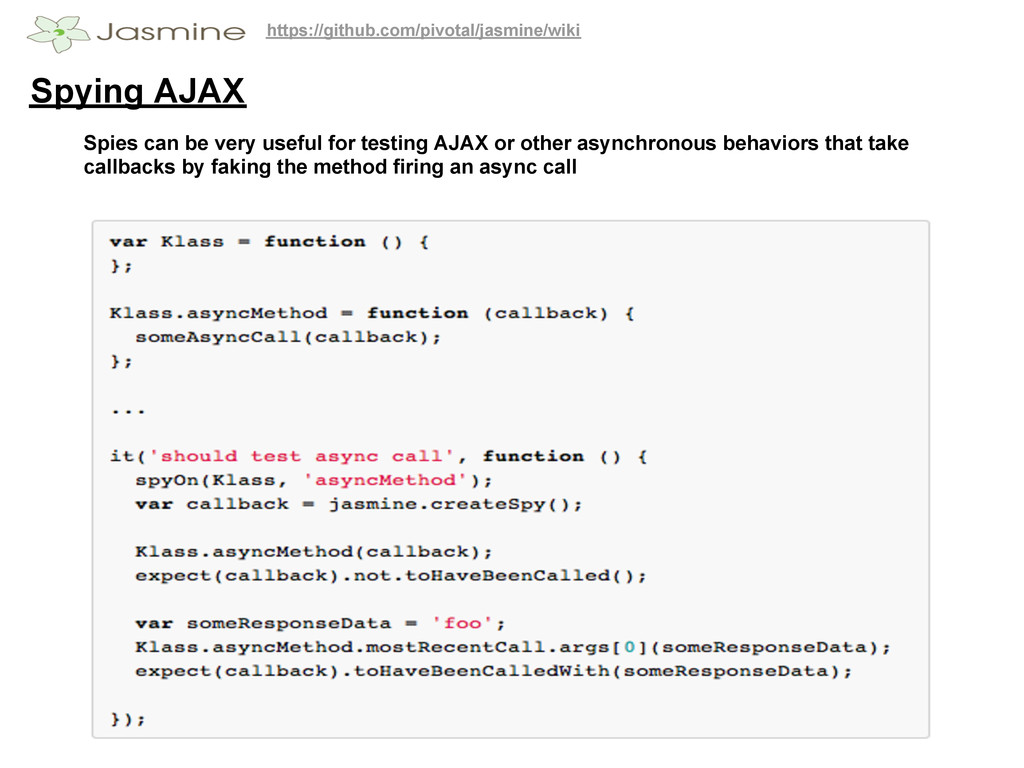
https://github.com/pivotal/jasmine/wiki Spying AJAX Spies can be very useful for testing
AJAX or other asynchronous behaviors that take callbacks by faking the method firing an async call -
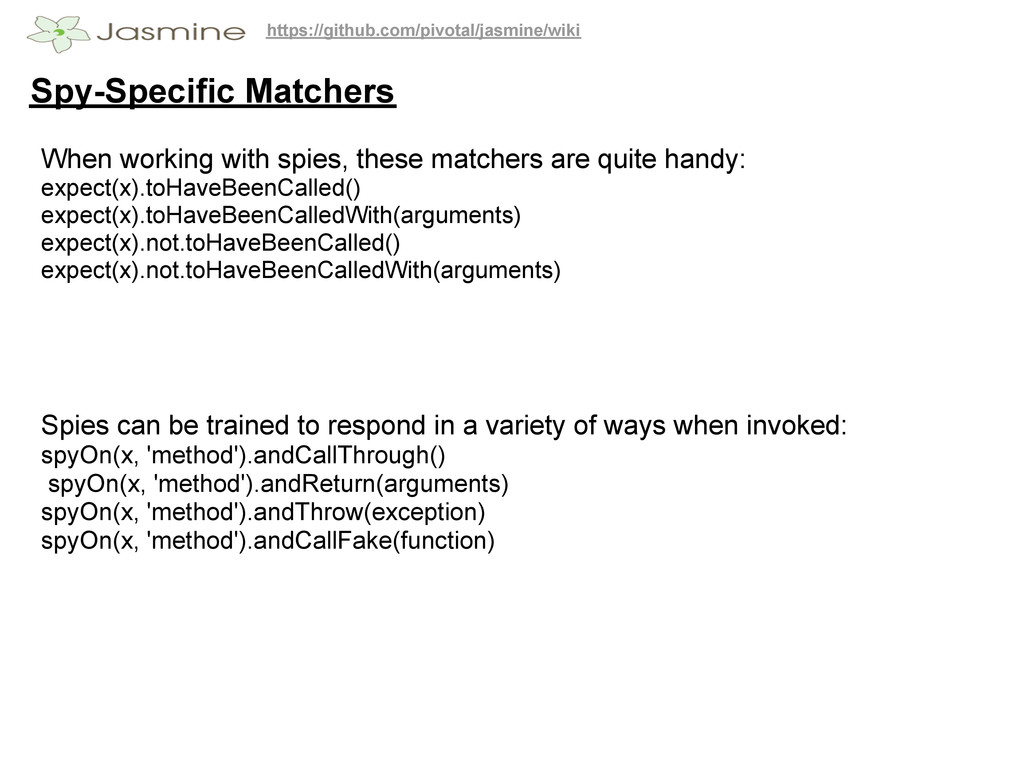
https://github.com/pivotal/jasmine/wiki Spy-Specific Matchers expect(x).toHaveBeenCalled() expect(x).toHaveBeenCalledWith(arguments) expect(x).not.toHaveBeenCalled() expect(x).not.toHaveBeenCalledWith(arguments) When working with
spies, these matchers are quite handy: Spies can be trained to respond in a variety of ways when invoked: spyOn(x, 'method').andCallThrough() spyOn(x, 'method').andReturn(arguments) spyOn(x, 'method').andThrow(exception) spyOn(x, 'method').andCallFake(function) -
https://github.com/pivotal/jasmine/wiki Asynchronous specs There are three Jasmine functions that hep
you with asynchronicity: run(), waitsFor(), and wait(). runs run() blocks execute procedurally, so you don't have to worry about asynchronous code screwing everything up. -
https://github.com/pivotal/jasmine/wiki Asynchronous specs II runs run() blocks share functional scope
-- this properties will be common to all blocks, but declared var's will not! -
https://github.com/pivotal/jasmine/wiki Asynchronous specs III waits(timeout) The function waits( ) works
with runs( ) to provide a naive timeout before the next block is run -
https://github.com/pivotal/jasmine/wiki Asynchronous specs IV waits(timeout) waits( ) allows you to
pause the spec for a fixed period of time. But what if you don't know exactly how long you need to wait? waitsFor to the Rescue¡ -
https://github.com/pivotal/jasmine/wiki Asynchronous specs V waitsFor(function, optional message, optional timeout) waitsFor()
. Provides a better interface for pausing your spec until some other work has completed. Jasmine will wait until the provided function returns true before continuing with the next block. This may mean waiting an arbitrary period of time, or you may specify a maxiumum period in milliseconds before timing out. describe("Calculator", function() { it("should factor two huge numbers asynchronously", function() { var calc = new Calculator(); var answer = calc. factor(18973547201226, 28460320801839); waitsFor(function() { return calc.answerHasBeenCalculated(); }, "It took too long to find those factors.", 10000); runs(function() { expect(answer).toEqual(9486773600613); }); }); }); -
You could look at these Jasmine-JQuery: jQuery matchers and fixture
loader for Jasmine framework Jasmine Species: Extended BDD grammar and reporting for Jasmine jasmine-headless-webkit: Uses the QtWebKit widget to run your specs without needing to render a pixel. JasmineRice: Utilizing (jasmine) and taking full advantage of the Rails 3.1 asset pipeline jasmine rice removes any excuse YOU have for not testing your out of control sprawl of coffeescript files. -
You could look at these Try Jasmine Online: start with
jasmine from your browser :)