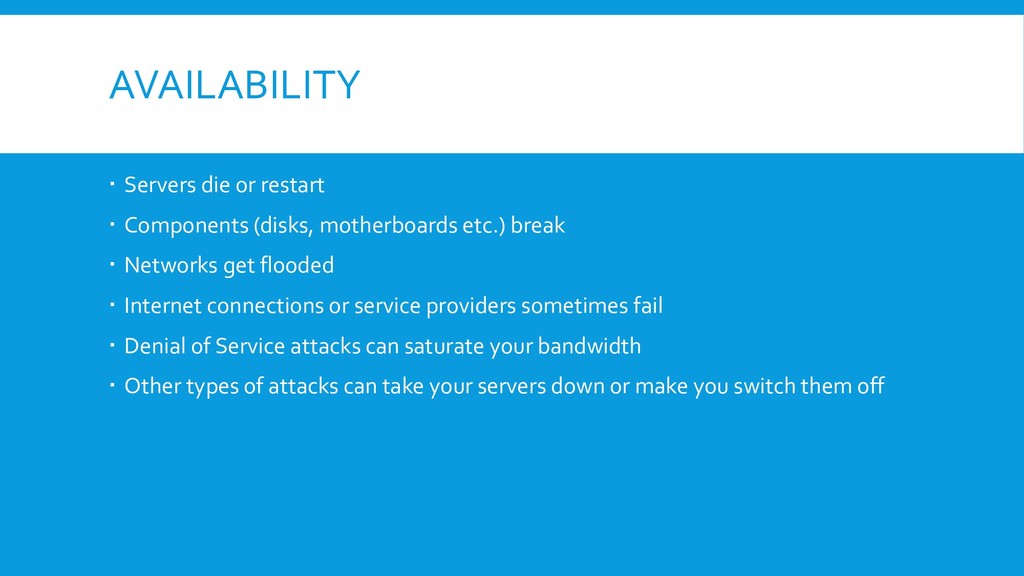
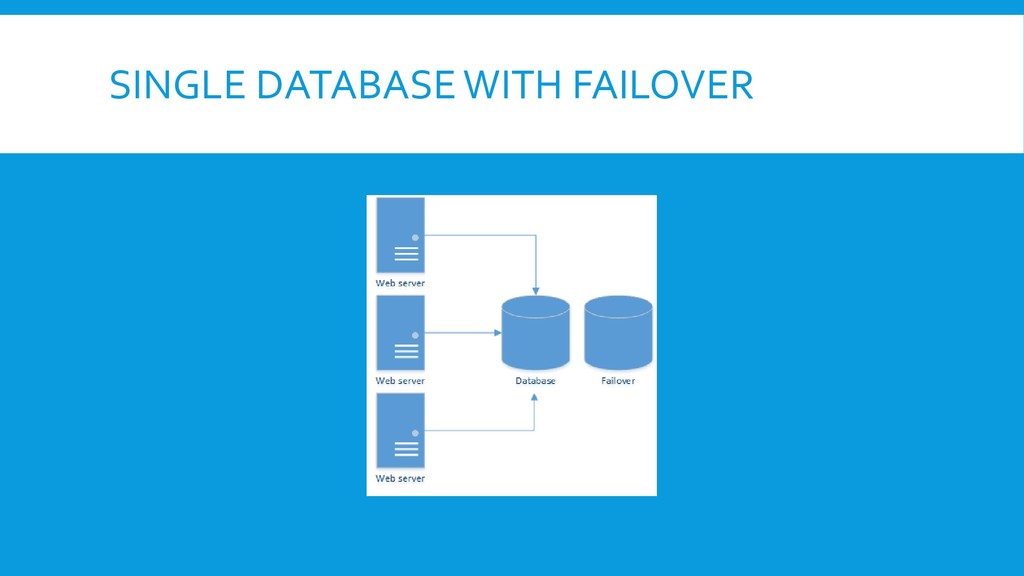
etc.) break Networks get flooded Internet connections or service providers sometimes fail Denial of Service attacks can saturate your bandwidth Other types of attacks can take your servers down or make you switch them off
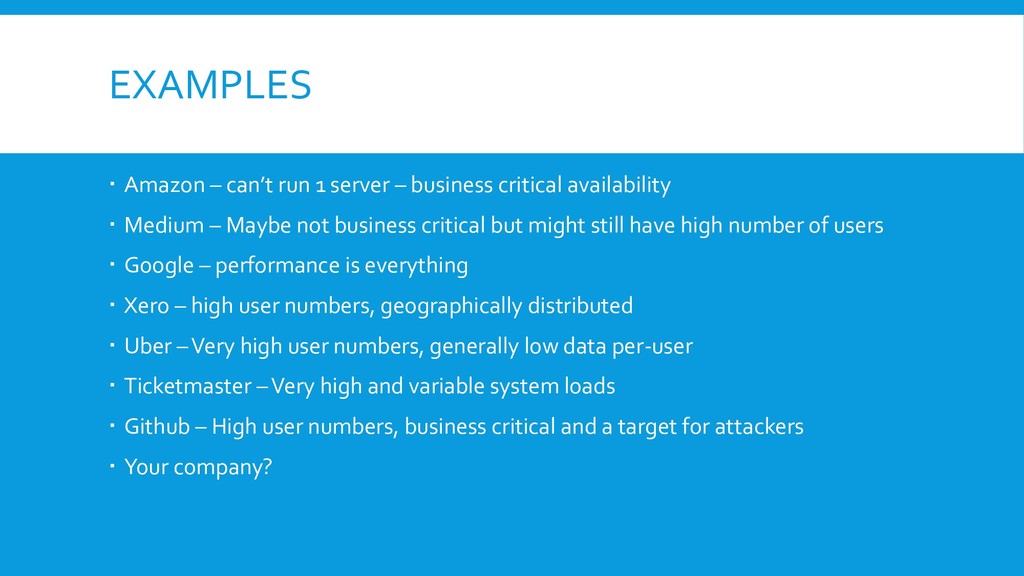
critical availability Medium – Maybe not business critical but might still have high number of users Google – performance is everything Xero – high user numbers, geographically distributed Uber –Very high user numbers, generally low data per-user Ticketmaster –Very high and variable system loads Github – High user numbers, business critical and a target for attackers Your company?
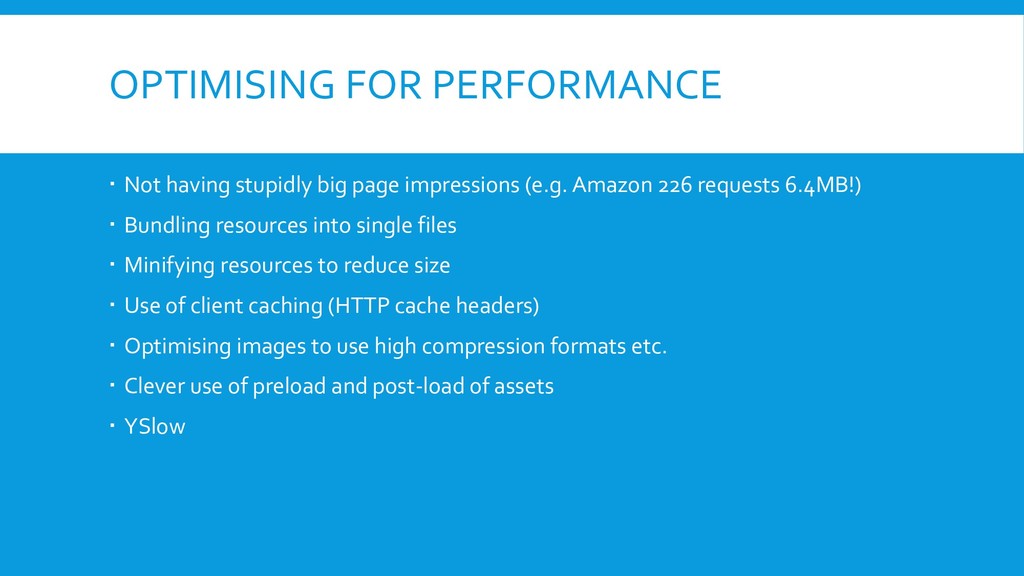
(e.g. Amazon 226 requests 6.4MB!) Bundling resources into single files Minifying resources to reduce size Use of client caching (HTTP cache headers) Optimising images to use high compression formats etc. Clever use of preload and post-load of assets YSlow
performance) Resources will go further but not infinitely! It will not help some of them (e.g. availability, large load swings) It can only go so far – maybe make a site 10 times better
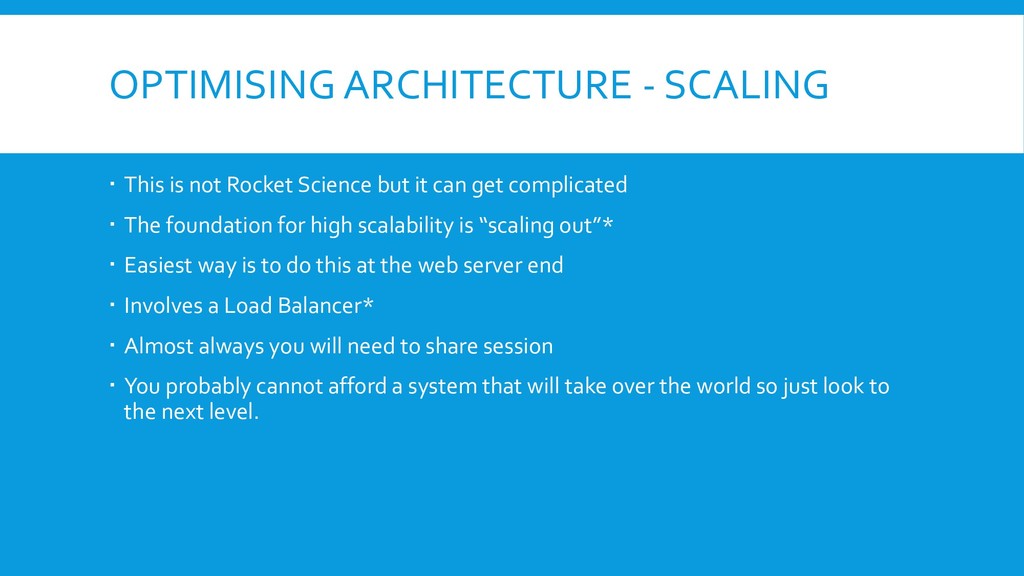
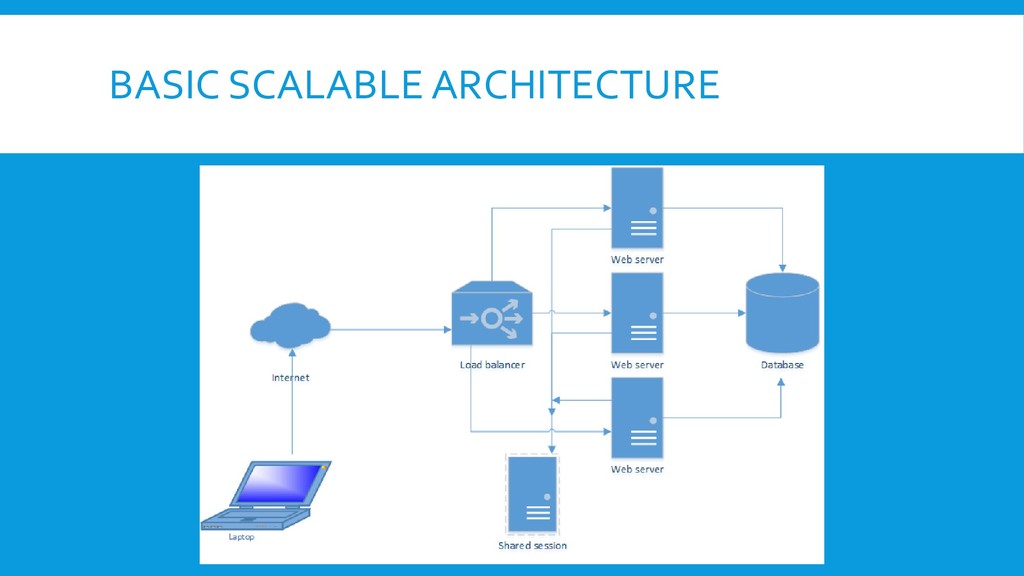
but it can get complicated The foundation for high scalability is “scaling out”* Easiest way is to do this at the web server end Involves a Load Balancer* Almost always you will need to share session You probably cannot afford a system that will take over the world so just look to the next level.
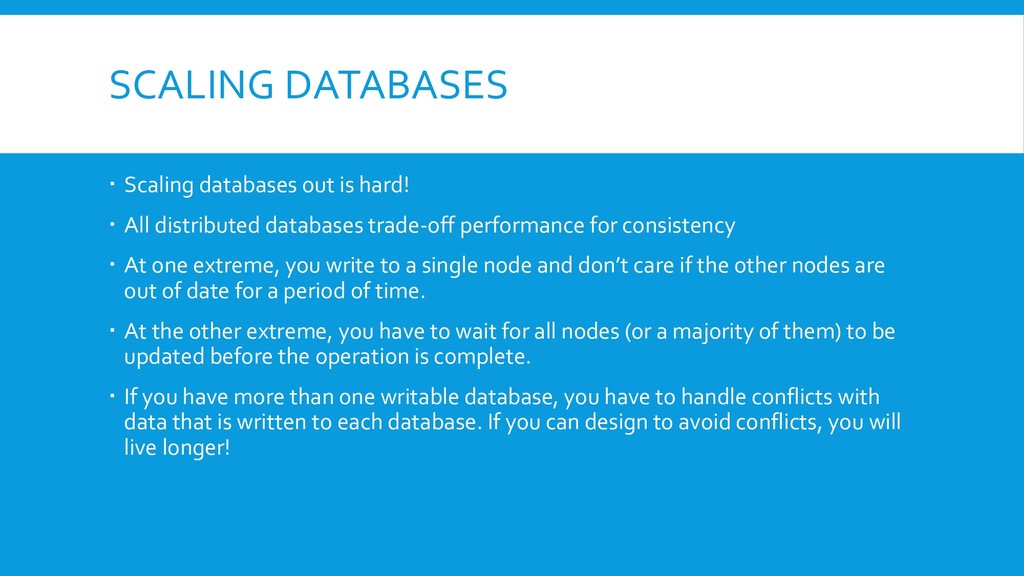
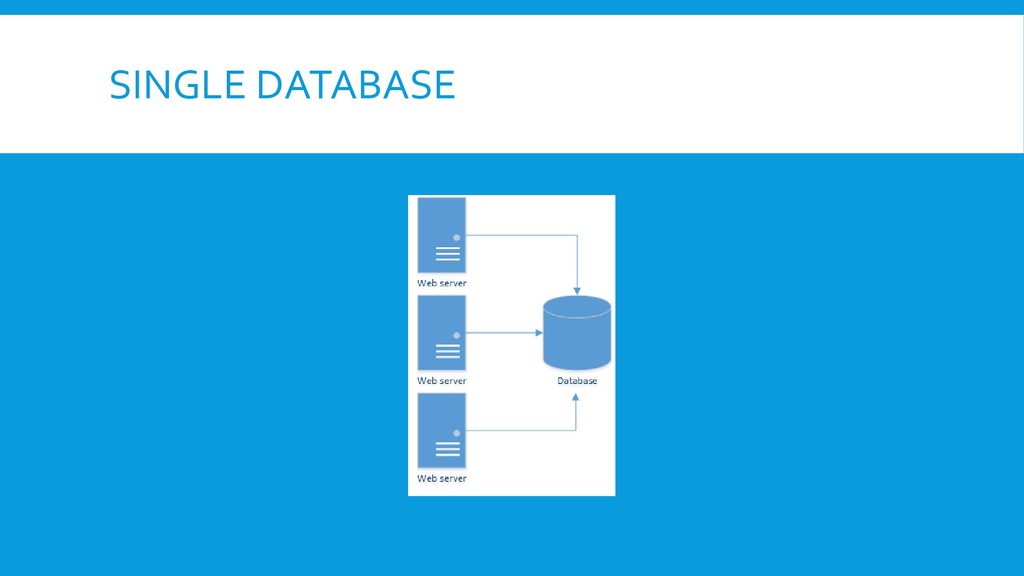
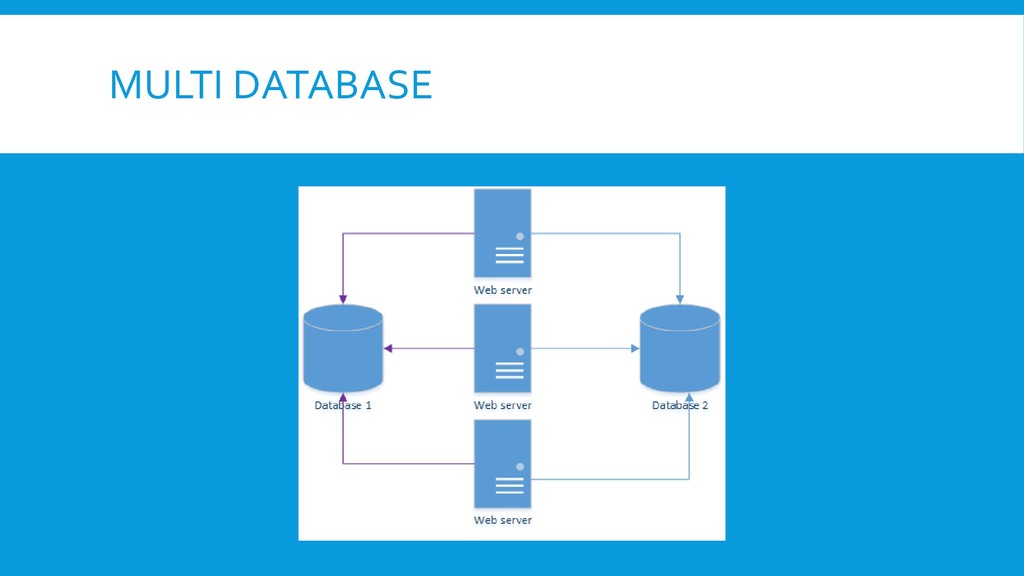
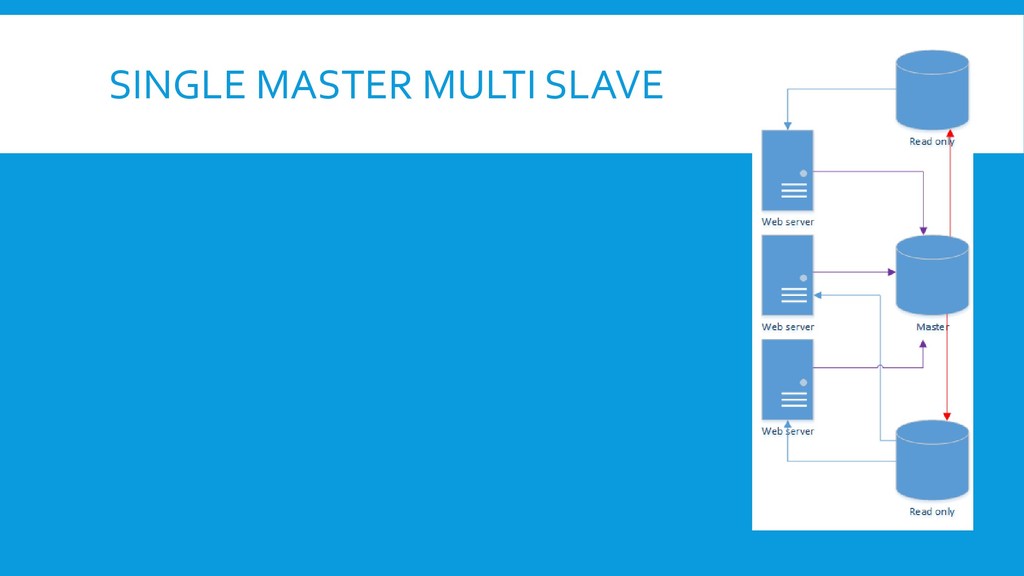
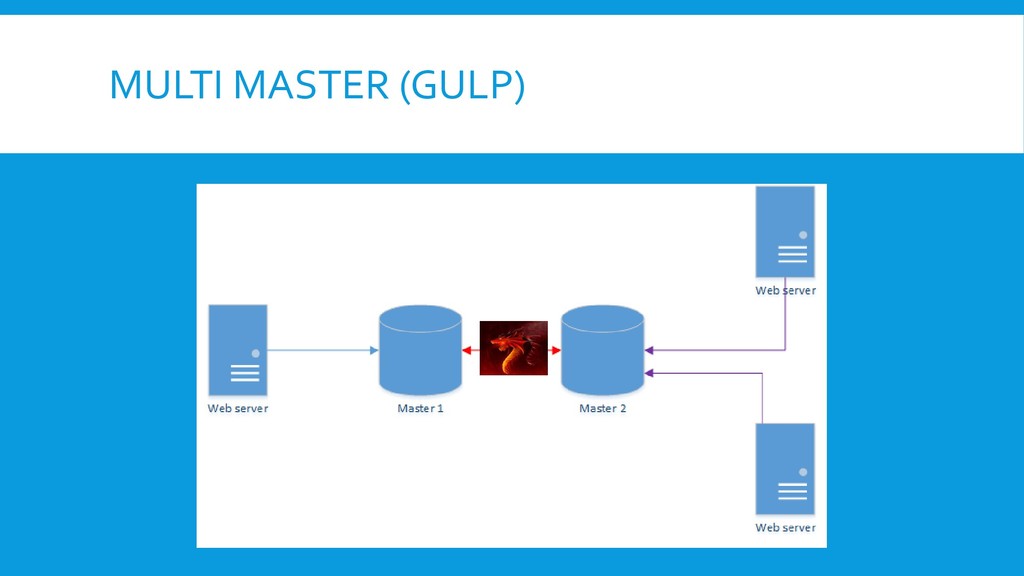
distributed databases trade-off performance for consistency At one extreme, you write to a single node and don’t care if the other nodes are out of date for a period of time. At the other extreme, you have to wait for all nodes (or a majority of them) to be updated before the operation is complete. If you have more than one writable database, you have to handle conflicts with data that is written to each database. If you can design to avoid conflicts, you will live longer!
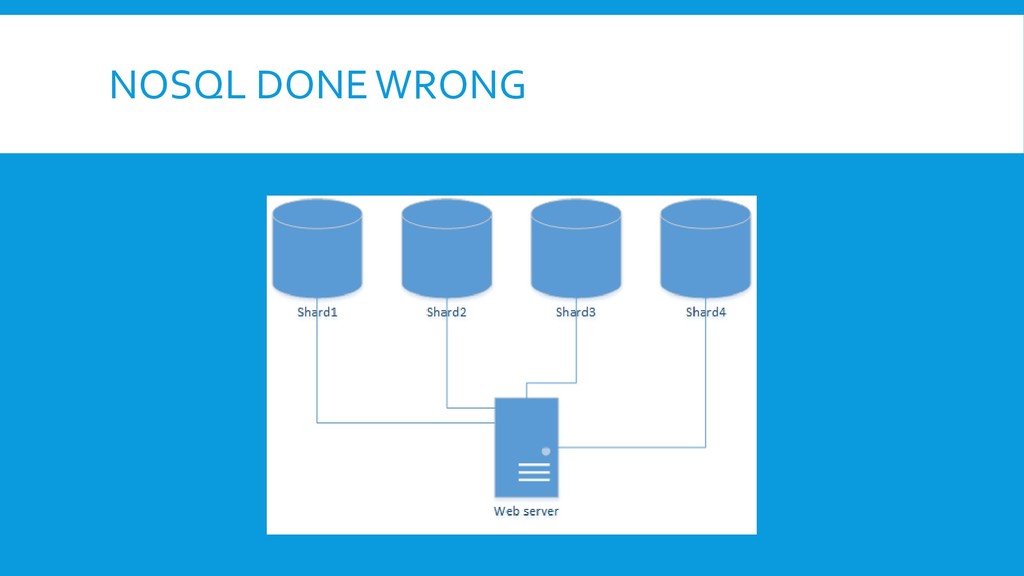
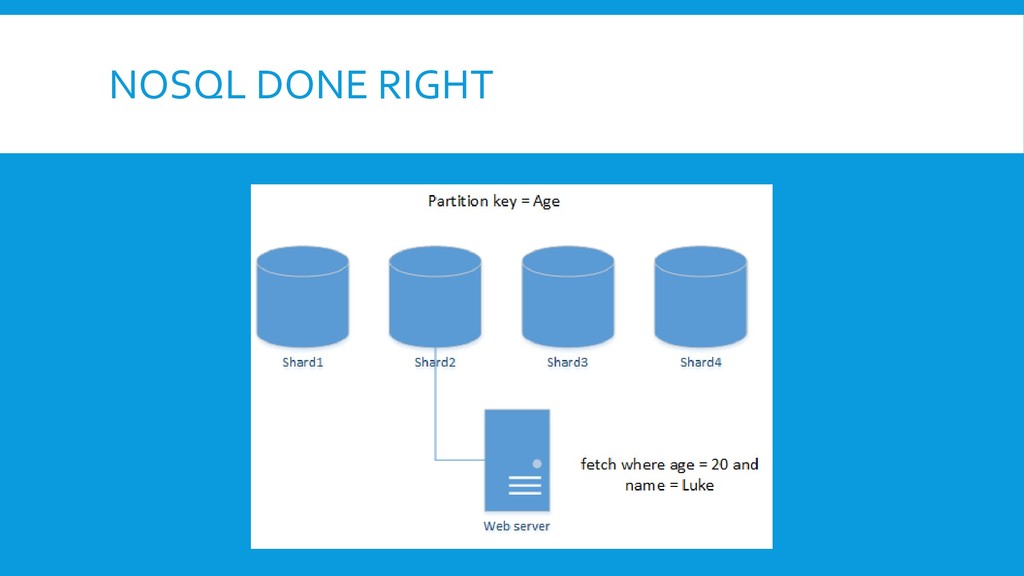
name! It should be NoReferentialIntegrity but that is more of a mouthful! NoSQL removes one of the main difficulties in scaling databases – the symbolic links between tables and foreign keys. Without links, databases can be easily separated into separate “blobs” that can be stored in multiple locations and/or servers. They don’t solve the problems with multi-geographic locations and multi-master conflict resolution, but they allow performance in a single location to scale almost without limits. How? By ensuring that our database connection “knows” which part of the database to query for our document!
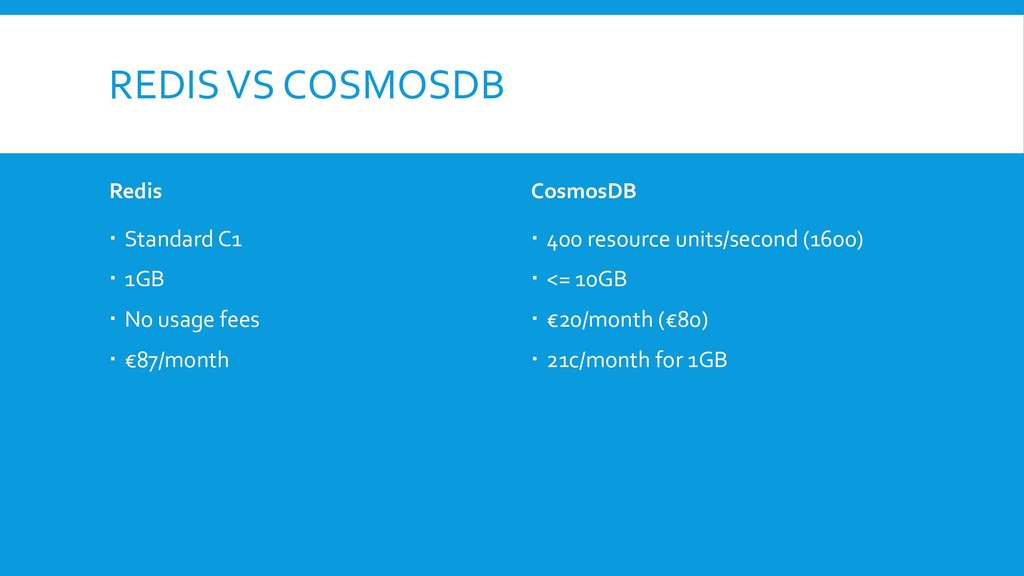
fast It is also expensive! By understanding our applications, we should know what is frequently accessed and what can be cached, even for a short time At PixelPin, we cache user information during a login for 30 seconds. Long enough to do a login but not so long that we end up with stale data Our client data is cached for 30 minutes since it is not updated often. Session should live in some kind of RAM We use Redis for both session information and object caching
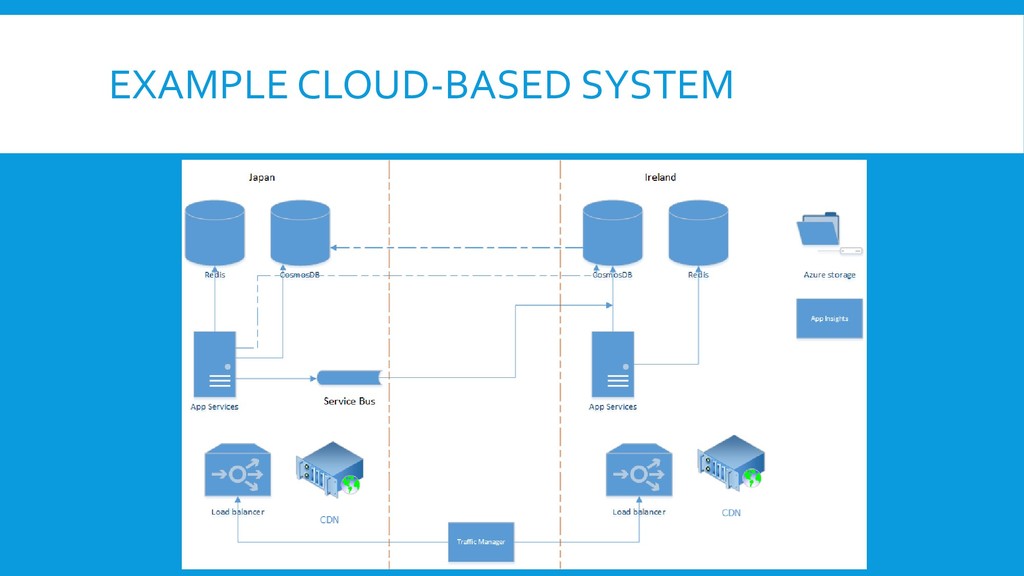
compromise with very high scaled applications, particularly when geographically distributed. Performance will always need to be acceptable however! You might well need some special hybrid systems that combine asynchronous operations, such as a queue, with protections for stale data and cache busting. In our system, one example is the end of registration where the write from Japan might be noticeably slow – we can use UX to get around this – poor performance is acceptable at the end of registration Counting the number of login attempts cannot incur the same performance overhead so we use a combination of local caching and asynchronous writing for this.
the time and money can start going up significantly Pre-optimising easy things like using CDNs is fine Super-optimising should only be done with measurement How can you measure performance? What tools do you have? Measure a baseline, it might show up things you didn’t expect Performance testing is hard! Do you have enough access to your data centres to measure everything you need to? What about a service provider’s bandwidth? Do you know how far your system can scale before new architecture?
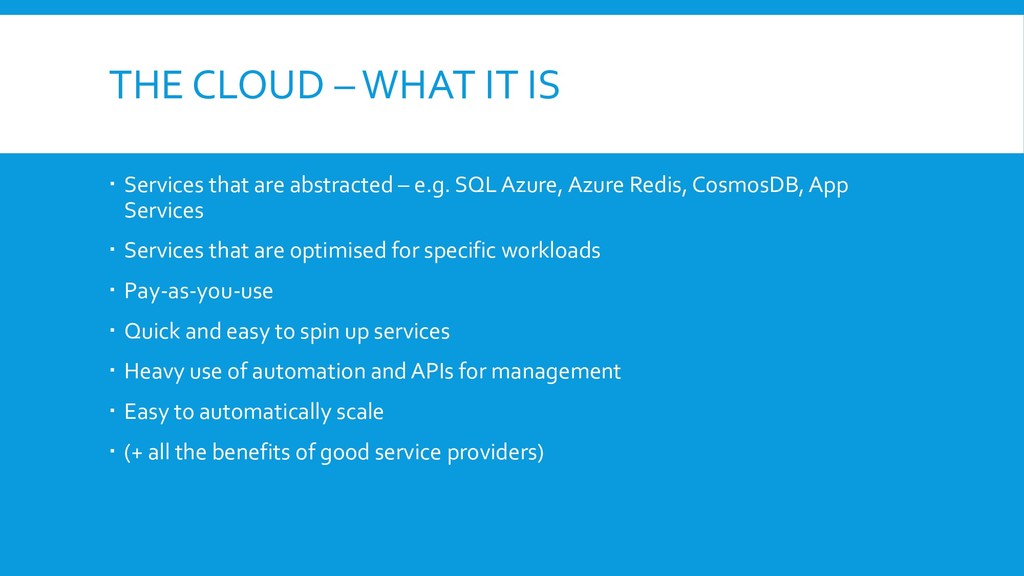
– e.g. SQL Azure, Azure Redis, CosmosDB, App Services Services that are optimised for specific workloads Pay-as-you-use Quick and easy to spin up services Heavy use of automation and APIs for management Easy to automatically scale (+ all the benefits of good service providers)
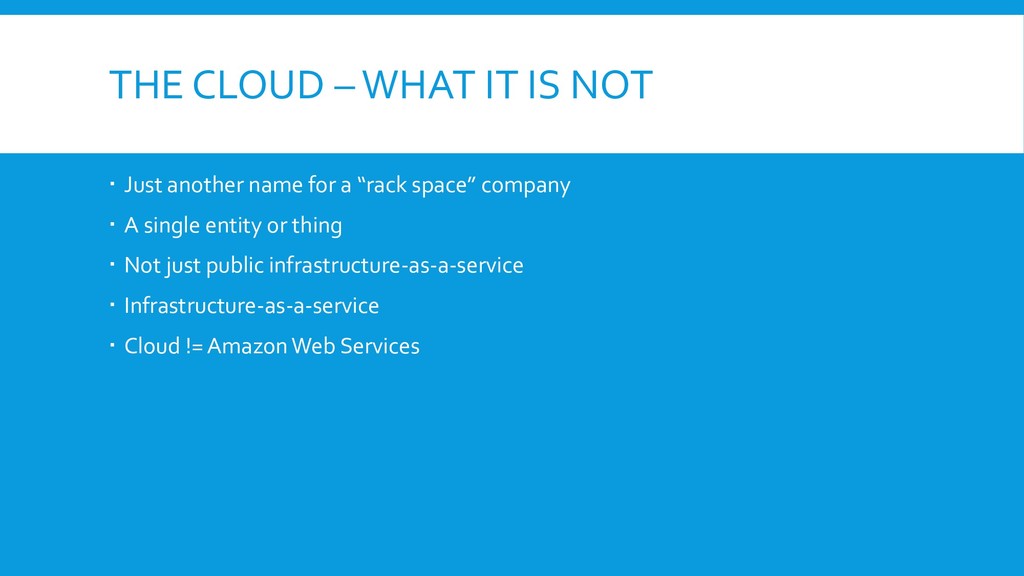
for a “rack space” company A single entity or thing Not just public infrastructure-as-a-service Infrastructure-as-a-service Cloud != Amazon Web Services
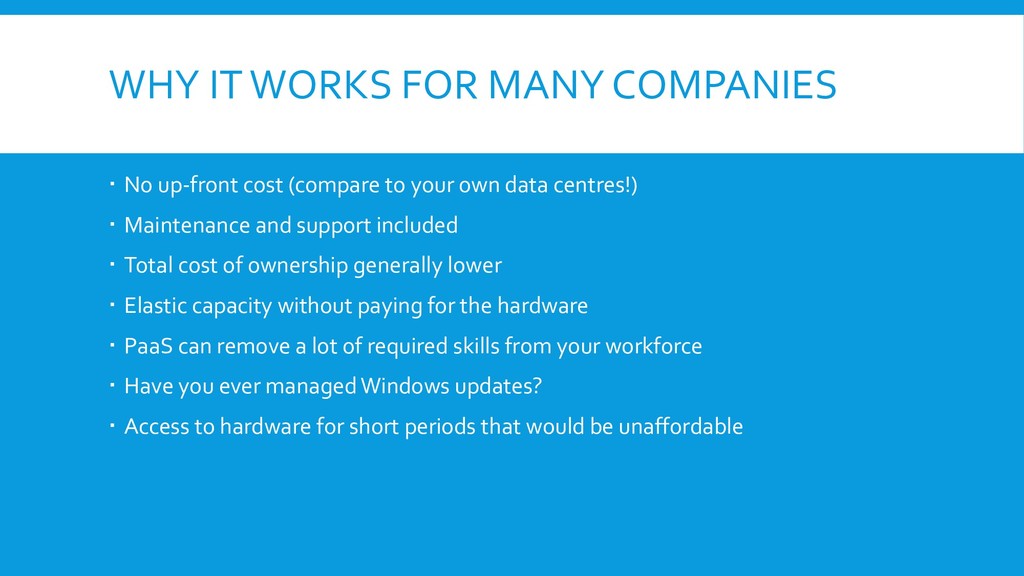
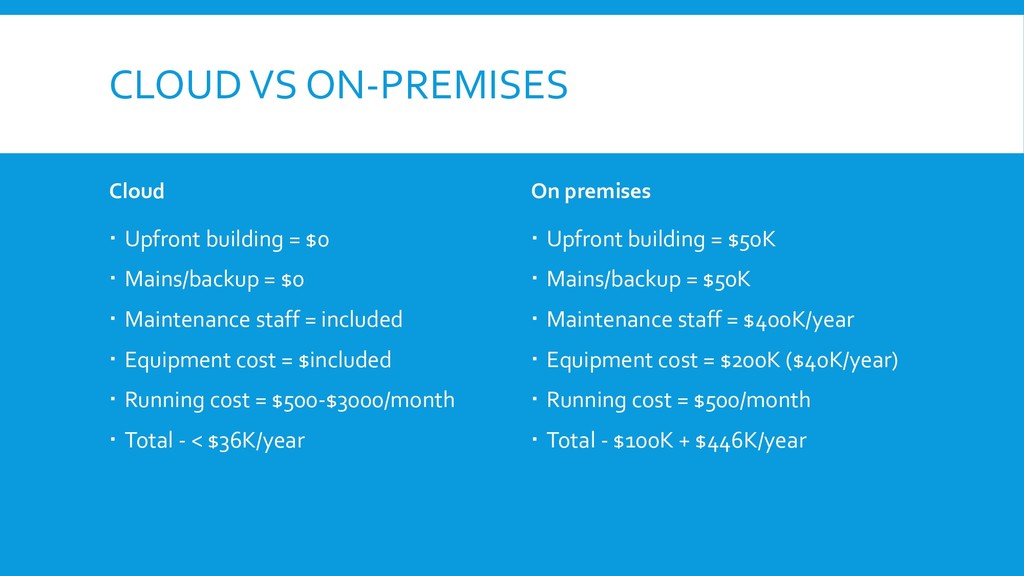
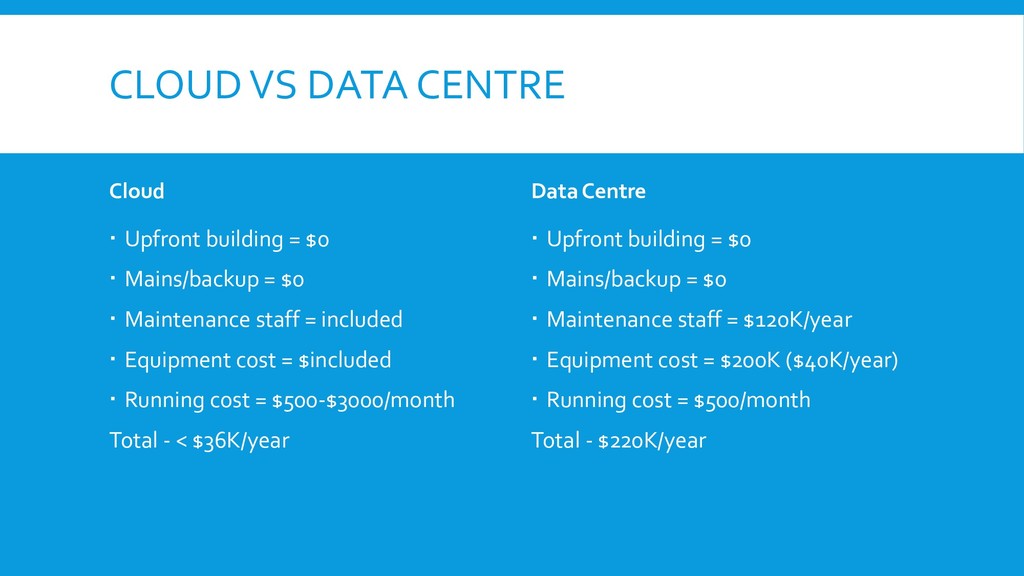
(compare to your own data centres!) Maintenance and support included Total cost of ownership generally lower Elastic capacity without paying for the hardware PaaS can remove a lot of required skills from your workforce Have you ever managed Windows updates? Access to hardware for short periods that would be unaffordable
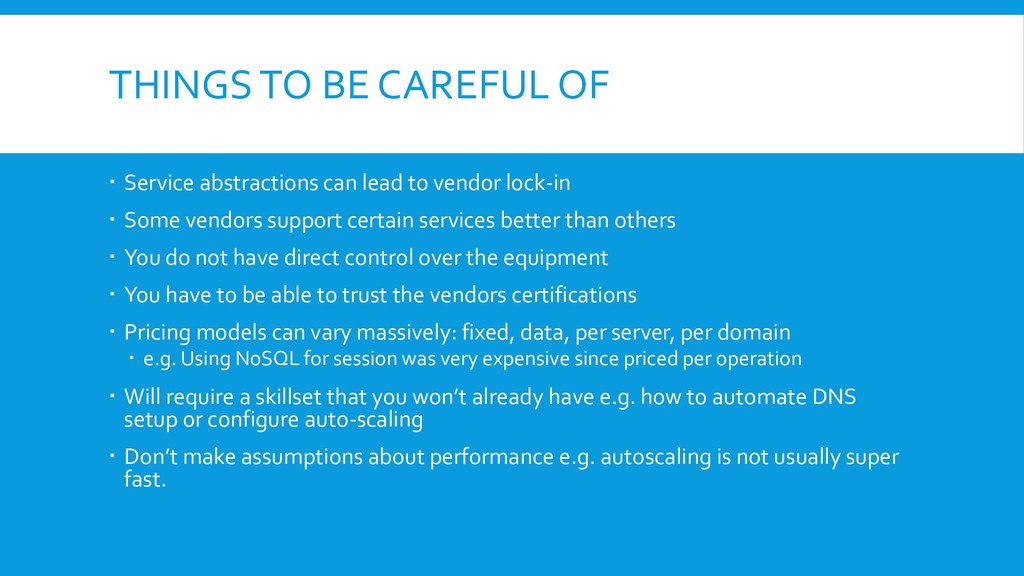
to vendor lock-in Some vendors support certain services better than others You do not have direct control over the equipment You have to be able to trust the vendors certifications Pricing models can vary massively: fixed, data, per server, per domain e.g. Using NoSQL for session was very expensive since priced per operation Will require a skillset that you won’t already have e.g. how to automate DNS setup or configure auto-scaling Don’t make assumptions about performance e.g. autoscaling is not usually super fast.
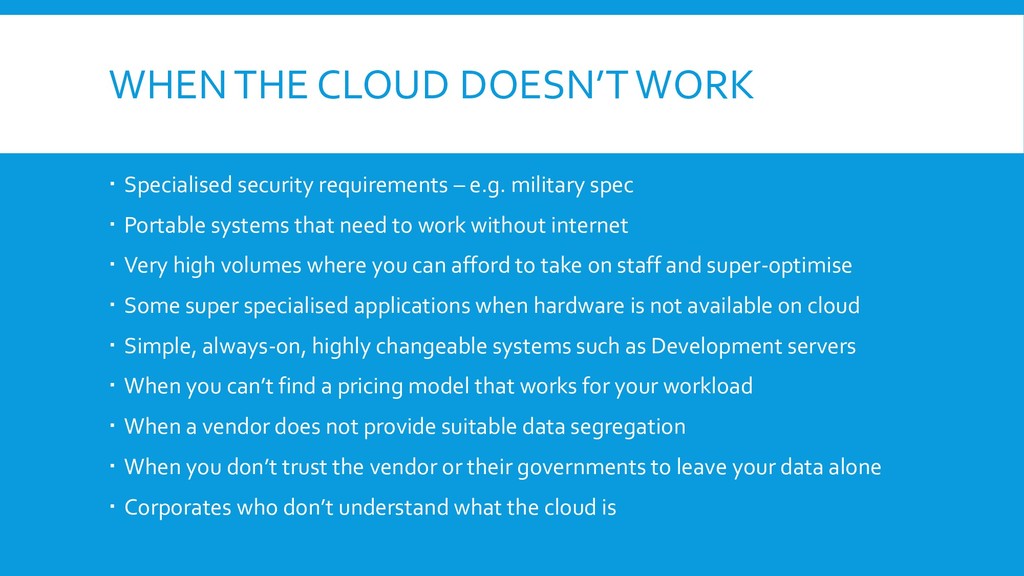
e.g. military spec Portable systems that need to work without internet Very high volumes where you can afford to take on staff and super-optimise Some super specialised applications when hardware is not available on cloud Simple, always-on, highly changeable systems such as Development servers When you can’t find a pricing model that works for your workload When a vendor does not provide suitable data segregation When you don’t trust the vendor or their governments to leave your data alone Corporates who don’t understand what the cloud is
automation Most cloud vendors have rich APIs to interact with their infrastructure Support most languages Automation and scripting should be a requirement for most Developers Consider how to deploy an entire environment e.g. for performance or pen testing. Investigate how you might use your existing or new CI/CD tools with your selected vendor. Consider how your workflows fit or might need changing to work with the cloud.
to automate whole groups of services A json description, which Azure will turn into your services Can be invoked from script BUT Tooling is fairly basic – intellisense is variable Exporting an existing system description does not export everything Debugging can be slow (deploy, check, fix) Trying to work out how to wire up, say, a new database connection string to a web application settings is not always straight-forward
users, keys and access controls BUT Web gui is poor Navigation can be hard Debugging is not easy Understanding IAM-led permissions and resource-led permissions not easy Basically a json document with a few basic tools
design to scale – imagine the maximum number of users your system could end up with Someone needs to understand architecture to design it well If you want to scale up to more than 1000000 users, you will probably need to use the cloud Choose the cloud carefully since they will all have pros and cons – pricing is only one aspect Understanding the correct choice of cloud services can save you much time, money and difficulty. If you become as big as Facebook, you won’t need my advice and are welcome to build your own data centres.


 ueponx
.png) codatum
codatum
 onk
onk
 nttcom
 masakiokuda
 ezaki
ezaki
 sudoakiy
 satomasahiro2005
 bgpat
bgpat
 iktakahiro
 sh_fk2
 ivry_presentationmaterials
 jeffersonlam
 codingconduct
 seathinner
 inesmontani
 kristinabergwall1
 jonrohan
 ipullrank
 aleyda
 akademiya2063
 schroneko
 tammyeverts
 retrage