Upgrade to Pro — share decks privately, control downloads, hide ads and more …

MCP : Votre API a un nouvel utilisateur (Et ce ...

Sponsored · Ship Features Fearlessly Turn features on and off without deploys. Used by thousands of Ruby developers.

MCP : Votre API a un nouvel utilisateur (Et ce n’est pas un humain)

Pendant des années, votre API a servi deux usagers : le front qui l’affiche, et les développeurs qui l’intègrent. La dernière version d’API Platform vous permet d’en accueillir un troisième : l’agent IA.

Avec le MCP, vos ressources API deviennent des outils qu’un agent peut découvrir, s’approprier et utiliser à volonté. Votre API n’est plus seulement pensée pour des robots qui affichent, mais aussi pour des robots qui prennent des décisions. Et si elle est bien conçue, exposer vos ressources à un agent ne demandera que très peu d’efforts !

Nous verrons ensemble ce qu’est le MCP, et comment le brancher sur vos ressources pour offrir votre API à ce nouveau lecteur, sans en dupliquer la description, et avec des exemples concrets.

Avatar for Marion Hurteau

Marion Hurteau

September 17, 2026

More Decks by Marion Hurteau

Other Decks in Programming

Transcript

  1. Marion Hurteau Dévelopeuse Sénior @ Les-Tilleuls.coop ➔ 10 ans XP

    E-commerce, contenus éditoriaux, ONG… Conférences, open-source ➔ Intérêt pour le langage et le texte Parsing, encoding, collations, langage naturel chez les machines ➔ Bretonne Nantaise Dessin, jeux video, sport @MarionHerisson @MarionLeHerisson [email protected]
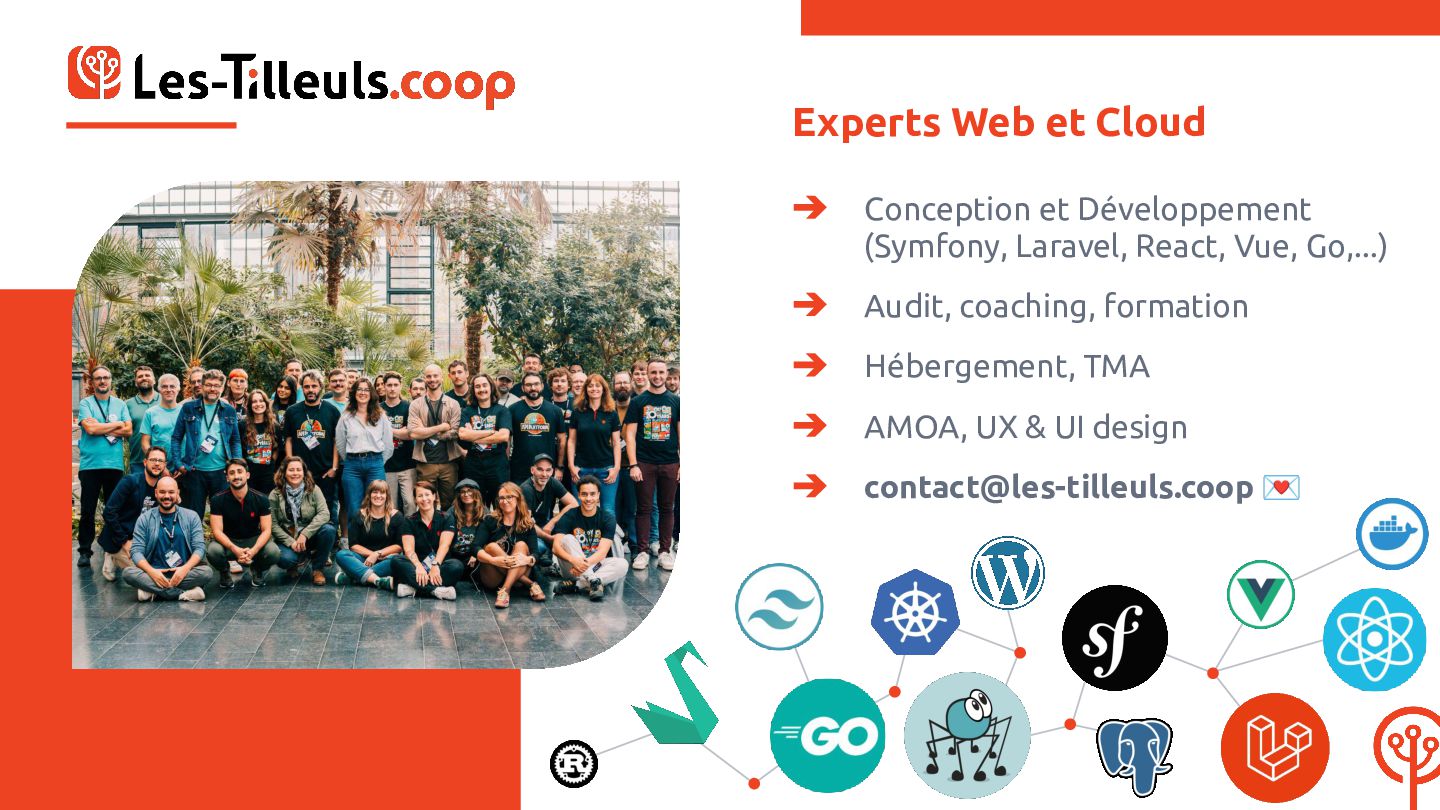
  2. Experts Web et Cloud ➔ Conception et Développement (Symfony, Laravel,

    React, Vue, Go,...) ➔ Audit, coaching, formation ➔ Hébergement, TMA ➔ AMOA, UX & UI design ➔ [email protected] 💌
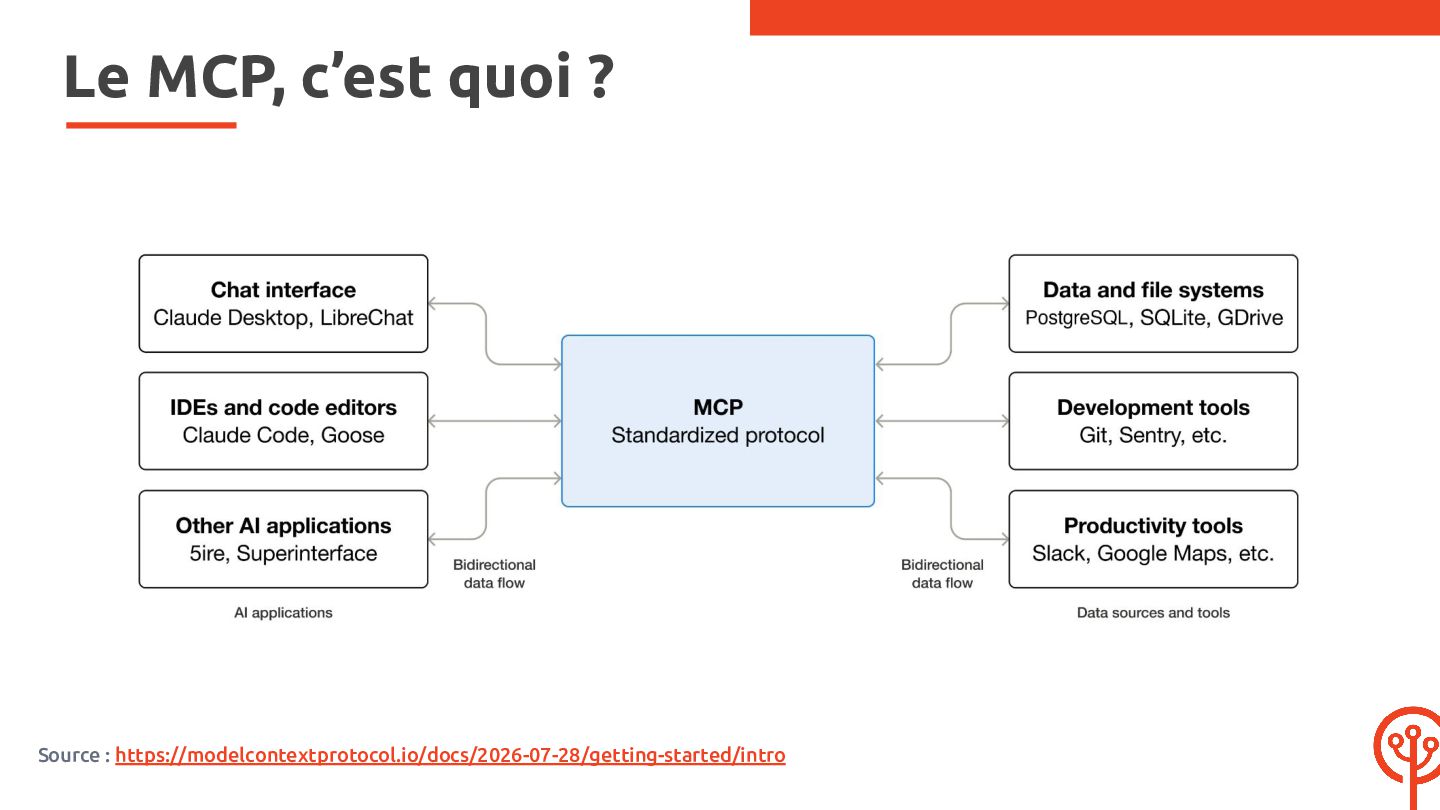
  3. Le MCP, c’est quoi ? ➔ Model Context Protocol ➔

    Protocole standardisé open-source ➔ Introduit par Anthropic fin 2024 ➔ Intégré à API Platform 4.3
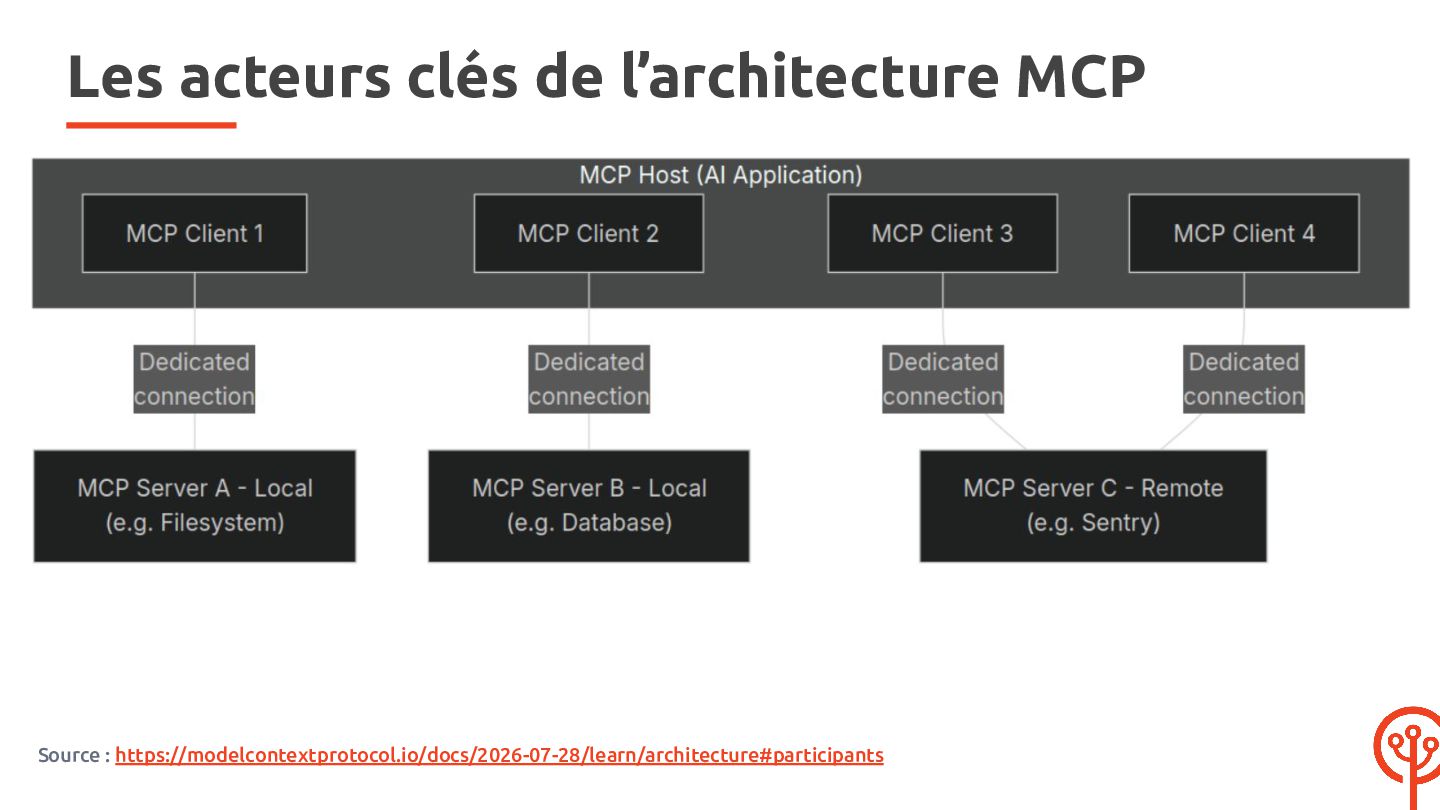
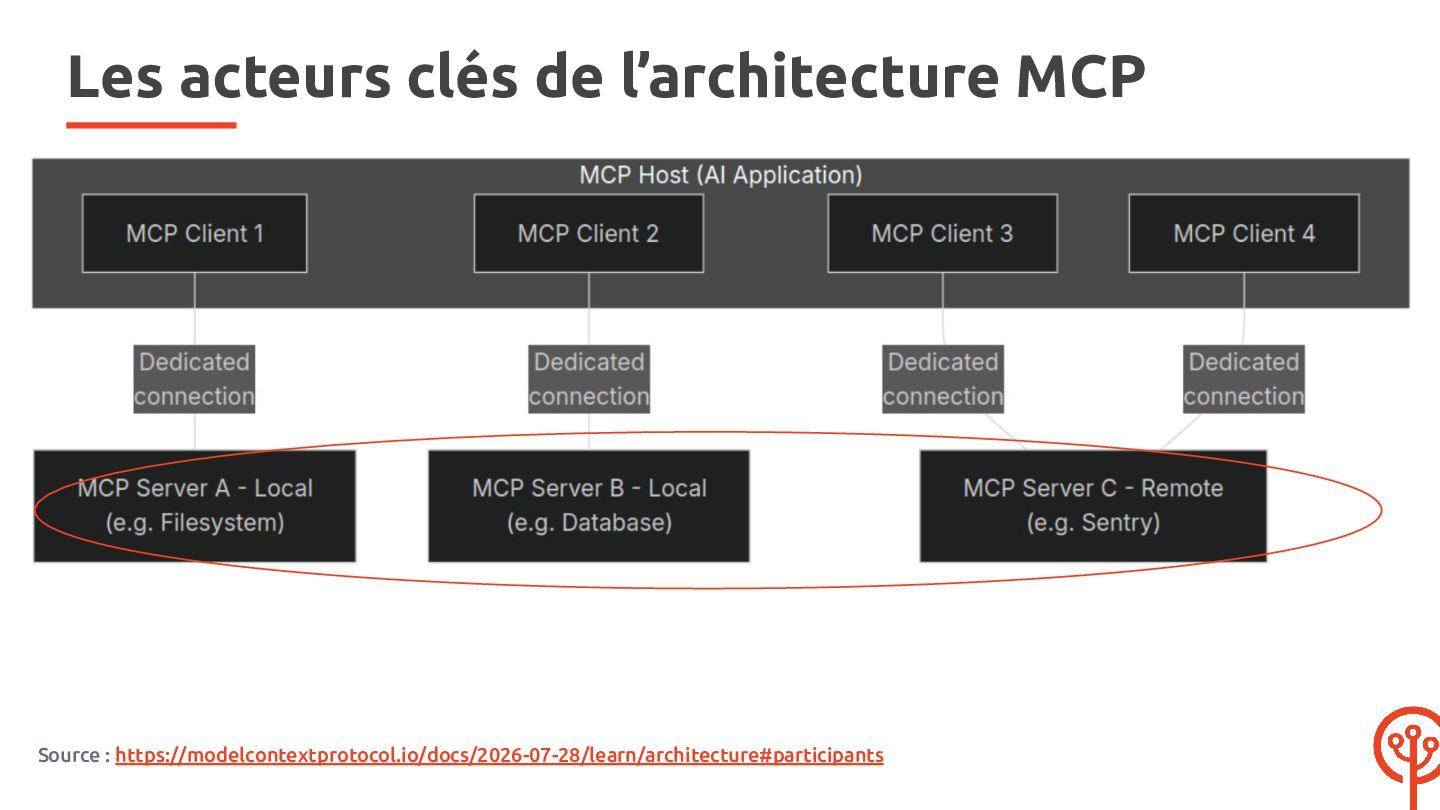
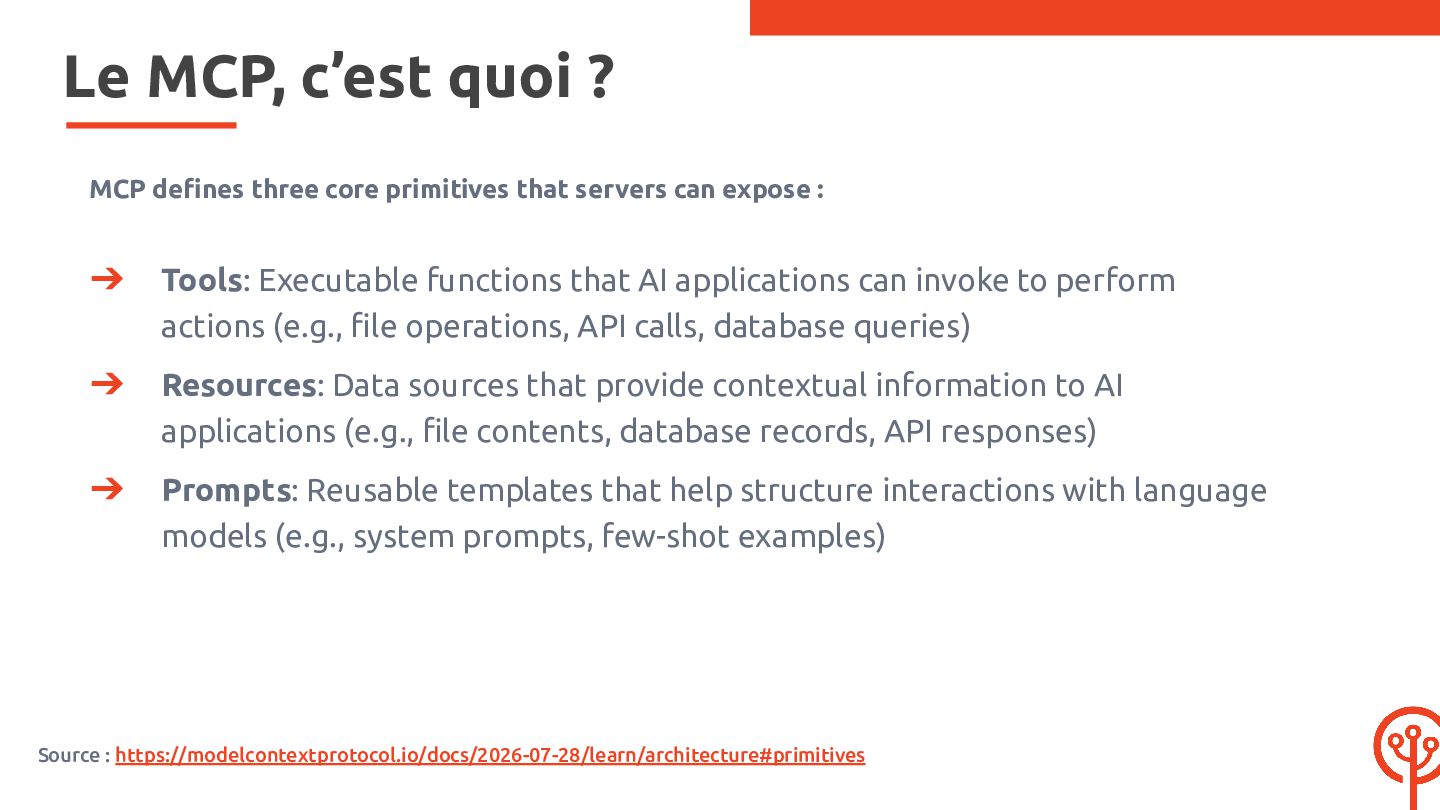
  4. Le MCP, c’est quoi ? MCP defines three core primitives

    that servers can expose : ➔ Tools: Executable functions that AI applications can invoke to perform actions (e.g., file operations, API calls, database queries) ➔ Resources: Data sources that provide contextual information to AI applications (e.g., file contents, database records, API responses) ➔ Prompts: Reusable templates that help structure interactions with language models (e.g., system prompts, few-shot examples) Source : https://modelcontextprotocol.io/docs/2026-07-28/learn/architecture#primitives
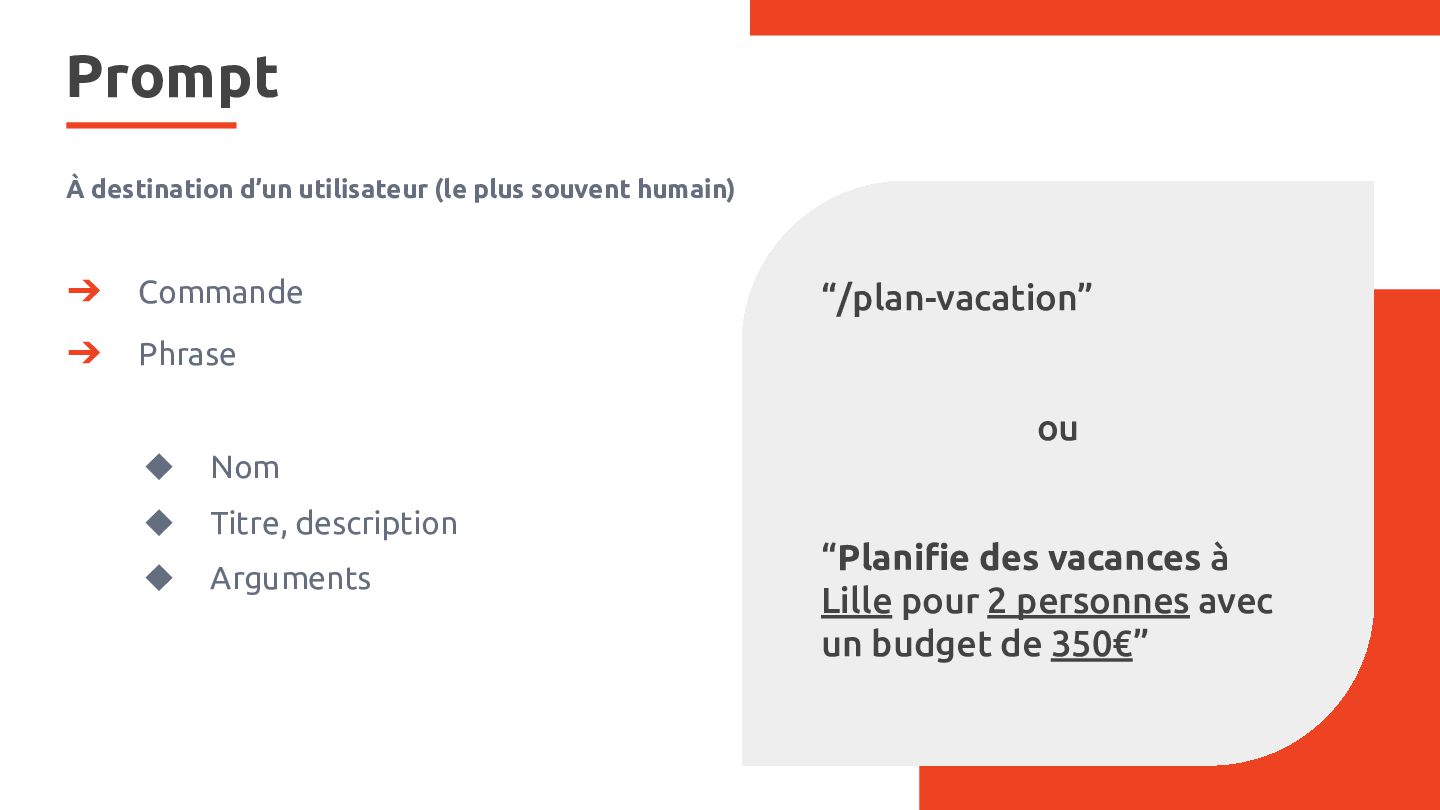
  5. Prompt À destination d’un utilisateur (le plus souvent humain) ➔

    Commande ➔ Phrase “/plan-vacation” ou ◆ Nom ◆ Titre, description ◆ Arguments “Planifie des vacances à Lille pour 2 personnes avec un budget de 350€”
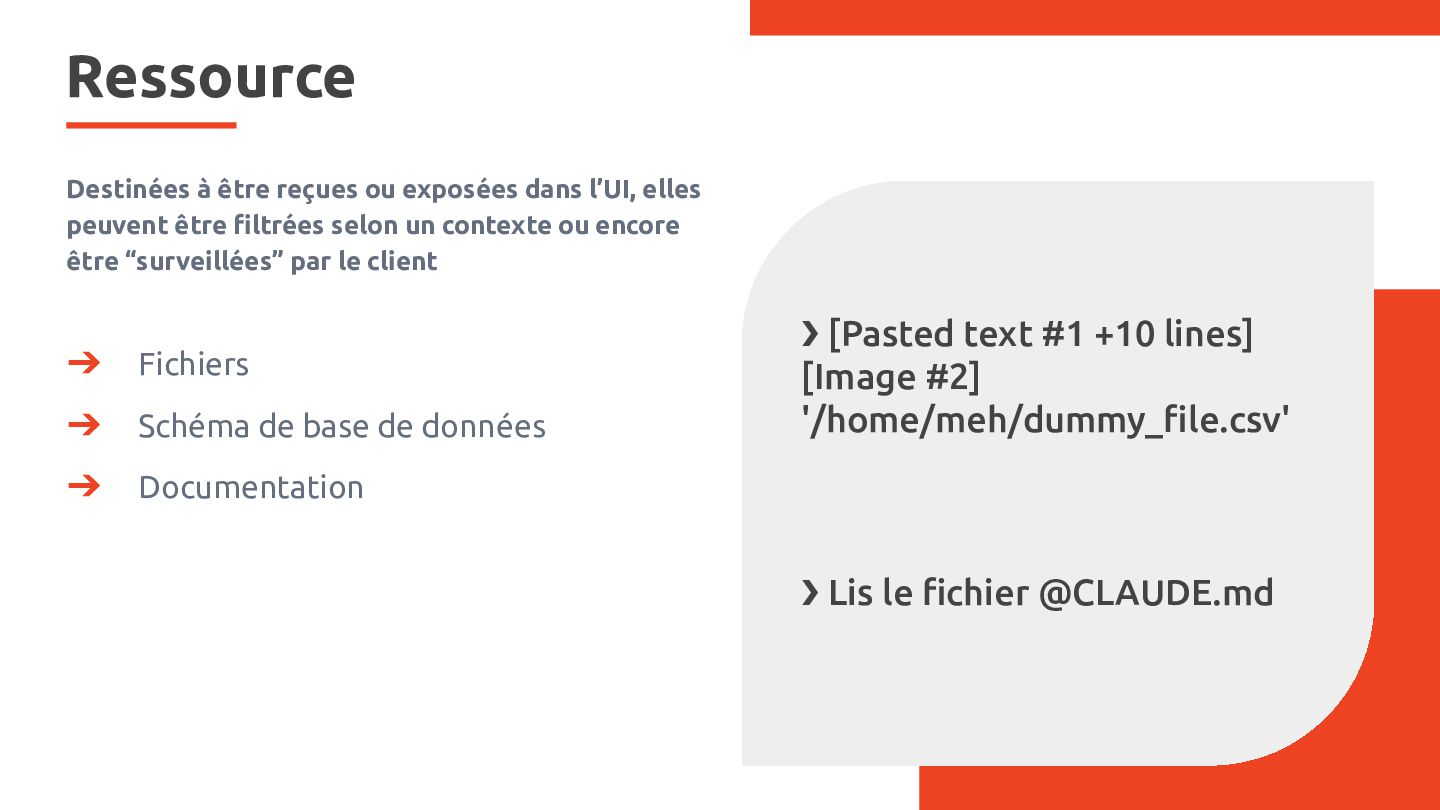
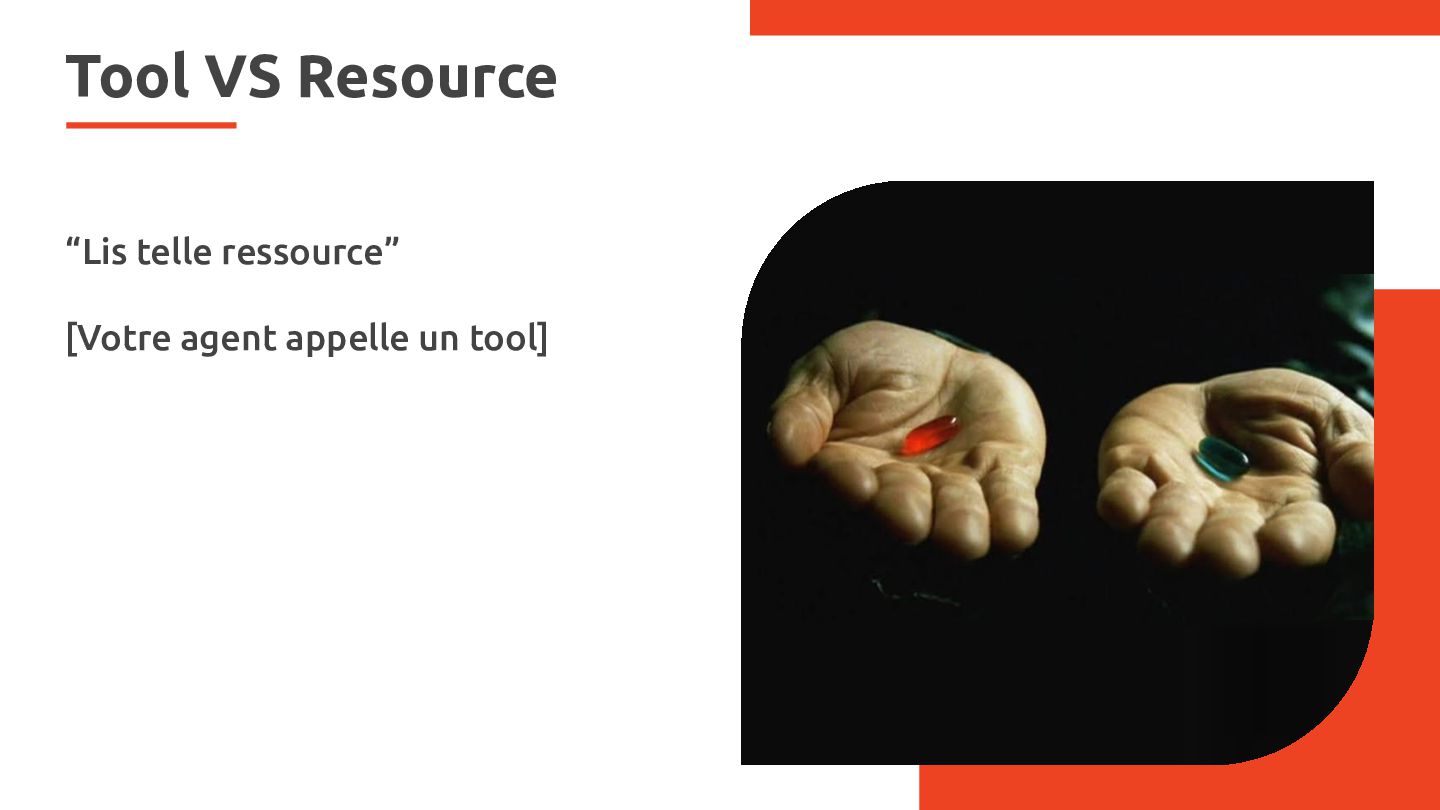
  6. Ressource Destinées à être reçues ou exposées dans l’UI, elles

    peuvent être filtrées selon un contexte ou encore être “surveillées” par le client ➔ Fichiers ➔ Schéma de base de données ➔ Documentation ❯ [Pasted text #1 +10 lines] [Image #2] '/home/meh/dummy_file.csv' ❯ Lis le fichier @CLAUDE.md
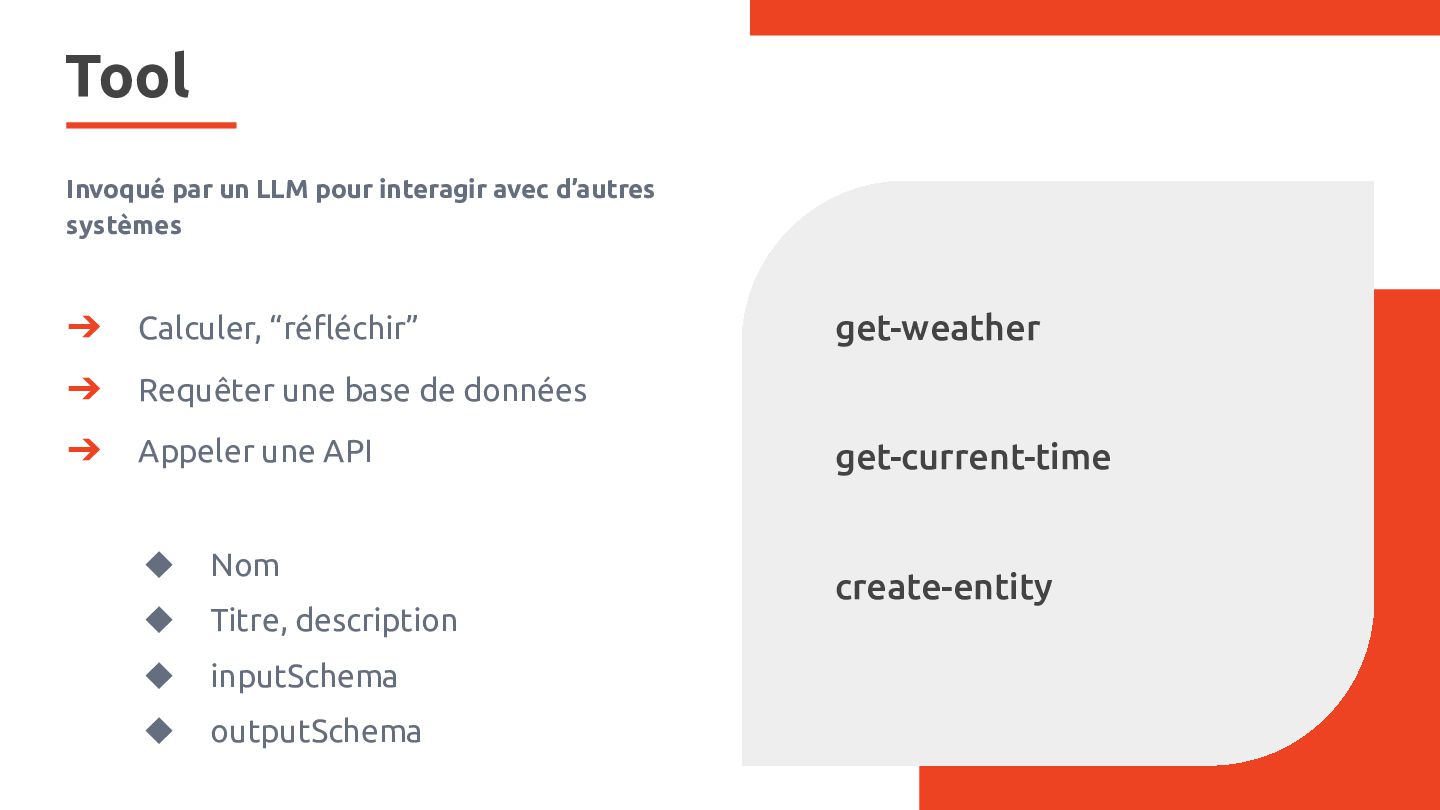
  7. Tool Invoqué par un LLM pour interagir avec d’autres systèmes

    ➔ Calculer, “réfléchir” ➔ Requêter une base de données ➔ Appeler une API ◆ Nom ◆ Titre, description ◆ inputSchema ◆ outputSchema get-weather get-current-time create-entity
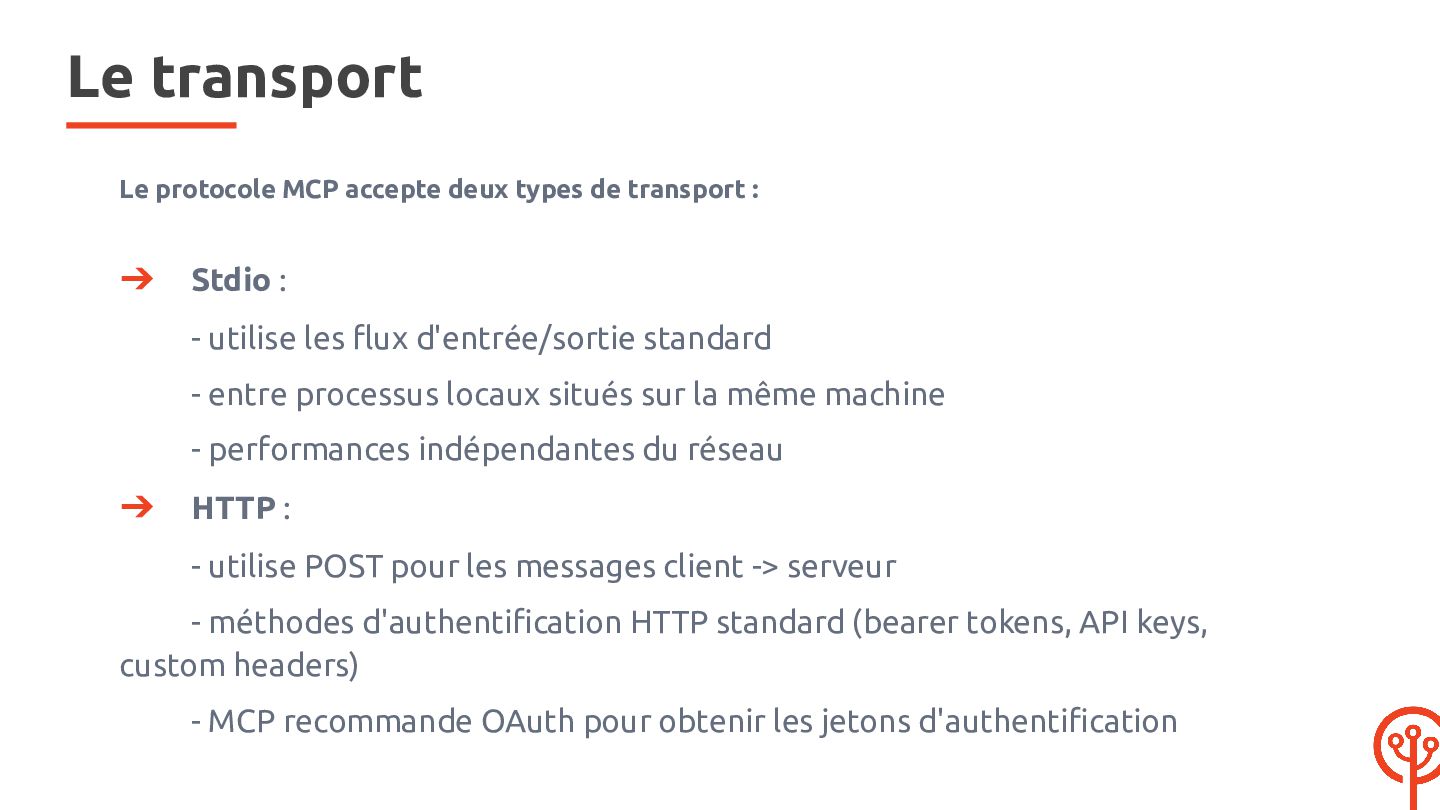
  8. Le transport Le protocole MCP accepte deux types de transport

    : ➔ Stdio : - utilise les flux d'entrée/sortie standard - entre processus locaux situés sur la même machine - performances indépendantes du réseau ➔ HTTP : - utilise POST pour les messages client -> serveur - méthodes d'authentification HTTP standard (bearer tokens, API keys, custom headers) - MCP recommande OAuth pour obtenir les jetons d'authentification
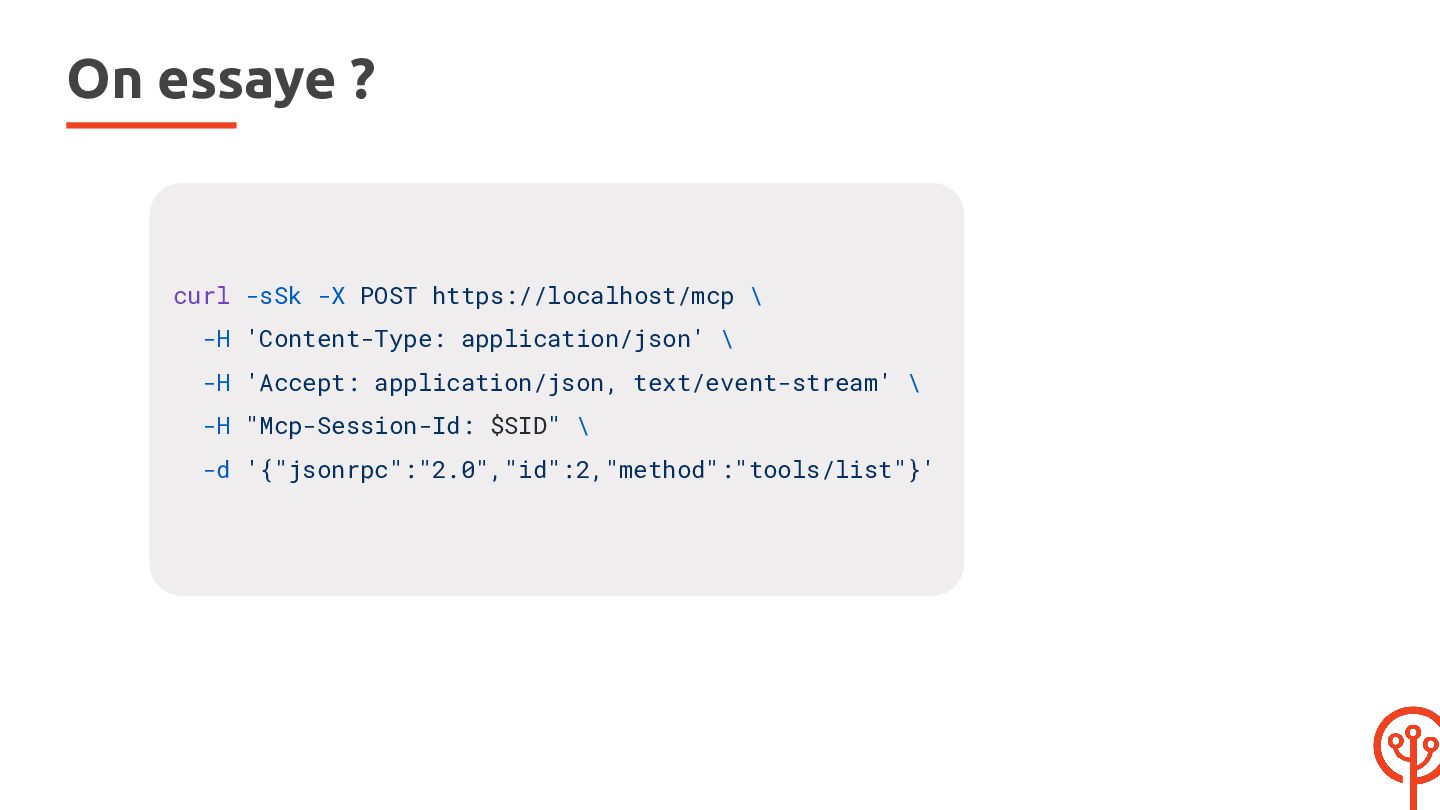
  9. On essaye ? curl -sSk -X POST https://localhost/mcp \ -H

    'Content-Type: application/json' \ -H 'Accept: application/json, text/event-stream' \ -H "Mcp-Session-Id: $SID" \ -d '{"jsonrpc":"2.0","id":2,"method":"tools/list"}'
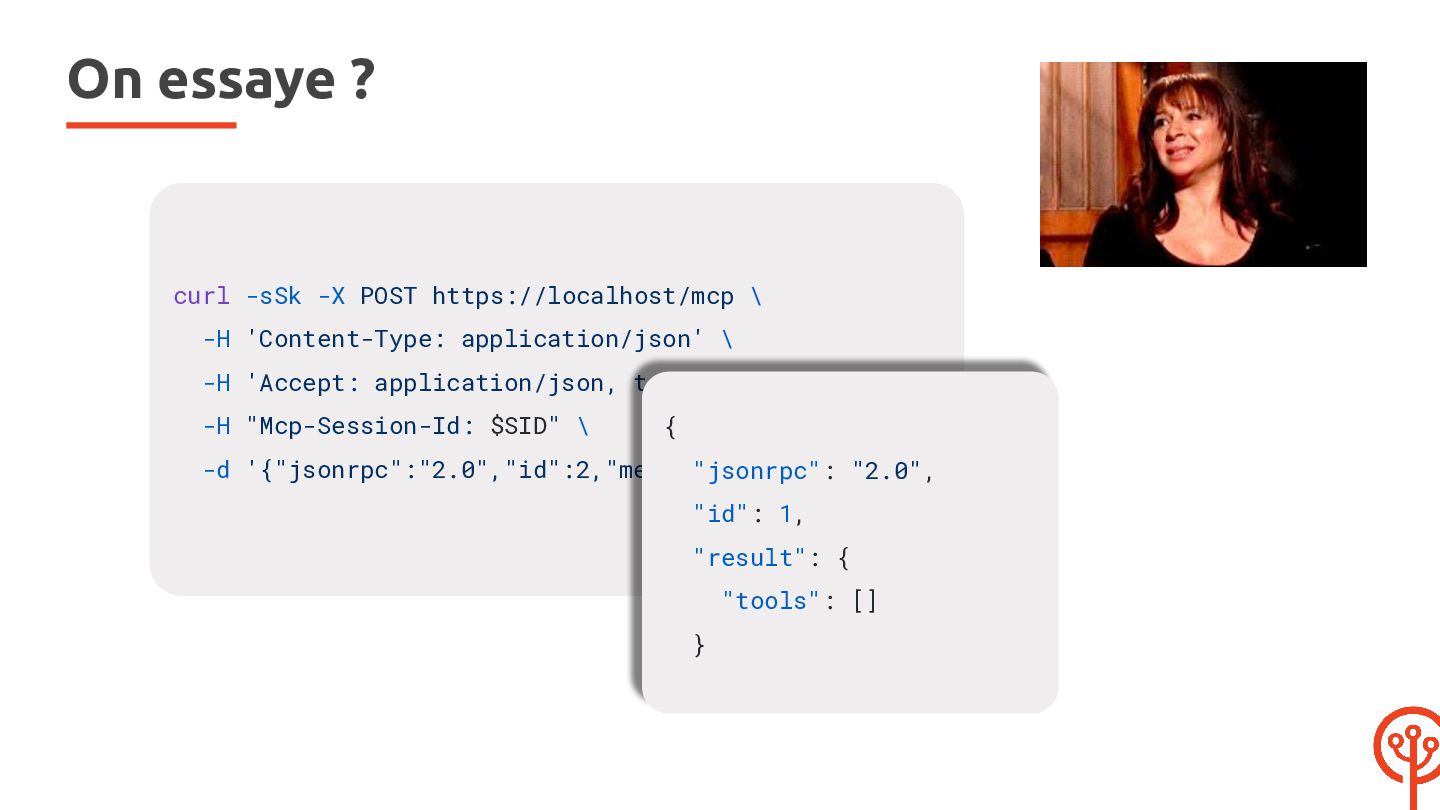
  10. On essaye ? curl -sSk -X POST https://localhost/mcp \ -H

    'Content-Type: application/json' \ -H 'Accept: application/json, text/event-stream' \ -H "Mcp-Session-Id: $SID" \ { -d '{"jsonrpc":"2.0","id":2,"method":"tools/list"}' "jsonrpc": "2.0", "id": 1, "result": { "tools": [] }
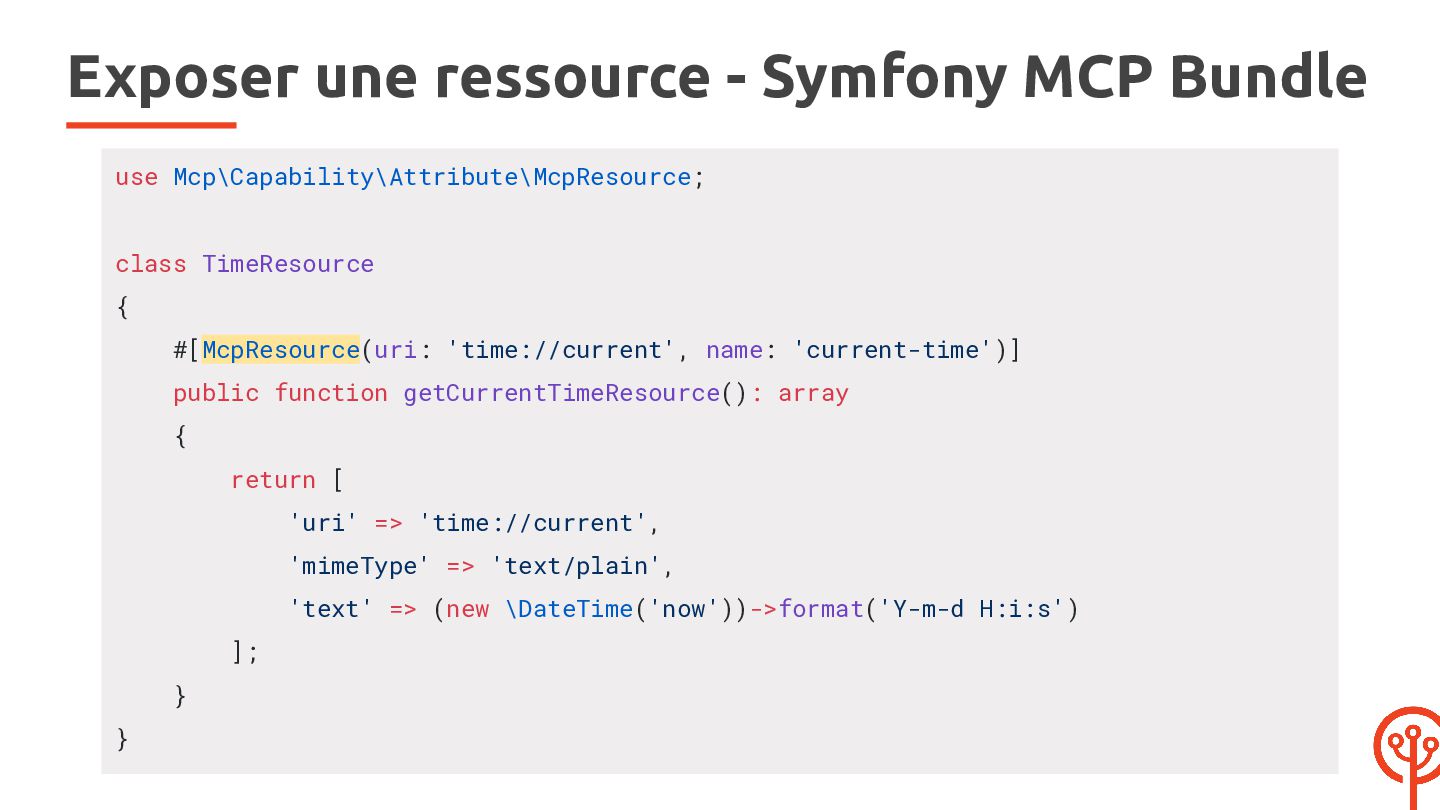
  11. Exposer une ressource - Symfony MCP Bundle use Mcp\Capability\Attribute\McpResource; class

    TimeResource { #[McpResource(uri: 'time://current', name: 'current-time')] public function getCurrentTimeResource(): array { return [ 'uri' => 'time://current', 'mimeType' => 'text/plain', 'text' => (new \DateTime('now'))->format('Y-m-d H:i:s') ]; } }
  12. Exposer une ressource - APIP #[ApiResource( operations: [], mcp: [

    'current_time' => new McpResource( uri: 'resource://current-time', // unique name: 'current-time', description: 'The current time in plain text', mimeType: 'text/plain', provider: [self::class, 'provide'] ), ] )] class Time {
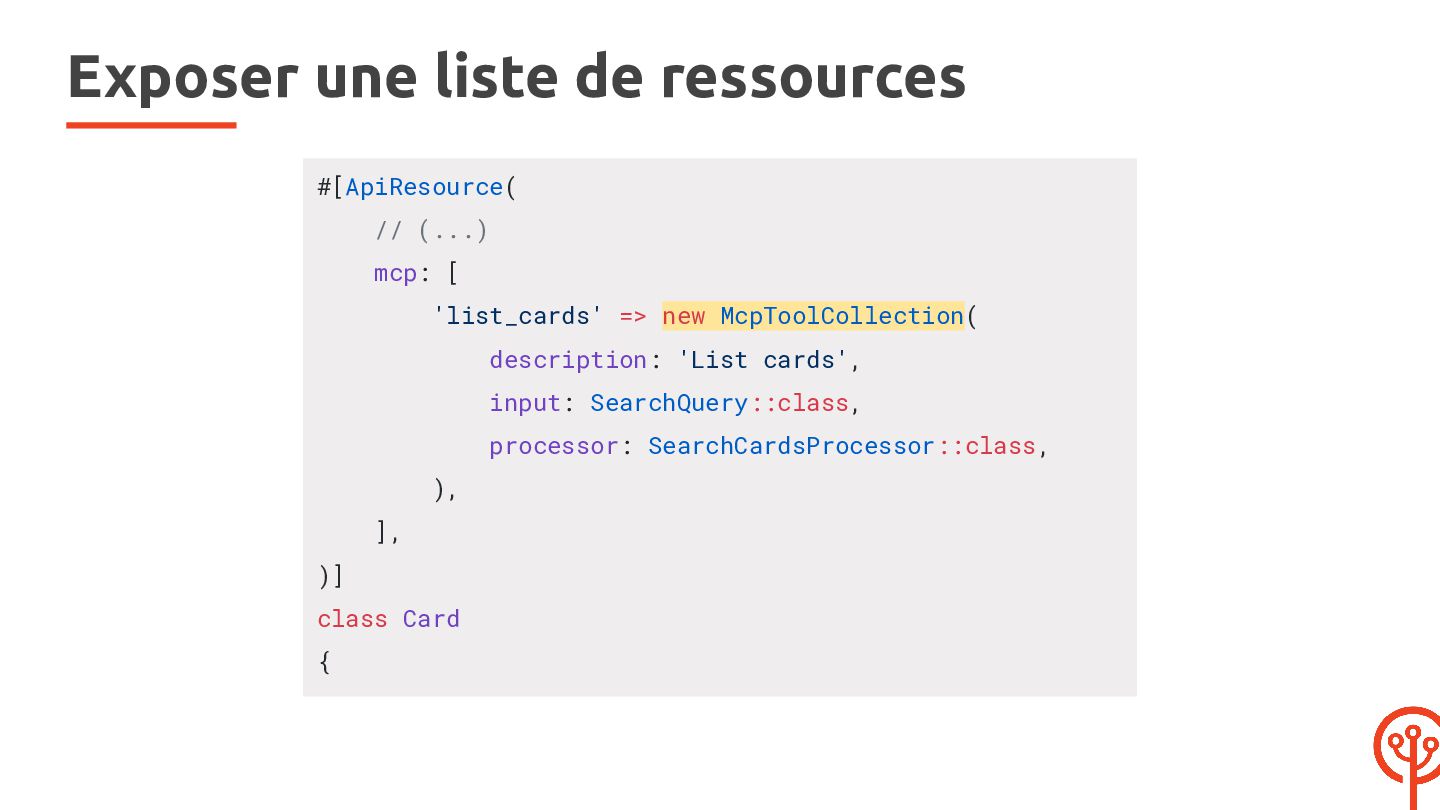
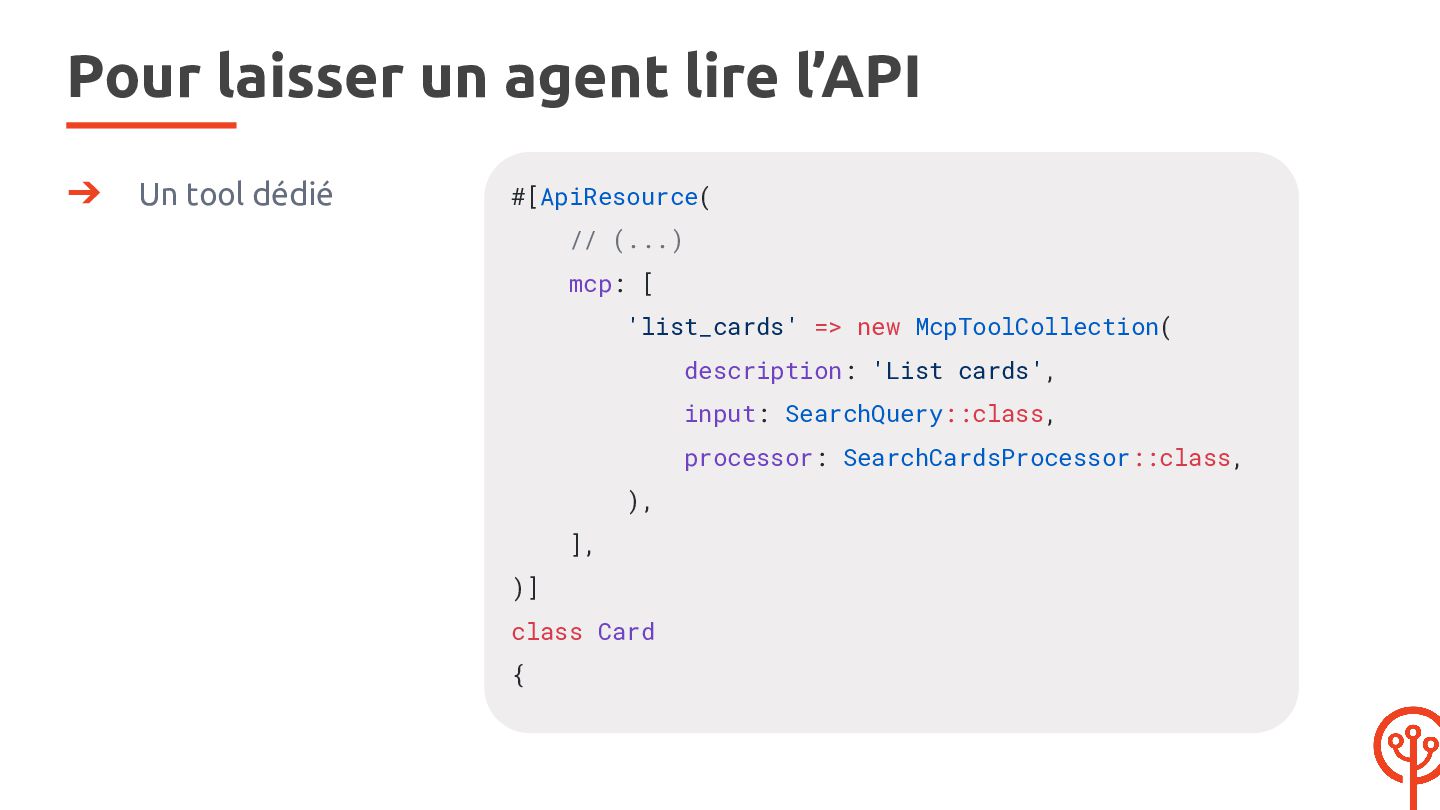
  13. Exposer une liste de ressources #[ApiResource( // (...) mcp: [

    'list_cards' => new McpToolCollection( description: 'List cards', input: SearchQuery::class, processor: SearchCardsProcessor::class, ), ], )] class Card {
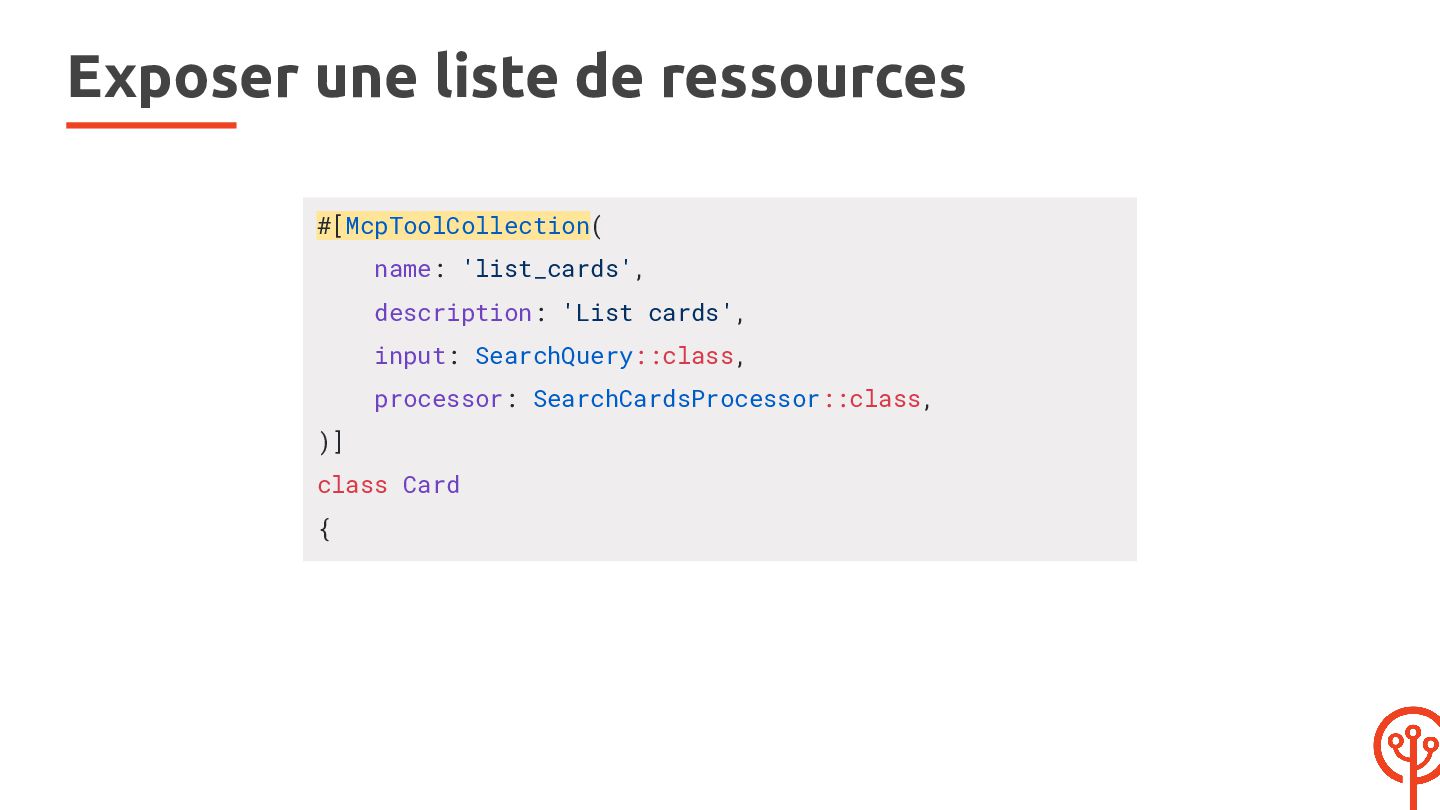
  14. Exposer une liste de ressources #[McpToolCollection( name: 'list_cards', description: 'List

    cards', input: SearchQuery::class, processor: SearchCardsProcessor::class, )] class Card {
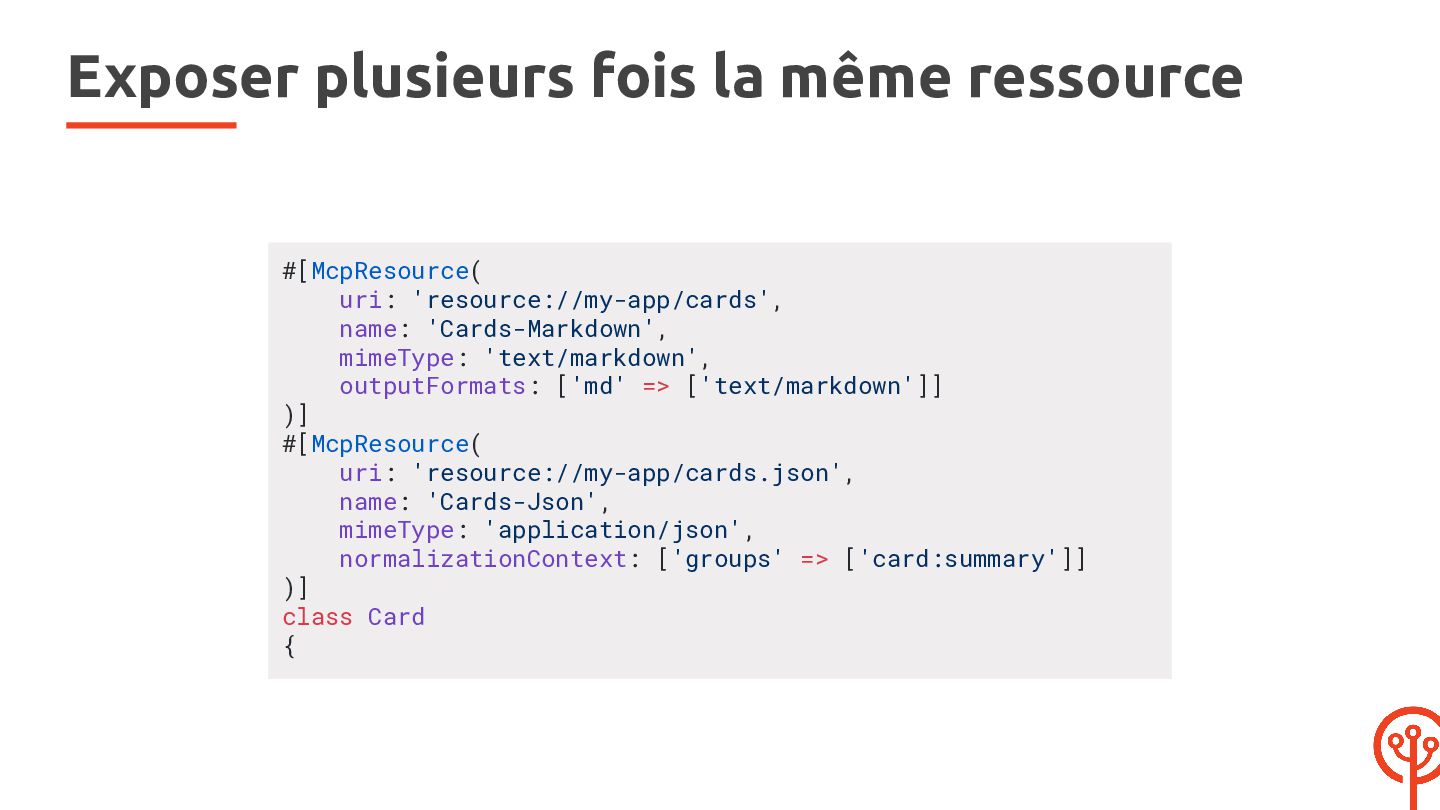
  15. Exposer plusieurs fois la même ressource #[McpResource( uri: 'resource://my-app/cards', name:

    'Cards-Markdown', mimeType: 'text/markdown', outputFormats: ['md' => ['text/markdown']] )] #[McpResource( uri: 'resource://my-app/cards.json', name: 'Cards-Json', mimeType: 'application/json', normalizationContext: ['groups' => ['card:summary']] )] class Card {
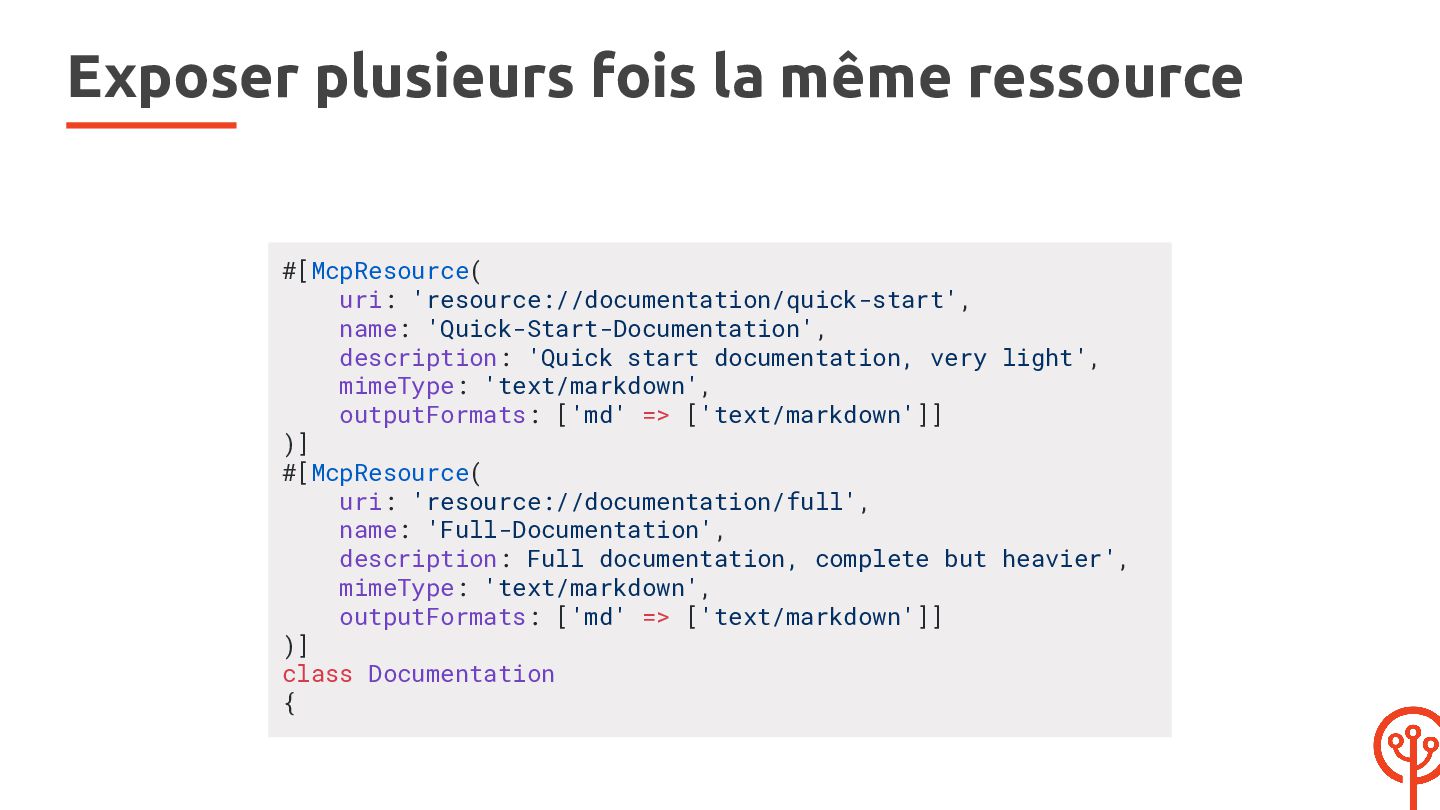
  16. Exposer plusieurs fois la même ressource #[McpResource( uri: 'resource://documentation/quick-start', name:

    'Quick-Start-Documentation', description: 'Quick start documentation, very light', mimeType: 'text/markdown', outputFormats: ['md' => ['text/markdown']] )] #[McpResource( uri: 'resource://documentation/full', name: 'Full-Documentation', description: Full documentation, complete but heavier', mimeType: 'text/markdown', outputFormats: ['md' => ['text/markdown']] )] class Documentation {
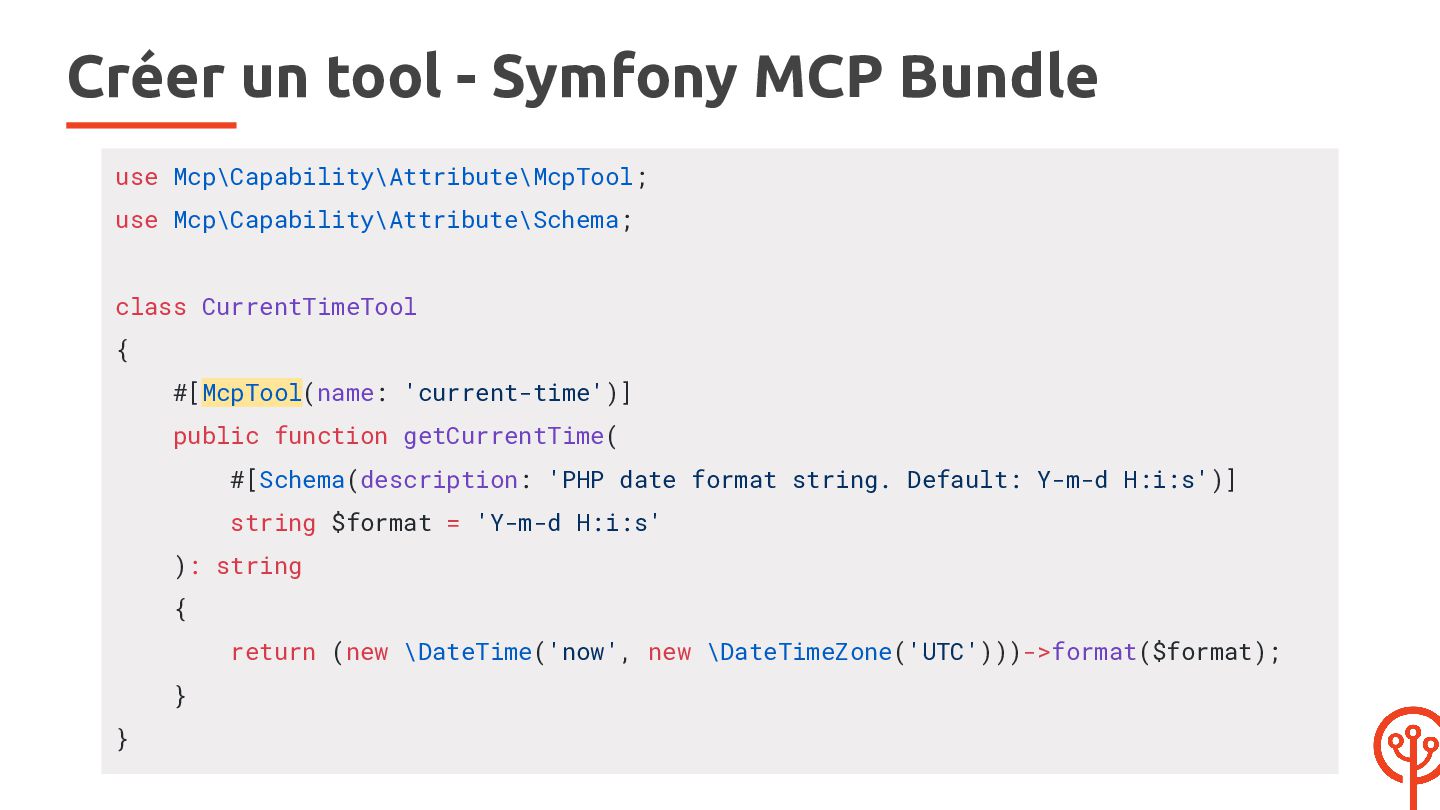
  17. Créer un tool - Symfony MCP Bundle use Mcp\Capability\Attribute\McpTool; use

    Mcp\Capability\Attribute\Schema; class CurrentTimeTool { #[McpTool(name: 'current-time')] public function getCurrentTime( #[Schema(description: 'PHP date format string. Default: Y-m-d H:i:s')] string $format = 'Y-m-d H:i:s' ): string { return (new \DateTime('now', new \DateTimeZone('UTC')))->format($format); } }
  18. Créer un tool - APIP #[ApiResource(operations: [], mcp: [ 'current-time'

    => new McpTool( description: 'Current UTC time.', structuredContent: false, processor: [self::class, 'getCurrentTime'], ), ])] class CurrentTime { public static function getCurrentTime(): CallToolResult { $time = new \DateTimeImmutable('now', new \DateTimeZone('UTC')); } } return new CallToolResult([new TextContent($time->format('Y-m-d H:i:s'))], false);
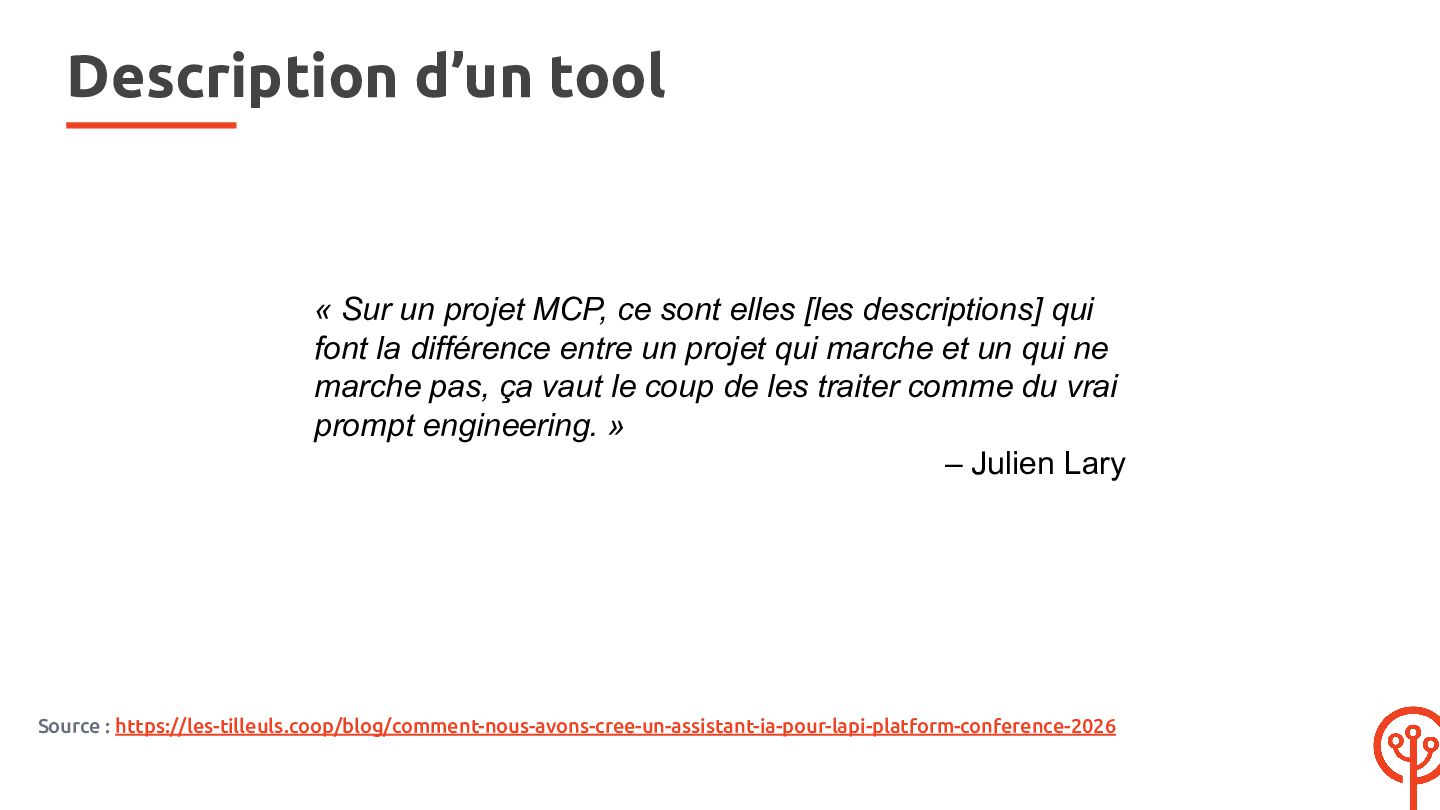
  19. Description d’un tool « Sur un projet MCP, ce sont

    elles [les descriptions] qui font la différence entre un projet qui marche et un qui ne marche pas, ça vaut le coup de les traiter comme du vrai prompt engineering. » – Julien Lary Source : https://les-tilleuls.coop/blog/comment-nous-avons-cree-un-assistant-ia-pour-lapi-platform-conference-2026
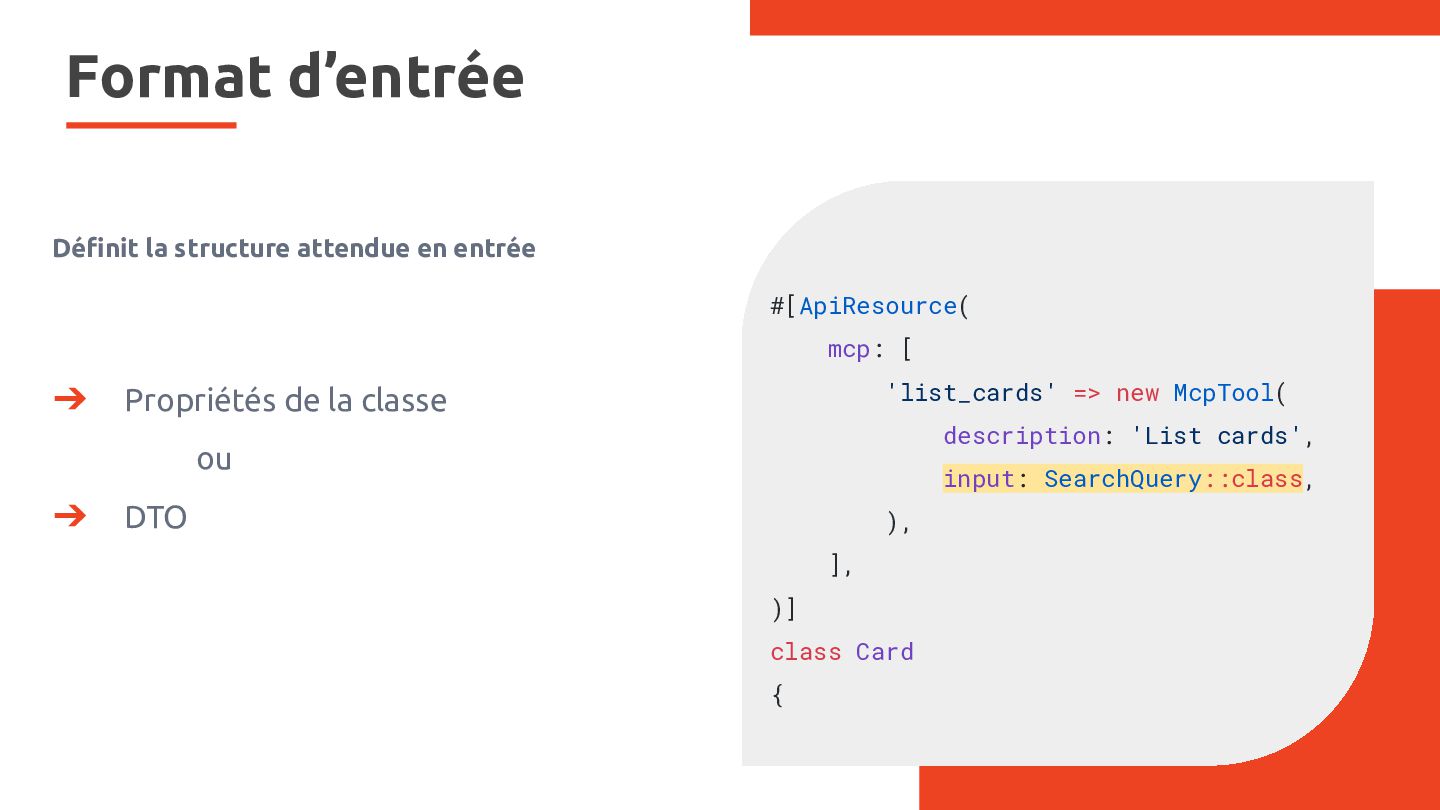
  20. Format d’entrée Définit la structure attendue en entrée #[ApiResource( mcp:

    [ ➔ 'list_cards' => new McpTool( Propriétés de la classe description: 'List cards', ou ➔ input: SearchQuery::class, DTO ), ], )] class Card {
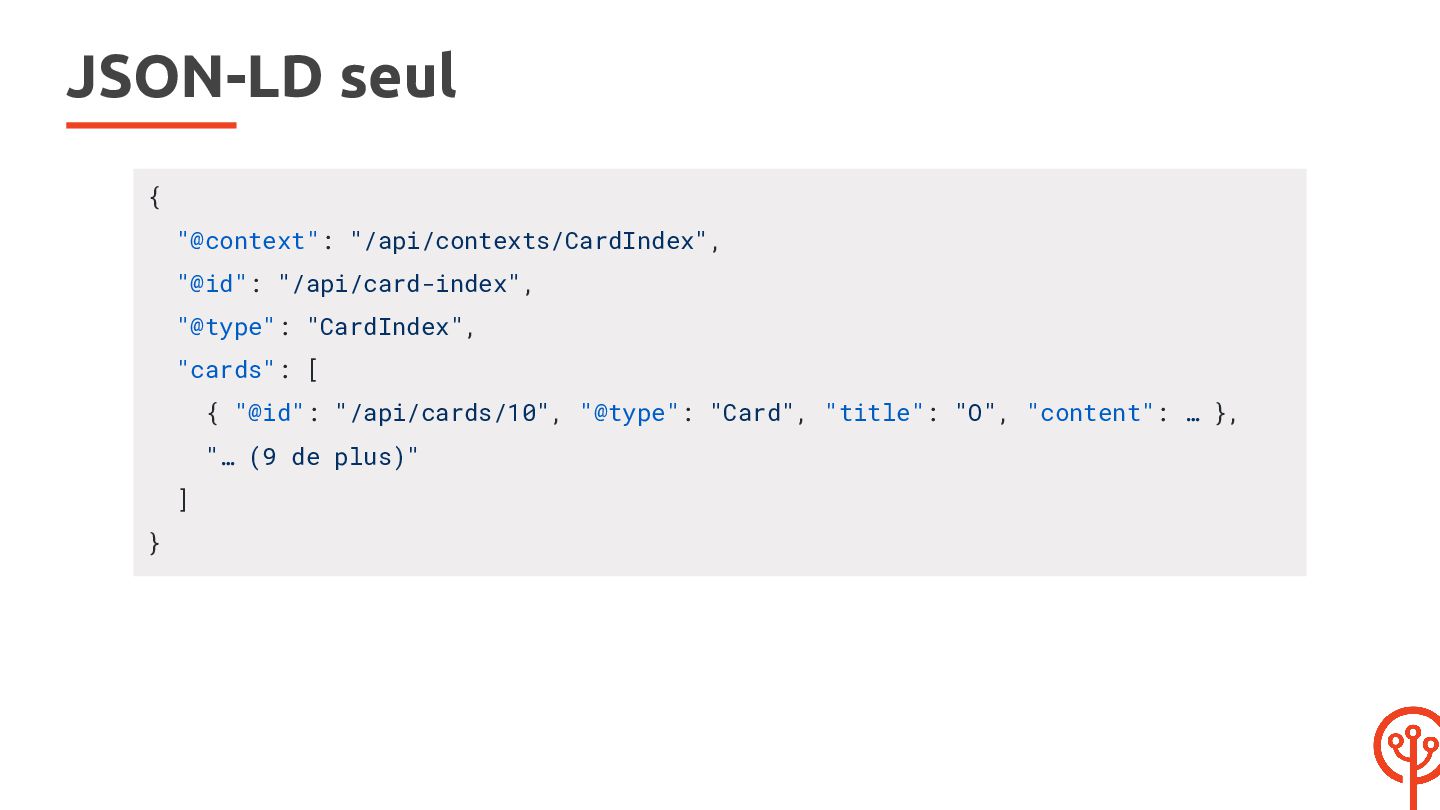
  21. JSON-LD seul { "@context": "/api/contexts/CardIndex", "@id": "/api/card-index", "@type": "CardIndex", "cards":

    [ { "@id": "/api/cards/10", "@type": "Card", "title": "O", "content": … }, "… (9 de plus)" ] }
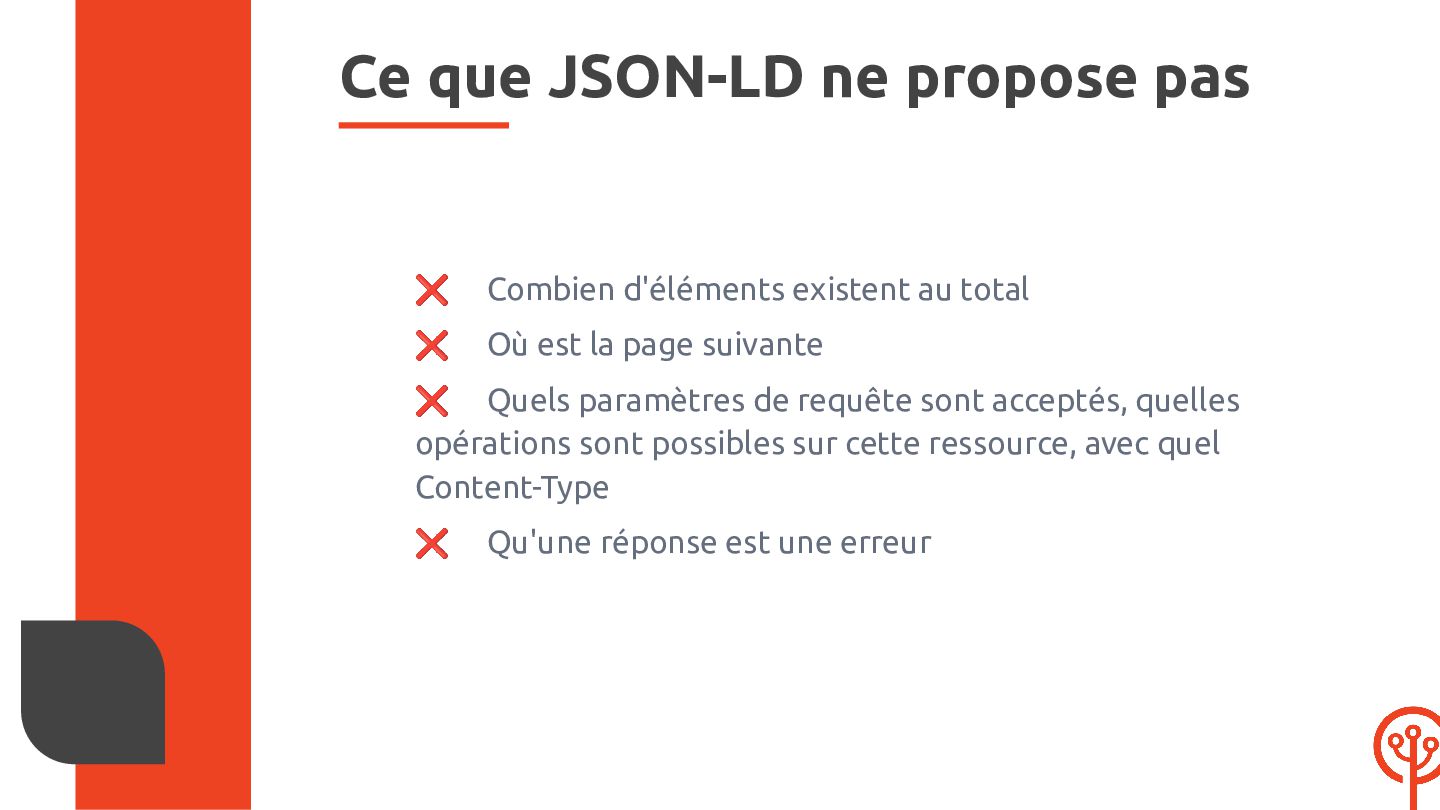
  22. Ce que JSON-LD ne propose pas ❌ Combien d'éléments existent

    au total ❌ Où est la page suivante ❌ Quels paramètres de requête sont acceptés, quelles opérations sont possibles sur cette ressource, avec quel Content-Type ❌ Qu'une réponse est une erreur
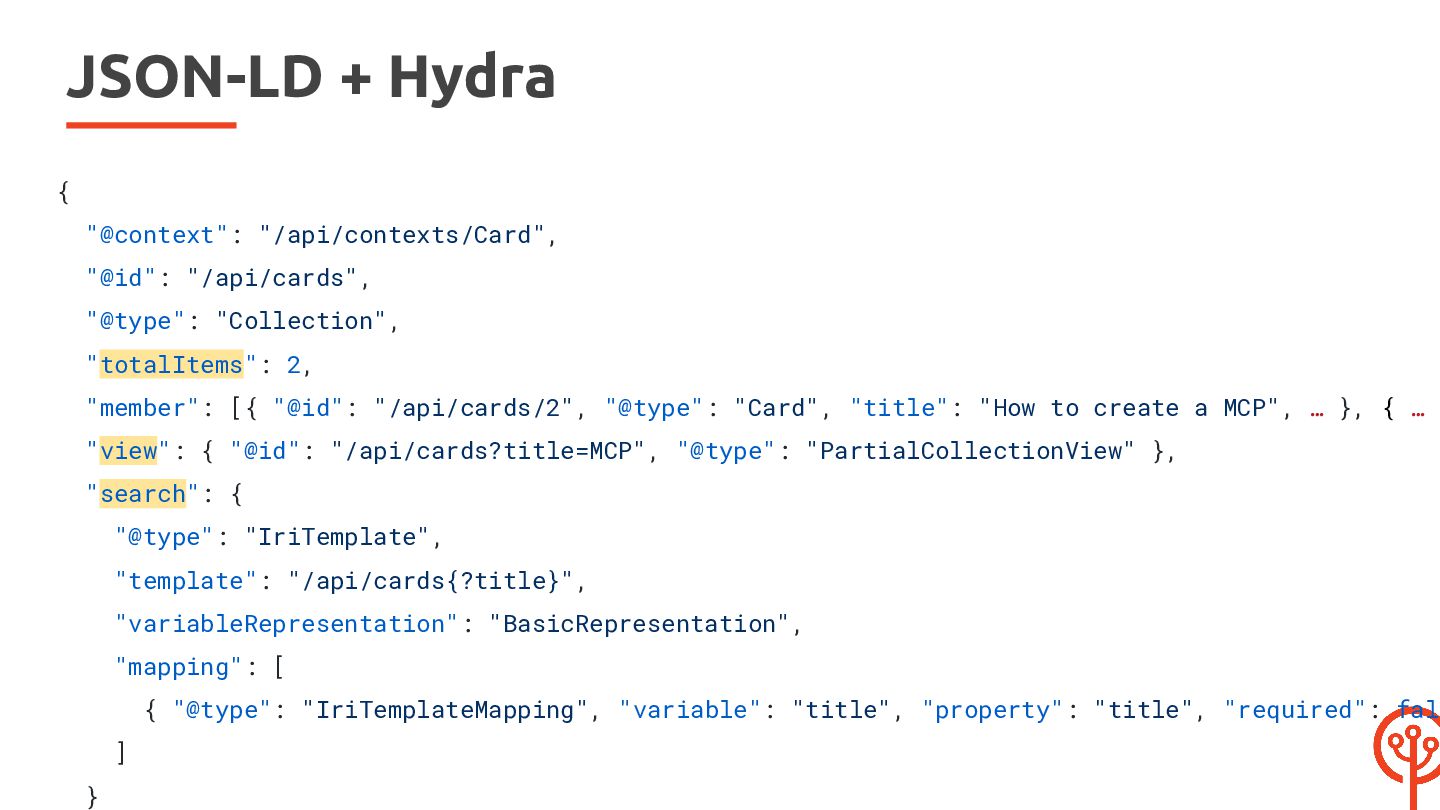
  23. JSON-LD + Hydra { "@context": "/api/contexts/Card", "@id": "/api/cards", "@type": "Collection",

    "totalItems": 2, "member": [{ "@id": "/api/cards/2", "@type": "Card", "title": "How to create a MCP", … }, { … } "view": { "@id": "/api/cards?title=MCP", "@type": "PartialCollectionView" }, "search": { "@type": "IriTemplate", "template": "/api/cards{?title}", "variableRepresentation": "BasicRepresentation", "mapping": [ { "@type": "IriTemplateMapping", "variable": "title", "property": "title", "required": fals ] }
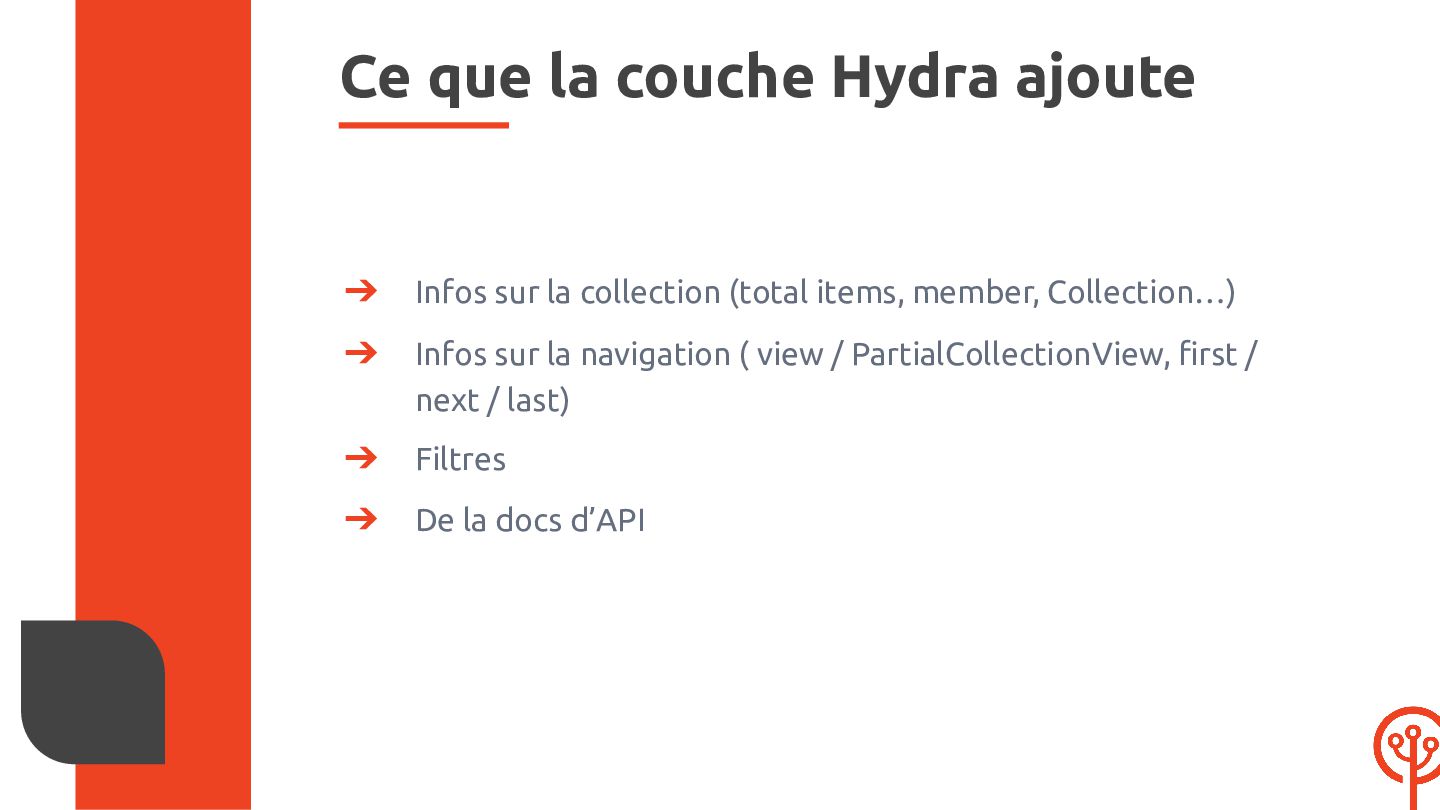
  24. Ce que la couche Hydra ajoute ➔ Infos sur la

    collection (total items, member, Collection…) ➔ Infos sur la navigation ( view / PartialCollectionView, first / next / last) ➔ Filtres ➔ De la docs d’API
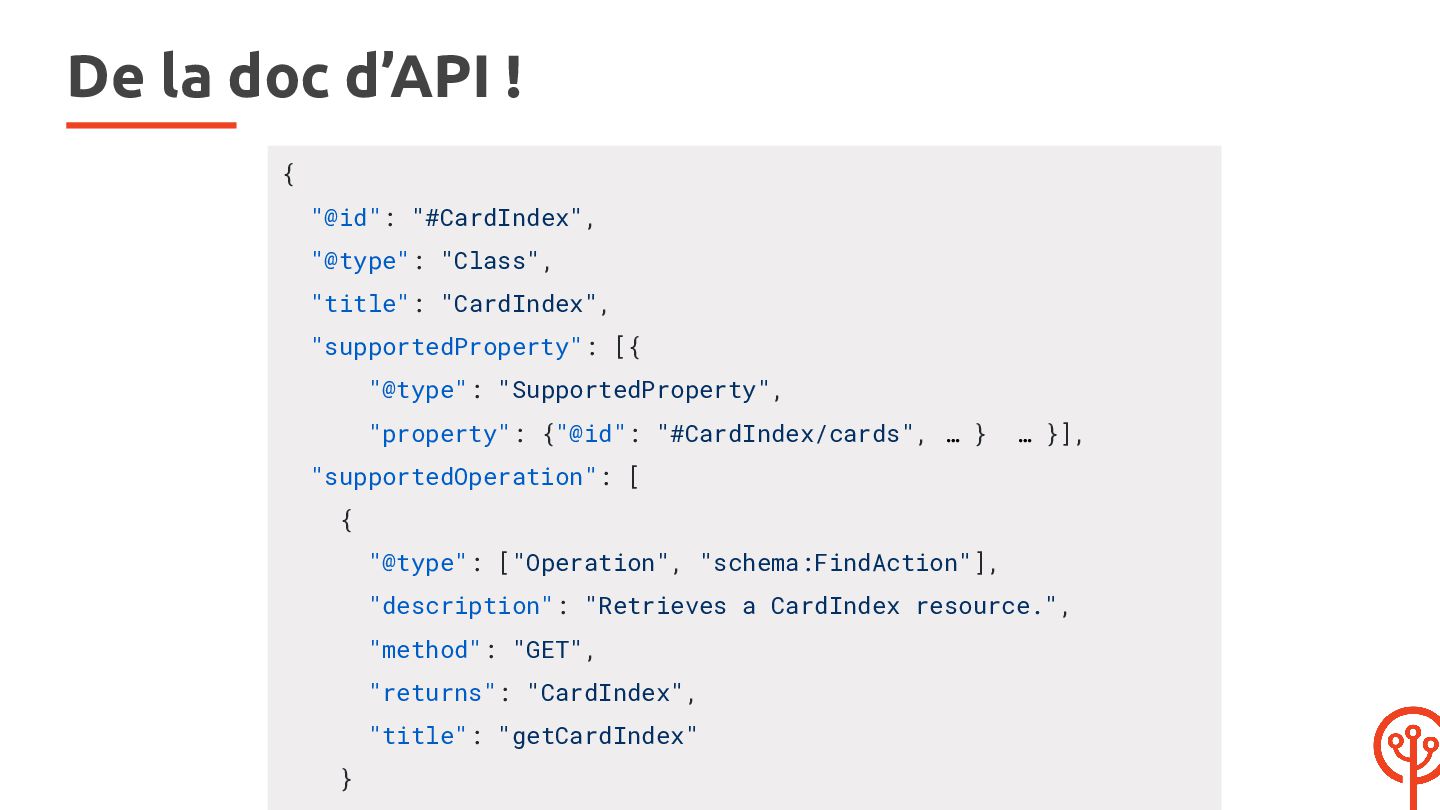
  25. De la doc d’API ! { "@id": "#CardIndex", "@type": "Class",

    "title": "CardIndex", "supportedProperty": [{ "@type": "SupportedProperty", "property": {"@id": "#CardIndex/cards", … } … }], "supportedOperation": [ { "@type": ["Operation", "schema:FindAction"], "description": "Retrieves a CardIndex resource.", "method": "GET", "returns": "CardIndex", "title": "getCardIndex" }
  26. Pour laisser un agent lire l’API ➔ Un tool dédié

    #[ApiResource( // (...) mcp: [ 'list_cards' => new McpToolCollection( description: 'List cards', input: SearchQuery::class, processor: SearchCardsProcessor::class, ), ], )] class Card {
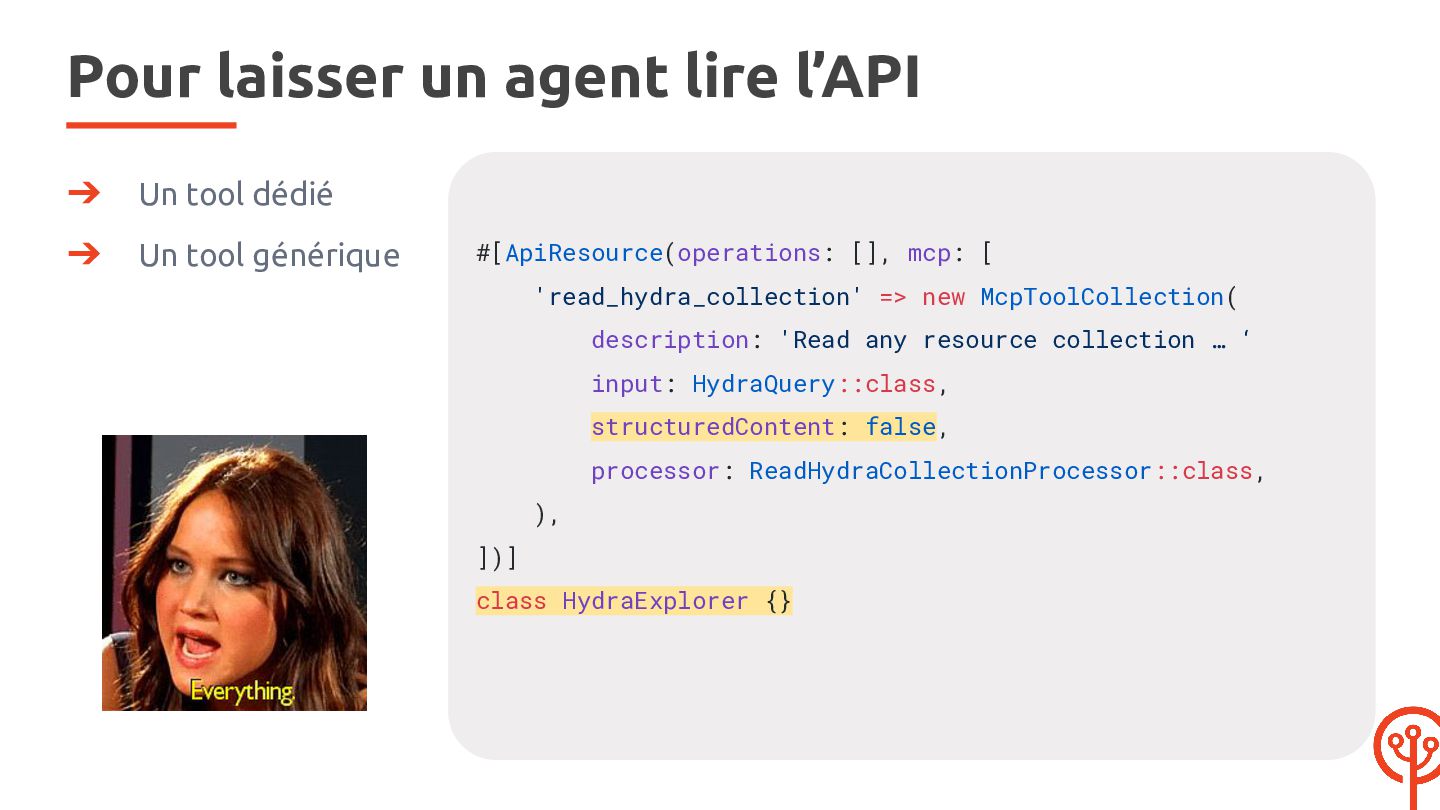
  27. Pour laisser un agent lire l’API ➔ Un tool dédié

    ➔ Un tool générique #[ApiResource(operations: [], mcp: [ 'read_hydra_collection' => new McpToolCollection( description: 'Read any resource collection … ‘ input: HydraQuery::class, structuredContent: false, processor: ReadHydraCollectionProcessor::class, ), ])] class HydraExplorer {}
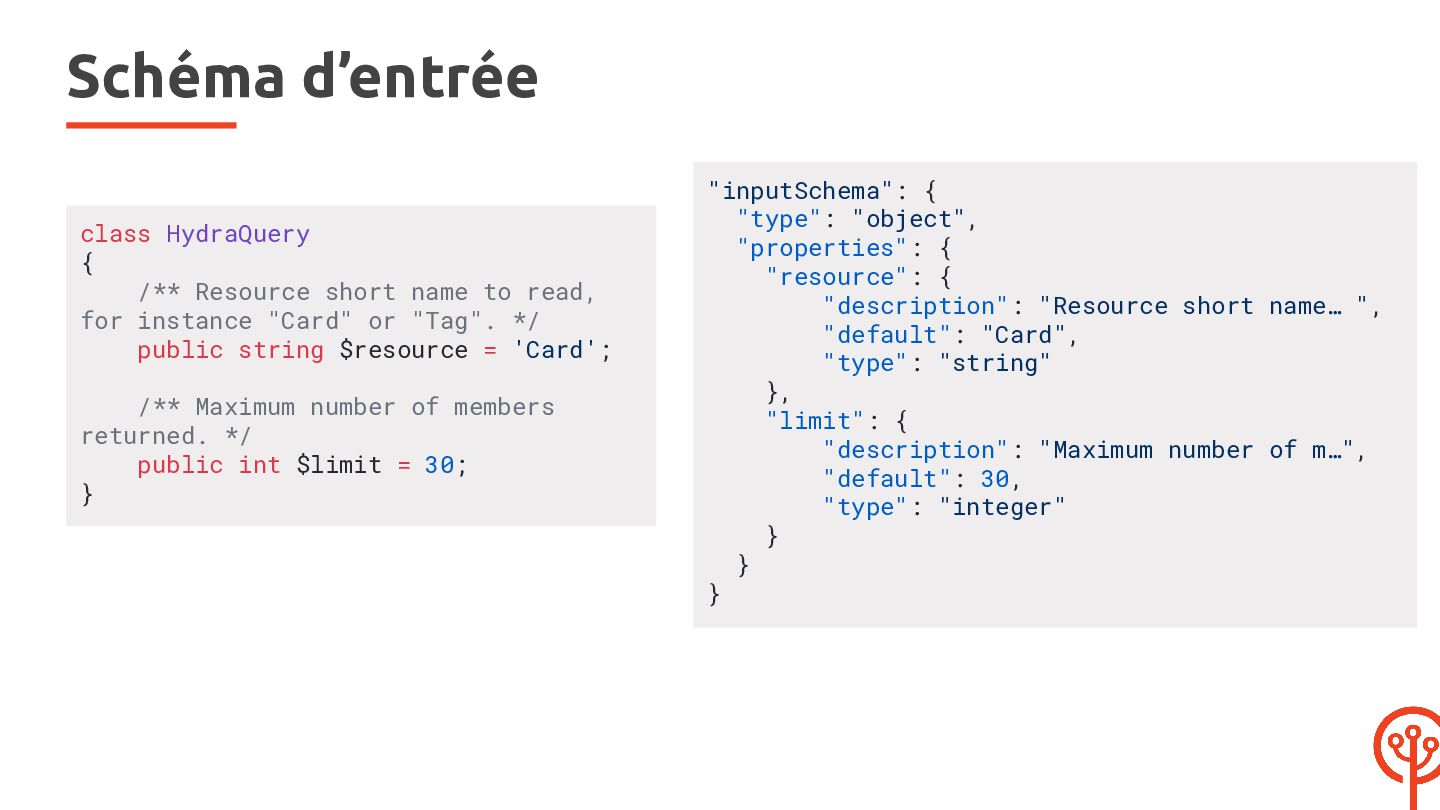
  28. Schéma d’entrée class HydraQuery { /** Resource short name to

    read, for instance "Card" or "Tag". */ public string $resource = 'Card'; /** Maximum number of members returned. */ public int $limit = 30; } "inputSchema": { "type": "object", "properties": { "resource": { "description": "Resource short name… ", "default": "Card", "type": "string" }, "limit": { "description": "Maximum number of m…", "default": 30, "type": "integer" } } }
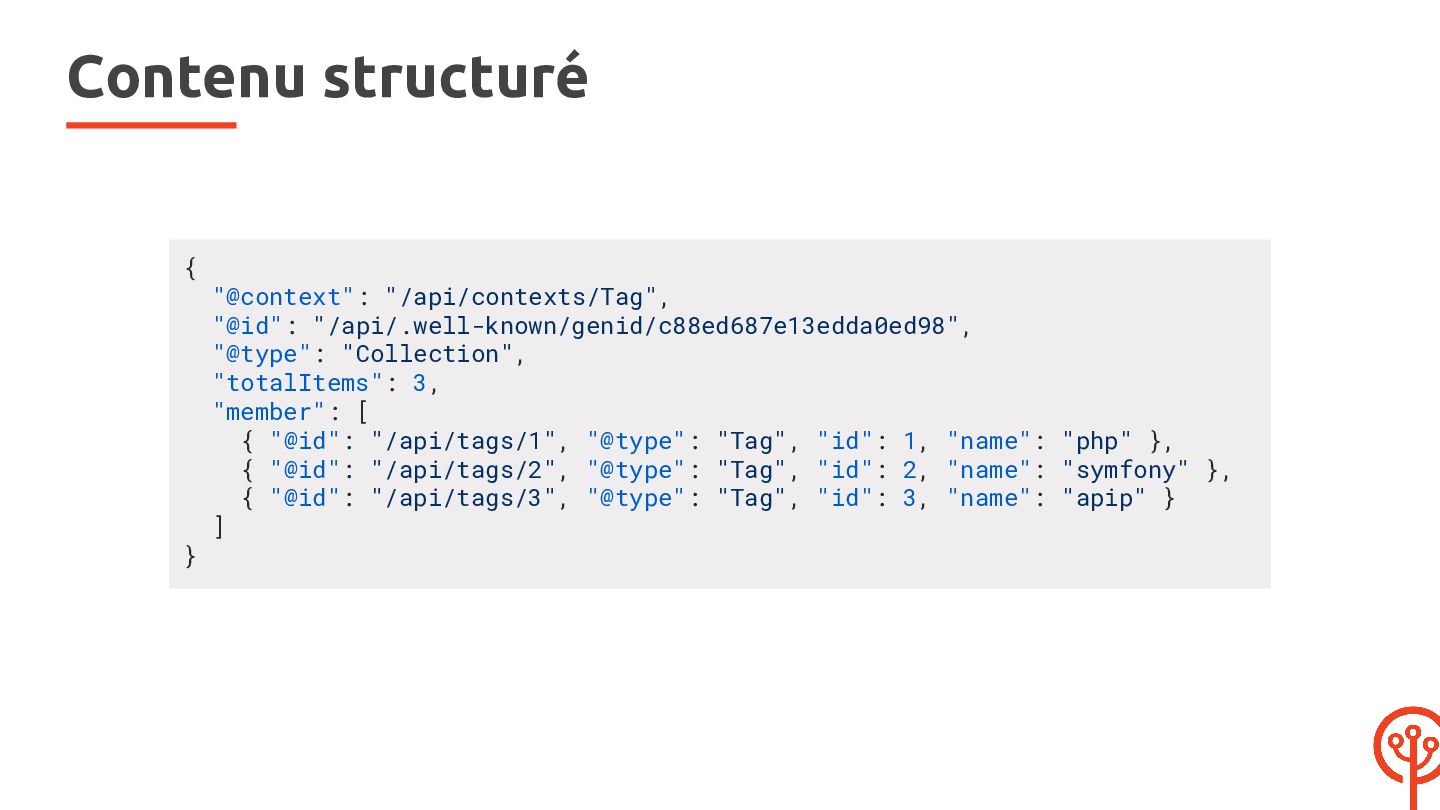
  29. Contenu structuré { } "@context": "/api/contexts/Tag", "@id": "/api/.well-known/genid/c88ed687e13edda0ed98", "@type": "Collection",

    "totalItems": 3, "member": [ { "@id": "/api/tags/1", "@type": "Tag", "id": 1, "name": "php" }, { "@id": "/api/tags/2", "@type": "Tag", "id": 2, "name": "symfony" }, { "@id": "/api/tags/3", "@type": "Tag", "id": 3, "name": "apip" } ]
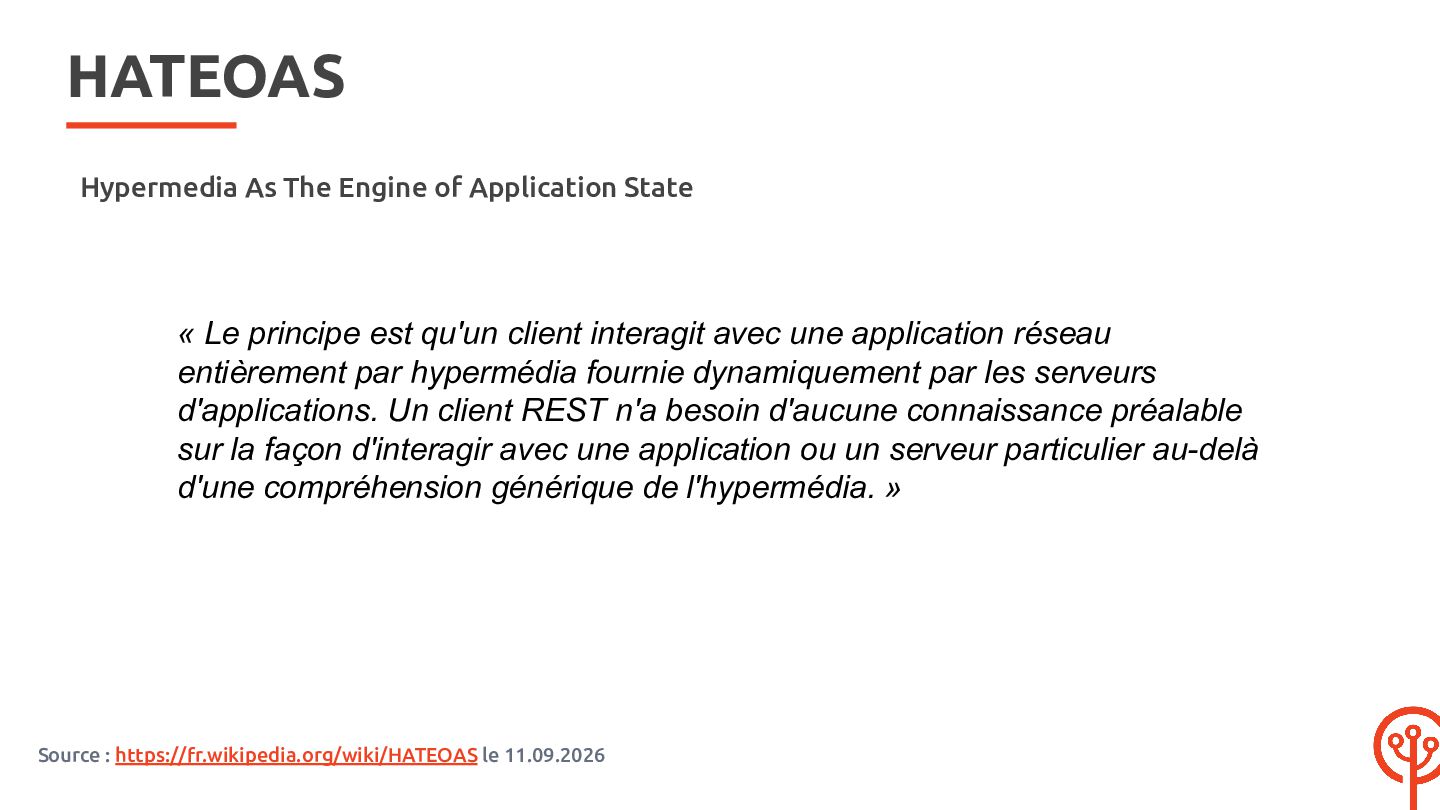
  30. HATEOAS Hypermedia As The Engine of Application State « Le

    principe est qu'un client interagit avec une application réseau entièrement par hypermédia fournie dynamiquement par les serveurs d'applications. Un client REST n'a besoin d'aucune connaissance préalable sur la façon d'interagir avec une application ou un serveur particulier au-delà d'une compréhension générique de l'hypermédia. » Source : https://fr.wikipedia.org/wiki/HATEOAS le 11.09.2026
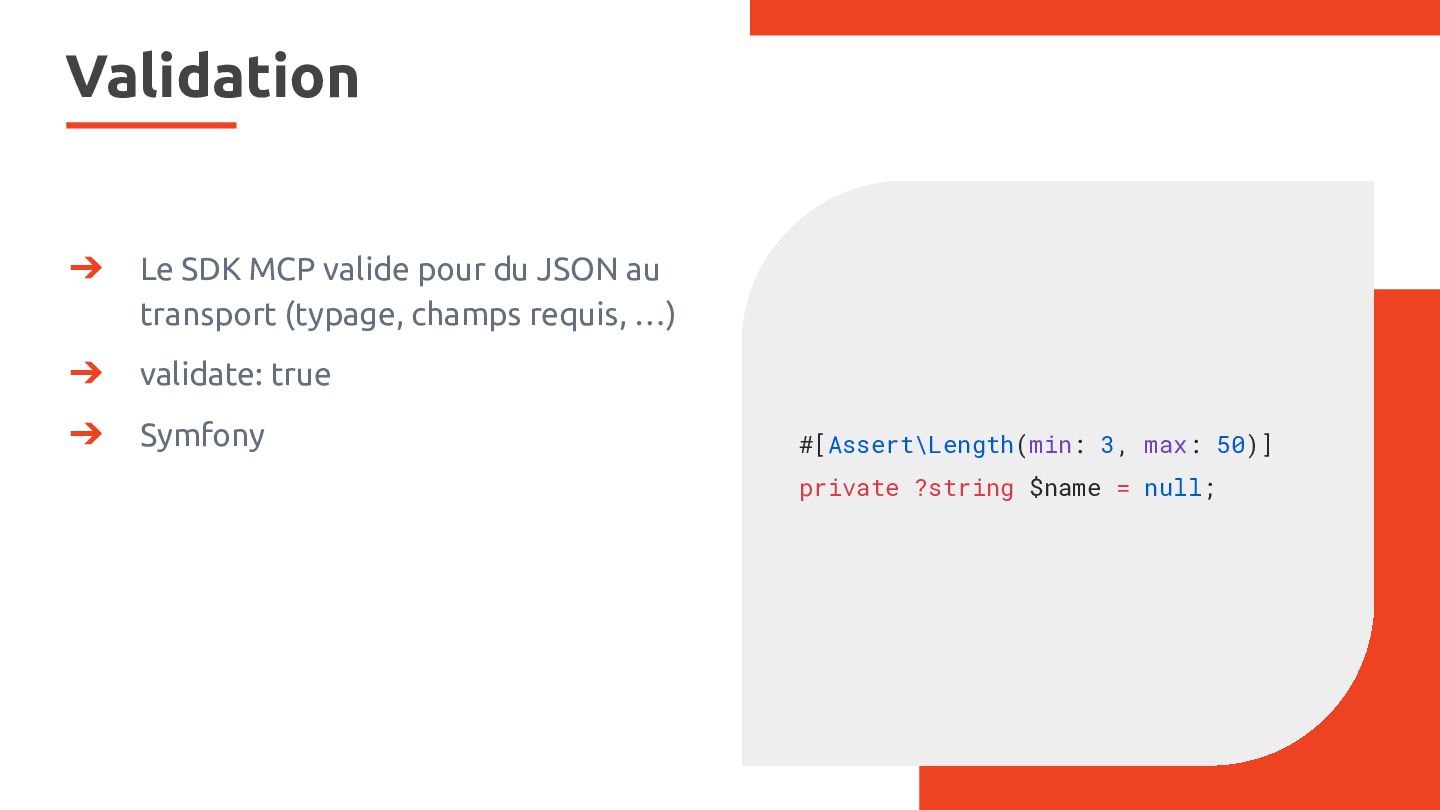
  31. Validation ➔ Le SDK MCP valide pour du JSON au

    transport (typage, champs requis, …) ➔ validate: true ➔ Symfony #[Assert\Length(min: 3, max: 50)] private ?string $name = null;
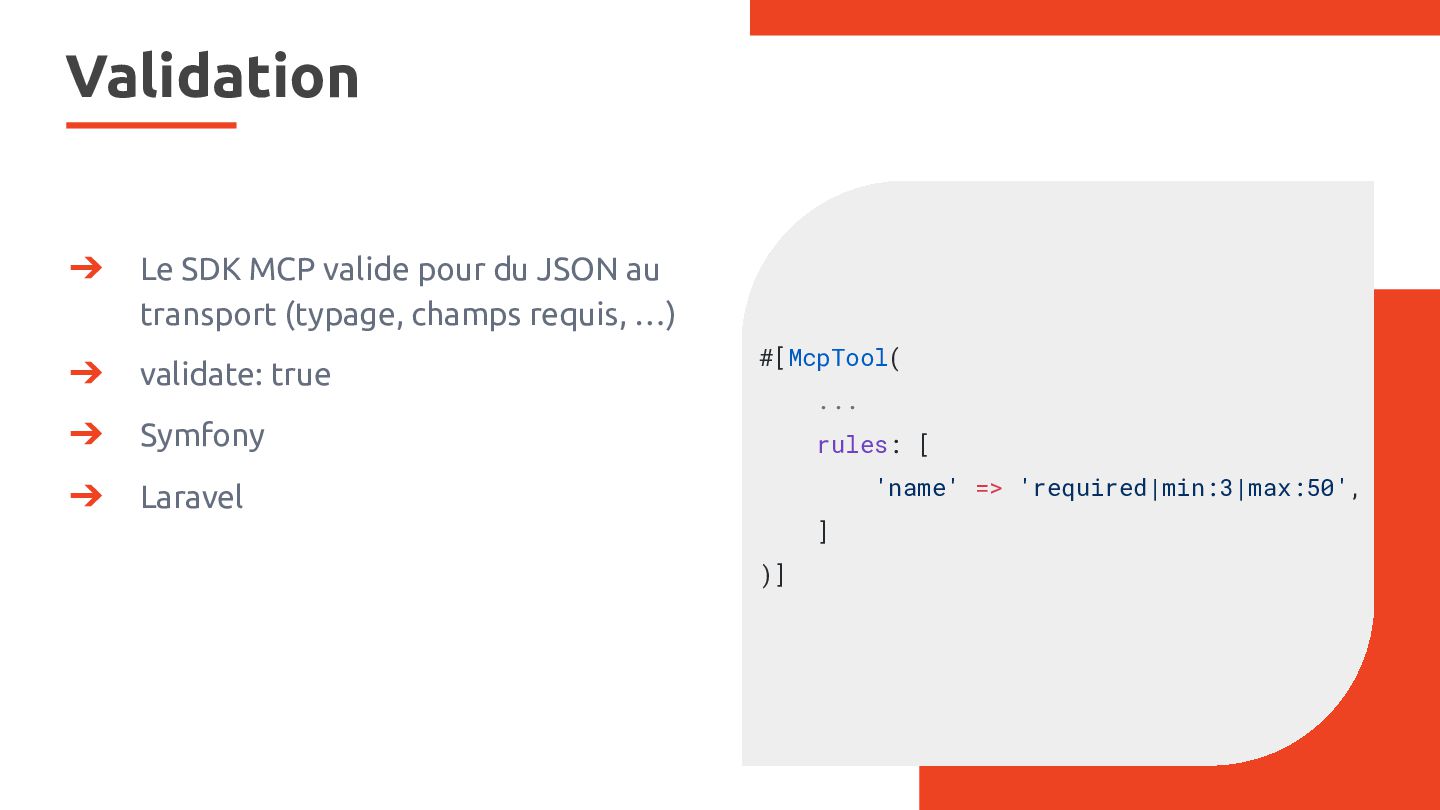
  32. Validation ➔ Le SDK MCP valide pour du JSON au

    transport (typage, champs requis, …) ➔ validate: true ➔ Symfony ➔ Laravel #[McpTool( ... rules: [ 'name' => 'required|min:3|max:50', ] )]
  33. Validation : on essaye ? mcp: [ ], 'create_card' =>

    new McpTool( description: 'Create a markdown card. …', input: CreateCard::class, output: self::class, validate: true, processor: CreateCardProcessor::class, ), )] class Card { #[Assert\NotBlank] #[Assert\Length(min: 3, max: 50)] private ?string $title = null;
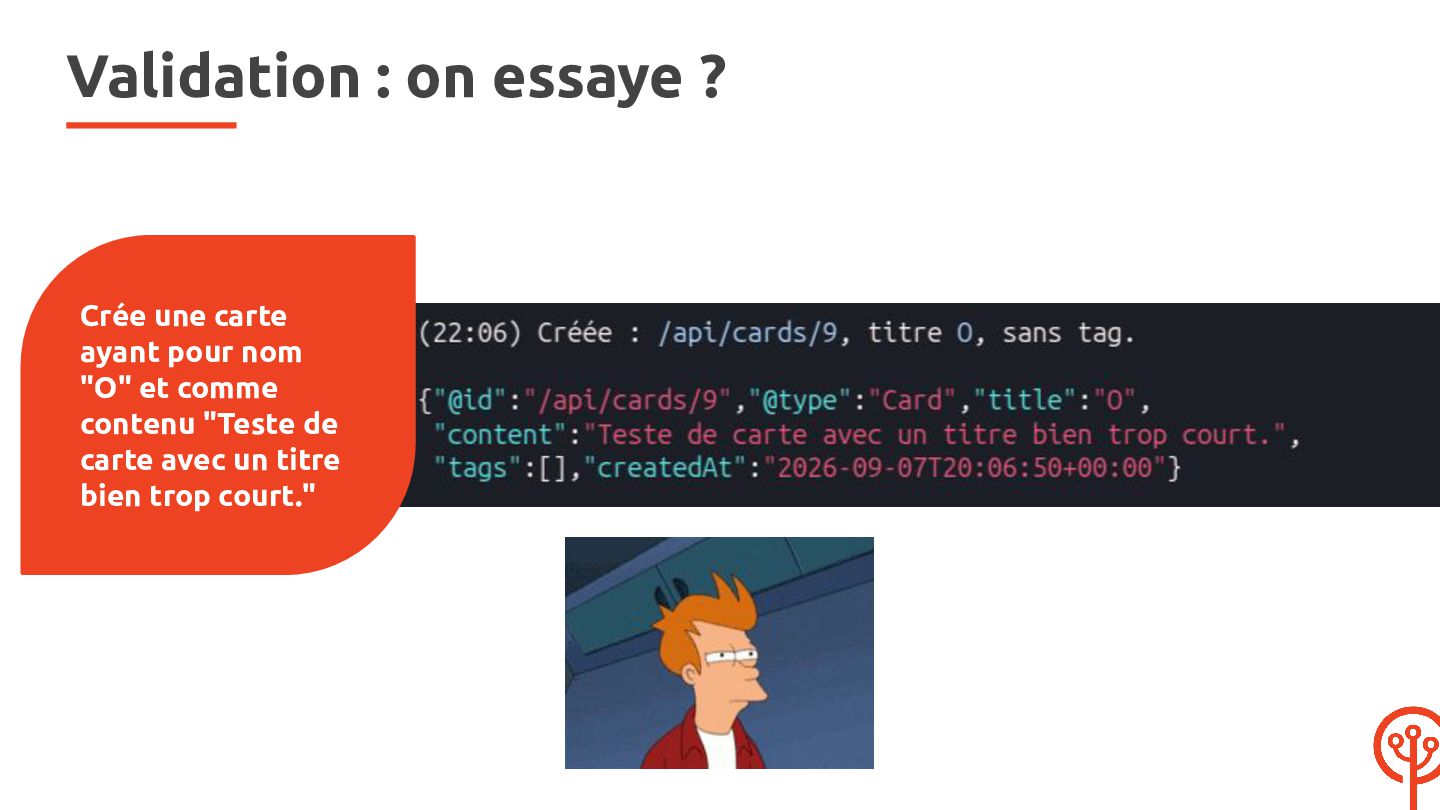
  34. Validation : on essaye ? Crée une carte ayant pour

    nom "O" et comme contenu "Teste de carte avec un titre bien trop court."
  35. Le piège : mcp: [ ], 'create_card' => new McpTool(

    description: 'Create a markdown card. …', input: CreateCard::class, output: self::class, validate: true, processor: CreateCardProcessor::class, ), )] class Card { #[Assert\NotBlank] #[Assert\Length(min: 3, max: 50)] private ?string $title = null;
  36. Le piège : mcp: [ ], 'create_card' => new McpTool(

    description: 'Create a markdown card. …', input: CreateCard::class, output: self::class, validate: true, processor: CreateCardProcessor::class, ), )] class Card { #[Assert\NotBlank] #[Assert\Length(min: 3, max: 50)] {"code": private ?string $title-32603, = null;"message": "title: This value is too short. It should have 3 characters or more."}
  37. Customiser les propriétés du schéma #[ApiResource(...)] class OperateHydraResource { public

    string $uri; public string $method; #[ApiProperty(schema: [ 'type' => 'object', 'description' => 'JSON payload for the request'] )] public ?array $payload = null; }
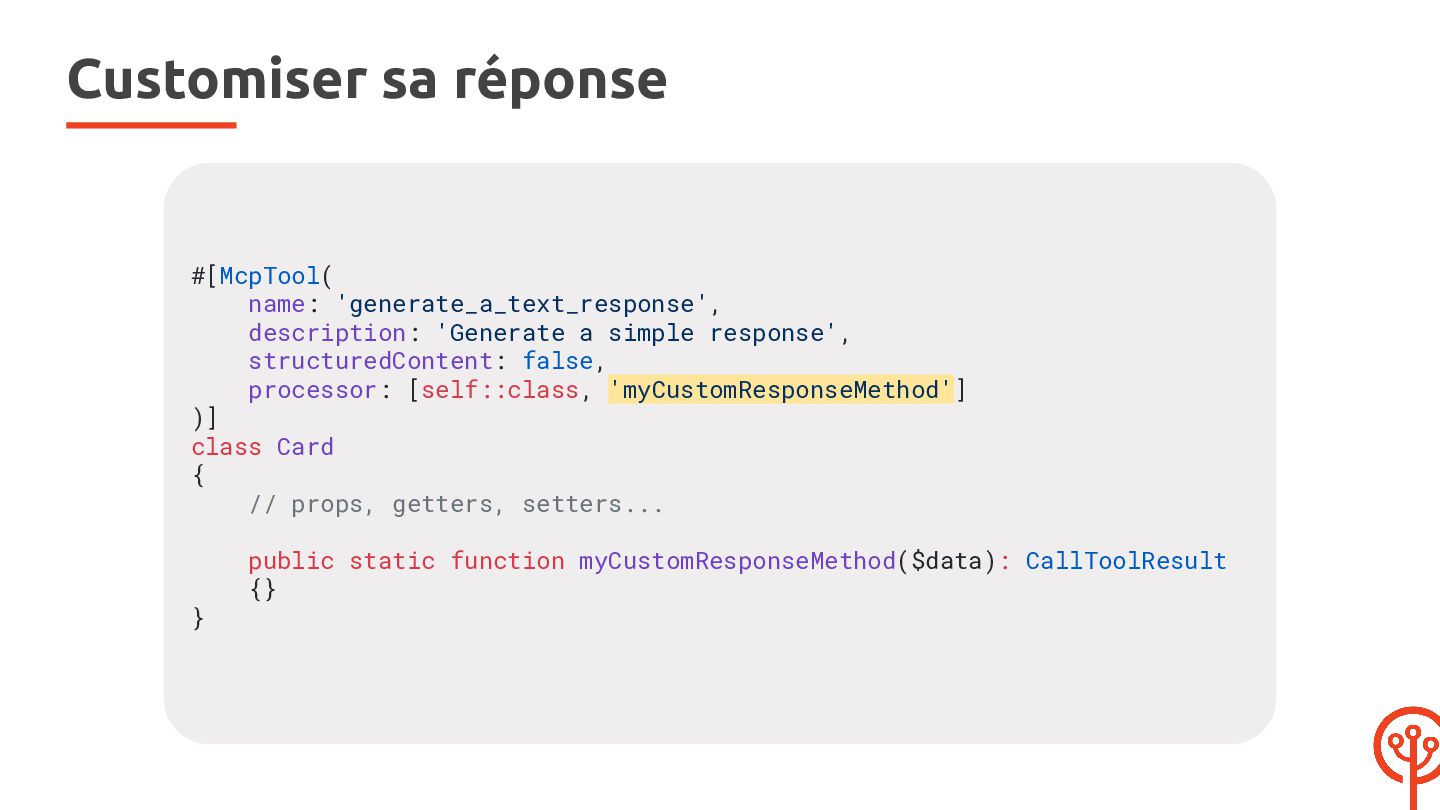
  38. Customiser sa réponse #[McpTool( name: 'generate_a_text_response', description: 'Generate a simple

    response', structuredContent: false, processor: [self::class, 'myCustomResponseMethod'] )] class Card { // props, getters, setters... } public static function myCustomResponseMethod($data): CallToolResult {}
  39. Customiser sa réponse #[McpTool(...)] class Card { // props, getters,

    setters... public static function myCustomResponseMethod(): CallToolResult { $message = 'Hi there, this is a text response !'; } } return new CallToolResult( [new TextContent($message)], false // $isError );
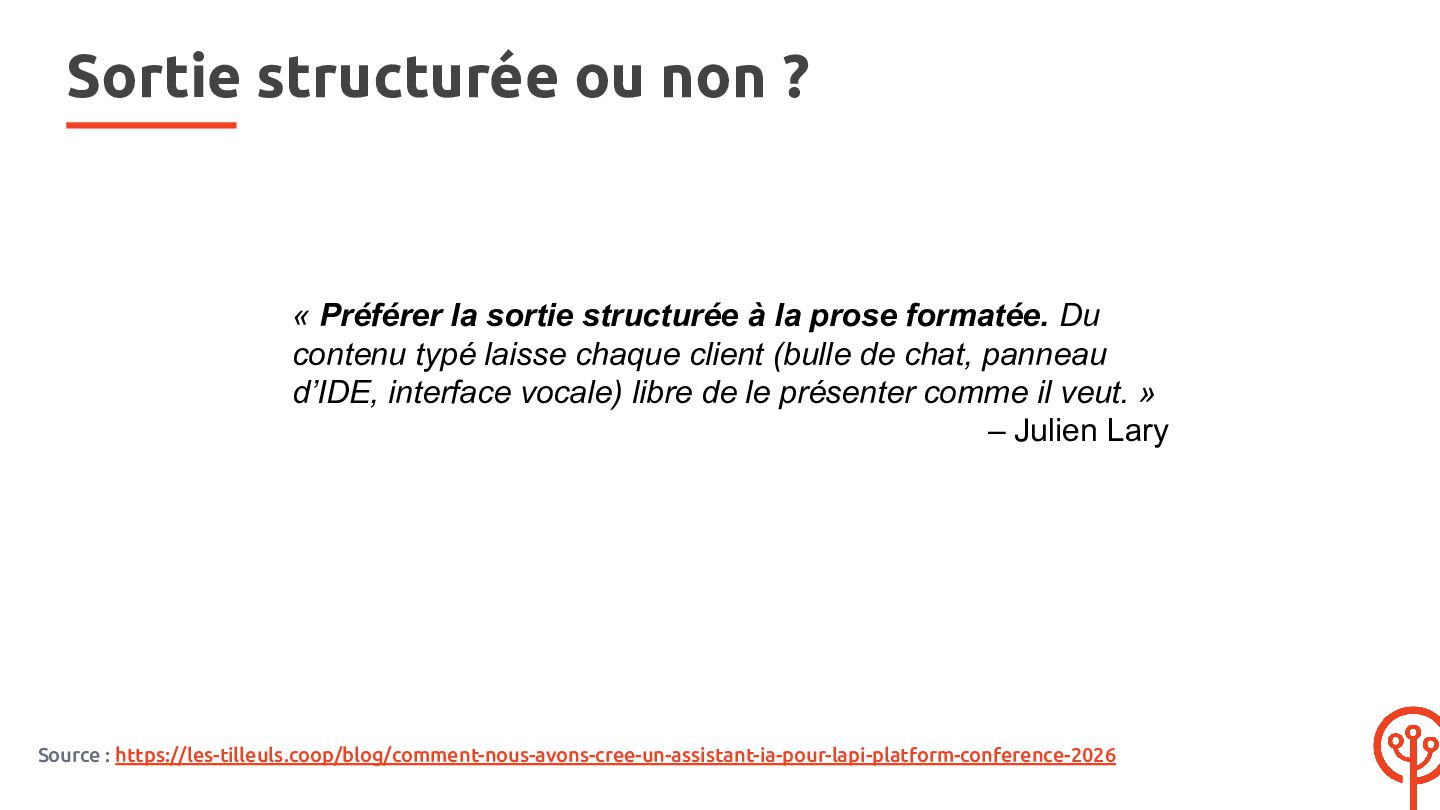
  40. Sortie structurée ou non ? « Préférer la sortie structurée

    à la prose formatée. Du contenu typé laisse chaque client (bulle de chat, panneau d’IDE, interface vocale) libre de le présenter comme il veut. » – Julien Lary Source : https://les-tilleuls.coop/blog/comment-nous-avons-cree-un-assistant-ia-pour-lapi-platform-conference-2026
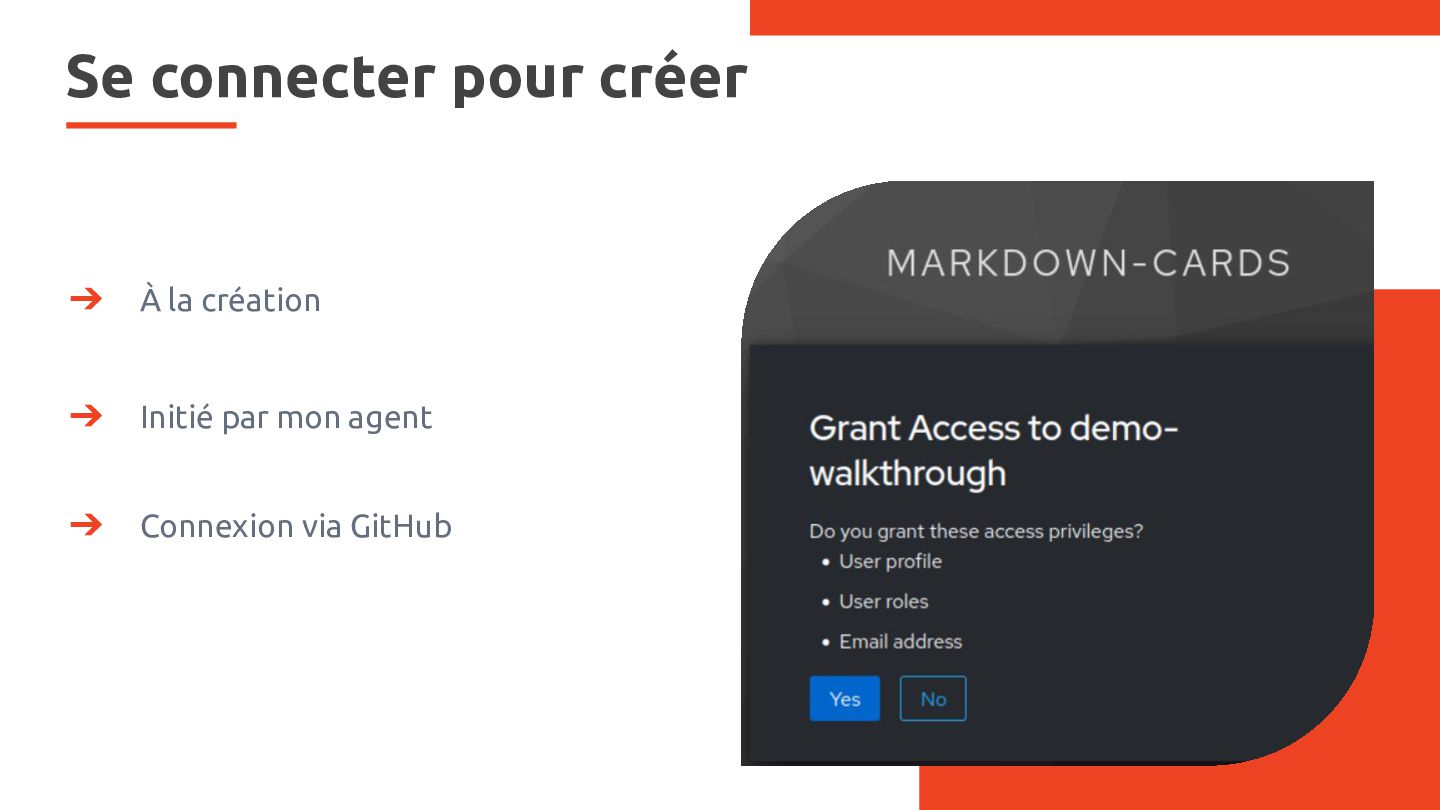
  41. Se connecter pour créer ➔ À la création ➔ Initié

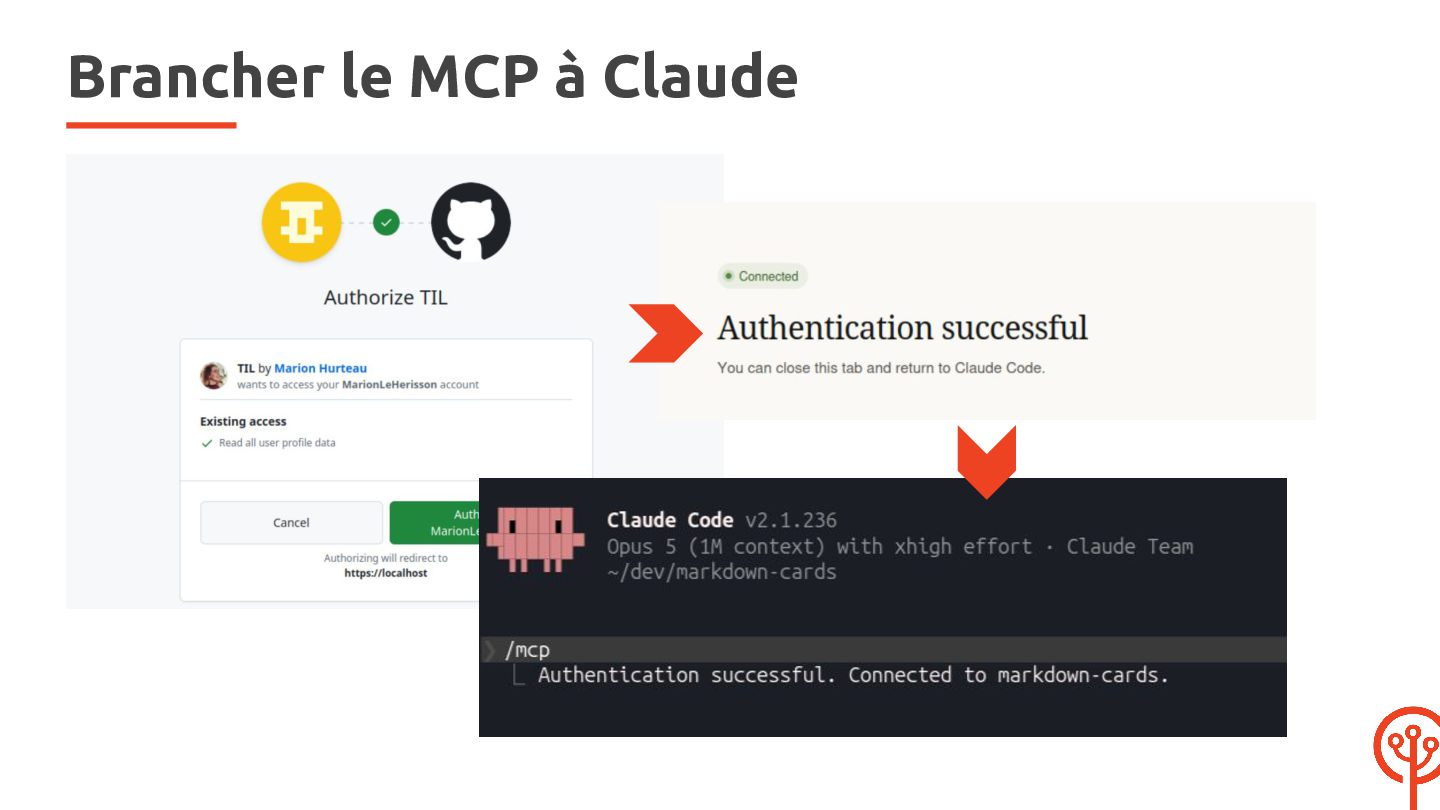
    par mon agent ➔ Connexion via GitHub
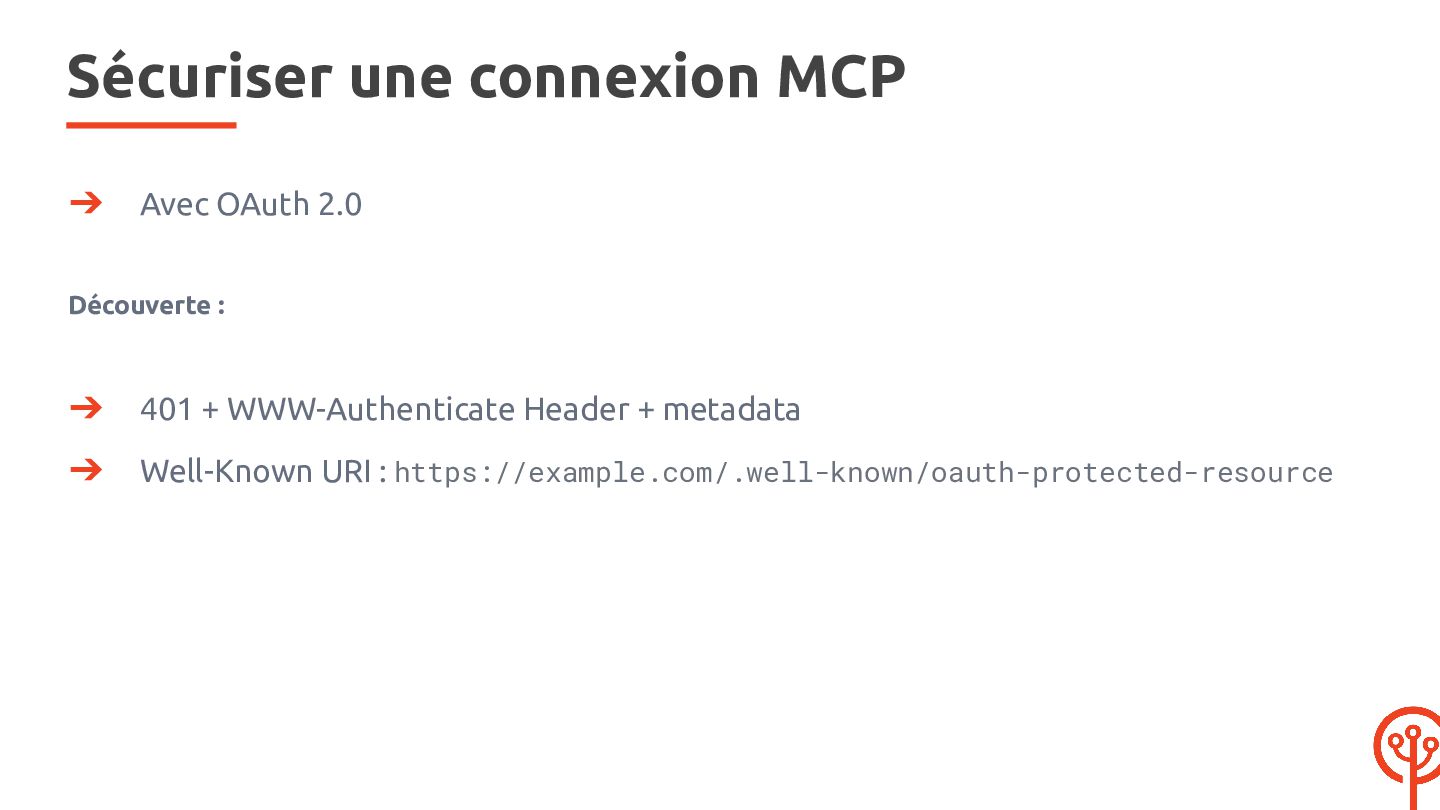
  42. Sécuriser une connexion MCP ➔ Avec OAuth 2.0 Découverte :

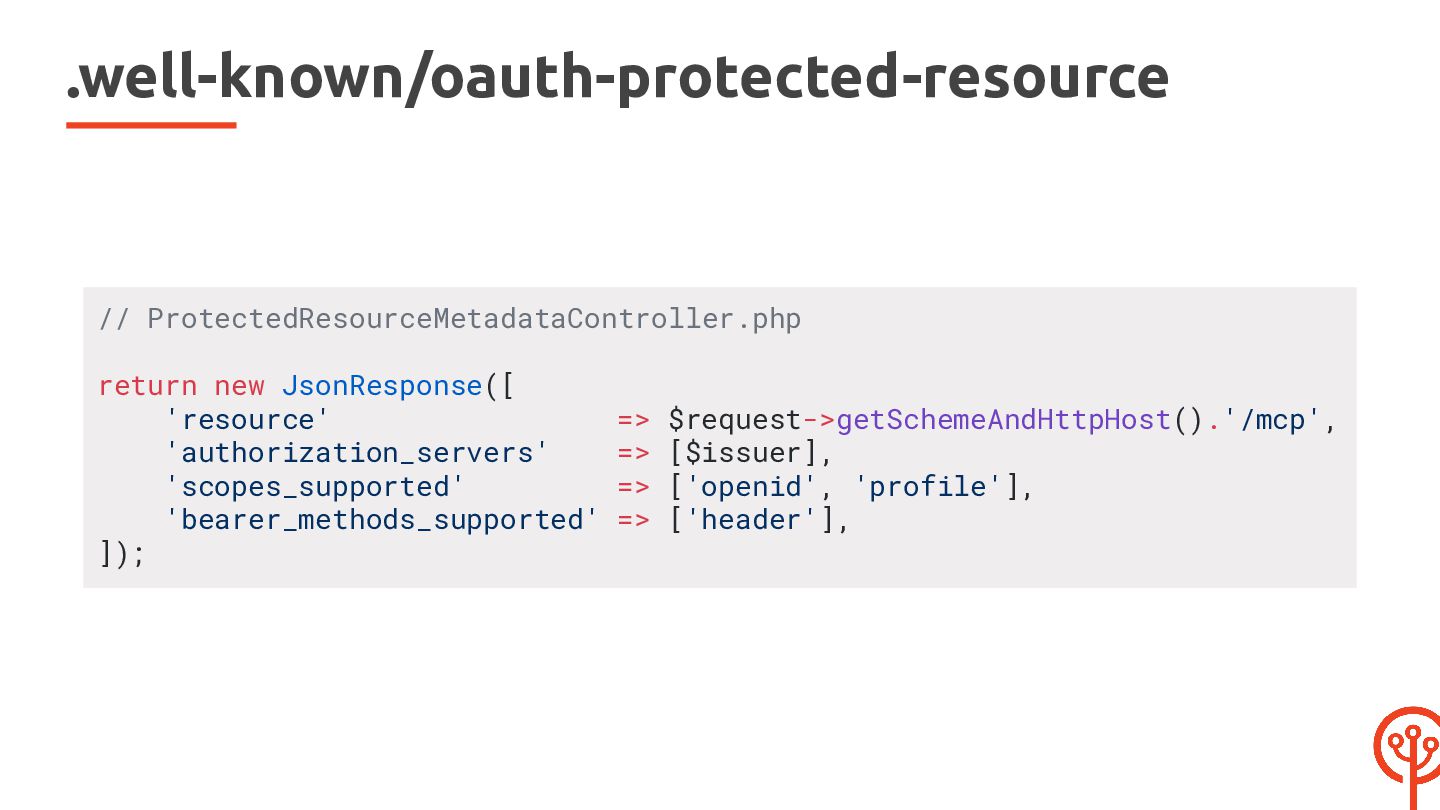
    ➔ 401 + WWW-Authenticate Header + metadata ➔ Well-Known URI : https://example.com/.well-known/oauth-protected-resource
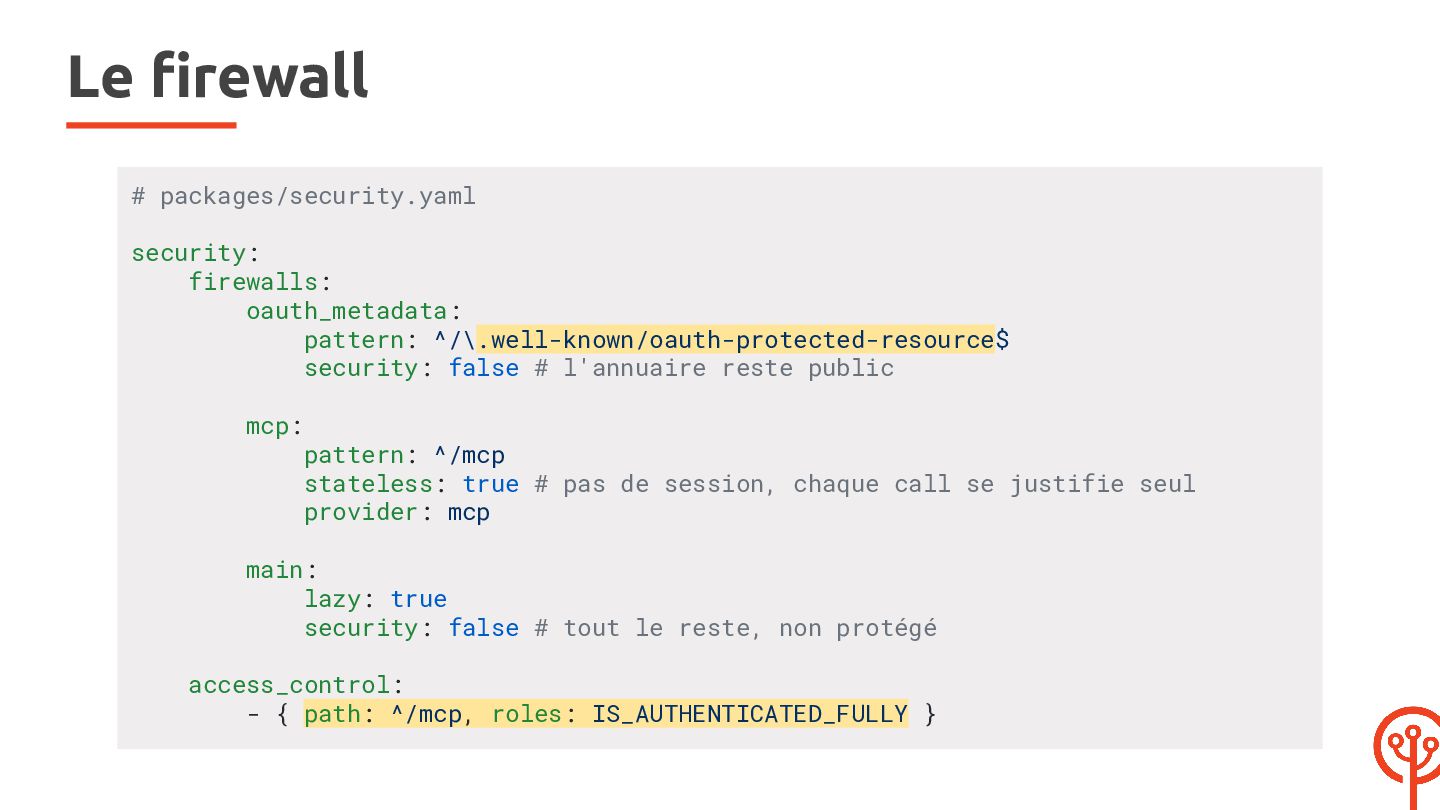
  43. Le firewall # packages/security.yaml security: firewalls: oauth_metadata: pattern: ^/\.well-known/oauth-protected-resource$ security:

    false # l'annuaire reste public mcp: pattern: ^/mcp stateless: true # pas de session, chaque call se justifie seul provider: mcp main: lazy: true security: false # tout le reste, non protégé access_control: - { path: ^/mcp, roles: IS_AUTHENTICATED_FULLY }
  44. MCP User Provider $githubLogin = $attributes['github_login'] ?? null; if (!is_string($githubLogin)

    || '' === $githubLogin) { throw new UserNotFoundException(...); } $roles = ['ROLE_USER']; if (in_array($githubLogin, $this->allowedLogins, true)) { $roles[] = 'ROLE_CARD_WRITER'; }
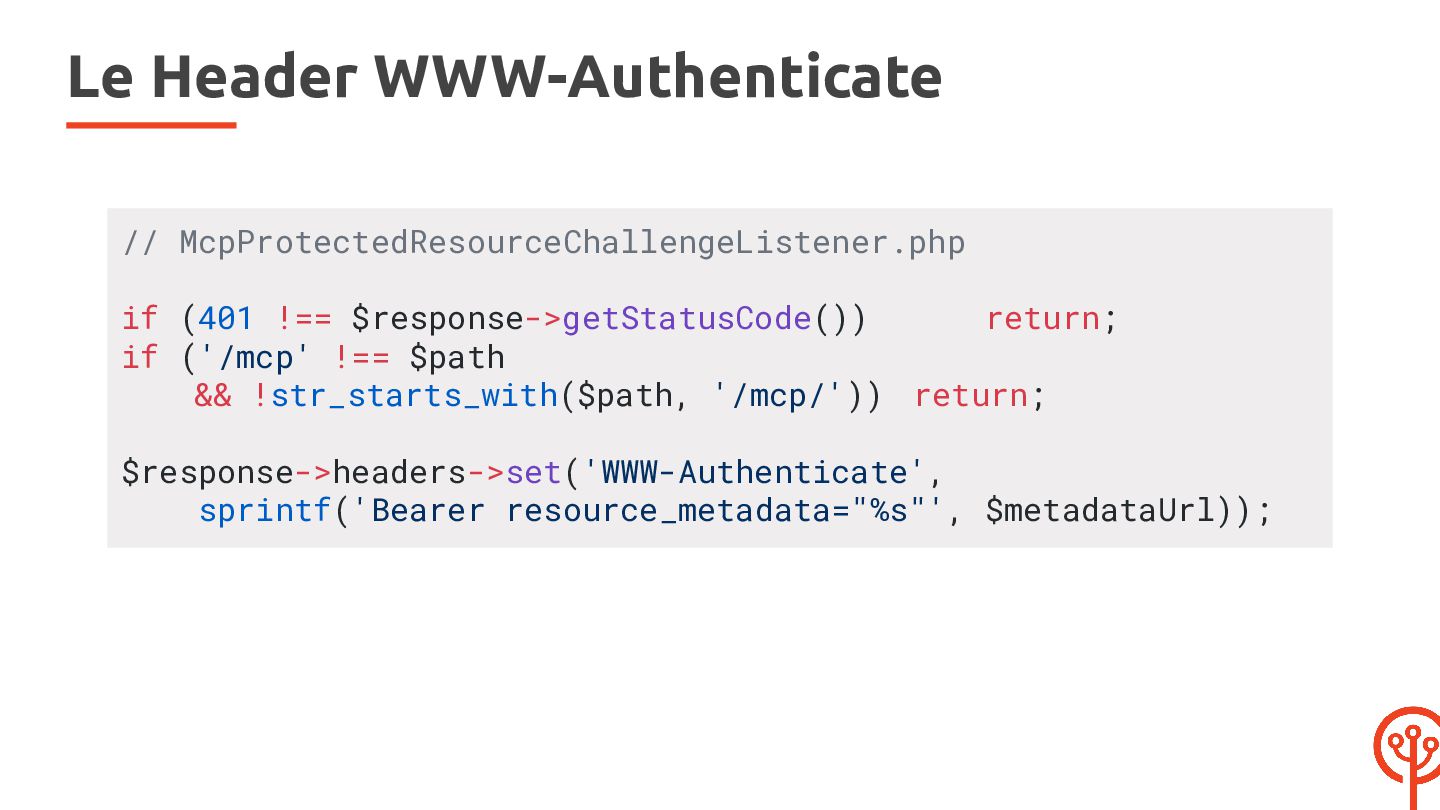
  45. Le Header WWW-Authenticate // McpProtectedResourceChallengeListener.php if (401 !== $response->getStatusCode()) return;

    if ('/mcp' !== $path && !str_starts_with($path, '/mcp/')) return; $response->headers->set('WWW-Authenticate', sprintf('Bearer resource_metadata="%s"', $metadataUrl));
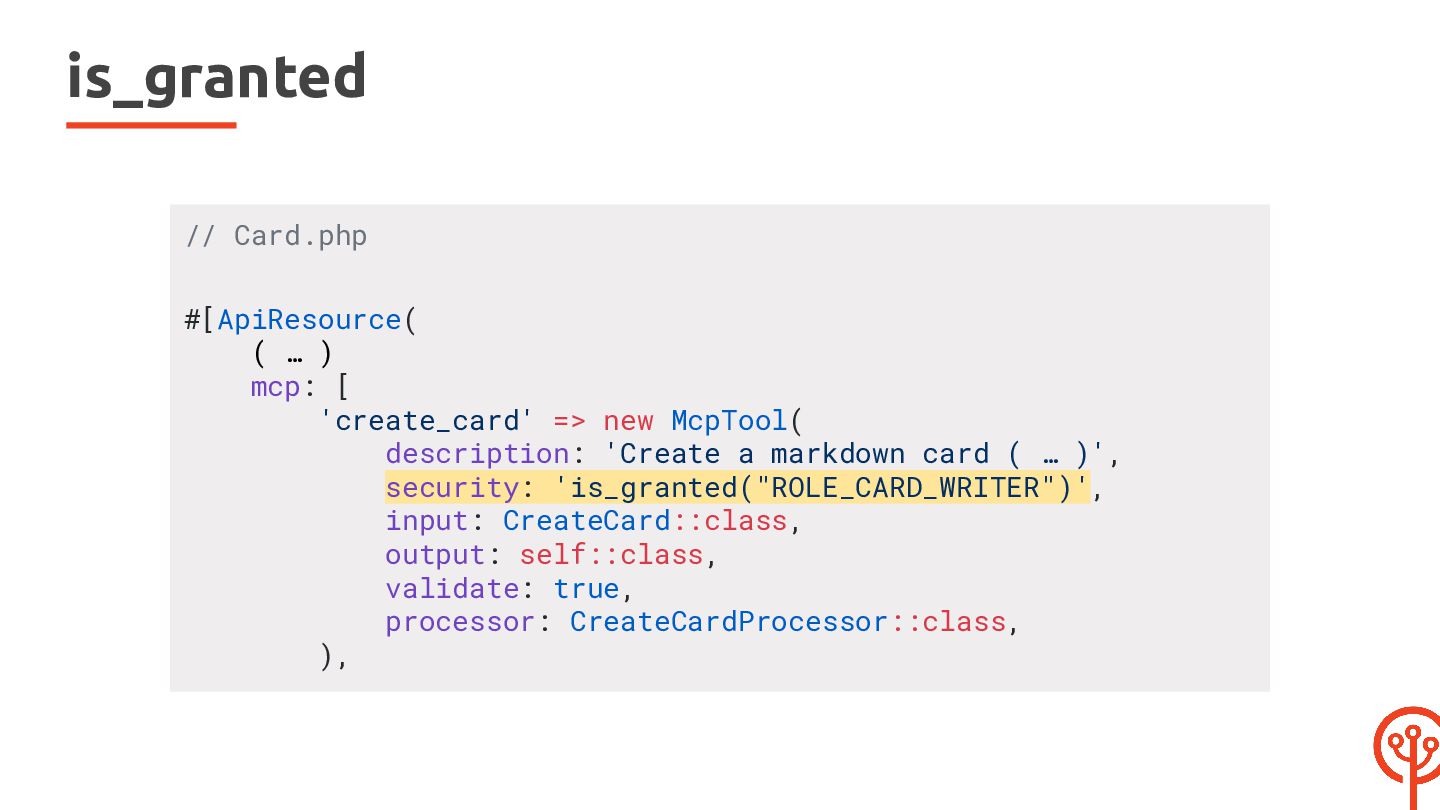
  46. is_granted // Card.php #[ApiResource( ( … ) mcp: [ 'create_card'

    => new McpTool( description: 'Create a markdown card ( … )', security: 'is_granted("ROLE_CARD_WRITER")', input: CreateCard::class, output: self::class, validate: true, processor: CreateCardProcessor::class, ),
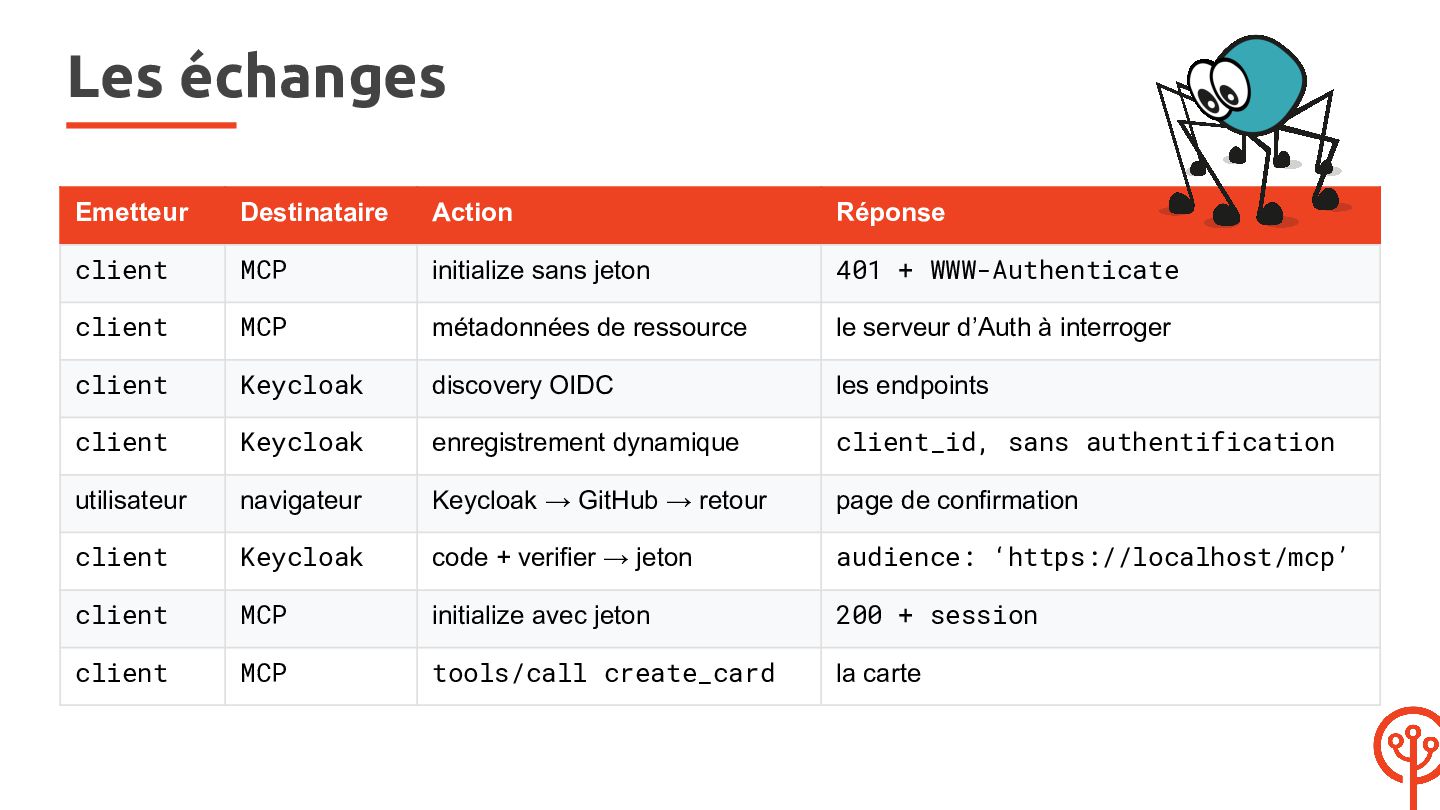
  47. Les échanges Emetteur Destinataire Action Réponse client MCP initialize sans

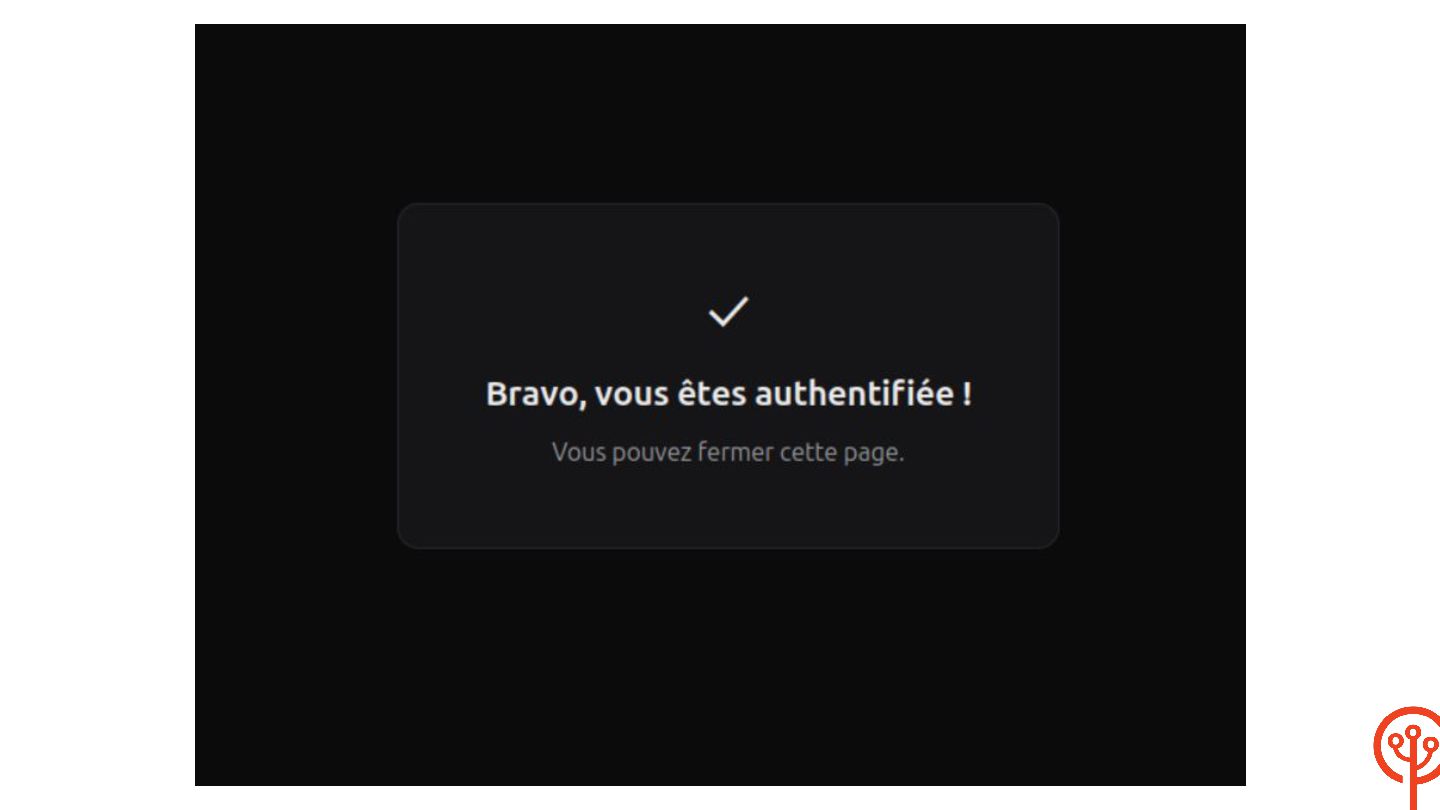
    jeton 401 + WWW-Authenticate client MCP métadonnées de ressource le serveur d’Auth à interroger client Keycloak discovery OIDC les endpoints client Keycloak enregistrement dynamique client_id, sans authentification utilisateur navigateur Keycloak → GitHub → retour page de confirmation client Keycloak code + verifier → jeton audience: ‘https://localhost/mcp’ client MCP initialize avec jeton 200 + session client MCP tools/call create_card la carte
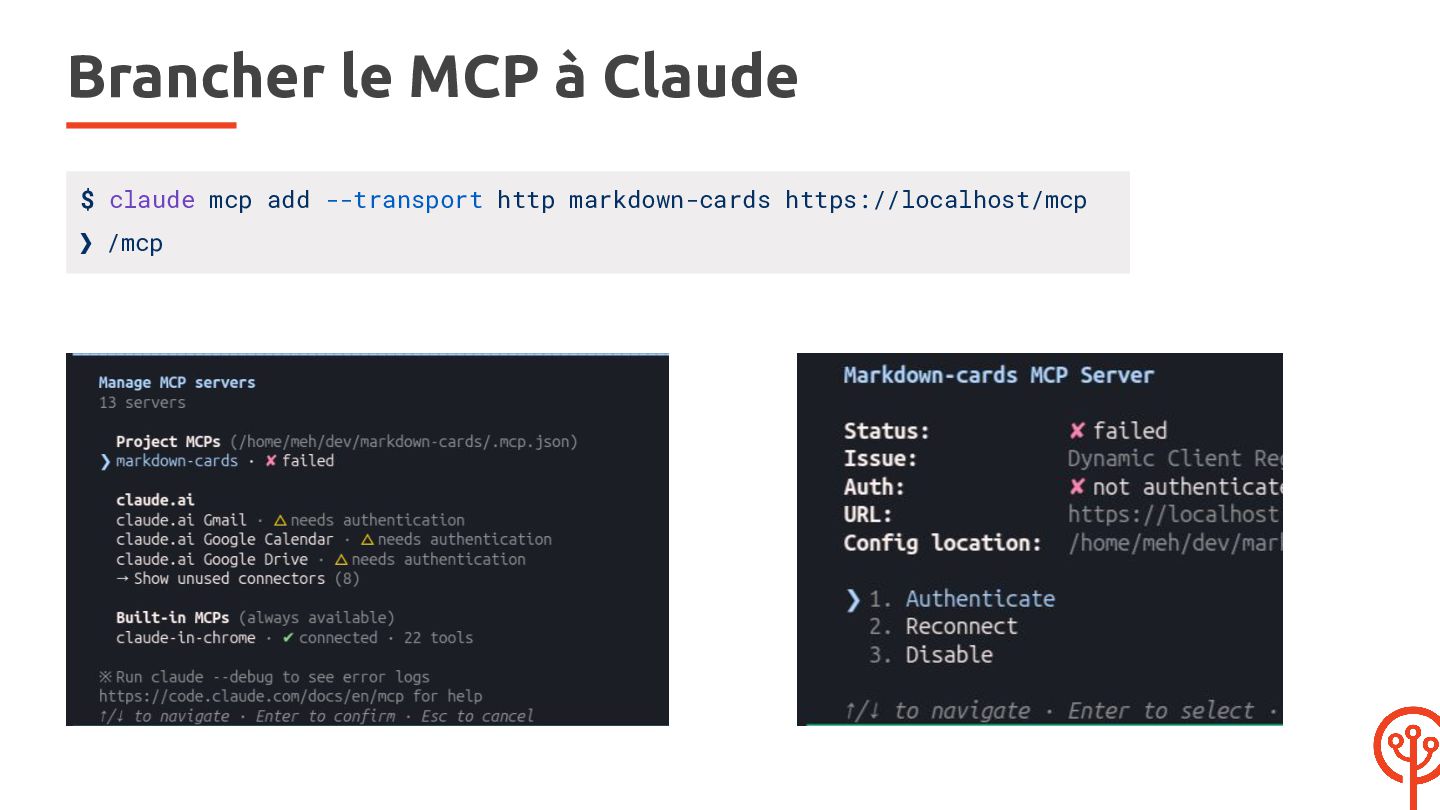
  48. Brancher le MCP à Claude $ claude mcp add --transport

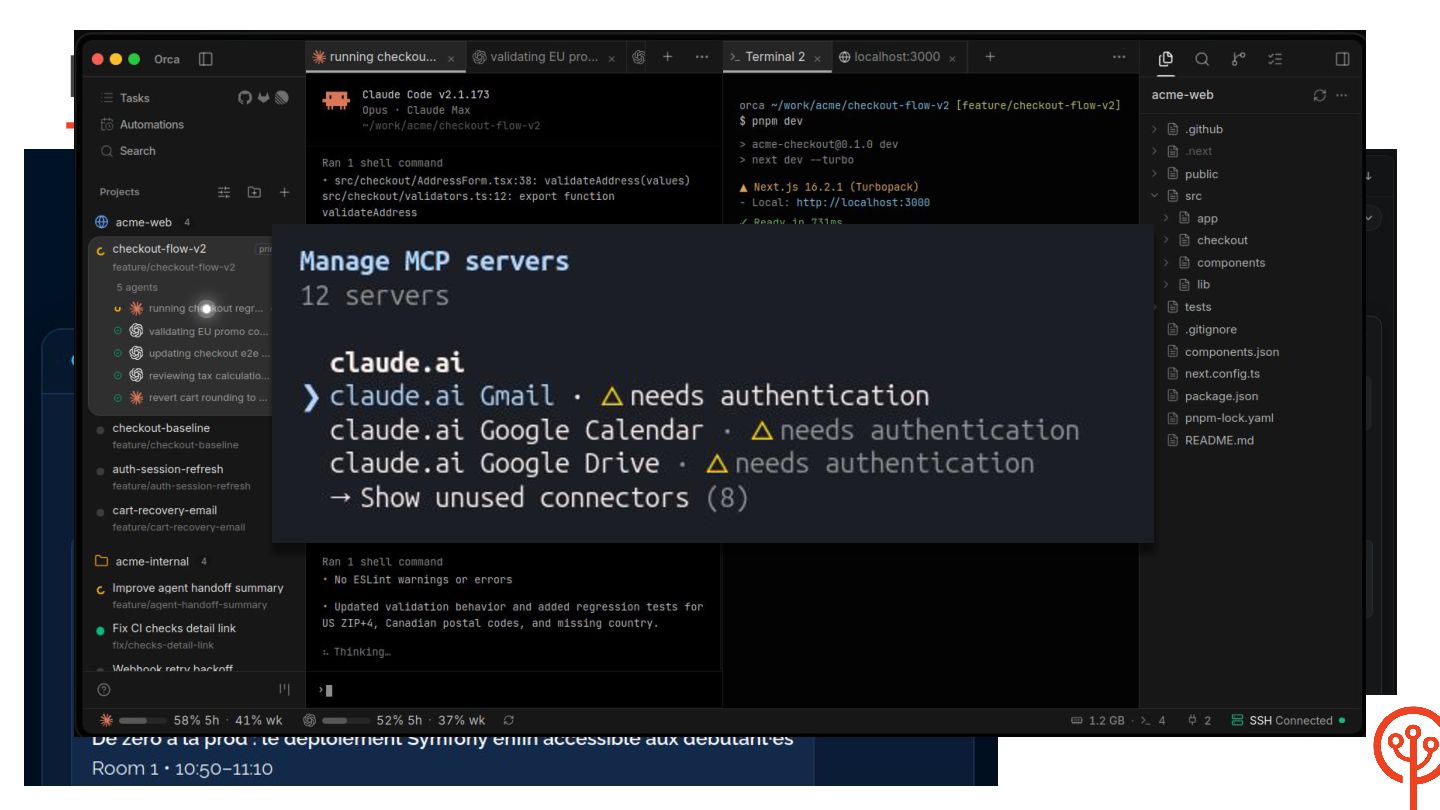
    http markdown-cards https://localhost/mcp ❯ /mcp
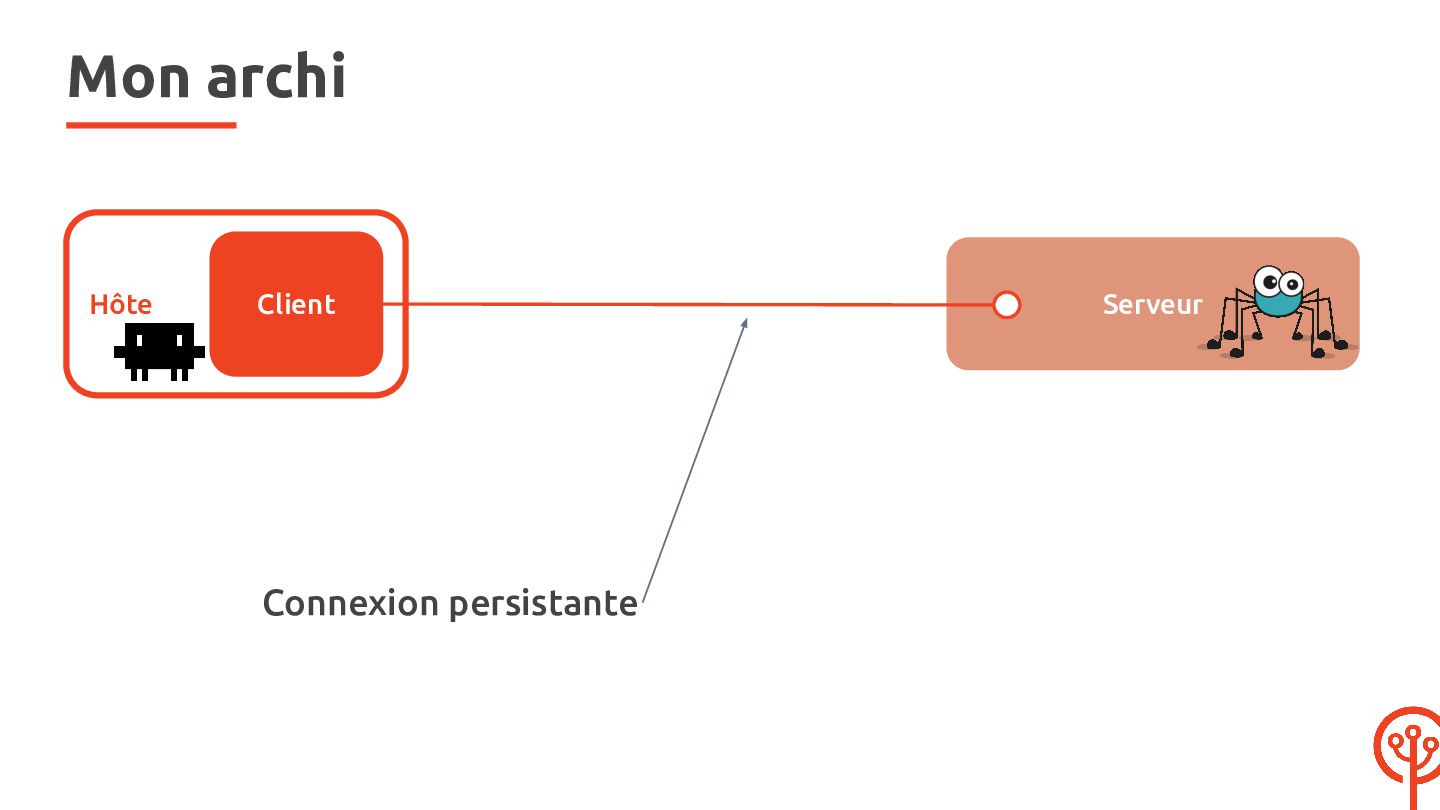
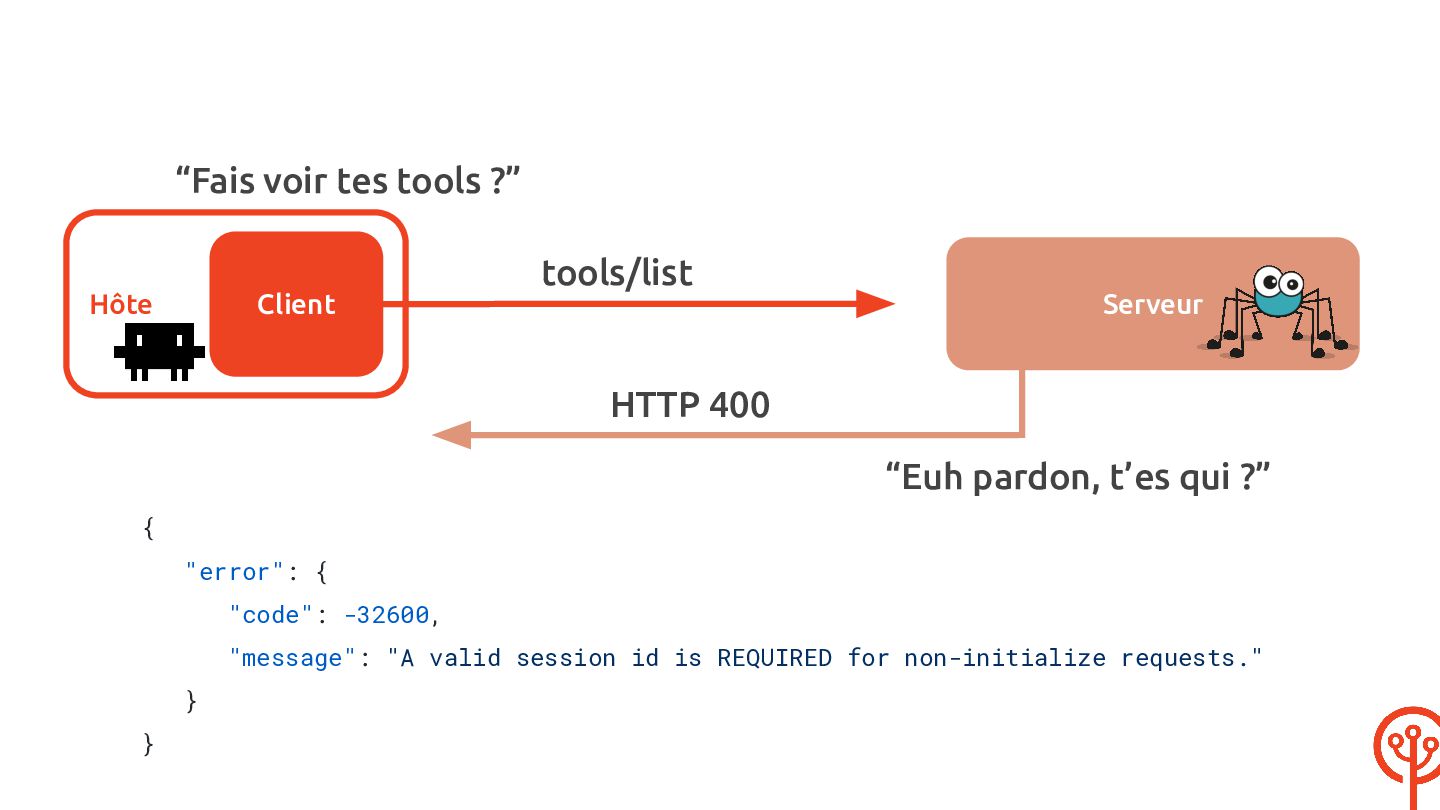
  49. “Fais voir tes tools ?” tools/list Hôte Serveur Client HTTP

    400 “Euh pardon, t’es qui ?” { "error": { "code": -32600, "message": "A valid session id is REQUIRED for non-initialize requests." } }
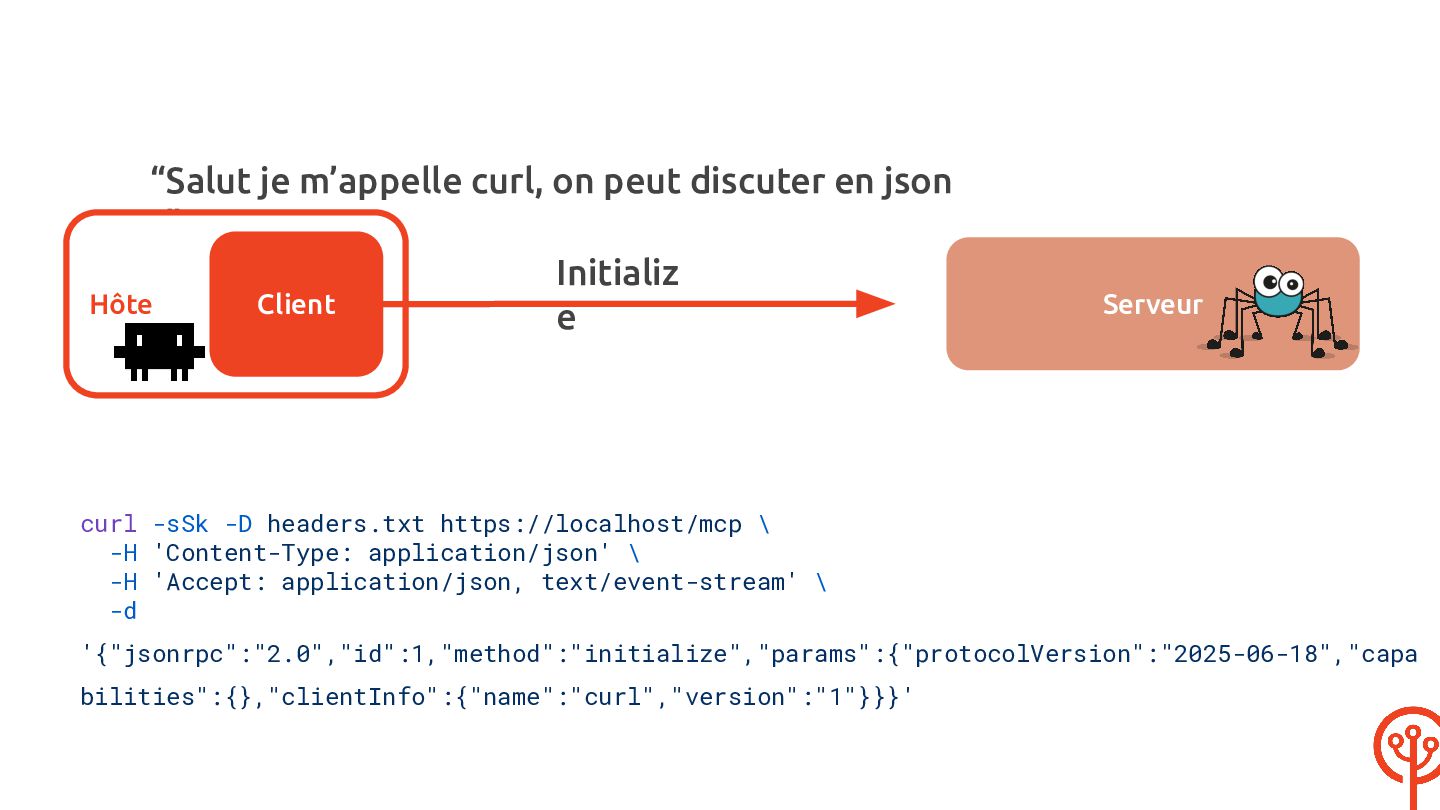
  50. “Salut je m’appelle curl, on peut discuter en json ?”

    Initializ Hôte Client e Serveur curl -sSk -D headers.txt https://localhost/mcp \ -H 'Content-Type: application/json' \ -H 'Accept: application/json, text/event-stream' \ -d '{"jsonrpc":"2.0","id":1,"method":"initialize","params":{"protocolVersion":"2025-06-18","capa bilities":{},"clientInfo":{"name":"curl","version":"1"}}}'
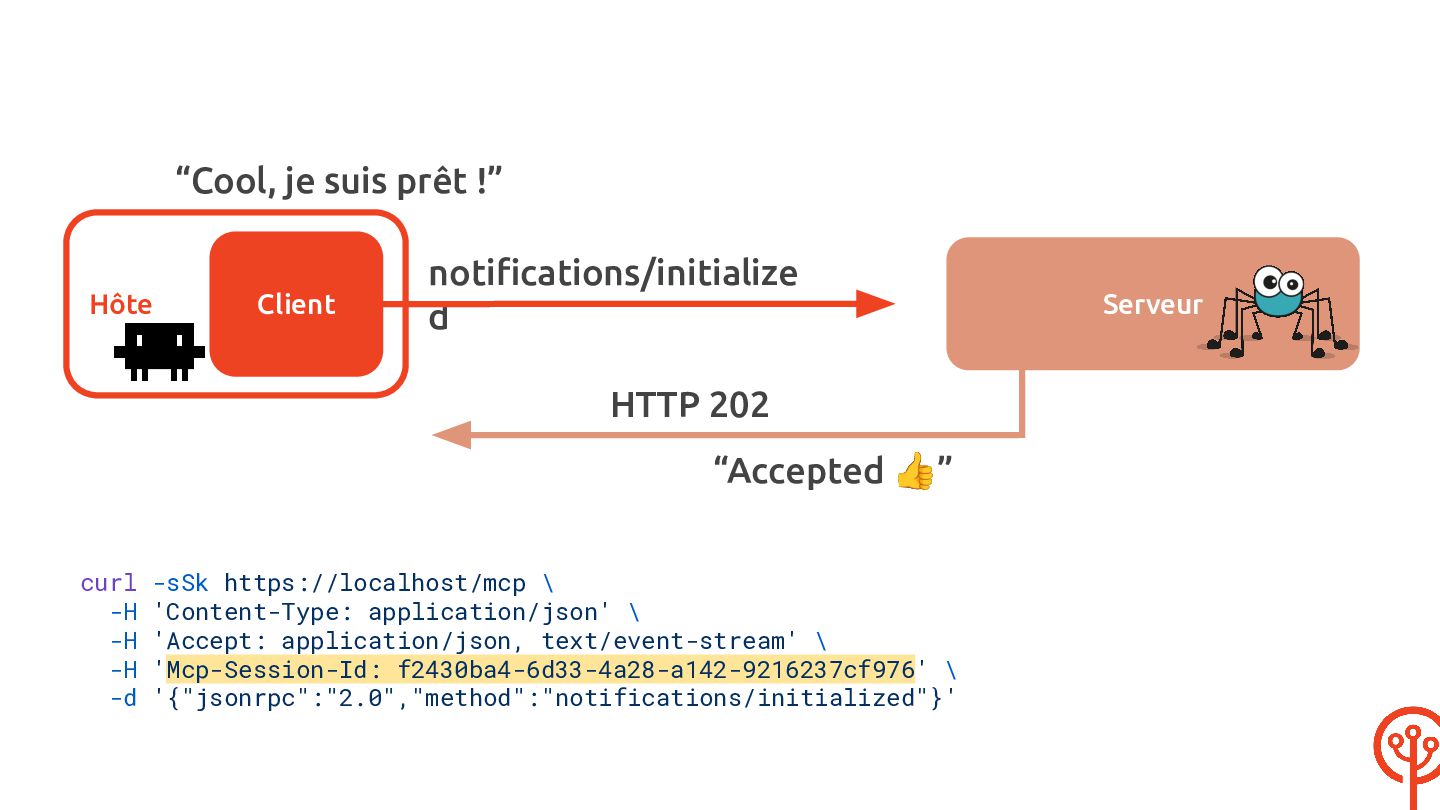
  51. “Cool, je suis prêt !” Hôte Client notifications/initialize d HTTP

    202 “Accepted 👍” curl -sSk https://localhost/mcp \ -H 'Content-Type: application/json' \ -H 'Accept: application/json, text/event-stream' \ -H 'Mcp-Session-Id: f2430ba4-6d33-4a28-a142-9216237cf976' \ -d '{"jsonrpc":"2.0","method":"notifications/initialized"}' Serveur
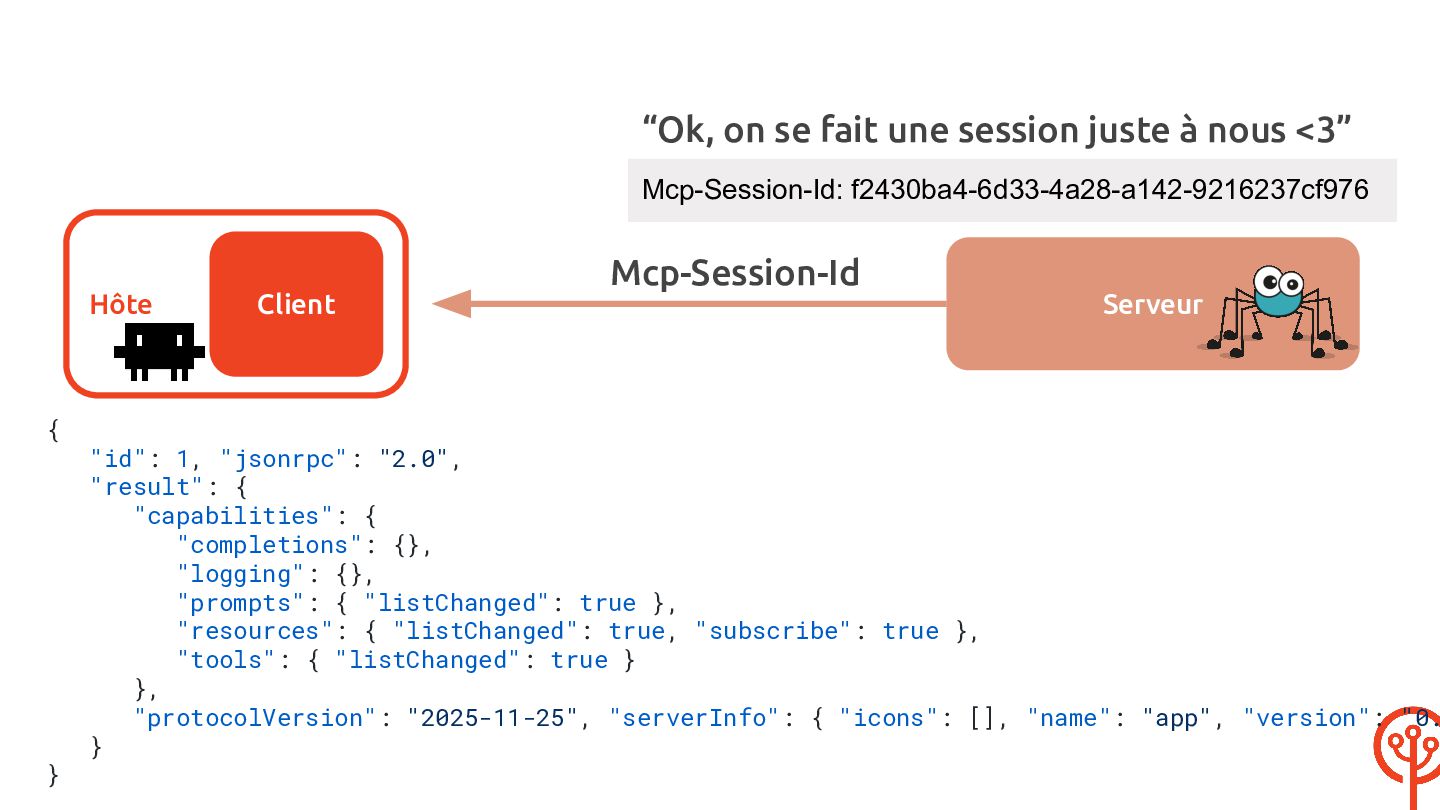
  52. “Ok, on se fait une session juste à nous <3”

    Mcp-Session-Id: f2430ba4-6d33-4a28-a142-9216237cf976 Mcp-Session-Id Hôte { } Client Serveur "id": 1, "jsonrpc": "2.0", "result": { "capabilities": { "completions": {}, "logging": {}, "prompts": { "listChanged": true }, "resources": { "listChanged": true, "subscribe": true }, "tools": { "listChanged": true } }, "protocolVersion": "2025-11-25", "serverInfo": { "icons": [], "name": "app", "version": "0. }
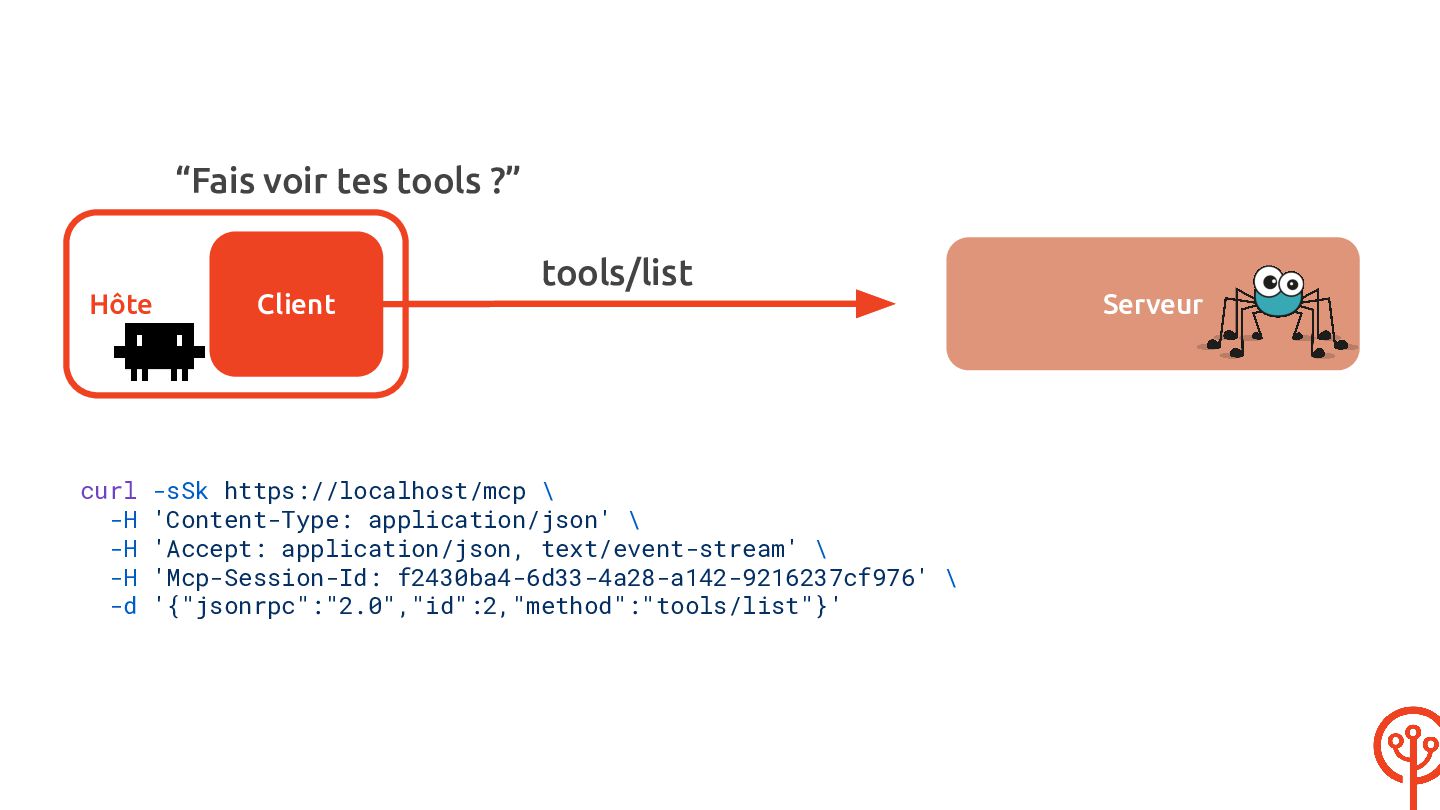
  53. “Fais voir tes tools ?” tools/list Hôte Client curl -sSk

    https://localhost/mcp \ -H 'Content-Type: application/json' \ -H 'Accept: application/json, text/event-stream' \ -H 'Mcp-Session-Id: f2430ba4-6d33-4a28-a142-9216237cf976' \ -d '{"jsonrpc":"2.0","id":2,"method":"tools/list"}' Serveur
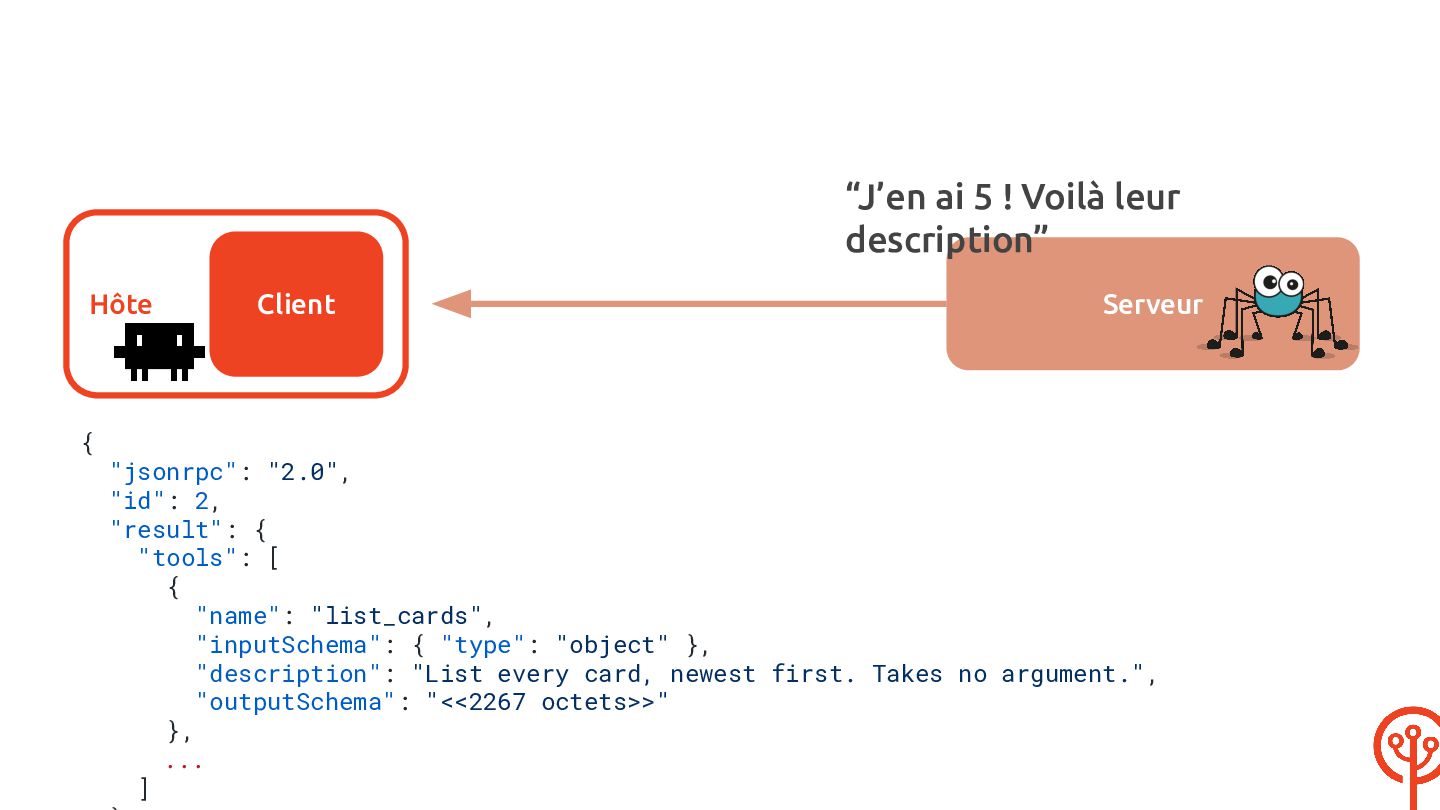
  54. “J’en ai 5 ! Voilà leur description” Hôte { Client

    Serveur "jsonrpc": "2.0", "id": 2, "result": { "tools": [ { "name": "list_cards", "inputSchema": { "type": "object" }, "description": "List every card, newest first. Takes no argument.", "outputSchema": "<<2267 octets>>" }, ... ]
  55. { "name": "create_card", "inputSchema": { "type": "object", "required": ["title", "content"],

    "properties": { "title": { "description": "Card title, plain text.", "default": "", "type": "string" }, "content": { "description": "Card body, Markdown source.", "default": "", "type": "string" "tags": { "type": "array", "items": { "type": "string" }, "description": "Tag names, created when unknown" } } }, "description": "Create a markdown card. Tags are given by name and created when unknown.", "outputSchema": "<<1205 octets>>" }
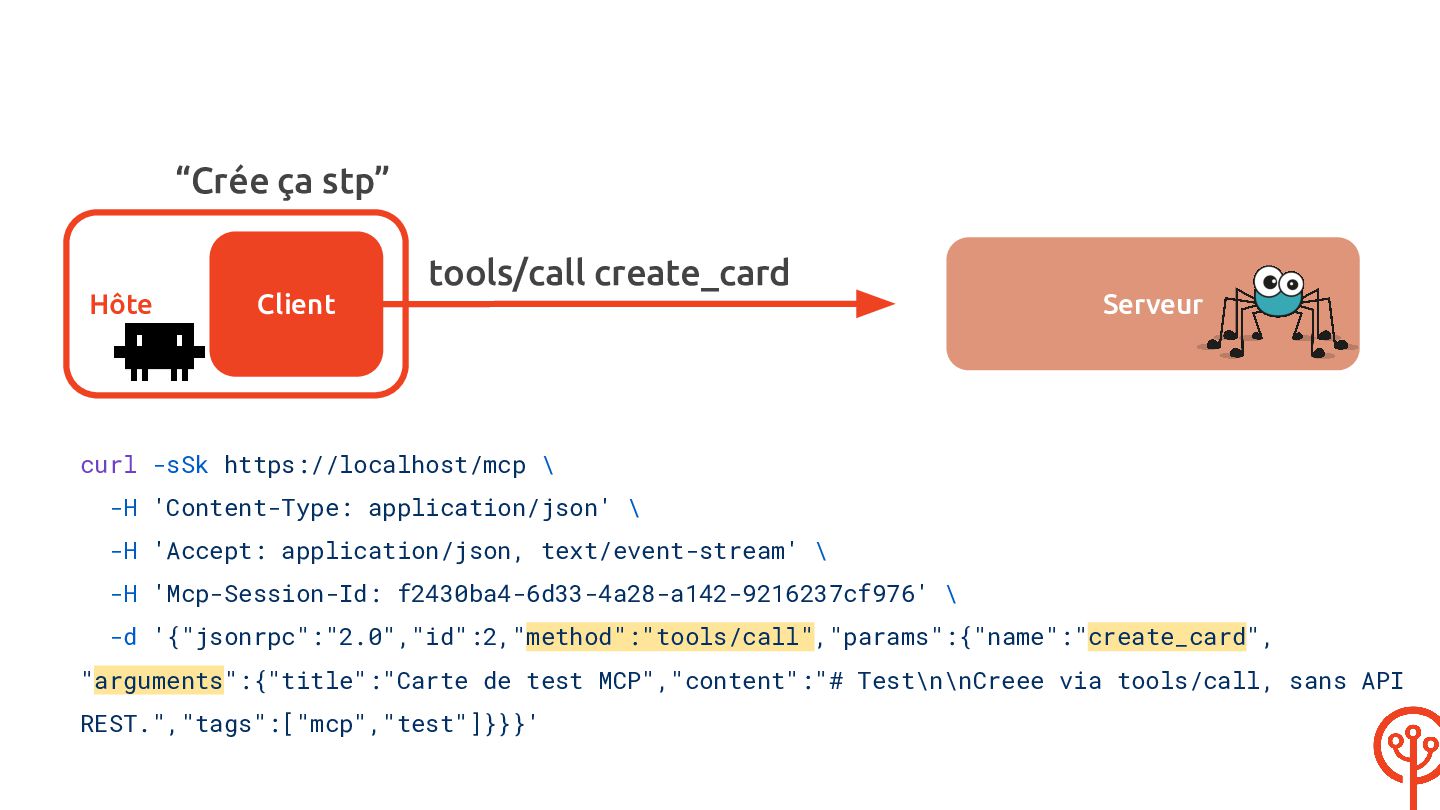
  56. “Crée ça stp” tools/call create_card Hôte Client Serveur curl -sSk

    https://localhost/mcp \ -H 'Content-Type: application/json' \ -H 'Accept: application/json, text/event-stream' \ -H 'Mcp-Session-Id: f2430ba4-6d33-4a28-a142-9216237cf976' \ -d '{"jsonrpc":"2.0","id":2,"method":"tools/call","params":{"name":"create_card", "arguments":{"title":"Carte de test MCP","content":"# Test\n\nCreee via tools/call, sans API REST.","tags":["mcp","test"]}}}'
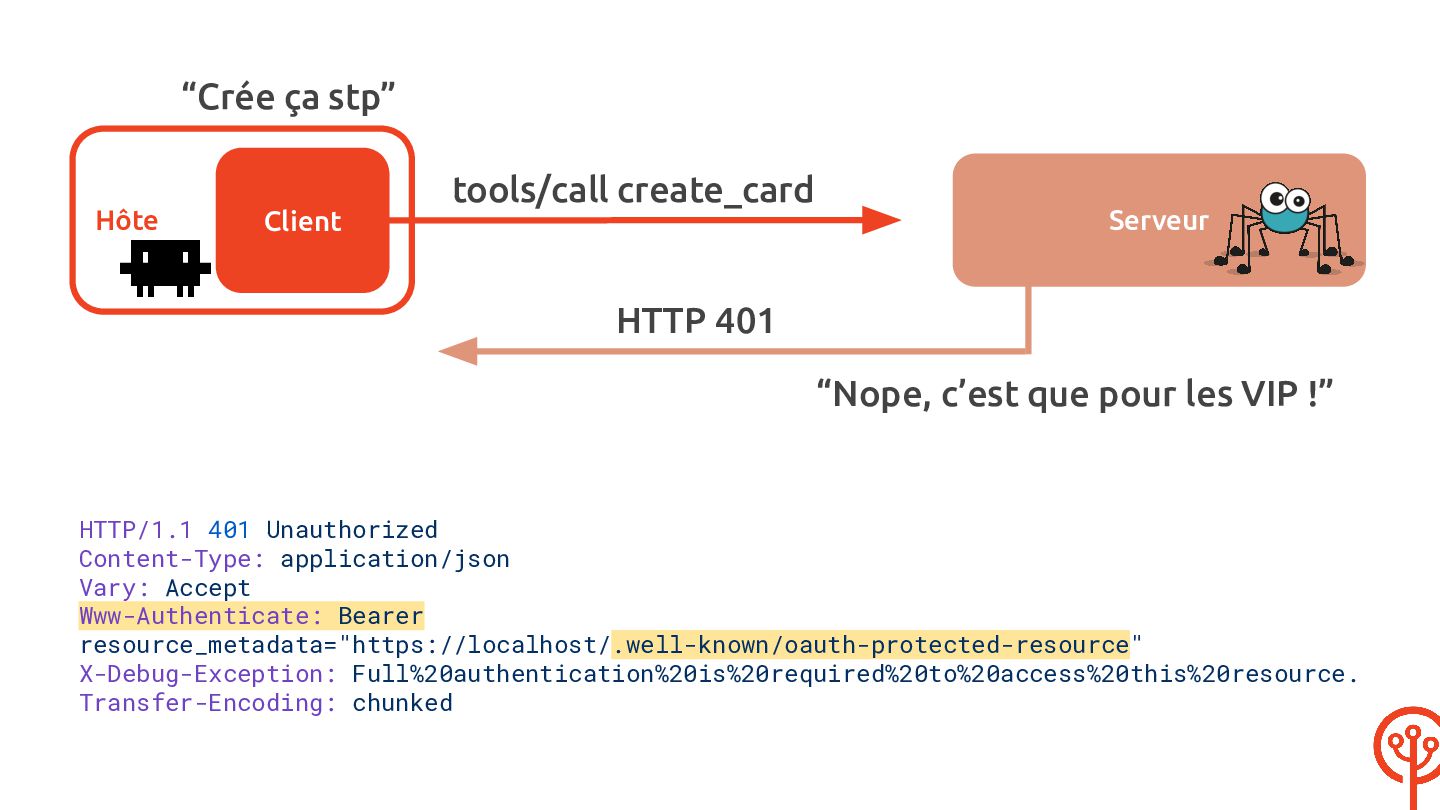
  57. “Crée ça stp” tools/call create_card Hôte Serveur Client HTTP 401

    “Nope, c’est que pour les VIP !” HTTP/1.1 401 Unauthorized Content-Type: application/json Vary: Accept Www-Authenticate: Bearer resource_metadata="https://localhost/.well-known/oauth-protected-resource" X-Debug-Exception: Full%20authentication%20is%20required%20to%20access%20this%20resource. Transfer-Encoding: chunked
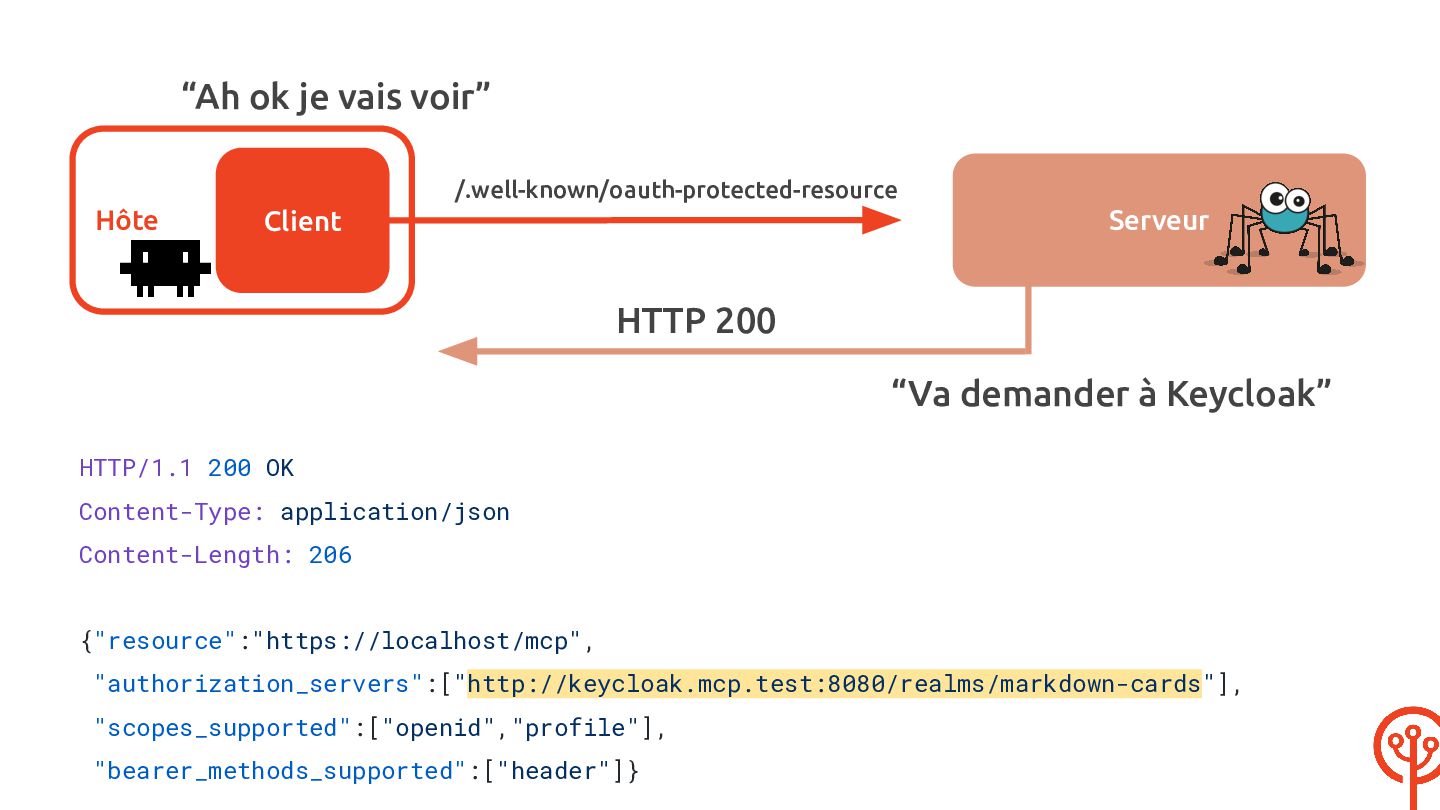
  58. “Ah ok je vais voir” /.well-known/oauth-protected-resource Hôte Serveur Client HTTP

    200 “Va demander à Keycloak” HTTP/1.1 200 OK Content-Type: application/json Content-Length: 206 {"resource":"https://localhost/mcp", "authorization_servers":["http://keycloak.mcp.test:8080/realms/markdown-cards"], "scopes_supported":["openid","profile"], "bearer_methods_supported":["header"]}
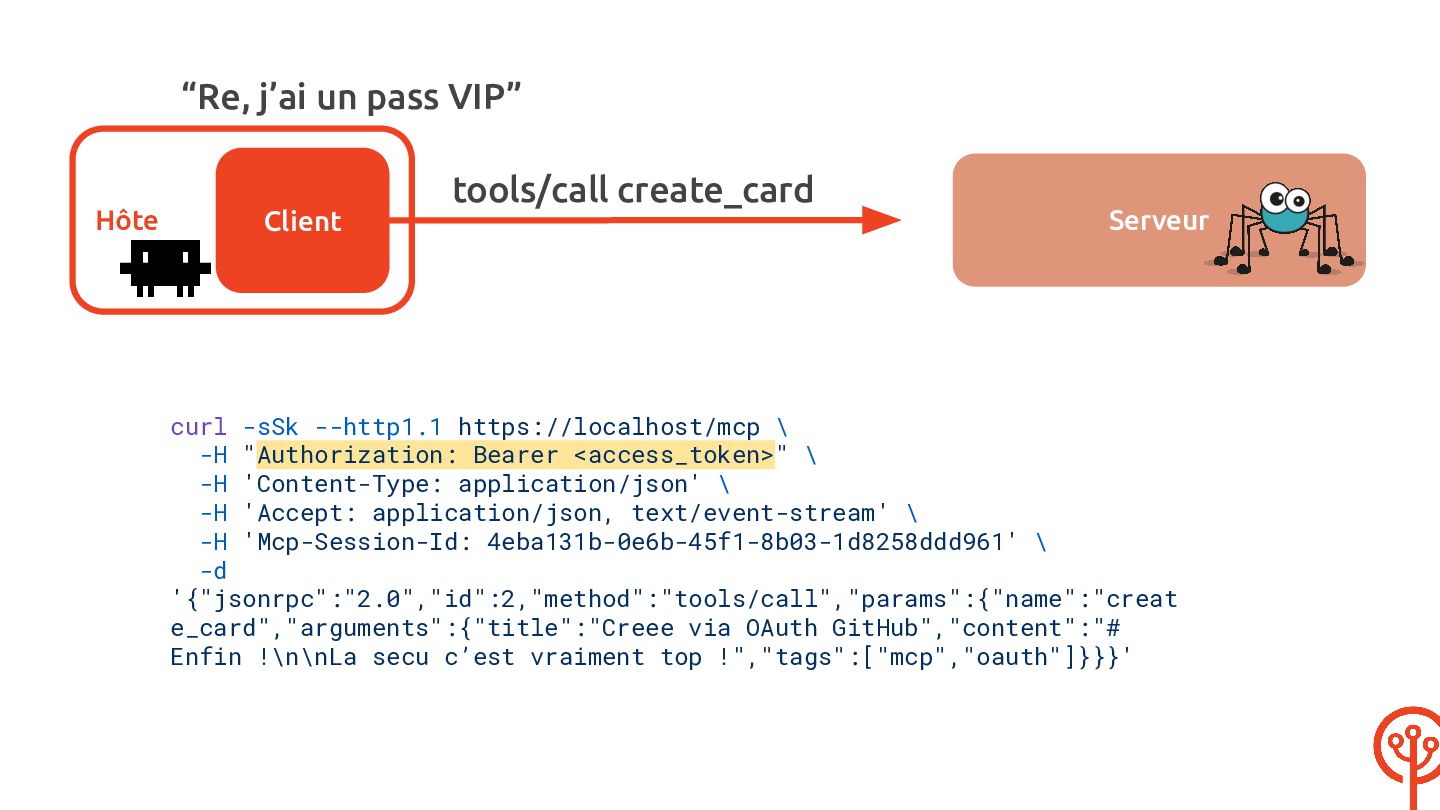
  59. “Re, j’ai un pass VIP” tools/call create_card Hôte Client Serveur

    curl -sSk --http1.1 https://localhost/mcp \ -H "Authorization: Bearer <access_token>" \ -H 'Content-Type: application/json' \ -H 'Accept: application/json, text/event-stream' \ -H 'Mcp-Session-Id: 4eba131b-0e6b-45f1-8b03-1d8258ddd961' \ -d '{"jsonrpc":"2.0","id":2,"method":"tools/call","params":{"name":"creat e_card","arguments":{"title":"Creee via OAuth GitHub","content":"# Enfin !\n\nLa secu c’est vraiment top !","tags":["mcp","oauth"]}}}'
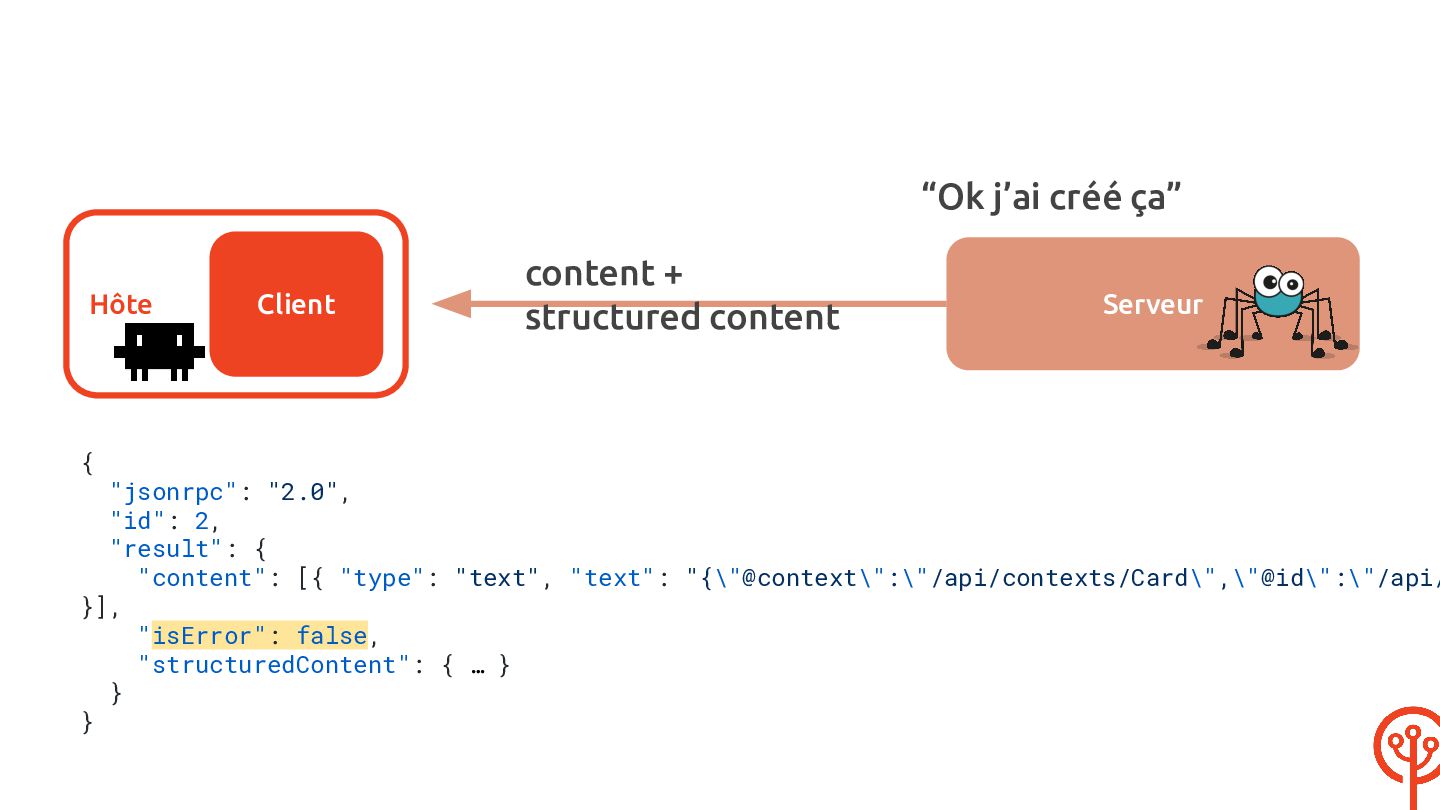
  60. “Ok j’ai créé ça” Hôte { Client content + structured

    content Serveur "jsonrpc": "2.0", "id": 2, "result": { "content": [{ "type": "text", "text": "{\"@context\":\"/api/contexts/Card\",\"@id\":\"/api/ }], "isError": false, "structuredContent": { … } } }
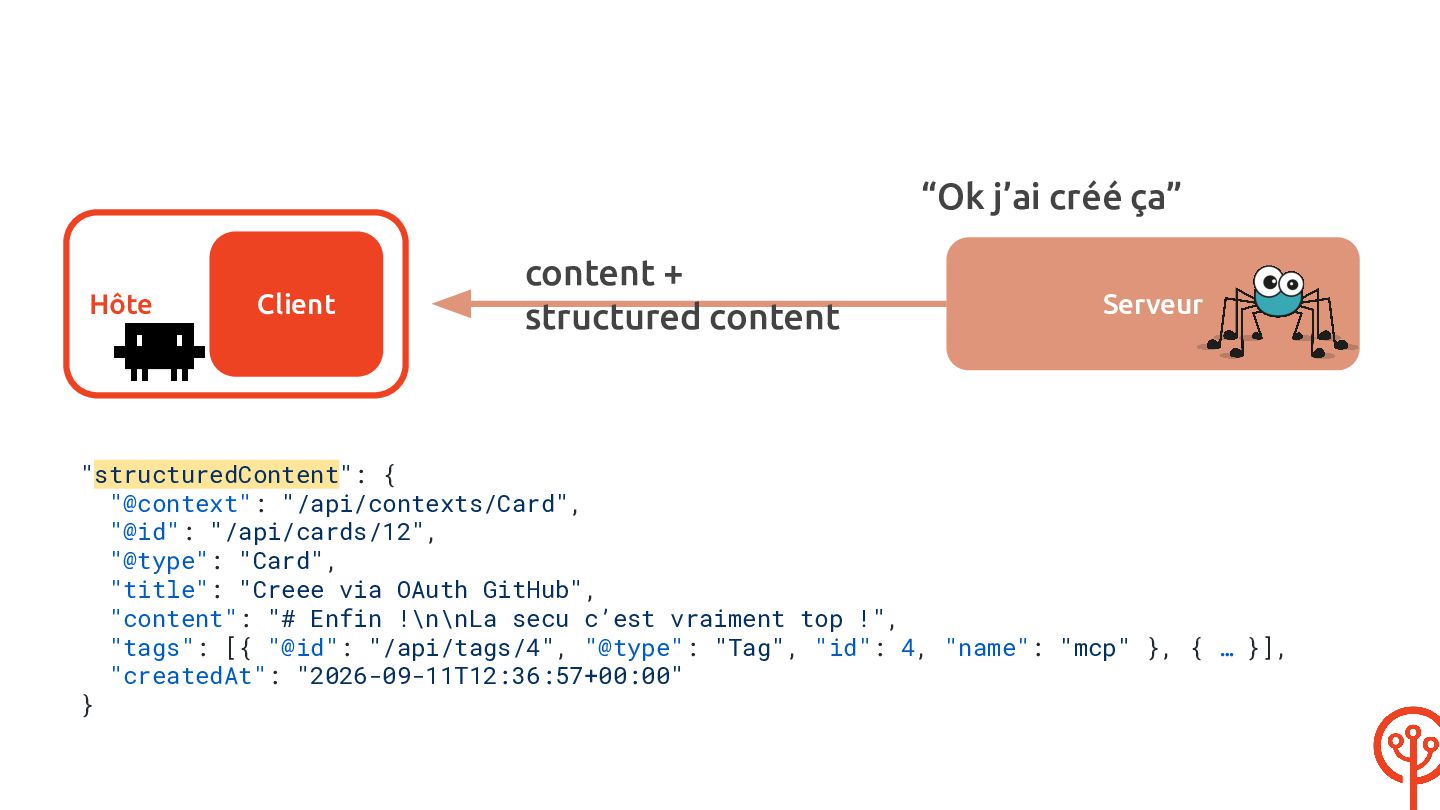
  61. “Ok j’ai créé ça” Hôte Client content + structured content

    Serveur "structuredContent": { "@context": "/api/contexts/Card", "@id": "/api/cards/12", "@type": "Card", "title": "Creee via OAuth GitHub", "content": "# Enfin !\n\nLa secu c’est vraiment top !", "tags": [{ "@id": "/api/tags/4", "@type": "Tag", "id": 4, "name": "mcp" }, { … }], "createdAt": "2026-09-11T12:36:57+00:00" }
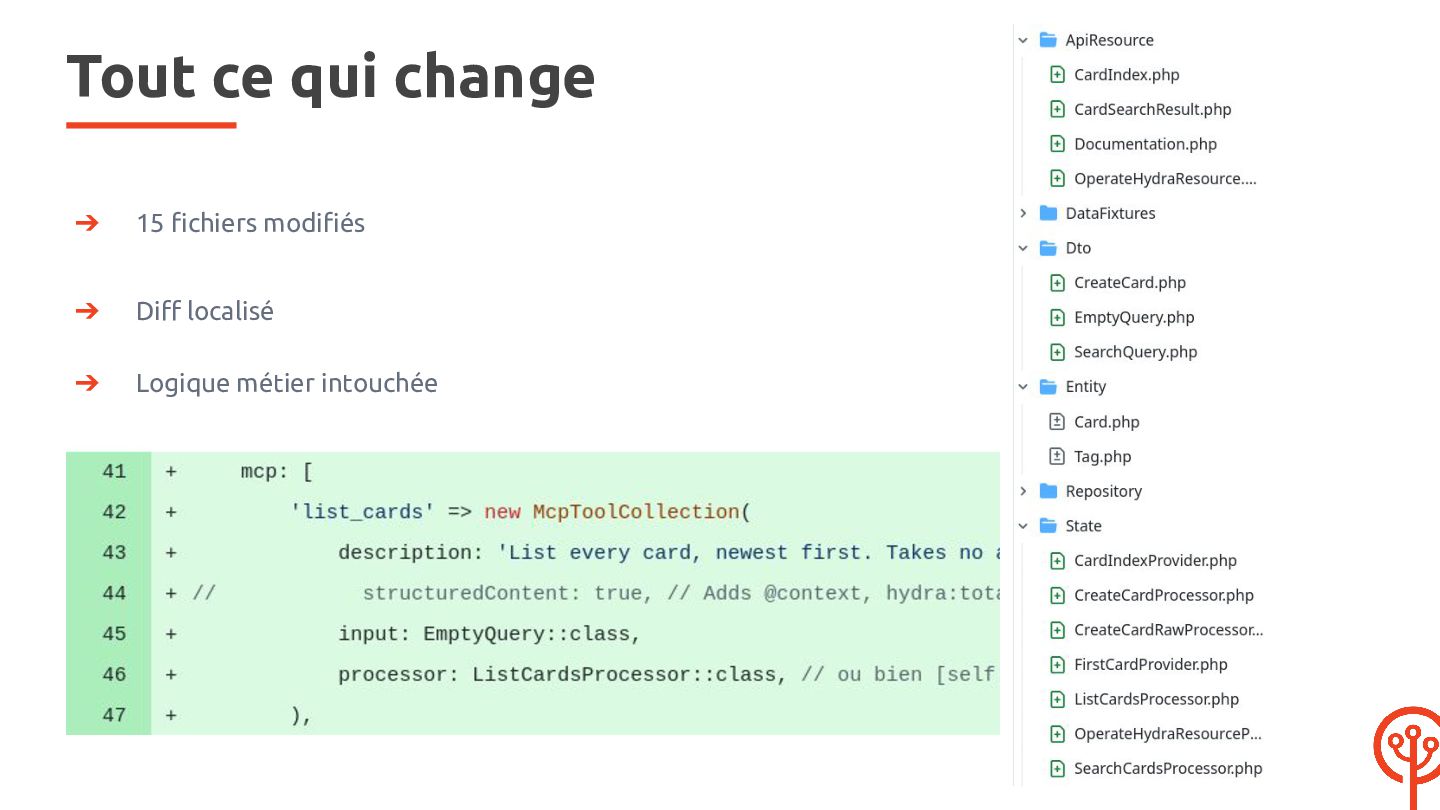
  62. Tout ce qui change ➔ 15 fichiers modifiés ➔ Diff

    localisé ➔ Logique métier intouchée
  63. Conclusion Avec API Platform : ➔ Très peu de code

    supplémentaire ➔ Les schémas sont déjà là CP APIP <3 M
  64. Conclusion Avec API Platform : ➔ Très peu de code

    supplémentaire ➔ Les schémas sont déjà là ➔ Sécurité CP APIP <3 M
  65. Conclusion Avec API Platform : ➔ Très peu de code

    supplémentaire ➔ Les schémas sont déjà là ➔ Sécurité ➔ Données structurées CP APIP <3 M
  66. Exposer une API à un agent ne devrait pas être

    un second projet. Avec API Platform, c'est une clé dans un tableau — et votre validation, votre sécurité et votre modèle de données suivent tout seuls.
  67. Merci ! Des questions ? Retrouvez ➔ le code :

    https://github.com/MarionLeHerisson/til/ ➔ les slides : https://speakerdeck.com/marionleherisson @MarionHerisson @MarionLeHerisson [email protected]