Share
Embed
Teste seu Javascript - Front in SM
Matheus Azzi
July 02, 2016
Transcript
53 slides
-
O QUE É UM TESTE? É uma verificação feita sobre
algo para garantir um determinado comportamento -
10 historical software bugs with extreme consequences http://goo.gl/0zLmrt Testes são
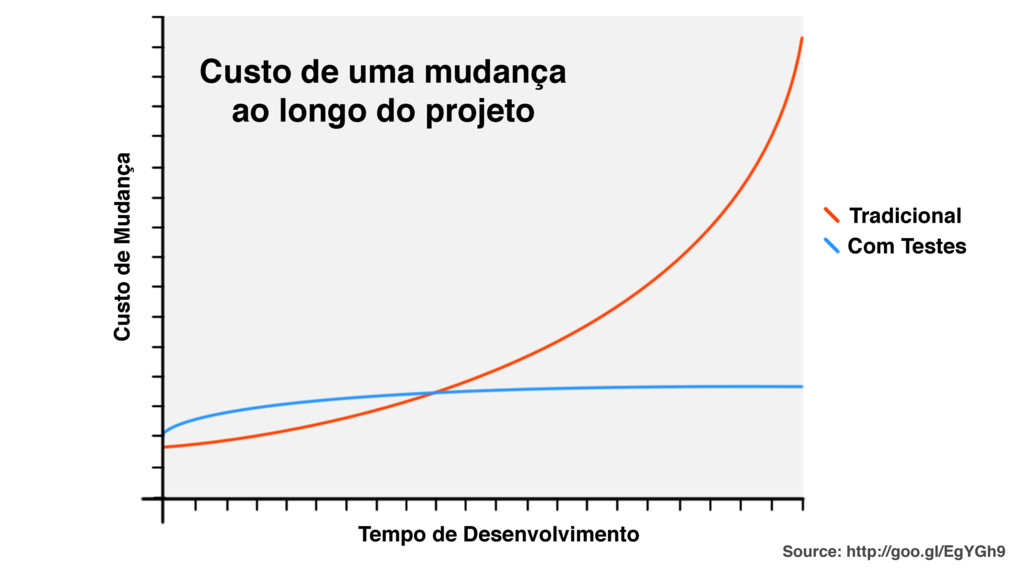
perda de TEMPO/DINHEIRO? -
Custo de Mudança Tempo de Desenvolvimento Tradicional Com Testes Custo
de uma mudança ao longo do projeto Source: http://goo.gl/EgYGh9 -
1 Escreva um teste para um pedaço de funcionalidade O
teste vai falhar, pois não há nada implementado ainda 2 Escreva o código para fazer o teste passar 3 Com o teste passando refatore seu código Repita esse processo continuamente WORKFLOW -
São metodologias de desenvolvimento ágil. TDD E BDD No TDD
(Test Driven Development) o desenvolvimento deve ser guiado por testes, onde um teste unitário deve ser escrito antes de uma funcionalidade do sistema. O objetivo, então, é fazer com que o teste passe com sucesso. No BDD (Behaviour Driven Development) o desenvolvimento deve ser guiado por comportamentos do sistema. Desta forma, um comportamento é priorizado em relação ao teste unitário, o que não exclui a execução do fluxo do TDD nesse processo. -
Não se apegue, são formas de se pensar em testes
partindo de premissas ligeiramente diferentes mas chegando ao mesmo resultado prático. TDD E BDD http://goo.gl/kHA8q ( -
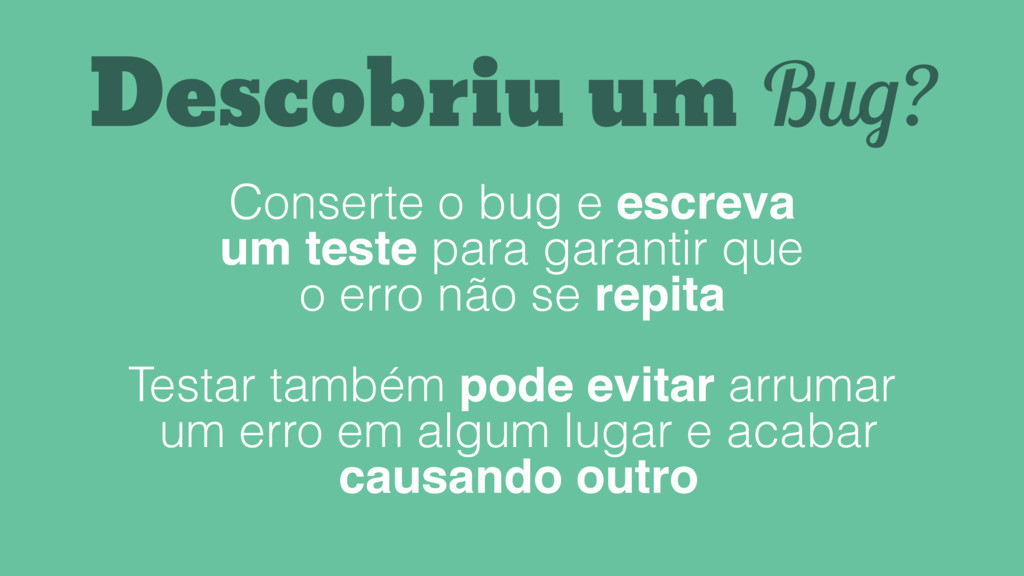
Descobriu um Bug? Conserte o bug e escreva um teste
para garantir que o erro não se repita Testar também pode evitar arrumar um erro em algum lugar e acabar causando outro -
Unitário Integração Aceitação Testa isoladamente uma responsabilidade do sistema Testa
um "componente" e sua comunicação com o resto da aplicação Testa uma funcionalidade da aplicação Valida retornos, propriedades e execução de métodos Ajuda na qualidade do código Testa o componente em seu cenário e como se conecta com as outras responsabilidades Utiliza a interface da aplicação testando a funcionalidade Ajuda na verificação Tipos de Teste -
calc.spec.js alc', function() { // ./assets/scripts/calc.js function Calc() { }
Calc.prototype.sum = function(n1, n2) { return n1 + n2; }; Jasmine -
// ./specs/calc.spec.js describe('Calc', function() { }); // ./assets/scripts/calc.js function Calc()
{ } Calc.prototype.sum = function(n1, n2) { return n1 + n2; }; Jasmine -
// ./specs/calc.spec.js describe('Calc', function() { var subject, result; beforeEach(function() {
subject = new Calc(); }); }); // ./assets/scripts/calc.js function Calc() { } Calc.prototype.sum = function(n1, n2) { return n1 + n2; }; Jasmine -
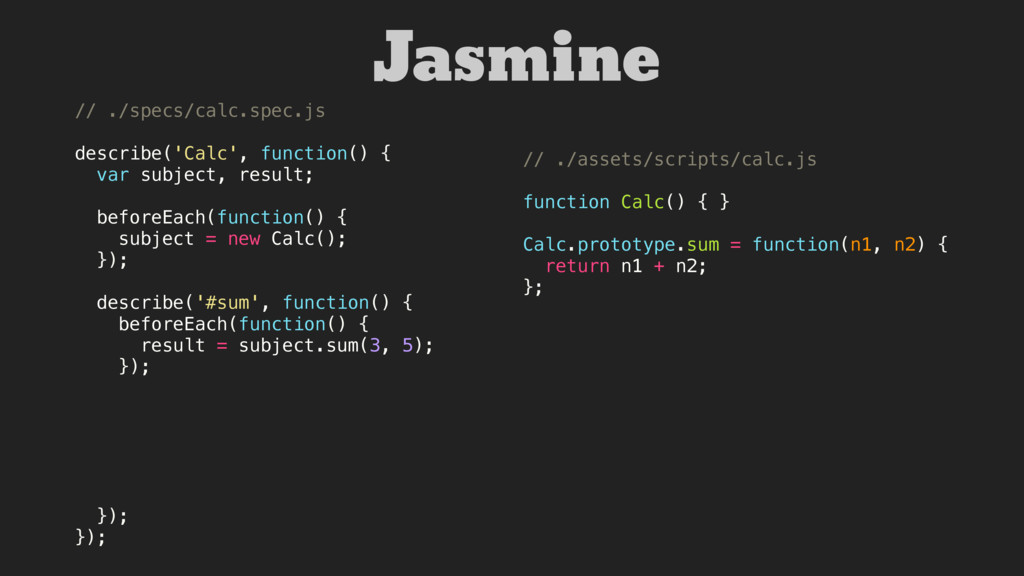
// ./specs/calc.spec.js describe('Calc', function() { var subject, result; beforeEach(function() {
subject = new Calc(); }); describe('#sum', function() { beforeEach(function() { result = subject.sum(3, 5); }); }); }); // ./assets/scripts/calc.js function Calc() { } Calc.prototype.sum = function(n1, n2) { return n1 + n2; }; Jasmine -
// ./specs/calc.spec.js describe('Calc', function() { var subject, result; beforeEach(function() {
subject = new Calc(); }); describe('#sum', function() { beforeEach(function() { result = subject.sum(3, 5); }); it('sums two numbers', function() { expect(result).toEqual(8); }); // ... }); }); // ./assets/scripts/calc.js function Calc() { } Calc.prototype.sum = function(n1, n2) { return n1 + n2; }; Jasmine -
$ karma init Which testing framework do you want to
use ? Press tab to list possible options. Enter to move to the next question. > jasmine Do you want to use Require.js ? This will add Require.js plugin. Press tab to list possible options. Enter to move to the next question. > no Do you want to capture any browsers automatically ? Press tab to list possible options. Enter empty string to move to the next question. > Chrome What is the location of your source and test files ? You can use glob patterns, eg. "js/*.js" or "test/**/ *Spec.js". Enter empty string to move to the next question. > app/assets/scripts/**/*.js > specs/**/*.spec.js Should any of the files included by the previous patterns be excluded ? You can use glob patterns, eg. "**/*.swp". Enter empty string to move to the next question. > Do you want Karma to watch all the files and run the tests on change ? Press tab to list possible options. > no Config file generated Karma Setup -
Karma Setup // karma.config.js module.exports = function(config) { config.set({ basePath:
'', frameworks: ['jasmine'], files: [ 'app/assets/scripts/**/*.js', 'specs/**/*.spec.js' ], exclude: [ 'node_modules' ], preprocessors: {}, reporters: ['progress'], port: 9876, colors: true, logLevel: config.LOG_INFO, autoWatch: false, browsers: ['Chrome'], singleRun: false }) }; -
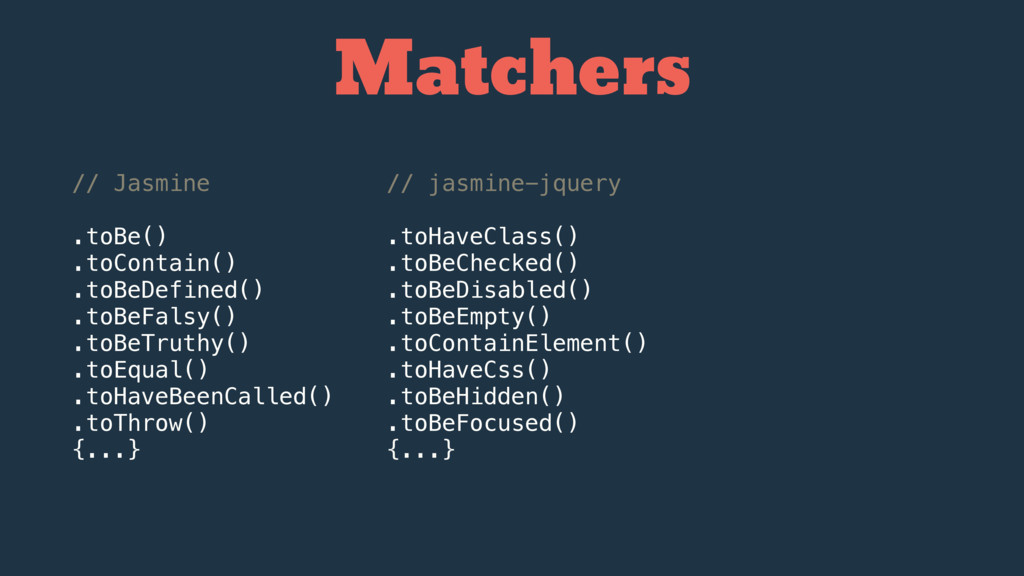
// Jasmine .toBe() .toContain() .toBeDefined() .toBeFalsy() .toBeTruthy() .toEqual() .toHaveBeenCalled() .toThrow()
{...} // jasmine-jquery .toHaveClass() .toBeChecked() .toBeDisabled() .toBeEmpty() .toContainElement() .toHaveCss() .toBeHidden() .toBeFocused() {...} Matchers -
// Jasmine .toBe() .toContain() .toBeDefined() .toBeFalsy() .toBeTruthy() .toEqual() .toHaveBeenCalled() .toThrow()
{...} // jasmine-jquery .toHaveClass() .toBeChecked() .toBeDisabled() .toBeEmpty() .toContainElement() .toHaveCss() .toBeHidden() .toBeFocused() {...} // jasmine-matchers .toHaveMethod() .toBeEmptyArray() .toBeAfter(date) .toBeArray() .toBeBoolean() .toHaveMember() {...} Matchers -
Testes unitários são executados isoladamente, portando utilizamos artifícios para simular
todas as dependências que o teste precisar. -
Testar o DOM é difícil, mas a maior parte do
Javascript no Front-end se refere a UI. Porém, ficar injetando templates nos seus testes pode ser uma má prática. Fixture -
Testar o DOM é difícil, mas a maior parte do
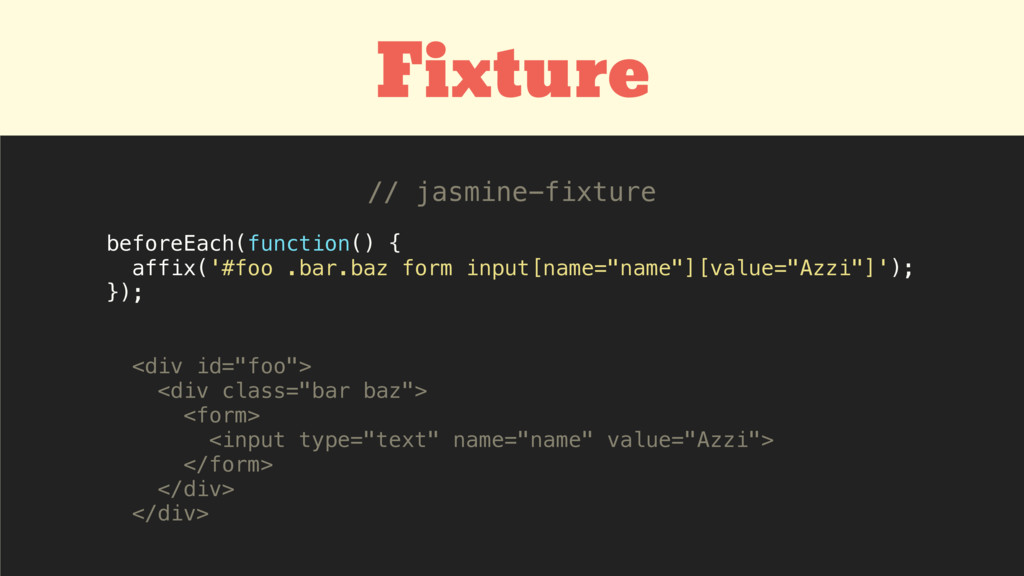
Javascript no Front-end se refere a UI. Porém, ficar injetando templates nos seus testes é uma má prática. beforeEach(function() { $('<div id="foo">' + '<div class="bar baz">' + '<form>' + '<input type="text" name="name" value="Azzi">' + '</form>' + '</div>' + '</div>').appendTo('body'); }); afterEach(function() { $('#foo').remove(); }); var content = require('./app/views/home'); var _ = require('underscore'); beforeEach(function() { $('body').append( _.template(content) ); }); afterEach(function() { $('body').empty(); }); ou Fixture -
Testar o DOM é difícil, mas a maior parte do
Javascript no Front-end se refere a UI. Porém, ficar injetando templates nos seus testes é uma má prática. beforeEach(function() { $('<div id="foo">' + '<div class="bar baz">' + '<form>' + '<input type="text" name="name" value="Azzi">' + '</form>' + '</div>' + '</div>').appendTo('body'); }); afterEach(function() { $('#foo').remove(); }); var content = require('./app/views/home'); var _ = require('underscore'); beforeEach(function() { $('body').append( _.template(content) ); }); afterEach(function() { $('body').empty(); }); ou beforeEach(function() { affix('#foo .bar.baz form input[name="name"][value="Azzi"]'); }); <div id="foo"> <div class="bar baz"> <form> <input type="text" name="name" value="Azzi"> </form> </div> </div> // jasmine-fixture Fixture -
Pode interceptar chamadas de função: • Verifica se a função
foi chamada • Verifica os parâmetros no qual foi executada Espia as funções do seu código Spy -
Pode interceptar chamadas de função: • Verifica se a função
foi chamada • Verifica os parâmetros no qual foi executada Espia as funções do seu código function MyComponent($element) { this.$element = $element; this.addListeners(); }; MyComponent.prototype.addListeners = function() { this.$element.on('click', this.doSomething.bind(this)); }; MyComponent.prototype.doSomething = function() { {...} }; Spy -
function MyComponent($element) { this.$element = $element; this.addListeners(); }; MyComponent.prototype.addListeners =
function() { this.$element.on('click', this.doSomething.bind(this)); }; MyComponent.prototype.doSomething = function() { {...} }; describe('MyComponent', function() { var $element, subject, result; beforeEach(function() { $element = affix('button'); subject = new MyComponent($element); }); describe('when click happens', function() { beforeEach(function() { result = spyOn(subject, 'doSomething'); subject.addListeners(); subject.$element.trigger('click'); }); it('call #doSomething', function() { expect(result).toHaveBeenCalled(); }); }); }); Spy -
Stub É um objeto com um comportamento pré-programado Pode ser
configurado para: • Executar a função original • Retornar um resultado pré-definido • Chamar uma função fake • Lançar um erro -
É um objeto com um comportamento pré-programado Pode ser configurado
para: • Executar a função original • Retornar um resultado pré-definido • Chamar uma função fake • Lançar um erro Stub var Foo = { bar: function() { return 'Real function'; } }; spyOn(Foo, 'bar'); Foo.bar(); // spyOn(Foo, 'bar').and.callThrough(); Foo.bar(); // "Real function" spyOn(Foo, 'bar').and.returnValue('Abc'); Foo.bar(); // "Abc" spyOn(Foo, 'bar').and.callFake(function() { return 'Replacing real fn'; }); Foo.bar(); // "Replacing real fn" -
É um objeto com um comportamento pré-programado Pode ser configurado
para: • Executar a função original • Retornar um resultado pré-definido • Chamar uma função fake • Lançar um erro Stub describe('Sample', function() { var myCallback; beforeEach(function() { myCallback = jasmine.createSpy(); Sample(myCallback); }); it('exec callback argument', function() { expect(myCallback).toHaveBeenCalled(); }); it('exec callback passing 123 argument', function() { expect(myCallback).toHaveBeenCalledWith(123); }); it('exec callback once', function() { expect(myCallback.calls.count()).toEqual(1); }); }); function Sample(callback) { callback(123); } -
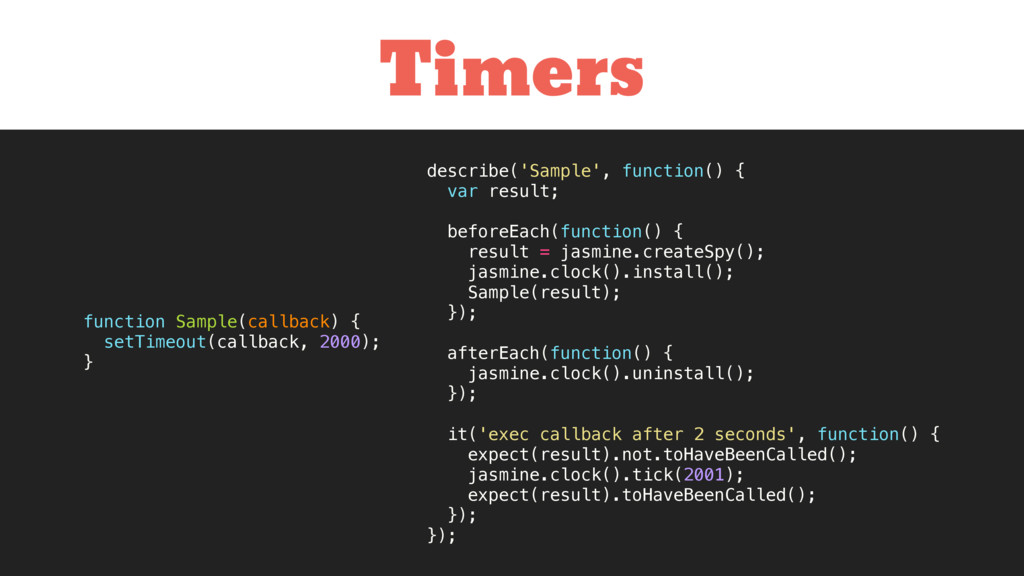
Timers describe('Sample', function() { var result; beforeEach(function() { result =
jasmine.createSpy(); jasmine.clock().install(); Sample(result); }); afterEach(function() { jasmine.clock().uninstall(); }); it('exec callback after 2 seconds', function() { expect(result).not.toHaveBeenCalled(); jasmine.clock().tick(2001); expect(result).toHaveBeenCalled(); }); }); function Sample(callback) { setTimeout(callback, 2000); } -
Focused Specs // fdescribe // fit describe('Rodar 1 único teste',
function() { fit('esse teste é focado e vai rodar', function() { expect(true).toBeTruthy(); }); it('esse teste não vai rodar', function(){ expect(true).toBeFalsy(); }); }); -
Código Testável Organize seu código - Apresentação e interação -
Gerenciamento de dados e persistência - Estados gerais do componente - Configuração e inicialização -
Código Testável Tente evitar: - Componentes mal estruturados - Métodos
grandes e complexos - Métodos muito acoplados - Funções anônimas - Estados não visíveis -
function Component() { var isLoading = true; } function Component()
{ this.isLoading = true; } $('.foo').on('click', function() { $(this).append('<h1>Hello</h1>'); }); function showHello() { $(this).append('<h1>Hello</h1>'); } $('.foo').on('click', showHello); init: function() { this.$elem = $('.elem'); } init: function(options) { this.$elem = options.$elem || $('.elem'); } this.$element.fadeIn(300); this.$element.slideUp(300); this.$element.addClass('is-visible'); this.$element.addClass('is-collapsed'); -
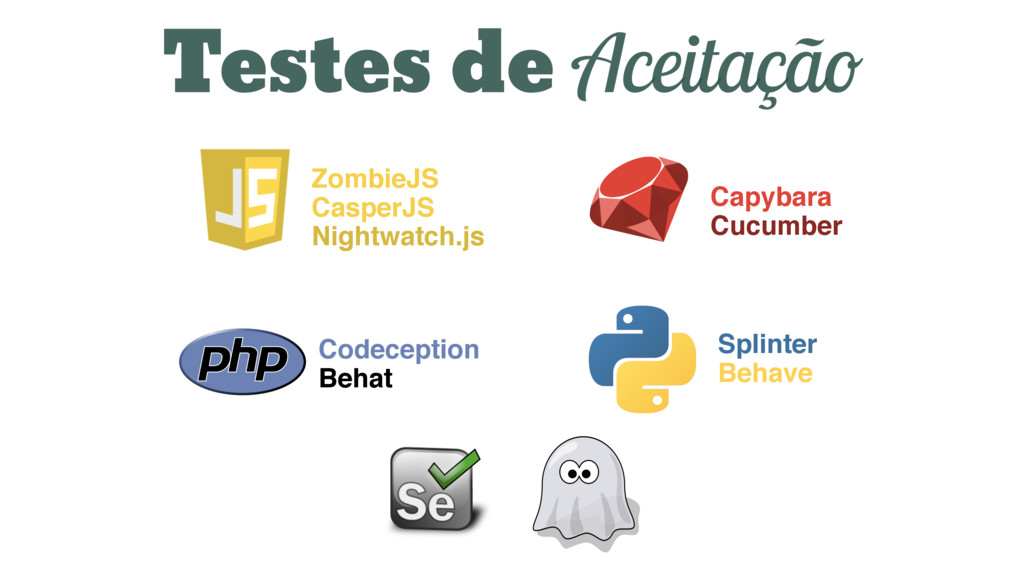
var Browser = require('zombie'); Browser.localhost('example.com', 3000); describe('User visits home page',
function() { var browser = new Browser(); before(function(done) { browser.visit('/', done); }); it('renders with login area', function() { browser.assert.success(); browser.assert.element('form[action="/login"]'); }); // ... }); ZombieJS -
ZombieJS // ... describe('tries to login', function() { describe('providing correct
info', function() { before(function(done) { browser .fill('email', '[email protected]') .fill('password', '123123') .pressButton('Login', done); }); it('See a welcome page', function() { browser.assert.text('h1', 'Bem-vindo, Matheus'); }); }); describe('providing incorrect info', function() { before(function(done) { browser .fill('email', '[email protected]') .fill('password', 'foobar') .pressButton('Login', done); }); it('show input errors', function() { browser.assert.className('input[name=email]', 'has-error'); browser.assert.className('input[name=password]', 'has-error'); }); it('doesn\'t login', function() { browser.assert.text('.errors', 'Dados inválidos'); }); }); }); -
I get paid for code that works, not for tests,
so my philosophy is to test as little as possible to reach a given level of confidence [...] Kent Beck on StackOverflow Até onde devo testar?