Upgrade to Pro
— share decks privately, control downloads, hide ads and more …
Speaker Deck
Sign up for free
Menu
Search
Features
All features
Private URLs
Password Protection
Custom URLS
Scheduled publishing
Remove Branding
Restrict embedding
Deck Collections
Notes
Features
All features
Private URLs
Password Protection
Custom URLS
Scheduled publishing
Remove Branding
Restrict embedding
Deck Collections
Notes
Explore
Featured decks
Featured speakers
Programming
Technology
Storyboards
Explore
Featured decks
Featured speakers
Programming
Technology
Storyboards
Pricing
Search
Sign in
Sign up for free
HOT Tasking Manager Validate マニュアル
Search
Miu9712
June 14, 2018
49
0
Share
Embed
Copy iframe code
Copy JS code
Copy link
Start on current slide
HOT Tasking Manager Validate マニュアル
Miu9712
June 14, 2018
More Decks by Miu9712
See All by Miu9712
HOT Tasking Manager マニュアル
miu9712
0
78
Featured
See All Featured
How to optimise 3,500 product descriptions for ecommerce in one day using ChatGPT
katarinadahlin
PRO
3
3.9k
How Software Deployment tools have changed in the past 20 years
geshan
2
35k
Crafting Experiences
bethany
1
380
From Legacy to Launchpad: Building Startup-Ready Communities
dugsong
0
360
Rails Girls Zürich Keynote
gr2m
96
14k
RailsConf 2023
tenderlove
30
1.6k
The Invisible Side of Design
smashingmag
301
52k
HU Berlin: Industrial-Strength Natural Language Processing with spaCy and Prodigy
inesmontani
PRO
0
750
The Cult of Friendly URLs
andyhume
79
7k
Money Talks: Using Revenue to Get Sh*t Done
nikkihalliwell
0
520
How to build an LLM SEO readiness audit: a practical framework
nmsamuel
2
950
Keith and Marios Guide to Fast Websites
keithpitt
413
23k
Transcript
Validate マニュアル 1A116191 福⽥美⽻
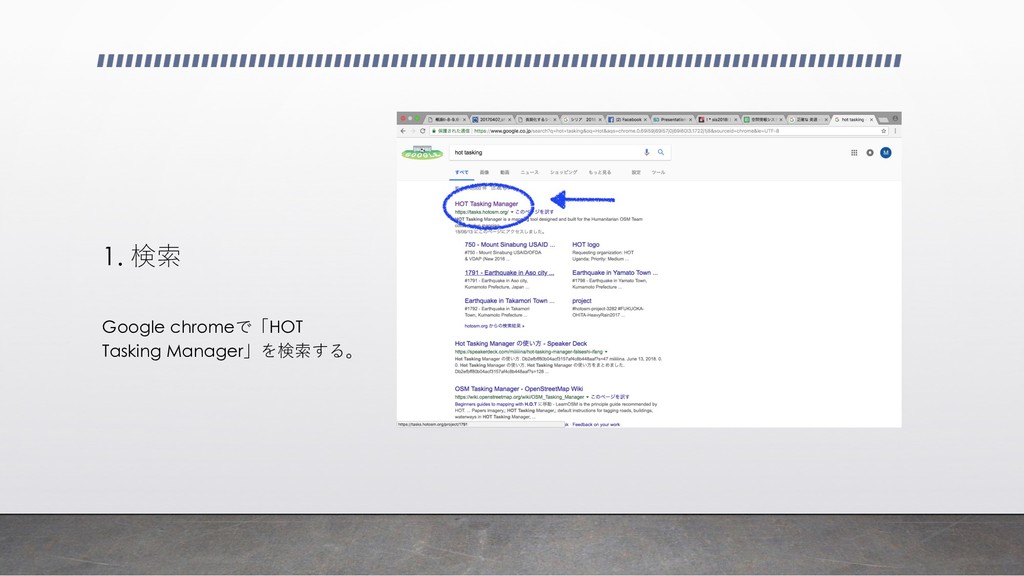
1. 検索 Google chromeで「HOT Tasking Manager」を検索する。
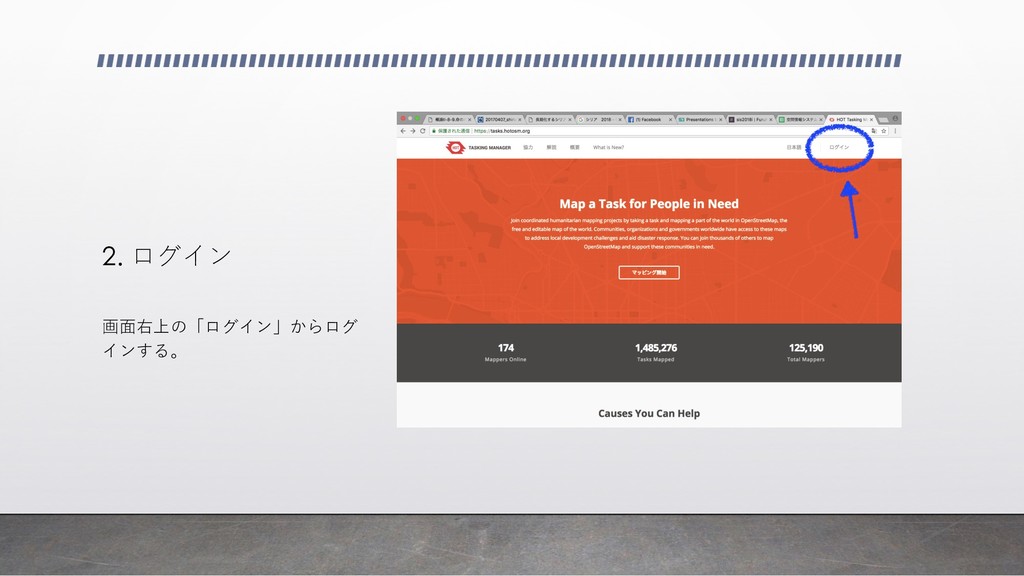
2. ログイン 画⾯右上の「ログイン」からログ インする。
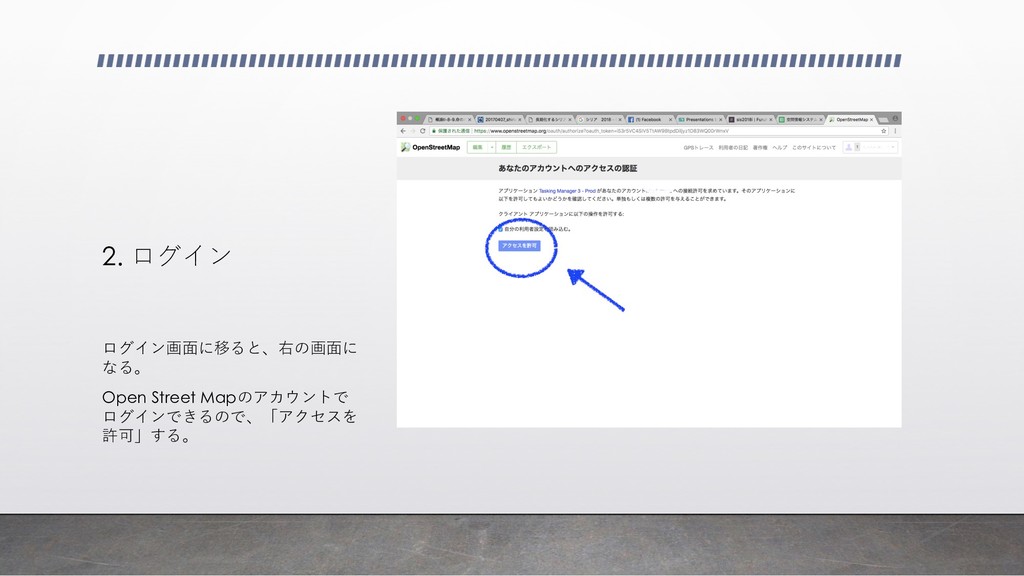
2. ログイン ログイン画⾯に移ると、右の画⾯に なる。 Open Street Mapのアカウントで ログインできるので、「アクセスを 許可」する。
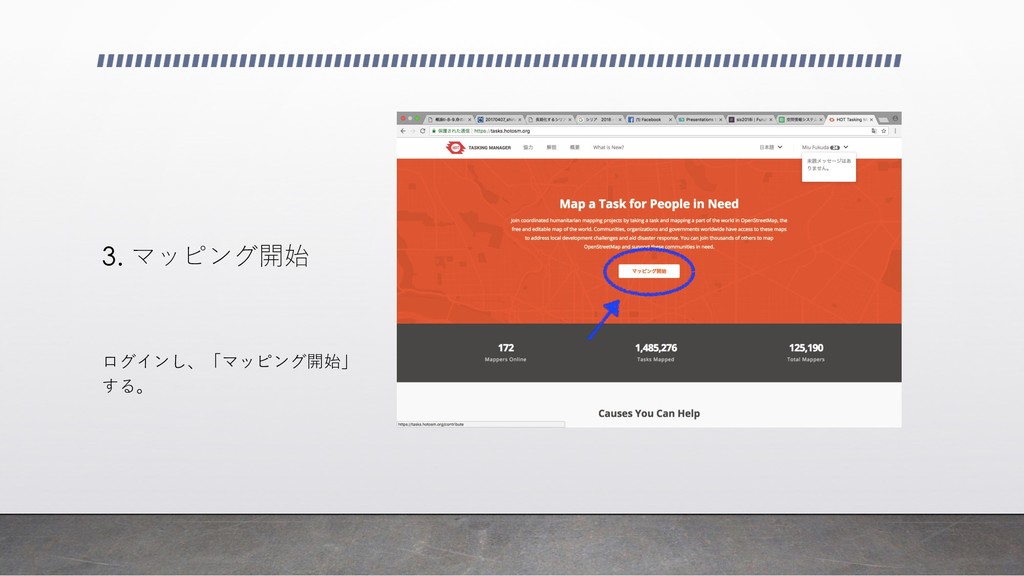
3. マッピング開始 ログインし、「マッピング開始」 する。
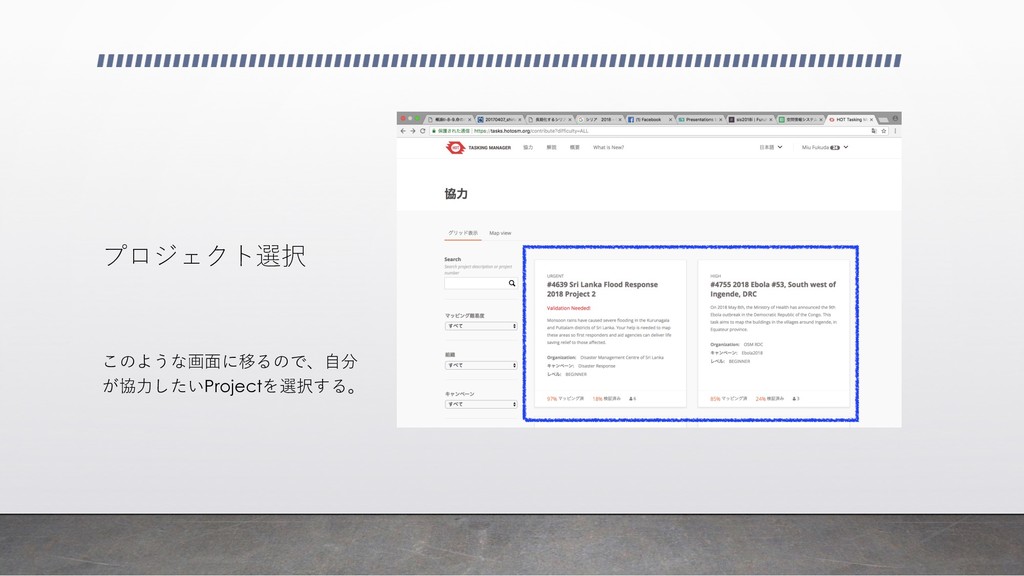
プロジェクト選択 このような画⾯に移るので、⾃分 が協⼒したいProjectを選択する。
検証 画像①のように画⾯に移るため、スクロール をし、画像②「検証」をクリックする。 スクロールすると同時に、説明をよく読み理 解する。 εΫϩʔϧ͢ Δͱ… ᶃ ᶄ
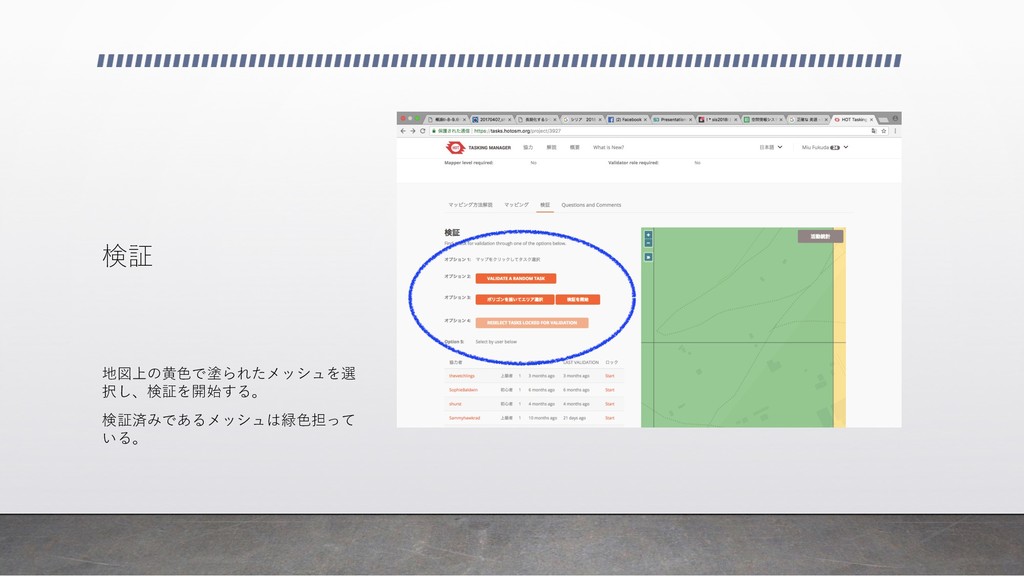
検証 地図上の⻩⾊で塗られたメッシュを選 択し、検証を開始する。 検証済みであるメッシュは緑⾊担って いる。
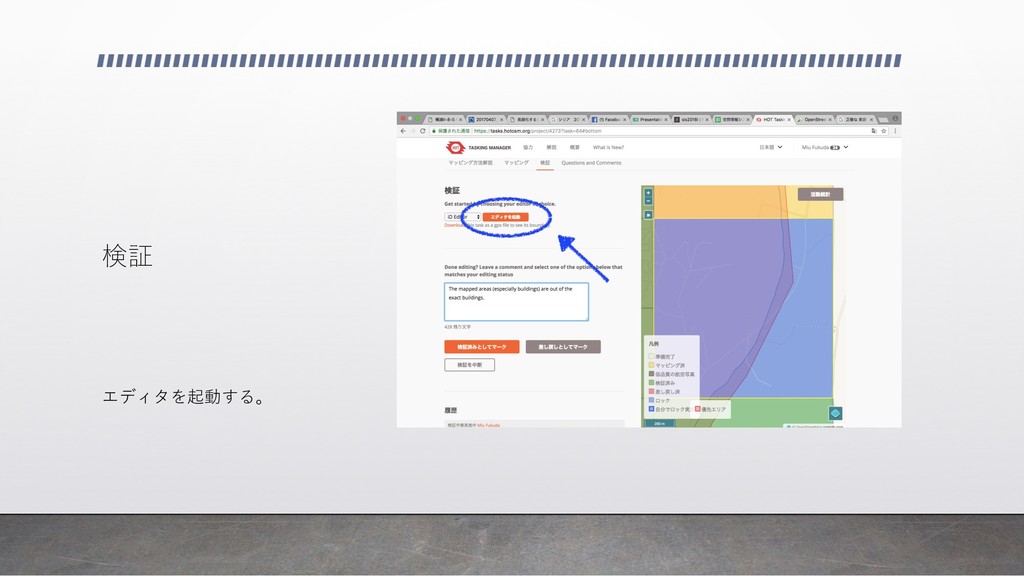
検証 エディタを起動する。
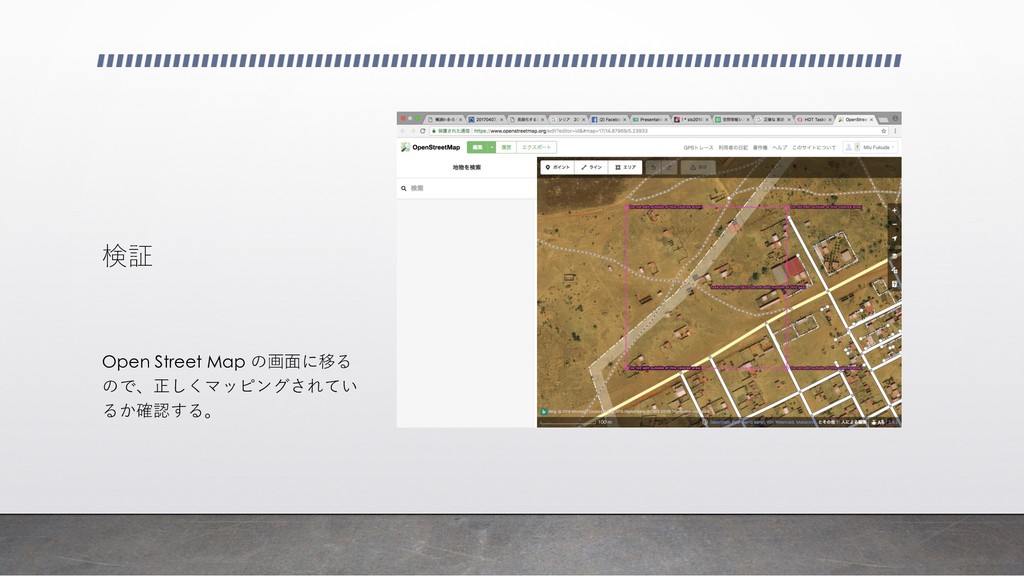
検証 Open Street Map の画⾯に移る ので、正しくマッピングされてい るか確認する。
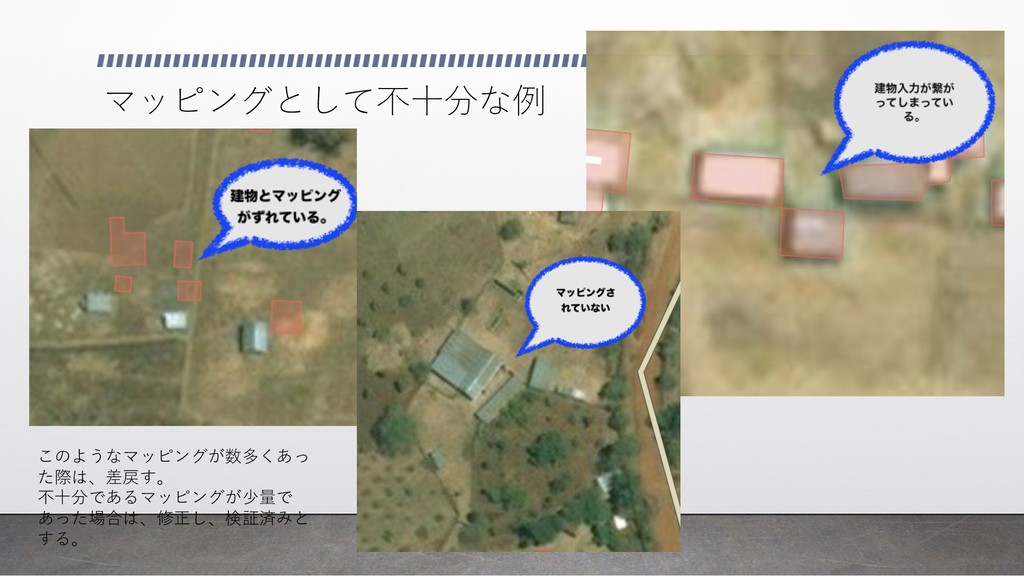
マッピングとして不⼗分な例 このようなマッピングが数多くあっ た際は、差戻す。 不⼗分であるマッピングが少量で あった場合は、修正し、検証済みと する。
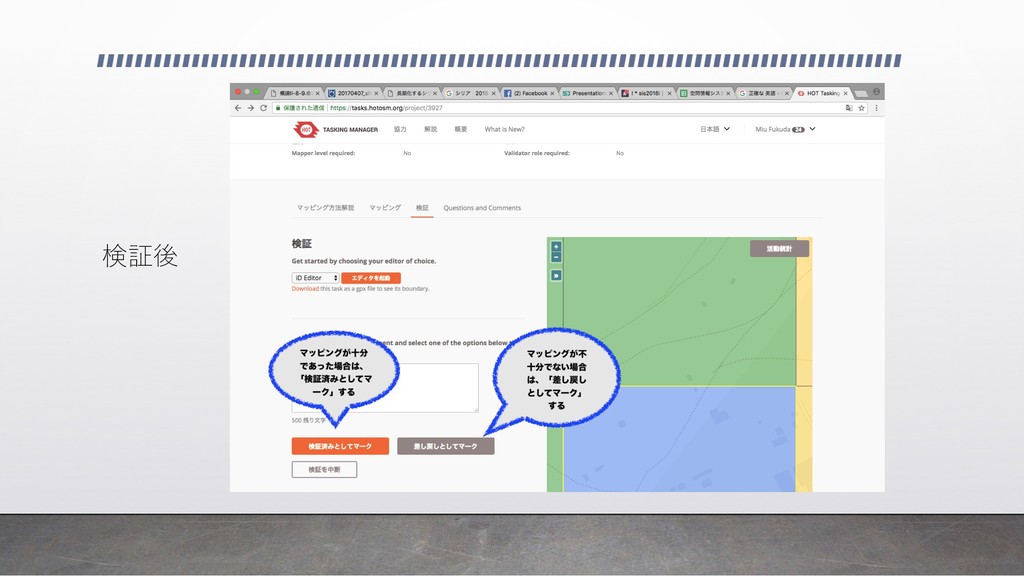
検証後
Validate完了。


 miu9712
 katarinadahlin
 geshan
 bethany
 dugsong
 gr2m
gr2m
 tenderlove
 smashingmag
 inesmontani
 andyhume
 nikkihalliwell
 nmsamuel
 keithpitt