Upgrade to Pro
— share decks privately, control downloads, hide ads and more …
Speaker Deck
Sign up for free
Menu
Search
Features
All features
Private URLs
Password Protection
Custom URLS
Scheduled publishing
Remove Branding
Restrict embedding
Deck Collections
Notes
Features
All features
Private URLs
Password Protection
Custom URLS
Scheduled publishing
Remove Branding
Restrict embedding
Deck Collections
Notes
Explore
Featured decks
Featured speakers
Programming
Technology
Storyboards
Explore
Featured decks
Featured speakers
Programming
Technology
Storyboards
Pricing
Search
Sign in
Sign up for free
空間情報システム入門1
Search
Miyu
June 23, 2016
16
0
Share
Embed
Copy iframe code
Copy JS code
Copy link
Start on current slide
空間情報システム入門1
Miyu
June 23, 2016
Featured
See All Featured
ラッコキーワード サービス紹介資料
rakko
1
5.4M
Put a Button on it: Removing Barriers to Going Fast.
kastner
60
4.6k
AI in Enterprises - Java and Open Source to the Rescue
ivargrimstad
0
1.5k
The #1 spot is gone: here's how to win anyway
tamaranovitovic
4
1.2k
Beyond borders and beyond the search box: How to win the global "messy middle" with AI-driven SEO
davidcarrasco
3
280
Designing Dashboards & Data Visualisations in Web Apps
destraynor
232
55k
B2B Lead Gen: Tactics, Traps & Triumph
marketingsoph
1
280
Java REST API Framework Comparison - PWX 2021
mraible
34
9.8k
Let's Do A Bunch of Simple Stuff to Make Websites Faster
chriscoyier
508
140k
Code Review Best Practice
trishagee
74
20k
The untapped power of vector embeddings
frankvandijk
2
1.9k
How People are Using Generative and Agentic AI to Supercharge Their Products, Projects, Services and Value Streams Today
helenjbeal
2
360
Transcript
Open Street Map マニュアル 地球社会共⽣学部 1年A組85番 学籍番号:1A116075 ⽒名:兼本 実柚
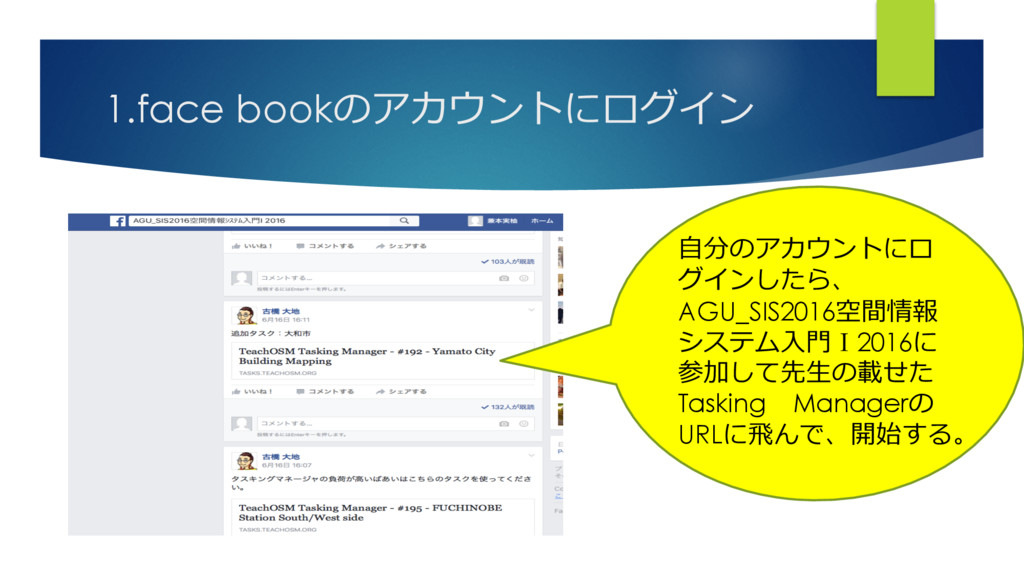
1.face bookのアカウントにログイン ⾃分のアカウントにロ グインしたら、 AGU_SIS2016空間情報 システム⼊⾨Ⅰ2016に 参加して先⽣の載せた Tasking Managerの URLに⾶んで、開始する。
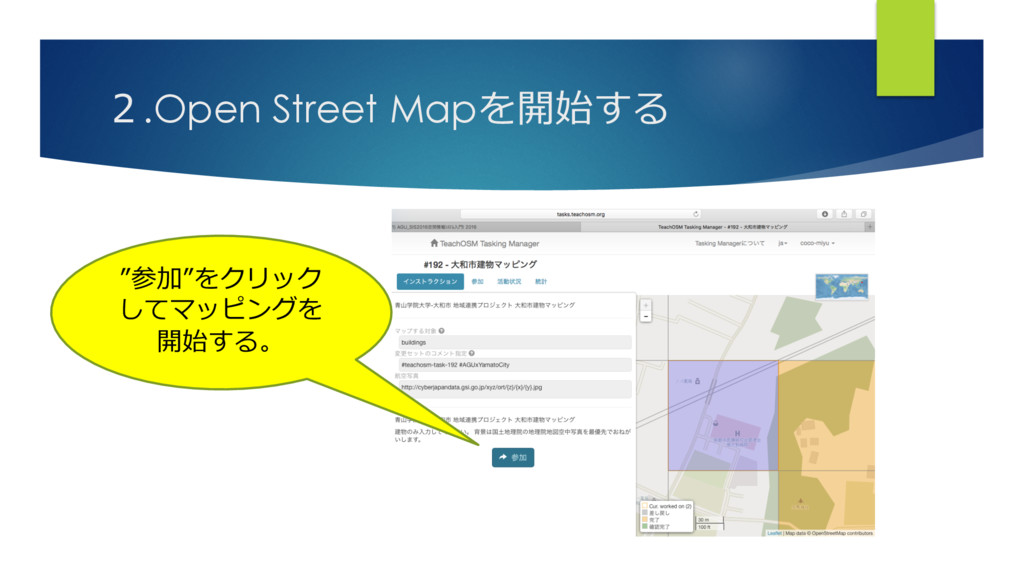
2.Open Street Mapを開始する ”参加”をクリック してマッピングを 開始する。
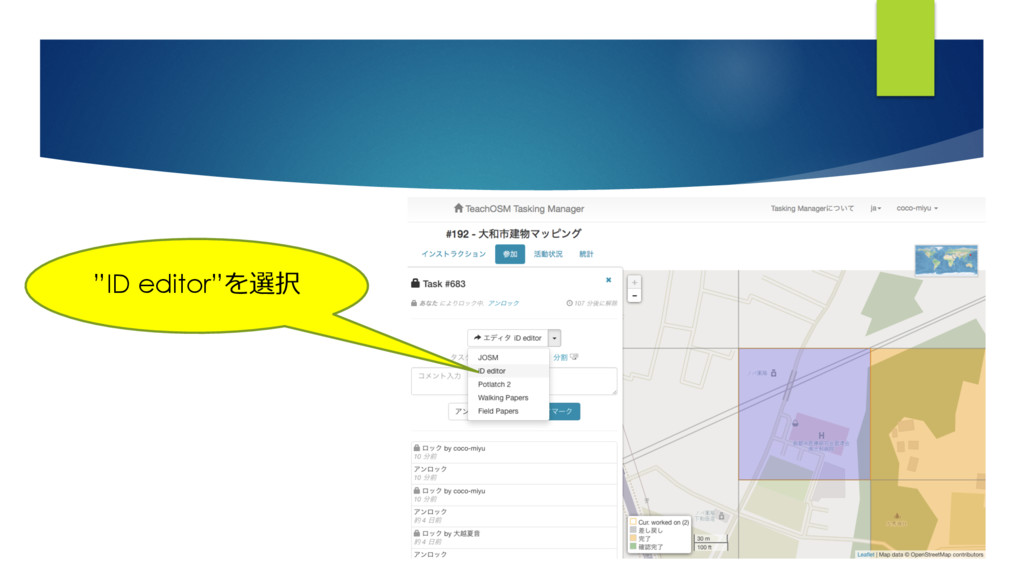
”ID editor”を選択
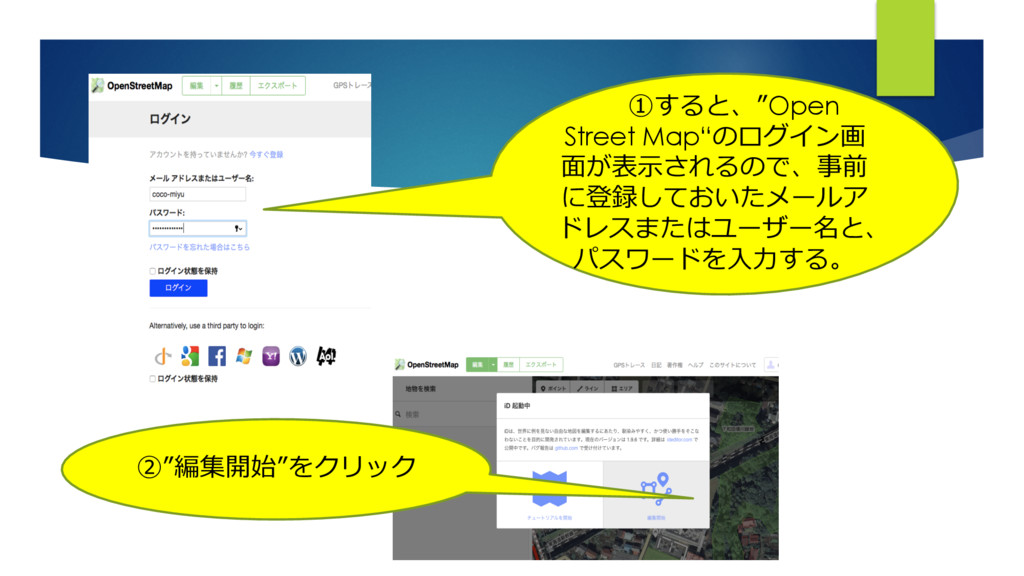
①すると、”Open Street Map“のログイン画 ⾯が表⽰されるので、事前 に登録しておいたメールア ドレスまたはユーザー名と、 パスワードを⼊⼒する。 ②”編集開始”をクリック
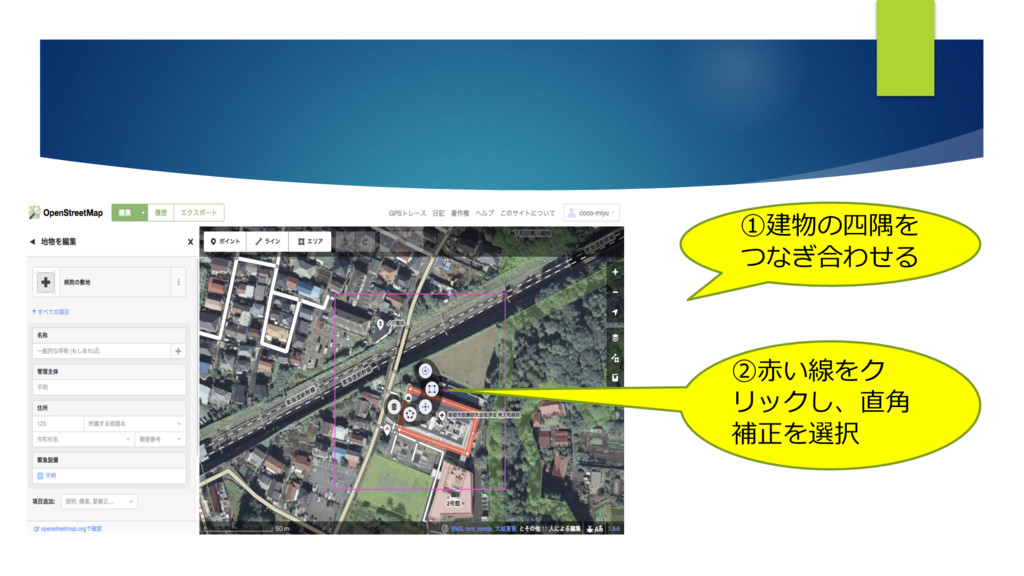
①建物の四隅を つなぎ合わせる ②⾚い線をク リックし、直⾓ 補正を選択
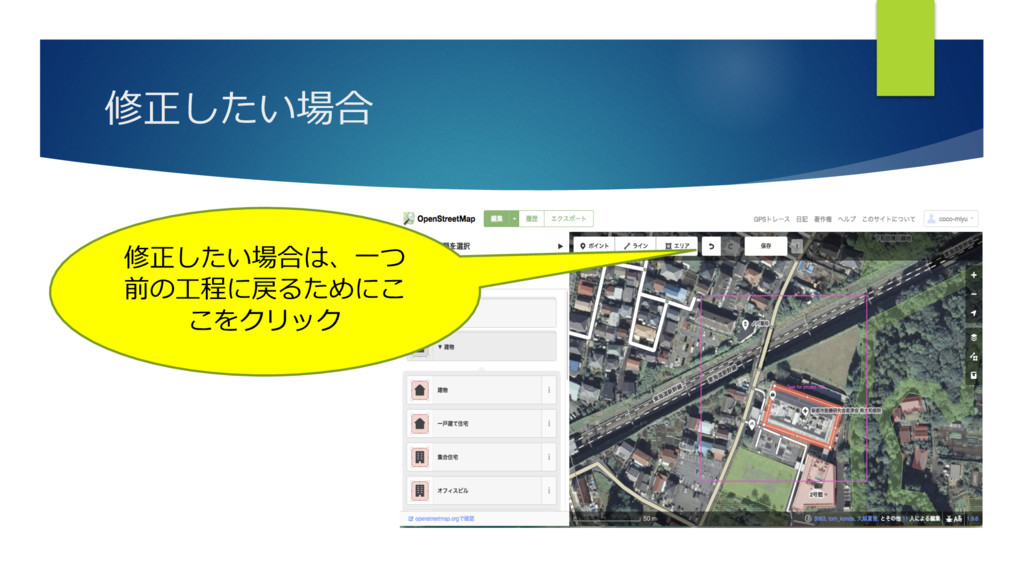
修正したい場合 修正したい場合は、⼀つ 前の⼯程に戻るためにこ こをクリック
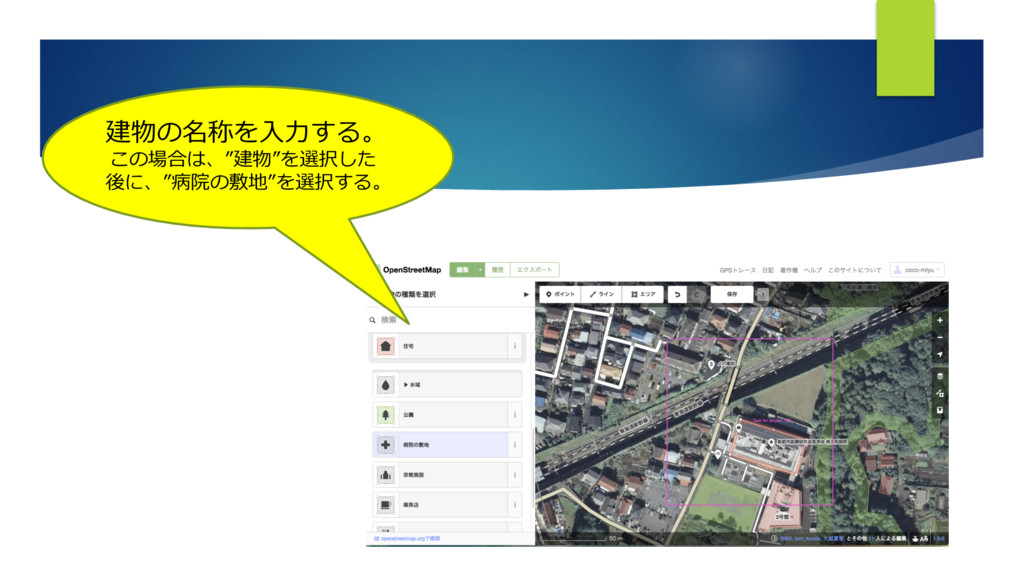
建物の名称を⼊⼒する。 この場合は、”建物”を選択した 後に、”病院の敷地”を選択する。
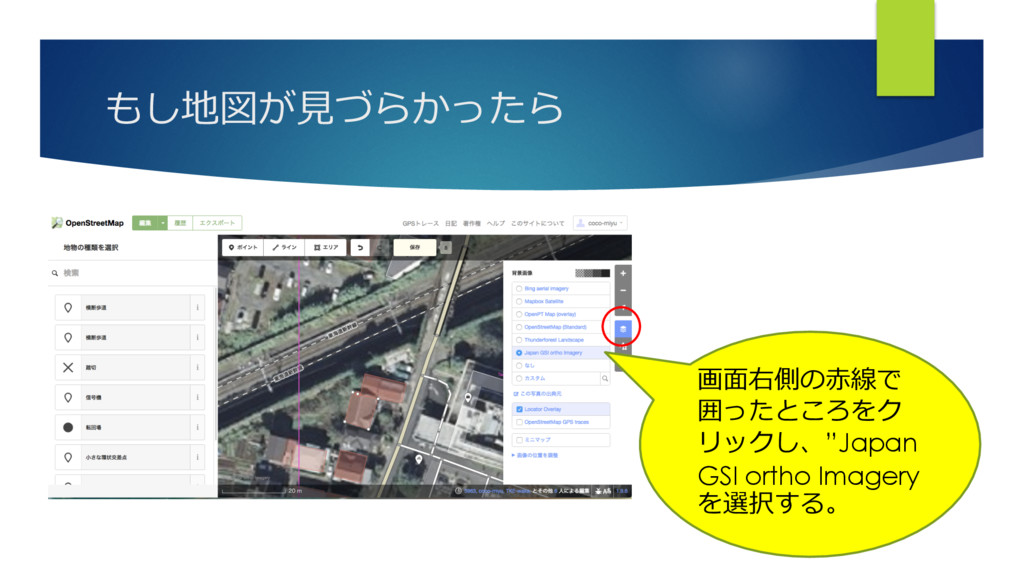
もし地図が⾒づらかったら 画⾯右側の⾚線で 囲ったところをク リックし、”Japan GSI ortho Imagery を選択する。
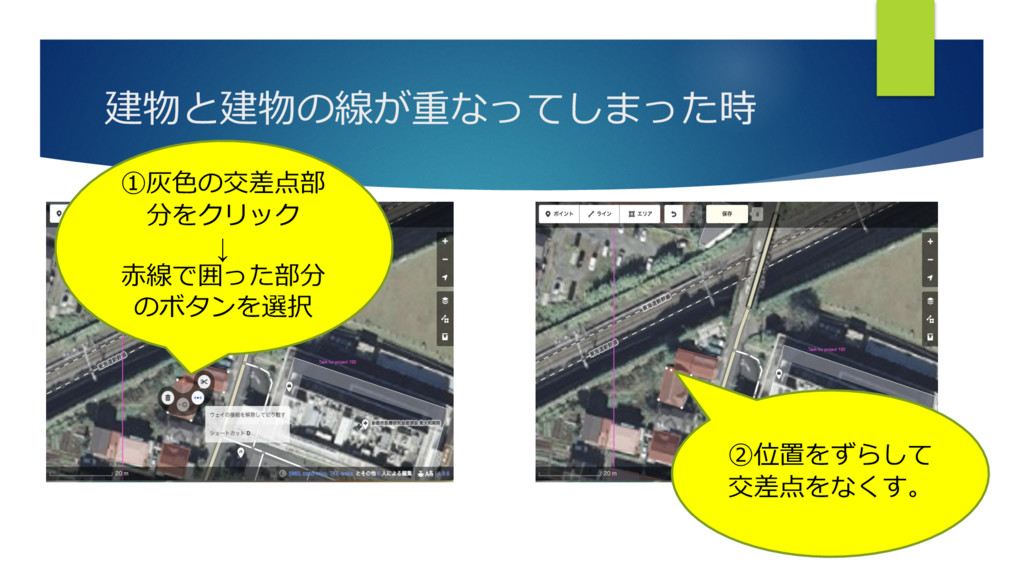
建物と建物の線が重なってしまった時 ①灰⾊の交差点部 分をクリック ↓ ⾚線で囲った部分 のボタンを選択 ②位置をずらして 交差点をなくす。
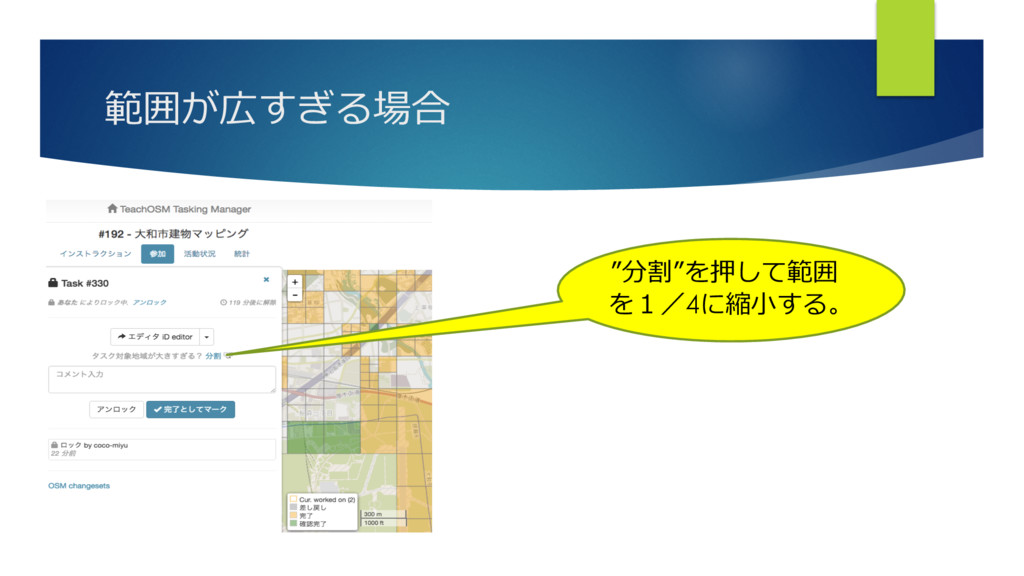
範囲が広すぎる場合 ”分割”を押して範囲 を1/4に縮⼩する。
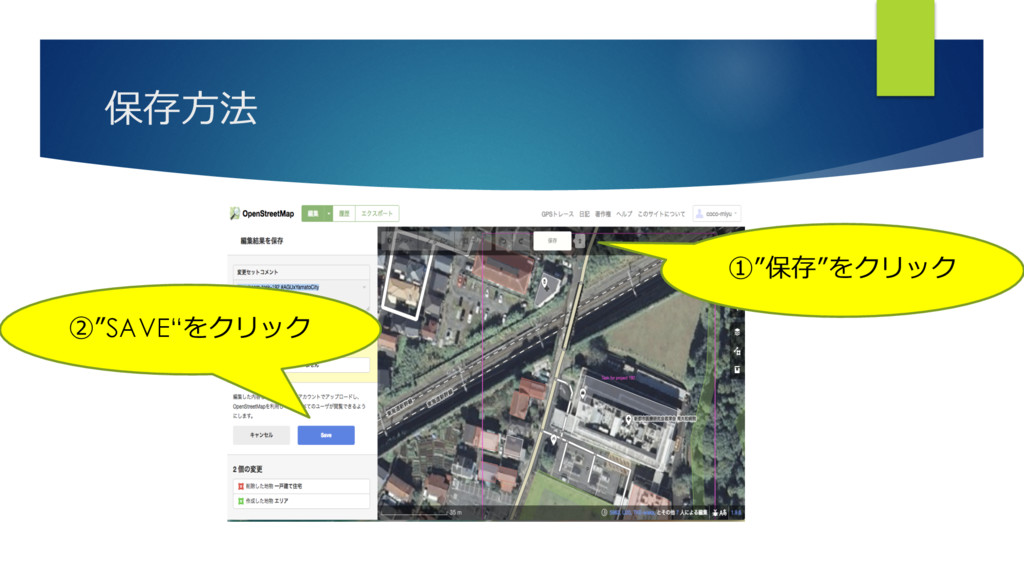
保存⽅法 ①”保存”をクリック ②”SAVE“をクリック
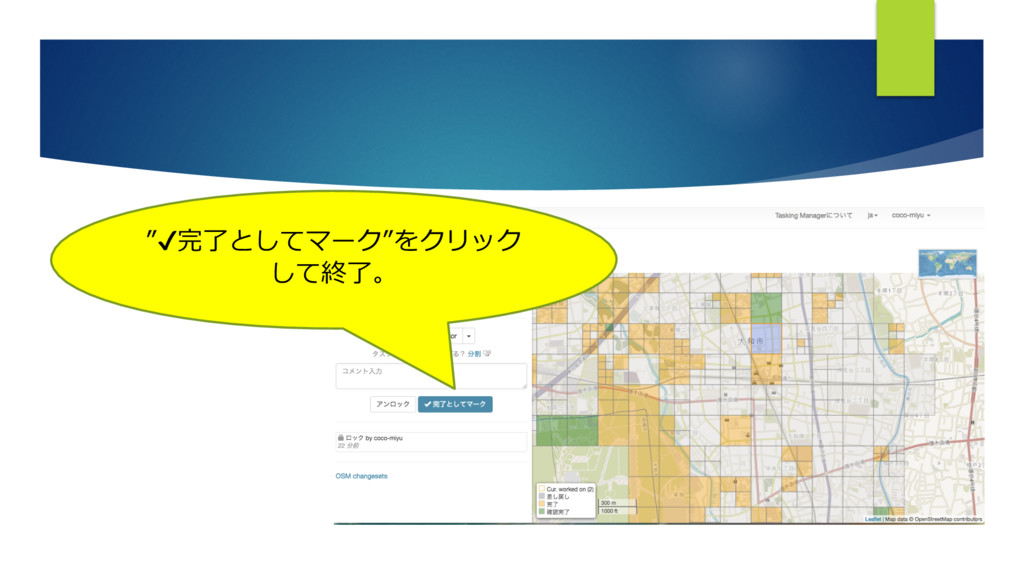
”✔完了としてマーク”をクリック して終了。


 rakko
rakko
 kastner
 ivargrimstad
 tamaranovitovic
 davidcarrasco
 destraynor
 marketingsoph
 mraible
 chriscoyier
 trishagee
 frankvandijk
.png) helenjbeal
helenjbeal