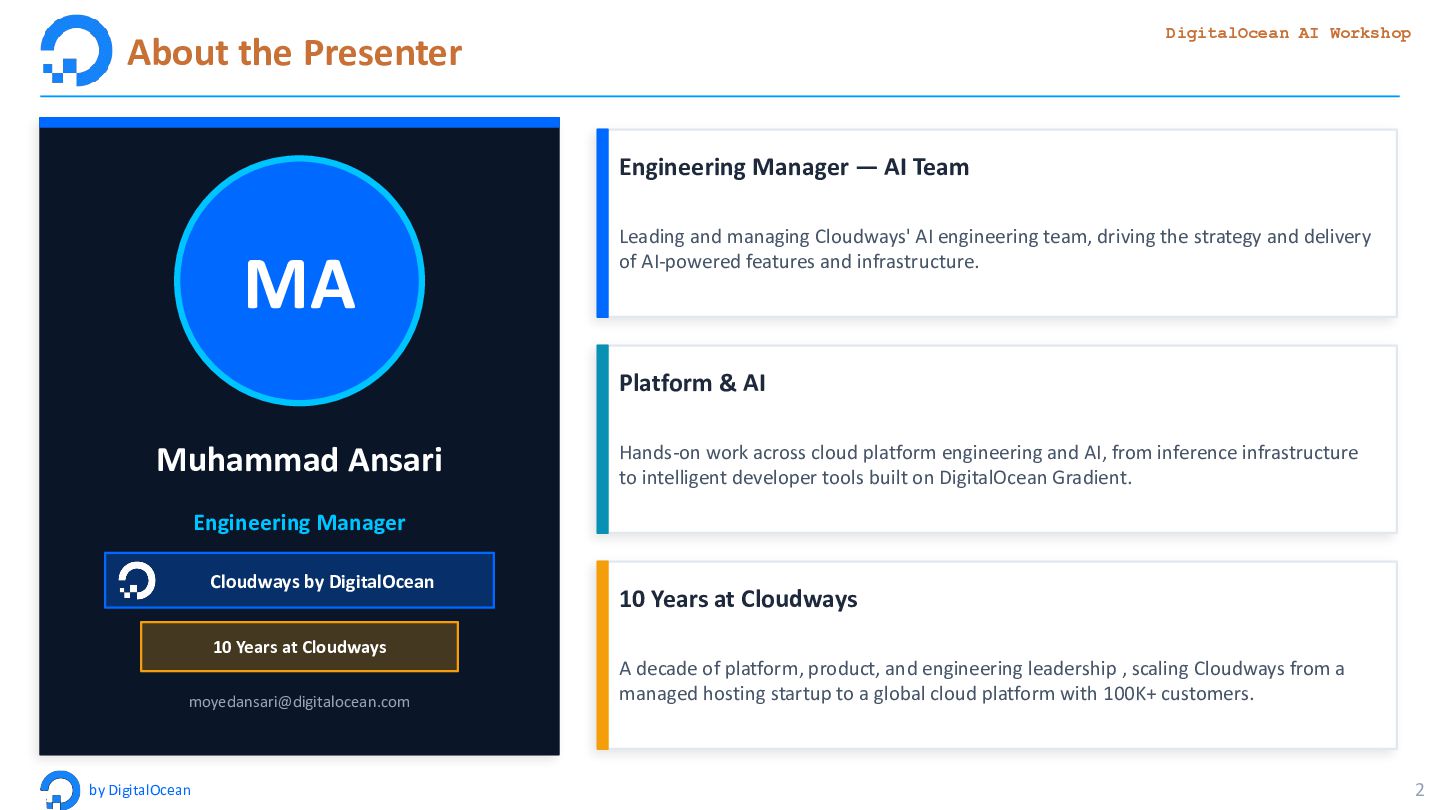
Muhammad Ansari Engineering Manager Cloudways by DigitalOcean 10 Years at Cloudways [email protected] Engineering Manager — AI Team Leading and managing Cloudways' AI engineering team, driving the strategy and delivery of AI-powered features and infrastructure. Platform & AI Hands-on work across cloud platform engineering and AI, from inference infrastructure to intelligent developer tools built on DigitalOcean Gradient. 10 Years at Cloudways A decade of platform, product, and engineering leadership , scaling Cloudways from a managed hosting startup to a global cloud platform with 100K+ customers.
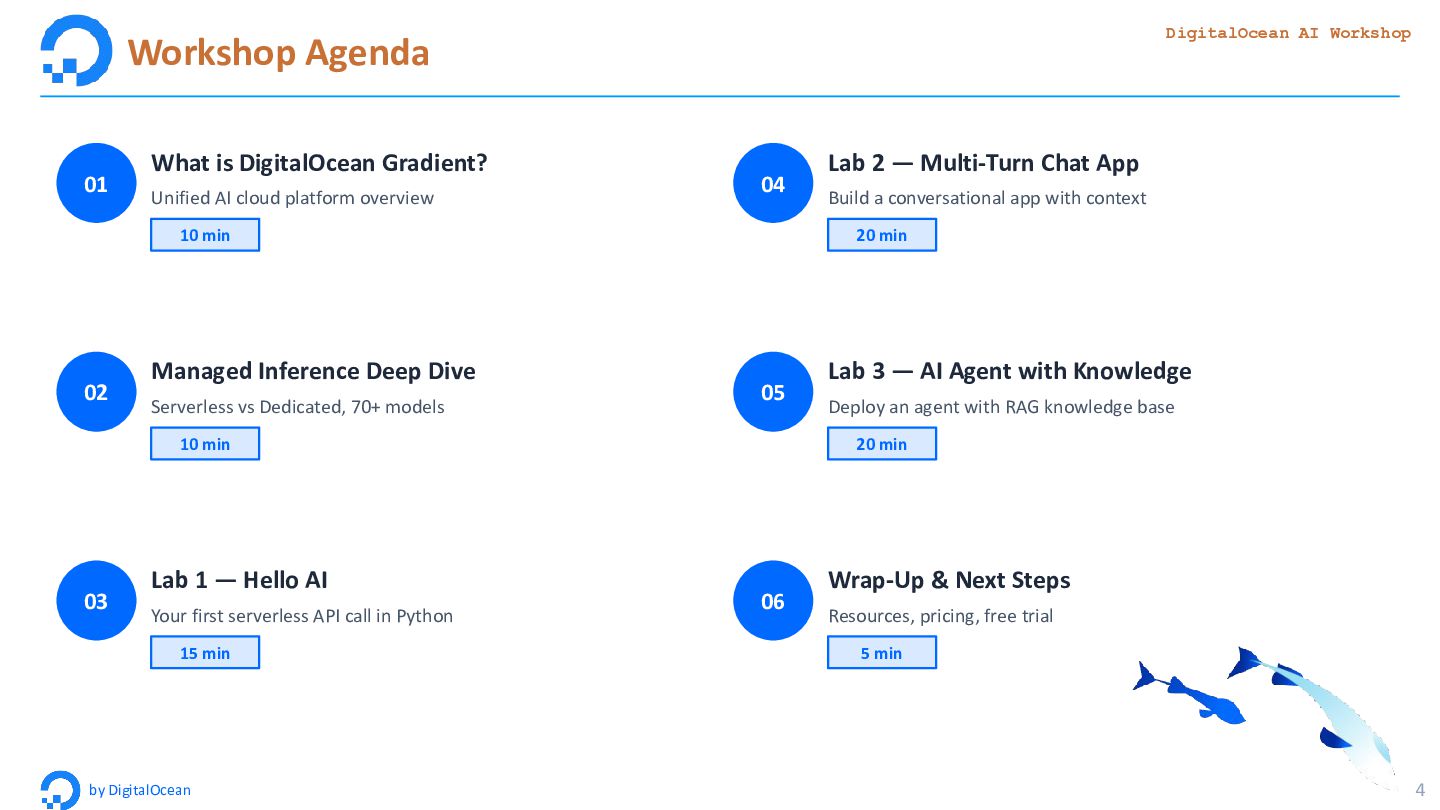
is DigitalOcean Gradient? Unified AI cloud platform overview 10 min 02 Managed Inference Deep Dive Serverless vs Dedicated, 70+ models 10 min 03 Lab 1 — Hello AI Your first serverless API call in Python 15 min 04 Lab 2 — Multi-Turn Chat App Build a conversational app with context 20 min 05 Lab 3 — AI Agent with Knowledge Deploy an agent with RAG knowledge base 20 min 06 Wrap-Up & Next Steps Resources, pricing, free trial 5 min
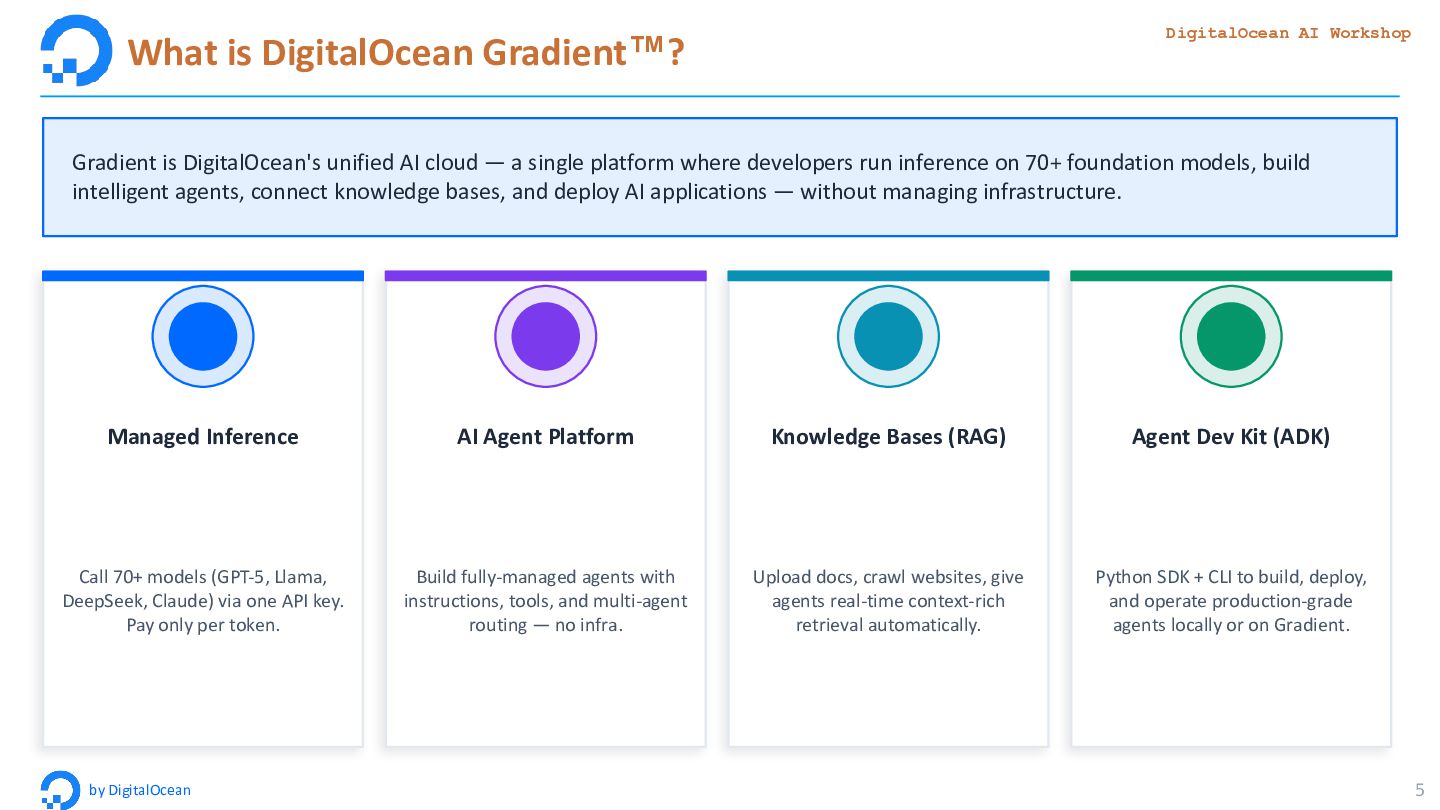
Gradient is DigitalOcean's unified AI cloud — a single platform where developers run inference on 70+ foundation models, build intelligent agents, connect knowledge bases, and deploy AI applications — without managing infrastructure. Managed Inference Call 70+ models (GPT-5, Llama, DeepSeek, Claude) via one API key. Pay only per token. AI Agent Platform Build fully-managed agents with instructions, tools, and multi-agent routing — no infra. Knowledge Bases (RAG) Upload docs, crawl websites, give agents real-time context-rich retrieval automatically. Agent Dev Kit (ADK) Python SDK + CLI to build, deploy, and operate production-grade agents locally or on Gradient.
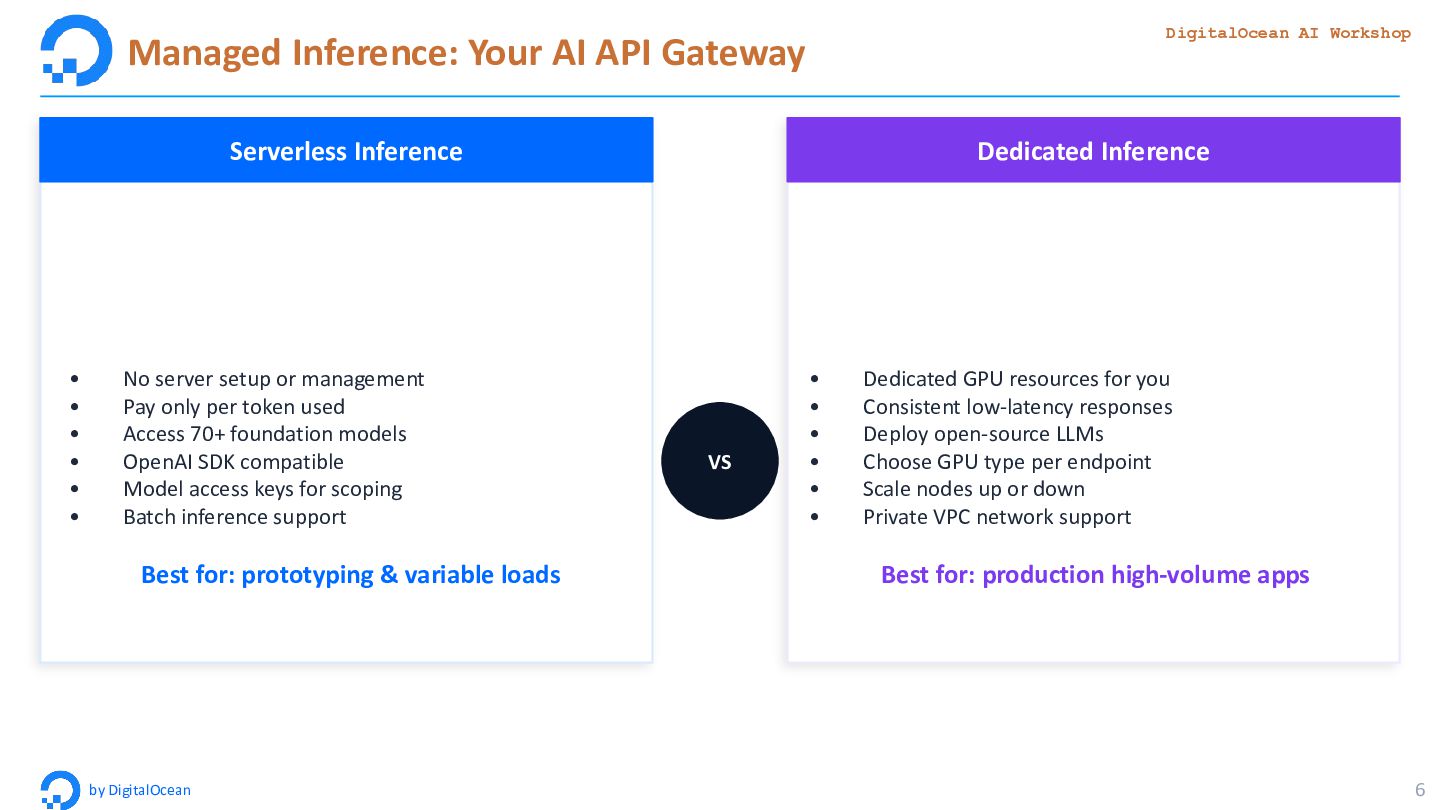
DigitalOcean 6 VS Serverless Inference • No server setup or management • Pay only per token used • Access 70+ foundation models • OpenAI SDK compatible • Model access keys for scoping • Batch inference support Best for: prototyping & variable loads Dedicated Inference • Dedicated GPU resources for you • Consistent low-latency responses • Deploy open-source LLMs • Choose GPU type per endpoint • Scale nodes up or down • Private VPC network support Best for: production high-volume apps
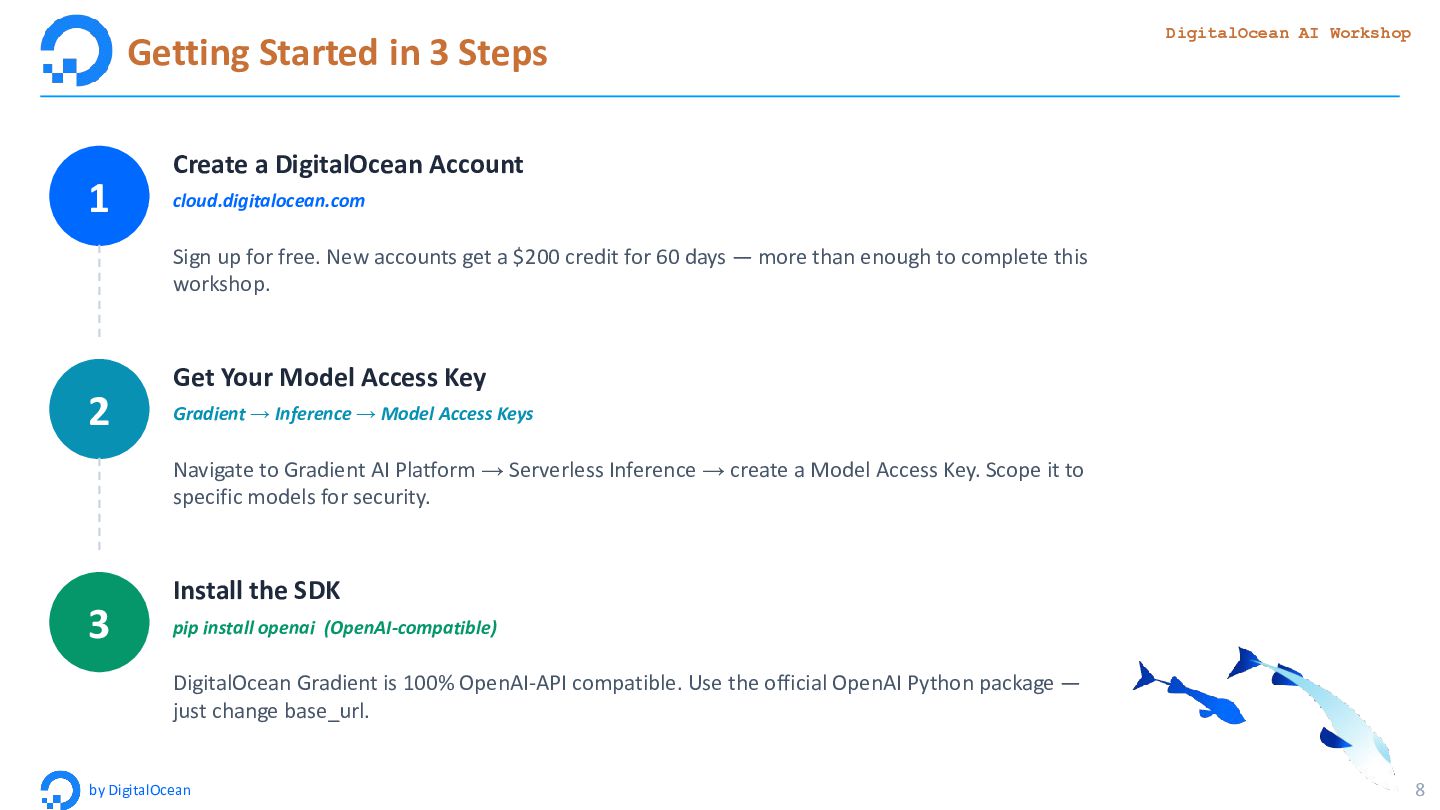
8 1 Create a DigitalOcean Account cloud.digitalocean.com Sign up for free. New accounts get a $200 credit for 60 days — more than enough to complete this workshop. 2 Get Your Model Access Key Gradient → Inference → Model Access Keys Navigate to Gradient AI Platform → Serverless Inference → create a Model Access Key. Scope it to specific models for security. 3 Install the SDK pip install openai (OpenAI-compatible) DigitalOcean Gradient is 100% OpenAI-API compatible. Use the official OpenAI Python package — just change base_url.
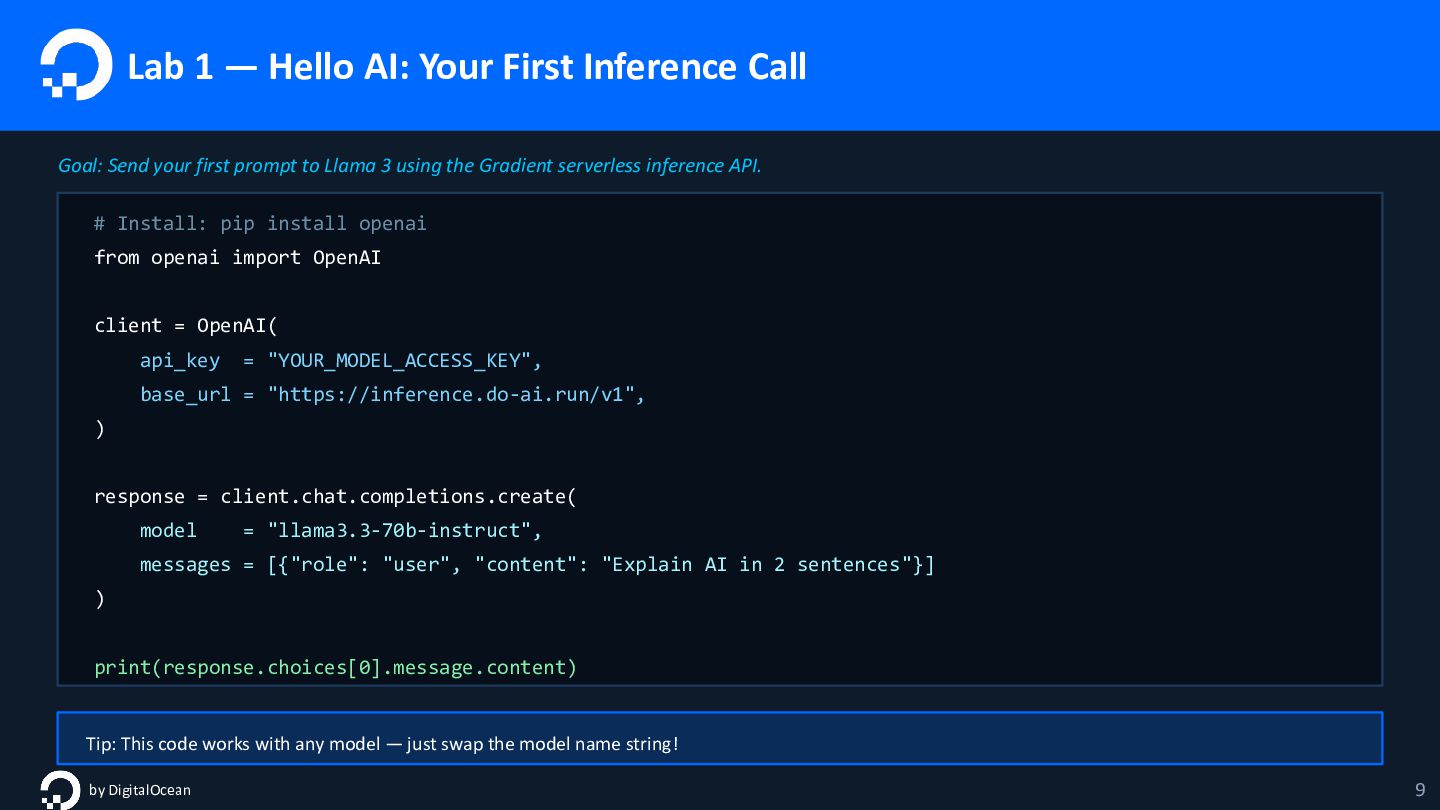
Send your first prompt to Llama 3 using the Gradient serverless inference API. # Install: pip install openai from openai import OpenAI client = OpenAI( api_key = "YOUR_MODEL_ACCESS_KEY", base_url = "https://inference.do-ai.run/v1", ) response = client.chat.completions.create( model = "llama3.3-70b-instruct", messages = [{"role": "user", "content": "Explain AI in 2 sentences"}] ) print(response.choices[0].message.content) Tip: This code works with any model — just swap the model name string! by DigitalOcean 9
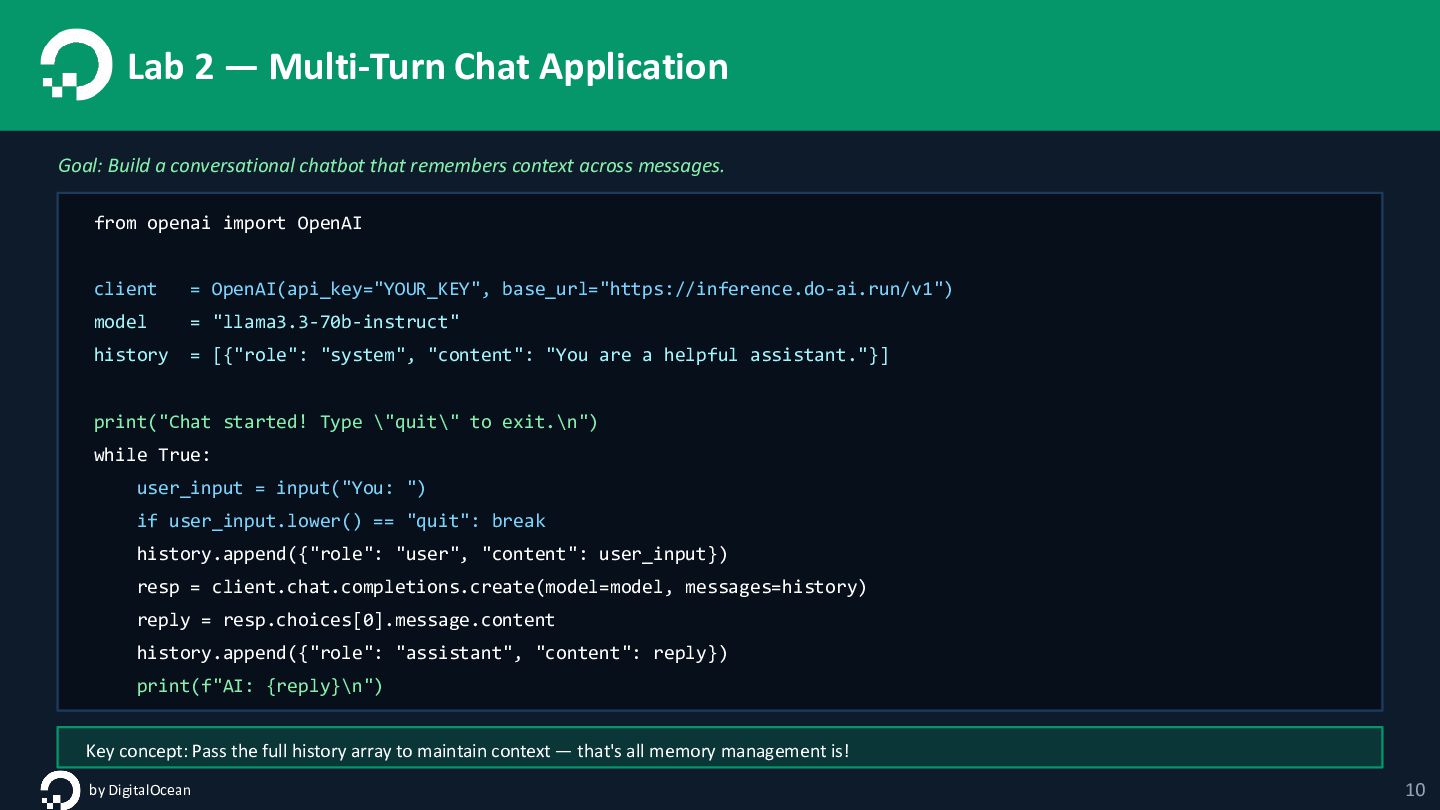
chatbot that remembers context across messages. from openai import OpenAI client = OpenAI(api_key="YOUR_KEY", base_url="https://inference.do-ai.run/v1") model = "llama3.3-70b-instruct" history = [{"role": "system", "content": "You are a helpful assistant."}] print("Chat started! Type \"quit\" to exit.\n") while True: user_input = input("You: ") if user_input.lower() == "quit": break history.append({"role": "user", "content": user_input}) resp = client.chat.completions.create(model=model, messages=history) reply = resp.choices[0].message.content history.append({"role": "assistant", "content": reply}) print(f"AI: {reply}\n") Key concept: Pass the full history array to maintain context — that's all memory management is! by DigitalOcean 10
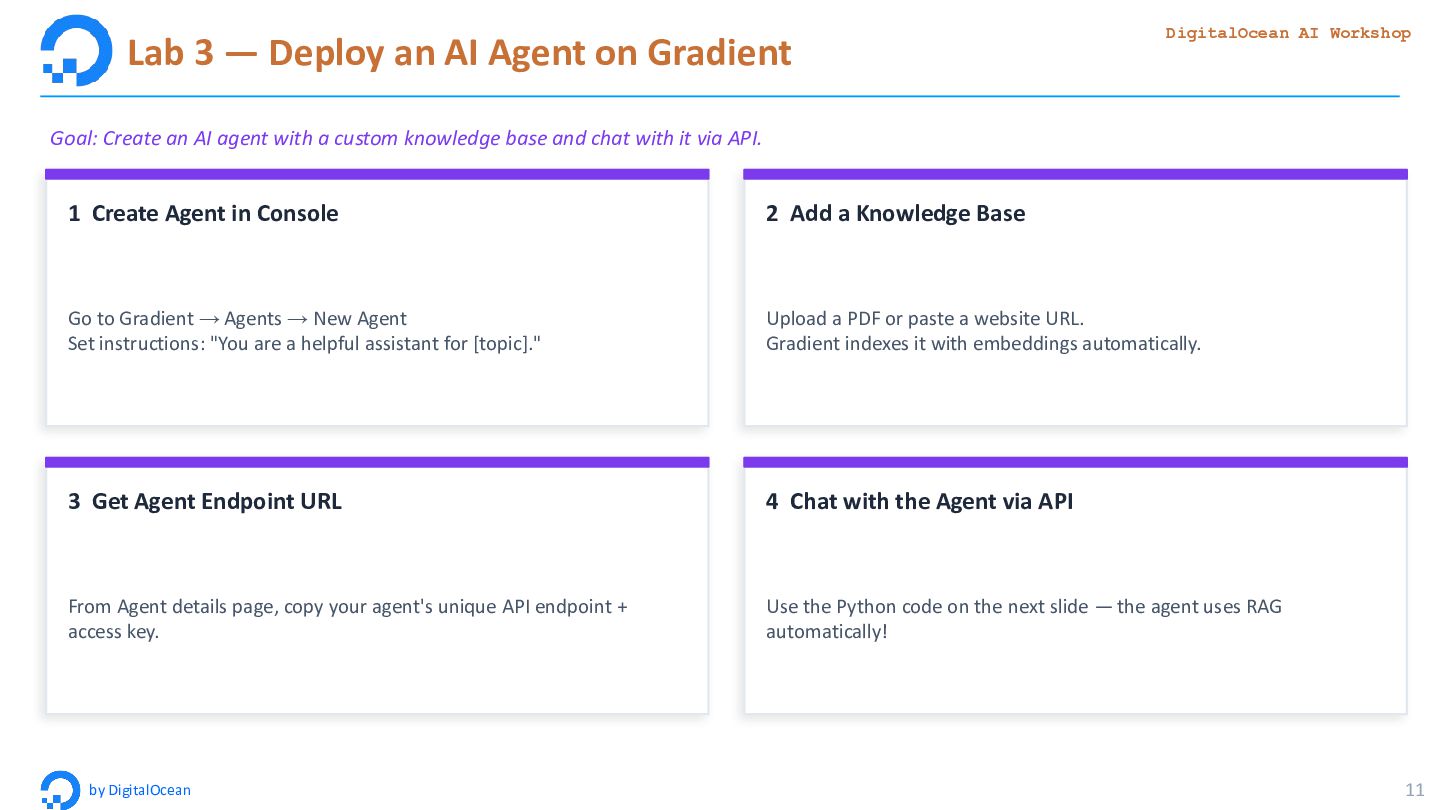
AI Workshop by DigitalOcean 11 Goal: Create an AI agent with a custom knowledge base and chat with it via API. 1 Create Agent in Console Go to Gradient → Agents → New Agent Set instructions: "You are a helpful assistant for [topic]." 2 Add a Knowledge Base Upload a PDF or paste a website URL. Gradient indexes it with embeddings automatically. 3 Get Agent Endpoint URL From Agent details page, copy your agent's unique API endpoint + access key. 4 Chat with the Agent via API Use the Python code on the next slide — the agent uses RAG automatically!
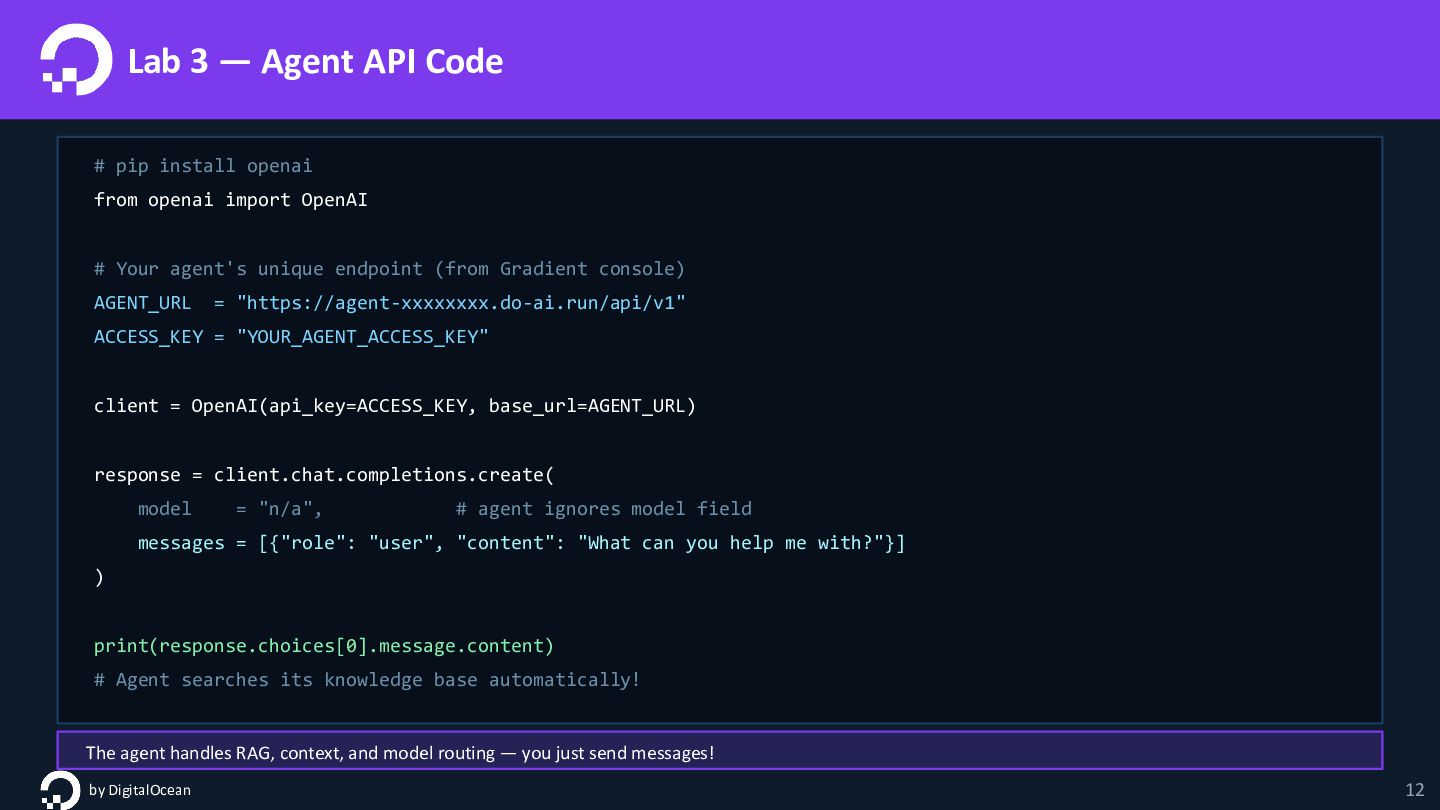
from openai import OpenAI # Your agent's unique endpoint (from Gradient console) AGENT_URL = "https://agent-xxxxxxxx.do-ai.run/api/v1" ACCESS_KEY = "YOUR_AGENT_ACCESS_KEY" client = OpenAI(api_key=ACCESS_KEY, base_url=AGENT_URL) response = client.chat.completions.create( model = "n/a", # agent ignores model field messages = [{"role": "user", "content": "What can you help me with?"}] ) print(response.choices[0].message.content) # Agent searches its knowledge base automatically! The agent handles RAG, context, and model routing — you just send messages! by DigitalOcean 12
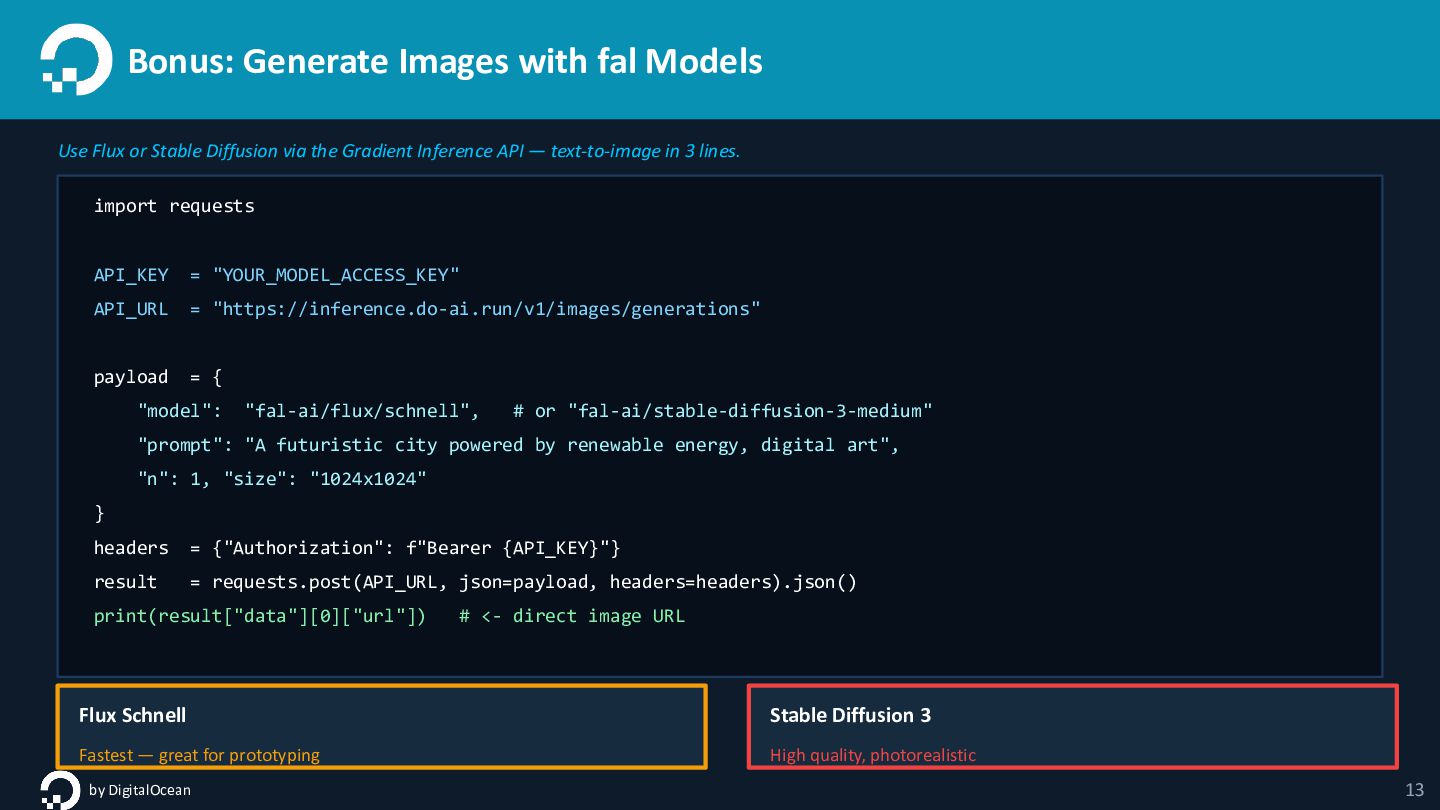
Diffusion via the Gradient Inference API — text-to-image in 3 lines. import requests API_KEY = "YOUR_MODEL_ACCESS_KEY" API_URL = "https://inference.do-ai.run/v1/images/generations" payload = { "model": "fal-ai/flux/schnell", # or "fal-ai/stable-diffusion-3-medium" "prompt": "A futuristic city powered by renewable energy, digital art", "n": 1, "size": "1024x1024" } headers = {"Authorization": f"Bearer {API_KEY}"} result = requests.post(API_URL, json=payload, headers=headers).json() print(result["data"][0]["url"]) # <- direct image URL Flux Schnell Fastest — great for prototyping Stable Diffusion 3 High quality, photorealistic by DigitalOcean 13
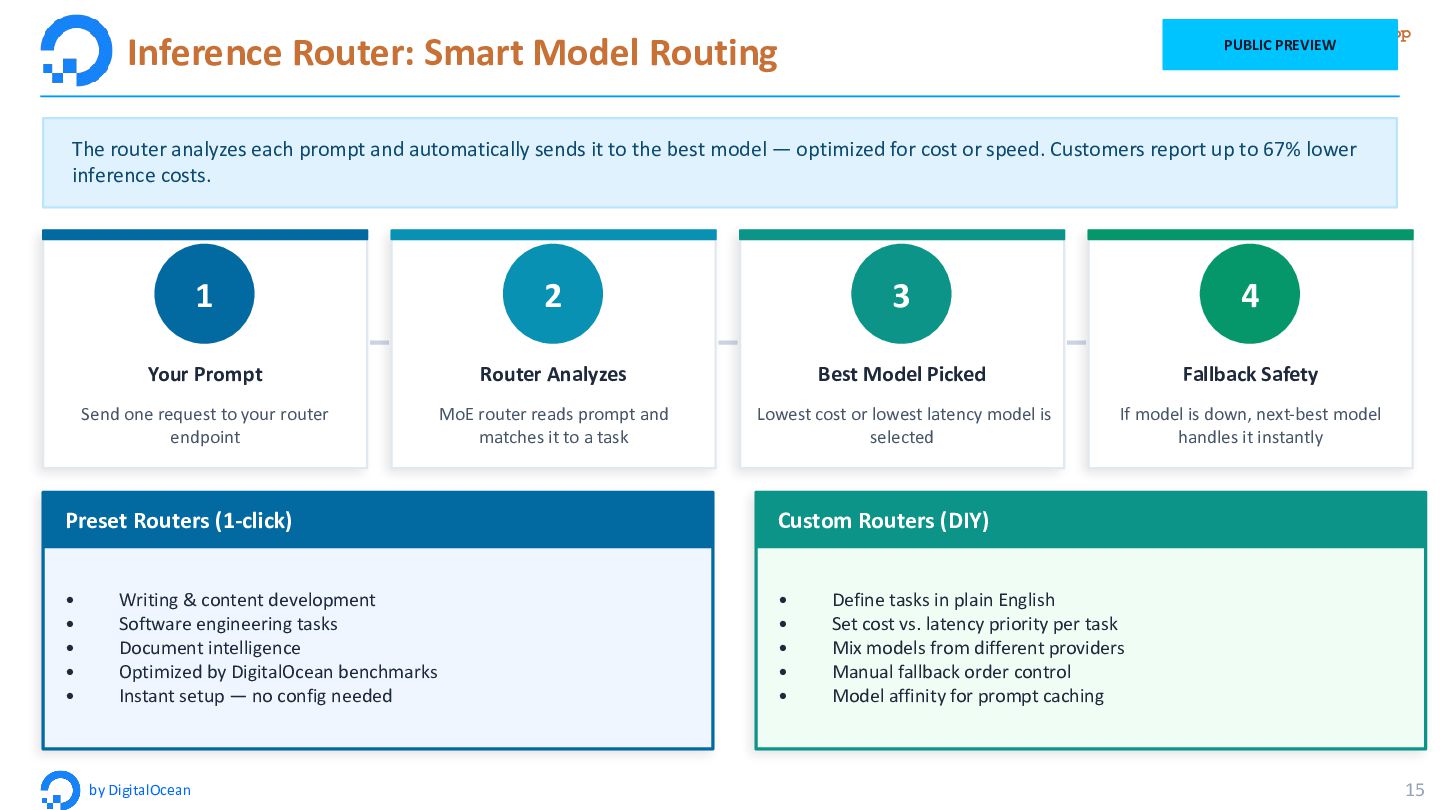
15 PUBLIC PREVIEW The router analyzes each prompt and automatically sends it to the best model — optimized for cost or speed. Customers report up to 67% lower inference costs. 1 Your Prompt Send one request to your router endpoint 2 Router Analyzes MoE router reads prompt and matches it to a task 3 Best Model Picked Lowest cost or lowest latency model is selected 4 Fallback Safety If model is down, next-best model handles it instantly Preset Routers (1-click) • Writing & content development • Software engineering tasks • Document intelligence • Optimized by DigitalOcean benchmarks • Instant setup — no config needed Custom Routers (DIY) • Define tasks in plain English • Set cost vs. latency priority per task • Mix models from different providers • Manual fallback order control • Model affinity for prompt caching
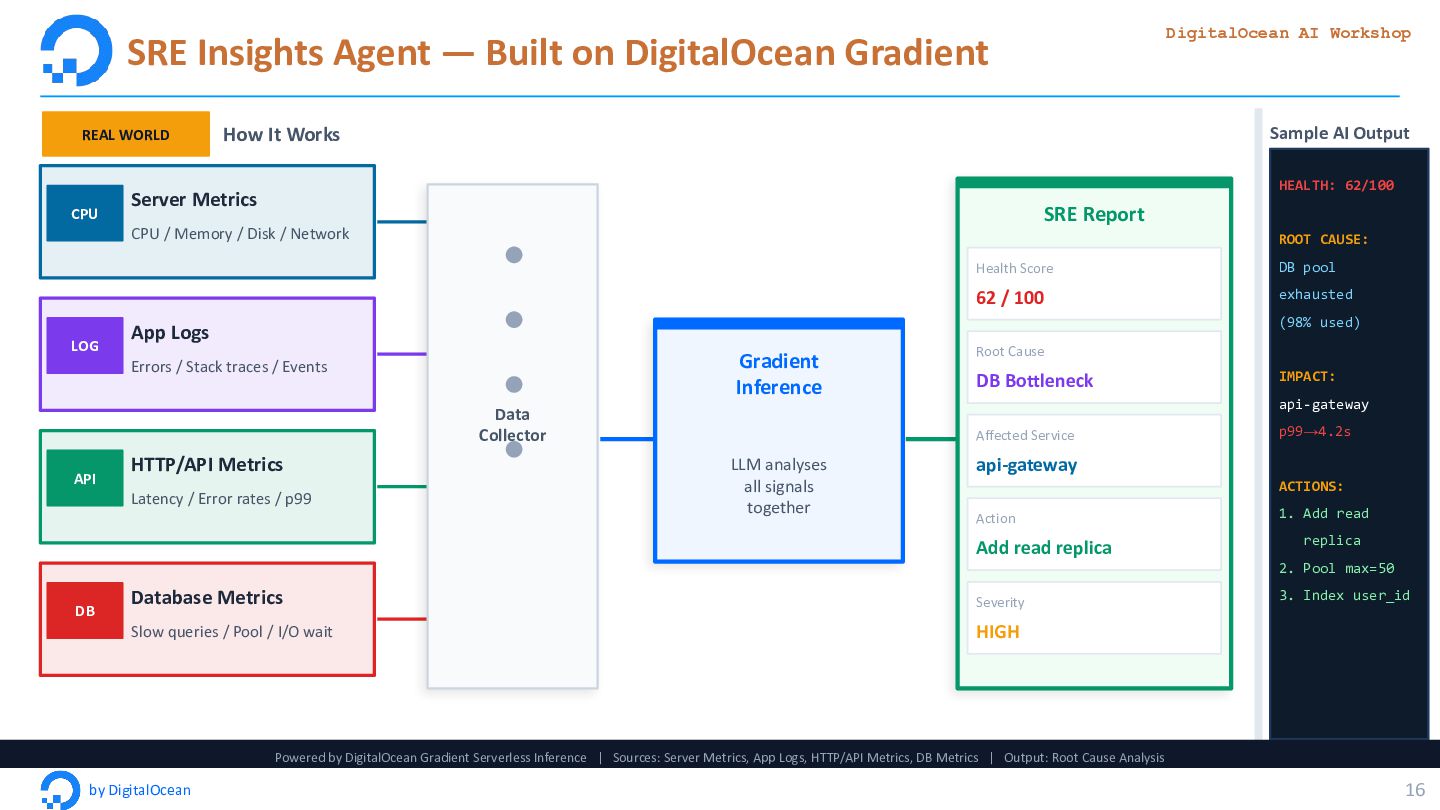
Workshop by DigitalOcean 16 REAL WORLD How It Works CPU Server Metrics CPU / Memory / Disk / Network LOG App Logs Errors / Stack traces / Events API HTTP/API Metrics Latency / Error rates / p99 DB Database Metrics Slow queries / Pool / I/O wait Data Collector Gradient Inference LLM analyses all signals together SRE Report Health Score 62 / 100 Root Cause DB Bottleneck Affected Service api-gateway Action Add read replica Severity HIGH Sample AI Output HEALTH: 62/100 ROOT CAUSE: DB pool exhausted (98% used) IMPACT: api-gateway p99→4.2s ACTIONS: 1. Add read replica 2. Pool max=50 3. Index user_id Powered by DigitalOcean Gradient Serverless Inference | Sources: Server Metrics, App Logs, HTTP/API Metrics, DB Metrics | Output: Root Cause Analysis
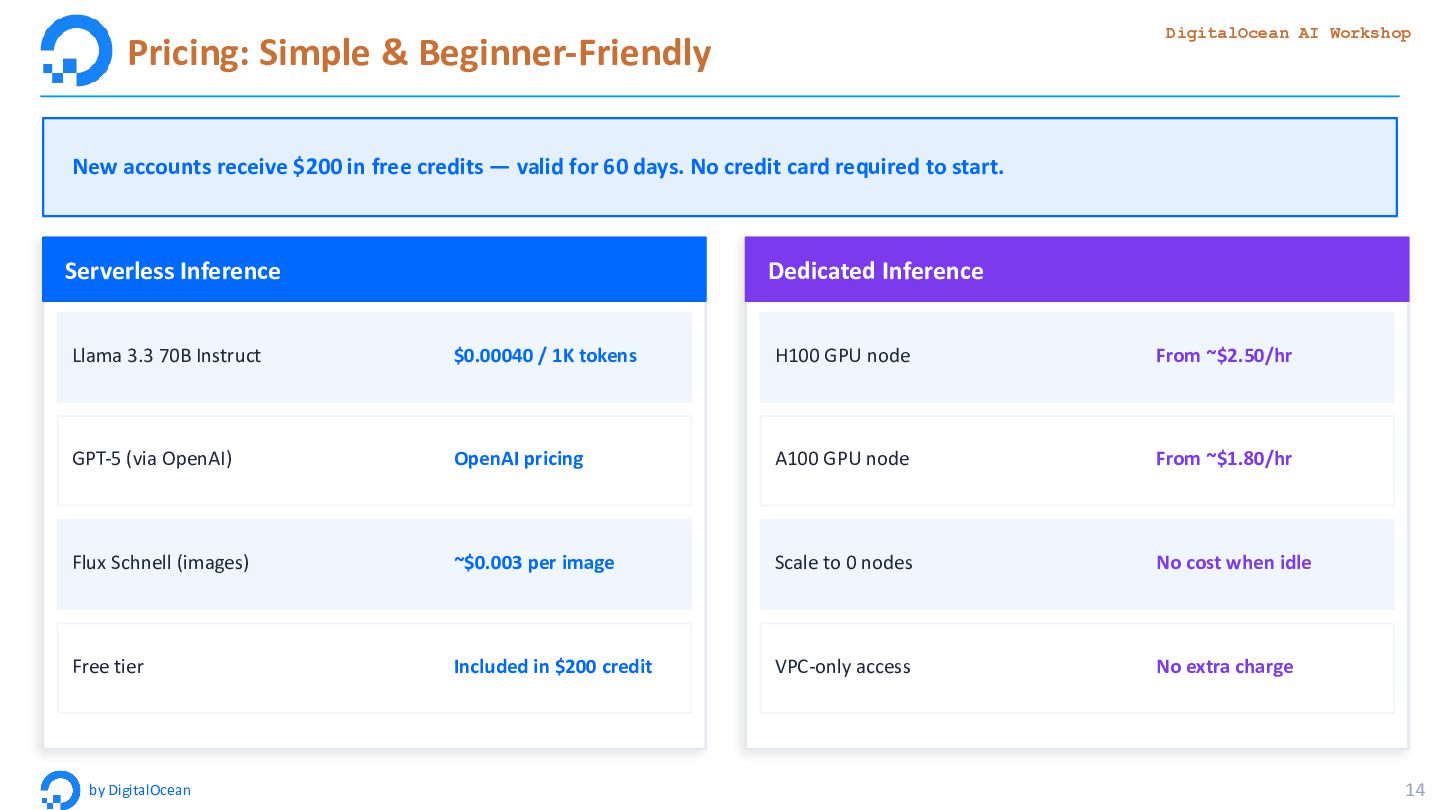
New accounts receive $200 in free credits — valid for 60 days. No credit card required to start. Serverless Inference Llama 3.3 70B Instruct $0.00040 / 1K tokens GPT-5 (via OpenAI) OpenAI pricing Flux Schnell (images) ~$0.003 per image Free tier Included in $200 credit Dedicated Inference H100 GPU node From ~$2.50/hr A100 GPU node From ~$1.80/hr Scale to 0 nodes No cost when idle VPC-only access No extra charge
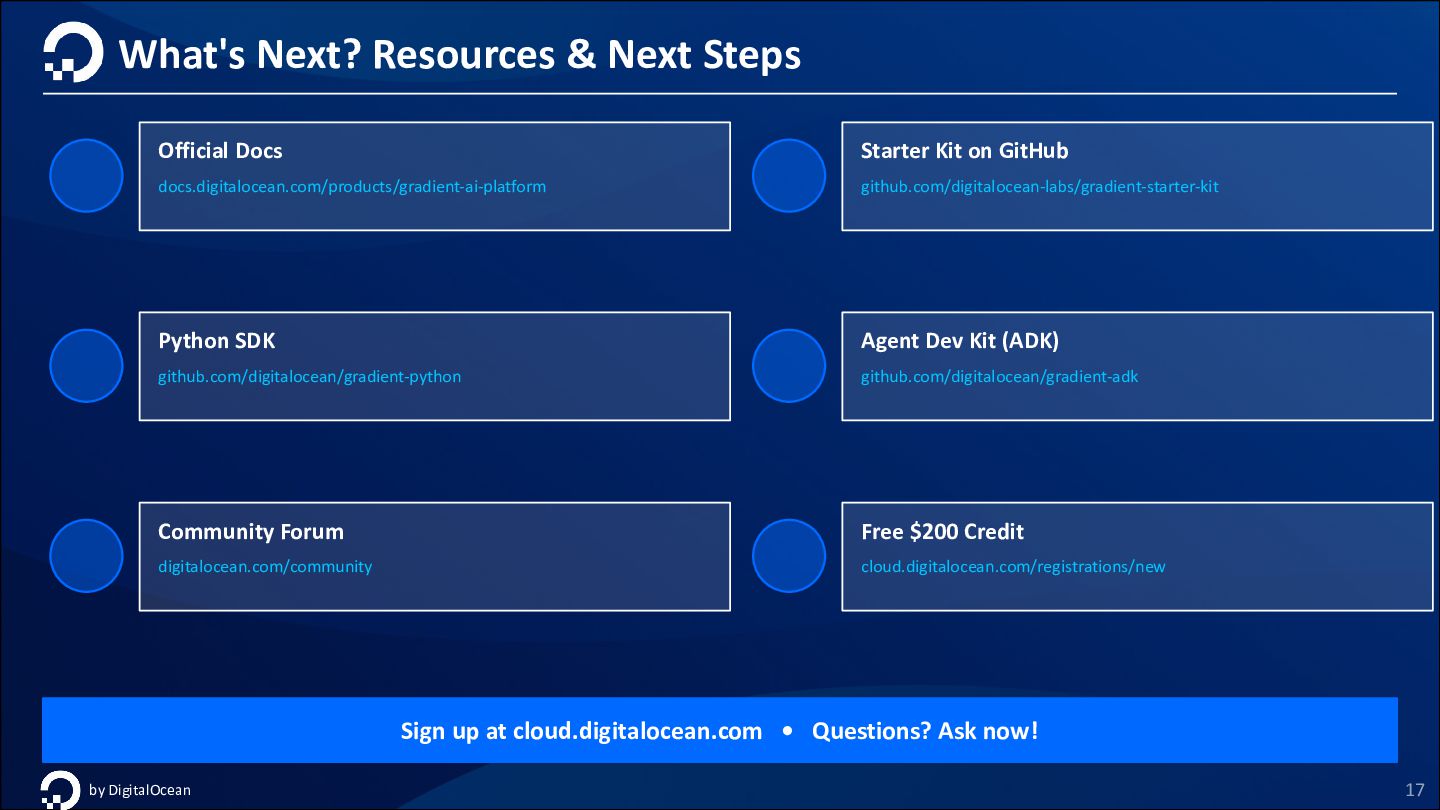
Kit on GitHub github.com/digitalocean-labs/gradient-starter-kit Python SDK github.com/digitalocean/gradient-python Agent Dev Kit (ADK) github.com/digitalocean/gradient-adk Community Forum digitalocean.com/community Free $200 Credit cloud.digitalocean.com/registrations/new Sign up at cloud.digitalocean.com • Questions? Ask now! by DigitalOcean 17


 shogo4131
 kash1064
 kenichiodo
 greenmidori
 keeg
keeg
 sansantech
 kizawa2020
 tetsuya28
 nealle
 iktakahiro
.png) yamad
yamad
 riyaamemiya
 nikkihalliwell
 baasie
 reverentgeek
 mkilby
 axbom
axbom
 mongodb
 jakevdp
 addyosmani
 minecr
 vanstee
 aleyda
 swwweet