Upgrade to Pro
— share decks privately, control downloads, hide ads and more …
Speaker Deck
Sign up for free
Menu
Search
Features
All features
Private URLs
Password Protection
Custom URLS
Scheduled publishing
Remove Branding
Restrict embedding
Deck Collections
Notes
Features
All features
Private URLs
Password Protection
Custom URLS
Scheduled publishing
Remove Branding
Restrict embedding
Deck Collections
Notes
Explore
Featured decks
Featured speakers
Programming
Technology
Storyboards
Explore
Featured decks
Featured speakers
Programming
Technology
Storyboards
Pricing
Search
Sign in
Sign up for free
ポケストップ_予想_.pdf
Search
MaiS
July 14, 2016
70
0
Share
Embed
Copy iframe code
Copy JS code
Copy link
Start on current slide
ポケストップ_予想_.pdf
MaiS
July 14, 2016
More Decks by MaiS
See All by MaiS
englishpresentation
o68m
0
44
kamon_presentation
o68m
0
47
マッピング作業のマニュアル-空間情報システム入門Ⅰ#2 2016/06/16
o68m
0
110
Featured
See All Featured
Test your architecture with Archunit
thirion
2
2.4k
Primal Persuasion: How to Engage the Brain for Learning That Lasts
tmiket
0
500
For a Future-Friendly Web
brad_frost
184
10k
Self-Hosted WebAssembly Runtime for Runtime-Neutral Checkpoint/Restore in Edge–Cloud Continuum
chikuwait
0
890
Building Better People: How to give real-time feedback that sticks.
wjessup
370
20k
Hiding What from Whom? A Critical Review of the History of Programming languages for Music
tomoyanonymous
3
1.3k
実際に使うSQLの書き方 徹底解説 / pgcon21j-tutorial
soudai
PRO
203
77k
So, you think you're a good person
axbom
PRO
2
2.2k
jQuery: Nuts, Bolts and Bling
dougneiner
66
8.6k
sira's awesome portfolio website redesign presentation
elsirapls
0
450
New Earth Scene 8
popppiees
4
2.7k
Building Adaptive Systems
keathley
44
3.2k
Transcript
ポケストップ(予想) をいっき見しよう! 1A116126 瀬下舞
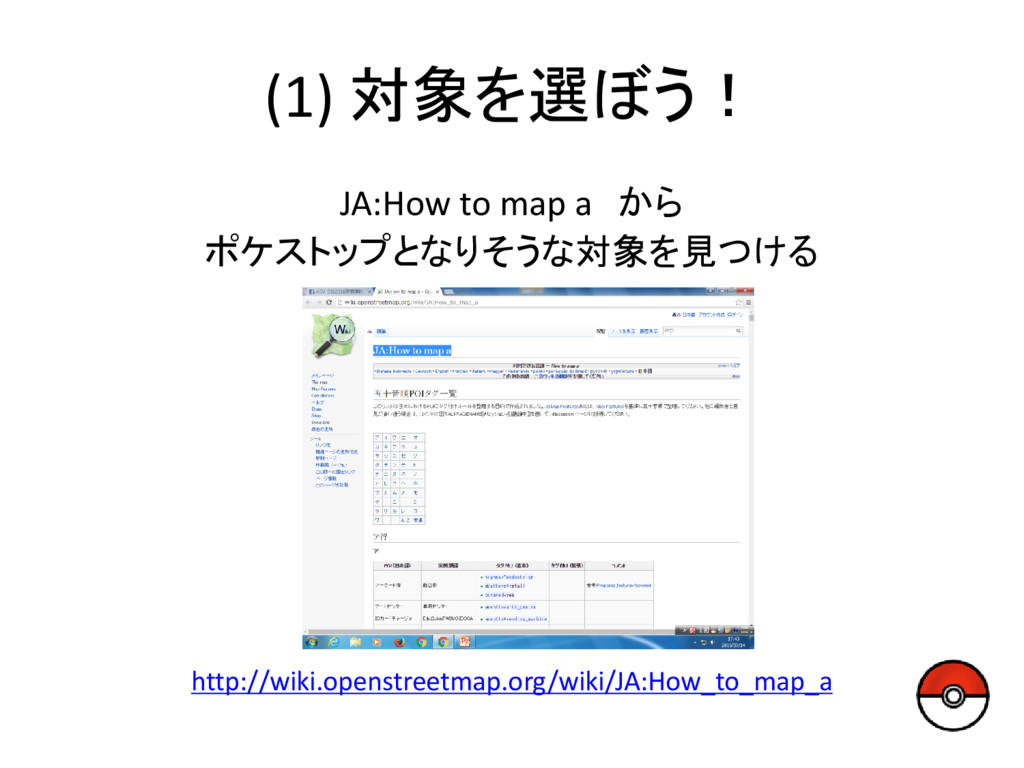
(1) 対象を選ぼう! JA:How to map a から ポケストップとなりそうな対象を見つける http://wiki.openstreetmap.org/wiki/JA:How_to_map_a
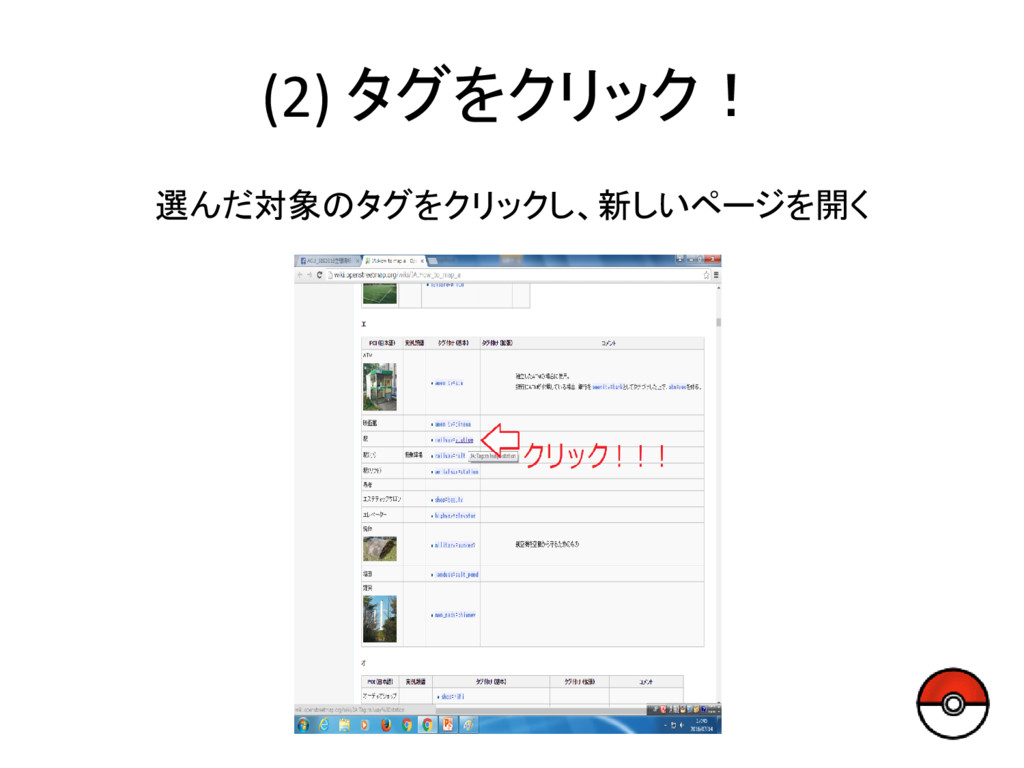
(2) タグをクリック! 選んだ対象のタグをクリックし、新しいページを開く
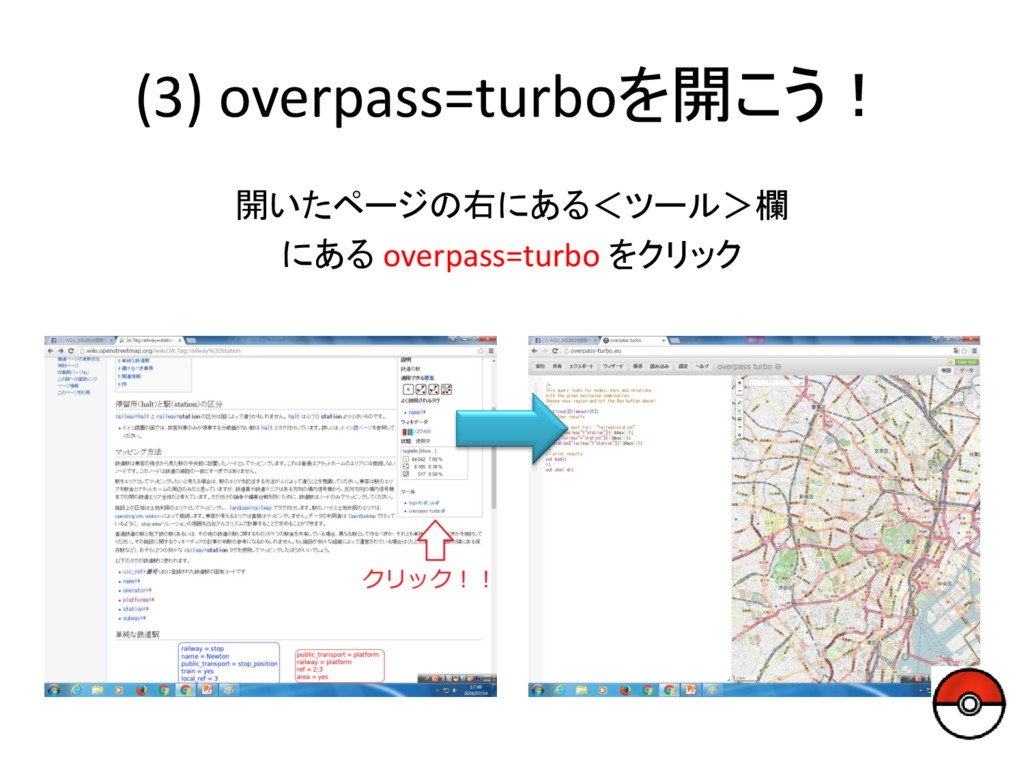
(3) overpass=turboを開こう! 開いたページの右にある<ツール>欄 にある overpass=turbo をクリック
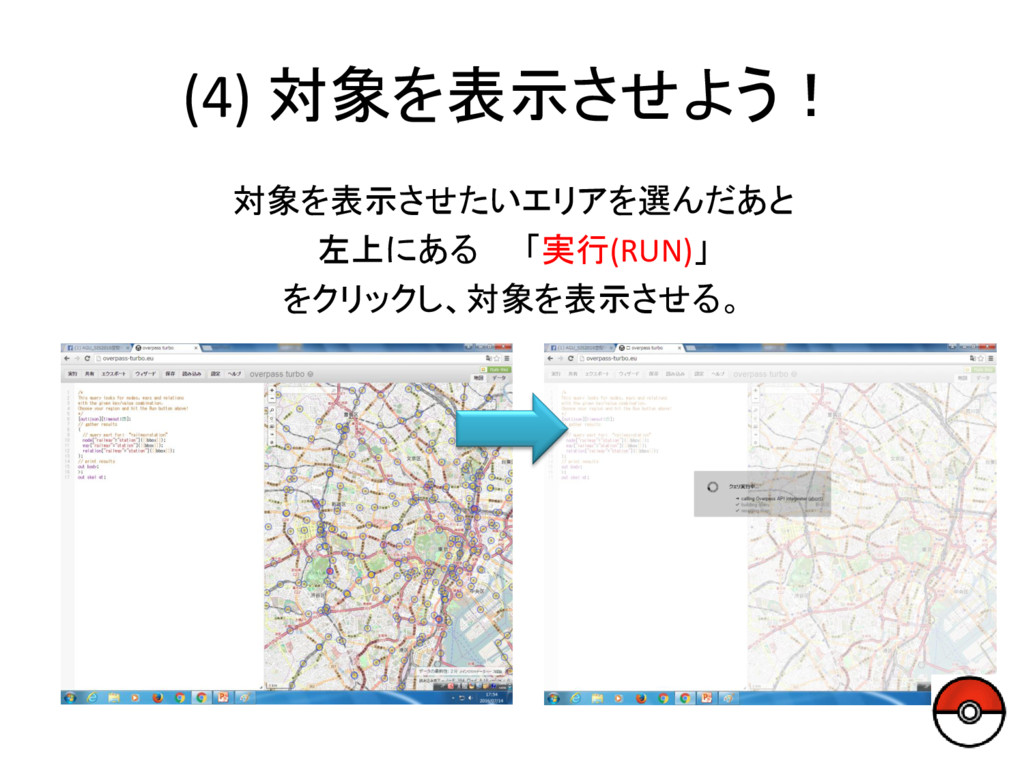
(4) 対象を表示させよう! 対象を表示させたいエリアを選んだあと 左上にある 「実行(RUN)」 をクリックし、対象を表示させる。
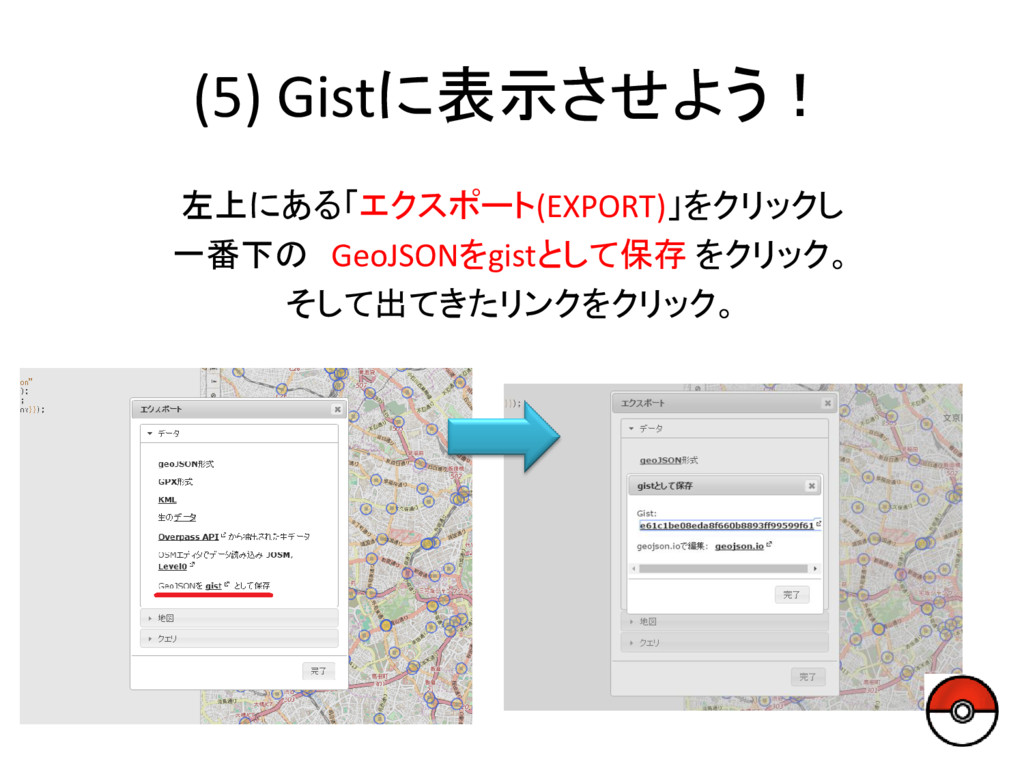
(5) Gistに表示させよう! 左上にある「エクスポート(EXPORT)」をクリックし 一番下の GeoJSONをgistとして保存 をクリック。 そして出てきたリンクをクリック。
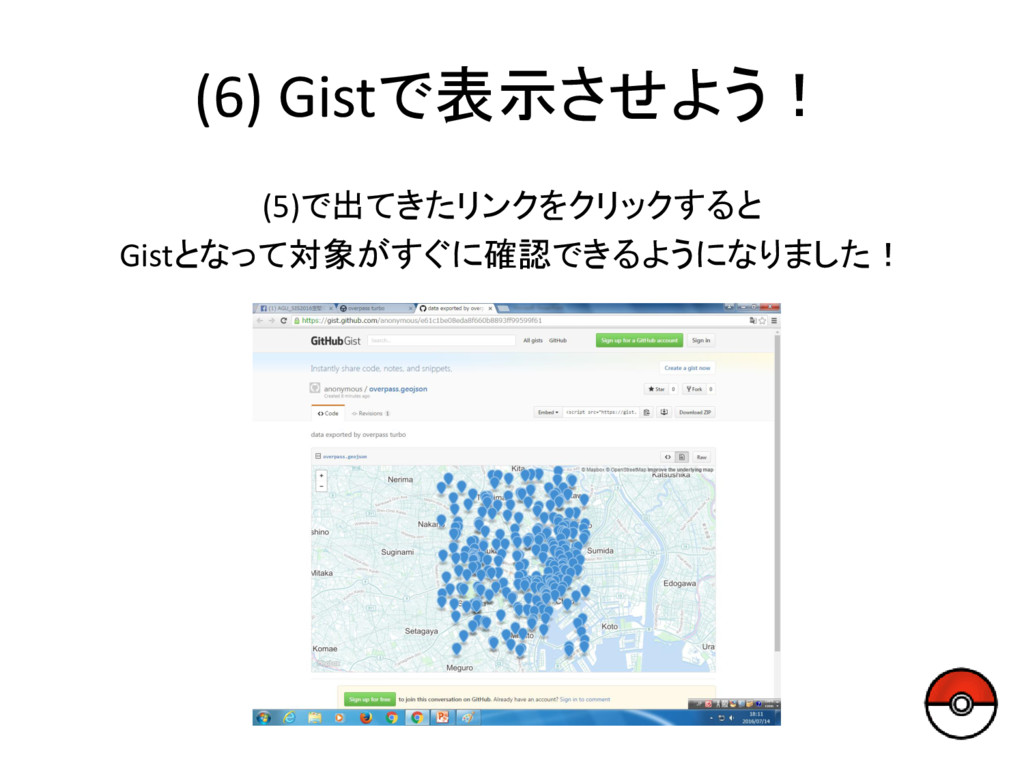
(6) Gistで表示させよう! (5)で出てきたリンクをクリックすると Gistとなって対象がすぐに確認できるようになりました!


 o68m
o68m
 thirion
 tmiket
 brad_frost
 chikuwait
 wjessup
 tomoyanonymous
 soudai
 axbom
axbom
 dougneiner
 elsirapls
 popppiees
 keathley