Upgrade to Pro
— share decks privately, control downloads, hide ads and more …
Speaker Deck
Sign up for free
Menu
Search
Features
All features
Private URLs
Password Protection
Custom URLS
Scheduled publishing
Remove Branding
Restrict embedding
Deck Collections
Notes
Features
All features
Private URLs
Password Protection
Custom URLS
Scheduled publishing
Remove Branding
Restrict embedding
Deck Collections
Notes
Explore
Featured decks
Featured speakers
Programming
Technology
Storyboards
Explore
Featured decks
Featured speakers
Programming
Technology
Storyboards
Pricing
Search
Sign in
Sign up for free
Manually load turntable on Mac OS X
Search
Ortery Tech
October 10, 2012
170
0
Share
Embed
Copy iframe code
Copy JS code
Copy link
Start on current slide
Manually load turntable on Mac OS X
Note: You only have to do this once.
Ortery Tech
October 10, 2012
Featured
See All Featured
WCS-LA-2024
lcolladotor
0
890
HDC tutorial
michielstock
2
960
Sam Torres - BigQuery for SEOs
techseoconnect
PRO
0
580
Fashionably flexible responsive web design (full day workshop)
malarkey
409
67k
Darren the Foodie - Storyboard
khoart
PRO
4
4k
The SEO Collaboration Effect
kristinabergwall1
1
590
The innovator’s Mindset - Leading Through an Era of Exponential Change - McGill University 2025
jdejongh
PRO
1
380
Performance Is Good for Brains [We Love Speed 2024]
tammyeverts
12
1.9k
Stewardship and Sustainability of Urban and Community Forests
pwiseman
0
550
The Art of Delivering Value - GDevCon NA Keynote
reverentgeek
16
2.2k
Exploring the relationship between traditional SERPs and Gen AI search
raygrieselhuber
PRO
4
4.4k
The Cost Of JavaScript in 2023
addyosmani
55
10k
Transcript
Load driver manually on Mac OS X Wednesday, October 10,
12
First of all, unplug all USB cords of turntables Wednesday,
October 10, 12
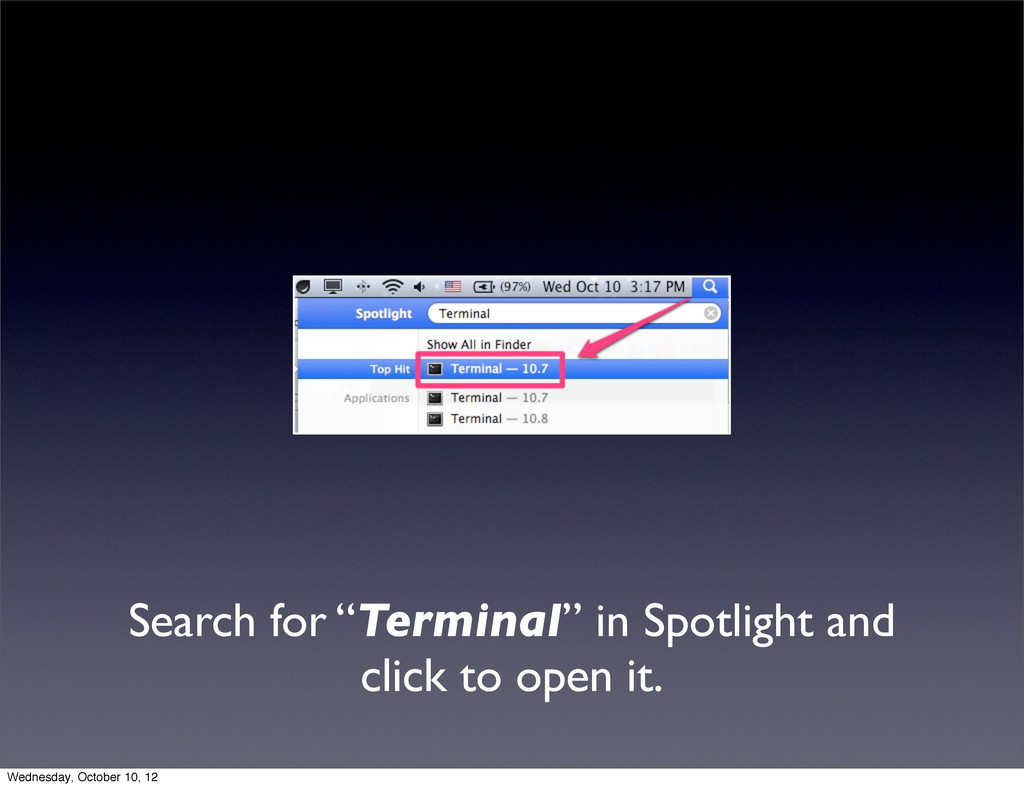
Search for “Terminal” in Spotlight and click to open it.
Wednesday, October 10, 12
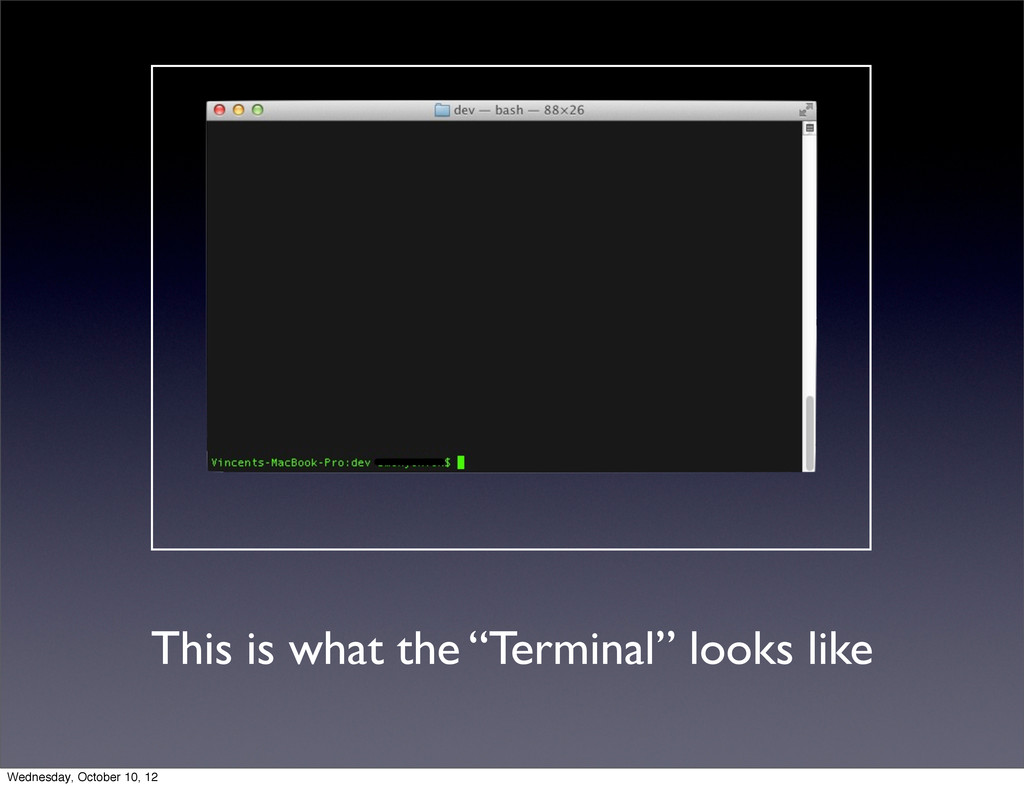
This is what the “Terminal” looks like Wednesday, October 10,
12
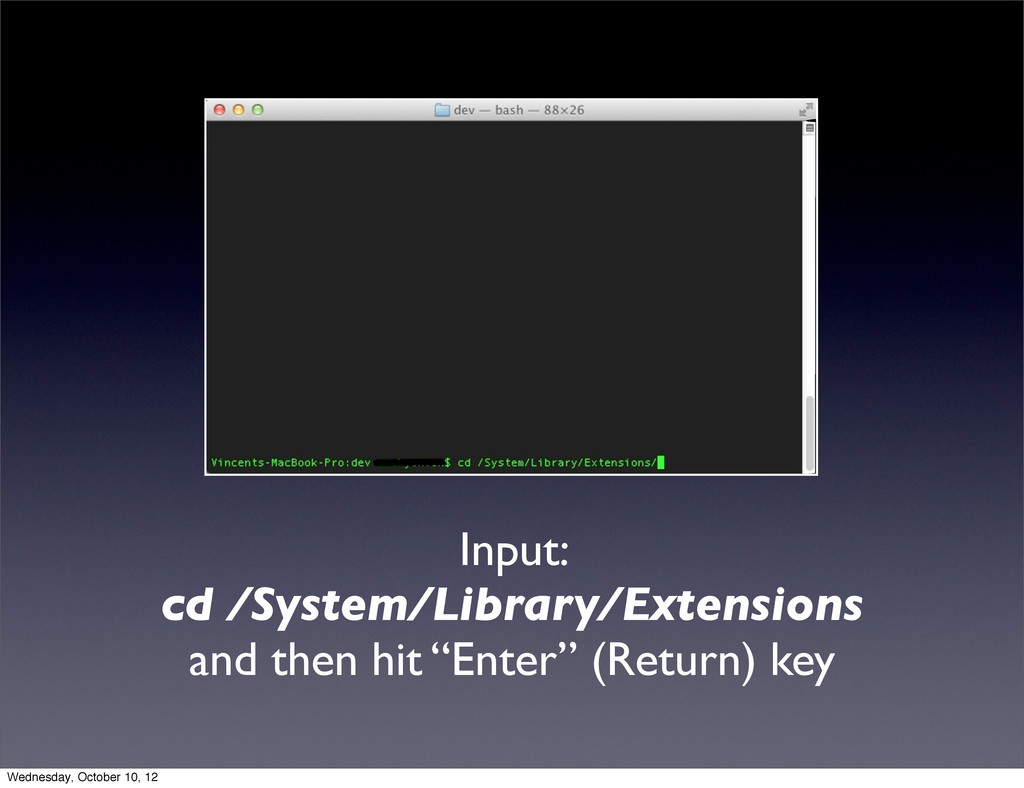
Input: cd /System/Library/Extensions and then hit “Enter” (Return) key Wednesday,
October 10, 12
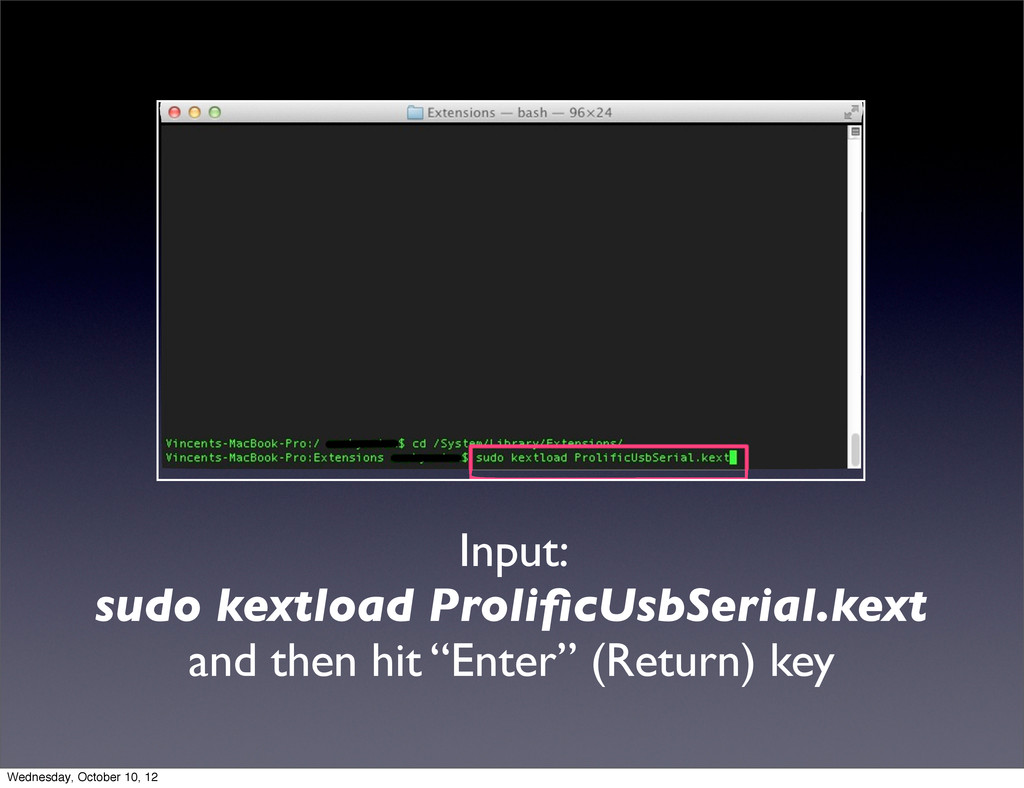
Input: sudo kextload ProlificUsbSerial.kext and then hit “Enter” (Return) key
Wednesday, October 10, 12
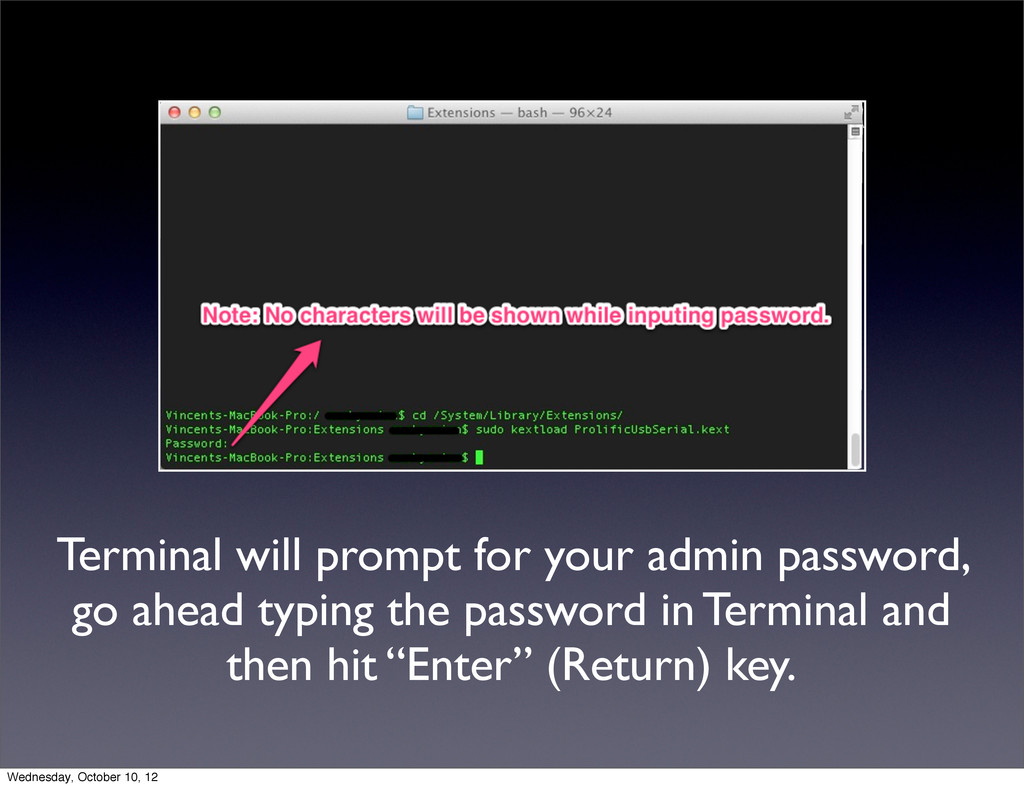
Terminal will prompt for your admin password, go ahead typing
the password in Terminal and then hit “Enter” (Return) key. Wednesday, October 10, 12
Done ! Restart your computer and then you are all
set. Wednesday, October 10, 12


 lcolladotor
 michielstock
 techseoconnect
 malarkey
 khoart
 kristinabergwall1
 jdejongh
 tammyeverts
 pwiseman
 reverentgeek
 raygrieselhuber
 addyosmani