Upgrade to Pro
— share decks privately, control downloads, hide ads and more …
Speaker Deck
Sign up for free
Menu
Search
Features
All features
Private URLs
Password Protection
Custom URLS
Scheduled publishing
Remove Branding
Restrict embedding
Deck Collections
Notes
Features
All features
Private URLs
Password Protection
Custom URLS
Scheduled publishing
Remove Branding
Restrict embedding
Deck Collections
Notes
Explore
Featured decks
Featured speakers
Programming
Technology
Storyboards
Explore
Featured decks
Featured speakers
Programming
Technology
Storyboards
Pricing
Search
Sign in
Sign up for free
Ruby から Emacs を操作したい
Search
Sponsored
·
SiteGround - Reliable hosting with speed, security, and support you can count on.
→
phigasui
October 28, 2026
Programming
23
0
Share
Embed
Copy iframe code
Copy JS code
Copy link
Start on current slide
Ruby から Emacs を操作したい
phigasui
October 28, 2026
More Decks by phigasui
See All by phigasui
cXML という電子商取引の トランザクションを支える プロトコルと向きあっている話
phigasui
5
4.6k
Other Decks in Programming
See All in Programming
Optunaを作ったときにやりたかったこと、その後 (2026/10/16, Optuna Meetup #3)
iwiwi
4
1.3k
contenteditable と日本語入力に向き合う
colorful12
0
220
コードレビューのボトルネックを"する側"と"される側"の両面から解消する
yub0n
2
1.7k
Simple Storage Service(S3) is not simple
iwatsukayura
0
330
Railsバージョンを4倍にした話
optim
0
610
APNsからLive Activityを開始する話
yumnumm
0
180
クラウドエージェントは、 何がそんなに便利なのか / what makes cloud agents so useful
rkaga
3
500
HTML-in-Canvasで作る未来のWeb UI表現
clockmaker
5
5.7k
R8 の設定見直しでアプリサイズ削減
andpad
0
230
見えないものを探る要求要件定義に必要な基本的思考 / invisible-requirement-thinking
minodriven
15
8.8k
作って学ぶSpring BootのAuto Configuration / JJUG Night Seminar 2026-10-19
rshindo
0
210
自作Discord音声botをLambda MicroVMsに移行した話 / Migrating My Discord Voice Bot to Lambda MicroVMs
akihisaikeda
0
150
Featured
See All Featured
Tell your own story through comics
letsgokoyo
1
1.1k
Building a Scalable Design System with Sketch
lauravandoore
464
34k
Visualizing Your Data: Incorporating Mongo into Loggly Infrastructure
mongodb
50
10k
[SF Ruby Conf 2025] Rails X
palkan
3
1.5k
Public Speaking Without Barfing On Your Shoes - THAT 2023
reverentgeek
1
620
Visual Storytelling: How to be a Superhuman Communicator
reverentgeek
2
720
Helping Users Find Their Own Way: Creating Modern Search Experiences
danielanewman
31
3.4k
The AI Revolution Will Not Be Monopolized: How open-source beats economies of scale, even for LLMs
inesmontani
PRO
3
3.8k
Reflections from 52 weeks, 52 projects
jeffersonlam
356
22k
Mobile First: as difficult as doing things right
swwweet
225
10k
Why Our Code Smells
bkeepers
PRO
340
58k
Become a Pro
speakerdeck
PRO
31
6.3k
Transcript
Ruby から Emacs を操作したい emacsclient を卒業して Emacs Server と直接やりとりするまで phigasui
/ 五反田.rb / 2026-10-28 1
自己紹介 phigasui(がーしー) 株式会社Leaner Technologies プロダクトエンジニア 五反田歴 2021 年くらいから 最近は PicoRuby
や 3D プリンタで あそんでいる 2
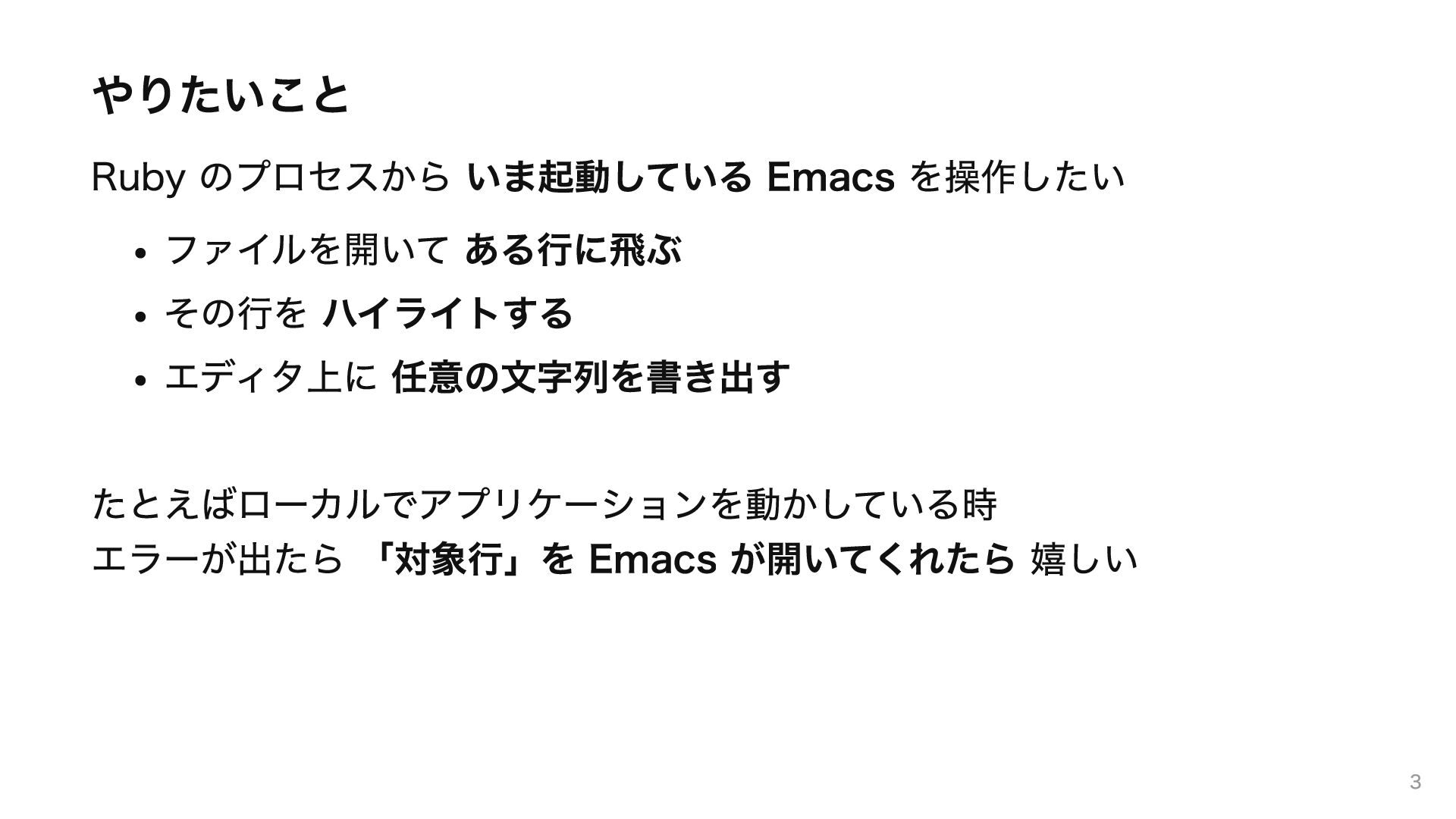
やりたいこと Ruby のプロセスから いま起動している Emacs を操作したい ファイルを開いて ある行に飛ぶ その行を ハイライトする
エディタ上に 任意の文字列を書き出す たとえばローカルでアプリケーションを動かしている時 エラーが出たら 「対象行」を Emacs が開いてくれたら 嬉しい 3
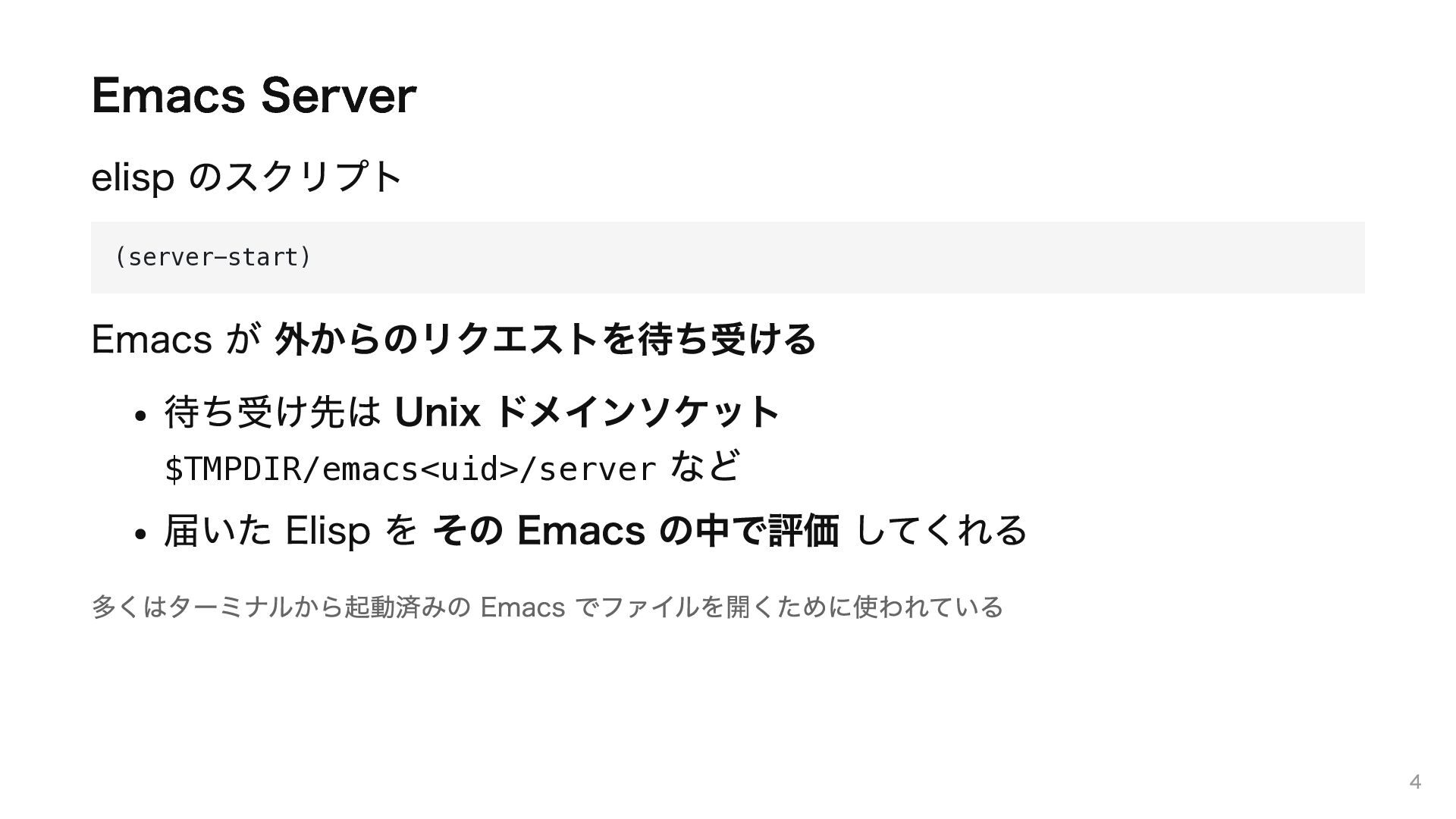
Emacs Server elisp のスクリプト (server-start) Emacs が 外からのリクエストを待ち受ける 待ち受け先は Unix
ドメインソケット $TMPDIR/emacs<uid>/server など 届いた Elisp を その Emacs の中で評価 してくれる 多くはターミナルから起動済みの Emacs でファイルを開くために使われている 4
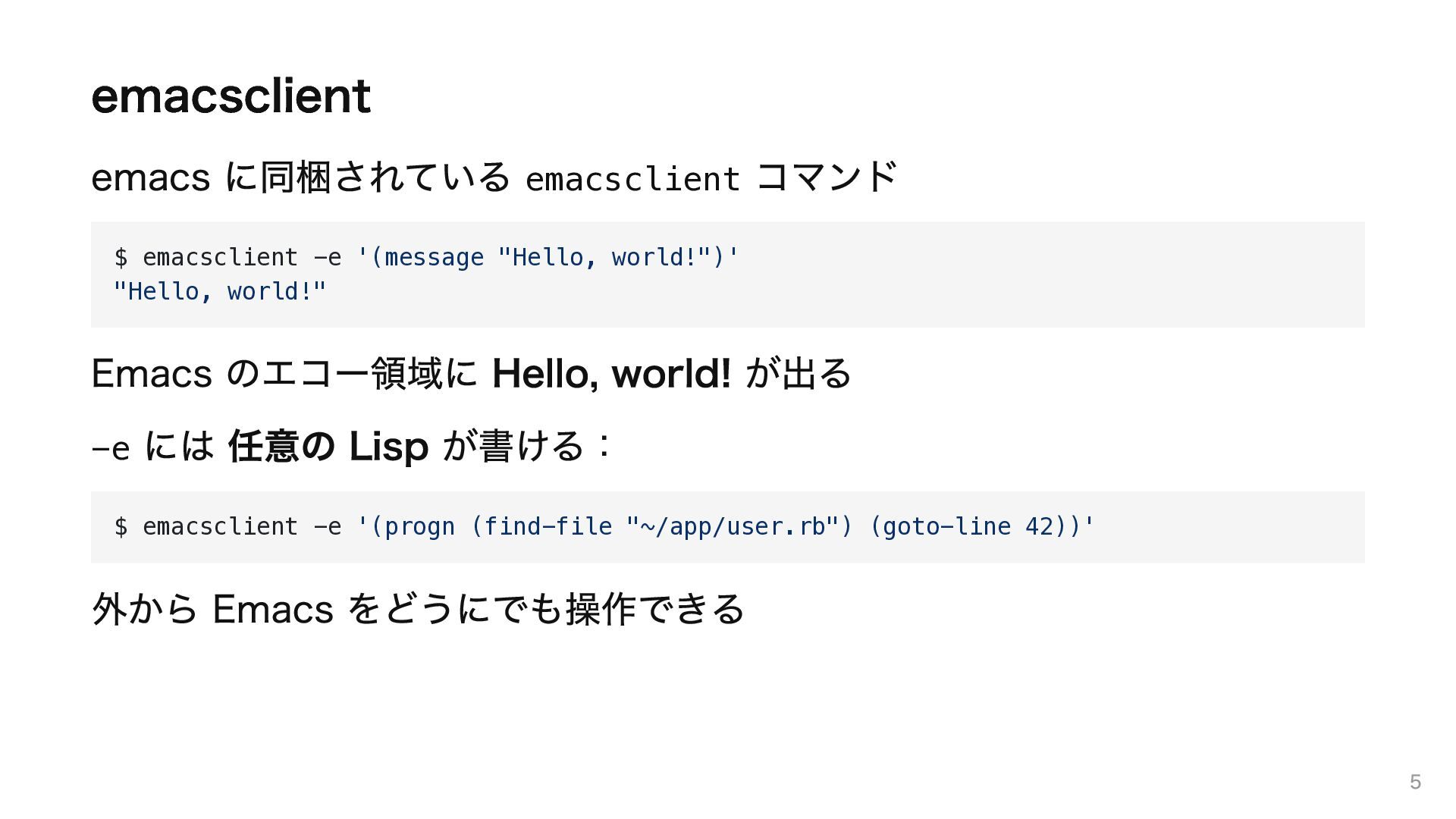
emacsclient emacs に同梱されている emacsclient コマンド $ emacsclient -e '(message "Hello,
world!")' "Hello, world!" Emacs のエコー領域に Hello, world! が出る -e には 任意の Lisp が書ける: $ emacsclient -e '(progn (find-file "~/app/user.rb") (goto-line 42))' 外から Emacs をどうにでも操作できる 5
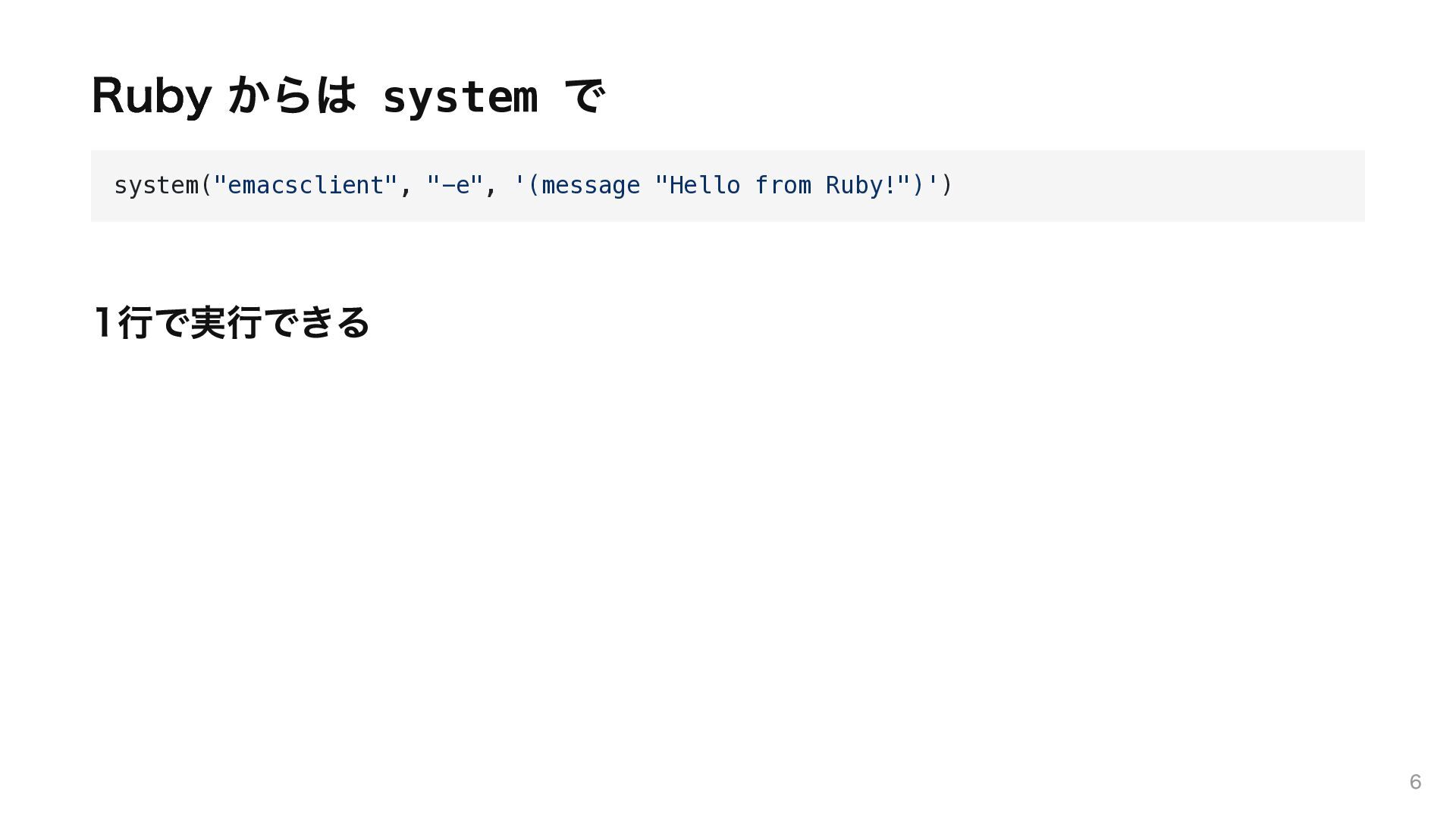
Ruby からは system で system("emacsclient", "-e", '(message "Hello from Ruby!")')
1行で実行できる 6
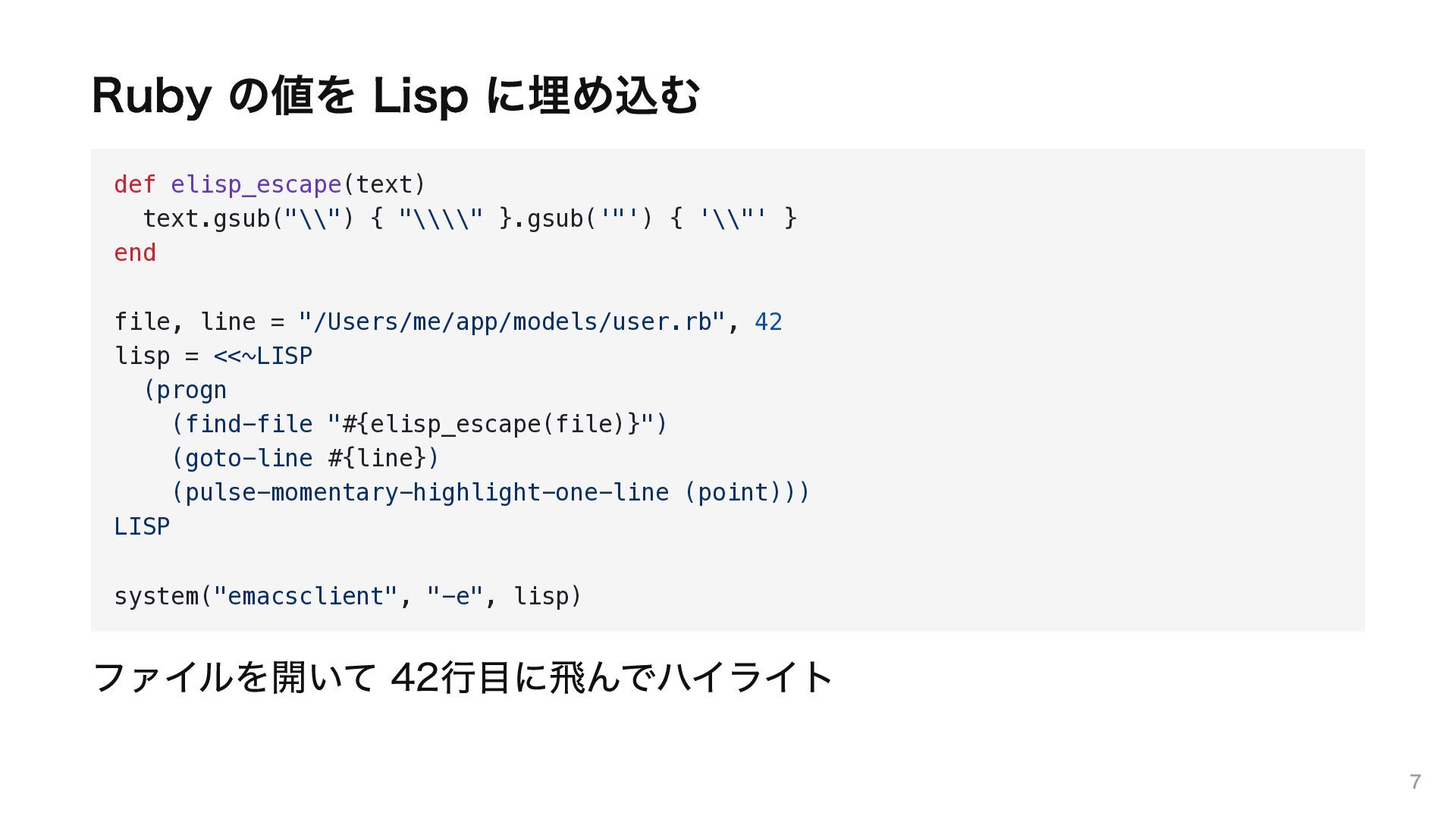
Ruby の値を Lisp に埋め込む def elisp_escape(text) text.gsub("\\") { "\\\\" }.gsub('"')
{ '\\"' } end file, line = "/Users/me/app/models/user.rb", 42 lisp = <<~LISP (progn (find-file "#{elisp_escape(file)}") (goto-line #{line}) (pulse-momentary-highlight-one-line (point))) LISP system("emacsclient", "-e", lisp) ファイルを開いて 42行目に飛んでハイライト 7
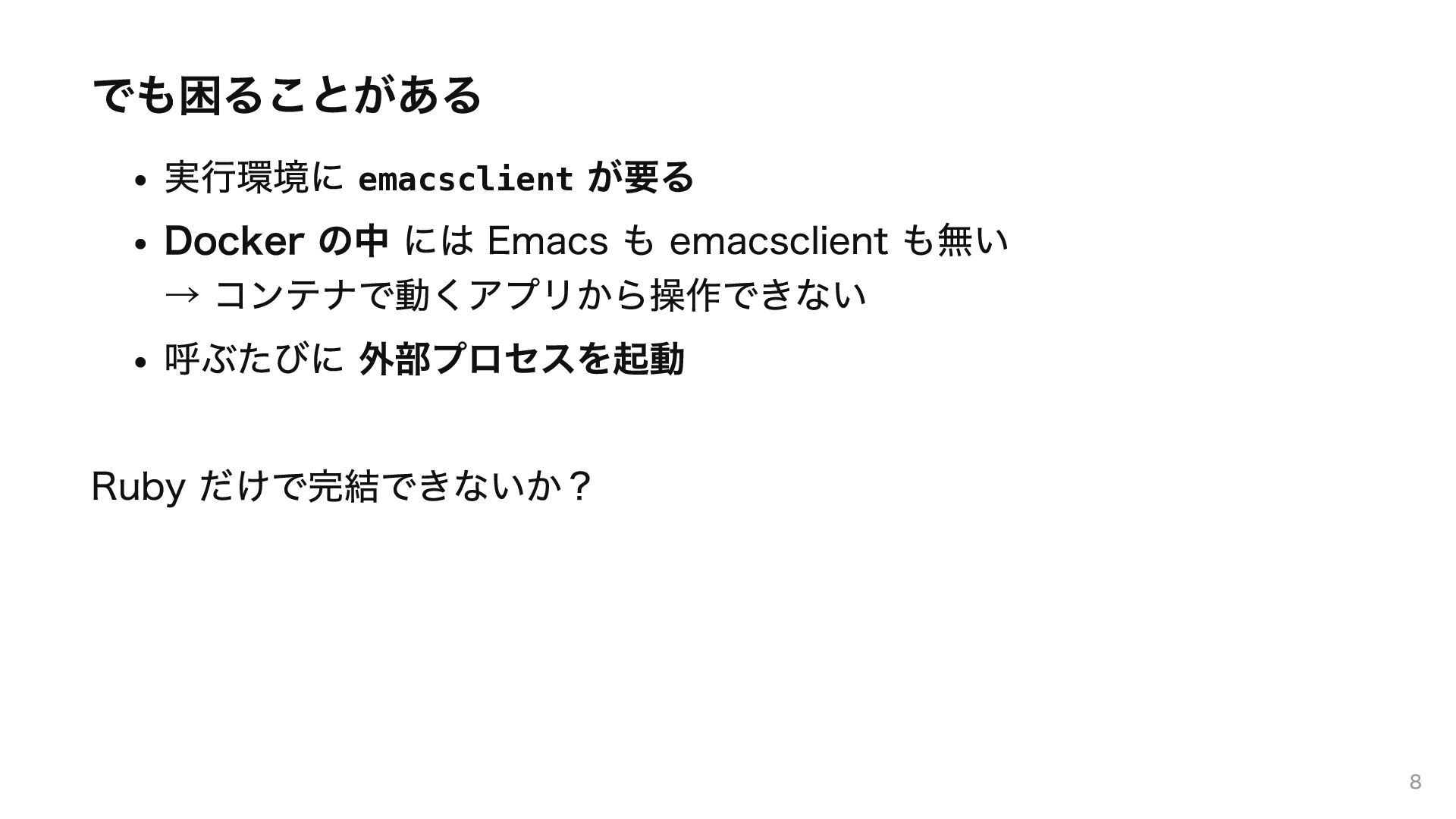
でも困ることがある 実行環境に emacsclient が要る Docker の中 には Emacs も emacsclient
も無い → コンテナで動くアプリから操作できない 呼ぶたびに 外部プロセスを起動 Ruby だけで完結できないか? 8
emacsclient は何をしているのか 9
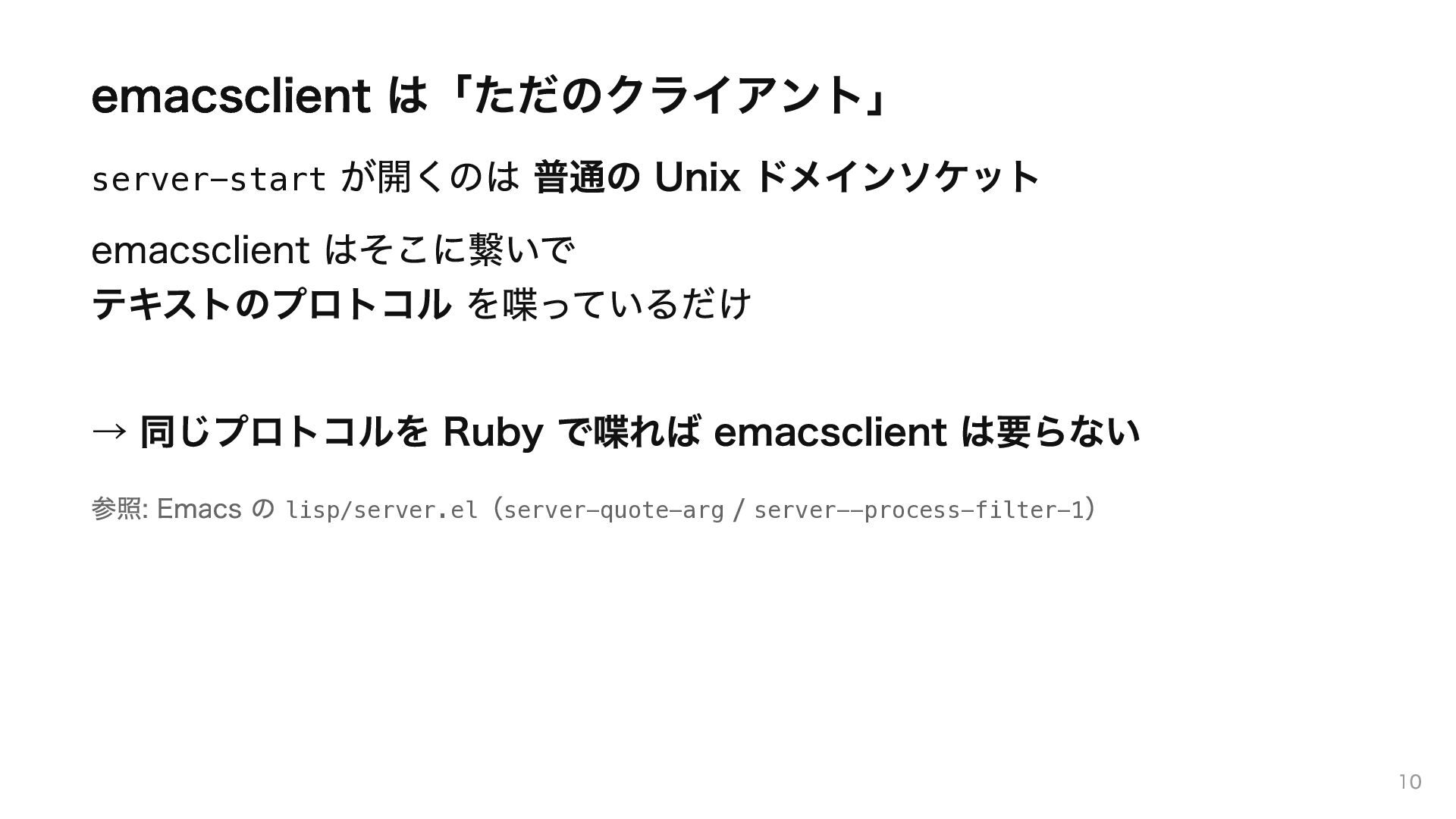
emacsclient は「ただのクライアント」 が開くのは 普通の Unix ドメインソケット emacsclient はそこに繋いで テキストのプロトコル を喋っているだけ
server-start → 同じプロトコルを Ruby で喋れば emacsclient は要らない 参照: Emacs の lisp/server.el(server-quote-arg / server--process-filter-1) 10
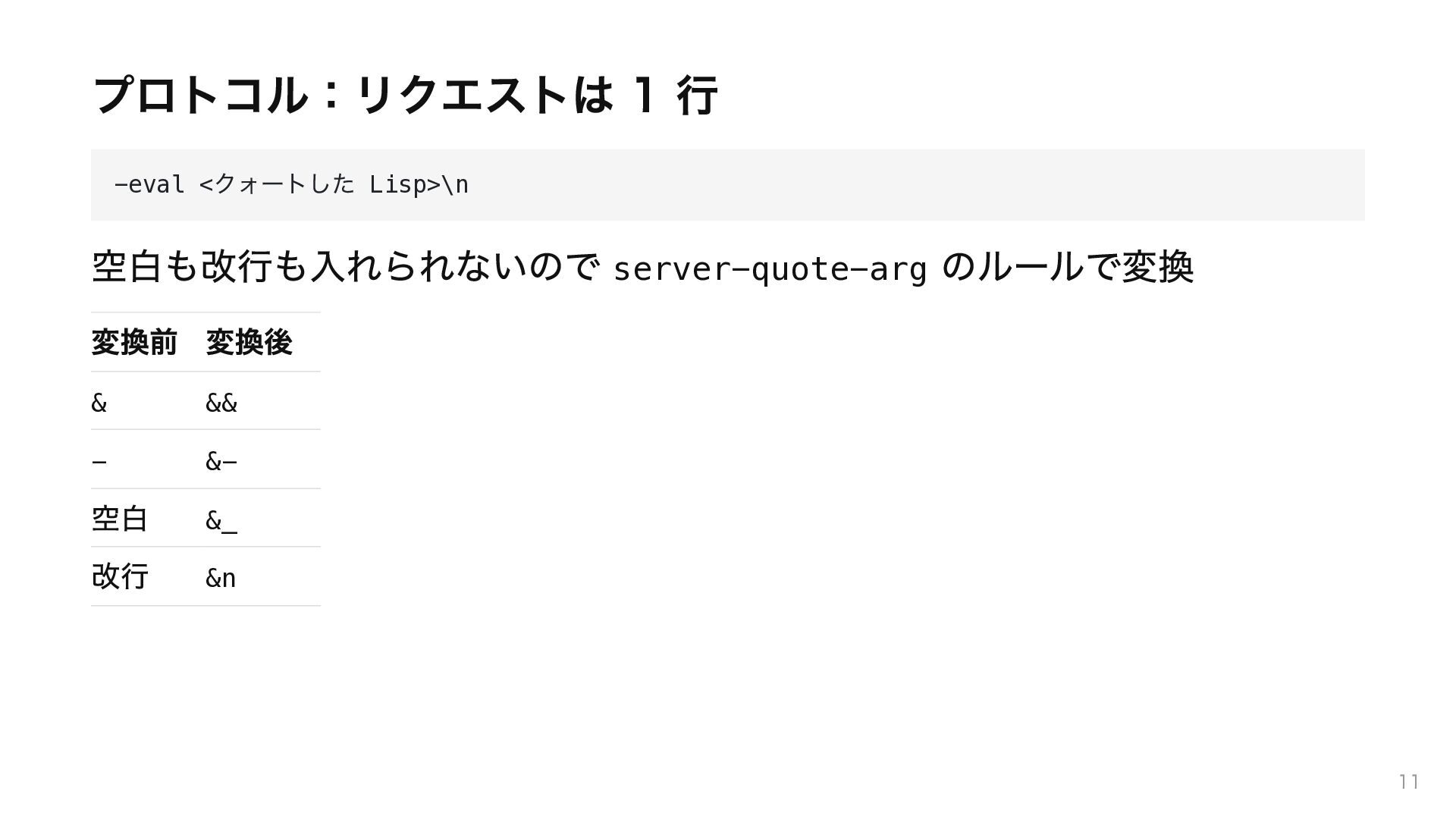
プロトコル:リクエストは 1 行 クォートした Lisp>\n -eval < 空白も改行も入れられないので server-quote-arg のルールで変換
変換前 変換後 & && - &- 空白 改行 &_ &n 11
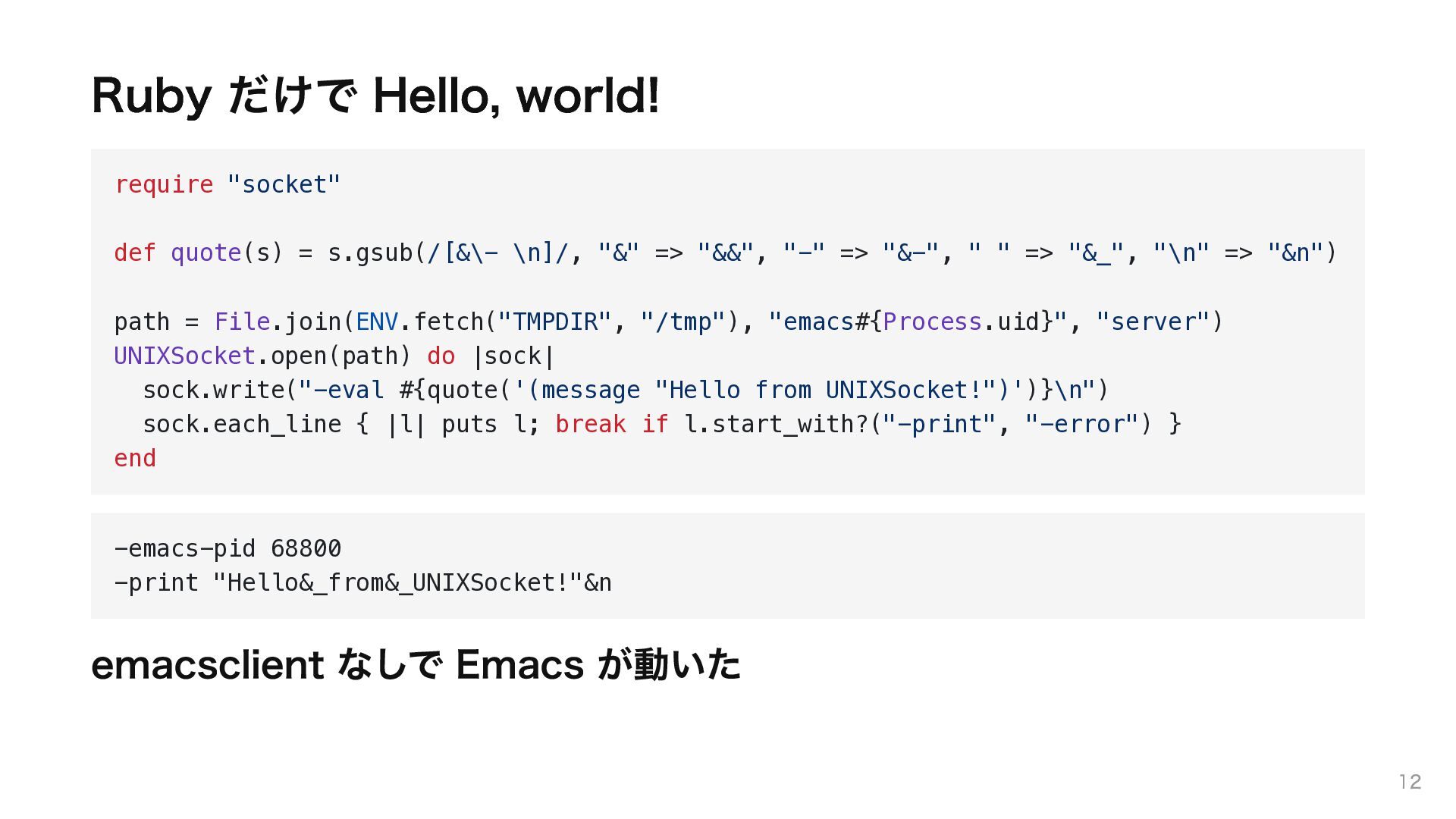
Ruby だけで Hello, world! require "socket" def quote(s) = s.gsub(/[&\-
\n]/, "&" => "&&", "-" => "&-", " " => "&_", "\n" => "&n") path = File.join(ENV.fetch("TMPDIR", "/tmp"), "emacs#{Process.uid}", "server") UNIXSocket.open(path) do |sock| sock.write("-eval #{quote('(message "Hello from UNIXSocket!")')}\n") sock.each_line { |l| puts l; break if l.start_with?("-print", "-error") } end -emacs-pid 68800 -print "Hello&_from&_UNIXSocket!"&n emacsclient なしで Emacs が動いた 12
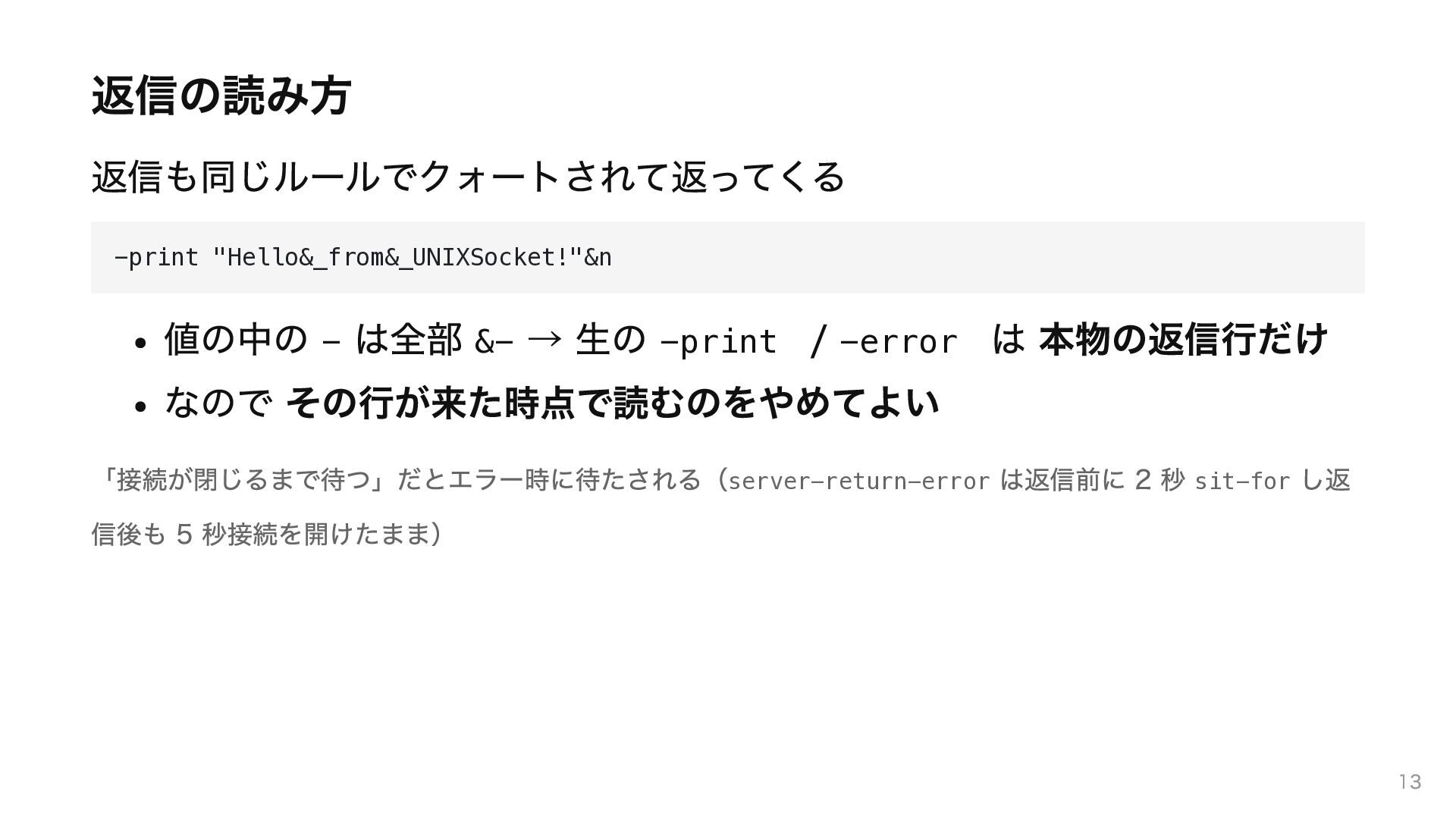
返信の読み方 返信も同じルールでクォートされて返ってくる -print "Hello&_from&_UNIXSocket!"&n 値の中の - は全部 &- → 生の
-print / -error は 本物の返信行だけ なので その行が来た時点で読むのをやめてよい 「接続が閉じるまで待つ」だとエラー時に待たされる(server-return-error は返信前に 2 秒 sit-for し返 信後も 5 秒接続を開けたまま) 13
Docker コンテナの中からも操作したい 14
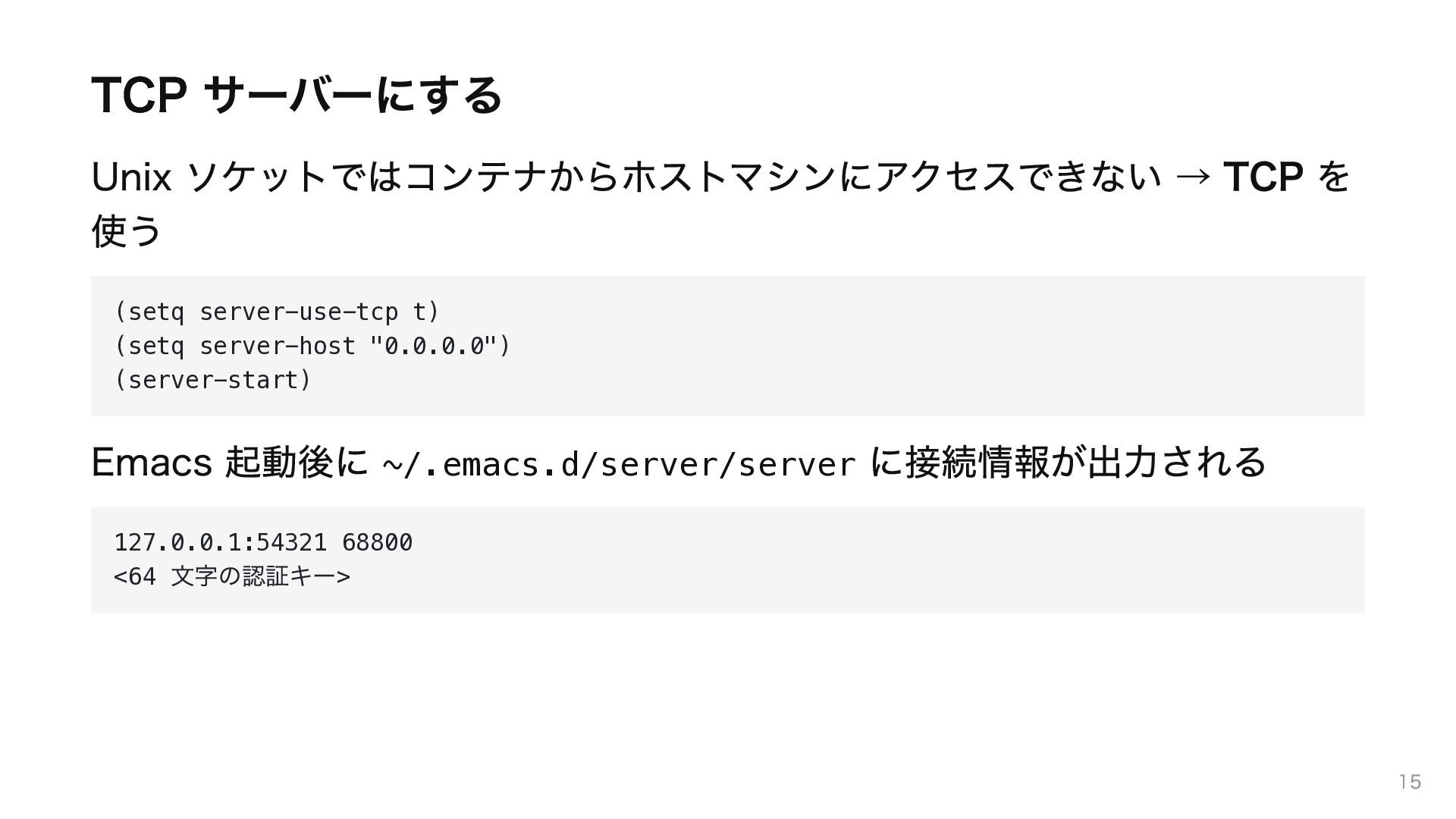
TCP サーバーにする Unix ソケットではコンテナからホストマシンにアクセスできない → TCP を 使う (setq server-use-tcp
t) (setq server-host "0.0.0.0") (server-start) Emacs 起動後に ~/.emacs.d/server/server に接続情報が出力される 127.0.0.1:54321 68800 <64 > 文字の認証キー 15
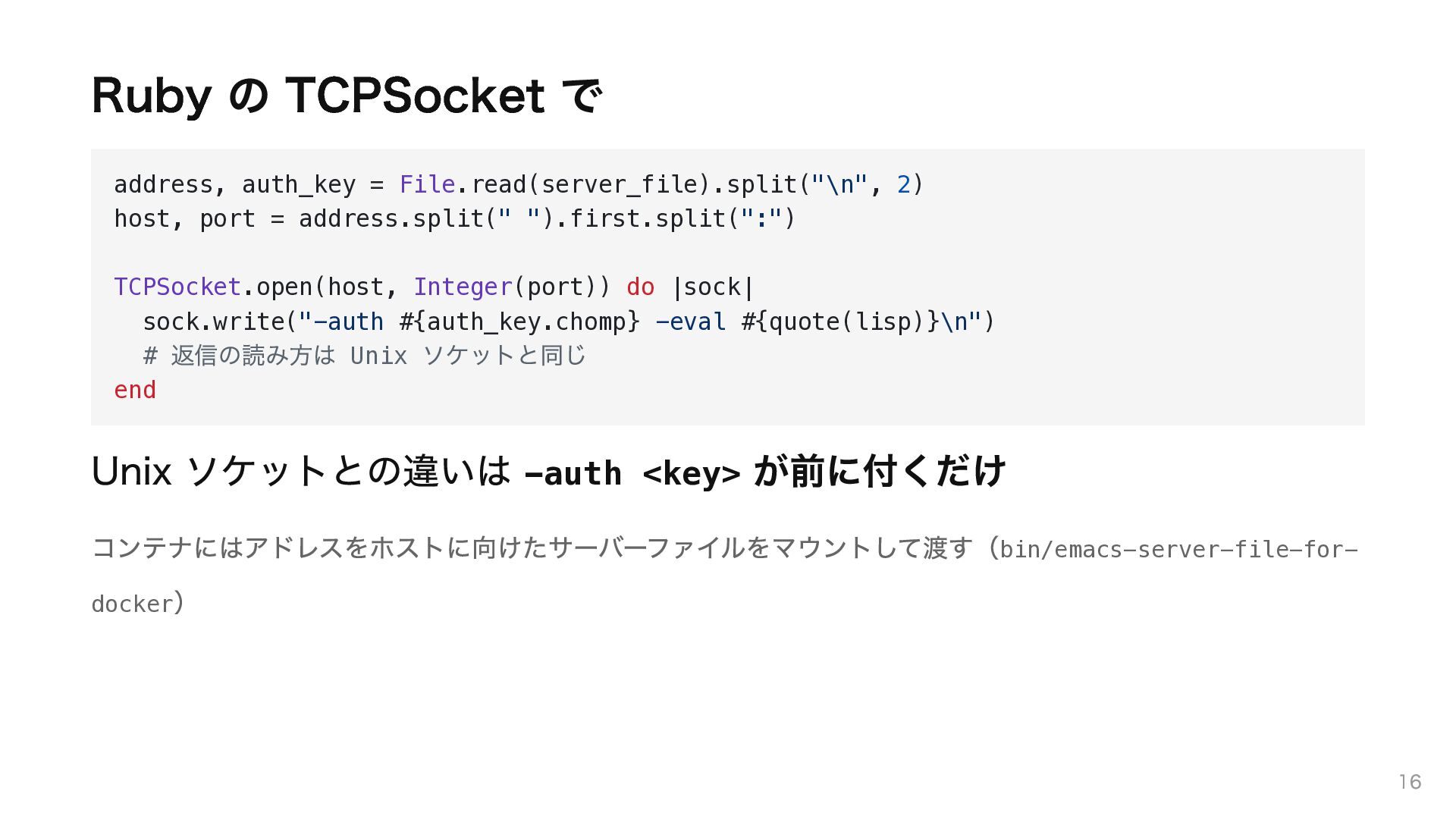
Ruby の TCPSocket で address, auth_key = File.read(server_file).split("\n", 2) host,
port = address.split(" ").first.split(":") TCPSocket.open(host, Integer(port)) do |sock| sock.write("-auth #{auth_key.chomp} -eval #{quote(lisp)}\n") # Unix end 返信の読み方は ソケットと同じ Unix ソケットとの違いは -auth <key> が前に付くだけ コンテナにはアドレスをホストに向けたサーバーファイルをマウントして渡す(bin/emacs-server-file-fordocker) 16
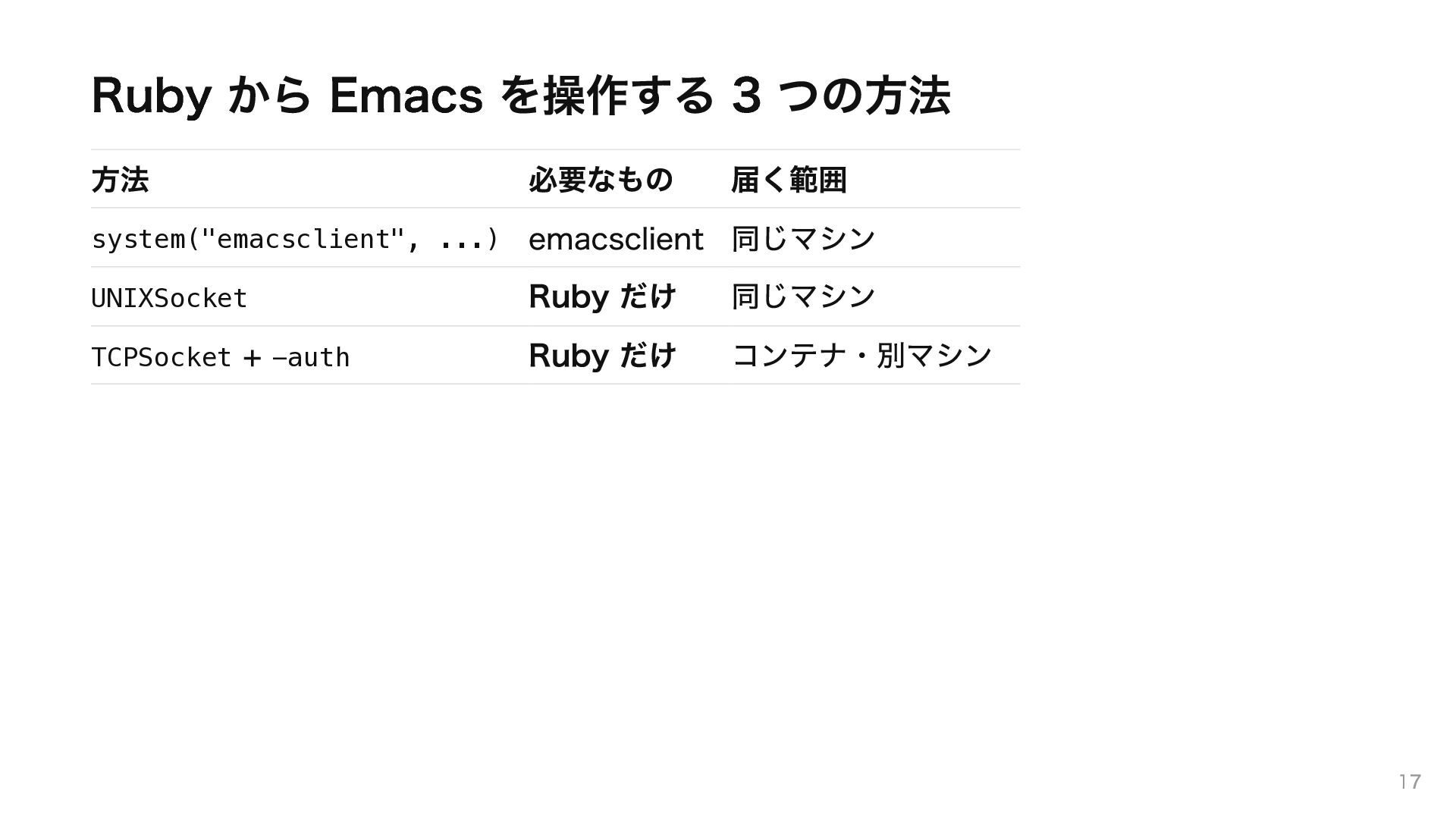
Ruby から Emacs を操作する 3 つの方法 方法 必要なもの 届く範囲 system("emacsclient",
...) emacsclient 同じマシン UNIXSocket Ruby だけ 同じマシン TCPSocket + -auth Ruby だけ コンテナ・別マシン 17
作ったもの emacs_debug 18
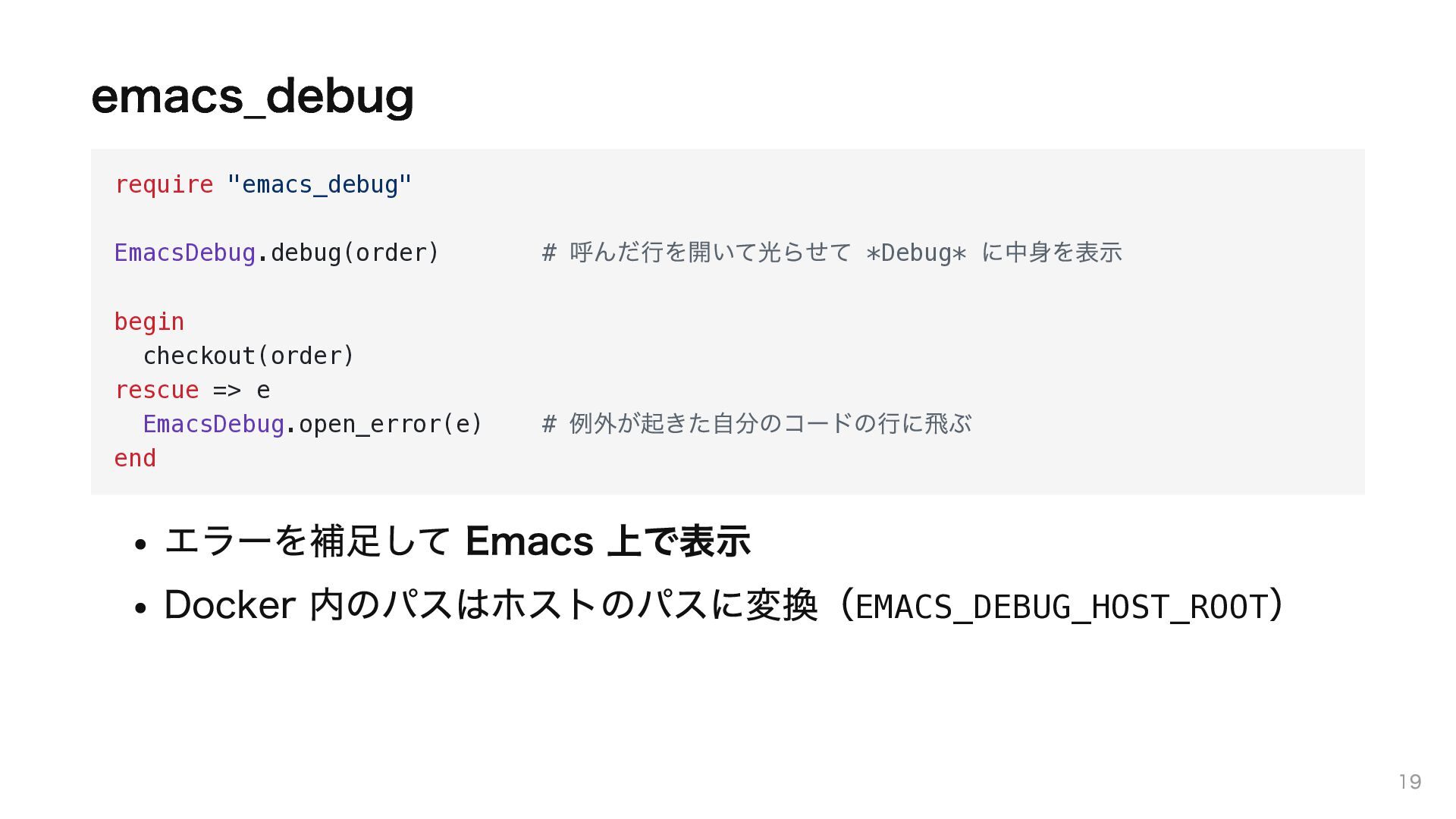
emacs_debug require "emacs_debug" EmacsDebug.debug(order) begin checkout(order) rescue => e EmacsDebug.open_error(e)
end # 呼んだ行を開いて光らせて *Debug* に中身を表示 # 例外が起きた自分のコードの行に飛ぶ エラーを補足して Emacs 上で表示 Docker 内のパスはホストのパスに変換(EMACS_DEBUG_HOST_ROOT) 19
中身は今日の話そのもの def eval_lisp(lisp) [SocketClient, TcpClient].each do |client| next unless client.available?
begin client.eval(lisp); return rescue EmacsServerProtocol::Error # TCP end end end 応答タイムアウトや # Unix ソケット → TCP の順 の接続失敗なら次の経路へ 生成した Lisp を 届く経路で送るだけ。emacsclient はどこにも出てこ ない 光らせ方・開き方は Emacs 側の変数で差し替え可能 20
デモ 21
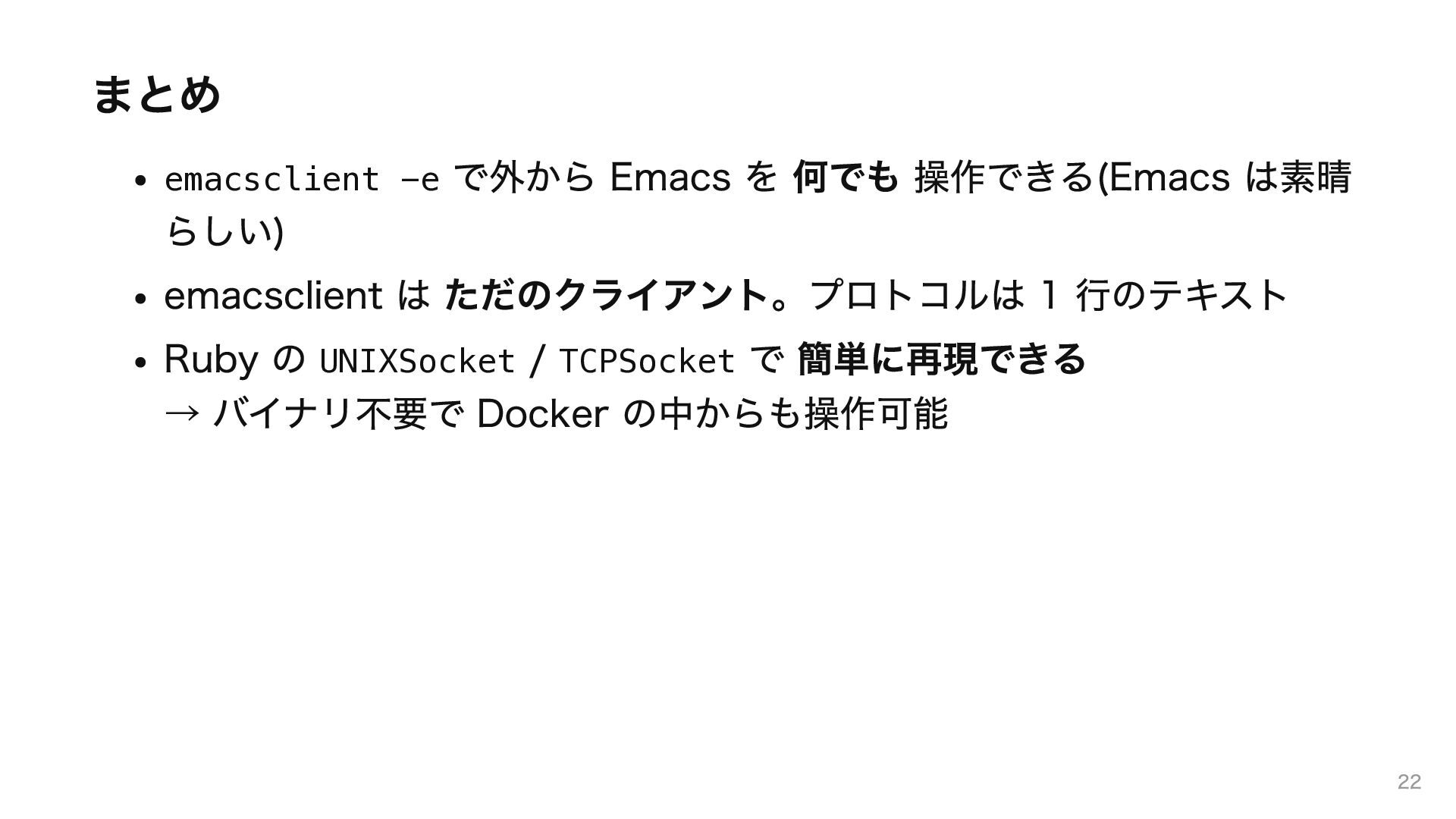
まとめ emacsclient -e で外から Emacs を 何でも 操作できる(Emacs は素晴 らしい)
emacsclient は ただのクライアント。プロトコルは 1 行のテキスト Ruby の UNIXSocket / TCPSocket で 簡単に再現できる → バイナリ不要で Docker の中からも操作可能 22

 SiteGround - Reliable hosting with speed, security, and support you can count on.


 phigasui
 iwiwi
iwiwi
 colorful12
 yub0n
yub0n
 iwatsukayura
 optim
optim
.jpg) yumnumm
yumnumm
 rkaga
rkaga
 clockmaker
 andpad
 minodriven
 rshindo
 akihisaikeda
 letsgokoyo
 lauravandoore
 mongodb
 palkan
 reverentgeek
 danielanewman
 inesmontani
 jeffersonlam
 swwweet
 bkeepers
 speakerdeck


![中身は今日の話そのもの def eval_lisp(lisp) [SocketClient, TcpClient].each do |client| next unless client.available?](https://files.speakerdeck.com/presentations/936279a6d7a04d2da95f2f09f19451ee/slide_19.jpg)