Upgrade to Pro — share decks privately, control downloads, hide ads and more …

pg_stats: How Postgres Internal Stats Work

Sponsored · SiteGround - Reliable hosting with speed, security, and support you can count on.

pg_stats: How Postgres Internal Stats Work

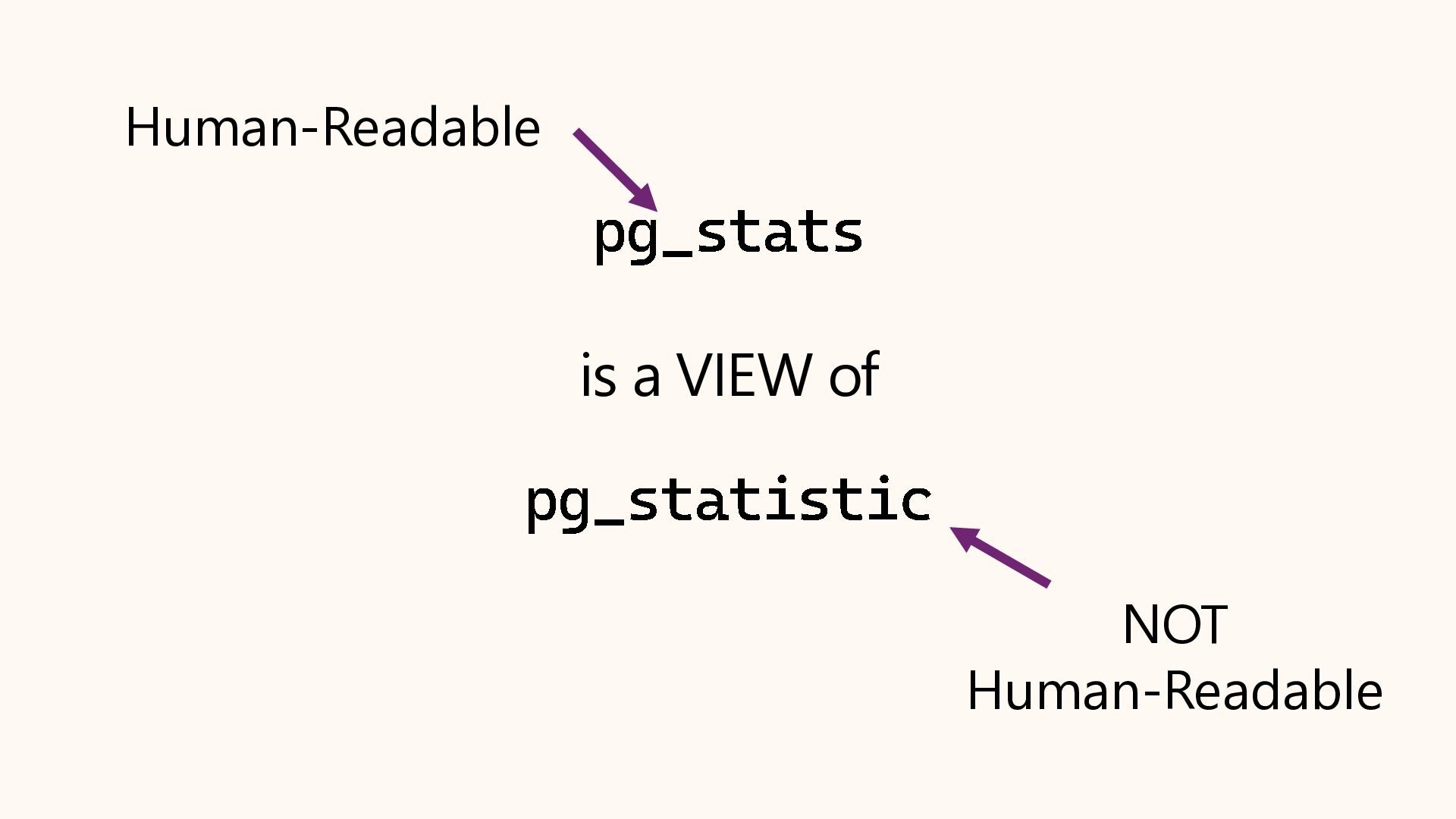
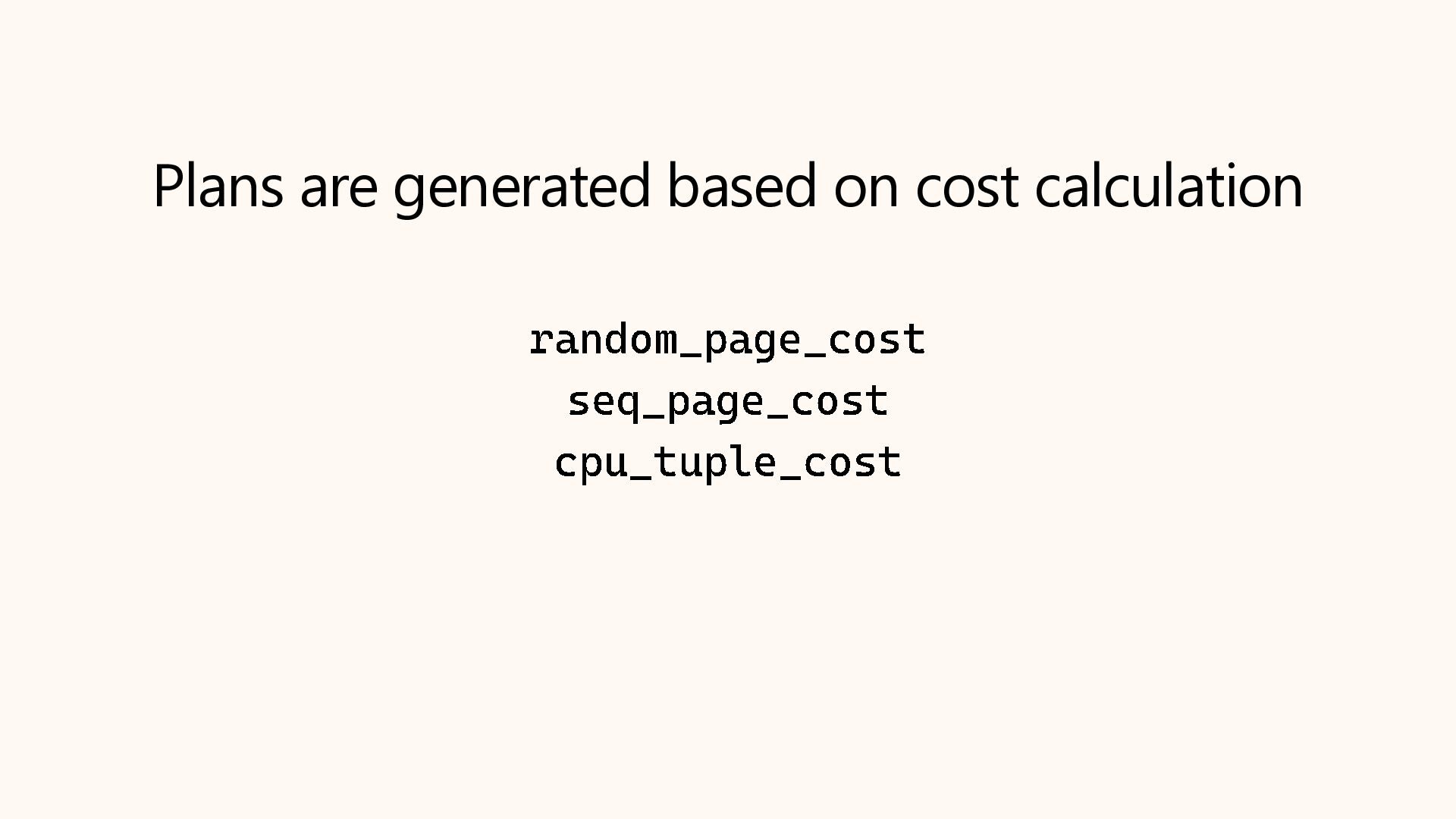
Why does Postgres sometimes choose a Sequential Scan over an Index Scan, even when it seems slower? The answer almost always lies in the statistics. The query planner relies on a mathematical model of your data distribution to make decisions, and when that model is wrong, performance suffers.

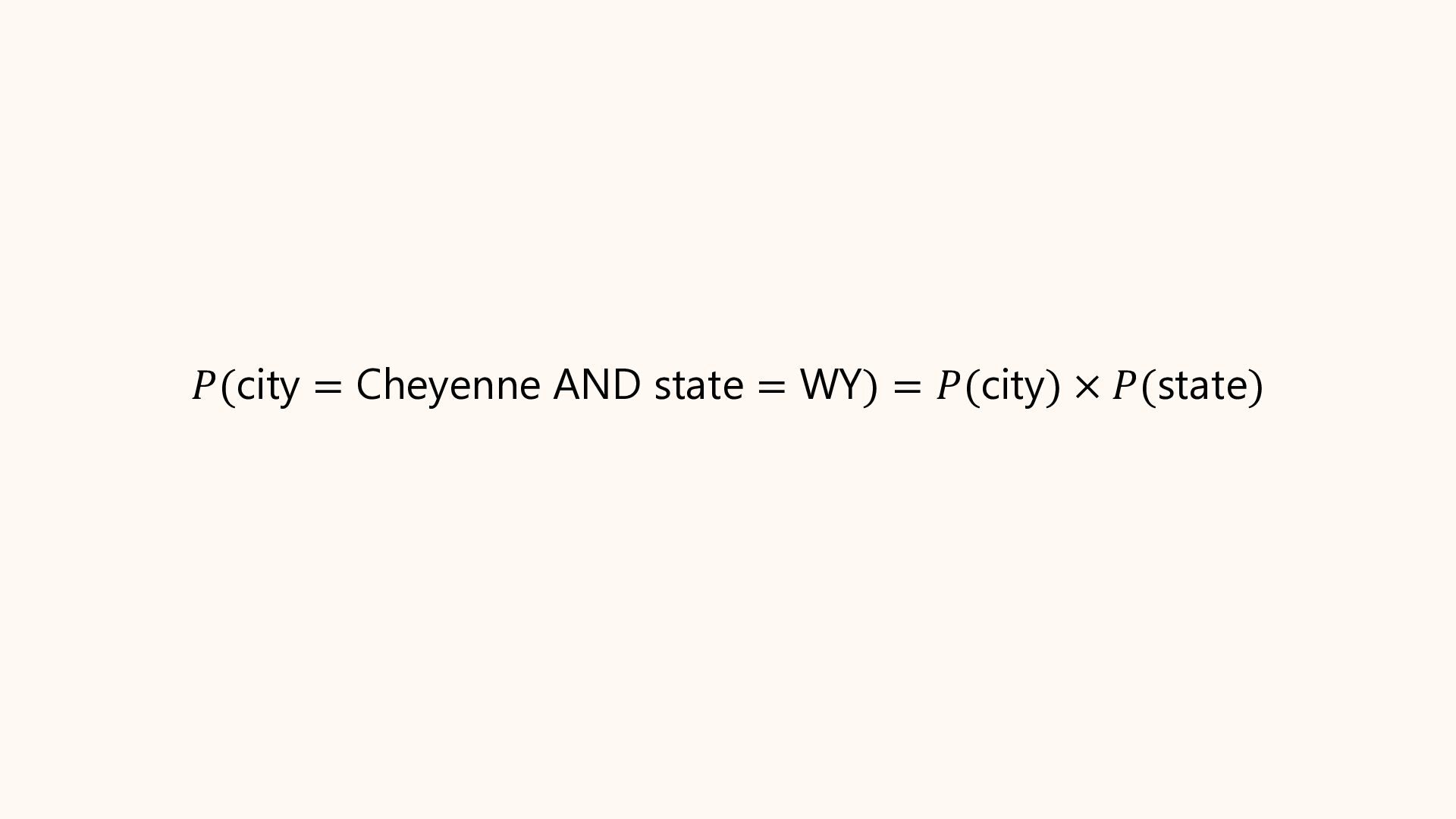
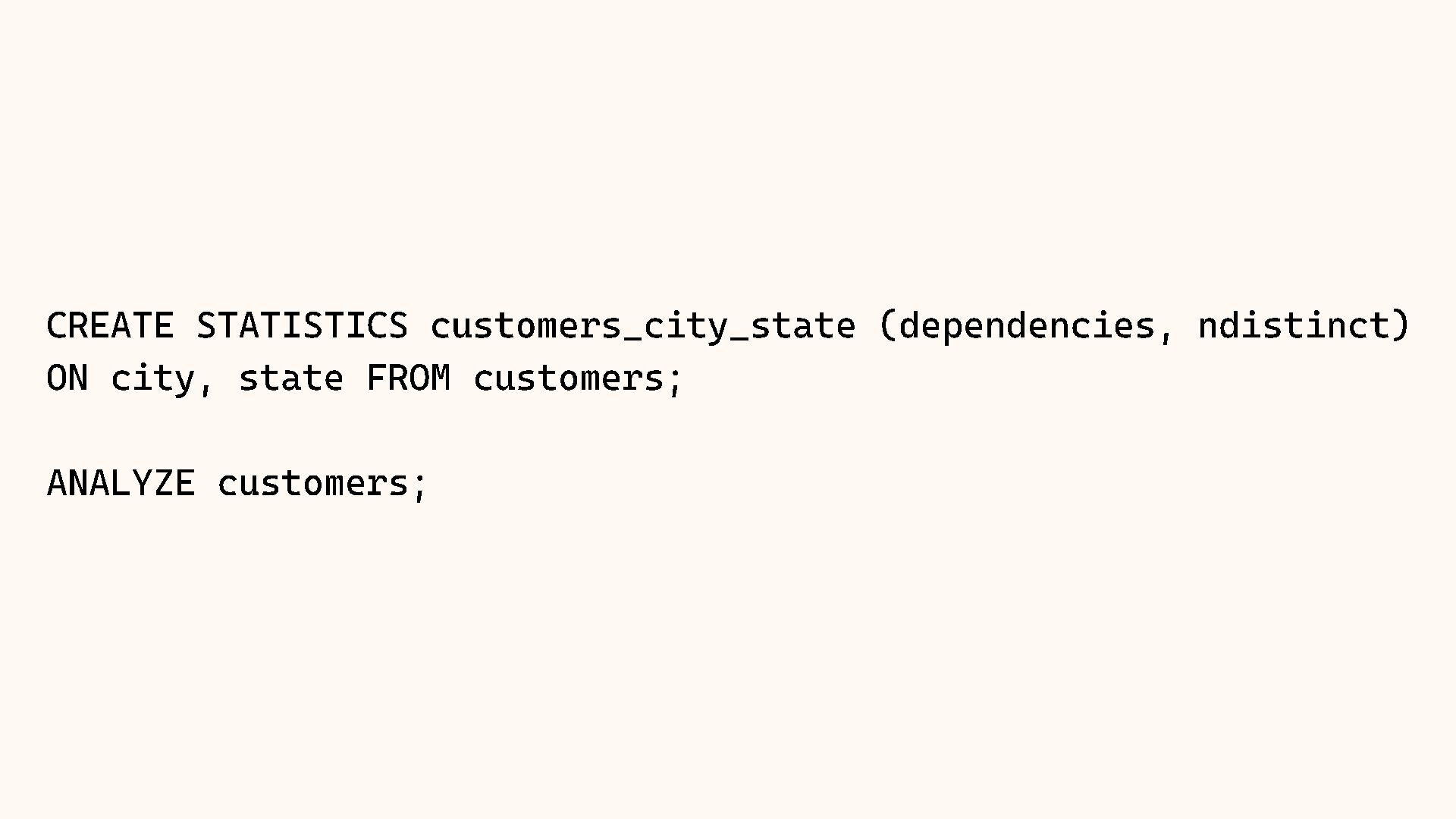
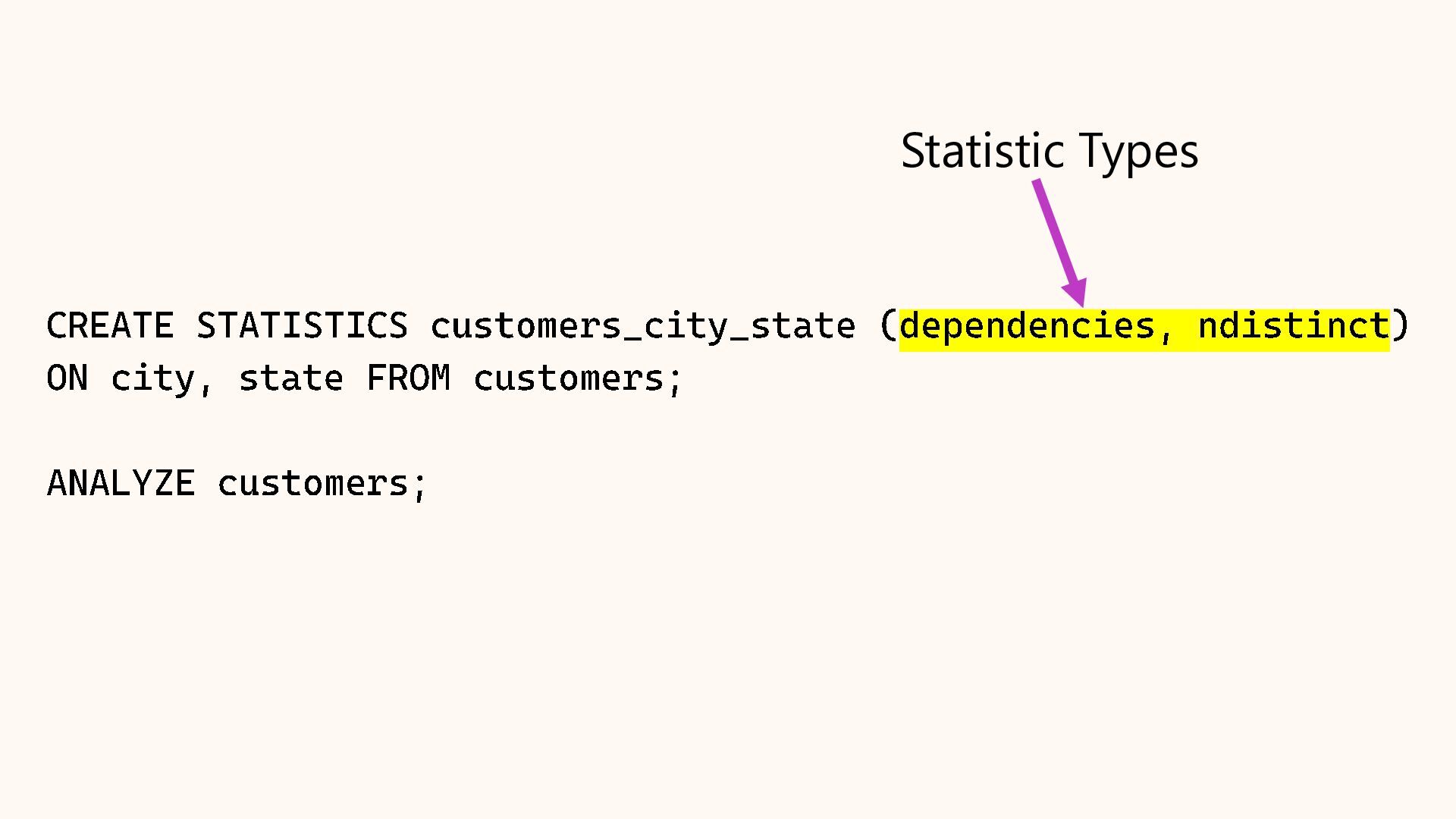
In this session, we will crack open the pg_stats view to understand exactly how Postgres "sees" your data. We will cover histograms, most common values (MCV), and correlation. We will also explore Extended Statistics, a powerful feature for fixing bad query plans on correlated columns (like City and State), ensuring your planner stops guessing and starts knowing.

As presented at POSETTE 2026 Livestream #2
June 16, 2026

Avatar for Richard Yen

Richard Yen

June 17, 2026

More Decks by Richard Yen

Other Decks in Technology

Transcript

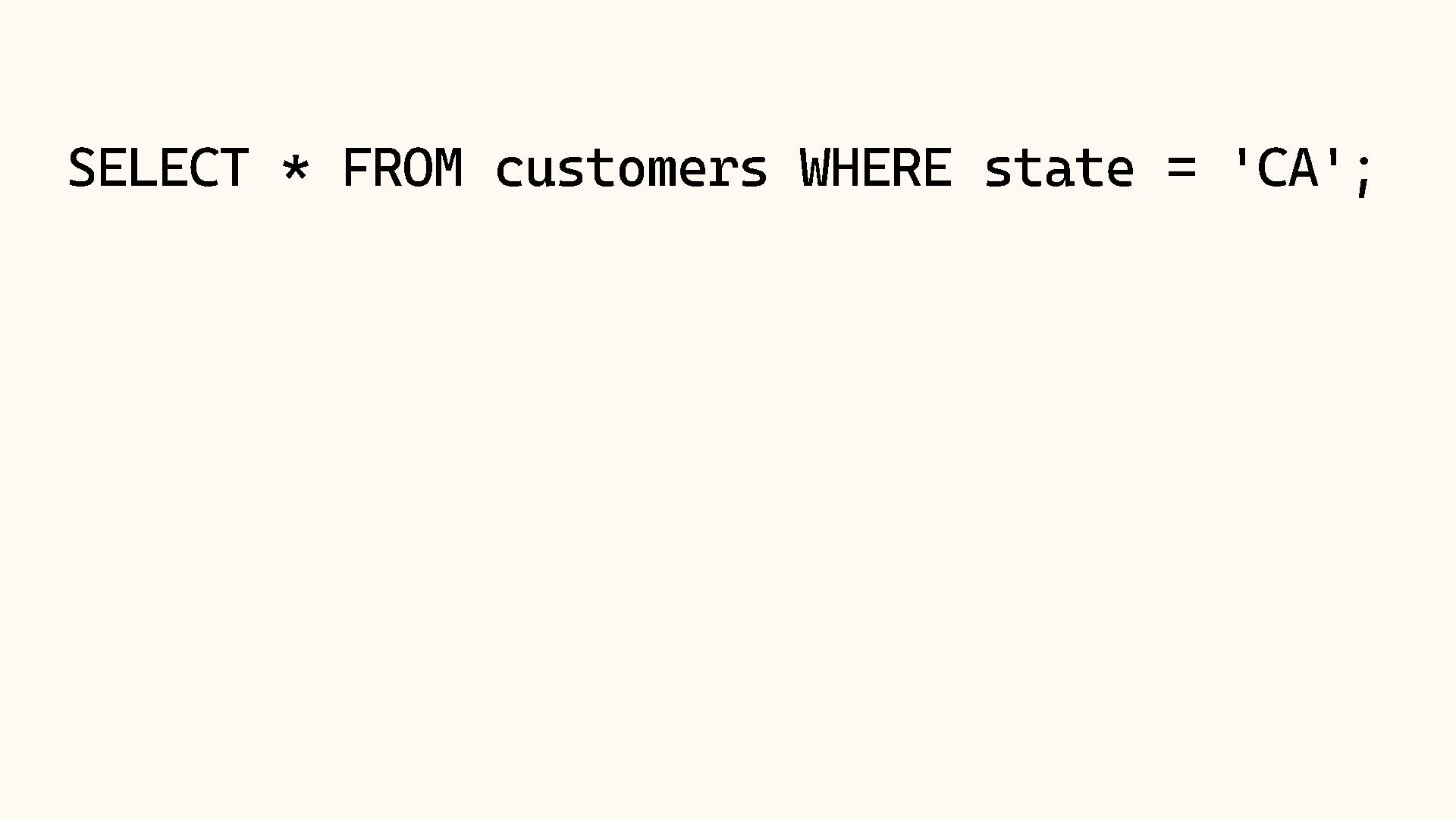
  1. SELECT * FROM customers WHERE state = ' CA' ;

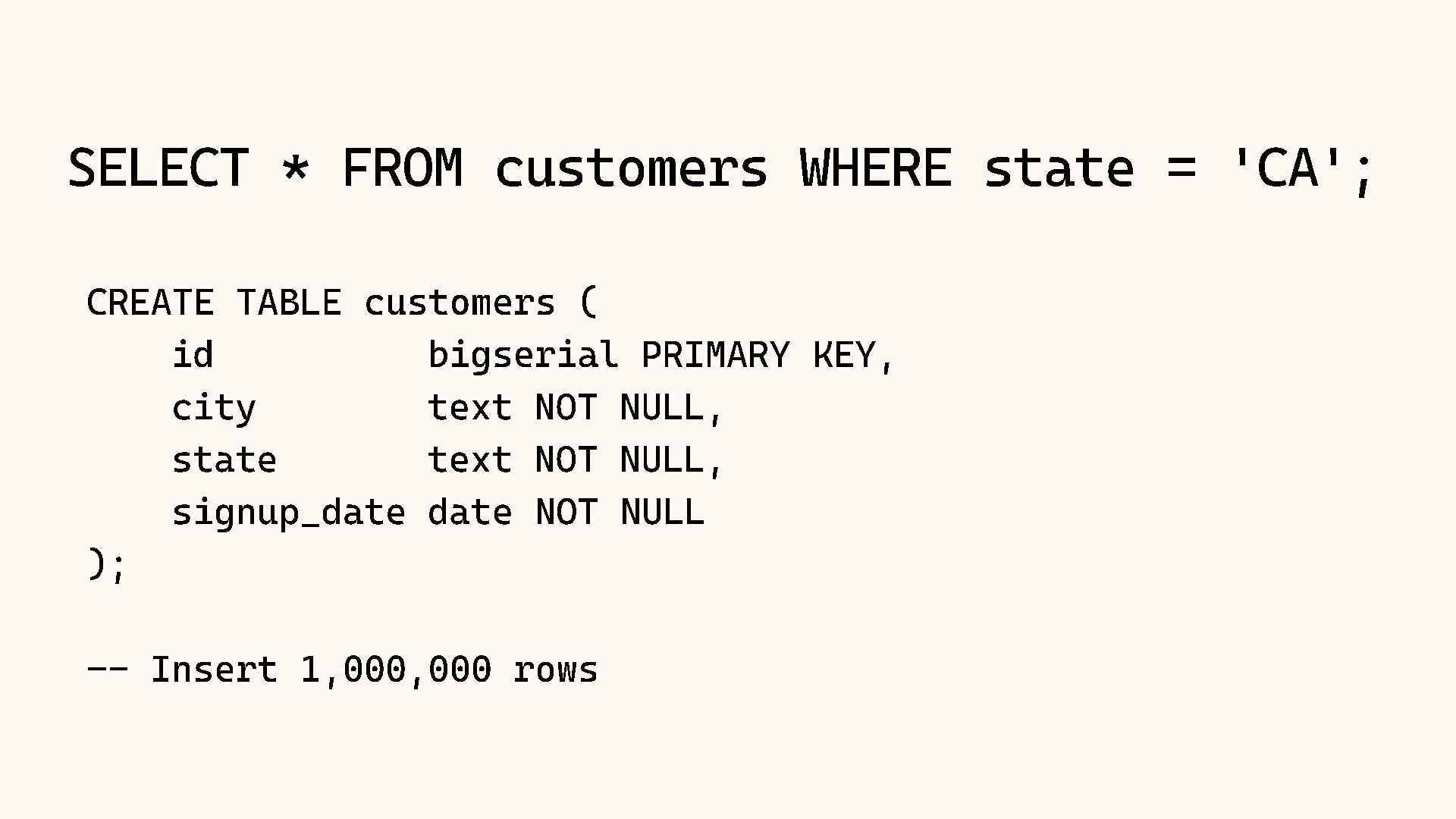
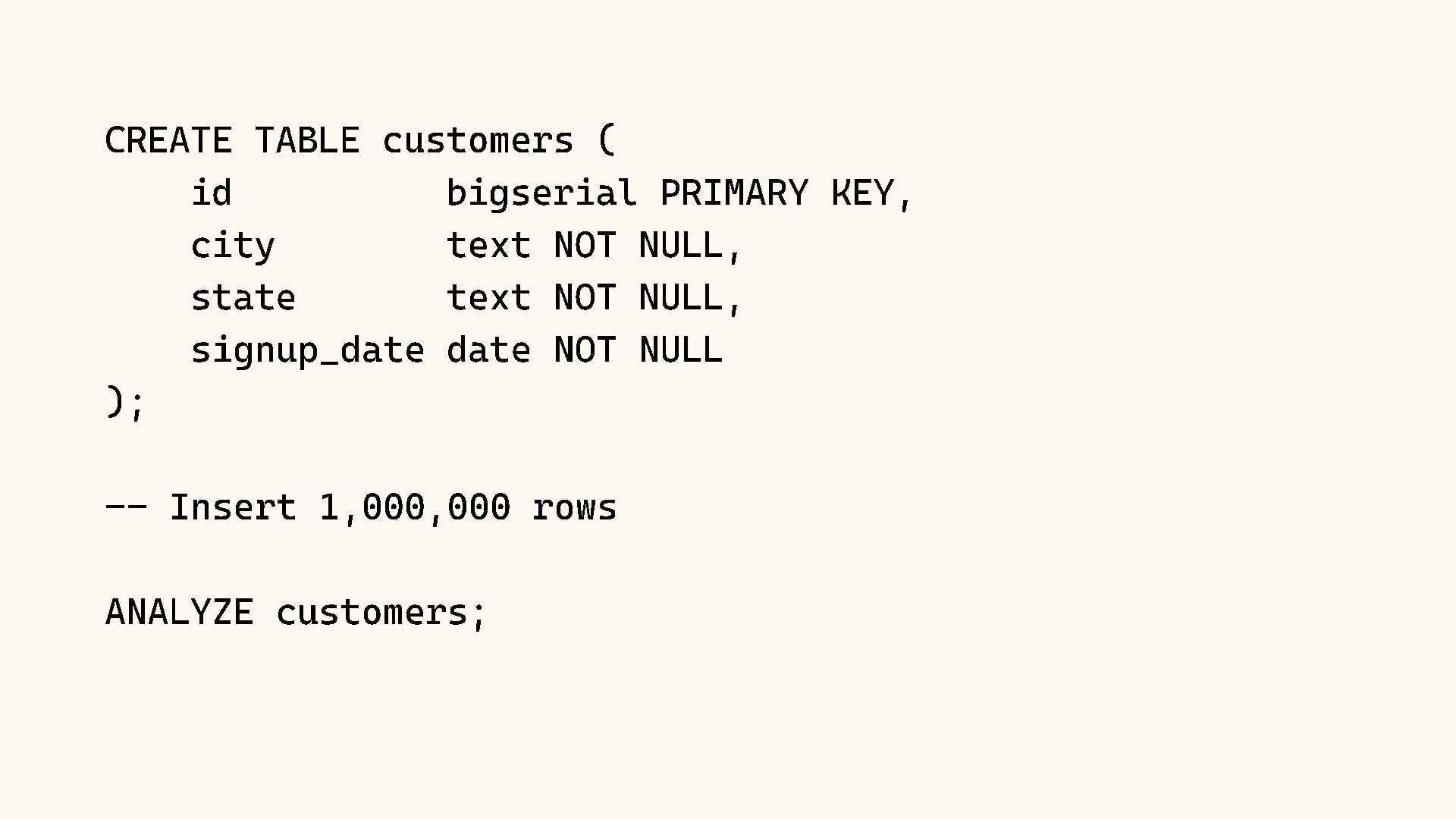
    CREATE TABLE customers ( id bigserial PRIMARY KEY, city text NOT NULL, state text NOT NULL, signup_date date NOT NULL ); -- Insert 1,000,000 rows
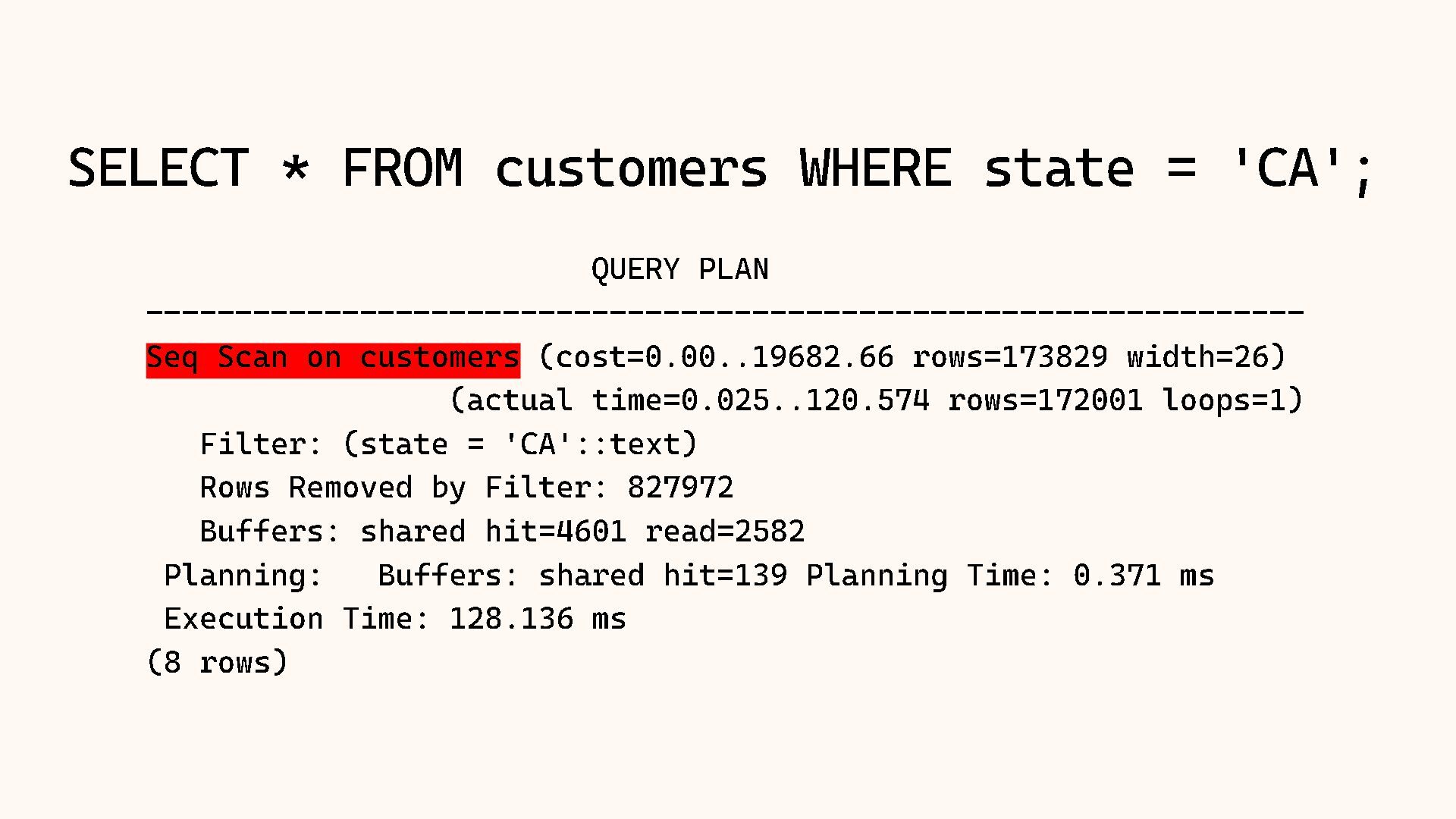
  2. SELECT * FROM customers WHERE state = ' CA' ;

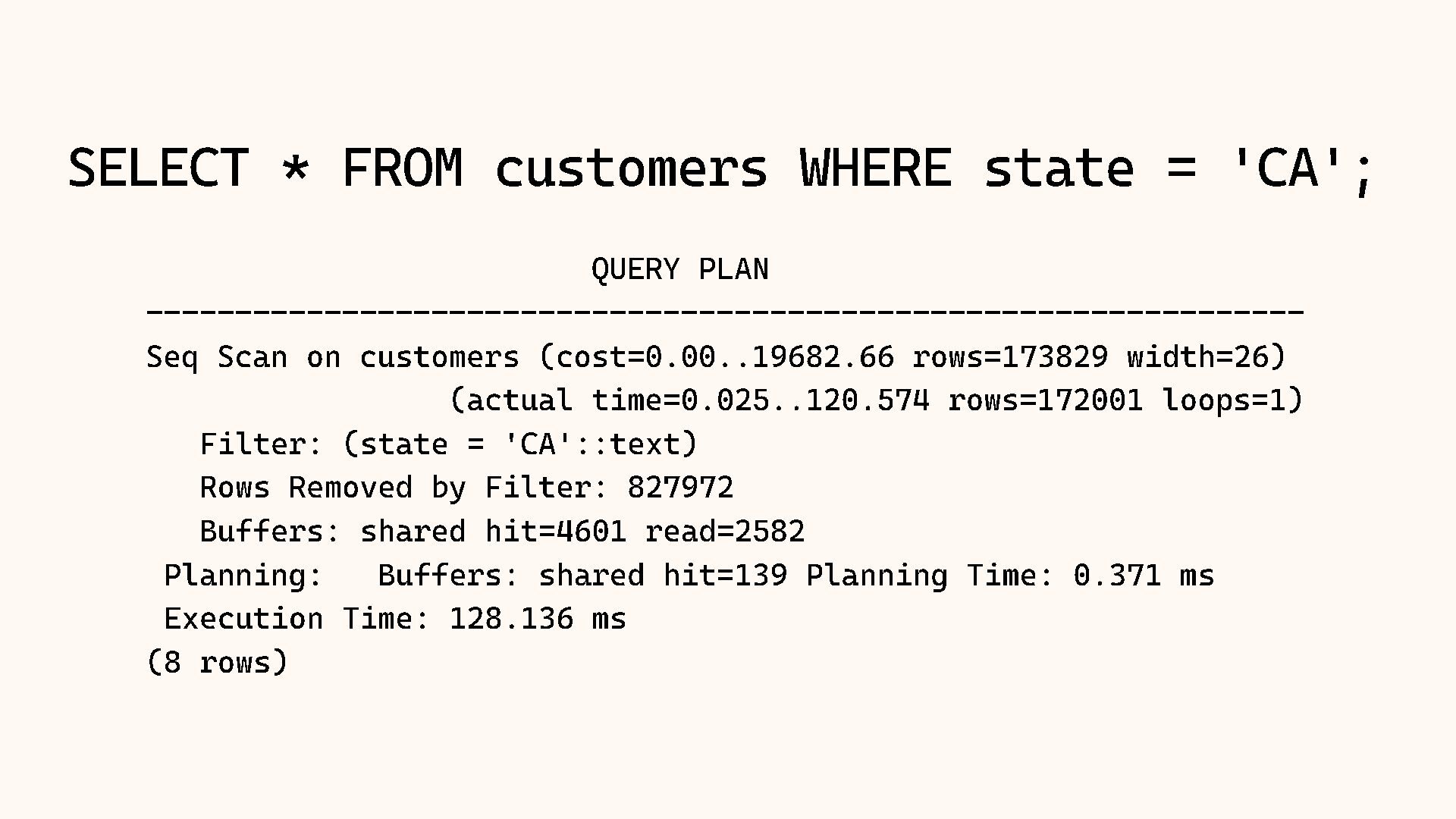
    QUERY PLAN ----------------------------------------------------------------- Seq Scan on customers (cost=0.00..19682.66 rows=173829 width=26) (actual time=0.025..120.574 rows=172001 loops=1) Filter: (state = 'CA'::text) Rows Removed by Filter: 827972 Buffers: shared hit=4601 read=2582 Planning: Buffers: shared hit=139 Planning Time: 0.371 ms Execution Time: 128.136 ms (8 rows)
  3. SELECT * FROM customers WHERE state = ' CA' ;

    QUERY PLAN ----------------------------------------------------------------- Seq Scan on customers (cost=0.00..19682.66 rows=173829 width=26) (actual time=0.025..120.574 rows=172001 loops=1) Filter: (state = 'CA'::text) Rows Removed by Filter: 827972 Buffers: shared hit=4601 read=2582 Planning: Buffers: shared hit=139 Planning Time: 0.371 ms Execution Time: 128.136 ms (8 rows)
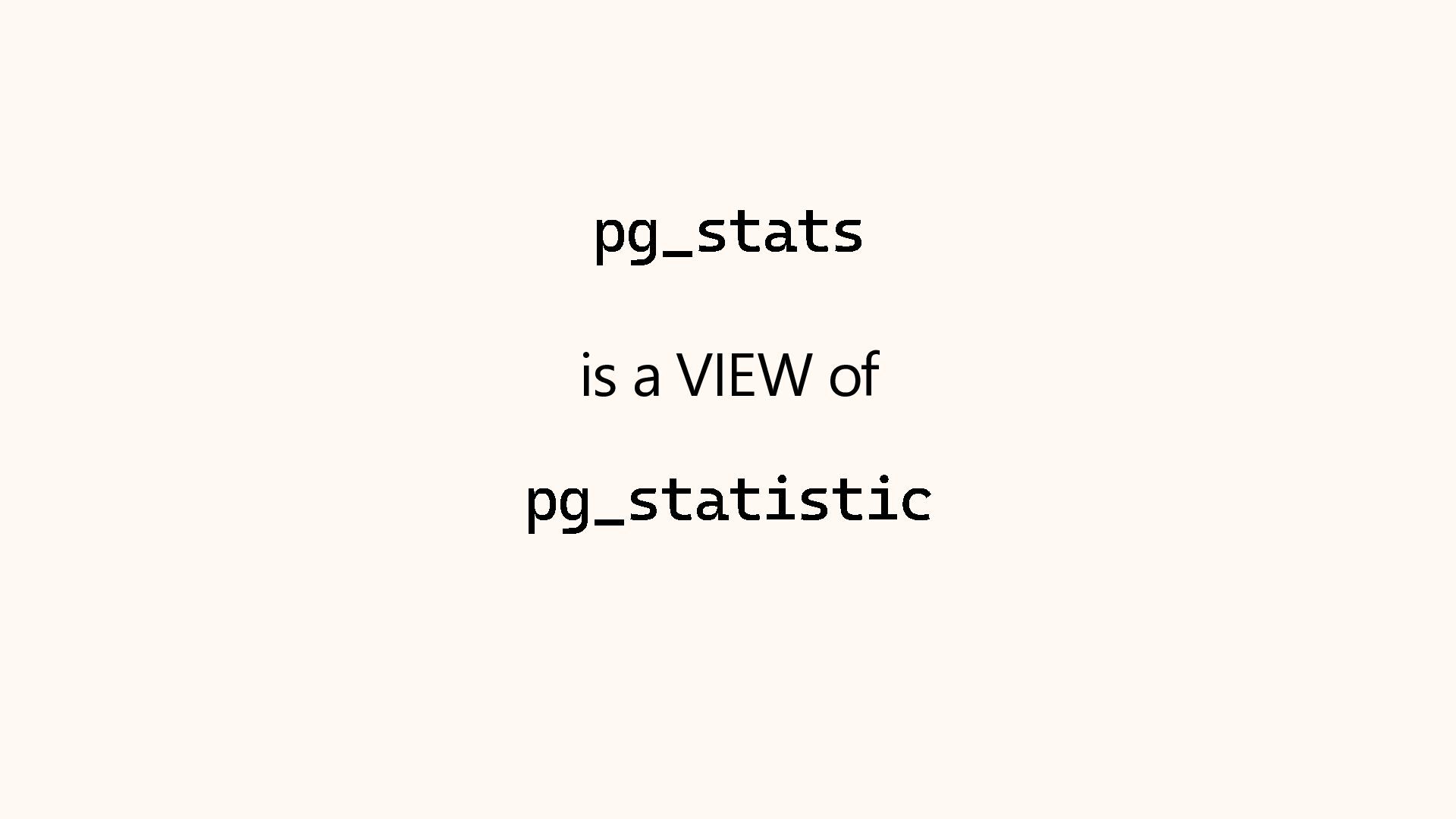
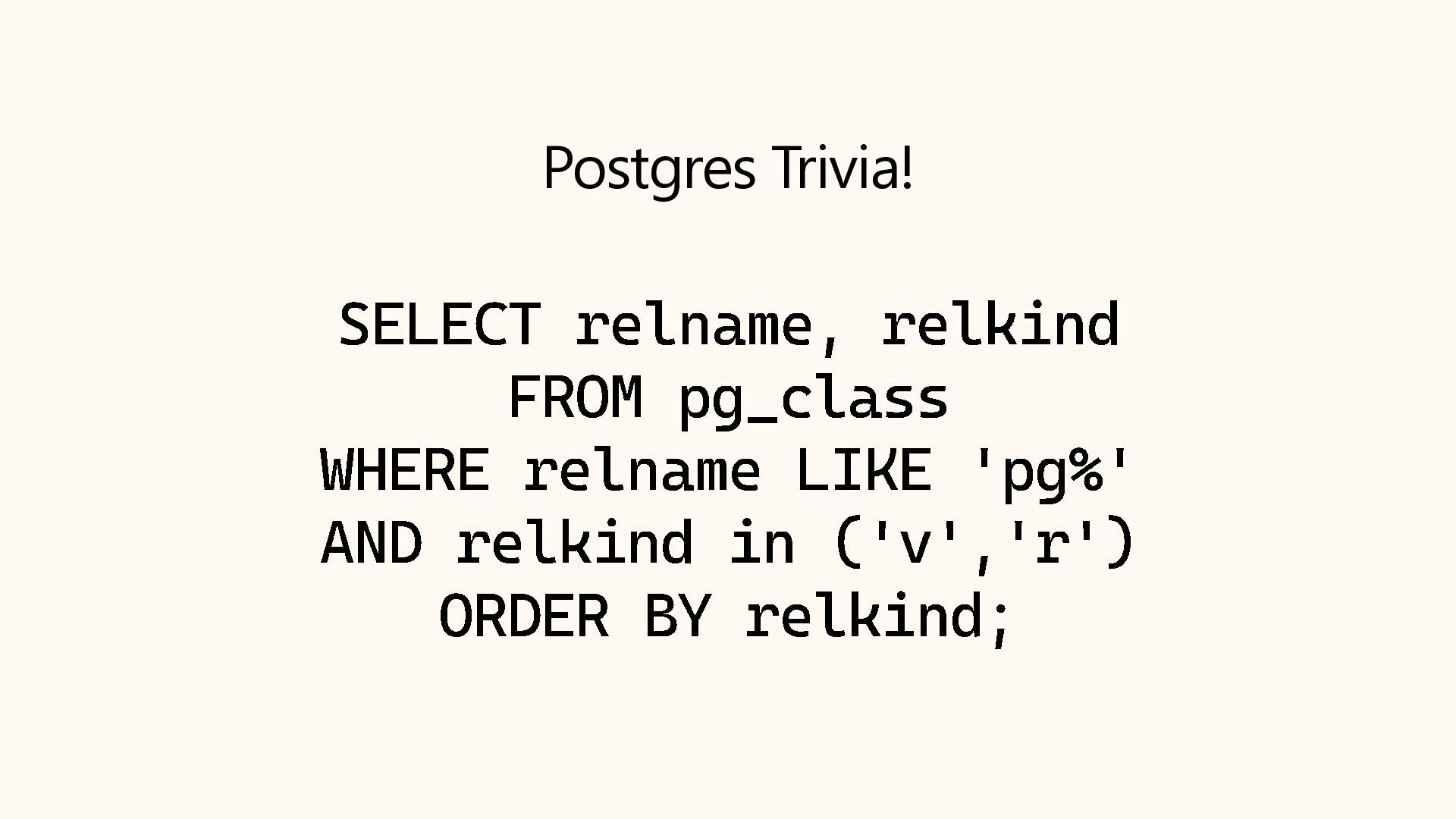
  4. Postgres Trivia! SELECT relname , relkind FROM pg_class WHERE relname

    LIKE ' pg%' AND relkind in (' v','r ') ORDER BY relkind ;
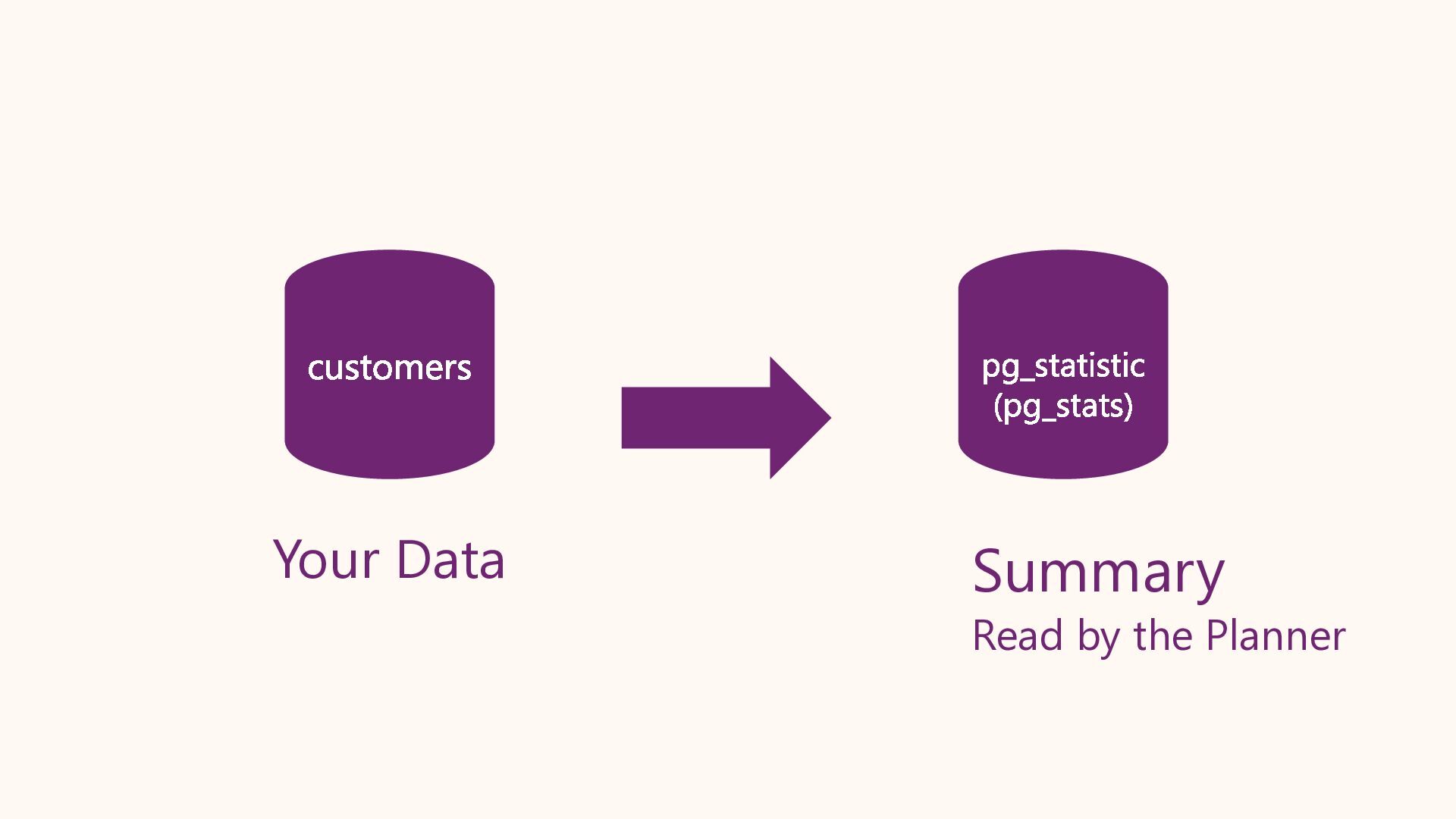
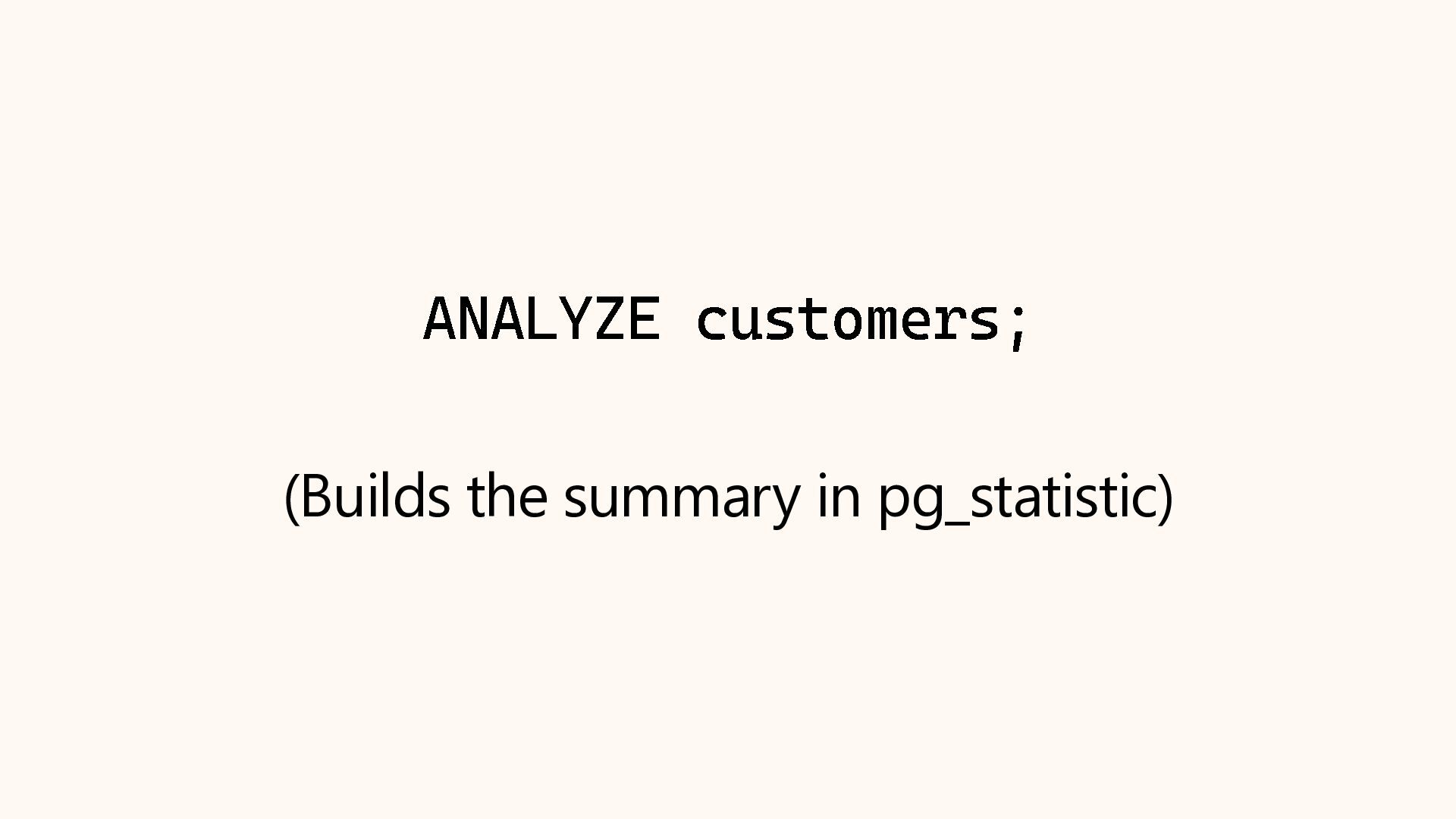
  5. CREATE TABLE customers ( id bigserial PRIMARY KEY, city text

    NOT NULL, state text NOT NULL, signup_date date NOT NULL ); -- Insert 1,000,000 rows ANALYZE customers;
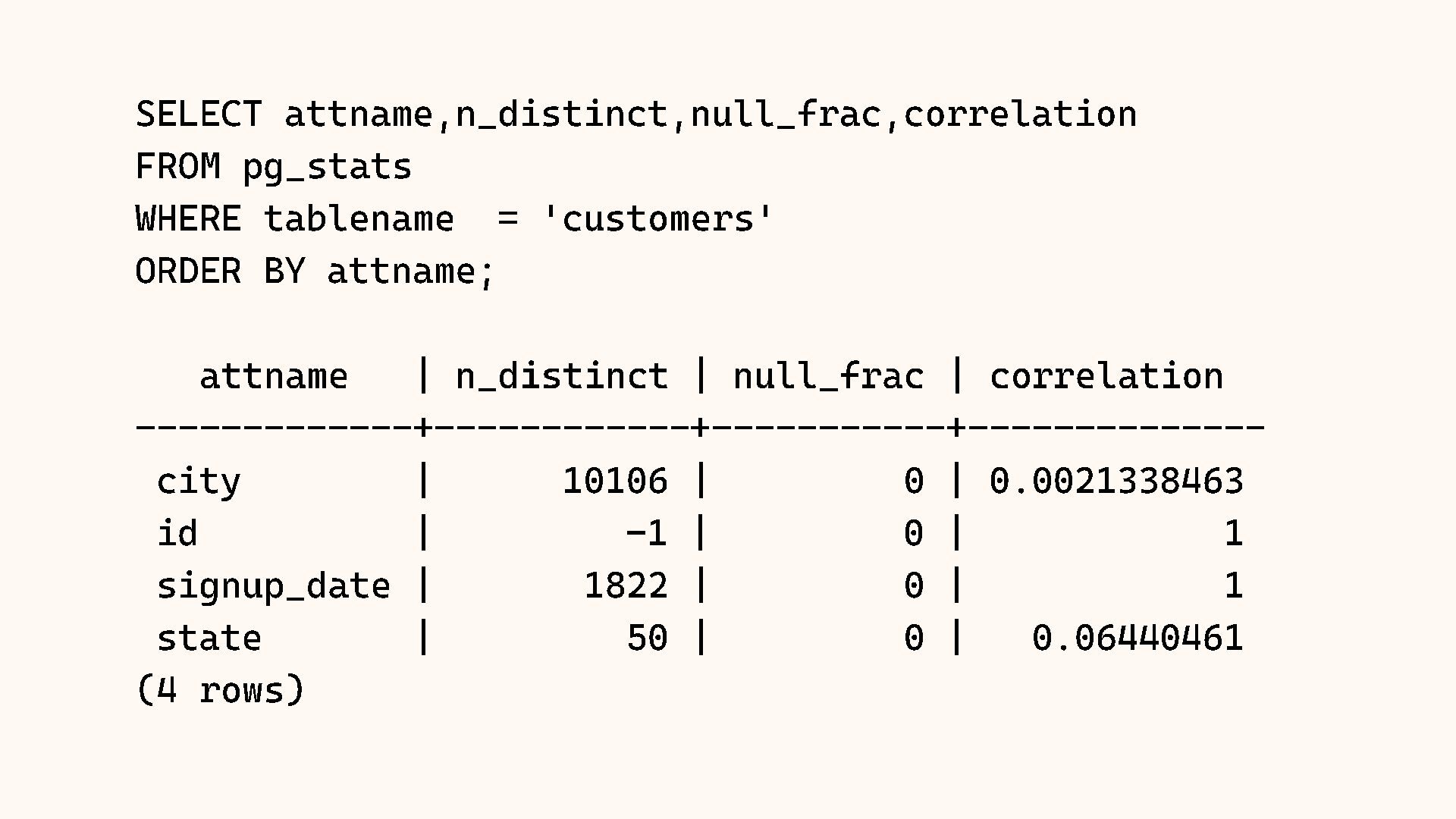
  6. SELECT attname,n_distinct,null_frac,correlation FROM pg_stats WHERE tablename = 'customers' ORDER BY

    attname ; attname | n_distinct | null_frac | correlation ------------- +------------ +----------- +-------------- city | 10106 | 0 | 0.0021338463 id | - 1 | 0 | 1 signup_date | 1822 | 0 | 1 state | 50 | 0 | 0.06440461 (4 rows)
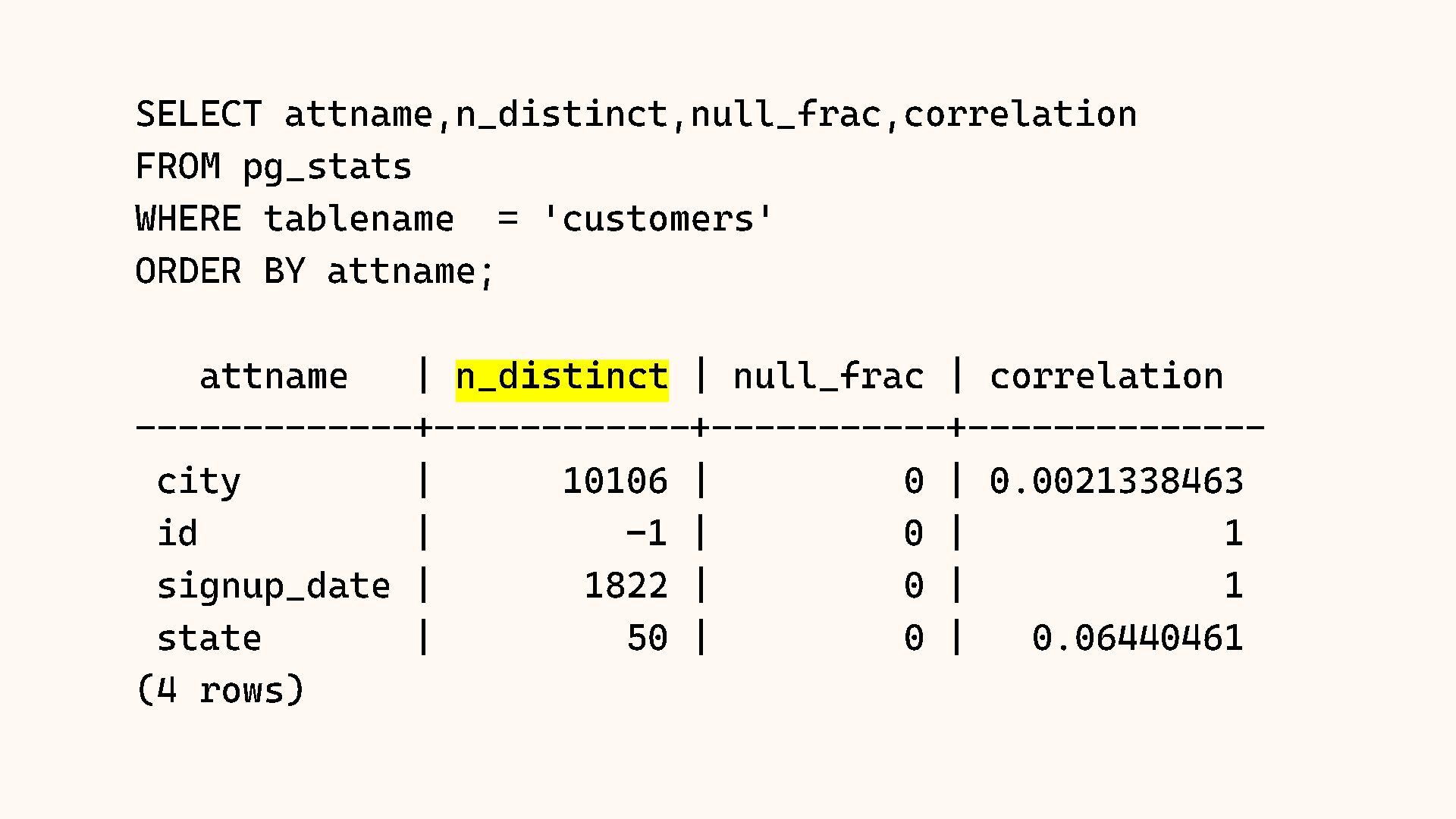
  7. SELECT attname,n_distinct,null_frac,correlation FROM pg_stats WHERE tablename = 'customers' ORDER BY

    attname ; attname | n_distinct | null_frac | correlation ------------- +------------ +----------- +-------------- city | 10106 | 0 | 0.0021338463 id | - 1 | 0 | 1 signup_date | 1822 | 0 | 1 state | 50 | 0 | 0.06440461 (4 rows)
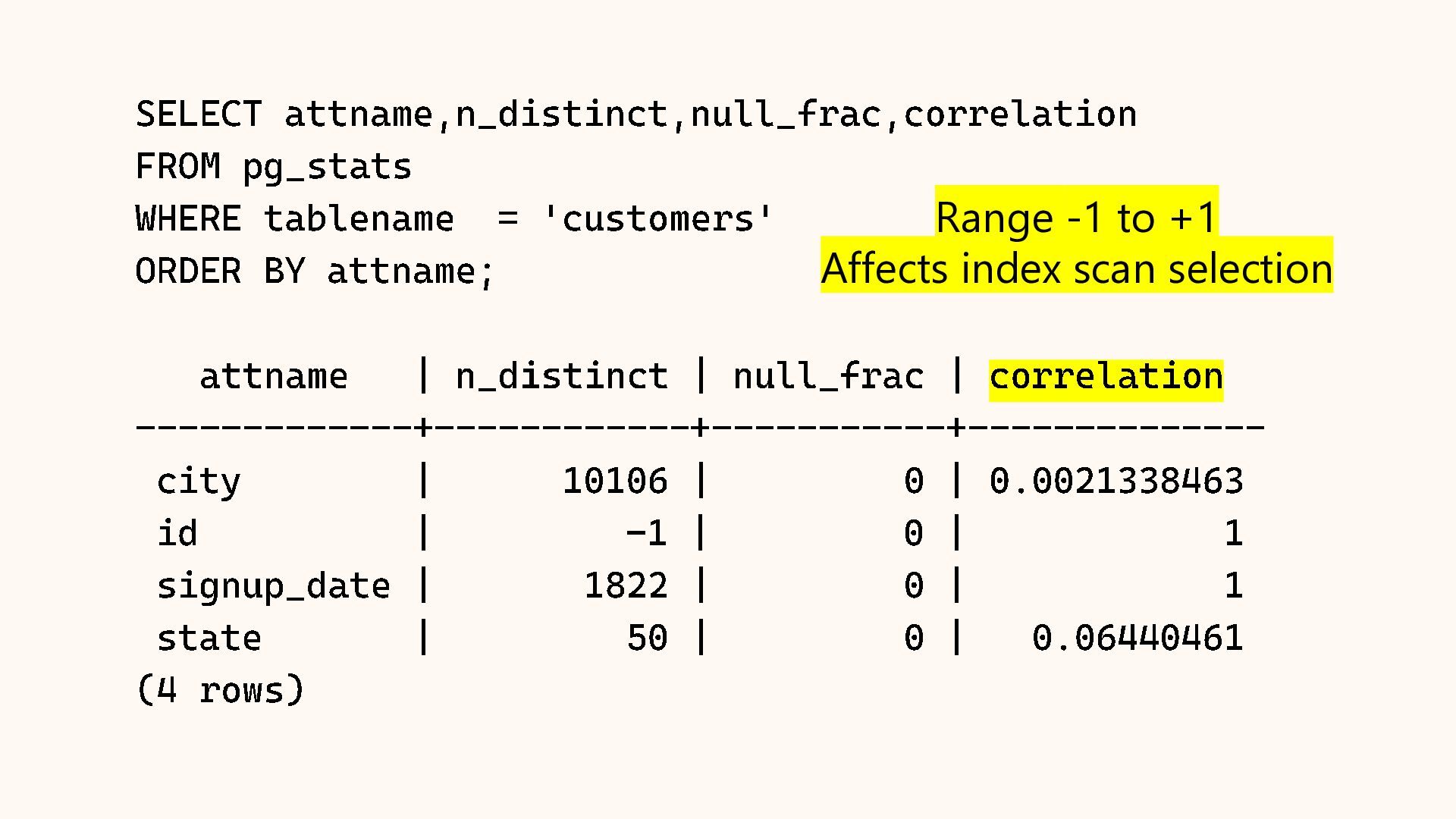
  8. SELECT attname,n_distinct,null_frac,correlation FROM pg_stats WHERE tablename = 'customers' ORDER BY

    attname ; attname | n_distinct | null_frac | correlation ------------- +------------ +----------- +-------------- city | 10106 | 0 | 0.0021338463 id | - 1 | 0 | 1 signup_date | 1822 | 0 | 1 state | 50 | 0 | 0.06440461 (4 rows) Range -1 to +1 Affects index scan selection
  9. SELECT unnest( most_common_vals ::text::text[]) AS state, unnest( most_common_freqs ) AS

    frequency FROM pg_stats WHERE tablename = 'customers' AND attname = 'state' LIMIT 5; state | frequency ------- +------------- CA | 0.17403333 TX | 0.1165 NY | 0.08586667 FL | 0.0666 IL | 0.0474 (5 rows)
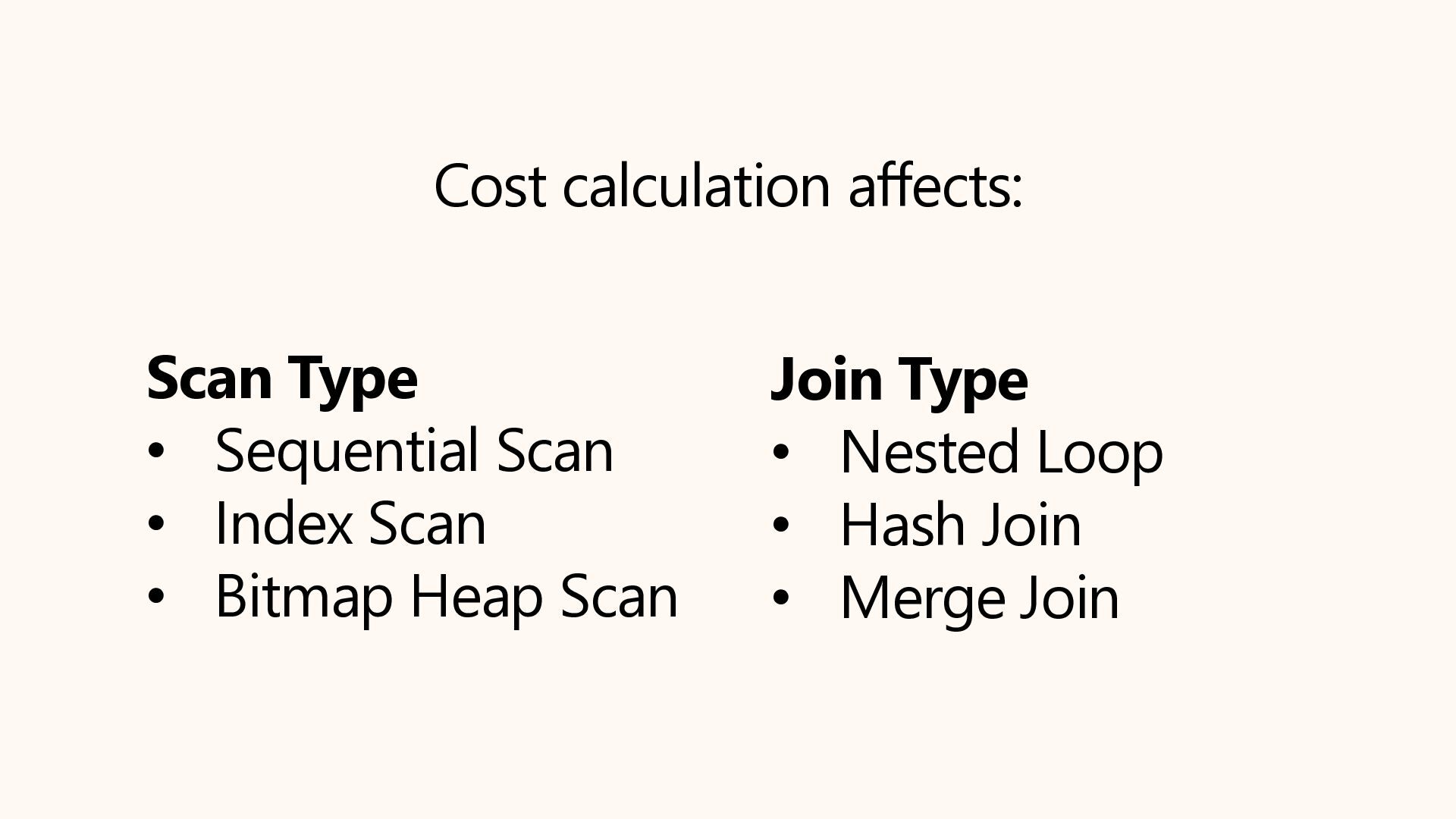
  10. Cost calculation affects: Scan Type • Sequential Scan • Index

    Scan • Bitmap Heap Scan Join Type • Nested Loop • Hash Join • Merge Join
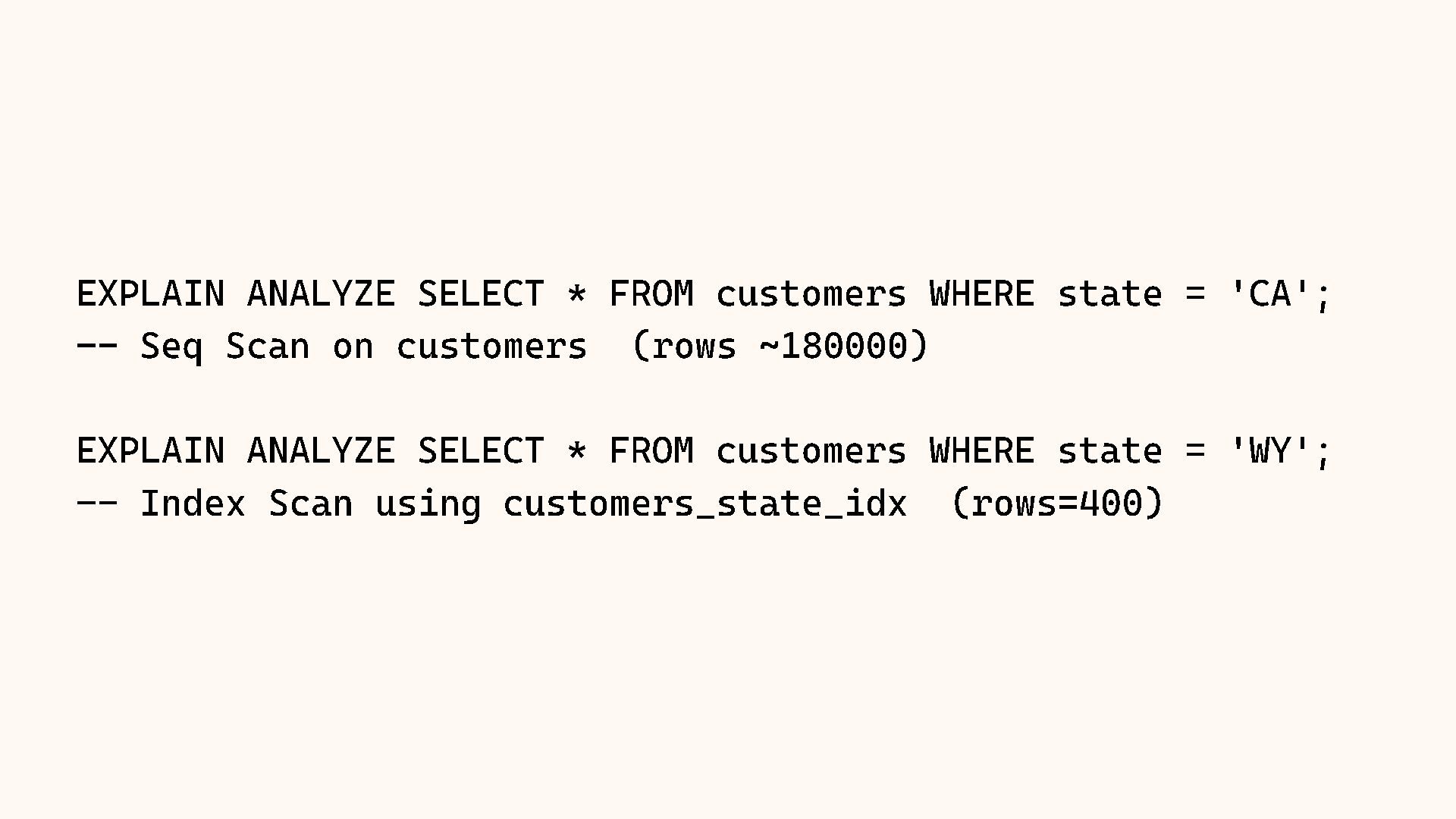
  11. EXPLAIN ANALYZE SELECT * FROM customers WHERE state = 'CA';

    -- Seq Scan on customers (rows ~180000) EXPLAIN ANALYZE SELECT * FROM customers WHERE state = 'WY'; -- Index Scan using customers_state_idx (rows=400)
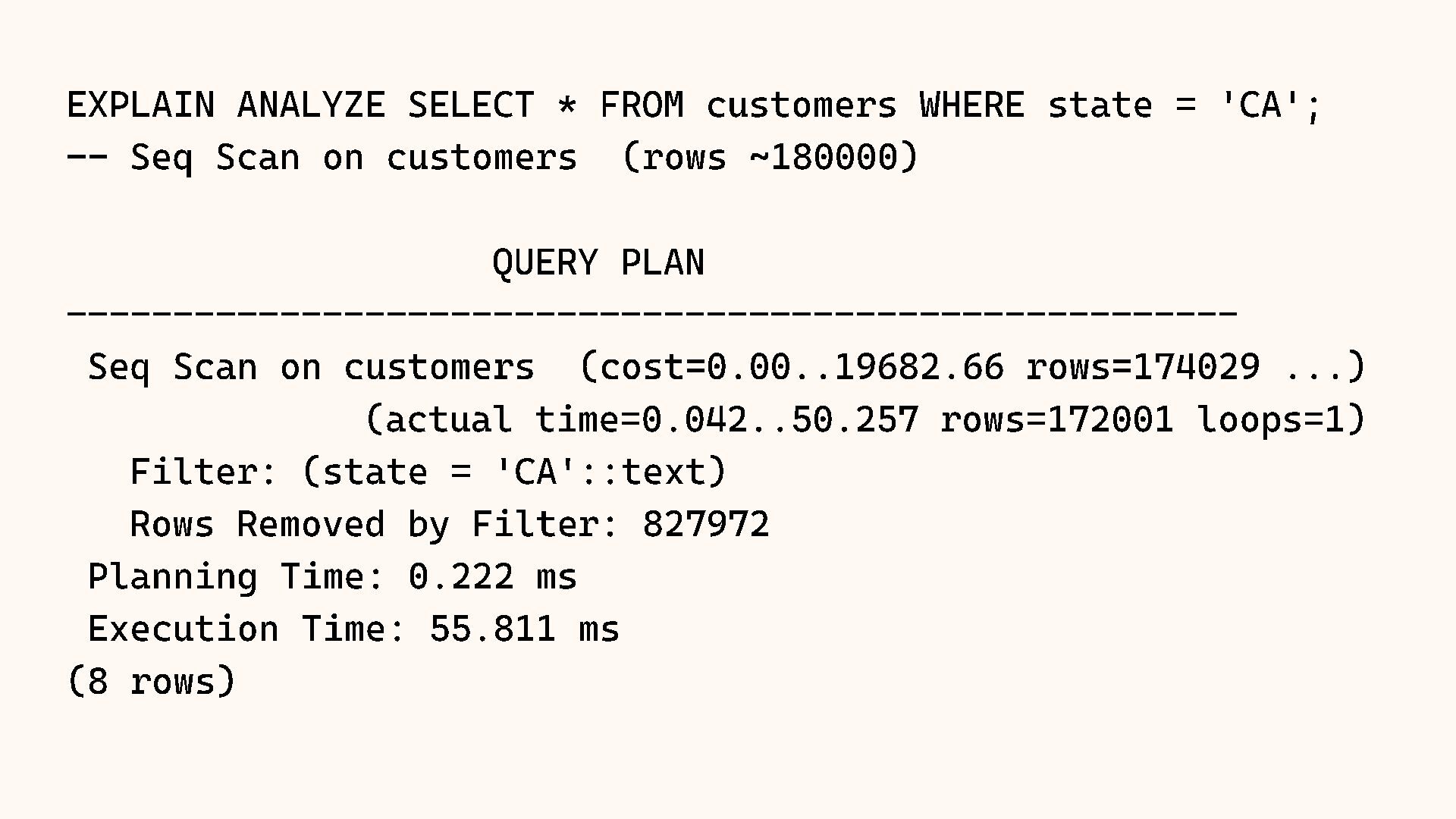
  12. EXPLAIN ANALYZE SELECT * FROM customers WHERE state = 'CA';

    -- Seq Scan on customers (rows ~180000) QUERY PLAN ------------------------------------------------------- Seq Scan on customers (cost=0.00..19682.66 rows=174029 ...) (actual time=0.042..50.257 rows=172001 loops=1) Filter: (state = 'CA'::text) Rows Removed by Filter: 827972 Planning Time: 0.222 ms Execution Time: 55.811 ms (8 rows)
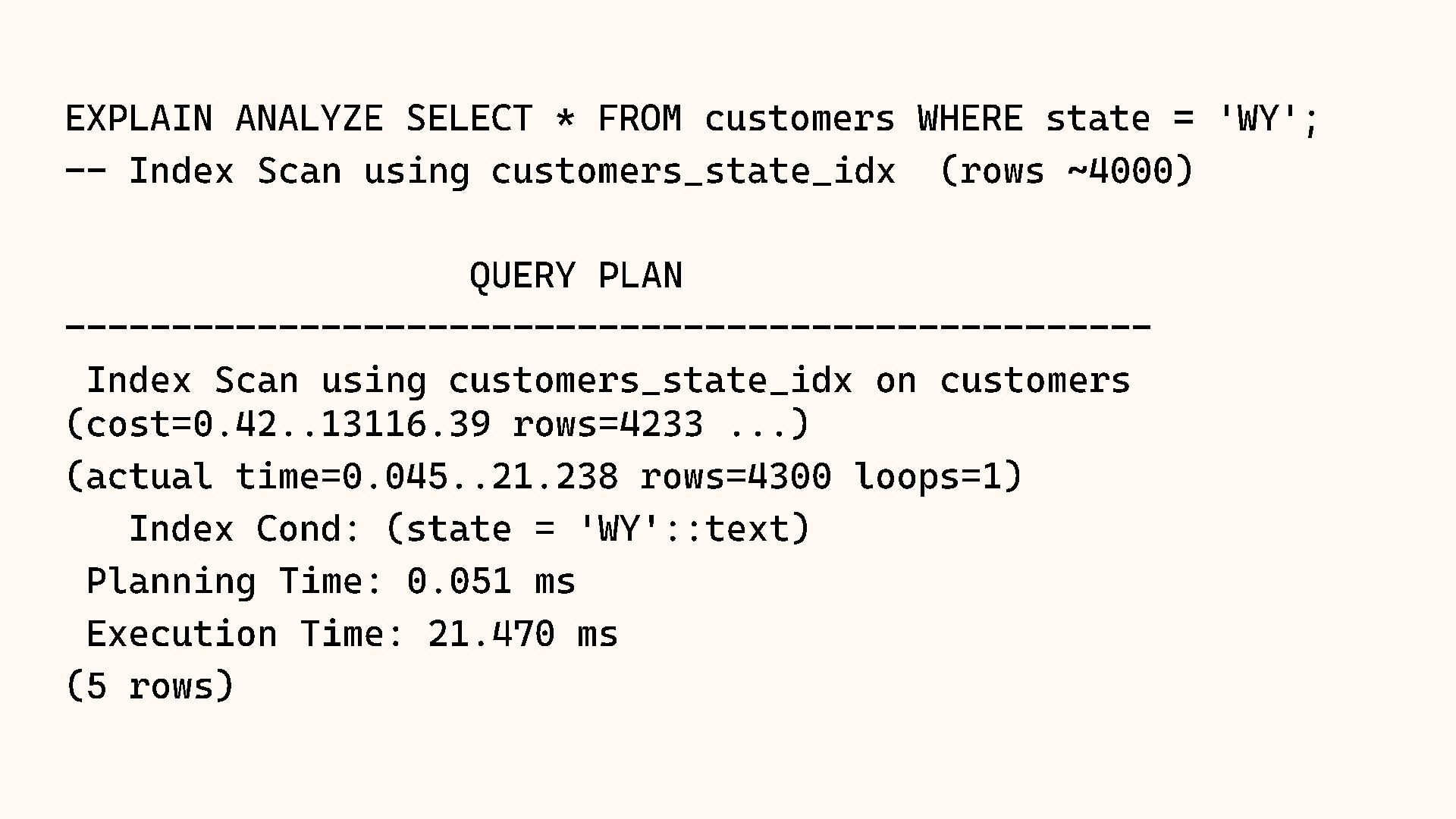
  13. EXPLAIN ANALYZE SELECT * FROM customers WHERE state = 'WY';

    -- Index Scan using customers_state_idx (rows ~4000) QUERY PLAN --------------------------------------------------- Index Scan using customers_state_idx on customers (cost=0.42..13116.39 rows=4233 ...) (actual time=0.045..21.238 rows=4300 loops=1) Index Cond: (state = 'WY'::text) Planning Time: 0.051 ms Execution Time: 21.470 ms (5 rows)
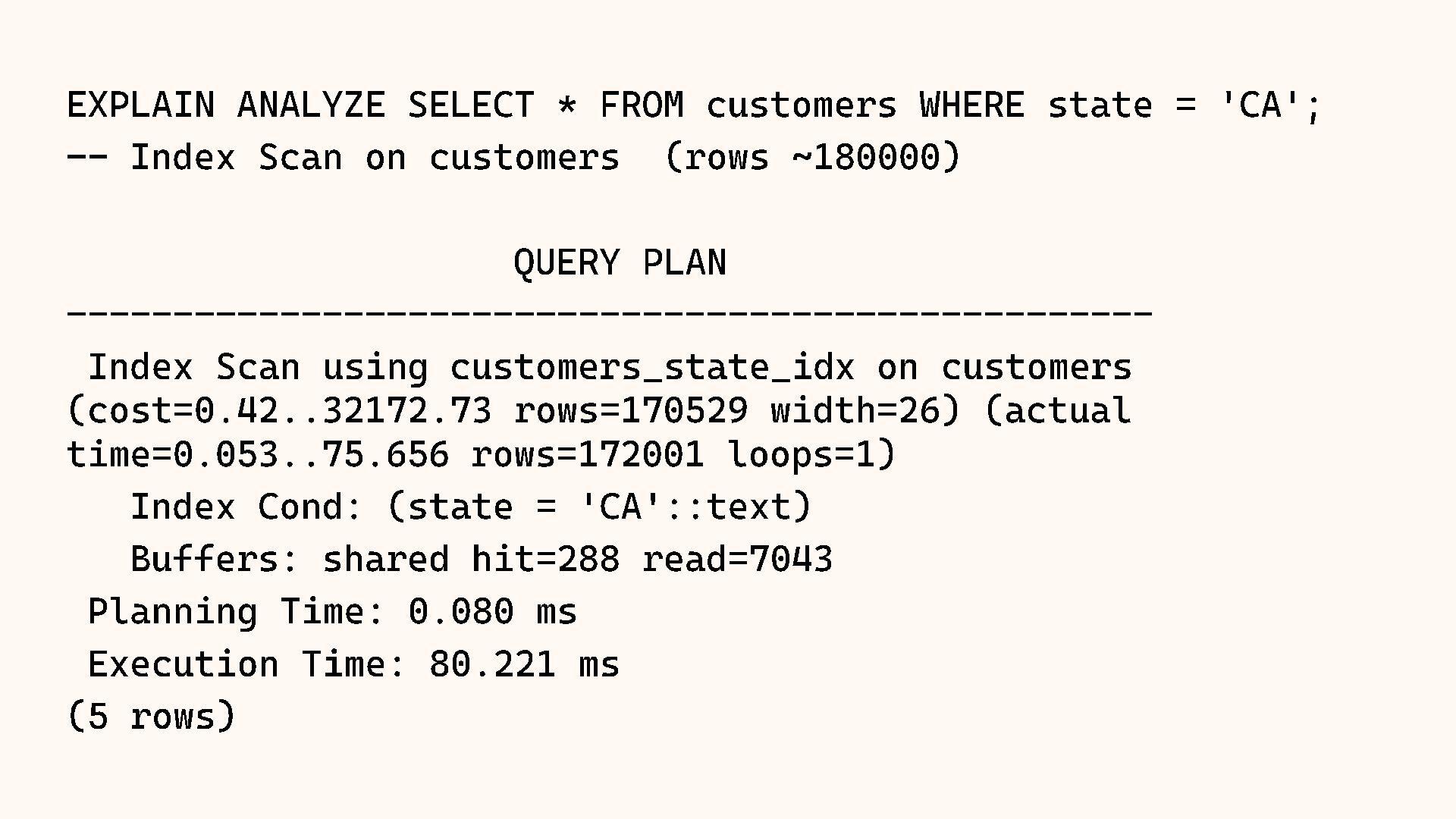
  14. EXPLAIN ANALYZE SELECT * FROM customers WHERE state = 'CA';

    -- Index Scan on customers (rows ~180000) QUERY PLAN --------------------------------------------------- Index Scan using customers_state_idx on customers (cost=0.42..32172.73 rows=170529 width=26) (actual time=0.053..75.656 rows=172001 loops=1) Index Cond: (state = 'CA'::text) Buffers: shared hit=288 read=7043 Planning Time: 0.080 ms Execution Time: 80.221 ms (5 rows)
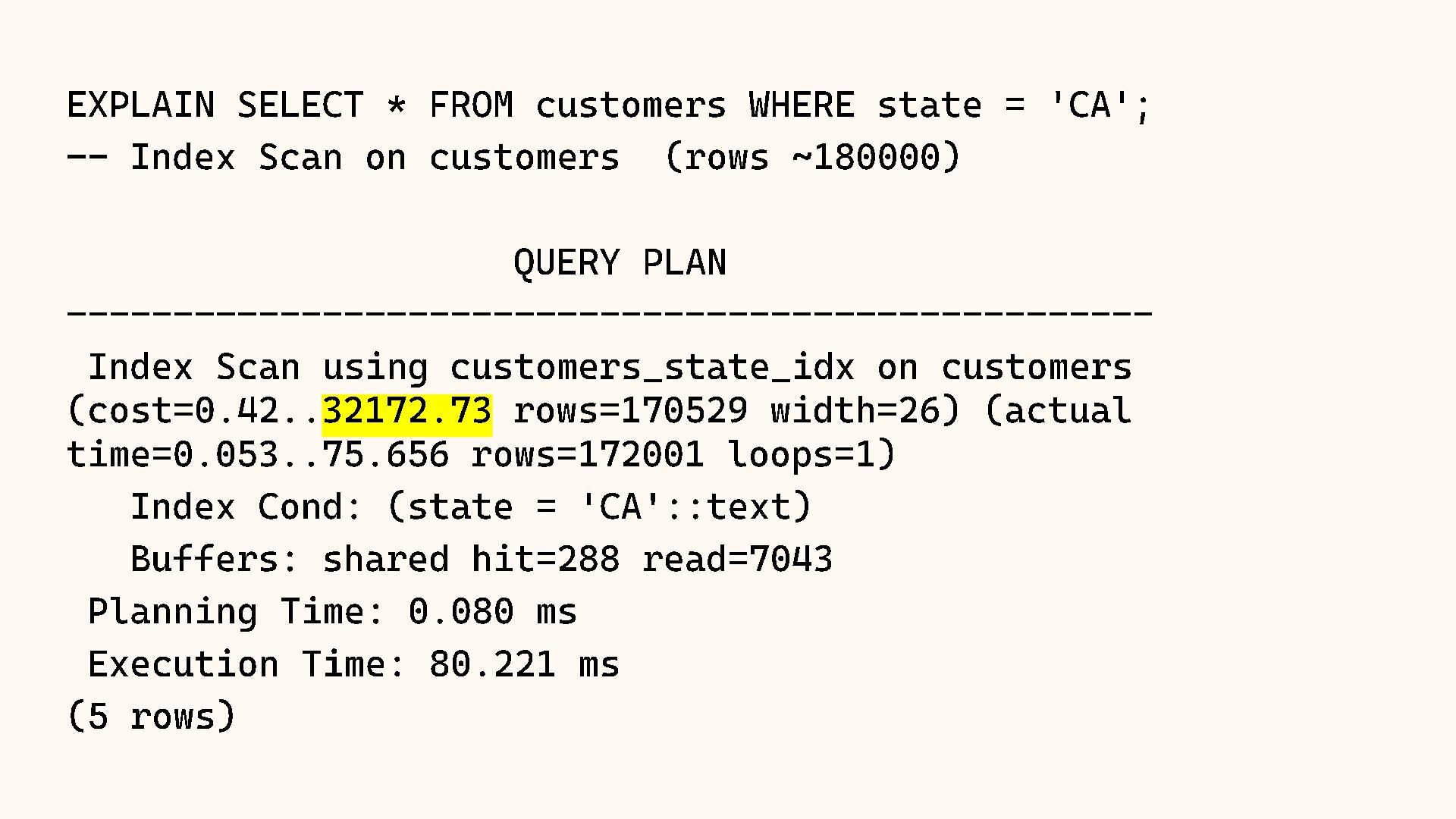
  15. EXPLAIN SELECT * FROM customers WHERE state = 'CA'; --

    Index Scan on customers (rows ~180000) QUERY PLAN --------------------------------------------------- Index Scan using customers_state_idx on customers (cost=0.42.. 32172.73 rows=170529 width=26) (actual time=0.053..75.656 rows=172001 loops=1) Index Cond: (state = 'CA'::text) Buffers: shared hit=288 read=7043 Planning Time: 0.080 ms Execution Time: 80.221 ms (5 rows)
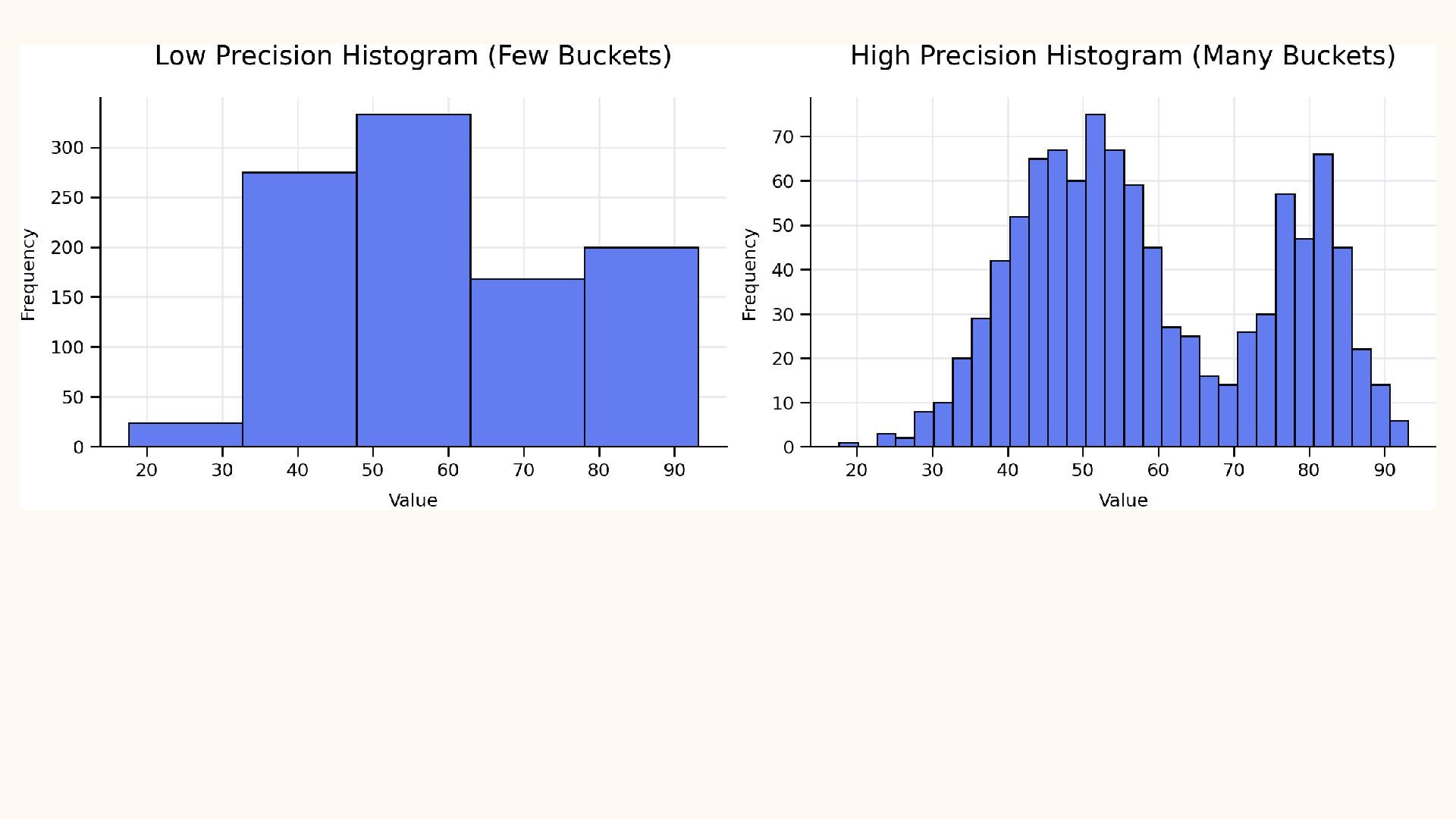
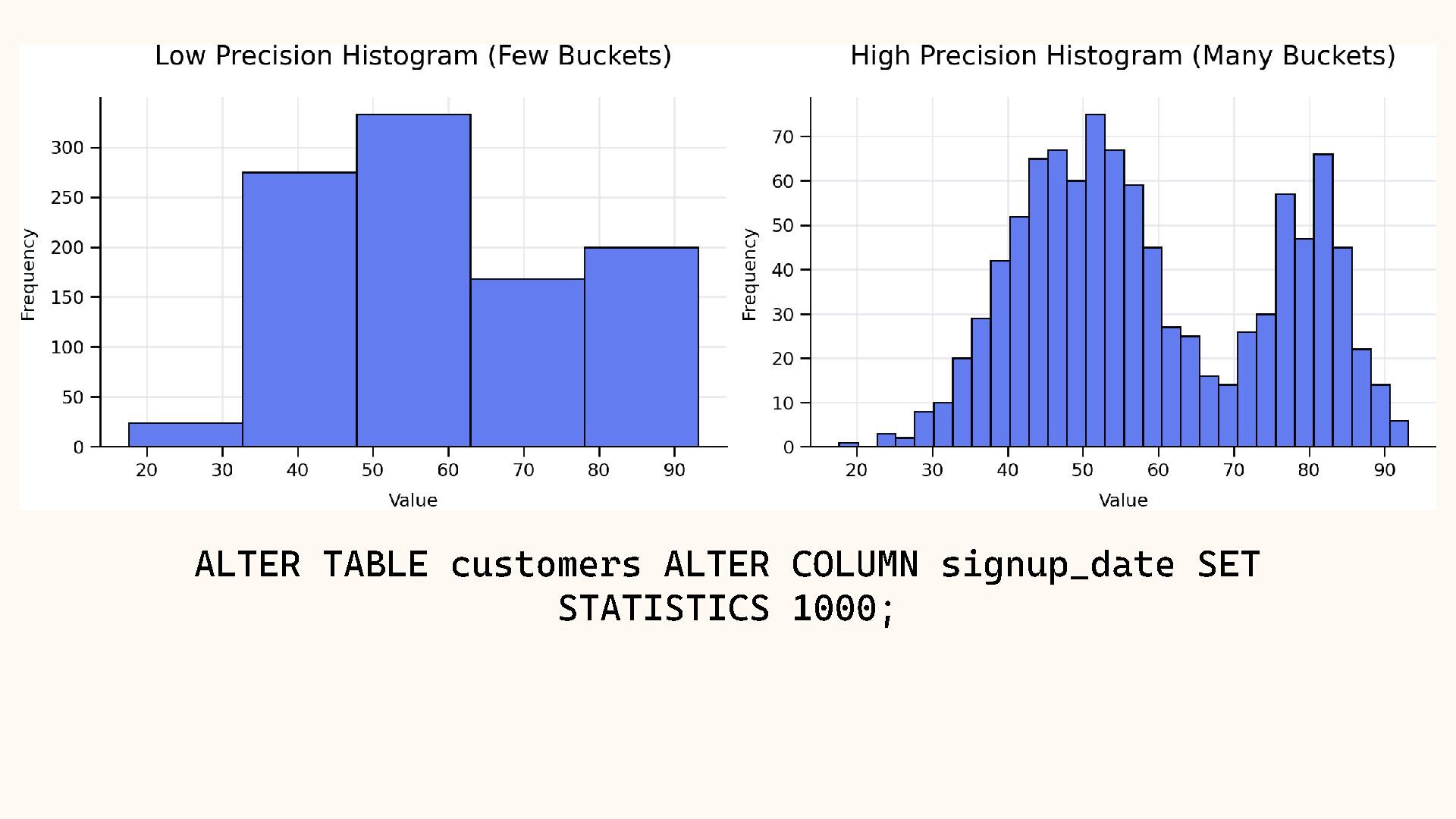
  16. SELECT (unnest( histogram_bounds ::text::date[]))::date AS bucket_bound FROM pg_stats WHERE tablename

    = 'customers' AND attname = ' signup_date ' LIMIT 8; --- First 8 histogram boundaries for signup_date --- (default target = 100 buckets, each ~1% of rows) bucket_bound -------------- 2018 - 01 - 01 2018 - 03 - 01 2018 - 04 - 28 2018 - 07 - 04 2018 - 09 - 05 2018 - 10 - 28 2018 - 12 - 27 2019 - 02 - 14 (8 rows)
  17. SELECT (unnest( histogram_bounds ::text::date[]))::date AS bucket_bound FROM pg_stats WHERE tablename

    = 'customers' AND attname = ' signup_date ' LIMIT 8; --- First 8 histogram boundaries for signup_date --- (now 1000 buckets, each ~0.1% of rows) bucket_bound -------------- 2018 - 01 - 01 2018 - 01 - 03 2018 - 01 - 05 2018 - 01 - 07 2018 - 01 - 10 2018 - 01 - 12 2018 - 01 - 14 2018 - 01 - 16 (8 rows)
  18. SELECT (unnest( histogram_bounds ::text::date[]))::date AS bucket_bound FROM pg_stats WHERE tablename

    = 'customers' AND attname = ' signup_date ' LIMIT 8; --- First 8 histogram boundaries for signup_date --- (now 1000 buckets , each ~0.1% of rows) bucket_bound -------------- 2018 - 01 - 01 2018 - 01 - 03 2018 - 01 - 05 2018 - 01 - 07 2018 - 01 - 10 2018 - 01 - 12 2018 - 01 - 14 2018 - 01 - 16 (8 rows) bucket_bound -------------- 2018 - 01 - 01 2018 - 03 - 01 2018 - 04 - 28 2018 - 07 - 04 2018 - 09 - 05 2018 - 10 - 28 2018 - 12 - 27 2019 - 02 - 14 (8 rows) Beware of Trade - offs!
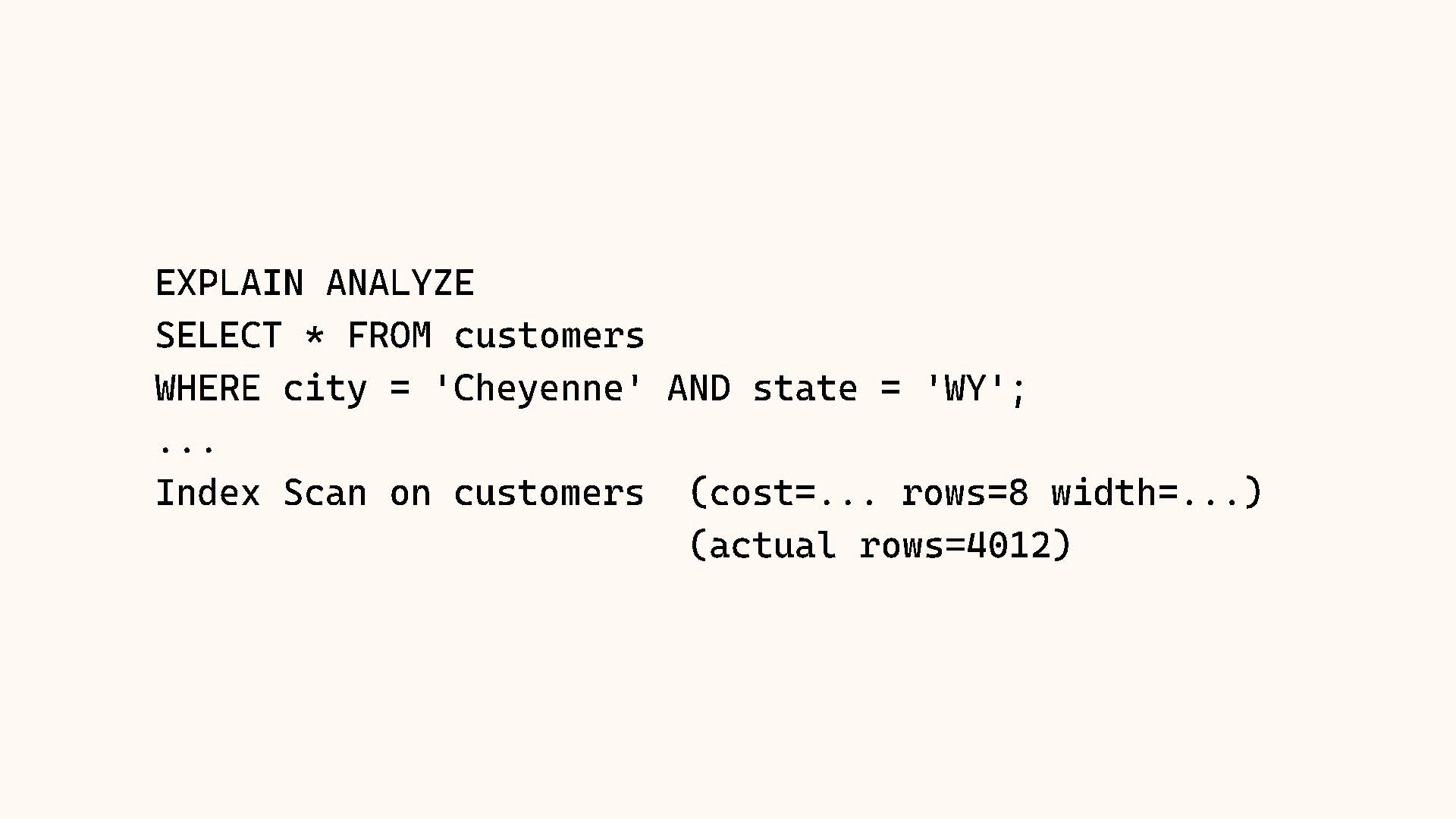
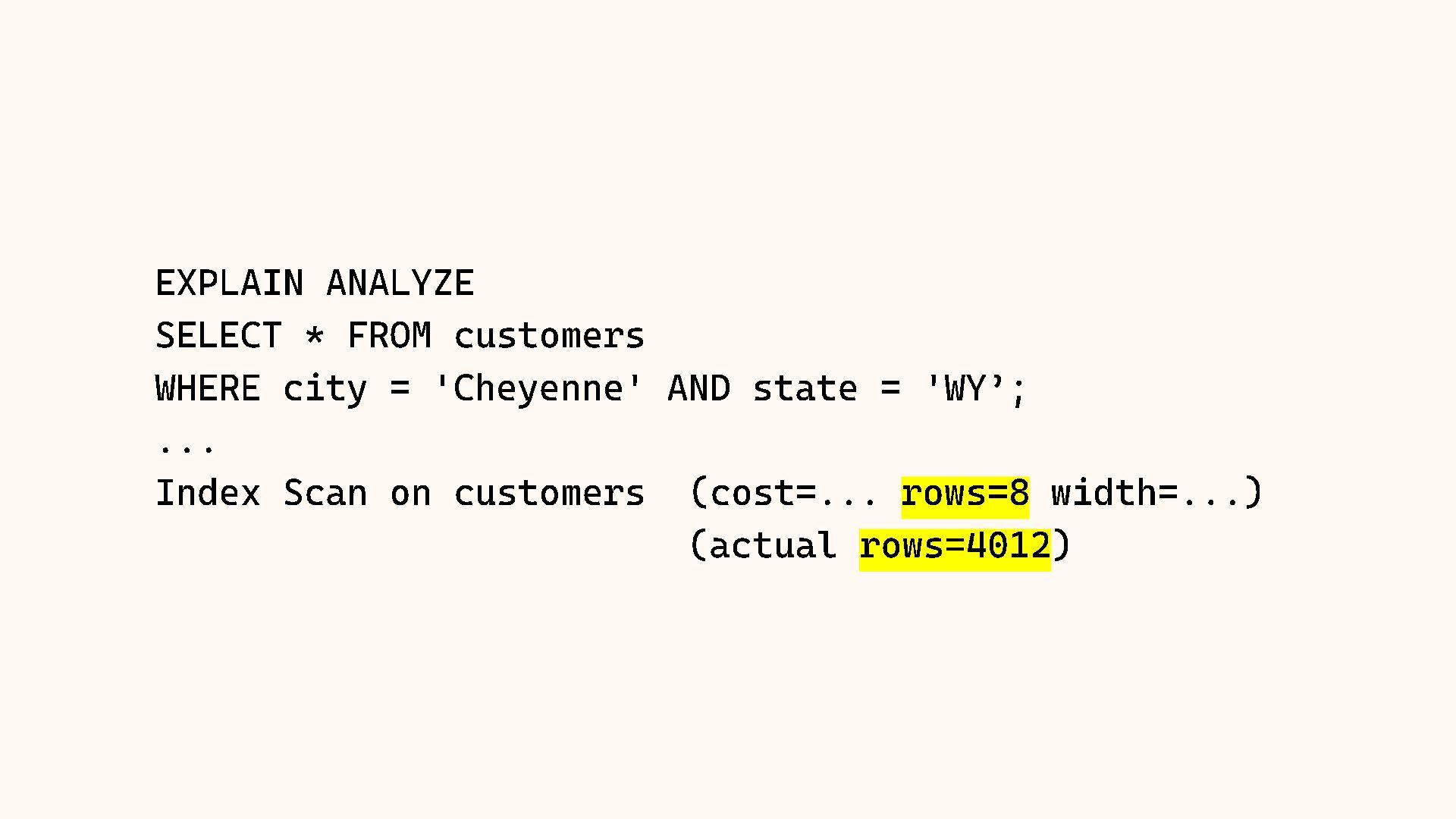
  19. EXPLAIN ANALYZE SELECT * FROM customers WHERE city = 'Cheyenne'

    AND state = 'WY'; ... Index Scan on customers (cost=... rows=8 width=...) (actual rows=4012)
  20. EXPLAIN ANALYZE SELECT * FROM customers WHERE city = 'Cheyenne'

    AND state = 'WY’; ... Index Scan on customers (cost=... rows=8 width=...) (actual rows=4012 )
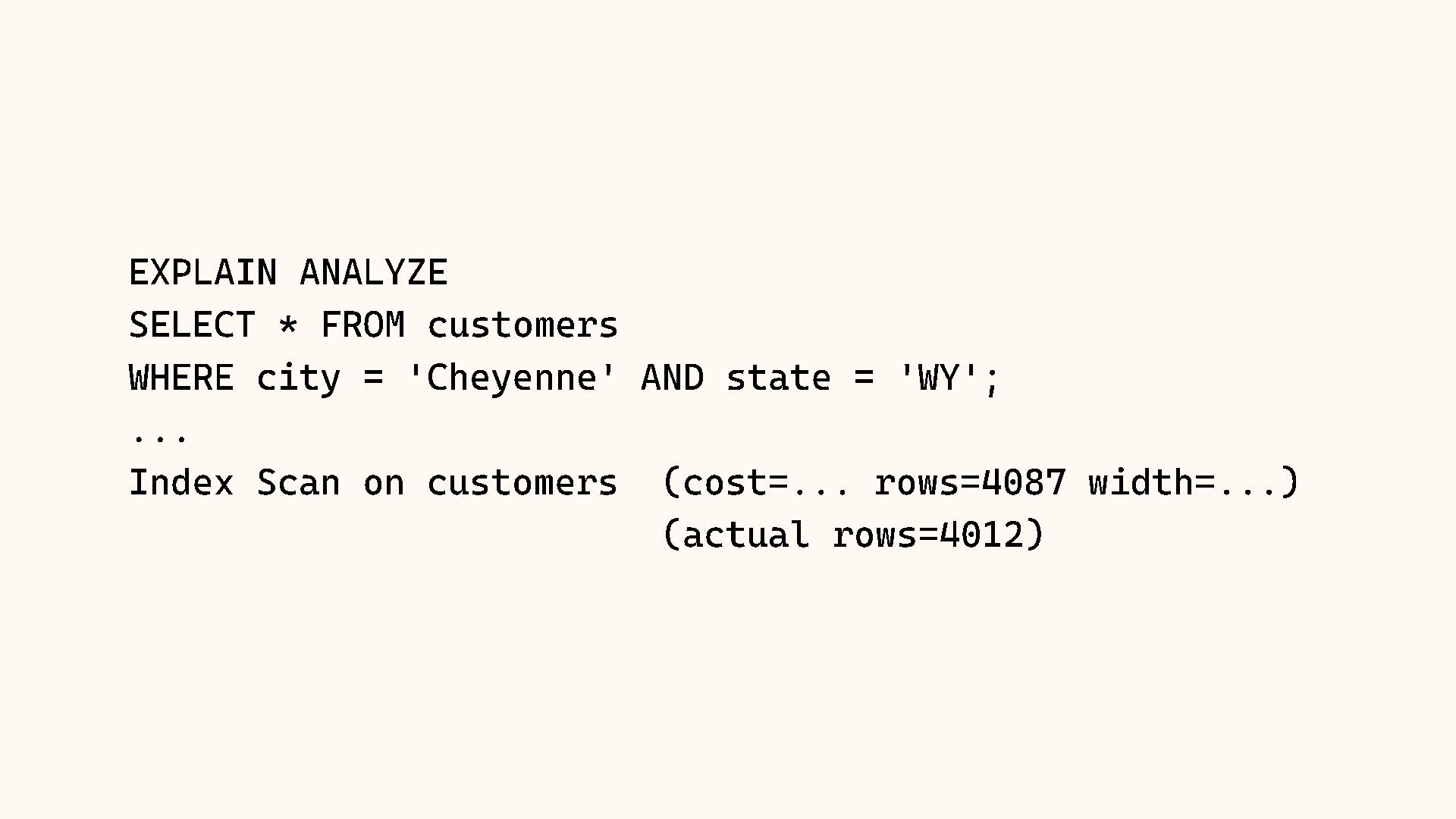
  21. EXPLAIN ANALYZE SELECT * FROM customers WHERE city = 'Cheyenne'

    AND state = 'WY'; ... Index Scan on customers (cost=... rows=4087 width=...) (actual rows=4012)
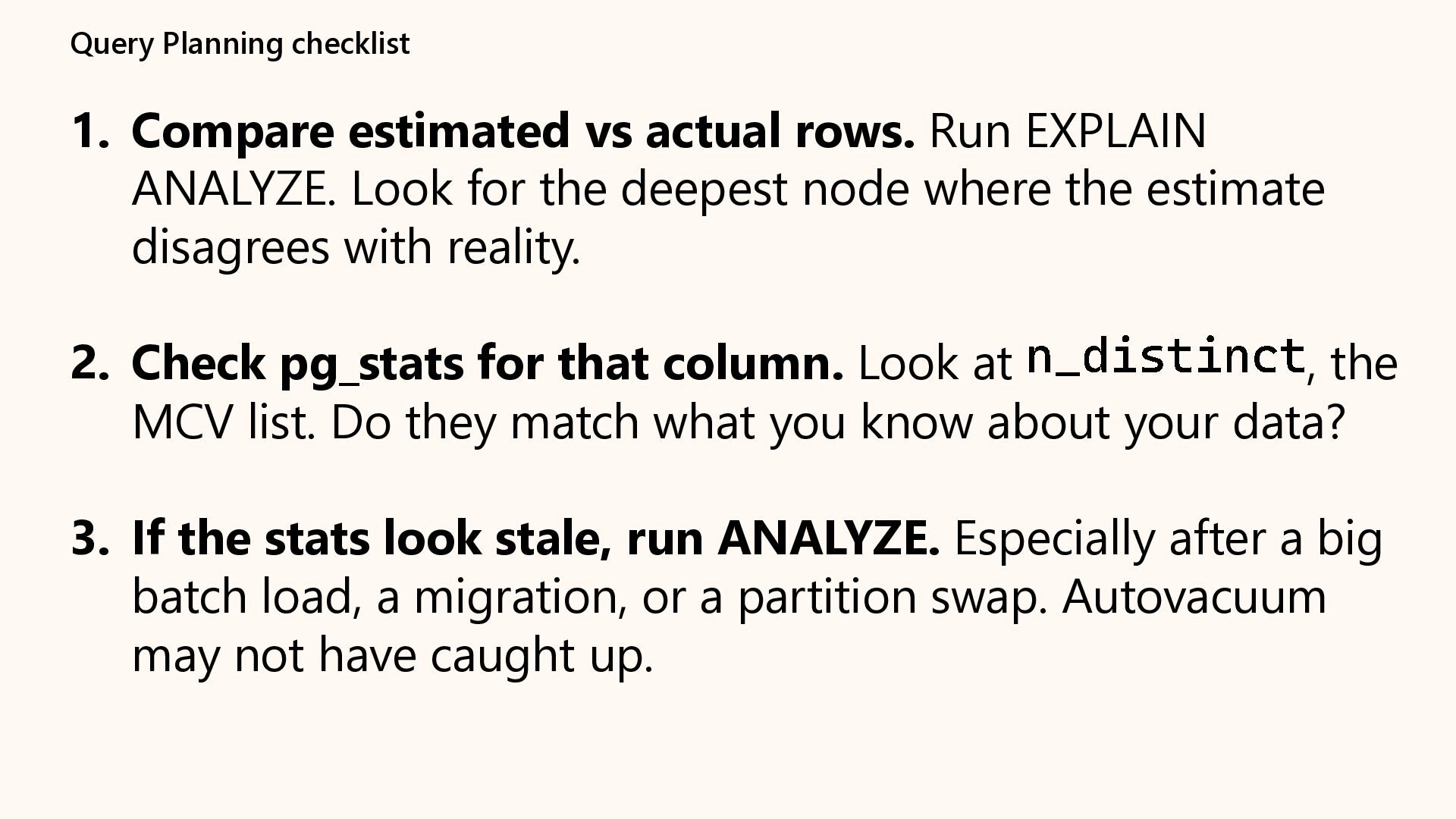
  22. Query Planning checklist 1. Compare estimated vs actual rows. Run

    EXPLAIN ANALYZE. Look for the deepest node where the estimate disagrees with reality. 2. Check pg_stats for that column. Look at n_distinct , the MCV list. Do they match what you know about your data? 3. If the stats look stale, run ANALYZE. Especially after a big batch load, a migration, or a partition swap. Autovacuum may not have caught up.
  23. Query Planning checklist (cont’d) 4. If estimates are still off

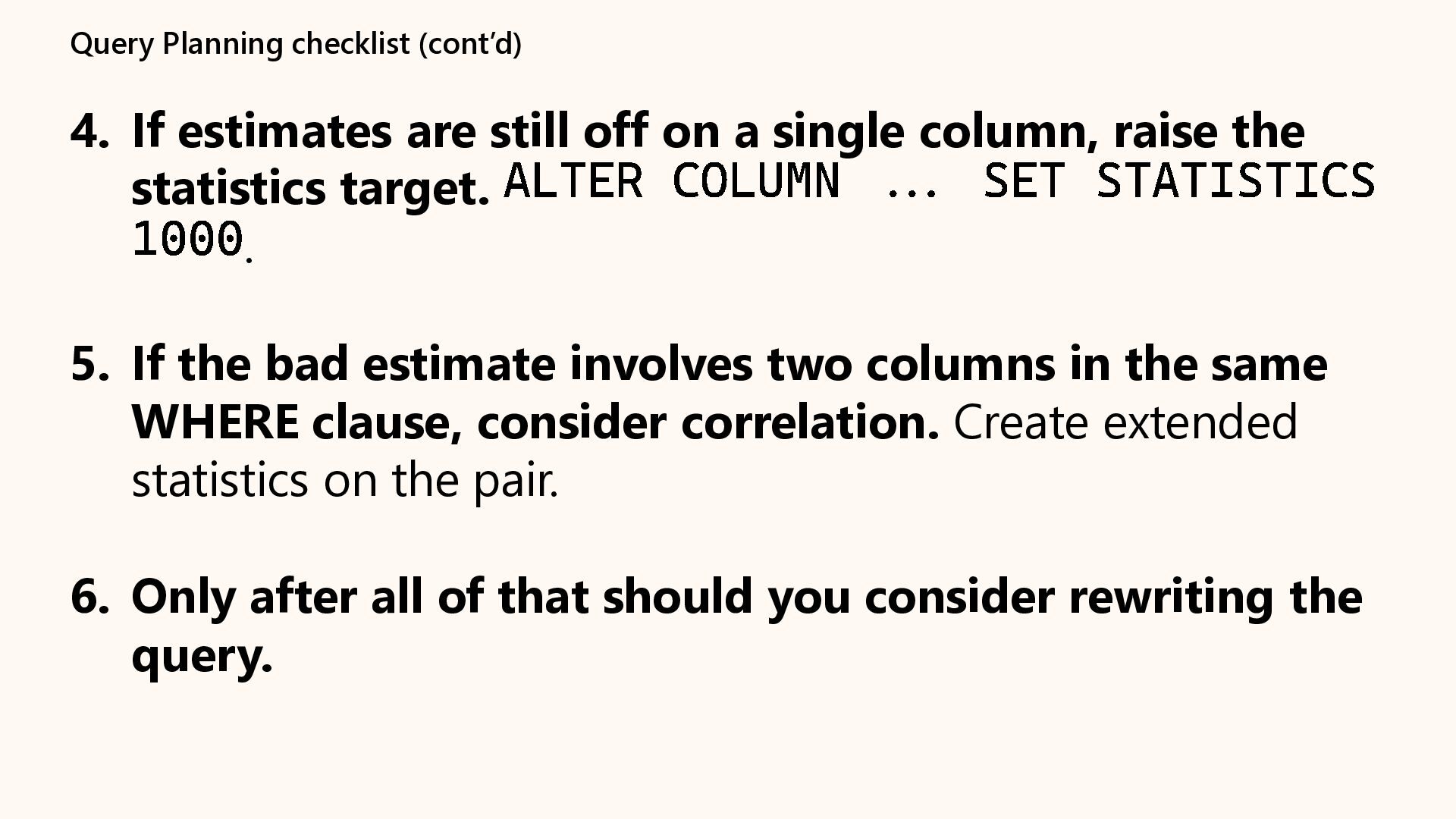
    on a single column, raise the statistics target. ALTER COLUMN ... SET STATISTICS 1000 . 5. If the bad estimate involves two columns in the same WHERE clause, consider correlation. Create extended statistics on the pair. 6. Only after all of that should you consider rewriting the query.