Upgrade to Pro
— share decks privately, control downloads, hide ads and more …
Speaker Deck
Sign up for free
Menu
Search
Features
All features
Private URLs
Password Protection
Custom URLS
Scheduled publishing
Remove Branding
Restrict embedding
Deck Collections
Notes
Features
All features
Private URLs
Password Protection
Custom URLS
Scheduled publishing
Remove Branding
Restrict embedding
Deck Collections
Notes
Explore
Featured decks
Featured speakers
Programming
Technology
Storyboards
Explore
Featured decks
Featured speakers
Programming
Technology
Storyboards
Pricing
Search
Sign in
Sign up for free
空間情報システム入門
Search
ryoyoyo
June 17, 2016
61
0
Share
Embed
Copy iframe code
Copy JS code
Copy link
Start on current slide
空間情報システム入門
ryoyoyo
June 17, 2016
More Decks by ryoyoyo
See All by ryoyoyo
kurihara ryo
ryoyoyo
0
83
Featured
See All Featured
Rebuilding a faster, lazier Slack
samanthasiow
85
9.7k
A Tale of Four Properties
chriscoyier
163
24k
Fantastic passwords and where to find them - at NoRuKo
philnash
53
4k
Leadership Guide Workshop - DevTernity 2021
reverentgeek
1
400
Gemini Prompt Engineering: Practical Techniques for Tangible AI Outcomes
mfonobong
2
590
Writing Fast Ruby
sferik
630
63k
Templates, Plugins, & Blocks: Oh My! Creating the theme that thinks of everything
marktimemedia
31
2.9k
[RailsConf 2023 Opening Keynote] The Magic of Rails
eileencodes
31
10k
The Invisible Side of Design
smashingmag
301
52k
コードの90%をAIが書く世界で何が待っているのか / What awaits us in a world where 90% of the code is written by AI
rkaga
63
46k
Primal Persuasion: How to Engage the Brain for Learning That Lasts
tmiket
0
500
実際に使うSQLの書き方 徹底解説 / pgcon21j-tutorial
soudai
PRO
203
77k
Transcript
TASKING MANAGER による マッピング作業のマニュア ル 青山学院大学 地球社会共生学部地球社会共生学科 1年A組 栗原涼(1A116085)
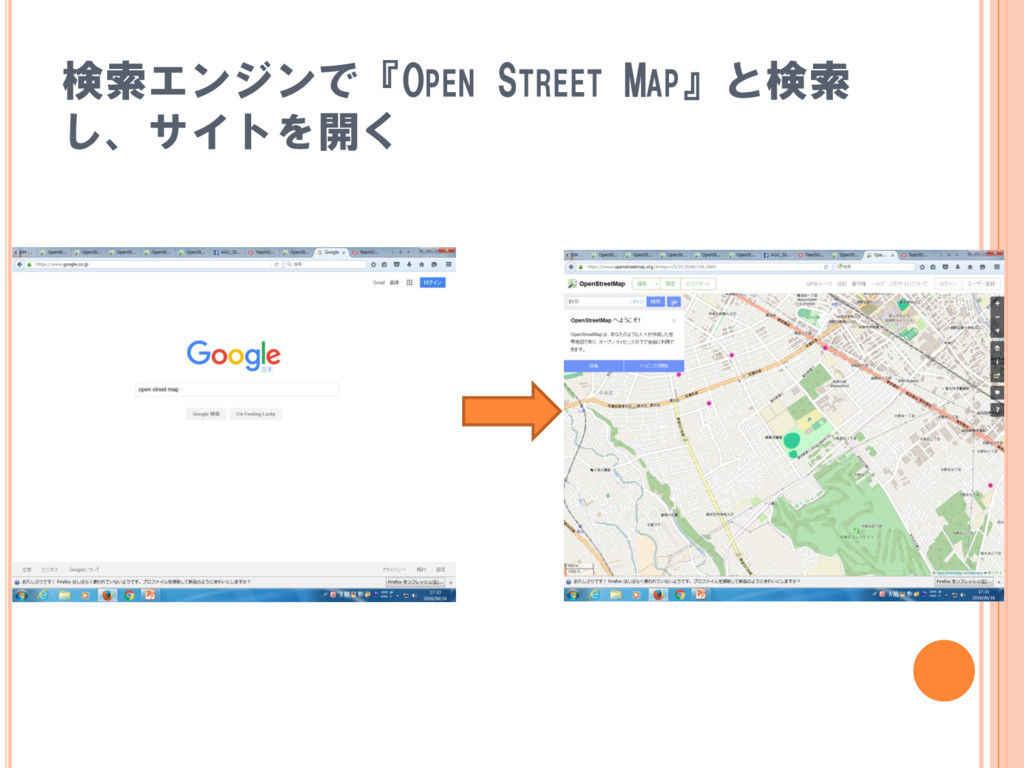
検索エンジンで『OPEN STREET MAP』と検索 し、サイトを開く
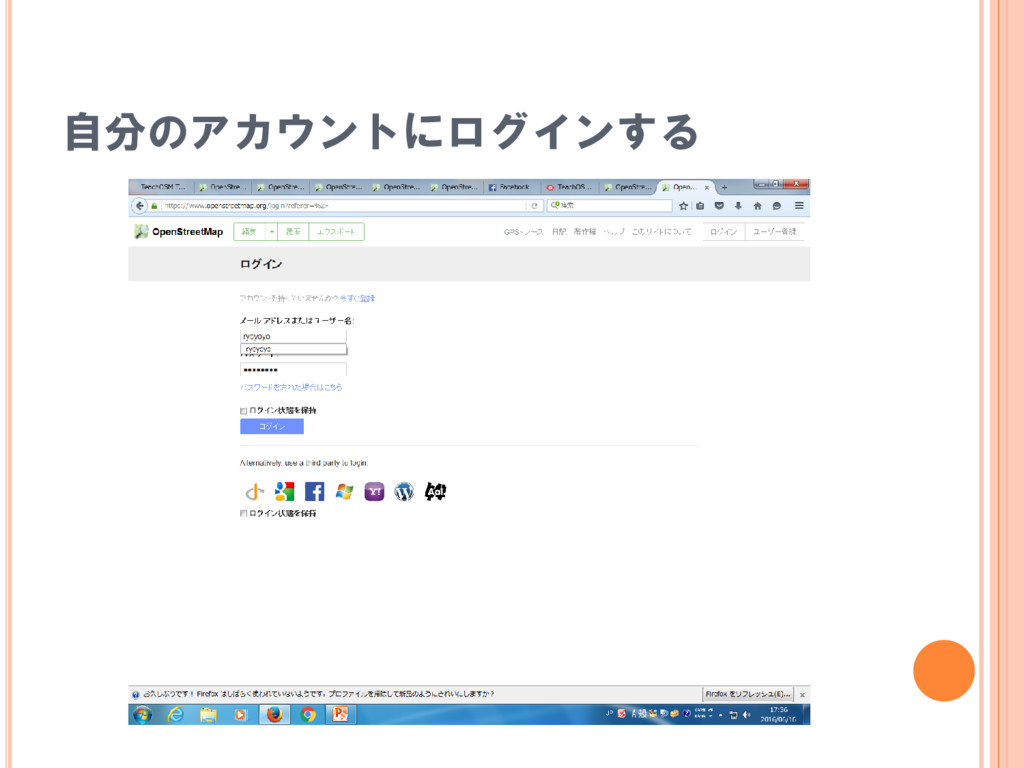
自分のアカウントにログインする
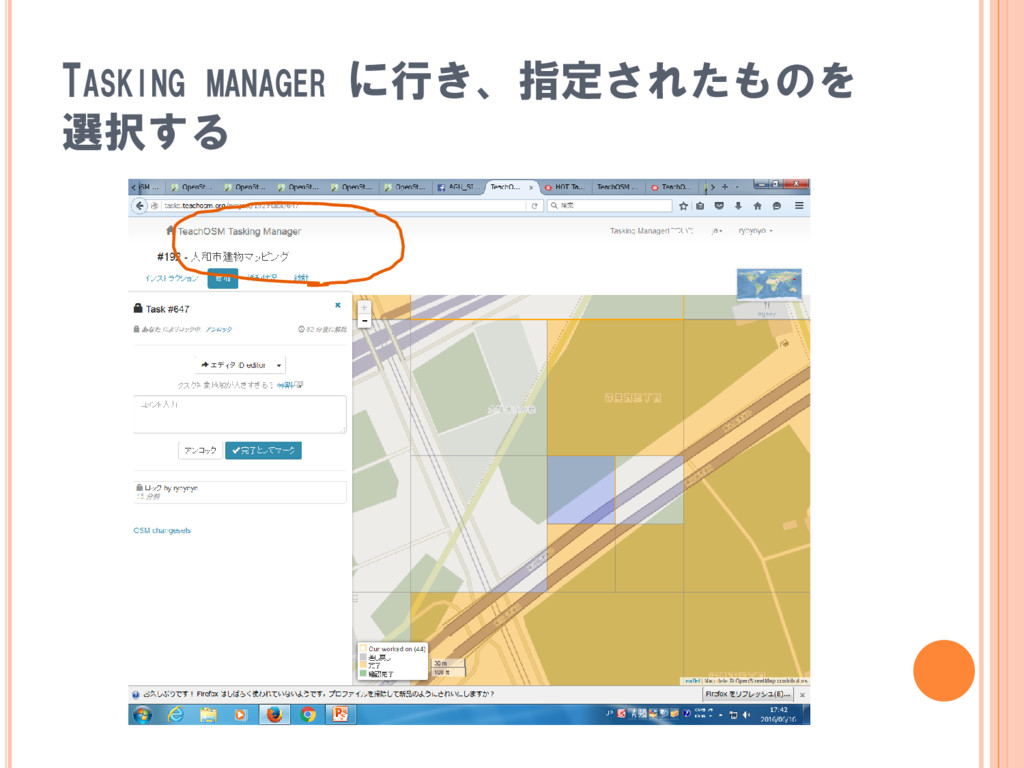
TASKING MANAGER に行き、指定されたものを 選択する
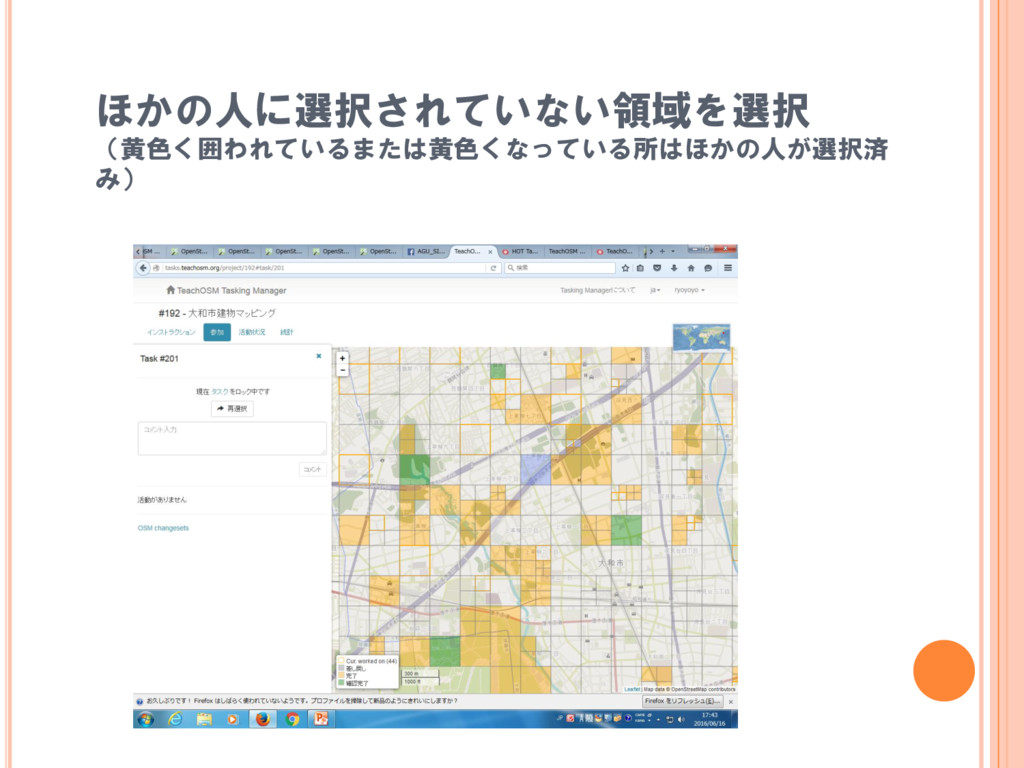
ほかの人に選択されていない領域を選択 (黄色く囲われているまたは黄色くなっている所はほかの人が選択済 み)
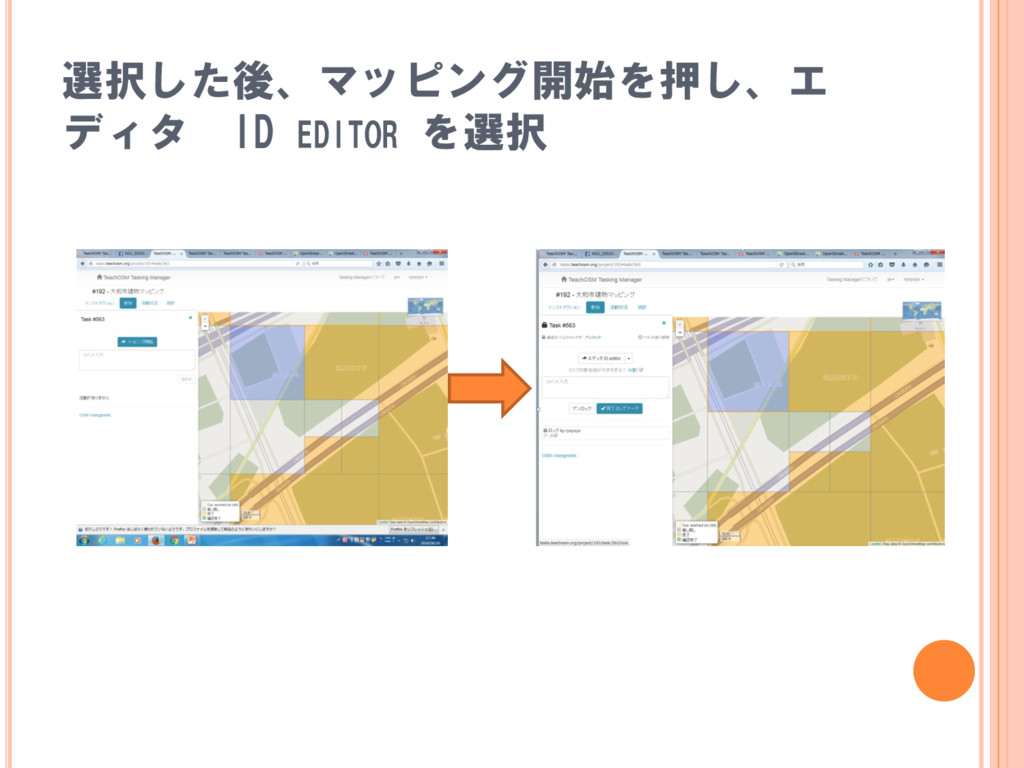
選択した後、マッピング開始を押し、エ ディタ ID EDITOR を選択
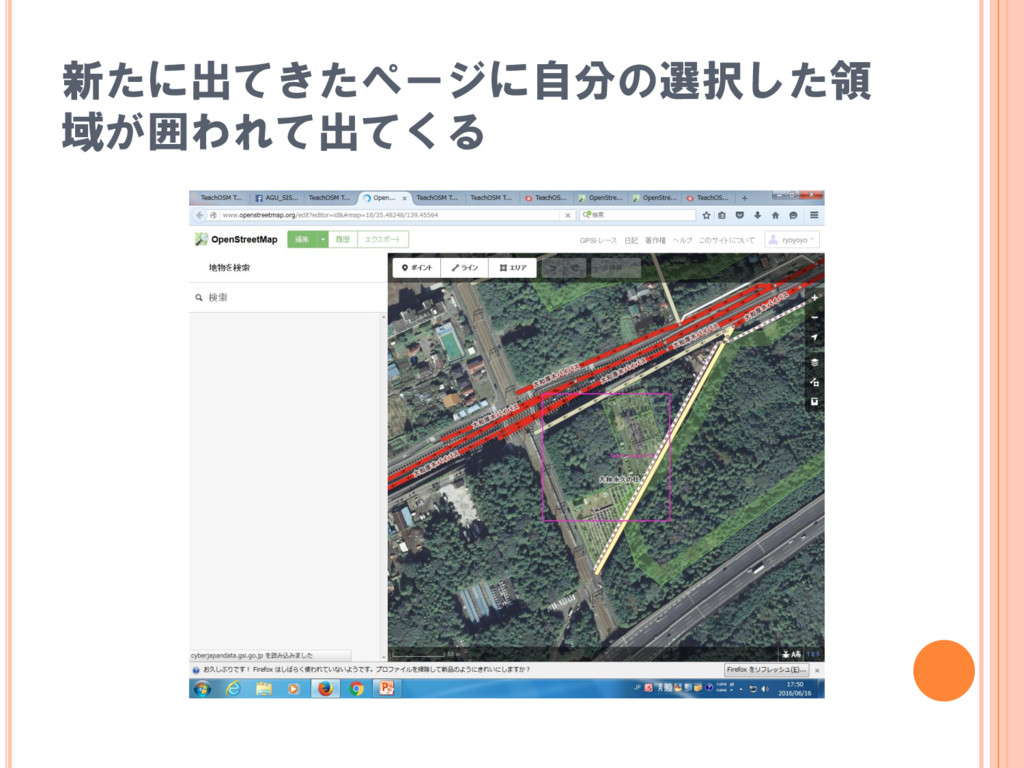
新たに出てきたページに自分の選択した領 域が囲われて出てくる
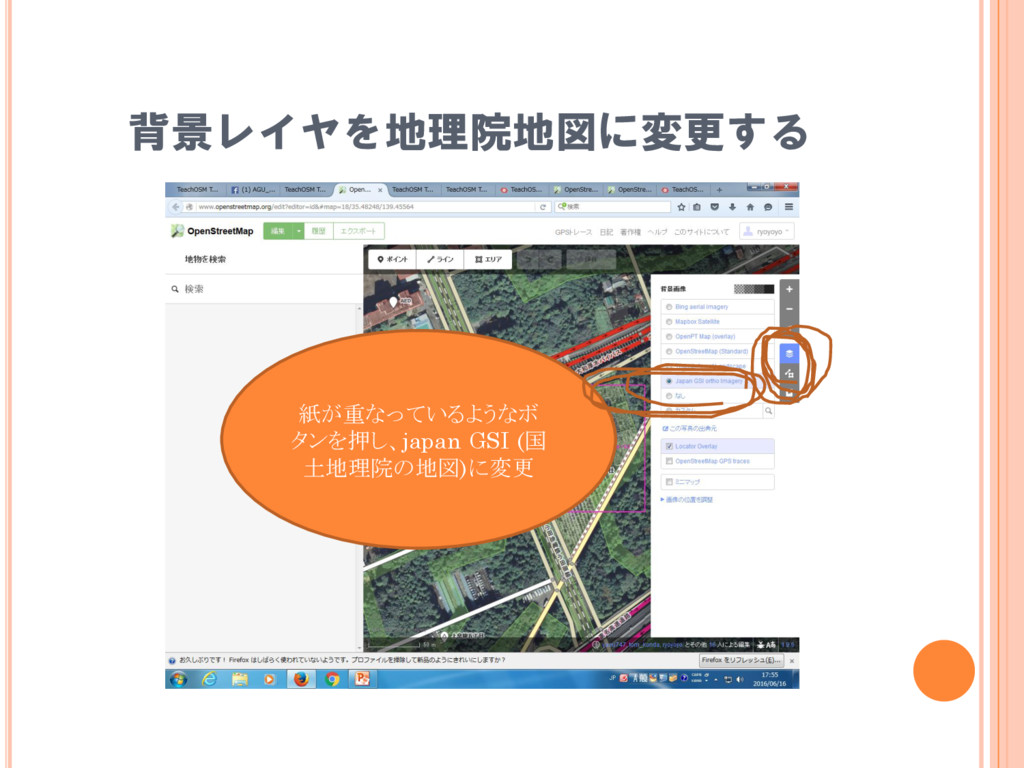
背景レイヤを地理院地図に変更する 紙が重なっているようなボ タンを押し、japan GSI (国 土地理院の地図)に変更
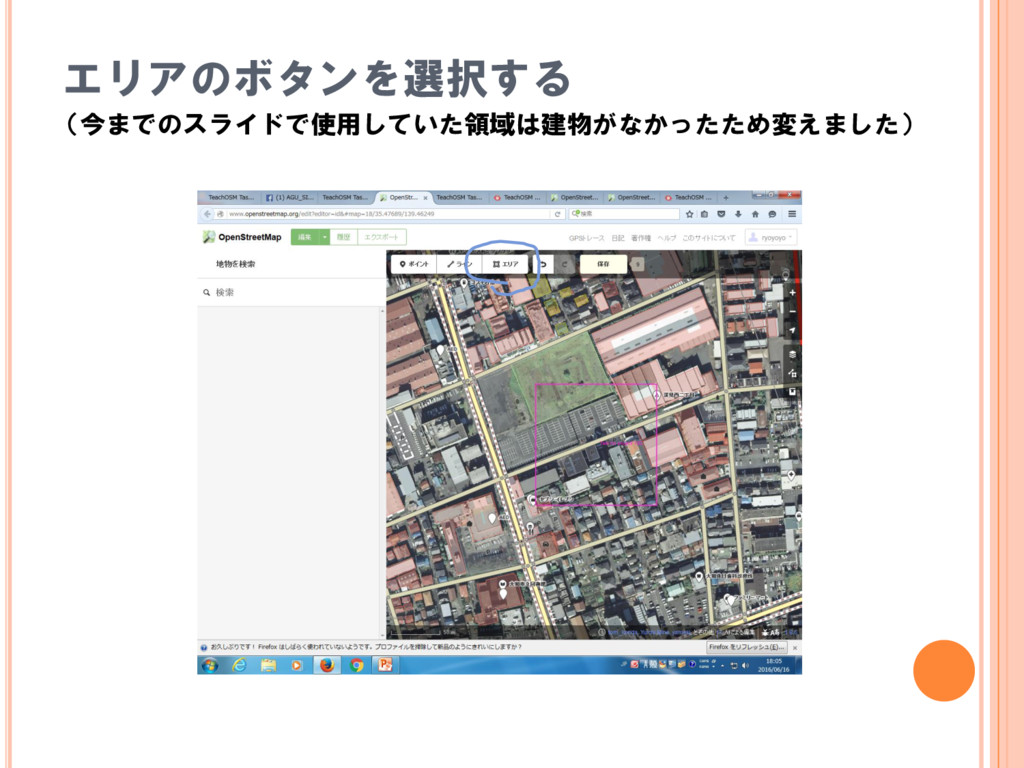
エリアのボタンを選択する (今までのスライドで使用していた領域は建物がなかったため変えました)
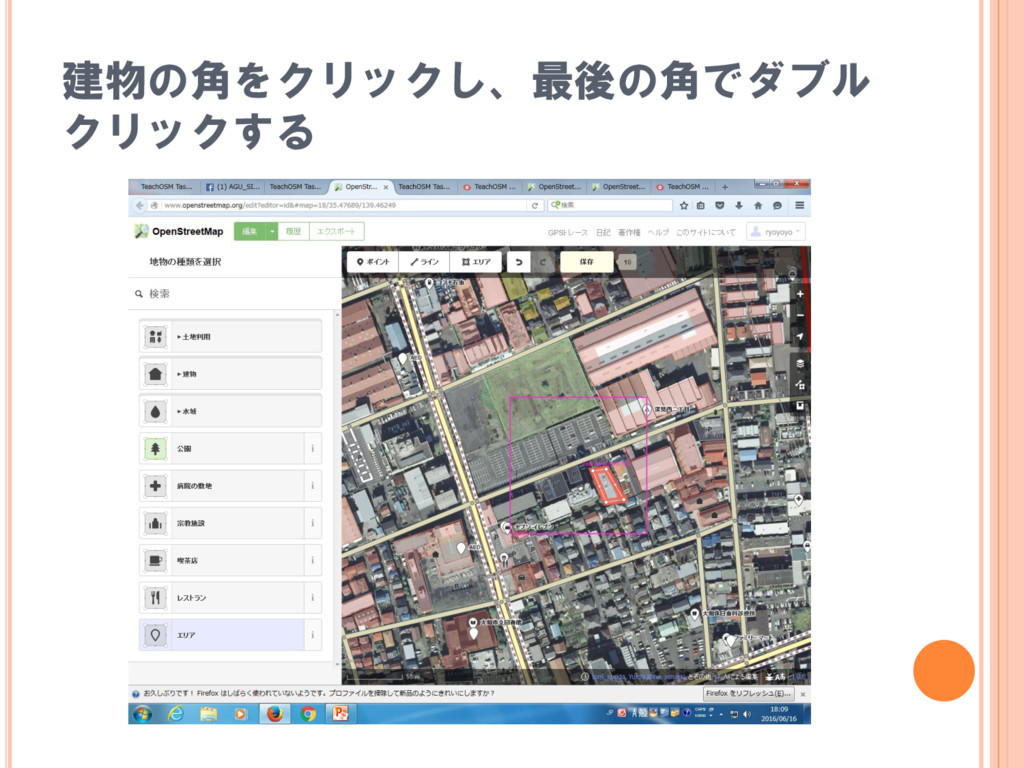
建物の角をクリックし、最後の角でダブル クリックする
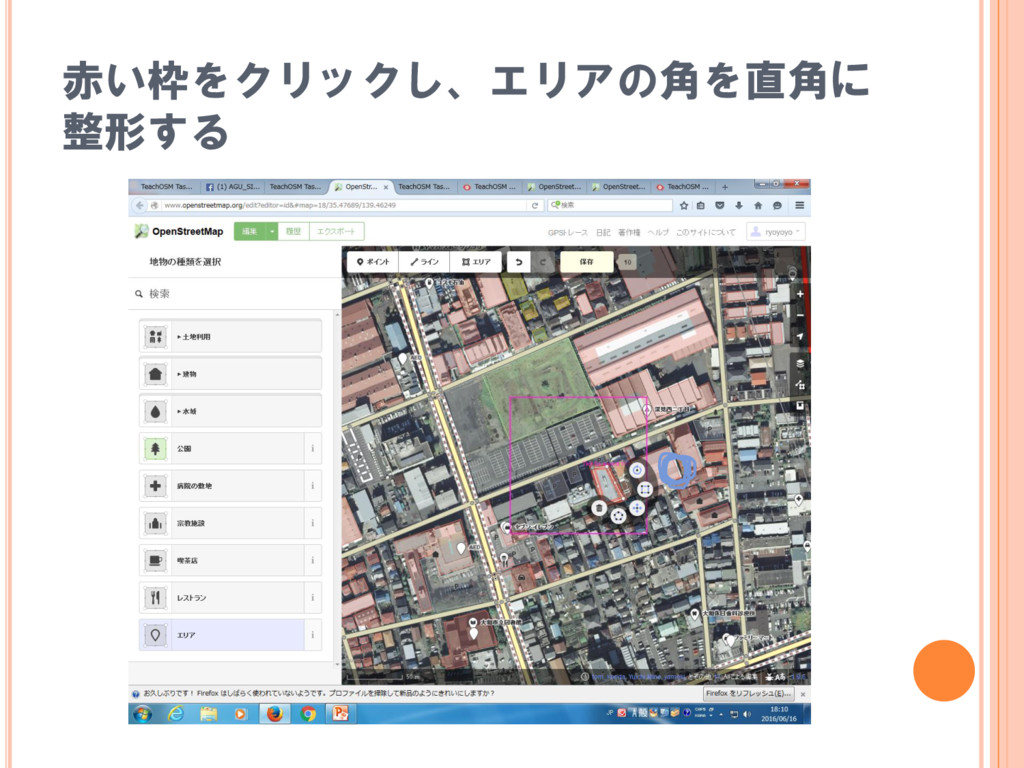
赤い枠をクリックし、エリアの角を直角に 整形する
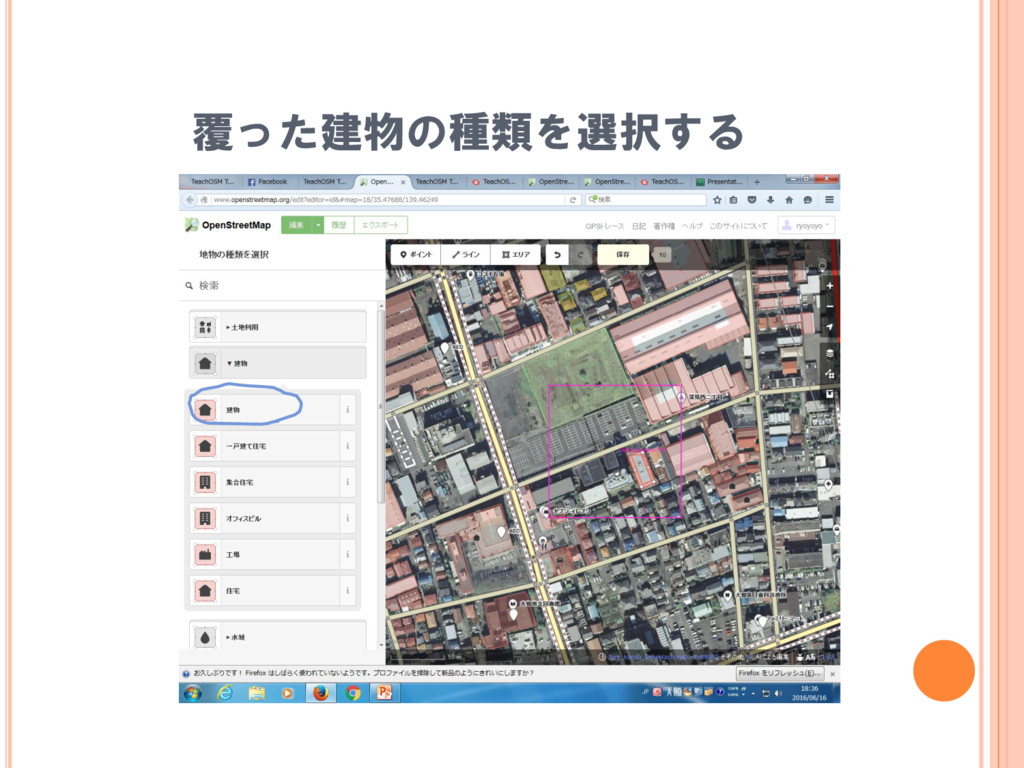
覆った建物の種類を選択する
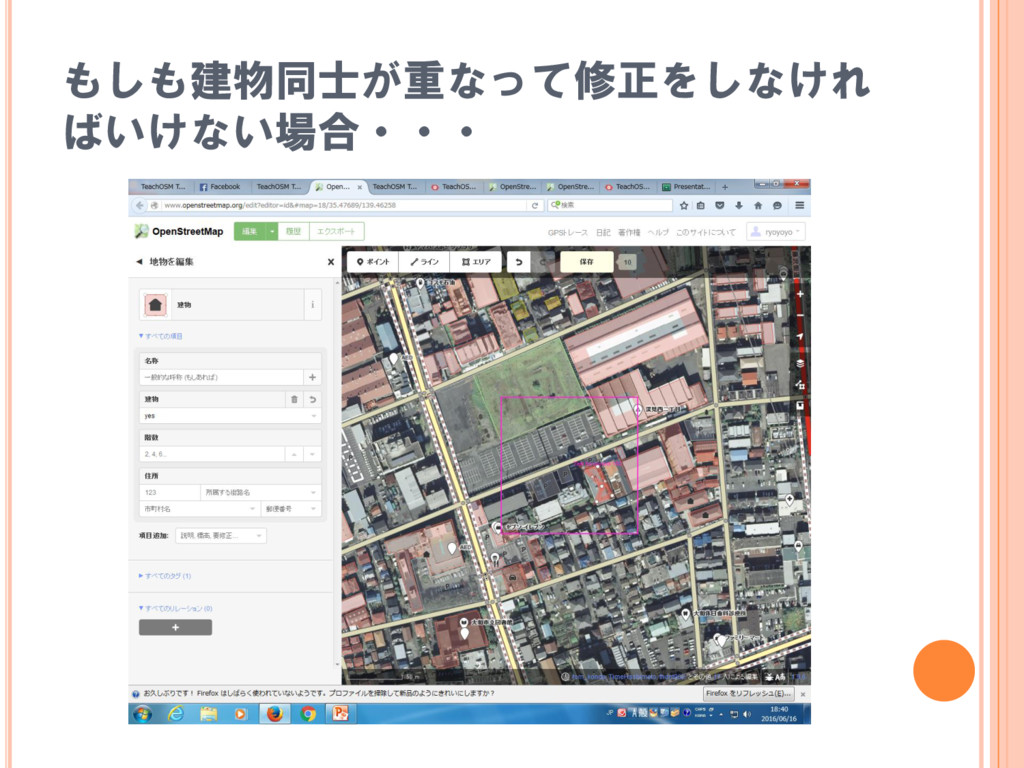
もしも建物同士が重なって修正をしなけれ ばいけない場合・・・
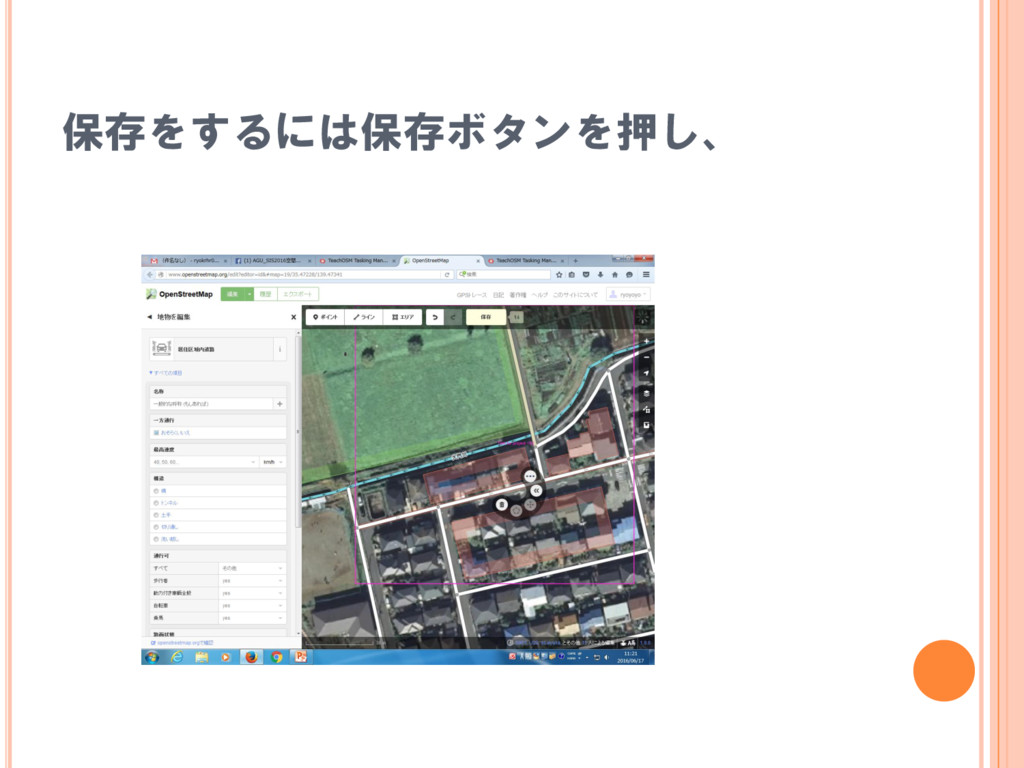
保存をするには保存ボタンを押し、
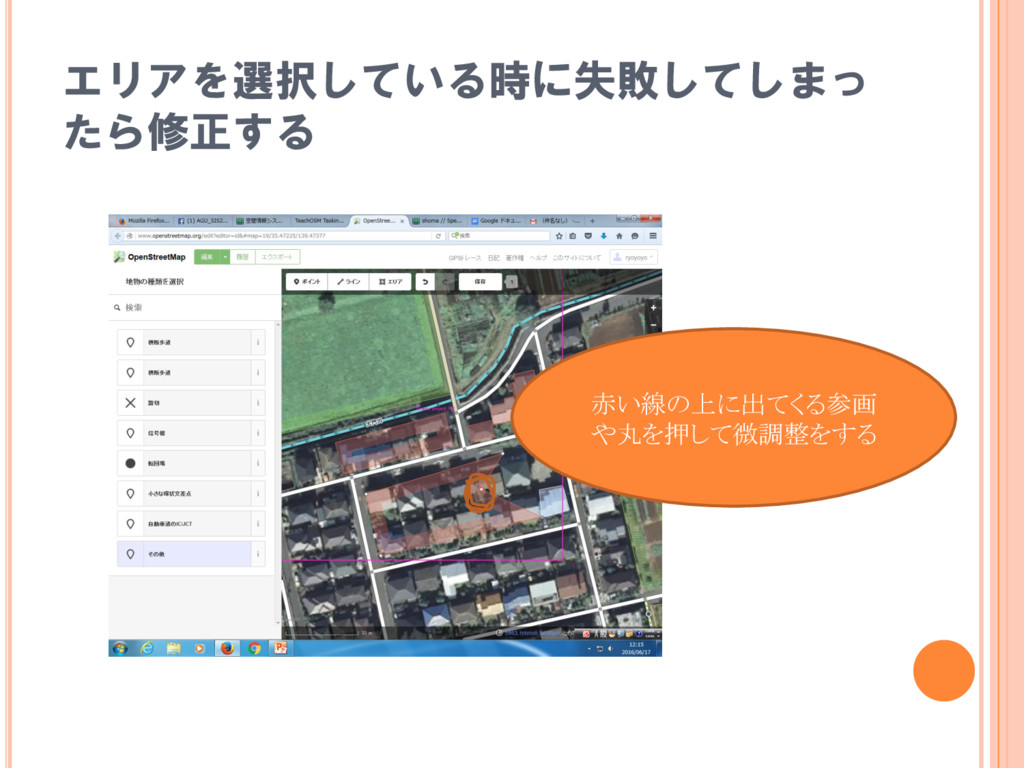
エリアを選択している時に失敗してしまっ たら修正する 赤い線の上に出てくる参画 や丸を押して微調整をする
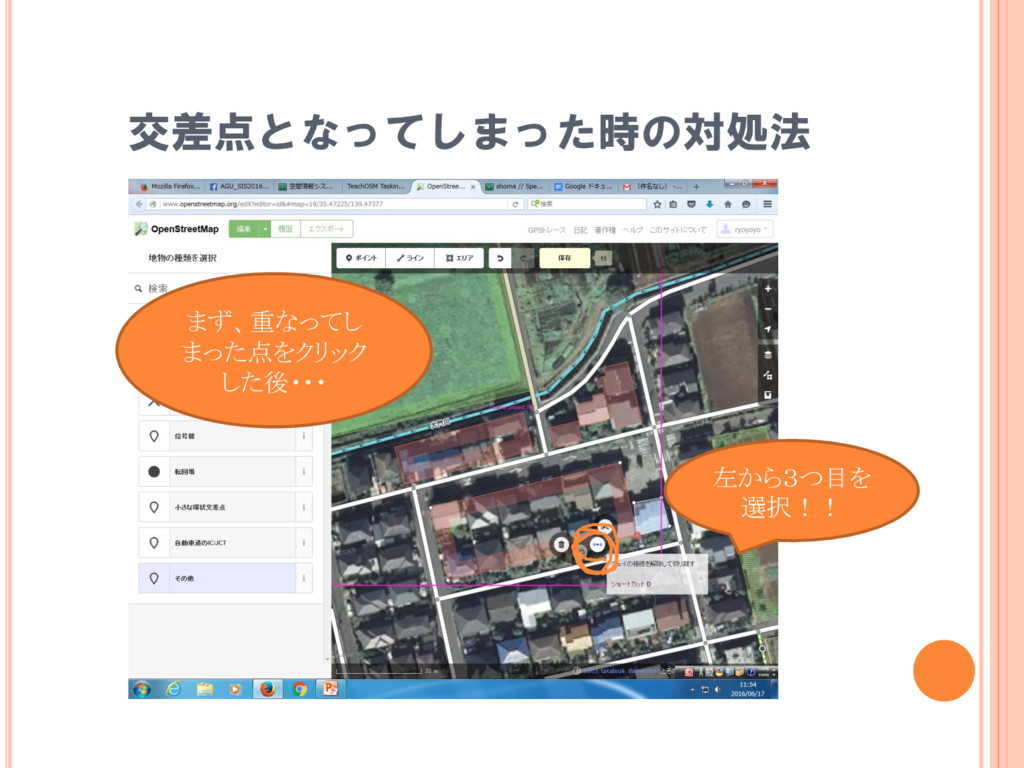
交差点となってしまった時の対処法 左から3つ目を 選択!! まず、重なってし まった点をクリック した後・・・
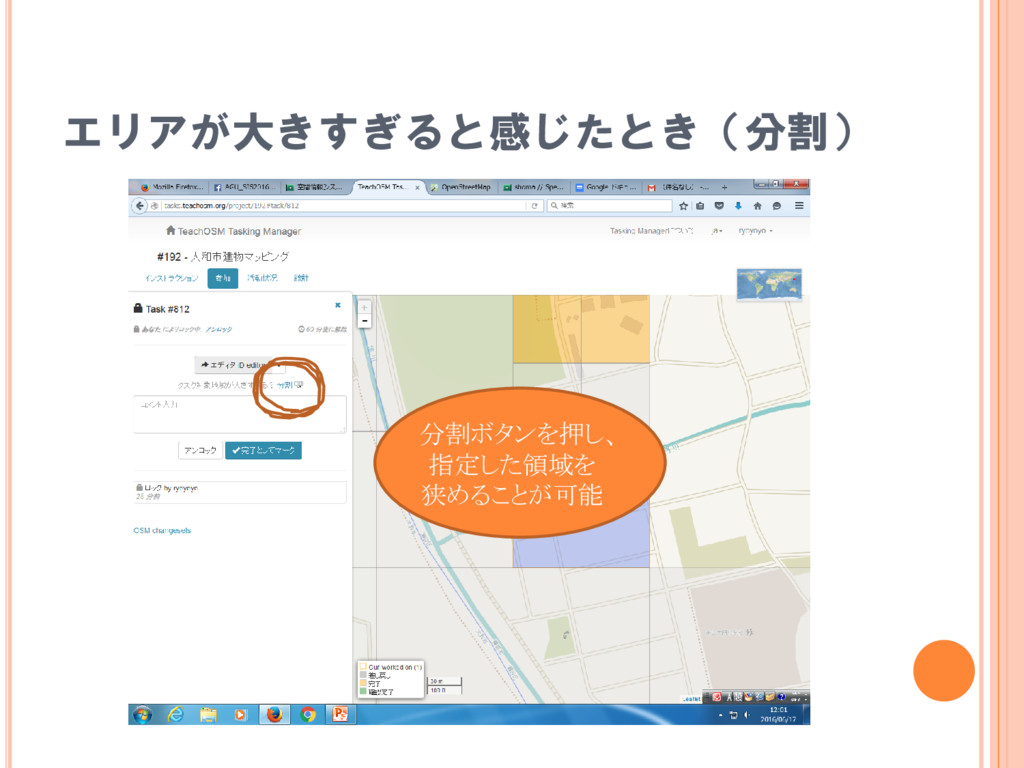
エリアが大きすぎると感じたとき(分割) 分割ボタンを押し、 指定した領域を 狭めることが可能
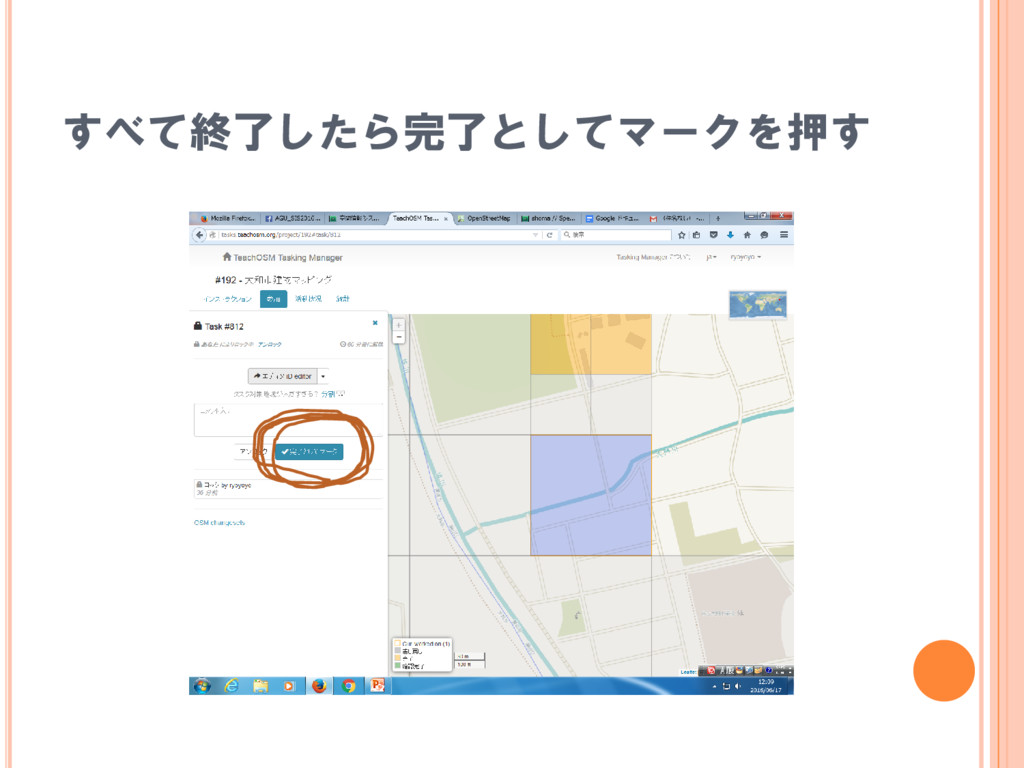
すべて終了したら完了としてマークを押す
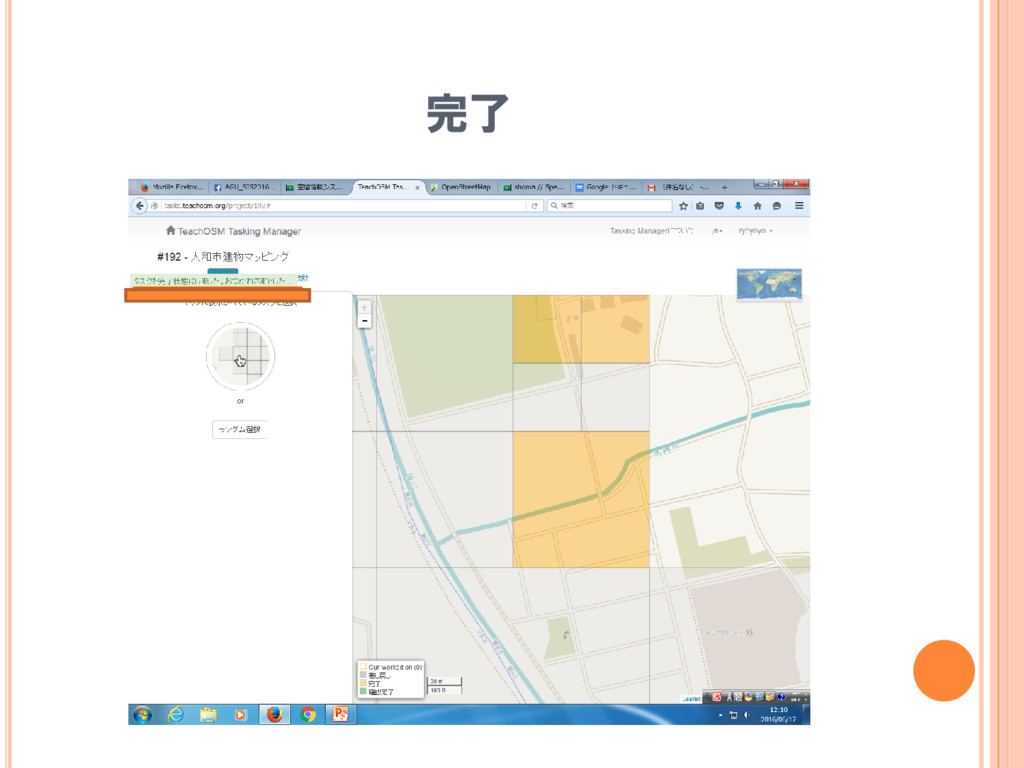
完了


 ryoyoyo
 samanthasiow
 chriscoyier
 philnash
 reverentgeek
 mfonobong
 sferik
 marktimemedia
 eileencodes
 smashingmag
 rkaga
rkaga
 tmiket
 soudai