Upgrade to Pro
— share decks privately, control downloads, hide ads and more …
Speaker Deck
Sign up for free
Menu
Search
Features
All features
Private URLs
Password Protection
Custom URLS
Scheduled publishing
Remove Branding
Restrict embedding
Deck Collections
Notes
Features
All features
Private URLs
Password Protection
Custom URLS
Scheduled publishing
Remove Branding
Restrict embedding
Deck Collections
Notes
Explore
Featured decks
Featured speakers
Programming
Technology
Storyboards
Explore
Featured decks
Featured speakers
Programming
Technology
Storyboards
Pricing
Search
Sign in
Sign up for free
Readable CircleCI Config
Search
Sawada Shota
April 23, 2019
Programming
650
5
Share
Embed
Copy iframe code
Copy JS code
Copy link
Start on current slide
Readable CircleCI Config
Sawada Shota
April 23, 2019
More Decks by Sawada Shota
See All by Sawada Shota
Introduce A Talk “The Athens Project - A Proxy Server for Go Modules”
sawadashota
1
1.2k
Other Decks in Programming
See All in Programming
WebRTC映像をAirPlayに対応させる挑戦.pdf
monolithic_adam
0
350
Augmenting AI with the Power of Jakarta EE
ivargrimstad
0
520
技術的負債の返済は、AI時代の複利で効く投資 — 経営としての意思決定とその遂行
curekoshimizu
1
2.3k
Findy - エンジニア向け会社紹介/Findy Company Deck
findyinc
6
400k
Rでドレミ/Do-Re-Mi_with_R
florets1
0
130
Agents on Rails - Rails at Scale 2026
irinanazarova
0
520
Kubernetes祭り #2 OP/ED
bells17
0
110
コードで差別化できない時代の ソフトウェアエンジニアリング / Software Engineering in an Era Where Code Doesn’t Differentiate
kishida
2
130
Augmenting AI with the Power of Jakarta EE
ivargrimstad
0
530
ハーネス設計入門 〜 基礎知識の整理から実務へのステップアップ 〜
kinopeee
21
21k
Starting & Sustaining Code-Based E2E Testing for Non-Coding QA Teams( #jasstniigata )
teyamagu
PRO
1
950
SalesForceを内製化!? ~ HR事業を支える顧客管理基盤のインフラを大公開 ~
oku053
0
160
Featured
See All Featured
Money Talks: Using Revenue to Get Sh*t Done
nikkihalliwell
0
520
The B2B funnel & how to create a winning content strategy
katarinadahlin
PRO
1
560
A Modern Web Designer's Workflow
chriscoyier
699
190k
How STYLIGHT went responsive
nonsquared
100
6.3k
Navigating Algorithm Shifts & AI Overviews - #SMXNext
aleyda
1
1.6k
Why You Should Never Use an ORM
jnunemaker
PRO
61
10k
XXLCSS - How to scale CSS and keep your sanity
sugarenia
250
1.3M
The Spectacular Lies of Maps
axbom
PRO
1
1.1k
Heart Work Chapter 1 - Part 1
lfama
PRO
10
37k
Designing Dashboards & Data Visualisations in Web Apps
destraynor
232
55k
How Fast Is Fast Enough? [PerfNow 2025]
tammyeverts
3
930
Sharpening the Axe: The Primacy of Toolmaking
bcantrill
46
3k
Transcript
None
Shota Sawada • CrowdWorks Inc. • SRE/Auth/Recruit • Twitter: @xioota
• Others: @sawadashota 2
None
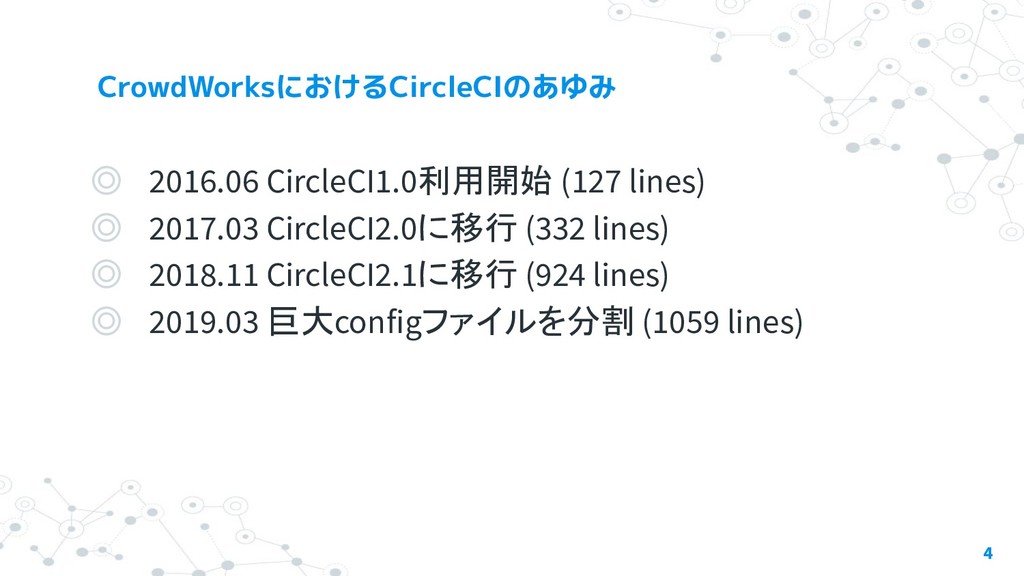
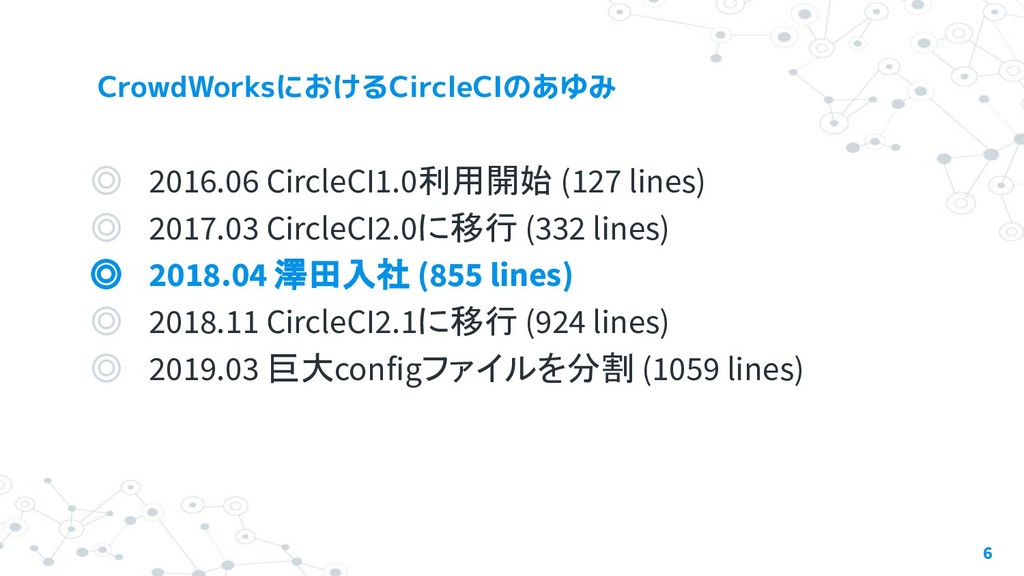
◎ 2016.06 CircleCI1.0利用開始 (127 lines) ◎ 2017.03 CircleCI2.0に移行 (332 lines)
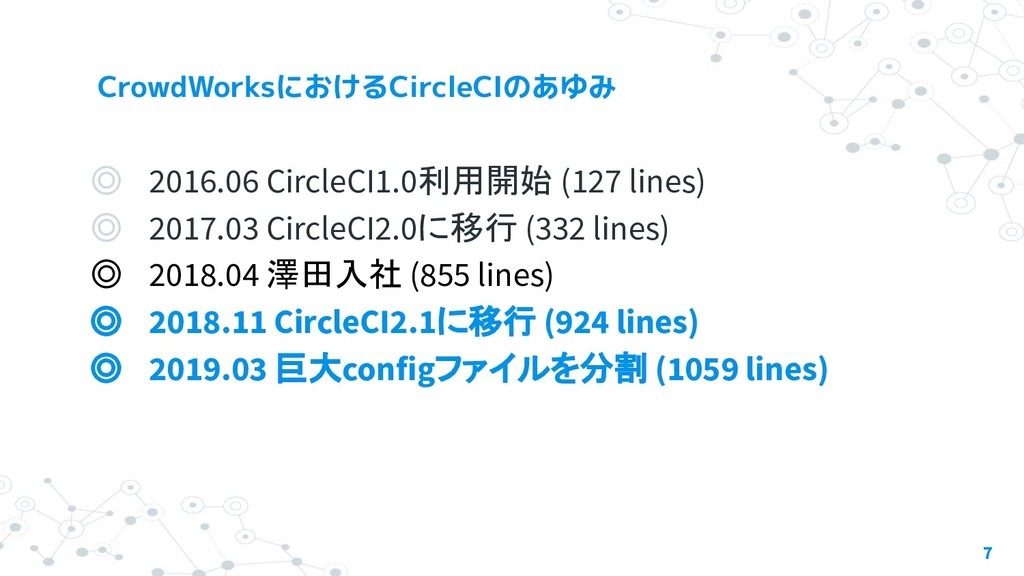
◎ 2018.11 CircleCI2.1に移行 (924 lines) ◎ 2019.03 巨大configファイルを分割 (1059 lines) 4
None
◎ 2016.06 CircleCI1.0利用開始 (127 lines) ◎ 2017.03 CircleCI2.0に移行 (332 lines)
◎ 2018.04 澤田入社 (855 lines) ◎ 2018.11 CircleCI2.1に移行 (924 lines) ◎ 2019.03 巨大configファイルを分割 (1059 lines) 6
◎ 2016.06 CircleCI1.0利用開始 (127 lines) ◎ 2017.03 CircleCI2.0に移行 (332 lines)
◎ 2018.04 澤田入社 (855 lines) ◎ 2018.11 CircleCI2.1に移行 (924 lines) ◎ 2019.03 巨大configファイルを分割 (1059 lines) 7
None
None
本日のテーマ
None
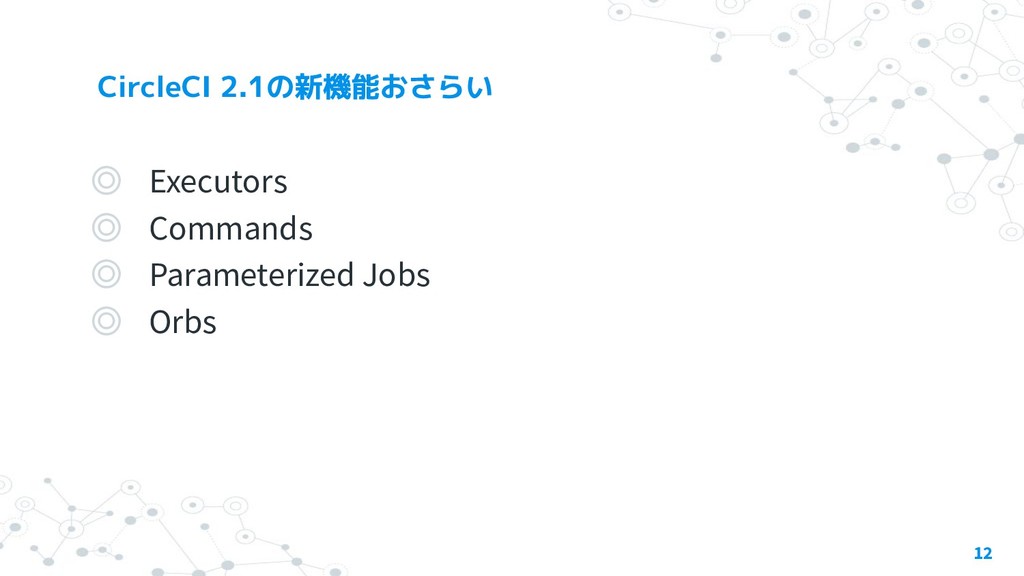
◎ Executors ◎ Commands ◎ Parameterized Jobs ◎ Orbs 12
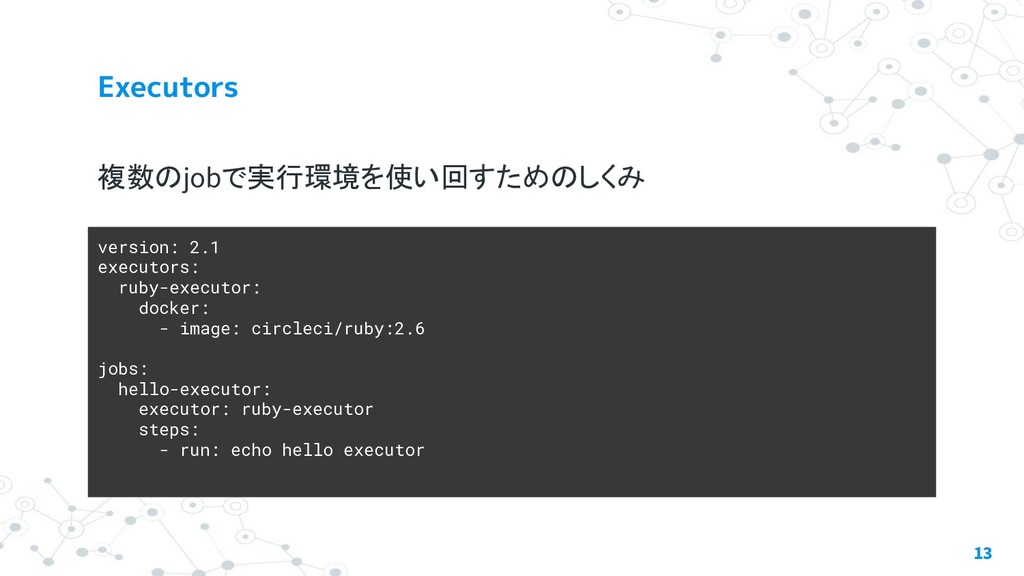
複数のjobで実行環境を使い回すためのしくみ 13 version: 2.1 executors: ruby-executor: docker: - image: circleci/ruby:2.6
jobs: hello-executor: executor: ruby-executor steps: - run: echo hello executor
複数のjobでstepを使い回すためのしくみ。パラメータが渡せる 14 version: 2.1 jobs: notify: docker: - image: cibuilds/base:latest
steps: - slack-notify: message: hello commands
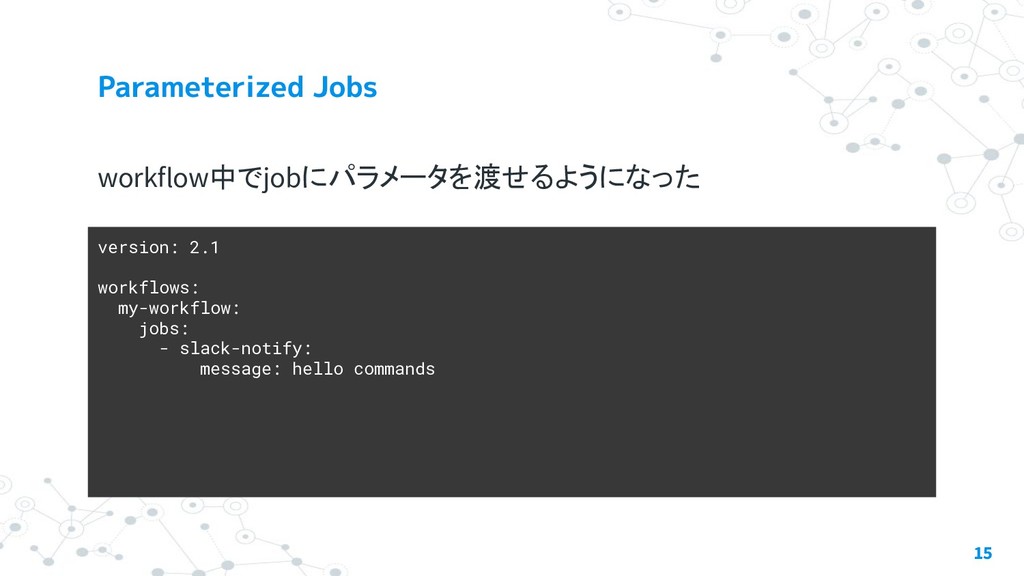
workflow中でjobにパラメータを渡せるようになった 15 version: 2.1 workflows: my-workflow: jobs: - slack-notify: message:
hello commands
commandsや jobs、executors をパッケージとして使い回すことのでき る仕組み 16 version: 2.1 orbs: slack: circleci/
[email protected]
workflows: my-workflow: jobs: - slack/approval-notification: message: Pending approval
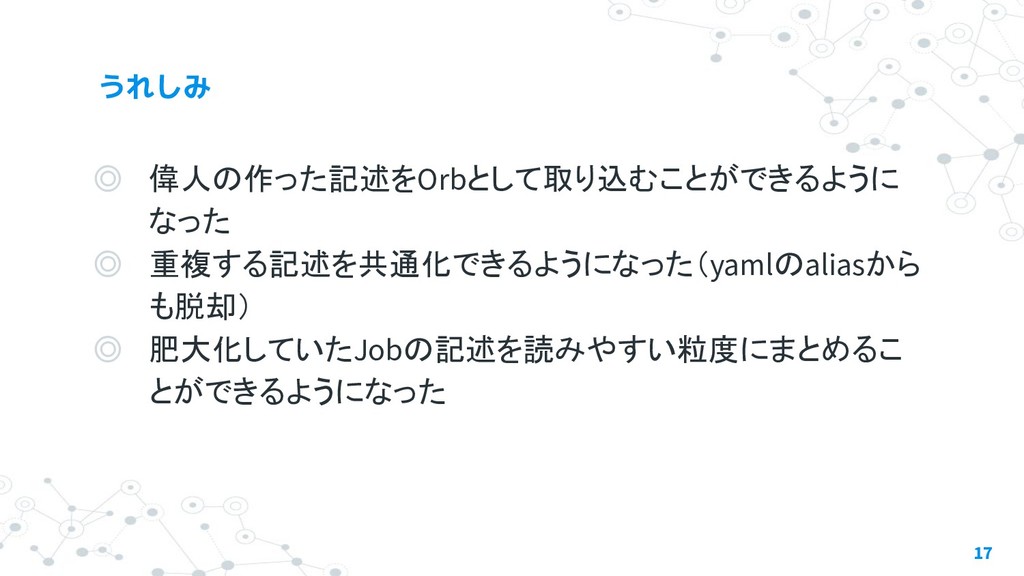
◎ 偉人の作った記述をOrbとして取り込むことができるように なった ◎ 重複する記述を共通化できるようになった(yamlのaliasから も脱却) ◎ 肥大化していたJobの記述を読みやすい粒度にまとめるこ とができるようになった 17
None
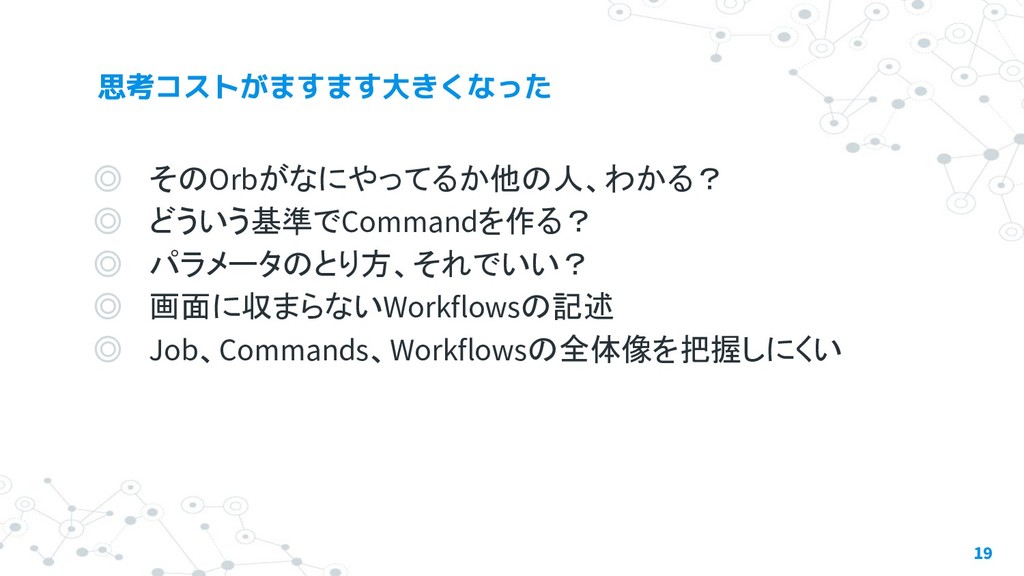
◎ そのOrbがなにやってるか他の人、わかる? ◎ どういう基準でCommandを作る? ◎ パラメータのとり方、それでいい? ◎ 画面に収まらないWorkflowsの記述 ◎ Job、Commands、Workflowsの全体像を把握しにくい
19
None
None
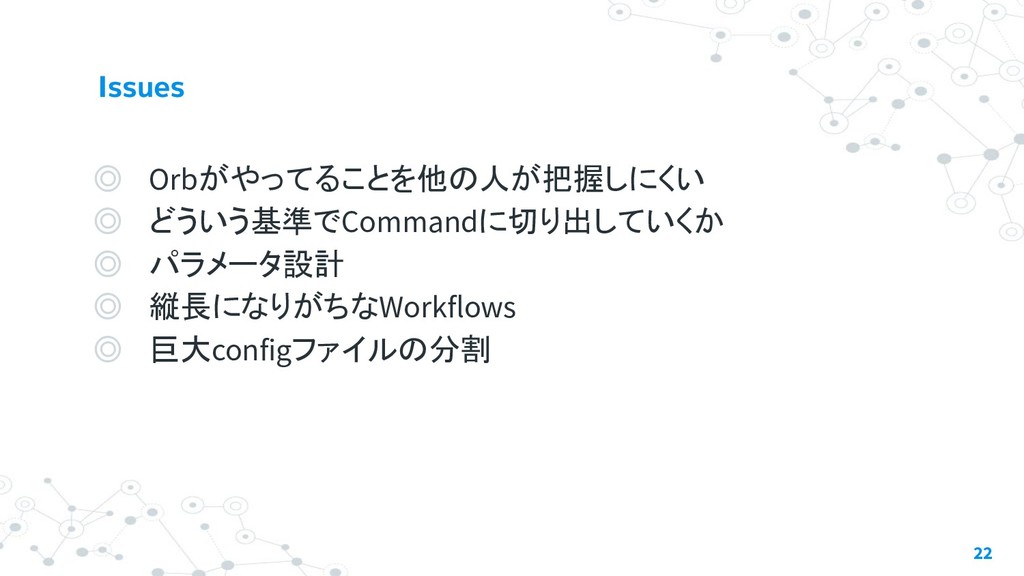
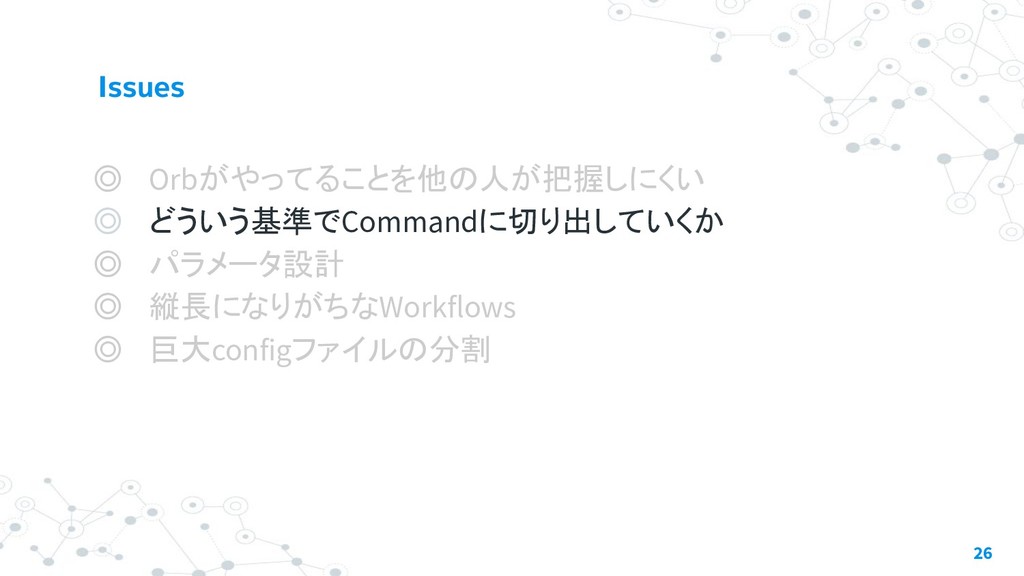
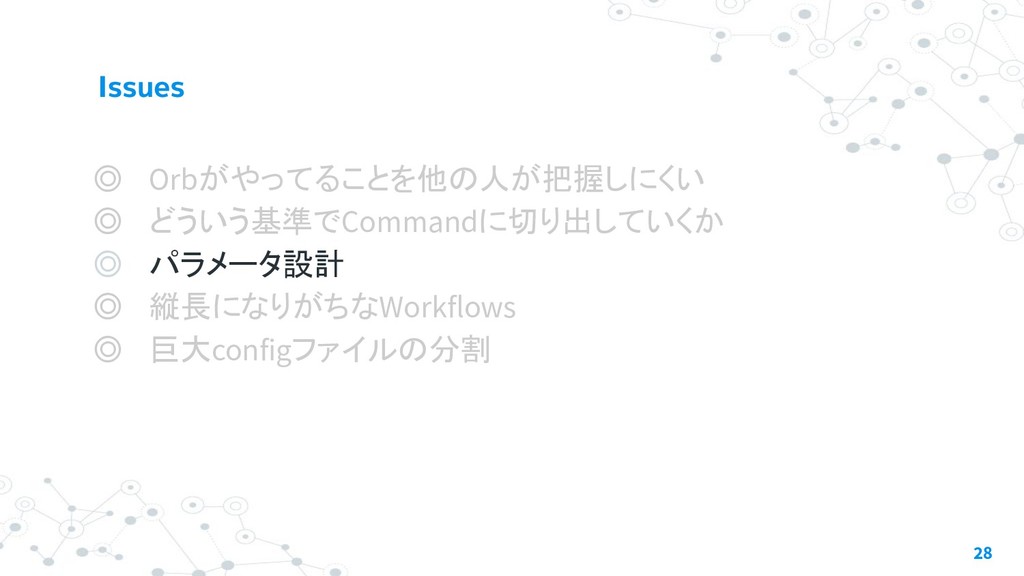
◎ Orbがやってることを他の人が把握しにくい ◎ どういう基準でCommandに切り出していくか ◎ パラメータ設計 ◎ 縦長になりがちなWorkflows ◎ 巨大configファイルの分割
22
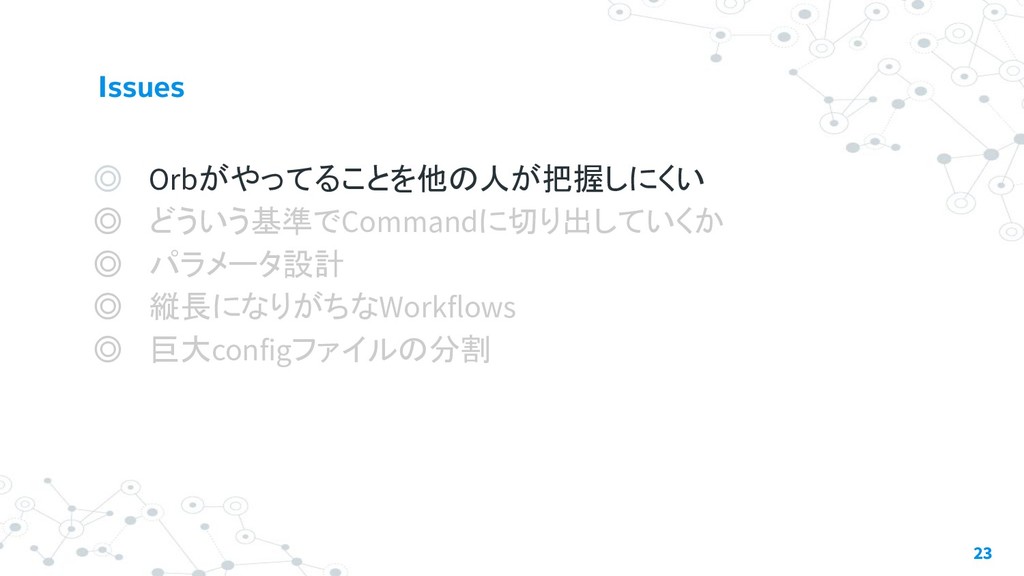
◎ Orbがやってることを他の人が把握しにくい ◎ どういう基準でCommandに切り出していくか ◎ パラメータ設計 ◎ 縦長になりがちなWorkflows ◎ 巨大configファイルの分割
23
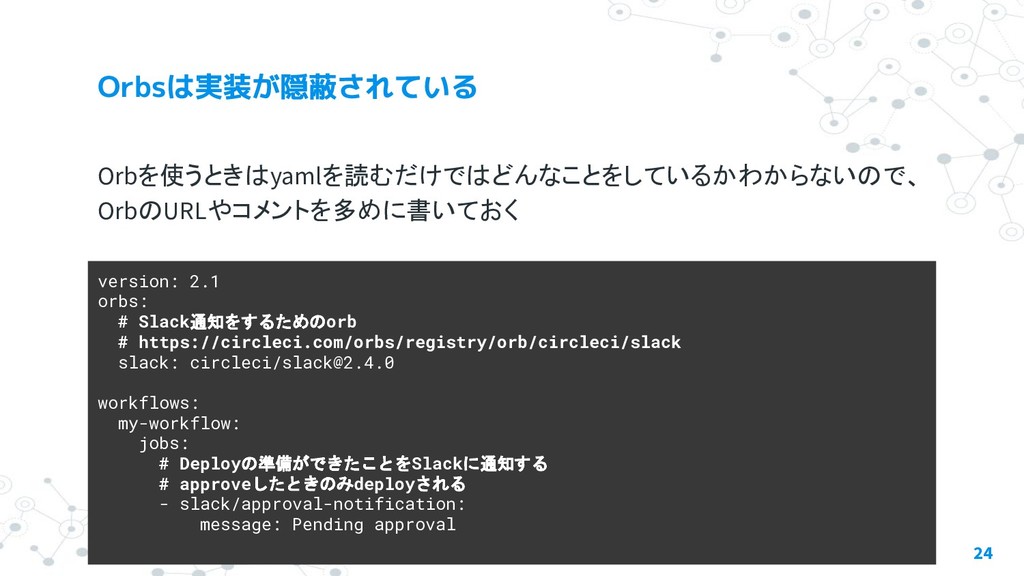
Orbを使うときはyamlを読むだけではどんなことをしているかわからないので、 OrbのURLやコメントを多めに書いておく 24 version: 2.1 orbs: # Slack通知をするためのorb # https://circleci.com/orbs/registry/orb/circleci/slack
slack: circleci/
[email protected]
workflows: my-workflow: jobs: # Deployの準備ができたことをSlackに通知する # approveしたときのみdeployされる - slack/approval-notification: message: Pending approval
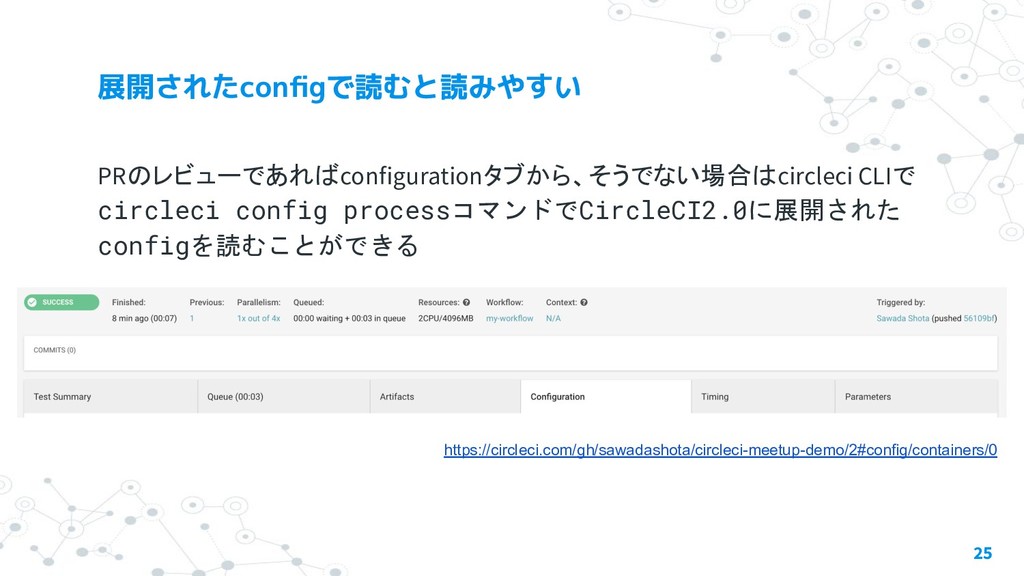
PRのレビューであればconfigurationタブから、そうでない場合はcircleci CLIで circleci config processコマンドでCircleCI2.0に展開された configを読むことができる 25 https://circleci.com/gh/sawadashota/circleci-meetup-demo/2#config/containers/0
◎ Orbがやってることを他の人が把握しにくい ◎ どういう基準でCommandに切り出していくか ◎ パラメータ設計 ◎ 縦長になりがちなWorkflows ◎ 巨大configファイルの分割
26
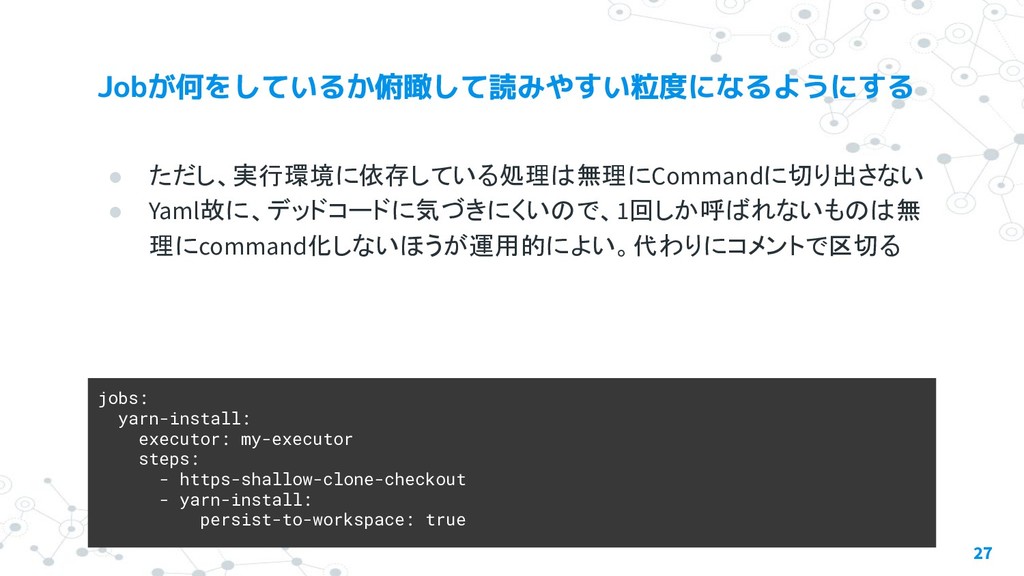
• ただし、実行環境に依存している処理は無理にCommandに切り出さない • Yaml故に、デッドコードに気づきにくいので、1回しか呼ばれないものは無 理にcommand化しないほうが運用的によい。代わりにコメントで区切る 27 jobs: yarn-install: executor: my-executor
steps: - https-shallow-clone-checkout - yarn-install: persist-to-workspace: true
◎ Orbがやってることを他の人が把握しにくい ◎ どういう基準でCommandに切り出していくか ◎ パラメータ設計 ◎ 縦長になりがちなWorkflows ◎ 巨大configファイルの分割
28
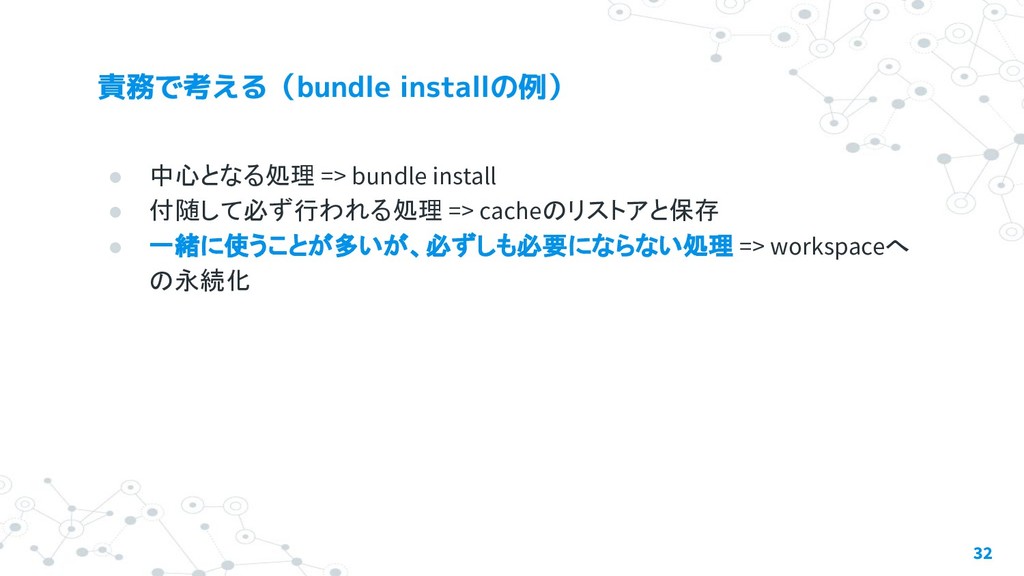
• 中心となる処理 • 付随して必ず行われる処理 • 一緒に使うことが多いが、必ずしも必要にならない処理 => オプション化 29
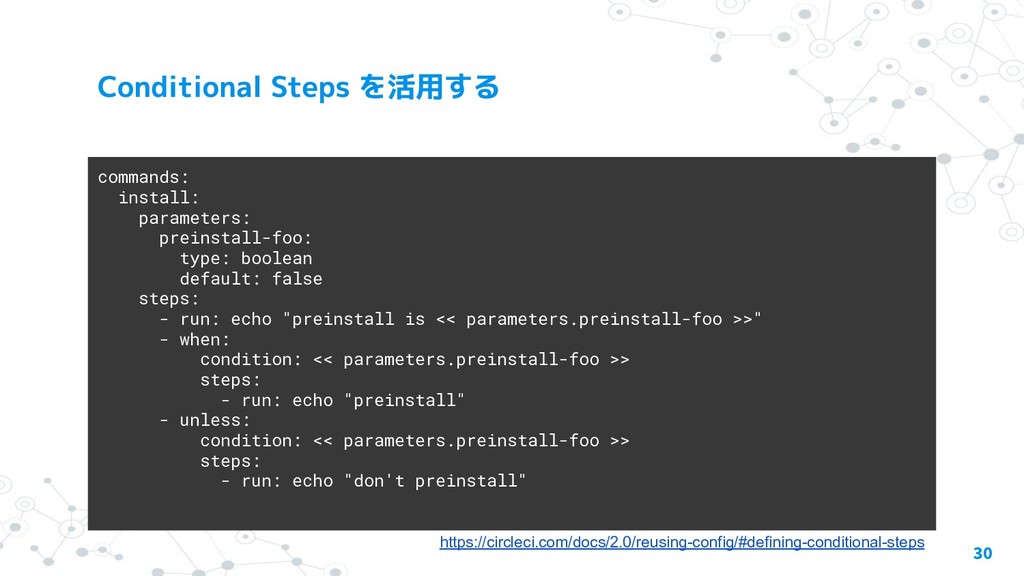
30 commands: install: parameters: preinstall-foo: type: boolean default: false steps:
- run: echo "preinstall is << parameters.preinstall-foo >>" - when: condition: << parameters.preinstall-foo >> steps: - run: echo "preinstall" - unless: condition: << parameters.preinstall-foo >> steps: - run: echo "don't preinstall" https://circleci.com/docs/2.0/reusing-config/#defining-conditional-steps
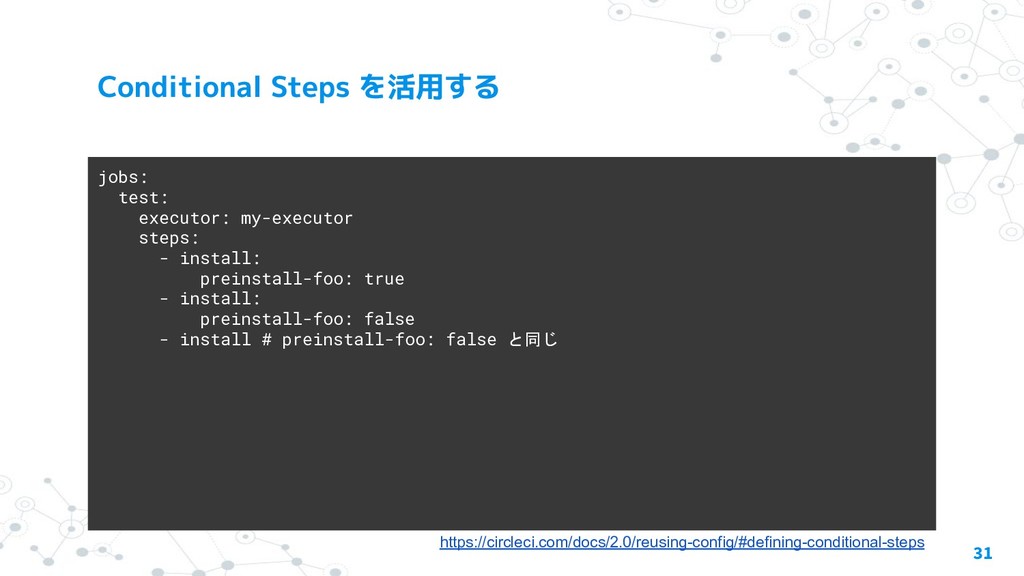
31 jobs: test: executor: my-executor steps: - install: preinstall-foo: true
- install: preinstall-foo: false - install # preinstall-foo: false と同じ https://circleci.com/docs/2.0/reusing-config/#defining-conditional-steps
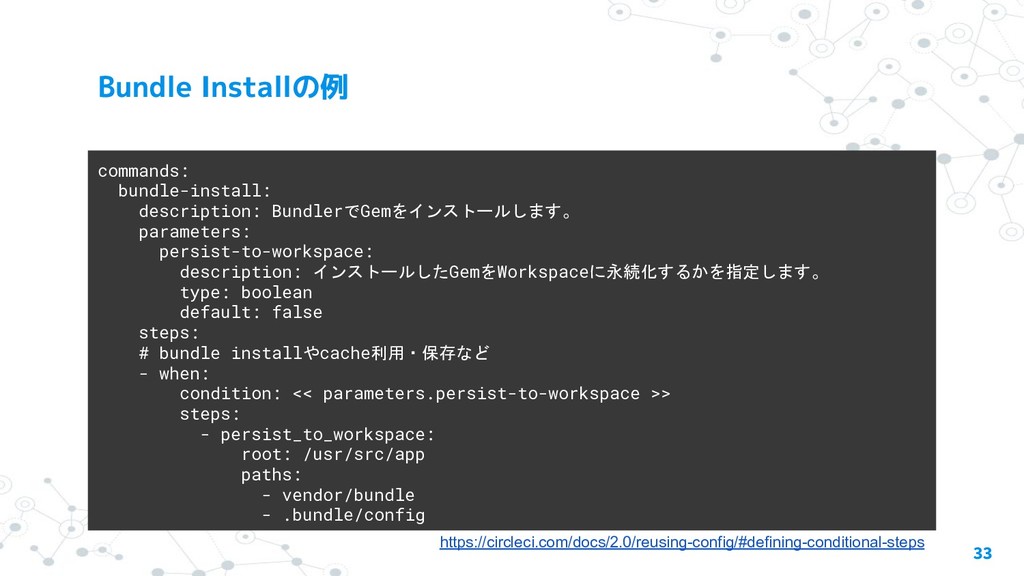
• 中心となる処理 => bundle install • 付随して必ず行われる処理 => cacheのリストアと保存 •
一緒に使うことが多いが、必ずしも必要にならない処理 => workspaceへ の永続化 32
33 commands: bundle-install: description: BundlerでGemをインストールします。 parameters: persist-to-workspace: description: インストールしたGemをWorkspaceに永続化するかを指定します。 type:
boolean default: false steps: # bundle installやcache利用・保存など - when: condition: << parameters.persist-to-workspace >> steps: - persist_to_workspace: root: /usr/src/app paths: - vendor/bundle - .bundle/config https://circleci.com/docs/2.0/reusing-config/#defining-conditional-steps
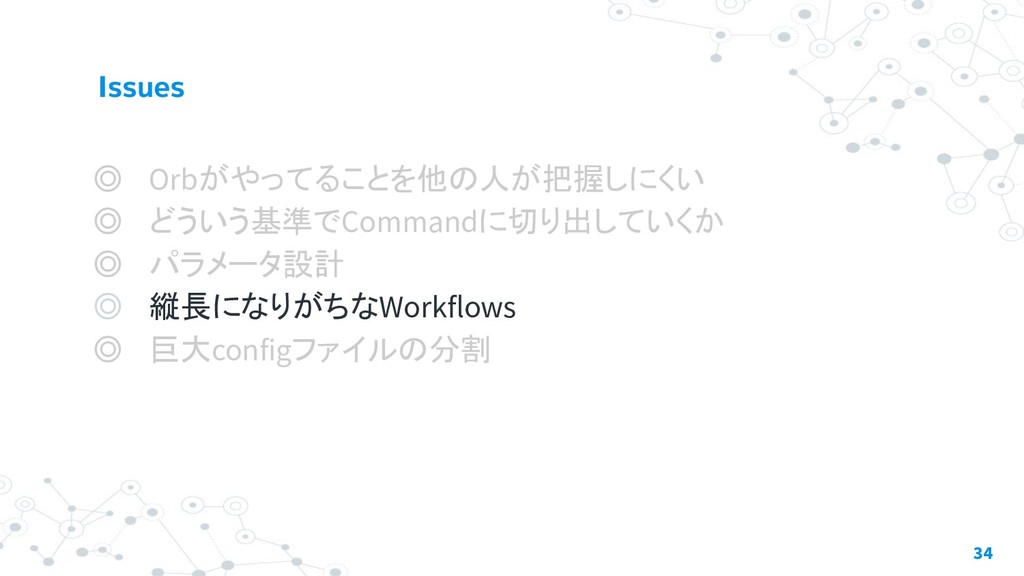
◎ Orbがやってることを他の人が把握しにくい ◎ どういう基準でCommandに切り出していくか ◎ パラメータ設計 ◎ 縦長になりがちなWorkflows ◎ 巨大configファイルの分割
34
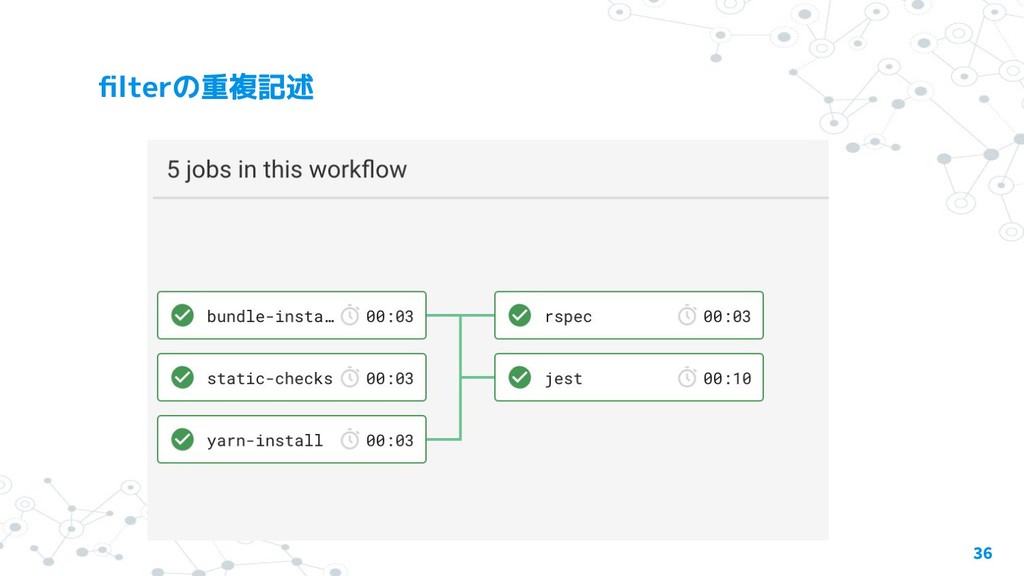
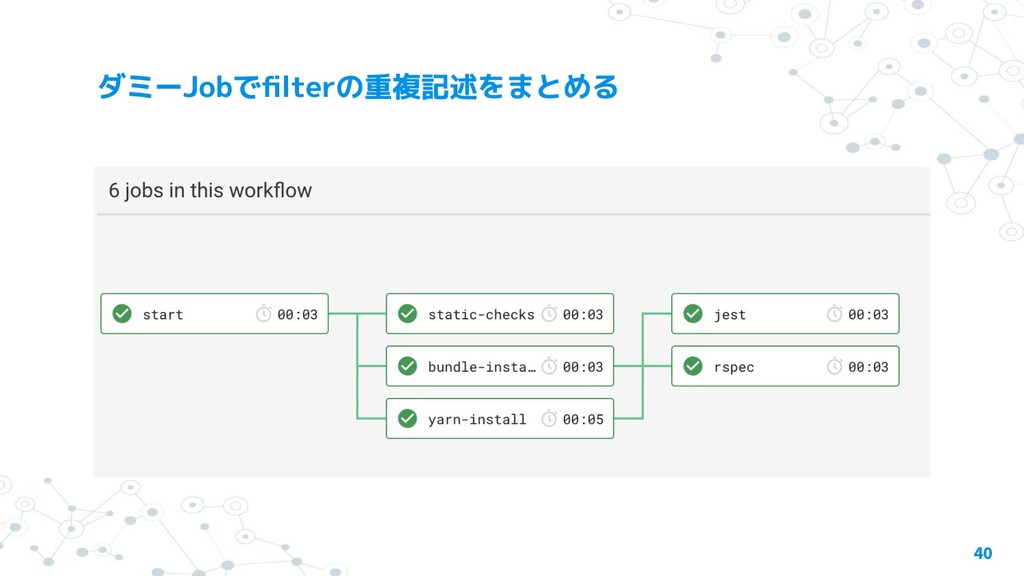
• filterの重複記述 • Parameterized Jobs => Workflowsでは全体のフローを俯瞰して見やすくしたい 35
36
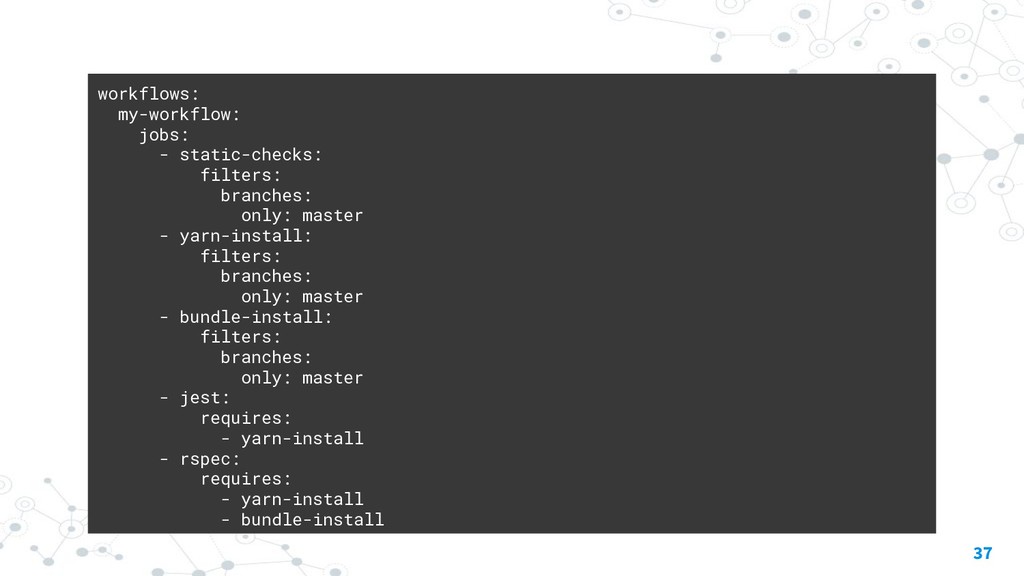
37 workflows: my-workflow: jobs: - static-checks: filters: branches: only: master
- yarn-install: filters: branches: only: master - bundle-install: filters: branches: only: master - jest: requires: - yarn-install - rspec: requires: - yarn-install - bundle-install
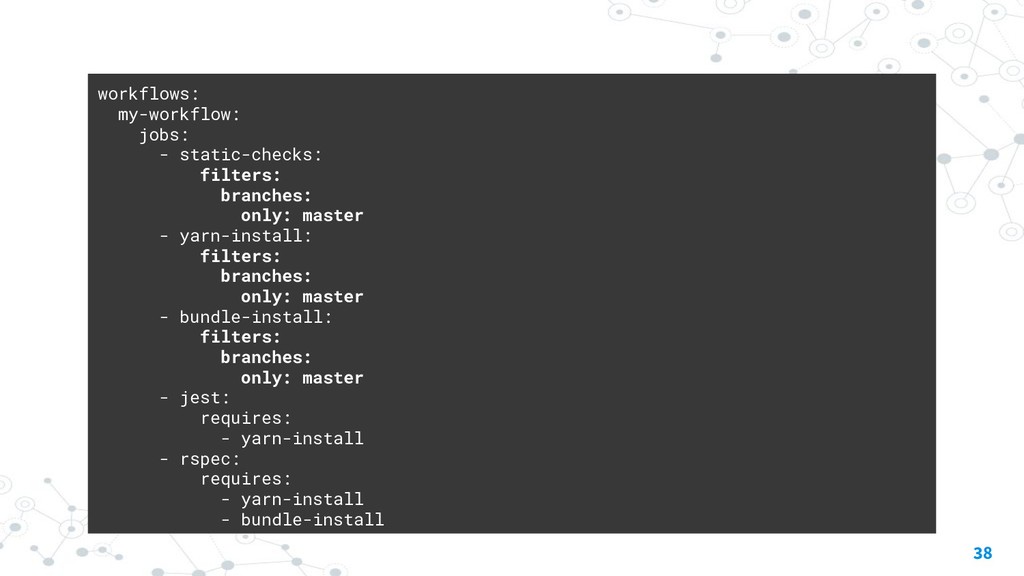
38 workflows: my-workflow: jobs: - static-checks: filters: branches: only: master
- yarn-install: filters: branches: only: master - bundle-install: filters: branches: only: master - jest: requires: - yarn-install - rspec: requires: - yarn-install - bundle-install
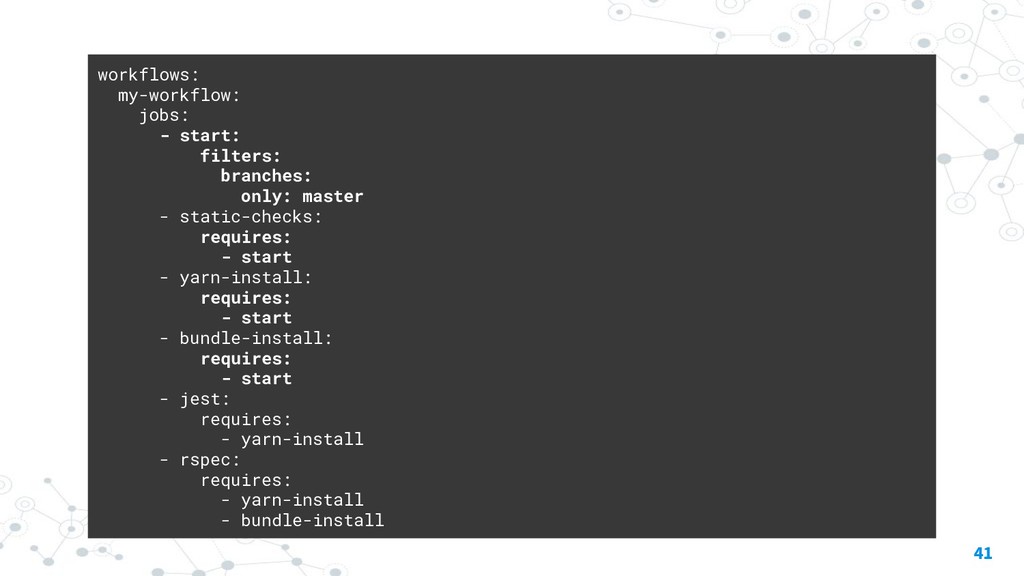
• Workflowの発火条件が複数箇所に書かれている • 似たWorkflowをコピペで作ったときにミスりやすい 39
40
41 workflows: my-workflow: jobs: - start: filters: branches: only: master
- static-checks: requires: - start - yarn-install: requires: - start - bundle-install: requires: - start - jest: requires: - yarn-install - rspec: requires: - yarn-install - bundle-install
None
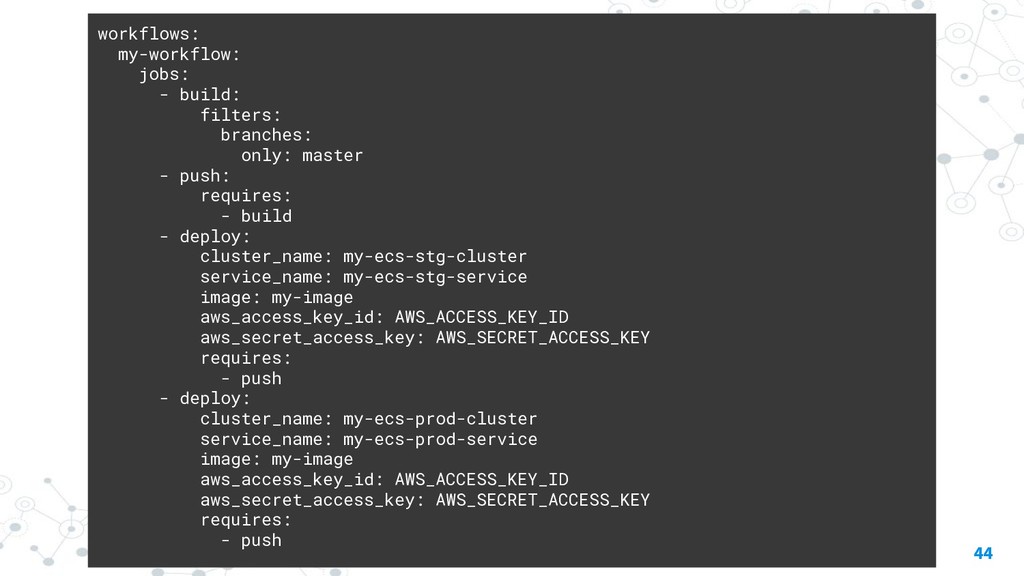
• パラメータの分、Workflowが縦長になる • Workflow上で複数回使ったときに、意味が俯瞰しにくい 43
44 workflows: my-workflow: jobs: - build: filters: branches: only: master
- push: requires: - build - deploy: cluster_name: my-ecs-stg-cluster service_name: my-ecs-stg-service image: my-image aws_access_key_id: AWS_ACCESS_KEY_ID aws_secret_access_key: AWS_SECRET_ACCESS_KEY requires: - push - deploy: cluster_name: my-ecs-prod-cluster service_name: my-ecs-prod-service image: my-image aws_access_key_id: AWS_ACCESS_KEY_ID aws_secret_access_key: AWS_SECRET_ACCESS_KEY requires: - push
45
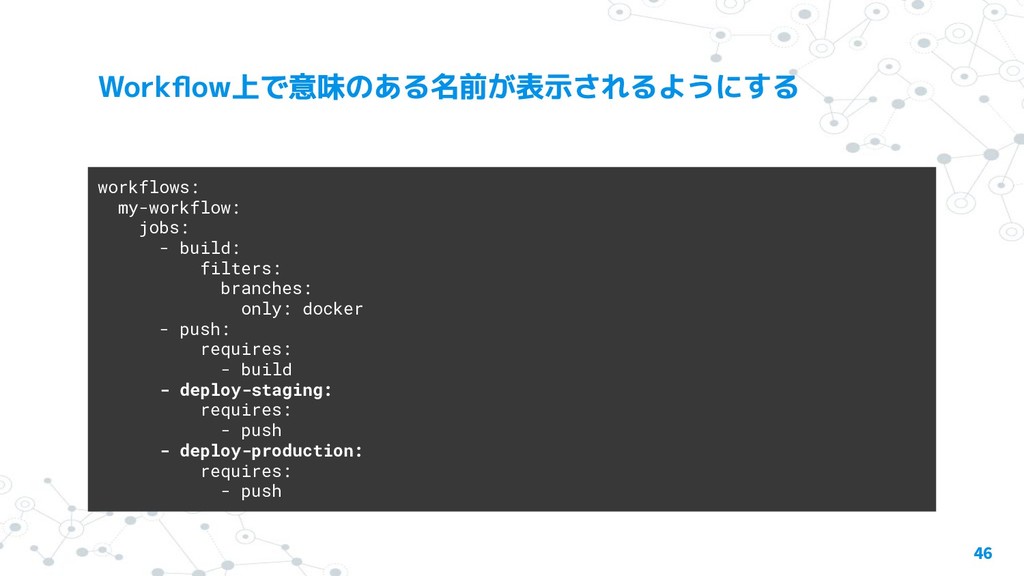
46 workflows: my-workflow: jobs: - build: filters: branches: only: docker
- push: requires: - build - deploy-staging: requires: - push - deploy-production: requires: - push
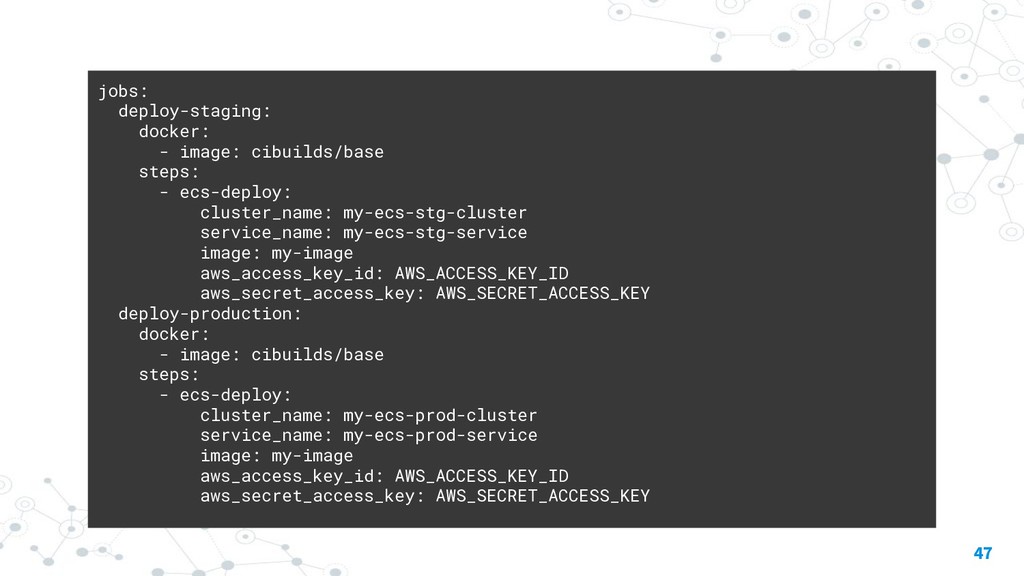
47 jobs: deploy-staging: docker: - image: cibuilds/base steps: - ecs-deploy:
cluster_name: my-ecs-stg-cluster service_name: my-ecs-stg-service image: my-image aws_access_key_id: AWS_ACCESS_KEY_ID aws_secret_access_key: AWS_SECRET_ACCESS_KEY deploy-production: docker: - image: cibuilds/base steps: - ecs-deploy: cluster_name: my-ecs-prod-cluster service_name: my-ecs-prod-service image: my-image aws_access_key_id: AWS_ACCESS_KEY_ID aws_secret_access_key: AWS_SECRET_ACCESS_KEY
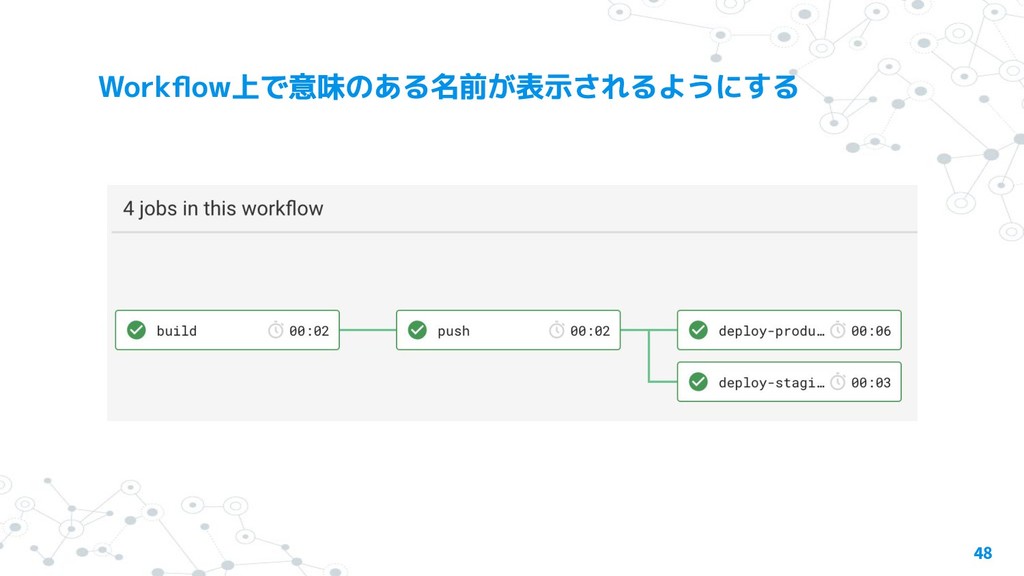
48
◎ Orbがやってることを他の人が把握しにくい ◎ どういう基準でCommandに切り出していくか ◎ パラメータ設計 ◎ 縦長になりがちなWorkflows ◎ 巨大configファイルの分割
49
None
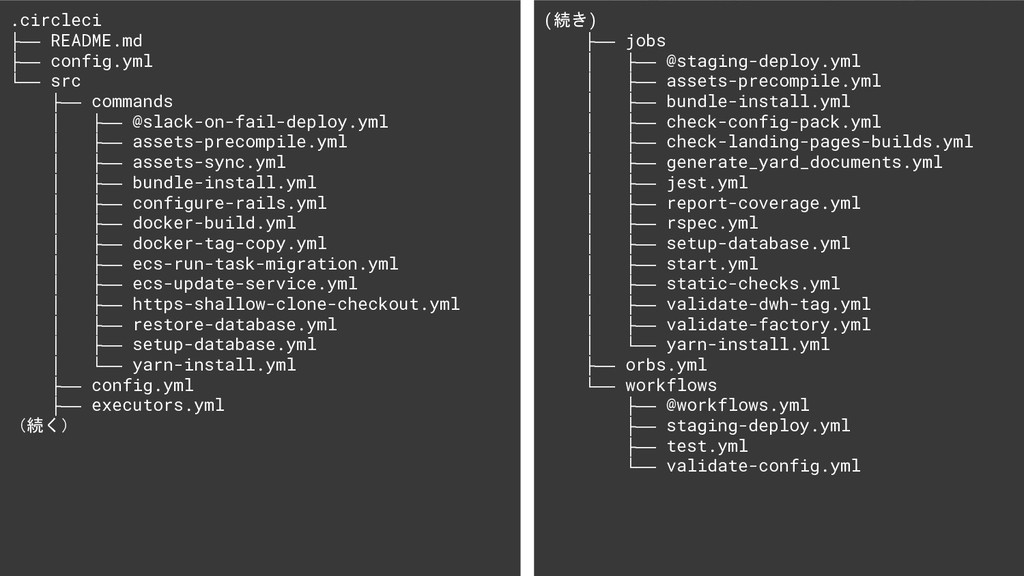
51 .circleci ├── README.md ├── config.yml └── src ├── commands
│ ├── @slack-on-fail-deploy.yml │ ├── assets-precompile.yml │ ├── assets-sync.yml │ ├── bundle-install.yml │ ├── configure-rails.yml │ ├── docker-build.yml │ ├── docker-tag-copy.yml │ ├── ecs-run-task-migration.yml │ ├── ecs-update-service.yml │ ├── https-shallow-clone-checkout.yml │ ├── restore-database.yml │ ├── setup-database.yml │ └── yarn-install.yml ├── config.yml ├── executors.yml (続く) (続き) ├── jobs │ ├── @staging-deploy.yml │ ├── assets-precompile.yml │ ├── bundle-install.yml │ ├── check-config-pack.yml │ ├── check-landing-pages-builds.yml │ ├── generate_yard_documents.yml │ ├── jest.yml │ ├── report-coverage.yml │ ├── rspec.yml │ ├── setup-database.yml │ ├── start.yml │ ├── static-checks.yml │ ├── validate-dwh-tag.yml │ ├── validate-factory.yml │ └── yarn-install.yml ├── orbs.yml └── workflows ├── @workflows.yml ├── staging-deploy.yml ├── test.yml └── validate-config.yml
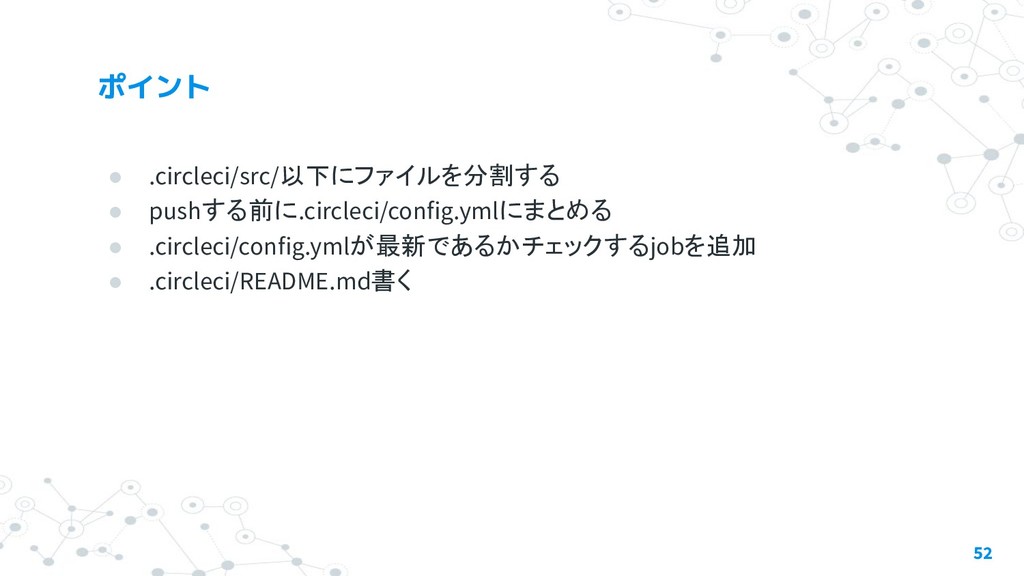
• .circleci/src/以下にファイルを分割する • pushする前に.circleci/config.ymlにまとめる • .circleci/config.ymlが最新であるかチェックするjobを追加 • .circleci/README.md書く 52
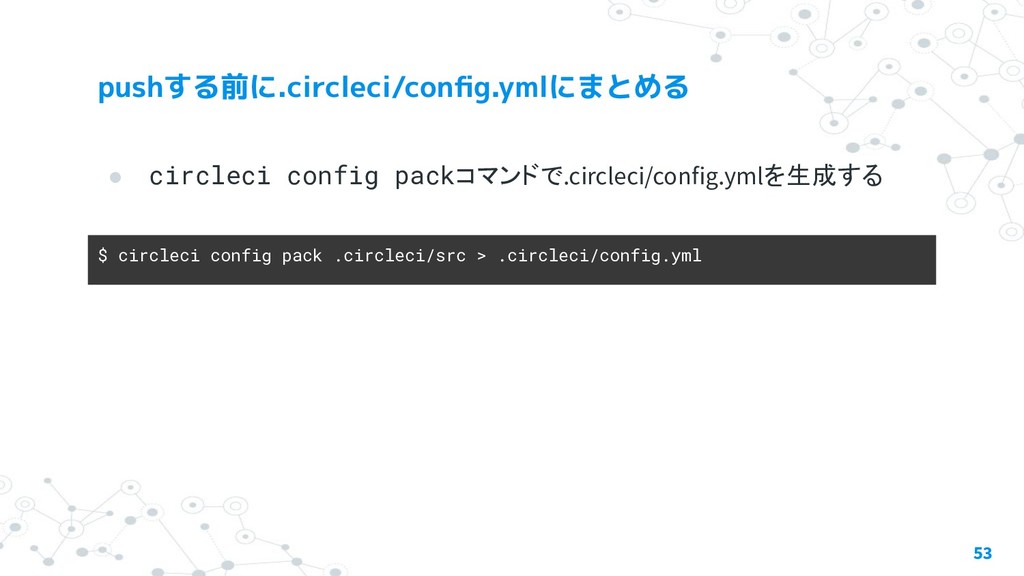
• circleci config packコマンドで.circleci/config.ymlを生成する 53 $ circleci config pack .circleci/src
> .circleci/config.yml
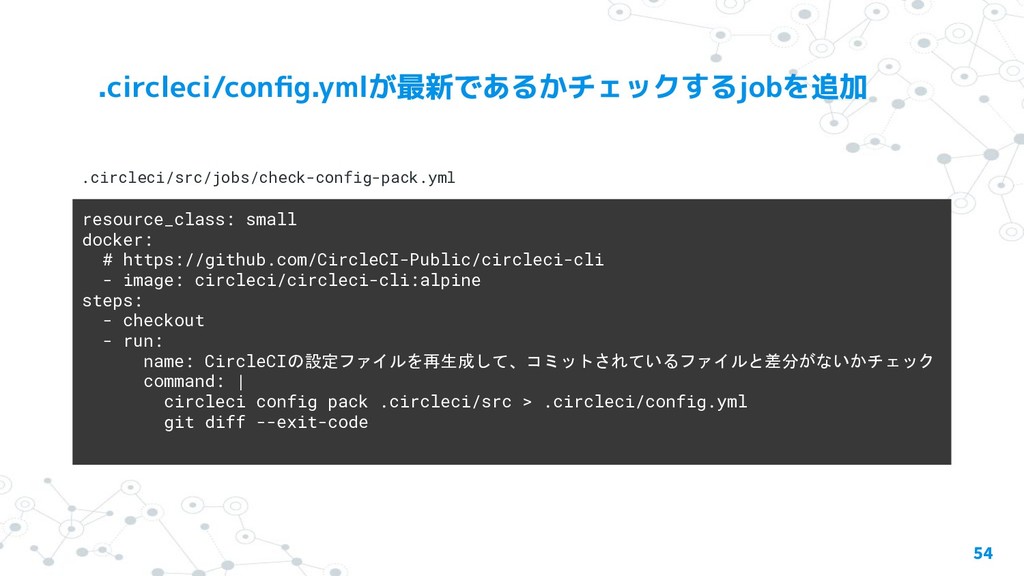
54 resource_class: small docker: # https://github.com/CircleCI-Public/circleci-cli - image: circleci/circleci-cli:alpine steps:
- checkout - run: name: CircleCIの設定ファイルを再生成して、コミットされているファイルと差分がないかチェック command: | circleci config pack .circleci/src > .circleci/config.yml git diff --exit-code .circleci/src/jobs/check-config-pack.yml
• 運用の方法を書く • 生成された.circleci/config.ymlにはコメントが反映されないので、全体的 な記述などはREADMEに書く 55
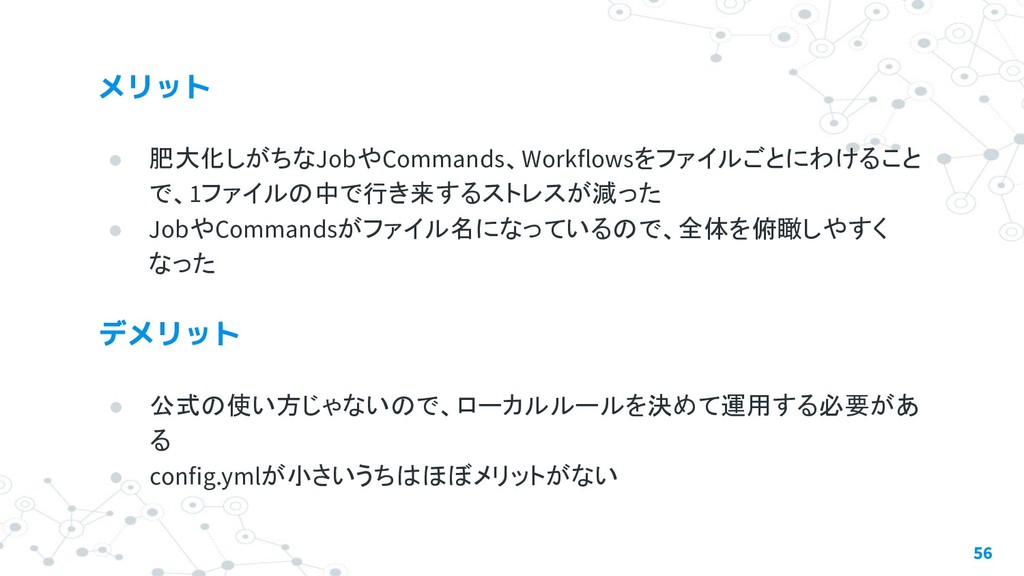
• 肥大化しがちなJobやCommands、Workflowsをファイルごとにわけること で、1ファイルの中で行き来するストレスが減った • JobやCommandsがファイル名になっているので、全体を俯瞰しやすく なった 56 • 公式の使い方じゃないので、ローカルルールを決めて運用する必要があ る
• config.ymlが小さいうちはほぼメリットがない
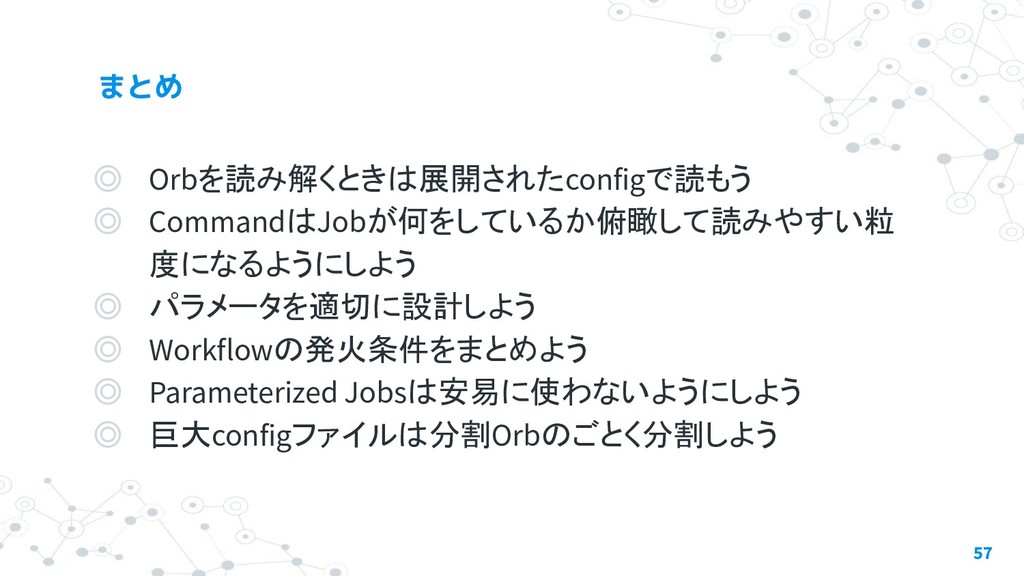
◎ Orbを読み解くときは展開されたconfigで読もう ◎ CommandはJobが何をしているか俯瞰して読みやすい粒 度になるようにしよう ◎ パラメータを適切に設計しよう ◎ Workflowの発火条件をまとめよう ◎
Parameterized Jobsは安易に使わないようにしよう ◎ 巨大configファイルは分割Orbのごとく分割しよう 57
58


 sawadashota
 monolithic_adam
 ivargrimstad
 curekoshimizu
 findyinc
 florets1
 irinanazarova
 bells17
 kishida
 kinopeee
 teyamagu
 oku053
 nikkihalliwell
 katarinadahlin
 chriscoyier
 nonsquared
 aleyda
 jnunemaker
 sugarenia
 axbom
axbom
 lfama
lfama
 destraynor
 tammyeverts
 bcantrill








![commandsや jobs、executors をパッケージとして使い回すことのでき る仕組み 16 version: 2.1 orbs: slack: circleci/[email protected]](https://files.speakerdeck.com/presentations/da7915e04c6a41b0a212c2f5ae997657/slide_15.jpg)