Upgrade to Pro — share decks privately, control downloads, hide ads and more …

iOS for Android Developers

Avatar for Siva G Siva G
April 02, 2016

iOS for Android Developers

If you know Java, you can start with Android easily. But how about iOS, especially after Swift?

This session is about the core similarities and differences in the development of apps for iOS and Android. In the platform competition, there are two winners now. Neither of these platforms are going to outshine the other. So a developer is better equipped with developing for both, or at the least knowing both.

Some familiarity with Android suggested, though not mandatory.

Avatar for Siva G

Siva G

April 02, 2016

More Decks by Siva G

Other Decks in Programming

Transcript

  1. Siva Govindarajan - Who am I? • Works for Capgemini

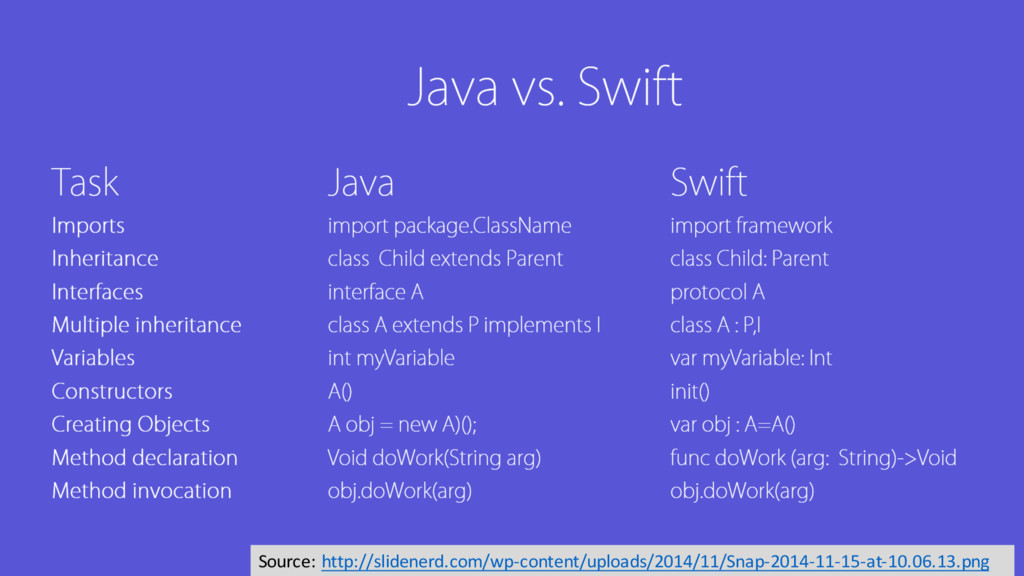
    • Solution Architect and Technology Enthusiast • Founder of Central Florida GDG Chapter (meetup.com/GDG-Central-Florida) • Loves, lives and teaches Android! • Hobbyist Android and iOS developer. google.com/+SivaG1 @sivag1 about.me/sivag1 sivag1.wordpress.com
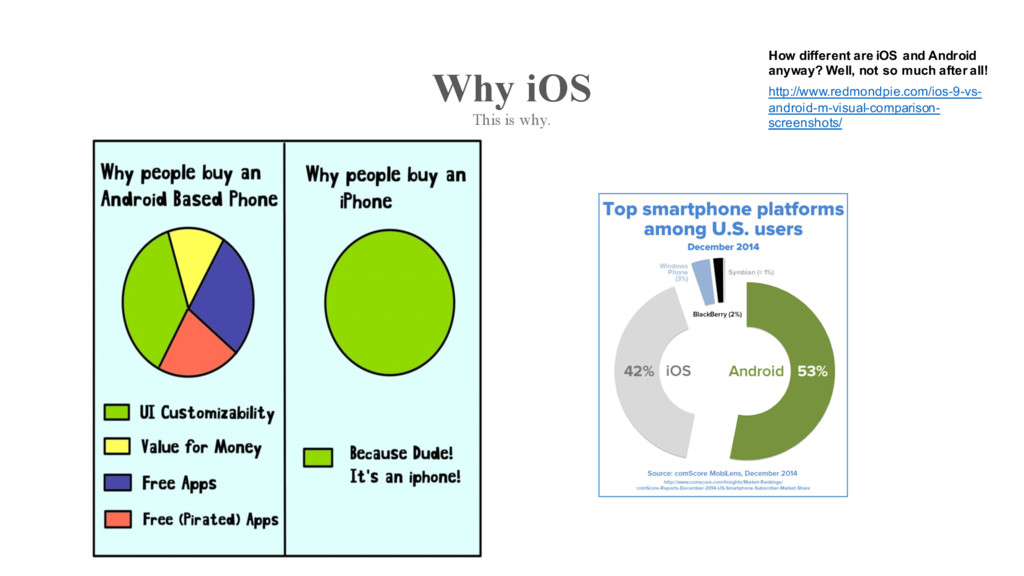
  2. Why iOS This is why. How different are iOS and

    Android anyway? Well, not so much after all! http://www.redmondpie.com/ios-9-vs- android-m-visual-comparison- screenshots/
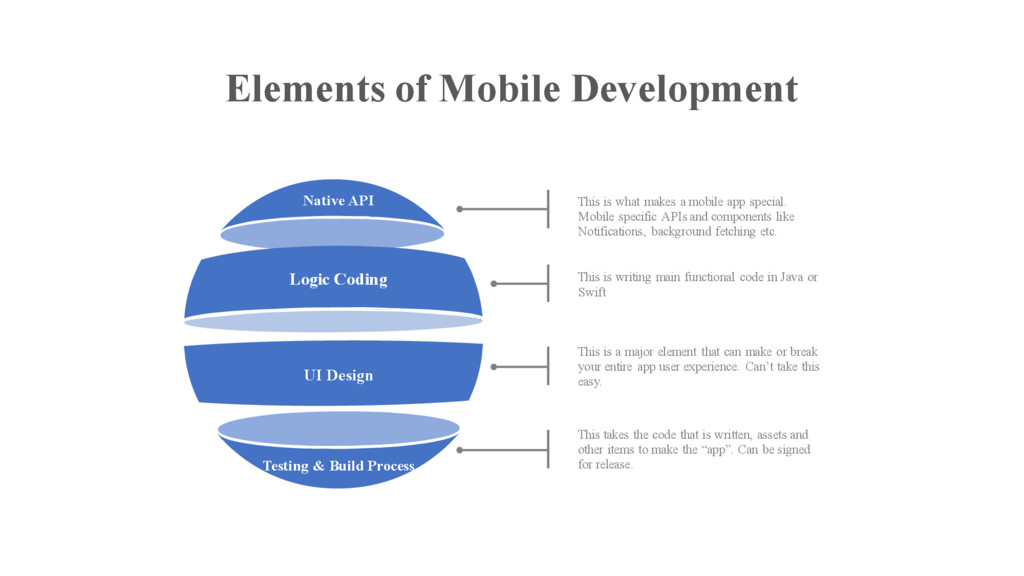
  3. Elements of Mobile Development Native API Testing & Build Process

    Logic Coding UI Design This is what makes a mobile app special. Mobile specific APIs and components like Notifications, background fetching etc. This is writing main functional code in Java or Swift This is a major element that can make or break your entire app user experience. Can’t take this easy. This takes the code that is written, assets and other items to make the “app”. Can be signed for release.
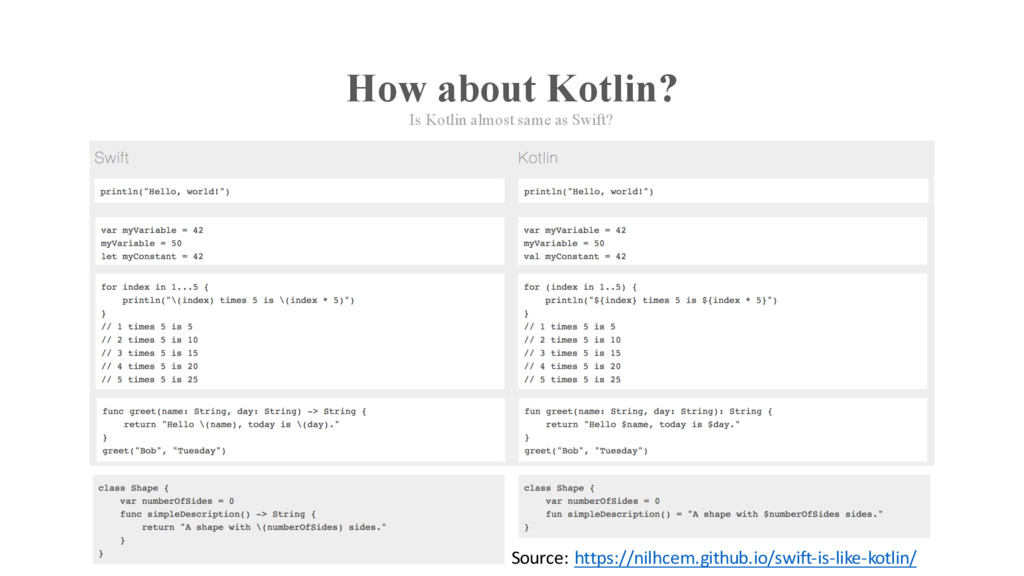
  4. How about Kotlin? Is Kotlin almost same as Swift? Source:

    https://nilhcem.github.io/swift-is-like-kotlin/
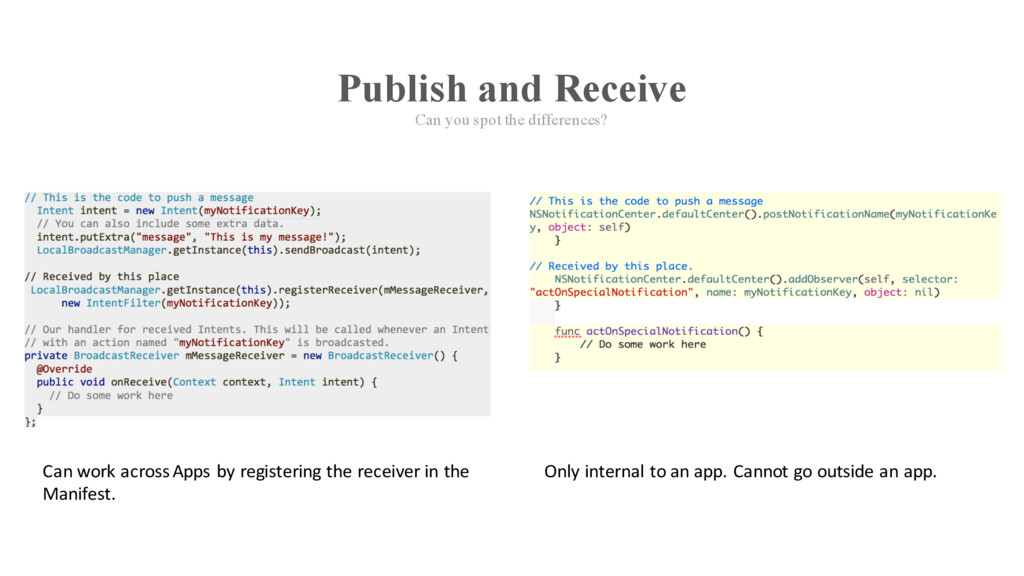
  5. Publish and Receive Can you spot the differences? Can work

    across Apps by registering the receiver in the Manifest. Only internal to an app. Cannot go outside an app.
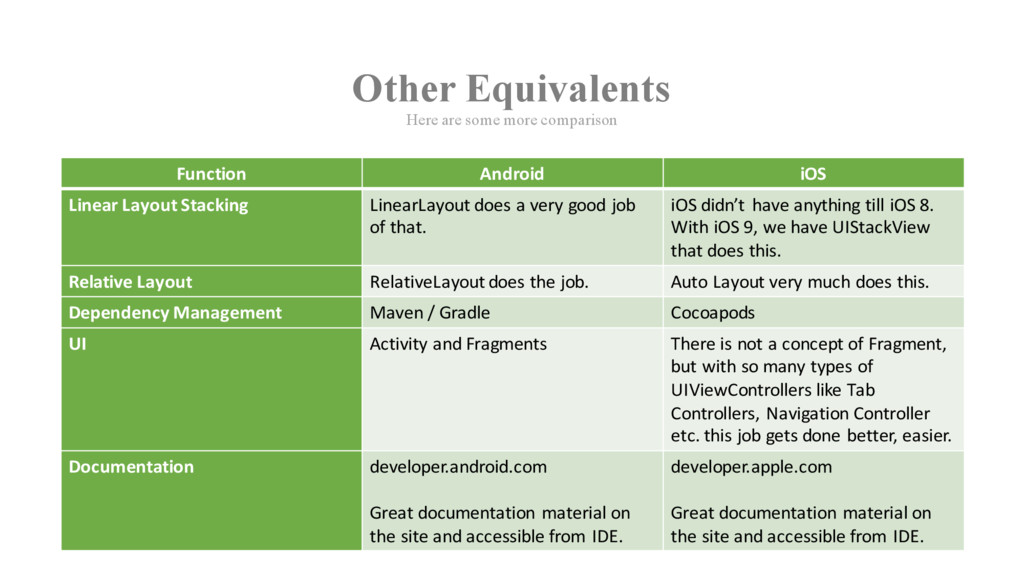
  6. Other Equivalents Here are some more comparison Function Android iOS

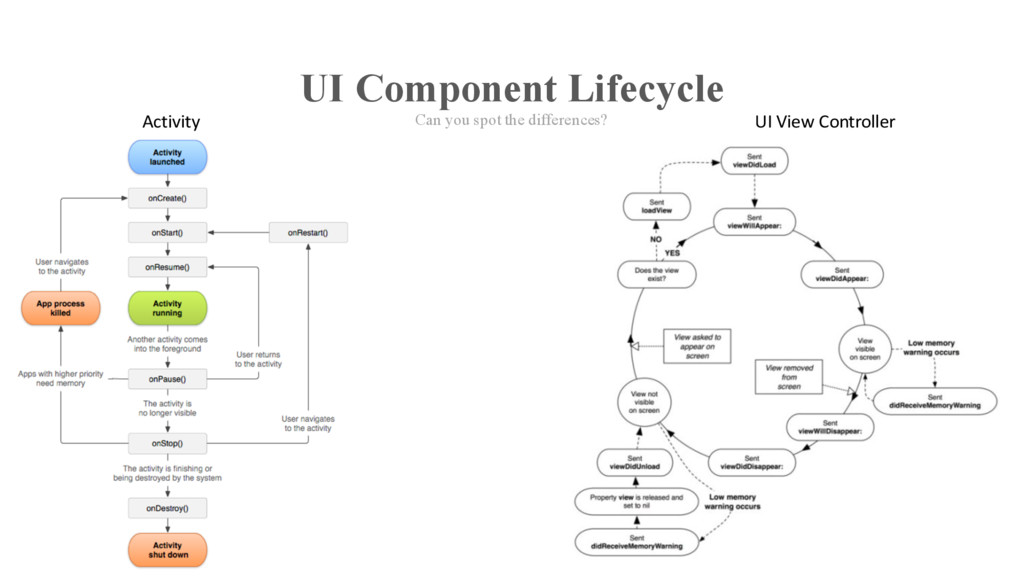
    Linear Layout Stacking LinearLayout does a very good job of that. iOS didn’t have anything till iOS 8. With iOS 9, we have UIStackView that does this. Relative Layout RelativeLayout does the job. Auto Layout very much does this. Dependency Management Maven / Gradle Cocoapods UI Activity and Fragments There is not a concept of Fragment, but with so many types of UIViewControllers like Tab Controllers, Navigation Controller etc. this job gets done better, easier. Documentation developer.android.com Great documentation material on the site and accessible from IDE. developer.apple.com Great documentation material on the site and accessible from IDE.
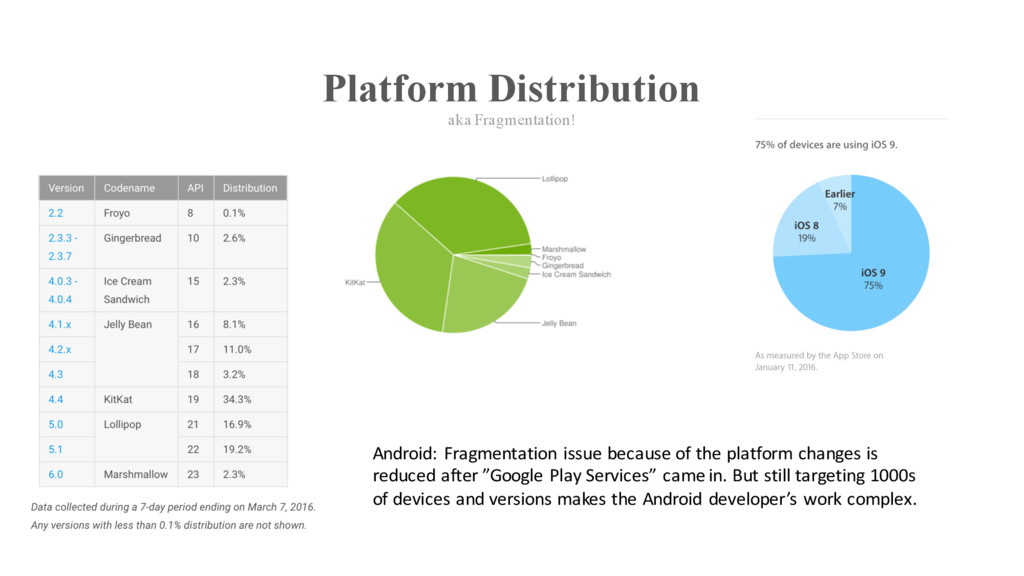
  7. Platform Distribution aka Fragmentation! Android: Fragmentation issue because of the

    platform changes is reduced after ”Google Play Services” came in. But still targeting 1000s of devices and versions makes the Android developer’s work complex.
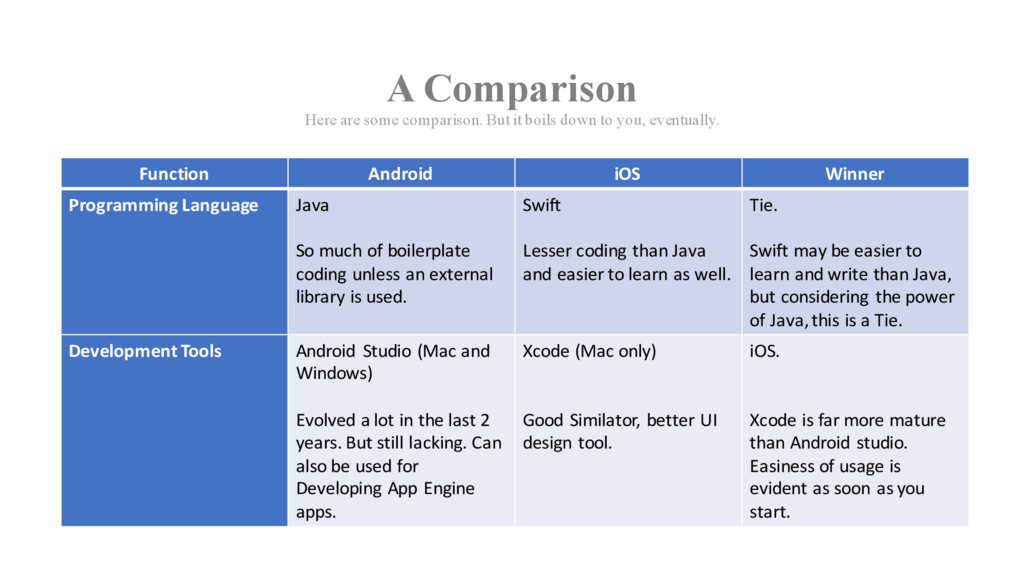
  8. A Comparison Here are some comparison. But it boils down

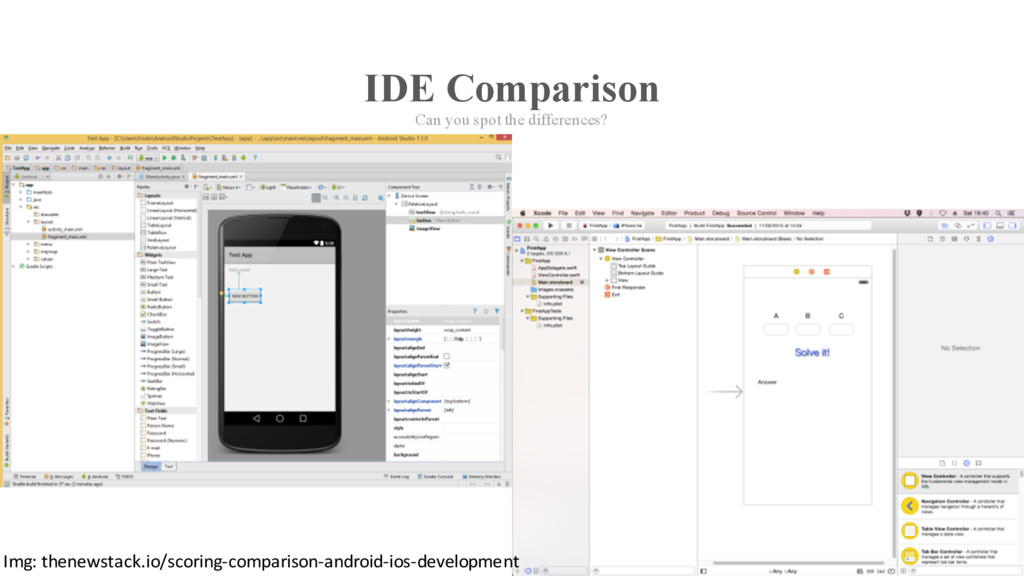
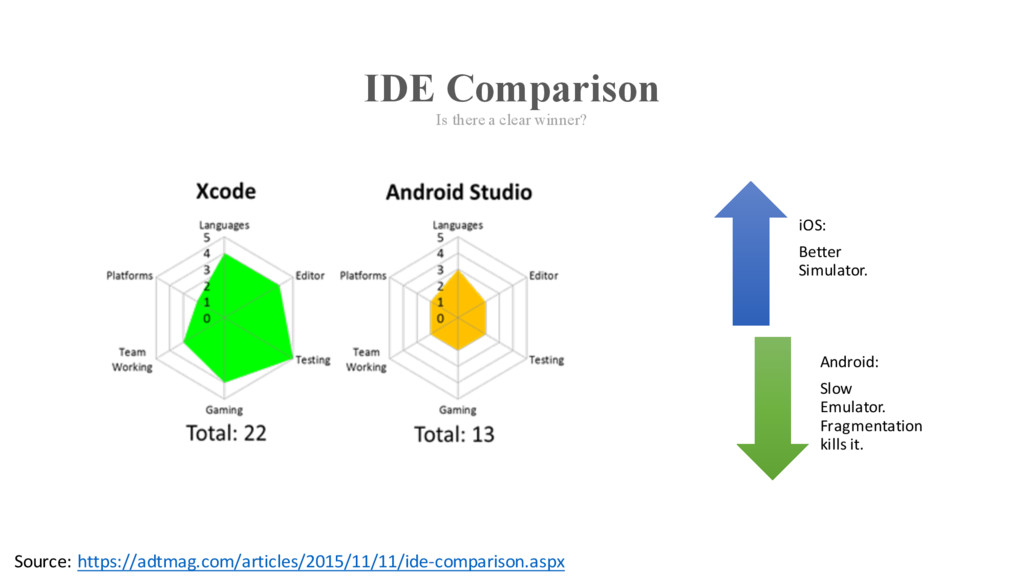
    to you, eventually. Function Android iOS Winner Programming Language Java So much of boilerplate coding unless an external library is used. Swift Lesser coding than Java and easier to learn as well. Tie. Swift may be easier to learn and write than Java, but considering the power of Java, this is a Tie. Development Tools Android Studio (Mac and Windows) Evolved a lot in the last 2 years. But still lacking. Can also be used for Developing App Engine apps. Xcode (Mac only) Good Similator, better UI design tool. iOS. Xcode is far more mature than Android studio. Easiness of usage is evident as soon as you start.
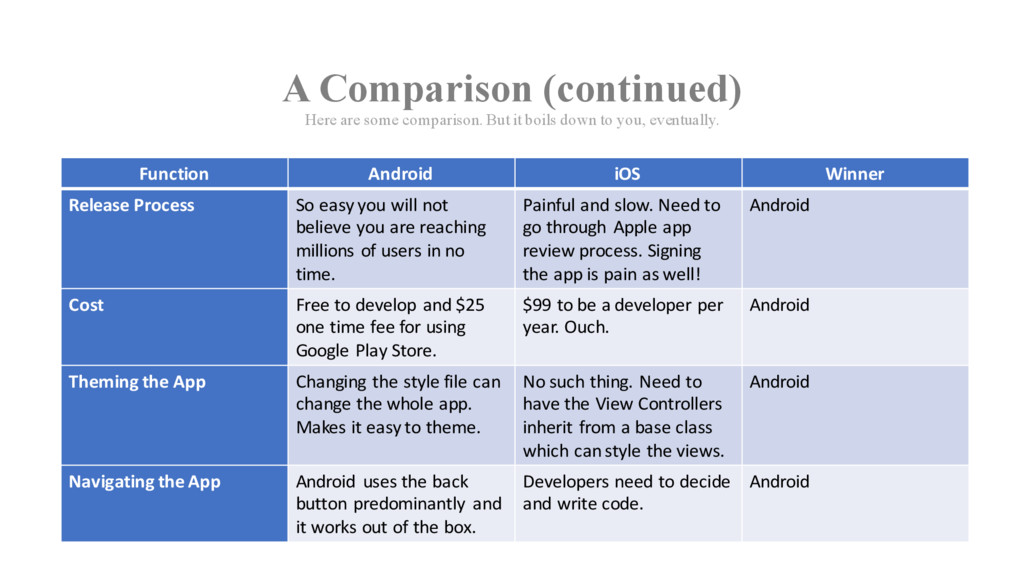
  9. A Comparison (continued) Here are some comparison. But it boils

    down to you, eventually. Function Android iOS Winner Release Process So easy you will not believe you are reaching millions of users in no time. Painful and slow. Need to go through Apple app review process. Signing the app is pain as well! Android Cost Free to develop and $25 one time fee for using Google Play Store. $99 to be a developer per year. Ouch. Android Theming the App Changing the style file can change the whole app. Makes it easy to theme. No such thing. Need to have the View Controllers inherit from a base class which can style the views. Android Navigating the App Android uses the back button predominantly and it works out of the box. Developers need to decide and write code. Android
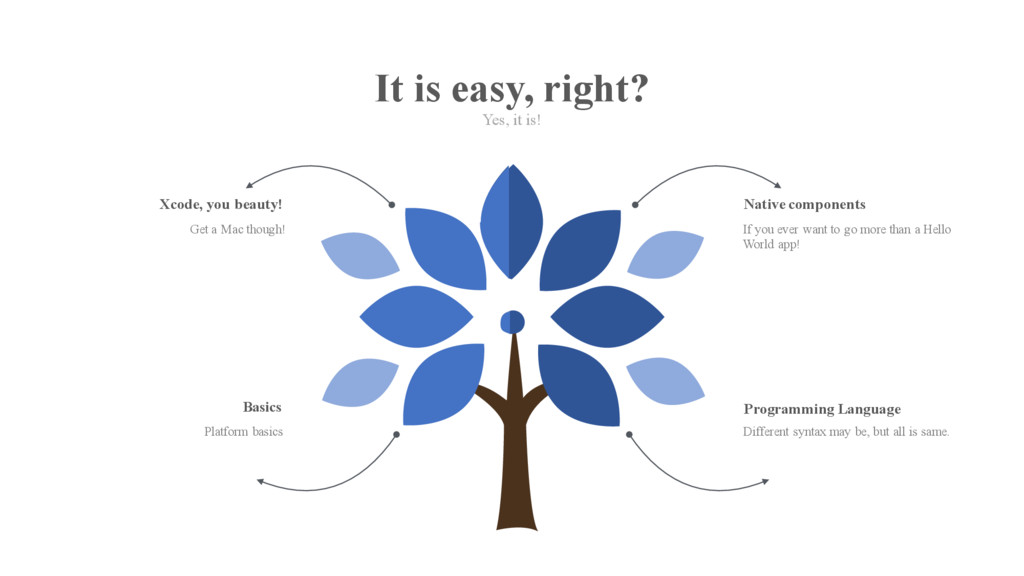
  10. Native components If you ever want to go more than

    a Hello World app! Xcode, you beauty! Get a Mac though! Basics Platform basics Programming Language Different syntax may be, but all is same. It is easy, right? Yes, it is!