Upgrade to Pro — share decks privately, control downloads, hide ads and more …

Android: Develop fast with Libraries; well not ...

Sponsored · SiteGround - Reliable hosting with speed, security, and support you can count on. →
Avatar for Siva G Siva G
April 02, 2016

Android: Develop fast with Libraries; well not too fast!

Anyone beginning to develop in Android will be intimated by things like the amount of boilerplate coding, boring stock look and feel of the UI elements etc. Never to worry - Third Party libraries to the rescue.

We can save lot of valuable coding time by looking for already developed third party libraries. That could be for simple material design UI elements, or saving time on Image processing coding, or simplifying the Rest calls or even getting yourself like a ORM layer for the SQL DB.

But wait, usage of too many libraries poses its own serious issues.

We'll discuss some good library solutions and how to avoid issues that comes up with too many libraries.

Avatar for Siva G

Siva G

April 02, 2016

More Decks by Siva G

Other Decks in Programming

Transcript

  1. Siva Govindarajan - Who am I? u Works for Capgemini

    u Solution Architect and Technology Enthusiast u Founder of Central Florida GDG Chapter (meetup.com/GDG-Central-Florida) u Loves, lives and teaches Android! u Hobbyist Android and iOS developer. google.com/+SivaG1 @sivag1 about.me/sivag1 sivag1.wordpress.com
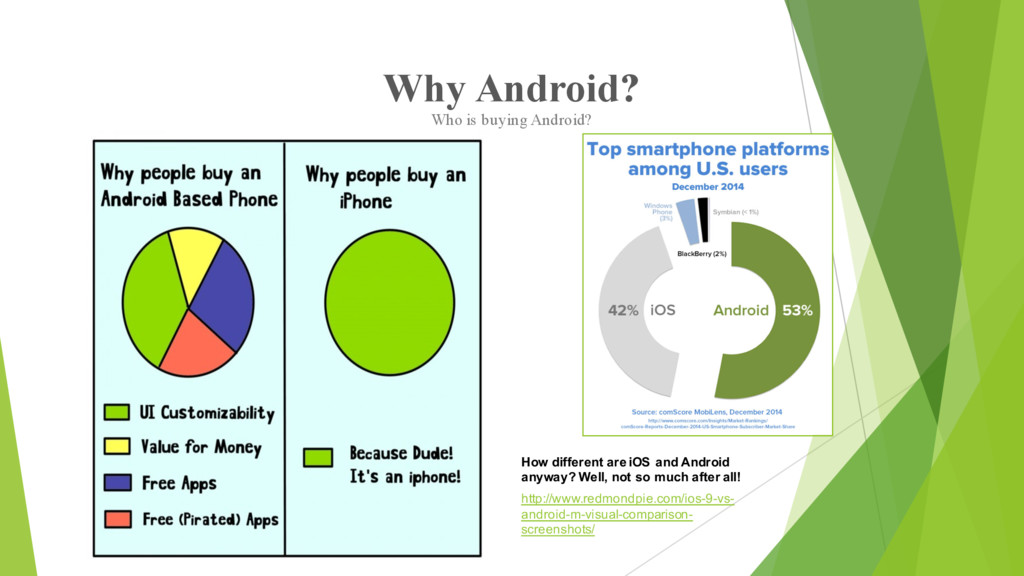
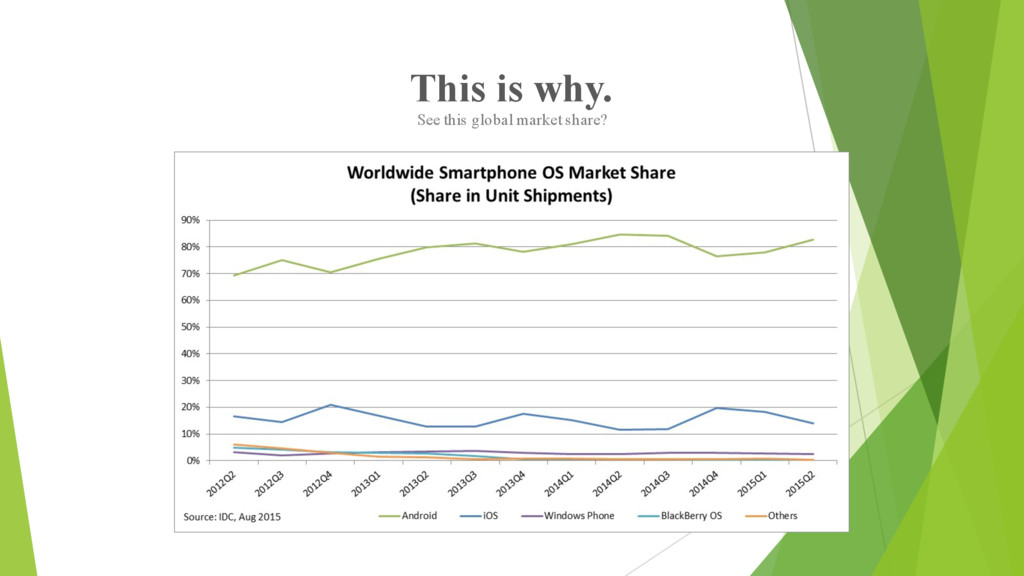
  2. Why Android? Who is buying Android? How different are iOS

    and Android anyway? Well, not so much after all! http://www.redmondpie.com/ios-9-vs- android-m-visual-comparison- screenshots/
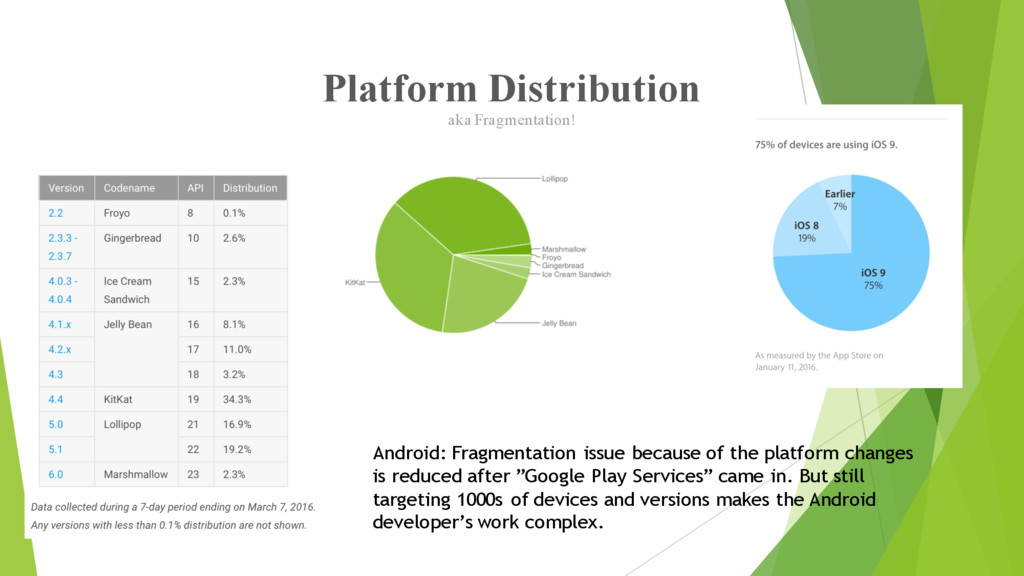
  3. Platform Distribution aka Fragmentation! Android: Fragmentation issue because of the

    platform changes is reduced after ”Google Play Services” came in. But still targeting 1000s of devices and versions makes the Android developer’s work complex.
  4. What is a Library? How will it help me? •

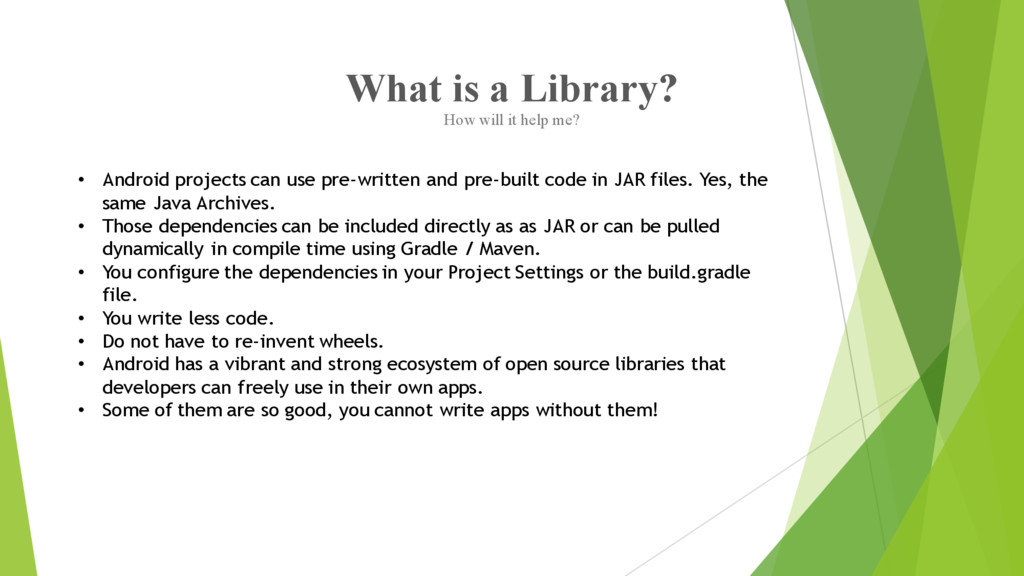
    Android projects can use pre-written and pre-built code in JAR files. Yes, the same Java Archives. • Those dependencies can be included directly as as JAR or can be pulled dynamically in compile time using Gradle / Maven. • You configure the dependencies in your Project Settings or the build.gradle file. • You write less code. • Do not have to re-invent wheels. • Android has a vibrant and strong ecosystem of open source libraries that developers can freely use in their own apps. • Some of them are so good, you cannot write apps without them!
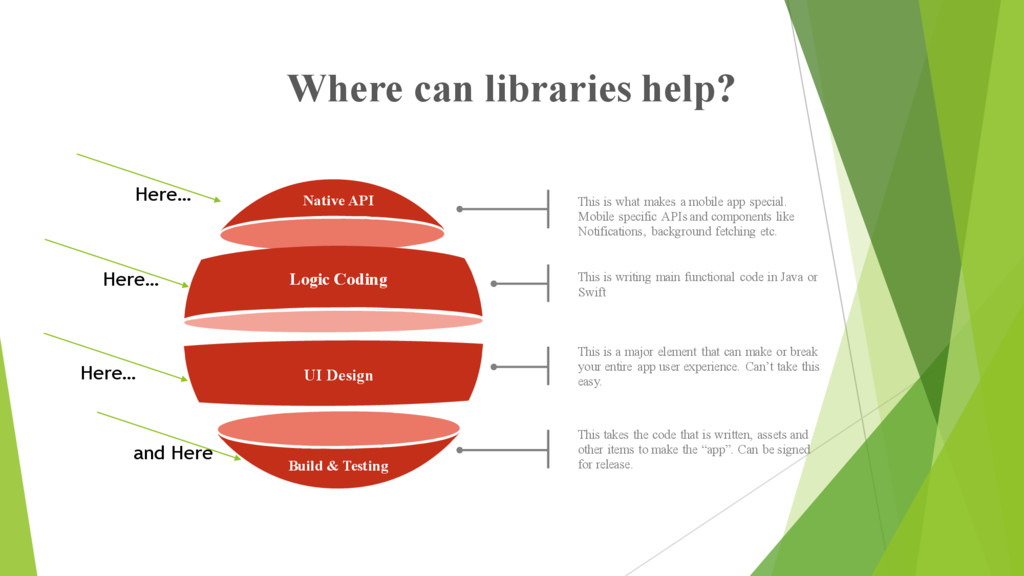
  5. Elements of Mobile Development Native API Build & Testing Logic

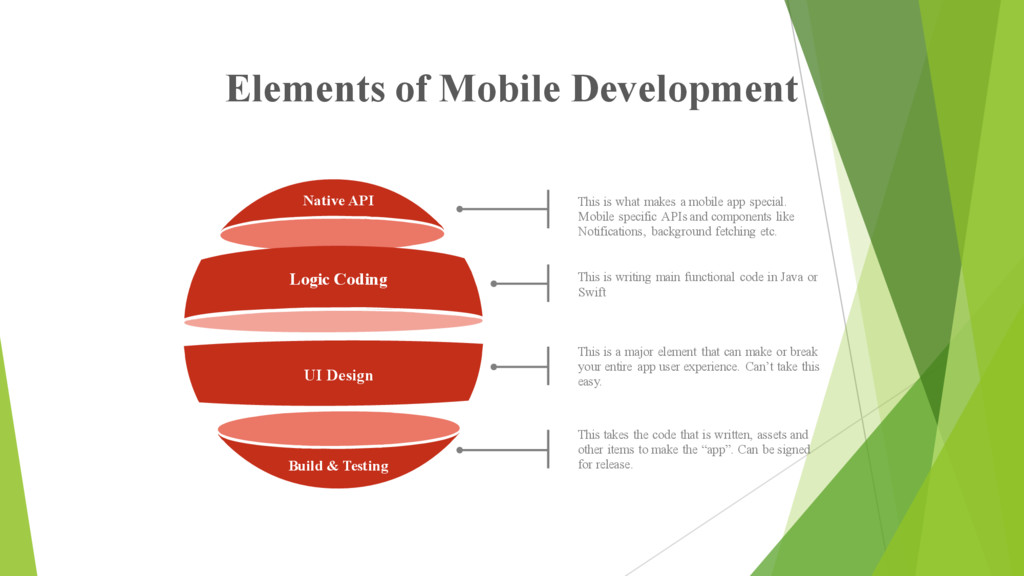
    Coding UI Design This is what makes a mobile app special. Mobile specific APIs and components like Notifications, background fetching etc. This is writing main functional code in Java or Swift This is a major element that can make or break your entire app user experience. Can’t take this easy. This takes the code that is written, assets and other items to make the “app”. Can be signed for release.
  6. Where can libraries help? Native API Build & Testing Logic

    Coding UI Design This is what makes a mobile app special. Mobile specific APIs and components like Notifications, background fetching etc. This is writing main functional code in Java or Swift This is a major element that can make or break your entire app user experience. Can’t take this easy. This takes the code that is written, assets and other items to make the “app”. Can be signed for release. Here… Here… Here… and Here
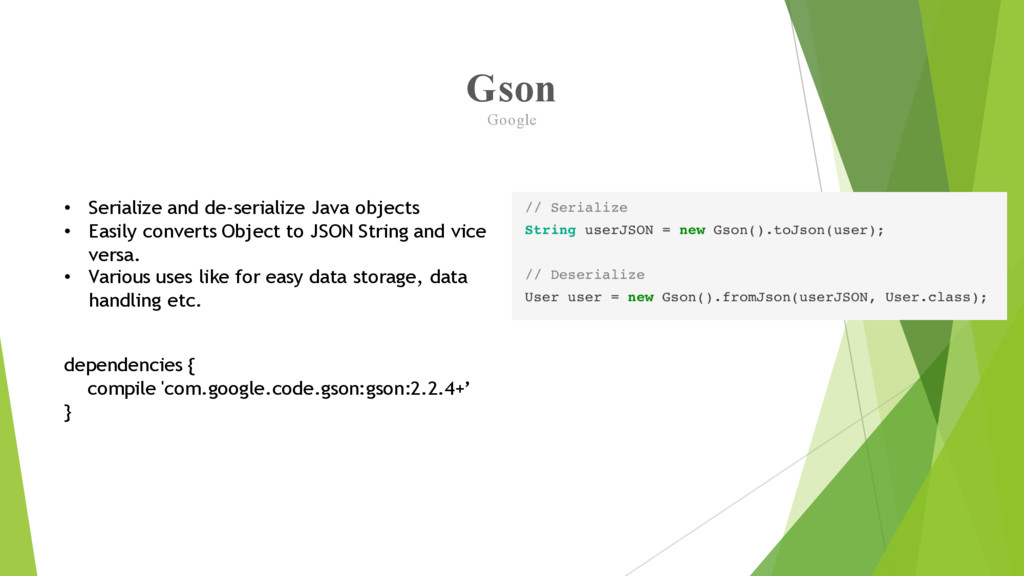
  7. Gson Google • Serialize and de-serialize Java objects • Easily

    converts Object to JSON String and vice versa. • Various uses like for easy data storage, data handling etc. dependencies { compile 'com.google.code.gson:gson:2.2.4+’ }
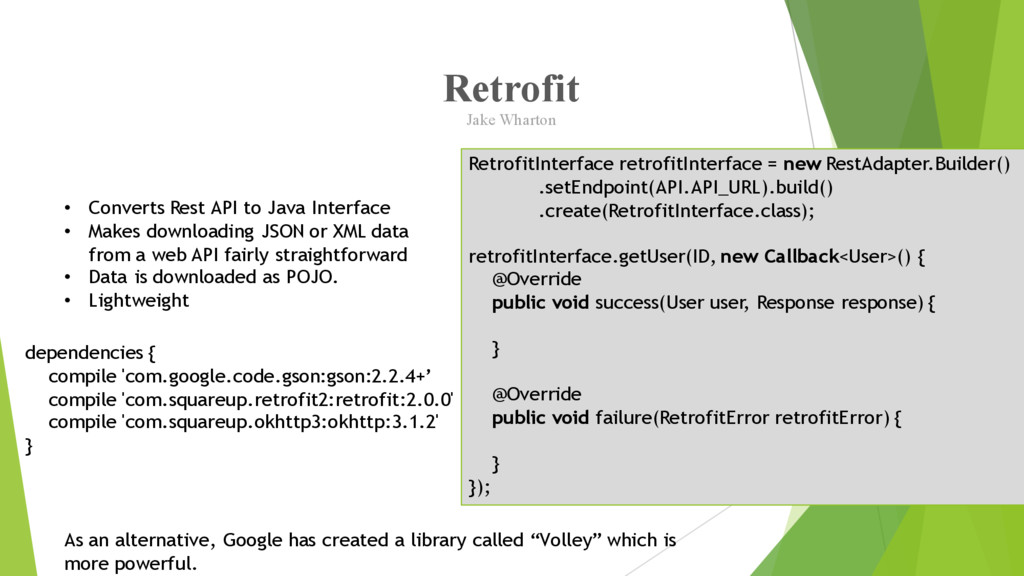
  8. Retrofit Jake Wharton • Converts Rest API to Java Interface

    • Makes downloading JSON or XML data from a web API fairly straightforward • Data is downloaded as POJO. • Lightweight dependencies { compile 'com.google.code.gson:gson:2.2.4+’ compile 'com.squareup.retrofit2:retrofit:2.0.0' compile 'com.squareup.okhttp3:okhttp:3.1.2' } RetrofitInterface retrofitInterface = new RestAdapter.Builder() .setEndpoint(API.API_URL).build() .create(RetrofitInterface.class); retrofitInterface.getUser(ID, new Callback<User>() { @Override public void success(User user, Response response) { } @Override public void failure(RetrofitError retrofitError) { } }); As an alternative, Google has created a library called “Volley” which is more powerful.
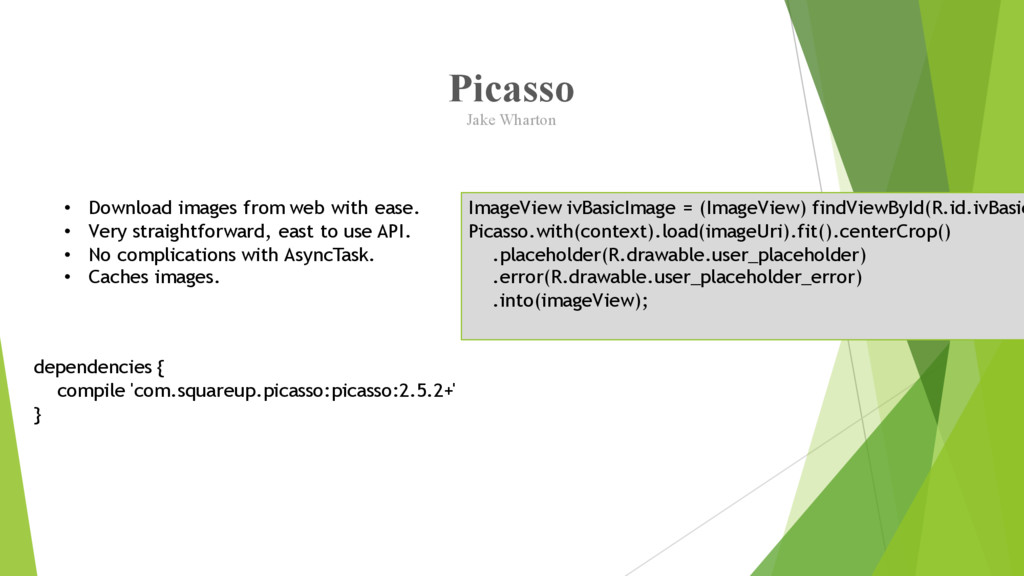
  9. Picasso Jake Wharton • Download images from web with ease.

    • Very straightforward, east to use API. • No complications with AsyncTask. • Caches images. dependencies { compile 'com.squareup.picasso:picasso:2.5.2+' } ImageView ivBasicImage = (ImageView) findViewById(R.id.ivBasic Picasso.with(context).load(imageUri).fit().centerCrop() .placeholder(R.drawable.user_placeholder) .error(R.drawable.user_placeholder_error) .into(imageView);
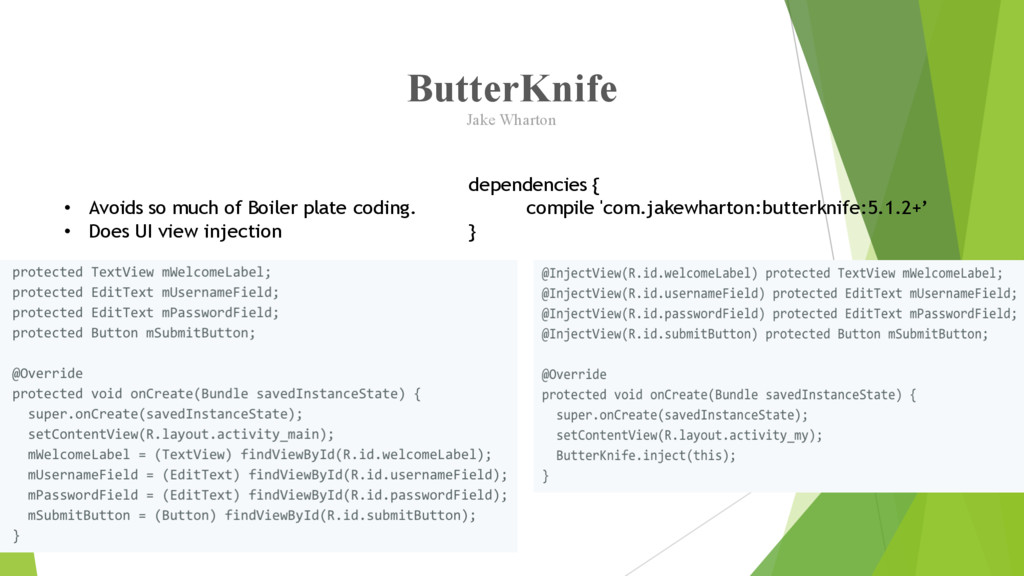
  10. ButterKnife Jake Wharton • Avoids so much of Boiler plate

    coding. • Does UI view injection dependencies { compile 'com.jakewharton:butterknife:5.1.2+’ }
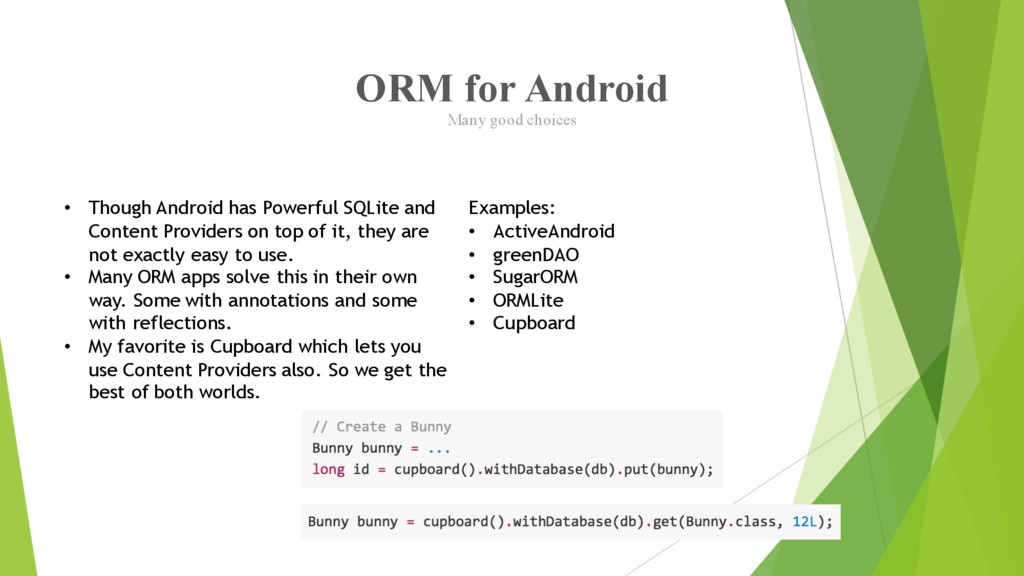
  11. ORM for Android Many good choices • Though Android has

    Powerful SQLite and Content Providers on top of it, they are not exactly easy to use. • Many ORM apps solve this in their own way. Some with annotations and some with reflections. • My favorite is Cupboard which lets you use Content Providers also. So we get the best of both worlds. Examples: • ActiveAndroid • greenDAO • SugarORM • ORMLite • Cupboard
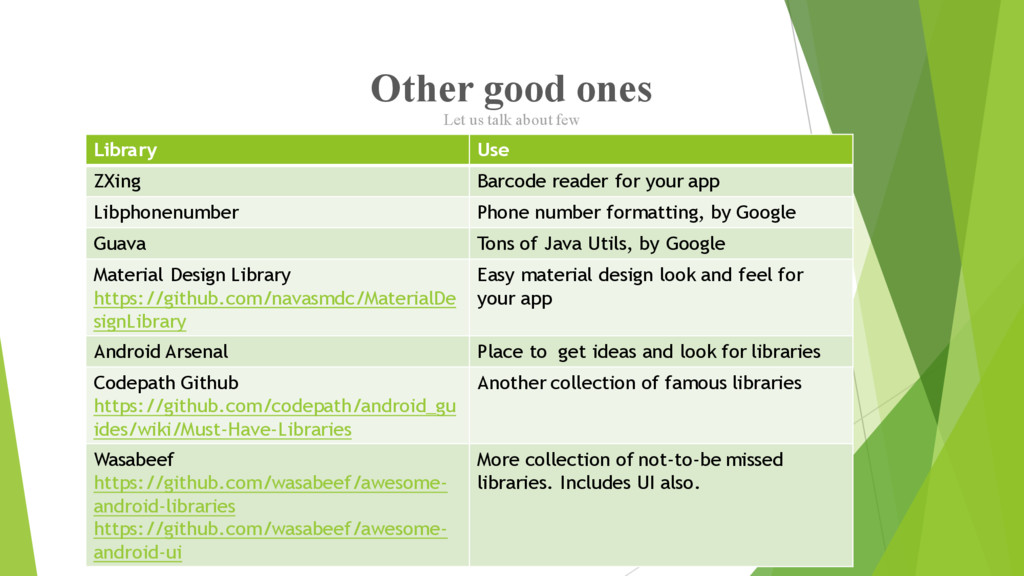
  12. Other good ones Library Use ZXing Barcode reader for your

    app Libphonenumber Phone number formatting, by Google Guava Tons of Java Utils, by Google Material Design Library https://github.com/navasmdc/MaterialDe signLibrary Easy material design look and feel for your app Android Arsenal Place to get ideas and look for libraries Codepath Github https://github.com/codepath/android_gu ides/wiki/Must-Have-Libraries Another collection of famous libraries Wasabeef https://github.com/wasabeef/awesome- android-libraries https://github.com/wasabeef/awesome- android-ui More collection of not-to-be missed libraries. Includes UI also. Let us talk about few
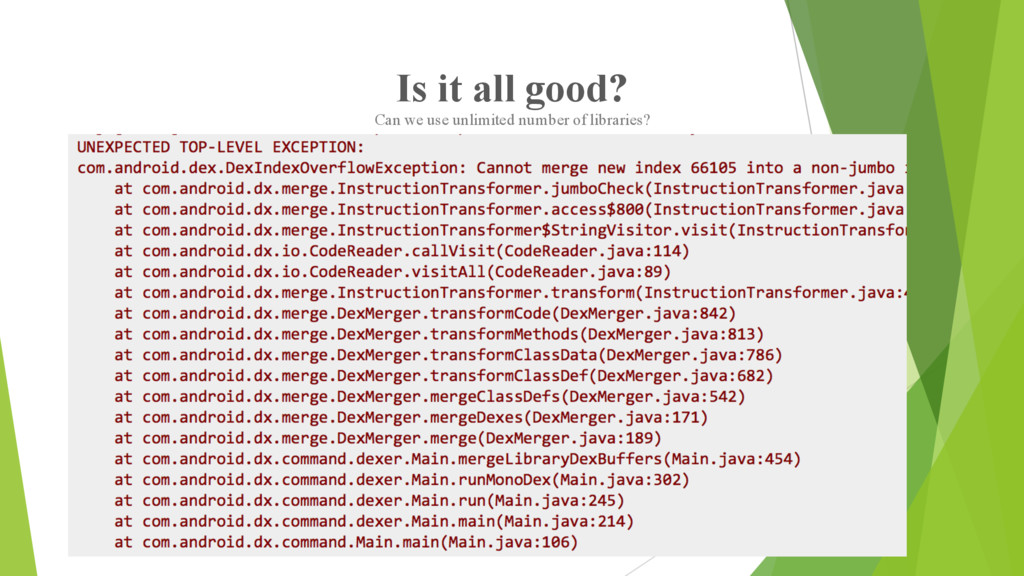
  13. Is it all good? Can we use unlimited number of

    libraries? No! Some of the issues of using too many libraries: • Your app is not fully yours anymore! • Changes to the external libraries may break your code. • Too much redundancy of features and abilities. • App size will be too big as you wont need entire library feature, but still need to include the whole Library. • And then, the most common issue…
  14. Building Apps with Over 65K Methods Yes, we can now.

    • When your application and the libraries it references reach a certain size, you encounter build errors that indicate your app has reached a limit of the Android app build architecture. • You can only have 65,536 unique methods referenced in your app. • When you have too many libraries, this numbers is easily reached. • The count includes your code, libraries and also Android framework methods. • To go more than 65k, we need to have “multiple dex” support for your APK. • From Android 5.0 and above, the new runtime ART supports “multi dex” OOB. • How do I handle for platform versions below 5.0? Source: http://developer.android.com/tools/building/multidex.html
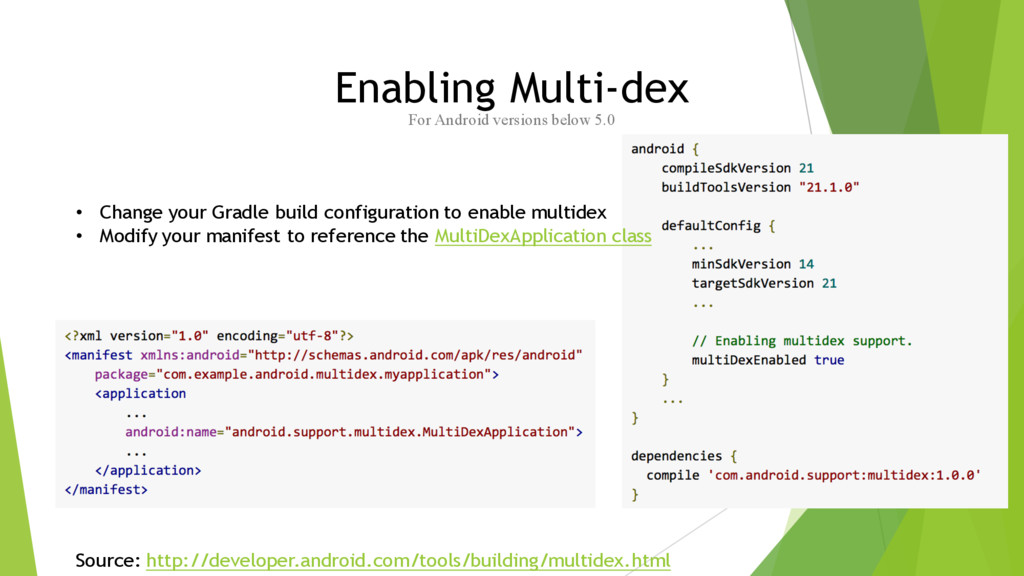
  15. Enabling Multi-dex For Android versions below 5.0 • Change your

    Gradle build configuration to enable multidex • Modify your manifest to reference the MultiDexApplication class Source: http://developer.android.com/tools/building/multidex.html
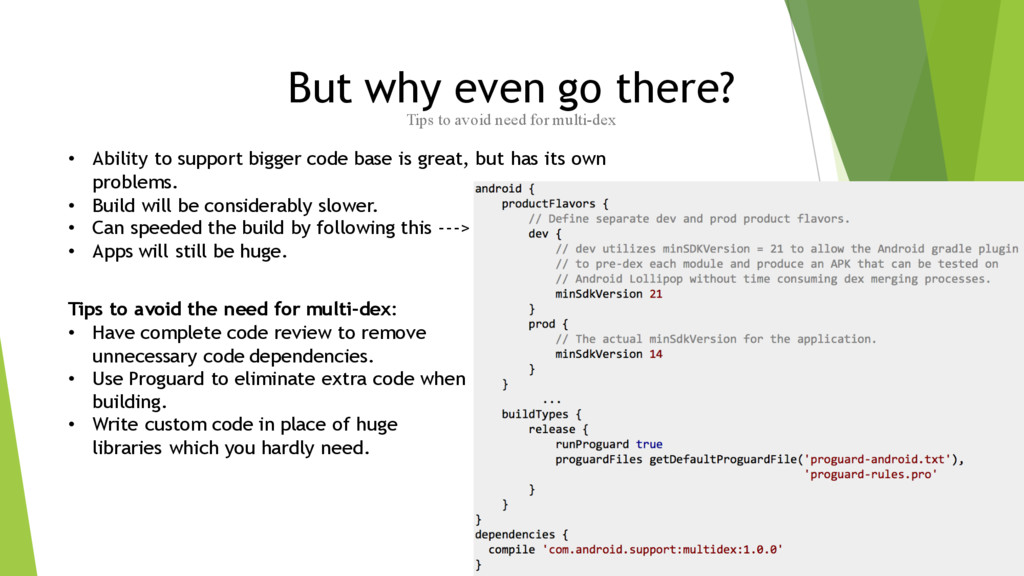
  16. But why even go there? Tips to avoid need for

    multi-dex • Ability to support bigger code base is great, but has its own problems. • Build will be considerably slower. • Can speeded the build by following this ---> • Apps will still be huge. Tips to avoid the need for multi-dex: • Have complete code review to remove unnecessary code dependencies. • Use Proguard to eliminate extra code when building. • Write custom code in place of huge libraries which you hardly need.
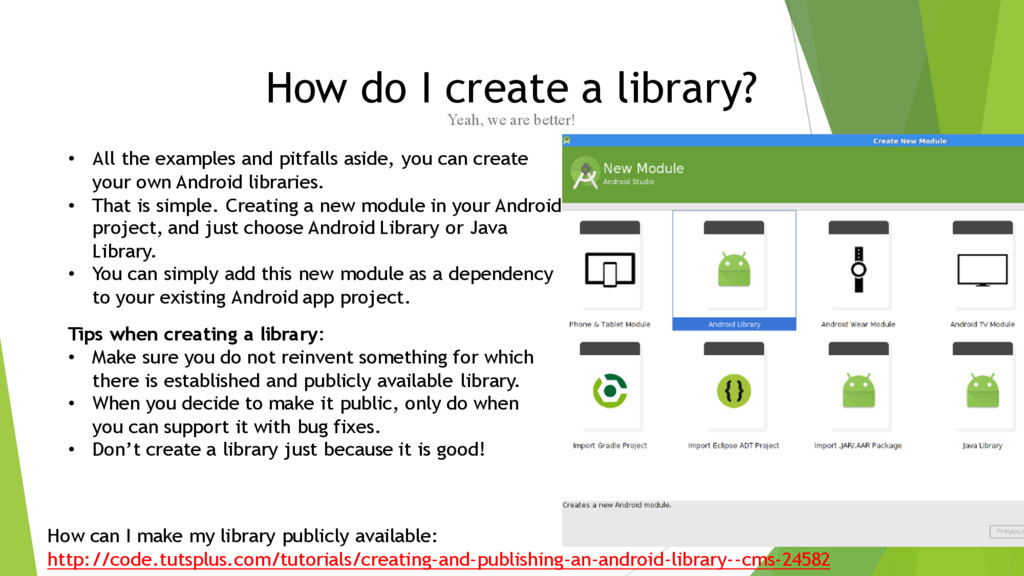
  17. How do I create a library? Yeah, we are better!

    • All the examples and pitfalls aside, you can create your own Android libraries. • That is simple. Creating a new module in your Android project, and just choose Android Library or Java Library. • You can simply add this new module as a dependency to your existing Android app project. Tips when creating a library: • Make sure you do not reinvent something for which there is established and publicly available library. • When you decide to make it public, only do when you can support it with bug fixes. • Don’t create a library just because it is good! How can I make my library publicly available: http://code.tutsplus.com/tutorials/creating-and-publishing-an-android-library--cms-24582