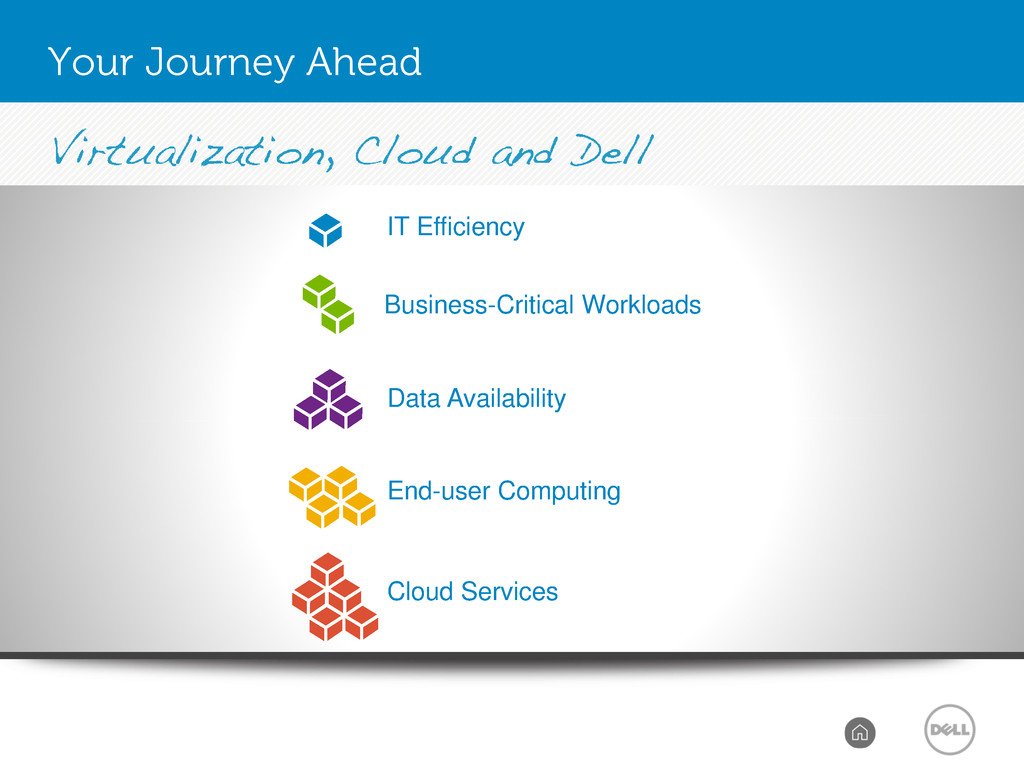
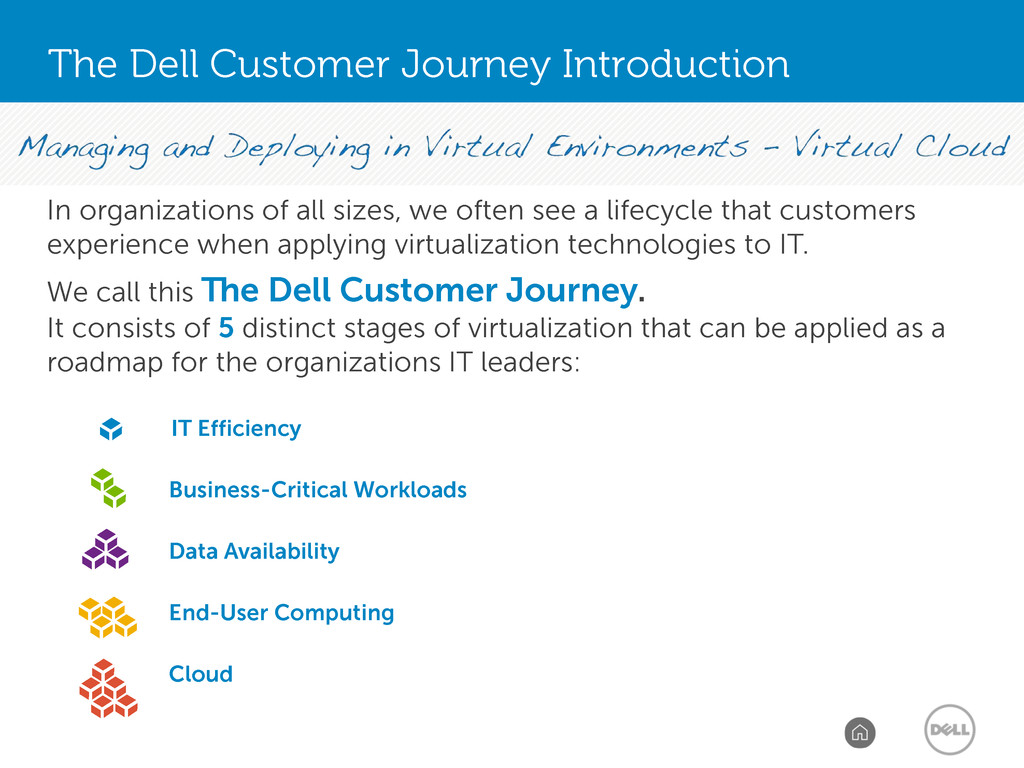
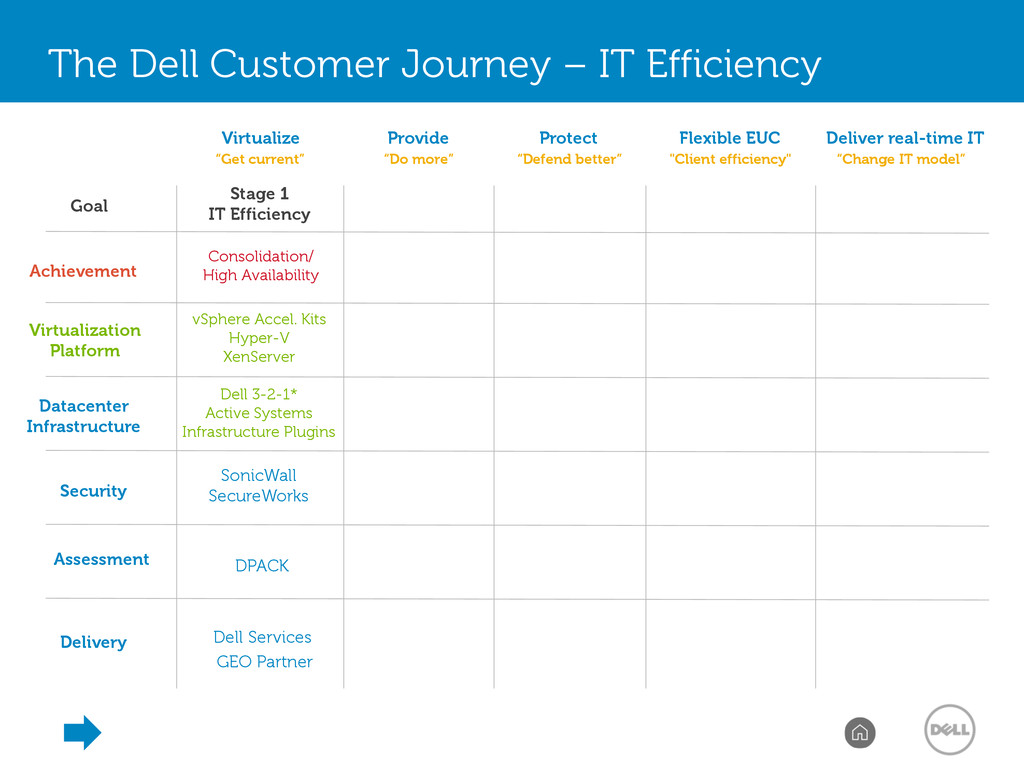
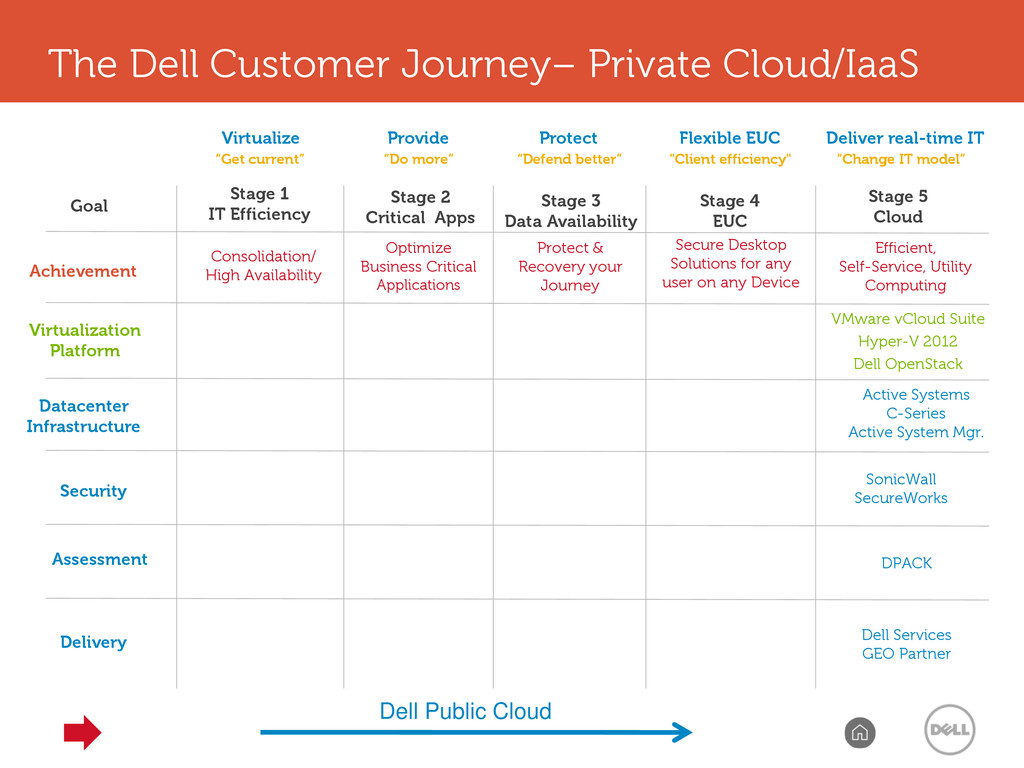
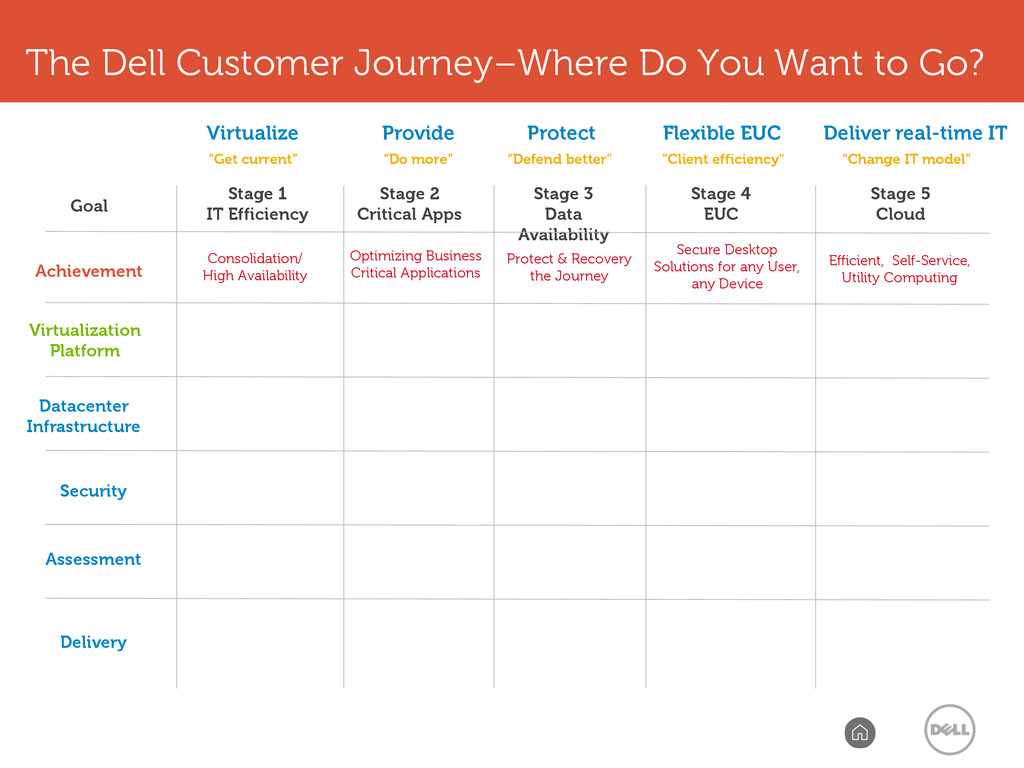
see a lifecycle that customers experience when applying virtualization technologies to IT. We call this The Dell Customer Journey. It consists of 5 distinct stages of virtualization that can be applied as a roadmap for the organizations IT leaders: IT Efficiency Business-Critical Workloads Data Availability End-User Computing Cloud The Dell Customer Journey Introduction
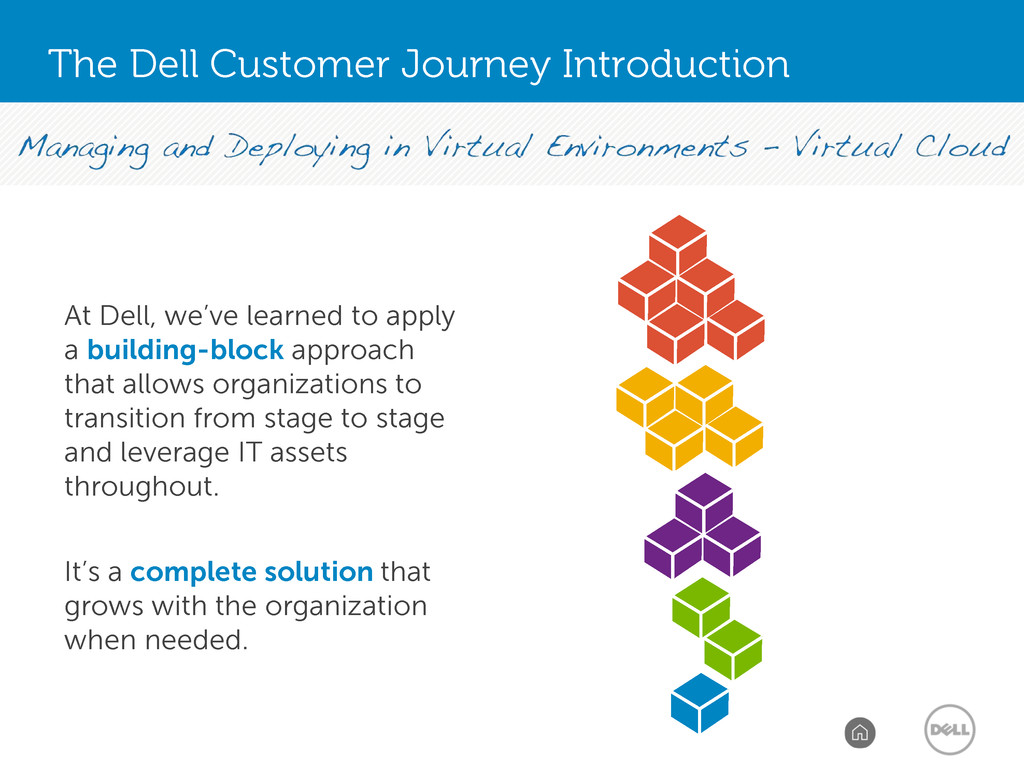
we’ve learned to apply a building-block approach that allows organizations to transition from stage to stage and leverage IT assets throughout. It’s a complete solution that grows with the organization when needed.
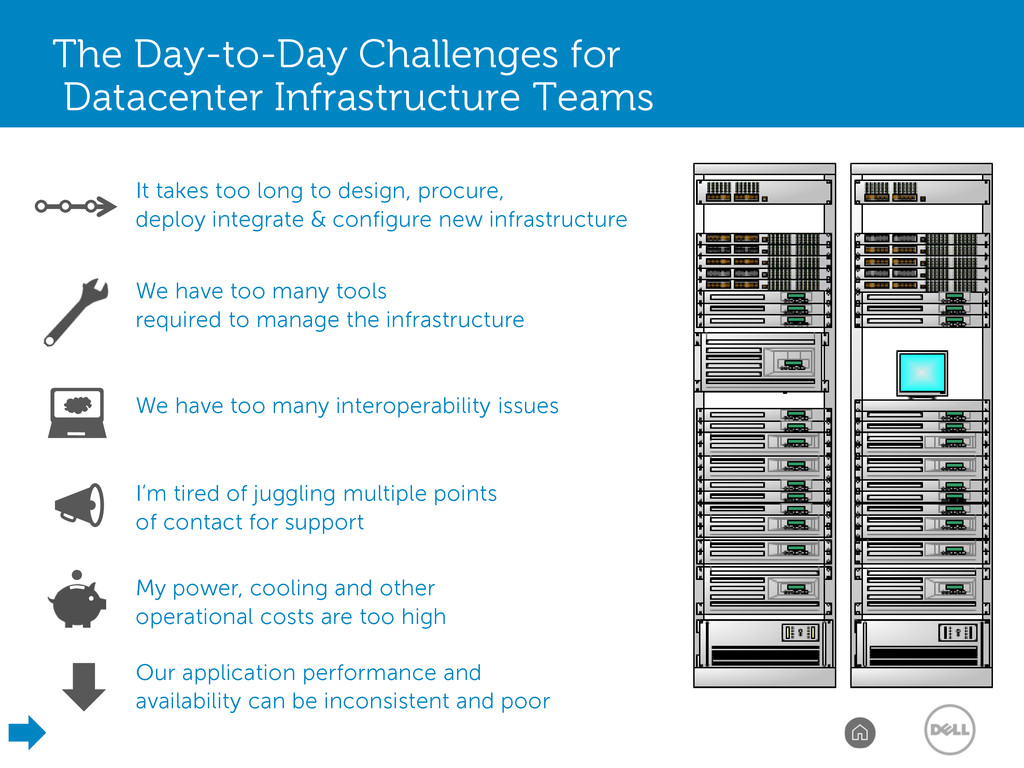
many interoperability issues It takes too long to design, procure, deploy integrate & configure new infrastructure Our application performance and availability can be inconsistent and poor My power, cooling and other operational costs are too high We have too many tools required to manage the infrastructure I’m tired of juggling multiple points of contact for support
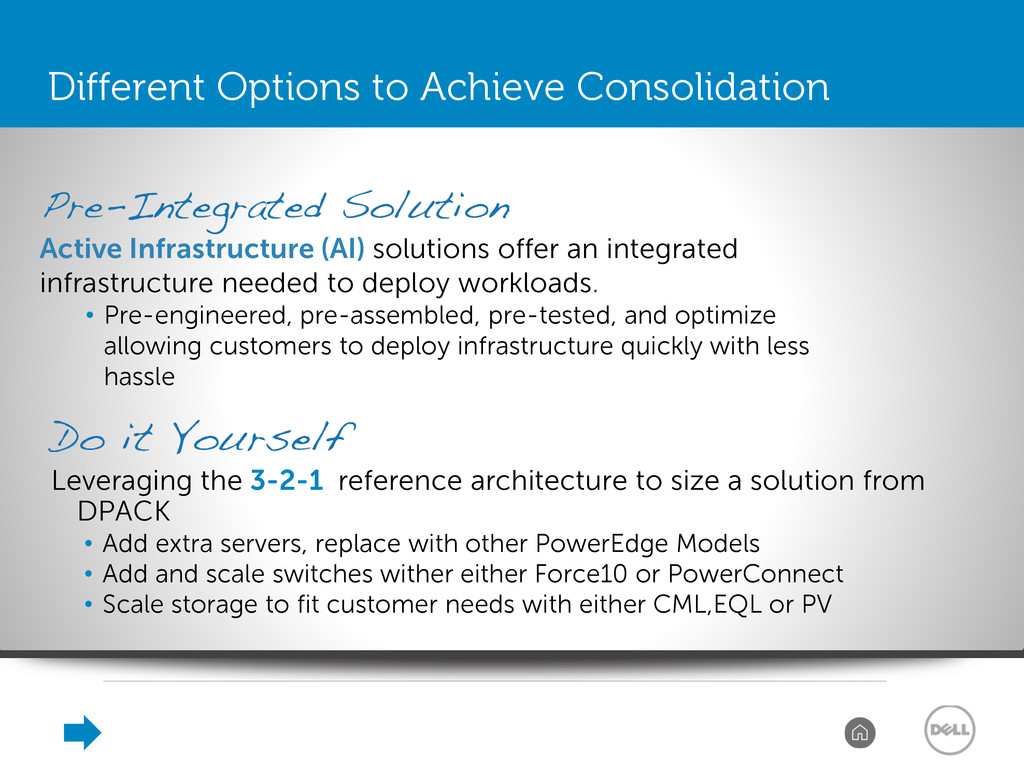
DPACK • Add extra servers, replace with other PowerEdge Models • Add and scale switches wither either Force10 or PowerConnect • Scale storage to fit customer needs with either CML,EQL or PV Active Infrastructure (AI) solutions offer an integrated infrastructure needed to deploy workloads. • Pre-engineered, pre-assembled, pre-tested, and optimize allowing customers to deploy infrastructure quickly with less hassle Different Options to Achieve Consolidation
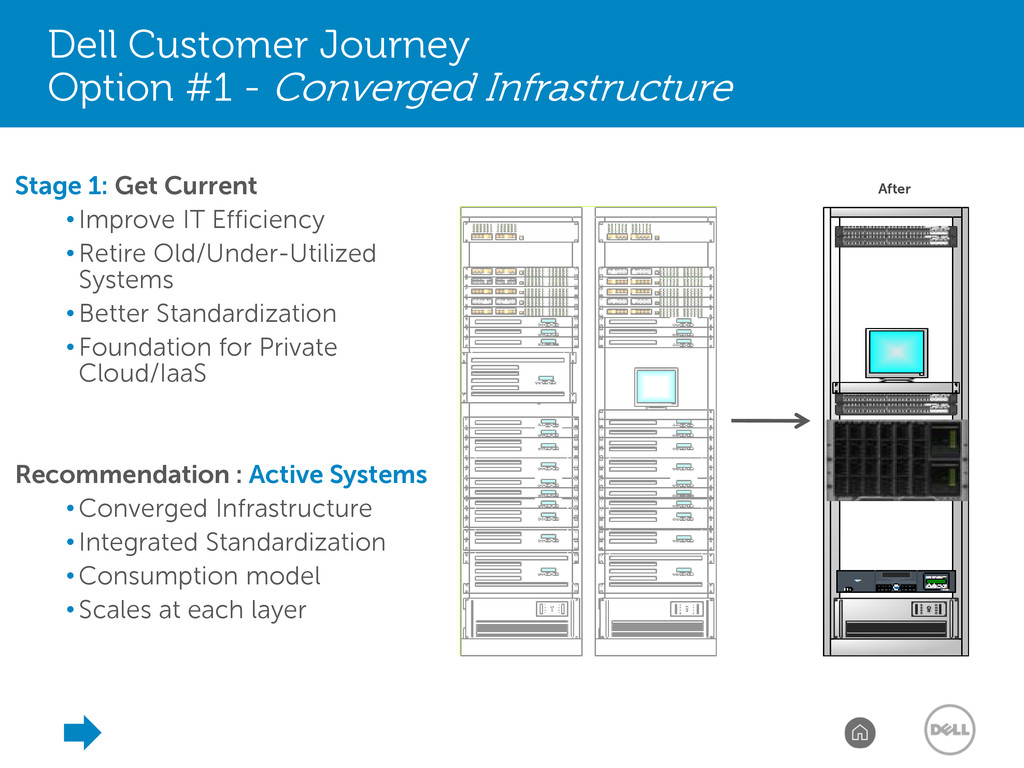
Get Current •Improve IT Efficiency •Retire Old/Under-Utilized Systems •Better Standardization •Foundation for Private Cloud/IaaS Recommendation : Active Systems •Converged Infrastructure •Integrated Standardization •Consumption model •Scales at each layer After
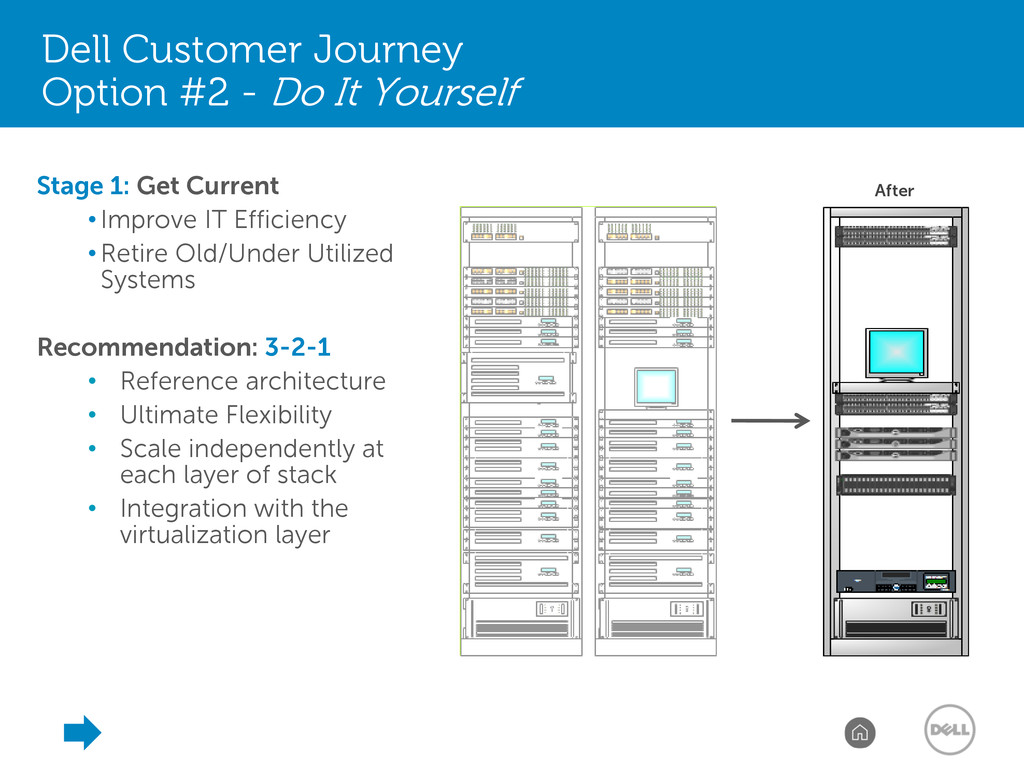
Retire Old/Under Utilized Systems Recommendation: 3-2-1 • Reference architecture • Ultimate Flexibility • Scale independently at each layer of stack • Integration with the virtualization layer Dell Customer Journey Option #2 - Do It Yourself
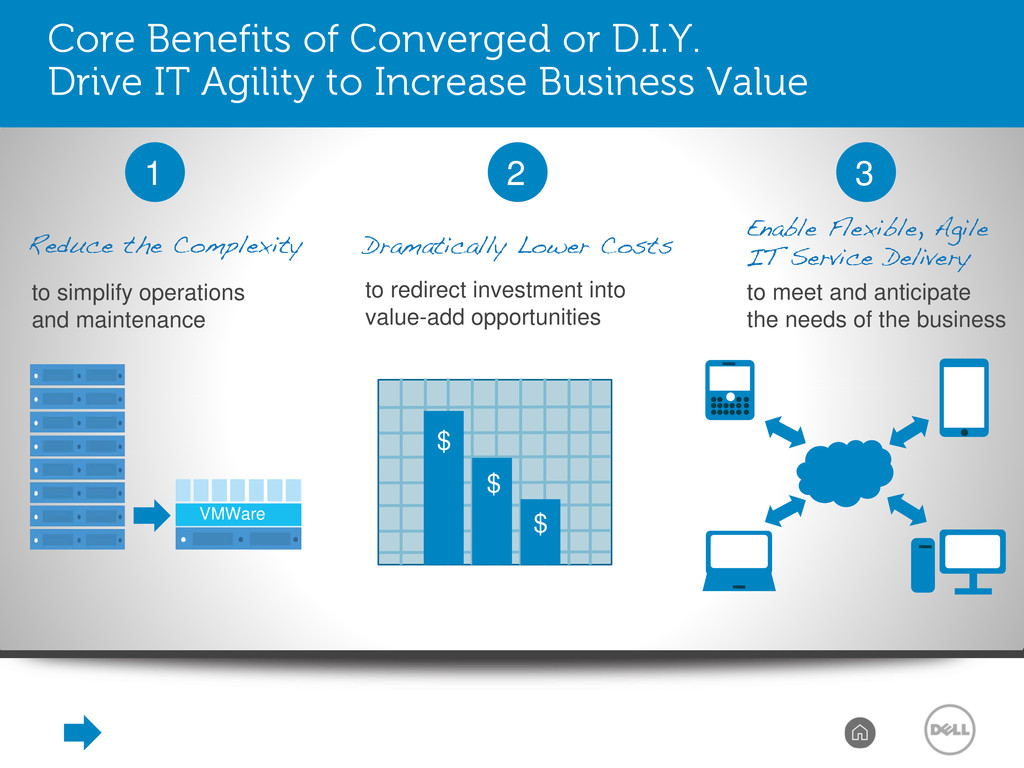
to Increase Business Value 1 to simplify operations and maintenance VMWare 2 to redirect investment into value-add opportunities $ $ $ 3 to meet and anticipate the needs of the business
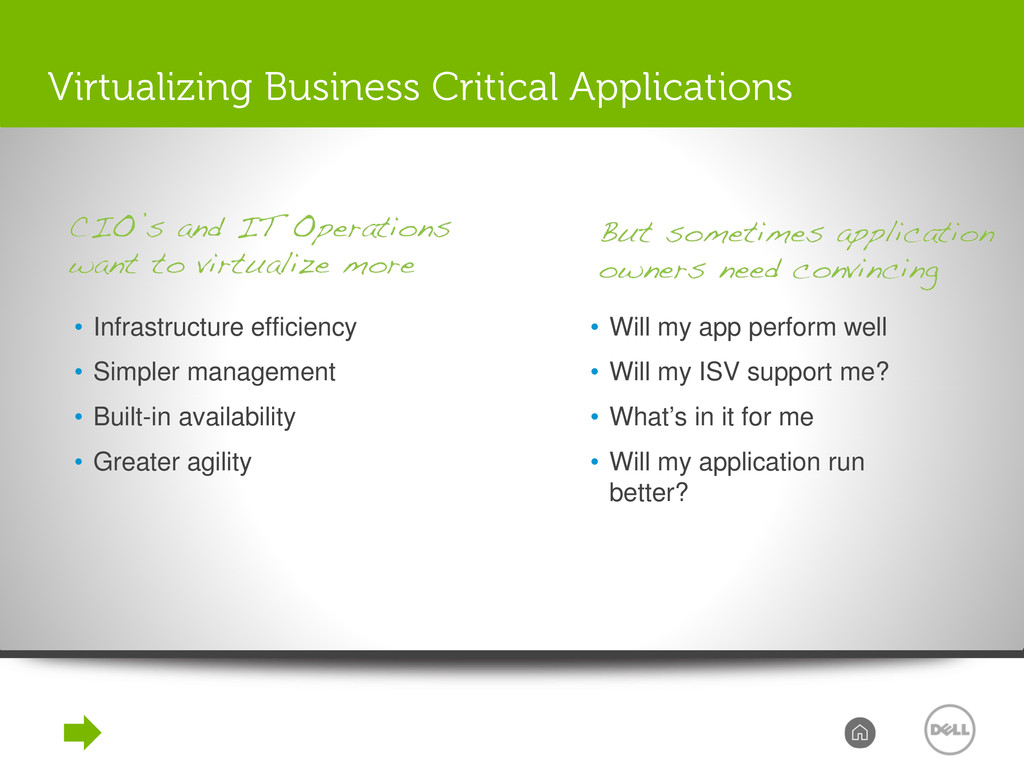
Greater agility Virtualizing Business Critical Applications • Will my app perform well • Will my ISV support me? • What’s in it for me • Will my application run better?
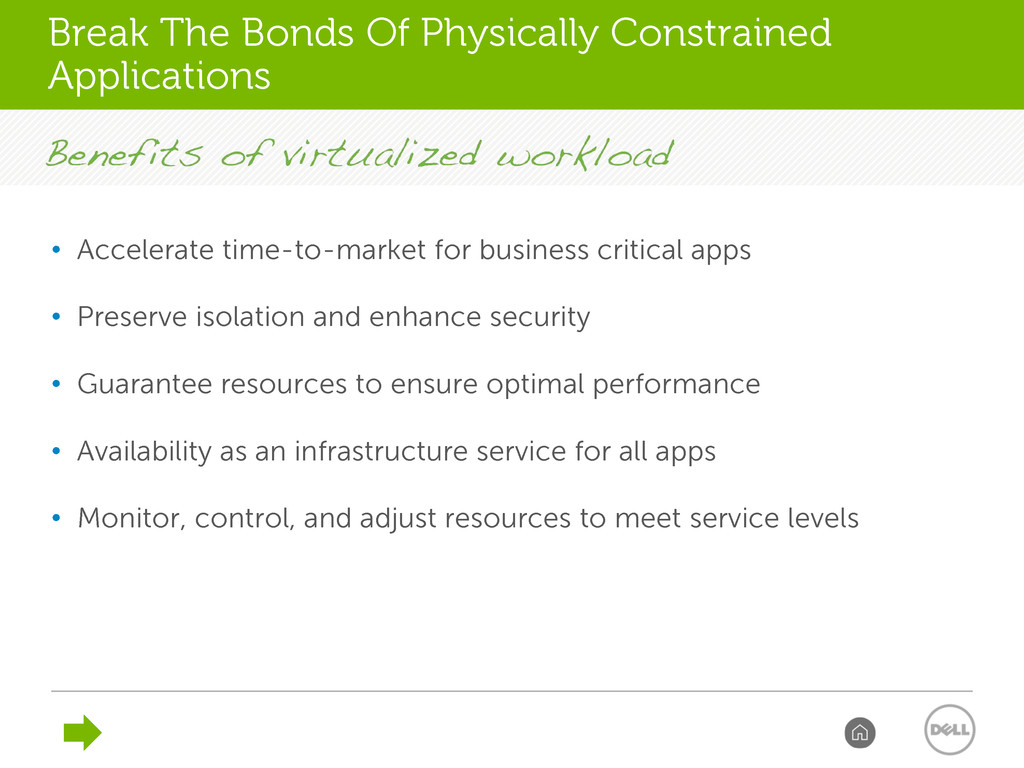
and enhance security • Guarantee resources to ensure optimal performance • Availability as an infrastructure service for all apps • Monitor, control, and adjust resources to meet service levels Break The Bonds Of Physically Constrained Applications
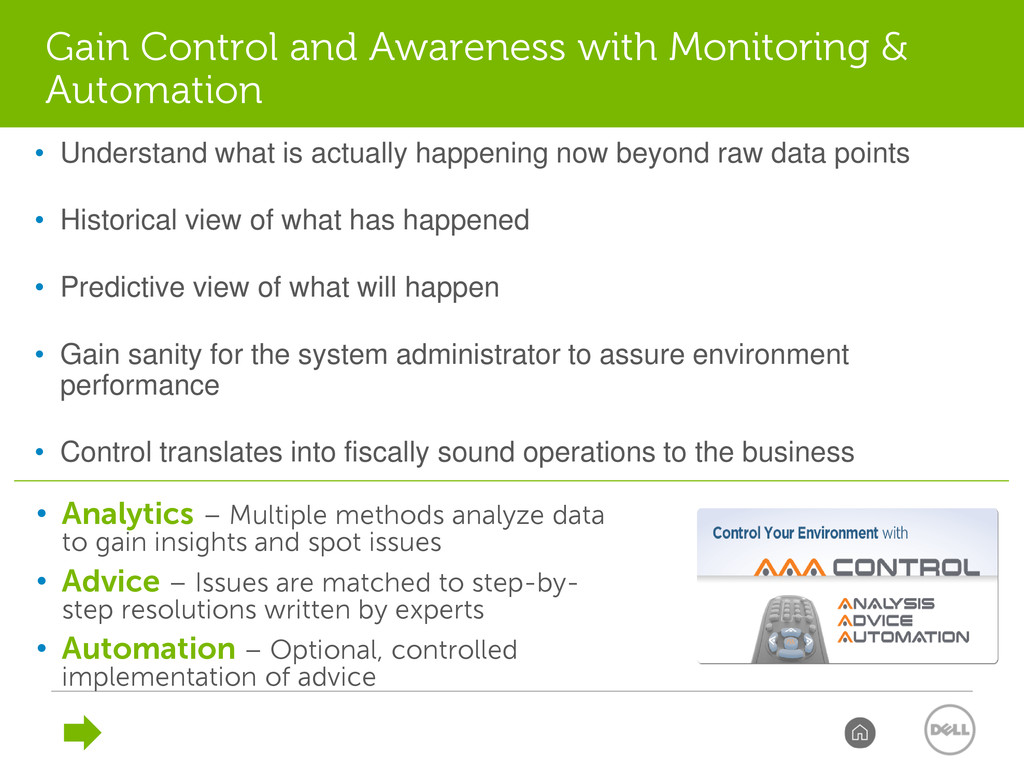
and spot issues • Advice – Issues are matched to step-by- step resolutions written by experts • Automation – Optional, controlled implementation of advice • Understand what is actually happening now beyond raw data points • Historical view of what has happened • Predictive view of what will happen • Gain sanity for the system administrator to assure environment performance • Control translates into fiscally sound operations to the business Gain Control and Awareness with Monitoring & Automation
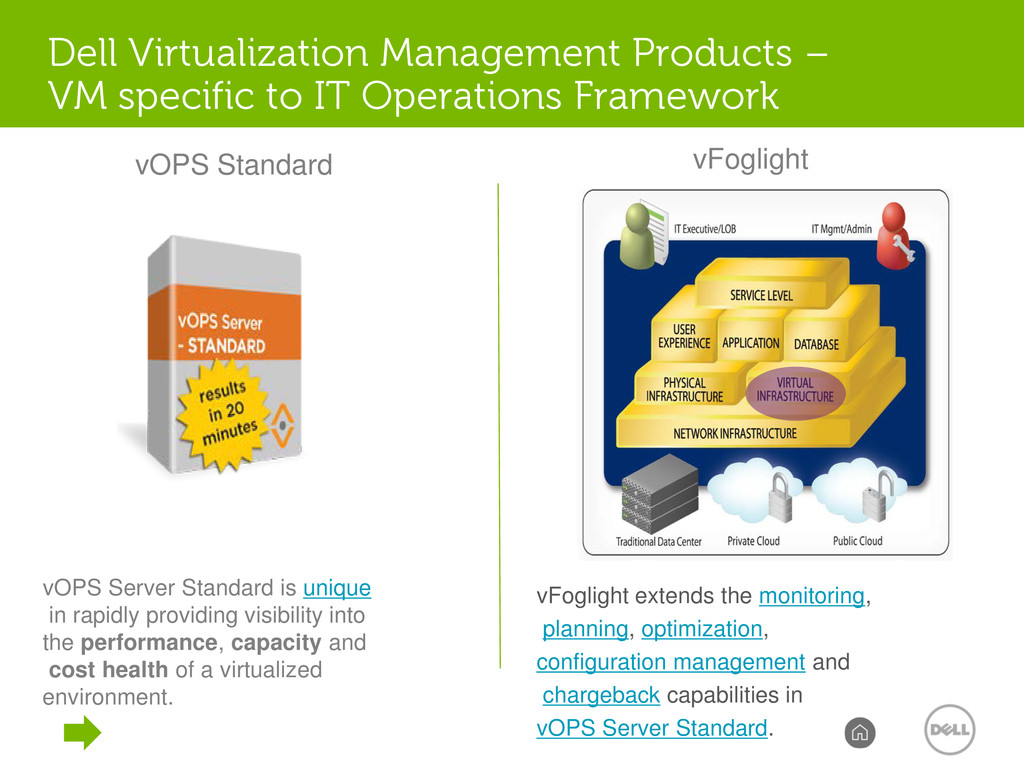
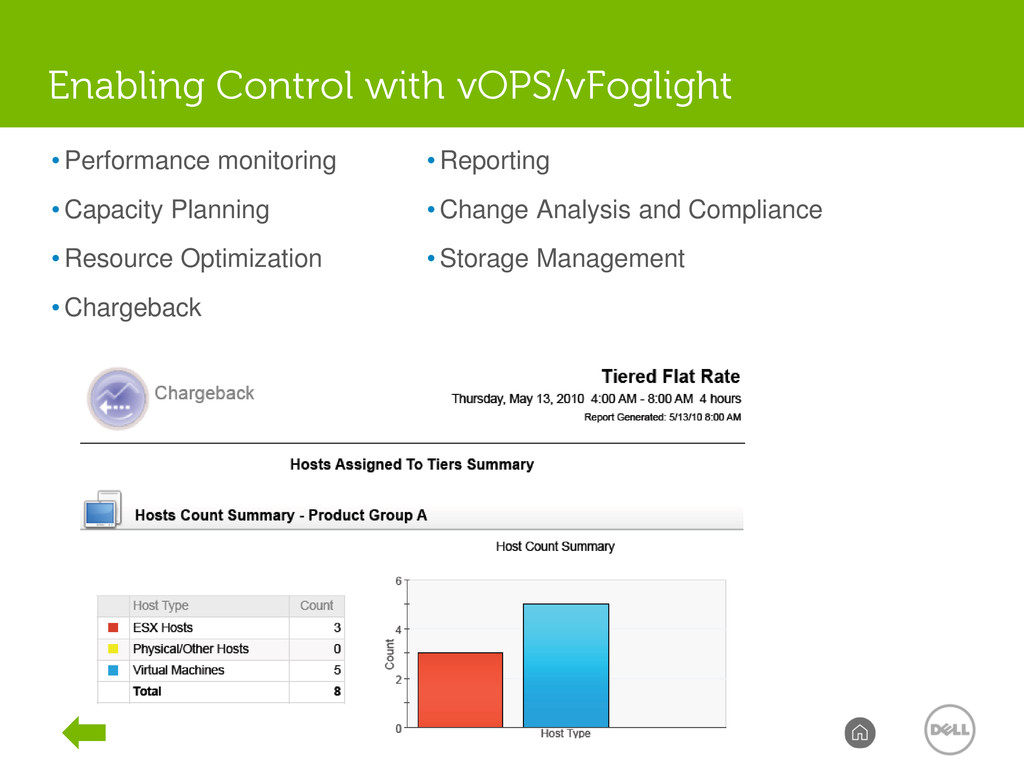
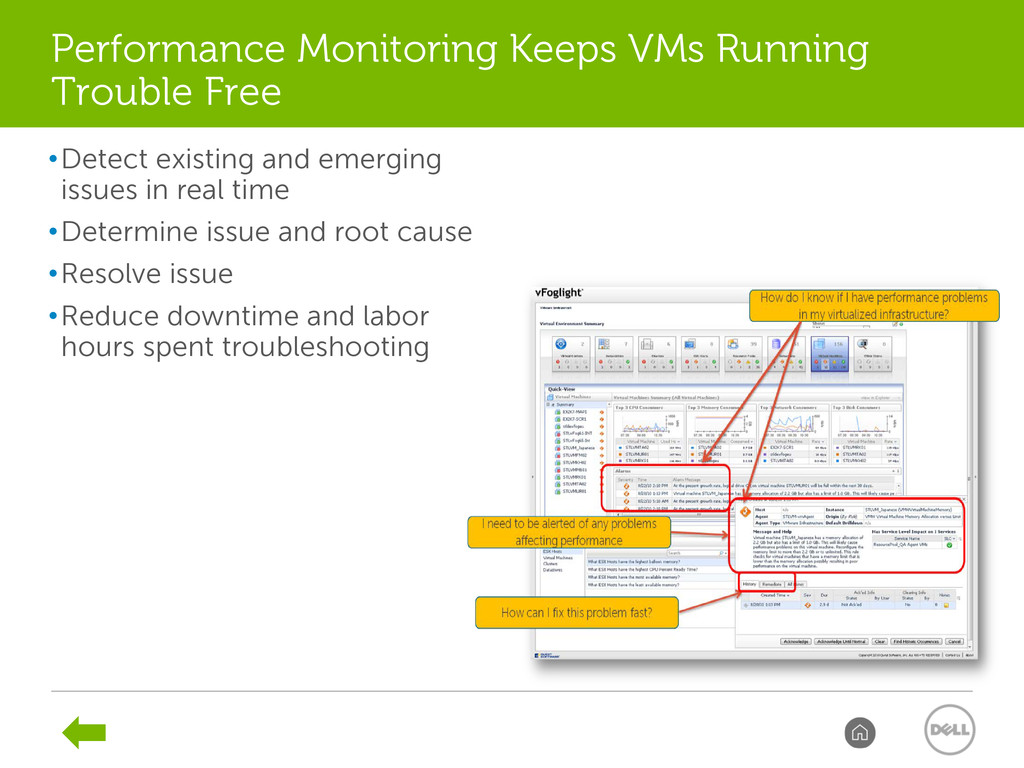
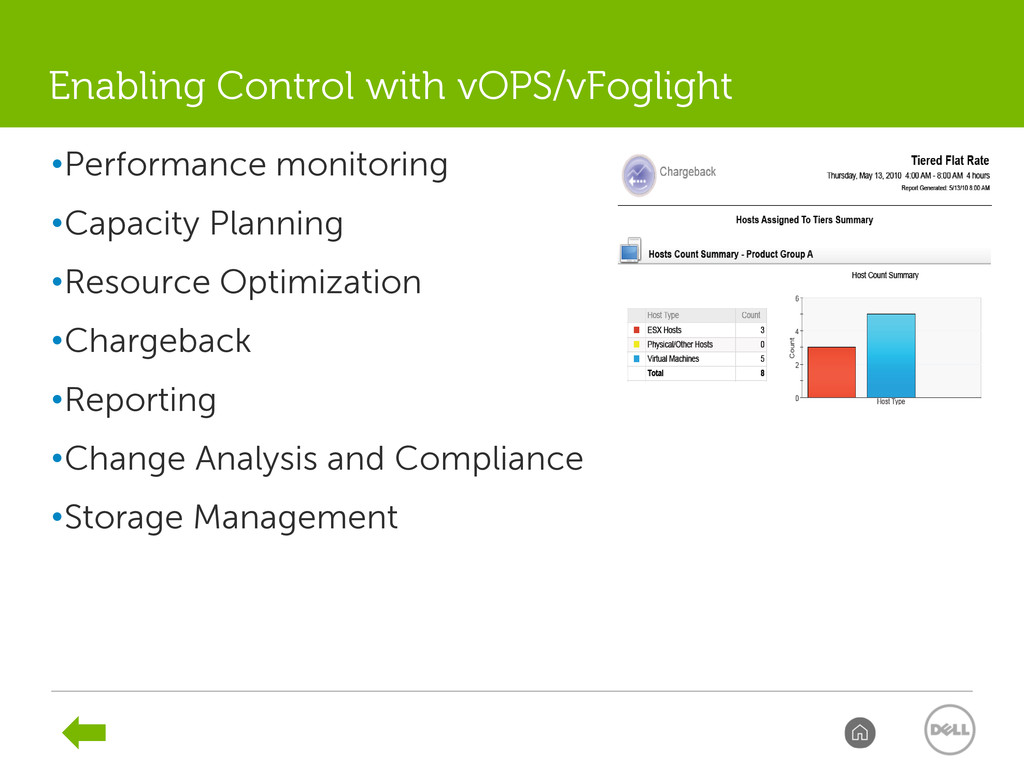
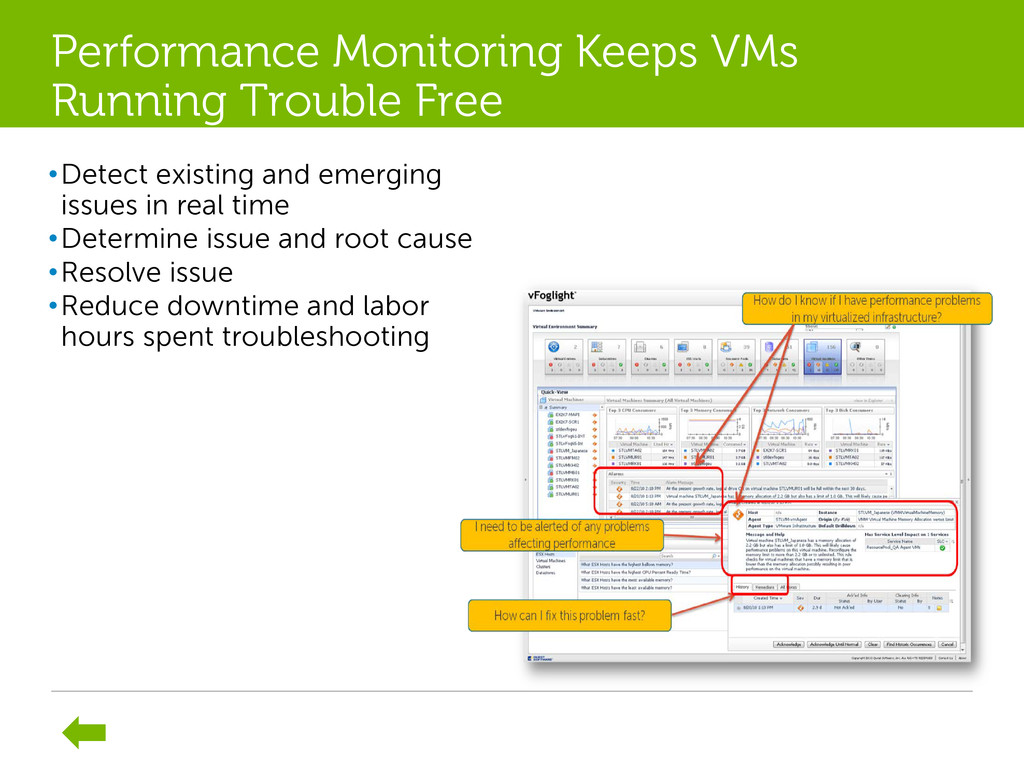
capabilities in vOPS Server Standard. vOPS Server Standard is unique in rapidly providing visibility into the performance, capacity and cost health of a virtualized environment. vFoglight vOPS Standard Dell Virtualization Management Products – VM specific to IT Operations Framework
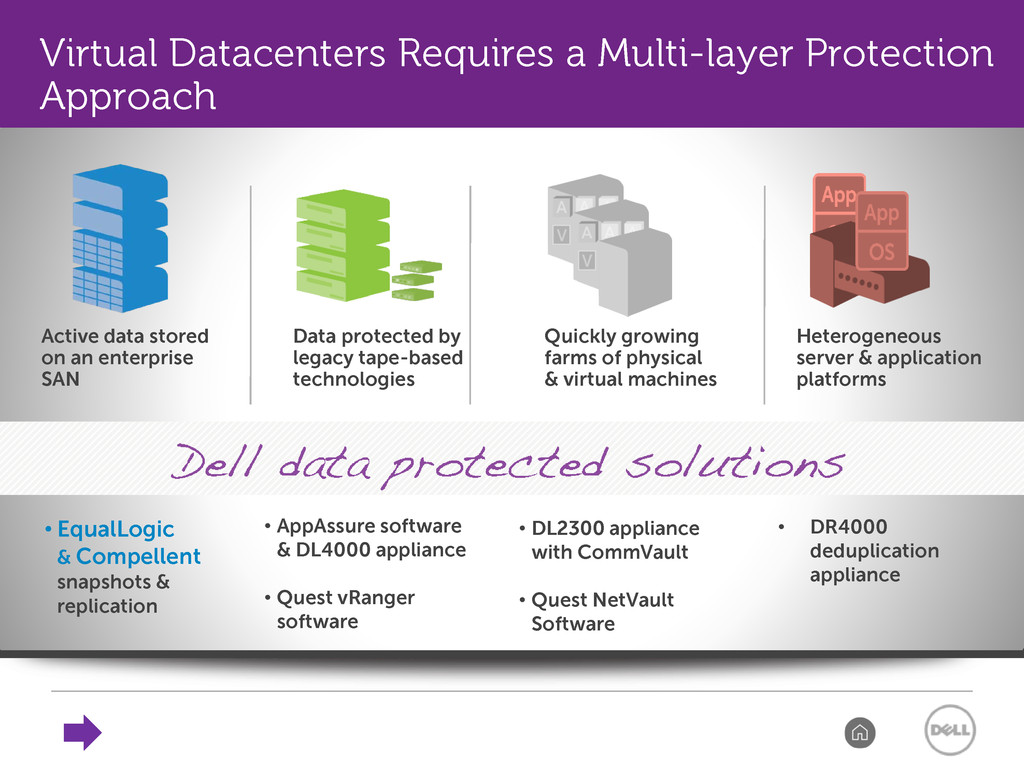
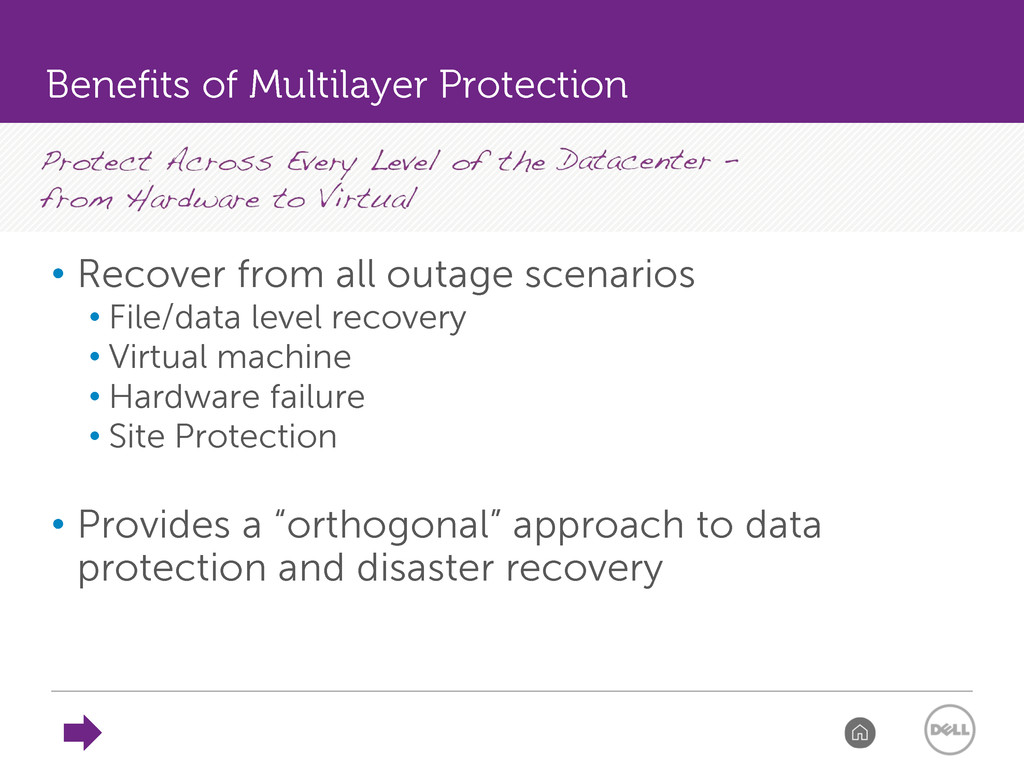
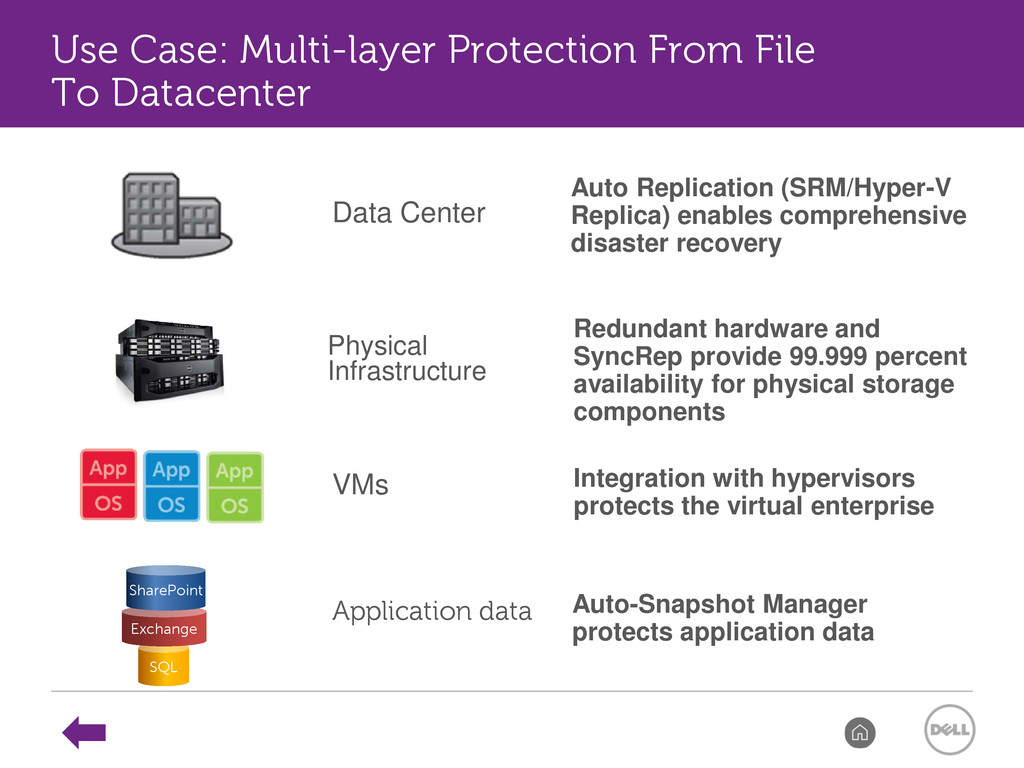
• Virtual machine • Hardware failure • Site Protection • Provides a “orthogonal” approach to data protection and disaster recovery Benefits of Multilayer Protection
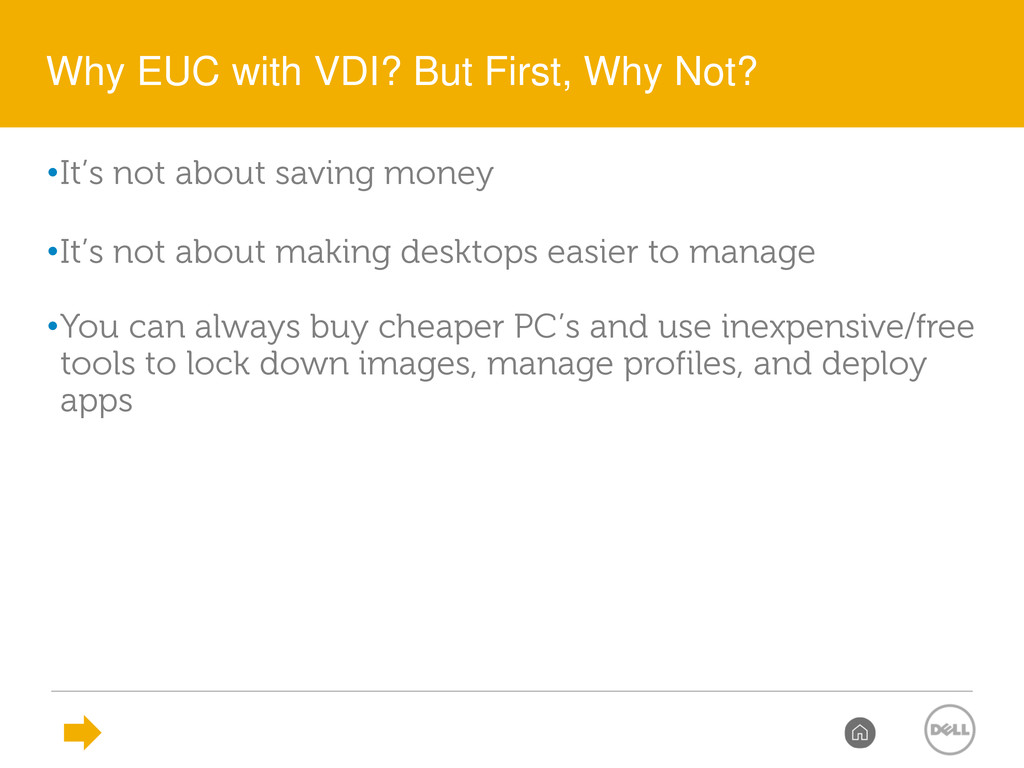
desktops easier to manage •You can always buy cheaper PC’s and use inexpensive/free tools to lock down images, manage profiles, and deploy apps Why EUC with VDI? But First, Why Not?
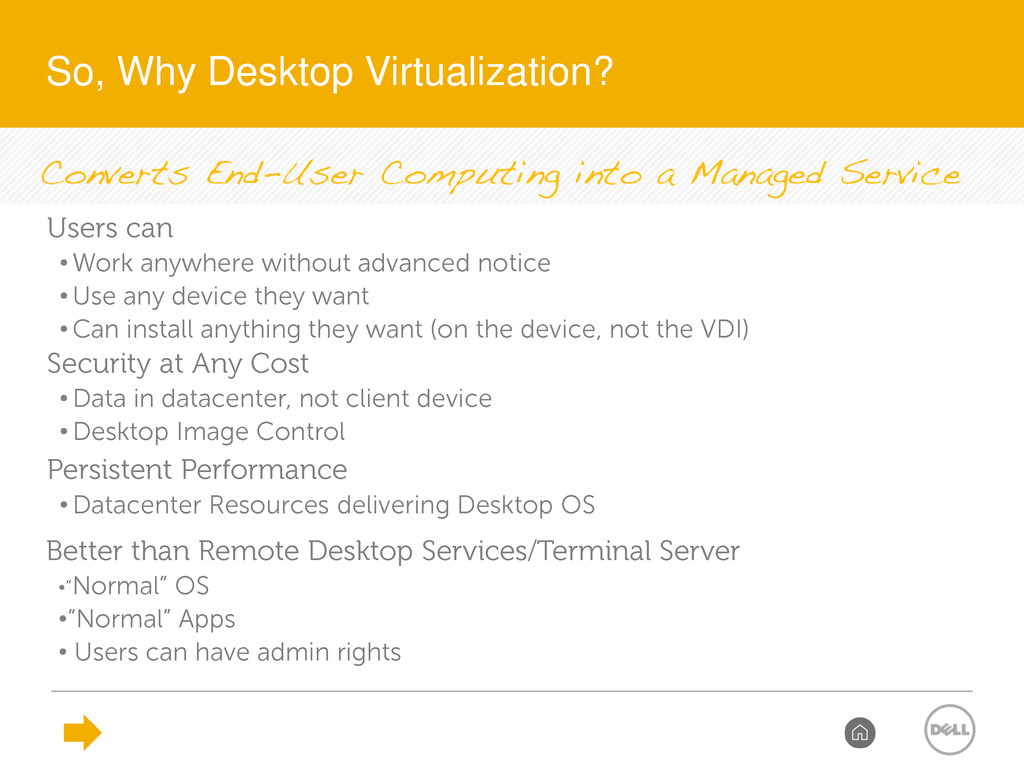
than Remote Desktop Services/Terminal Server •“Normal” OS •“Normal” Apps • Users can have admin rights Security at Any Cost • Data in datacenter, not client device • Desktop Image Control Users can • Work anywhere without advanced notice • Use any device they want • Can install anything they want (on the device, not the VDI) Persistent Performance • Datacenter Resources delivering Desktop OS So, Why Desktop Virtualization?
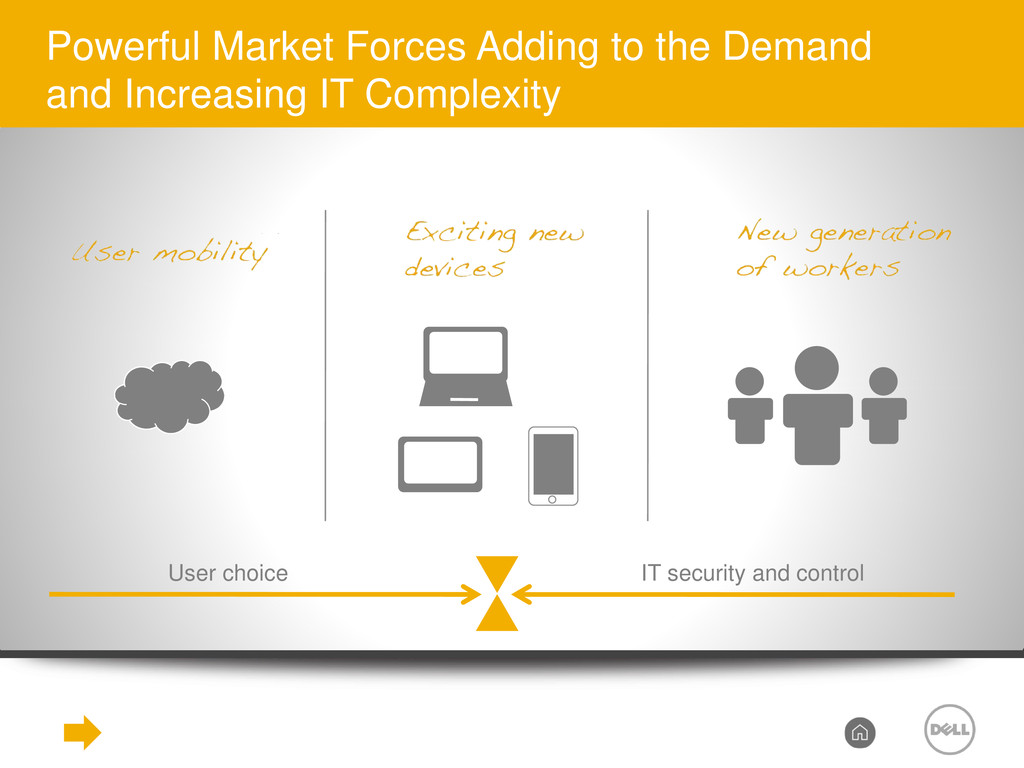
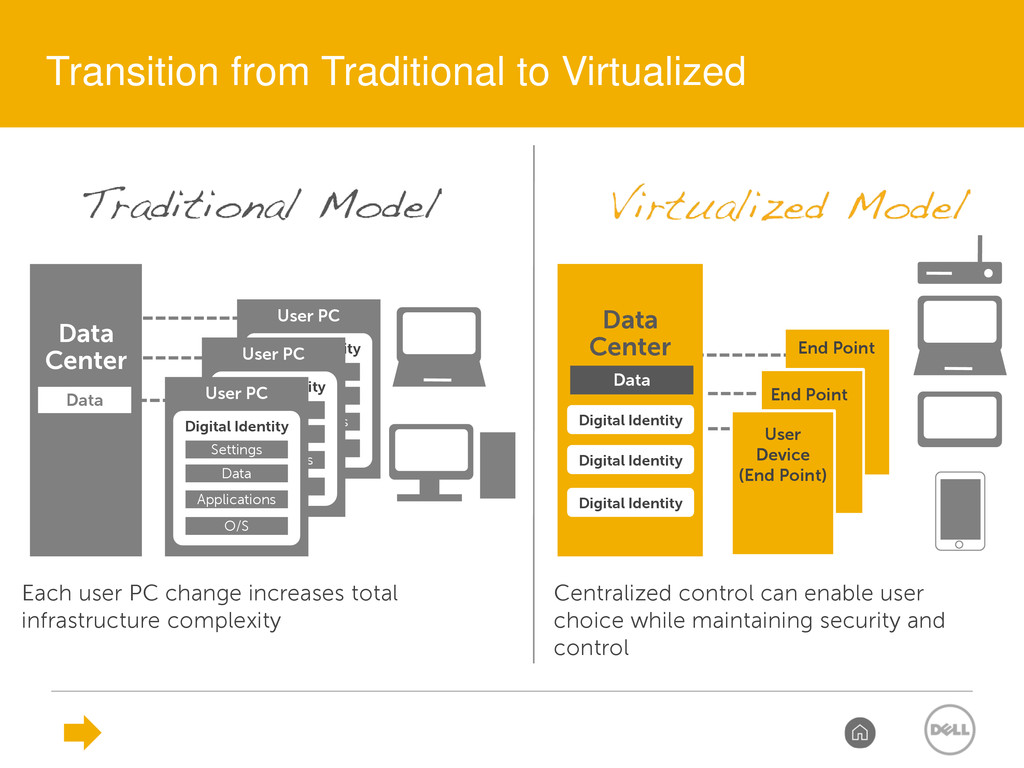
Data User PC Settings Digital Identity Data Center Data Each user PC change increases total infrastructure complexity O/S Applications Data User PC Settings Digital Identity Data Center Digital Identity Digital Identity Digital Identity End Point User Device (End Point) Data End Point Centralized control can enable user choice while maintaining security and control Transition from Traditional to Virtualized
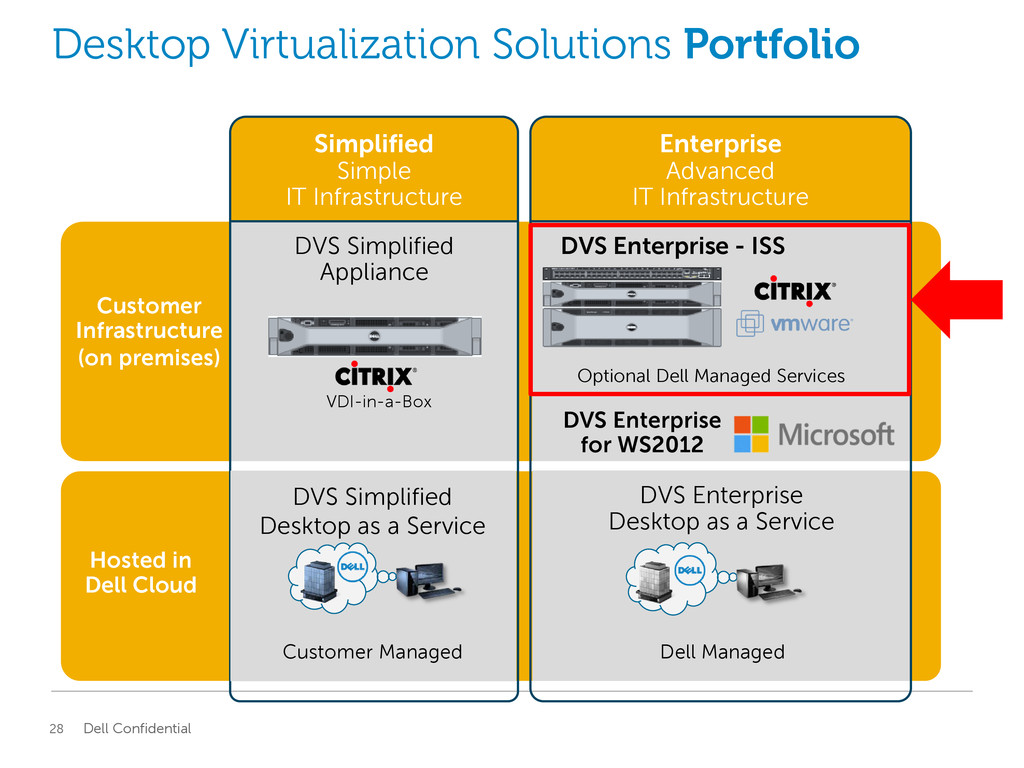
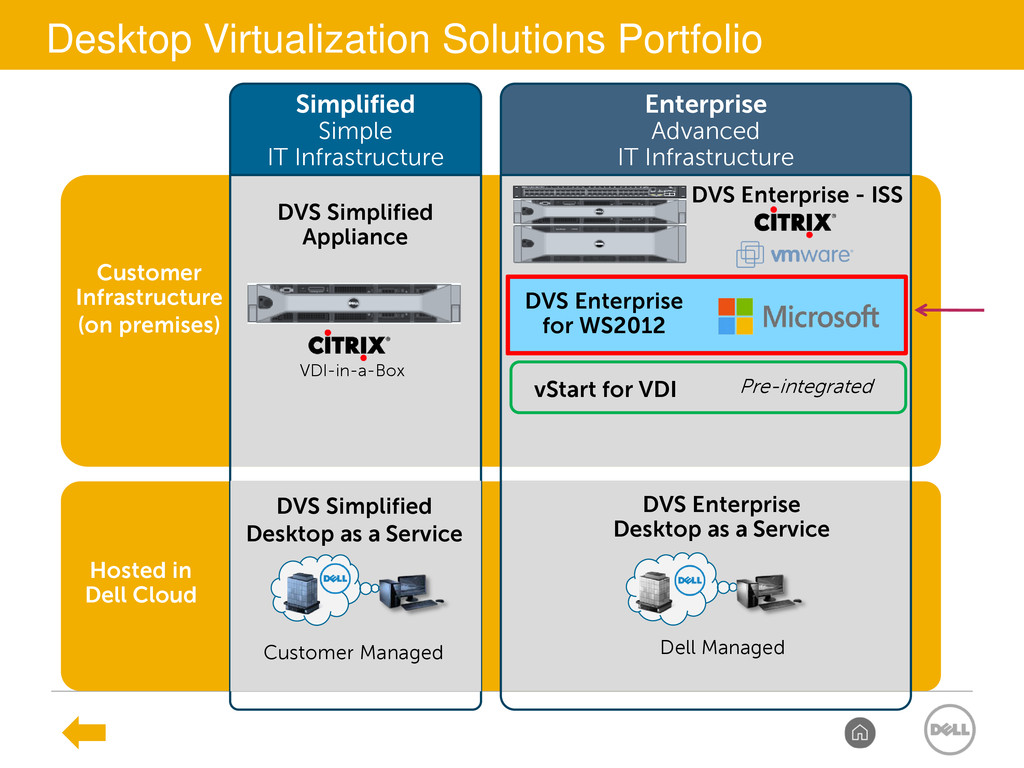
premises) DVS Simplified Appliance DVS Enterprise - ISS DVS Enterprise Desktop as a Service Dell Managed Hosted in Dell Cloud Simplified Simple IT Infrastructure Enterprise Advanced IT Infrastructure DVS Simplified Desktop as a Service Customer Managed DVS Enterprise for WS2012 VDI-in-a-Box Optional Dell Managed Services
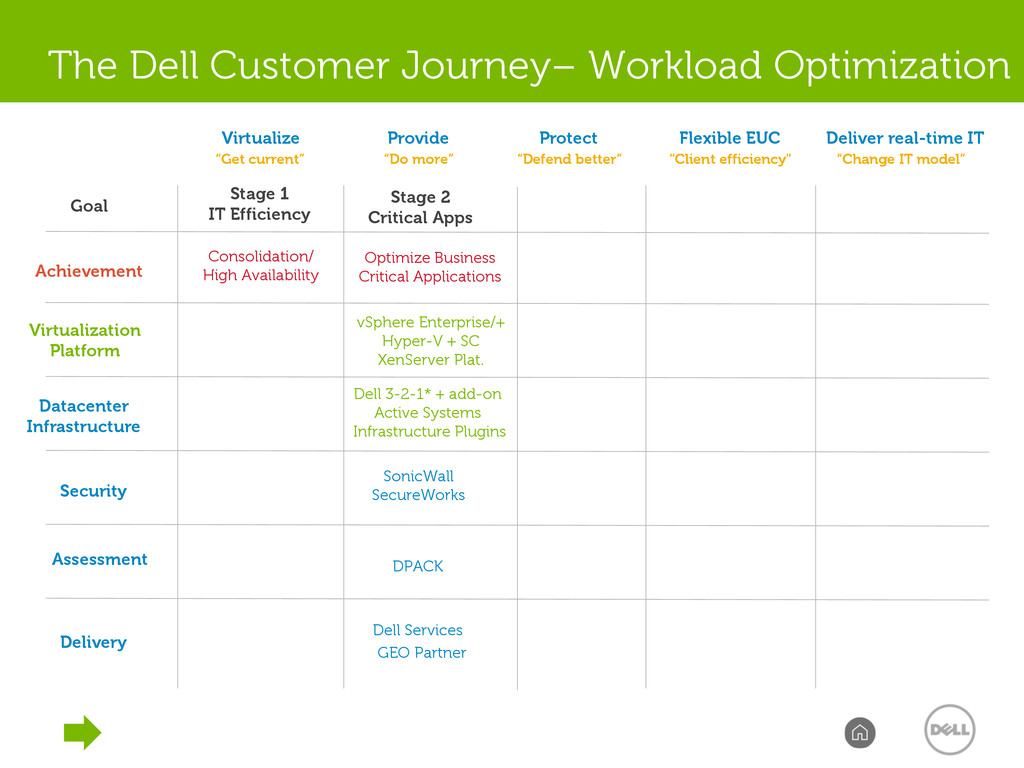
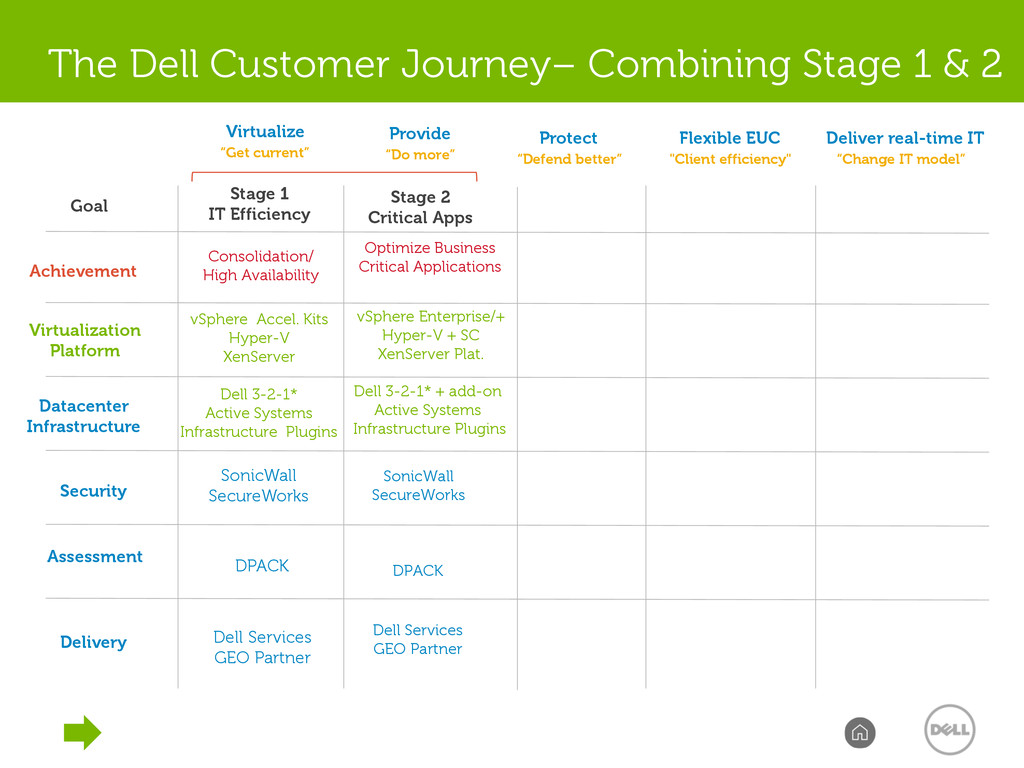
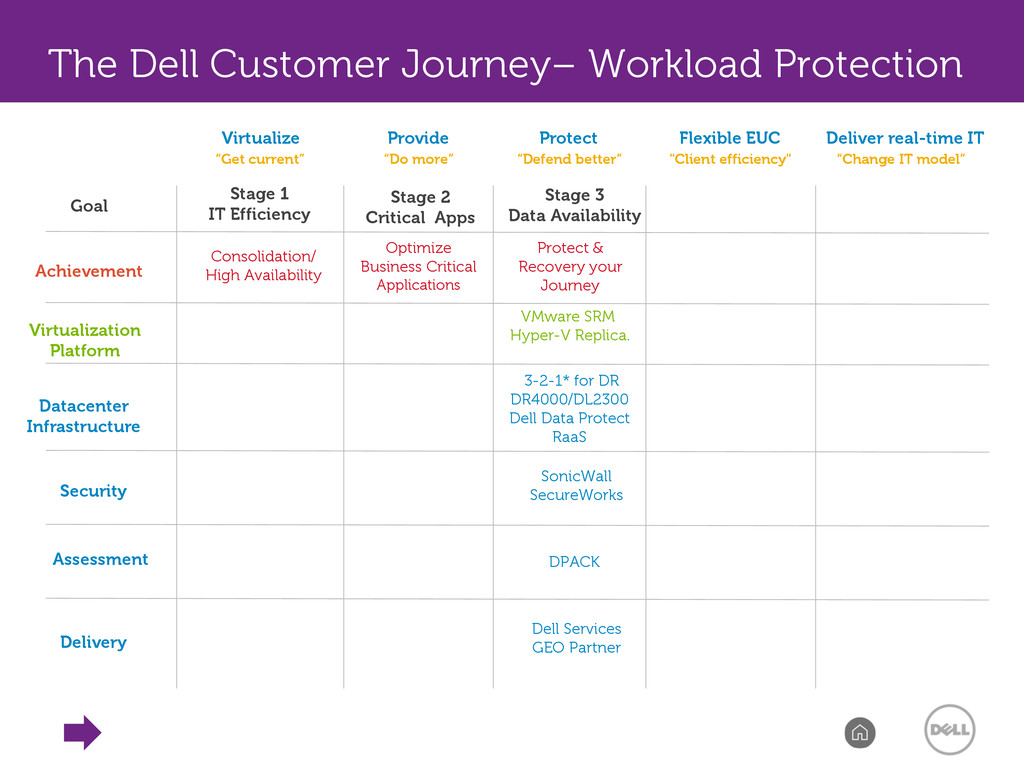
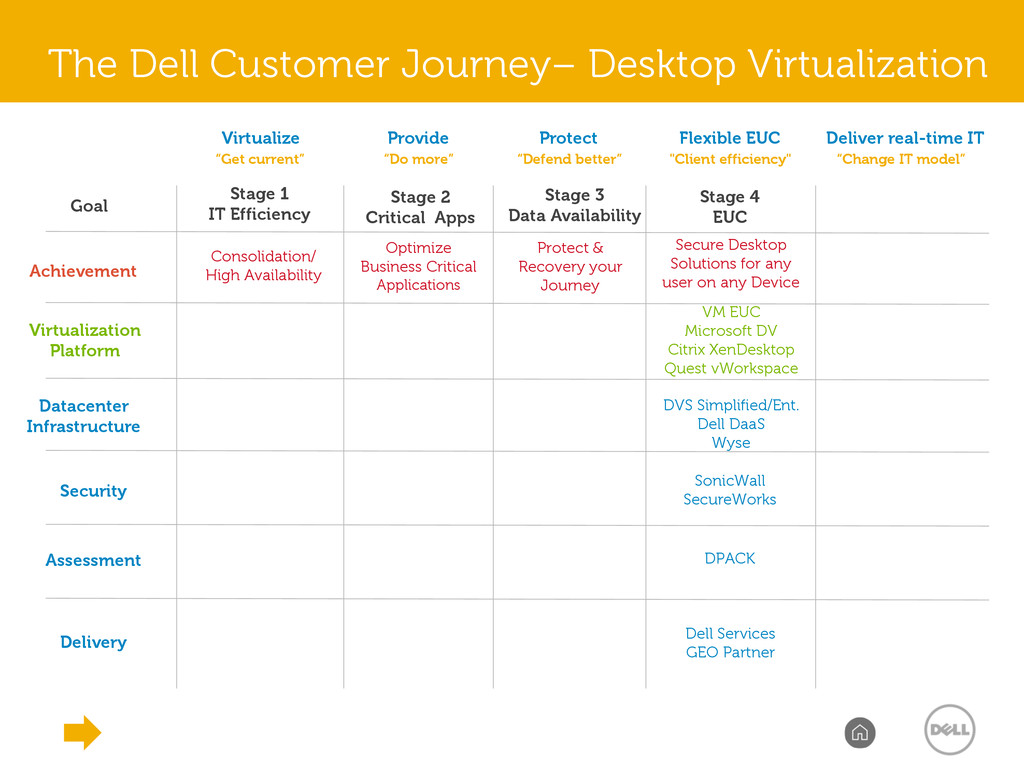
“Defend better” Provide “Do more” Virtualize “Get current” Flexible EUC "Client efficiency" Deliver real-time IT “Change IT model” The Dell Customer Journey– Desktop Virtualization DPACK Dell Services GEO Partner Protect & Recovery your Journey Stage 3 Data Availability Optimize Business Critical Applications Stage 2 Critical Apps Stage 1 IT Efficiency Consolidation/ High Availability SonicWall SecureWorks Stage 4 EUC Secure Desktop Solutions for any user on any Device VM EUC Microsoft DV Citrix XenDesktop Quest vWorkspace DVS Simplified/Ent. Dell DaaS Wyse
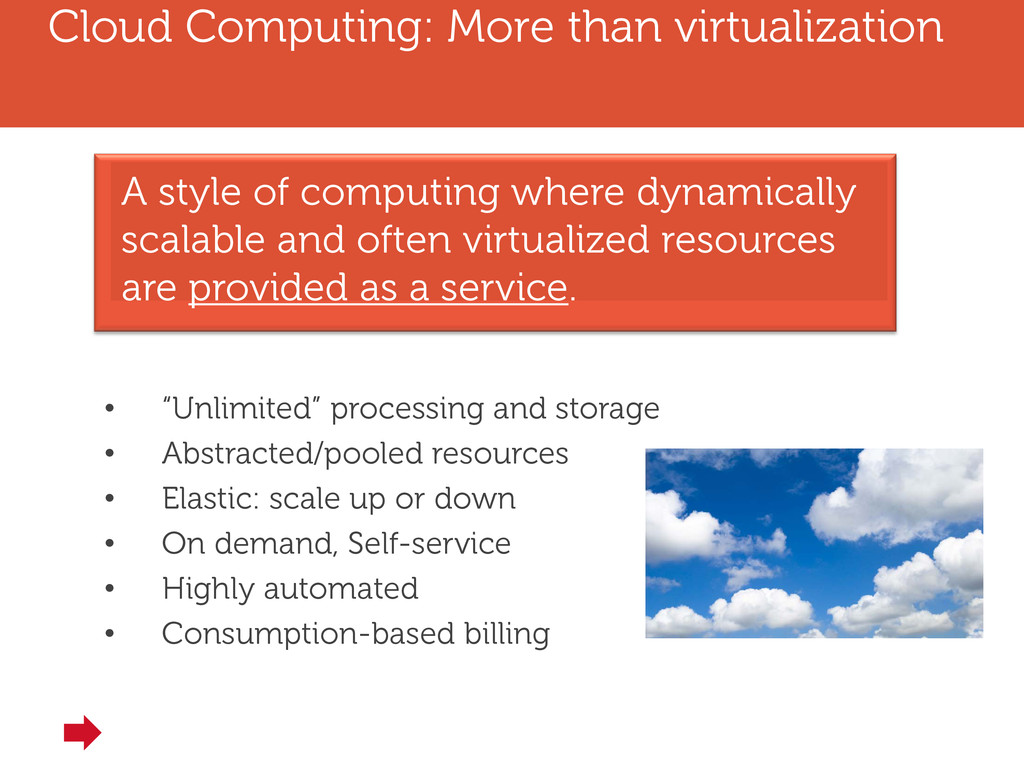
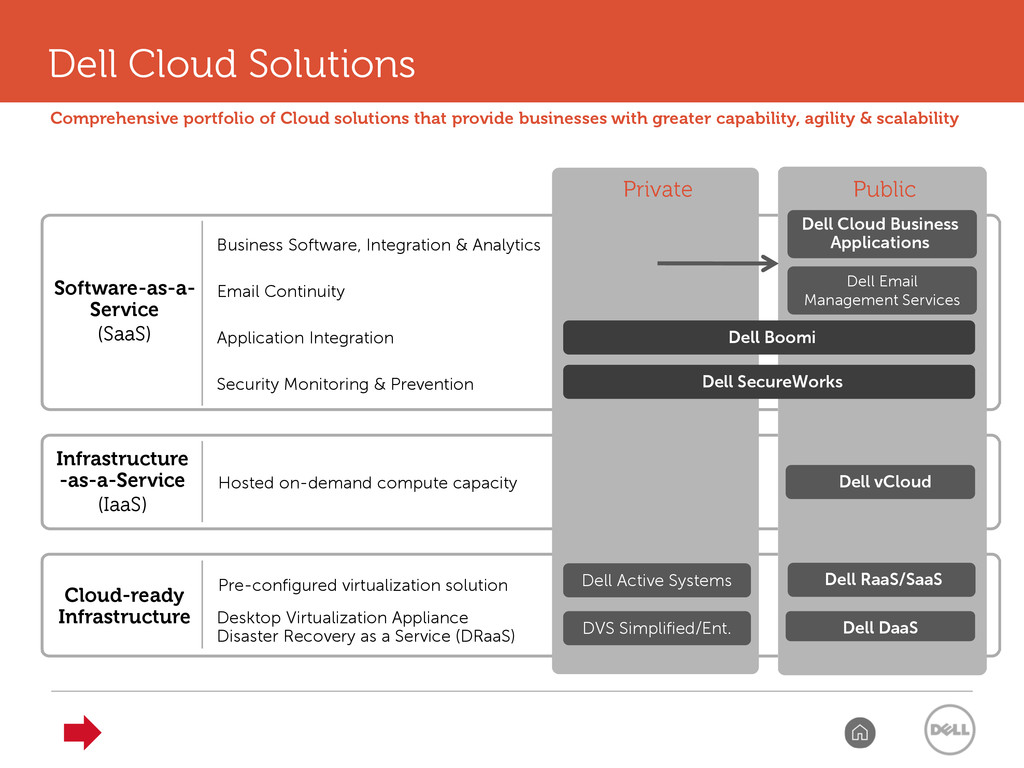
• Abstracted/pooled resources • Elastic: scale up or down • On demand, Self-service • Highly automated • Consumption-based billing A style of computing where dynamically scalable and often virtualized resources are provided as a service.
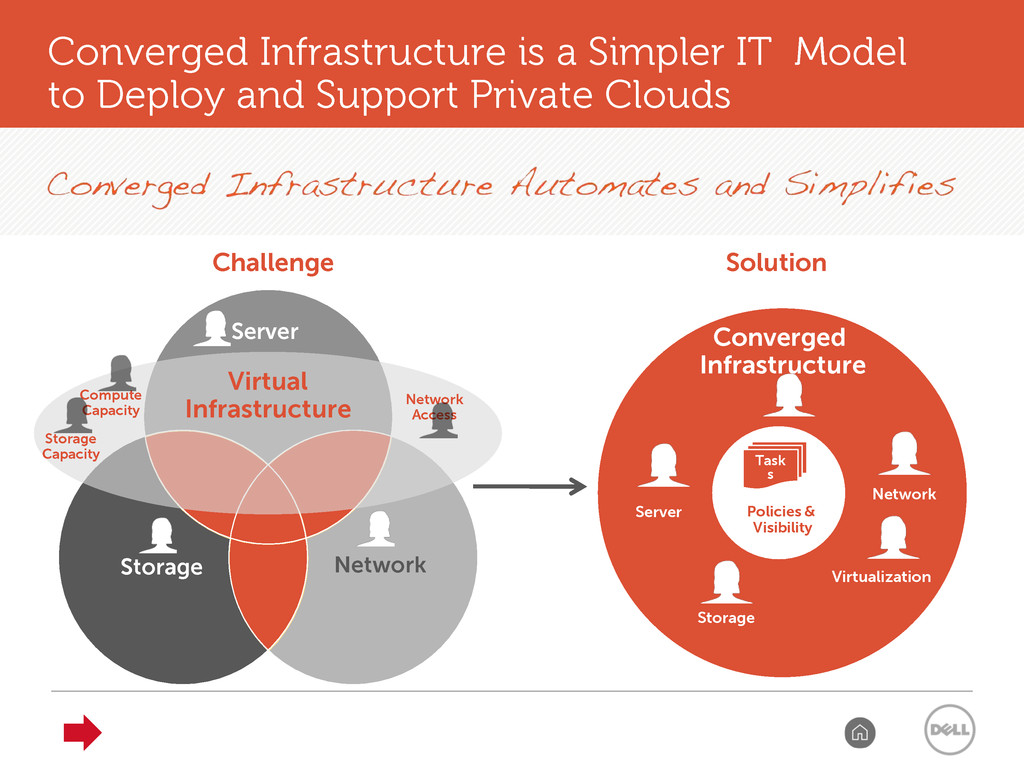
Challenge Solution Converged Infrastructure Server Storage Network Virtualization Network Access Compute Capacity Storage Capacity Converged Infrastructure is a Simpler IT Model to Deploy and Support Private Clouds Policies & Visibility Task s
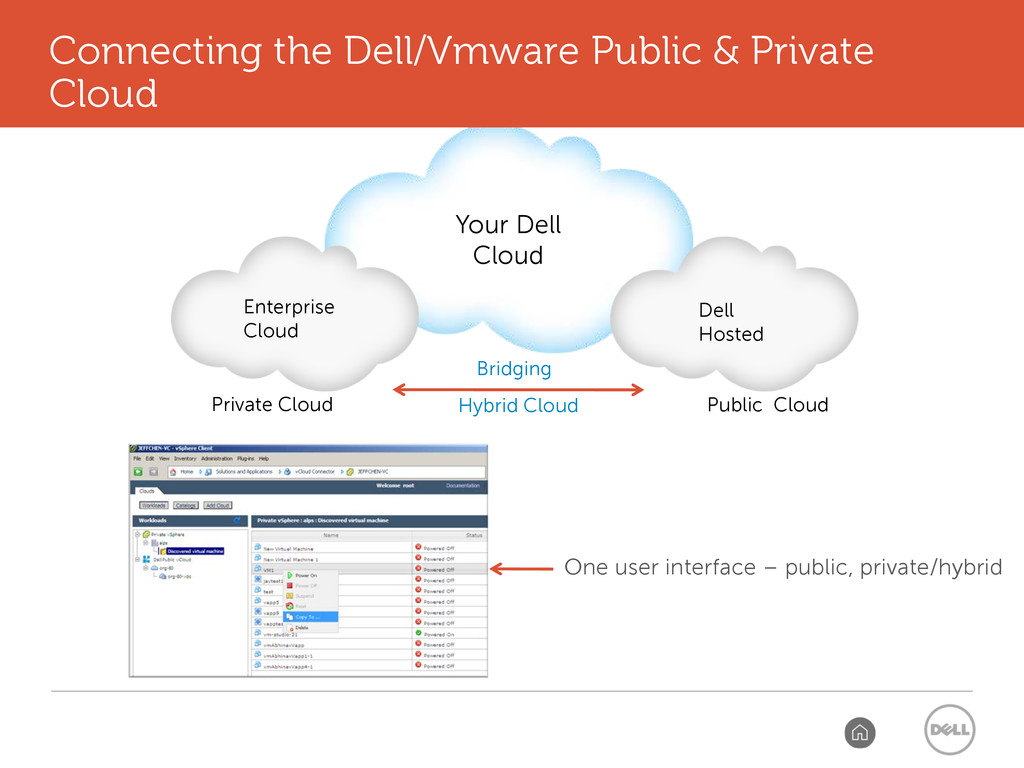
“Defend better” Provide “Do more” Virtualize “Get current” Flexible EUC "Client efficiency" Deliver real-time IT “Change IT model” The Dell Customer Journey– Private Cloud/IaaS DPACK Dell Services GEO Partner Protect & Recovery your Journey Stage 3 Data Availability Optimize Business Critical Applications Stage 2 Critical Apps Stage 1 IT Efficiency Consolidation/ High Availability SonicWall SecureWorks Stage 4 EUC Secure Desktop Solutions for any user on any Device Efficient, Self-Service, Utility Computing Stage 5 Cloud VMware vCloud Suite Hyper-V 2012 Dell OpenStack Active Systems C-Series Active System Mgr. Dell Public Cloud
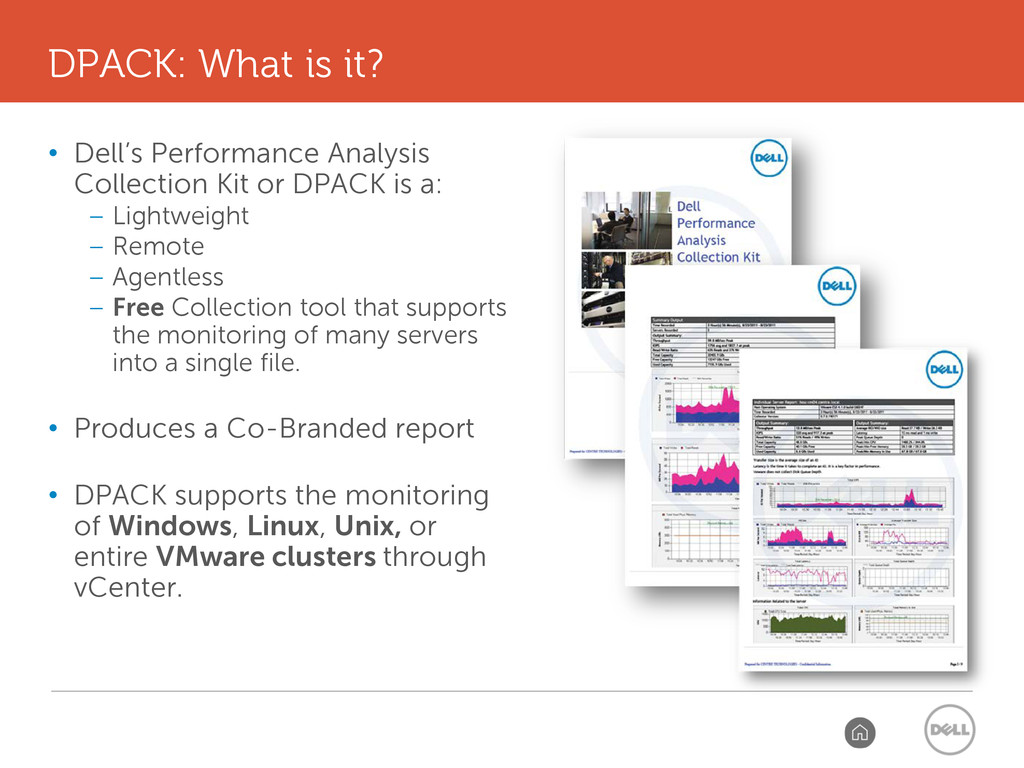
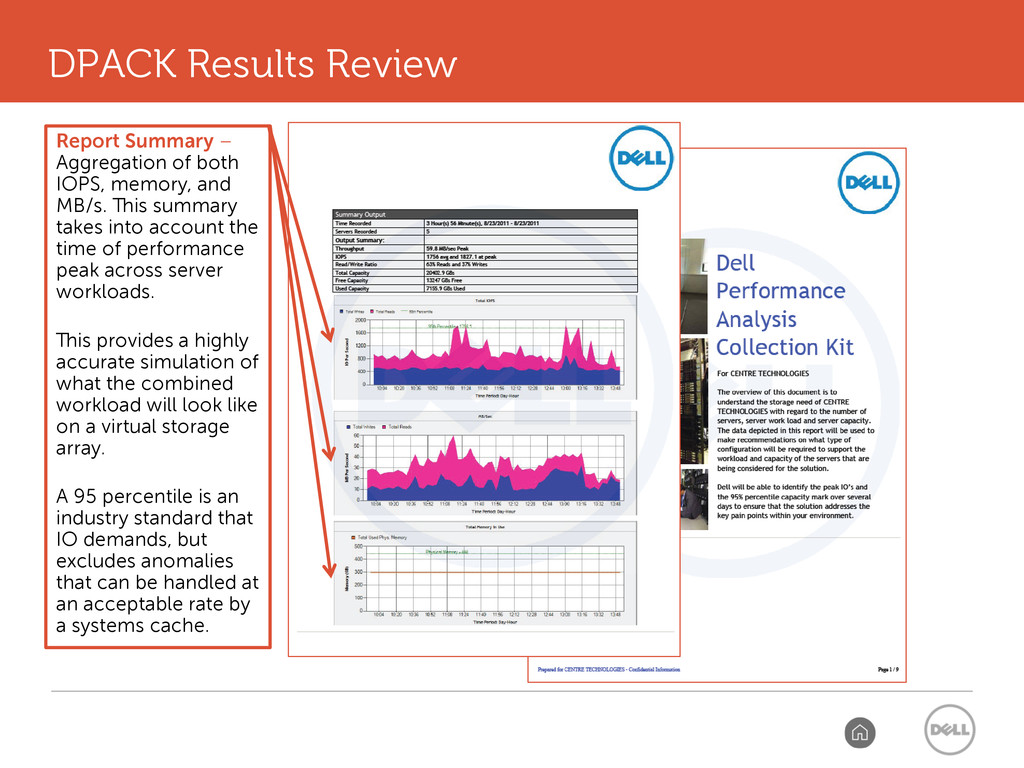
a: – Lightweight – Remote – Agentless – Free Collection tool that supports the monitoring of many servers into a single file. • Produces a Co-Branded report • DPACK supports the monitoring of Windows, Linux, Unix, or entire VMware clusters through vCenter. DPACK: What is it?
and MB/s. This summary takes into account the time of performance peak across server workloads. This provides a highly accurate simulation of what the combined workload will look like on a virtual storage array. A 95 percentile is an industry standard that IO demands, but excludes anomalies that can be handled at an acceptable rate by a systems cache. DPACK Results Review
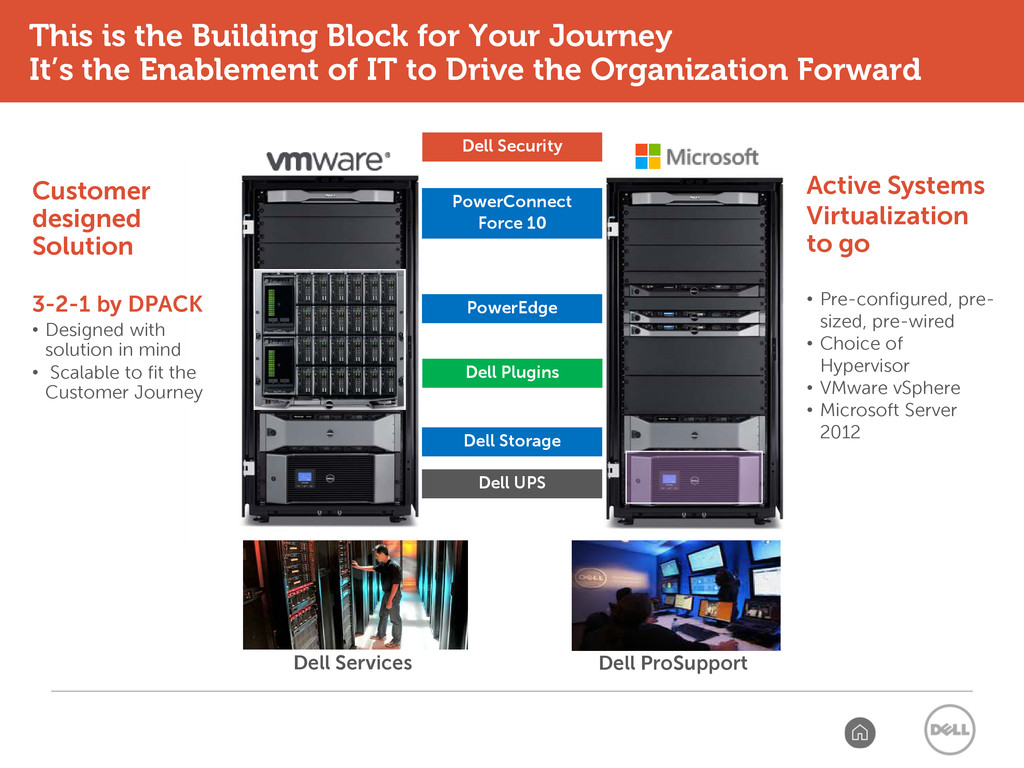
sized, pre-wired • Choice of Hypervisor • VMware vSphere • Microsoft Server 2012 Dell UPS Dell Storage PowerEdge PowerConnect Force 10 Customer designed Solution 3-2-1 by DPACK • Designed with solution in mind • Scalable to fit the Customer Journey 39 Dell ProSupport Dell Services Dell Plugins Dell Security This is the Building Block for Your Journey It’s the Enablement of IT to Drive the Organization Forward
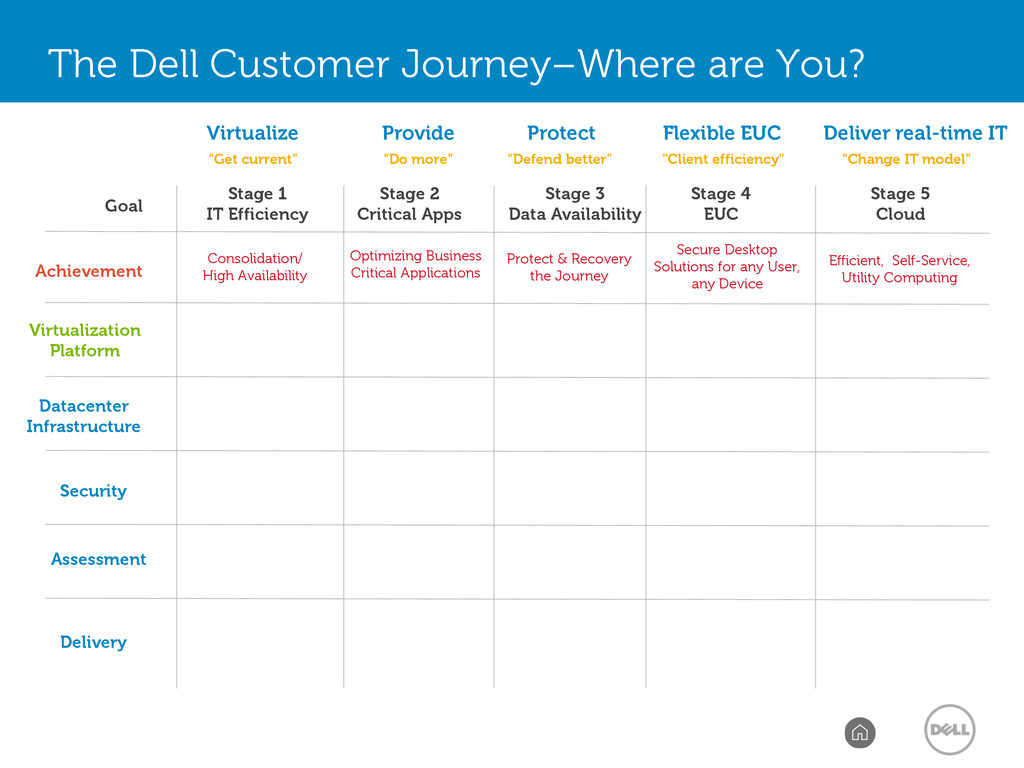
1 IT Efficiency Optimizing Business Critical Applications Protect & Recovery the Journey Secure Desktop Solutions for any User, any Device Efficient, Self-Service, Utility Computing Consolidation/ High Availability Stage 2 Critical Apps Stage 3 Data Availability Stage 4 EUC Stage 5 Cloud Protect “Defend better” Provide “Do more” Virtualize “Get current” Flexible EUC "Client efficiency" Deliver real-time IT “Change IT model” The Dell Customer Journey–Where Do You Want to Go?
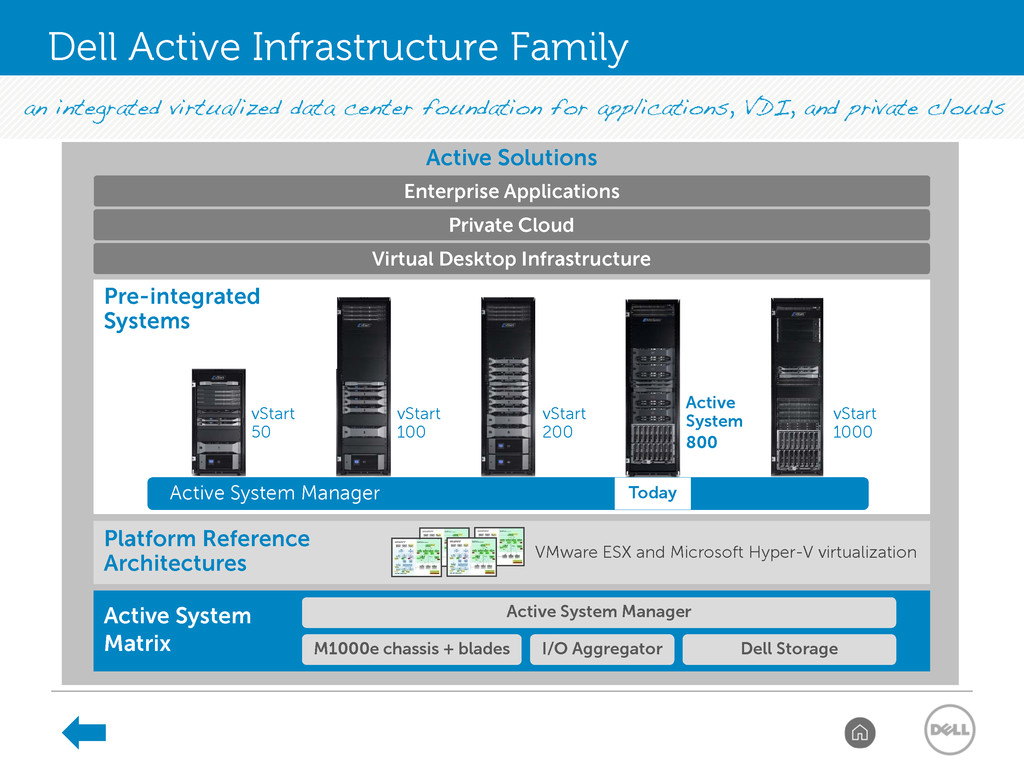
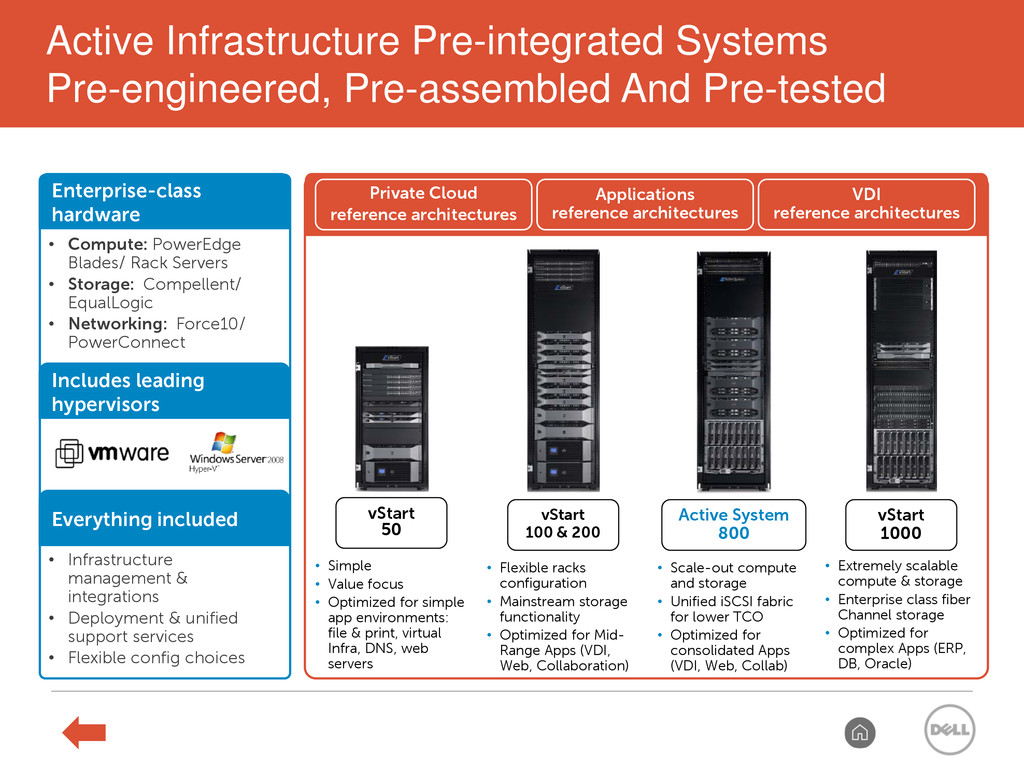
Platform Reference Architectures VMware ESX and Microsoft Hyper-V virtualization Active System 800 vStart 200 vStart 100 vStart 50 vStart 1000 Active Solutions Active System Manager M1000e chassis + blades I/O Aggregator Dell Storage Active System Matrix Active System Manager Today Private Cloud Enterprise Applications Dell Active Infrastructure Family
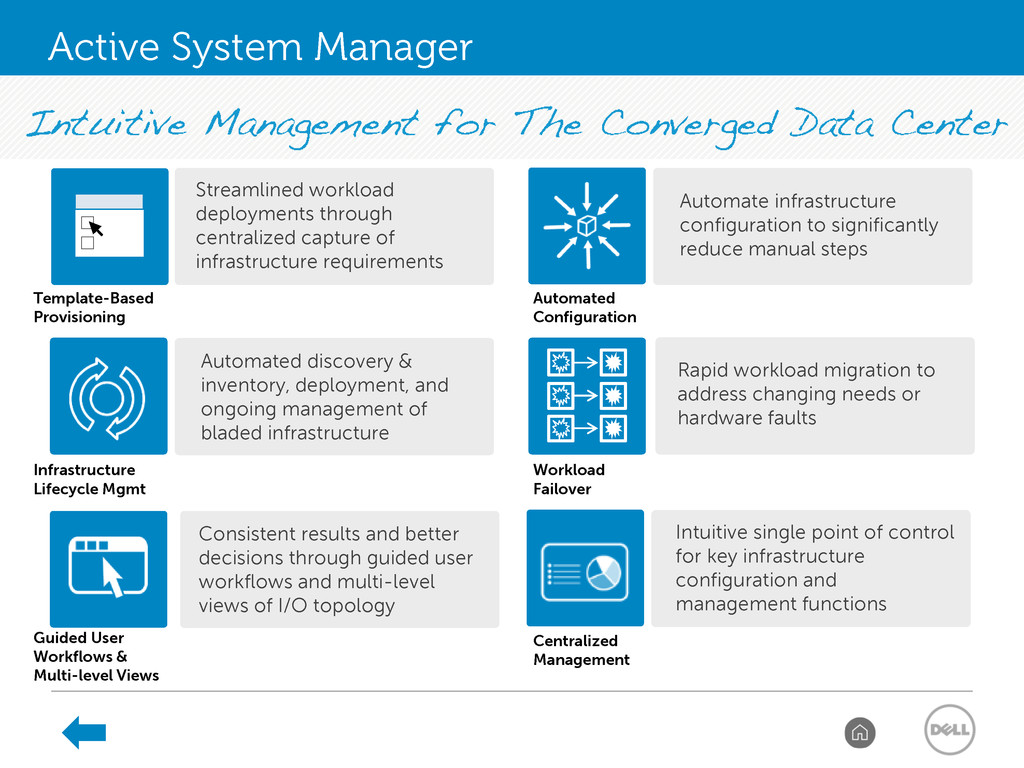
multi-level views of I/O topology Automated discovery & inventory, deployment, and ongoing management of bladed infrastructure Rapid workload migration to address changing needs or hardware faults Streamlined workload deployments through centralized capture of infrastructure requirements Infrastructure Lifecycle Mgmt Workload Failover Centralized Management Template-Based Provisioning Guided User Workflows & Multi-level Views Intuitive single point of control for key infrastructure configuration and management functions Automate infrastructure configuration to significantly reduce manual steps Automated Configuration Confidential 44 2/18/2013 Active System Manager
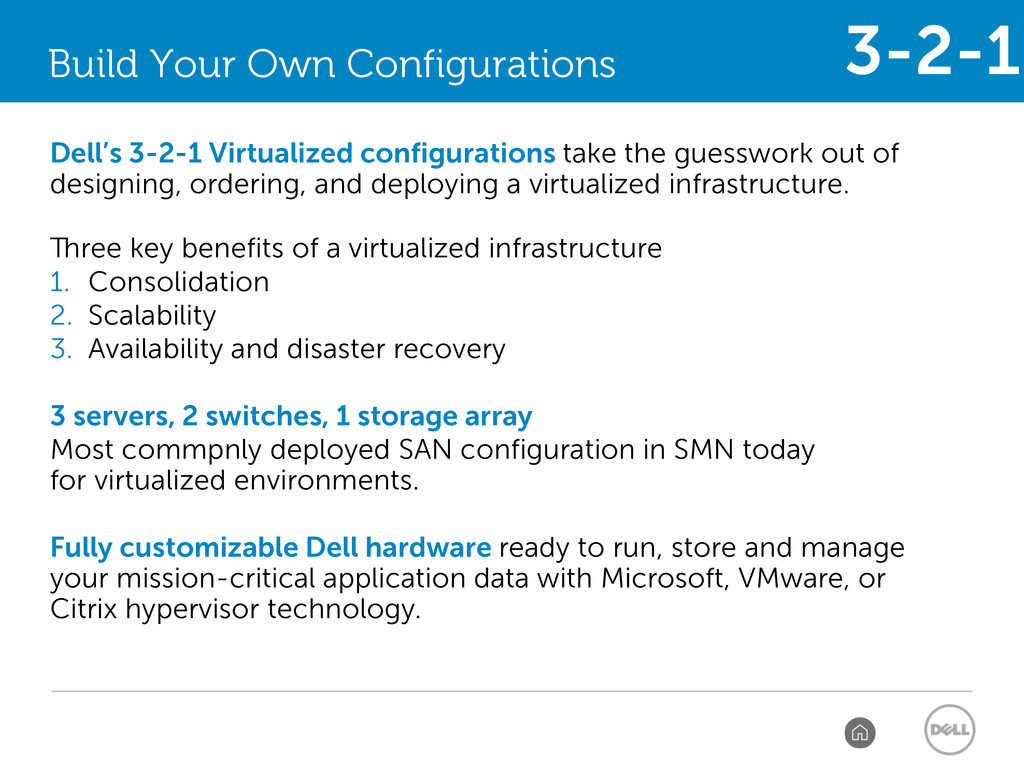
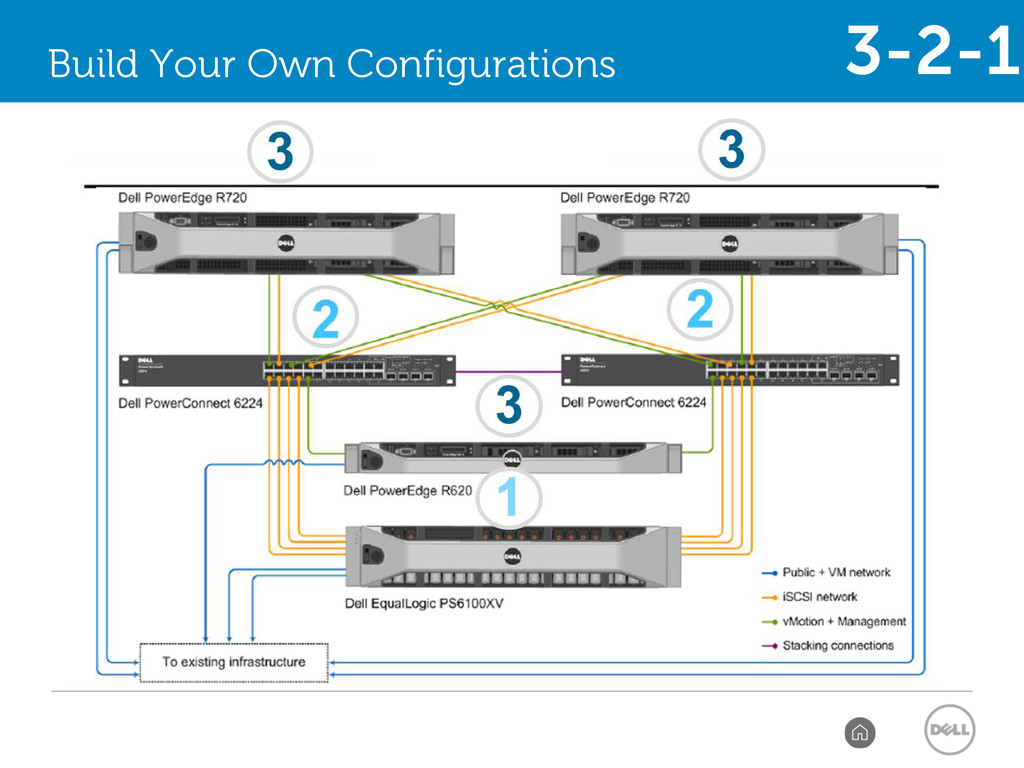
guesswork out of designing, ordering, and deploying a virtualized infrastructure. Three key benefits of a virtualized infrastructure 1. Consolidation 2. Scalability 3. Availability and disaster recovery 3 servers, 2 switches, 1 storage array Most commpnly deployed SAN configuration in SMN today for virtualized environments. Fully customizable Dell hardware ready to run, store and manage your mission-critical application data with Microsoft, VMware, or Citrix hypervisor technology. 3-2-1
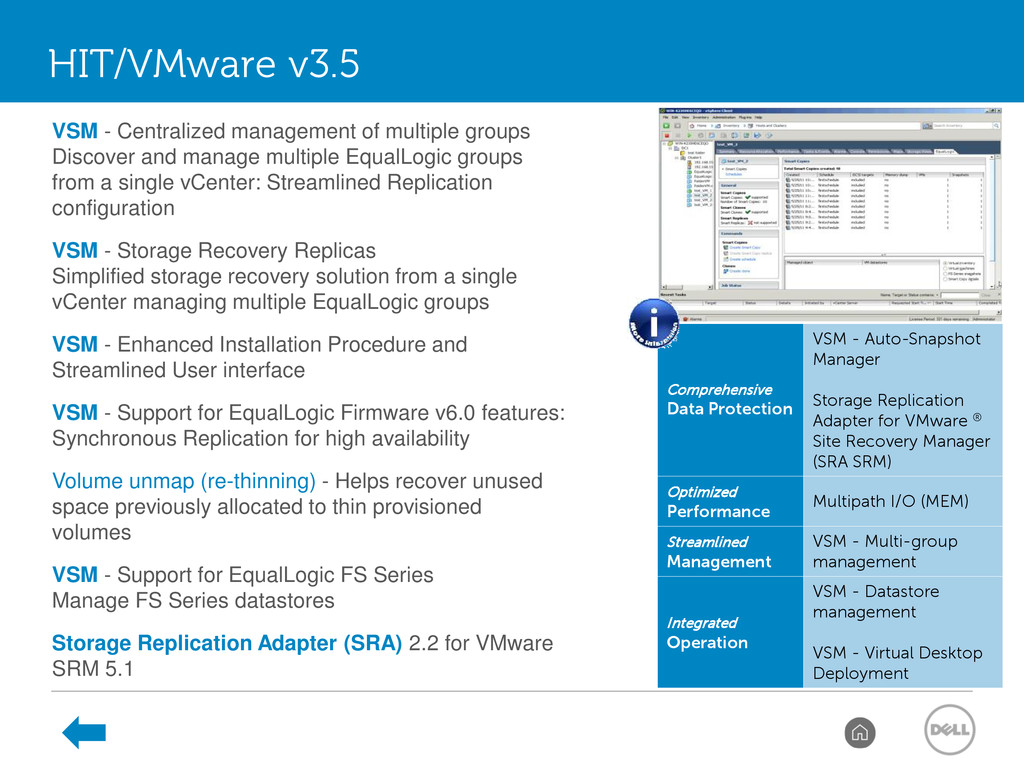
Adapter for VMware ® Site Recovery Manager (SRA SRM) Optimized Performance Multipath I/O (MEM) Streamlined Management VSM - Multi-group management Integrated Operation VSM - Datastore management VSM - Virtual Desktop Deployment HIT/VMware v3.5 VSM - Centralized management of multiple groups Discover and manage multiple EqualLogic groups from a single vCenter: Streamlined Replication configuration VSM - Storage Recovery Replicas Simplified storage recovery solution from a single vCenter managing multiple EqualLogic groups VSM - Enhanced Installation Procedure and Streamlined User interface VSM - Support for EqualLogic Firmware v6.0 features: Synchronous Replication for high availability Volume unmap (re-thinning) - Helps recover unused space previously allocated to thin provisioned volumes VSM - Support for EqualLogic FS Series Manage FS Series datastores Storage Replication Adapter (SRA) 2.2 for VMware SRM 5.1
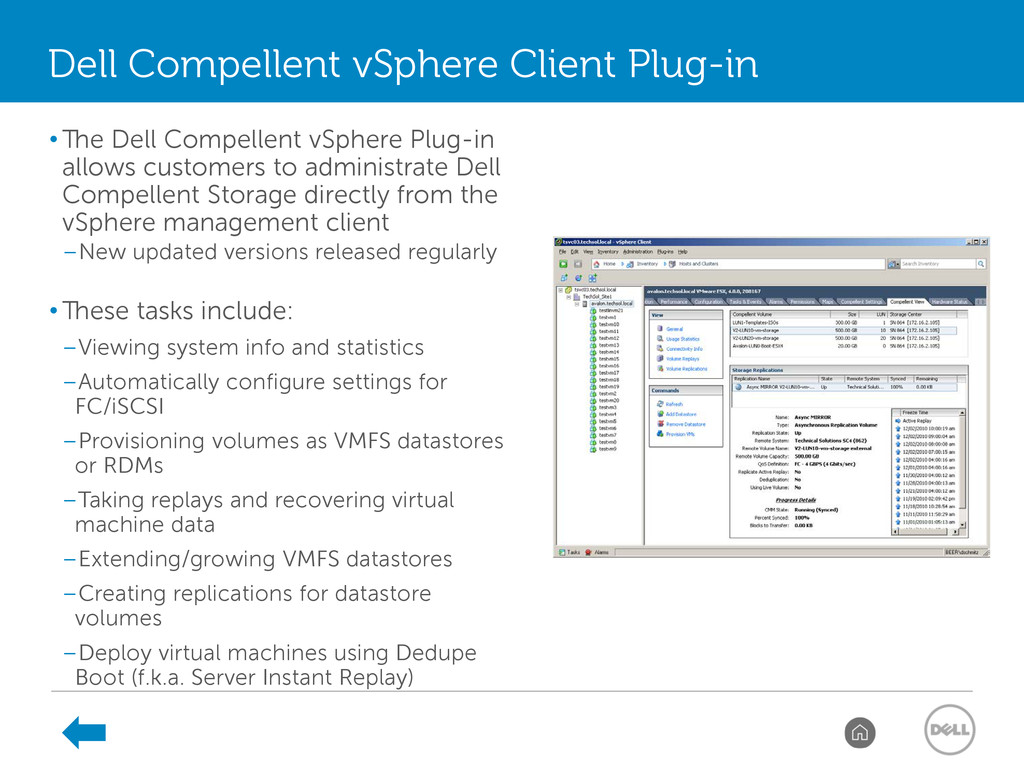
administrate Dell Compellent Storage directly from the vSphere management client –New updated versions released regularly • These tasks include: –Viewing system info and statistics –Automatically configure settings for FC/iSCSI –Provisioning volumes as VMFS datastores or RDMs –Taking replays and recovering virtual machine data –Extending/growing VMFS datastores –Creating replications for datastore volumes –Deploy virtual machines using Dedupe Boot (f.k.a. Server Instant Replay) Dell Compellent vSphere Client Plug-in
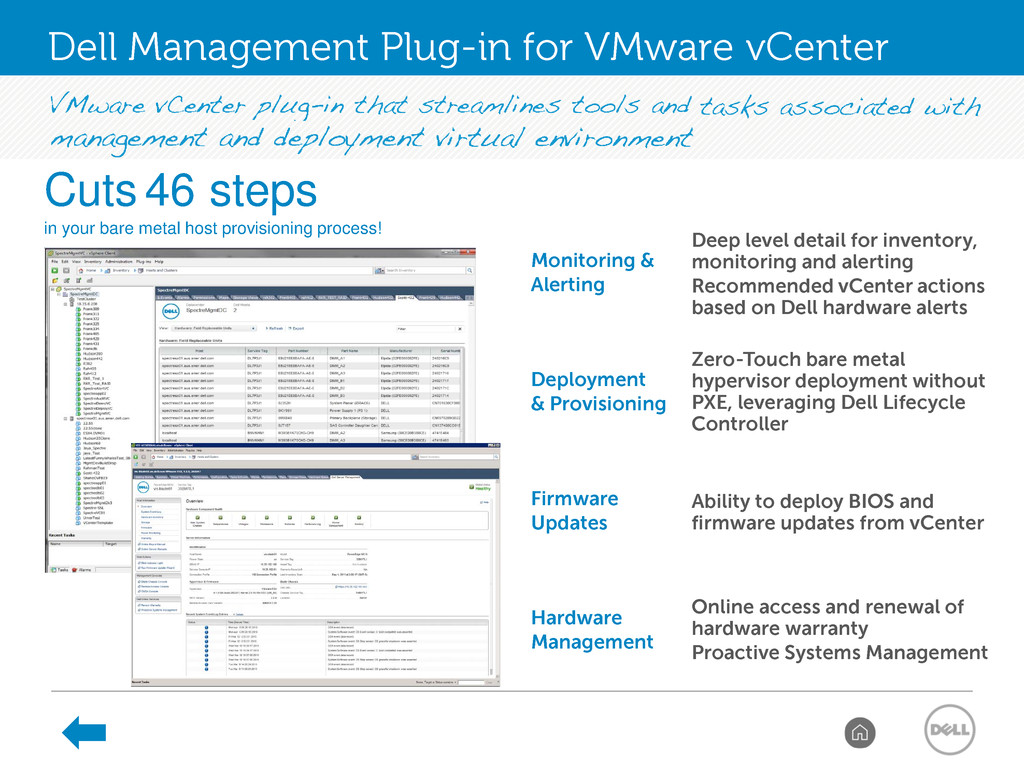
and alerting • Recommended vCenter actions based on Dell hardware alerts Deployment & Provisioning • Zero-Touch bare metal hypervisor deployment without PXE, leveraging Dell Lifecycle Controller Firmware Updates • Ability to deploy BIOS and firmware updates from vCenter Hardware Management • Online access and renewal of hardware warranty • Proactive Systems Management Cuts 46 steps in your bare metal host provisioning process! Dell Management Plug-in for VMware vCenter
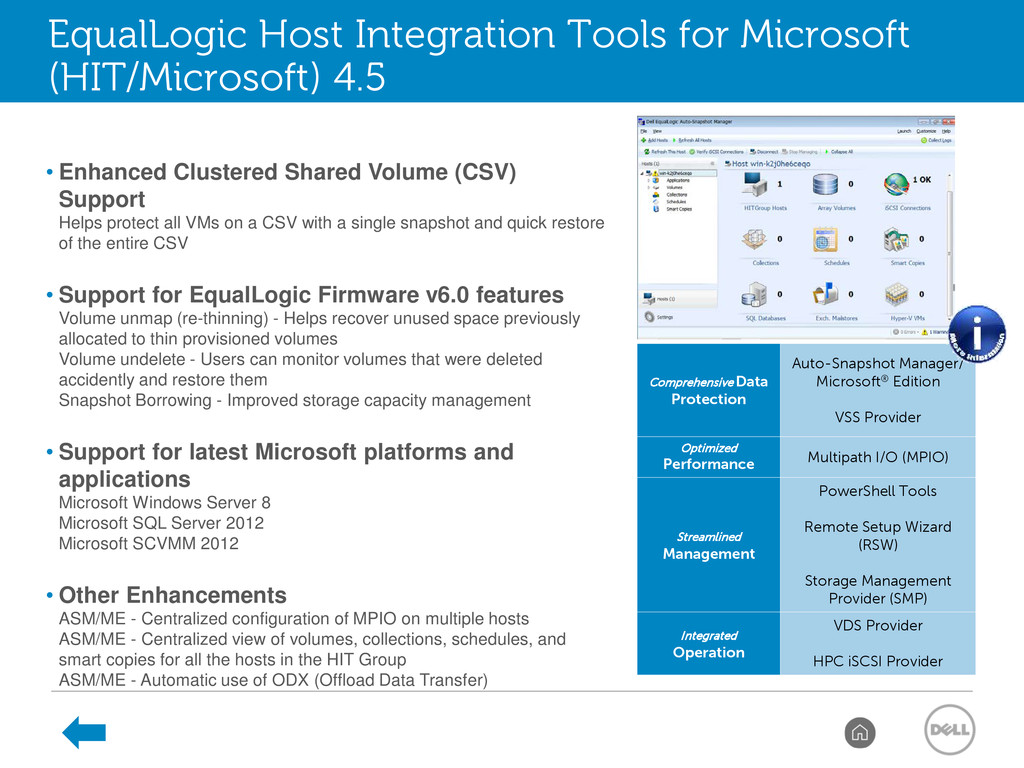
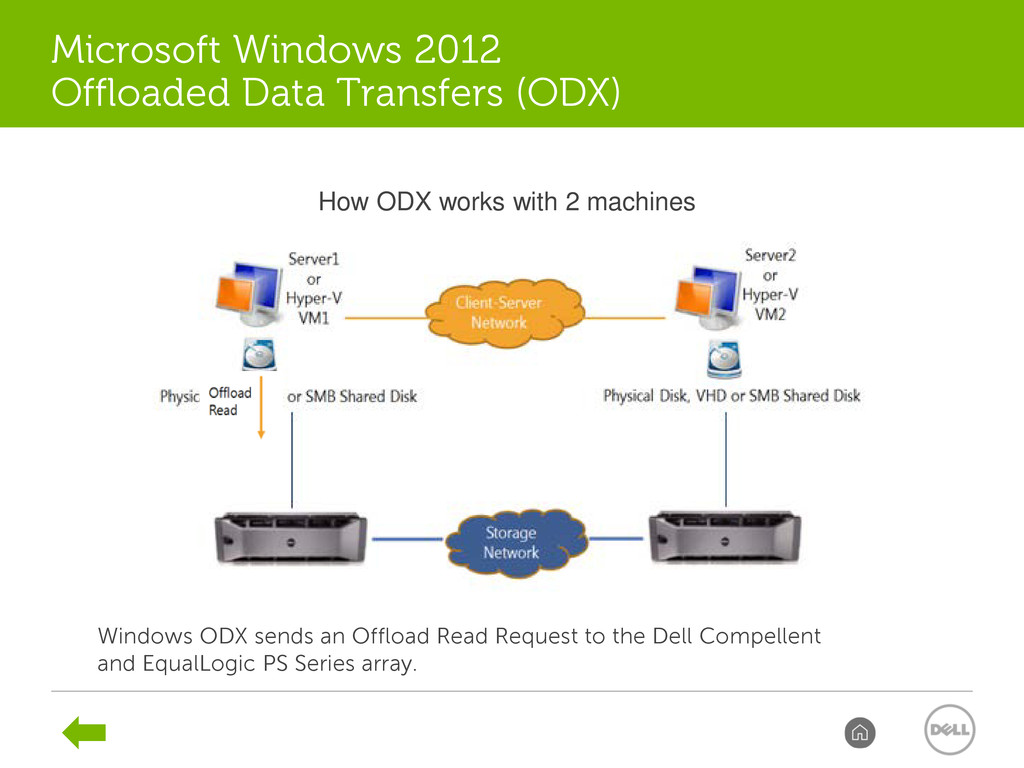
Performance Multipath I/O (MPIO) Streamlined Management PowerShell Tools Remote Setup Wizard (RSW) Storage Management Provider (SMP) Integrated Operation VDS Provider HPC iSCSI Provider 50 EqualLogic Host Integration Tools for Microsoft (HIT/Microsoft) 4.5 • Enhanced Clustered Shared Volume (CSV) Support Helps protect all VMs on a CSV with a single snapshot and quick restore of the entire CSV • Support for EqualLogic Firmware v6.0 features Volume unmap (re-thinning) - Helps recover unused space previously allocated to thin provisioned volumes Volume undelete - Users can monitor volumes that were deleted accidently and restore them Snapshot Borrowing - Improved storage capacity management • Support for latest Microsoft platforms and applications Microsoft Windows Server 8 Microsoft SQL Server 2012 Microsoft SCVMM 2012 • Other Enhancements ASM/ME - Centralized configuration of MPIO on multiple hosts ASM/ME - Centralized view of volumes, collections, schedules, and smart copies for all the hosts in the HIT Group ASM/ME - Automatic use of ODX (Offload Data Transfer)
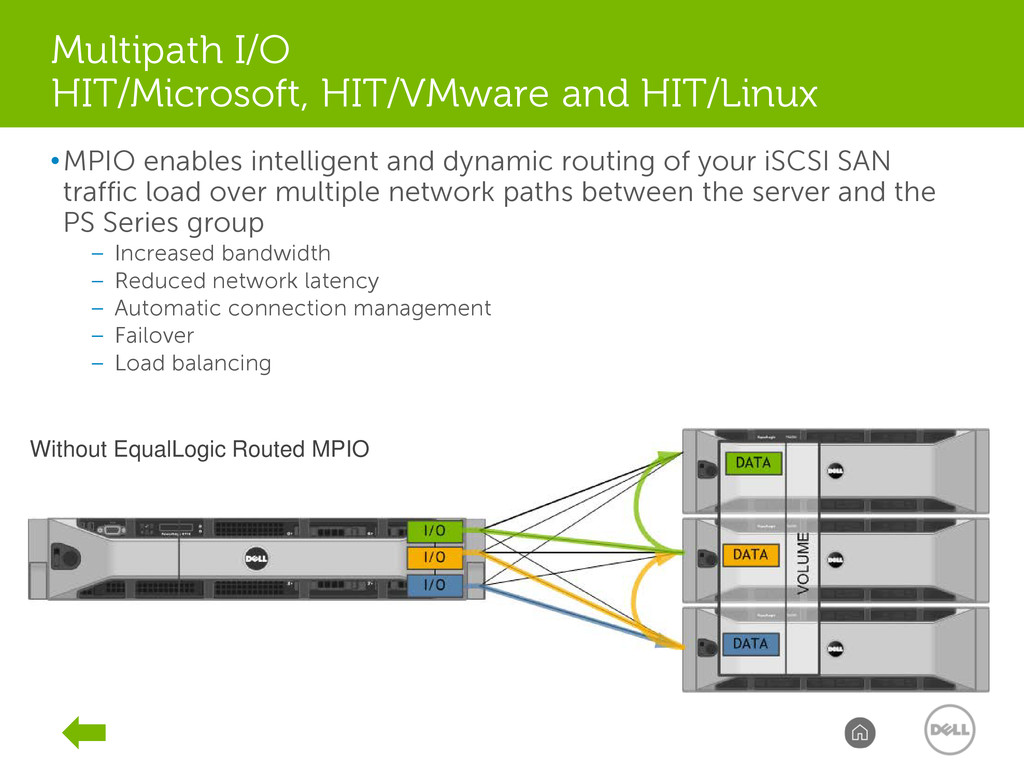
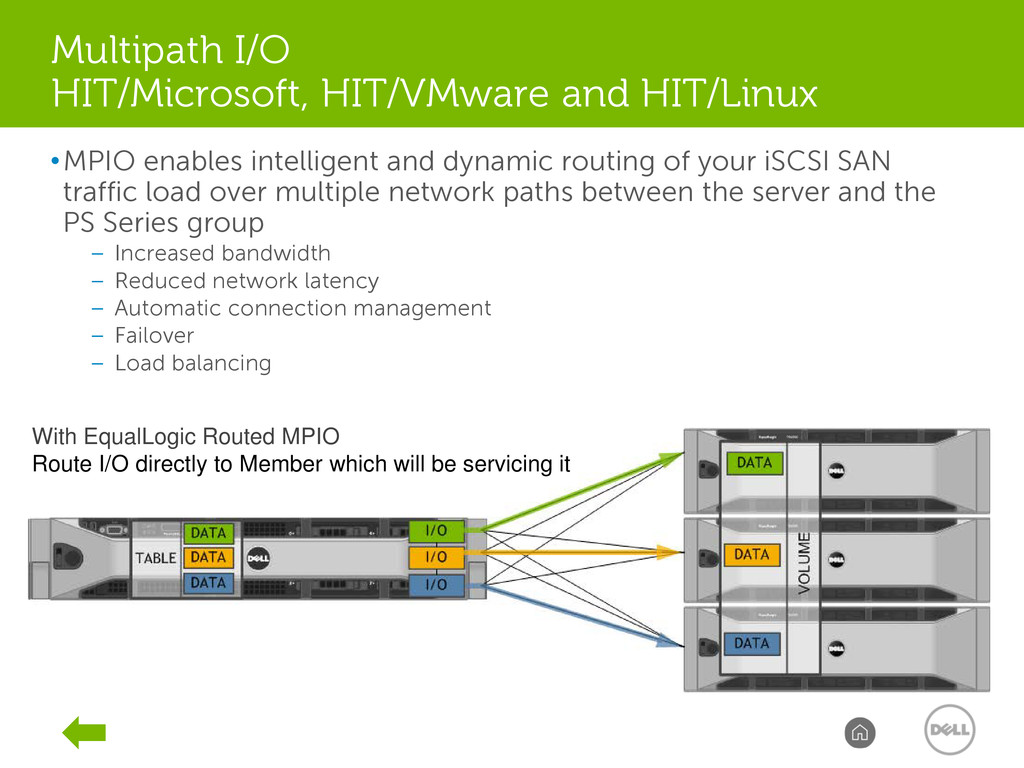
traffic load over multiple network paths between the server and the PS Series group – Increased bandwidth – Reduced network latency – Automatic connection management – Failover – Load balancing DELL CONFIDENTIAL 56 Without EqualLogic Routed MPIO With EqualLogic Routed MPIO Route I/O directly to Member which will be servicing it Multipath I/O HIT/Microsoft, HIT/VMware and HIT/Linux
traffic load over multiple network paths between the server and the PS Series group – Increased bandwidth – Reduced network latency – Automatic connection management – Failover – Load balancing DELL CONFIDENTIAL 57 Without EqualLogic Routed MPIO With EqualLogic Routed MPIO Route I/O directly to Member which will be servicing it Multipath I/O HIT/Microsoft, HIT/VMware and HIT/Linux
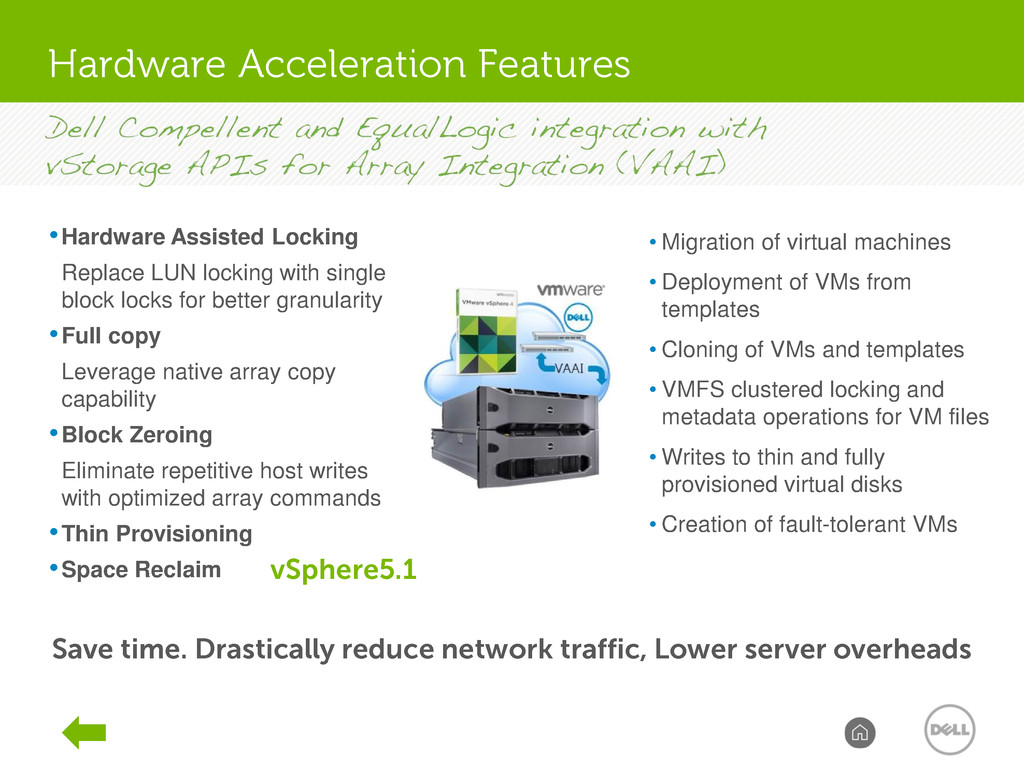
server overheads 58 Support for VAAI offers… •Hardware Assisted Locking Replace LUN locking with single block locks for better granularity •Full copy Leverage native array copy capability •Block Zeroing Eliminate repetitive host writes with optimized array commands •Thin Provisioning •Space Reclaim Enabling fast and efficient… • Migration of virtual machines • Deployment of VMs from templates • Cloning of VMs and templates • VMFS clustered locking and metadata operations for VM files • Writes to thin and fully provisioned virtual disks • Creation of fault-tolerant VMs vSphere5.1 Hardware Acceleration Features
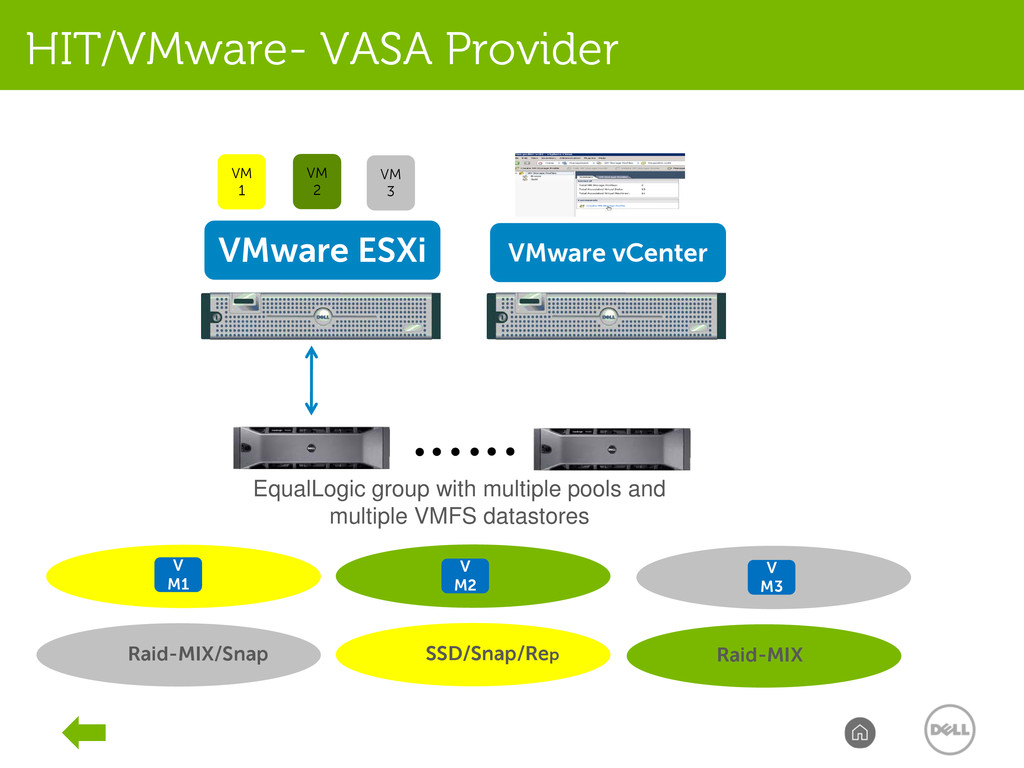
3 Raid-MIX/Snap SSD/Snap/Rep Raid-MIX V M1 V M2 V M3 EqualLogic group with multiple pools and multiple VMFS datastores VMware vCenter HIT/VMware- VASA Provider
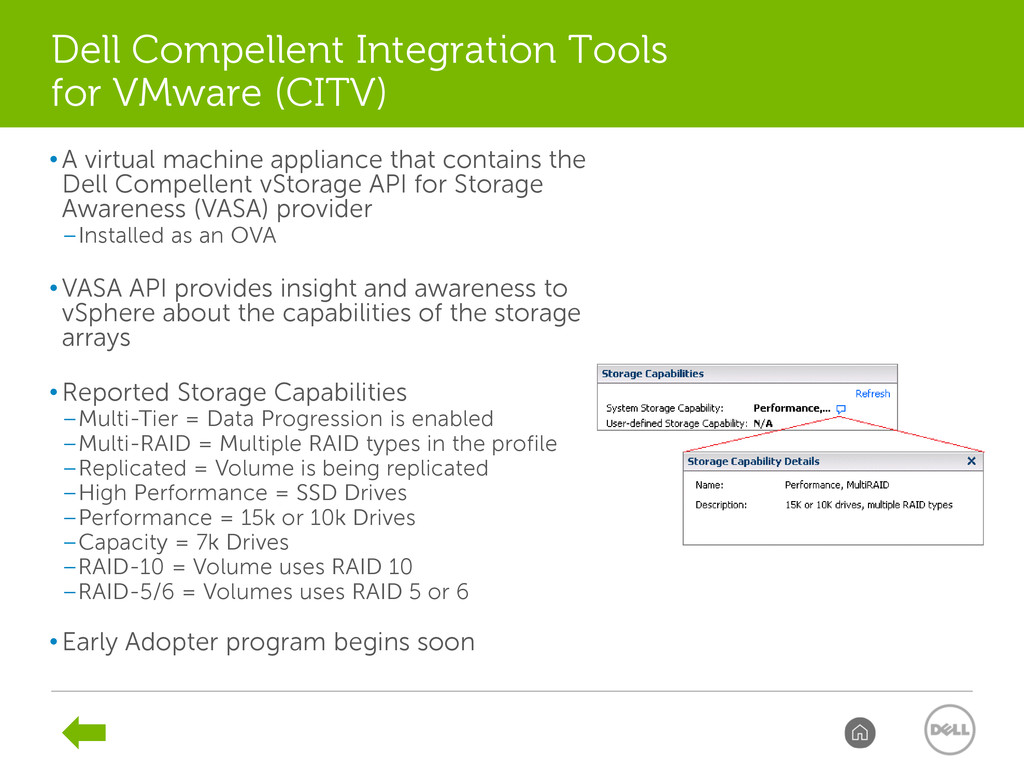
vStorage API for Storage Awareness (VASA) provider –Installed as an OVA • VASA API provides insight and awareness to vSphere about the capabilities of the storage arrays • Reported Storage Capabilities –Multi-Tier = Data Progression is enabled –Multi-RAID = Multiple RAID types in the profile –Replicated = Volume is being replicated –High Performance = SSD Drives –Performance = 15k or 10k Drives –Capacity = 7k Drives –RAID-10 = Volume uses RAID 10 –RAID-5/6 = Volumes uses RAID 5 or 6 • Early Adopter program begins soon Dell Compellent Integration Tools for VMware (CITV)
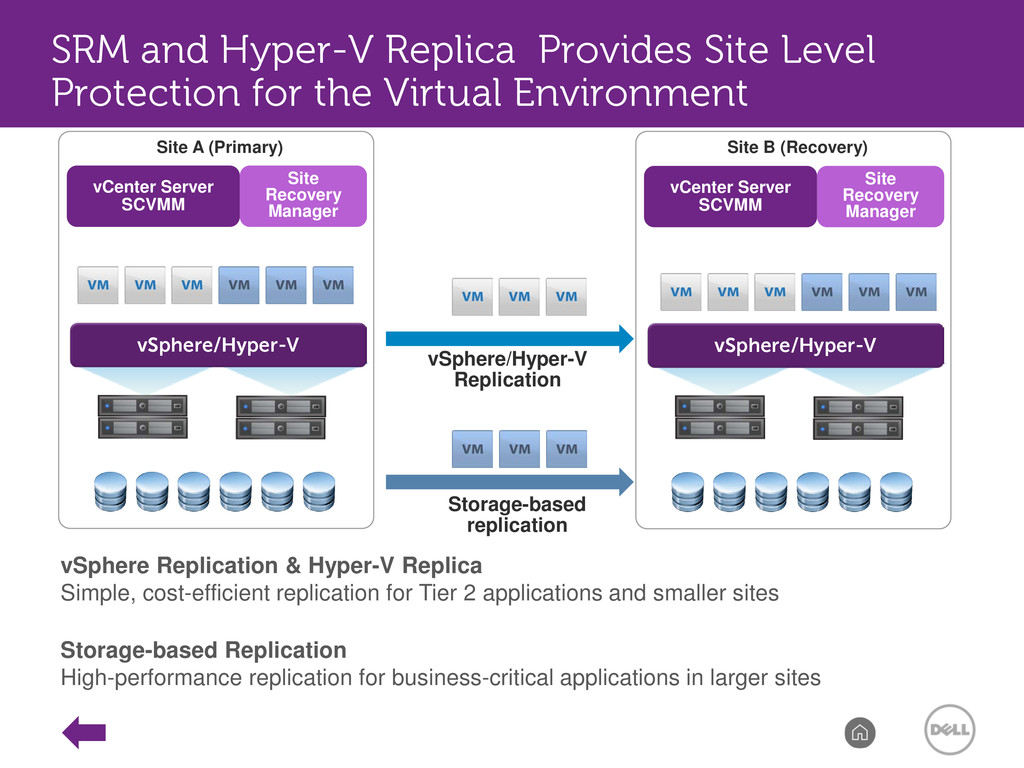
2 applications and smaller sites Storage-based Replication High-performance replication for business-critical applications in larger sites vCenter Server SCVMM Site Recovery Manager vSphere/Hyper-V vCenter Server SCVMM Site Recovery Manager vSphere/Hyper-V vSphere/Hyper-V Replication Storage-based replication Site A (Primary) Site B (Recovery) SRM and Hyper-V Replica Provides Site Level Protection for the Virtual Environment
(SRM/Hyper-V Replica) enables comprehensive disaster recovery Redundant hardware and SyncRep provide 99.999 percent availability for physical storage components Integration with hypervisors protects the virtual enterprise Auto-Snapshot Manager protects application data Exchange Use Case: Multi-layer Protection From File To Datacenter SharePoint
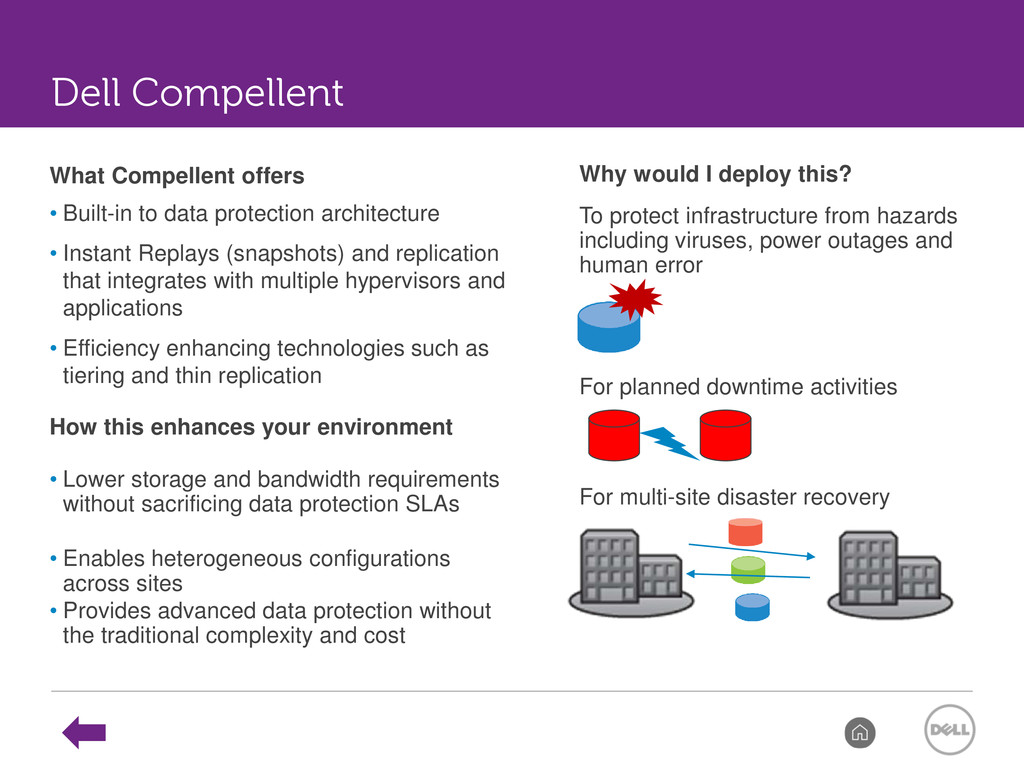
Instant Replays (snapshots) and replication that integrates with multiple hypervisors and applications • Efficiency enhancing technologies such as tiering and thin replication How this enhances your environment • Lower storage and bandwidth requirements without sacrificing data protection SLAs • Enables heterogeneous configurations across sites • Provides advanced data protection without the traditional complexity and cost Why would I deploy this? To protect infrastructure from hazards including viruses, power outages and human error For planned downtime activities For multi-site disaster recovery Dell Compellent
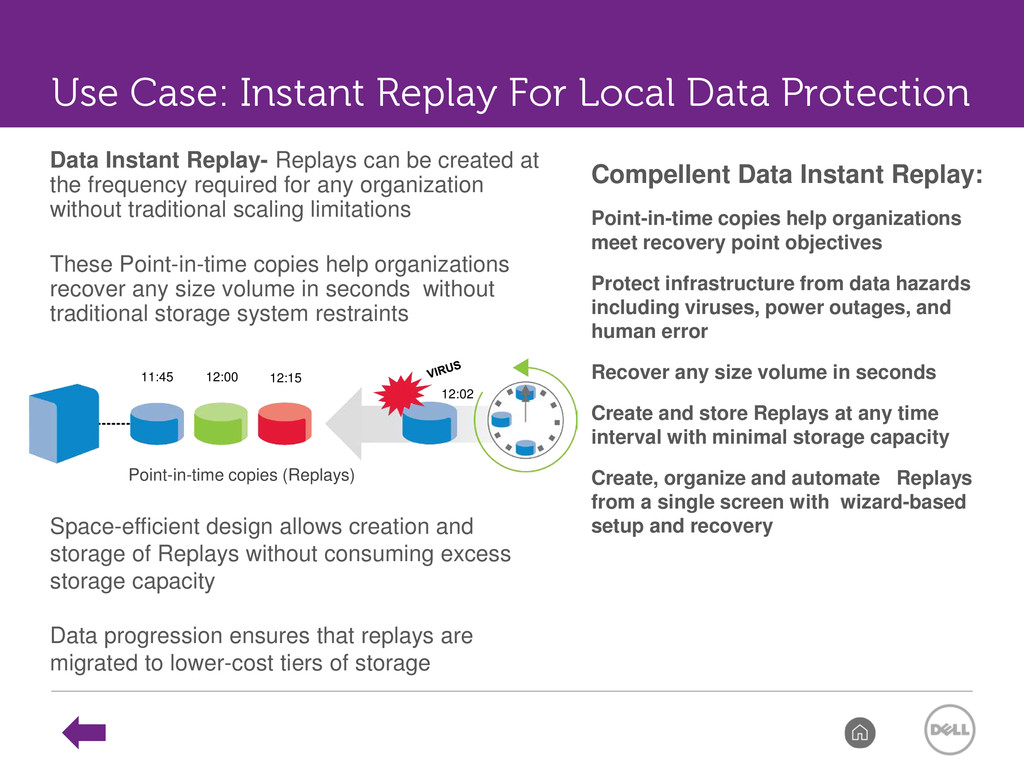
be created at the frequency required for any organization without traditional scaling limitations These Point-in-time copies help organizations recover any size volume in seconds without traditional storage system restraints Point-in-time copies (Replays) Space-efficient design allows creation and storage of Replays without consuming excess storage capacity Data progression ensures that replays are migrated to lower-cost tiers of storage Use Case: Instant Replay For Local Data Protection Compellent Data Instant Replay: Point-in-time copies help organizations meet recovery point objectives Protect infrastructure from data hazards including viruses, power outages, and human error Recover any size volume in seconds Create and store Replays at any time interval with minimal storage capacity Create, organize and automate Replays from a single screen with wizard-based setup and recovery
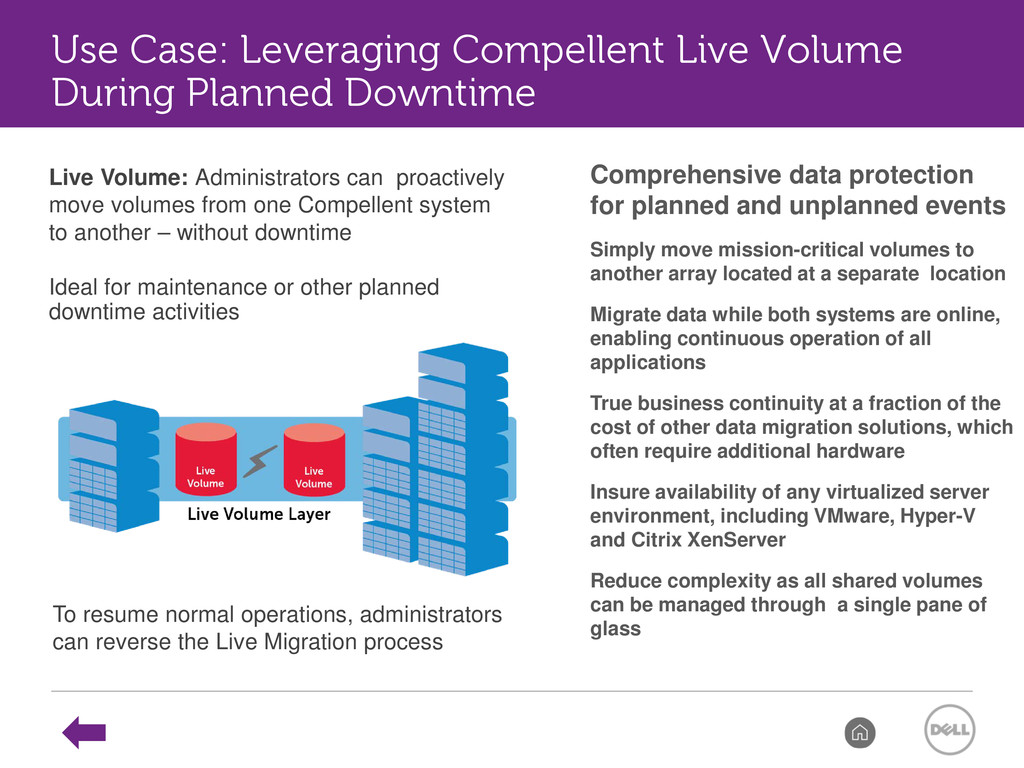
system to another – without downtime Ideal for maintenance or other planned downtime activities To resume normal operations, administrators can reverse the Live Migration process Comprehensive data protection for planned and unplanned events Simply move mission-critical volumes to another array located at a separate location Migrate data while both systems are online, enabling continuous operation of all applications True business continuity at a fraction of the cost of other data migration solutions, which often require additional hardware Insure availability of any virtualized server environment, including VMware, Hyper-V and Citrix XenServer Reduce complexity as all shared volumes can be managed through a single pane of glass Use Case: Leveraging Compellent Live Volume During Planned Downtime
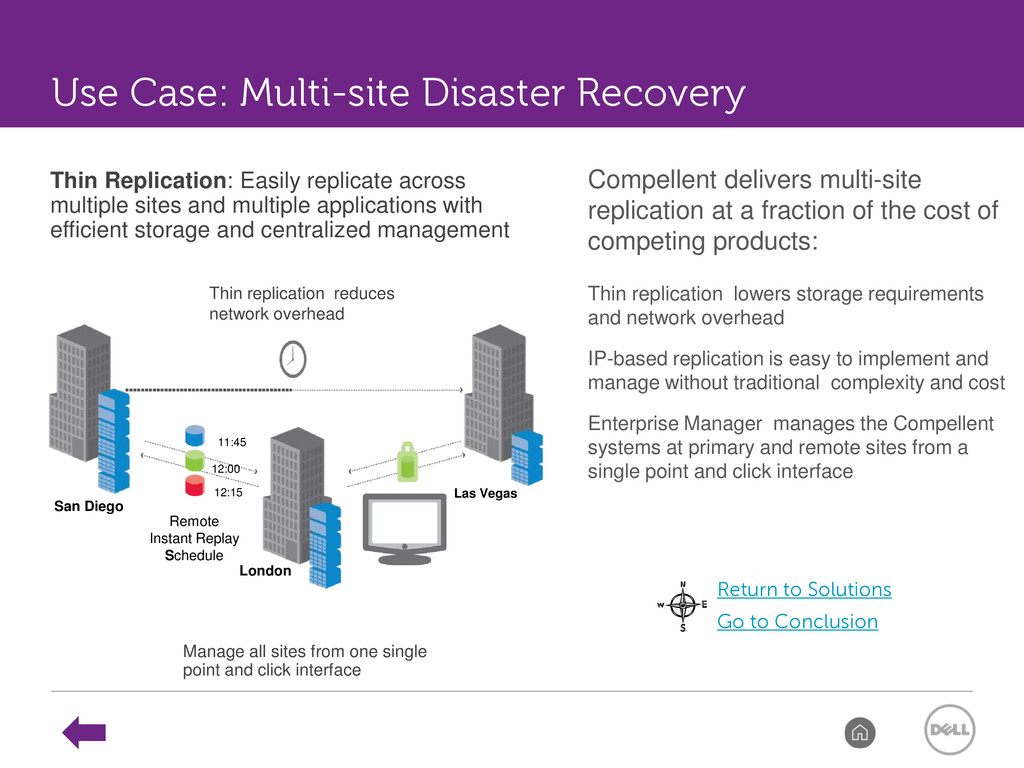
of competing products: Thin replication lowers storage requirements and network overhead IP-based replication is easy to implement and manage without traditional complexity and cost Enterprise Manager manages the Compellent systems at primary and remote sites from a single point and click interface San Diego London Las Vegas Remote Instant Replay Schedule 12:15 12:00 11:45 Thin Replication: Easily replicate across multiple sites and multiple applications with efficient storage and centralized management Manage all sites from one single point and click interface Thin replication reduces network overhead Return to Solutions Go to Conclusion Use Case: Multi-site Disaster Recovery
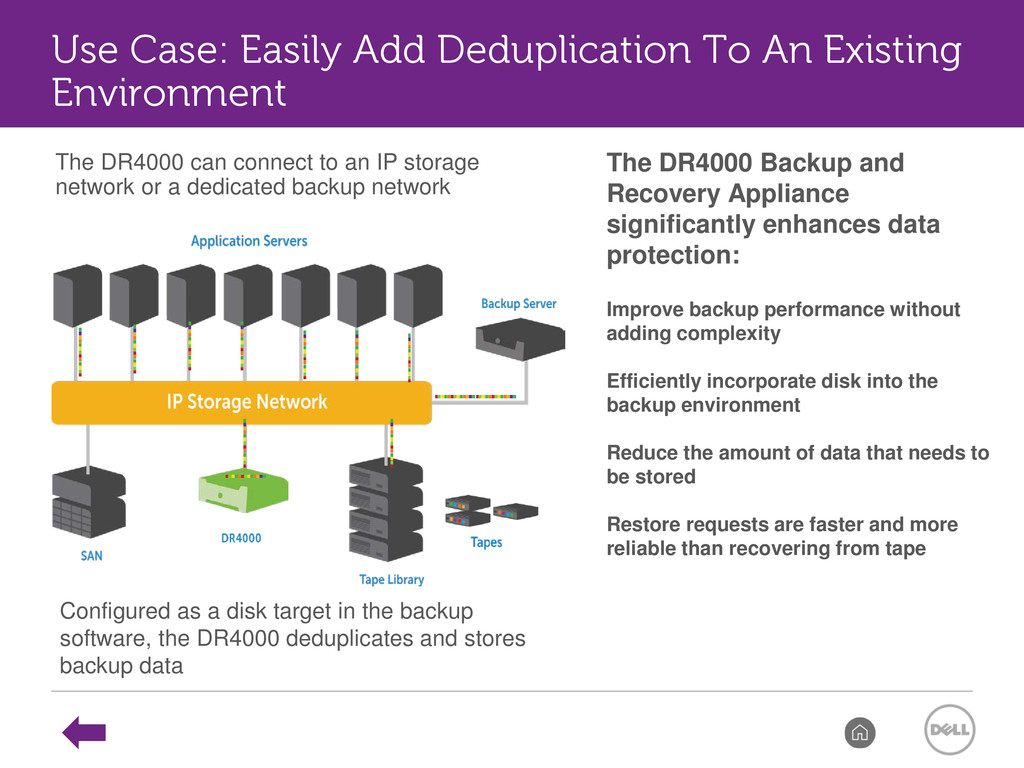
Improve backup performance without adding complexity Efficiently incorporate disk into the backup environment Reduce the amount of data that needs to be stored Restore requests are faster and more reliable than recovering from tape Configured as a disk target in the backup software, the DR4000 deduplicates and stores backup data The DR4000 can connect to an IP storage network or a dedicated backup network Use Case: Easily Add Deduplication To An Existing Environment
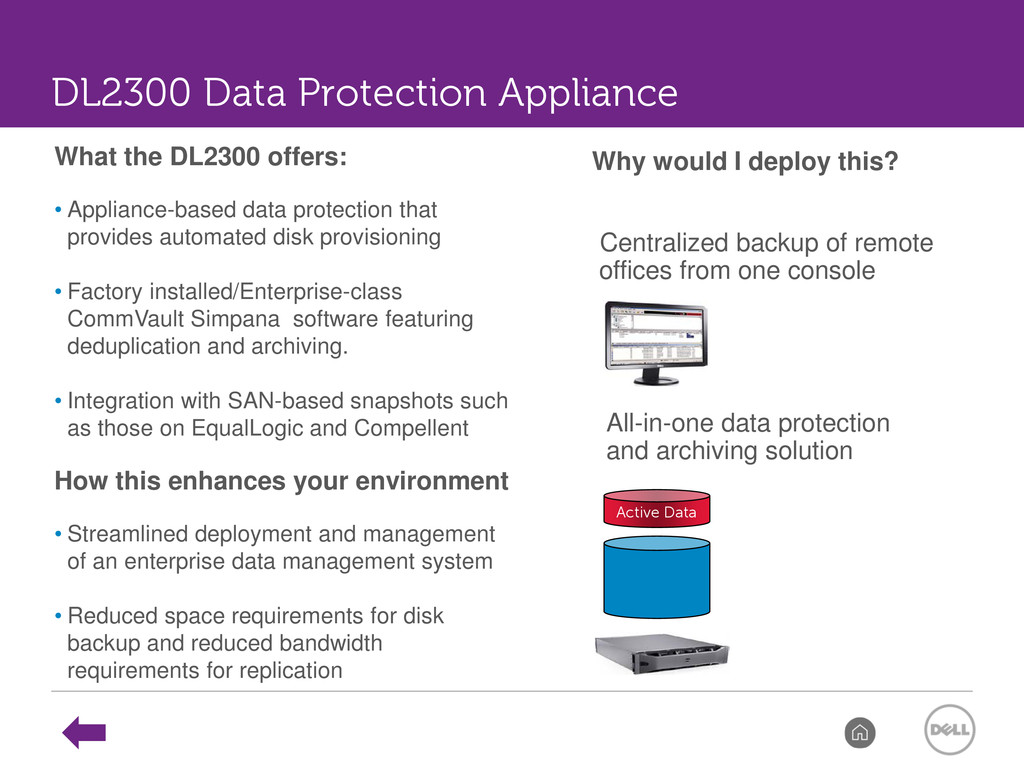
automated disk provisioning • Factory installed/Enterprise-class CommVault Simpana software featuring deduplication and archiving. • Integration with SAN-based snapshots such as those on EqualLogic and Compellent How this enhances your environment • Streamlined deployment and management of an enterprise data management system • Reduced space requirements for disk backup and reduced bandwidth requirements for replication Why would I deploy this? Centralized backup of remote offices from one console All-in-one data protection and archiving solution Active Data DL2300 Data Protection Appliance
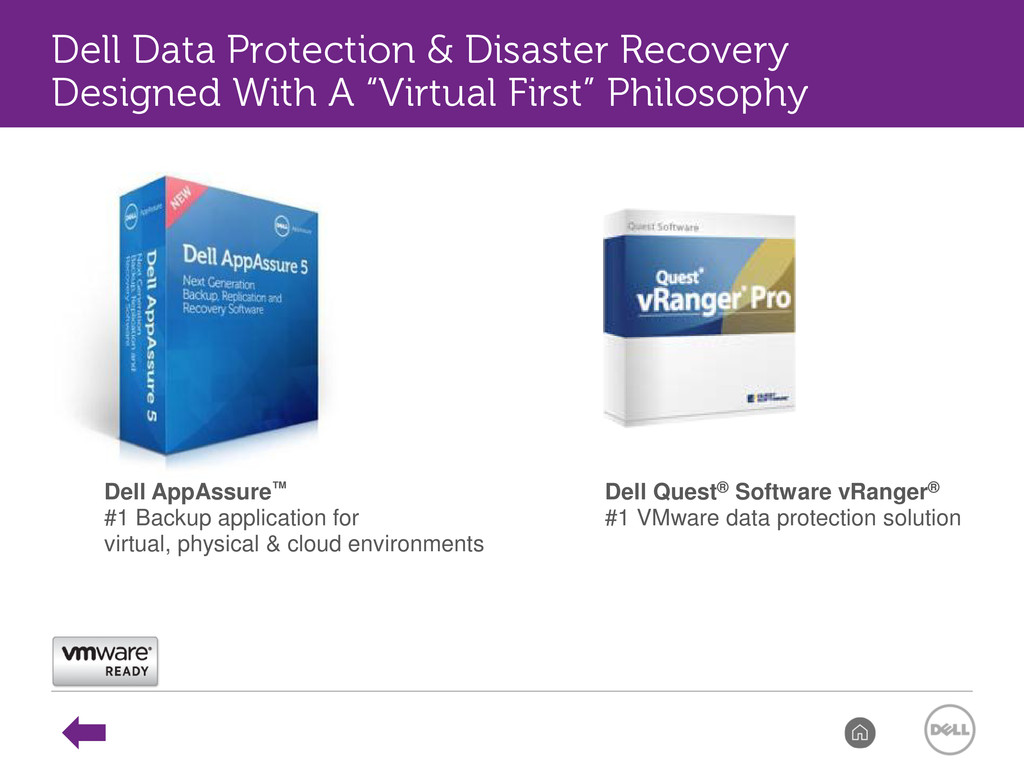
cloud environments Dell Quest® Software vRanger® #1 VMware data protection solution Dell Data Protection & Disaster Recovery Designed With A “Virtual First” Philosophy
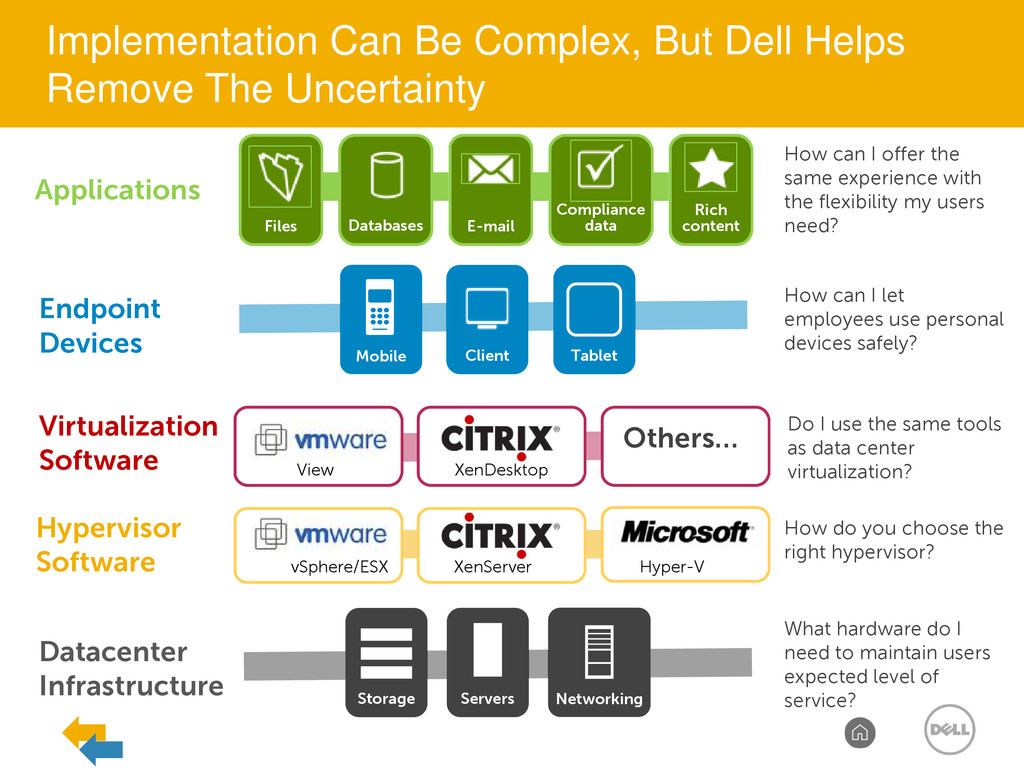
Files Databases E-mail Compliance data Rich content Applications How can I offer the same experience with the flexibility my users need? How can I let employees use personal devices safely? Do I use the same tools as data center virtualization? How do you choose the right hypervisor? What hardware do I need to maintain users expected level of service? Hypervisor Software Virtualization Software Others… View XenDesktop vSphere/ESX XenServer Hyper-V Implementation Can Be Complex, But Dell Helps Remove The Uncertainty
ISS DVS Enterprise Desktop as a Service Dell Managed Hosted in Dell Cloud Simplified Simple IT Infrastructure Enterprise Advanced IT Infrastructure DVS Simplified Desktop as a Service Customer Managed DVS Enterprise for WS2012 vStart for VDI Pre-integrated VDI-in-a-Box Desktop Virtualization Solutions Portfolio
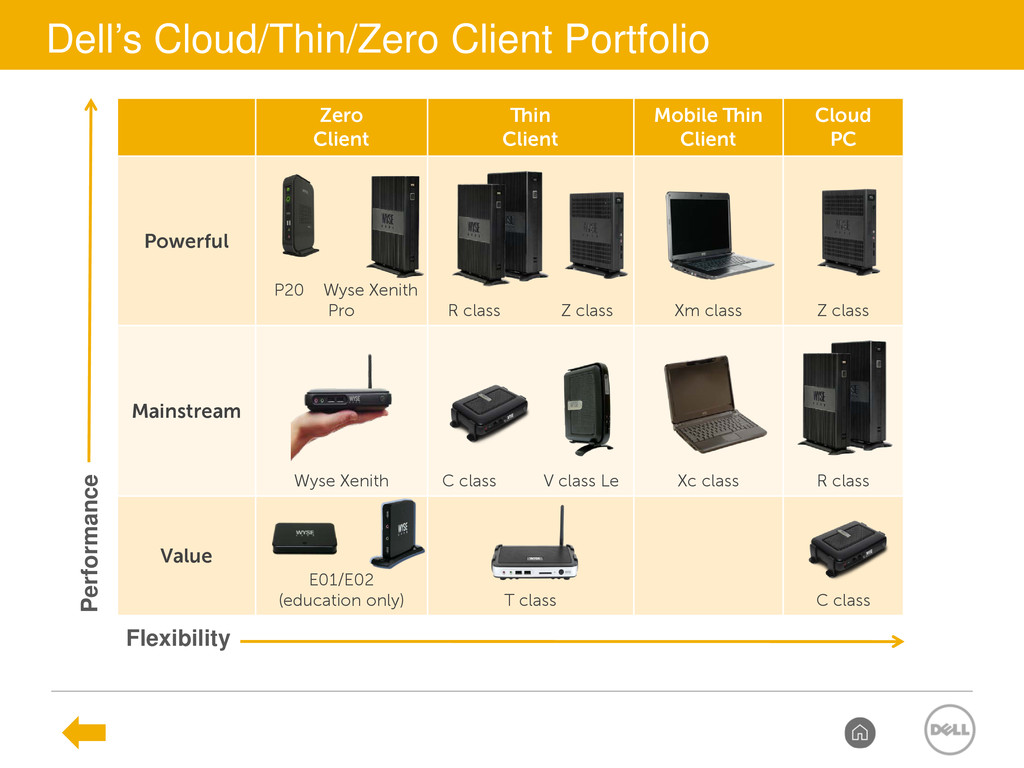
Powerful P20 Wyse Xenith Pro R class Z class Xm class Z class Mainstream Wyse Xenith C class V class Le Xc class R class Value E01/E02 (education only) T class C class Performance Flexibility Dell’s Cloud/Thin/Zero Client Portfolio
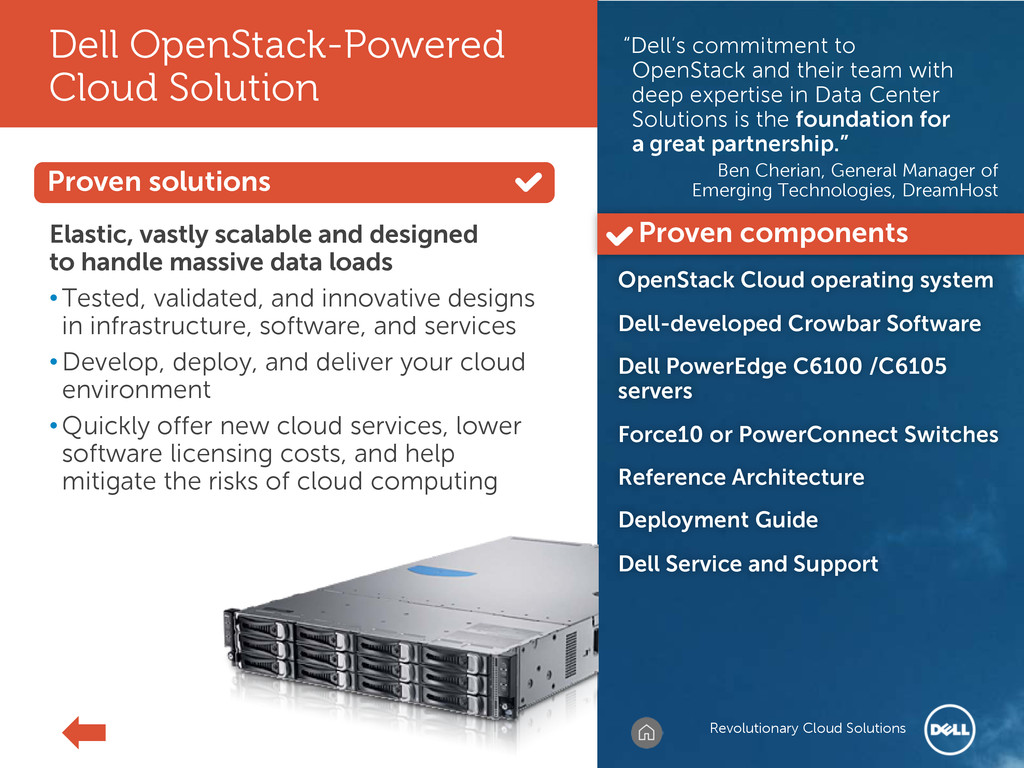
commitment to OpenStack and their team with deep expertise in Data Center Solutions is the foundation for a great partnership.” Ben Cherian, General Manager of Emerging Technologies, DreamHost Elastic, vastly scalable and designed to handle massive data loads • Tested, validated, and innovative designs in infrastructure, software, and services • Develop, deploy, and deliver your cloud environment • Quickly offer new cloud services, lower software licensing costs, and help mitigate the risks of cloud computing OpenStack Cloud operating system Dell-developed Crowbar Software Dell PowerEdge C6100 /C6105 servers Force10 or PowerConnect Switches Reference Architecture Deployment Guide Dell Service and Support Proven components Revolutionary Cloud Solutions
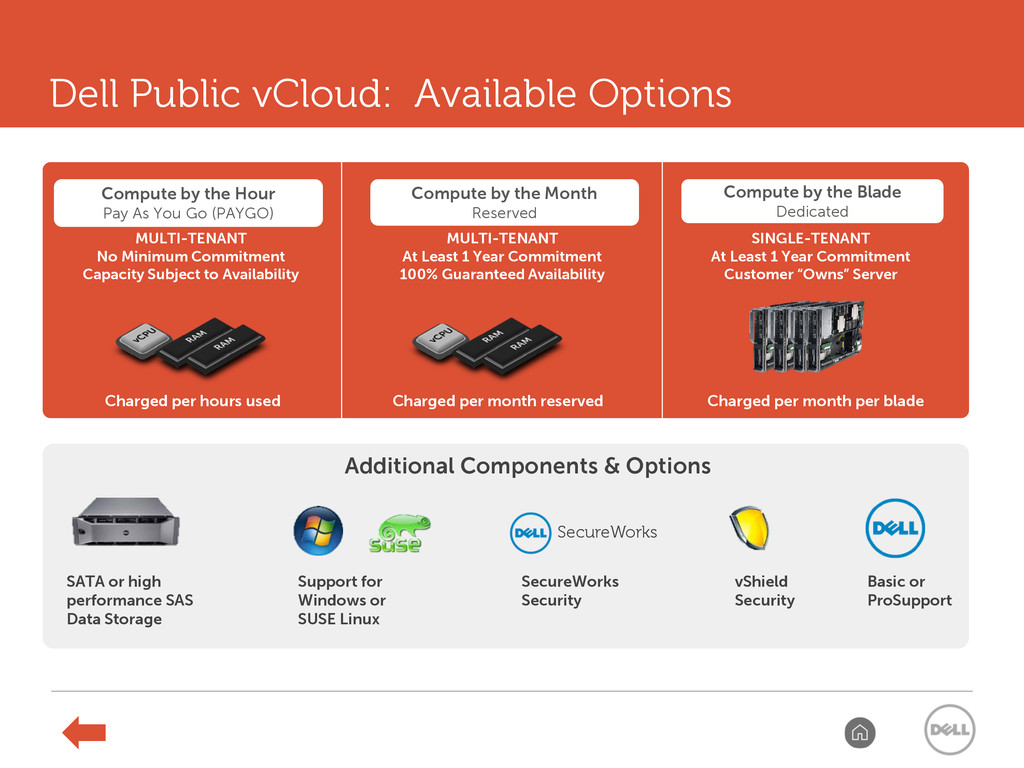
by the Month Reserved Compute by the Blade Dedicated MULTI-TENANT No Minimum Commitment Capacity Subject to Availability MULTI-TENANT At Least 1 Year Commitment 100% Guaranteed Availability SINGLE-TENANT At Least 1 Year Commitment Customer “Owns” Server Charged per hours used Charged per month reserved Charged per month per blade Additional Components & Options SATA or high performance SAS Data Storage Basic or ProSupport Support for Windows or SUSE Linux vShield Security SecureWorks SecureWorks Security Dell Public vCloud: Available Options


 stisidore
 pfn
pfn
 namiki64
 nealle
 genda
genda
 terapyon
 willnet
 hiracky16
 prog893
 yuuuuuuu168
 kworkdev
 bengo4com
 grimoh
 axbom
axbom
 schroneko
 garrettdimon
 sabderemane
 maggiecrowley
 keathley
 sarafernandez
 csswizardry
 matthewcrist
 frankvandijk
 pedronauck
 reverentgeek