Upgrade to Pro
— share decks privately, control downloads, hide ads and more …
Speaker Deck
Sign up for free
Menu
Search
Features
All features
Private URLs
Password Protection
Custom URLS
Scheduled publishing
Remove Branding
Restrict embedding
Deck Collections
Notes
Features
All features
Private URLs
Password Protection
Custom URLS
Scheduled publishing
Remove Branding
Restrict embedding
Deck Collections
Notes
Explore
Featured decks
Featured speakers
Programming
Technology
Storyboards
Explore
Featured decks
Featured speakers
Programming
Technology
Storyboards
Pricing
Search
Sign in
Sign up for free
日赤 OSM Tasking Manager
Search
Toshiaki Maki
June 01, 2017
44
0
Share
Embed
Copy iframe code
Copy JS code
Copy link
Start on current slide
日赤 OSM Tasking Manager
Toshiaki Maki
June 01, 2017
More Decks by Toshiaki Maki
See All by Toshiaki Maki
報道メモ データ化マニュアル
t0sh
0
62
翻訳マニュアル
t0sh
0
65
日赤 OSM
t0sh
0
72
空間情報システム入門Ⅰ 2016/07/14
t0sh
0
63
空間情報システム入門Ⅰ#02 2016/06/16
t0sh
0
69
Featured
See All Featured
[Rails World 2023 - Day 1 Closing Keynote] - The Magic of Rails
eileencodes
38
3.1k
Agile Actions for Facilitating Distributed Teams - ADO2019
mkilby
0
310
Sharpening the Axe: The Primacy of Toolmaking
bcantrill
46
3k
AI Search: Where Are We & What Can We Do About It?
aleyda
0
8.1k
<Decoding/> the Language of Devs - We Love SEO 2024
nikkihalliwell
1
360
Why You Should Never Use an ORM
jnunemaker
PRO
61
10k
The Organizational Zoo: Understanding Human Behavior Agility Through Metaphoric Constructive Conversations (based on the works of Arthur Shelley, Ph.D)
kimpetersen
PRO
0
500
Building a Modern Day E-commerce SEO Strategy
aleyda
45
9.3k
Bootstrapping a Software Product
garrettdimon
PRO
306
120k
The AI Revolution Will Not Be Monopolized: How open-source beats economies of scale, even for LLMs
inesmontani
PRO
3
3.8k
Git: the NoSQL Database
bkeepers
PRO
433
67k
jQuery: Nuts, Bolts and Bling
dougneiner
66
8.6k
Transcript
地図を作って、世界を救う。 OSM Tasking Manager Manual
OSM Tasking Managerとは? パソコンを使って、建物の位置情報 などを明らかにします。 この作業によって、 「誰が」・「どこにいるのか」 がわかるようになります。 この作業によって作られた地図を利 ⽤して、現地の⾚⼗字で働く
スタッフがマラリアなどの感染症で 苦しむ⼈々を救助しに⾏きます。
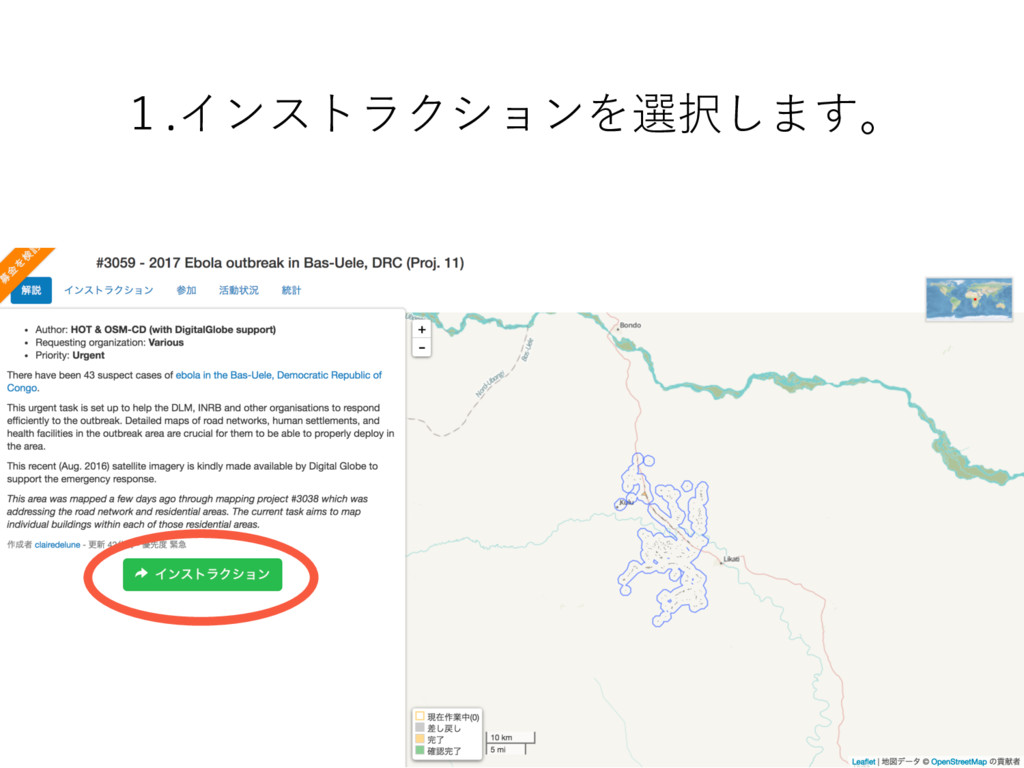
1.インストラクションを選択します。
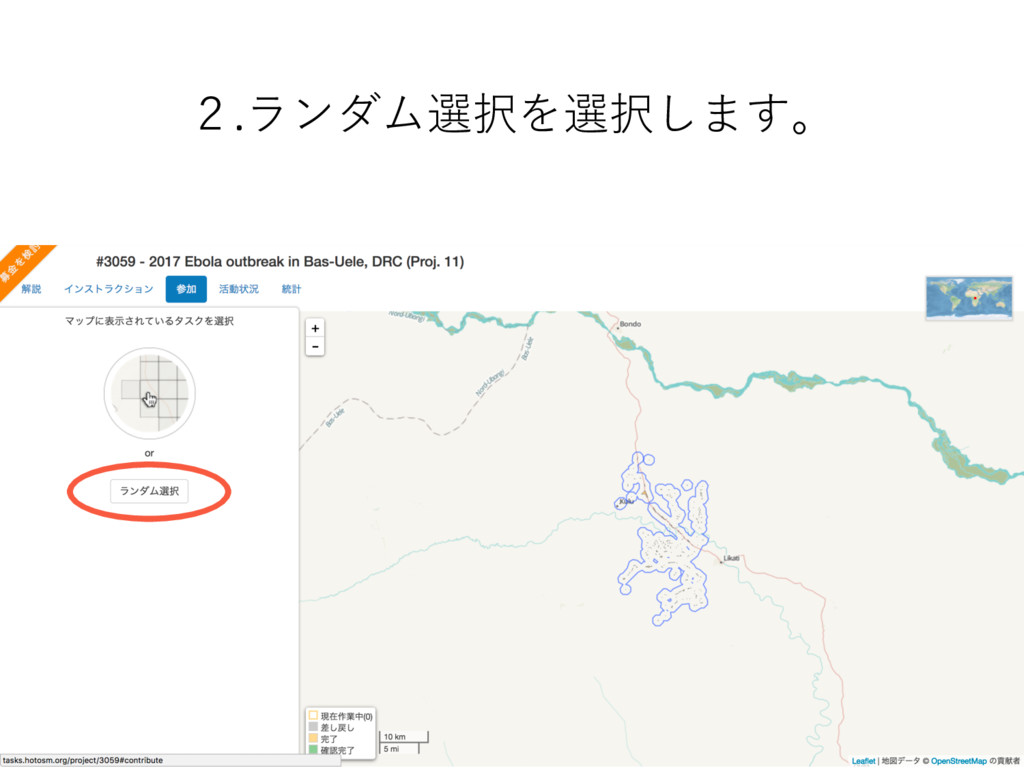
2.ランダム選択を選択します。
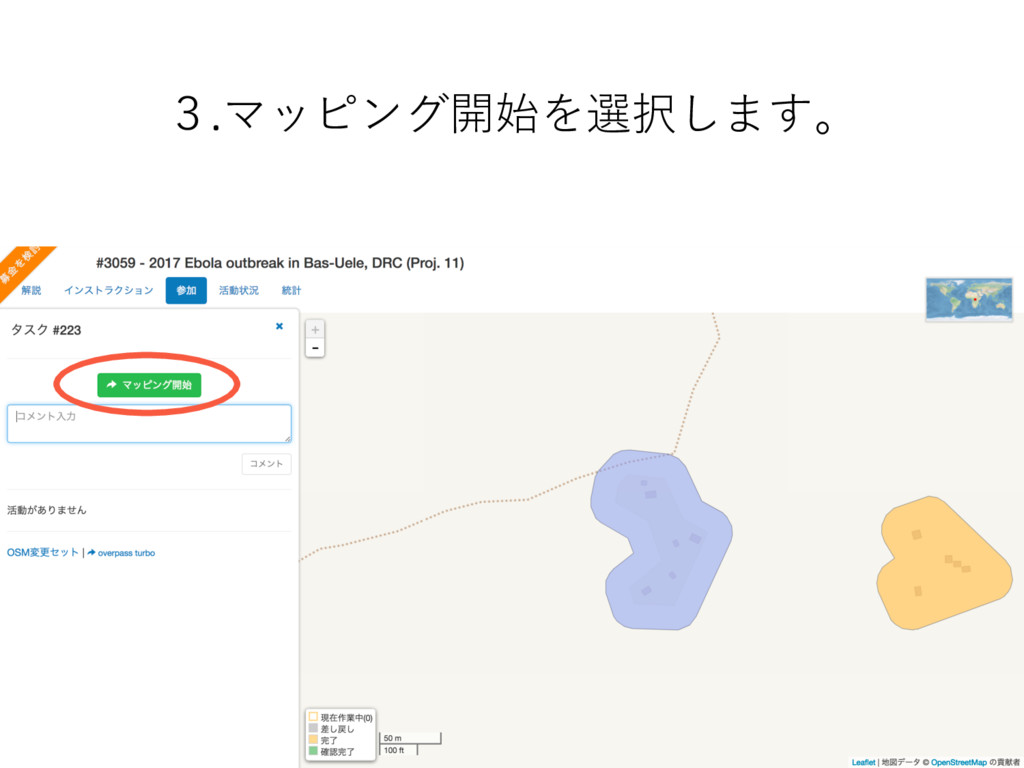
3.マッピング開始を選択します。
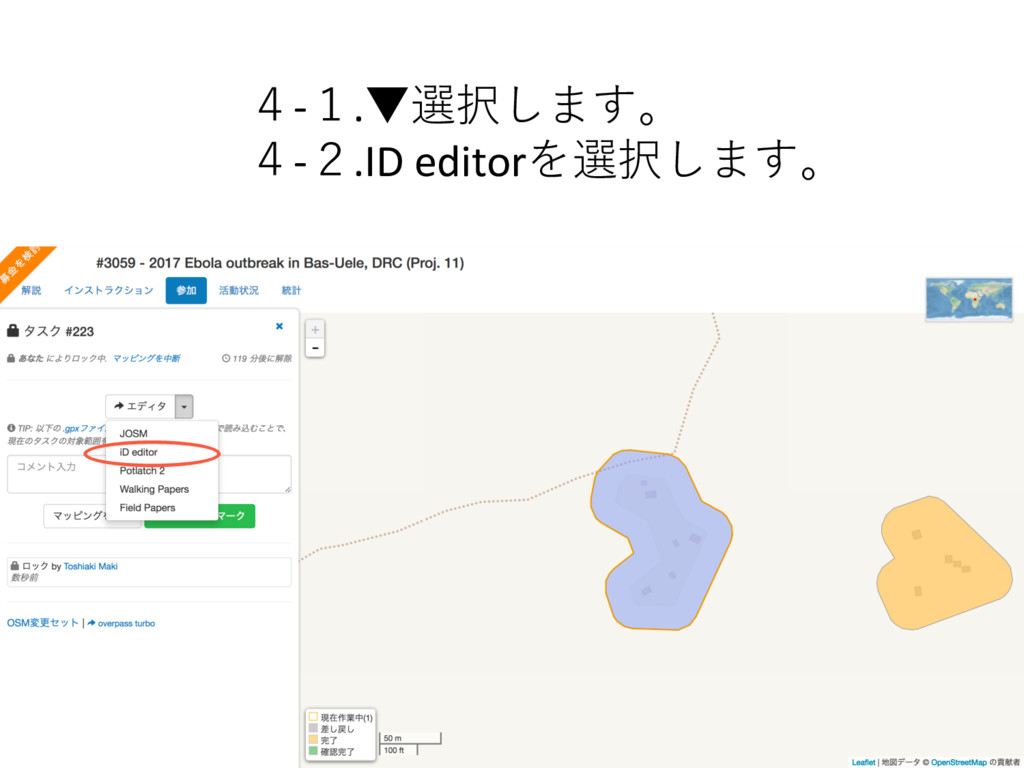
4-1.▼選択します。 4-2.ID editorを選択します。
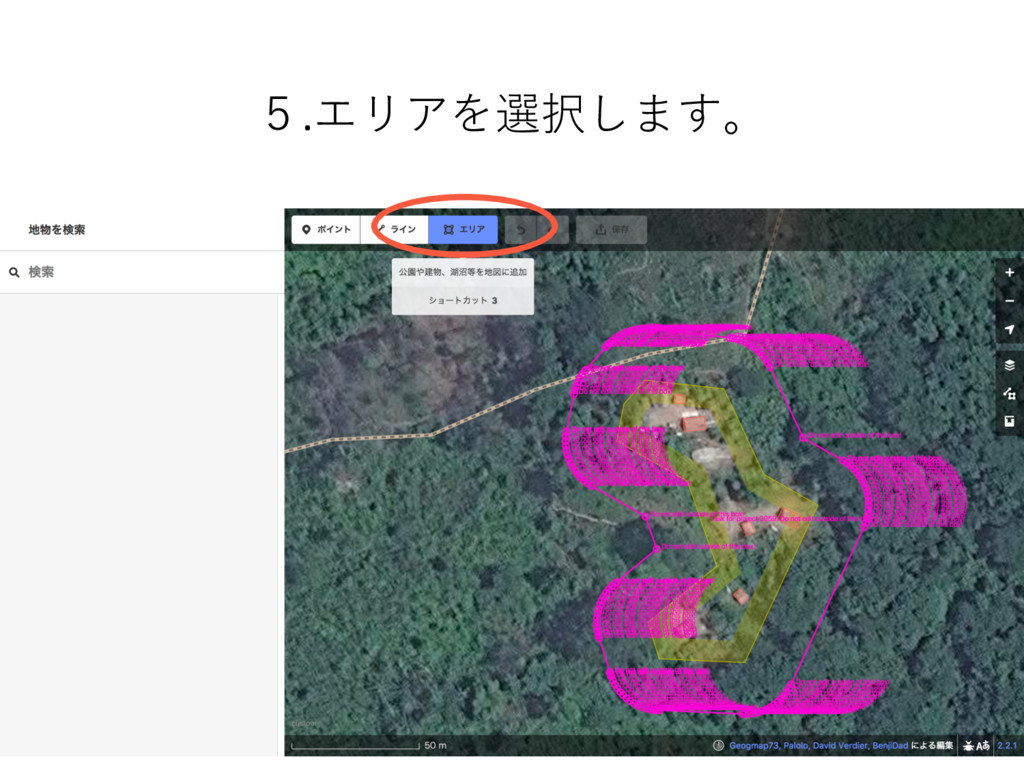
5.エリアを選択します。
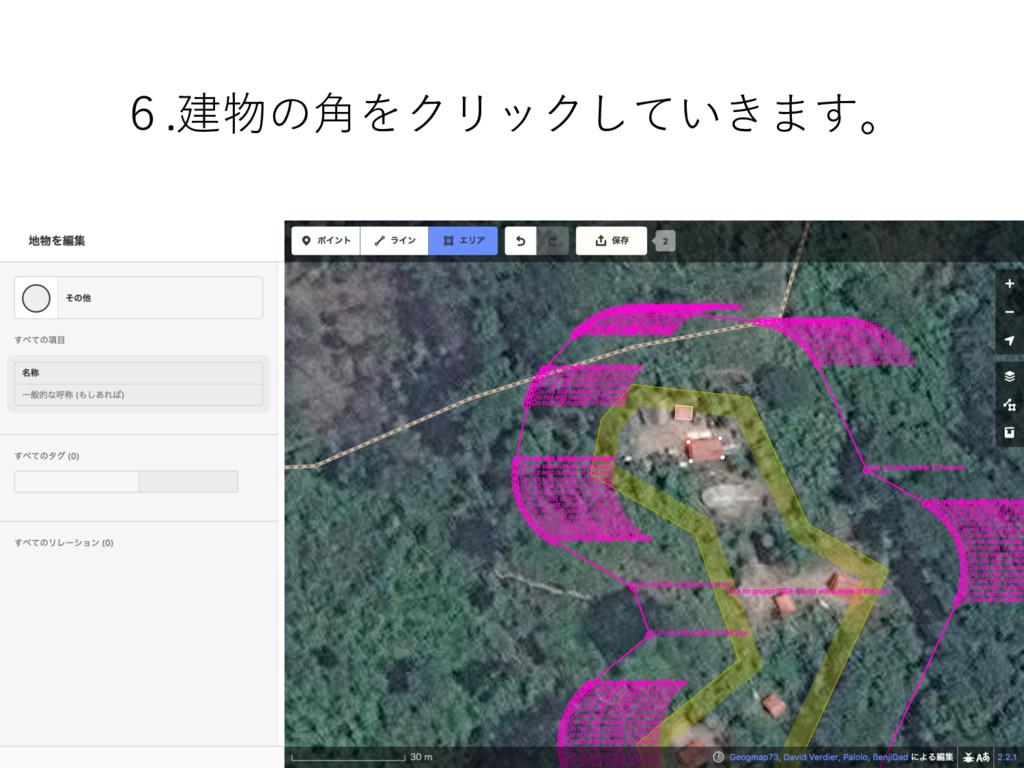
6.建物の⾓をクリックしていきます。
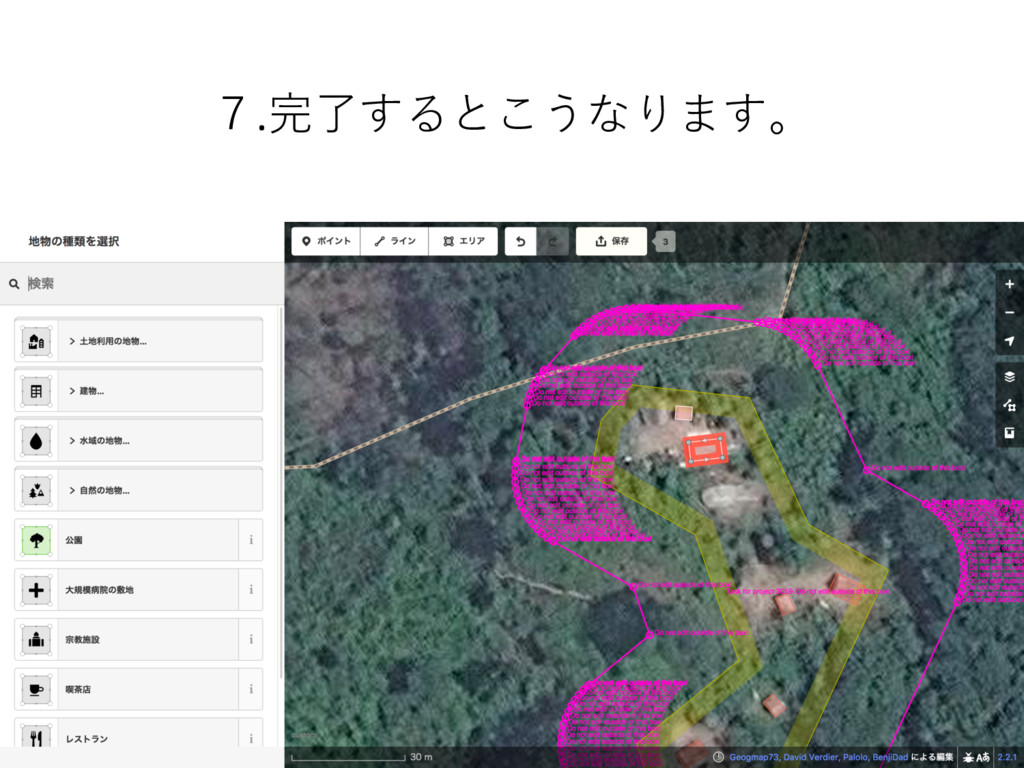
7.完了するとこうなります。
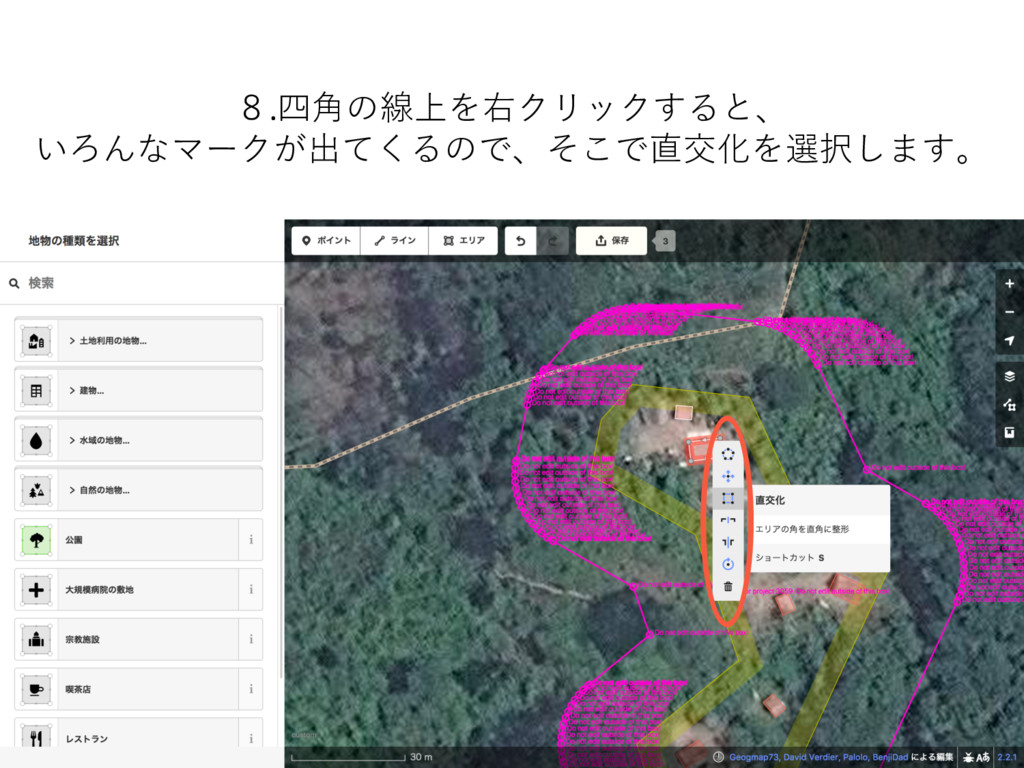
8.四⾓の線上を右クリックすると、 いろんなマークが出てくるので、そこで直交化を選択します。
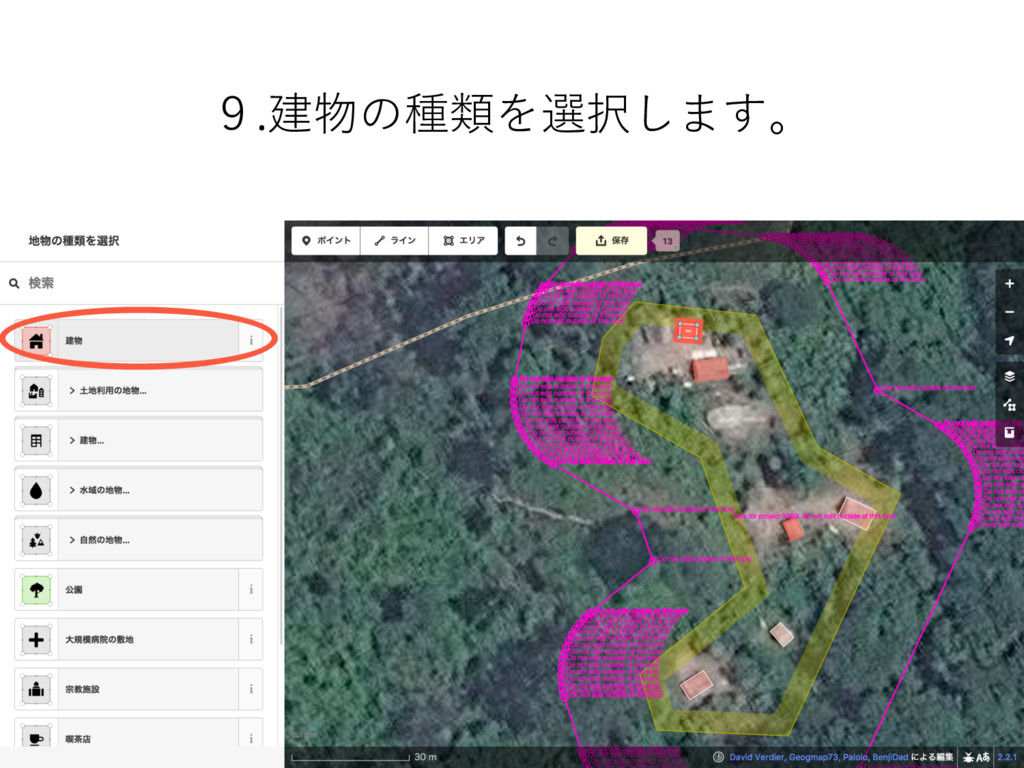
9.建物の種類を選択します。
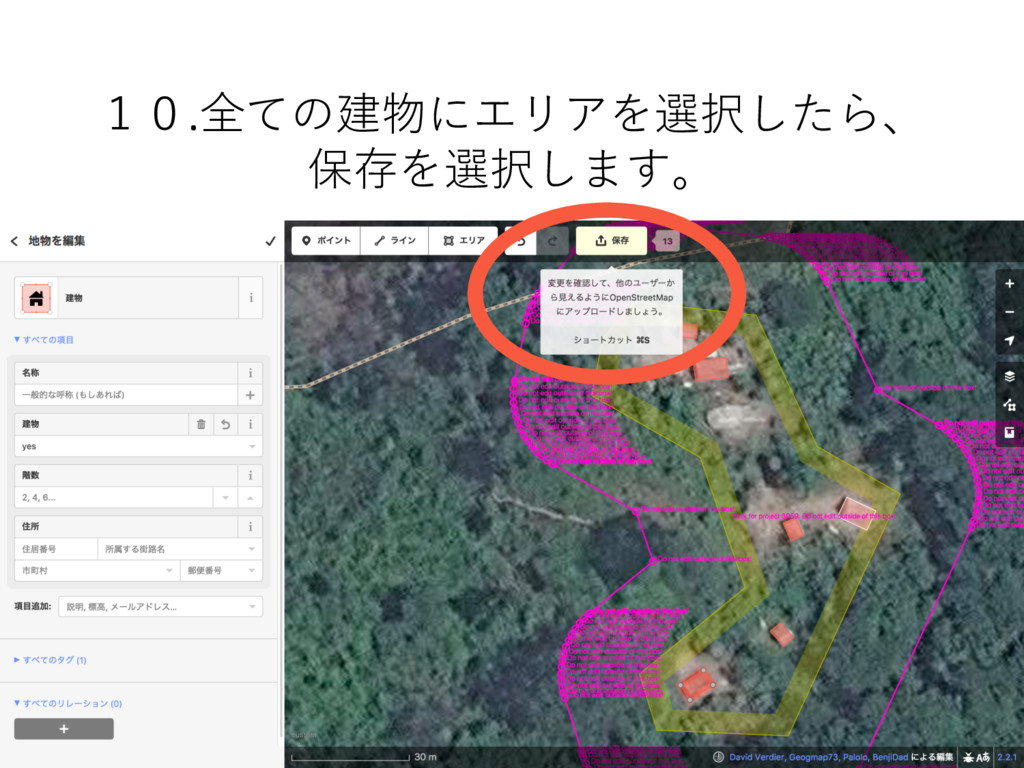
10.全ての建物にエリアを選択したら、 保存を選択します。
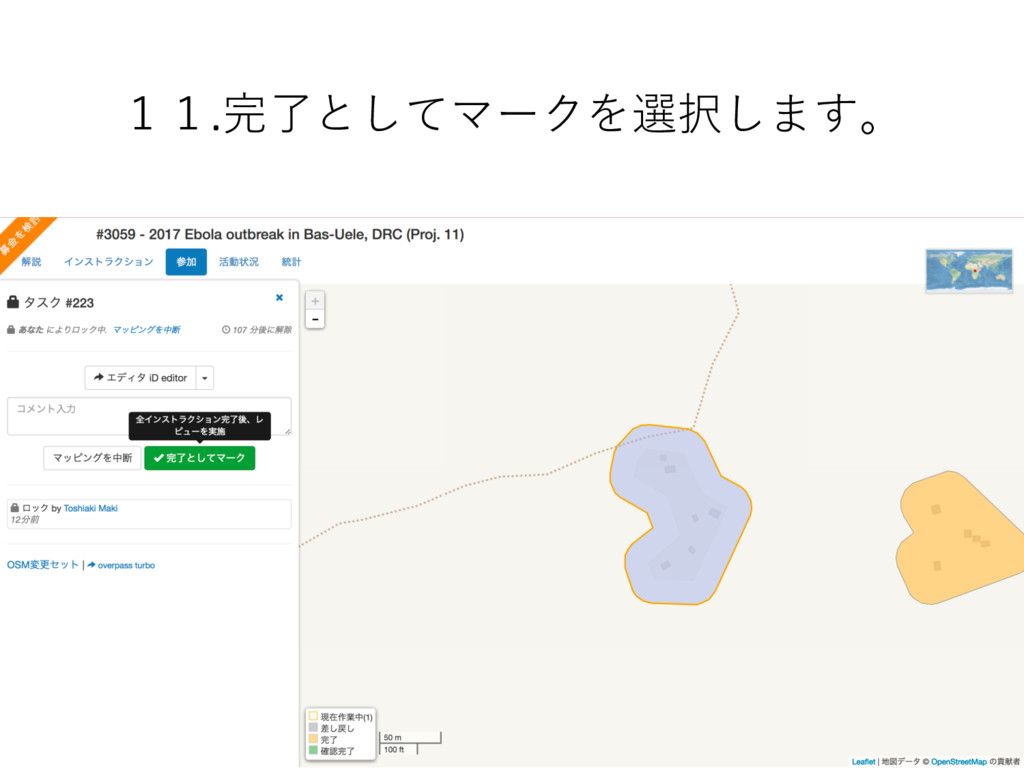
11.完了としてマークを選択します。
OSM Tasking Managerで 世界の⼈々を救いましょう。 ⾚⼗字に、 ボーダー(国境)は ありません。


 t0sh
t0sh
 eileencodes
 mkilby
 bcantrill
 aleyda
 nikkihalliwell
 jnunemaker
 kimpetersen
 garrettdimon
 inesmontani
 bkeepers
 dougneiner