Upgrade to Pro
— share decks privately, control downloads, hide ads and more …
Speaker Deck
Sign up for free
Menu
Search
Features
All features
Private URLs
Password Protection
Custom URLS
Scheduled publishing
Remove Branding
Restrict embedding
Deck Collections
Notes
Features
All features
Private URLs
Password Protection
Custom URLS
Scheduled publishing
Remove Branding
Restrict embedding
Deck Collections
Notes
Explore
Featured decks
Featured speakers
Programming
Technology
Storyboards
Explore
Featured decks
Featured speakers
Programming
Technology
Storyboards
Pricing
Search
Sign in
Sign up for free
空間情報システム入門1 2016/06/16
Search
TAKUTO
June 16, 2016
62
0
Share
Embed
Copy iframe code
Copy JS code
Copy link
Start on current slide
空間情報システム入門1 2016/06/16
TAKUTO
June 16, 2016
More Decks by TAKUTO
See All by TAKUTO
空間情報システム入門1 2016/07/14
tact
0
59
Featured
See All Featured
Ten Tips & Tricks for a 🌱 transition
stuffmc
1
270
Dealing with People You Can't Stand - Big Design 2015
cassininazir
367
27k
No one is an island. Learnings from fostering a developers community.
thoeni
21
3.9k
The Anti-SEO Checklist Checklist. Pubcon Cyber Week
ryanjones
0
270
Art, The Web, and Tiny UX
lynnandtonic
304
22k
Building Flexible Design Systems
yeseniaperezcruz
330
41k
エンジニアに許された特別な時間の終わり
watany
109
250k
Unsuck your backbone
ammeep
672
58k
Self-Hosted WebAssembly Runtime for Runtime-Neutral Checkpoint/Restore in Edge–Cloud Continuum
chikuwait
0
890
Navigating the Design Leadership Dip - Product Design Week Design Leaders+ Conference 2024
apolaine
2
480
Measuring & Analyzing Core Web Vitals
bluesmoon
9
1k
Exploring the relationship between traditional SERPs and Gen AI search
raygrieselhuber
PRO
4
4.4k
Transcript
1A116116 白川 拓杜
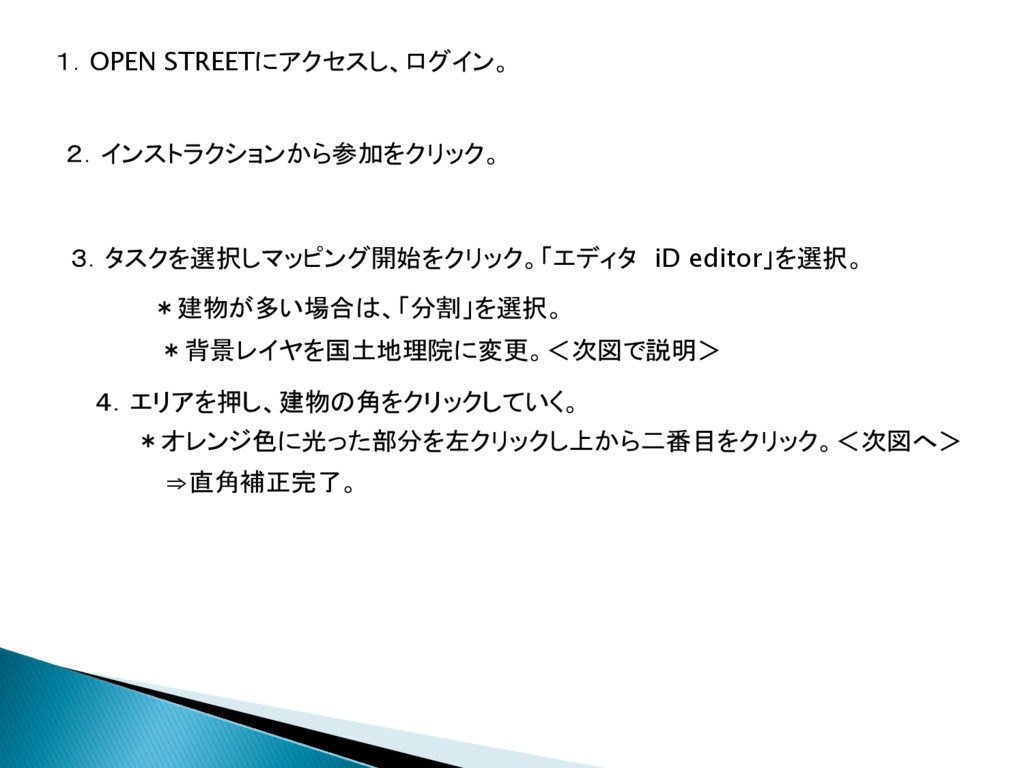
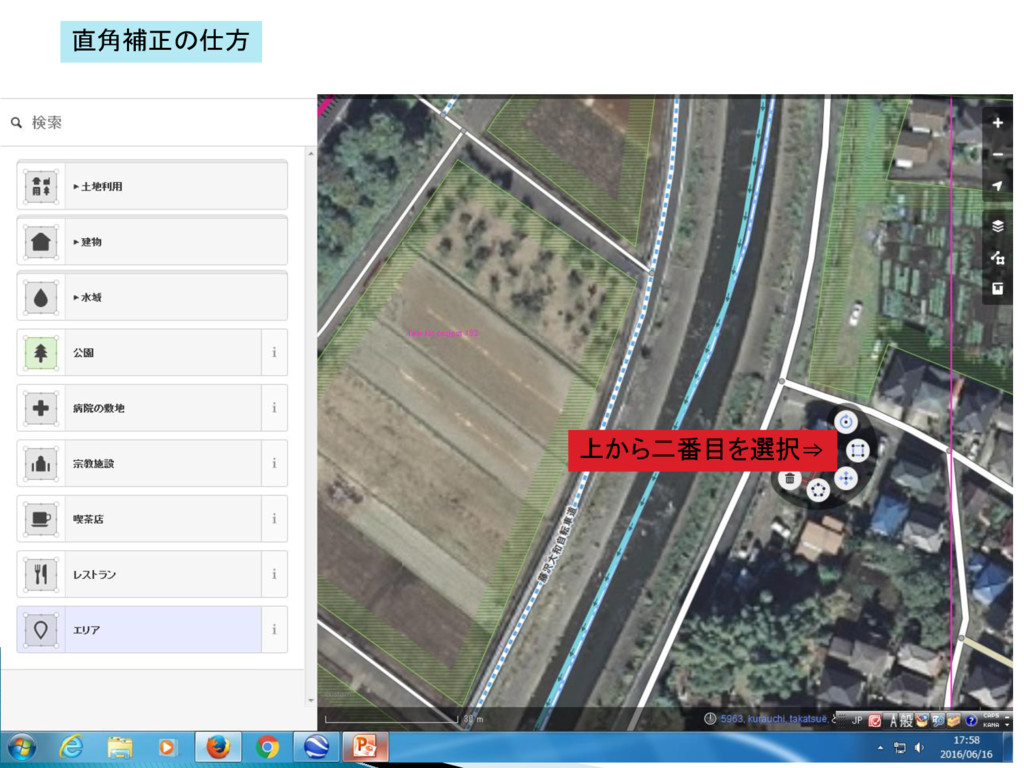
1.OPEN STREETにアクセスし、ログイン。 2.インストラクションから参加をクリック。 4.エリアを押し、建物の角をクリックしていく。 3.タスクを選択しマッピング開始をクリック。「エディタ iD editor」を選択。 *建物が多い場合は、「分割」を選択。 *オレンジ色に光った部分を左クリックし上から二番目をクリック。<次図へ> ⇒直角補正完了。
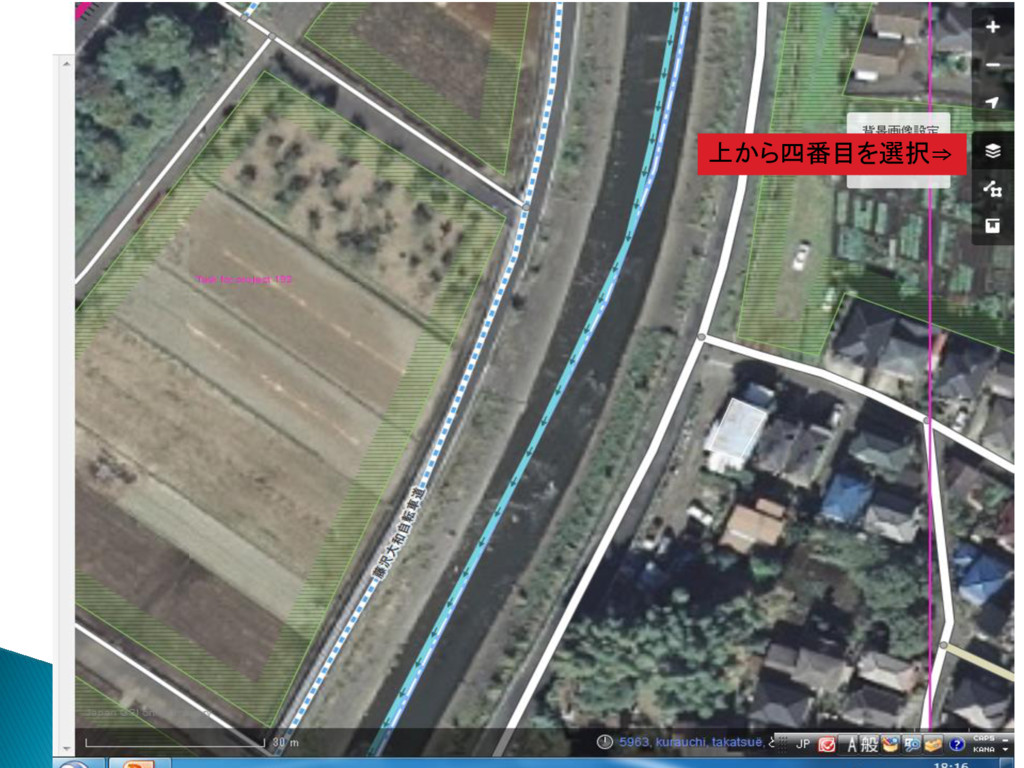
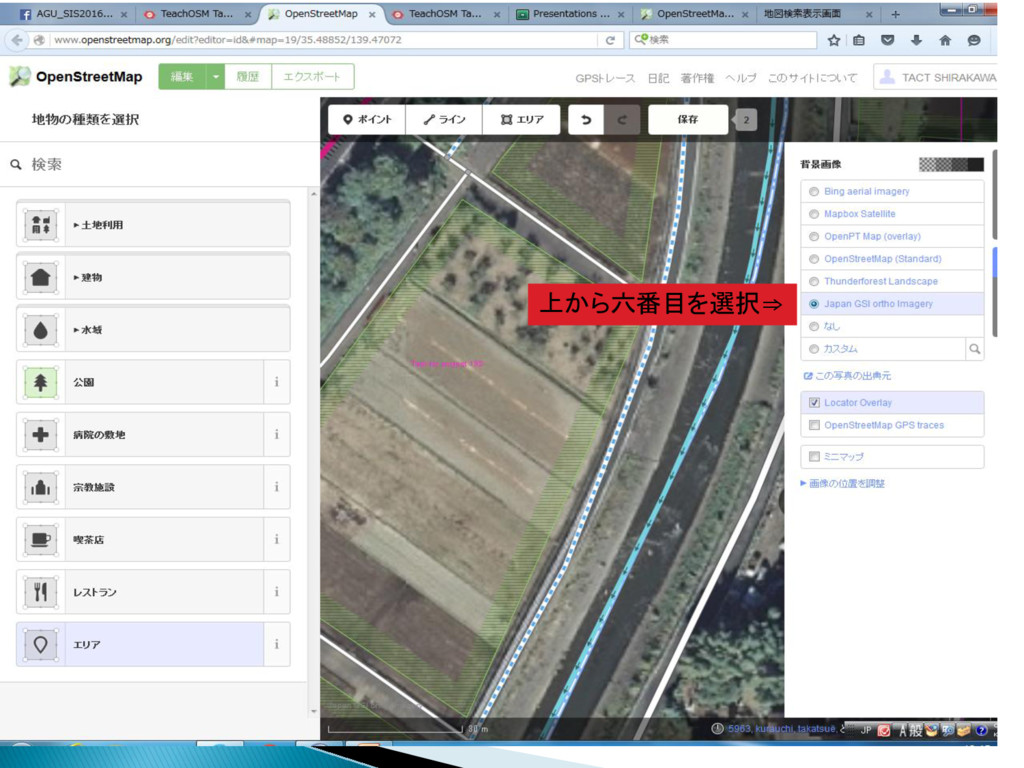
*背景レイヤを国土地理院に変更。<次図で説明>
上から四番目を選択⇒
上から六番目を選択⇒
上から二番目を選択⇒ 直角補正の仕方
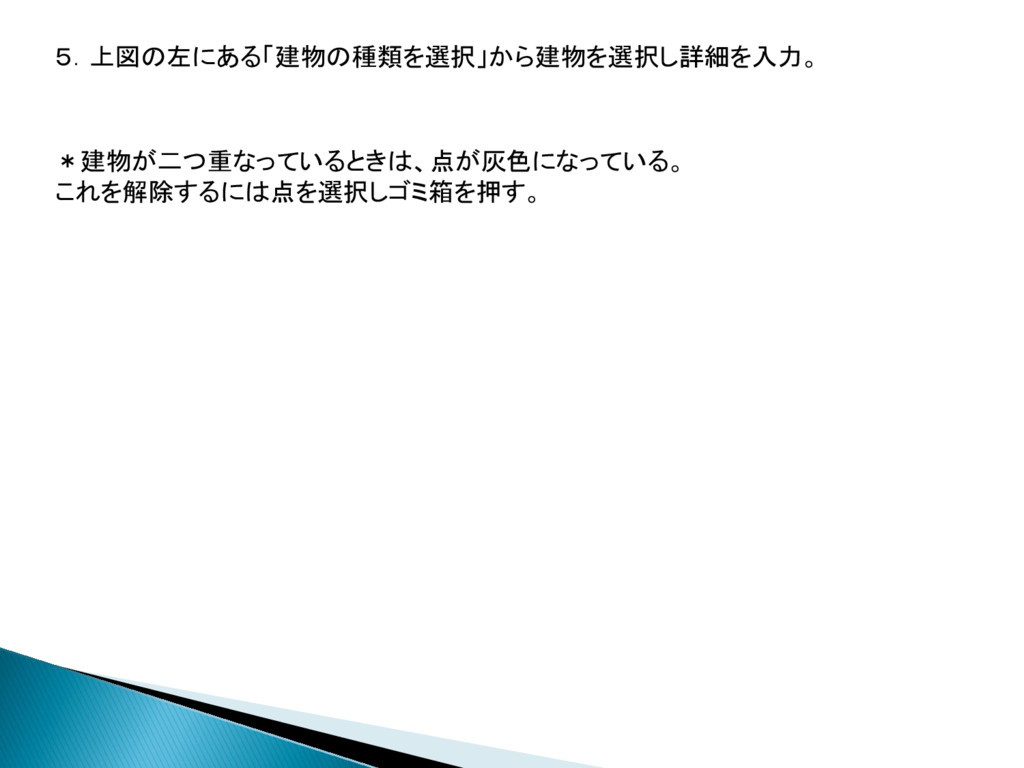
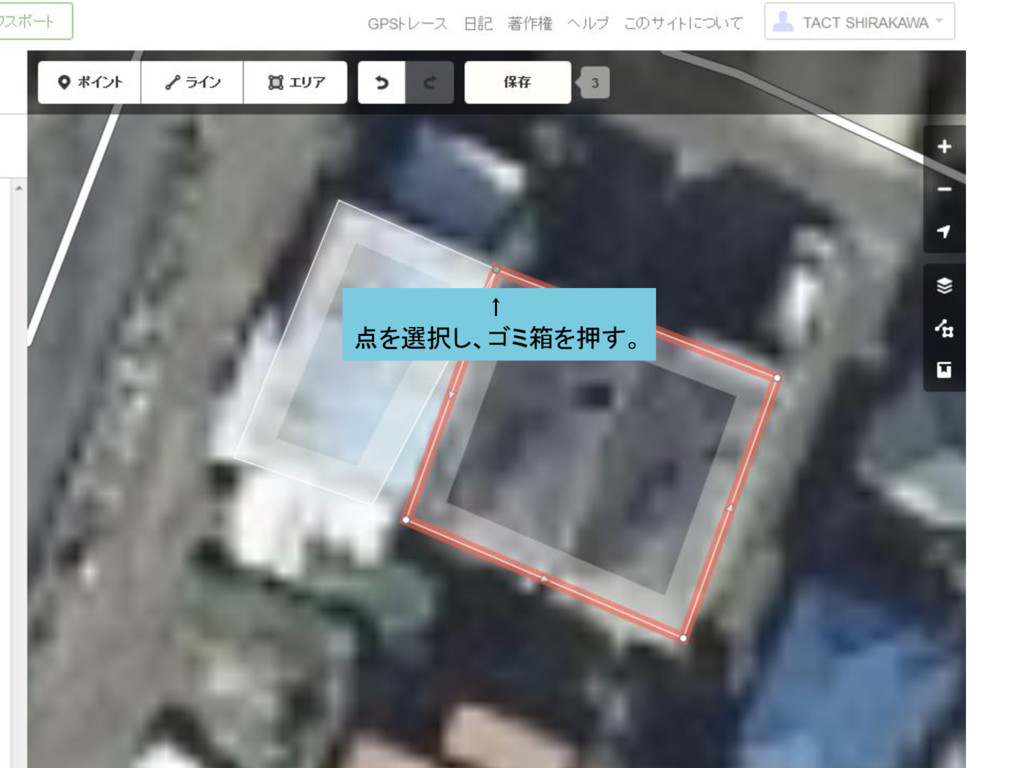
5.上図の左にある「建物の種類を選択」から建物を選択し詳細を入力。 *建物が二つ重なっているときは、点が灰色になっている。 これを解除するには点を選択しゴミ箱を押す。
↑ 点を選択し、ゴミ箱を押す。
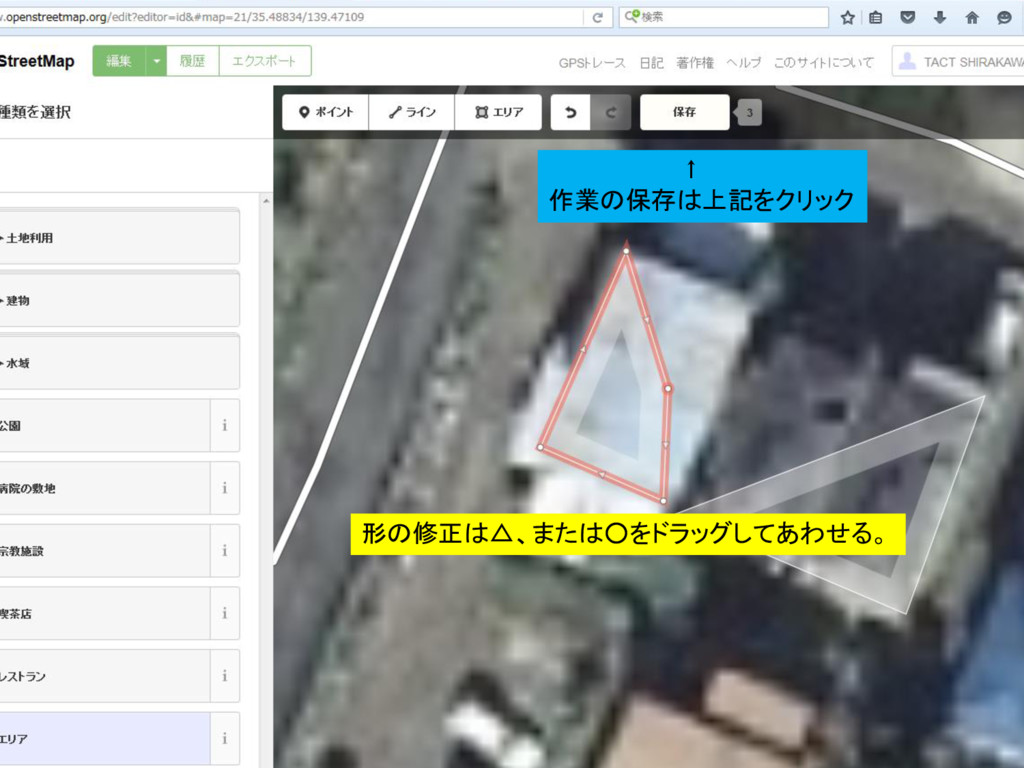
形の修正は△、または◦をドラッグしてあわせる。 ↑ 作業の保存は上記をクリック
6.先程の画面の保存を選択し保存。
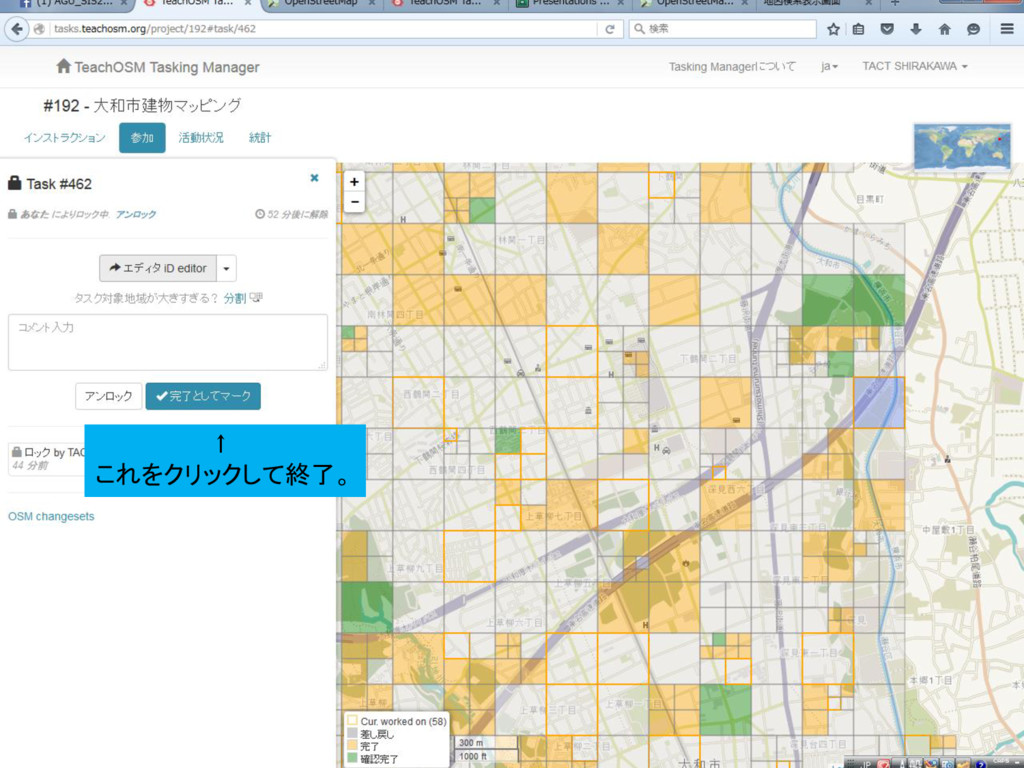
↑ これをクリックして終了。


 tact
tact
 stuffmc
 cassininazir
 thoeni
 ryanjones
 lynnandtonic
 yeseniaperezcruz
 watany
 ammeep
 chikuwait
 apolaine
 bluesmoon
 raygrieselhuber