Upgrade to Pro
— share decks privately, control downloads, hide ads and more …
Speaker Deck
Sign up for free
Menu
Search
Features
All features
Private URLs
Password Protection
Custom URLS
Scheduled publishing
Remove Branding
Restrict embedding
Deck Collections
Notes
Features
All features
Private URLs
Password Protection
Custom URLS
Scheduled publishing
Remove Branding
Restrict embedding
Deck Collections
Notes
Explore
Featured decks
Featured speakers
Programming
Technology
Storyboards
Explore
Featured decks
Featured speakers
Programming
Technology
Storyboards
Pricing
Search
Sign in
Sign up for free
空間情報システム入門Ⅰ
Search
Takeshi Kobayashi
June 22, 2016
23
0
Share
Embed
Copy iframe code
Copy JS code
Copy link
Start on current slide
空間情報システム入門Ⅰ
Takeshi Kobayashi
June 22, 2016
More Decks by Takeshi Kobayashi
See All by Takeshi Kobayashi
空間情報入門Ⅰ
take1107
0
27
Featured
See All Featured
Docker and Python
trallard
47
4.2k
Money Talks: Using Revenue to Get Sh*t Done
nikkihalliwell
0
520
How to Align SEO within the Product Triangle To Get Buy-In & Support - #RIMC
aleyda
2
1.8k
Save Time (by Creating Custom Rails Generators)
garrettdimon
PRO
33
5.3k
Leadership Guide Workshop - DevTernity 2021
reverentgeek
1
400
How Software Deployment tools have changed in the past 20 years
geshan
2
35k
Building Better People: How to give real-time feedback that sticks.
wjessup
371
20k
Data-driven link building: lessons from a $708K investment (BrightonSEO talk)
szymonslowik
1
1.4k
A designer walks into a library…
pauljervisheath
211
25k
Fashionably flexible responsive web design (full day workshop)
malarkey
409
67k
エンジニアに許された特別な時間の終わり
watany
109
250k
Bioeconomy Workshop: Dr. Julius Ecuru, Opportunities for a Bioeconomy in West Africa
akademiya2063
PRO
1
410
Transcript
OpenStreetMap 建物マッピングの⽅法 地球社会共⽣学部 ⽒名 : ⼩林孟史 学籍番号 : 1A116094
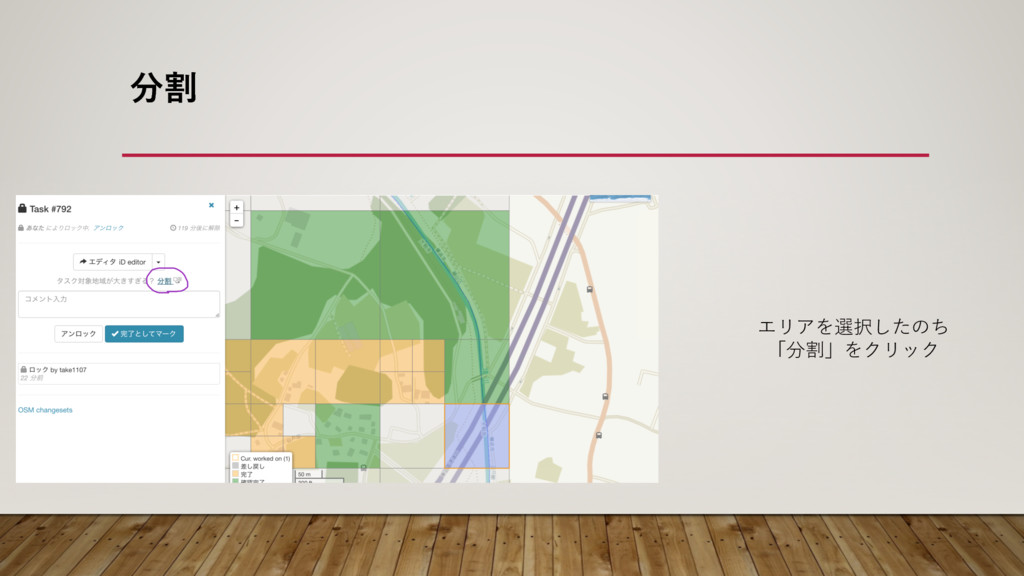
ׂ エリアを選択したのち 「分割」をクリック
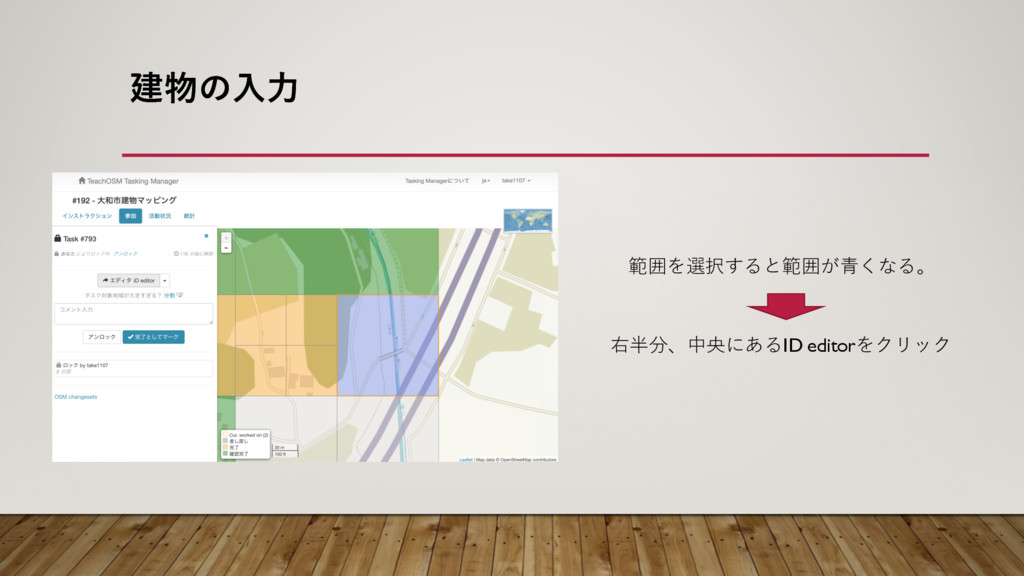
ݐͷೖྗ 範囲を選択すると範囲が⻘くなる。 右半分、中央にあるID editorをクリック
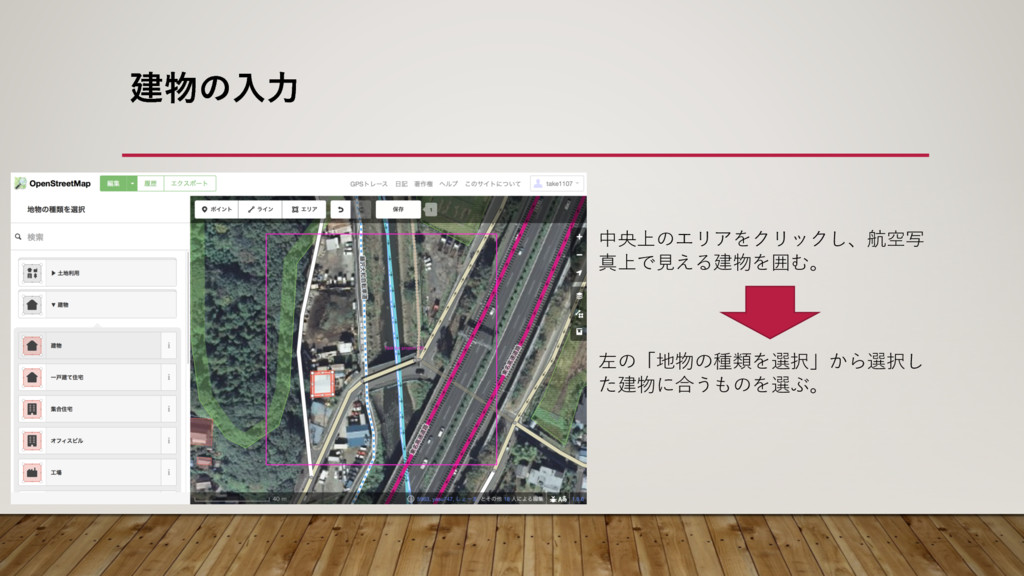
ݐͷೖྗ 中央上のエリアをクリックし、航空写 真上で⾒える建物を囲む。 左の「地物の種類を選択」から選択し た建物に合うものを選ぶ。
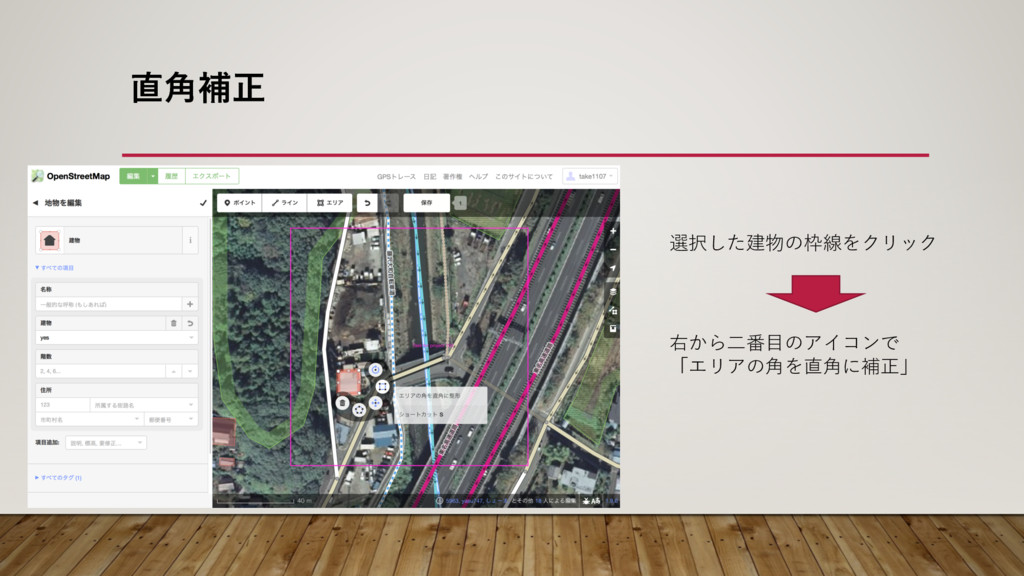
֯ิਖ਼ 選択した建物の枠線をクリック 右から⼆番⽬のアイコンで 「エリアの⾓を直⾓に補正」
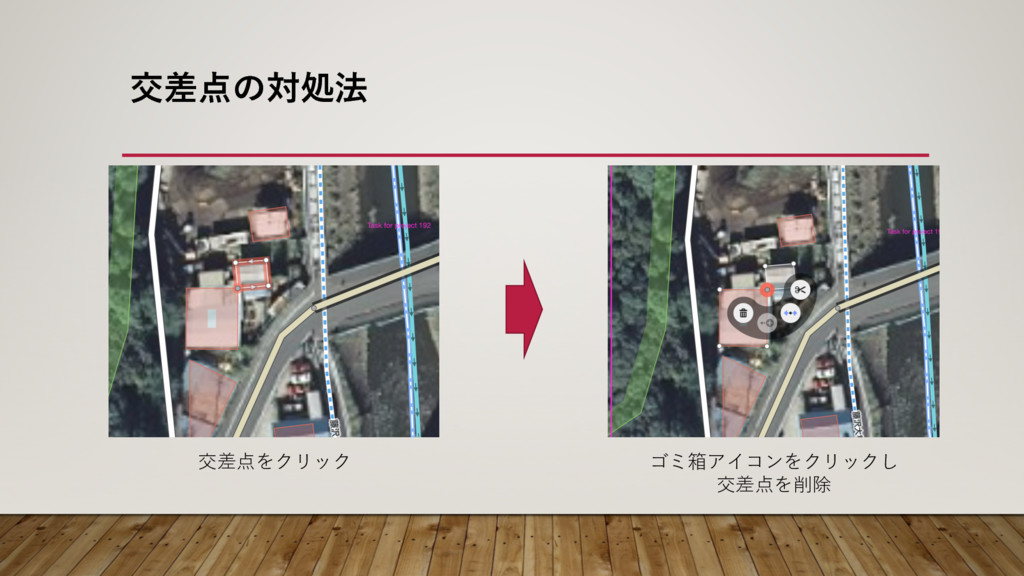
ަࠩͷରॲ๏ 交差点をクリック ゴミ箱アイコンをクリックし 交差点を削除
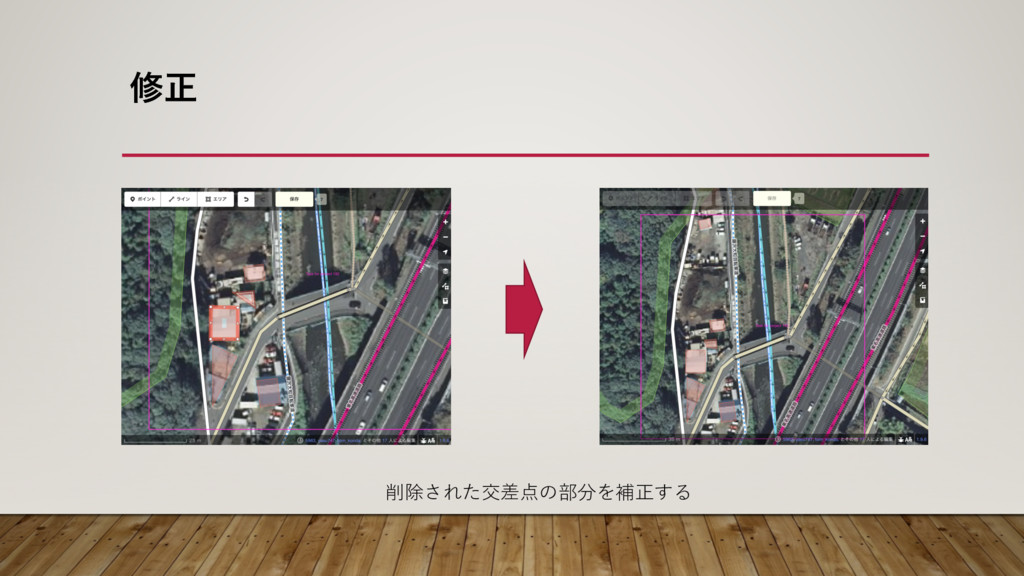
मਖ਼ 削除された交差点の部分を補正する
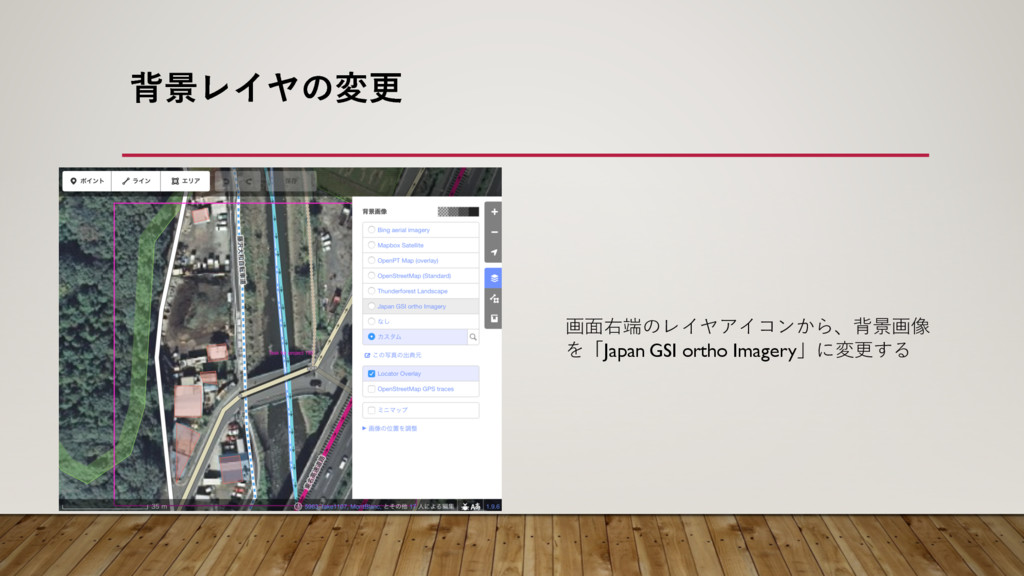
എܠϨΠϠͷมߋ 画⾯右端のレイヤアイコンから、背景画像 を「Japan GSI ortho Imagery」に変更する
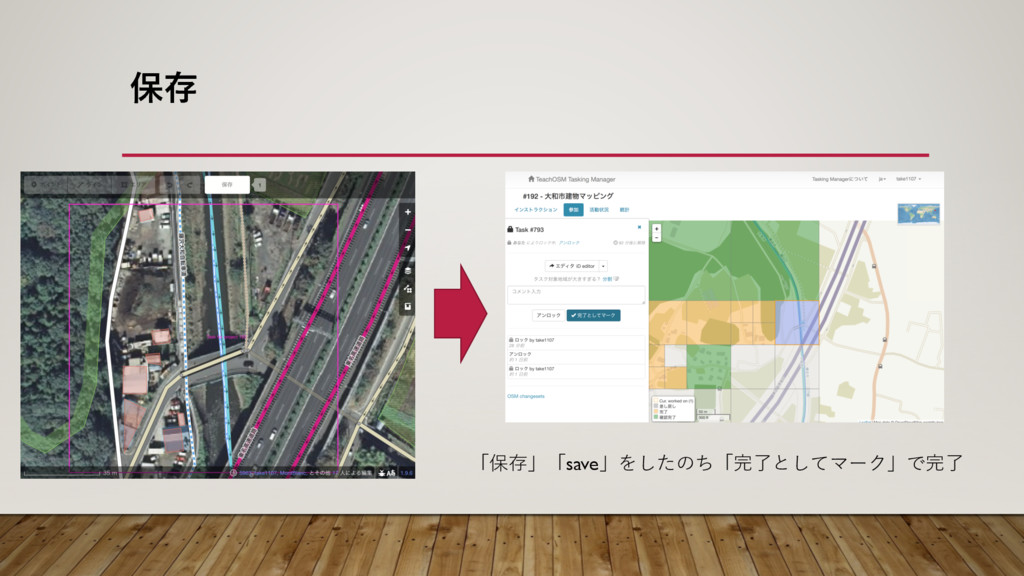
อଘ 「保存」「save」をしたのち「完了としてマーク」で完了


 take1107
 trallard
 nikkihalliwell
 aleyda
 garrettdimon
 reverentgeek
 geshan
 wjessup
 szymonslowik
 pauljervisheath
 malarkey
 watany
 akademiya2063