dive in, a little about me: my name is Terry O'Shea and I'm based in Brooklyn, NY. I work at Etsy, a global ecommerce site for mostly handmade and vintage goods, and I've been on the web performance team for the past three and a half years; before that I worked on other teams at Etsy and at the reviews site Yelp.
how? So, on to the talk. There are three main things I'd like to touch on today: 1. What do we mean by custom performance metrics? 2. Why are they useful? 3. How can you implement them?
how? First of all, what do I even mean by custom performance metrics? Let's begin by going over their counterpart, the standard metrics you see when you google "web performance," which I'll call common metrics here. I figure there are at least some audience members who are totally new to the performance space, so I'll spend a little time going over these–bear with me if you know this all already.
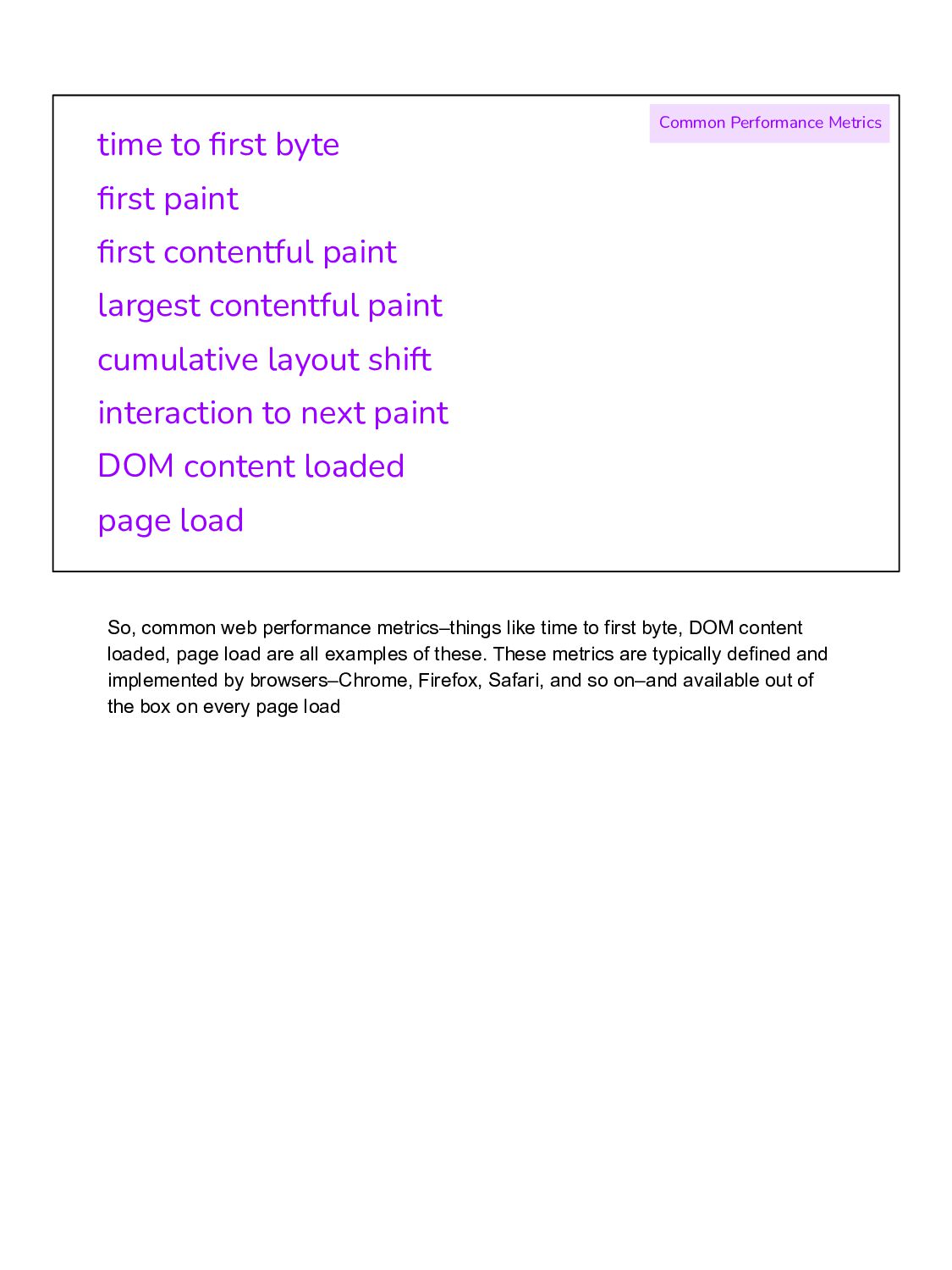
contentful paint cumulative layout shift interaction to next paint DOM content loaded page load Common Performance Metrics So, common web performance metrics–things like time to first byte, DOM content loaded, page load are all examples of these. These metrics are typically defined and implemented by browsers–Chrome, Firefox, Safari, and so on–and available out of the box on every page load
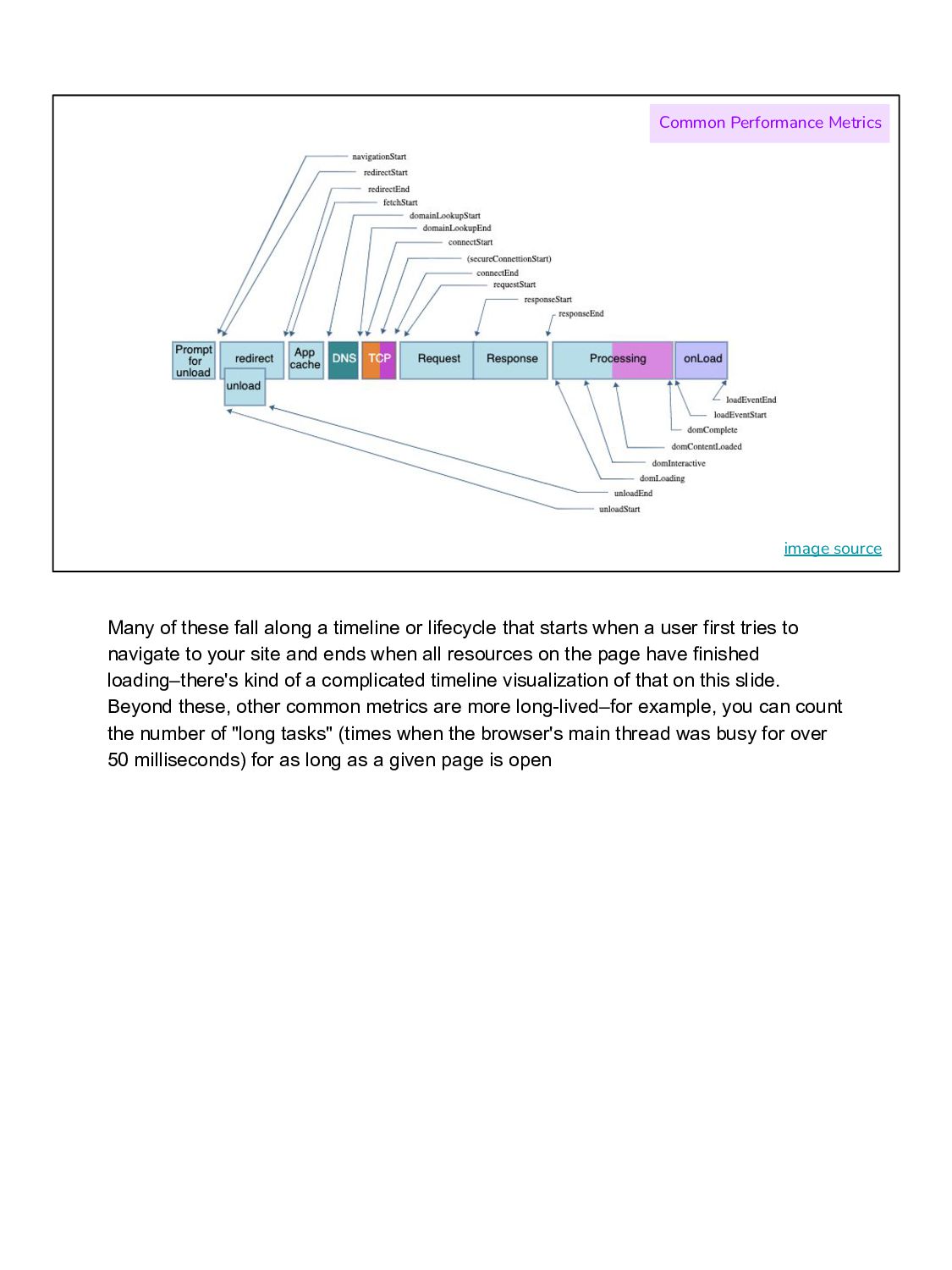
a timeline or lifecycle that starts when a user first tries to navigate to your site and ends when all resources on the page have finished loading–there's kind of a complicated timeline visualization of that on this slide. Beyond these, other common metrics are more long-lived–for example, you can count the number of "long tasks" (times when the browser's main thread was busy for over 50 milliseconds) for as long as a given page is open
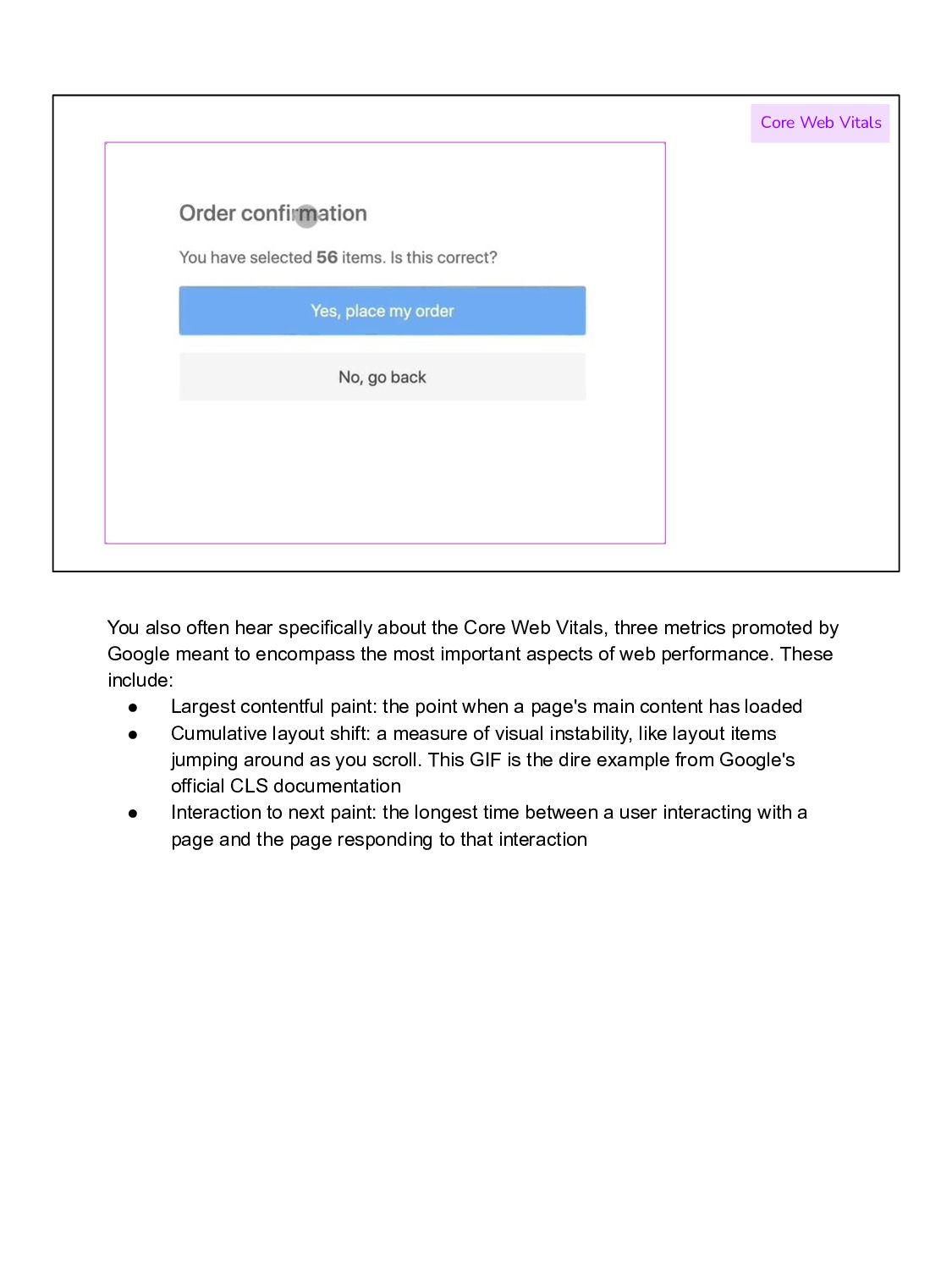
Core Web Vitals, three metrics promoted by Google meant to encompass the most important aspects of web performance. These include: • Largest contentful paint: the point when a page's main content has loaded • Cumulative layout shift: a measure of visual instability, like layout items jumping around as you scroll. This GIF is the dire example from Google's official CLS documentation • Interaction to next paint: the longest time between a user interacting with a page and the page responding to that interaction
that we understand common performance metrics, let's define custom performance metrics in contrast: as developer-defined and site-specific measures of web performance. This could include metrics like: when did my product image appear? How soon was my video playable? How long did it take to display results after a search input? Time to first tweet? Pinner wait time? (the last two are real examples from Twitter and Pinterest respectively.)
but how? We know that in general it's important to monitor web performance because we want to be able to answer the question: is my website fast and therefore usable and pleasant to visit? If performance metrics are degrading–getting slower or taking longer–you can take this to mean that people are having a tougher time using your site, which can lead to downticks to other metrics you care about like number of purchases, engagement, bounce rate, and so on.
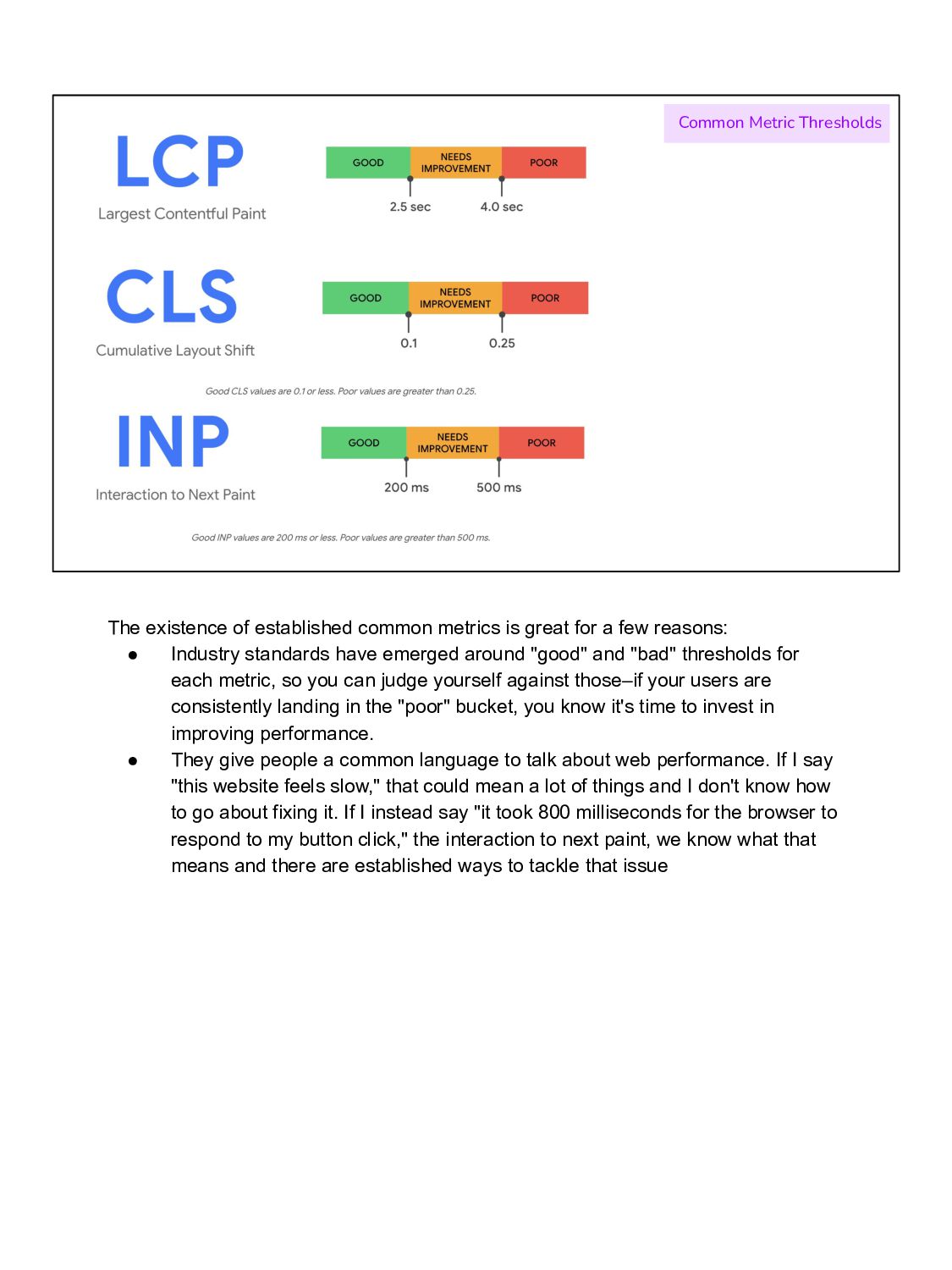
great for a few reasons: • Industry standards have emerged around "good" and "bad" thresholds for each metric, so you can judge yourself against those–if your users are consistently landing in the "poor" bucket, you know it's time to invest in improving performance. • They give people a common language to talk about web performance. If I say "this website feels slow," that could mean a lot of things and I don't know how to go about fixing it. If I instead say "it took 800 milliseconds for the browser to respond to my button click," the interaction to next paint, we know what that means and there are established ways to tackle that issue
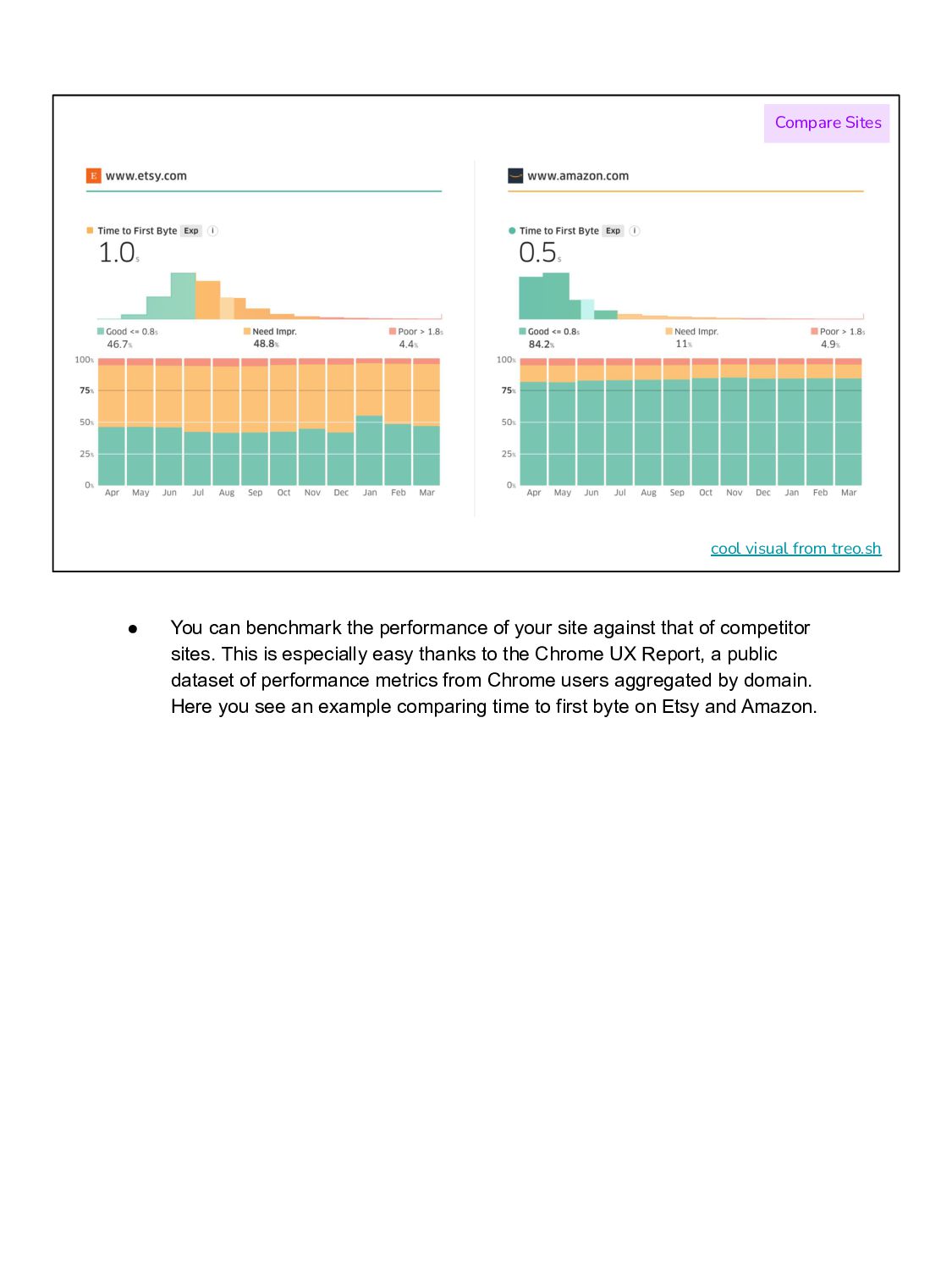
the performance of your site against that of competitor sites. This is especially easy thanks to the Chrome UX Report, a public dataset of performance metrics from Chrome users aggregated by domain. Here you see an example comparing time to first byte on Etsy and Amazon.
knowledge required to understand Common Metrics Drawbacks But I would argue that it's not enough to look at common performance metrics alone. A few inadequacies of these metrics that I've observed over the years: • The commonness of these metrics, the way that they're built to accommodate any web page, also makes them kind of opaque. You might see for example that interaction to next paint increased but, at least without adding some extra instrumentation, you don't know if that lag was associated with a really important user interaction like adding a product to their cart or a less important one like expanding an optional information section. These metrics make assumptions about the most important measurable aspects of user experience without taking any specific product knowledge into account.
content • Sometimes those assumptions are wrong, which you can see in this example where the largest contentful paint element, supposed to measure the most important thing in the viewport, tracks the appearance of this pop-up cookie banner instead of the actual page content.
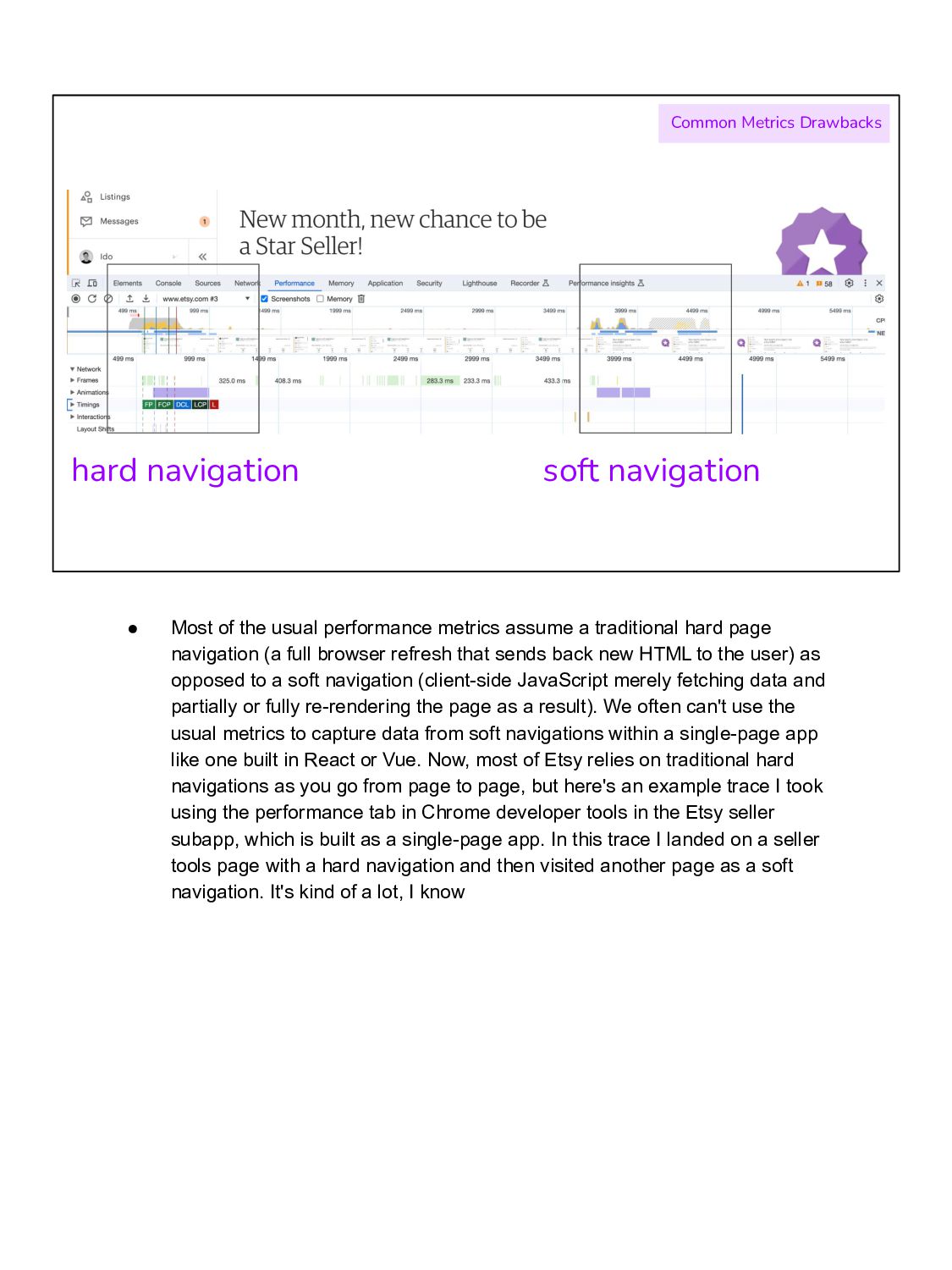
the usual performance metrics assume a traditional hard page navigation (a full browser refresh that sends back new HTML to the user) as opposed to a soft navigation (client-side JavaScript merely fetching data and partially or fully re-rendering the page as a result). We often can't use the usual metrics to capture data from soft navigations within a single-page app like one built in React or Vue. Now, most of Etsy relies on traditional hard navigations as you go from page to page, but here's an example trace I took using the performance tab in Chrome developer tools in the Etsy seller subapp, which is built as a single-page app. In this trace I landed on a seller tools page with a hard navigation and then visited another page as a soft navigation. It's kind of a lot, I know
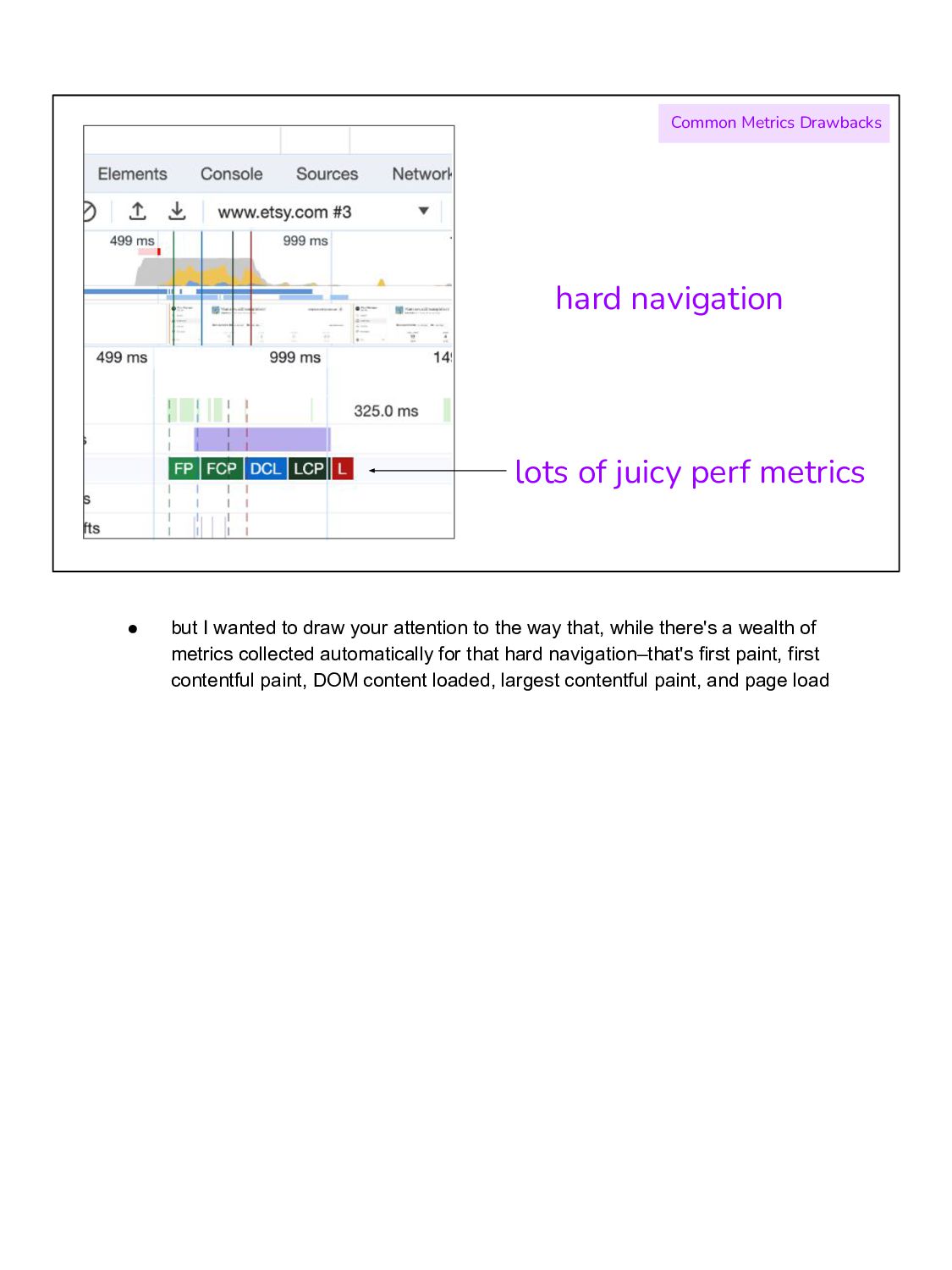
• but I wanted to draw your attention to the way that, while there's a wealth of metrics collected automatically for that hard navigation–that's first paint, first contentful paint, DOM content loaded, largest contentful paint, and page load
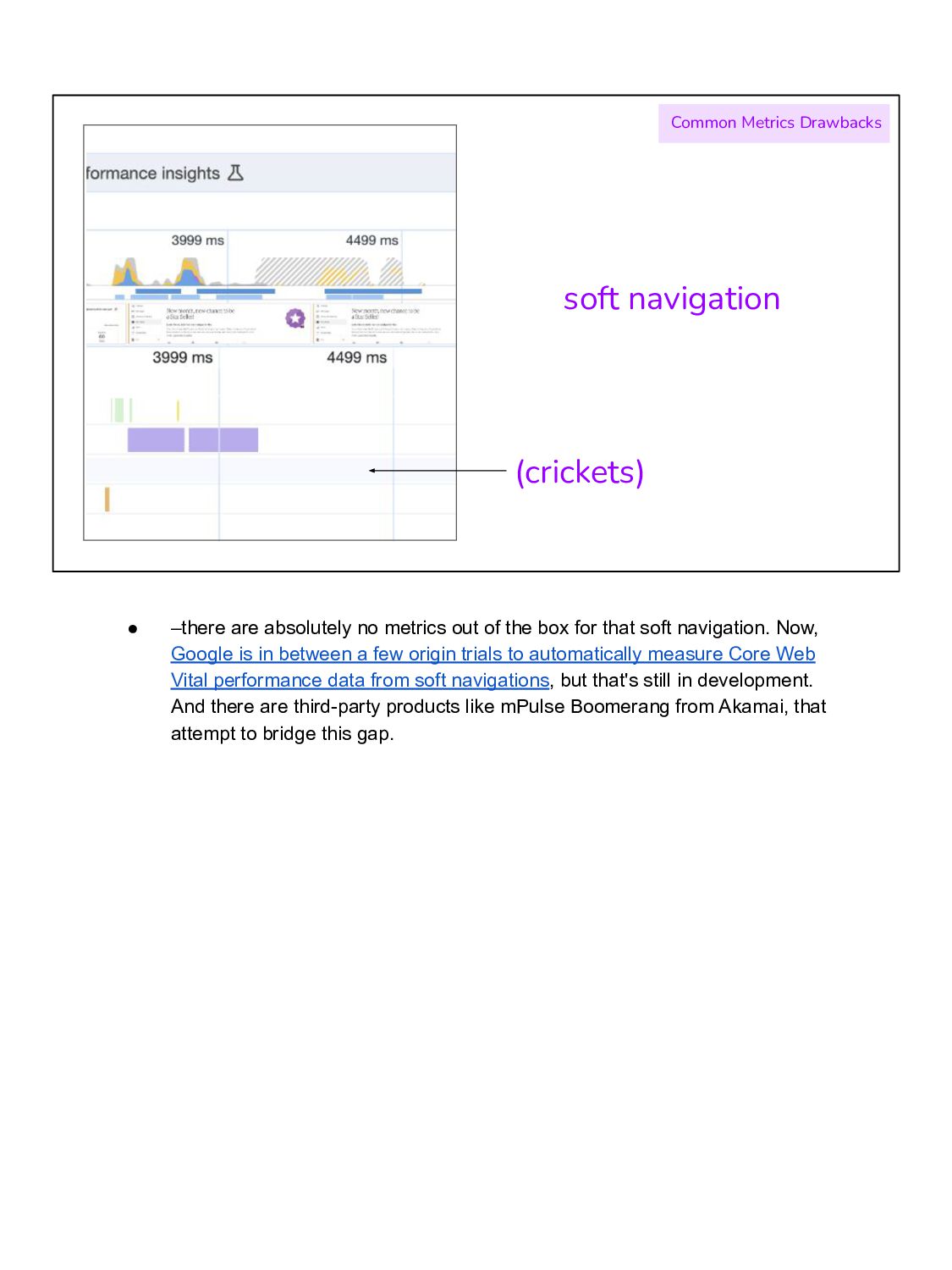
no metrics out of the box for that soft navigation. Now, Google is in between a few origin trials to automatically measure Core Web Vital performance data from soft navigations, but that's still in development. And there are third-party products like mPulse Boomerang from Akamai, that attempt to bridge this gap.
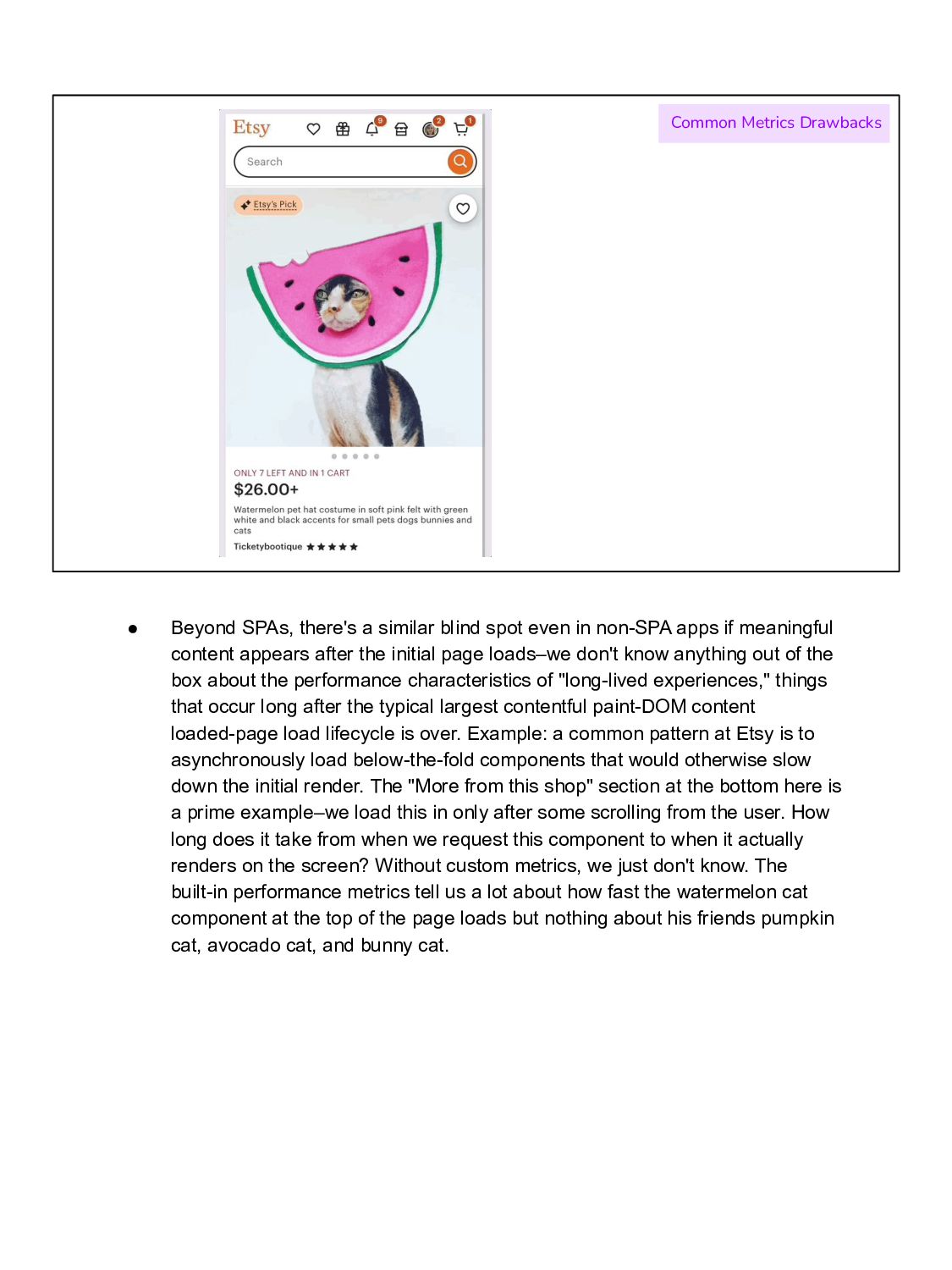
spot even in non-SPA apps if meaningful content appears after the initial page loads–we don't know anything out of the box about the performance characteristics of "long-lived experiences," things that occur long after the typical largest contentful paint-DOM content loaded-page load lifecycle is over. Example: a common pattern at Etsy is to asynchronously load below-the-fold components that would otherwise slow down the initial render. The "More from this shop" section at the bottom here is a prime example–we load this in only after some scrolling from the user. How long does it take from when we request this component to when it actually renders on the screen? Without custom metrics, we just don't know. The built-in performance metrics tell us a lot about how fast the watermelon cat component at the top of the page loads but nothing about his friends pumpkin cat, avocado cat, and bunny cat.
Tech knowledge required to understand Common Metrics Drawbacks Finally, and this is kind of a more nuanced point, but I would argue that existing perf metrics often require a certain level of technical expertise to understand and communicate. If you tell someone less familiar with performance that the largest contentful paint event took a certain amount of time, you might get a blank stare, like is contentful even a real word?; if you instead create a custom metric reporting specifically that the main product image took X milliseconds to appear on the screen, it's much more accessible information and it's much more obvious why we should all care about it and make it happen faster.
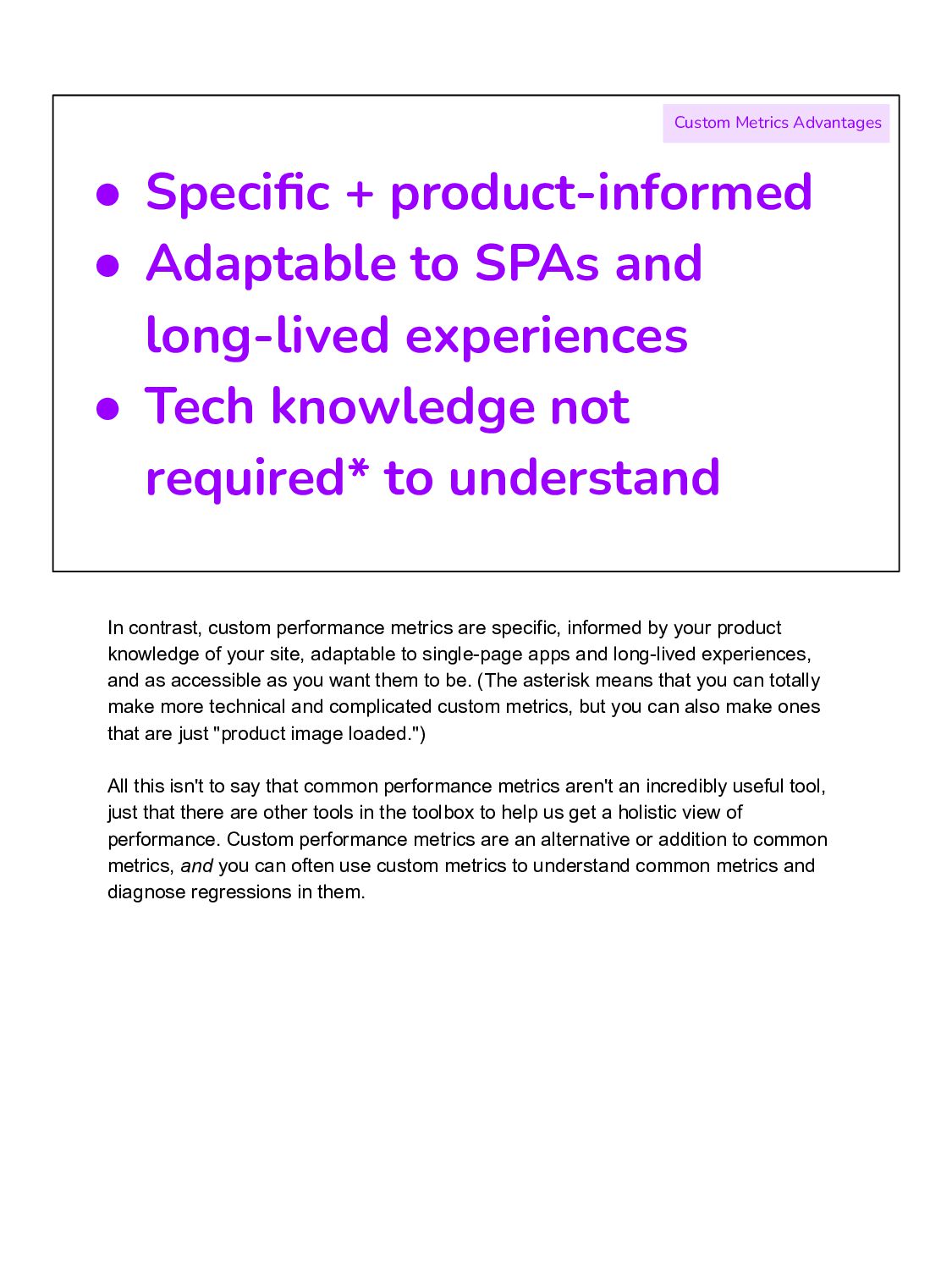
experiences • Tech knowledge not required* to understand Custom Metrics Advantages In contrast, custom performance metrics are specific, informed by your product knowledge of your site, adaptable to single-page apps and long-lived experiences, and as accessible as you want them to be. (The asterisk means that you can totally make more technical and complicated custom metrics, but you can also make ones that are just "product image loaded.") All this isn't to say that common performance metrics aren't an incredibly useful tool, just that there are other tools in the toolbox to help us get a holistic view of performance. Custom performance metrics are an alternative or addition to common metrics, and you can often use custom metrics to understand common metrics and diagnose regressions in them.
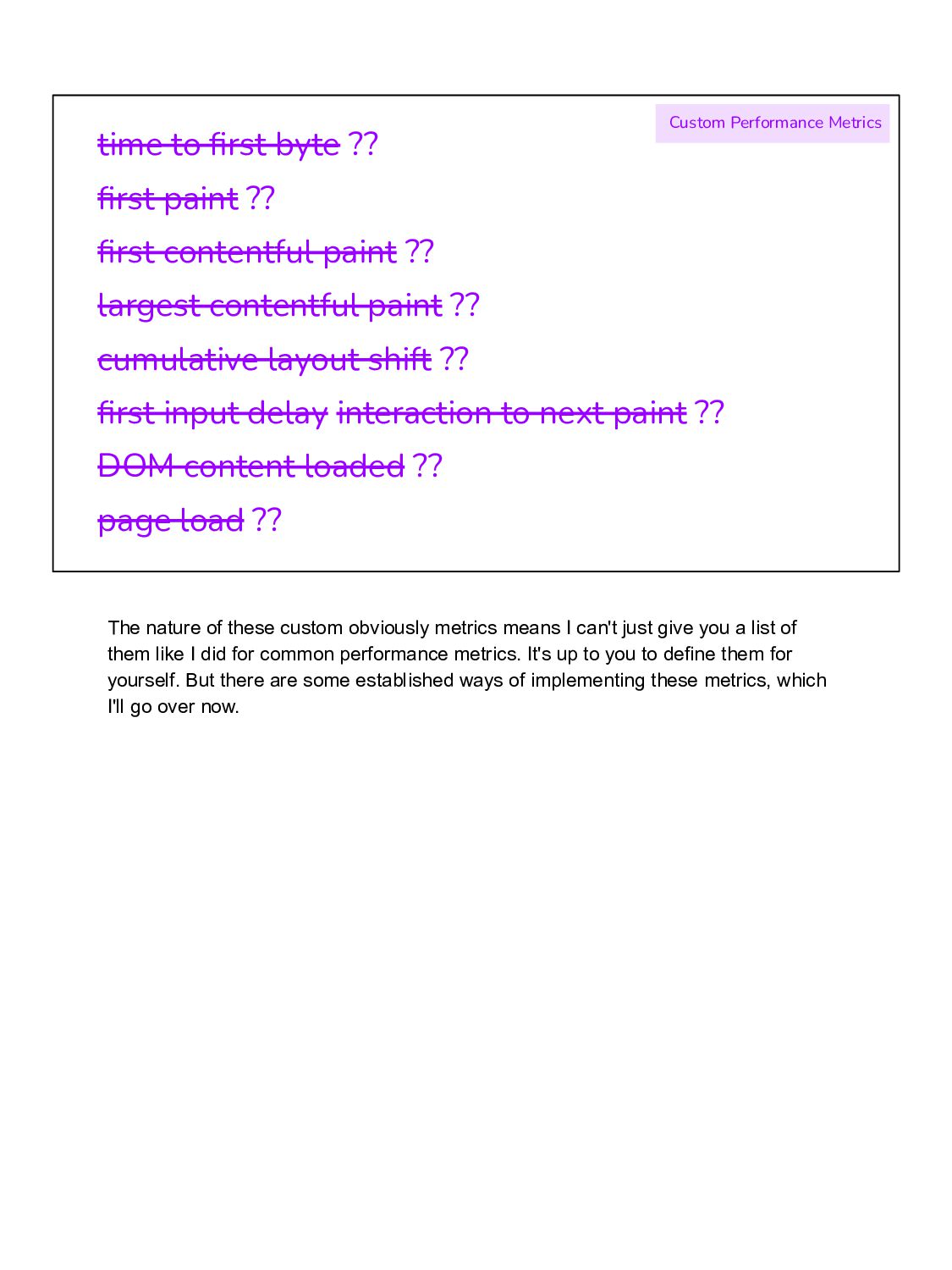
paint ?? largest contentful paint ?? cumulative layout shift ?? first input delay interaction to next paint ?? DOM content loaded ?? page load ?? Custom Performance Metrics The nature of these custom obviously metrics means I can't just give you a list of them like I did for common performance metrics. It's up to you to define them for yourself. But there are some established ways of implementing these metrics, which I'll go over now.
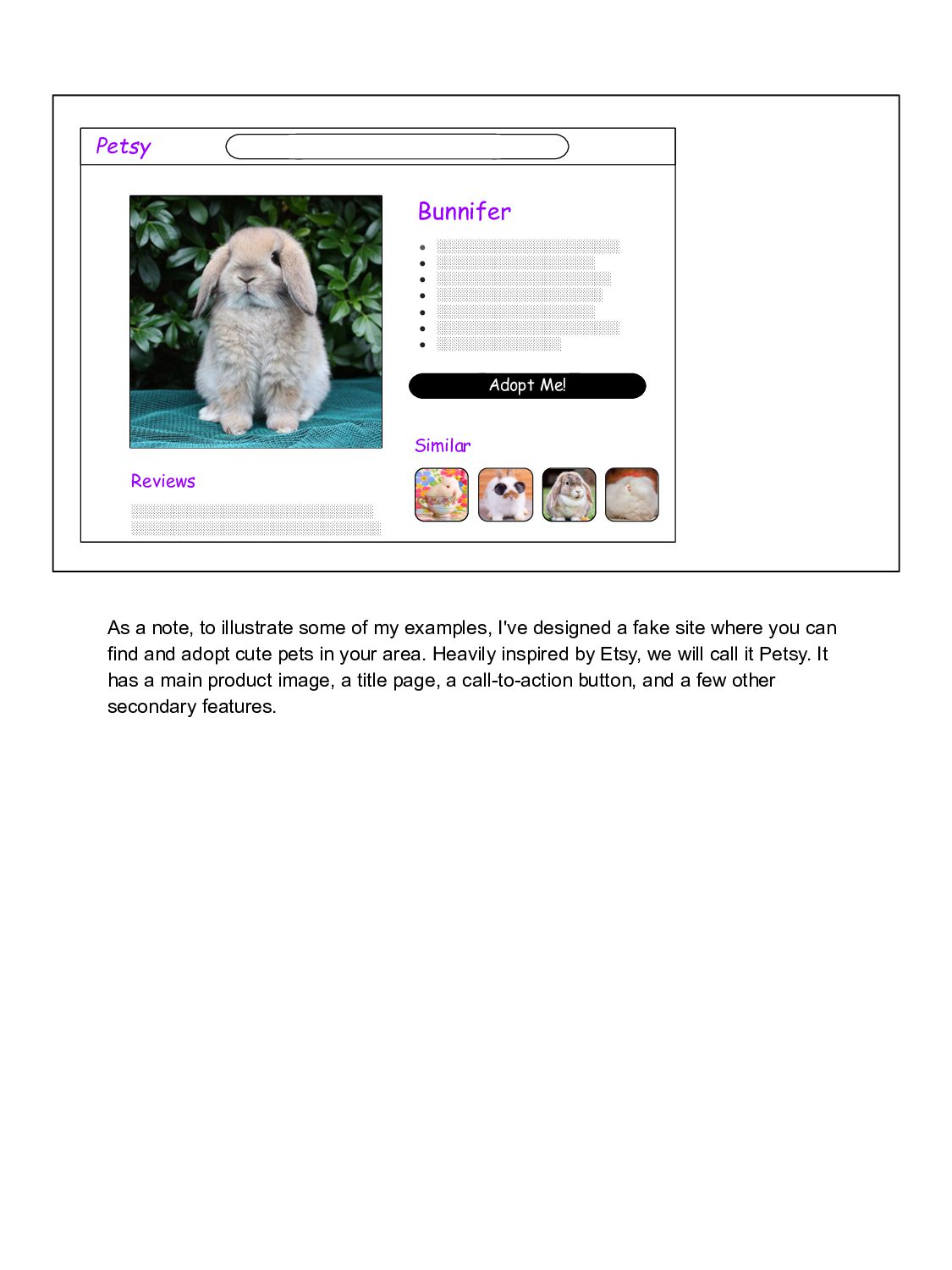
░░░░░░░░░░░░░░░░░░░░░ • ░░░░░░░░░░░░░░░░░░░░ • ░░░░░░░░░░░░░░░░░░░ • ░░░░░░░░░░░░░░░░░░░░░░ • ░░░░░░░░░░░░░░░ ░░░░░░░░░░░░░░░░░░░░░░░░░░░░░ ░░░░░░░░░░░░░░░░░░░░░░░░░░░░░░ Similar As a note, to illustrate some of my examples, I've designed a fake site where you can find and adopt cute pets in your area. Heavily inspired by Etsy, we will call it Petsy. It has a main product image, a title page, a call-to-action button, and a few other secondary features.
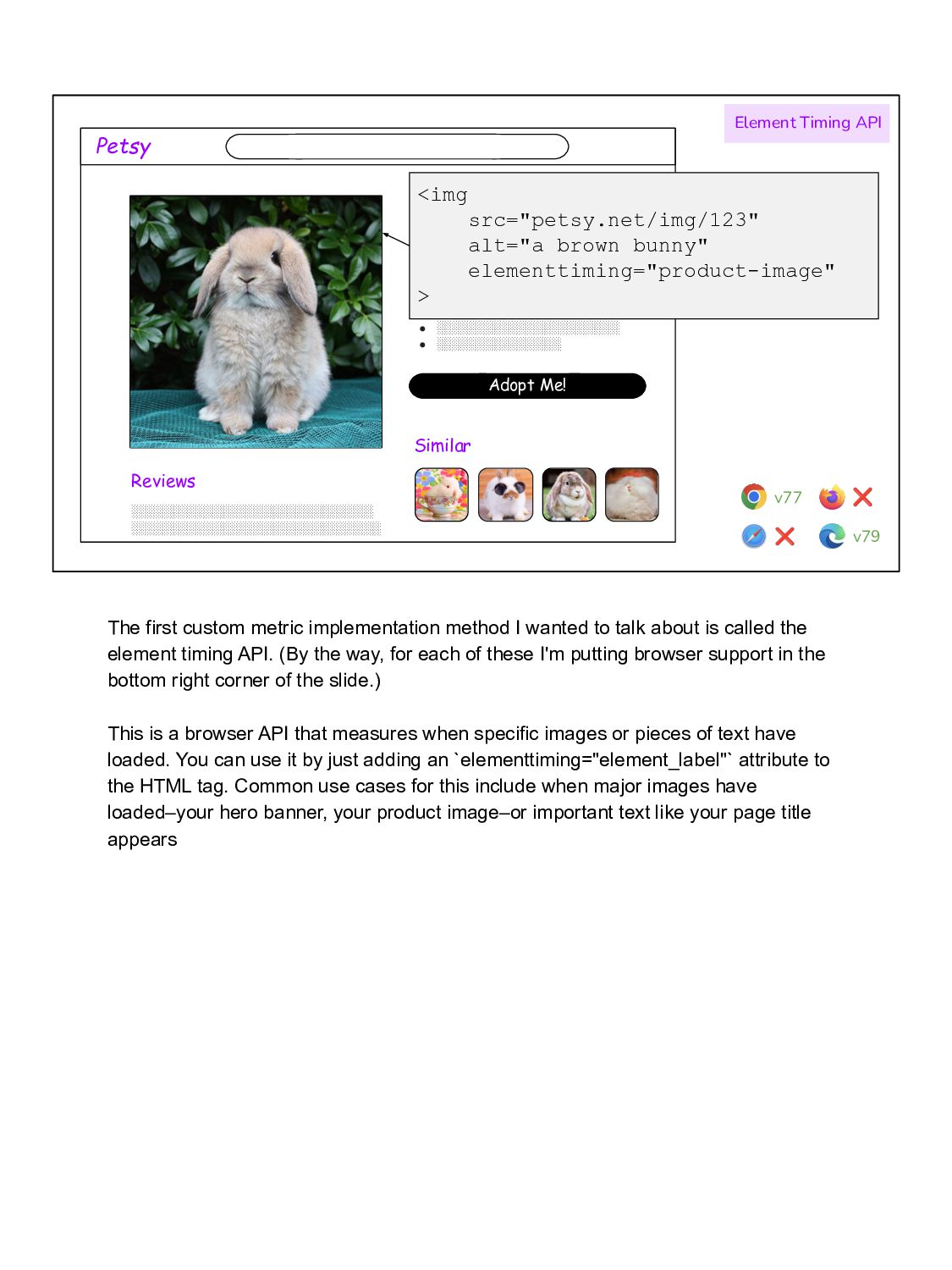
░░░░░░░░░░░░░░░░░░░░░ • ░░░░░░░░░░░░░░░░░░░░ • ░░░░░░░░░░░░░░░░░░░ • ░░░░░░░░░░░░░░░░░░░░░░ • ░░░░░░░░░░░░░░░ ░░░░░░░░░░░░░░░░░░░░░░░░░░░░░ ░░░░░░░░░░░░░░░░░░░░░░░░░░░░░░ Similar <img src="petsy.net/img/123" alt="a brown bunny" elementtiming="product-image" > Element Timing API v77 ❌ v79 ❌ The first custom metric implementation method I wanted to talk about is called the element timing API. (By the way, for each of these I'm putting browser support in the bottom right corner of the slide.) This is a browser API that measures when specific images or pieces of text have loaded. You can use it by just adding an `elementtiming="element_label"` attribute to the HTML tag. Common use cases for this include when major images have loaded–your hero banner, your product image–or important text like your page title appears
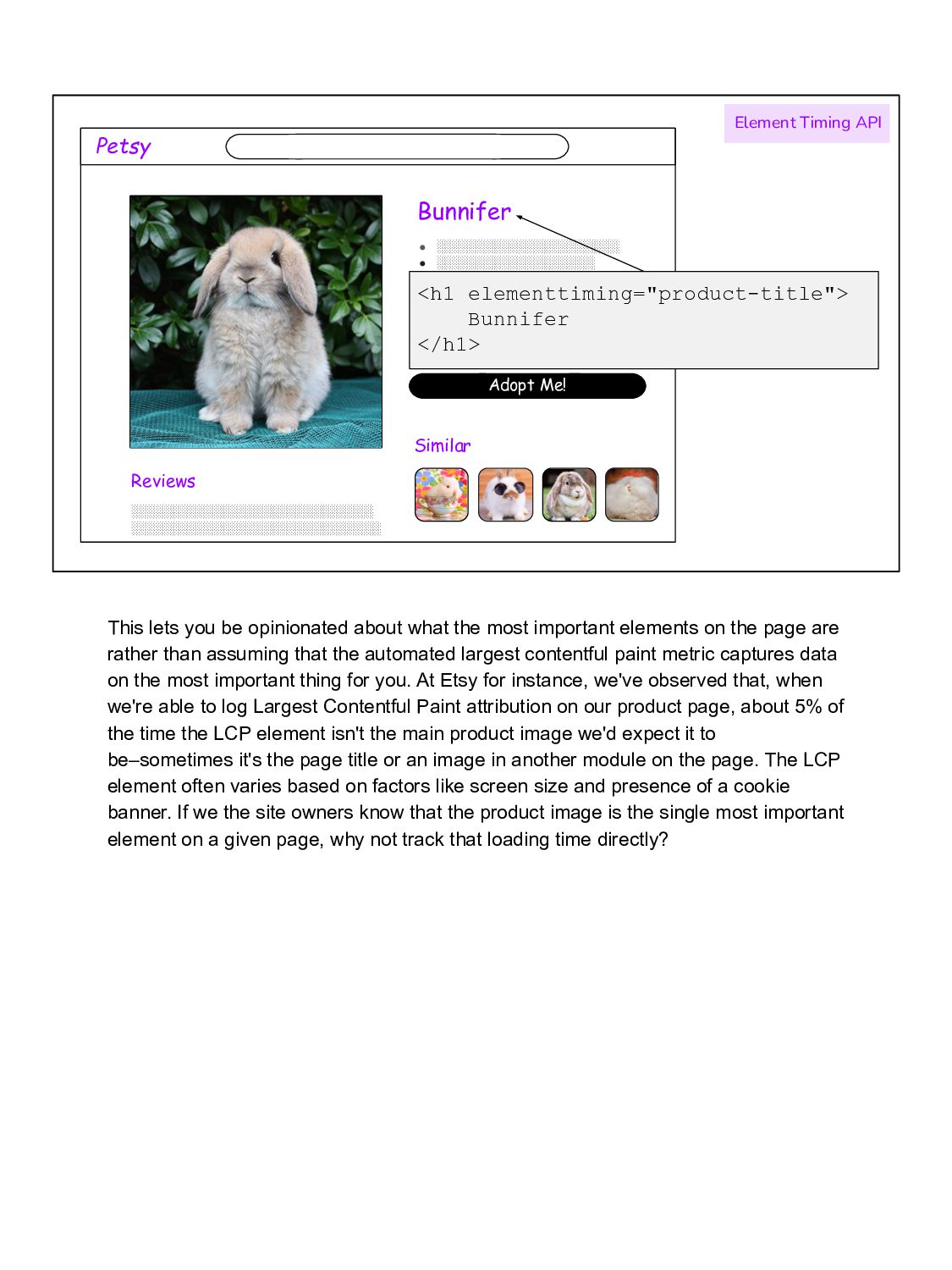
░░░░░░░░░░░░░░░░░░░░░ • ░░░░░░░░░░░░░░░░░░░░ • ░░░░░░░░░░░░░░░░░░░ • ░░░░░░░░░░░░░░░░░░░░░░ • ░░░░░░░░░░░░░░░ ░░░░░░░░░░░░░░░░░░░░░░░░░░░░░ ░░░░░░░░░░░░░░░░░░░░░░░░░░░░░░ Similar <h1 elementtiming="product-title"> Bunnifer </h1> Element Timing API This lets you be opinionated about what the most important elements on the page are rather than assuming that the automated largest contentful paint metric captures data on the most important thing for you. At Etsy for instance, we've observed that, when we're able to log Largest Contentful Paint attribution on our product page, about 5% of the time the LCP element isn't the main product image we'd expect it to be–sometimes it's the page title or an image in another module on the page. The LCP element often varies based on factors like screen size and presence of a cookie banner. If we the site owners know that the product image is the single most important element on a given page, why not track that loading time directly?
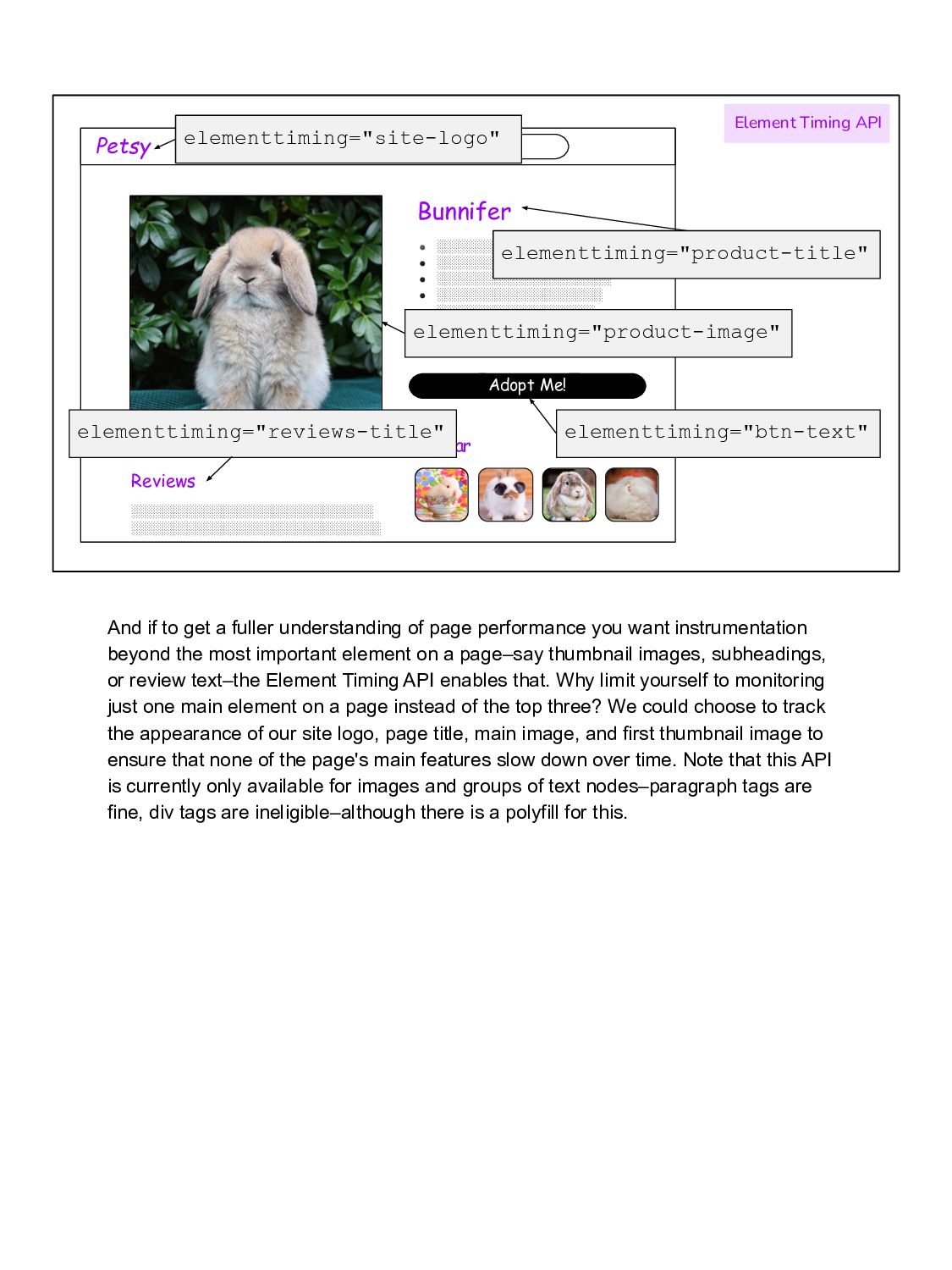
░░░░░░░░░░░░░░░░░░░░░ • ░░░░░░░░░░░░░░░░░░░░ • ░░░░░░░░░░░░░░░░░░░ • ░░░░░░░░░░░░░░░░░░░░░░ • ░░░░░░░░░░░░░░░ ░░░░░░░░░░░░░░░░░░░░░░░░░░░░░ ░░░░░░░░░░░░░░░░░░░░░░░░░░░░░░ Similar elementtiming="product-title" Element Timing API elementtiming="reviews-title" elementtiming="product-image" elementtiming="site-logo" elementtiming="btn-text" And if to get a fuller understanding of page performance you want instrumentation beyond the most important element on a page–say thumbnail images, subheadings, or review text–the Element Timing API enables that. Why limit yourself to monitoring just one main element on a page instead of the top three? We could choose to track the appearance of our site logo, page title, main image, and first thumbnail image to ensure that none of the page's main features slow down over time. Note that this API is currently only available for images and groups of text nodes–paragraph tags are fine, div tags are ineligible–although there is a polyfill for this.
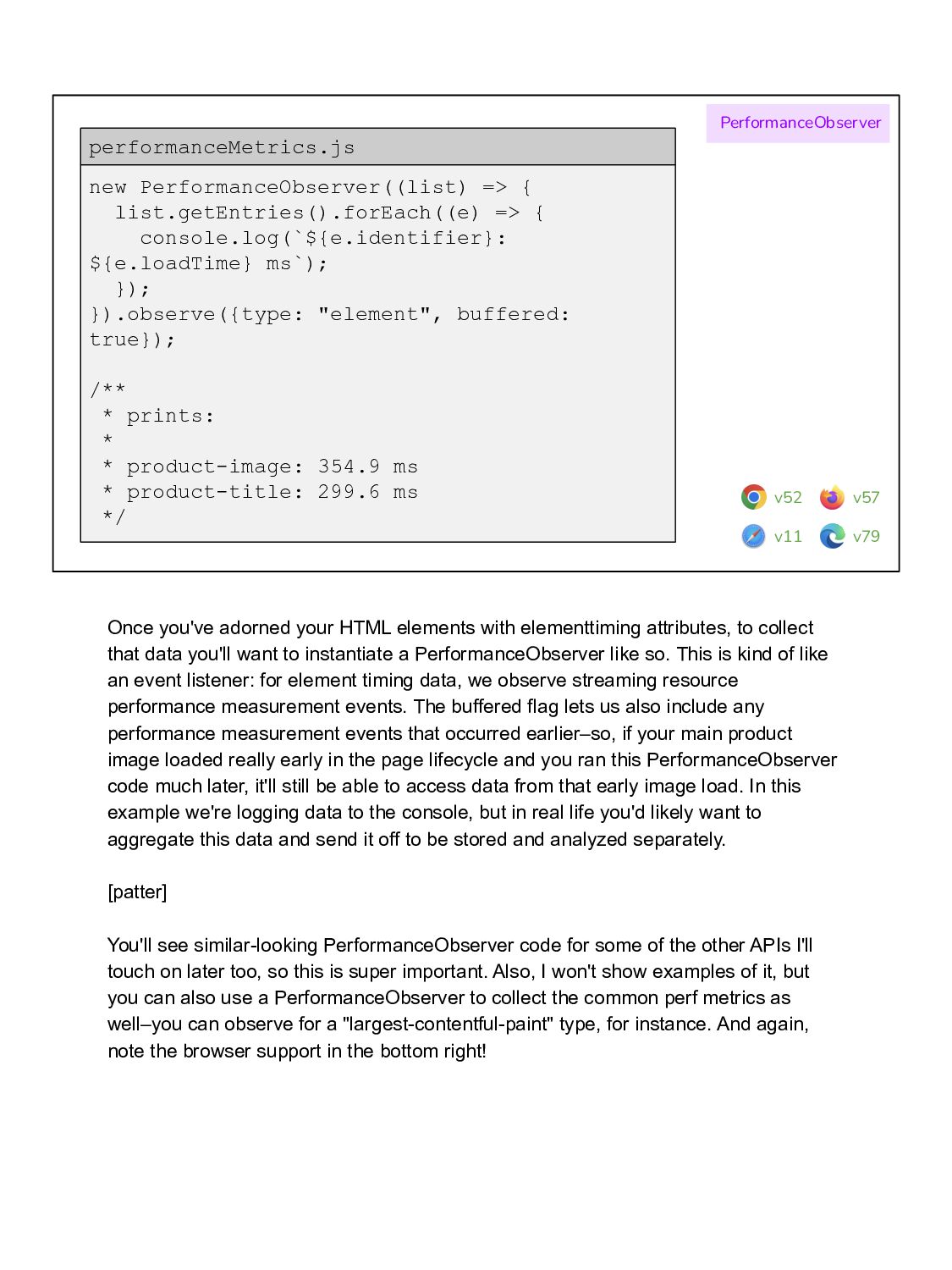
}); }).observe({type: "element", buffered: true}); /** * prints: * * product-image: 354.9 ms * product-title: 299.6 ms */ performanceMetrics.js PerformanceObserver v52 v11 v79 v57 Once you've adorned your HTML elements with elementtiming attributes, to collect that data you'll want to instantiate a PerformanceObserver like so. This is kind of like an event listener: for element timing data, we observe streaming resource performance measurement events. The buffered flag lets us also include any performance measurement events that occurred earlier–so, if your main product image loaded really early in the page lifecycle and you ran this PerformanceObserver code much later, it'll still be able to access data from that early image load. In this example we're logging data to the console, but in real life you'd likely want to aggregate this data and send it off to be stored and analyzed separately. [patter] You'll see similar-looking PerformanceObserver code for some of the other APIs I'll touch on later too, so this is super important. Also, I won't show examples of it, but you can also use a PerformanceObserver to collect the common perf metrics as well–you can observe for a "largest-contentful-paint" type, for instance. And again, note the browser support in the bottom right!
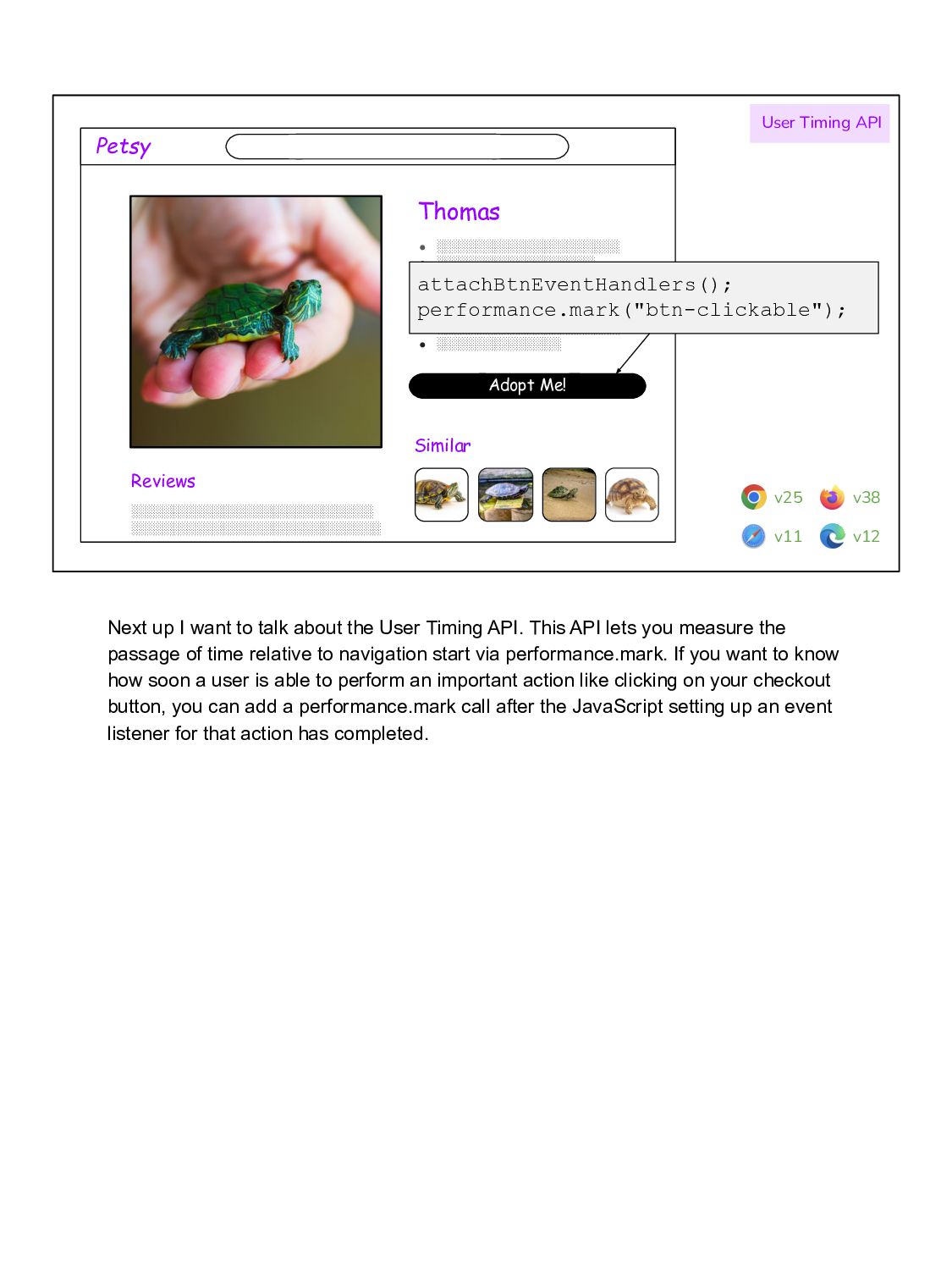
░░░░░░░░░░░░░░░░░░░░░ • ░░░░░░░░░░░░░░░░░░░░ • ░░░░░░░░░░░░░░░░░░░ • ░░░░░░░░░░░░░░░░░░░░░░ • ░░░░░░░░░░░░░░░ ░░░░░░░░░░░░░░░░░░░░░░░░░░░░░ ░░░░░░░░░░░░░░░░░░░░░░░░░░░░░░ Similar attachBtnEventHandlers(); performance.mark("btn-clickable"); User Timing API v25 v11 v12 v38 Next up I want to talk about the User Timing API. This API lets you measure the passage of time relative to navigation start via performance.mark. If you want to know how soon a user is able to perform an important action like clicking on your checkout button, you can add a performance.mark call after the JavaScript setting up an event listener for that action has completed.
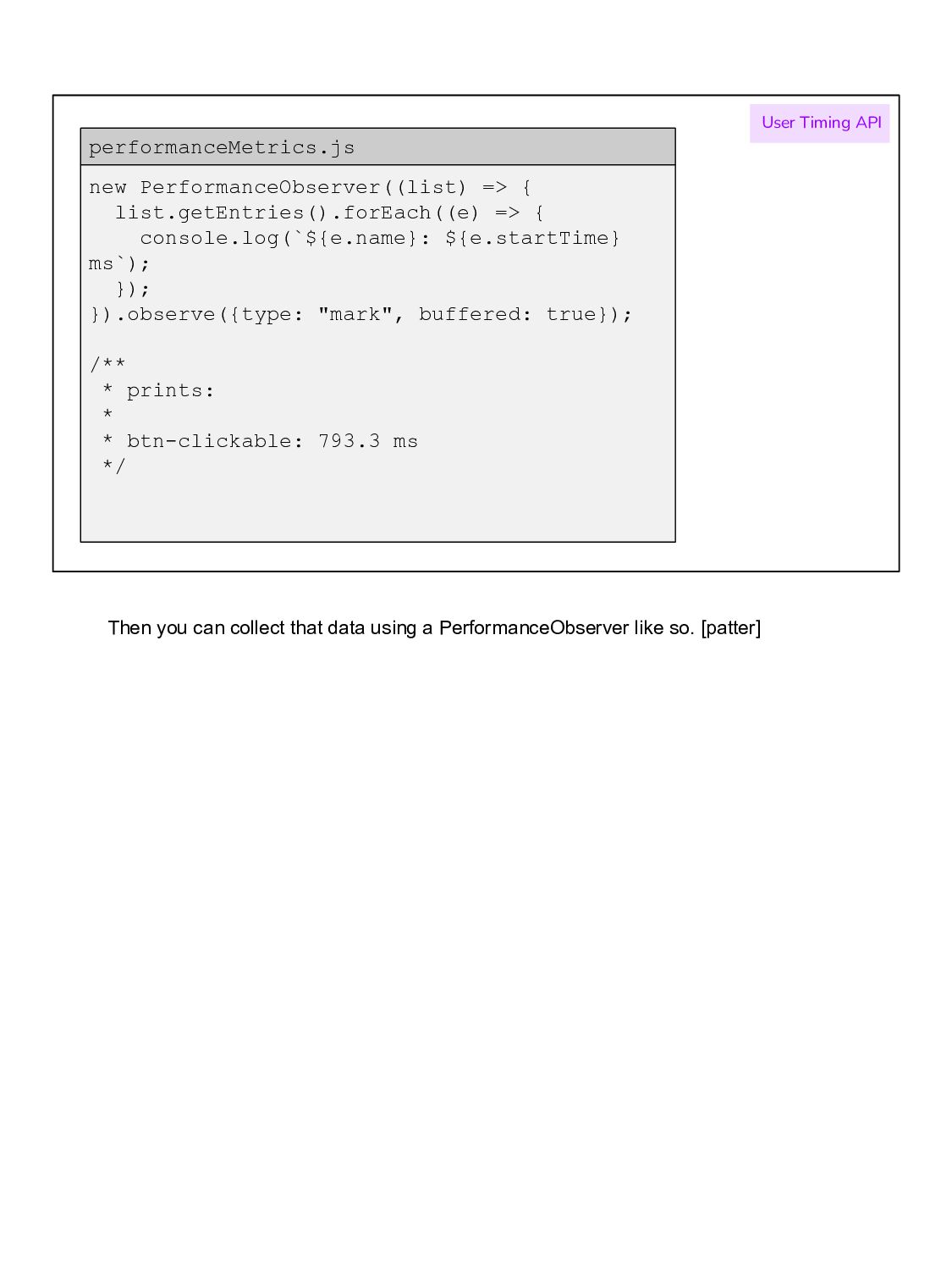
}); }).observe({type: "mark", buffered: true}); /** * prints: * * btn-clickable: 793.3 ms */ performanceMetrics.js User Timing API Then you can collect that data using a PerformanceObserver like so. [patter]
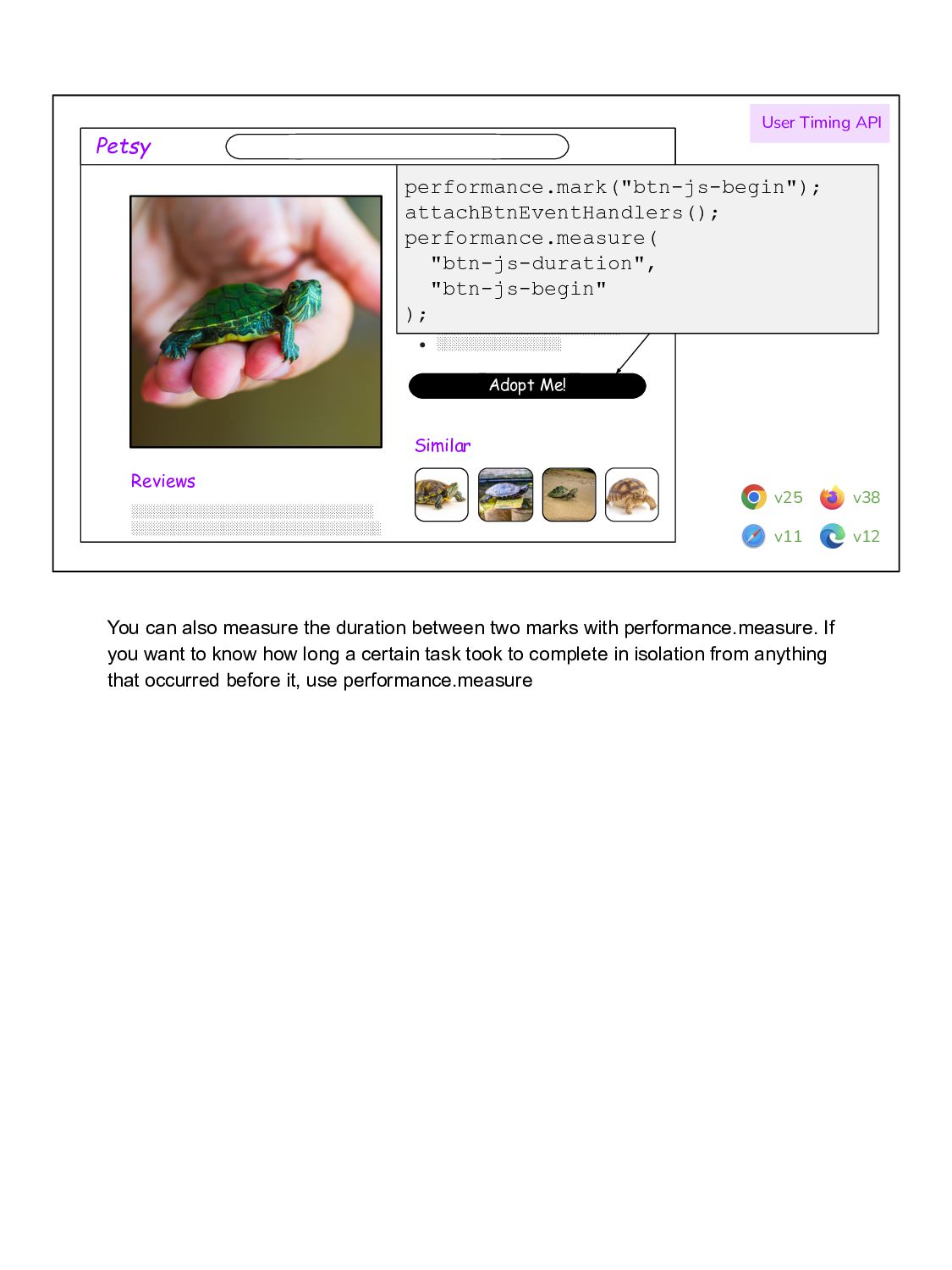
░░░░░░░░░░░░░░░░░░░░░ • ░░░░░░░░░░░░░░░░░░░░ • ░░░░░░░░░░░░░░░░░░░ • ░░░░░░░░░░░░░░░░░░░░░░ • ░░░░░░░░░░░░░░░ ░░░░░░░░░░░░░░░░░░░░░░░░░░░░░ ░░░░░░░░░░░░░░░░░░░░░░░░░░░░░░ Similar performance.mark("btn-js-begin"); attachBtnEventHandlers(); performance.measure( "btn-js-duration", "btn-js-begin" ); User Timing API v25 v11 v12 v38 You can also measure the duration between two marks with performance.measure. If you want to know how long a certain task took to complete in isolation from anything that occurred before it, use performance.measure
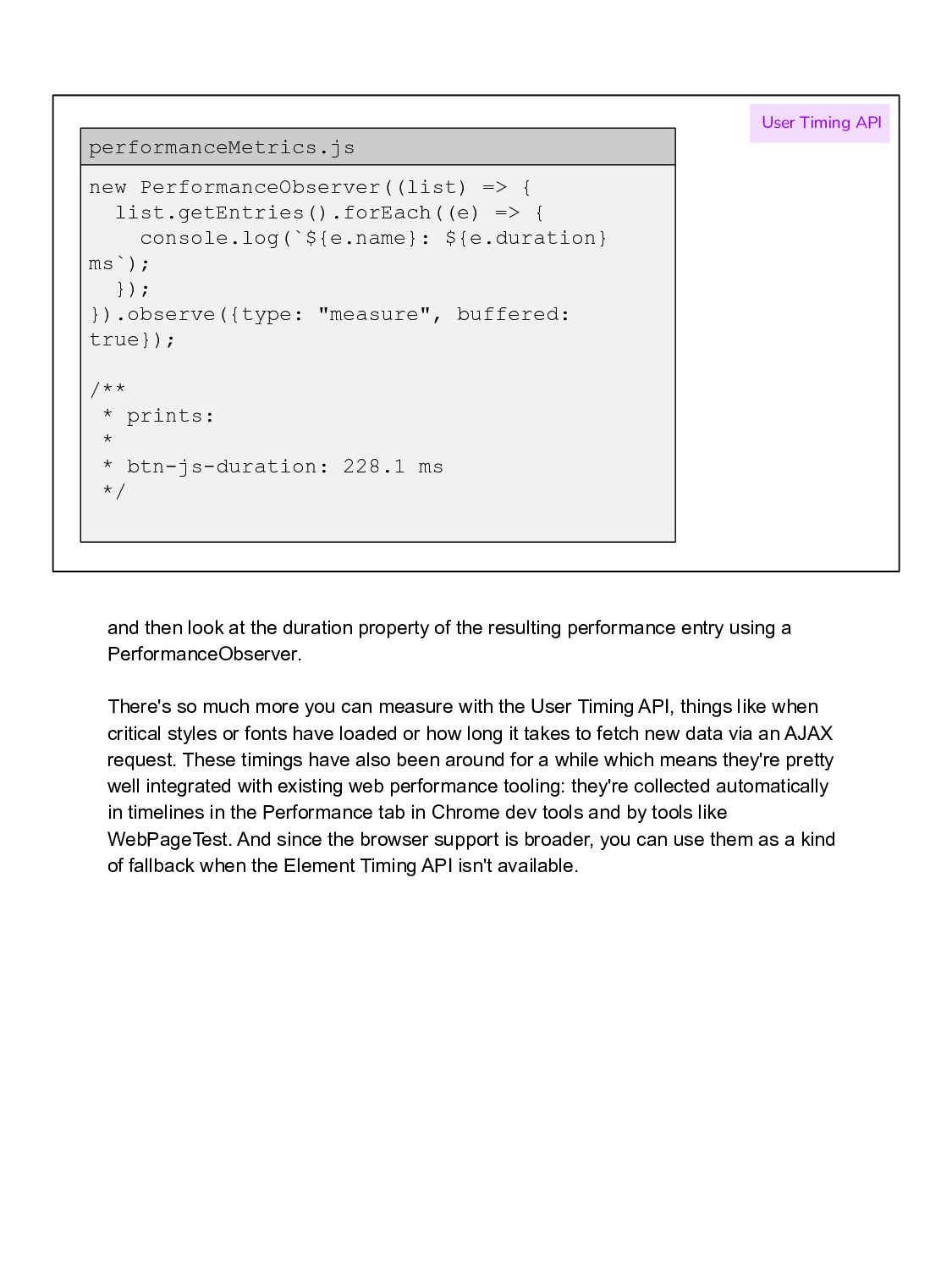
}); }).observe({type: "measure", buffered: true}); /** * prints: * * btn-js-duration: 228.1 ms */ performanceMetrics.js User Timing API and then look at the duration property of the resulting performance entry using a PerformanceObserver. There's so much more you can measure with the User Timing API, things like when critical styles or fonts have loaded or how long it takes to fetch new data via an AJAX request. These timings have also been around for a while which means they're pretty well integrated with existing web performance tooling: they're collected automatically in timelines in the Performance tab in Chrome dev tools and by tools like WebPageTest. And since the browser support is broader, you can use them as a kind of fallback when the Element Timing API isn't available.
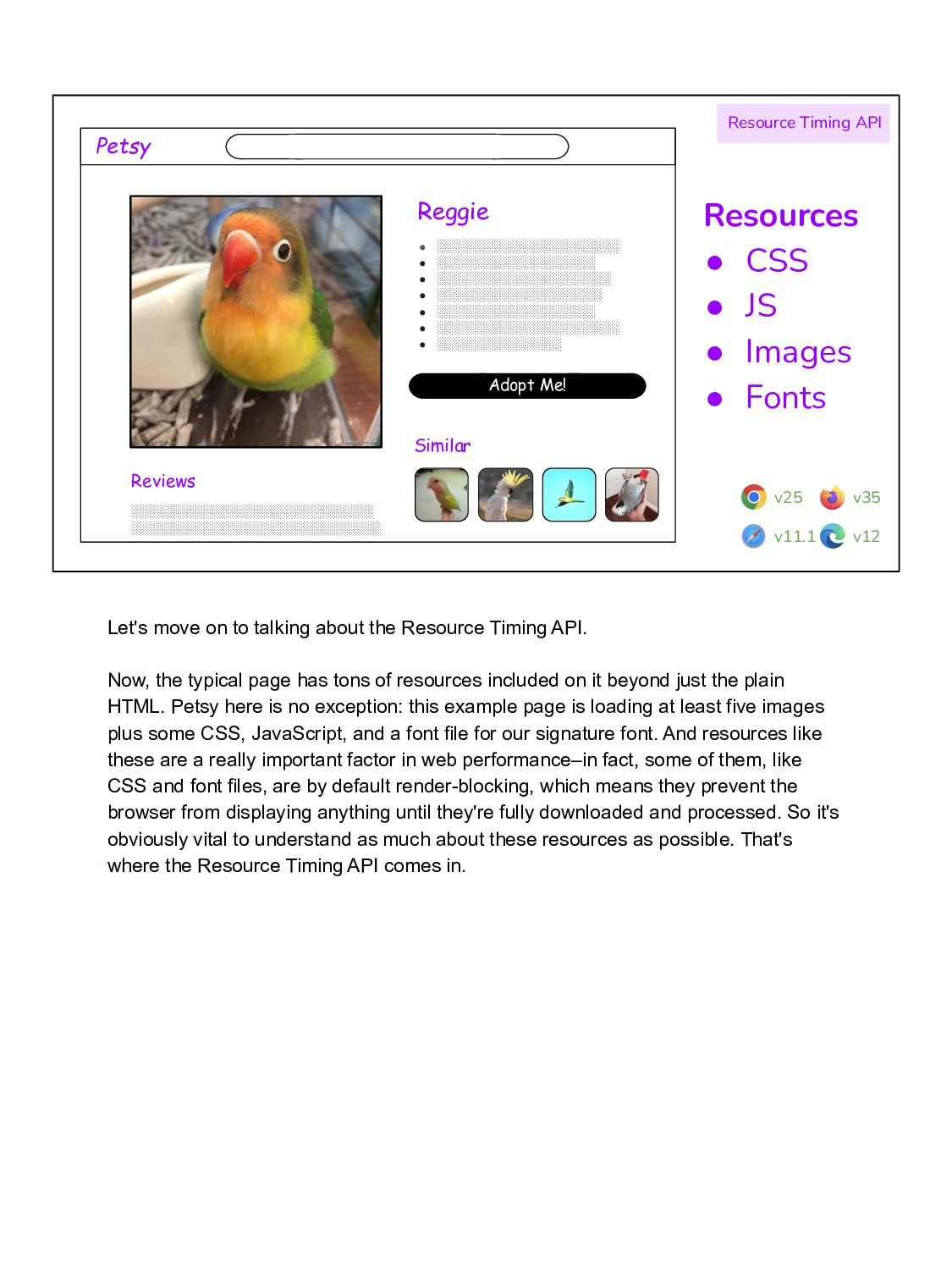
░░░░░░░░░░░░░░░░░░░░░ • ░░░░░░░░░░░░░░░░░░░░ • ░░░░░░░░░░░░░░░░░░░ • ░░░░░░░░░░░░░░░░░░░░░░ • ░░░░░░░░░░░░░░░ ░░░░░░░░░░░░░░░░░░░░░░░░░░░░░ ░░░░░░░░░░░░░░░░░░░░░░░░░░░░░░ Similar Resource Timing API Resources • CSS • JS • Images • Fonts v25 v11.1 v12 v35 Let's move on to talking about the Resource Timing API. Now, the typical page has tons of resources included on it beyond just the plain HTML. Petsy here is no exception: this example page is loading at least five images plus some CSS, JavaScript, and a font file for our signature font. And resources like these are a really important factor in web performance–in fact, some of them, like CSS and font files, are by default render-blocking, which means they prevent the browser from displaying anything until they're fully downloaded and processed. So it's obviously vital to understand as much about these resources as possible. That's where the Resource Timing API comes in.
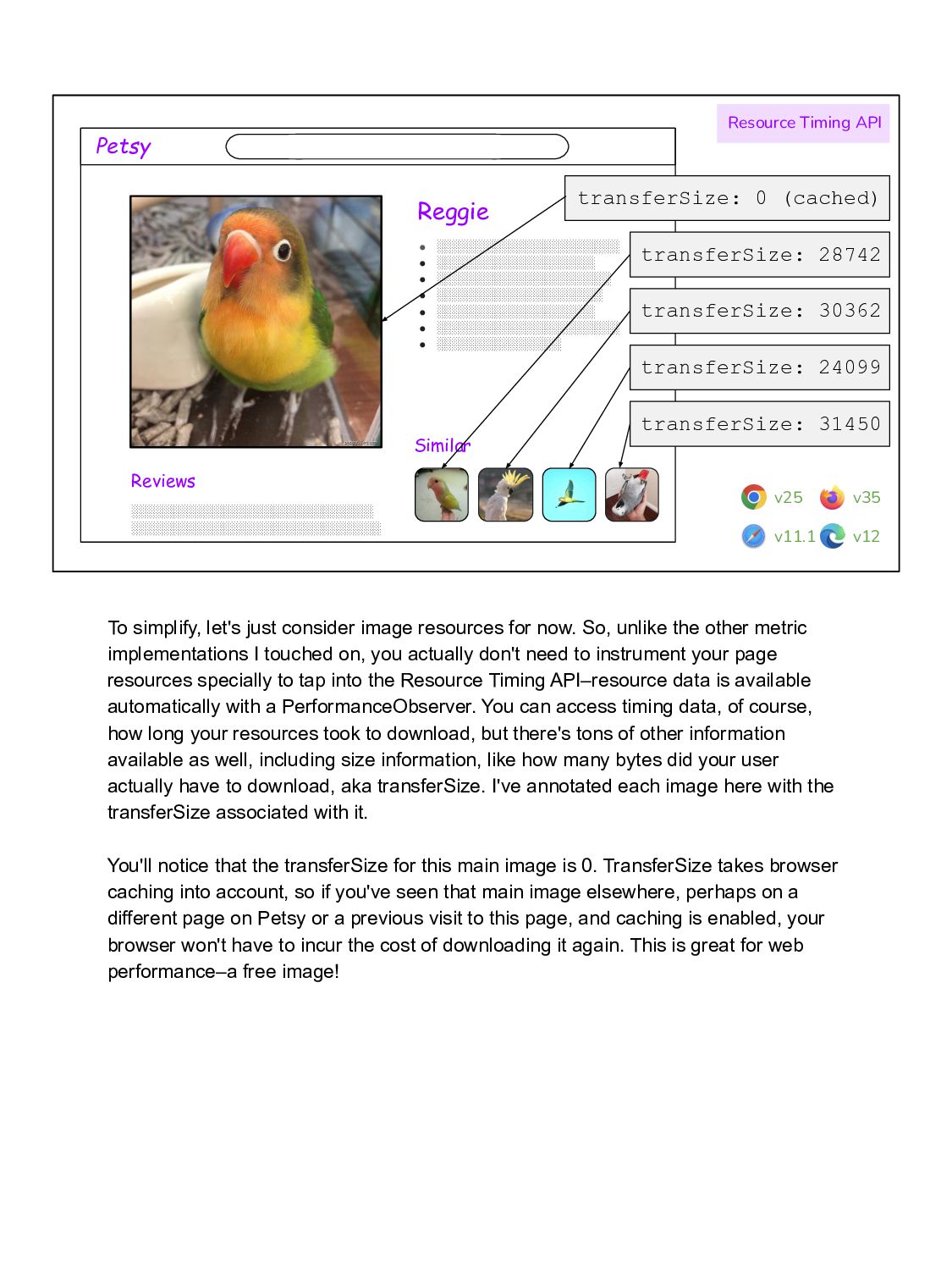
░░░░░░░░░░░░░░░░░░░░ • ░░░░░░░░░░░░░░░░░░░ • ░░░░░░░░░░░░░░░░░░░░░░ • ░░░░░░░░░░░░░░░ ░░░░░░░░░░░░░░░░░░░░░░░░░░░░░ ░░░░░░░░░░░░░░░░░░░░░░░░░░░░░░ Similar Resource Timing API v25 v11.1 v12 v35 transferSize: 0 (cached) transferSize: 28742 transferSize: 30362 transferSize: 24099 transferSize: 31450 To simplify, let's just consider image resources for now. So, unlike the other metric implementations I touched on, you actually don't need to instrument your page resources specially to tap into the Resource Timing API–resource data is available automatically with a PerformanceObserver. You can access timing data, of course, how long your resources took to download, but there's tons of other information available as well, including size information, like how many bytes did your user actually have to download, aka transferSize. I've annotated each image here with the transferSize associated with it. You'll notice that the transferSize for this main image is 0. TransferSize takes browser caching into account, so if you've seen that main image elsewhere, perhaps on a different page on Petsy or a previous visit to this page, and caching is enabled, your browser won't have to incur the cost of downloading it again. This is great for web performance–a free image!
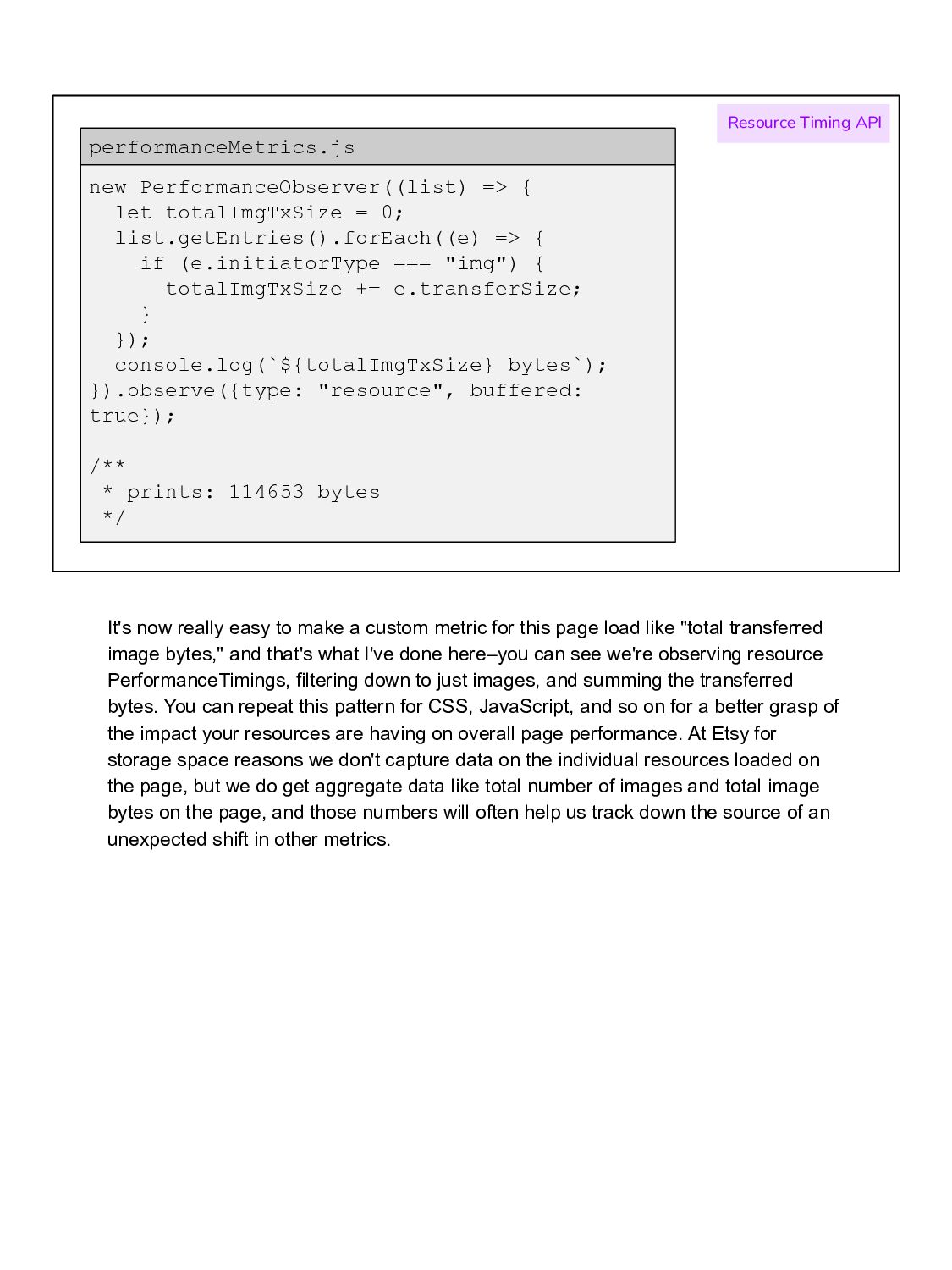
{ if (e.initiatorType === "img") { totalImgTxSize += e.transferSize; } }); console.log(`${totalImgTxSize} bytes`); }).observe({type: "resource", buffered: true}); /** * prints: 114653 bytes */ performanceMetrics.js Resource Timing API It's now really easy to make a custom metric for this page load like "total transferred image bytes," and that's what I've done here–you can see we're observing resource PerformanceTimings, filtering down to just images, and summing the transferred bytes. You can repeat this pattern for CSS, JavaScript, and so on for a better grasp of the impact your resources are having on overall page performance. At Etsy for storage space reasons we don't capture data on the individual resources loaded on the page, but we do get aggregate data like total number of images and total image bytes on the page, and those numbers will often help us track down the source of an unexpected shift in other metrics.
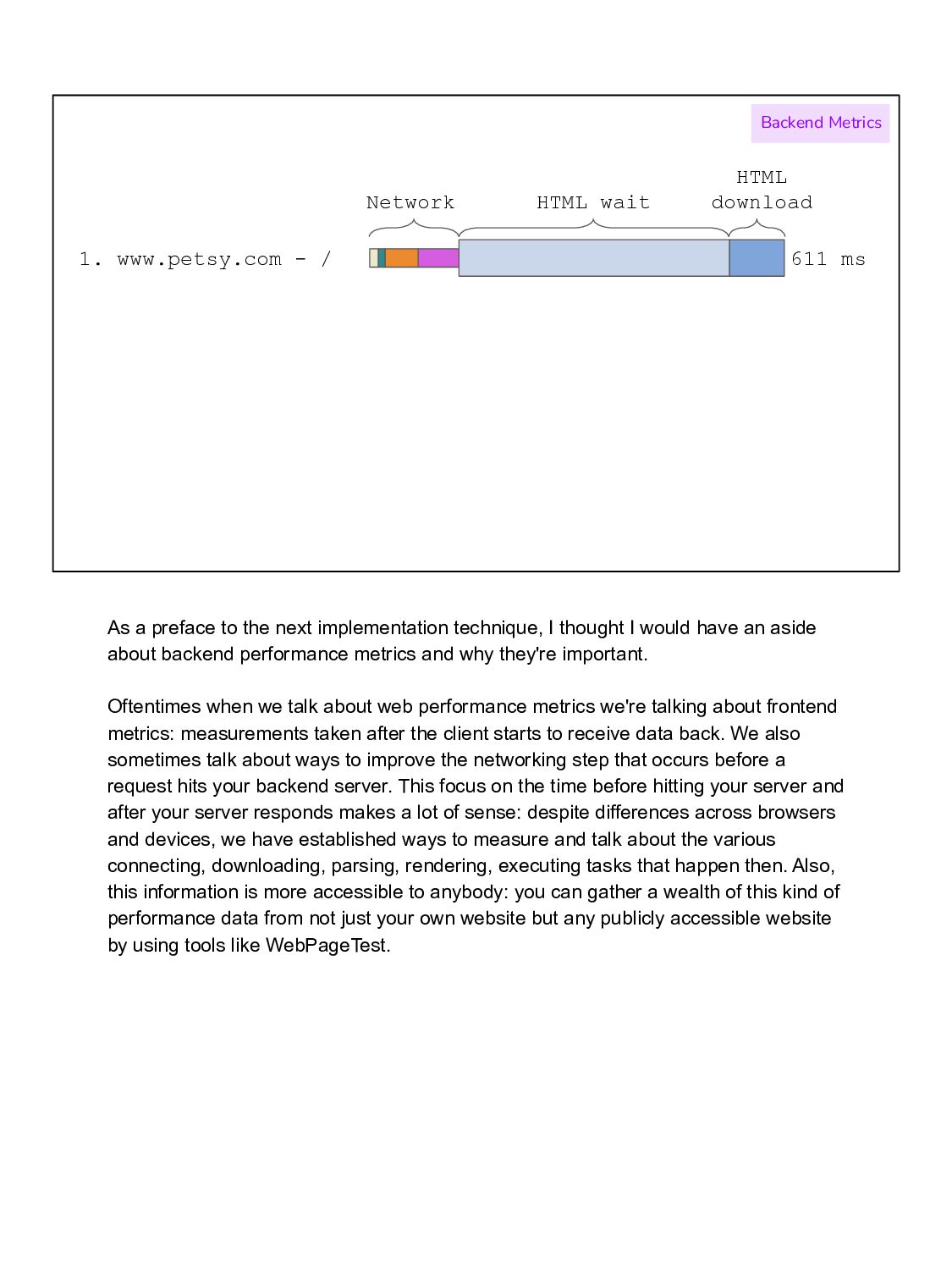
download Backend Metrics As a preface to the next implementation technique, I thought I would have an aside about backend performance metrics and why they're important. Oftentimes when we talk about web performance metrics we're talking about frontend metrics: measurements taken after the client starts to receive data back. We also sometimes talk about ways to improve the networking step that occurs before a request hits your backend server. This focus on the time before hitting your server and after your server responds makes a lot of sense: despite differences across browsers and devices, we have established ways to measure and talk about the various connecting, downloading, parsing, rendering, executing tasks that happen then. Also, this information is more accessible to anybody: you can gather a wealth of this kind of performance data from not just your own website but any publicly accessible website by using tools like WebPageTest.
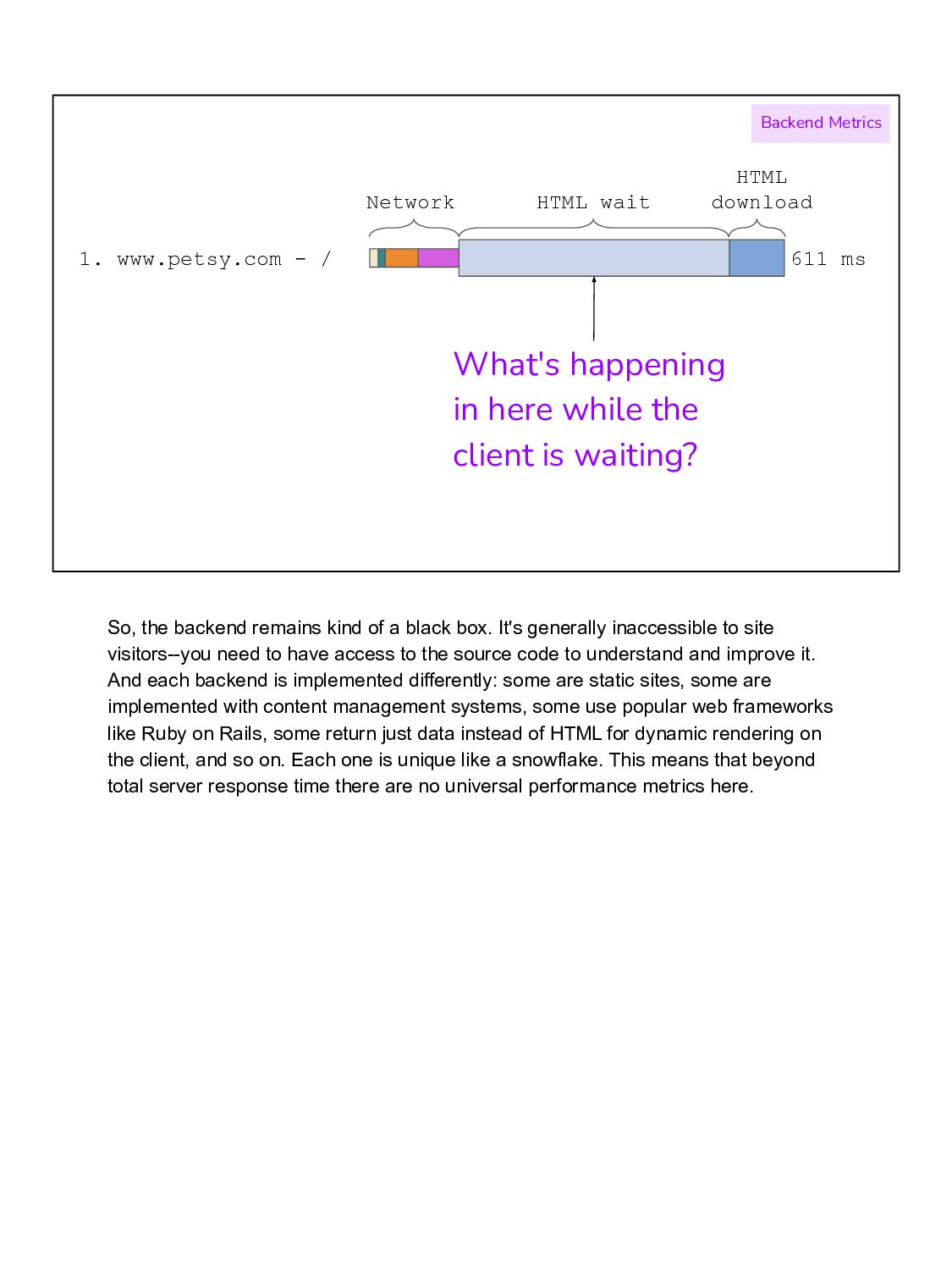
download Backend Metrics What's happening in here while the client is waiting? So, the backend remains kind of a black box. It's generally inaccessible to site visitors--you need to have access to the source code to understand and improve it. And each backend is implemented differently: some are static sites, some are implemented with content management systems, some use popular web frameworks like Ruby on Rails, some return just data instead of HTML for dynamic rendering on the client, and so on. Each one is unique like a snowflake. This means that beyond total server response time there are no universal performance metrics here.
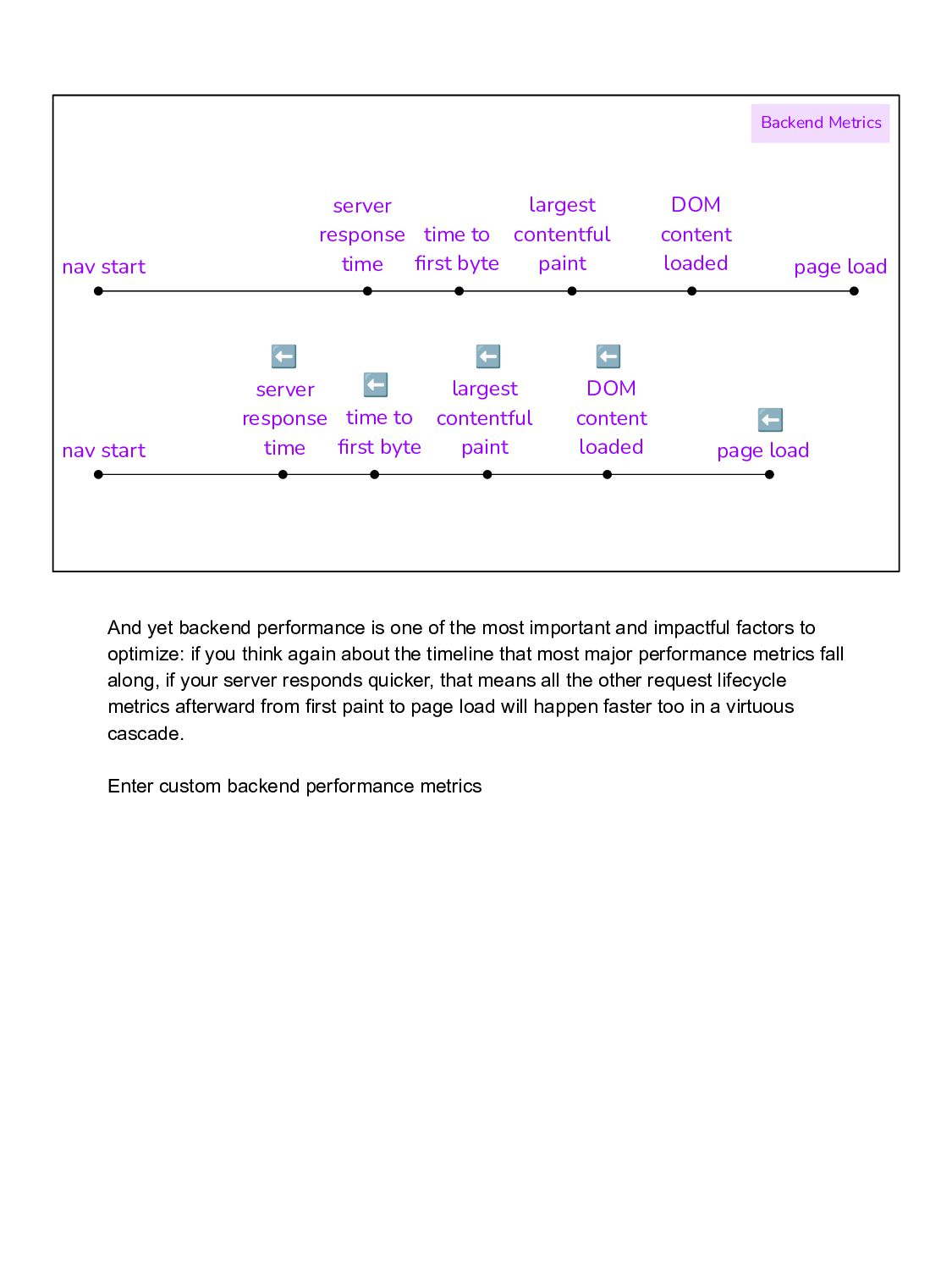
paint DOM content loaded page load server response time nav start time to first byte largest contentful paint DOM content loaded page load server response time ⬅ ⬅ ⬅ ⬅ ⬅ And yet backend performance is one of the most important and impactful factors to optimize: if you think again about the timeline that most major performance metrics fall along, if your server responds quicker, that means all the other request lifecycle metrics afterward from first paint to page load will happen faster too in a virtuous cascade. Enter custom backend performance metrics
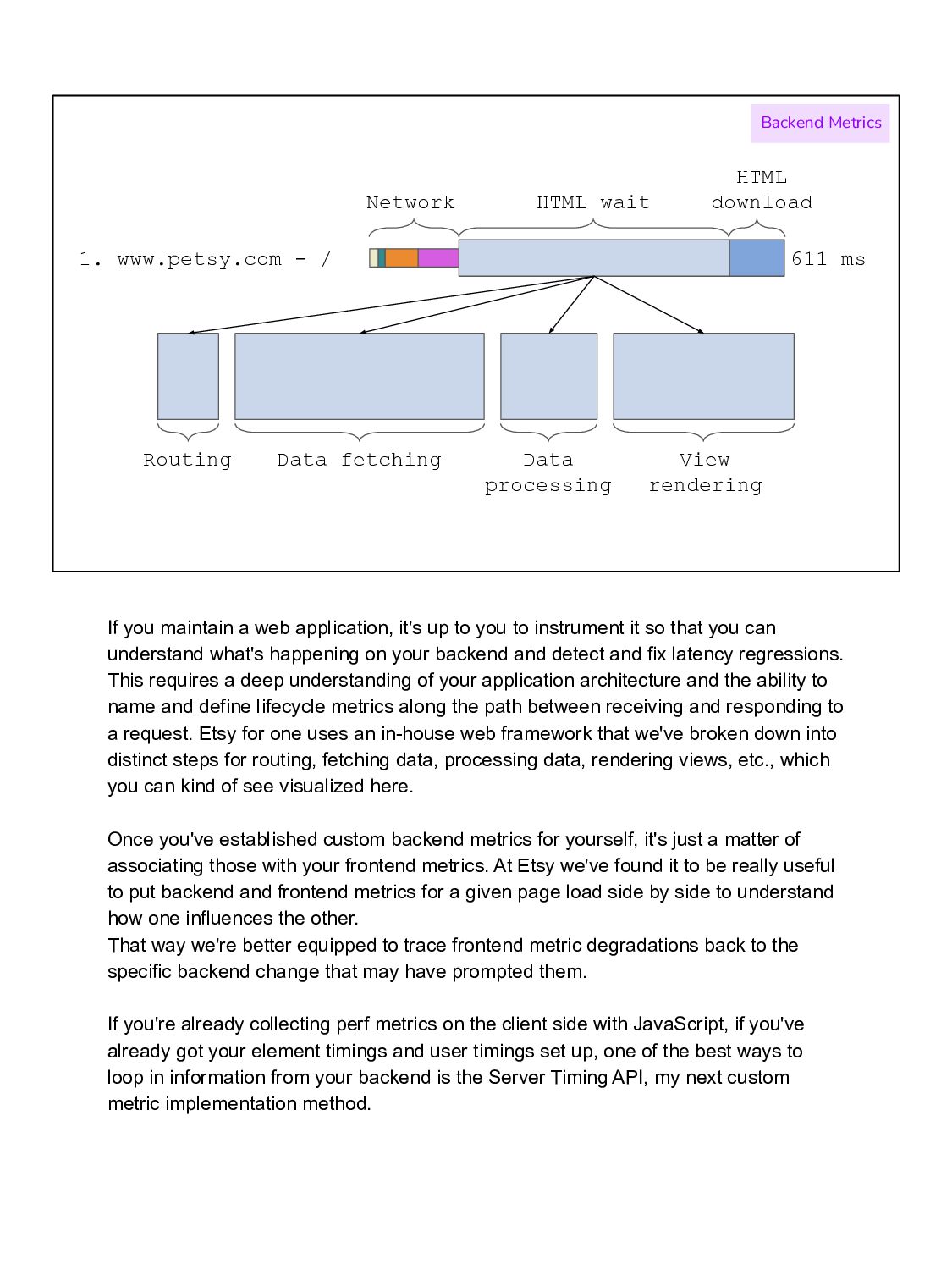
download Routing Data fetching Data processing View rendering Backend Metrics If you maintain a web application, it's up to you to instrument it so that you can understand what's happening on your backend and detect and fix latency regressions. This requires a deep understanding of your application architecture and the ability to name and define lifecycle metrics along the path between receiving and responding to a request. Etsy for one uses an in-house web framework that we've broken down into distinct steps for routing, fetching data, processing data, rendering views, etc., which you can kind of see visualized here. Once you've established custom backend metrics for yourself, it's just a matter of associating those with your frontend metrics. At Etsy we've found it to be really useful to put backend and frontend metrics for a given page load side by side to understand how one influences the other. That way we're better equipped to trace frontend metric degradations back to the specific backend change that may have prompted them. If you're already collecting perf metrics on the client side with JavaScript, if you've already got your element timings and user timings set up, one of the best ways to loop in information from your backend is the Server Timing API, my next custom metric implementation method.
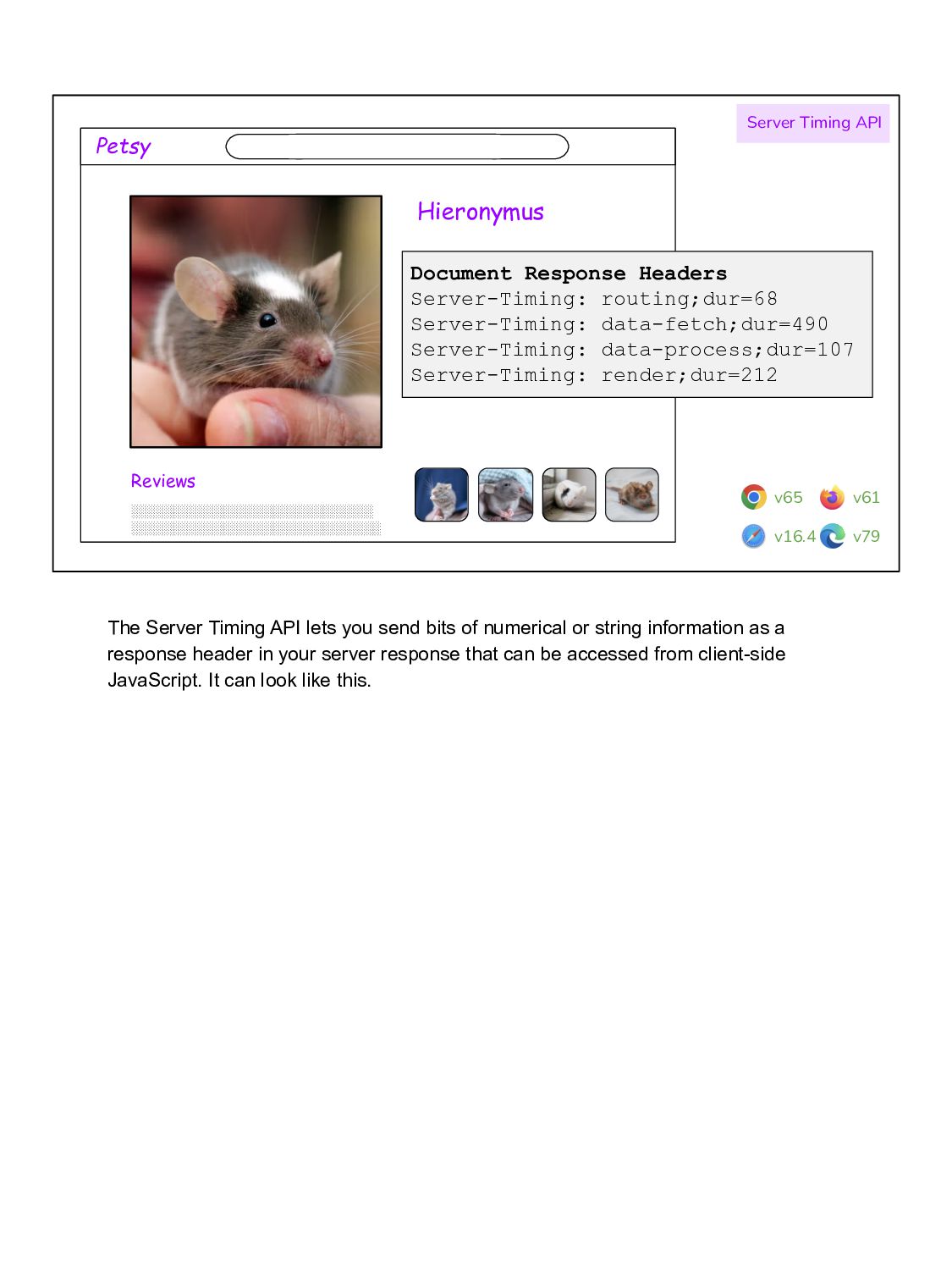
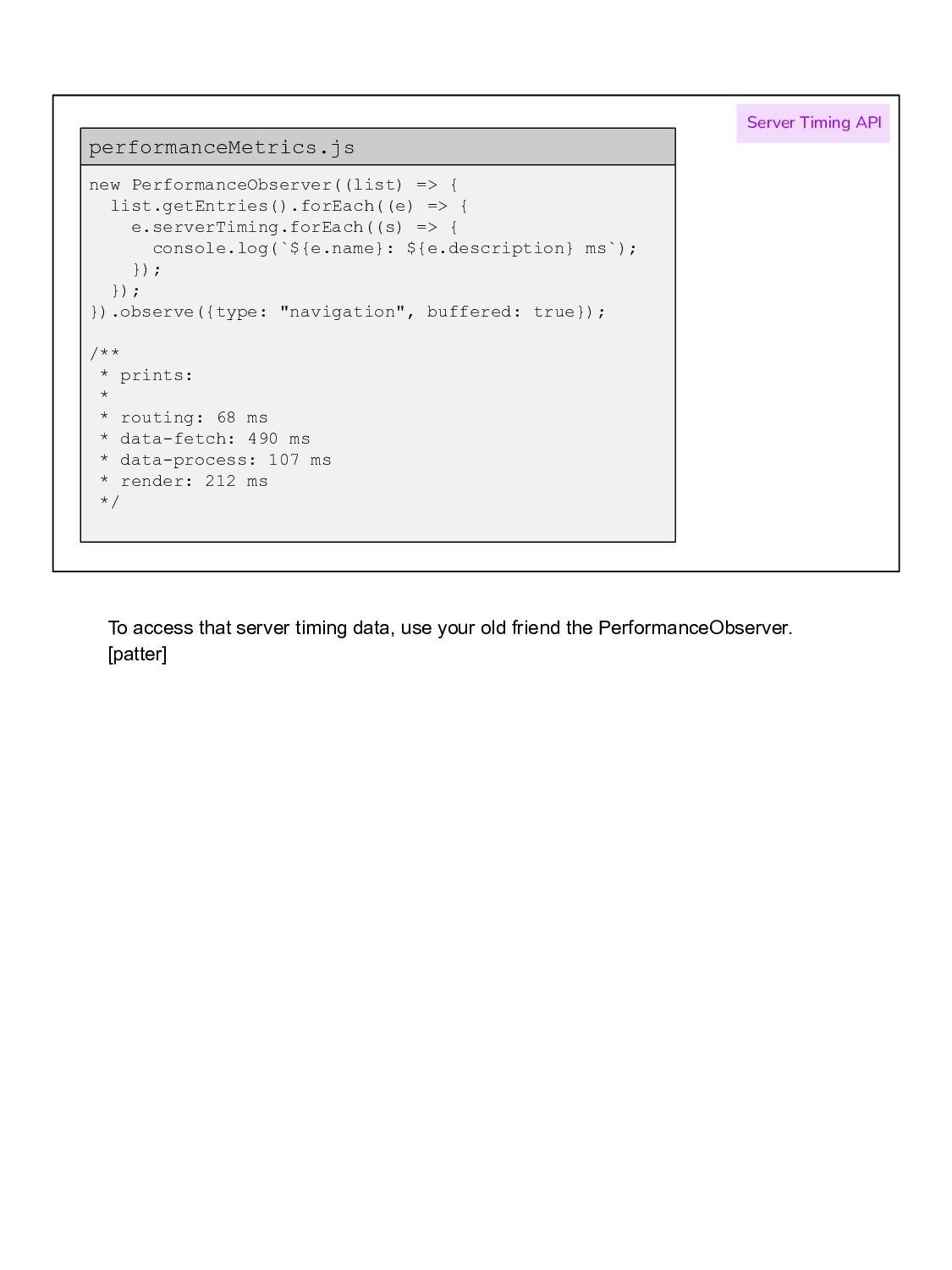
Server-Timing: data-fetch;dur=490 Server-Timing: data-process;dur=107 Server-Timing: render;dur=212 Server Timing API v65 v16.4 v79 v61 The Server Timing API lets you send bits of numerical or string information as a response header in your server response that can be accessed from client-side JavaScript. It can look like this.
console.log(`${e.name}: ${e.description} ms`); }); }); }).observe({type: "navigation", buffered: true}); /** * prints: * * routing: 68 ms * data-fetch: 490 ms * data-process: 107 ms * render: 212 ms */ performanceMetrics.js Server Timing API To access that server timing data, use your old friend the PerformanceObserver. [patter]
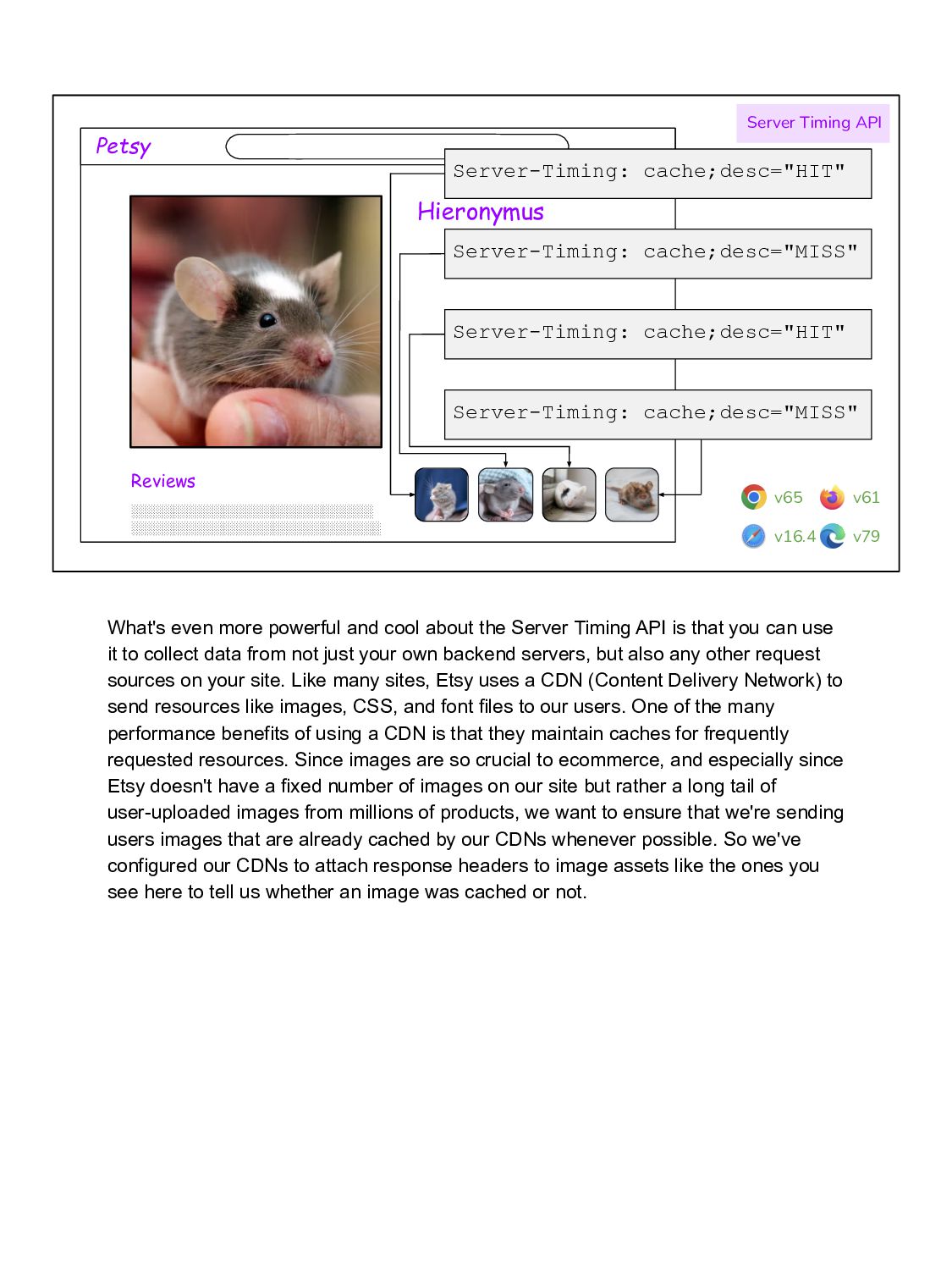
cache;desc="HIT" Server-Timing: cache;desc="HIT" Server Timing API v65 v16.4 v79 v61 What's even more powerful and cool about the Server Timing API is that you can use it to collect data from not just your own backend servers, but also any other request sources on your site. Like many sites, Etsy uses a CDN (Content Delivery Network) to send resources like images, CSS, and font files to our users. One of the many performance benefits of using a CDN is that they maintain caches for frequently requested resources. Since images are so crucial to ecommerce, and especially since Etsy doesn't have a fixed number of images on our site but rather a long tail of user-uploaded images from millions of products, we want to ensure that we're sending users images that are already cached by our CDNs whenever possible. So we've configured our CDNs to attach response headers to image assets like the ones you see here to tell us whether an image was cached or not.
}); }).observe({type: "resource", buffered: true}); /** * prints: * * bunny-1.jpg: cache HIT * bunny-2.jpg: cache MISS */ performanceMetrics.js Server Timing API Then in our performance-data-gathering JavaScript, we loop through all detected image resources on the page and count how many were cached and how many weren't. This informs our understanding of page load. For example, one time at Etsy we noticed a degradation in page load (which includes time spent waiting for all images to download) on our search page and thanks to this data we were able to tie it to the addition of a bunch of as-yet uncached images. Server Timing API = super cool.
Okay, but how? ✅ With custom performance metrics we've gone over what they are, why you want them, and how to do them. I hope I've convinced you to consider measuring what's most important for *your* specific users on *your* specific site to glean a more holistic view of its performance.
blog.alexmaccaw.com/time-to-first-tweet/ • speedcurve.com/blog/element-timing-one-true-metric/ • medium.com/pinterest-engineering/web-performance-r egression-detection-part-1-of-3-86dcc6d5fce9#1bc6 I've listed out some resources for further reading here if you're interested in learning more.


 konakalab
.png) helenjbeal
helenjbeal
 mfonobong
 tammielis
 signer
 tamaranovitovic
 reverentgeek
 zakiyama
 yeseniaperezcruz
 madoxten
 geoffreycrofte
 pwiseman




![new PerformanceObserver((list) => { list.getEntries().forEach((e) => { console.log(`${e.name}: cache ${e.serverTiming[0].description}`);](https://files.speakerdeck.com/presentations/e519baa191c043e986ca055ed8a24bd4/slide_40.jpg)