Upgrade to Pro
— share decks privately, control downloads, hide ads and more …
Speaker Deck
Sign up for free
Menu
Search
Features
All features
Private URLs
Password Protection
Custom URLS
Scheduled publishing
Remove Branding
Restrict embedding
Deck Collections
Notes
Features
All features
Private URLs
Password Protection
Custom URLS
Scheduled publishing
Remove Branding
Restrict embedding
Deck Collections
Notes
Explore
Featured decks
Featured speakers
Programming
Technology
Storyboards
Explore
Featured decks
Featured speakers
Programming
Technology
Storyboards
Pricing
Search
Sign in
Sign up for free
JavaScript第一步.pdf
Search
Thomas chang
March 26, 2018
51
0
Share
Embed
Copy iframe code
Copy JS code
Copy link
Start on current slide
JavaScript第一步.pdf
Thomas chang
March 26, 2018
More Decks by Thomas chang
See All by Thomas chang
JavaScript第一步.pdf
thomascsd
0
25
JavaScript
thomascsd
0
36
Featured
See All Featured
Embracing the Ebb and Flow
colly
88
5.2k
Visualizing Your Data: Incorporating Mongo into Loggly Infrastructure
mongodb
50
10k
Fight the Zombie Pattern Library - RWD Summit 2016
marcelosomers
234
18k
Producing Creativity
orderedlist
PRO
348
41k
DevOps and Value Stream Thinking: Enabling flow, efficiency and business value
helenjbeal
2
410
Evolving SEO for Evolving Search Engines
ryanjones
0
330
Tell your own story through comics
letsgokoyo
1
1.1k
Technical Leadership for Architectural Decision Making
baasie
3
600
How to audit for AI Accessibility on your Front & Back End
davetheseo
0
600
AI Search: Implications for SEO and How to Move Forward - #ShenzhenSEOConference
aleyda
1
1.4k
Building a A Zero-Code AI SEO Workflow
portentint
PRO
0
780
How To Speak Unicorn (iThemes Webinar)
marktimemedia
1
600
Transcript
JavaScript第一步
• 基本的宣告方式 • 介紹jQuery • jQuery其他常用方法 • jQuery Plugin
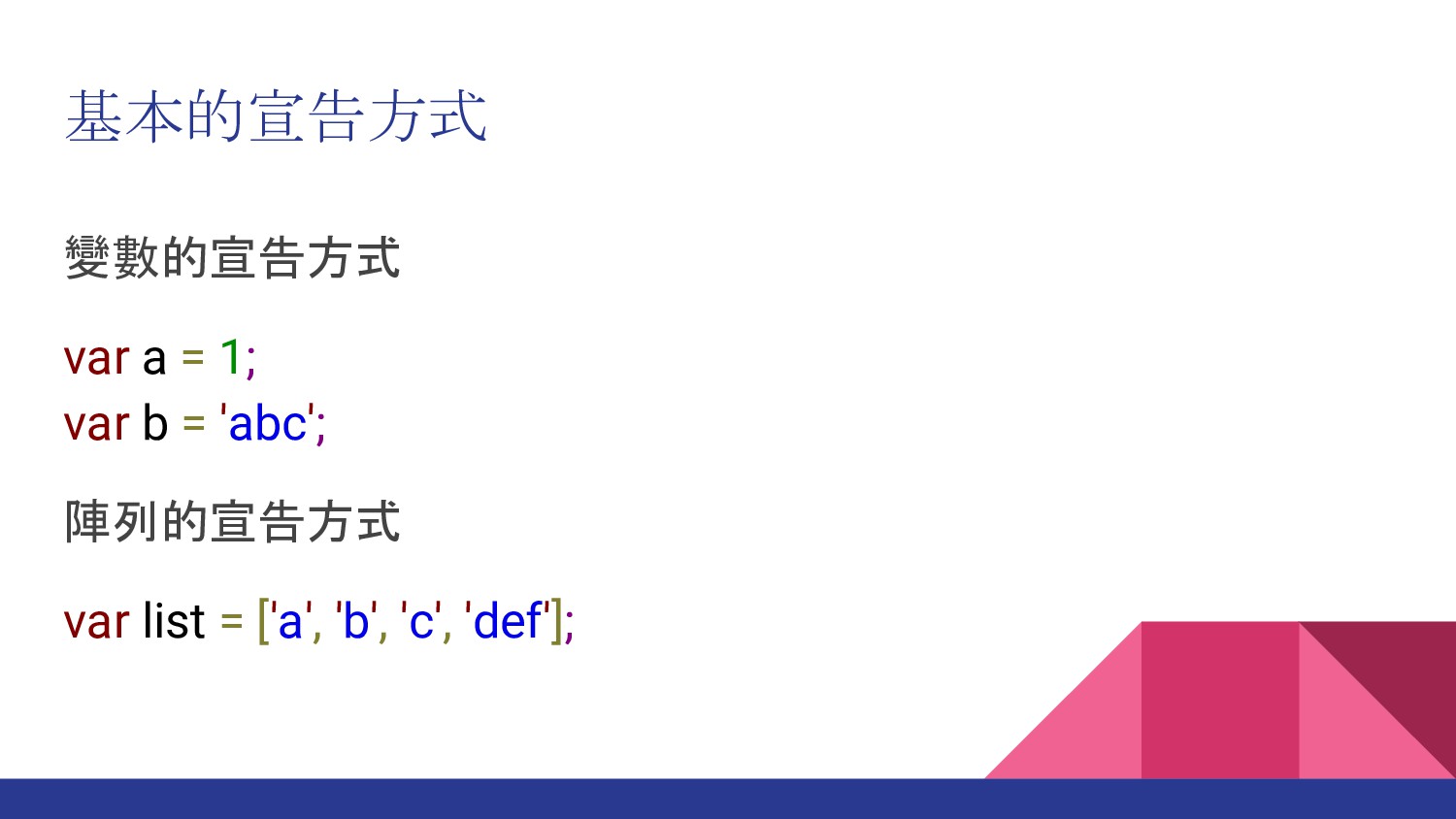
基本的宣告方式 變數的宣告方式 var a = 1; var b = 'abc';
陣列的宣告方式 var list = ['a', 'b', 'c', 'def'];
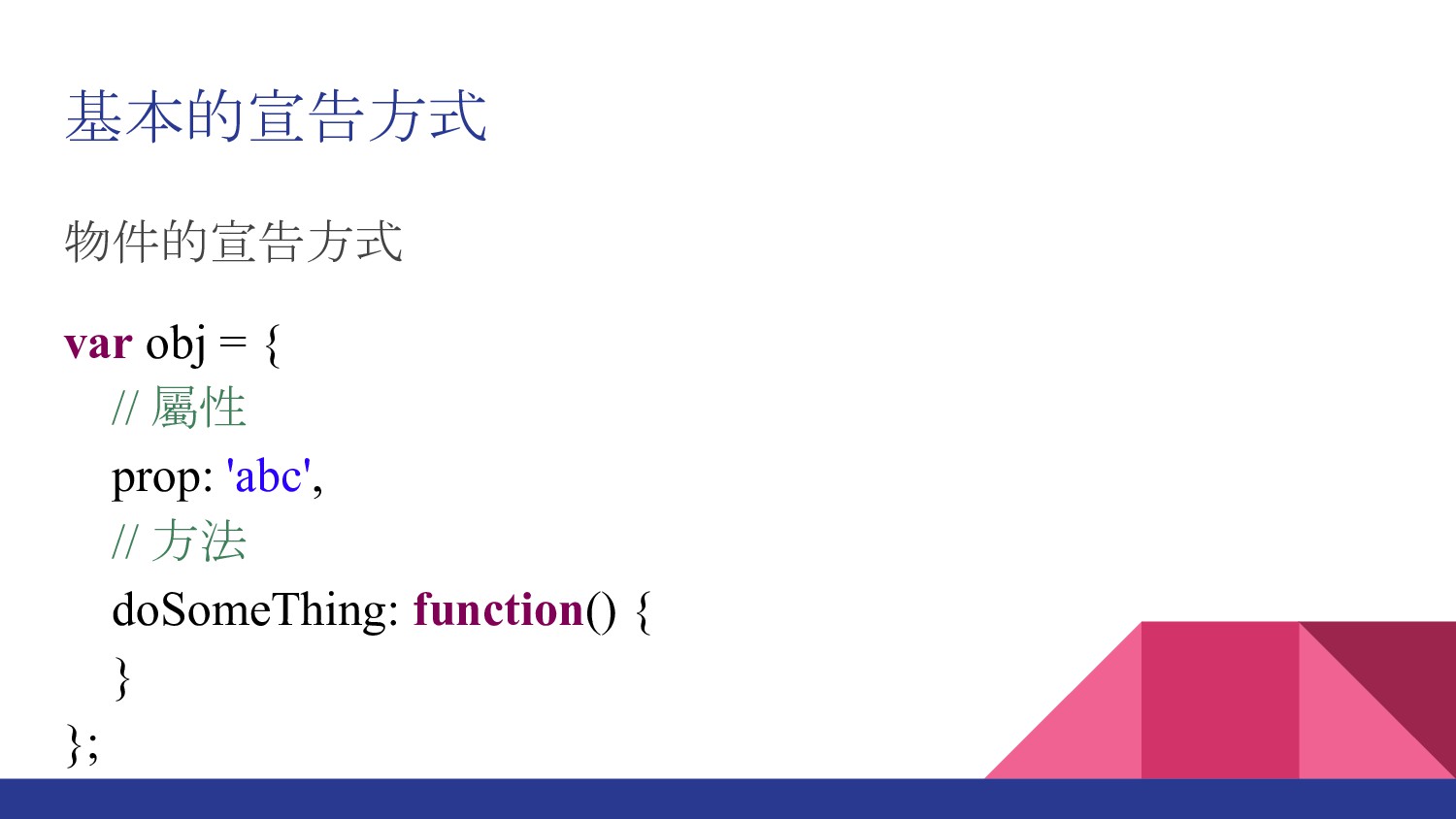
基本的宣告方式 物件的宣告方式 var obj = { // 屬性 prop: 'abc',
// 方法 doSomeThing: function() { } };
基本的宣告方式 物件的另外一種寫法,因為JavaScript的物件是鍵/值組合 var obj = {}; obj.prop = 'cde'; obj['prop1']
= 'fgi';
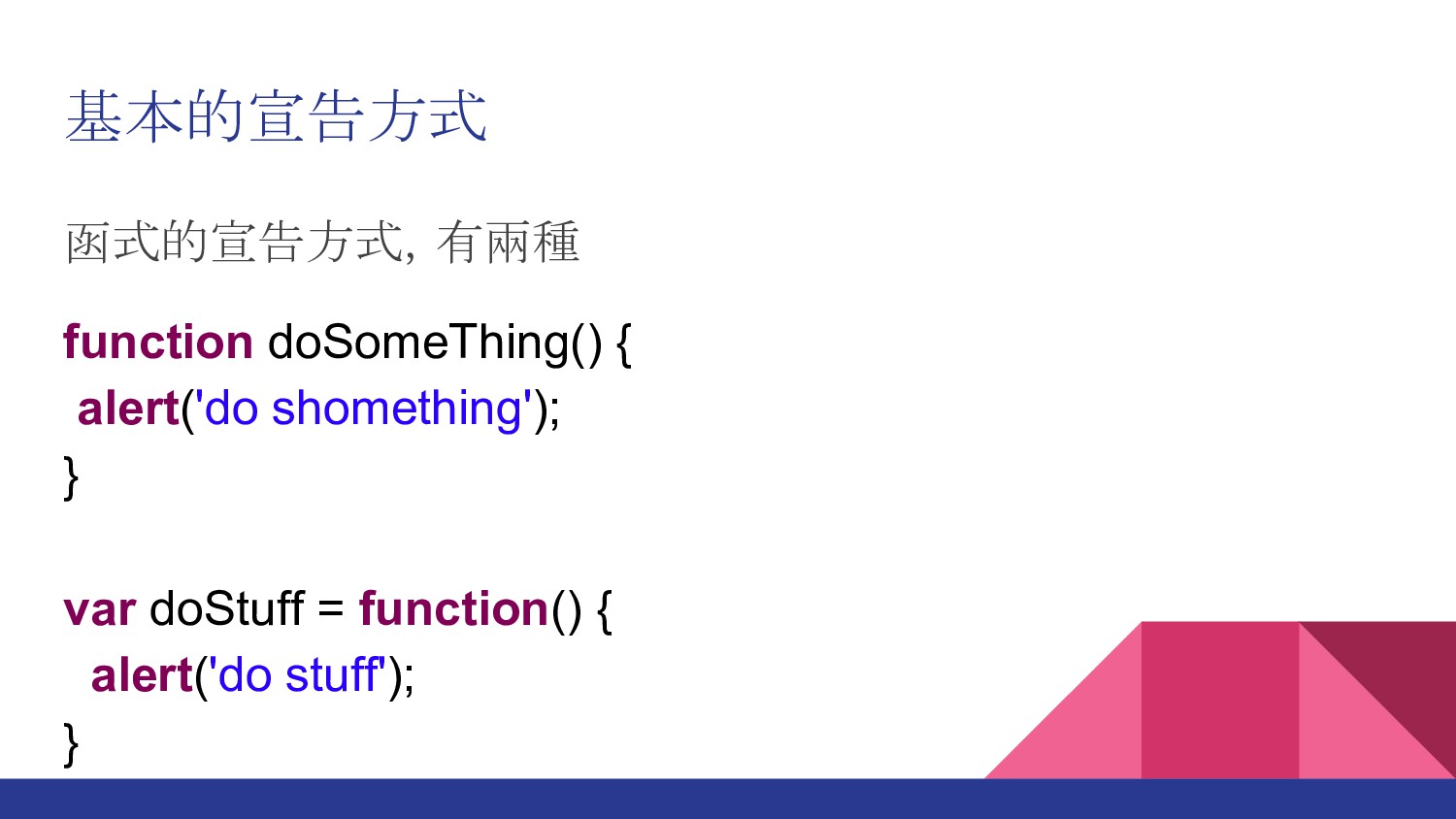
基本的宣告方式 函式的宣告方式,有兩種 function doSomeThing() { alert('do shomething'); } var doStuff
= function() { alert('do stuff'); }
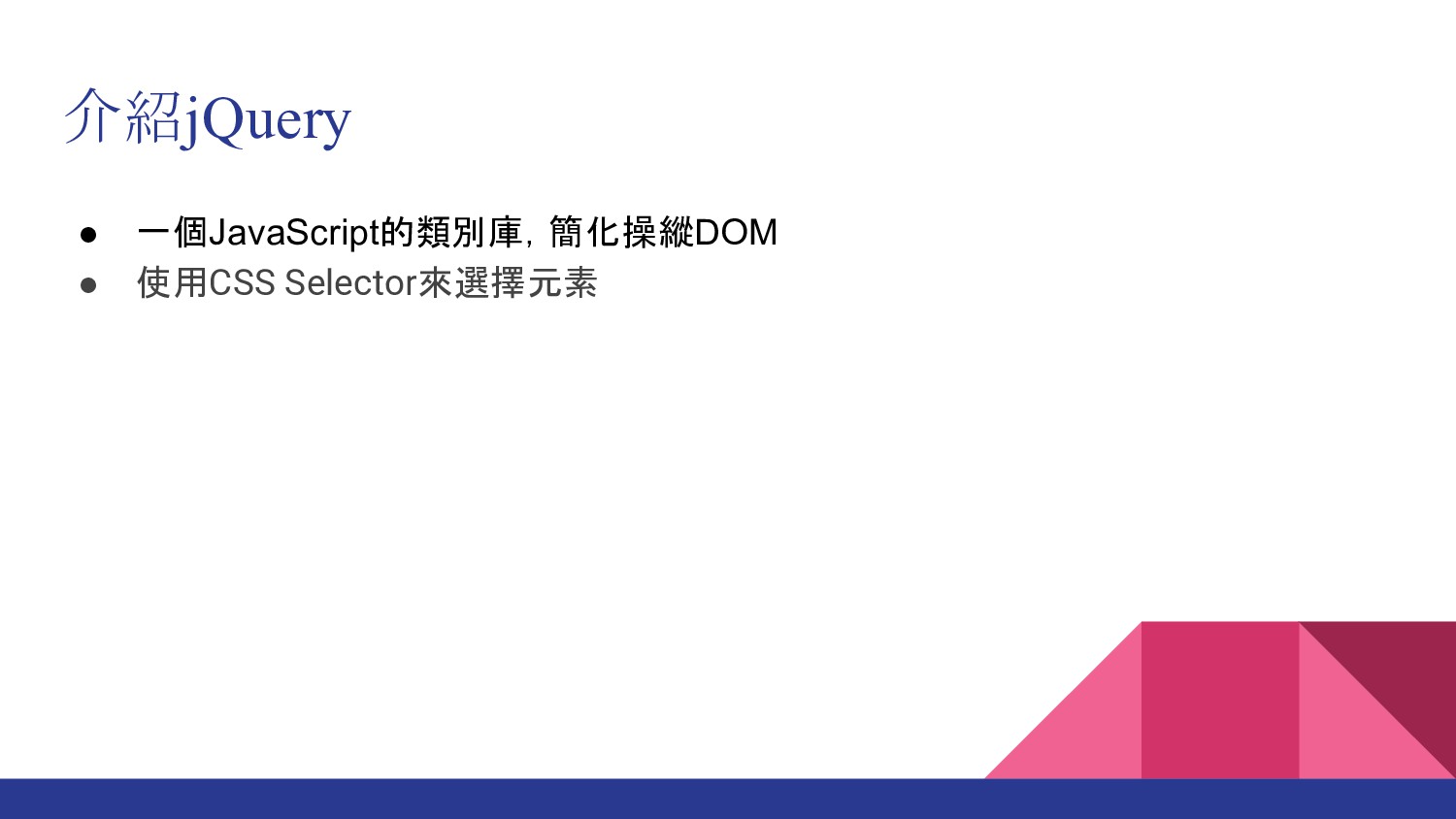
介紹jQuery • 一個JavaScript的類別庫,簡化操縱DOM • 使用CSS Selector來選擇元素
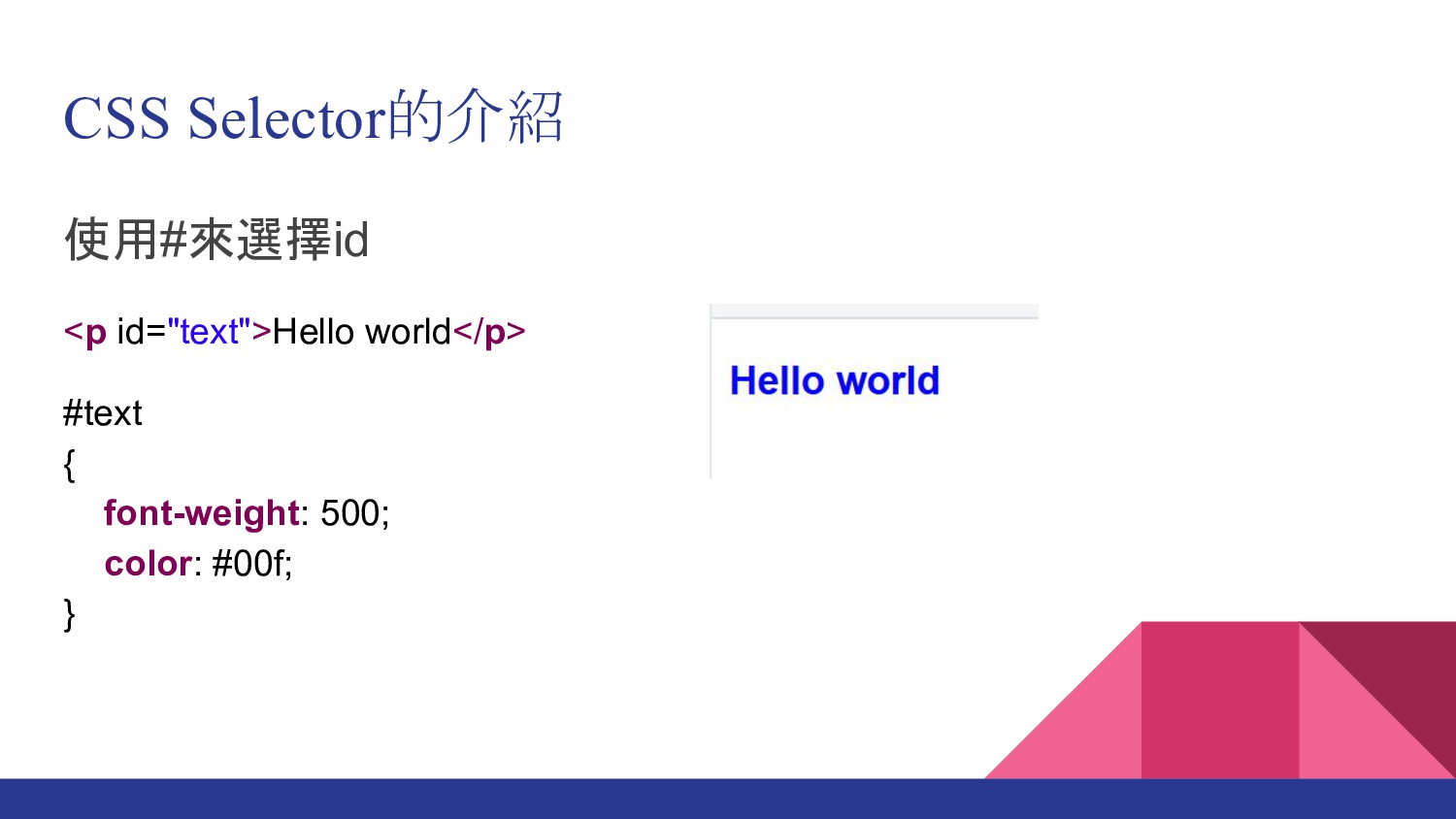
CSS Selector的介紹 使用#來選擇id <p id="text">Hello world</p> #text { font-weight: 500;
color: #00f; }
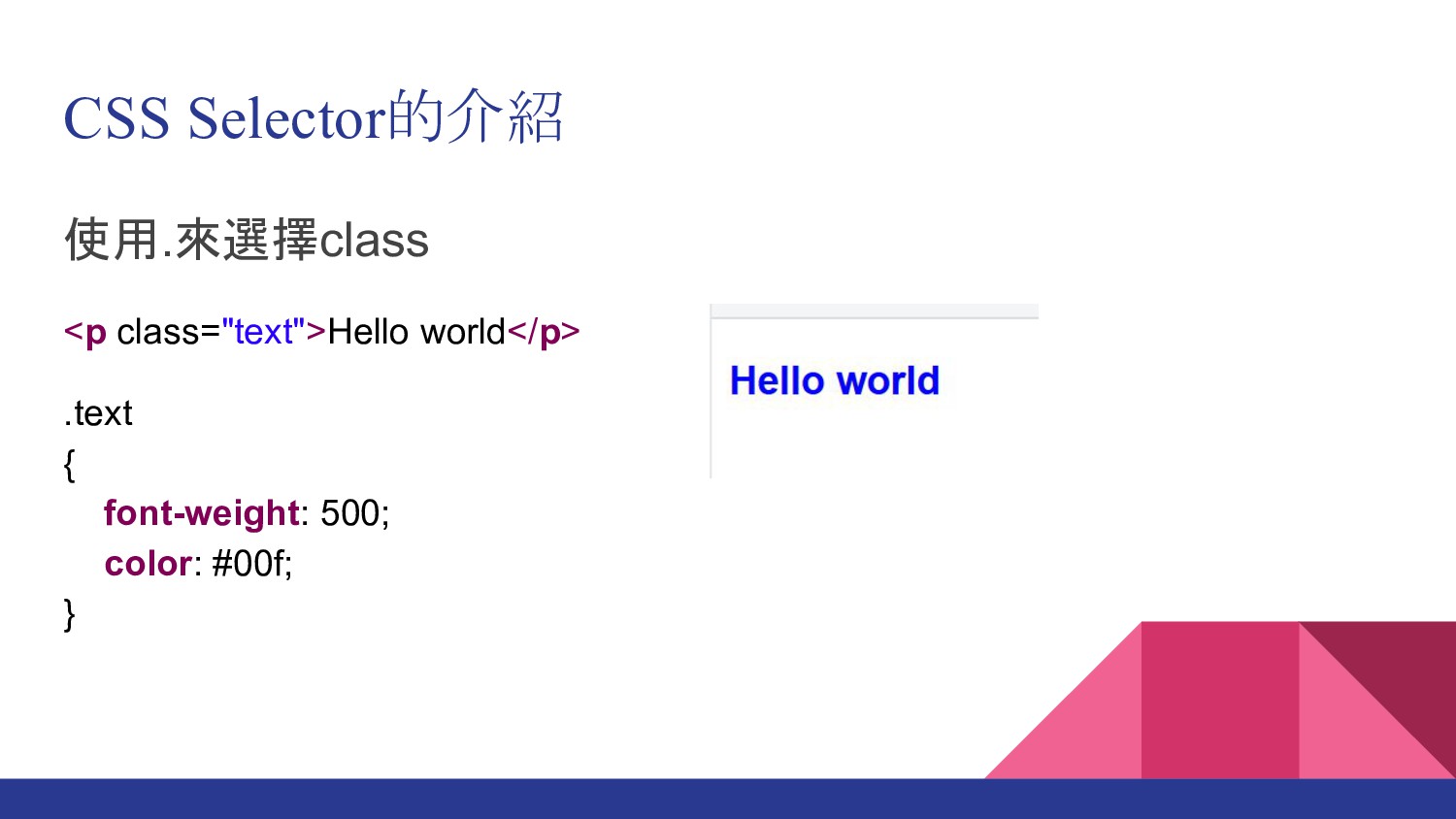
CSS Selector的介紹 使用.來選擇class <p class="text">Hello world</p> .text { font-weight: 500;
color: #00f; }
CSS Selector的介紹 使用[]來選擇attribute <p name="text">Hello world</p> [name=text] { font-weight: 500;
color: #00f; }
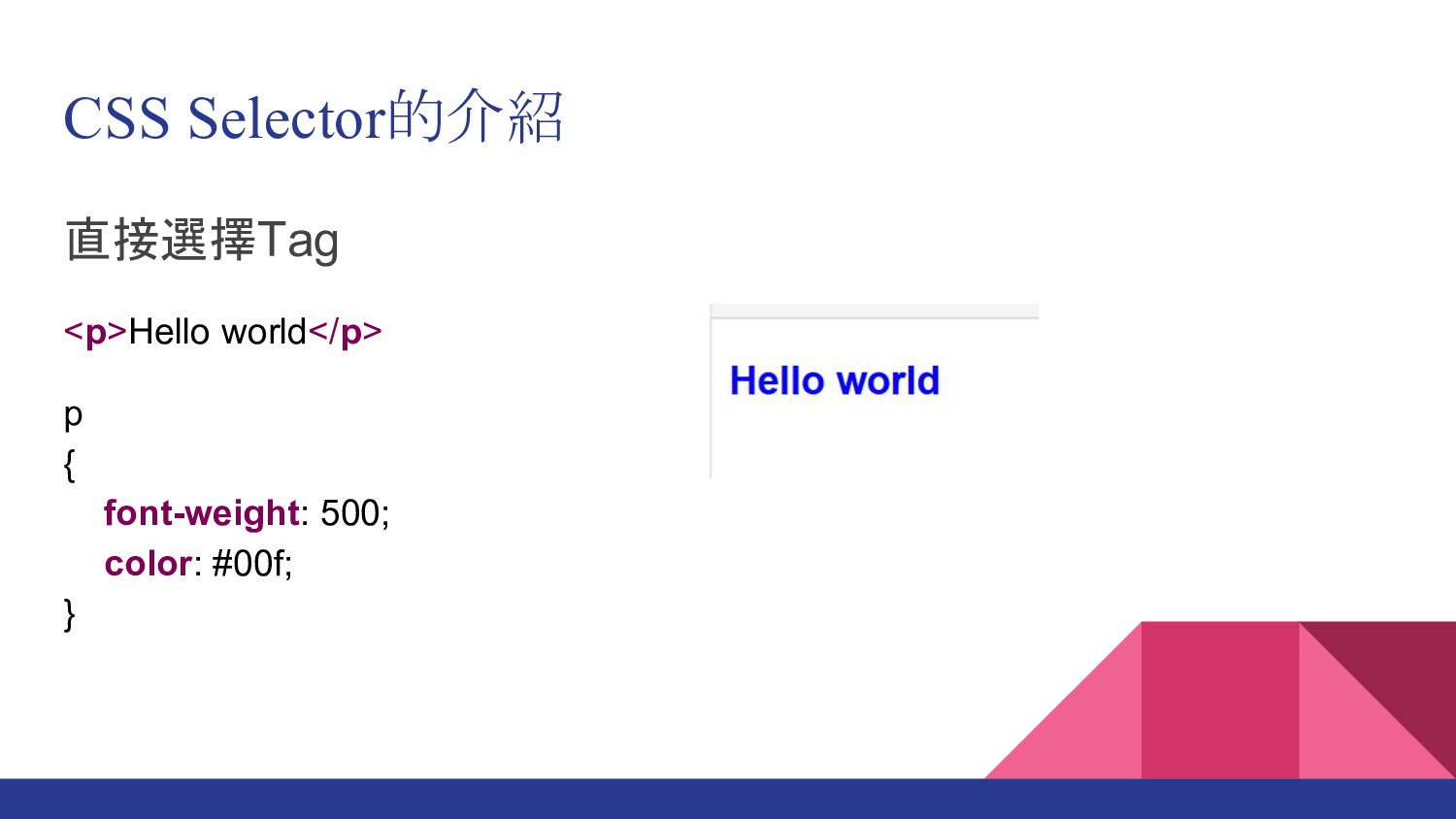
CSS Selector的介紹 直接選擇Tag <p>Hello world</p> p { font-weight: 500; color:
#00f; }
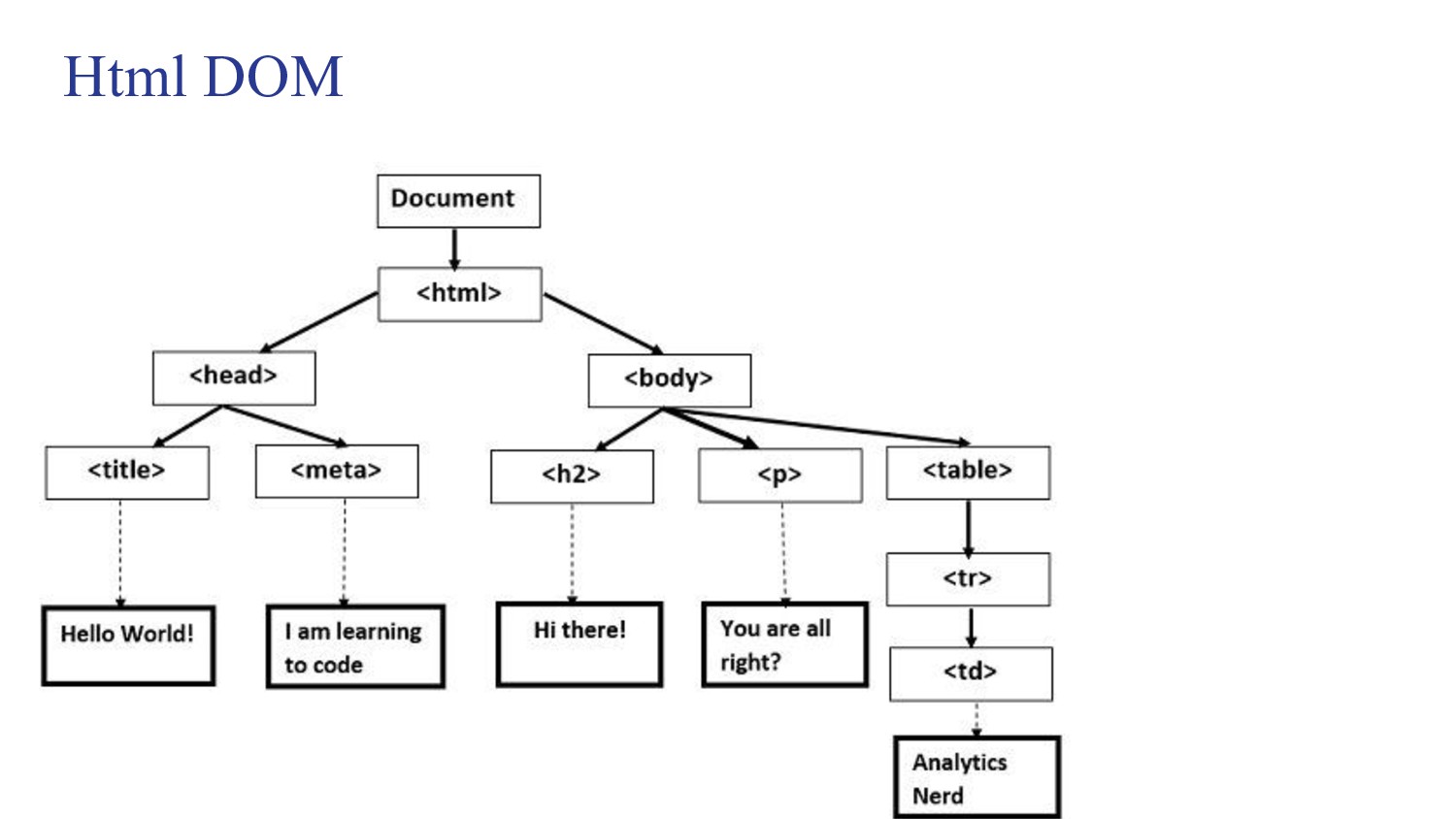
何為DOM • Document Object Model, DOM,就是文件物件模型 • 顯示Html文件的樹狀節構 • 提供一系列的屬性及方法來操作
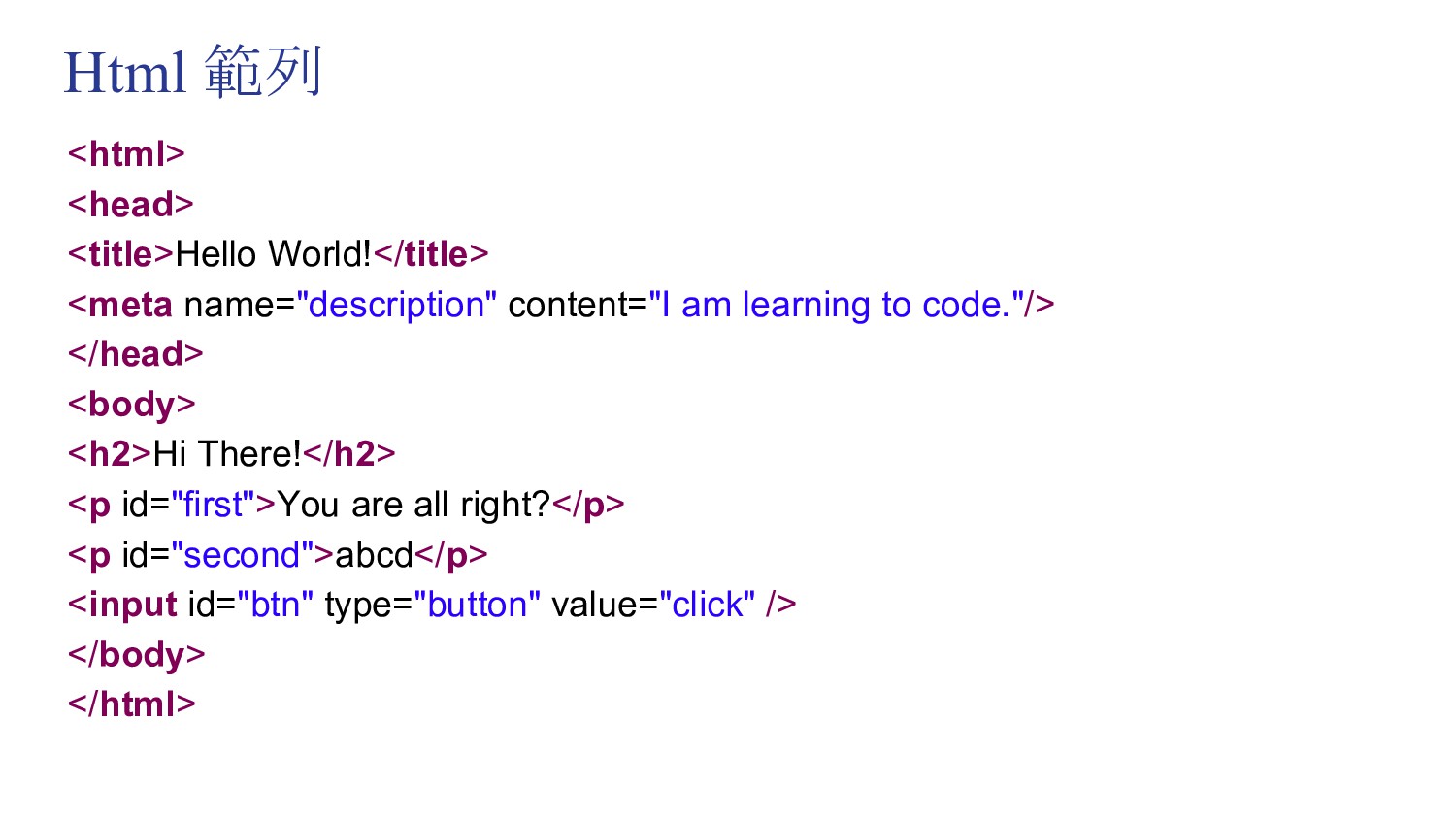
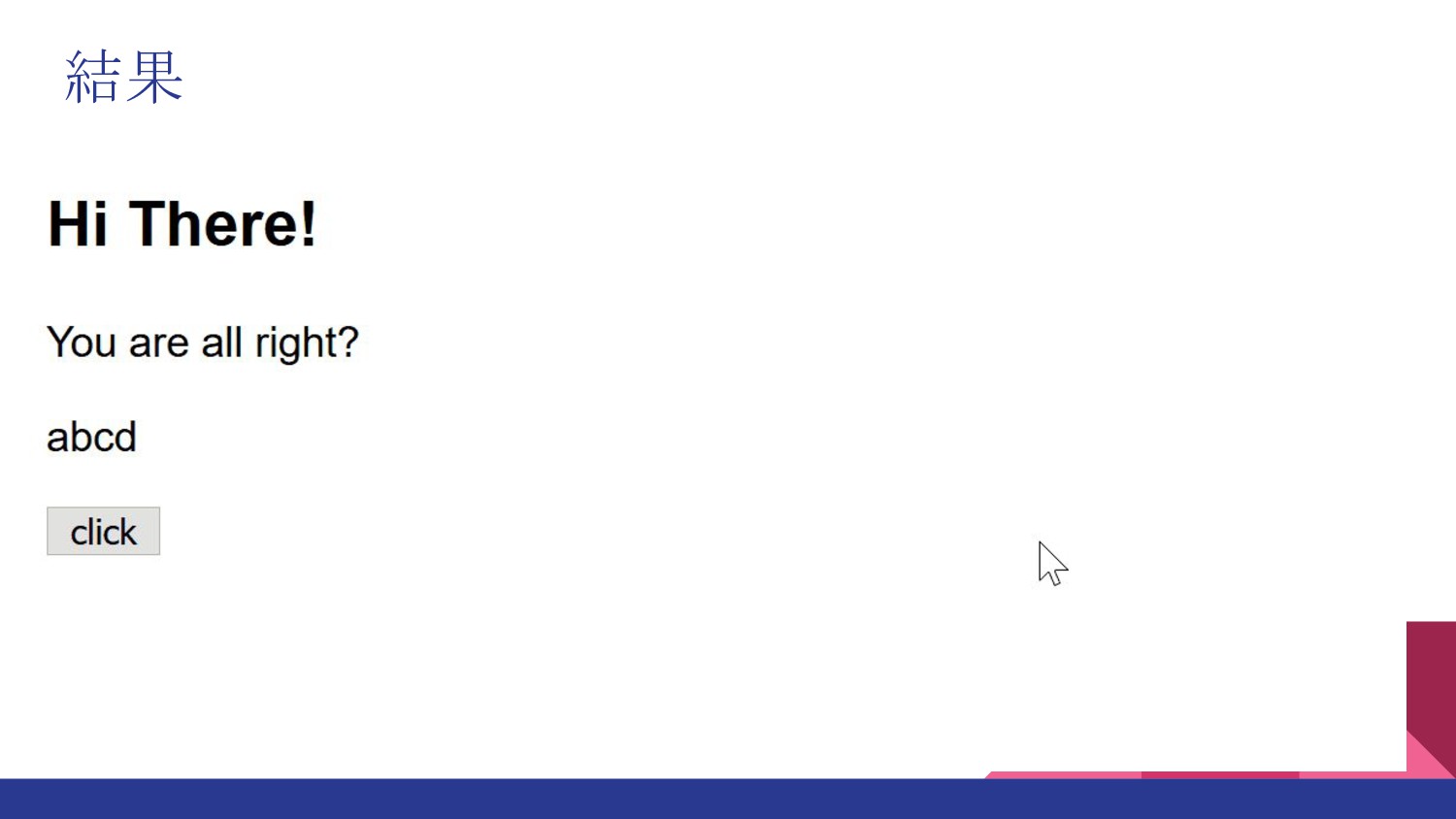
Html 範列 <html> <head> <title>Hello World!</title> <meta name="description" content="I am
learning to code."/> </head> <body> <h2>Hi There!</h2> <p id="first">You are all right?</p> <p id="second">abcd</p> <input id="btn" type="button" value="click" /> </body> </html>
Html DOM
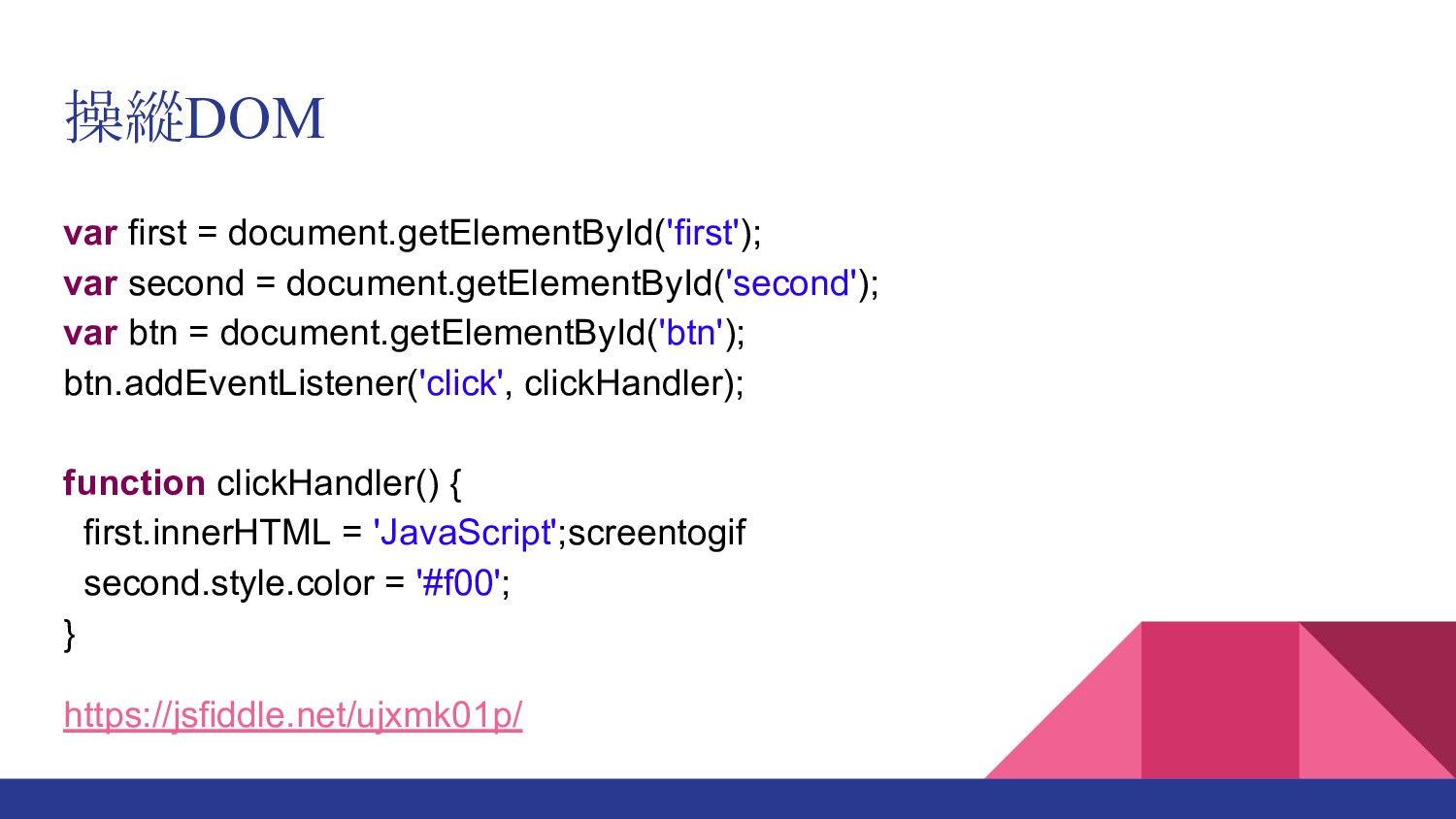
操縱DOM var first = document.getElementById('first'); var second = document.getElementById('second'); var
btn = document.getElementById('btn'); btn.addEventListener('click', clickHandler); function clickHandler() { first.innerHTML = 'JavaScript';screentogif second.style.color = '#f00'; } https://jsfiddle.net/ujxmk01p/
結果
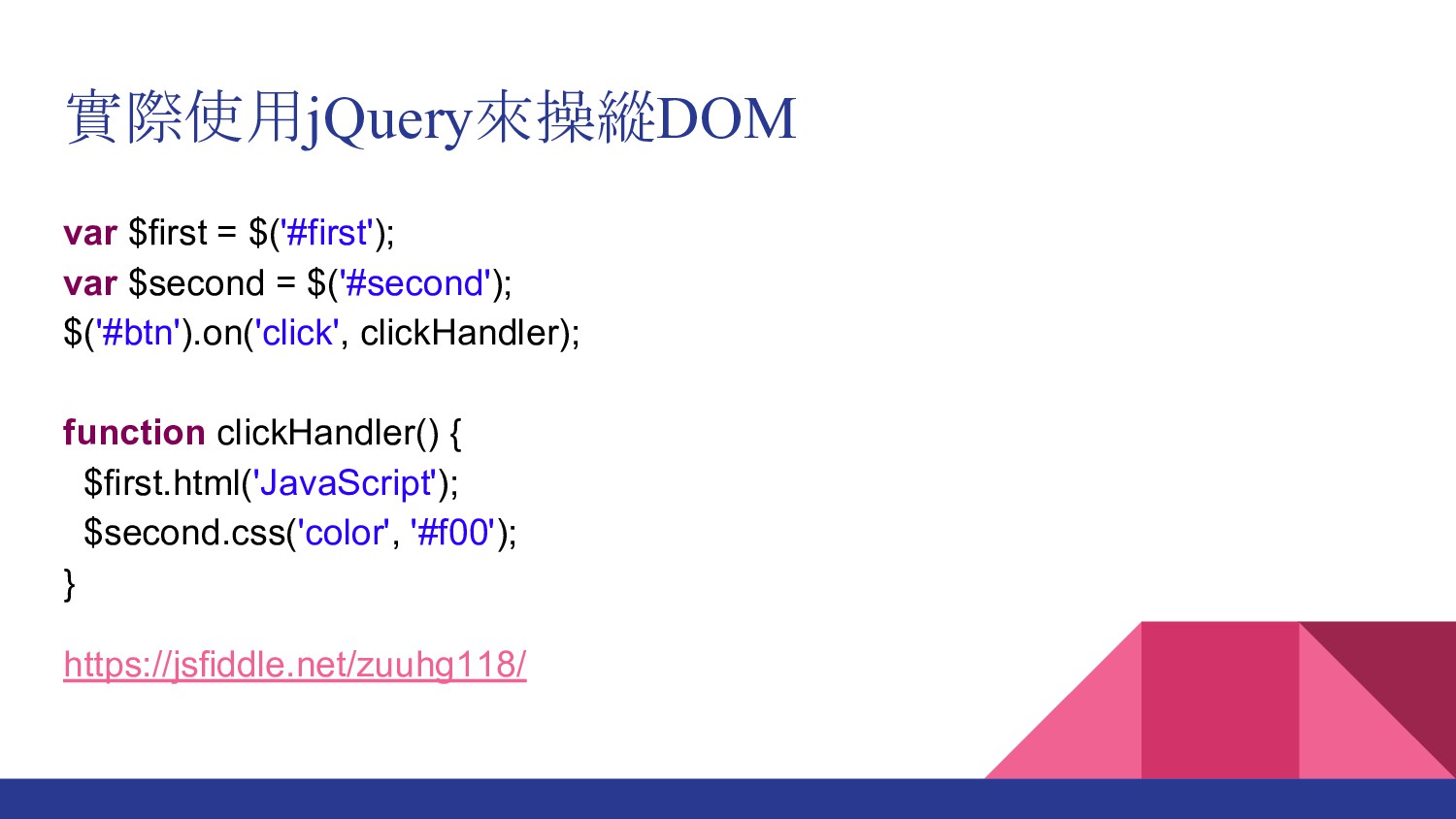
實際使用jQuery來操縱DOM var $first = $('#first'); var $second = $('#second'); $('#btn').on('click',
clickHandler); function clickHandler() { $first.html('JavaScript'); $second.css('color', '#f00'); } https://jsfiddle.net/zuuhg118/
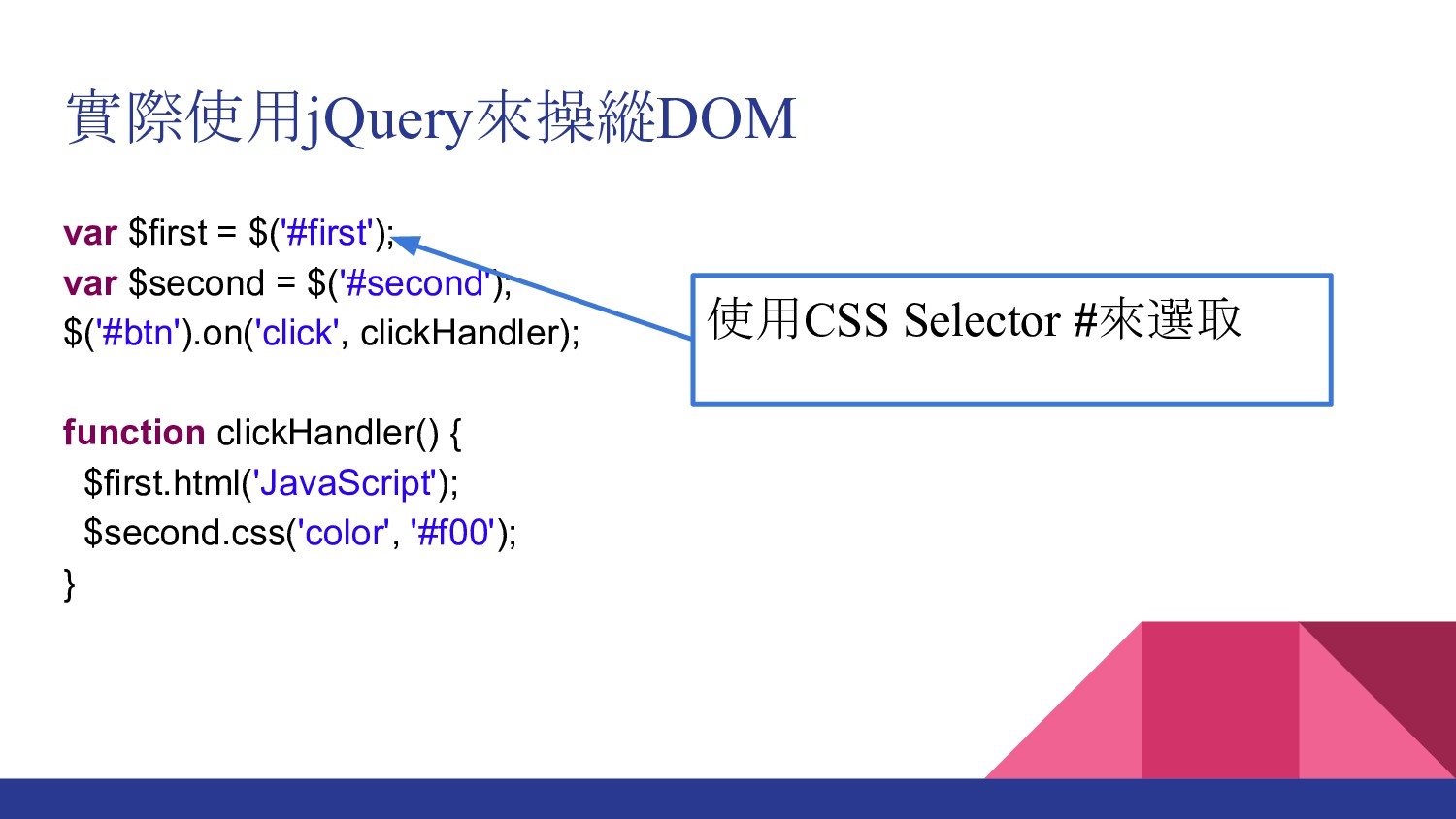
var $first = $('#first'); var $second = $('#second'); $('#btn').on('click', clickHandler);
function clickHandler() { $first.html('JavaScript'); $second.css('color', '#f00'); } 實際使用jQuery來操縱DOM 使用CSS Selector #來選取
var $first = $('#first'); var $second = $('#second'); $('#btn').on('click', clickHandler);
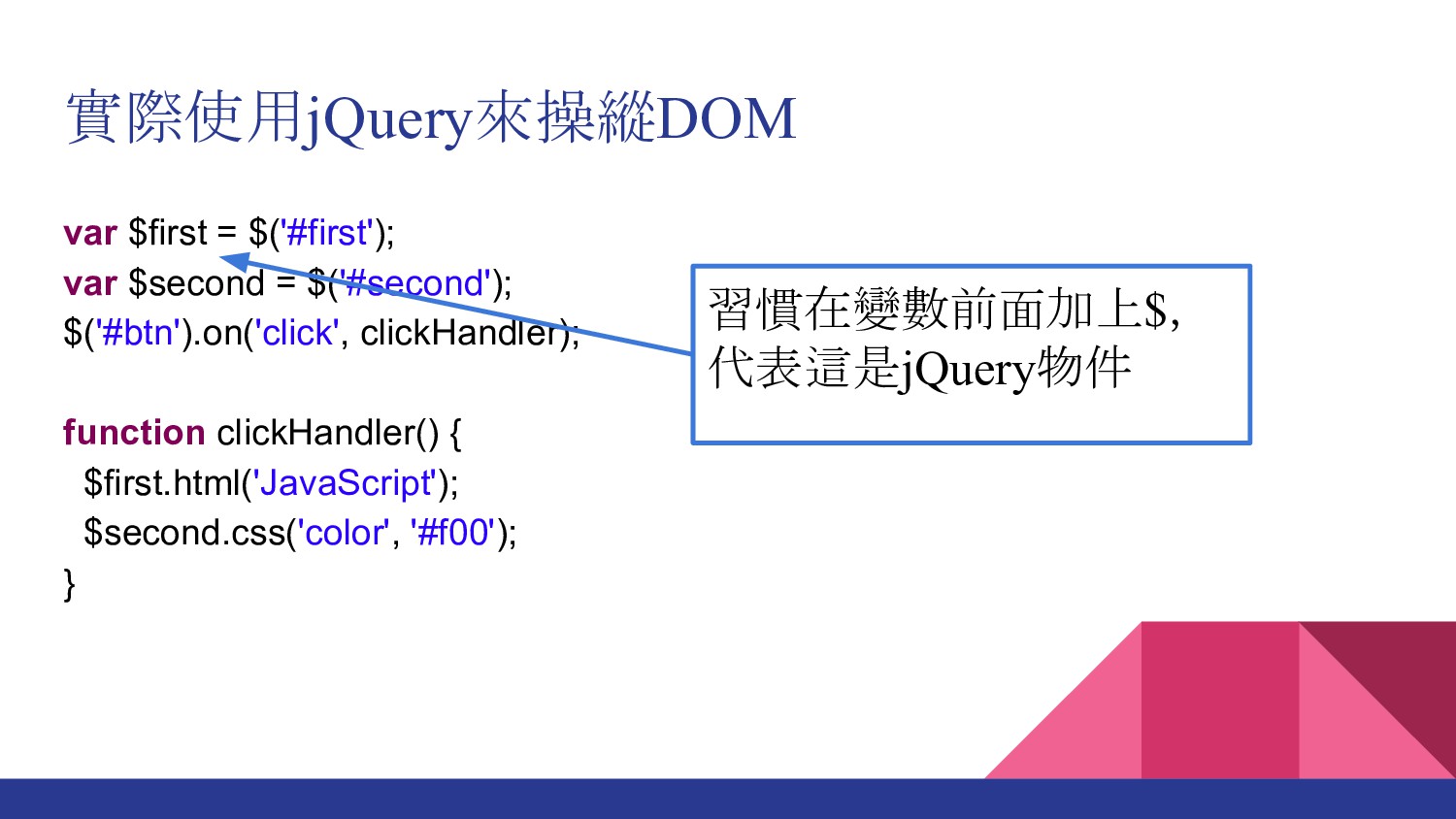
function clickHandler() { $first.html('JavaScript'); $second.css('color', '#f00'); } 實際使用jQuery來操縱DOM 習慣在變數前面加上$, 代表這是jQuery物件
var $first = $('#first'); var $second = $('#second'); $('#btn').on('click', clickHandler);
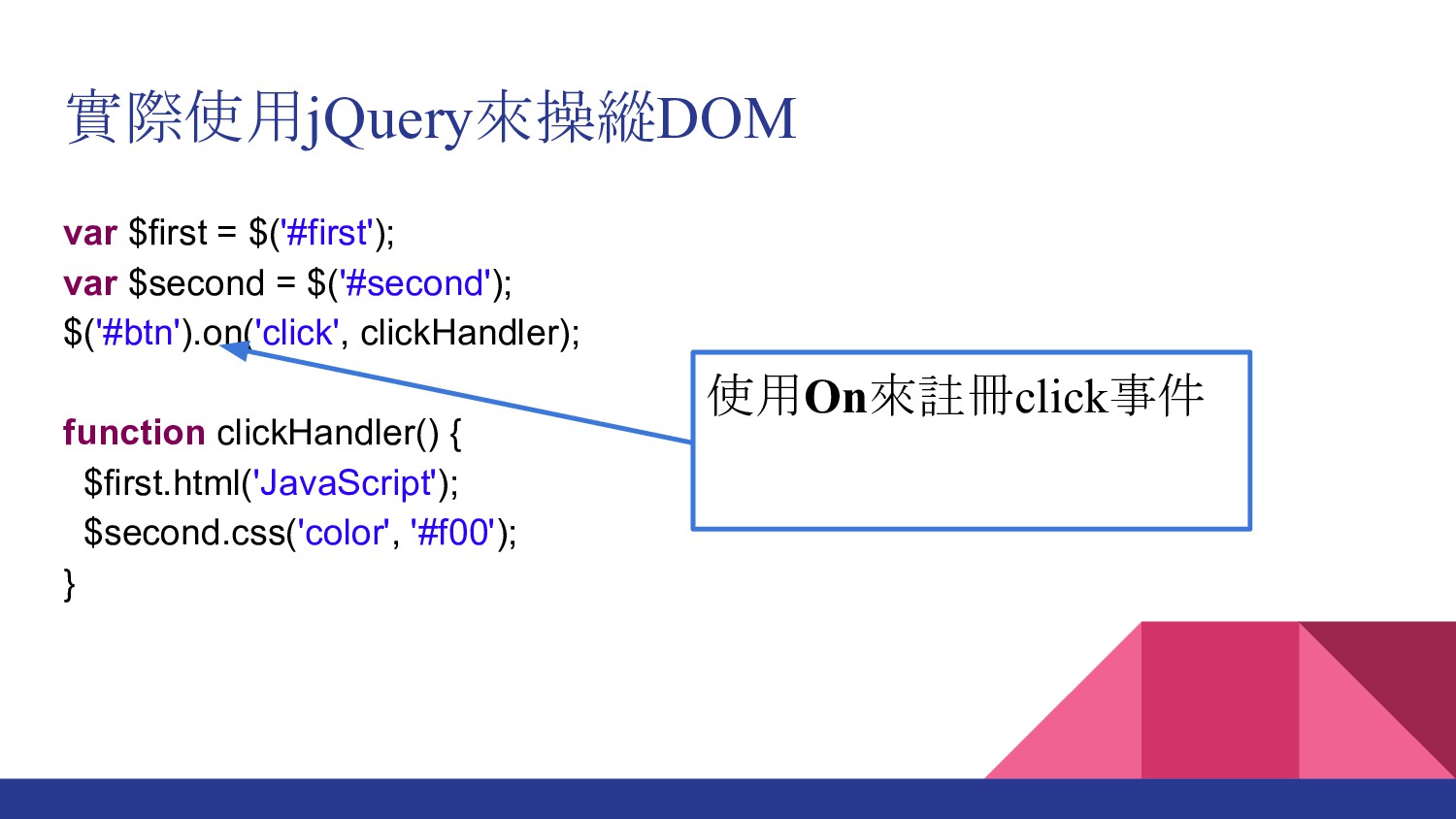
function clickHandler() { $first.html('JavaScript'); $second.css('color', '#f00'); } 實際使用jQuery來操縱DOM 使用On來註冊click事件
var $first = $('#first'); var $second = $('#second'); $('#btn').on('click', clickHandler);
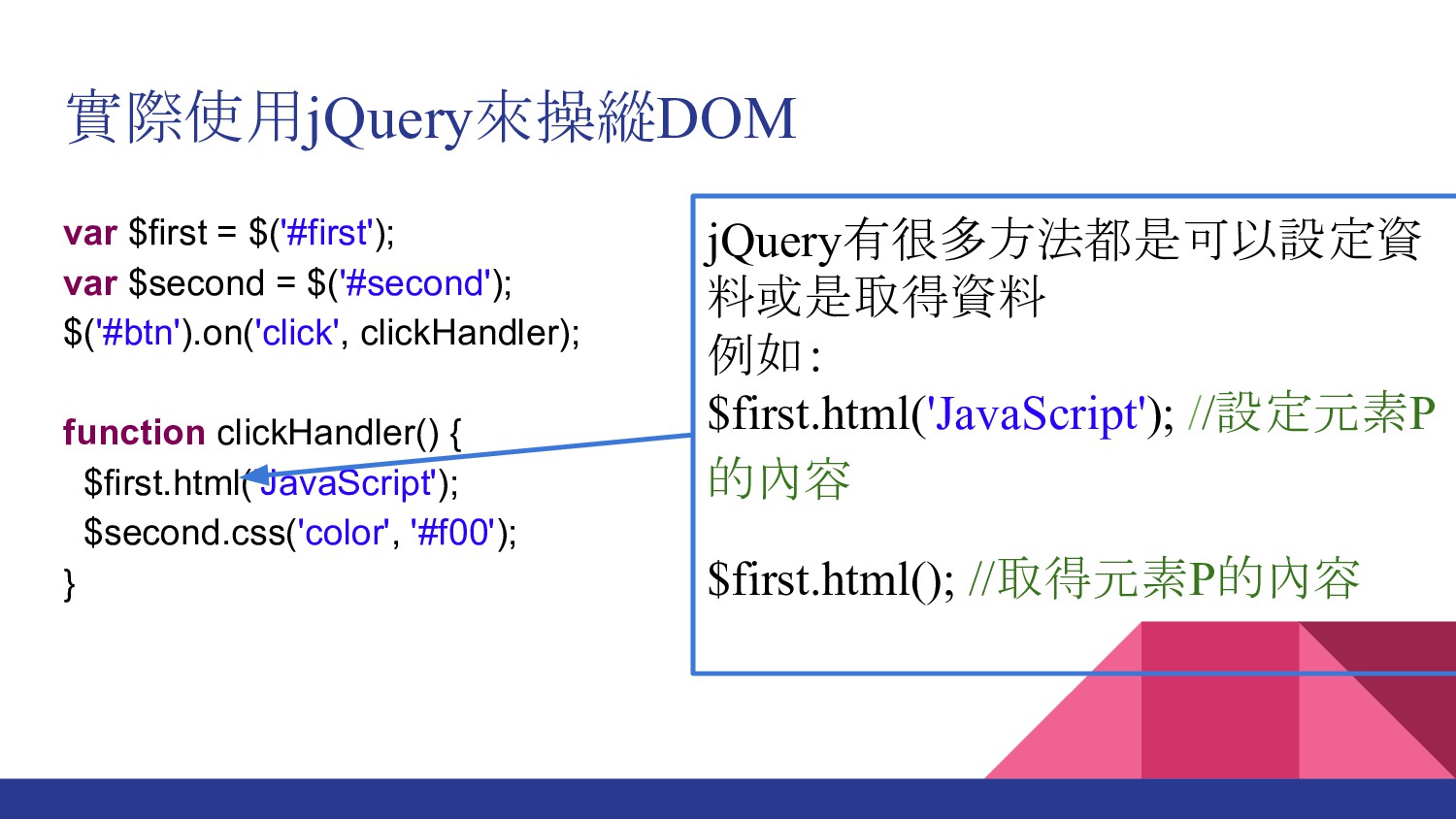
function clickHandler() { $first.html('JavaScript'); $second.css('color', '#f00'); } 實際使用jQuery來操縱DOM jQuery有很多方法都是可以設定資 料或是取得資料 例如: $first.html('JavaScript'); //設定元素P 的內容 $first.html(); //取得元素P的內容
var $first = $('#first'); var $second = $('#second'); $('#btn').on('click', clickHandler);
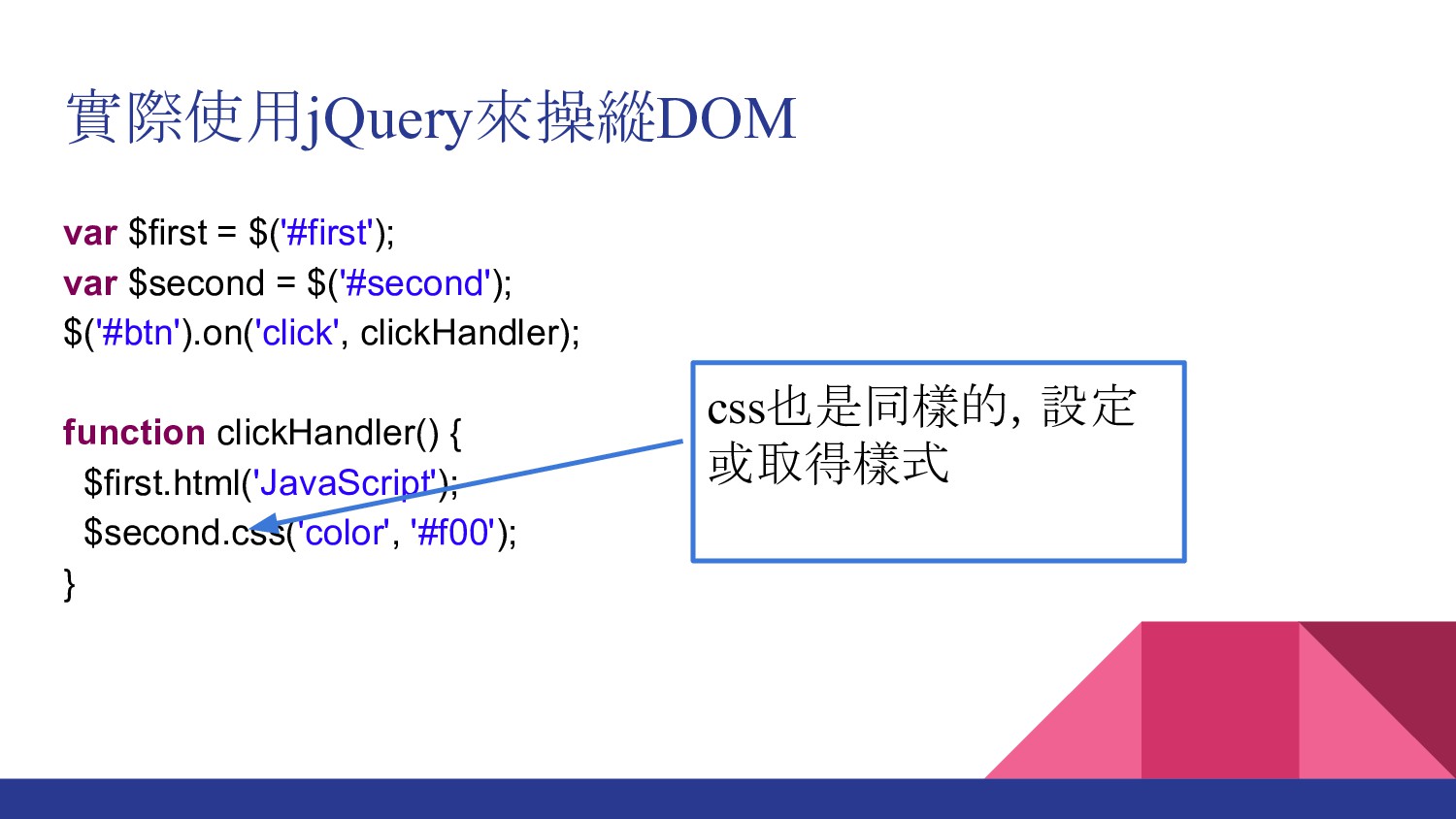
function clickHandler() { $first.html('JavaScript'); $second.css('color', '#f00'); } 實際使用jQuery來操縱DOM css也是同樣的,設定 或取得樣式
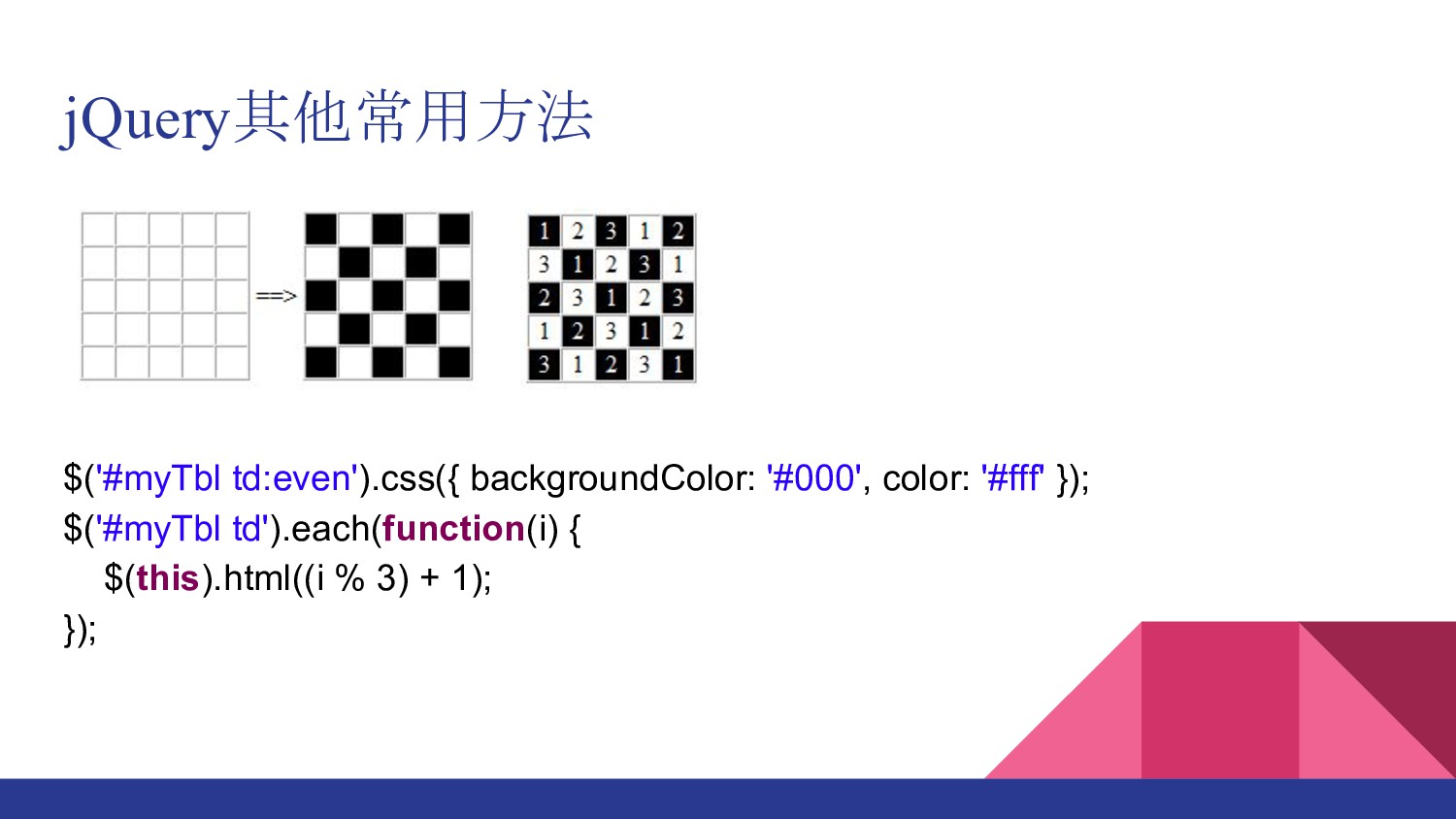
jQuery其他常用方法 $('#myTbl td:even').css({ backgroundColor: '#000', color: '#fff' }); $('#myTbl td').each(function(i)
{ $(this).html((i % 3) + 1); });
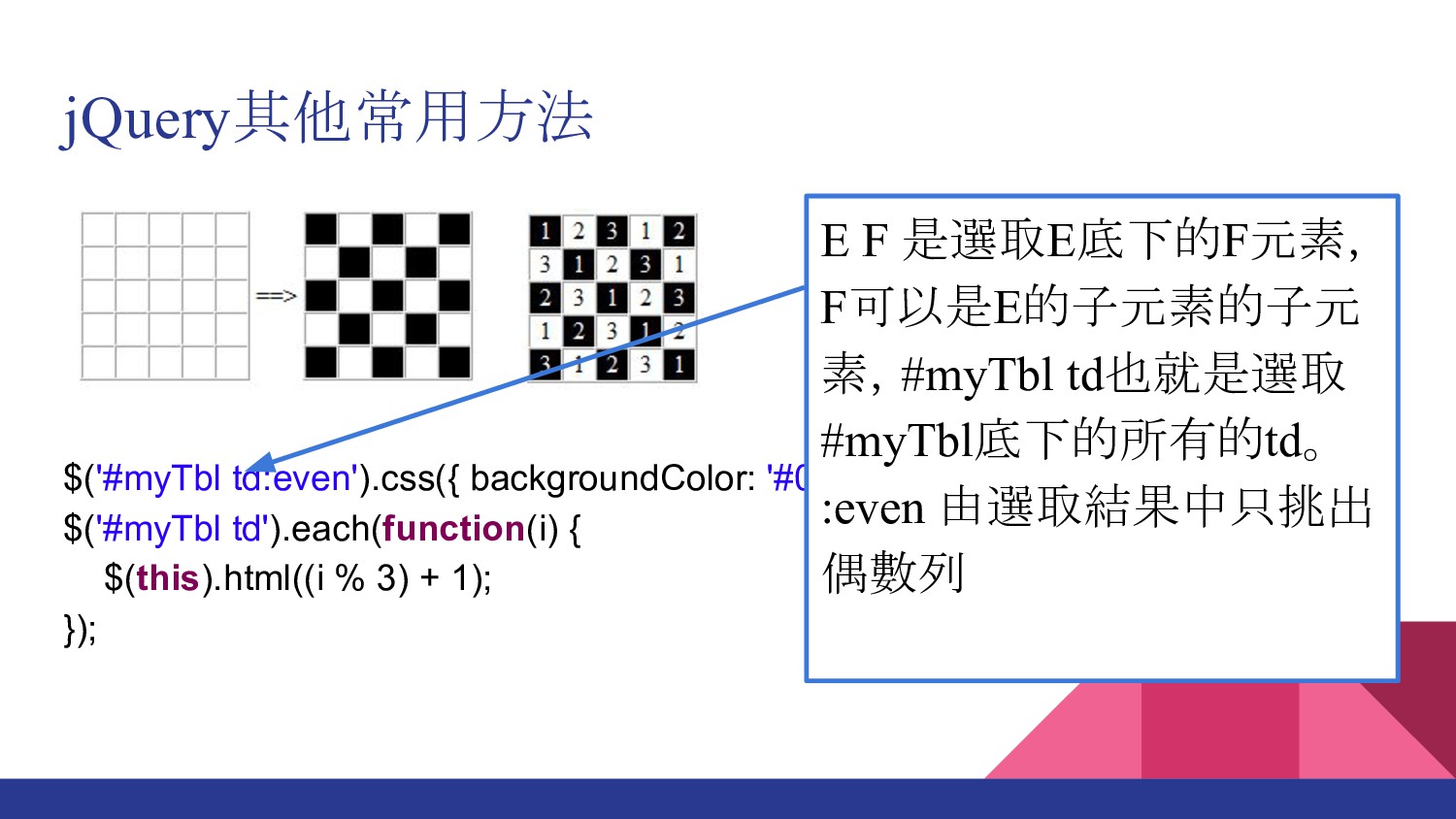
jQuery其他常用方法 $('#myTbl td:even').css({ backgroundColor: '#000', color: '#fff' }); $('#myTbl td').each(function(i)
{ $(this).html((i % 3) + 1); }); E F 是選取E底下的F元素, F可以是E的子元素的子元 素,#myTbl td也就是選取 #myTbl底下的所有的td。 :even 由選取結果中只挑出 偶數列
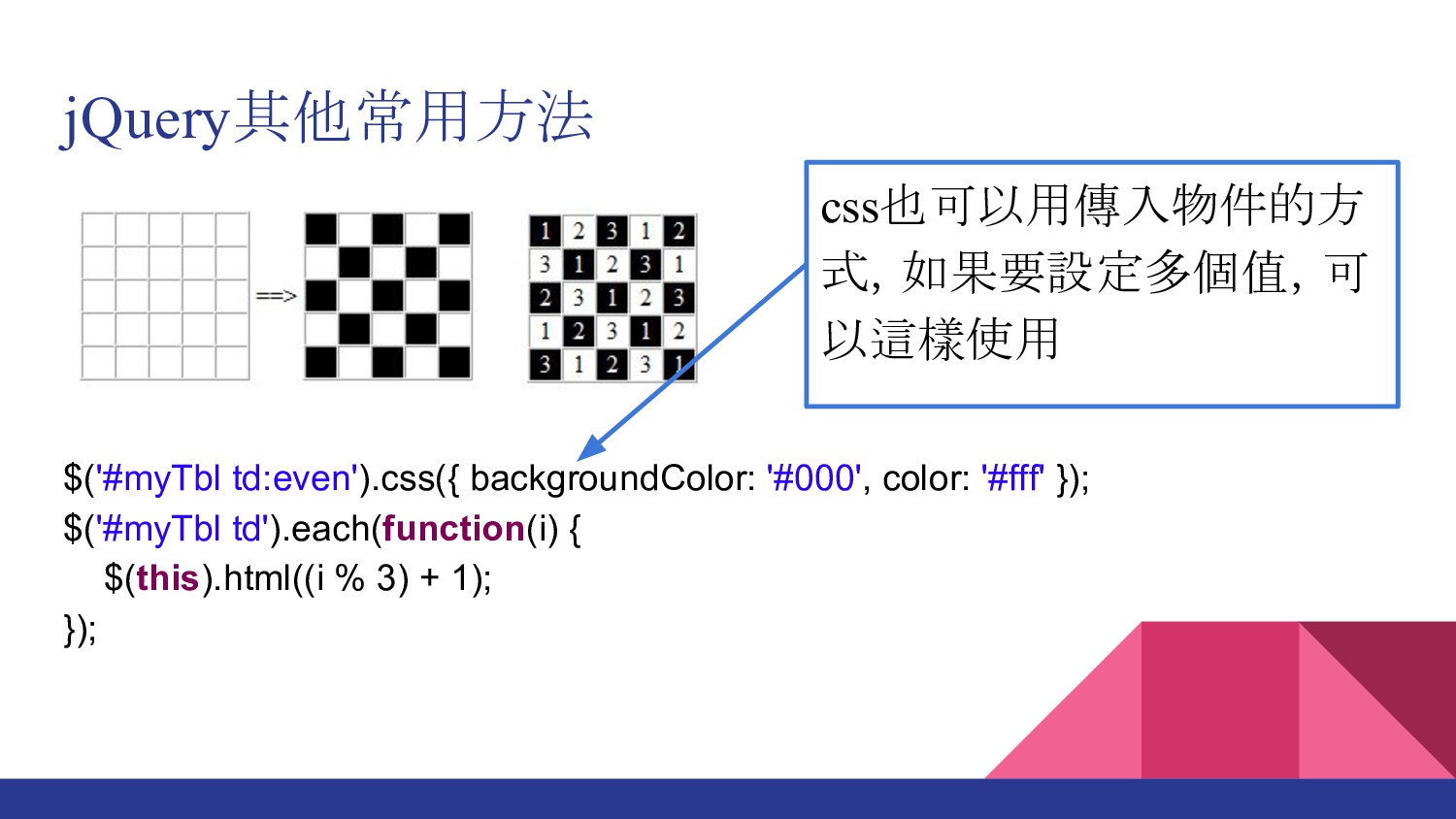
jQuery其他常用方法 $('#myTbl td:even').css({ backgroundColor: '#000', color: '#fff' }); $('#myTbl td').each(function(i)
{ $(this).html((i % 3) + 1); }); css也可以用傳入物件的方 式,如果要設定多個值,可 以這樣使用
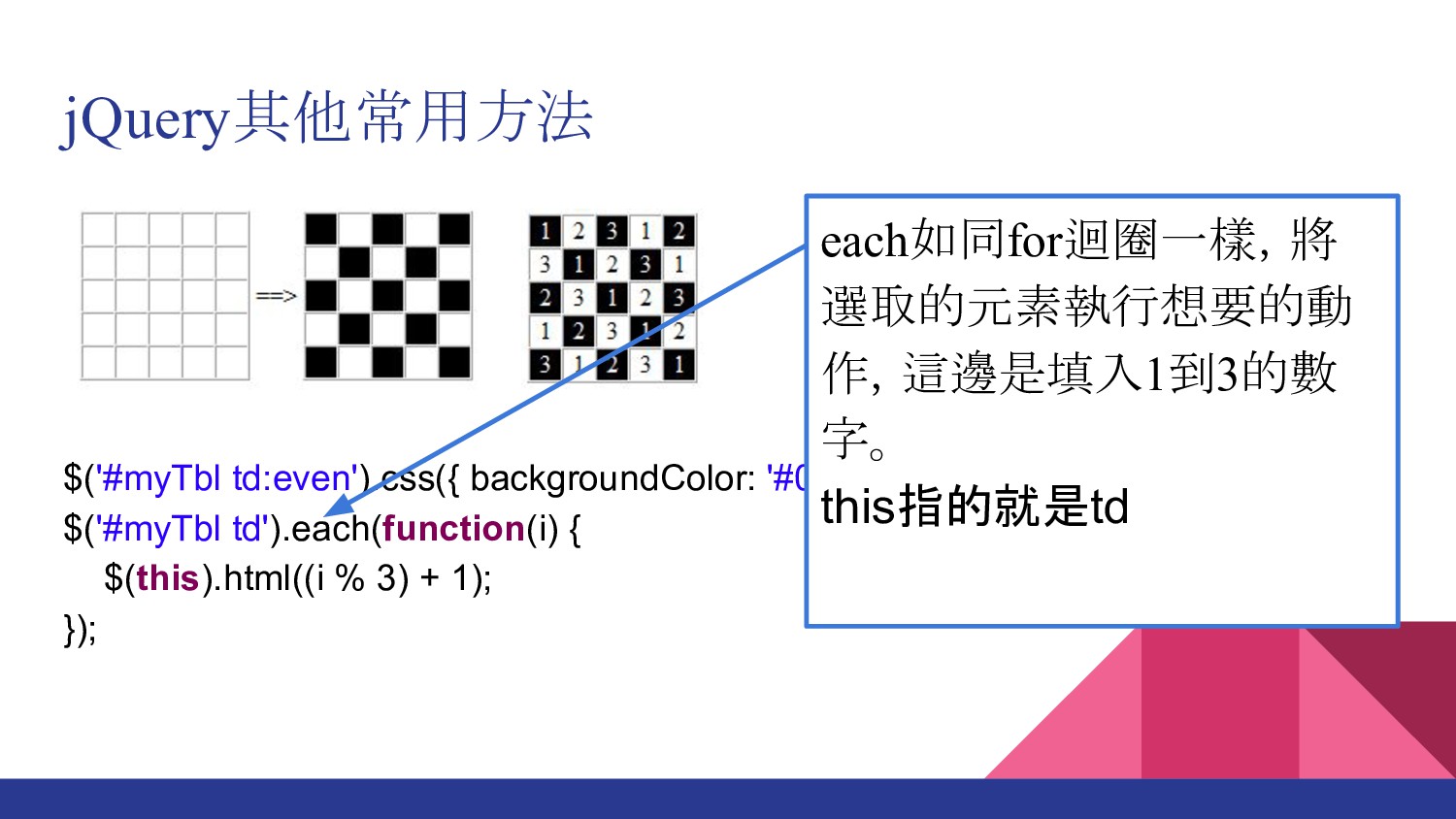
jQuery其他常用方法 $('#myTbl td:even').css({ backgroundColor: '#000', color: '#fff' }); $('#myTbl td').each(function(i)
{ $(this).html((i % 3) + 1); }); each如同for迴圈一樣,將 選取的元素執行想要的動 作,這邊是填入1到3的數 字。 this指的就是td
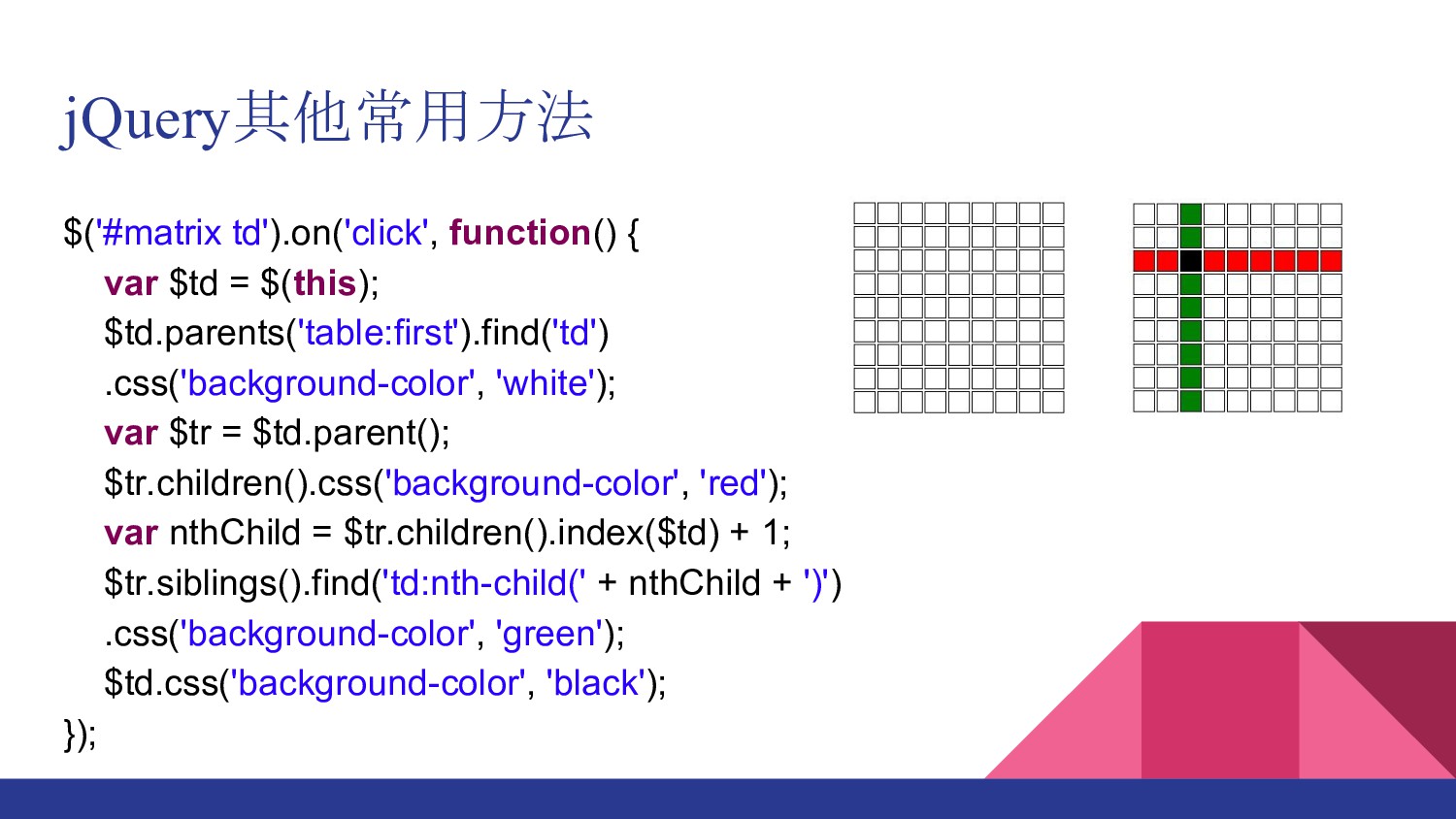
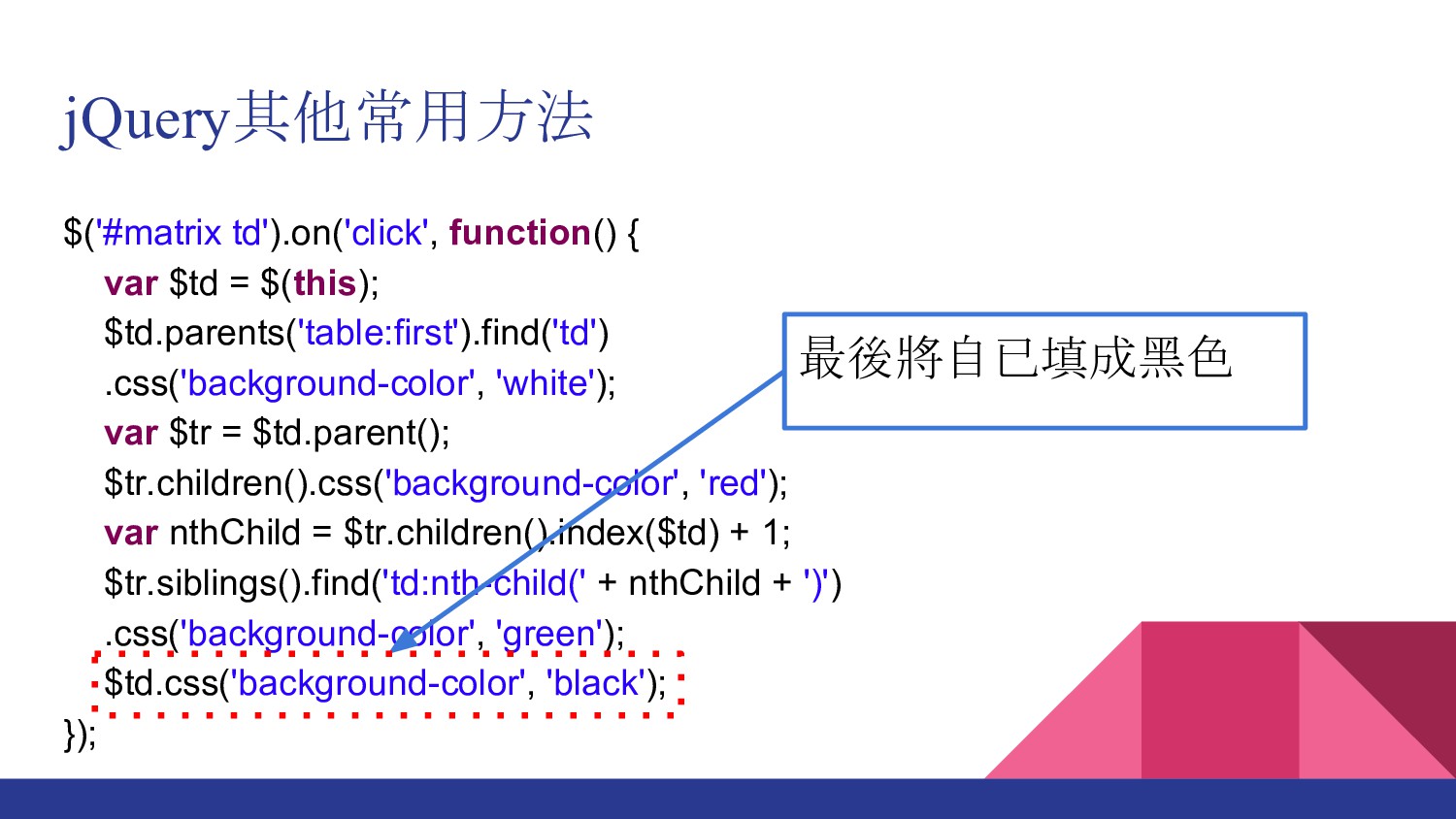
jQuery其他常用方法 $('#matrix td').on('click', function() { var $td = $(this); $td.parents('table:first').find('td')
.css('background-color', 'white'); var $tr = $td.parent(); $tr.children().css('background-color', 'red'); var nthChild = $tr.children().index($td) + 1; $tr.siblings().find('td:nth-child(' + nthChild + ')') .css('background-color', 'green'); $td.css('background-color', 'black'); });
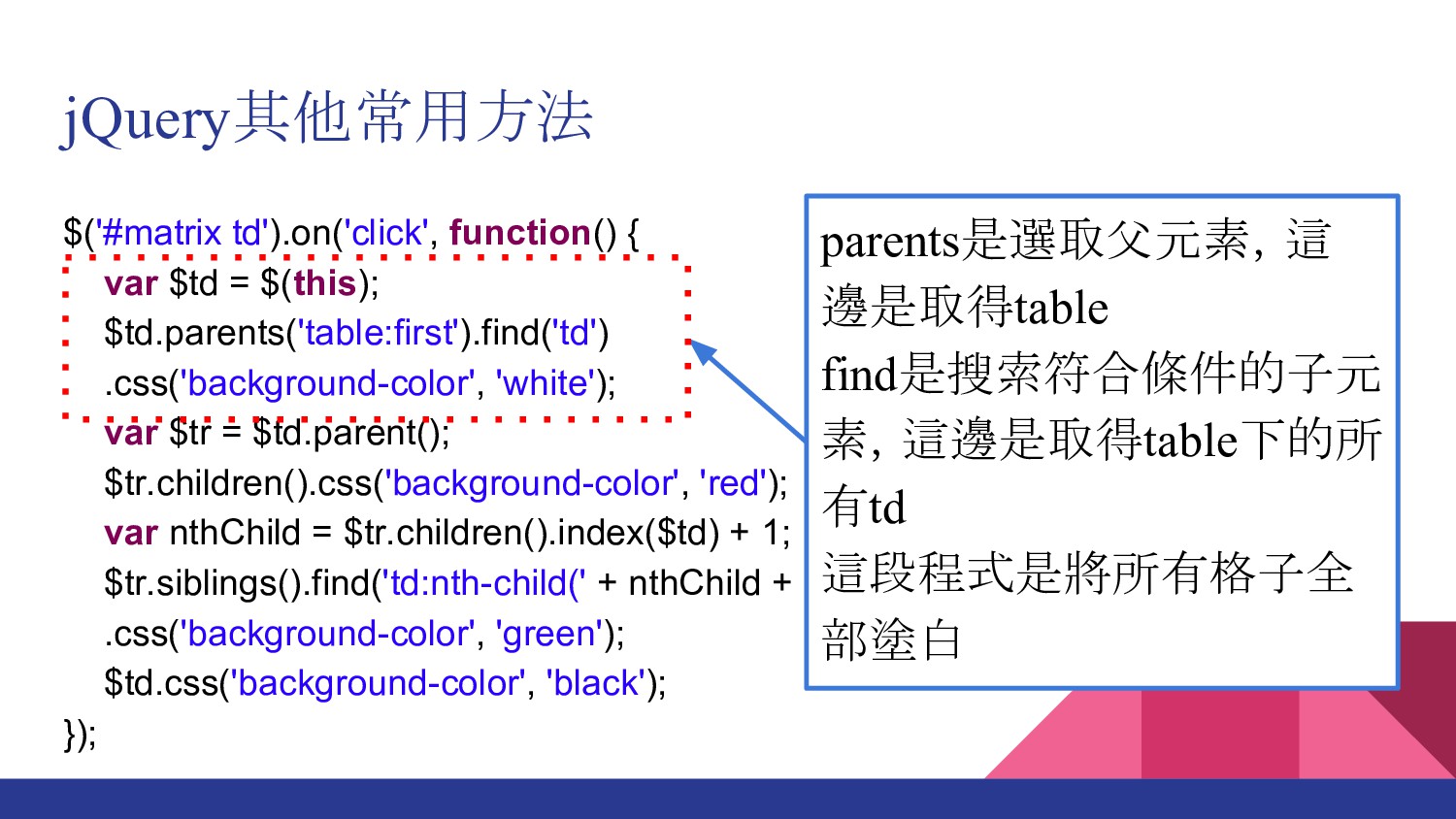
jQuery其他常用方法 $('#matrix td').on('click', function() { var $td = $(this); $td.parents('table:first').find('td')
.css('background-color', 'white'); var $tr = $td.parent(); $tr.children().css('background-color', 'red'); var nthChild = $tr.children().index($td) + 1; $tr.siblings().find('td:nth-child(' + nthChild + ')') .css('background-color', 'green'); $td.css('background-color', 'black'); }); parents是選取父元素,這 邊是取得table find是搜索符合條件的子元 素,這邊是取得table下的所 有td 這段程式是將所有格子全 部塗白
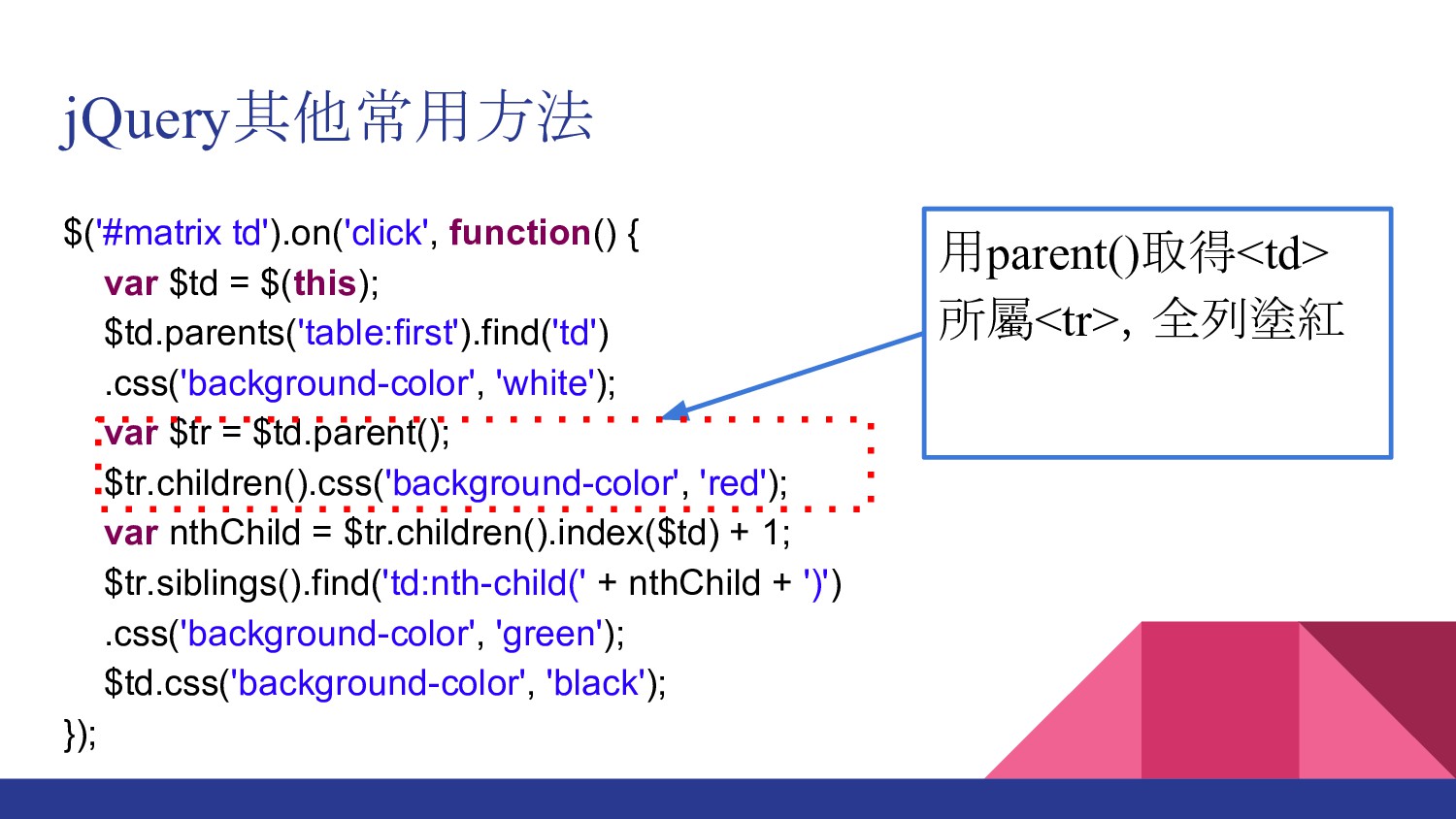
jQuery其他常用方法 $('#matrix td').on('click', function() { var $td = $(this); $td.parents('table:first').find('td')
.css('background-color', 'white'); var $tr = $td.parent(); $tr.children().css('background-color', 'red'); var nthChild = $tr.children().index($td) + 1; $tr.siblings().find('td:nth-child(' + nthChild + ')') .css('background-color', 'green'); $td.css('background-color', 'black'); }); 用parent()取得<td> 所屬<tr>,全列塗紅
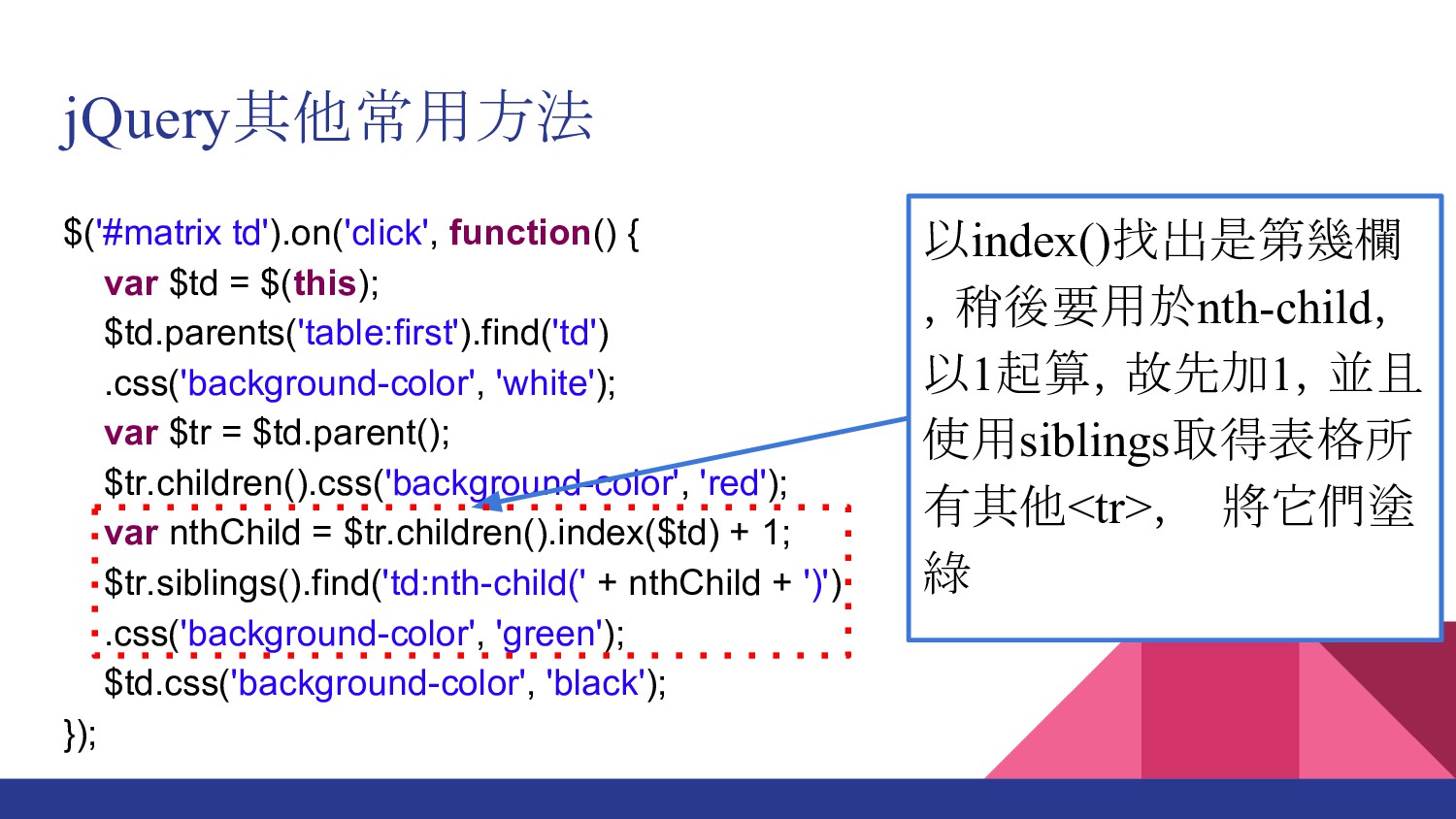
jQuery其他常用方法 $('#matrix td').on('click', function() { var $td = $(this); $td.parents('table:first').find('td')
.css('background-color', 'white'); var $tr = $td.parent(); $tr.children().css('background-color', 'red'); var nthChild = $tr.children().index($td) + 1; $tr.siblings().find('td:nth-child(' + nthChild + ')') .css('background-color', 'green'); $td.css('background-color', 'black'); }); 以index()找出是第幾欄 ,稍後要用於nth-child, 以1起算,故先加1,並且 使用siblings取得表格所 有其他<tr>, 將它們塗 綠
jQuery其他常用方法 $('#matrix td').on('click', function() { var $td = $(this); $td.parents('table:first').find('td')
.css('background-color', 'white'); var $tr = $td.parent(); $tr.children().css('background-color', 'red'); var nthChild = $tr.children().index($td) + 1; $tr.siblings().find('td:nth-child(' + nthChild + ')') .css('background-color', 'green'); $td.css('background-color', 'black'); }); 最後將自已填成黑色
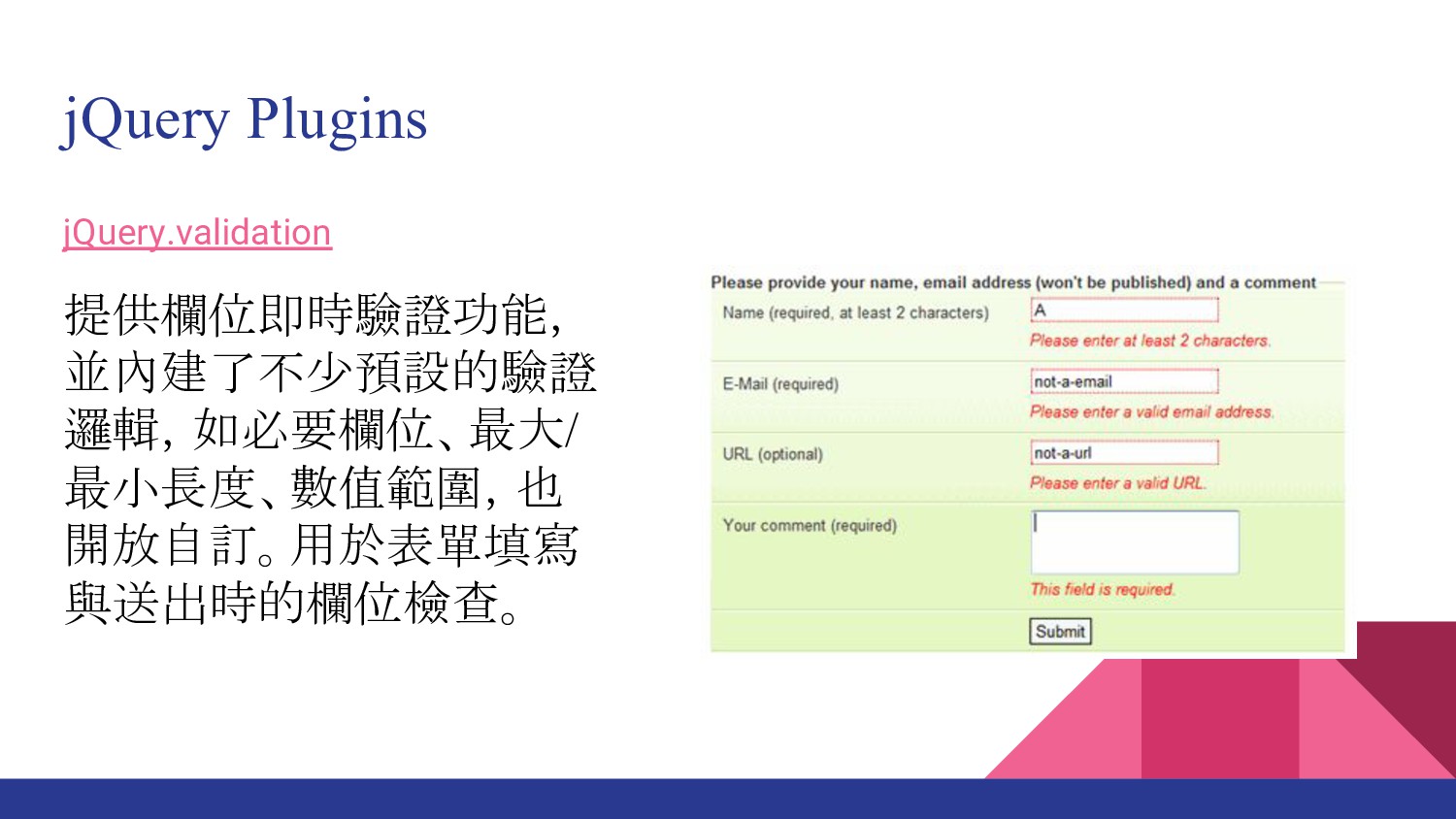
jQuery Plugins jQuery.validation 提供欄位即時驗證功能, 並內建了不少預設的驗證 邏輯,如必要欄位、最大/ 最小長度、數值範圍,也 開放自訂。用於表單填寫 與送出時的欄位檢查。
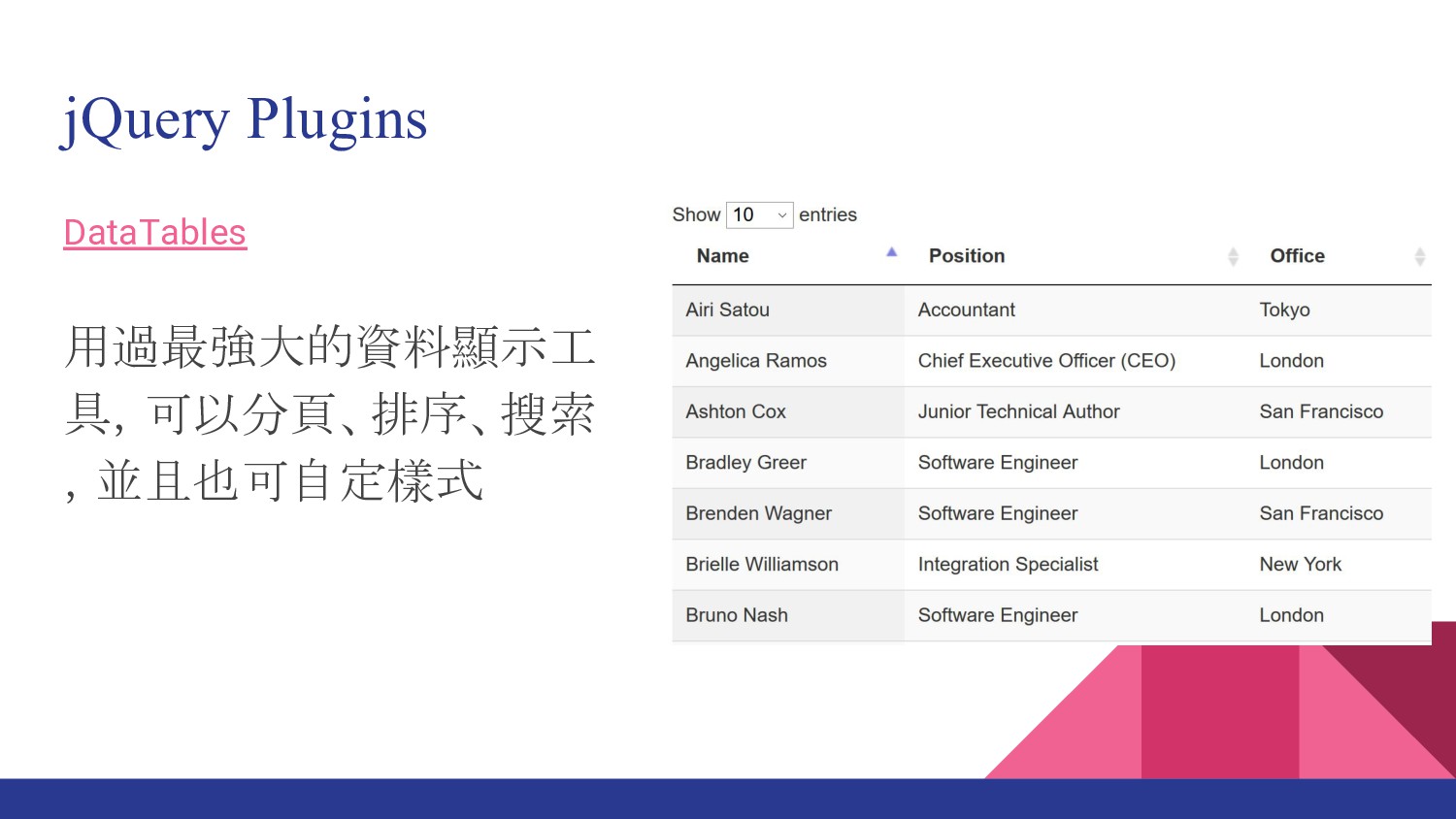
jQuery Plugins DataTables 用過最強大的資料顯示工 具,可以分頁、排序、搜索 ,並且也可自定樣式
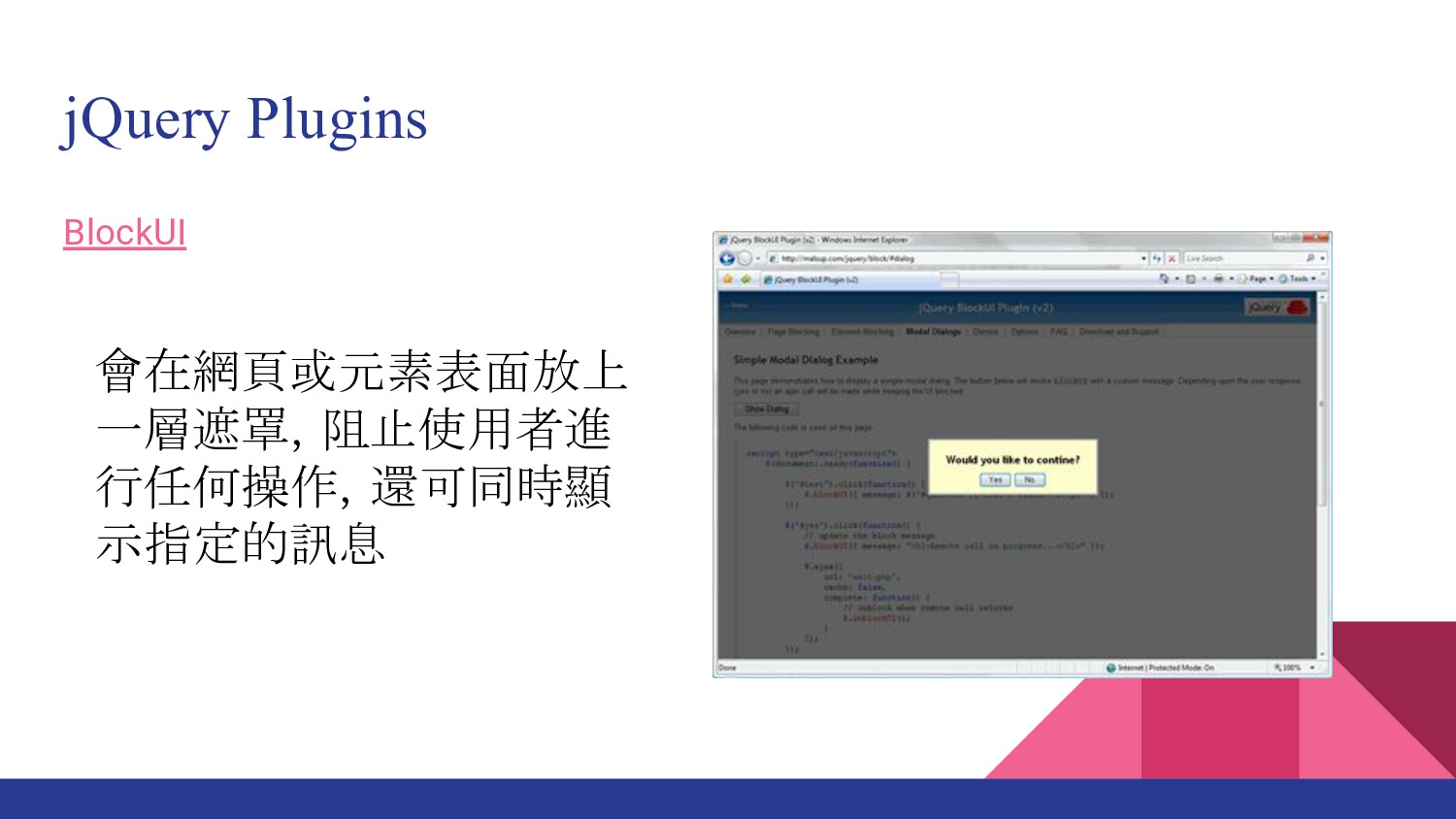
jQuery Plugins BlockUI 會在網頁或元素表面放上 一層遮罩,阻止使用者進 行任何操作,還可同時顯 示指定的訊息
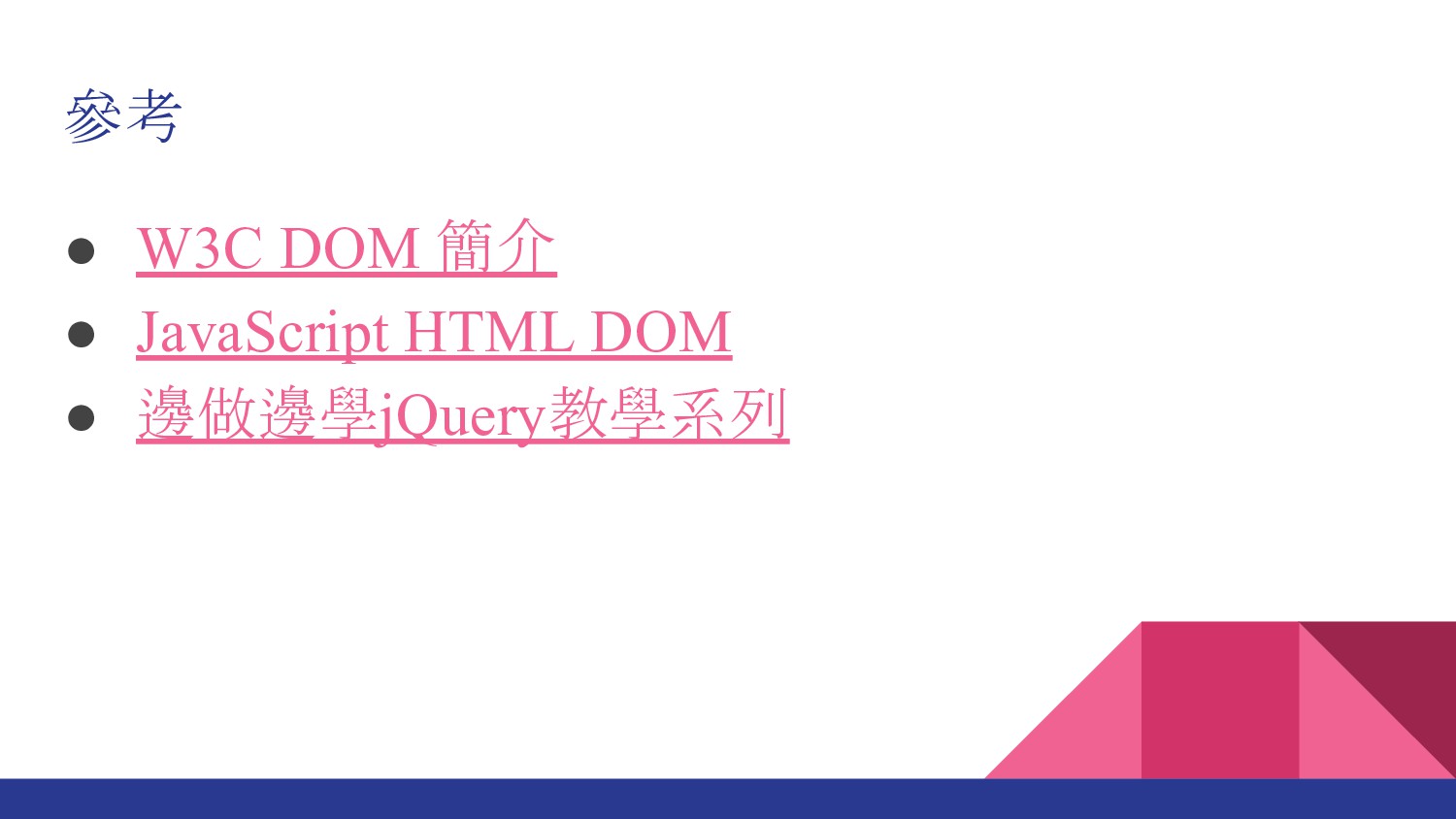
參考 • W3C DOM 簡介 • JavaScript HTML DOM •
邊做邊學jQuery教學系列


 thomascsd
 colly
colly
 mongodb
 marcelosomers
 orderedlist
.png) helenjbeal
helenjbeal
 ryanjones
 letsgokoyo
 baasie
 davetheseo
 aleyda
 portentint
 marktimemedia


![基本的宣告方式 物件的另外一種寫法,因為JavaScript的物件是鍵/值組合 var obj = {}; obj.prop = 'cde'; obj['prop1']](https://files.speakerdeck.com/presentations/6a35f161720a417995f835fae9c3e285/slide_4.jpg)
![CSS Selector的介紹 使用[]來選擇attribute <p name="text">Hello world</p> [name=text] { font-weight: 500;](https://files.speakerdeck.com/presentations/6a35f161720a417995f835fae9c3e285/slide_9.jpg)