Upgrade to Pro
— share decks privately, control downloads, hide ads and more …
Speaker Deck
Sign up for free
Menu
Search
Features
All features
Private URLs
Password Protection
Custom URLS
Scheduled publishing
Remove Branding
Restrict embedding
Deck Collections
Notes
Features
All features
Private URLs
Password Protection
Custom URLS
Scheduled publishing
Remove Branding
Restrict embedding
Deck Collections
Notes
Explore
Featured decks
Featured speakers
Programming
Technology
Storyboards
Explore
Featured decks
Featured speakers
Programming
Technology
Storyboards
Pricing
Search
Sign in
Sign up for free
機率統計_期末報告_.pdf
Search
tiffany1994
June 19, 2014
230
0
Share
Embed
Copy iframe code
Copy JS code
Copy link
Start on current slide
機率統計_期末報告_.pdf
tiffany1994
June 19, 2014
Featured
See All Featured
Raft: Consensus for Rubyists
vanstee
142
7.8k
Chrome DevTools: State of the Union 2024 - Debugging React & Beyond
addyosmani
10
1.4k
Ecommerce SEO: The Keys for Success Now & Beyond - #SERPConf2024
aleyda
1
2.2k
Tips & Tricks on How to Get Your First Job In Tech
honzajavorek
1
800
30 Presentation Tips
portentint
PRO
1
430
Design and Strategy: How to Deal with People Who Don’t "Get" Design
morganepeng
133
20k
Dealing with People You Can't Stand - Big Design 2015
cassininazir
367
27k
Practical Orchestrator
shlominoach
192
12k
The untapped power of vector embeddings
frankvandijk
2
1.9k
Impact Scores and Hybrid Strategies: The future of link building
tamaranovitovic
0
460
Responsive Adventures: Dirty Tricks From The Dark Corners of Front-End
smashingmag
254
22k
Claude Code のすすめ
schroneko
67
230k
Transcript
機率統計 (期末報告) B0129019 許婷雅
黑白棋規則 1. 兩人對奕,以輪流方式持黑子與白子。 開闢新 局者持黑子,加入者持白子。 2. 接著以輪流方式將棋子置於棋盤「」中。若無地 方可下子,則跳過一回,由對方下子。 3. 在提示的「」中,選擇一個「」下子,
當下子 的位子與離最近的同色旗子中, 若有其他棋子 則中間的棋子變為與我方一樣顏色。 4. 當下滿64個棋子,棋子多者為勝。
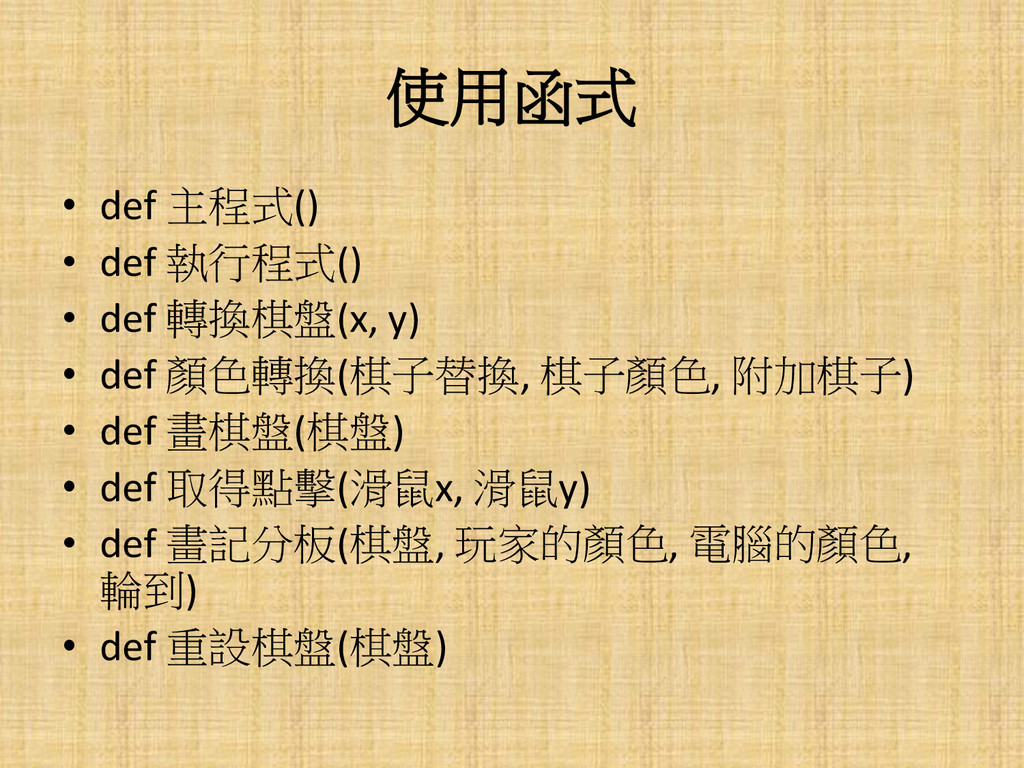
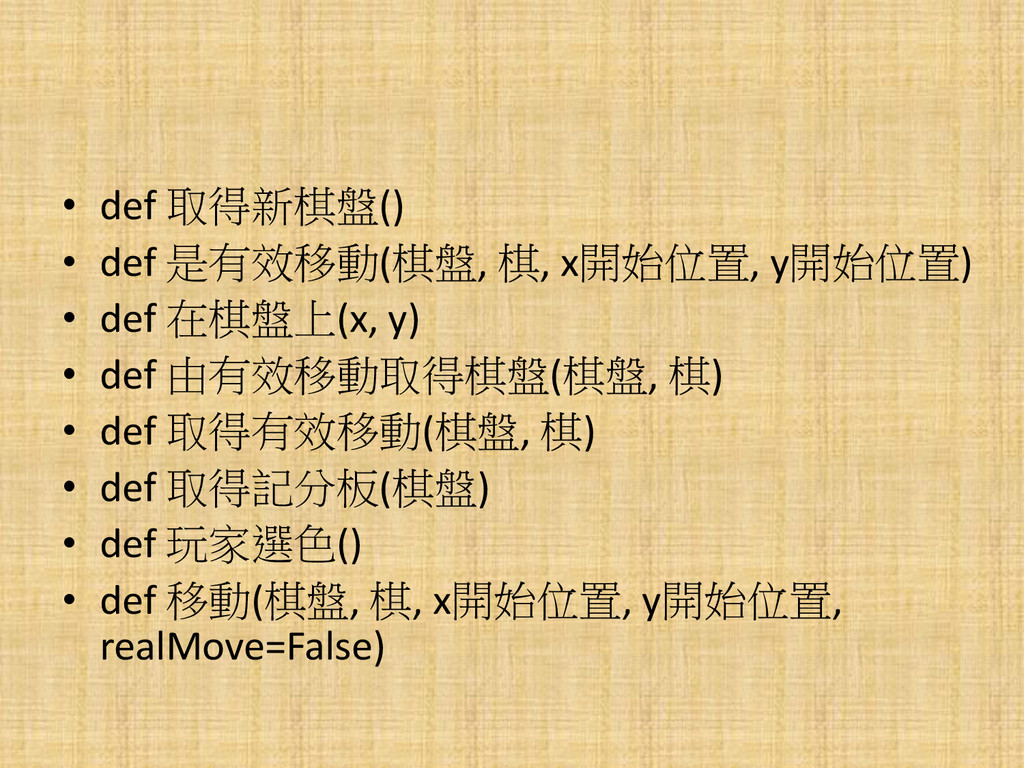
使用函式 • def 主程式() • def 執行程式() • def 轉換棋盤(x,
y) • def 顏色轉換(棋子替換, 棋子顏色, 附加棋子) • def 畫棋盤(棋盤) • def 取得點擊(滑鼠x, 滑鼠y) • def 畫記分板(棋盤, 玩家的顏色, 電腦的顏色, 輪到) • def 重設棋盤(棋盤)
• def 取得新棋盤() • def 是有效移動(棋盤, 棋, x開始位置, y開始位置) •
def 在棋盤上(x, y) • def 由有效移動取得棋盤(棋盤, 棋) • def 取得有效移動(棋盤, 棋) • def 取得記分板(棋盤) • def 玩家選色() • def 移動(棋盤, 棋, x開始位置, y開始位置, realMove=False)
• def 在角落(x, y) • def 取得電腦移動(棋盤, 電腦的顏色) • def
離開()
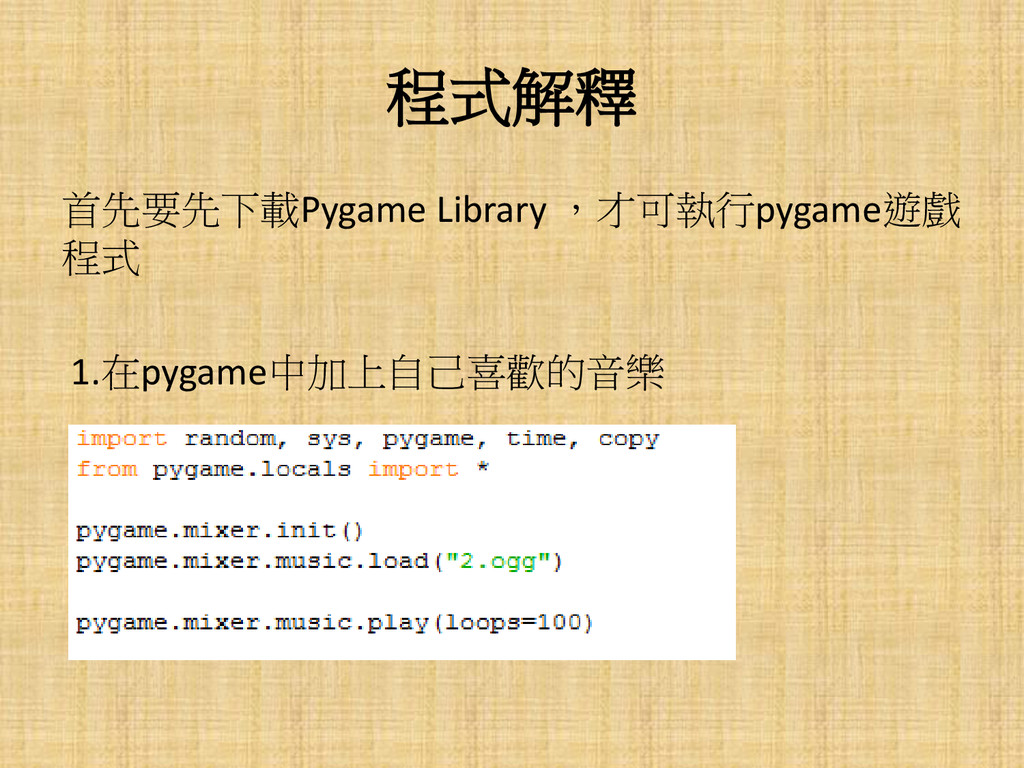
程式解釋 首先要先下載Pygame Library ,才可執行pygame遊戲 程式 1.在pygame中加上自己喜歡的音樂
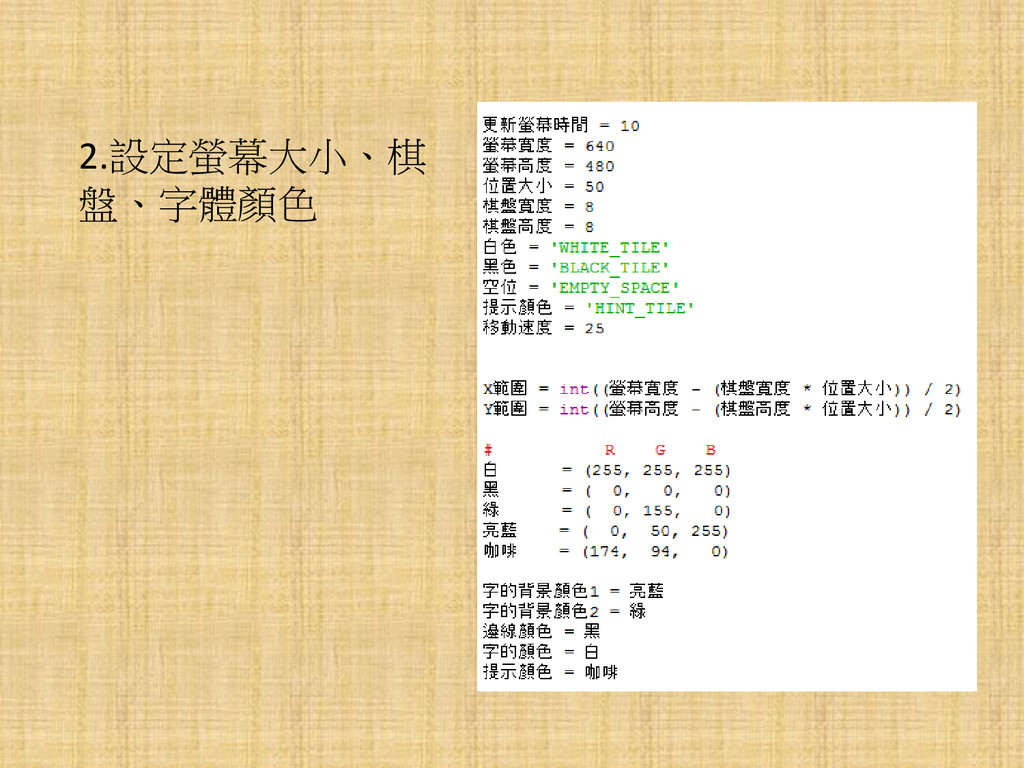
2.設定螢幕大小、棋 盤、字體顏色
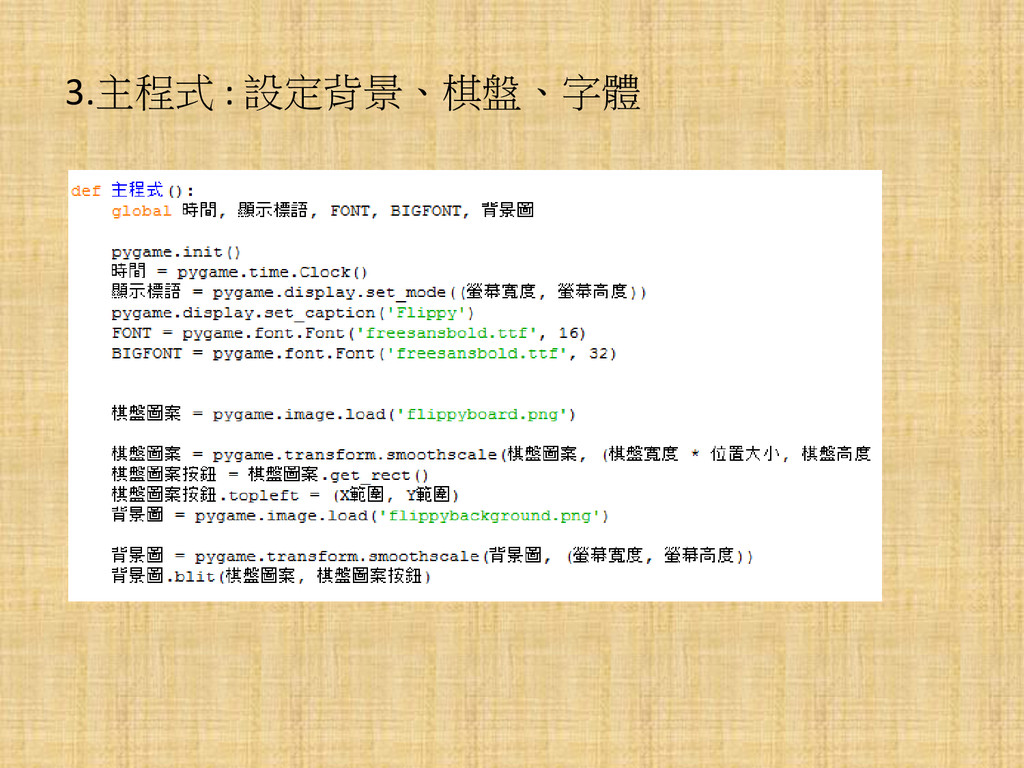
3.主程式 : 設定背景、棋盤、字體
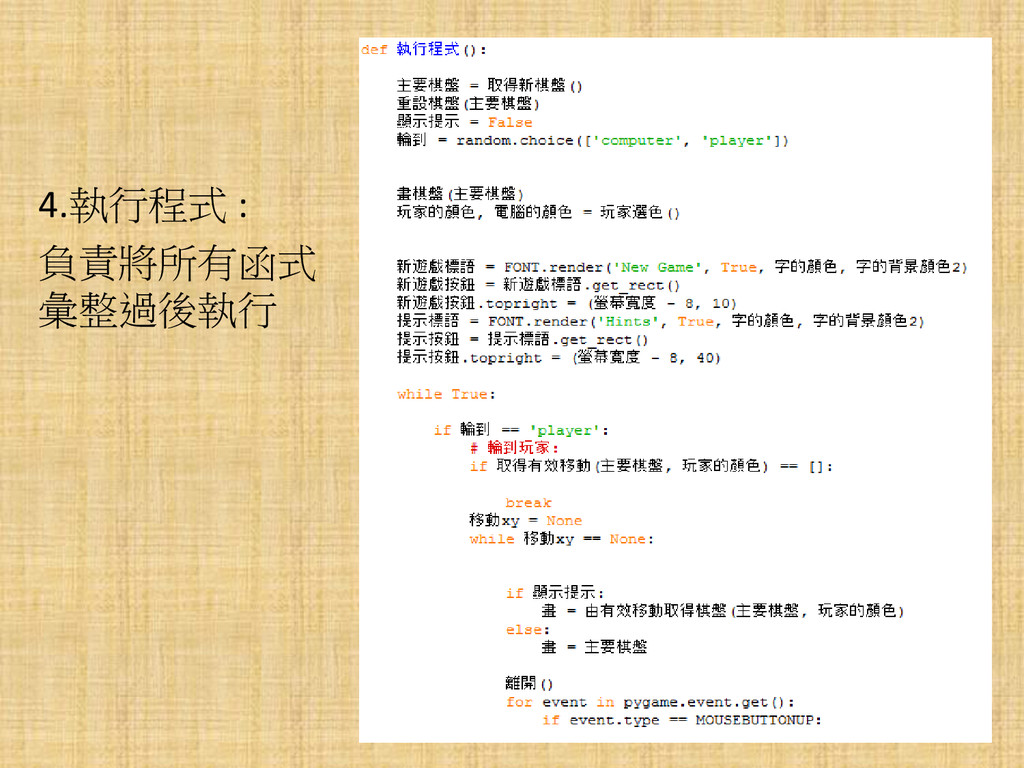
4.執行程式 : 負責將所有函式 彙整過後執行
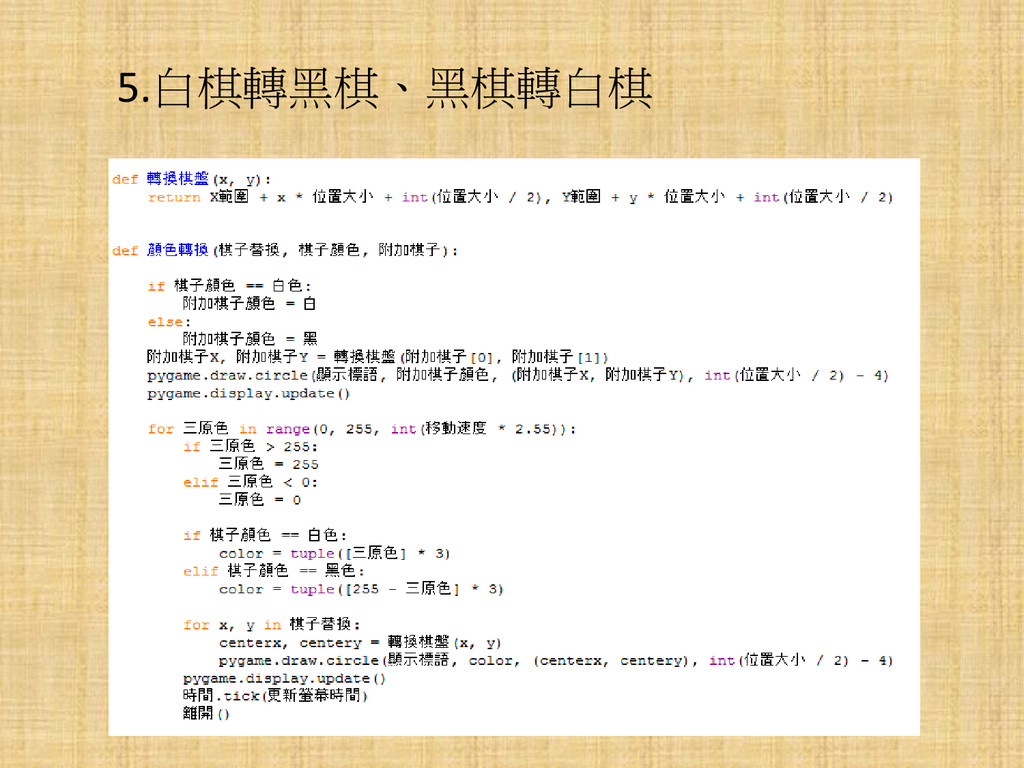
5.白棋轉黑棋、黑棋轉白棋
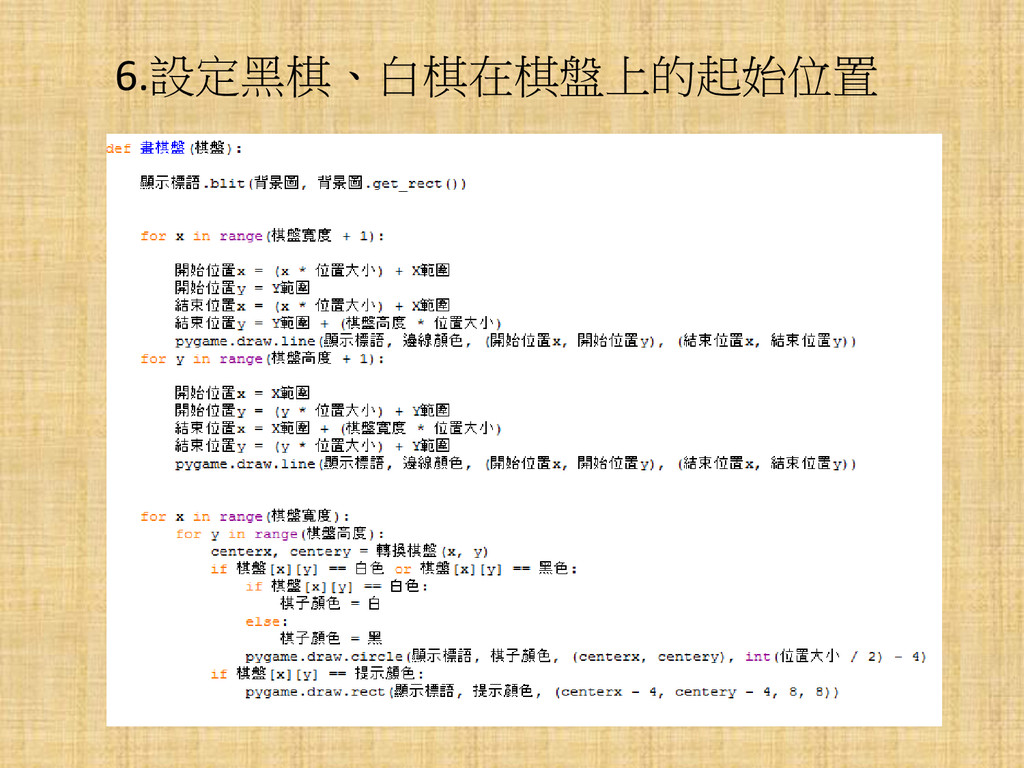
6.設定黑棋、白棋在棋盤上的起始位置
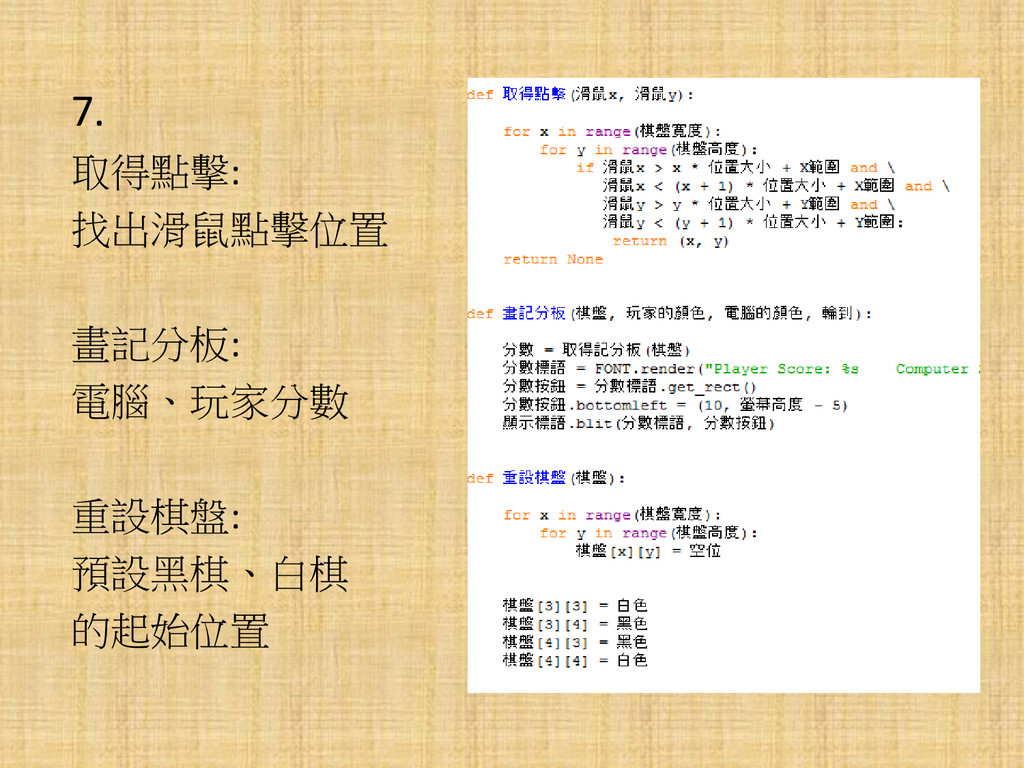
7. 取得點擊: 找出滑鼠點擊位置 畫記分板: 電腦、玩家分數 重設棋盤: 預設黑棋、白棋 的起始位置
8. 在移動期間,要判斷該位置是否可以走
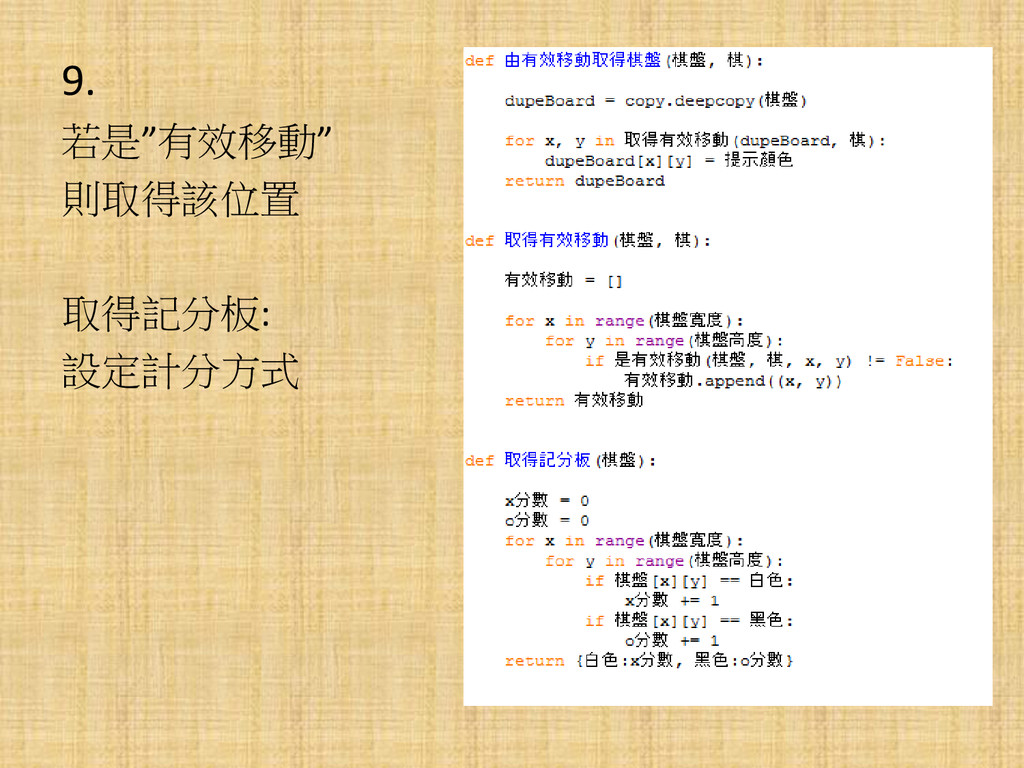
9. 若是”有效移動” 則取得該位置 取得記分板: 設定計分方式
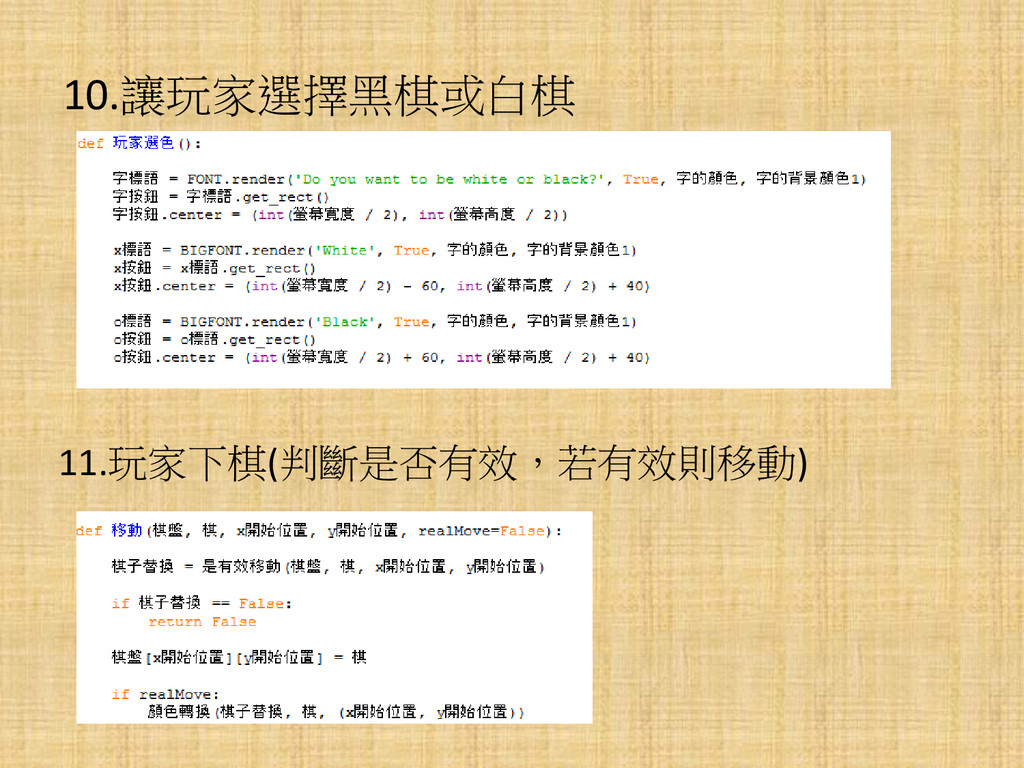
10.讓玩家選擇黑棋或白棋 11.玩家下棋(判斷是否有效,若有效則移動)
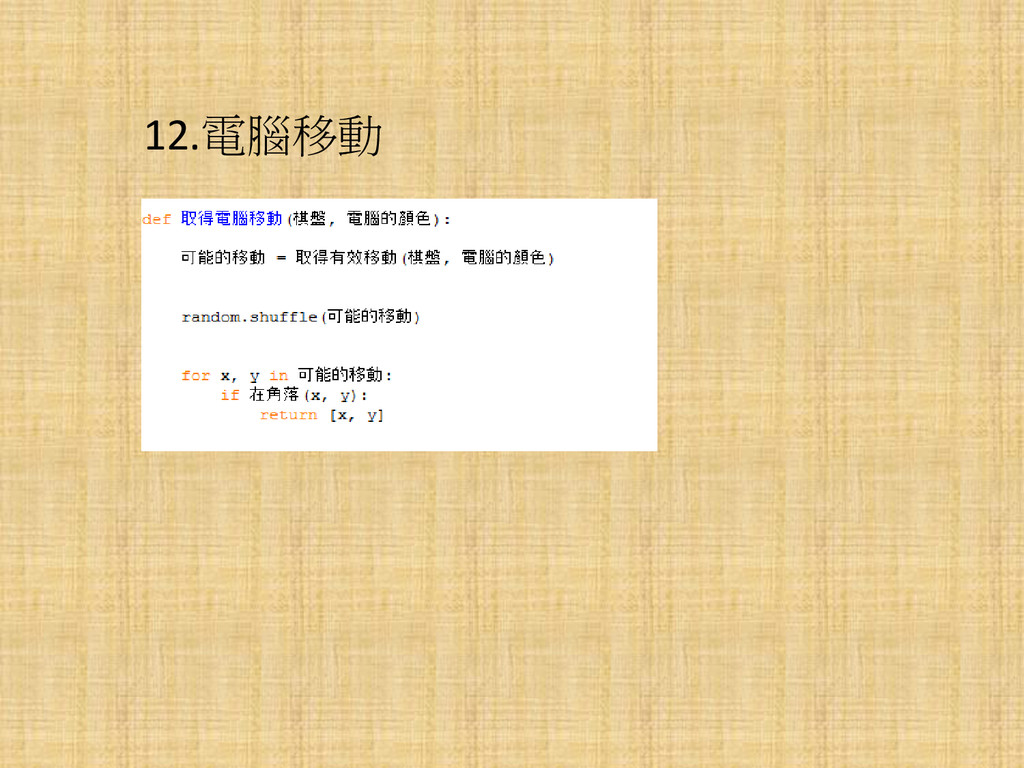
12.電腦移動
如何操作遊戲?
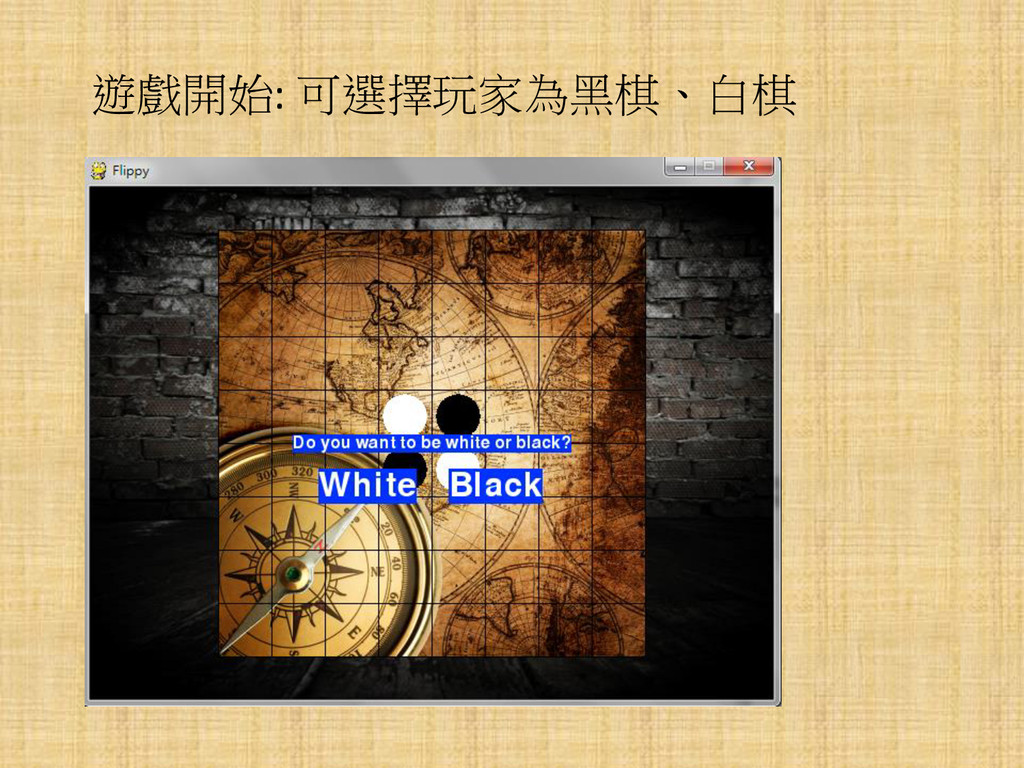
遊戲開始: 可選擇玩家為黑棋、白棋
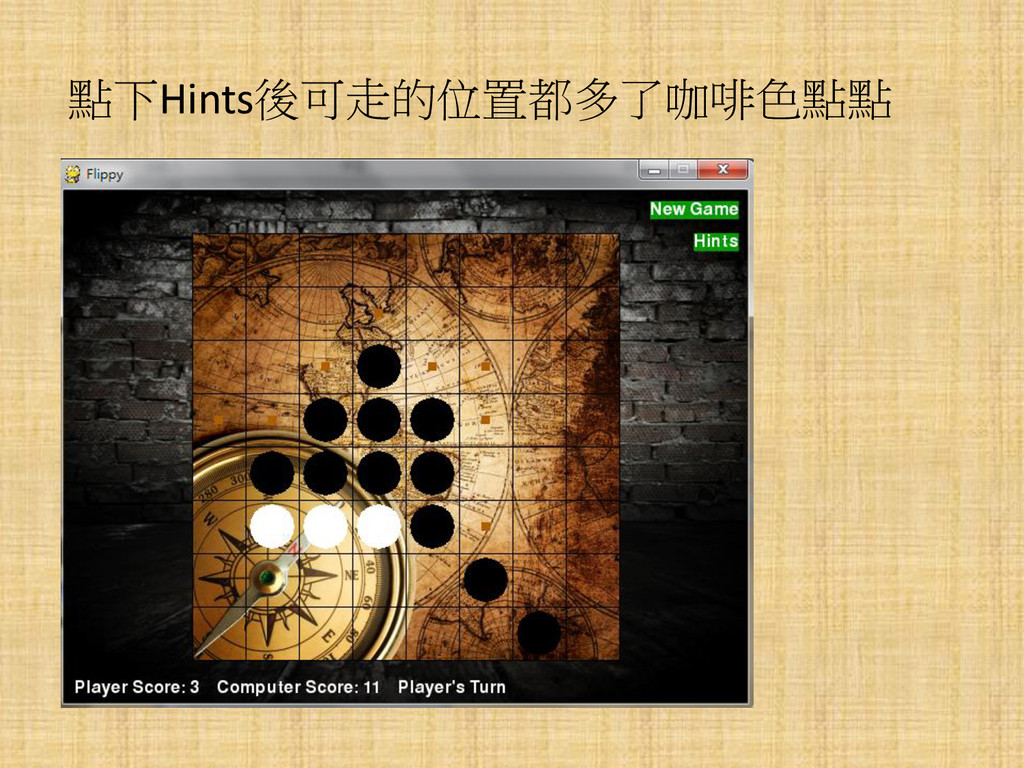
點下Hints後可走的位置都多了咖啡色點點
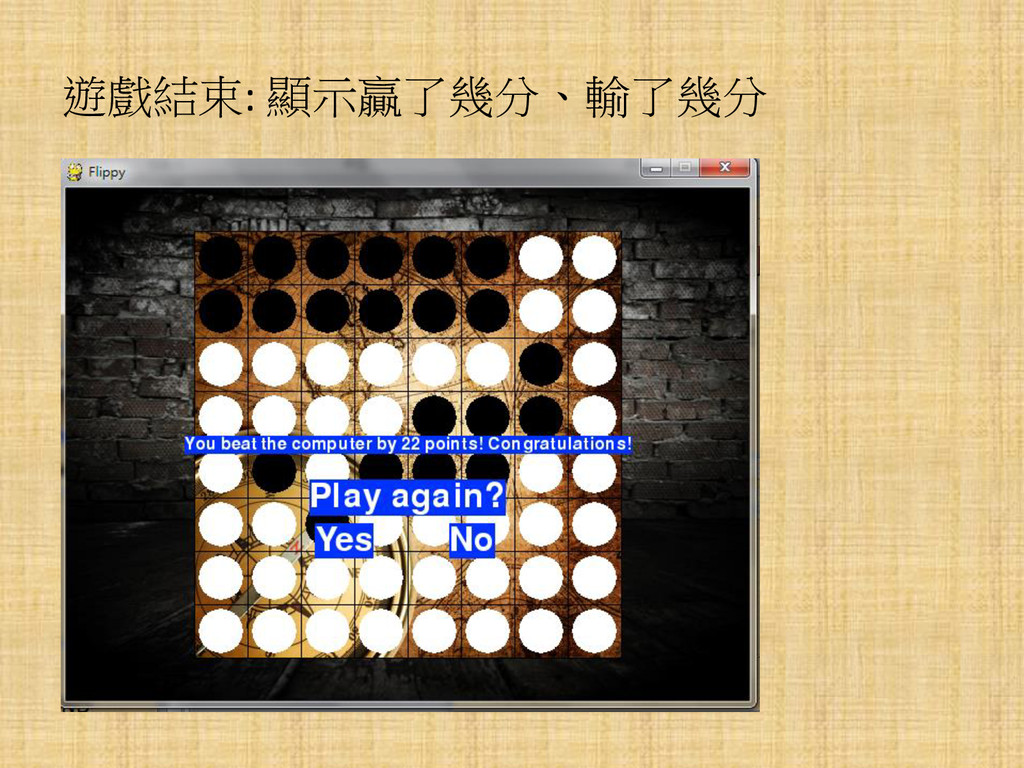
遊戲結束: 顯示贏了幾分、輸了幾分
END


 vanstee
 addyosmani
 aleyda
 honzajavorek
 portentint
 morganepeng
 cassininazir
 shlominoach
 frankvandijk
 tamaranovitovic
 smashingmag
 schroneko