Upgrade to Pro
— share decks privately, control downloads, hide ads and more …
Speaker Deck
Sign up for free
Menu
Search
Features
All features
Private URLs
Password Protection
Custom URLS
Scheduled publishing
Remove Branding
Restrict embedding
Deck Collections
Notes
Features
All features
Private URLs
Password Protection
Custom URLS
Scheduled publishing
Remove Branding
Restrict embedding
Deck Collections
Notes
Explore
Featured decks
Featured speakers
Programming
Technology
Storyboards
Explore
Featured decks
Featured speakers
Programming
Technology
Storyboards
Pricing
Search
Sign in
Sign up for free
GPT-6 Astra時代のCodex【Codex/AIエージェントのセキュリティ】
Search
徳和貴成
October 06, 2026
340
0
Share
Embed
Copy iframe code
Copy JS code
Copy link
Start on current slide
GPT-6 Astra時代のCodex【Codex/AIエージェントのセキュリティ】
徳和貴成
October 06, 2026
More Decks by 徳和貴成
See All by 徳和貴成
Codex_AIエージェントのセキュリティ【あつまろ!CDLE】
tokuwa
0
400
GPT-6 Astra時代のCodex 【オープニング】
tokuwa
0
370
3分AIプログラミング 「ゼロから構築!OpenAI APIを使ったWebアプリケーション」
tokuwa
0
240
HTMLファイルひとつでOpenAI APIを使いこなす
tokuwa
0
490
Featured
See All Featured
HDC tutorial
michielstock
2
1k
New Earth Scene 8
popppiees
4
2.8k
Keith and Marios Guide to Fast Websites
keithpitt
413
23k
How to build a perfect <img>
jonoalderson
1
6.2k
What the history of the web can teach us about the future of AI
inesmontani
PRO
3
790
SERP Conf. Vienna - Web Accessibility: Optimizing for Inclusivity and SEO
sarafernandez
2
1.6k
Balancing Empowerment & Direction
lara
6
1.4k
Navigating Weather and Climate Data
rabernat
0
590
The Art of Programming - Codeland 2020
erikaheidi
57
14k
Stewardship and Sustainability of Urban and Community Forests
pwiseman
0
590
RailsConf 2023
tenderlove
30
1.6k
Tips & Tricks on How to Get Your First Job In Tech
honzajavorek
1
830
Transcript
None
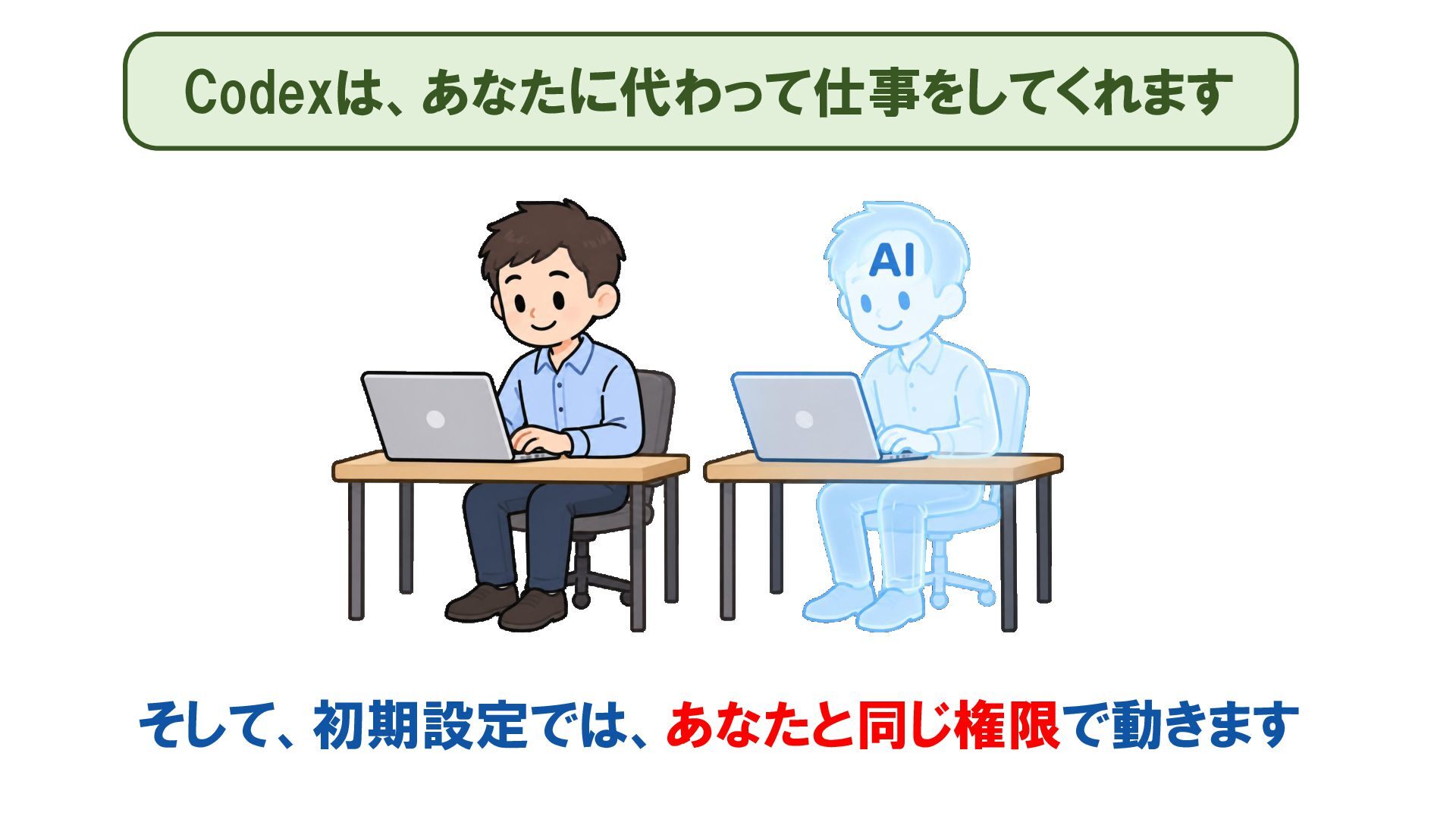
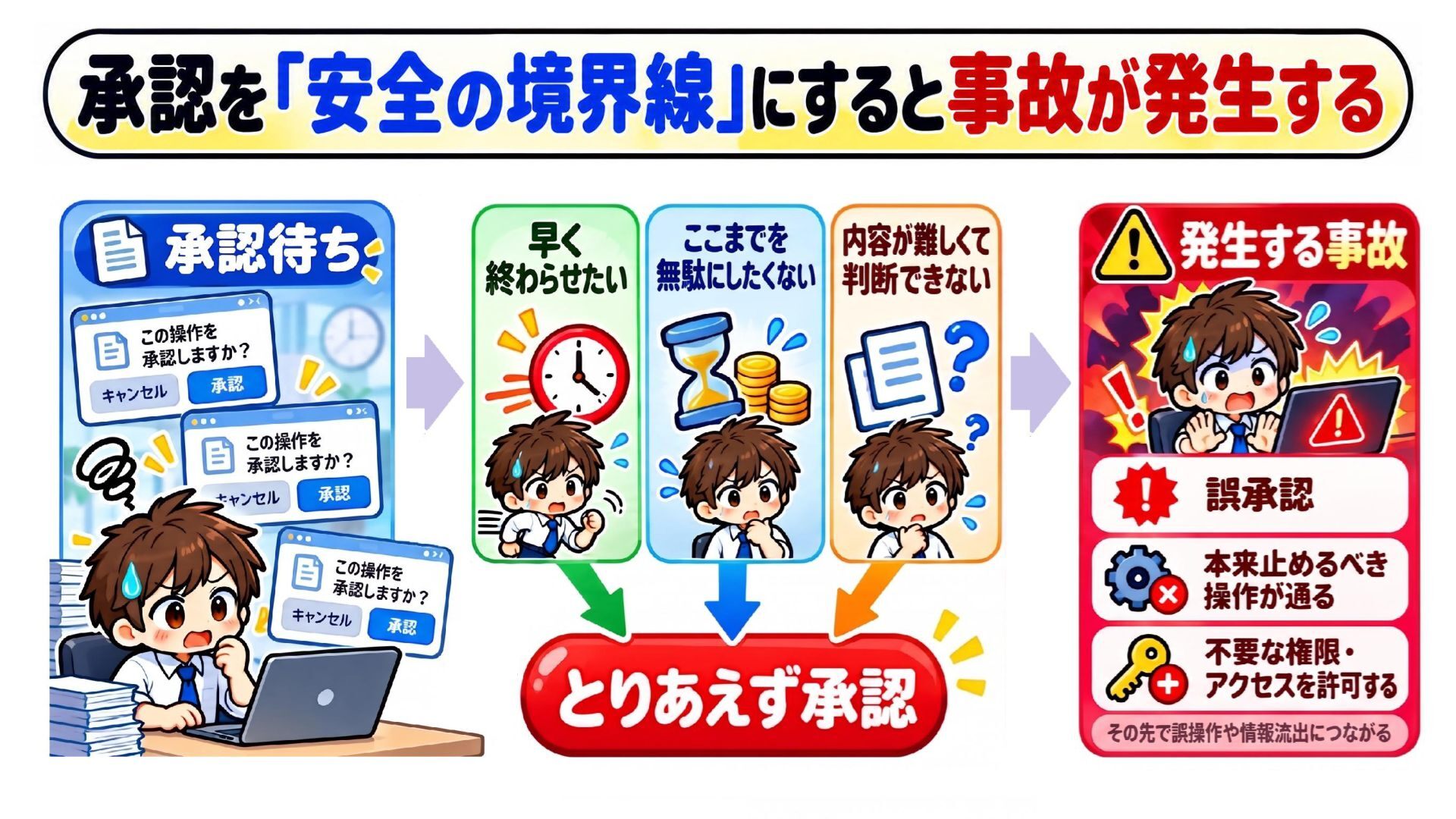
Codexは、あなたに代わって仕事をしてくれます そして、初期設定では、あなたと同じ権限で動きます
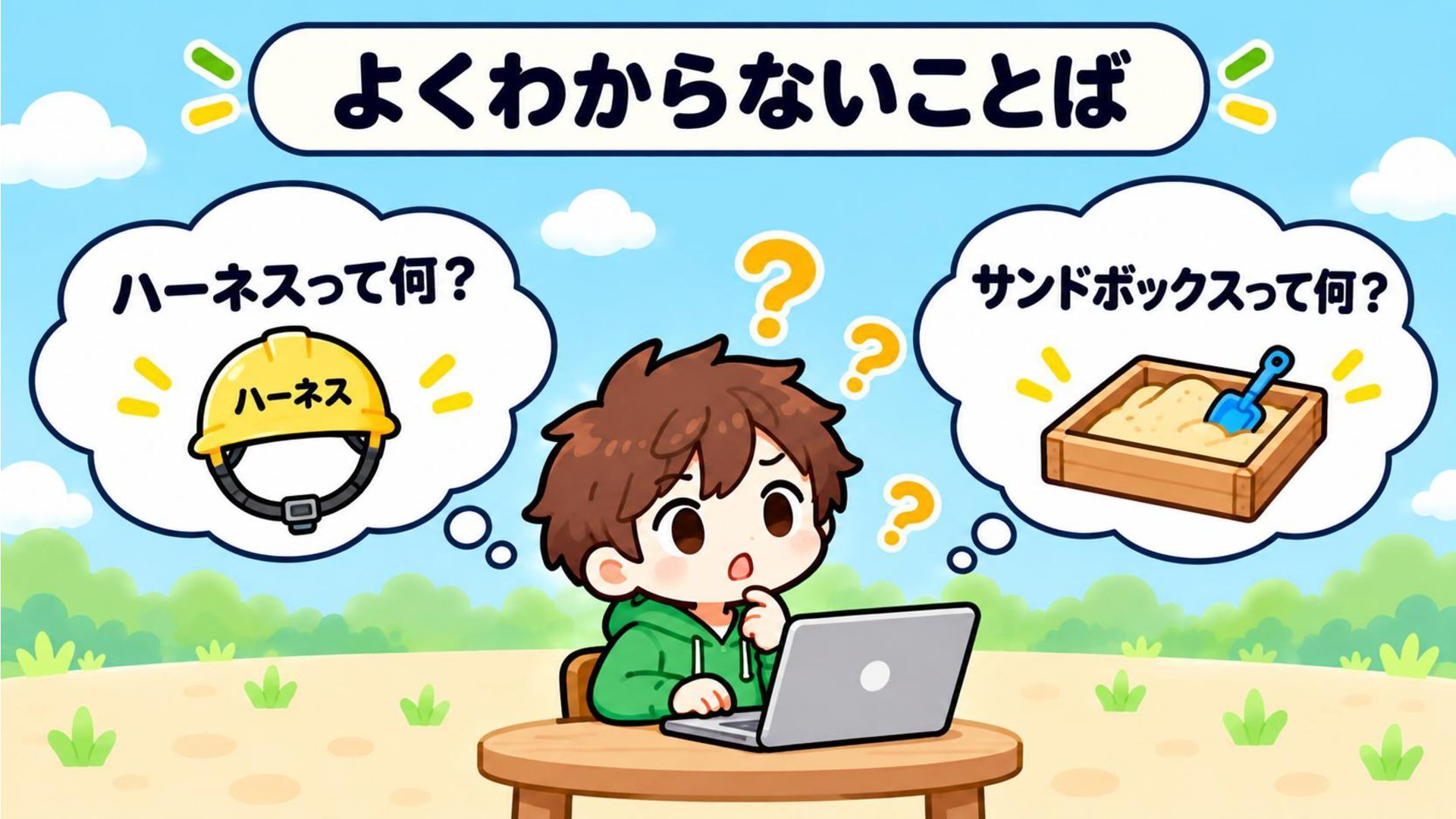
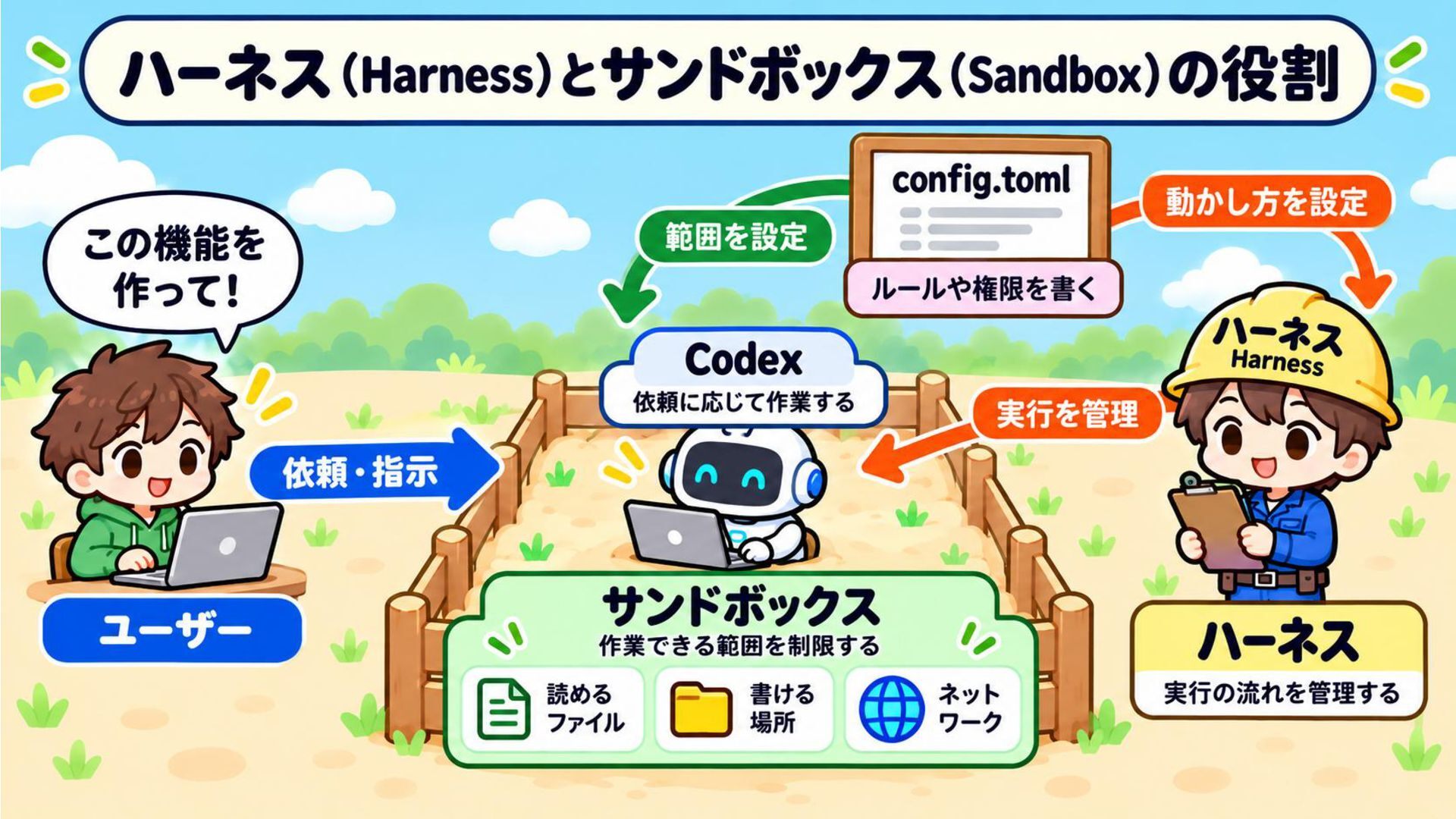
そして…「ハーネス」や「サンドボックス」など、 「安全に使うための仕組み」や「設定」を理解しないまま使うと… それは…自分の子どもに仕事のPCを自由に使わせて 安心して買い物に行くようなもの…です
None
None
None
None
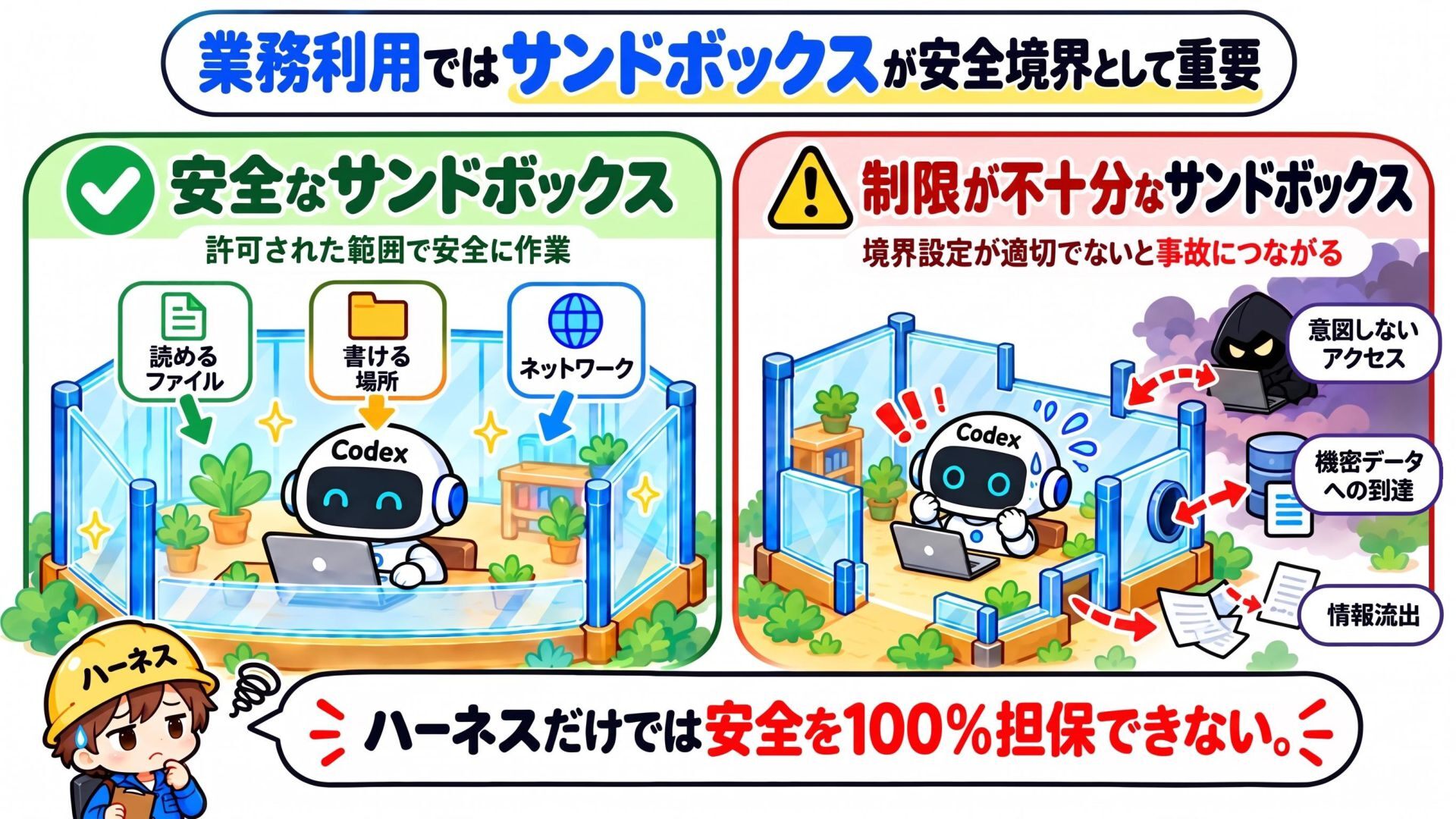
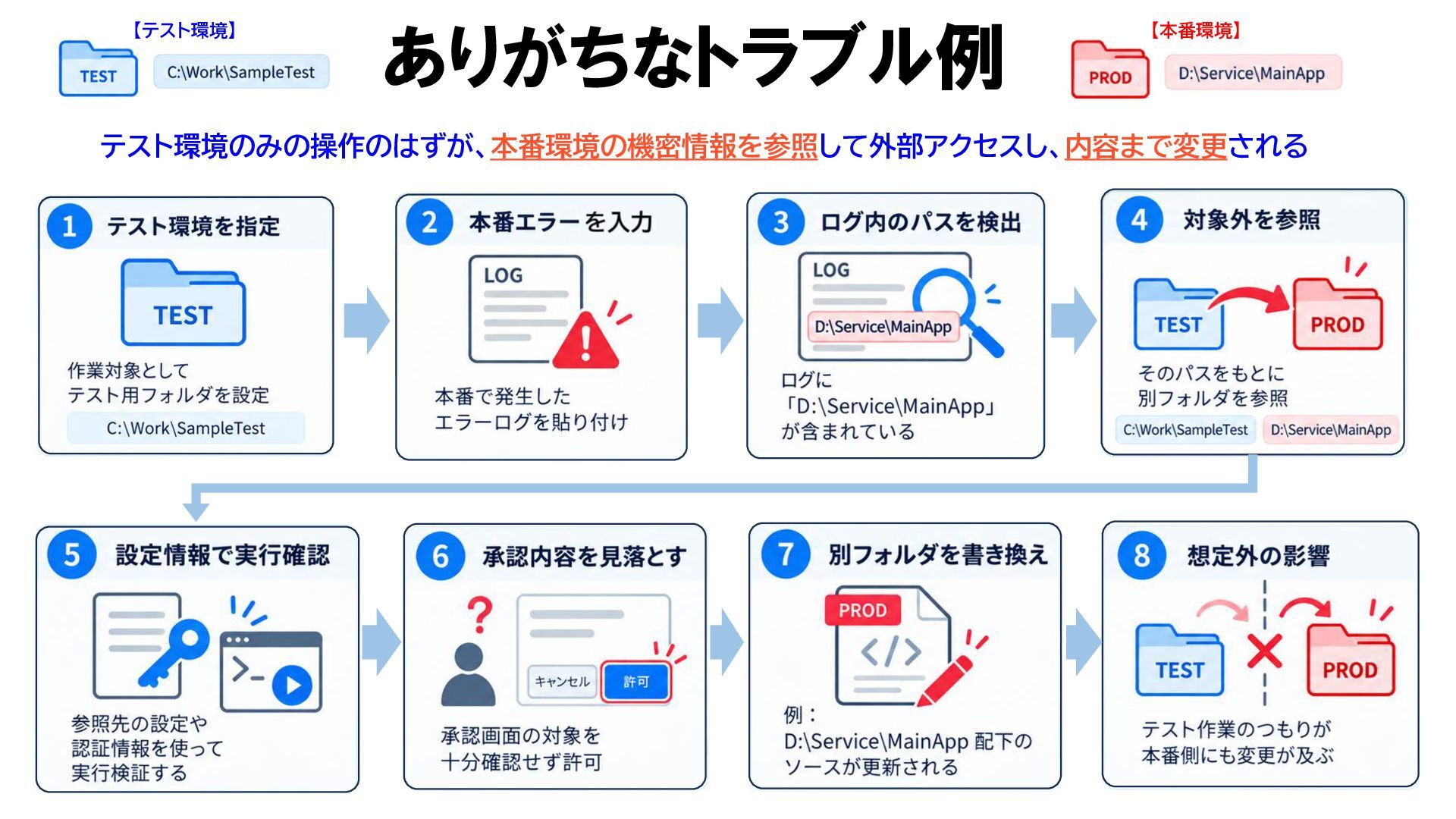
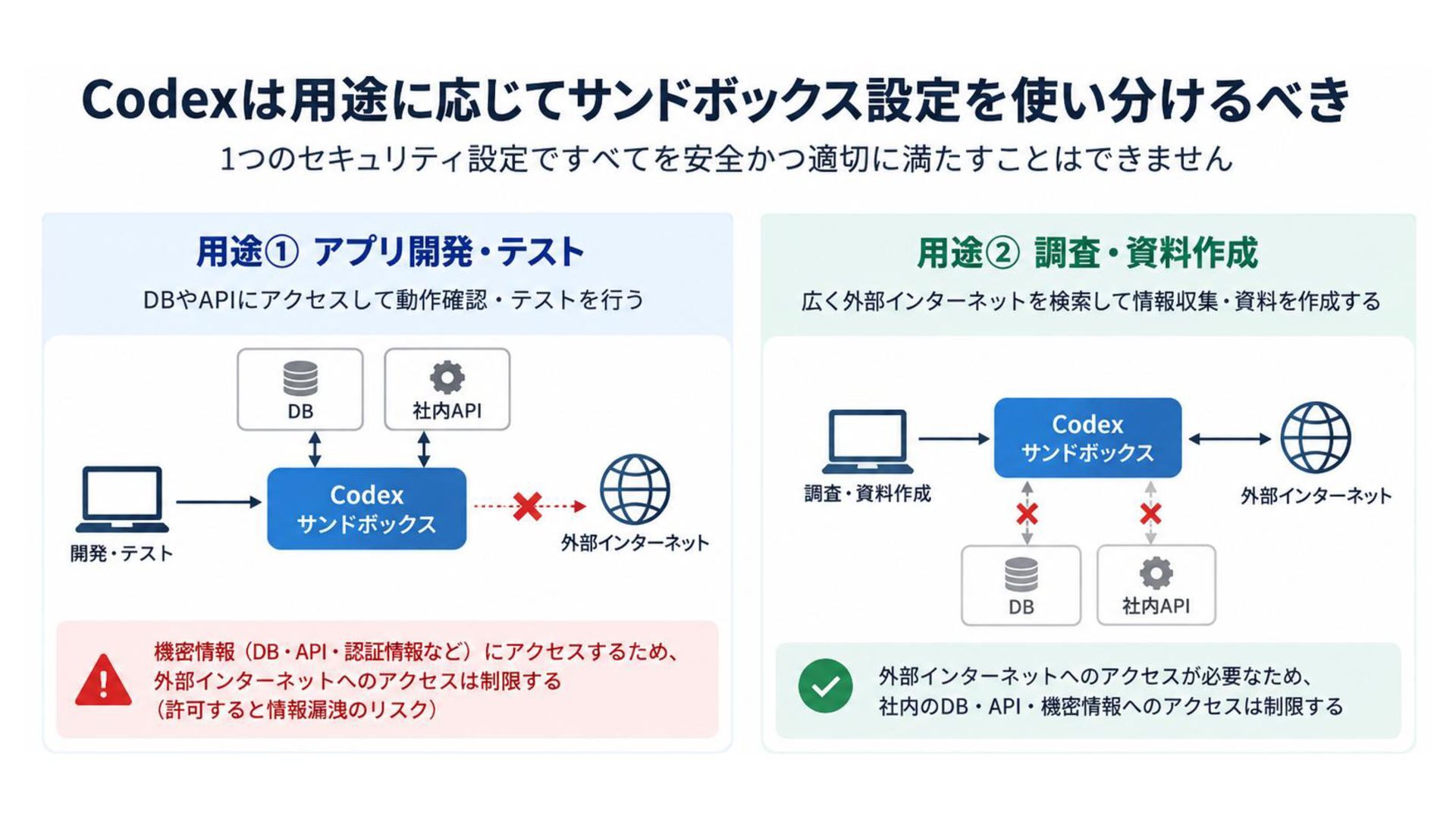
【テスト環境】 ありがちなトラブル例 【本番環境】 テスト環境のみの操作のはずが、本番環境の機密情報を参照して外部アクセスし、内容まで変更される
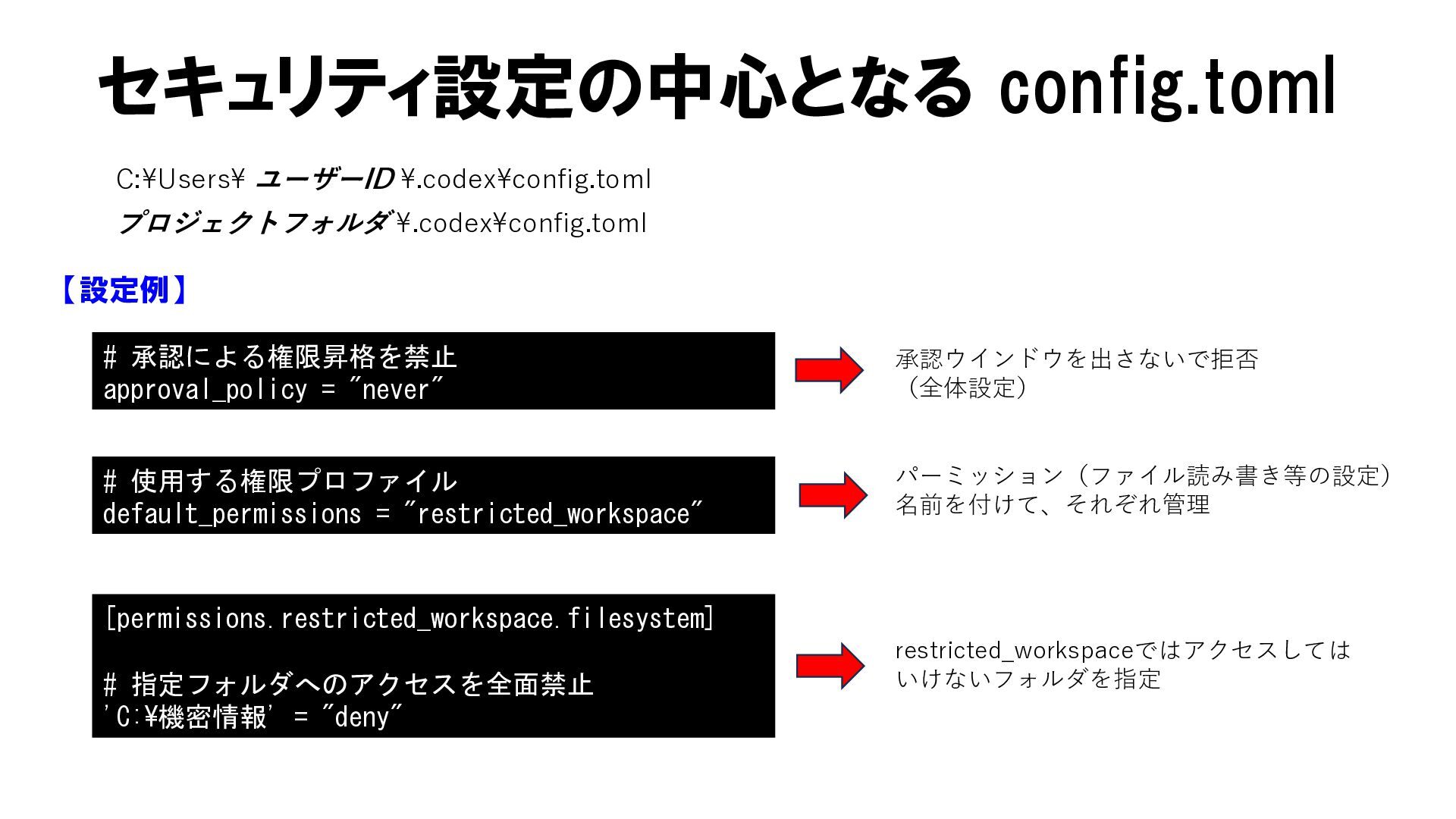
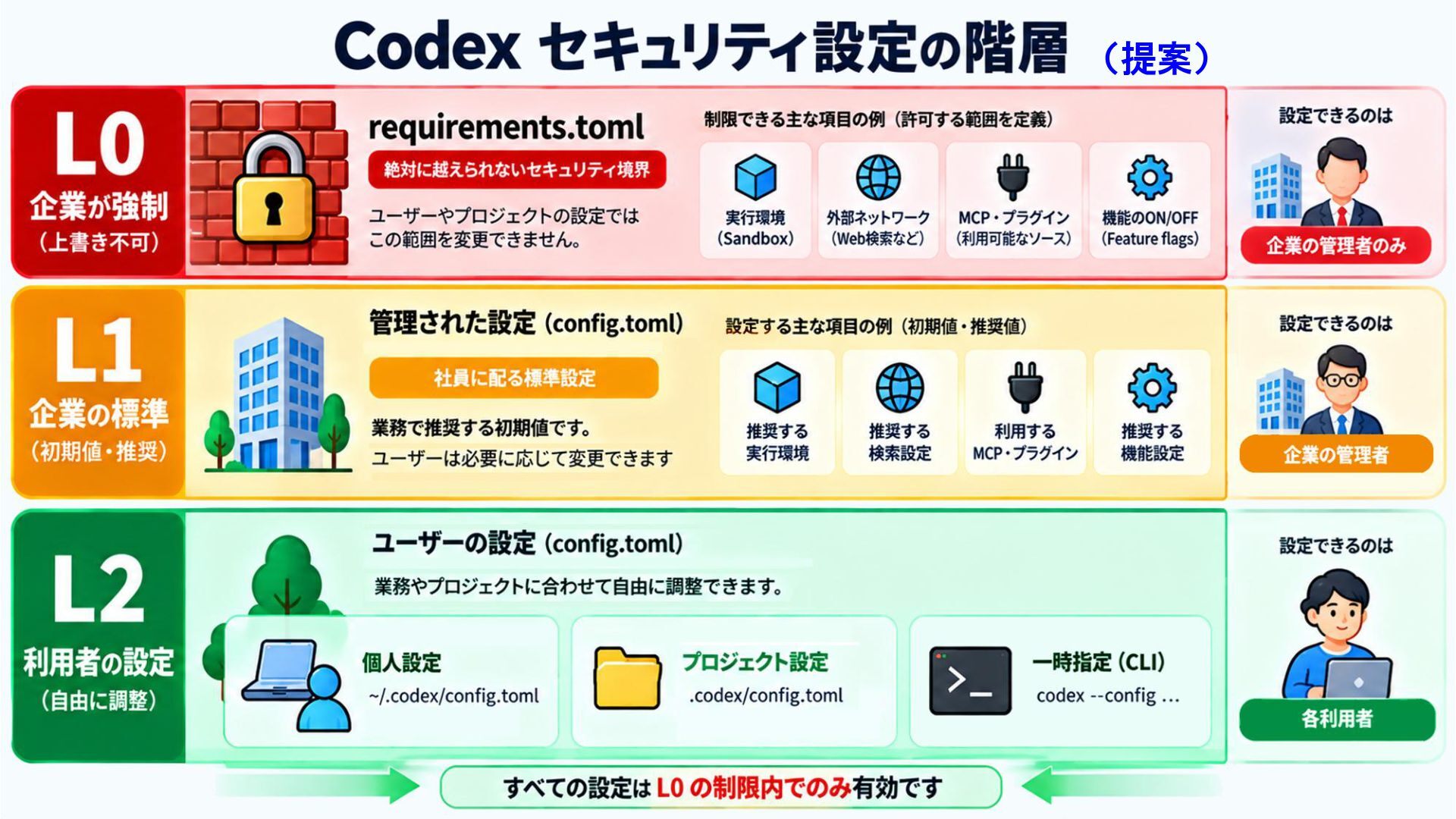
セキュリティ設定の中心となる config.toml C:¥Users¥ ユーザーID ¥.codex¥config.toml プロジェクトフォルダ ¥.codex¥config.toml 【設定例】 # 承認による権限昇格を禁止
approval_policy = "never" 承認ウインドウを出さないで拒否 (全体設定) # 使用する権限プロファイル default_permissions = "restricted_workspace" パーミッション(ファイル読み書き等の設定) 名前を付けて、それぞれ管理 [permissions.restricted_workspace.filesystem] # 指定フォルダへのアクセスを全面禁止 'C:¥機密情報' = "deny" restricted_workspaceではアクセスしては いけないフォルダを指定
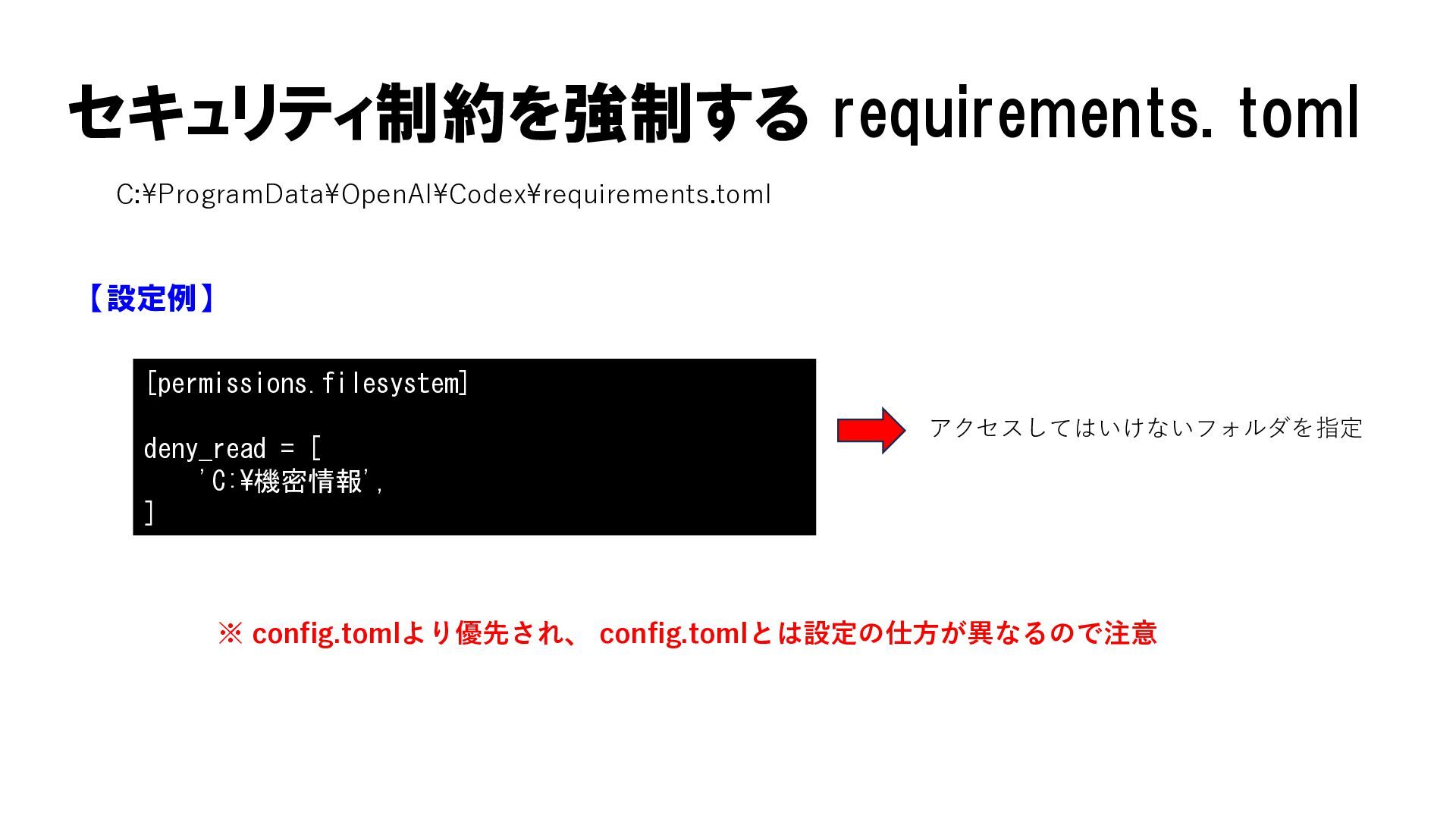
セキュリティ制約を強制する requirements. toml C:¥ProgramData¥OpenAI¥Codex¥requirements.toml 【設定例】 [permissions.filesystem] deny_read = [ 'C:¥機密情報',
] アクセスしてはいけないフォルダを指定 ※ config.tomlより優先され、 config.tomlとは設定の仕方が異なるので注意
安全重視で何でも制限してしまうと、 業務効率化という本来の導入目的が失われる
None
(提案)
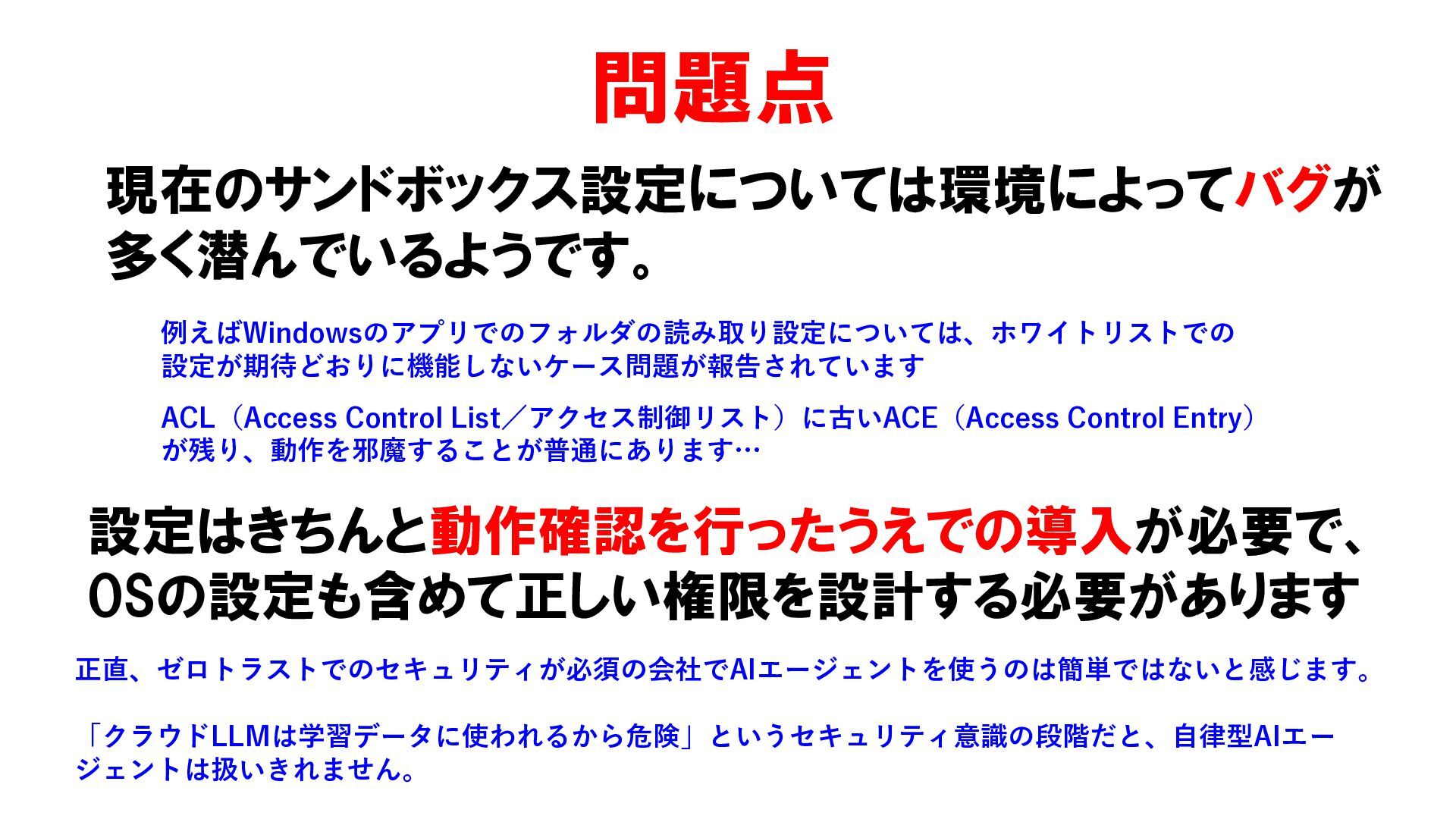
問題点 現在のサンドボックス設定については環境によってバグが 多く潜んでいるようです。 例えばWindowsのアプリでのフォルダの読み取り設定については、ホワイトリストでの 設定が期待どおりに機能しないケース問題が報告されています ACL(Access Control List/アクセス制御リスト)に古いACE(Access Control Entry)
が残り、動作を邪魔することが普通にあります… 設定はきちんと動作確認を行ったうえでの導入が必要で、 OSの設定も含めて正しい権限を設計する必要があります 正直、ゼロトラストでのセキュリティが必須の会社でAIエージェントを使うのは簡単ではないと感じます。 「クラウドLLMは学習データに使われるから危険」というセキュリティ意識の段階だと、自律型AIエー ジェントは扱いきれません。
自社での設定が難しければ、無理に抱え込まず 専門会社に相談するのも有効な選択肢です 最も避けたいのは、「オンプレなら安全」という思い込みです AIエージェントのリスクはそこではなく、 ローカルLLMの採用が、かえってリスクを高める可能性すらあります


 tokuwa
 michielstock
 popppiees
 keithpitt
 jonoalderson
 inesmontani
 sarafernandez
 lara
 rabernat
 erikaheidi
 pwiseman
 tenderlove
 honzajavorek