Upgrade to Pro — share decks privately, control downloads, hide ads and more …

MCP ADR Analysis Server: Give Your AI Assistant...

MCP ADR Analysis Server: Give Your AI Assistant a Memory for Architecture

The MCP ADR Analysis Server is a tool that gives AI assistants (like Claude, Cursor, and Cline) deep architectural intelligence by managing Architectural Decision Records (ADRs). It bridges the gap between code and the reasoning behind it.

Key Features:
- 73 Analysis Tools for AI-driven code reviews.
- Technology Detection & Pattern identification.
- Smart Code Linking to map decisions to implementation.
- Security Content Masking for zero-trust data handling.
- Support for Claude, Cursor, Cline, and Windsurf.

This presentation covers the problem of lost architectural context, the MCP protocol, and how to get started in 60 seconds.

GitHub: https://github.com/tosin2013/mcp-adr-analysis-server

Avatar for Tosin Akinosho

Tosin Akinosho

April 03, 2026

More Decks by Tosin Akinosho

Other Decks in Programming

Transcript

  1. MCP ADR Analysis Server GETTING STARTED GUIDE AI-POWERED ARCHITECTURE Give

    Your AI Assistant a Memory for Architecture AI-powered Architectural Decision Records for intelligent development workflows — bringing persistent architectural context directly into your AI coding assistant.
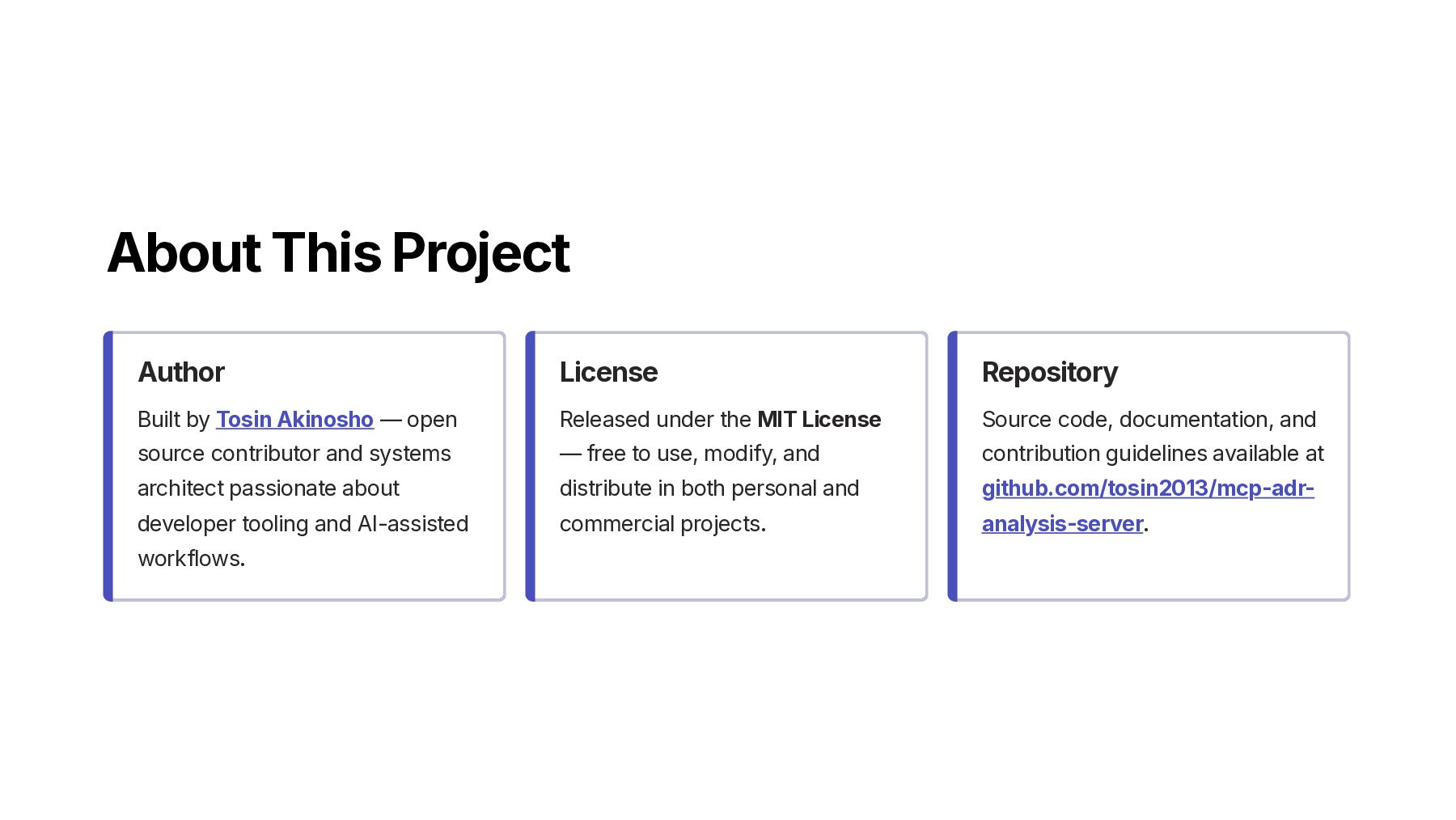
  2. About This Project Author Built by Tosin Akinosho — open

    source contributor and systems architect passionate about developer tooling and AI-assisted workflows. License Released under the MIT License — free to use, modify, and distribute in both personal and commercial projects. Repository Source code, documentation, and contribution guidelines available at github.com/tosin2013/mcp-adr- analysis-server.
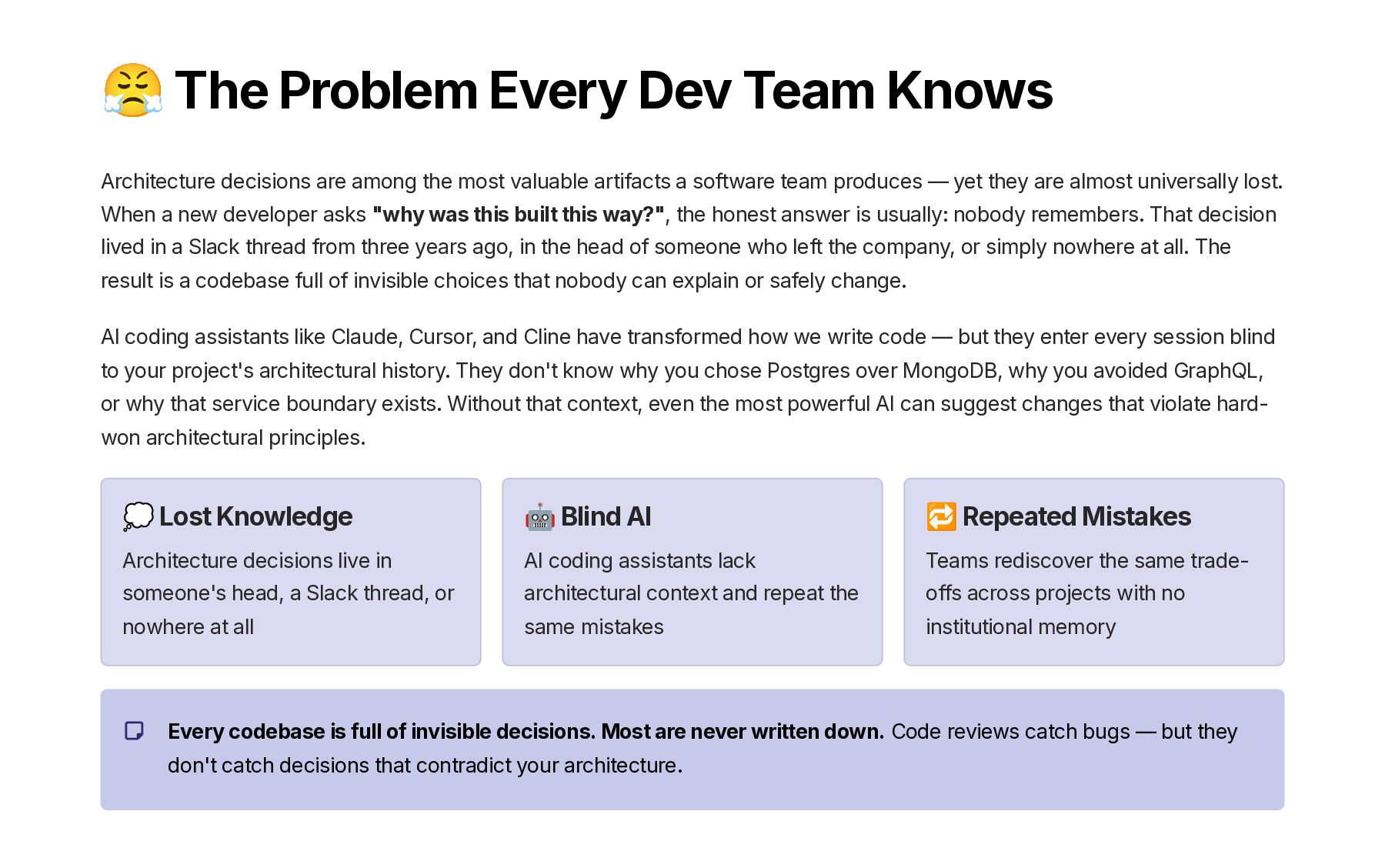
  3. 😤 The Problem Every Dev Team Knows Architecture decisions are

    among the most valuable artifacts a software team produces — yet they are almost universally lost. When a new developer asks "why was this built this way?", the honest answer is usually: nobody remembers. That decision lived in a Slack thread from three years ago, in the head of someone who left the company, or simply nowhere at all. The result is a codebase full of invisible choices that nobody can explain or safely change. AI coding assistants like Claude, Cursor, and Cline have transformed how we write code — but they enter every session blind to your project's architectural history. They don't know why you chose Postgres over MongoDB, why you avoided GraphQL, or why that service boundary exists. Without that context, even the most powerful AI can suggest changes that violate hard- won architectural principles. 💭 Lost Knowledge Architecture decisions live in someone's head, a Slack thread, or nowhere at all 🤖 Blind AI AI coding assistants lack architectural context and repeat the same mistakes 🔁 Repeated Mistakes Teams rediscover the same trade- offs across projects with no institutional memory Every codebase is full of invisible decisions. Most are never written down. Code reviews catch bugs — but they don't catch decisions that contradict your architecture.
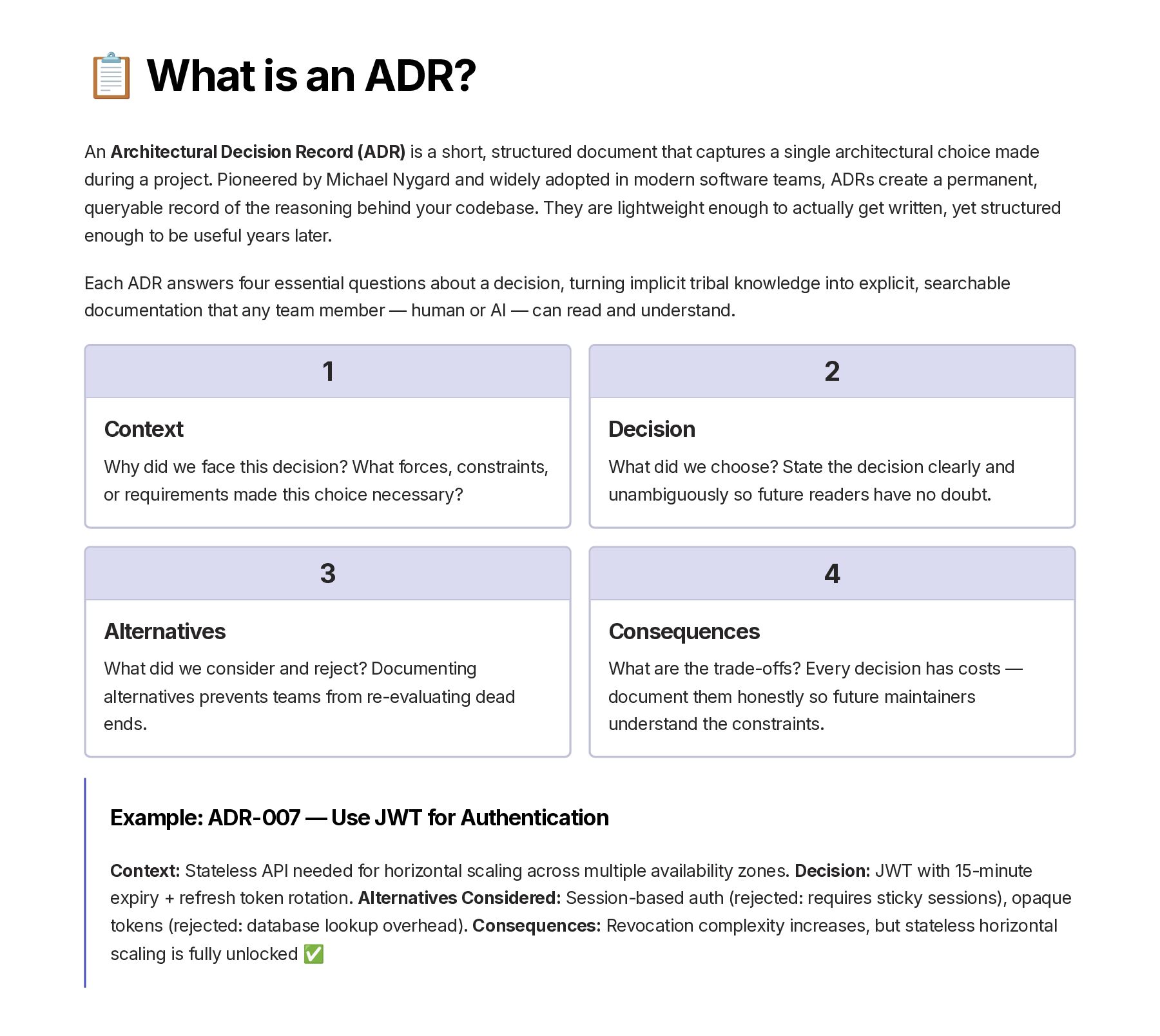
  4. 📋 What is an ADR? An Architectural Decision Record (ADR)

    is a short, structured document that captures a single architectural choice made during a project. Pioneered by Michael Nygard and widely adopted in modern software teams, ADRs create a permanent, queryable record of the reasoning behind your codebase. They are lightweight enough to actually get written, yet structured enough to be useful years later. Each ADR answers four essential questions about a decision, turning implicit tribal knowledge into explicit, searchable documentation that any team member — human or AI — can read and understand. 1 Context Why did we face this decision? What forces, constraints, or requirements made this choice necessary? 2 Decision What did we choose? State the decision clearly and unambiguously so future readers have no doubt. 3 Alternatives What did we consider and reject? Documenting alternatives prevents teams from re-evaluating dead ends. 4 Consequences What are the trade-offs? Every decision has costs — document them honestly so future maintainers understand the constraints. Example: ADR-007 — Use JWT for Authentication Context: Stateless API needed for horizontal scaling across multiple availability zones. Decision: JWT with 15-minute expiry + refresh token rotation. Alternatives Considered: Session-based auth (rejected: requires sticky sessions), opaque tokens (rejected: database lookup overhead). Consequences: Revocation complexity increases, but stateless horizontal scaling is fully unlocked ✅
  5. 🤖 What is the Model Context Protocol? The Model Context

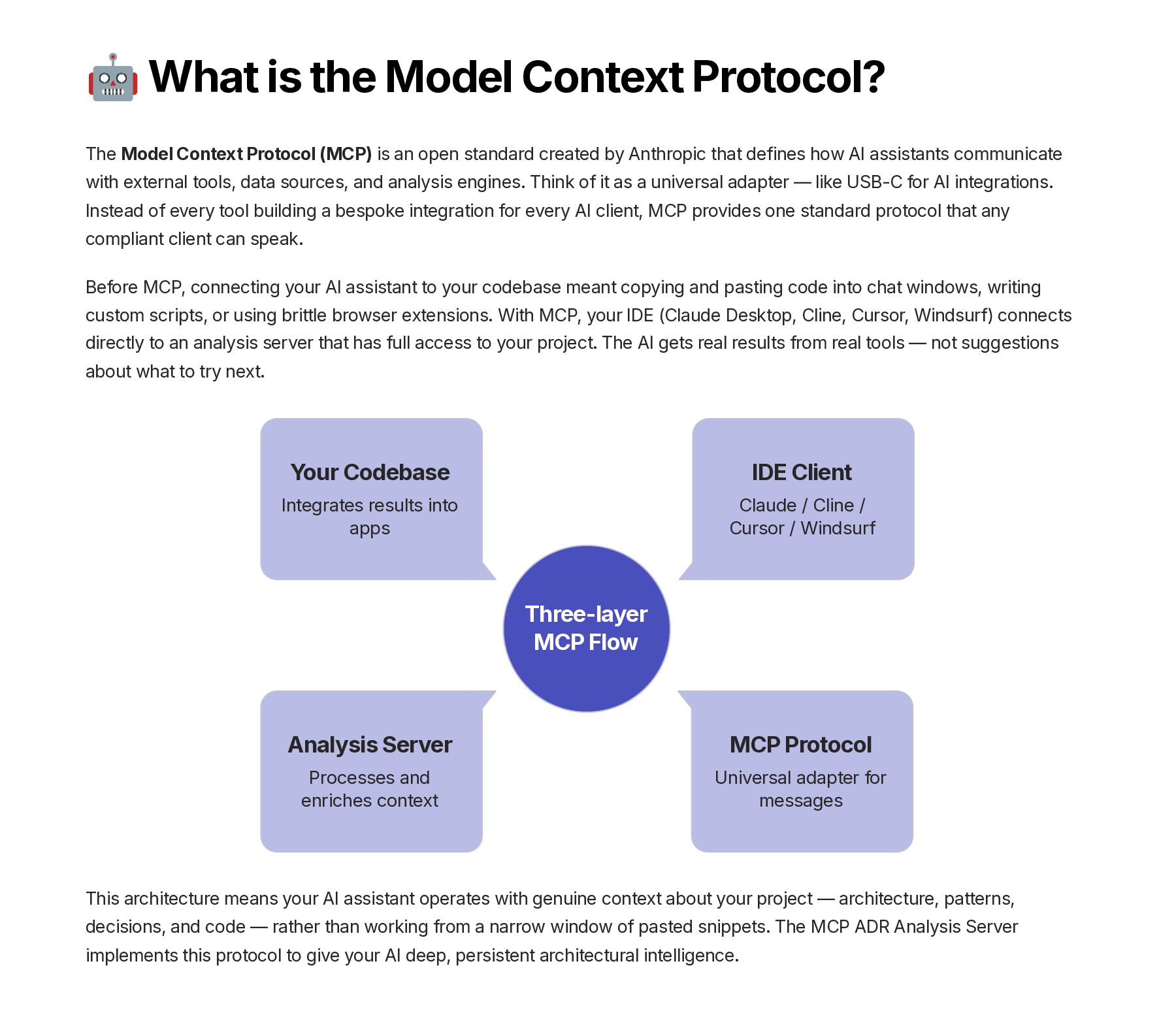
    Protocol (MCP) is an open standard created by Anthropic that defines how AI assistants communicate with external tools, data sources, and analysis engines. Think of it as a universal adapter — like USB-C for AI integrations. Instead of every tool building a bespoke integration for every AI client, MCP provides one standard protocol that any compliant client can speak. Before MCP, connecting your AI assistant to your codebase meant copying and pasting code into chat windows, writing custom scripts, or using brittle browser extensions. With MCP, your IDE (Claude Desktop, Cline, Cursor, Windsurf) connects directly to an analysis server that has full access to your project. The AI gets real results from real tools — not suggestions about what to try next. Three-layer MCP Flow MCP Protocol Universal adapter for messages Analysis Server Processes and enriches context Your Codebase Integrates results into apps IDE Client Claude / Cline / Cursor / Windsurf This architecture means your AI assistant operates with genuine context about your project — architecture, patterns, decisions, and code — rather than working from a narrow window of pasted snippets. The MCP ADR Analysis Server implements this protocol to give your AI deep, persistent architectural intelligence.
  6. ✨ MCP ADR Analysis Server CORE FEATURES Give your AI

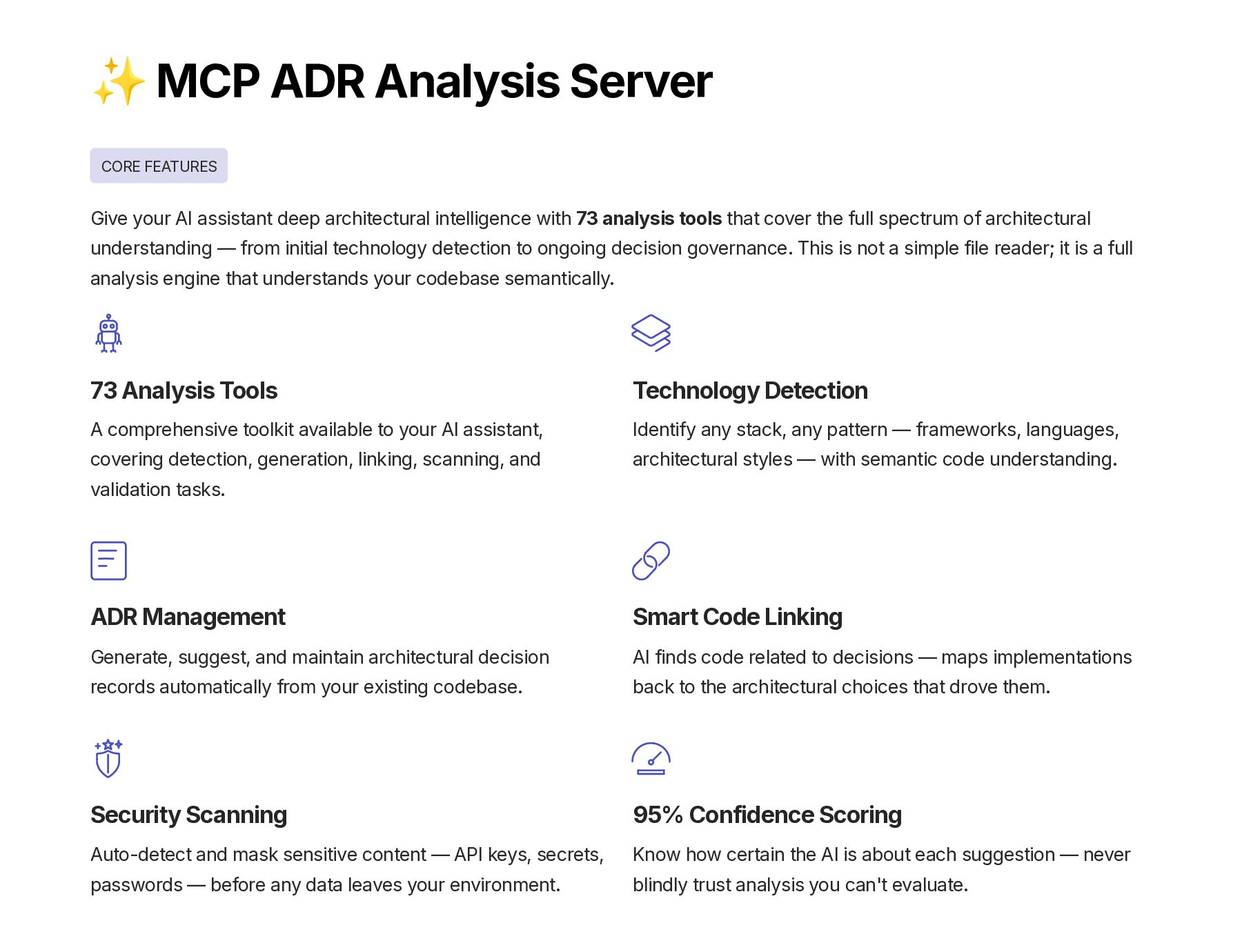
    assistant deep architectural intelligence with 73 analysis tools that cover the full spectrum of architectural understanding — from initial technology detection to ongoing decision governance. This is not a simple file reader; it is a full analysis engine that understands your codebase semantically. 73 Analysis Tools A comprehensive toolkit available to your AI assistant, covering detection, generation, linking, scanning, and validation tasks. Technology Detection Identify any stack, any pattern — frameworks, languages, architectural styles — with semantic code understanding. ADR Management Generate, suggest, and maintain architectural decision records automatically from your existing codebase. Smart Code Linking AI finds code related to decisions — maps implementations back to the architectural choices that drove them. Security Scanning Auto-detect and mask sensitive content — API keys, secrets, passwords — before any data leaves your environment. 95% Confidence Scoring Know how certain the AI is about each suggestion — never blindly trust analysis you can't evaluate.
  7. ⚙️ How It Works When you ask your AI assistant

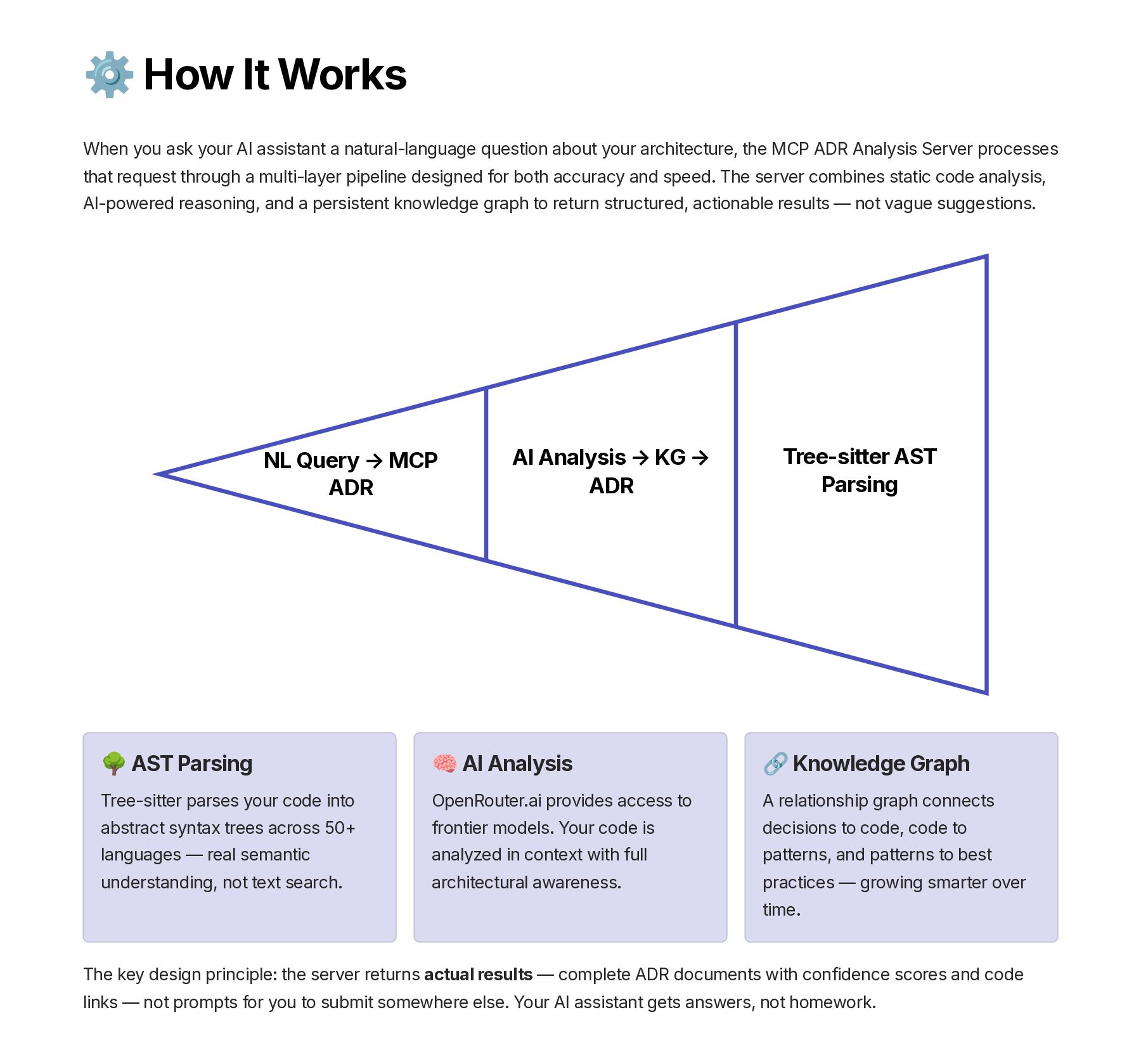
    a natural-language question about your architecture, the MCP ADR Analysis Server processes that request through a multi-layer pipeline designed for both accuracy and speed. The server combines static code analysis, AI-powered reasoning, and a persistent knowledge graph to return structured, actionable results — not vague suggestions. NL Query → MCP ADR Tree-sitter AST Parsing AI Analysis → KG → ADR 🌳 AST Parsing Tree-sitter parses your code into abstract syntax trees across 50+ languages — real semantic understanding, not text search. 🧠 AI Analysis OpenRouter.ai provides access to frontier models. Your code is analyzed in context with full architectural awareness. 🔗 Knowledge Graph A relationship graph connects decisions to code, code to patterns, and patterns to best practices — growing smarter over time. The key design principle: the server returns actual results — complete ADR documents with confidence scores and code links — not prompts for you to submit somewhere else. Your AI assistant gets answers, not homework.
  8. ✅ Prerequisites The MCP ADR Analysis Server has minimal dependencies

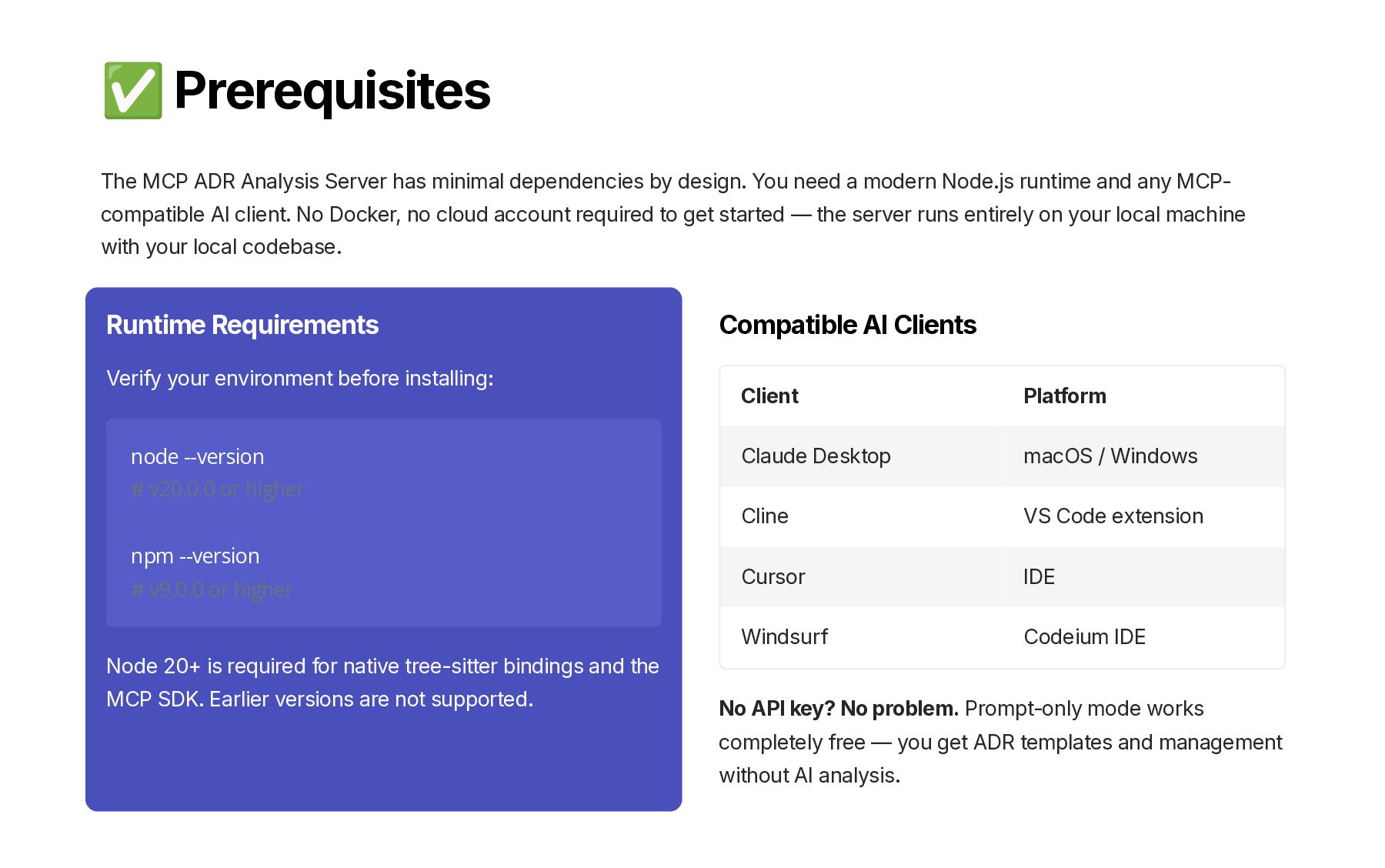
    by design. You need a modern Node.js runtime and any MCP- compatible AI client. No Docker, no cloud account required to get started — the server runs entirely on your local machine with your local codebase. Runtime Requirements Verify your environment before installing: node --version # v20.0.0 or higher npm --version # v9.0.0 or higher Node 20+ is required for native tree-sitter bindings and the MCP SDK. Earlier versions are not supported. Compatible AI Clients Client Platform Claude Desktop macOS / Windows Cline VS Code extension Cursor IDE Windsurf Codeium IDE No API key? No problem. Prompt-only mode works completely free — you get ADR templates and management without AI analysis.
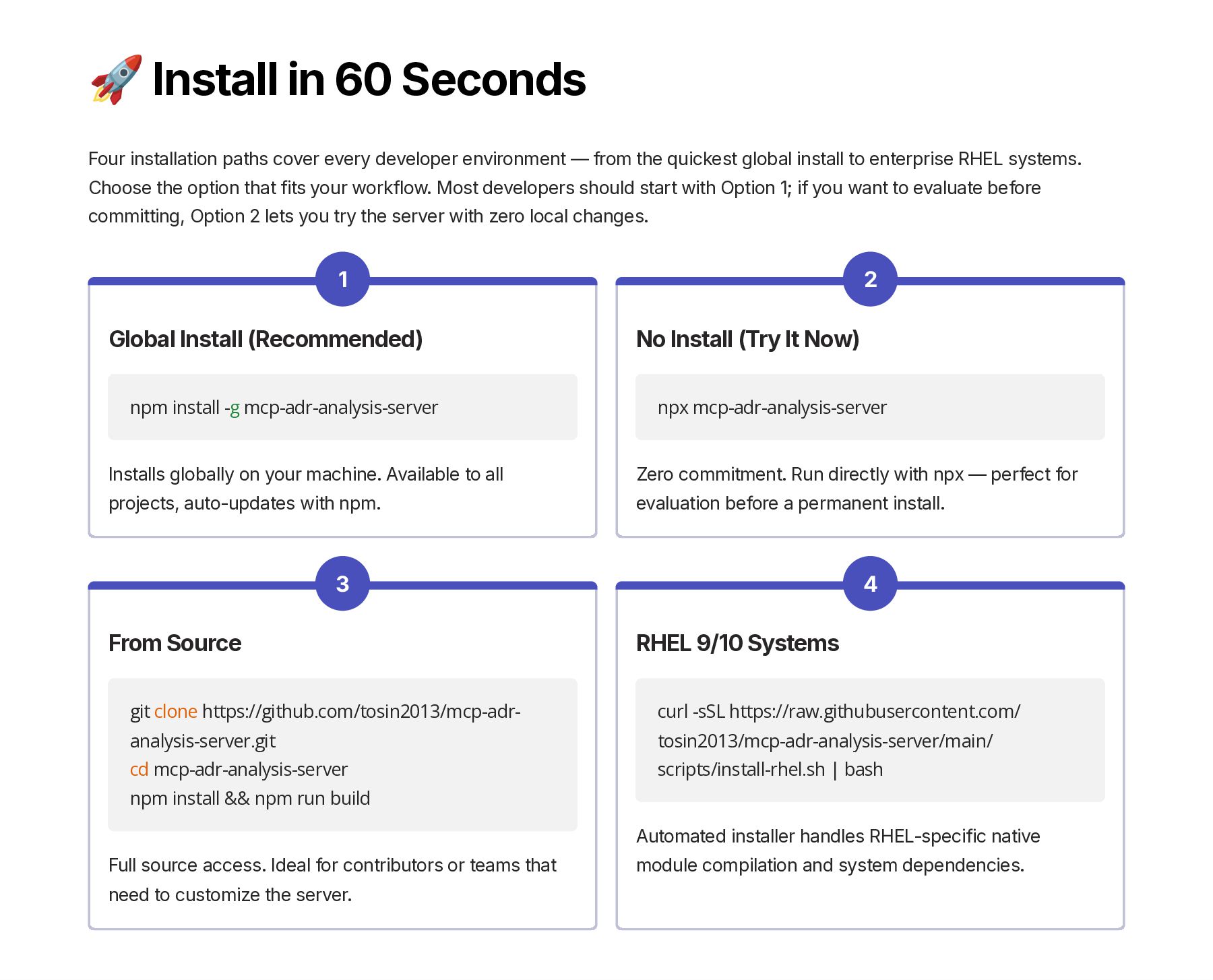
  9. 🚀 Install in 60 Seconds Four installation paths cover every

    developer environment — from the quickest global install to enterprise RHEL systems. Choose the option that fits your workflow. Most developers should start with Option 1; if you want to evaluate before committing, Option 2 lets you try the server with zero local changes. 1 Global Install (Recommended) npm install -g mcp-adr-analysis-server Installs globally on your machine. Available to all projects, auto-updates with npm. 2 No Install (Try It Now) npx mcp-adr-analysis-server Zero commitment. Run directly with npx — perfect for evaluation before a permanent install. 3 From Source git clone https://github.com/tosin2013/mcp-adr- analysis-server.git cd mcp-adr-analysis-server npm install && npm run build Full source access. Ideal for contributors or teams that need to customize the server. 4 RHEL 9/10 Systems curl -sSL https://raw.githubusercontent.com/ tosin2013/mcp-adr-analysis-server/main/ scripts/install-rhel.sh | bash Automated installer handles RHEL-specific native module compilation and system dependencies.
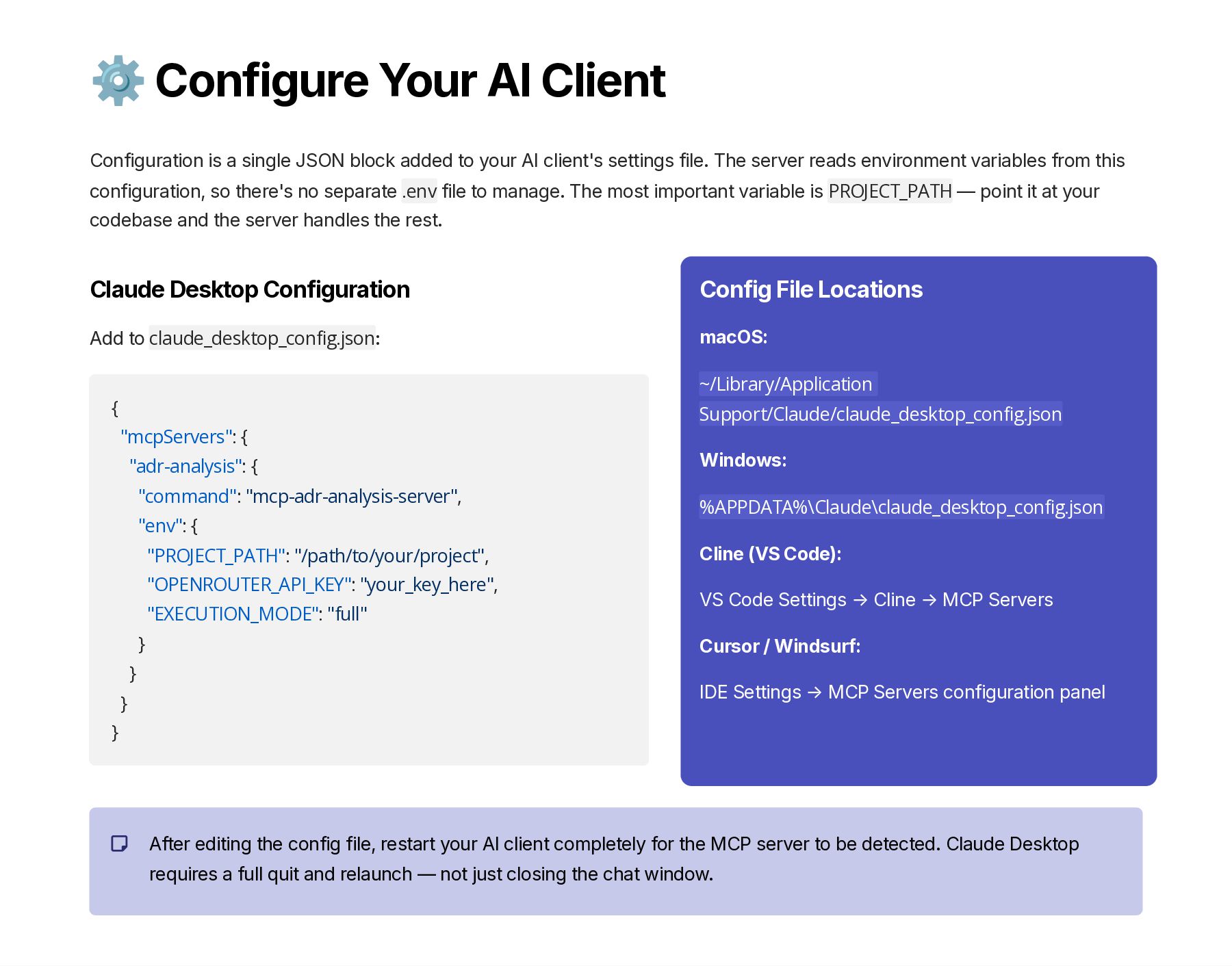
  10. ⚙️ Configure Your AI Client Configuration is a single JSON

    block added to your AI client's settings file. The server reads environment variables from this configuration, so there's no separate .env file to manage. The most important variable is PROJECT_PATH — point it at your codebase and the server handles the rest. Claude Desktop Configuration Add to claude_desktop_config.json: { "mcpServers": { "adr-analysis": { "command": "mcp-adr-analysis-server", "env": { "PROJECT_PATH": "/path/to/your/project", "OPENROUTER_API_KEY": "your_key_here", "EXECUTION_MODE": "full" } } } } Config File Locations macOS: ~/Library/Application Support/Claude/claude_desktop_config.json Windows: %APPDATA%\Claude\claude_desktop_config.json Cline (VS Code): VS Code Settings → Cline → MCP Servers Cursor / Windsurf: IDE Settings → MCP Servers configuration panel After editing the config file, restart your AI client completely for the MCP server to be detected. Claude Desktop requires a full quit and relaunch — not just closing the chat window.
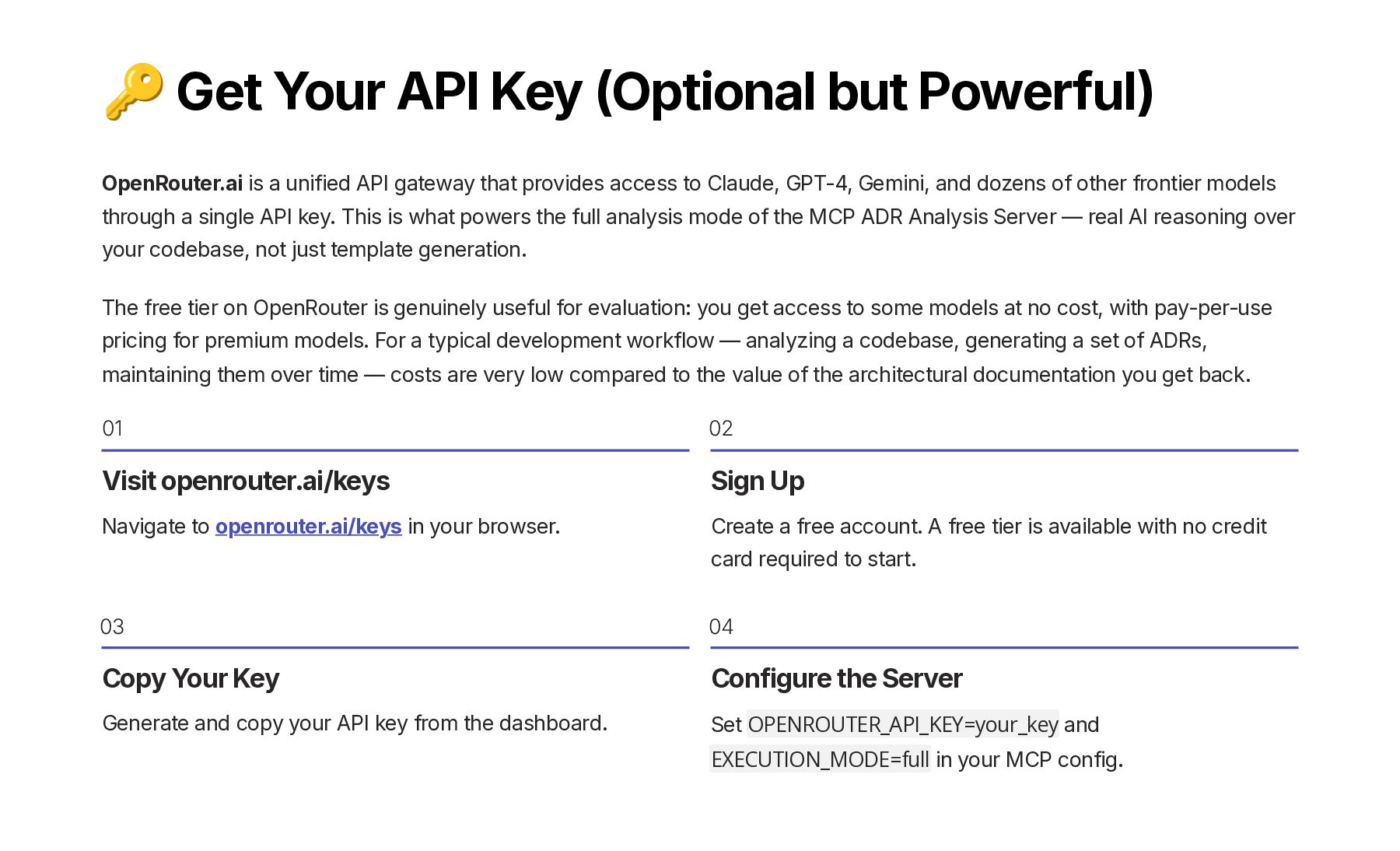
  11. 🔑 Get Your API Key (Optional but Powerful) OpenRouter.ai is

    a unified API gateway that provides access to Claude, GPT-4, Gemini, and dozens of other frontier models through a single API key. This is what powers the full analysis mode of the MCP ADR Analysis Server — real AI reasoning over your codebase, not just template generation. The free tier on OpenRouter is genuinely useful for evaluation: you get access to some models at no cost, with pay-per-use pricing for premium models. For a typical development workflow — analyzing a codebase, generating a set of ADRs, maintaining them over time — costs are very low compared to the value of the architectural documentation you get back. 01 Visit openrouter.ai/keys Navigate to openrouter.ai/keys in your browser. 02 Sign Up Create a free account. A free tier is available with no credit card required to start. 03 Copy Your Key Generate and copy your API key from the dashboard. 04 Configure the Server Set OPENROUTER_API_KEY=your_key and EXECUTION_MODE=full in your MCP config.
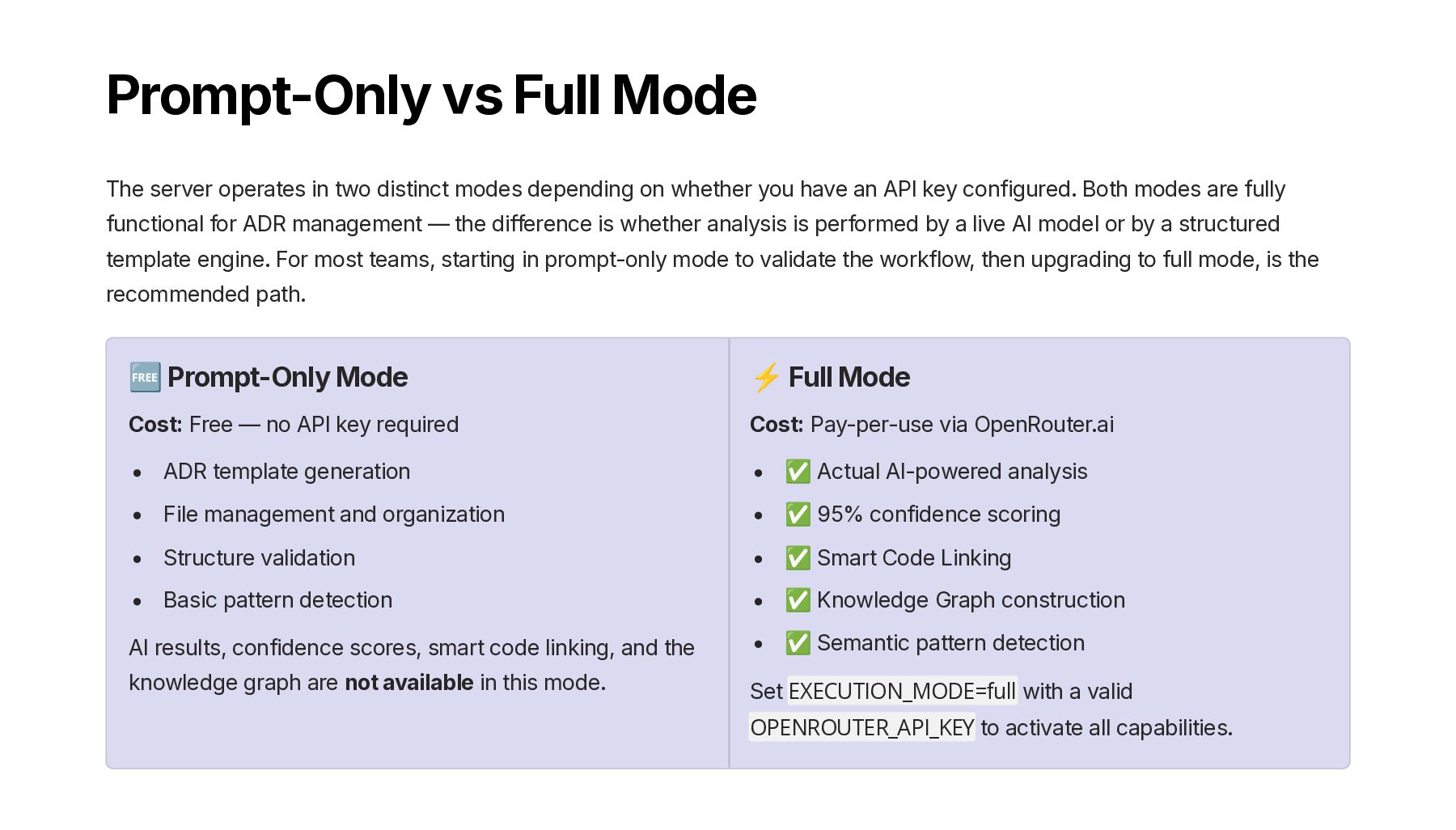
  12. Prompt-Only vs Full Mode The server operates in two distinct

    modes depending on whether you have an API key configured. Both modes are fully functional for ADR management — the difference is whether analysis is performed by a live AI model or by a structured template engine. For most teams, starting in prompt-only mode to validate the workflow, then upgrading to full mode, is the recommended path. 🆓 Prompt-Only Mode Cost: Free — no API key required ADR template generation File management and organization Structure validation Basic pattern detection AI results, confidence scores, smart code linking, and the knowledge graph are not available in this mode. ⚡ Full Mode Cost: Pay-per-use via OpenRouter.ai ✅ Actual AI-powered analysis ✅ 95% confidence scoring ✅ Smart Code Linking ✅ Knowledge Graph construction ✅ Semantic pattern detection Set EXECUTION_MODE=full with a valid OPENROUTER_API_KEY to activate all capabilities.
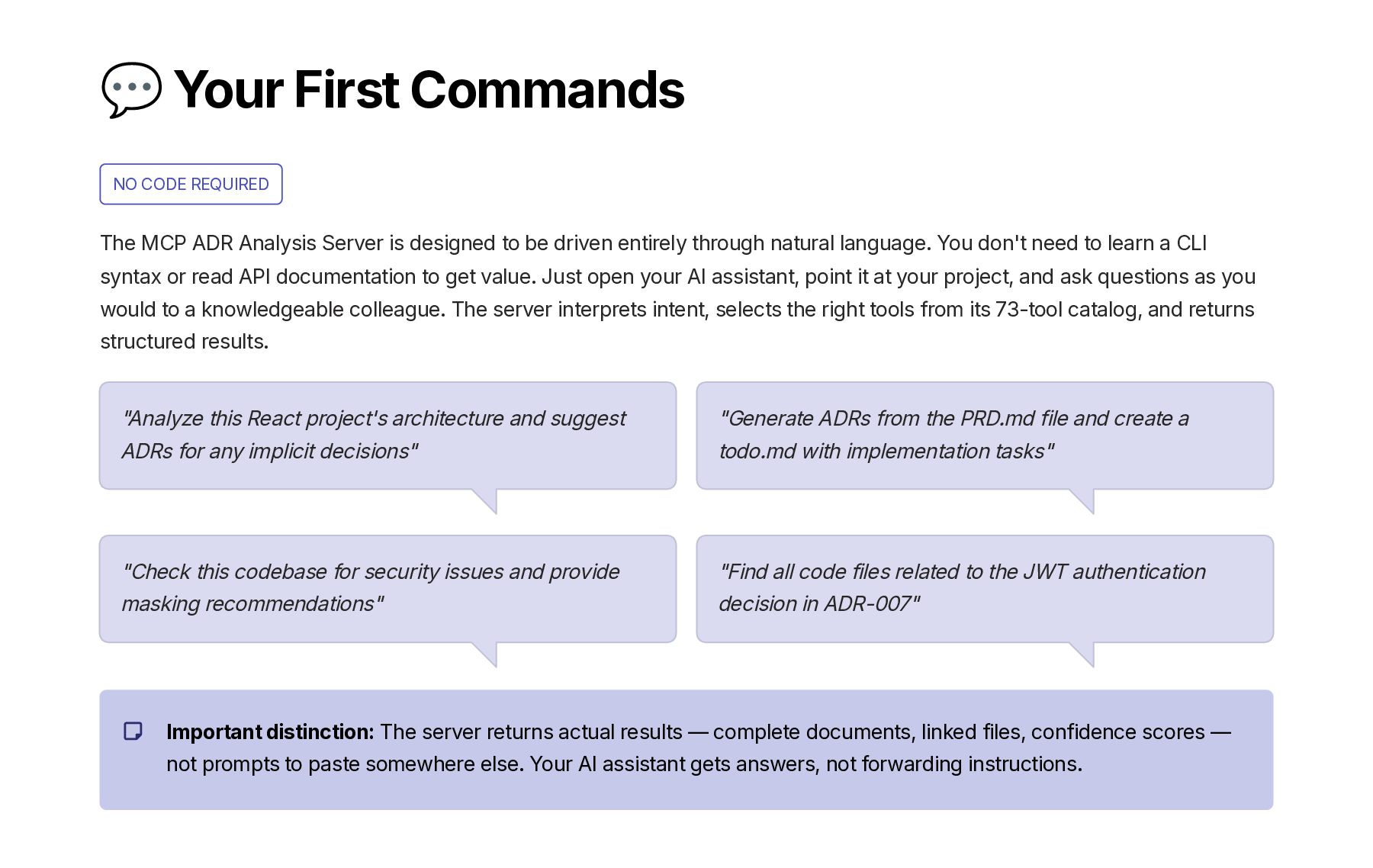
  13. 💬 Your First Commands NO CODE REQUIRED The MCP ADR

    Analysis Server is designed to be driven entirely through natural language. You don't need to learn a CLI syntax or read API documentation to get value. Just open your AI assistant, point it at your project, and ask questions as you would to a knowledgeable colleague. The server interprets intent, selects the right tools from its 73-tool catalog, and returns structured results. Important distinction: The server returns actual results — complete documents, linked files, confidence scores — not prompts to paste somewhere else. Your AI assistant gets answers, not forwarding instructions. "Analyze this React project's architecture and suggest ADRs for any implicit decisions" "Generate ADRs from the PRD.md file and create a todo.md with implementation tasks" "Check this codebase for security issues and provide masking recommendations" "Find all code files related to the JWT authentication decision in ADR-007"
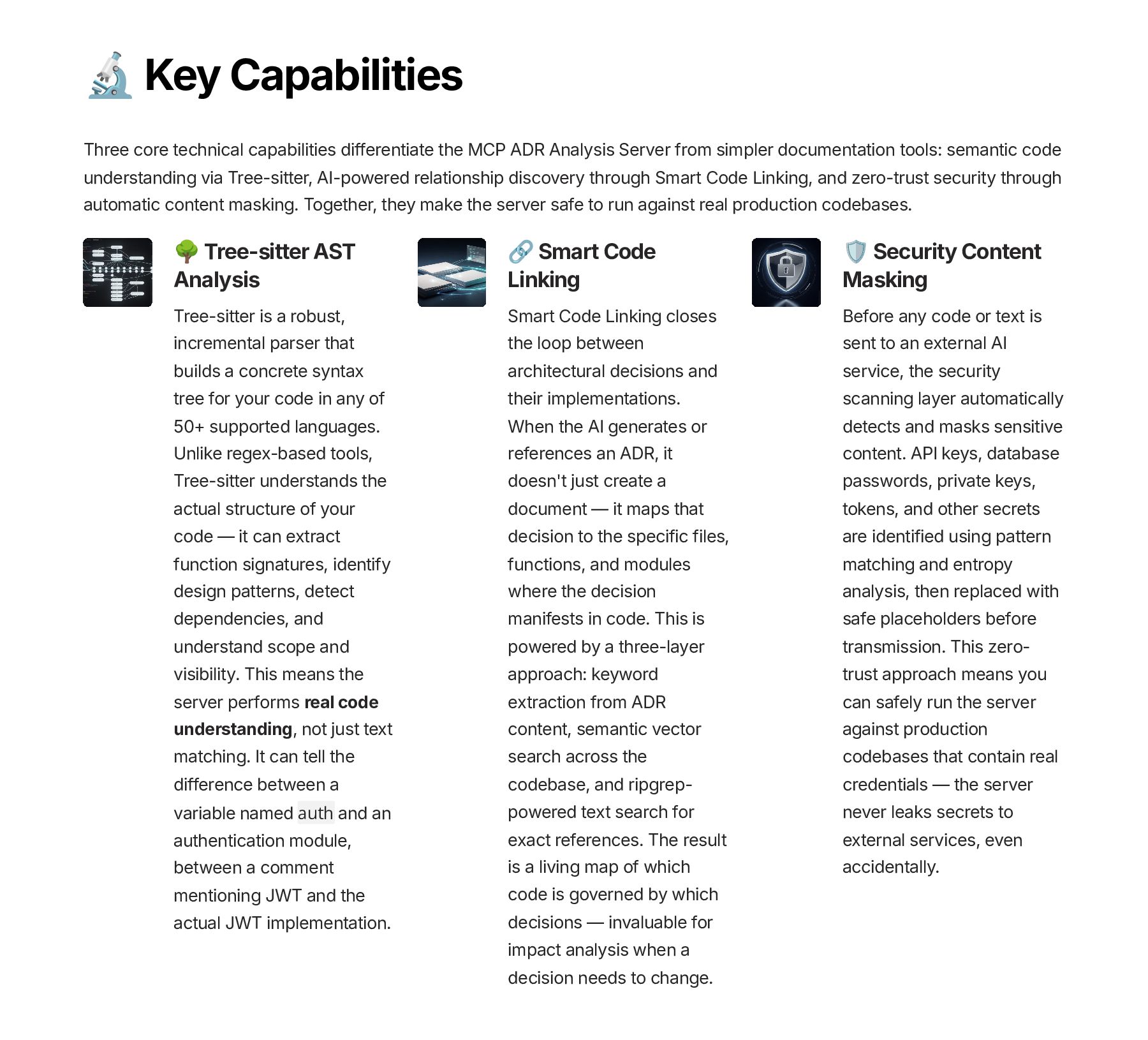
  14. Key Capabilities Three core technical capabilities differentiate the MCP ADR

    Analysis Server from simpler documentation tools: semantic code understanding via Tree-sitter, AI-powered relationship discovery through Smart Code Linking, and zero-trust security through automatic content masking. Together, they make the server safe to run against real production codebases. \ Tree-sitter AST Analysis Tree-sitter is a robust, incremental parser that builds a concrete syntax tree for your code in any of 50+ supported languages. Unlike regex-based tools, Tree-sitter understands the actual structure of your code — it can extract function signatures, identify design patterns, detect dependencies, and understand scope and visibility. This means the server performs real code understanding, not just text matching. It can tell the difference between a variable named auth and an authentication module, between a comment mentioning JWT and the actual JWT implementation. Smart Code Linking Smart Code Linking closes the loop between architectural decisions and their implementations. When the AI generates or references an ADR, it doesn't just create a document — it maps that decision to the specific files, functions, and modules where the decision manifests in code. This is powered by a three-layer approach: keyword extraction from ADR content, semantic vector search across the codebase, and ripgrep- powered text search for exact references. The result is a living map of which code is governed by which decisions — invaluable for impact analysis when a decision needs to change. Security Content Masking Before any code or text is sent to an external AI service, the security scanning layer automatically detects and masks sensitive content. API keys, database passwords, private keys, tokens, and other secrets are identified using pattern matching and entropy analysis, then replaced with safe placeholders before transmission. This zero- trust approach means you can safely run the server against production codebases that contain real credentials — the server never leaks secrets to external services, even accidentally.
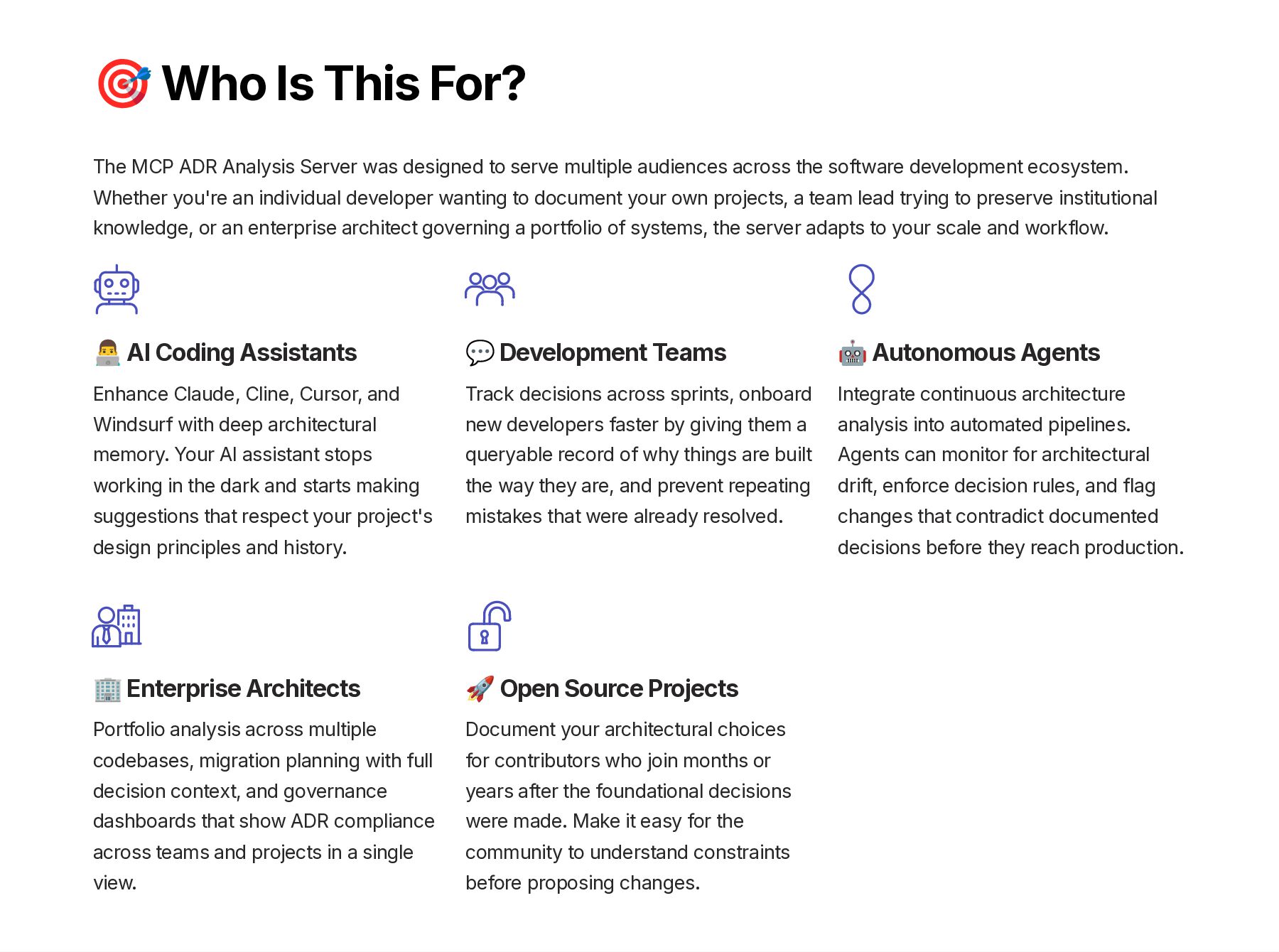
  15. 🎯 Who Is This For? The MCP ADR Analysis Server

    was designed to serve multiple audiences across the software development ecosystem. Whether you're an individual developer wanting to document your own projects, a team lead trying to preserve institutional knowledge, or an enterprise architect governing a portfolio of systems, the server adapts to your scale and workflow. 👨‍💻 AI Coding Assistants Enhance Claude, Cline, Cursor, and Windsurf with deep architectural memory. Your AI assistant stops working in the dark and starts making suggestions that respect your project's design principles and history. 💬 Development Teams Track decisions across sprints, onboard new developers faster by giving them a queryable record of why things are built the way they are, and prevent repeating mistakes that were already resolved. 🤖 Autonomous Agents Integrate continuous architecture analysis into automated pipelines. Agents can monitor for architectural drift, enforce decision rules, and flag changes that contradict documented decisions before they reach production. 🏢 Enterprise Architects Portfolio analysis across multiple codebases, migration planning with full decision context, and governance dashboards that show ADR compliance across teams and projects in a single view. 🚀 Open Source Projects Document your architectural choices for contributors who join months or years after the foundational decisions were made. Make it easy for the community to understand constraints before proposing changes.
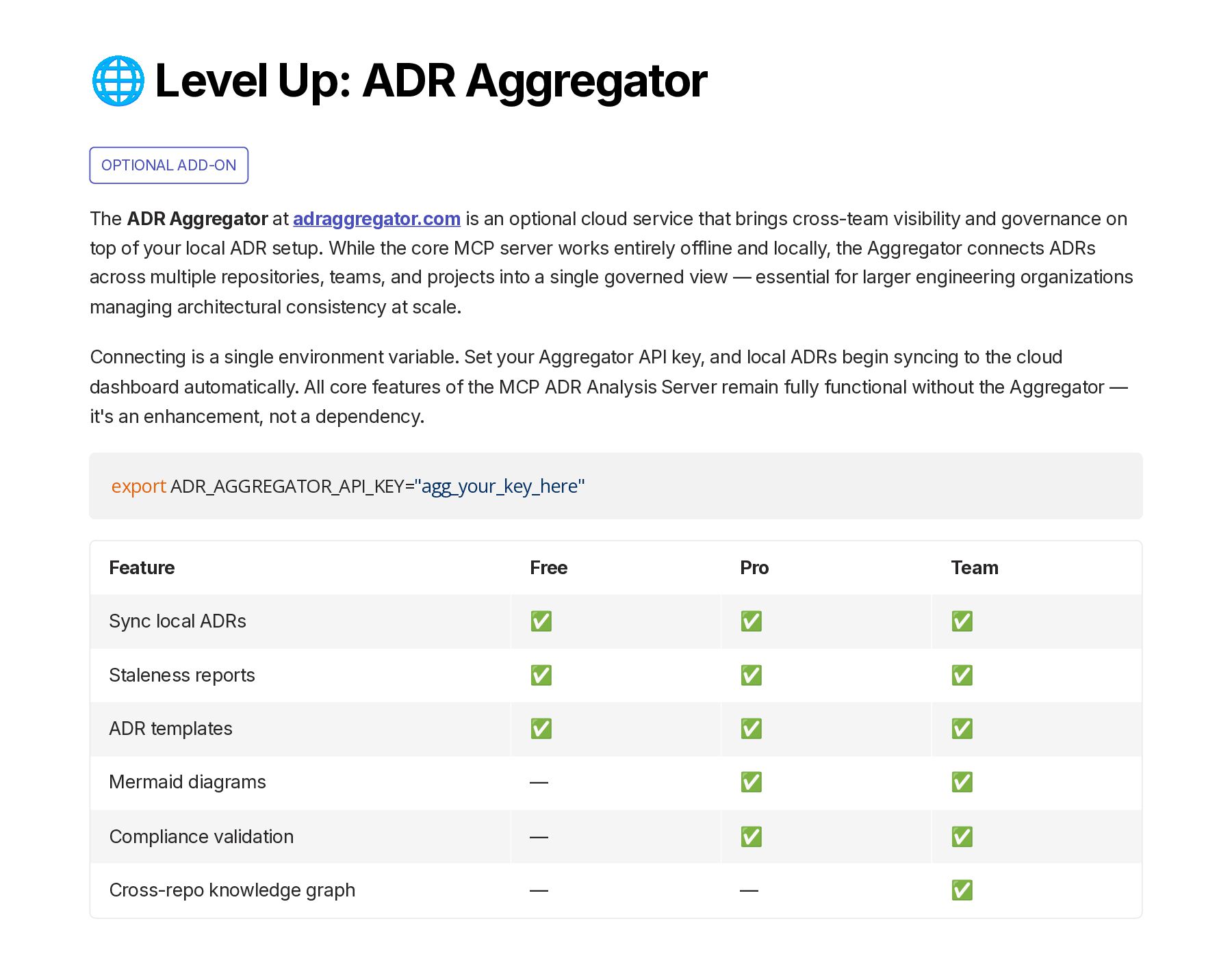
  16. 🌐 Level Up: ADR Aggregator OPTIONAL ADD-ON The ADR Aggregator

    at adraggregator.com is an optional cloud service that brings cross-team visibility and governance on top of your local ADR setup. While the core MCP server works entirely offline and locally, the Aggregator connects ADRs across multiple repositories, teams, and projects into a single governed view — essential for larger engineering organizations managing architectural consistency at scale. Connecting is a single environment variable. Set your Aggregator API key, and local ADRs begin syncing to the cloud dashboard automatically. All core features of the MCP ADR Analysis Server remain fully functional without the Aggregator — it's an enhancement, not a dependency. export ADR_AGGREGATOR_API_KEY="agg_your_key_here" Feature Free Pro Team Sync local ADRs ✅ ✅ ✅ Staleness reports ✅ ✅ ✅ ADR templates ✅ ✅ ✅ Mermaid diagrams — ✅ ✅ Compliance validation — ✅ ✅ Cross-repo knowledge graph — — ✅
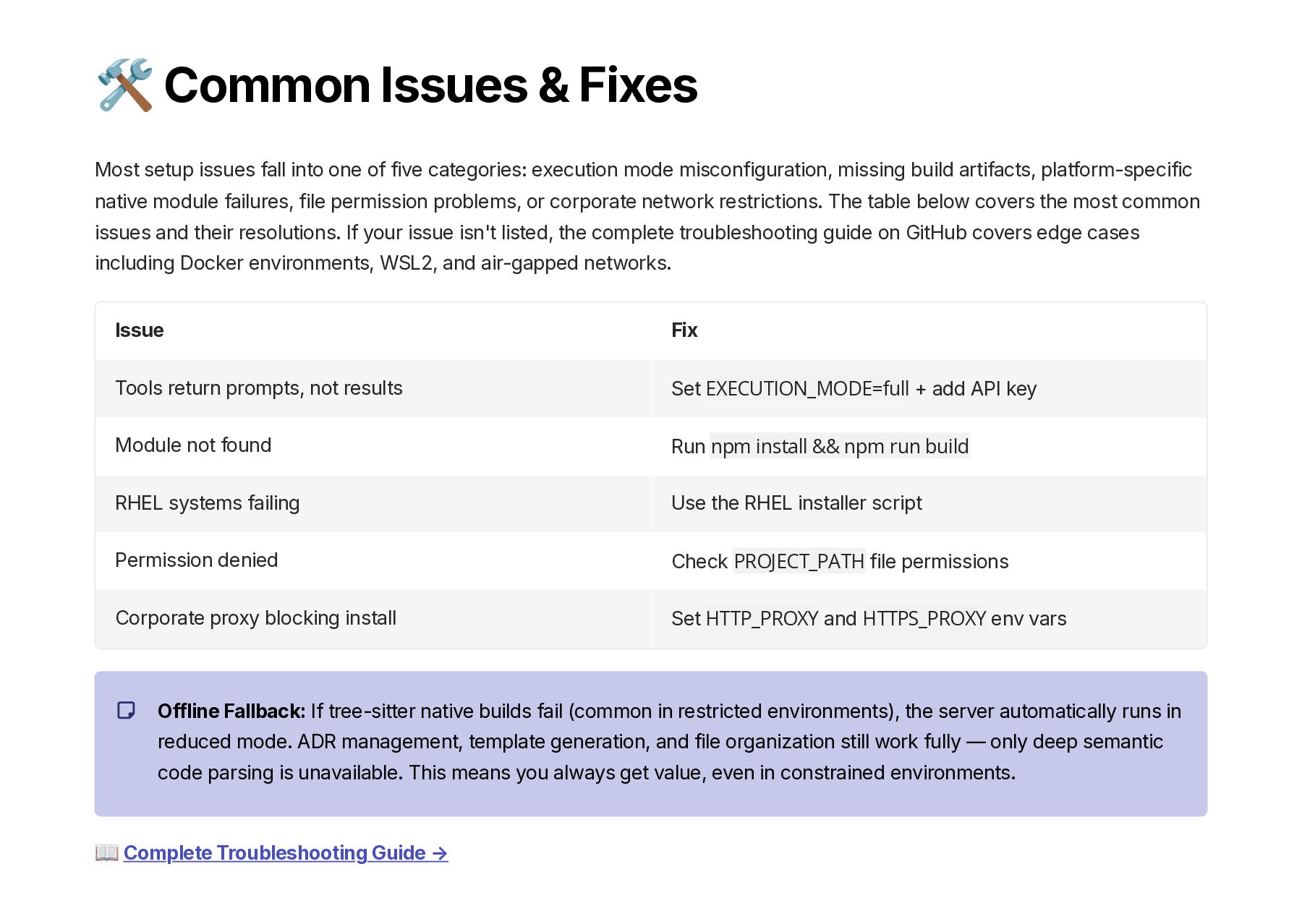
  17. 🛠️ Common Issues & Fixes Most setup issues fall into

    one of five categories: execution mode misconfiguration, missing build artifacts, platform-specific native module failures, file permission problems, or corporate network restrictions. The table below covers the most common issues and their resolutions. If your issue isn't listed, the complete troubleshooting guide on GitHub covers edge cases including Docker environments, WSL2, and air-gapped networks. Issue Fix Tools return prompts, not results Set EXECUTION_MODE=full + add API key Module not found Run npm install && npm run build RHEL systems failing Use the RHEL installer script Permission denied Check PROJECT_PATH file permissions Corporate proxy blocking install Set HTTP_PROXY and HTTPS_PROXY env vars Offline Fallback: If tree-sitter native builds fail (common in restricted environments), the server automatically runs in reduced mode. ADR management, template generation, and file organization still work fully — only deep semantic code parsing is unavailable. This means you always get value, even in constrained environments. 📖 Complete Troubleshooting Guide →
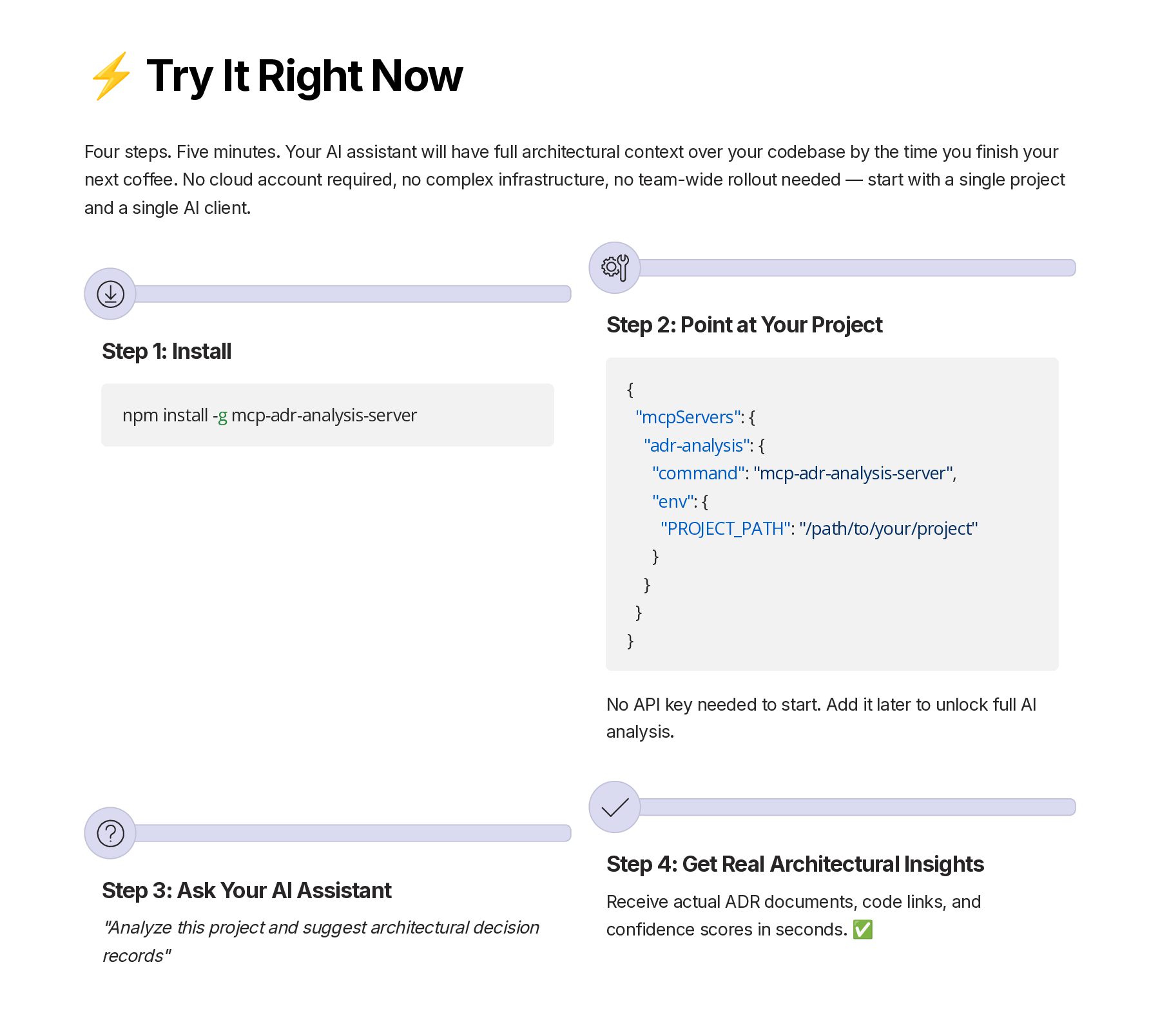
  18. ⚡ Try It Right Now Four steps. Five minutes. Your

    AI assistant will have full architectural context over your codebase by the time you finish your next coffee. No cloud account required, no complex infrastructure, no team-wide rollout needed — start with a single project and a single AI client. Step 1: Install npm install -g mcp-adr-analysis-server Step 2: Point at Your Project { "mcpServers": { "adr-analysis": { "command": "mcp-adr-analysis-server", "env": { "PROJECT_PATH": "/path/to/your/project" } } } } No API key needed to start. Add it later to unlock full AI analysis. Step 3: Ask Your AI Assistant "Analyze this project and suggest architectural decision records" Step 4: Get Real Architectural Insights Receive actual ADR documents, code links, and confidence scores in seconds. ✅
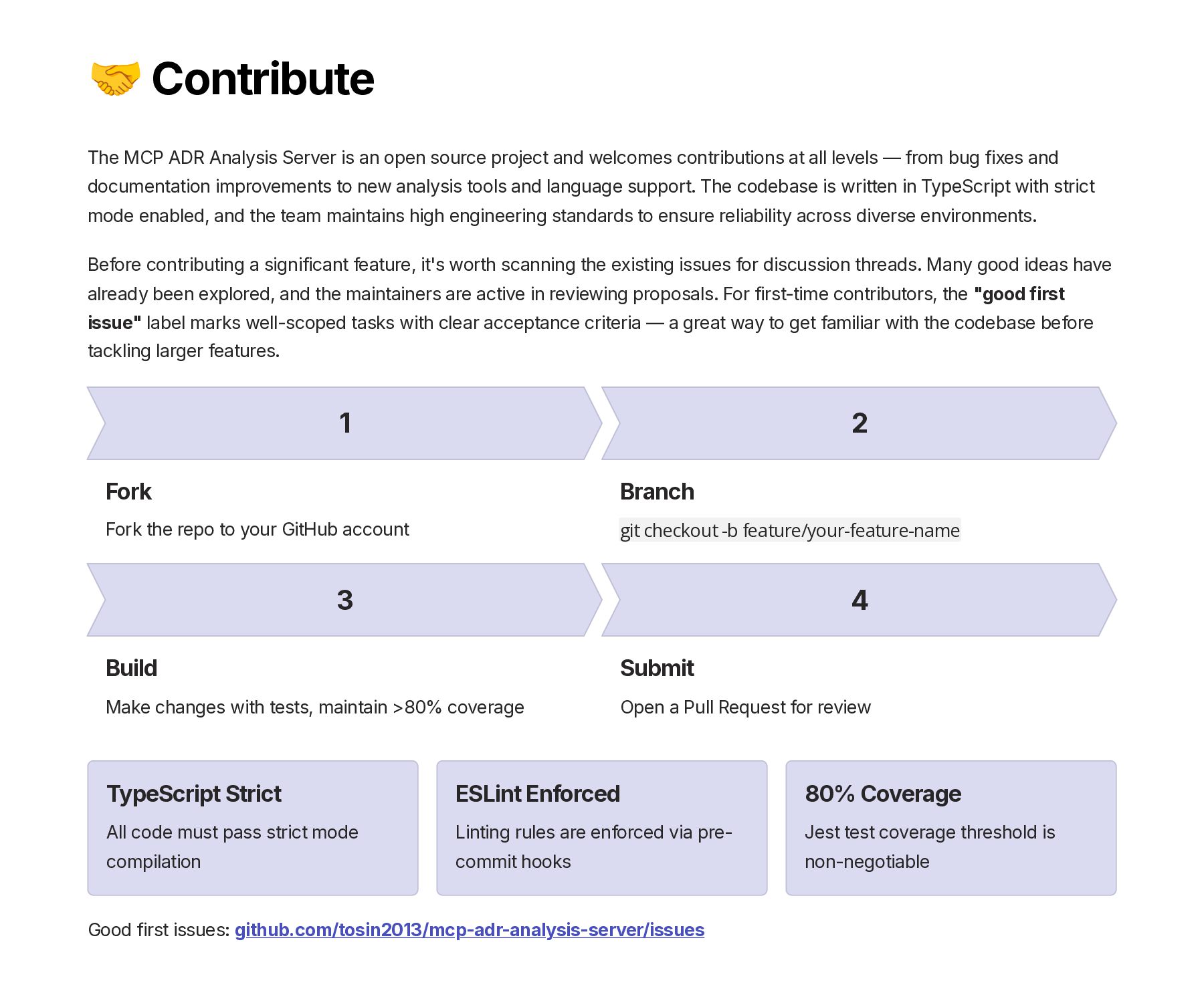
  19. 🤝 Contribute The MCP ADR Analysis Server is an open

    source project and welcomes contributions at all levels — from bug fixes and documentation improvements to new analysis tools and language support. The codebase is written in TypeScript with strict mode enabled, and the team maintains high engineering standards to ensure reliability across diverse environments. Before contributing a significant feature, it's worth scanning the existing issues for discussion threads. Many good ideas have already been explored, and the maintainers are active in reviewing proposals. For first-time contributors, the "good first issue" label marks well-scoped tasks with clear acceptance criteria — a great way to get familiar with the codebase before tackling larger features. 1 Fork Fork the repo to your GitHub account 2 Branch git checkout -b feature/your-feature-name 3 Build Make changes with tests, maintain >80% coverage 4 Submit Open a Pull Request for review TypeScript Strict All code must pass strict mode compilation ESLint Enforced Linting rules are enforced via pre- commit hooks 80% Coverage Jest test coverage threshold is non-negotiable Good first issues: github.com/tosin2013/mcp-adr-analysis-server/issues
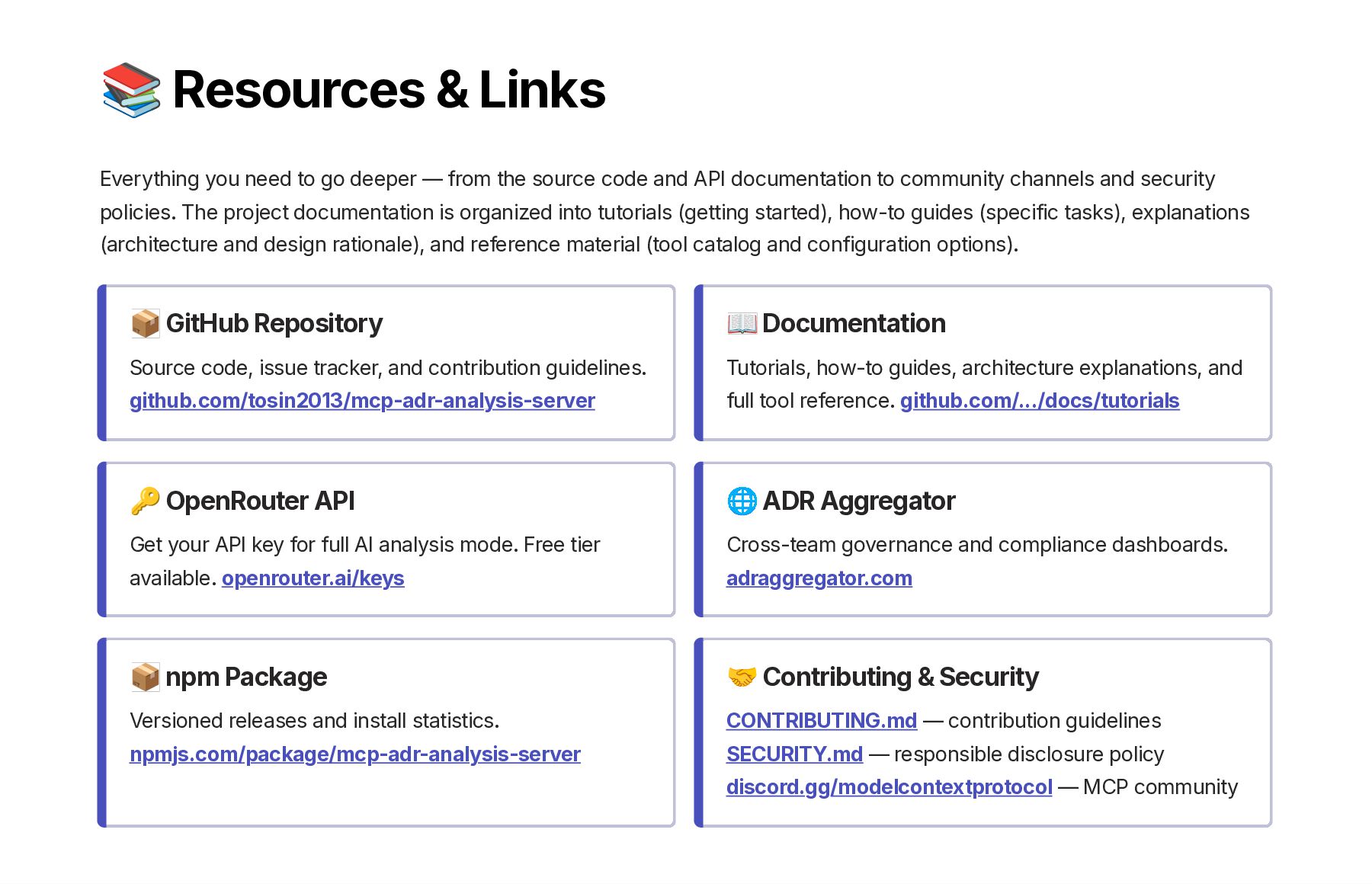
  20. 📚 Resources & Links Everything you need to go deeper

    — from the source code and API documentation to community channels and security policies. The project documentation is organized into tutorials (getting started), how-to guides (specific tasks), explanations (architecture and design rationale), and reference material (tool catalog and configuration options). 📦 GitHub Repository Source code, issue tracker, and contribution guidelines. github.com/tosin2013/mcp-adr-analysis-server 📖 Documentation Tutorials, how-to guides, architecture explanations, and full tool reference. github.com/.../docs/tutorials 🔑 OpenRouter API Get your API key for full AI analysis mode. Free tier available. openrouter.ai/keys 🌐 ADR Aggregator Cross-team governance and compliance dashboards. adraggregator.com 📦 npm Package Versioned releases and install statistics. npmjs.com/package/mcp-adr-analysis-server 🤝 Contributing & Security CONTRIBUTING.md — contribution guidelines SECURITY.md — responsible disclosure policy discord.gg/modelcontextprotocol — MCP community
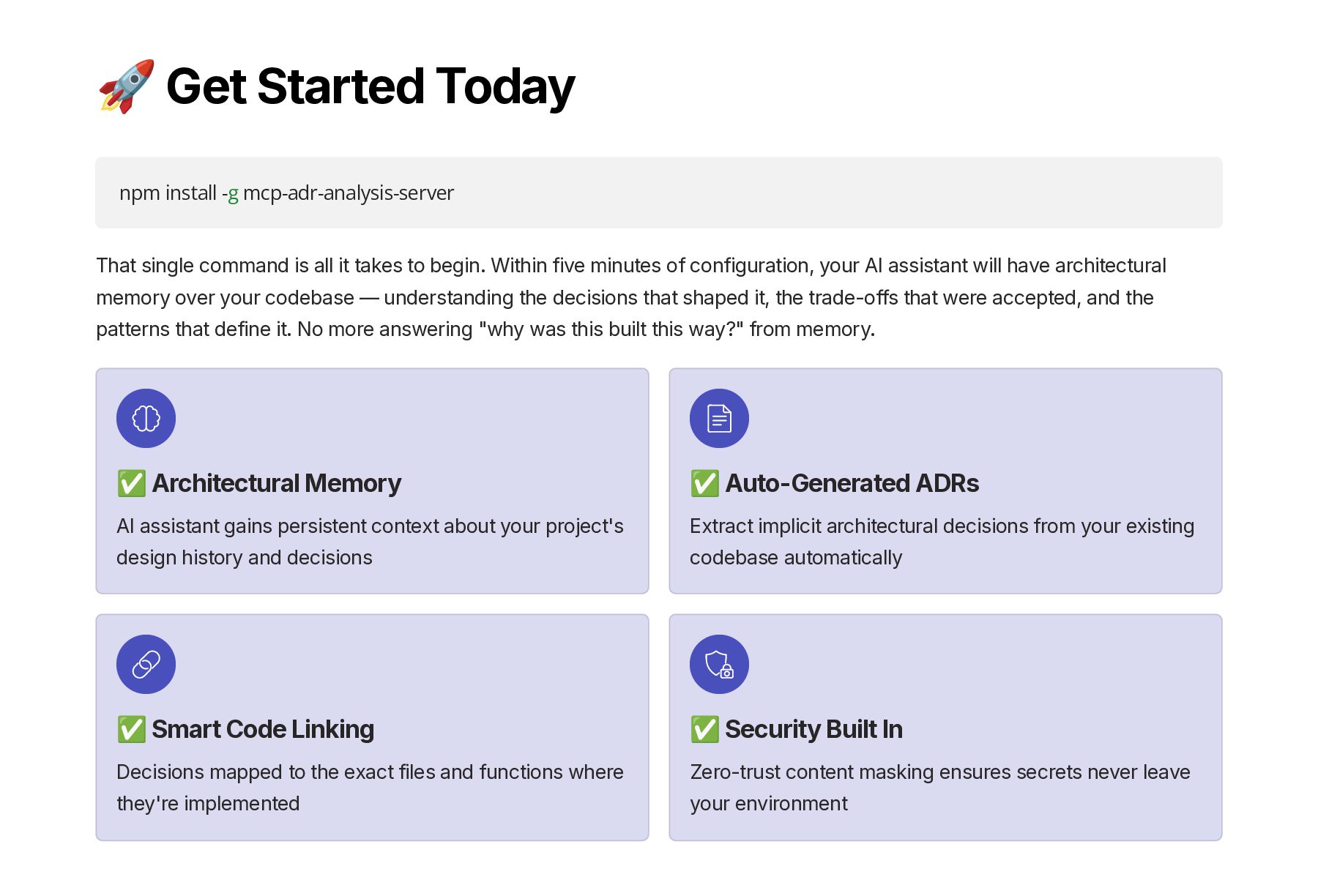
  21. 🚀 Get Started Today npm install -g mcp-adr-analysis-server That single

    command is all it takes to begin. Within five minutes of configuration, your AI assistant will have architectural memory over your codebase — understanding the decisions that shaped it, the trade-offs that were accepted, and the patterns that define it. No more answering "why was this built this way?" from memory. ✅ Architectural Memory AI assistant gains persistent context about your project's design history and decisions ✅ Auto-Generated ADRs Extract implicit architectural decisions from your existing codebase automatically ✅ Smart Code Linking Decisions mapped to the exact files and functions where they're implemented ✅ Security Built In Zero-trust content masking ensures secrets never leave your environment
  22. "Stop letting architecture decisions live in someone's head. Write them

    down — and let AI help you do it." Every decision your team has made — every trade-off accepted, every alternative rejected, every constraint acknowledged — deserves to be written down. The MCP ADR Analysis Server makes that not just possible, but nearly effortless. Give your AI assistant the context it needs to help you build better systems, faster. ⭐ STAR THE REPO github.com/tosin2013/mcp-adr-analysis-server Built with ❤️ by Tosin Akinosho
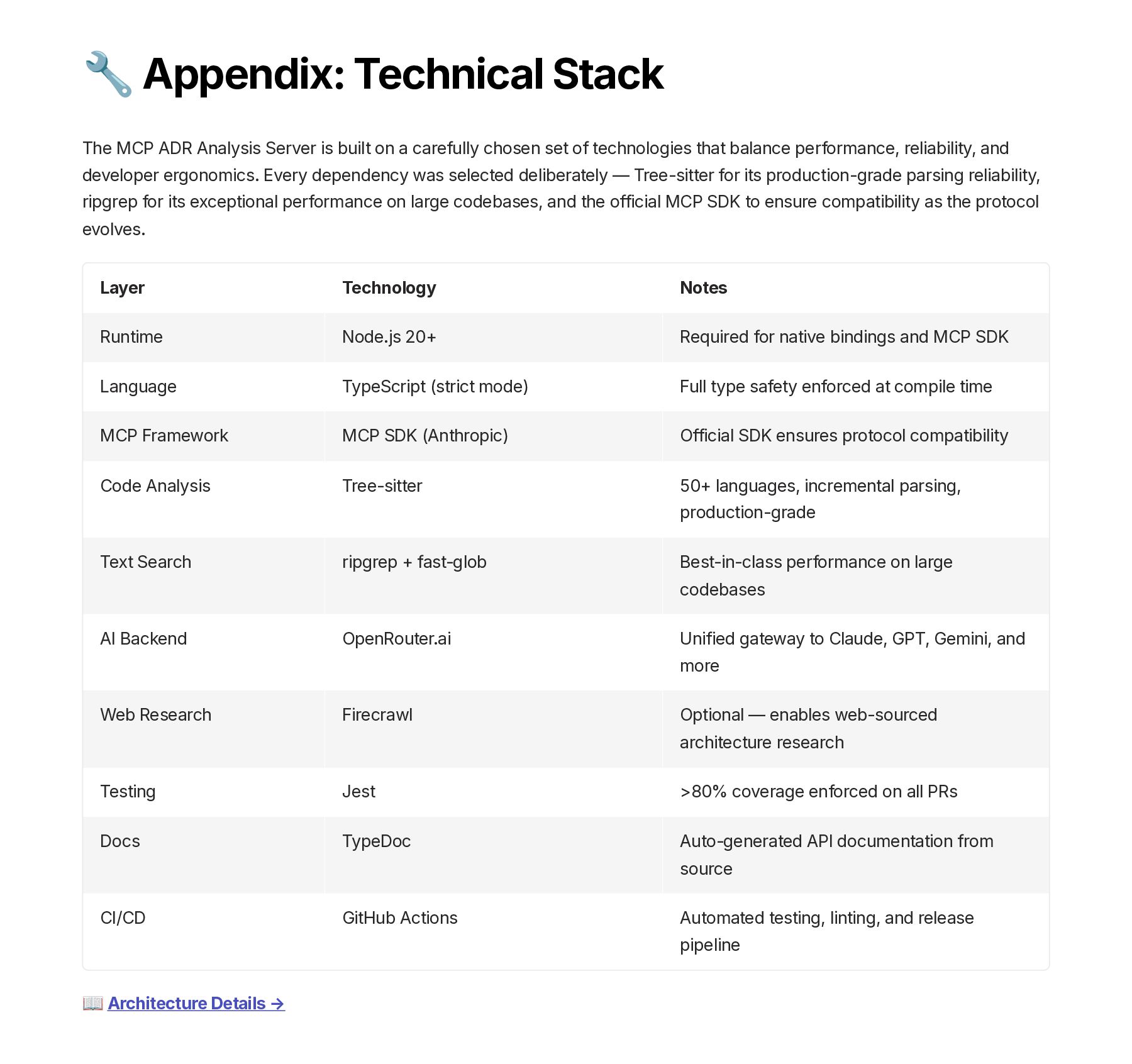
  23. 🔧 Appendix: Technical Stack The MCP ADR Analysis Server is

    built on a carefully chosen set of technologies that balance performance, reliability, and developer ergonomics. Every dependency was selected deliberately — Tree-sitter for its production-grade parsing reliability, ripgrep for its exceptional performance on large codebases, and the official MCP SDK to ensure compatibility as the protocol evolves. Layer Technology Notes Runtime Node.js 20+ Required for native bindings and MCP SDK Language TypeScript (strict mode) Full type safety enforced at compile time MCP Framework MCP SDK (Anthropic) Official SDK ensures protocol compatibility Code Analysis Tree-sitter 50+ languages, incremental parsing, production-grade Text Search ripgrep + fast-glob Best-in-class performance on large codebases AI Backend OpenRouter.ai Unified gateway to Claude, GPT, Gemini, and more Web Research Firecrawl Optional — enables web-sourced architecture research Testing Jest >80% coverage enforced on all PRs Docs TypeDoc Auto-generated API documentation from source CI/CD GitHub Actions Automated testing, linting, and release pipeline 📖 Architecture Details →