How to build iOS UI in a way declarative, reusable and configurable.
The library built based on the idea in this talk is available on Github: http://github.com/wangshengjia/LeeGo
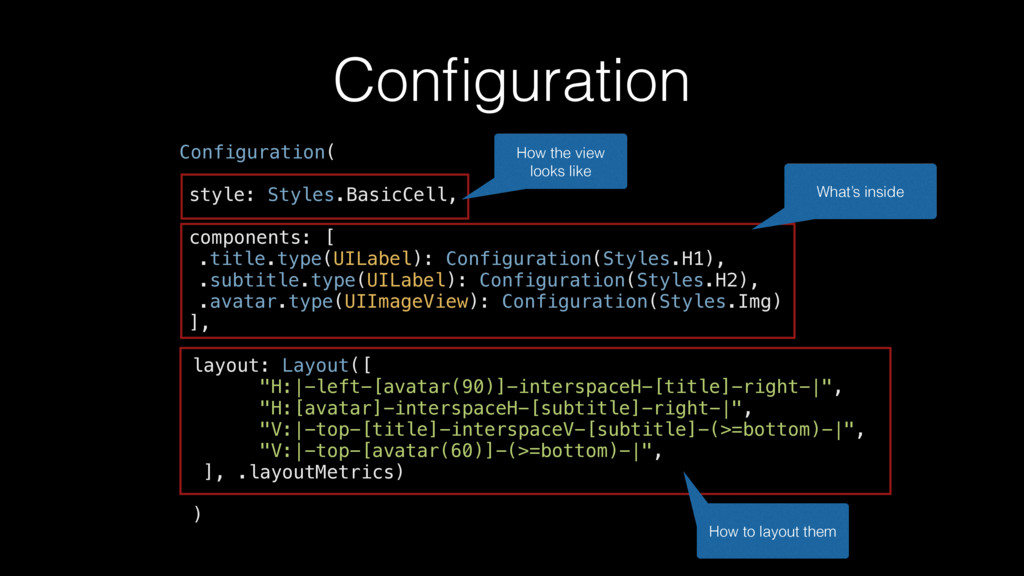
.avatar.type(UIImageView): Configuration(Styles.Img) ], layout: Layout([ "H:|-left-[avatar(90)]-interspaceH-[title]-right-|", "H:[avatar]-interspaceH-[subtitle]-right-|", "V:|-top-[title]-interspaceV-[subtitle]-(>=bottom)-|", "V:|-top-[avatar(60)]-(>=bottom)-|", ], .layoutMetrics) ) How the view looks like What’s inside How to layout them
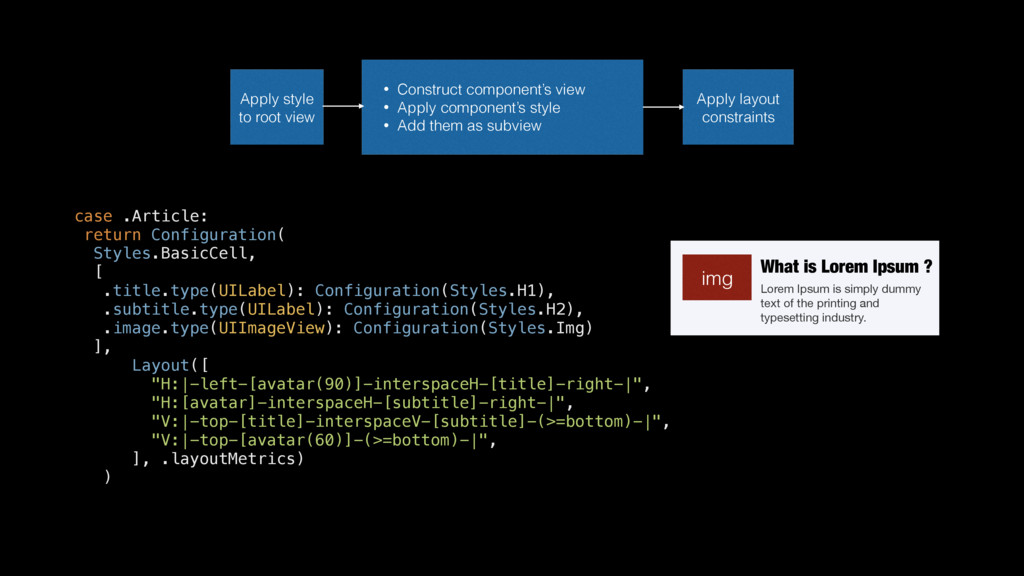
.image.type(UIImageView): Configuration(Styles.Img) ], Layout([ "H:|-left-[avatar(90)]-interspaceH-[title]-right-|", "H:[avatar]-interspaceH-[subtitle]-right-|", "V:|-top-[title]-interspaceV-[subtitle]-(>=bottom)-|", "V:|-top-[avatar(60)]-(>=bottom)-|", ], .layoutMetrics) ) Cell Apply style to root view • Construct component’s view • Apply component’s style • Add them as subview Apply layout constraints What is Lorem Ipsum ? Lorem Ipsum is simply dummy text of the printing and typesetting industry. img


 masakiokuda
 usanchuu
 kenichiodo
 kentapapa
 yahonda
 mohab1
 jtakeda
 kentarofujii
 ivry_presentationmaterials
 yazm
yazm
 takahashim
 ueponx
 geshan
 jct
jct
 paigeccino
 marketingsoph
 reverentgeek
 techseoconnect
 portentint
 tmiket
 geoffreycrofte
 eileencodes
 rkaga
rkaga









![Zen { "components": ["title", "subtitle", "avatar"], "styles": ["H1", "Pre", "Img"],](https://files.speakerdeck.com/presentations/d8c8df1f07ed462f9f789ca98776bb10/slide_15.jpg)