Upgrade to Pro
— share decks privately, control downloads, hide ads and more …
Speaker Deck
Sign up for free
Menu
Search
Features
All features
Private URLs
Password Protection
Custom URLS
Scheduled publishing
Remove Branding
Restrict embedding
Deck Collections
Notes
Features
All features
Private URLs
Password Protection
Custom URLS
Scheduled publishing
Remove Branding
Restrict embedding
Deck Collections
Notes
Explore
Featured decks
Featured speakers
Programming
Technology
Storyboards
Explore
Featured decks
Featured speakers
Programming
Technology
Storyboards
Pricing
Search
Sign in
Sign up for free
google路線規劃[後]使用教學
Search
vilico
February 28, 2013
70
1
Share
Embed
Copy iframe code
Copy JS code
Copy link
Start on current slide
google路線規劃[後]使用教學
vilico
February 28, 2013
More Decks by vilico
See All by vilico
大阪家庭自由行行程
vio
1
150
Featured
See All Featured
DBのスキルで生き残る技術 - AI時代におけるテーブル設計の勘所
soudai
PRO
68
58k
Why Your Marketing Sucks and What You Can Do About It - Sophie Logan
marketingsoph
0
430
Dominate Local Search Results - an insider guide to GBP, reviews, and Local SEO
greggifford
PRO
0
370
The SEO Collaboration Effect
kristinabergwall1
1
590
RailsConf 2023
tenderlove
30
1.6k
Believing is Seeing
oripsolob
1
240
KATA
mclloyd
PRO
35
16k
HDC tutorial
michielstock
2
960
Skip the Path - Find Your Career Trail
mkilby
1
260
The Organizational Zoo: Understanding Human Behavior Agility Through Metaphoric Constructive Conversations (based on the works of Arthur Shelley, Ph.D)
kimpetersen
PRO
0
500
The Myth of the Modular Monolith - Day 2 Keynote - Rails World 2024
eileencodes
28
3.7k
Leveraging LLMs for student feedback in introductory data science courses - posit::conf(2025)
minecr
1
440
Transcript
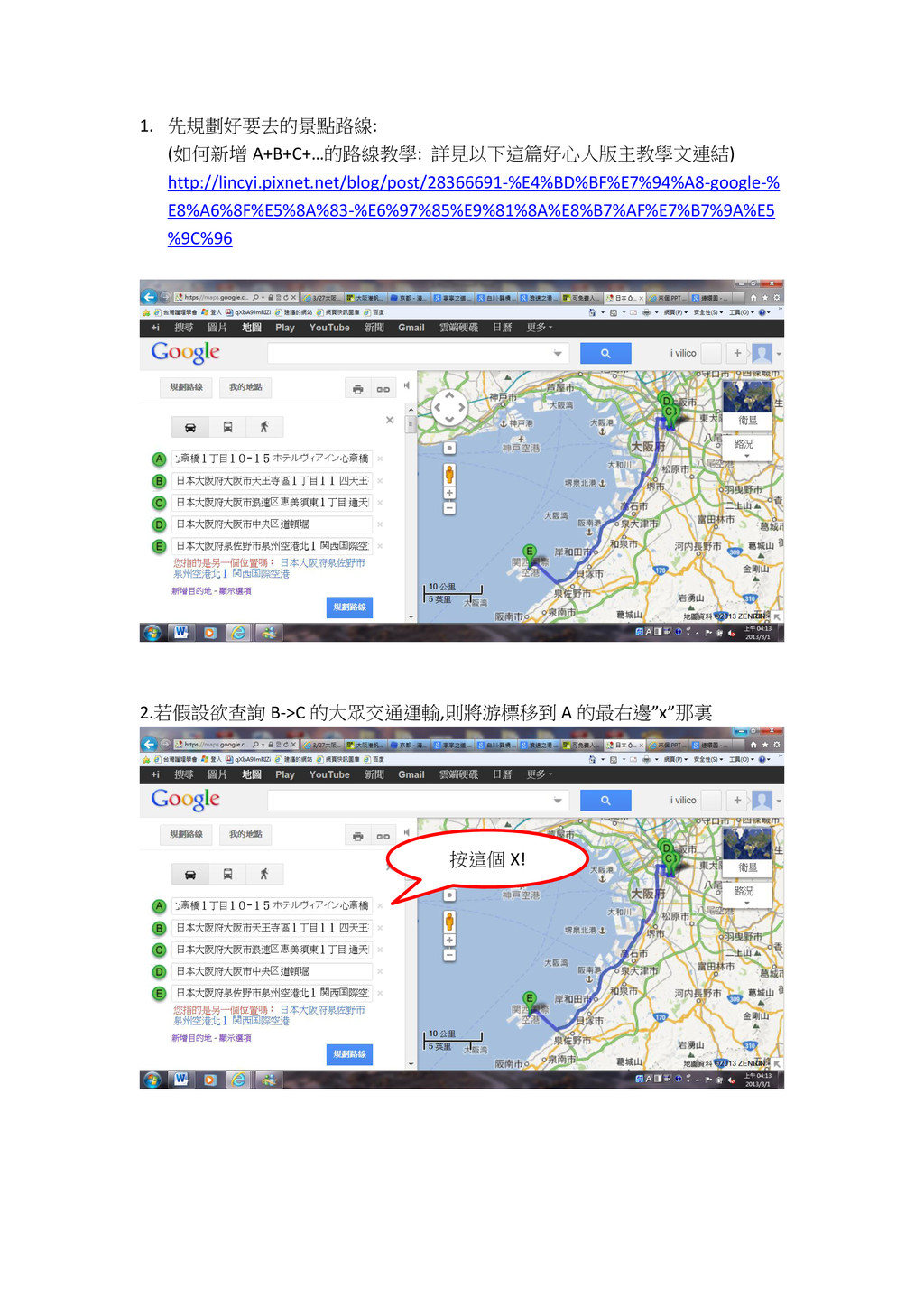
1. 先規劃好要去的景點路線: (如何新增 A+B+C+…的路線教學: 詳見以下這篇好心人版主教學文連結) http://lincyi.pixnet.net/blog/post/28366691-%E4%BD%BF%E7%94%A8-google-% E8%A6%8F%E5%8A%83-%E6%97%85%E9%81%8A%E8%B7%AF%E7%B7%9A%E5 %9C%96 2.若假設欲查詢 B->C
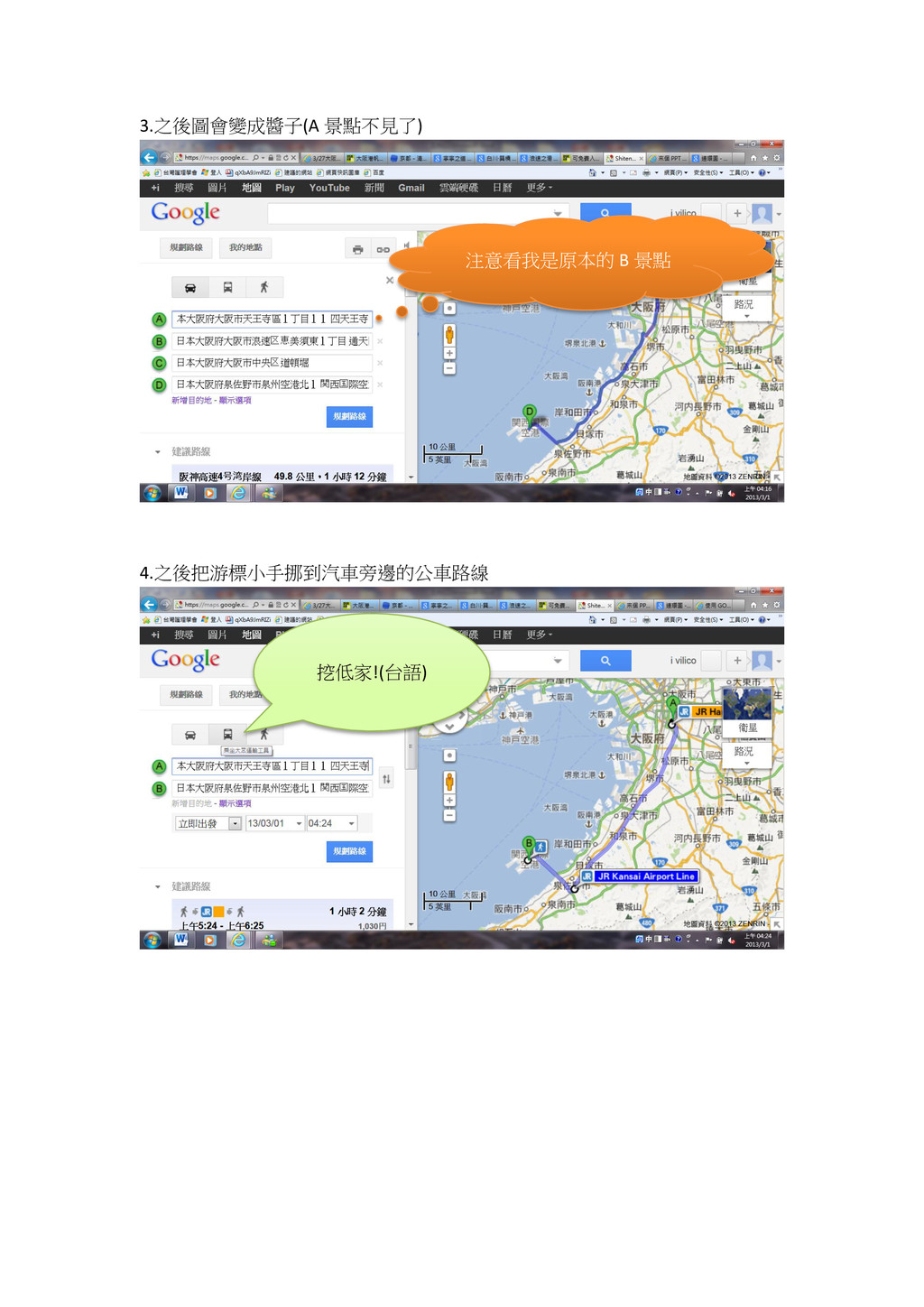
的大眾交通運輸,則將游標移到 A 的最右邊”x”那裏 按這個 X!
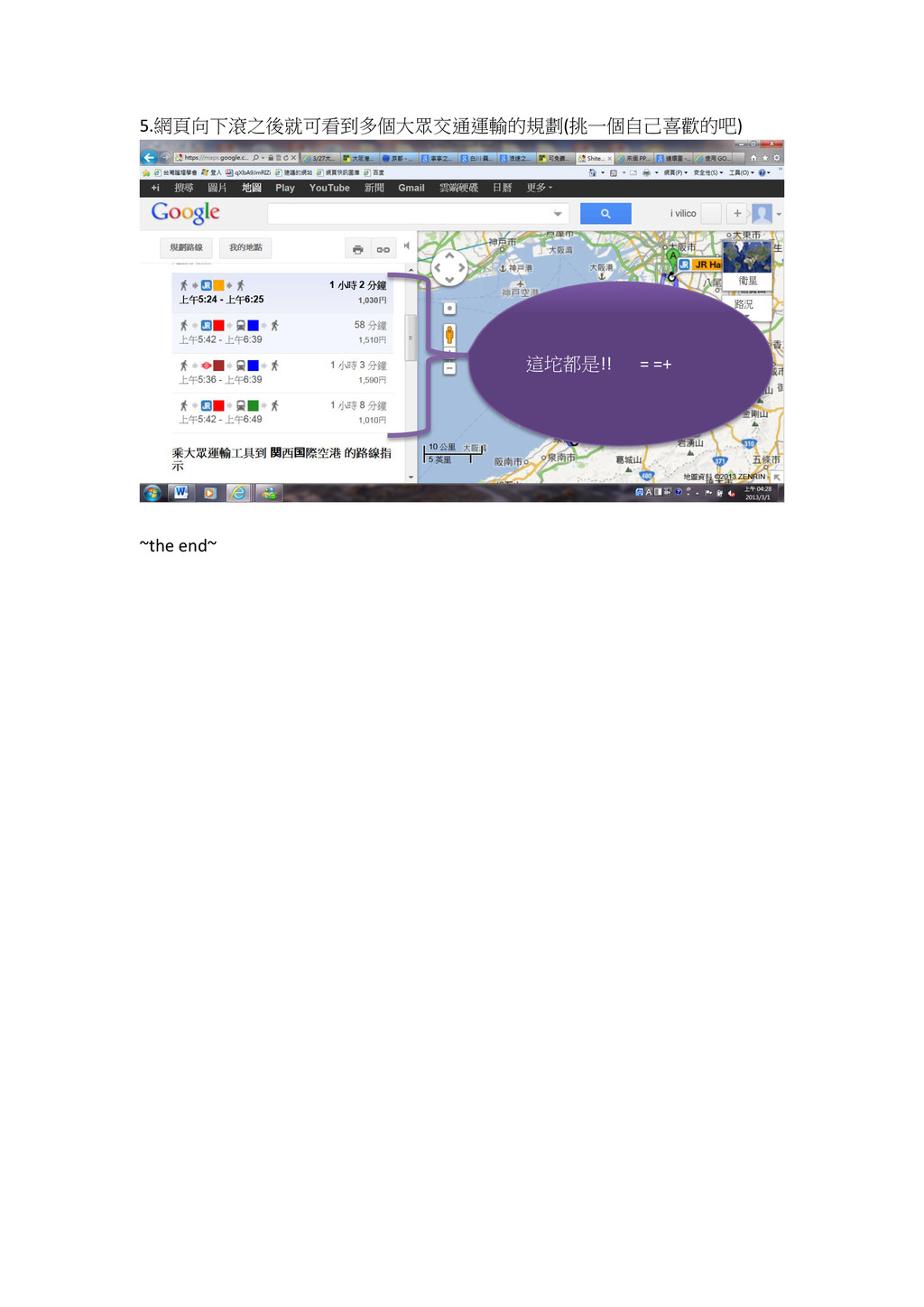
3.之後圖會變成醬子(A 景點不見了) 4.之後把游標小手挪到汽車旁邊的公車路線 挖低家!(台語) 注意看我是原本的 B 景點
5.網頁向下滾之後就可看到多個大眾交通運輸的規劃(挑一個自己喜歡的吧) ~the end~ 這坨都是!! = =+


 vio
vio
 soudai
 marketingsoph
 greggifford
 kristinabergwall1
 tenderlove
 oripsolob
 mclloyd
 michielstock
 mkilby
 kimpetersen
 eileencodes
 minecr