Upgrade to Pro
— share decks privately, control downloads, hide ads and more …
Speaker Deck
Sign up for free
Menu
Search
Features
All features
Private URLs
Password Protection
Custom URLS
Scheduled publishing
Remove Branding
Restrict embedding
Deck Collections
Notes
Features
All features
Private URLs
Password Protection
Custom URLS
Scheduled publishing
Remove Branding
Restrict embedding
Deck Collections
Notes
Explore
Featured decks
Featured speakers
Programming
Technology
Storyboards
Explore
Featured decks
Featured speakers
Programming
Technology
Storyboards
Pricing
Search
Sign in
Sign up for free
T3 Stack(応用編: Next Auth & SSRの実装紹介)
Search
Yohei Iino
February 23, 2024
Technology
420
1
Share
Embed
Copy iframe code
Copy JS code
Copy link
Start on current slide
T3 Stack(応用編: Next Auth & SSRの実装紹介)
Yohei Iino
February 23, 2024
More Decks by Yohei Iino
See All by Yohei Iino
1年半放置したExpo製アプリを最新化してみた
wheatandcat
0
120
作成中のFlutterアプリの中間発表
wheatandcat
0
99
最近読んだ技術書を簡単紹介
wheatandcat
0
120
ユニバーサルリンク/アプリリンクを使ってQRコードでゲストログインできるようにする
wheatandcat
0
400
Firebase App Checkを実装したので紹介
wheatandcat
0
370
PlanetScaleの無料プランがなくなるので、NeonとTiDBを試してみた
wheatandcat
0
440
Flutter HooksとRiverpodの解説
wheatandcat
0
610
App Routerの紹介
wheatandcat
0
170
Flutter × GraphQLでアプリを作ってみる
wheatandcat
0
360
Other Decks in Technology
See All in Technology
初海外で注意すべきこと12選!!!安全快適なre:invent生活にするために
yuuuuuuu168
1
180
Browser Spec: Testing Hotwire with Ruby
takahashim
1
130
hackers_champloo_2026_tidb
makocchi
0
170
Running Kotlin + Quarkus with Lambda
nealle
1
3.9k
ソフトウェア ファクトリー - 再現性のあるソフトウェアの工場づくり / Software factory
iktakahiro
6
5k
PHPカンファレンス関西の招待状 / Invitation to PHP Conference Kansai
ykanoh
0
210
Classmethod Company Deck
satoshi7
1
730
実践! SRE × AI - ABEMA における AIOps -
tetsuya28
8
3.1k
Kiro Crewで「みのるん式」仕事術やってみた
minorun365
PRO
2
330
日本語に強いオープンな大規模言語モデル「LLM-jp」
odashi
5
1.2k
OptunaHub: ブラックボックス最適化のためのプラットフォーム
pfn
PRO
0
140
AI コーディングと人間の認知スループット / CTO Night & Day 2026 Morning Session / AI Coding and Human Cognitive Throughput
prog893
5
1.3k
Featured
See All Featured
Optimizing for Happiness
mojombo
378
71k
The #1 spot is gone: here's how to win anyway
tamaranovitovic
4
1.2k
Building a A Zero-Code AI SEO Workflow
portentint
PRO
0
780
Gemini Prompt Engineering: Practical Techniques for Tangible AI Outcomes
mfonobong
2
590
JavaScript: Past, Present, and Future - NDC Porto 2020
reverentgeek
52
6.1k
Reality Check: Gamification 10 Years Later
codingconduct
0
2.3k
Code Review Best Practice
trishagee
74
20k
Navigating Team Friction
lara
192
16k
The untapped power of vector embeddings
frankvandijk
2
1.9k
Evolving SEO for Evolving Search Engines
ryanjones
0
330
Lessons Learnt from Crawling 1000+ Websites
charlesmeaden
PRO
1
1.6k
Building AI with AI
inesmontani
PRO
1
1.3k
Transcript
T3 Stack 応用編: Next Auth & SSRの実装紹介 Press Space for
next page
自己紹介 📝 飯野陽平(wheatandcat) 🏢 法人設立(合同会社UNICORN 代表社員) 💻 Work: シェアフル株式会社CTO 📚
Blog: https://www.wheatandcat.me/ 🛠 今までに作ったもの memoir ペペロミア MarkyLinky
T3 Stackとは? 最近、話題の Web アプリ開発のアーキテクチャ 以下の 3 つの思想に集点を当てて設計された技術スタック simplicity(簡潔さ) modularity(モジュール性)
full-stack typesafety(フルスタックの型安全) t3-appとしてコマンドラインツールも公開されている 全体の紹介は以前スライドを作成したので、そちらを参照 T3 Stack + Supabaseでアプリを作ってみる - Speaker Deck このスライドでは、T3 Stackの応用編として、Next AuthとSSR対応を紹介
Next Authとは? Next.jsアプリケーション専用に設計されたオープンソースの認証ライブラリ SSRや、React Server Components等のサーバーサイドでも認証が可能 様々な認証プロバイダーをサポート(Google、Facebookなど) 簡単な設定で認証が実装可能
Next Authで認証を実装 Google | NextAuth.js 各プロバイダーの設定は以下のように行う export const authOptions: NextAuthOptions
= { providers: [ DiscordProvider({ clientId: env.DISCORD_CLIENT_ID, clientSecret: env.DISCORD_CLIENT_SECRET, }), AppleProvider({ clientId: env.APPLE_ID, clientSecret: env.APPLE_SECRET, }), GoogleProvider({ clientId: env.GOOGLE_CLIENT_ID, clientSecret: env.GOOGLE_CLIENT_SECRET, }), ],
Next Authで認証を実装 Google | NextAuth.js 各プロバイダーの設定は以下のように行う DiscordProvider({ clientId: env.DISCORD_CLIENT_ID, clientSecret:
env.DISCORD_CLIENT_SECRET, }), export const authOptions: NextAuthOptions = { providers: [ AppleProvider({ clientId: env.APPLE_ID, clientSecret: env.APPLE_SECRET, }), GoogleProvider({ clientId: env.GOOGLE_CLIENT_ID, clientSecret: env.GOOGLE_CLIENT_SECRET, }), ],
Next Authで認証を実装 Google | NextAuth.js 各プロバイダーの設定は以下のように行う AppleProvider({ clientId: env.APPLE_ID, clientSecret:
env.APPLE_SECRET, }), export const authOptions: NextAuthOptions = { providers: [ DiscordProvider({ clientId: env.DISCORD_CLIENT_ID, clientSecret: env.DISCORD_CLIENT_SECRET, }), GoogleProvider({ clientId: env.GOOGLE_CLIENT_ID, clientSecret: env.GOOGLE_CLIENT_SECRET, }), ],
Next Authで認証を実装 Google | NextAuth.js 各プロバイダーの設定は以下のように行う export const authOptions: NextAuthOptions
= { providers: [ DiscordProvider({ clientId: env.DISCORD_CLIENT_ID, clientSecret: env.DISCORD_CLIENT_SECRET, }), AppleProvider({ clientId: env.APPLE_ID, clientSecret: env.APPLE_SECRET, }), GoogleProvider({ clientId: env.GOOGLE_CLIENT_ID, clientSecret: env.GOOGLE_CLIENT_SECRET, }), ],
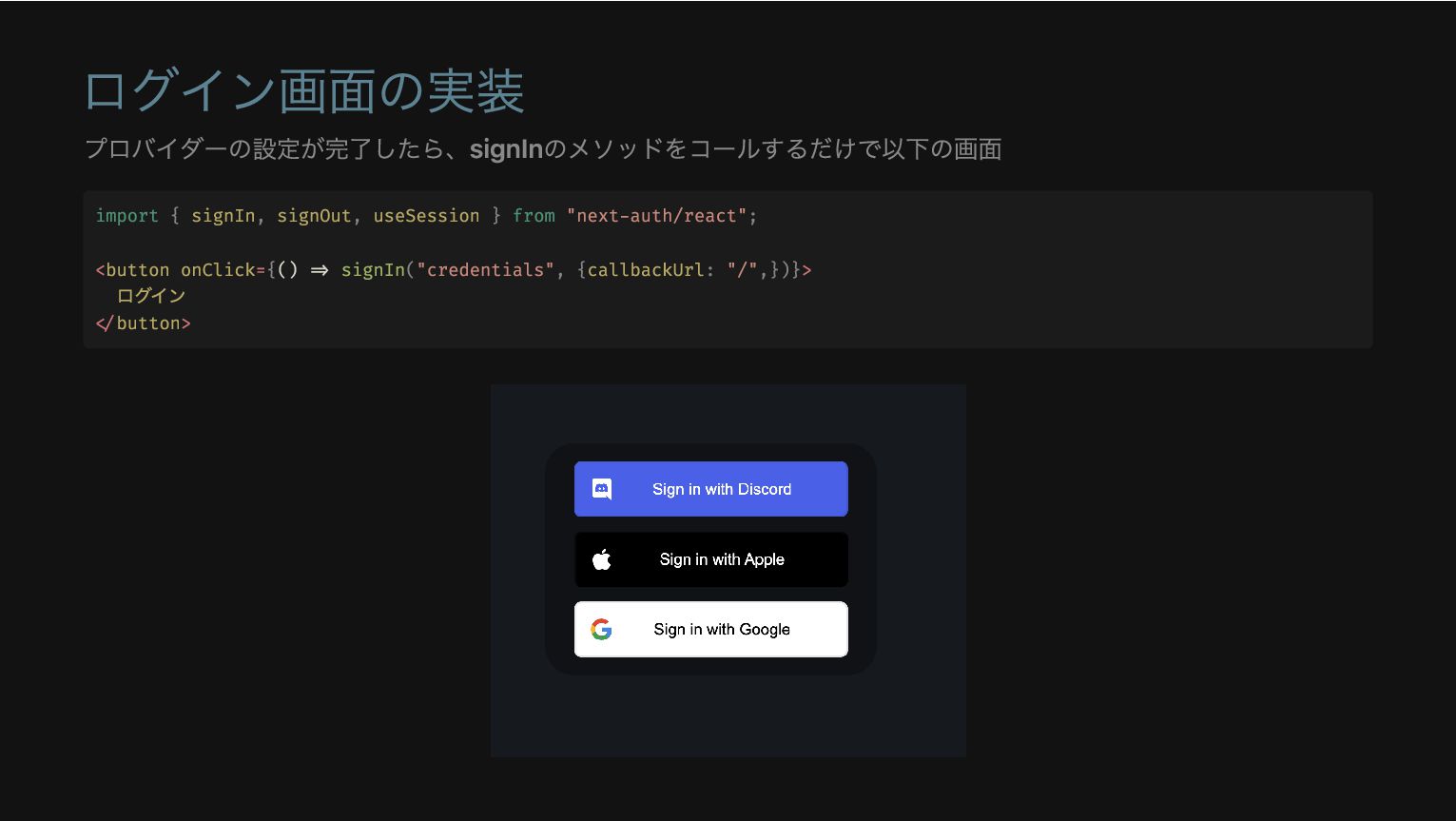
ログイン画面の実装 プロバイダーの設定が完了したら、signInのメソッドをコールするだけで以下の画面 import { signIn, signOut, useSession } from "next-auth/react";
<button onClick={() => signIn("credentials", {callbackUrl: "/",})}> ログイン </button>
ログイン画面のカスタマイズ ログイン画面をカスタマイズしたい場合は以下を追加することで可能 export const authOptions: NextAuthOptions = { pages: {
signIn: "/auth/signin", error: "/auth/signin", },
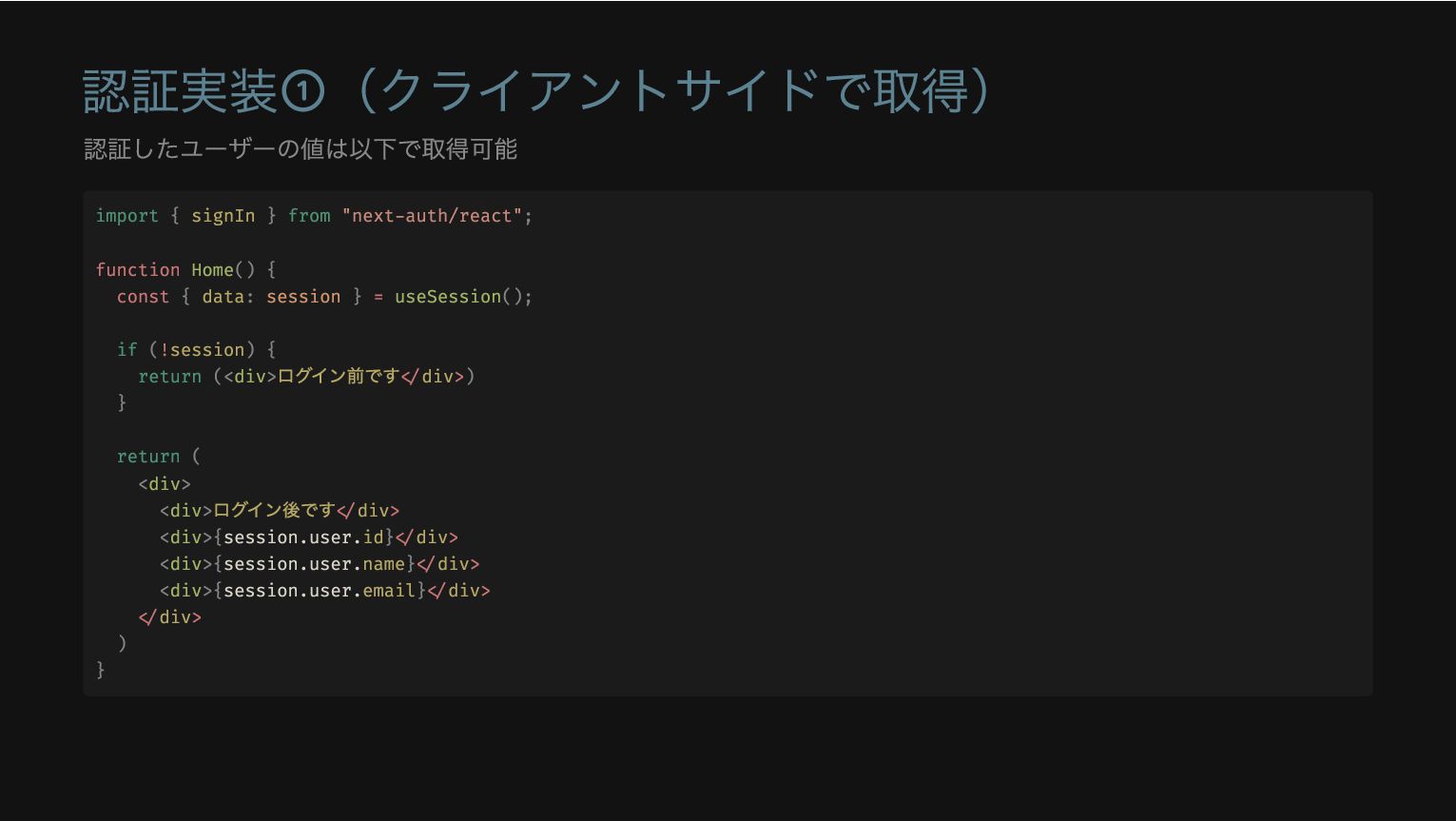
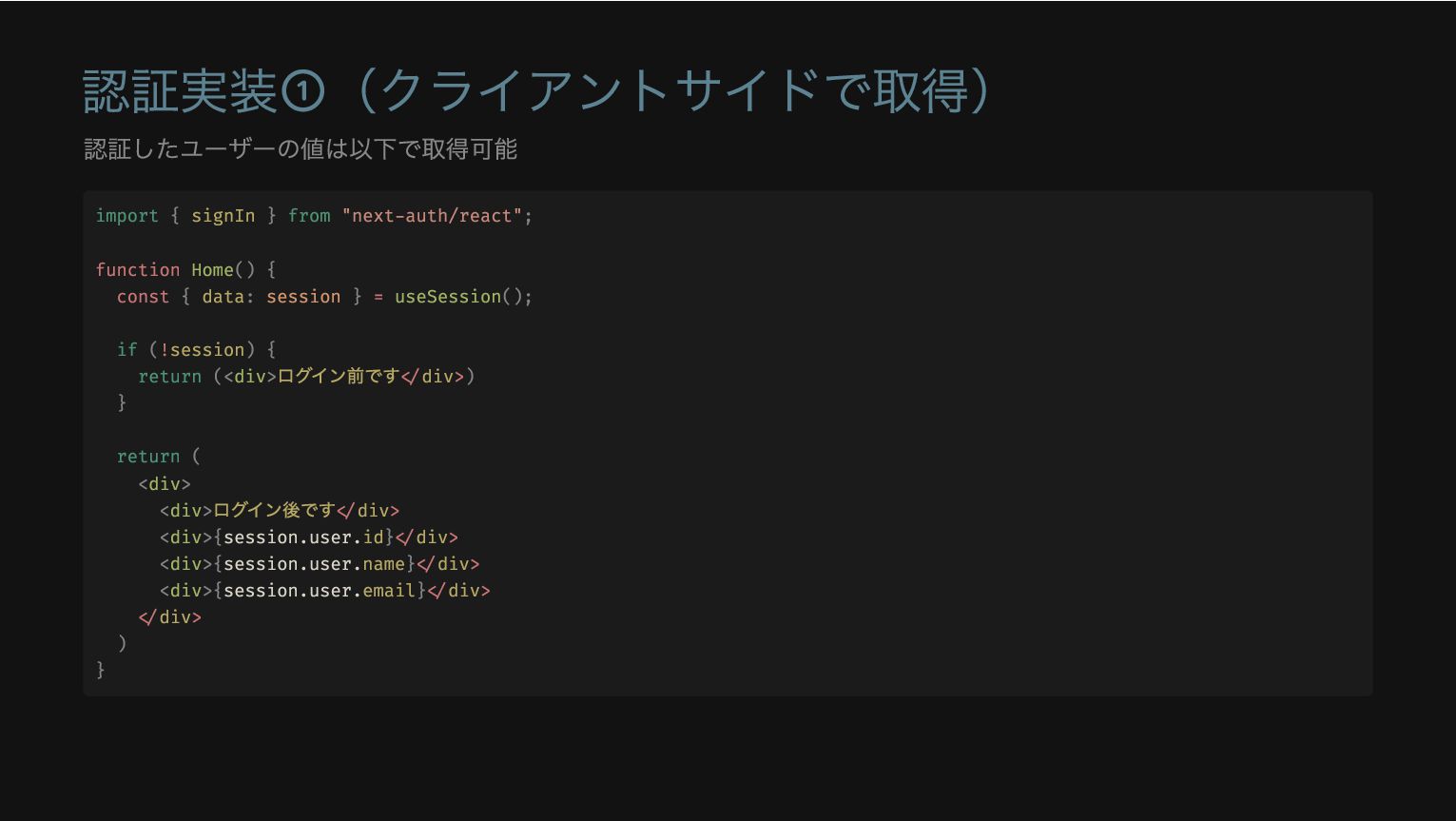
認証実装①(クライアントサイドで取得) 認証したユーザーの値は以下で取得可能 import { signIn } from "next-auth/react"; function Home()
{ const { data: session } = useSession(); if (!session) { return (<div> ログイン前です</div>) } return ( <div> <div> ログイン後です</div> <div>{session.user.id}</div> <div>{session.user.name}</div> <div>{session.user.email}</div> </div> ) }
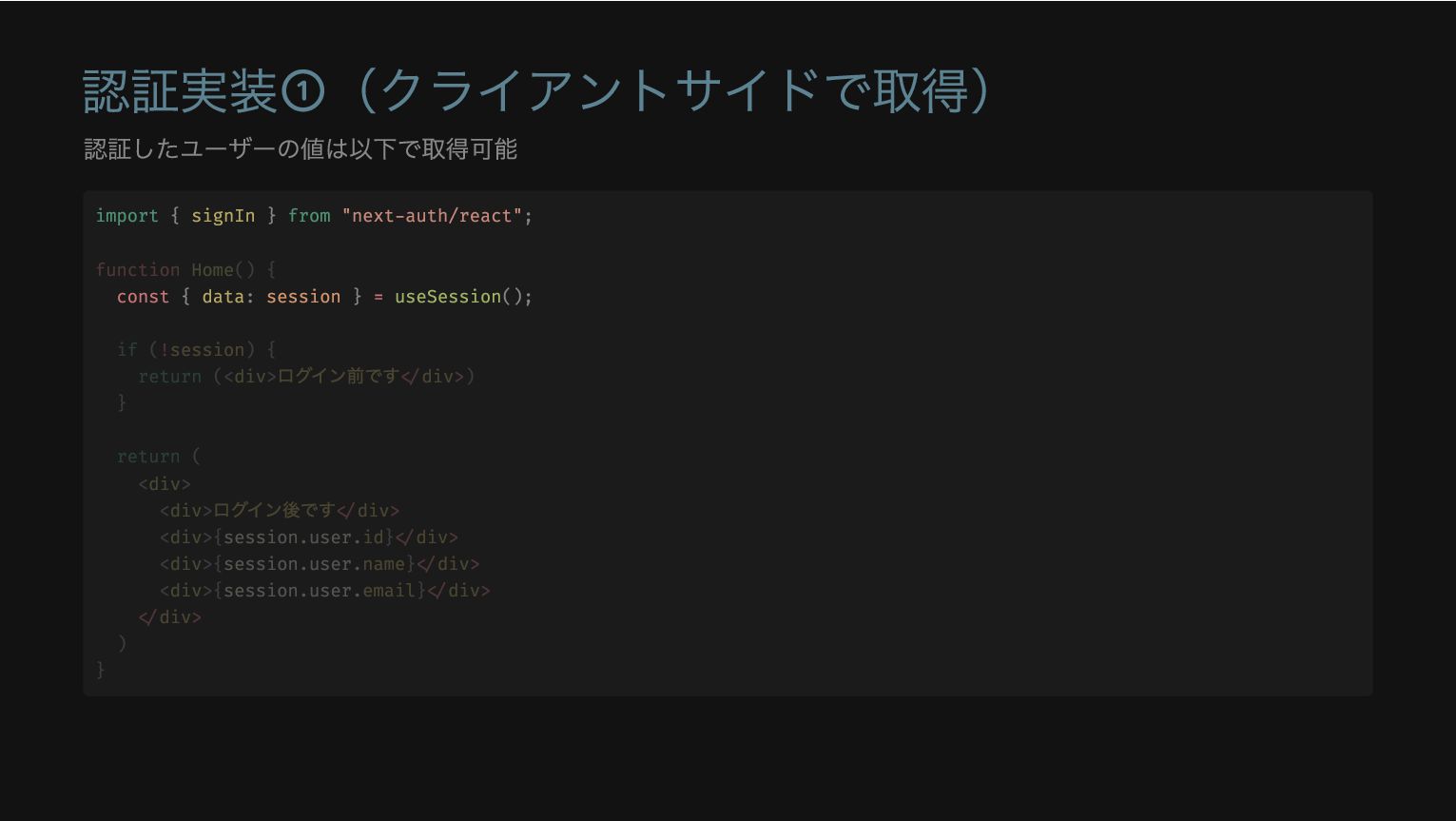
認証実装①(クライアントサイドで取得) 認証したユーザーの値は以下で取得可能 import { signIn } from "next-auth/react"; const {
data: session } = useSession(); function Home() { if (!session) { return (<div> ログイン前です</div>) } return ( <div> <div> ログイン後です</div> <div>{session.user.id}</div> <div>{session.user.name}</div> <div>{session.user.email}</div> </div> ) }
認証実装①(クライアントサイドで取得) 認証したユーザーの値は以下で取得可能 if (!session) { return (<div> ログイン前です</div>) } import
{ signIn } from "next-auth/react"; function Home() { const { data: session } = useSession(); return ( <div> <div> ログイン後です</div> <div>{session.user.id}</div> <div>{session.user.name}</div> <div>{session.user.email}</div> </div> ) }
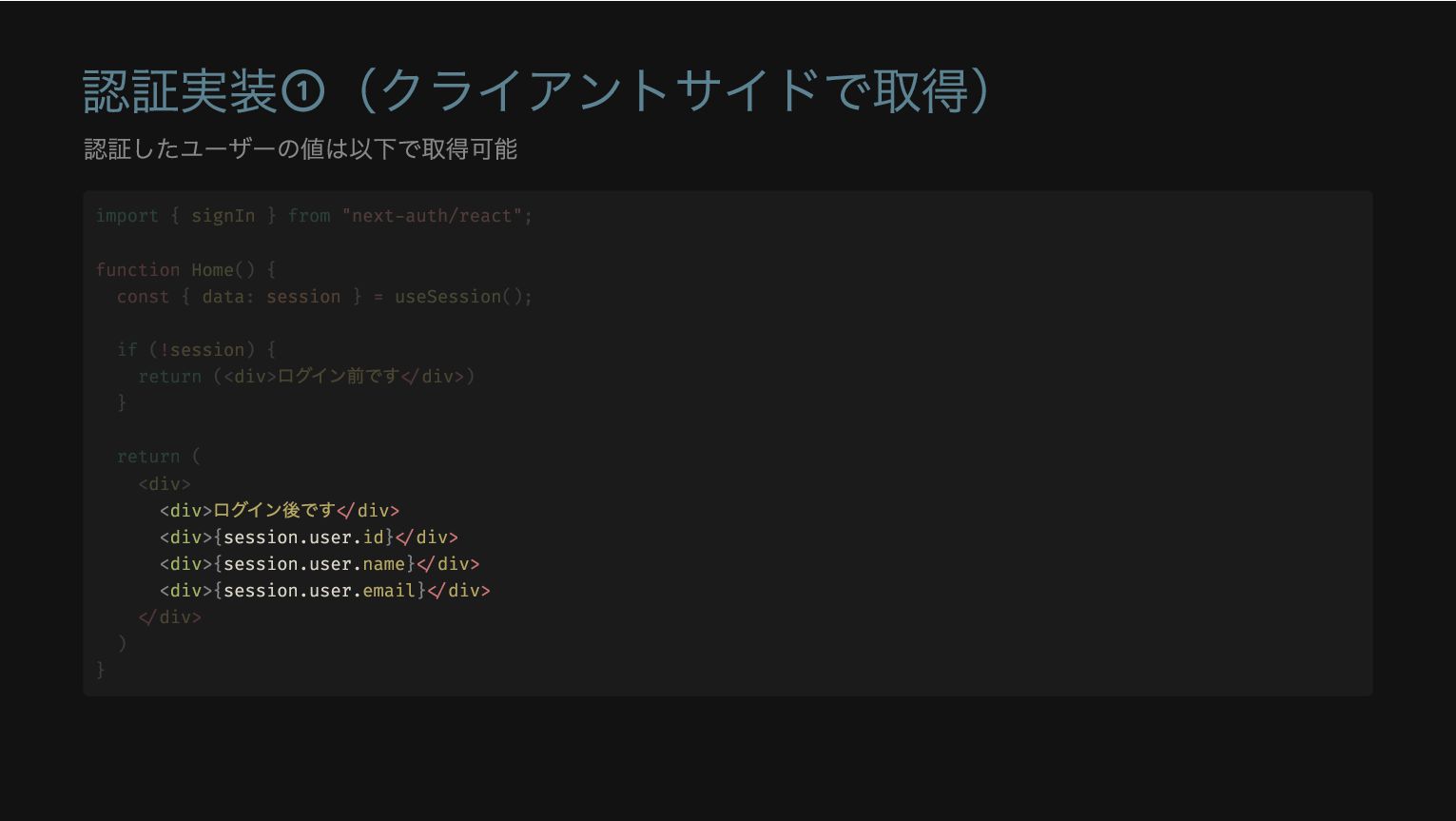
認証実装①(クライアントサイドで取得) 認証したユーザーの値は以下で取得可能 <div> ログイン後です</div> <div>{session.user.id}</div> <div>{session.user.name}</div> <div>{session.user.email}</div> import { signIn
} from "next-auth/react"; function Home() { const { data: session } = useSession(); if (!session) { return (<div> ログイン前です</div>) } return ( <div> </div> ) }
認証実装①(クライアントサイドで取得) 認証したユーザーの値は以下で取得可能 import { signIn } from "next-auth/react"; function Home()
{ const { data: session } = useSession(); if (!session) { return (<div> ログイン前です</div>) } return ( <div> <div> ログイン後です</div> <div>{session.user.id}</div> <div>{session.user.name}</div> <div>{session.user.email}</div> </div> ) }
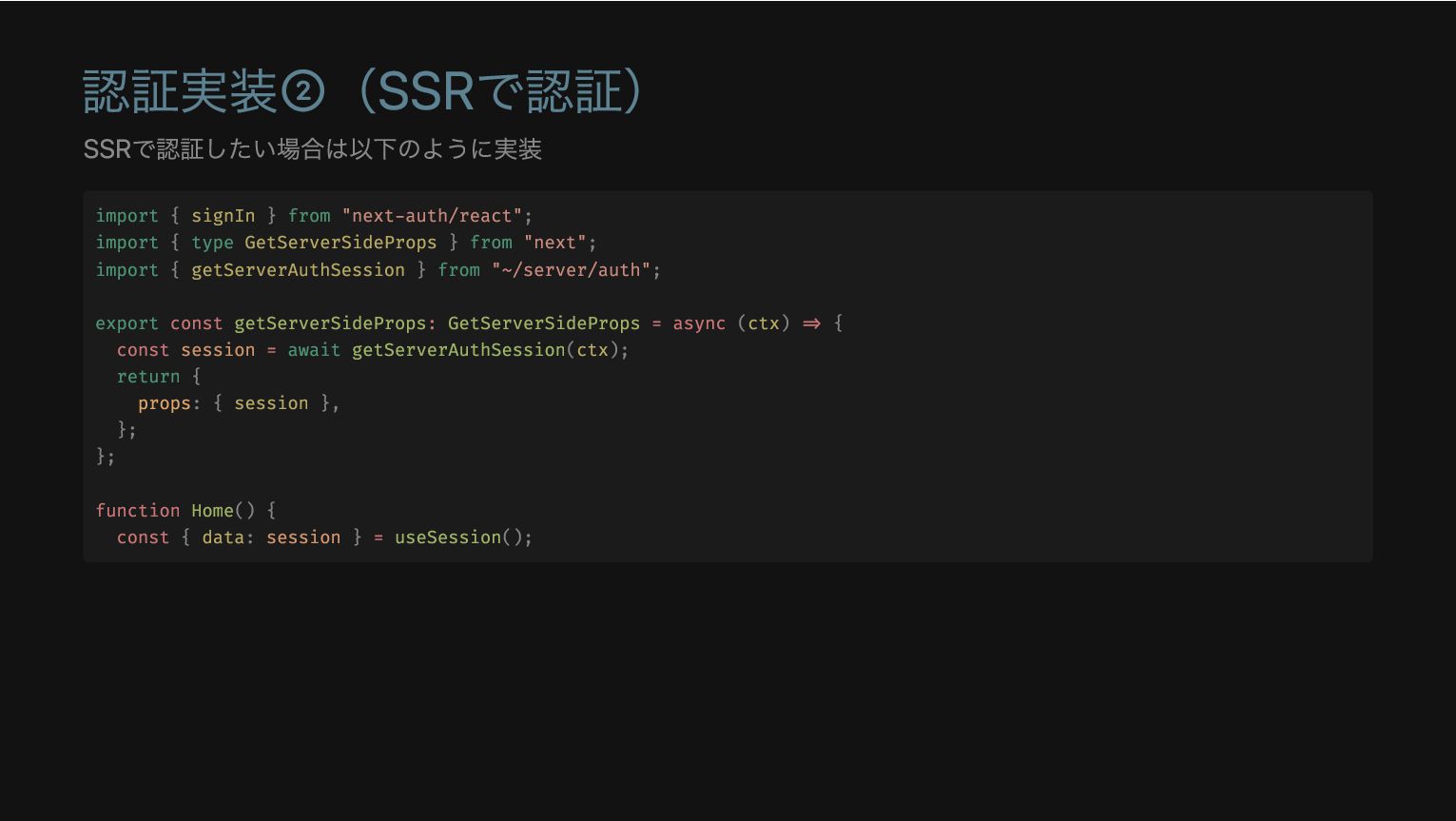
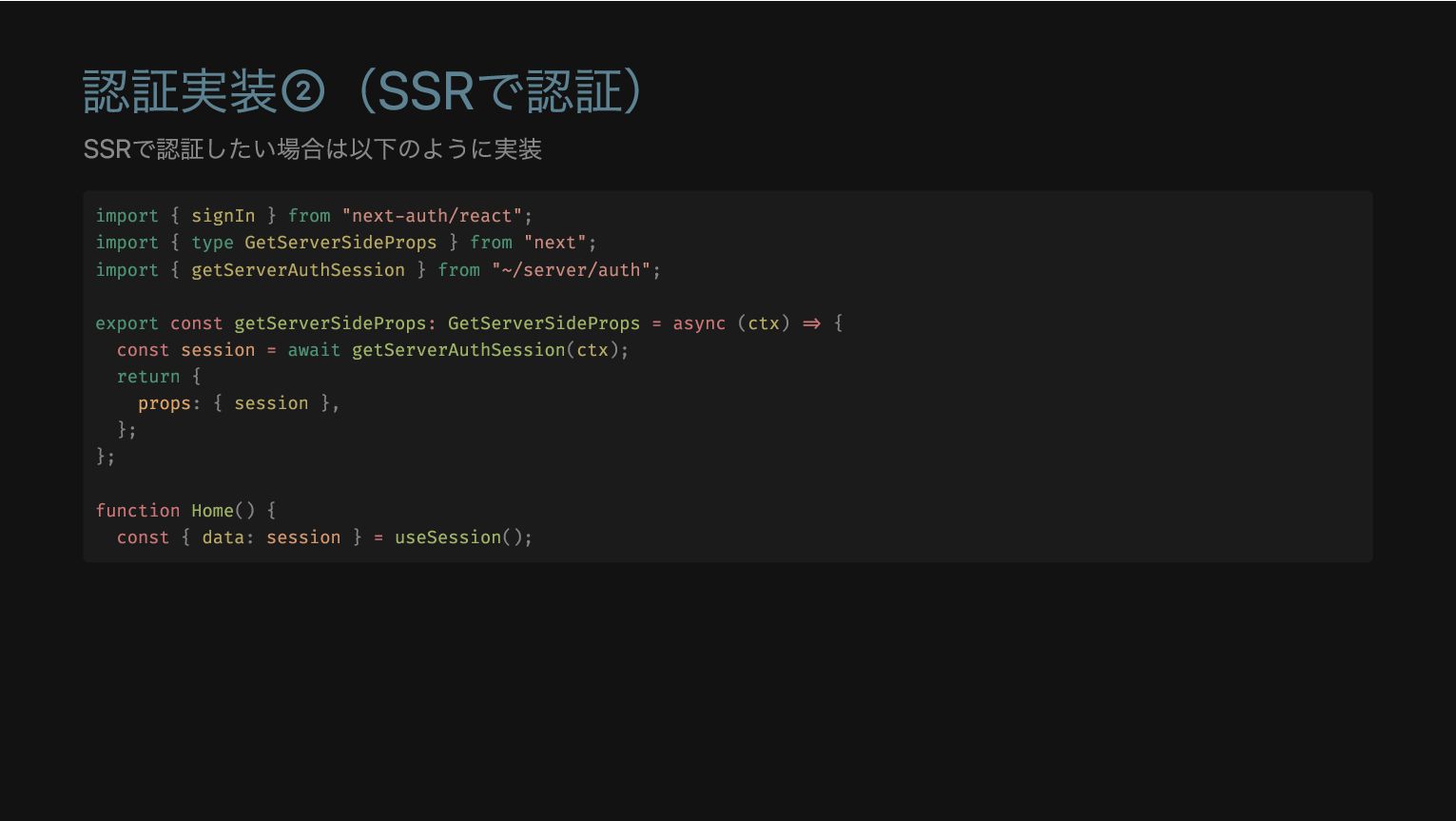
認証実装②(SSRで認証) SSRで認証したい場合は以下のように実装 import { signIn } from "next-auth/react"; import {
type GetServerSideProps } from "next"; import { getServerAuthSession } from "~/server/auth"; export const getServerSideProps: GetServerSideProps = async (ctx) => { const session = await getServerAuthSession(ctx); return { props: { session }, }; }; function Home() { const { data: session } = useSession();
認証実装②(SSRで認証) SSRで認証したい場合は以下のように実装 export const getServerSideProps: GetServerSideProps = async (ctx) =>
{ const session = await getServerAuthSession(ctx); return { props: { session }, }; }; import { signIn } from "next-auth/react"; import { type GetServerSideProps } from "next"; import { getServerAuthSession } from "~/server/auth"; function Home() { const { data: session } = useSession();
認証実装②(SSRで認証) SSRで認証したい場合は以下のように実装 const { data: session } = useSession(); import
{ signIn } from "next-auth/react"; import { type GetServerSideProps } from "next"; import { getServerAuthSession } from "~/server/auth"; export const getServerSideProps: GetServerSideProps = async (ctx) => { const session = await getServerAuthSession(ctx); return { props: { session }, }; }; function Home() {
認証実装②(SSRで認証) SSRで認証したい場合は以下のように実装 import { signIn } from "next-auth/react"; import {
type GetServerSideProps } from "next"; import { getServerAuthSession } from "~/server/auth"; export const getServerSideProps: GetServerSideProps = async (ctx) => { const session = await getServerAuthSession(ctx); return { props: { session }, }; }; function Home() { const { data: session } = useSession();
認証実装③(RSCで認証) RSCで認証したい場合は以下のように実装 現状はこれが最速の認証方法 import { getServerSession } from "next-auth/next" import
{ authOptions } from "~/server/auth"; export default async function Home() { const session = await getServerSession(authOptions)
認証実装③(RSCで認証) RSCで認証したい場合は以下のように実装 現状はこれが最速の認証方法 export default async function Home() { const
session = await getServerSession(authOptions) import { getServerSession } from "next-auth/next" import { authOptions } from "~/server/auth";
認証実装③(RSCで認証) RSCで認証したい場合は以下のように実装 現状はこれが最速の認証方法 import { getServerSession } from "next-auth/next" import
{ authOptions } from "~/server/auth"; export default async function Home() { const session = await getServerSession(authOptions)
tRPCでSSRを実装① T3 StackではtRPCでデータ取得を行っている SSRに対応するには、以下のoptionをtrueにするだけでOK 👌 import { createTRPCNext } from
"@trpc/next"; export const api = createTRPCNext<AppRouter>({ /** * Whether tRPC should await queries when server rendering pages. * * @see https://trpc.io/docs/nextjs#ssr-boolean-default-false */ ssr: true,
tRPCでSSRを実装① T3 StackではtRPCでデータ取得を行っている SSRに対応するには、以下のoptionをtrueにするだけでOK 👌 ssr: true, import { createTRPCNext
} from "@trpc/next"; export const api = createTRPCNext<AppRouter>({ /** * Whether tRPC should await queries when server rendering pages. * * @see https://trpc.io/docs/nextjs#ssr-boolean-default-false */
tRPCでSSRを実装② Server-Side Rendering | tRPC ssr:trueにするとtRPCでアクセスしている箇所をサーバーサイドでprefetchする挙動になる 以下のようなコードを実行した場合、クライアントサイドではキャッシュから取得するの動作になる function Schedule() {
const router = useRouter(); const { id } = router.query; const schedules = api.schedule.fetch.useQuery({ urlId: String(id) });
tRPCでSSRを実装② Server-Side Rendering | tRPC ssr:trueにするとtRPCでアクセスしている箇所をサーバーサイドでprefetchする挙動になる 以下のようなコードを実行した場合、クライアントサイドではキャッシュから取得するの動作になる const schedules =
api.schedule.fetch.useQuery({ urlId: String(id) }); function Schedule() { const router = useRouter(); const { id } = router.query;
tRPCでSSRを実装② Server-Side Rendering | tRPC ssr:trueにするとtRPCでアクセスしている箇所をサーバーサイドでprefetchする挙動になる 以下のようなコードを実行した場合、クライアントサイドではキャッシュから取得するの動作になる function Schedule() {
const router = useRouter(); const { id } = router.query; const schedules = api.schedule.fetch.useQuery({ urlId: String(id) });
補足: スライドで参照している開発物の紹介 Repository OOMAKA サービスURL OOMAKA | 年間スケジュール、まとめるなら SSRしている画面を軽くDEMO
まとめ T3 Stackを使うとSSR周りは、かなり楽 getServerSidePropsでゴニョゴニョする必要がなくなって開発が捗る Next Authは現状はNext.js専用だが、今後のロードマップで名前をAuthに変更して別フレームワークでも使 用可能になる予定
ご清聴ありがとうございました 🎉


 wheatandcat
 yuuuuuuu168
 takahashim
 makocchi
 nealle
 iktakahiro
 ykanoh
 satoshi7
 tetsuya28
 minorun365
 odashi
 pfn
pfn
 prog893
 mojombo
 tamaranovitovic
 portentint
 mfonobong
 reverentgeek
 codingconduct
 trishagee
 lara
lara
 frankvandijk
 ryanjones
 charlesmeaden
 inesmontani