Upgrade to Pro
— share decks privately, control downloads, hide ads and more …
Speaker Deck
Sign up for free
Menu
Search
Features
All features
Private URLs
Password Protection
Custom URLS
Scheduled publishing
Remove Branding
Restrict embedding
Deck Collections
Notes
Features
All features
Private URLs
Password Protection
Custom URLS
Scheduled publishing
Remove Branding
Restrict embedding
Deck Collections
Notes
Explore
Featured decks
Featured speakers
Programming
Technology
Storyboards
Explore
Featured decks
Featured speakers
Programming
Technology
Storyboards
Pricing
Search
Sign in
Sign up for free
責務の分離が生みだす葛藤
Search
Sponsored
·
Ship Features Fearlessly
Turn features on and off without deploys. Used by thousands of Ruby developers.
→
woody
September 10, 2026
Programming
31
0
Share
Embed
Copy iframe code
Copy JS code
Copy link
Start on current slide
責務の分離が生みだす葛藤
woody
September 10, 2026
Other Decks in Programming
See All in Programming
月間100万人のサービス刷新で、 技術選定をHonoに振り切った話
yutobara
8
6.7k
【加筆修正版】Laravel のアプリケーションをどこにデプロイするか #phpcon_ehime
akase244
0
150
Atomic Design, Enforced: Scaling Mobile Design Systems (next.app devCon / droidCon Berlin 2026)
steliosf
PRO
0
170
FactoryBotをやめればRSpecは速くなるのか?
yuta_onishi_97
0
650
カツオ、ご期待ください
suneo3476
0
190
機械に任せるテスト、人が見るテスト ⽣成AIで引き直した、運⽤保守フェーズの線引き
dske104
0
190
パスワード再設定メールのURLについて知っておこう
uyuki234
0
160
残高管理から台帳サービスへの進化
artoy
1
200
ソニーのクラウド共通基盤の変遷と AI時代の開発スタイルに合わせた進化 / The Journey of Sony’s Common Cloud Platform and Its Evolution for AI-Native Development
kenjiyoneyama
0
270
Unity6 URPによる海底をテーマにしたVJシステムの解説 | Unity Shader 完全に理解した 勉強会
gam0022
0
370
sbt 2.0: takeoff
eed3si9n
0
160
現場と育てるRailsモデリング 〜Spreadsheetから始めたモデル設計〜
siroemk
2
620
Featured
See All Featured
Prompt Engineering for Job Search
mfonobong
0
520
SEOcharity - Dark patterns in SEO and UX: How to avoid them and build a more ethical web
sarafernandez
0
300
Why Your Marketing Sucks and What You Can Do About It - Sophie Logan
marketingsoph
0
430
How To Speak Unicorn (iThemes Webinar)
marktimemedia
1
600
Winning Ecommerce Organic Search in an AI Era - #searchnstuff2025
aleyda
2
2.2k
From π to Pie charts
rasagy
1
400
Stewardship and Sustainability of Urban and Community Forests
pwiseman
0
560
Have SEOs Ruined the Internet? - User Awareness of SEO in 2025
akashhashmi
0
520
What's in a price? How to price your products and services
michaelherold
247
13k
Getting science done with accelerated Python computing platforms
jacobtomlinson
2
540
Max Prin - Stacking Signals: How International SEO Comes Together (And Falls Apart)
techseoconnect
PRO
0
490
Marketing Yourself as an Engineer | Alaka | Gurzu
gurzu
0
330
Transcript
責務の分離が生みだす葛藤 「遷移」の責務が決まりません! 株式会社アンティー・ファクトリー 植野晋之介
自己紹介 植野 晋之介 株式会社アンティー・ファクトリー所属 ニックネーム:ウッディ マークアップエンジニア → フロントエンドエンジニア
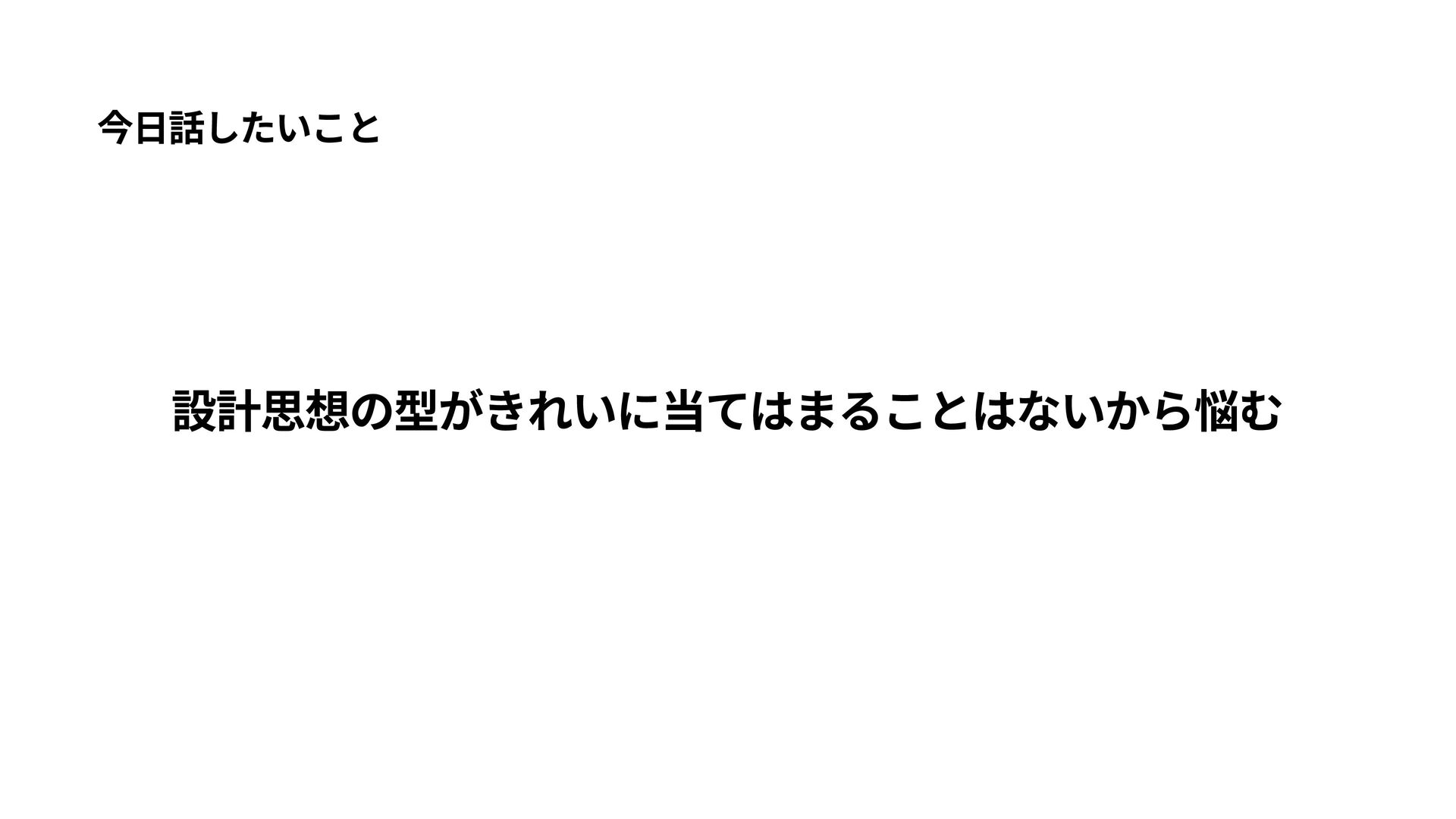
今日話したいこと 設計思想の型がきれいに当てはまることはないから悩む
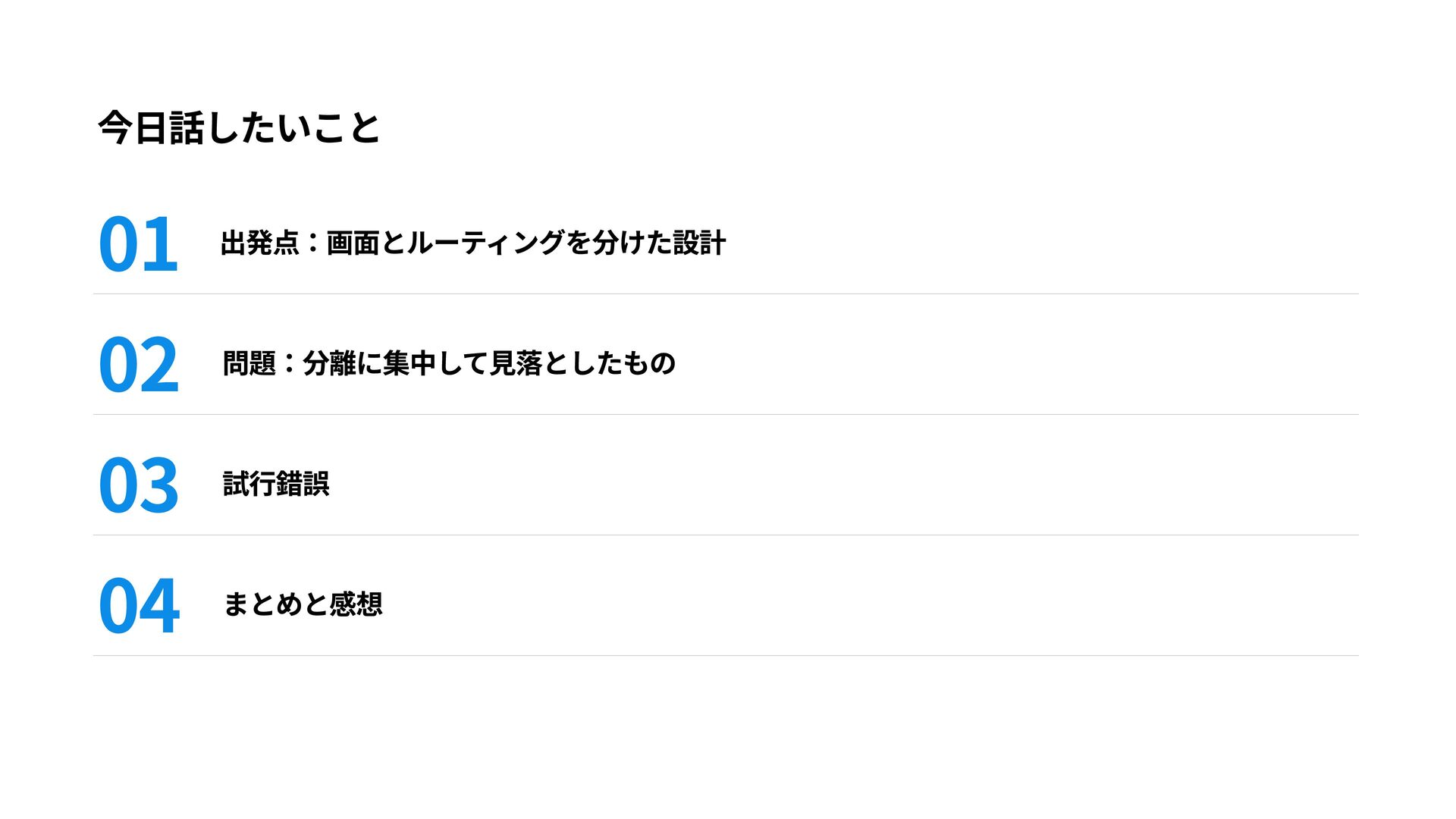
今日話したいこと 01 02 03 04 出発点:画面とルーティングを分けた設計 問題:分離に集中して見落としたもの 試行錯誤 まとめと感想
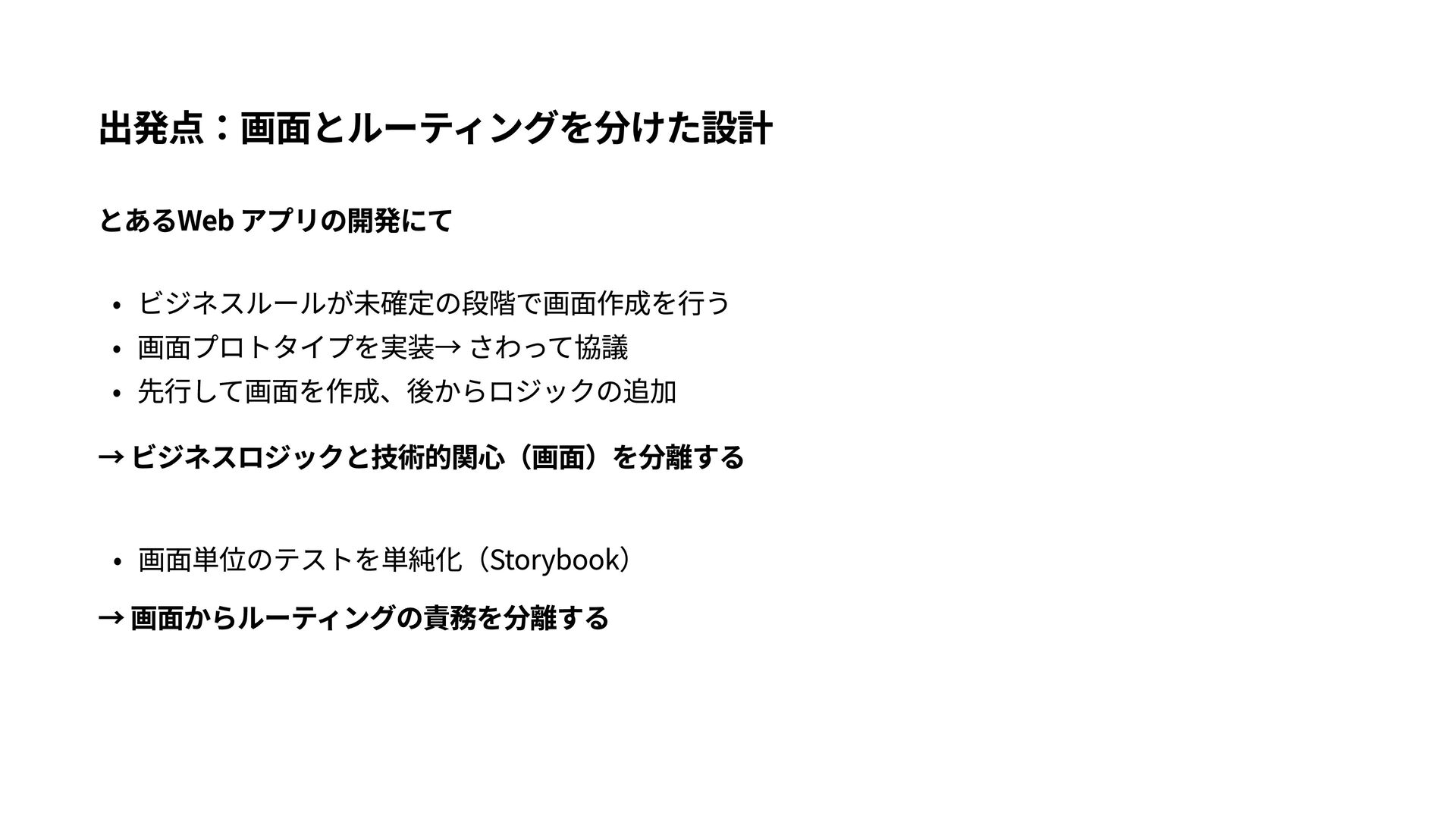
出発点:画面とルーティングを分けた設計 とあるWeb アプリの開発にて ビジネスルールが未確定の段階で画面作成を行う 画面プロトタイプを実装→ さわって協議 先行して画面を作成、後からロジックの追加 → ビジネスロジックと技術的関心(画面)を分離する 画面単位のテストを単純化(Storybook)
→ 画面からルーティングの責務を分離する
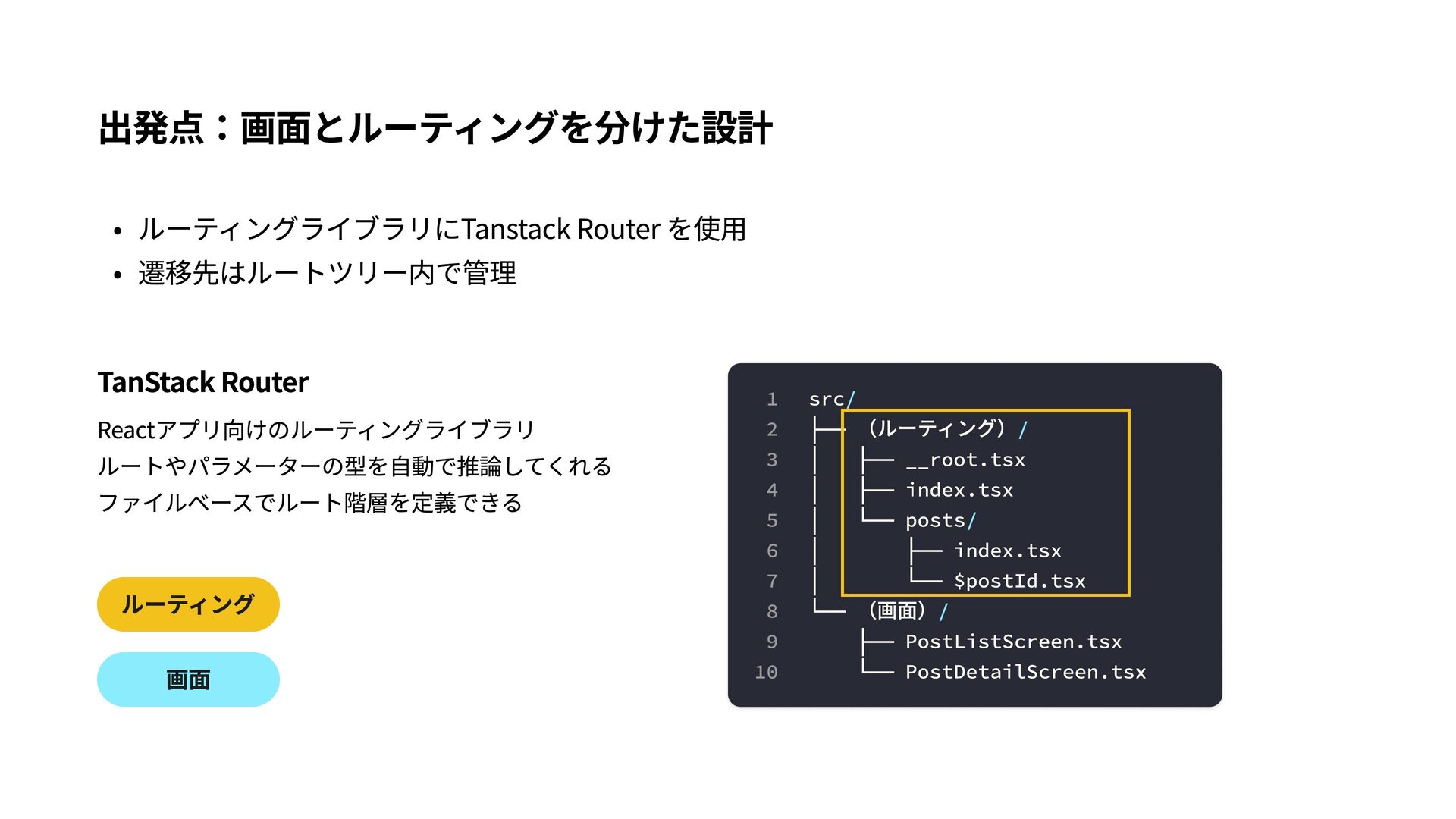
出発点:画面とルーティングを分けた設計 ルーティングライブラリにTanstack Router を使用 遷移先はルートツリー内で管理 TanStack Router Reactアプリ向けのルーティングライブラリ ルートやパラメーターの型を自動で推論してくれる ファイルベースでルート階層を定義できる
ルーティング 画面 1 2 3 4 5 6 7 8 9 10 src/ ├── (ルーティング)/ │ ├── __root.tsx │ ├── index.tsx │ └── posts/ │ ├── index.tsx │ └── $postId.tsx └── (画面)/ ├── PostListScreen.tsx └── PostDetailScreen.tsx
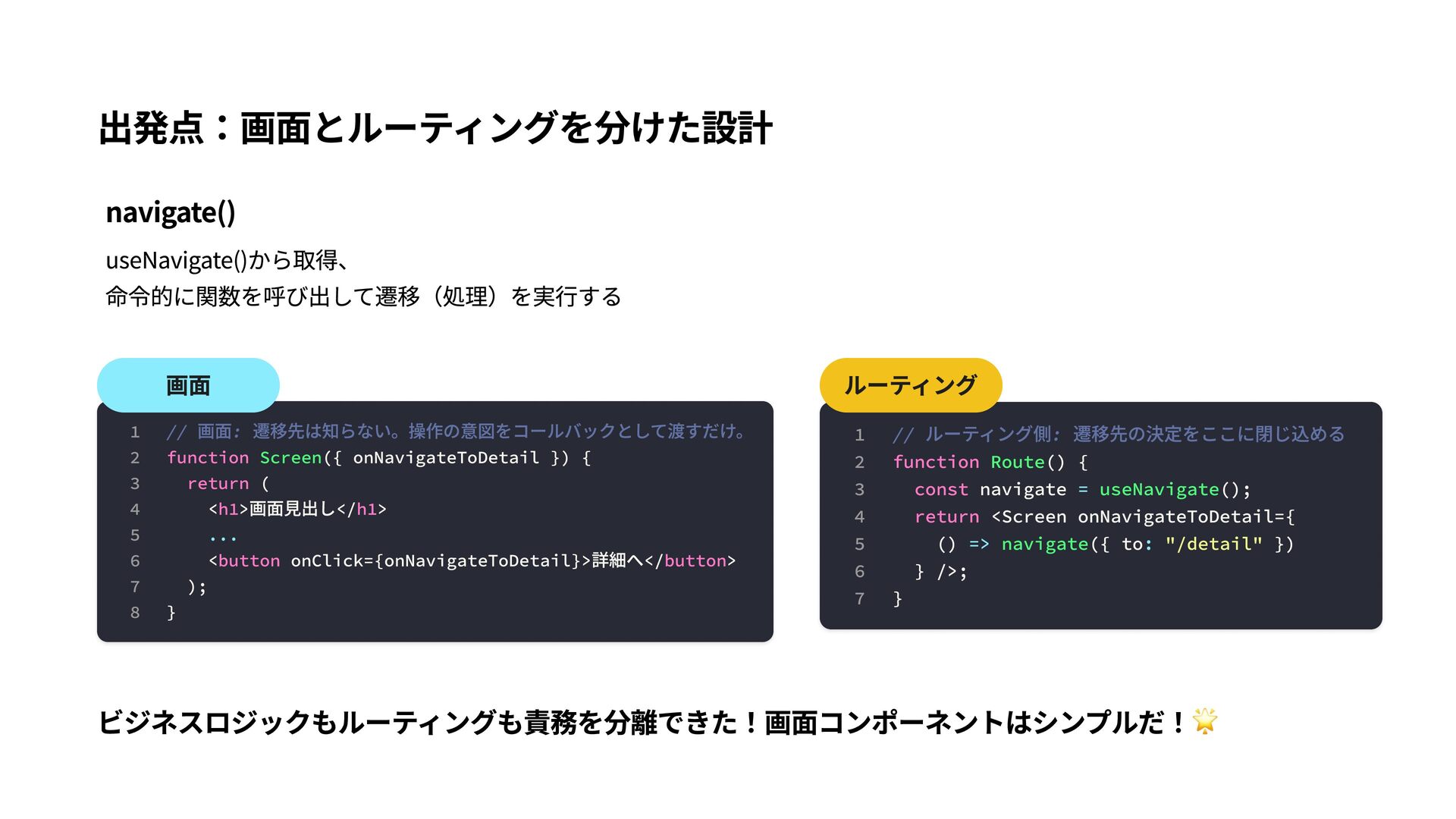
出発点:画面とルーティングを分けた設計 navigate() useNavigate()から取得、 命令的に関数を呼び出して遷移(処理)を実行する 画面 1 // 画面: 遷移先は知らない。操作の意図をコールバックとして渡すだけ。 2
function Screen({ onNavigateToDetail }) { 3 return ( 4 <h1>画面見出し</h1> 5 ... 6 <button onClick={onNavigateToDetail}>詳細へ</button> 7 ); 8 } ルーティング 1 // ルーティング側: 遷移先の決定をここに閉じ込める 2 function Route() { 3 const navigate = useNavigate(); 4 return <Screen onNavigateToDetail={ 5 () => navigate({ to: "/detail" }) 6 } />; 7 } ビジネスロジックもルーティングも責務を分離できた!画面コンポーネントはシンプルだ!🌟
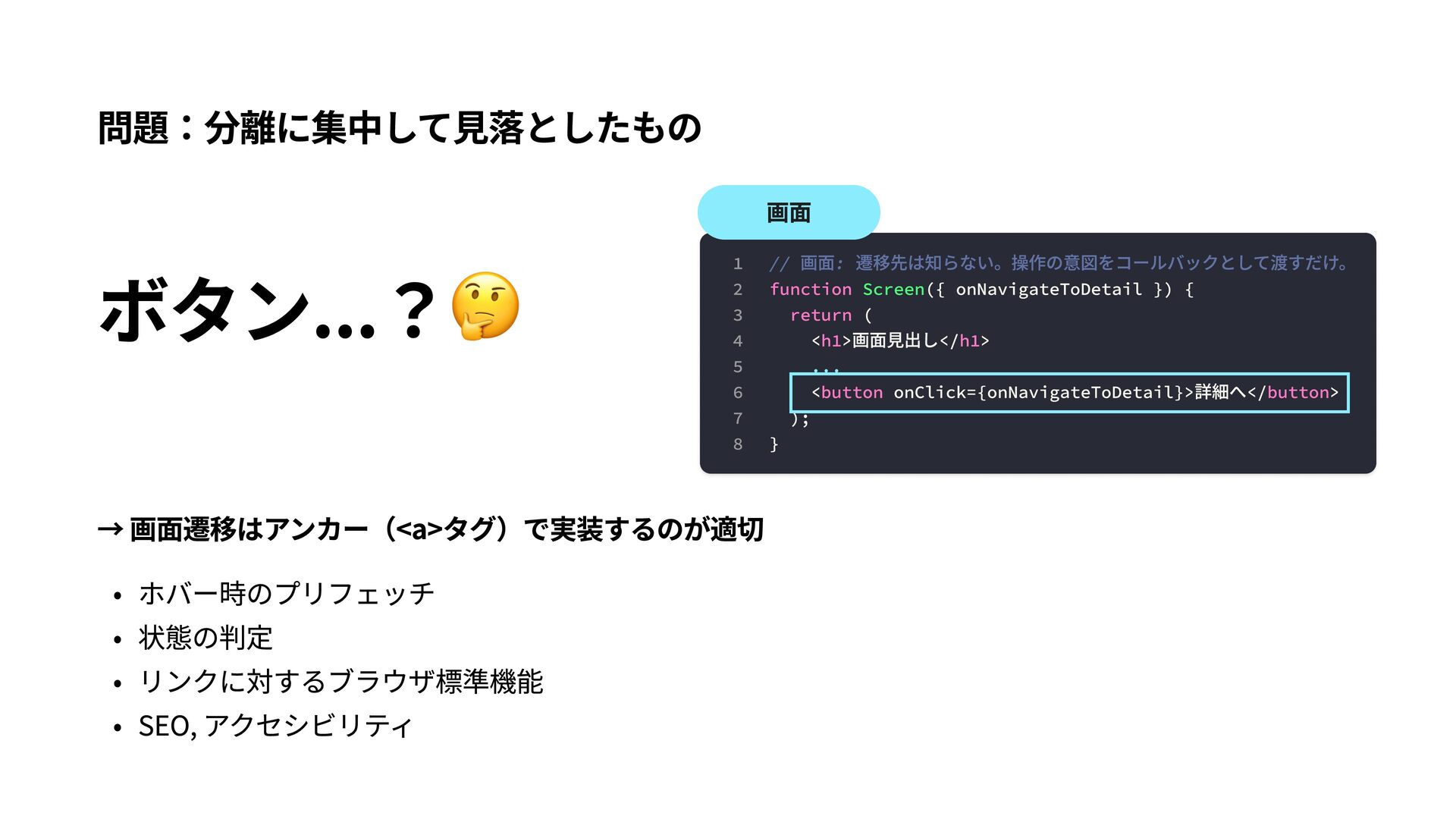
問題:分離に集中して見落としたもの ボタン...?🤔 画面 1 // 画面: 遷移先は知らない。操作の意図をコールバックとして渡すだけ。 2 function Screen({
onNavigateToDetail }) { 3 return ( 4 <h1>画面見出し</h1> 5 ... 6 <button onClick={onNavigateToDetail}>詳細へ</button> 7 ); 8 } → 画面遷移はアンカー(<a>タグ)で実装するのが適切 ホバー時のプリフェッチ 状態の判定 リンクに対するブラウザ標準機能 SEO, アクセシビリティ
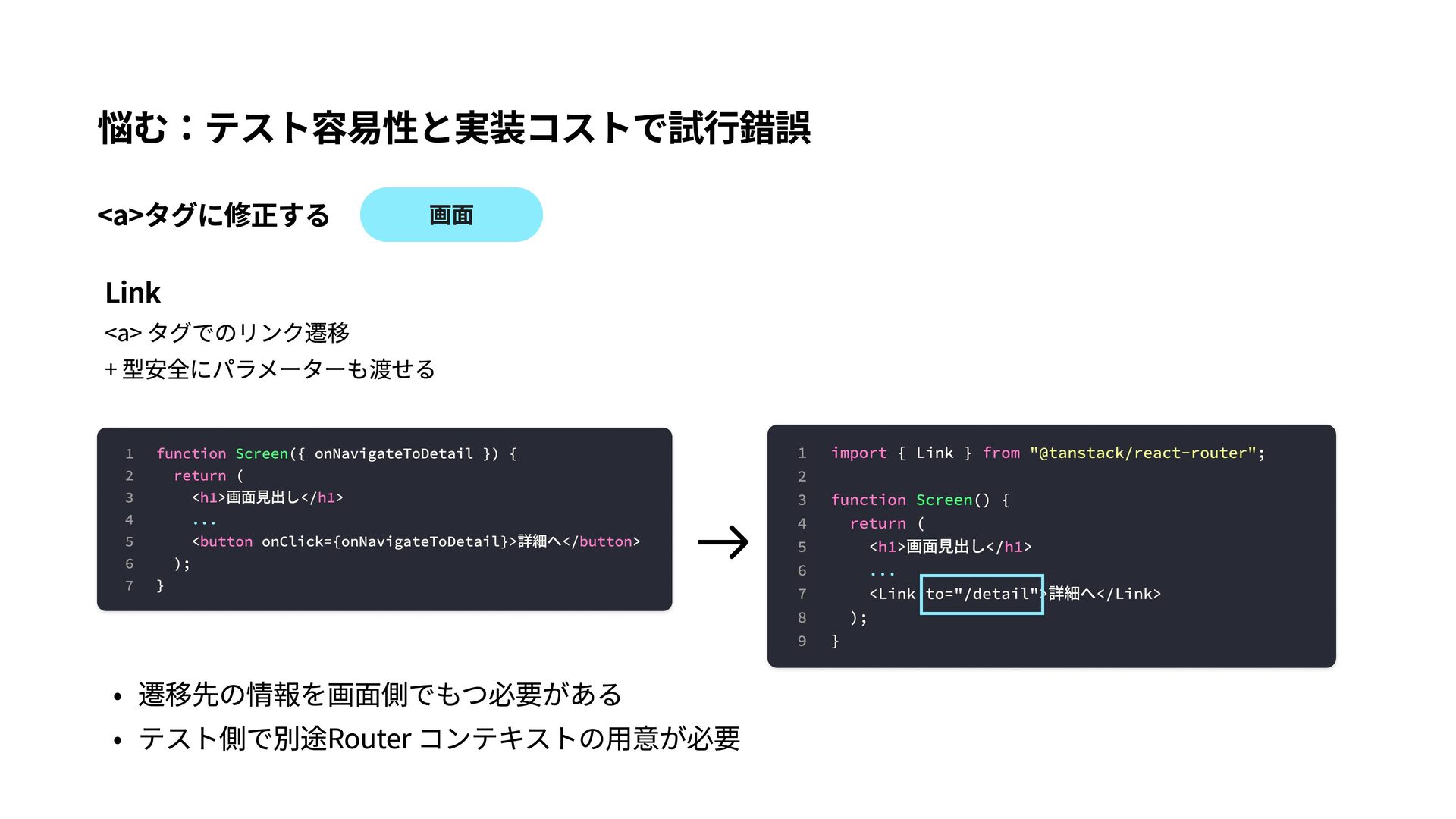
悩む:テスト容易性と実装コストで試行錯誤 <a>タグに修正する Link 画面 <a> タグでのリンク遷移 + 型安全にパラメーターも渡せる 1 function
Screen({ onNavigateToDetail }) { 2 return ( 3 <h1>画面見出し</h1> 4 ... 5 <button onClick={onNavigateToDetail}>詳細へ</button> 6 ); 7 } 遷移先の情報を画面側でもつ必要がある テスト側で別途Router コンテキストの用意が必要 1 import { Link } from "@tanstack/react-router"; 2 3 function Screen() { 4 return ( 5 <h1>画面見出し</h1> 6 ... 7 <Link to="/detail">詳細へ</Link> 8 ); 9 }
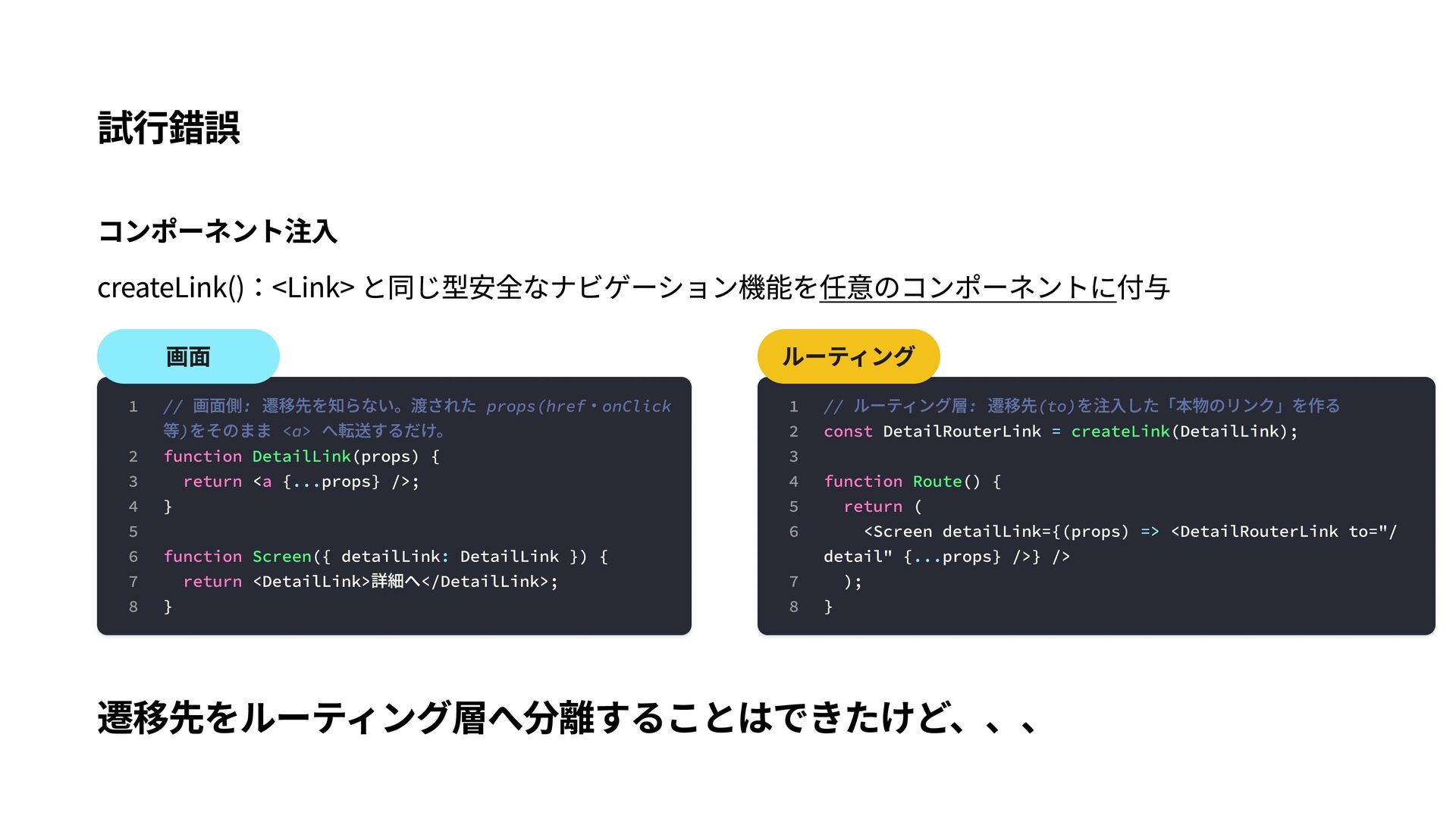
試行錯誤 コンポーネント注入 createLink():<Link> と同じ型安全なナビゲーション機能を任意のコンポーネントに付与 画面 1 // 画面側: 遷移先を知らない。渡された props(href・onClick
等)をそのまま <a> へ転送するだけ。 2 function DetailLink(props) { 3 return <a {...props} />; 4 } 5 6 function Screen({ detailLink: DetailLink }) { 7 return <DetailLink>詳細へ</DetailLink>; 8 } ルーティング 1 // ルーティング層: 遷移先(to)を注入した「本物のリンク」を作る 2 const DetailRouterLink = createLink(DetailLink); 3 4 function Route() { 5 return ( 6 <Screen detailLink={(props) => <DetailRouterLink to="/ detail" {...props} />} /> 7 ); 8 } 遷移先をルーティング層へ分離することはできたけど、、、
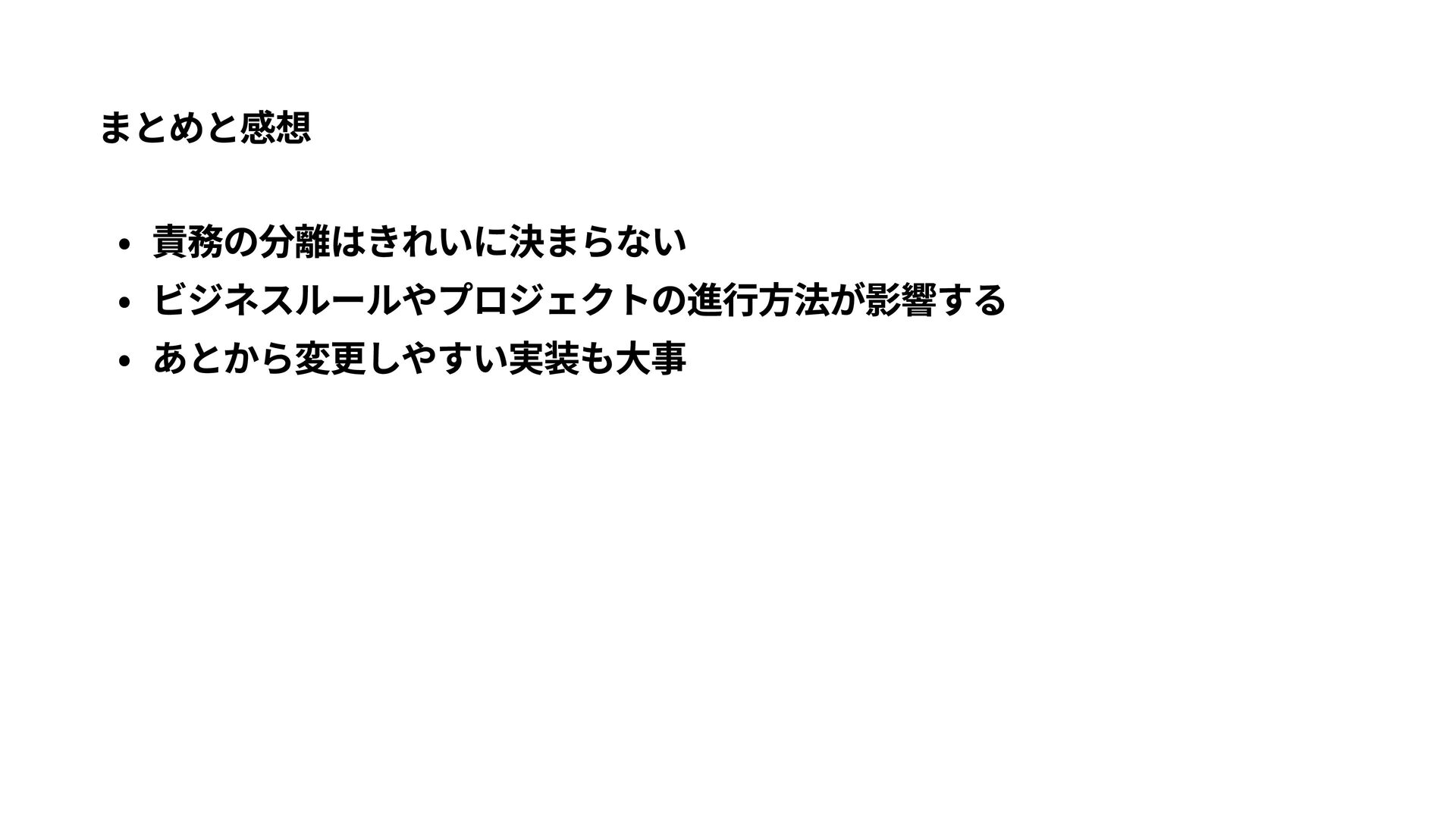
まとめと感想 責務の分離はきれいに決まらない ビジネスルールやプロジェクトの進行方法が影響する あとから変更しやすい実装も大事
Thank you! ご清聴ありがとうございました!


 yutobara
 akase244
 steliosf
 yuta_onishi_97
 suneo3476
 dske104
 uyuki234
 artoy
artoy
 kenjiyoneyama
 gam0022
 eed3si9n
 siroemk
 mfonobong
 sarafernandez
 marketingsoph
 marktimemedia
 aleyda
 rasagy
 pwiseman
 akashhashmi
 michaelherold
 jacobtomlinson
 techseoconnect
 gurzu
gurzu