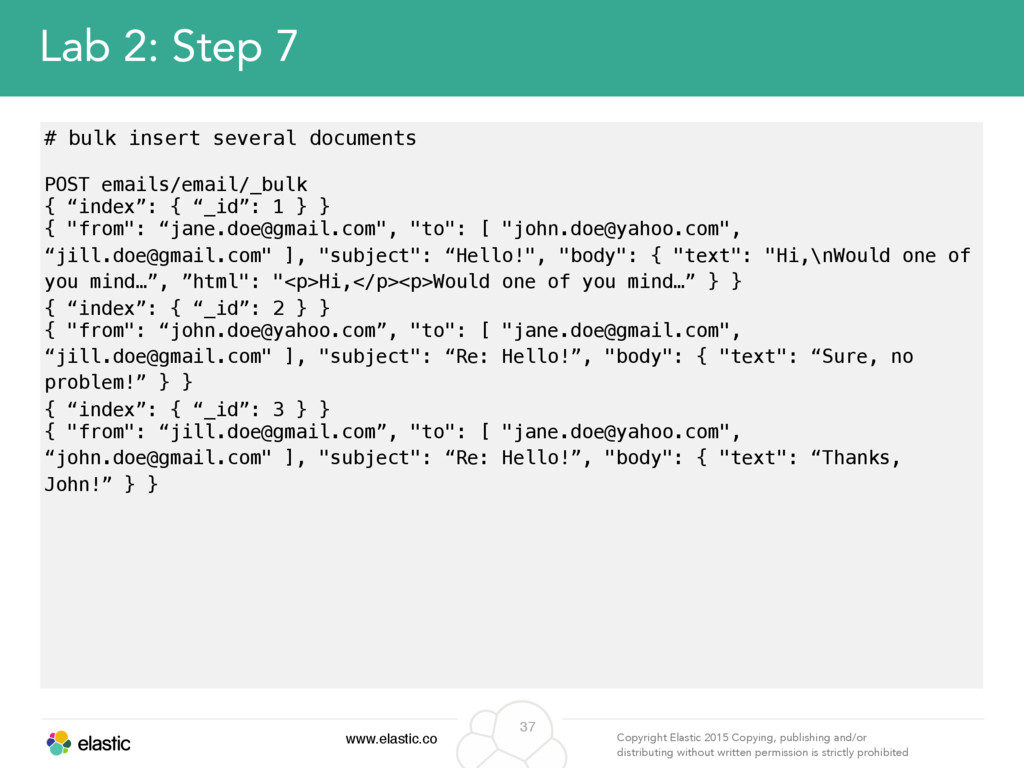
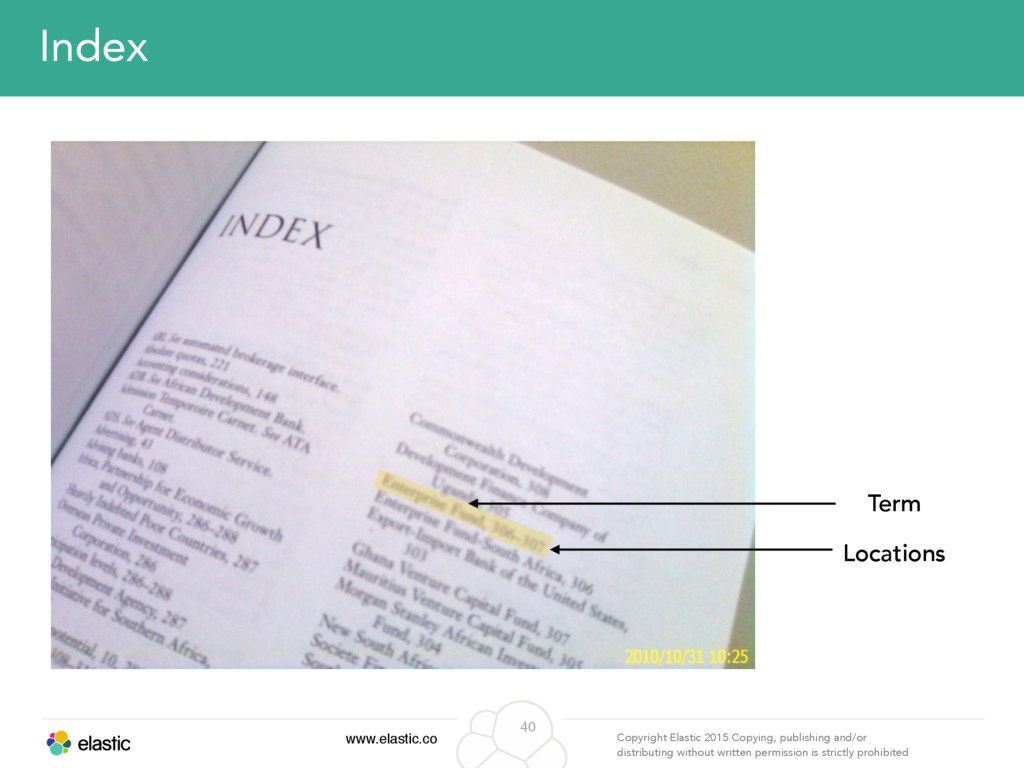
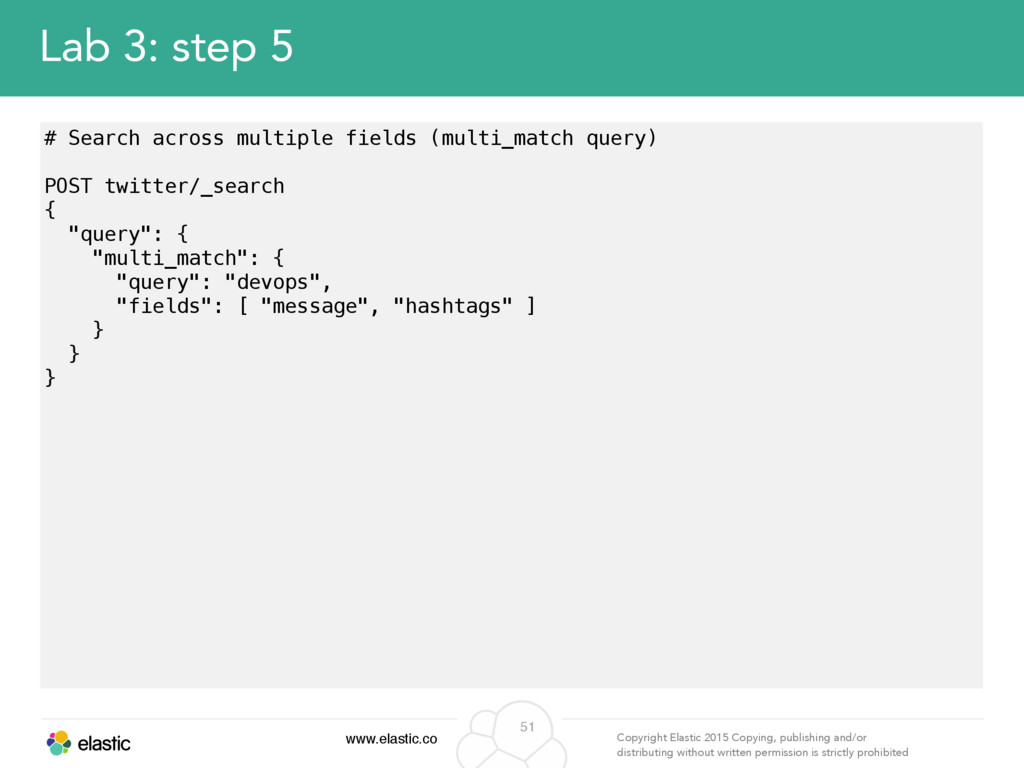
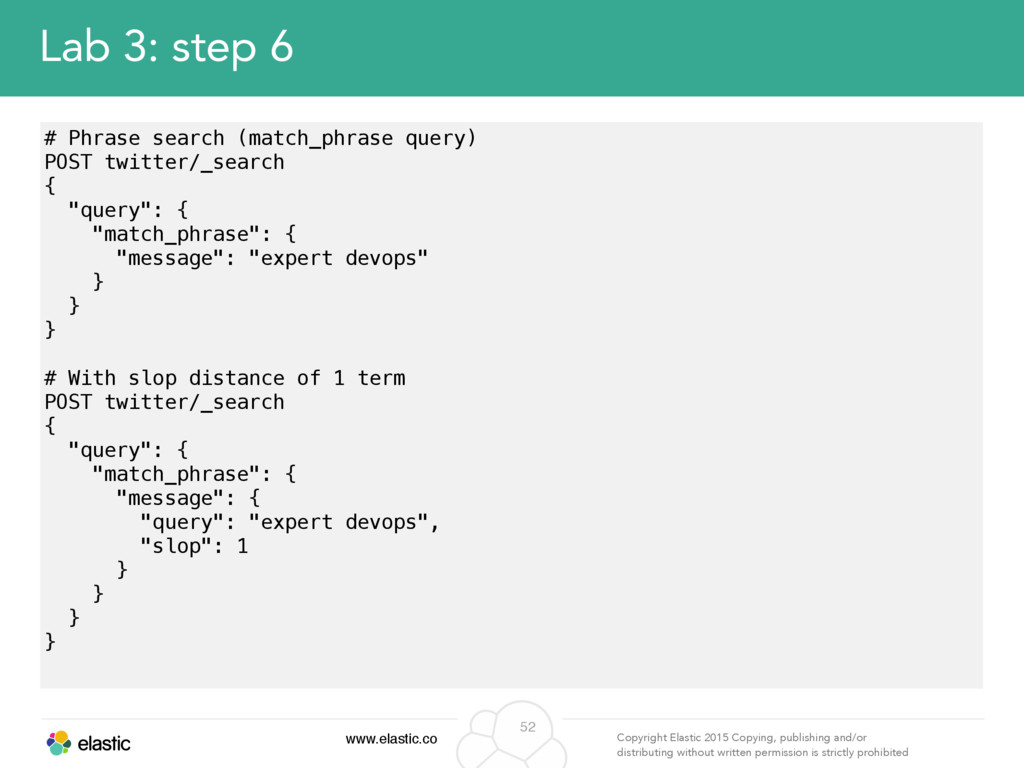
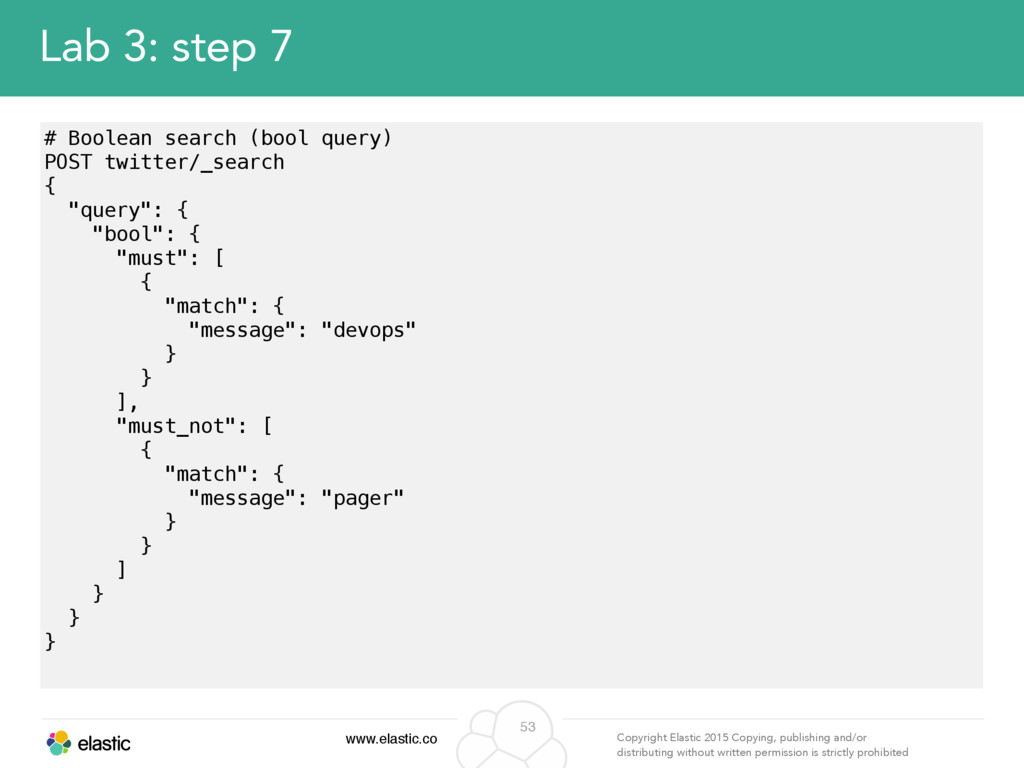
permission is strictly prohibited 4 Why are we here? • Name • Company • Experience with Elasticsearch (Is using? Production?) • Your use case • What do you expect to learn? • Is there any specific topic that you are interested?
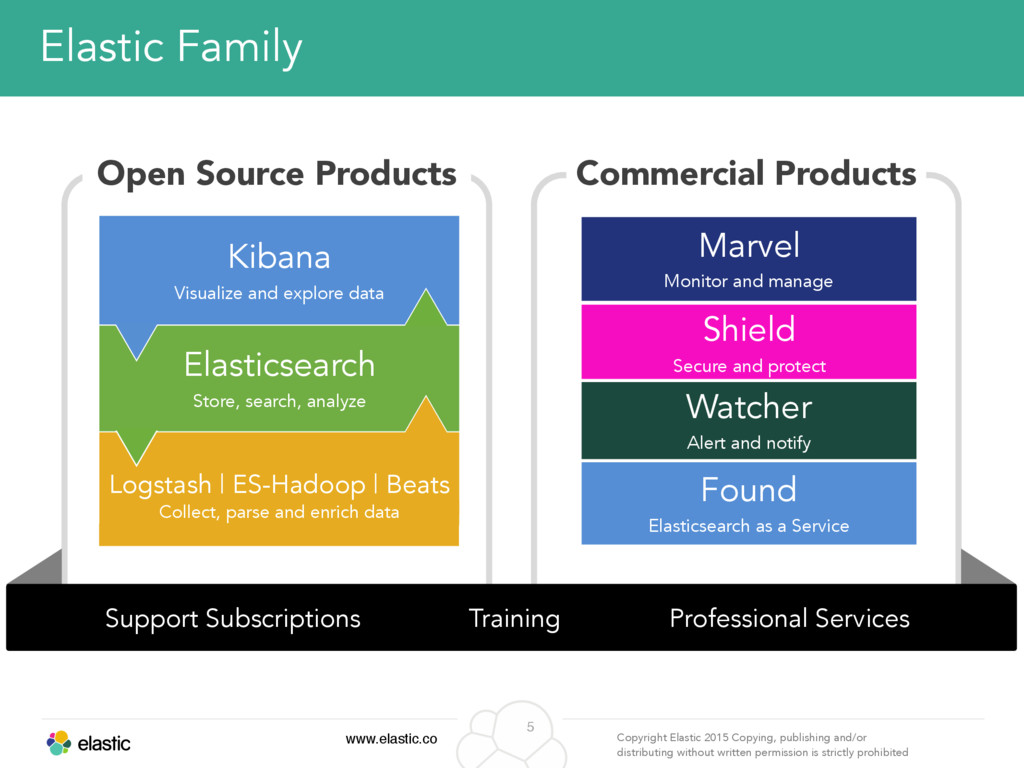
permission is strictly prohibited 5 Elastic Family Kibana Visualize and explore data Elasticsearch Store, search, analyze Logstash | ES-Hadoop | Beats Collect, parse and enrich data Marvel Monitor and manage Shield Secure and protect Found Elasticsearch as a Service Open Source Products Commercial Products Watcher Alert and notify Support Subscriptions Training Professional Services
permission is strictly prohibited 6 What is Elasticsearch? • Document-oriented search engine – JSON based, Apache Lucene • Schema Free – Yet enables control of it when needed • Distributed – Scales Up+Out, Highly Available • API centric & RESTful – Most functionality is exposed through an API
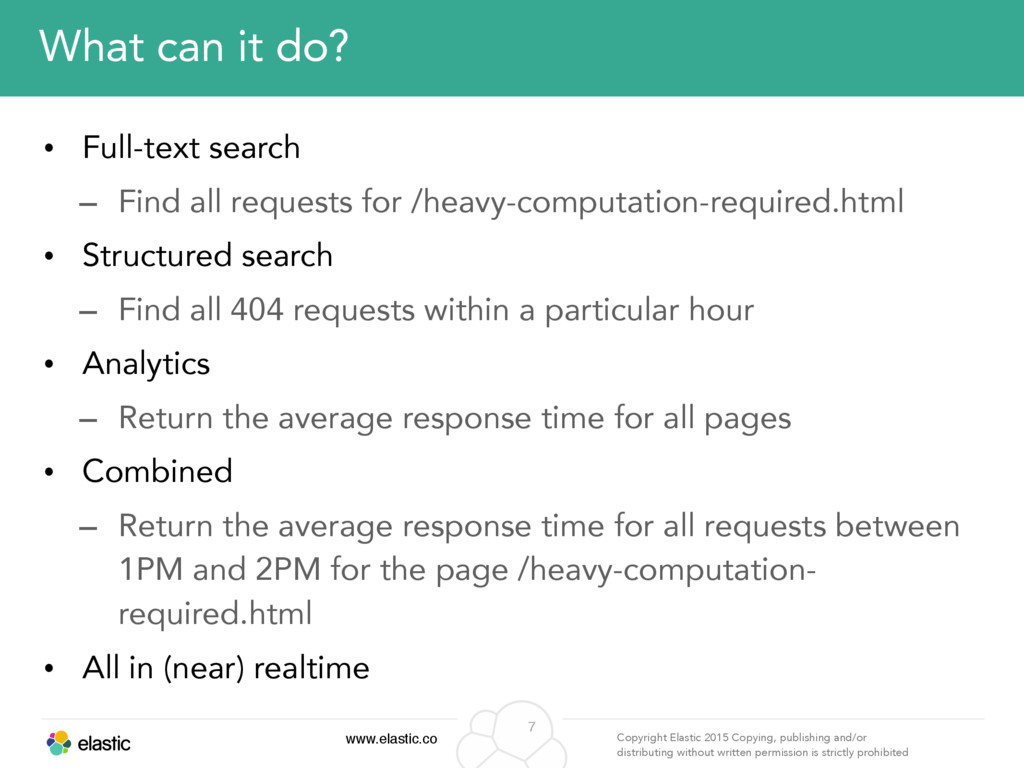
permission is strictly prohibited 7 What can it do? • Full-text search – Find all requests for /heavy-computation-required.html • Structured search – Find all 404 requests within a particular hour • Analytics – Return the average response time for all pages • Combined – Return the average response time for all requests between 1PM and 2PM for the page /heavy-computation- required.html • All in (near) realtime
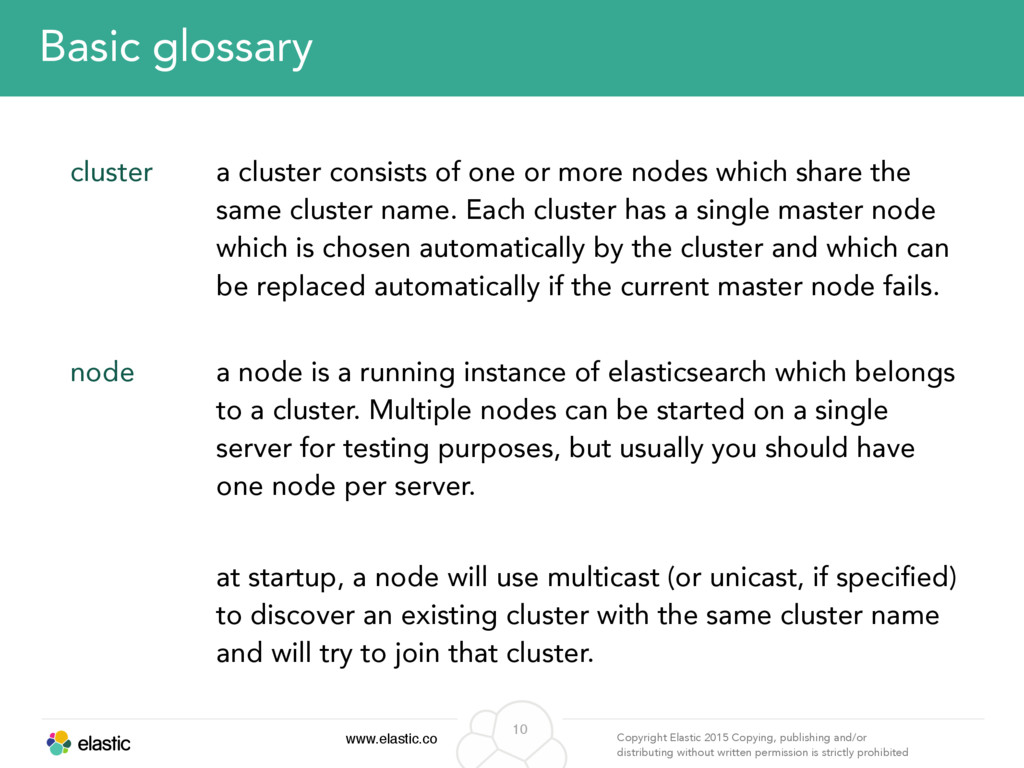
permission is strictly prohibited 10 Basic glossary cluster a cluster consists of one or more nodes which share the same cluster name. Each cluster has a single master node which is chosen automatically by the cluster and which can be replaced automatically if the current master node fails. node a node is a running instance of elasticsearch which belongs to a cluster. Multiple nodes can be started on a single server for testing purposes, but usually you should have one node per server. at startup, a node will use multicast (or unicast, if specified) to discover an existing cluster with the same cluster name and will try to join that cluster.
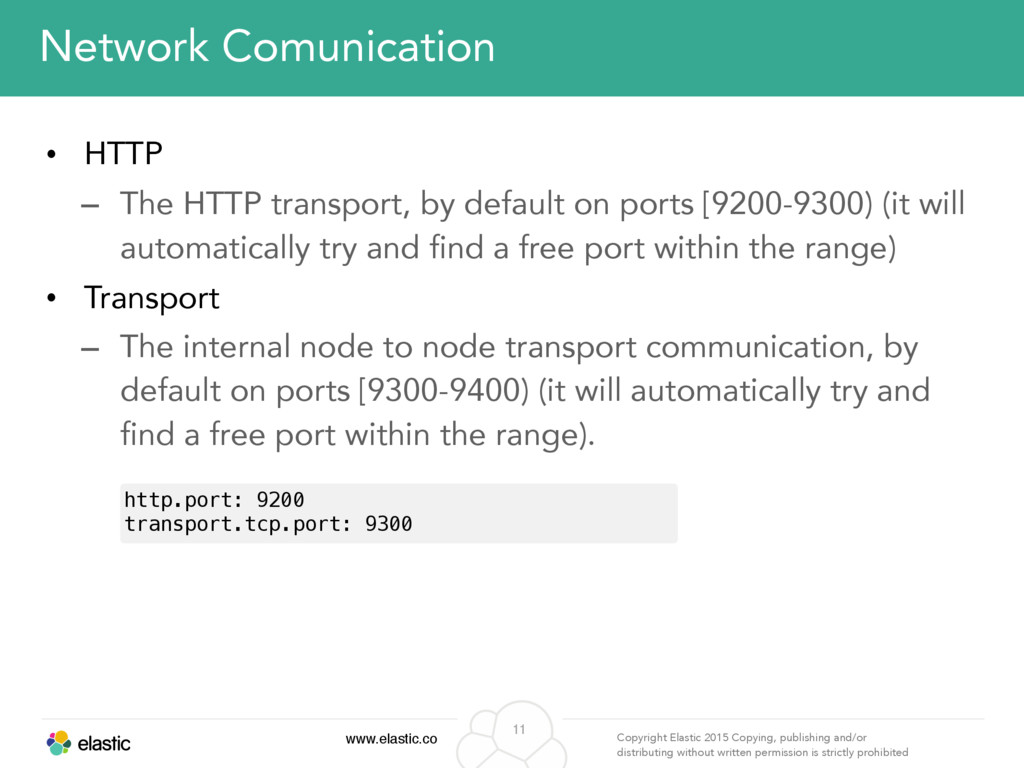
permission is strictly prohibited 11 Network Comunication • HTTP – The HTTP transport, by default on ports [9200-9300) (it will automatically try and find a free port within the range) • Transport – The internal node to node transport communication, by default on ports [9300-9400) (it will automatically try and find a free port within the range). http.port: 9200 transport.tcp.port: 9300
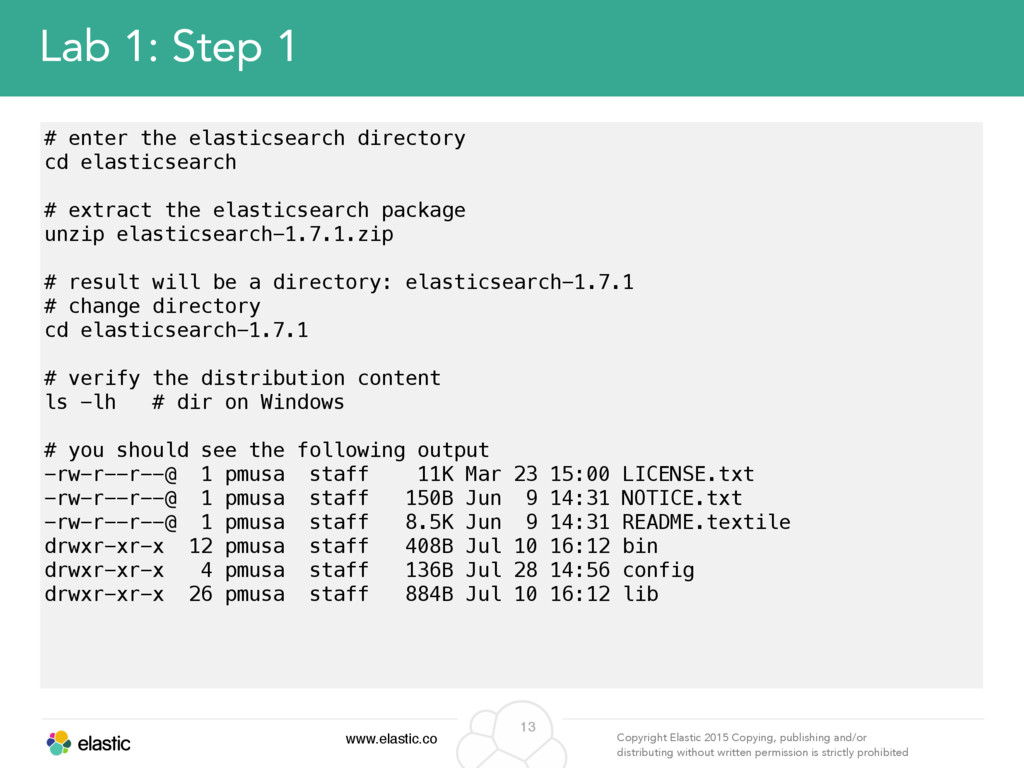
permission is strictly prohibited 13 Lab 1: Step 1 # enter the elasticsearch directory cd elasticsearch # extract the elasticsearch package unzip elasticsearch-1.7.1.zip # result will be a directory: elasticsearch-1.7.1 # change directory cd elasticsearch-1.7.1 # verify the distribution content ls -lh # dir on Windows # you should see the following output -rw-r--r--@ 1 pmusa staff 11K Mar 23 15:00 LICENSE.txt -rw-r--r--@ 1 pmusa staff 150B Jun 9 14:31 NOTICE.txt -rw-r--r--@ 1 pmusa staff 8.5K Jun 9 14:31 README.textile drwxr-xr-x 12 pmusa staff 408B Jul 10 16:12 bin drwxr-xr-x 4 pmusa staff 136B Jul 28 14:56 config drwxr-xr-x 26 pmusa staff 884B Jul 10 16:12 lib
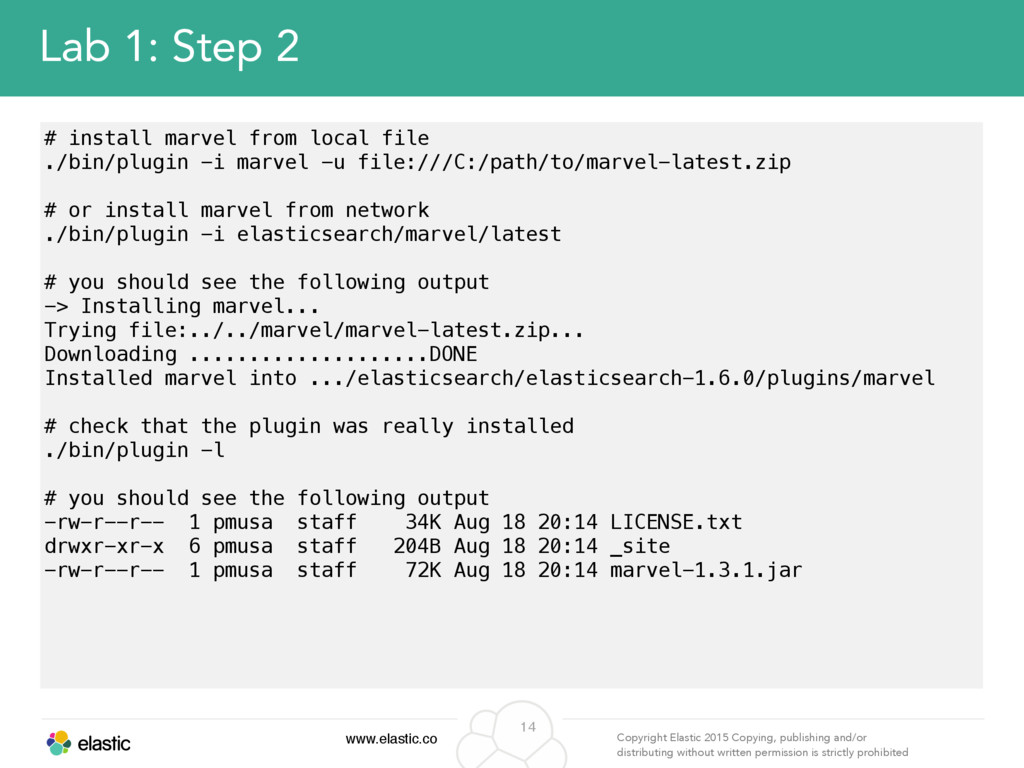
permission is strictly prohibited 14 Lab 1: Step 2 # install marvel from local file ./bin/plugin -i marvel -u file:///C:/path/to/marvel-latest.zip # or install marvel from network ./bin/plugin -i elasticsearch/marvel/latest # you should see the following output -> Installing marvel... Trying file:../../marvel/marvel-latest.zip... Downloading ....................DONE Installed marvel into .../elasticsearch/elasticsearch-1.6.0/plugins/marvel # check that the plugin was really installed ./bin/plugin -l # you should see the following output -rw-r--r-- 1 pmusa staff 34K Aug 18 20:14 LICENSE.txt drwxr-xr-x 6 pmusa staff 204B Aug 18 20:14 _site -rw-r--r-- 1 pmusa staff 72K Aug 18 20:14 marvel-1.3.1.jar
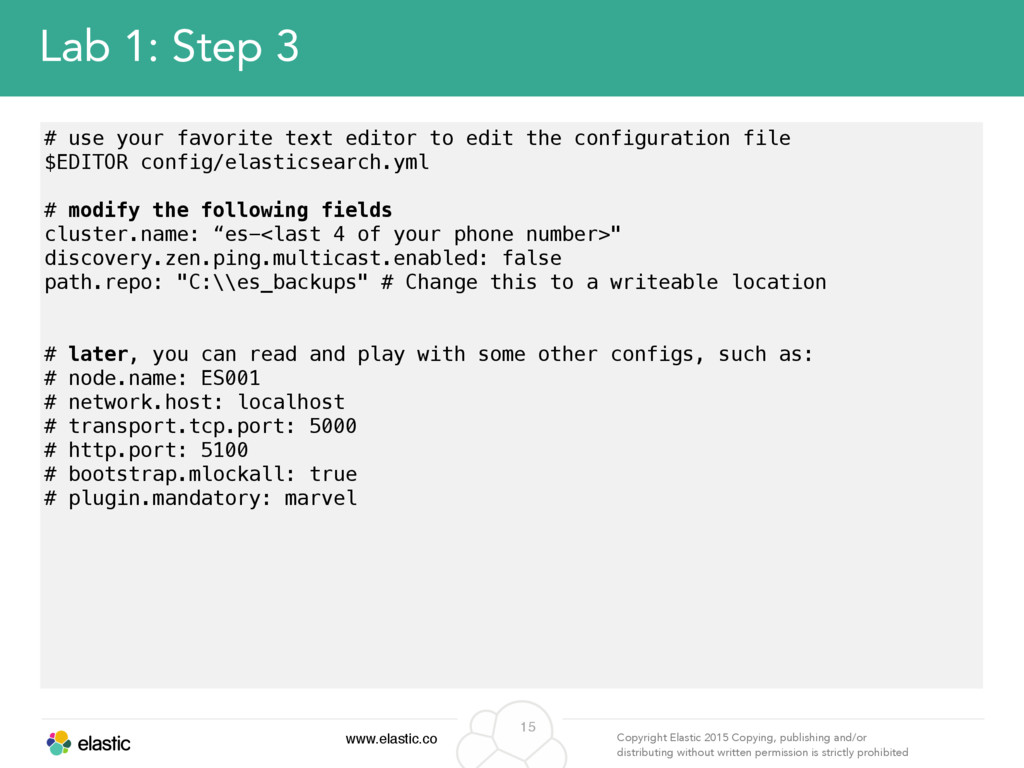
permission is strictly prohibited 15 Lab 1: Step 3 # use your favorite text editor to edit the configuration file $EDITOR config/elasticsearch.yml # modify the following fields cluster.name: “es-<last 4 of your phone number>" discovery.zen.ping.multicast.enabled: false path.repo: "C:\\es_backups" # Change this to a writeable location # later, you can read and play with some other configs, such as: # node.name: ES001 # network.host: localhost # transport.tcp.port: 5000 # http.port: 5100 # bootstrap.mlockall: true # plugin.mandatory: marvel
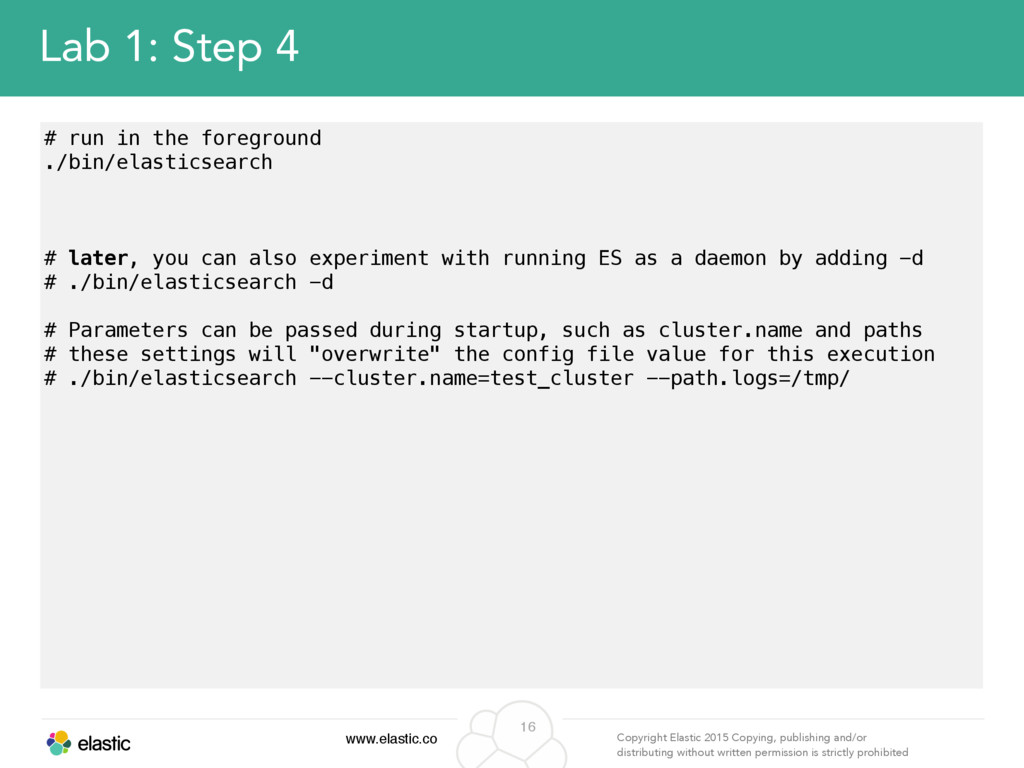
permission is strictly prohibited 16 Lab 1: Step 4 # run in the foreground ./bin/elasticsearch # later, you can also experiment with running ES as a daemon by adding -d # ./bin/elasticsearch -d # Parameters can be passed during startup, such as cluster.name and paths # these settings will "overwrite" the config file value for this execution # ./bin/elasticsearch --cluster.name=test_cluster --path.logs=/tmp/
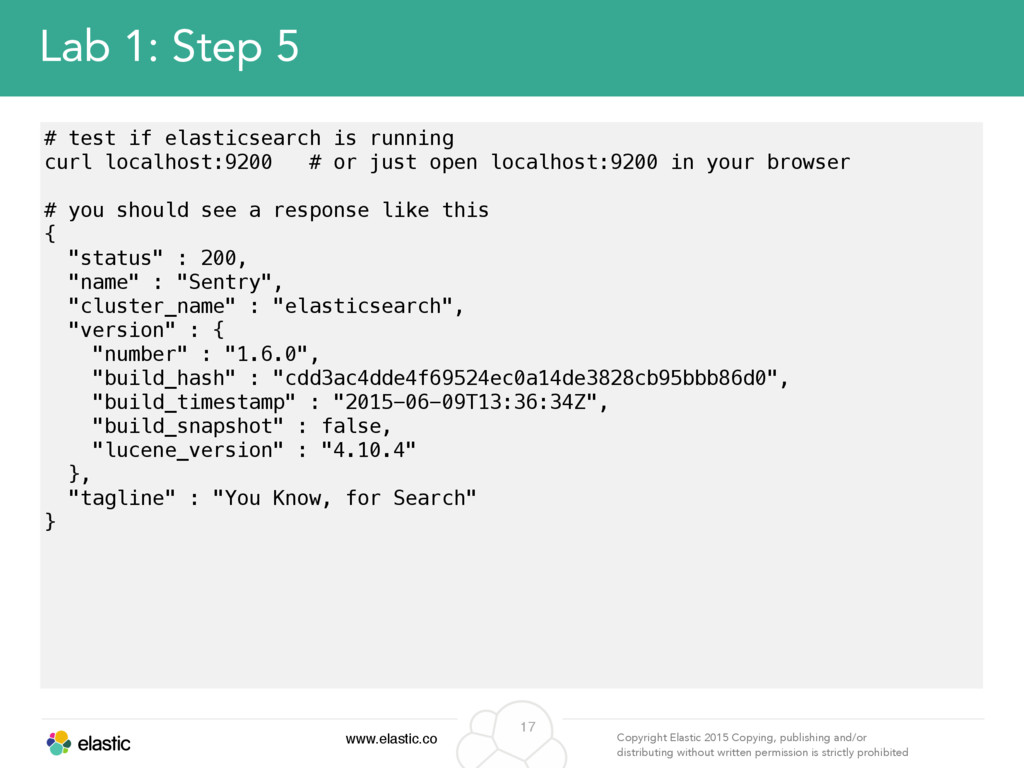
permission is strictly prohibited 17 Lab 1: Step 5 # test if elasticsearch is running curl localhost:9200 # or just open localhost:9200 in your browser # you should see a response like this { "status" : 200, "name" : "Sentry", "cluster_name" : "elasticsearch", "version" : { "number" : "1.6.0", "build_hash" : "cdd3ac4dde4f69524ec0a14de3828cb95bbb86d0", "build_timestamp" : "2015-06-09T13:36:34Z", "build_snapshot" : false, "lucene_version" : "4.10.4" }, "tagline" : "You Know, for Search" }
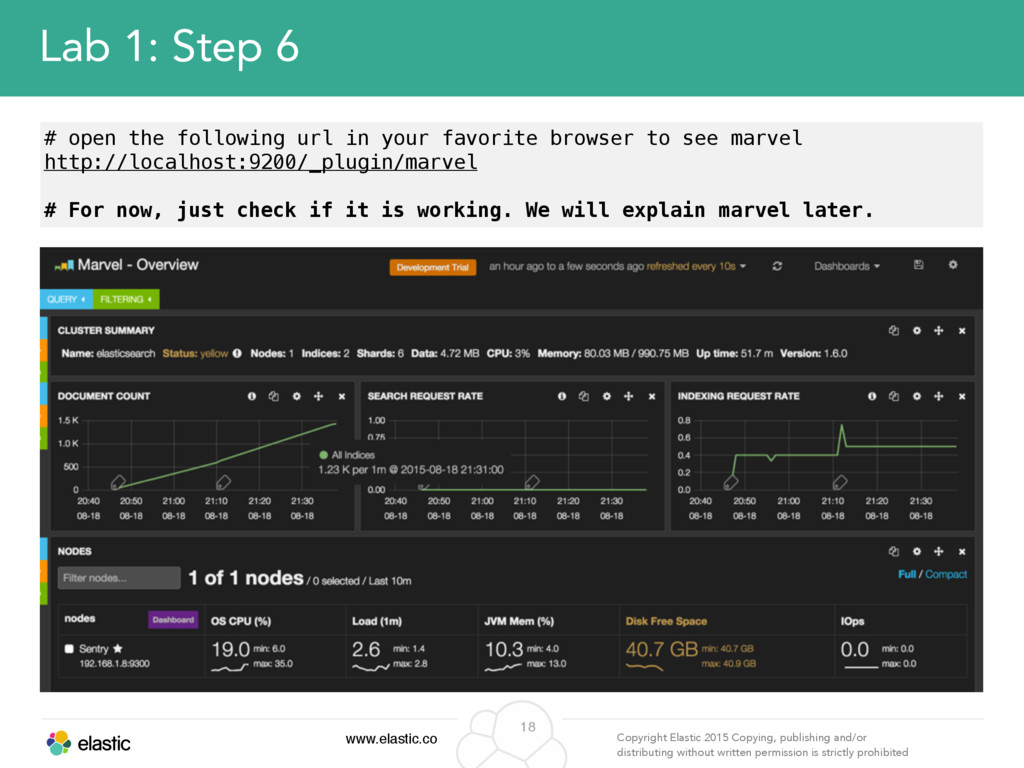
permission is strictly prohibited 18 Lab 1: Step 6 # open the following url in your favorite browser to see marvel http://localhost:9200/_plugin/marvel # For now, just check if it is working. We will explain marvel later.
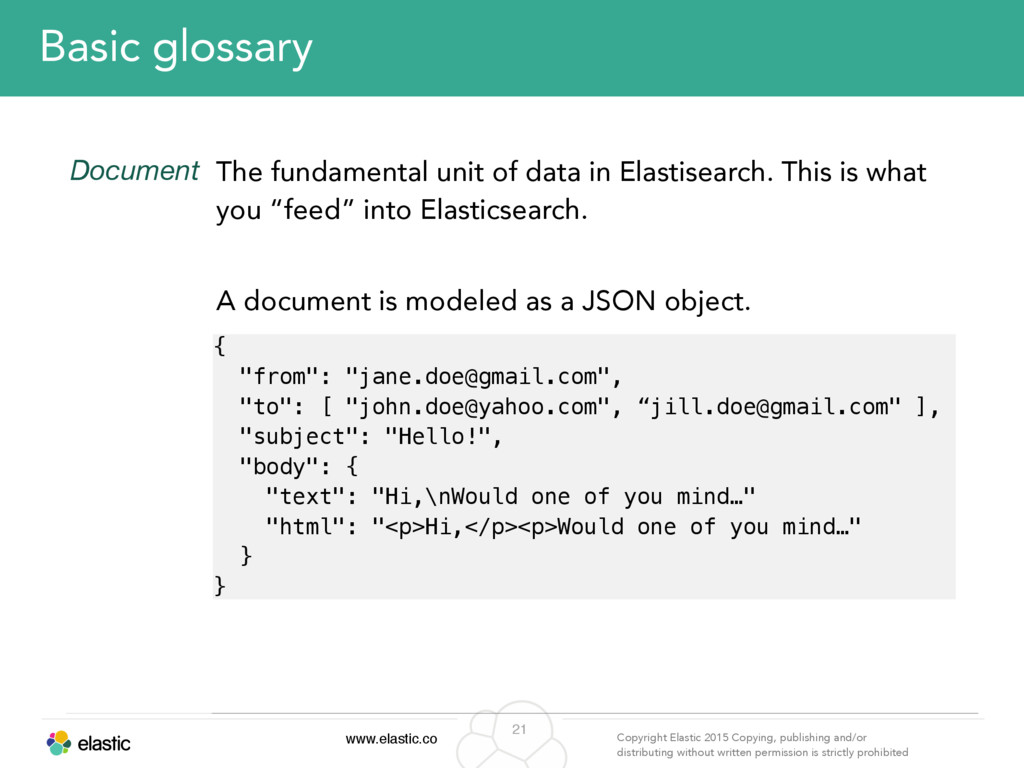
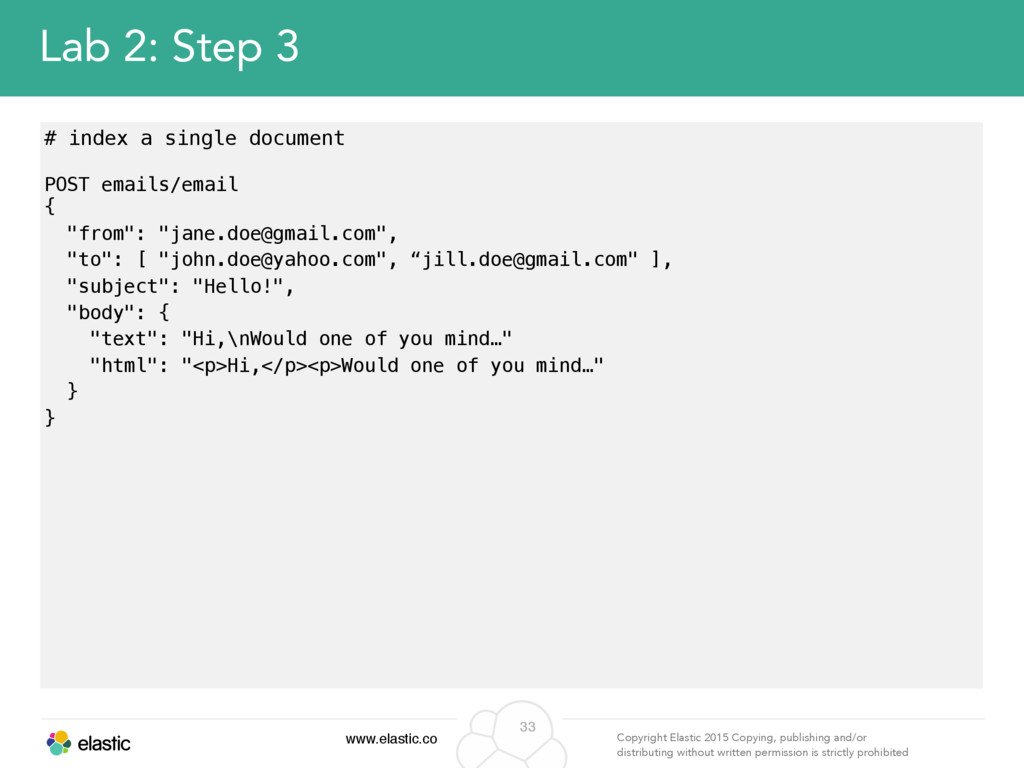
permission is strictly prohibited 21 Basic glossary Document The fundamental unit of data in Elastisearch. This is what you “feed” into Elasticsearch. A document is modeled as a JSON object. { "from": "[email protected]", "to": [ "[email protected]", “[email protected]" ], "subject": "Hello!", "body": { "text": "Hi,\nWould one of you mind…" "html": "<p>Hi,</p><p>Would one of you mind…" } }
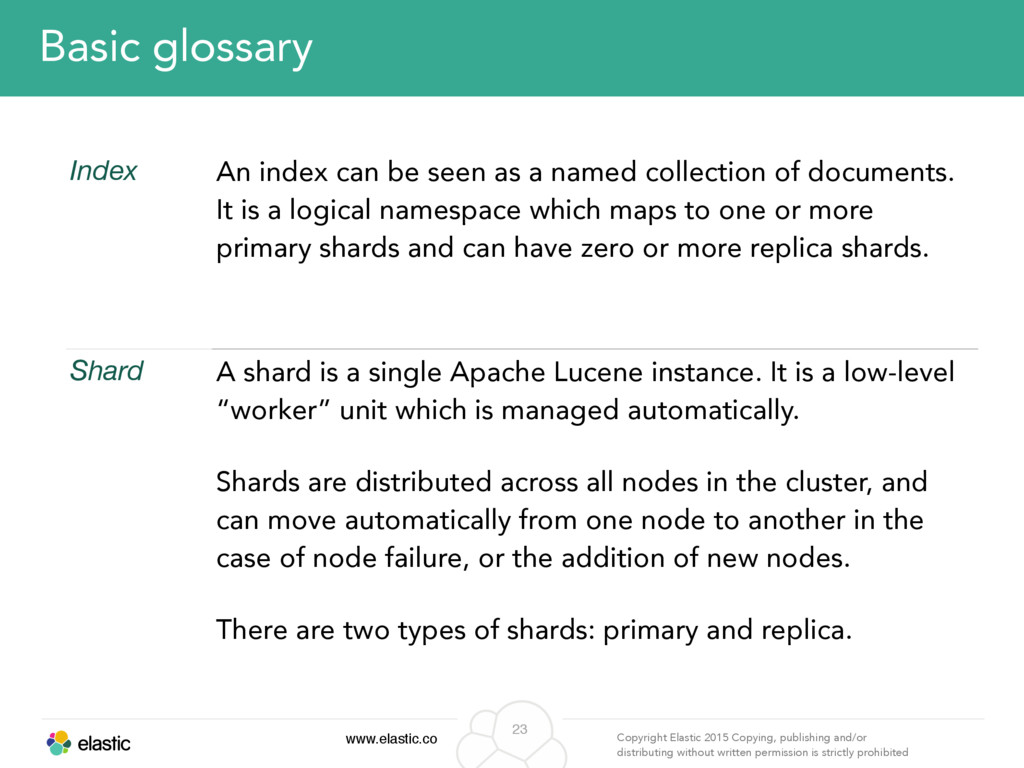
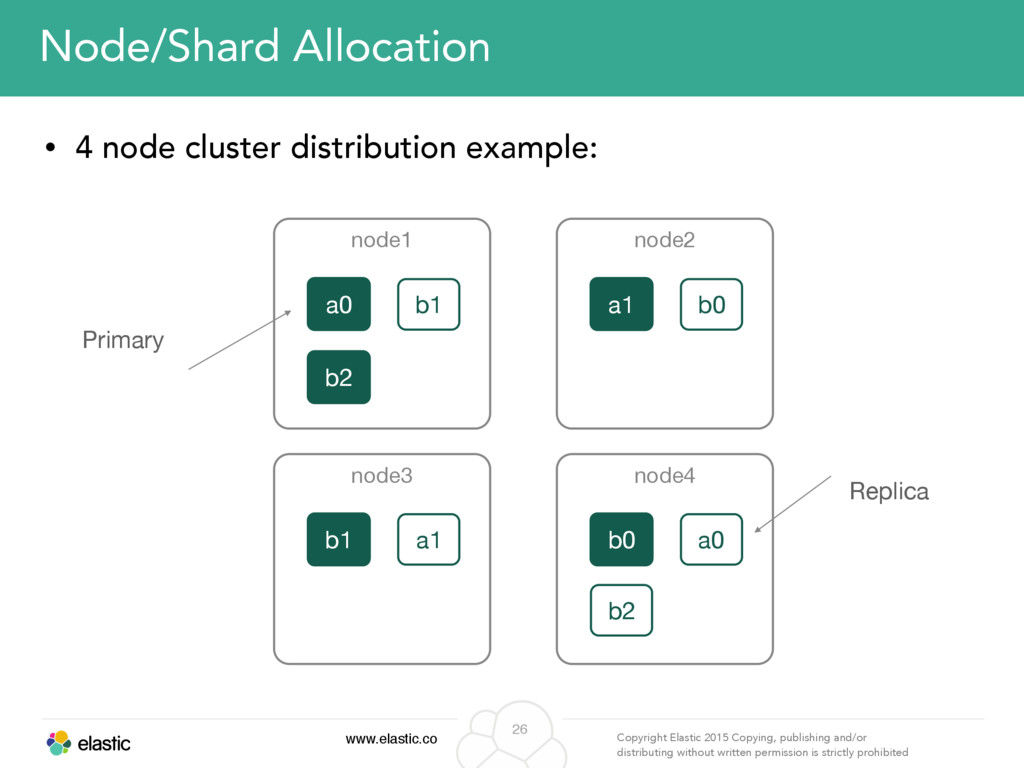
permission is strictly prohibited 23 Basic glossary Index An index can be seen as a named collection of documents. It is a logical namespace which maps to one or more primary shards and can have zero or more replica shards. Shard A shard is a single Apache Lucene instance. It is a low-level “worker” unit which is managed automatically. Shards are distributed across all nodes in the cluster, and can move automatically from one node to another in the case of node failure, or the addition of new nodes. There are two types of shards: primary and replica.
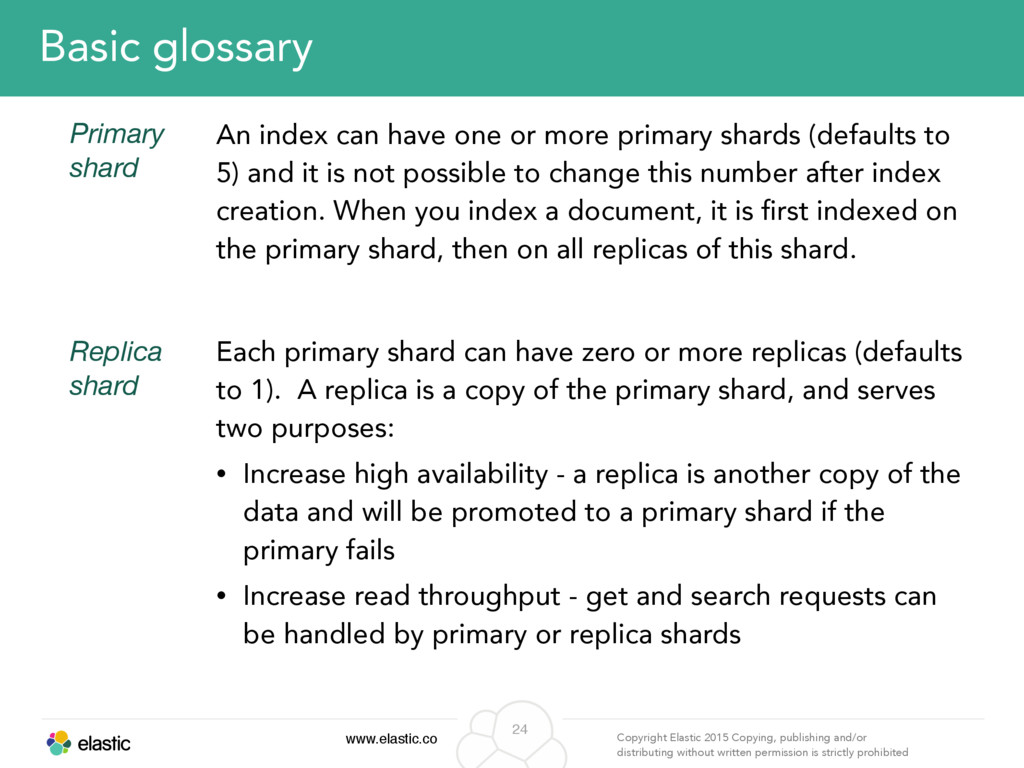
permission is strictly prohibited 24 Basic glossary Primary shard An index can have one or more primary shards (defaults to 5) and it is not possible to change this number after index creation. When you index a document, it is first indexed on the primary shard, then on all replicas of this shard. Replica shard Each primary shard can have zero or more replicas (defaults to 1). A replica is a copy of the primary shard, and serves two purposes: • Increase high availability - a replica is another copy of the data and will be promoted to a primary shard if the primary fails • Increase read throughput - get and search requests can be handled by primary or replica shards
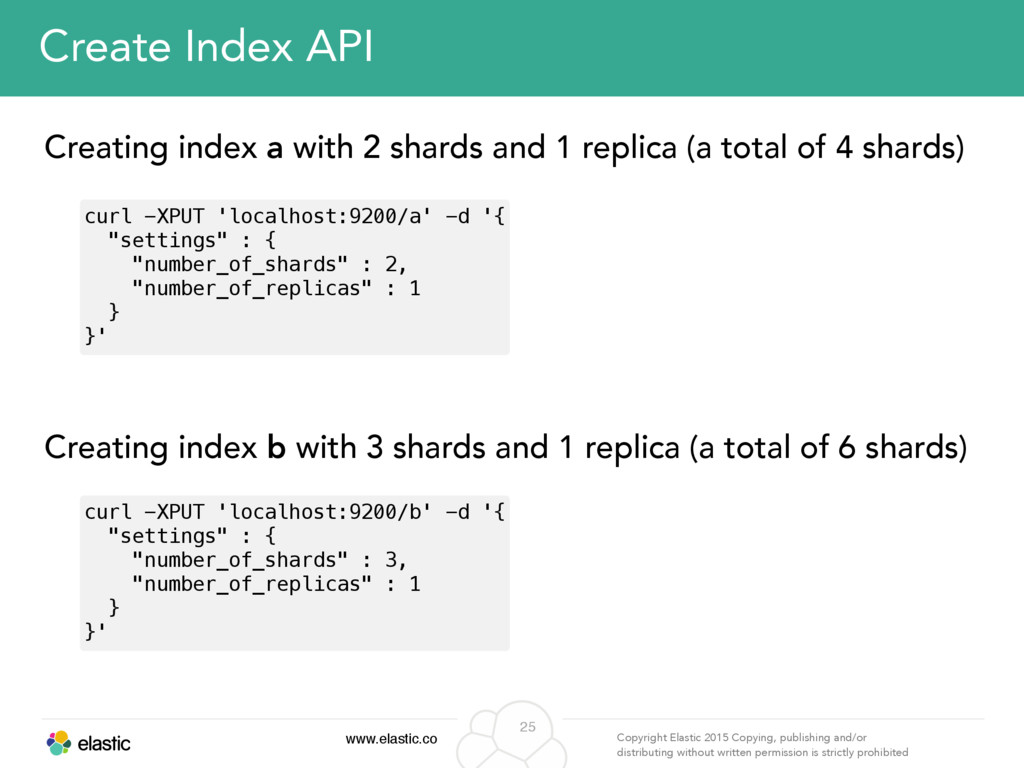
permission is strictly prohibited 25 Create Index API Creating index a with 2 shards and 1 replica (a total of 4 shards) Creating index b with 3 shards and 1 replica (a total of 6 shards) curl -XPUT 'localhost:9200/a' -d '{ "settings" : { "number_of_shards" : 2, "number_of_replicas" : 1 } }' curl -XPUT 'localhost:9200/b' -d '{ "settings" : { "number_of_shards" : 3, "number_of_replicas" : 1 } }'
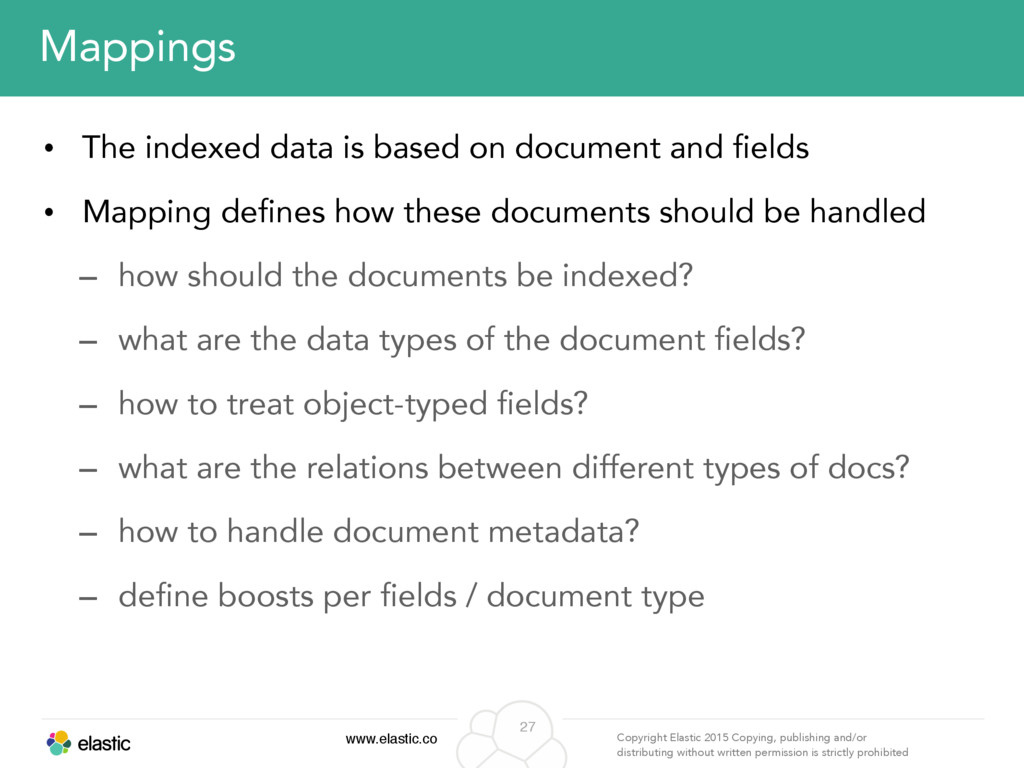
permission is strictly prohibited 27 Mappings • The indexed data is based on document and fields • Mapping defines how these documents should be handled – how should the documents be indexed? – what are the data types of the document fields? – how to treat object-typed fields? – what are the relations between different types of docs? – how to handle document metadata? – define boosts per fields / document type
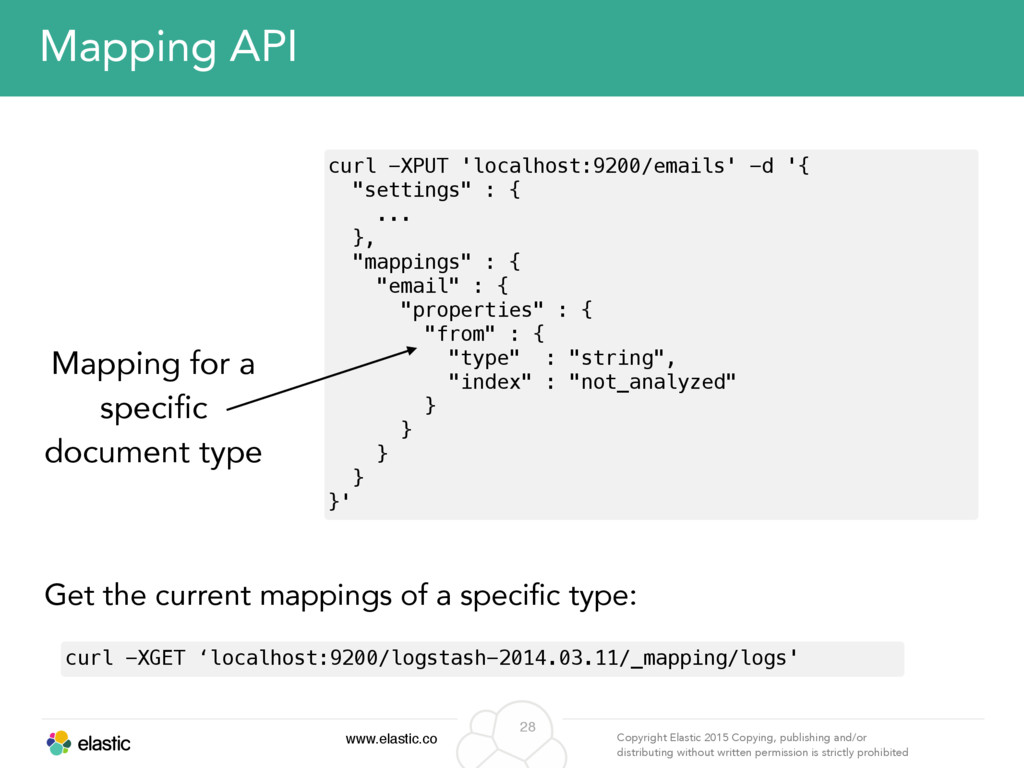
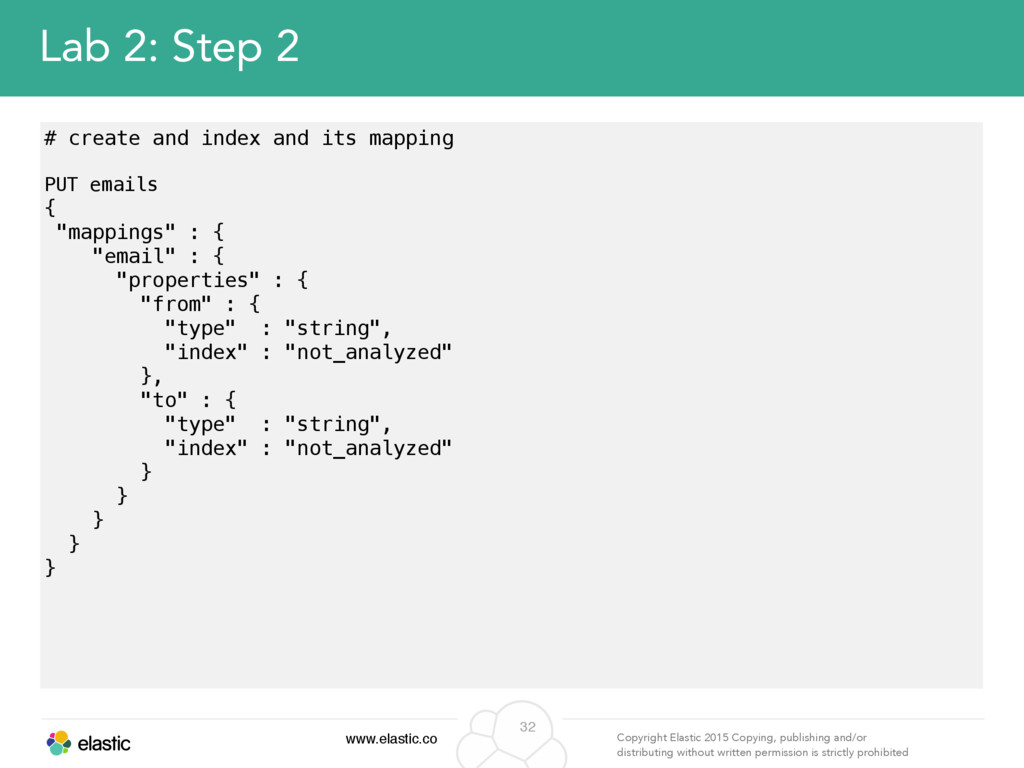
permission is strictly prohibited 28 curl -XPUT 'localhost:9200/emails' -d '{ "settings" : { ... }, "mappings" : { "email" : { "properties" : { "from" : { "type" : "string", "index" : "not_analyzed" } } } } }' Mapping API Mapping for a specific document type Get the current mappings of a specific type: curl -XGET ‘localhost:9200/logstash-2014.03.11/_mapping/logs'
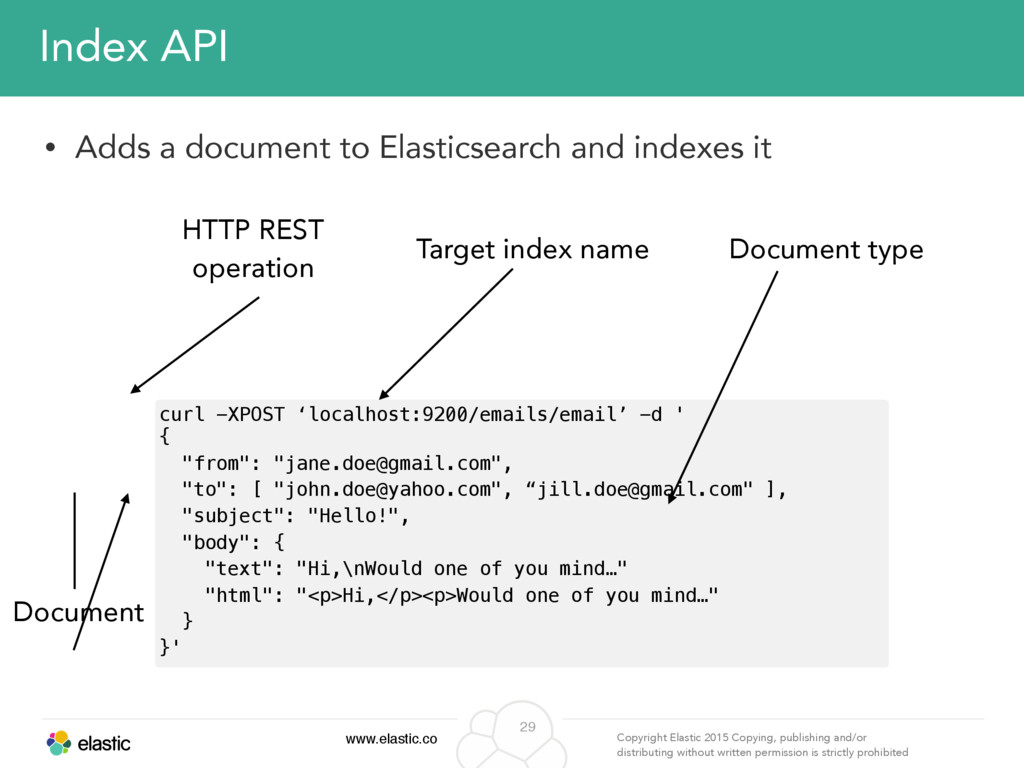
permission is strictly prohibited 29 Index API Target index name HTTP REST operation Document Document type curl -XPOST ‘localhost:9200/emails/email’ -d ' { "from": "[email protected]", "to": [ "[email protected]", “[email protected]" ], "subject": "Hello!", "body": { "text": "Hi,\nWould one of you mind…" "html": "<p>Hi,</p><p>Would one of you mind…" } }' • Adds a document to Elasticsearch and indexes it
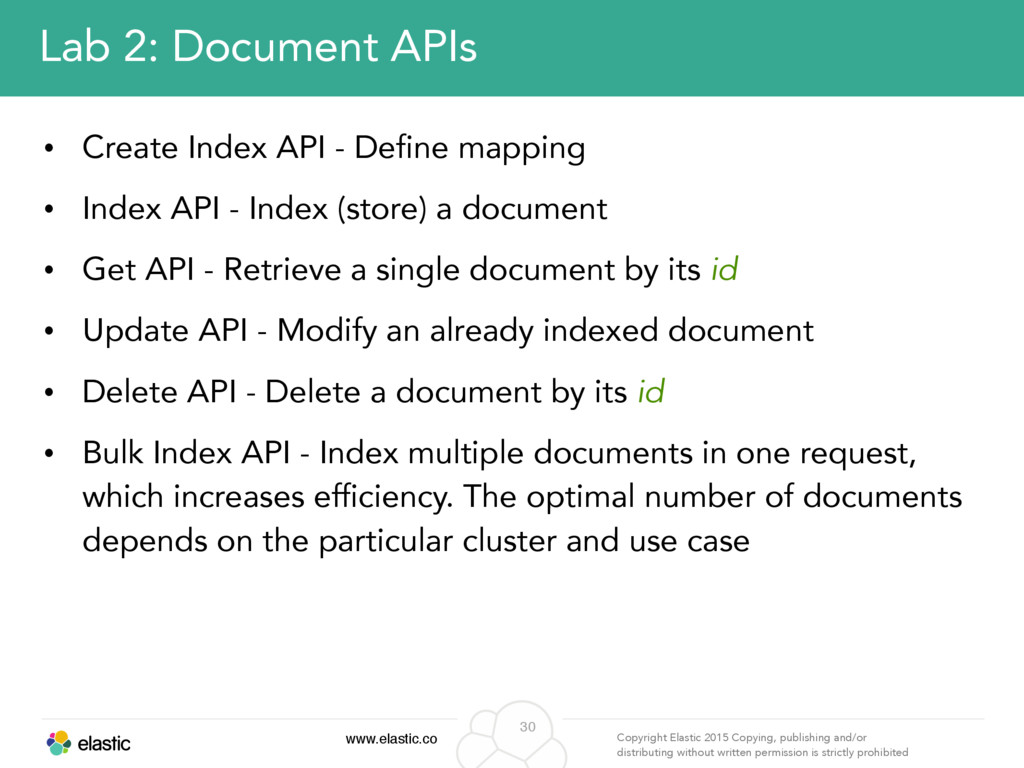
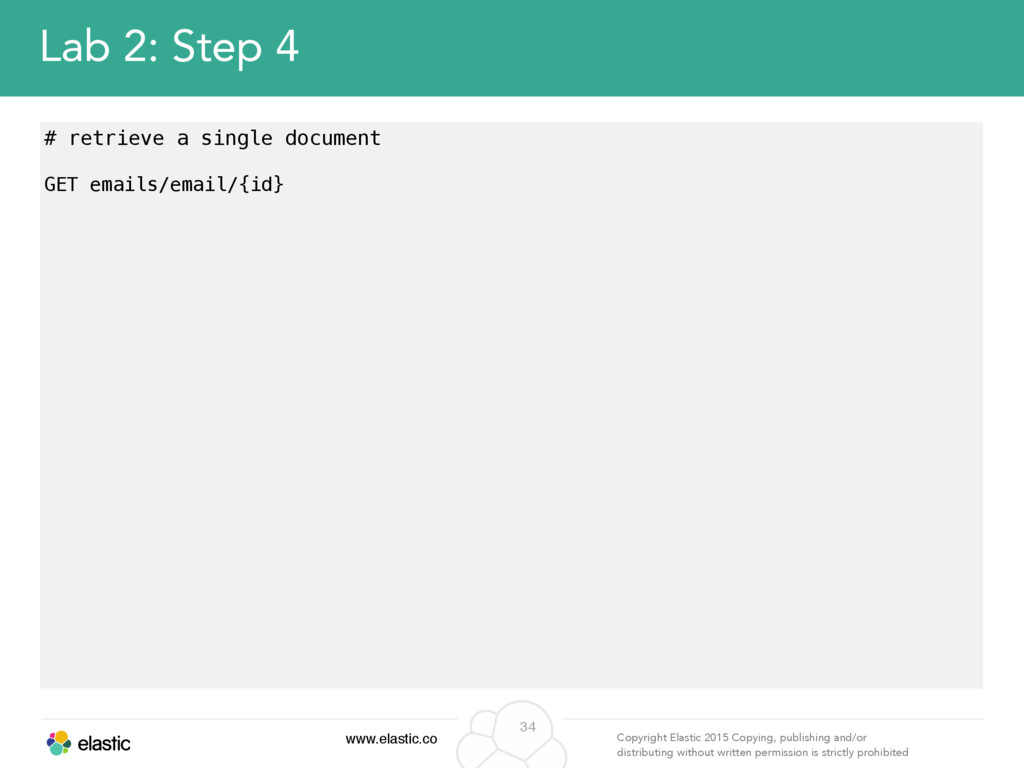
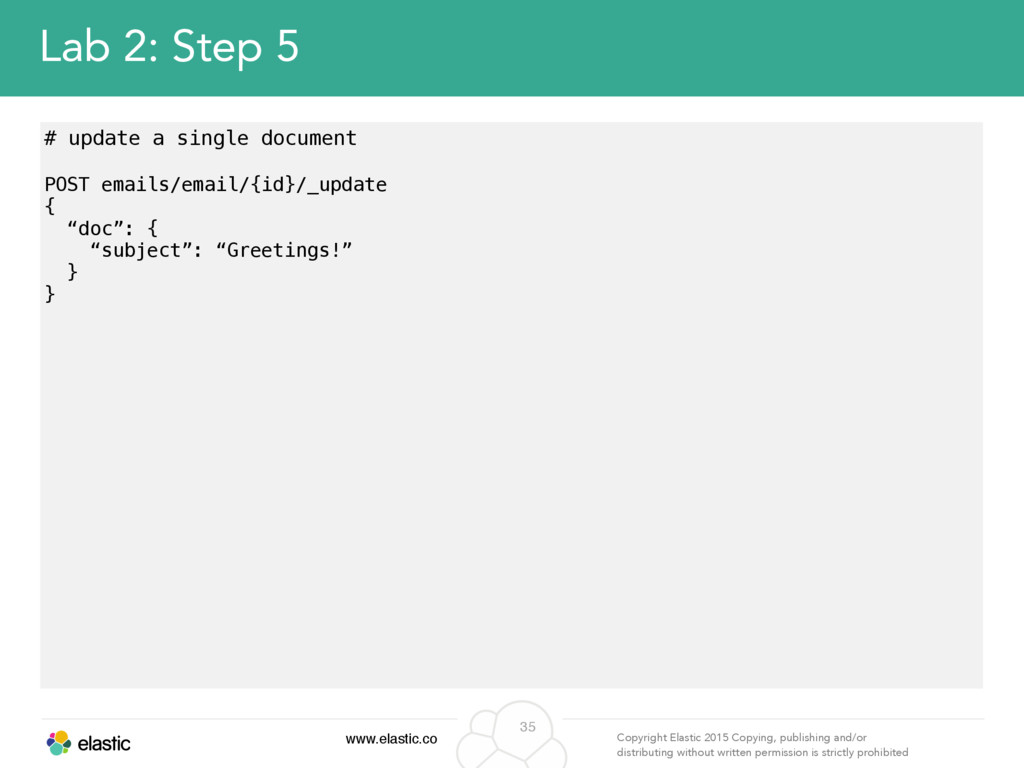
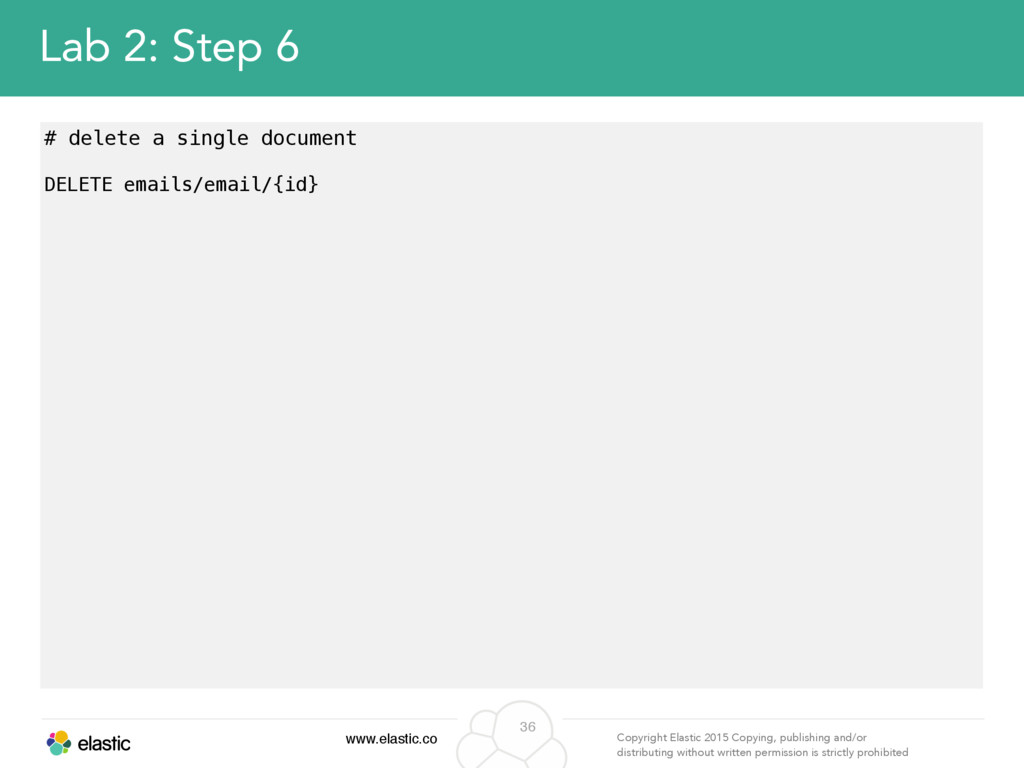
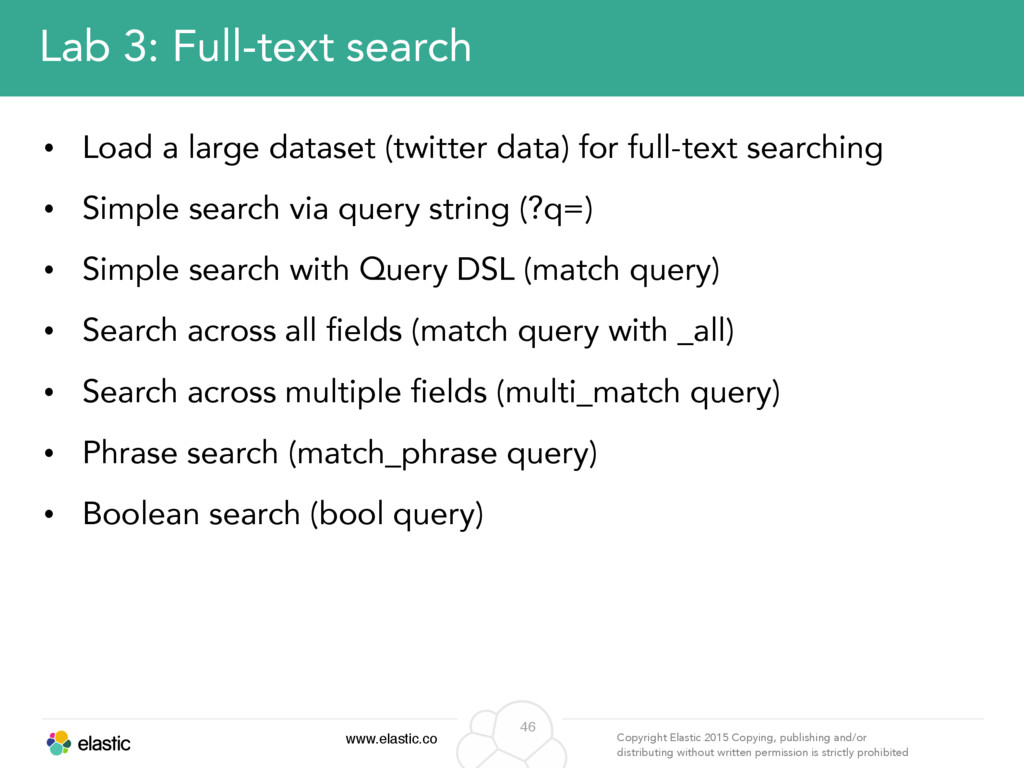
permission is strictly prohibited 30 Lab 2: Document APIs • Create Index API - Define mapping • Index API - Index (store) a document • Get API - Retrieve a single document by its id • Update API - Modify an already indexed document • Delete API - Delete a document by its id • Bulk Index API - Index multiple documents in one request, which increases efficiency. The optimal number of documents depends on the particular cluster and use case
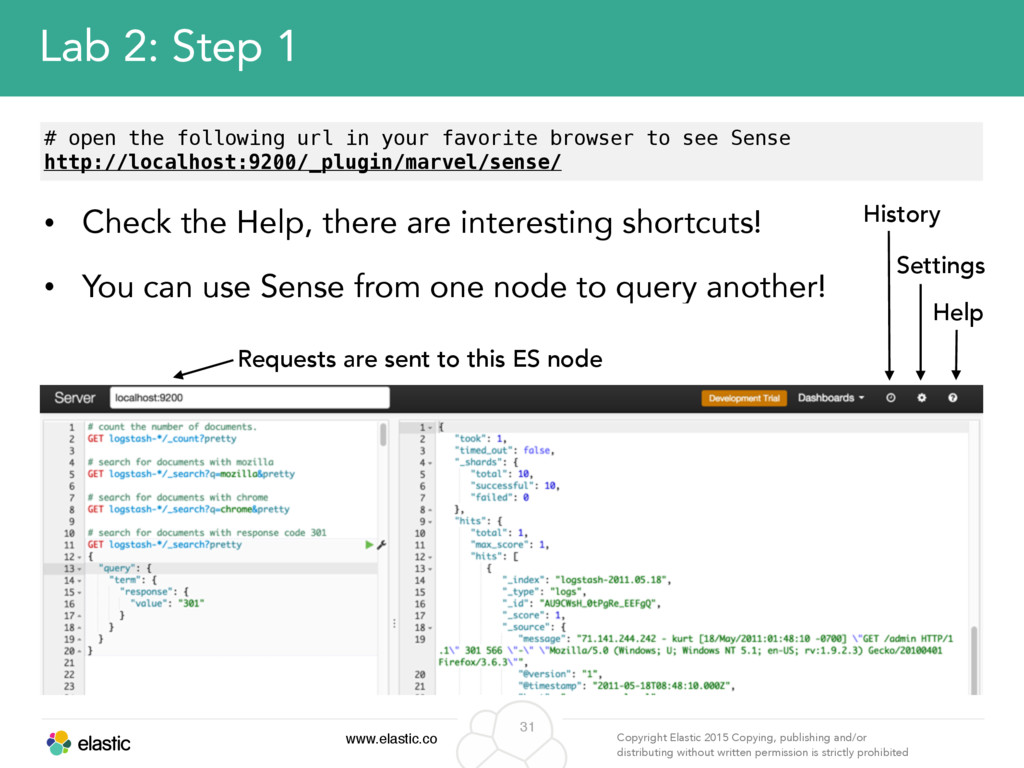
permission is strictly prohibited 31 Lab 2: Step 1 # open the following url in your favorite browser to see Sense http://localhost:9200/_plugin/marvel/sense/ Requests are sent to this ES node History Settings Help • Check the Help, there are interesting shortcuts! • You can use Sense from one node to query another!
permission is strictly prohibited 33 Lab 2: Step 3 # index a single document POST emails/email { "from": "[email protected]", "to": [ "[email protected]", “[email protected]" ], "subject": "Hello!", "body": { "text": "Hi,\nWould one of you mind…" "html": "<p>Hi,</p><p>Would one of you mind…" } }
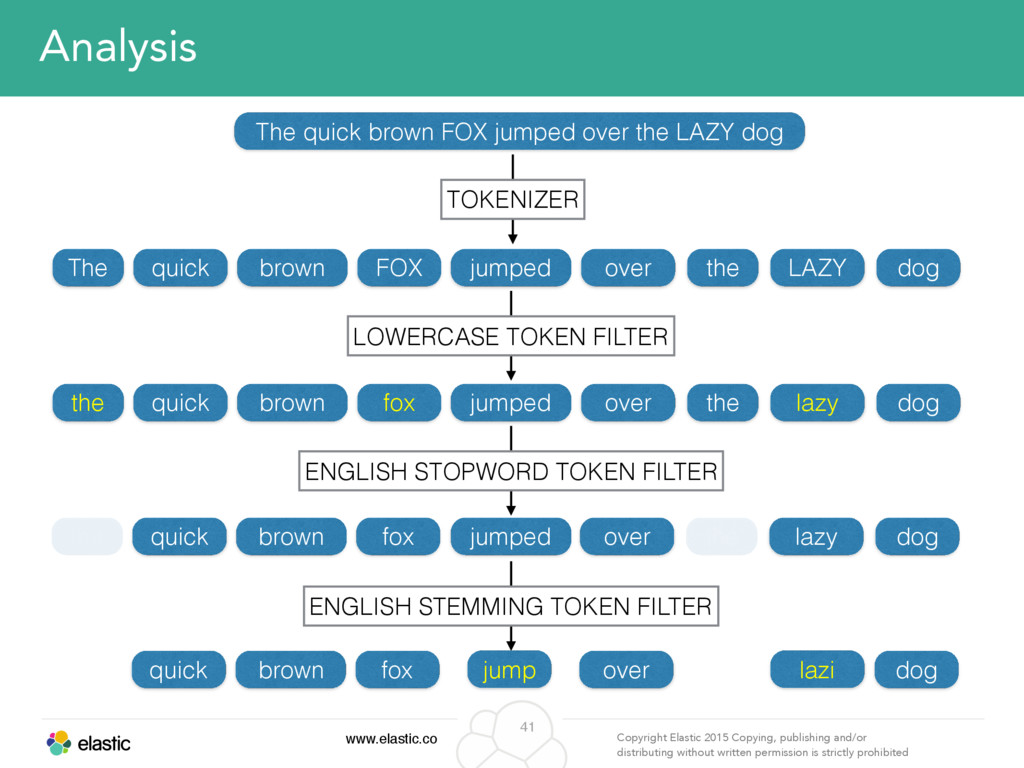
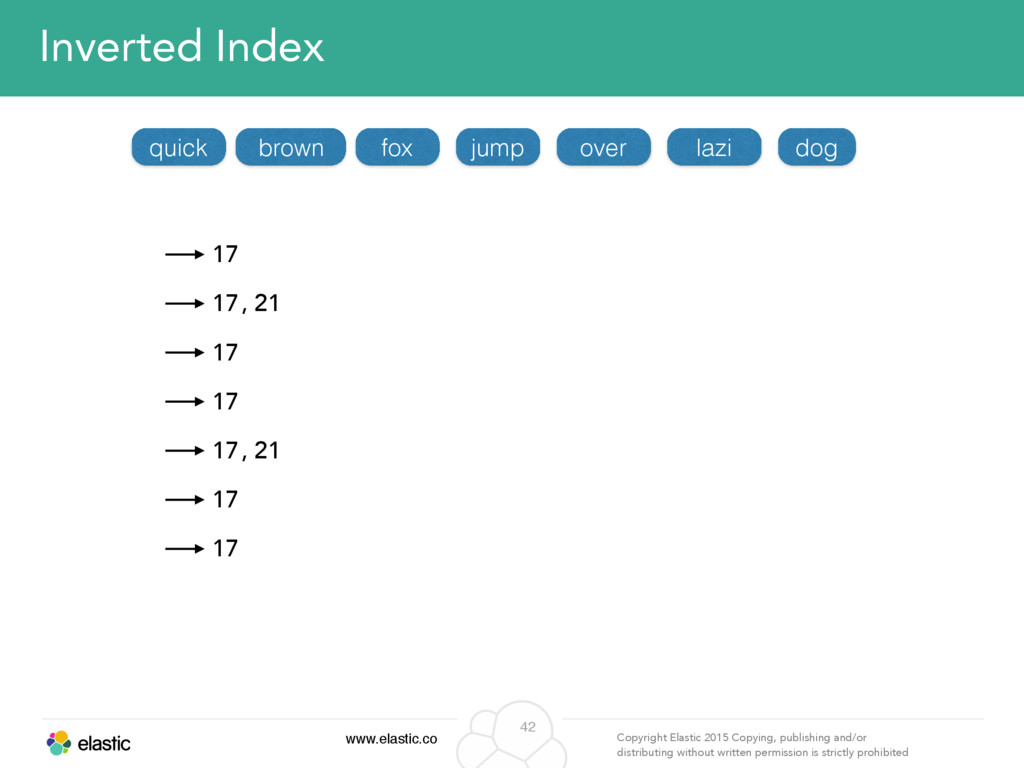
permission is strictly prohibited 41 Analysis The quick brown FOX jumped over the LAZY dog The quick brown FOX jumped over the LAZY dog the quick brown fox jumped over the lazy dog TOKENIZER LOWERCASE TOKEN FILTER ENGLISH STOPWORD TOKEN FILTER the quick brown fox over the dog jumped lazy ENGLISH STEMMING TOKEN FILTER jump lazi quick brown fox over dog
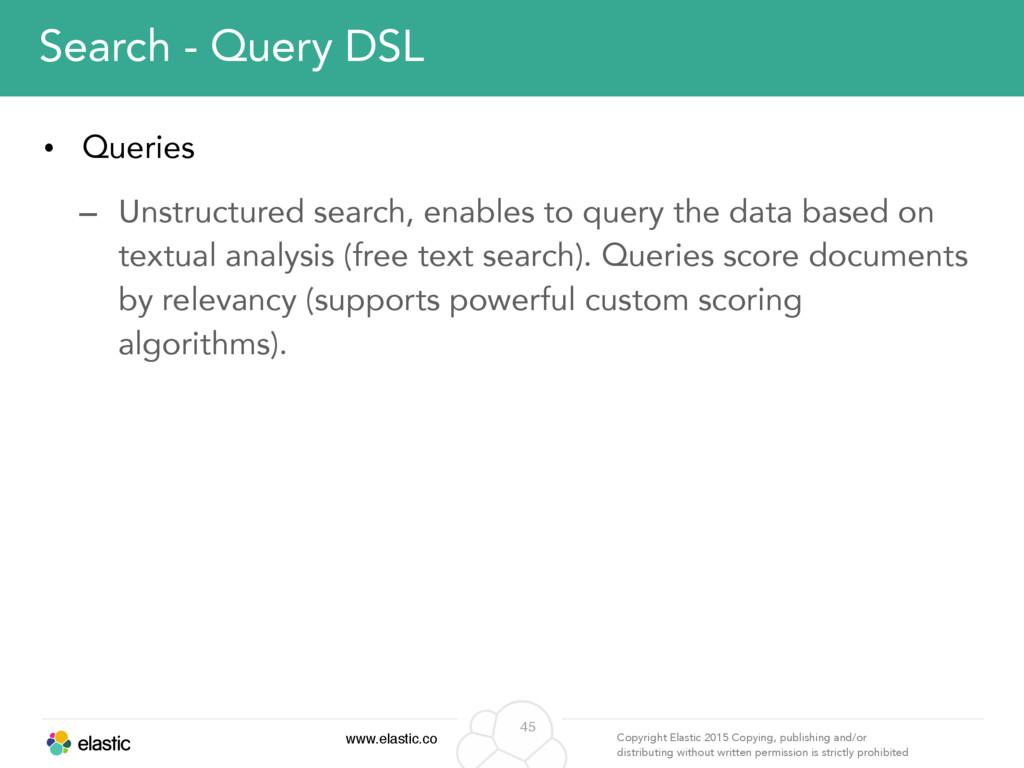
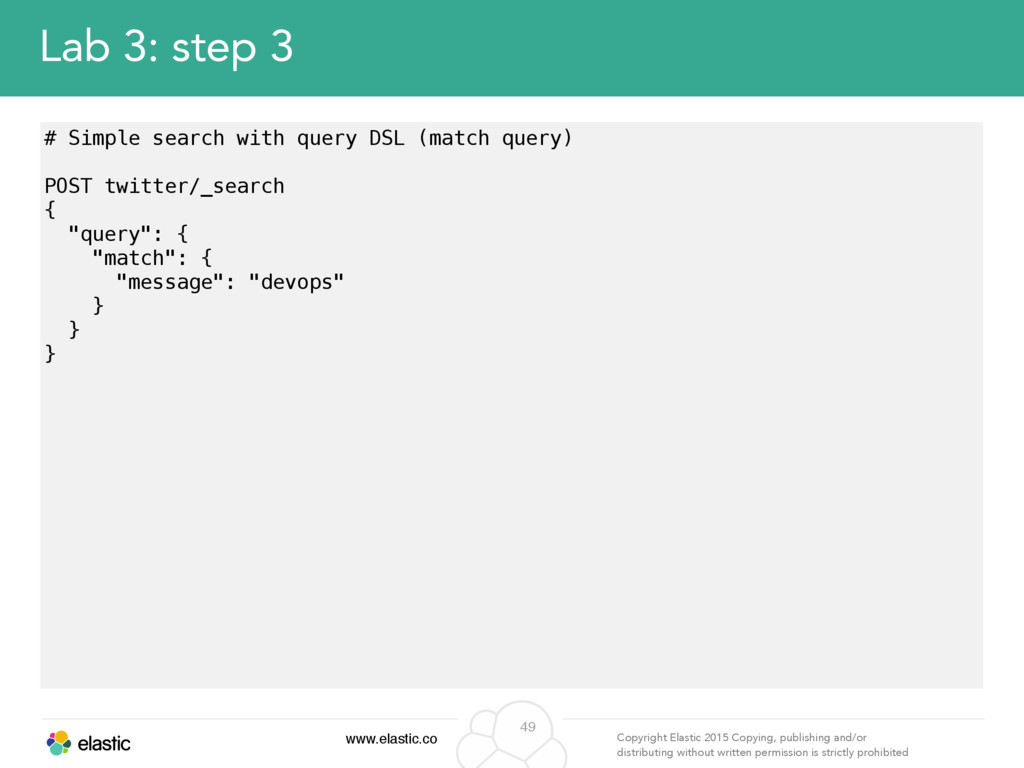
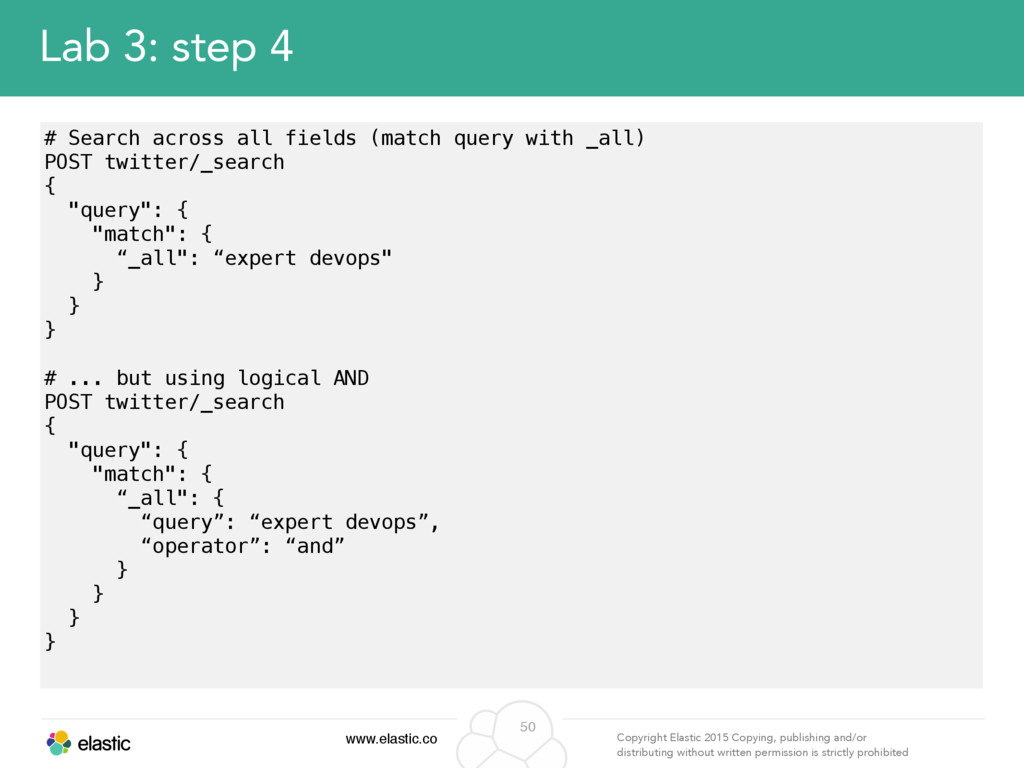
permission is strictly prohibited 45 Search - Query DSL • Queries – Unstructured search, enables to query the data based on textual analysis (free text search). Queries score documents by relevancy (supports powerful custom scoring algorithms).
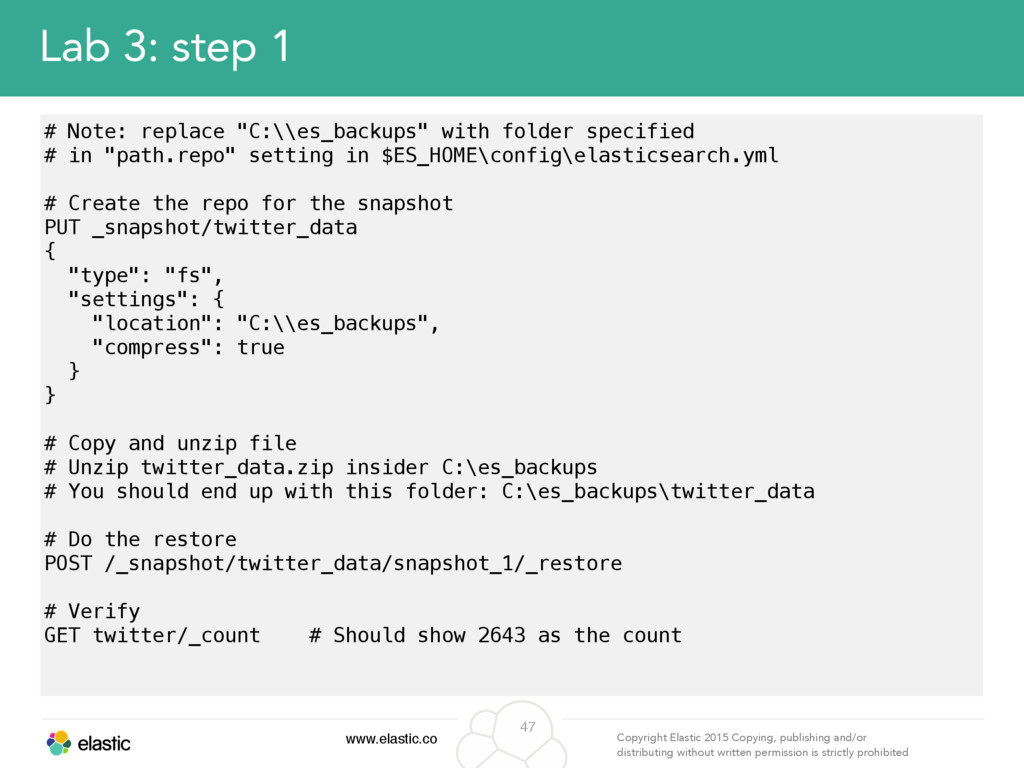
permission is strictly prohibited 47 Lab 3: step 1 # Note: replace "C:\\es_backups" with folder specified # in "path.repo" setting in $ES_HOME\config\elasticsearch.yml # Create the repo for the snapshot PUT _snapshot/twitter_data { "type": "fs", "settings": { "location": "C:\\es_backups", "compress": true } } # Copy and unzip file # Unzip twitter_data.zip insider C:\es_backups # You should end up with this folder: C:\es_backups\twitter_data # Do the restore POST /_snapshot/twitter_data/snapshot_1/_restore # Verify GET twitter/_count # Should show 2643 as the count
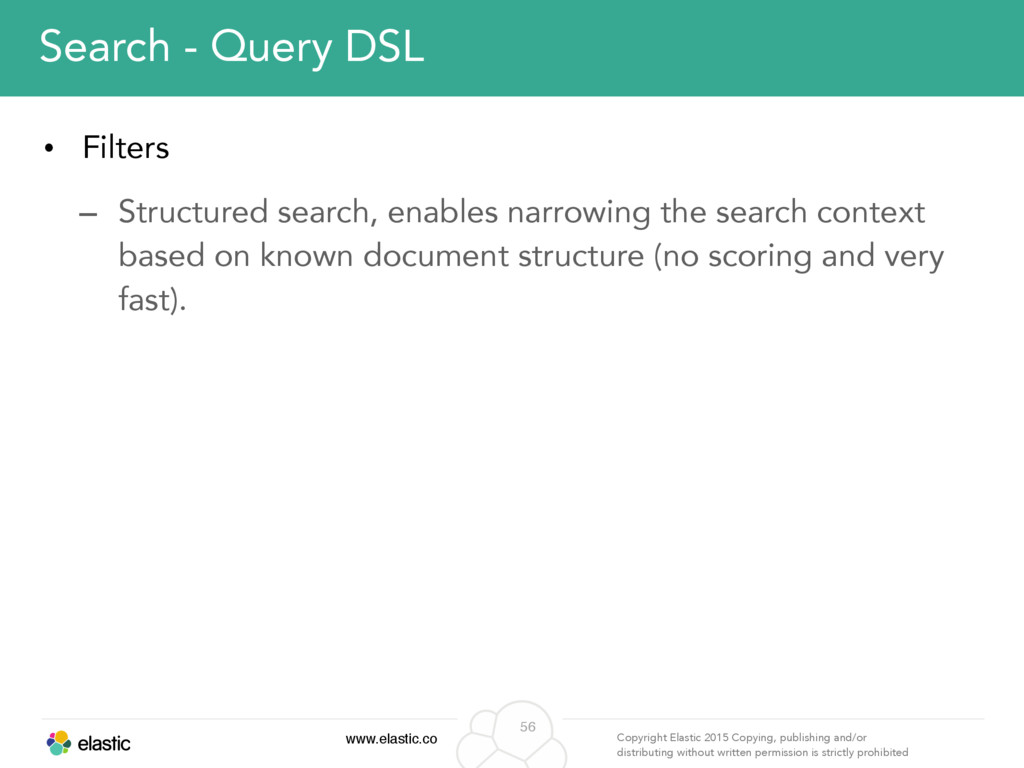
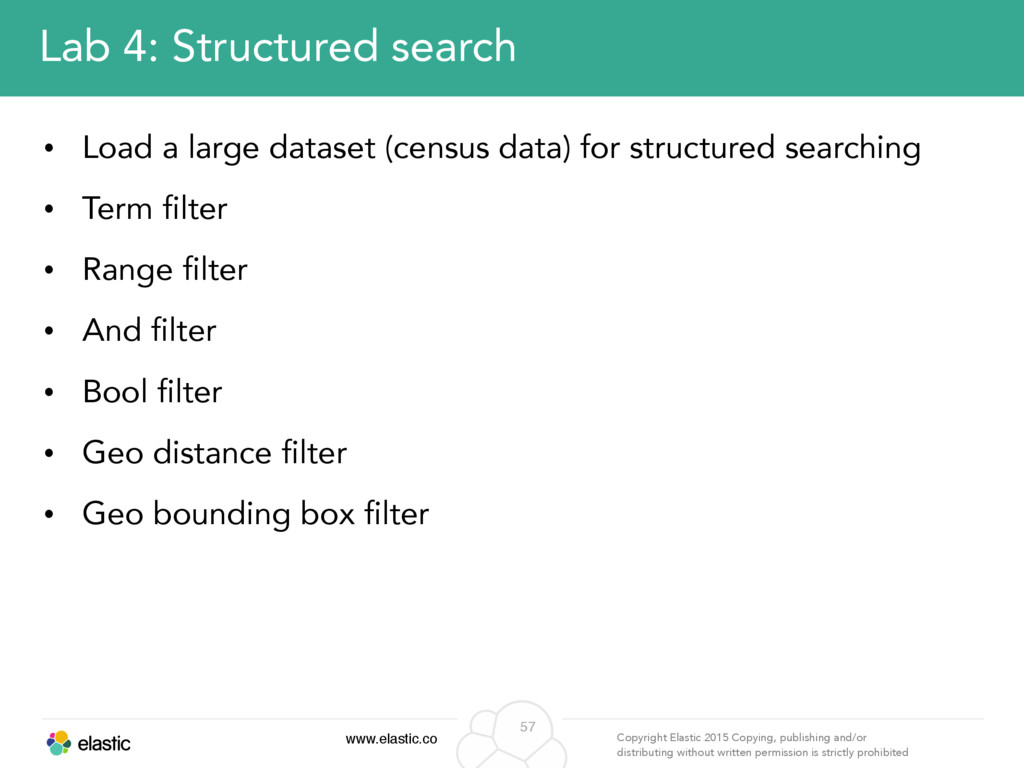
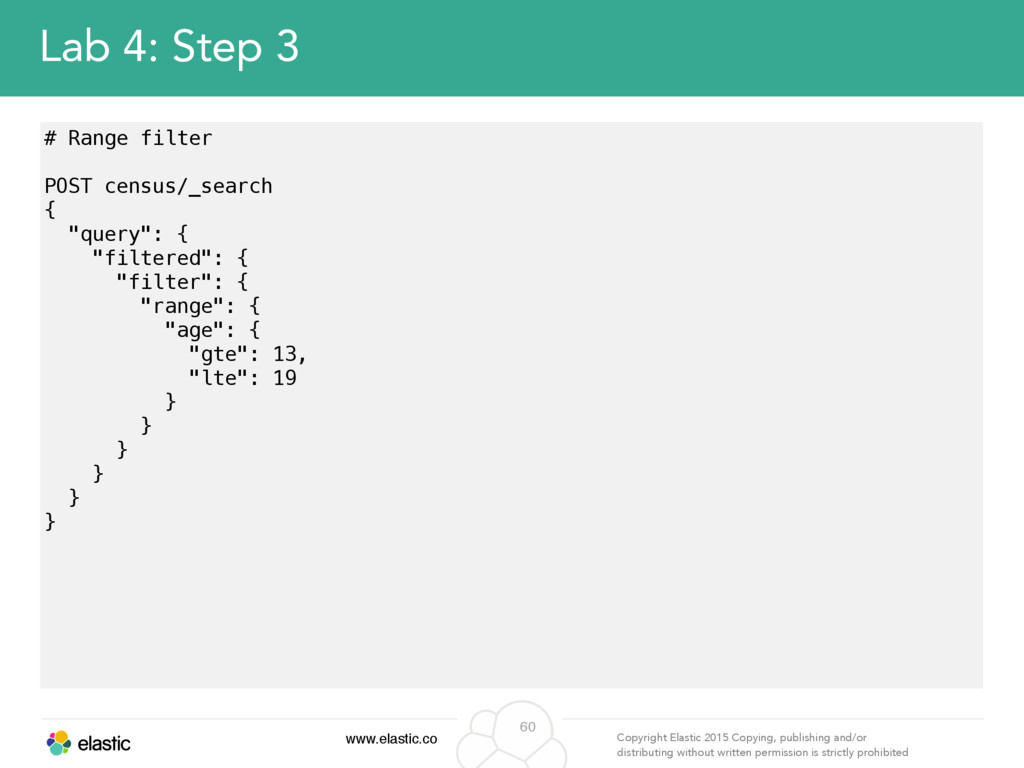
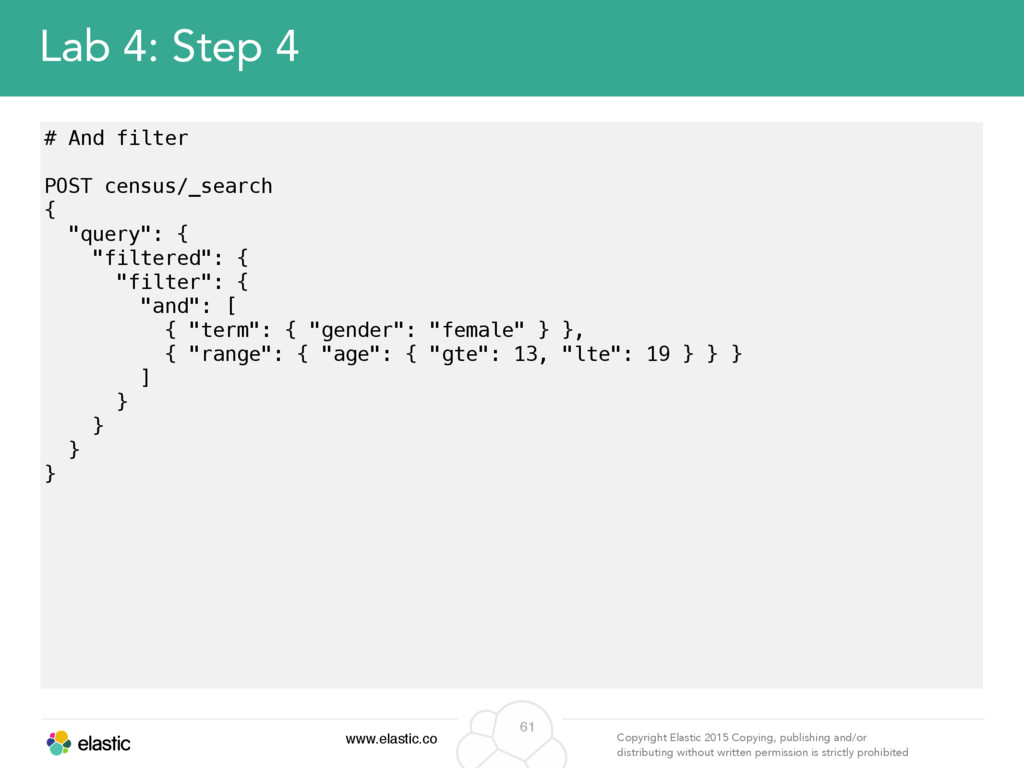
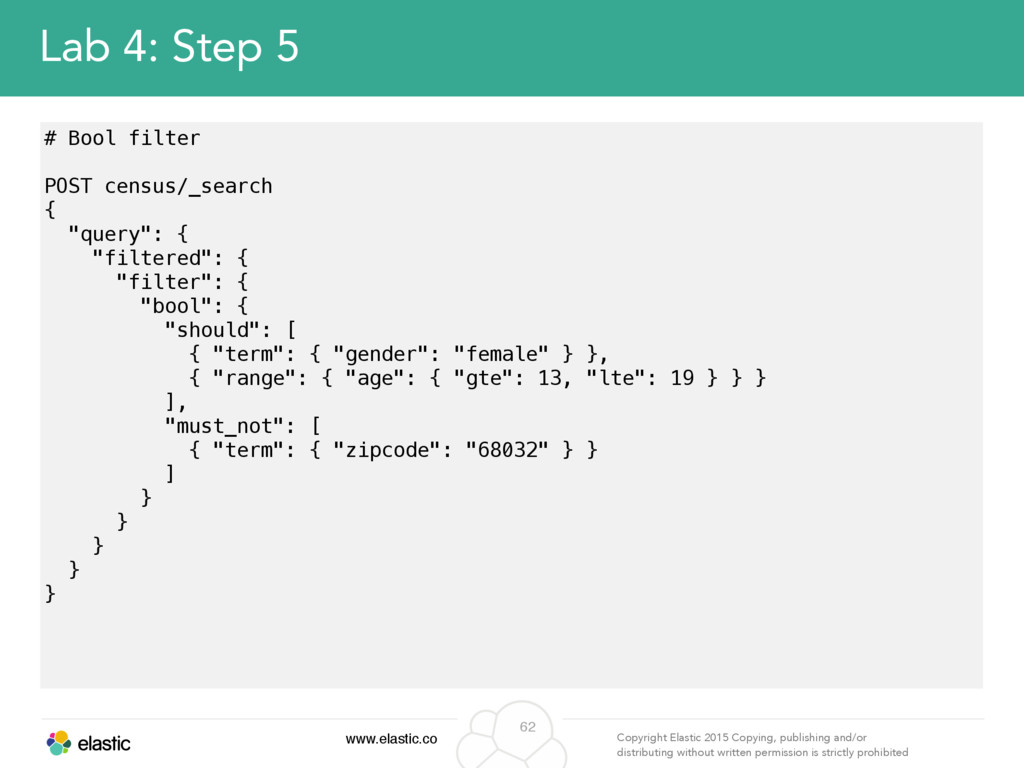
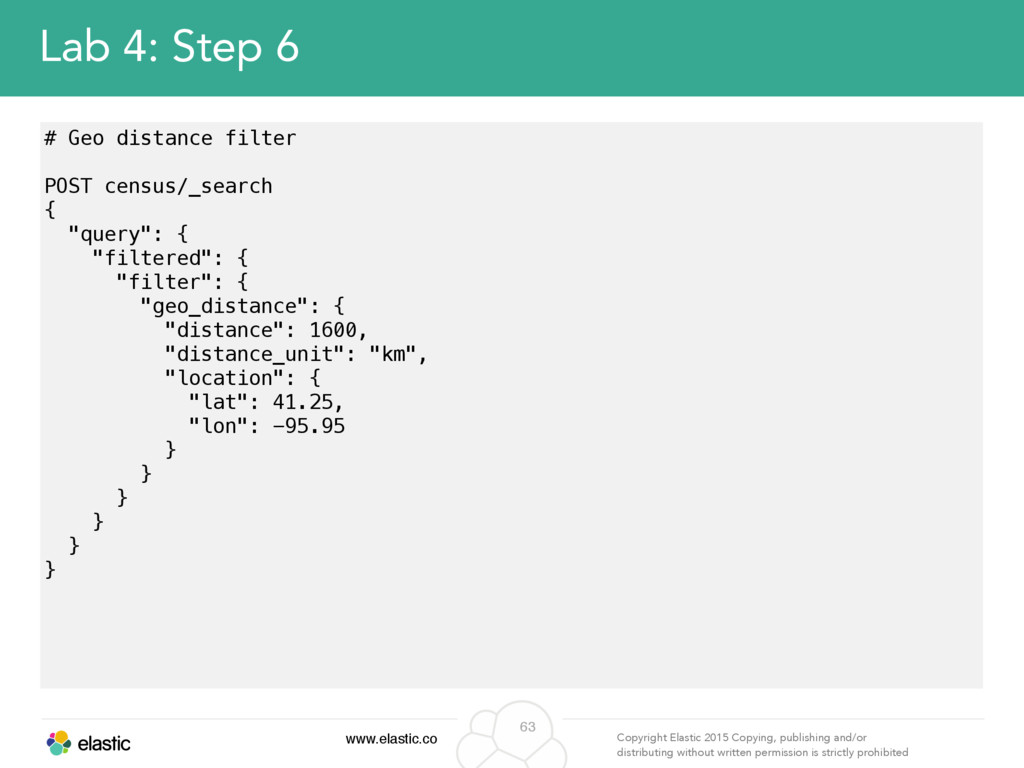
permission is strictly prohibited 56 Search - Query DSL • Filters – Structured search, enables narrowing the search context based on known document structure (no scoring and very fast).
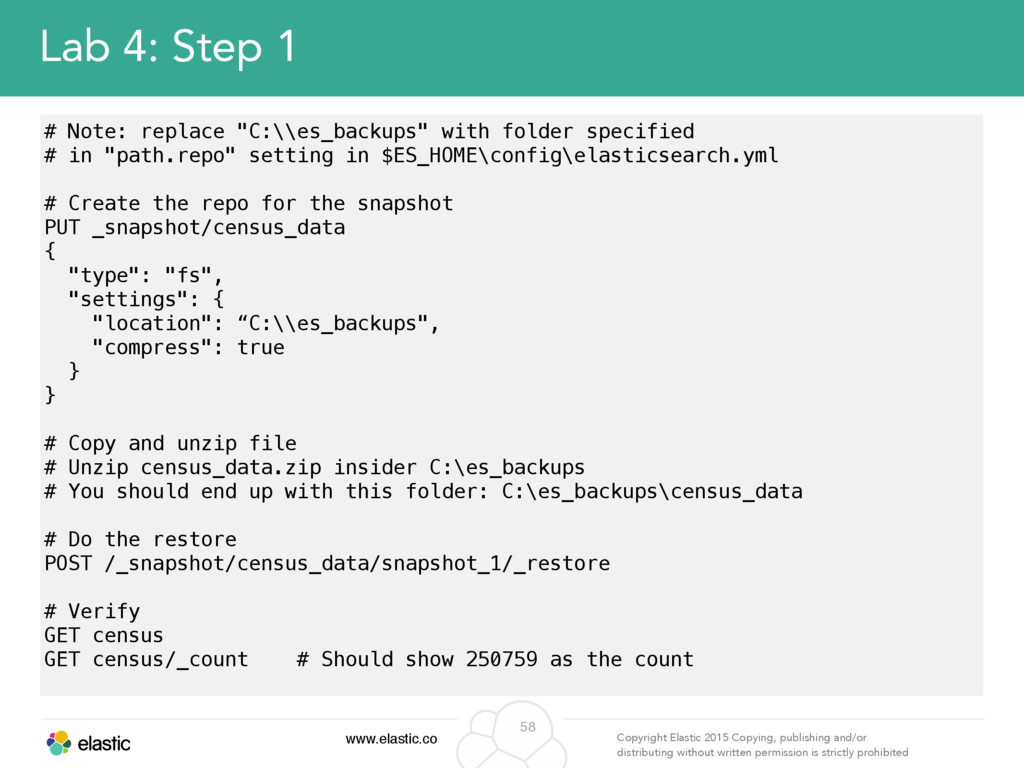
permission is strictly prohibited 58 Lab 4: Step 1 # Note: replace "C:\\es_backups" with folder specified # in "path.repo" setting in $ES_HOME\config\elasticsearch.yml # Create the repo for the snapshot PUT _snapshot/census_data { "type": "fs", "settings": { "location": “C:\\es_backups", "compress": true } } # Copy and unzip file # Unzip census_data.zip insider C:\es_backups # You should end up with this folder: C:\es_backups\census_data # Do the restore POST /_snapshot/census_data/snapshot_1/_restore # Verify GET census GET census/_count # Should show 250759 as the count
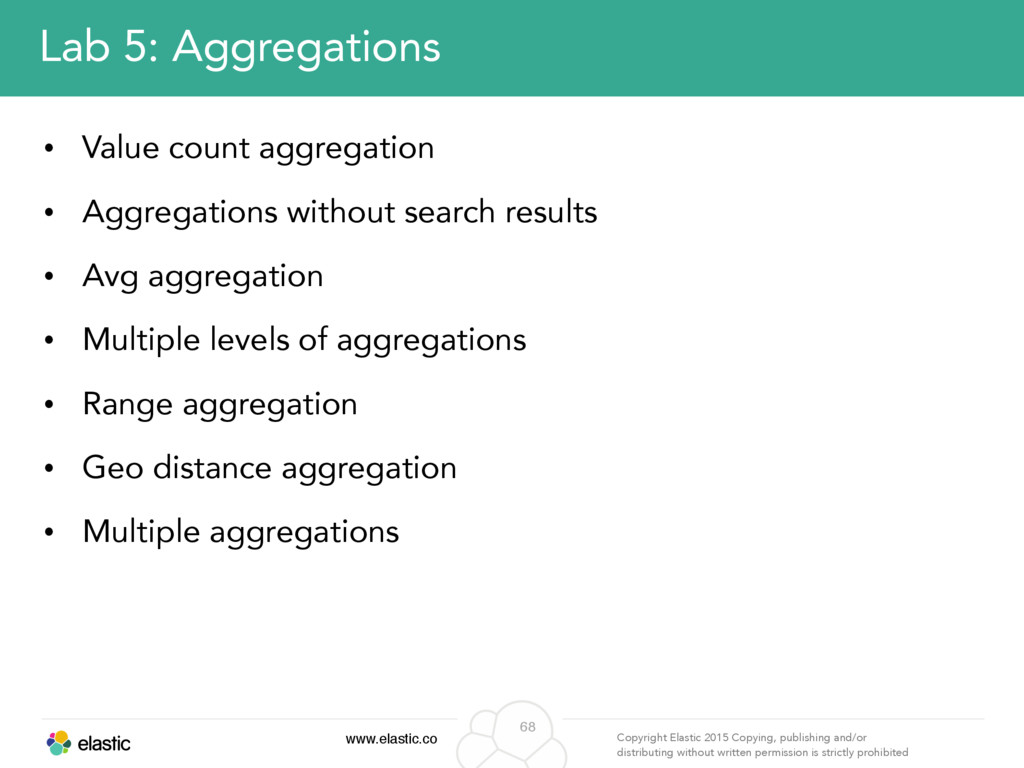
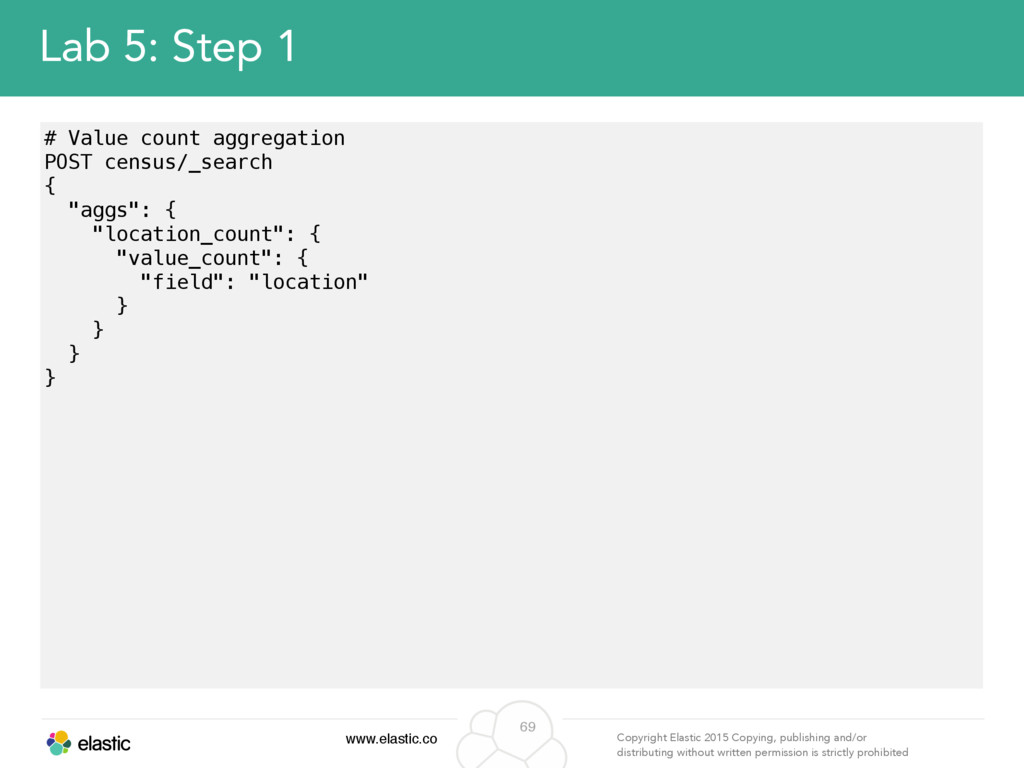
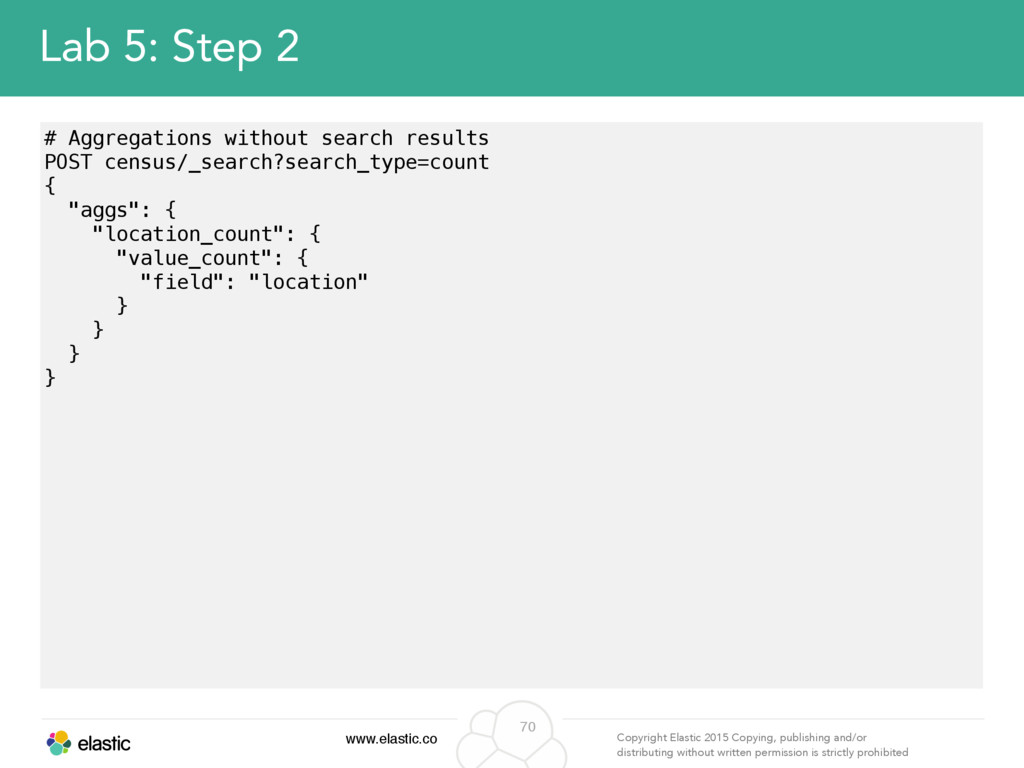
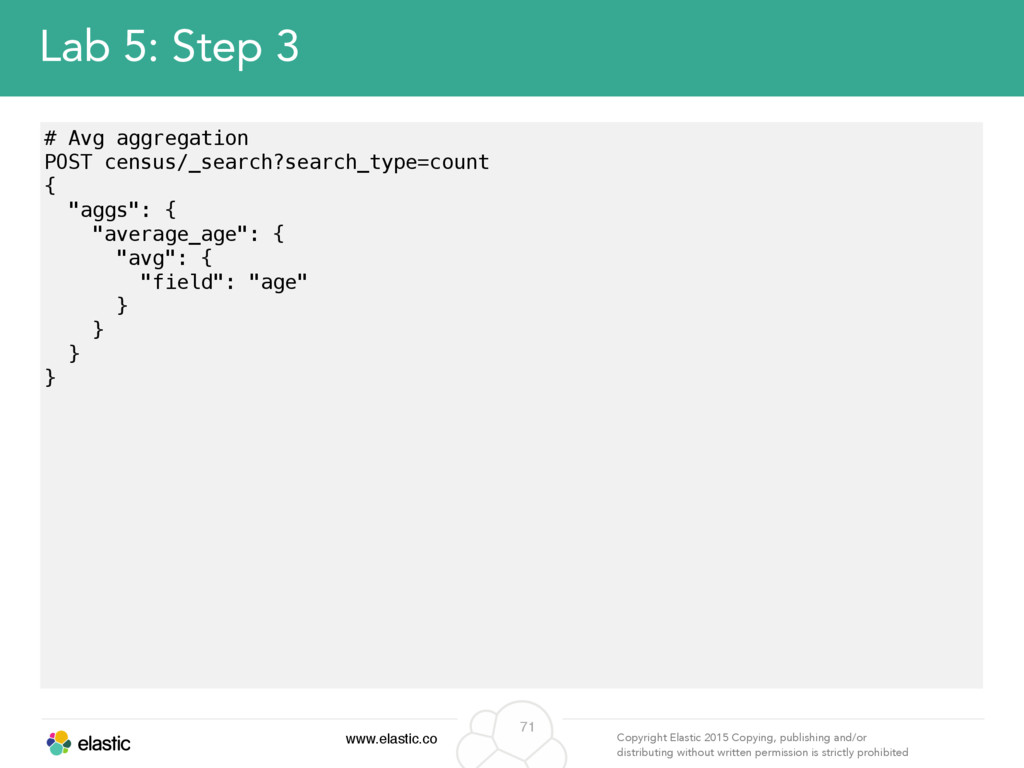
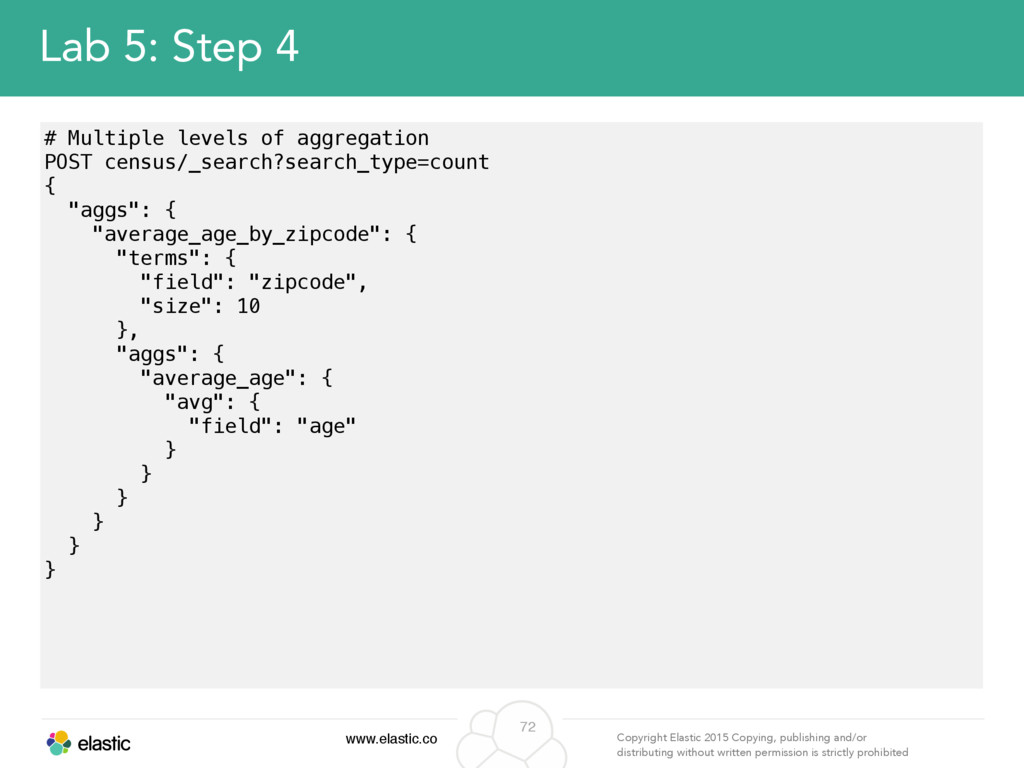
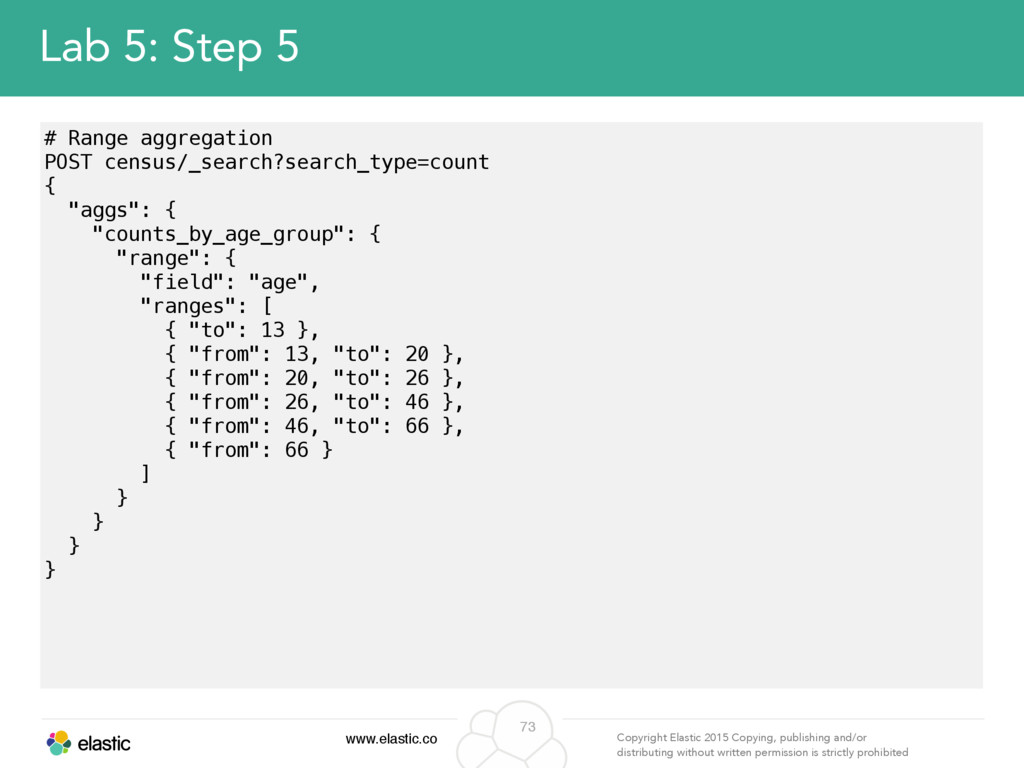
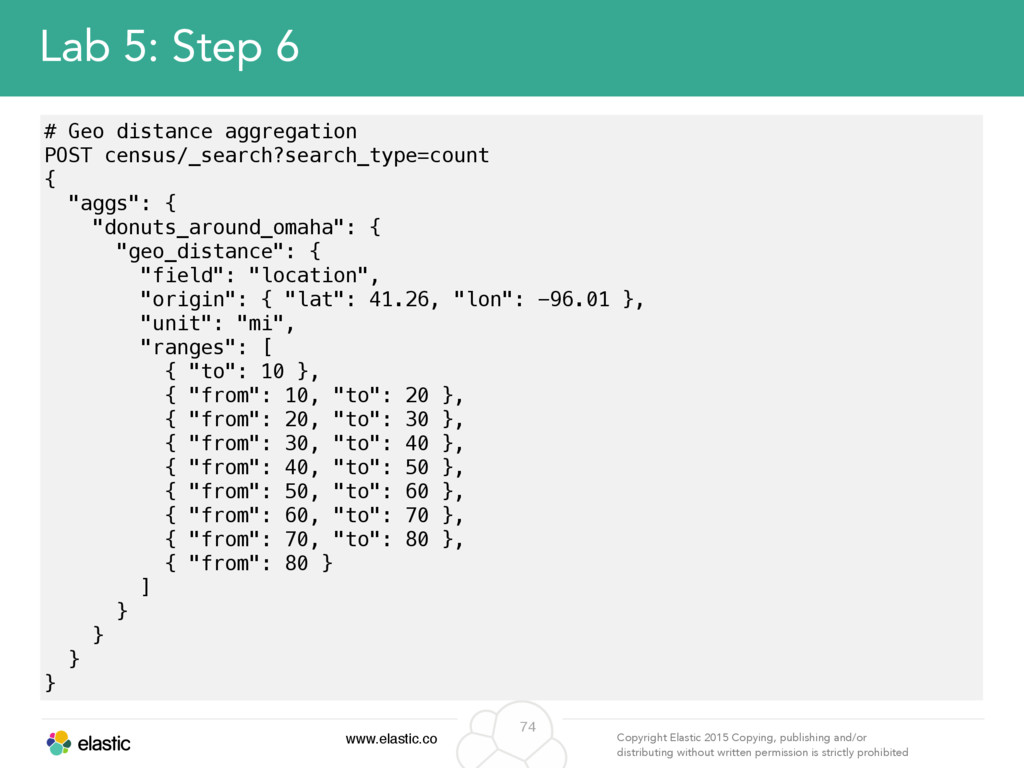
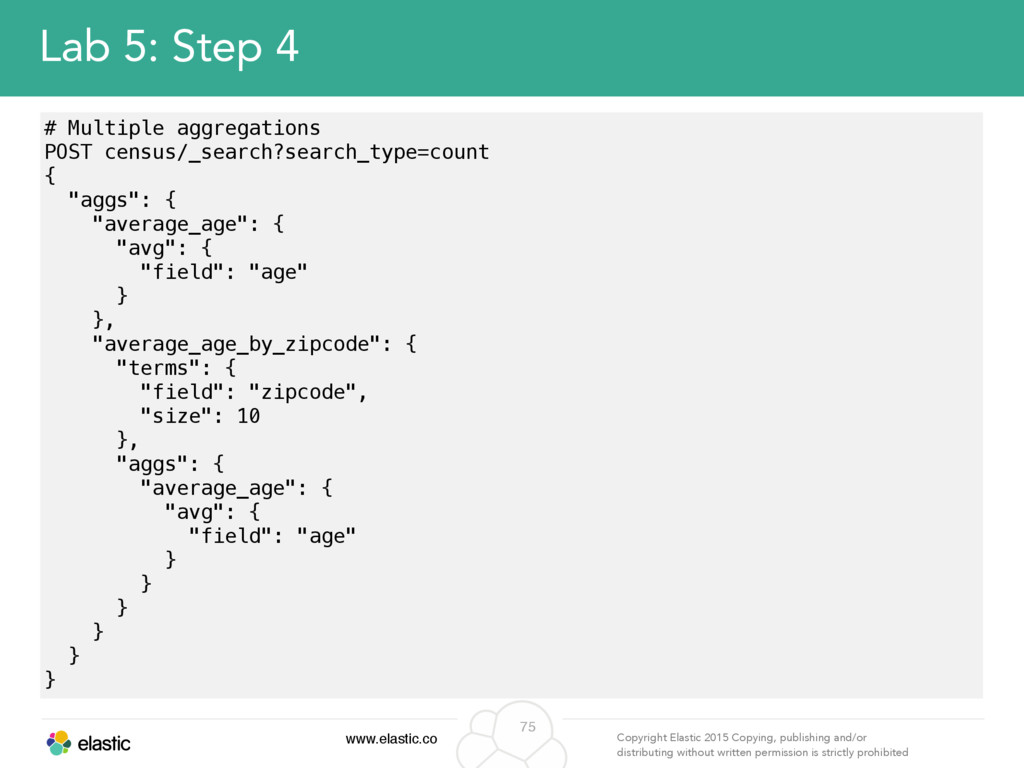
permission is strictly prohibited 67 Search - Aggregations • Enables slicing & dicing the data – Provides multi-dimensional grouping of results. e.g. Top URLs by country. • Many types available – All operate over values extracted from the documents - usually from specific fields of the documents, but highly customizable using scripts
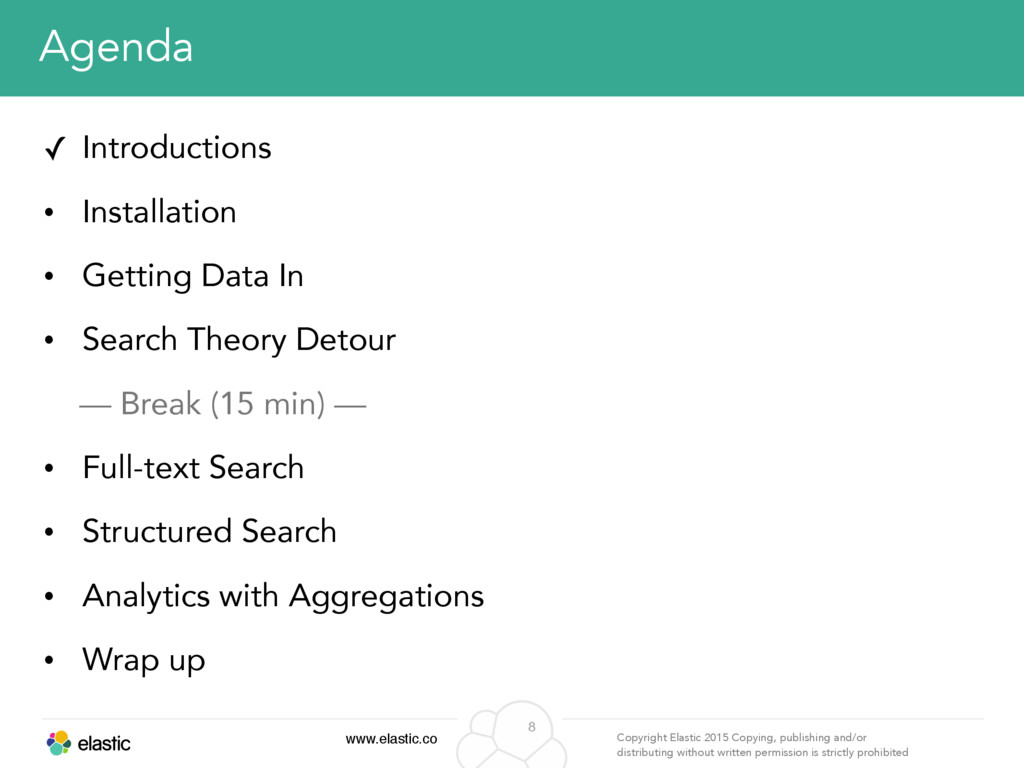
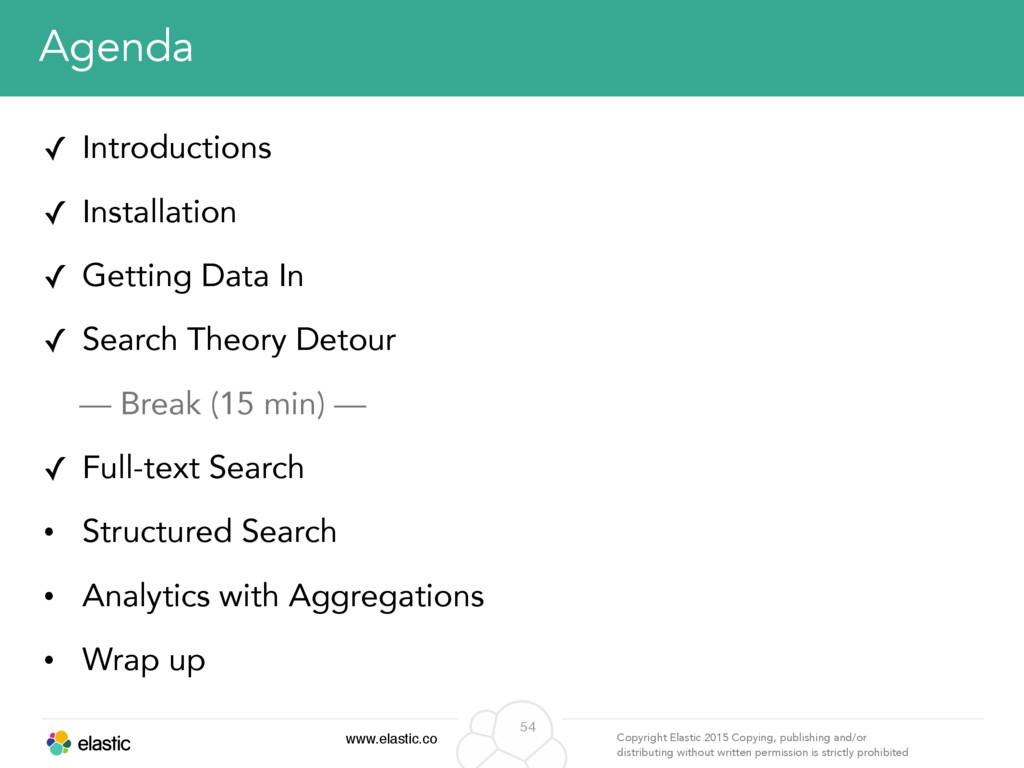
permission is strictly prohibited 78 Agenda ✓ Introductions ✓ Fundamental Concepts & Installation ✓ Getting Data In ✓ Search Theory Detour ✓ Full-text Search ✓ Structured Search ✓ Analytics with Aggregations ✓ Wrap up


 ycombinator
 gam0022
 kaityo256
 n_takehata
 elmetal
 glassfiber
 ogom
ogom
 akkeylab
 tanahiro2010
 hollycummins
 ichirokano2
 kenjiyoneyama
 gonta
gonta
 tomoyanonymous
 mfonobong
 garrettdimon
 aleyda
 zakiyama
 akosma
 mayunak
 destraynor
 danielanewman
 inesmontani
 tammyeverts