Upgrade to Pro
— share decks privately, control downloads, hide ads and more …
Speaker Deck
Sign up for free
Menu
Search
Features
All features
Private URLs
Password Protection
Custom URLS
Scheduled publishing
Remove Branding
Restrict embedding
Deck Collections
Notes
Features
All features
Private URLs
Password Protection
Custom URLS
Scheduled publishing
Remove Branding
Restrict embedding
Deck Collections
Notes
Explore
Featured decks
Featured speakers
Programming
Technology
Storyboards
Explore
Featured decks
Featured speakers
Programming
Technology
Storyboards
Pricing
Search
Sign in
Sign up for free
空間情報システム入門Ⅰ#02 2016/06/16
Search
Natsumi Hashiguchi
June 16, 2016
59
0
Share
Embed
Copy iframe code
Copy JS code
Copy link
Start on current slide
空間情報システム入門Ⅰ#02 2016/06/16
Natsumi Hashiguchi
June 16, 2016
More Decks by Natsumi Hashiguchi
See All by Natsumi Hashiguchi
Pokestop マニュアル
0462390969
0
28
Featured
See All Featured
Templates, Plugins, & Blocks: Oh My! Creating the theme that thinks of everything
marktimemedia
31
2.9k
Abbi's Birthday
coloredviolet
4
10k
Practical Tips for Bootstrapping Information Extraction Pipelines
honnibal
25
2.1k
Agile that works and the tools we love
rasmusluckow
331
22k
Prompt Engineering for Job Search
mfonobong
0
520
Navigating the Design Leadership Dip - Product Design Week Design Leaders+ Conference 2024
apolaine
2
480
Leading Effective Engineering Teams in the AI Era
addyosmani
9
2.7k
Navigating Algorithm Shifts & AI Overviews - #SMXNext
aleyda
1
1.7k
Exploring the relationship between traditional SERPs and Gen AI search
raygrieselhuber
PRO
4
4.4k
The Director’s Chair: Orchestrating AI for Truly Effective Learning
tmiket
1
330
"I'm Feeling Lucky" - Building Great Search Experiences for Today's Users (#IAC19)
danielanewman
230
23k
Getting science done with accelerated Python computing platforms
jacobtomlinson
2
540
Transcript
How to use Tasking Manager 学籍番号:1A115205 氏名:橋口 奈津美
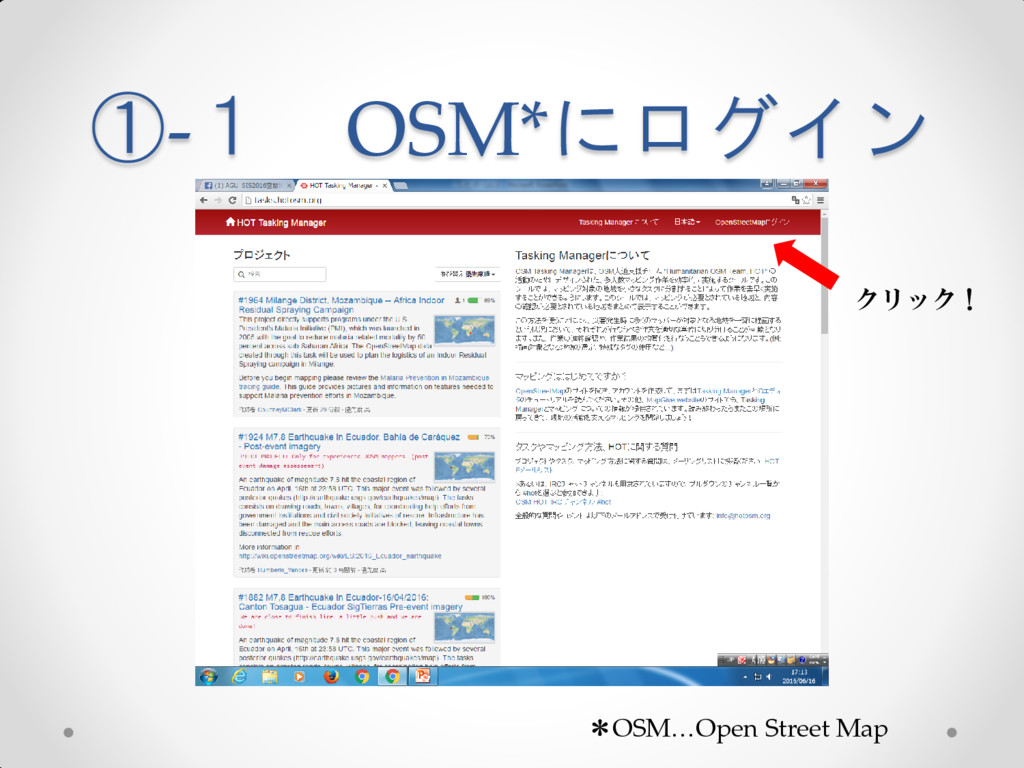
①-1 OSM*にログイン クリック! *OSM…Open Street Map
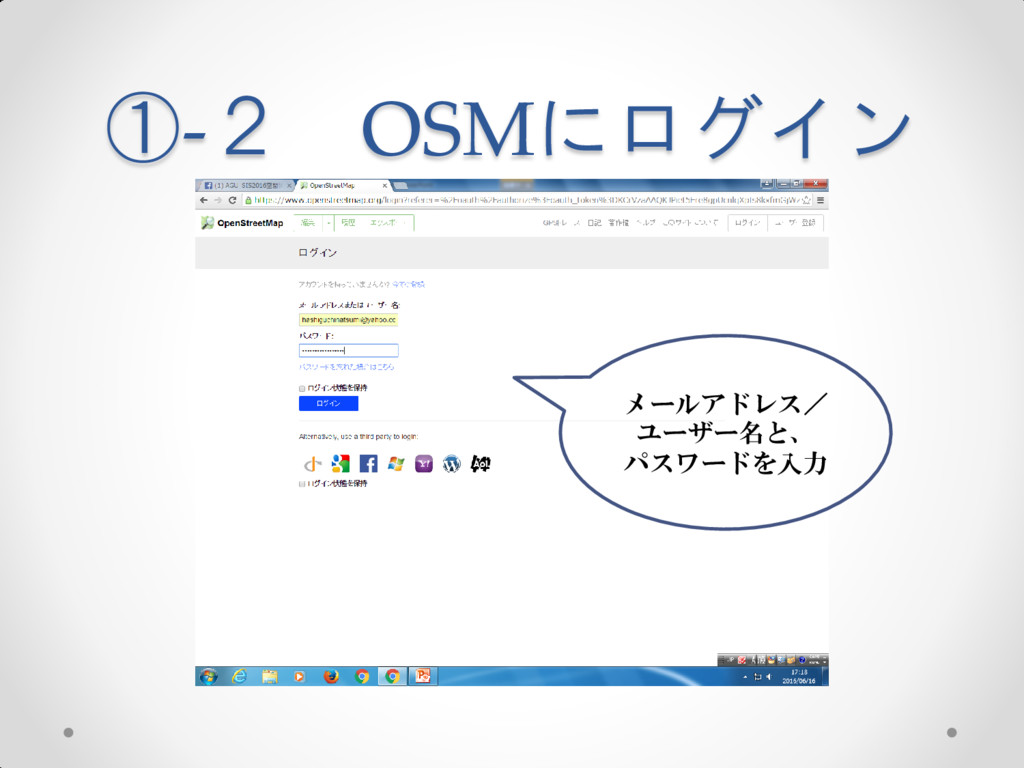
①-2 OSMにログイン メールアドレス/ ユーザー名と、 パスワードを入力
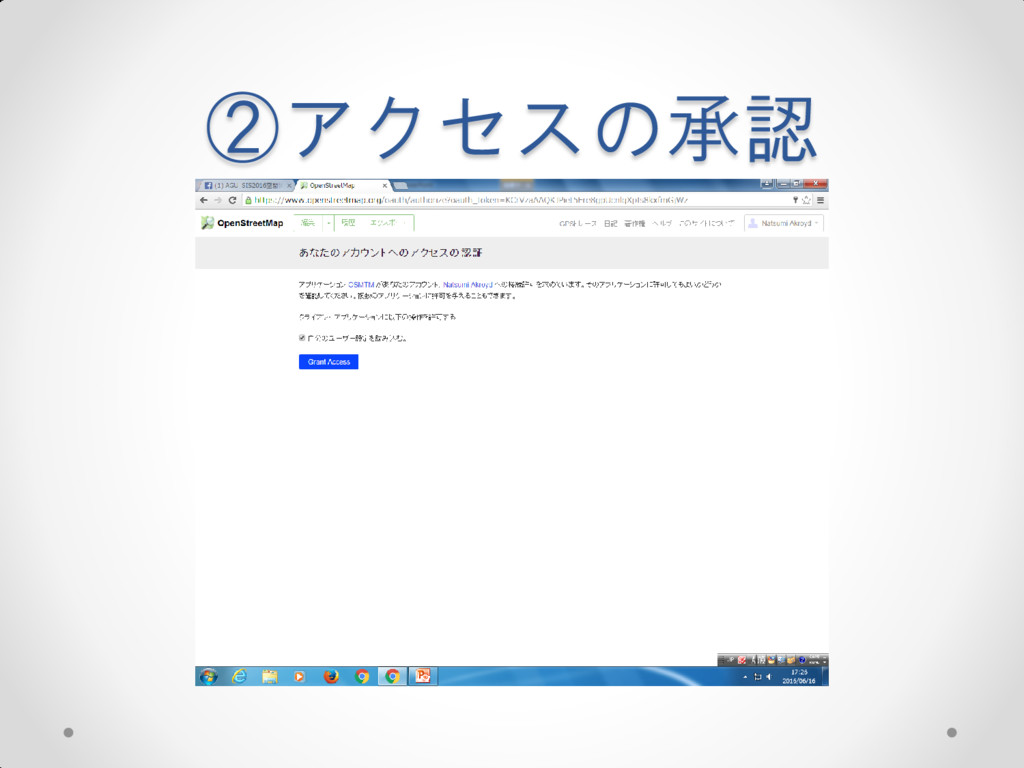
②アクセスの承認
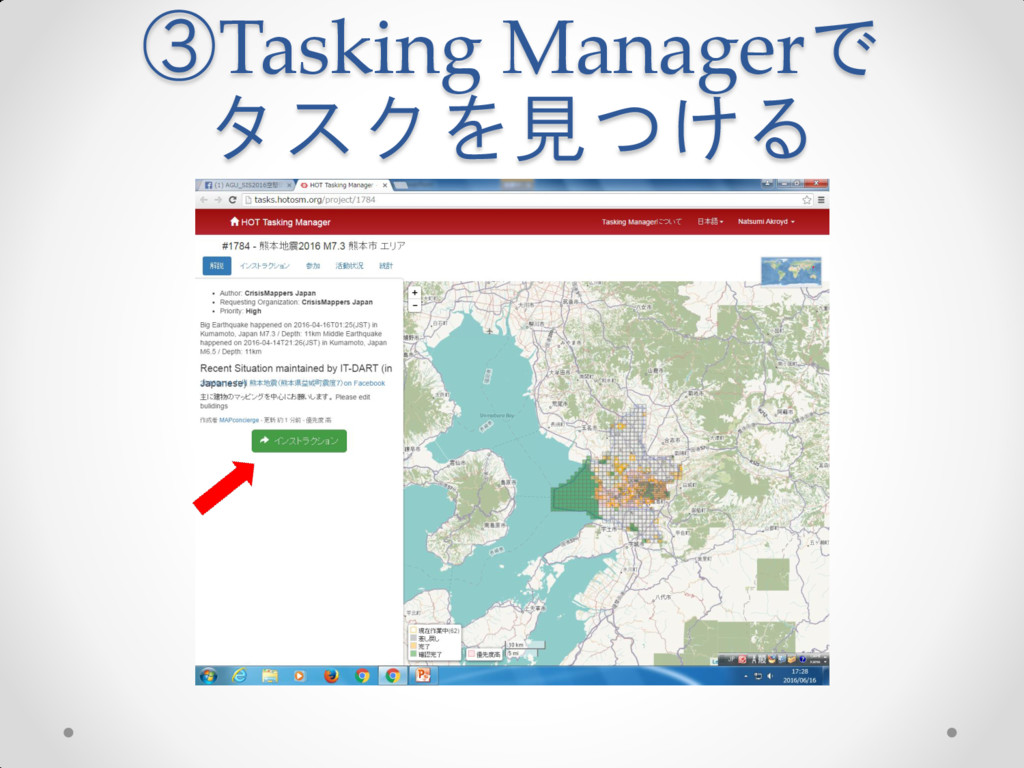
③Tasking Managerで タスクを見つける
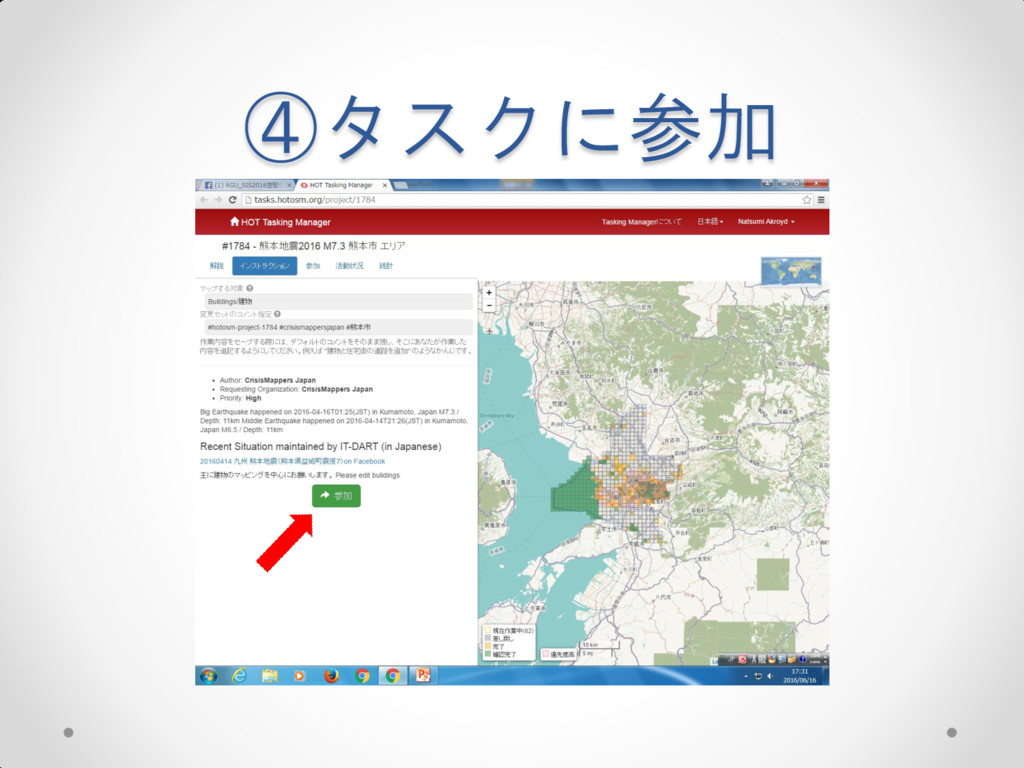
④タスクに参加
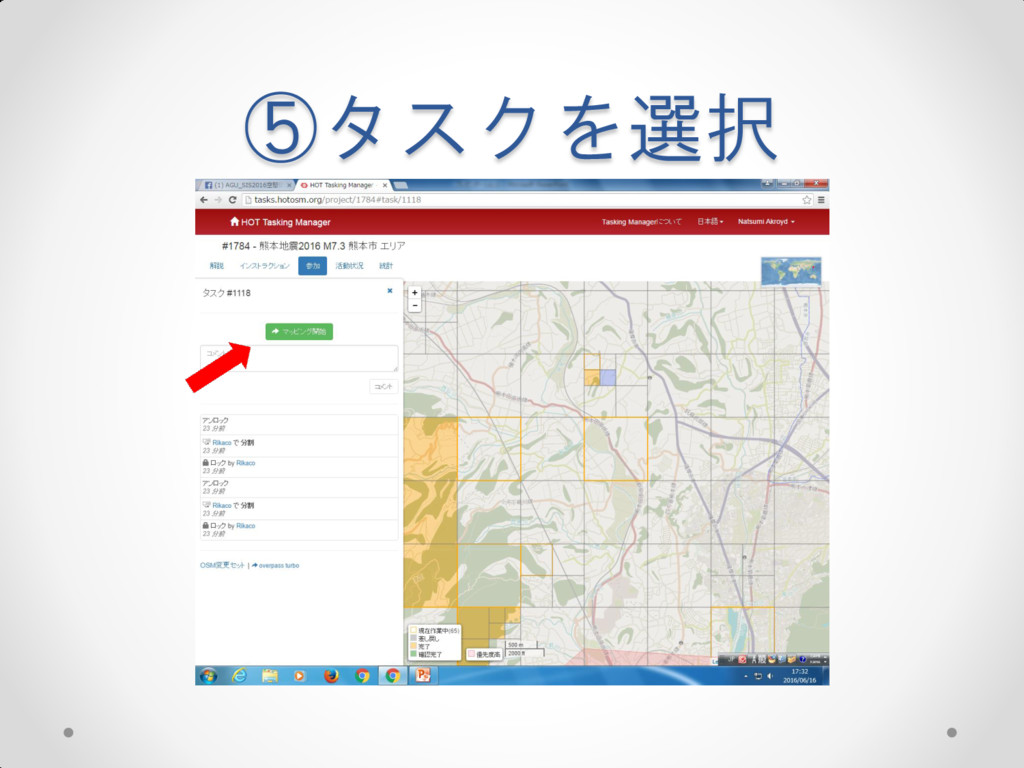
⑤タスクを選択
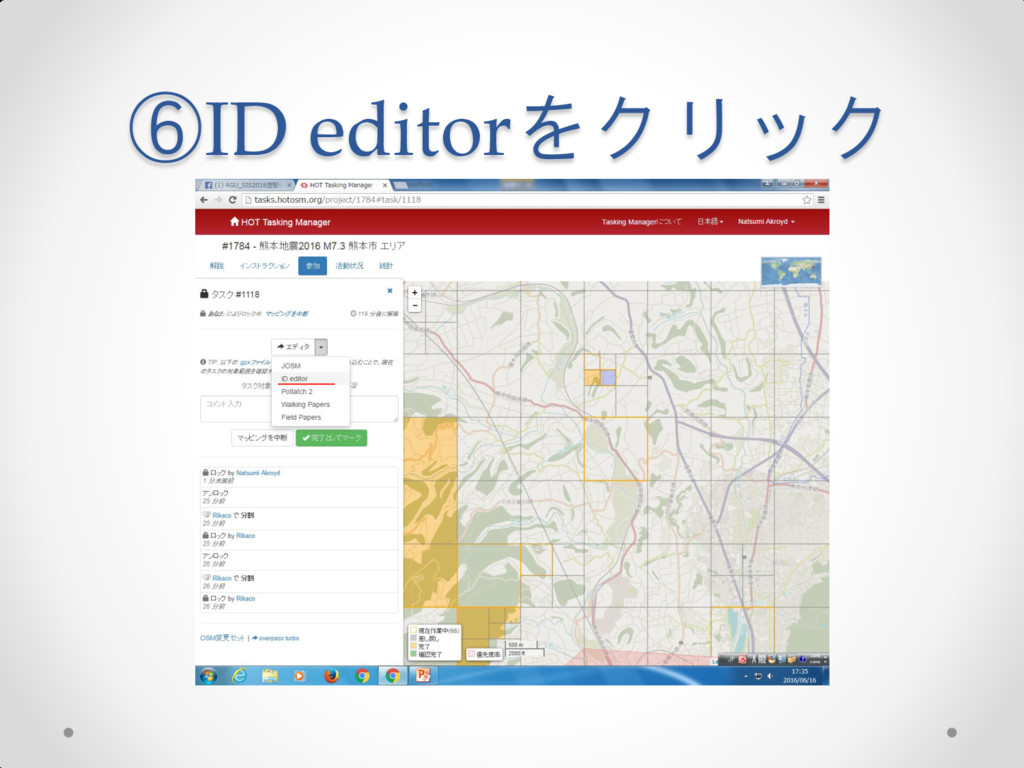
⑥ID editorをクリック
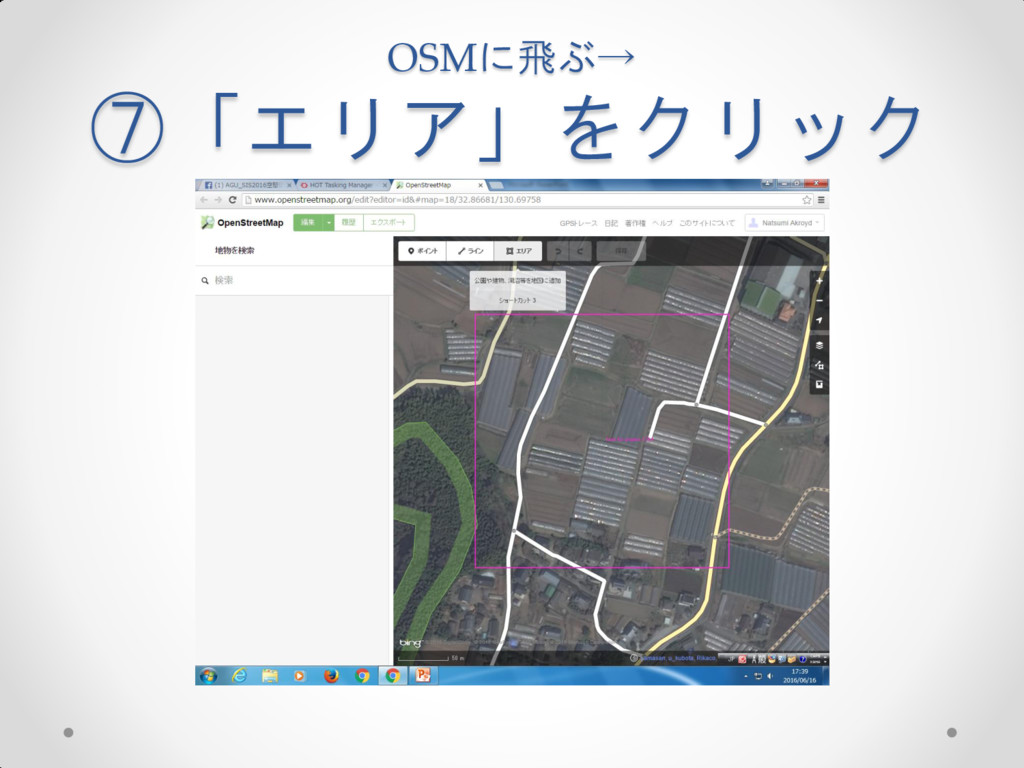
OSMに飛ぶ→ ⑦「エリア」をクリック
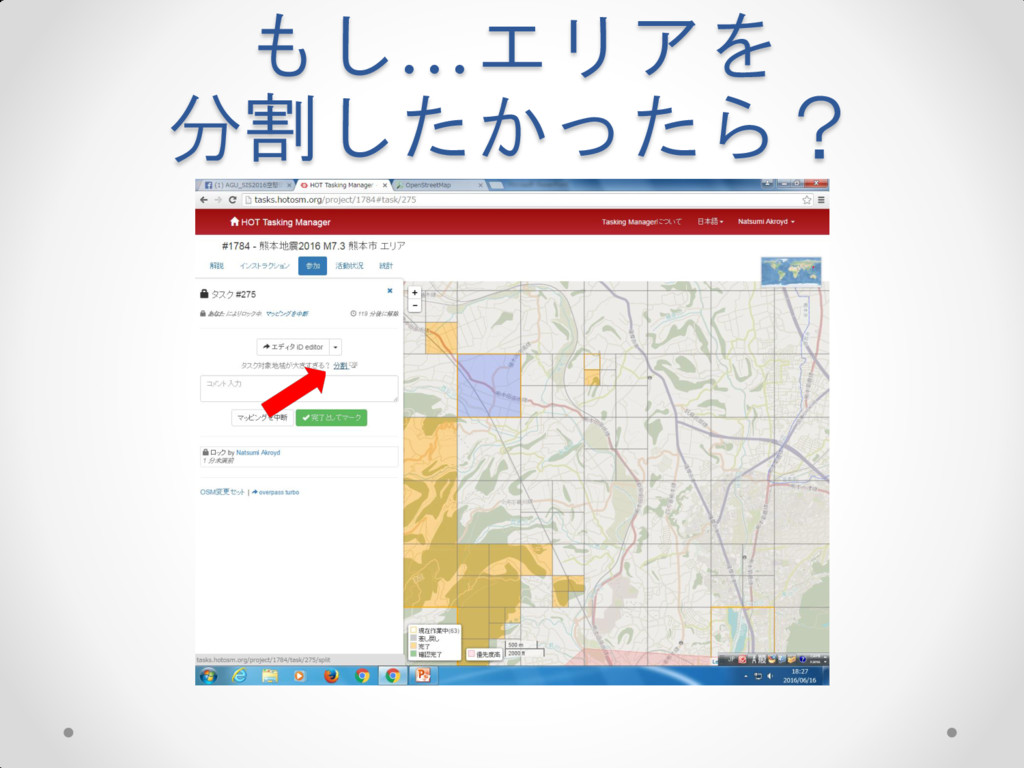
もし…エリアを 分割したかったら?
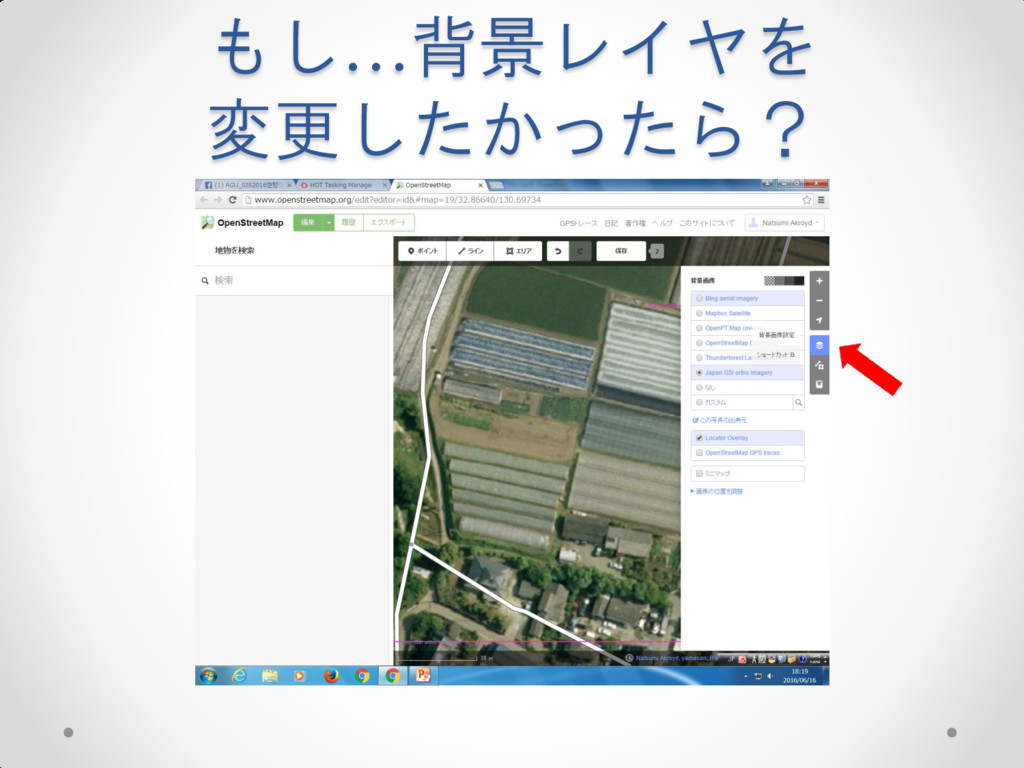
もし…背景レイヤを 変更したかったら?
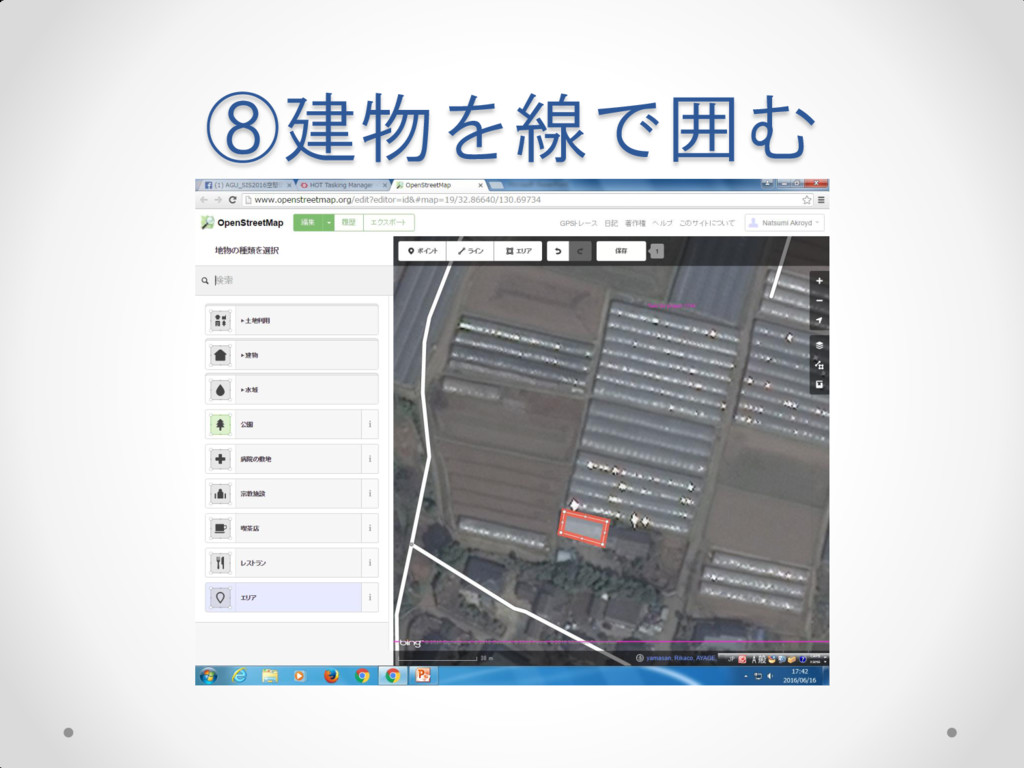
⑧建物を線で囲む
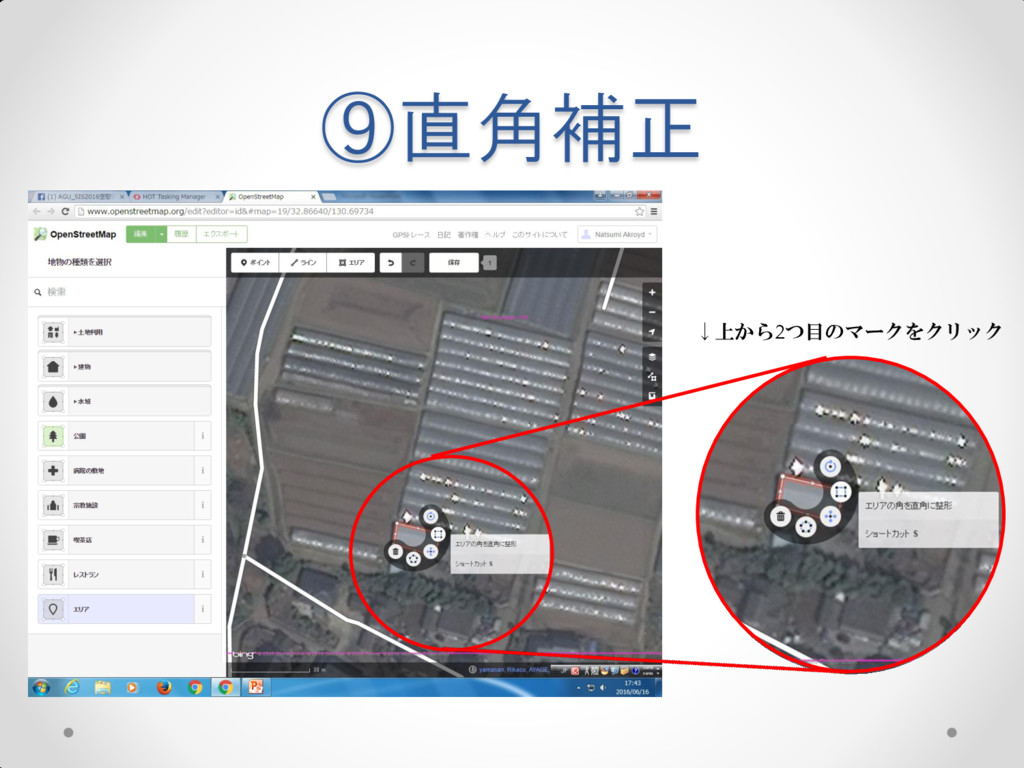
⑨直角補正 ↓上から2つ目のマークをクリック
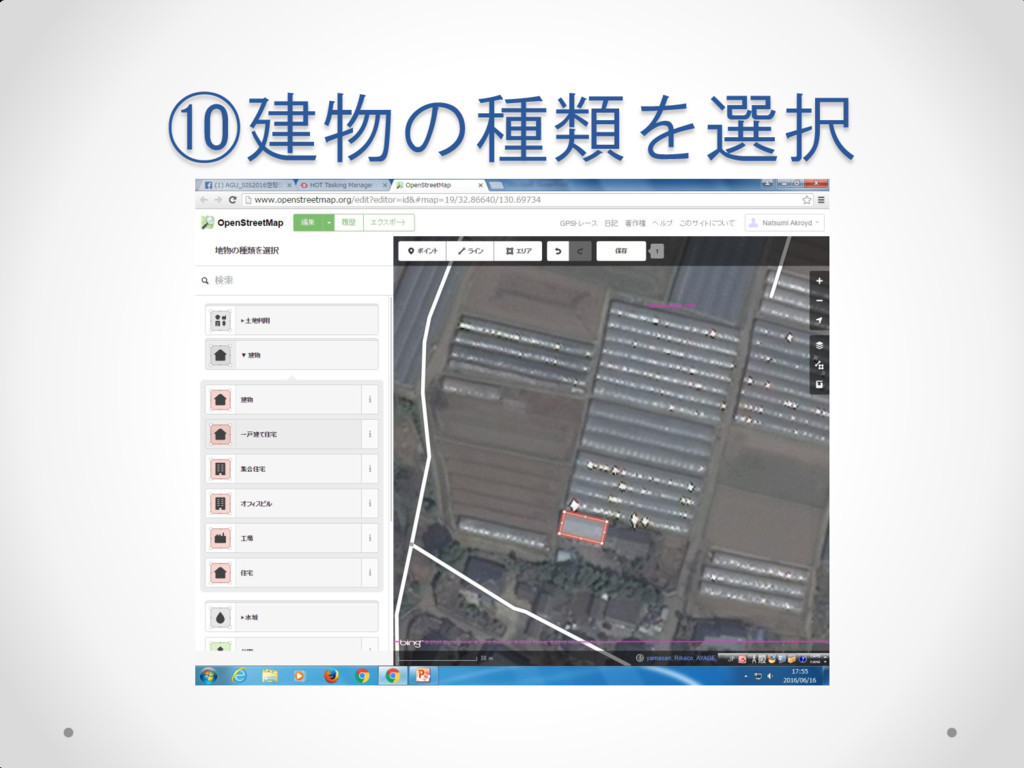
⑩建物の種類を選択
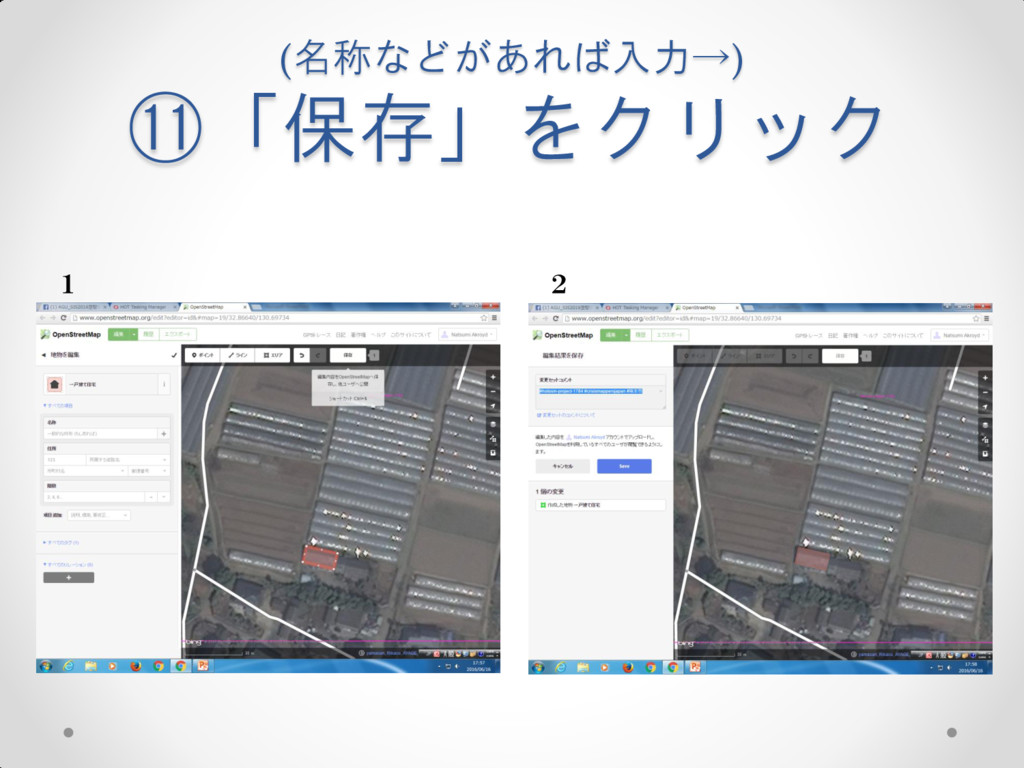
(名称などがあれば入力→) ⑪「保存」をクリック 1 2
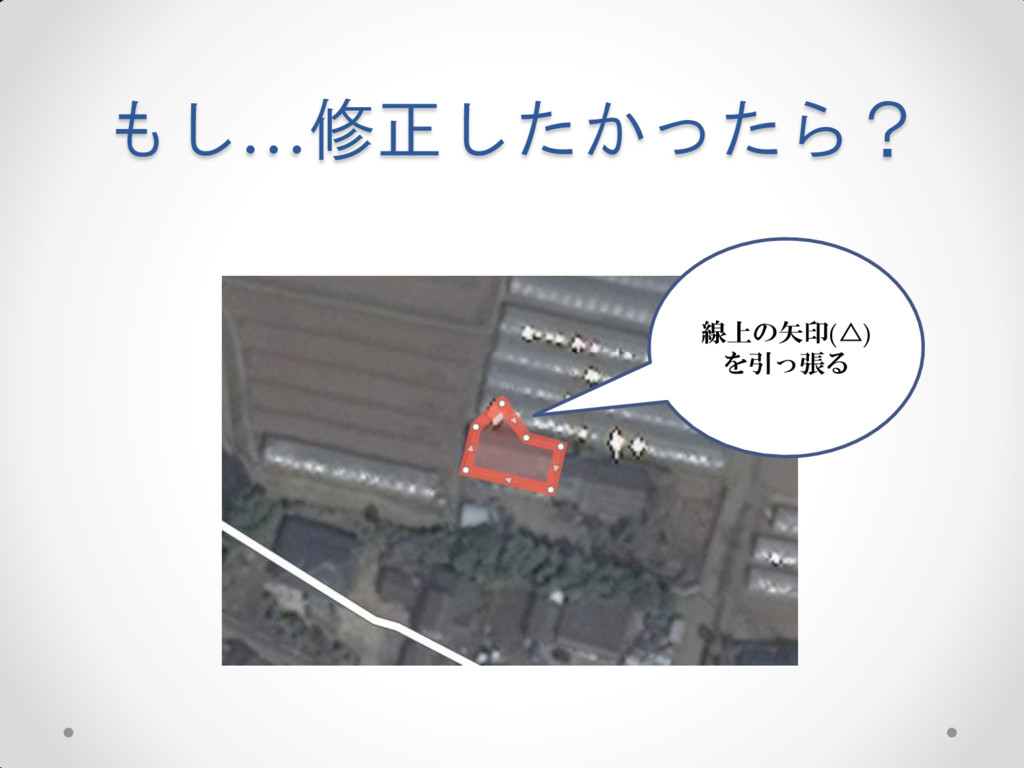
もし…修正したかったら? 線上の矢印(△) を引っ張る
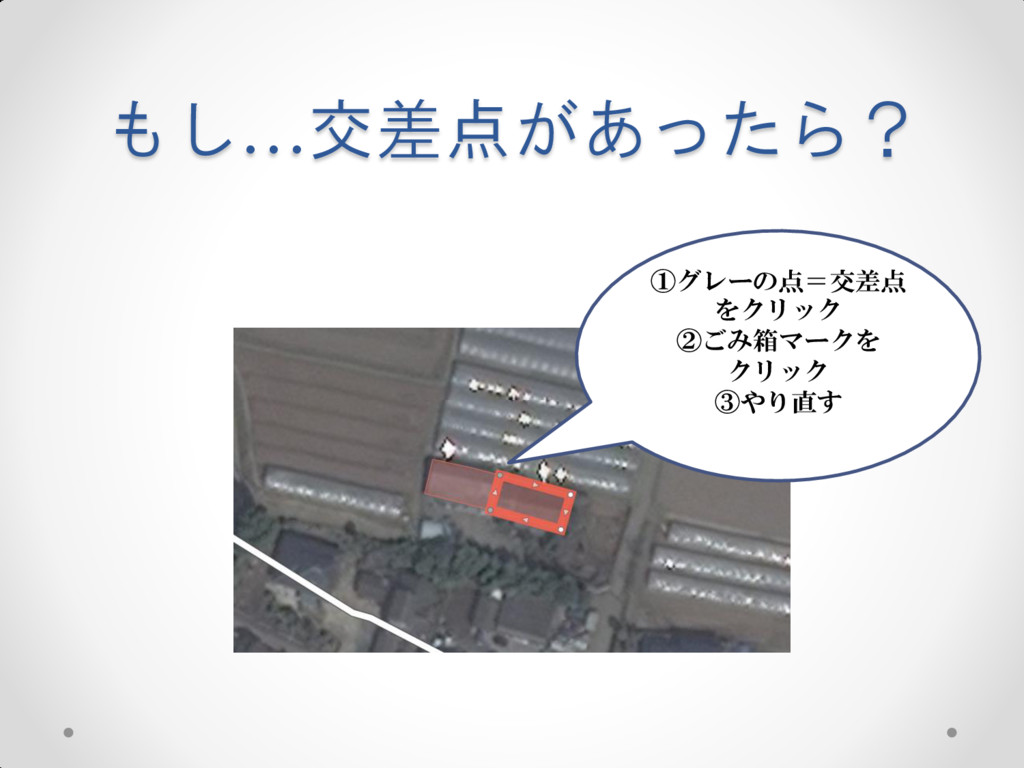
もし…交差点があったら? ①グレーの点=交差点 をクリック ②ごみ箱マークを クリック ③やり直す
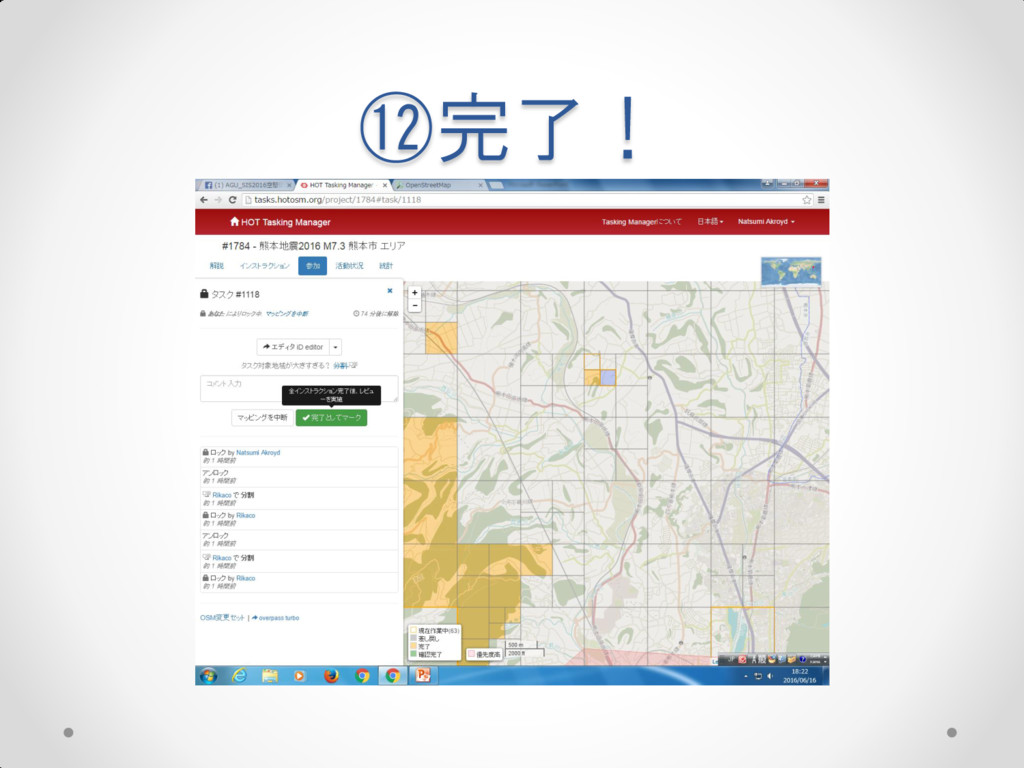
⑫完了!


 0462390969
 marktimemedia
 coloredviolet
 honnibal
 rasmusluckow
 mfonobong
 apolaine
 addyosmani
 aleyda
 raygrieselhuber
 tmiket
 danielanewman
 jacobtomlinson