Upgrade to Pro
— share decks privately, control downloads, hide ads and more …
Speaker Deck
Sign up for free
Menu
Search
Features
All features
Private URLs
Password Protection
Custom URLS
Scheduled publishing
Remove Branding
Restrict embedding
Deck Collections
Notes
Features
All features
Private URLs
Password Protection
Custom URLS
Scheduled publishing
Remove Branding
Restrict embedding
Deck Collections
Notes
Explore
Featured decks
Featured speakers
Programming
Technology
Storyboards
Explore
Featured decks
Featured speakers
Programming
Technology
Storyboards
Pricing
Search
Sign in
Sign up for free
Pokestop マニュアル
Search
Natsumi Hashiguchi
July 14, 2016
28
0
Share
Embed
Copy iframe code
Copy JS code
Copy link
Start on current slide
Pokestop マニュアル
Natsumi Hashiguchi
July 14, 2016
More Decks by Natsumi Hashiguchi
See All by Natsumi Hashiguchi
空間情報システム入門Ⅰ#02 2016/06/16
0462390969
0
59
Featured
See All Featured
Statistics for Hackers
jakevdp
799
230k
Bridging the Design Gap: How Collaborative Modelling removes blockers to flow between stakeholders and teams @FastFlow conf
baasie
0
760
How to Align SEO within the Product Triangle To Get Buy-In & Support - #RIMC
aleyda
2
1.9k
Mind Mapping
helmedeiros
1
430
Java REST API Framework Comparison - PWX 2021
mraible
34
9.8k
SEO Brein meetup: CTRL+C is not how to scale international SEO
lindahogenes
2
3k
The B2B funnel & how to create a winning content strategy
katarinadahlin
PRO
1
600
Easily Structure & Communicate Ideas using Wireframe
afnizarnur
194
17k
Imperfection Machines: The Place of Print at Facebook
scottboms
270
14k
Cheating the UX When There Is Nothing More to Optimize - PixelPioneers
stephaniewalter
287
14k
Bootstrapping a Software Product
garrettdimon
PRO
306
120k
JavaScript: Past, Present, and Future - NDC Porto 2020
reverentgeek
52
6.2k
Transcript
Pokestopに採用されそうな 対象物の地図を作ろう! 1A115205 橋口 奈津美
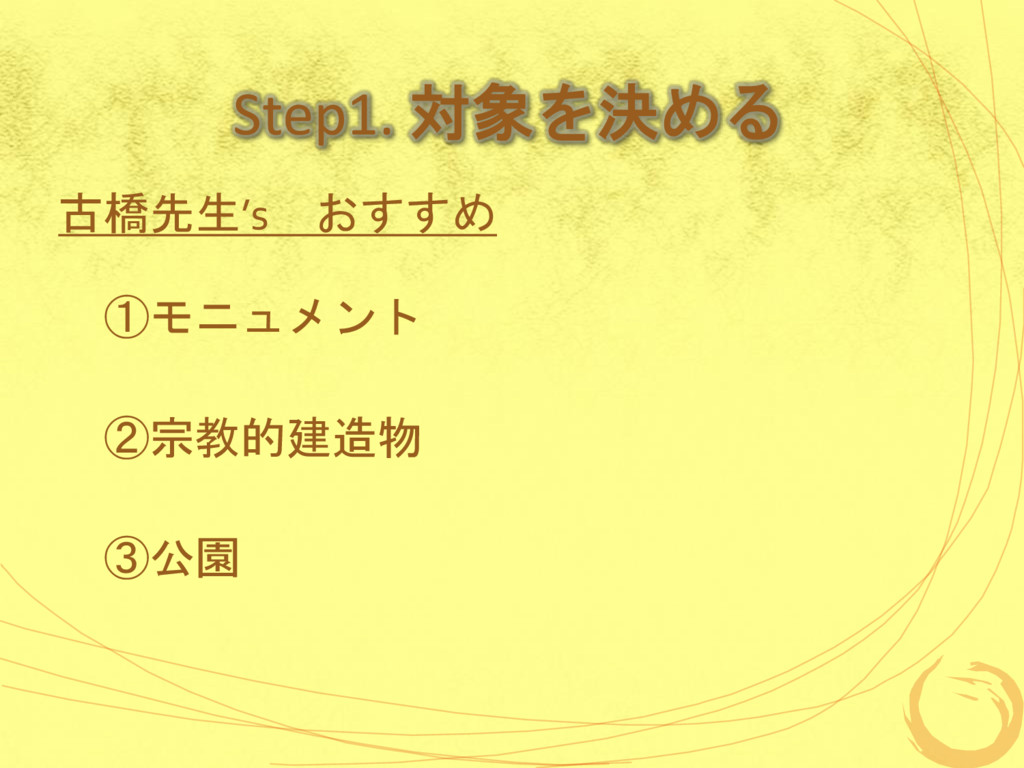
Step1. 対象を決める 古橋先生’s おすすめ ①モニュメント ②宗教的建造物 ③公園
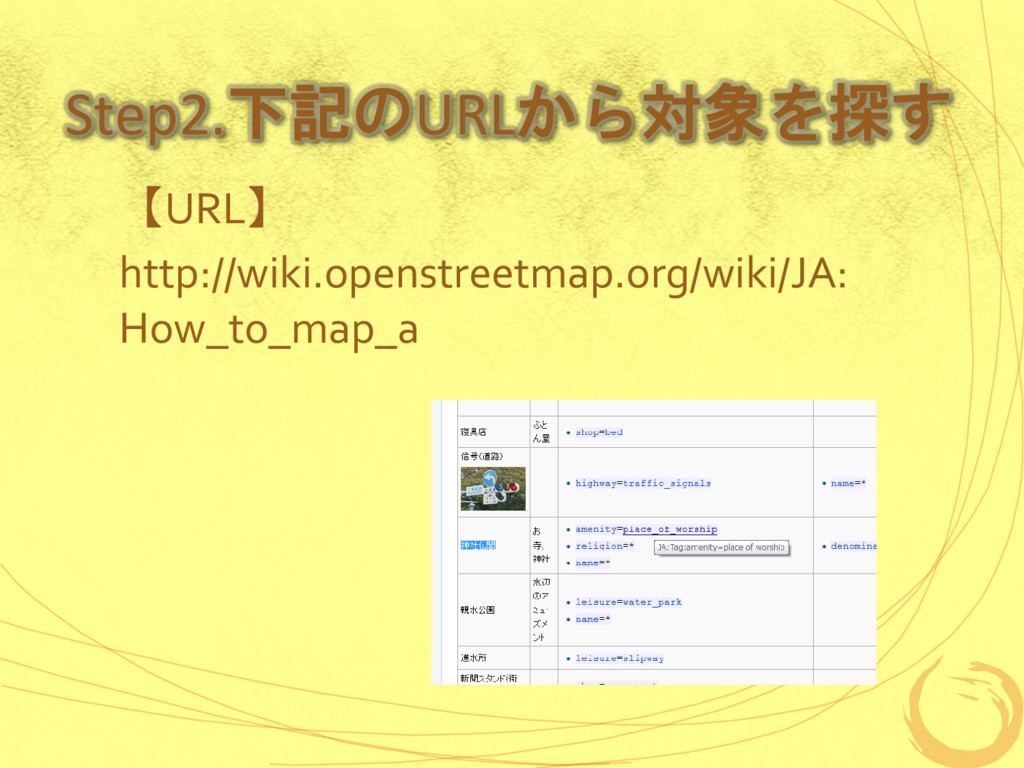
Step2.下記のURLから対象を探す 【URL】 http://wiki.openstreetmap.org/wiki/JA: How_to_map_a
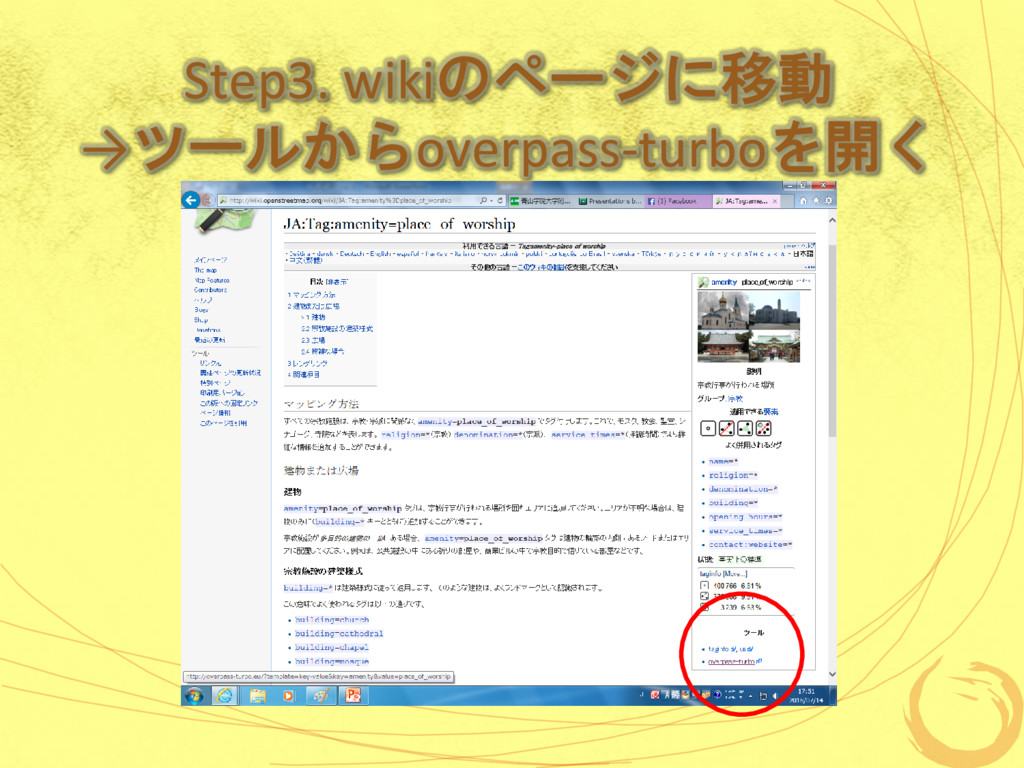
Step3. wikiのページに移動 →ツールからoverpass-turboを開く
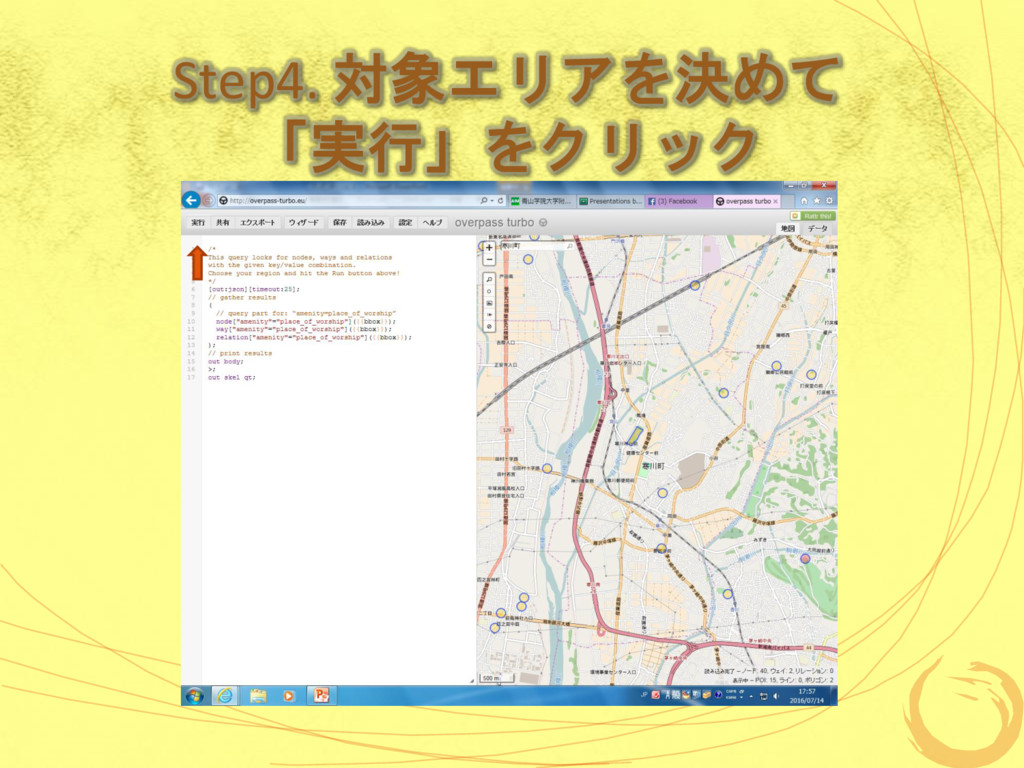
Step4. 対象エリアを決めて 「実行」をクリック
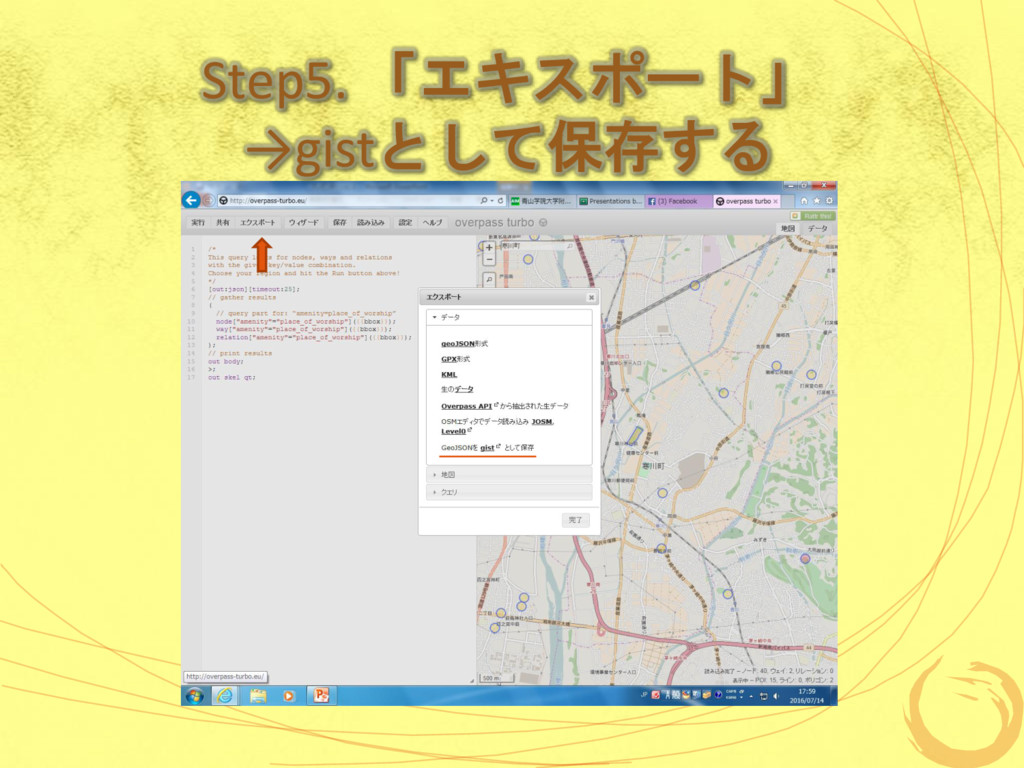
Step5. 「エキスポート」 →gistとして保存する
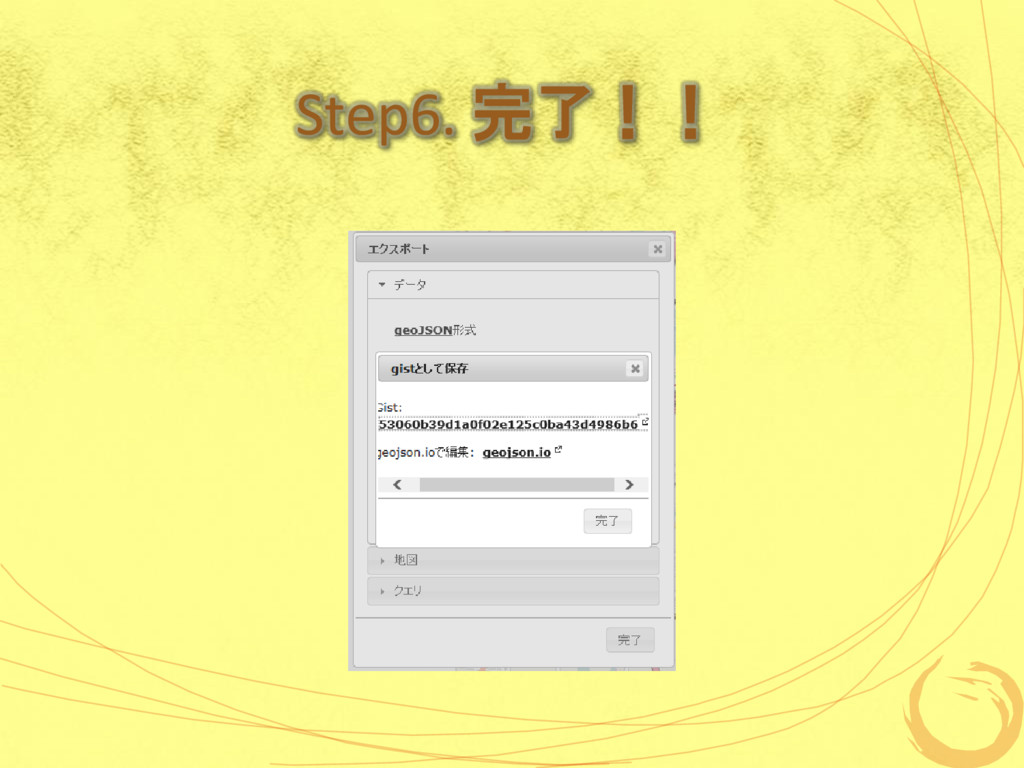
Step6. 完了!!


 0462390969
 jakevdp
 baasie
 aleyda
 helmedeiros
 mraible
 lindahogenes
 katarinadahlin
 afnizarnur
 scottboms
 stephaniewalter
 garrettdimon
 reverentgeek