Share
Embed
SIP 102 Presentation
A follow up to the first introduction to SIP presentation. An in-depth look into SIP:
- Understanding Headers
- Sticky proxies
- BLF (Busy Lamp Field)
- Troubleshooting
Presentation given during the weekly FreeSWITCH Conference Call.
2600hz
July 18, 2012
Transcript
29 slides
-
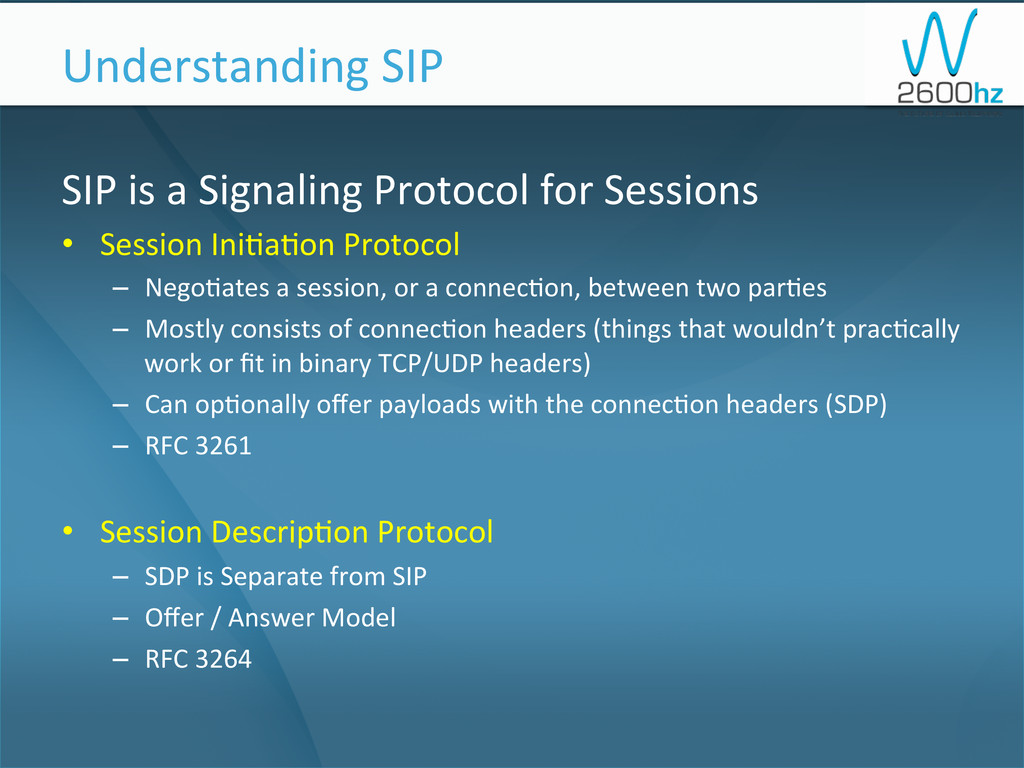
SIP is a Signaling Protocol for Sessions • Session
Ini1a1on Protocol – Nego1ates a session, or a connec1on, between two par1es – Mostly consists of connec1on headers (things that wouldn’t prac1cally work or fit in binary TCP/UDP headers) – Can op1onally offer payloads with the connec1on headers (SDP) – RFC 3261 • Session Descrip1on Protocol – SDP is Separate from SIP – Offer / Answer Model – RFC 3264 Understanding SIP -
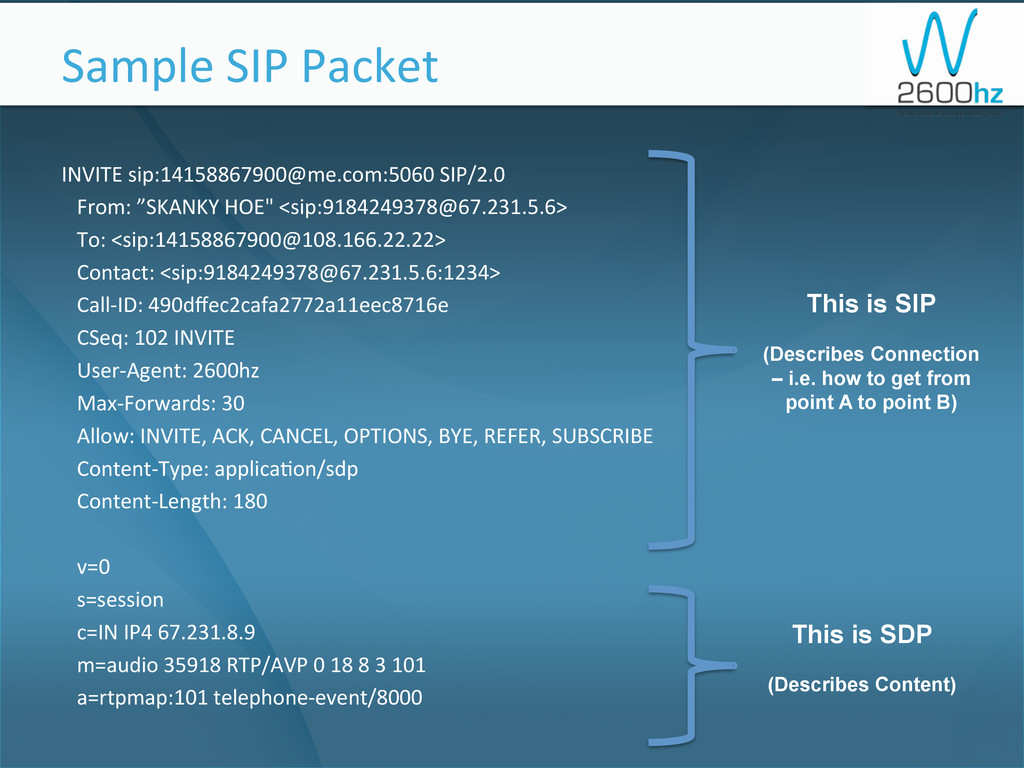
INVITE sip:[email protected]:5060 SIP/2.0 From: ”SKANKY HOE" <sip:[email protected]>
To: <sip:[email protected]> Contact: <sip:[email protected]:1234> Call-‐ID: 490dffec2cafa2772a11eec8716e CSeq: 102 INVITE User-‐Agent: 2600hz Max-‐Forwards: 30 Allow: INVITE, ACK, CANCEL, OPTIONS, BYE, REFER, SUBSCRIBE Content-‐Type: applica1on/sdp Content-‐Length: 180 v=0 s=session c=IN IP4 67.231.8.9 m=audio 35918 RTP/AVP 0 18 8 3 101 a=rtpmap:101 telephone-‐event/8000 Sample SIP Packet This is SIP (Describes Connection – i.e. how to get from point A to point B) This is SDP (Describes Content) -
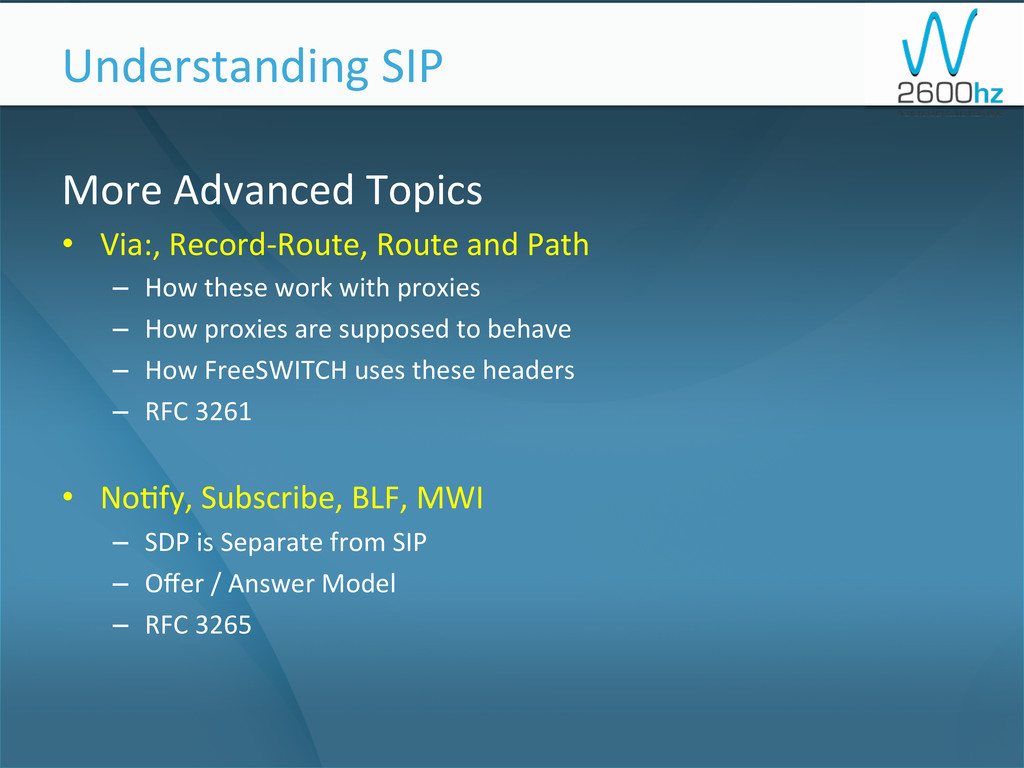
More Advanced Topics • Via:, Record-‐Route, Route and Path
– How these work with proxies – How proxies are supposed to behave – How FreeSWITCH uses these headers – RFC 3261 • No1fy, Subscribe, BLF, MWI – SDP is Separate from SIP – Offer / Answer Model – RFC 3265 Understanding SIP -
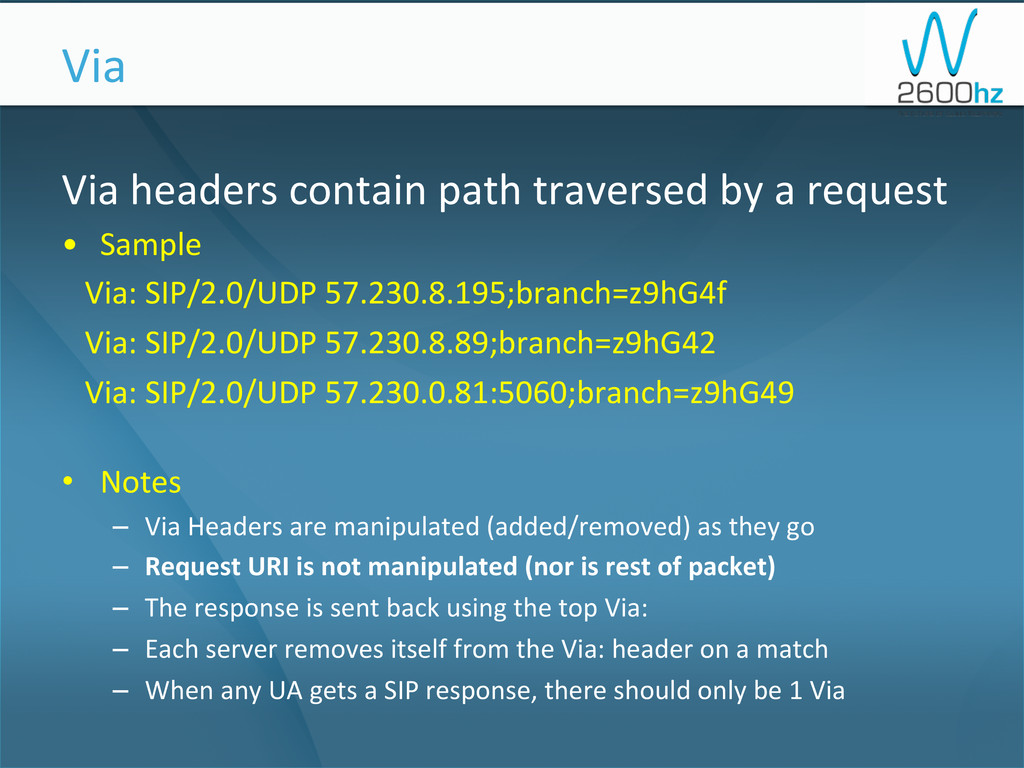
Via headers contain path traversed by a request •
Sample Via: SIP/2.0/UDP 57.230.8.195;branch=z9hG4f Via: SIP/2.0/UDP 57.230.8.89;branch=z9hG42 Via: SIP/2.0/UDP 57.230.0.81:5060;branch=z9hG49 • Notes – Via Headers are manipulated (added/removed) as they go – Request URI is not manipulated (nor is rest of packet) – The response is sent back using the top Via: – Each server removes itself from the Via: header on a match – When any UA gets a SIP response, there should only be 1 Via Via -
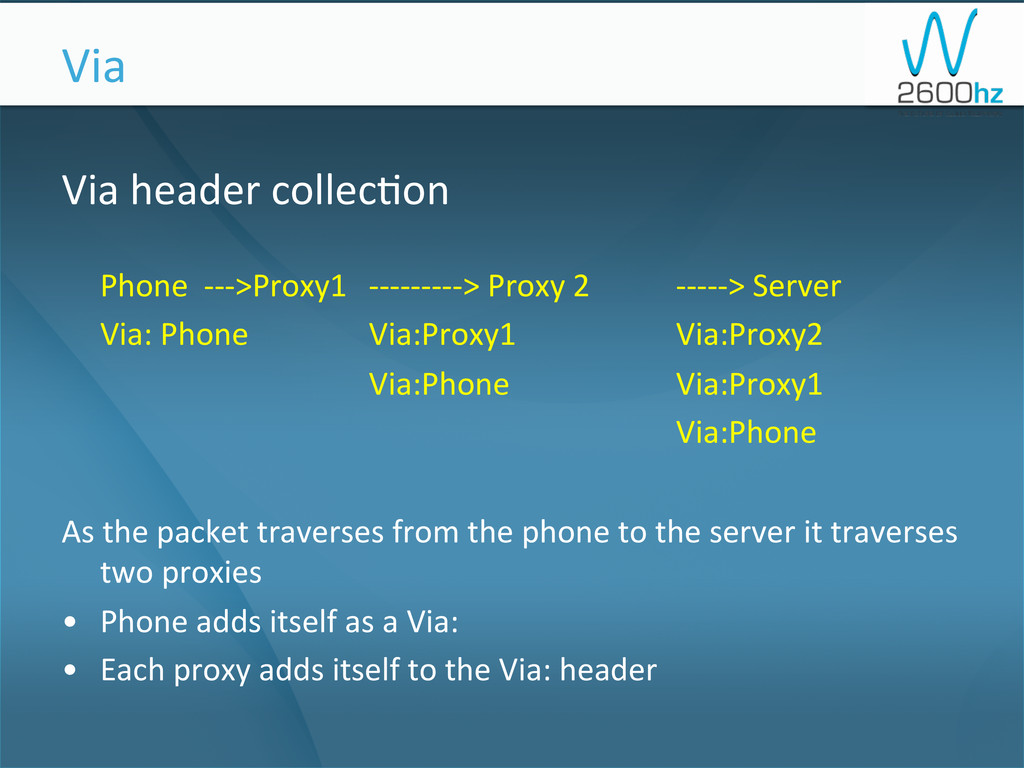
Via header collec1on Phone -‐-‐-‐>Proxy1 -‐-‐-‐-‐-‐-‐-‐-‐-‐> Proxy
2 -‐-‐-‐-‐-‐> Server Via: Phone Via:Proxy1 Via:Proxy2 Via:Phone Via:Proxy1 Via:Phone As the packet traverses from the phone to the server it traverses two proxies • Phone adds itself as a Via: • Each proxy adds itself to the Via: header Via -
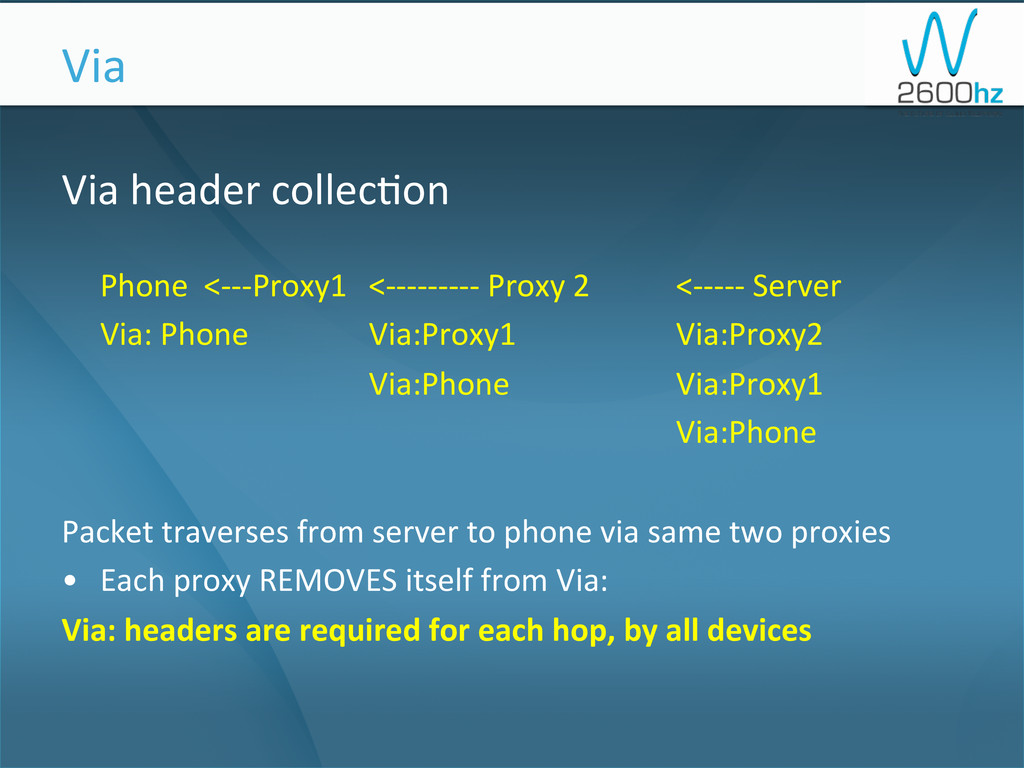
Via header collec1on Phone <-‐-‐-‐Proxy1 <-‐-‐-‐-‐-‐-‐-‐-‐-‐ Proxy
2 <-‐-‐-‐-‐-‐ Server Via: Phone Via:Proxy1 Via:Proxy2 Via:Phone Via:Proxy1 Via:Phone Packet traverses from server to phone via same two proxies • Each proxy REMOVES itself from Via: Via: headers are required for each hop, by all devices Via -
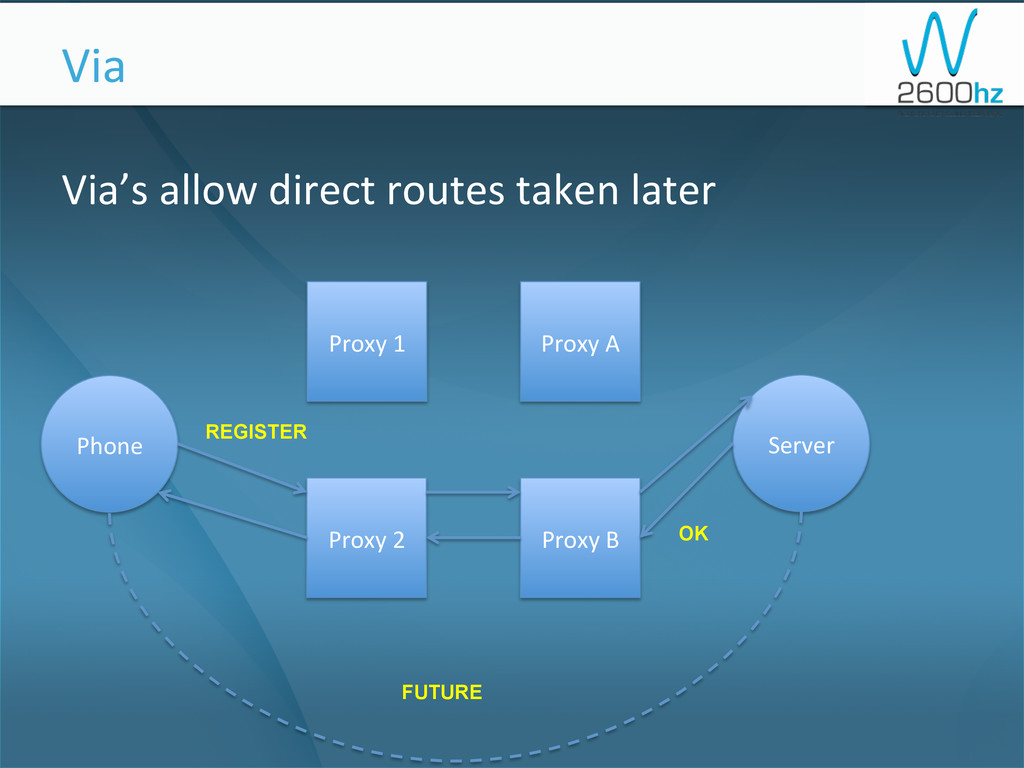
Via’s allow direct routes taken later Via
Phone Server Proxy 1 Proxy 2 Proxy A Proxy B OK REGISTER FUTURE -
What if you WANT to guarantee the
same proxy be used? S1cky Proxies -
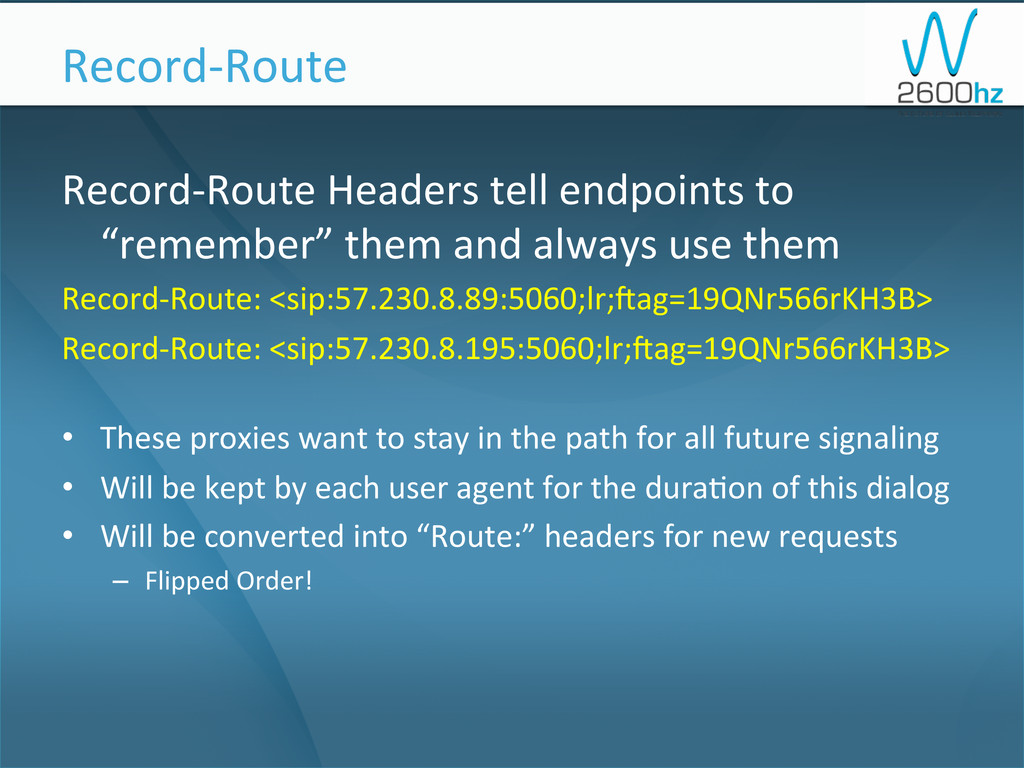
Record-‐Route Headers tell endpoints to “remember” them and always
use them Record-‐Route: <sip:57.230.8.89:5060;lr;oag=19QNr566rKH3B> Record-‐Route: <sip:57.230.8.195:5060;lr;oag=19QNr566rKH3B> • These proxies want to stay in the path for all future signaling • Will be kept by each user agent for the dura1on of this dialog • Will be converted into “Route:” headers for new requests – Flipped Order! Record-‐Route -
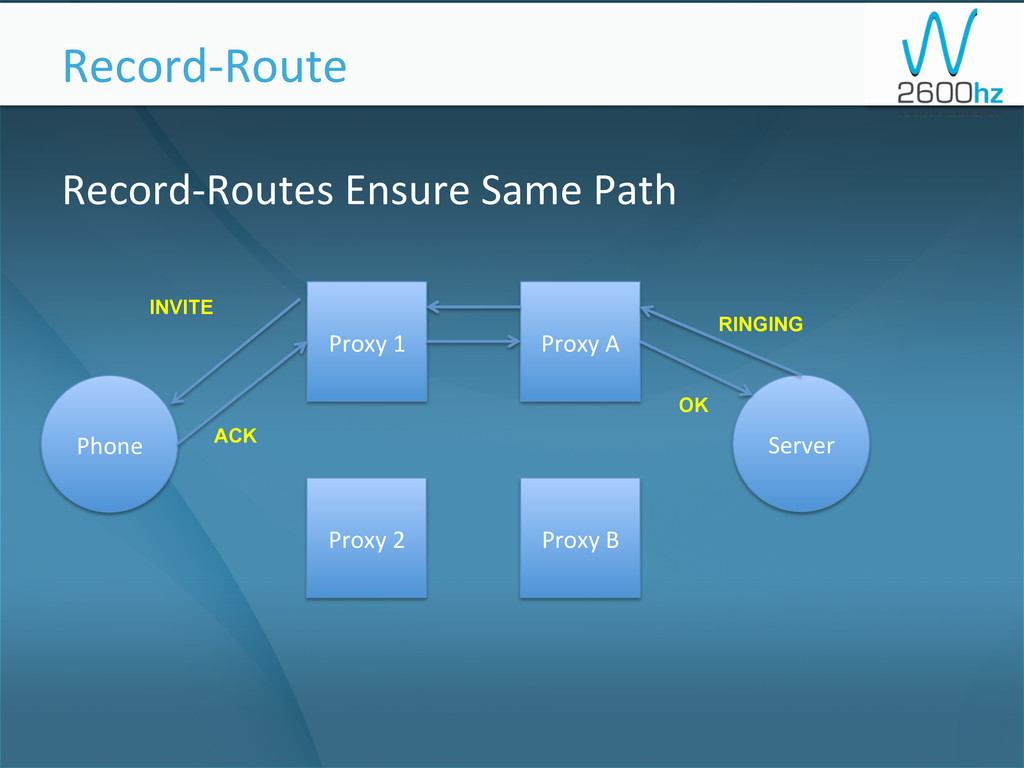
Record-‐Routes Ensure Same Path Record-‐Route Phone
Server Proxy 1 Proxy 2 Proxy A Proxy B ACK RINGING INVITE OK -
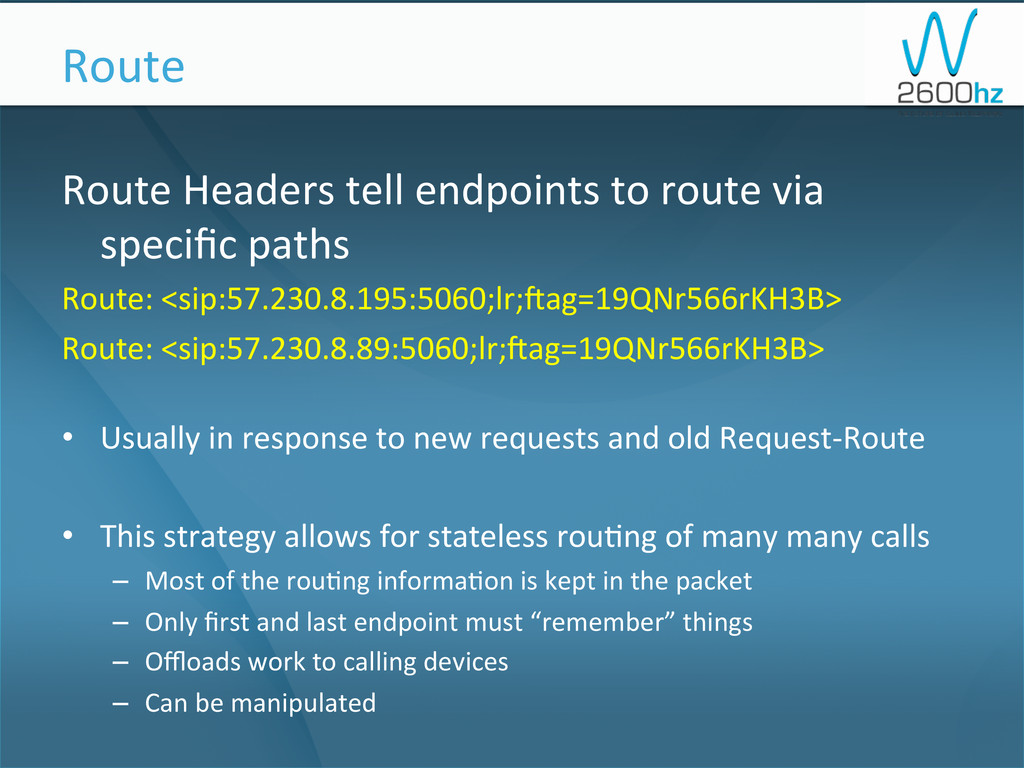
Route Headers tell endpoints to route via specific paths
Route: <sip:57.230.8.195:5060;lr;oag=19QNr566rKH3B> Route: <sip:57.230.8.89:5060;lr;oag=19QNr566rKH3B> • Usually in response to new requests and old Request-‐Route • This strategy allows for stateless rou1ng of many many calls – Most of the rou1ng informa1on is kept in the packet – Only first and last endpoint must “remember” things – Offloads work to calling devices – Can be manipulated Route -
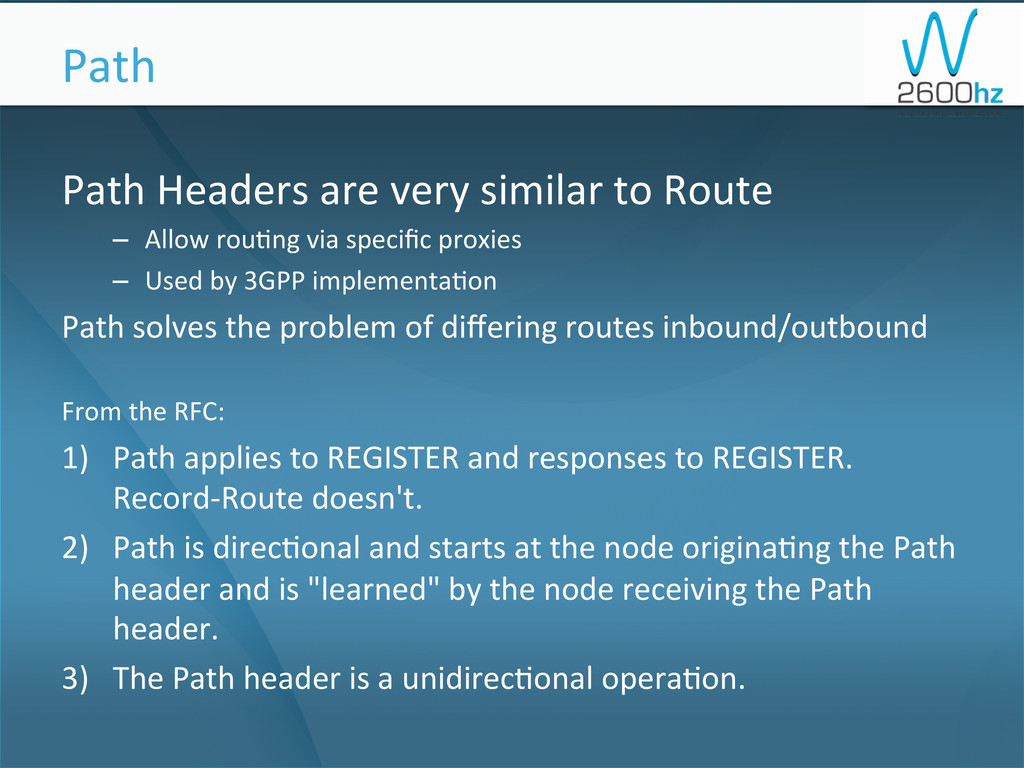
Path Headers are very similar to Route – Allow
rou1ng via specific proxies – Used by 3GPP implementa1on Path solves the problem of differing routes inbound/outbound From the RFC: 1) Path applies to REGISTER and responses to REGISTER. Record-‐Route doesn't. 2) Path is direc1onal and starts at the node origina1ng the Path header and is "learned" by the node receiving the Path header. 3) The Path header is a unidirec1onal opera1on. Path -
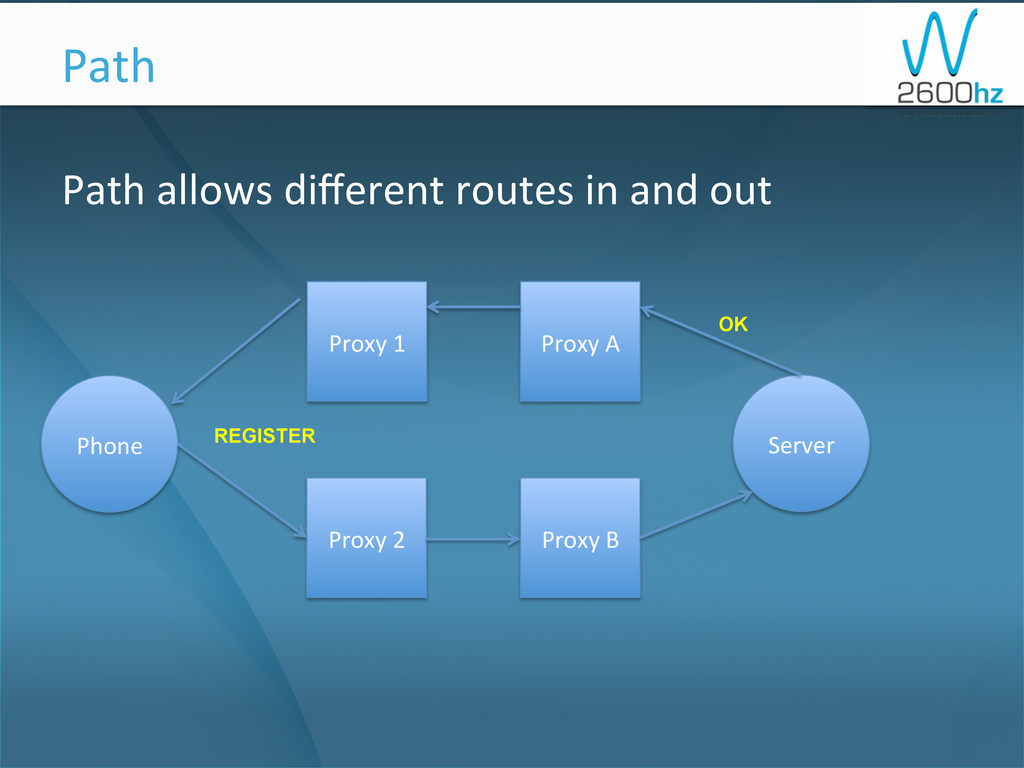
Path allows different routes in and out Path
Phone Server Proxy 1 Proxy 2 Proxy A Proxy B REGISTER OK -
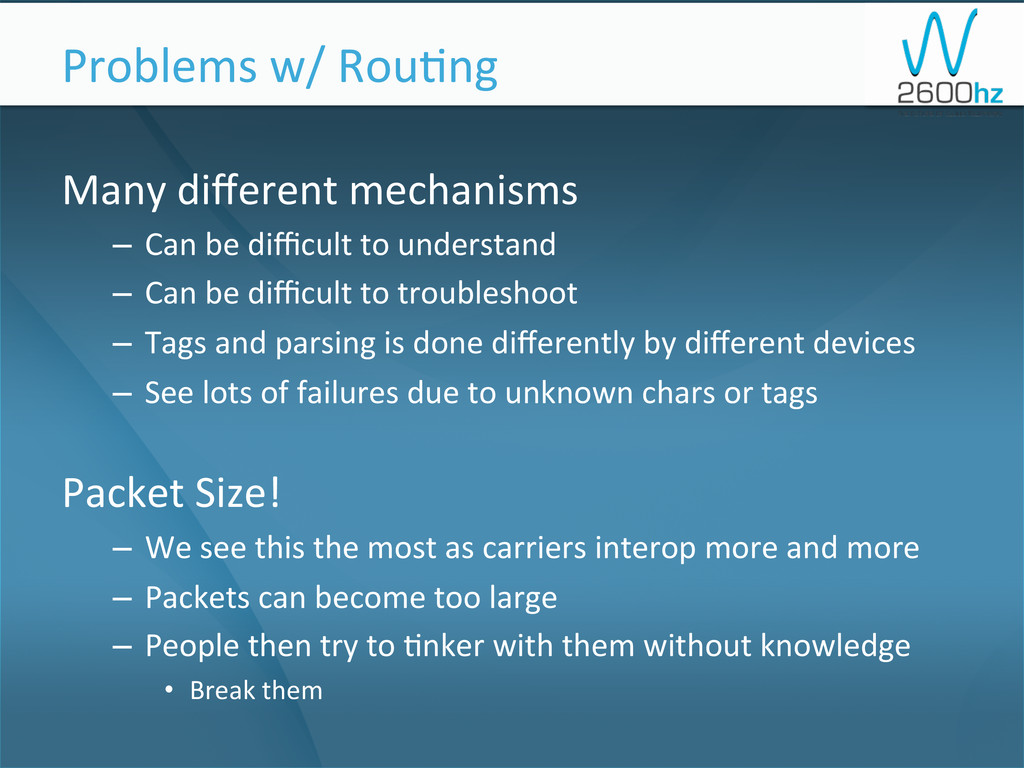
Many different mechanisms – Can be difficult to understand
– Can be difficult to troubleshoot – Tags and parsing is done differently by different devices – See lots of failures due to unknown chars or tags Packet Size! – We see this the most as carriers interop more and more – Packets can become too large – People then try to 1nker with them without knowledge • Break them Problems w/ Rou1ng -
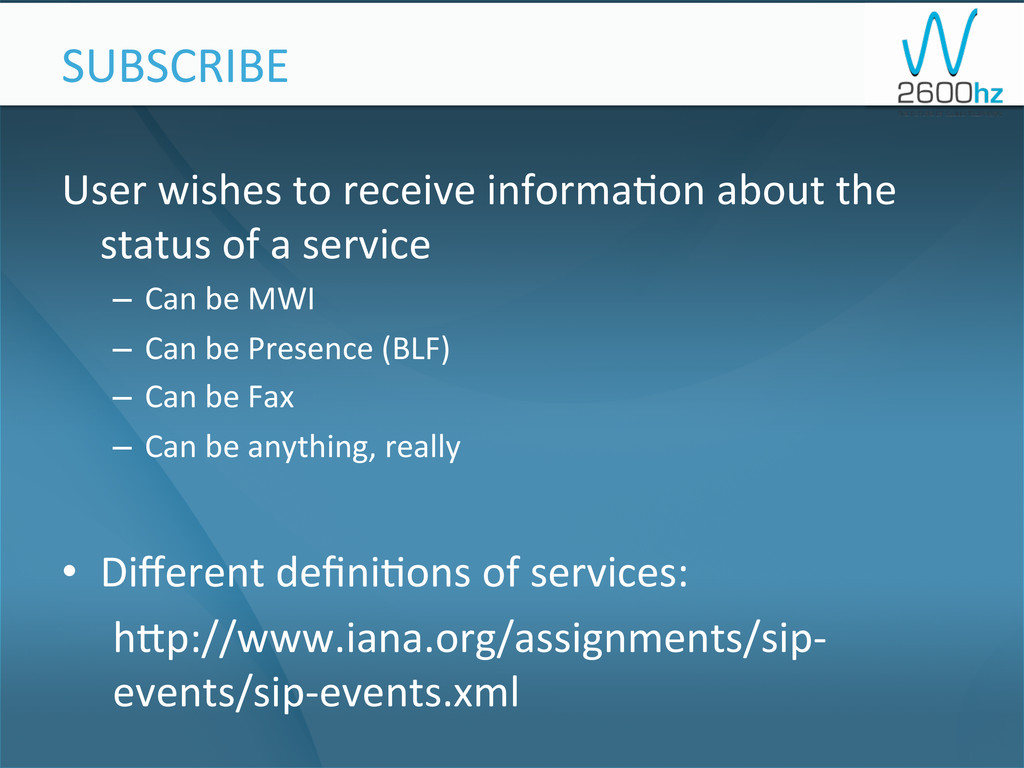
User wishes to receive informa1on about the status of
a service – Can be MWI – Can be Presence (BLF) – Can be Fax – Can be anything, really • Different defini1ons of services: hup://www.iana.org/assignments/sip-‐ events/sip-‐events.xml SUBSCRIBE -
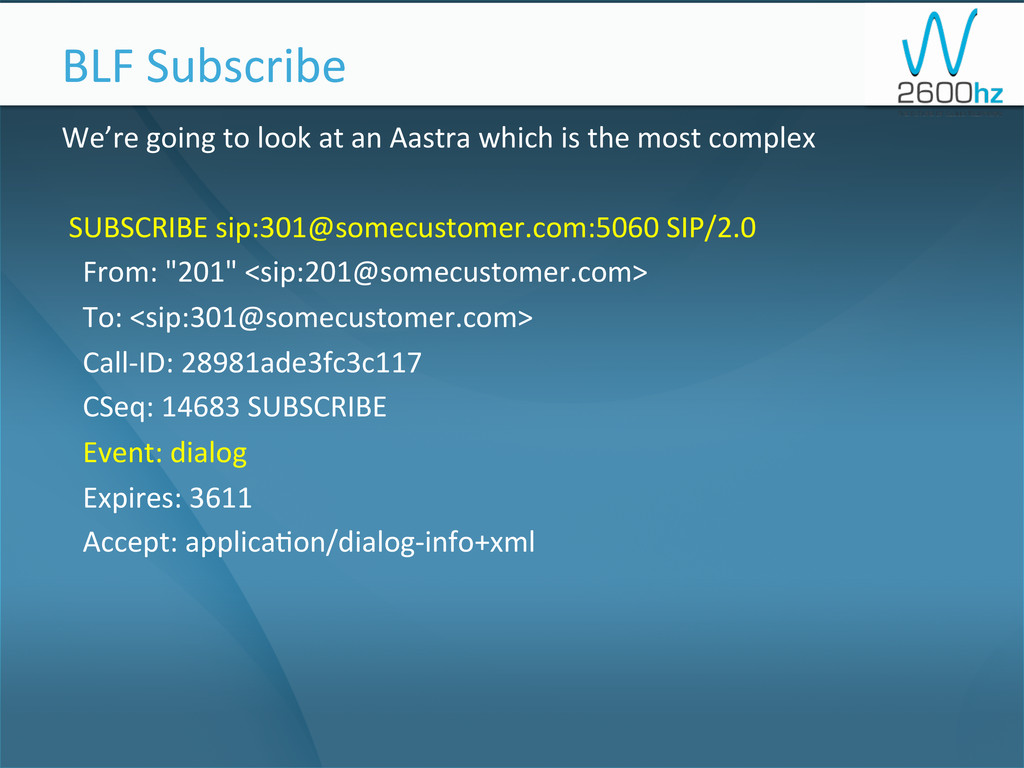
We’re going to look at an Aastra which is the
most complex SUBSCRIBE sip:[email protected]:5060 SIP/2.0 From: "201" <sip:[email protected]> To: <sip:[email protected]> Call-‐ID: 28981ade3fc3c117 CSeq: 14683 SUBSCRIBE Event: dialog Expires: 3611 Accept: applica1on/dialog-‐info+xml BLF Subscribe -
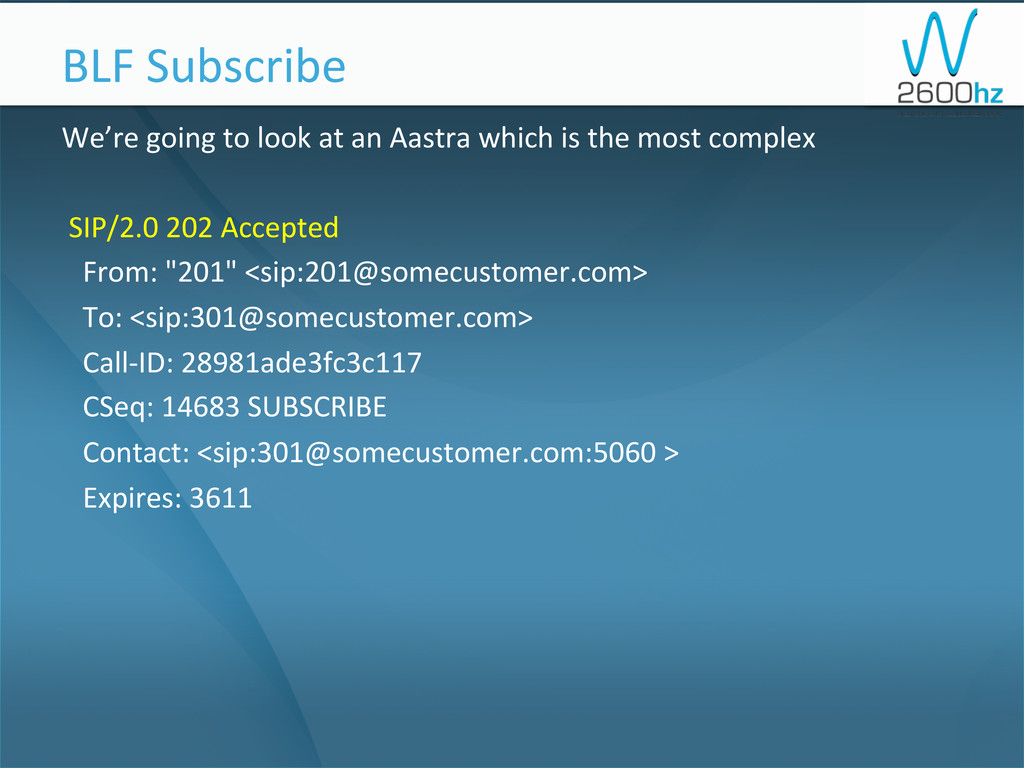
We’re going to look at an Aastra which is the
most complex SIP/2.0 202 Accepted From: "201" <sip:[email protected]> To: <sip:[email protected]> Call-‐ID: 28981ade3fc3c117 CSeq: 14683 SUBSCRIBE Contact: <sip:[email protected]:5060 > Expires: 3611 BLF Subscribe -
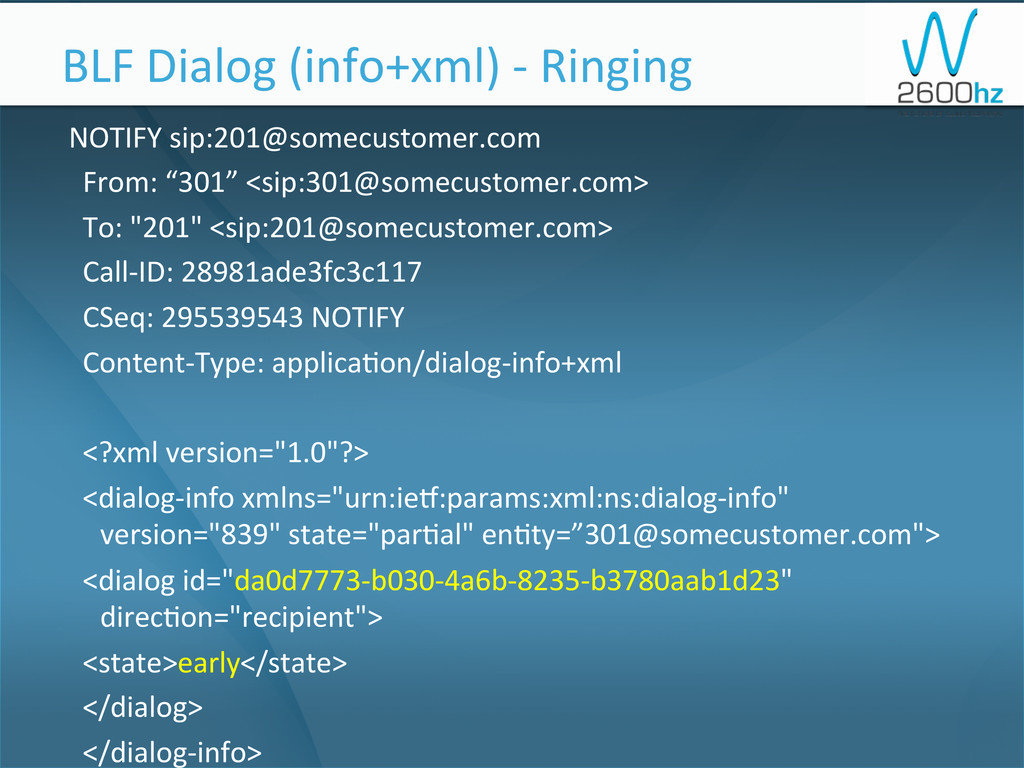
NOTIFY sip:[email protected] From: “301” <sip:[email protected]>
To: "201" <sip:[email protected]> Call-‐ID: 28981ade3fc3c117 CSeq: 295539543 NOTIFY Content-‐Type: applica1on/dialog-‐info+xml <?xml version="1.0"?> <dialog-‐info xmlns="urn:iex:params:xml:ns:dialog-‐info" version="839" state="par1al" en1ty=”[email protected]"> <dialog id="da0d7773-‐b030-‐4a6b-‐8235-‐b3780aab1d23" direc1on="recipient"> <state>early</state> </dialog> </dialog-‐info> BLF Dialog (info+xml) -‐ Ringing -
NOTIFY sip:[email protected] From: “301” <sip:[email protected]>
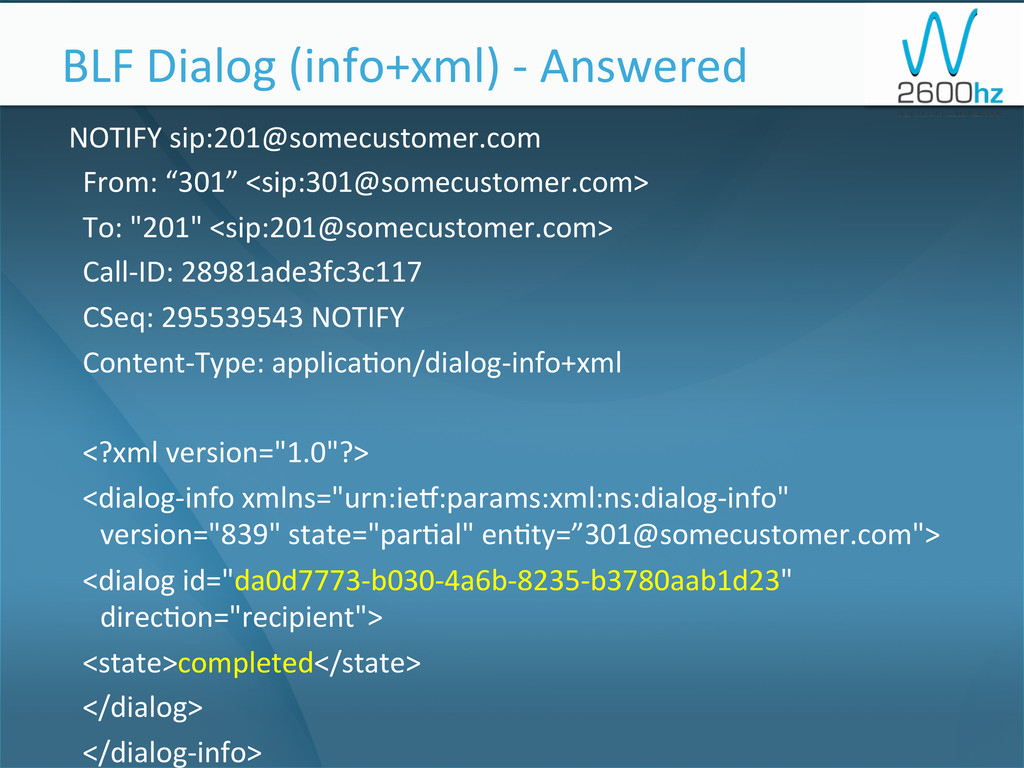
To: "201" <sip:[email protected]> Call-‐ID: 28981ade3fc3c117 CSeq: 295539543 NOTIFY Content-‐Type: applica1on/dialog-‐info+xml <?xml version="1.0"?> <dialog-‐info xmlns="urn:iex:params:xml:ns:dialog-‐info" version="839" state="par1al" en1ty=”[email protected]"> <dialog id="da0d7773-‐b030-‐4a6b-‐8235-‐b3780aab1d23" direc1on="recipient"> <state>completed</state> </dialog> </dialog-‐info> BLF Dialog (info+xml) -‐ Answered -
NOTIFY sip:[email protected] From: “301” <sip:[email protected]>
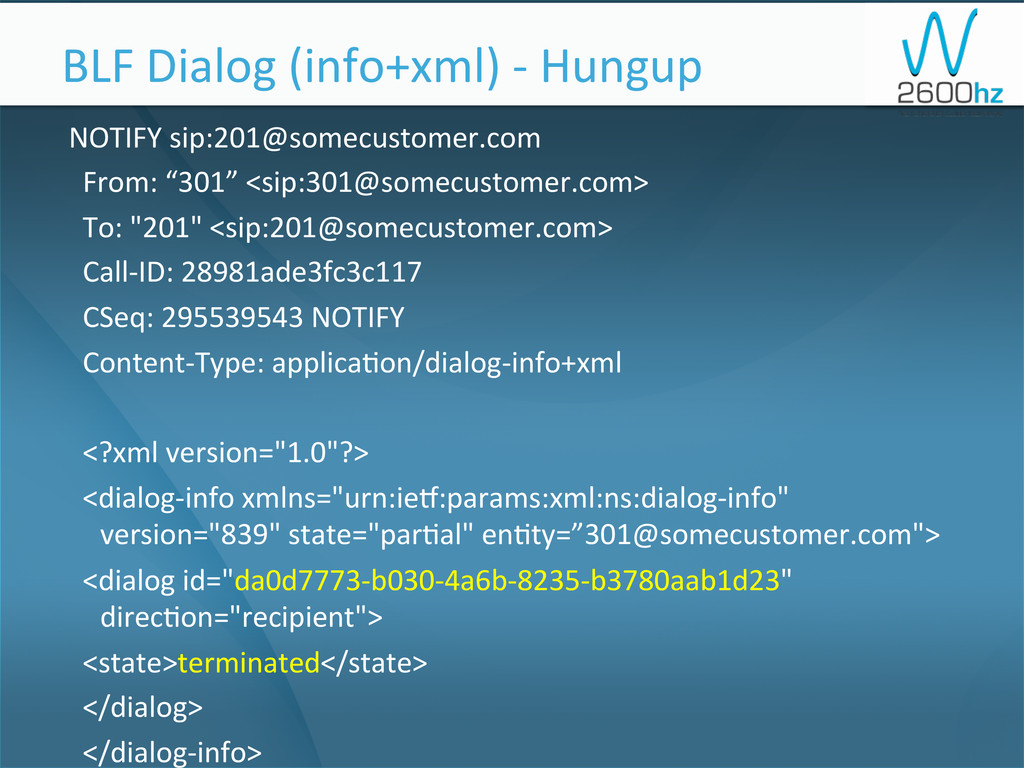
To: "201" <sip:[email protected]> Call-‐ID: 28981ade3fc3c117 CSeq: 295539543 NOTIFY Content-‐Type: applica1on/dialog-‐info+xml <?xml version="1.0"?> <dialog-‐info xmlns="urn:iex:params:xml:ns:dialog-‐info" version="839" state="par1al" en1ty=”[email protected]"> <dialog id="da0d7773-‐b030-‐4a6b-‐8235-‐b3780aab1d23" direc1on="recipient"> <state>terminated</state> </dialog> </dialog-‐info> BLF Dialog (info+xml) -‐ Hungup -
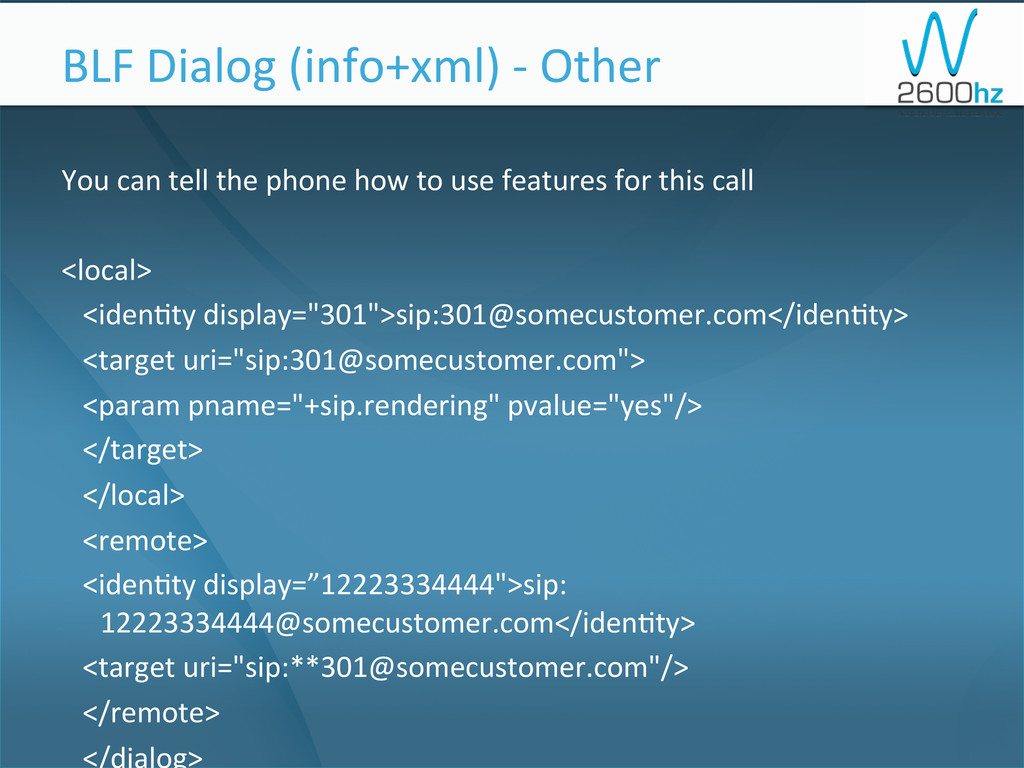
You can tell the phone how to use features for
this call <local> <iden1ty display="301">sip:[email protected]</iden1ty> <target uri="sip:[email protected]"> <param pname="+sip.rendering" pvalue="yes"/> </target> </local> <remote> <iden1ty display=”12223334444">sip: [email protected]</iden1ty> <target uri="sip:**[email protected]"/> </remote> </dialog> BLF Dialog (info+xml) -‐ Other -
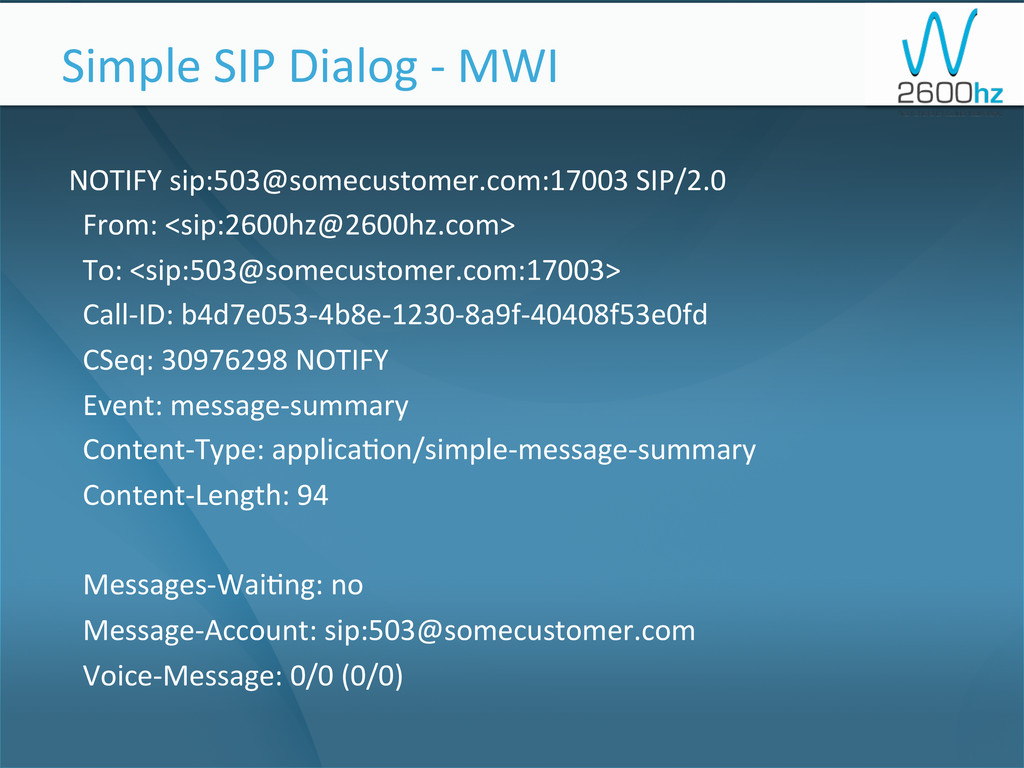
NOTIFY sip:[email protected]:17003 SIP/2.0 From: <sip:[email protected]>
To: <sip:[email protected]:17003> Call-‐ID: b4d7e053-‐4b8e-‐1230-‐8a9f-‐40408f53e0fd CSeq: 30976298 NOTIFY Event: message-‐summary Content-‐Type: applica1on/simple-‐message-‐summary Content-‐Length: 94 Messages-‐Wai1ng: no Message-‐Account: sip:[email protected] Voice-‐Message: 0/0 (0/0) Simple SIP Dialog -‐ MWI -
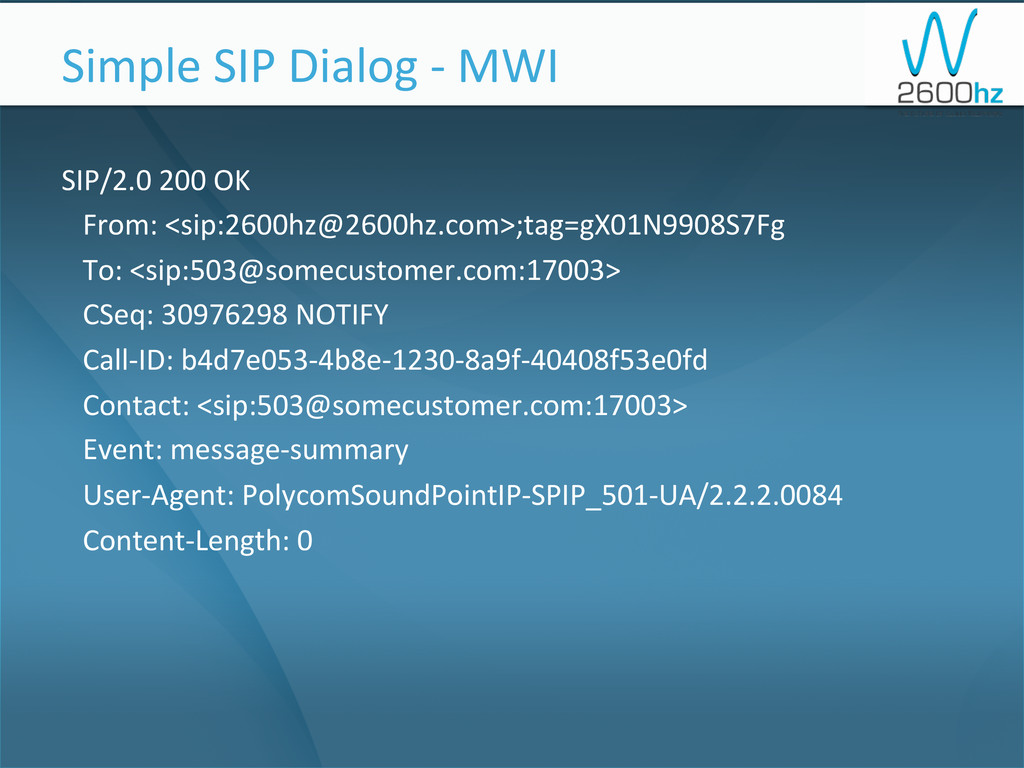
SIP/2.0 200 OK From: <sip:[email protected]>;tag=gX01N9908S7Fg
To: <sip:[email protected]:17003> CSeq: 30976298 NOTIFY Call-‐ID: b4d7e053-‐4b8e-‐1230-‐8a9f-‐40408f53e0fd Contact: <sip:[email protected]:17003> Event: message-‐summary User-‐Agent: PolycomSoundPointIP-‐SPIP_501-‐UA/2.2.2.0084 Content-‐Length: 0 Simple SIP Dialog -‐ MWI -
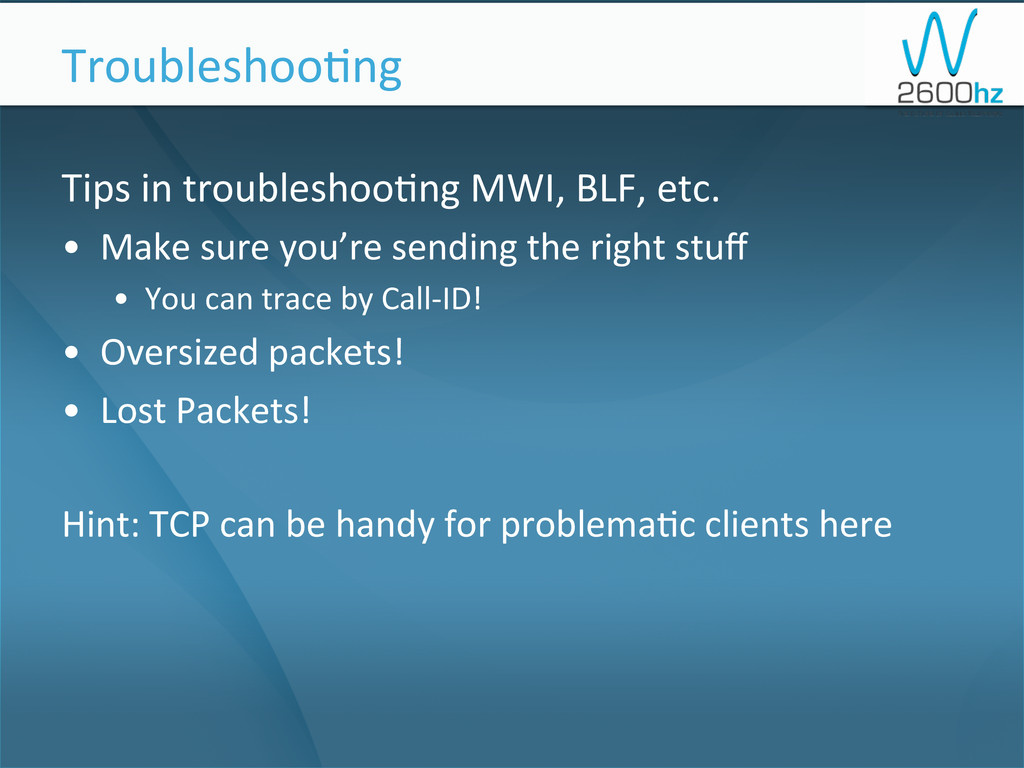
Tips in troubleshoo1ng MWI, BLF, etc. • Make sure
you’re sending the right stuff • You can trace by Call-‐ID! • Oversized packets! • Lost Packets! Hint: TCP can be handy for problema1c clients here Troubleshoo1ng -
Learning more is easy! But there is only
one way to learn more… How To Learn More… -
GO TO
CLUECON How To Learn More…