Upgrade to Pro — share decks privately, control downloads, hide ads and more …

Fundamentals of Computer Programming (for astro...

Fundamentals of Computer Programming (for astronomers)

Modern astronomy is highly dependent on computer programming. Not all astronomers have had the opportunity to undertake formal training in computer science, algorithms or programming. This introductory level talk aims to give a brief background to some of the fundamental concepts of computer programming. Centre for Astrophysics & Supercomputing, Swinburne University of Technology (9 December 2015).

Avatar for Accelerate Astronomy

Accelerate Astronomy

December 09, 2015

Other Decks in Programming

Transcript

  1. Copyright Statement December 2015 The Fundamentals of Computer Programming 2

    Commonwealth of Australia Copyright Act 1968 Notice for paragraph 135ZXA (a) of the Copyright Act 1968 Warning This material has been reproduced and communicated to you by or on behalf of Swinburne University of Technology under Part VB of the Copyright Act 1968 (the Act). The material in this communication may be subject to copyright under the Act. Any further reproduction or communication of this material by you may be the subject of copyright protection under the Act. Do not remove this notice.
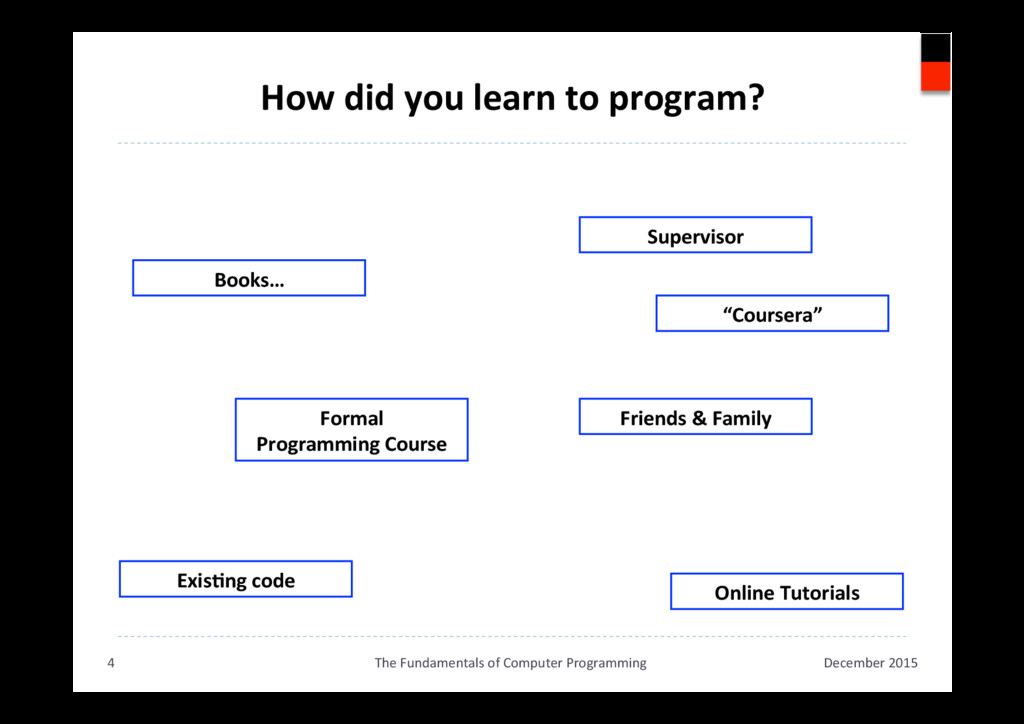
  2. How did you learn to program? December 2015 The Fundamentals

    of Computer Programming 4 Supervisor Formal Programming Course “Coursera” Friends & Family Online Tutorials ExisAng code Books…
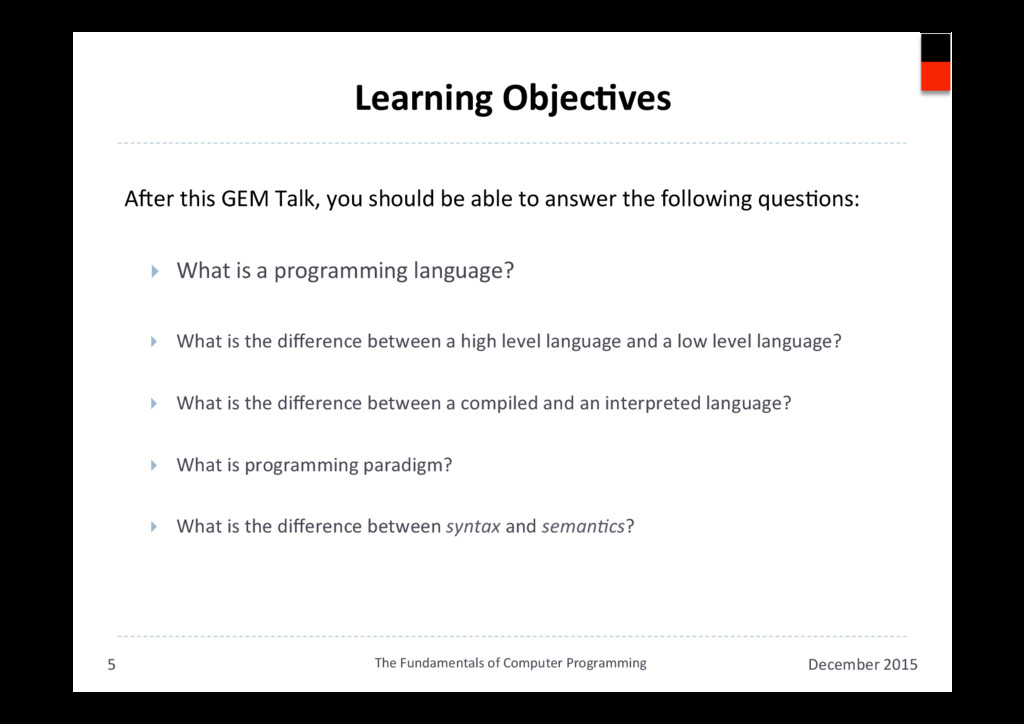
  3. Learning ObjecAves ANer this GEM Talk, you should be able

    to answer the following quesAons: }  What is a programming language? }  What is the difference between a high level language and a low level language? }  What is the difference between a compiled and an interpreted language? }  What is programming paradigm? }  What is the difference between syntax and seman,cs? December 2015 The Fundamentals of Computer Programming 5
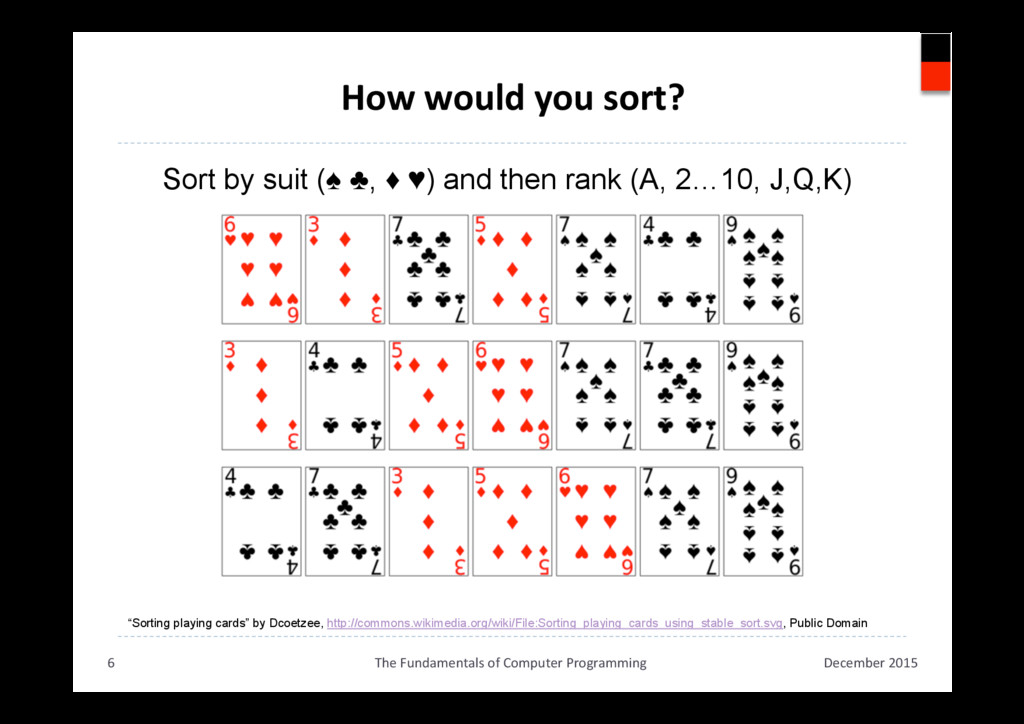
  4. How would you sort? December 2015 The Fundamentals of Computer

    Programming 6 “Sorting playing cards” by Dcoetzee, http://commons.wikimedia.org/wiki/File:Sorting_playing_cards_using_stable_sort.svg, Public Domain Sort by suit (♠ ♣, ♦ ♥) and then rank (A, 2…10, J,Q,K)
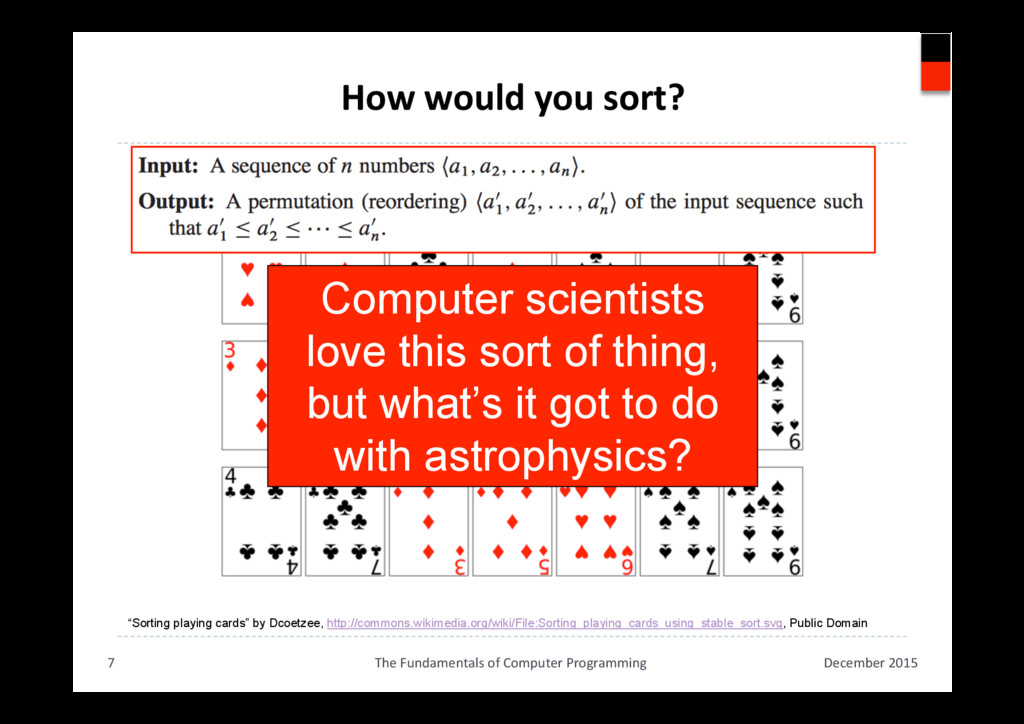
  5. How would you sort? December 2015 The Fundamentals of Computer

    Programming 7 “Sorting playing cards” by Dcoetzee, http://commons.wikimedia.org/wiki/File:Sorting_playing_cards_using_stable_sort.svg, Public Domain Sort by suit (♠ ♣, ♦ ♥) and then rank (A, 2…10, J,Q,K) Computer scientists love this sort of thing, but what’s it got to do with astrophysics?
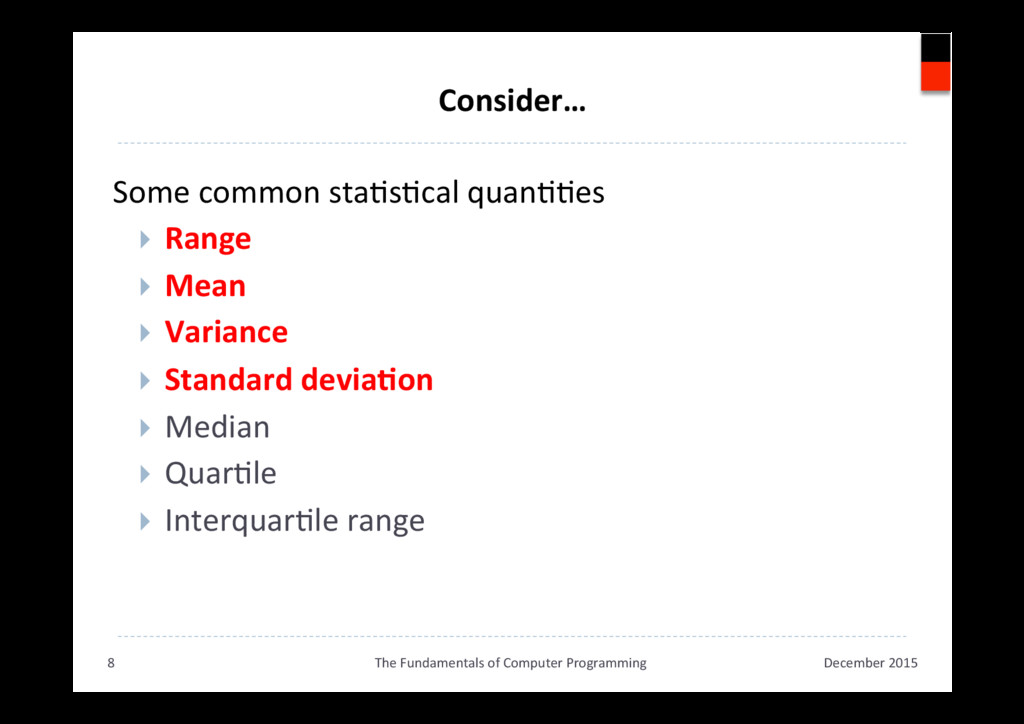
  6. Consider… Some common staAsAcal quanAAes }  Range }  Mean } 

    Variance }  Standard deviaAon }  Median }  QuarAle }  InterquarAle range December 2015 The Fundamentals of Computer Programming 8
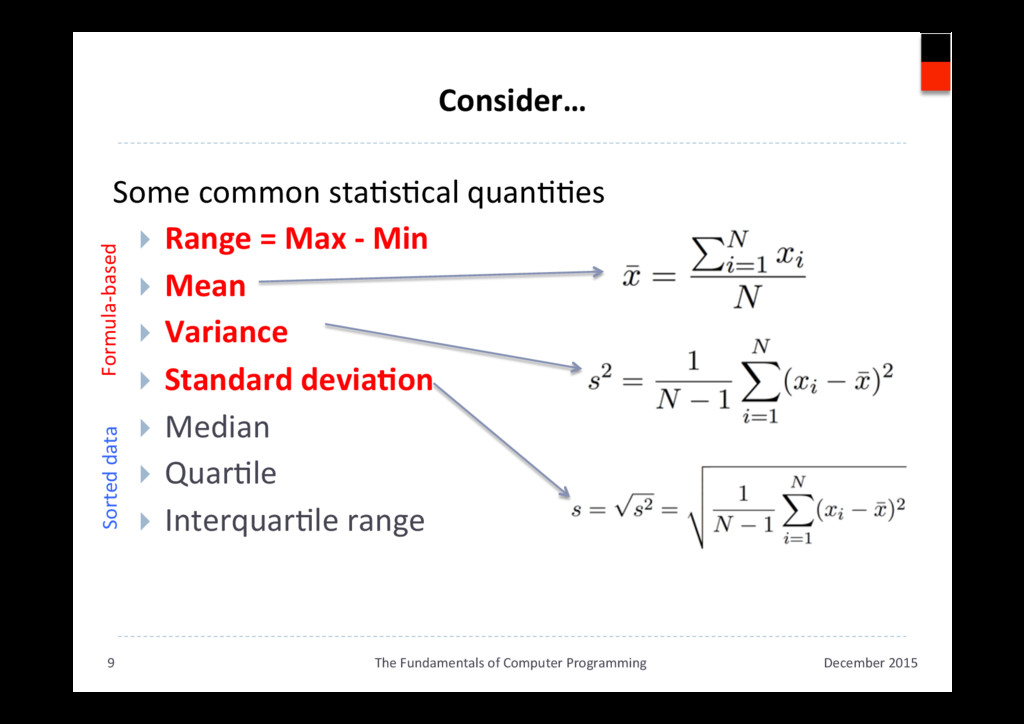
  7. Consider… Some common staAsAcal quanAAes }  Range = Max -

    Min }  Mean }  Variance }  Standard deviaAon }  Median }  QuarAle }  InterquarAle range December 2015 The Fundamentals of Computer Programming 9 Formula-based Sorted data
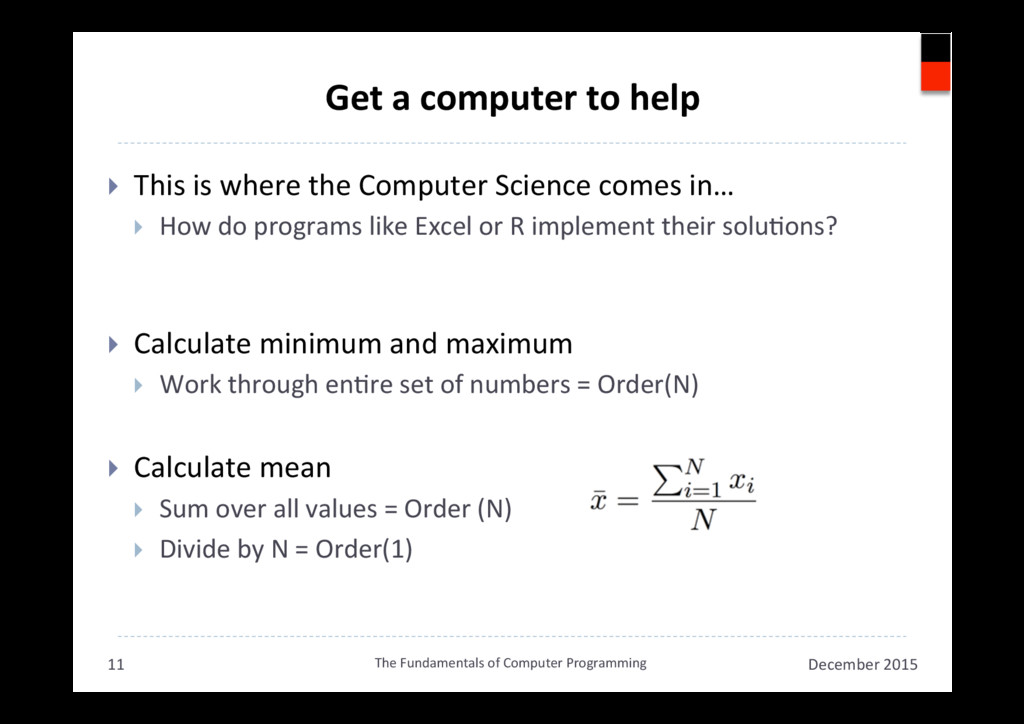
  8. Get a computer to help }  This is where the

    Computer Science comes in… }  How do programs like Excel or R implement their soluAons? }  Calculate minimum and maximum }  Work through enAre set of numbers = Order(N) }  Calculate mean }  Sum over all values = Order (N) }  Divide by N = Order(1) December 2015 The Fundamentals of Computer Programming 11
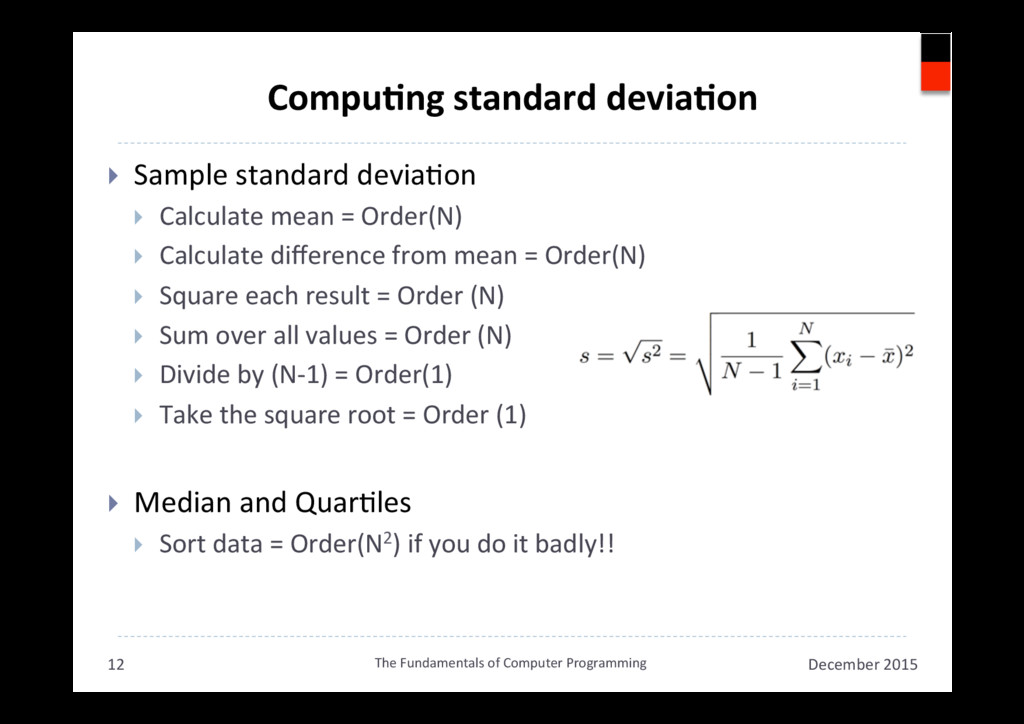
  9. CompuAng standard deviaAon }  Sample standard deviaAon }  Calculate mean

    = Order(N) }  Calculate difference from mean = Order(N) }  Square each result = Order (N) }  Sum over all values = Order (N) }  Divide by (N-1) = Order(1) }  Take the square root = Order (1) }  Median and QuarAles }  Sort data = Order(N2) if you do it badly!! December 2015 The Fundamentals of Computer Programming 12
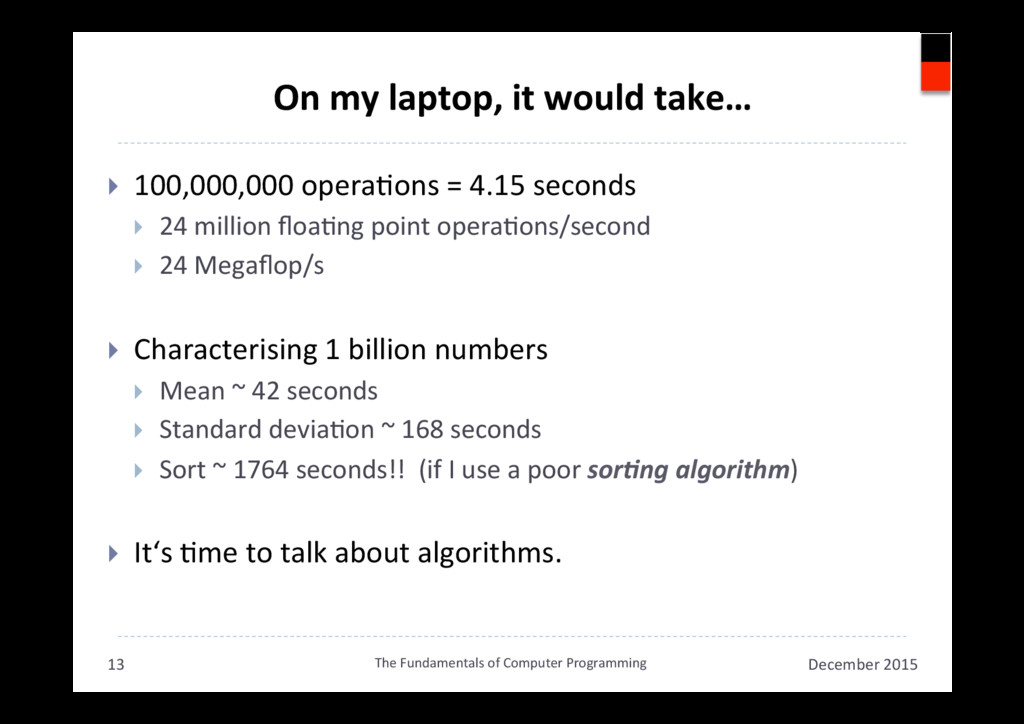
  10. On my laptop, it would take… }  100,000,000 operaAons =

    4.15 seconds }  24 million floaAng point operaAons/second }  24 Megaflop/s }  Characterising 1 billion numbers }  Mean ~ 42 seconds }  Standard deviaAon ~ 168 seconds }  Sort ~ 1764 seconds!! (if I use a poor sor$ng algorithm) }  It‘s Ame to talk about algorithms. December 2015 The Fundamentals of Computer Programming 13
  11. What do you know? What is an Algorithm? December 2015

    The Fundamentals of Computer Programming 14
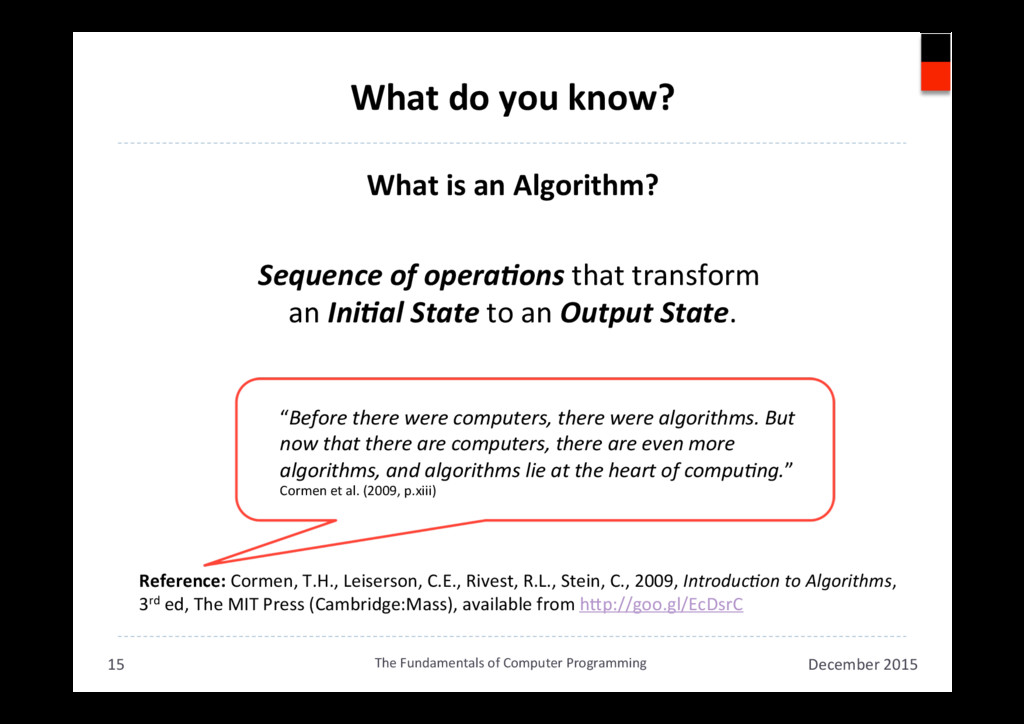
  12. What do you know? What is an Algorithm? Sequence of

    opera$ons that transform an Ini$al State to an Output State. December 2015 The Fundamentals of Computer Programming 15 Reference: Cormen, T.H., Leiserson, C.E., Rivest, R.L., Stein, C., 2009, Introduc,on to Algorithms, 3rd ed, The MIT Press (Cambridge:Mass), available from hkp://goo.gl/EcDsrC “Before there were computers, there were algorithms. But now that there are computers, there are even more algorithms, and algorithms lie at the heart of compu,ng.” Cormen et al. (2009, p.xiii)
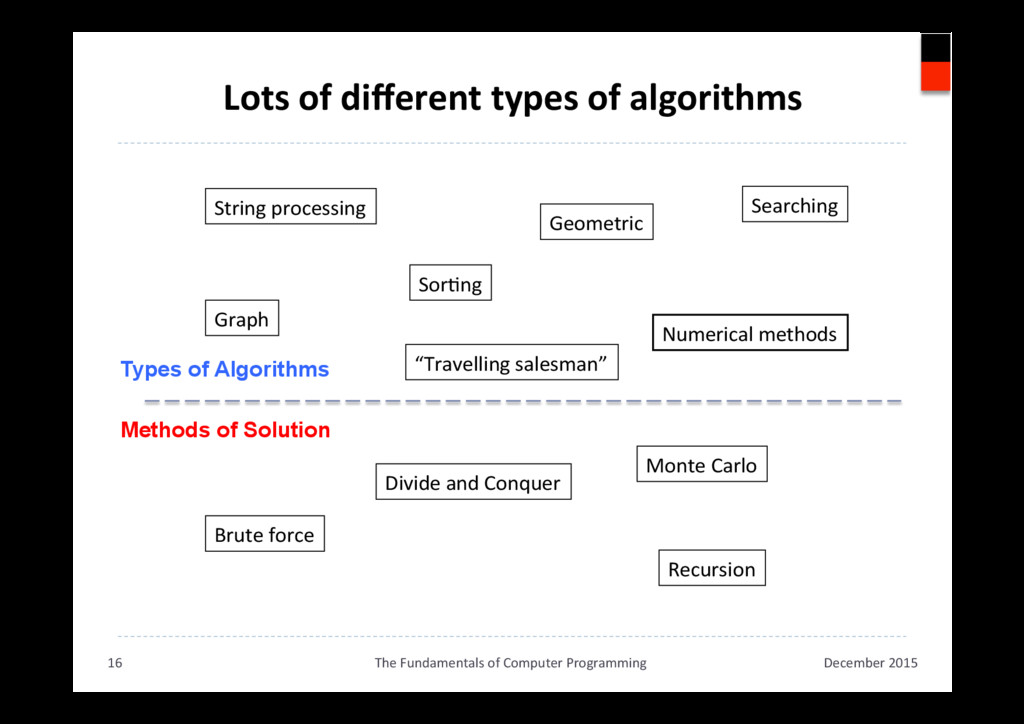
  13. Lots of different types of algorithms December 2015 The Fundamentals

    of Computer Programming 16 String processing Geometric Graph “Travelling salesman” Recursion Brute force Divide and Conquer SorAng Searching Numerical methods Monte Carlo Types of Algorithms Methods of Solution
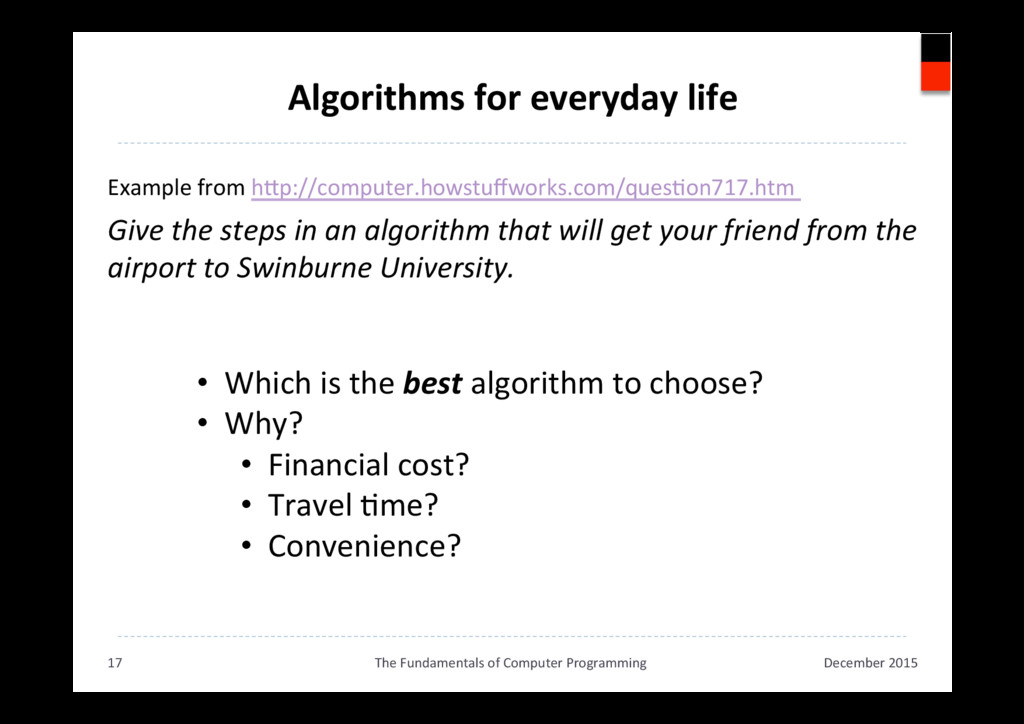
  14. Algorithms for everyday life Example from hkp://computer.howstuffworks.com/quesAon717.htm Give the steps

    in an algorithm that will get your friend from the airport to Swinburne University. December 2015 The Fundamentals of Computer Programming 17 •  Which is the best algorithm to choose? •  Why? •  Financial cost? •  Travel Ame? •  Convenience?
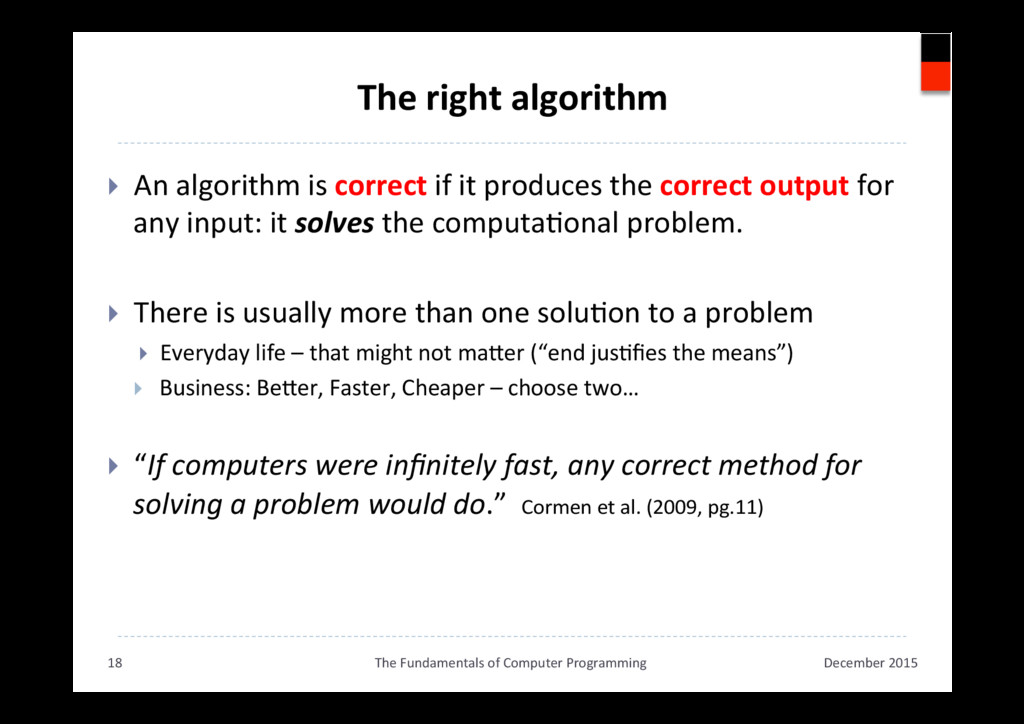
  15. The right algorithm }  An algorithm is correct if it

    produces the correct output for any input: it solves the computaAonal problem. }  There is usually more than one soluAon to a problem }  Everyday life – that might not maker (“end jusAfies the means”) }  Business: Beker, Faster, Cheaper – choose two… }  “If computers were infinitely fast, any correct method for solving a problem would do.” Cormen et al. (2009, pg.11) December 2015 The Fundamentals of Computer Programming 18
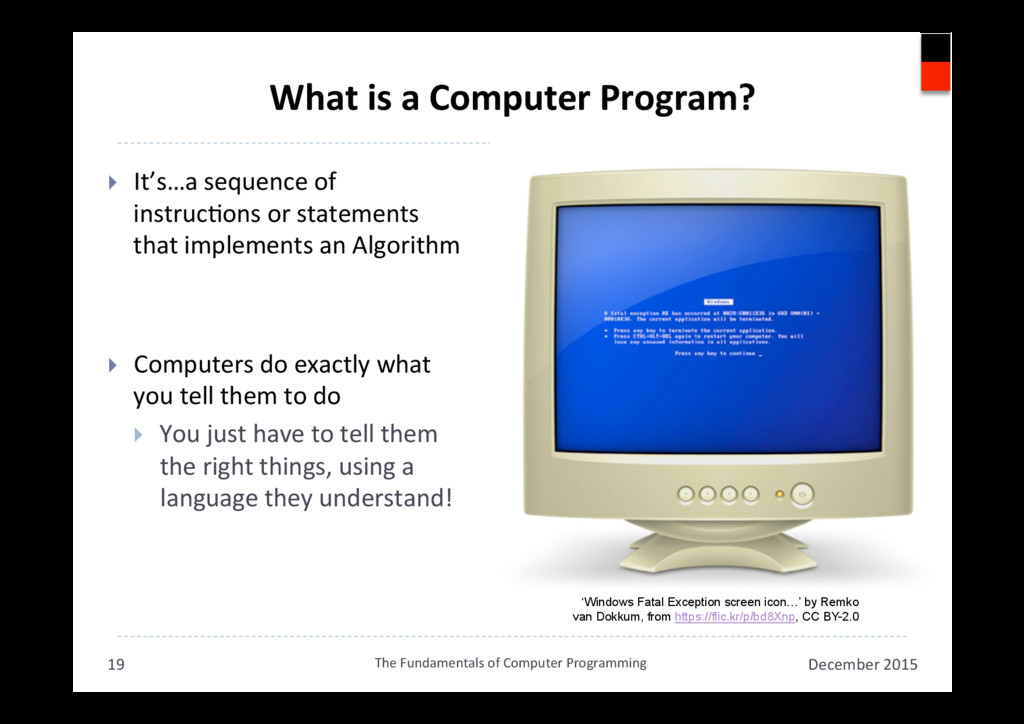
  16. What is a Computer Program? }  It’s…a sequence of instrucAons

    or statements that implements an Algorithm }  Computers do exactly what you tell them to do }  You just have to tell them the right things, using a language they understand! December 2015 The Fundamentals of Computer Programming 19 ‘Windows Fatal Exception screen icon…’ by Remko van Dokkum, from https://flic.kr/p/bd8Xnp, CC BY-2.0
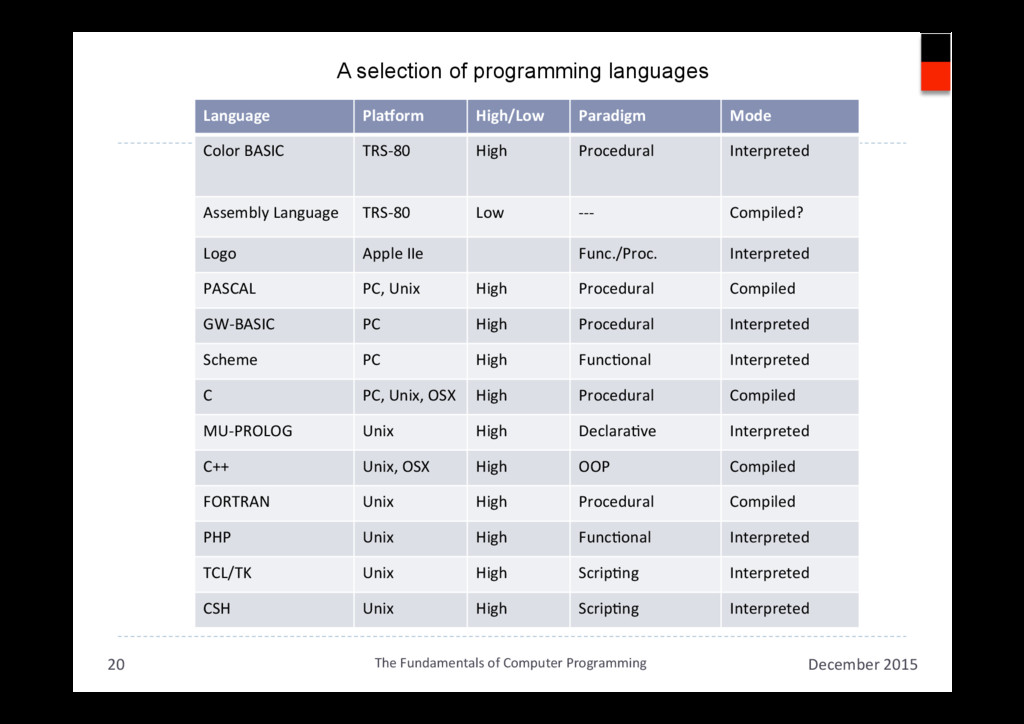
  17. The Fundamentals of Computer Programming Language PlaUorm High/Low Paradigm Mode

    Color BASIC TRS-80 High Procedural Interpreted Assembly Language TRS-80 Low --- Compiled? Logo Apple IIe Func./Proc. Interpreted PASCAL PC, Unix High Procedural Compiled GW-BASIC PC High Procedural Interpreted Scheme PC High FuncAonal Interpreted C PC, Unix, OSX High Procedural Compiled MU-PROLOG Unix High DeclaraAve Interpreted C++ Unix, OSX High OOP Compiled FORTRAN Unix High Procedural Compiled PHP Unix High FuncAonal Interpreted TCL/TK Unix High ScripAng Interpreted CSH Unix High ScripAng Interpreted December 2015 The Fundamentals of Computer Programming 20 A selection of programming languages
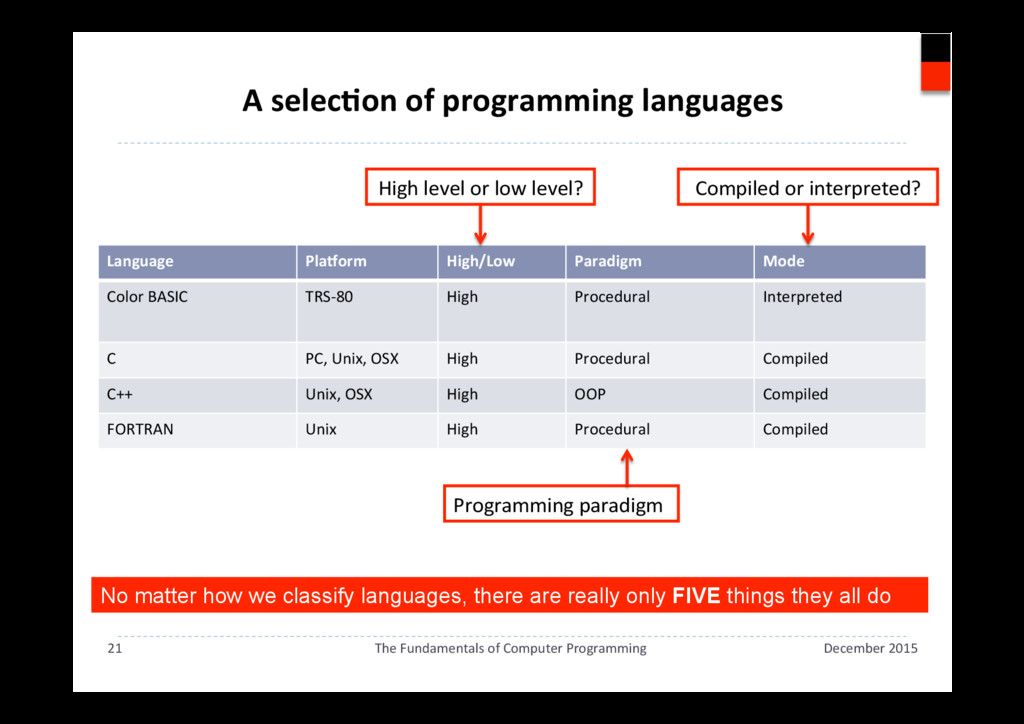
  18. A selecAon of programming languages December 2015 The Fundamentals of

    Computer Programming 21 Language PlaUorm High/Low Paradigm Mode Color BASIC TRS-80 High Procedural Interpreted C PC, Unix, OSX High Procedural Compiled C++ Unix, OSX High OOP Compiled FORTRAN Unix High Procedural Compiled High level or low level? Compiled or interpreted? Programming paradigm No matter how we classify languages, there are really only FIVE things they all do
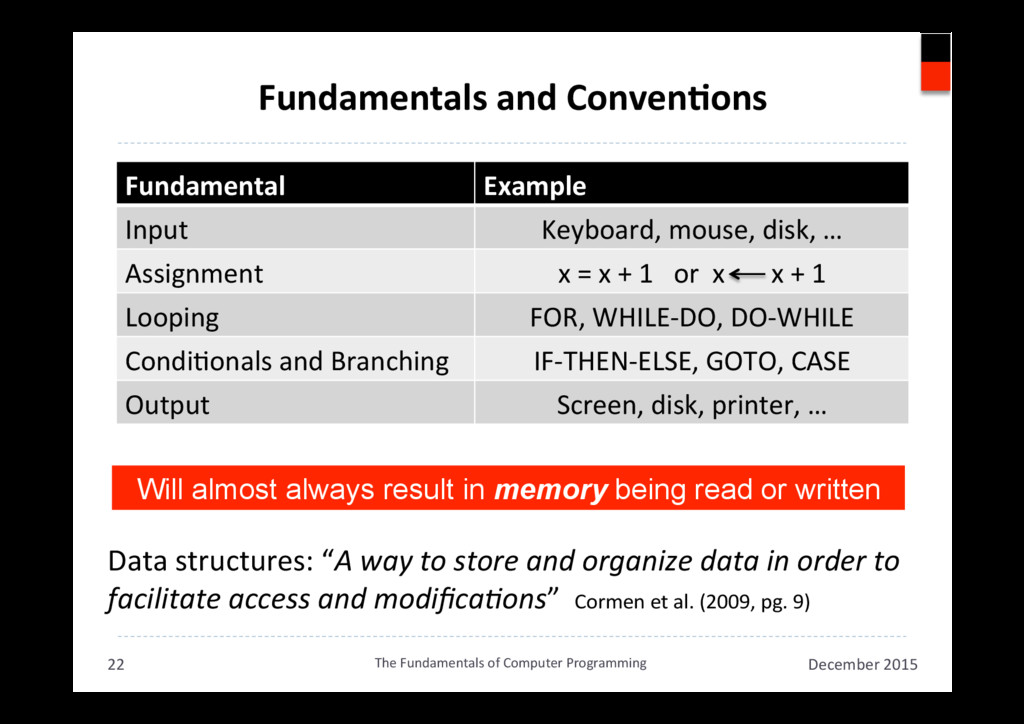
  19. Fundamentals and ConvenAons December 2015 The Fundamentals of Computer Programming

    22 Fundamental Example Input Keyboard, mouse, disk, … Assignment x = x + 1 or x x + 1 Looping FOR, WHILE-DO, DO-WHILE CondiAonals and Branching IF-THEN-ELSE, GOTO, CASE Output Screen, disk, printer, … Data structures: “A way to store and organize data in order to facilitate access and modifica,ons” Cormen et al. (2009, pg. 9) Will almost always result in memory being read or written
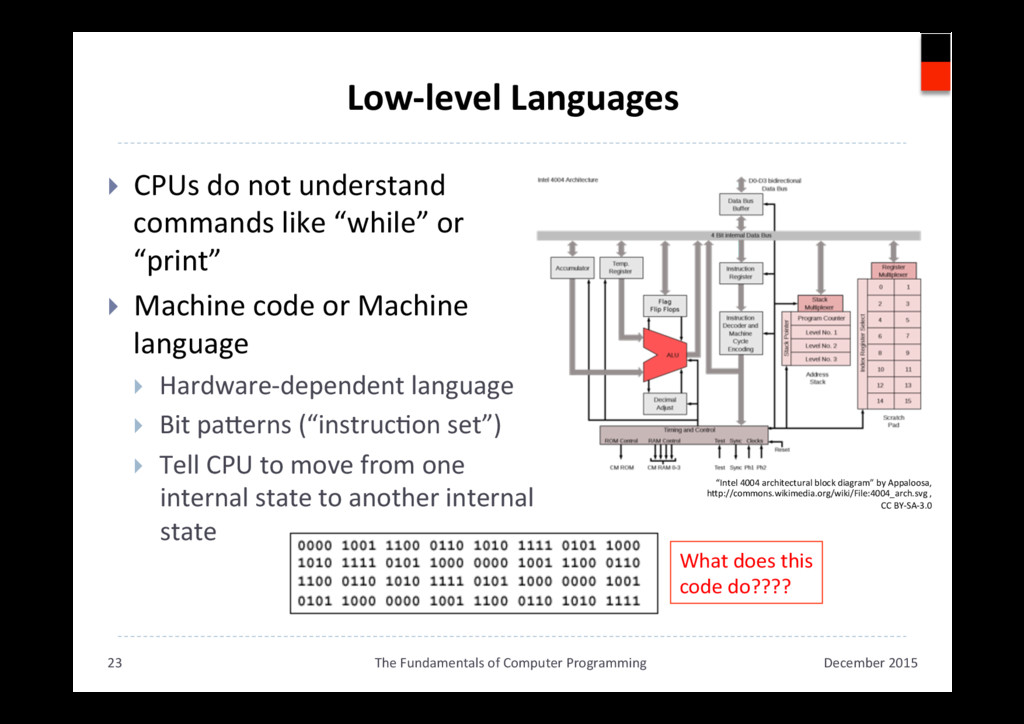
  20. Low-level Languages }  CPUs do not understand commands like “while”

    or “print” }  Machine code or Machine language }  Hardware-dependent language }  Bit pakerns (“instrucAon set”) }  Tell CPU to move from one internal state to another internal state December 2015 The Fundamentals of Computer Programming 23 “Intel 4004 architectural block diagram” by Appaloosa, hkp://commons.wikimedia.org/wiki/File:4004_arch.svg , CC BY-SA-3.0 What does this code do????
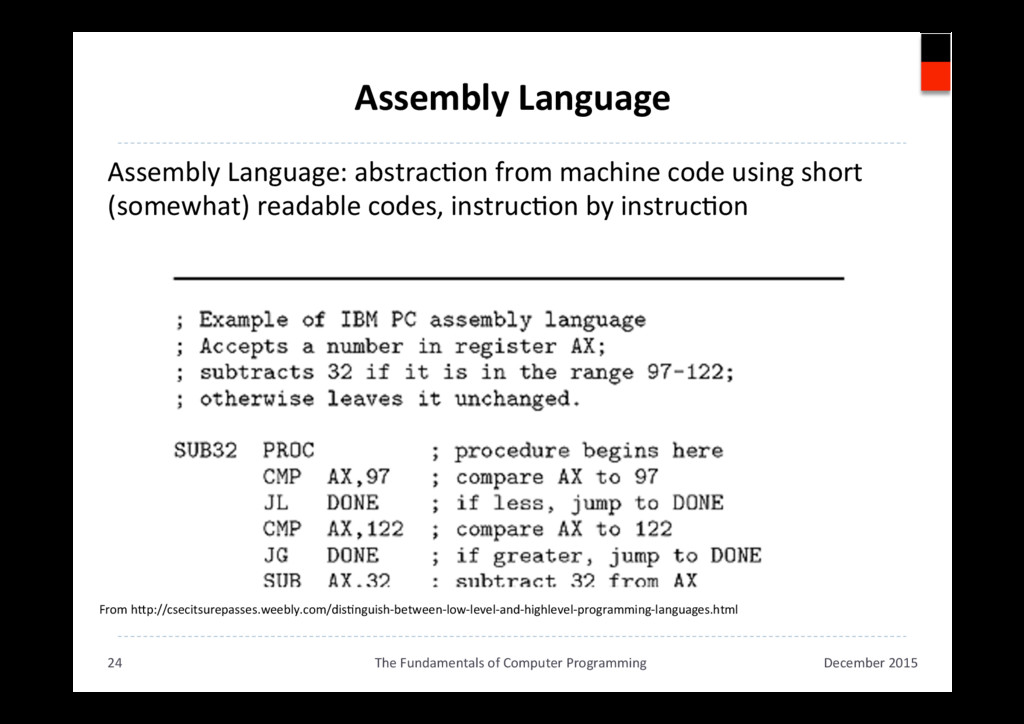
  21. Assembly Language December 2015 The Fundamentals of Computer Programming 24

    From hkp://csecitsurepasses.weebly.com/disAnguish-between-low-level-and-highlevel-programming-languages.html Assembly Language: abstracAon from machine code using short (somewhat) readable codes, instrucAon by instrucAon
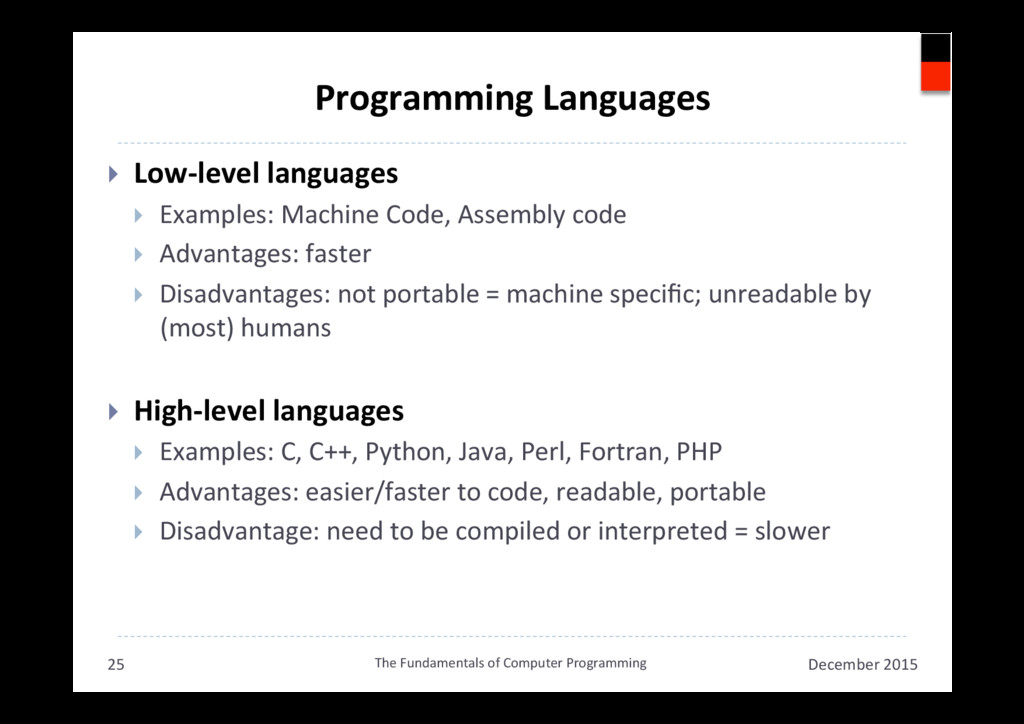
  22. Programming Languages }  Low-level languages }  Examples: Machine Code, Assembly

    code }  Advantages: faster }  Disadvantages: not portable = machine specific; unreadable by (most) humans }  High-level languages }  Examples: C, C++, Python, Java, Perl, Fortran, PHP }  Advantages: easier/faster to code, readable, portable }  Disadvantage: need to be compiled or interpreted = slower December 2015 The Fundamentals of Computer Programming 25
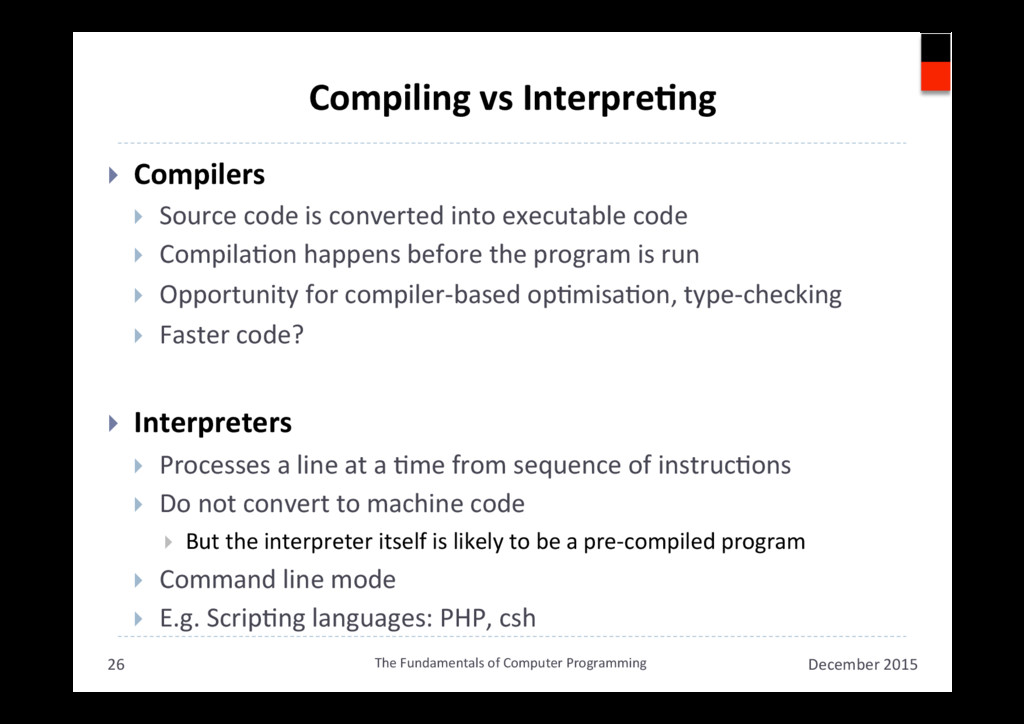
  23. Compiling vs InterpreAng }  Compilers }  Source code is converted

    into executable code }  CompilaAon happens before the program is run }  Opportunity for compiler-based opAmisaAon, type-checking }  Faster code? }  Interpreters }  Processes a line at a Ame from sequence of instrucAons }  Do not convert to machine code }  But the interpreter itself is likely to be a pre-compiled program }  Command line mode }  E.g. ScripAng languages: PHP, csh December 2015 The Fundamentals of Computer Programming 26
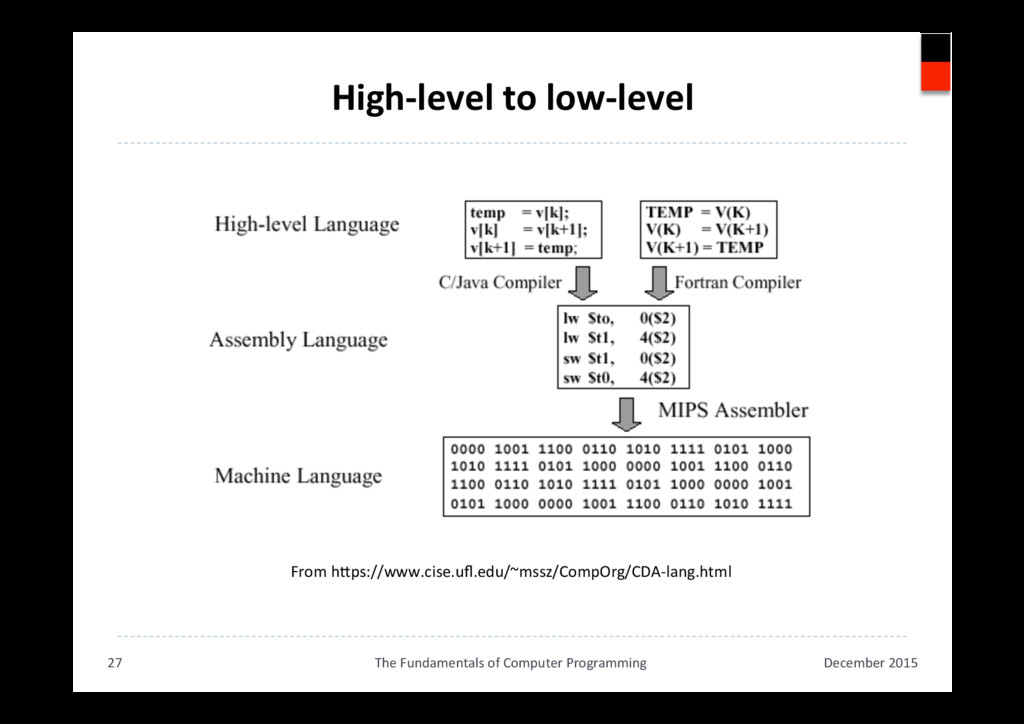
  24. High-level to low-level December 2015 The Fundamentals of Computer Programming

    27 From hkps://www.cise.ufl.edu/~mssz/CompOrg/CDA-lang.html
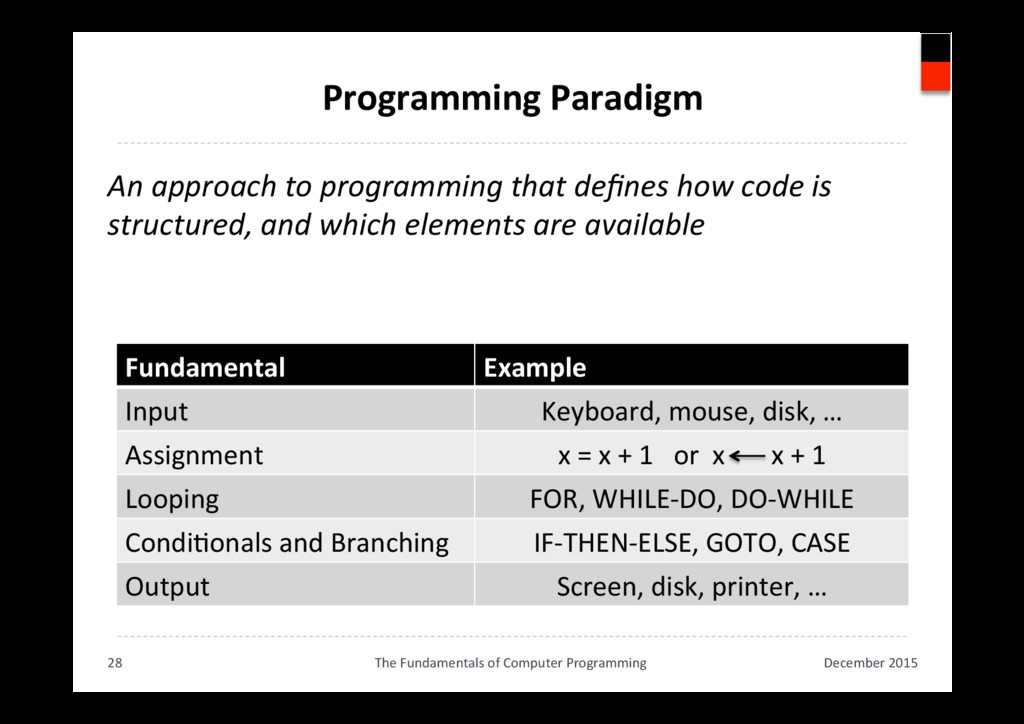
  25. Programming Paradigm An approach to programming that defines how code

    is structured, and which elements are available December 2015 The Fundamentals of Computer Programming 28 Fundamental Example Input Keyboard, mouse, disk, … Assignment x = x + 1 or x x + 1 Looping FOR, WHILE-DO, DO-WHILE CondiAonals and Branching IF-THEN-ELSE, GOTO, CASE Output Screen, disk, printer, …
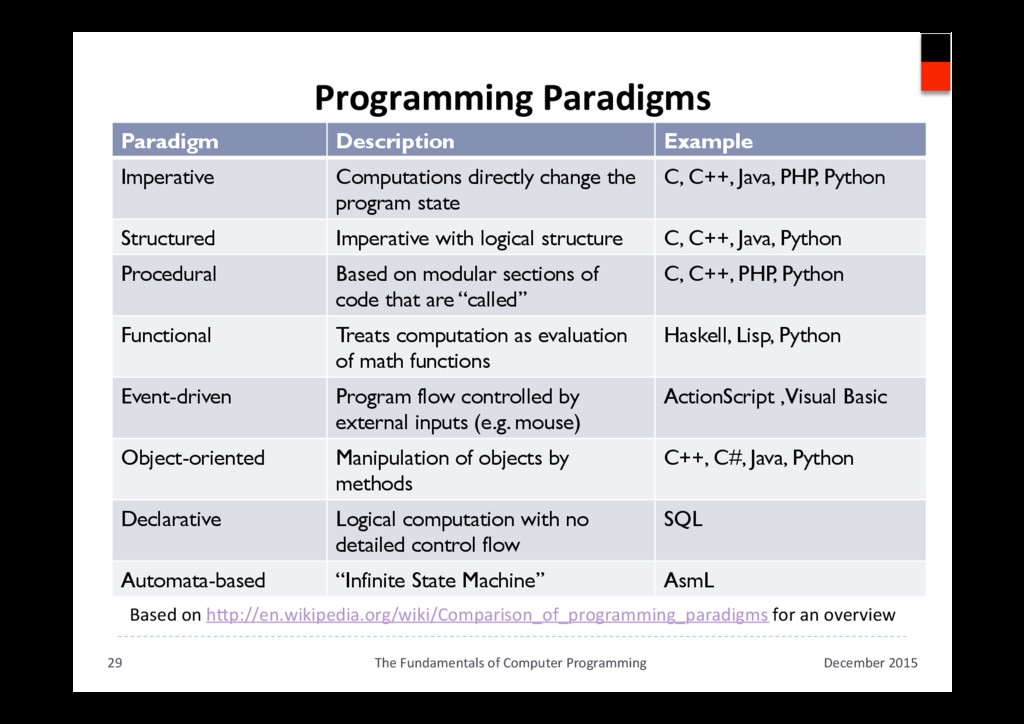
  26. Programming Paradigms Based on hkp://en.wikipedia.org/wiki/Comparison_of_programming_paradigms for an overview December 2015

    The Fundamentals of Computer Programming 29 Paradigm Description Example Imperative Computations directly change the program state C, C++, Java, PHP, Python Structured Imperative with logical structure C, C++, Java, Python Procedural Based on modular sections of code that are “called” C, C++, PHP, Python Functional Treats computation as evaluation of math functions Haskell, Lisp, Python Event-driven Program flow controlled by external inputs (e.g. mouse) ActionScript ,Visual Basic Object-oriented Manipulation of objects by methods C++, C#, Java, Python Declarative Logical computation with no detailed control flow SQL Automata-based “Infinite State Machine” AsmL
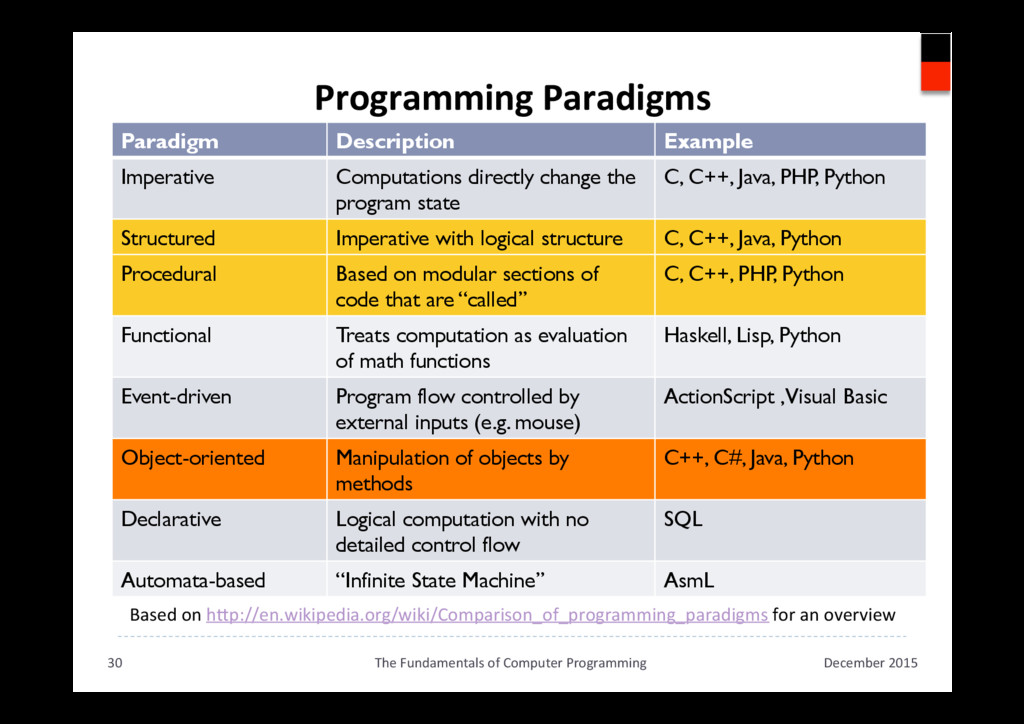
  27. Programming Paradigms Based on hkp://en.wikipedia.org/wiki/Comparison_of_programming_paradigms for an overview December 2015

    The Fundamentals of Computer Programming 30 Paradigm Description Example Imperative Computations directly change the program state C, C++, Java, PHP, Python Structured Imperative with logical structure C, C++, Java, Python Procedural Based on modular sections of code that are “called” C, C++, PHP, Python Functional Treats computation as evaluation of math functions Haskell, Lisp, Python Event-driven Program flow controlled by external inputs (e.g. mouse) ActionScript ,Visual Basic Object-oriented Manipulation of objects by methods C++, C#, Java, Python Declarative Logical computation with no detailed control flow SQL Automata-based “Infinite State Machine” AsmL
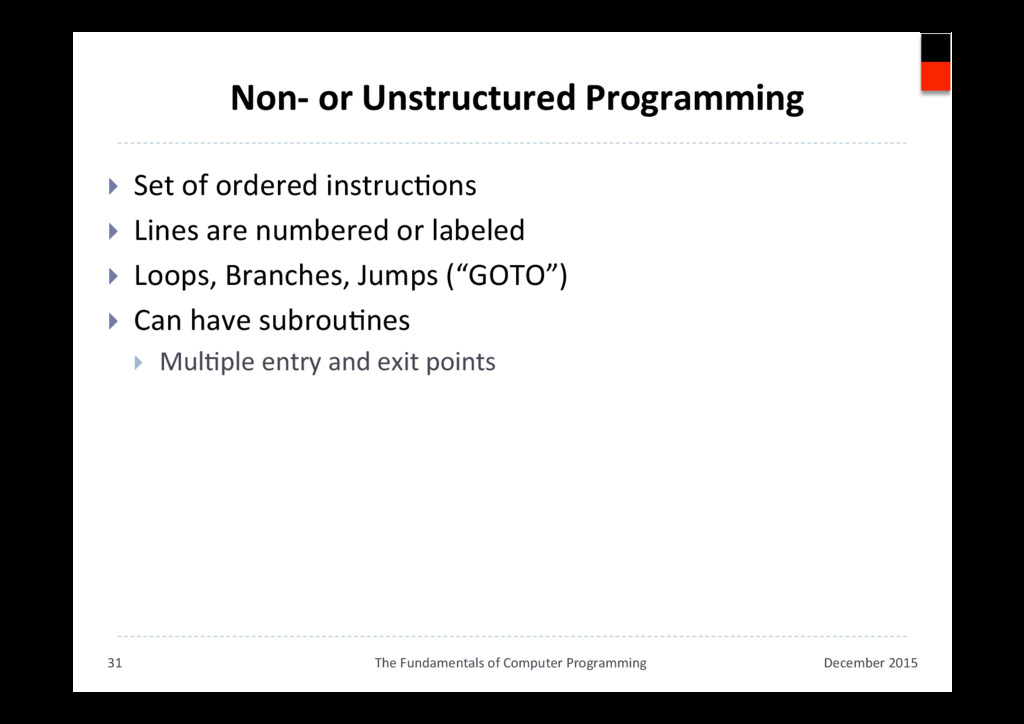
  28. Non- or Unstructured Programming }  Set of ordered instrucAons } 

    Lines are numbered or labeled }  Loops, Branches, Jumps (“GOTO”) }  Can have subrouAnes }  MulAple entry and exit points December 2015 The Fundamentals of Computer Programming 31
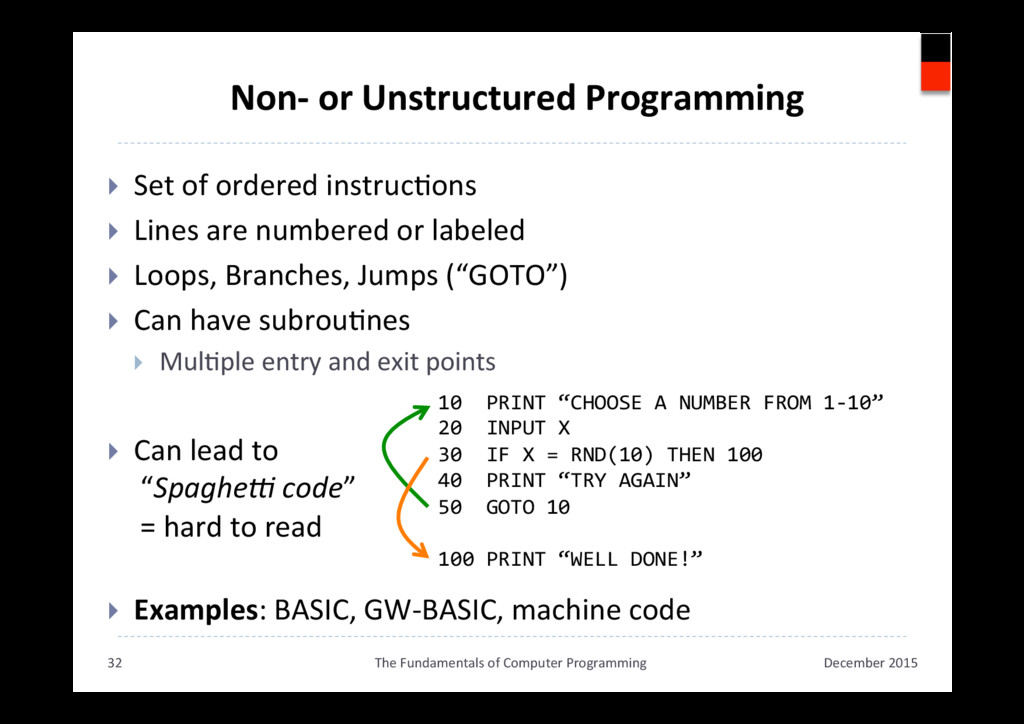
  29. Non- or Unstructured Programming }  Set of ordered instrucAons } 

    Lines are numbered or labeled }  Loops, Branches, Jumps (“GOTO”) }  Can have subrouAnes }  MulAple entry and exit points }  Can lead to “SpagheC code” = hard to read }  Examples: BASIC, GW-BASIC, machine code December 2015 The Fundamentals of Computer Programming 32 10 PRINT “CHOOSE A NUMBER FROM 1-10” 20 INPUT X 30 IF X = RND(10) THEN 100 40 PRINT “TRY AGAIN” 50 GOTO 10 100 PRINT “WELL DONE!”
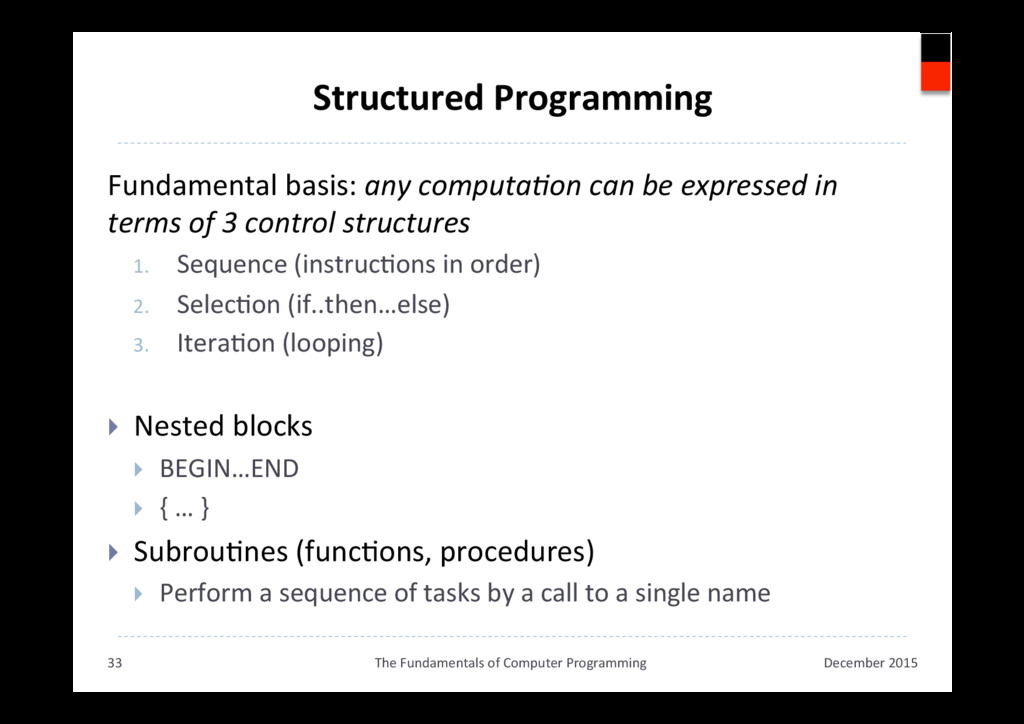
  30. Structured Programming Fundamental basis: any computa,on can be expressed in

    terms of 3 control structures 1.  Sequence (instrucAons in order) 2.  SelecAon (if..then…else) 3.  IteraAon (looping) }  Nested blocks }  BEGIN…END }  { … } }  SubrouAnes (funcAons, procedures) }  Perform a sequence of tasks by a call to a single name December 2015 The Fundamentals of Computer Programming 33
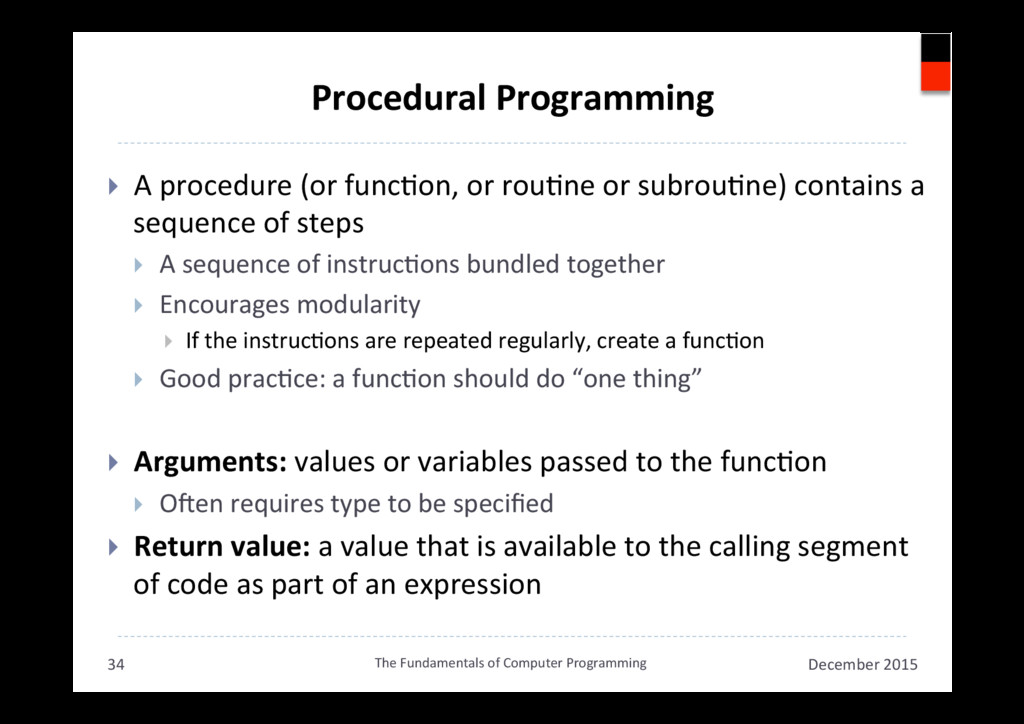
  31. Procedural Programming }  A procedure (or funcAon, or rouAne or

    subrouAne) contains a sequence of steps }  A sequence of instrucAons bundled together }  Encourages modularity }  If the instrucAons are repeated regularly, create a funcAon }  Good pracAce: a funcAon should do “one thing” }  Arguments: values or variables passed to the funcAon }  ONen requires type to be specified }  Return value: a value that is available to the calling segment of code as part of an expression December 2015 The Fundamentals of Computer Programming 34
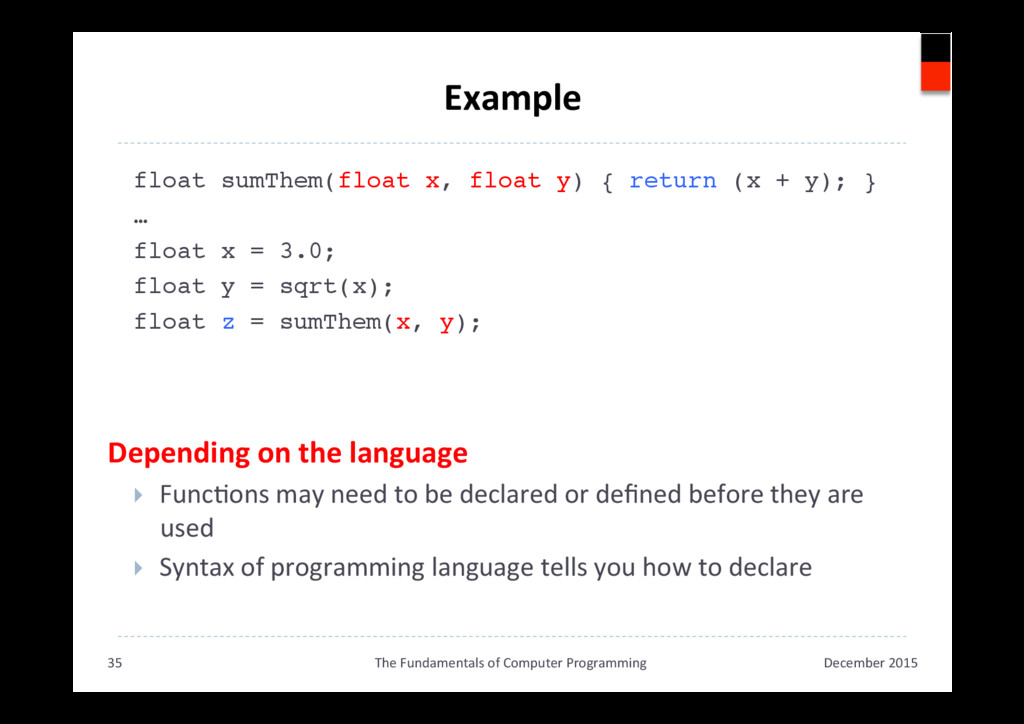
  32. Example float sumThem(float x, float y) { return (x +

    y); }! …! float x = 3.0;! float y = sqrt(x);! float z = sumThem(x, y);! Depending on the language }  FuncAons may need to be declared or defined before they are used }  Syntax of programming language tells you how to declare! ! ! December 2015 The Fundamentals of Computer Programming 35
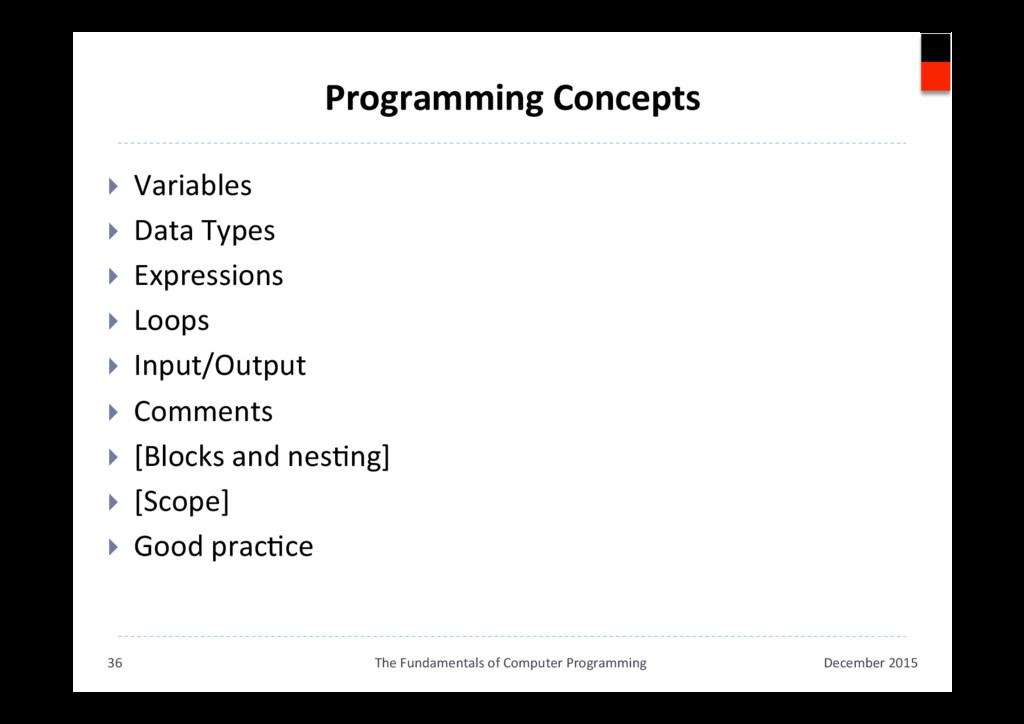
  33. Programming Concepts }  Variables }  Data Types }  Expressions } 

    Loops }  Input/Output }  Comments }  [Blocks and nesAng] }  [Scope] }  Good pracAce December 2015 The Fundamentals of Computer Programming 36
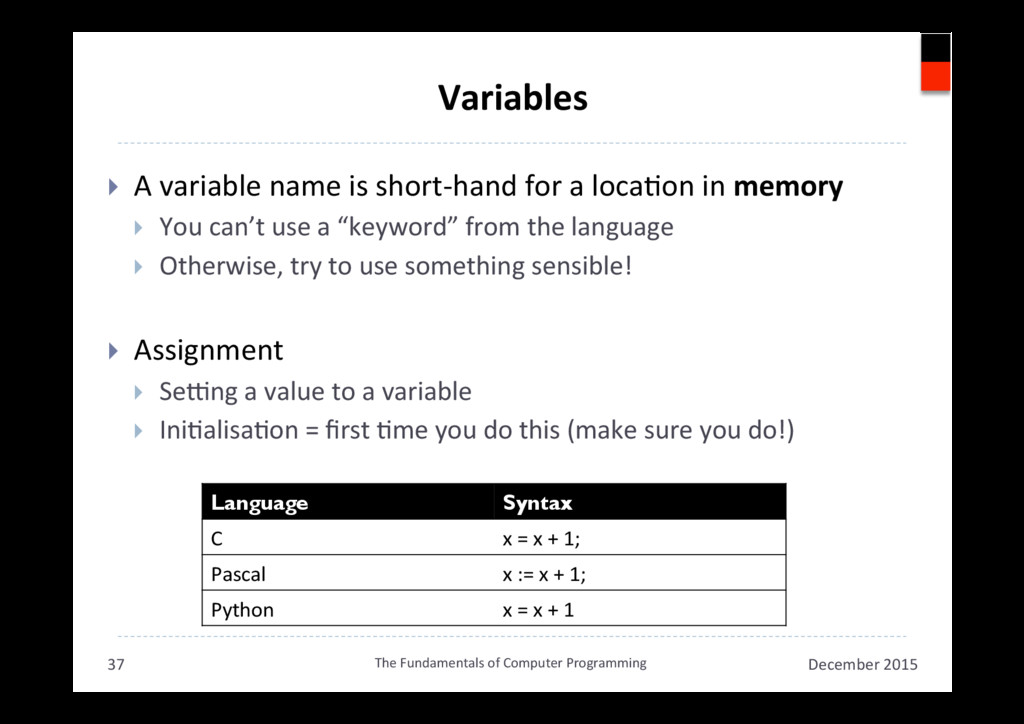
  34. Variables }  A variable name is short-hand for a locaAon

    in memory }  You can’t use a “keyword” from the language }  Otherwise, try to use something sensible! }  Assignment }  Se•ng a value to a variable }  IniAalisaAon = first Ame you do this (make sure you do!) December 2015 The Fundamentals of Computer Programming 37 Language Syntax C x = x + 1; Pascal x := x + 1; Python x = x + 1
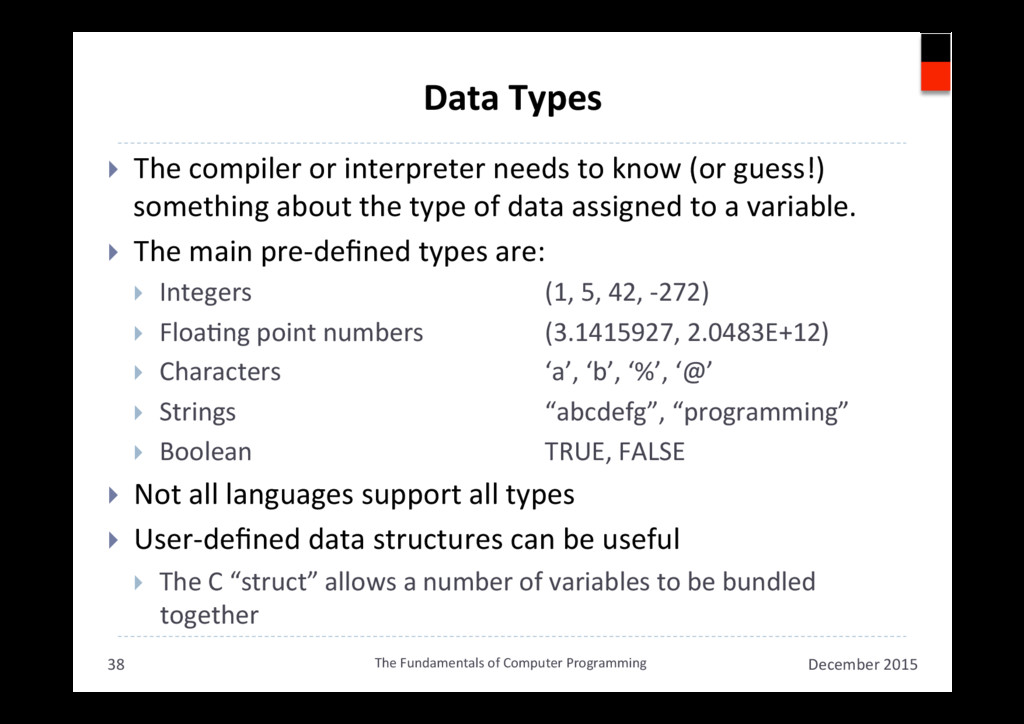
  35. Data Types }  The compiler or interpreter needs to know

    (or guess!) something about the type of data assigned to a variable. }  The main pre-defined types are: }  Integers (1, 5, 42, -272) }  FloaAng point numbers (3.1415927, 2.0483E+12) }  Characters ‘a’, ‘b’, ‘%’, ‘@’ }  Strings “abcdefg”, “programming” }  Boolean TRUE, FALSE }  Not all languages support all types }  User-defined data structures can be useful }  The C “struct” allows a number of variables to be bundled together December 2015 The Fundamentals of Computer Programming 38
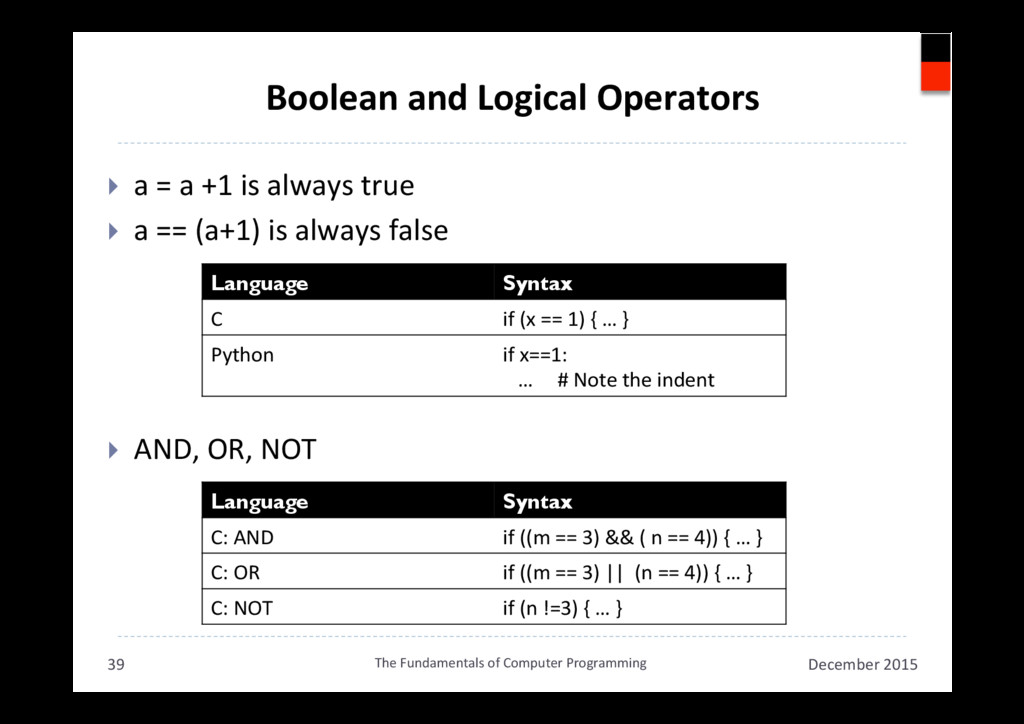
  36. Boolean and Logical Operators }  a = a +1 is

    always true }  a == (a+1) is always false }  AND, OR, NOT December 2015 The Fundamentals of Computer Programming 39 Language Syntax C if (x == 1) { … } Python if x==1: … # Note the indent Language Syntax C: AND if ((m == 3) && ( n == 4)) { … } C: OR if ((m == 3) || (n == 4)) { … } C: NOT if (n !=3) { … }
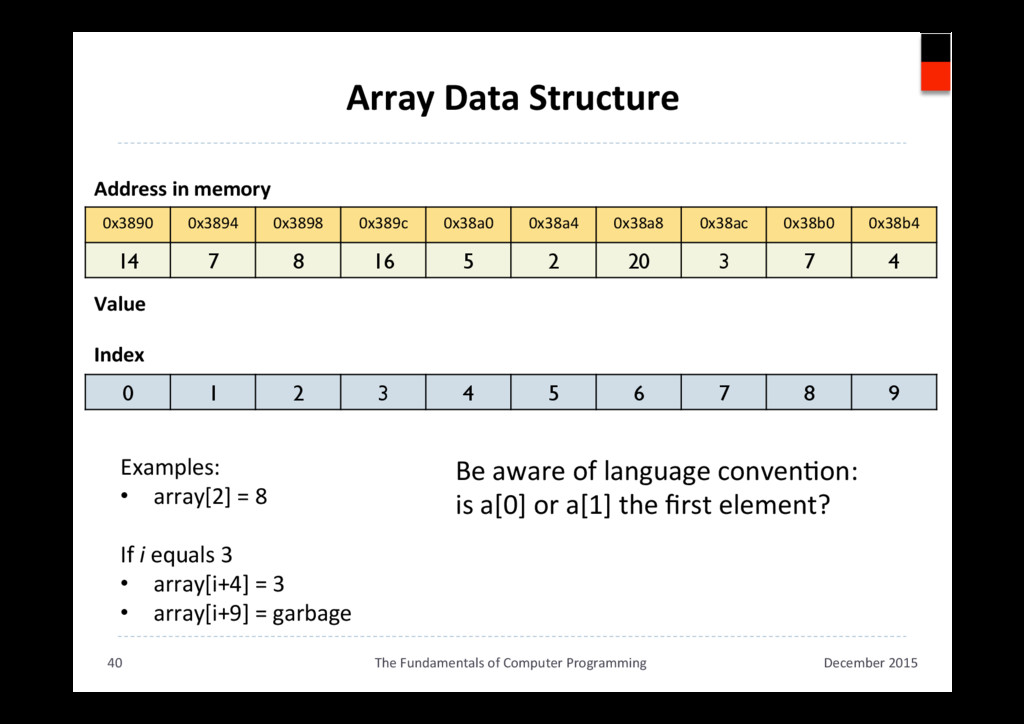
  37. Array Data Structure 0x3890 0x3894 0x3898 0x389c 0x38a0 0x38a4 0x38a8

    0x38ac 0x38b0 0x38b4 14 7 8 16 5 2 20 3 7 4 December 2015 The Fundamentals of Computer Programming 40 Address in memory Value 0 1 2 3 4 5 6 7 8 9 Index Examples: •  array[2] = 8 If i equals 3 •  array[i+4] = 3 •  array[i+9] = garbage Be aware of language convenAon: is a[0] or a[1] the first element?
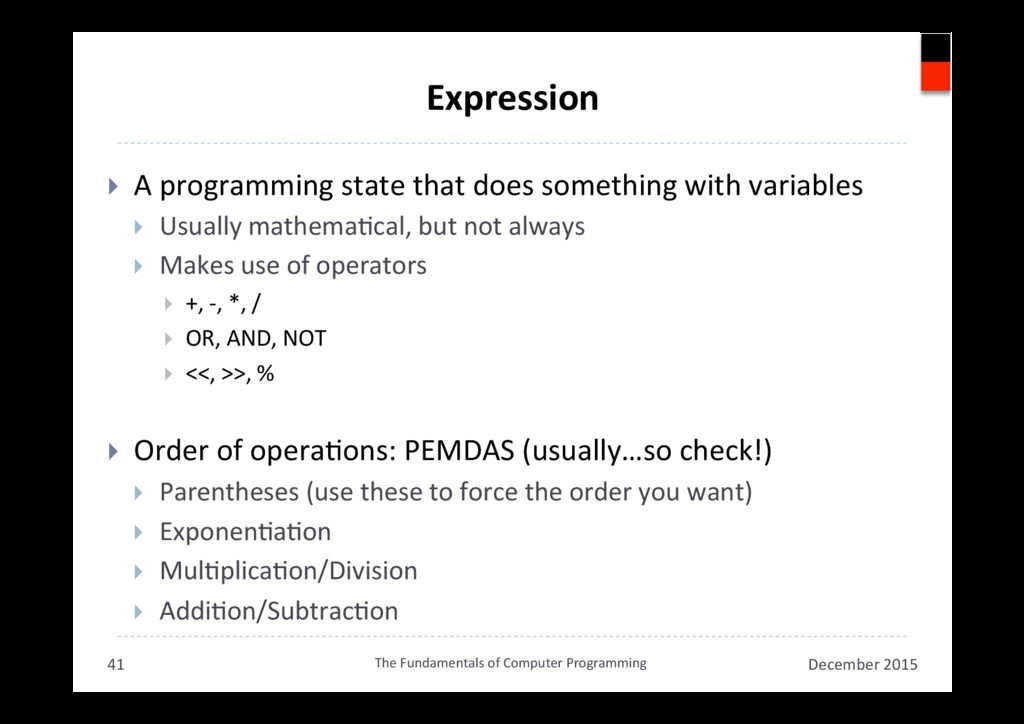
  38. Expression }  A programming state that does something with variables

    }  Usually mathemaAcal, but not always }  Makes use of operators }  +, -, *, / }  OR, AND, NOT }  <<, >>, % }  Order of operaAons: PEMDAS (usually…so check!) }  Parentheses (use these to force the order you want) }  ExponenAaAon }  MulAplicaAon/Division }  AddiAon/SubtracAon December 2015 The Fundamentals of Computer Programming 41
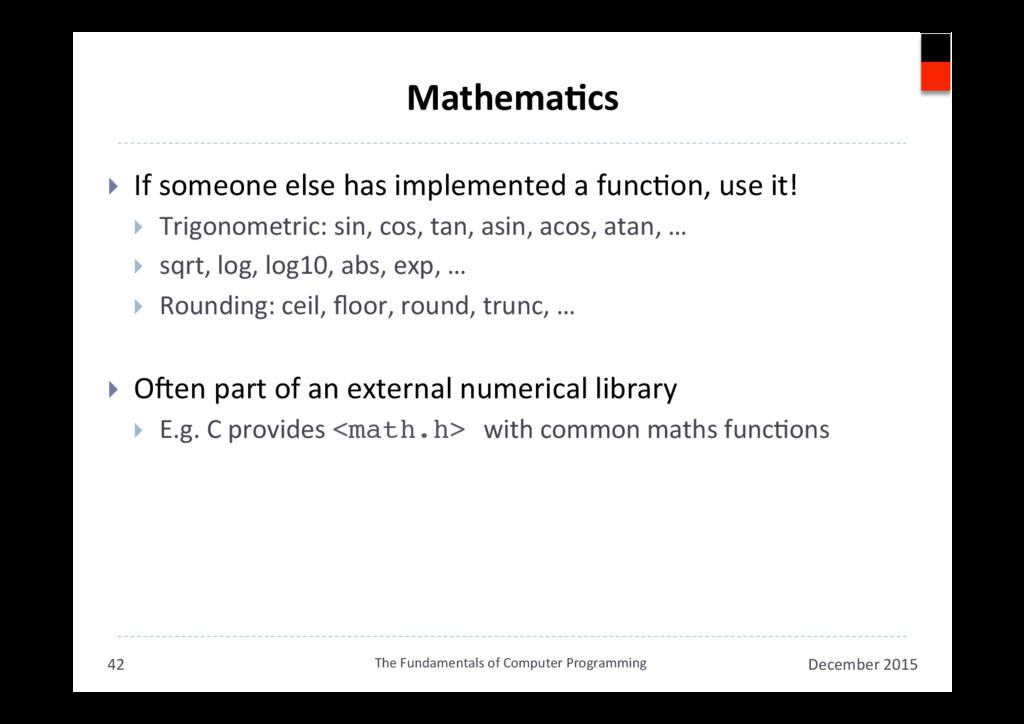
  39. MathemaAcs }  If someone else has implemented a funcAon, use

    it! }  Trigonometric: sin, cos, tan, asin, acos, atan, … }  sqrt, log, log10, abs, exp, … }  Rounding: ceil, floor, round, trunc, … }  ONen part of an external numerical library }  E.g. C provides <math.h> with common maths funcAons December 2015 The Fundamentals of Computer Programming 42
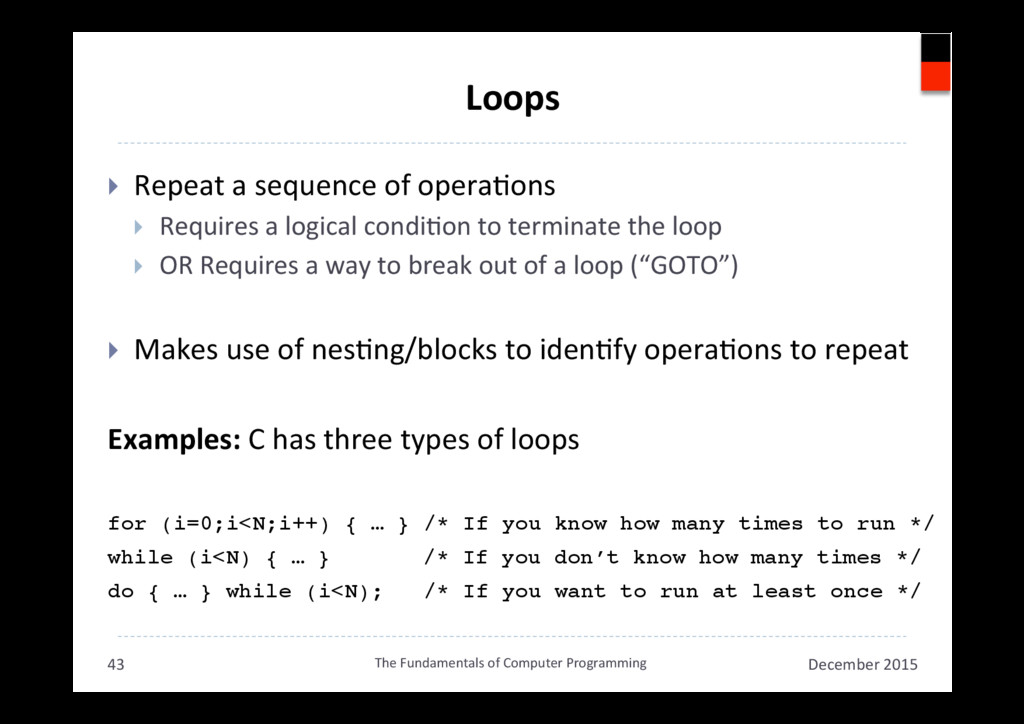
  40. Loops }  Repeat a sequence of operaAons }  Requires a

    logical condiAon to terminate the loop }  OR Requires a way to break out of a loop (“GOTO”) }  Makes use of nesAng/blocks to idenAfy operaAons to repeat Examples: C has three types of loops for (i=0;i<N;i++) { … } /* If you know how many times to run */ ! while (i<N) { … } ! /* If you don’t know how many times */! do { … } while (i<N); /* If you want to run at least once */! December 2015 The Fundamentals of Computer Programming 43
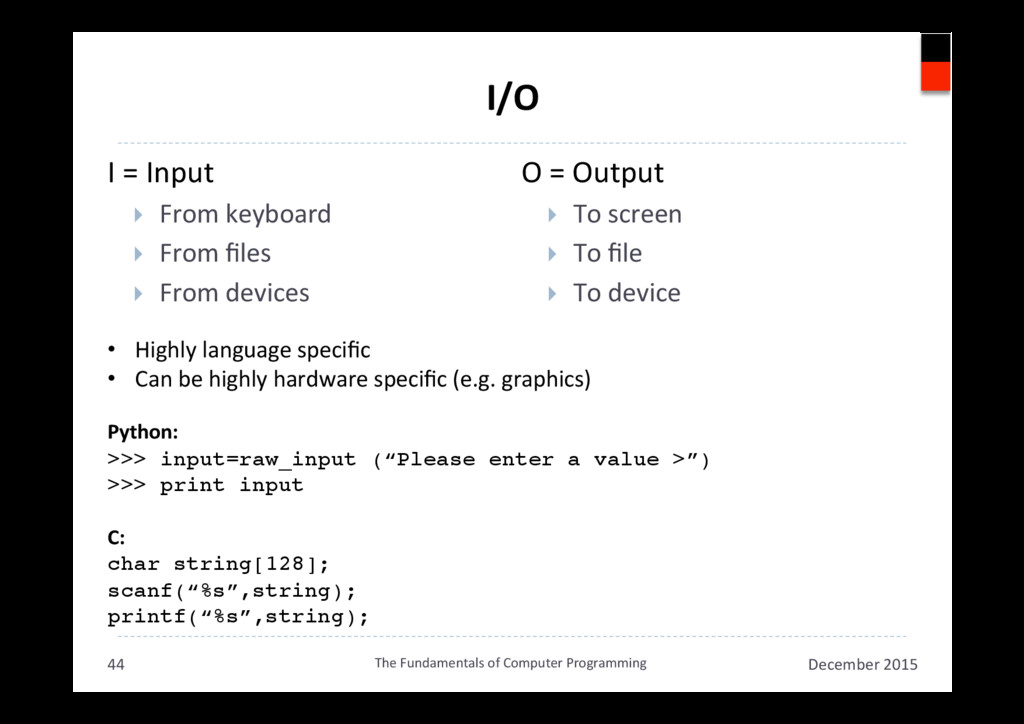
  41. I = Input }  From keyboard }  From files } 

    From devices O = Output }  To screen }  To file }  To device I/O December 2015 The Fundamentals of Computer Programming 44 •  Highly language specific •  Can be highly hardware specific (e.g. graphics) Python: >>> input=raw_input (“Please enter a value >”)! >>> print input! C: char string[128];! scanf(“%s”,string);! printf(“%s”,string);!
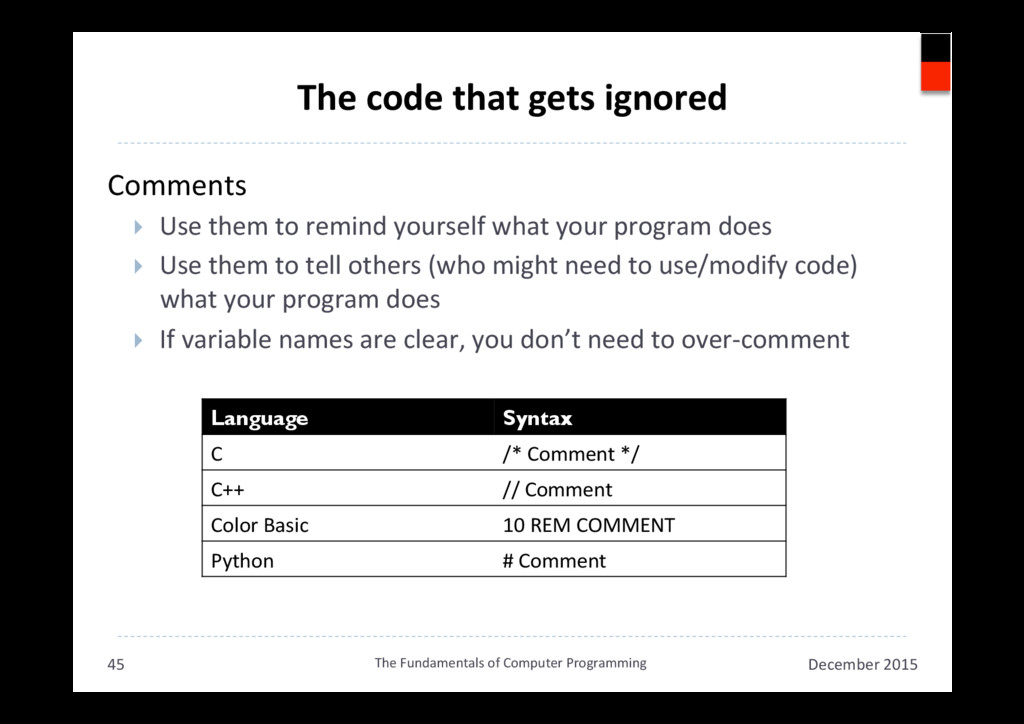
  42. The code that gets ignored Comments }  Use them to

    remind yourself what your program does }  Use them to tell others (who might need to use/modify code) what your program does }  If variable names are clear, you don’t need to over-comment December 2015 The Fundamentals of Computer Programming 45 Language Syntax C /* Comment */ C++ // Comment Color Basic 10 REM COMMENT Python # Comment
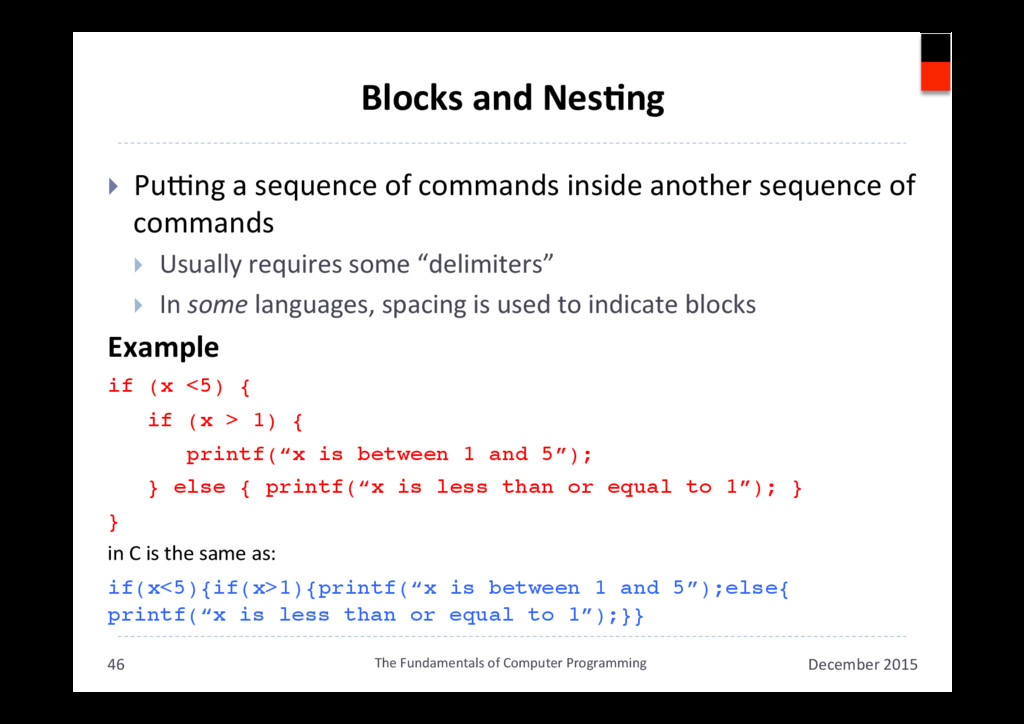
  43. Blocks and NesAng }  Pu•ng a sequence of commands inside

    another sequence of commands }  Usually requires some “delimiters” }  In some languages, spacing is used to indicate blocks Example if (x <5) {! if (x > 1) { ! printf(“x is between 1 and 5”); ! } else { printf(“x is less than or equal to 1”); }! }! in C is the same as: if(x<5){if(x>1){printf(“x is between 1 and 5”);else{
 printf(“x is less than or equal to 1”);}}! December 2015 The Fundamentals of Computer Programming 46
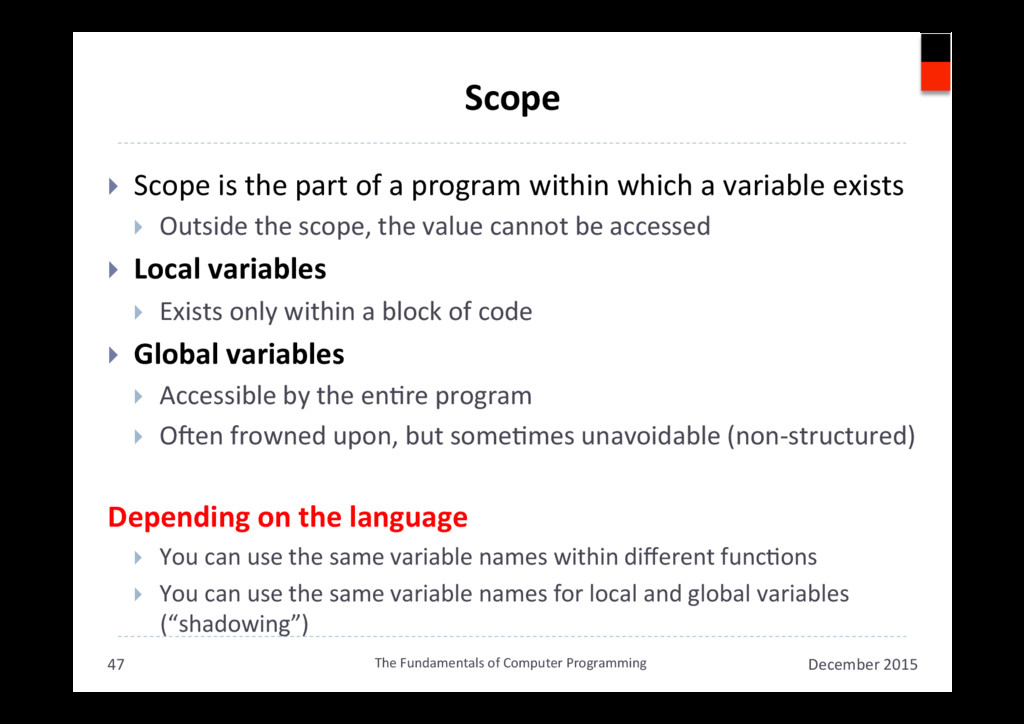
  44. Scope }  Scope is the part of a program within

    which a variable exists }  Outside the scope, the value cannot be accessed }  Local variables }  Exists only within a block of code }  Global variables }  Accessible by the enAre program }  ONen frowned upon, but someAmes unavoidable (non-structured) Depending on the language }  You can use the same variable names within different funcAons }  You can use the same variable names for local and global variables (“shadowing”) December 2015 The Fundamentals of Computer Programming 47
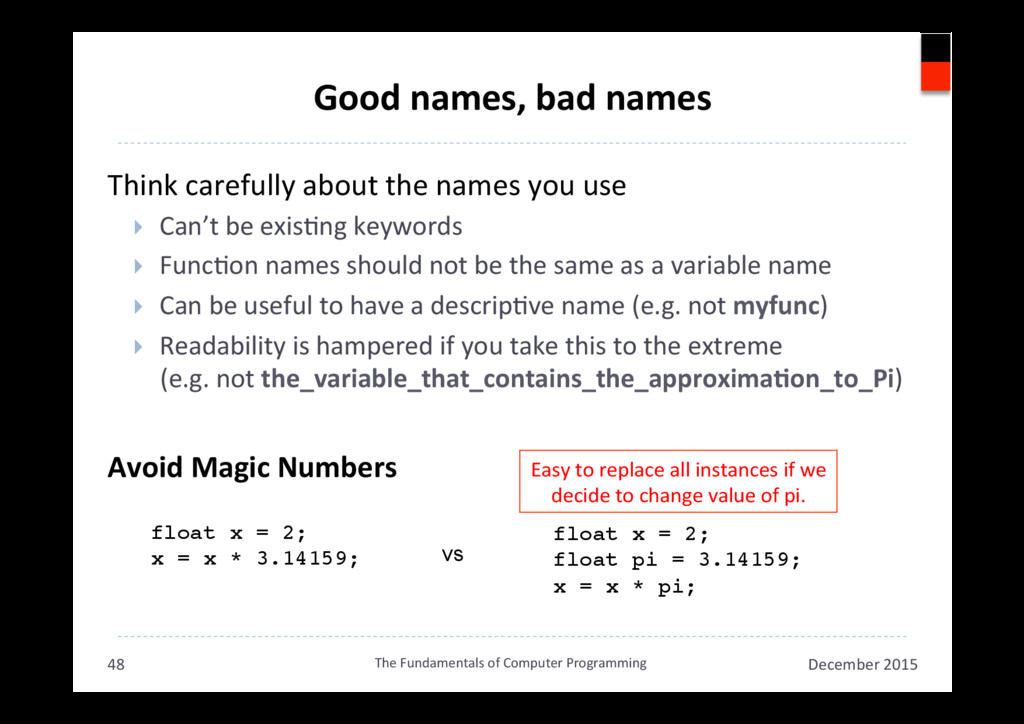
  45. Good names, bad names Think carefully about the names you

    use }  Can’t be exisAng keywords }  FuncAon names should not be the same as a variable name }  Can be useful to have a descripAve name (e.g. not myfunc) }  Readability is hampered if you take this to the extreme (e.g. not the_variable_that_contains_the_approximaAon_to_Pi) Avoid Magic Numbers December 2015 The Fundamentals of Computer Programming 48 float x = 2;! x = x * 3.14159;! ! float x = 2;! float pi = 3.14159;! x = x * pi;! vs Easy to replace all instances if we decide to change value of pi.
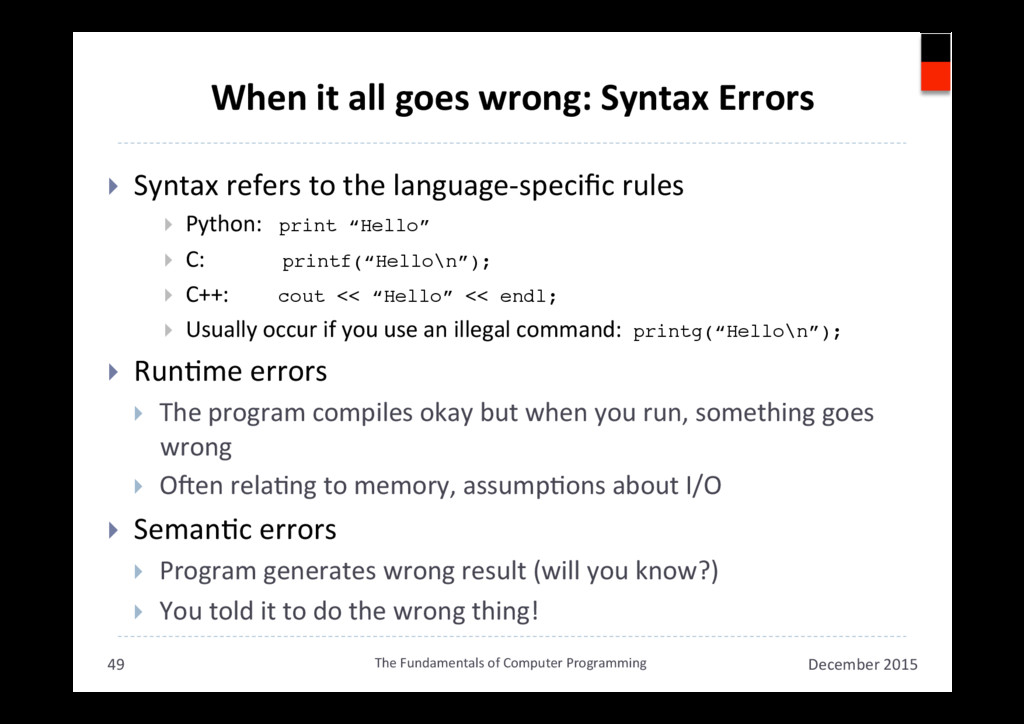
  46. When it all goes wrong: Syntax Errors }  Syntax refers

    to the language-specific rules }  Python: print “Hello”! }  C: printf(“Hello\n”);! }  C++: cout << “Hello” << endl;! }  Usually occur if you use an illegal command: printg(“Hello\n”);! }  RunAme errors }  The program compiles okay but when you run, something goes wrong }  ONen relaAng to memory, assumpAons about I/O }  SemanAc errors }  Program generates wrong result (will you know?) }  You told it to do the wrong thing! December 2015 The Fundamentals of Computer Programming 49
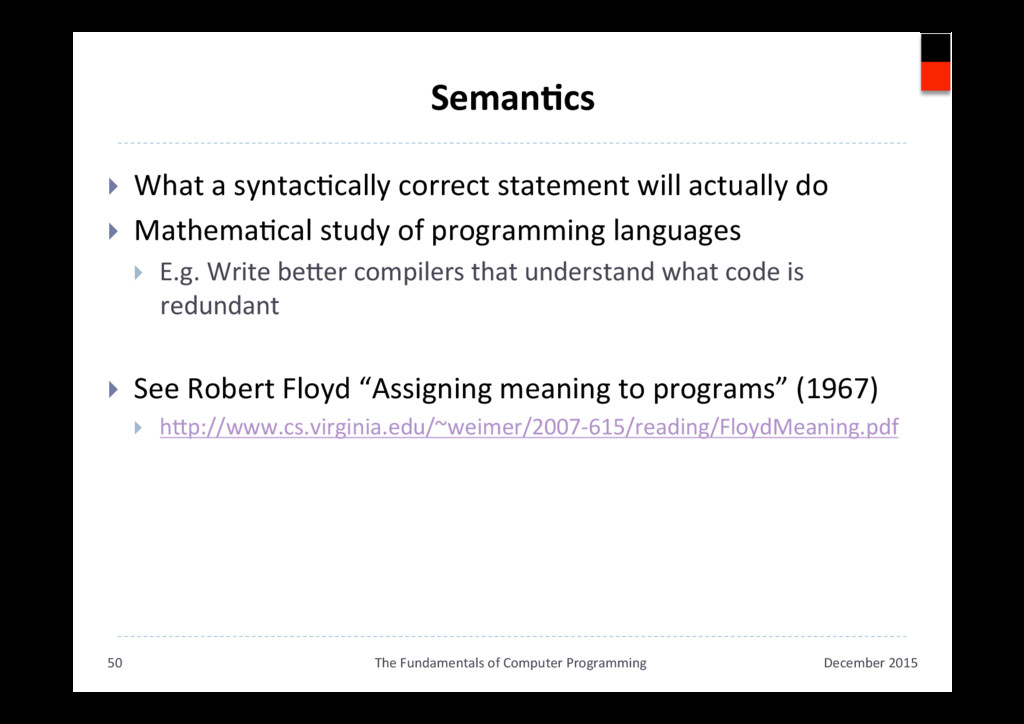
  47. SemanAcs }  What a syntacAcally correct statement will actually do

    }  MathemaAcal study of programming languages }  E.g. Write beker compilers that understand what code is redundant }  See Robert Floyd “Assigning meaning to programs” (1967) }  hkp://www.cs.virginia.edu/~weimer/2007-615/reading/FloydMeaning.pdf December 2015 The Fundamentals of Computer Programming 50
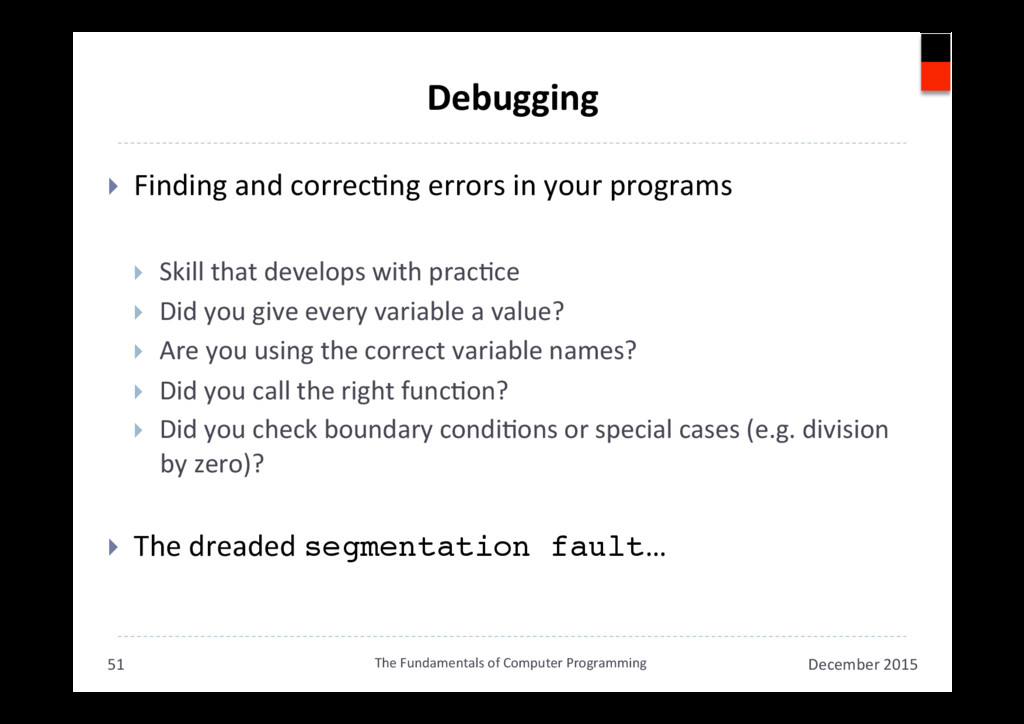
  48. Debugging }  Finding and correcAng errors in your programs } 

    Skill that develops with pracAce }  Did you give every variable a value? }  Are you using the correct variable names? }  Did you call the right funcAon? }  Did you check boundary condiAons or special cases (e.g. division by zero)? }  The dreaded segmentation fault… December 2015 The Fundamentals of Computer Programming 51
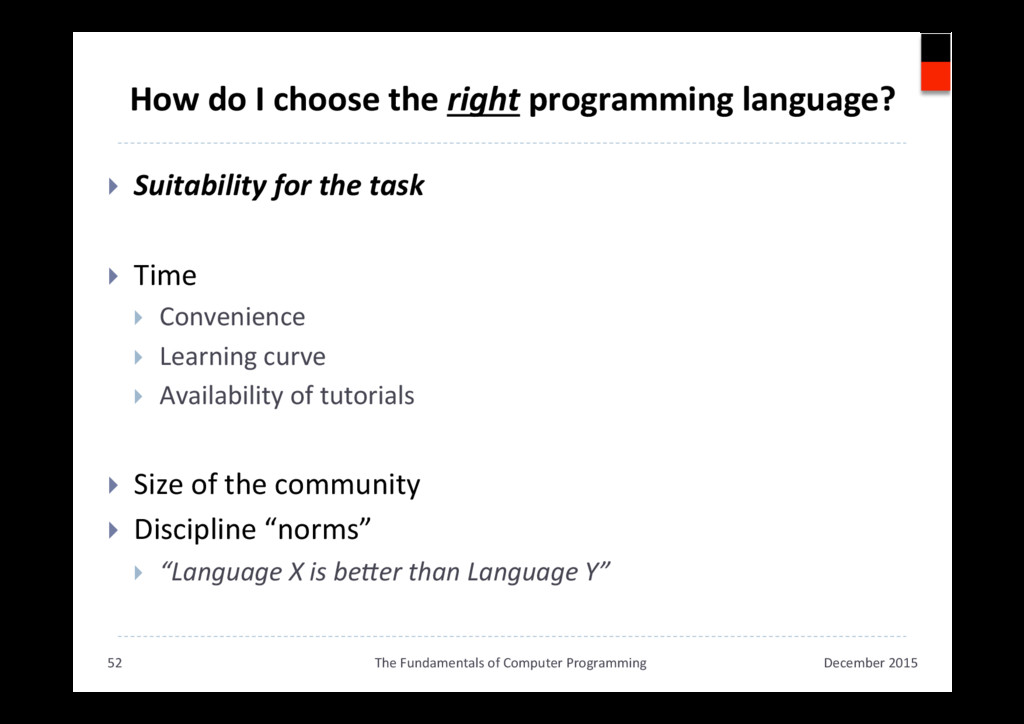
  49. How do I choose the right programming language? }  Suitability

    for the task }  Time }  Convenience }  Learning curve }  Availability of tutorials }  Size of the community }  Discipline “norms” }  “Language X is beHer than Language Y” December 2015 The Fundamentals of Computer Programming 52
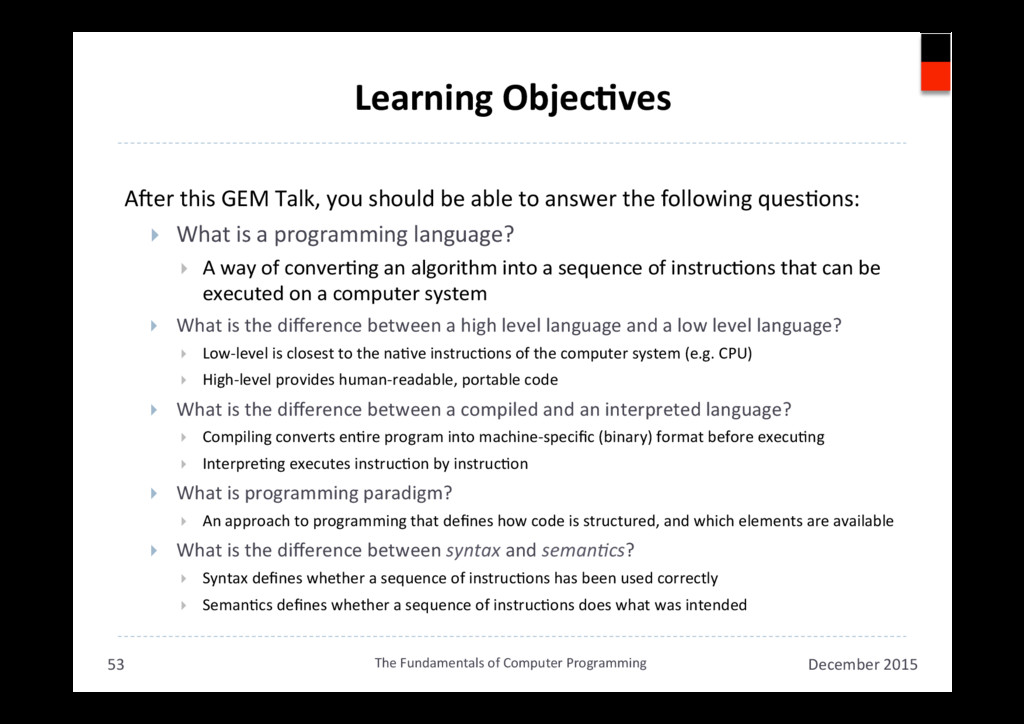
  50. Learning ObjecAves ANer this GEM Talk, you should be able

    to answer the following quesAons: }  What is a programming language? }  A way of converAng an algorithm into a sequence of instrucAons that can be executed on a computer system }  What is the difference between a high level language and a low level language? }  Low-level is closest to the naAve instrucAons of the computer system (e.g. CPU) }  High-level provides human-readable, portable code }  What is the difference between a compiled and an interpreted language? }  Compiling converts enAre program into machine-specific (binary) format before execuAng }  InterpreAng executes instrucAon by instrucAon }  What is programming paradigm? }  An approach to programming that defines how code is structured, and which elements are available }  What is the difference between syntax and seman,cs? }  Syntax defines whether a sequence of instrucAons has been used correctly }  SemanAcs defines whether a sequence of instrucAons does what was intended December 2015 The Fundamentals of Computer Programming 53