Upgrade to Pro — share decks privately, control downloads, hide ads and more …

The good, the bad and the ugly – in the BBC New...

The good, the bad and the ugly – in the BBC News app

Having millions of users and a large code base is not easy. When combined with myriad business requirements, moving goal posts, right-to-left languages, and many parliamentary elections, this gets even harder. How do we manage that? By continuously improving our architecture and carefully choosing frameworks that work for us. And hacks, of course.

Speakers:
Catalina Chioveanu (https://twitter.com/hiimcatalina)
Andrew Fulcher (https://twitter.com/ajmfulcher)

Avatar for Andrew Fulcher

Andrew Fulcher

December 19, 2017
Tweet
More Decks by Andrew Fulcher

Other Decks in Technology

Transcript

  1. Andrew Fulcher Lead Android Engineer Catalina Chioveanu Senior Android Engineer

    DECEMBER 2017 BBC News Apps The good, the bad… and the ugly
  2. THE GOOD 3 THE GOOD, THE BAD AND THE UGLY

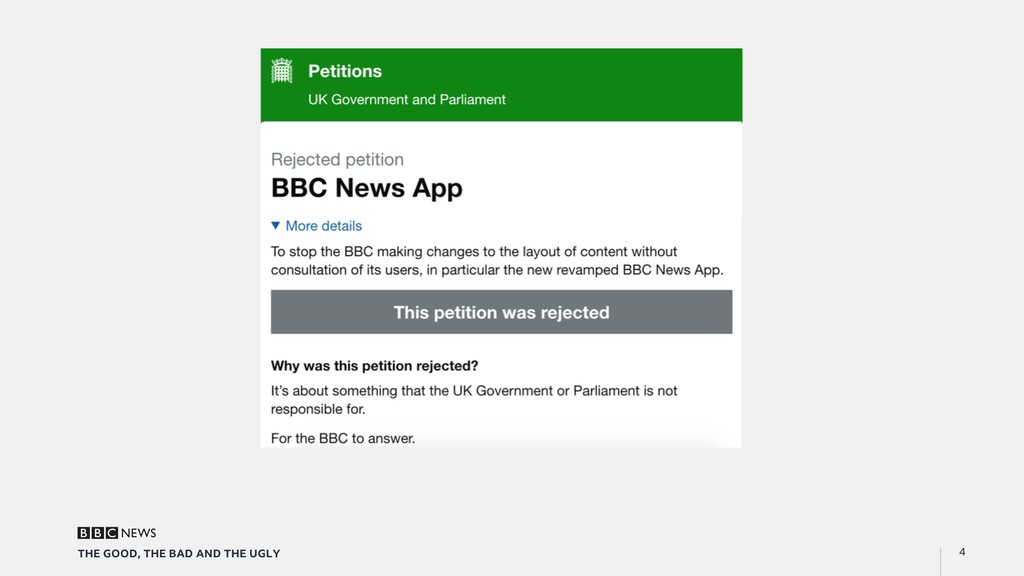
    Working at SCALE •  Big scale app •  Great to know we are working on something big •  9m weekly users; downsides - user reviews •  The users own it
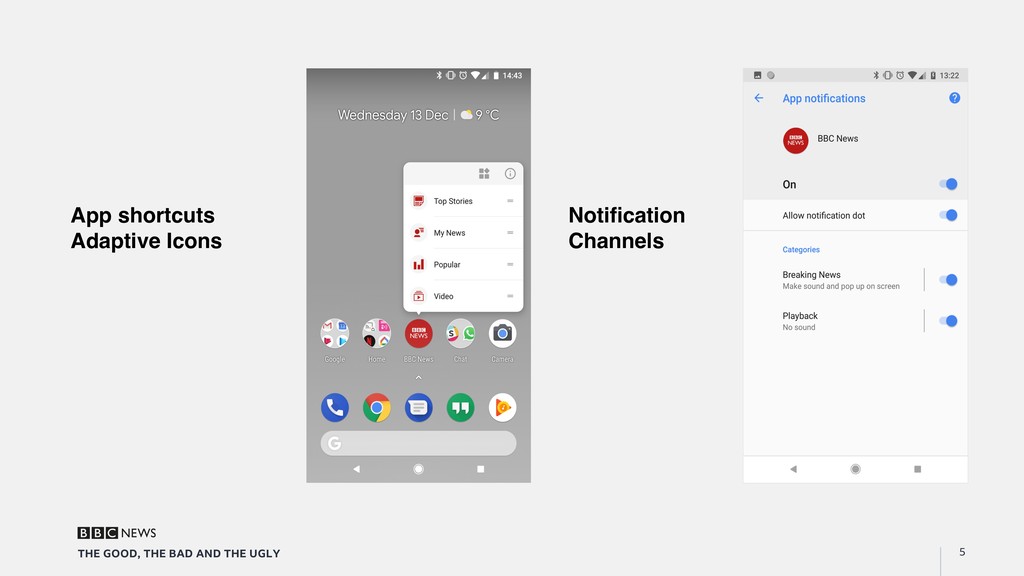
  3. 5 THE GOOD, THE BAD AND THE UGLY App shortcuts

    Adaptive Icons Notification Channels
  4. THE GOOD 6 THE GOOD, THE BAD AND THE UGLY

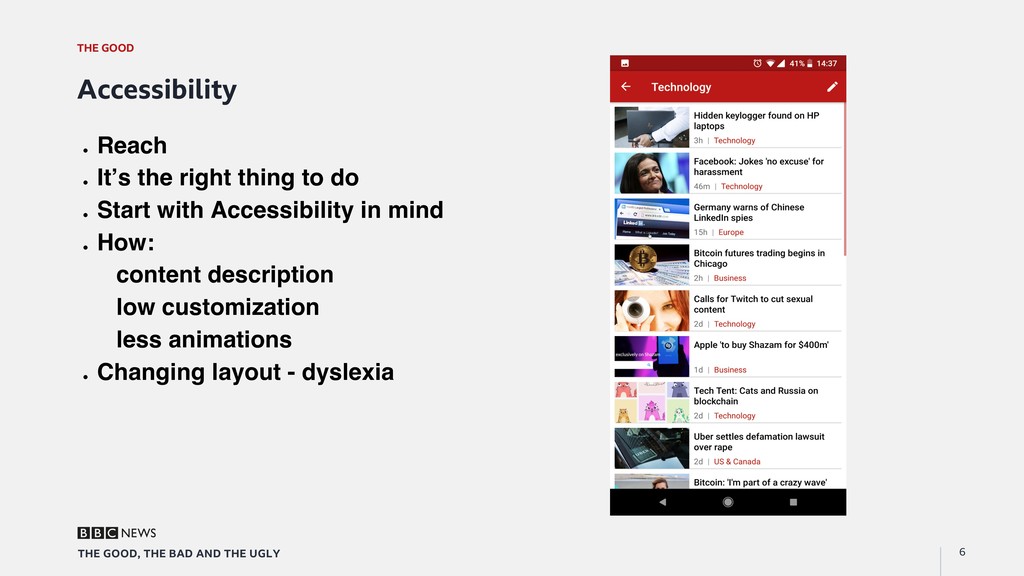
    Accessibility "  Reach "  It’s the right thing to do "  Start with Accessibility in mind "  How: content description low customization less animations "  Changing layout - dyslexia
  5. THE GOOD 7 THE GOOD, THE BAD AND THE UGLY

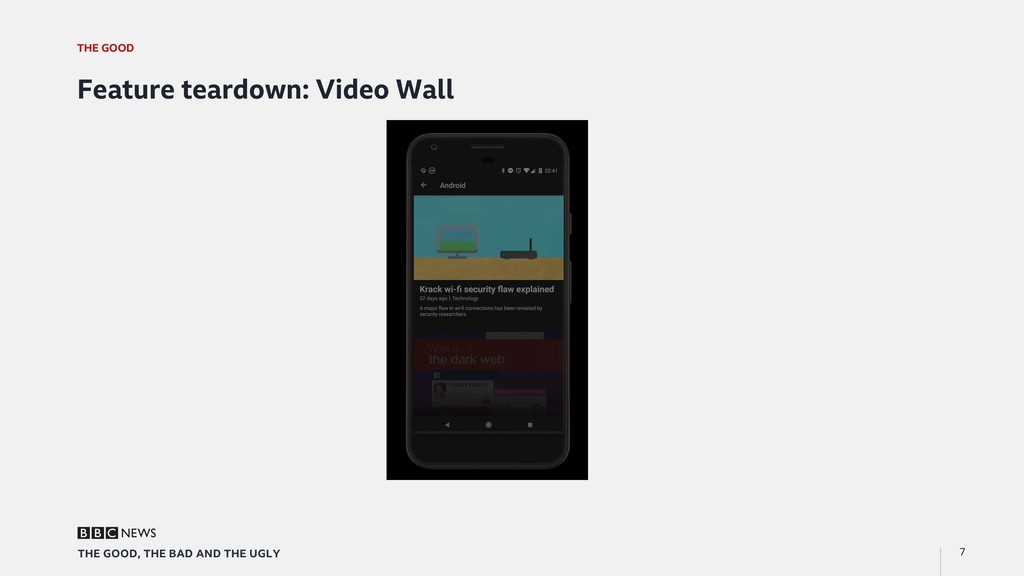
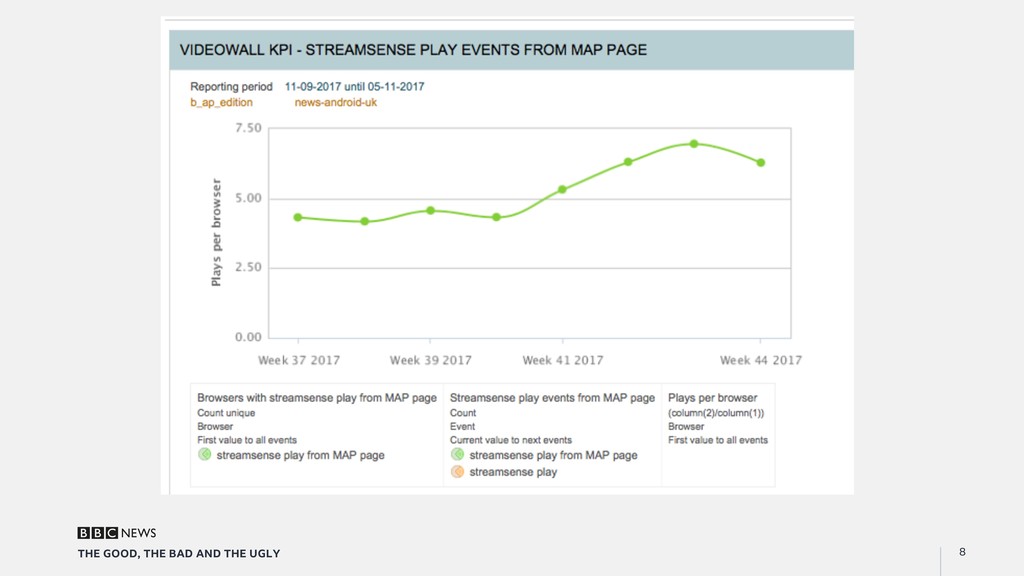
    Feature teardown: Video Wall
  6. THE GOOD 9 THE GOOD, THE BAD AND THE UGLY

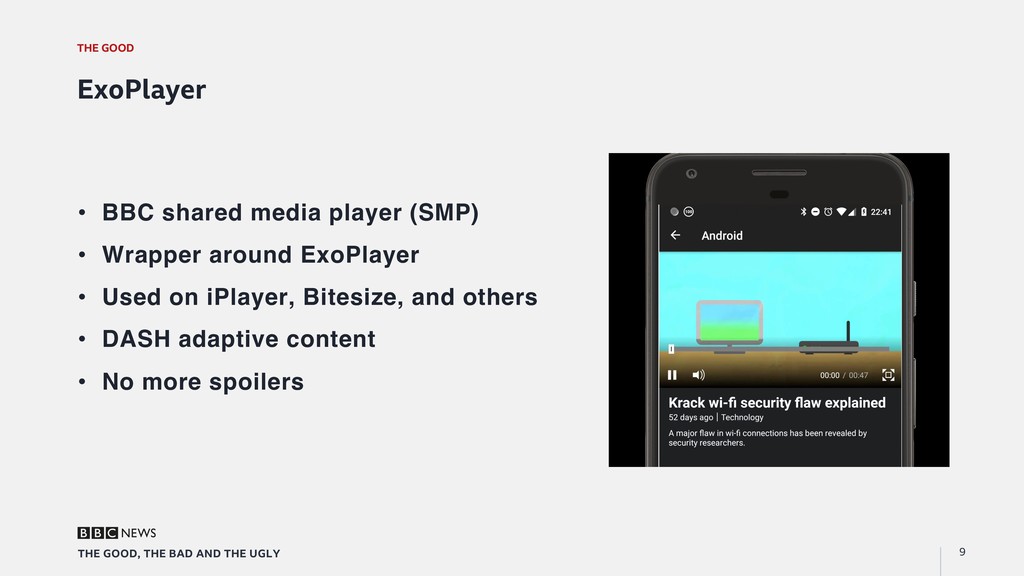
    ExoPlayer •  BBC shared media player (SMP) •  Wrapper around ExoPlayer •  Used on iPlayer, Bitesize, and others •  DASH adaptive content •  No more spoilers
  7. THE GOOD 10 THE GOOD, THE BAD AND THE UGLY

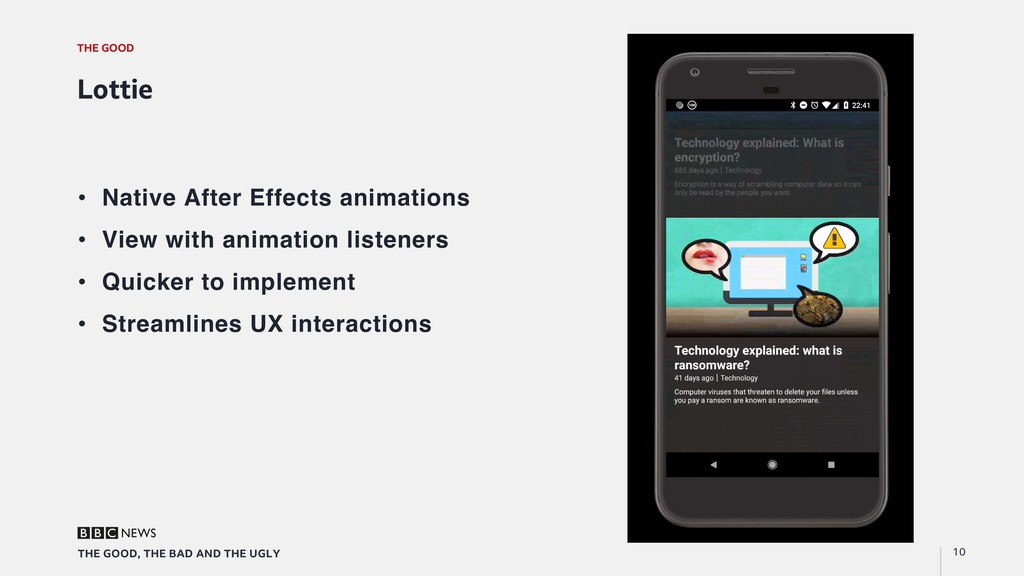
    Lottie •  Native After Effects animations •  View with animation listeners •  Quicker to implement •  Streamlines UX interactions
  8. THE GOOD 11 THE GOOD, THE BAD AND THE UGLY

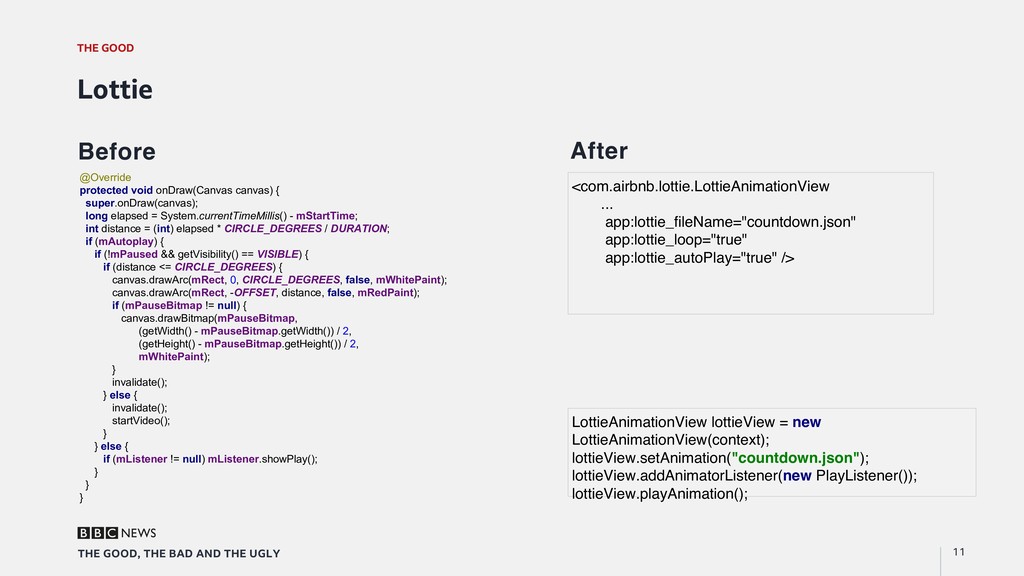
    Lottie Before After @Override protected void onDraw(Canvas canvas) { super.onDraw(canvas); long elapsed = System.currentTimeMillis() - mStartTime; int distance = (int) elapsed * CIRCLE_DEGREES / DURATION; if (mAutoplay) { if (!mPaused && getVisibility() == VISIBLE) { if (distance <= CIRCLE_DEGREES) { canvas.drawArc(mRect, 0, CIRCLE_DEGREES, false, mWhitePaint); canvas.drawArc(mRect, -OFFSET, distance, false, mRedPaint); if (mPauseBitmap != null) { canvas.drawBitmap(mPauseBitmap, (getWidth() - mPauseBitmap.getWidth()) / 2, (getHeight() - mPauseBitmap.getHeight()) / 2, mWhitePaint); } invalidate(); } else { invalidate(); startVideo(); } } else { if (mListener != null) mListener.showPlay(); } } } <com.airbnb.lottie.LottieAnimationView ... app:lottie_fileName="countdown.json" app:lottie_loop="true" app:lottie_autoPlay="true" /> LottieAnimationView lottieView = new LottieAnimationView(context); lottieView.setAnimation("countdown.json"); lottieView.addAnimatorListener(new PlayListener()); lottieView.playAnimation();
  9. THE GOOD 12 THE GOOD, THE BAD AND THE UGLY

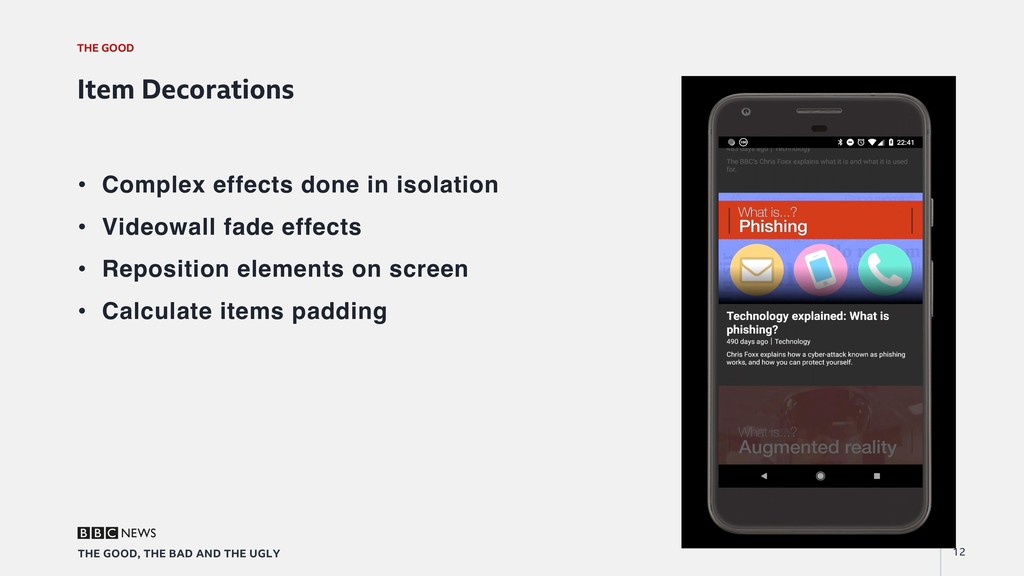
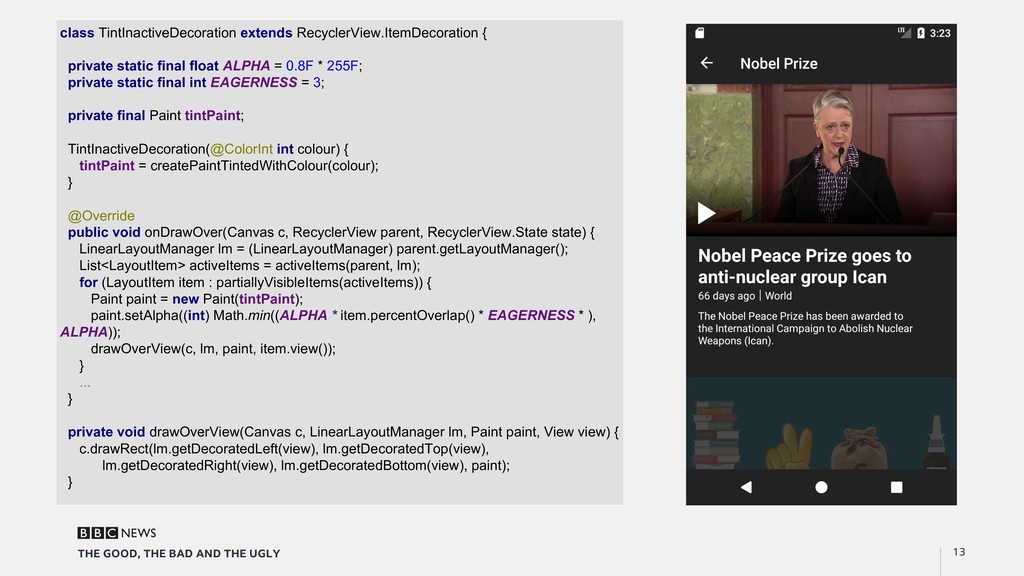
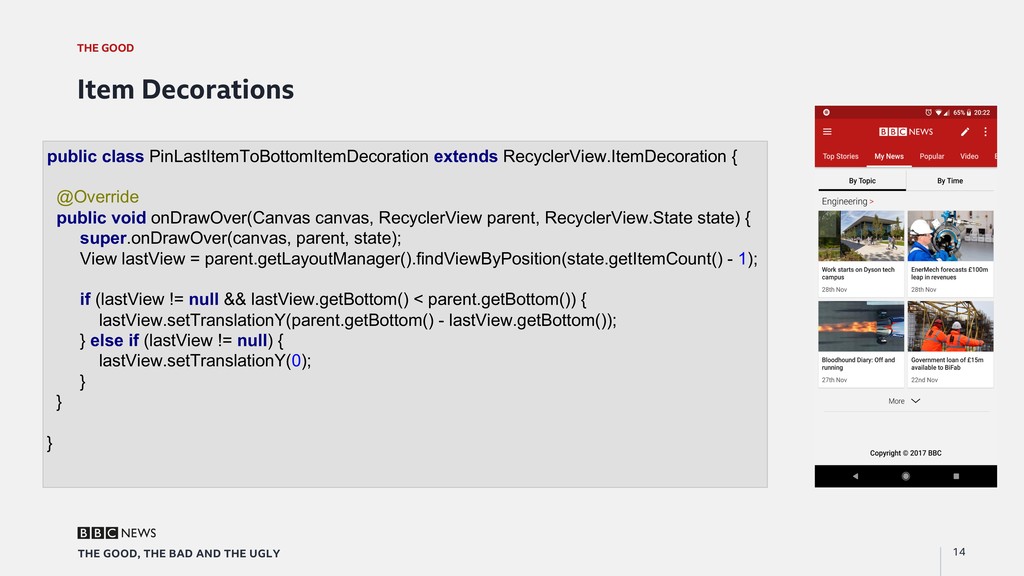
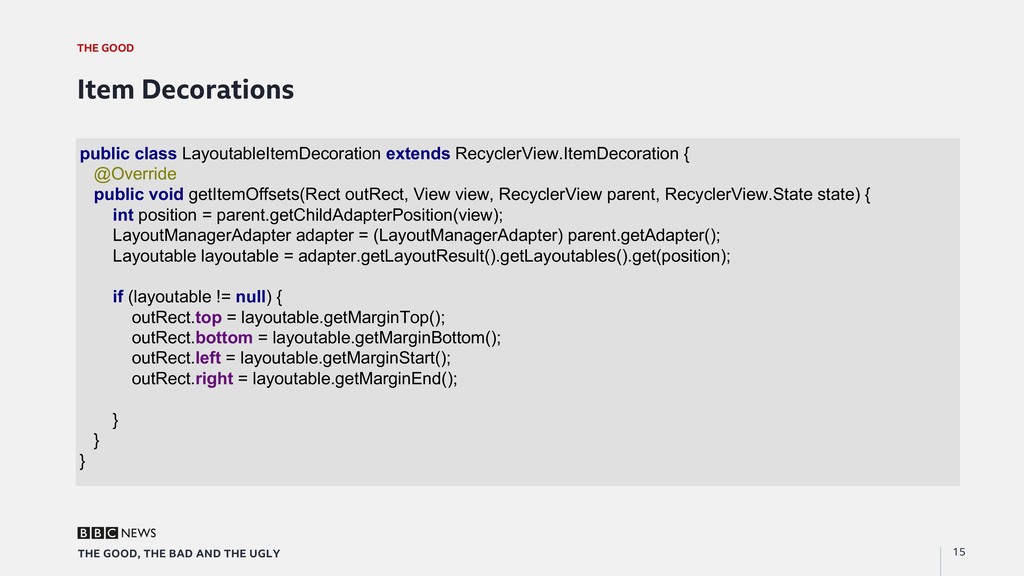
    Item Decorations •  Complex effects done in isolation •  Videowall fade effects •  Reposition elements on screen •  Calculate items padding
  10. 13 THE GOOD, THE BAD AND THE UGLY class TintInactiveDecoration

    extends RecyclerView.ItemDecoration { private static final float ALPHA = 0.8F * 255F; private static final int EAGERNESS = 3; private final Paint tintPaint; TintInactiveDecoration(@ColorInt int colour) { tintPaint = createPaintTintedWithColour(colour); } @Override public void onDrawOver(Canvas c, RecyclerView parent, RecyclerView.State state) { LinearLayoutManager lm = (LinearLayoutManager) parent.getLayoutManager(); List<LayoutItem> activeItems = activeItems(parent, lm); for (LayoutItem item : partiallyVisibleItems(activeItems)) { Paint paint = new Paint(tintPaint); paint.setAlpha((int) Math.min((ALPHA * item.percentOverlap() * EAGERNESS * ), ALPHA)); drawOverView(c, lm, paint, item.view()); } ... } private void drawOverView(Canvas c, LinearLayoutManager lm, Paint paint, View view) { c.drawRect(lm.getDecoratedLeft(view), lm.getDecoratedTop(view), lm.getDecoratedRight(view), lm.getDecoratedBottom(view), paint); }
  11. THE GOOD 14 THE GOOD, THE BAD AND THE UGLY

    Item Decorations public class PinLastItemToBottomItemDecoration extends RecyclerView.ItemDecoration { @Override public void onDrawOver(Canvas canvas, RecyclerView parent, RecyclerView.State state) { super.onDrawOver(canvas, parent, state); View lastView = parent.getLayoutManager().findViewByPosition(state.getItemCount() - 1); if (lastView != null && lastView.getBottom() < parent.getBottom()) { lastView.setTranslationY(parent.getBottom() - lastView.getBottom()); } else if (lastView != null) { lastView.setTranslationY(0); } } }
  12. THE GOOD 15 THE GOOD, THE BAD AND THE UGLY

    Item Decorations public class LayoutableItemDecoration extends RecyclerView.ItemDecoration { @Override public void getItemOffsets(Rect outRect, View view, RecyclerView parent, RecyclerView.State state) { int position = parent.getChildAdapterPosition(view); LayoutManagerAdapter adapter = (LayoutManagerAdapter) parent.getAdapter(); Layoutable layoutable = adapter.getLayoutResult().getLayoutables().get(position); if (layoutable != null) { outRect.top = layoutable.getMarginTop(); outRect.bottom = layoutable.getMarginBottom(); outRect.left = layoutable.getMarginStart(); outRect.right = layoutable.getMarginEnd(); } } }
  13. THE GOOD 16 THE GOOD, THE BAD AND THE UGLY

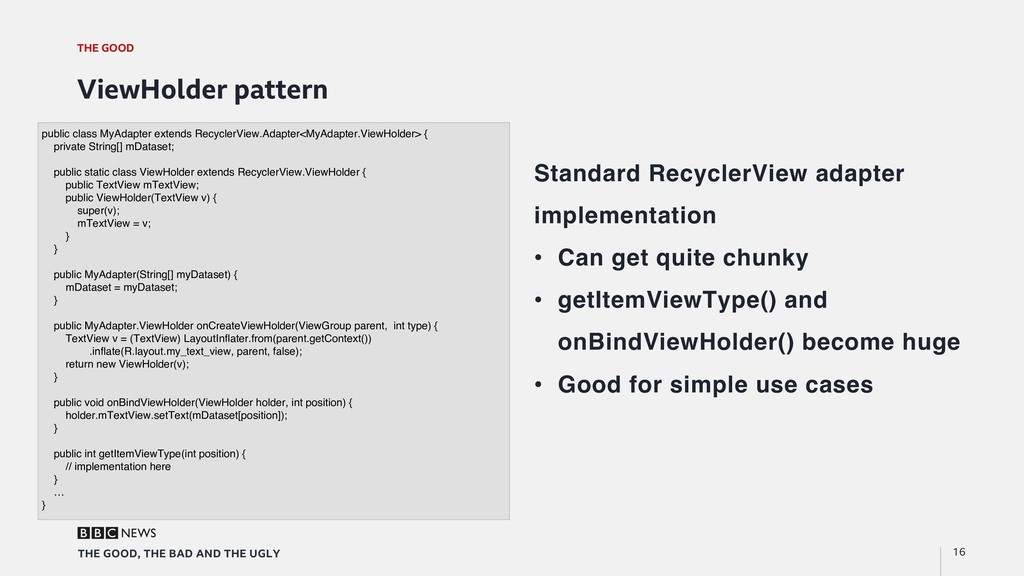
    ViewHolder pattern Standard RecyclerView adapter implementation •  Can get quite chunky •  getItemViewType() and onBindViewHolder() become huge •  Good for simple use cases public class MyAdapter extends RecyclerView.Adapter<MyAdapter.ViewHolder> { private String[] mDataset; public static class ViewHolder extends RecyclerView.ViewHolder { public TextView mTextView; public ViewHolder(TextView v) { super(v); mTextView = v; } } public MyAdapter(String[] myDataset) { mDataset = myDataset; } public MyAdapter.ViewHolder onCreateViewHolder(ViewGroup parent, int type) { TextView v = (TextView) LayoutInflater.from(parent.getContext()) .inflate(R.layout.my_text_view, parent, false); return new ViewHolder(v); } public void onBindViewHolder(ViewHolder holder, int position) { holder.mTextView.setText(mDataset[position]); } public int getItemViewType(int position) { // implementation here } … }
  14. THE GOOD 17 THE GOOD, THE BAD AND THE UGLY

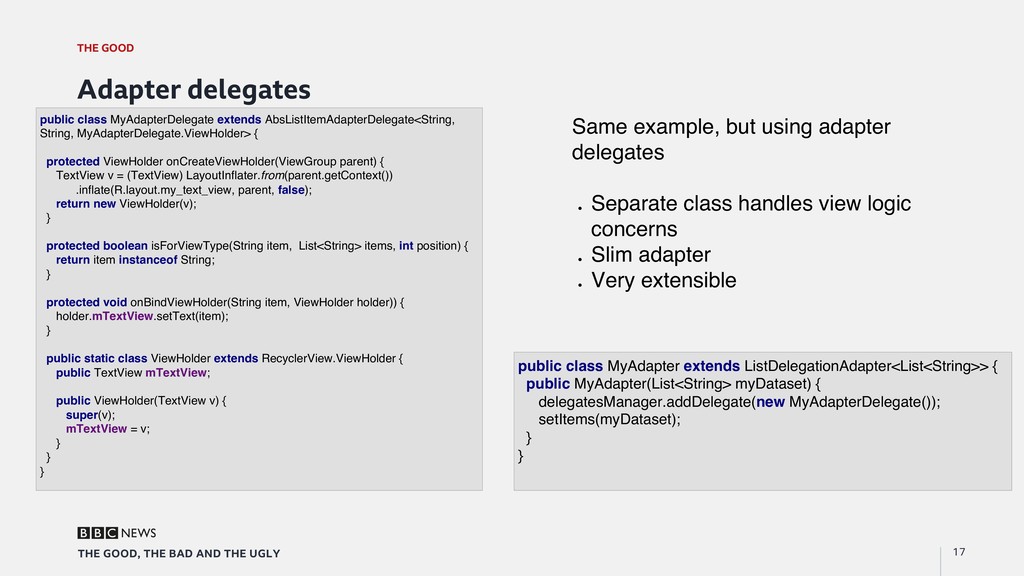
    Adapter delegates public class MyAdapterDelegate extends AbsListItemAdapterDelegate<String, String, MyAdapterDelegate.ViewHolder> { protected ViewHolder onCreateViewHolder(ViewGroup parent) { TextView v = (TextView) LayoutInflater.from(parent.getContext()) .inflate(R.layout.my_text_view, parent, false); return new ViewHolder(v); } protected boolean isForViewType(String item, List<String> items, int position) { return item instanceof String; } protected void onBindViewHolder(String item, ViewHolder holder)) { holder.mTextView.setText(item); } public static class ViewHolder extends RecyclerView.ViewHolder { public TextView mTextView; public ViewHolder(TextView v) { super(v); mTextView = v; } } } Same example, but using adapter delegates "  Separate class handles view logic concerns "  Slim adapter "  Very extensible public class MyAdapter extends ListDelegationAdapter<List<String>> { public MyAdapter(List<String> myDataset) { delegatesManager.addDelegate(new MyAdapterDelegate()); setItems(myDataset); } }
  15. THE GOOD 18 THE GOOD, THE BAD AND THE UGLY

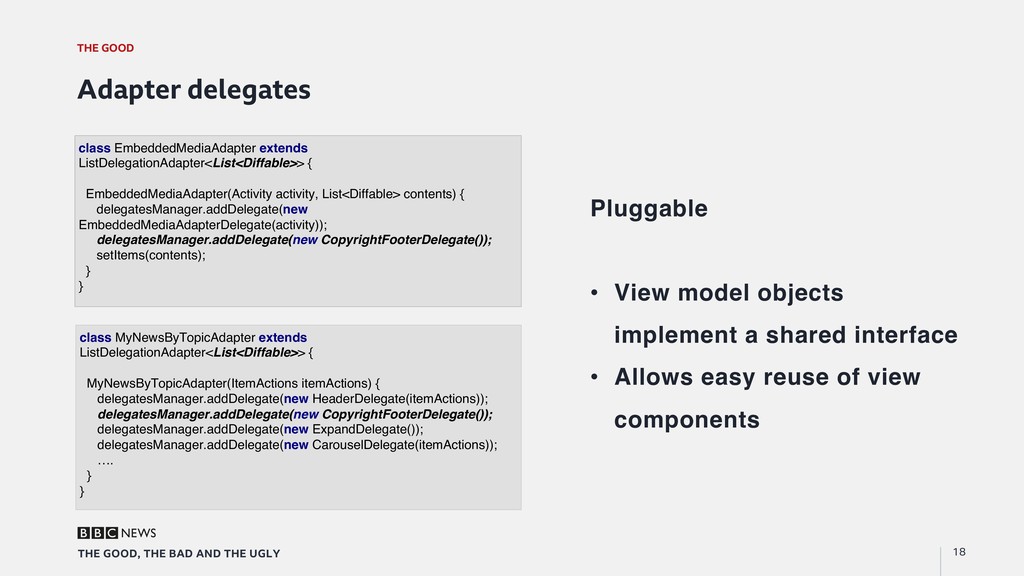
    Adapter delegates Pluggable •  View model objects implement a shared interface •  Allows easy reuse of view components class EmbeddedMediaAdapter extends ListDelegationAdapter<List<Diffable>> { EmbeddedMediaAdapter(Activity activity, List<Diffable> contents) { delegatesManager.addDelegate(new EmbeddedMediaAdapterDelegate(activity)); delegatesManager.addDelegate(new CopyrightFooterDelegate()); setItems(contents); } } class MyNewsByTopicAdapter extends ListDelegationAdapter<List<Diffable>> { MyNewsByTopicAdapter(ItemActions itemActions) { delegatesManager.addDelegate(new HeaderDelegate(itemActions)); delegatesManager.addDelegate(new CopyrightFooterDelegate()); delegatesManager.addDelegate(new ExpandDelegate()); delegatesManager.addDelegate(new CarouselDelegate(itemActions)); …. } }
  16. THE BAD 20 THE GOOD, THE BAD AND THE UGLY

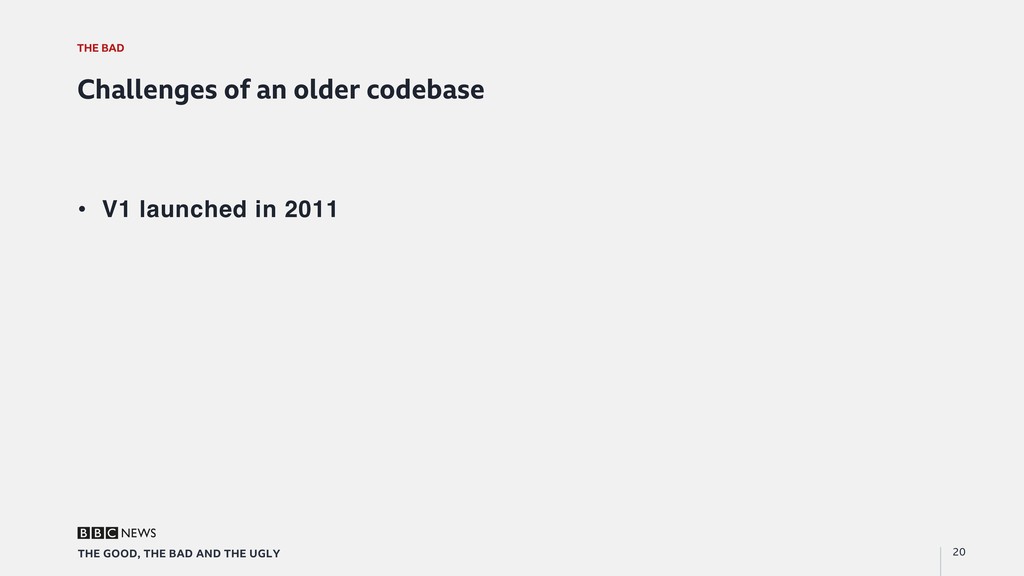
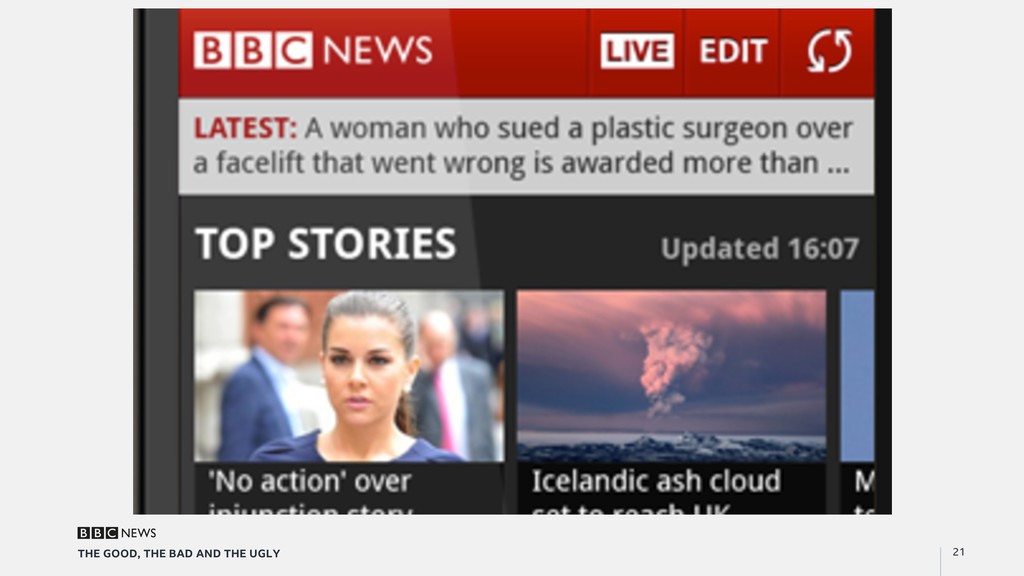
    Challenges of an older codebase •  V1 launched in 2011
  17. THE BAD 22 THE GOOD, THE BAD AND THE UGLY

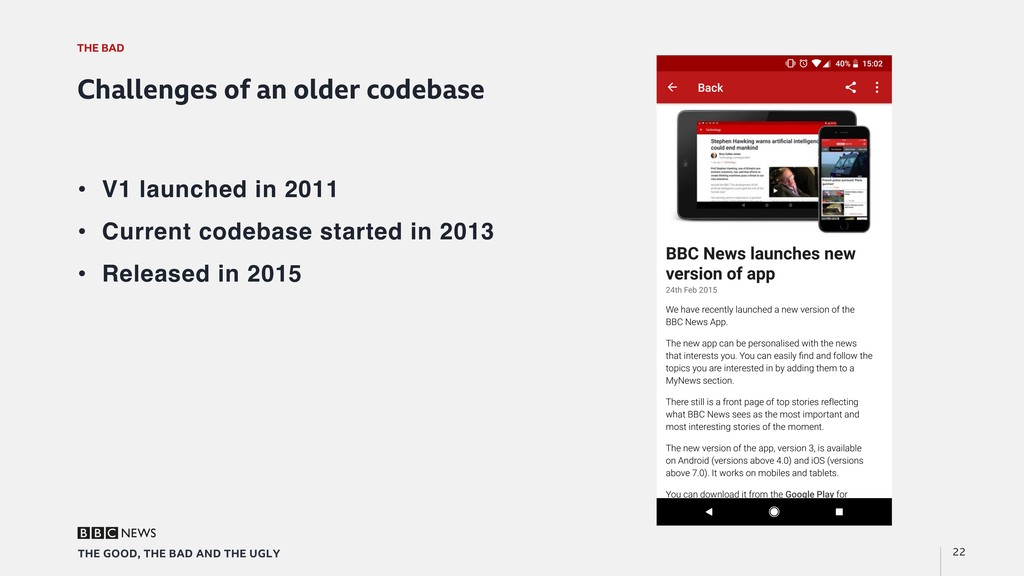
    Challenges of an older codebase •  V1 launched in 2011 •  Current codebase started in 2013 •  Released in 2015
  18. THE BAD 24 THE GOOD, THE BAD AND THE UGLY

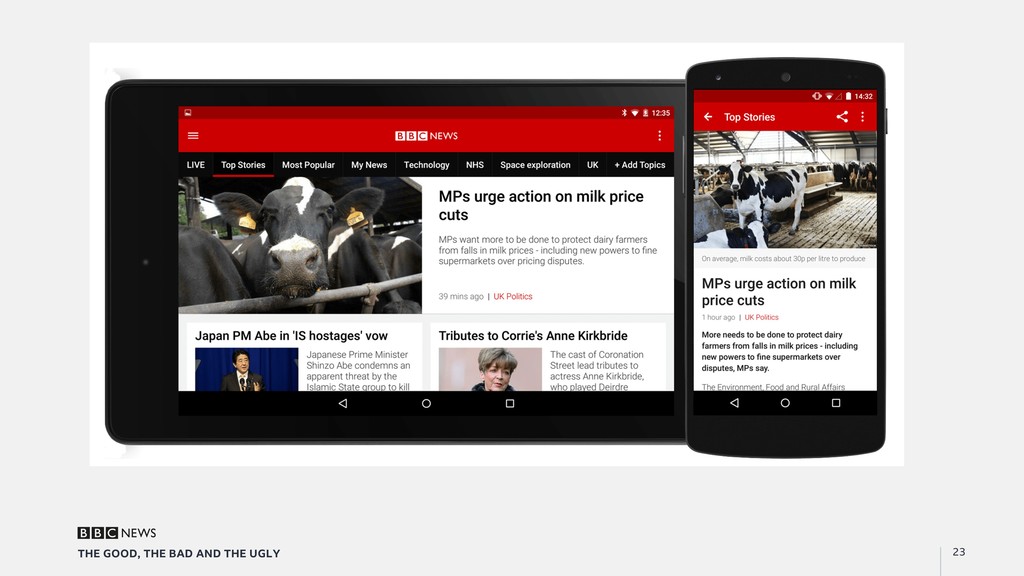
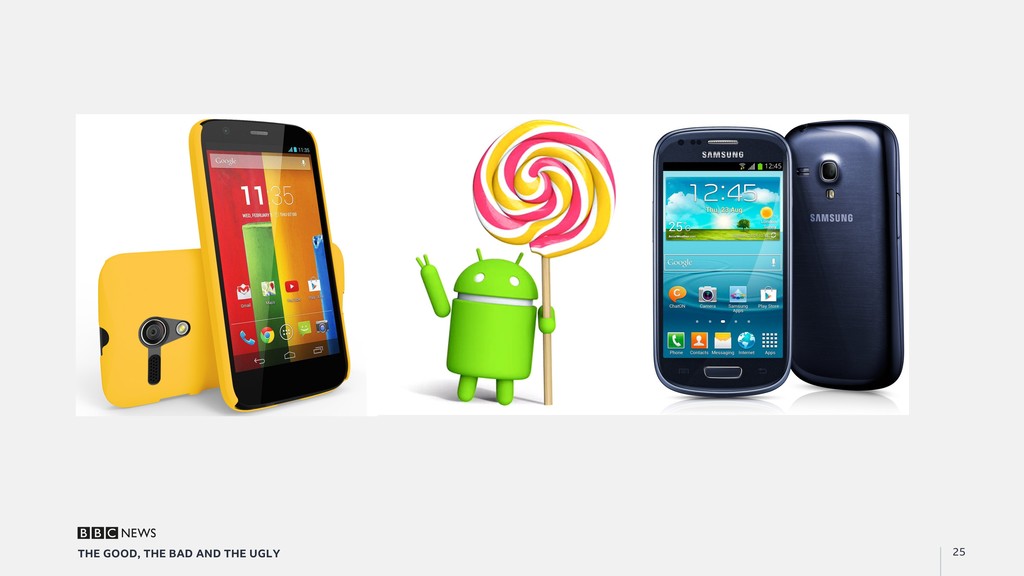
    Challenges of an older codebase •  V1 launched in 2011 •  Current codebase started in 2013 •  Released in 2015 •  Launch was soon after Lollipop release
  19. THE BAD 26 THE GOOD, THE BAD AND THE UGLY

    Back in the day •  Still using Eclipse •  Unit testing not supported •  Singletons were still cool •  Espresso was a nightmare
  20. THE BAD 27 THE GOOD, THE BAD AND THE UGLY

    Dependency injection •  Legacy codebase heavily used singletons and static methods •  Hard to test, classes can’t be garbage collected •  Switching to use IoC pattern •  Using Dagger 2 o  Generates a class dependency graph o  Factory methods are auto-generated o  Injected into top-level classes (Activities, Fragments, etc)
  21. THE BAD 28 THE GOOD, THE BAD AND THE UGLY

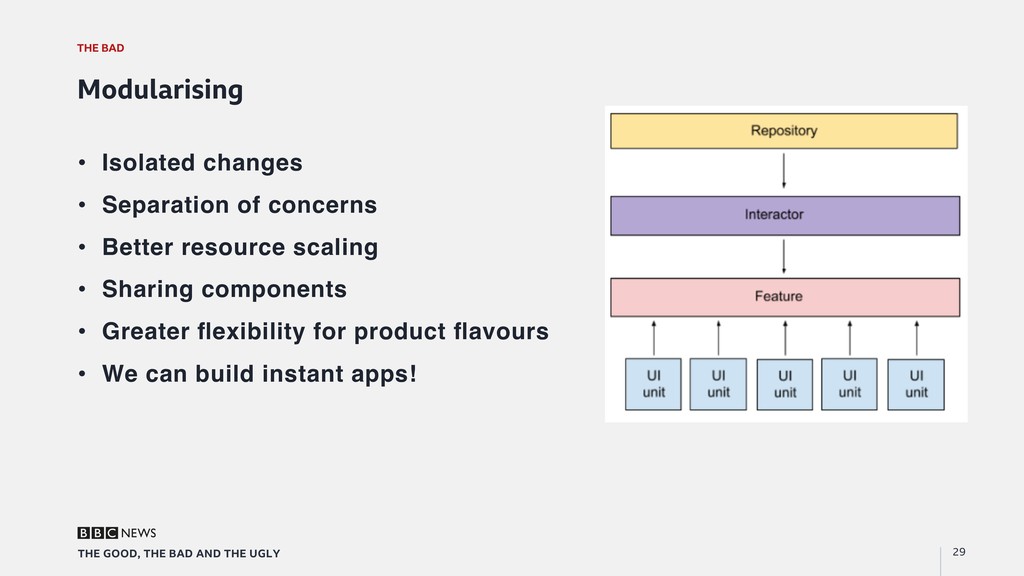
    Monolithic codebase "  Apps were smaller "  Performance issues associated with multi-module build ◦  Might even have to have rolled your own Ant scripts As a result, the app is heavily monolithic "  Optional modules for bolt-ons "  Core is between two modules: the app, and shared
  22. THE BAD 29 THE GOOD, THE BAD AND THE UGLY

    Modularising •  Isolated changes •  Separation of concerns •  Better resource scaling •  Sharing components •  Greater flexibility for product flavours •  We can build instant apps!
  23. THE BAD 30 THE GOOD, THE BAD AND THE UGLY

    Fetching content - Previous model •  Endpoint TTL •  Synchronous content •  Fresh and no asynchronous complexity •  What could go wrong?
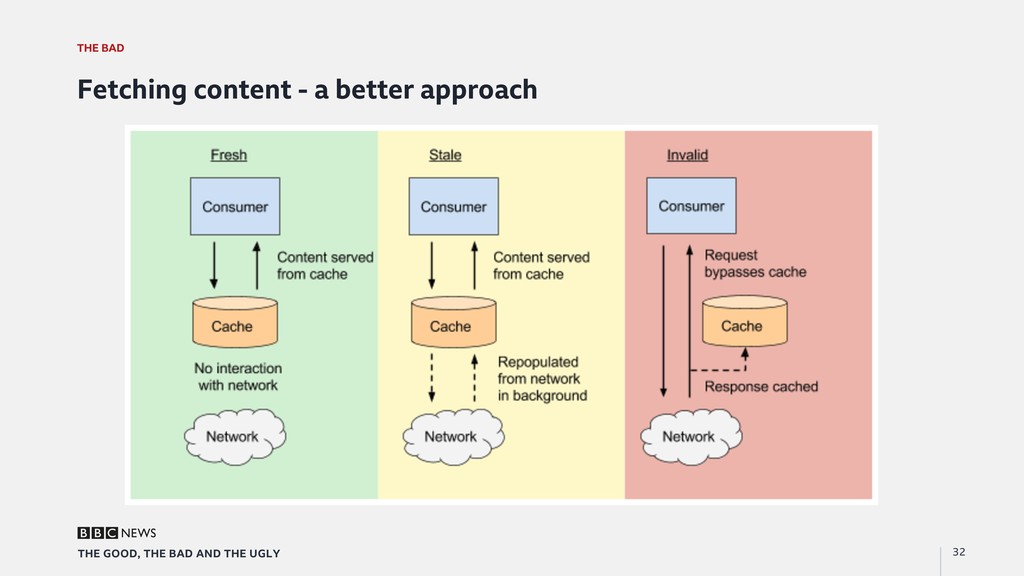
  24. THE BAD 32 THE GOOD, THE BAD AND THE UGLY

    Fetching content - a better approach
  25. THE UGLY 34 THE GOOD, THE BAD AND THE UGLY

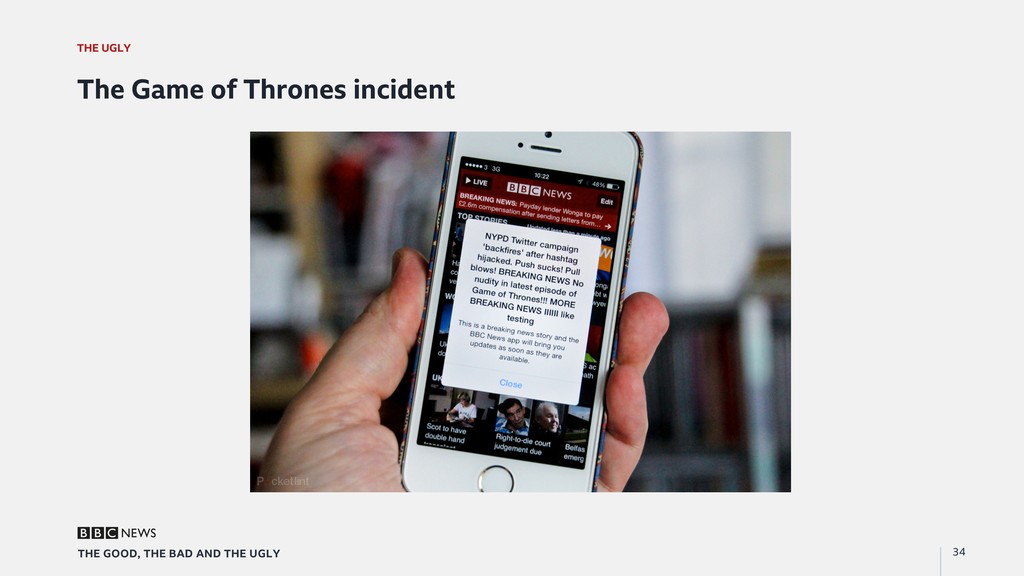
    The Game of Thrones incident
  26. THE UGLY 37 THE GOOD, THE BAD AND THE UGLY

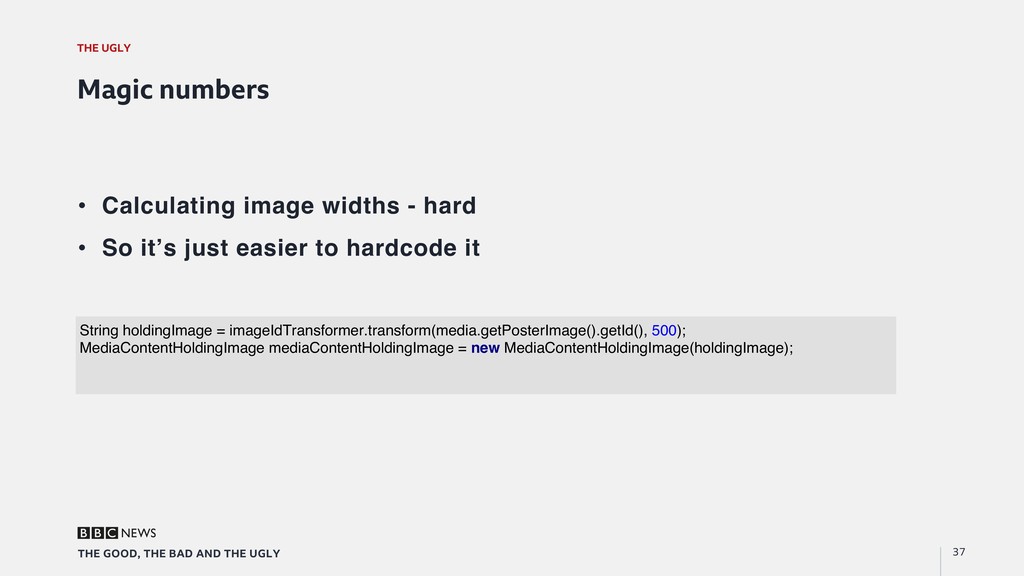
    Magic numbers •  Calculating image widths - hard •  So it’s just easier to hardcode it String holdingImage = imageIdTransformer.transform(media.getPosterImage().getId(), 500); MediaContentHoldingImage mediaContentHoldingImage = new MediaContentHoldingImage(holdingImage);
  27. THE UGLY 38 THE GOOD, THE BAD AND THE UGLY

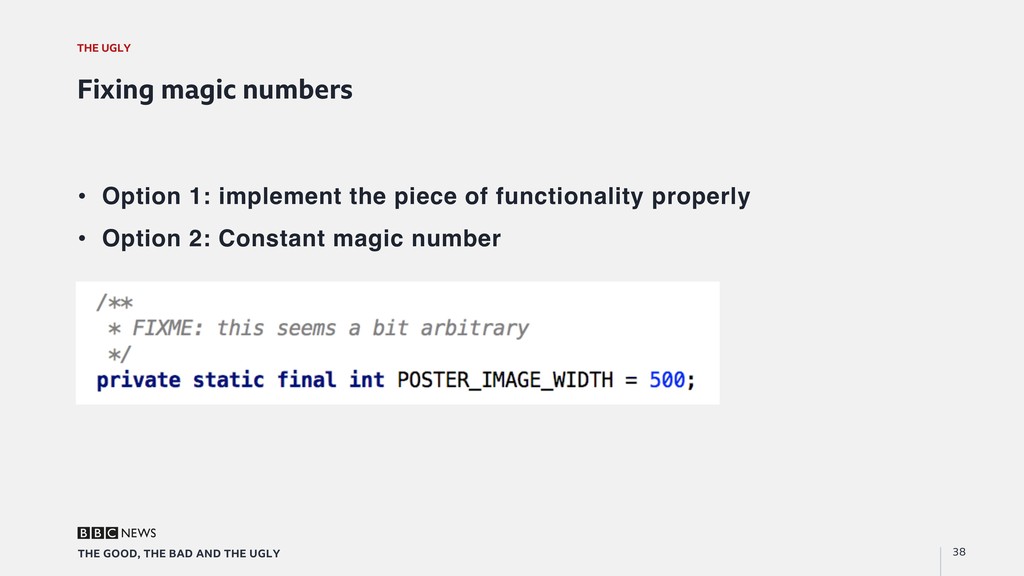
    Fixing magic numbers •  Option 1: implement the piece of functionality properly •  Option 2: Constant magic number
  28. THE UGLY 39 THE GOOD, THE BAD AND THE UGLY

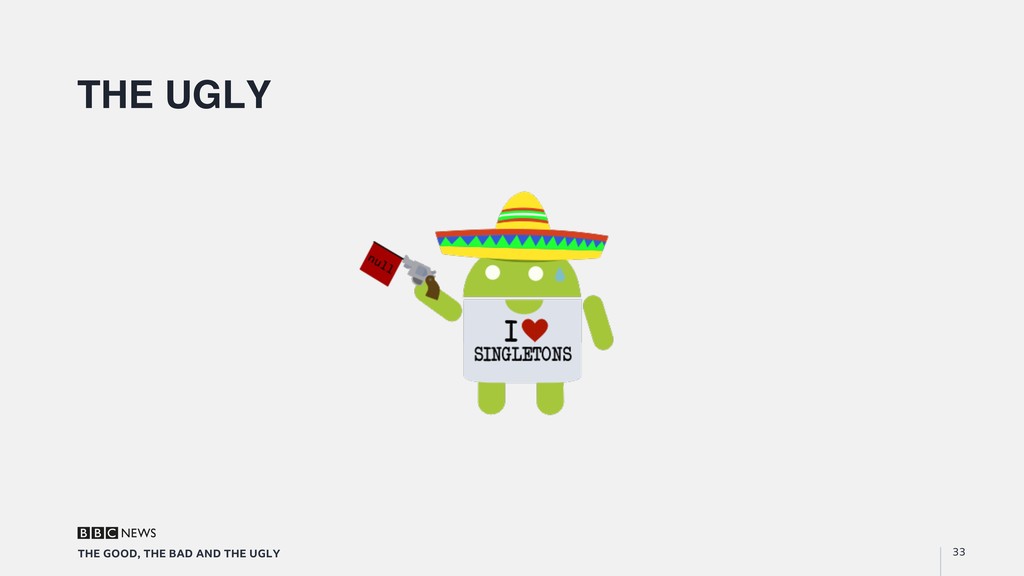
    Dealing with singletons Dependency injection and Inversion-of-Control •  Discussed earlier •  Best practice •  Lots of work
  29. THE UGLY 40 THE GOOD, THE BAD AND THE UGLY

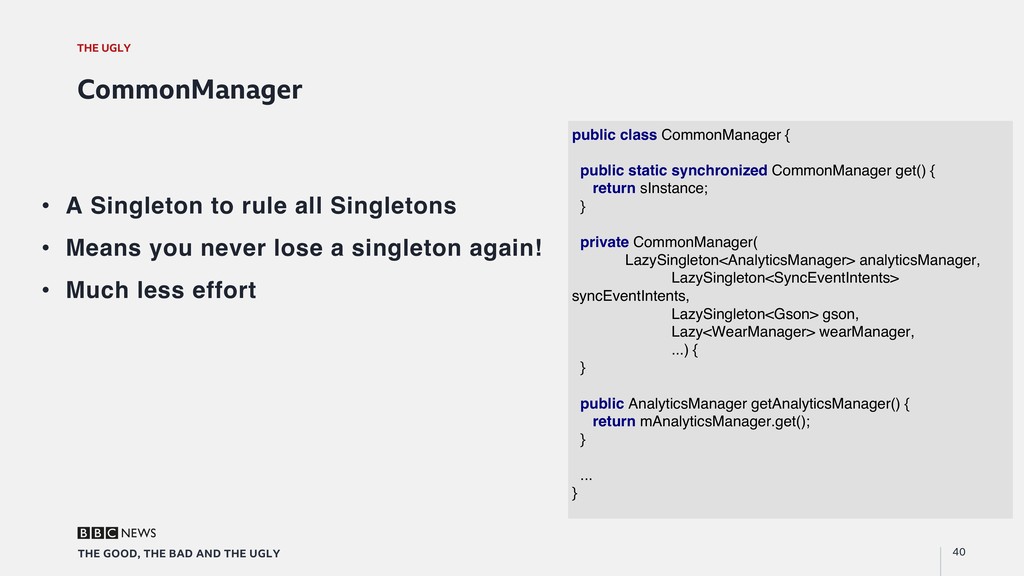
    CommonManager •  A Singleton to rule all Singletons •  Means you never lose a singleton again! •  Much less effort public class CommonManager { public static synchronized CommonManager get() { return sInstance; } private CommonManager( LazySingleton<AnalyticsManager> analyticsManager, LazySingleton<SyncEventIntents> syncEventIntents, LazySingleton<Gson> gson, Lazy<WearManager> wearManager, ...) { } public AnalyticsManager getAnalyticsManager() { return mAnalyticsManager.get(); } ... }
  30. THE UGLY 41 THE GOOD, THE BAD AND THE UGLY

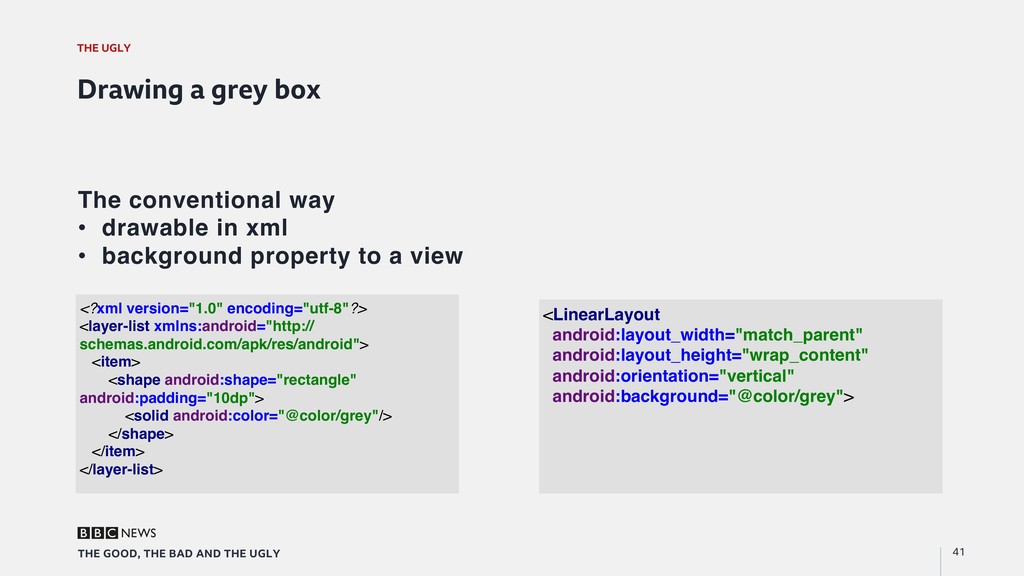
    Drawing a grey box The conventional way •  drawable in xml •  background property to a view <?xml version="1.0" encoding="utf-8"?> <layer-list xmlns:android="http:// schemas.android.com/apk/res/android"> <item> <shape android:shape="rectangle" android:padding="10dp"> <solid android:color="@color/grey"/> </shape> </item> </layer-list> <LinearLayout android:layout_width="match_parent" android:layout_height="wrap_content" android:orientation="vertical" android:background="@color/grey">
  31. THE UGLY 42 THE GOOD, THE BAD AND THE UGLY

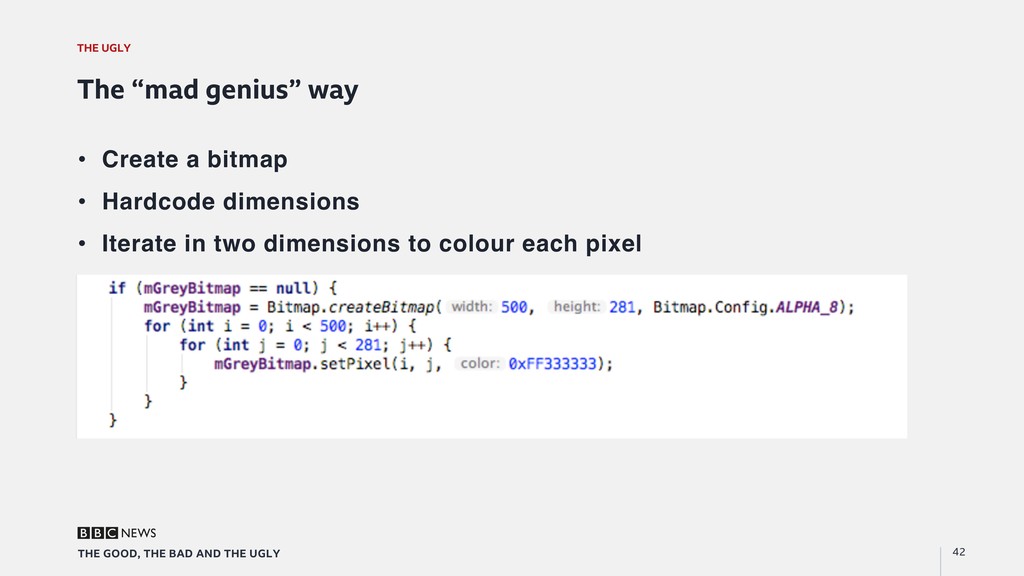
    The “mad genius” way •  Create a bitmap •  Hardcode dimensions •  Iterate in two dimensions to colour each pixel
  32. THE UGLY 43 THE GOOD, THE BAD AND THE UGLY

    Implementing autorun Use case: As a user When autoplay is enabled And a video is set up and on screen I want the video to play without me having to press the play button
  33. THE UGLY 44 THE GOOD, THE BAD AND THE UGLY

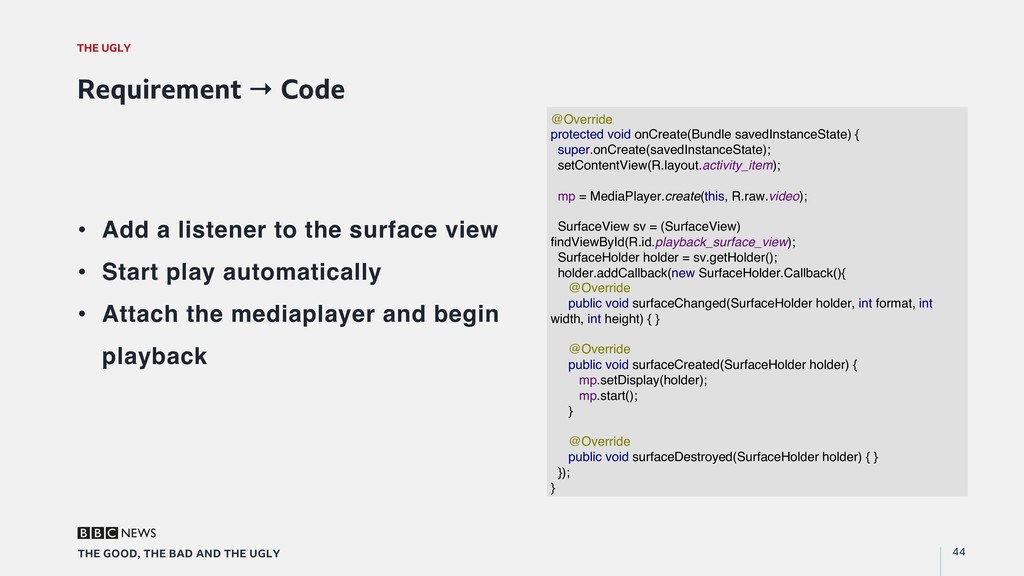
    Requirement → Code •  Add a listener to the surface view •  Start play automatically •  Attach the mediaplayer and begin playback @Override protected void onCreate(Bundle savedInstanceState) { super.onCreate(savedInstanceState); setContentView(R.layout.activity_item); mp = MediaPlayer.create(this, R.raw.video); SurfaceView sv = (SurfaceView) findViewById(R.id.playback_surface_view); SurfaceHolder holder = sv.getHolder(); holder.addCallback(new SurfaceHolder.Callback(){ @Override public void surfaceChanged(SurfaceHolder holder, int format, int width, int height) { } @Override public void surfaceCreated(SurfaceHolder holder) { mp.setDisplay(holder); mp.start(); } @Override public void surfaceDestroyed(SurfaceHolder holder) { } }); }
  34. THE UGLY 45 THE GOOD, THE BAD AND THE UGLY

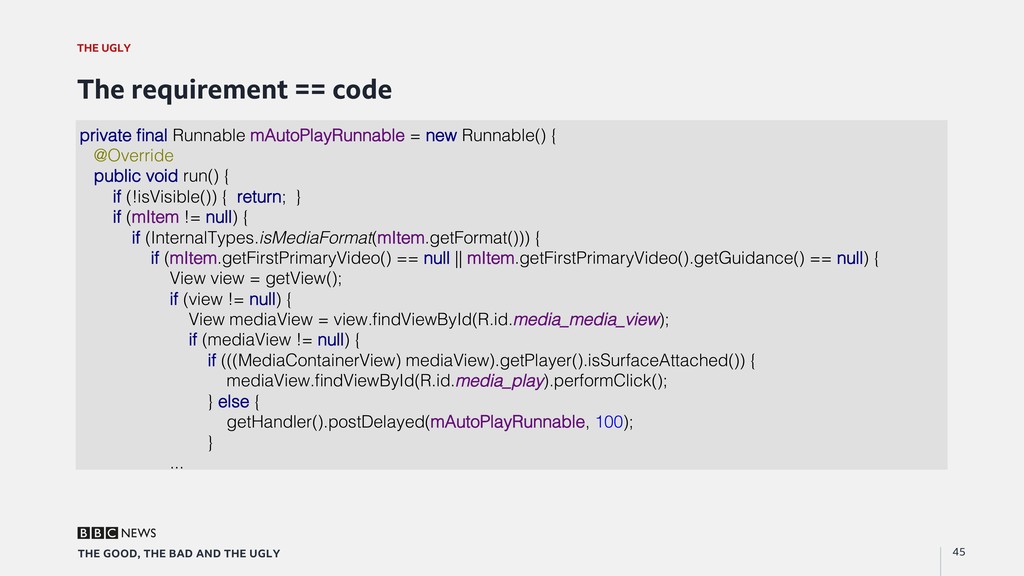
    The requirement == code private final Runnable mAutoPlayRunnable = new Runnable() {! @Override! public void run() {! if (!isVisible()) { return; }! if (mItem != null) {! if (InternalTypes.isMediaFormat(mItem.getFormat())) {! if (mItem.getFirstPrimaryVideo() == null || mItem.getFirstPrimaryVideo().getGuidance() == null) {! View view = getView();! if (view != null) {! View mediaView = view.findViewById(R.id.media_media_view);! if (mediaView != null) {! if (((MediaContainerView) mediaView).getPlayer().isSurfaceAttached()) {! mediaView.findViewById(R.id.media_play).performClick();! } else {! getHandler().postDelayed(mAutoPlayRunnable, 100);! }! ...!
  35. THE AMAZING 46 THE GOOD, THE BAD AND THE UGLY

    We own the product •  Products built in house •  Learning days •  Product showcase •  Keeping up with API changes •  Meeting the people who use the app
  36. We’re hiring! Andrew Fulcher & Catalina Chioveanu BBC News Apps

    MMXVII https://bbc-news.github.io/join-us/
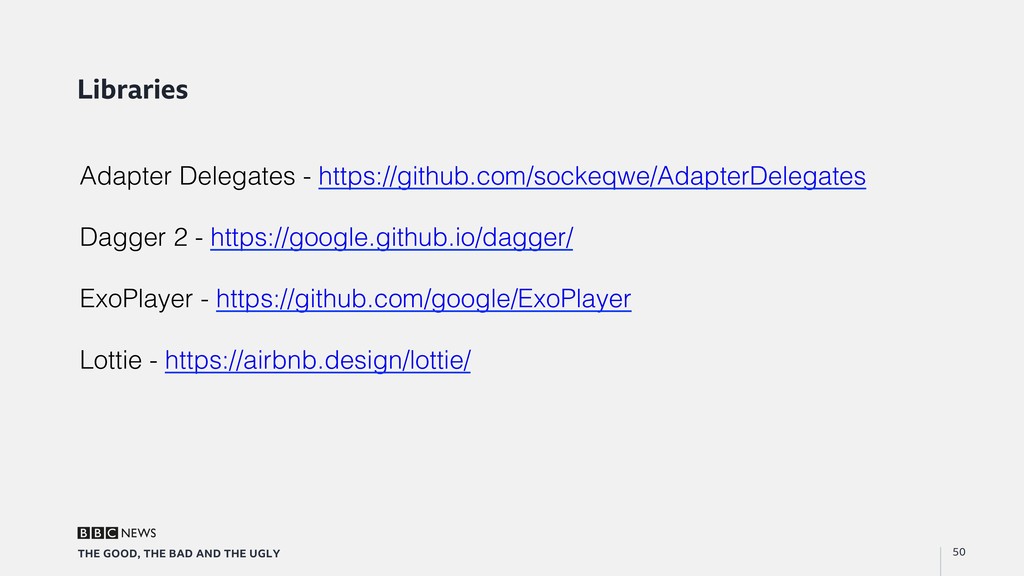
  37. 50 THE GOOD, THE BAD AND THE UGLY Libraries Adapter

    Delegates - https://github.com/sockeqwe/AdapterDelegates! ! Dagger 2 - https://google.github.io/dagger/! ! ExoPlayer - https://github.com/google/ExoPlayer! ! Lottie - https://airbnb.design/lottie/!