Upgrade to Pro
— share decks privately, control downloads, hide ads and more …
Speaker Deck
Sign up for free
Menu
Search
Features
All features
Private URLs
Password Protection
Custom URLS
Scheduled publishing
Remove Branding
Restrict embedding
Deck Collections
Notes
Features
All features
Private URLs
Password Protection
Custom URLS
Scheduled publishing
Remove Branding
Restrict embedding
Deck Collections
Notes
Explore
Featured decks
Featured speakers
Programming
Technology
Storyboards
Explore
Featured decks
Featured speakers
Programming
Technology
Storyboards
Pricing
Search
Sign in
Sign up for free
How to stabilize UI tests using XCTest
Search
Akio Itaya
March 10, 2026
Programming
240
0
Share
Embed
Copy iframe code
Copy JS code
Copy link
Start on current slide
How to stabilize UI tests using XCTest
Ebisu.mobile #13 〜STORESのモバイルテストの現在地〜
https://hey.connpass.com/event/382942/
Akio Itaya
March 10, 2026
More Decks by Akio Itaya
See All by Akio Itaya
Androidだけじゃない、DroidKaigiで広がった私の技術スタック
akkeylab
0
130
iOSDCのペンライトを自動制御したい!
akkeylab
0
400
Building a Meta Ray-Ban display app
akkeylab
0
230
What If Your App Could Debug Itself?
akkeylab
0
110
Bringing Spatial Web to E-Commerce
akkeylab
0
120
Learn CPU architecture with Assembly
akkeylab
1
2.2k
Porting a visionOS App to Android XR
akkeylab
0
1.2k
How to handle 3D content on Android XR
akkeylab
0
280
Create a website using Spatial Web
akkeylab
0
450
Other Decks in Programming
See All in Programming
Jetpack Compose Mechanisms
skydoves
3
810
Railsバージョンを4倍にした話
optim
0
340
最近”作らせてる” ローカルAIアプリの話
akit37
0
470
npm との違いを手がかりにGo の依存管理を理解したい
optim
0
250
GemmaをJevのように使ってみる / Use Gemma like Jev
kishida
5
790
全ての永続トークンを、生まれる前に消し去りたい!
sylph01
2
870
Atomic Design, Enforced: Scaling Mobile Design Systems (next.app devCon / droidCon Berlin 2026)
steliosf
PRO
0
170
AIで開発が速くなった先で、開発チームは何を目指すか
shihochan
0
780
AmebaブログはKMPから卒業します
kmars0605
0
180
[Rails World 2026] Durable orchestration on Rails: from continuation to workflow
palkan
1
750
UnityでSystem.Net.WebSocketsなWebSocketサーバが動かないのでUnity Monoのコードを覗いてみた / about implementing websocket server with unity mono
drumath2237
1
610
Findy - エンジニア向け会社紹介/Findy Company Deck
findyinc
6
400k
Featured
See All Featured
A brief & incomplete history of UX Design for the World Wide Web: 1989–2019
jct
2
530
How to Get Subject Matter Experts Bought In and Actively Contributing to SEO & PR Initiatives.
livdayseo
0
220
SEOcharity - Dark patterns in SEO and UX: How to avoid them and build a more ethical web
sarafernandez
0
300
Balancing Empowerment & Direction
lara
6
1.3k
Making the Leap to Tech Lead
cromwellryan
135
10k
Building Applications with DynamoDB
mza
96
7.2k
Design and Strategy: How to Deal with People Who Don’t "Get" Design
morganepeng
133
20k
Why Our Code Smells
bkeepers
PRO
340
58k
Primal Persuasion: How to Engage the Brain for Learning That Lasts
tmiket
0
500
Reflections from 52 weeks, 52 projects
jeffersonlam
356
22k
I Don’t Have Time: Getting Over the Fear to Launch Your Podcast
jcasabona
35
2.9k
Redefining SEO in the New Era of Traffic Generation
szymonslowik
1
480
Transcript
XCTestΛͬͨUIςετͷ҆ఆԽઓུ akkey / @AkkeyLab Ebisu.mobile #13
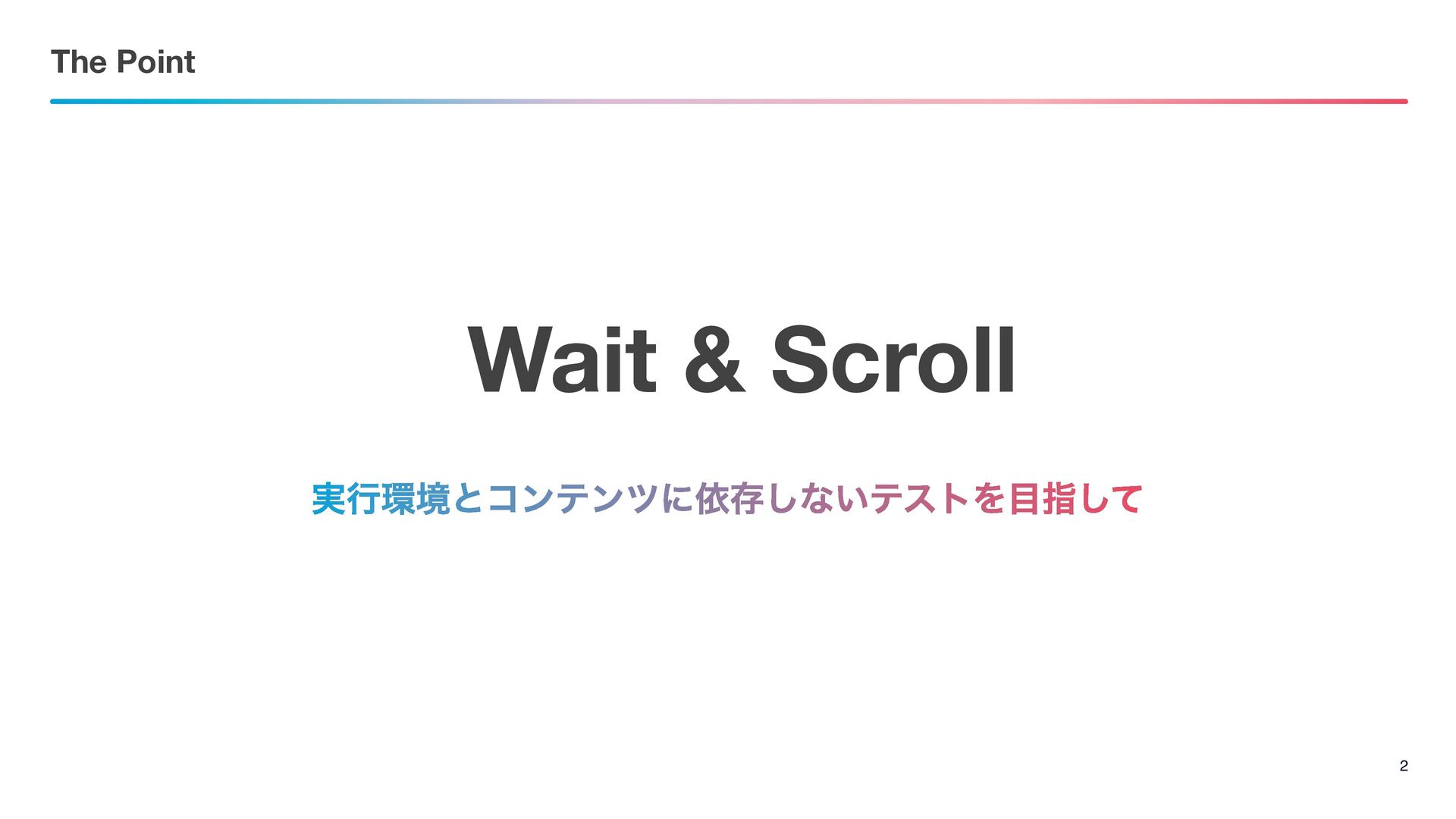
The Point 2 Wait & Scroll ࣮ߦڥͱίϯςϯπʹґଘ͠ͳ͍ςετΛࢦͯ͠
Wait
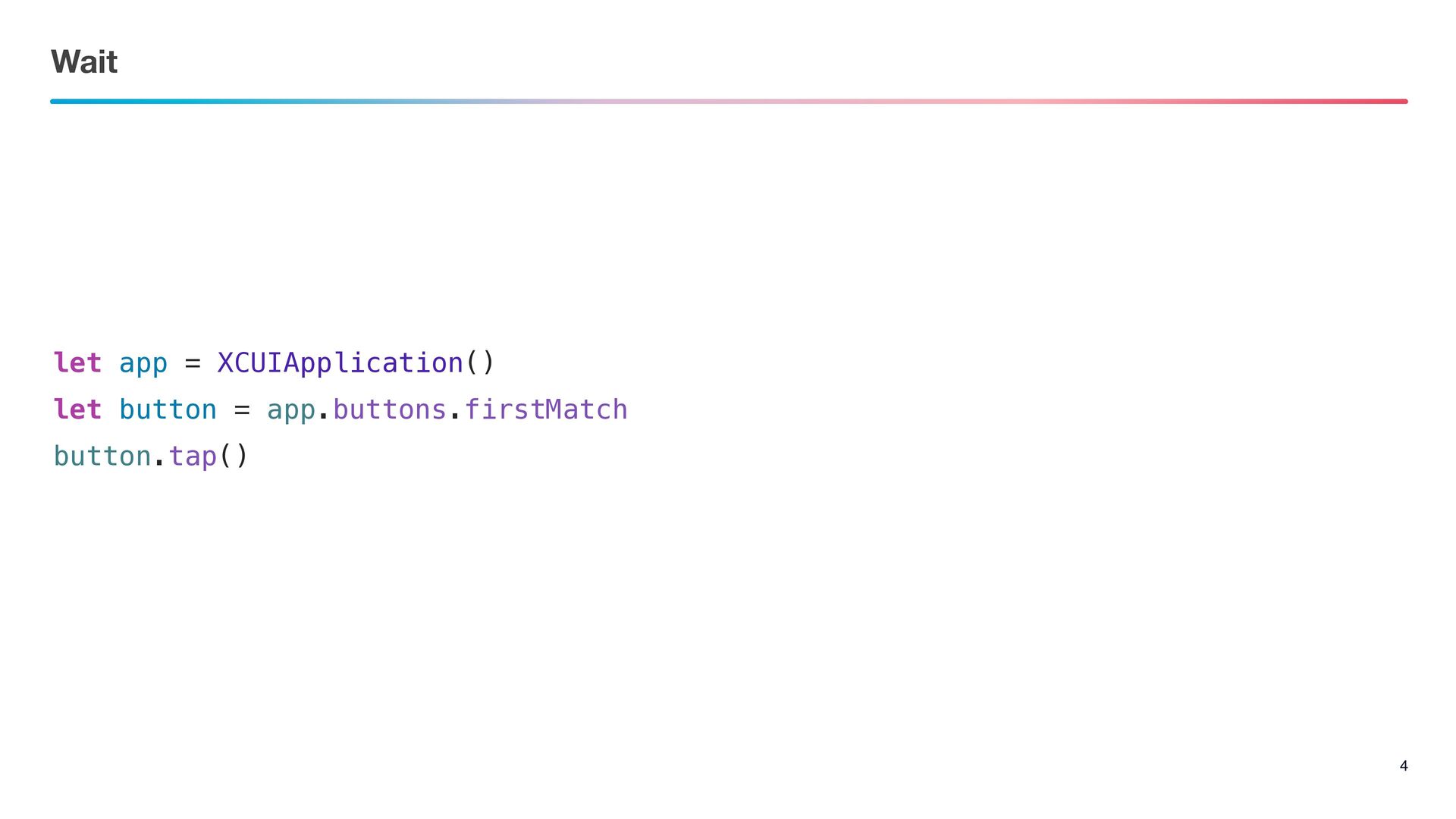
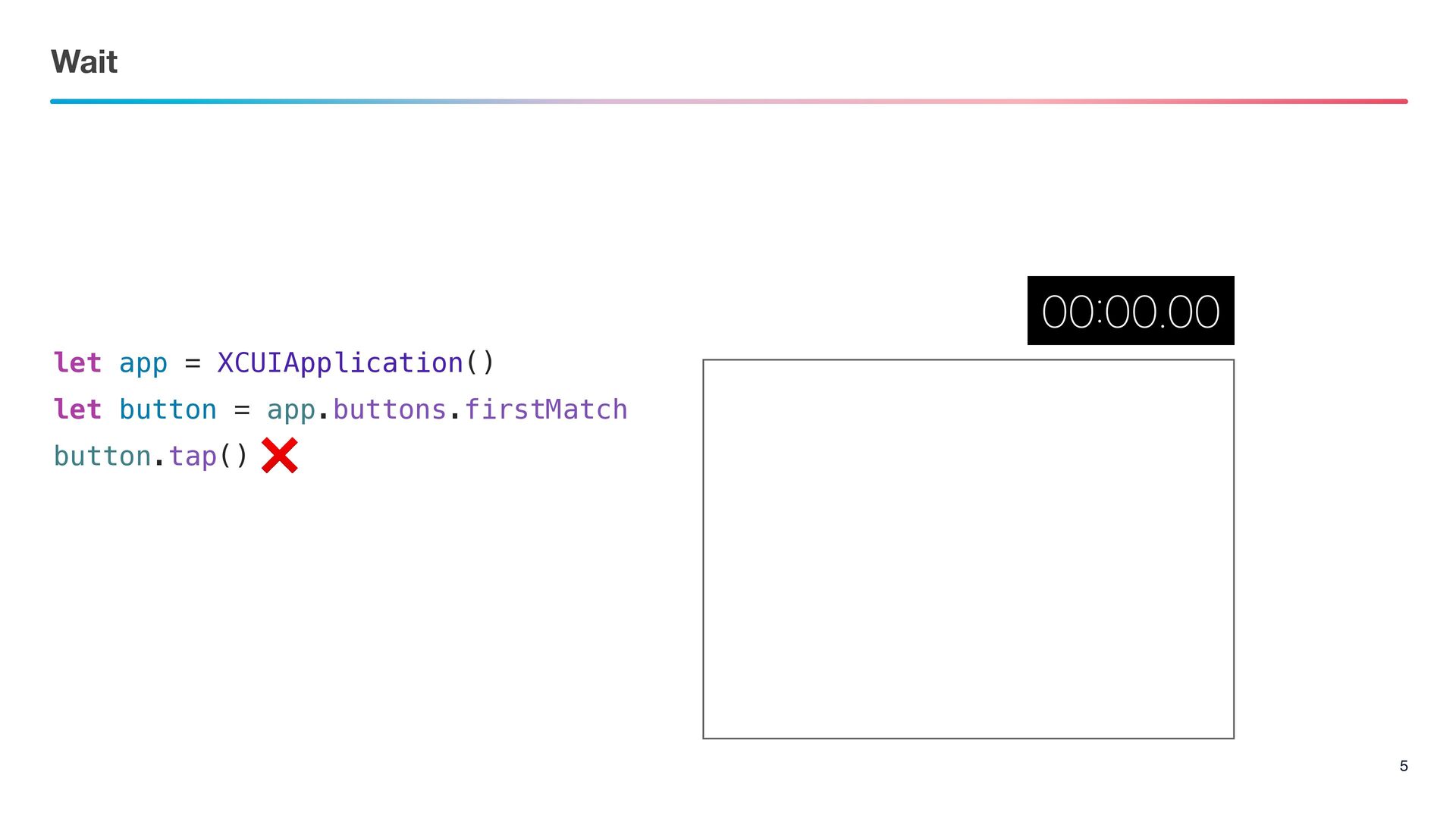
Wait 4 let app = XCUIApplication() let button = app.buttons.firstMatch
button.tap()
Wait 5 let app = XCUIApplication() let button = app.buttons.firstMatch
button.tap() ❌
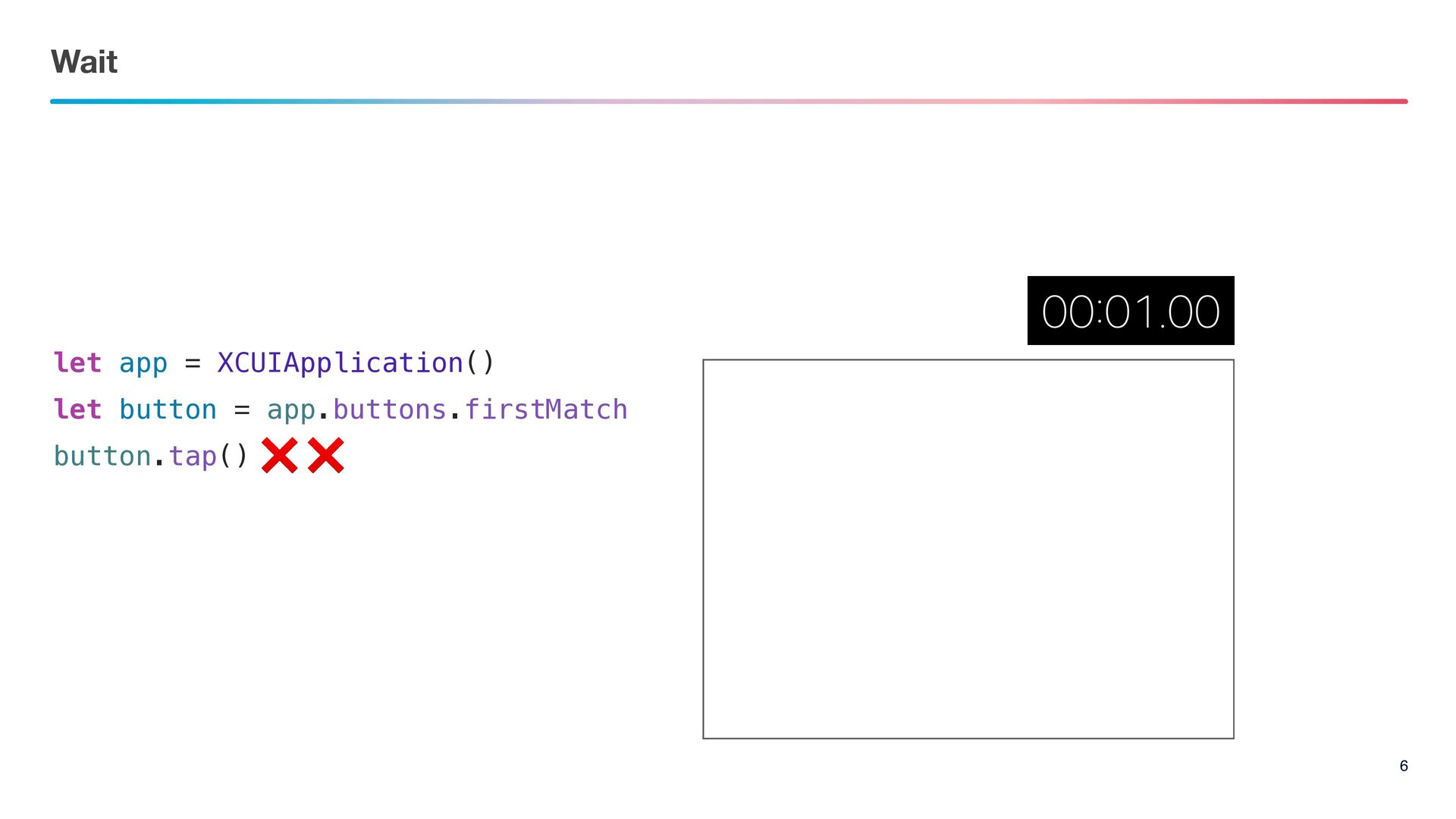
Wait 6 let app = XCUIApplication() let button = app.buttons.firstMatch
button.tap() ❌ ❌
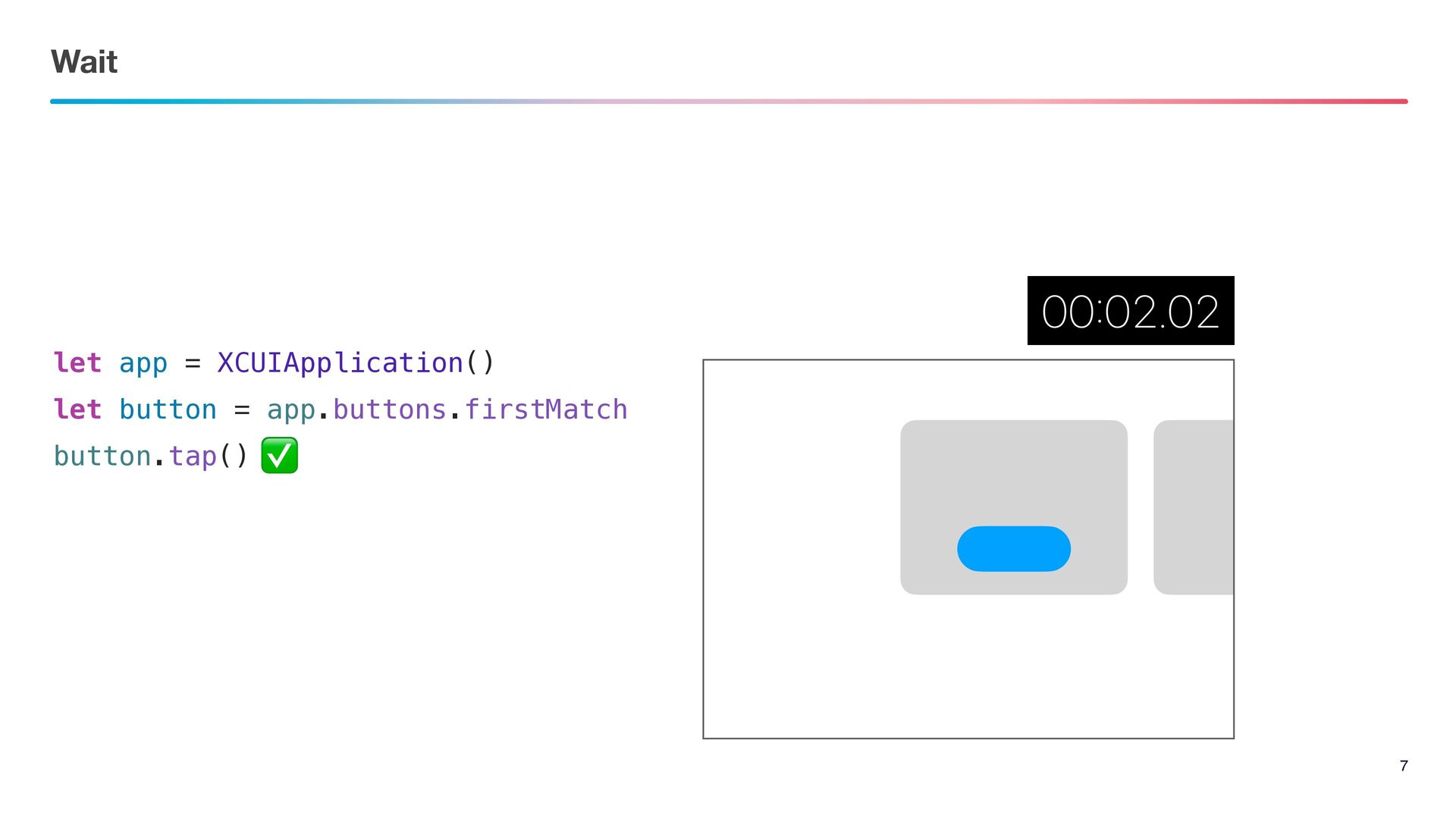
Wait 7 let app = XCUIApplication() let button = app.buttons.firstMatch
button.tap() ✅
Fix
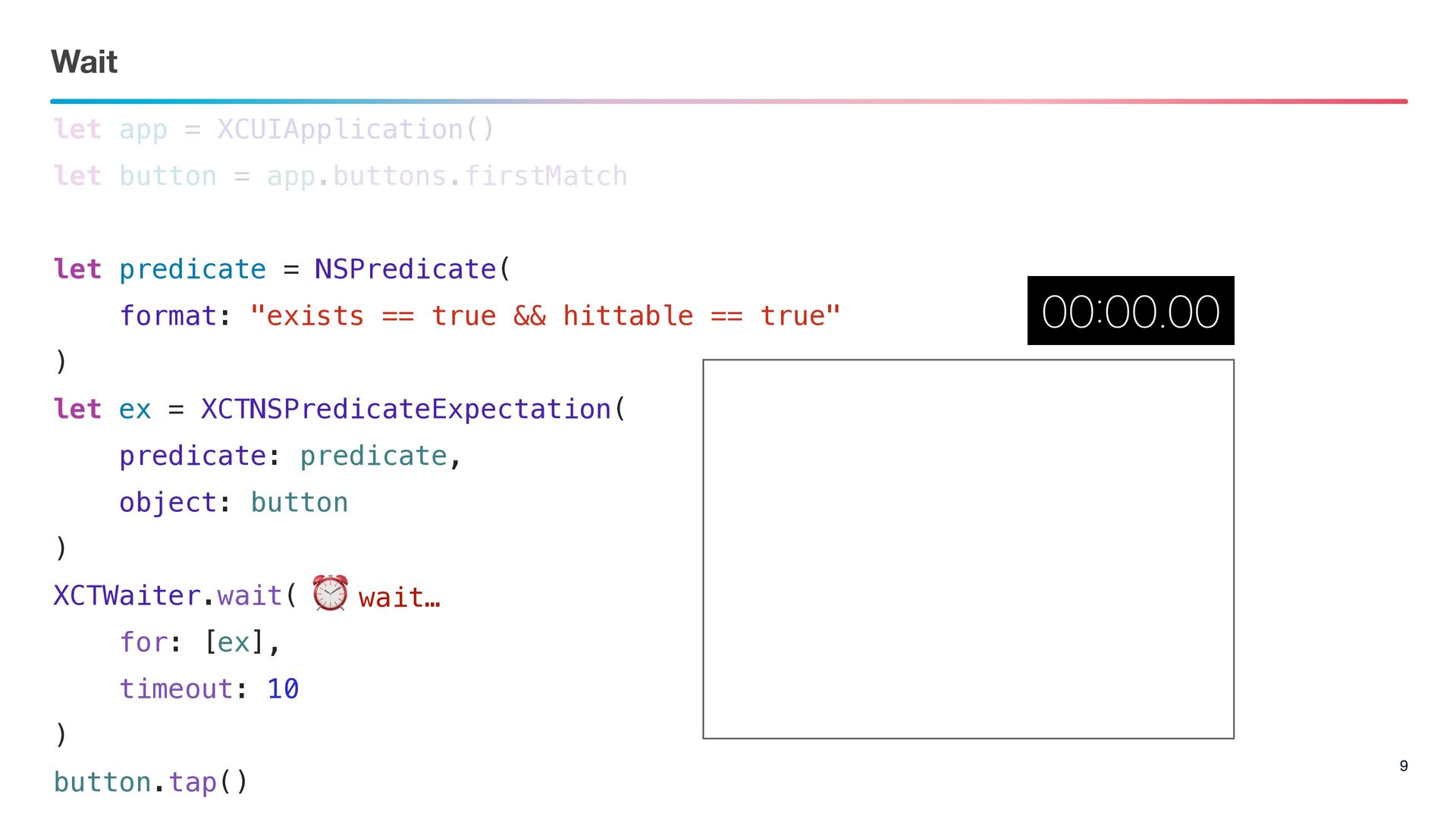
Wait 9 let app = XCUIApplication() let button = app.buttons.firstMatch
let predicate = NSPredicate( format: "exists == true && hittable == true" ) let ex = XCTNSPredicateExpectation( predicate: predicate, object: button ) XCTWaiter.wait( for: [ex], timeout: 10 ) button.tap() ⏰ wait…
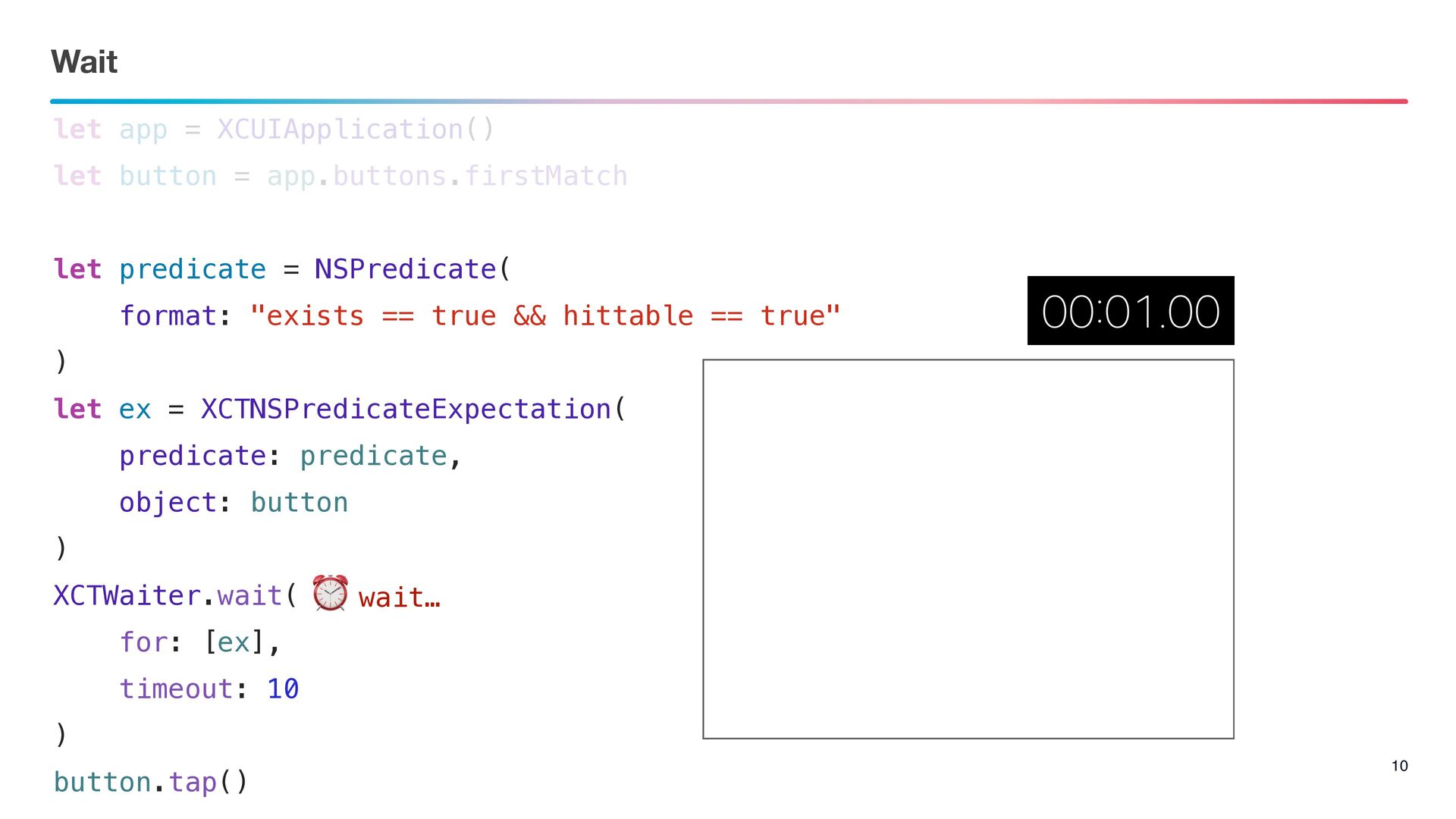
Wait 10 let app = XCUIApplication() let button = app.buttons.firstMatch
let predicate = NSPredicate( format: "exists == true && hittable == true" ) let ex = XCTNSPredicateExpectation( predicate: predicate, object: button ) XCTWaiter.wait( for: [ex], timeout: 10 ) button.tap() ⏰ wait…
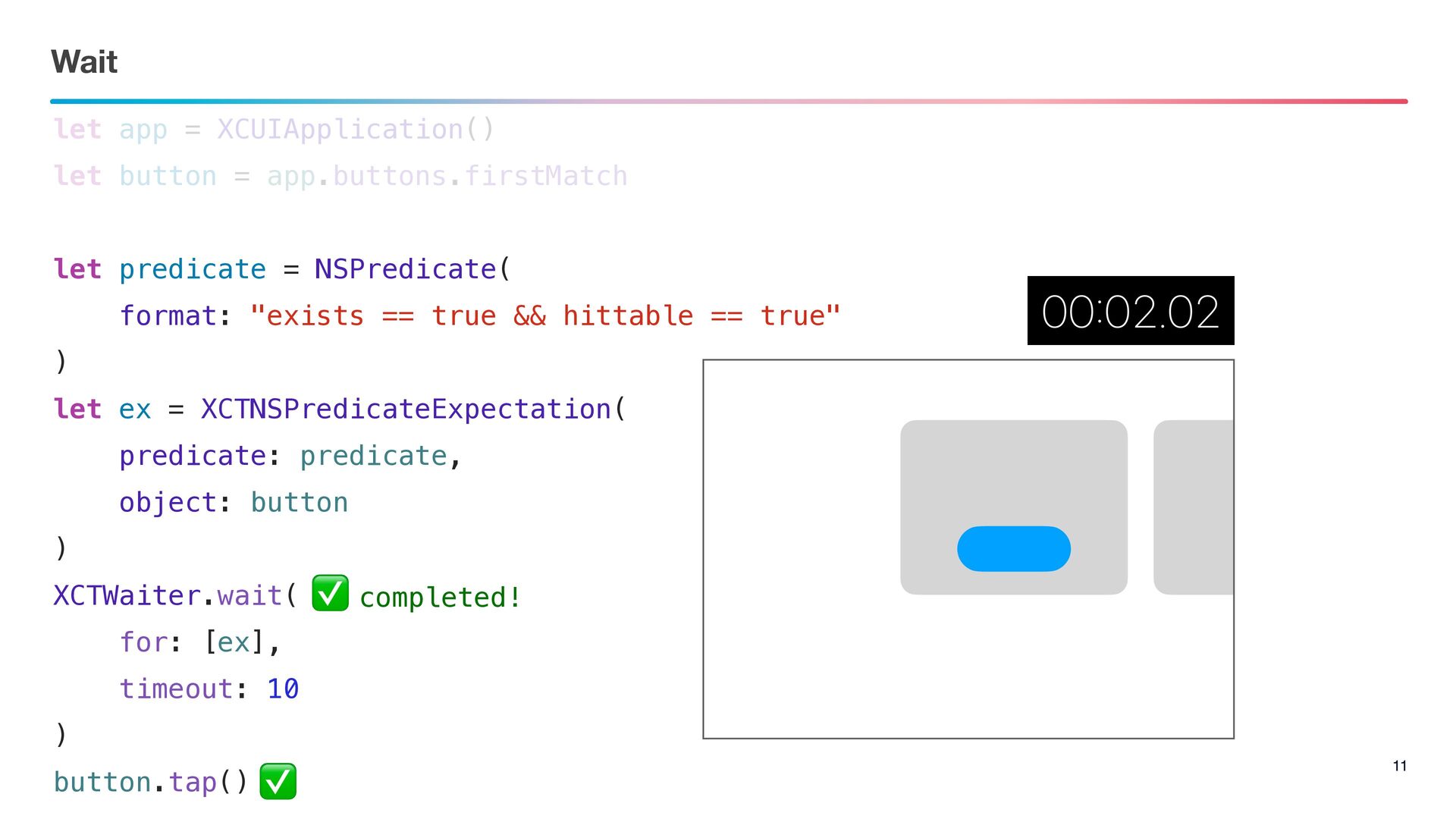
Wait 11 let app = XCUIApplication() let button = app.buttons.firstMatch
let predicate = NSPredicate( format: "exists == true && hittable == true" ) let ex = XCTNSPredicateExpectation( predicate: predicate, object: button ) XCTWaiter.wait( for: [ex], timeout: 10 ) button.tap() ✅ completed! ✅
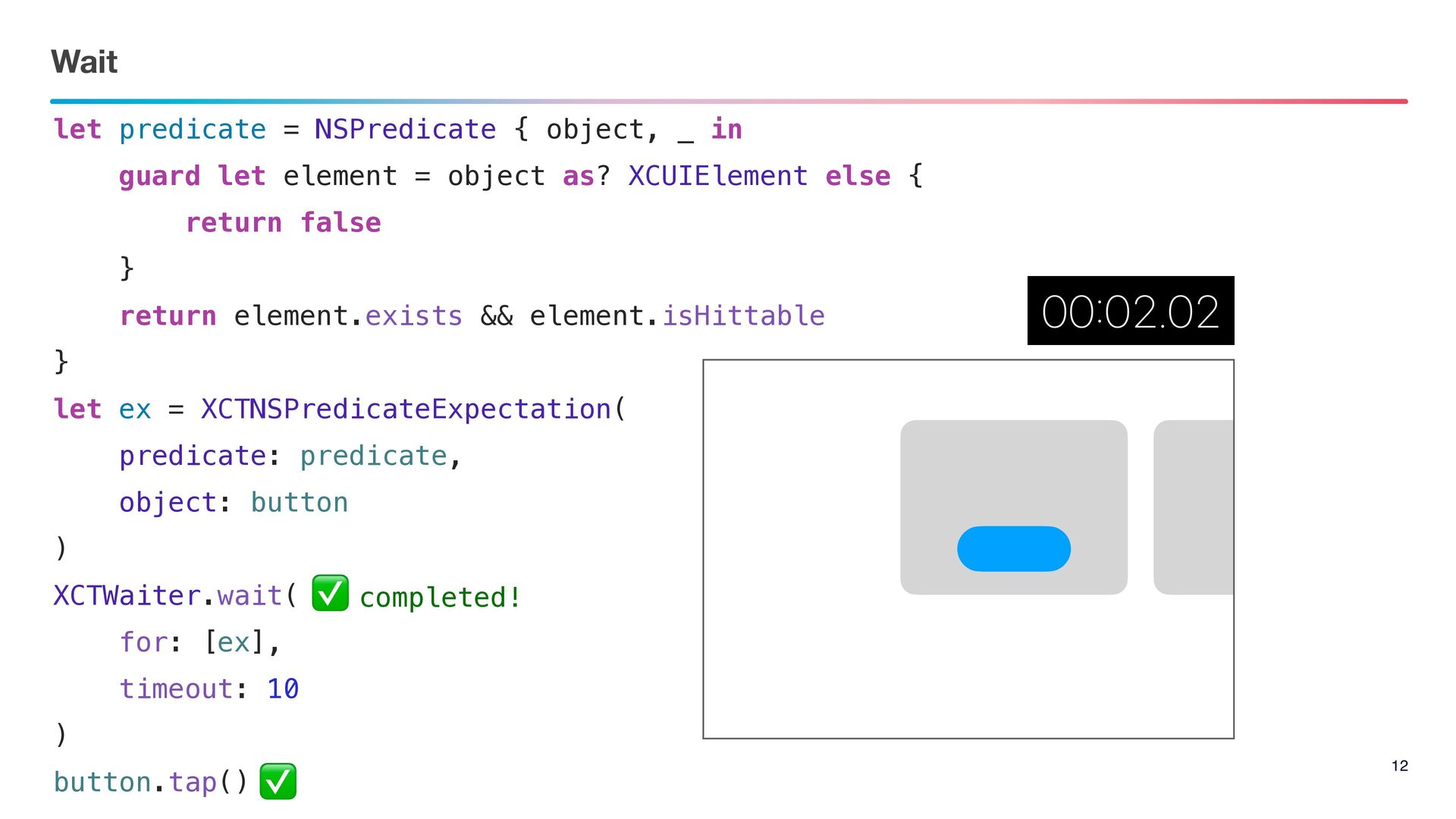
Wait 12 let predicate = NSPredicate { object, _ in
guard let element = object as? XCUIElement else { return false } return element.exists && element.isHittable } let ex = XCTNSPredicateExpectation( predicate: predicate, object: button ) XCTWaiter.wait( for: [ex], timeout: 10 ) button.tap() ✅ completed! ✅
Scroll
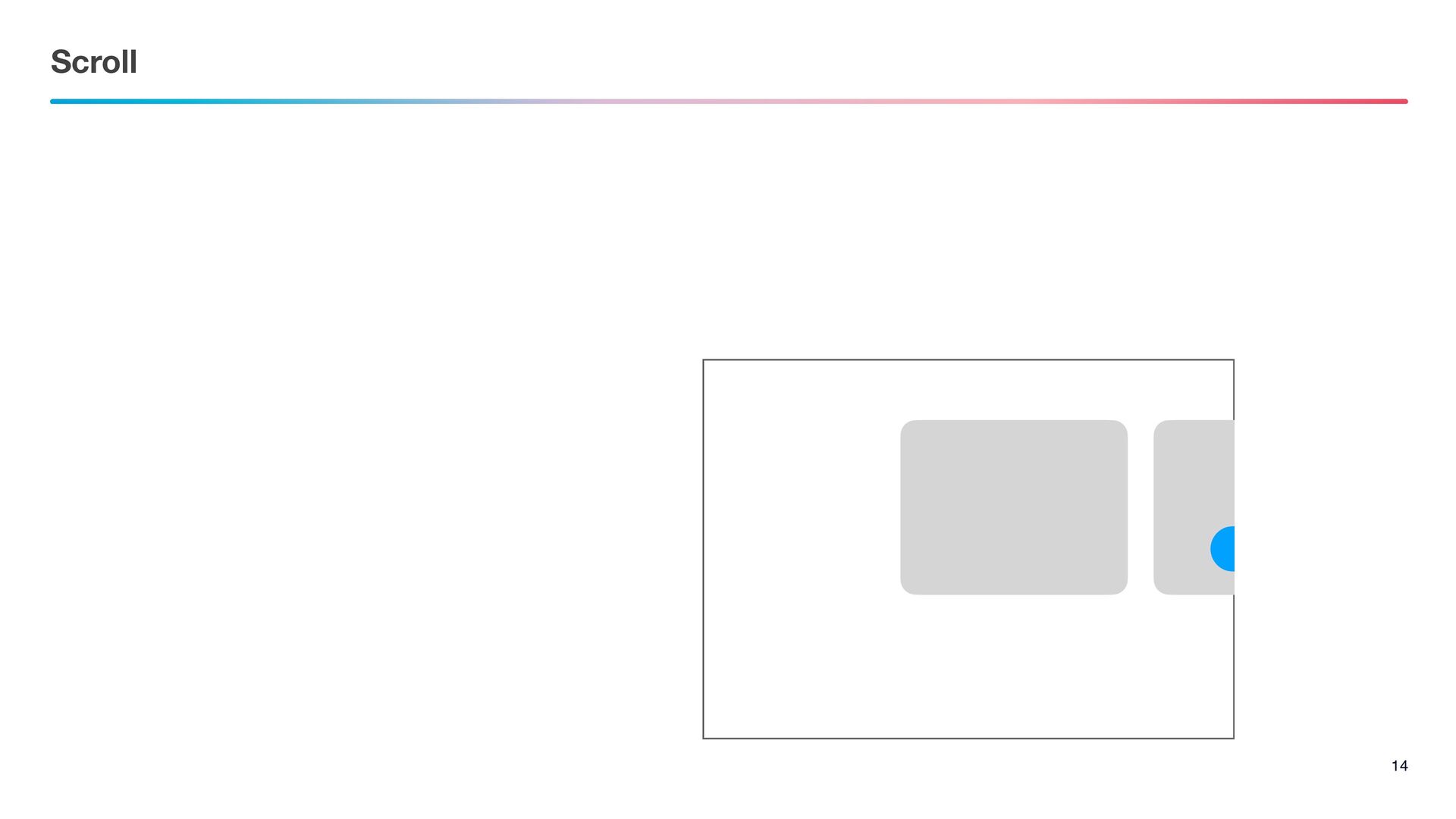
Scroll 14
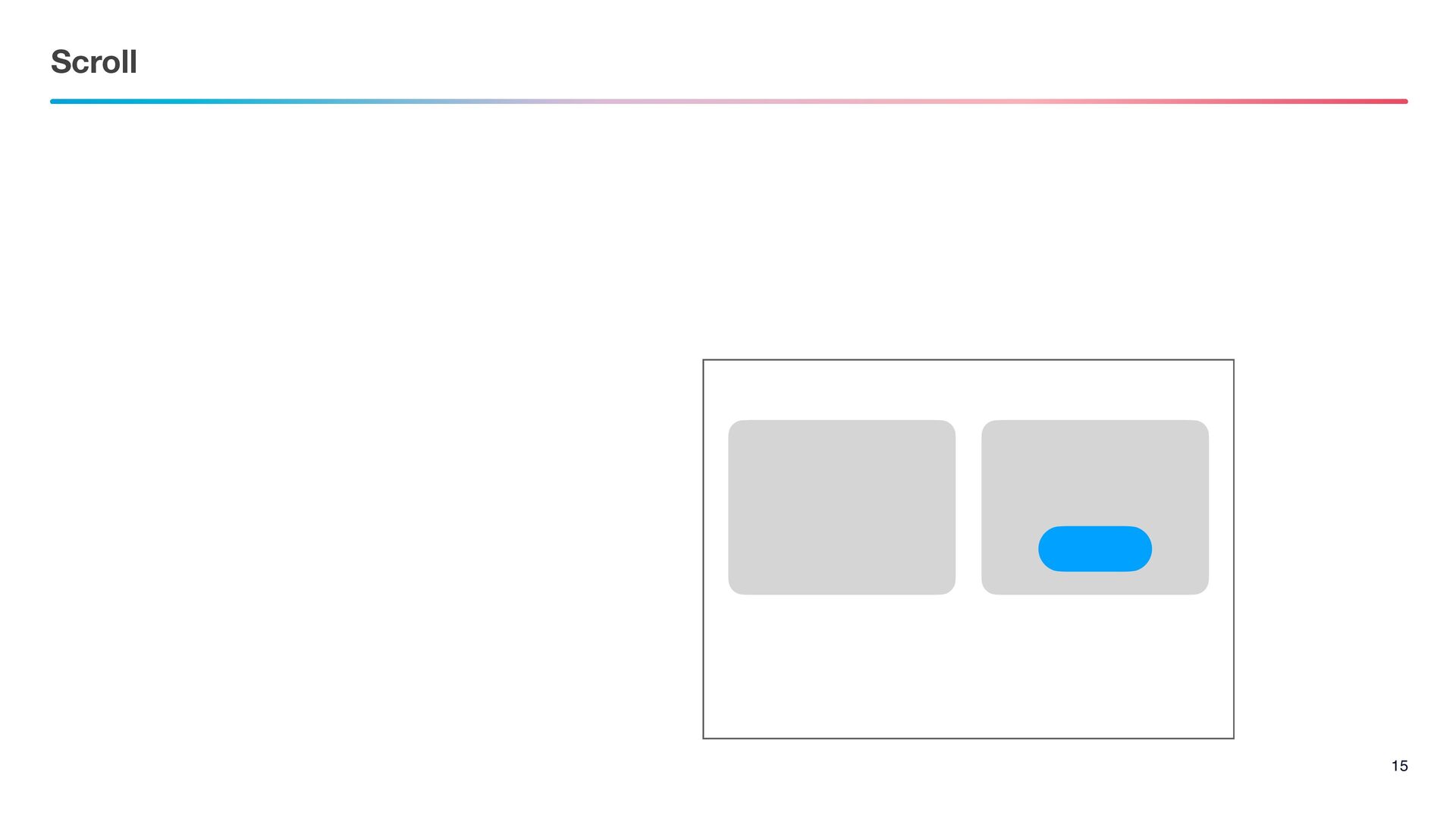
Scroll 15
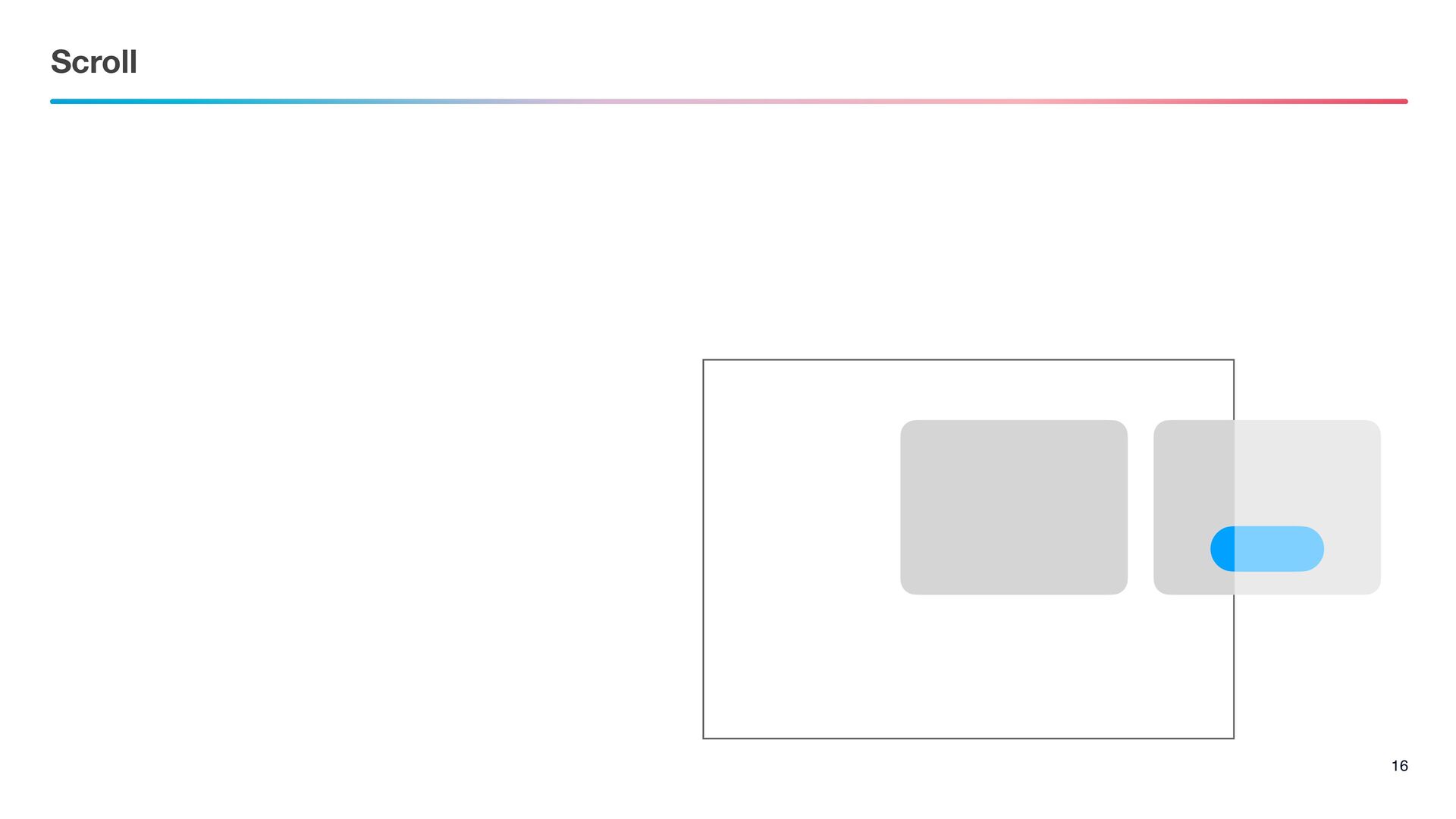
Scroll 16
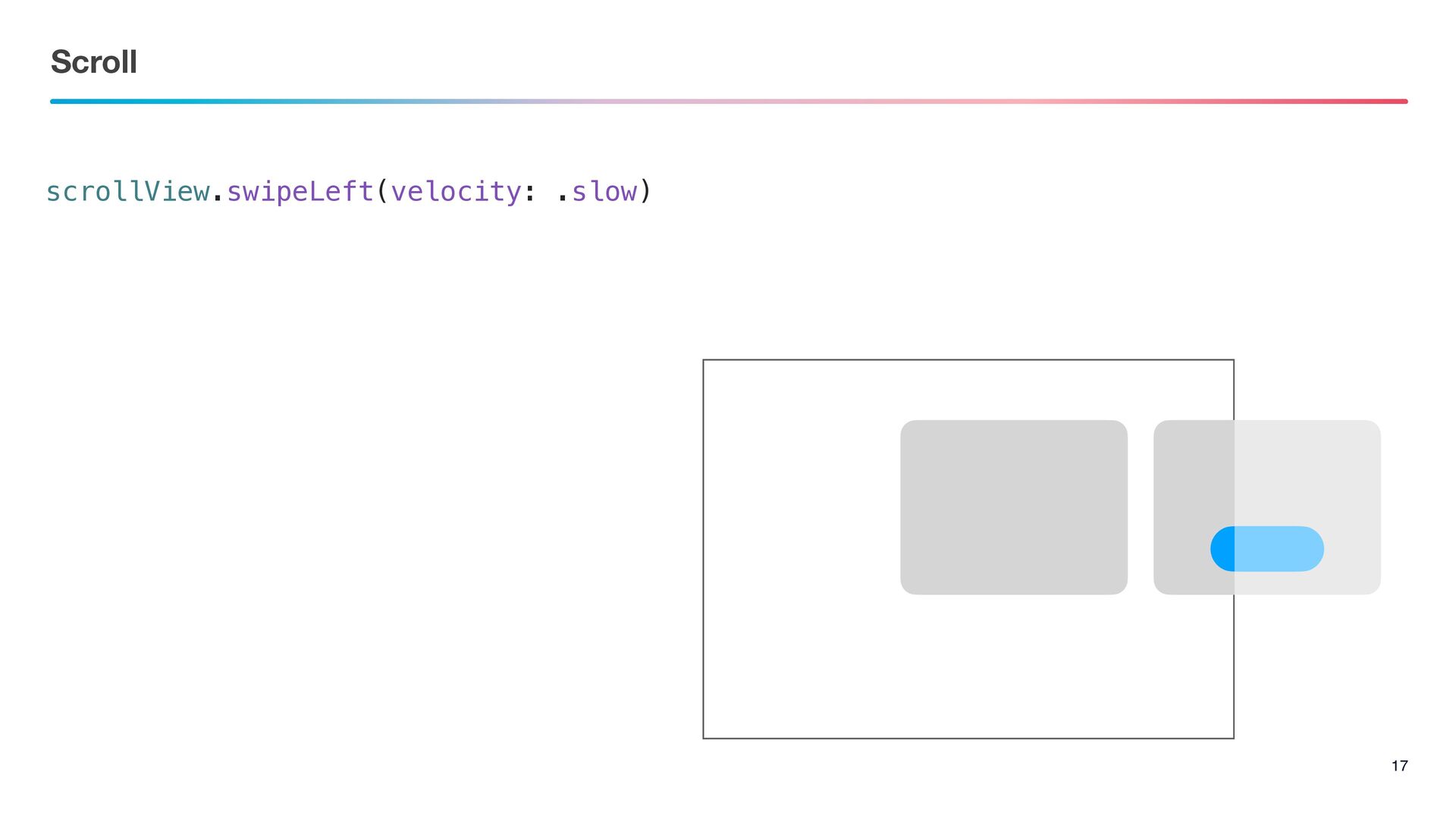
Scroll 17 scrollView.swipeLeft(velocity: .slow)
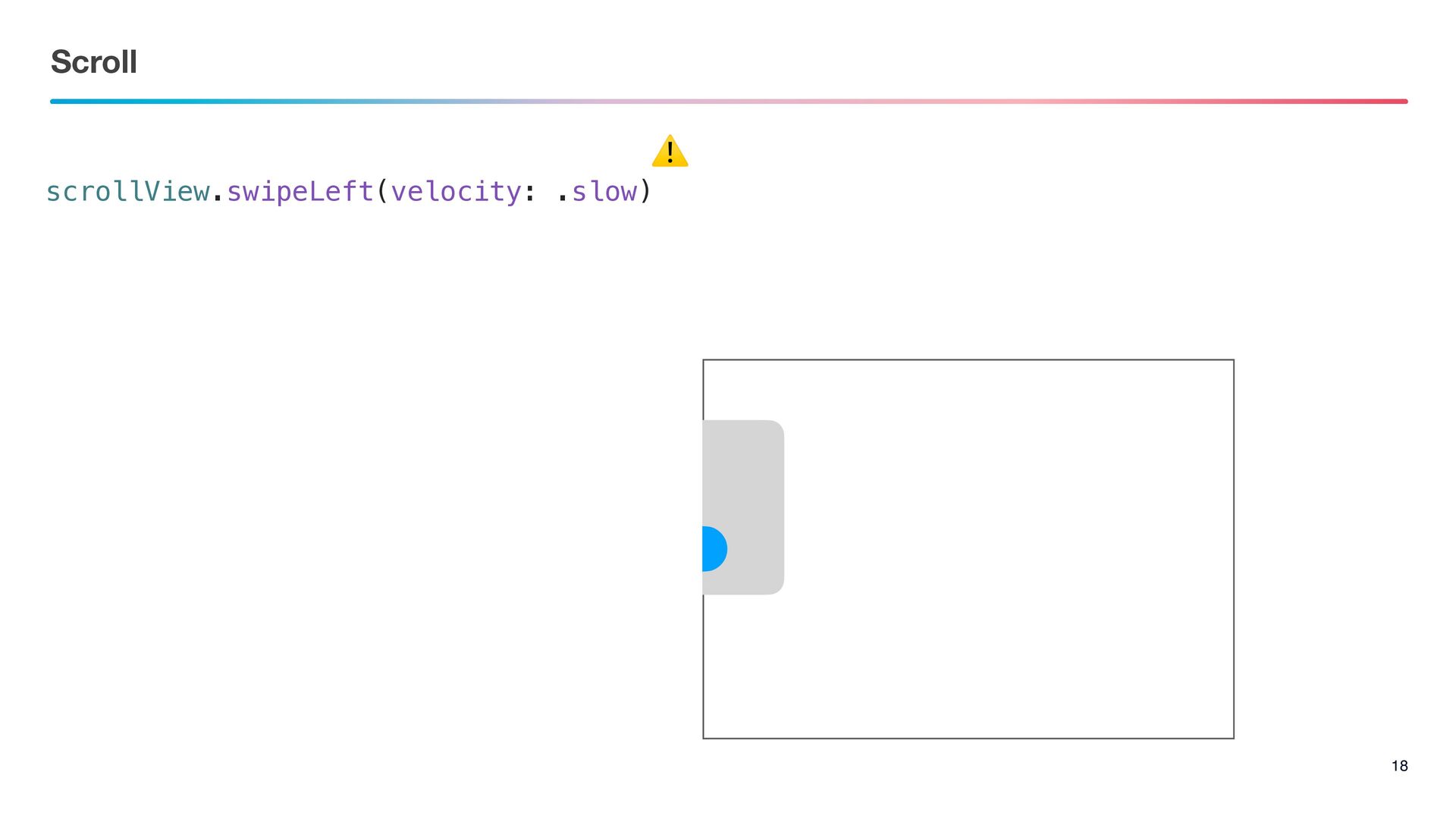
Scroll 18 scrollView.swipeLeft(velocity: .slow) ⚠
Fix
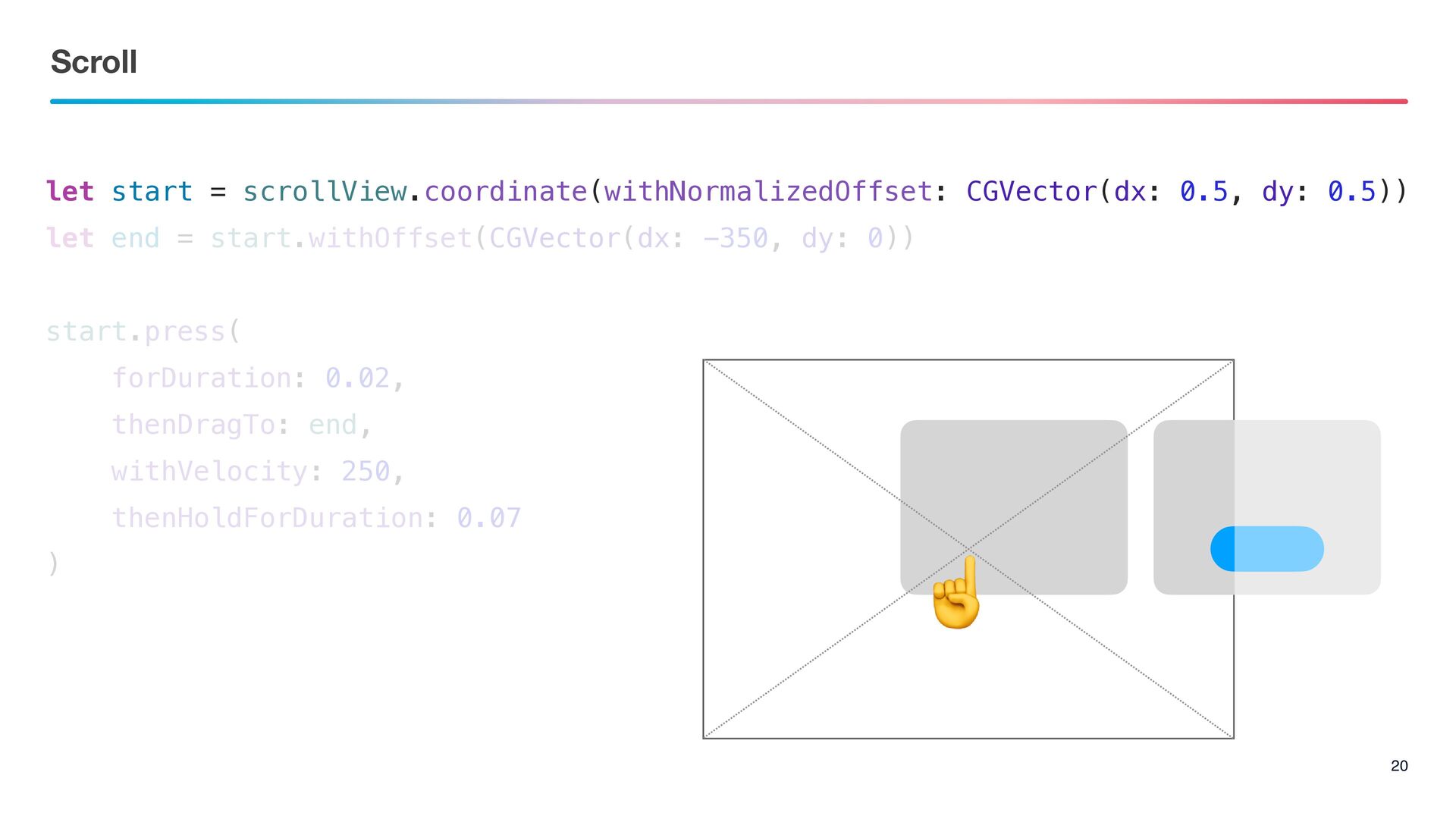
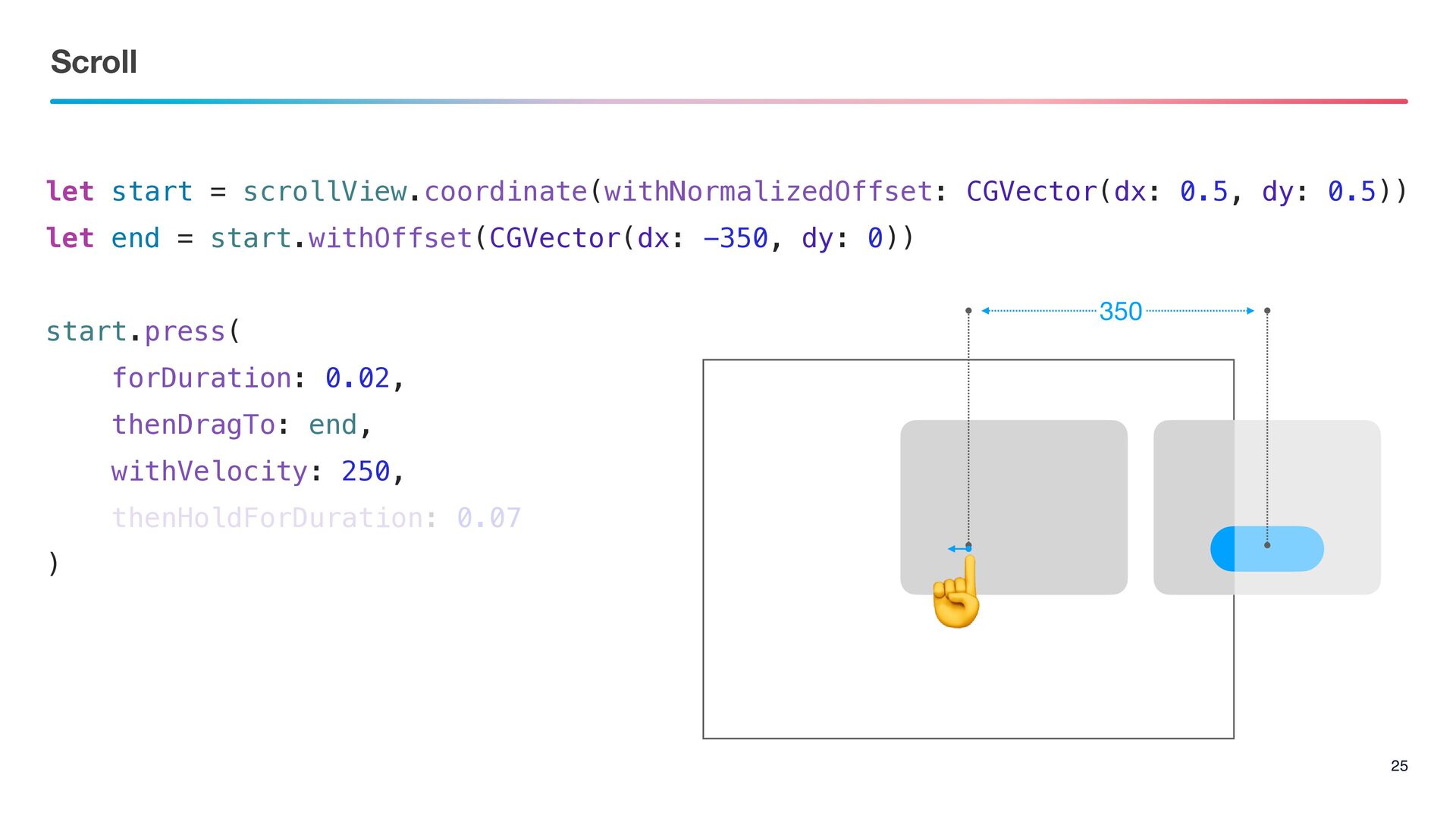
let start = scrollView.coordinate(withNormalizedOffset: CGVector(dx: 0.5, dy: 0.5)) let end
= start.withOffset(CGVector(dx: -350, dy: 0)) start.press( forDuration: 0.02, thenDragTo: end, withVelocity: 250, thenHoldForDuration: 0.07 ) Scroll 20 ☝
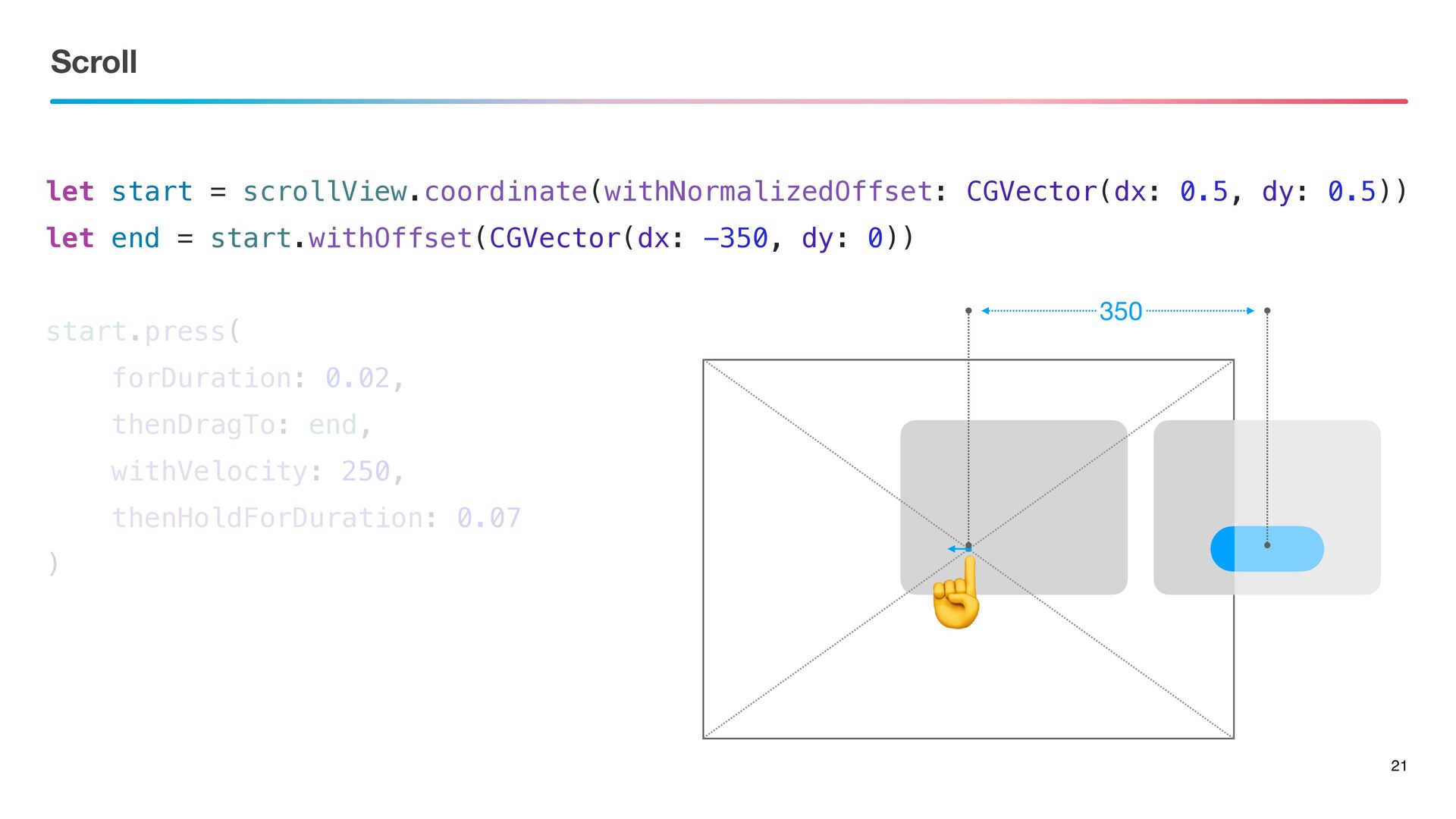
Scroll 21 let start = scrollView.coordinate(withNormalizedOffset: CGVector(dx: 0.5, dy: 0.5))
let end = start.withOffset(CGVector(dx: -350, dy: 0)) start.press( forDuration: 0.02, thenDragTo: end, withVelocity: 250, thenHoldForDuration: 0.07 ) 350 ☝
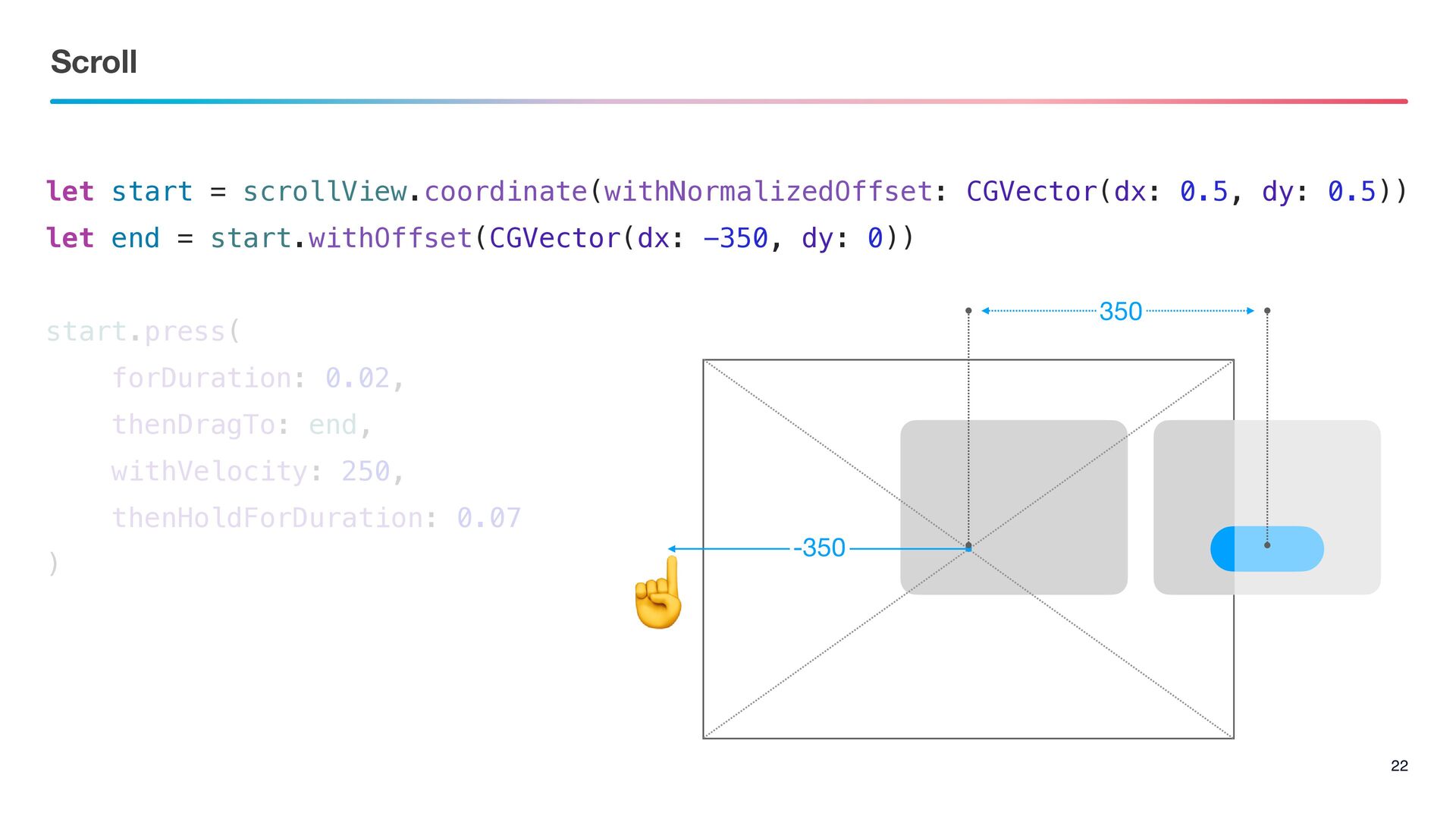
Scroll 22 let start = scrollView.coordinate(withNormalizedOffset: CGVector(dx: 0.5, dy: 0.5))
let end = start.withOffset(CGVector(dx: -350, dy: 0)) start.press( forDuration: 0.02, thenDragTo: end, withVelocity: 250, thenHoldForDuration: 0.07 ) ☝ 350 -350
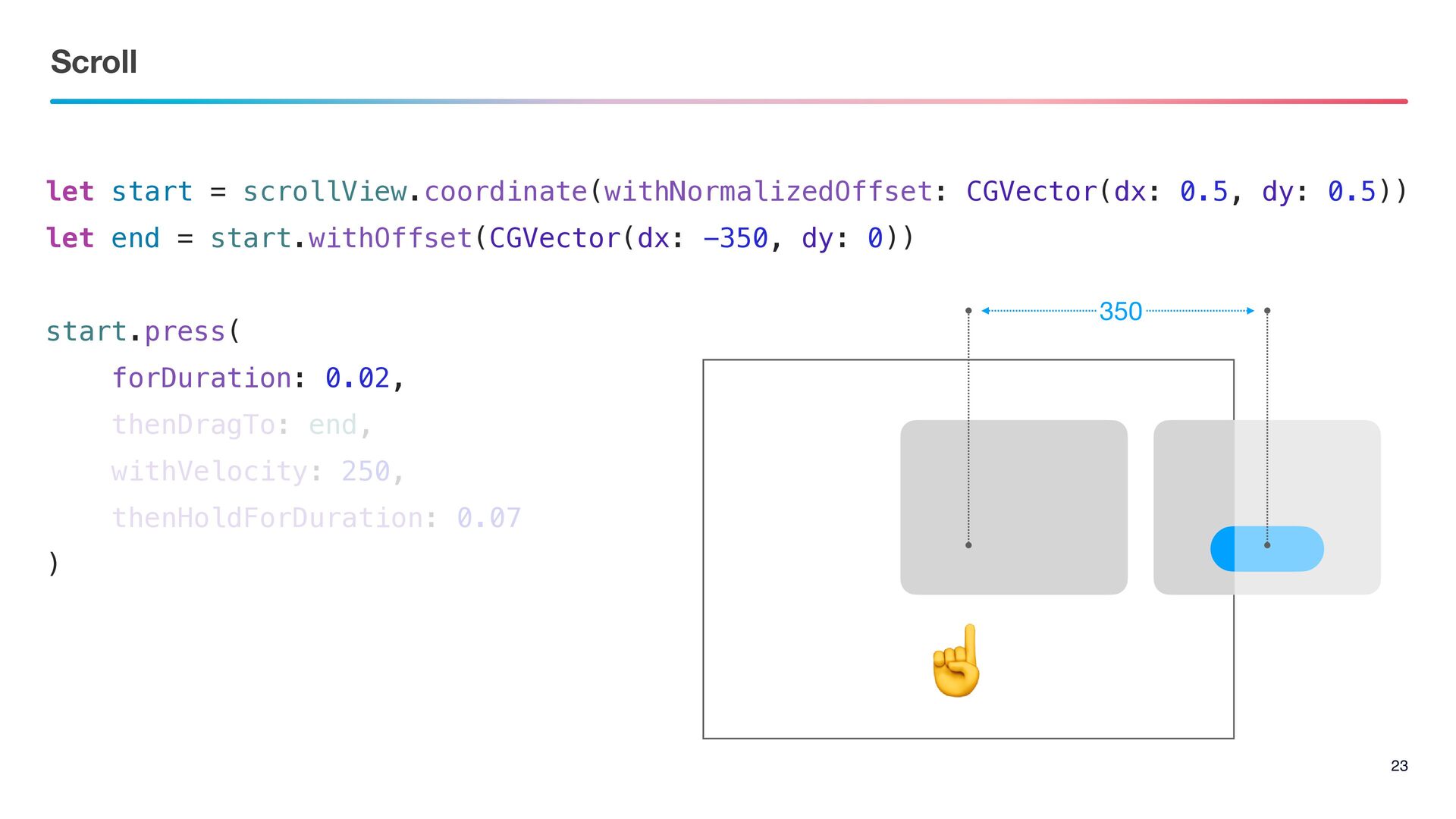
Scroll 23 let start = scrollView.coordinate(withNormalizedOffset: CGVector(dx: 0.5, dy: 0.5))
let end = start.withOffset(CGVector(dx: -350, dy: 0)) start.press( forDuration: 0.02, thenDragTo: end, withVelocity: 250, thenHoldForDuration: 0.07 ) 350 ☝
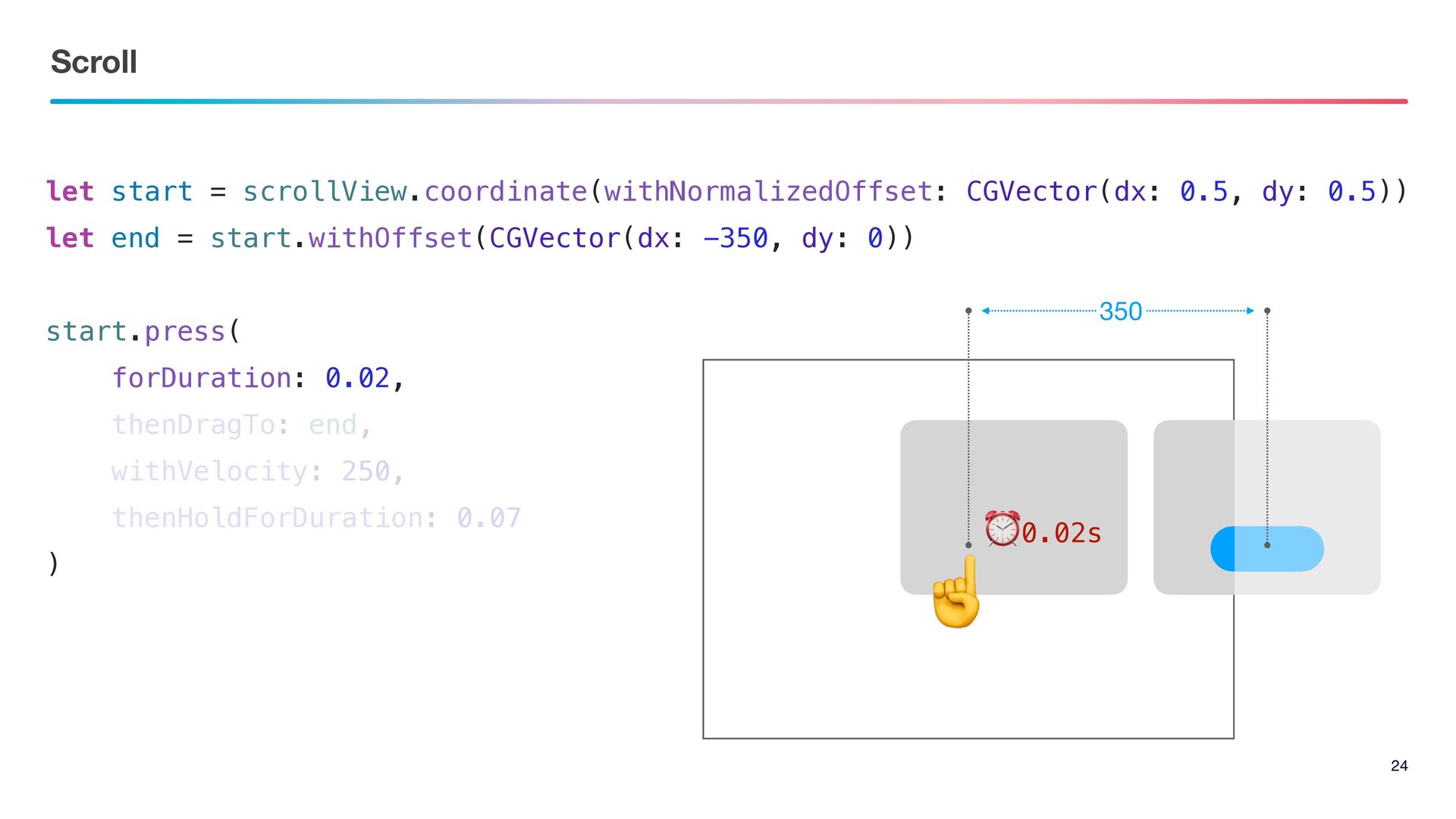
Scroll 24 let start = scrollView.coordinate(withNormalizedOffset: CGVector(dx: 0.5, dy: 0.5))
let end = start.withOffset(CGVector(dx: -350, dy: 0)) start.press( forDuration: 0.02, thenDragTo: end, withVelocity: 250, thenHoldForDuration: 0.07 ) 350 ☝ ⏰0.02s
Scroll 25 let start = scrollView.coordinate(withNormalizedOffset: CGVector(dx: 0.5, dy: 0.5))
let end = start.withOffset(CGVector(dx: -350, dy: 0)) start.press( forDuration: 0.02, thenDragTo: end, withVelocity: 250, thenHoldForDuration: 0.07 ) 350 ☝
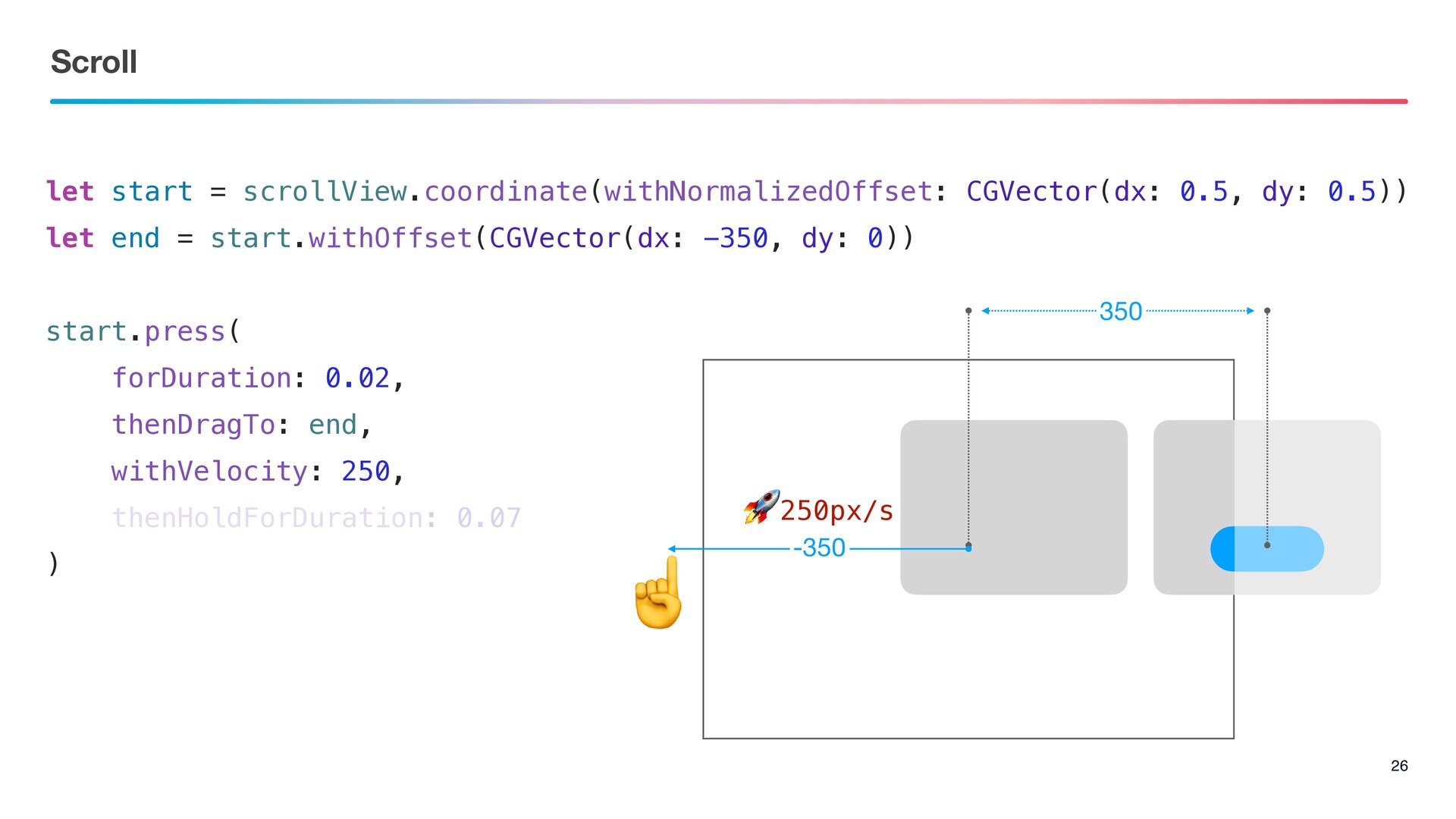
Scroll 26 let start = scrollView.coordinate(withNormalizedOffset: CGVector(dx: 0.5, dy: 0.5))
let end = start.withOffset(CGVector(dx: -350, dy: 0)) start.press( forDuration: 0.02, thenDragTo: end, withVelocity: 250, thenHoldForDuration: 0.07 ) 350 ☝ 🚀250px/s -350
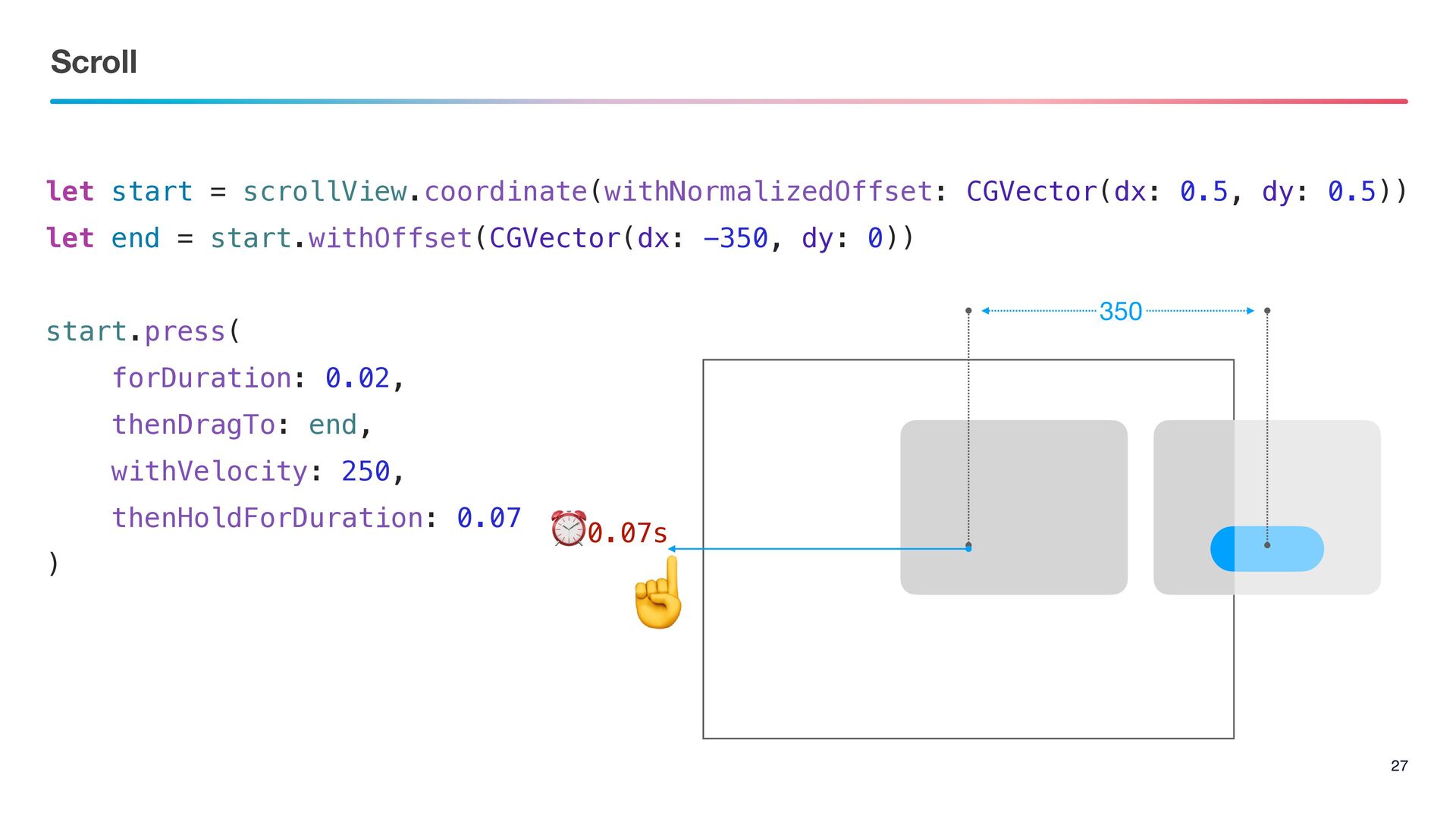
Scroll 27 let start = scrollView.coordinate(withNormalizedOffset: CGVector(dx: 0.5, dy: 0.5))
let end = start.withOffset(CGVector(dx: -350, dy: 0)) start.press( forDuration: 0.02, thenDragTo: end, withVelocity: 250, thenHoldForDuration: 0.07 ) 350 ☝ ⏰0.07s
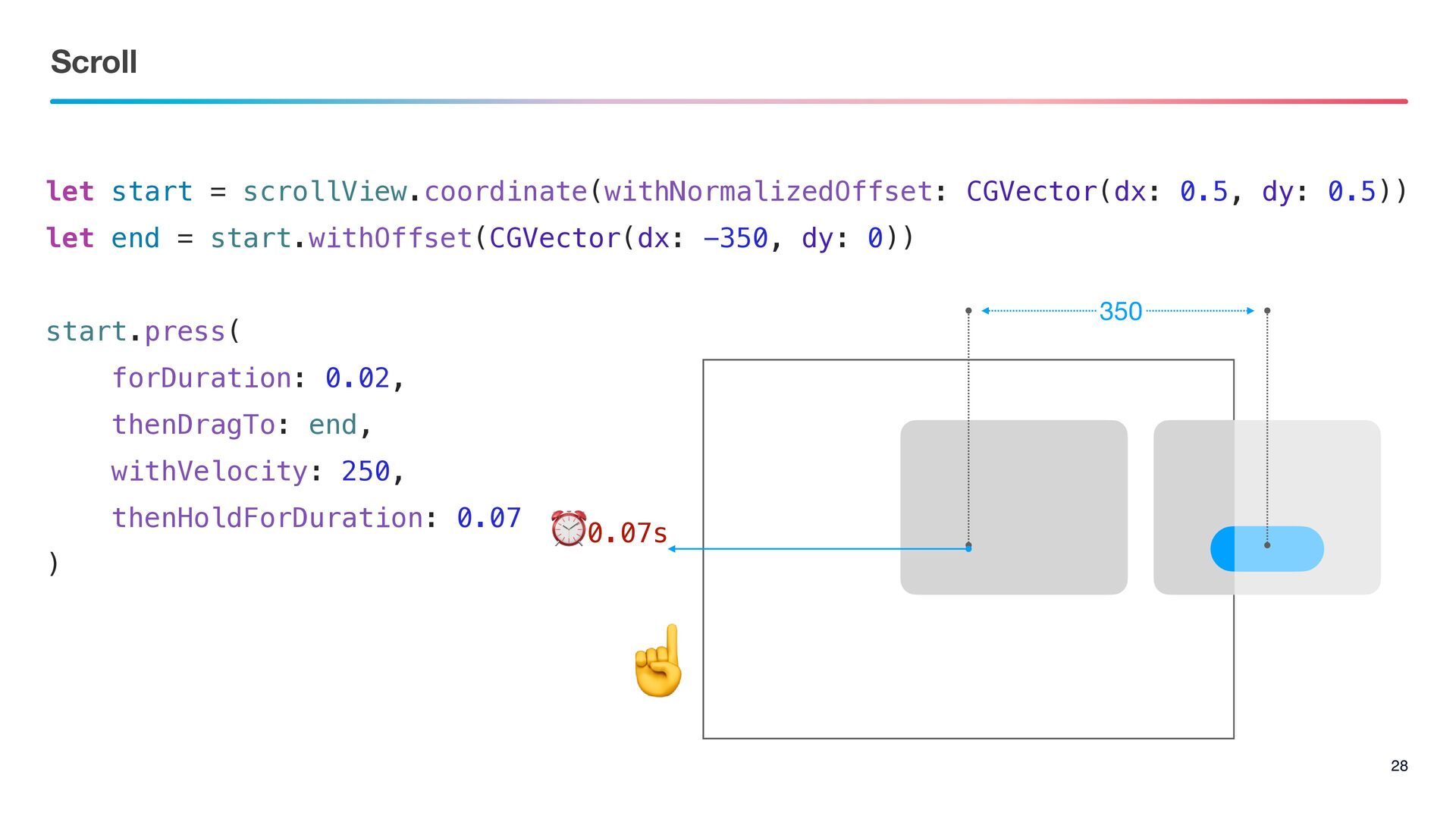
Scroll 28 let start = scrollView.coordinate(withNormalizedOffset: CGVector(dx: 0.5, dy: 0.5))
let end = start.withOffset(CGVector(dx: -350, dy: 0)) start.press( forDuration: 0.02, thenDragTo: end, withVelocity: 250, thenHoldForDuration: 0.07 ) 350 ⏰0.07s ☝
The Point 29 Wait & Scroll ࣮ߦڥͱίϯςϯπʹґଘ͠ͳ͍ςετΛࢦͯ͠
Thank you !!


 akkeylab
 skydoves
 optim
optim
 akit37
 kishida
 sylph01
 steliosf
 shihochan
 kmars0605
 palkan
 drumath2237
 findyinc
 jct
jct
 livdayseo
 sarafernandez
 lara
lara
 cromwellryan
 mza
mza
 morganepeng
 bkeepers
 tmiket
 jeffersonlam
 jcasabona
 szymonslowik