Upgrade to Pro — share decks privately, control downloads, hide ads and more …

Building better Android UI using Constraint Layout

Sponsored · Ship Features Fearlessly Turn features on and off without deploys. Used by thousands of Ruby developers.

Building better Android UI using Constraint Layout

ConstraintLayout – a layout to rule them all. Advantages and disadvantages of using ConstraintLayout, performance comparisons and built in animations.

Avatar for Andrei Bacalu

Andrei Bacalu

May 16, 2018
Tweet

More Decks by Andrei Bacalu

Other Decks in Programming

Transcript

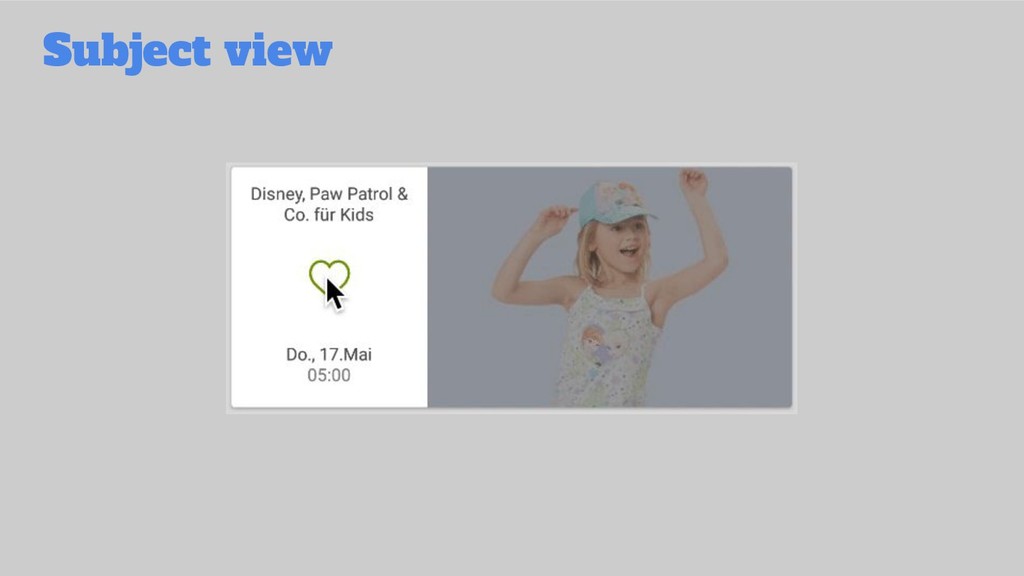
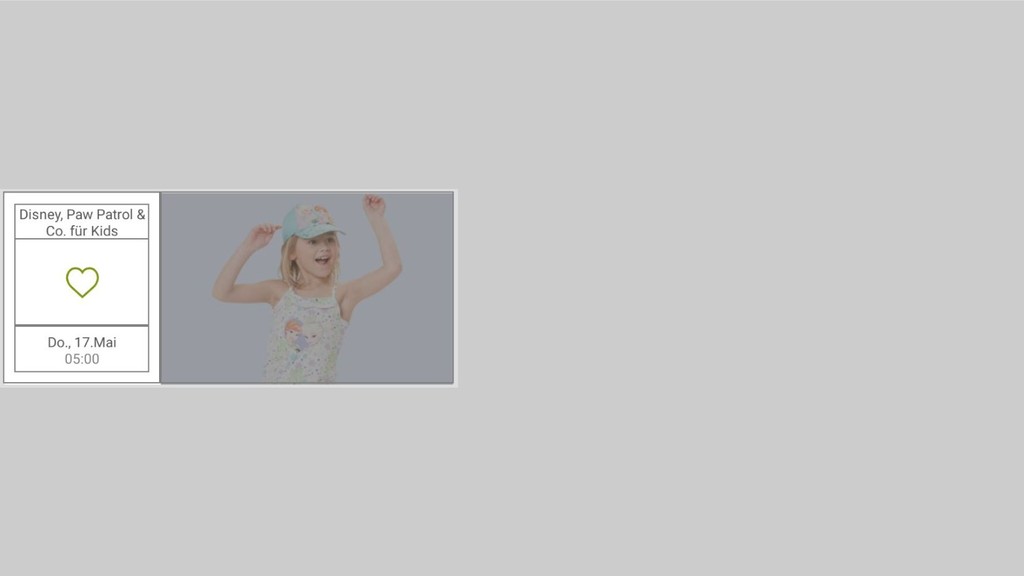
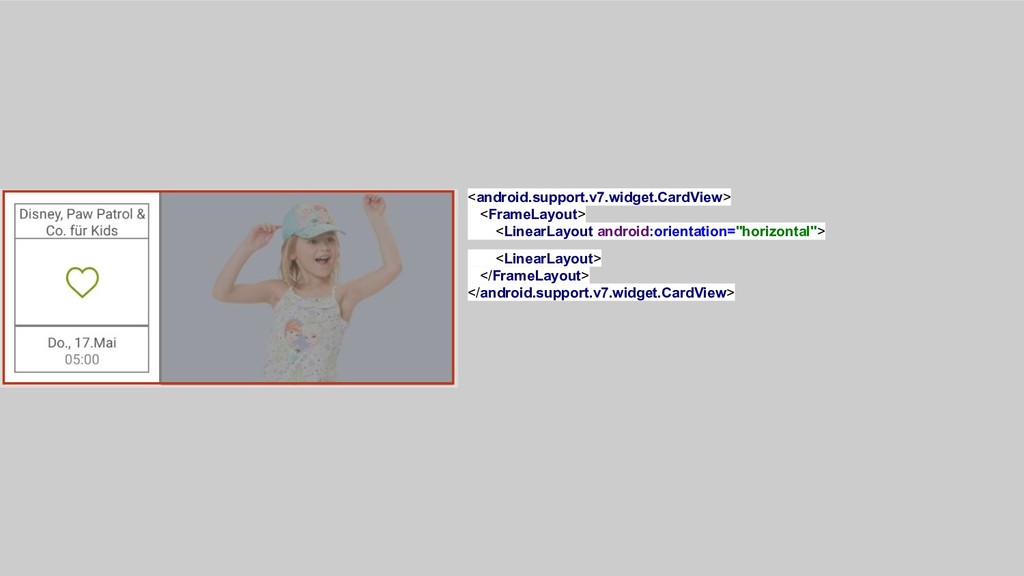
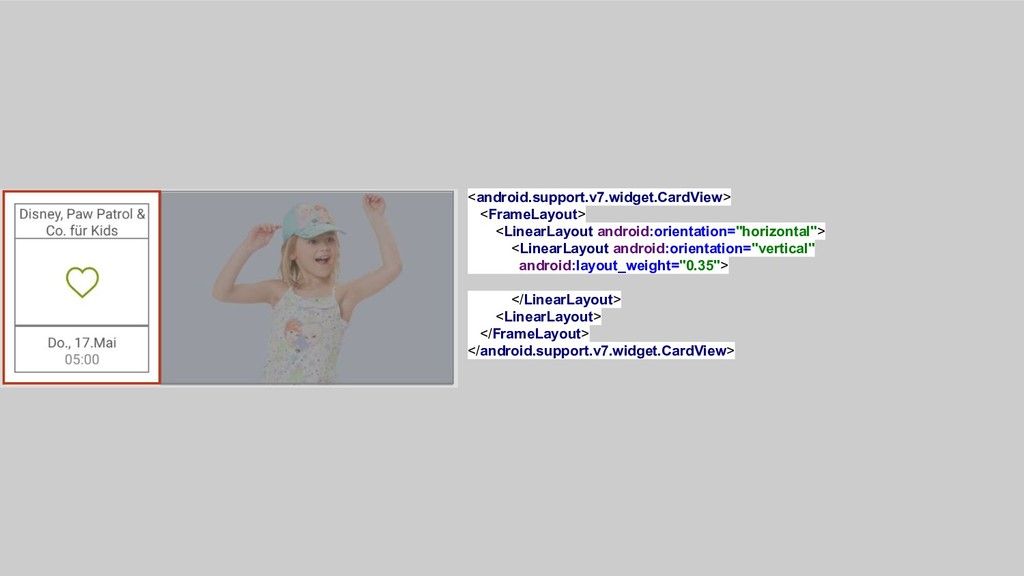
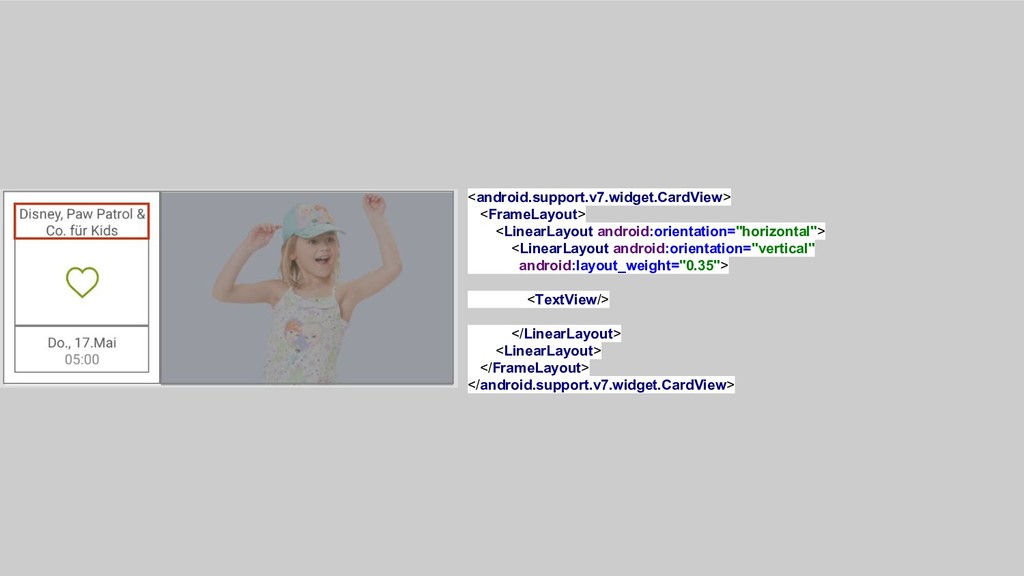
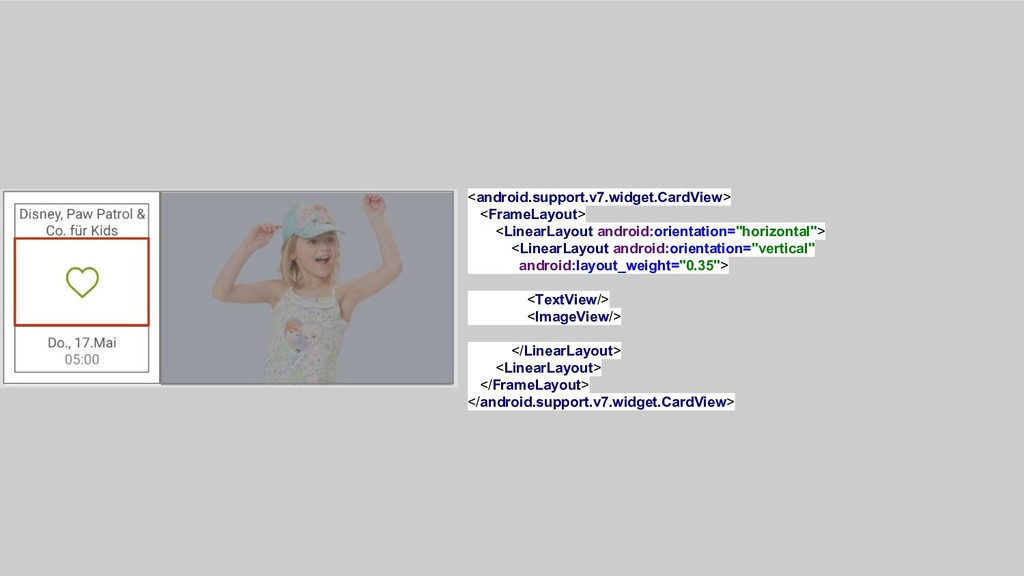
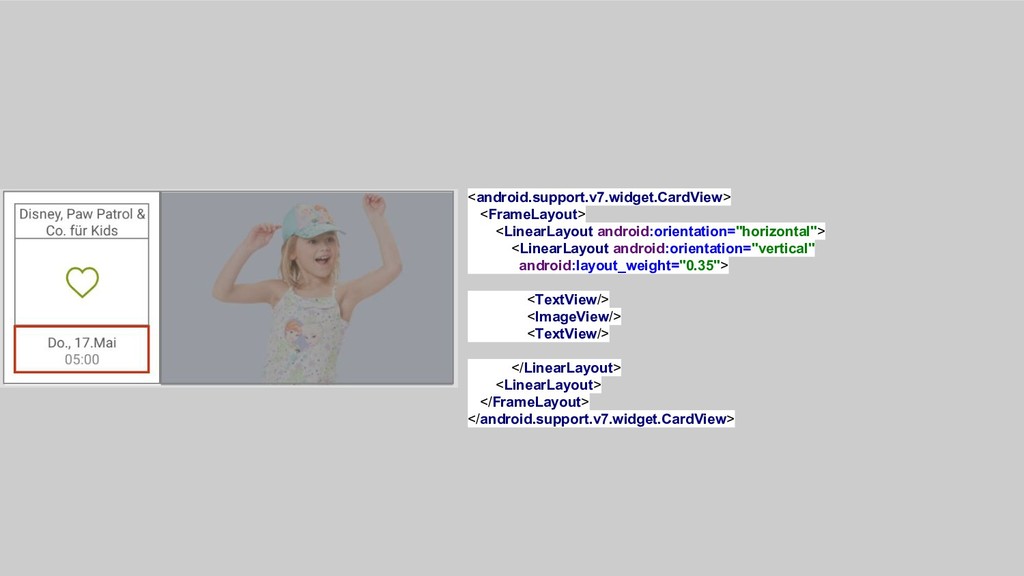
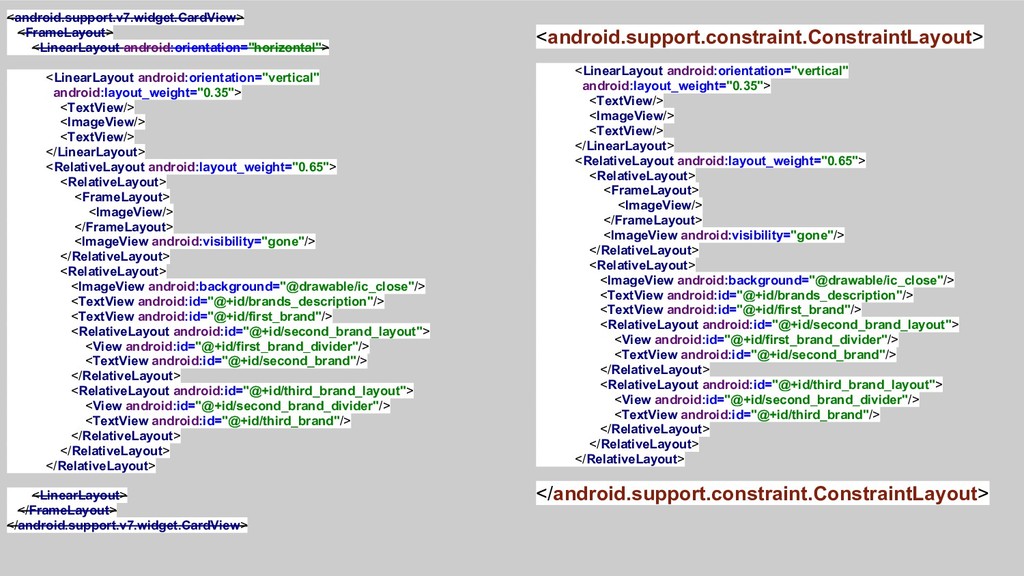
  1. <android.support.v7.widget.CardView> <FrameLayout> <LinearLayout android:orientation="horizontal"> <LinearLayout android:orientation="vertical" android:layout_weight="0.35"> <TextView/> <ImageView/> <TextView/>

    </LinearLayout> <RelativeLayout android:layout_weight="0.65"> </RelativeLayout> <LinearLayout> </FrameLayout> </android.support.v7.widget.CardView>
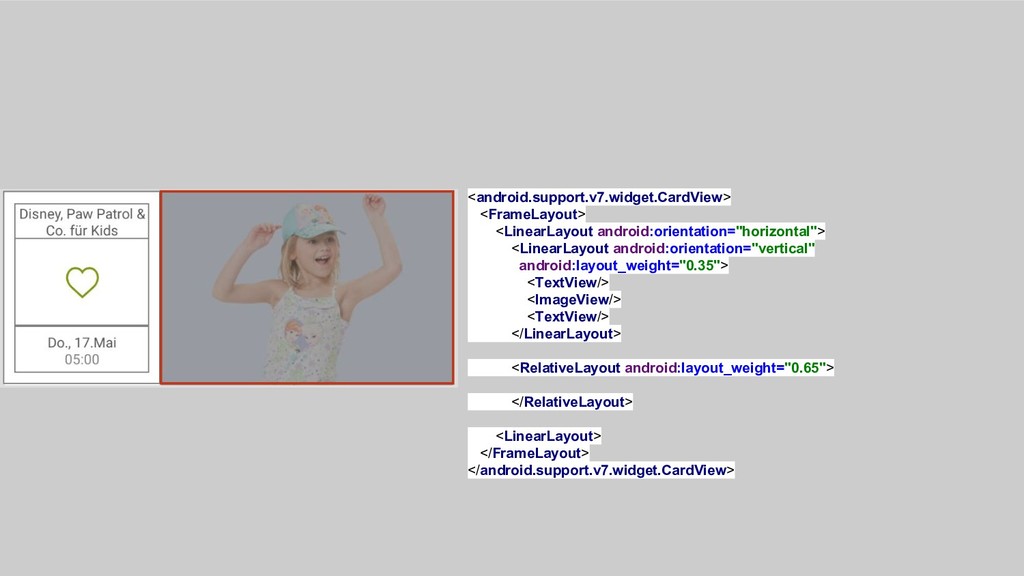
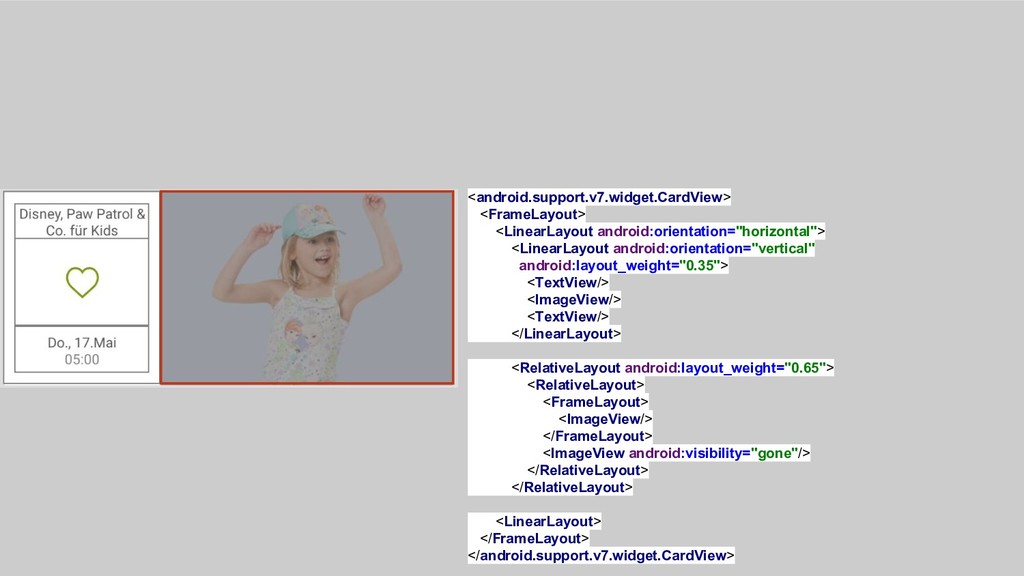
  2. <android.support.v7.widget.CardView> <FrameLayout> <LinearLayout android:orientation="horizontal"> <LinearLayout android:orientation="vertical" android:layout_weight="0.35"> <TextView/> <ImageView/> <TextView/>

    </LinearLayout> <RelativeLayout android:layout_weight="0.65"> <RelativeLayout> <FrameLayout> <ImageView/> </FrameLayout> <ImageView android:visibility="gone"/> </RelativeLayout> </RelativeLayout> <LinearLayout> </FrameLayout> </android.support.v7.widget.CardView>
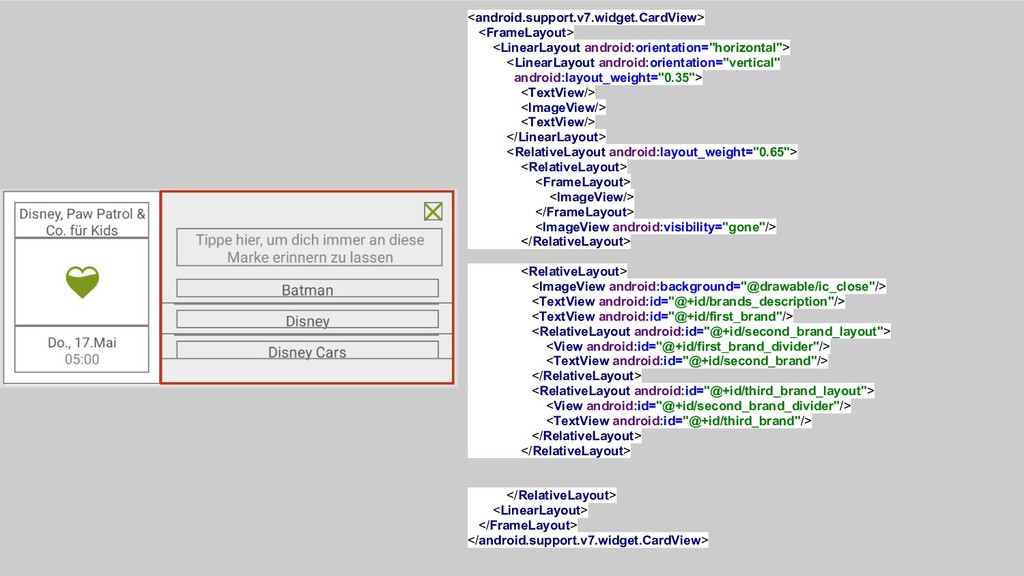
  3. <android.support.v7.widget.CardView> <FrameLayout> <LinearLayout android:orientation="horizontal"> <LinearLayout android:orientation="vertical" android:layout_weight="0.35"> <TextView/> <ImageView/> <TextView/>

    </LinearLayout> <RelativeLayout android:layout_weight="0.65"> <RelativeLayout> <FrameLayout> <ImageView/> </FrameLayout> <ImageView android:visibility="gone"/> </RelativeLayout> <RelativeLayout> <ImageView android:background="@drawable/ic_close"/> <TextView android:id="@+id/brands_description"/> <TextView android:id="@+id/first_brand"/> <RelativeLayout android:id="@+id/second_brand_layout"> <View android:id="@+id/first_brand_divider"/> <TextView android:id="@+id/second_brand"/> </RelativeLayout> <RelativeLayout android:id="@+id/third_brand_layout"> <View android:id="@+id/second_brand_divider"/> <TextView android:id="@+id/third_brand"/> </RelativeLayout> </RelativeLayout> </RelativeLayout> <LinearLayout> </FrameLayout> </android.support.v7.widget.CardView>
  4. <android.support.v7.widget.CardView> <FrameLayout> <LinearLayout android:orientation="horizontal"> <LinearLayout android:orientation="vertical" android:layout_weight="0.35"> <TextView/> <ImageView/> <TextView/>

    </LinearLayout> <RelativeLayout android:layout_weight="0.65"> <RelativeLayout> <FrameLayout> <ImageView/> </FrameLayout> <ImageView android:visibility="gone"/> </RelativeLayout> <RelativeLayout> <ImageView android:background="@drawable/ic_close"/> <TextView android:id="@+id/brands_description"/> <TextView android:id="@+id/first_brand"/> <RelativeLayout android:id="@+id/second_brand_layout"> <View android:id="@+id/first_brand_divider"/> <TextView android:id="@+id/second_brand"/> </RelativeLayout> <RelativeLayout android:id="@+id/third_brand_layout"> <View android:id="@+id/second_brand_divider"/> <TextView android:id="@+id/third_brand"/> </RelativeLayout> </RelativeLayout> </RelativeLayout> <LinearLayout> </FrameLayout> </android.support.v7.widget.CardView> <android.support.constraint.ConstraintLayout> <LinearLayout android:orientation="vertical" android:layout_weight="0.35"> <TextView/> <ImageView/> <TextView/> </LinearLayout> <RelativeLayout android:layout_weight="0.65"> <RelativeLayout> <FrameLayout> <ImageView/> </FrameLayout> <ImageView android:visibility="gone"/> </RelativeLayout> <RelativeLayout> <ImageView android:background="@drawable/ic_close"/> <TextView android:id="@+id/brands_description"/> <TextView android:id="@+id/first_brand"/> <RelativeLayout android:id="@+id/second_brand_layout"> <View android:id="@+id/first_brand_divider"/> <TextView android:id="@+id/second_brand"/> </RelativeLayout> <RelativeLayout android:id="@+id/third_brand_layout"> <View android:id="@+id/second_brand_divider"/> <TextView android:id="@+id/third_brand"/> </RelativeLayout> </RelativeLayout> </RelativeLayout> </android.support.constraint.ConstraintLayout>
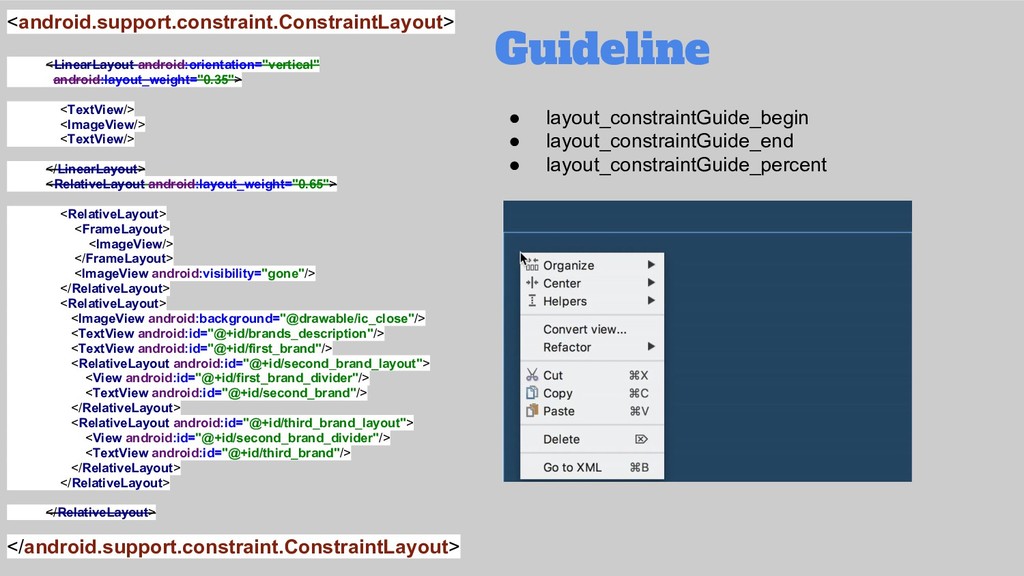
  5. <android.support.constraint.ConstraintLayout> <LinearLayout android:orientation="vertical" android:layout_weight="0.35"> <TextView/> <ImageView/> <TextView/> </LinearLayout> <RelativeLayout android:layout_weight="0.65">

    <RelativeLayout> <FrameLayout> <ImageView/> </FrameLayout> <ImageView android:visibility="gone"/> </RelativeLayout> <RelativeLayout> <ImageView android:background="@drawable/ic_close"/> <TextView android:id="@+id/brands_description"/> <TextView android:id="@+id/first_brand"/> <RelativeLayout android:id="@+id/second_brand_layout"> <View android:id="@+id/first_brand_divider"/> <TextView android:id="@+id/second_brand"/> </RelativeLayout> <RelativeLayout android:id="@+id/third_brand_layout"> <View android:id="@+id/second_brand_divider"/> <TextView android:id="@+id/third_brand"/> </RelativeLayout> </RelativeLayout> </RelativeLayout> </android.support.constraint.ConstraintLayout> Guideline • layout_constraintGuide_begin • layout_constraintGuide_end • layout_constraintGuide_percent
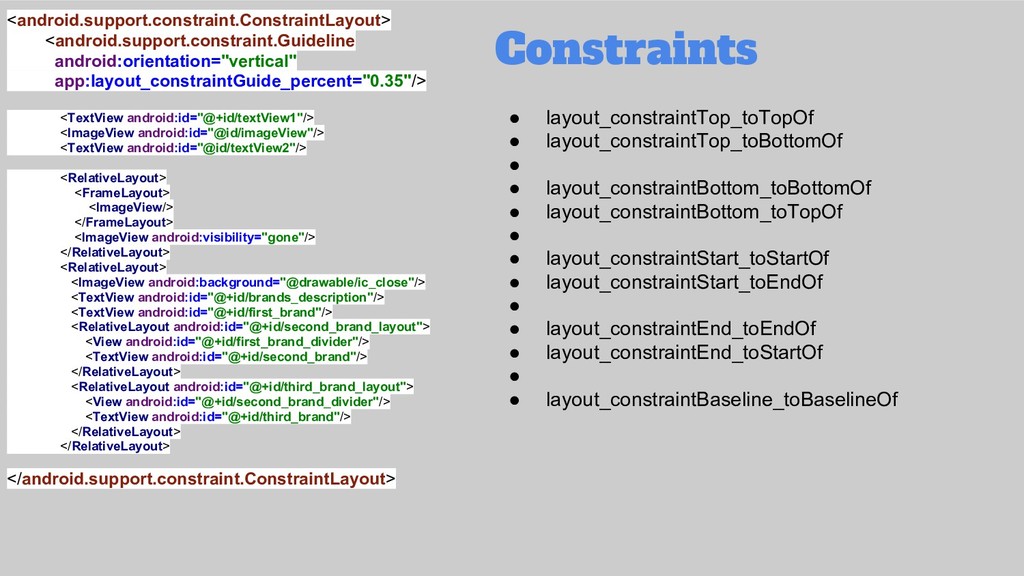
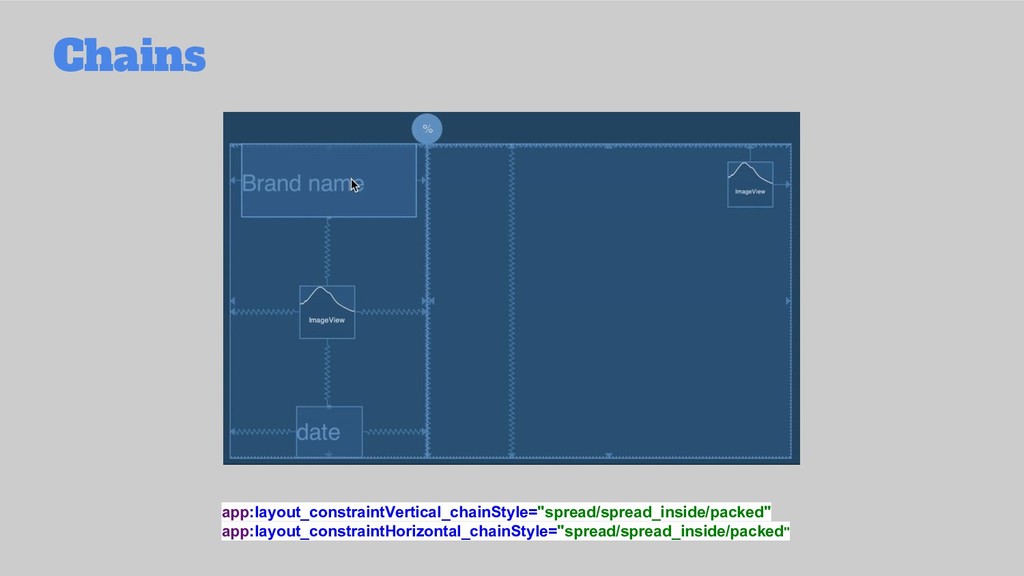
  6. <android.support.constraint.ConstraintLayout> <android.support.constraint.Guideline android:orientation="vertical" app:layout_constraintGuide_percent="0.35"/> <TextView android:id="@+id/textView1"/> <ImageView android:id="@id/imageView"/> <TextView android:id="@id/textView2"/>

    <RelativeLayout> <FrameLayout> <ImageView/> </FrameLayout> <ImageView android:visibility="gone"/> </RelativeLayout> <RelativeLayout> <ImageView android:background="@drawable/ic_close"/> <TextView android:id="@+id/brands_description"/> <TextView android:id="@+id/first_brand"/> <RelativeLayout android:id="@+id/second_brand_layout"> <View android:id="@+id/first_brand_divider"/> <TextView android:id="@+id/second_brand"/> </RelativeLayout> <RelativeLayout android:id="@+id/third_brand_layout"> <View android:id="@+id/second_brand_divider"/> <TextView android:id="@+id/third_brand"/> </RelativeLayout> </RelativeLayout> </android.support.constraint.ConstraintLayout> Constraints • layout_constraintTop_toTopOf • layout_constraintTop_toBottomOf • • layout_constraintBottom_toBottomOf • layout_constraintBottom_toTopOf • • layout_constraintStart_toStartOf • layout_constraintStart_toEndOf • • layout_constraintEnd_toEndOf • layout_constraintEnd_toStartOf • • layout_constraintBaseline_toBaselineOf
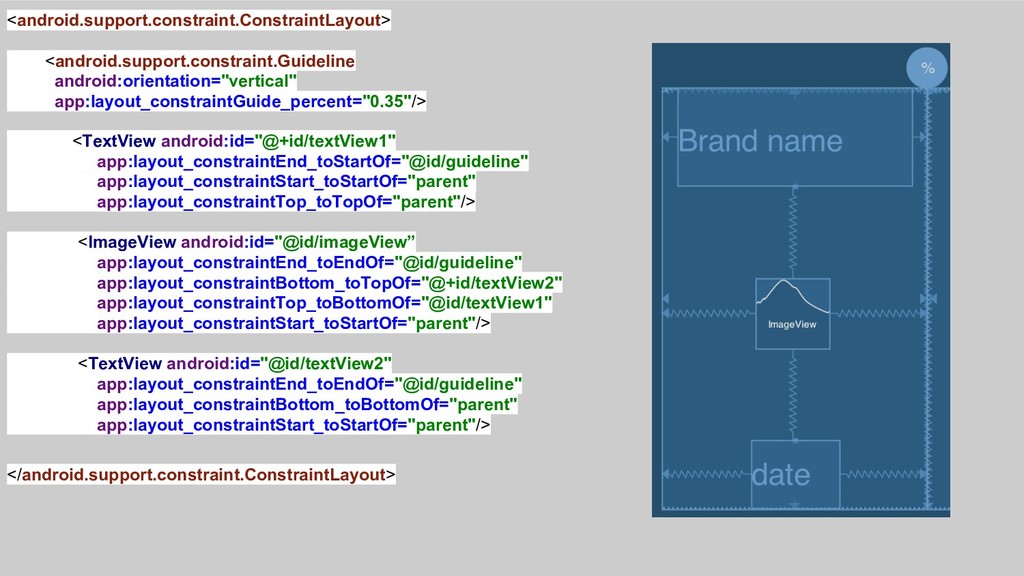
  7. <android.support.constraint.ConstraintLayout> <android.support.constraint.Guideline android:orientation="vertical" app:layout_constraintGuide_percent="0.35"/> <TextView android:id="@+id/textView1" app:layout_constraintEnd_toStartOf="@id/guideline" app:layout_constraintStart_toStartOf="parent" app:layout_constraintTop_toTopOf="parent"/> <ImageView

    android:id="@id/imageView” app:layout_constraintEnd_toEndOf="@id/guideline" app:layout_constraintBottom_toTopOf="@+id/textView2" app:layout_constraintTop_toBottomOf="@id/textView1" app:layout_constraintStart_toStartOf="parent"/> <TextView android:id="@id/textView2" app:layout_constraintEnd_toEndOf="@id/guideline" app:layout_constraintBottom_toBottomOf="parent" app:layout_constraintStart_toStartOf="parent"/> </android.support.constraint.ConstraintLayout>
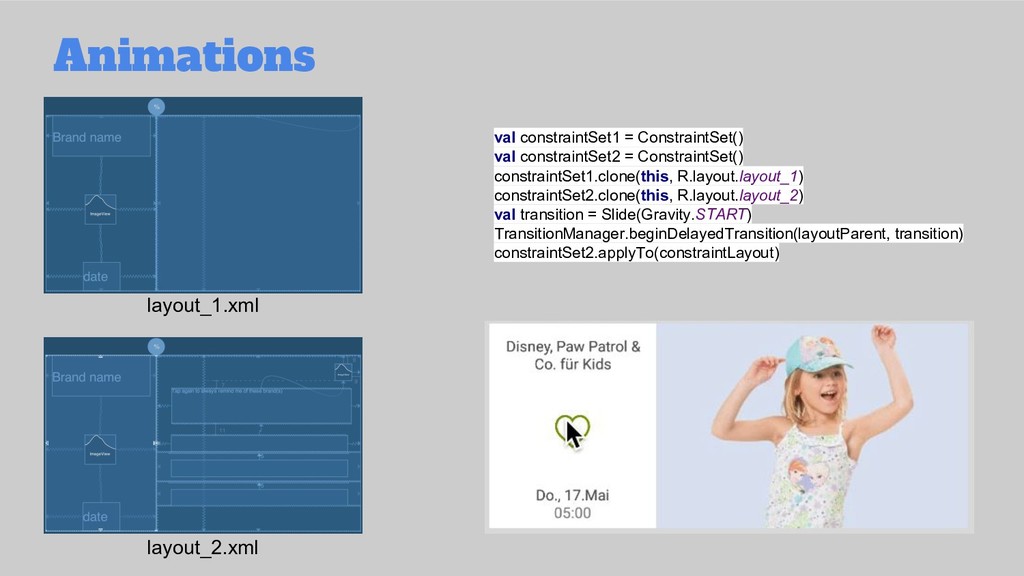
  8. Animations layout_1.xml layout_2.xml val constraintSet1 = ConstraintSet() val constraintSet2 =

    ConstraintSet() constraintSet1.clone(this, R.layout.layout_1) constraintSet2.clone(this, R.layout.layout_2) val transition = Slide(Gravity.START) TransitionManager.beginDelayedTransition(layoutParent, transition) constraintSet2.applyTo(constraintLayout)
  9. Cons? Editor: • difficult to reference ids for virtual helpers

    Designer: • generates not needed code • some rendering problems - id related Features: • limited grouping functionality - fixed in version 2.0