(Computer + Numerical Control) • Numerical control is a programmable automation in which process is controlled by Numbers, Letters, and symbols. • CNC Machining is a process used in the manufacturing sector that involves the use of computers to control machine tools like lathes, mills and grinders. 1
geometries in 2D or 3D was extremely expensive by mechanical means (which usually would require complex jigs to control the cutter motions) • Machining components with high Repeatability and Precision • Unmanned machining operations • To improve production planning and to increase productivity • To survive in global market CNC machines are must to achieve close tolerances. 2
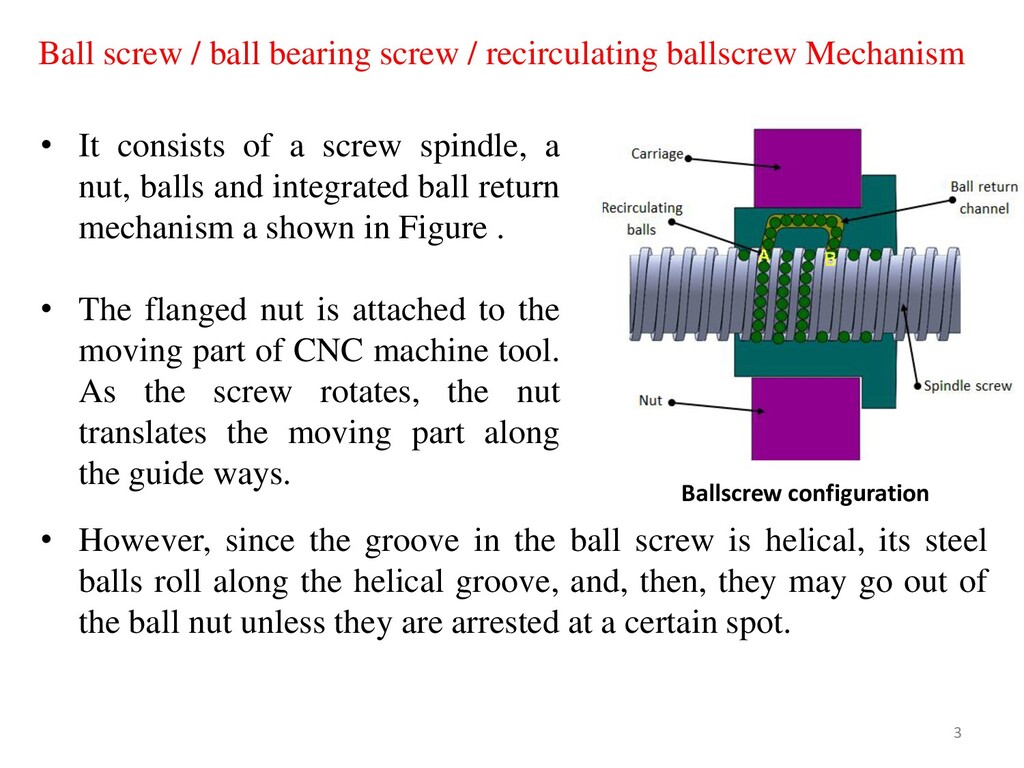
helical, its steel balls roll along the helical groove, and, then, they may go out of the ball nut unless they are arrested at a certain spot. • It consists of a screw spindle, a nut, balls and integrated ball return mechanism a shown in Figure . • The flanged nut is attached to the moving part of CNC machine tool. As the screw rotates, the nut translates the moving part along the guide ways. Ball screw / ball bearing screw / recirculating ballscrew Mechanism Ballscrew configuration 3
they have reached a certain spot by guiding them, one after another, back to their “starting point” (formation of a recirculation path). The recirculation parts play that role. • When the screw shaft is rotating, as shown in Figure, a steel ball at point (A) travels 3 turns of screw groove, rolling along the grooves of the screw shaft and the ball nut, and eventually reaches point (B). • Then, the ball is forced to change its pathway at the tip of the tube, passing back through the tube, until it finally returns to point (A). • Whenever the nut strokes on the screw shaft, the balls repeat the same recirculation inside the return tube. 4
the nut, it could affect smoothness in operation or cause premature wearing, either of which could adversely affect the ball screw's functions. • To prevent such things from occurring, seals are provided to keep contaminants out. There are various types of seals viz. plastic seal or brush type of seal used in ball-screw drives. 5
screws, about 90% or more of the force used to rotate the screw shaft can be converted to the force to move the ball nut. Since friction loss is extremely low, the amount of force used to rotate the screw shaft is as low as one third of that needed for the acme thread lead screw. • Low in wear Because of rolling contact, wear is less than that of sliding contact. Thus, the accuracy is high. Ball screws move smoothly enough under very slow speed. They run smoothly even under a load. 6
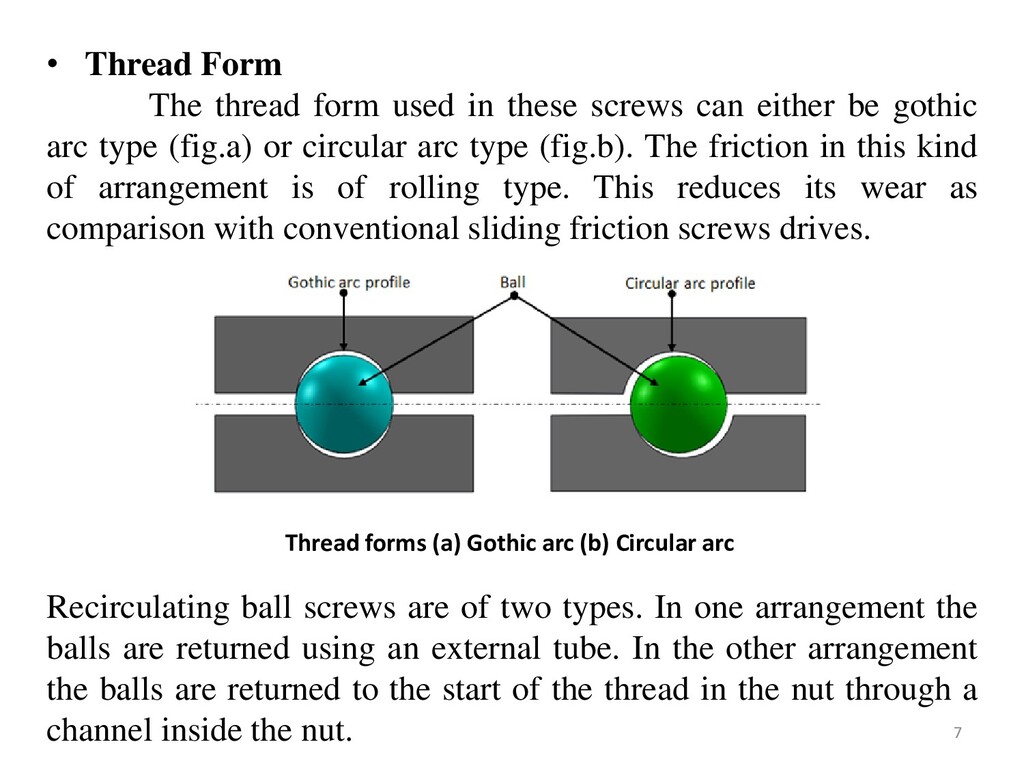
Form The thread form used in these screws can either be gothic arc type (fig.a) or circular arc type (fig.b). The friction in this kind of arrangement is of rolling type. This reduces its wear as comparison with conventional sliding friction screws drives. Recirculating ball screws are of two types. In one arrangement the balls are returned using an external tube. In the other arrangement the balls are returned to the start of the thread in the nut through a channel inside the nut. 7
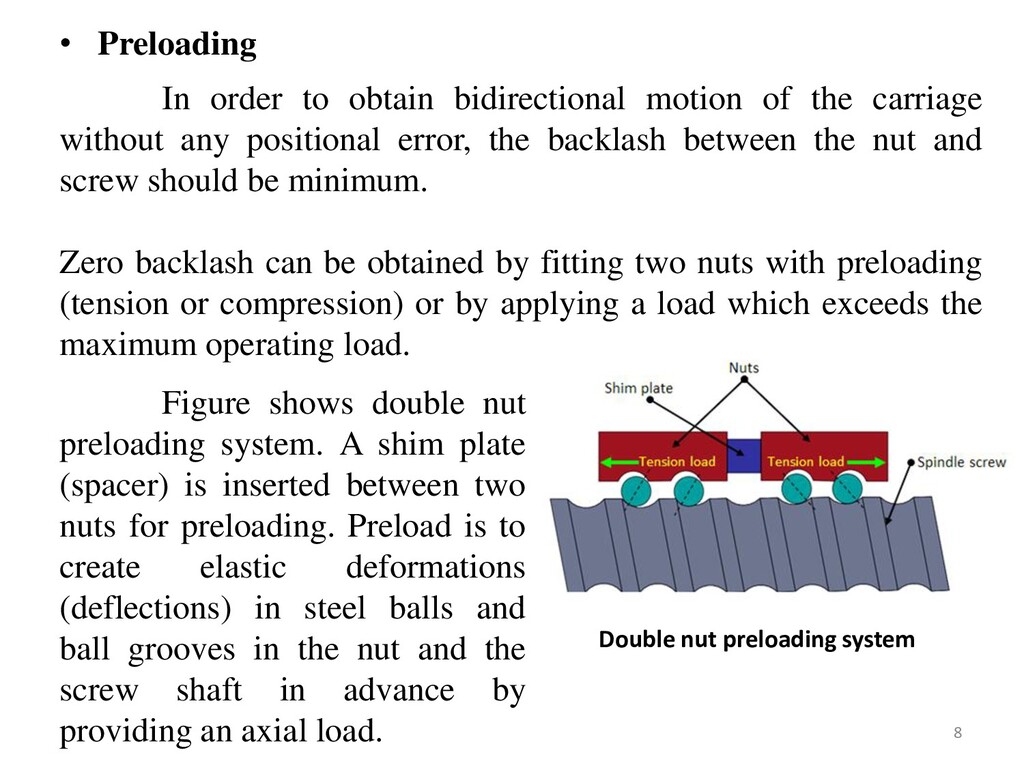
carriage without any positional error, the backlash between the nut and screw should be minimum. Zero backlash can be obtained by fitting two nuts with preloading (tension or compression) or by applying a load which exceeds the maximum operating load. Figure shows double nut preloading system. A shim plate (spacer) is inserted between two nuts for preloading. Preload is to create elastic deformations (deflections) in steel balls and ball grooves in the nut and the screw shaft in advance by providing an axial load. Double nut preloading system 8
contact the one side of the thread and balls in the other nut contact the opposite side. Effects of preload • Zero backlash: It eliminates axial play between a screw shaft and a ball nut. • It minimizes elastic deformation caused by external force, thus the rigidity enhances. • In case mounting errors, misalignment between the screw shaft and the nut may occur this further generates distortion forces. • This could lead to the problems such as, Shortened service life Adverse effect on smooth operation Reduced positioning accuracy Generation of noise or vibration Breakage of screw shaft 9
Less starting torque. • Lower co efficient of friction compared to sliding type screws and run at cooler temperatures • Power transmission efficiency is very high and is of the order of 95 %. • Could be easily preloaded to eliminate backlash. • The friction force is virtually independent of the travel velocity and the friction at rest is very small; consequently, the stick-slip phenomenon is practically absent, ensuring uniformity of motion. • Has longer thread life hence need to be replaced less frequently. • Ball screws are well -suited to high through output, high speed applications or those with continuous or long cycle times. • Smooth movement over full range of travel. 10
periodic overhauling to maintain their efficiency. • Inclusion of dirt or foreign particles reduces the life of the screws. • Not as stiff as other power screws, thus deflection and critical speed can cause difficulties. • They are not self-locking screws hence cannot be used in holding devices such as vices. • Require high levels of lubrication. 11
cutting machines, such as machining center and NC lathe where accurate positioning of the table is desired • Used in the equipment's such as lithographic equipment or inspection apparatus where precise positioning is vital • High precision ball screws are used in steppers for semiconductor manufacturing industries for precision assembly of micro parts. • Used in robotics application where precision positioning is needed. • Used in medical examination equipment's since they are highly accurate and provide smooth motion. 12
Constructional details: • Basically conventional machine have 2 axes, known as X & Y axis. • There is also a Z axis long which only the bed moves vertically. • The spindle along with the tool does not move as it is fixed with the machine body . But in case of CNC machine, there are minimum 3 axes with Spindle moving parallel to Z axis. 13
cope with the torsional forces and heavy duty cutting imposed on these machines. • CNC machines have more rigid construction when compared to the conventional machine. • The slide ways, guide and spindles of the CNC machine all look over proportioned when compared to the conventional machine. 14
• The slide ways on a conventional machine operate under the conditions of sliding friction. • The lead screws are usually of the Acme thread form, which are inefficient due to the high frictional resistance between the flanks of the screw and the nut. There is also backlash, because of the clearance between the screw and the nut. CONVENTIONAL 15
where re-circulating roller bearings are positioned under the slide ways. • A recirculating ball lead screw, where both the lead screw and the nut have a precision ground radiused shaped thread. The space or track between the lead screw and nut is filled with an endless stream or ball bearings. The advantages are longer life, less frictional resistance, lower torque required, more precise positioning of slides, where backlash is almost completely eliminated. CNC 16
and spindle of the CNC machine are driven by stepper motors. STEPPER MOTOR – A digital signal is sent from the controller to the motor in the form of pulses, which will cause the motor to rotate through a specified angle, which causes the slide to move by the required distance. 17
motor then it will rotate by five steps, which is converted to linear movement by the lead screw. The speed by which the pulses are sent to the stepper motor will determine the velocity of the slide movement. As the distance moved by the slide and the feed can be accurately controlled by the CNC control system, there is no need for positional or velocity feedback 18
tool essentially consists of the following parts: Part program: • A series of coded instructions required to produce a part. • Controls the movement of the machine tool and on/off control of auxiliary functions such as spindle rotation and coolant. • The coded instructions are composed of letters, numbers and symbols. 19
means for part program to be entered into the CNC control. • Three commonly used program input devices are punch tape reader, magnetic tape reader, and computer via RS-232-C communication. 20
heart of a CNC system. It is used to perform the following functions: • To read the coded instructions. • To decode the coded instructions. • To implement interpolations (linear, circular, and helical) to generate axis motion commands. • To feed the axis motion commands to the amplifier circuits for driving the axis mechanisms. • To receive the feedback signals of position and speed for each drive axis. • To implement auxiliary control functions such as coolant or spindle on/off and tool change. 21
types of machine tools. • Regardless of which type of machine tool is controlled, it always has a slide table and a spindle to control position and speed. • The machine table is controlled in the X and Y axes, while the spindle runs along the Z axis. 22
to as the measuring system. • It uses position and speed transducers to continuously monitor the position at which the cutting tool is located at any particular instant. • The MCU uses the difference between reference signals and feedback signals to generate the control signals for correcting position and speed errors. 23
to CNC elements • A drive system consists of amplifier circuits, drive motors, and ball lead-screws. • The MCU feeds the control signals (position and speed) of each axis to the amplifier circuits. • The control signals are augmented to actuate drive motors which in turn rotate the ball lead-screws to position the machine table. 24
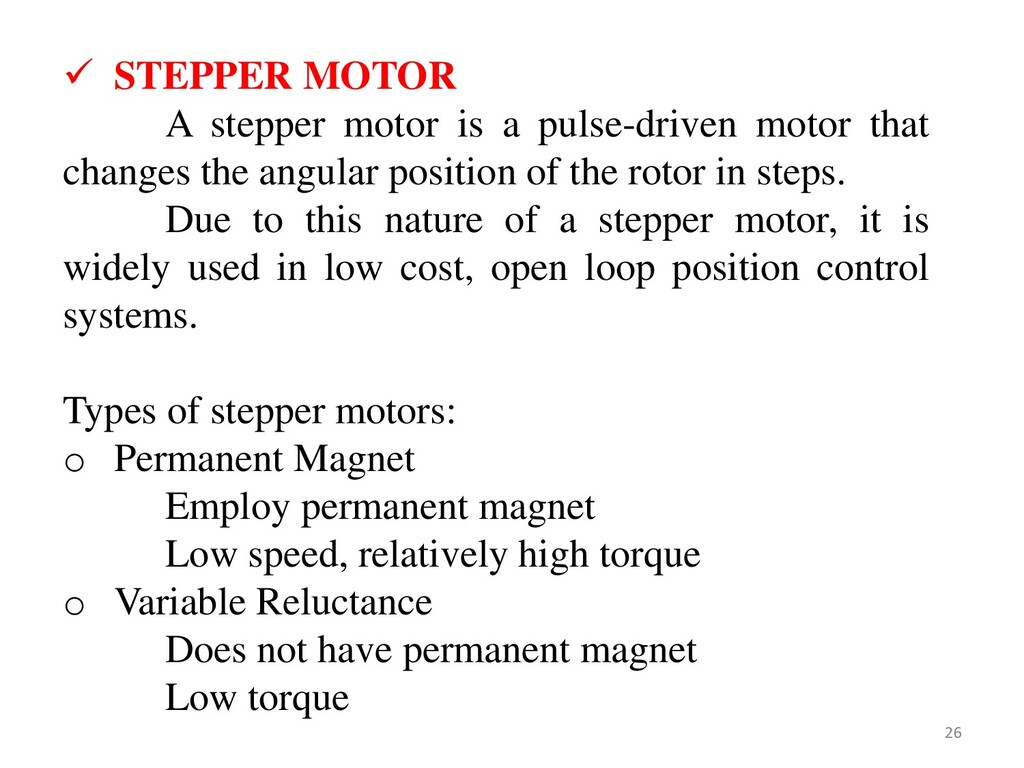
the main spindle, saddles and carriages and to some auxiliary units. • The motors used for CNC system are of two kinds Electrical - AC , DC or Stepper motors Fluid - Hydraulic or Pneumatic • In CNC, usually stepper and servo electrical drives are used • They exhibit favourable torque-speed characteristics and are relatively inexpensive. POWER DRIVES 25
that changes the angular position of the rotor in steps. Due to this nature of a stepper motor, it is widely used in low cost, open loop position control systems. Types of stepper motors: o Permanent Magnet Employ permanent magnet Low speed, relatively high torque o Variable Reluctance Does not have permanent magnet Low torque 26
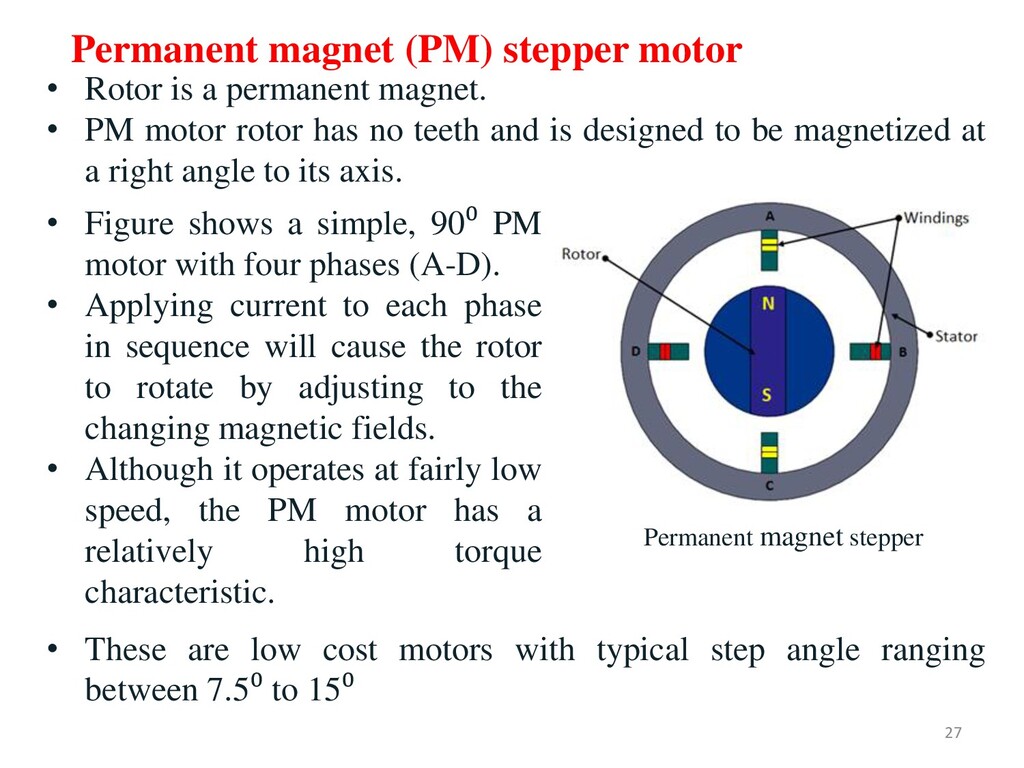
has no teeth and is designed to be magnetized at a right angle to its axis. Permanent magnet stepper Permanent magnet (PM) stepper motor • These are low cost motors with typical step angle ranging between 7.5⁰ to 15⁰ • Figure shows a simple, 90⁰ PM motor with four phases (A-D). • Applying current to each phase in sequence will cause the rotor to rotate by adjusting to the changing magnetic fields. • Although it operates at fairly low speed, the PM motor has a relatively high torque characteristic. 27
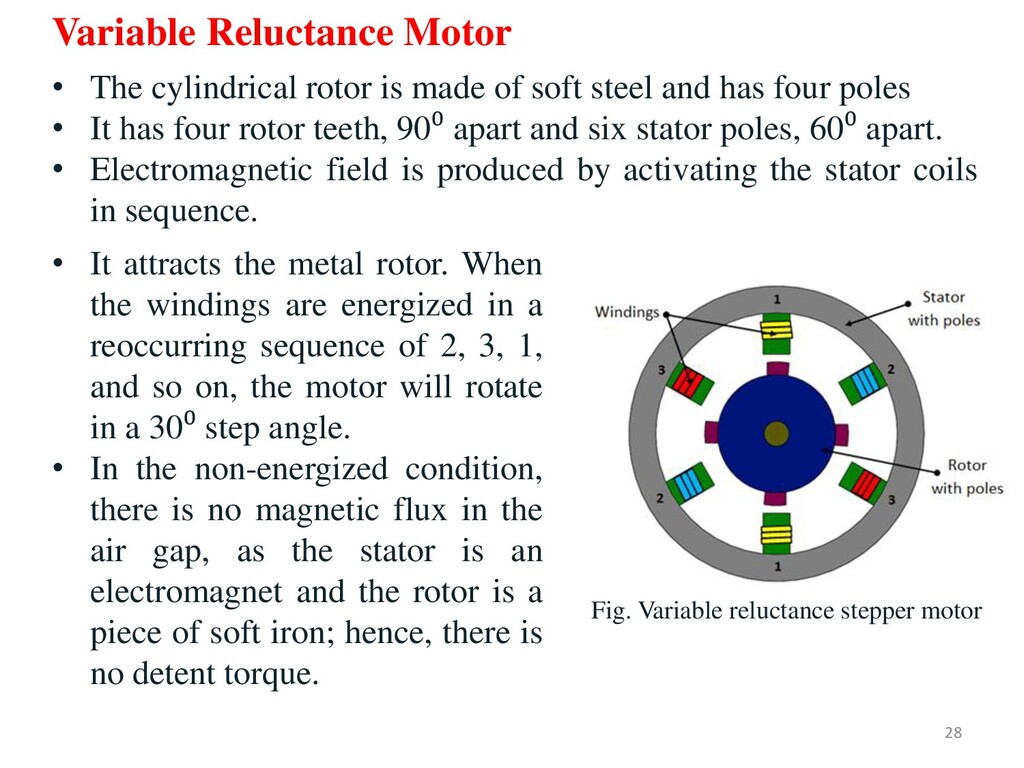
energized in a reoccurring sequence of 2, 3, 1, and so on, the motor will rotate in a 30⁰ step angle. • In the non-energized condition, there is no magnetic flux in the air gap, as the stator is an electromagnet and the rotor is a piece of soft iron; hence, there is no detent torque. Fig. Variable reluctance stepper motor Variable Reluctance Motor • The cylindrical rotor is made of soft steel and has four poles • It has four rotor teeth, 90⁰ apart and six stator poles, 60⁰ apart. • Electromagnetic field is produced by activating the stator coils in sequence. 28
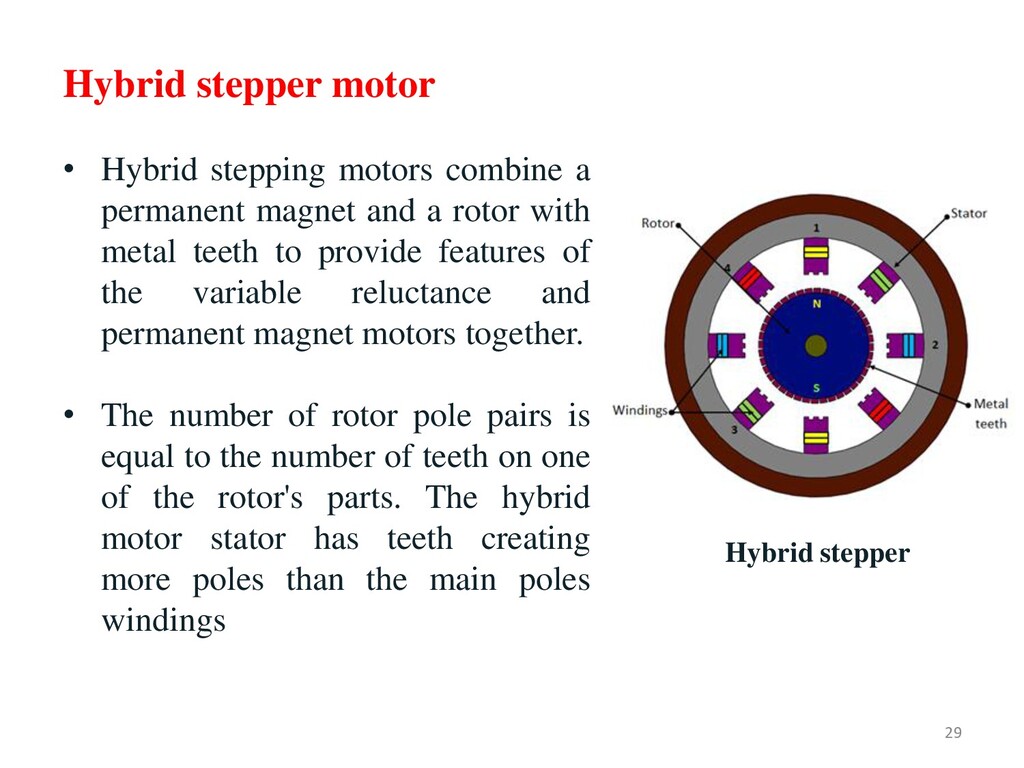
magnet and a rotor with metal teeth to provide features of the variable reluctance and permanent magnet motors together. • The number of rotor pole pairs is equal to the number of teeth on one of the rotor's parts. The hybrid motor stator has teeth creating more poles than the main poles windings Hybrid stepper 29
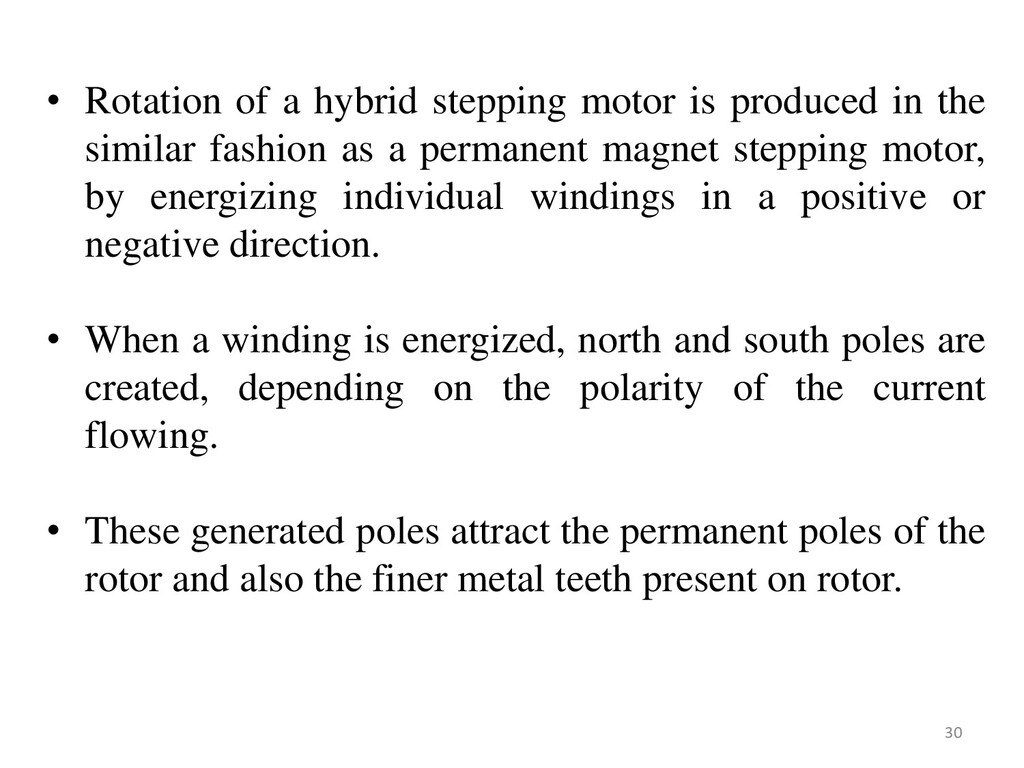
the similar fashion as a permanent magnet stepping motor, by energizing individual windings in a positive or negative direction. • When a winding is energized, north and south poles are created, depending on the polarity of the current flowing. • These generated poles attract the permanent poles of the rotor and also the finer metal teeth present on rotor. 30
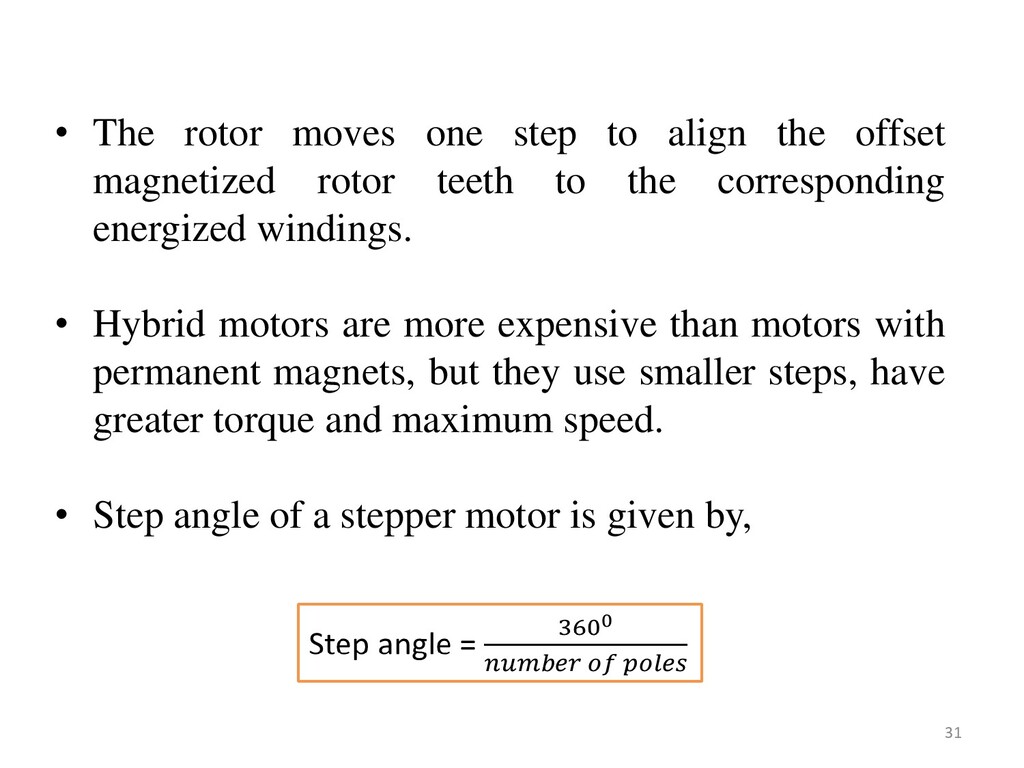
magnetized rotor teeth to the corresponding energized windings. • Hybrid motors are more expensive than motors with permanent magnets, but they use smaller steps, have greater torque and maximum speed. • Step angle of a stepper motor is given by, 31
Simplicity of construction • Low maintenance • Less likely to stall or slip • Will work in any environment • Excellent start-stop and reversing responses Disadvantages of stepper motors • Low torque capacity compared to DC motors • Limited speed • During overloading, the synchronization will be broken. Vibration and noise occur when running at high speed. 32
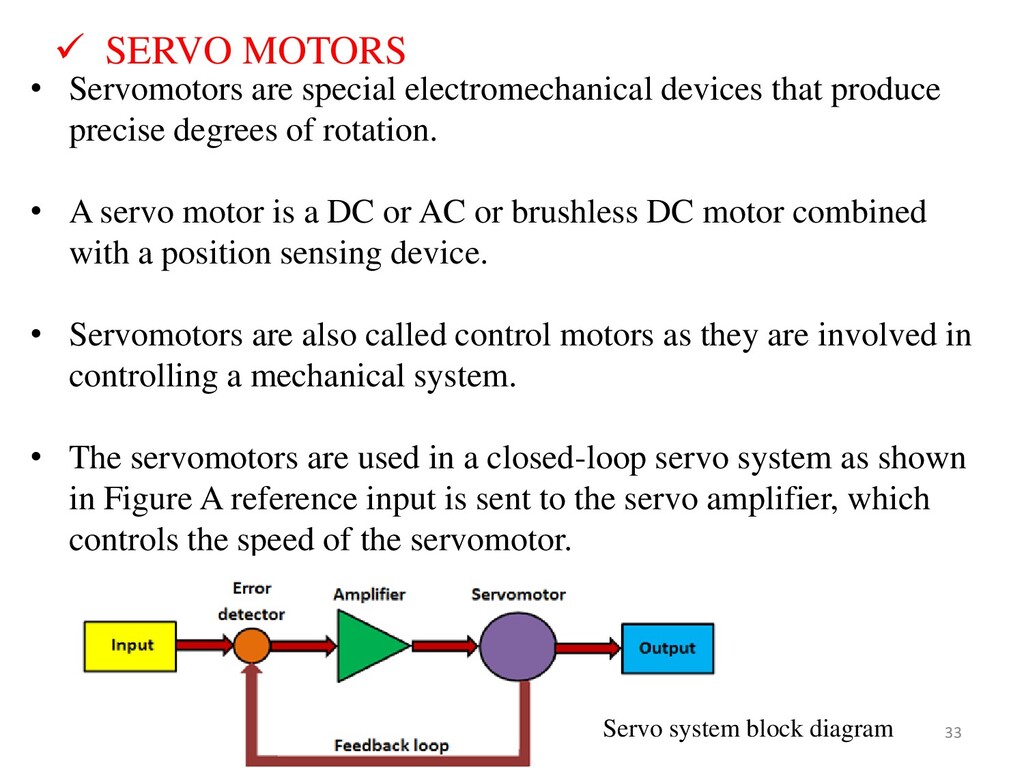
of rotation. • A servo motor is a DC or AC or brushless DC motor combined with a position sensing device. • Servomotors are also called control motors as they are involved in controlling a mechanical system. • The servomotors are used in a closed-loop servo system as shown in Figure A reference input is sent to the servo amplifier, which controls the speed of the servomotor. Servo system block diagram SERVO MOTORS 33
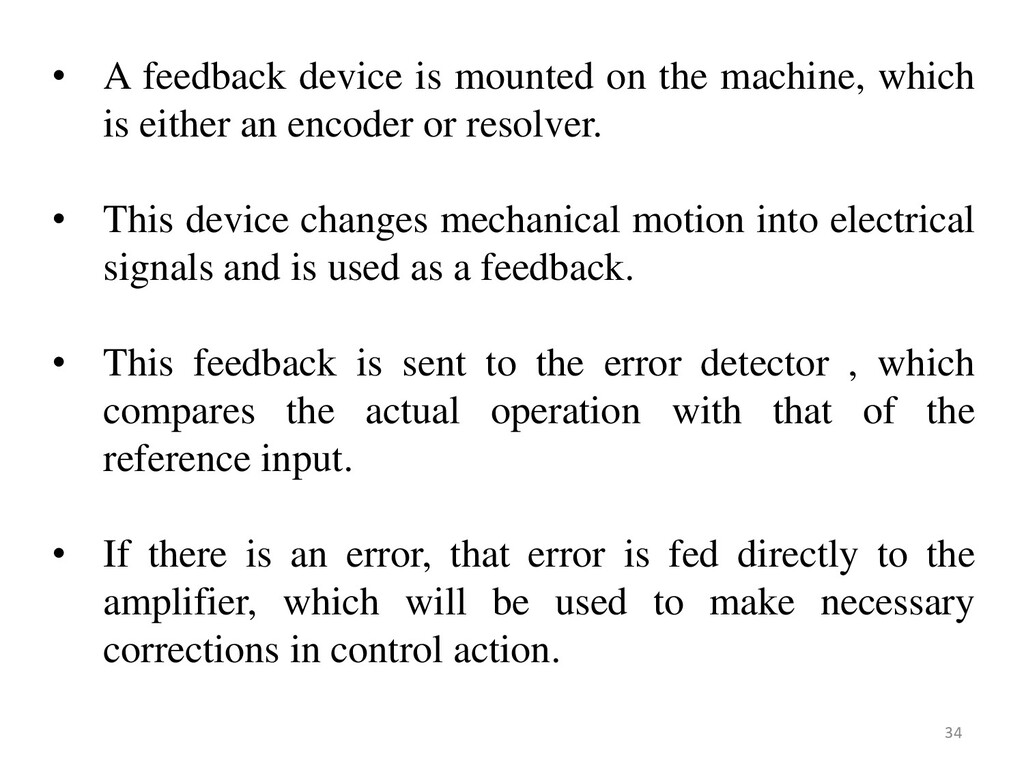
is either an encoder or resolver. • This device changes mechanical motion into electrical signals and is used as a feedback. • This feedback is sent to the error detector , which compares the actual operation with that of the reference input. • If there is an error, that error is fed directly to the amplifier, which will be used to make necessary corrections in control action. 34
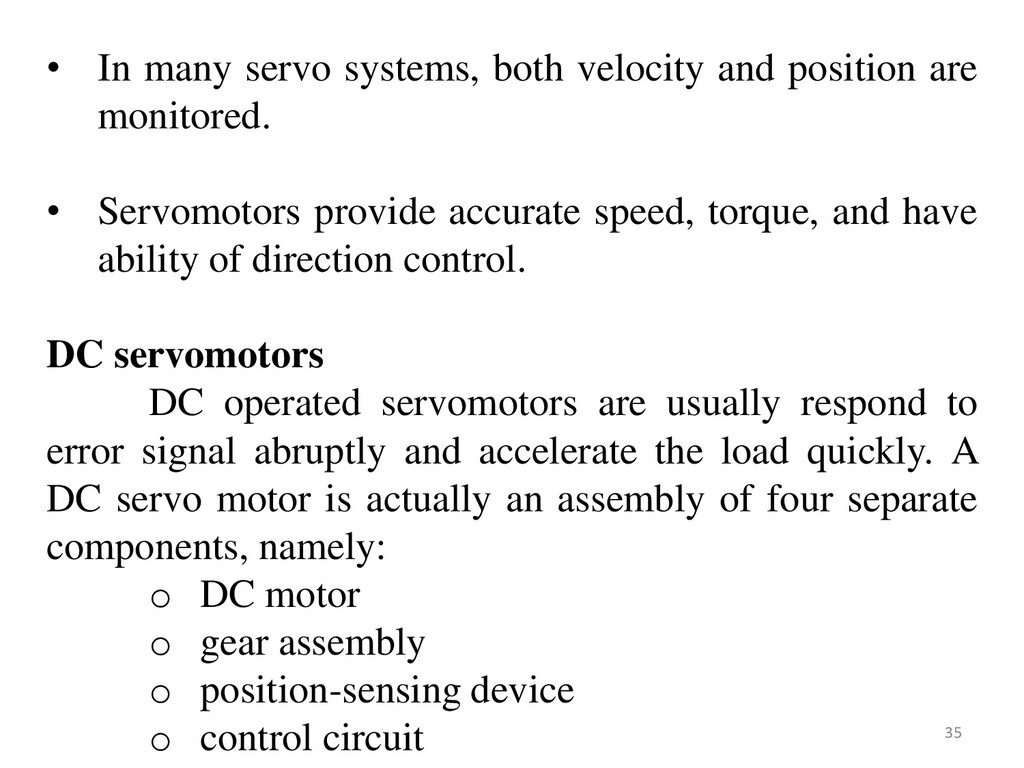
monitored. • Servomotors provide accurate speed, torque, and have ability of direction control. DC servomotors DC operated servomotors are usually respond to error signal abruptly and accelerate the load quickly. A DC servo motor is actually an assembly of four separate components, namely: o DC motor o gear assembly o position-sensing device o control circuit 35
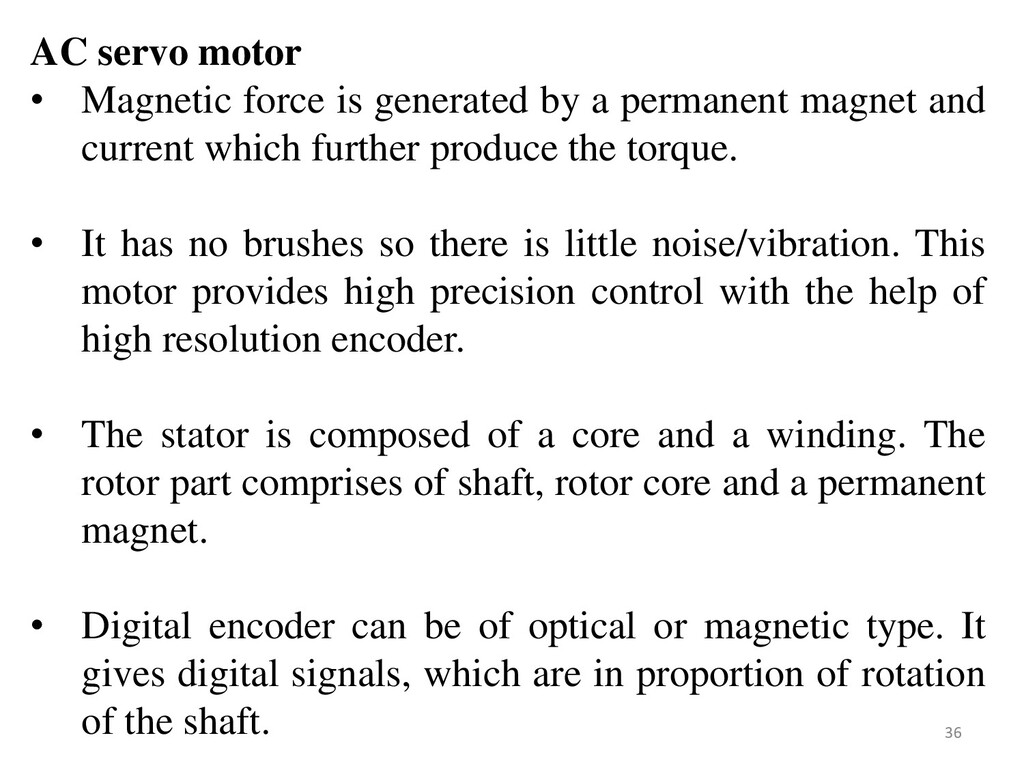
permanent magnet and current which further produce the torque. • It has no brushes so there is little noise/vibration. This motor provides high precision control with the help of high resolution encoder. • The stator is composed of a core and a winding. The rotor part comprises of shaft, rotor core and a permanent magnet. • Digital encoder can be of optical or magnetic type. It gives digital signals, which are in proportion of rotation of the shaft. 36
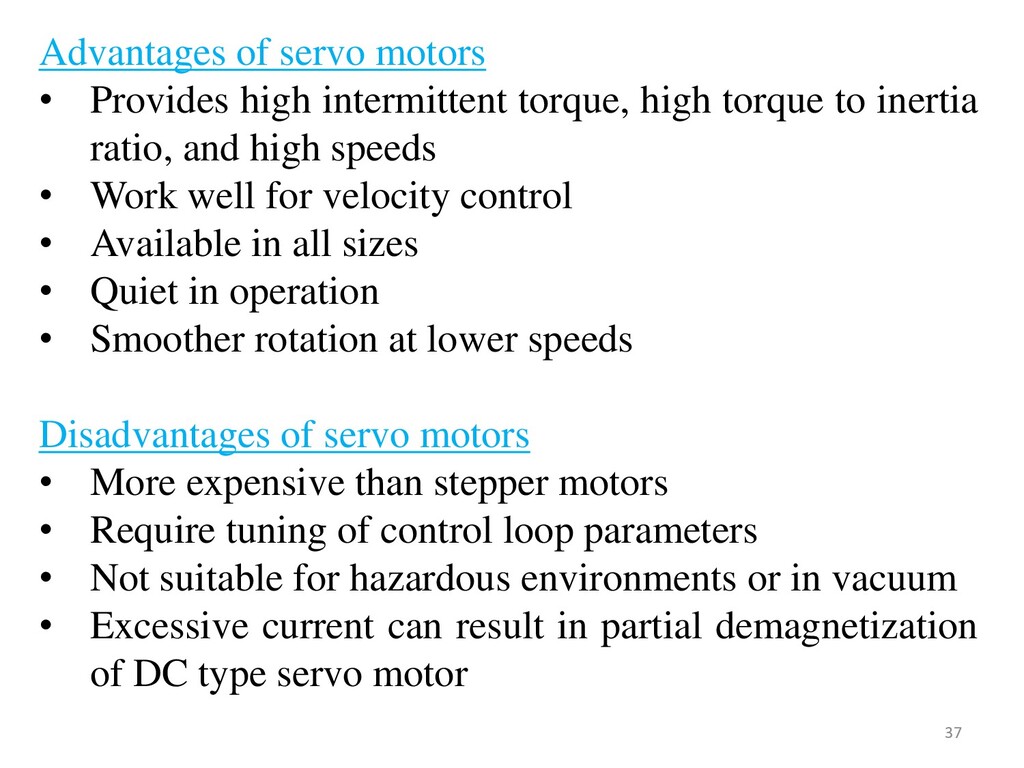
torque to inertia ratio, and high speeds • Work well for velocity control • Available in all sizes • Quiet in operation • Smoother rotation at lower speeds Disadvantages of servo motors • More expensive than stepper motors • Require tuning of control loop parameters • Not suitable for hazardous environments or in vacuum • Excessive current can result in partial demagnetization of DC type servo motor 37
transmission systems which are used to convert rotary motion into linear motion. • The conventional thread forms like vee or square are not suitable in CNC because of their high wear and less efficiency. • Therefore CNC machines generally employ ball screw for driving their workpiece carriages. • These drives provide backlash free operation with low friction- wear characteristics. • These are efficient and accurate in comparison with that of nut- and-screw drives. Most widely used linear motion drives are ball screws. 38
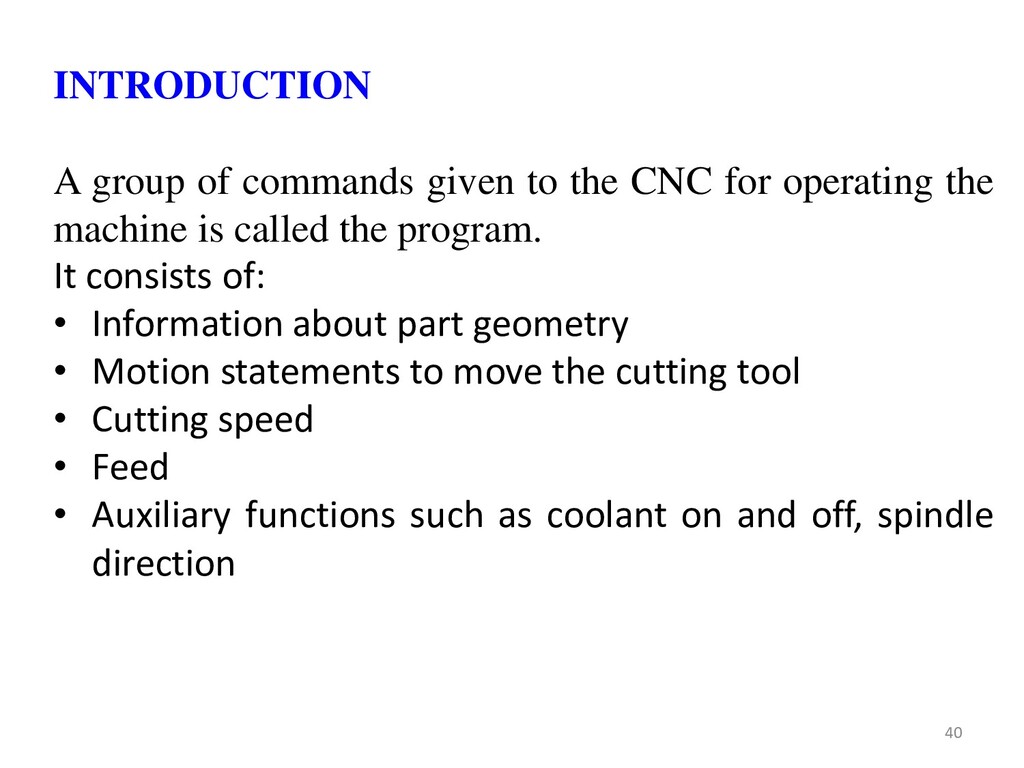
operating the machine is called the program. It consists of: • Information about part geometry • Motion statements to move the cutting tool • Cutting speed • Feed • Auxiliary functions such as coolant on and off, spindle direction 40
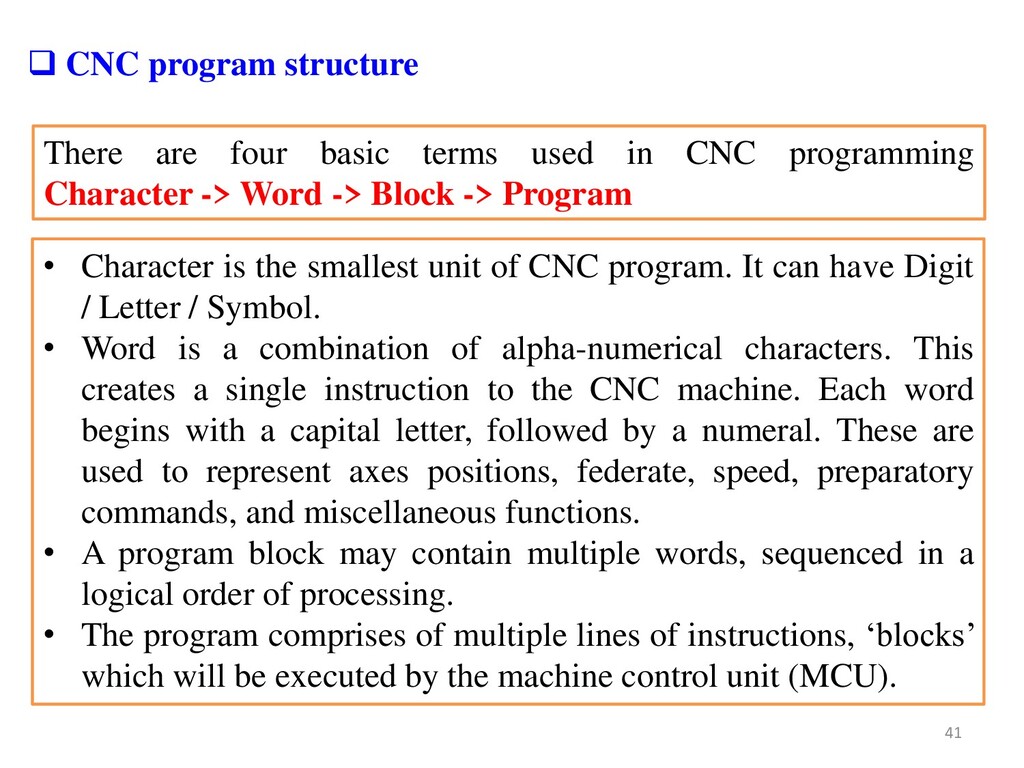
-> Word -> Block -> Program CNC program structure • Character is the smallest unit of CNC program. It can have Digit / Letter / Symbol. • Word is a combination of alpha-numerical characters. This creates a single instruction to the CNC machine. Each word begins with a capital letter, followed by a numeral. These are used to represent axes positions, federate, speed, preparatory commands, and miscellaneous functions. • A program block may contain multiple words, sequenced in a logical order of processing. • The program comprises of multiple lines of instructions, „blocks‟ which will be executed by the machine control unit (MCU). 41
on M/C table (usually at south west corner/Lower left-hand) of the tables & all tool location are defined W.R.T. this zero Floating Zero: • Very common with CNC M/C used now a days. • Operator sets zero point at any convenient position on M/C table. • The Coordinate system is knows as work coordinate system (WCS) FIXED ZERO v/s FLOATING ZERO 42
NC program may stay in effect indefinitely (until they explicitly cancelled or changed by some other command), or they may be effective for only the one time that they are issued. • The former are referred as Modal commands. Examples include feed rate selection and coolant selection. • Commands that are effective only when issued and whose effects are lost for subsequent commands are referred to as non-modal commands. • A dwell command, which instructs the tool to remain in a given configuration for a given amount of time, is an example of a non-modal command. 43
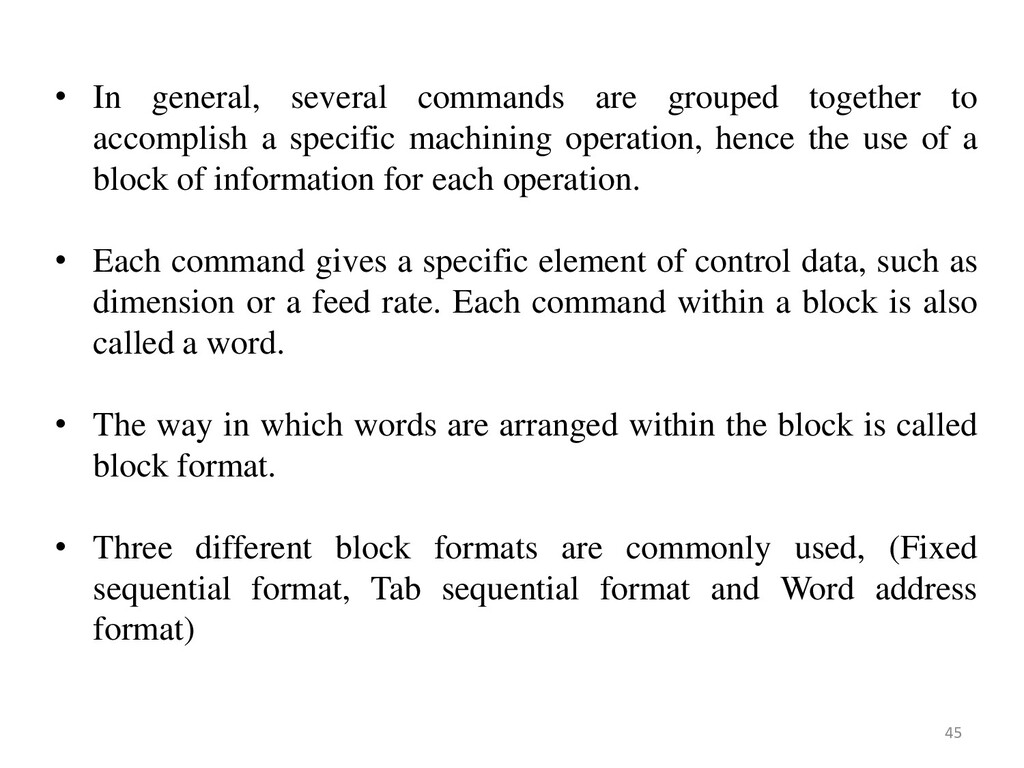
series of commands that are input into the MCU in a serial manner. • The MCU interprets these commands and generates the necessary signals to each of the drive units of the machine to accomplish the required action. • The NC program is required to have a particular structure that the controller can understand and it must follow a specific syntax. • Commands are inputs into the controller in units called blocks or statements. • Each block is made up of one or more machine commands. Structure of an NC part program 44
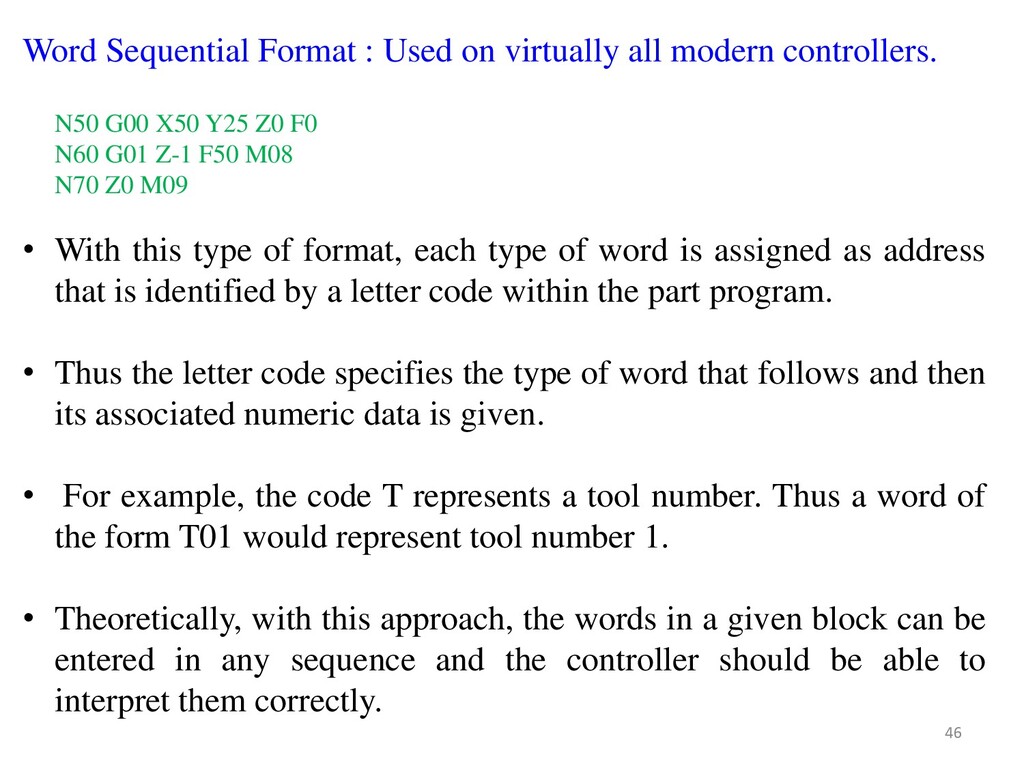
a specific machining operation, hence the use of a block of information for each operation. • Each command gives a specific element of control data, such as dimension or a feed rate. Each command within a block is also called a word. • The way in which words are arranged within the block is called block format. • Three different block formats are commonly used, (Fixed sequential format, Tab sequential format and Word address format) 45
is assigned as address that is identified by a letter code within the part program. • Thus the letter code specifies the type of word that follows and then its associated numeric data is given. • For example, the code T represents a tool number. Thus a word of the form T01 would represent tool number 1. • Theoretically, with this approach, the words in a given block can be entered in any sequence and the controller should be able to interpret them correctly. Word Sequential Format : Used on virtually all modern controllers. N50 G00 X50 Y25 Z0 F0 N60 G01 Z-1 F50 M08 N70 Z0 M09 46
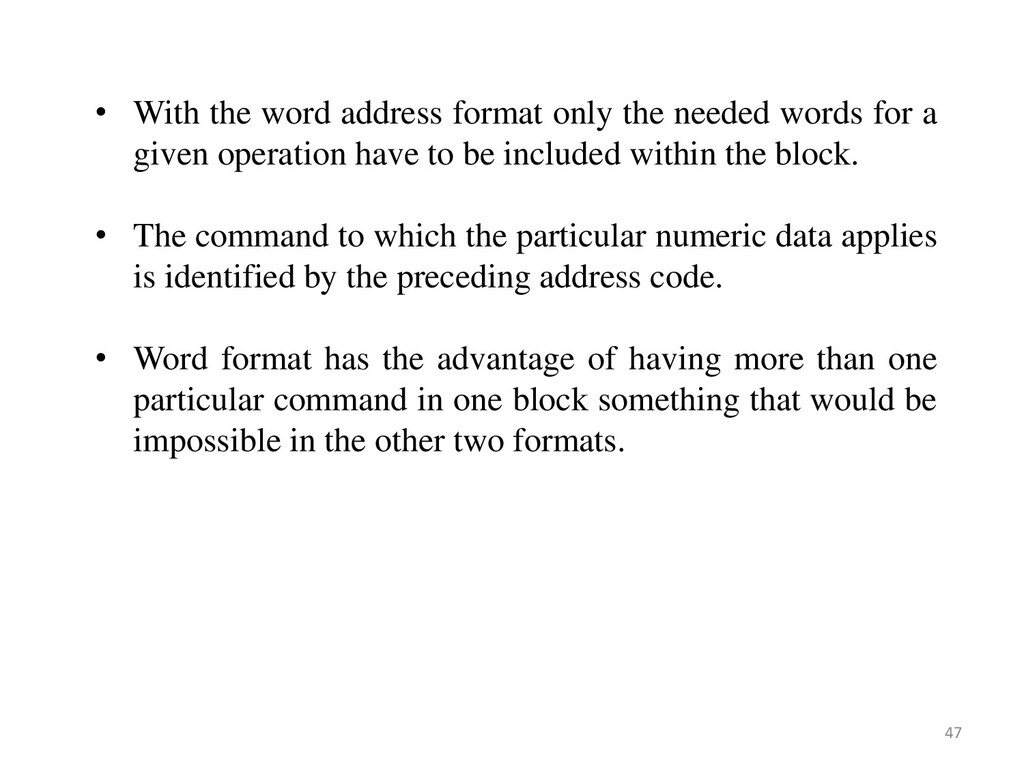
for a given operation have to be included within the block. • The command to which the particular numeric data applies is identified by the preceding address code. • Word format has the advantage of having more than one particular command in one block something that would be impossible in the other two formats. 47
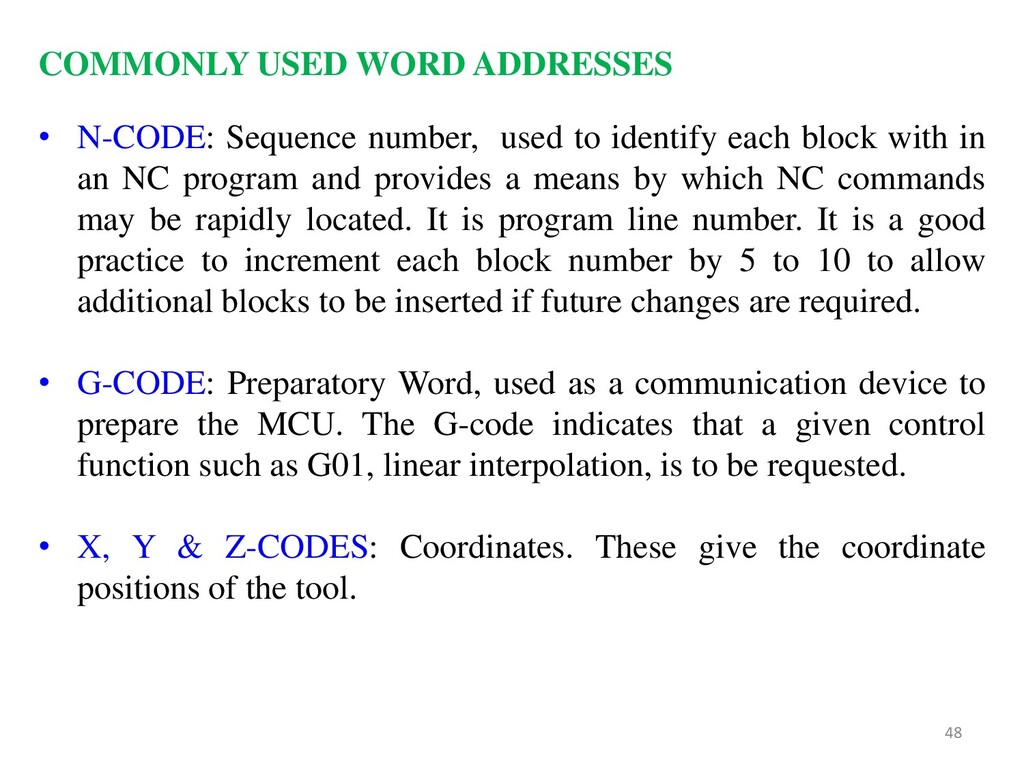
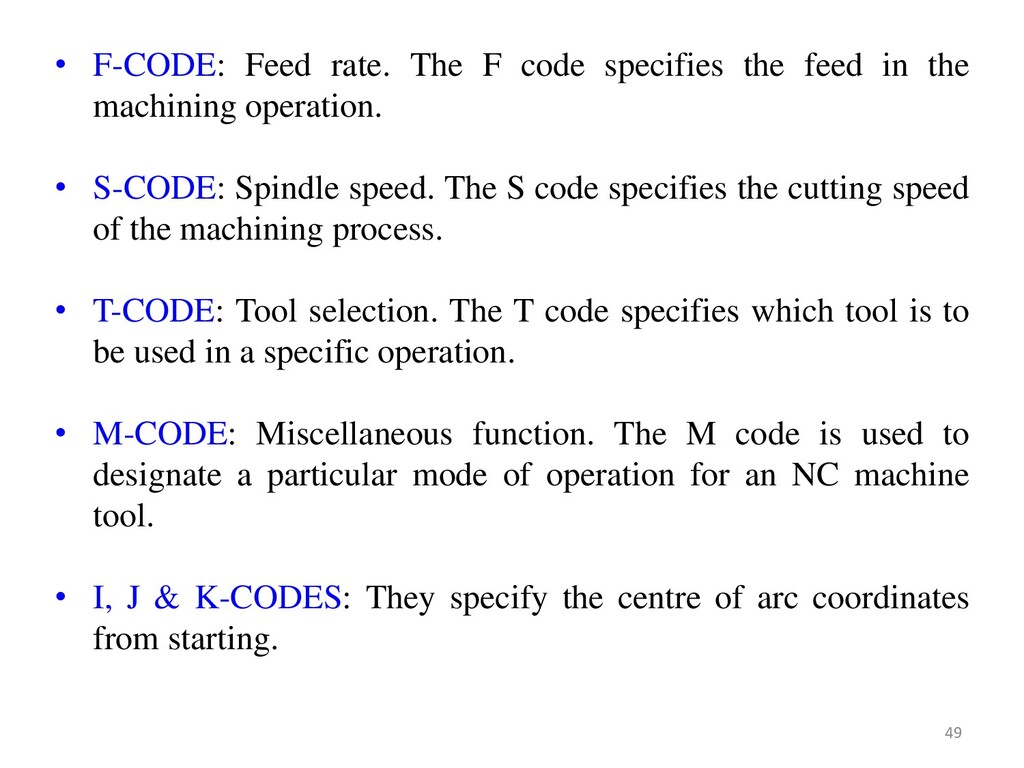
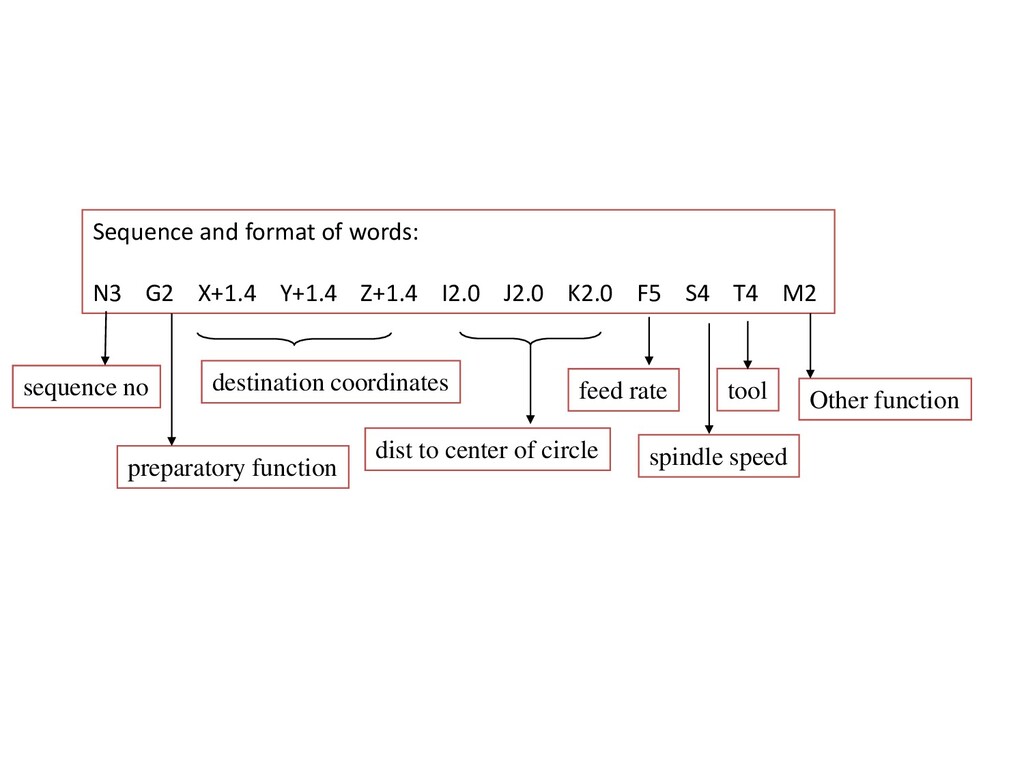
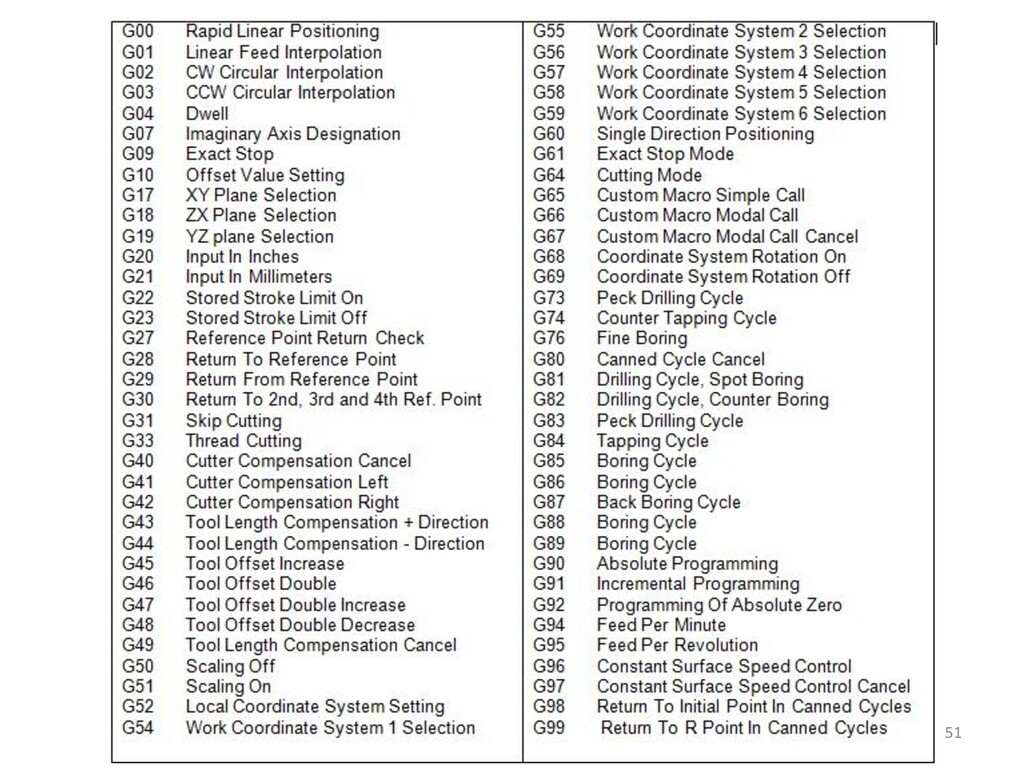
in an NC program and provides a means by which NC commands may be rapidly located. It is program line number. It is a good practice to increment each block number by 5 to 10 to allow additional blocks to be inserted if future changes are required. • G-CODE: Preparatory Word, used as a communication device to prepare the MCU. The G-code indicates that a given control function such as G01, linear interpolation, is to be requested. • X, Y & Z-CODES: Coordinates. These give the coordinate positions of the tool. COMMONLY USED WORD ADDRESSES 48
in the machining operation. • S-CODE: Spindle speed. The S code specifies the cutting speed of the machining process. • T-CODE: Tool selection. The T code specifies which tool is to be used in a specific operation. • M-CODE: Miscellaneous function. The M code is used to designate a particular mode of operation for an NC machine tool. • I, J & K-CODES: They specify the centre of arc coordinates from starting. 49
I2.0 J2.0 K2.0 F5 S4 T4 M2 sequence no preparatory function destination coordinates dist to center of circle feed rate spindle speed tool Other function
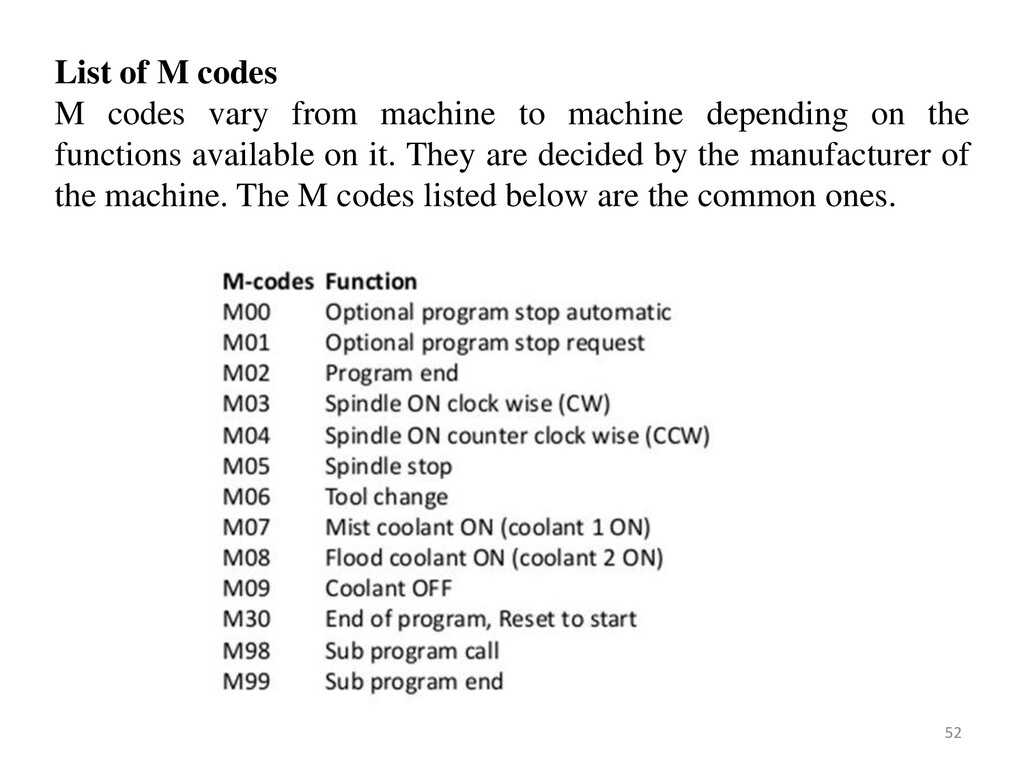
machine depending on the functions available on it. They are decided by the manufacturer of the machine. The M codes listed below are the common ones. 52
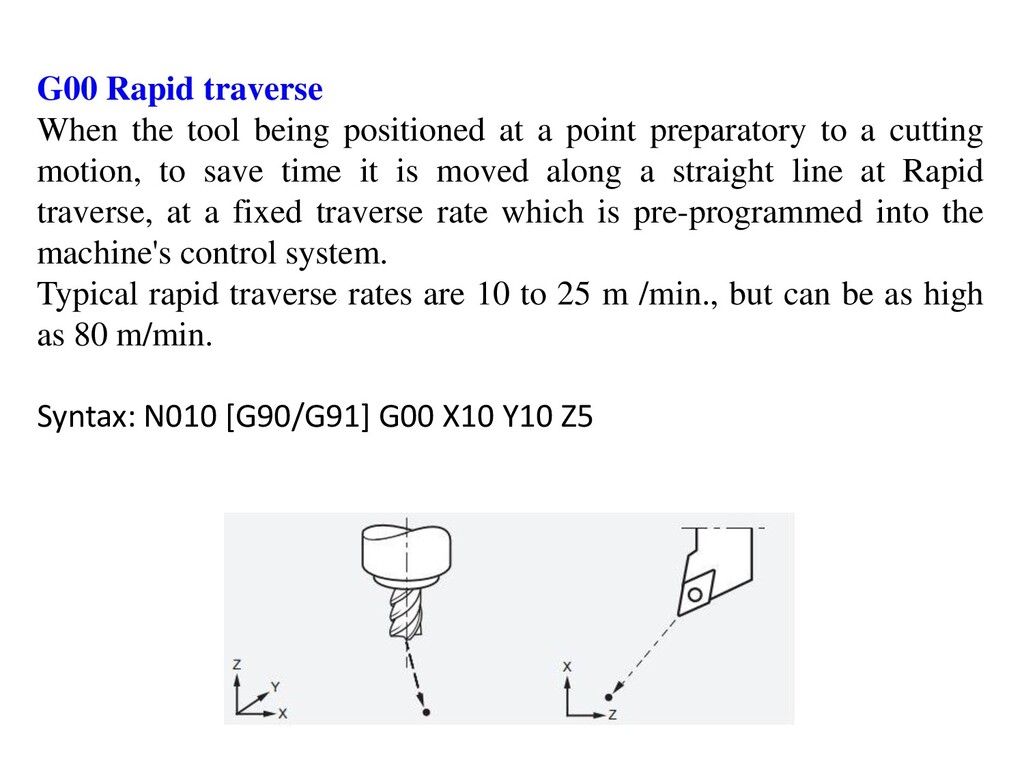
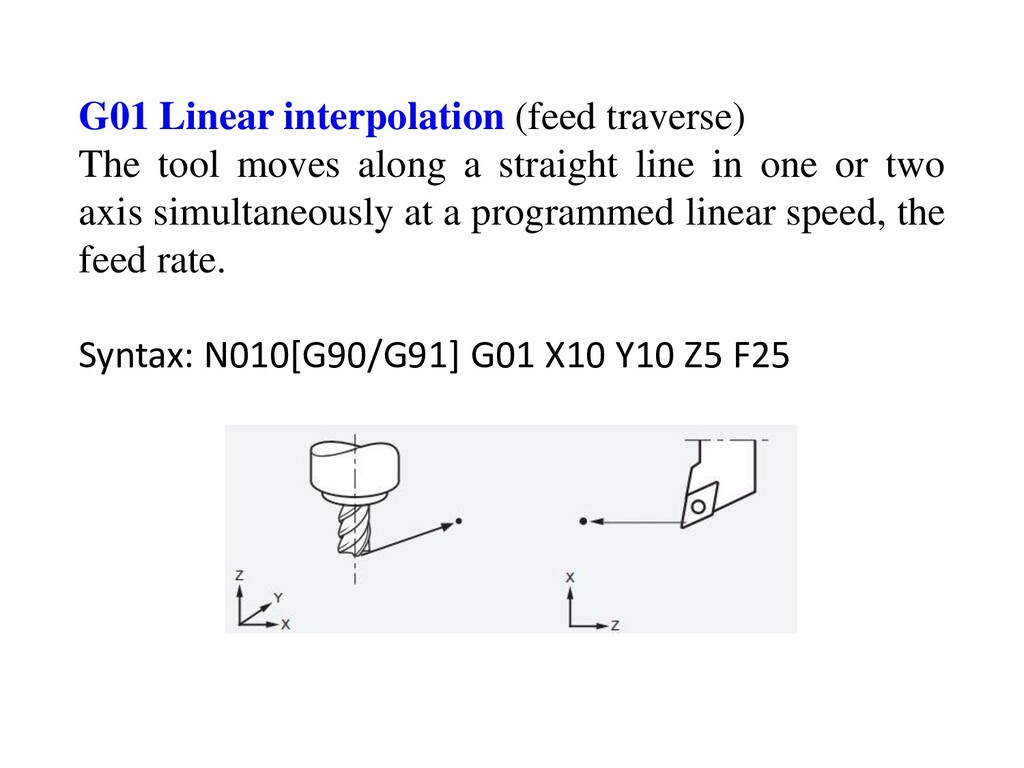
point preparatory to a cutting motion, to save time it is moved along a straight line at Rapid traverse, at a fixed traverse rate which is pre-programmed into the machine's control system. Typical rapid traverse rates are 10 to 25 m /min., but can be as high as 80 m/min. Syntax: N010 [G90/G91] G00 X10 Y10 Z5
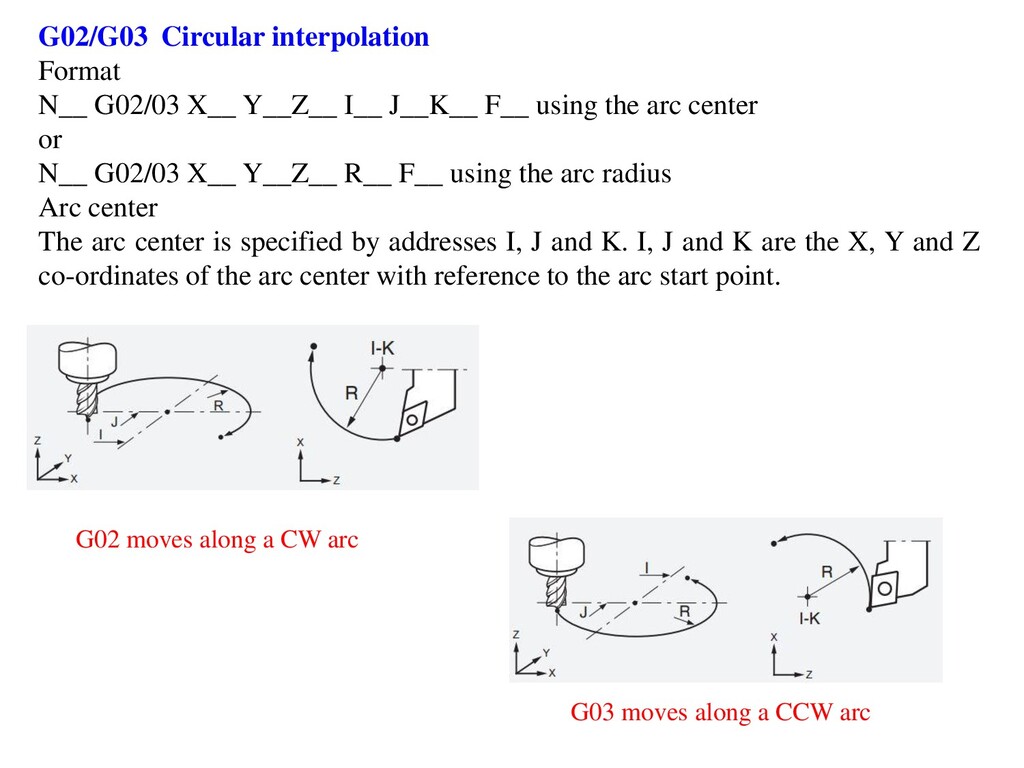
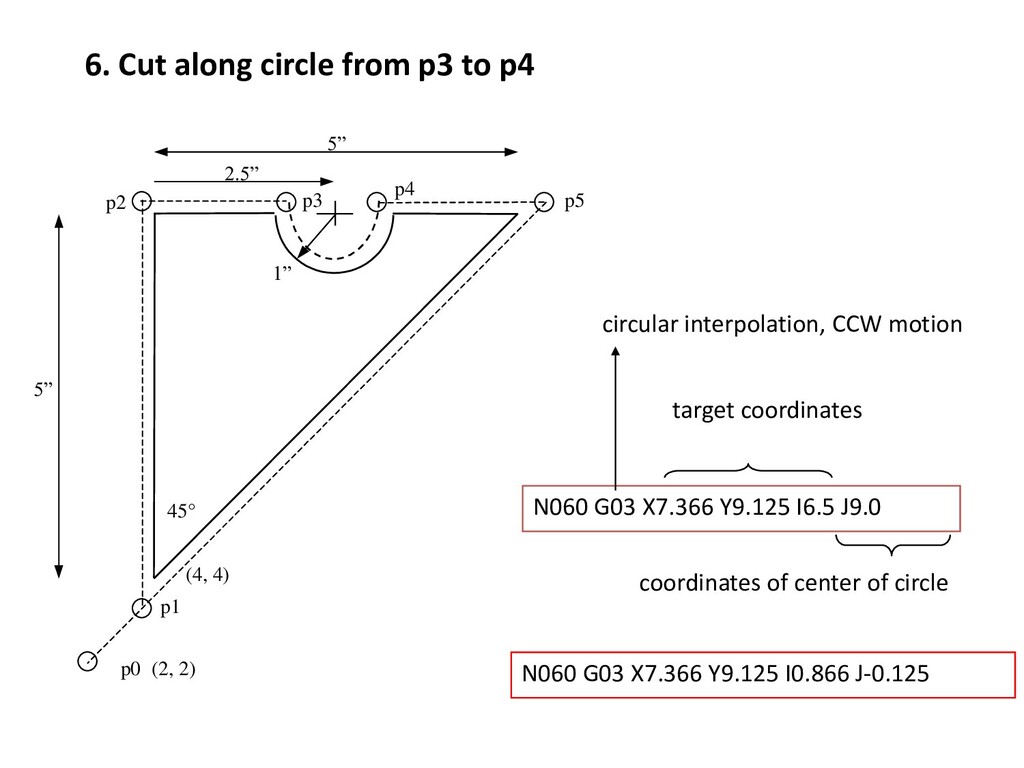
F__ using the arc center or N__ G02/03 X__ Y__Z__ R__ F__ using the arc radius Arc center The arc center is specified by addresses I, J and K. I, J and K are the X, Y and Z co-ordinates of the arc center with reference to the arc start point. G02 moves along a CW arc G03 moves along a CCW arc
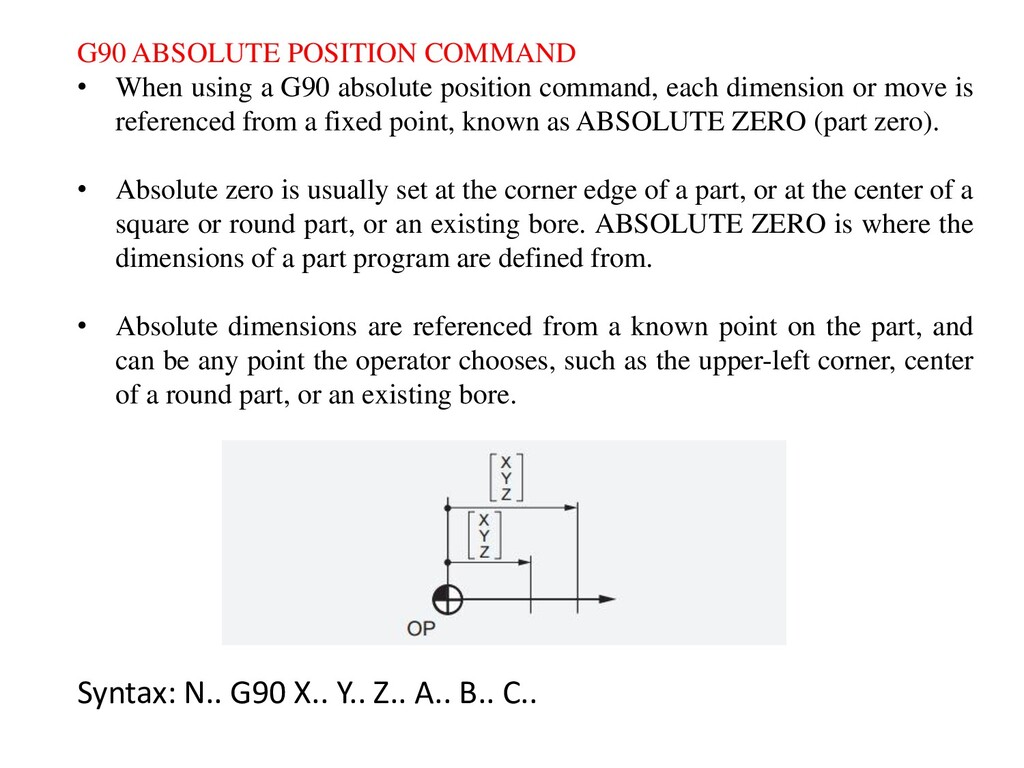
position command, each dimension or move is referenced from a fixed point, known as ABSOLUTE ZERO (part zero). • Absolute zero is usually set at the corner edge of a part, or at the center of a square or round part, or an existing bore. ABSOLUTE ZERO is where the dimensions of a part program are defined from. • Absolute dimensions are referenced from a known point on the part, and can be any point the operator chooses, such as the upper-left corner, center of a round part, or an existing bore. Syntax: N.. G90 X.. Y.. Z.. A.. B.. C..
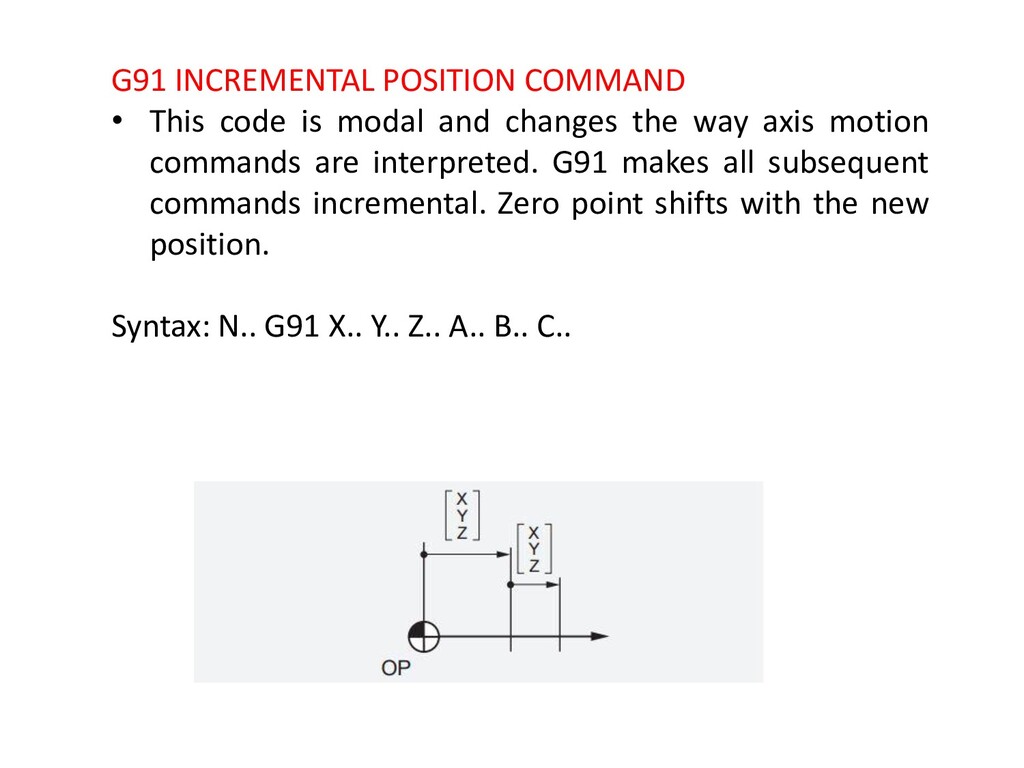
changes the way axis motion commands are interpreted. G91 makes all subsequent commands incremental. Zero point shifts with the new position. Syntax: N.. G91 X.. Y.. Z.. A.. B.. C..
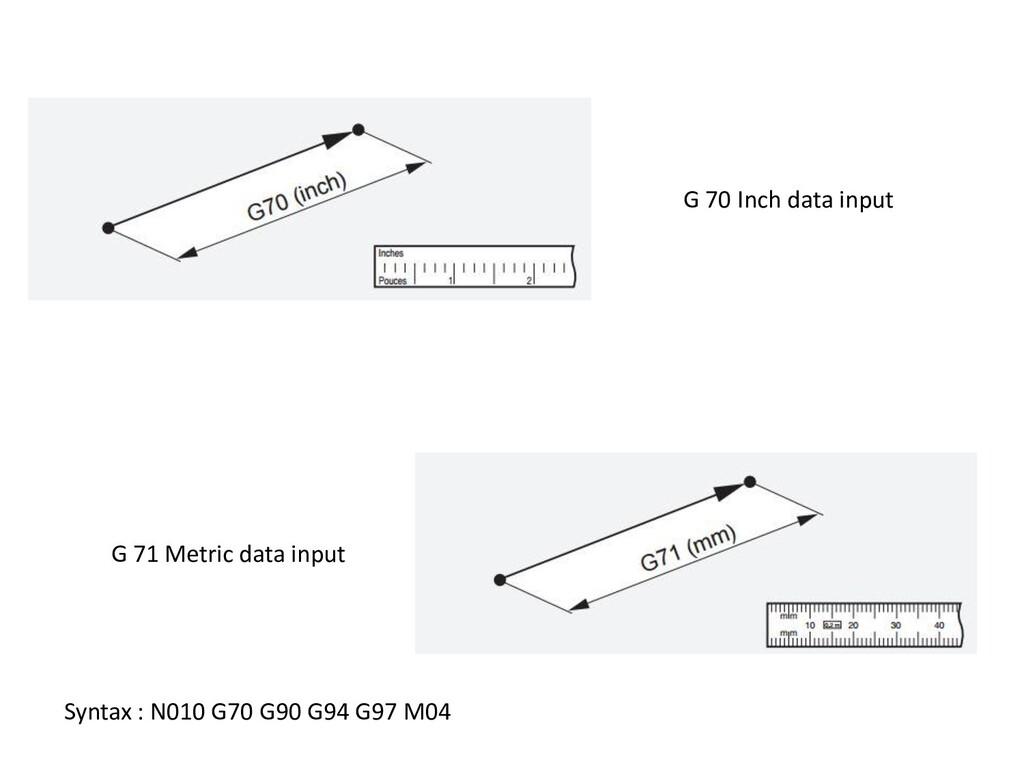
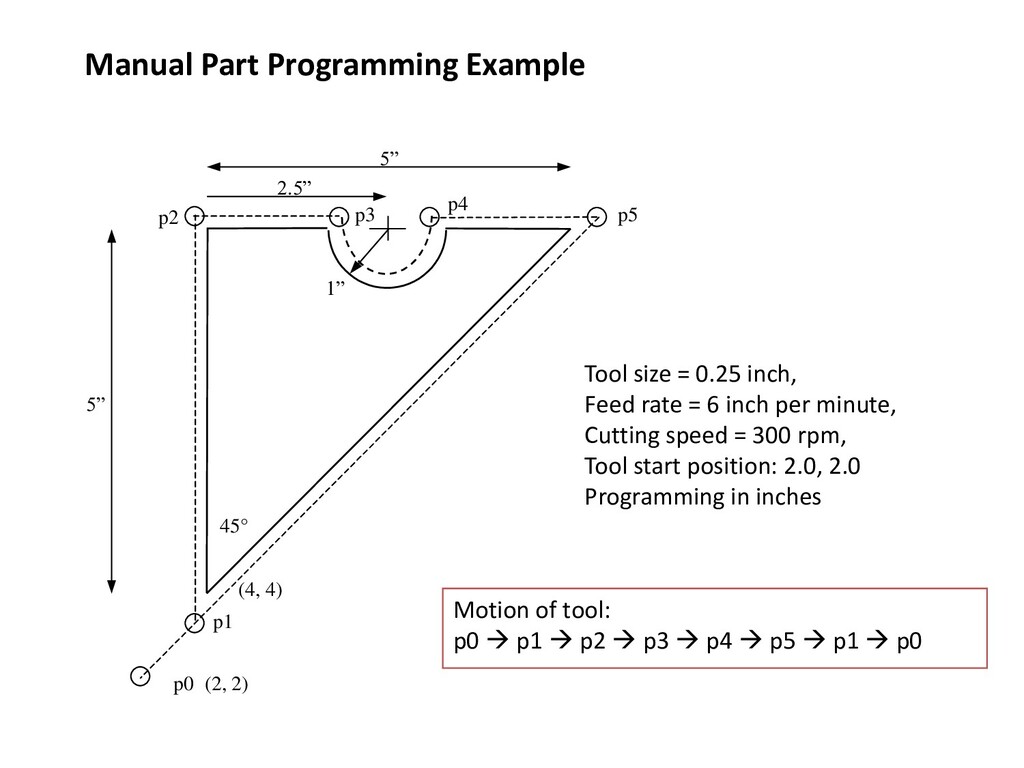
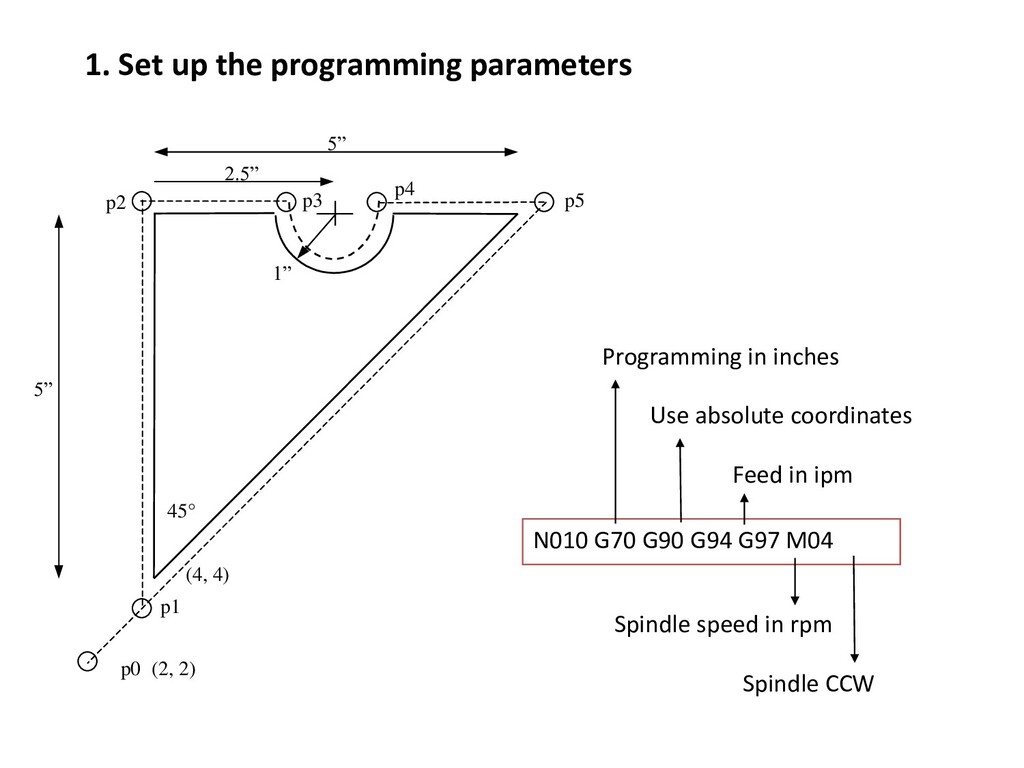
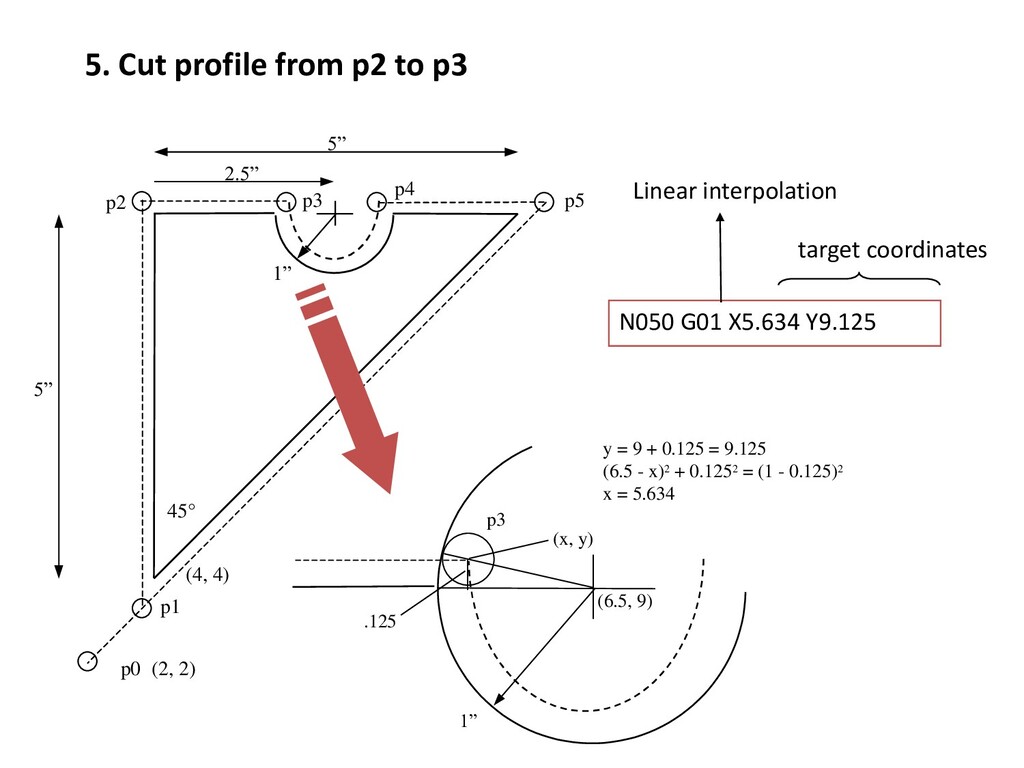
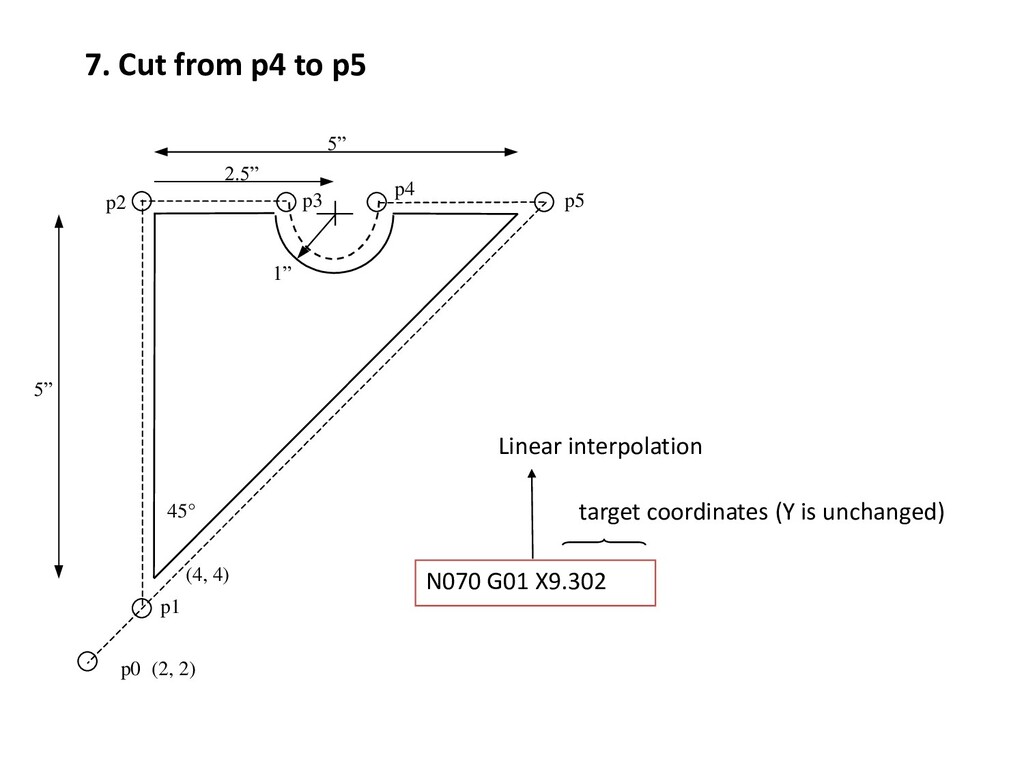
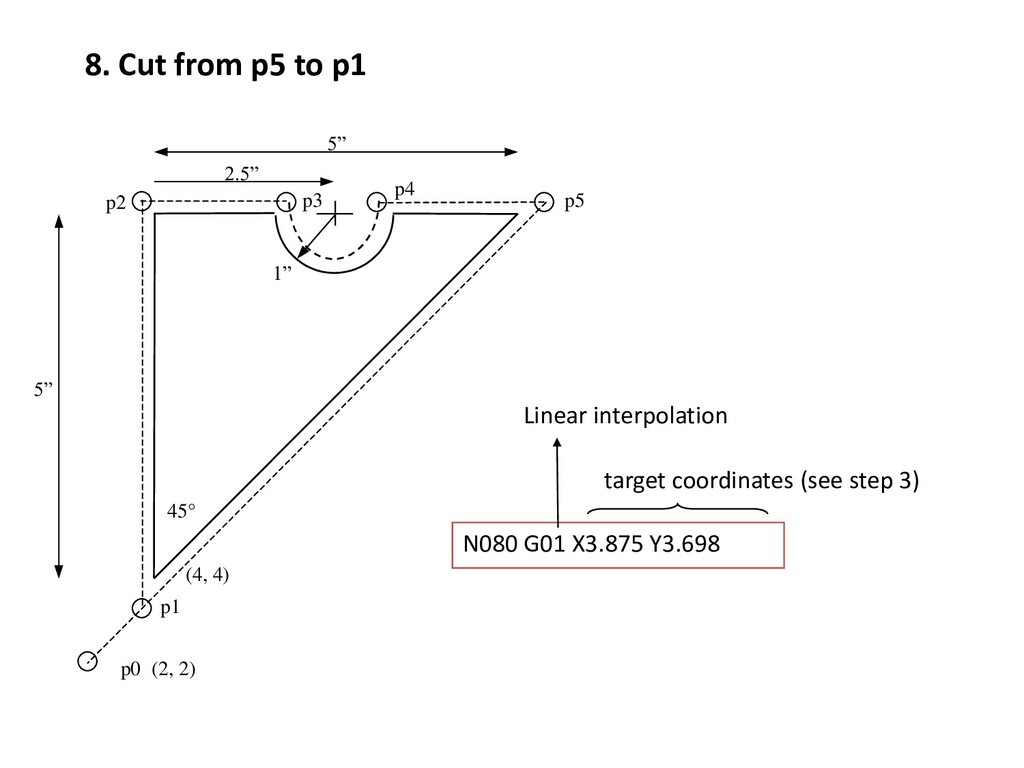
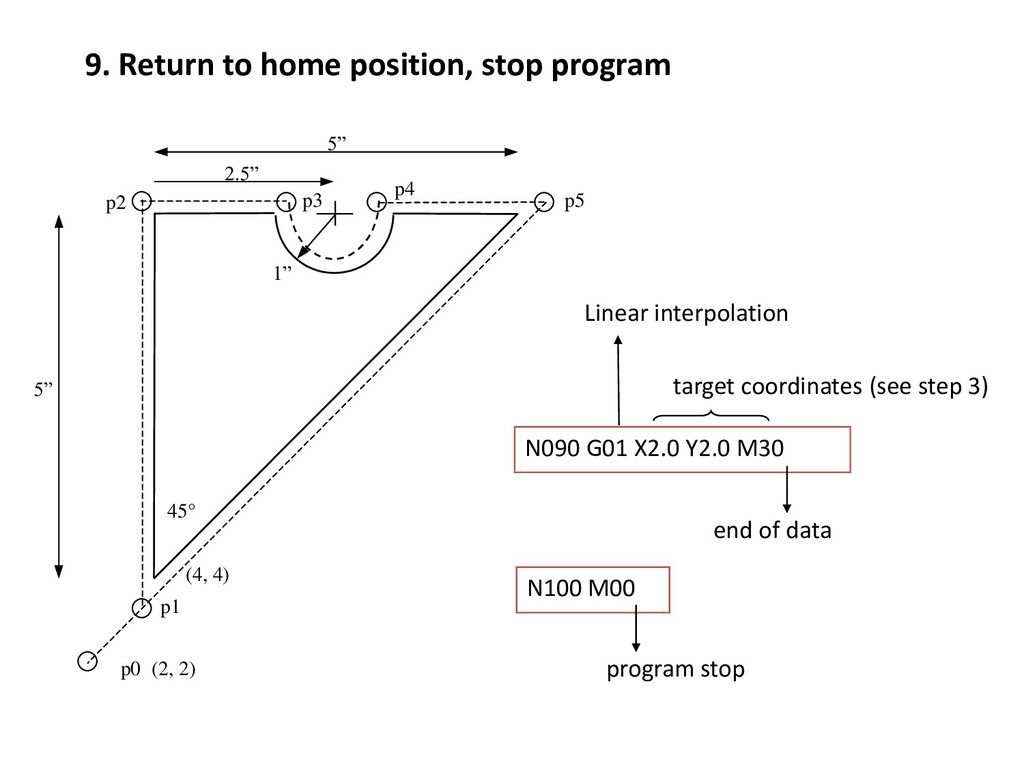
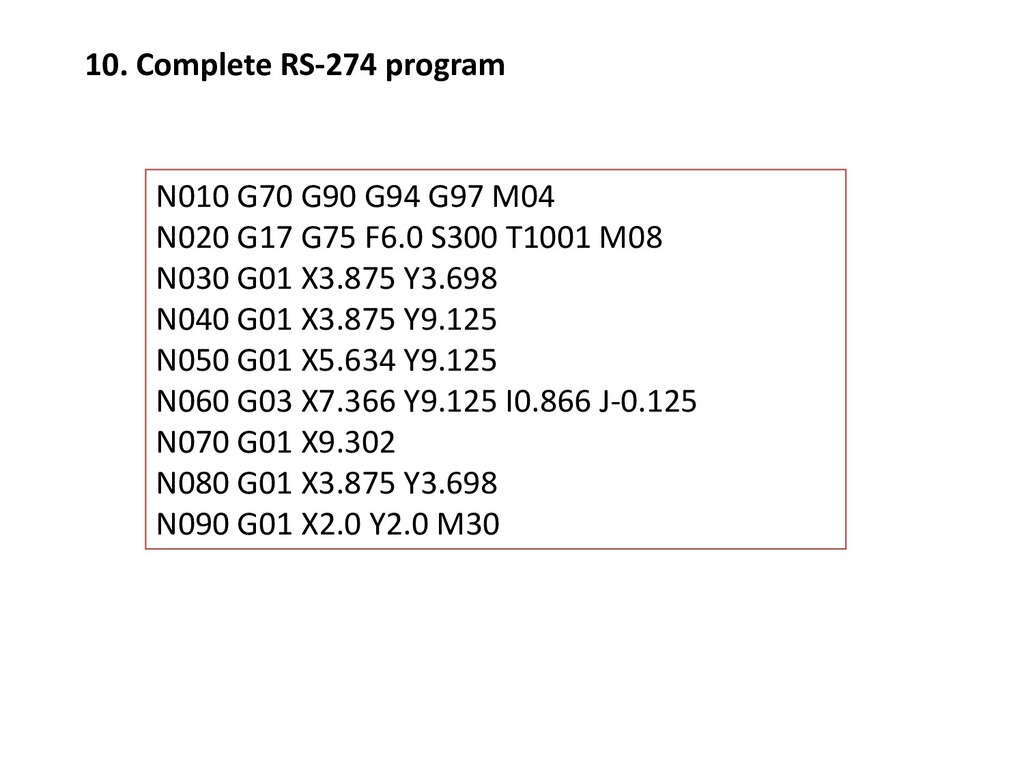
5” 2.5” 1” 45° p3 p4 p5 1. Set up the programming parameters N010 G70 G90 G94 G97 M04 Programming in inches Use absolute coordinates Spindle speed in rpm Feed in ipm
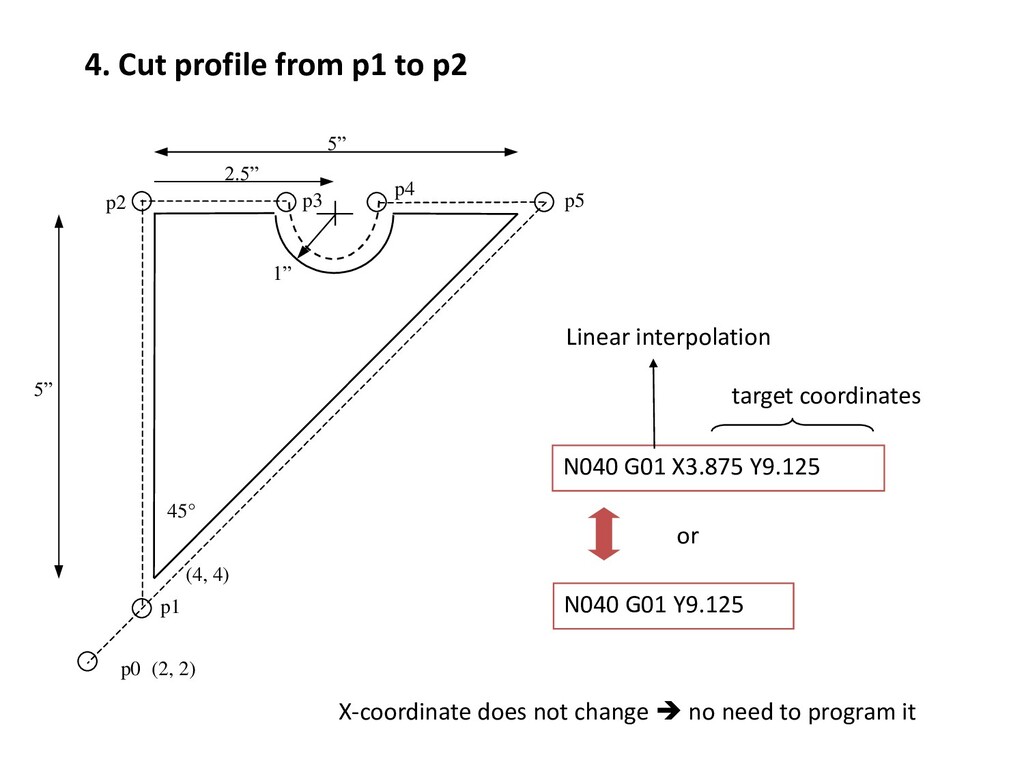
1” 45° p3 p4 p5 4. Cut profile from p1 to p2 N040 G01 X3.875 Y9.125 Linear interpolation target coordinates N040 G01 Y9.125 X-coordinate does not change no need to program it or
1” 45° p3 p4 p5 9. Return to home position, stop program N090 G01 X2.0 Y2.0 M30 end of data target coordinates (see step 3) Linear interpolation N100 M00 program stop
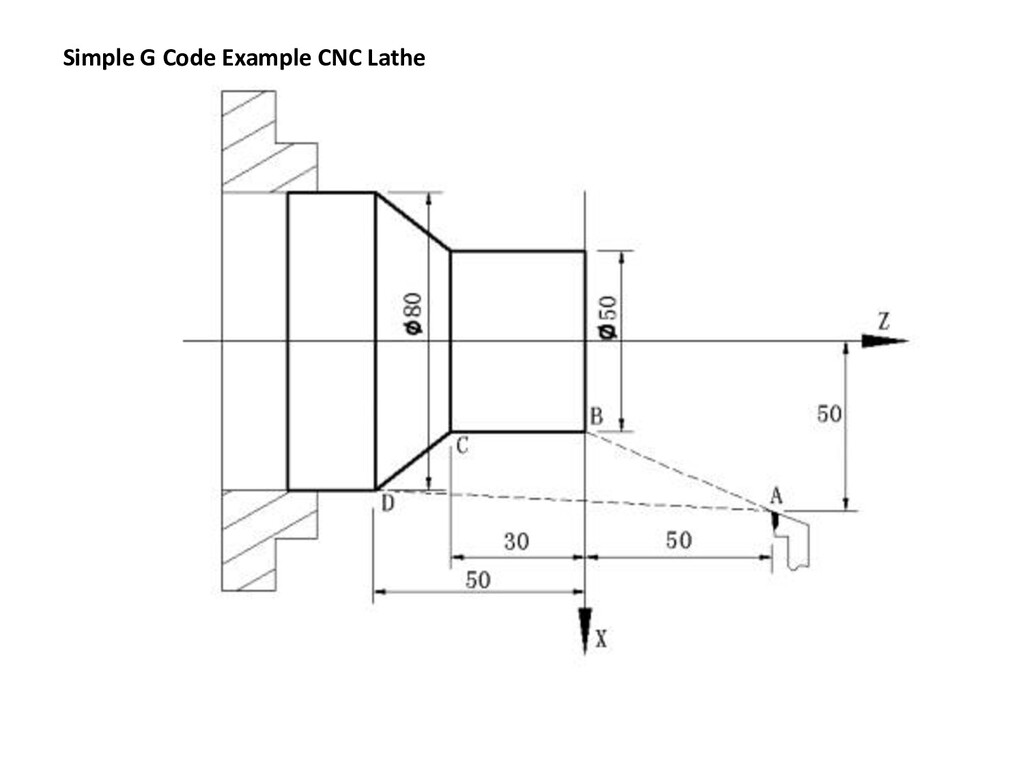
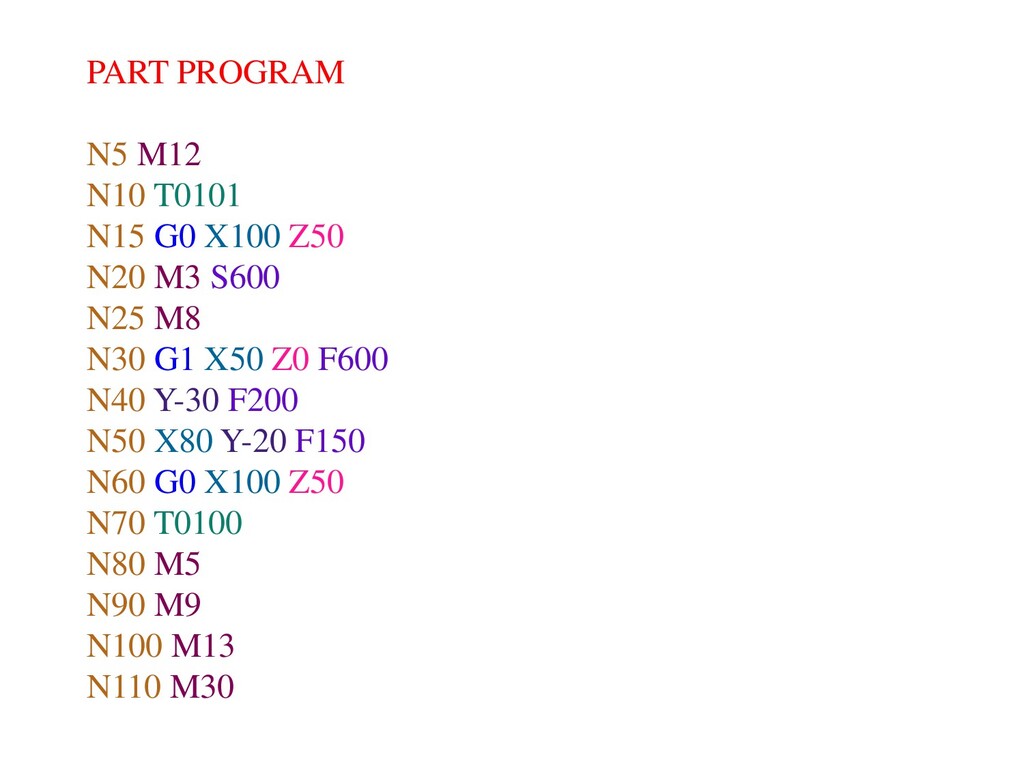
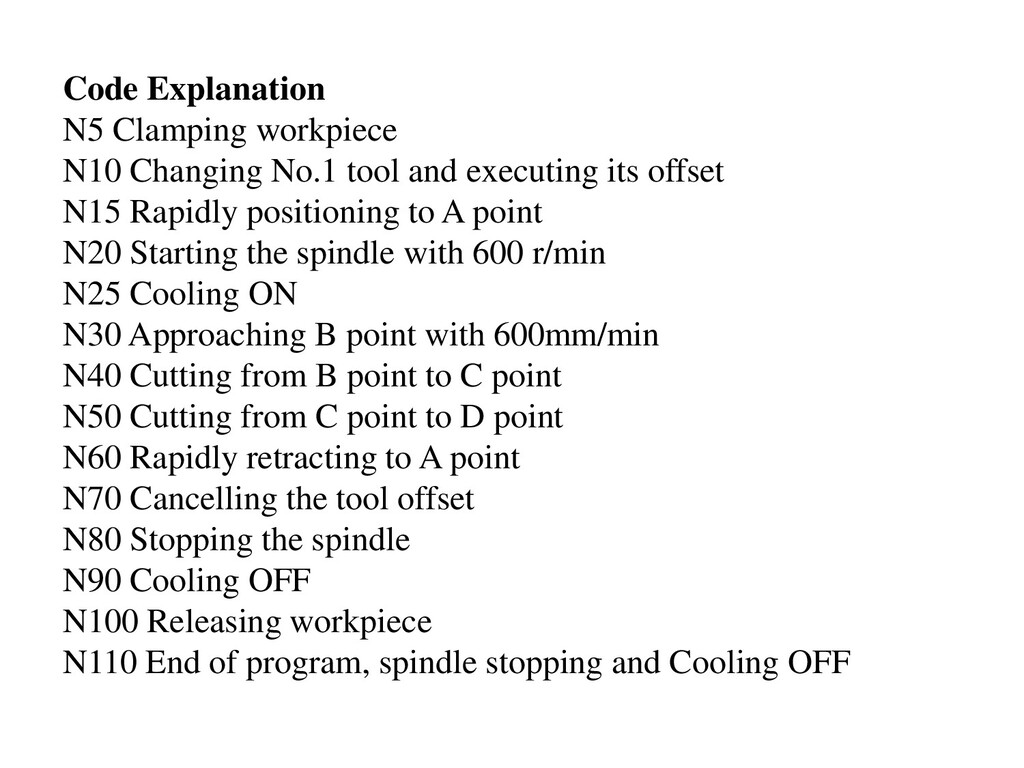
executing its offset N15 Rapidly positioning to A point N20 Starting the spindle with 600 r/min N25 Cooling ON N30 Approaching B point with 600mm/min N40 Cutting from B point to C point N50 Cutting from C point to D point N60 Rapidly retracting to A point N70 Cancelling the tool offset N80 Stopping the spindle N90 Cooling OFF N100 Releasing workpiece N110 End of program, spindle stopping and Cooling OFF
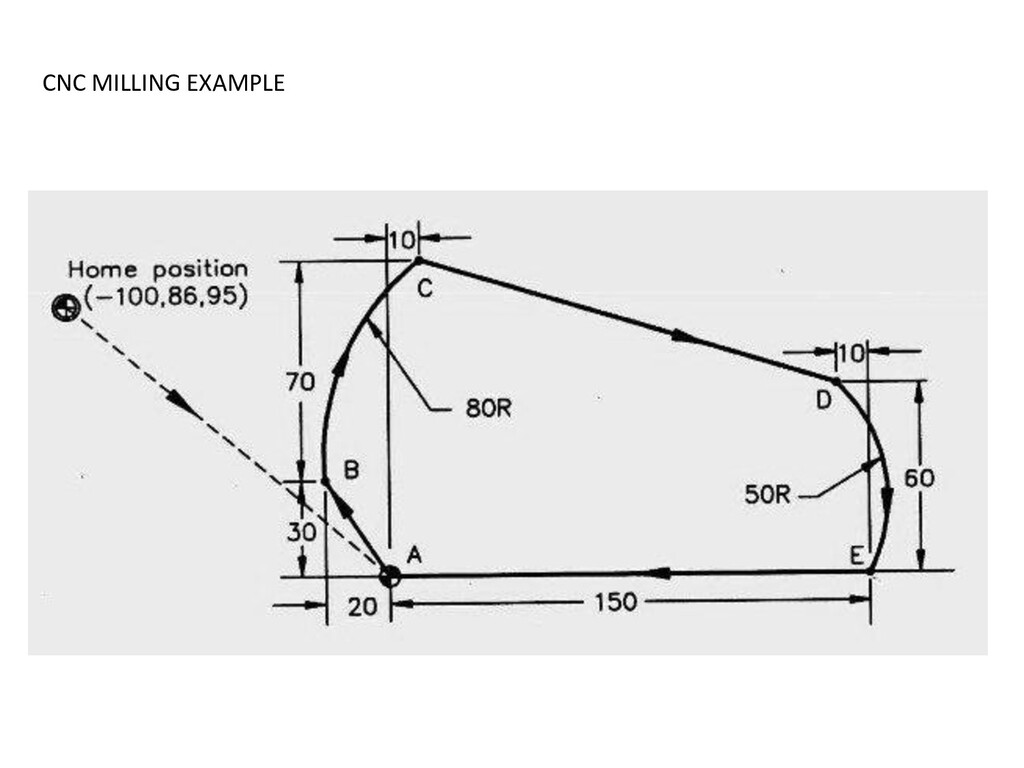
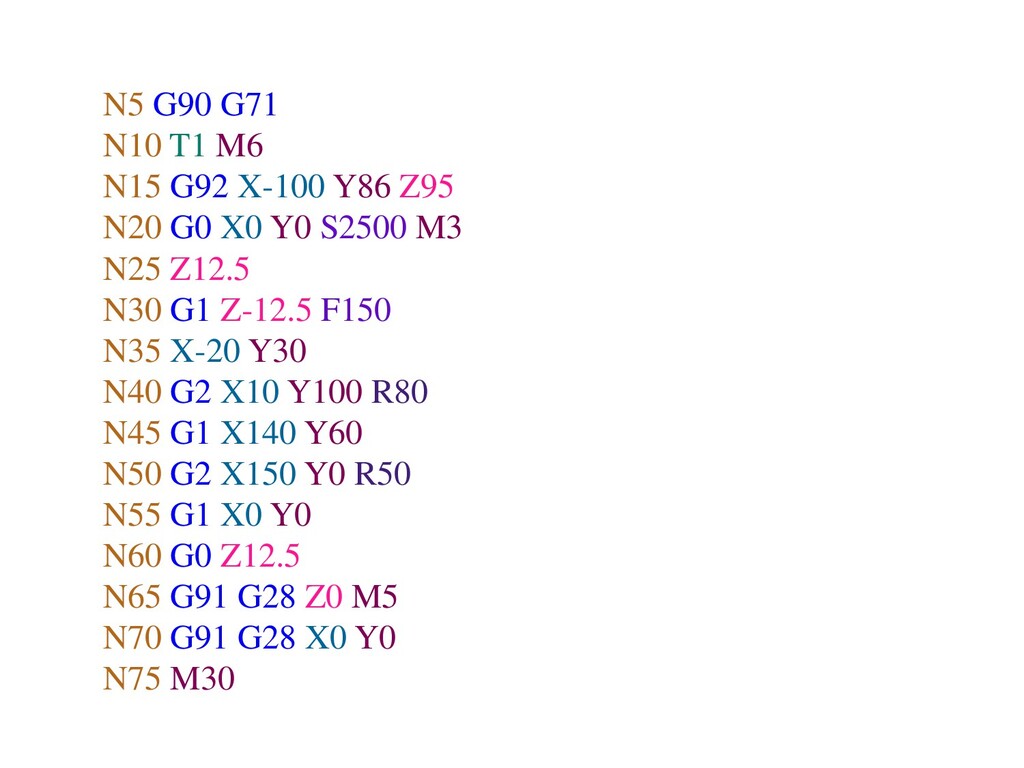
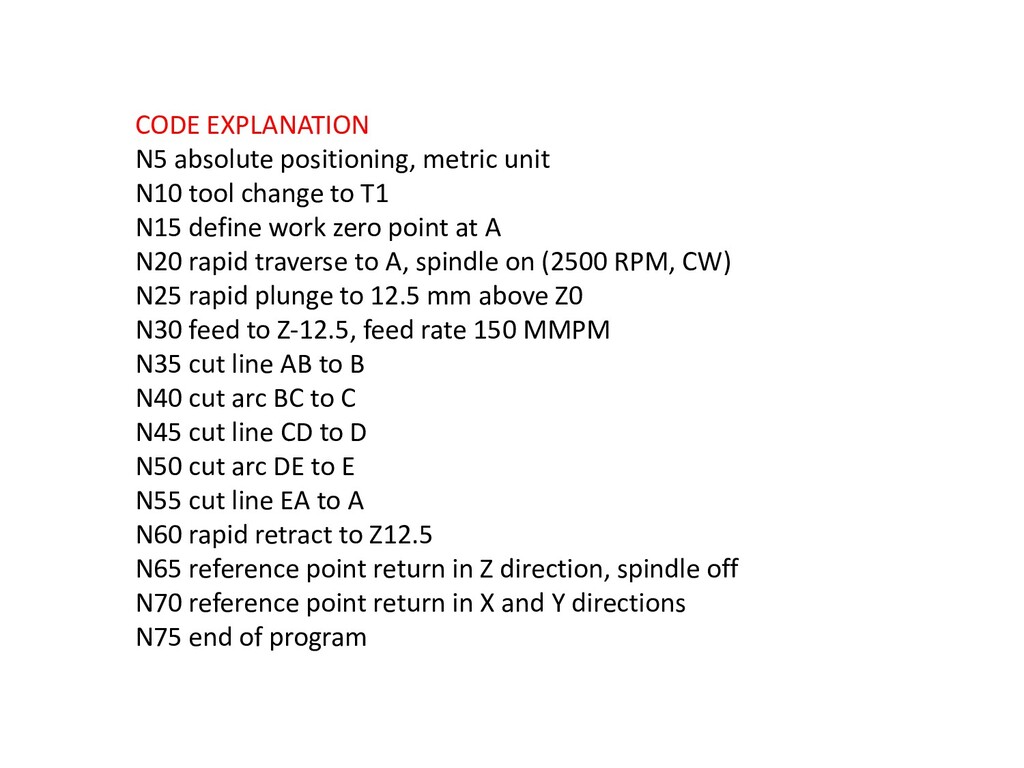
to T1 N15 define work zero point at A N20 rapid traverse to A, spindle on (2500 RPM, CW) N25 rapid plunge to 12.5 mm above Z0 N30 feed to Z-12.5, feed rate 150 MMPM N35 cut line AB to B N40 cut arc BC to C N45 cut line CD to D N50 cut arc DE to E N55 cut line EA to A N60 rapid retract to Z12.5 N65 reference point return in Z direction, spindle off N70 reference point return in X and Y directions N75 end of program
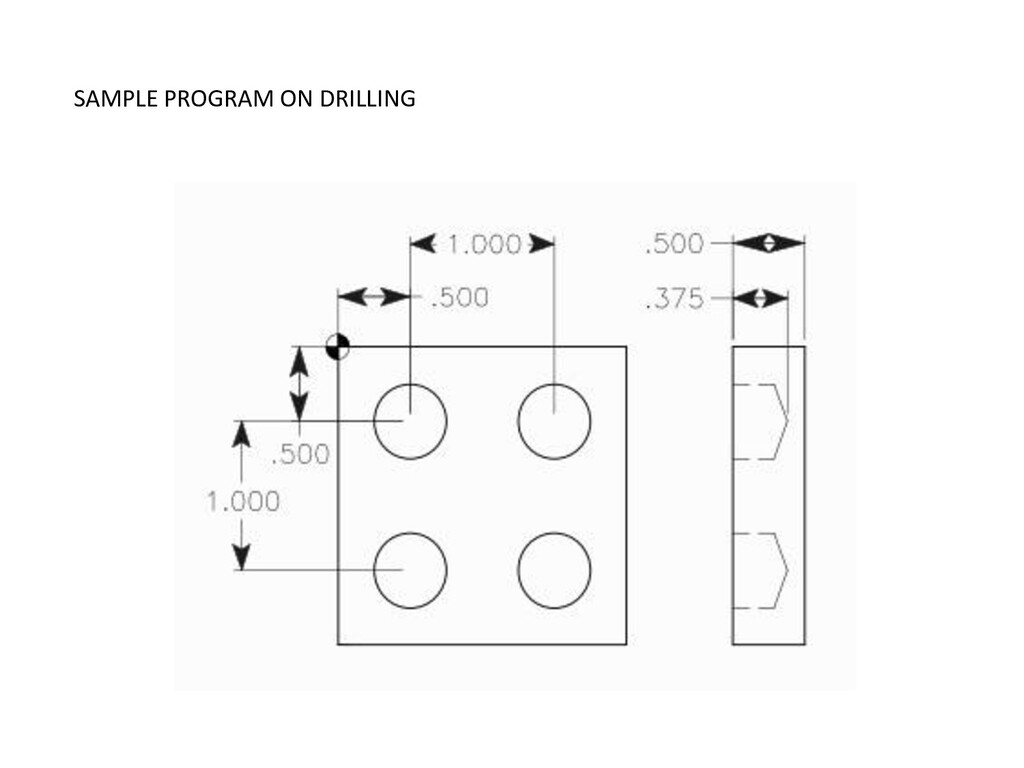
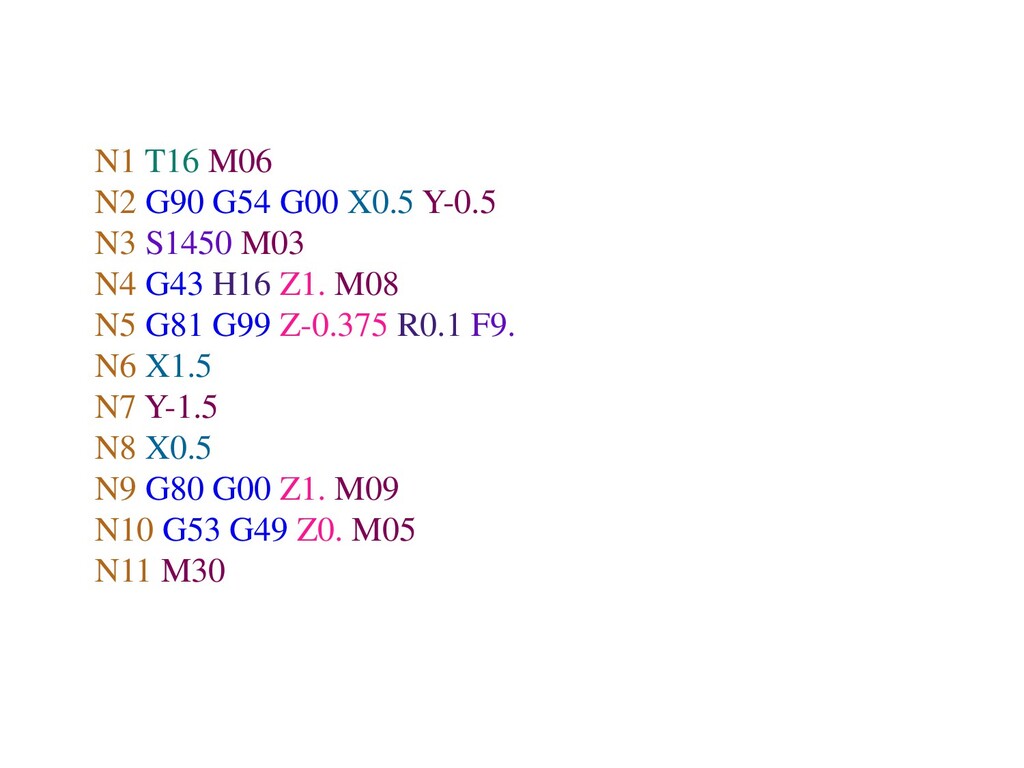
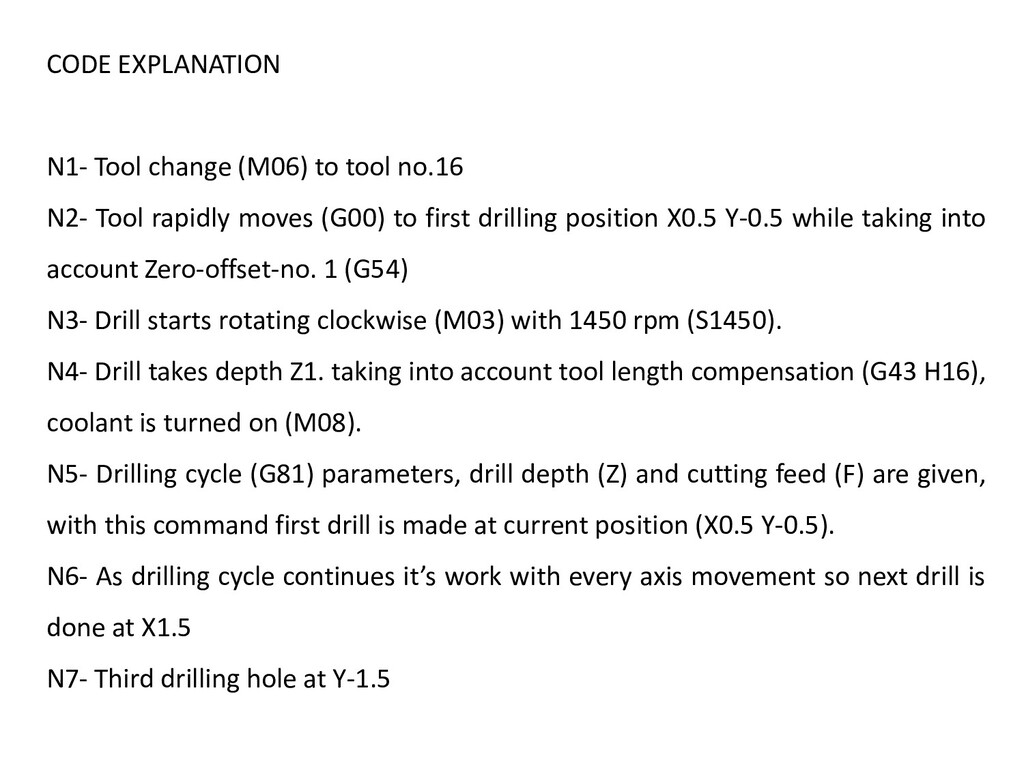
Tool rapidly moves (G00) to first drilling position X0.5 Y-0.5 while taking into account Zero-offset-no. 1 (G54) N3- Drill starts rotating clockwise (M03) with 1450 rpm (S1450). N4- Drill takes depth Z1. taking into account tool length compensation (G43 H16), coolant is turned on (M08). N5- Drilling cycle (G81) parameters, drill depth (Z) and cutting feed (F) are given, with this command first drill is made at current position (X0.5 Y-0.5). N6- As drilling cycle continues it’s work with every axis movement so next drill is done at X1.5 N7- Third drilling hole at Y-1.5
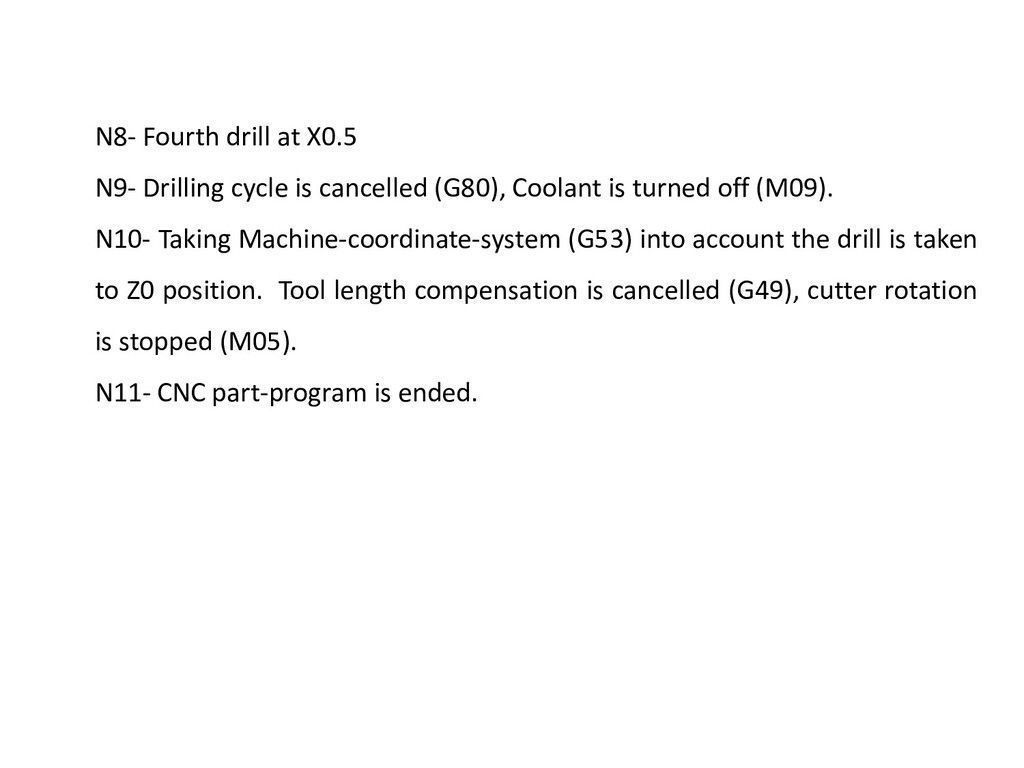
(G80), Coolant is turned off (M09). N10- Taking Machine-coordinate-system (G53) into account the drill is taken to Z0 position. Tool length compensation is cancelled (G49), cutter rotation is stopped (M05). N11- CNC part-program is ended.
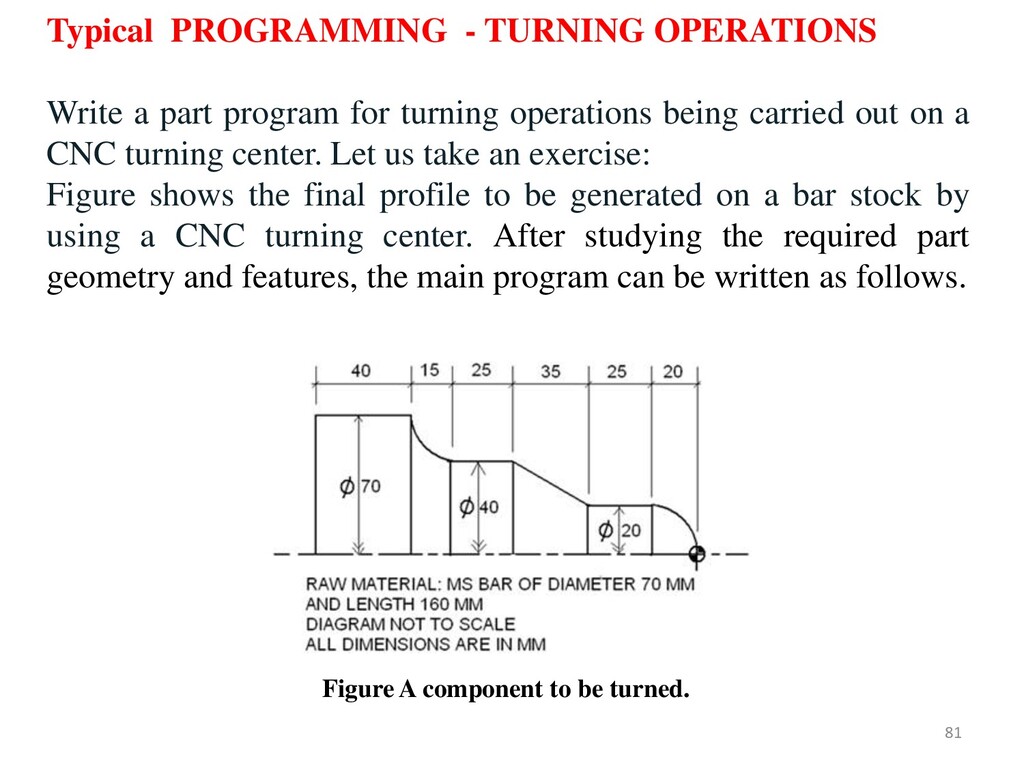
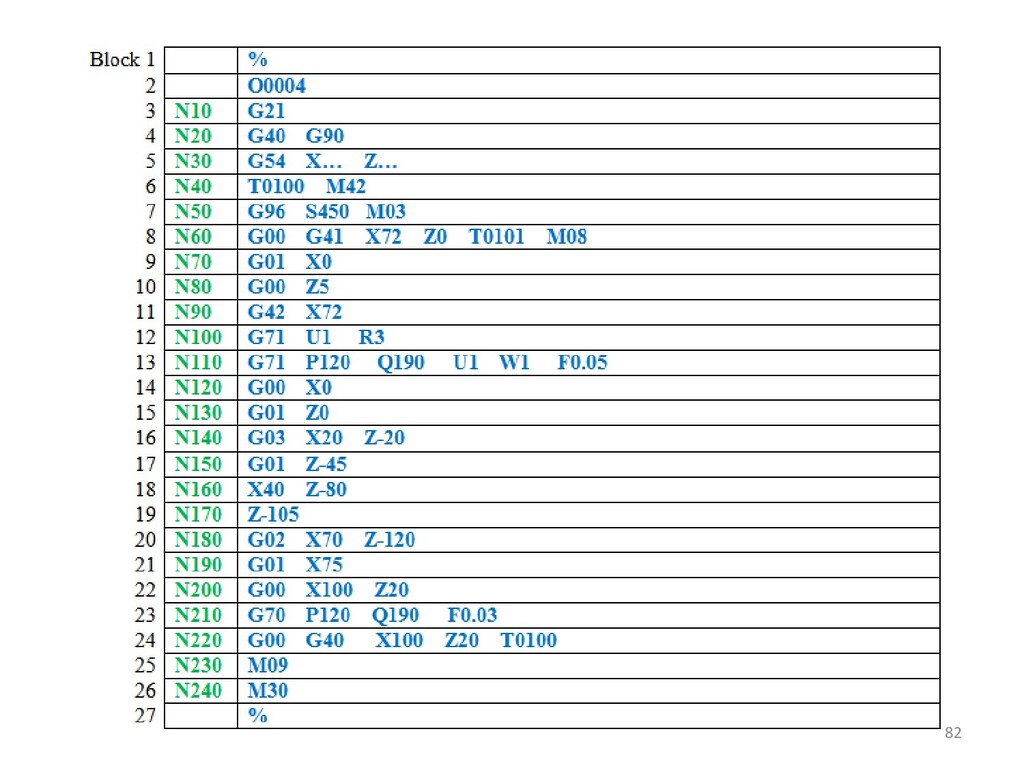
on a CNC turning center. Let us take an exercise: Figure shows the final profile to be generated on a bar stock by using a CNC turning center. After studying the required part geometry and features, the main program can be written as follows. Typical PROGRAMMING - TURNING OPERATIONS Figure A component to be turned. 81


 szymonslowik
 jeffersonlam
 chrislema
 tmiket
 3n
3n
 maltzj
 smashingmag
 tapps
tapps
 soysaucechin
 axbom
axbom
 gurzu
gurzu
 tonyrice