available to Customers and Partners Version 2.7 June 2017 Andrew Pearce NSX Architect EMEA Download the latest NSX-V version from https://goo.gl/awIiy6 @optimum_ip Download the latest NSX-T version from https://goo.gl/jPkWXN Please provide feedback, amendments and additions via email [email protected]
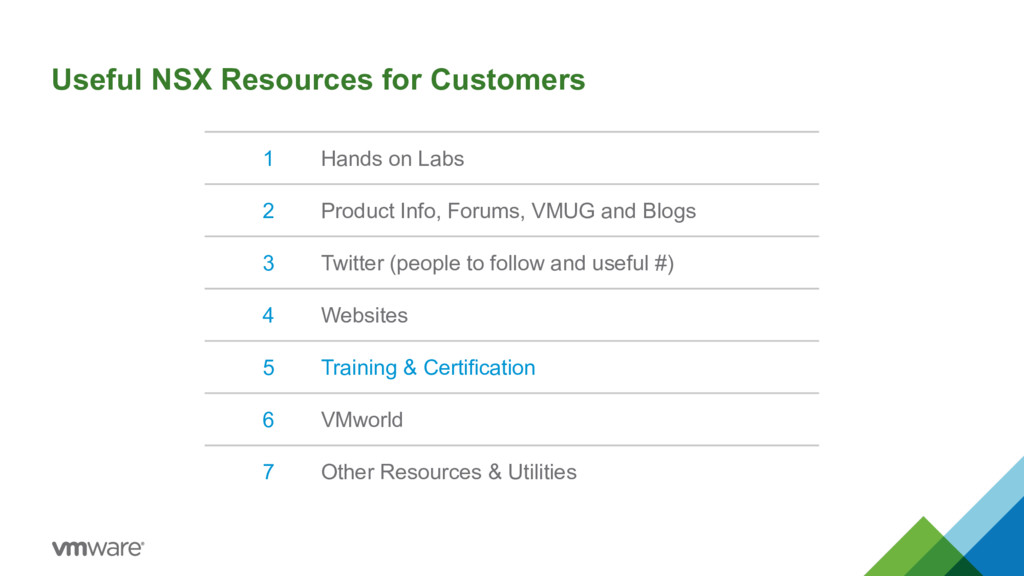
two flavors of NSX. NSX-V and NSX-T. I want to ensure that there is no mis-understanding between the two versions. So I have created two documents. One solely for NSX-V (for ESX-i only environments), and a document solely for NSX-T (ESX-i and KVM environments). The aim of this document is to have a single place where IT professional’s can find the tools and resources available to them to learn and understand NSX, and provide expertise within their organisation and to third parties on NSX. The document will be updated regularly. The latest version of the NSX-V document will always be available at https://goo.gl/awIiy6 Please provide feedback, amendments and additions via email to [email protected] FYI, if the hyperlinks in this document don’t work in your browser / pdf viewer try another browser / viewer, or clear your cache in your browser.
Lab) A free resource that is available to anyone that wants to learn about any VMware technology including NSX. The Hands on Labs provide a great way to get some hands on experience. Which is great for self-learning and certification. These are real environments, that are created and deployed solely for the person requesting them. So you can use these environments to test your own scenario’s as well. You get 1.5 - 2.5 hours per lab, but this can be extended in 30 mins slots, up to 8 hours. The maximum time is reduced when a VMworld is occuring. You can also do a labs as many times as you like. FYI, I have started, and completed HOL 1625 approx. 130 times. Hands on Labs http://labs.hol.vmware.com/ The official step by step guides (in various languages) are available in html or pdf format from http://docs.hol.vmware.com/ On the following pages are details of the NSX Hands on labs
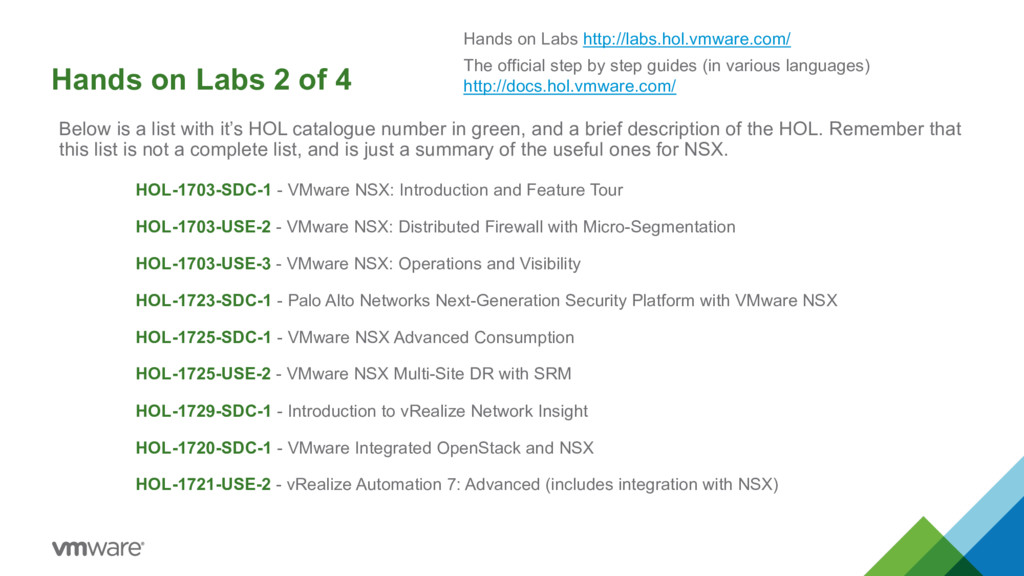
with it’s HOL catalogue number in green, and a brief description of the HOL. Remember that this list is not a complete list, and is just a summary of the useful ones for NSX. HOL-1703-SDC-1 - VMware NSX: Introduction and Feature Tour HOL-1703-USE-2 - VMware NSX: Distributed Firewall with Micro-Segmentation HOL-1703-USE-3 - VMware NSX: Operations and Visibility HOL-1723-SDC-1 - Palo Alto Networks Next-Generation Security Platform with VMware NSX HOL-1725-SDC-1 - VMware NSX Advanced Consumption HOL-1725-USE-2 - VMware NSX Multi-Site DR with SRM HOL-1729-SDC-1 - Introduction to vRealize Network Insight HOL-1720-SDC-1 - VMware Integrated OpenStack and NSX HOL-1721-USE-2 - vRealize Automation 7: Advanced (includes integration with NSX) Hands on Labs http://labs.hol.vmware.com/ The official step by step guides (in various languages) http://docs.hol.vmware.com/
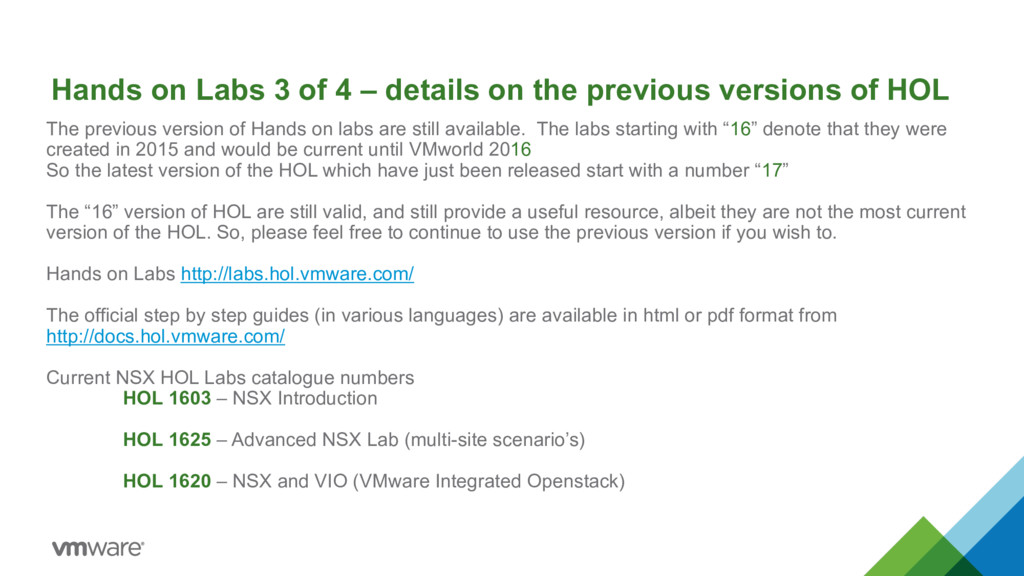
previous versions of HOL The previous version of Hands on labs are still available. The labs starting with “16” denote that they were created in 2015 and would be current until VMworld 2016 So the latest version of the HOL which have just been released start with a number “17” The “16” version of HOL are still valid, and still provide a useful resource, albeit they are not the most current version of the HOL. So, please feel free to continue to use the previous version if you wish to. Hands on Labs http://labs.hol.vmware.com/ The official step by step guides (in various languages) are available in html or pdf format from http://docs.hol.vmware.com/ Current NSX HOL Labs catalogue numbers HOL 1603 – NSX Introduction HOL 1625 – Advanced NSX Lab (multi-site scenario’s) HOL 1620 – NSX and VIO (VMware Integrated Openstack)
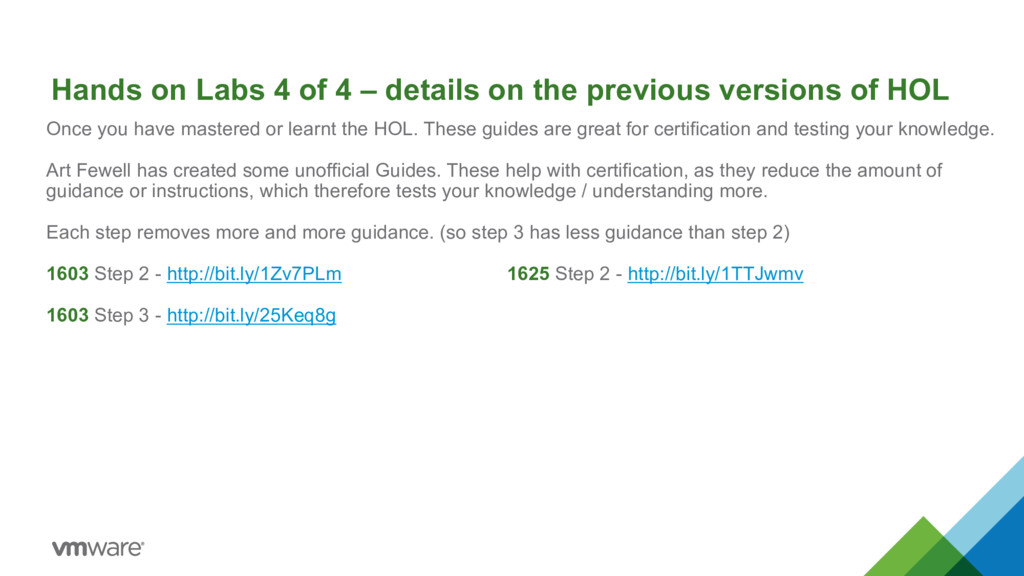
are great for certification and testing your knowledge. Art Fewell has created some unofficial Guides. These help with certification, as they reduce the amount of guidance or instructions, which therefore tests your knowledge / understanding more. Each step removes more and more guidance. (so step 3 has less guidance than step 2) 1603 Step 2 - http://bit.ly/1Zv7PLm 1625 Step 2 - http://bit.ly/1TTJwmv 1603 Step 3 - http://bit.ly/25Keq8g Hands on Labs 4 of 4 – details on the previous versions of HOL
NSX documentation for each version https://www.vmware.com/support/pubs/nsx_pubs.html Get all the latest official NSX documentation for version 6.2.x from http://pubs.vmware.com/NSX-62/index.jsp Get all the latest official NSX documentation for version 6.3.x from http://pubs.vmware.com/nsx-63/index.jsp NSX home page on vmware.com http://www.vmware.com/products/nsx/ Technical NSX Documents, Design Guides, Webinars and other resources http://www.vmware.com/products/nsx/resources.html
Version 3.0 (This is a great document to read and to use as reference) https://communities.vmware.com/docs/DOC-27683 NSX-V Multi-site Options and Cross-VC NSX Design Guide (Another great document) https://communities.vmware.com/docs/DOC-32552 SDDC VVD’s (VMware Validated Design’s) Documentation – Architecture, Design, Deployment Guides https://www.vmware.com/support/pubs/vmware-validated-design-pubs.html Product Walkthrough’s - a basic step by step guide to using NSX https://featurewalkthrough.vmware.com/#!/nsx/
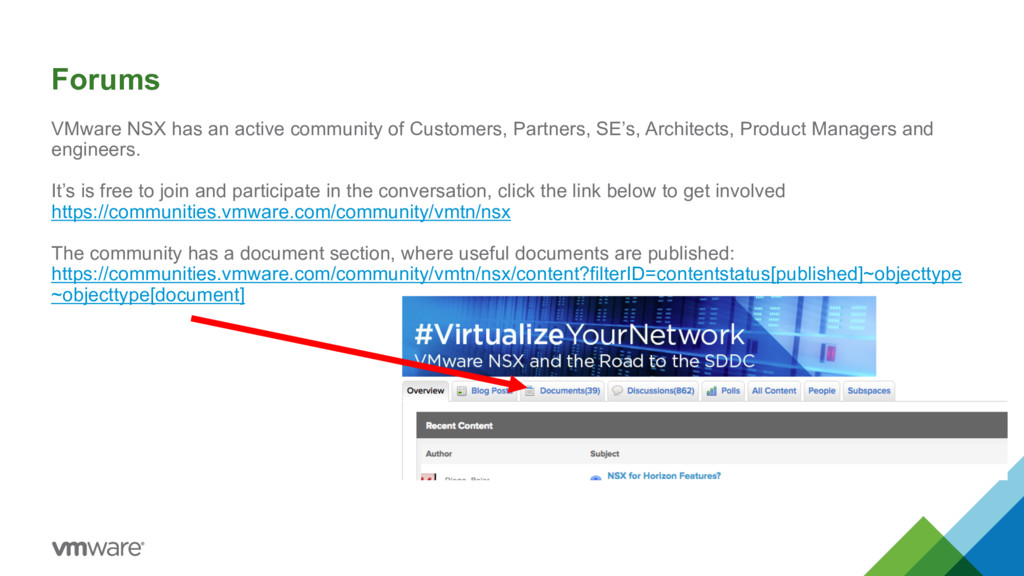
SE’s, Architects, Product Managers and engineers. It’s is free to join and participate in the conversation, click the link below to get involved https://communities.vmware.com/community/vmtn/nsx The community has a document section, where useful documents are published: https://communities.vmware.com/community/vmtn/nsx/content?filterID=contentstatus[published]~objecttype ~objecttype[document]
group of users around the globe. These users get together and share experiences on all the products and solutions that VMware provides. VMUG runs webinars, and a host of other activities as well as the face-to-face meetings. It is free and simple to join VMUG (VMware User Group) Once registered for VMUG – (VMware User Group) You can attend 2 or 3 meeting a year local to you. These sessions are free to attend. You just need to pay for your travel. It enables you to interact in an informal way with other VMware customers. Hear about the wider product offerings from VMware and from VMware’s competitors and partners. Speak to your peers already running NSX, click to start your journey in the VMware User Group. http://www.vmug.com/ VMUG, also encourages you to share your experiences with the wider community. You can also pay for an “VMUG advantage program” which provides additional benefits, such as a cheaper rate to attend VMworld.
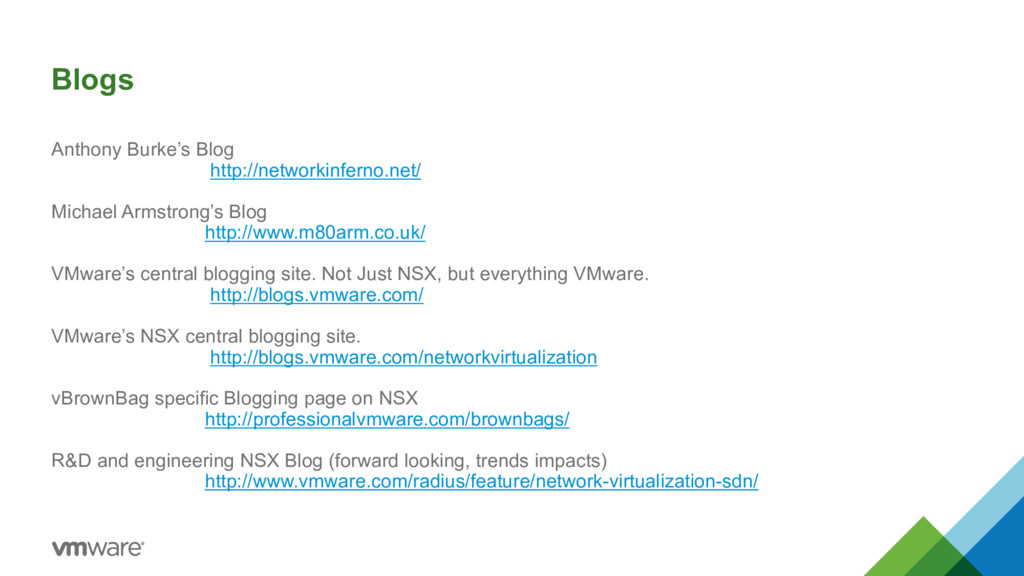
central blogging site. Not Just NSX, but everything VMware. http://blogs.vmware.com/ VMware’s NSX central blogging site. http://blogs.vmware.com/networkvirtualization vBrownBag specific Blogging page on NSX http://professionalvmware.com/brownbags/ R&D and engineering NSX Blog (forward looking, trends impacts) http://www.vmware.com/radius/feature/network-virtualization-sdn/
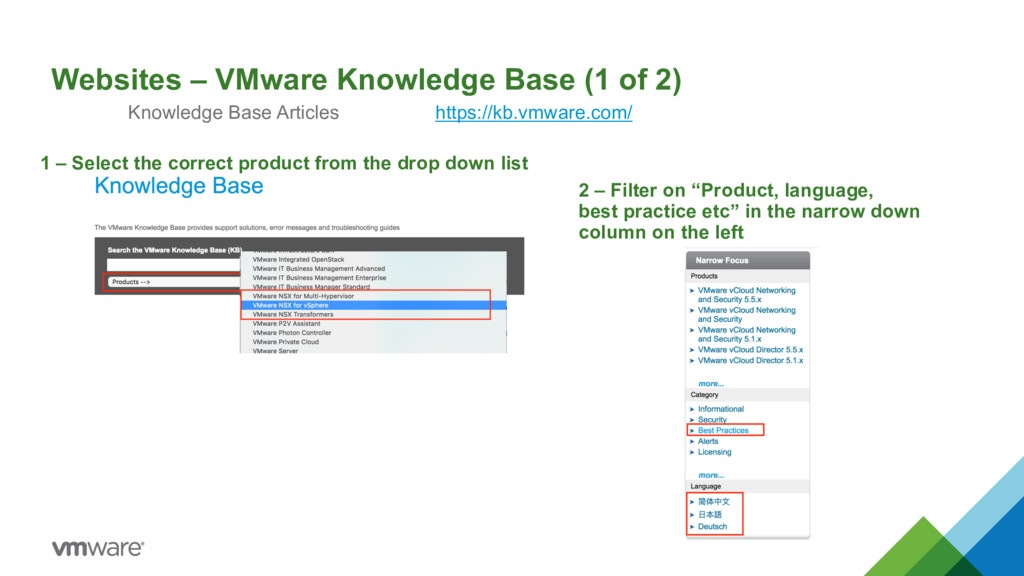
Articles https://kb.vmware.com/ 1 – Select the correct product from the drop down list 2 – Filter on “Product, language, best practice etc” in the narrow down column on the left
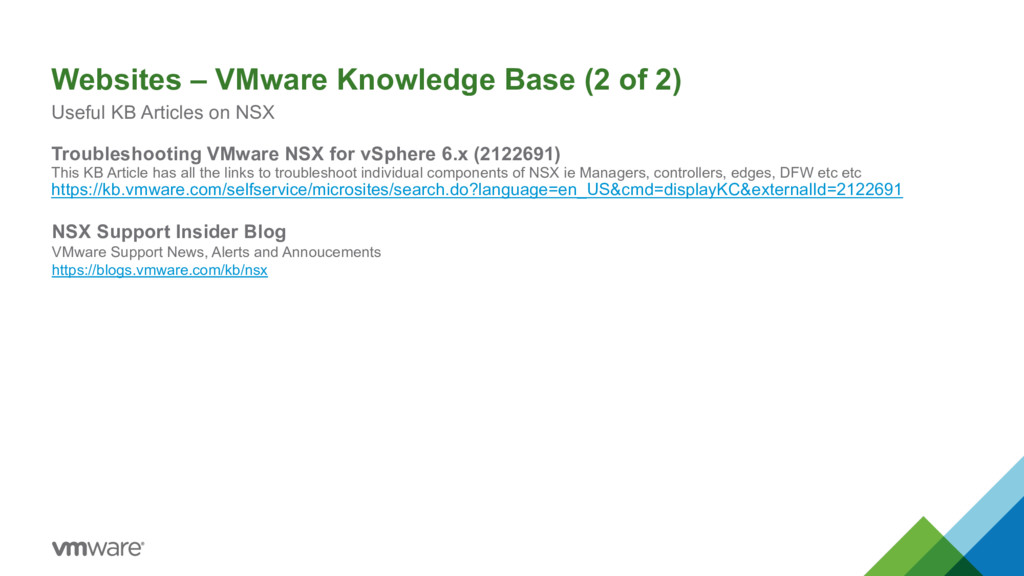
Articles on NSX Troubleshooting VMware NSX for vSphere 6.x (2122691) This KB Article has all the links to troubleshoot individual components of NSX ie Managers, controllers, edges, DFW etc etc https://kb.vmware.com/selfservice/microsites/search.do?language=en_US&cmd=displayKC&externalId=2122691 NSX Support Insider Blog VMware Support News, Alerts and Annoucements https://blogs.vmware.com/kb/nsx
Lighting Board sessions to have key concepts explained to you. NSX YouTube Channel Playlist https://www.youtube.com/user/vmwarensx/playlists NSX Demo’s from SE in Spain http://youtube.com/avillargarea Some great Demo’s of using, deploying NSX are on this channel.
NSX on you Tube and Vimeo. Here are some of my favourites. Please let me know ones that you find useful or insightful. VMware Presents at Networking Tech Field Day 15 (4 Hours of Content from Product Managers) Presented in April 2017 http://techfieldday.com/appearance/vmware-presents-at-networking-field-day-15/ NSX & Horizon deep dive https://www.youtube.com/watch?v=rInVMd0kQqI vRealize Network Insight Overview https://www.youtube.com/watch?v=p1HFxq7IL3o Securing the DC with VMware NSX https://www.youtube.com/watch?v=7PzNQaXMquM
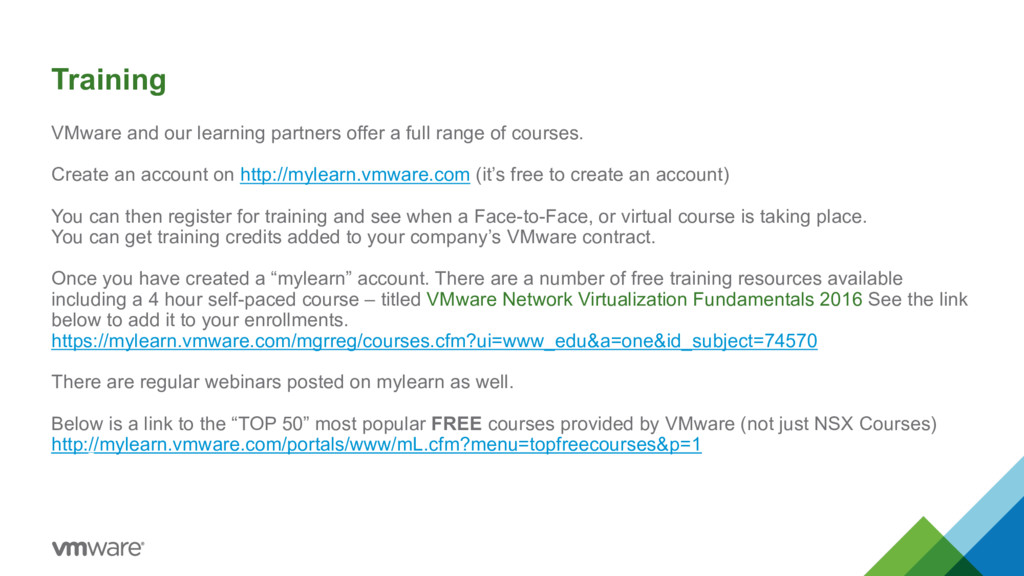
of courses. Create an account on http://mylearn.vmware.com (it’s free to create an account) You can then register for training and see when a Face-to-Face, or virtual course is taking place. You can get training credits added to your company’s VMware contract. Once you have created a “mylearn” account. There are a number of free training resources available including a 4 hour self-paced course – titled VMware Network Virtualization Fundamentals 2016 See the link below to add it to your enrollments. https://mylearn.vmware.com/mgrreg/courses.cfm?ui=www_edu&a=one&id_subject=74570 There are regular webinars posted on mylearn as well. Below is a link to the “TOP 50” most popular FREE courses provided by VMware (not just NSX Courses) http://mylearn.vmware.com/portals/www/mL.cfm?menu=topfreecourses&p=1
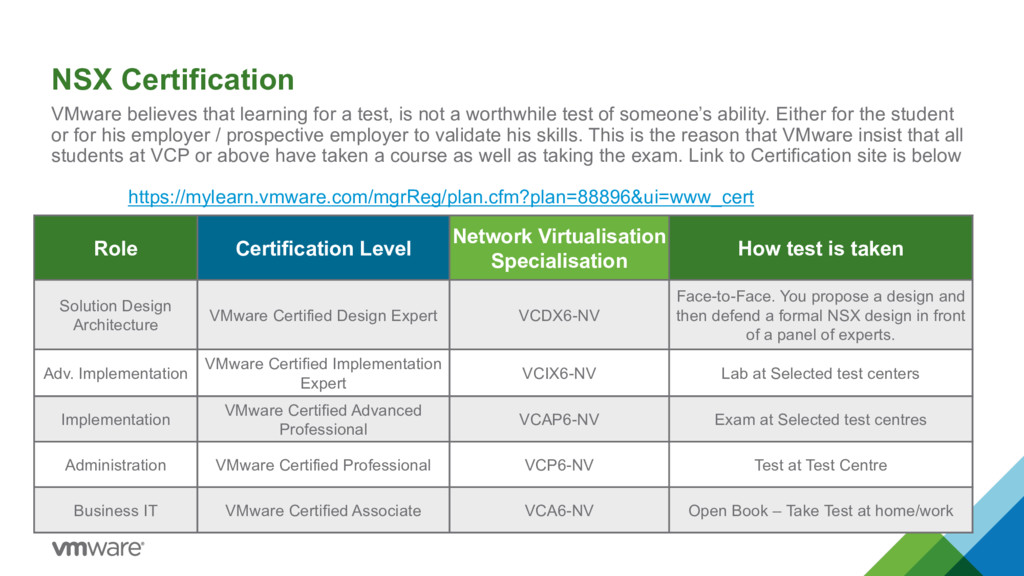
not a worthwhile test of someone’s ability. Either for the student or for his employer / prospective employer to validate his skills. This is the reason that VMware insist that all students at VCP or above have taken a course as well as taking the exam. Link to Certification site is below https://mylearn.vmware.com/mgrReg/plan.cfm?plan=88896&ui=www_cert Role Certification Level Network Virtualisation Specialisation How test is taken Solution Design Architecture VMware Certified Design Expert VCDX6-NV Face-to-Face. You propose a design and then defend a formal NSX design in front of a panel of experts. Adv. Implementation VMware Certified Implementation Expert VCIX6-NV Lab at Selected test centers Implementation VMware Certified Advanced Professional VCAP6-NV Exam at Selected test centres Administration VMware Certified Professional VCP6-NV Test at Test Centre Business IT VMware Certified Associate VCA6-NV Open Book – Take Test at home/work
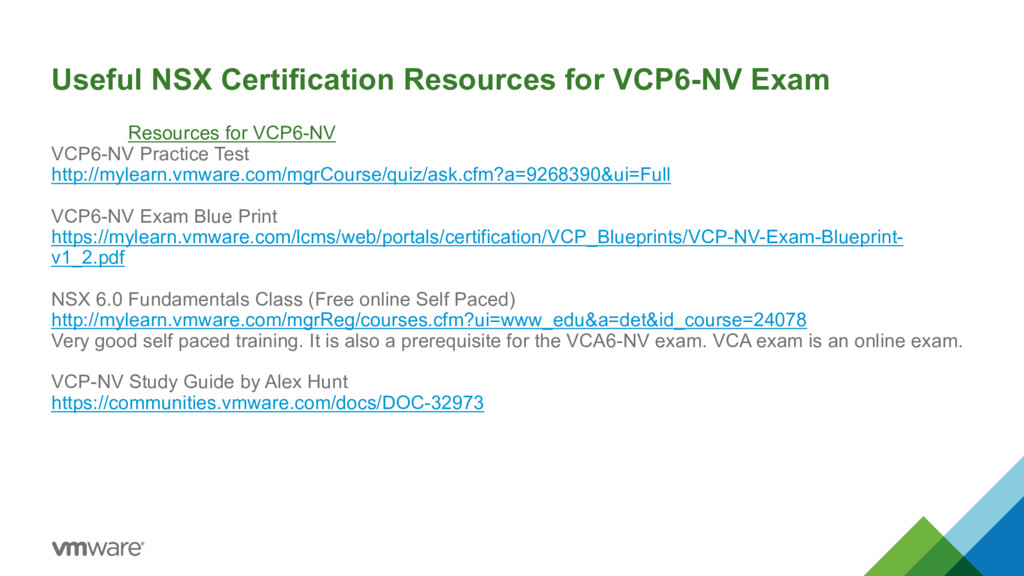
VCP6-NV Practice Test http://mylearn.vmware.com/mgrCourse/quiz/ask.cfm?a=9268390&ui=Full VCP6-NV Exam Blue Print https://mylearn.vmware.com/lcms/web/portals/certification/VCP_Blueprints/VCP-NV-Exam-Blueprint- v1_2.pdf NSX 6.0 Fundamentals Class (Free online Self Paced) http://mylearn.vmware.com/mgrReg/courses.cfm?ui=www_edu&a=det&id_course=24078 Very good self paced training. It is also a prerequisite for the VCA6-NV exam. VCA exam is an online exam. VCP-NV Study Guide by Alex Hunt https://communities.vmware.com/docs/DOC-32973
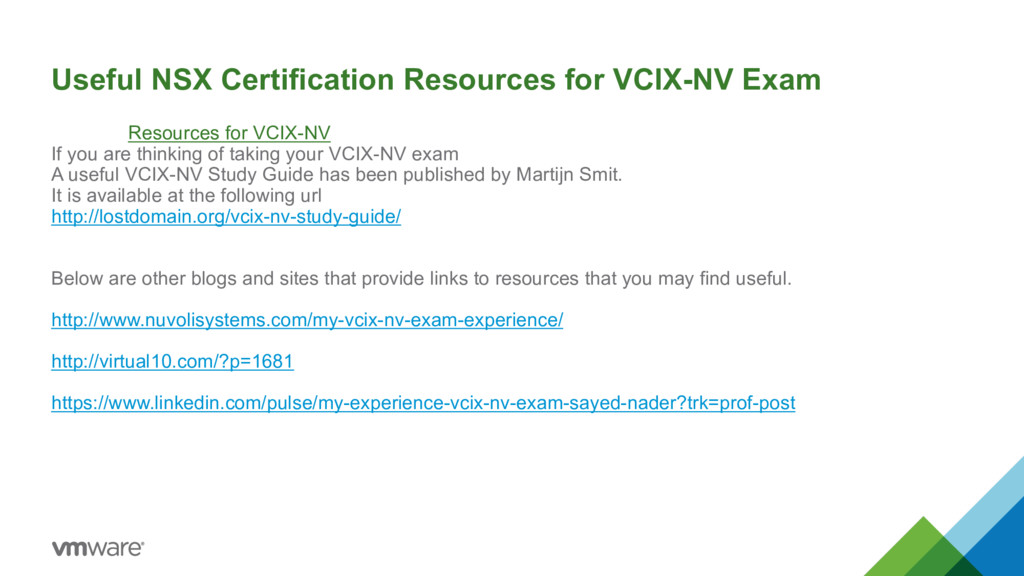
If you are thinking of taking your VCIX-NV exam A useful VCIX-NV Study Guide has been published by Martijn Smit. It is available at the following url http://lostdomain.org/vcix-nv-study-guide/ Below are other blogs and sites that provide links to resources that you may find useful. http://www.nuvolisystems.com/my-vcix-nv-exam-experience/ http://virtual10.com/?p=1681 https://www.linkedin.com/pulse/my-experience-vcix-nv-exam-sayed-nader?trk=prof-post
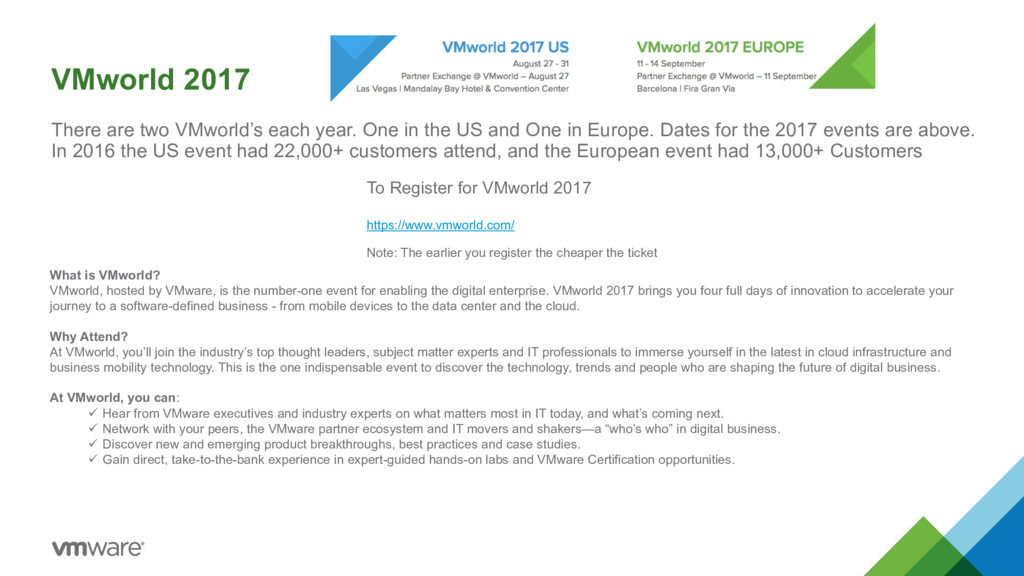
the US and One in Europe. Dates for the 2017 events are above. In 2016 the US event had 22,000+ customers attend, and the European event had 13,000+ Customers To Register for VMworld 2017 https://www.vmworld.com/ Note: The earlier you register the cheaper the ticket What is VMworld? VMworld, hosted by VMware, is the number-one event for enabling the digital enterprise. VMworld 2017 brings you four full days of innovation to accelerate your journey to a software-defined business - from mobile devices to the data center and the cloud. Why Attend? At VMworld, you’ll join the industry’s top thought leaders, subject matter experts and IT professionals to immerse yourself in the latest in cloud infrastructure and business mobility technology. This is the one indispensable event to discover the technology, trends and people who are shaping the future of digital business. At VMworld, you can: ü Hear from VMware executives and industry experts on what matters most in IT today, and what’s coming next. ü Network with your peers, the VMware partner ecosystem and IT movers and shakers—a “who’s who” in digital business. ü Discover new and emerging product breakthroughs, best practices and case studies. ü Gain direct, take-to-the-bank experience in expert-guided hands-on labs and VMware Certification opportunities.
Below are two very nice lists created by William Lam. They provide direct links to stream or download all the 529 breakout sessions at VMworld US 2016. You will still need to register once at http://www.vmworld.com/en/sessions/2016.html (which is FREE to ALL users regardless if you attended the conference or not). Once you have logged in, then you will be able to click on any of the URLs and watch the content online or offline. There were some amazing sessions, and the lists don’t just contain links to the NSX sessions, they contain links to all 529 breakout sessions. Enjoy! For complete list of all session playback URLs, please see playback-urls.md For complete list of all session download URLs, please see download-urls.md
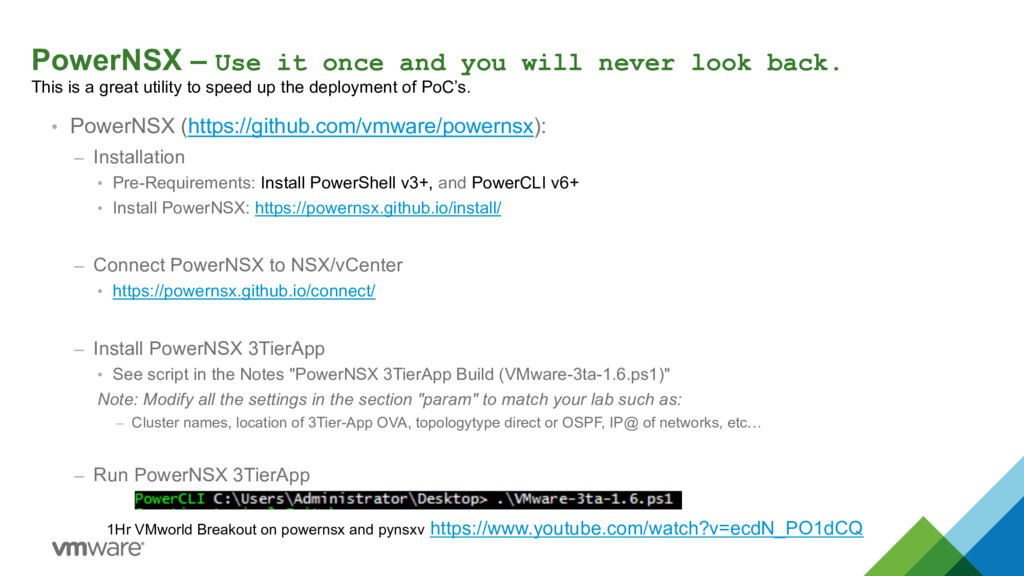
back. This is a great utility to speed up the deployment of PoC’s. • PowerNSX (https://github.com/vmware/powernsx): – Installation • Pre-Requirements: Install PowerShell v3+, and PowerCLI v6+ • Install PowerNSX: https://powernsx.github.io/install/ – Connect PowerNSX to NSX/vCenter • https://powernsx.github.io/connect/ – Install PowerNSX 3TierApp • See script in the Notes "PowerNSX 3TierApp Build (VMware-3ta-1.6.ps1)" Note: Modify all the settings in the section "param" to match your lab such as: – Cluster names, location of 3Tier-App OVA, topologytype direct or OSPF, IP@ of networks, etc… – Run PowerNSX 3TierApp 1Hr VMworld Breakout on powernsx and pynsxv https://www.youtube.com/watch?v=ecdN_PO1dCQ
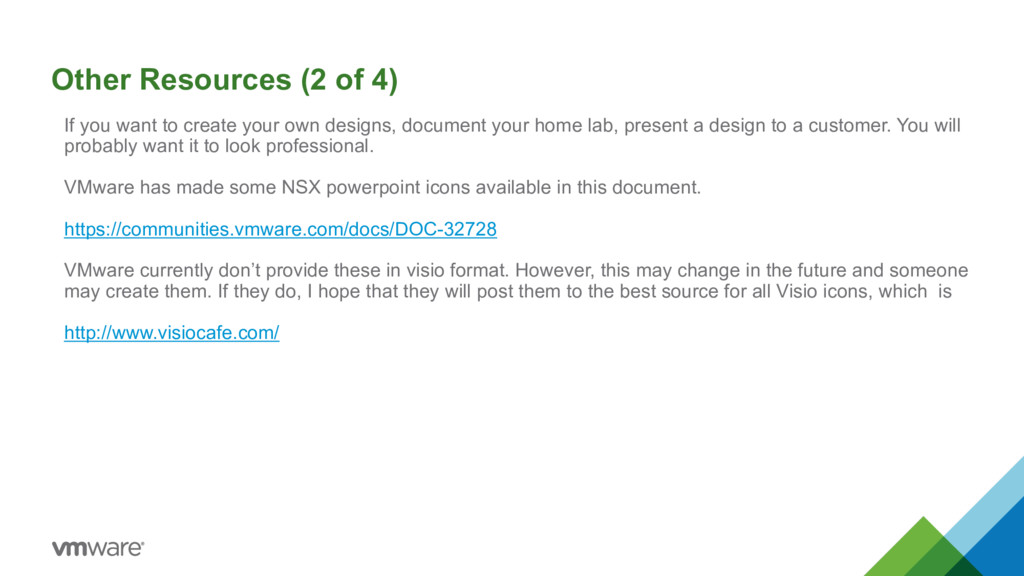
your own designs, document your home lab, present a design to a customer. You will probably want it to look professional. VMware has made some NSX powerpoint icons available in this document. https://communities.vmware.com/docs/DOC-32728 VMware currently don’t provide these in visio format. However, this may change in the future and someone may create them. If they do, I hope that they will post them to the best source for all Visio icons, which is http://www.visiocafe.com/
great history of VMware’s reference posters and with the introduction of NSX central CLI we thought it would make sense to create a NSX reference poster with the most commonly used commands. I know from experience that professionals love to have this kind of reference handy, so in case you want to print it yourself a copy, here are the details: PDF web version PDF printable version It’s was designed to be printed in a high-resolution A3 size (no lower than 300 dpi). In inches: 11.7 x 16.5 In mm: 297 x 420 https://drive.google.com/file/d/0B-qnfgis8bZAYXJVak5OQ3dIS2M/view
other say about NSX and the Business benefits it brings. Over 40 Customers talking about their experience of deploying NSX in production on this Youtube Channel https://www.youtube.com/playlist?list=PLdYldEmmLm2lnfzDoTSf_myfMdWGoaQcZ Amadeus Innovating with NSX https://www.youtube.com/watch?v=g8aUANixv_g&feature=youtu.be NSX helps AL-MAWARID Bank improve time to market while becoming more secure https://www.youtube.com/watch?v=TYsFDPgflwA Rakuten becomes more agile with NSX https://www.youtube.com/watch?v=JYvcn594MCs


 yahonda
 takanorip
 yamanoku
 masakiokuda
 makocchi
 kash1064
 codmoninc
 shugo
shugo
 akitoshiga
 pfn
pfn
 maimyyym
 wayneb77
 emna__ayadi
 reverentgeek
 lynnandtonic
 akihiro_kokubo
 bermonpainter
 tammyeverts
 chriscoyier
 rasmusluckow
 hannesfritz
 bkeepers
 carmenintech