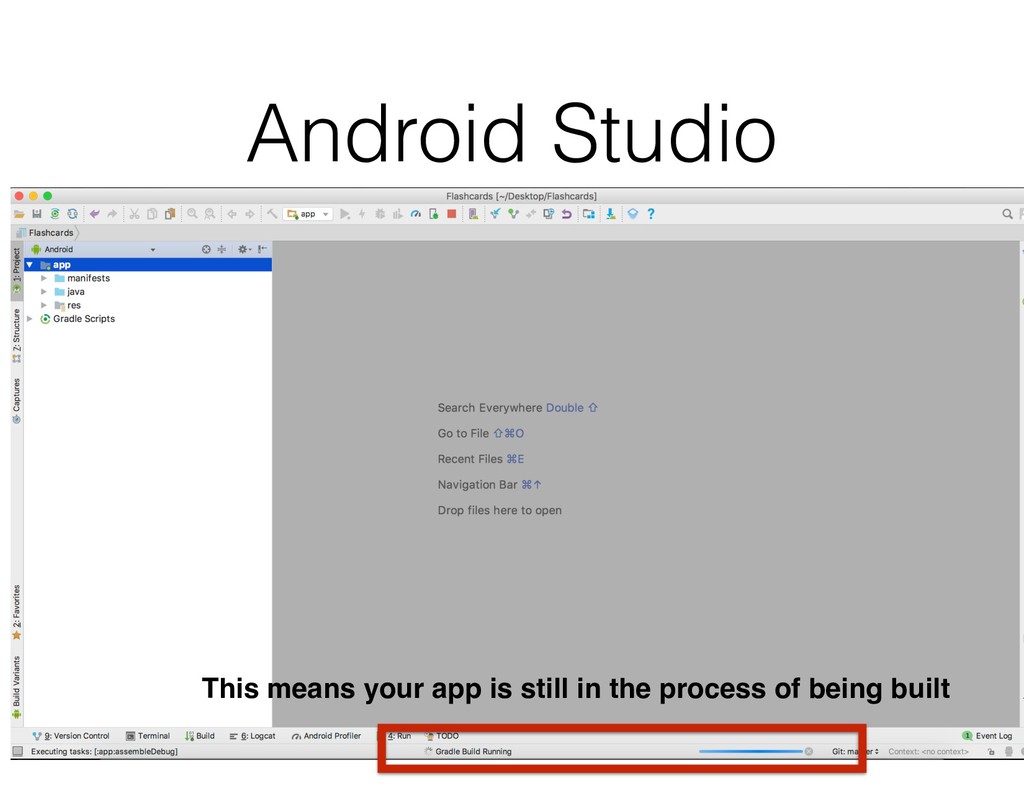
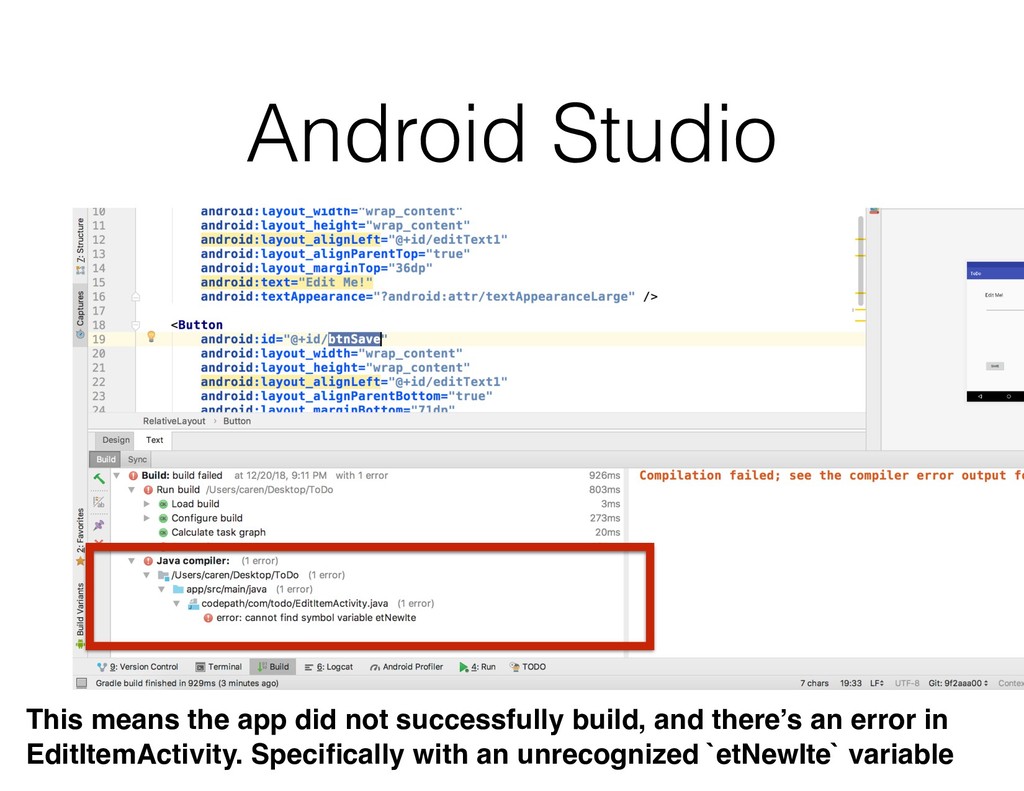
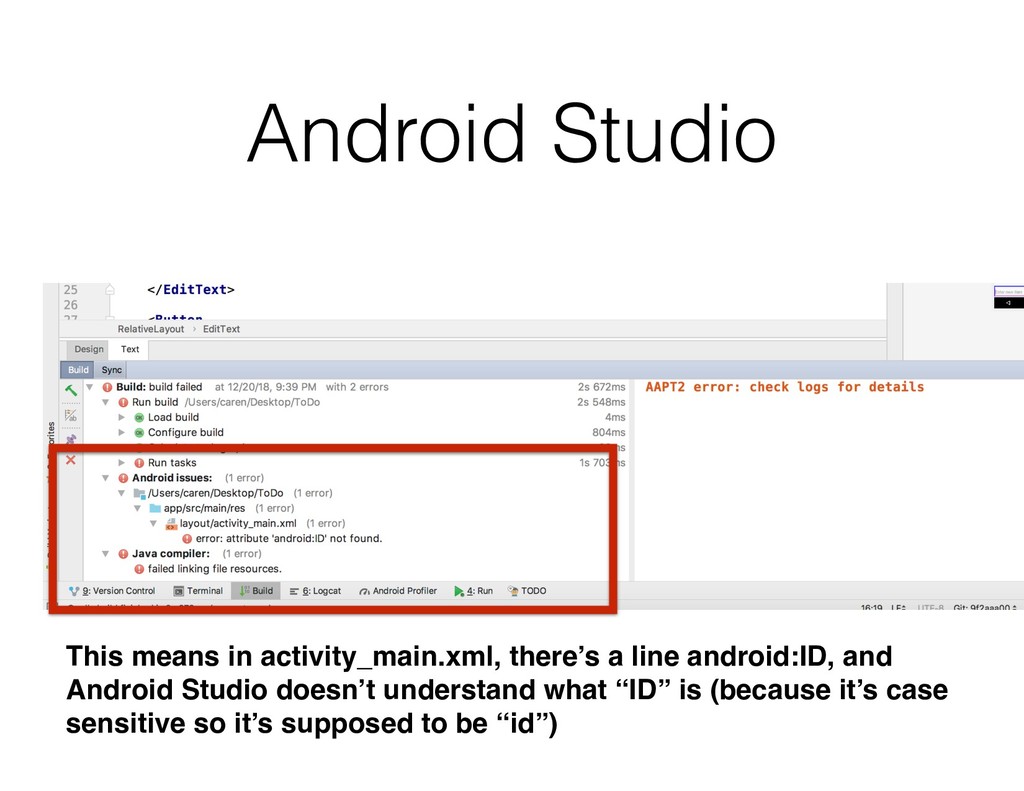
your own code, it’s always going to be an uphill battle Android Studio is your friend, don’t ignore the messages it gives you Did your app successfully build? What are the messages that prints out when your app crashes?
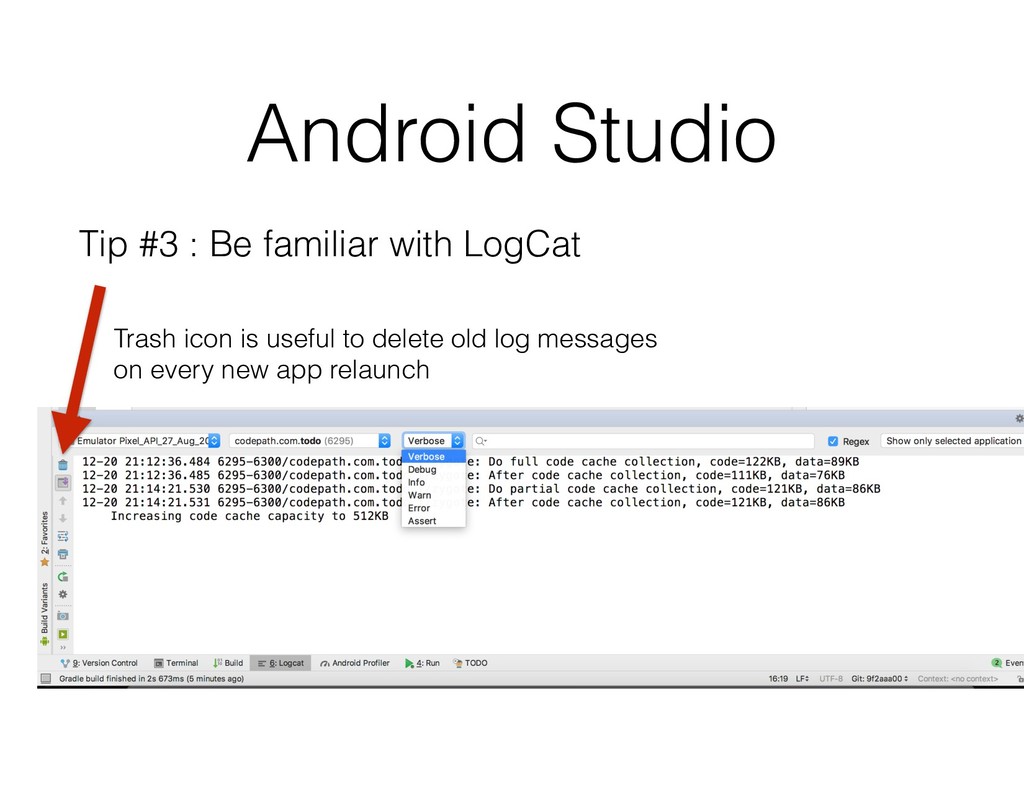
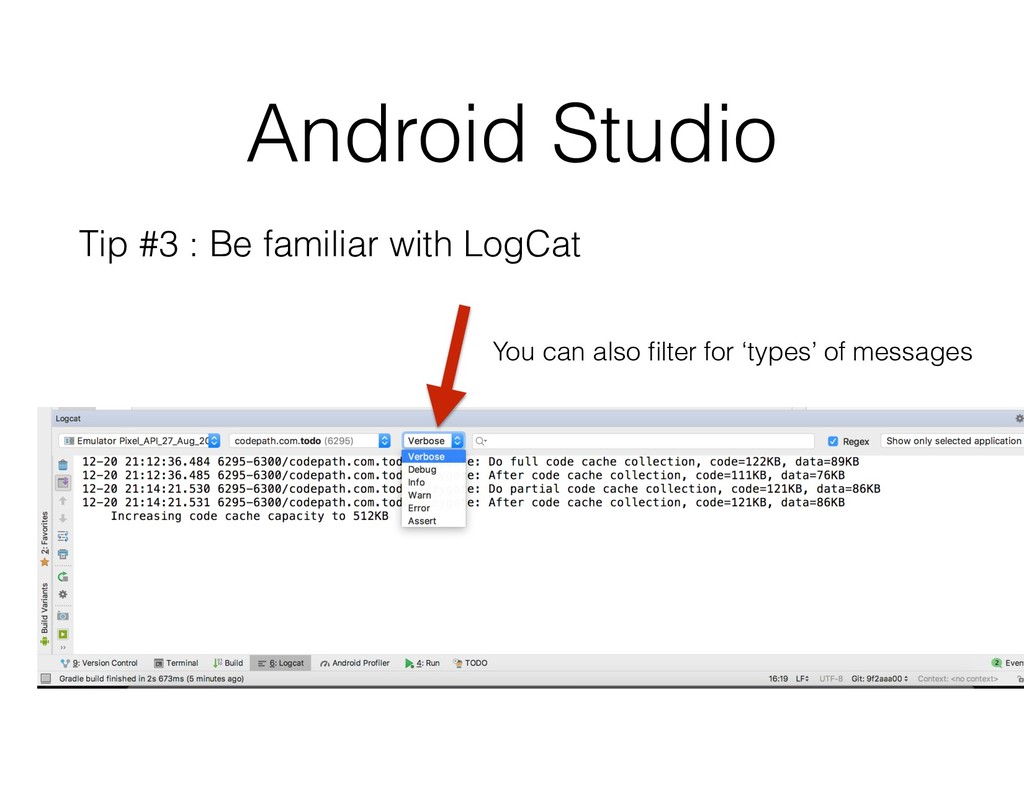
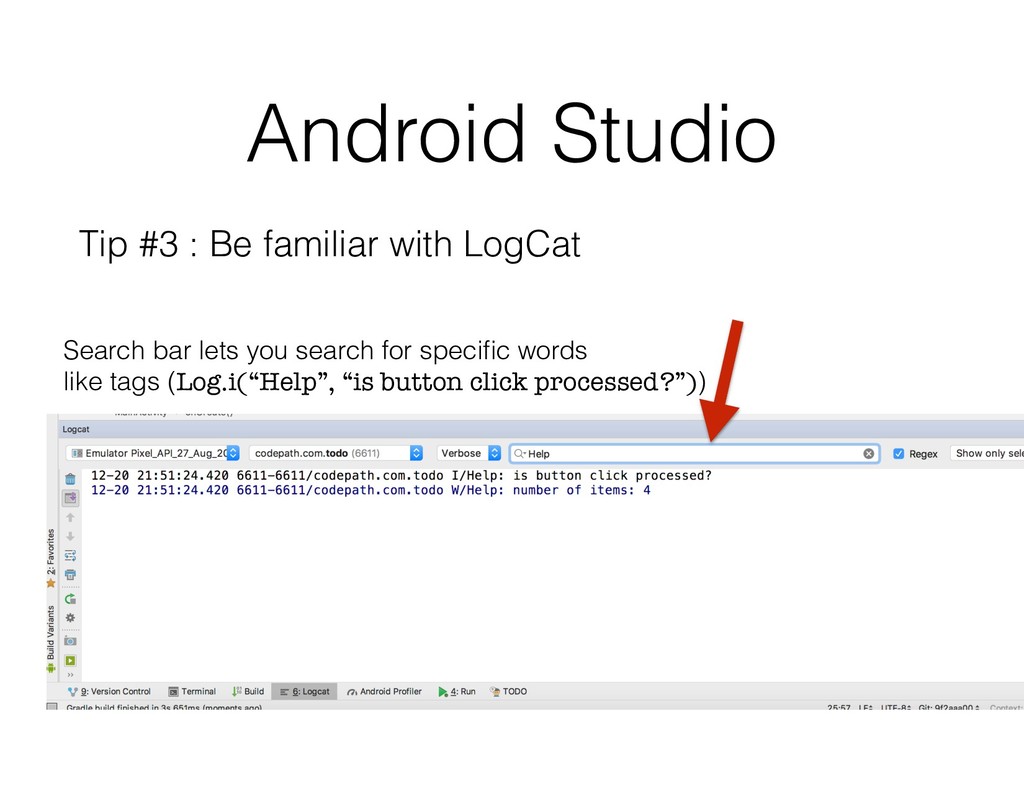
your own code, it’s always going to be an uphill battle Android Studio is your friend, don’t ignore the messages it gives you Did your app successfully build? What are the messages that prints out when your app crashes? At what point does your code ‘stop’ working as expected? Log messages will do wonders
code that works Take the extra time to understand the purpose of each block Write comments in your code to so you can 1) gain a better understanding of what the code is trying to accomplish 2) understand what your past-self was trying to do
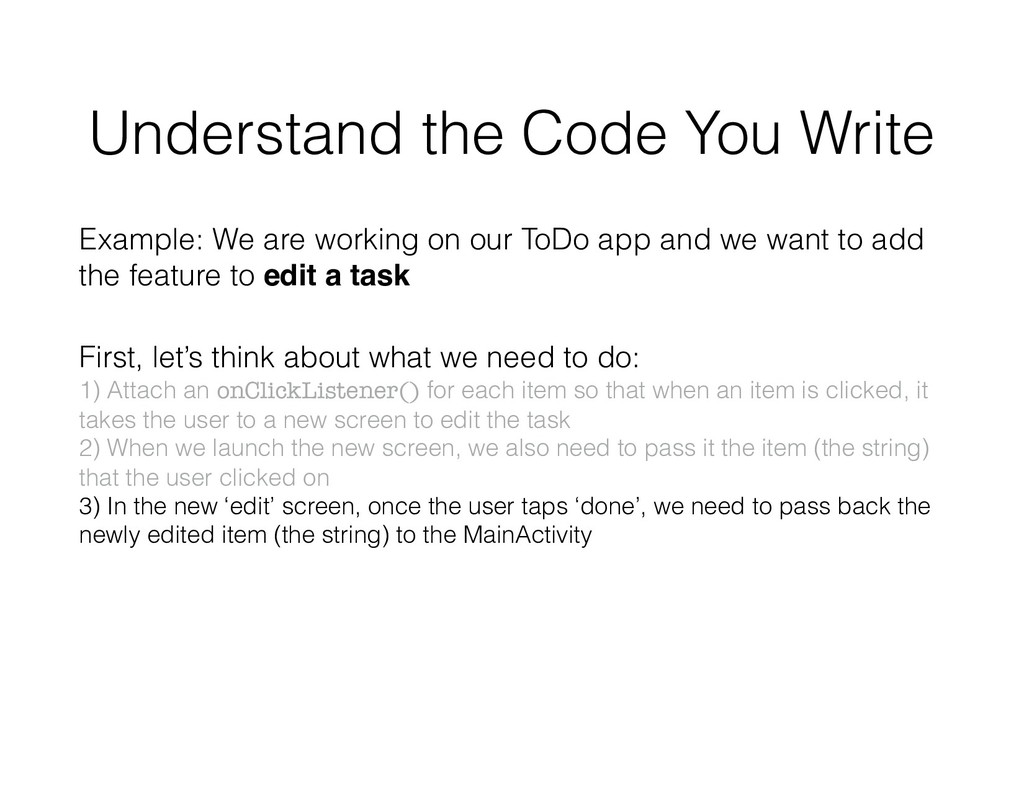
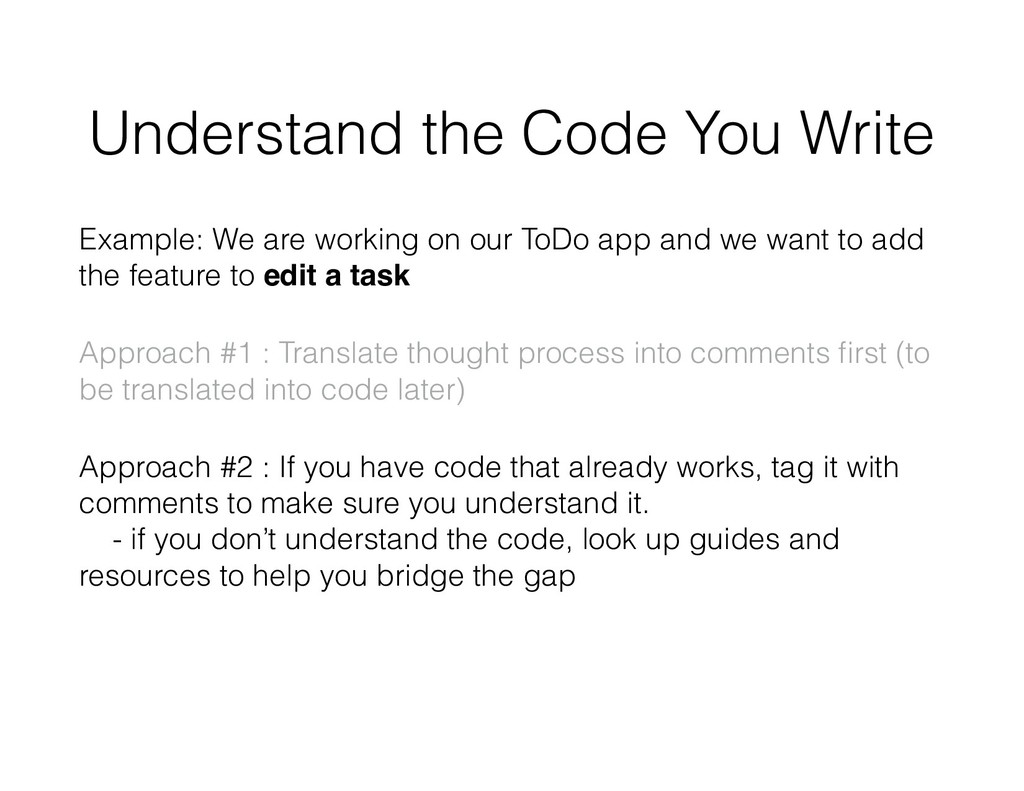
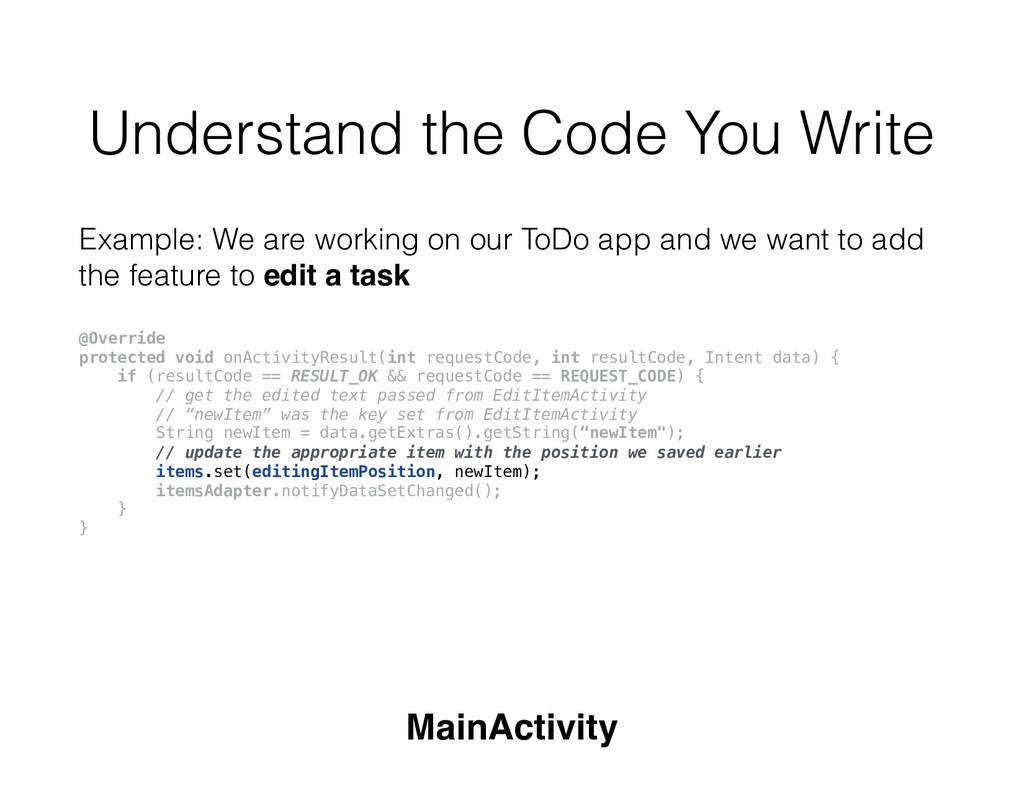
want to add the feature to edit a task (when user clicks on an item in the list, launch another screen to let them edit the item) Understand the Code You Write
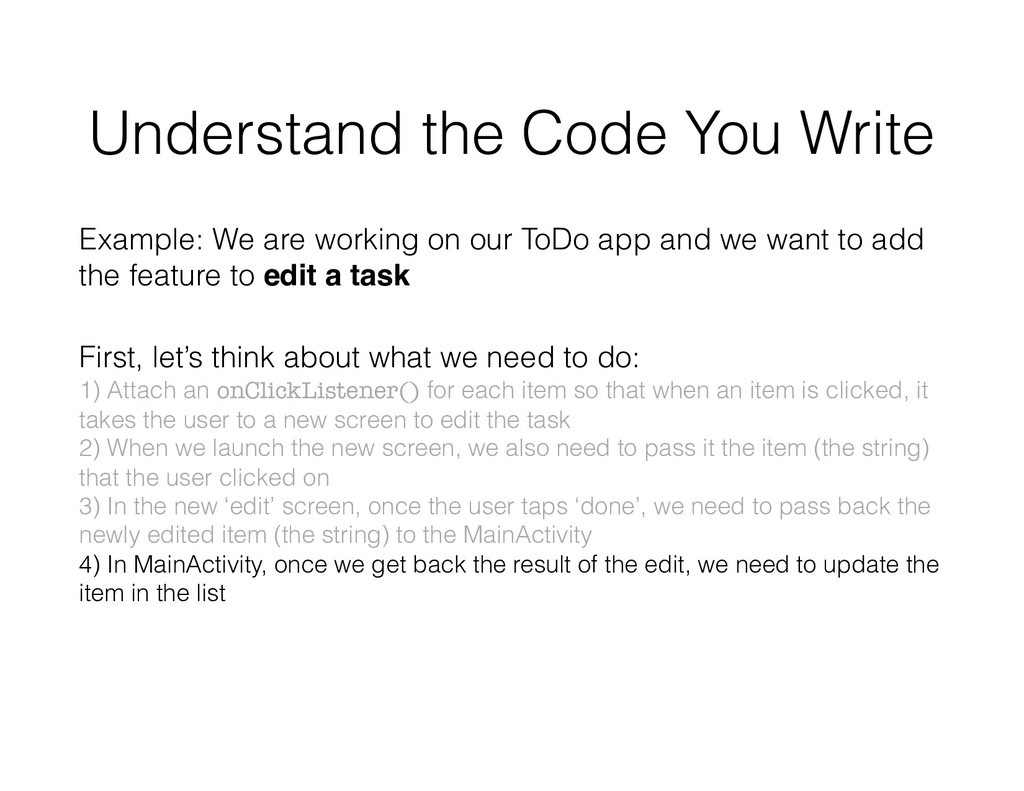
our ToDo app and we want to add the feature to edit a task (when user clicks on an item in the list, launch another screen to let them edit the item) First, let’s think about what we need to do:
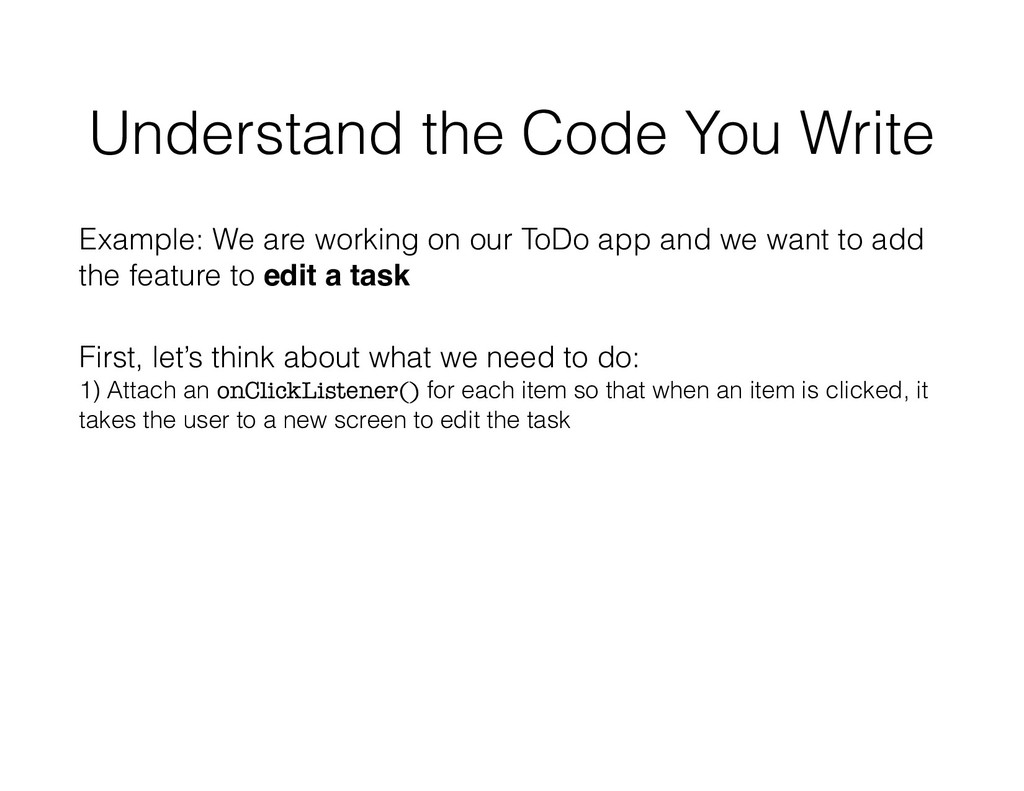
our ToDo app and we want to add the feature to edit a task First, let’s think about what we need to do: 1) Attach an onClickListener() for each item so that when an item is clicked, it takes the user to a new screen to edit the task
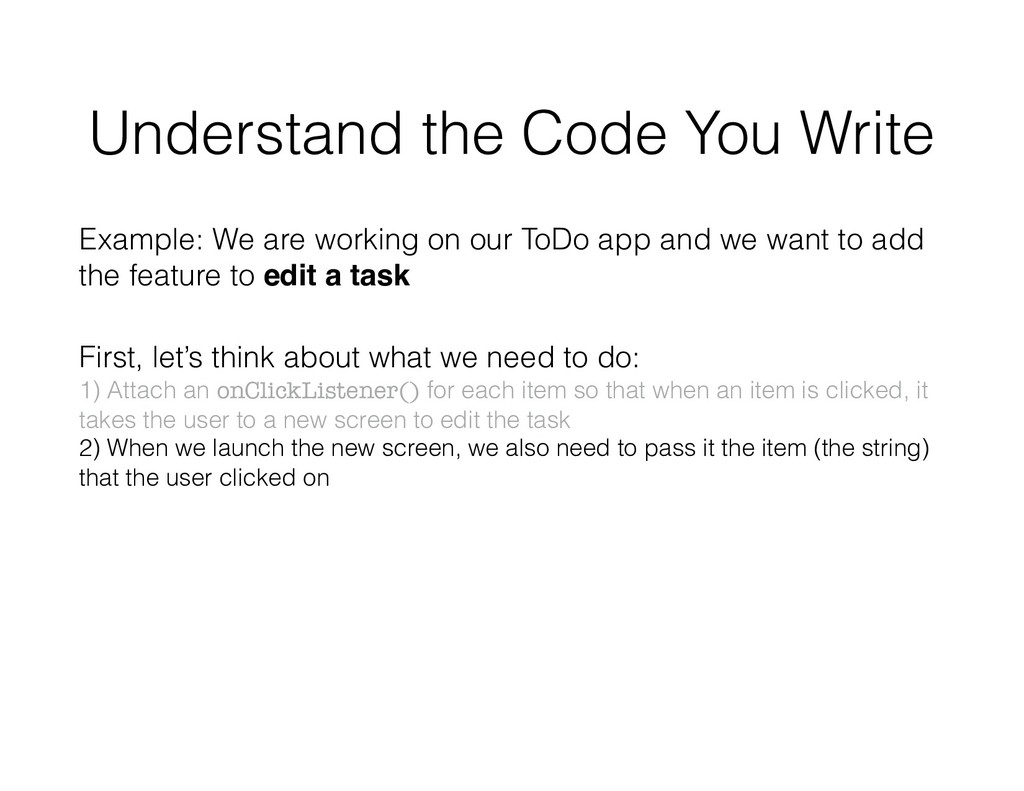
our ToDo app and we want to add the feature to edit a task First, let’s think about what we need to do: 1) Attach an onClickListener() for each item so that when an item is clicked, it takes the user to a new screen to edit the task 2) When we launch the new screen, we also need to pass it the item (the string) that the user clicked on
our ToDo app and we want to add the feature to edit a task First, let’s think about what we need to do: 1) Attach an onClickListener() for each item so that when an item is clicked, it takes the user to a new screen to edit the task 2) When we launch the new screen, we also need to pass it the item (the string) that the user clicked on 3) In the new ‘edit’ screen, once the user taps ‘done’, we need to pass back the newly edited item (the string) to the MainActivity
our ToDo app and we want to add the feature to edit a task First, let’s think about what we need to do: 1) Attach an onClickListener() for each item so that when an item is clicked, it takes the user to a new screen to edit the task 2) When we launch the new screen, we also need to pass it the item (the string) that the user clicked on 3) In the new ‘edit’ screen, once the user taps ‘done’, we need to pass back the newly edited item (the string) to the MainActivity 4) In MainActivity, once we get back the result of the edit, we need to update the item in the list
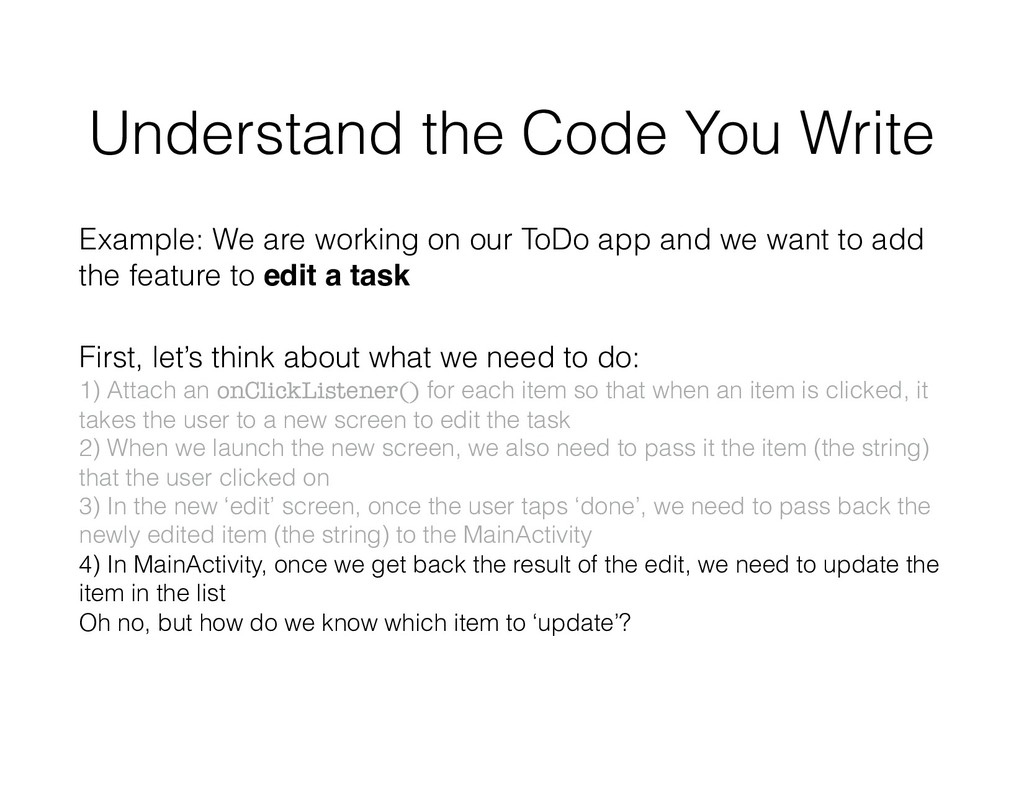
our ToDo app and we want to add the feature to edit a task First, let’s think about what we need to do: 1) Attach an onClickListener() for each item so that when an item is clicked, it takes the user to a new screen to edit the task 2) When we launch the new screen, we also need to pass it the item (the string) that the user clicked on 3) In the new ‘edit’ screen, once the user taps ‘done’, we need to pass back the newly edited item (the string) to the MainActivity 4) In MainActivity, once we get back the result of the edit, we need to update the item in the list Oh no, but how do we know which item to ‘update’?
our ToDo app and we want to add the feature to edit a task First, let’s think about what we need to do: 1) Attach an onClickListener() for each item so that when an item is clicked, it takes the user to a new screen to edit the task AND save item’s position 2) When we launch the new screen, we also need to pass it the item (the string) that the user clicked on 3) In the new ‘edit’ screen, once the user taps ‘done’, we need to pass back the newly edited item (the string) to the MainActivity 4) In MainActivity, once we get back the result of the edit, we need to update the item in the list Oh no, but how do we know which item to ‘update’? Now we realize we also need to save the original item’s position so we can update it.
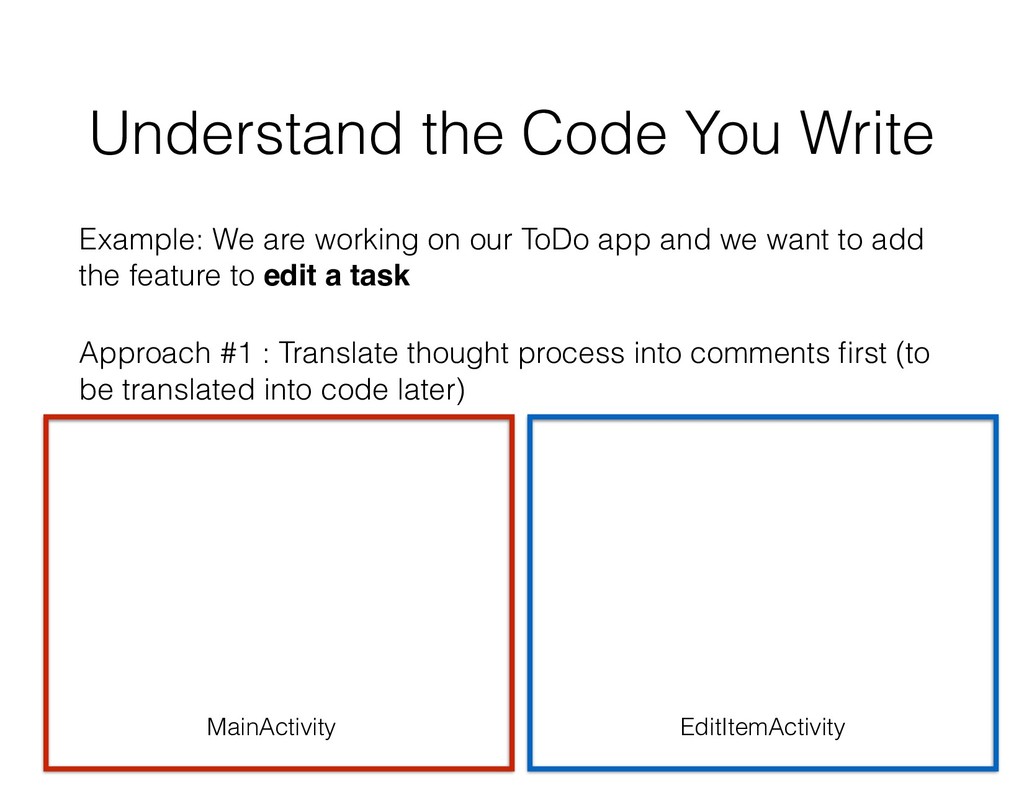
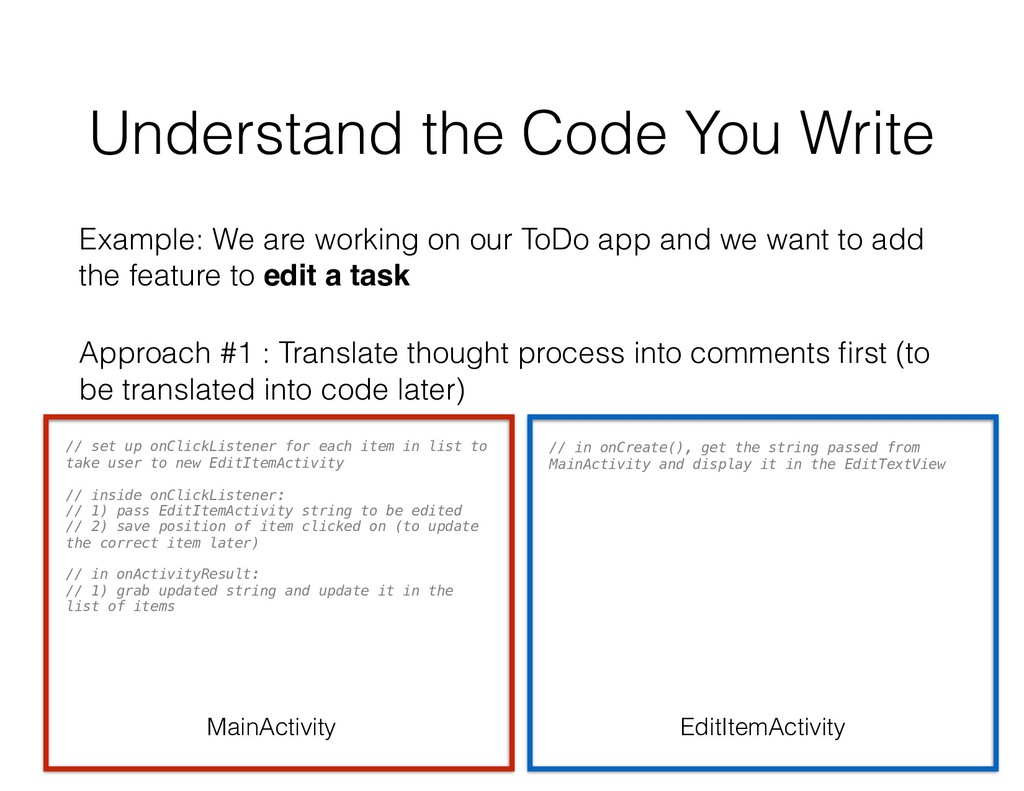
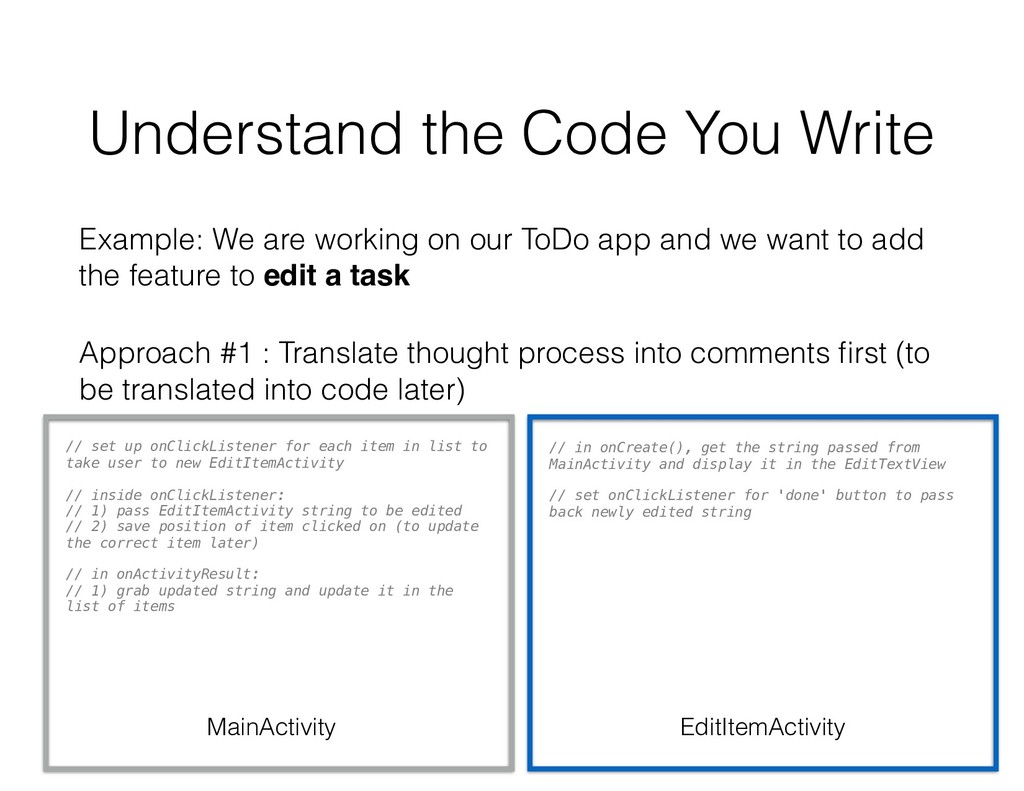
our ToDo app and we want to add the feature to edit a task Approach #1 : Translate thought process into comments first (to be translated into code later)
our ToDo app and we want to add the feature to edit a task Approach #1 : Translate thought process into comments first (to be translated into code later) MainActivity EditItemActivity
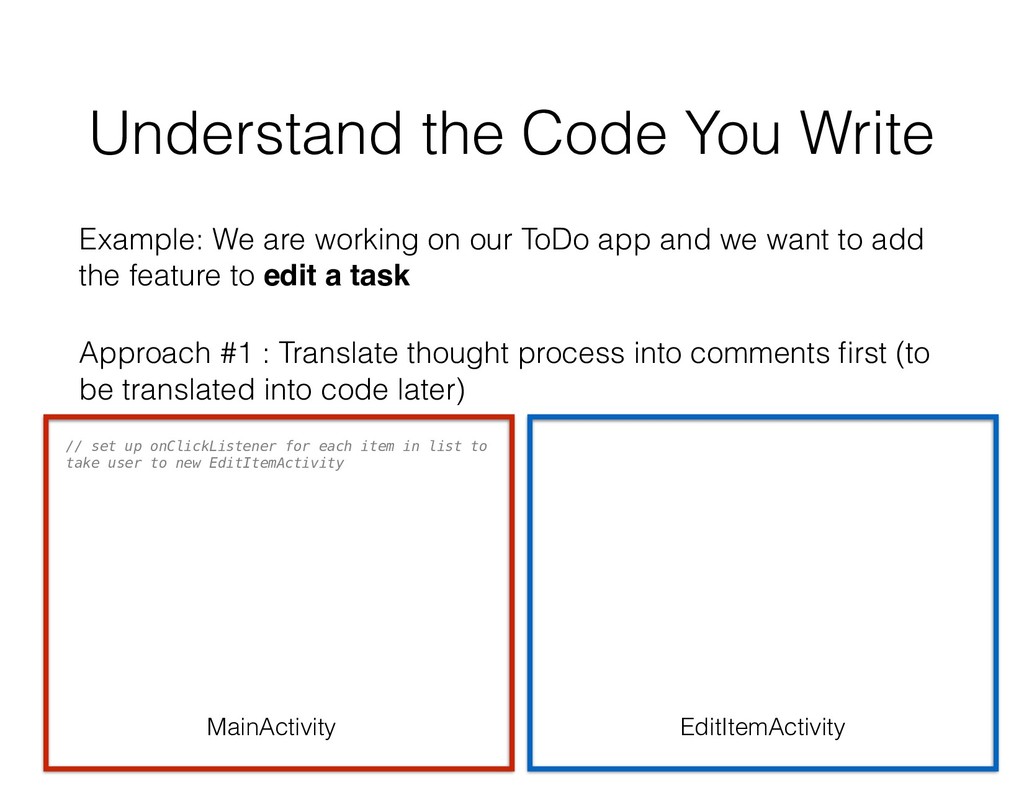
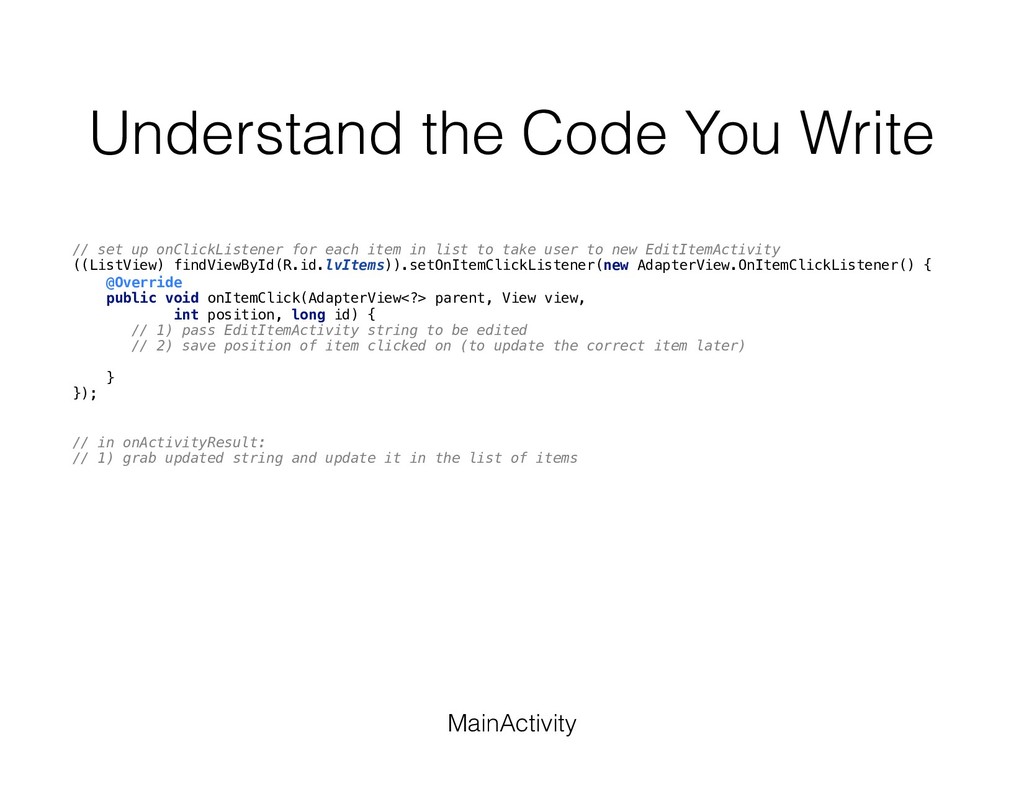
our ToDo app and we want to add the feature to edit a task Approach #1 : Translate thought process into comments first (to be translated into code later) // set up onClickListener for each item in list to take user to new EditItemActivity MainActivity EditItemActivity
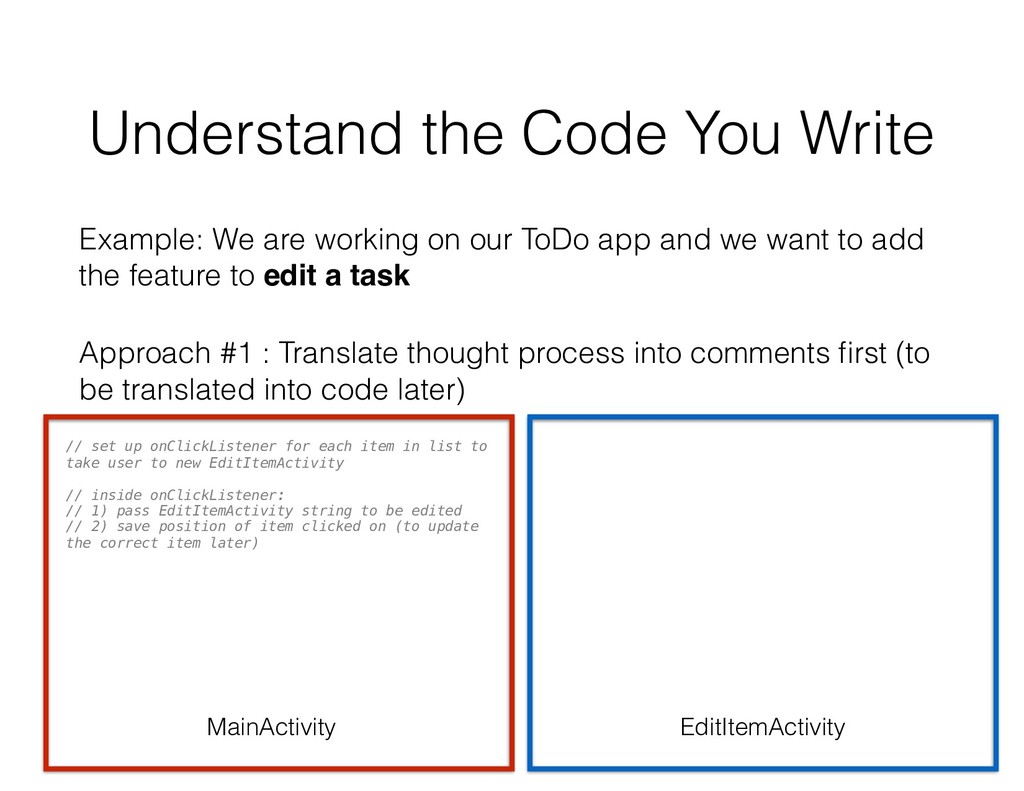
our ToDo app and we want to add the feature to edit a task Approach #1 : Translate thought process into comments first (to be translated into code later) // set up onClickListener for each item in list to take user to new EditItemActivity // inside onClickListener: // 1) pass EditItemActivity string to be edited // 2) save position of item clicked on (to update the correct item later) MainActivity EditItemActivity
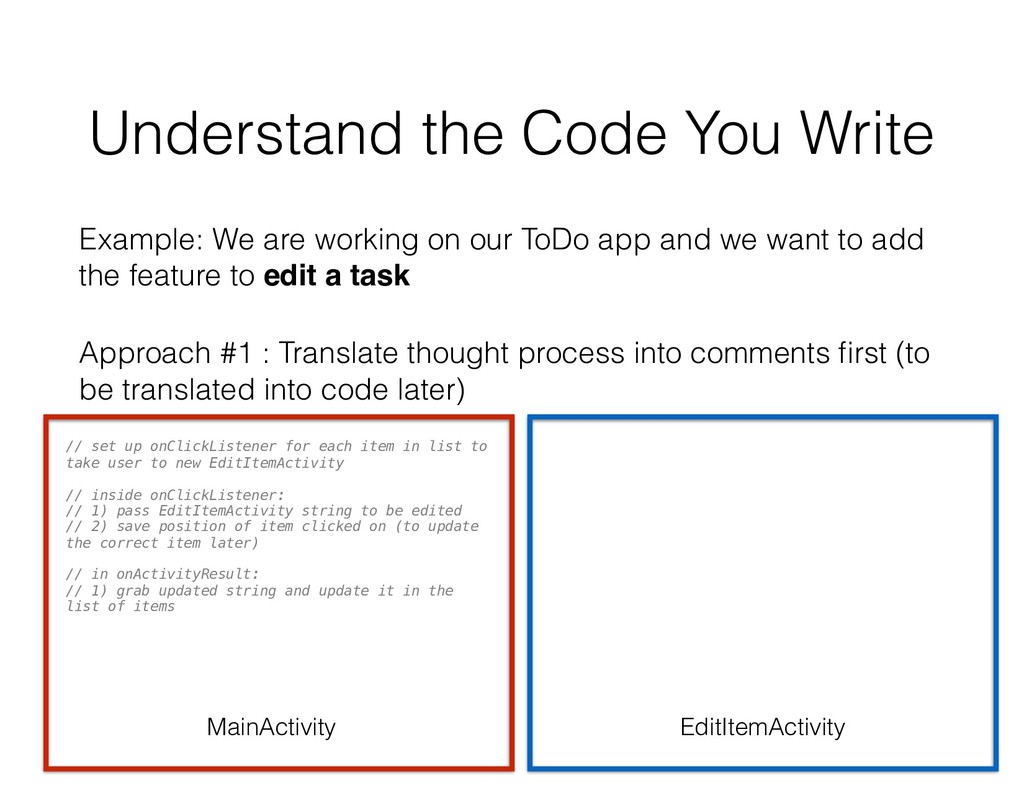
our ToDo app and we want to add the feature to edit a task Approach #1 : Translate thought process into comments first (to be translated into code later) // set up onClickListener for each item in list to take user to new EditItemActivity // inside onClickListener: // 1) pass EditItemActivity string to be edited // 2) save position of item clicked on (to update the correct item later) // in onActivityResult: // 1) grab updated string and update it in the list of items MainActivity EditItemActivity
our ToDo app and we want to add the feature to edit a task Approach #1 : Translate thought process into comments first (to be translated into code later) // set up onClickListener for each item in list to take user to new EditItemActivity // inside onClickListener: // 1) pass EditItemActivity string to be edited // 2) save position of item clicked on (to update the correct item later) // in onActivityResult: // 1) grab updated string and update it in the list of items // in onCreate(), get the string passed from MainActivity and display it in the EditTextView MainActivity EditItemActivity
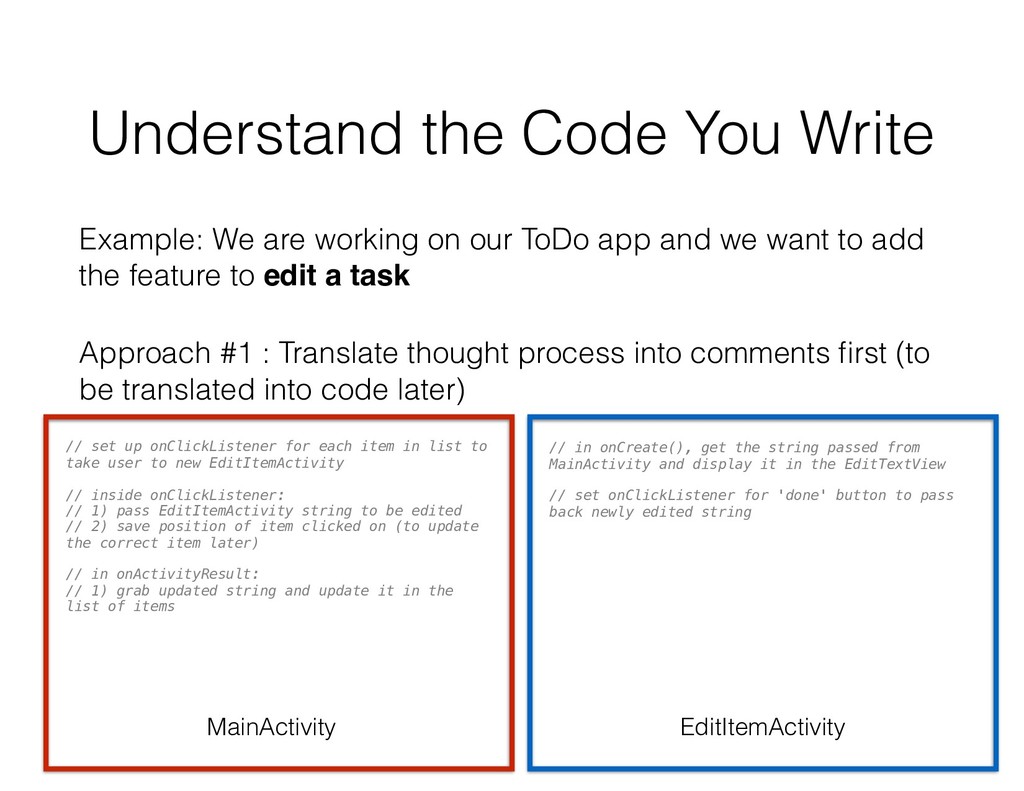
our ToDo app and we want to add the feature to edit a task Approach #1 : Translate thought process into comments first (to be translated into code later) // set up onClickListener for each item in list to take user to new EditItemActivity // inside onClickListener: // 1) pass EditItemActivity string to be edited // 2) save position of item clicked on (to update the correct item later) // in onActivityResult: // 1) grab updated string and update it in the list of items // in onCreate(), get the string passed from MainActivity and display it in the EditTextView // set onClickListener for 'done' button to pass back newly edited string MainActivity EditItemActivity
our ToDo app and we want to add the feature to edit a task Approach #1 : Translate thought process into comments first (to be translated into code later) // set up onClickListener for each item in list to take user to new EditItemActivity // inside onClickListener: // 1) pass EditItemActivity string to be edited // 2) save position of item clicked on (to update the correct item later) // in onActivityResult: // 1) grab updated string and update it in the list of items // in onCreate(), get the string passed from MainActivity and display it in the EditTextView // set onClickListener for 'done' button to pass back newly edited string MainActivity EditItemActivity
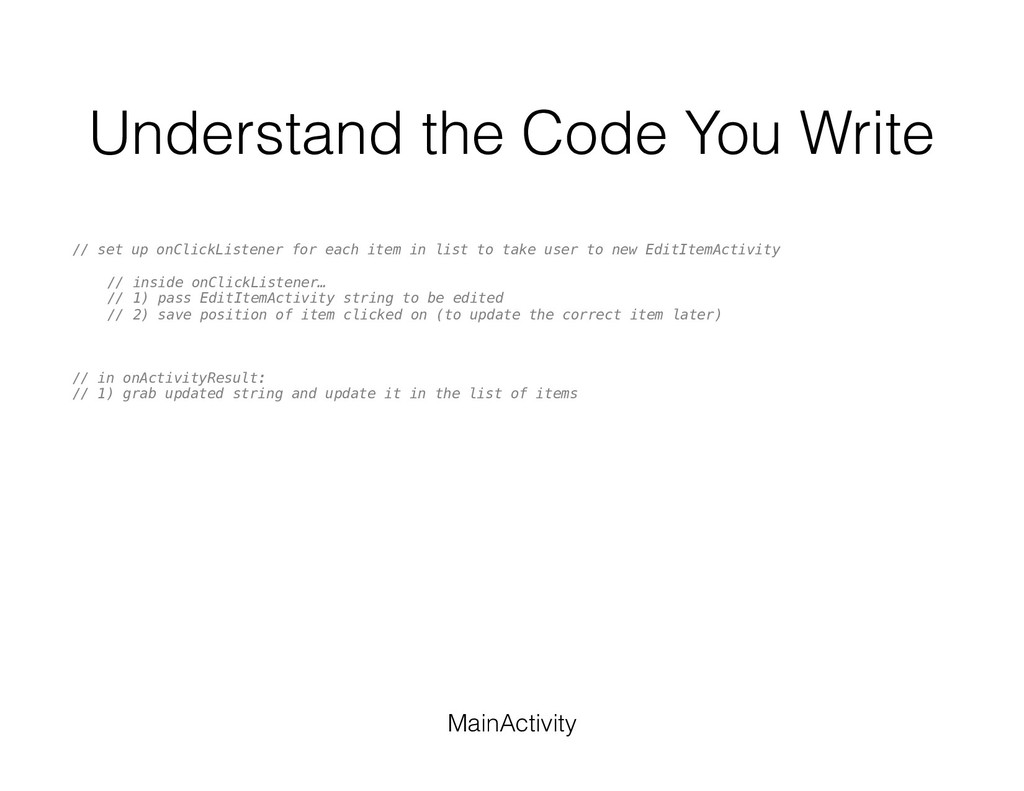
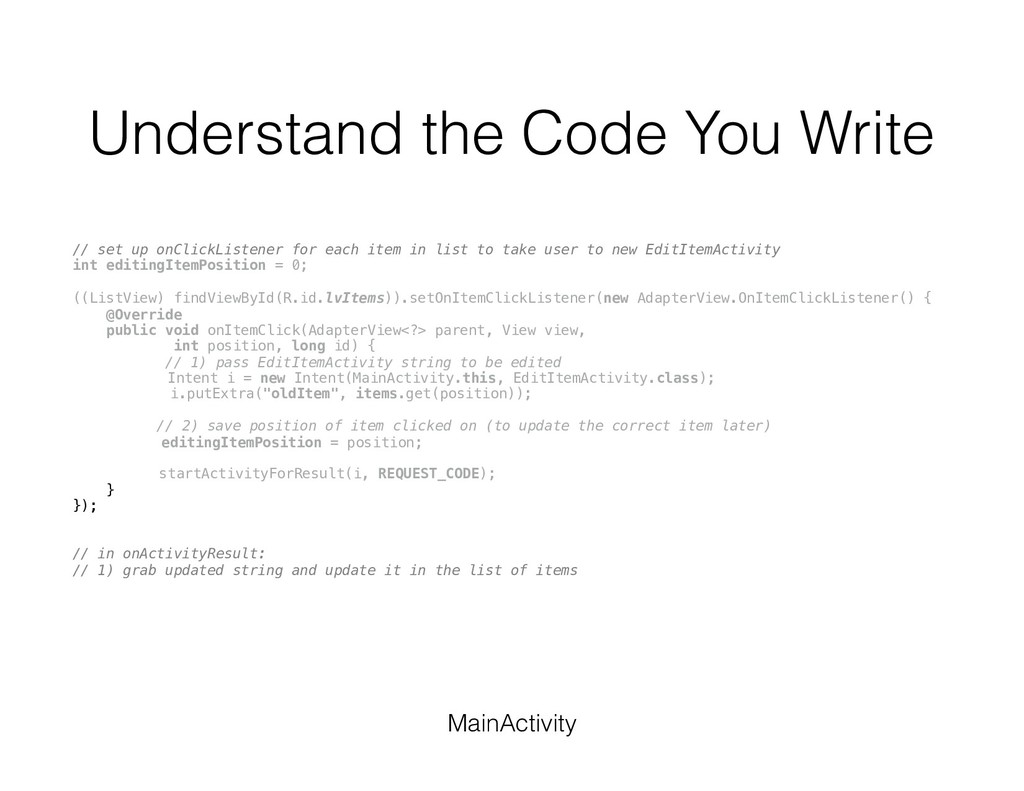
each item in list to take user to new EditItemActivity // inside onClickListener… // 1) pass EditItemActivity string to be edited // 2) save position of item clicked on (to update the correct item later) // in onActivityResult: // 1) grab updated string and update it in the list of items MainActivity
each item in list to take user to new EditItemActivity ((ListView) findViewById(R.id.lvItems)).setOnItemClickListener(new AdapterView.OnItemClickListener() { @Override public void onItemClick(AdapterView<?> parent, View view, int position, long id) { // 1) pass EditItemActivity string to be edited // 2) save position of item clicked on (to update the correct item later) } }); // in onActivityResult: // 1) grab updated string and update it in the list of items MainActivity
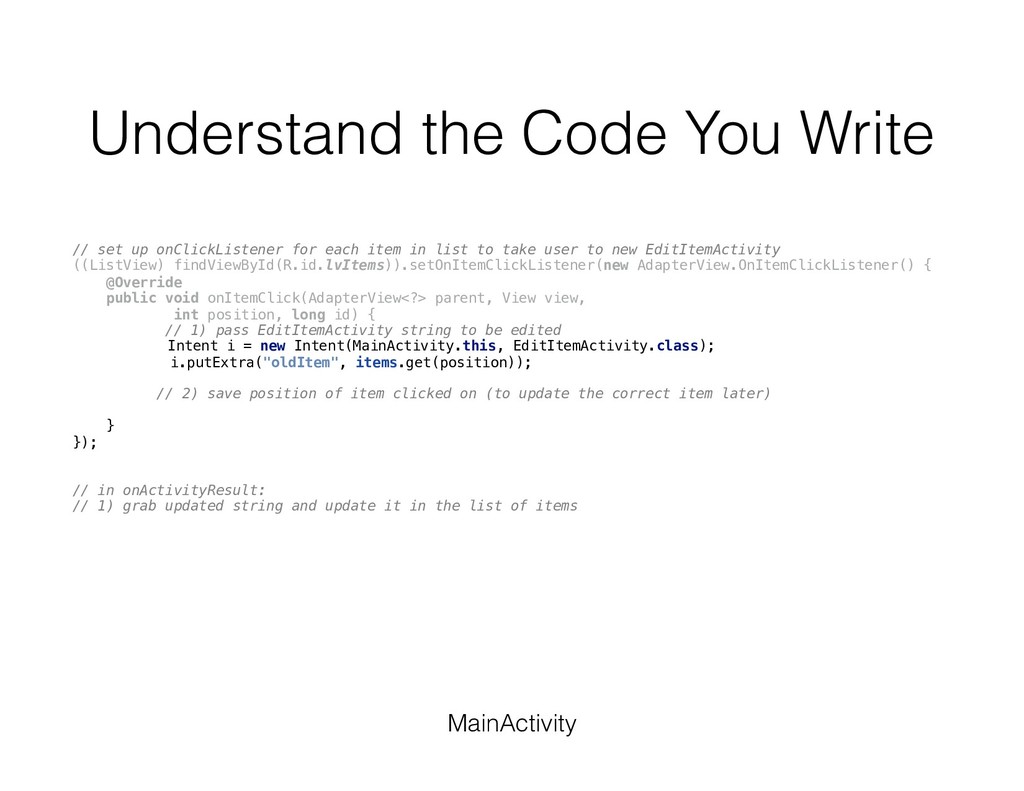
each item in list to take user to new EditItemActivity ((ListView) findViewById(R.id.lvItems)).setOnItemClickListener(new AdapterView.OnItemClickListener() { @Override public void onItemClick(AdapterView<?> parent, View view, int position, long id) { // 1) pass EditItemActivity string to be edited Intent i = new Intent(MainActivity.this, EditItemActivity.class); i.putExtra("oldItem", items.get(position)); // 2) save position of item clicked on (to update the correct item later) } }); // in onActivityResult: // 1) grab updated string and update it in the list of items MainActivity
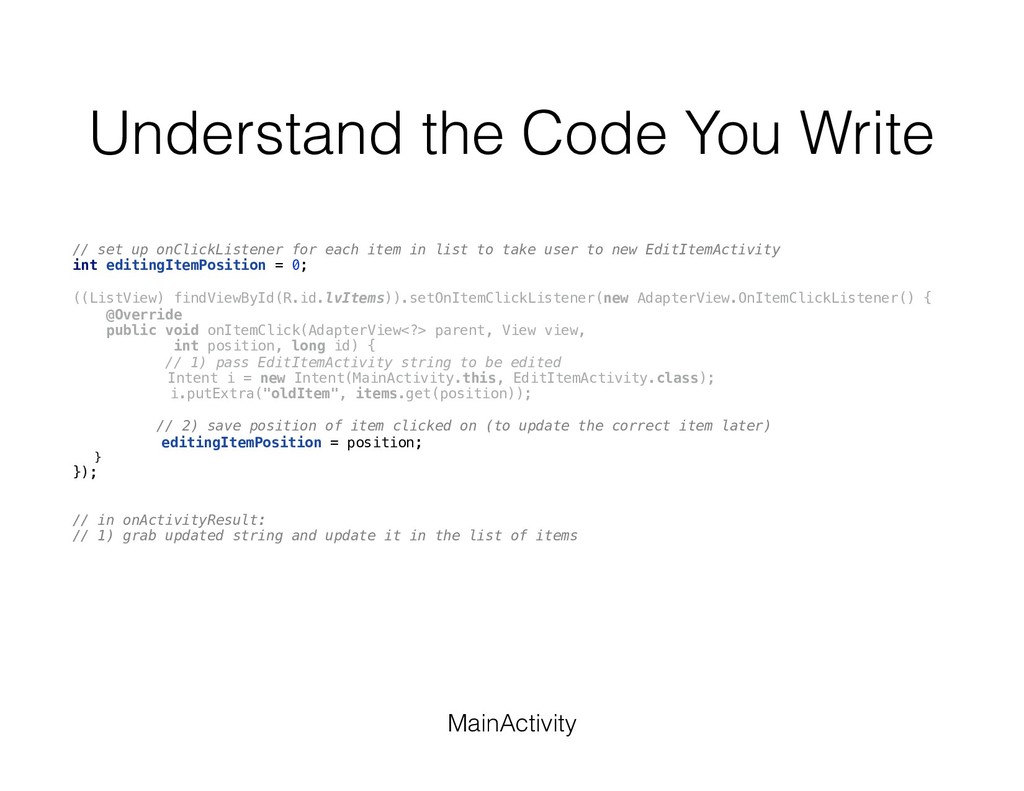
each item in list to take user to new EditItemActivity int editingItemPosition = 0; ((ListView) findViewById(R.id.lvItems)).setOnItemClickListener(new AdapterView.OnItemClickListener() { @Override public void onItemClick(AdapterView<?> parent, View view, int position, long id) { // 1) pass EditItemActivity string to be edited Intent i = new Intent(MainActivity.this, EditItemActivity.class); i.putExtra("oldItem", items.get(position)); // 2) save position of item clicked on (to update the correct item later) editingItemPosition = position; } }); // in onActivityResult: // 1) grab updated string and update it in the list of items MainActivity
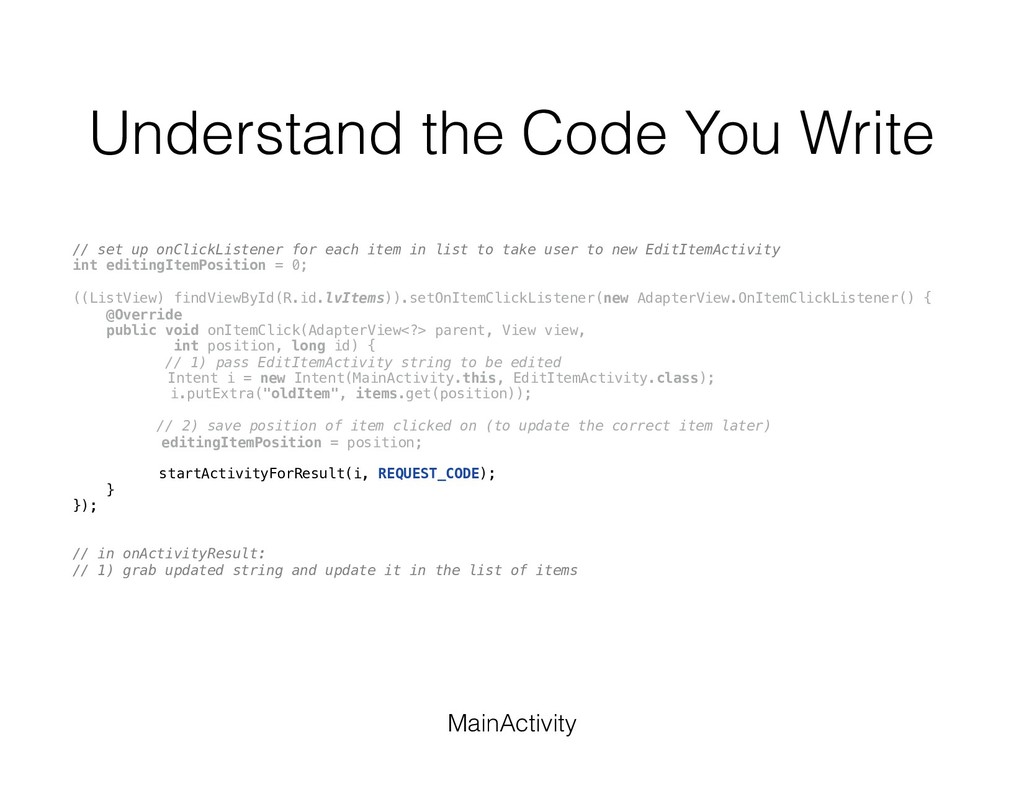
each item in list to take user to new EditItemActivity int editingItemPosition = 0; ((ListView) findViewById(R.id.lvItems)).setOnItemClickListener(new AdapterView.OnItemClickListener() { @Override public void onItemClick(AdapterView<?> parent, View view, int position, long id) { // 1) pass EditItemActivity string to be edited Intent i = new Intent(MainActivity.this, EditItemActivity.class); i.putExtra("oldItem", items.get(position)); // 2) save position of item clicked on (to update the correct item later) editingItemPosition = position; startActivityForResult(i, REQUEST_CODE); } }); // in onActivityResult: // 1) grab updated string and update it in the list of items MainActivity
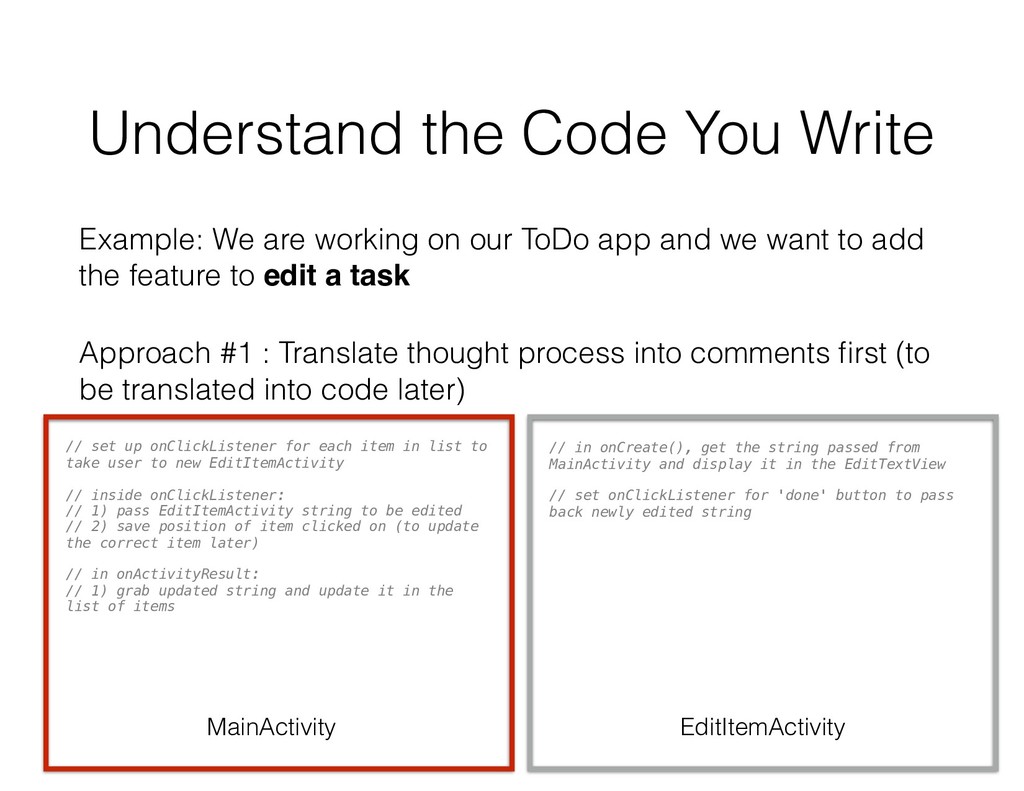
our ToDo app and we want to add the feature to edit a task Approach #1 : Translate thought process into comments first (to be translated into code later) // set up onClickListener for each item in list to take user to new EditItemActivity // inside onClickListener: // 1) pass EditItemActivity string to be edited // 2) save position of item clicked on (to update the correct item later) // in onActivityResult: // 1) grab updated string and update it in the list of items // in onCreate(), get the string passed from MainActivity and display it in the EditTextView // set onClickListener for 'done' button to pass back newly edited string MainActivity EditItemActivity
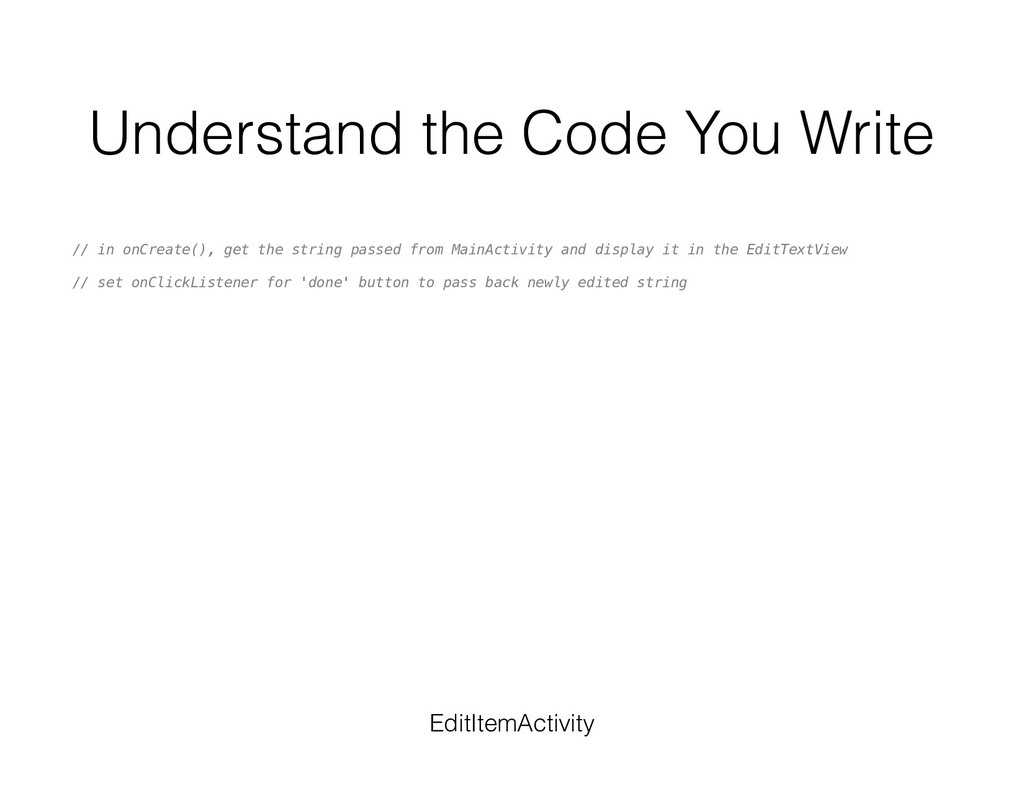
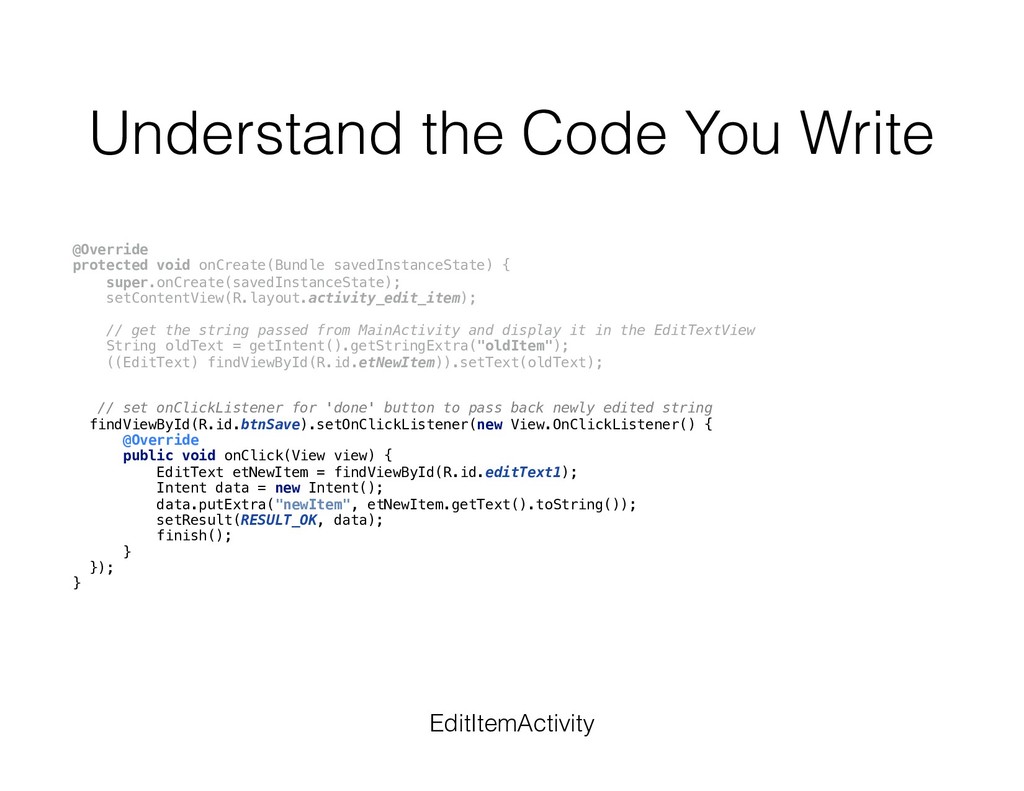
string passed from MainActivity and display it in the EditTextView // set onClickListener for 'done' button to pass back newly edited string EditItemActivity
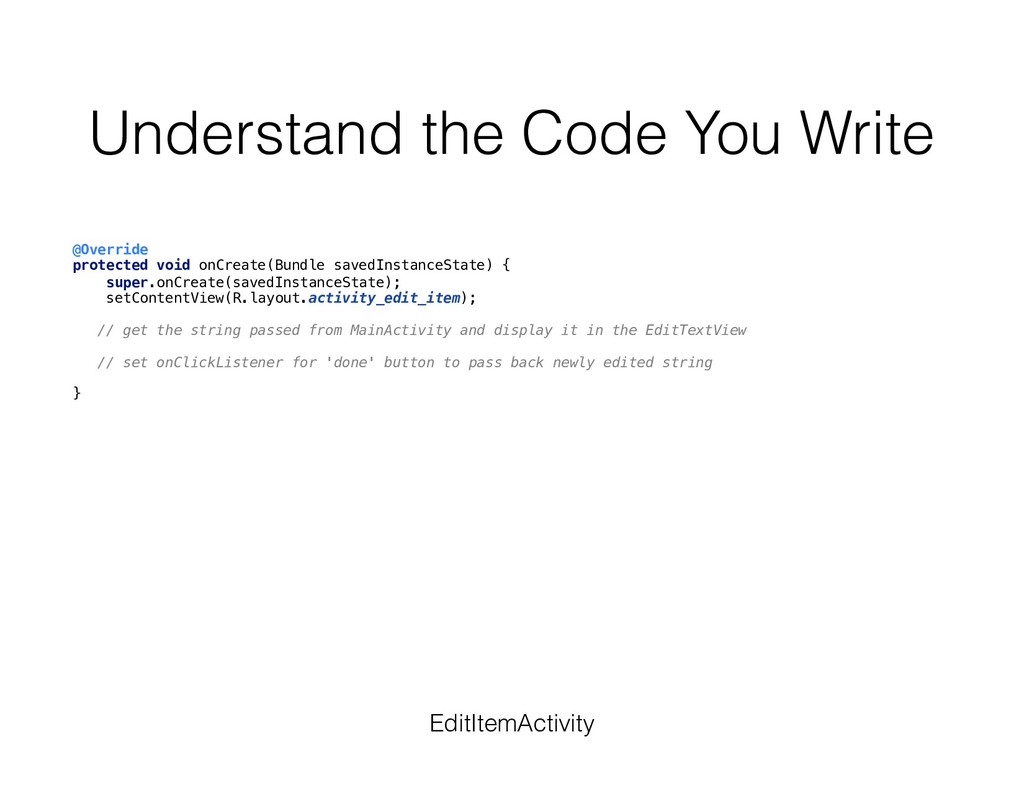
{ super.onCreate(savedInstanceState); setContentView(R.layout.activity_edit_item); // get the string passed from MainActivity and display it in the EditTextView // set onClickListener for 'done' button to pass back newly edited string } EditItemActivity
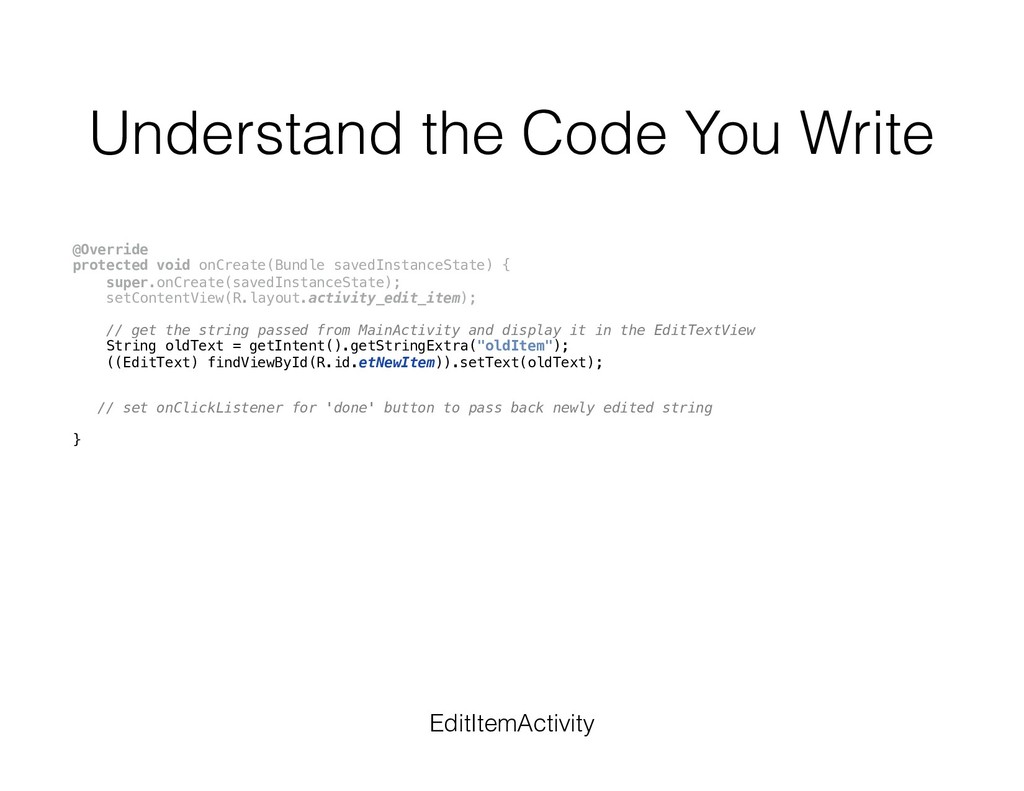
{ super.onCreate(savedInstanceState); setContentView(R.layout.activity_edit_item); // get the string passed from MainActivity and display it in the EditTextView String oldText = getIntent().getStringExtra("oldItem"); ((EditText) findViewById(R.id.etNewItem)).setText(oldText); // set onClickListener for 'done' button to pass back newly edited string } EditItemActivity
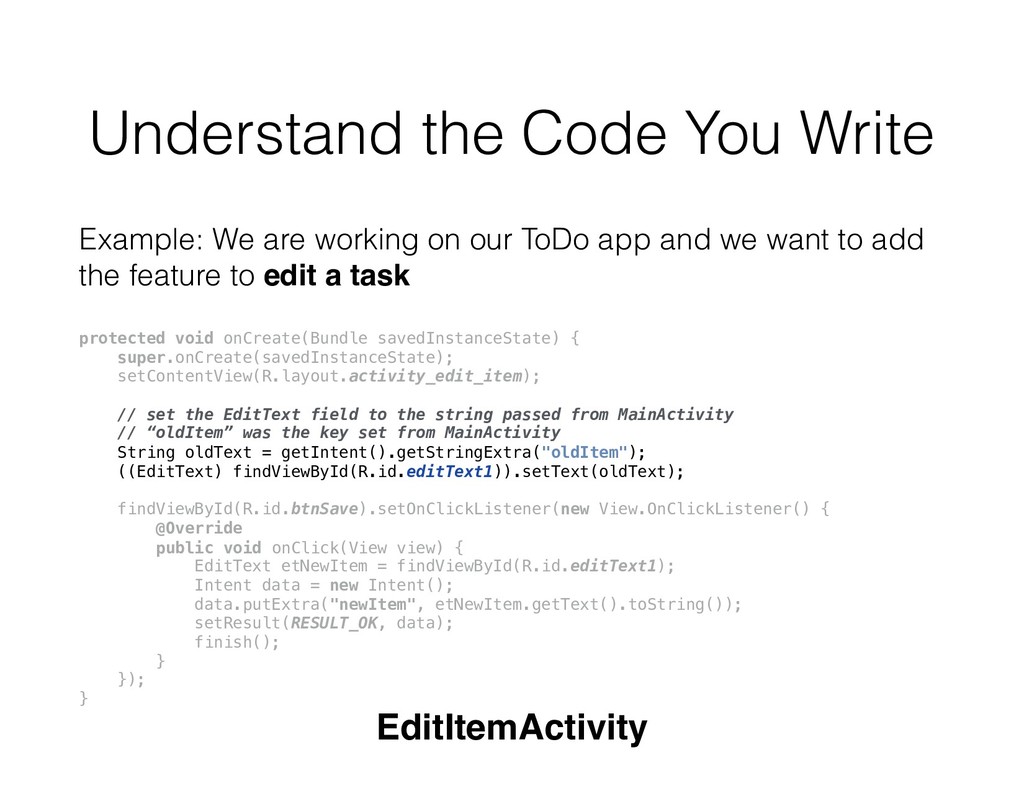
{ super.onCreate(savedInstanceState); setContentView(R.layout.activity_edit_item); // get the string passed from MainActivity and display it in the EditTextView String oldText = getIntent().getStringExtra("oldItem"); ((EditText) findViewById(R.id.etNewItem)).setText(oldText); // set onClickListener for 'done' button to pass back newly edited string findViewById(R.id.btnSave).setOnClickListener(new View.OnClickListener() { @Override public void onClick(View view) { EditText etNewItem = findViewById(R.id.editText1); Intent data = new Intent(); data.putExtra("newItem", etNewItem.getText().toString()); setResult(RESULT_OK, data); finish(); } }); } EditItemActivity
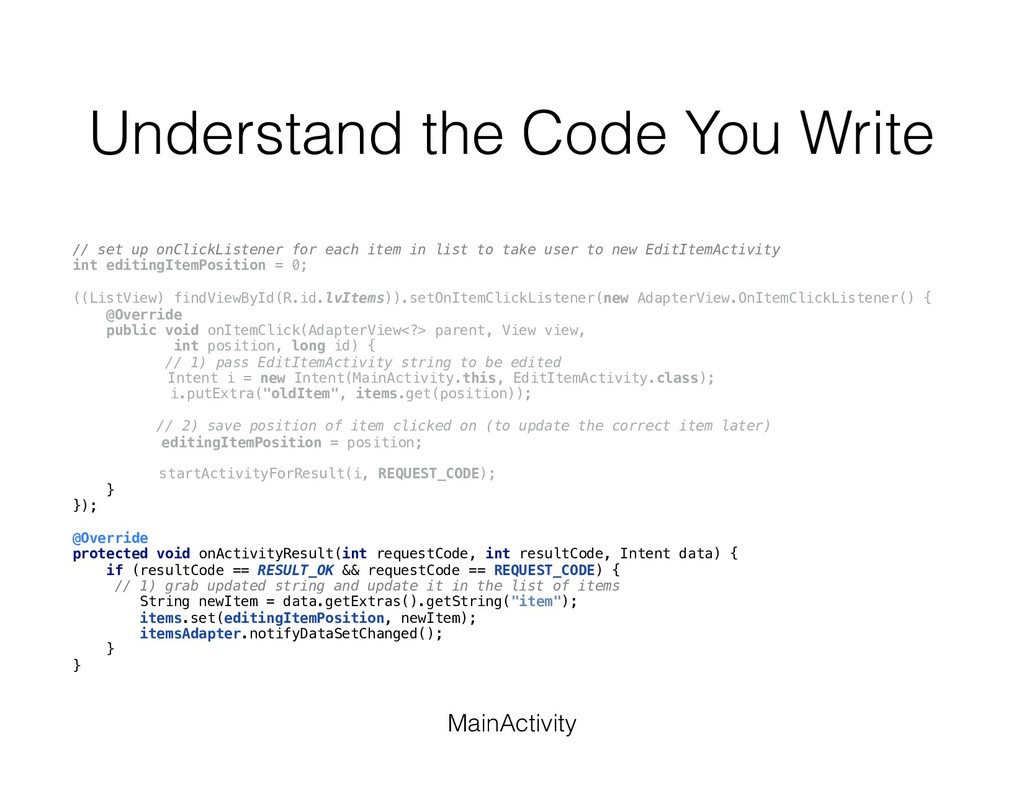
each item in list to take user to new EditItemActivity int editingItemPosition = 0; ((ListView) findViewById(R.id.lvItems)).setOnItemClickListener(new AdapterView.OnItemClickListener() { @Override public void onItemClick(AdapterView<?> parent, View view, int position, long id) { // 1) pass EditItemActivity string to be edited Intent i = new Intent(MainActivity.this, EditItemActivity.class); i.putExtra("oldItem", items.get(position)); // 2) save position of item clicked on (to update the correct item later) editingItemPosition = position; startActivityForResult(i, REQUEST_CODE); } }); // in onActivityResult: // 1) grab updated string and update it in the list of items MainActivity
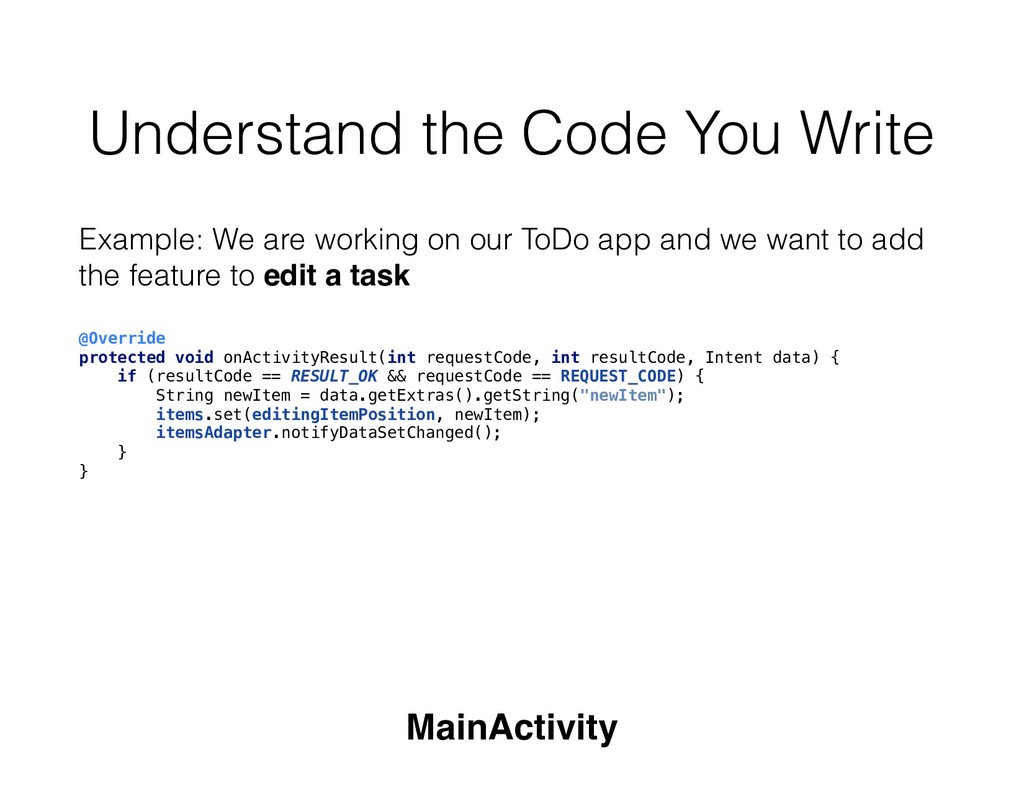
each item in list to take user to new EditItemActivity int editingItemPosition = 0; ((ListView) findViewById(R.id.lvItems)).setOnItemClickListener(new AdapterView.OnItemClickListener() { @Override public void onItemClick(AdapterView<?> parent, View view, int position, long id) { // 1) pass EditItemActivity string to be edited Intent i = new Intent(MainActivity.this, EditItemActivity.class); i.putExtra("oldItem", items.get(position)); // 2) save position of item clicked on (to update the correct item later) editingItemPosition = position; startActivityForResult(i, REQUEST_CODE); } }); @Override protected void onActivityResult(int requestCode, int resultCode, Intent data) { if (resultCode == RESULT_OK && requestCode == REQUEST_CODE) { // 1) grab updated string and update it in the list of items String newItem = data.getExtras().getString("item"); items.set(editingItemPosition, newItem); itemsAdapter.notifyDataSetChanged(); } } MainActivity
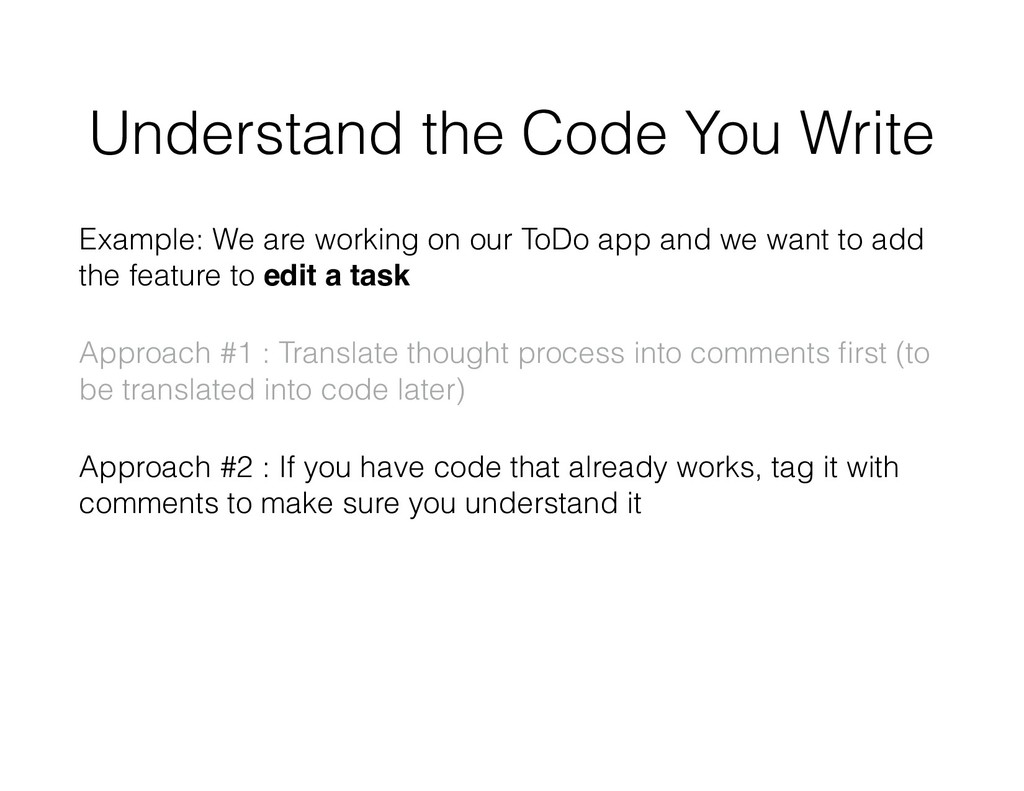
our ToDo app and we want to add the feature to edit a task Approach #1 : Translate thought process into comments first (to be translated into code later) Approach #2 : If you have code that already works, tag it with comments to make sure you understand it
our ToDo app and we want to add the feature to edit a task Approach #1 : Translate thought process into comments first (to be translated into code later) Approach #2 : If you have code that already works, tag it with comments to make sure you understand it. - if you don’t understand the code, look up guides and resources to help you bridge the gap
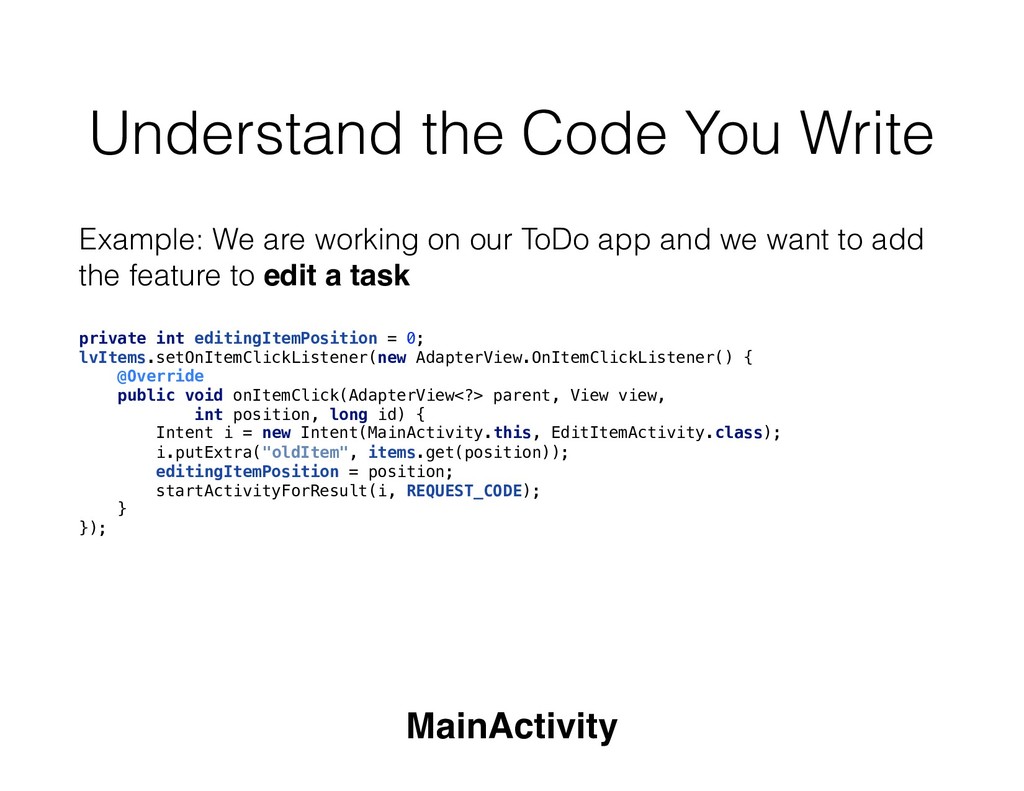
our ToDo app and we want to add the feature to edit a task private int editingItemPosition = 0; lvItems.setOnItemClickListener(new AdapterView.OnItemClickListener() { @Override public void onItemClick(AdapterView<?> parent, View view, int position, long id) { Intent i = new Intent(MainActivity.this, EditItemActivity.class); i.putExtra("oldItem", items.get(position)); editingItemPosition = position; startActivityForResult(i, REQUEST_CODE); } }); MainActivity
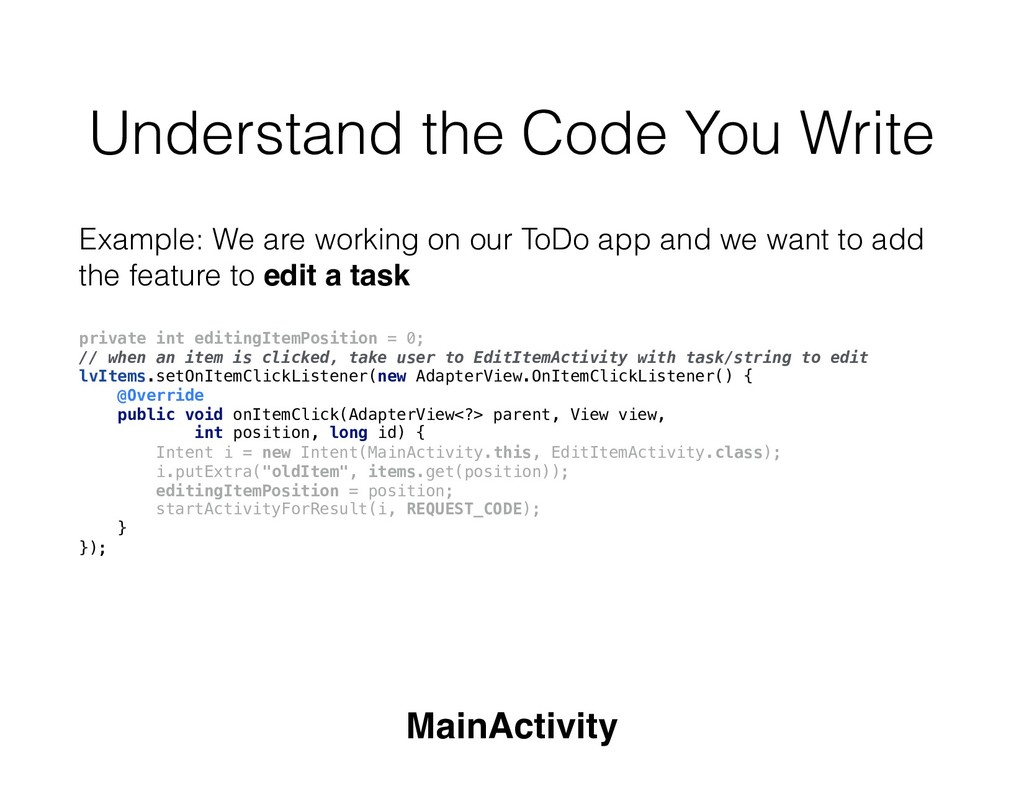
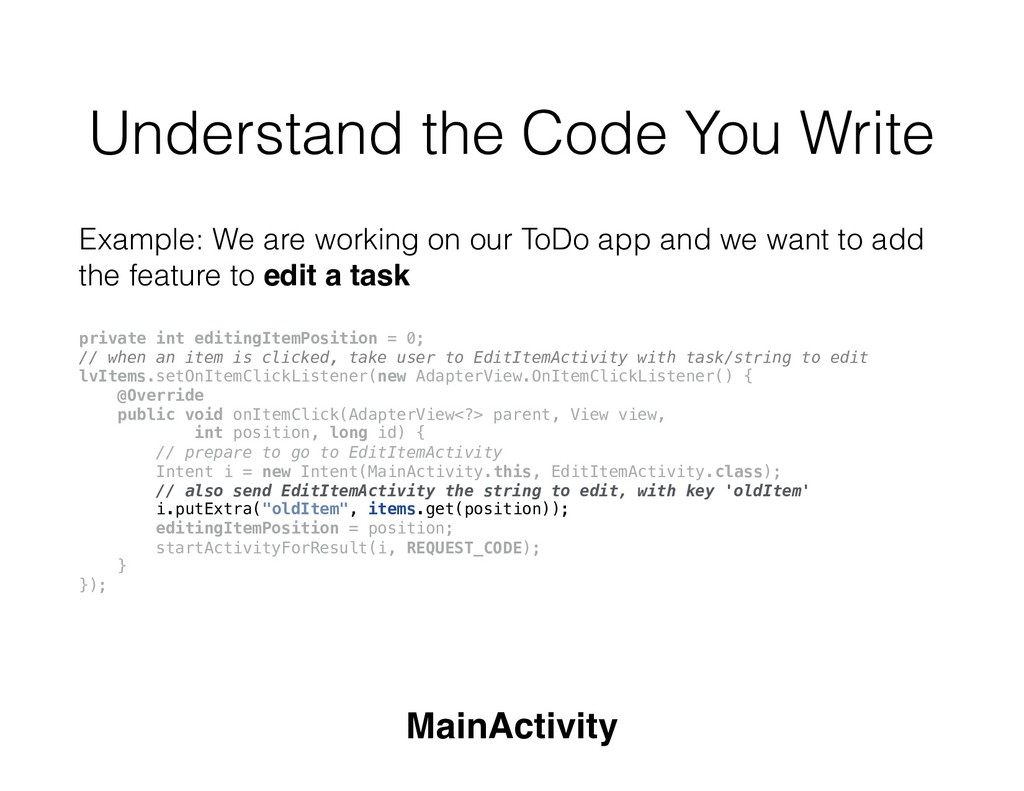
our ToDo app and we want to add the feature to edit a task private int editingItemPosition = 0; // when an item is clicked, take user to EditItemActivity with task/string to edit lvItems.setOnItemClickListener(new AdapterView.OnItemClickListener() { @Override public void onItemClick(AdapterView<?> parent, View view, int position, long id) { Intent i = new Intent(MainActivity.this, EditItemActivity.class); i.putExtra("oldItem", items.get(position)); editingItemPosition = position; startActivityForResult(i, REQUEST_CODE); } }); MainActivity
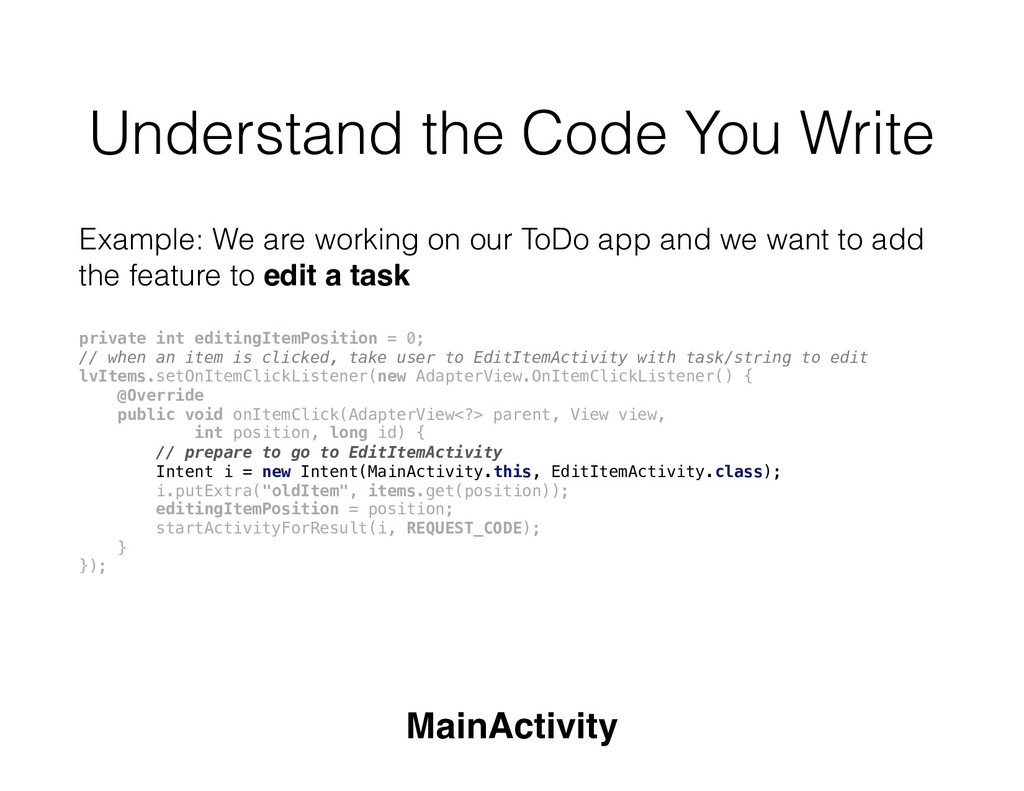
our ToDo app and we want to add the feature to edit a task private int editingItemPosition = 0; // when an item is clicked, take user to EditItemActivity with task/string to edit lvItems.setOnItemClickListener(new AdapterView.OnItemClickListener() { @Override public void onItemClick(AdapterView<?> parent, View view, int position, long id) { // prepare to go to EditItemActivity Intent i = new Intent(MainActivity.this, EditItemActivity.class); i.putExtra("oldItem", items.get(position)); editingItemPosition = position; startActivityForResult(i, REQUEST_CODE); } }); MainActivity
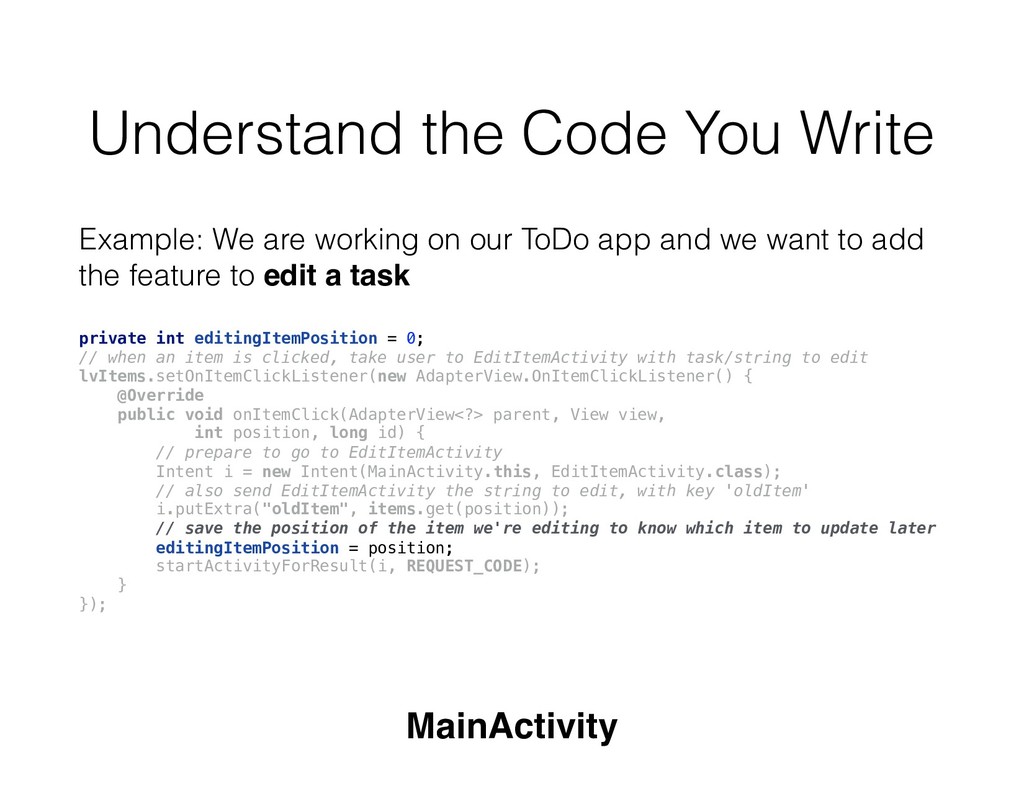
our ToDo app and we want to add the feature to edit a task private int editingItemPosition = 0; // when an item is clicked, take user to EditItemActivity with task/string to edit lvItems.setOnItemClickListener(new AdapterView.OnItemClickListener() { @Override public void onItemClick(AdapterView<?> parent, View view, int position, long id) { // prepare to go to EditItemActivity Intent i = new Intent(MainActivity.this, EditItemActivity.class); // also send EditItemActivity the string to edit, with key 'oldItem' i.putExtra("oldItem", items.get(position)); editingItemPosition = position; startActivityForResult(i, REQUEST_CODE); } }); MainActivity
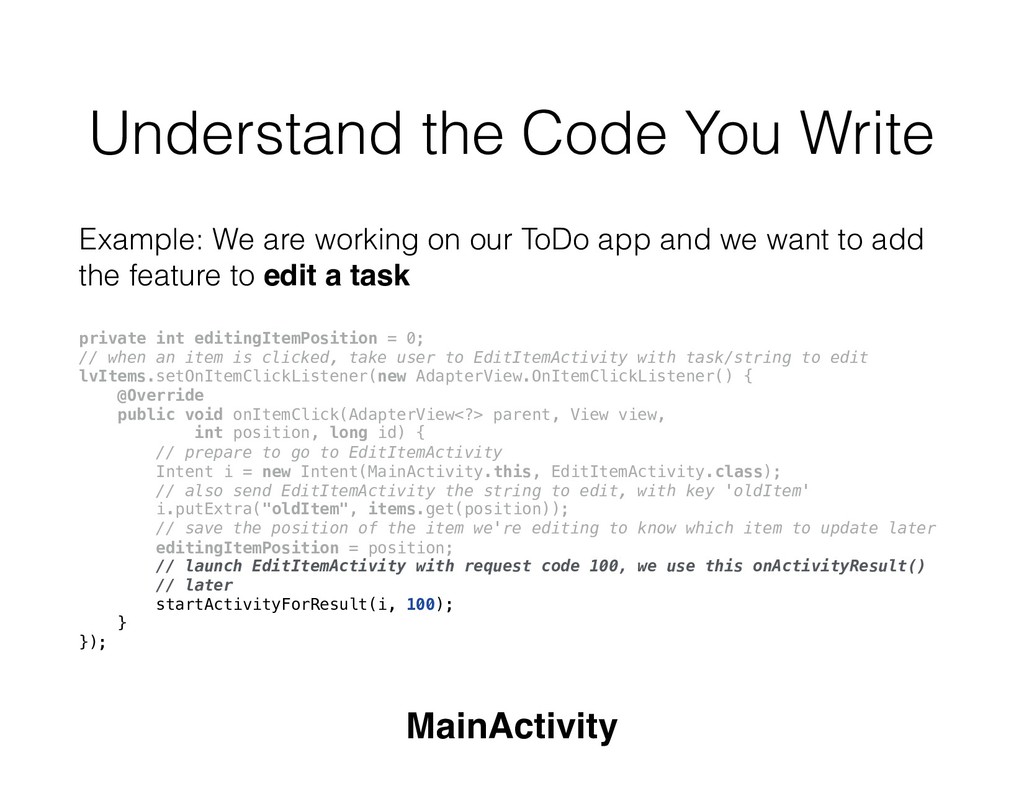
our ToDo app and we want to add the feature to edit a task private int editingItemPosition = 0; // when an item is clicked, take user to EditItemActivity with task/string to edit lvItems.setOnItemClickListener(new AdapterView.OnItemClickListener() { @Override public void onItemClick(AdapterView<?> parent, View view, int position, long id) { // prepare to go to EditItemActivity Intent i = new Intent(MainActivity.this, EditItemActivity.class); // also send EditItemActivity the string to edit, with key 'oldItem' i.putExtra("oldItem", items.get(position)); // save the position of the item we're editing to know which item to update later editingItemPosition = position; startActivityForResult(i, REQUEST_CODE); } }); MainActivity
our ToDo app and we want to add the feature to edit a task private int editingItemPosition = 0; // when an item is clicked, take user to EditItemActivity with task/string to edit lvItems.setOnItemClickListener(new AdapterView.OnItemClickListener() { @Override public void onItemClick(AdapterView<?> parent, View view, int position, long id) { // prepare to go to EditItemActivity Intent i = new Intent(MainActivity.this, EditItemActivity.class); // also send EditItemActivity the string to edit, with key 'oldItem' i.putExtra("oldItem", items.get(position)); // save the position of the item we're editing to know which item to update later editingItemPosition = position; // launch EditItemActivity with request code 100, we use this onActivityResult() // later startActivityForResult(i, 100); } }); MainActivity
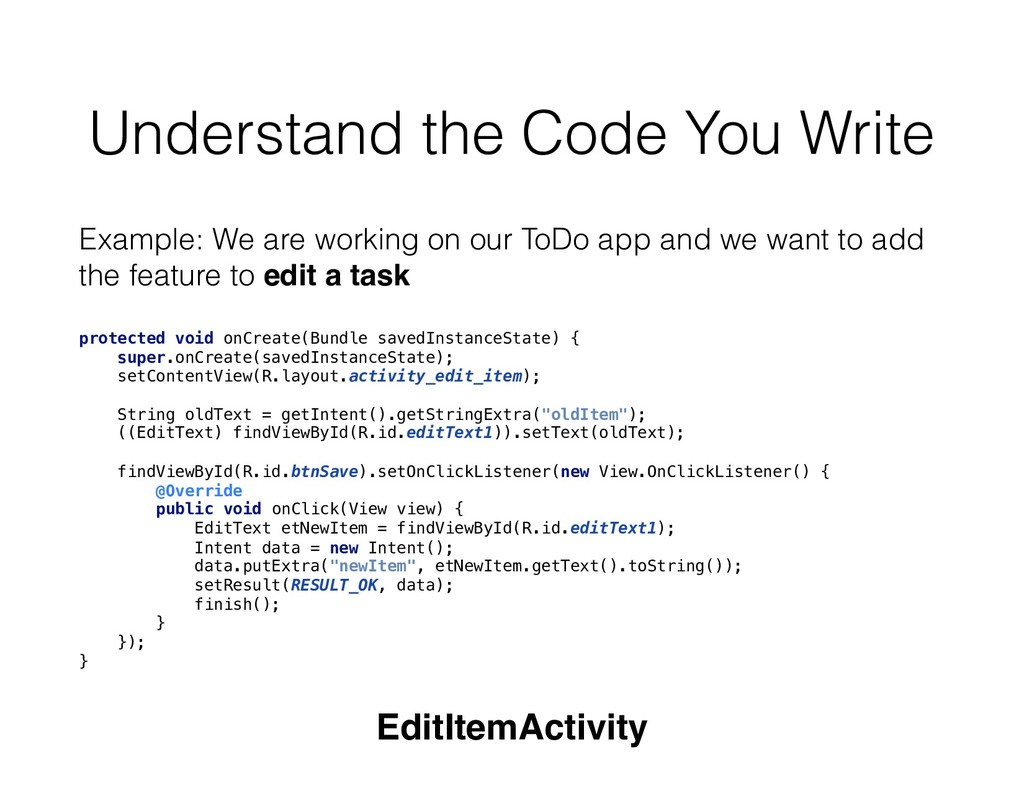
our ToDo app and we want to add the feature to edit a task protected void onCreate(Bundle savedInstanceState) { super.onCreate(savedInstanceState); setContentView(R.layout.activity_edit_item); // set the EditText field to the string passed from MainActivity // “oldItem” was the key set from MainActivity String oldText = getIntent().getStringExtra("oldItem"); ((EditText) findViewById(R.id.editText1)).setText(oldText); findViewById(R.id.btnSave).setOnClickListener(new View.OnClickListener() { @Override public void onClick(View view) { EditText etNewItem = findViewById(R.id.editText1); Intent data = new Intent(); data.putExtra("newItem", etNewItem.getText().toString()); setResult(RESULT_OK, data); finish(); } }); } EditItemActivity
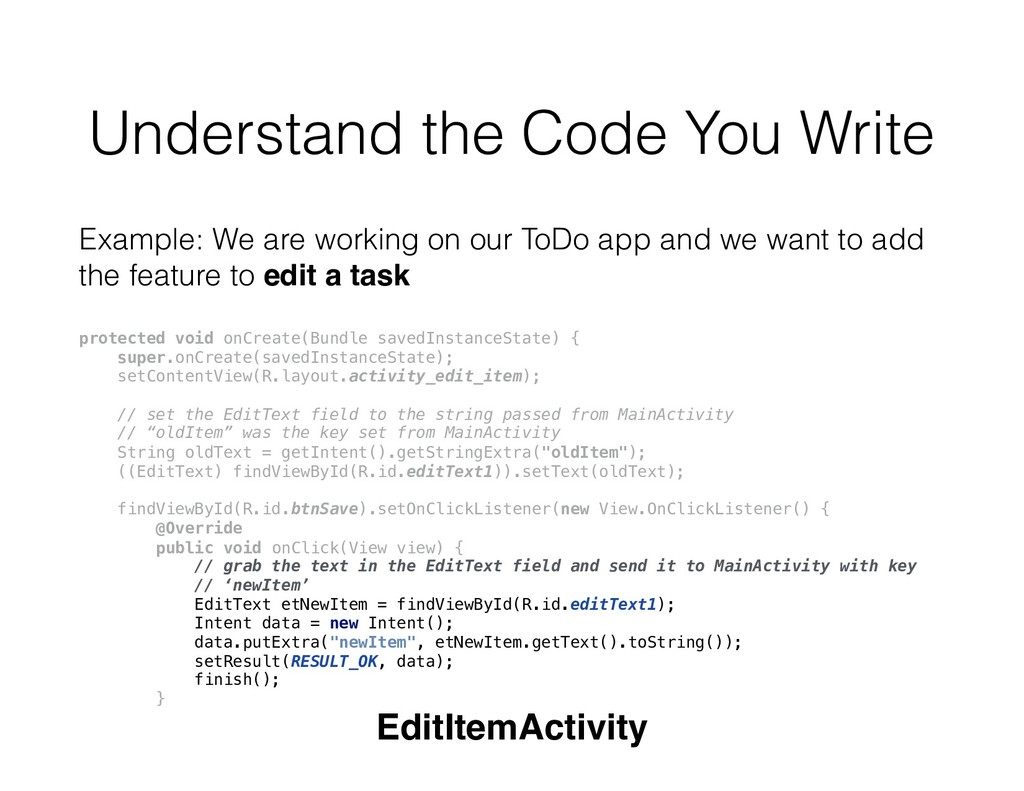
our ToDo app and we want to add the feature to edit a task protected void onCreate(Bundle savedInstanceState) { super.onCreate(savedInstanceState); setContentView(R.layout.activity_edit_item); // set the EditText field to the string passed from MainActivity // “oldItem” was the key set from MainActivity String oldText = getIntent().getStringExtra("oldItem"); ((EditText) findViewById(R.id.editText1)).setText(oldText); findViewById(R.id.btnSave).setOnClickListener(new View.OnClickListener() { @Override public void onClick(View view) { // grab the text in the EditText field and send it to MainActivity with key // ‘newItem’ EditText etNewItem = findViewById(R.id.editText1); Intent data = new Intent(); data.putExtra("newItem", etNewItem.getText().toString()); setResult(RESULT_OK, data); finish(); } EditItemActivity
our ToDo app and we want to add the feature to edit a task @Override protected void onActivityResult(int requestCode, int resultCode, Intent data) { if (resultCode == RESULT_OK && requestCode == REQUEST_CODE) { String newItem = data.getExtras().getString("newItem"); items.set(editingItemPosition, newItem); itemsAdapter.notifyDataSetChanged(); } } MainActivity
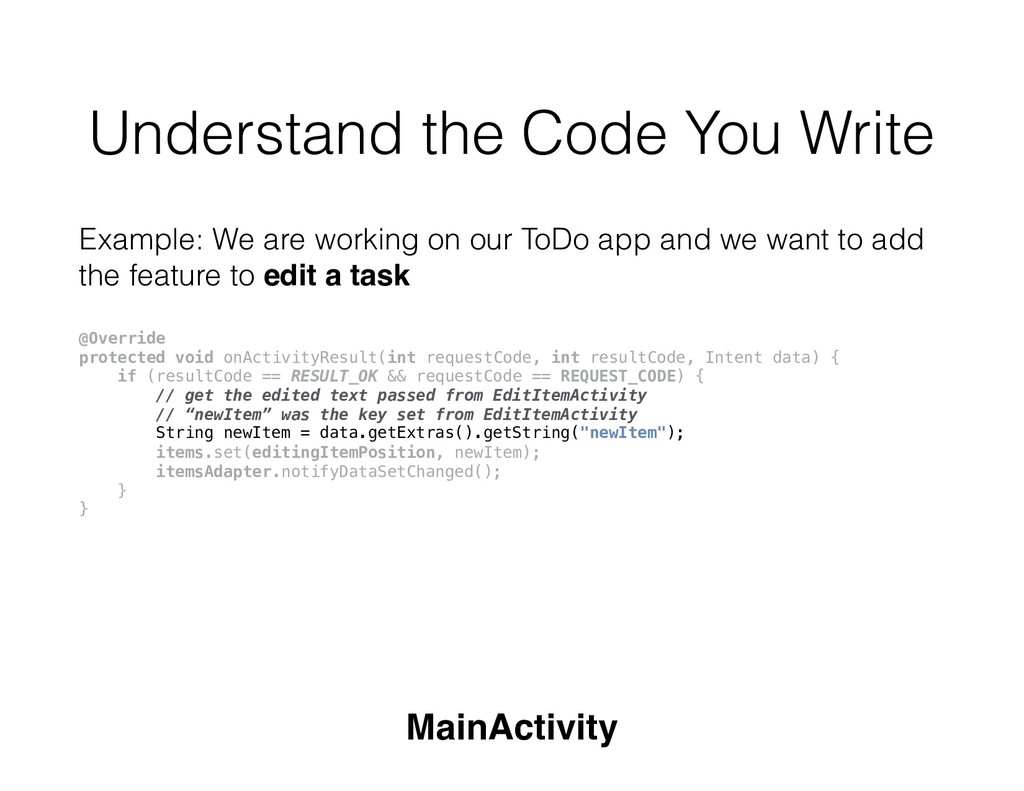
our ToDo app and we want to add the feature to edit a task @Override protected void onActivityResult(int requestCode, int resultCode, Intent data) { if (resultCode == RESULT_OK && requestCode == REQUEST_CODE) { // get the edited text passed from EditItemActivity // “newItem” was the key set from EditItemActivity String newItem = data.getExtras().getString("newItem"); items.set(editingItemPosition, newItem); itemsAdapter.notifyDataSetChanged(); } } MainActivity
our ToDo app and we want to add the feature to edit a task @Override protected void onActivityResult(int requestCode, int resultCode, Intent data) { if (resultCode == RESULT_OK && requestCode == REQUEST_CODE) { // get the edited text passed from EditItemActivity // “newItem” was the key set from EditItemActivity String newItem = data.getExtras().getString(“newItem"); // update the appropriate item with the position we saved earlier items.set(editingItemPosition, newItem); itemsAdapter.notifyDataSetChanged(); } } MainActivity
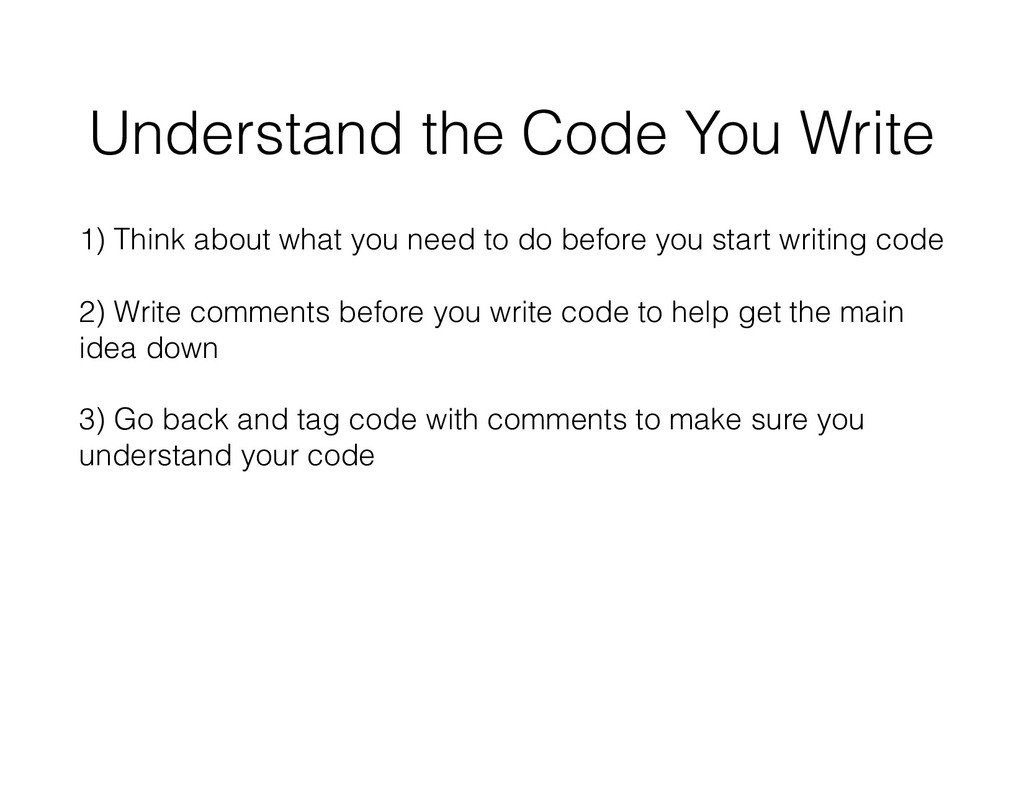
need to do before you start writing code 2) Write comments before you write code to help get the main idea down 3) Go back and tag code with comments to make sure you understand your code
leveraging support It’s not worth being stuck for more than an hour: ask your classmates or post for help Help people help you: Don’t say ‘My app doesn’t work’
leveraging support It’s not worth being stuck for more than an hour: ask your classmates or post for help Help people help you: Don’t say ‘My app doesn’t work’ - specific explanation of what you are trying to do and what happened instead
leveraging support It’s not worth being stuck for more than an hour: ask your classmates or post for help Help people help you: Don’t say ‘My app doesn’t work’ - specific explanation of what you are trying to do and what happened instead - include stack trace if there’s a crash and screenshots of the relevant code
leveraging support It’s not worth being stuck for more than an hour: ask your classmates or post for help Help people help you: Don’t say ‘My app doesn’t work’ - specific explanation of what you are trying to do and what happened instead - include stack trace if there’s a crash and screenshots of the relevant code - knowing how and when to ask for help is a vital skill not just in school, but also in the workplace
want to add the feature to edit a task, but once we click on an item to edit it, our app crashes Bad way to ask for help: “My app is crashing” (we have no context and no idea how to help) Asking for help
want to add the feature to edit a task, but once we click on an item to edit it, our app crashes Bad way to ask for help #2: “My app is crashing when I click on an item to edit it” (we have no idea why it may be crashing) Asking for help
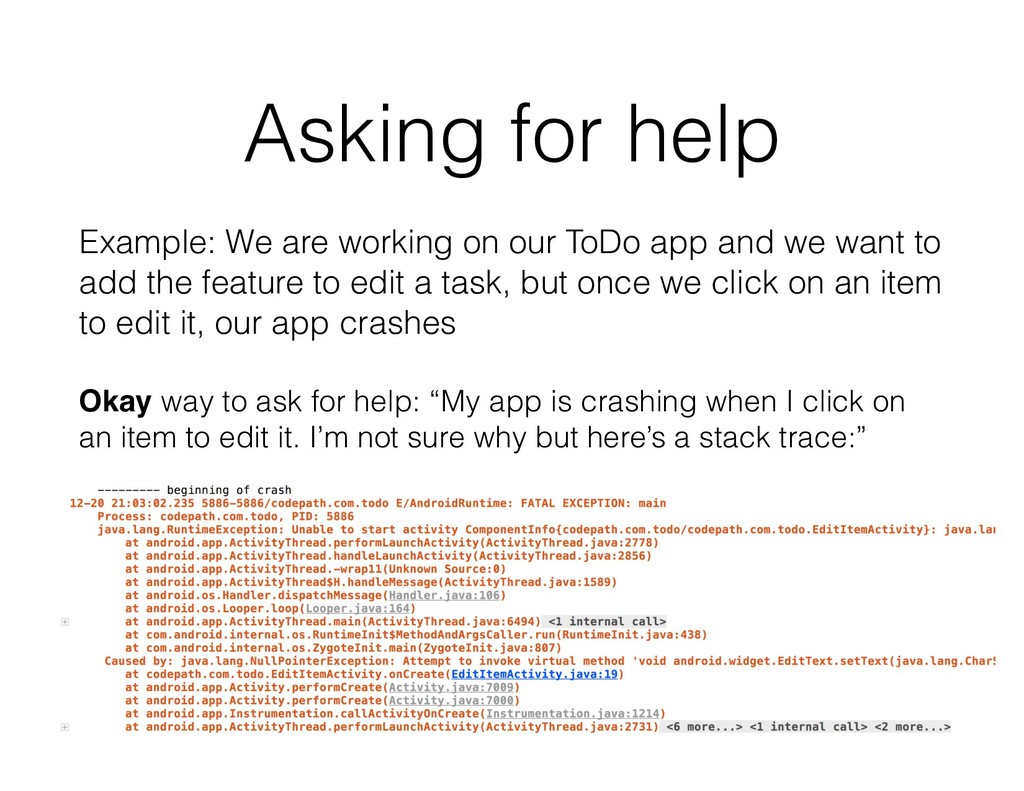
want to add the feature to edit a task, but once we click on an item to edit it, our app crashes Okay way to ask for help: “My app is crashing when I click on an item to edit it. I’m not sure why but here’s a stack trace:” Asking for help
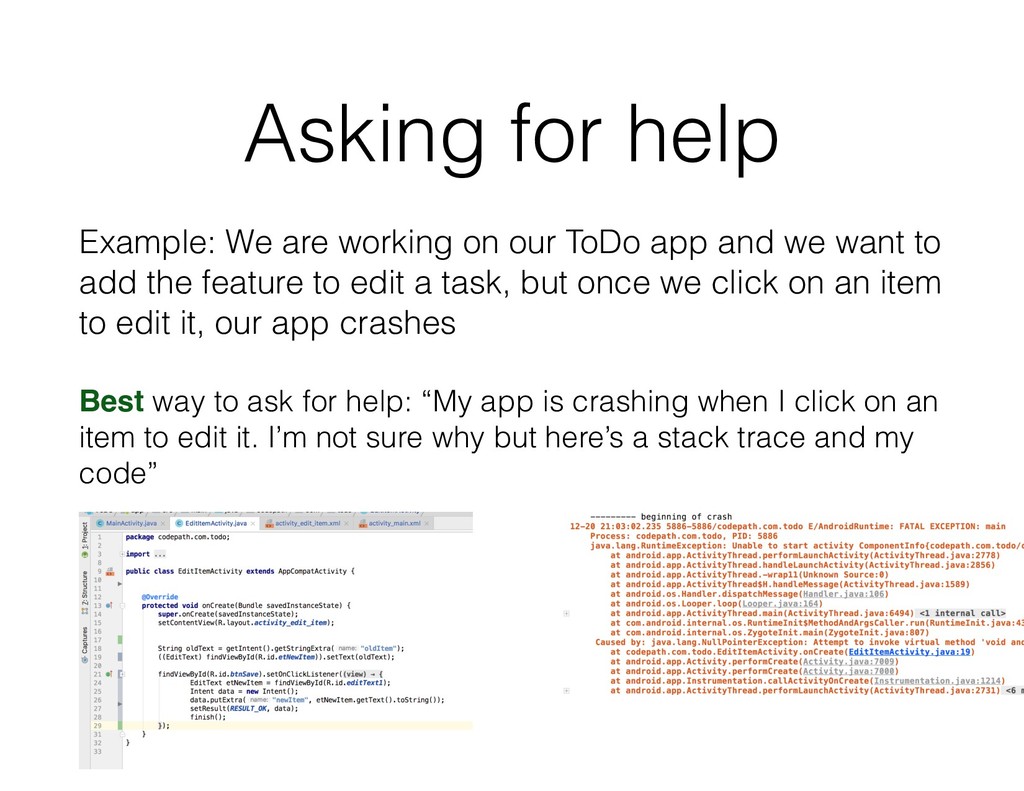
want to add the feature to edit a task, but once we click on an item to edit it, our app crashes Best way to ask for help: “My app is crashing when I click on an item to edit it. I’m not sure why but here’s a stack trace and my code” Asking for help
we want to add the feature to edit a task, and now we have everything set up, but when we go back to our MainActivity, the edit is not there Asking for help
we want to add the feature to edit a task, and now we have everything set up, but when we go back to our MainActivity, the edit is not there Bad way to ask for help: “My app doesn’t work” (it doesn’t tell us in what way it doesn’t work) Asking for help
we want to add the feature to edit a task, and now we have everything set up, but when we go back to our MainActivity, the edit is not there Bad way to ask for help #2: “My app doesn’t edit a task correctly” (it doesn’t give any context about what you’ve tried or how you’ve implemented the feature, so we have no idea what may have went wrong) Asking for help
we want to add the feature to edit a task, and now we have everything set up, but when we go back to our MainActivity, the edit is not there Bad way to ask for help #3: “My app doesn’t edit a task correctly, and here’s what I have so far (attached screenshot)” (without seeing the other code in EditItemActivity, it’s hard to see what may have went wrong) Asking for help
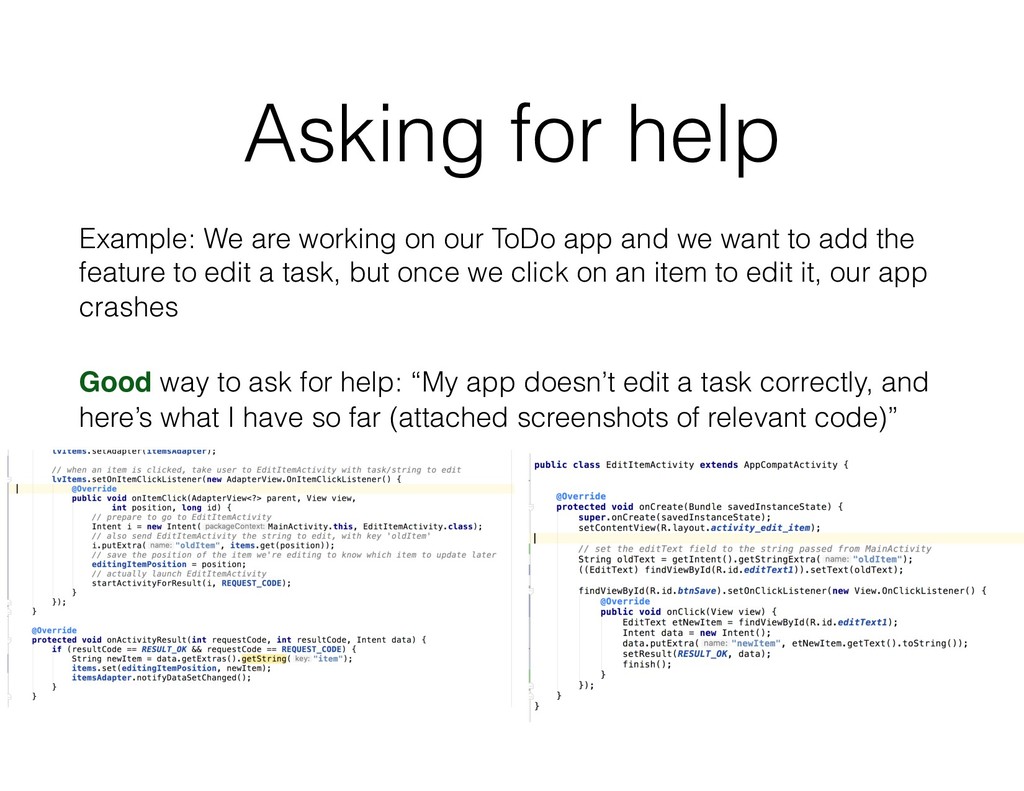
want to add the feature to edit a task, but once we click on an item to edit it, our app crashes Good way to ask for help: “My app doesn’t edit a task correctly, and here’s what I have so far (attached screenshots of relevant code)” Asking for help
want to add the feature to edit a task, but once we click on an item to edit it, our app crashes Good way to ask for help #2: “My app doesn’t edit a task correctly, and I’m not sure what’s wrong, but here’s the link to my repo: https://github.com/calren/ToDoAppDemo Asking for help
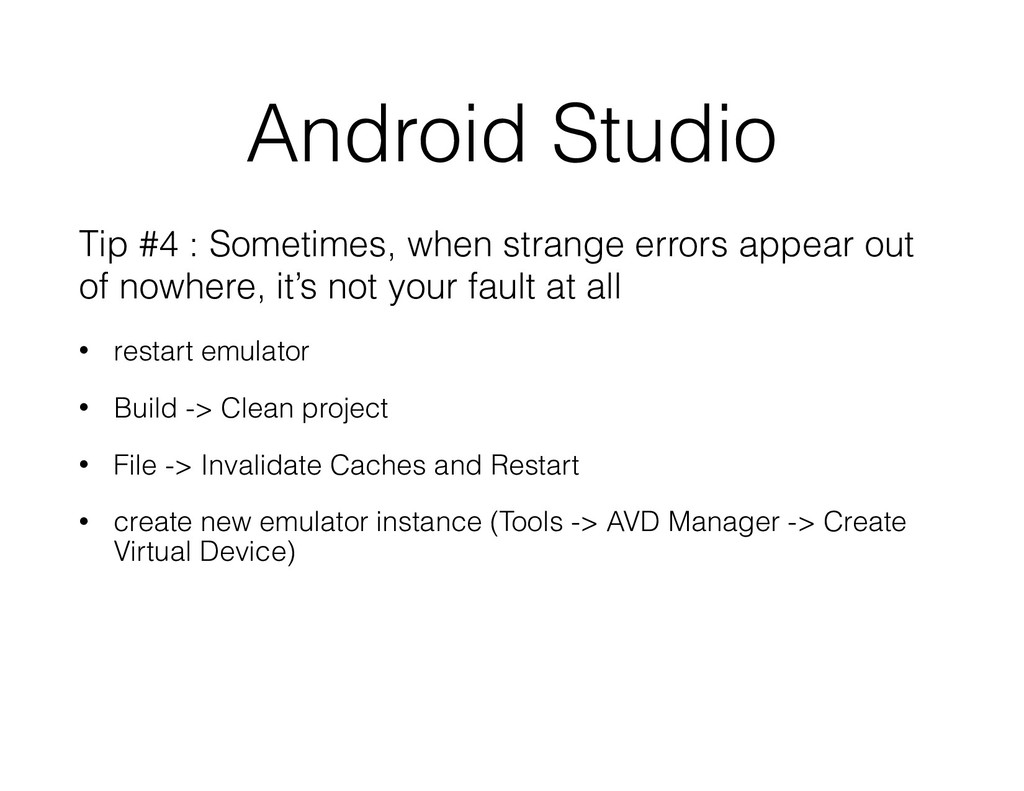
out of nowhere, it’s not your fault at all • restart emulator • Build -> Clean project • File -> Invalidate Caches and Restart • create new emulator instance (Tools -> AVD Manager -> Create Virtual Device)

 Your Podcast. Everywhere. Effortlessly.


 calren
 mraible
 kimpetersen
 sarafernandez
 katarinadahlin
 samtorres
 dugsong
 hannesfritz
 lara
lara
 takai
takai
 ipullrank
 skipperchong
 jonoalderson