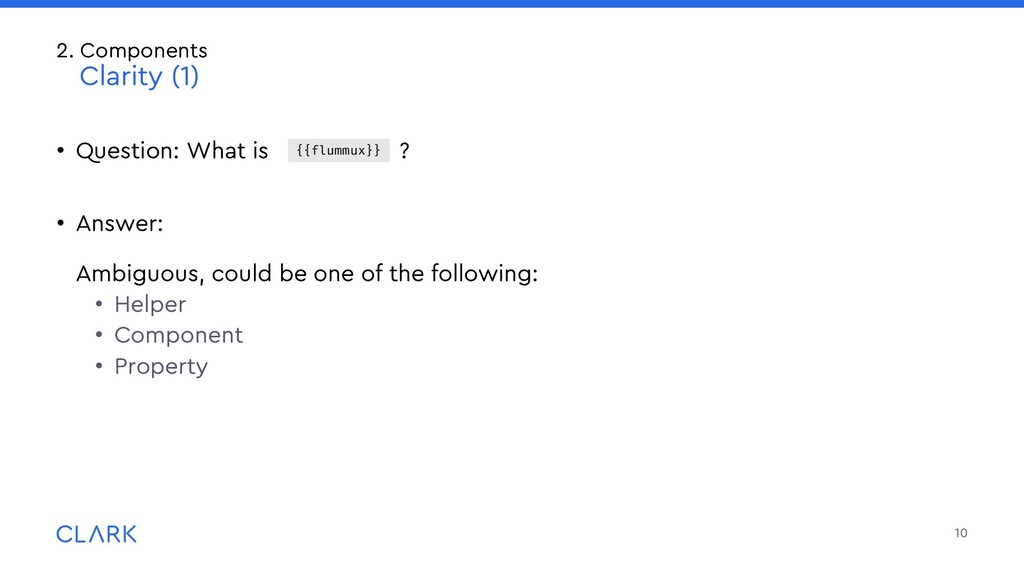
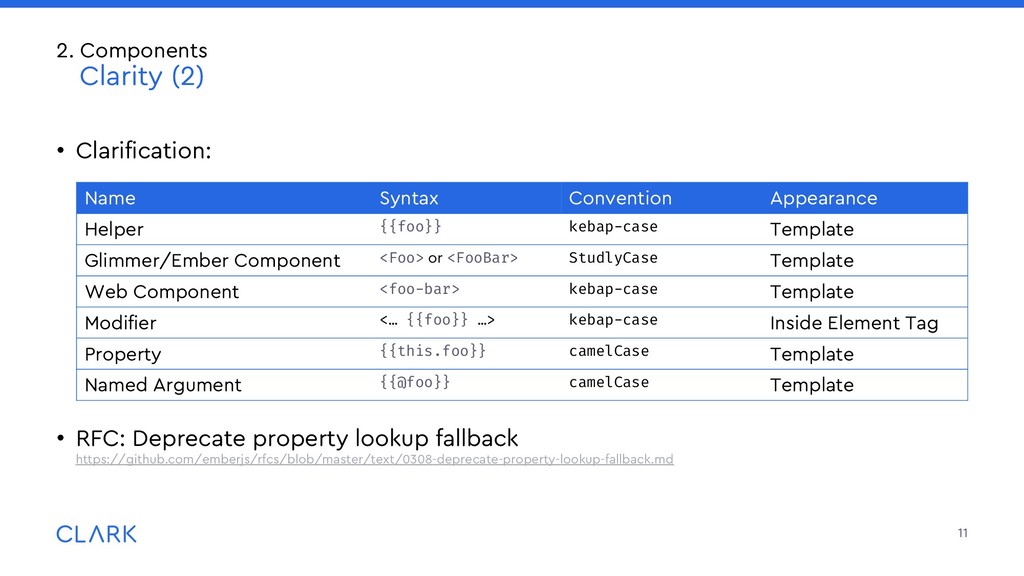
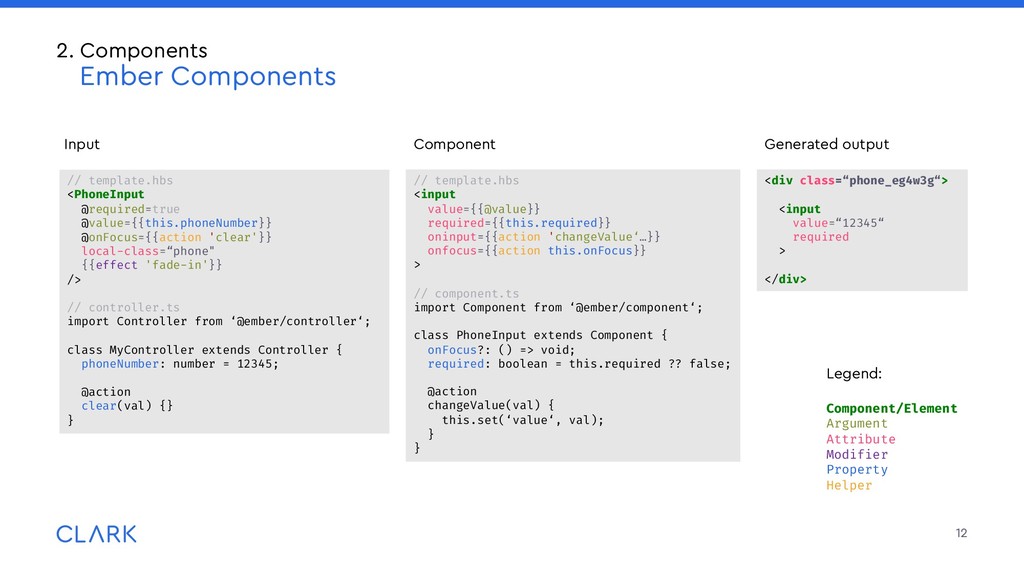
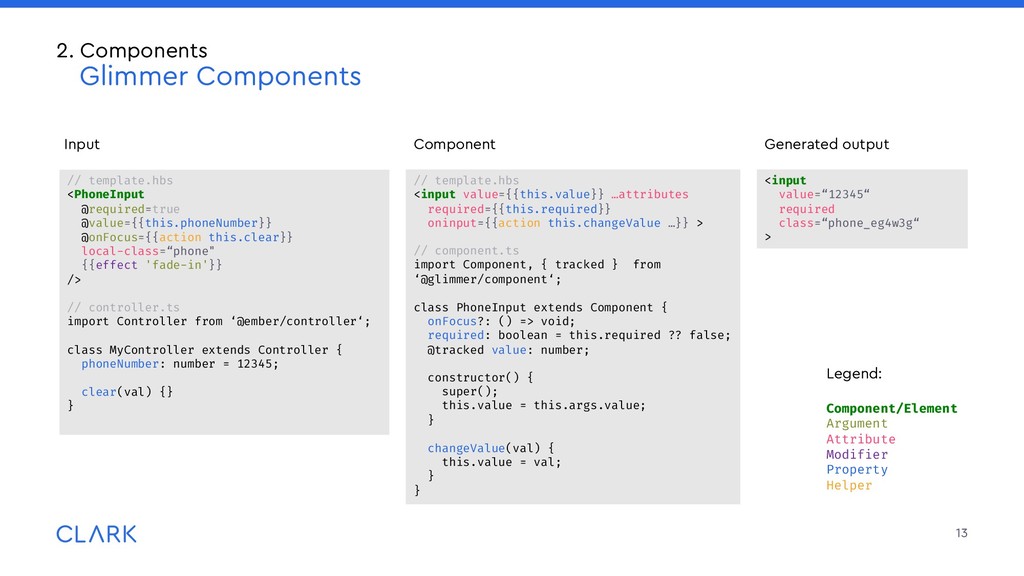
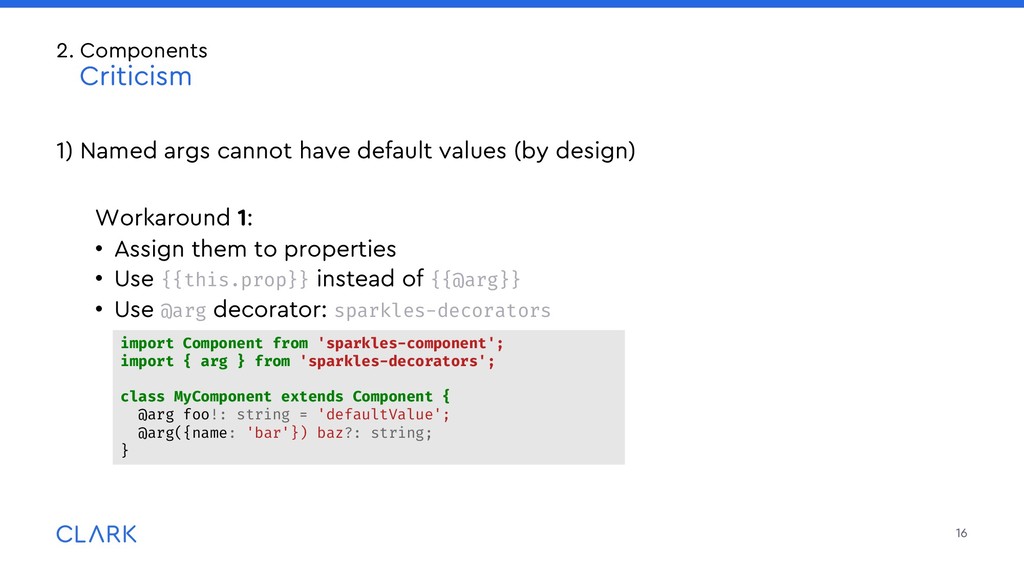
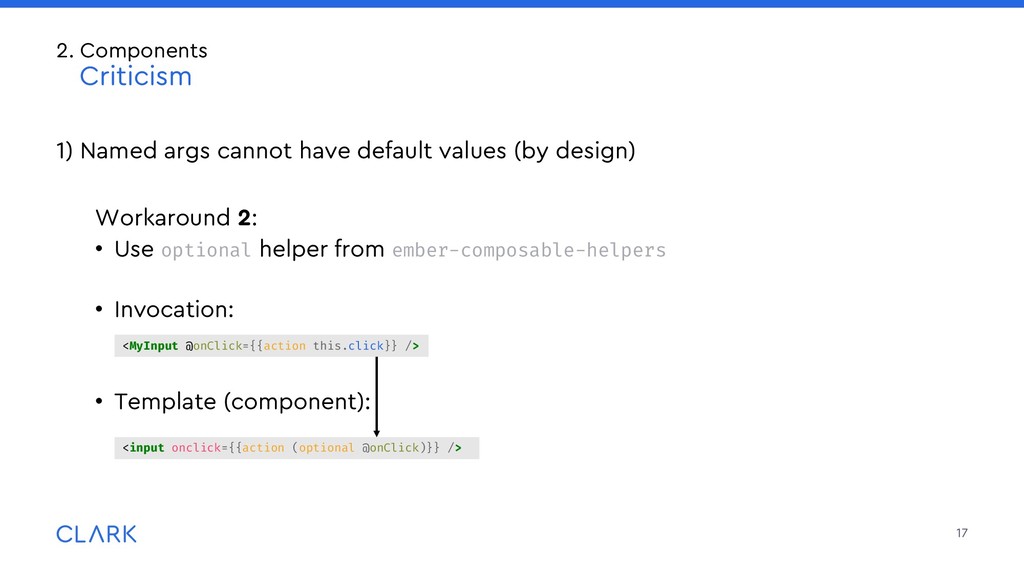
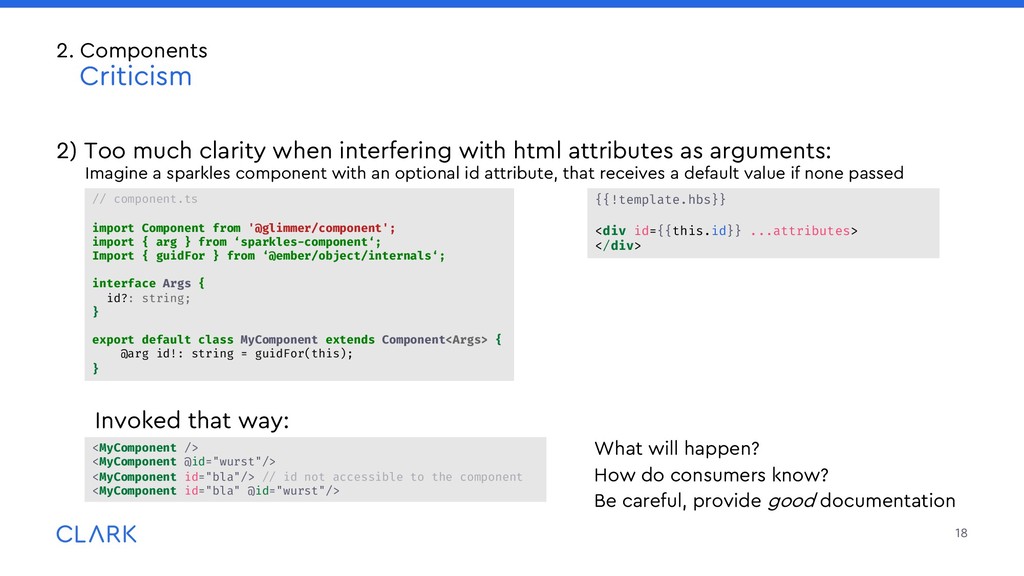
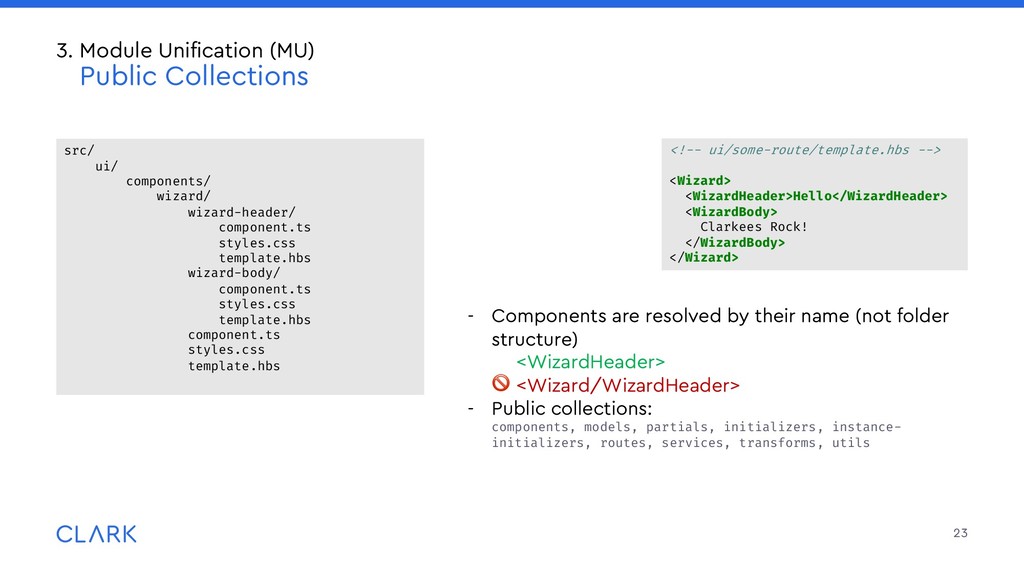
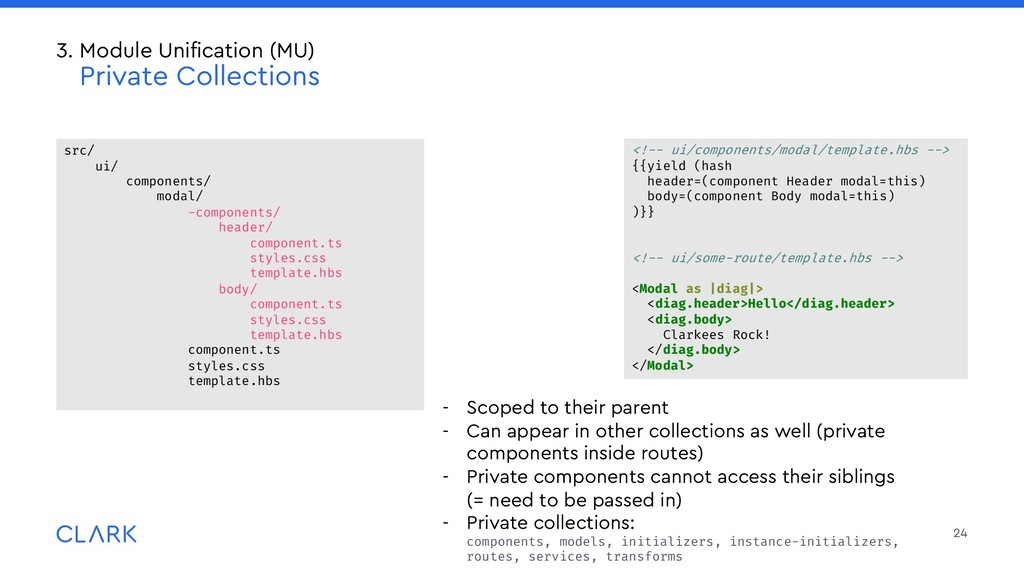
arguments: Imagine a sparkles component with an optional id attribute, that receives a default value if none passed Invoked that way: What will happen? How do consumers know? Be careful, provide good documentation 18 2. Components Criticism <MyComponent /> <MyComponent @id="wurst"/> <MyComponent id="bla"/> // id not accessible to the component <MyComponent id="bla" @id="wurst"/> {{!template.hbs}} <div id={{this.id}} ...attributes> </div> // component.ts import Component from '@glimmer/component'; import { arg } from ‘sparkles-component‘; Import { guidFor } from ‘@ember/object/internals‘; interface Args { id?: string; } export default class MyComponent extends Component<Args> { @arg id!: string = guidFor(this); }
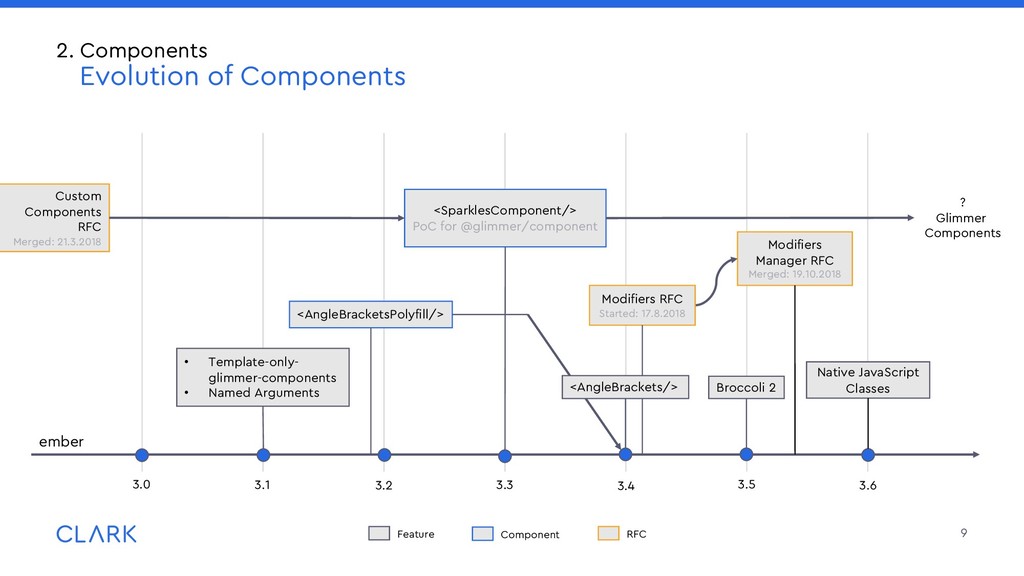
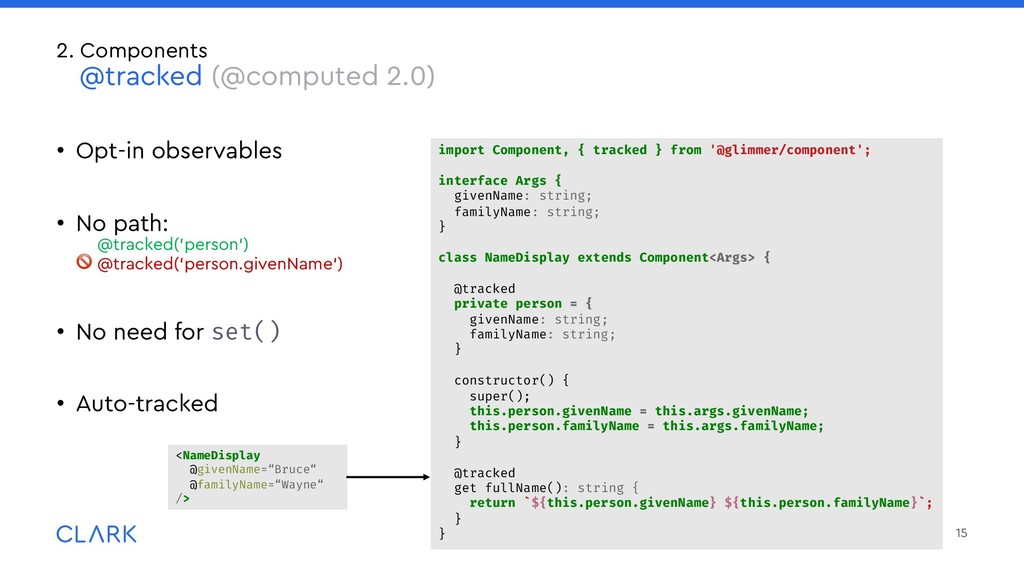
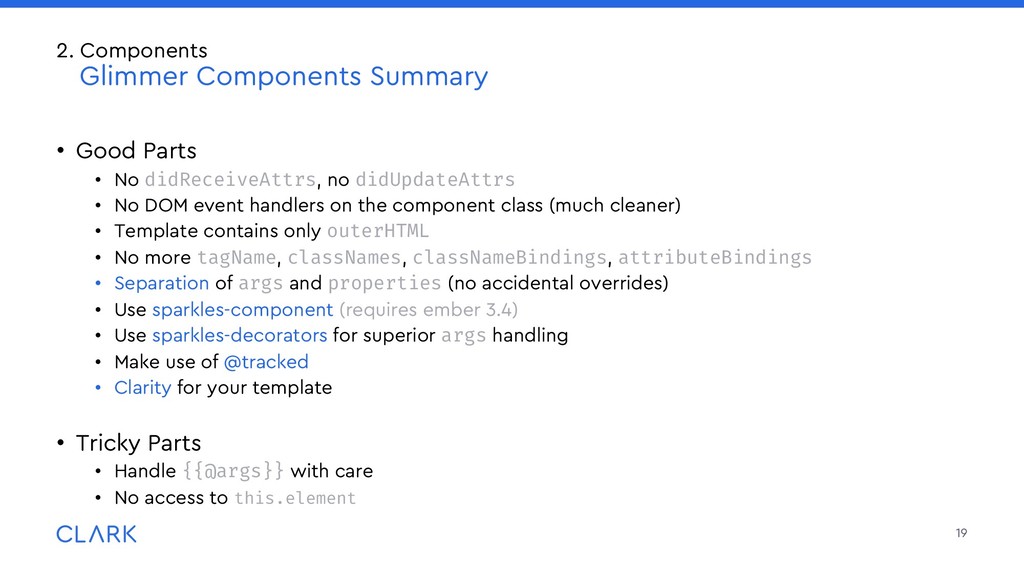
DOM event handlers on the component class (much cleaner) • Template contains only outerHTML • No more tagName, classNames, classNameBindings, attributeBindings • Separation of args and properties (no accidental overrides) • Use sparkles-component (requires ember 3.4) • Use sparkles-decorators for superior args handling • Make use of @tracked • Clarity for your template • Tricky Parts • Handle {{@args}} with care • No access to this.element 19 2. Components Glimmer Components Summary
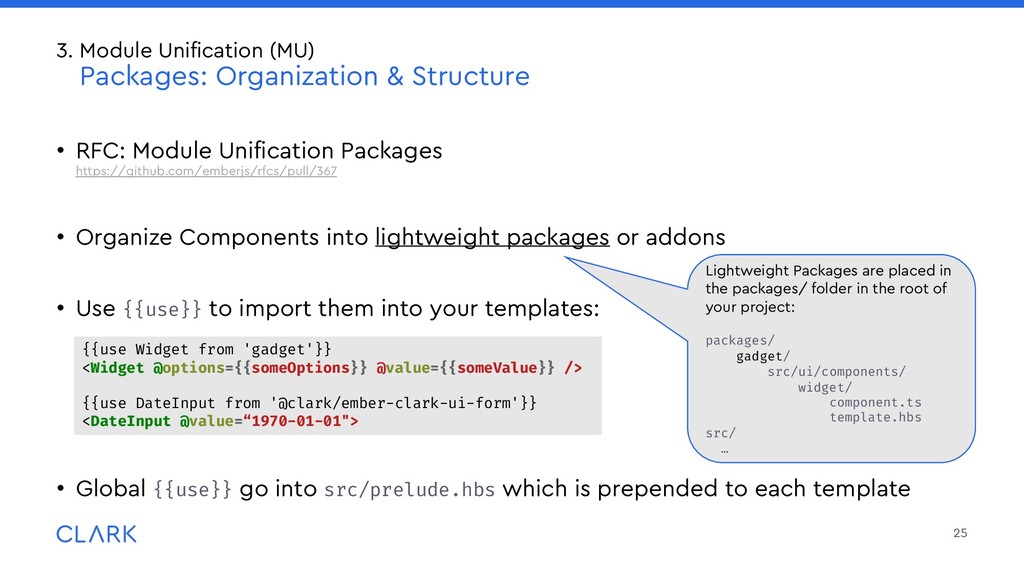
lightweight packages or addons • Use {{use}} to import them into your templates: • Global {{use}} go into src/prelude.hbs which is prepended to each template 25 3. Module Unification (MU) Packages: Organization & Structure Lightweight Packages are placed in the packages/ folder in the root of your project: packages/ gadget/ src/ui/components/ widget/ component.ts template.hbs src/ … {{use Widget from 'gadget'}} <Widget @options={{someOptions}} @value={{someValue}} /> {{use DateInput from '@clark/ember-clark-ui-form'}} <DateInput @value=“1970-01-01">


 maimyyym
 kentapapa
 camiha
 yazm
yazm
 sh_fk2
 grimoh
 jyouryuusui
 yu23ki14
 takonda
 ivry_presentationmaterials
 techtekt
 iktakahiro
 matthewcrist
 aleyda
 reverentgeek
 axbom
axbom
 notwaldorf
 stephaniewalter
 addyosmani
 thoeni
 bethany
 mayunak
 jnunemaker
 akosma