Upgrade to Pro — share decks privately, control downloads, hide ads and more …

Microservices.pdf

Sponsored · Your Podcast. Everywhere. Effortlessly. Share. Educate. Inspire. Entertain. You do you. We'll handle the rest.
Avatar for Coding Saint Coding Saint
May 22, 2020
300

 Microservices.pdf

Avatar for Coding Saint

Coding Saint

May 22, 2020

Transcript

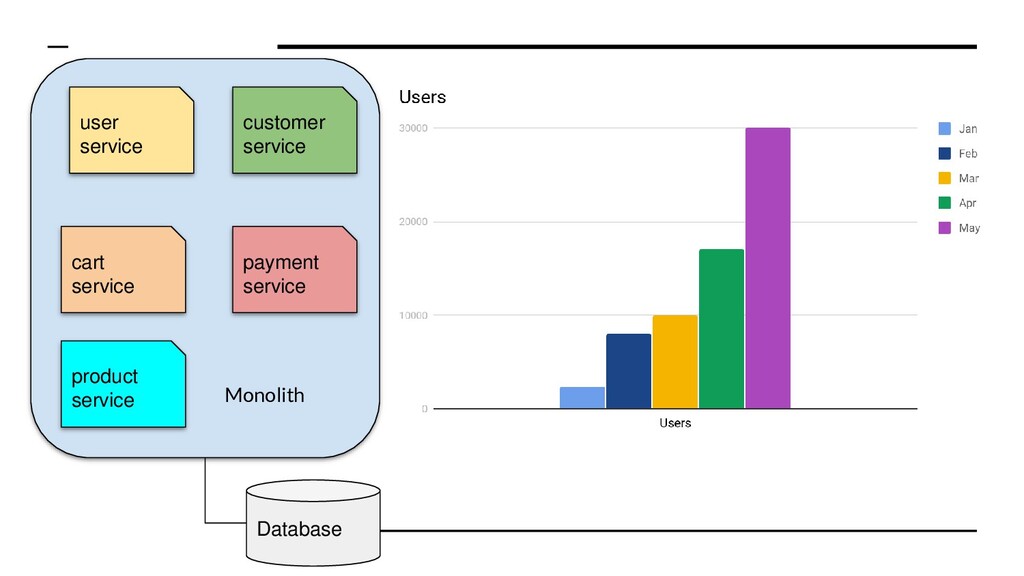
  1. user service product service customer service cart service payment service

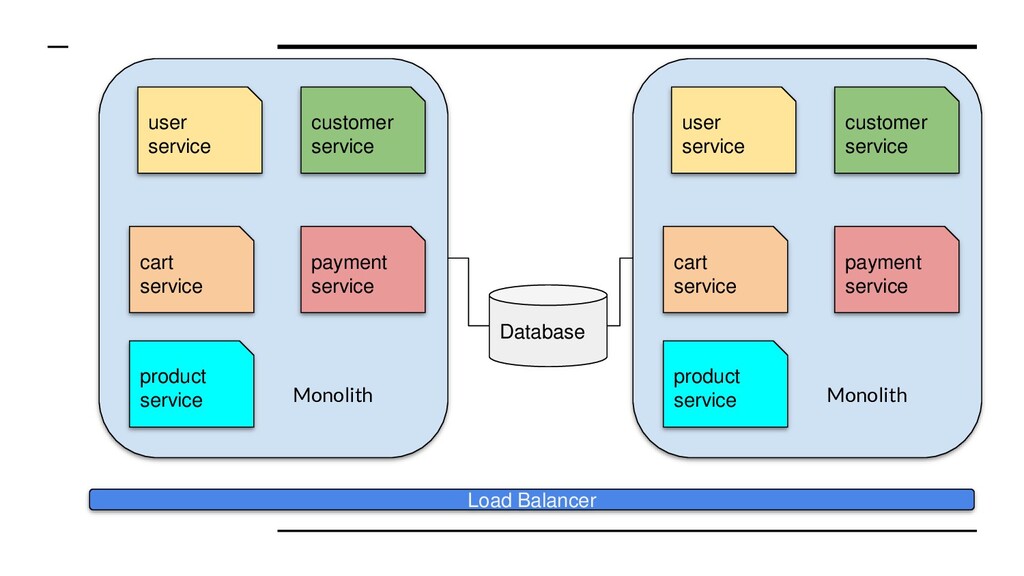
    Monolith Load Balancer user service product service customer service cart service payment service Monolith Database
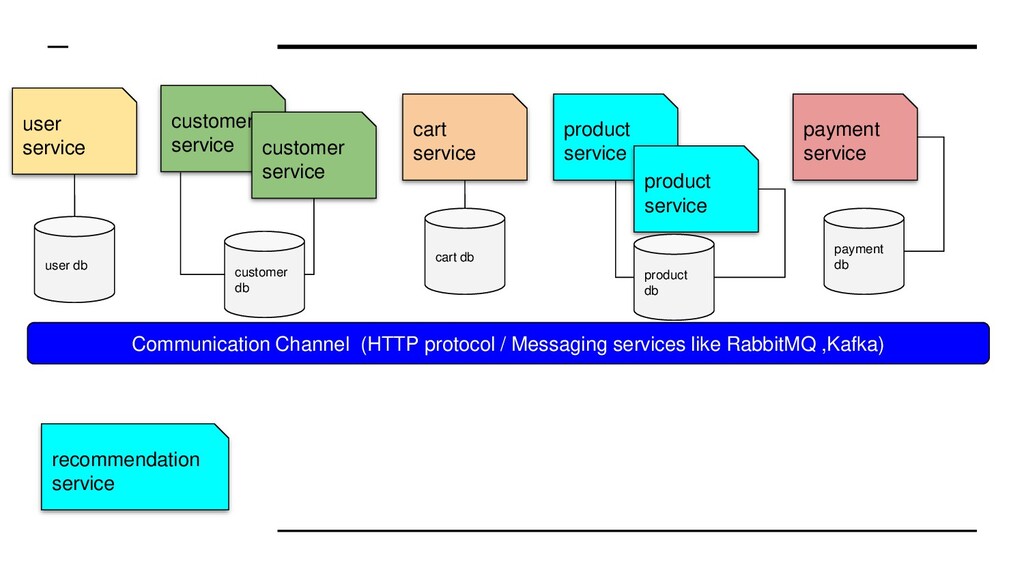
  2. user service product service customer service cart service payment service

    product service customer service Communication Channel (HTTP protocol / Messaging services like RabbitMQ ,Kafka) recommendation service customer db user db cart db product db payment db
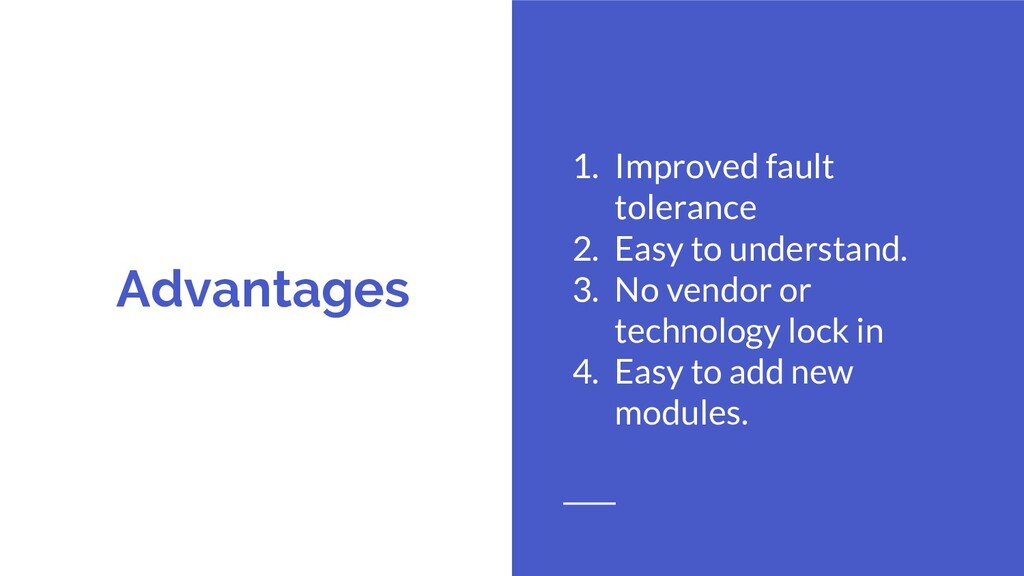
  3. Advantages 1. Improved fault tolerance 2. Easy to understand. 3.

    No vendor or technology lock in 4. Easy to add new modules.
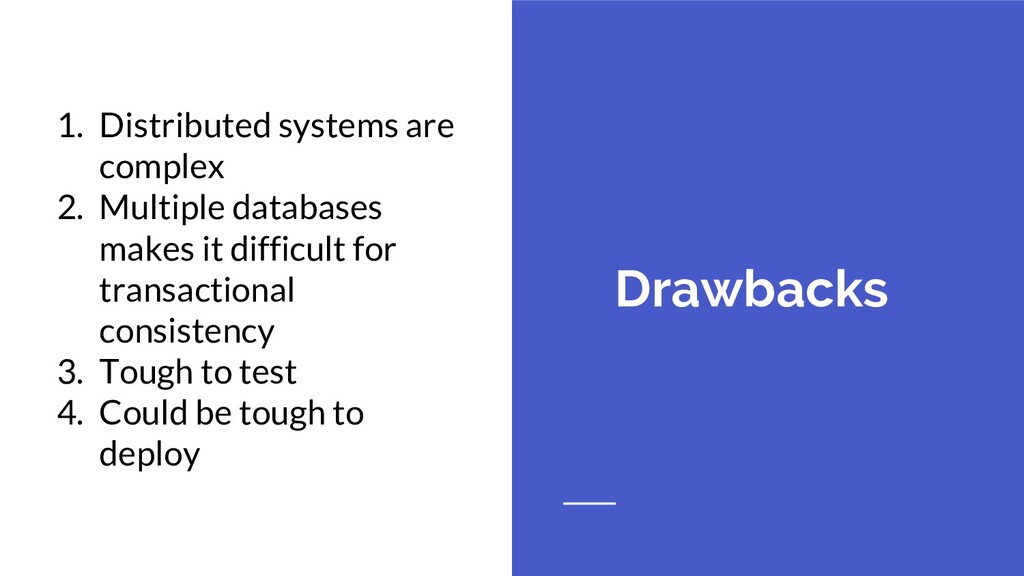
  4. Drawbacks 1. Distributed systems are complex 2. Multiple databases makes

    it difficult for transactional consistency 3. Tough to test 4. Could be tough to deploy
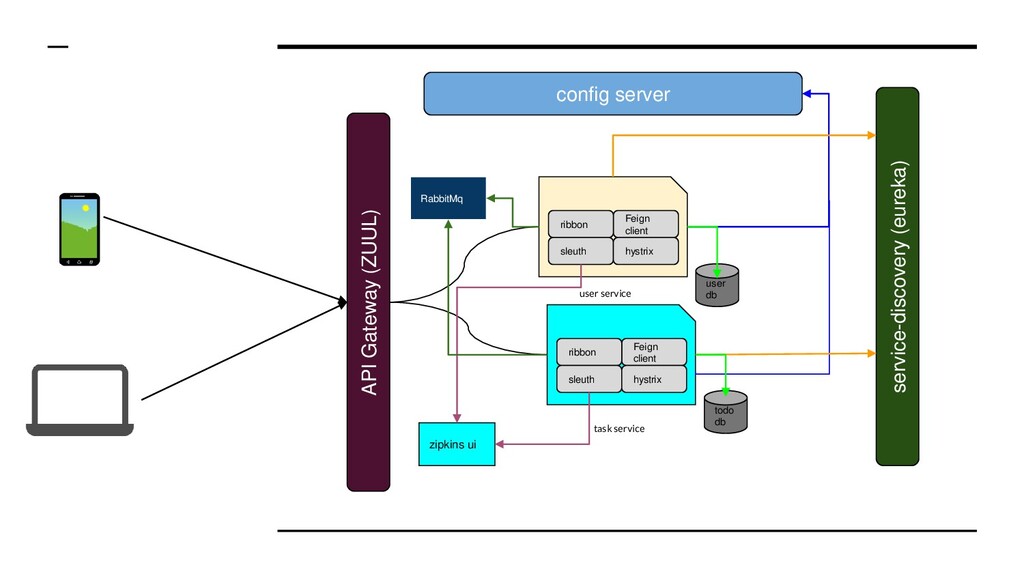
  5. Feign client ribbon sleuth hystrix user service Feign client ribbon

    sleuth hystrix task service config server service-discovery (eureka) RabbitMq zipkins ui API Gateway (ZUUL) user db todo db
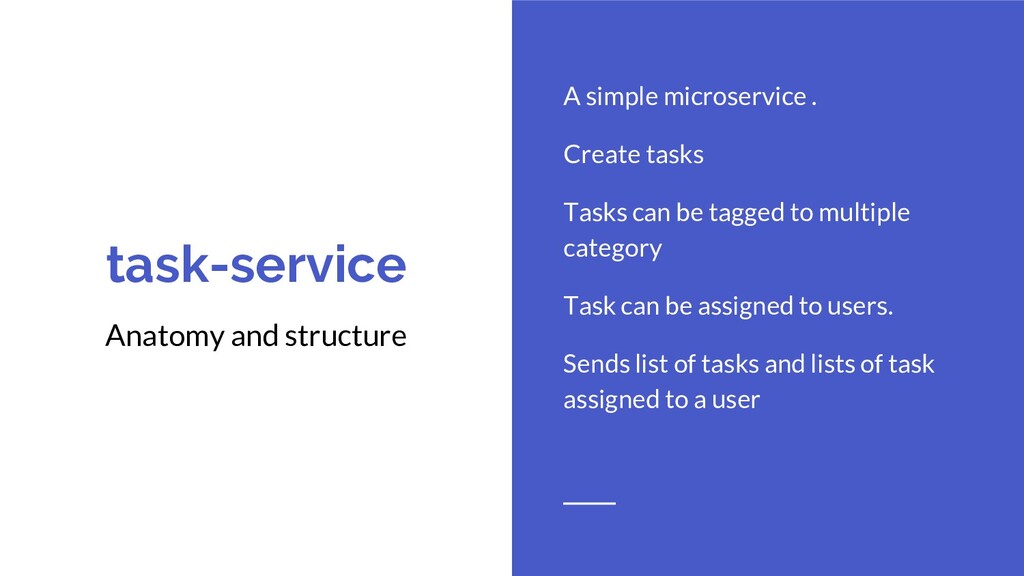
  6. task-service Anatomy and structure A simple microservice . Create tasks

    Tasks can be tagged to multiple category Task can be assigned to users. Sends list of tasks and lists of task assigned to a user
  7. Config Server Advantages • A central place for all the

    configurations. • Easy to manage when number of microservices increases • Easy to track configurations changes and act in case of breaking changes due to version control
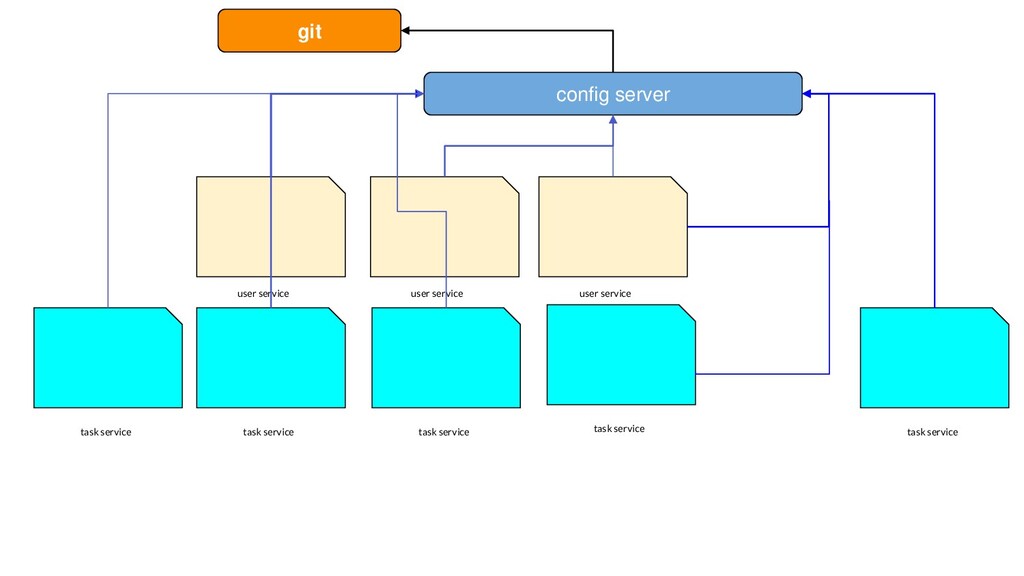
  8. user service task service config server user service user service

    task service task service task service task service git
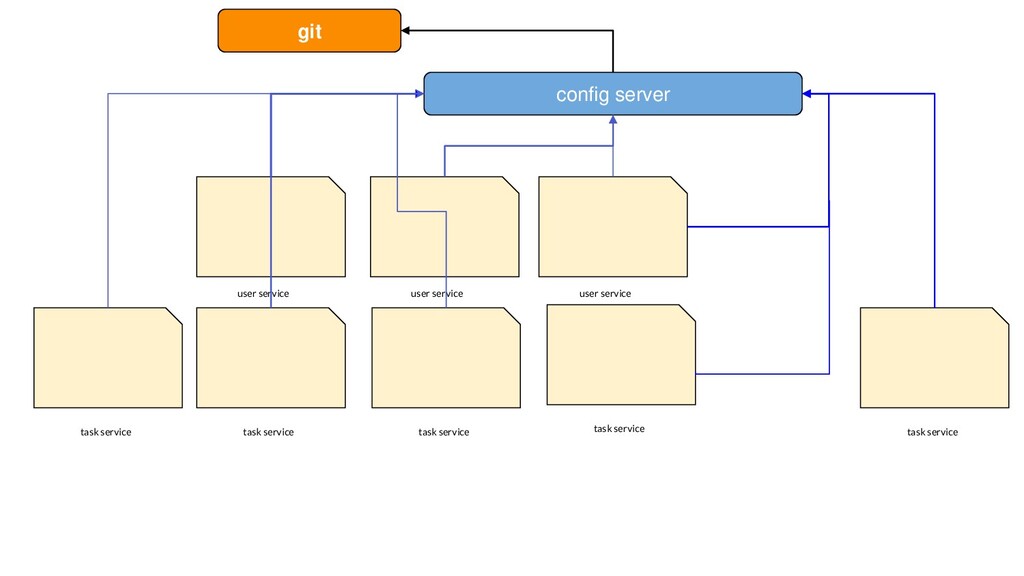
  9. user service task service config server user service user service

    task service task service task service task service git
  10. Feign A declarative REST client Helps to write clean code.

    Focus on business logic rather implementing REST API contracts.
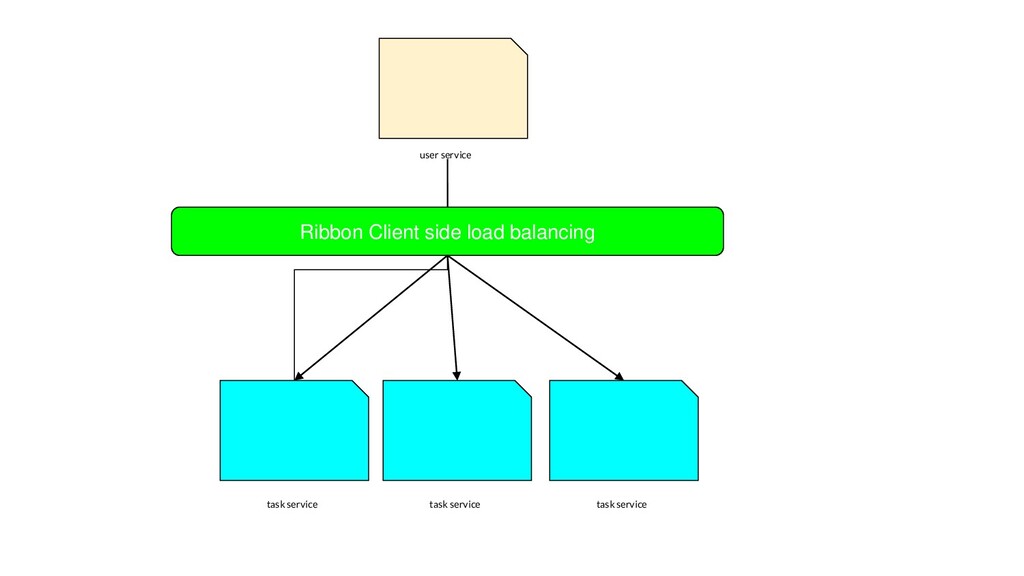
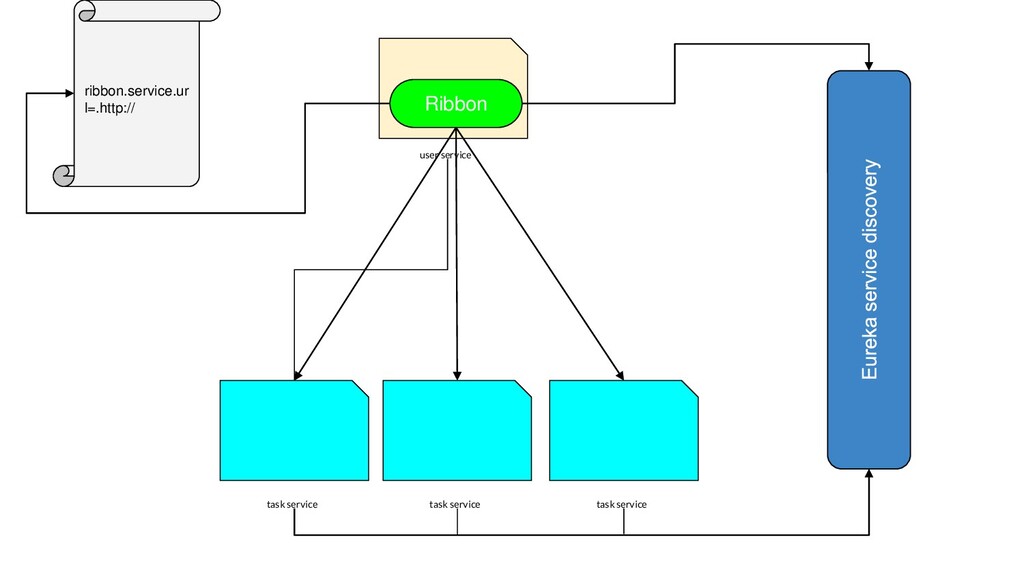
  11. Ribbon The client side load balancer Load balancing is important

    in microservices. Ribbon a client side load balancer helps to distribute calls to multiple instances of a service
  12. Eureka Eureka - The Service is discovered • Helps to

    find different services • Keeps register of new instances of services going up and down
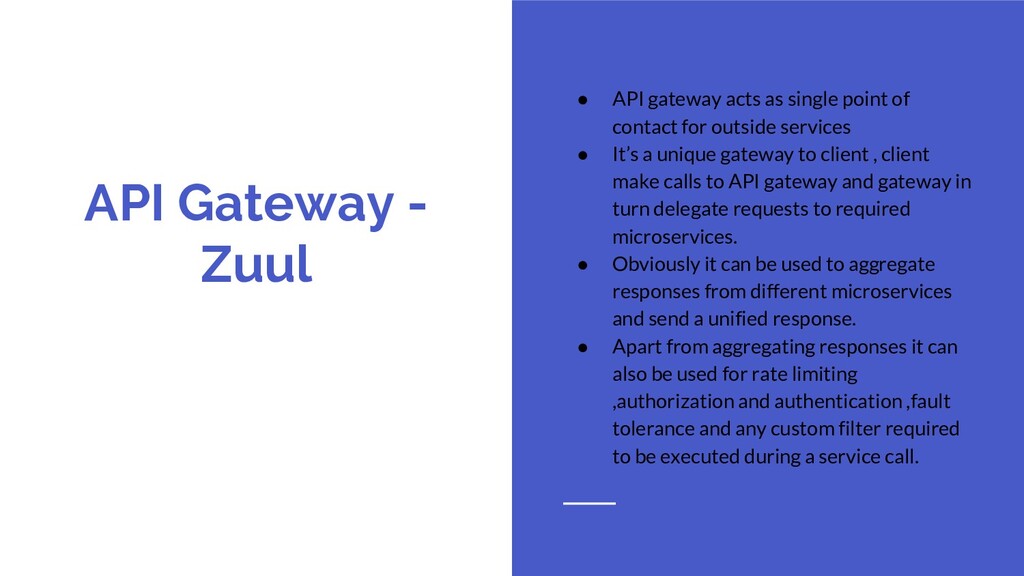
  13. API Gateway - Zuul • API gateway acts as single

    point of contact for outside services • It’s a unique gateway to client , client make calls to API gateway and gateway in turn delegate requests to required microservices. • Obviously it can be used to aggregate responses from different microservices and send a unified response. • Apart from aggregating responses it can also be used for rate limiting ,authorization and authentication ,fault tolerance and any custom filter required to be executed during a service call.
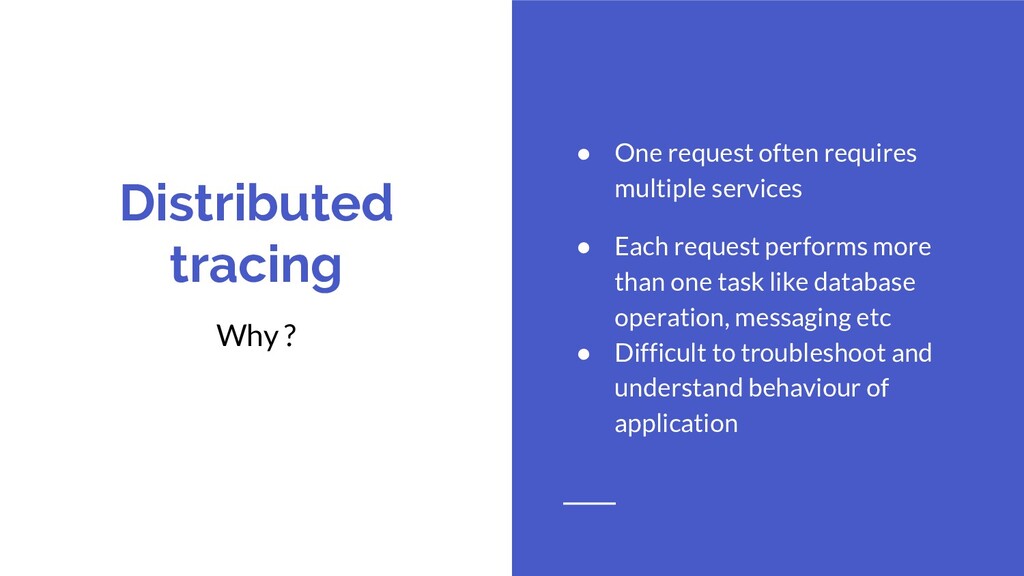
  14. Distributed tracing Why ? • One request often requires multiple

    services • Each request performs more than one task like database operation, messaging etc • Difficult to troubleshoot and understand behaviour of application
  15. Distributed tracing Solution • Add a unique ID to each

    request • Record it in logs to trace the request • Record information like start and end time , use a tool to visualize your traces
  16. Sleuth The detective • As the name suggest , it

    silently adds tracing ID. • Each microservice prints this trace id
  17. Sleuth in action • Just add sleuth to pom. •

    To visualize using Zipkin UI ,add cloud stream and rabbit MQ
  18. Spring Cloud Bus and Config server Update Configs on the

    Go • Helps to update config • You can manage configs and no need to restart
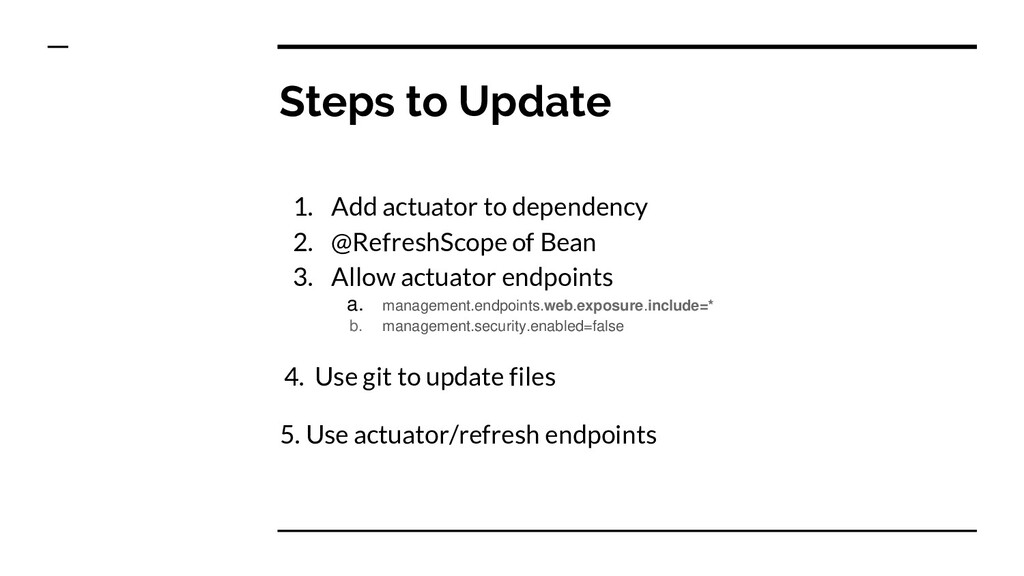
  19. Steps to Update 1. Add actuator to dependency 2. @RefreshScope

    of Bean 3. Allow actuator endpoints a. management.endpoints.web.exposure.include=* b. management.security.enabled=false 4. Use git to update files 5. Use actuator/refresh endpoints
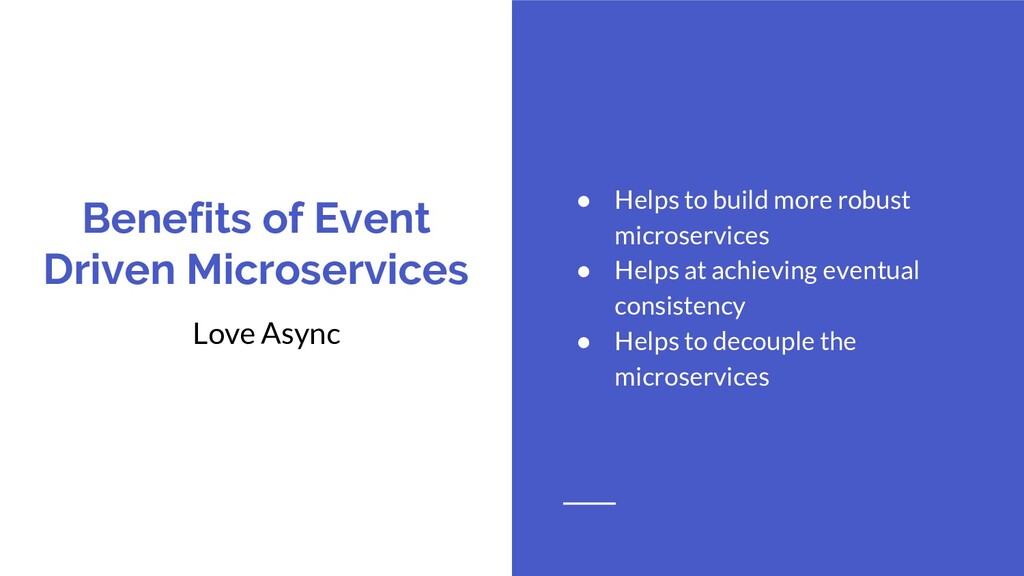
  20. Benefits of Event Driven Microservices Love Async • Helps to

    build more robust microservices • Helps at achieving eventual consistency • Helps to decouple the microservices
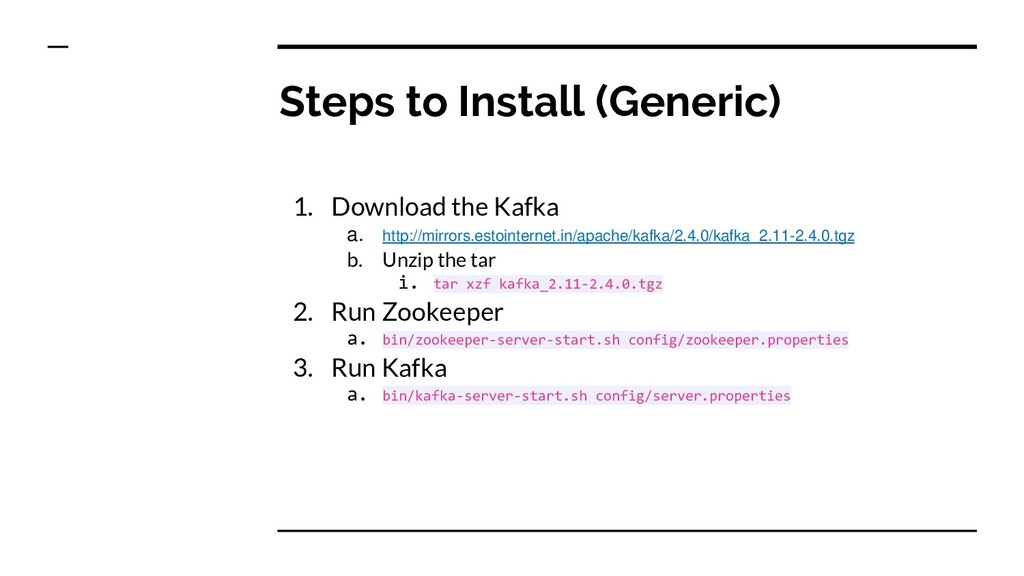
  21. Steps to Install (Generic) 1. Download the Kafka a. http://mirrors.estointernet.in/apache/kafka/2.4.0/kafka_2.11-2.4.0.tgz

    b. Unzip the tar i. tar xzf kafka_2.11-2.4.0.tgz 2. Run Zookeeper a. bin/zookeeper-server-start.sh config/zookeeper.properties 3. Run Kafka a. bin/kafka-server-start.sh config/server.properties
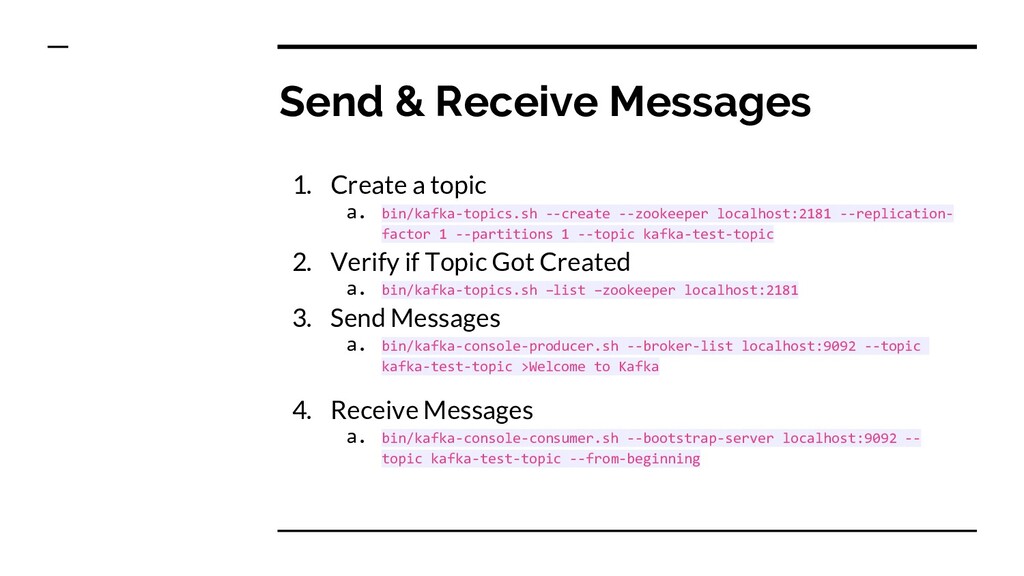
  22. Send & Receive Messages 1. Create a topic a. bin/kafka-topics.sh

    --create --zookeeper localhost:2181 --replication- factor 1 --partitions 1 --topic kafka-test-topic 2. Verify if Topic Got Created a. bin/kafka-topics.sh –list –zookeeper localhost:2181 3. Send Messages a. bin/kafka-console-producer.sh --broker-list localhost:9092 --topic kafka-test-topic >Welcome to Kafka 4. Receive Messages a. bin/kafka-console-consumer.sh --bootstrap-server localhost:9092 -- topic kafka-test-topic --from-beginning
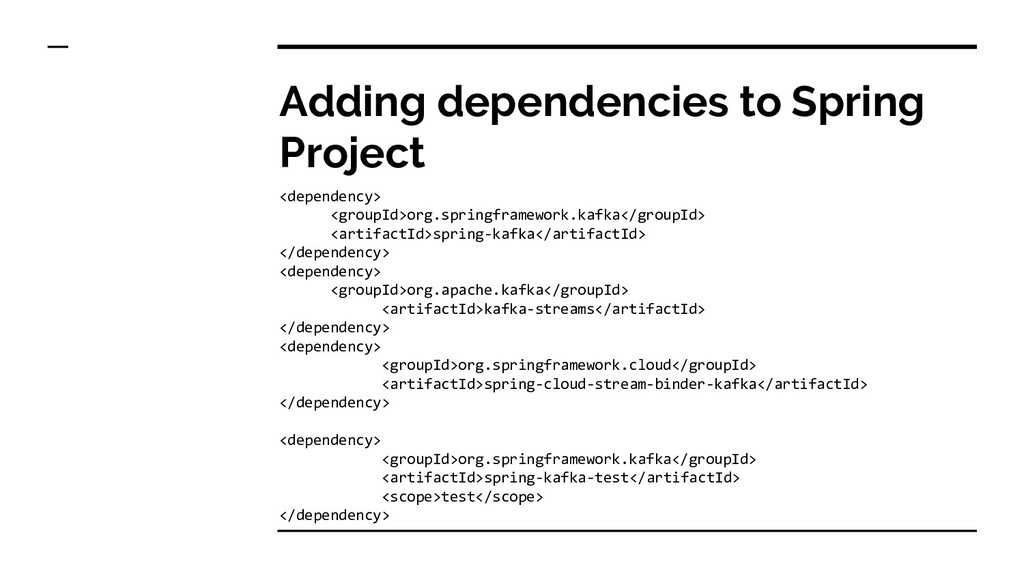
  23. Adding dependencies to Spring Project <dependency> <groupId>org.springframework.kafka</groupId> <artifactId>spring-kafka</artifactId> </dependency> <dependency>

    <groupId>org.apache.kafka</groupId> <artifactId>kafka-streams</artifactId> </dependency> <dependency> <groupId>org.springframework.cloud</groupId> <artifactId>spring-cloud-stream-binder-kafka</artifactId> </dependency> <dependency> <groupId>org.springframework.kafka</groupId> <artifactId>spring-kafka-test</artifactId> <scope>test</scope> </dependency>
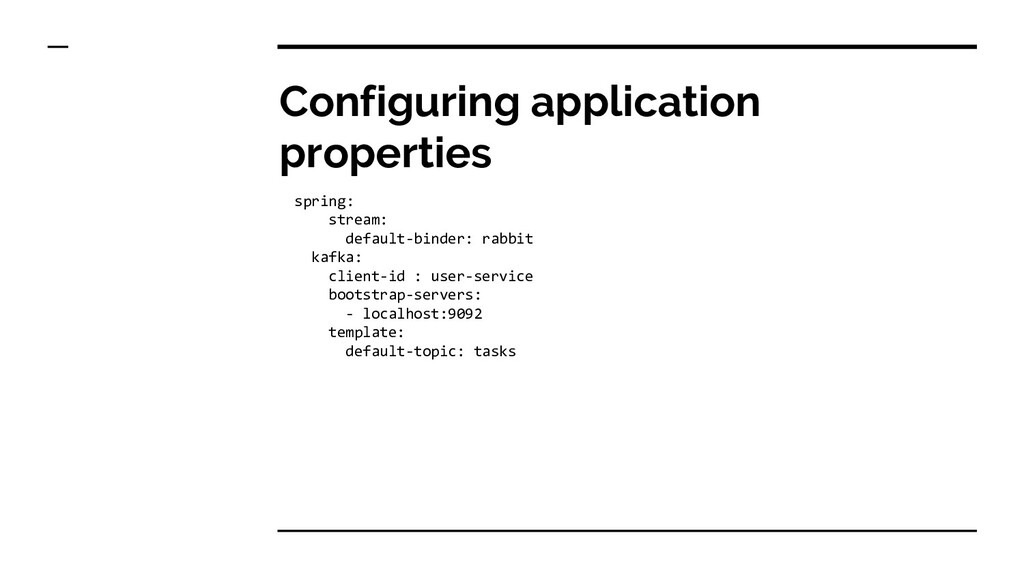
  24. Configuring application properties spring: stream: default-binder: rabbit kafka: client-id :

    user-service bootstrap-servers: - localhost:9092 template: default-topic: tasks
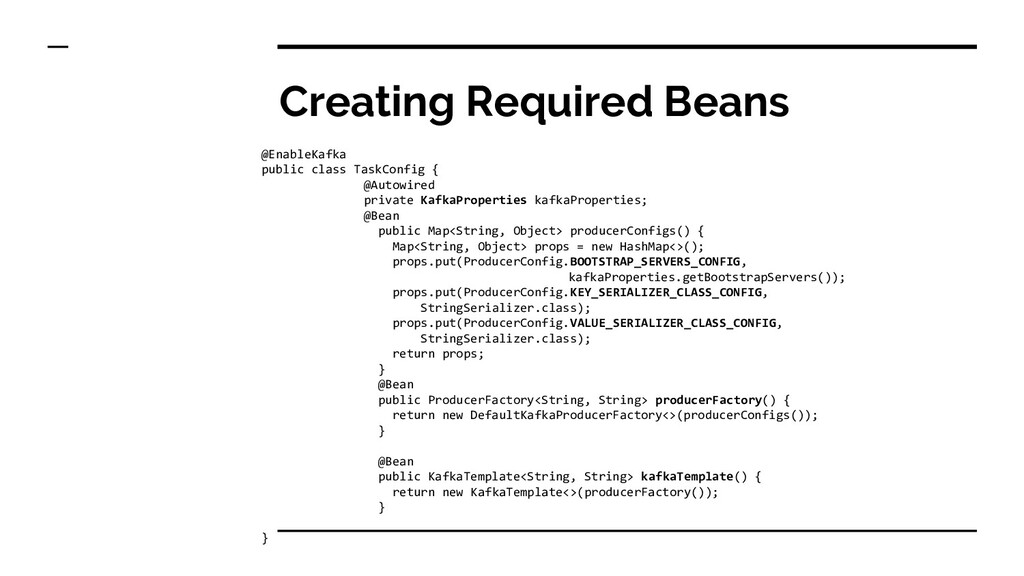
  25. Creating Required Beans @EnableKafka public class TaskConfig { @Autowired private

    KafkaProperties kafkaProperties; @Bean public Map<String, Object> producerConfigs() { Map<String, Object> props = new HashMap<>(); props.put(ProducerConfig.BOOTSTRAP_SERVERS_CONFIG, kafkaProperties.getBootstrapServers()); props.put(ProducerConfig.KEY_SERIALIZER_CLASS_CONFIG, StringSerializer.class); props.put(ProducerConfig.VALUE_SERIALIZER_CLASS_CONFIG, StringSerializer.class); return props; } @Bean public ProducerFactory<String, String> producerFactory() { return new DefaultKafkaProducerFactory<>(producerConfigs()); } @Bean public KafkaTemplate<String, String> kafkaTemplate() { return new KafkaTemplate<>(producerFactory()); } }
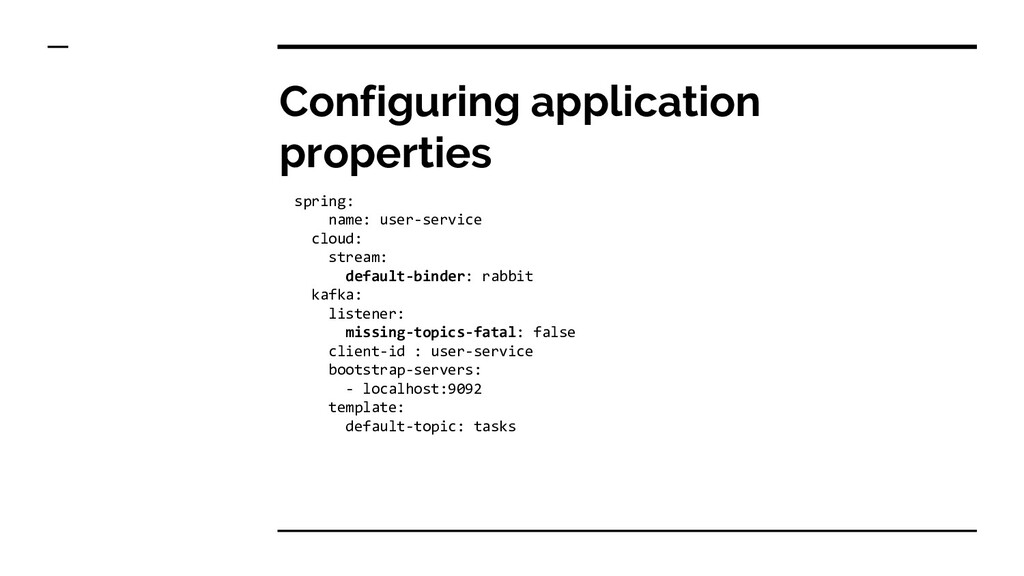
  26. Configuring application properties spring: name: user-service cloud: stream: default-binder: rabbit

    kafka: listener: missing-topics-fatal: false client-id : user-service bootstrap-servers: - localhost:9092 template: default-topic: tasks
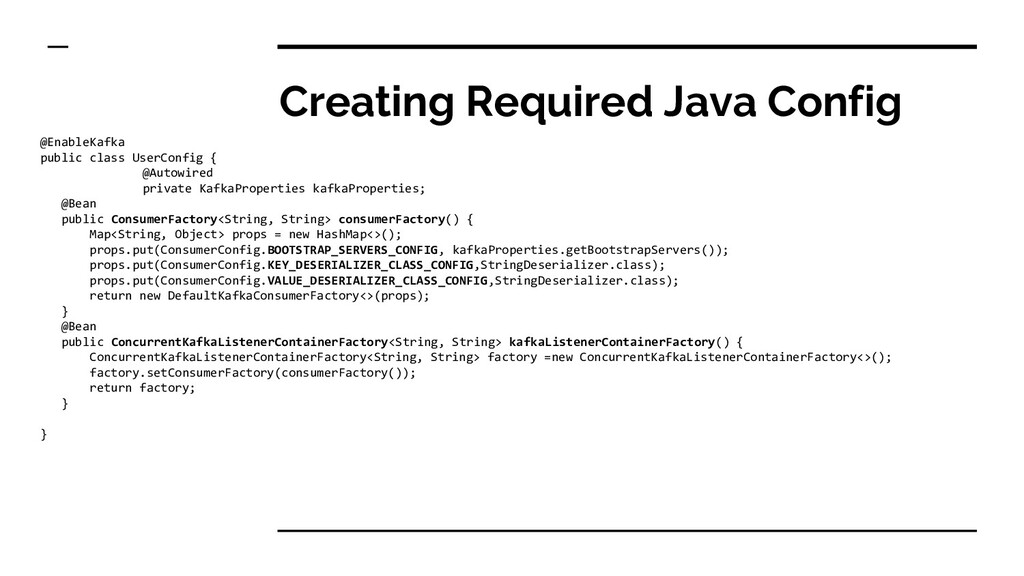
  27. Creating Required Java Config @EnableKafka public class UserConfig { @Autowired

    private KafkaProperties kafkaProperties; @Bean public ConsumerFactory<String, String> consumerFactory() { Map<String, Object> props = new HashMap<>(); props.put(ConsumerConfig.BOOTSTRAP_SERVERS_CONFIG, kafkaProperties.getBootstrapServers()); props.put(ConsumerConfig.KEY_DESERIALIZER_CLASS_CONFIG,StringDeserializer.class); props.put(ConsumerConfig.VALUE_DESERIALIZER_CLASS_CONFIG,StringDeserializer.class); return new DefaultKafkaConsumerFactory<>(props); } @Bean public ConcurrentKafkaListenerContainerFactory<String, String> kafkaListenerContainerFactory() { ConcurrentKafkaListenerContainerFactory<String, String> factory =new ConcurrentKafkaListenerContainerFactory<>(); factory.setConsumerFactory(consumerFactory()); return factory; } }
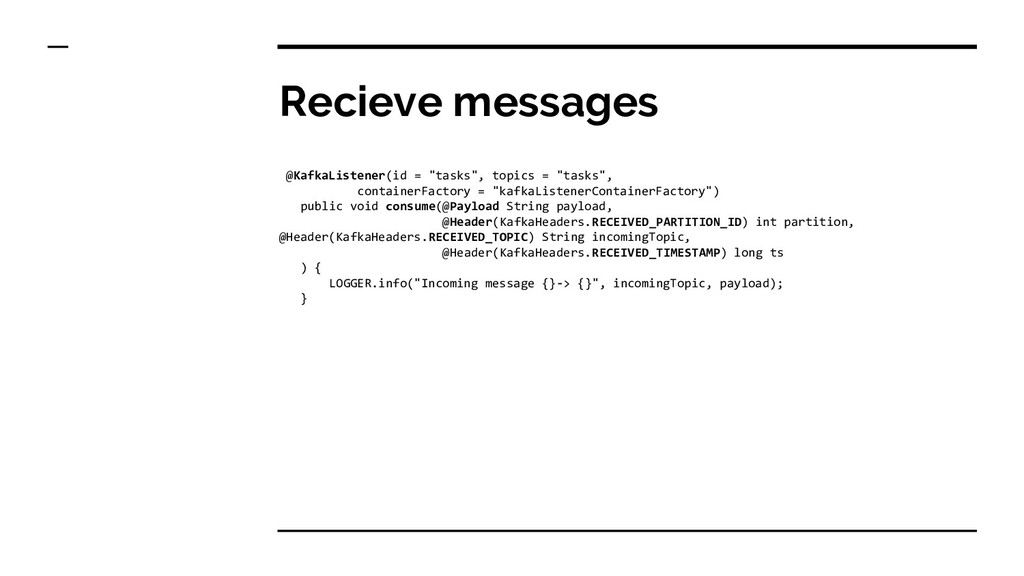
  28. Recieve messages @KafkaListener(id = "tasks", topics = "tasks", containerFactory =

    "kafkaListenerContainerFactory") public void consume(@Payload String payload, @Header(KafkaHeaders.RECEIVED_PARTITION_ID) int partition, @Header(KafkaHeaders.RECEIVED_TOPIC) String incomingTopic, @Header(KafkaHeaders.RECEIVED_TIMESTAMP) long ts ) { LOGGER.info("Incoming message {}-> {}", incomingTopic, payload); }