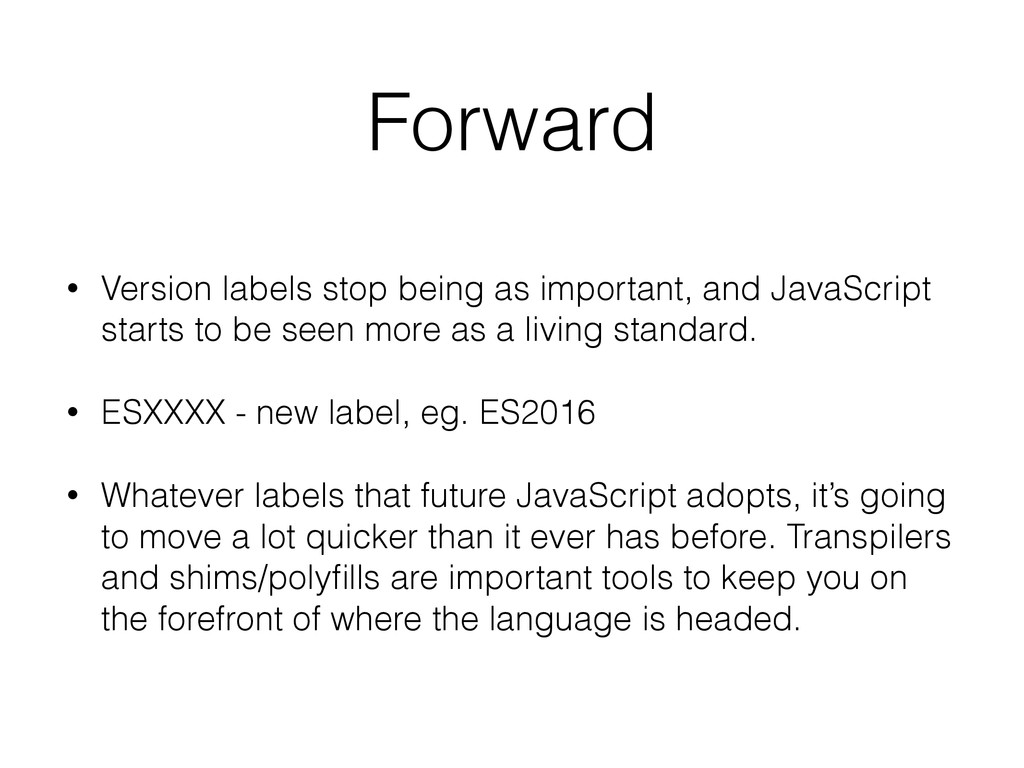
starts to be seen more as a living standard. • ESXXXX - new label, eg. ES2016 • Whatever labels that future JavaScript adopts, it’s going to move a lot quicker than it ever has before. Transpilers and shims/polyfills are important tools to keep you on the forefront of where the language is headed.
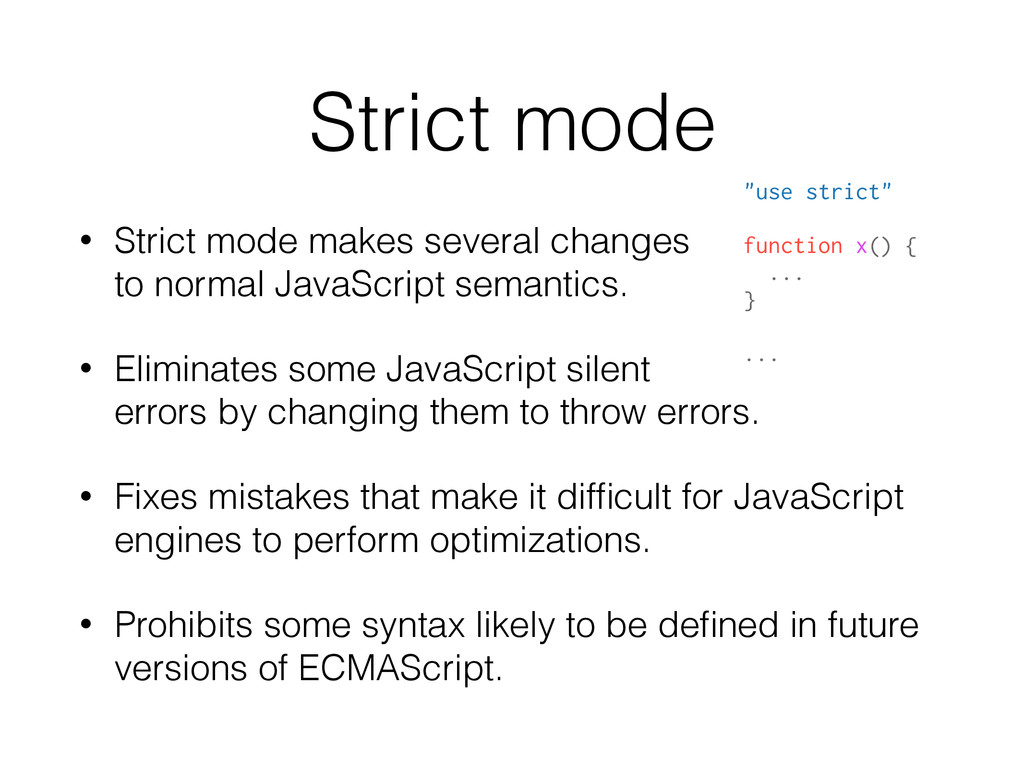
normal JavaScript semantics. • Eliminates some JavaScript silent errors by changing them to throw errors. • Fixes mistakes that make it difficult for JavaScript engines to perform optimizations. • Prohibits some syntax likely to be defined in future versions of ECMAScript. "use strict" function x() { ... } ...
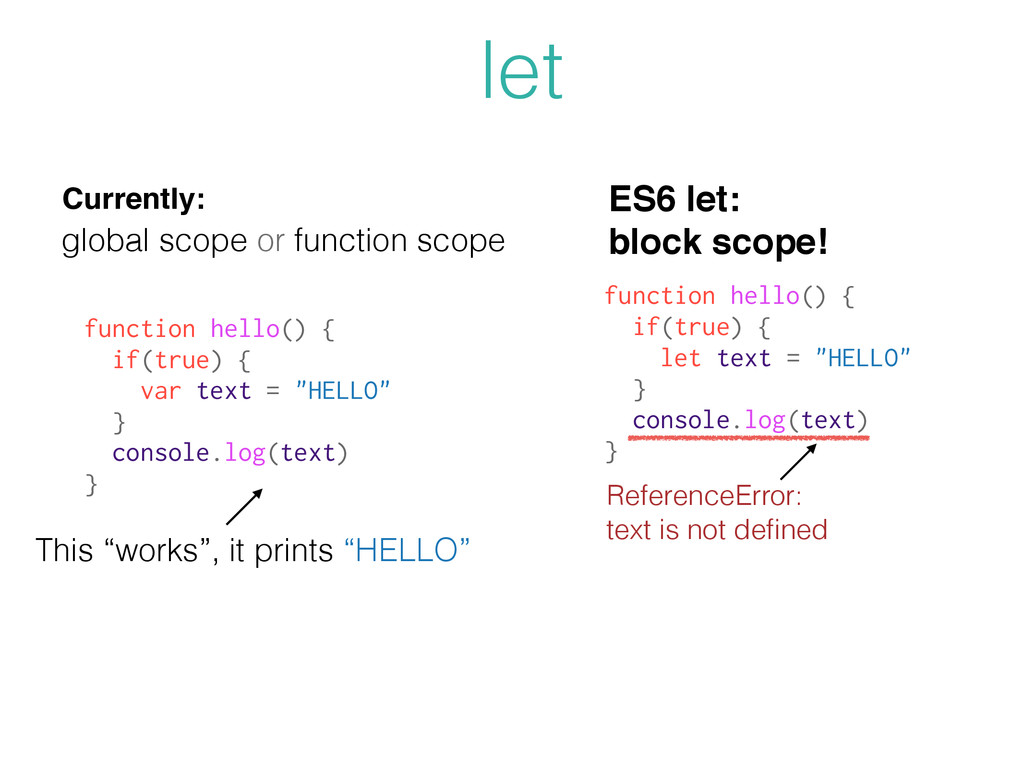
let text = "HELLO" } console.log(text) } ReferenceError: text is not defined function hello() { if(true) { var text = "HELLO" } console.log(text) } global scope or function scope This “works”, it prints “HELLO” Currently:
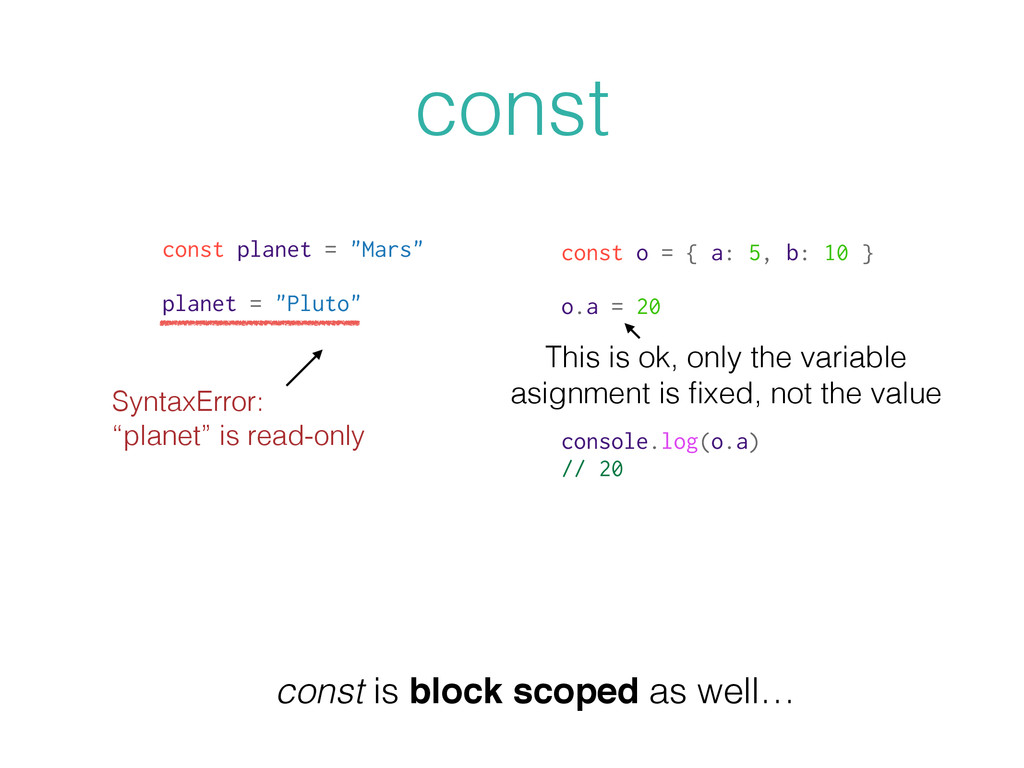
"Mars" planet = "Pluto" SyntaxError: “planet” is read-only const o = { a: 5, b: 10 } o.a = 20 console.log(o.a) // 20 This is ok, only the variable asignment is fixed, not the value
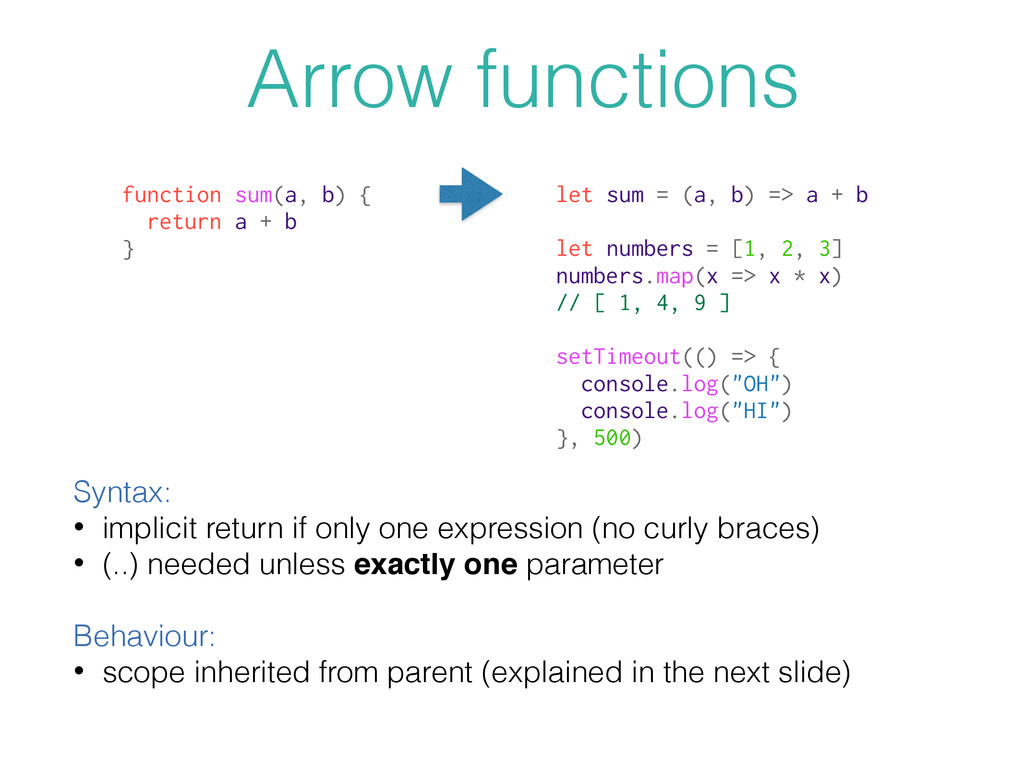
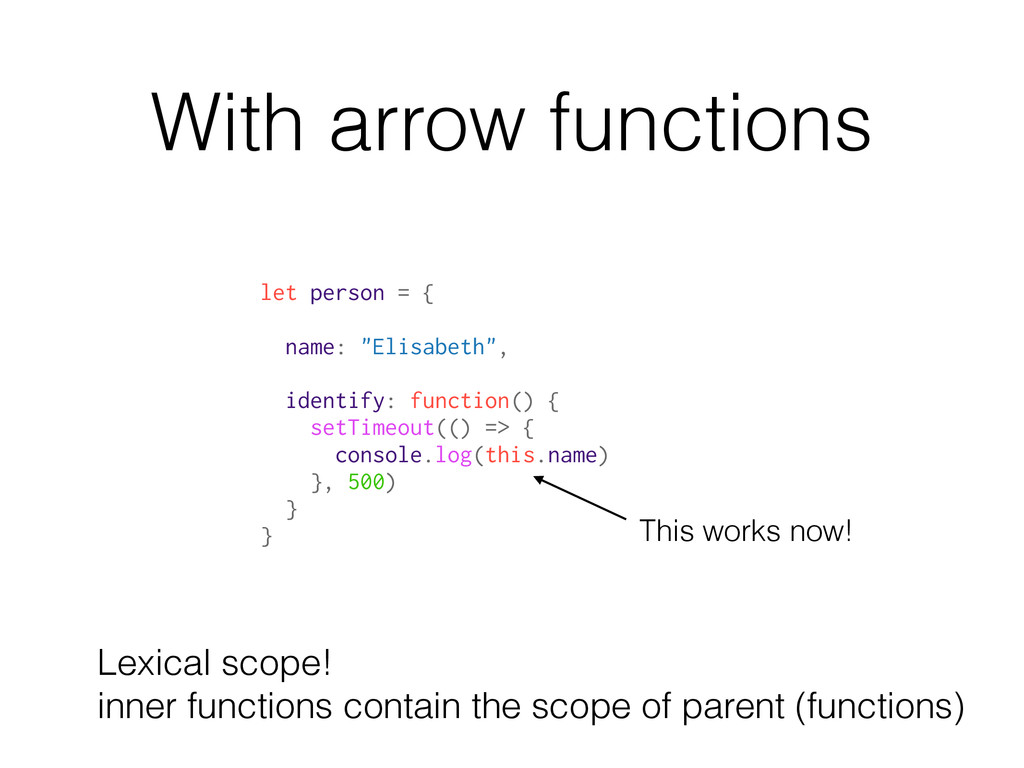
(no curly braces) • (..) needed unless exactly one parameter Behaviour: • scope inherited from parent (explained in the next slide) function sum(a, b) { return a + b } let sum = (a, b) => a + b let numbers = [1, 2, 3] numbers.map(x => x * x) // [ 1, 4, 9 ] setTimeout(() => { console.log("OH") console.log("HI") }, 500)
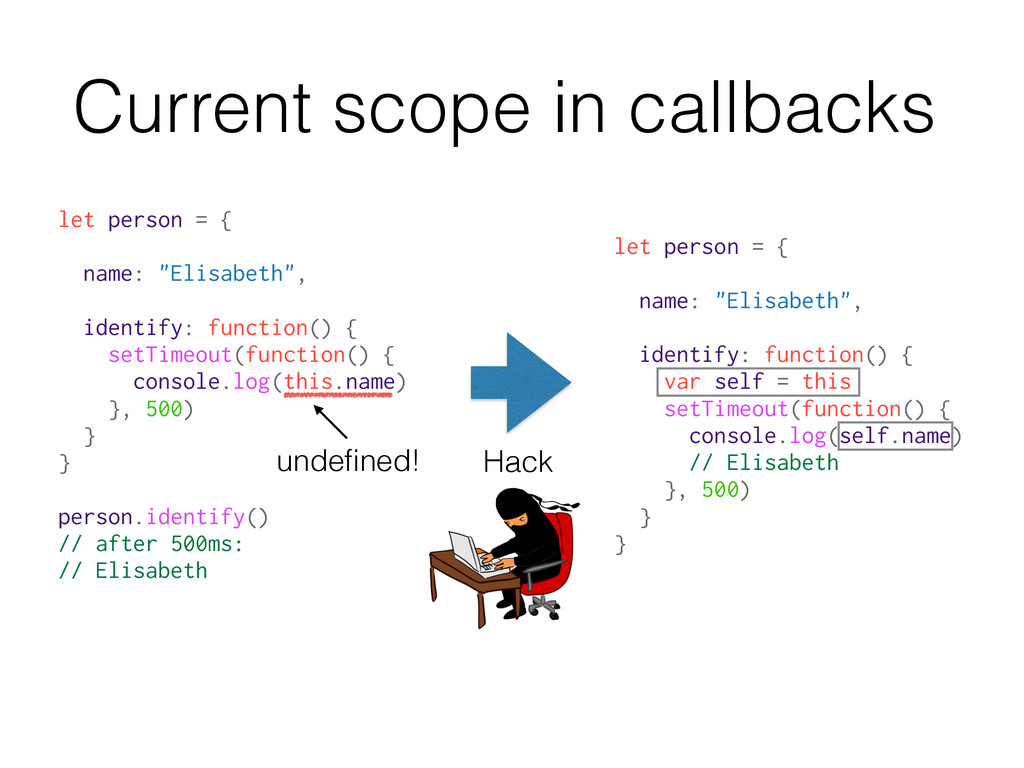
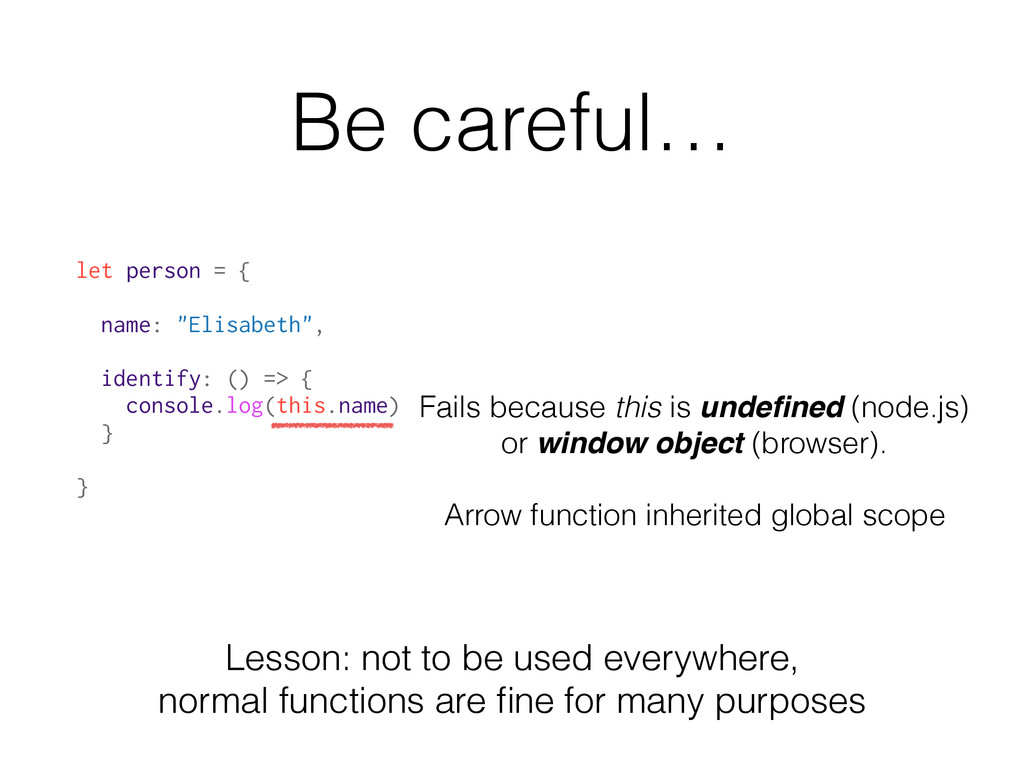
=> { console.log(this.name) } } Fails because this is undefined (node.js) or window object (browser). Arrow function inherited global scope Lesson: not to be used everywhere, normal functions are fine for many purposes
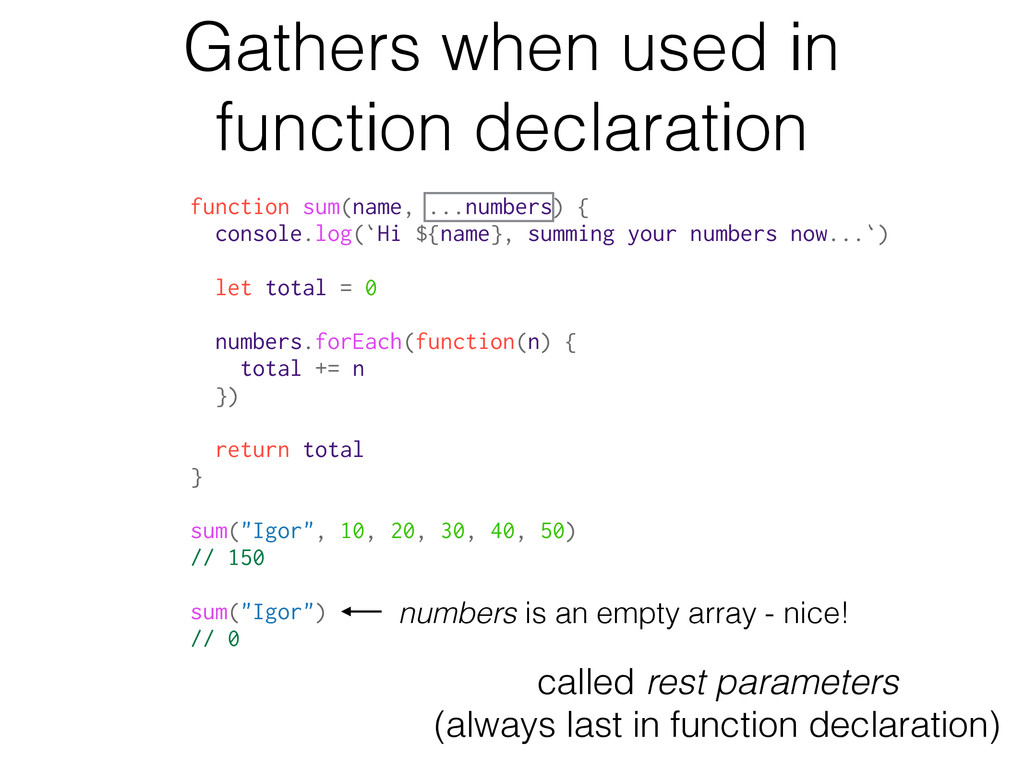
console.log(`Hi ${name}, summing your numbers now...`) let total = 0 numbers.forEach(function(n) { total += n }) return total } sum("Igor", 10, 20, 30, 40, 50) // 150 sum("Igor") // 0 called rest parameters (always last in function declaration) numbers is an empty array - nice!
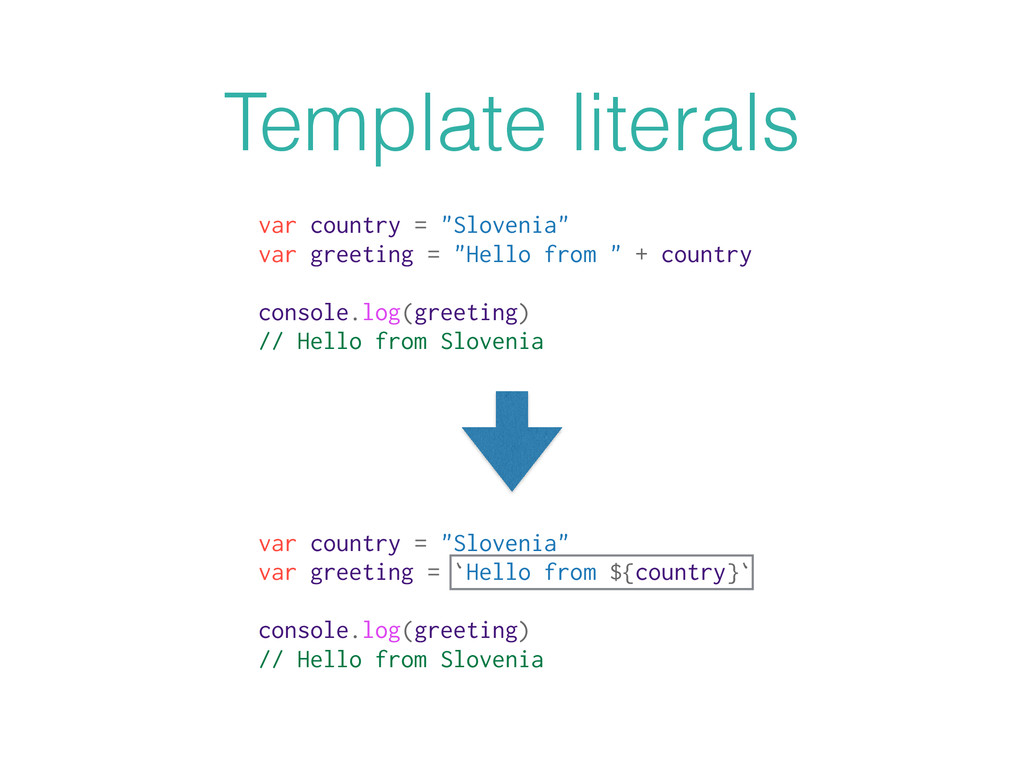
from " + country console.log(greeting) // Hello from Slovenia var country = "Slovenia" var greeting = `Hello from ${country}` console.log(greeting) // Hello from Slovenia
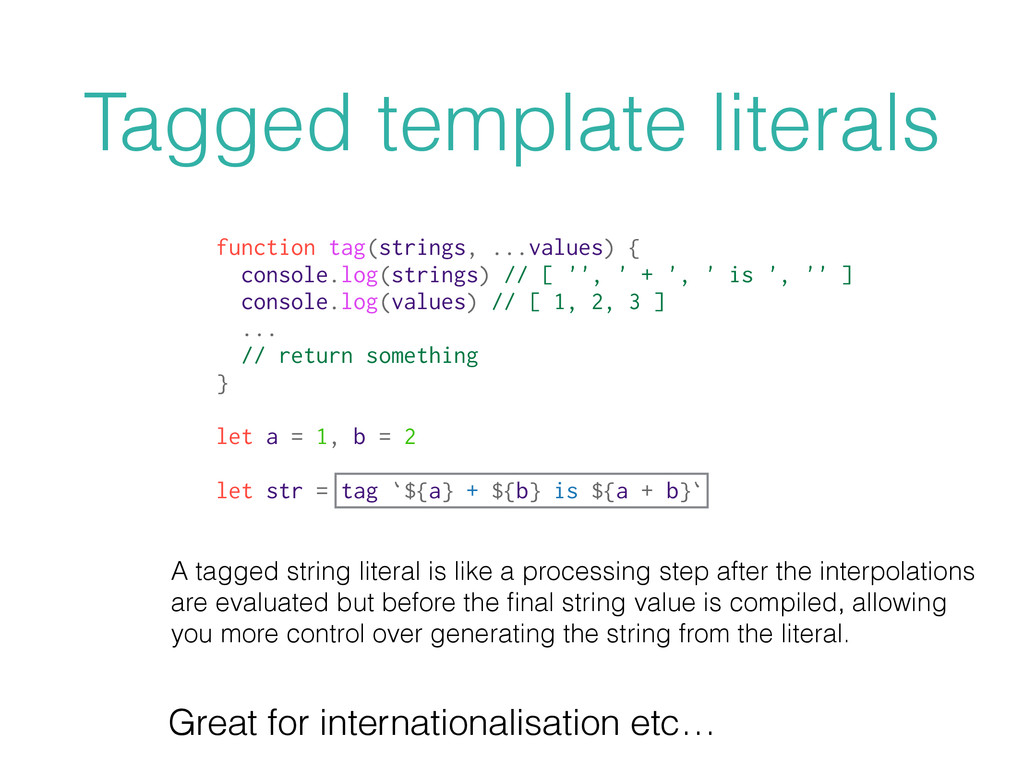
the interpolations are evaluated but before the final string value is compiled, allowing you more control over generating the string from the literal. Tagged template literals function tag(strings, ...values) { console.log(strings) // [ '', ' + ', ' is ', '' ] console.log(values) // [ 1, 2, 3 ] ... // return something } let a = 1, b = 2 let str = tag `${a} + ${b} is ${a + b}` Great for internationalisation etc…
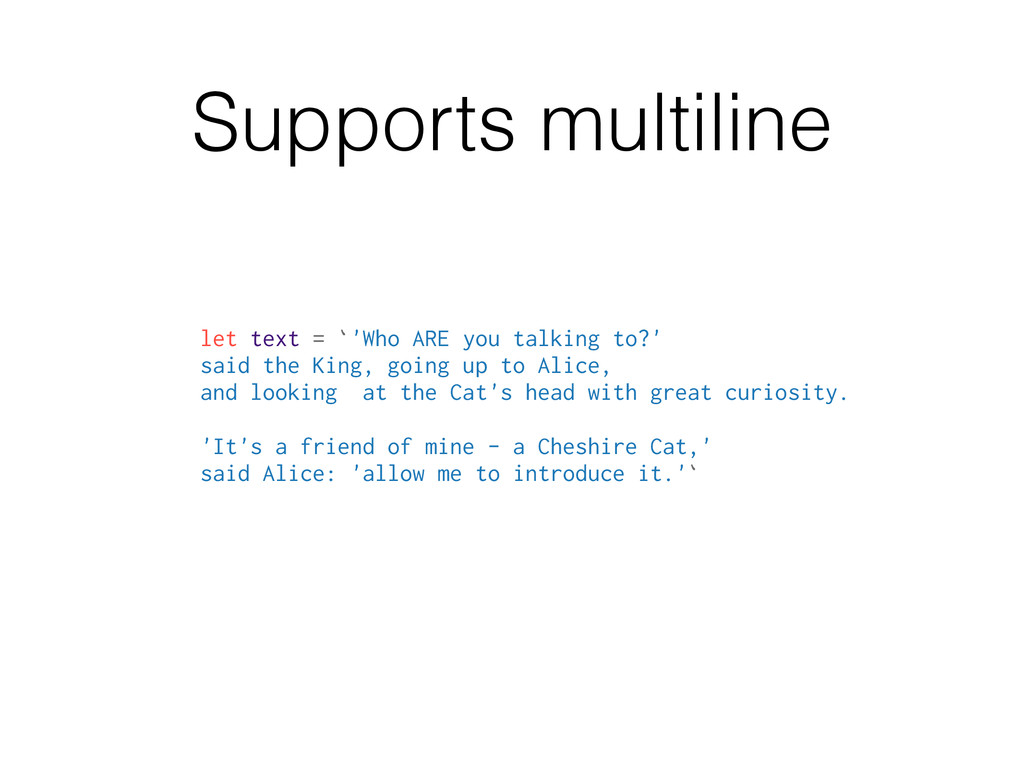
said the King, going up to Alice, and looking at the Cat's head with great curiosity. 'It's a friend of mine - a Cheshire Cat,' said Alice: 'allow me to introduce it.'`
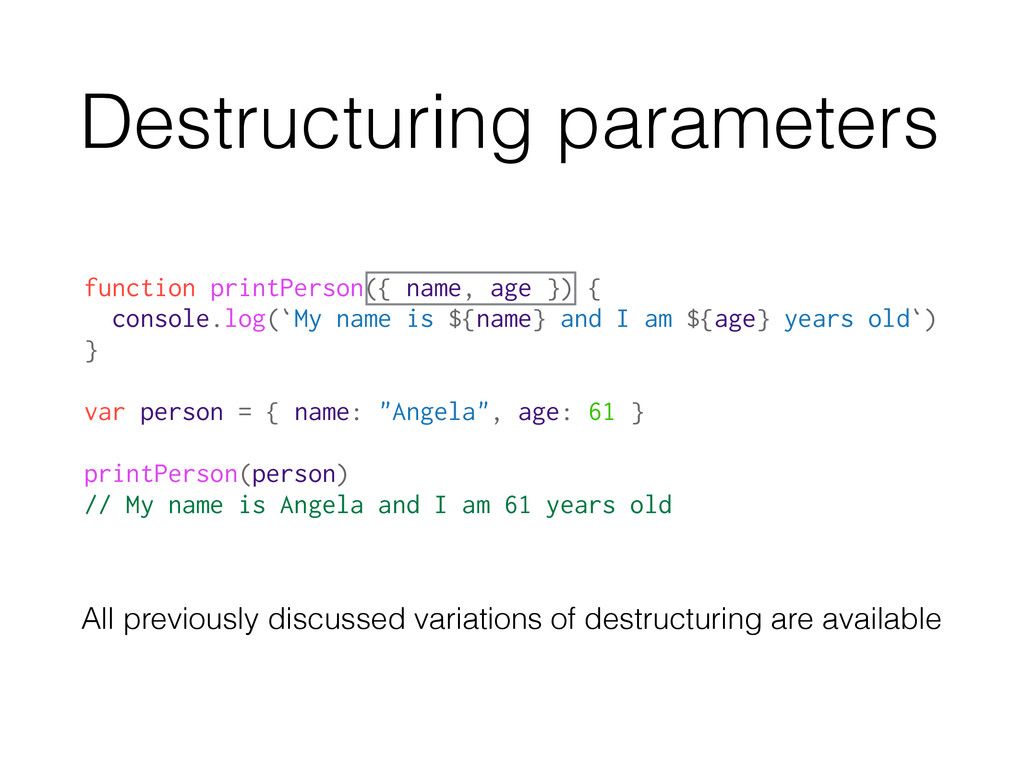
is ${name} and I am ${age} years old`) } var person = { name: "Angela", age: 61 } printPerson(person) // My name is Angela and I am 61 years old All previously discussed variations of destructuring are available
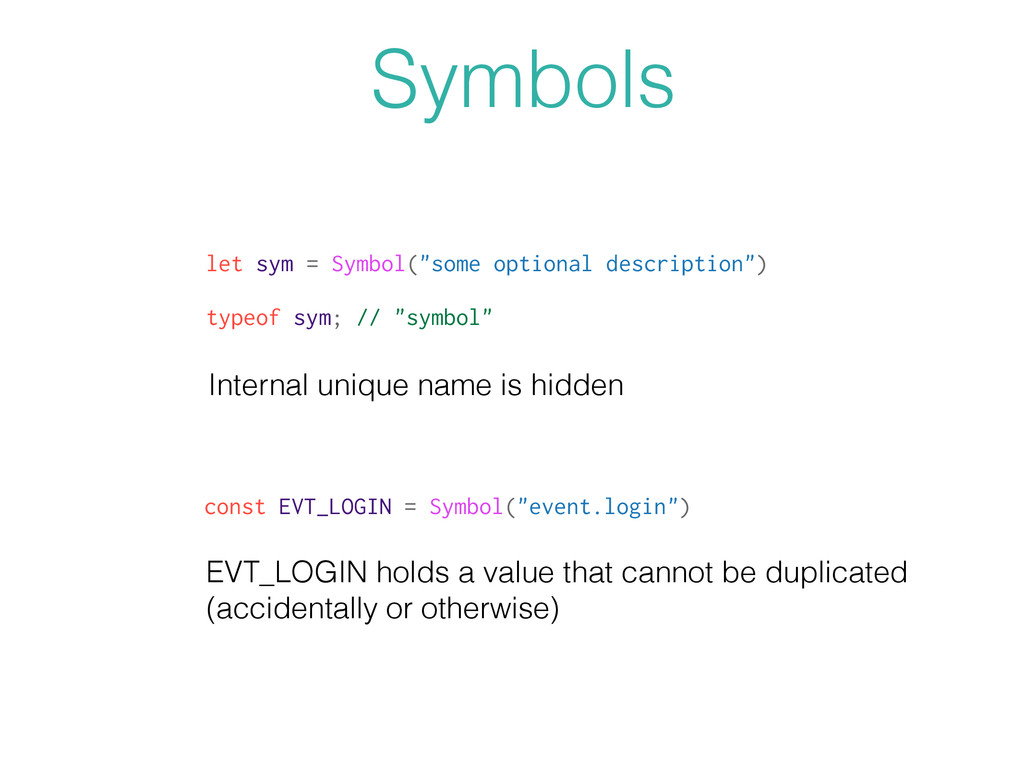
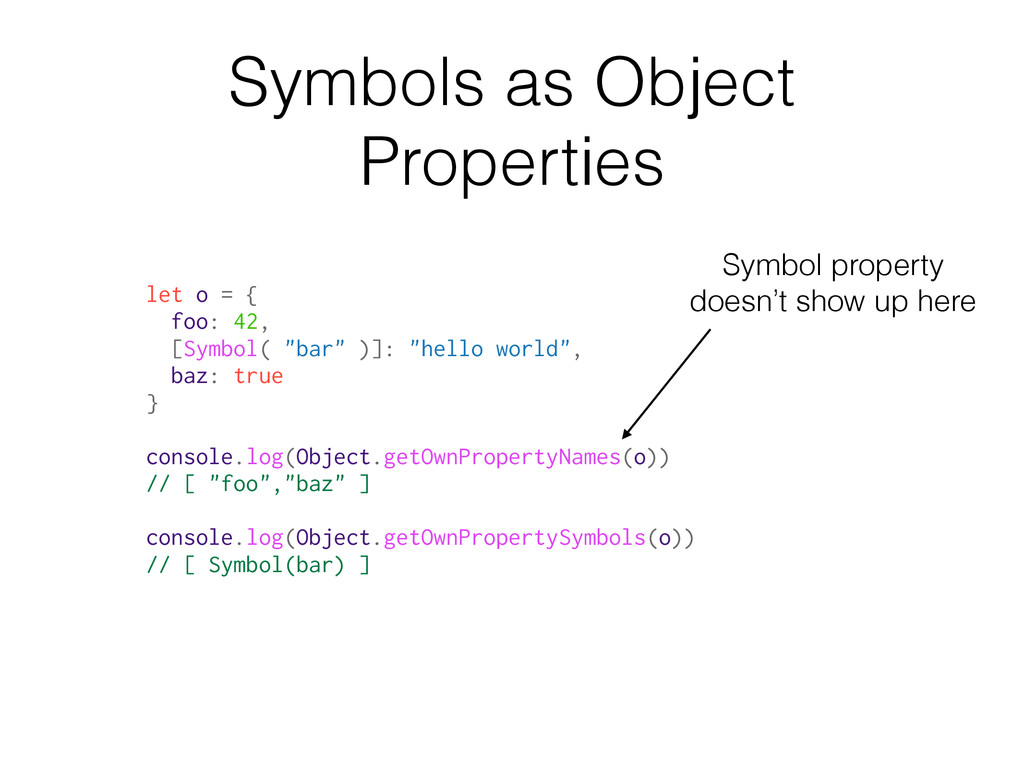
Symbols Internal unique name is hidden const EVT_LOGIN = Symbol("event.login") EVT_LOGIN holds a value that cannot be duplicated (accidentally or otherwise)
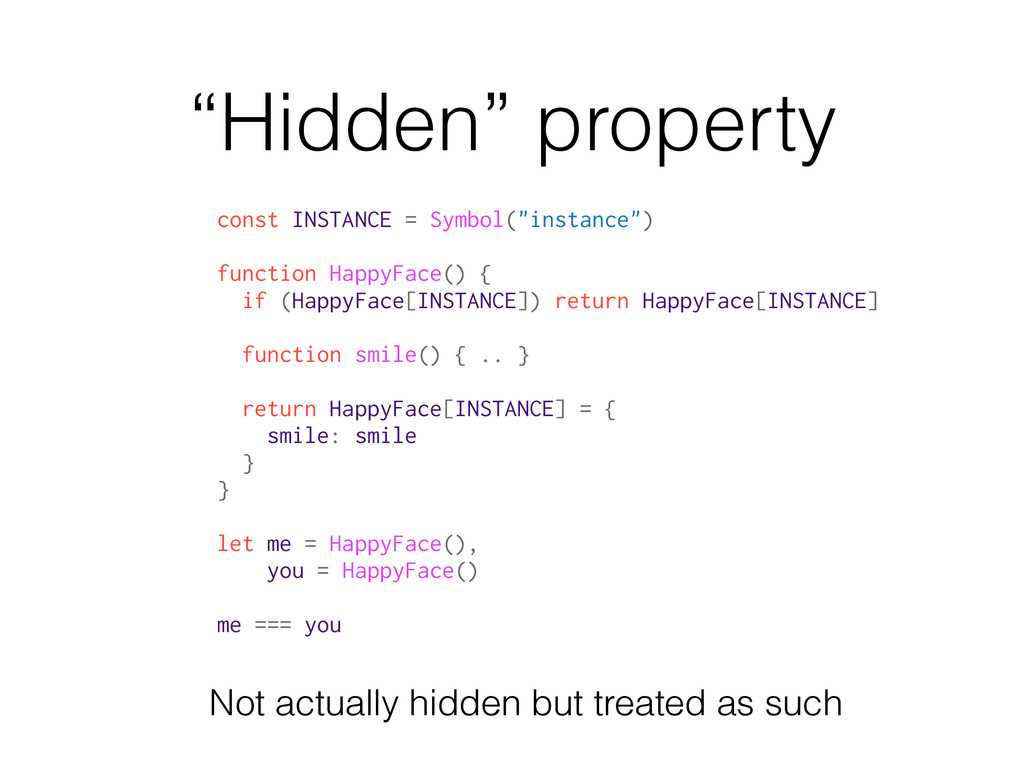
(HappyFace[INSTANCE]) return HappyFace[INSTANCE] function smile() { .. } return HappyFace[INSTANCE] = { smile: smile } } let me = HappyFace(), you = HappyFace() me === you Not actually hidden but treated as such
symbol based on the string. Accessible from anywhere… But we are back to magic strings… You have to be careful to provide unique strings if you use this.
in a) { console.log(idx) } // 0 1 2 3 4 for..in (ES5): for..of loop Loops over the keys/indexes in the a array for(let val of a) { console.log(val) } // "a" "b" "c" "d" "e" for..of (new): Loops over values More exactly: loops over the set of values produced by an iterator for( let {x: n} of [ {x: 1}, {x: 2}, {x: 3} ]) { console.log(n) } // 1 2 3 Destructuring in a loop:
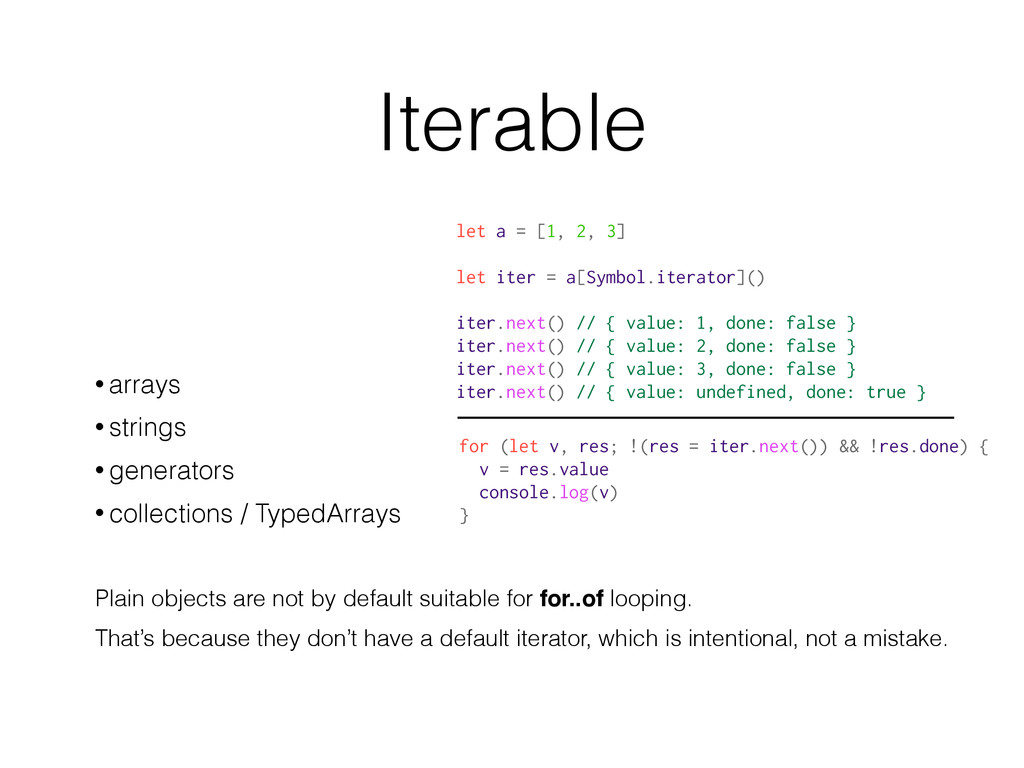
TypedArrays Plain objects are not by default suitable for for..of looping. That’s because they don’t have a default iterator, which is intentional, not a mistake. let a = [1, 2, 3] let iter = a[Symbol.iterator]() iter.next() // { value: 1, done: false } iter.next() // { value: 2, done: false } iter.next() // { value: 3, done: false } iter.next() // { value: undefined, done: true } for (let v, res; !(res = iter.next()) && !res.done) { v = res.value console.log(v) }
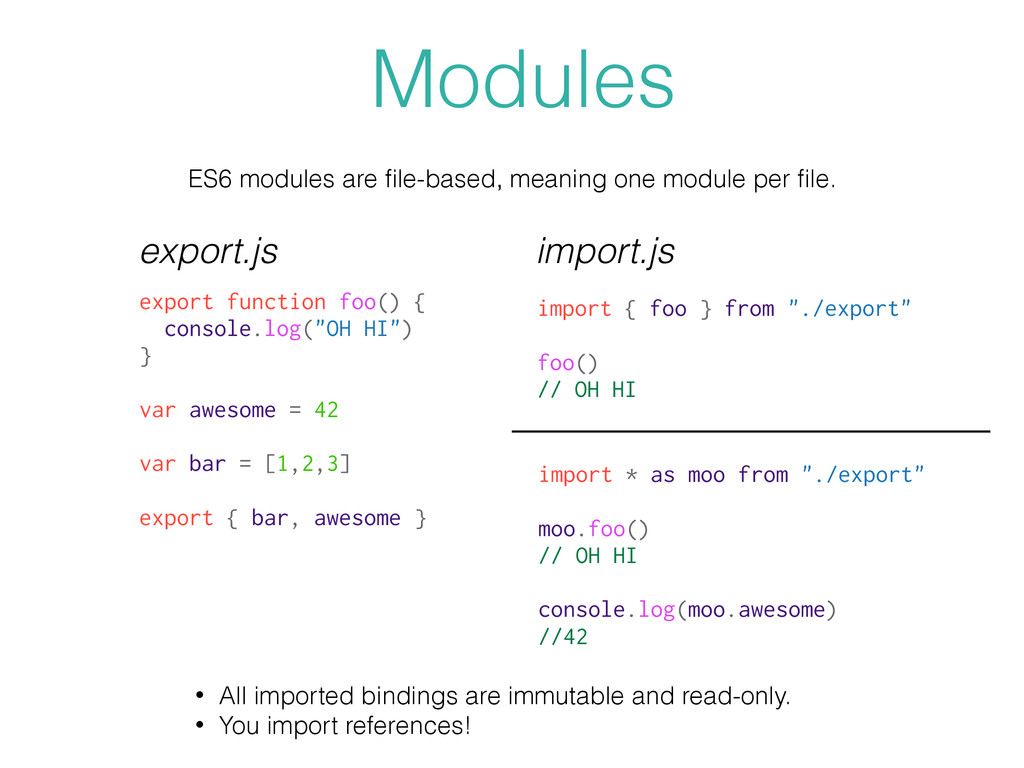
export function foo() { console.log("OH HI") } var awesome = 42 var bar = [1,2,3] export { bar, awesome } export.js import * as moo from "./export" moo.foo() // OH HI console.log(moo.awesome) //42 import { foo } from "./export" foo() // OH HI import.js • All imported bindings are immutable and read-only. • You import references!
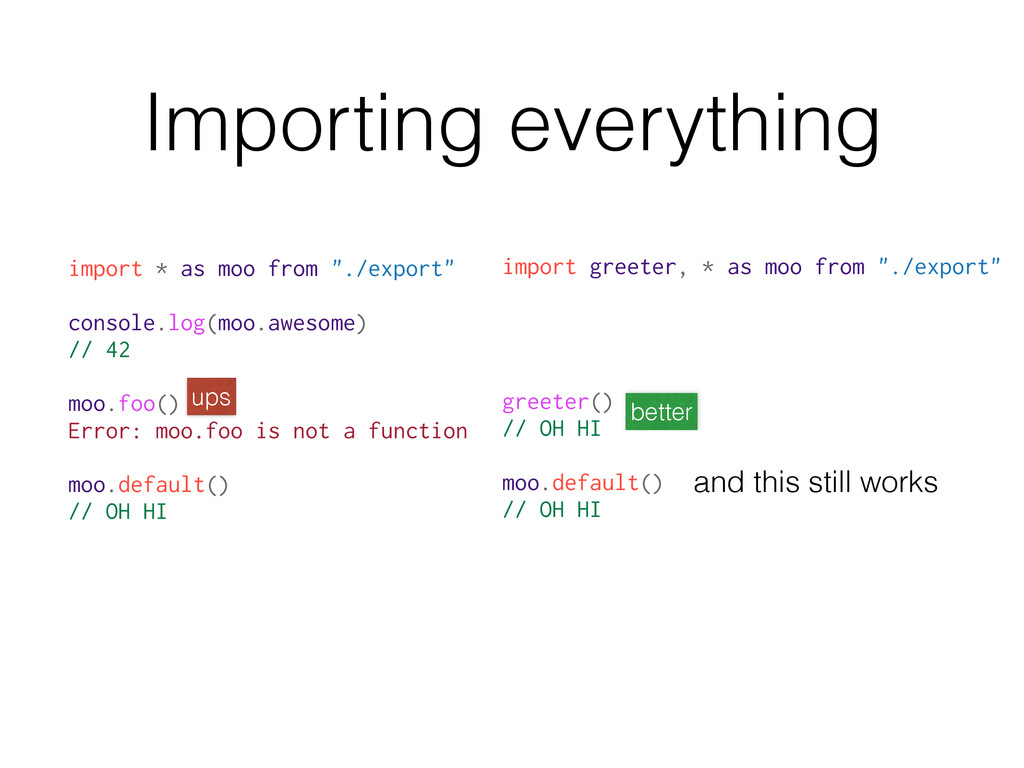
42 moo.foo() Error: moo.foo is not a function moo.default() // OH HI import greeter, * as moo from "./export" greeter() // OH HI moo.default() // OH HI ups better and this still works
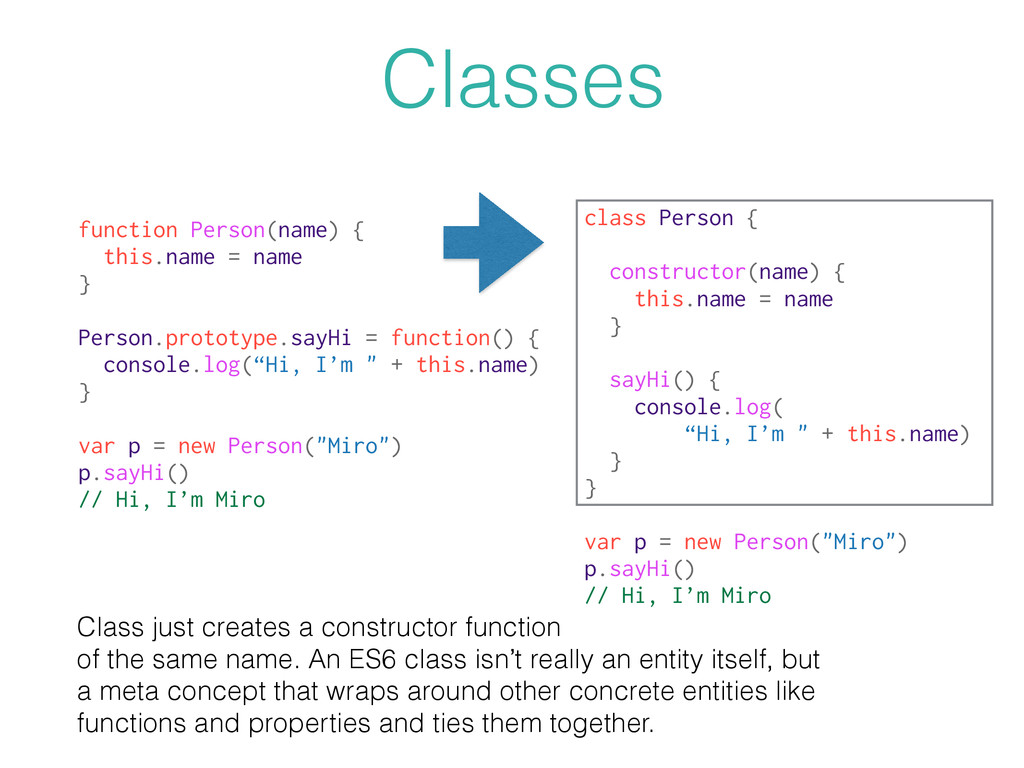
function() { console.log(“Hi, I’m " + this.name) } var p = new Person("Miro") p.sayHi() // Hi, I’m Miro class Person { constructor(name) { this.name = name } sayHi() { console.log( “Hi, I’m " + this.name) } } var p = new Person("Miro") p.sayHi() // Hi, I’m Miro Class just creates a constructor function of the same name. An ES6 class isn’t really an entity itself, but a meta concept that wraps around other concrete entities like functions and properties and ties them together.
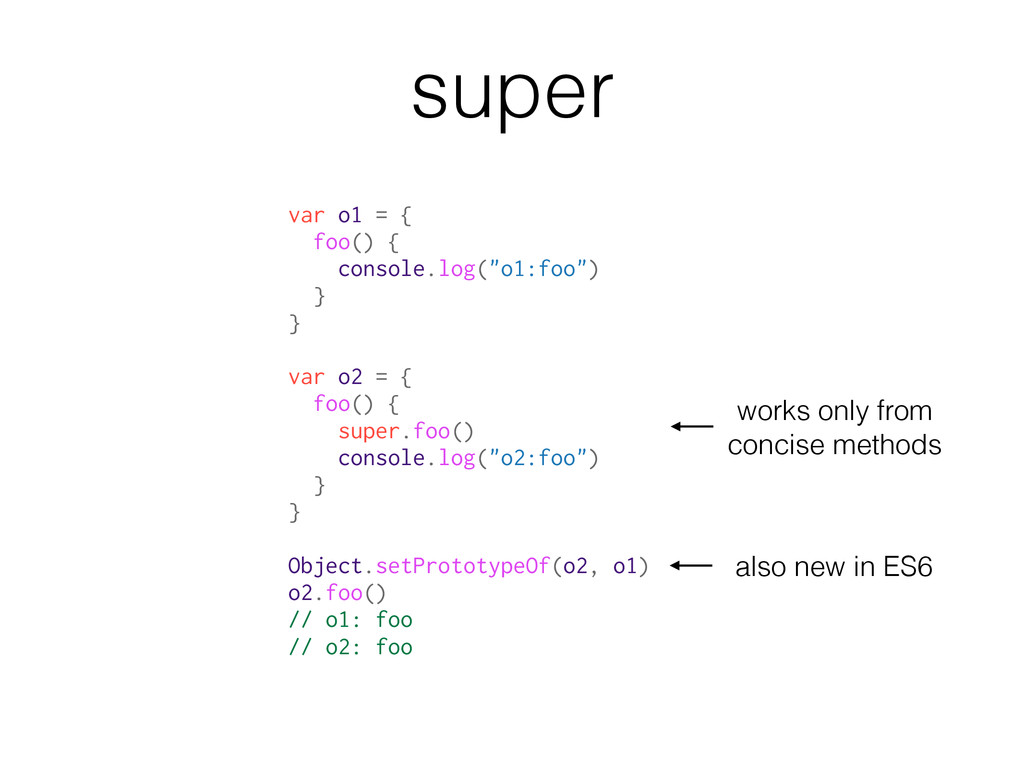
o2 = { foo() { super.foo() console.log("o2:foo") } } Object.setPrototypeOf(o2, o1) o2.foo() // o1: foo // o2: foo also new in ES6 works only from concise methods super
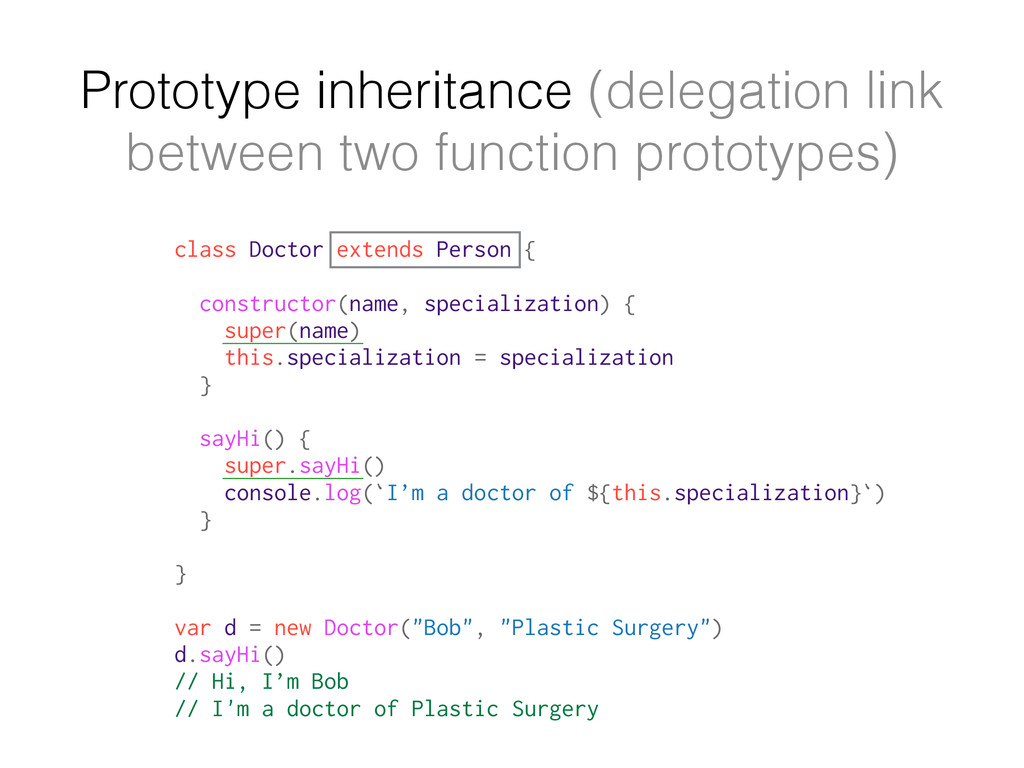
extends Person { constructor(name, specialization) { super(name) this.specialization = specialization } sayHi() { super.sayHi() console.log(`I’m a doctor of ${this.specialization}`) } } var d = new Doctor("Bob", "Plastic Surgery") d.sayHi() // Hi, I’m Bob // I'm a doctor of Plastic Surgery
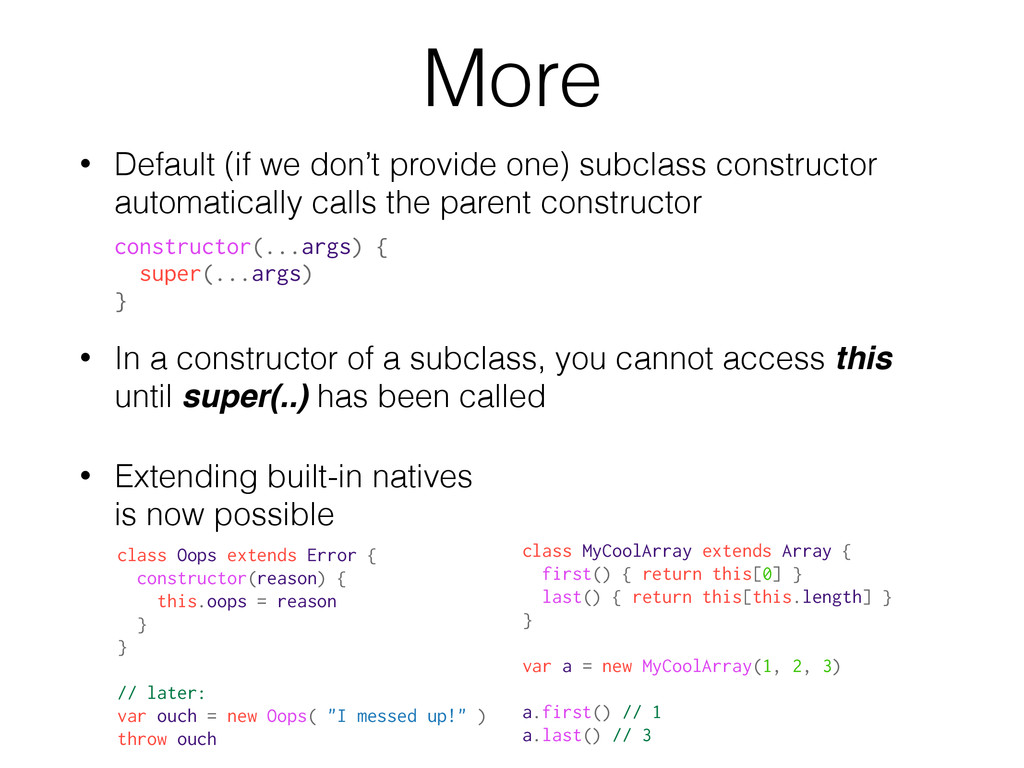
automatically calls the parent constructor • In a constructor of a subclass, you cannot access this until super(..) has been called • Extending built-in natives is now possible constructor(...args) { super(...args) } class MyCoolArray extends Array { first() { return this[0] } last() { return this[this.length] } } var a = new MyCoolArray(1, 2, 3) a.first() // 1 a.last() // 3 class Oops extends Error { constructor(reason) { this.oops = reason } } // later: var ouch = new Oops( "I messed up!" ) throw ouch
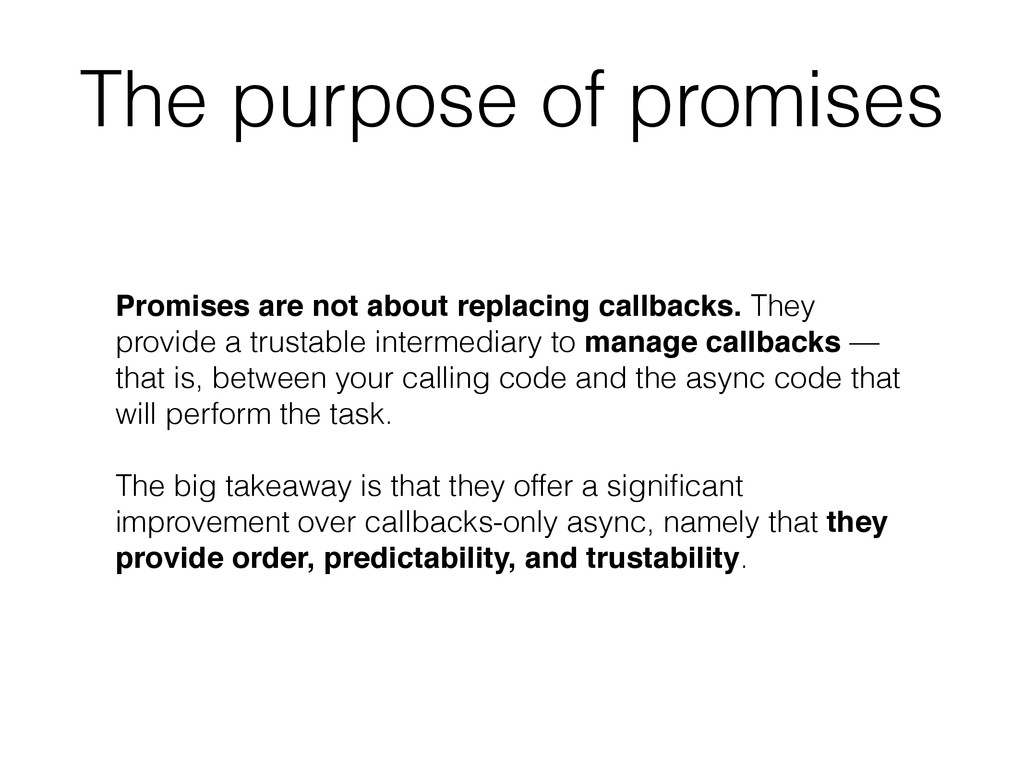
intermediary to manage callbacks — that is, between your calling code and the async code that will perform the task. The big takeaway is that they offer a significant improvement over callbacks-only async, namely that they provide order, predictability, and trustability. The purpose of promises
bring many low- level improvements for high-performance and scientific computing, including new value objects, operator overloading, and SIMD intrinsics. New value objects proposed in ES7 include: int64, uint64, int32x4 and int32x8 (SIMD), float32 (useful for GPUs), float32x4 and float32x8 (SIMD), bignum, decimal, rational, and complex. • Support for SIMD (Single Instruction, Multiple Data) will lead to native performance for applications like game programming and signal processing. Recommended talk: Brendan Eich on JavaScript Taking Both the High and Low Roads (2014) https://youtu.be/aZqhRICne_M


 hollycummins
 kasacchiful
 yasaichi
 naokihaba
 ryu1013
 andpad
 takai
takai
 kishida
 mofurune
 htkym
htkym
 satoshi256kbyte
 nokomoro3
 baasie
 jdejongh
 aleyda
 skipperchong
 pwiseman
 addyosmani
 axbom
axbom
 jonoalderson
 jonyablonski
 eileencodes
 paigeccino


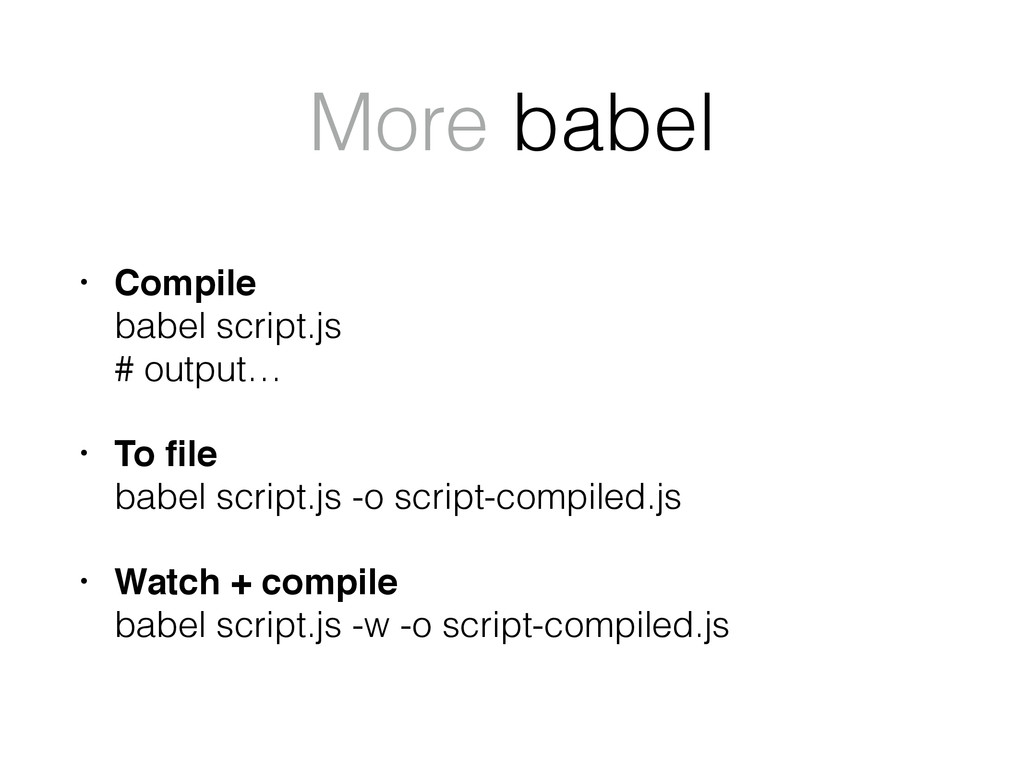
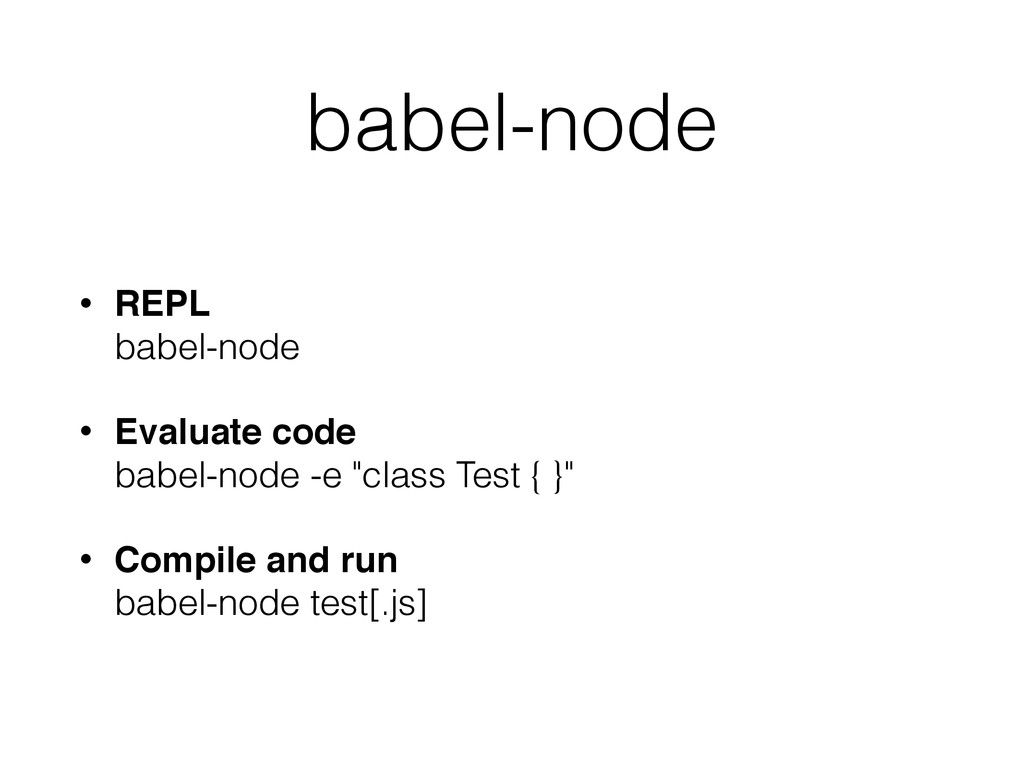

![Spread operator let a = [1,2,3] let b = [0,](https://files.speakerdeck.com/presentations/aed2145236e8496c95de159ae81b7dab/slide_21.jpg)
![Destructuring function getColors() { return ["red", "green", "blue"] } let](https://files.speakerdeck.com/presentations/aed2145236e8496c95de159ae81b7dab/slide_28.jpg)
![More var x = 10, y = 20 [y, x]](https://files.speakerdeck.com/presentations/aed2145236e8496c95de159ae81b7dab/slide_29.jpg)
![Default value assignment let [a = 10, b] = [undefined,](https://files.speakerdeck.com/presentations/aed2145236e8496c95de159ae81b7dab/slide_32.jpg)

![Built-in symbols let a = [1, 2, 3] a[Symbol.iterator] //](https://files.speakerdeck.com/presentations/aed2145236e8496c95de159ae81b7dab/slide_41.jpg)
![var a = ["a", "b", "c", "d", "e"] for(var idx](https://files.speakerdeck.com/presentations/aed2145236e8496c95de159ae81b7dab/slide_42.jpg)